Clipboard Manager 2.4.4

Name: ClipboardManager_2.4.4_MAS_[TNT]_Mactorrents.biz.dmg
Size: 15.27 MB
Files ClipboardManager_2.4.4_MAS_[TNT]_Mactorrents.biz.dmg[15.27 MB]

   Download Torrent
   Link Download

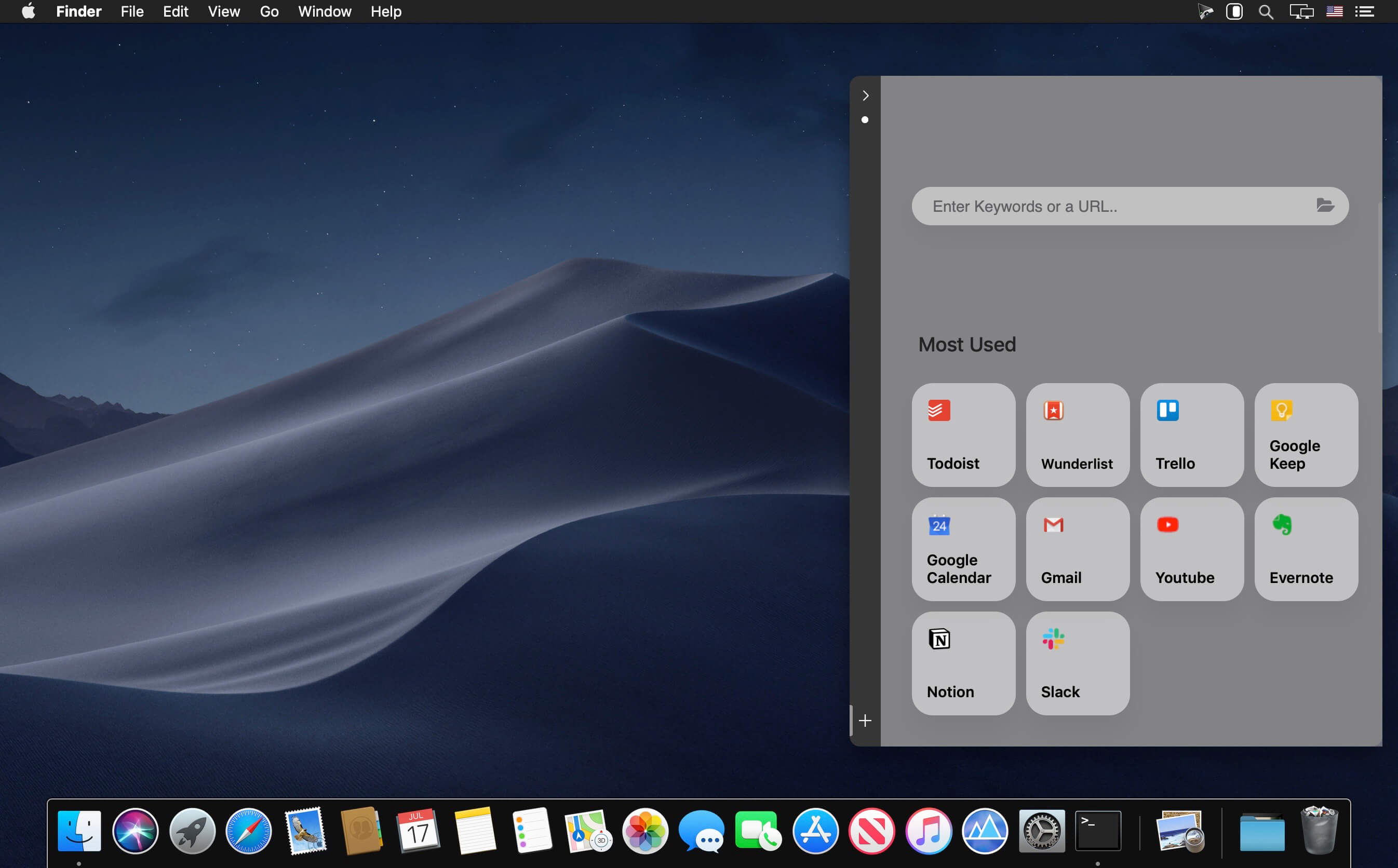
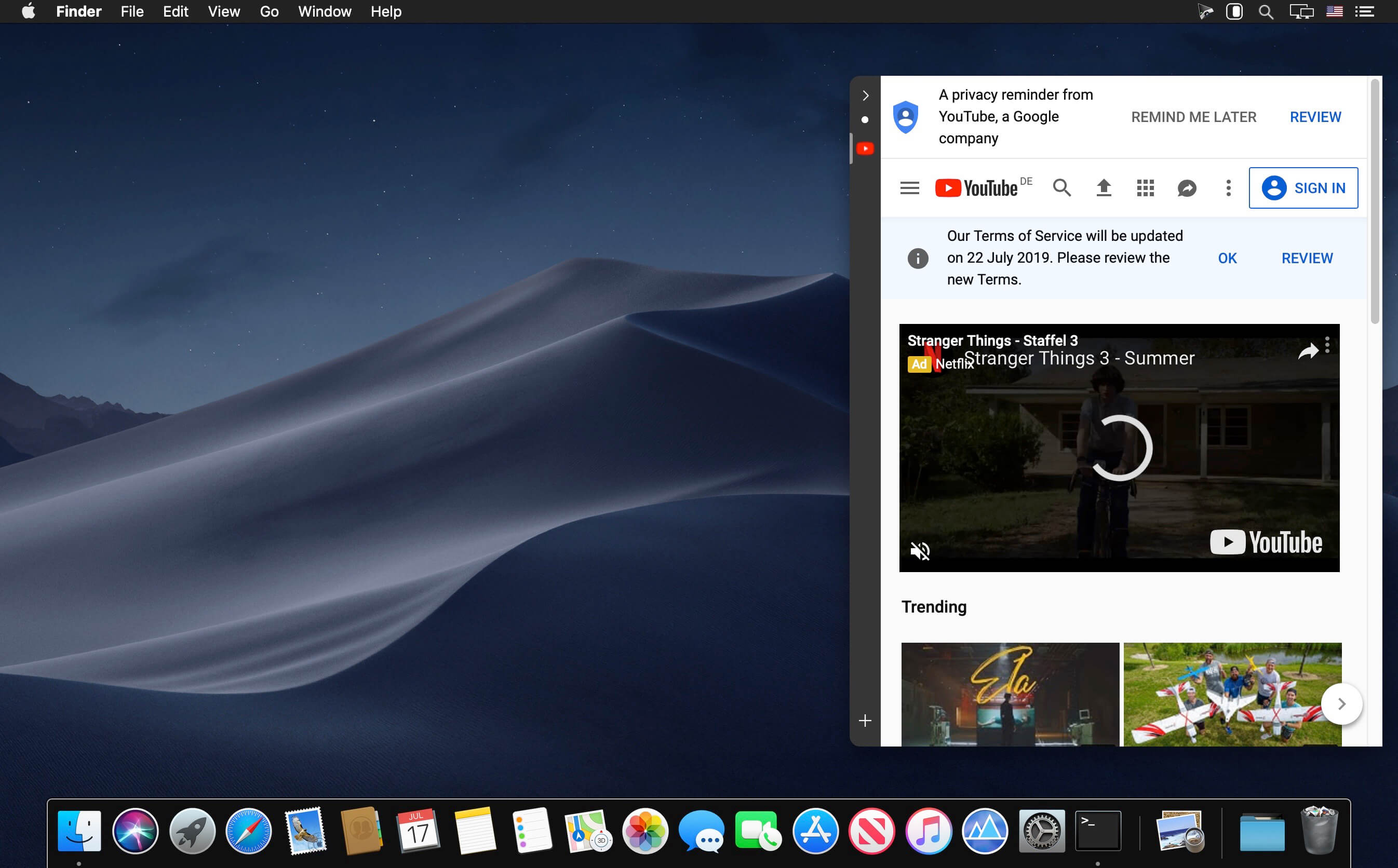
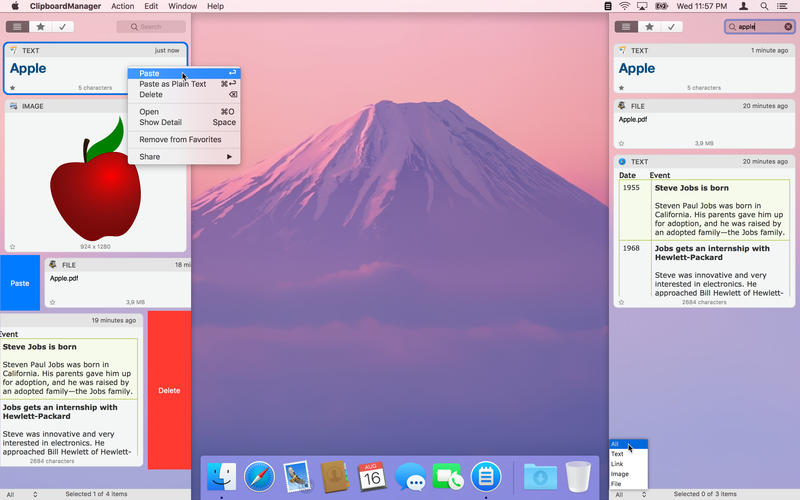
Clipboard Manager is smart clipboard history manager, which stores everything you copy for the later uses.

Key Features:
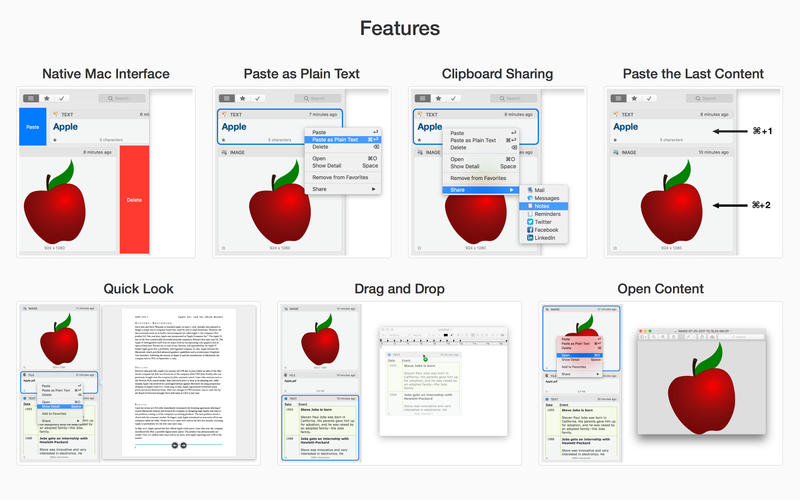
• Native Mac Interface – Paste or Delete clippings by swipe gesture.
• Direct Paste – Paste clippings direct to the current application.
• Application Actions – Paste, Paste as Plain Text, Open, Save to File and Search with Google.
• Custom Actions – User defined actions using AppleScript or Automator Workflow.
• Quick Panel – Panel in the header of every clippings for quick action execution.
• Drag and Drop – Drag and drop clippings to any application.
• Quick Look – Large preview for any clippings type.
• Sharing – Share clippings with your friends.
• Selected Text – Work with the selected text.
• Bulk Actions – Paste, delete or share more clippings at one time.
• Search and Filter – text search and filter clippings by type or application.
• Favorites – Choose your favorite clippings for easy search.
• Folders – Organize your clippings to Folders.
• Most Used – Show clippings ordered by paste count.
• Mode without Dock Icon – Show application window on active screen and active space.
• Ignored Applications – Ignore the contents of the clipboard from these applications.
• Ignored Contents – Ignore the contents of the clipboard by pasteboard type.
• Global Shortcut – Show application from anywhere.
• Launch Application at Login.
• Touch Bar Support.

Compatibility: macOS 10.12 or later
Homepage https://appyogi.com

Screenshots

Ghost Buster Pro 2.1.0

Name: Ghost_Buster_Pro_2.1.0_MAS_[TNT]_Mactorrents.biz.dmg
Size: 5.53 MB
Files Ghost_Buster_Pro_2.1.0_MAS_[TNT]_Mactorrents.biz.dmg[5.53 MB]

   Download Torrent
   Link Download

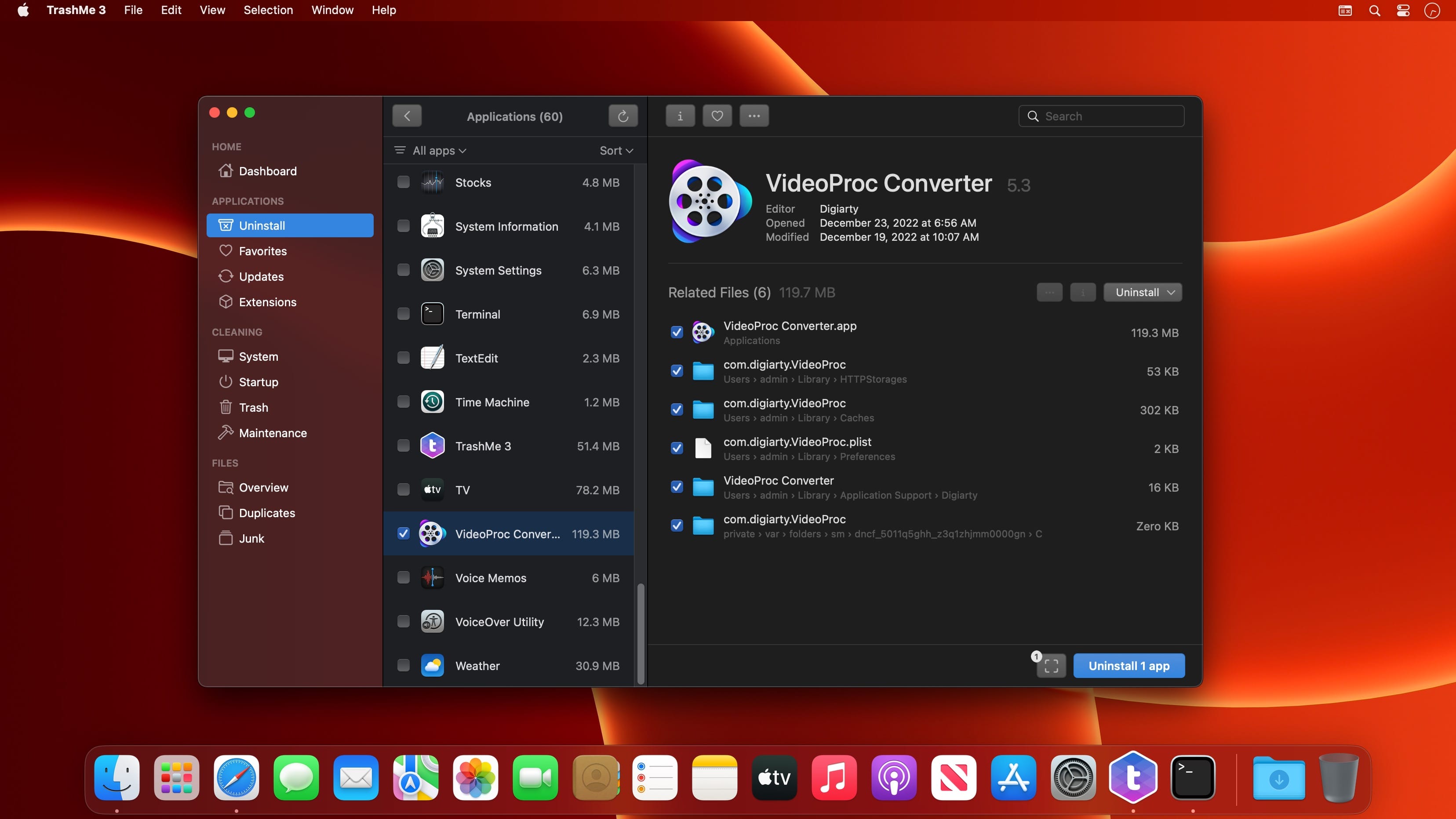
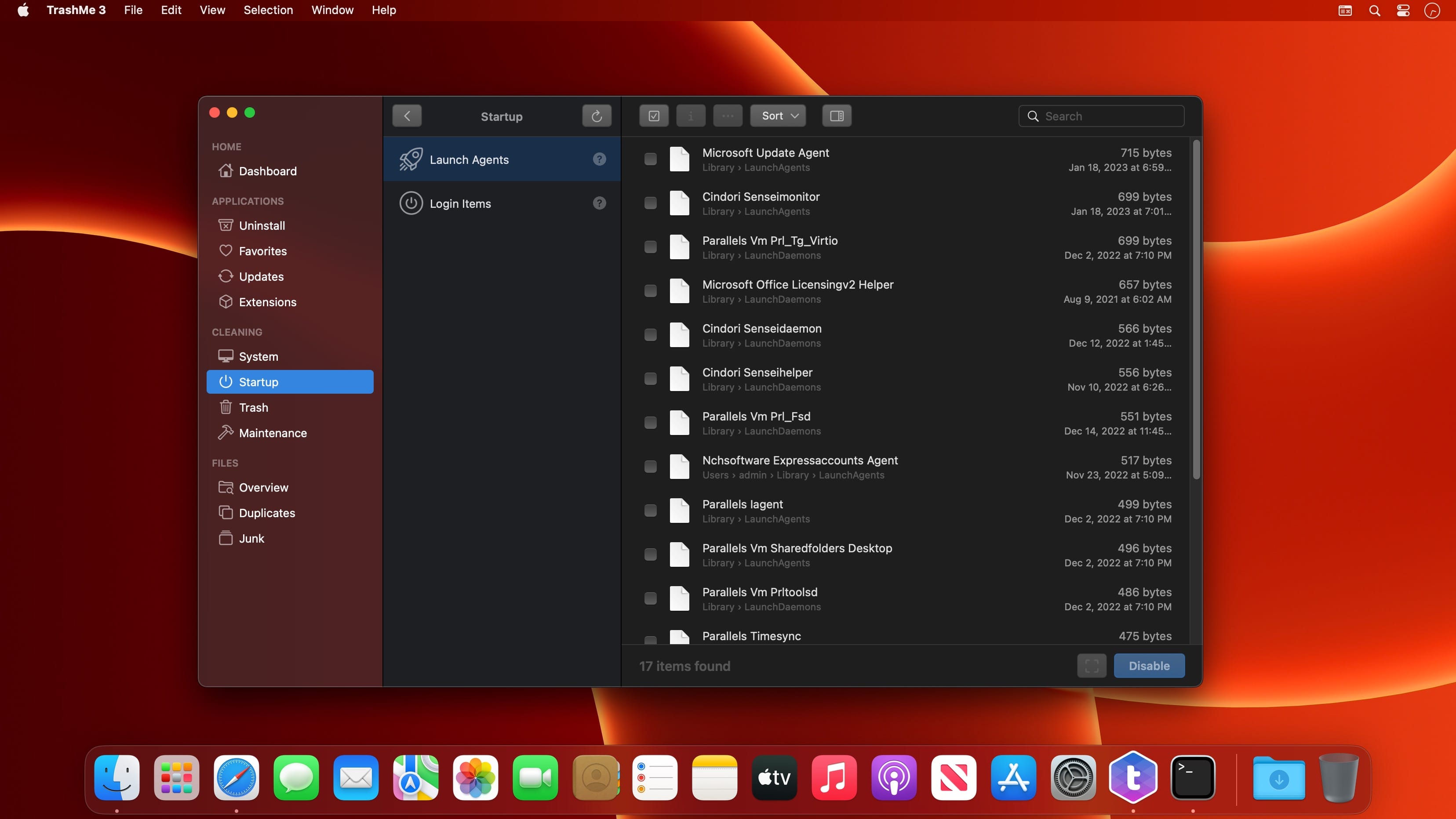
Ghost Buster Pro finds and deletes files from apps you’ve already uninstalled. The app is lightning fast and frees memory in no time.

Many apps are installed on a computer, but they usually only stay on your computer for a short time. Each app creates files, but deleting the app does not remove them.

This leads to a large number of files accumulating over time, which take up valuable storage space.

Ghost Buster Pro searches your computer for exactly such files and can also delete them directly if you wish.

Ghost Buster Pro offers the following features:

Fast Search

  • Ghost Buster Pro quickly scans your computer for data from previously deleted apps. You can have them deleted with one click.

Extremely easy handling

  • Ghost Buster Pro couldn’t be simpler. The search is started immediately after the app is started. You can now delete files with just one click.

No automatic deletion

  • Ghost Buster Pro does not delete any data without your consent. Choose for yourself which data is deleted and which you want to keep.

What’s New:

Version 2.1.0

  • You can now search for specific results.

Version 2.0.0

This update contains the following changes:

  • The app has been rewritten in SwiftUI.
  • The app now has a more modern look.
  • A new gorgeous icon has been added.
  • The buttons for selecting and unselecting all files are now more accessible.
  • The app is now available in Russian, Italian, Spanish, French and Simplified Chinese.

Compatibility: macOS 11.5 or later • Apple Silicon or Intel Core processor
Mac App Store https://apps.apple.com/app/app-ghost-buster/id1607749385

Screenshots

Memoires 5.0.1

Name: Memoires_5.0.1_[TNT]_Mactorrents.biz.dmg
Size: 5.76 MB
Files Memoires_5.0.1_[TNT]_Mactorrents.biz.dmg[5.76 MB]

   Download Torrent
   Link Download

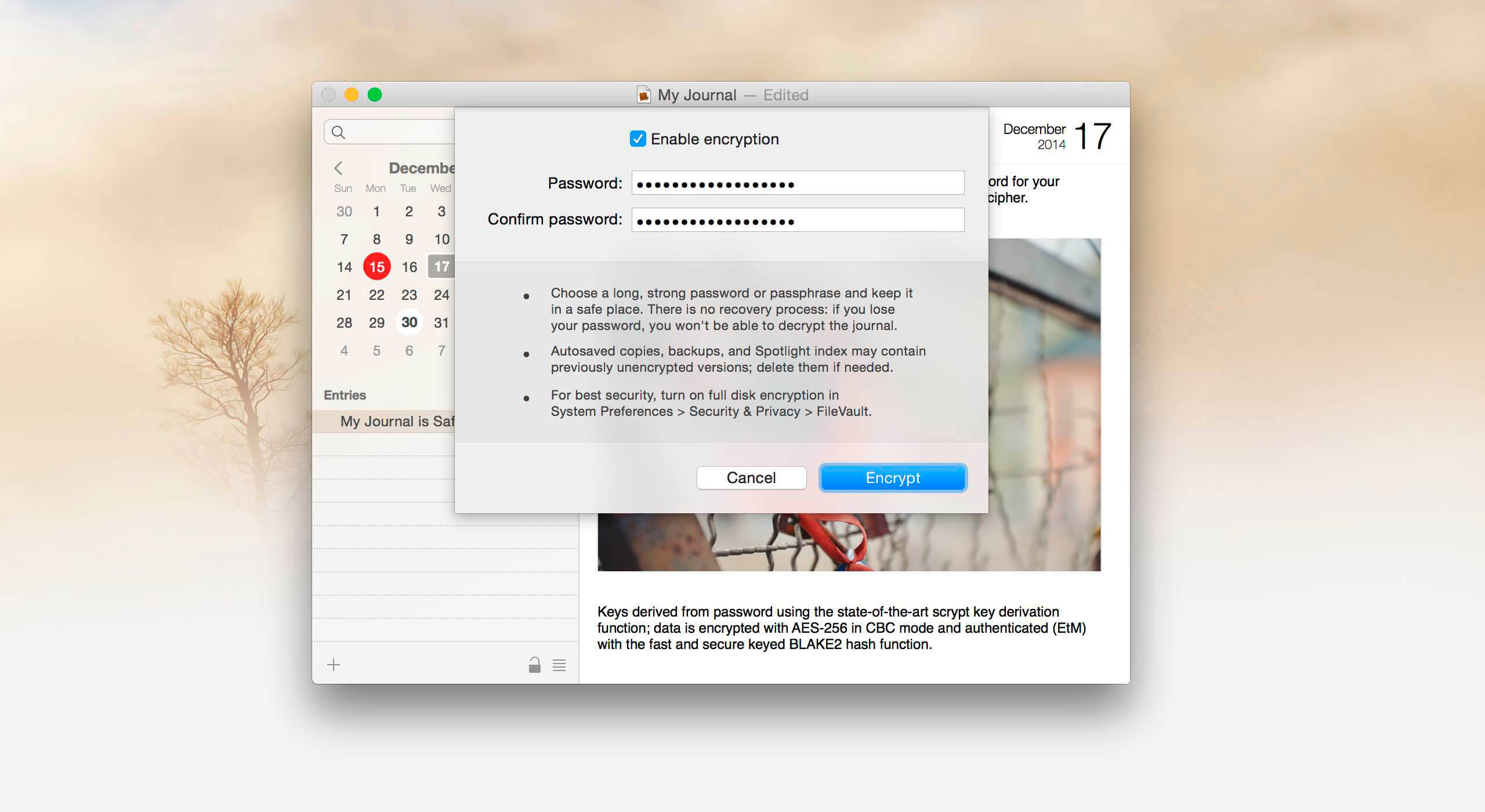
Memoires is the best way to keep your journal on OS X. Choose a day and write as many notes as you like. Then browse your journal by day using calendar, or search for notes using the instant-search feature.

Memoires has a gorgeous user interface. Even though it’s a powerful application, it is very easy to use. No distractions, no complicated forms: just two buttons and one search field. Even easier than a paper journal!

Memoires supports AES-256 encryption, so your diaries will be safe from prying eyes.

What’s New:

  • Added exact searches (surround your whole search query with quote marks to search for the exact phrase). Previous version introduced improved search by splitting quieries into words. Some users wanted the exact search back, so in this release we introduced it back: for example, to search for why me, but not for why not me, type “why me”, including quotes.
  • Fixed black sidebar background in Yosemite if “Reduce transparency” accessibility setting was on.

Compatibility: OS X 10.10 or later 64-bit
Homepage https://www.codingrobots.com/memoires/

Screenshots


n-Track Studio Suite 9.1.8.6961

Name: n-Track_Studio_Suite_9.1.8.6961_Mactorrents.biz.zip
Size: 216.38 MB
Files n-Track_Studio_Suite_9.1.8.6961_Mactorrents.biz.dmg[216.38 MB]

   Download Torrent
   Link Download

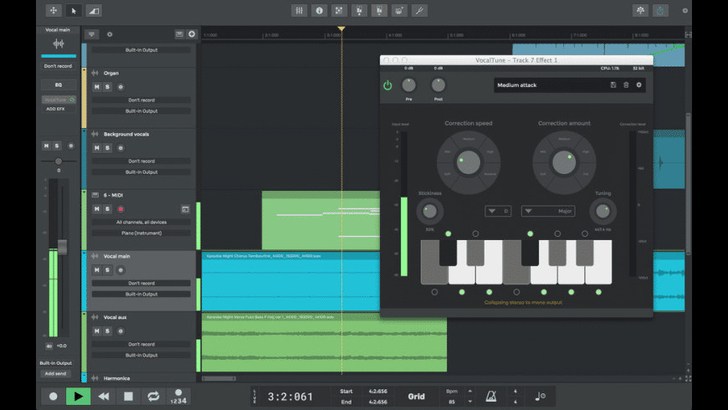
n-Track Studio 9 Suite provides musicians and producers with a complete DAW environment for recording, editing, and mixing with an easy workflow and audio resolution up to 24-bit / 192 kHz. It supports an unlimited number of audio and MIDI tracks, as well as plug-ins including VST, VST3, DirectX, AU, and ReWire.

Studio 9 Suite offers 64-bit mixing and processing with sample-level editing and full automation of volume, pan, aux send & returns, and effects, great for programing fade-in/outs, cross fades, and more. The built-in effects include reverb, compression, parametric & graphic EQ, echo, auto-volume, pitch shift, chorus, multi-band compression, spectrum analyzer, drum machine/synth, and the n-Track vocal processing module. Version 9 also introduces improved guitar and bass amp simulators, as well as the VocalTune plug-in, which allows you to fix the pitch of your vocals and snap them to common scales or custom ones, for simple pitch correction or complete vocal transformation.

Other features include live input processing for recording tracks dry while monitoring with effects, and support for mixing in surround sound when creating DVD audio projects with 5.1, 6.1, and 7.1 surround formats. You can also mixdown your song into a single WAV file to create an audio CD or to distribute the song online using the built-in MP3 encoder.

Studio 9 Suite allows you to record a song on your tablet on the go with the iOS and Android Studio apps (available separately) and then import it on your Windows or Mac computer for detailed editing and mixing. Additionally, the software comes with free and premium soundbanks to get you started right away.

Compatibility: macOS 10.14 or later
Homepage https://ntrack.com/

Screenshots

Audio Hijack 4.2.2

Name: Audio_Hijack_4.2.2_[TNT]_Mactorrents.biz.dmg
Size: 37.95 MB
Files Audio_Hijack_4.2.2_[TNT]_Mactorrents.biz.dmg[37.95 MB]

   Download Torrent
   Link Download

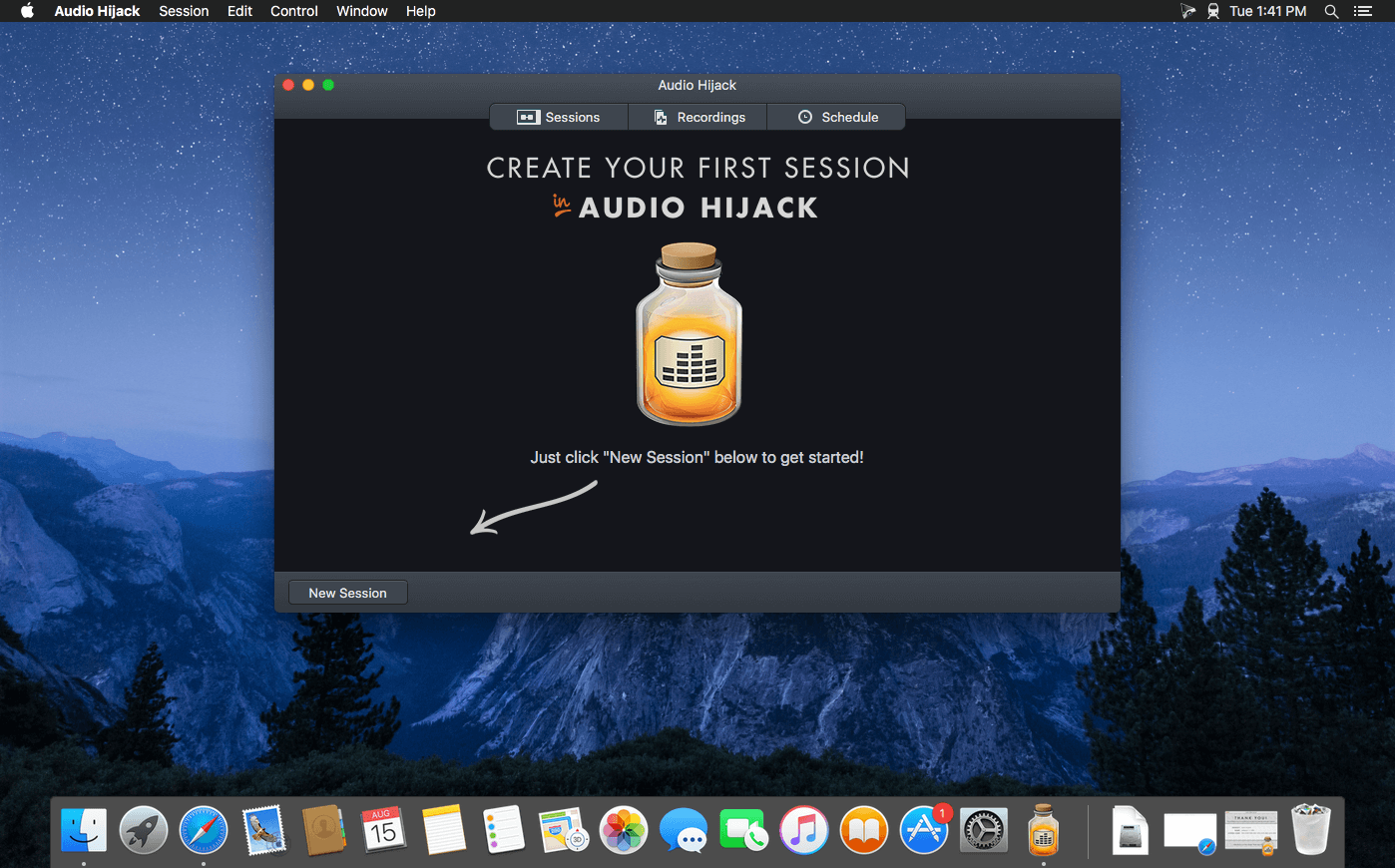
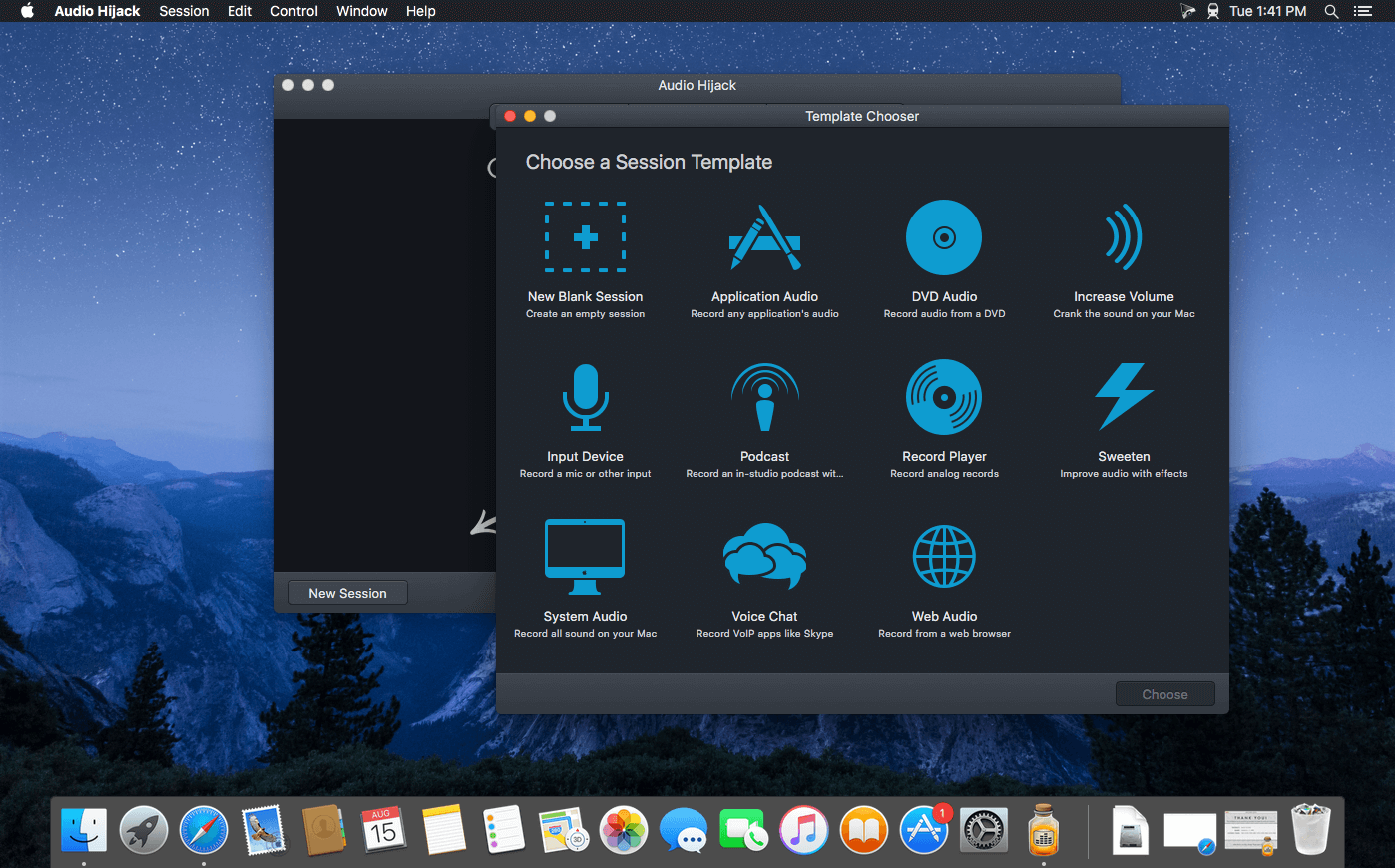
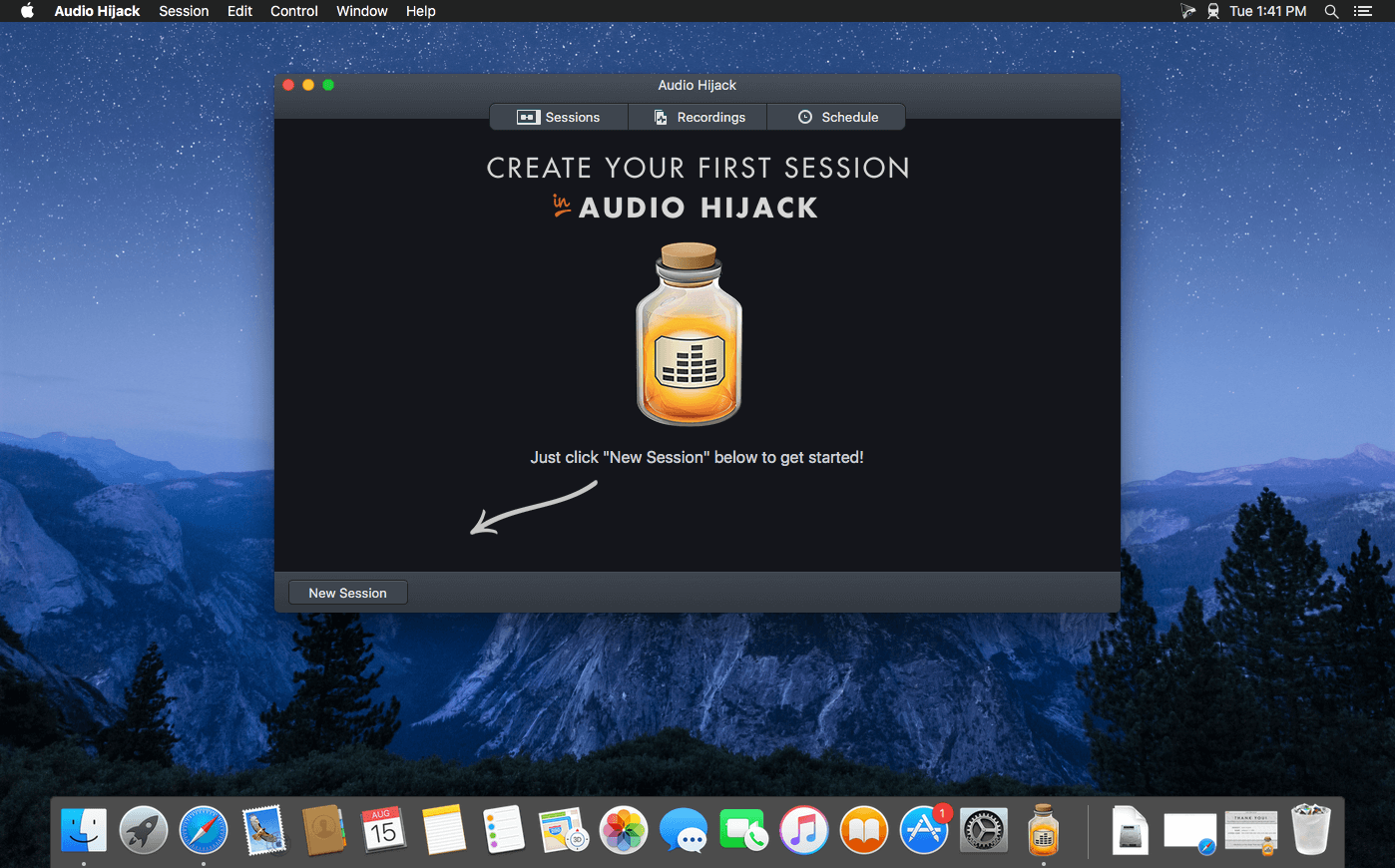
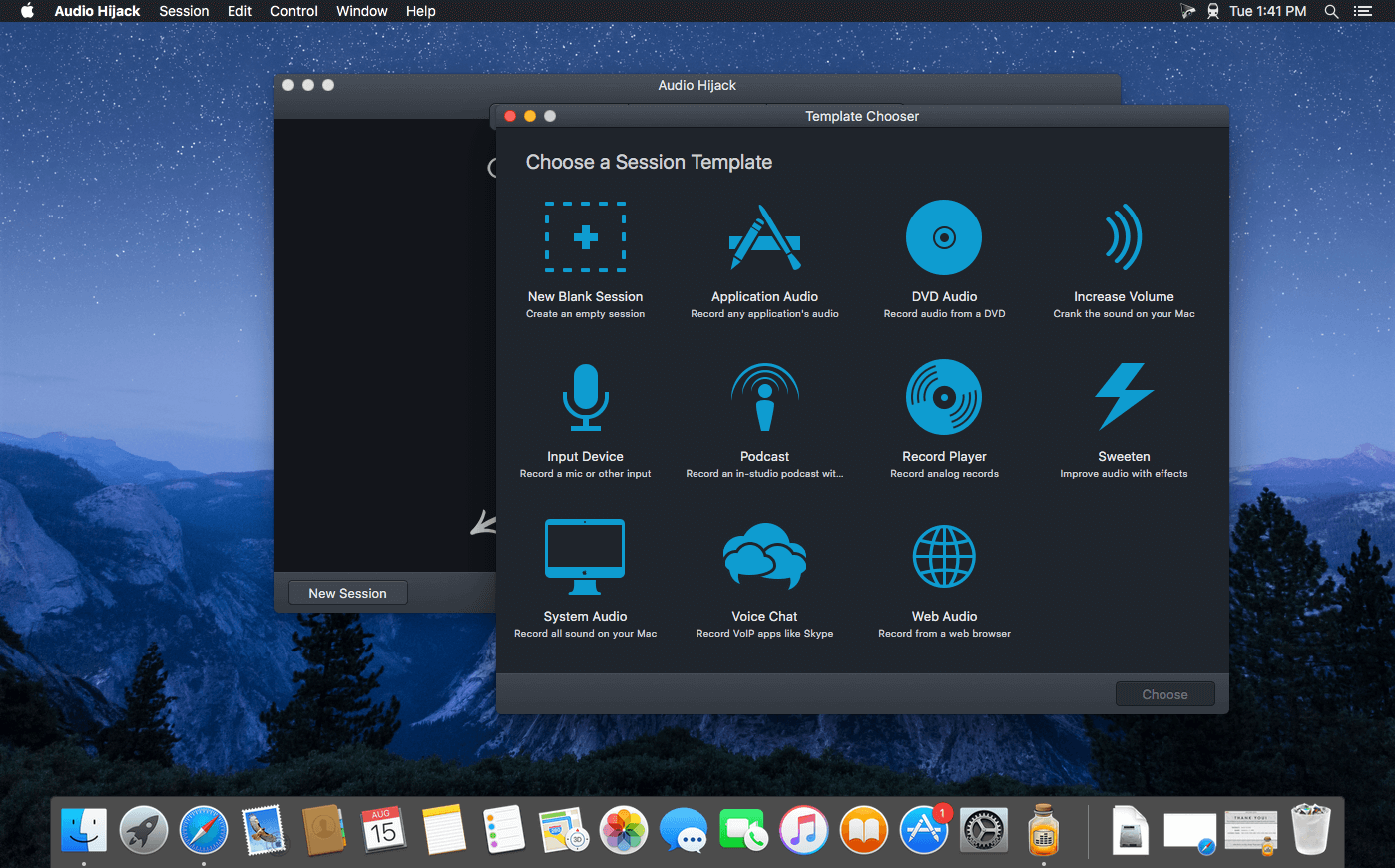
If you can hear it, you can record it – Record any application’s audio, including VoIP calls from Skype, web streams from Safari, and much more. Save audio from hardware devices like microphones and mixers as well. You can even record all the audio heard on your Mac at once! If you can hear it, Audio Hijack can record it.

Application Audio
Set any application as your source in Audio Hijack, then hit the record button to save its audio!

Device Audio
Audio Hijack can also capture and record audio from microphones, mixers, and other input devices.

All System Audio
Use the System Audio source to capture all the audio heard on your Mac at once.

More Great Features

Record to All Major Formats
Record to the world’s most popular audio formats, including MP3 and AAC, or save in perfect-fidelity AIFF, WAV, ALAC or FLAC.

Reusable Sessions
Once you’ve configured a Session to your liking, you can re-use it over and over. With one click, you’ll be recording exactly as desired.

Easy File Organization
Find all of your recordings sorted by Session in the Recordings tab, where you can quickly pass files to an audio editor, add them to iTunes, or share them.

Timed Recordings
Use the Schedule tab to set up timed recordings for when you’re not around. Your audio will be waiting for you when you return.

Silence Monitoring
When silence is detected, Audio Hijack can automatically stop recording, split to a new file, or remove audio.

Bulletproof Recording
Bulletproof recording means that even if the power goes out or your computer crashes, you’ll never lose a recording.

A Thoughtful Interface
Audio Hijack’s intuitive audio grid provides a terrific pipeline-style view of exactly how your audio flows, so you can easily understand it.

Gorgeous Audio Effects
The included audio effects are easy to use and easy on the eyes. Their functionality is now accessible to all.

Time Shift Your Audio
Now you can pause, delay, and rewind live audio on your Mac. It’s perfect for transcribing audio and more!

Compatibility: macOS 10.14.4 or later
Homepage https://www.rogueamoeba.com/audiohijack/

Screenshots


X Lossless Decoder XLD 20230627

Name: xld-20230627_Mactorrents.biz.dmg
Size: 10.67 MB
Files xld-20230627_Mactorrents.biz.dmg[10.67 MB]

   Download Torrent
   Link Download

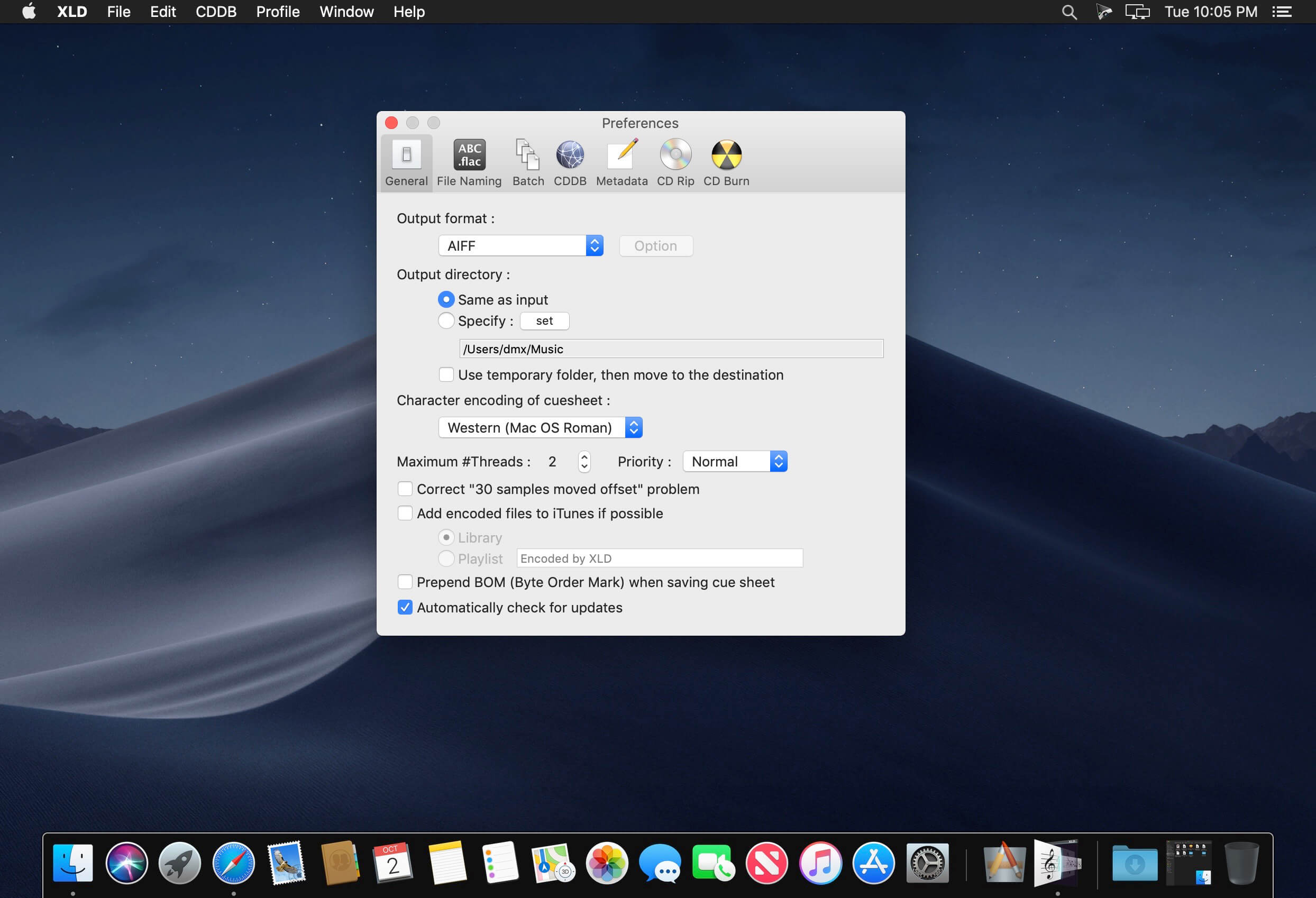
X Lossless Decoder (XLD) is a tool for macOS that is able to decode/convert/play various ‘lossless’ audio files. The supported audio files can be split into some tracks with cue sheet when decoding. XLD supports the following formats:

  • (Ogg) FLAC (.flac/.ogg)
  • Monkey’s Audio (.ape)
  • Wavpack (.wv)
  • TTA (.tta)
  • Apple Lossless (.m4a) [10.4 and later]
  • TAK (.tak) [Requires Wine]
  • Shorten (.shn) [SHN v3 only]
  • AIFF, WAV, etc.

Other formats supported by Libsndfile are also decodable. XLD uses not decoder frontend but library to decode, so no intermediate files are generated. All of the supported formats can be directly split with the cue sheet. XLD also supports so-called ’embedded’ or ‘internal’ cue sheet.

Currently you can choose output format from WAVE, AIFF, and Raw PCM. In addition, you can choose Ogg Vorbis (aoTuV), MPEG-4 AAC (QuickTime/CoreAudio), MP3 (LAME), Apple Lossless, and FLAC in the GUI version.

What’s New:

Version 20230627:

  • Updated FLAC to version 1.4.3
  • Updated Opus to version 1.4

Compatibility: macOS 10.4.0 or later
Homepage https://tmkk.undo.jp/xld/index_e.html

Screenshots

TechSmith Camtasia 2023.1.0

Name: Camtasia_2023_2023.1.0_[TNT]_Mactorrents.biz.dmg
Size: 365.95 MB
Files Camtasia_2023_2023.1.0_[TNT]_Mactorrents.biz.dmg[365.95 MB]

   Download Torrent
   Link Download

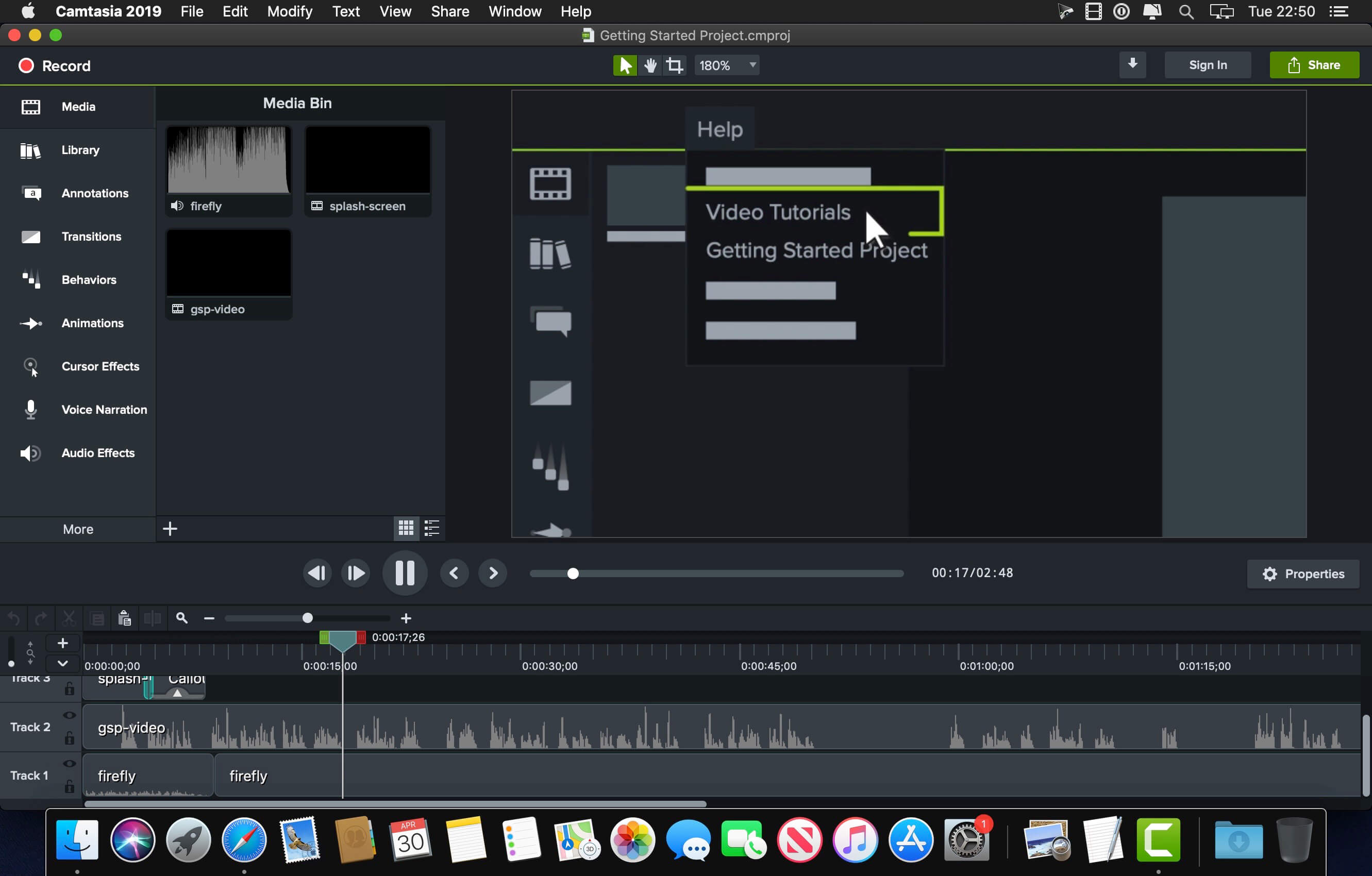
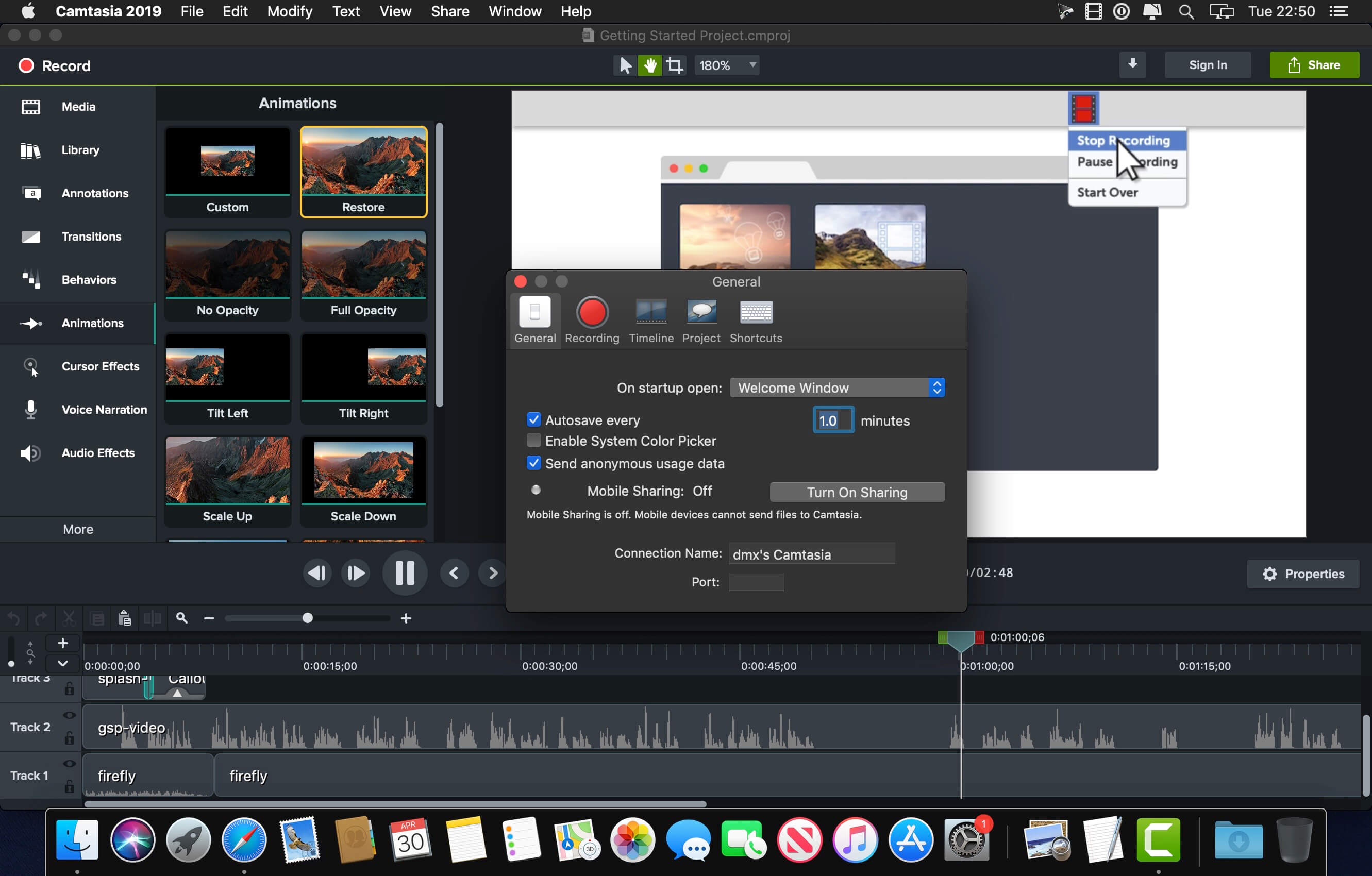
Camtasia is the go-to video solution for creating professional-looking software demonstrations, product tutorials, online lessons, and recorded presentations- no video experience needed. Pre-built video templates help you create the videos you need with ease. Record your screen, import PowerPoint presentations, or add video footage you already have. Then edit, add effects with drag-and-drop ease, and share out your videos with anyone. With so many easy to use features and effects, you’ll be creating polished videos in no time.

Start Fast
Camtasia is quick to learn. You don’t need a big budget or fancy video editing skills. Start with a template or just record your screen and add a few effects.

Feel Confident
Whether you have experience or this is your first time making a video, we’ll give you everything you need to make a high-quality video.

Engage Viewers
Create content your viewers actually watch. A video will give you more interaction and help your audience to learn more than with text alone.

The best screen recording software for…

  • Video tutorials
  • How-to videos
  • Demo videos
  • Meeting recordings
  • YouTube videos
  • Training videos
  • Video lessons
  • Webinar recordings
  • Instructional videos
  • Explainer videos
  • Presentation recordings
  • …and more!

<
Compatibility: macOS 11.0 or later
Homepage https://www.techsmith.com/

Screenshots


Fig Player – play mp4 mkv mp3 1.3.1

Name: PotPlayerX_1.3.1_MAS_In-App_[TNT]_Mactorrents.biz.dmg
Size: 74.38 MB
Files PotPlayerX_1.3.1_MAS_In-App_[TNT]_Mactorrents.biz.dmg[74.38 MB]

   Download Torrent

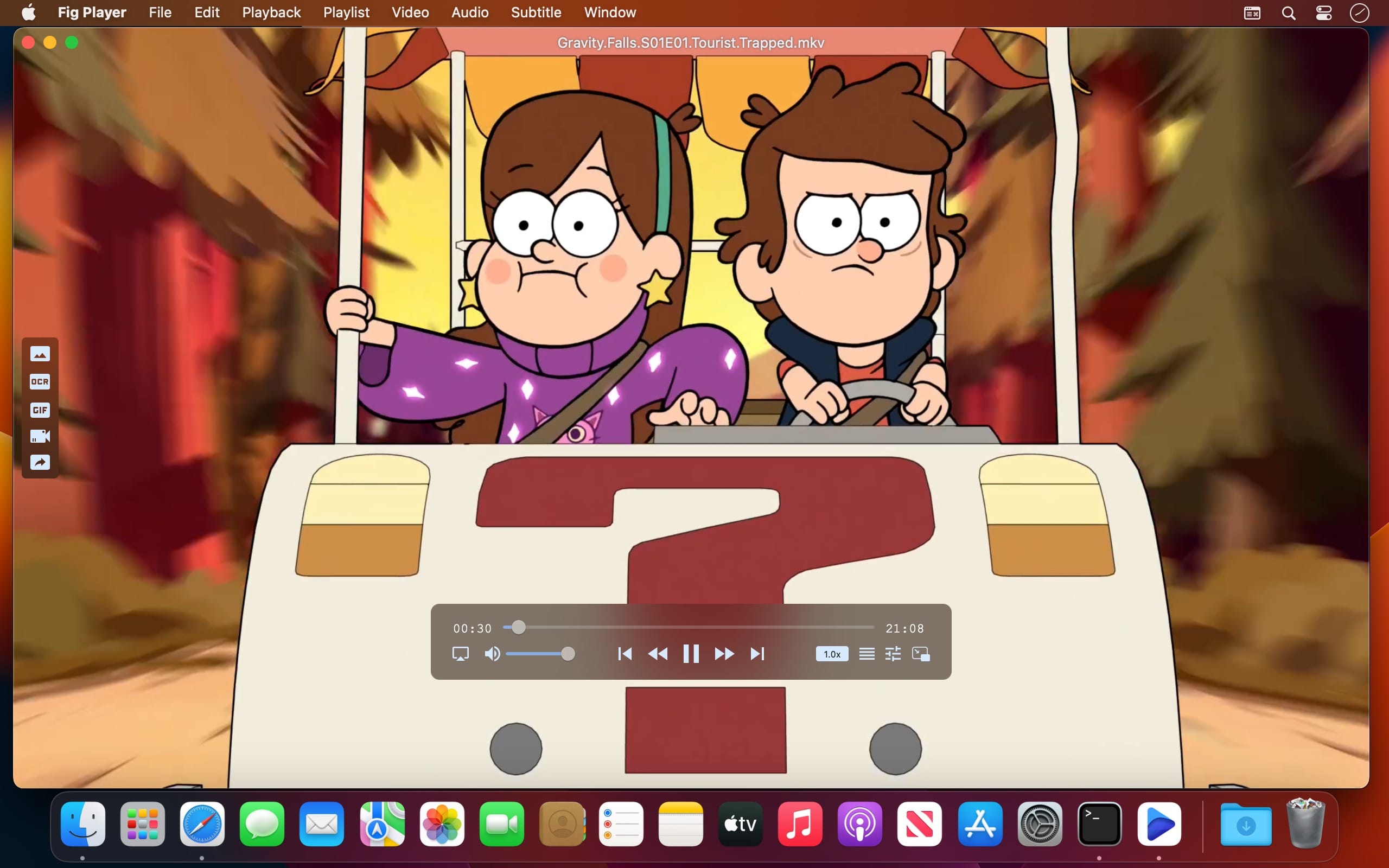
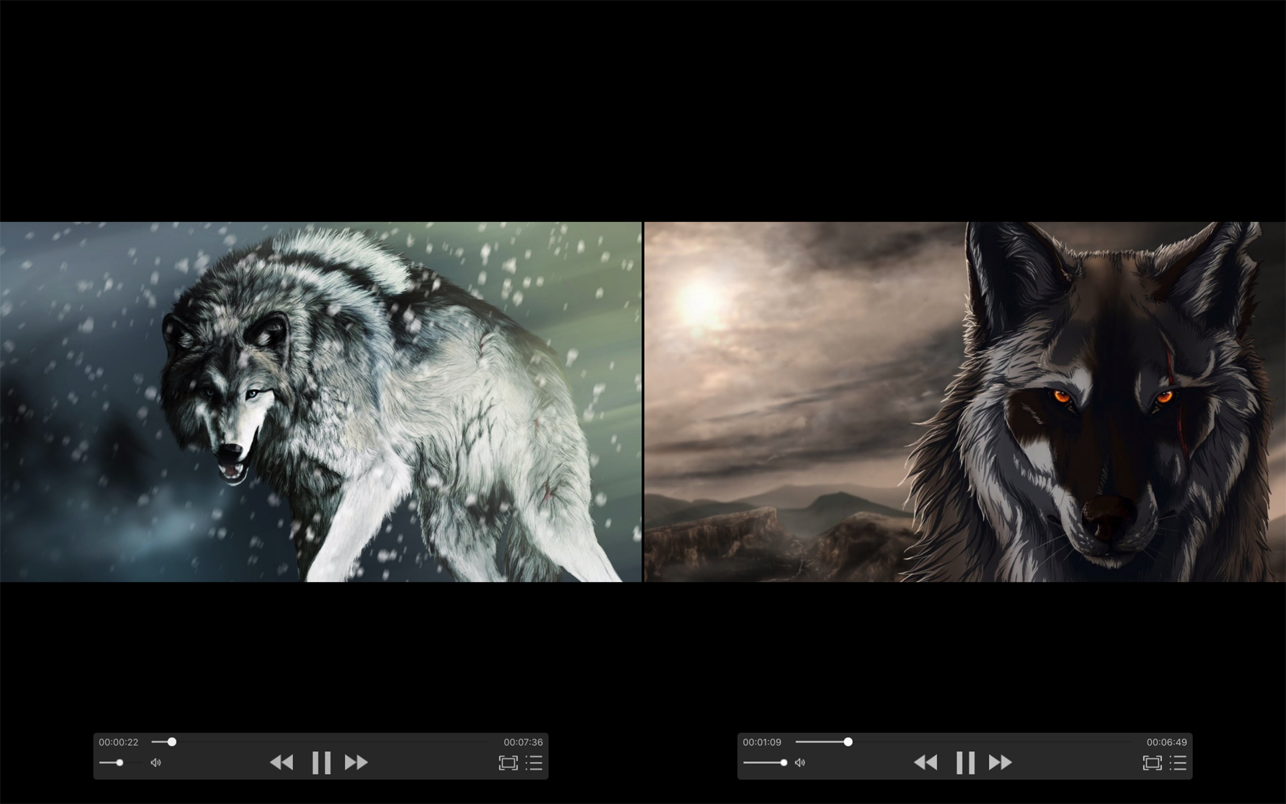
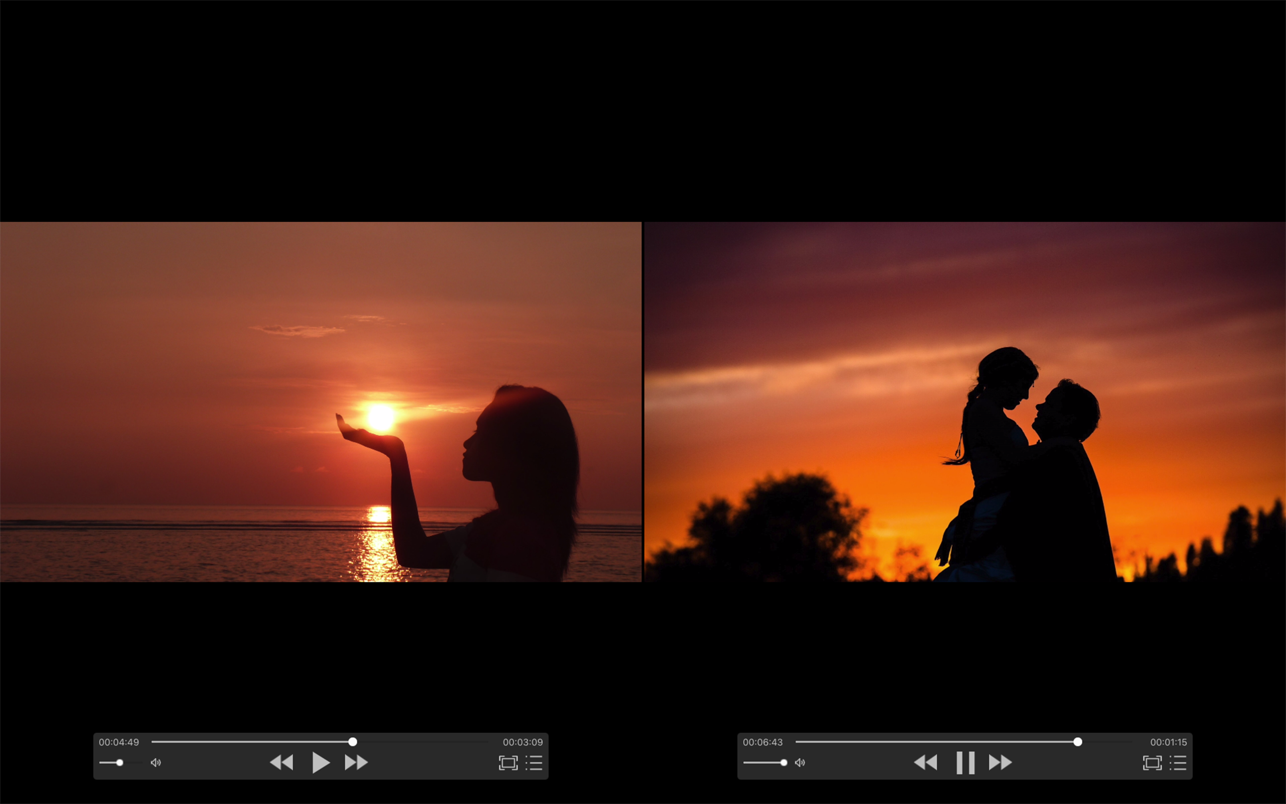
Fig Player, is a media player for Mac that supports a wide variety of media files and allows you to listen to music, watch videos and movies.

If you have an extensive media library but don’t have a good media player for Mac, here’s a good solution. Fig Player. It’s free to use and comes with a friendly interface. On the screen, you’ll be able to see all of the buttons that give you control over your experience, such as the play and stop button, playback options, volume slider, preview section, screenshot, and recording.

More Advanced Features

  • Smooth, seamless video play, support 4K.
  • Auto deinterlacing.
  • H/W-acceleration.
  • A-B loop.
  • Frame by Frame playback.
  • PIP mode.
  • Support various Subtitle formats(Text subtitles(SRT), Vobsub
    and ASS/SSA, etc.).
  • Choose which one when you have multiple sound output devices.
  • Create the scene poster with snapshots.
  • Playlist with upper-level folder name.
  • Support multiple windows and play multiple videos at the same time.
  • Support Wireless display to DLNA, Chromecast, Roku devices.
  • OCR Text Recognition(macOS 12+)

Supported Formats

  • Videos: mkv, rmvb, rm, avi, mov, wmv, flv, f4v, f4p, f4a, f4b, swf, mpg, mpeg, mpeg1, mpeg2, m1v, m2v, mpv, mp4, mpeg4, m4v, 3gp, 3gpp, 3g2, 3gp2, m2p, ps, ts, m2ts, mts, mt2s, ogm, ogv, divx, dv, asf, wtv, webm, etc.
  • Audios: flac, ape, m2a, mp1, mp2, mpa, mp3, mpg3, m4a, m4b, wma, wav, wv, xm, aiff, aif, ac3, a52, aac, opus, ogg, oga, mid, midi, mka, etc.
  • Subtitles: ASS, SSA, SRT, IDX&SUB

Compatibility: macOS 10.13 or later.
Homepage https://apps.apple.com/app/id1612400976

Screenshots


Wondershare Recoverit 12.0.4.2

Name: Wondershare_Recoverit_12.0.4.2_[TNT]_Mactorrents.biz.dmg
Size: 123.13 MB
Files Wondershare_Recoverit_12.0.4.2_[TNT]_Mactorrents.biz.dmg[123.13 MB]

   Download Torrent
   Link Download

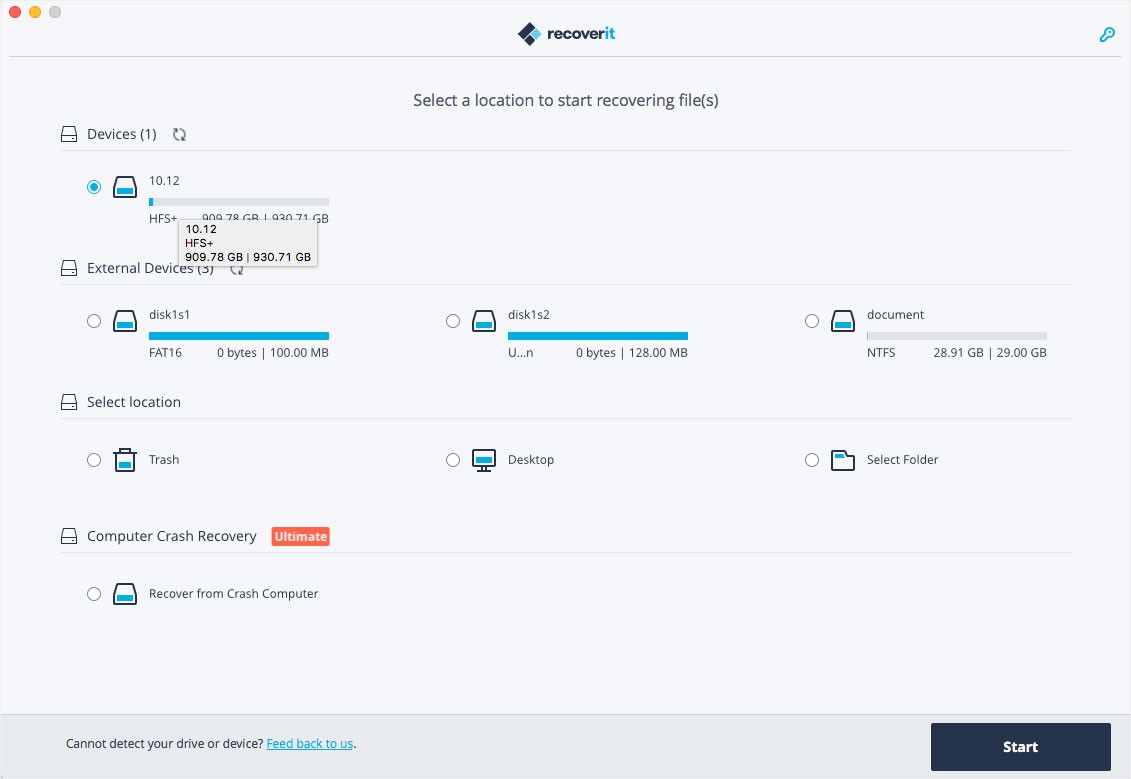
Wondershare Recoverit is a comprehensive data recovery suite to recover Mac data lost due to accidental deleting, formatting, virus infection, improper operation, unexpected power failure, and other unknown reasons.

It can recover Mac data from lost, deleted, logical corrupted and formatted Mac hard drive, iPod, USB drive, SD card, digital camera, mobile phone, MP3, and MP4 player. Compatible with HFS+, FAT16/32, and NTFS file system volumes, this non-destructive Mac file recovery software ensures safe Mac file recovery without modifying the original data saved on your Mac machine or any other storage media. Versatile preview lets you enjoy Mac data recovery in advance.

Features

  • Safety First:
    • Read-only and risk-free Mac data recovery program. No any writing operation to your original data.
  • Versatile Preview Ability:
    • For images, real-time and direct scan results is displayed during the scan process to let users stop scanning once the target images are found.
    • For other Mac files such as videos, audio files, archives and documents, they are displayed as a text in a Hex mode for preview to let users enjoy file recovery on Mac in advance.
  • Precise File Recovery for Mac:
    • Before data recovery on Mac, you can choose the target file types to scan, which saves you much time especially when there are tons of files on your Mac machine.
    • Restore deleted files for Mac with original file names, shooting date, and storage paths.
    • Support file names search for scanning results to provide you precise Mac file recovery.
  • Easy-to-use and Clean Interface:
    • Complete wizard and easy-to-use interface let you perform Mac data recovery in a breeze.

What’s New:

Version 12.0.4.2:

  • Release notes were unavailable when this listing was updated.

Compatibility: macOS 10.14 or later,
Homepage https://recoverit.wondershare.com

Screenshots

YT Saver Video Downloader & Converter 7.0.0

Name: YT-Saver_7.0.0_[TNT]_Mactorrents.biz.dmg
Size: 49.45 MB
Files YT-Saver_7.0.0_[TNT]_Mactorrents.biz.dmg[49.45 MB]

   Download Torrent
   Link Download

Download Video, Audio, Playlists from 10,000+ websites, Convert Video to MP4, MOV, AAC, WAV and more.

Download Videos with Built-in Browser
 YT Saver comes with a built-in web browser, which allows you to browse video/audio sharing sites easily and download videos direclty within the websites.

Unlimited Download with YT Saver Downloader
 With YT Saver PRO you can download unlimited videos and playlists from streaming sites and access your videos when offline, and you can download multiple videos in bulk at the same time.

Download Videos at Ultra Fast Speed
 YT Saver Video Downloader gives you 10X faster video download speed, which allows you to downlaod videos at ultra fast speed and get the fastest conversion speed.

Protect Your Downloaded Videos Privacy 
To protect your video and audio from prying eyes and miswatching by children, YT Saver provides a Private Mode to keep your downloaded contents in a password-protected folder.

Supported Input Formats
Video: MP4, M4V, 3GP, MPEG, DAT, AVI, ASF, WMV, VOB, MKV, FLV, 3GS, 3G2, F4V, WEBM, TS, RMVB, MOV
Audio: AAC, AC3, FLAC, M4A, WAV, WMA, AMR, MKA, MP2, AIF, AU, AIFF, CAF, OGG, RAM, RA, M4B, M4R, APE, OPUS, WEBM

Supported Output Formats
Video: MP4, MOV, WMV, AVI, FLV, MKV, HEVC MP4, HEVC MKV, 3GP, iPhone/iPod, iPad, Android Phone, Android Tablets
Audio: M4A, MKA, WAV, AAC, FLAC, AIFF, OGG

Compatibility: macOS 10.10 or later
Homepage https://ytsaver.net/

iTubeGo YouTube Downloader 7.0.0

Name: iTubeGo_7.0.0_[TNT]_Mactorrents.biz.dmg
Size: 49.83 MB
Files iTubeGo_7.0.0_[TNT]_Mactorrents.biz.dmg[49.83 MB]

   Download Torrent
   Link Download

Download full HD/4K/8K videos from YouTube and more than 10,000+ websites at high speed

As a powerful HD video downloader for YouTube, Dailymotion, Facebook, and other streaming sites, iTubeGo HD Video Downloader provides 10X faster speed to download high-quality videos in bulk. Moreover, it provides a built-in browser to download video and music easily and cut Youtube to MP4, MP3, and more.

iTubeGo YouTube Downloader allows you to download videos from YouTube, Facebook, Instagram, Dailymotion, Vimeo, TikTok, Pornhub, Xvideos, SpankBang, xHamster and other websites. iTubeGo provides various SD and UHD video quality options, including 480p, 720, 1080p, 2K, 4K, 8K etc.
Besides downloading videos, iTubeGo can also extract audio from video and save it as high quality 320kbps MP3 format. It supports mp3 download from most music sites.

What’s New:

Version 7.0.0:

  • Release notes were unavailable when this listing was updated.

Compatibility: macOS 10.10 or later
Homepage https://itubego.com

URL Manager Pro 6.2.0

Name: URL_Manager_Pro_6.2_[TNT]_Mactorrents.biz.dmg
Size: 25.25 MB
Files URL_Manager_Pro_6.2_[TNT]_Mactorrents.biz.dmg[25.25 MB]

   Download Torrent
   Link Download

The popular and award-winning bookmark manager now available in 64-bit version for the latest macOS with support for Retina displays, Auto Save and Versions.

URL Manager Pro allows you to manage your bookmarks independently from a web browser, yet use your bookmarks with any web browser, like Safari, Chrome, Edge, Chromium, Opera, Firefox, Vivaldi, Brave, iCab etc.

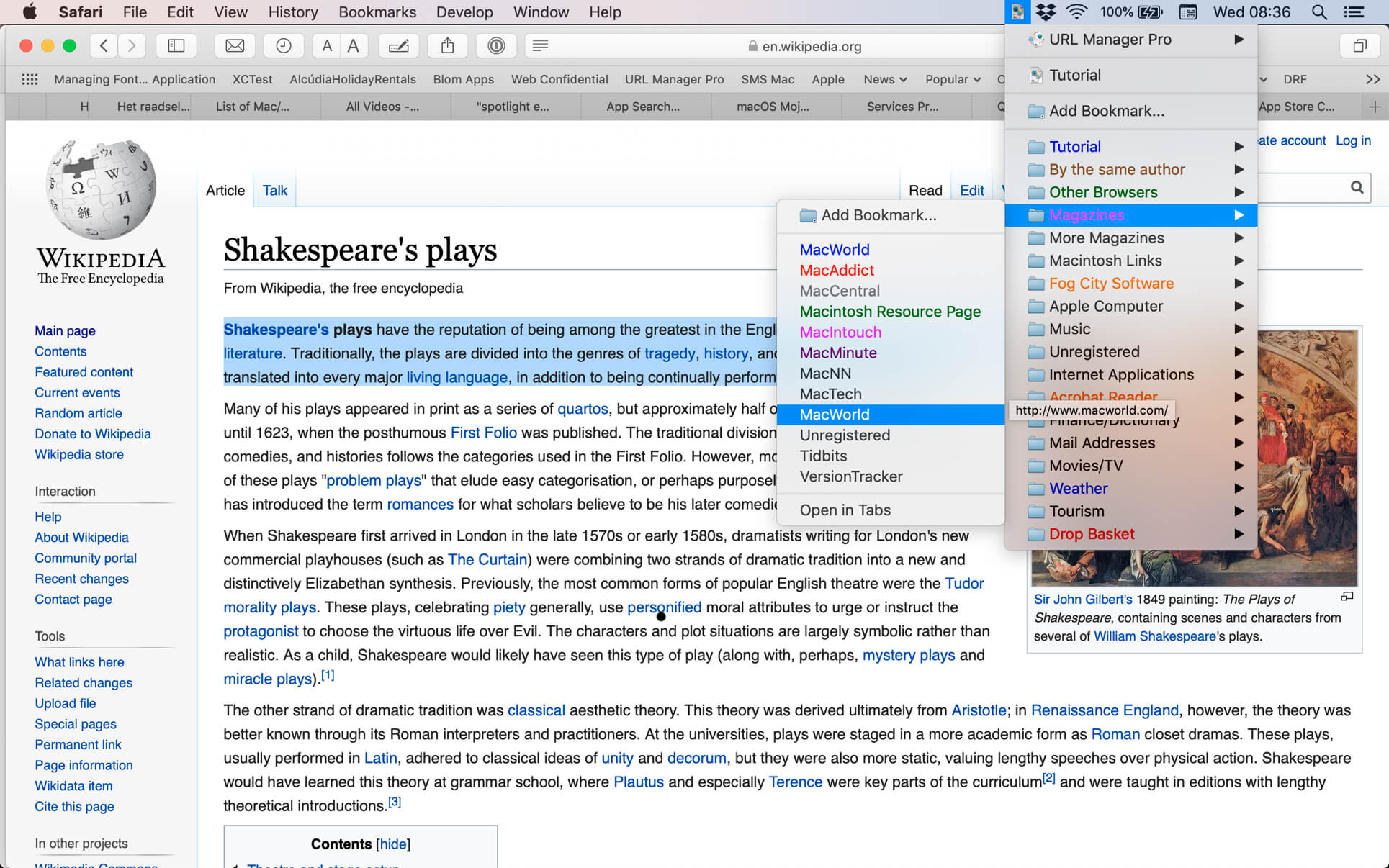
You can create and save several separate bookmark documents and you can access them all from the system-wide bookmarks menu.
Using a system-wide bookmarks menu, you have access to your bookmarks in any app or web browser.
You can also bookmark the current web page directly to URL Manager Pro from within your favourite web browser.
In the URL Manager Pro documents, you can manage your bookmarks easily with drag and drop. You can add tags, notes and colours to your bookmarks.

You can import bookmarks from several popular browsers, like Safari, Chrome, Edge, Firefox, Vivaldi, Brave, iCab, Opera etc. You can also scan TEXT files for URLs and import links and bookmarks from HTML and XBEL format.
You can also export your bookmarks to HTML, XBEL, TEXT and Internet Location files.

Compatibility: macOS 10.13 or later, 64-bit processor
Homepage http://www.url-manager.com/

Screenshots


ImageRanger Pro Edition 1.9.4.1865

Name: ImageRanger_Pro_Edition_1.9.4.1865_[TNT]_Mactorrents.biz.dmg
Size: 103.15 MB
Files ImageRanger_Pro_Edition_1.9.4.1865_[TNT]_Mactorrents.biz.dmg[103.15 MB]

   Download Torrent
   Link Download

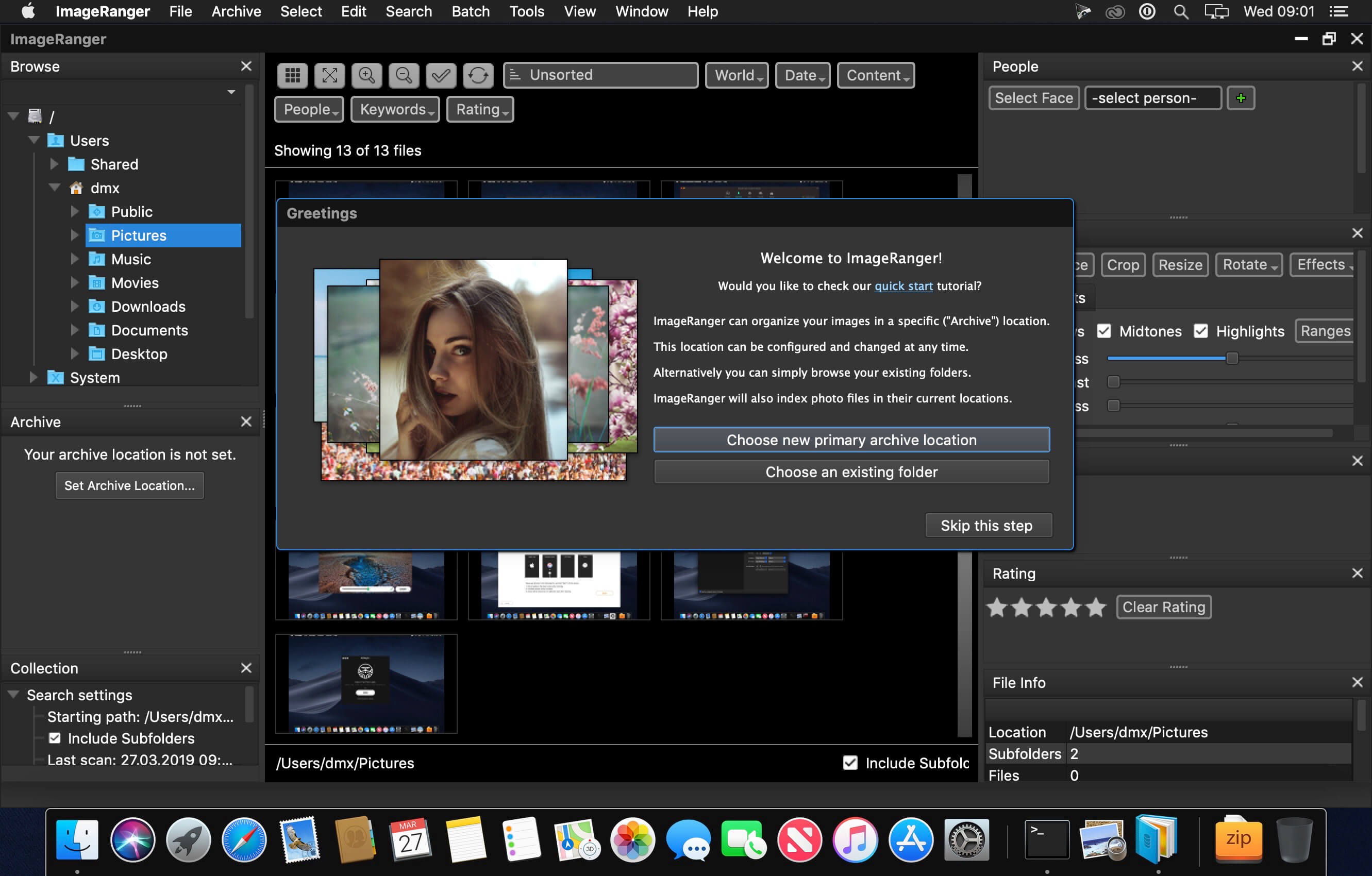
We live in the day in which pictures are a common thing, especially with all phones being equipped with pretty powerful cameras. As such, your computer can end up the storage place of your picture collections, but it can be a hassle to manually handle it. In this regard, ImageRanger comes as an advanced picture finding and organizing tool.

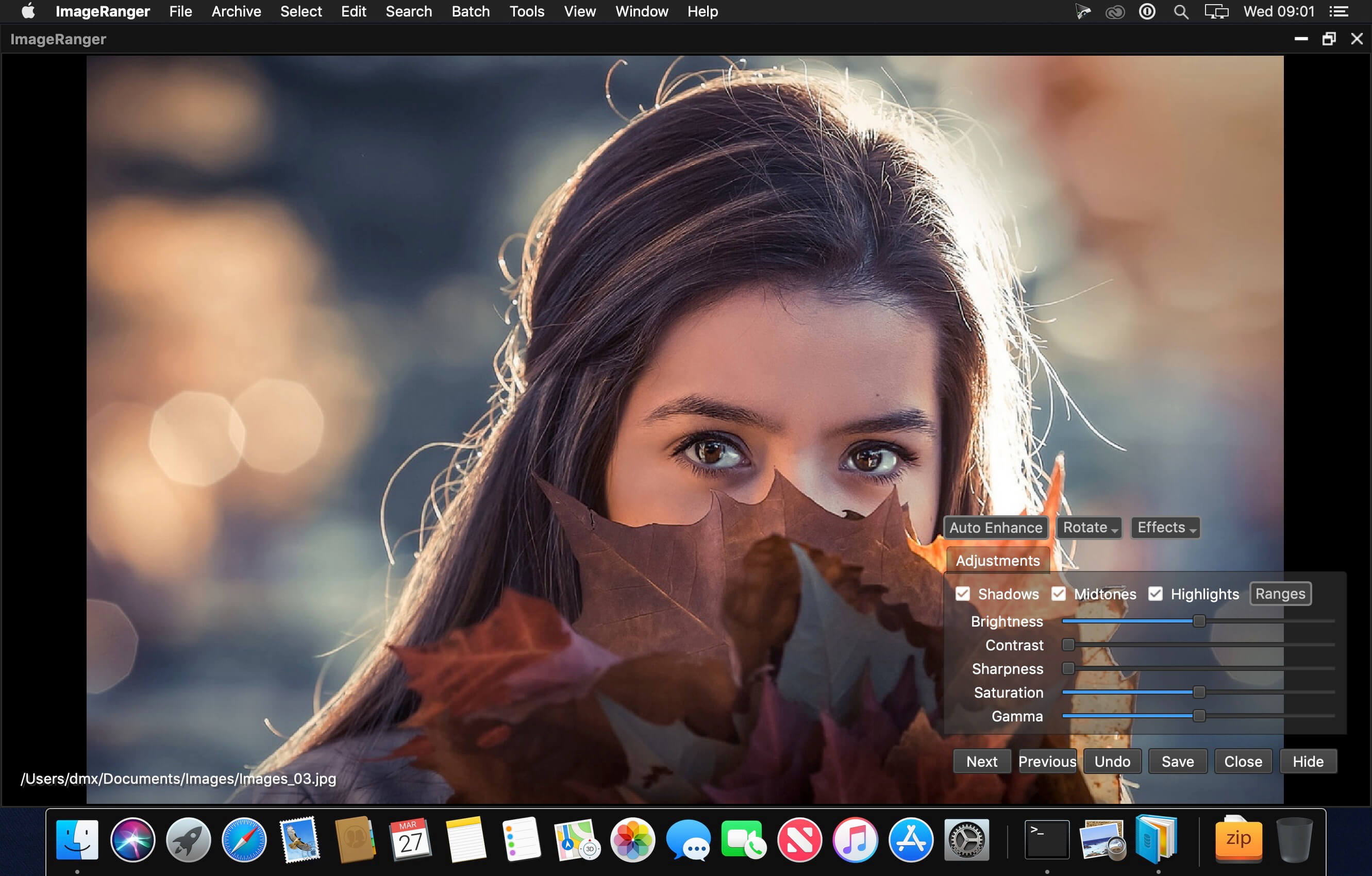
With ImageRanger, auto-enhancements can be applied to multiple images at once. Manual fine-tuning makes it possible to select dark or bright regions of the image and apply various correction settings.

All necessary editing controls (brightness, contrast, sharpness, saturation) are designed in a user friendly interface, with an UNDO function to correct any mishaps as you go.

You can even ask ImageRanger to find and categorize all images of poor quality automatically for your convenience. For advanced users, a powerful batch-processing allows work to be carried out on entire folders while processing only relevant photos.

ImageRanger will index photos on your Mac or storage drives so you can:

  • Quickly load thousands of images
  • Find portraits, faces
  • Sort and filter
  • Find duplicates and remove copies
  • Organize in folders by year, location
  • Crop, resize very quickly
  • Manually sort collections from multiple folders
  • Sort out your images from other illustrations, clip arts
  • Find low quality images and improve image contrast
  • Perform general photo managment tasks
  • Print hundreds of photos

What’s New:

Version 1.9.4.1865:

  • Release notes were unavailable when this listing was updated.

Compatibility: macOS 10.11 or later
Homepage https://imageranger.com/

Screenshots


Ghost Buster Pro 2.0.0

Name: Ghost_Buster_Pro_2.0.0_MAS_[TNT]_Mactorrents.biz.dmg
Size: 5.53 MB
Files Ghost_Buster_Pro_2.0.0_MAS_[TNT]_Mactorrents.biz.dmg[5.53 MB]

   Download Torrent
   Link Download

Ghost Buster Pro finds and deletes files from apps you’ve already uninstalled. The app is lightning fast and frees memory in no time.

Many apps are installed on a computer, but they usually only stay on your computer for a short time. Each app creates files, but deleting the app does not remove them.

This leads to a large number of files accumulating over time, which take up valuable storage space.

Ghost Buster Pro searches your computer for exactly such files and can also delete them directly if you wish.

Ghost Buster Pro offers the following features:

Fast Search

  • Ghost Buster Pro quickly scans your computer for data from previously deleted apps. You can have them deleted with one click.

Extremely easy handling

  • Ghost Buster Pro couldn’t be simpler. The search is started immediately after the app is started. You can now delete files with just one click.

No automatic deletion

  • Ghost Buster Pro does not delete any data without your consent. Choose for yourself which data is deleted and which you want to keep.

What’s New:

Version 2.0.0

This update contains the following changes:

  • The app has been rewritten in SwiftUI.
  • The app now has a more modern look.
  • A new gorgeous icon has been added.
  • The buttons for selecting and unselecting all files are now more accessible.
  • The app is now available in Russian, Italian, Spanish, French and Simplified Chinese.

Compatibility: macOS 11.5 or later • Apple Silicon or Intel Core processor
Mac App Store https://apps.apple.com/app/app-ghost-buster/id1607749385

Screenshots

Final Cut Pro 10.6.6

Name: Final_Cut_Pro_10.6.6_MAS_[TNT]_Mactorrents.biz.dmg
Size: 4.09 GB
Files Final_Cut_Pro_10.6.6_MAS_[TNT]_Mactorrents.biz.dmg[4.09 GB]

   Download Torrent
   Link Download

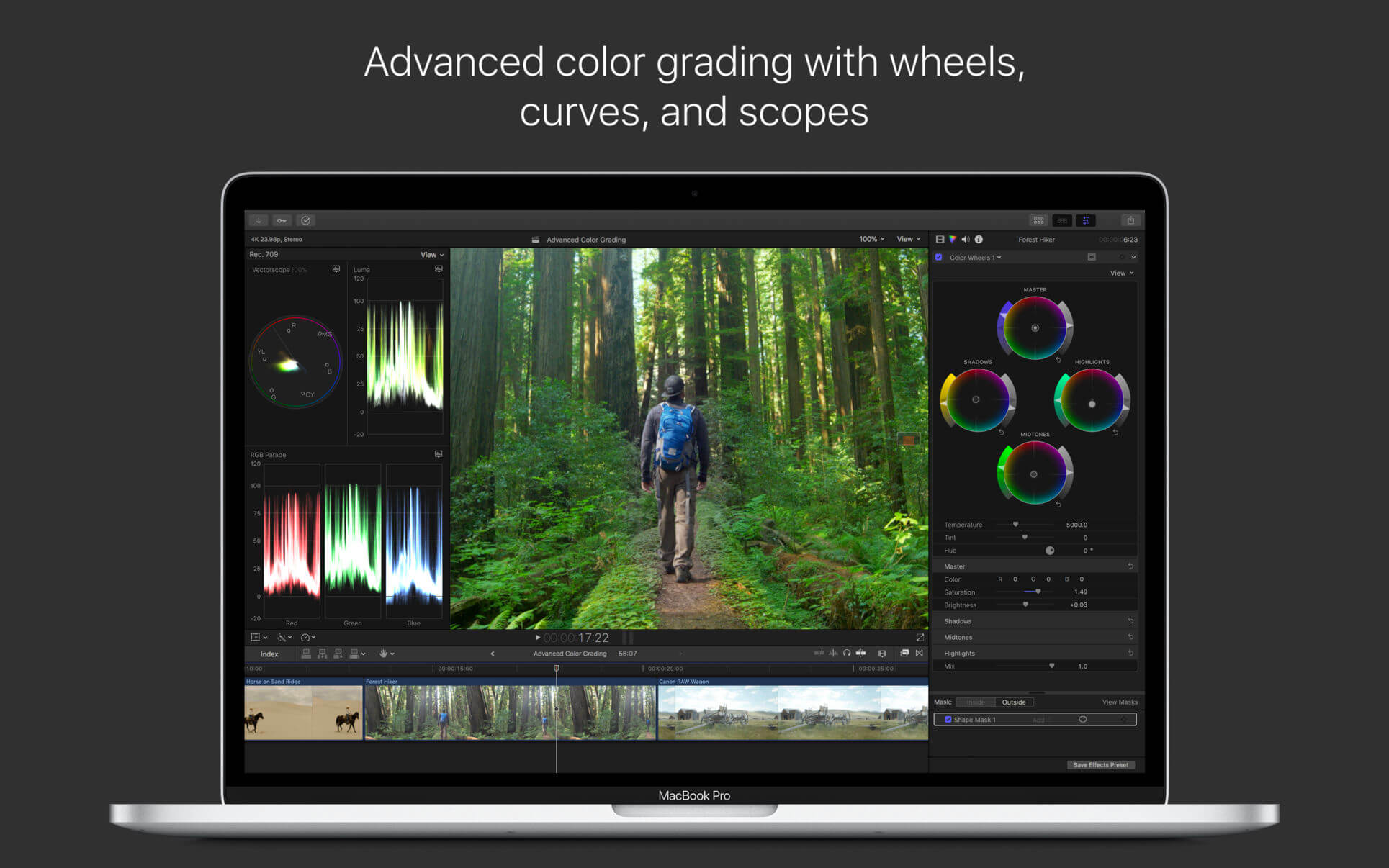
Final Cut Pro combines revolutionary video editing with powerful media organization and incredible performance to let you create at the speed of thought.

Revolutionary Video Editing

  • The Magnetic Timeline uses advanced metadata and Clip Connections for faster, easier editing
  • Enhanced Timeline Index lets you drag and drop audio roles to rearrange the layout of your timeline
  • Powerful drag-and-drop Object Tracker automatically matches titles and effects to the movement of faces or objects
  • Change focus points or the depth effect for video shot in Cinematic mode on iPhone (requires macOS Monterey or later)
  • Edit multicamera projects with automatic syncing and support for up to 64 camera angles
  • Automatically transform projects for square or vertical delivery with Smart Conform
  • Import and edit 360° equirectangular video in a wide range of formats and frame sizes
  • Create, edit, and deliver closed captions from within Final Cut Pro
  • Extend the capabilities of Final Cut Pro with third-party workflow extensions

Powerful Media Organization

  • Organize your work within libraries for efficient media management and collaboration
  • Create proxy copies of your media for portability and performance
  • Apply custom keywords or favorites on the fly as you select clip ranges
  • Smart Collections dynamically organize content for you to quickly find any shot in a few clicks
  • Locate duplicate media in the timeline using highlighted clip ranges or the Timeline Index

Incredible Performance

  • Improved speed and efficiency on Mac computers with Apple silicon
  • Unrivaled performance with optimizations for the M2 Pro, M2 Max and M1 Ultra chips on the new MacBook Pro and Mac Studio
  • Work with a broad range of formats including ProRes, RED, XAVC, AVCHD, Avid DNxHR®, Avid DNxHD®, H.264, HEVC, and more

Compelling, Customizable Effects

  • Beautifully animated, easily customizable 2D and 3D titles
  • Change the look of titles, transitions, and effects using intuitive controls
  • Choose from an ecosystem of third-party FxPlug plug-ins with custom interfaces

Integrated Audio Editing

  • Assign roles during import to easily track and organize your project
  • Expand and edit multichannel audio files directly in the timeline
  • Apply intuitive Logic-based effects and reduce background noise to isolate voices
  • Sync video with separate audio in a single step with instant audio waveform matching

Intuitive Color Grading

  • Import, edit, and deliver video in standard color spaces, or in Rec. 2020 and HLG color spaces
  • Powerful color wheels and curves for precise adjustments with keying and masks
  • Accurately view HDR on the MacBook Pro and Pro Display XDR

One-Step, Optimized Output

  • Incredibly fast export for playback on Apple devices and upload to websites such as Vimeo and YouTube
  • Export audio stems and multiple versions of a finished video using roles metadata
  • Import and export XML for third-party workflows like color grading and sound mixing

System Requirements: macOS 12.6 or later, 4GB of RAM (8GB recommended for 4K editing, 3D titles, and 360° video editing), Metal-capable graphics card, 1GB of VRAM recommended for 4K editing, 3D titles, and 360° video editing, 5.5GB of available disk space.

What’s New:

Version 10.6.6

  • Import your project from Final Cut Pro for iPad, and take advantage of blazing performance, advanced color correction tools, and more.
  • Use automatic color management to easily edit HDR and SDR clips in the same project, with intelligent tone mapping of video to match your color space.
  • Choose from a new collection of professionally designed titles, effects, transitions, and generators to enhance the look of your videos.
  • Improve your color correction workflow with the Color Adjustments effect, and apply new color presets to give your clips a particular look.
  • Use Scene Removal Mask to remove and replace the background behind a subject, without using a green screen.
  • Final Cut Pro also includes these additional fixes and enhancements:
  • Use the new ProRes RAW Settings window for easy access to ProRes RAW ISO, color temperature, and exposure offset.
  • Install an Apple ProRes RAW plug-in from a camera manufacturer to view and adjust settings optimized for that camera’s sensor.
  • Export to HEVC at up to 8K resolution with hardware acceleration on Mac computers with Apple silicon.
  • Fixes an issue where multicam clips would sometimes turn black.
  • Export to EXR now includes an alpha channel.
  • Fixes an issue where adding video clips from the Photos browser would result in lower-resolution files being placed in the timeline.
  • Fixes an issue where Final Cut Pro could not read Sony FX9 clips with embedded LUTs.
  • Fixes an issue where Final Cut Pro would fail to open while an exFAT-formatted SD card with Canon clips was mounted.

Language: English, Chinese, French, German, Japanese, Spanish
Compatibility: macOS 12.6 or later
Homepage https://apps.apple.com/us/app/final-cut-pro/id424389933

Screenshots


PhotoMill X 2.4.1

Name: PhotoMill_X_2.4.1_[TNT]_Mactorrents.biz.dmg
Size: 53.79 MB
Files PhotoMill_X_2.4.1_[TNT]_Mactorrents.biz.dmg[53.79 MB]

   Download Torrent
   Link Download

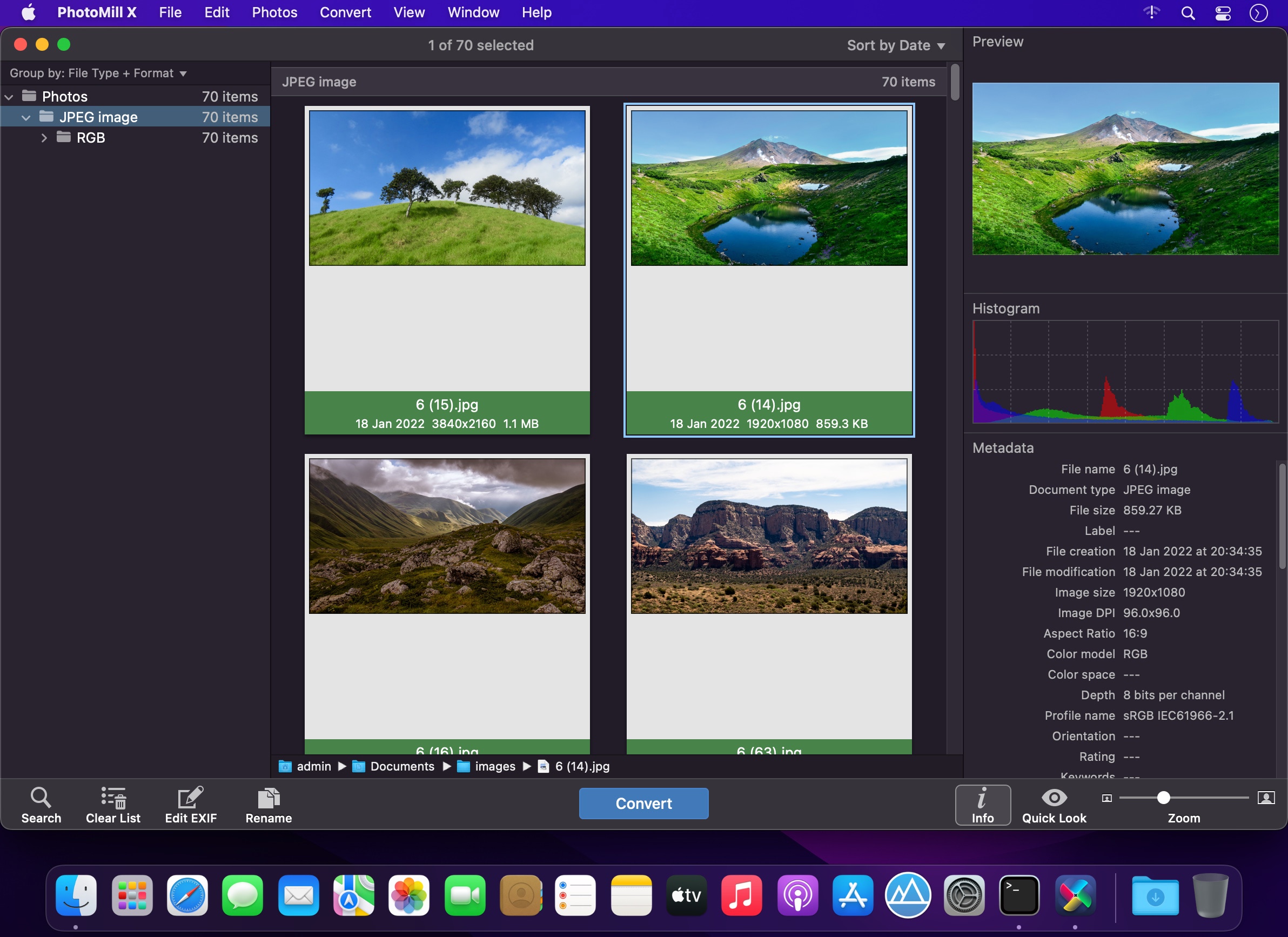
PhotoMill helps you convert a bulk of images into the most popular image formats, give your files meaningful names, watermark with text and image, adjust photos (brightness/saturation/exposure/grayscale/etc.), fit geometry (scale/crop/trim/etc.), remove private metadata, add your own copyrights etc. Also, PhotoMill is a great batch metadata editor, renamer and photo browser.

Features
Convert

  • Conversion to: BMP, GIF, JPEG, JPEG 2000, PDF, PNG, TIFF
  • Color models: RGB, Gray, CMYK Color depth: 8/16/32 bits; with or without alpha channel

Metadata editor

  • Correct EXIF/IPTC metadata tags in your photos: place GPS coordinates, remove private information from your photos, correct or set capture dates, add your own copyright, keywords or rating.

Photo browser

  • The app has a bunch of features for comfortable browsing and multi-criteria search of photos in the Browser. The Browser has 3 panels: Image Info – displays detailed information about a selected photo; Groups – splits photos into groups/subgroups based on a chosen criteria, for instance, by capture dates; Search – gives you an opportunity to search photos by different criteria.

Rename

  • You can give meaningful names to converted photos constructing file names in the “pro” way – using text and tags: index, capture date, original name, image width, “find & replace” etc. Also, you can rename photos without any conversion.

Resize

  • Fit image size with a bunch of geometry actions: scale, crop, add border, trim, trim color, rotate & flip, auto rotate (by EXIF orientation), change resolution.

Watermark

  • Text – you can use photo metadata information – tags: capture date, keywords, camera maker etc., as well as entered text. Font size can be either fixed or relative to an image width, height, long or short edge. Multiline text, stroke, shadow, rotation, tiling and other features.
  • Image – image size can be either fixed or relative to main image size. Image tiling is also available.
  • Rectangle – background for text; square or rounded. Fill and stroke color can be half-transparent.

Adjust colors

  • Available filters: auto contrast, auto white balance, gamma, contrast, exposure, sharpness, grayscale, sepia, colorize, temperature, HSL channels (Hue/Saturation/Lightness), HSV channels (Hue/Saturation/Value,Brightness), RGB channels, curves.
  • Working with transparency: alpha mask, color to alpha, alpha to color. Color matching: assign profile, convert to profile, proof with profile.

What’s New:

Version 2.4.1:

  • Release notes were unavailable when this listing was updated.

Compatibility: macOS 10.13 or later
Homepage https://overmacs.com/?p=photomill

Screenshots


Pixelmator Pro 3.3.8

Name: Pixelmator_Pro_3.3.8_MAS_[TNT]_Mactorrents.biz.dmg
Size: 563.49 MB
Files Pixelmator_Pro_3.3.8_MAS_[TNT]_Mactorrents.biz.dmg[563.49 MB]

   Download Torrent
   Link Download

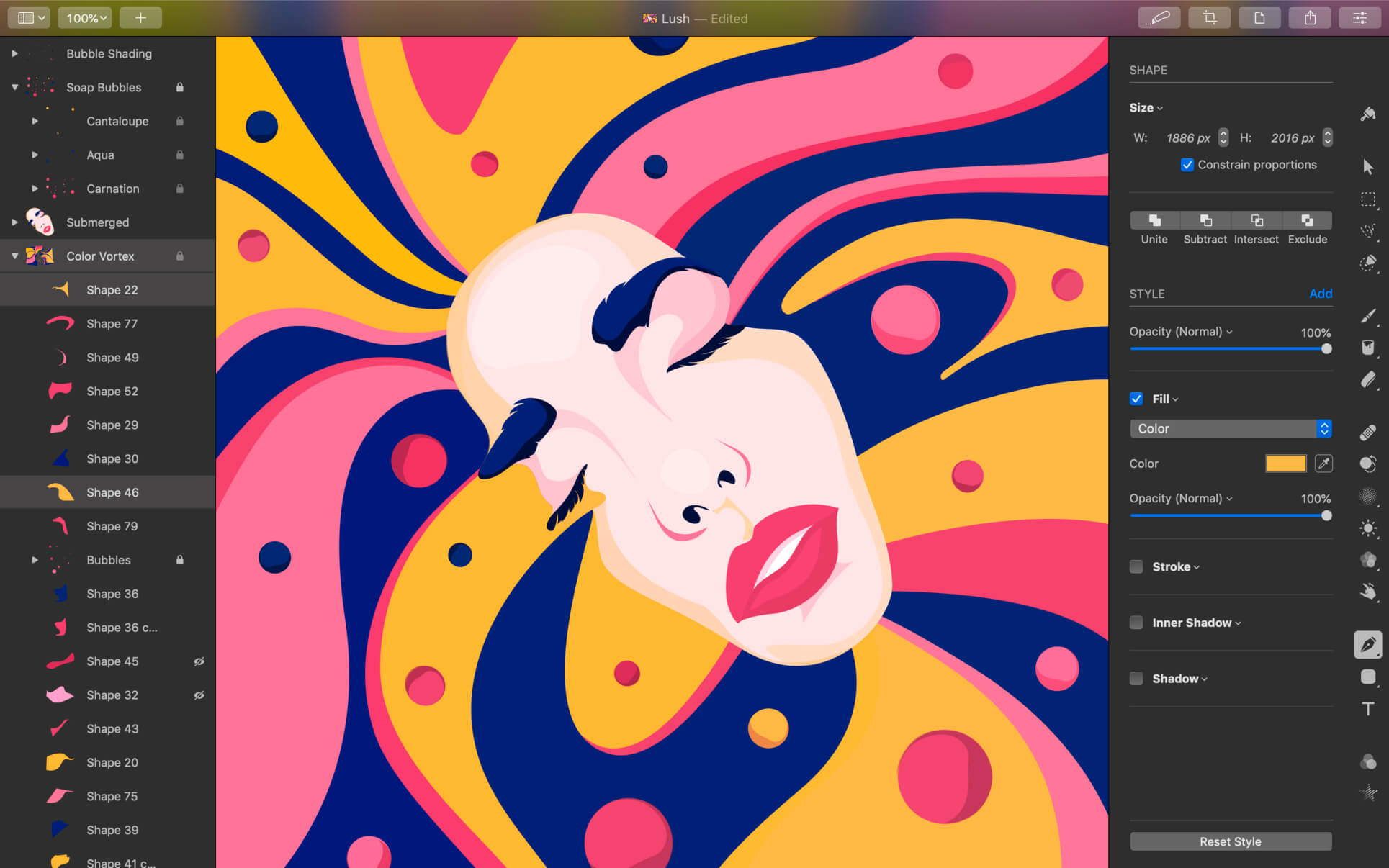
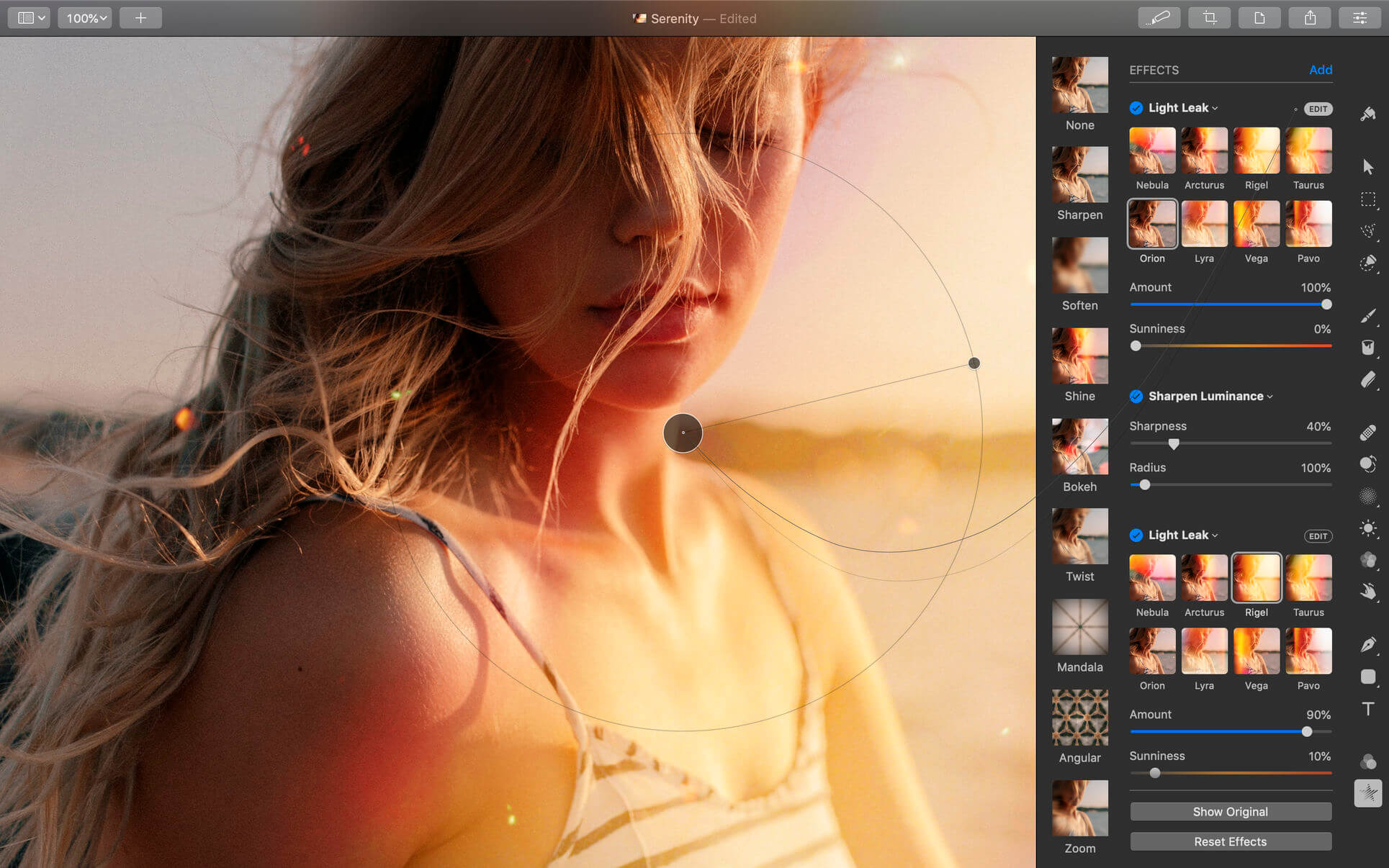
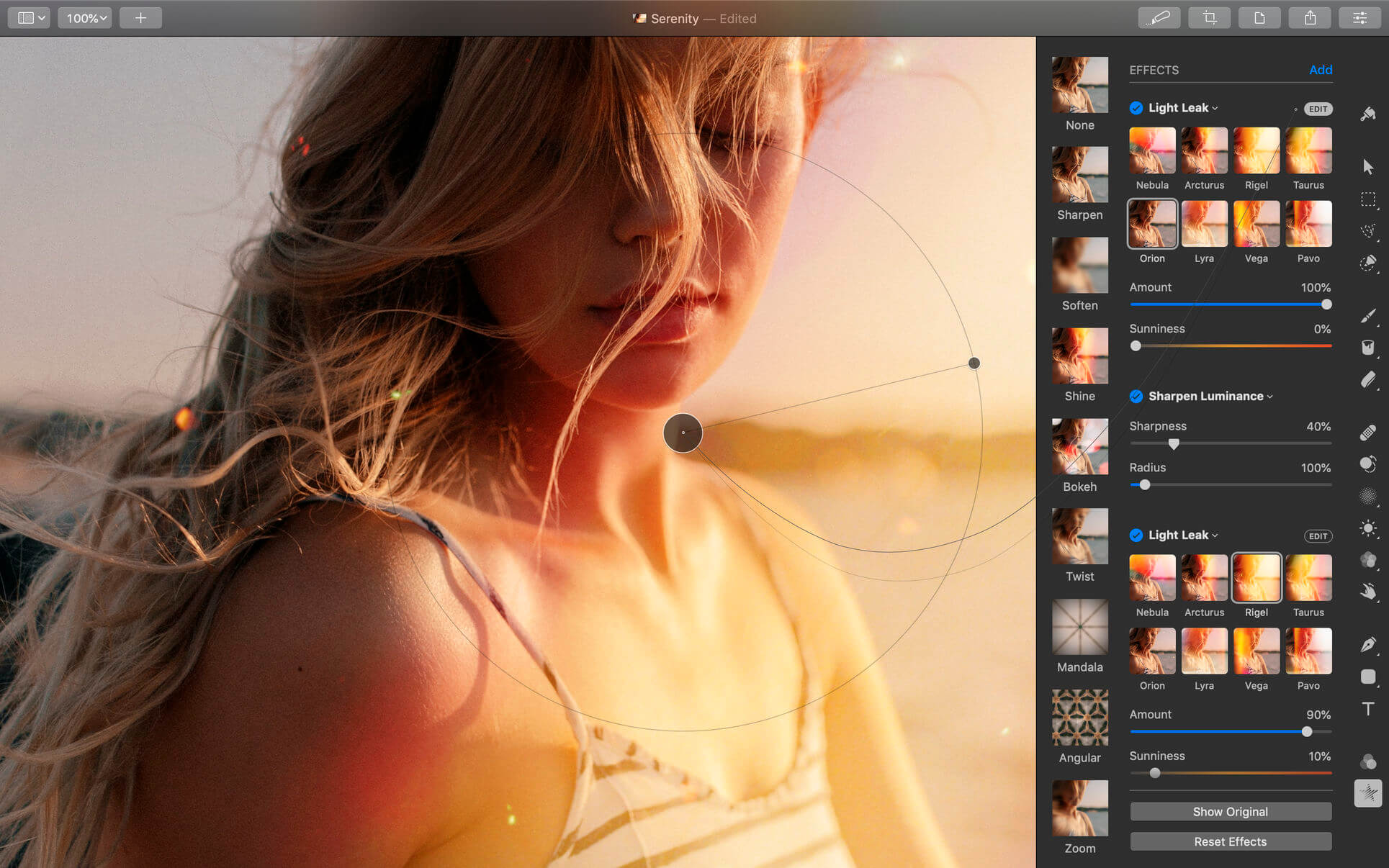
Pixelmator Pro is an incredibly powerful, beautiful, and easy to use image editor designed exclusively for Mac.
With a wide range of professional-grade, nondestructive image editing tools, Pixelmator Pro lets you bring out the best in your photos, create gorgeous compositions and designs, draw, paint, apply stunning effects, design beautiful text, and edit images in just about any way you can imagine. And thanks to its intuitive and accessible design, Pixelmator Pro is delightfully easy to use — whether you’re just starting out with image editing or you’re a seasoned pro.

Exceptional Design and Functionality

  • The modern, single-window interface of Pixelmator Pro is designed exclusively for working with images on a Mac
  • An intuitive and refined design makes image editing easy and accessible, even if you’re a complete beginner
  • Native dark and light appearances adapt to the light and dark modes of macOS
  • A customizable interface lets you organize your creative environment just the way you want
  • Choose from workspace presets created for photography, design, illustration, and painting
  • A full-featured Photos extension lets you edit images using Pixelmator Pro without ever leaving Photos, saving layered, nondestructive edits directly to your library

Professional Tools

  • Enhance your existing images and create new ones using every image editing tool you could ever need
  • Edit nondestructively, adjusting individual changes whenever you like
  • Easily move, resize, and arrange objects to create stunning compositions
  • Adjust colors with a collection of nondestructive, machine learning-powered color adjustments
  • Enjoy superior support for RAW files, editing RAW images using all their extended range data
  • Create digital or traditional paintings using handcrafted, fully-customizable, dual-texture brushes with full support for digital graphics tablets
  • Combine the built-in effects to create any artistic or special effects you can imagine
  • Save adjustment, effect, and layer style combinations as presets, use them in any of your images, and share them with others
  • Speed up image editing with hundreds of presets for color adjustments, effects, layer styles, and shapes
  • Magically remove small imperfections or entire objects, seamlessly clone parts of your photos, and lighten or darken precise areas using a full set of retouching tools
  • Use the reshaping tools to easily change the shape of any object or area in your images
  • Add customizable vector graphics designed by the Pixelmator Team
  • Create your own vector graphics using the Pen tool
  • Easily design great-looking text with a full set of typography tools
  • Quickly create curved, circular, and path text
  • Optimize and save your images for the web, using advanced compression to shrink file sizes
  • Batch process images using built-in Automator actions
  • Effortlessly automate workflows using full-featured AppleScript support

Image Editing Enhanced by Machine Learning

  • Magically remove objects, recreating image areas with stunning realism using the Repair tool
  • Use ML Enhance to intelligently enhance photos with a machine learning algorithm trained on millions of professional photos
  • Zoom and enhance image resolution with the incredible ML Super Resolution
  • Automatically copy the look of one photo to another with ML Match Colors
  • Remove image noise and compression artifacts while preserving details using ML Denoise
  • Quickly make accurate selections with ease using the Quick Selection tool

Compatibility

  • Open and edit images in all the most popular image formats, including JPEG, TIFF, PNG, PSD, HEIF, SVG, PDF, GIF, BMP, TGA, WebP and JPEG-2000
  • Open and edit Photoshop images with layers
  • Open and edit SVG vector images
  • Share your images to Photos, Mail, AirDrop, and other locations

Built Exclusively for Mac

  • Designed exclusively for macOS, Pixelmator Pro supports almost every major macOS feature and integrates seamlessly with macOS Big Sur.

Compatibility: macOS 11.0 or later, Apple Silicon or Intel Core processor
Homepage https://apps.apple.com/pk/app/pixelmator-pro/id1289583905

Screenshots


Fork 2.30

Name: Fork_2.30_[TNT]_Mactorrents.biz.dmg
Size: 51.24 MB
Files Fork_2.30_[TNT]_Mactorrents.biz.dmg[51.24 MB]

   Download Torrent
   Link Download

Fast and friendly git client. Fork is getting better and better day after day and we are happy to share our results with you. Commit List – Working Directory Changes – Side by Side Diff – Repository Manager Summary and Statistics

  • Basic features: Fetch, pull, push | Commit, amend | Create and delete branches and tags | Create and delete remote repos | Checkout branch or revision | Cherry-pick, revert | Merge, rebase | Stashes | Submodules
  • Work with repository: Create, clone or add existing repos | Open recent repository quickly
  • Commit view: Stage / unstage changes line-by-line | Access to recent commit messages
  • More features: Browse the repository file tree at any commit | Intuitive merge conflict resolving | See your stashes right in the commit list

What’s New:

Version 2.29.1:

New:

  • UI custom commands! Ability to create custom commands with a simple UI (text fields, branch combo boxes, file selectors)
  • ⌘B for quick checkout is back
  • Add ‘Copy as patch’ to the diff context menu
  • Ability to define OS in shared Custom Commands

Improved:

  • Do not discard local changes when aborting merge

Compatibility: macOS 10.13 or later
Homepage https://git-fork.com/

SiteSucker Pro 5.1.9

Name: SiteSucker_Pro_5.1.9_[TNT]_Mactorrents.biz.dmg
Size: 6.15 MB
Files SiteSucker_Pro_5.1.9_[TNT]_Mactorrents.biz.dmg[6.15 MB]

   Download Torrent
   Link Download

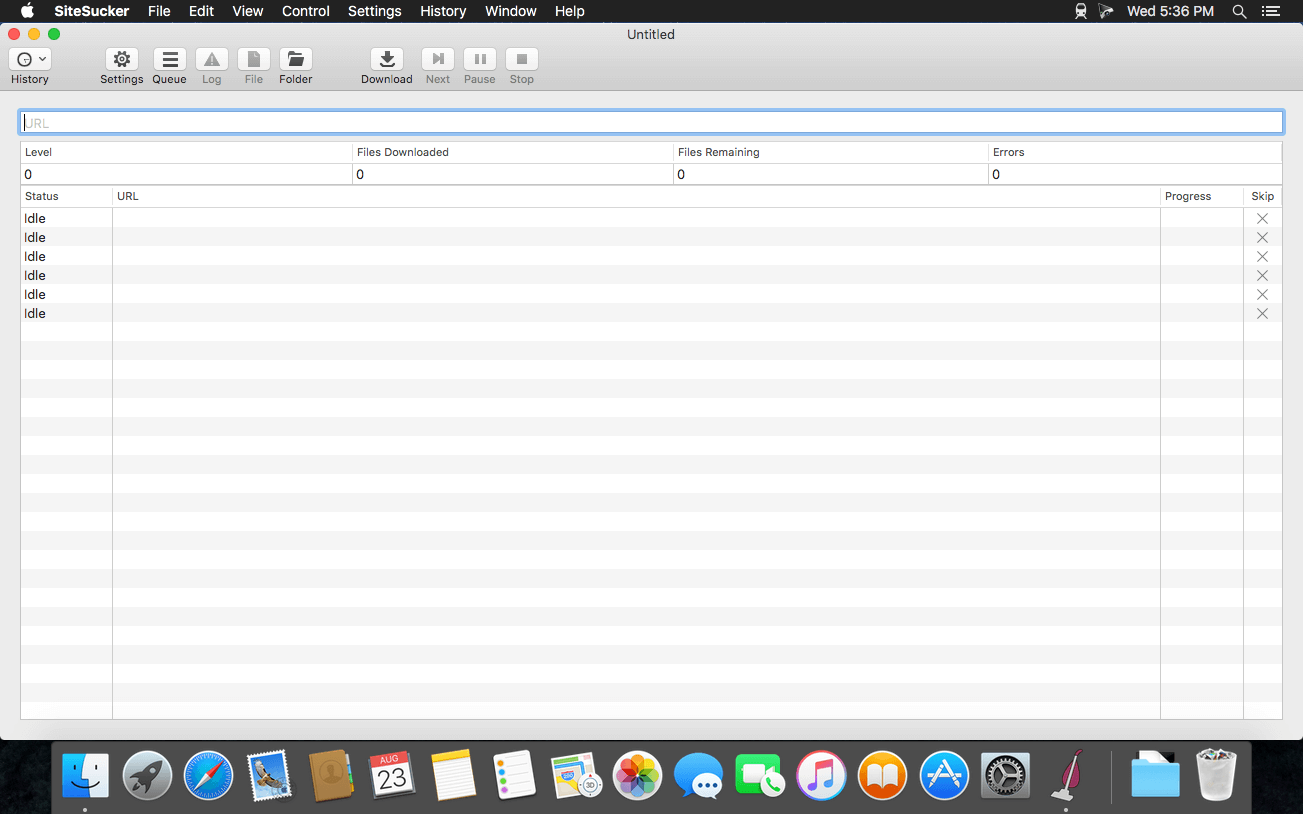
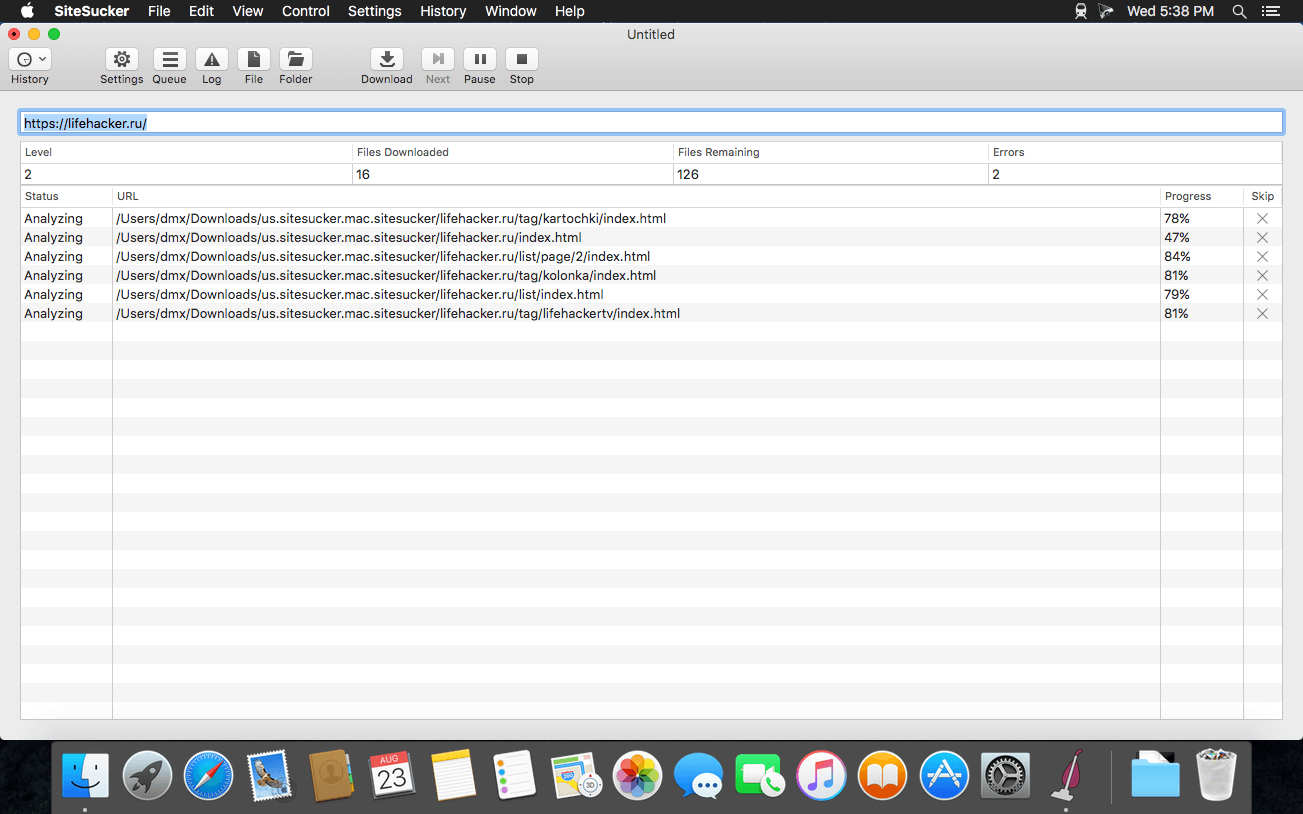
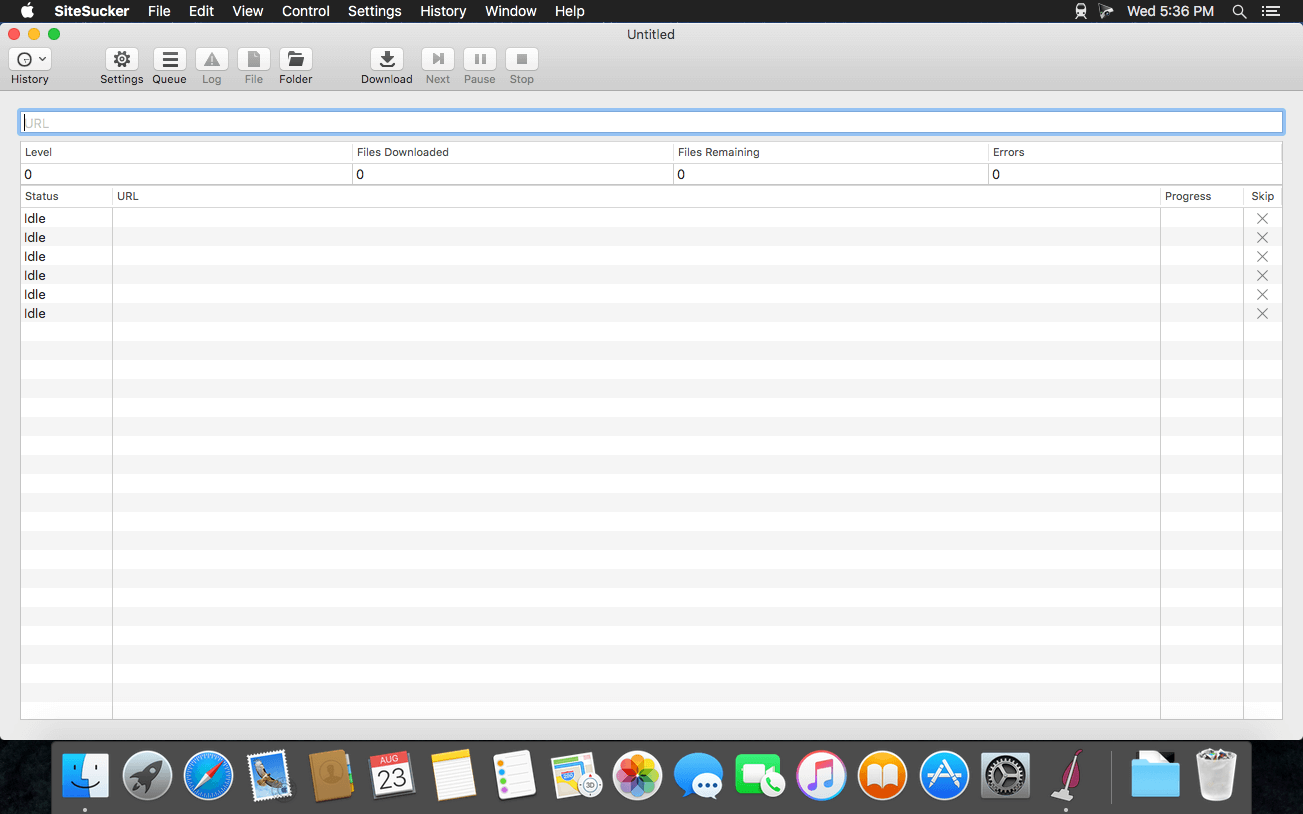
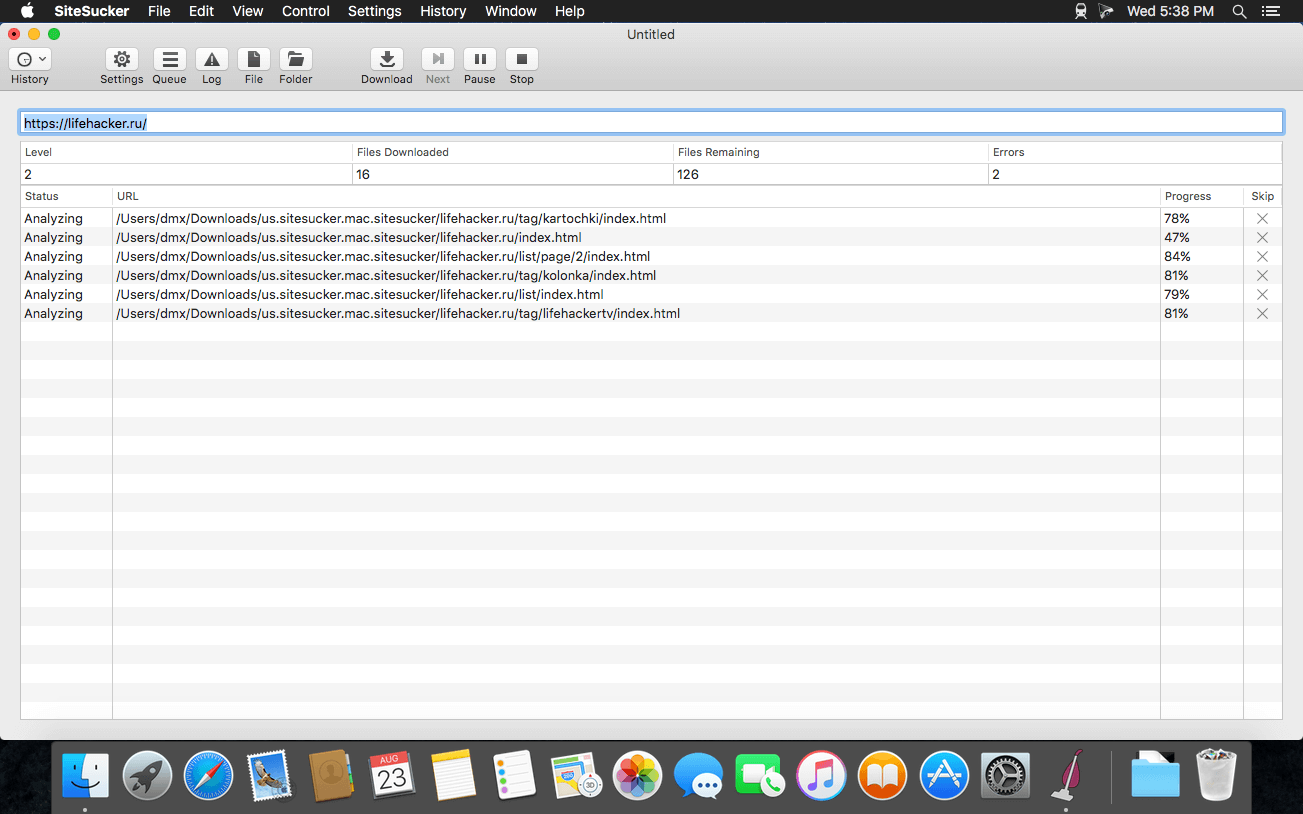
SiteSucker is an Macintosh application that automatically downloads Web sites from the Internet. It does this by asynchronously copying the site’s webpages, images, PDFs, style sheets, and other files to your local hard drive, duplicating the site’s directory structure. SiteSucker Pro is an enhanced version of SiteSucker that can download embedded videos, including embedded YouTube and Vimeo videos.

SiteSucker can be used to make local copies of Web sites. By default, SiteSucker “localizes” the files it downloads, allowing you to browse a site offline, but it can also download sites without modification.

Compatibility: macOS 11.0 or later
Homepage https://apps.apple.com/us/app/sitesucker/id442168834

Screenshots


4K YouTube to MP3 Pro 4.9.5

Name: 4K_YouTube_to_MP3_4.9.5_[TNT]_Mactorrents.biz.dmg
Size: 166.47 MB
Files 4K_YouTube_to_MP3_4.9.5_[TNT]_Mactorrents.biz.dmg[166.47 MB]

   Download Torrent
   Link Download

4K YouTube to MP3 was specifically created to extract audio from YouTube, Vimeo or Facebook and save it in MP3, M4A, OGG. No annoying and complicated settings to deal with, just a clean, friendly and functional interface. Downloading is simple and straightforward: just copy the link from your browser and click ‘Paste Url’. Done!

Features

  • Extract audio from YouTube videos and save it in MP3, M4A or OGG in high quality.
  • Download full YouTube playlists or channels and generate m3u files.
  • Transfer downloaded tracks automatically into iTunes and upload them on your iPhone or iPod.
  • Listen music via native built-in music player.
  • Download and extract audio tracks from SoundCloud, Vimeo, Flickr and DailyMotion videos.
  • Download audio books from YouTube.
  • Extract audio tracks even from embedded in HTML page videos.
  • Use 4K YouTube to MP3 on your PC, Mac or Linux, doesn’t matter what OS you prefer.

What’s New:

Version 4.9.5:

  • Release notes were unavailable when this listing was updated.

Language: Multilangual
Compatibility: OS X 10.10 or later
Homepage https://www.4kdownload.com/ru/products/product-videodownloader

Screenshots


4K Video Downloader Pro 4.24.4

Name: 4K_Video_Downloader_4.24.4_[TNT]_Mactorrents.biz.dmg
Size: 127.15 MB
Files 4K_Video_Downloader_4.24.4_[TNT]_Mactorrents.biz.dmg[127.15 MB]

   Download Torrent
   Link Download

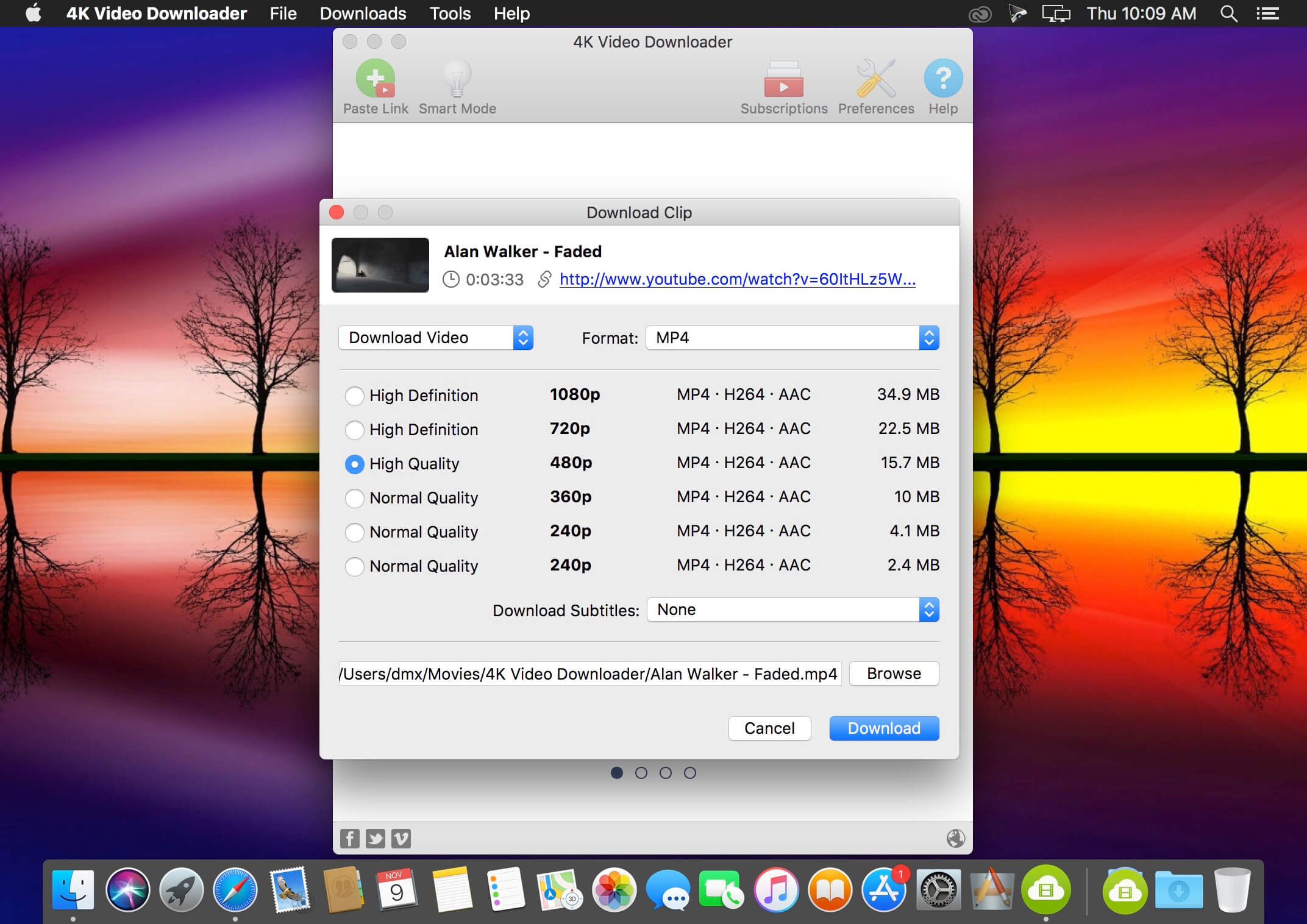
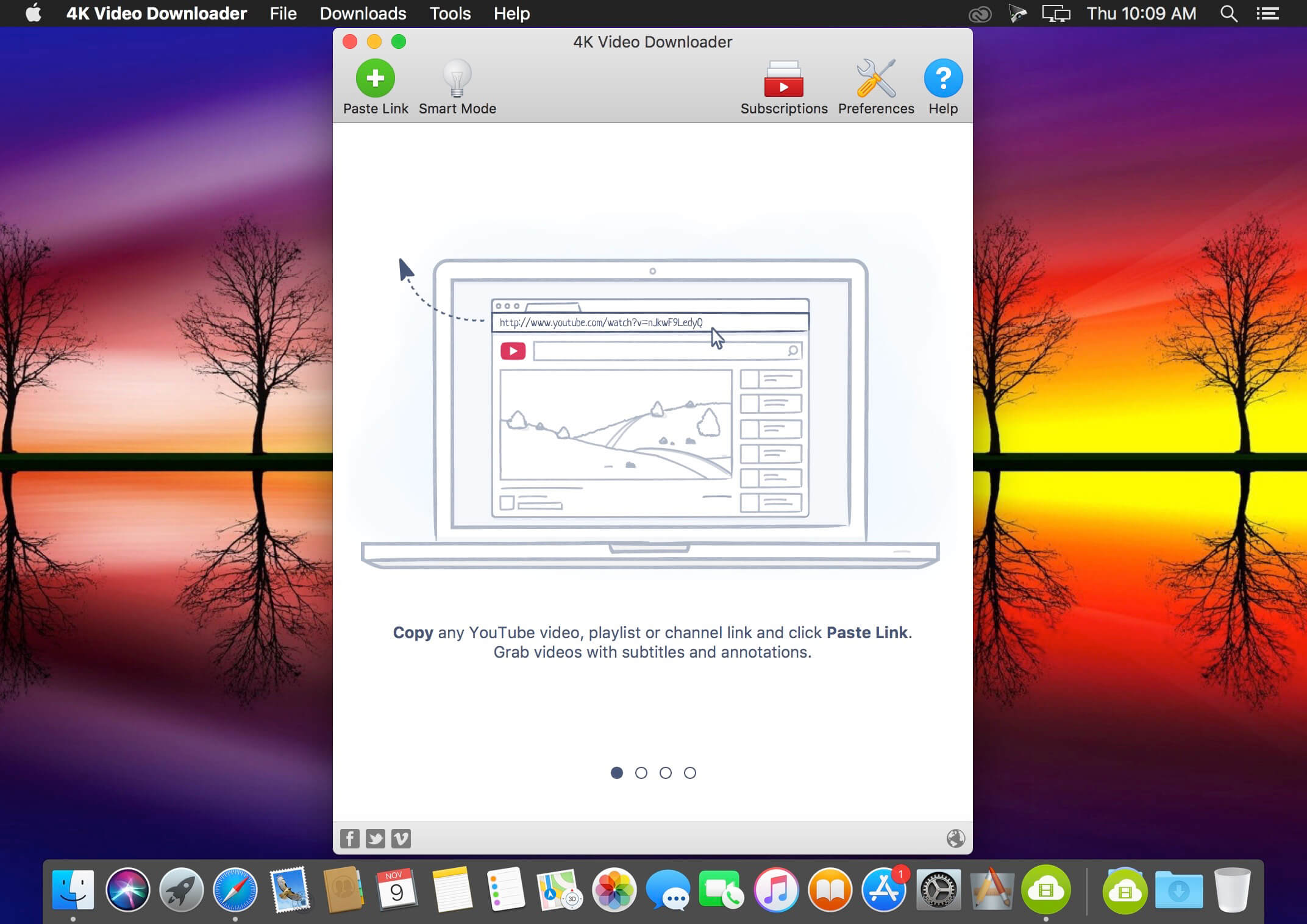
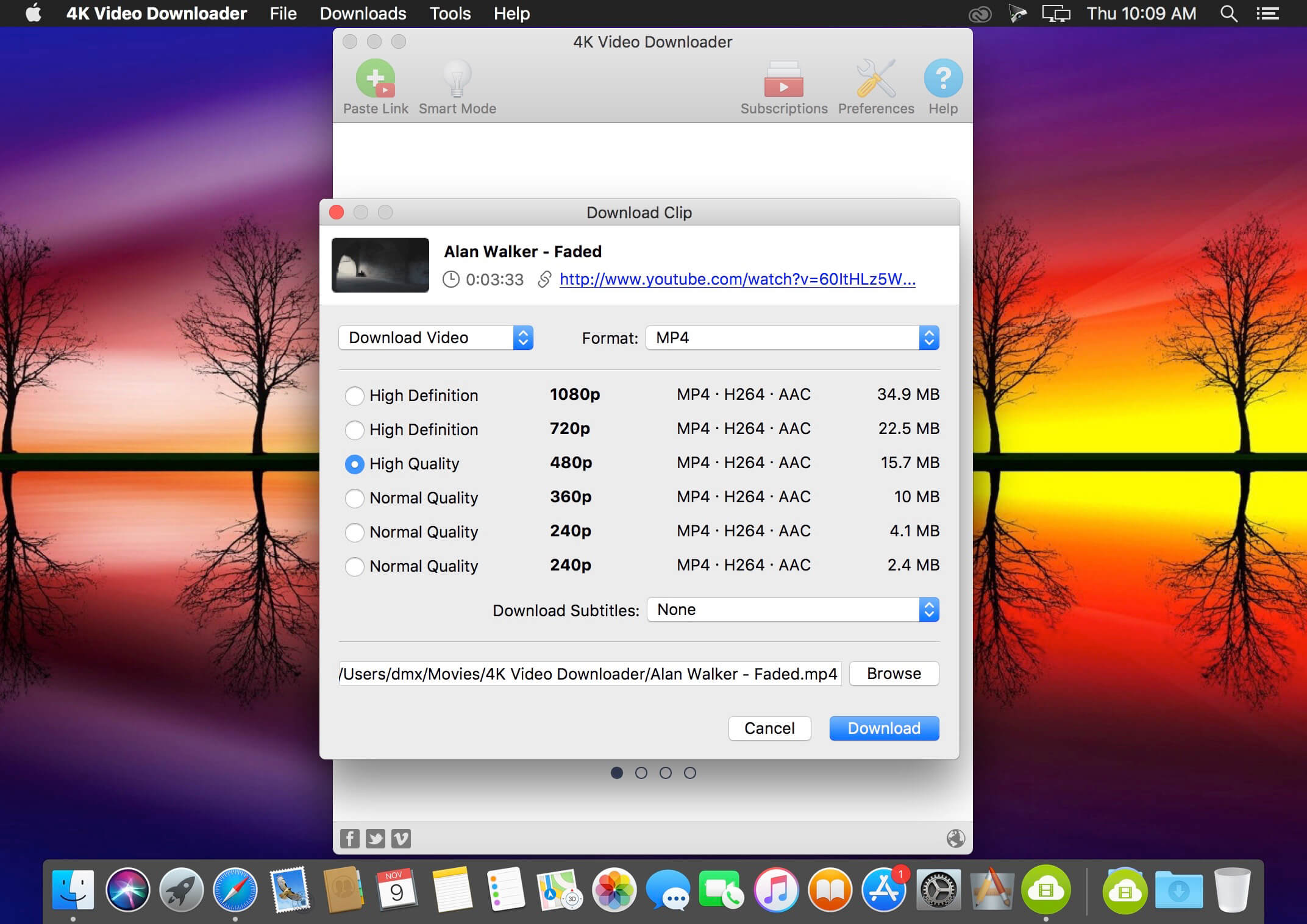
4K Video Downloader allows to download video, audio and subtitles from YouTube in high-quality and as fast as your computer and connection will allow. If you want that video on your iPad, iPhone or other device we’ve got you covered. Downloading is simple and straightforward: just copy the video link from your browser and click ‘Paste Url’. Done!

  • Download entire playlists and channels from YouTube and save them in MP4, MKV, M4A, MP3, FLV, 3G, generate .m3u file for playlists.
  • Download video in HD 1080p, HD 720p or 4K quality and enjoy high dimension video on your HD TV, iPad or other devices.
  • Advanced subtitles download, select if you would like to have .srt file or embedd subtitles in video file to watch it on your Mac for example.
  • Activate “Smart Mode” in order to apply the selected settings to all your downloads, easy and fast.
  • Download video in 3D format, you will find a small special icon among available formats after video parsing. It’s really impressive to watch live shows and cartoons in 3D.
  • Download embedded YouTube videos from any web pages, just copy/paste link and the program will find the source of download.
  • Download video and audio from Vimeo, SoundCloud, Flickr, Facebook and DailyMotion.

Language: Multilangual
Compatibility: macOS 10.13 or later
Homepage https://www.4kdownload.com/ru/products/product-videodownloader

Screenshots


ColoFolXS 2.2.2

Name: ColoFolXS_2.2.2_[TNT]_Mactorrents.biz.dmg
Size: 15.58 MB
Files ColoFolXS_2.2.2_[TNT]_Mactorrents.biz.dmg[15.58 MB]

   Download Torrent
   Link Download

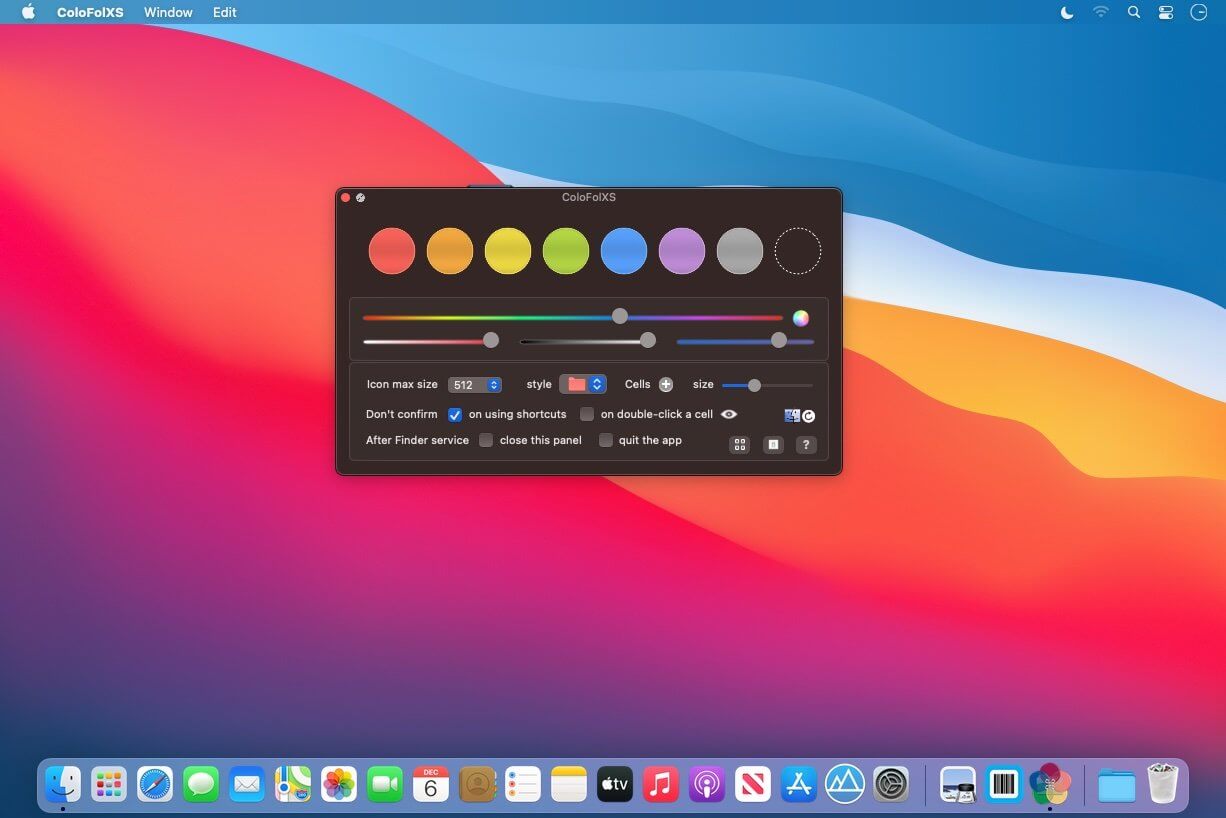
ColoFolXS is a compact icon tool specialized in coloring folders. Just drop one or more folders to a color cell on the main panel.

Main Features

  • The color cells are editable: change color, add, remove and reorder.
  • You can also set icons in the cells to attach them as they are.
  • If Finder tags are linked to the cells in the Setting, they are added or removed together when you use ColoFolXS.
  • Shortcuts are assignable to the removal function and each ColoFolXS cell.
  • For more details, please refer Help available in the app.

Compatibility: macOS 10.15 or later
Homepage https://trollin.loos.li/

Screenshots

ON1 Photo Keyword AI 2023.5 v17.5.1.14079

Name: ON1_Photo_Keyword_AI_2023.5_v17.5.1.14079_[TNT]_Mactorrents.biz.dmg
Size: 1.66 GB
Files ON1_Photo_Keyword_AI_2023.5_v17.5.1.14079_[TNT]_Mactorrents.biz.dmg[1.66 GB]

   Download Torrent
   Link Download

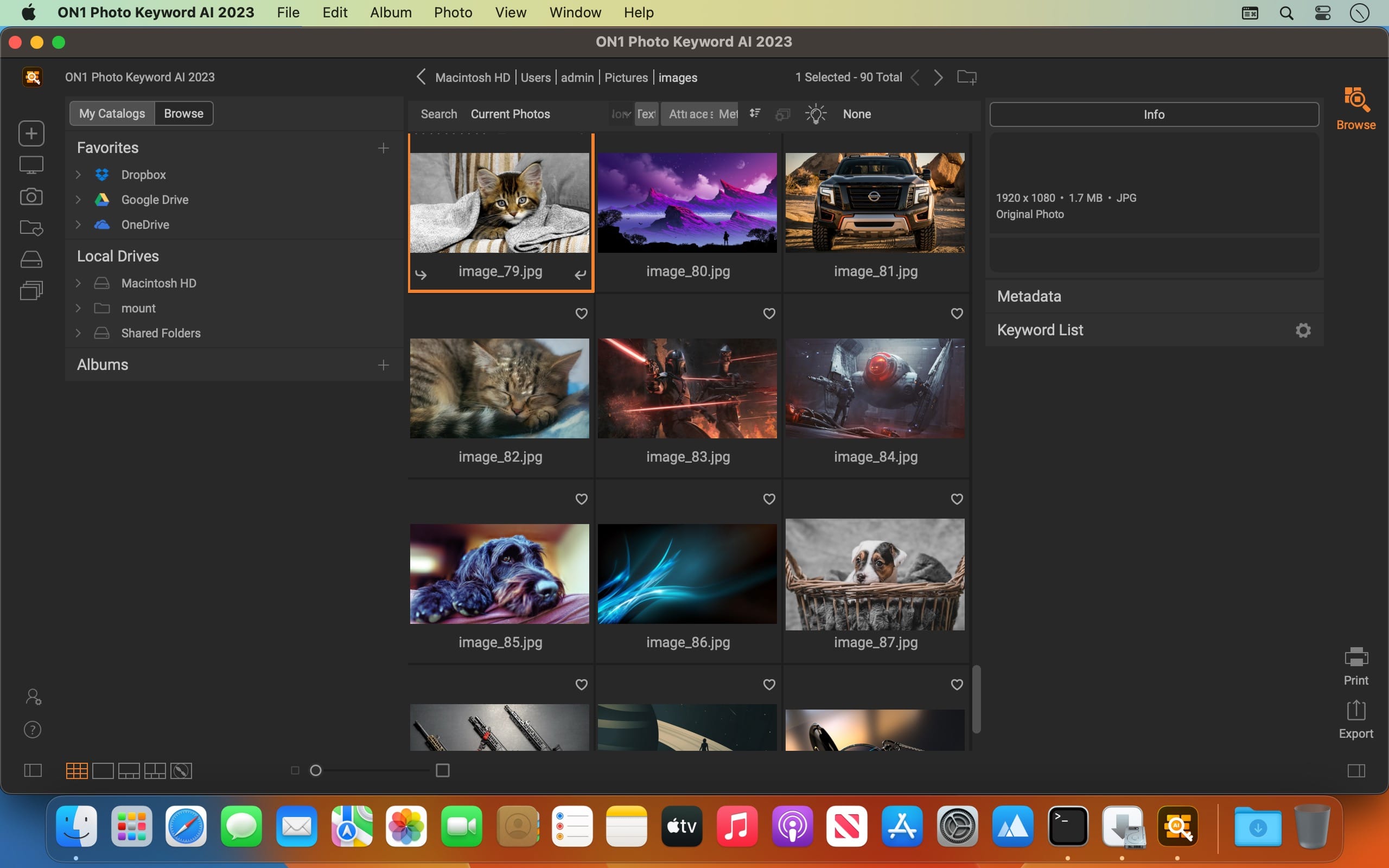
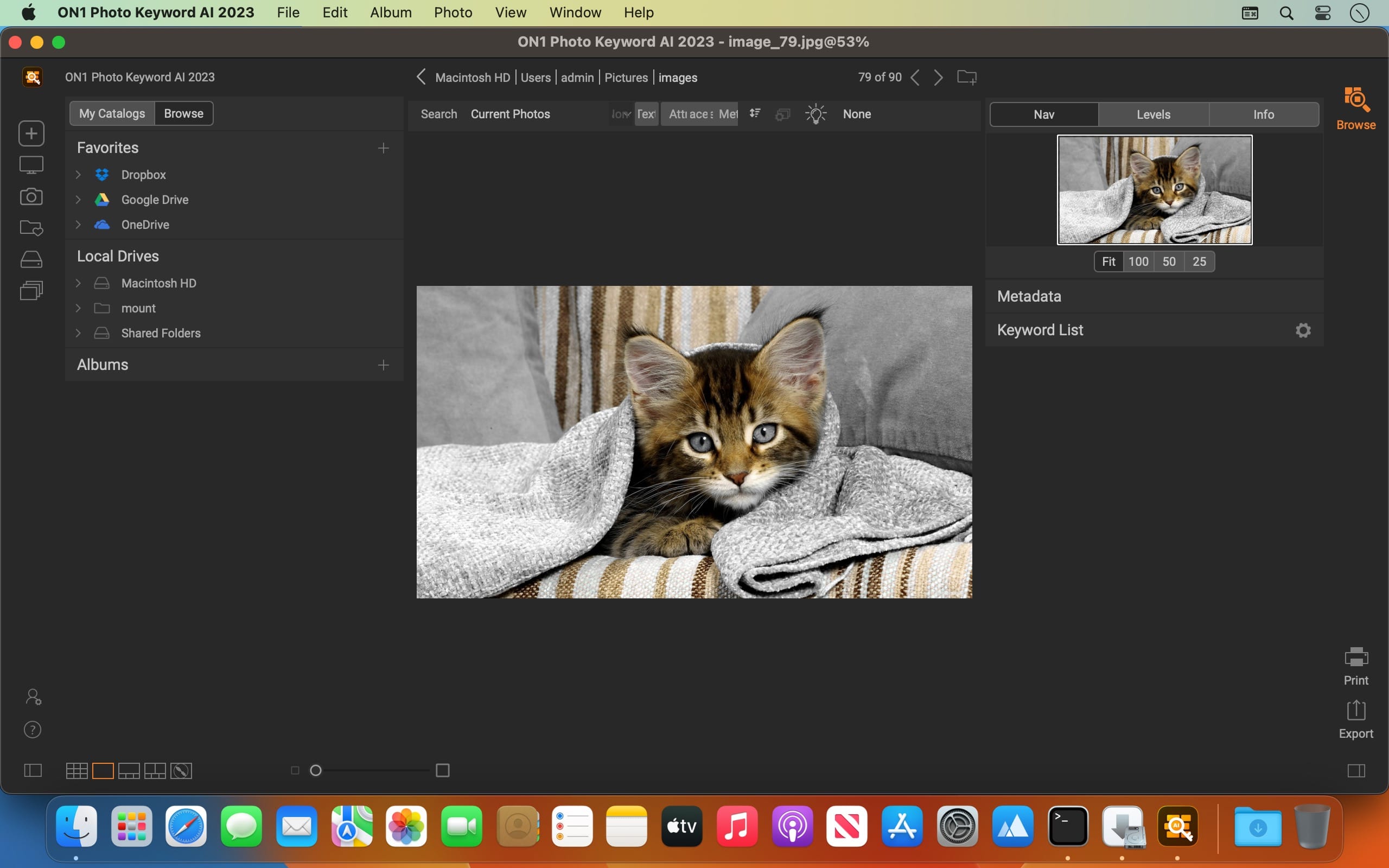
Effortlessly Discover All of Your Photos. This simple-to-use application makes your photos discoverable by intelligently finding and organizing them using the power of AI. Anyone can now search and view their photos with ON1 Photo Keyword AI based on photo content without having to do the work you would find in most other photo organizing software.

With Photo Keyword AI, there’s no need to add keywords to your photos manually. This cutting-edge technology employs advanced machine learning algorithms to analyze your images and automatically assign appropriate keywords.

Quickly Find Your Photos
With very little work, you can search your entire photo libraries. You will soon discover your favorite photos, photos long forgotten, or manage new photos without the time-consuming organizing tasks. Photo Keyword AI also lets you search any metadata field simply by typing in a word or phrase. If you are looking for photos of birds, just type in bird.

Elevate your Photo Management
Automatic embedding of keywords and metadata to photos via XMP for compatibility with applications like Adobe Lightroom Classic or Capture One. Lightning-fast browser for fast photo viewing, organization, and culling. Full metadata support, including nested keywords, descriptions, and complete EXIF, IPTC, and XMP compatibility.

Easily Load Your Photos
Photo Keyword AI will allow you to get the photos from your memory cards, cameras, or phones with a built-in import dialog.

Broad File Support
File support includes raw photos from 800+ cameras spanning 20 years, as well as PSD, TIF, JPG, PNG, HEVC, and most video files.

Compatibility: macOS 10.15 or later
Homepage https://www.on1.com/

Screenshots


Downie 4.6.19

Name: Downie_4_4.6.19_[TNT]_Mactorrents.biz.dmg
Size: 54.19 MB
Files Downie_4_4.6.19_[TNT]_Mactorrents.biz.dmg[54.19 MB]

   Download Torrent
   Link Download

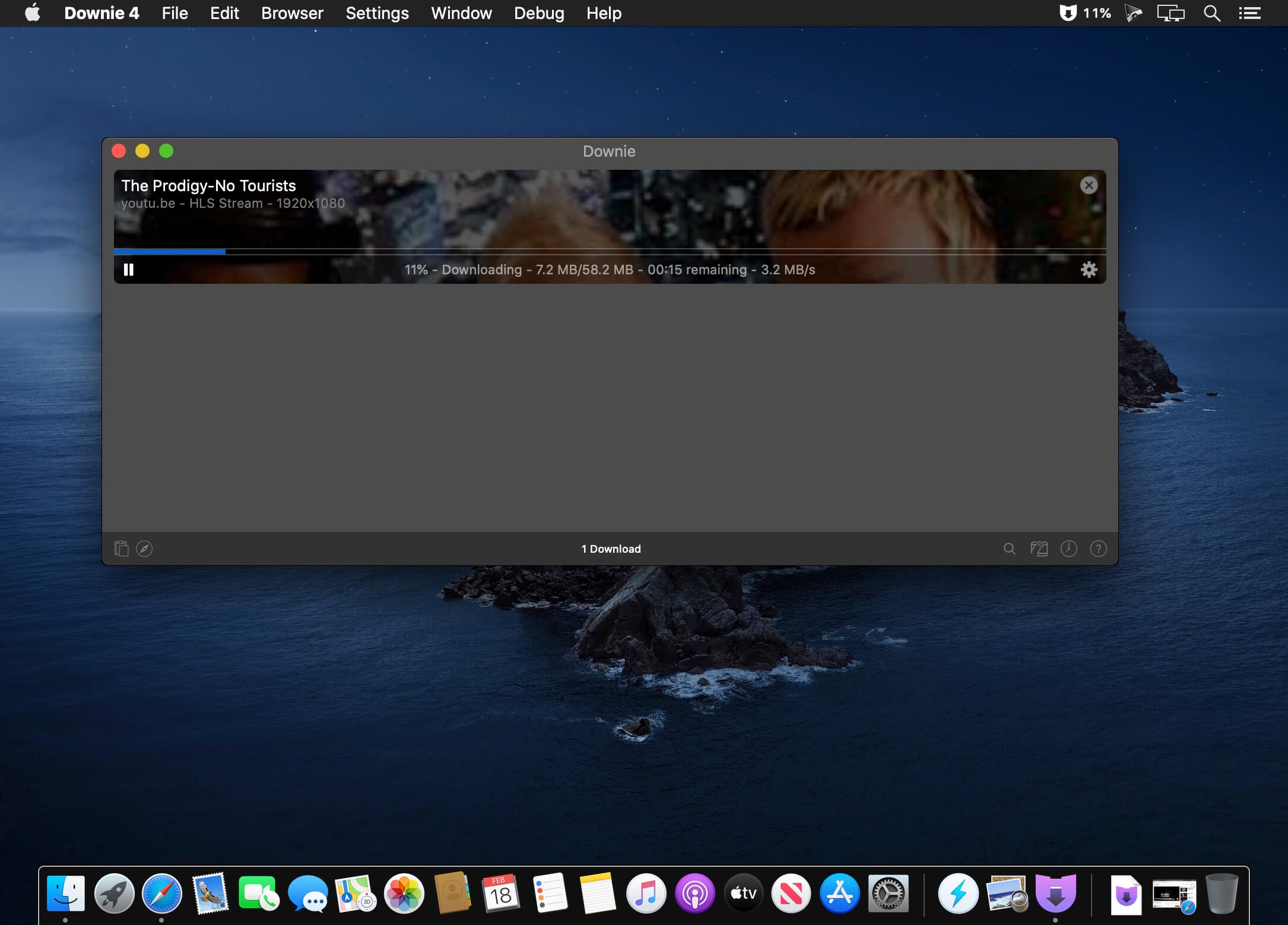
A simple download manager that offers you the possibility to quickly save videos from different websites to your own disk drive.

f you are using a poor internet connection, trying to visualize videos streamlined online might not work properly since the content is loaded too slowly. Downie is a simple Mac app that can help you download those videos to your computer, and then watch them by using your default media player.

User friendly video downloader featuring support for drag and drop actions
Working with Downie is extremely straightforward: simply drop the video URL on top of the app’s main window or on the Dock icon. Downie adds the video to your downloads list, so all you have to do next is start the process by pressing the appropriate button. Of course, you can also remove items from the list.

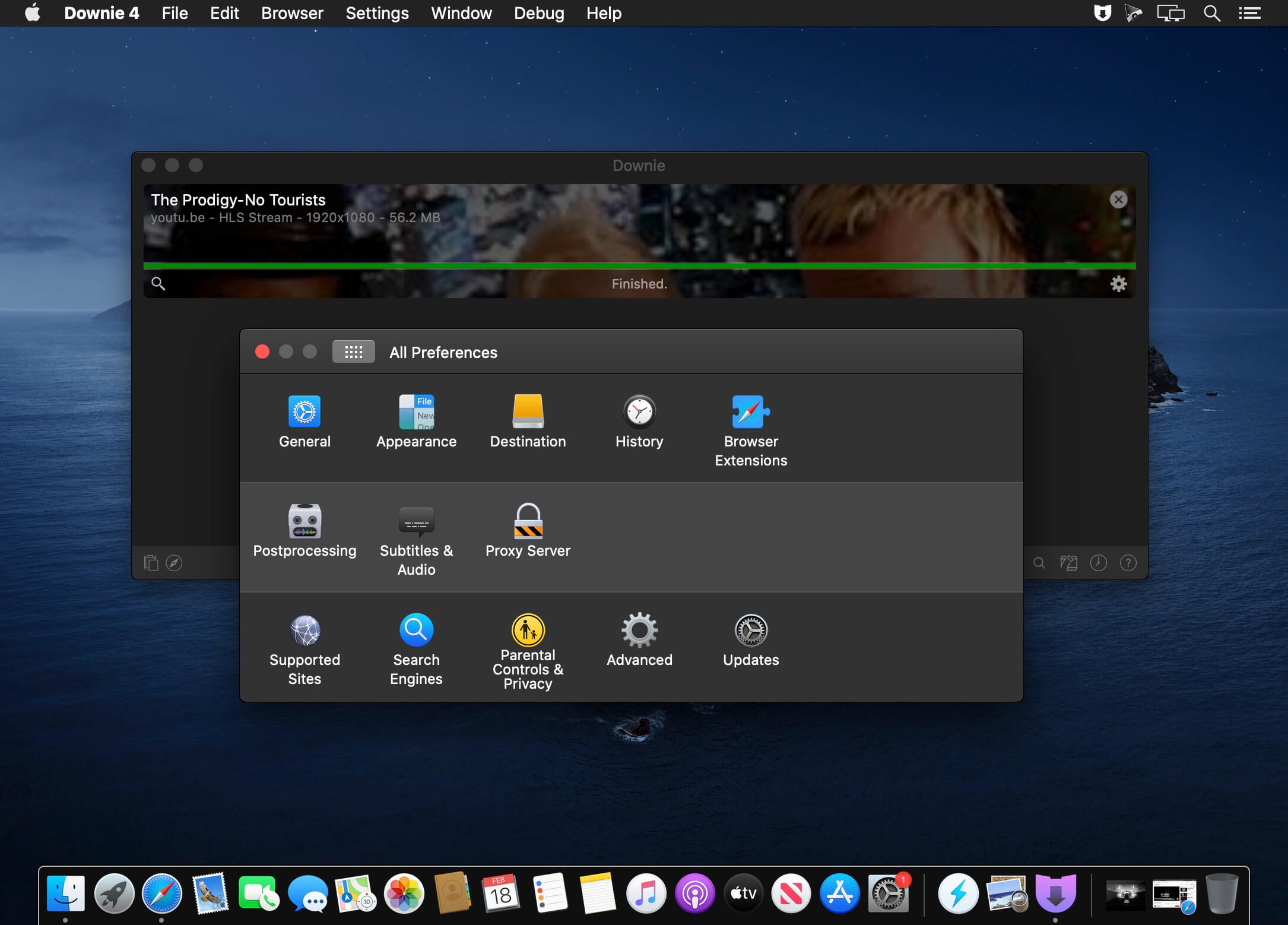
By default, Downie downloads MP4 files and places them in your default Downloads folder, but you can easily change this via the Preferences window. The same area allows you to setup notifications, or post processing actions (convert to MP4 if necessary, or extract audio only).

Effortlessly download videos from a wide collection of hosting websites
Downie provides support for more than 400 different websites that host video content, among which there are the most popular choices, such as YouTube, Apple, LiveLeak, Vimeo, BBC, and so on. If a certain website is not included, within the app you can send a request email to the Downie developers.

Moreover, Downie also provides matching extensions for various popular web browsers, such as Firefox, Safari, Google Chrome or Chromium. The add-ons are not installed by default: open the Preferences window and install only the ones you plan to use.

Straightforward solution for downloading video content hosted online
Downie is a great tool for saving videos posted on various websites to your Mac for offline playback. The application is extremely useful especially if you have a slow internet connection.

Compatibility: macOS 10.12.6 or later
Homepage https://software.charliemonroe.net/downie/

Screenshots


PullTube 1.8.5.10

Name: PullTube_1.8.5.10_[TNT]_Mactorrents.biz.dmg
Size: 115.59 MB
Files PullTube_1.8.5.10_[TNT]_Mactorrents.biz.dmg[115.59 MB]

   Download Torrent
   Link Download

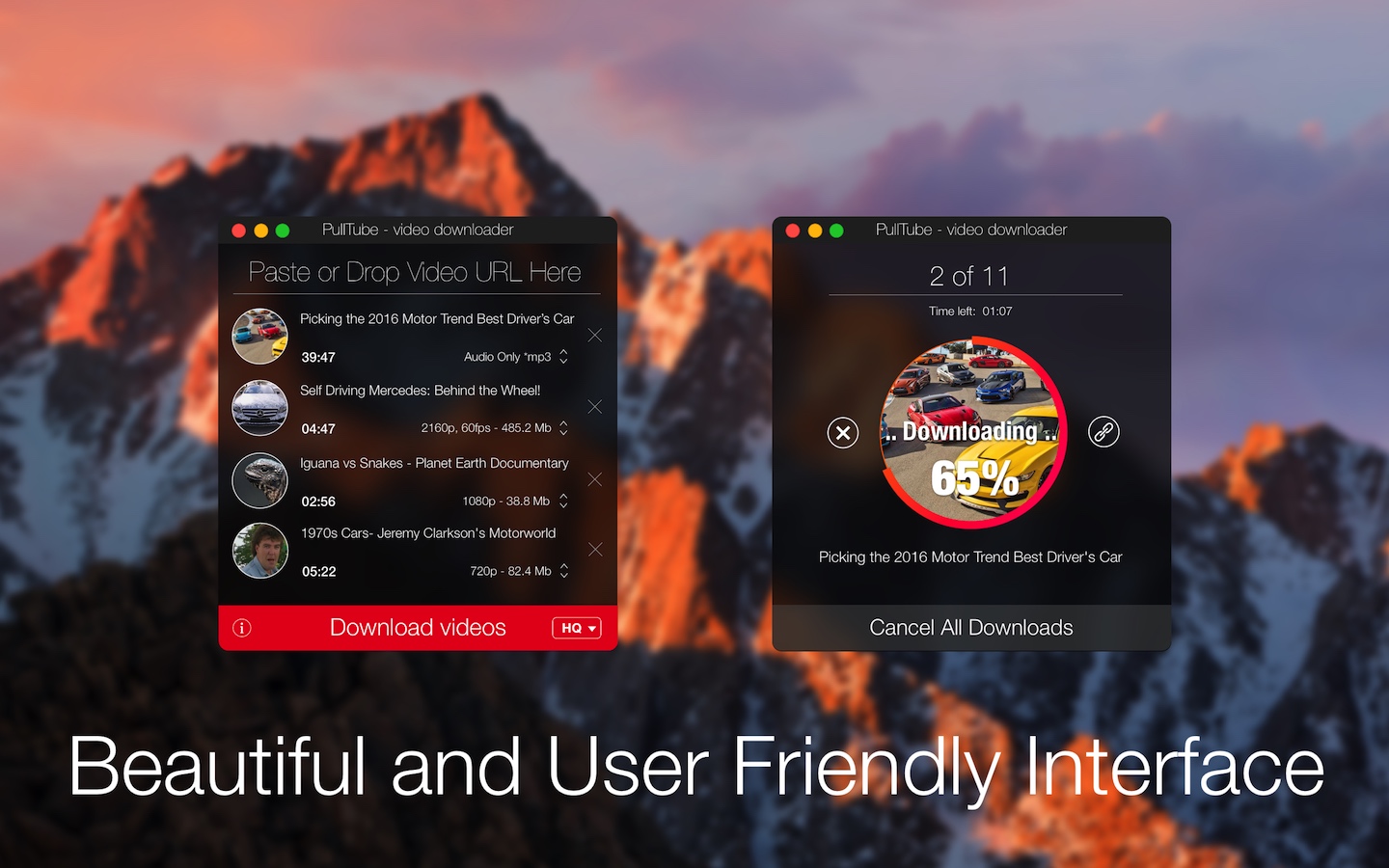
A beautiful online video downloader for your Mac PullTube proposes a streamlined workflow for quickly downloading videos from YouTube or Vimeo, provides control over the output quality, and enables you to extract the audio to MP3 or M4A files. The PullTube app can handle videos of any duration or size, and you get to monitor the download progress within its main window. The utility also integrates with the Notification Center to send completion alerts.

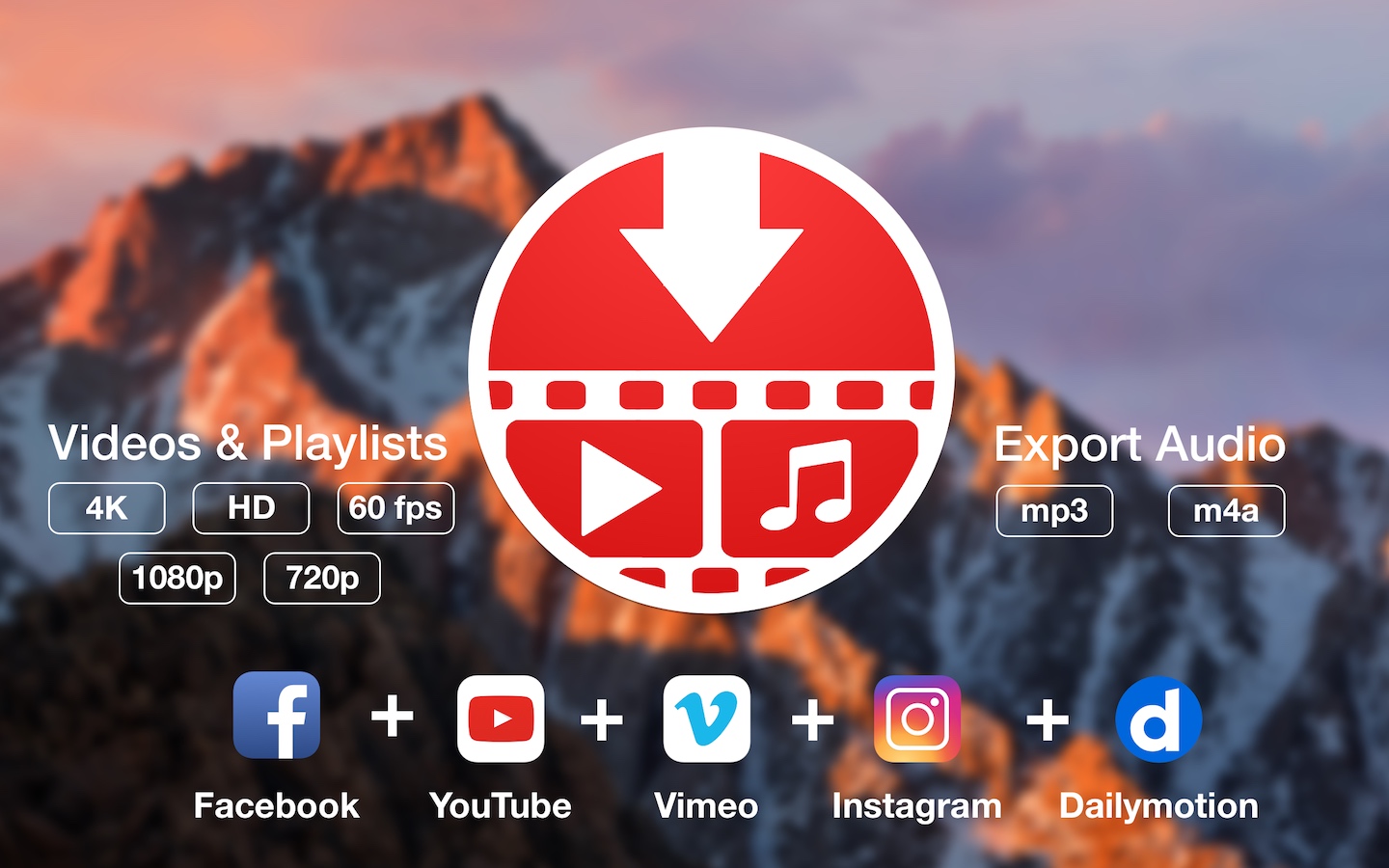
YouTube and Vimeo
Supports Youtube and Vimeo. More platforms to be added upon user requests.

4K, HD and 60fps support
PullTube allows you to download video in any format available

Video to Audio
Convert and save videos to mp3 and m4a

Beautiful and Flexible Interface
Nice looking, dark user interface

What’s New:

Version 1.8.5.10:

  • Release notes were unavailable when this listing was updated.

Compatibility: macOS 10.12 or later (Apple Silicon compatible)
Language: Multilingual
Homepage https://mymixapps.com/pulltube

Screenshots


Chain Timer 9.7

Name: Chain_Timer_9.7_MAS_[TNT]_Mactorrents.biz.dmg
Size: 4.82 MB
Files Chain_Timer_9.7_MAS_[TNT]_Mactorrents.biz.dmg[4.82 MB]

   Download Torrent
   Link Download

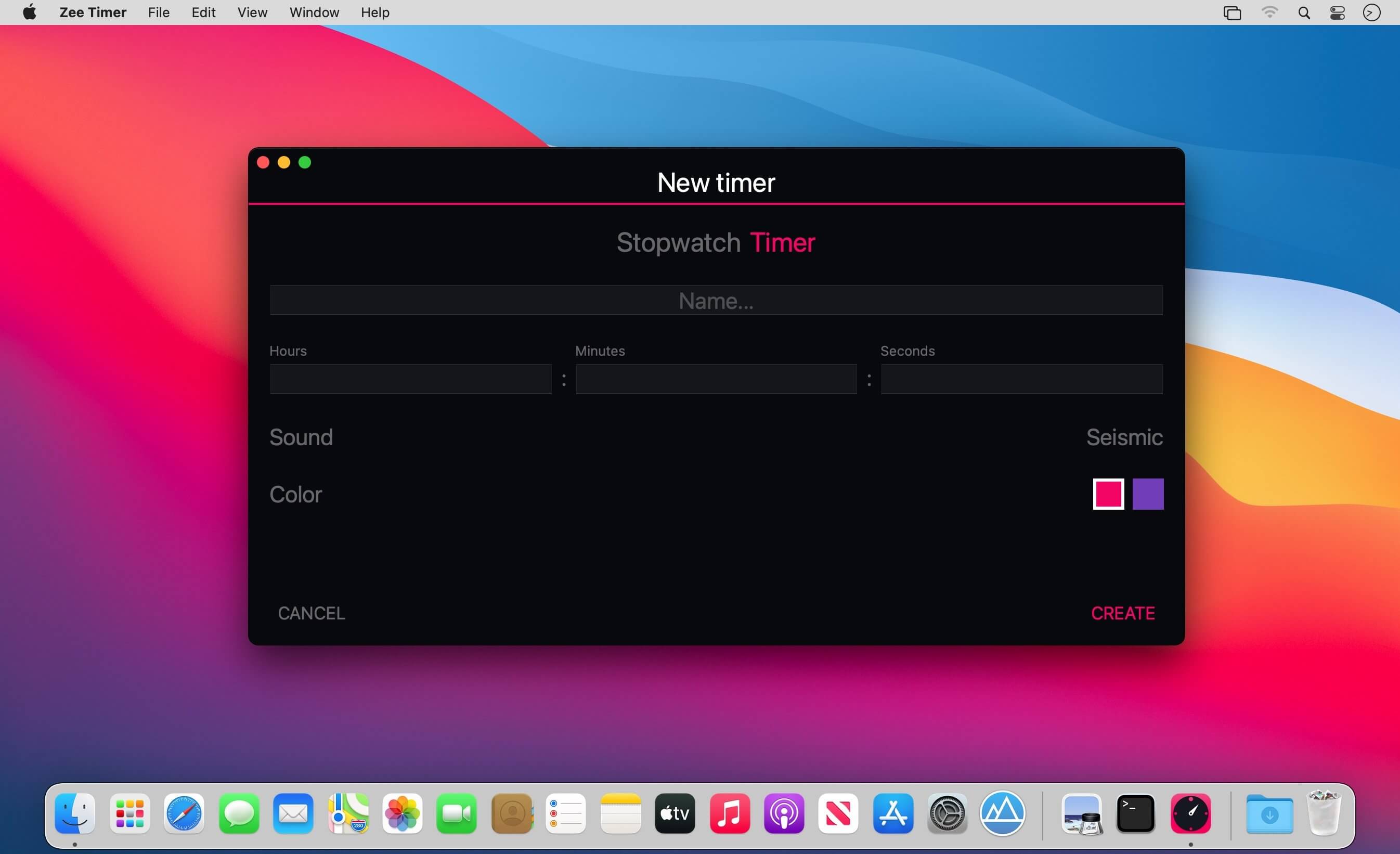
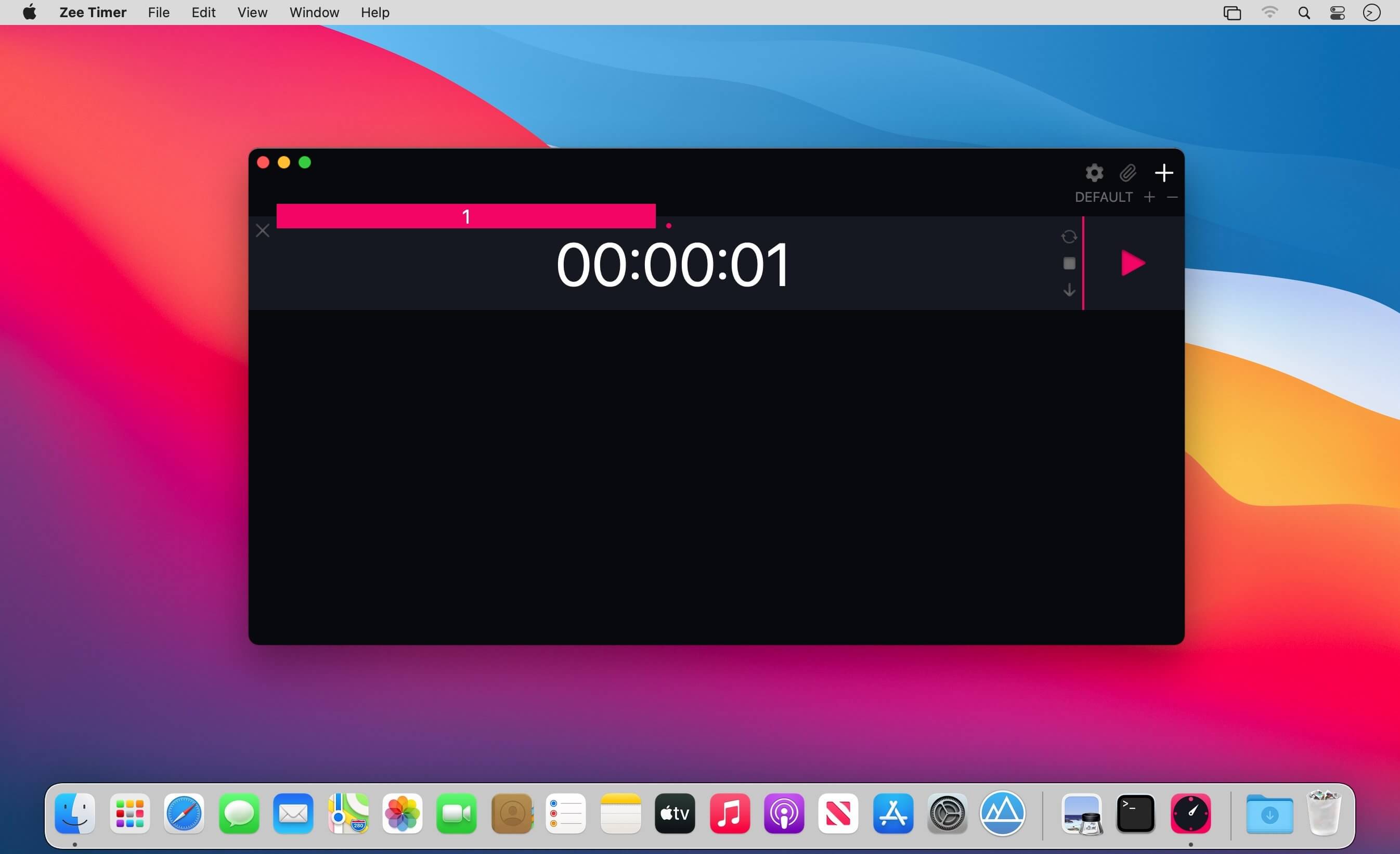
Convenient multi timer for every day.

What’s New:

Version 9.7

Thanks for using our app! In this update:

  • Auto color option when creating a new timer
  • New coloring for the first theme in the style of the system dark

Compatibility: macOS 11.0 or later
Mac App Store https://apps.apple.com/app/zee-timer/id1453356099

Screenshots


Native Instruments Traktor Pro Plus 3.9.0.90 Rev2

Name: Native Instruments Traktor Pro Plus 3.9.0.90 Rev2 [HCiSO]_Mactorrents.biz.dmg
Size: 476.99 MB
Files Native Instruments Traktor Pro Plus 3.9.0.90 Rev2 [HCiSO]_Mactorrents.biz.dmg[476.99 MB]

   Download Torrent
   Link Download

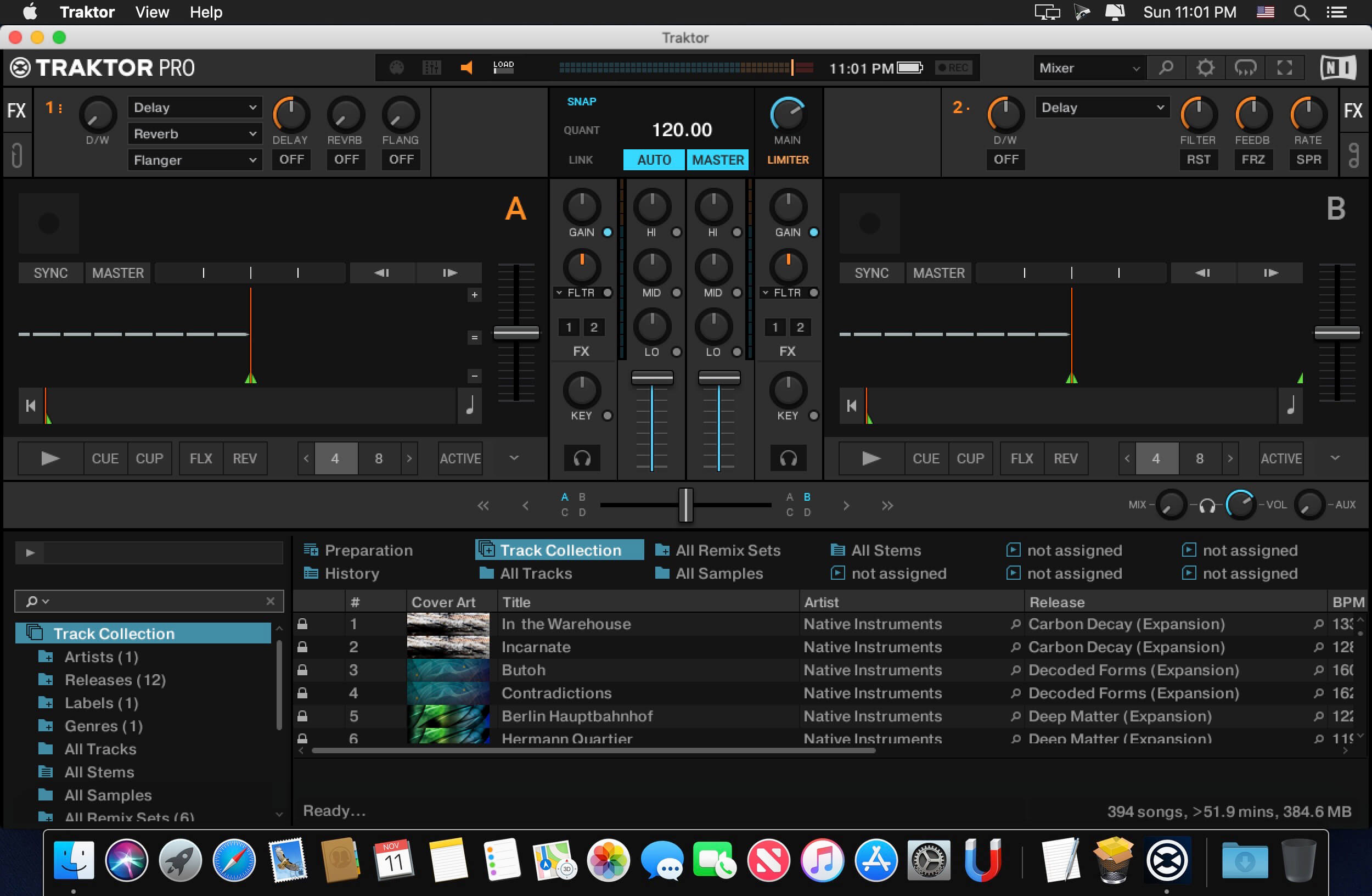
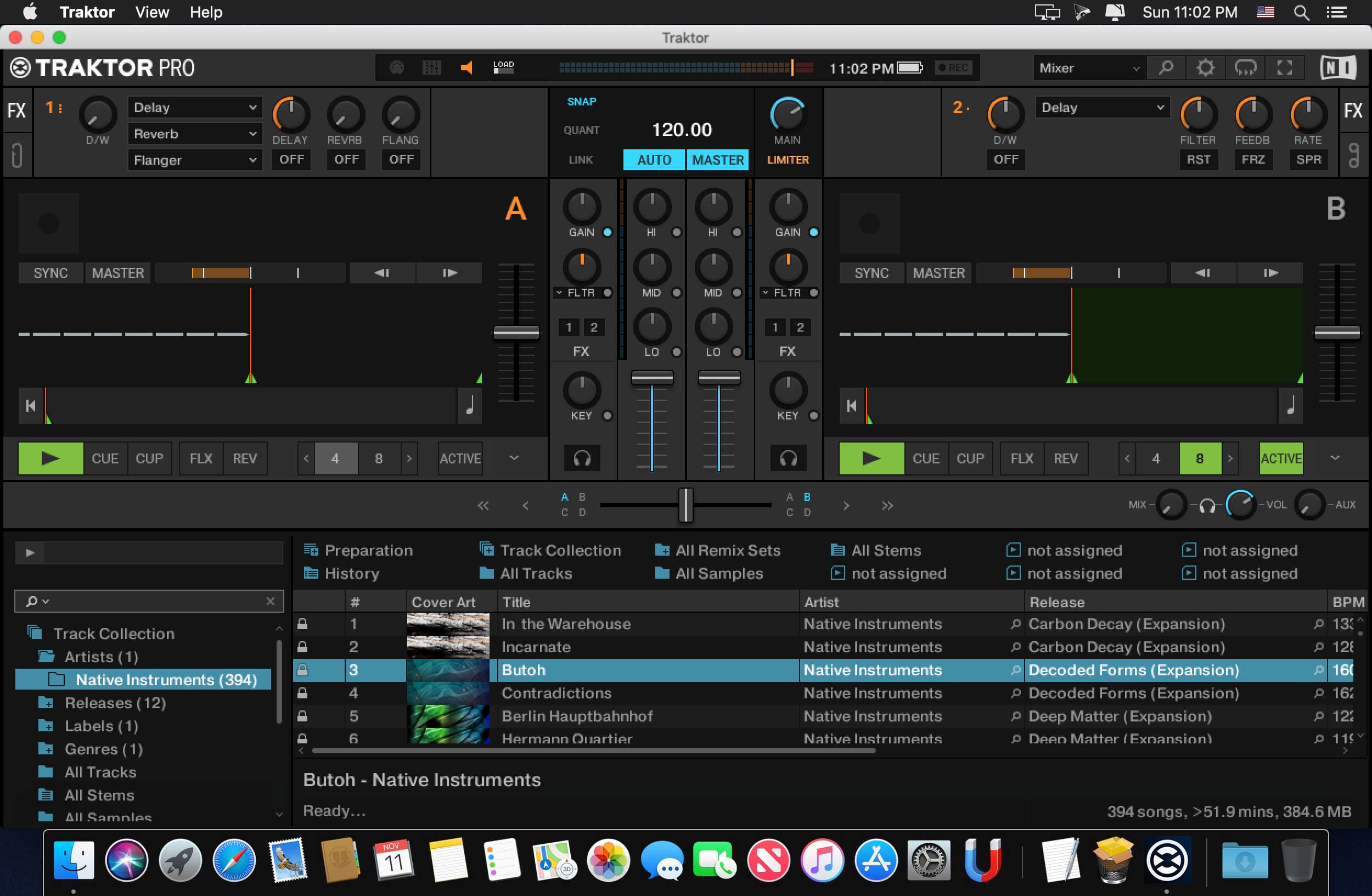
TRAKTOR PRO is the industry-leading DJ software – four decks and a stunning range of creative features designed for professional DJs. Industry-leading 4-deck DJ software with unrivaled pro features. Innovative Stem decks for creative mixing with compatible hardware. Powerful looping, over 40 effects, plus 1-knob Macro control.

A LAYOUT FOR THE CLUB
We redesigned TRAKTOR’s interface so that it’s clearer, flatter, more streamlined, and easier to see through the club haze. New metering and fader designs let you gain your mix more accurately. Instantly access clock, quantization, and master output controls on a redesigned master panel. TRAKTOR PRO 3 maintains the workflows of its predecessors, so switching is a breeze.

A NEW KIND OF SOUND
From small systems to festival big-rigs – we’ve made changes that will help you sound great, wherever you play. Every signal-processing step in TRAKTOR has been refined with high-fidelity sound in mind. Stay confident with heavy tempo shifting that uses new Elastique 3 time-stretching. Run your tracks out through the classic warm and punchy TRAKTOR limiter, or a newly-designed, truly transparent master limiter that won’t duck your sound, even when layering multiple tracks and samples.

NEW MIXER FX
Experimentation should be easy, which is why we developed new Mixer FX on each channel to give you one-touch control over huge club-grade effects. These are great tools for fail-safe sonic exploration – drench vocals in reverb for washed-out transitions, make industrial music-mayhem with bitcrushing, or step things up and away with different delays, plus more. Choose from eight new Mixer FX and three filters and assign them to a dedicated slot for quick modulation.

HOP, SKIP, AND LAND ON-BEAT
It’s not just effects that can power up your performance. Hold in the new Reverse button to play a deck backwards – because it works with Flux Mode, letting go will mean you jump to where you would have been had you done nothing at all, in perfect sync with the other decks. Create shifted percussion parts, or hidden-message vocals, and team it up with effects for sounds from another dimension. Flux Mode also works with Hotcues, loops, and scratching, for moments where you need a super-tight beat, but can’t help chopping things up.

MADE FOR DVS
For the DVS enthusiasts out there, TRAKTOR PRO 3 sees TRAKTOR SCRATCH capability included as standard. Scratch DJs can now use our timecode vinyl with any sound card they like – just hook up your turntables or CD players to your sound card and spin away. So as well as playing your crate-digging finds, you can cut, scratch, and backspin your beats without wrecking your wax.

Rev2 : Info
→ ARM64 crack for Apple Silicon Macs was revised (there were reports that only rosetta mode works)
→ Demo mode with existing NI licenses in “ras3” folder has been fixed (the app is now always active Pro Plus version)
→ Support for Experimental features added (you can find the menu in the settings)

Compatibility: macOS 10.15 or later
Homepage https://www.native-instruments.com/en/products/traktor/dj-software/traktor-pro-3

Screenshots


iZotope Nectar 3 Plus v3.9.0

Name: iZotope.Nectar.3.Plus.v3.9.0.macOS-RYZEN_Mactorrents.biz.zip
Size: 305.6 MB
Files iZotope.Nectar.3.Plus.v3.9.0.macOS-RYZEN_Mactorrents.biz.dmg[305.6 MB]

   Download Torrent
   Link Download

Updated with improved Unmasking controls and key detection, Nectar 3 Plus is the most powerful audio plug-in for vocal production, polish, and mixing.

Control your Unmasking
Vocal Assistant: Unmask talks to other iZotope plug-ins to send information and clean up audio in your mix that’s clashing with your vocal. You can visualize the Unmasking via a new EQ window in Neutron, Relay, or Nectar 3, and control the effect with a new Amount slider. Turn on the Dynamic setting, and Nectar 3 Plus tracks the vocal and ensures the unmasking only occurs when the voice is present.

* Vocal Assistant: Unmask works in Nectar 3 Plus, Relay, and Neutron 3 Standard and Advanced

Why Nectar 3 Plus?
A complete vocal chain
12 vocal-focused processing modules offer the treatment you need for any type of vocal. Get DSP for harmonies, doubling, saturation, and much more.

Your new go-to vocal EQ
Nectar 3’s powerful fluid EQs can track the harmonics of your vocal signal, letting you make cuts or boosts that follow your pitch.

Surgically sculpt and polish
Compress, de-ess, mix harmonies, and more within a fluid, resizable UI. Nectar 3 is a complete vocal production envrionment in one plug-in.

What’s New:

Version 3.9.0:

Compatibility Updates & Improvements

  • Added macOS Ventura support.
  • Added AAX Apple silicon native support.
  • Added Apple silicon native support to the Nectar 3 Plus installer. Rosetta is no longer required to install Nectar 3 Plus on an Apple silicon Mac.
  • Removed Relay from the Nectar 3 Plus installer. Updates to Relay can be downloaded and installed separately, Relay will continue to be authorized by Nectar 3 Plus serial numbers.
  • Updated RX 8 Breath Control (8.7.0) to include AAX Apple silicon native support.

Bug fixes

  • Fixed issues causing general instability and audio dropouts.
  • Fixed responsiveness issue in the pitch meter.
  • Fixed issue in UAD LUNA where all instances of Nectar 3 would become unresponsive to automation upon interacting with a control after adjusting or trimming an automation envelope.

Compatibility: macOS 10.10 or later
Homepage https://www.izotope.com/en/products/nectar.html

Native Instruments Kontakt 7.4.0

Name: Native Instruments Kontakt 7.4.0 [HCiSO]_Mactorrents.biz.dmg
Size: 710.82 MB
Files Native Instruments Kontakt 7.4.0 [HCiSO]_Mactorrents.biz.dmg[710.82 MB]

   Download Torrent
   Link Download

For 20 years, KONTAKT has been the backbone of countless film scores and pop hits, as well as thousands of incredible instruments from NI and your favorite NKS developers alike. Now, with a new HiDPI browsing experience, an overhauled Factory Library, new creative effects, and under-the-hood audio improvements, the next evolution is nearly here.

HREE NEW INSTRUMENTS
KONTAKT 6 introduces the KONTAKT Play Series: Sonically rich sample libraries that combine powerful sound design with simple playability. Each offers eight intelligently mapped macro knobs giving you a wide-sweeping, intuitive range of control. They all showcase KONTAKT’s new wavetable module, each offering two blendable sound sources and a unique take on a speciality style.

ANALOG DREAMS
Iconic 20th century hardware synthesizers captured with an intricate level of detail, and creatively processed with seminal outboard effects. This hybrid analog/digital instrument utilizes blendable sound sources to deliver a modern take on classic electro and synthwave, which have seen a resurgence in recent cinema.

ETHEREAL EARTH
Hybrid organic/electronic instrument that takes myriad acoustic instruments from around the world, and combines it with digital synthesis, organic foley layers, and effects processing. The result fuses traditional and digital, with basses, strings (bowed and plucked), wind instruments, tuned percussion, bells/metals, pads/drones, leads, and textural ambiences.

HYBRID KEYS
A contemporary, creative, and ultimately new take on keys and piano sounds. HYBRID KEYS moves away from conventional sampling processes and instead focuses on inventive techniques such as re-amping, creative mic positioning in interesting spaces, and vari-speed experiments with tape.

NEW FEATURES FOR BUILDERS
KONTAKT has long since grown beyond its origins as a software sampler, and now provides a solid foundation for building advanced sample-based instruments. We’ve been supporting this platform, and the people who use it, with continuous updates to KONTAKT 5, and KONTAKT 6 builds on this strategy with some big additions for you builders out there.

NEW EFFECTS

  • Replika Delay: Based on the dedicated Native Instruments plug-in REPLIKA XT, it offers multiple delay modes, each with a vastly different sound character.
  • Room Reverb: A new high-quality algorithmic room reverb that offers options for real time modulation.
  • Hall Reverb: Another high-quality algorithmic reverb, tuned for hall sounds.
  • Plate Reverb: Emulates a plate reverberator for for classic vintage metallic sounds.
  • Cry Wah: Wah-wah effect module, based on the most popular wah pedal of all time.

WAVETABLE MODULE
The latest version of KONTAKT adds wavetable synthesis to the ever expanding KONTAKT toolset. All three of the new Play Series instruments incorporate this new module, and we’re looking forward to hearing what you create with this powerful new building block.

CREATOR TOOLS
Creator Tools is a standalone application designed to improve the workflows of library builders and instrument creators. It consists of two elements: A Debugger, for identifying and fixing problems in KONTAKT script, and an Instrument Editor, which can load and run Lua scripts to automap samples, duplicate and batch rename groups, and copy settings from one part of an instrument to another.

What’s New:

Version 7.4.0

  • Introducing the zoom feature.
  • ADDED Zoom scaling of Kontakt application UI
  • FIXED Snapshots couldn’t be saved when Ring Modulator LFO Wave parameter was modified from KSP
  • FIXED Crash when selecting items from dropdown menus in Playbox
  • FIXED KSP Reset waitless while loop iteration counter on every while loop instead of once per callback, and increased the amount of such iterations to 10 million

Compatibility: macOS 10.15 or later
Homepage https://www.native-instruments.com/en/products/komplete/samplers/kontakt-7/

Native Instruments Maschine 2.17.4

Name: Native Instruments Maschine 2.17.4 [HCiSO]_Mactorrents.biz.dmg
Size: 377.29 MB
Files Native Instruments Maschine 2.17.4 [HCiSO]_Mactorrents.biz.dmg[377.29 MB]

   Download Torrent
   Link Download

MASCHINE software comes stocked with everything you need to turn your ideas into complete tracks. Whether you’re sketching and arranging your track, or mixing it down and performing, MASCHINE keeps you moving from one step to the next – without breaking your creative stride.

The new version is completely redesigned, Drum Synths, mixer, etc. NEW audio engine sound engine MASCHINE 2 now allows you to add unlimited groups and inserts effects MASCHINE powerful set of features. Multicore support ensures that your computer will handle all this in parallel with the processing of ultra high – even when using the software as a VST or AU plug-in module. New audio engine now also supports side bindings for sidechaining, for classic ducking effects and more…

MASCHINE a revolutionary system for creating grooves tactile creative bit-making organization of recognized sound library Kontakt 5 any other VST, VSTi library.

Together with the software package for creating beats MASCHINE create quickly and easily combine the power and flexibility of software with tactile immediacy of hardware. His sequencer based on patterns, high-performance sampler, has an incredible set of professional tools and studio effects, exemplary drum synthesizers and library Kontakt 5 are you a complete system for quickly and professionally create grooves.

NEW JUICE FOR OLD MASCHINES
If you’re still using MASCHINE 1.x, the MASCHINE 2 software update can give you more functionality, sound, and raw power for modern music production. Completely reworked, the software offers countless new ways to support and fast-track your ideas. The software is compatible with all generations of MASCHINE and MASCHINE MIKRO* – it works with the hardware you already have. Read on for details on what you get…

REWORKED AUDIO ENGINE
MASCHINE 2’s audio engine adds unlimited groups and insert effects to MASCHINE’s powerful feature set. Multicore support ensures your computer handles it all in parallel with ultra-efficient processing – even when using the software as a VST or AU plug-in. The new audio engine now also supports sidechaining, for classic ducking effects and more.

DRUM SYNTHS
MASCHINE 2 sets a new benchmark in software drum synthesis. Create your own perfectly-tuned electronic and acoustic drum sounds in truly peerless sound quality.
Six exclusive monophonic drum plug-ins, with their own unique algorithms, give you any percussive sound you need. All fully tweakable, automatable, and perfectly integrated into MASCHINE – with the quality that comes from NI’s acclaimed DSP expertise.

MIXER WINDOW
Polish your tracks to perfection with the mixer window in MASCHINE 2. Tweak volume and panning with ultimate ease. See group and individual track levels clearly on meters complete with peak level indicators. Adjust levels on any group of sounds. And two aux sends per channel let you freely route sounds anywhere in your project.
MASCHINE’s new user interface brings you all this and much more – cutting-edge groove production has never been this easy.

NEW PLUG-IN STRIP
MASCHINE 2’s new plug-in strip gives you a whole new way of seeing your instruments and effects. Each internal instrument and effect now has its own layout for lightning fast visual recognition. This intuitive, visual integration extends to KOMPLETE Instruments and Effects. And beyond that, MASCHINE can handle pretty much any VST, AU or effect plug-in you own.

MORE SOUND INSIDE
Browse presets and load any KOMPLETE 14 Instrument or Effect at-a-glance directly from MASCHINE 2’s full-color product icon display. And now, there’s even more to discover. MASCHINE 2 includes KOMPLETE 12 SELECT – a premium selection of 14 KOMPLETE Instruments and Effects. Get a full suite of professional sound right out of the box and control it all from your MASCHINE hardware.

You also get over 2000 more samples, 200 brand-new MASSIVE presets, and over 100 new kits – all in a streamlined browser that makes finding your sound fast and simple. No matter what sound you’re after, MASCHINE is waiting for you.

What’s New:

Version 2.17.4:

  • ADDED Support for moduleinfo.json location change in VST3 SDK 3.7.8## FIXED Multichannel output not working with some Plug-Ins
  • FIXED A bug where Kontakt 6 migration would load an empty instance of Kontakt 7
  • FIXED A crash when closing a Logic Pro session

Compatibility: macOS 10.15 or later
Homepage https://www.native-instruments.com/en/products/maschine/production-systems/maschine/

Native Instruments Komplete Kontrol 2.9.4

Name: Native Instruments Komplete Kontrol 2.9.4 [HCiSO]_Mactorrents.biz.dmg
Size: 264.15 MB
Files Native Instruments Komplete Kontrol 2.9.4 [HCiSO]_Mactorrents.biz.dmg[264.15 MB]

   Download Torrent
   Link Download

KOMPLETE KONTROL is a easy-to-use tool that cleans up your workflow. It organizes all your instruments, effects, presets, loops, and samples, smartly mapping everything to your hardware so you can find, play, and tweak all your sounds in one place. This free plug-in runs in any DAW and works seamlessly with any MIDI controller – or your trusty mouse and keyboard.

WORKS WITH HUNDREDS OF INSTRUMENTS AND EFFECTS
KOMPLETE KONTROL brings all KOMPLETE instruments and effects – as well as over 750 other plug-ins from 90 leading creators like Waves, Spitfire Audio, Softube, Arturia, and Output – into one intuitive workflow. All thanks to NI’s extended plug-in format, Native Kontrol Standard (NKS).

MILLIONS OF LOOPS AND SAMPLES MADE SIMPLE
NKS now also extends to loops and samples. That means KOMPLETE KONTROL syncs all your Collections from Sounds.com with a single click, and neatly tags everything for easy browsing in your DAW – and it also works for all the sounds in the MASCHINE library and Expansions. You can play everything with a built-in sampler, drag loops and one-shots into your DAW timeline, or drop them into sample-using instruments like BATTERY, TRK-01, and FLESH.

QUICKLY FIND AND AUDITION YOUR SOUNDS
KOMPLETE KONTROL sorts all your sounds for easy browsing via tags – so finding the perfect ‘analog’ bass synth, ‘gloomy’ soundscape preset, or kick drum sample is as easy as describing it. Plus, with an instant preview of each and every sound as you scroll, you don’t have to load individual plug-ins to hear what something sounds like.

PLAY SCALES, CHORDS, AND ARPEGGIOS
With Smart Play, KOMPLETE KONTROL gives you new and inspiring ways to perform. Map your keyboard to any one of over 100 different scales and modes, play chords with one finger, effortlessly create expressive arpeggios, and more. And if you happen to own one of our S-Series keyboards, you’ll get all the visual feedback you need directly from the Light Guide.

EVERYTHING IS PRE-MAPPED AND READY TO PLAY
With NKS, KOMPLETE KONTROL maps all your instruments and effects instantly and intuitively to your hardware. The mapping is done by the people who know them best – the instrument designers themselves. So when you load a synth preset, for example, essential parameters like filter cutoffs and envelope controls are right where you need them on your hardware, with additional controls intuitively divided into pages.

What’s New:

Version 2.9.4

  • ADDED Support for moduleinfo.json location change in VST3 SDK 3.7.8
  • FIXED A crash when closing a Logic Pro session
  • FIXED A bug where Kontakt 6 migration would load an empty instance of Kontakt 7

Compatibility: macOS 10.15 or later
Homepage https://www.native-instruments.com/en/products/komplete/keyboards/komplete-kontrol-s49-s61/included-software/

PhotoSweeper X 4.8.1

Name: PhotoSweeper_X_4.8.1_[TNT]_Mactorrents.biz.dmg
Size: 51.06 MB
Files PhotoSweeper_X_4.8.1_[TNT]_Mactorrents.biz.dmg[51.06 MB]

   Download Torrent
   Link Download

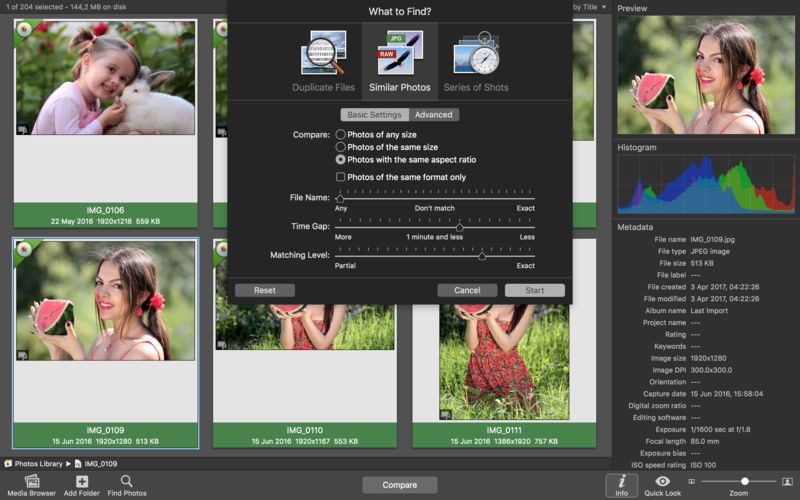
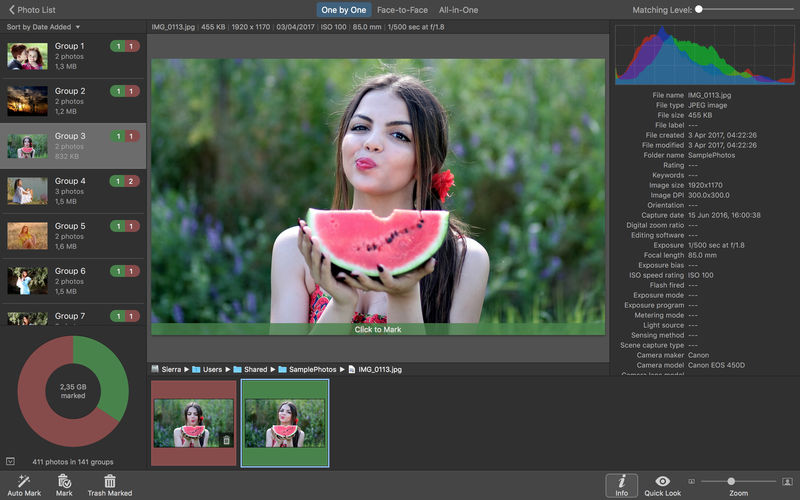
PhotoSweeper helps quickly and efficiently eliminate similar or duplicate photos. It works with photos from iPhoto, Aperture and Adobe Lightroom libraries as well as photos from your Mac.

PhotoSweeper will help you if:

  • You take a series of shots of the same scene trying to get the perfect one.
  • You edit photos with applications, such PhotoShop, Pixelmator, etc., and make backups just in case.
  • You have photos scattered on external hard drives and local disks, in iPhoto, Aperture or Lightroom libraries.
  • You have a mess in your photo collection or just want to free disk space by removing junk photos.

Features
Easy to find photos
Just drag and drop folders to allow PhotoSweeper to find all photos inside. Add more photos from your iPhoto, Aperture or Lightroom library via the Media window.

Flexible comparison settings
Use 6 different methods to find similar or duplicate photos, even those edited in external programs such Photoshop, regardless of image size or format.

Fast
PhotoSweeper was developed to be extremely fast at comparing large number of photos. Using efficient caches allows you to make the next comparison much faster. You have an opportunity to regroup the results on-the-fly by changing a matching level of similarity.

Easy to manage photos
Review results in “Face-to-Face” or “Groups” mode. Put photos into a virtual container, “Box”. Delete, move, or copy photos from the Box. Bulk rename photos while copying or moving.

Great photo browsing
PhotoSweeper provides an up-to-date photo browser with such features as: fast loading of thumbnails, Quick Look preview, drag and drop support, showing paths, ratings, labels, etc. The “Image Info” panel shows more detailed information, including histogram and image metadata (EXIF, IPTC, etc.).

A comprehensive user manual is available in the Help menu.

Compatibility: macOS 10.13 or later
Homepage https://geo.itunes.apple.com/app/id463362050

Screenshots


SiteSucker 5.1.9

Name: SiteSucker_5.1.9_MAS_[TNT]_Mactorrents.biz.dmg
Size: 5.96 MB
Files SiteSucker_5.1.9_MAS_[TNT]_Mactorrents.biz.dmg[5.96 MB]

   Download Torrent
   Link Download

SiteSucker is an Macintosh application that automatically downloads Web sites from the Internet. It does this by asynchronously copying the site’s webpages, images, PDFs, style sheets, and other files to your local hard drive, duplicating the site’s directory structure. SiteSucker Pro is an enhanced version of SiteSucker that can download embedded videos, including embedded YouTube and Vimeo videos.

SiteSucker can be used to make local copies of Web sites. By default, SiteSucker “localizes” the files it downloads, allowing you to browse a site offline, but it can also download sites without modification.

Compatibility: macOS 11.0 or later
Homepage https://apps.apple.com/us/app/sitesucker/id442168834

Screenshots


Duplicate Photos Fixer Pro 4.9

Name: Duplicate_Photos_Fixer_Pro_4.9_MAS_[TNT]_Mactorrents.biz.dmg
Size: 20.3 MB
Files Duplicate_Photos_Fixer_Pro_4.9_MAS_[TNT]_Mactorrents.biz.dmg[20.3 MB]

   Download Torrent
   Link Download

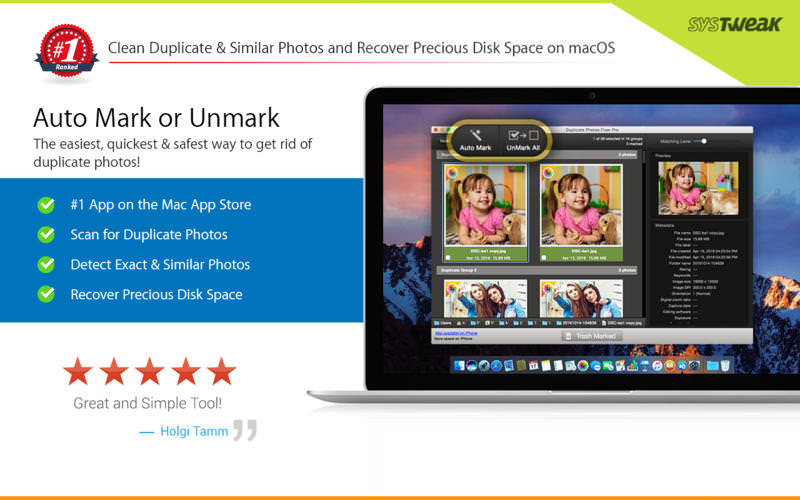
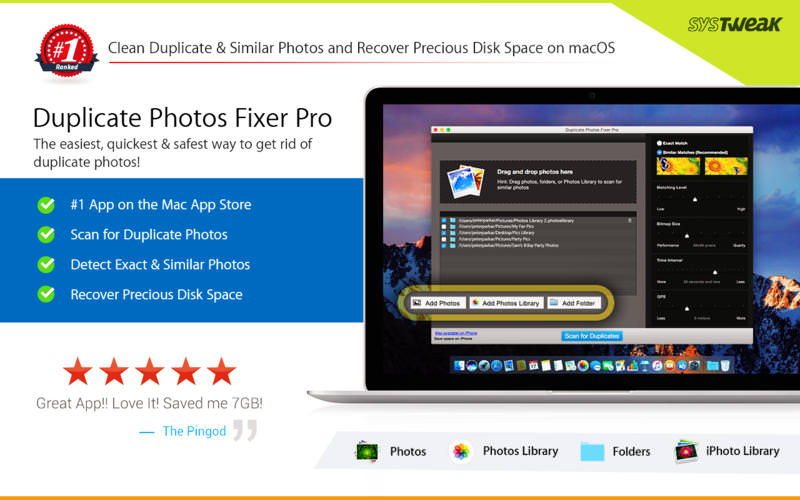
Duplicate Photos Fixer Pro is an excellent photo-fixing tool that smoothly scans and deletes duplicate or similar photos, depending on the matching level you choose. This captivating tool works with photos from iPhoto, along with photos from external storages and your system’s hard drives as well. Free up ample disk space by deleting a large number of similar and duplicate photos in just a click! Duplicate Photos Fixer Pro works like a charm and has the ability to detect duplicate and similar photos wherein:

  • You click photos of the same scene in quick succession to capture the perfect shot
  • Your photos are scattered all over the system, external storage devices, iPhoto and hard drives
  • You clutter the system by creating backups of pictures and now want to remove the junk

Why use Duplicate Photos Fixer Pro?

  • Drag-and-Drop Folders/Photos – Simply drag and drop folders to easily scan for photos inside them. You can add more photos from your iPhoto library and other folders as well.
  • Custom Comparison Settings – You can fully customize your comparison settings out of the available methods by adjusting the settings according to your requirement, regardless of the image size or format.
  • Speed – Duplicate Photos Fixer Pro is extremely fast when it comes to scanning and comparing a large number of photos within seconds. This is due to the powerful algorithms injected during the development of this tool that make the search of duplicate photos extremely fast, giving excellent comparison results.
  • Efficiency / Real-time Results – Without re-comparing photos, you can re-group the comparison results by changing the matching level on the slider in real-time.
  • Auto-Mark Duplicates – Use the Auto-Mark feature to mark all duplicate photos in every group except one, depending upon the preferences.
  • Compact Viewing – The interface of Duplicate Photos Fixer Pro is designed in such a way that all occurrences of photos are classified into different groups and are viewed as large photos group in each line.
  • QuickLook – Before moving ahead and deleting photos, you can have a clear look at them instead of opening them individually, using this feature.

What’s New:

Version 4.9

  • Fixed issue in DropBox scan mode.

Compatibility: macOS 10.10 or later
Homepage https://apps.apple.com/us/app/duplicate-photos-fixer-pro/id963642514

Screenshots


iStat Menus 6.70 (1219)

Name: iStatMenus_6.70_1219_Mactorrents.biz.zip
Size: 27.49 MB
Files iStatMenus_6.70_1219_Mactorrents.biz.dmg[27.49 MB]

   Download Torrent
   Link Download

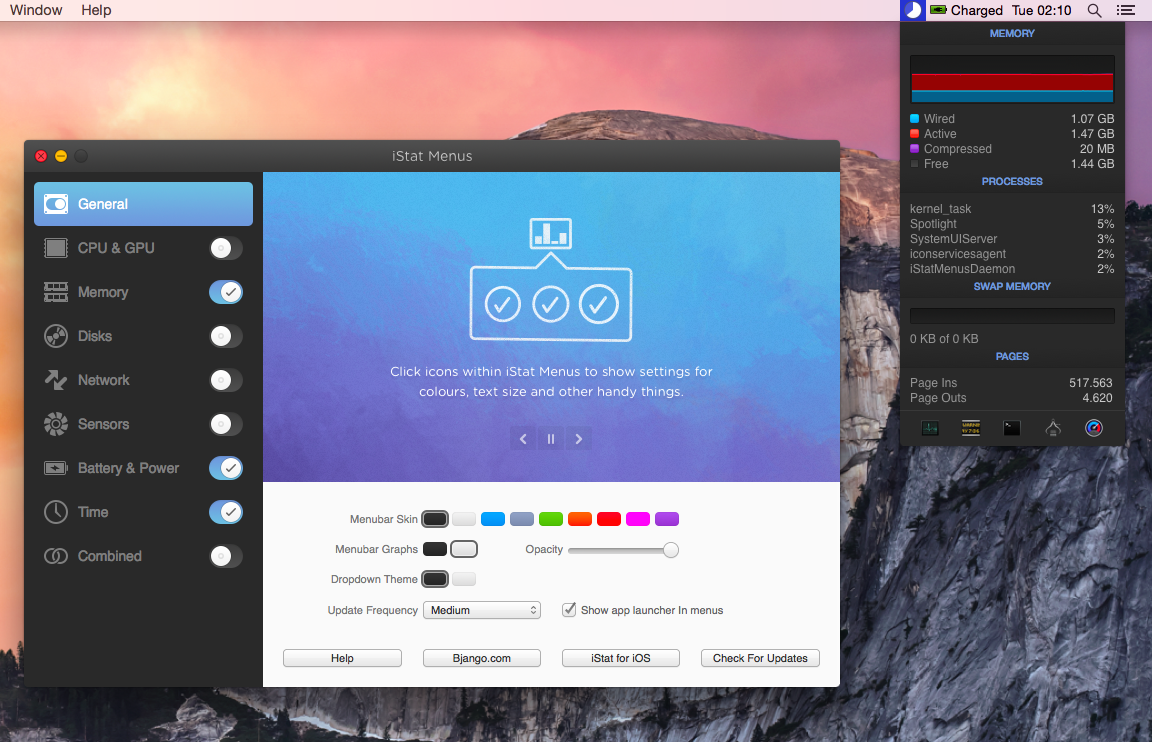
iStat Menus lets you monitor your system right from the menubar. Included are 8 menu extras that let you monitor every aspect of your system. iStat Menus 6 sports a completely new design — new menubar icons, new dropdown menus, and the app and icon itself have all been redesigned to be cleaner, clearer and more at home on Yosemite. Menubar graphs can now use dark backgrounds, improving legibility.

Better per-app stats
iStat Menus 5 features read and write disk activity on a per-app basis. Upload and download activity is also shown per-app, making it far easier to track down the biggest bandwidth hogs.

More stats
Far more detailed network information, including router address, subnet mask, DNS and MAC address. Wi-Fi stats, including channel, signal to noise ratio and many more. Improved GPU monitoring, including active GPU in menubar.

Time & world clocks
A vastly improved time menu, with current time, sunrise, noon, sunset, dawn, dusk, sun azimuth, sun altitude, light map and more for over 120,000 cities. Daylight is now indicated in the clock face (it even fades near sunrise and sunset).

Speaks your language
Our menubar and dropdown menus are now localised for Arabic, Catalan, Chinese (Simplified), Chinese (Traditional), Croatian, Czech, Danish, Dutch, Finnish, French, German, Greek, Hebrew, Hungarian, Italian, Japanese, Korean, Norwegian, Polish, Portuguese, Portuguese (Portugal), Romanian, Russian, Slovak, Spanish, Swedish, Thai, Turkish, and Ukrainian.

CPU & GPU
Realtime CPU graphs and a list of the top 5 CPU resource hogs. CPU usage can be tracked by individual cores or with all cores combined, to save menubar space. Plus, GPU memory and processor usage on supported Macs, and the active GPU can be shown in the menubar.

Memory
Memory stats for your menubar as a pie chart, graph, percentage, bar or any combination of those things. Opening the menu shows a list of the apps using the most memory, and other useful info.

Network
A realtime graph to keep on top of what’s being sent and received for all network connections, including a bandwidth breakdown for the top 5 apps.

Disk usage & activity
See used and free space for multiple disks in your menubar. S.M.A.R.T. status monitoring and more detail for all your disks is only a click away. Detailed disk I/O in your menubar, displayed as a graph, a variety of different read and write indicators, or both.

Sensors
Realtime listings of the sensors in your Mac, including temperatures, hard drive temperatures (where supported), fans, voltages, current and power. Fan speeds can be controlled, with different rules when on battery power, if you’d like.

Date & time
A highly configurable date, time and calendar for your menubar, including fuzzy clock and moon phase. Open iStat Menus’ calendar to display upcoming events, or events for any day. Plus, a world clock with sunrise, sunset, moonrise and moonset times for over 120,000 cities.

Battery & power
Detailed info on your battery’s current state and a highly configurable menu item that can change if you’re draining, charging, or completely charged. Plus, Magic Mouse, Magic Trackpad and Apple wireless keyboard battery levels.

Compatibility: macOS 10.11 or later
Homepage https://bjango.com/mac/istatmenus/

Screenshots

Pixelmator Pro 3.3.7

Name: Pixelmator_Pro_3.3.7_MAS_[TNT]_Mactorrents.biz.dmg
Size: 563.51 MB
Files Pixelmator_Pro_3.3.7_MAS_[TNT]_Mactorrents.biz.dmg[ 563.51 MB]

   Download Torrent
   Link Download

Pixelmator Pro is an incredibly powerful, beautiful, and easy to use image editor designed exclusively for Mac.
With a wide range of professional-grade, nondestructive image editing tools, Pixelmator Pro lets you bring out the best in your photos, create gorgeous compositions and designs, draw, paint, apply stunning effects, design beautiful text, and edit images in just about any way you can imagine. And thanks to its intuitive and accessible design, Pixelmator Pro is delightfully easy to use — whether you’re just starting out with image editing or you’re a seasoned pro.

Exceptional Design and Functionality

  • The modern, single-window interface of Pixelmator Pro is designed exclusively for working with images on a Mac
  • An intuitive and refined design makes image editing easy and accessible, even if you’re a complete beginner
  • Native dark and light appearances adapt to the light and dark modes of macOS
  • A customizable interface lets you organize your creative environment just the way you want
  • Choose from workspace presets created for photography, design, illustration, and painting
  • A full-featured Photos extension lets you edit images using Pixelmator Pro without ever leaving Photos, saving layered, nondestructive edits directly to your library

Professional Tools

  • Enhance your existing images and create new ones using every image editing tool you could ever need
  • Edit nondestructively, adjusting individual changes whenever you like
  • Easily move, resize, and arrange objects to create stunning compositions
  • Adjust colors with a collection of nondestructive, machine learning-powered color adjustments
  • Enjoy superior support for RAW files, editing RAW images using all their extended range data
  • Create digital or traditional paintings using handcrafted, fully-customizable, dual-texture brushes with full support for digital graphics tablets
  • Combine the built-in effects to create any artistic or special effects you can imagine
  • Save adjustment, effect, and layer style combinations as presets, use them in any of your images, and share them with others
  • Speed up image editing with hundreds of presets for color adjustments, effects, layer styles, and shapes
  • Magically remove small imperfections or entire objects, seamlessly clone parts of your photos, and lighten or darken precise areas using a full set of retouching tools
  • Use the reshaping tools to easily change the shape of any object or area in your images
  • Add customizable vector graphics designed by the Pixelmator Team
  • Create your own vector graphics using the Pen tool
  • Easily design great-looking text with a full set of typography tools
  • Quickly create curved, circular, and path text
  • Optimize and save your images for the web, using advanced compression to shrink file sizes
  • Batch process images using built-in Automator actions
  • Effortlessly automate workflows using full-featured AppleScript support

Image Editing Enhanced by Machine Learning

  • Magically remove objects, recreating image areas with stunning realism using the Repair tool
  • Use ML Enhance to intelligently enhance photos with a machine learning algorithm trained on millions of professional photos
  • Zoom and enhance image resolution with the incredible ML Super Resolution
  • Automatically copy the look of one photo to another with ML Match Colors
  • Remove image noise and compression artifacts while preserving details using ML Denoise
  • Quickly make accurate selections with ease using the Quick Selection tool

Compatibility

  • Open and edit images in all the most popular image formats, including JPEG, TIFF, PNG, PSD, HEIF, SVG, PDF, GIF, BMP, TGA, WebP and JPEG-2000
  • Open and edit Photoshop images with layers
  • Open and edit SVG vector images
  • Share your images to Photos, Mail, AirDrop, and other locations

Built Exclusively for Mac

  • Designed exclusively for macOS, Pixelmator Pro supports almost every major macOS feature and integrates seamlessly with macOS Big Sur.

Compatibility: macOS 11.0 or later, Apple Silicon or Intel Core processor
Homepage https://apps.apple.com/pk/app/pixelmator-pro/id1289583905

Screenshots


PCDJ LYRX 1.10.1.0

Name: LYRX_1.10.1.0_[TNT]_Mactorrents.biz.dmg
Size: 151.64 MB
Files LYRX_1.10.1.0_[TNT]_Mactorrents.biz.dmg[151.64 MB]

   Download Torrent
   Link Download

LYRX is professional, modern and snappy karaoke software designed to meet the demands of today’s KJ!

LYRX Supports These High-Quality Karaoke File Types
• MP3+G
• Zipped MP3+G
• All Video Karaoke Files Such as MP4, AVI, DIVX, MOV, MKV and Flash (Including HD Versions!)
• You can also play standard video files and audio tracks: mp3, m4a, wav, aiff, ogg, cda, flac and more! (Non DRM)
• iTunes Playlists are also automatically imported!
• Now with in-app Party Tyme Karaoke subscription!
• Access an commercially legal library of 13,500+ HD karaoke songs directly in LYRX. Stream while connected to the internet or download the songs for offline use!

Send Lyrics Output To Secondary Display (Full Screen)
Using ‘Extended Display Mode’ on your Mac or PC allows you to send the lyrics to a secondary display or projector – full screen! This allows you to work with LYRX on your main display, while singers view the lyrics only on the second display.

Now With Party Tyme Karaoke Streaming Subscription!
We’ve partnered up with Party Tyme Karaoke, the leading provider of pitch-perfect HD karaoke! Gain in-app access to a library of classic and brand new karaoke songs, with over 20,000 songs available right now and growing. The service is legal for public performance (commercial use license) and is $49-a-month after 7 day free trial.
To start a Free Trial or to subscribe just open up LYRX and right-click (Ctrl + Click on Mac) on the PT logo in the navigation browser pane (right side) to create an account and subscribe. Right click on a karaoke song under the “catalog” tab and select “Download To Offline Tracks” — or simply search and load/play karaoke songs to stream!

Built-In Karaoke Song Store
NEW IN v1.4: Purchase karaoke songs on-the-fly from the new in-app PartyTyme.net store! Karaoke songs are available at $2.49 a track in HD quality. Browse, Search, Purchase, and Download karaoke songs from within the LYRX file browser so you never have to say “No” to singer song requests.

Key Detection, Key Control, and Independent Tempo
LYRX will automatically detect the musical key (and camelot scale key) of your karaoke songs so when you use the key stepper, or apply key changes to songs when added to the singer rotation list, you will be presented with the new/changed key of the karaoke track. Independent tempo control allows you to speed up or slow down the playing track without affecting pitch/key.

Singer/Song History
Singers and the songs they sing are recorded in singer history — including key changes when applied in the singer rotation list. Easily send singers and their songs back to rotation from singer history including key changes at future shows.

Next Singers Display
While the deck is idle and not playing a karaoke or video file, LYRX will display your next three singers from the top of the singers list on the preview screen (main display) and your secondary singers display. This informs your singers who’s next, so you you can avoid any potential questions about who’s turn it is to sing next.

MIC Support With Recording
Use the microphone input on your audio interface to sing over top the playing audio in LYRX – you’ll hear it through your speakers along with the audio from the playing karaoke track. Record your mixed-output performance to share with friends! (If you’re not using a dedicated Audio Card with a microphone input then you can create a ‘virtual audio device’ on your MAC for Mic Support)

Create Text, Image And Video Overlays And/Or Backgrounds
Create stunning, multi-layered text, image, and video overlays in LYRX that you can output to screen 2 for your singers and audience to see. Use the feature for branding purposes (show your logo) or for any other visuals or messages you’d like to put on display.
Use the video link feature to automatically play a video loop when only playing audio songs, or liven up the ‘next singers’ display with a background image or video loop. These new features make for a better, more visual and memorable experience for your audience!

Automatic Filler Music Player
No dead air! LYRX is equipped with an automatic filler music player (AKA bumper music player) that’s designed to automatically play regular music in-between singers and sets. Just load-up the toggled side-list with regular audio tracks and click play on the filler music player. When you stop the playing karaoke song or it ends the filler music player will fade in – start the karaoke song and it will fade out so the party vibe never stops!


KSR (Karaoke Singer Request) System
The new KSR (Karaoke Singer Request) web-app is now available and free for LYRX owners. The KSR system allows you to easily host your karaoke songbook online (note: currently supports up to 100,000 songs), allowing your karaoke singers to browse and search your karaoke catalog and make song requests that you accept right inside the LYRX singer rotation list. Since it’s a web-app, any internet enabled device will work, such as the singers mobile phone, a tablet or laptop.
Leave the physical songbook at home and forget printing out hundreds of pages every time you update your karaoke music library. Simply enable the KSR service in options, sync your songbook, get assigned your unique KSR ID, and your singers are ready to start sending in karaoke song requests. It’s that easy!

Compatibility: macOS 10.14 or later • Apple Silicon or Intel Core processor
Homepage https://lyrxkaraoke.com/

zFuse Pro – Player For Everything 1.7.26

Name: sPlayer_1.7.26_MAS_[TNT]_Mactorrents.biz.dmg
Size: 56.87 MB
Files sPlayer_1.7.26_MAS_[TNT]_Mactorrents.biz.dmg[56.87 MB]

   Download Torrent
   Link Download

zFuse Pro macOS version, with iOS version of the same light, simple and powerful.

The following is a characteristic:

  • Simultaneously open multiple instances.
  • Video rotation, you can watch movies lying down.
  • Hardware acceleration.
  • Supports HDR Tone Mapping on non-HDR display.
  • Media preview in seeking.
  • Built-in audio enhancement.
  • Multi Soundtrack selection.
  • Embedded/External subtitle-track selection.
  • Subtitle synchronization.
  • Support for external subtitle font selection .
  • 0.5x-3.0x playback speed control.
  • 0.5x-5.0x zoom screen.
  • Can directly load Blu-ray ISO to play.
  • Support audio output format switching.
  • Support audio output sample rate switching.
  • Support audio output channels switching.

Function/Shortcut key

  • Double click: full screen/quit full screen.
  • Space: pause/play.
  • Shortcuts: See the items under the “Control” menu.
  • Supported video formats : MP4, MOV, MKV, AVI, WMV, FLV, RMVB, ASF,OGV and so on.
  • Supported audio formats : MP3, WAV, WMA, FLAC, APE and so on.
  • Support subtitle format : SRT, SSA, ASS.
  • Supported image formats : JPG, PNG, BMP,TIFF etc.
  • Supported playlist formats : M3U/M3U8/PLS/TXT/DPL.

Compatibility: macOS 10.15 or later
Mac App Store https://apps.apple.com/app/zfuse-pro/id1012278958

Screenshots


BetterDisplay Pro 2.0.1 pre-release

Name: BetterDisplay_2.0.1_pre-release_[TNT]_Mactorrents.biz.dmg
Size: 9.1 MB
Files BetterDisplay_2.0.1_pre-release_[TNT]_Mactorrents.biz.dmg[9.1 MB]

   Download Torrent
   Link Download

BetterDisplay is a truly wonderful tool! It let’s you convert your displays to fully scalable screens, allows brightness control, provides XDR/HDR upscaling (extra brightness beyond 100% on compatible displays), full dimming to black,helps you create and manage virtual displays (dummies) for your Mac, create Picture in Picture windows of your displays and gives you a host of other features to manage your display’s settings easily from the menu bar.

Features

  • Convert your internal and natively connected external displays to smoothly-scaled HiDPI displays on Apple Silicon – now even without mirroring a dummy (displays with notch, HDR, HDCP, high refresh rate fully supported)! (Pro)
  • Reach the full brightness potential of your XDR or HDR display! (Pro)
  • Change the display’s brightness, volume and colors via software and hardware (DDC) control via sliders and native or custom keyboard shortcuts!
  • Create custom HiDPI resolutions for real displays manually and redefine certain system display parameters!
  • Create any number of dummies (virtual screens) with varying aspect ratios.
  • Use headless Macs (servers) with any resolution and HiDPI mode for remote access.
  • Create Picture in Picture window for any real or dummy displays. (Pro)
  • Redirect your display’s contents (real or dummy) to an other screen via streaming. (Pro)
  • If you are using a big TV up close, use the bottom half of your TV as a wide screen display (off-center streaming). (Pro)
  • Scale Sidecar resolutions. (Pro)
  • Portrait SideCar support. (Pro)
  • Better quality zooming (System Preferences»Accessibility»Zoom) or High Quality screenshots even on 1080p displays
  • Easily change the resolution of your real and dummy displays via a slider (or submenu) from the menubar.
  • Quickly accessible refresh rate and screen rotation menu.
  • Simplify creating mirrored sets. (Pro)
  • Easily move around displays relative to each other using the app menu.
  • Quickly designate a display to be main display.
  • Associate dummies with displays for auto connect/disconnect.
  • Keyboard shortcuts for basic operations.
  • Advanced keyboard shortcuts support. (Pro)
  • Custom dummies (resolution, orientation, naming). (Pro)
  • Create a dummy optimized for a real display. (Pro)

What’s New:

Version 2.0.1 pre-release:

Notes for the pre-release version

  • You can have this pre-release version and the stable v1.x versions installed side-by-side (but they should not be running at the same time) as they don’t affect each other’s settings. So there is no harm in downloading and trying this version.
  • The v2.x version requires macOS 12.4 Monterey or newer (for earlier macOS versions all the way back to Mojave the v1.x app version will be offered).
  • The v2.x version of the app is not compatible with a previously installed BetterDisplay v1.x, a direct update is not possible.
  • You will need to set-up accessibility privileges for the v2.x version of the app even if you have it configured for the v1.x version.
  • Future v2.x pre-release versions will not be able to read the stored settings of this version! You might need to set things up again with upcoming pre-release versions!
  • The v1.x app versions will not auto-update to the v2.x version (even on the beta channel).
  • There might be severe bugs. Major parts of the app was rewritten (the process is ongoing) and not everything is fully tested – some still unfinished parts are just hidden from the UI but are lurking there and might cause trouble.
  • This is not the final form of the v2.x version. Many of the planned new features/enhancements are missing.

Enhancements

  • This version now uses the terminology “virtual screen” instead of “dummy”

Fixed

  • App crashes upon startup on Apple Silicon Macs with HDMI connected display

Compatibility: macOS 12.4 or later
Homepage https://github.com/waydabber/BetterDisplay

Screenshots


Default Folder X 6.0 a7 Pre-Release

Name: Default_Folder_X_6.0a7_[TNT]_Mactorrents.biz.dmg
Size: 16.57 MB
Files Default_Folder_X_6.0a7_[TNT]_Mactorrents.biz.dmg[16.57 MB]

   Download Torrent
   Link Download

The default Open and Save dialogs included by default in macOS don’t have too many customization options. Default Folder X is a small utility that can help you personalize the entire experience by adding new locations, Spotlight tags, comments, and many more options.

Access favorite folders from the status bar and create your own folders lists
The Default Folder X status bar menu offers you the possibility to navigate to your default, favorite, and recent folders. At the same time, the menu also allows you to view all opened Finder windows and bring any of them forward.

The Default Folder X preferences can be adjusted via a Preferences Pane that will be added to your Systems Preferences. Here you can add specific directories to be used by default with certain applications. Furthermore, you can create your own Favorite Folders list.

Open and Save toolbar
If Default Folder X is running, each time you want to save or open a file in an macOS native  utility, the application will add a toolbar that provides all these options in a more easily accessible manner.

To navigate between the different menus, simply put your mouse on top of them. However, you can also make use of the keyboard shortcuts assigned by default to frequently used functions.

Integrated Spotlight and QuickLook options
To make sure that you can always find your files as fast as possible, Default Folder X enables you to add Spotlight keywords, tags, comments, or labels within the Save dialog.

On the other hand, when you are opening files, Default Folder X allows you to preview the documents in a thumbnail and even zoom to full size.

Intuitive solution for customizing the default Save and Open dialog
Default Folder X is proposing simple solutions for personalizing your experience when opening or saving files. The app is focused on efficiency and will certainly improve your workflow.

What’s New:

Version 6.0 a7 Pre-Release:

  • Release notes were unavailable when this listing was updated.

Compatibility: macOS 10.13 or later
Homepage https://www.stclairsoft.com/DefaultFolderX/index.html

Screenshots


Slidepad 1.4.4

Name: Slidepad_1.4.4_[TNT]_Mactorrents.biz.dmg
Size: 13.42 MB
Files Slidepad_1.4.4_[TNT]_Mactorrents.biz.dmg[13.42 MB]

   Download Torrent
   Link Download

An iPad style slide over window for your web apps. No more hassle of window switching. Unlike other similar apps, there is no limit on what can be placed on Slidepad. You can type any keywords, URLs like what you do in common browsers!

An iPad slide over window
By slide in and slide out, Slidepad brings iPad style multitasking to your Mac. Using Slidepad is as easy as using your dock.

A simple sidebar to switch between apps
Slidepad borrowed the concept of sidebar from Franz and Station. It is much smoother than tabs, and it helps you quickly switch between different web apps.

An omnibox lets you open any websites, tutorials or PDFs
Unlike other similar apps, there is no limit on what can be placed on Slidepad. You can type any keywords, URLs like what you do in common browsers!

More Features

  • Minimal-style sidebar
  • Corner snapping
  • Developer tool enabled
  • Customizable sound setting
  • Mobile/Desktop user-agent switching
  • Display badge when receive new notifications
  • On/Off live notifications
  • Multi-screen support
  • Drag/drop support
  • Picture in Picture support
  • Quicklook icon support
  • Dark theme support (MacOS 10.14+)
  • Global keyboard shortcut support

Compatibility: macOS 10.14 or later, Apple Silicon or Intel Core processor
Homepage https://slidepad.xyz/index.html

Screenshots


Audio Hijack 4.2.1

Name: Audio_Hijack_4.2.1_[TNT]_Mactorrents.biz.dmg
Size: 37.95 MB
Files Audio_Hijack_4.2.1_[TNT]_Mactorrents.biz.dmg[37.95 MB]

   Download Torrent
   Link Download

If you can hear it, you can record it – Record any application’s audio, including VoIP calls from Skype, web streams from Safari, and much more. Save audio from hardware devices like microphones and mixers as well. You can even record all the audio heard on your Mac at once! If you can hear it, Audio Hijack can record it.

Application Audio
Set any application as your source in Audio Hijack, then hit the record button to save its audio!

Device Audio
Audio Hijack can also capture and record audio from microphones, mixers, and other input devices.

All System Audio
Use the System Audio source to capture all the audio heard on your Mac at once.

More Great Features

Record to All Major Formats
Record to the world’s most popular audio formats, including MP3 and AAC, or save in perfect-fidelity AIFF, WAV, ALAC or FLAC.

Reusable Sessions
Once you’ve configured a Session to your liking, you can re-use it over and over. With one click, you’ll be recording exactly as desired.

Easy File Organization
Find all of your recordings sorted by Session in the Recordings tab, where you can quickly pass files to an audio editor, add them to iTunes, or share them.

Timed Recordings
Use the Schedule tab to set up timed recordings for when you’re not around. Your audio will be waiting for you when you return.

Silence Monitoring
When silence is detected, Audio Hijack can automatically stop recording, split to a new file, or remove audio.

Bulletproof Recording
Bulletproof recording means that even if the power goes out or your computer crashes, you’ll never lose a recording.

A Thoughtful Interface
Audio Hijack’s intuitive audio grid provides a terrific pipeline-style view of exactly how your audio flows, so you can easily understand it.

Gorgeous Audio Effects
The included audio effects are easy to use and easy on the eyes. Their functionality is now accessible to all.

Time Shift Your Audio
Now you can pause, delay, and rewind live audio on your Mac. It’s perfect for transcribing audio and more!

Compatibility: macOS 10.14.4 or later• Apple Silicon or Intel Core processor
Homepage https://www.rogueamoeba.com/audiohijack/

Screenshots


Microsoft Office 2021 for Mac LTSC v16.72 VL

Name: Microsoft Office 2021 for Mac LTSC v16.72_Mactorrents.biz.zip
Size: 2 GB
Files Microsoft Office 2021 for Mac LTSC v16.72_Mactorrents.biz.dmg[2 GB]

   Download Torrent

Office 2021 for Mac is designed from the ground up to take advantage of the latest Mac features, including Retina display, full screen view support, and even scroll bounce. It’s the perfect combination of the Office you know and trust, and the Mac you love.

Word
Create and share professional-looking documents with state-of-the-art editing, reviewing, and sharing tools. The new Design tab provides quick access to features, and Smart Lookup shows relevant contextual information from the web directly inside Word.

Excel
Analyze and visualize your data in new and intuitive ways with a fresh user interface plus your favorite keyboard shortcuts. Leverage features like Analysis Toolpak, Slicers, and Formula Builder to save time, so you can focus on insights.

PowerPoint
Create, collaborate, and effectively present your ideas with new slide transitions and an improved Animations task pane. Threaded comments alongside your slides help you incorporate feedback into your presentations. And Presenter View displays the current slide, next slide, speaker notes, and a timer on your Mac, while projecting only the presentation to your audience on the big screen.

OneNote
It’s your very own digital notebook, so you can keep notes, ideas, web pages, photos, even audio and video all in one place. Whether you’re at home, in the office, or on the move, you can take it all with you wherever you go while sharing and collaborating with others. It’s great for school assignments, work projects, travel plans, party planning, and more.

Outlook
Easily manage your email, calendar, contacts, and tasks. Push email support keeps your inbox up to date, conversation view groups related messages, and calendars can be viewed side-by-side for planning.

Languages: English, العربية, 中文, Čeština, Dansk, Nederlands, Suomi, Français, Deutsch, Ελληνικά,
עברית, Magyar, Bahasa Indonesia, Italiano, 日本語, 한국어, Norsk, Polski, Português,
Русский, Slovenčina, Español, Svenska, ภาษาไทย, Türkçe

Compatibility: macOS 10.15 or higher.
Homepage https://www.microsoft.com

Screenshots


Microsoft Office 2021 for Mac LTSC v16.70 VL

Name: Microsoft Office 2021 for Mac LTSC v16.70_Mactorrents.biz.zip
Size: 2 GB
Files Microsoft Office 2021 for Mac LTSC v16.70_Mactorrents.biz.dmg[2 GB]

   Download Torrent
   Link Download

Office 2021 for Mac is designed from the ground up to take advantage of the latest Mac features, including Retina display, full screen view support, and even scroll bounce. It’s the perfect combination of the Office you know and trust, and the Mac you love.

Word
Create and share professional-looking documents with state-of-the-art editing, reviewing, and sharing tools. The new Design tab provides quick access to features, and Smart Lookup shows relevant contextual information from the web directly inside Word.

Excel
Analyze and visualize your data in new and intuitive ways with a fresh user interface plus your favorite keyboard shortcuts. Leverage features like Analysis Toolpak, Slicers, and Formula Builder to save time, so you can focus on insights.

PowerPoint
Create, collaborate, and effectively present your ideas with new slide transitions and an improved Animations task pane. Threaded comments alongside your slides help you incorporate feedback into your presentations. And Presenter View displays the current slide, next slide, speaker notes, and a timer on your Mac, while projecting only the presentation to your audience on the big screen.

OneNote
It’s your very own digital notebook, so you can keep notes, ideas, web pages, photos, even audio and video all in one place. Whether you’re at home, in the office, or on the move, you can take it all with you wherever you go while sharing and collaborating with others. It’s great for school assignments, work projects, travel plans, party planning, and more.

Outlook
Easily manage your email, calendar, contacts, and tasks. Push email support keeps your inbox up to date, conversation view groups related messages, and calendars can be viewed side-by-side for planning.

Languages: English, العربية, 中文, Čeština, Dansk, Nederlands, Suomi, Français, Deutsch, Ελληνικά,
עברית, Magyar, Bahasa Indonesia, Italiano, 日本語, 한국어, Norsk, Polski, Português,
Русский, Slovenčina, Español, Svenska, ภาษาไทย, Türkçe

Compatibility: macOS 10.15 or higher.
Homepage https://www.microsoft.com

Screenshots


TrashMe 3.5.4

Name: TrashMe_3_3.5.4_[TNT]_Mactorrents.biz.dmg
Size: 21.9 MB
Files TrashMe_3_3.5.4_[TNT]_Mactorrents.biz.dmg[21.9 MB]

   Download Torrent
   Link Download

TrashMe is a powerful uninstaller with other great useful tools to clean your Mac.

You’ve probably ever thought that an application only needs to be moved to your Trash to get uninstalled? This is not completely true, as many files would be left behind, those files created by the application (temporary files, caches, settings…). With TrashMe, you’ll never let those files tidying up your Mac!

Main Features

  • Trash any application, widget, plugin and preference pane easily
  • Find all related files that need to be deleted too
  • Protect application from being uninstalled
  • Automatically detect an application moved to the Trash and delete its related files

Tools

  • Manage a list of favorite applications and store registration info securely
  • Clean macOS caches to solve some issues and free up hard disk space
  • Force empty your Trash when some files can’t be deleted with Finder
  • Choose to delete only particular files in your Trash instead of whole Trash
  • Delete junk files (files such as Desktop.ini, incomplete downloads, orphans…)
  • Get a warning when your Trash is full

Language: English, Danish, Dutch, Finnish, French, German, Italian, Portuguese, Russian, Slovak, Spanish, Turkish
Compatibility: macOS 10.13 or later
Homepage https://www.jibapps.com/

Screenshots


Dropshare 5.33

Name: Dropshare_5_5.33_[TNT]_Mactorrents.biz.dmg
Size: 52.05 MB
Files Dropshare_5_5.33_[TNT]_Mactorrents.biz.dmg[52.05 MB]

   Download Torrent
   Link Download

Your very own secure file sharing tool! Dropshare is a so-called menulet that enables you to easily drag&drop files, folders and anything else to your own server, Amazon S3, Rackspace Cloud Files or Google Drive. Once uploaded, the app copies the link to the file to your Mac’s clipboard and you’re ready to share with anyone you like!

Dropshare supports SCP over SSH, a secure industry standard protocol for file transfers. Uploads to Amazon Simple Storage Service (S3) or Rackspace Cloud Files are also supported, which both are low-priced file hosting services in the cloud. Compared to other cloud hosted file sharing services, Dropshare directly connects to your very own Amazon S3 bucket or Rackspace Cloud Files container, so there is no third-party involved at all.

Dropshare supports Multiple Connections: You can set up different upload destinations at the same time and switch between them using user-defined keyboard shortcuts!

Features:
Uploads everything

  • No matter if files, folders, text or screenshots – Dropshare uploads every file and data to your selected destination – also from clipboard or other applications like Safari.

Automatic screenshot upload

  • Set up your own keyboard shortcuts for fullscreen or selection-based screenshots that’ll be uploaded automatically with Dropshare.

Screen Recordings

  • Take & upload Screen Recordings directly with Dropshare, both fullscreen and selection-based recordings are available.

Dropshare Safe

  • Easily create access-restricted URLs for your uploads with either a lifetime and/or password.

Beautiful individual landing pages

  • Choose from a number of free designs or craft an individual design on your own using HTML, CSS and jаvascript. A preview can be embedded for several file types, e.g. images, text or video files.

Choose your URL shortener

  • Dropshare supports URL shorteners as well – natively supported URLs (e.g. dsh.re), or configure your very own URL shortener service like bit.ly (for hosted services) or YOURLS (for self-hosted services).

Dropshare Sync

  • Synchronize your upload history across all your devices which have Dropshare installed.

1-Click Delete from your server

  • Whenever you decide that you no longer want to share a specific file, just use Dropshare to delete it from the upload destination again.

Markdown to HTML

  • If enabled, Dropshare automatically converts Markdown files to HTML.

Services enabled

  • Dropshare introduces itself to the Mac OS X Services Menu. By doing so, you can perfectly use the tools Mac OS X provides to create e.g. keyboard shortcuts for specific actions.

IPv6 ready

  • Worth to mention, Dropshare works perfectly well in IPv6 environments.

What’s New:

Version 5.33

  • Shortcuts support – Dropshare on macOS has now a Shortcut for Shortcuts.app that accepts a file and returns the URL to the uploaded file
  • Contabo support – object storage provider Contabo is now natively supported
  • Improving keyboard shortcut visualisation during screen recordings when recording small screen selections

Compatibility: macOS 10.10 or later
Homepage https://getdropsha.re

Screenshots


Duplicate Photos Fixer Pro 4.8

Name: Duplicate_Photos_Fixer_Pro_4.8_MAS_[TNT]_Mactorrents.biz.dmg
Size: 20.31 MB
Files Duplicate_Photos_Fixer_Pro_4.8_MAS_[TNT]_Mactorrents.biz.dmg[20.31 MB]

   Download Torrent
   Link Download

Duplicate Photos Fixer Pro is an excellent photo-fixing tool that smoothly scans and deletes duplicate or similar photos, depending on the matching level you choose. This captivating tool works with photos from iPhoto, along with photos from external storages and your system’s hard drives as well. Free up ample disk space by deleting a large number of similar and duplicate photos in just a click! Duplicate Photos Fixer Pro works like a charm and has the ability to detect duplicate and similar photos wherein:

  • You click photos of the same scene in quick succession to capture the perfect shot
  • Your photos are scattered all over the system, external storage devices, iPhoto and hard drives
  • You clutter the system by creating backups of pictures and now want to remove the junk

Why use Duplicate Photos Fixer Pro?

  • Drag-and-Drop Folders/Photos – Simply drag and drop folders to easily scan for photos inside them. You can add more photos from your iPhoto library and other folders as well.
  • Custom Comparison Settings – You can fully customize your comparison settings out of the available methods by adjusting the settings according to your requirement, regardless of the image size or format.
  • Speed – Duplicate Photos Fixer Pro is extremely fast when it comes to scanning and comparing a large number of photos within seconds. This is due to the powerful algorithms injected during the development of this tool that make the search of duplicate photos extremely fast, giving excellent comparison results.
  • Efficiency / Real-time Results – Without re-comparing photos, you can re-group the comparison results by changing the matching level on the slider in real-time.
  • Auto-Mark Duplicates – Use the Auto-Mark feature to mark all duplicate photos in every group except one, depending upon the preferences.
  • Compact Viewing – The interface of Duplicate Photos Fixer Pro is designed in such a way that all occurrences of photos are classified into different groups and are viewed as large photos group in each line.
  • QuickLook – Before moving ahead and deleting photos, you can have a clear look at them instead of opening them individually, using this feature.

Compatibility: macOS 10.10 or later
Homepage https://apps.apple.com/us/app/duplicate-photos-fixer-pro/id963642514

Screenshots


Rhino 7 v7.31.23166.15002 RC

Name: Rhino_7_7.31.23166.15002_[TNT]_Mactorrents.biz.dmg
Size: 449.25 MB
Files Rhino_7_7.31.23166.15002_[TNT]_Mactorrents.biz.dmg[449.25 MB]

   Download Torrent
   Link Download

Rhinoceros can create, edit, analyze, document, render, animate, and translate NURBS* curves, surfaces, and solids, point clouds, and polygon meshes. There are no limits on complexity, degree, or size beyond those of your hardware.

Special features include:

  • Uninhibited free-form 3-D modeling tools like those found only in products costing 20 to 50 times more. Model any shape you can imagine.
  • Accuracy needed to design, prototype, engineer, analyze, and manufacture anything from an airplane to jewelry.
  • Compatibility with all your other design, drafting, CAM, engineering, analysis, rendering, animation, and illustration software.
  • Read and repair meshes and extremely challenging IGES files.
  • Accessible. So easy to learn and use that you can focus on design and visualization without being distracted by the software.
  • Fast, even on an ordinary laptop computer. No special hardware is needed.
  • Development platform for hundreds of speciality modeling products. (Windows only)
  • Affordable. Ordinary hardware. Short learning curve. Affordable purchase price. No maintenance fees.

What’s New:

Version 7 v7.31.23166.15002 RC:

  • Release notes were unavailable when this listing was updated

Compatibility: macOS 10.14 or later • Apple Silicon or Intel Core processor
Homepage https://www.rhino3d.com

Screenshots
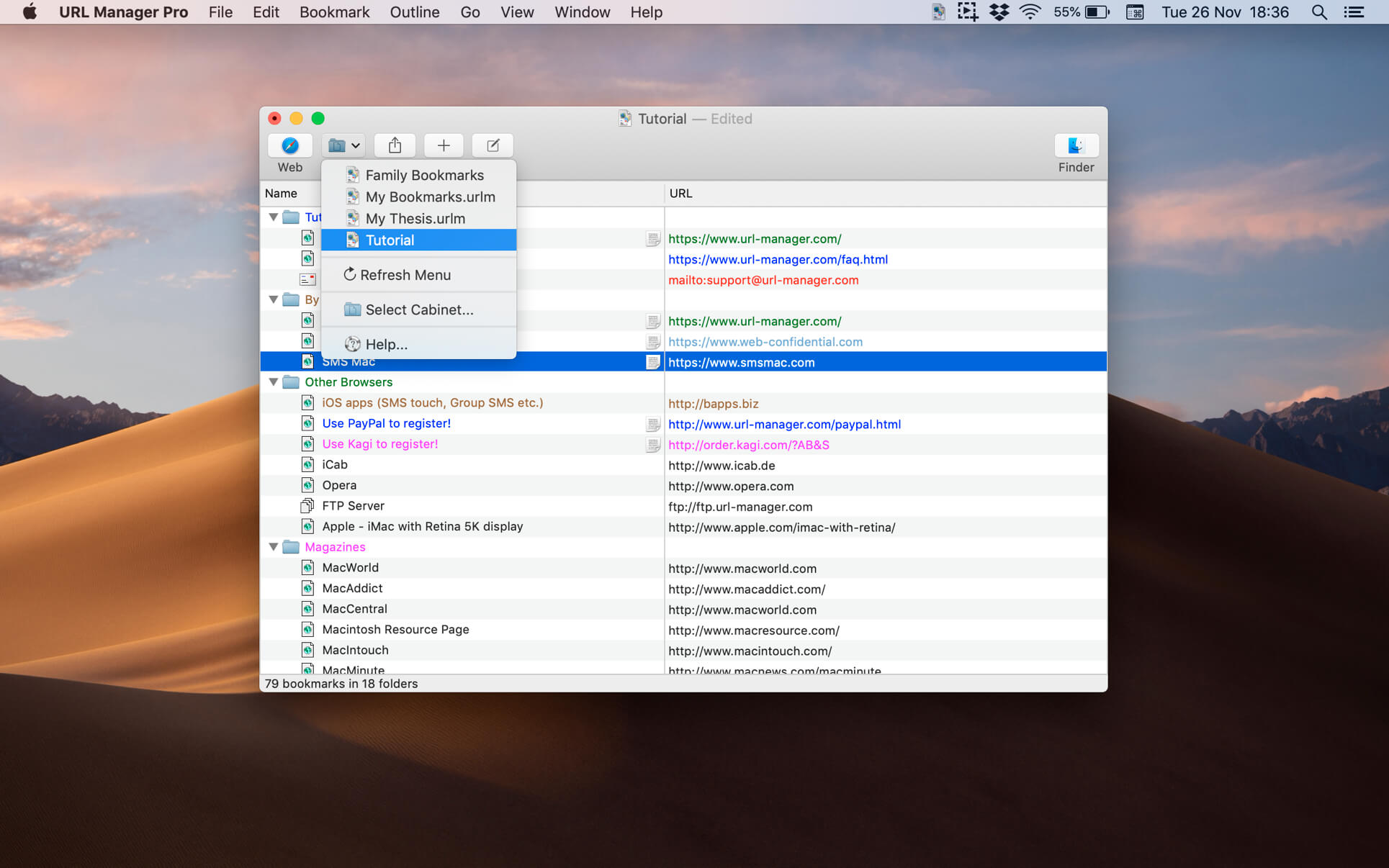

Torrents Download Apple,Mac Osx,Apps ,Software
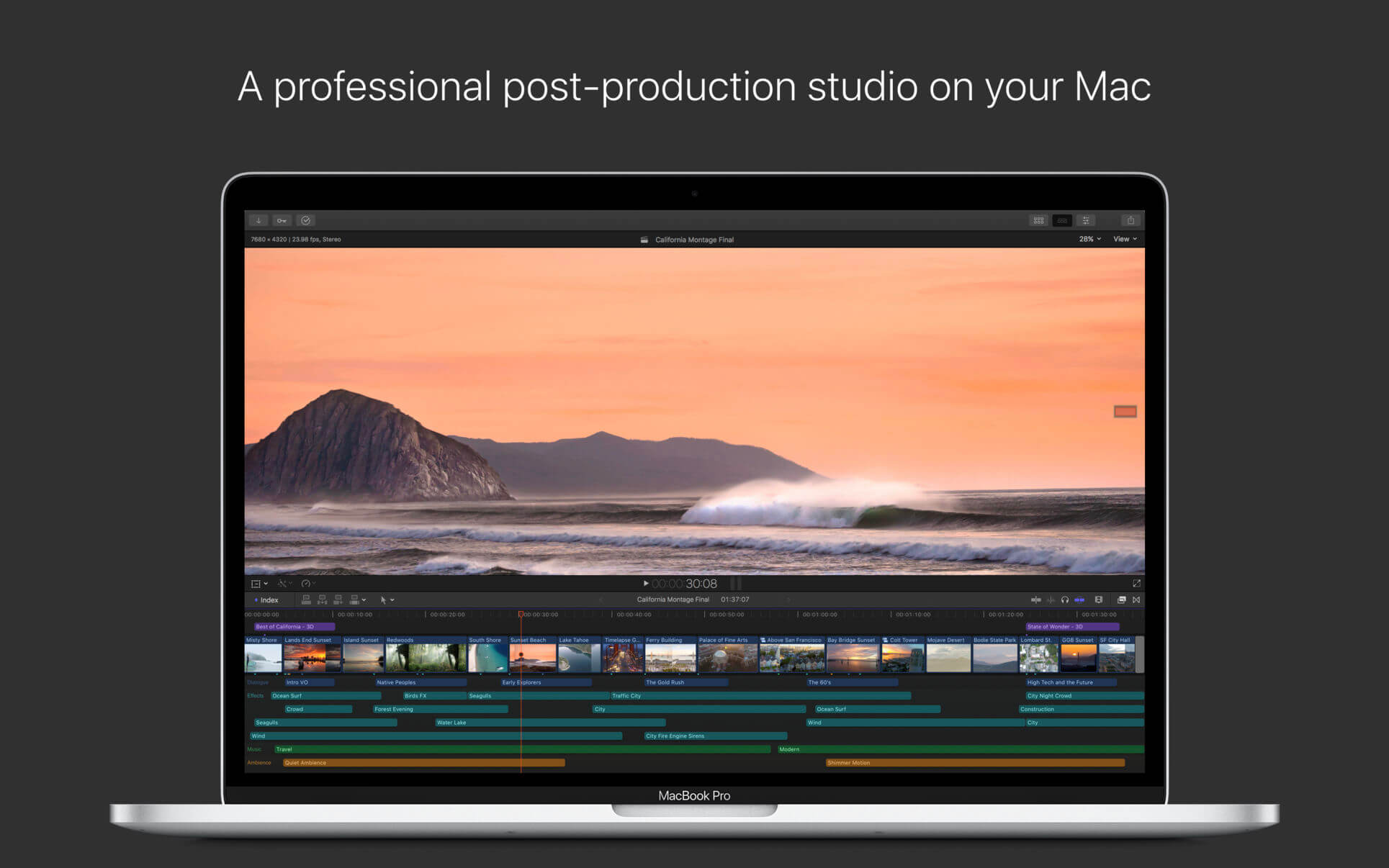
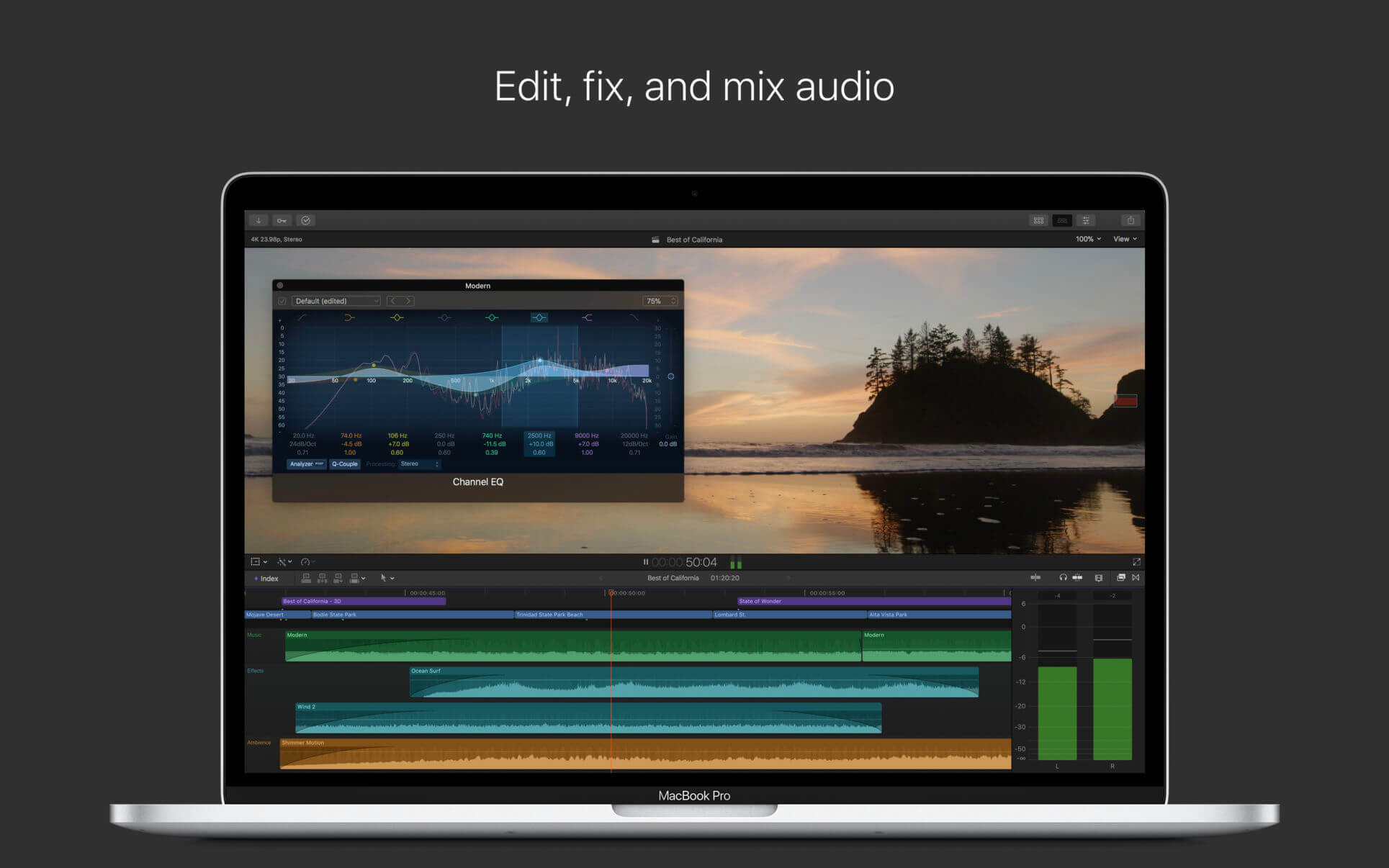
Exit mobile version