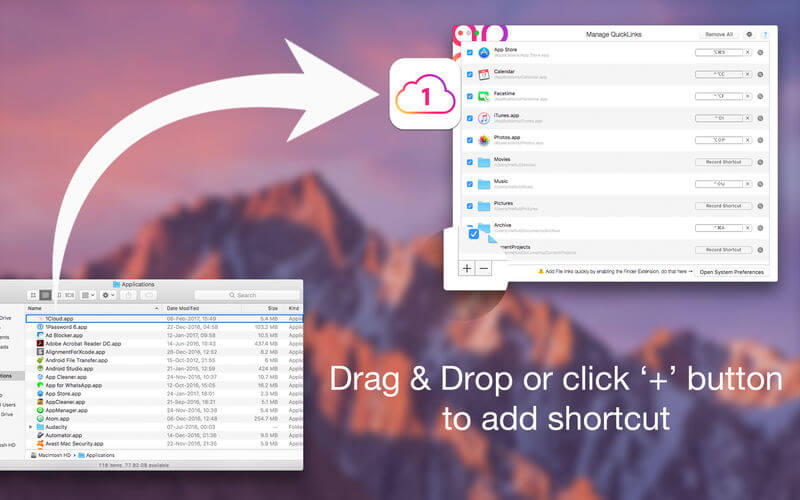
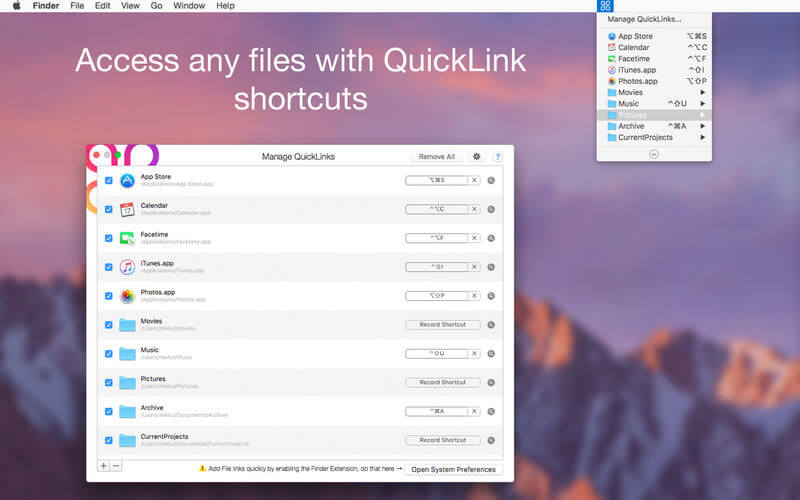
QuickLinks is the app for keyboard custom shortcut creator. Can create shortcut for any favourite or regularly used file, folder, document, app etc. Initially select file to create shortcut for easy access. Status bar icon provides quick access to the list of shortcuts created.
Functions of this application:
QuickLinks in the menu bar: click on “QuickLinks” menu in system menu bar will display a menu full of your favorite applications, folder, files. This small shortcut icon allow you to save time and effort in using Mac computer
Fully customizable: application allow to add, rename, delete shortcut of any applications, folder, files in your Mac.
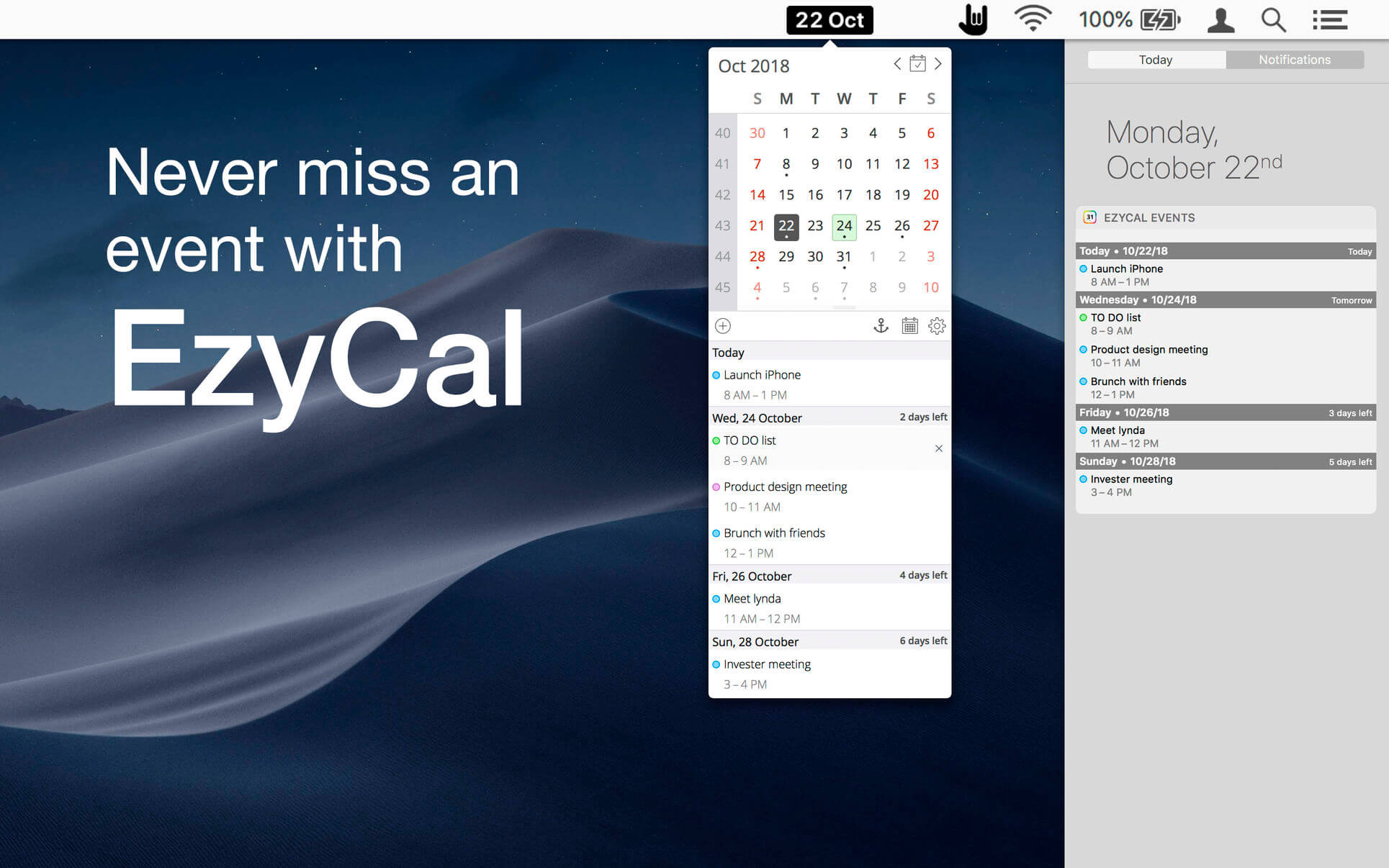
EzyCal is the status bar calendar for the new year, you should have it to be productive then previous to achieve bigger goals. It is a system of organising days for social, religious, commercial or administrative purposes. It is gregorian calendar with natural language event and reminder creation, beautiful calendar views, and reminders app you’ll ever use.
Features
Add events, reminders, todo list
Count down to keep you on track
Sync with system calendar events
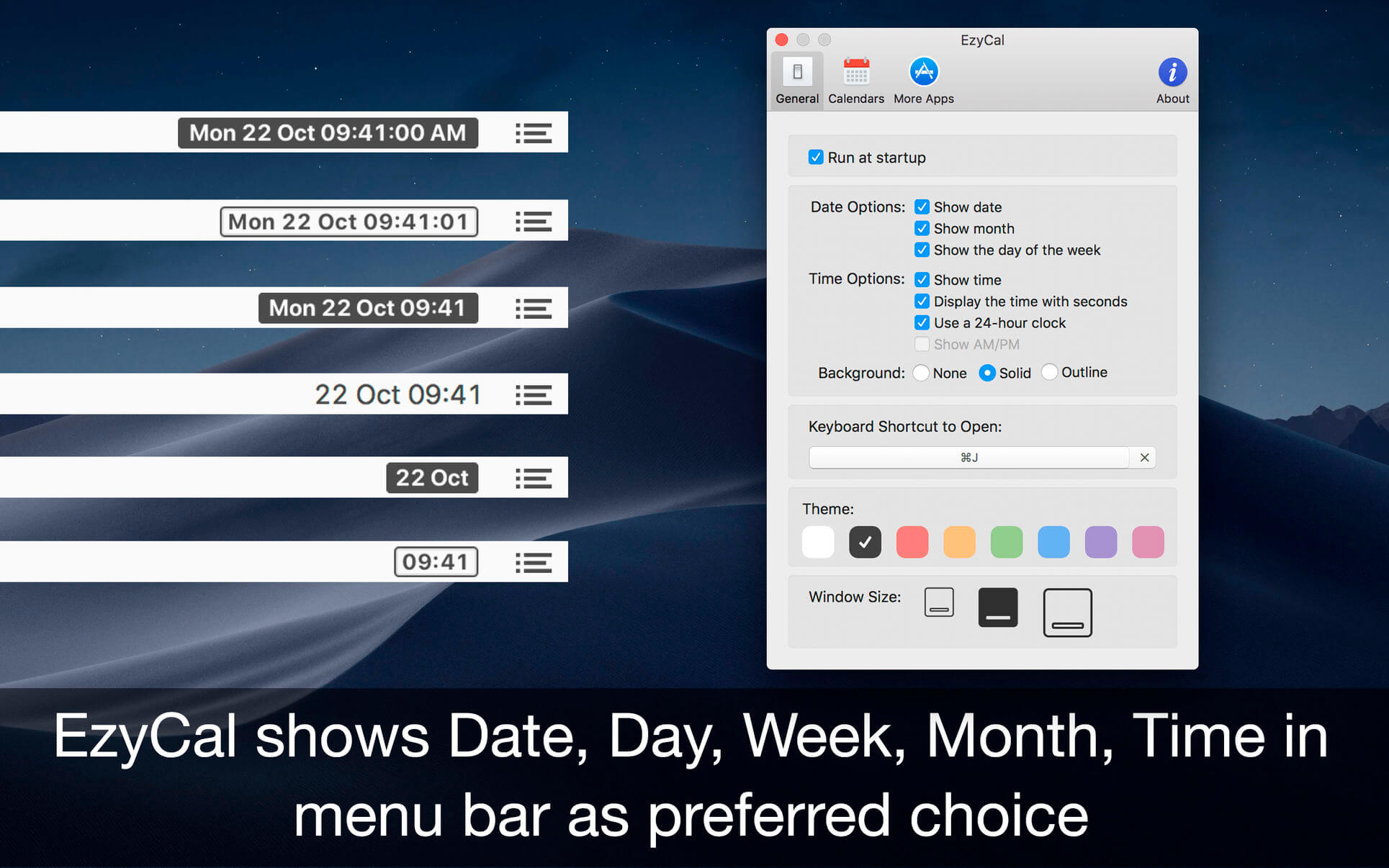
Different colours themes
Different sizes for various screen sizes
Customise keyboard shortcuts as needed
Sync with all available calendars on your pc
Get list of events in single display for next 7 days
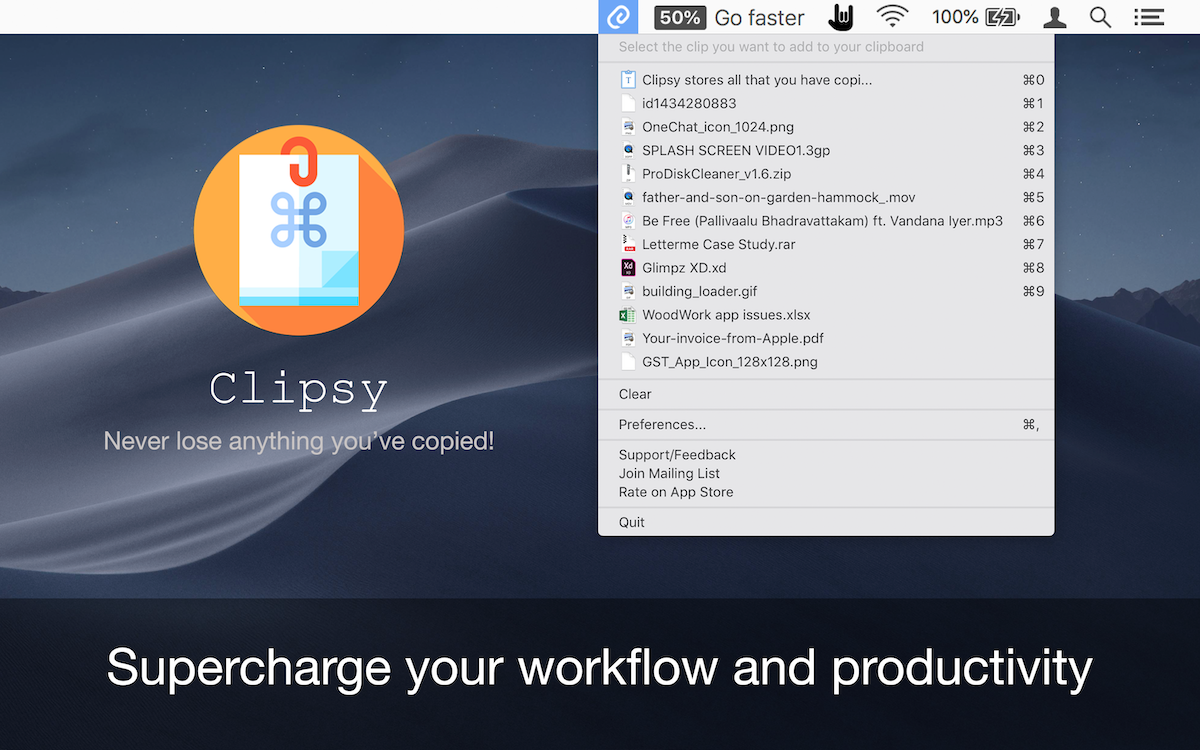
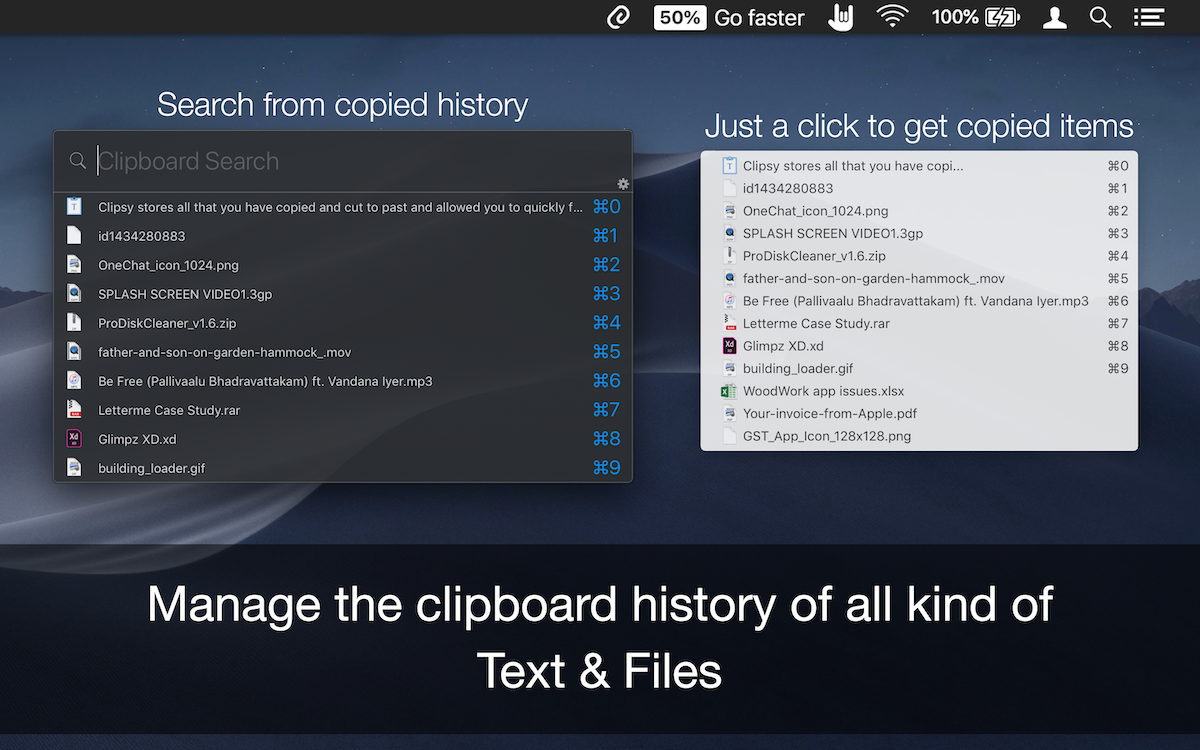
Clipsy records your clipboard history of the copied text, images, links, and screenshots, etc., and lets you recall/paste them anytime, right at your fingertips. Running discreetly from your menu bar, allowing you to quickly find that snippet of text you’ve been looking for.
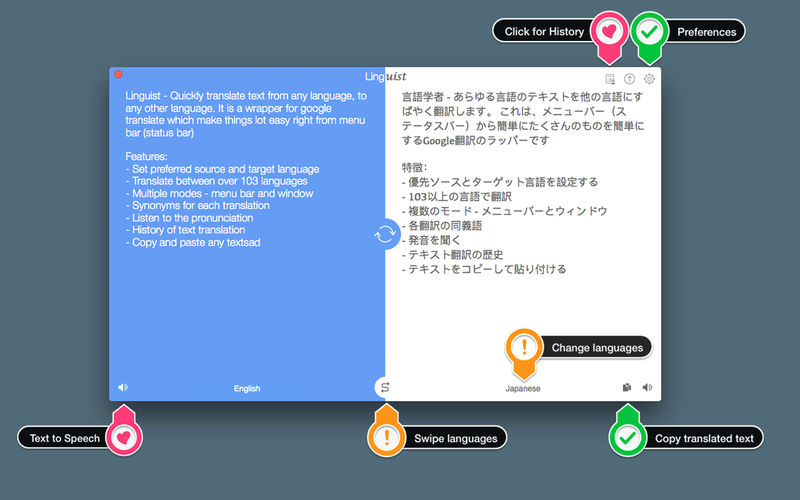
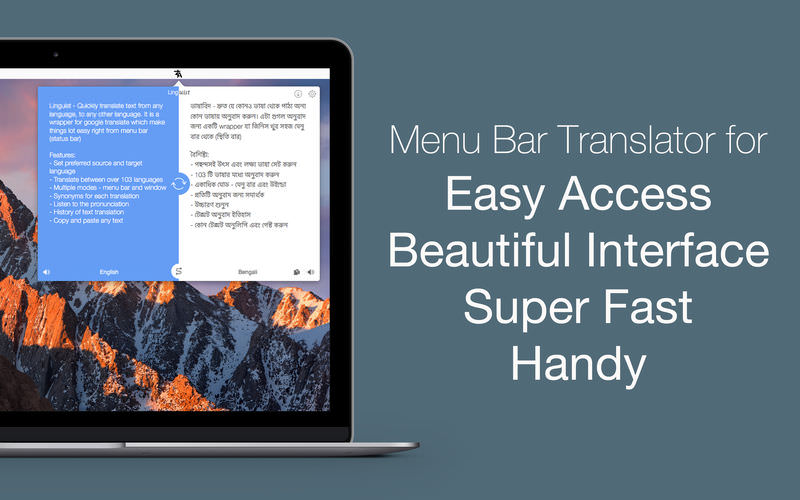
Linguist is easy to use translation tool for quick translation from the menu bar (status bar) or window. Translation of words or phrases by selecting in any other app or website with just a click or command (HOTKEY). It can translate document in .txt, .rtf and .doc formats.
Key Features:
Set the preferred source and target language
Translate between over 103 languages
Translate document in .txt, .rtf and .doc formats.
Automatically copy the translated text to the clipboard.
Multiple modes – menu bar and window
History of text translation for reference
Export translated History in TextEdit(.txt) format
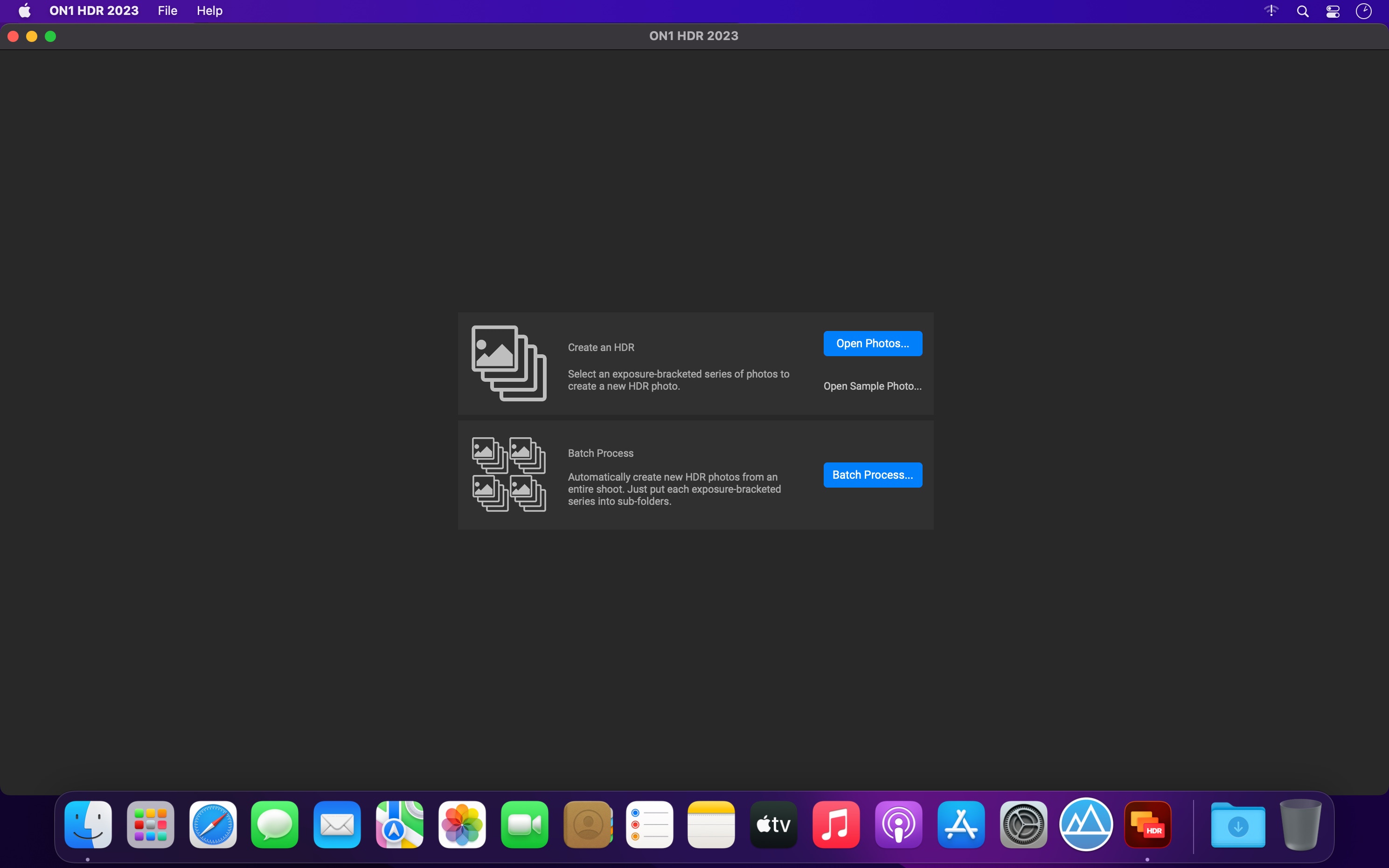
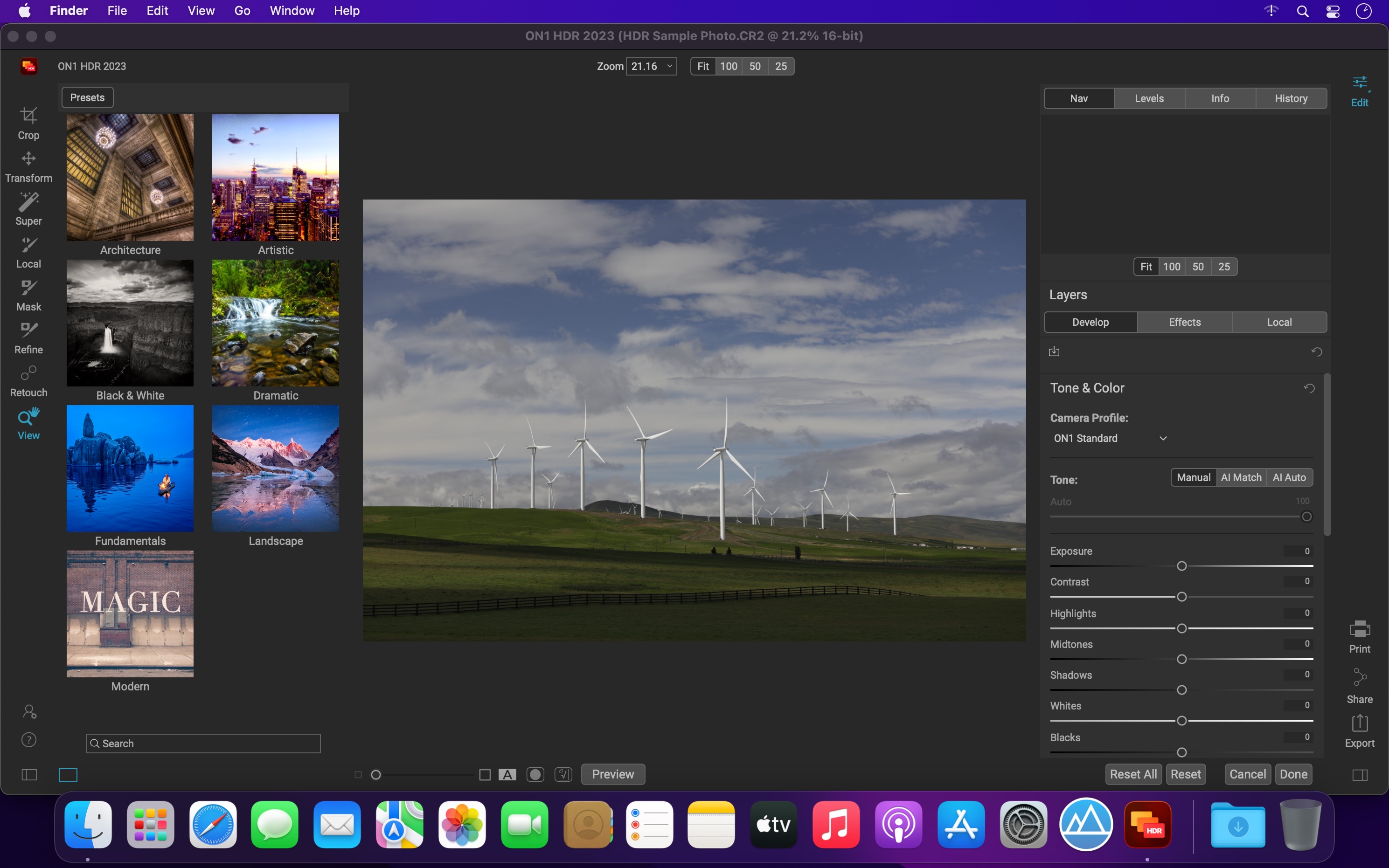
ON1 HDR 2023 creates flawless, natural HDR photos, that combine the highlight and shadow details from a bracket of exposures, in the blink of an eye. You can control the movement, such as clouds and running water with a live preview. Then, perfect your HDR photos with powerful tools and presets that showcase your creativity. ON1 HDR works as both a standalone and a plug-in for Lightroom® Classic CC.
Plug-in & Integrate
Plug-in to Adobe® Lightroom® Classic
Batch process the creation of your HDR files, perfect for real estate photographers.
Your files will work with HDR’s broad file support. It can handle raw photos from over 800 cameras spanning 20 years. Plus it supports PSD, TIF, JPG, PNG, and HEIC.
What’s New:
Version 2023.1 v17.1.1.13620:
Release notes were unavailable when this listing was updated.
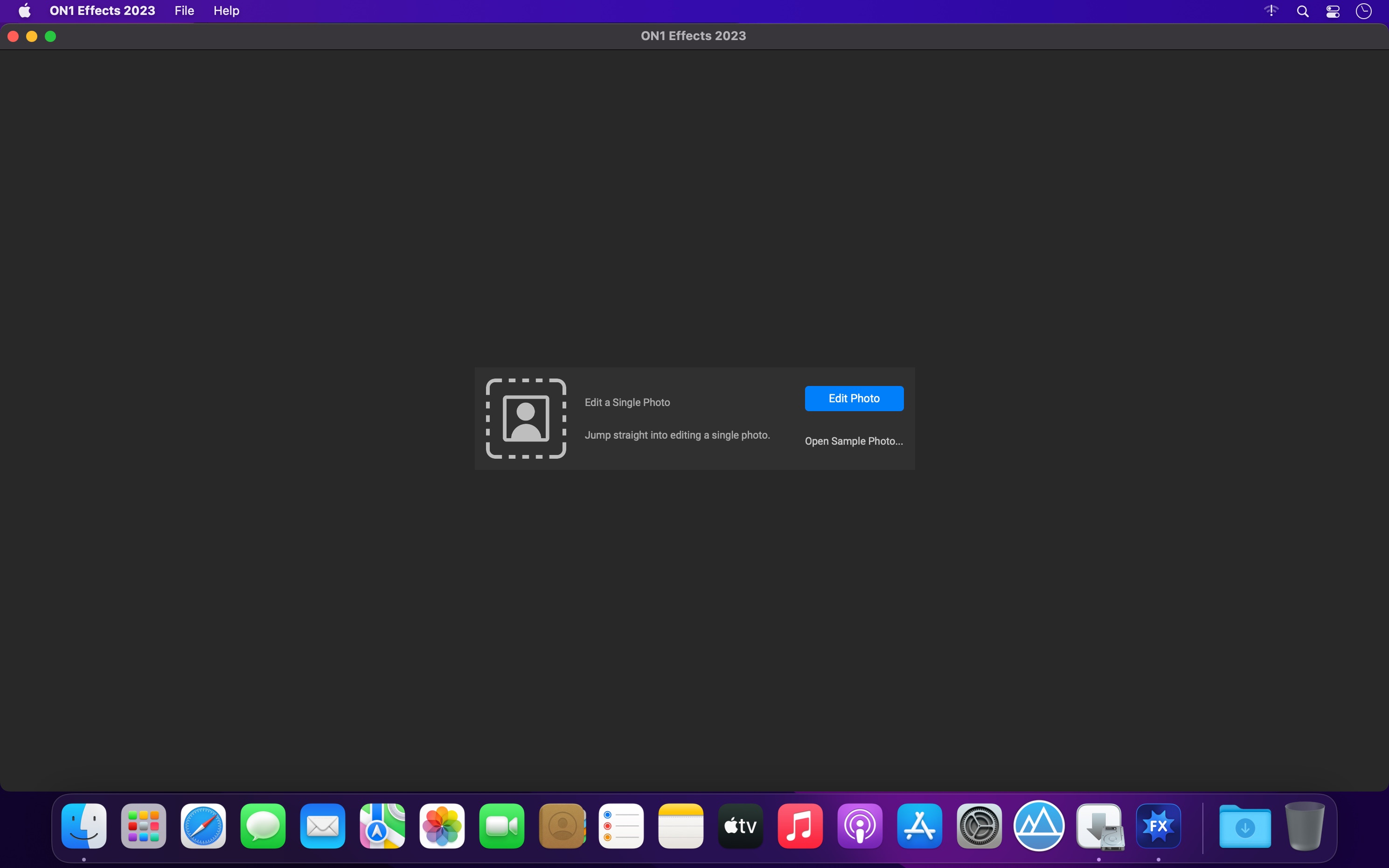
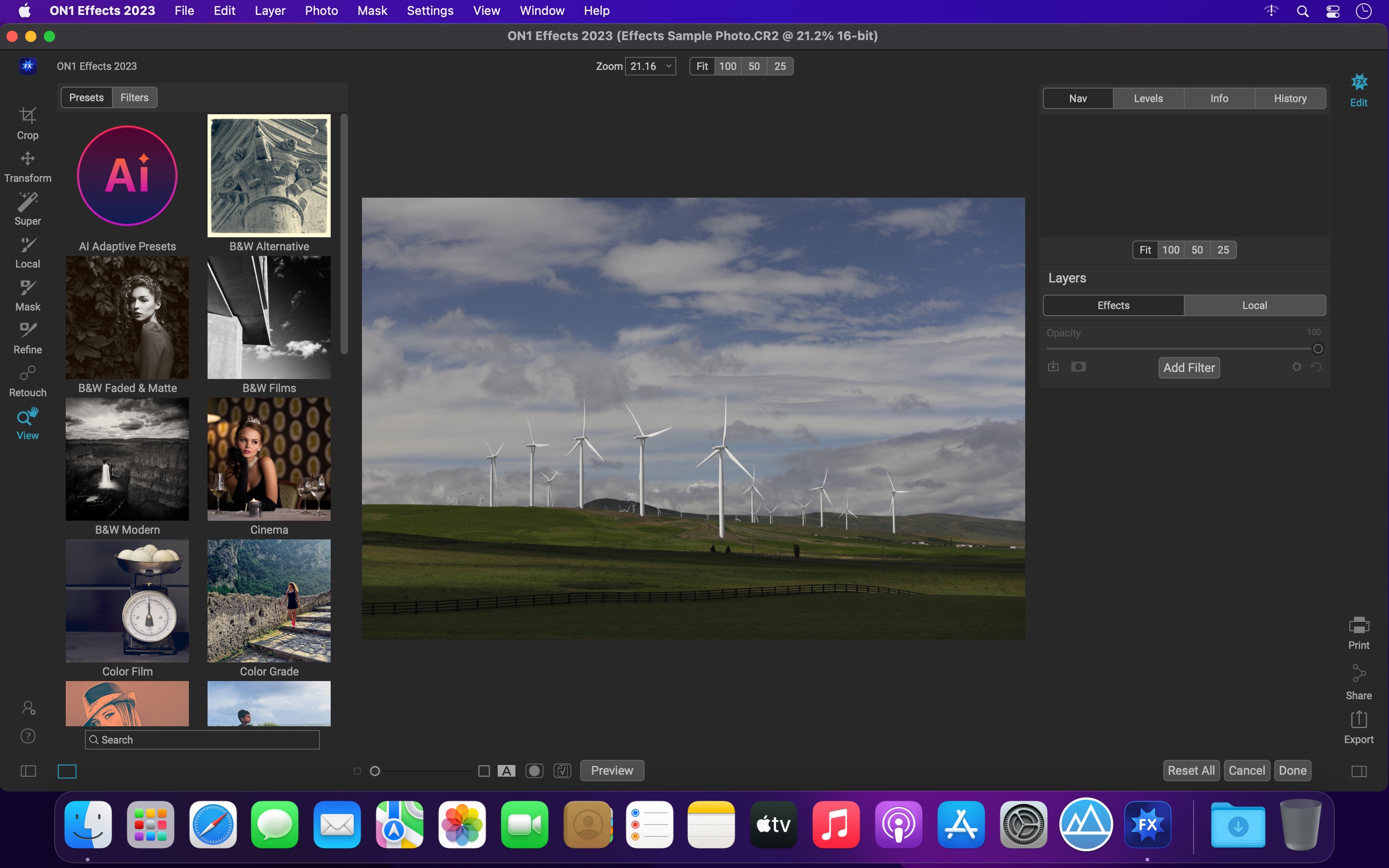
The Ultimate Collection of Photo Effects, Filters, LUTs, and Presets. ON1 Effects includes hundreds of built-in photo effects, filters, LUTs, borders, textures, and presets — all completely customizable to your style. There are endless creative possibilities with ON1 Effects.
Our most popular include HDR Look, B&W, Lens Blur (tilt-shift), Glows, Color Enhancer, Tone Enhancer, Textures, Borders, Film Looks, Split Tone, and more.
We promise you will have fun using ON1 Effects 2023. It includes everything you need to create any style. Whether you are color grading, looking to style an HDR photo, or looking for an elegant black and white look, ON1 Effects includes it all. You can also customize any look to your taste and quickly save your own presets.
What’s New:
Version 2023.1 v17.1.1.13620:
Release notes were unavailable when this listing was updated.
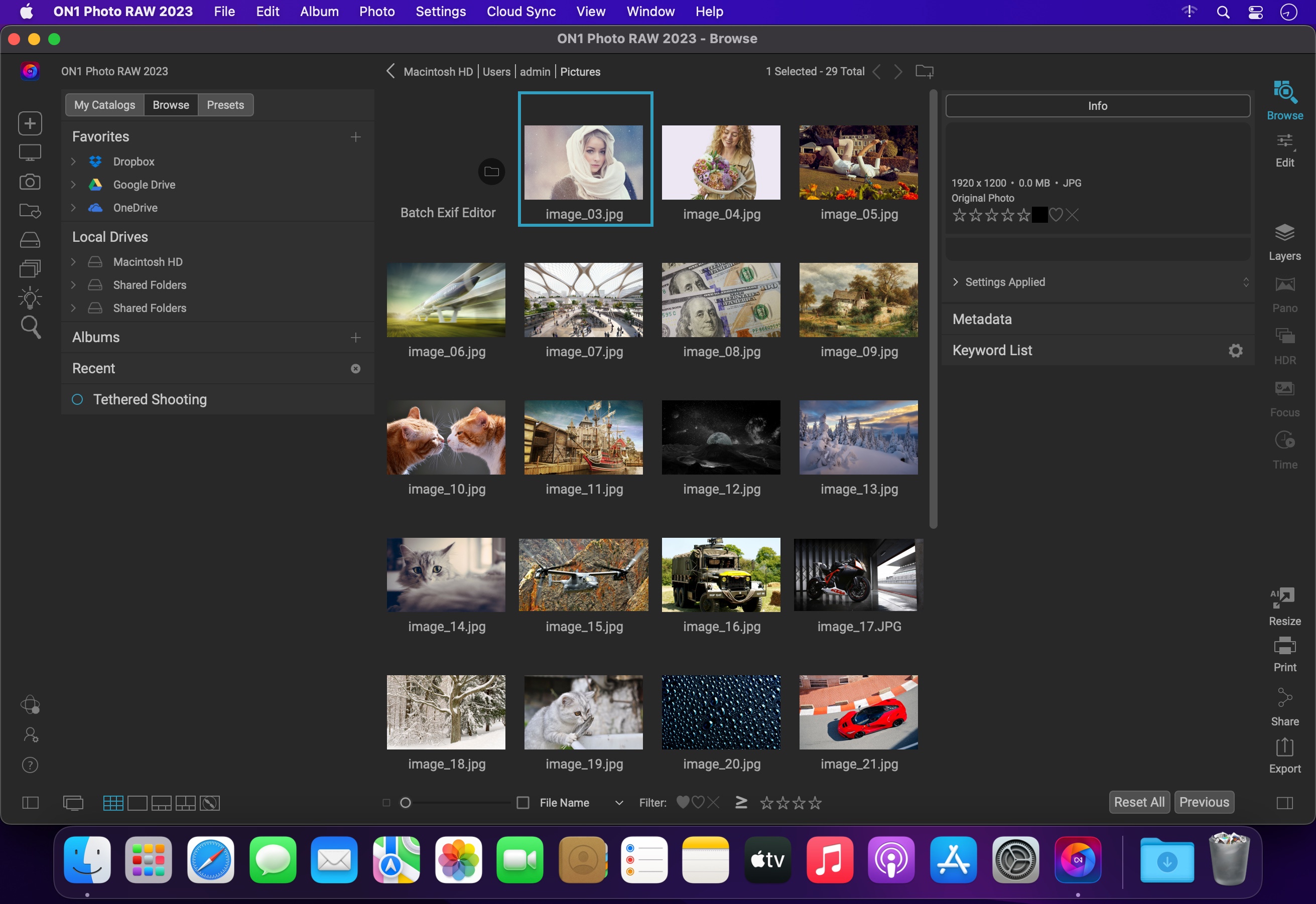
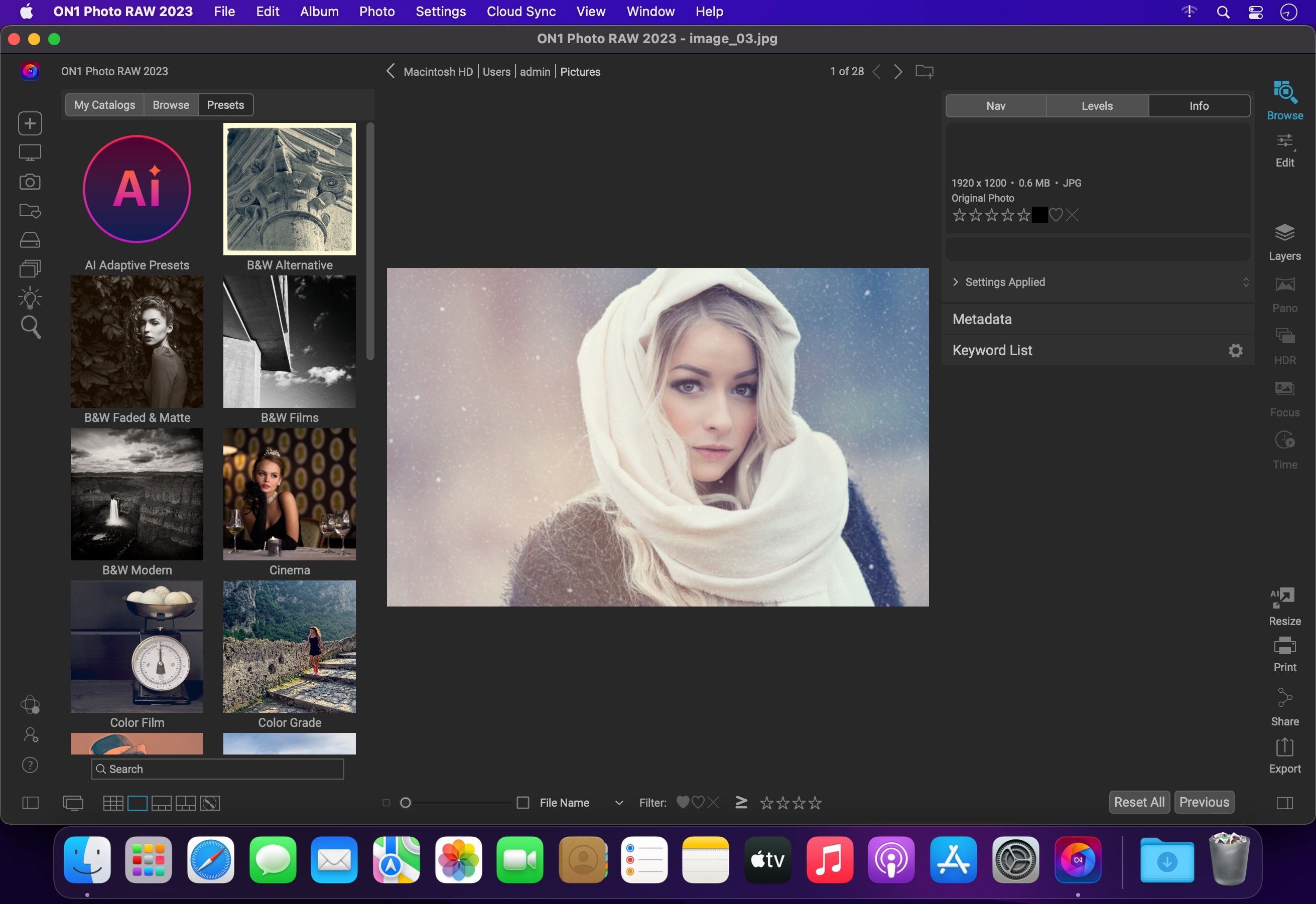
ON1 Photo RAW version 2023 is the professional-grade photo organizer, raw processor, layered editor, and effects app. It works where you do; at the center of your workflow or as a plug-in to Adobe Photoshop, Lightroom, Elements, Affinity Photo, Corel Paintshop Pro, and Capture One.
ON1 Photo RAW 2023 provides the primary photo editing needs for every photographer regardless of what they shoot — without having to bounce between multiple pieces of software. Get the professional photo editing tools you need for the professional results you need while keeping your workflow efficient, powerful, and simple.
Power & Speed
At its core, ON1 Photo RAW includes a state-of-the-art image processing engine. Optimized for today’s super-megapixel cameras and high-performance computer graphics systems, Photo RAW is the world’s fastest, most flexible, and easiest-to-use photo editor on the market.
Unlimited Creativity
Creators want to create and not spend all of their time learning how to use editing tools. Photo RAW is like having Lightroom & Photoshop under one roof. It comes with the tools you need for compositing, hundreds of the hottest presets and filters built-in, and world-class masking tools to make your life easy.
Control of Your Photography
ON1 Photo RAW gives you an open system for complete control over your storage, organization, editing, and method of purchase. No long importing, easy organization, unlimited ways to dial in your style, and ON1 will also never be a subscription-only model.
Plug-in to Your Workflow
ON1 Portrait AI is the perfect fit for almost any workflow. Get amazing retouching results in seconds when using ON1 Portrait AI as a plug-in for:
– Adobe Photoshop
– Adobe Lightroom Classic
– Adobe Photoshop Elements
– Affinity Photo
– Capture One (coming soon)
– Apple Photos
– Corel Paintshop Pro
New Features in ON1 Photo RAW 2023:
– Quickly Add Clouds to Your Dull Skies
– Retouch an Entire Portrait Shoot Automatically
– Create Stunning Sunsets in Seconds
– View Your Photos in All of Their Beauty
– Refresh Smiles in a Few Simple Clicks
– Selectively Edit Like Never Before Using Color Selection
– A Better Way to Erase Away Unwanted Distractions
– Find Your Duplicate Photos in Seconds
– Easily Change Colors of Objects in Your Photos
– Quickly Find All Photos from Your Favorite Location
– Make the Eyes Pop in Seconds
– The Best Photoshop Plugin for Editing Portraits
– Presenting Photos for Your Clients
Feature List:
New ON1 Portrait AI
Flawless retouching is just a click away with the new Portrait AI tab inside of Edit. It uses machine learning to find every face in your photo and make them look great, automatically. It analyzes each face and adds just the right amount of retouching to the skin, eyes, and mouth, giving you professional results in no time at all.
New Smart Organize
The New Smart Organize mode in Browse lets you take control over your cluttered photo archive. Not only can it find duplicates, but it can find and group photos that have similar appearance, location or time. It can help you cull your library to find just the best photos in a series.
New Spot Healing Brush
A new modern approach to removing distractions like dust spots, power-lines and unwanted people from your photos. The Spot Healing Brush is not only faster than current tools, it maintains full non-destructive adjustments for each spot you remove.
New Custom Brush Shapes
Brushing has taken a quantum-leap in control and creativity. Now you can choose from a variety of custom brush shapes or even import your own.
New Plug-in Support for Affinity Photo and Corel PaintShop Pro
Now you can extend your workflow in Affinity Photo and Corel PaintShop Pro by access Develop, Effects, and Portrait right inside the apps you use. Capture One support coming soon!
New Quick Slideshow
Need to quickly show a client their photos? With the Quick Slideshow you are only a click away from a full-screen slideshow complete with user adjustable delay and an elegant dissolve transition.
New Camera Based Presets
Now you can automatically apply a preset to any new photos from a specific camera. If you always find yourself making the same adjustments, just make a preset and apply it automatically to photos from that camera. This is super handy if you have created a custom camera profile or if you have converted a camera to infrared.
New Color-Sensitive Gradient Masks
Everyone knows how powerful the gradient mask tool is. You can quickly create straight, reflected or round radiant masks that are re-editable and blendable with brush masks. Now you can combine the color-sensitive power we created for the Perfect Brush with the gradient masks. When enabled, it detects the color under the gradient and applies the mask to only that adjustable color range. It makes it a breeze to mask areas like skies while maintaining things like buildings or trees that go into the sky.
New Batch HDR and Pano
Save time by batch processing your HDR brackets or panoramas. Simply organize your brackets into sub-folders, then let Browse build your new HDR and panos for you. This is a life-saver for real estate shooters.
New User Interface Improvements
We have taken a measured approach to updating the user interface. Based on user feedback we have improved common controls like sliders to have more precision and a longer area for labels so we can be more descriptive. We have also made sure that Layers and the Edit module tabs don’t scroll out of view on a small display or when you have a large stack of filters.
New Color Fill Layers
We have brought back color fill layers to the Layers pane. They are a great way to set a background color for a composite layout. They are also handy when used with the new custom brush shapes for painting in objects like grass, trees, and clouds.
New Replace Color Filter
Easily change the color of an object to any new color. It’s perfect for tweaking or totally changing the color of eyes, flowers, buildings, and apparel.
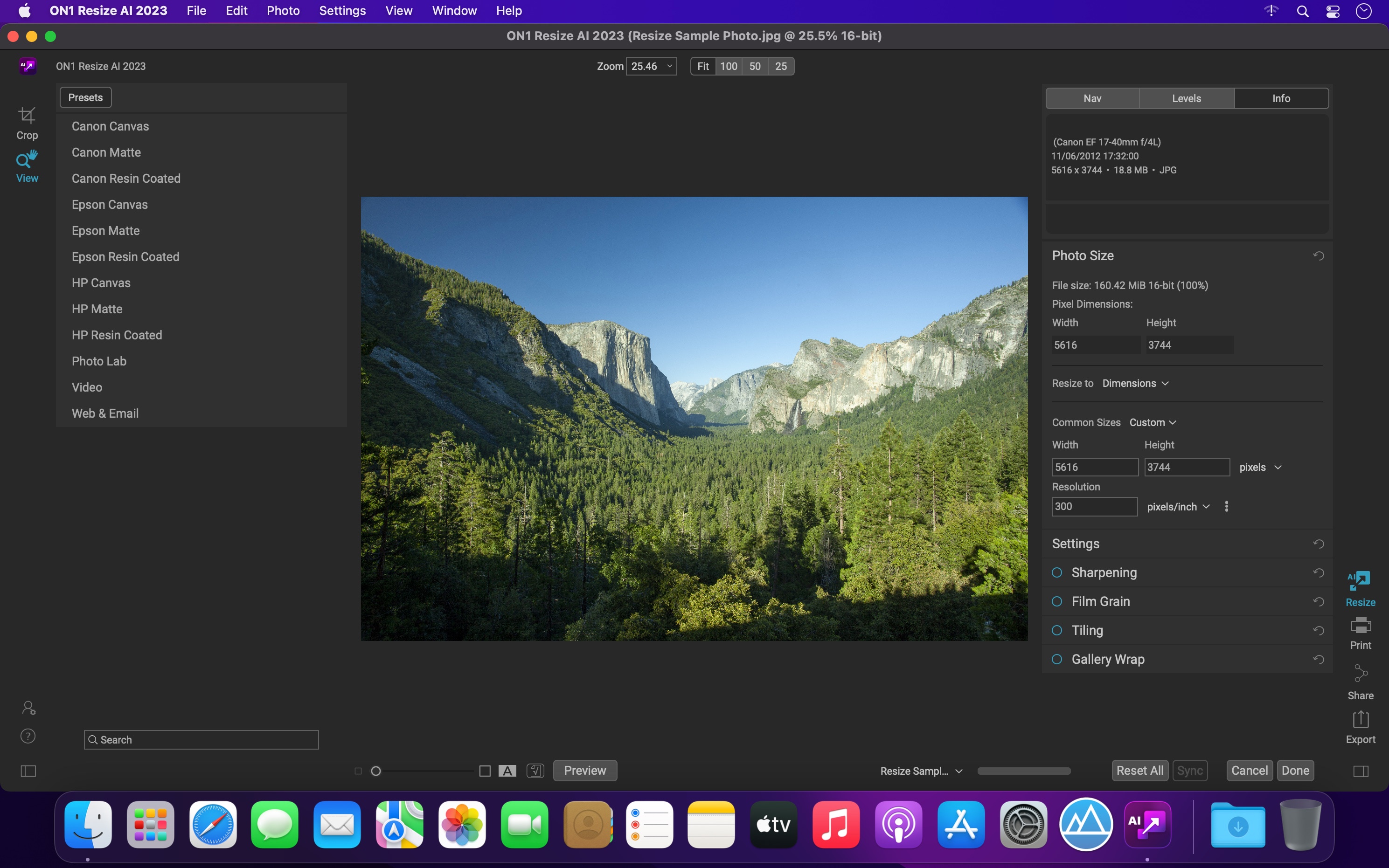
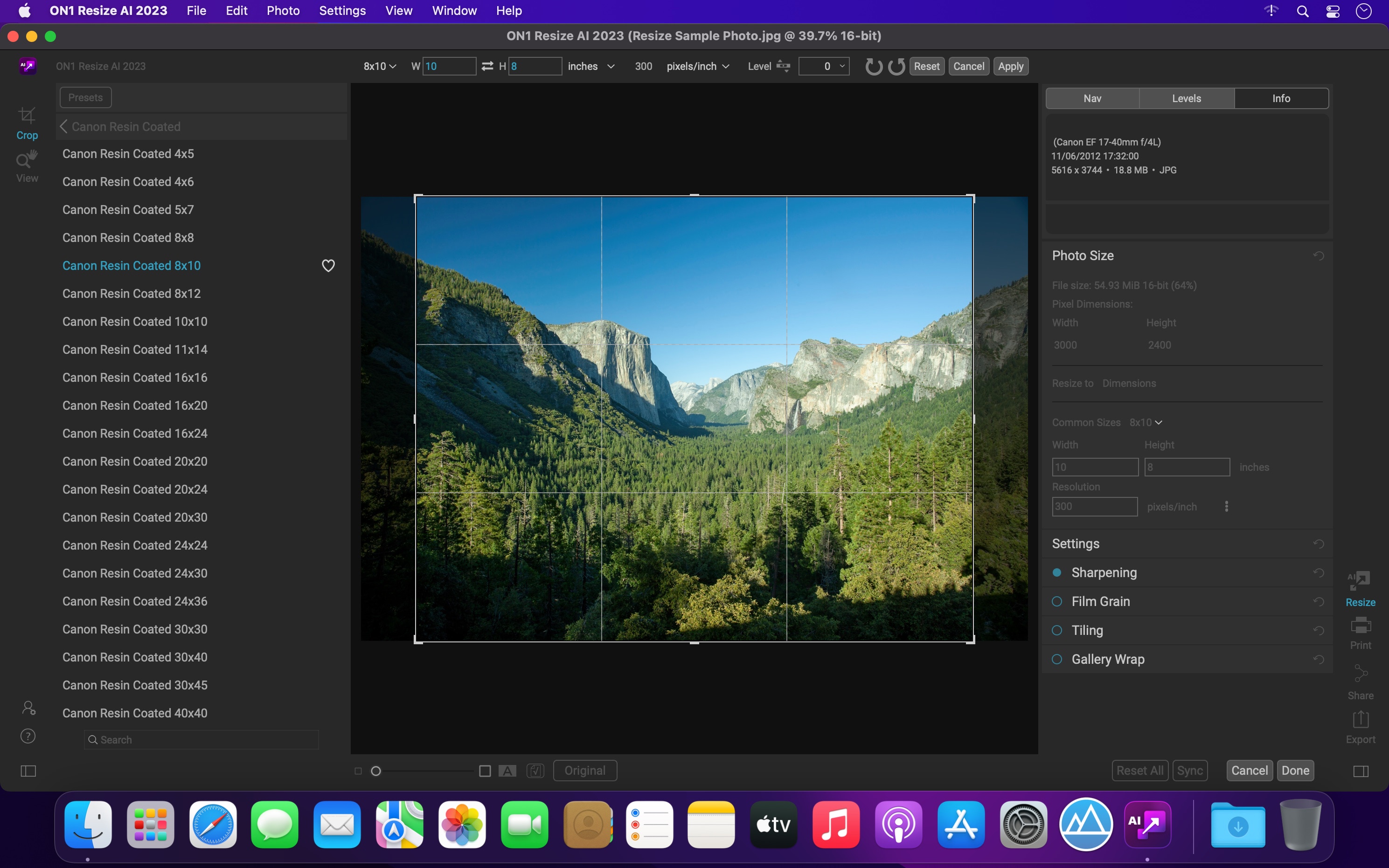
ON1 Resize AI, the next-generation photo enlargement software, gives photographers the highest quality photo enlargements. This all-new super-resolution technology will allow any photographer to enlarge photos while quickly maintaining and recovering an incredible amount of detail and sharpness.
ON1 Resize uses the Genuine Fractals technology in order to provide high quality image enlargements without the loss of details or sharpness in your pictures.
From ON1 Resize’s main window, you can go through your picture collection and preview your images with ease. What is more, ON1 Resize helps you browse pictures stored in Dropbox, Google Driver, OneDrive or iCloud Photo Stream.
What’s New:
Version 2023.1 v17.1.1.13620:
Release notes were unavailable when this listing was updated.
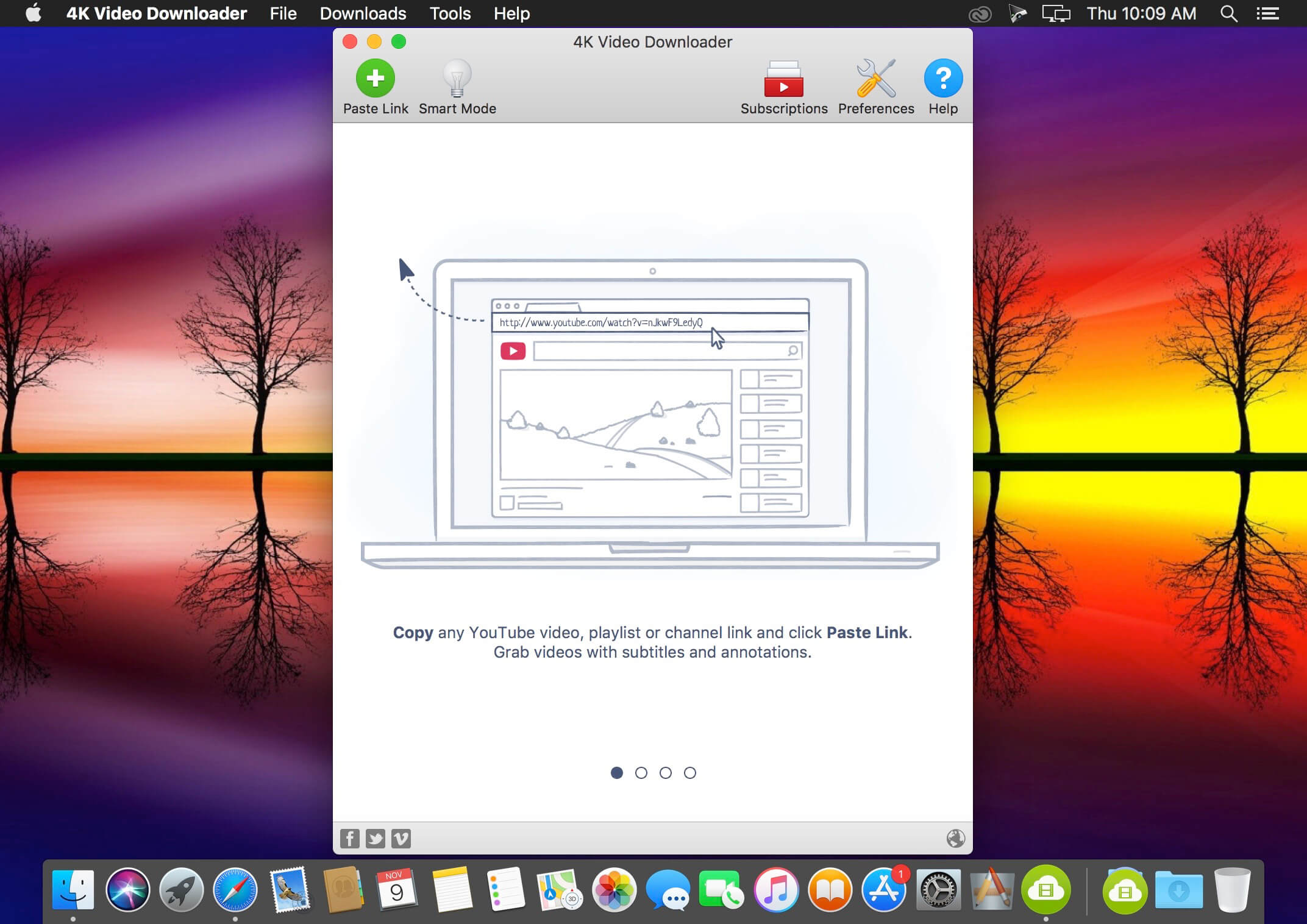
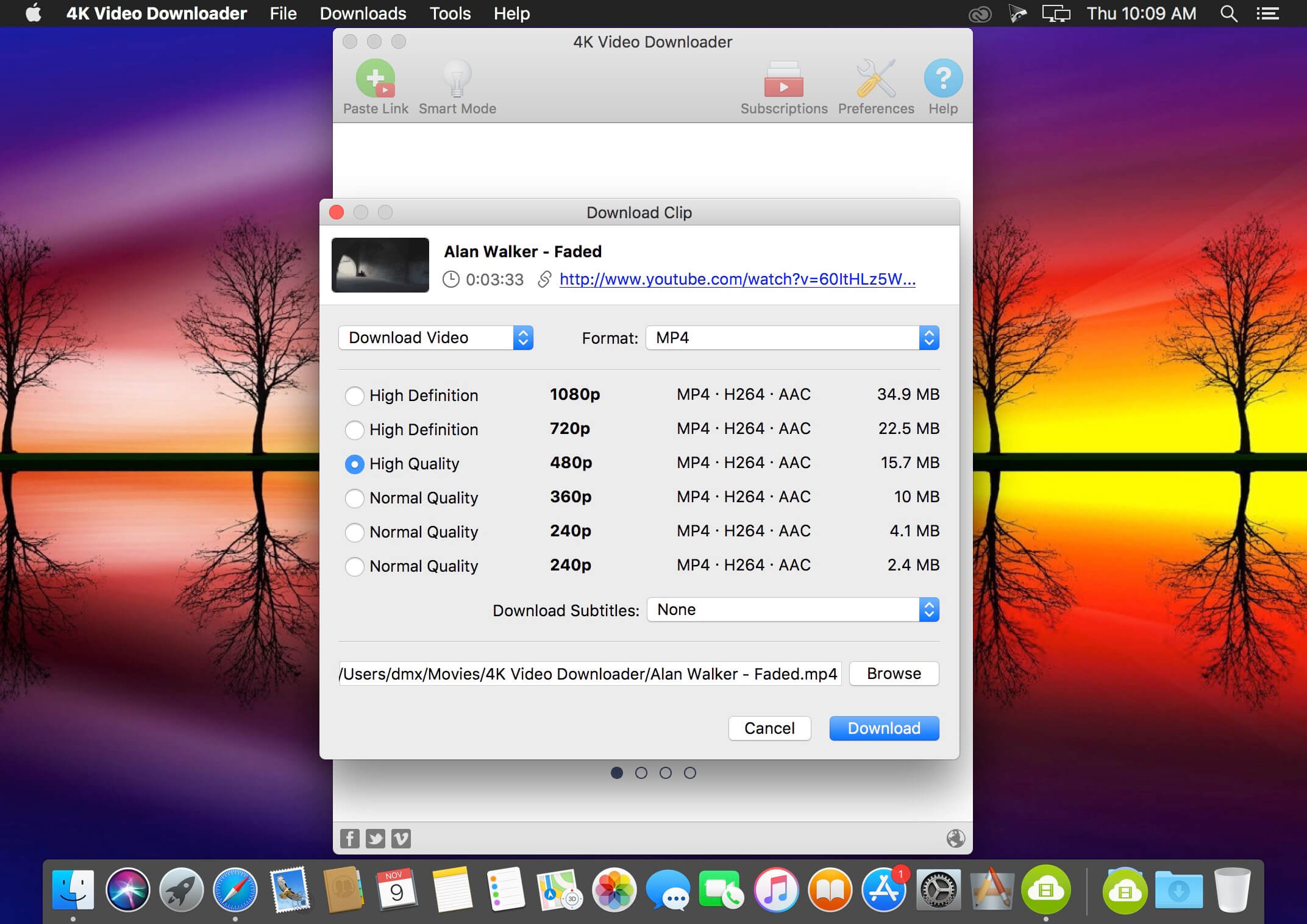
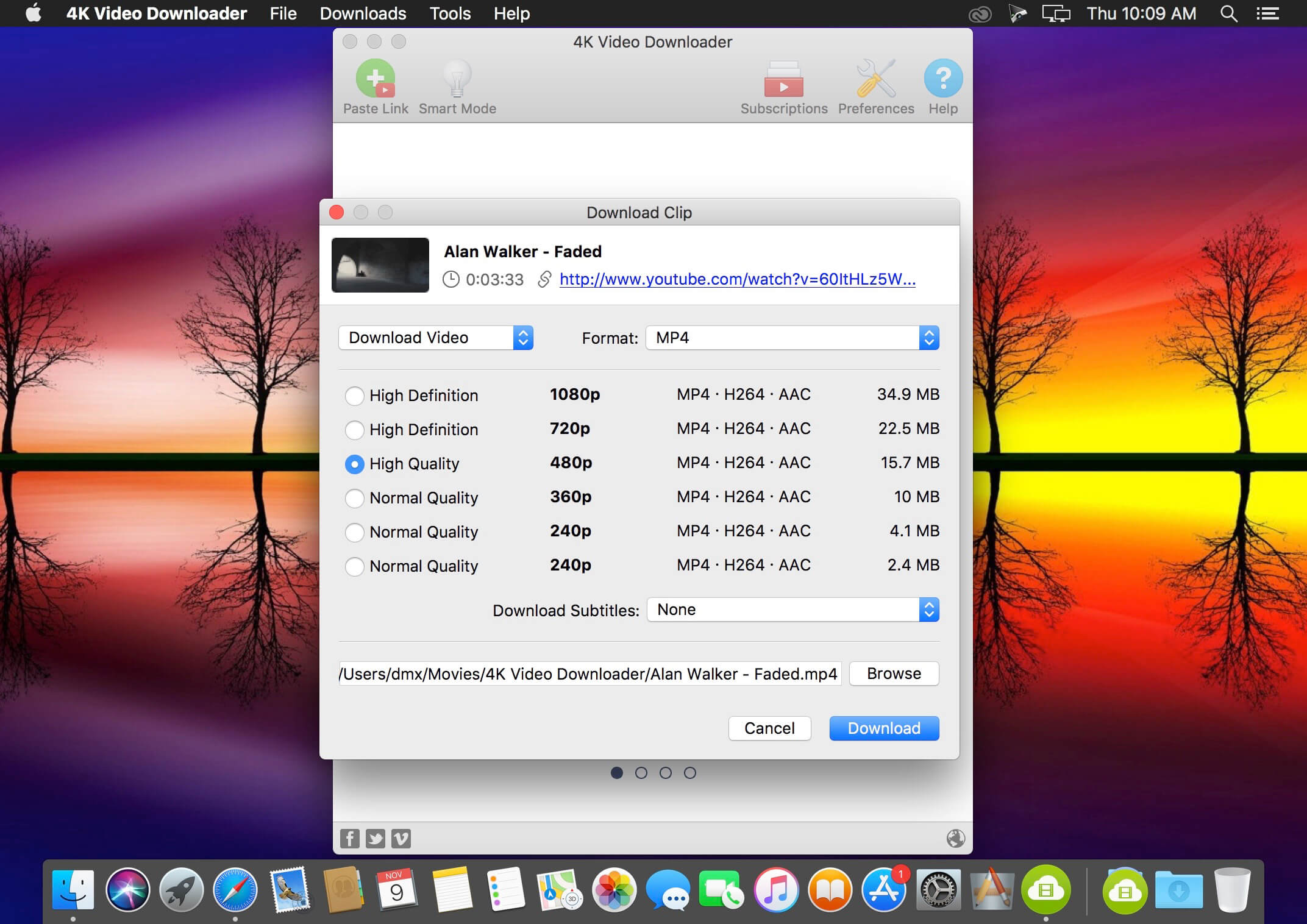
4K Video Downloader allows to download video, audio and subtitles from YouTube in high-quality and as fast as your computer and connection will allow. If you want that video on your iPad, iPhone or other device we’ve got you covered. Downloading is simple and straightforward: just copy the video link from your browser and click ‘Paste Url’. Done!
Download entire playlists and channels from YouTube and save them in MP4, MKV, M4A, MP3, FLV, 3G, generate .m3u file for playlists.
Download video in HD 1080p, HD 720p or 4K quality and enjoy high dimension video on your HD TV, iPad or other devices.
Advanced subtitles download, select if you would like to have .srt file or embedd subtitles in video file to watch it on your Mac for example.
Activate “Smart Mode” in order to apply the selected settings to all your downloads, easy and fast.
Download video in 3D format, you will find a small special icon among available formats after video parsing. It’s really impressive to watch live shows and cartoons in 3D.
Download embedded YouTube videos from any web pages, just copy/paste link and the program will find the source of download.
Download video and audio from Vimeo, SoundCloud, Flickr, Facebook and DailyMotion.
4K YouTube to MP3 was specifically created to extract audio from YouTube, Vimeo or Facebook and save it in MP3, M4A, OGG. No annoying and complicated settings to deal with, just a clean, friendly and functional interface. Downloading is simple and straightforward: just copy the link from your browser and click ‘Paste Url’. Done!
Features
Extract audio from YouTube videos and save it in MP3, M4A or OGG in high quality.
Download full YouTube playlists or channels and generate m3u files.
Transfer downloaded tracks automatically into iTunes and upload them on your iPhone or iPod.
Listen music via native built-in music player.
Download and extract audio tracks from SoundCloud, Vimeo, Flickr and DailyMotion videos.
Download audio books from YouTube.
Extract audio tracks even from embedded in HTML page videos.
Use 4K YouTube to MP3 on your PC, Mac or Linux, doesn’t matter what OS you prefer.
What’s New:
Version 4.8.3:
Release notes were unavailable when this listing was updated.
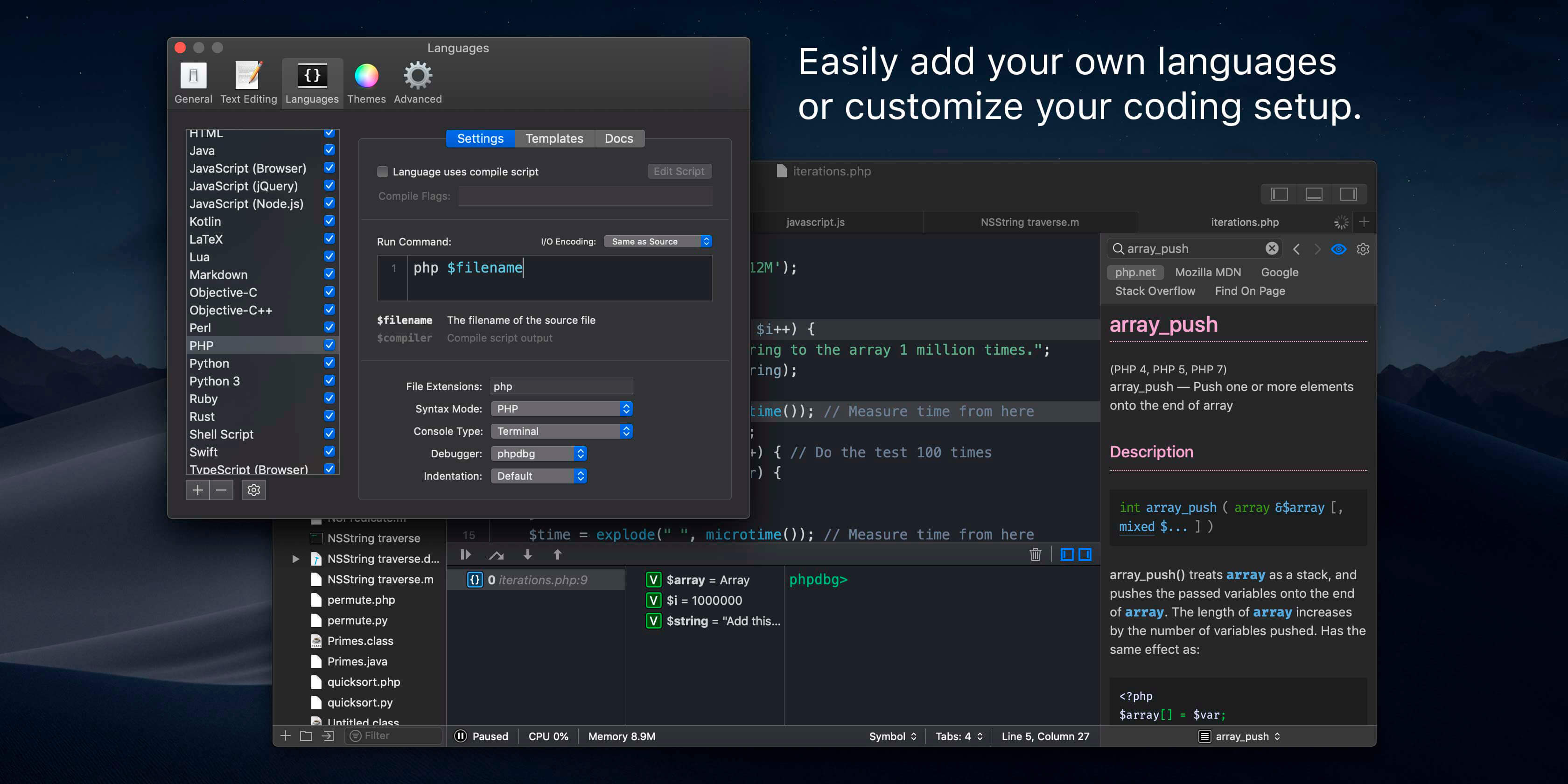
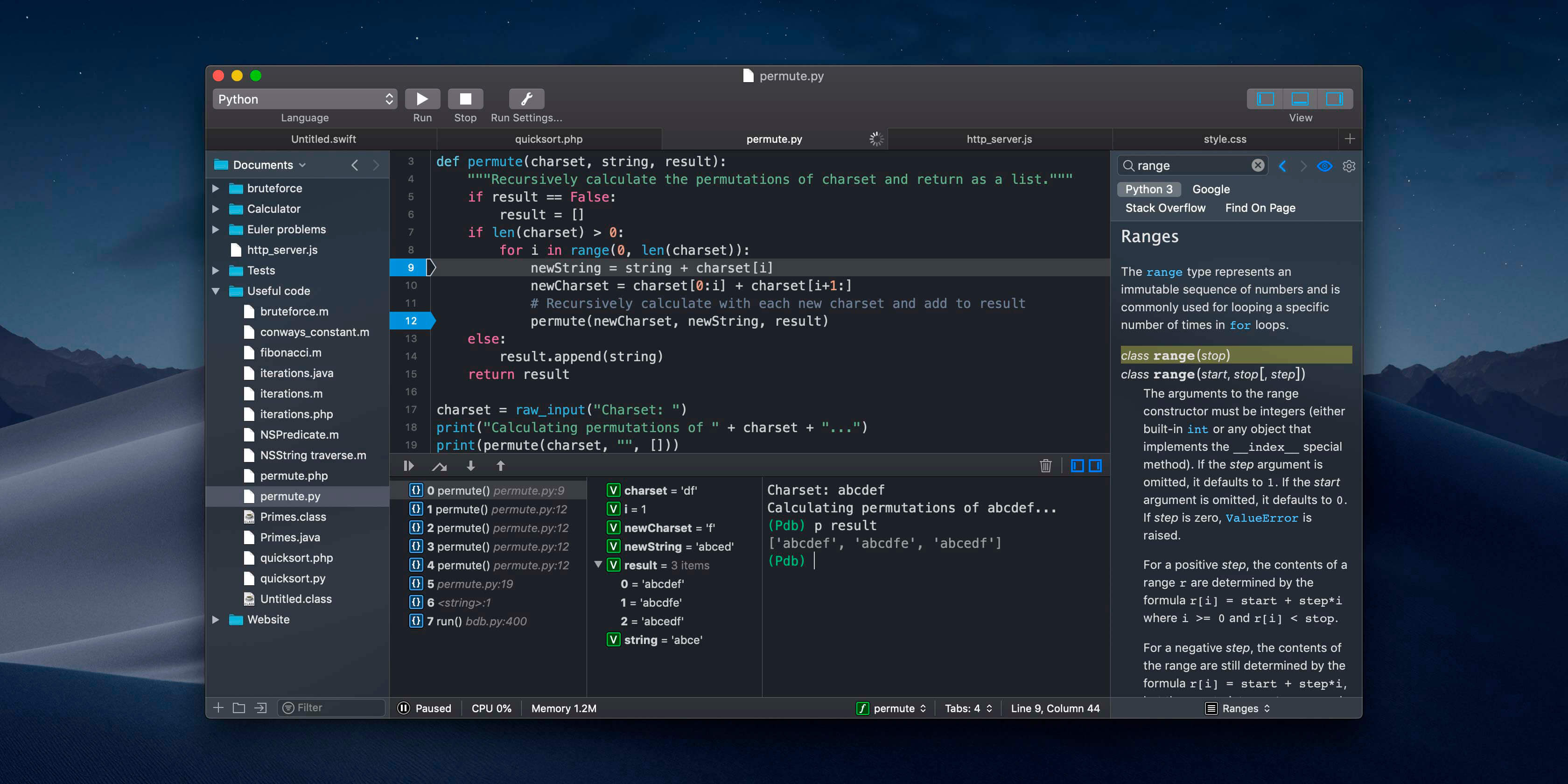
CodeRunner, an advanced, highly flexible, and easy-to-use programming editor, supports a large number of languages, and delivers big IDE features while remaining lightweight and clutter-free. CodeRunner can run code in 23 languages out-of-the-box, and can be easily extended to run code in any other language. Notable features include debugging with breakpoints in lots of languages, IDE-level code completion, and lots of other high-end features making it easier than ever to write and work with code.
Advanced Code Completion
Any programmer knows the importance of good code completion. That’s why CodeRunner supports full-blown IDE-level code completion for most languages, including fuzzy-search, tab-selectable placeholders, and documentation snippets.
Run Code in Any Language
CodeRunner was built on the principle that you should be able to run your code instantly in any language. CodeRunner can run code in 23 languages out-of-the-box, and can be easily extended to support any other language. Adding a language is as easy as entering its terminal command.
Debugging with Breakpoints
It’s easy to get frustrated when your code is not working right. New in CodeRunner 2.2, you can set breakpoints and step through code line by line. Just click the text margin to set a breakpoint and start debugging. Explore the call stack, view and edit local variables, and leverage the full power of the debugger by issuing debugger commands. Debugging your code has never been this convenient.
More Features
TextMate theme support
Automatic indentation support
Interactive console
File navigator
Intelligent bracket matching
Custom compile flags
Symbol navigator
Run with arguments & input sets
Word completions
Multiple selections
Live run statistics
Compatibility: macOS 10.12 or later • Apple Silicon or Intel Core processor Homepagehttps://coderunnerapp.com/
Important aspects of your life are stored within the data on your computer, the loss of which can turn into a nightmare. Some of these important files include photos, music and videos, e-mail archives, business related documents, financial records, and more. To protect yourself from hard drive crash or human error related data loss, back up your files.
Get Backup gracefully combines various backup capabilities, such as disk cloning, scheduling, compression tools, the ability to restore an archive on any computer without necessarily using Get Backup, and much more. In addition to creating backup archives, Get Backup offers tools that allow you to automatically synchronize files and folders in two different locations. This helps keep files up-to-date on both your desktop and laptop computers.
Why use Get Backup?
Produce compressed, encrypted backup archives of your data.
Create bootable backups for instantaneous restore.
Keep files in sync on two computers in one network.
Automate backup, cloning, and sync processes.
Diverse Backup Methods:
Full — all selected files are saved, and the resulting archive replaces the previously created one.
Versioned — all selected files are saved in a new backup archive, and the previous archives remain intact.
Incremental — each time a backup is built, only the files that were changed are saved in the new backup archive. (Pro only)
Get Backup vs. Apple Time Machine
You may wonder why you need an additional backup software if you already have Apple Time Machine on your Mac. Get Backup has multiple advantages when you need to control what to backup. It offers advanced compression and encryption methods and much more. Compare Get Backup with Time Machine.
Key Features
Bootable Backups via Cloner When a hard disk crashes, one of the most frustrating things is that in order to copy over backed up files you must wait for a replacement hard drive and then go through the tedious restore process. The Cloner in Get Backup takes an external hard disk and turns it into a bootable copy of the disk in your Mac. So no need to wait for the replacement. You can place the clone right into your Mac and even work using the external disk until your replacement arrives.
Automate Backup and Sync Processes The customizable schedule tool allows to fully automate the backup and synchronization processes, so that backups are built and sync takes place on a regular basis (daily, weekly, biweekly or monthly). Specify the backup and sync start time down to a minute. You can even create separate schedules for several backup and file sync projects.
Back Up to CD/DVD and Any Mounted Device/Drive The program allows you to save backups to any locally mounted device/drive, including FireWire, USB, ATA, SCSI, CD and DVD devices, or network volumes.
Integration Integration with Apple iPhoto, Mail, iTunes and Address Book makes it very easy to access and backup your music, photos, e-mail and address records. Also, you can easily backup any other file or folder stored on your computer.
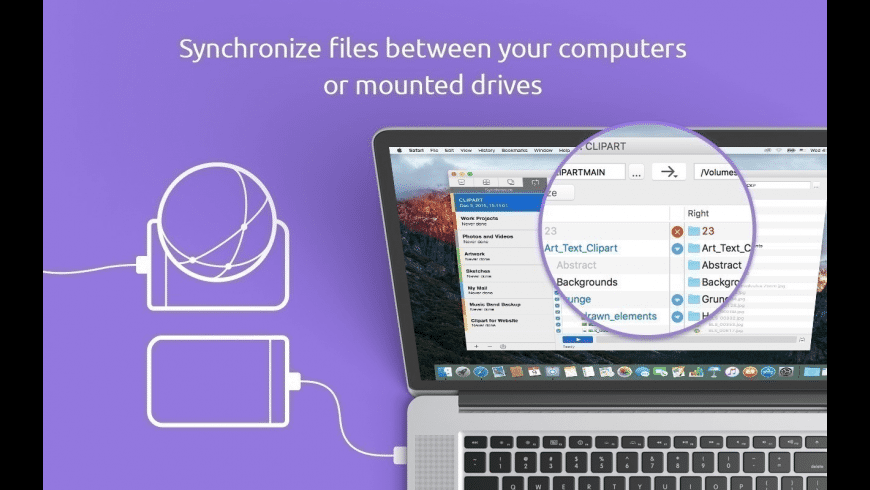
Data Sync Synchronize files and folders on your laptop and desktop computers, or any mounted drive. Two-way synchronization (Pro only) ensures that you have the most recent version of files you worked with, no matter which computer you are using. Schedule sync processes for more convenience and flexibility.
EncryptionSecure your backups using one of four encryption standards (AES-128, AES-256, Blowfish or Triple DES) to prevent unauthorized archive restore. The ability to encrypt backups provides a high level of comfort and peace of mind when storing backup archives on external hard drives, third-party servers, and other locations where others might have access to your archives.
Get Backup vs. Apple Time Machine You may wonder why you need an additional backup software if you already have Apple Time Machine on your Mac. Get Backup has multiple advantages when you need to control what to backup. It offers advanced compression and encryption methods and much more. Compare Get Backup with Time Machine.
Diverse Backup Methods:
Full – all selected files are saved, and the resulting archive replaces the previously created one.
Versioned – all selected files are saved in a new backup archive, and the previous archives remain intact.
Incremental – each time a backup is built, only the files that were changed are saved in the new backup archive. (Pro only)
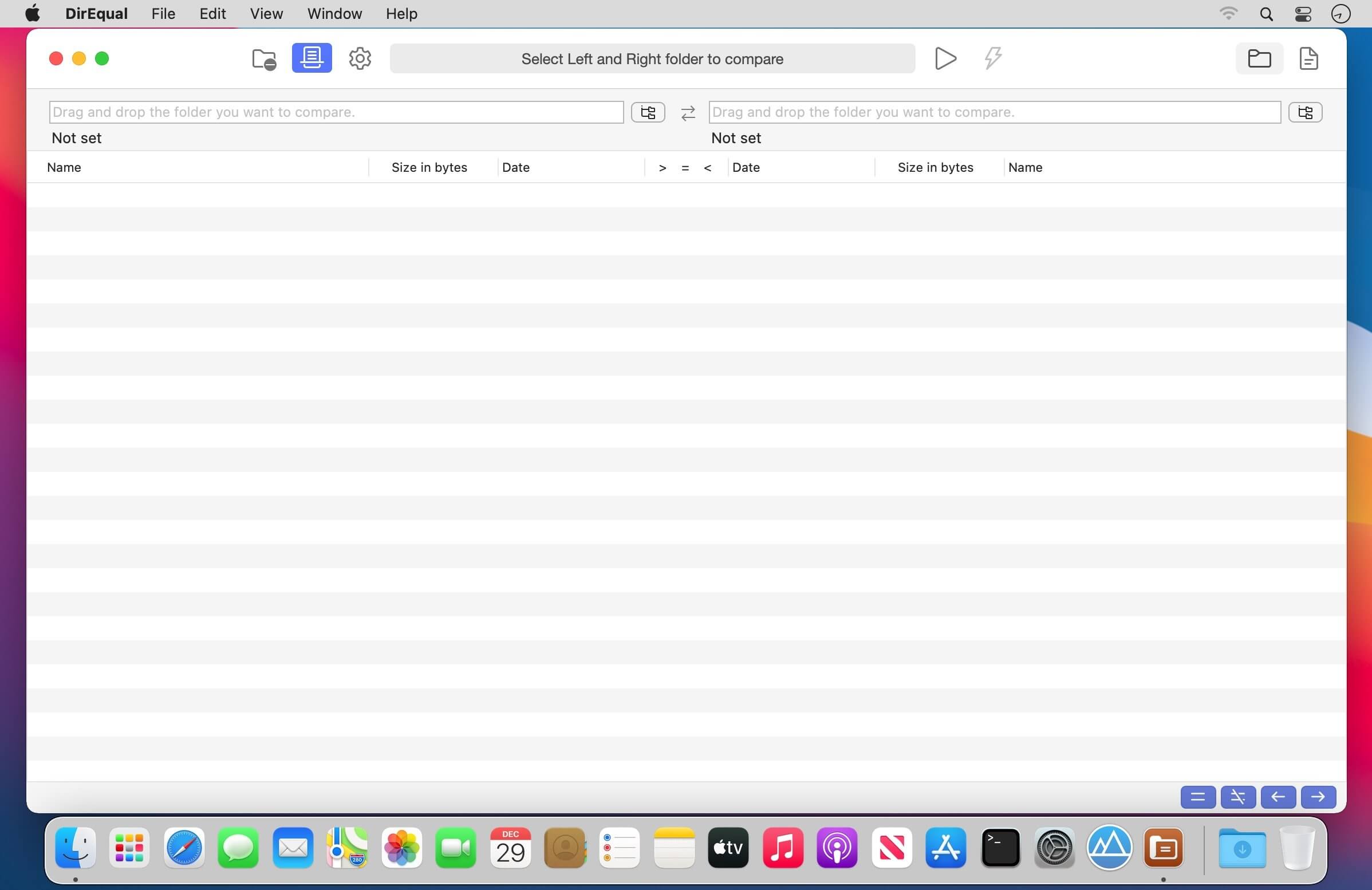
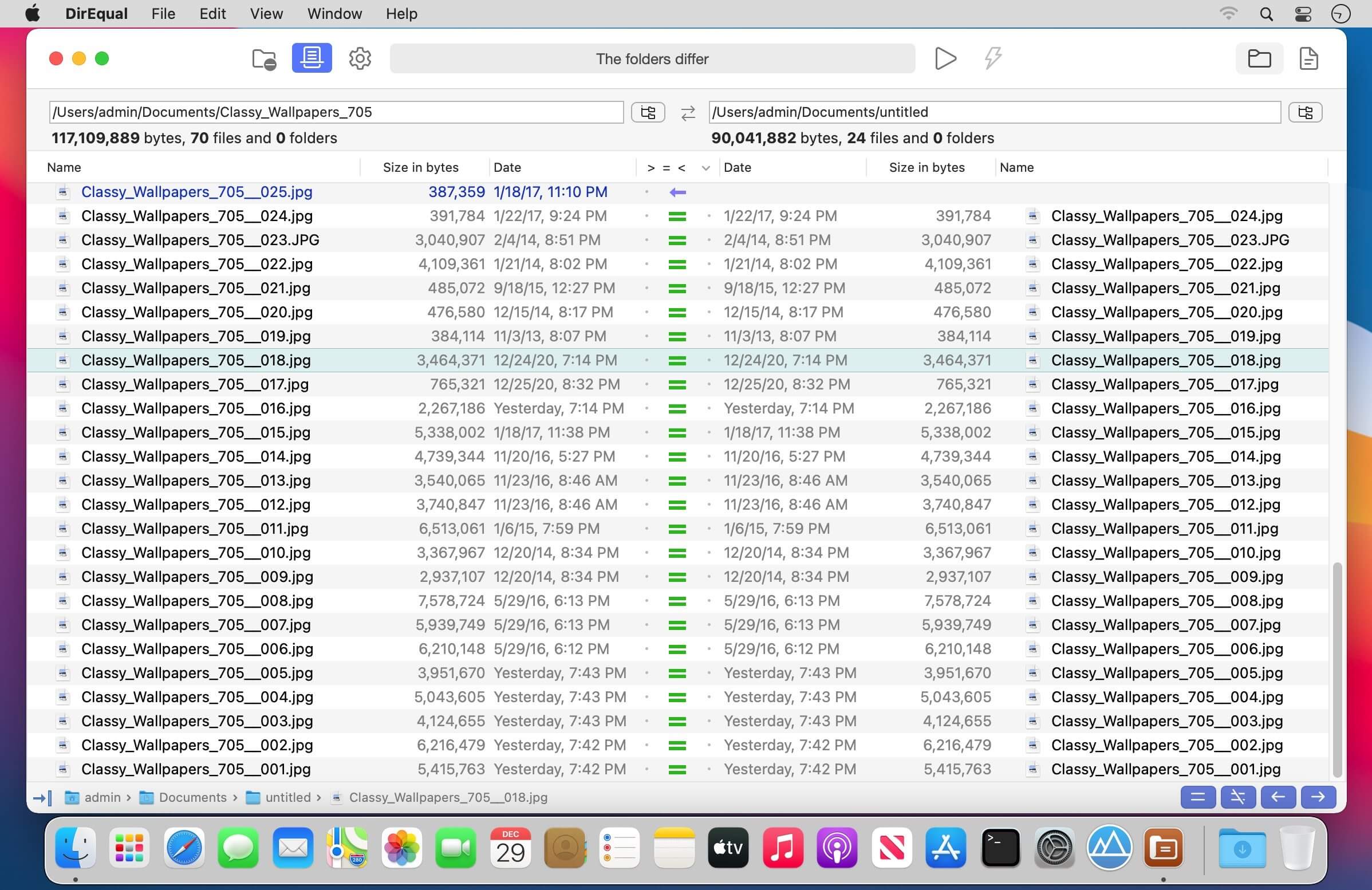
DirEqual is a Folder Compare Tool that makes it extremely easy to compare local files and folders on your Mac.
DirEqual displays compared directories side by side as expandable trees, and the size and date are indicated for each item. Differences between the directories are indicated with colour and easy to identify icons.
To copy or delete files or folders, click an individual item to choose the appropriate action.
The action is represented with red or blue arrow. Then click “Execute” to synchronise the two folders.
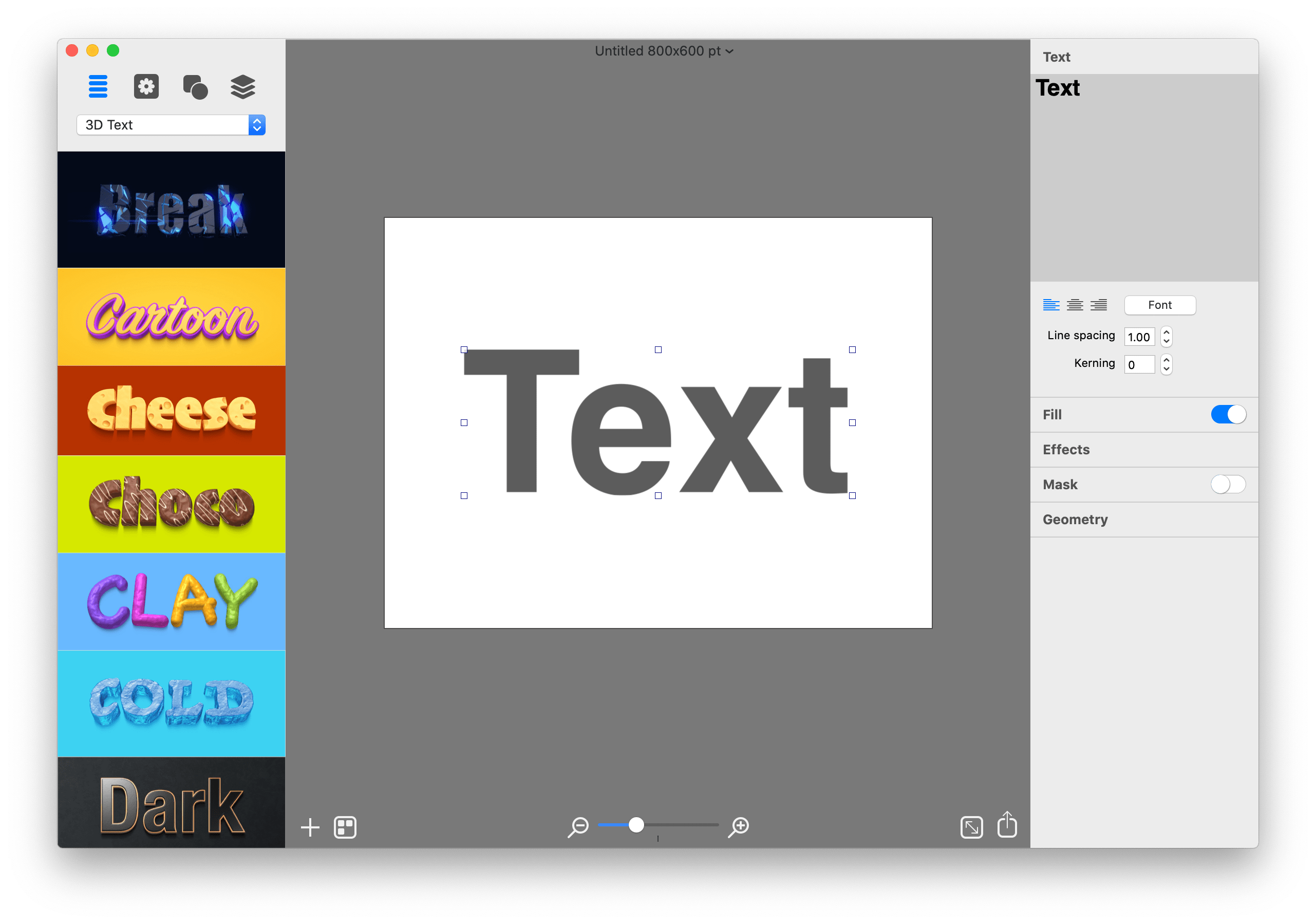
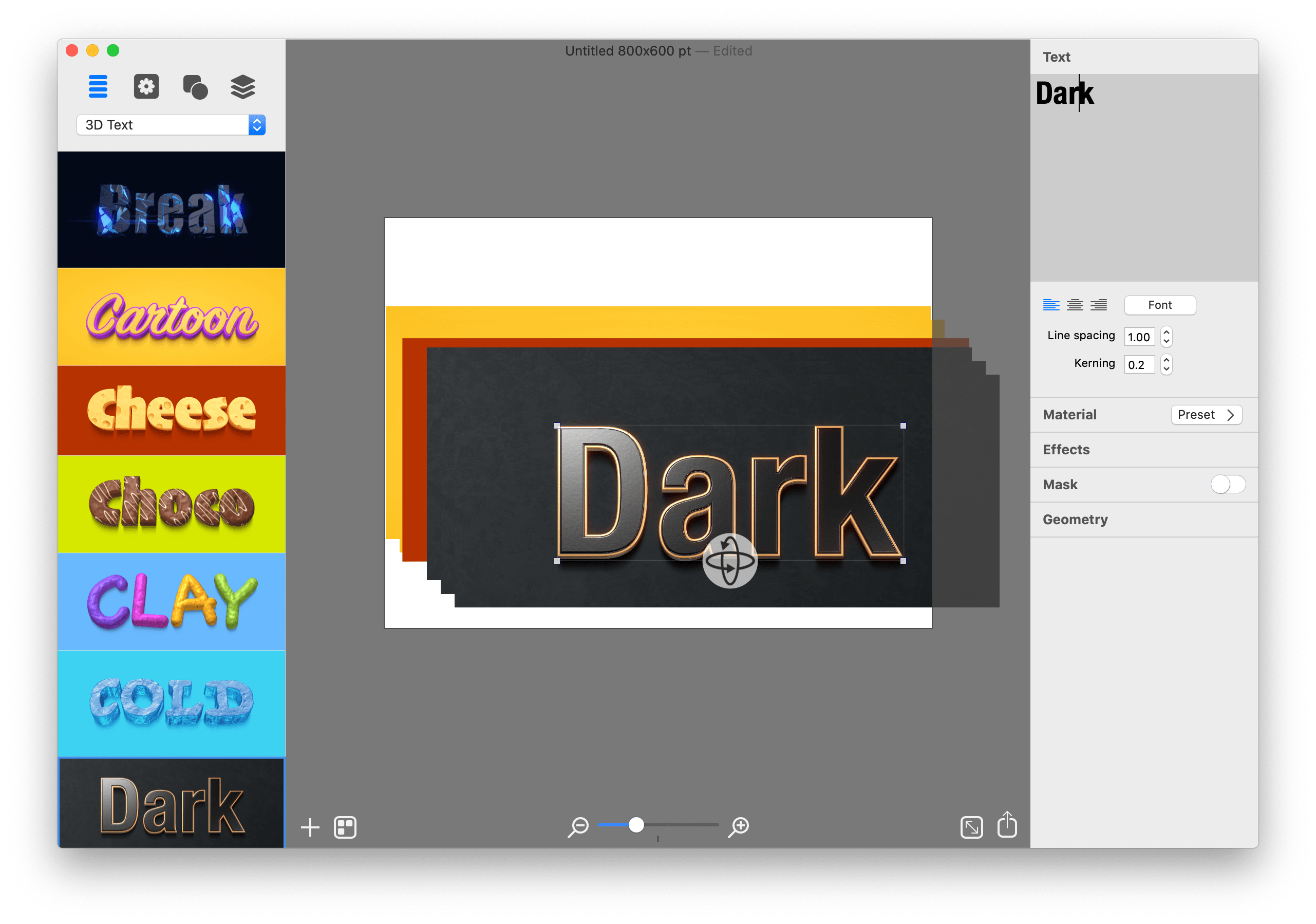
Graphic Design Software for Everyone. Art Text is graphic design software specifically tuned for lettering, typography, text mockups and various artistic text effects. Supplied with a great variety of ready to use styles and materials, selection of textures, icons, fonts and backgrounds, special designed effects and shape transformations, Art Text guarantees striking appearance of your badges, logos, cards, flyers and presentations.
Graphics that you create in Art Text will be a perfect fit for various document types, such as presentations, flyers, brochures, business cards, and can even spice up photos or create picture captions before uploading to Facebook.
Styles and Materials
Art Text comes equipped with a wide selection of text styles, surface materials and effects. Unrestricted by any presets, your creativity will take flight with easily adjustable textures, surface bump maps, environment textures, light spots and shadows, and other settings to come up with new materials.
Spray Fill
Beautifully lay out words with coffee beans, color balls, leaves, Lego pieces and even clouds using the supplied collection or import your own fill images. Experiment with lettering design from highly random to a very structured layout and fill sizes.
Mask Effects
Tweak text finishing with a variety of masks to render an aged text or a scratched look. You may also want to add a stamped effect with just one click. Easily experiment with settings, and combine masks with other effects, to get a somewhat unexpected but impressive result.
Distortion Effects
Heavily alter the font shape beyond standard typeface options. Effortlessly wear out text sides with Side Distortion, create random holes in the body with Erosion, partially dim text with Blur distortion, and more.
Shading Materials
Special 2D materials open the door to an array of visual effects, such as bumping or embossing. You may also apply a glass, plastic or gold finish, make the surface glossy, matte, bright or faded, or give your graphic a fascinating watercolor, oil paint or pencil drawing look. The most demanding users will find the material editor handy for creating custom Shading Materials.
Real 3D Text
Art Text implements a 3D modeling engine that helps to convert any text, symbol or pictogram to 3D. Our graphic design software embeds 3D renderer together with tons of customizable 3D materials to ensure super realistic results every time.
Paint Lettering
Art Text comes with a great variety of fills, distortion effects and object content to design highly realistic, hand painted, ink written and watercolor lettering art.
What’s New:
What’s New in Version 4 Spray Fill
New fill effect that populates the text shape with coffee beans, nuts, stones, glitter and other preset image fills.
Text Designs Store
Regularly updated gallery of free and paid text design templates.
Realistic 3D Materials
Materials have dramatically improved with Reflection Masks.
Facebook 3D Photo
Create catchy phrase graphics and share on Facebook as a 3D photo.
Multi-Purpose Distortion
Achieve diverse 2D visual effects with Erosion, Roundness, Side Distortion, Blur and other shape distortion effects.
Shading Materials
2D shading materials become more sophisticated with 150 fully adjustable Bump Map masks.
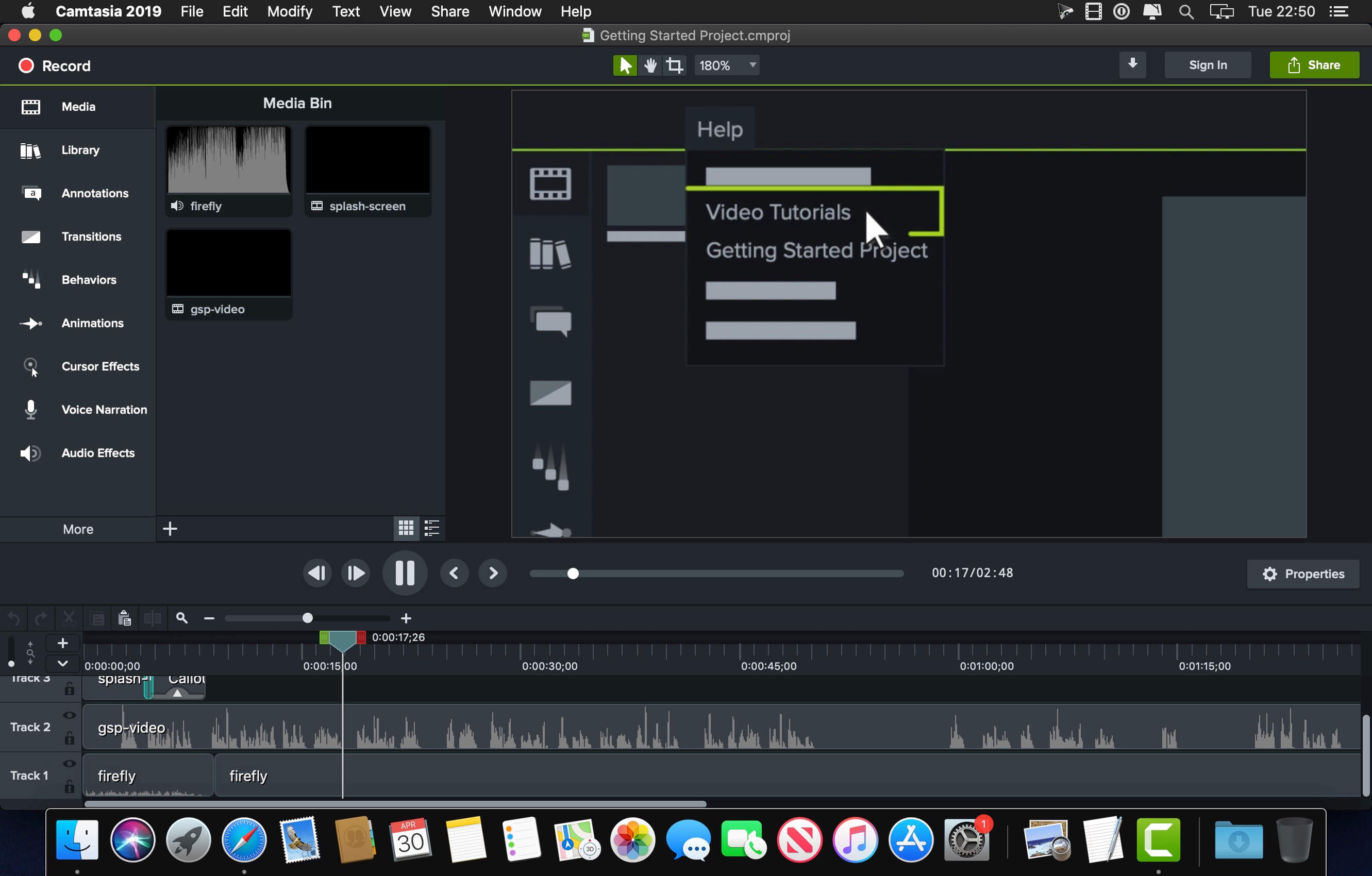
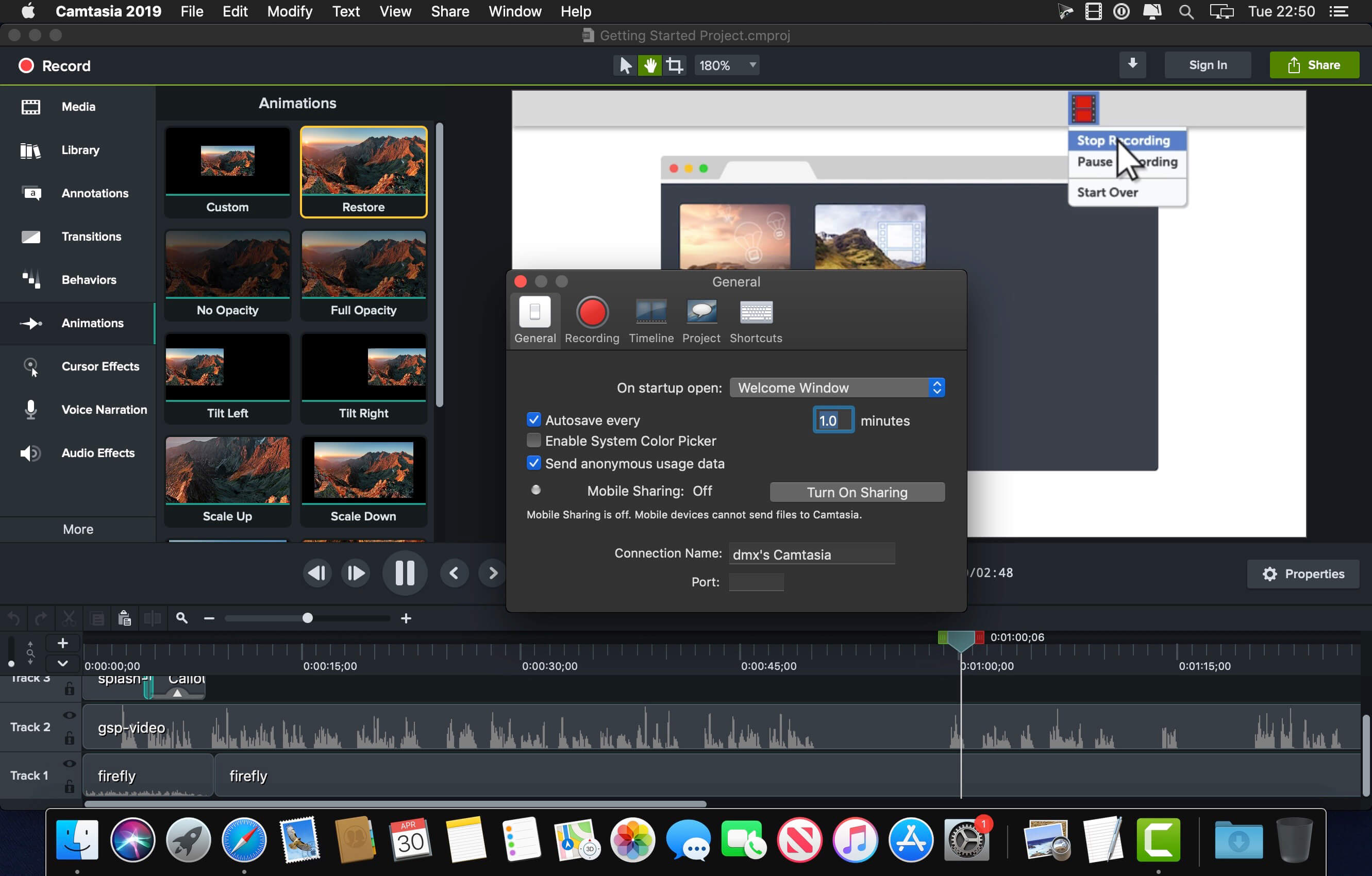
Camtasia is the go-to video solution for creating professional-looking software demonstrations, product tutorials, online lessons, and recorded presentations- no video experience needed. Pre-built video templates help you create the videos you need with ease. Record your screen, import PowerPoint presentations, or add video footage you already have. Then edit, add effects with drag-and-drop ease, and share out your videos with anyone. With so many easy to use features and effects, you’ll be creating polished videos in no time.
Start Fast
Camtasia is quick to learn. You don’t need a big budget or fancy video editing skills. Start with a template or just record your screen and add a few effects.
Feel Confident
Whether you have experience or this is your first time making a video, we’ll give you everything you need to make a high-quality video.
Engage Viewers
Create content your viewers actually watch. A video will give you more interaction and help your audience to learn more than with text alone.
The best screen recording software for…
Video tutorials
How-to videos
Demo videos
Meeting recordings
YouTube videos
Training videos
Video lessons
Webinar recordings
Instructional videos
Explainer videos
Presentation recordings
…and more!
< Compatibility: macOS 10.15 or later • Apple Silicon or Intel Core processor Homepagehttps://www.techsmith.com/
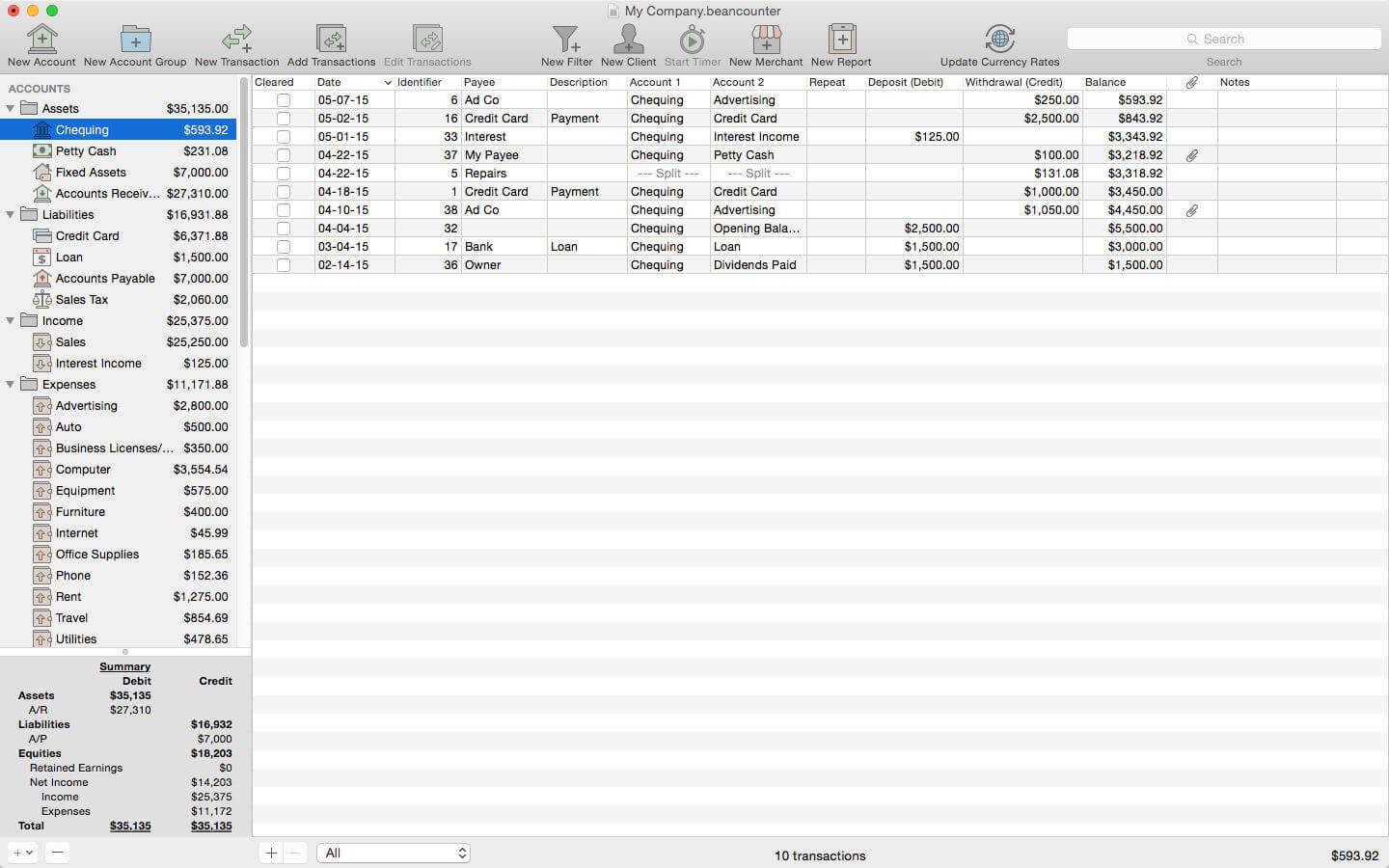
BeanCounter is a powerful yet easy to use professional bookkeeping, time tracking, and invoicing application. It features double-entry accounting, multiple currency support, and a simple one window user interface. Manage accounts, clients, projects, merchants, and bills for an unlimited number of businesses. Stay on top of your business with detailed reports and graphs.
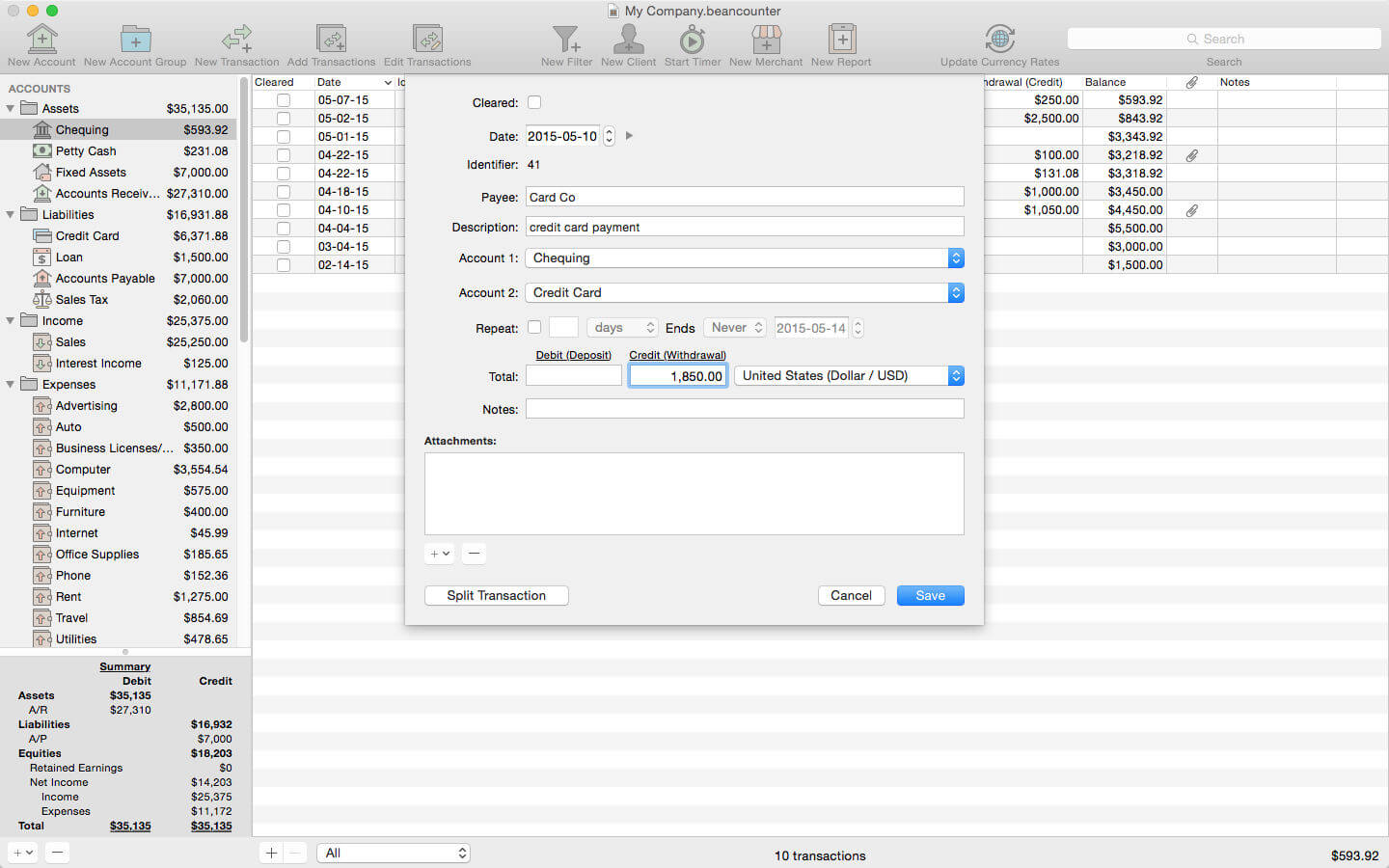
Add new transactions with support for nine types of custom fields and file attachments. Attach photos, scans, voice memos, and files such as receipts, invoices, and other documents to each transaction. Define custom accounting periods and automatically clear down nominal accounts. BeanCounter supports budgets, filters, batch transaction editing, autofill, and split/repeat transactions. Import and export transactions to a variety of file formats.
Track project tasks and expenses for clients. Tasks may be timed (using the included time tracker) or non-timed. Generate customized estimates and invoices itemizing tasks and expenses. Choose from five invoice layouts or design your own custom layout. Keep track of outstanding invoice balances and manage incoming payments.
General:
double-entry, accrual accounting
create an unlimited number of businesses
support for self-proprietorships, partnerships, and corporations
define custom accounting periods
create custom units/currencies
full-screen support
auto save
Accounts:
create 16 types of accounts
set a budget for each account
create complex filters with any combination of transaction fields
advanced search
Transactions:
single and multiple transaction entry forms
multiple currency support
add custom fields (nine types) for local taxes, payment type, completion dates, or anything else
mileage support including start/stop values
attach photos, voice memos, and other files to transactions
split transactions with balance button
create repeating transactions
batch edit transactions
autofill
Merchants:
create merchants for tracking bills and payments
create repeating bills
make payments to multiple bills
Clients:
create clients for managing projects with tasks and expenses
timed tasks with time tracker (application and menulet)
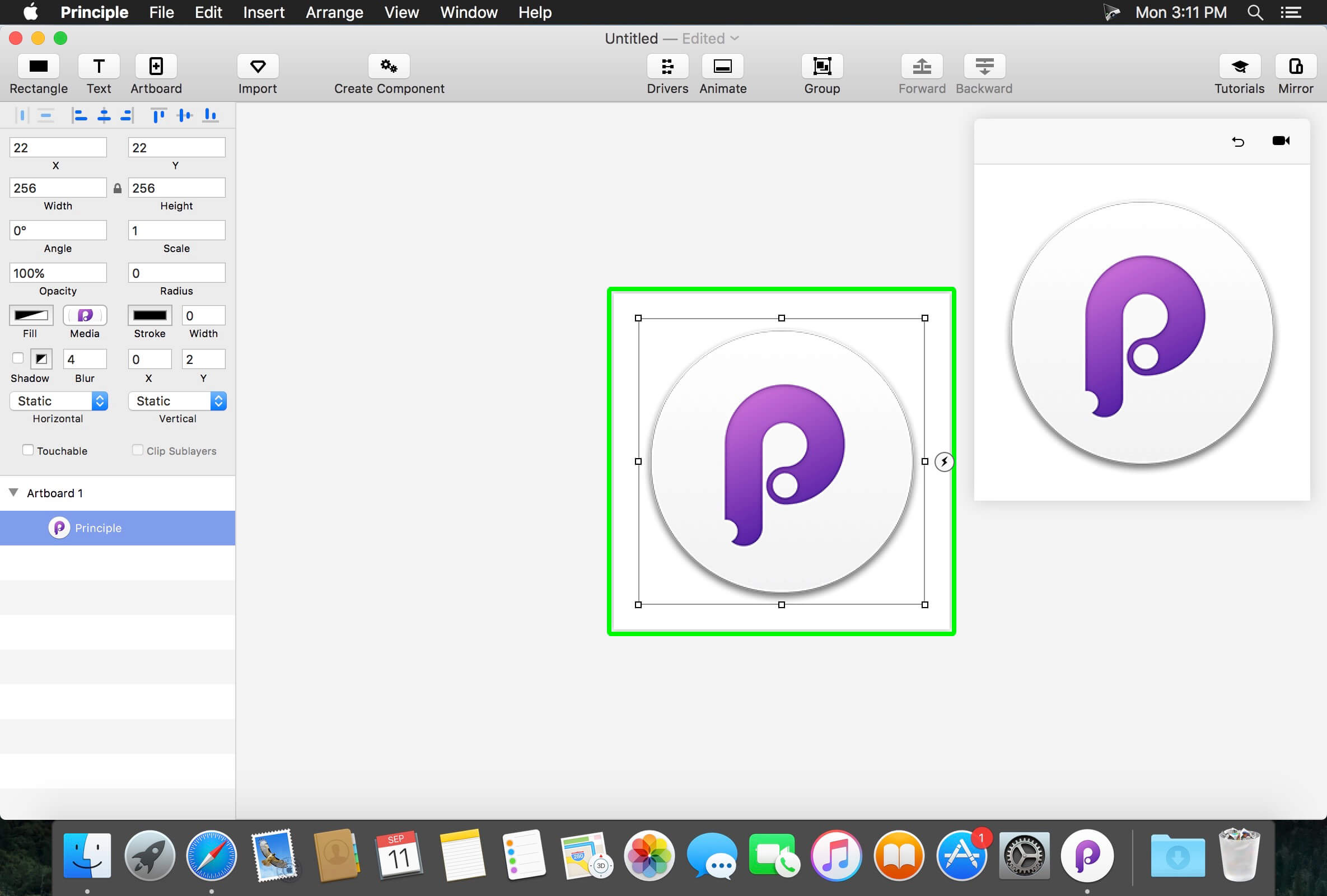
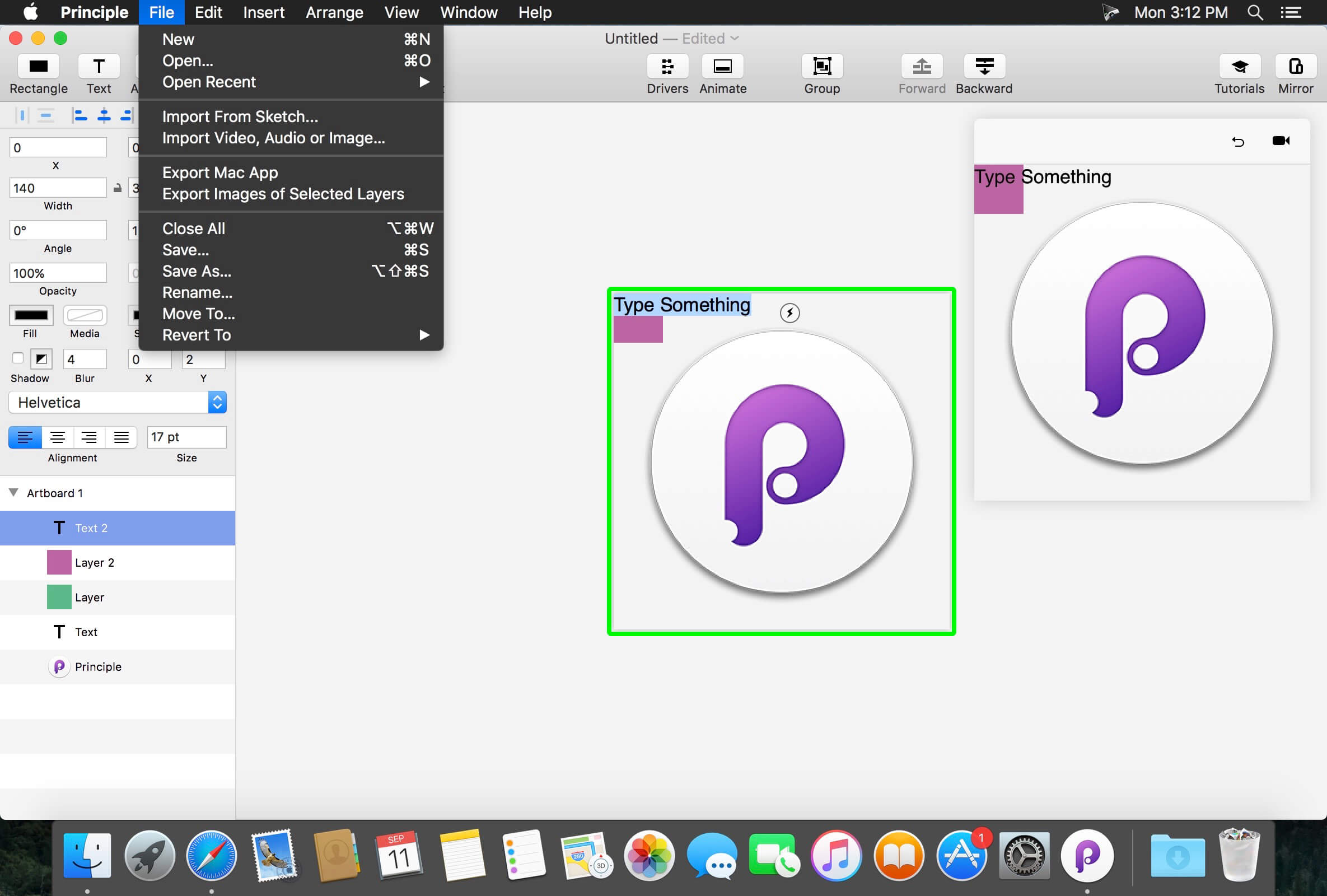
Principle makes it easy to create animated and interactive user interface designs. Whether you’re designing the flow of a multi-screen app, or new interactions and animations, Principle lets you create designs that look and feel amazing.
Built for the Biggest Imaginations
There are a lot of things you might want to design: a short animation, a slick interaction, or an extensive multiple screen app. No matter what you’re doing, you can do it with Principle.
Animation
Principle’s timeline makes it quick work to illustrate the perfect bounce, ease, and pop.
Interaction
Want to design a totally new interaction? Principle gives you the freedom to experiment without limiting you to pre-defined transitions.
Multiple Screens
It’s a breeze to design the flow of a multi-screen app; and when you’re done you’ll have a bird’s-eye view of all your screens.
Totally New, Yet Immediately Familiar
With artboards, magic animations and a timeline, using Principle will give you Déjà vu.
Touch Your Designs
Principle Mirror lets you interact with your design instantly on device or view designs that others have sent you.
Lights. Camera. Interaction.
Showing your designs has never been simpler with the record feature: Export a video or an animated gif that can be shared on Dribbble, Twitter, and wherever else you’d like!
Built for OS X
Principle is powered by Core Animation, the hardware-accelerated animation engine that iOS and OS X are built on. It also includes the Mac features you love: Full-screen mode, a Retina interface, and Auto Save — so you’ll feel right at home.
Design For Any Size
Choose a device preset or enter a custom Artboard size. Whether it’s web, desktop, mobile, or watch — you’re set!
Compatibility: macOS 10.14 or later • Apple Silicon or Intel Core processor Homepagehttp://principleformac.com
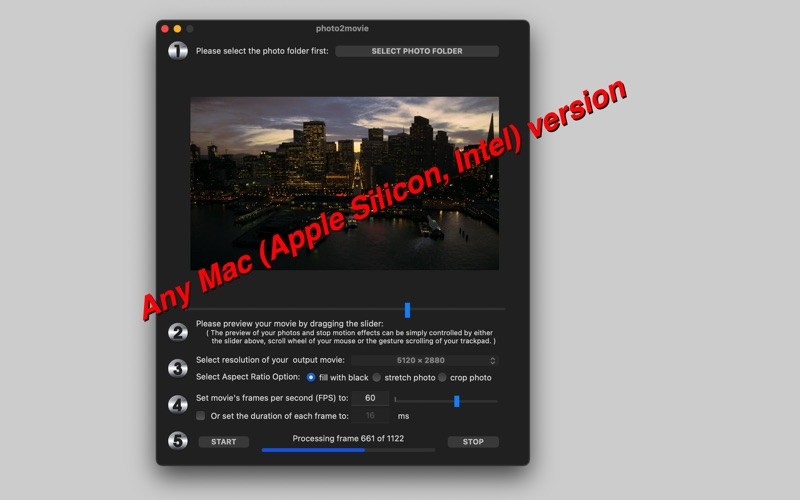
photo2movie is also an extremely efficient productivity tool for making stop-motion movies and animated films with a batch of photo frames.
Hundreds of thousands of photos can be compiled into a high-quality movie with 4K, 8K Ultra HD resolution or better – all with just a few simple clicks.
Make movies with Ultra HD quality from your photos!
Features
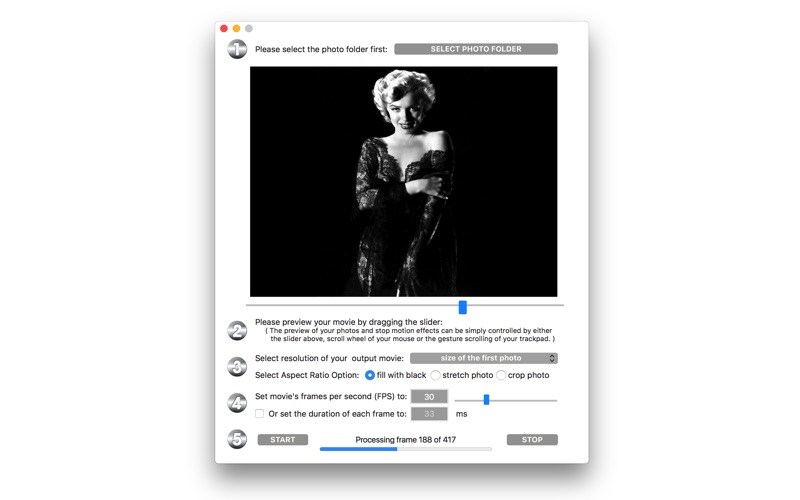
Elegant preview function, you can preview your movie before even generating it;
Preview function can be controlled by a slider, mouse scroll wheel, or trackpad gestures;
Alphabetically sort and compile photos in a folder into a movie file;
Supports .jpg and .png image formats;
Custom frame rate setting: from 1 FPS to 100 FPS ( anything between 0.01 to 1 second display time per photo frame);
Control the quality of your movie by preset resolutions;
Movie resolution can be automatically set to the first photo’s resolution.
Detailed progress indicator and frame counter;
Compilation can be interrupted at any time and the already compiled parts will still be a usable movie file
8 to 10 times faster conversion speed compared to other apps of ours.
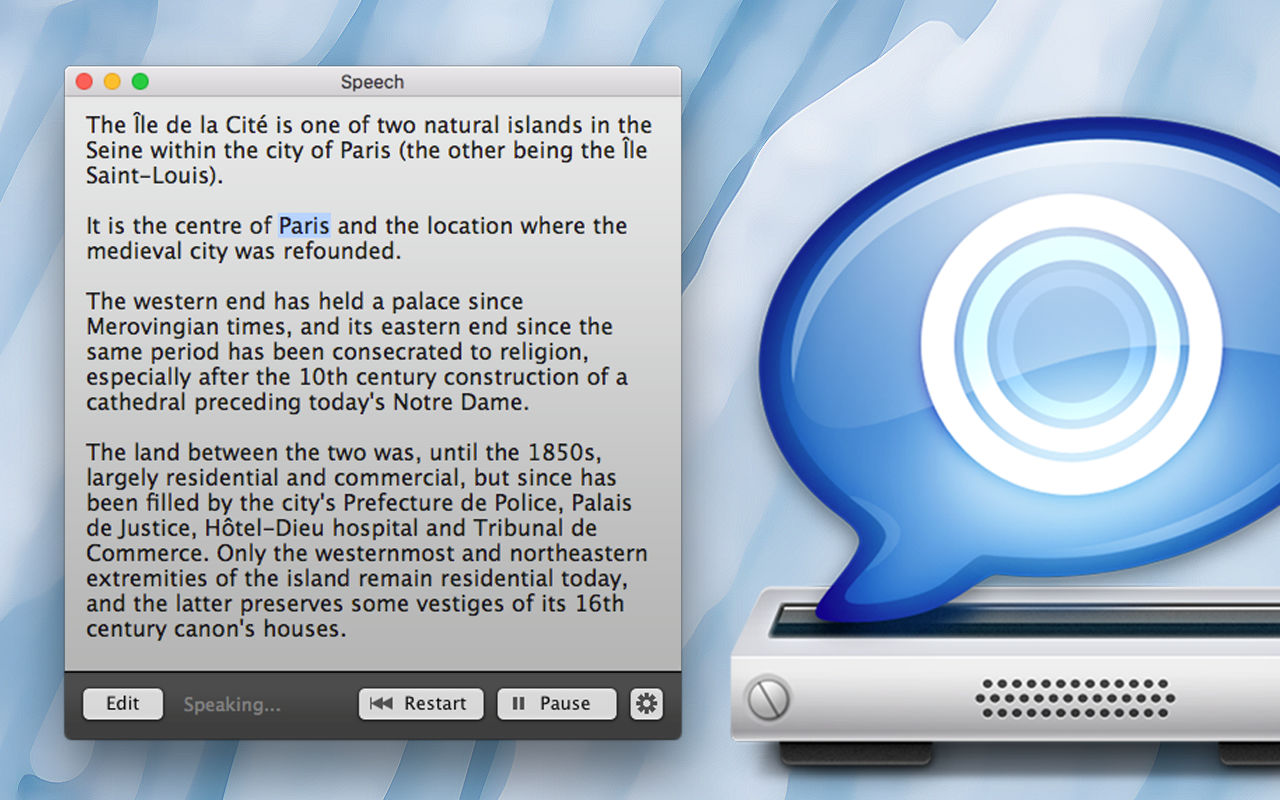
Speech combines all the features of the speech synthesizer of macOS into a single, easy-to-use interface. Many languages are available: choose among more than 40 voices and languages.
Drag or paste text into Speech and start reading. You can change at any time the voice and the speech rate. Click on a word to playback from a specific point of the text.
Export the text into an audio file, share or listen on a digital audio player.
• Save time, listening a text is faster than reading.
• Efficient to learn and be sure of the pronunciation.
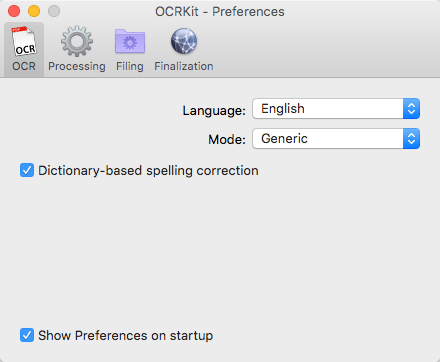
OCRKit is a simple and streamlined Mac application, that features the advanced Optical Character Recognition technology, allowing you to convert scanned or printed documents into searchable and editable text. This is particularly useful for PDF documents received via e-mail or created by DTP applications. It can be a great help for everyone, home users, corporate users at work and educational institutions.
You can use the copy and paste tools on the document, instead of retyping everything and correct it. It increases the efficiency and effectiveness of office workflow. OCRKit is fast and accurate, ensuring the document’s content remains intact while saving time as well.
OCR Engine
• Text recognition accuracy
• Instant content search ability
• PDF Compression
• High speed conversion
• Stability and performance
The OCR engine recognizes the following languages:
Bulgarian, Croatian, Czech, Danish, Dutch, English, Estonian, Finnish, French, German, Hungarian, Italian, Latvian, Lithuanian, Polish, Portuguese, Rumanian, Russian, Serbian, Slovenian, Spanish, Swedish, Turkish, Ukrainian, and Norwegian.
Automatic rotation
The automatic rotation determines the orientation of each scanned sheet automatically, therefore avoiding the need to manually pre-sort a stack before you scan. As the automatic rotation works independently from the OCR mechanism, the feature also helps to improve OCR results.
Towards a paperless office
Go paperless with the help of OCRKit. Add text recognition and compression to your scans, contracts, invoices, and receipts in your archive. Save time and money by transfering your paper into the digital world and find your documents in a snap.
Multi-Page Documents
There are no limits to the number of pages of the PDF or TIFF documents. There are also no limits to the number of pages that can be processed each day.
Searchable Text
Professional text recognition for your paperless office archive, search, edit, translate. Convert any PDF or graphic file into searchable PDF, RTF, HTML and TXT.
Simply Drag and Drop
It works very easy, just by dragging a document into the app dock icon or, by opening the document with the OCRKit application (Open With > ).
AppleScript Support
OCRKit includes AppleScript support, so professional users can use it for programmed batch conversion.
→ Supported File Formats
Import Format
The following file formats can be read:
PDF, TIFF, JPEG, JPEG2000, PNG, PNM, BMP, PCX, GIF as well as OpenEXR.
Export Format
The following file formats can be saved:
PDF (Portable Document Format), HTML (HyperText Markup Language), RTF (Rich Text Format) and TXT (UTF-8 encoded plain text).
→ OCRKit : Additional Features
Automatic language detection
You often find yourself switching OCR settings between documents in another languages?
OCRKit Pro comes with an new “Automatic” languages choice. It transparently detects the language and switches to the apropriate alphabet and dictionary for each page of the document independentaly.
Imprinter
The Imprinter allows OCRKit Pro to print text onto the page’s image. For example the scanned date, or watermarks such as “APPROVED”, “VOID”, “PRELIMINARY”, “CONFIDENTIAL” or anything else you may need.
Higher multi-threading performance
OCRKit Pro further optimizes the use of the many cores available today. Allowing the Pro version to archive even higher performance compared to the already blazing fast standard version of OCRKit.
Compatibility: OS X 10.9 or later • Intel Core processor Homepagehttp://ocrkit.com
Convert any PDF or graphic file into searchable PDF, RTF, HTML and TXT with the fastest OCR for Mac! OCRKit is a simple and streamlined Mac application, that features advanced Optical Character Recognition technology, allowing you to convert scanned or printed documents into searchable and editable text.
You need to extract information from a scanned document in an email or created by DTP applications? It can be a great help for everyone: home users, corporate users at work, translators and educational institutions.
Simply run OCRKit on the document, and copy and paste the result where you need it. Stop retyping everything manually and save time and money by increasing the efficiency and effectiveness of your workflow.
OCRKit is fast and accurate, ensuring the document’s content remains intact while saving time as well.
The OCR engine recognizes the following languages:
Bulgarian, Croatian, Czech, Danish, Dutch, English, Estonian, Finnish, French, German, Hungarian, Italian, Latvian, Lithuanian, Polish, Portuguese, Rumanian, Russian, Serbian, Slovenian, Spanish, Swedish, Turkish, Ukrainian, and Norwegian.
Key Features:
Fastest OCR made for Mac
High text recognition accuracy
Instant content searchable thru Spotlight
Highly compressed PDF
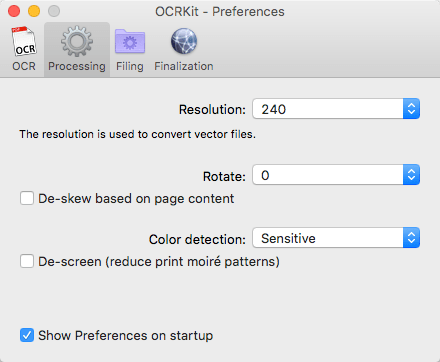
Automatic rotation and de-skew
Color detection
Multi page processing without page limits
Drag and drop functionality
AppleScript support
Many supported recognition languages
File formats that can be imported:
PDF, TIFF, JPEG, JPEG2000, PNG, PNM, BMP, PCX, GIF as well as OpenEXR.
File formats that can be saved:
PDF (Portable Document Format), HTML (HyperText Markup Language), RTF (Rich Text Format) and TXT (UTF-8 encoded plain text).
Compatibility: OS X 10.9 or later • Apple Silicon or Intel Core processor Homepagehttp://www.ocrkit.com/
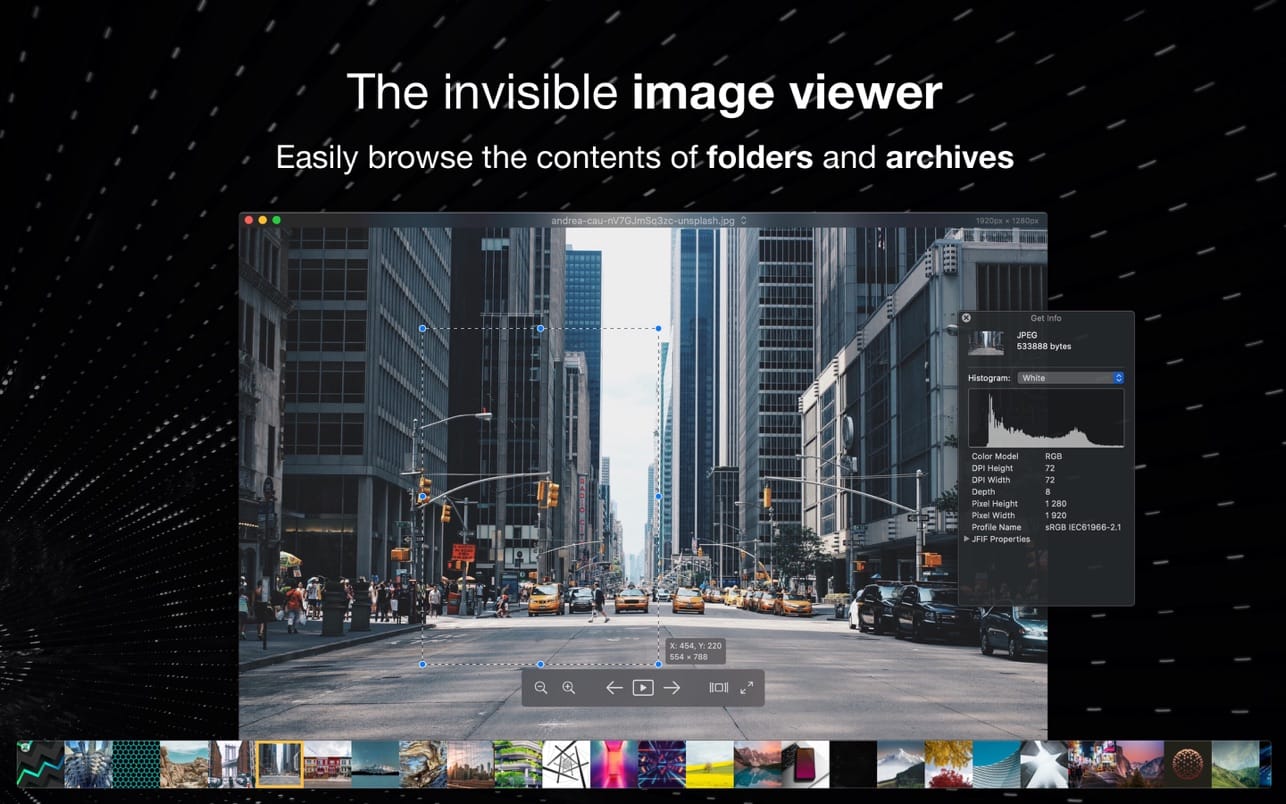
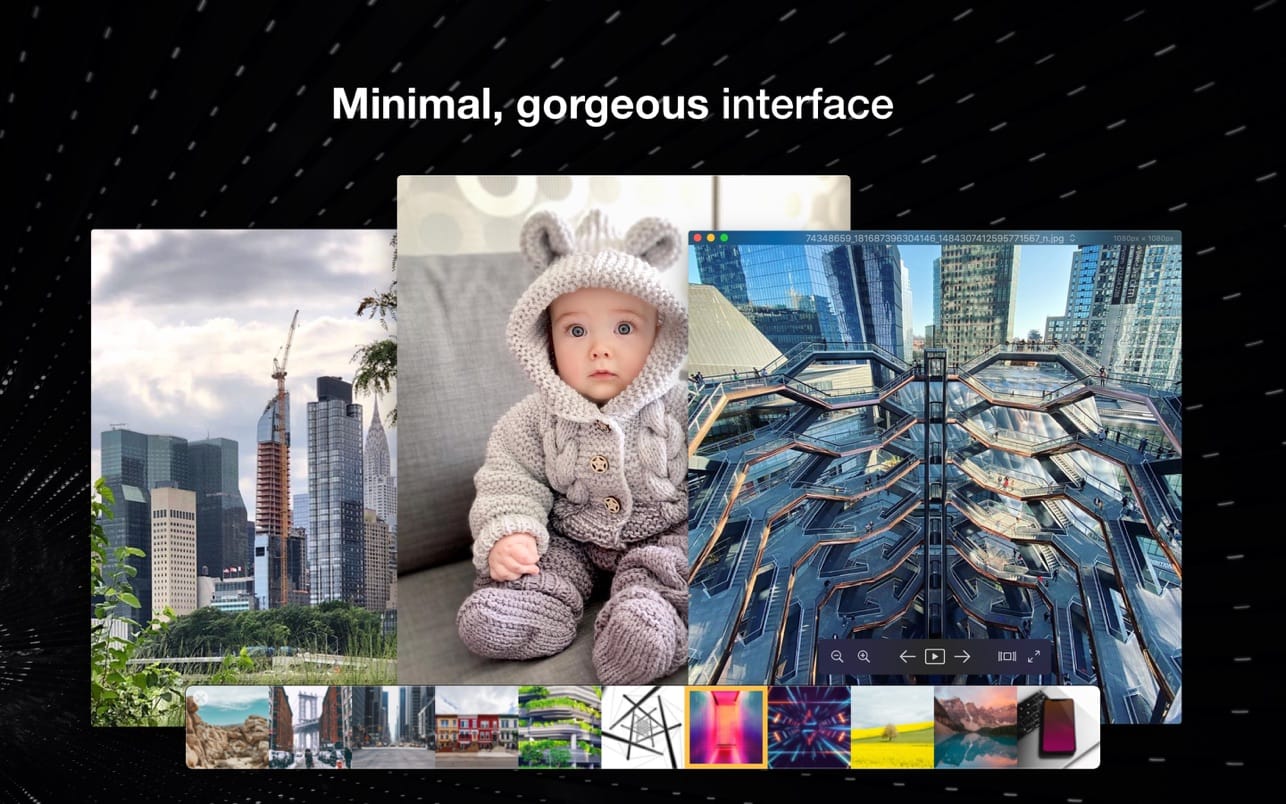
Pixea is an image viewer for macOS with a nice minimal modern user interface. Pixea works great with JPEG, HEIC, PSD, RAW, WEBP, PNG, GIF, and many other formats. Provides basic image processing, including flip and rotate, shows a color histogram, EXIF, and other information.
Supports keyboard shortcuts and trackpad gestures. Shows images inside archives, without extracting them.
Supported formats
JPEG, HEIC, GIF, PNG, TIFF, Photoshop (PSD), BMP, Fax images, macOS and Windows icons, Radiance images, Google’s WebP. RAW formats: Leica DNG and RAW, Sony ARW, Olympus ORF, Minolta MRW, Nikon NEF, Fuji RAF, Canon CR2 and CRW, Hasselblad 3FR. Sketch files (preview only). ZIP-archives.
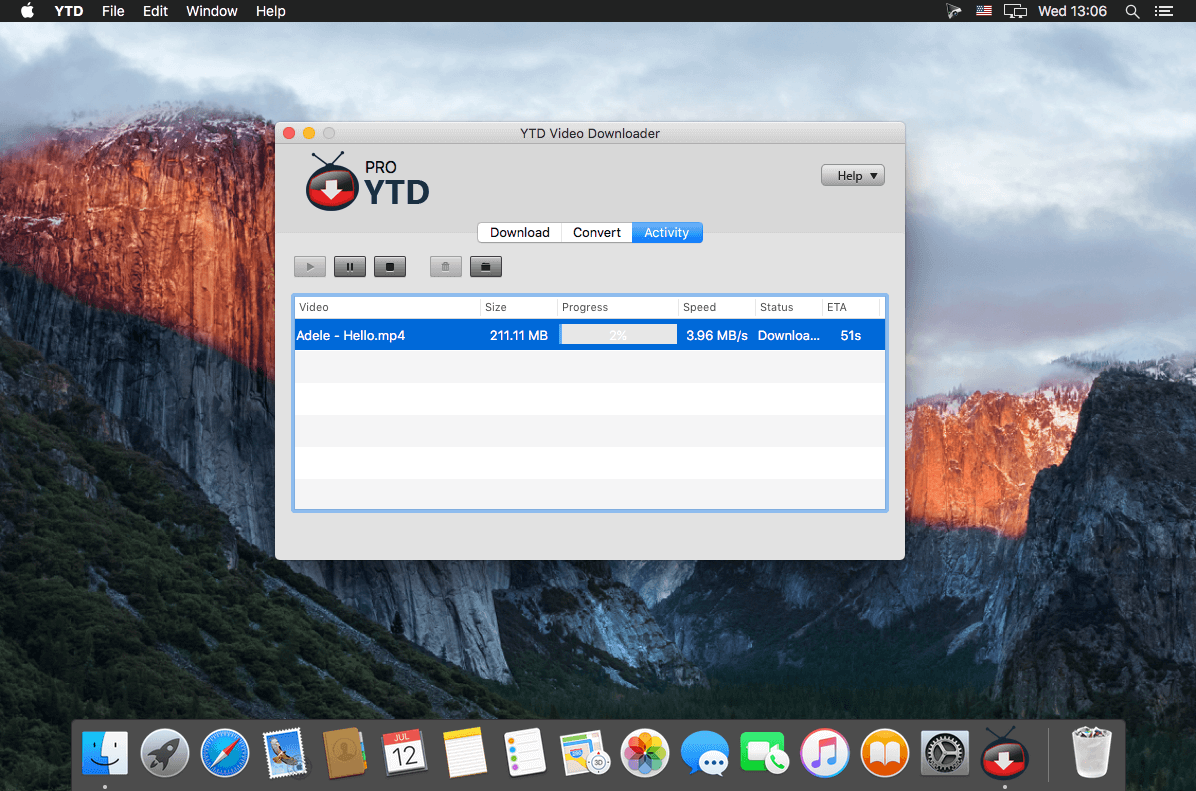
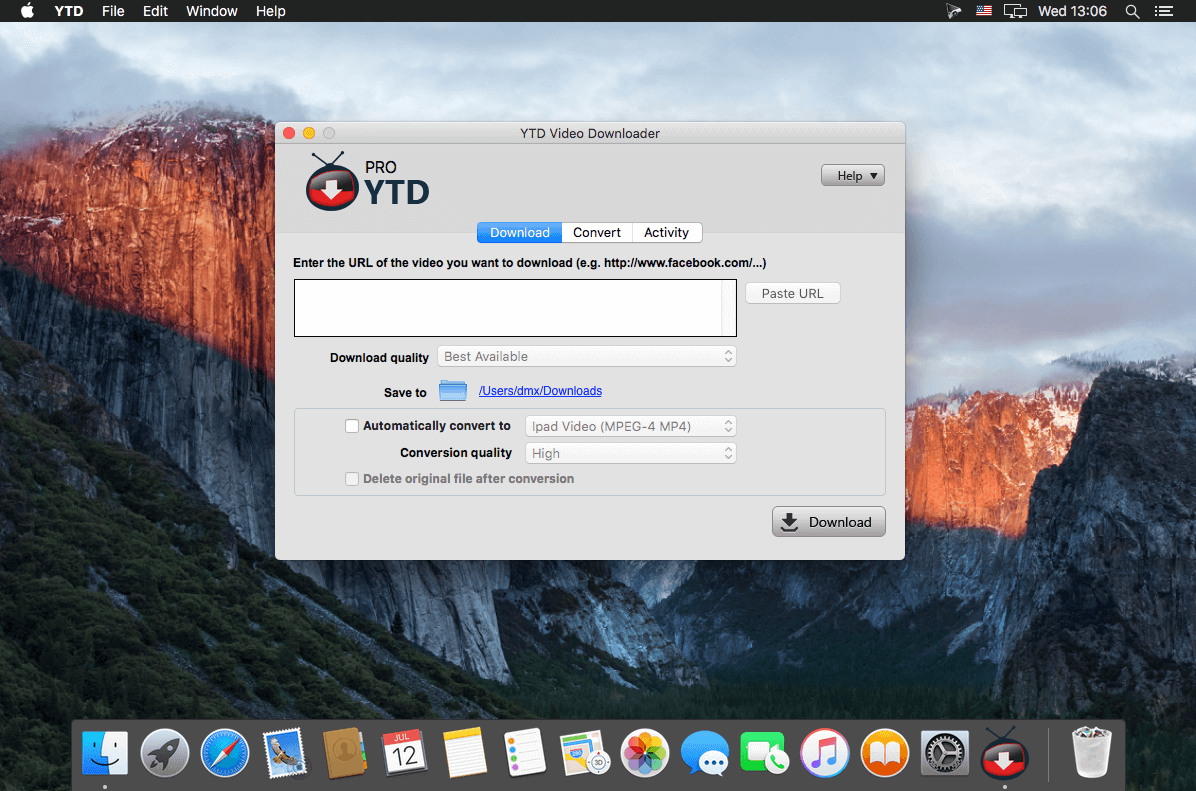
Download and save your favorite streaming videos from youtube onto your computer with this software Download and save streaming videos from YouTube onto your computer so that you can play and watch the videos in your media player. The program allows you to select the quality at which you want to download the videos. The quality levels include lower quality flash videos, mp4 wide screen quality to high definition quality.
YouTube Converter Features: Get High Definition Video
Download High-Def (HD) 1080P videos from YouTube and all other major video streaming sites with YouTube Downloader. Watching HD YouTube videos from your laptop or mobile device with our YouTube converter has never been easier!
Download and Watch Later
Never worry about missing a video, or having to watch YouTube clips on their time. With YouTube Downloader, you can save videos. Our software acts as a YouTube converter as well, and lets you convert YouTube videos easily, viewing them at any time you want!
Converter Works with Most Formats
YouTube Downloader’s unique software downloads content from all the major video streaming sites, not only YouTube. It also acts as a YouTube Converter, where you can convert your movie files into any number of formats, including YouTube to MP3, MP4, 3GP, MPEG and even YouTube to AVI. View All.
Watch on Other Devices
When you download YouTube videos using our free YouTube Downloader, it doesn’t mean you have to watch them on one device. YouTube Downloader is a video converter that turns files into playable, portable video formats – so you can convert YouTube to iPod, iPhone, PSP and even YouTube to iTunes. View All.
It’s Fast and Easy to Use
The YouTube Downloader interface is intuitive and easy to use. Users simply copy and paste a video URL, then click the Download button.
Video Player Integrated
Our free YouTube Converter will also save files onto its extensive database, allowing you to build a player to categorize and sort your favorite videos, just like you would using iTunes!
What’s New:
Version 4.17.0 (20220301):
Release notes were unavailable when this listing was updated.
The System Dashboard Pro is a modern reinterpretation of the System Dashboard and offers more information than ever. The app has been completely redeveloped and optimized for the latest systems.
System Dashboard Pro offers the following features
General System Information
Get an overview of the most important parameters of your system. This includes, for example, the macOS version used or details about your computer.
Processor Usage
The processor panel shows important details about processor usage. The current load is displayed as well as that of the last few seconds. A list of processes that have the highest processor utilization is also displayed.
Memory Usage
The Memory panel shows data related to memory. The current load is displayed as well as that of the last few seconds. A list of processes using the most memory is also displayed.
Network Information
Basic network information such as the local and external IP address or the transfer rate of the WLAN connection is displayed on this panel.
Network Usage
The network category shows the current download and upload speed and the number of open connections.
Internal Battery
This panel is available if the app is running on a MacBook and displays basic battery parameters. Among others information, it displays the number of charging cycles and the health of the battery.
Hard Disk
The computer’s hard drive can be kept under control with this panel. It shows how much space is used and how much is free. The current speed is also displayed.
External Drives
SD cards and USB sticks are displayed here. The devices can also be ejected – either individually or all at once.
What’s New:
Version 1.0.2
This update improves the stability of the app. Turn on automatic updates to stay up to date.
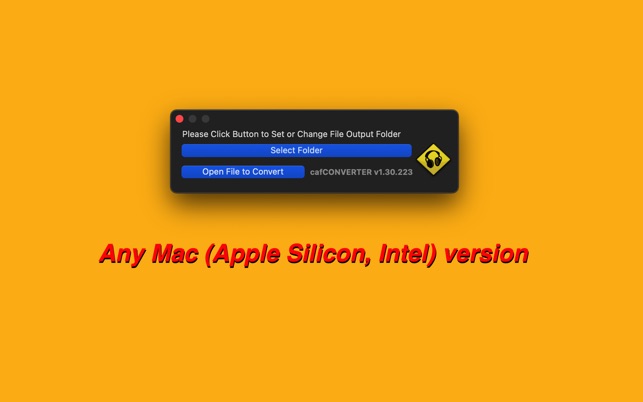
A tiny but convenient converter you can use to convert various kinds of audio, music, and sound to Apple’s .caf format. It can even be used to extract audio from videos.
For batch .caf convert, please upgrade to our “batchCAF”.
Features
– Converts sound files into .caf format
– Convenient and light
– Exports to the same directory or a directory of your choice
– Supported formats: .3gp, .3g2, .aac, .adts, .ac3, .aifc, .aiff, .aif, .amr, .au, .caf.m4a, .mpeg, .mpa, .mp1, .mp2, .mp3, .mp4, .sd2, .snd, .wav
The fastest Disk Space Analyzer to see what is taking up space on your Mac hard drive.
Disk Space Analyzer Pro is the best solution when your Startup Disk is almost full. You will need to check disk space on your Mac, find large files and see what stray data occupies so much valuable Mac hard drive space.
If you have low disk space, don’t panic! Disk Space Analyzer Pro is an easy hard drive scanner that will help you to free up disk space and optimize Mac disk usage. With Disk Space Analyzer Pro you can even view and clear purgeable space on your Mac.
This disk cleaner allows you to easily find the bulkiest content for your Mac storage, or for any folder, Dropbox or even external storage. You can see your Mac disk usage, find folders that take up the most space, detect old unused files and finally manage hard drive space by moving or removing unneeded files. You can clean up Mac storage in just minutes!
How to see storage on Mac
Launch Disk Space Analyzer Pro.
Click to scan your Mac startup disk.
In less than a minute you will see your disk space usage as a sunburst chart.
How to free up disk space with Disk Space Analyzer Pro
Scan your hard drive.
Detect the largest files and folders.
Move or remove big and rarely used files and folders.
The application is a great hard drive visualizer and big folder finder for macOS that displays a drive usage map with a convenient sunburst chart. So you can easily check Mac disk space usage, find out what is taking up your Hard Drive space, and free up significant space in just minutes.
Disk Space Analyzer Pro enables you to
Check Mac storage space
Analyze hard disk space
Get your disk usage map
Easily view available disk space on your hard drive
Find out what’s taking up your disk space
See folder sizes
View and remove purgeable space on Mac
Discover files that are rarely used
Scan Dropbox, Google Drive or any external storage for unnecessary files
Get rid of files you don’t need
Keep your hard drive clean and organized
Clear Startup Disk in minutes
When your Mac startup disk is full, you can easily organize your data by gathering files and folders into a collection, enabling you to rapidly move them to another place, or even to delete them.
This disk visualizer supports all Mac disk volumes
HDD volumes
CD and DVD discs
Removable USB drives
Mounted DMG
SMB disk image
Use this hard drive cleaner to view your disk space usage, find the biggest files and folders on your Mac, and provide a list of items cluttering your disk. You can look for a file using the Finder tab and preview the file using the QuickLook option.
Best Features
Fast scanning algorithm
Animated scanning process
Support of all volume types
Support of scanning custom folders and disks
Visual presentation of drive usage map as a sunburst diagram
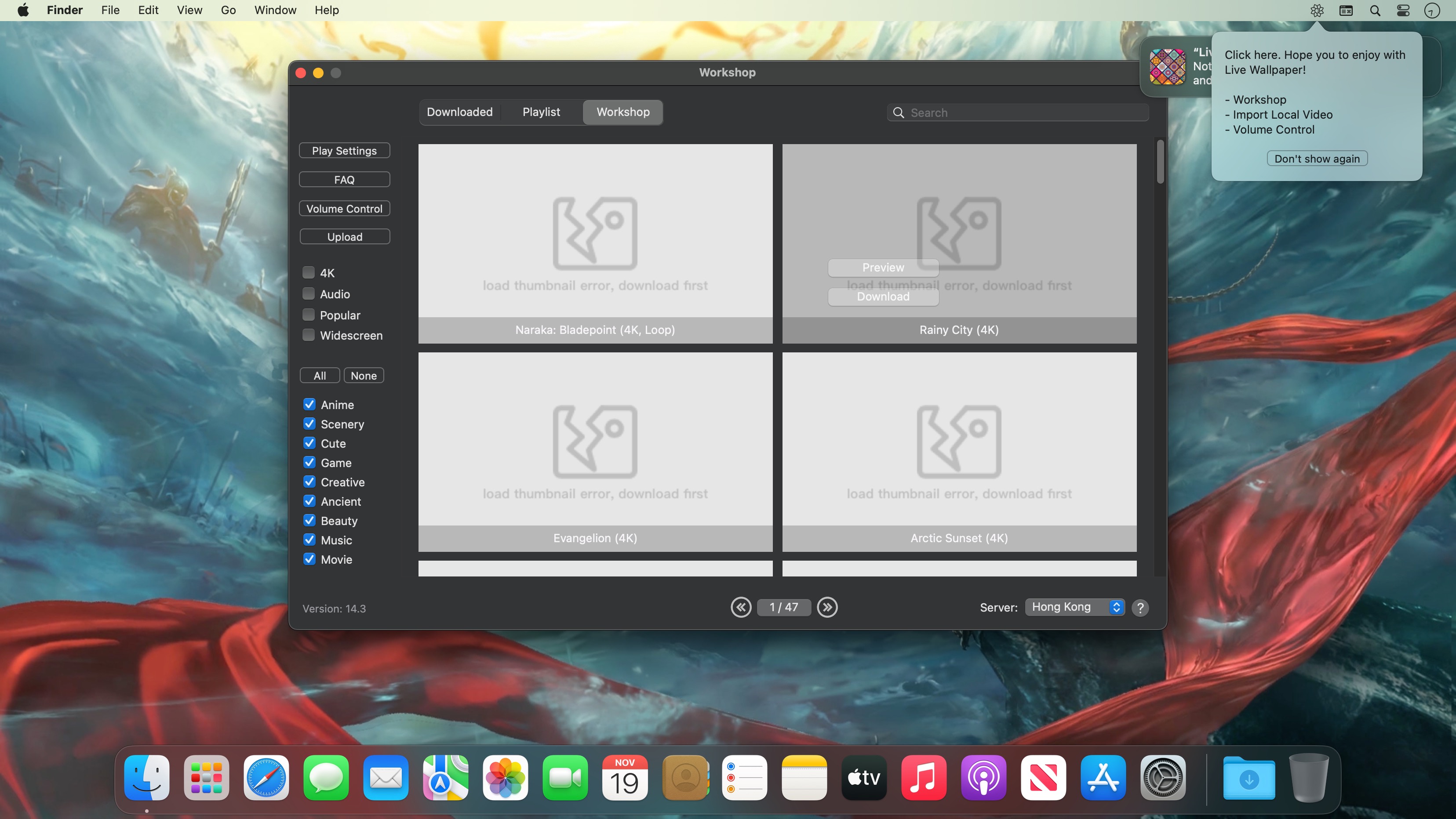
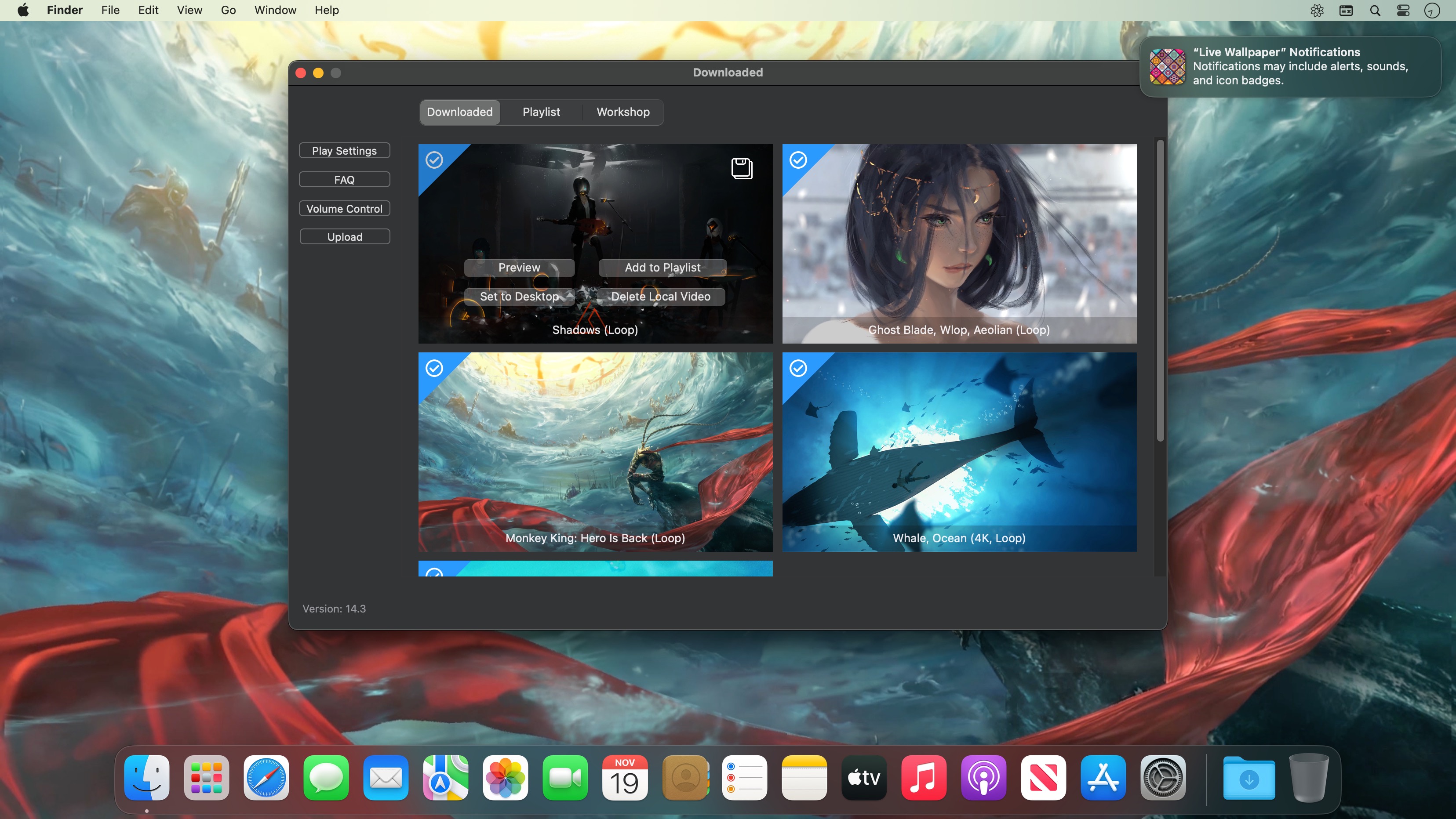
Live Wallpaper & Themes 4K allows you to use live wallpapers on your desktop/screensaver. It provides thousands of live wallpapers in the Workshop while taking as little system resources as possible. It’s the Wallpaper Engine for Mac.
Feature:
2000+ hand-picked videos which are updated every day.
Multiple types of 4K Ultra HD videos, anime, scenery, cute, game, creative, Beauty, Ancient, Movie, etc.
Supports “keyword searching” in videos.
Supports “Dynamic-ScreenSaver”, personalize your lock screen.
Easy to import local video.
Supports The playlist, list loop, shuffle loop.
Supports multiple screen aspect ratios and video native resolutions.
Set different wallpapers on different displays.
Manual control, video pause, resume and mute.
Break reminders, with flexible customization if you want it.
Supports global hotkeys to control wallpaper, hide desktop icons and show screensaver.
Auto mode, pause the video when other apps are active, not disturbed at work.
Auto mode, pause the video when Power Disconnected.
Support for hiding desktop icons.
Live Wallpaper Engine is designed to provide an interesting experience while consuming as little system resources as possible.
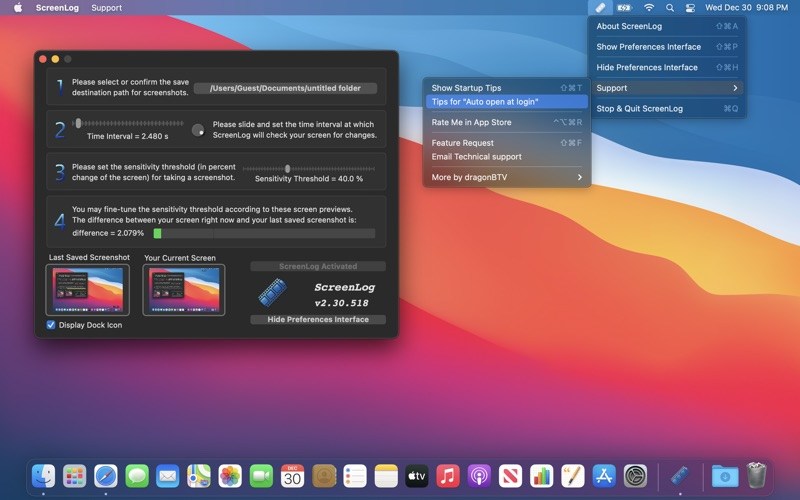
Yes, only when it changed and you can configure the sensitivity!
Want to monitor or keep track of your computer usage? With ScreenLog, you can keep a log of screen captures of your computer sessions. However, unlike other apps, ScreenLog doesn’t take screen captures based on a set time interval, but by the present screen’s percent deviation from the last screenshot, making it much more efficient and usable.
Simply make your screenshots into a daily movies with our app named “picture2movie”.
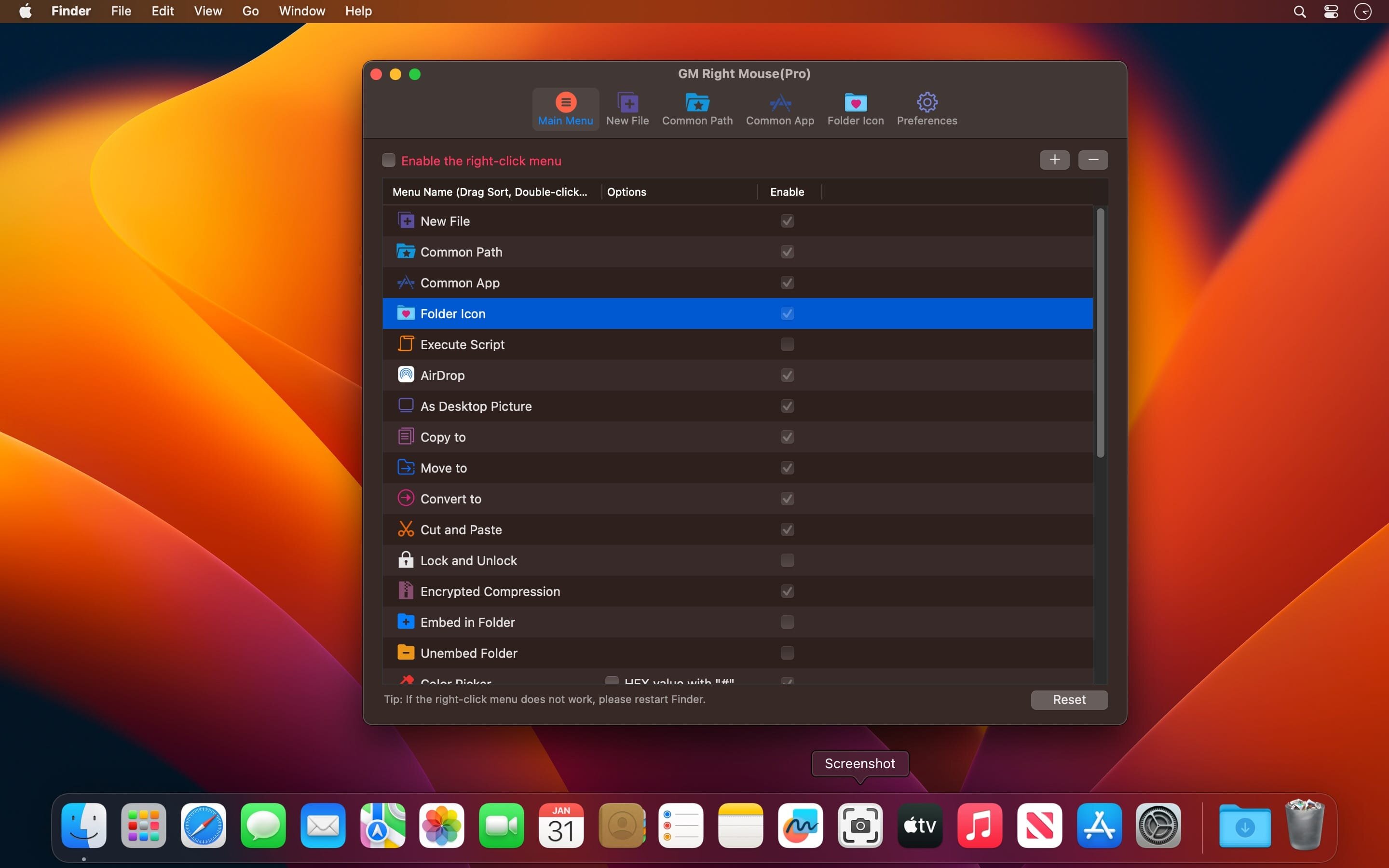
MouseBoost Pro integrates more than 30 kinds of small tools, and the operation way is very simple, as long as you click the right mouse button, you can activate all kinds of functions you want, so that your work efficiency is greatly improved.
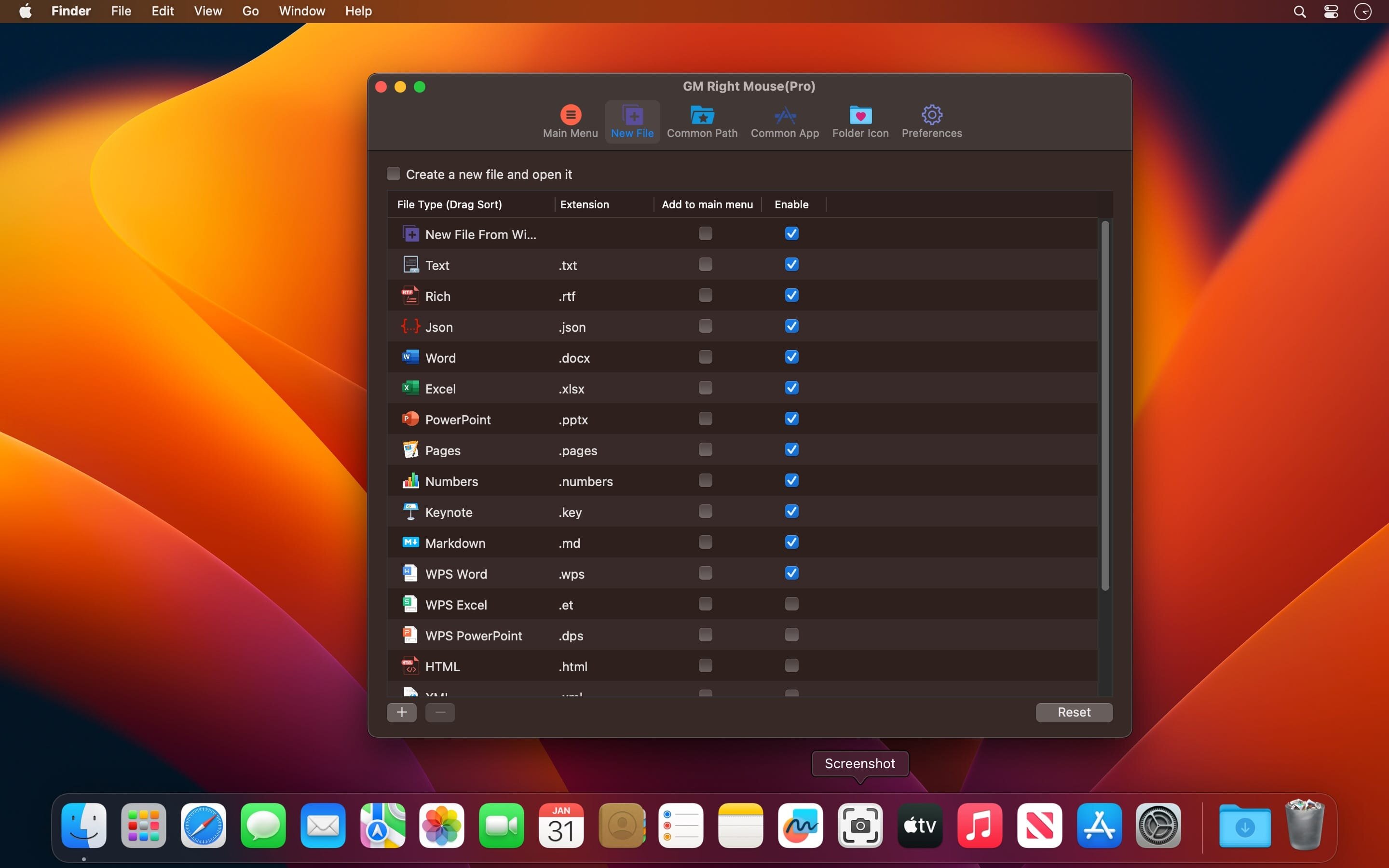
You can create any file type you want, open any APP you want, self-sorting, fully customized!
Main Features
All menus support custom sorting.
Quickly create all kinds of commonly used files, and supports custom creation of various file types you want.
Quickly open your terminal, iTerm2, and go to the directory you want.
Quickly open VSCode, Sublime Text and Emacs, and customize the various apps you want to open.
Quickly copy the current path power.
Complete files deletion is supported.
Supports files moving, copying and cutting.
Supports files encrypted compression.
Quickly open your favorite directory.
Quickly get file MD5,SHA1,SHA256 and other information.
Supports hiding and displaying of specified files.
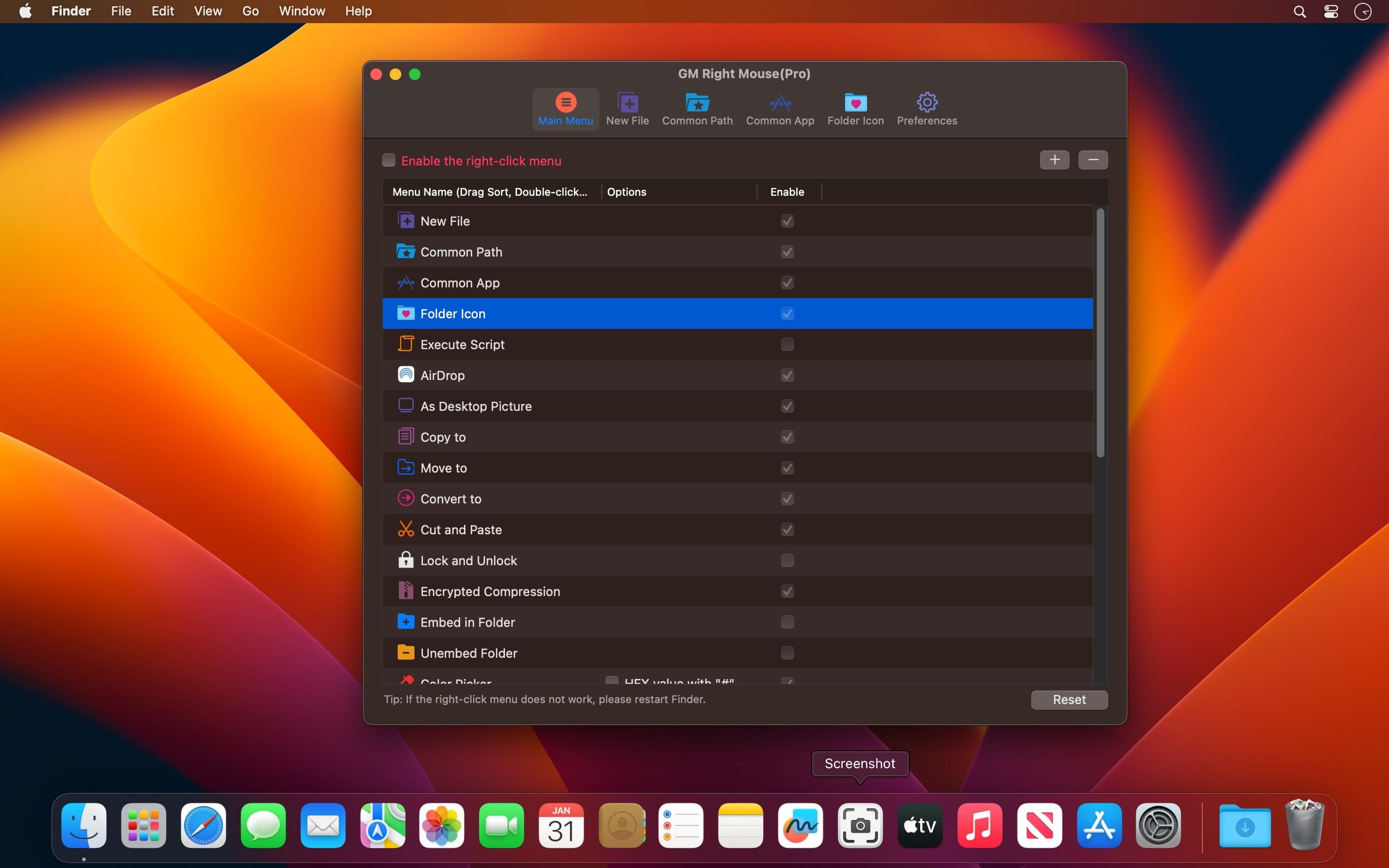
MouseBoost Pro integrates more than 30 kinds of small tools, and the operation way is very simple, as long as you click the right mouse button, you can activate all kinds of functions you want, so that your work efficiency is greatly improved.
You can create any file type you want, open any APP you want, self-sorting, fully customized!
Main Features
All menus support custom sorting.
Quickly create all kinds of commonly used files, and supports custom creation of various file types you want.
Quickly open your terminal, iTerm2, and go to the directory you want.
Quickly open VSCode, Sublime Text and Emacs, and customize the various apps you want to open.
Quickly copy the current path power.
Complete files deletion is supported.
Supports files moving, copying and cutting.
Supports files encrypted compression.
Quickly open your favorite directory.
Quickly get file MD5,SHA1,SHA256 and other information.
Supports hiding and displaying of specified files.
Bookends is a full-featured bibliography/reference and information-management system for students and professionals.
Bookends uses the cloud to sync reference libraries on all the Macs you use. Access the power of Bookends directly from Mellel, Nisus Writer Pro, or MS Word (including Word 2016): Bookends allows you to scan your existing word-processor files and automatically generate finished manuscripts with properly formatted bibliographies. You can also scan Apple Pages ’08, ’09, and 5, and OpenOffice 3 files, or RTF files saved from any word processor.
Bookends allows you to share your references over the Internet with anyone, on any platform. And with Bookends, you can directly search and import references from numerous sources:
PubMed
Web of Science
JSTOR
Google Scholar
Amazon
Library of Congress
arXiv
and hundreds of other online sources.
Or use a built-in browser to download references with PDF’s and/or Web pages. Also, with automatic searches of PubMed, you can discover articles as soon as they’re published. Bookends allows for powerful group-based searches, with static, smart, virtual groups, and smart folders that make hierarchical searches easy.
Bookends also offers a robust assortment of file attachment features:
Attach any file (such as a PDF) to a reference and view or open it instantly.
Automatically rename and organize PDF files on-the-fly.
Automatically download and attach the PDF of an article from the Internet if you have access permission.
Automatically locate and attach PDF’s on your hard drive.
Easily migrate references and attachments from other reference managers to Bookends.
Sync your library with Bookends On Tap on your iPad, iPhone, or iPod touch, so that you have your references and PDF’s with you, wherever you are.
Annotate and markup PDFs and have the information instantly accessible in notecards.
What’s New:
Version 14.1.8:
Release notes were unavailable when this listing was updated.
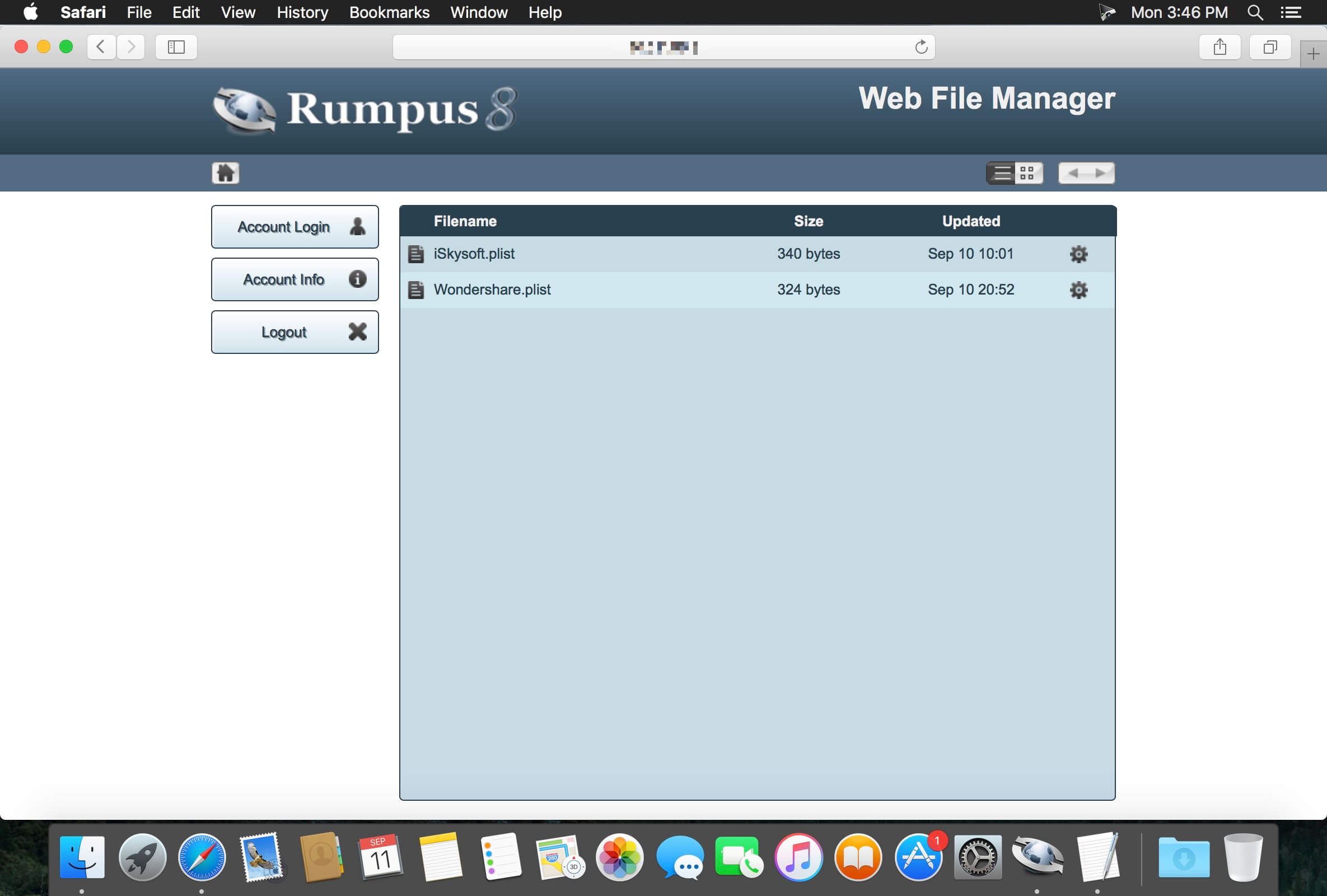
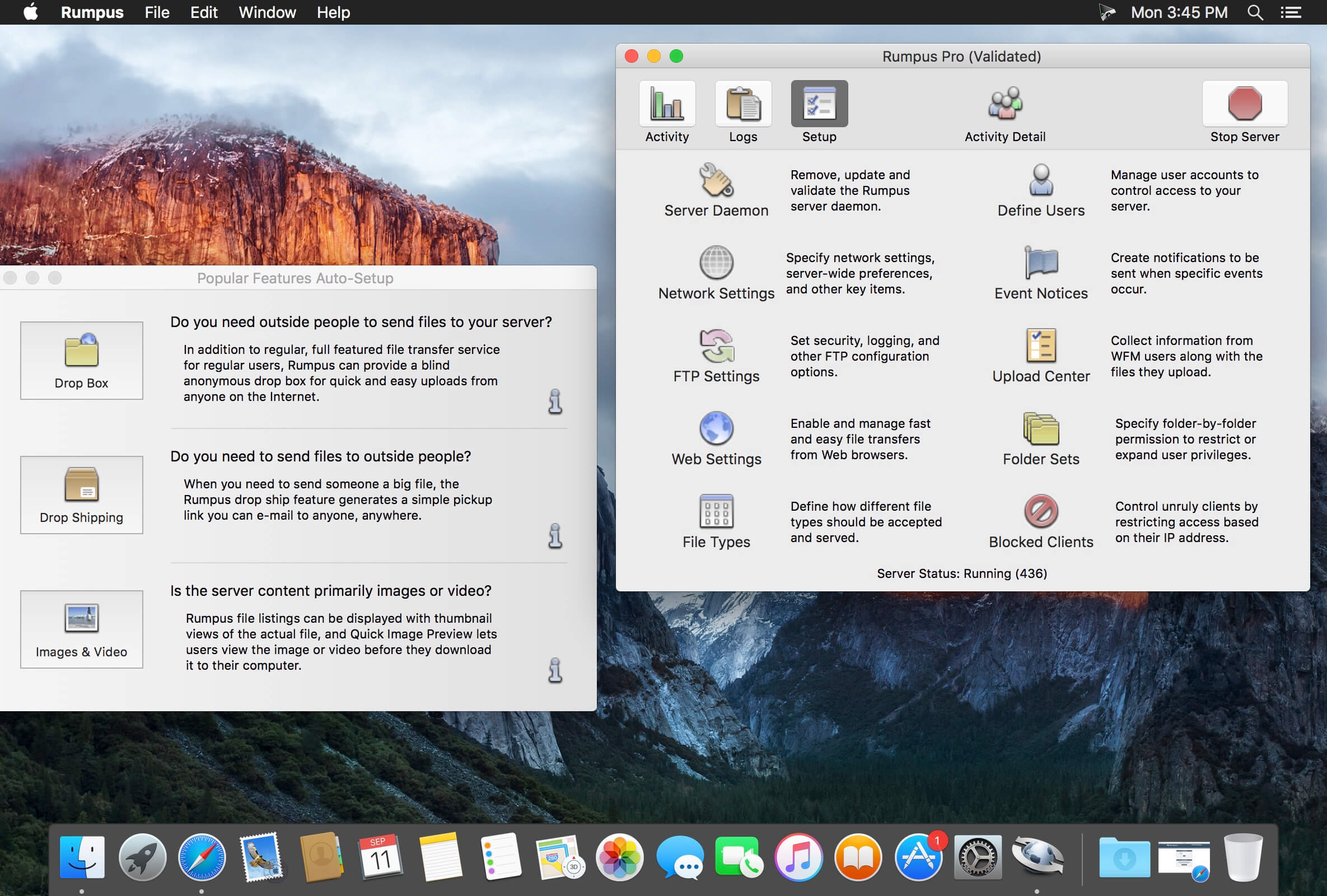
Rumpus is an easy-to-use, high-performance FTP, WebDAV, and Web file-transfer server.
Key features include built-in, easy-to-administer user accounts, integrated Web file transfers, file upload notification, extensive security options, blazing performance, and more…. Also included is a remote-server activity monitor, Rumpus FileWatch, and a server-statistics widget, RumpusStat.
Performance
Rumpus is not only lightning quick, but it’s efficient, too. This means that FTP and Web users will be able to transfer and manage files as fast as the network allows, while leaving plenty of CPU time for other applications running on your server or desktop Mac.
Ease Of Use And Maintenance
Rumpus is, quite simply, the easiest FTP server on the planet to set up and administer. From the setup assistant that fully prepares the server to accept users to the logically designed server management windows, Rumpus makes running an FTP server easy.
Web File Manager
In addition to offering an incredibly high-performance FTP server with unmatched ease of use, Rumpus also includes the Web File Manager. The Web File Manager makes it easy to provide FTP-like capabilities to anyone with a Web browser.
Simple User Management
FTP users are managed directly in Rumpus, not in the system, keeping your FTP users distinct from other server resources. Not only does Rumpus make managing users easy, but it gives you advanced controls like individual drop folders, access restrictions, usage limits, account history, and more. The single-window user management interface in Rumpus is also supplemented by Web-based administration, allowing you to define and manage user accounts from anywhere on the Internet.
A Real Mac Application
Rumpus runs natively on any Mac running OS X 10.5 or later. There’s no Java required and the memory footprint and CPU usage is tiny. You will also appreciate the comprehensive help pages and articles, that cover not only how to use Rumpus, but networking issues and the general FTP information you need when you have questions.
Professional Technical Support
Maxum has been selling Internet server software for Macs longer than anybody (including Apple!). When you have a question, we’re here to help. We believe that you have a right to get the most out of the software you buy, always. So, we offer unlimited, free technical support.
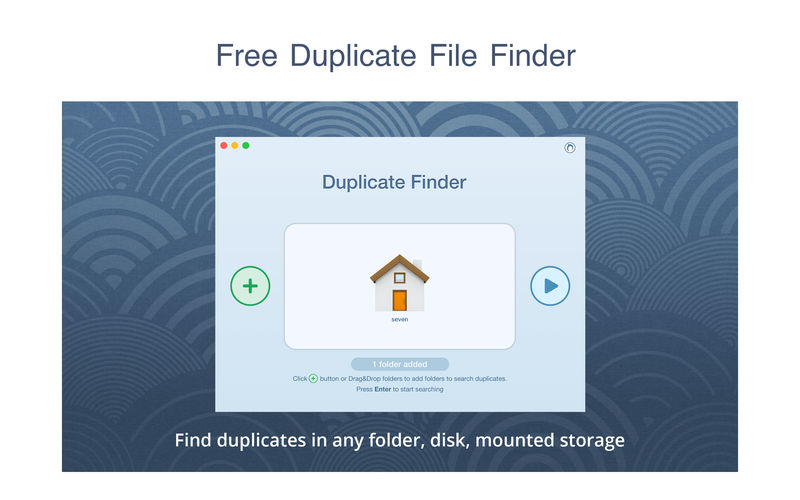
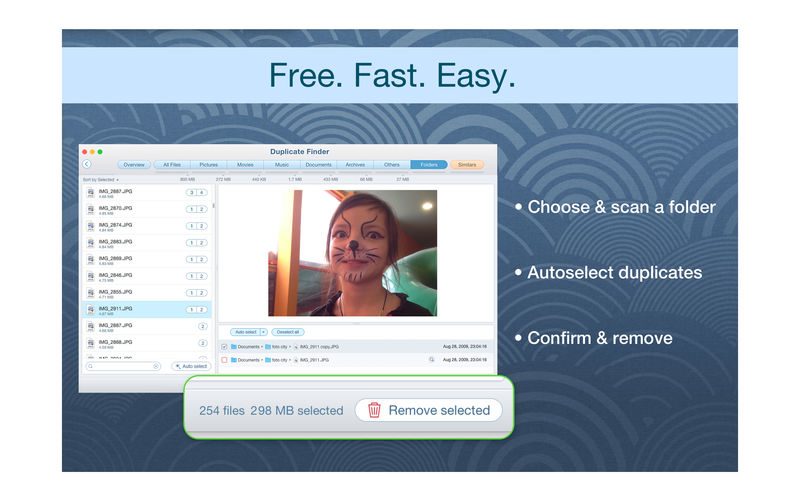
PrimeFile is a free utility that finds duplicate files on your Mac in just 3 clicks. Drag & drop as many folders as you wish and click SCAN.
Within a minute the app will give a report with all duplicate files by categories: images, videos, music, archives, documents, and all other specific extensions. It’s really easy to see how much space each file takes.
Features: SCANNING
fast scanning algorithm
scanning for duplicates in multiple folders or drives
external drives & mounted network folders support
“Recent Folders List” for scanned folders
animated scanning process
skip list for various files & folders
RESULTS OVERVIEW
visual chart report when scanning
duplicate files list
duplicate files by types
DUPLICATES
built-in duplicates search
preview & quick look for every file
sort duplicates (by name, size, total size, type, and duplicates count)
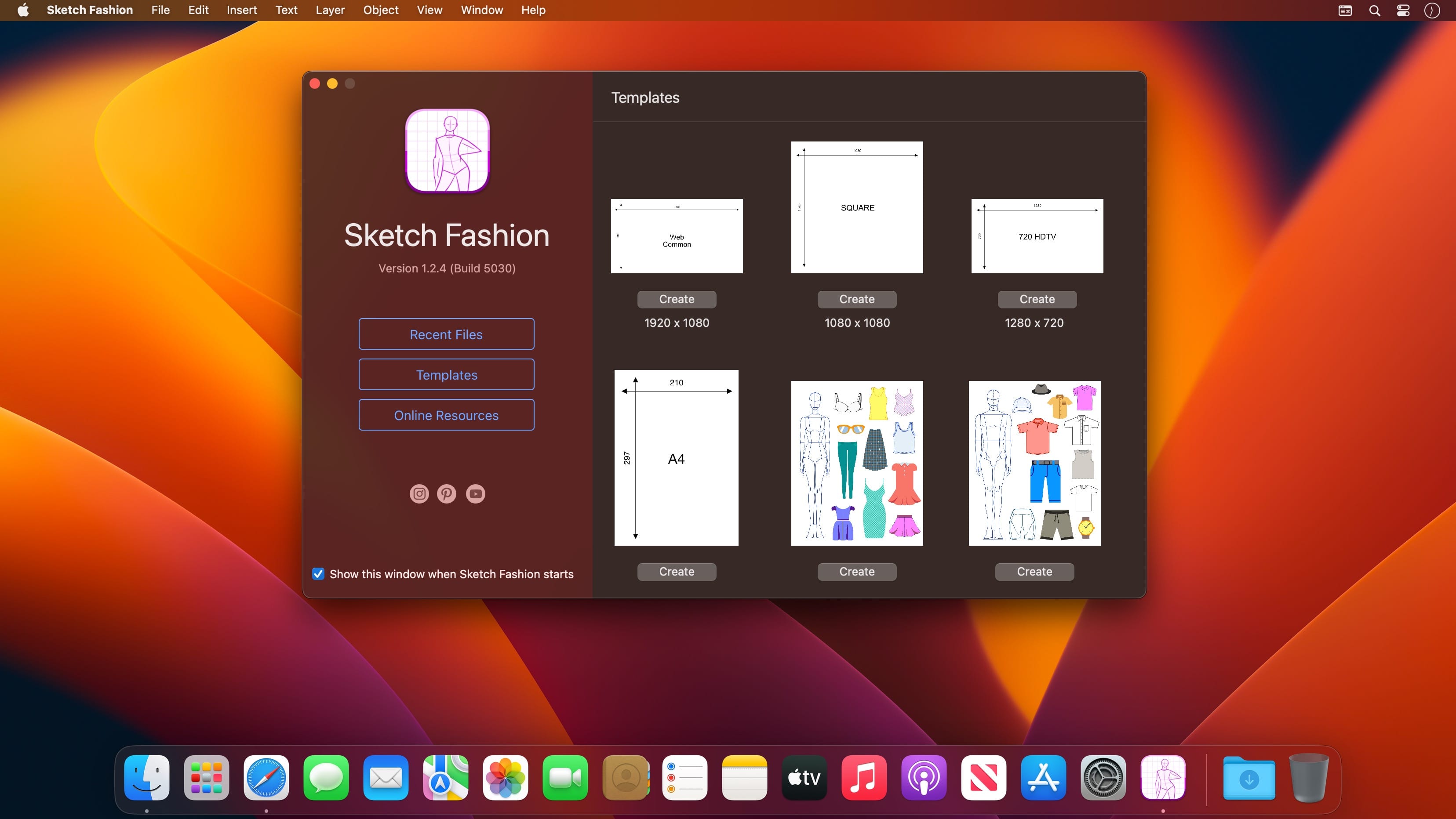
Sketch Fashion gives you all the tools you need to prototype and create good apparel design. It all starts here. Sketch Fashion is a beautiful, easy to use apparel design creator designed exclusively for Mac.
Create, prototype, sketch and bring your ideas to life with a new fashion design tool. Good fashion starts with Sketch Fashion.
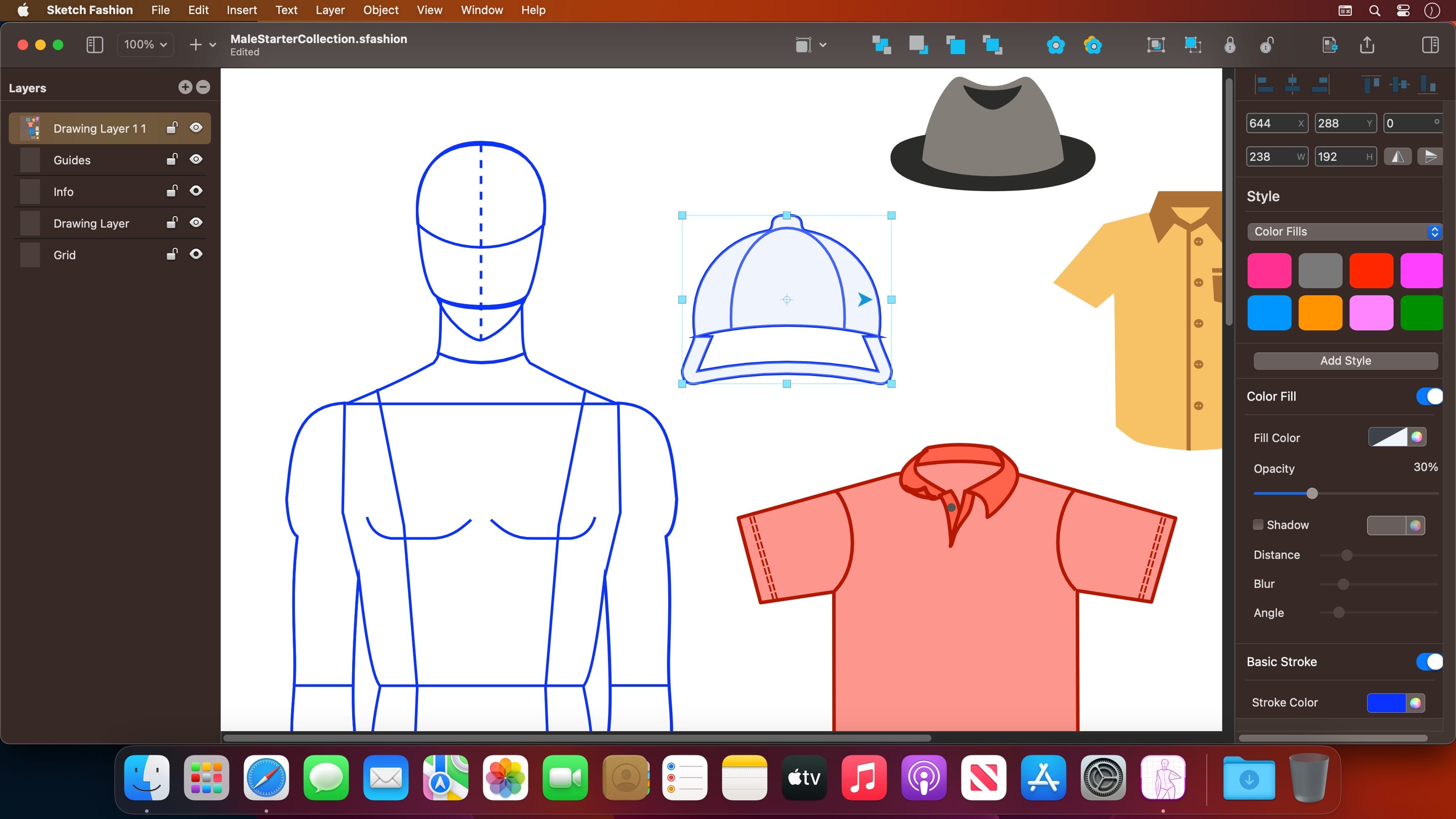
With a wide range of models, fashion sketch tools, Sketch Fashion lets you create fashion sketches in seconds, draw with vector tool extra details, apply ready styles or create your own. And thanks to its intuitive and and accessible interface, Sketch Fashion is delightfully easy to use – whether you’re just a beginner or a pro.
Interface and Functionality
The modern, single-window interface of Sketch Fashion is designed exclusively for creating best apparel sketches on a Mac
Ready creator tools make sketching easy and accessible, even if you’re a complete beginner
Native dark and light appearances adapt to the light and dark modes of macOS
A customizable toolbar, inspector and sidebar lets you organize your creative environment just the way you want
Professional Drawing Tools
Full-featured Bezier Pen tool for creating custom shapes
Basic Shape Tools for drawing extra stuff
Essential set of apparel creation tools
Path multi-point selection and editing
Rotate, Scale tools
Easily move, resize, and arrange objects to create stunning compositions
Adjust fill color, shadow, stroke and pattern
Multiple fill, stroke and pattern style elements
Speed up creating with ready shape styles
Easily design great-looking text with a full set of typography tools
Compatibility
Import selected types of bitmap and vector graphics
Export ready fashion sketches to PDF, PNG, TIFF and JPG
Share your designs to Photos, Mail, AirDrop, and other locations
Many other powerful features, including
Layers and Groups
Smart Alignment Guides
Canvas Scale, Rulers, and Units
Snap to Grid / Snap to Guide
Align and Distribute objects
Duplicate and Transform
Convert Text to Paths
Export as vector-based PDF file
Draw fashion sketches like you are drawing a rectangle.
Video Captions for Final Cut Pro use speech-to-text technology to convert audio in Final Cut Pro videos to text and automatically create captions for your project’s videos, similar to those seen on YouTube and TikTok videos.
The generated video captions can be edited within the app and are fully editable on the Final Cut Pro timeline.
Main Features
Connect with Final Cut Pro to receive exported audio for your project
Automatically transcribe the audio with support for multiple languages
Divide the generated text into captions as sentences or word by word
Configure title appearances and animations, including text case, build-in, build-out, text color, stroke color, and stroke width
Configure caption font name, font face, and font size
Generate captions and continue editing within your Final Cut Pro project
Support export in .srt file format.
What’s New:
Version 1.2
Ability to edit recognized text, manually add punctuation marks.
Wondershare UniConverter is a complete video toolbox that lets you convert, edit, enhance, download, burn, organize, capture and watch video files. Convert videos to and from virtually any video format out there, with 30X faster conversion speed.
Wondershare Video Converter Ultimate will make your movies versatile by instantly converting them to AVI, WMV, MP4, MKV, FLV, 3GP, MPG – even convert video to 3D and 4K Ultra HD video format at ultrafast speeds. 159 formats supported and counting! Burn video files to Blu-Ray/ DVD disc, DVD folder, or ISO files, download or record videos from YouTube, Google, Yahoo and other video-sharing sites, convert home movies to any video/audio, for playback on any devices.
What’s New:
Version 14.2.11.30:
Release notes were unavailable when this listing was updated.
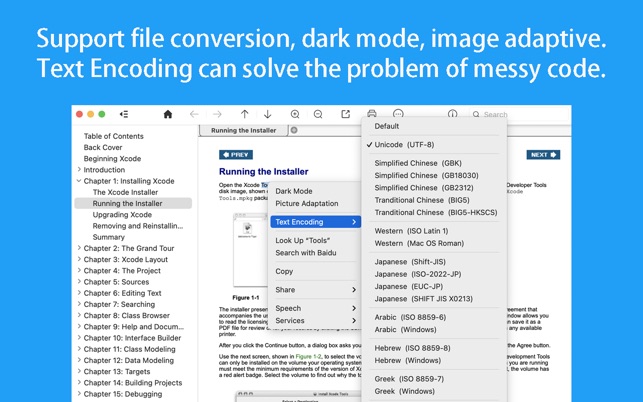
CHM Reader is a lightweight chm file reader, it can help you view your chm files, and export chm to PDF
※ CHM Reader
– Support single page search and full text search, and highlight search results.
– Support the forward and backward browsing history.
– Support page turning, zooming, and sidebar shrinking.
– Support page printing.
– Support CHM to PDF.
※ Bookshelf
– All the files you have read will be saved in the bookshelf for quick review next time.
– Support file(s) drag and drop addition.
※ Reading Experience
– It can remember the location of the last reading, so that it can continue reading next time.
– Photo adaptation, better layout.
– Support for page zooming using command+ or command- key combinations.
– Support for quick page turns and quick view of history pages using a combination of command and up and down left and right arrows.
– In the process of page reading, you can use the buttons J and K to quickly slide up and down the page.
The GM EPUB Reader is a full-featured ebook reader with a simple and beautiful interface and a good reading experience.
※ EPUB Reader
– Support for reading EPUB and Mobi files.
– Support single page search and full text search, and highlight search results.
– Support the forward and backward browsing history.
– Support page turning, zooming, and sidebar shrinking.
– Support page printing.
– Support to view basic information of files.
– Support page number display and quick page switching.
– Support EPUB to PDF, Mobi to EPUB, Mobi to PDF.
– Support extracting images from EPUB and Mobi.
※ EPUB Bookshelf
– All the files you have read will be saved in the bookshelf for quick review next time.
– Support file(s) drag and drop addition.
※ Reading Experience
– It can remember the location of the last reading, so that it can continue reading next time.
– Photo adaptation, better layout.
– Support for page zooming using command+ or command- key combinations.
– Support for quick page turns and quick view of history pages using a combination of command and up and down left and right arrows.
– In the process of page reading, you can use the buttons J and K to quickly slide up and down the page.
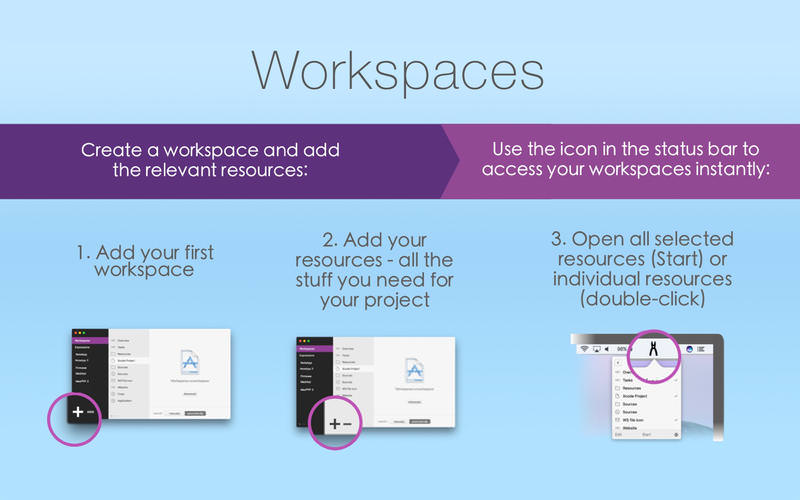
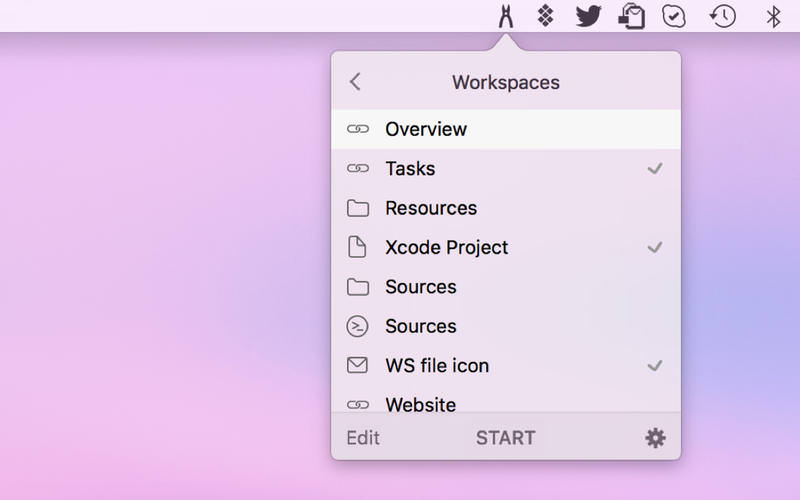
Workspaces is an app that remembers your project resources, so you can quickly open them. Just drop files, folders, websites, applications and important e-mails into the application, then select the ones you wish to automatically launch. You can then run all the selected items at once by clicking the START button, instantly recreating your working environment. You can also access individual resources using the Workspaces icon in the menu bar.
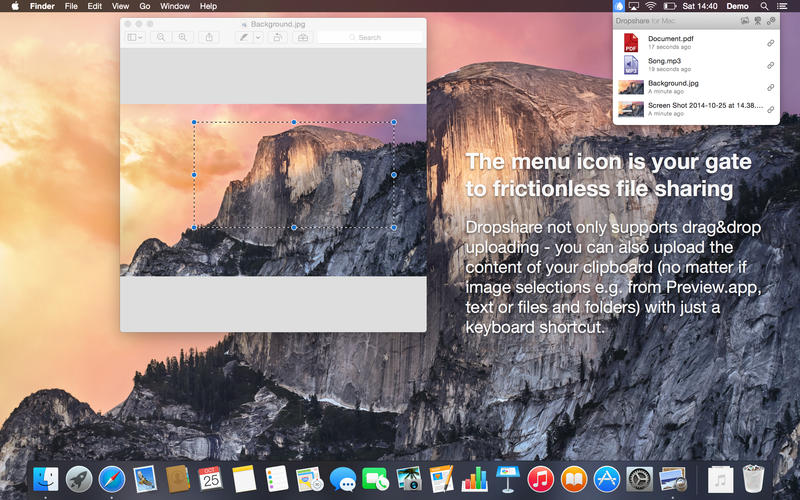
Your very own secure file sharing tool! Dropshare is a so-called menulet that enables you to easily drag&drop files, folders and anything else to your own server, Amazon S3, Rackspace Cloud Files or Google Drive. Once uploaded, the app copies the link to the file to your Mac’s clipboard and you’re ready to share with anyone you like!
Dropshare supports SCP over SSH, a secure industry standard protocol for file transfers. Uploads to Amazon Simple Storage Service (S3) or Rackspace Cloud Files are also supported, which both are low-priced file hosting services in the cloud. Compared to other cloud hosted file sharing services, Dropshare directly connects to your very own Amazon S3 bucket or Rackspace Cloud Files container, so there is no third-party involved at all.
Dropshare supports Multiple Connections: You can set up different upload destinations at the same time and switch between them using user-defined keyboard shortcuts!
Features: Uploads everything
No matter if files, folders, text or screenshots – Dropshare uploads every file and data to your selected destination – also from clipboard or other applications like Safari.
Automatic screenshot upload
Set up your own keyboard shortcuts for fullscreen or selection-based screenshots that’ll be uploaded automatically with Dropshare.
Screen Recordings
Take & upload Screen Recordings directly with Dropshare, both fullscreen and selection-based recordings are available.
Dropshare Safe
Easily create access-restricted URLs for your uploads with either a lifetime and/or password.
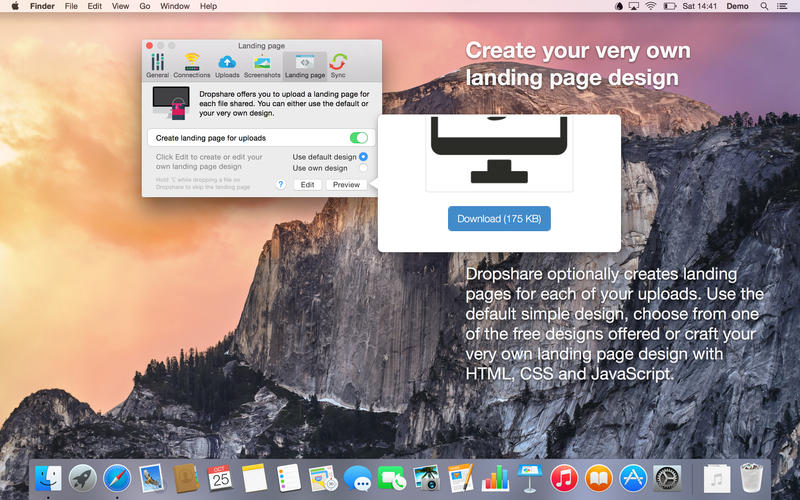
Beautiful individual landing pages
Choose from a number of free designs or craft an individual design on your own using HTML, CSS and jаvascript. A preview can be embedded for several file types, e.g. images, text or video files.
Choose your URL shortener
Dropshare supports URL shorteners as well – natively supported URLs (e.g. dsh.re), or configure your very own URL shortener service like bit.ly (for hosted services) or YOURLS (for self-hosted services).
Dropshare Sync
Synchronize your upload history across all your devices which have Dropshare installed.
1-Click Delete from your server
Whenever you decide that you no longer want to share a specific file, just use Dropshare to delete it from the upload destination again.
Markdown to HTML
If enabled, Dropshare automatically converts Markdown files to HTML.
Services enabled
Dropshare introduces itself to the Mac OS X Services Menu. By doing so, you can perfectly use the tools Mac OS X provides to create e.g. keyboard shortcuts for specific actions.
IPv6 ready
Worth to mention, Dropshare works perfectly well in IPv6 environments.
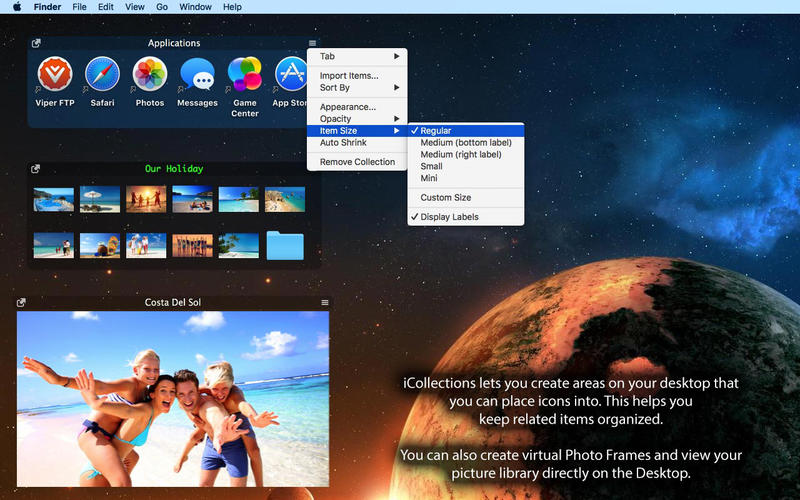
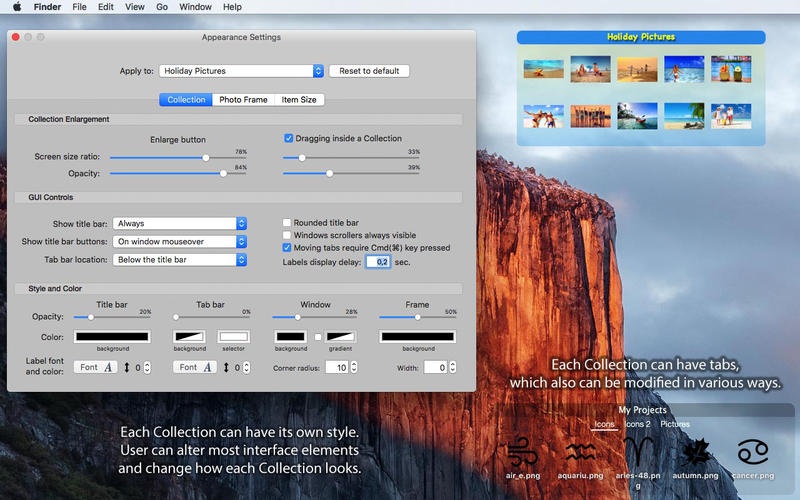
iCollections is an expertly designed application which helps you keep your desktop organized. The app’s unique features are what make it the most popular method of desktop organization for Mac users. iCollections lets you create areas on your desktop that you can place icons into. This helps you keep related items together so your files (pictures, documents, screenshot, applications, etc.) remain organized.
When selecting Photo Frame, a picture frame will be created at the desktop. The Photo Frame will display collection of your pictures as a slide show, eg. a new picture every day. Select your pictures folder and recall wonderful memories.
Use View Settings to define a slide show: window design and details to show. You can also create a static picture – just select a picture instead of a folder. Quick and easy!
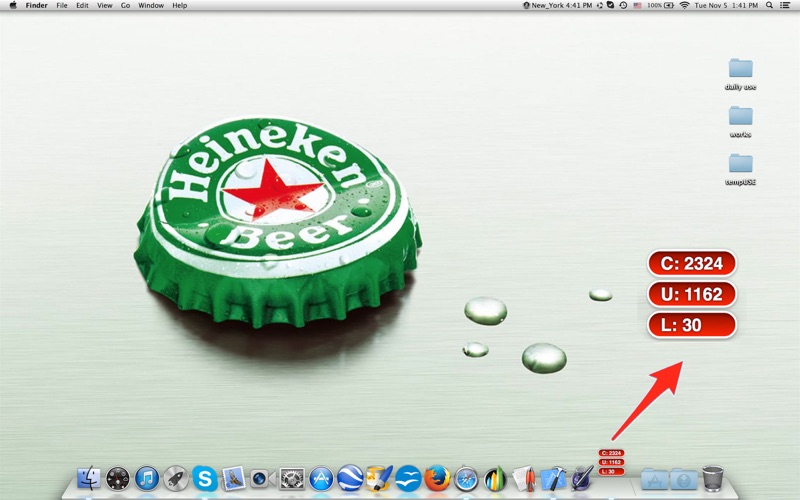
Count and display the number of characters, words, lines and UTF8 characters in anything you select at anywhere with this elegant app! (attention: setting interface located in status menu bar)
Still counting words by hand? Still copy-pasting into Microsoft Word just to get the word count? No offense, but you need something less clumsy and more convenient, like a specialized app that can count characters and words without you having to leave your browser or email client.
wordCount is exactly what you need! A simple, easy-to-use app for whatever you might be doing. Just highlight a selection, a delicate window will pop up and give you the character and word counts. It’s that easy!
Not only can this app count Western alphabets (Latin and Cyrillic), it can even count UTF-8 foreign characters, such as Chinese, Korean or Arabic. With customizable controls, you would enjoy the come and go of the little counter window.
What’s New:
Version v2.10
Any Mac (Apple Silicon, Intel) version for macOS Big Sur
interface fine-tuning for dark mode
control interface modified
count sound effect option added
size of the count window changed
font of count changed to Monospaced font Monaco
cancel displaying of seldom used line count, display UTF8 count and word count together
sensitivity of count triggering adjusted
support menu modified
all deprecated functions rewritten
Compatibility: macOS 11.0 or later • Apple Silicon or Intel Core processor Homepagehttps://wordcounterapp.com/
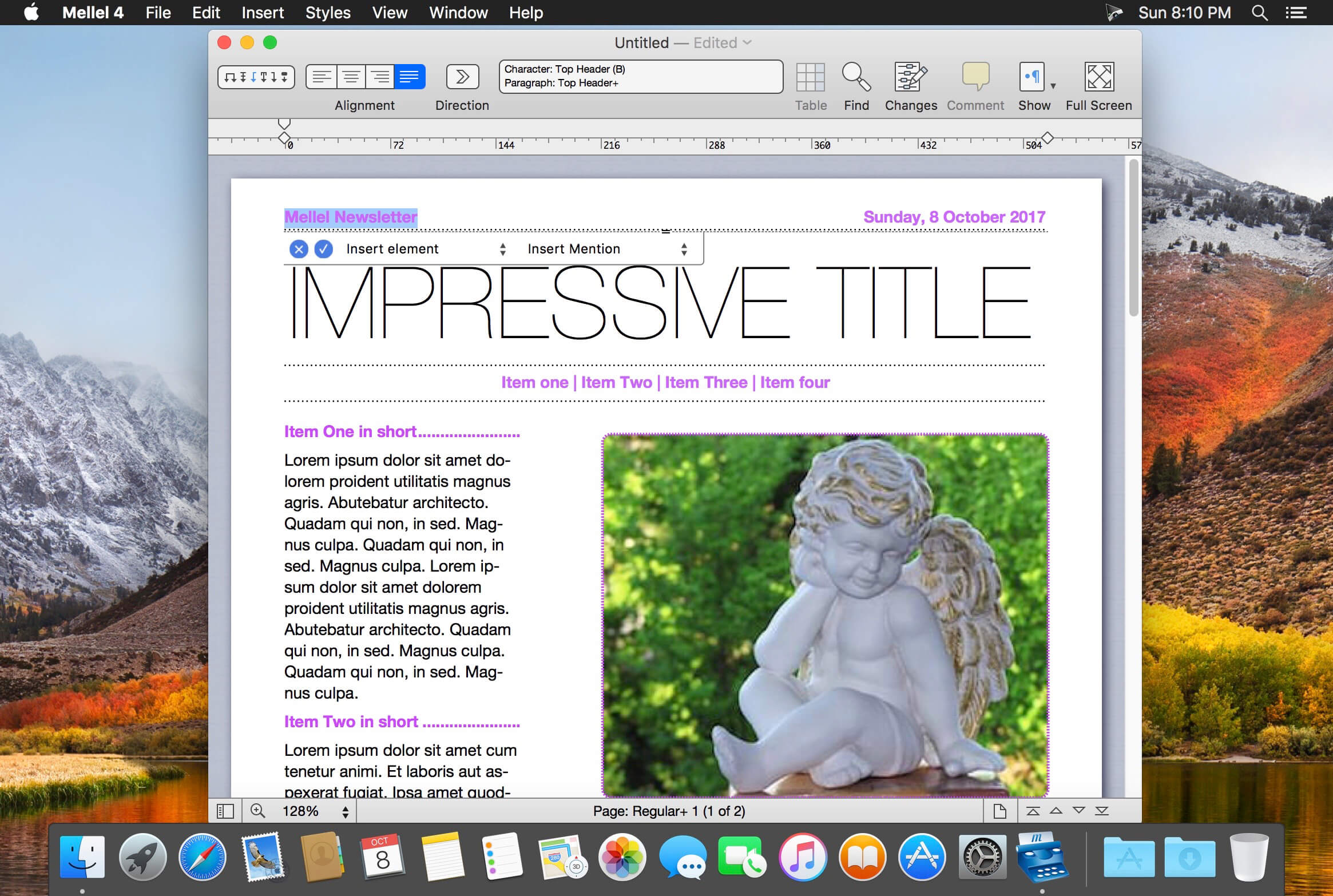
Mellel is the leading word processor for macOS and has been widely considered the industry standard since its inception. Mellel focuses on writers and scholars for technical writing and multilingual word processing. It offers special tools to help you write and organize long documents easily. If you need multilingual support or are writing bi-directional text, Mellel is just the thing for you: Arabic, Persian, Hebrew, and Syriac never looked better on a Mac. Even if you don’t need all the bells and whistles, Mellel is still the right choice for you: clean, stable, and easy to use.
A Word Processor You Can Trust
Mellel gets the job done. It’s considered the leading word processor for complex documents. It’s stable. It’s trustworthy under real work pressure. Once you get it, you’ll wonder why you wrote with anything else.
An Outline and an Outliner
Mellel’s superb Outline feature allows you to organize your work. View, edit, and navigate your document. Reorganize sections with a click of your mouse.
Find. Replace. Repeat.
Mellel’s advanced find and replace tool turns hours of editing into minutes. Everything in any sequence can be searched, found, switched, and fixed. Save your find actions. Use them again and again to transform all your documents in seconds.
The Best Multi-language Support
Mellel was created to support multiple languages and script systems within the same document. It was the first and still is the best word processor for right-to-left writing systems.
The Best Index Tool
Create your index in half the time. Mellel’s Index feature tops similar tools in other word processors, and rivals dedicated Index applications.
What’s New:
Version 5.1.4:
Release notes were unavailable when this listing was updated.
Language: English, Czech, Dutch, French, German, Russian, Simplified Chinese, Spanish Compatibility: macOS 10.10 or later (Apple Silicon compatible) Homepagehttps://www.mellel.com/
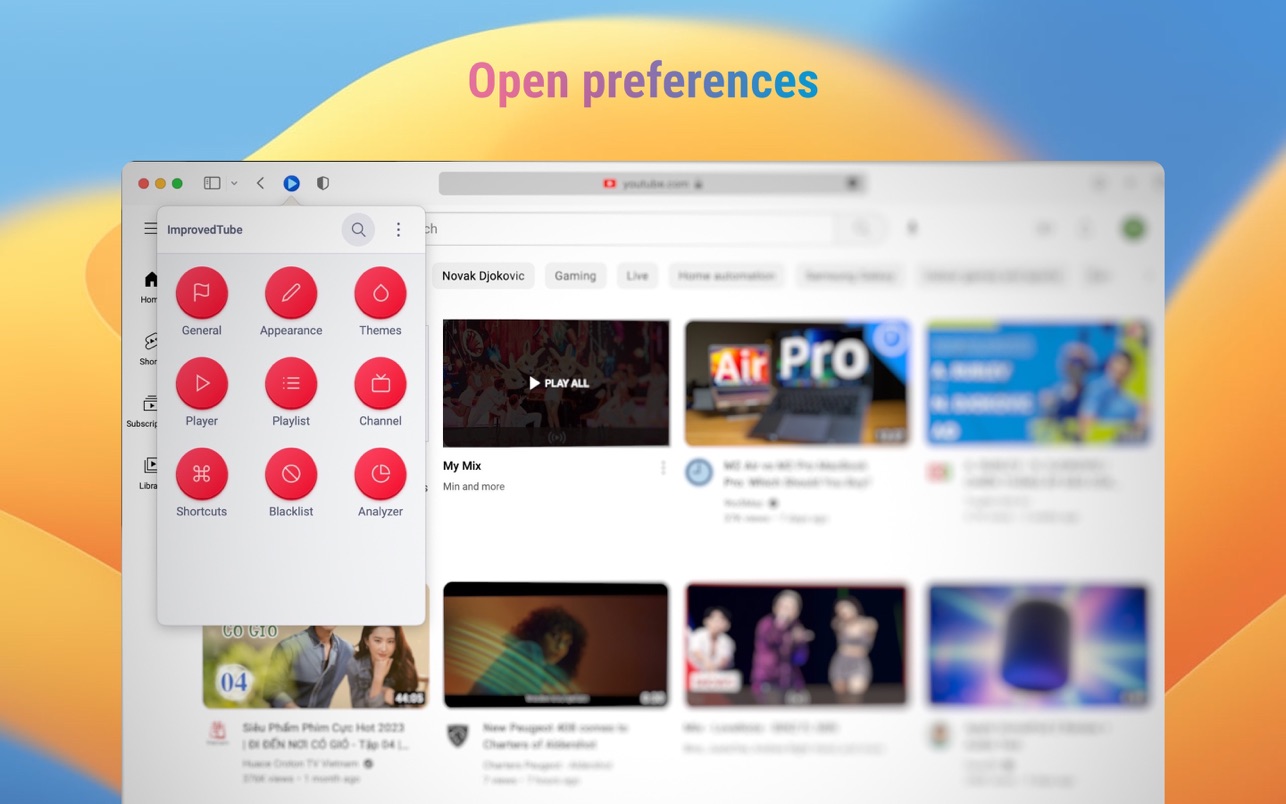
Powerful but lightweight extension to enrich your video experience & content selection.
Player / Playback features:
• Video Quality
• Auto-Fullscreen
• Fixed Volume or disallow Loudness Normalization
• Fixed Playback Speed
• “Repeat” button for Player
• “Screenshot” button for Player
• “Popup Player” button for Player or PIP Picture in picture player
• “Rotate Video” button for Player
• Forced H.264 Video Codec (speed up)
• Video Autoplay Off
• Ads only on Subscribed Channels
• Disallow ads inside player
• Disable 60fps
• Disable Subtitles
• Up Next Autoplay Off
• Mini Player
Player Appearance:
• Player Size
• Forced Theater Mode
• Player Color (timeline/progresbar)
• Transparent Background
• Header style * Monochrome YouTube Logo
• Hide Cards, Endscreen, Annotations
Video Page Appearance:
• Hide Related Videos, Details, Views, Likes or change their styles
• Show video age
• Show channel video count
• Change style of “Description”, “Comments”, “Footer”, “Livechat”, “Playlist” and “Related videos”
GraphicConverter is an all-purpose image-editing program that can import 200 different graphic-based formats, edit the image, and export it to any of 80 available file formats.
The high-end editing tools are perfect for graphic manipulation as well as the ability to use Photoshop-compatible plug-ins. It offers batch-conversion capabilities, a slide-show window, batch rename, batch and individual editing of metadata (EXIF, IPTC, XMP) and so much more.
GraphicConverter 11 RAW Developer
RAW images are much easier to edit thanks to their enormous data depth. This is particularly noticeable when brightening images with the Exposure slider. The picture remains clear, there is no gray haze as with many JPG images. GraphicConverter now offers a full-screen dialog when opening RAW files with controls for Exposure, Contrast, and Color Corrections. The picture noise can be reduced even with 6 controllers.
Unpack Archives
You want to know which pictures and documents are in an archive file? Then double-click is enough: GraphicConverter temporarily shows you the content or secures the content permanently. In addition to the Zip format, there are 12 additional formats supported, such as the TAR and TGZ formats.
Wide Equalization
In wide-angle shooting, faces and objects on the left and right edges of the image are often heavily distorted in width. With the new wide-angle equalization in GraphicConverter 11, you can now reduce this distortion.
Gradients
You need a gradient, e.g. as a background for a collage? No problem. Easily create color gradients with up to 10 colors via the new dialog.
Duo-Tone
Color your shots with two colors to duo-tone images. In this impressive technique, the lighter shades are colored with the color 1 and the darker ones with the color 2. The result is an effect that enchants your pictures.
Apple Finder Tags
Do you organize your work with Finder Tags from Apple? Then your work will be even easier, because in the browser you can now use the context menu to directly display and change these tags.
Compatibility: macOS 10.13 or later • Apple Silicon or Intel Core processor Homepagehttps://www.lemkesoft.de