Description
Includes:
・Elements for iWork 3.0.3 [En]
・FileMaker Server 15.0.2.206 [Multi]
・Graphic Styles 3.0.3 [En]
・Infographics for Pages 3.0.3 [En]
・JetBrains WebStorm 2016.2.3 [En]
・Layouts for Keynote 3.0.3 [En]
・Templates for Numbers 4.6.1 [En]
・Toast Titanium 15.1 (4486) [Multi]
・Vitamin-R 2 v2.40 [En]
Elements for iWork 3.0.3 [En]
The release took place: October 20, 2016
Supported OS: OS X 10.11 +
Language: English
Treatment: not required

System requirements:
OS X 10.11 or newer
64-bit processor
Pages 5.0 and Keynote 6.0 or newer


Description:

Elements for iWork is a premium set of images for illustrating your posters, books, slide shows, newsletters or any other content.
Elements for iWork includes 722 icons, 47 patterns, 50 badges-badges, 6 ribbons, and 68 watercolor icons in 3 color versions: green,
blue and red. All images include transparent backgrounds that allow placing them on various colors and patterns.
The set was designed for Pages and Keynote but you can also use the images in Numbers or iBooks Author.
The PNG format lets you to adjust brightness tint and other image parameters.
Most objects in the templates and themes can be edited without difficulty.
You can type or paste your own text add and remove text boxes and change the fonts.

What's new in version:

- New templates added.


Installation procedure:
Mount the image and see Readme.txt why so ...
Further to the selection, installation as you normally would or by using the Open Gatekeeper friendly
FileMaker Server 15.0.2.206 [Multi]
The release took place: September 30, 2016
Publication type: macOS Software
Supported OS: OS X 10.10+
Language: English, French, etc
Type of medicine: ready keygen

System requirements:
OS X Yosemite 10.10 or later
RAM: 2 GB (min.)


Description:

Reliable and efficient access to data
FileMaker Server is a fast and reliable server software to securely provide data to groups of users FileMaker Pro,
FileMaker Go and FileMaker WebDirect. It is distinguished by reliability and availability,
allows you to easily remotely control applications and automation saves administrative time.

Each client connects to FileMaker server using licenses for connecting users.
These licenses can be purchased in the FileMaker Server admin console or the FileMaker store.


Additionally:

What's new in FileMaker Server 15

Preventive security warning

Setting one checkbox, FileMaker Server administrators may prohibit the placing on the application server that are not password protected.
This feature is enabled by default. In addition,
the log viewer in the administrative console now includes a broader range of security alerts that can be filtered for easier viewing.

Support of new SSL certificates

FileMaker Server now supports interim, group and SAN-certificates.
Administrators can protect the URL of the web site and multiple subdomains with one group's SSL certificate.

Enhanced support for SSL certificates

FileMaker data is now even easier to protect. FileMaker Server now supports SSL certificates issued by 9 popular vendors (EN).
A new form of the certificate signing request in the administrative console simplifies the process of requesting and installing
third-party intermediate certificates.

Logging long lasting client requests

The ability to quickly diagnose any slow down with the FileMaker platform.
FileMaker Server displays a list of the 25 queries from connected clients, processing which takes the most time.


Specifications:

Requirements for the system drive

FileMaker Server uses the system OS disk for temporary storage of loaded and transmitted at the moment of the files and applications
for the placement of logs and as a cache for certain components, such as web servers.

In the optimal configuration for FileMaker Server requires an 80 GB or higher of free disk space on the system drive,
even if the apps are hosted or backed up on another drive. The server administrator needs to maintain sufficient free
space on the system drive.

Backup server
If you are using a backup server requires two computers with the same configurations. Both computer must meet the recommended
(not minimum) hardware requirements or exceed them. The backup server must be deployed on the same LAN with the main server.


Installation procedure:
Mount the image and run the installer
During the installation process to register data from a text file

When you register use any name or company
Do not register the program after finish the installation on the developer's site.
Don't need FileMaker to block with Little Snitch or other firewall applications.
Graphic Styles 3.0.3 [En]
The release took place: October 20, 2016
Supported OS: OS X 10.11+
Language: English
Treatment: not required (the installer is already treated)

System requirements:
OS X 10.11 or later,
64-bit processor
Requires Keynote 6.0 / Pages 5.0 or newer


Description:

Graphic Styles set contains high-quality images that will help you create unique Keynote presentations for illustrating your slideshows,
newsletters or any other content. This gorgeous collection will give your presentations the exclusivity if included in her original frame,
characters, graphics, font, etc.

All images include transparent backgrounds that allow placing them on various colored and patterned backgrounds.
You can apply the elements to your presentation by simply copying and pasting them.
You can also adjust the hue, brightness and more. You can use the options of the frames and characters,
as well as change the fill and opacity models.

The set was designed for Keynote, but you can also use the images in Pages, Numbers or iBooks Author.
The PNG format lets you to adjust brightness tint and other image parameters.
Most objects in the templates and themes can be edited without difficulty.
You can type or paste your own text, change the embedded images, add and remove text boxes and change the fonts.

What's new:


New templates added.


Installation procedure:
Mount the image and see Readme.txt why so ...
Further to the selection, installation as you normally would or by using the Open Gatekeeper friendly
Infographics for Pages 3.0.3 [En]
The release took place: October 19, 2016
Supported OS: OS X 10.11 +
Language: English
Treatment: not required (the installer is already treated)

System requirements:
OS X 10.11 or later,
64-bit processor
Pages 5.0 or higher


Description:

What is Infographics (Infographics)?
Reference picture information in the form of charts, tables and graphs.
It is known that the presence of the infographic in any publication strongly influences its visibility and improves the quality of the materials. In business, infographics
can be used by managers and marketers in those cases when they need to represent any information. This is clearly and beautifully.

The Infographics collection contains a wide range of high-quality designs for illustrating your documents.
Focus your content on a particular country, explains intricacies of a particular industry, or presents annual financial results,
Infographics gives you the choice to improve the quality of visualization tools. Infographics designed for use with Apple's Pages ,
but you can also insert images into Keynote, Numbers or iBooks Author.

Additionally:

Infographics contains:

70 themes of data visualization elements
1335 diagram slides
70 sets of infographic elements
1 world map
6 maps of continents
17 maps of international organizations
248 maps of countries and overseas territories
11 maps of countries with their administrative divisions (including the US, UK, Germany, France, China, and more)
207 flags of countries and territories
23 flags of international organizations
60 sets of national symbols
55 sets of American symbols

All images with transparent backgrounds that allow placing them on various colored and patterned backgrounds.
Most of the elements taken shape, and you can easily change their fill, opacity, and other parameters.


What's new in version:

- new templates added


Installation procedure:
Mount the image and see Readme.txt why so ...
Further to the selection, installation as you normally would or by using the Open Gatekeeper friendly
JetBrains WebStorm 2016.2.3 [En]
The release took place: September 5, 2016
Supported OS: OS X 10.8 and above
Language: English
Type of medicine: replacing files

System requirements:
Mac Platform: Intel
OS : OS X 10.8 +
RAM : 512 MB

Description:

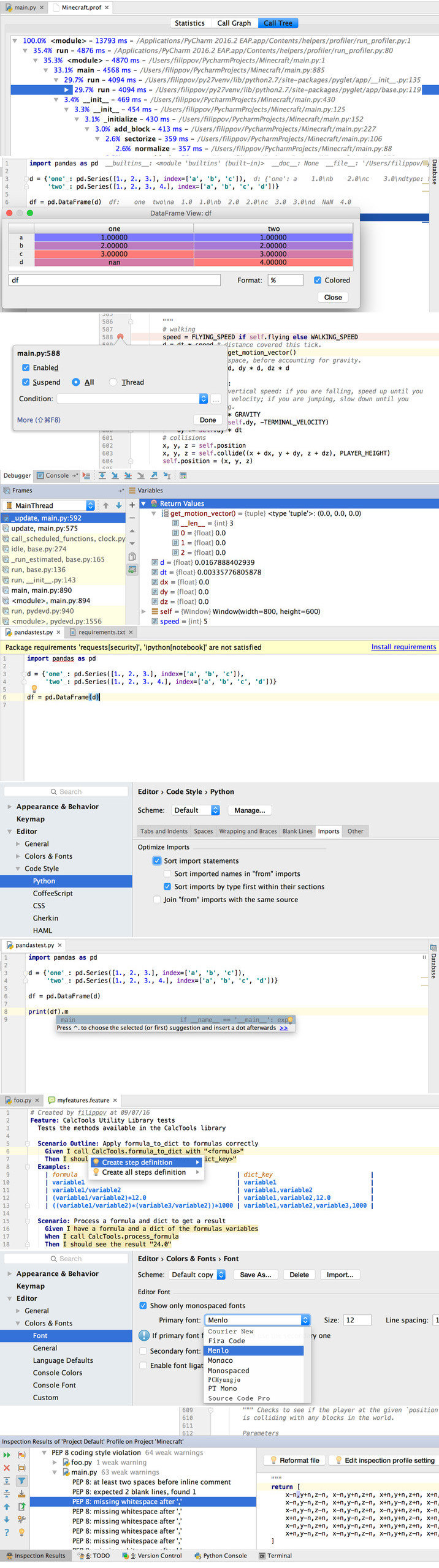
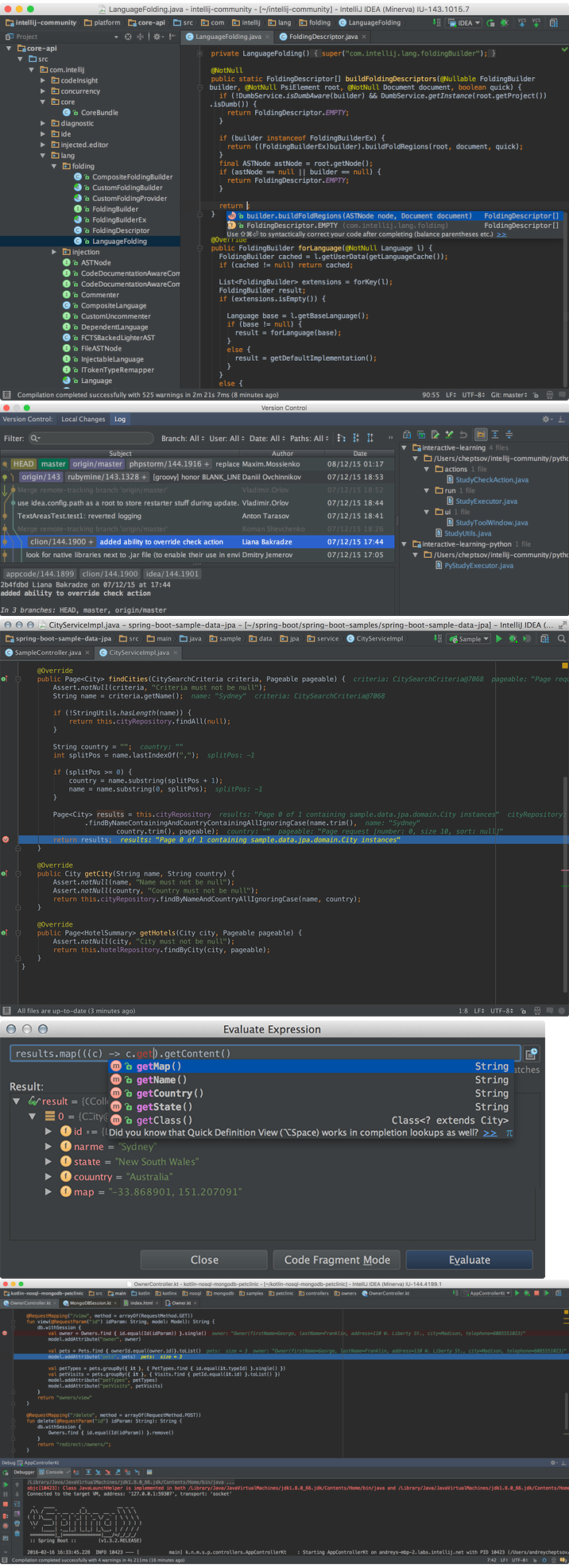
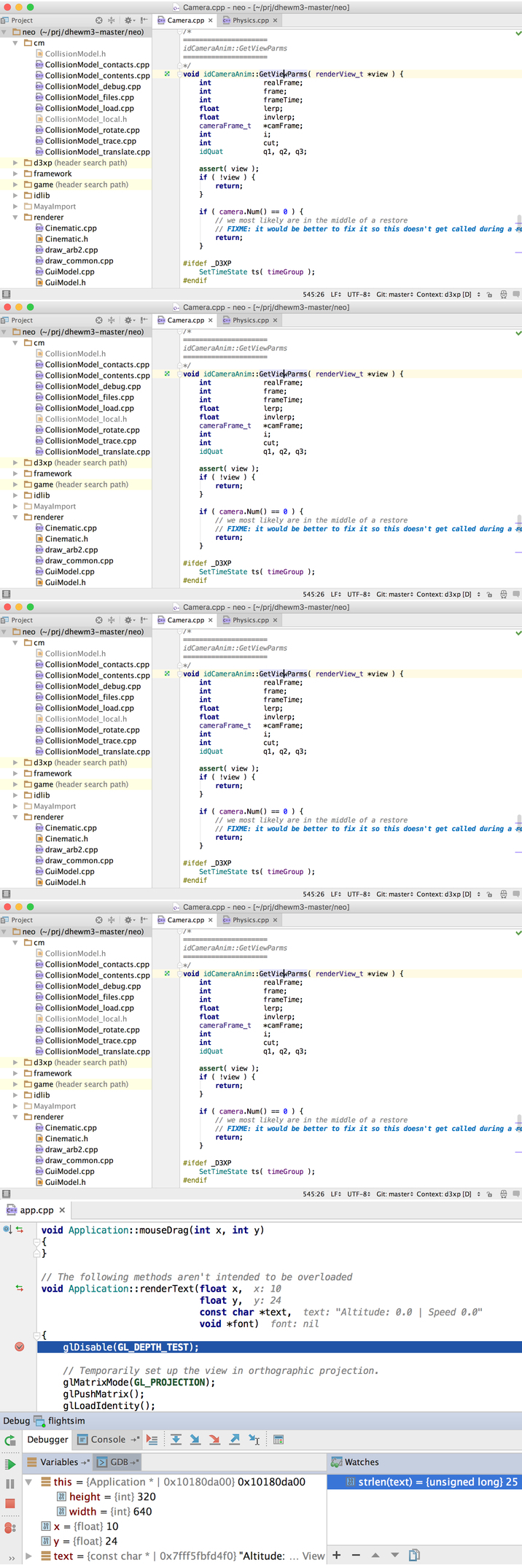
JetBrains WebStorm is a powerful tool for developing web-sites and edit HTML, CSS and javascript code.
The solution provides fast navigation through files and generates notifications on emerging issues in the code in real-time.
JetBrains WebStorm allows you to add markup HTML-documents or items SQL directly in javascript. JetBrains WebStorm deploys
and synchronization projects through the FTP Protocol.

Using the capabilities of HTML, XHTML and XML, WebStorm provides automatic completion of styles, references, attributes,
and other code elements. When you work with CSS code completion implemented classes, HTML-numbers, keywords, etc.
WebStorm offers an automatic solution to problems such as choosing format, properties, classes,
links to files and other attributes of CSS. The decision to use power tool Zen coding for layout HTML displays the action tag on web-page.
Product carries javascript code completion for keywords, labels, variables,
parameters and functions and DOM support specific features of popular browsers.
Implemented in the solution functions and refactoring of javascript can transform the structure of code and files and .js.


Installation procedure:
Install the program
Run
Raspokovat and copy JetbrainsCrack.jar in /Applications/IntelliJ IDEA.app/Contents/bin/JetbrainsCrack.jar
Open /Applications/IntelliJ IDEA.app/Contents/bin/idea.vmoptions
Add this line to the end of the file: "-javaagent:JetbrainsCrack.jar" and save.
Example idea.vmoptions after editing:

-Xms128m
-Xmx750m
-XX:MaxPermSize=350m
-XX:ReservedCodeCacheSize=240m
-XX:+UseCompressedOops
-javaagent:JetbrainsCrack.jar


run IntelliJ IDEA

Register with this key:
COPY BELOW THIS LINE
ThisCrackLicenseId-{
"licenseId":"ThisCrackLicenseId",
"licenseeName":"Apple",
"assigneeName":"",
"assigneeEmail":"apple@apple.com",
"licenseRestriction":"Apple",
"checkConcurrentUse":false,
"products":[
{"code":"II","paidUpTo":"2099-12-31"},
{"code":"DM","paidUpTo":"2099-12-31"},
{"code":"AC","paidUpTo":"2099-12-31"},
{"code":"RS0","paidUpTo":"2099-12-31"},
{"code":"WS","paidUpTo":"2099-12-31"},
{"code":"DPN","paidUpTo":"2099-12-31"},
{"code":"RC","paidUpTo":"2099-12-31"},
{"code":"PS","paidUpTo":"2099-12-31"},
{"code":"DC","paidUpTo":"2099-12-31"},
{"code":"RM","paidUpTo":"2099-12-31"},
{"code":"CL","paidUpTo":"2099-12-31"},
{"code":"PC","paidUpTo":"2099-12-31"}
],
"hash":"2911276/0",
"gracePeriodDays":7,
"autoProlongated":false}
COPY ABOVE THIS LINE

Block the connection www.jetbrains.com
Profit!

original instructions in English language, composition distribution
Layouts for Keynote 3.0.3 [En]
The release took place: October 19, 2016
Supported OS: OS X 10.11 +
Language: English
Treatment: not required (the installer is already treated)

System requirements:
OS X 10.11 or later,
64-bit processor
Requires Keynote 5.0 or later


Description:

Layouts for Keynote is a collection of 79 themes created for a unique slide show with the help of a team of developers Jumsoft.
Each theme contains at least 20 master slides, covering everything from basic layouts to complex diagrams and illustrations.
All photo slides have media placeholders, and most visualization elements can be easily edited.

Most objects in layouts you can easily change the color, modify, move, or delete. You can change the background color to another color,
gradient, or photo with a simple change in the inspector. Type or paste your own text add and remove text boxes and change the font.
Edit graphs, charts and diagrams to fit your data. Drag your photo or photos to slides to replace stock images.

What's new in version:

- new templates added


Installation procedure:
Mount the image and see Readme.txt why so ...
Further to the selection, installation as you normally would or by using the Open Gatekeeper friendly
Templates for Numbers 4.6.1 [En]
The release took place: October 07, 2016
Supported OS: OS X 10.12 +
Language: English
Treatment: not required (the installer is already treated)

System requirements:
OS X 10.12 or later,
64-bit processor

The Templates for Numbers requires the latest version of Numbers.


Description:

A collection of high quality Templates for Numbers offers more than 350 diverse and useful spreadsheet templates to Apple's Numbers.
Use them for your business or personal needs to handle your tasks day to day without problems. If you create annual budget,
or planning a wedding, Templates for Numbers can to help you with this.

You can easily customize the templates to your requirements: create tables, make calculations, draw diagrams,
and replace the placeholder for media data with your own images. All templates are available in US and international sizes.


What's new in version:

- Improved compatibility with macOS Sierra.


Installation procedure:
Mount the image and see Help.txt why so ...
Further to the selection, installation as you normally would or by using the Open Gatekeeper friendly
Toast Titanium 15.1 (4486) [Multi]
The release took place: October 2016
Supported OS: OS X 10.8 +
Language: English, German, French, etc.
Type of medicine: ready sn

System requirements:
Minimum System Requirements:
Mac® computer with an Intel® processor
1 GB RAM (2 GB RAM recommended for Pro)
Mac OS® X 10.8, 10.9, 10.10, 10.11, 10.12. Partial functionality on Mac OS 10.8
Approximately 1 GB (5 GB for Pro) of free space to install all components
VideoBoost requires a compatible NVIDIA® card and 4 GB of RAM for optimal performance
DVD drive required for installation
Internet connection required for video tutorials, OS compatibility and other product updates orfunctionality


Description:

Software Roxio Toast Titanium is a program for working with disks and multimedia. Roxio Toast Titanium is a package of modules
for recording music, videos and photos on CD, DVD and Blue-Ray discs, for discs and media files, organize disks in directories
and creating covers and inlays. Interface Roxio Toast Titanium intuitive and easy to manage, because the version designed for
domestic and nonprofessional users. In addition, Roxio Toast Titanium allows you to create slideshows with various effects,
titles and background music.

In addition, Roxio Toast Titanium allows you to create slideshows with various effects, titles and background music.
The program contains the possibility of extracting and converting movies to the right format,
save the web video for viewing on a portable device or TV, convert audiobooks from disk,
transfer video from PC to TiVo DVR for viewing on television,
the automatic creation music libraries to capture and tags from the Internet radio.


Additionally:


The basic capabilities of Roxio Toast Titanium

Record. The program allows you to quickly record music, video, photos and data on CD, DVD and Blue-Ray discs.
Supports recording of AVCHD files on standard DVDs for playback on Blu-ray in HD without any plugins.
Available record the screen in real time with the ability to edit, save and publish the captured video.

Copy. Users can copy CD, DVD and Blue-Ray discs, including bilateral DVD video on a single-sided disk drives with a capacity of 4.7 GB.

Play music. The package offers functions for creating custom music library. Converting LP records and analog cassette and fixing
the streaming audio from the Internet, the program helps you automatically capture,
tag and add streaming music tracks to the user's iTunes library.

Play video. Users can locate, convert and burn any shows, movies, music and data to CD, DVD and Blue-Ray discs,
or sync media from your iPhone, iPad, iPod and other portable devices. Provides templates for easy video conversion.

Other possibilities

Data recovery from damaged disks
- Create audio CDs and DVDs with menu in DJ-style.
- Support for method drag-and-drop.
- Encode DVDs to video files or create DVD from video files such as DivX.
- Support for HD DVD media writing data of more than 30 GB and Blue-Ray writable discs larger than 50GB.
- Recognition and add metadata for unknown (unidentified) tracks, and more.
The creation of a convenient, searchable directory in the recording process file.


Supported Input Formats:

Audio: AAC, AIFF, MP3, WAV, M4A, OGG, FLAC and Dolby® Digital AC-3

Video: AVCHD, AVCHD Lite, AVI, DivX Plus HD, DV, FLV and F4V for Adobe® Flash®, MJPEG, MOV, MKV, MPEG-1/2/4, VOB, VIDEO_TS folder,
and EyeTV recordings

Photo: BMP, GIF. JPG, PDF, PSD, PNG, TIFF

Disc Images: ISO, BIN/CUE, IMG, DMG, CDR, NRG


What's New

Version 15.1 (4486):
macOS 10.12 Sierra Compatibility Fixes
Toast BD activation fails on macOS Sierra
MyDVD UI layout issues on macOS Sierra
ToastAudioAssistant can not get system sound on macOS Sierra

Toast Improvements
Toast icon changed to Purple during burning optical disc

MyDVD Improvements
Show confirmation dialog before erasing disc

Roxio Secure Burn Improvements
Fixed stablity issues
Can not open RoxioBurnReader application in BD-RE
Roxio Burn Reader in disc shows in English on Windows 10 JP environment
Roxio Secure Burn misses files during burning disc
Large files encrypted by Roxio Secure Burn fail to decrypt
Correct calculation of free space on disc during file deletion
Update the info when the disc ejected
Disable Append to Disc when the disc is closed
Progress window remains after burning

Toast Slice Improvements
Crash when export a video clip without audio
Disable drag and drop for unsupported formats
Fast forward button is not clickable in pause status
Progress bar does not disappear when import video without audio
Disable the buttons when no video is imported
Preview of thumbnails fails in some cases


Installation procedure:
Before installation, turn off the network int-t
1. Mount the image to run the installer
2. Install the program.
3. In a special field program enter any name and number from a text (the rest of the data in the following window to be filled in, click - Skip)

Important info for Toast 15 users...
Blu-ray Disc Authoring - Create movies on Blu-ray Disc
Vitamin-R 2 v2.40 [En]
The release took place: October 07, 2016
Supported OS: OS X 10.10 +
Language: English
Treatment: not required (the installer is already treated)

System requirements:
OS X 10.10 or later
Intel, 64-bit processor


Description:

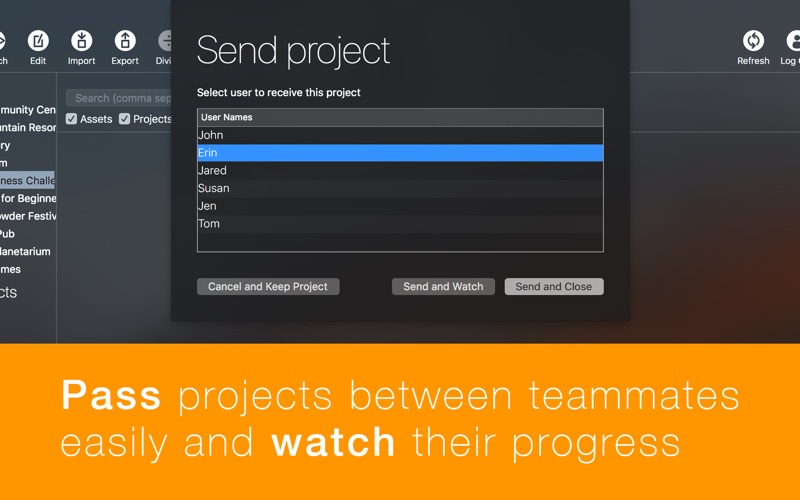
Vitamin-R 2 is an advanced timer for the Pomodoro technique

Each of us is constantly faced with the situation where you need to focus on the task, but the desired state of the thread never comes.
Or, when starting to work on a very important project, suddenly, after a while,
you find yourself on the page Facebook or aimlessly wandering on the network.
Both of these problems helps to solve the Pomodoro technique in the application Vitamin-R 2.

Vitamin-R is an app for the Menubar, so it all starts with a click on the icon in the top status bar or with Alt+Cmd+S.
After that, a window appears where we specify the name of the task.

Source and more detail on macosworld.ru


Additionally:

The Philosophy Of The Pomodoro

One period of time — one task. In General terms, it is as follows: you put the timer on 25 minutes and start working on one task.
All possible thoughts, ideas, queries, in one word, "incoming" from the outside, you quickly fix in a special place,
almost without interrupting the executing task. Every 25 minutes (the tomatoes) you make a 5 minute break. Every 4 tomatoes — long break.

If you are not familiar with the Pomodoro technique, I suggest you find and read the book the author Francesco Cirillo (Francesco Cirillo),
which is called "the Pomodoro Technique". From personal experience I can say that the technique improves performance and quality of work,
and also makes it easier to achieve the flow state when you're fully immersed in the workflow and achieve maximum efficiency.

Francesco proposes to use plain paper, but I no longer carry notebooks, diaries, pens and pencils. So I began to search for apps Pomodoro.
Some have not been syncing between devices, and for me — with two Macs, a phone and a tablet is critical. Others were uncomfortable to use.
Still others had no statistics. Fourth — with the full functionality required a subscription fee that I was always pushed away.

Vitamin-R 2 was deprived of all these shortcomings. Besides, the app is not a simple statistics on the number,
but it helps to analyze in which days of the week and hours of day you can concentrate best.


Installation procedure:
Mount the image and see Readme.txt why so ...
Further to the selection, installation as you normally would or by using the Open Gatekeeper friendly
Adguard 1.3 (341) [Multi/Ru]
Publication type: OS X Software
The release took place: Oct 15, 2016
Supported OS: OS X 10.7 +
Interface language: Russian, English and other
Treatment: not required (the installer is already treated)

System requirements:
Intel, 64-bit processor
OS X 10.7 or newer


Description:

Adguard is the best way to get rid of annoying advertising, to protect themselves from online surveillance and fraudulent websites.
Adguard – Internet filter to protect users from dangerous web sites, blocking all possible types of advertising on the Internet.
The program is a great addition to your basic anti-virus protection with effective blocking malicious, fraudulent and phishing resources,
and parental control over the online activity of children. Web protection works with all web browsers,
effectively blocking Internet threats due to the daily update database program with the largest resources Google Safe Browsing,
lists, Web of Trust (WOT) and Malwaredomains. Adguard belongs to the family of Adblock programs,
whose main task is the quality control operation web-based resources and the Internet in General.
The number of users amounts to several million people.
Files
OS X Cracked  Utilities  2016 10 25/Adguard.release.dmg (49.79 MB)
OS X Cracked  Utilities  2016 10 25/Elements for iWork 3.0.3.dmg (2.91 GB)
OS X Cracked  Utilities  2016 10 25/FileMaker Server 15.0.2.206 .dmg (364.4 MB)
OS X Cracked  Utilities  2016 10 25/Graphic Styles 3.0.3.dmg (1.62 GB)
OS X Cracked  Utilities  2016 10 25/Infographics for Pages 3.0.3.dmg (934.4 MB)
OS X Cracked  Utilities  2016 10 25/Layouts for Keynote 3.0.3.dmg (1.07 GB)
OS X Cracked  Utilities  2016 10 25/OS X Cracked  Utilities  2016 10 25.rtf (85.87 MB)
OS X Cracked  Utilities  2016 10 25/OS X Cracked  Utilities  2016 10 25.txt (46.05 kB)
OS X Cracked  Utilities  2016 10 25/Templates for Numbers 4.6.1.dmg (194.7 MB)
OS X Cracked  Utilities  2016 10 25/Toast Titanium 15.1.dmg (704.1 MB)
OS X Cracked  Utilities  2016 10 25/Torrent downloaded from Demonoid.pw.txt (0.04 kB)
OS X Cracked  Utilities  2016 10 25/Vitamin-R 2 v2.40.dmg (61.02 MB)
OS X Cracked  Utilities  2016 10 25/WebStorm 2016.2.3.dmg (193.4 MB)