BoltAI is a native, high-performance AI app designed for Mac, allowing users to quickly switch between over 300 AI models in a single app. It is built for creative efficiency, providing optimal performance and powerful features while maintaining privacy.
Key Features
1. Multi-Model Support
Use AI models like OpenAI, Anthropic, Google, Mistral, Azure, Bedrock, and more in a single unified workspace without switching apps.
2. Efficient Workflow
Project management
Multi-threaded chat
Branching capabilities
Reusable agents
These features help maintain a structured workflow, accommodating both fast and complex tasks.
3. Multimodal Intelligence
Analyze PDFs, screenshots, code, and other content, providing clear explanations, summaries, and
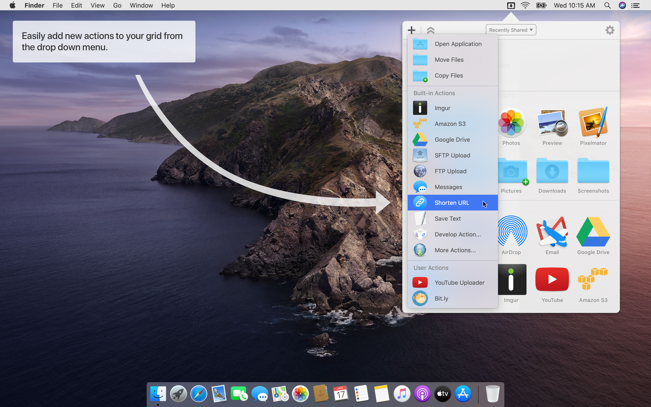
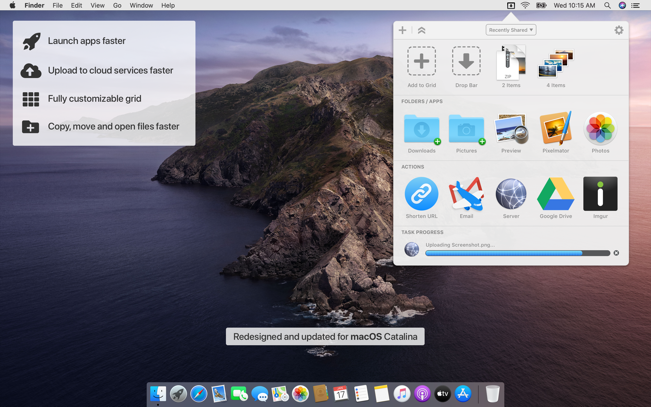
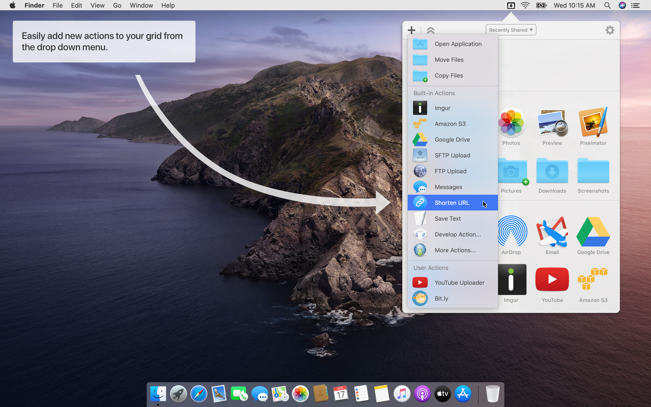
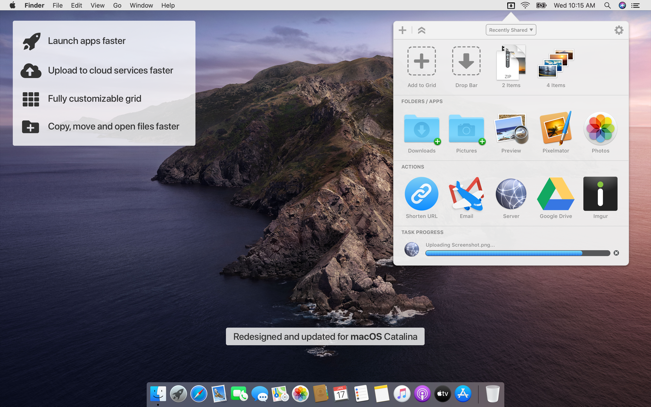
Dropzone makes it faster and easier to copy and move files, open applications and share files with many different services. Dropzone is a unique and amazing app that’s like nothing you’ve ever used before. We’ve paid fanatical attention to every detail and built an app that looks and feels like an integral part of macOS.
Dropzone ships with a powerful scripting API and with a little programming knowledge you can modify any of your actions or even create entirely new ones. This gives Dropzone unlimited extendability and utility. We’re always thinking up new actions so Dropzone will become even more useful over time.
Dropzone also includes Drop Bar – Drop Bar makes it easy to stash files you know you’ll need later. Just drop files on the Drop Bar icon in the grid and they will stick there until you’re ready to use them.
Features
Open applications, move and copy files faster than ever before.
Shorten URLs quickly using Tinyurl shortener. Just select a URL to shorten and press Ctrl+Option+Cmd+S and the shortened URL is automatically copied to the clipboard.
AirDrop integration lets you drop files or folders from any app and share them with your other Macs over the network.
Imgur integration lets you share images fast and get a link for pasting.
Upload files to Amazon S3 (Dropzone Pro feature).
Upload files to your FTP server (Dropzone Pro feature).
Upload files to your Google Drive (Dropzone Pro feature).
Download and install add-on actions that let you upload to services like Google Drive, YouTube and many others (Dropzone Pro feature).
Powerful multi-tasking engine allows you to run multiple tasks at once and track the progress of each one through the in-grid task status area.
See how tasks are progressing at a glance in the animated menu item.
Launch Dropzone actions with the newly added keyboard shortcuts feature (Dropzone Pro feature).
Add applications, folders or actions to your grid easily by dragging and dropping them on the Add to Grid area.
Develop your own actions using the updated and massively improved Ruby or Python API (Dropzone Pro feature).
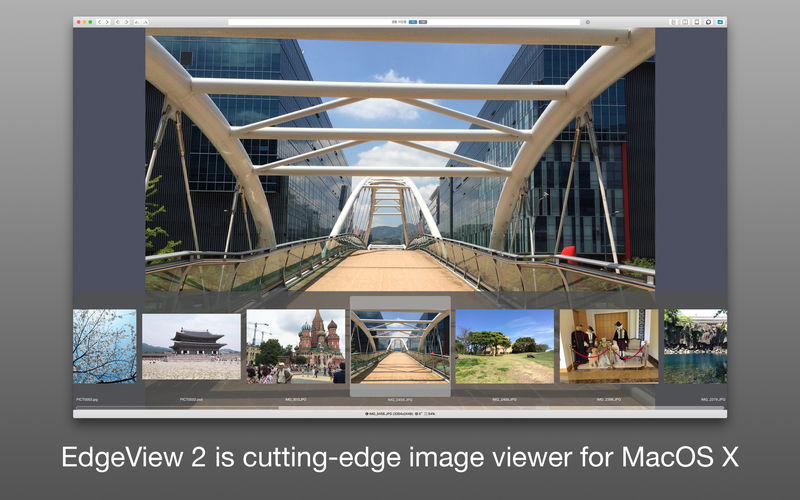
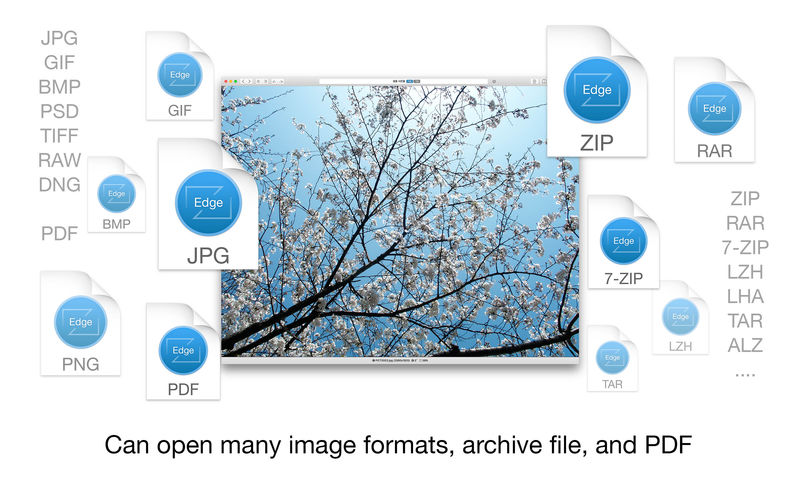
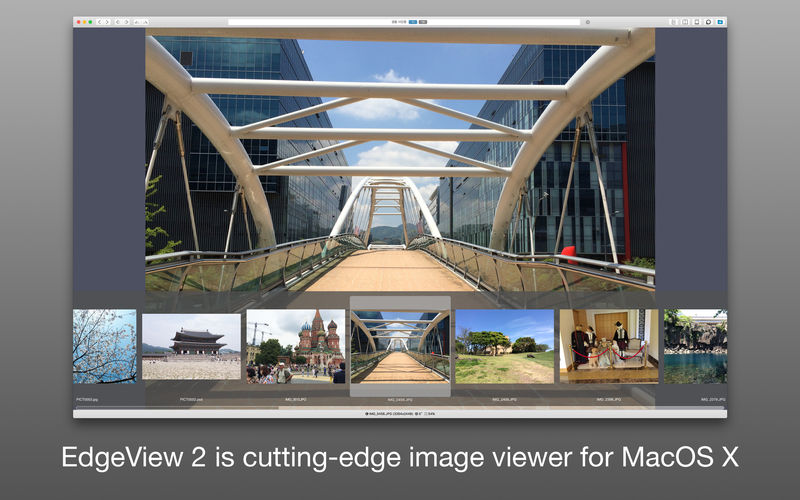
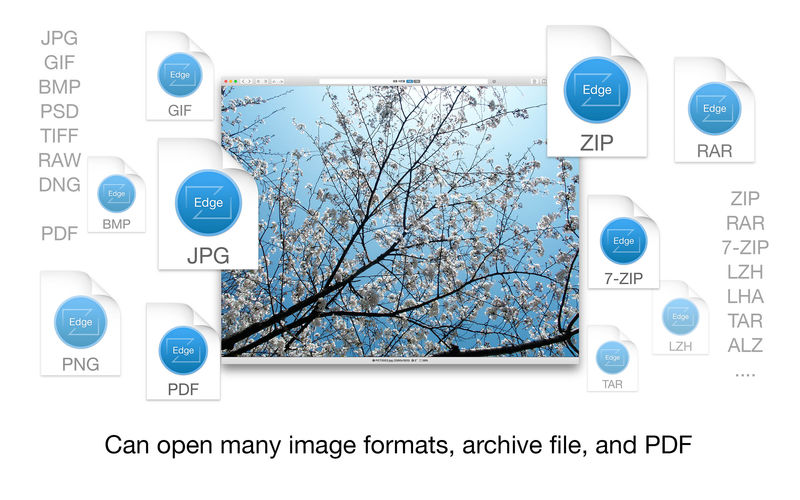
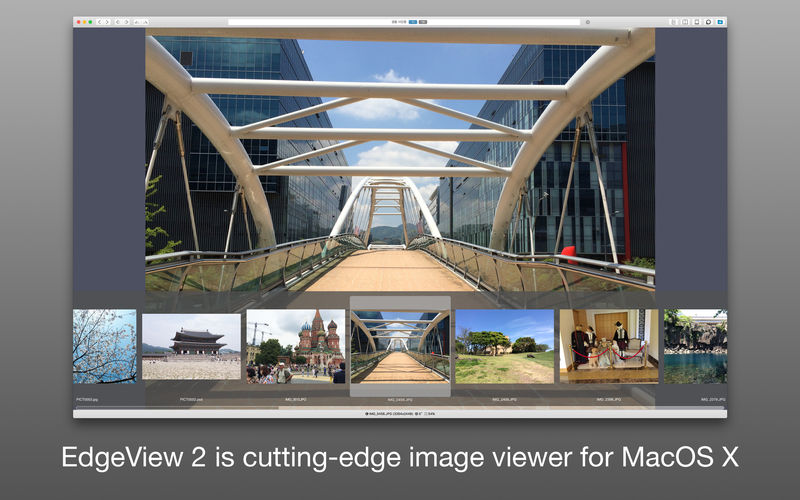
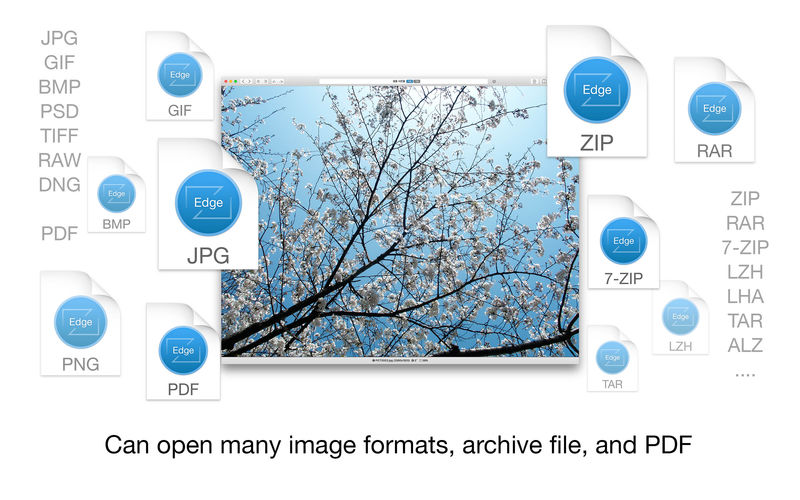
EdgeView 3 is fast image viewer has elegant user interface. EdgeView 3 is developed and designed for modern MacOS. It can open various image files such as JPEG, PNG, TIFF, BMP, and RAW file of DSLR, EPS and PDF, AI(Adobe Illustrator). Can open image files in archive directly without extraction.
User can open files, rename files, delete files from EdgeView’s file browser. Also can access to SMB/AFP/FTP network volume.
User can navigate images quickly by using keyboard shorcut, mouse wheel, trackpad gesture. EdgeVew show EXIF information, play animation GIF/PNG/WebP smoothly. Save last status to history, and restore when reopen file.
EdgeView 3 will be the best choice when viewing and managing image files.
Features
Rewrote full code as Swift for improve performance.
Support m1 CPU Mac.
Has easy UI, can control main function at Sidebar.
Support English/Korean/Japanese/Chinese(Simplified).
Image Viewer
Supporting image files such as JPG, GIF, BMP, PSD, TIFF, RAW, WEBP and PDF, EPS, AI(Adobe Illustrator), OpenEXR, HDR, TGA.
Can play animation GIF/PNG/WebP. User can control animation with floating animation controller.
Dispaly internal image(or frame) of animation GIF/PNG/WebP or HEIC that has multiple internal image.
Can read and show images of major archive formats (such as ZIP, RAR, CBZ, CBR, 7-zip) without extraction. Of course, can open ZIP file that 4GB over.
Can read encrypted archive file.
Can read archive file in archive file recursively
Improved draw speed by rebuilt image cache system and drawing engine.
Draw images as high quality.
Provide suitable functions for comic reading such as ‘Two-Page Spread’, ‘Continuous Scroll mode’, ‘Right to Left’, etc.
Provide multiple navigation functions like as ‘Move’, ‘Skip’, ‘Shift’, etc.
User can navigate images and check whole thumbnails at Thumbnailsbar.
User can navigate images by using keyboard shortcut, mouse wheel, trackpad gesture.
Can rotate and flip images. Orientation will be saved to history.
User can select part of images, and copy it or save as file.
Can zoom in/out image freely.
Built-in loupe function to make it easier to magnify part of image.
Show histogram.
Show neighbor files list. And can open neighbor file.
Support history feature for saving and restoring last status of file.
Can reopen file or remove history at history list.
Can rate image files.
File Browser
Built-in file browser can show and open files from local drive or AFP/SMB/FTP network drive.
Can display files as lists or icon.
Show images in folder/archive file at preview panel.
Generate thumbnails of archive files and folders.
Support powerful search feature.
Show category and writer information.
User can sort files by various options, and can delete or rename files.
Can rate files or folders.
Others
Support customizing feature. Also user can change shortcuts.
Built-in Quick Look Extension generate thumbnails and preview of archive files at Finder.
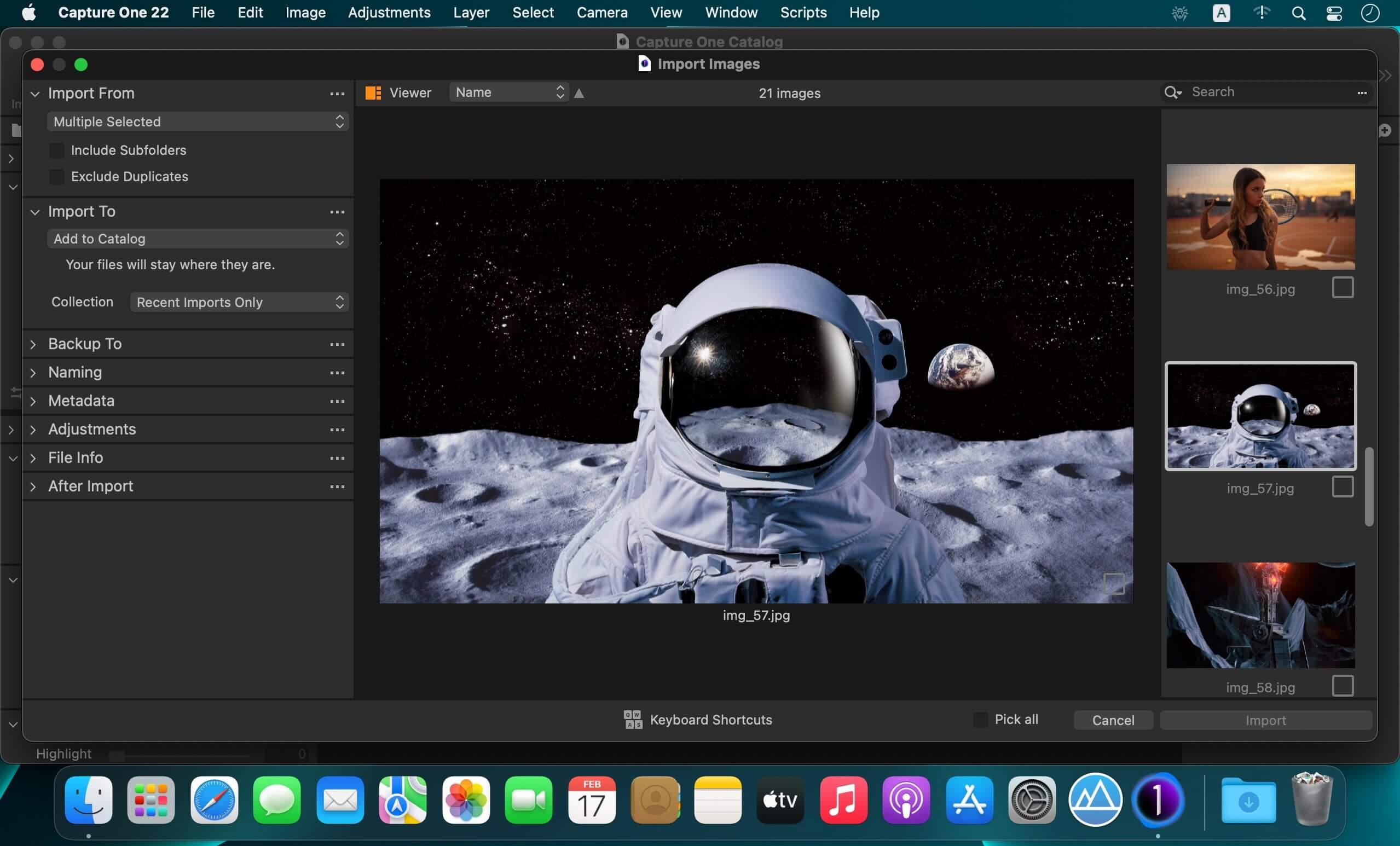
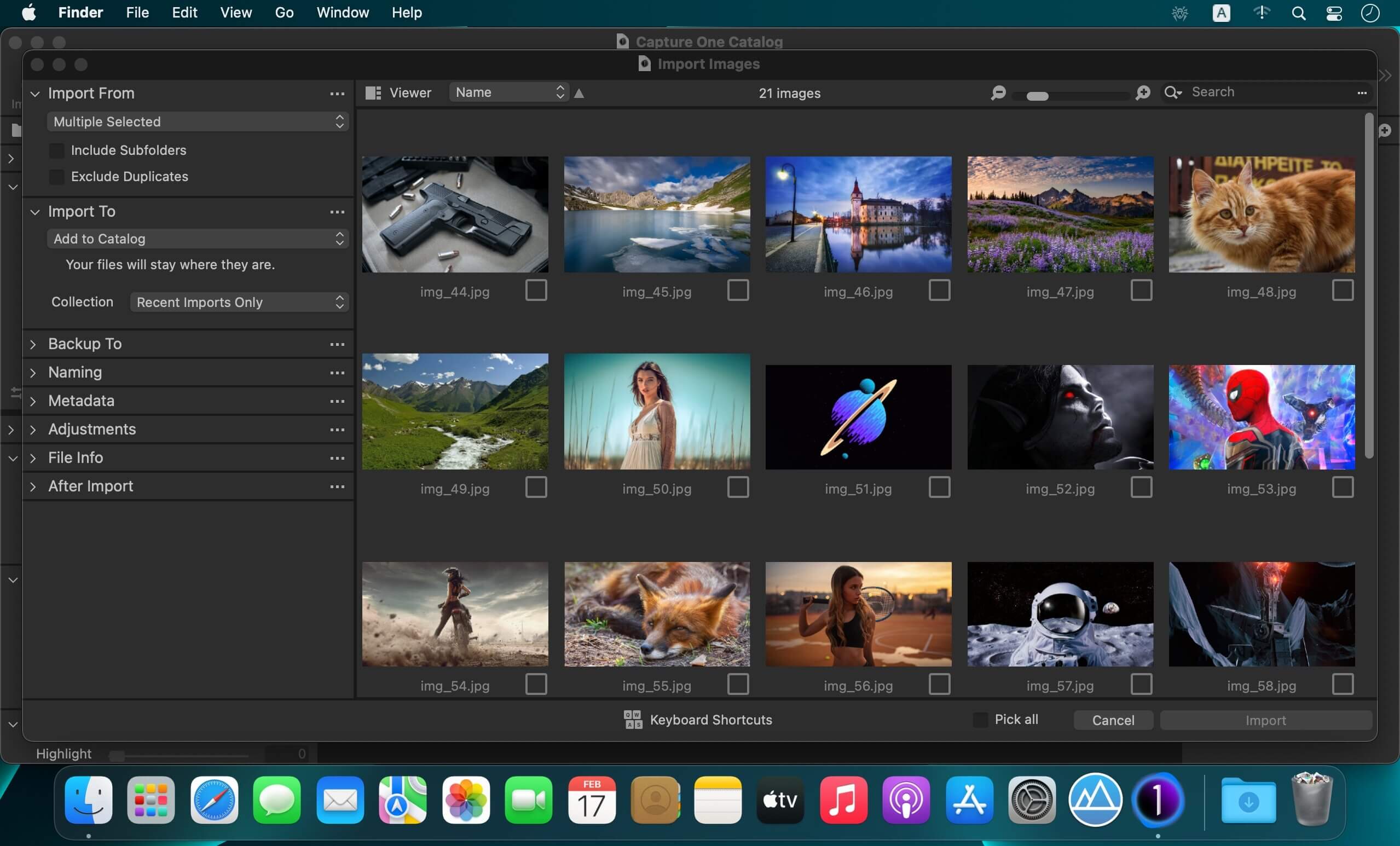
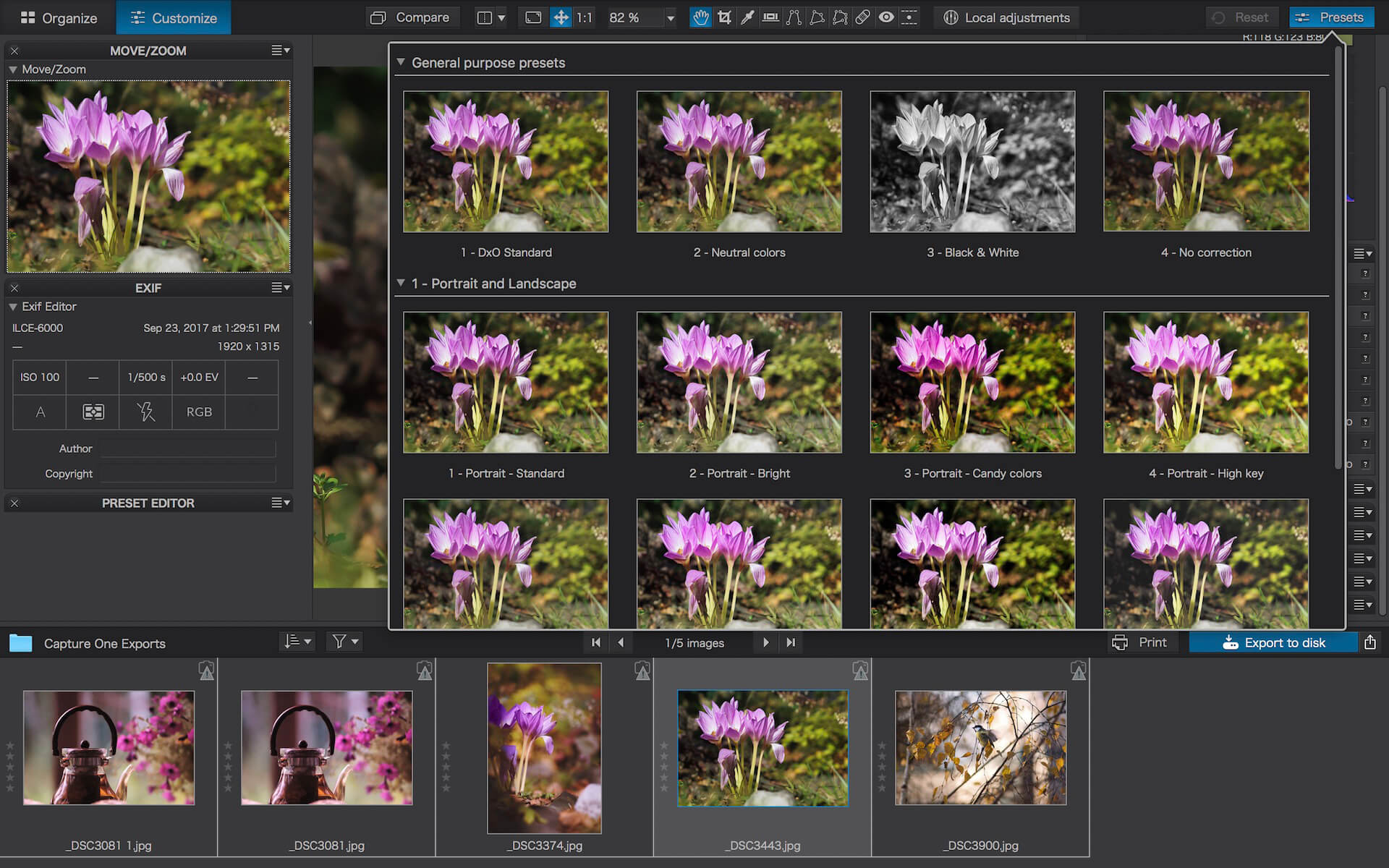
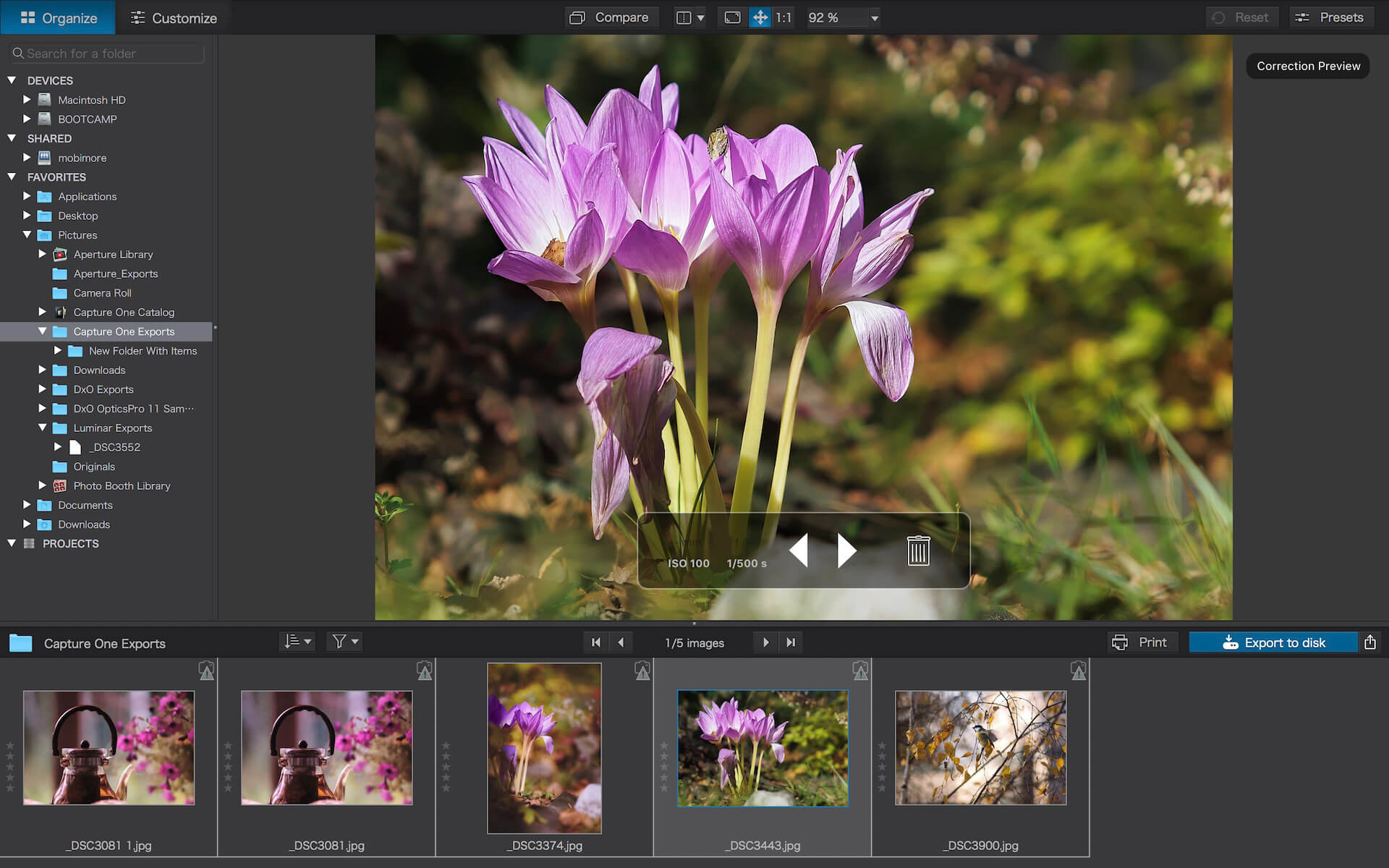
Capture One is a professional RAW converter offering you ultimate image quality with beautiful colors and incredible detail for more than 500 high-end cameras. It offers state- of-the-art tethered capture, powerful digital asset management, extensive adjustment tools and a flexible workflow through customizable workspaces.
A powerful editing software that lets you quickly bring your photography to life with lightning-fast tethering, timesaving editing tools that give you creative control, and a personalized workflow with a customizable interface. Renowned for its RAW image processing and true-to-life colors thanks to tailored profiles for nearly 600 camera models and lenses, Capture One Pro gives you the best of your image to work with right from the start.
With an updated processing engine, market-leading performance and powerful new features, Capture One is the professional choice in imaging software. You get the highly responsive precision tools you need to create stunning images from your camera’s RAW files in a time-saving workflow that can be customized to fit your needs.
Capture One Studio is similar to the All in One package, granting access to our desktop and mobile applications, as well as our cloud services, Capture One Live Unlimited and Cloud Transfer.
It is available as a single-user monthly or annual subscription with three device activations via our web store.
Remember to check which Capture One Loyalty Program discounts are available to you on your account page.
You can easily upgrade your plan from Pro or All in One to Studio while keeping your license key. However, it is not possible to switch back to your previous plan; you must cancel your current one and sign up for the previous one again.
Capture One Studio for Teams
Capture One Studio for Teams is a multi-user Capture One Studio subscription that you can acquire through our sales department for larger teams and companies.
Time-aware video quality enhancement. Video Enhance AI uses information from multiple frames to achieve high-end results for video upscaling, denoising, deinterlacing, and restoration. Improving the quality of videos is substantially more complex than photos because of motion-related issues like flickering, blockiness, and wavy artifacts. To solve this issue, Video Enhance AI looks at surrounding frames to improve resolution and reduce motion artifacts for natural results.
Get your largest upscale yet.
If you’ve used the Rhea model to upscale before, this newest version’s on a whole new level.
Speed up your flow.
Welcome to a faster, more intuitive process than any previous version of Video AI.
SDR to HDR—finally.
Brighter brights, darker darks, and more definition throughout make the new SDR-to-HDR absolutely unreal.
Trusted by major film studios nd creative pros everywhere.
Denoise with cinema-level detail.
Trained with millions of video frames, Video AI 6 intelligently understands the difference between noise and detail.
Nyx AI Model.
Remove noise and fix compression artifacts from 4K footage with high ISO settings.
Recognizes people and faces, knows exactly how to correct them.
Sprawling desert and a beautiful portrait are vastly different, as should be the way you correct them. Video AI 6 uses temporally aware facial recognition technology to do it automatically and instantly.
Create new frames out of thin AI-r.
Match cameras with different frame rates, or achieve slow motion without changing camera settings. Apollo and Chronos models generate new frames to make it all super smooth.
Aion AI Model.
Achieve ultimate slow motion with up to 16x fps interpolation.
Chronos AI Model.
Get silky smooth conversion from 24fps to 60fps. Even boost to 120fps and beyond.
Easy Workflow
Topaz Video AI works directly on your Mac or PC. Use the standalone to batch process footage in sequence, or use it as a plugin for tight workflow integration.
High Performance
We’ve partnered with major hardware manufacturers like Nvidia, AMD, and Intel to make Video AI run as fast as possible for your computer.
Stabilize it in post.
Keep the focus on your subject, not on the camera shake. Stabilize the frame and recover detail lost by unwanted camera movement, while also reducing blur caused by motion and slow shutter speeds. All in post.
Render in the cloud.
You’ll always be able to render locally—and now you can render in the cloud, too. It’s perfect for getting the fastest possible processing times with the latest AI models. Cloud rendering takes the pressure off your hardware and allows the cloud to do the work for you.
Batch Processing
Multiple videos. All rendered at once. Get your queue loaded, then sit back and watch your renders complete, or jump to other tasks.
3x or Faster
What could take upwards of 30 minutes now happens in just a few. Cloud rendering is an instant boost to see your results in a fraction of the time.
Even on older hardware.
Cloud rendering takes the pressure off your hardware’s performance, and puts it on the cloud. No need to upgrade your machine to use the new, more complex models.
Instant upscale to 16K.
Get the upscaling you want, without sacrificing quality. Video AI both increases resolution and handles unwanted artifacts caused by traditional upscaling methods. All with one click. Get 4K, 8K, up to 16K resolution with spectacular visual quality, all in Video AI.
Export Pausing
Switching gears is as simple as hitting pause. Only export when you want to.
Instant Previews
Frames are automatically rendered at the cursor position, with changes shown immediately.
Crash Recovery
Pick up exactly where you left off after a system reboot, power loss or crash.
Compatibility: MacOS 10.14 (Mojave) or 10.15 (Catalina) to run on CPU only.
MacOS 10.16 (Big Sur) or newer to have all models run on GPU. Homepagehttps://www.topazlabs.com/topaz-video-ai
Topaz Gigapixel knocks traditional upscaling tools off their pedestals.
Enlarging your image without losing detail has always been impossible… until now. Upscale your photos by up to 600% while perfectly preserving image quality.
Breathtakingly sharp prints. High-resolution cropping in post-production. iPhone photos that look like they came out of a DSLR.
No matter why you’re enlarging your photos, you always want the best possible quality for your results. Gigapixel AI is currently the only photo enlargement product available that can actually add detail back to your upscaled photo.
What’s New
Version 1.0.4:
Release notes were unavailable when this listing was updated.
Fusion is the world’s most advanced compositing software for visual effects artists, broadcast and motion graphic designers, and 3D animators. Over the last 30 years, Fusion has been used on thousands of Hollywood blockbuster movies and television shows. Fusion features a powerful node based interface that lets you quickly and easily create sophisticated effects by connecting different types of image processing tools together! You get a massive range of tools, incredible VR and 3D support, GPU accelerated performance, unlimited network rendering and more! Fusion gives you everything you need to create exciting broadcast graphics, dramatic titles, and even major feature film visual effects!
Hollywood’s Biggest Blockbusters
Thousands of Hollywood’s biggest blockbusters and hit television shows use Fusion to create their groundbreaking visual effects. Fusion has been used on feature films like The Hunger Games, Dr Strange and Guardians of the Galaxy, as well as hit television shows like Empire, NCIS and American Horror Story. Fusion also plays a major role in the development of cinematics for major video games such as Dawn of War III, Halo 5 and more!
Nodes are a Much Faster Way to Work!
Nodes are incredibly easy to use, especially as scenes become more complex. Fusion’s nodes are small icons that represent effects, filters and other image processing operations. Nodes can be easily connected together to build larger and more complex visual effects. Tools, images, and objects can be combined in any order to create unlimited visual effects. Simply click on a node to quickly adjust any single part of your project. That’s much faster than a timeline based tool because you don’t need to hunt through nested stacks of confusing layers and filters!
Get the most Powerful VFX Software Available!
Whether you need to pull a key, track objects, retouch images, animate titles, or create amazing particle effects, Fusion has a massive toolset that lets you tackle the most demanding jobs. You get a true 3D workspace along with tools for compositing, keying, painting, animation, virtual reality, stereoscopic 3D and more. Fusion combines effects and motion graphics, along with 3D modeling and rendering into a single toolset. That means you can import and render 3D models and scenes with the rest of your composite in Fusion. You don’t have to pre‑render assets or transfer between multiple applications!
GPU Accelerated Workflow
Fusion is extremely fast and responsive enough to be used in high pressure, client driven sessions. With its Metal, CUDA and OpenCL GPU acceleration, you get instant feedback while you work so you can see exactly what you’re doing. Fusion 16 features more GPU optimisation than ever so whether you’re working alone or with a client, you get the real time control you need. That means you’ll be able to spend more time being creative and less time waiting! Fusion is so fast that you can even work in VR while wearing a headset and still get over 90 frames per second of interactivity!
Unlimited Render Power
Fusion has the world’s fastest production quality render engine! You can even distribute your render jobs across an unlimited number of networked computers for incredible performance, at no additional cost! There’s no “per node” render license fees. Simply install it on as many render nodes as you need! That means you can render complex scenes incredibly fast to meet the intense deadlines of production, without having to sacrifice creativity or quality.
Collaborate with Large Teams
When you’re working with a large creative team, Fusion Studio also includes the new Studio Player application. Studio Player features a single layer timeline with basic shot trimming, storyboard tools, versioning and annotation notes. Fusion Studio also features a bin server to let everyone share and see common assets that are needed for the job. That means you don’t have to copy and track multiple elements on different computers.
What’s New:
Version 20.3:
Release notes were unavailable when this listing was updated.
DaVinci Resolve Studio is the world’s only solution that combines professional 8K editing, color correction, visual effects and audio post production all in one software tool! You can instantly move between editing, color, effects, and audio with a single click. DaVinci Resolve Studio is also the only solution designed for multi user collaboration so editors, assistants, colorists, VFX artists and sound designers can all work live on the same project at the same time! Whether you’re an individual artist, or part of a large collaborative team, it’s easy to see why DaVinci Resolve is the standard for high end post production and finishing on more Hollywood feature films, television shows and commercials than any other software.
Introducing the Cut Page!
Designed specifically for editors working on high end fast turn around work such as television commercials and even news cutting, the cut page is all about speed. It’s an alternate edit page with a streamlined interface and revolutionary new tools that will help you work faster than ever. The cut page lets you import, edit, trim, add transitions, titles, automatically match color, mix audio and more. Whether you’re delivering for broadcast or for YouTube, the cut page has everything you need to get the job done, all in one place. Plus, the regular edit page is still available so you can switch between edit and cut pages to change editing style right in the middle of a job.
New Editing Features in DaVinci Resolve Studio:
DaVinci Resolve includes everything professional editors need to cut blockbuster films, television shows, and commercials. It’s perfect for both offline and online editing. The high performance playback engine makes editing and trimming incredibly fast, even for processor intensive formats such as H.264 and RAW.
New Fusion VFX Features in DaVinci Resolve Studio:
With over 250 built in tools, Fusion VFX’s advanced 3D compositing engine and node based workflow let you quickly connect effects and tools together in a flow chart style, making it easy to create cinematic feature film quality visual effects and broadcast motion graphics right inside of DaVinci Resolve!
New Color Features in DaVinci Resolve:
DaVinci Resolve’s legendary color tools let you manipulate color in breathtaking ways to get results that are simply impossible on other systems. That’s why DaVinci Resolve has been used on more feature films and television shows than any other grading system! You get powerful primary and secondary tools, curves, tracking, stabilization and more!
New Fairlight Features in DaVinci Resolve:
With Fairlight in DaVinci Resolve, audio is no longer an afterthought in post production! You get a completely integrated and powerful digital audio workstation with full mixer, EQ and dynamics processing, sample level audio editing, ADR tools, sound library support, FairlightFX audio plugins and more!
New Collaboration Features in DaVinci Resolve:
Featuring a universal timeline, powerful database driven design, bin and clip locking, built in chat, timeline comparison tools and more, DaVinci Resolve Studio is the world’s only post production solution that lets different artists all work together on the same project at the same time!
DaVinci Resolve Studio
Upgrade to DaVinci Resolve Studio for even more creative tools and options! You get a huge set of indispensable ResolveFX and FairlightFX plugins, along with support for 4K, 8K and higher resolution projects at frame rates up to 120 frames per second. You also get the new DaVinci Neural Engine which enables features such as facial recognition, speed warp retiming, automatic color balancing and automatic color matching. DaVinci Resolve Studio also adds film grain tools, advanced noise reduction, blur and mist effects, HDR grading, 10bit H.264 support, 3D immersive audio, stereoscopic 3D support, multi user collaboration tools and more!
DaVinci Neural Engine
The new DaVinci Neural Engine uses state of the art deep neural networks and learning, along with artificial intelligence to power new features such as speed warp motion estimation for retiming, super scale for up-scaling footage, auto color and color matching, facial recognition and more! The DaVinci Neural Engine is entirely cross-platform and uses the latest GPU innovations for AI and deep learning to provide unparalleled performance and quality. The DaVinci Neural Engine provides simple tools to solve complex, repetitive and time consuming problems. For example, it enables facial recognition to automatically sort and organize clips into bins based on people in the shot!
New and Improved ResolveFX
DaVinci Resolve Studio 16 features major improvements to existing ResolveFX, along with several new plugins that editors and colorists will love! You get new ResolveFX plugins for adding vignettes, drop shadows, removing objects, adding analog noise and damage, chromatic aberration, stylizing video and more! There are also improvements to the scanline, beauty, face refinement, blanking fill, warper, dead pixel fixer and colorspace transformation plugins. Plus, you can now view and edit ResolveFX keyframes from the timeline curve editor on the Edit page or from the keyframe panel on the Color page!
Legendary DaVinci Quality
DaVinci Resolve’s Emmy™ award-winning image processing technology features deep 32-bit float processing combined with unique, patented YRGB color science that processes luminance independent of color. This allows you to adjust the luminance of video without rebalancing the color of your highlights, midtones, or shadows! The massive internal color space is perfect for the latest HDR and wide color gamut workflows.
Blackmagic RAW
Blackmagic RAW is a new and modern codec that gives you stunning image quality and blazing fast performance in an intelligent new file format. Featuring advanced de-mosaic technology and a revolutionary intelligent design, Blackmagic RAW gives you both the quality and benefits of RAW with the speed, ease of use and file sizes of traditional video formats.
Hardware Control Panels
When you have a client looking over your shoulder you need to work fast. DaVinci Resolve control panels are designed to give you fluid, hands-on control over multiple parameters at the same time, allowing you to create looks that are simply impossible with a standard mouse! All controls are logically placed near your natural hand positions and are made out of the highest quality materials. You get smooth, high resolution weighted trackballs, along with precision engineered knobs and dials that feature the perfect amount of resistance so you can accurately adjust any setting. DaVinci Resolve control panels let you instinctively touch every part of the image!
Fairlight Professional Consoles
Fairlight mixing consoles provide high quality controls for nearly every parameter and feature in the software. Unique user interfaces and dynamic configuration changes provide fast to use buttons and controls that are optimized for the task at hand allowing you to work faster with Fairlight audio than any other tool in the world. With the modular design you can start with a larger console frame than you need and add more modules to meet the growing needs of your facility.
What’s New:
What’s new in DaVinci Resolve 20.3
Release notes were unavailable when this listing was updated.
Languages Supported: English, Português, Français, Español, 中文, 日本語, Русский
We capture our precious moments in the form of images and always want to share them with our family and friends. But a lot many times, we are unable to do so due to large image sizes. A perfect solution to this problem is Image Resizer.
It is a useful and effective tool to resize single and multiple images, without compromising with image resolution and its quality. Using this tool, you can select photos from Photos Library, Photos or from any folder on your machine.
Get the all new Image Resizer app and be assured that you have the best tool to resize, crop, rotate, flip any image to any direction or convert it to any other format.
Awesome tool for photo resizing.
Key functions
• Resize single or batch of photos
• High quality results and great speed
• Easy image compression
• Predefined settings option
• Easily convert pictures into different formats
• Resize and convert
• User friendly UI
• Easy selection of output resolution, rename files or compress, choose a specific destination to save resized images.
• Rotate image to 90 degrees clockwise, anti-clockwise, rotate 180 degrees, Flip Horizontal and Vertical.
• Custom size can be chosen and photo can be resized percentage wise
• Resized images do not lose quality
Make a big scene bigger. Create cinematic movie titles, intros, and transitions. Remove an object from a clip. Start a fire or make it rain. Animate a logo or character. With After Effects, the industry-standard motion graphics and visual effects software, you can take any idea and make it move.
There.s nothing you can.t create with After Effects.
Animators, designers, and compositors use After Effects to create motion graphics and visual effects for film, TV, video, and the web.
Roll credits. Spin words. Twirl titles.
Create animated titles, credits, and lower thirds. Start from scratch or with one of the animation presets available right inside the app. From spin to swipe to slide .?there are countless ways to make your text move with After Effects.
Explosive effects. Mind-blowing results.
Combine videos and images to send a UFO across the sky or create an explosion . the possibilities are endless. Remove objects like booms, wires, or even people. Apply hundreds of effects to do anything from adding fog to making it snow. And create VR videos to drop your audience right into the center of the action.
Get animated.
Set anything in motion.from logos to shapes to cartoons.with keyframes or expressions. Or use presets to kick-off your designs and get unique results.
Plays well with others.
After Effects works seamlessly with other Adobe apps. Create comps and immediately see how they look in Premiere Pro with Adobe Dynamic Link. Import work from Photoshop, Illustrator, Character Animator, Adobe XD, and Animate. Use Team Projects to collaborate with editors no matter where they.re located. And After Effects is integrated with 300+ software and hardware partners.
Remove objects from video clips fast and easy
Want an object or person gone from your footage? With Content-Aware Fill, remove unwanted items quickly . no need to mask or cut out frame by frame.
Supercharge your animation flow
A jаvascript expression engine delivers up to a 6x boost in performance. And a new Expressions Editor makes writing easier and faster, including automatically identifying errors in your code.
Get depth passes from native 3D elements
Apply depth effects such as Depth of Field, Fog 3D, and Depth Matte so elements look natural . or use depth data to simulate 3D looks.
Compatibility: macOS 10.15 or later, Apple Silicon or Intel Core processor Homepagehttps://www.adobe.com/
Screenshots
Name:
Adobe After Effects 2025 v25.6.0_Mac-torrents.Net.dmg
Size:
7 GB
Files
Adobe After Effects 2025 v25.6.0_Mac-torrents.Net.dmg[7 GB]
A super decompression tool, supports the decompression of RAR, 7Z, ZIP, TAR, GZIP and other more than 100 formats of files, as long as the compressed package, there is nothing OmniZip can not decompress.
Features
Double-click the compressed file to preview it or decompress it. You can customize the configuration.
Compressed package Select a file and then compress it.
Supports drag and unzip files directly.
Supports batch decompression.
Supports decompression of the decompressed volume package, ensuring that the compressed file of the volume is in the same directory.
Supports compression formats zip and 7z.
Supports encryption compression and volume separation compression.
Supports user-defined compression and decompression of filter files.
Supports recording previewed compressed files for next operation.
Perfectly Clear Workbench is an application that uses Athentech’s Perfectly Clear image correction libraries and is made available to demonstrate the capabilities of the Perfectly Clear processing libraries, face detection library and to allow a quick export of the processing settings for use.
One of the key features in Workbench is the ability to “export to API” when saving a Preset. This allows you to make image corrections in Workbench and tune the settings to match your style and correction needs. Then, you can quickly export these settings to a text file – ready to be copy / pasted into your source code with our image correction SDK.
What’s New in Perfectly Clear WorkBench 4
1. Beautiful new interface
2. New image correction tools
a. Preprocessing section for Input Looks and “Image Ambulance” for manual exposure corrections
b. “Face Aware” exposure for more accurate auto-exposure corrections in portraits and group photos
c. Black Point tool to deepen blacks
d. New Color Vibrancy tool to complement our previous “Vibrancy” control (now renamed to Color Restoration)
e. Sky and Foliage enhancements
3. Existing tools have been improved
a. Added strength sliders to Light Diffusion and Vibrancy for better control
b. Better ‘color pickers’ for Skin Tone and Blush adjustments
4. Manually identify faces that are not detected automatically
5. One-click to zoom to individual faces
6. Modify facial regions to provide the best corrections
7. Histogram
8. Much improved preset management
Supported Image Formats
Perfectly Clear requires RGB-formatted images in either 8 or 16-bit color depth. Any image file that Photoshop or Lightroom can open and convert to this format may be used in Perfectly Clear. Monochrome and CMYK images must be converted to RGB before using Perfectly Clear. RAW files must be opened through Adobe Camera RAW and loaded into Photoshop to be accessible to Perfectly Clear.
What’s New:
Version 4.7.8
Release notes were unavailable when this listing was updated.
Standout layouts. Only with InDesign. InDesign is the industry-leading layout and page design software for print and digital media. Create beautiful graphic designs with typography from the world?s top foundries and imagery from Adobe Stock. Quickly share content and feedback in PDF. Easily manage production with Adobe Experience Manager. InDesign has everything you need to create and publish books, digital magazines, eBooks, posters, interactive PDFs, and more.
Make an impression in print.
Design everything from stationery, flyers, and posters to brochures, annual reports, magazines, and books. With professional layout and typesetting tools, you can create multicolumn pages that feature stylish typography and rich graphics, images, and tables.
Digital publications. Dazzling interactions.
Create digital magazines, eBooks, and interactive online documents that draw people in with audio, video, slideshows, and animations. InDesign makes it easy to manage your design elements and quickly deliver immersive experiences in any format.
Keep your team on the same page.
Design faster and smarter with tools built for collaboration. Make changes quickly with Paragraph, Character, or Object Styles. Share feedback and edits from PDFs. InDesign integrates with Creative Cloud and Adobe Experience Manager, so you can share content, fonts, and graphics across all your projects.
See what new can do.
InDesign is always getting better, with new features rolling out regularly. And with your Creative Cloud membership, you get them as soon as we release them. Here are some of the latest updates.
Peak performance
Our latest upgrades include faster launch times and performance improvements.
Adobe Experience Manager integration
Keep your content up to date and share assets across all your projects using Adobe Experience Manager.
SVG import
Import SVG files into your InDesign projects to create interactive graphics and animations.
Variable fonts
Design with variable fonts . customizable typefaces that compact multiple fonts into a single file.
Welcome to the AI generation. The full power of generative AI. All your favorite Adobe tools. A new era of creativity and productivity has arrived.
From photo editing and compositing to digital painting, animation and graphic design, everything you can imagine, you can create in Photoshop. Bring ideas to life on desktops and iPads. Use artificial intelligence technology for fast editing. Learn new skills and share your work with the community. With our latest release, doing amazing things has never been easier.
Adobe Photoshop is a recognized classic of photo-enhancing software. It offers a broad spectrum of tools that can turn your inspiration into incredible images, photos, composites, 3D artwork, paintings, and graphics on any device.
Photoshop has become the choice of thousands of creative professionals around the world. First introduced in 1988, it still is the world’s leading image-editing software.
Intuitive and clean user interface
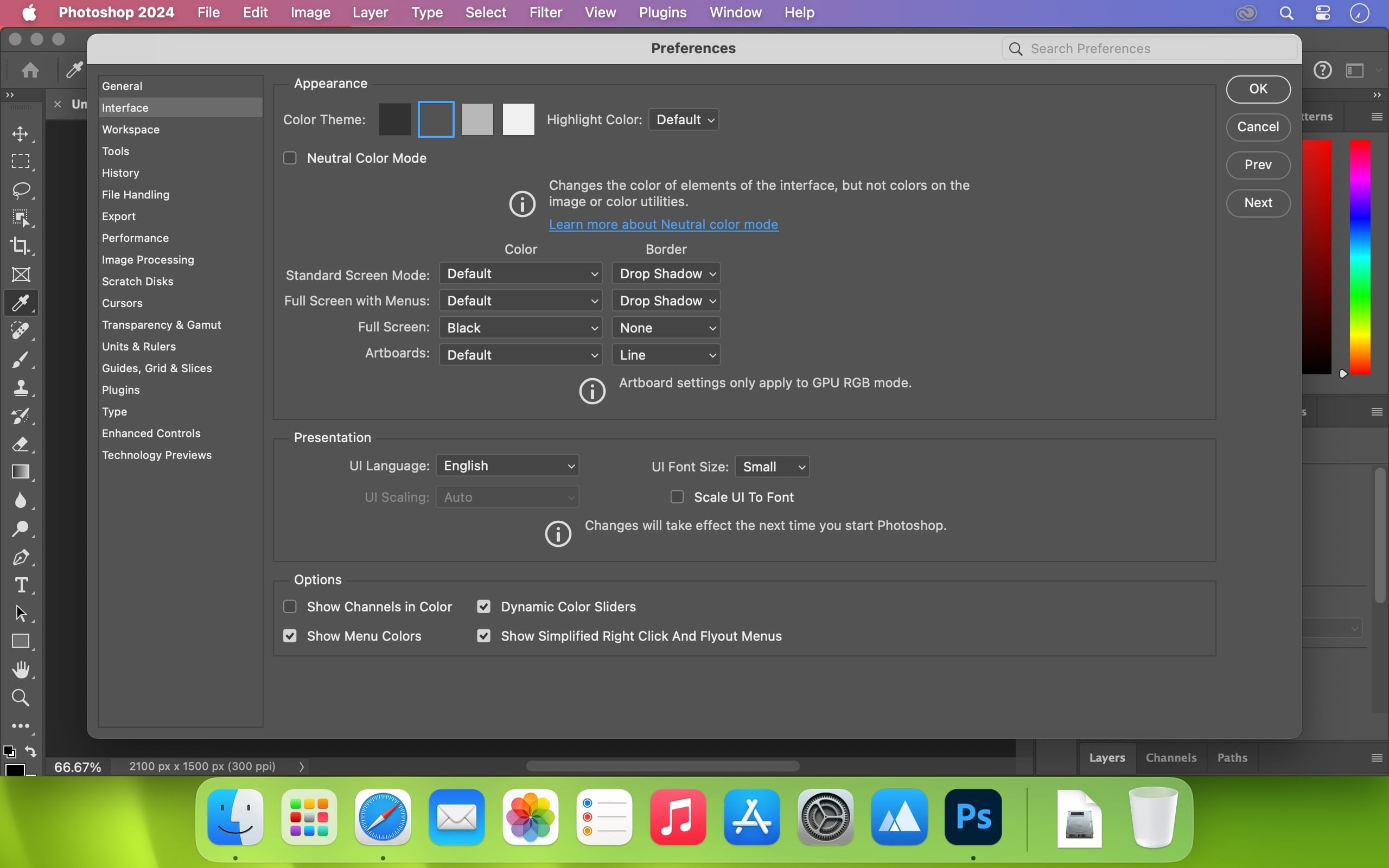
Although Photoshop for Mac is the most comprehensive graphics and image-editing software available in the market today, it has a very intuitive and easy-to-navigate interface.
With recently improved usability, this photo-editor has become even more enjoyable to use. The interface loads as soon as you decide to use Photoshop.
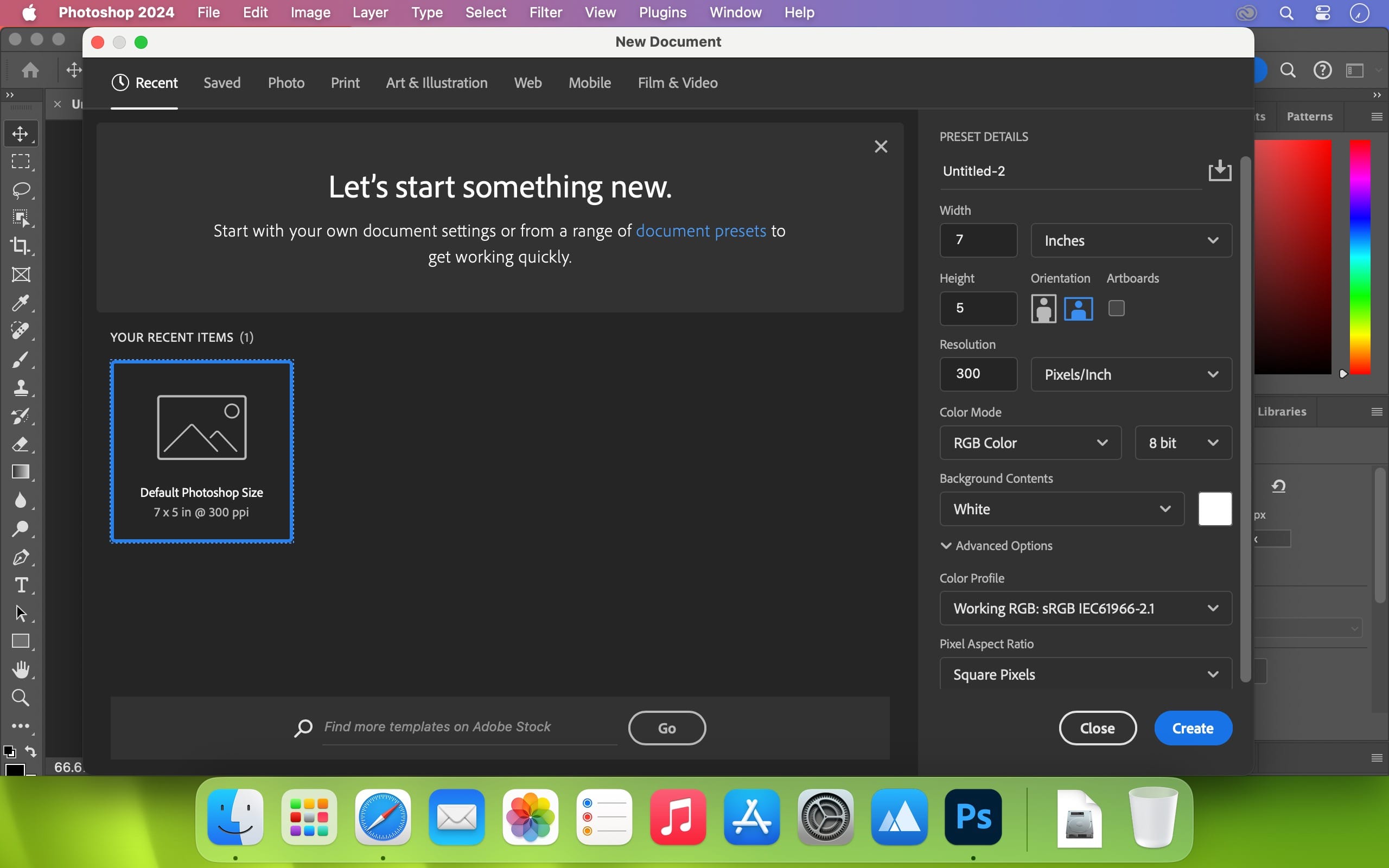
A user-friendly interface updates you about new features, suggests learning content, and allows you to quickly access recent files. You can easily pick up where you left or create a new project, access cloud and desktop pictures, and open an existing document.
Convenient content-aware fill workspace
Adobe has recently announced the launch of its new Content-Aware Fill workspace. It allows you to remove objects or distracting elements from your images easier than ever before.
This new option offers an interactive editing experience. Now, you can take full Control over which “good” parts of the picture to use to replace the undesired areas. It allows resizing the initial selection, rotating, scaling, and mirroring content.
Enjoy a range of new tools
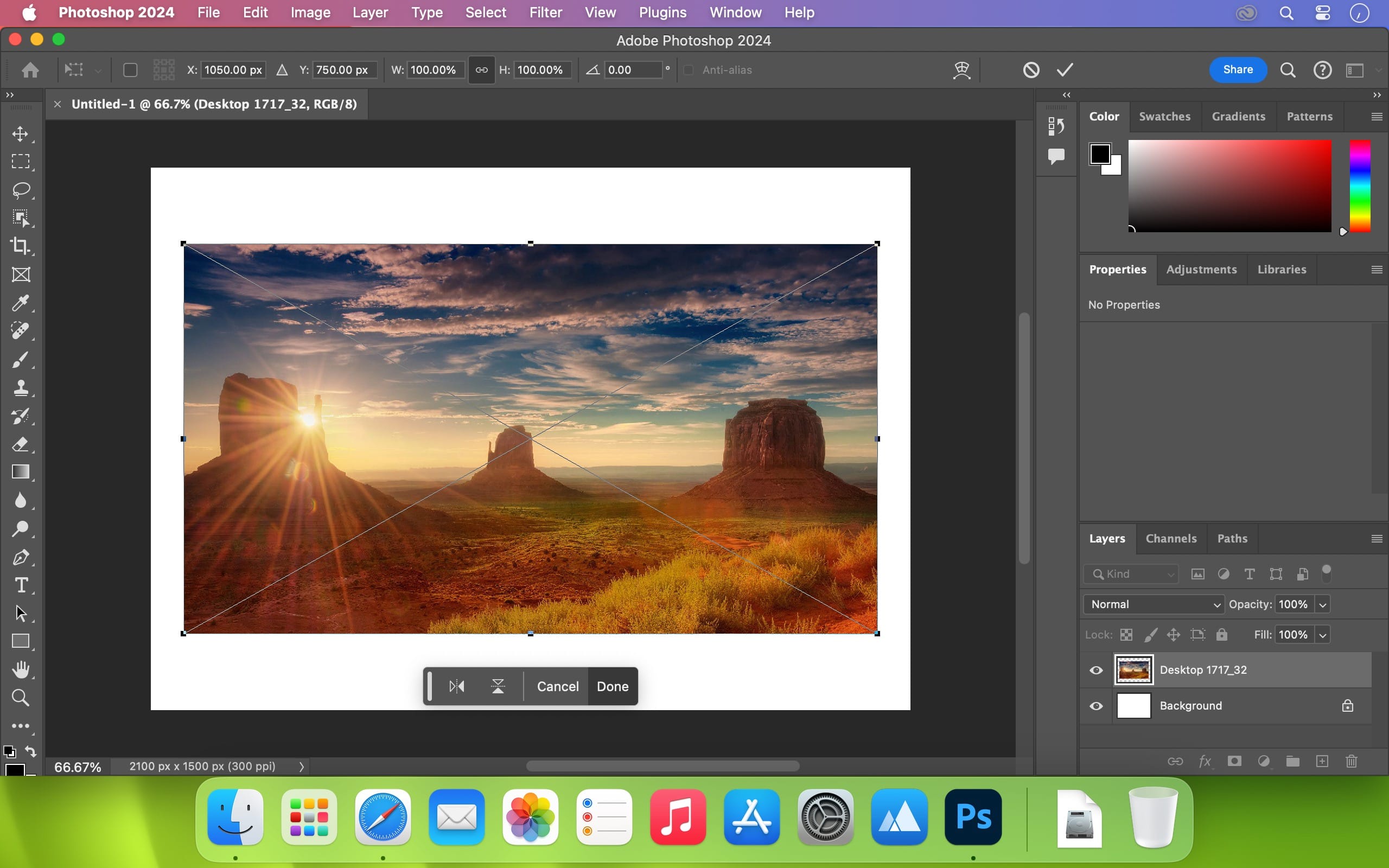
The latest version of the software provides a new Frame Tool that allows you to enjoy much simpler masking. Now, you can place shapes and text into placeholder frames and fill them with pictures. To create elliptical or rectangular forms, you only need to select the Frame Tool and press “K.”
There is also a new default feature of multiple undo. If you want to view an object before changes are applied, just click Control + Z (for Windows OS) and Command + Z (for macOS). Don’t worry about losing any project changes in Adobe Photoshop on your MacBook Air or MacBook Pro. With a new auto-commit feature, they are saved automatically.
What’s New:
Version v27.1.0:
Release notes were unavailable when this listing was updated.
XMind is the best mind mapping software (also called mind maps or mind maps). This is a great brainstorming tool that saves your company time and energy. Powerful software usually provides many tools that are difficult for new users to understand. For years, the developers of XMind have focused on creating a professional, powerful yet easy-to-use mind mapping software. With XMind for capturing, organizing, and planning, you’ll be more productive, while brainstorming and visualization tools will boost your creativity. To get started, you need to select the style of the scheme, you can add the required number of points with this problem, as it were, then you can start adding tasks and each of them can then be edited. Due to the fact that the sketch will be displayed in a tree view, you can very quickly configure all the necessary parameters. In order to highlight the desired task, XMind has a set of all sorts of asterisks, symbols, flags, emoticons and numbers.
XMind is an advanced, yet easy to use mind mapping utility that offers visual support to your ideas, so that you can organize tasks easier or with a team in brainstorming sessions.
XMind Cloud
XMind Cloud automatically synchronizes files across Mac/PCs. It’s fast, secure, and easy-to-use. You can even view and edit your mind maps online.
Fresher Look
XMind 8 has a fresher look and feel. When editing, you can quickly open, close and switch views with just one click. This feature increases your work efficiency and improves your mind mapping experience enormously.
Slide-based Presentation
With our new slide-based presentation, creating, presenting and sharing presentation become easier than ever. Mind mapping and presenting are harmoniously integrated in one software now. The Walk Through mode is still available.
Brainstorming
With XMind, you can start the individual brainstorming easily and quickly. The Idea Factory records and collects inspirations further and faster. A timer enables you to control the brainstorming session time. You can switch between day mode and night mode.
Gantt View
In XMind, you can add, modify and show task info directly in Gantt Chart view, including start/end date, assignee, priority, progress, milestone and task dependency.
Working with Office/PDF
Want to capture the sparkles of your mind and organize them in a structured way when preparing for a meeting or report? Luckily, with XMind, all these can be done easily by simple clicks. You can then export your fruit of work to Office/PDF instantly to facilitate your meeting/report.
What’s New:
Version 26.01
Important Updates:
Gantt Chart – Plan with timelines. Drag bars to update progress and link tasks to create dependencies.
AI-Generated Mind Maps – Automatically turn any text, links, or documents into mind maps, or break them into tasks and to-dos.
Better Markdown Parsing – More reliable import and export with improved handling of tables, text styles, lists, and more.
Improvements:
Task now support adding assignees and dependencies.
Task date formats automatically adapt to the app language.
Optimized date selection interaction for tasks.
Supported exporting tasks to CSV and Calendar (ICS) formats.
Exported branch now supports more formats.
Supported automatic parsing when pasting Markdown text.
Fixed an issue where collaborative files couldn’t filter tasks.
Fixed an issue where exporting specific files to Word failed.
Fixed other known issues.
Language: English, French, German, Indonesian, Italian, Japanese, Korean, Portuguese, Russian, Simplified Chinese, Spanish, Thai, Traditional Chinese Compatibility: macOS 10.13 or later Homepagehttps://xmind.com/
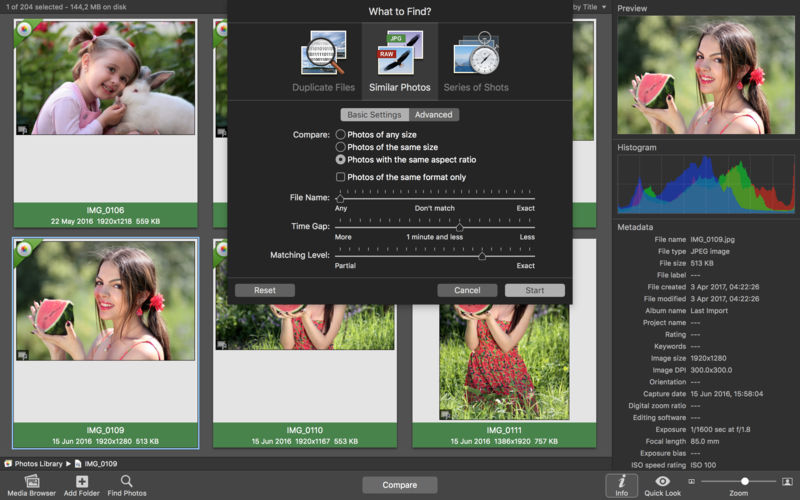
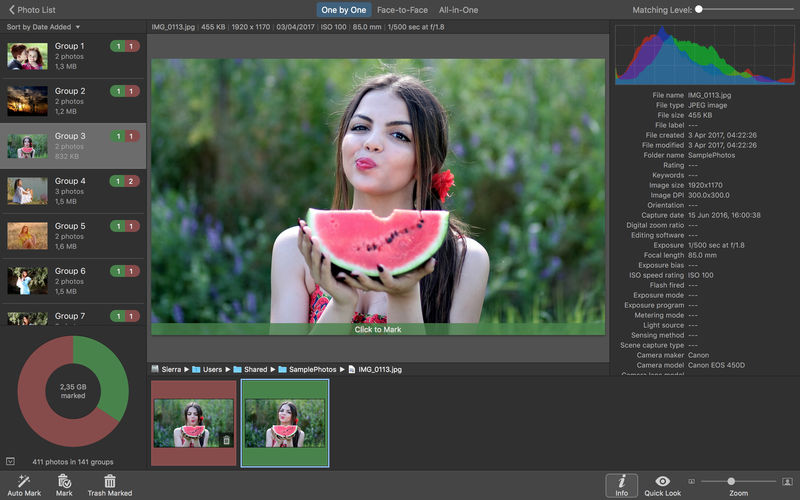
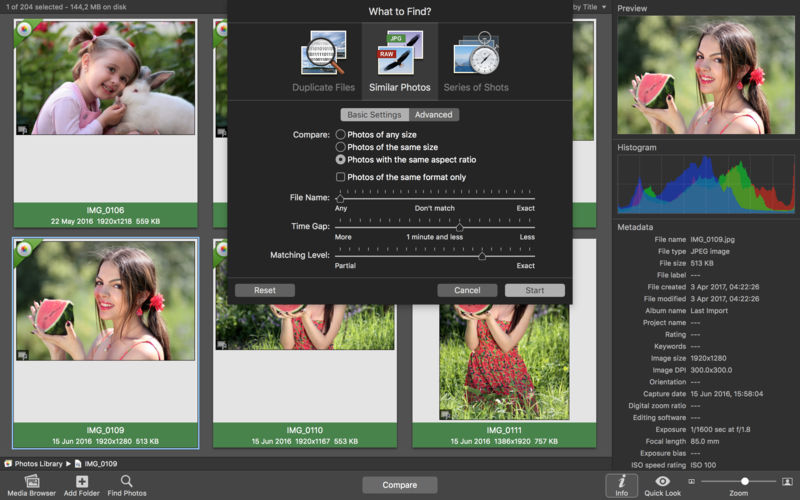
PhotoSweeper helps quickly and efficiently eliminate similar or duplicate photos. It works with photos from iPhoto, Aperture and Adobe Lightroom libraries as well as photos from your Mac.
PhotoSweeper will help you if:
You take a series of shots of the same scene trying to get the perfect one.
You edit photos with applications, such PhotoShop, Pixelmator, etc., and make backups just in case.
You have photos scattered on external hard drives and local disks, in iPhoto, Aperture or Lightroom libraries.
You have a mess in your photo collection or just want to free disk space by removing junk photos.
Features Easy to find photos
Just drag and drop folders to allow PhotoSweeper to find all photos inside. Add more photos from your iPhoto, Aperture or Lightroom library via the Media window.
Flexible comparison settings
Use 6 different methods to find similar or duplicate photos, even those edited in external programs such Photoshop, regardless of image size or format.
Fast
PhotoSweeper was developed to be extremely fast at comparing large number of photos. Using efficient caches allows you to make the next comparison much faster. You have an opportunity to regroup the results on-the-fly by changing a matching level of similarity.
Easy to manage photos
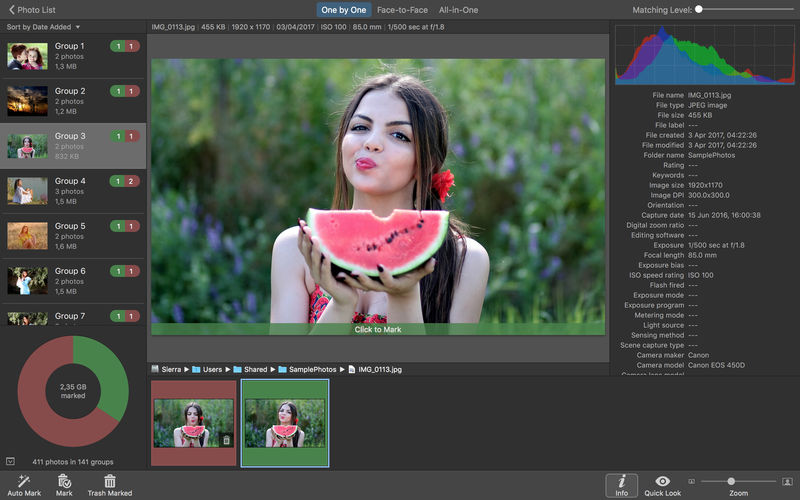
Review results in “Face-to-Face” or “Groups” mode. Put photos into a virtual container, “Box”. Delete, move, or copy photos from the Box. Bulk rename photos while copying or moving.
Great photo browsing
PhotoSweeper provides an up-to-date photo browser with such features as: fast loading of thumbnails, Quick Look preview, drag and drop support, showing paths, ratings, labels, etc. The “Image Info” panel shows more detailed information, including histogram and image metadata (EXIF, IPTC, etc.).
A comprehensive user manual is available in the Help menu.
iClip is the premier multiple clipboard & scrapbook tool that enables you to keep a history of almost anything you copy, instead of only the last thing.
iClip was designed to be accessed as simply as the Mac’s Dock. Just move your cursor to the side of the screen and iClip pops out for instant use.
Get things into and out of iClip with hotkeys, drag & drop, or just 1-click.
Organize your stored clips into multiple sets and have them ready to paste in an instant.
Imagine having common email replies, logos and signatures, code-snippets, and more just a single click or keyboard shortcut away.
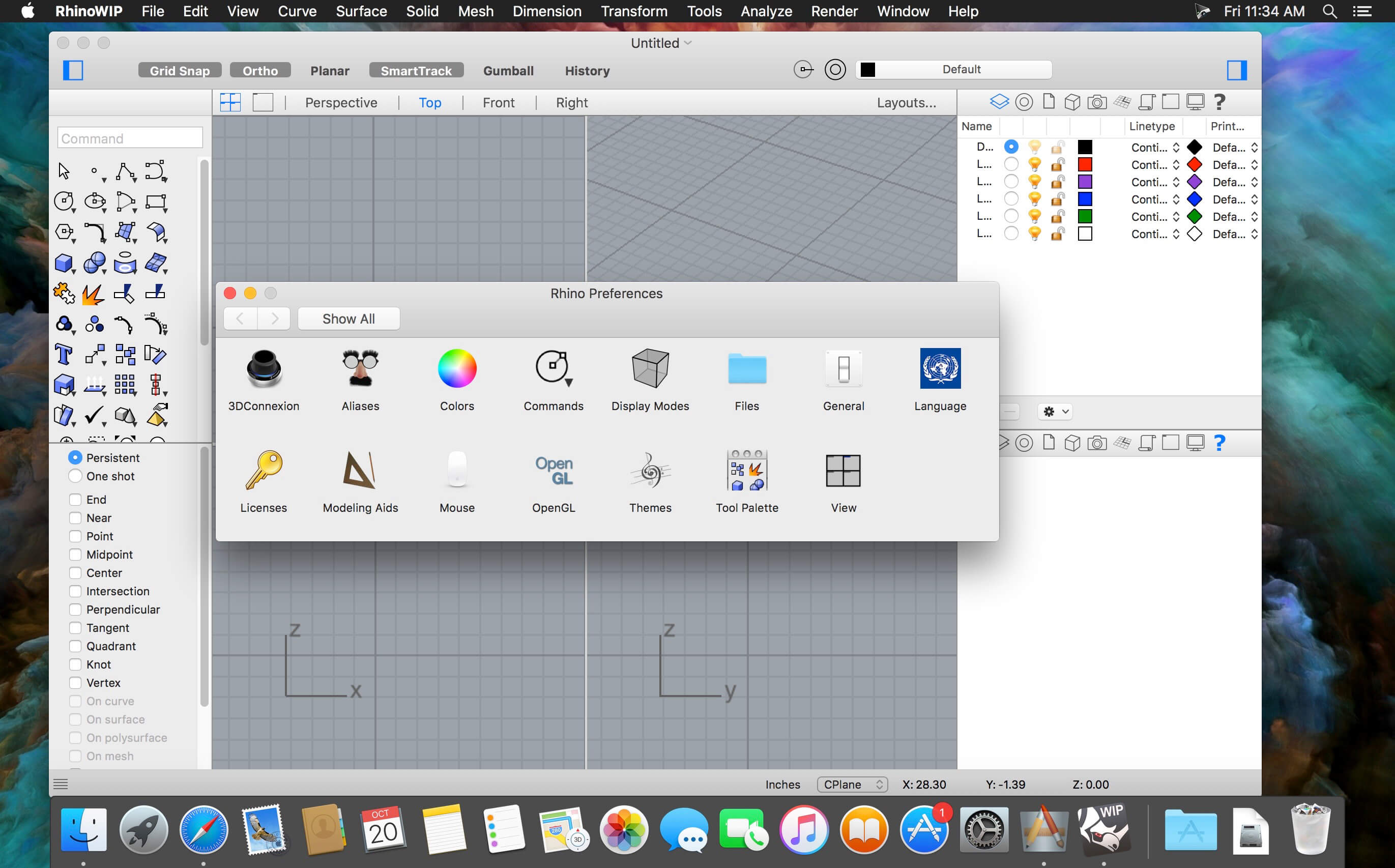
Rhino- Versatile 3D modeler. Rhinoceros can create, edit, analyze, document, render, animate, and translate NURBS* curves, surfaces, and solids, point clouds, and polygon meshes. There are no limits on complexity, degree, or size beyond those of your hardware.
Special features include:
-Uninhibited free-form 3-D modeling tools like those found only in products costing 20 to 50 times more. Model any shape you can imagine.
– Accuracy needed to design, prototype, engineer, analyze, and manufacture anything from an airplane to jewelry.
– Compatibility with all your other design, drafting, CAM, engineering, analysis, rendering, animation, and illustration software.
– Read and repair meshes and extremely challenging IGES files.
– Accessible. So easy to learn and use that you can focus on design and visualization without being distracted by the software.
– Fast, even on an ordinary laptop computer. No special hardware is needed. Affordable. Ordinary hardware. Short learning curve.
– Affordable purchase price. No maintenance fees.
Bookends is a full-featured bibliography/reference and information-management system for students and professionals.
Bookends uses the cloud to sync reference libraries on all the Macs you use. Access the power of Bookends directly from Mellel, Nisus Writer Pro, or MS Word (including Word 2016): Bookends allows you to scan your existing word-processor files and automatically generate finished manuscripts with properly formatted bibliographies. You can also scan Apple Pages ’08, ’09, and 5, and OpenOffice 3 files, or RTF files saved from any word processor.
Bookends allows you to share your references over the Internet with anyone, on any platform. And with Bookends, you can directly search and import references from numerous sources:
PubMed
Web of Science
JSTOR
Google Scholar
Amazon
Library of Congress
arXiv
and hundreds of other online sources.
Or use a built-in browser to download references with PDF’s and/or Web pages. Also, with automatic searches of PubMed, you can discover articles as soon as they’re published. Bookends allows for powerful group-based searches, with static, smart, virtual groups, and smart folders that make hierarchical searches easy.
Bookends also offers a robust assortment of file attachment features:
Attach any file (such as a PDF) to a reference and view or open it instantly.
Automatically rename and organize PDF files on-the-fly.
Automatically download and attach the PDF of an article from the Internet if you have access permission.
Automatically locate and attach PDF’s on your hard drive.
Easily migrate references and attachments from other reference managers to Bookends.
Sync your library with Bookends On Tap on your iPad, iPhone, or iPod touch, so that you have your references and PDF’s with you, wherever you are.
Annotate and markup PDFs and have the information instantly accessible in notecards.
What’s New:
Version 15.2.2:
Release notes were unavailable when this listing was updated.
Compatibility: Bookends requires macOS 10.9 Apple Silicon or Intel Core processor Homepagehttp://www.sonnysoftware.com
EdgeView 3 is fast image viewer has elegant user interface. EdgeView 3 is developed and designed for modern MacOS. It can open various image files such as JPEG, PNG, TIFF, BMP, and RAW file of DSLR, EPS and PDF, AI(Adobe Illustrator). Can open image files in archive directly without extraction.
User can open files, rename files, delete files from EdgeView’s file browser. Also can access to SMB/AFP/FTP network volume.
User can navigate images quickly by using keyboard shorcut, mouse wheel, trackpad gesture. EdgeVew show EXIF information, play animation GIF/PNG/WebP smoothly. Save last status to history, and restore when reopen file.
EdgeView 3 will be the best choice when viewing and managing image files.
Features
Rewrote full code as Swift for improve performance.
Support m1 CPU Mac.
Has easy UI, can control main function at Sidebar.
Support English/Korean/Japanese/Chinese(Simplified).
Image Viewer
Supporting image files such as JPG, GIF, BMP, PSD, TIFF, RAW, WEBP and PDF, EPS, AI(Adobe Illustrator), OpenEXR, HDR, TGA.
Can play animation GIF/PNG/WebP. User can control animation with floating animation controller.
Dispaly internal image(or frame) of animation GIF/PNG/WebP or HEIC that has multiple internal image.
Can read and show images of major archive formats (such as ZIP, RAR, CBZ, CBR, 7-zip) without extraction. Of course, can open ZIP file that 4GB over.
Can read encrypted archive file.
Can read archive file in archive file recursively
Improved draw speed by rebuilt image cache system and drawing engine.
Draw images as high quality.
Provide suitable functions for comic reading such as ‘Two-Page Spread’, ‘Continuous Scroll mode’, ‘Right to Left’, etc.
Provide multiple navigation functions like as ‘Move’, ‘Skip’, ‘Shift’, etc.
User can navigate images and check whole thumbnails at Thumbnailsbar.
User can navigate images by using keyboard shortcut, mouse wheel, trackpad gesture.
Can rotate and flip images. Orientation will be saved to history.
User can select part of images, and copy it or save as file.
Can zoom in/out image freely.
Built-in loupe function to make it easier to magnify part of image.
Show histogram.
Show neighbor files list. And can open neighbor file.
Support history feature for saving and restoring last status of file.
Can reopen file or remove history at history list.
Can rate image files.
File Browser
Built-in file browser can show and open files from local drive or AFP/SMB/FTP network drive.
Can display files as lists or icon.
Show images in folder/archive file at preview panel.
Generate thumbnails of archive files and folders.
Support powerful search feature.
Show category and writer information.
User can sort files by various options, and can delete or rename files.
Can rate files or folders.
Others
Support customizing feature. Also user can change shortcuts.
Built-in Quick Look Extension generate thumbnails and preview of archive files at Finder.
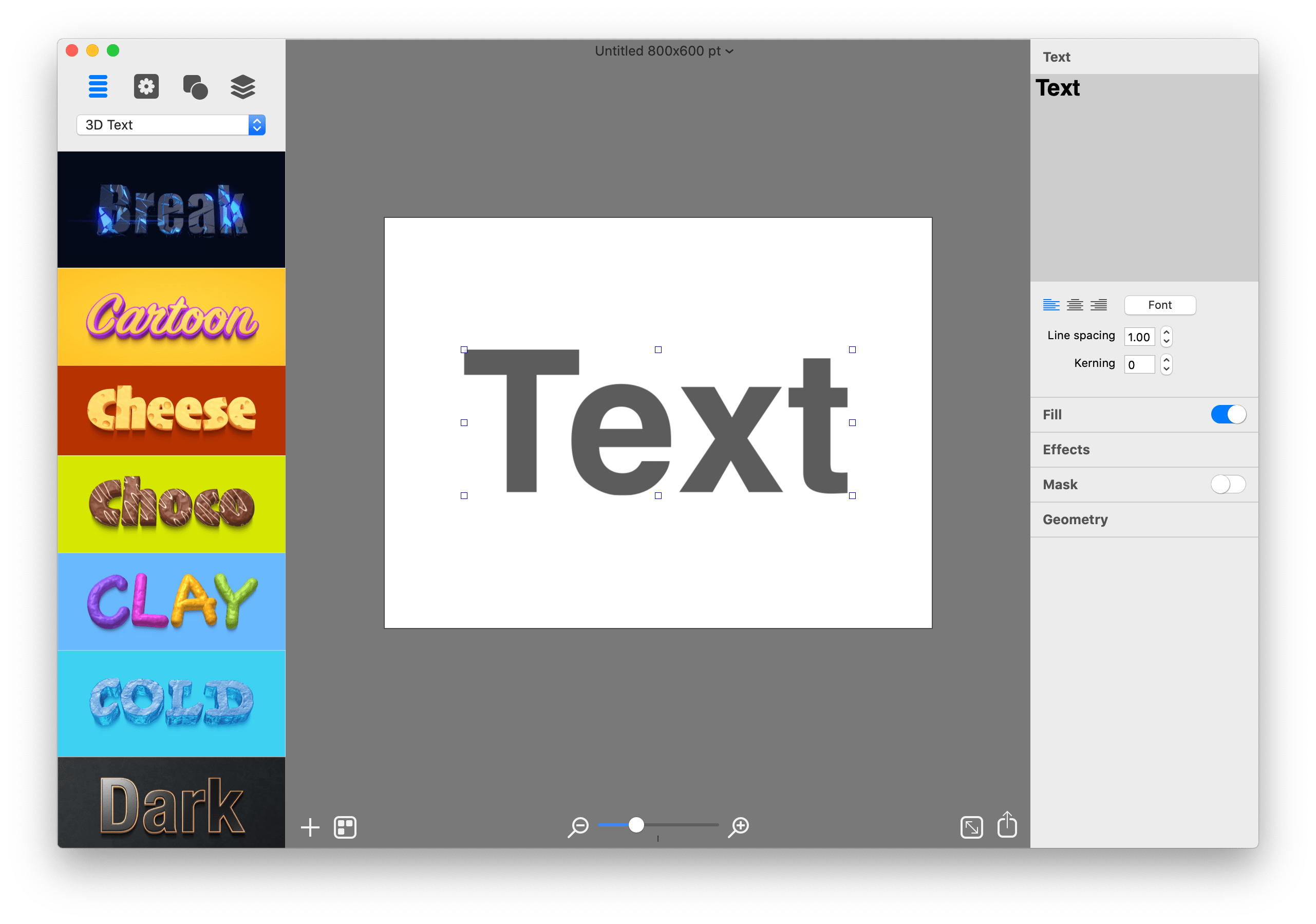
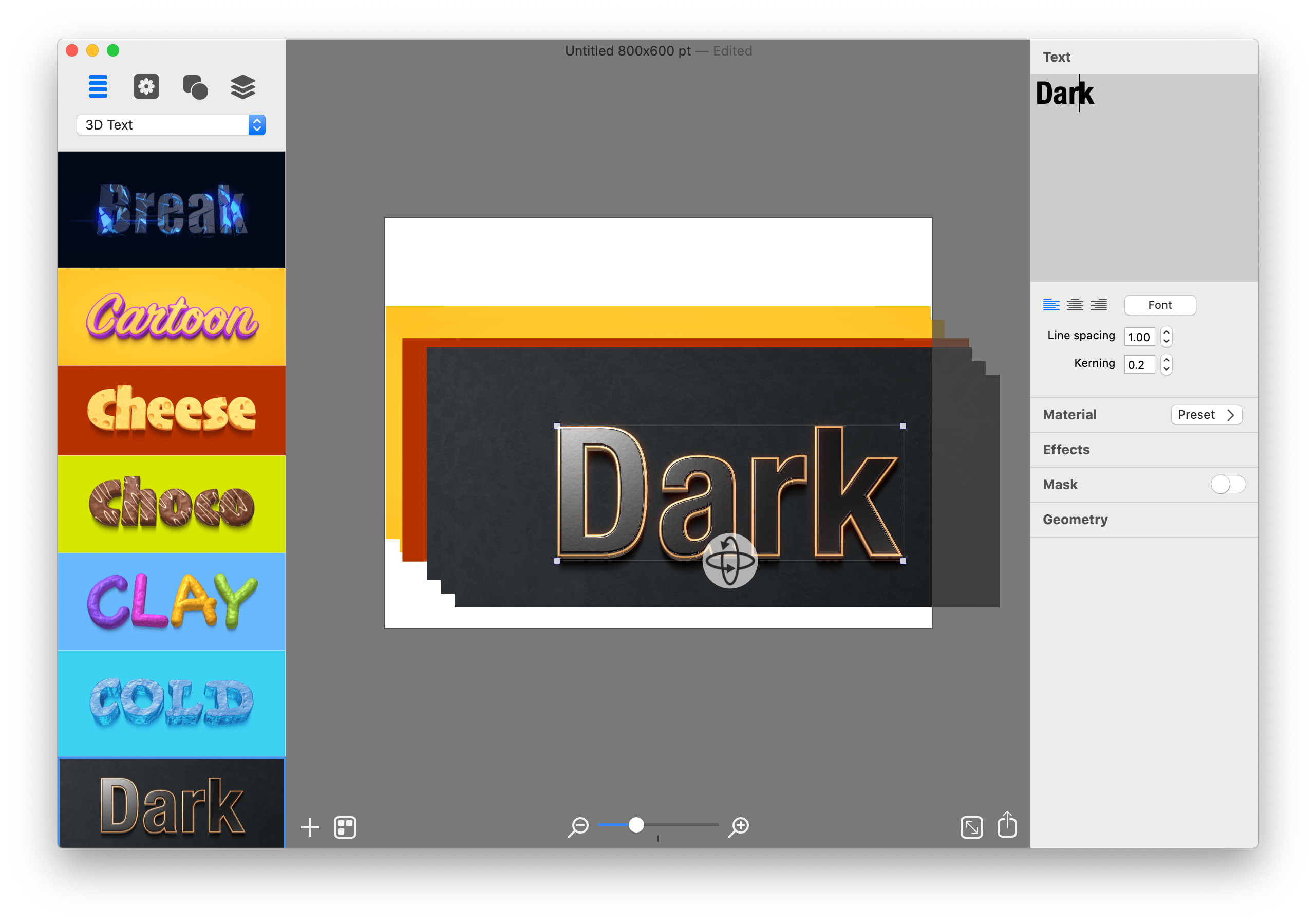
Graphic Design Software for Everyone. Art Text is graphic design software specifically tuned for lettering, typography, text mockups and various artistic text effects. Supplied with a great variety of ready to use styles and materials, selection of textures, icons, fonts and backgrounds, special designed effects and shape transformations, Art Text guarantees striking appearance of your badges, logos, cards, flyers and presentations.
Graphics that you create in Art Text will be a perfect fit for various document types, such as presentations, flyers, brochures, business cards, and can even spice up photos or create picture captions before uploading to Facebook.
Styles and Materials
Art Text comes equipped with a wide selection of text styles, surface materials and effects. Unrestricted by any presets, your creativity will take flight with easily adjustable textures, surface bump maps, environment textures, light spots and shadows, and other settings to come up with new materials.
Spray Fill
Beautifully lay out words with coffee beans, color balls, leaves, Lego pieces and even clouds using the supplied collection or import your own fill images. Experiment with lettering design from highly random to a very structured layout and fill sizes.
Mask Effects
Tweak text finishing with a variety of masks to render an aged text or a scratched look. You may also want to add a stamped effect with just one click. Easily experiment with settings, and combine masks with other effects, to get a somewhat unexpected but impressive result.
Distortion Effects
Heavily alter the font shape beyond standard typeface options. Effortlessly wear out text sides with Side Distortion, create random holes in the body with Erosion, partially dim text with Blur distortion, and more.
Shading Materials
Special 2D materials open the door to an array of visual effects, such as bumping or embossing. You may also apply a glass, plastic or gold finish, make the surface glossy, matte, bright or faded, or give your graphic a fascinating watercolor, oil paint or pencil drawing look. The most demanding users will find the material editor handy for creating custom Shading Materials.
Real 3D Text
Art Text implements a 3D modeling engine that helps to convert any text, symbol or pictogram to 3D. Our graphic design software embeds 3D renderer together with tons of customizable 3D materials to ensure super realistic results every time.
Paint Lettering
Art Text comes with a great variety of fills, distortion effects and object content to design highly realistic, hand painted, ink written and watercolor lettering art.
What’s New:
What’s New in Version 4 Spray Fill
New fill effect that populates the text shape with coffee beans, nuts, stones, glitter and other preset image fills.
Text Designs Store
Regularly updated gallery of free and paid text design templates.
Realistic 3D Materials
Materials have dramatically improved with Reflection Masks.
Facebook 3D Photo
Create catchy phrase graphics and share on Facebook as a 3D photo.
Multi-Purpose Distortion
Achieve diverse 2D visual effects with Erosion, Roundness, Side Distortion, Blur and other shape distortion effects.
Shading Materials
2D shading materials become more sophisticated with 150 fully adjustable Bump Map masks.
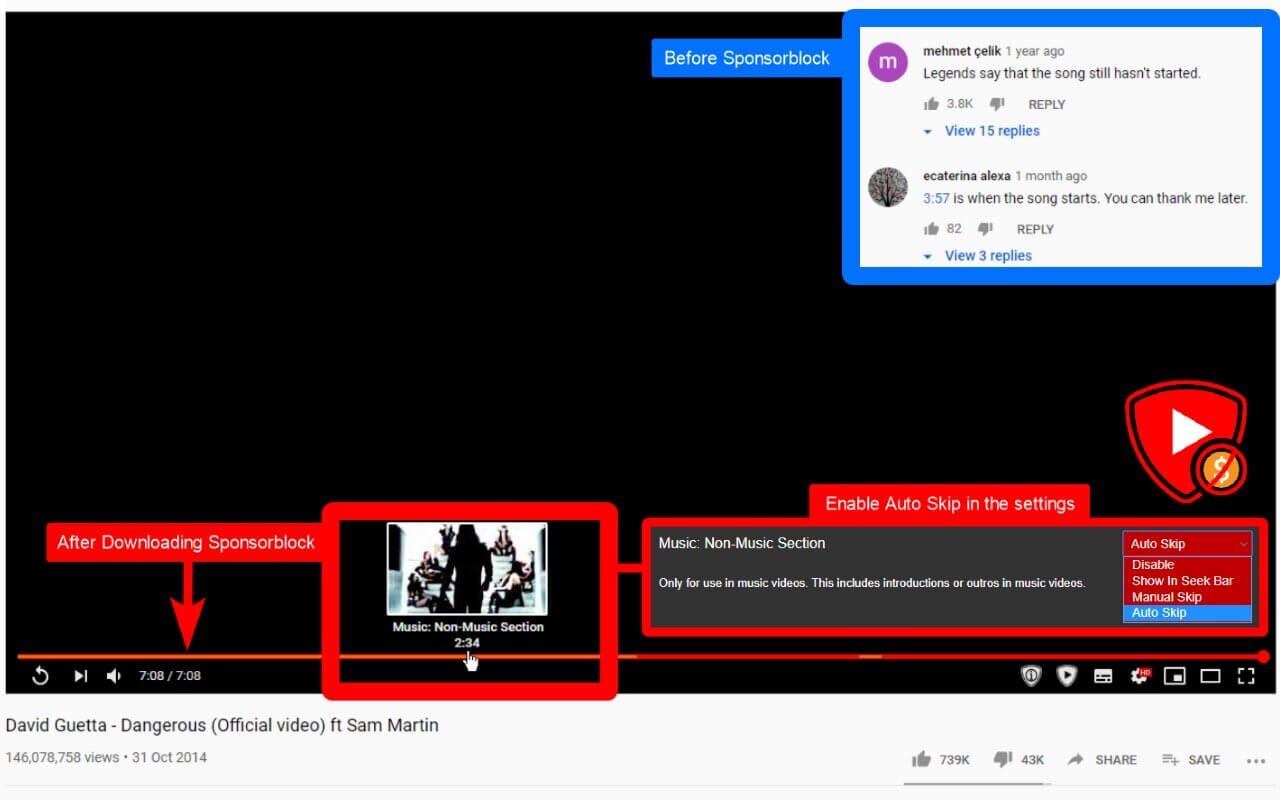
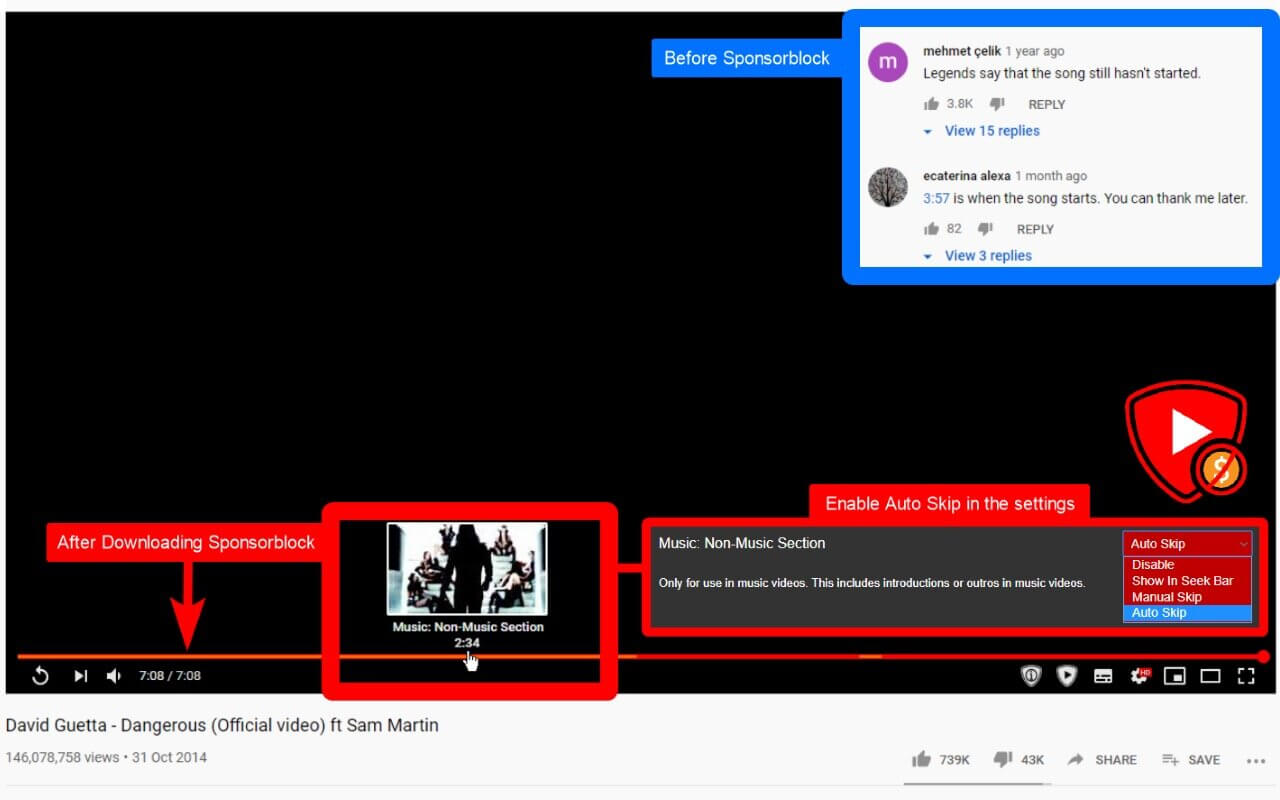
SponsorBlock lets you skip over sponsors, intros, outros, subscription reminders, and other annoying parts of YouTube videos. SponsorBlock is a crowdsourced browser extension that let’s anyone submit the start and end time’s of sponsored segments and other segments of YouTube videos.
Once one person submits this information, everyone else with this extension will skip right over the sponsored segment.
You can also skip over non music sections of music videos.
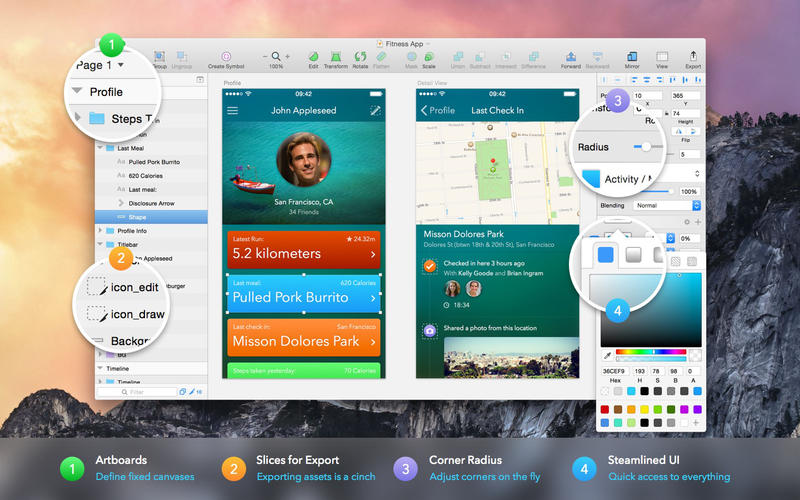
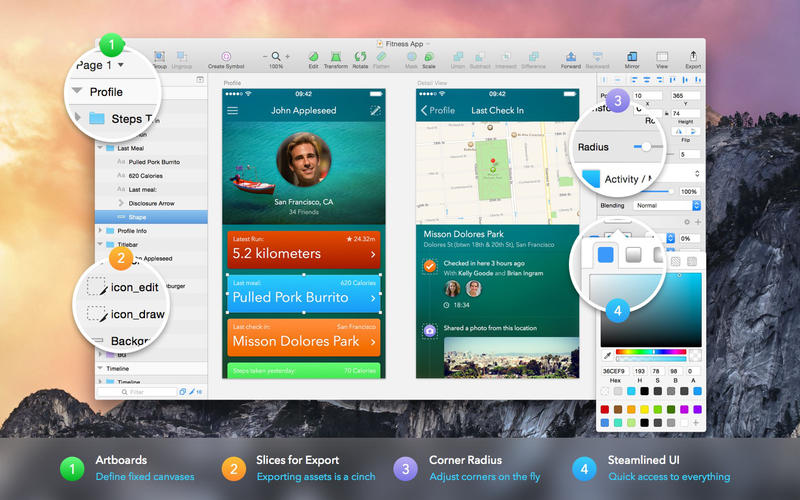
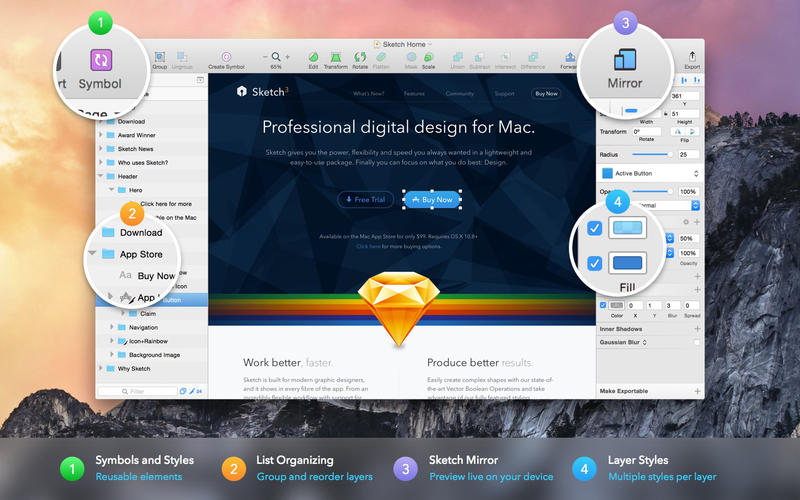
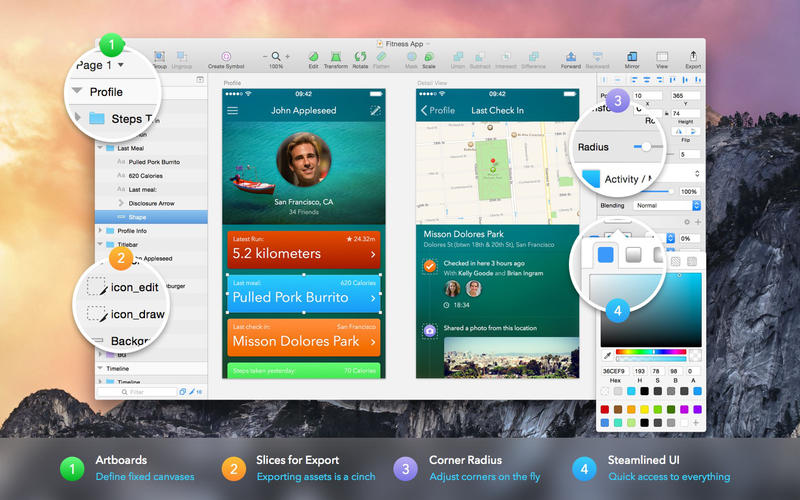
Sketch: graphic design for a digital world. Powerful tools and an elegant interface, in a single award-winning package. Because making beautiful things should be a joy, not a burden.
Sketch supports multiple fills, borders and shadows per layer; has powerful non-destructive boolean operations; smart pixel alignment; and makes exporting a breeze with automatic slicing and multiple resolution export.
Vector tools and basic shapes are the foundation; whether you are designing icons, websites, interfaces or anything else. Combine these into complex shapes with non-destructive boolean operations, leaving you free to edit them in the future, then apply advanced layer style options like multiple shadows, fills, gradients, noise, blending, background blurring, and more.
Sketch doesn’t just do shapes, of course. Imported images can be rotated, scaled, cropped and masked. The best-in-class text tool lets you add beautiful typography to your designs, using native font rendering, so you can be sure that text always looks 100% accurate!
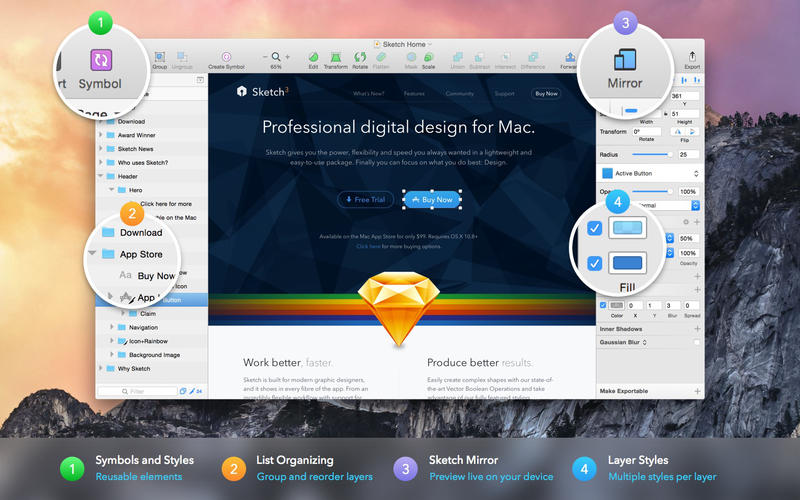
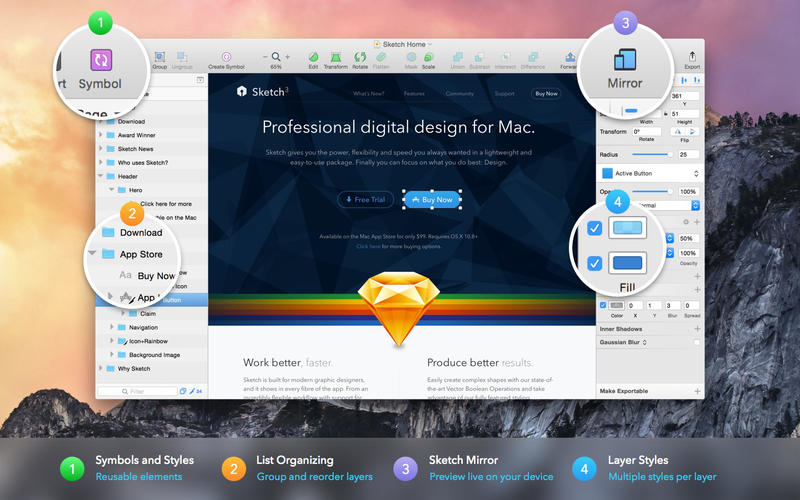
Brand new to Sketch 3, Symbols allow you to reuse entire groups of content in multiple places in your design. Think of interface elements such as buttons, headers and footers. Change them once, and they update everywhere in your document.
Built for the Mac, Sketch supports OS X’s Versions and Auto Save, letting you focus on your work instead of hitting CMD+S. Keep your work safely in sync across multiple Mac computers with iCloud. And take Sketch full screen to maximise the size of your canvas.
All this power is deliciously baked into Sketch’s single-window interface. Everything is there, tucked away until you need it. A simple interface with powerful tools.
Time-aware video quality enhancement. Video Enhance AI uses information from multiple frames to achieve high-end results for video upscaling, denoising, deinterlacing, and restoration. Improving the quality of videos is substantially more complex than photos because of motion-related issues like flickering, blockiness, and wavy artifacts. To solve this issue, Video Enhance AI looks at surrounding frames to improve resolution and reduce motion artifacts for natural results.
Get your largest upscale yet.
If you’ve used the Rhea model to upscale before, this newest version’s on a whole new level.
Speed up your flow.
Welcome to a faster, more intuitive process than any previous version of Video AI.
SDR to HDR—finally.
Brighter brights, darker darks, and more definition throughout make the new SDR-to-HDR absolutely unreal.
Trusted by major film studios nd creative pros everywhere.
Denoise with cinema-level detail.
Trained with millions of video frames, Video AI 6 intelligently understands the difference between noise and detail.
Nyx AI Model.
Remove noise and fix compression artifacts from 4K footage with high ISO settings.
Recognizes people and faces, knows exactly how to correct them.
Sprawling desert and a beautiful portrait are vastly different, as should be the way you correct them. Video AI 6 uses temporally aware facial recognition technology to do it automatically and instantly.
Create new frames out of thin AI-r.
Match cameras with different frame rates, or achieve slow motion without changing camera settings. Apollo and Chronos models generate new frames to make it all super smooth.
Aion AI Model.
Achieve ultimate slow motion with up to 16x fps interpolation.
Chronos AI Model.
Get silky smooth conversion from 24fps to 60fps. Even boost to 120fps and beyond.
Easy Workflow
Topaz Video AI works directly on your Mac or PC. Use the standalone to batch process footage in sequence, or use it as a plugin for tight workflow integration.
High Performance
We’ve partnered with major hardware manufacturers like Nvidia, AMD, and Intel to make Video AI run as fast as possible for your computer.
Stabilize it in post.
Keep the focus on your subject, not on the camera shake. Stabilize the frame and recover detail lost by unwanted camera movement, while also reducing blur caused by motion and slow shutter speeds. All in post.
Render in the cloud.
You’ll always be able to render locally—and now you can render in the cloud, too. It’s perfect for getting the fastest possible processing times with the latest AI models. Cloud rendering takes the pressure off your hardware and allows the cloud to do the work for you.
Batch Processing
Multiple videos. All rendered at once. Get your queue loaded, then sit back and watch your renders complete, or jump to other tasks.
3x or Faster
What could take upwards of 30 minutes now happens in just a few. Cloud rendering is an instant boost to see your results in a fraction of the time.
Even on older hardware.
Cloud rendering takes the pressure off your hardware’s performance, and puts it on the cloud. No need to upgrade your machine to use the new, more complex models.
Instant upscale to 16K.
Get the upscaling you want, without sacrificing quality. Video AI both increases resolution and handles unwanted artifacts caused by traditional upscaling methods. All with one click. Get 4K, 8K, up to 16K resolution with spectacular visual quality, all in Video AI.
Export Pausing
Switching gears is as simple as hitting pause. Only export when you want to.
Instant Previews
Frames are automatically rendered at the cursor position, with changes shown immediately.
Crash Recovery
Pick up exactly where you left off after a system reboot, power loss or crash.
Compatibility: MacOS 10.14 (Mojave) or 10.15 (Catalina) to run on CPU only.
MacOS 10.16 (Big Sur) or newer to have all models run on GPU. Homepagehttps://www.topazlabs.com/topaz-video-ai
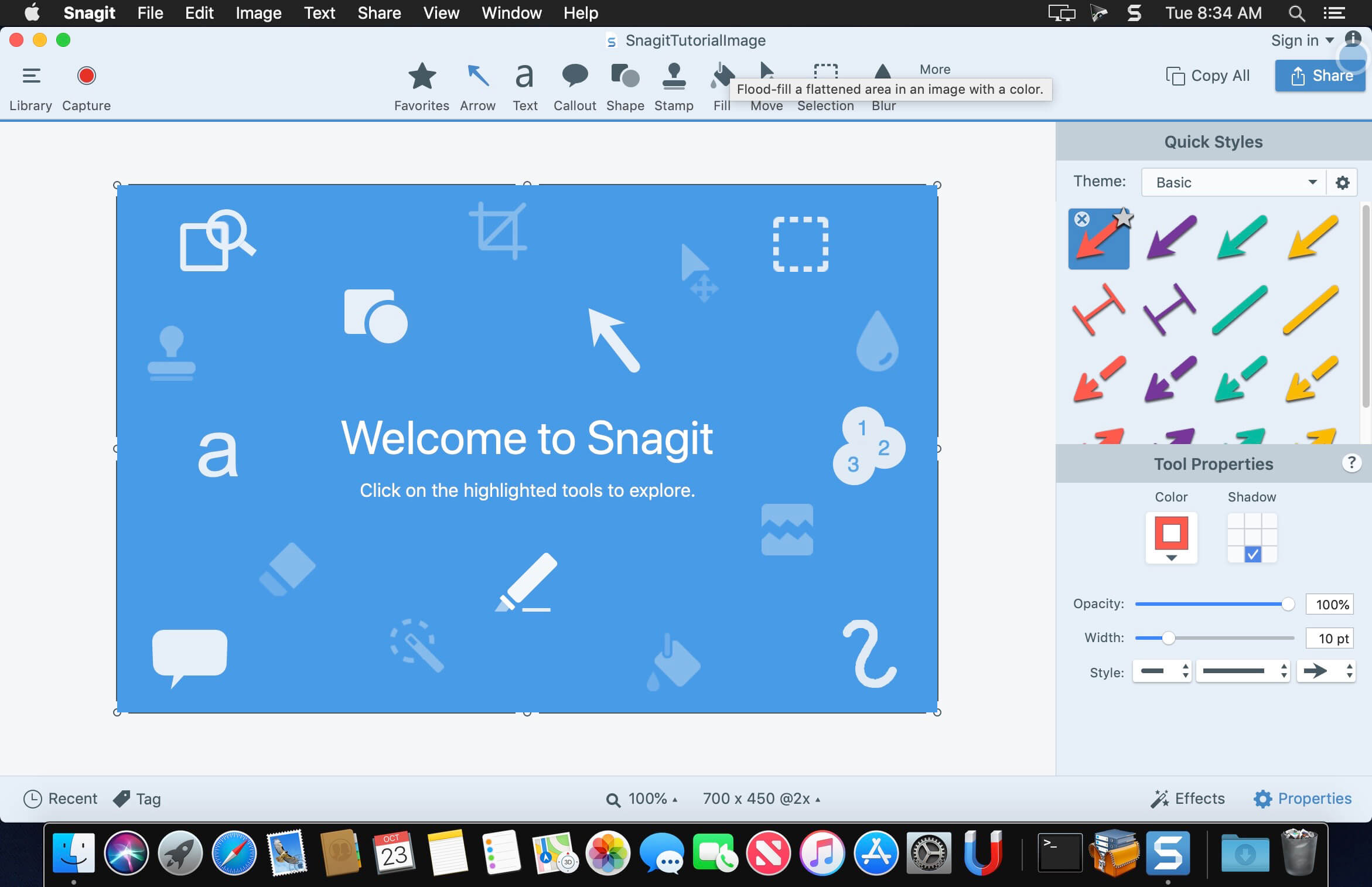
macOS comes with basic screen capturing capabilities, but the customization options are fairly limited. Snagit is an unobtrusive yet very easily accessible Mac app that proposes more diversified screenshot taking functions, and is also able to record videos.
In addition, Snagit provides an editing area where you can to personalize your projects without having to employ third party applications.
Capture screenshots or record videos in no time By default, Snagit is a status bar menu application that also provides an autohiding capture window placed in the top right corner of your screen. Via the app’s Preferences window you can quickly decide to keep only one of them enabled. At the same time, you can also make use of the already defined hotkeys.
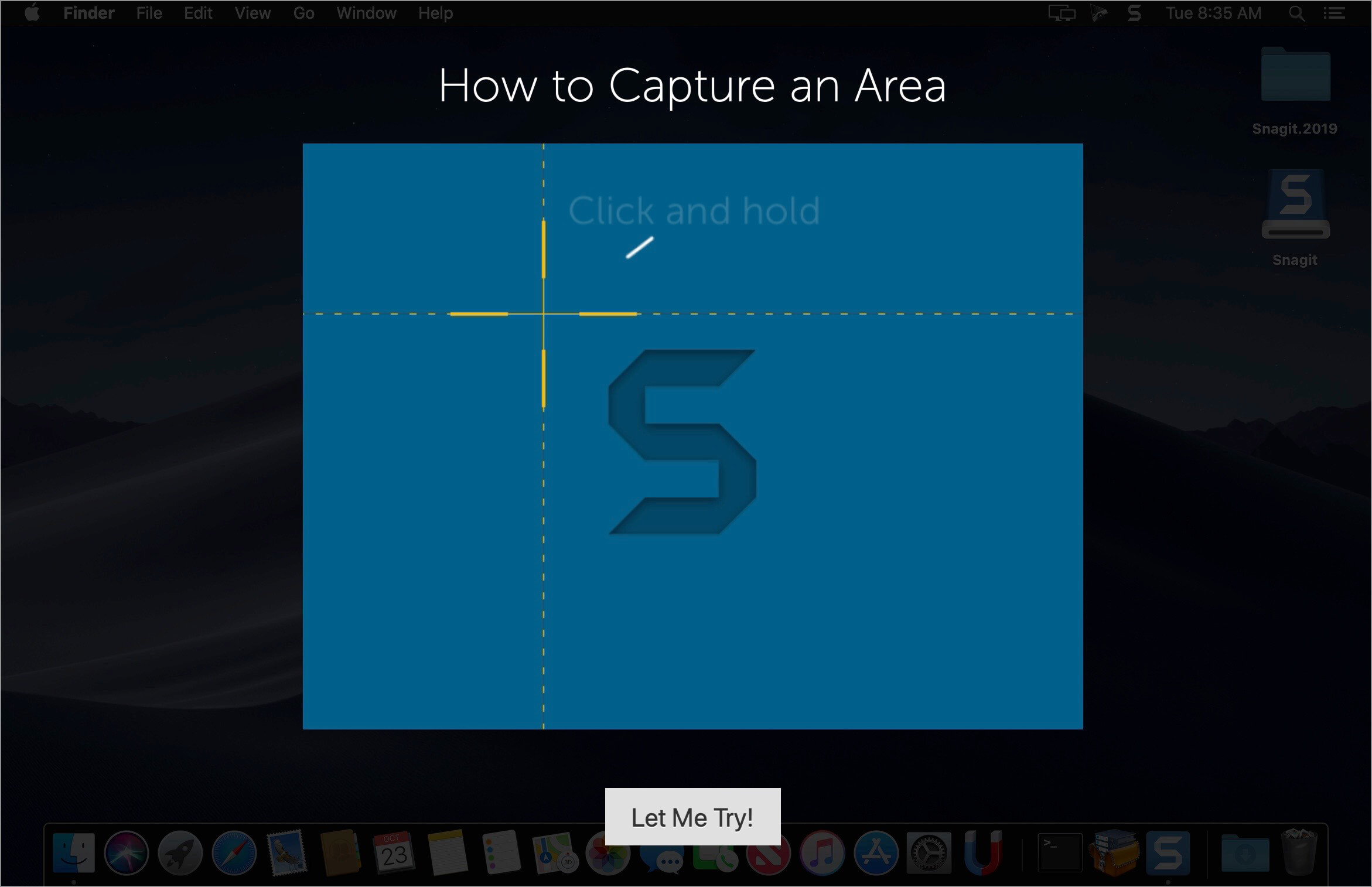
All you have to do is select the capture type via any of those controllers, and highlight the area you want to record. Snagit automatically sends the captures to the processing window but that does not obstruct you workflow in any way: if you are already satisfied with the result, simply select one of the many image or video sharing solutions.
Versatile editing and sharing solutions The Snagit image editor includes a collection of simple tools that can be used to highlight certain areas, to write down text, to erase certain elements, and much more. Moreover, you also get to apply color filters, edge effects, and more.
When dealing with video content, all you can do is preview the recording and cut a specific portion. Noteworthy is that Snagit allows you to connect to various online account in order to quickly upload the final projects from within the application: this makes the entire procedure extremely straightforward.
Powerful screen capturing tool that includes editing and sharing capabilities Snagit succeeds at being a complete screen capturing solution: you get to capture both screenshots (including menus or entire webpages, on the spot or with a small delay) and videos (with your screen activity or with the images captured by your webcam).
To conclude, Snagit is the tool you want if you have to highlight certain aspects of an image, or if you need to record video presentations: use its built-in tools to edit the content, and then share the results with your friends in no time.
SponsorBlock lets you skip over sponsors, intros, outros, subscription reminders, and other annoying parts of YouTube videos. SponsorBlock is a crowdsourced browser extension that let’s anyone submit the start and end time’s of sponsored segments and other segments of YouTube videos.
Once one person submits this information, everyone else with this extension will skip right over the sponsored segment.
You can also skip over non music sections of music videos.
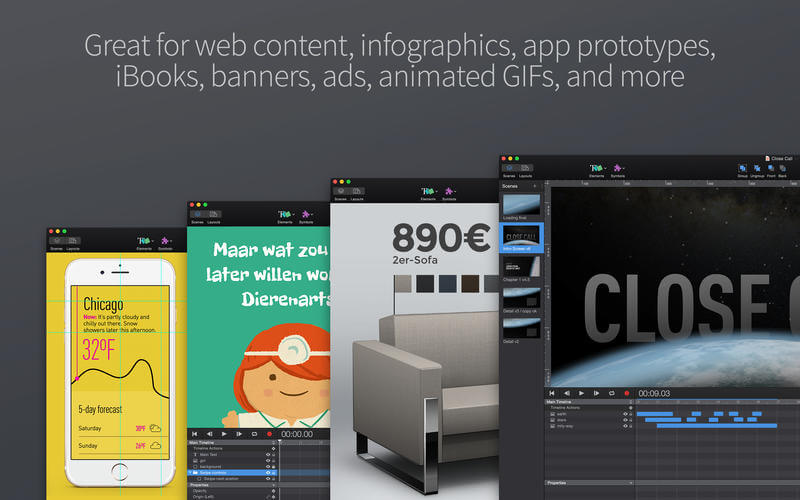
Hype lets you create stunning animated and interactive web content.Hype’s HTML5 output works on all modern browsers and mobile devices like iPhones and iPads. No coding required.
Hype is used by leading designers to create animations which add a “wow” factor to web pages, infographics, presentations, digital magazines, ads, iBooks, educational content, app prototypes, portfolios, animated GIFs, videos, entire websites, and much more. Hype won the 2011 Macworld Editors’ Choice Award.
From prototype to production, anyone can create rich interactive media with Hype.
Quickly Animate:
Easy to use keyframe-based animation system
Record mode watches your every move, automatically creating keyframes as needed
Create natural motion curves with bezier paths
Make scenes for organization and flow
Use the power of multiple simultaneous timelines to run animations
Add Interactivity:
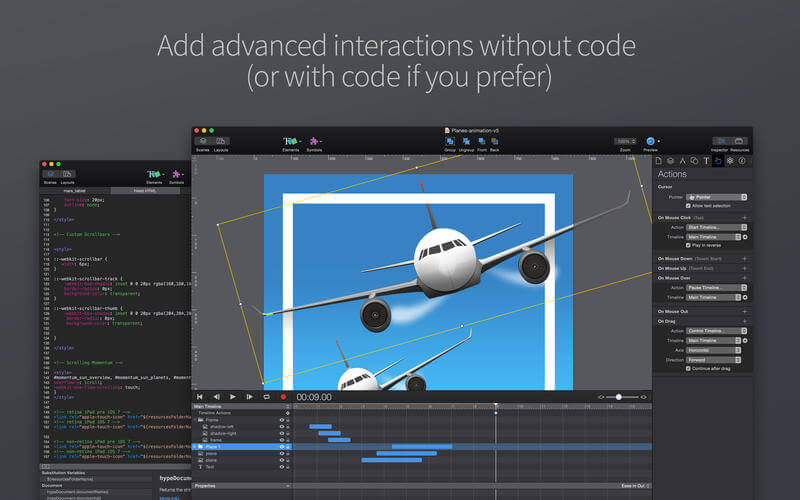
Action handlers kick off and control timelines, transition between scenes, or run custom jаvascript
Visually build action handlers to respond to taps, clicks, and animation events
Create Stunning Content:
WebKit-based WYSYWIG “what you see is what you get” scene editing
Intelligent guidelines, arrangement, and sizing tools
Easily integrate video and audio for stunning multimedia documents
Cutting-edge effects: blur, hue shift, brightness, saturation, shadows, reflection, and 3D transforms
Add Google Fonts to your projects or use your own CSS web fonts
A flexible layout system resizes your content to fit any screen
Retina image support
Perfect for Mobile:
Hype’s HTML5 output works great on mobile devices
Easily add swipe and touch actions
Bind drag events to timeline positions for rich interactivity
Preview your projects on iPhones and iPads with the free Hype Reflect companion iOS app
Hype Reflect’s Mirror Mode shows edits live as you make them
Extend with Code:
Edit the Inner HTML of any element
Integrated jаvascript editor for writing custom functions triggered by user actions
Use Hype’s jаvascript API to control scenes, timelines, and more
Export to HTML:
Outputs state-of-the-art HTML5, CSS3 styles, and jаvascript
Content works across all browsers from IE 6 up to the latest Chrome
Self-contained directory holds all resources and jаvascript for your document
Integrate into existing pages by copying and pasting 3 lines of HTML
Great for ads and fast on mobile: A minimal document is only 24 KB (compressed) and 3 network connections
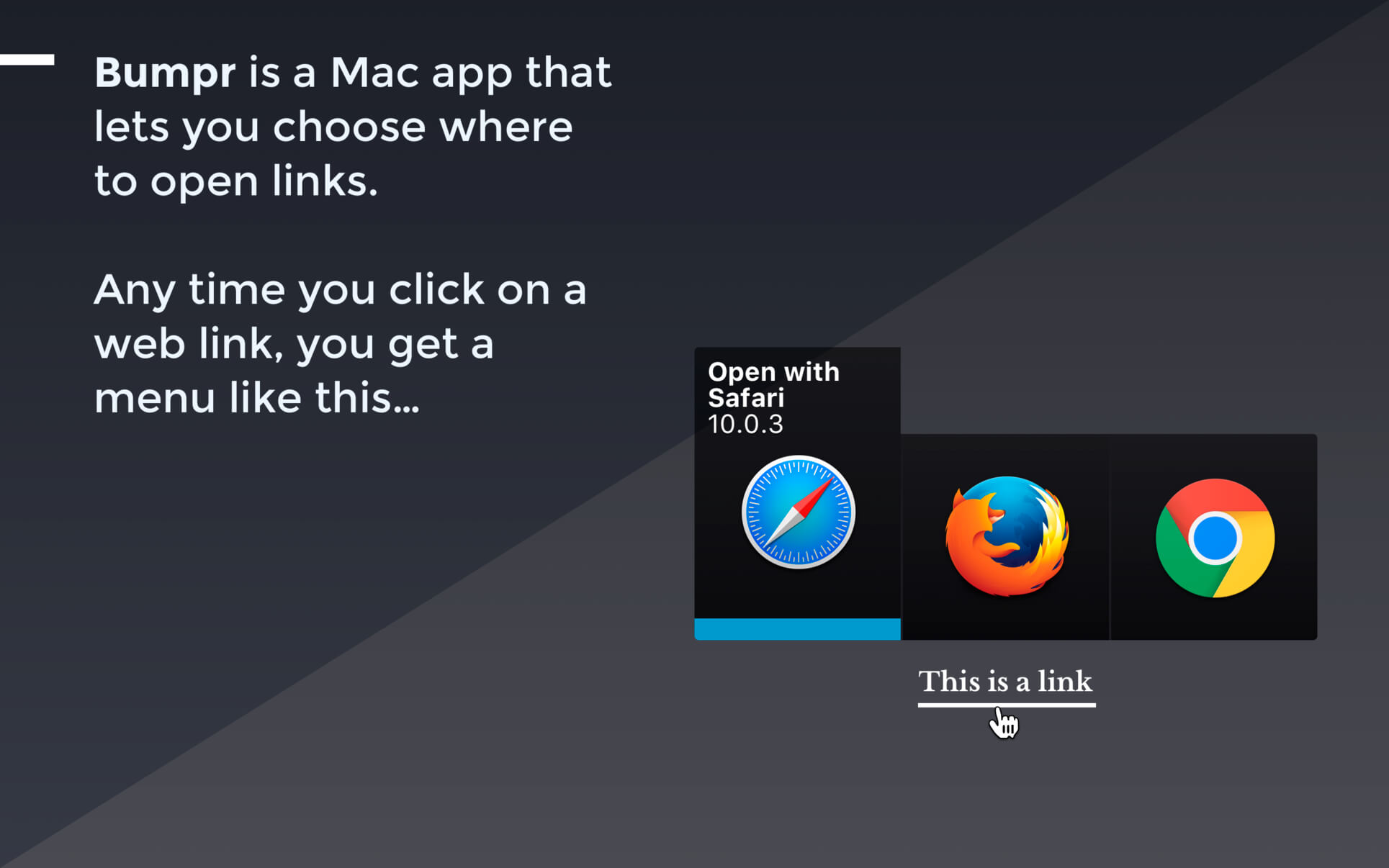
Bumpr is a handy, beautiful Mac app that lets you choose where to open links. Anytime you click on a web link, a compact, elegant menu pops up right in place and lets you choose which browser to open that link with. Bumpr also works with mail links.
Bumpr is particularly effective if you use more than one browser to run separate Google accounts, for cross-browser testing, to keep certain kinds of browsing activities restricted to certain browsers, and more. Its email handling is great if you use separate email clients for different email accounts.
Sharpen, remove noise, and increase the resolution of your photos with tomorrow’s technology. Topaz Photo AI supercharges your image quality so you can focus on the creative part of photography.
Focus on your creativity rather than your tools.
AI is good at some things but bad at others. It can write sentences but can’t tell a story, and it can recommend songs but can’t compose music. But most importantly for us: AI is exceptionally good at improving image quality, but bad at knowing what to do with it.
We believe that stunning photography comes from artistic vision paired with world-class tools. AI will never replicate human creativity, so it’s still your job to provide the vision. But just like a sharper lens or better camera, Topaz Photo AI empowers you to create images that just aren’t possible with yesterday’s tools.
Your photos at their very sharpest.
You won’t always be able to retake a shot when your subject is blurry. Sometimes you won’t even know until you’re reviewing your photos on your computer.
In these cases, use Topaz Photo AI to make sure your photos are as sharp as possible. Instead of artificially boosting edge contrast like traditional sharpening, the Sharpen AI module naturally reverses the root causes of blurring (camera shake, motion blur, incorrect focus) to create more natural-looking results.
Without blurring, the sharpness remains: crisp, clear detail, free from edge halos or other artifacts.
Get sharp and clear images without noise.
It’s a magical feeling to see noise evaporate while sharp detail remains.
After learning from millions of images, Topaz Photo AI’s Remove Noise module can effectively understand the content of your image. It can accurately determine the difference between real image detail and noise with an astonishing level of accuracy.
Not all of your images will be noisy. For those who are, Topaz Photo AI will give you the best possible results that modern technology is capable of.
Dropzone makes it faster and easier to copy and move files, open applications and share files with many different services. Dropzone is a unique and amazing app that’s like nothing you’ve ever used before. We’ve paid fanatical attention to every detail and built an app that looks and feels like an integral part of macOS.
Dropzone ships with a powerful scripting API and with a little programming knowledge you can modify any of your actions or even create entirely new ones. This gives Dropzone unlimited extendability and utility. We’re always thinking up new actions so Dropzone will become even more useful over time.
Dropzone also includes Drop Bar – Drop Bar makes it easy to stash files you know you’ll need later. Just drop files on the Drop Bar icon in the grid and they will stick there until you’re ready to use them.
Features
Open applications, move and copy files faster than ever before.
Shorten URLs quickly using Tinyurl shortener. Just select a URL to shorten and press Ctrl+Option+Cmd+S and the shortened URL is automatically copied to the clipboard.
AirDrop integration lets you drop files or folders from any app and share them with your other Macs over the network.
Imgur integration lets you share images fast and get a link for pasting.
Upload files to Amazon S3 (Dropzone Pro feature).
Upload files to your FTP server (Dropzone Pro feature).
Upload files to your Google Drive (Dropzone Pro feature).
Download and install add-on actions that let you upload to services like Google Drive, YouTube and many others (Dropzone Pro feature).
Powerful multi-tasking engine allows you to run multiple tasks at once and track the progress of each one through the in-grid task status area.
See how tasks are progressing at a glance in the animated menu item.
Launch Dropzone actions with the newly added keyboard shortcuts feature (Dropzone Pro feature).
Add applications, folders or actions to your grid easily by dragging and dropping them on the Add to Grid area.
Develop your own actions using the updated and massively improved Ruby or Python API (Dropzone Pro feature).
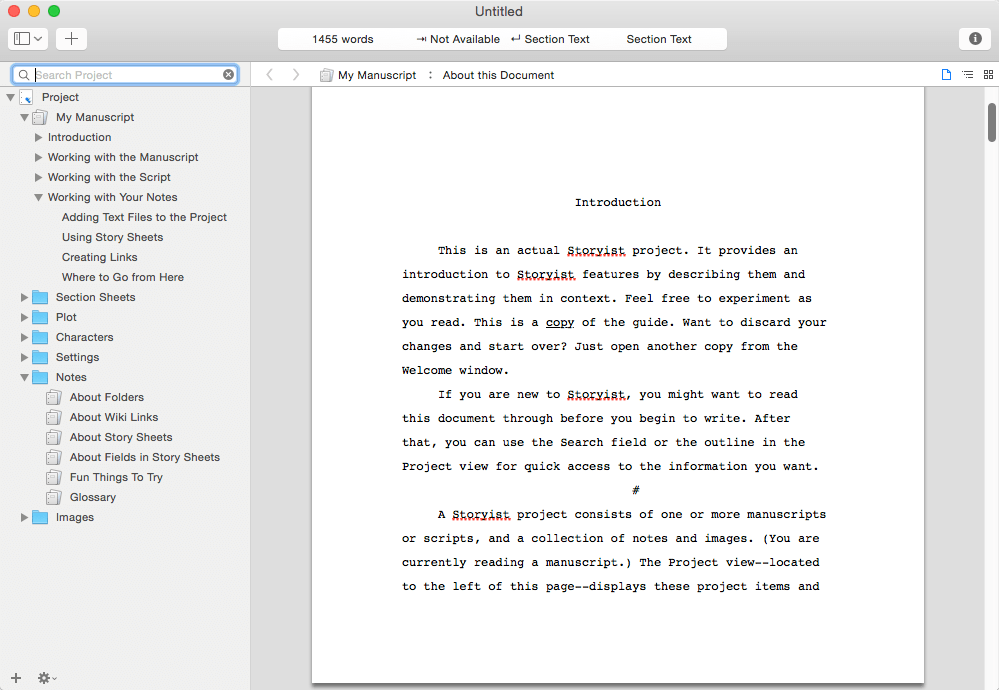
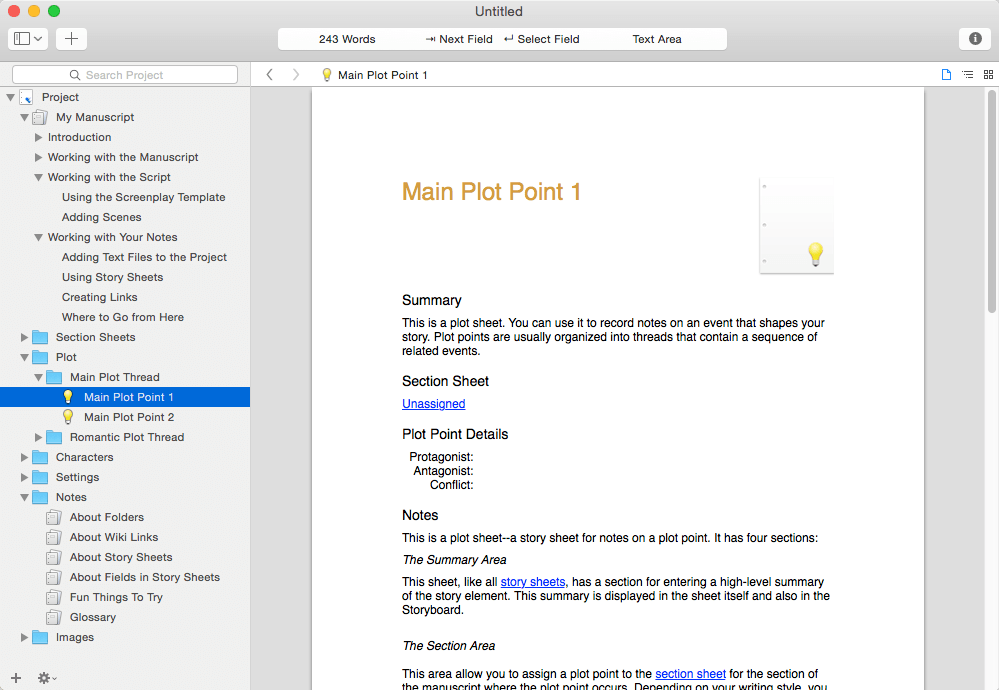
A powerful writing environment for novelists and screenwriters. Do you have a story to tell? Unlike conventional word processors, Storyist helps you track your plot, characters, and settings, and keeps all of your writing organized and accessible—so you can focus on telling your story.
With Storyist, you can:
Produce submission-ready manuscripts and screenplays. Storyist provides a rich text editor with support for comments, images, headers, footers, and style sheets so you can create properly formatted manuscripts and screenplays. And Storyist comes with manuscript and screenplay templates so you can focus on the writing, not the formatting. “more…”
Work with your story at a high-level. Storyist lets you sketch out a story using index cards and then refine it with customizable plot, character, and setting sheets.
Keep all your writing organized and accessible. Storyist organizes your novel manuscripts, screenplays, notes, and other project-related writing so you can access them with just a few clicks.
Create ePub and Kindle editions of your work.
Features at a Glance
Word processor with support comments, images, headers, footers, and style sheets.
Automatic manuscript and screenplay formatting with familiar tab and return key shortcuts.
Virtual cork board with support for color-coded index cards.
Outliner.
Customizable story sheets.
Imports and exports RTF, Plain Text, Word, Scrivener, Fountain, and Final Draft FDX files.
Exports ePub, Kindle, and PDF.
Works great with Storyist for iOS, so you can create, review, and revise your work wherever inspiration strikes
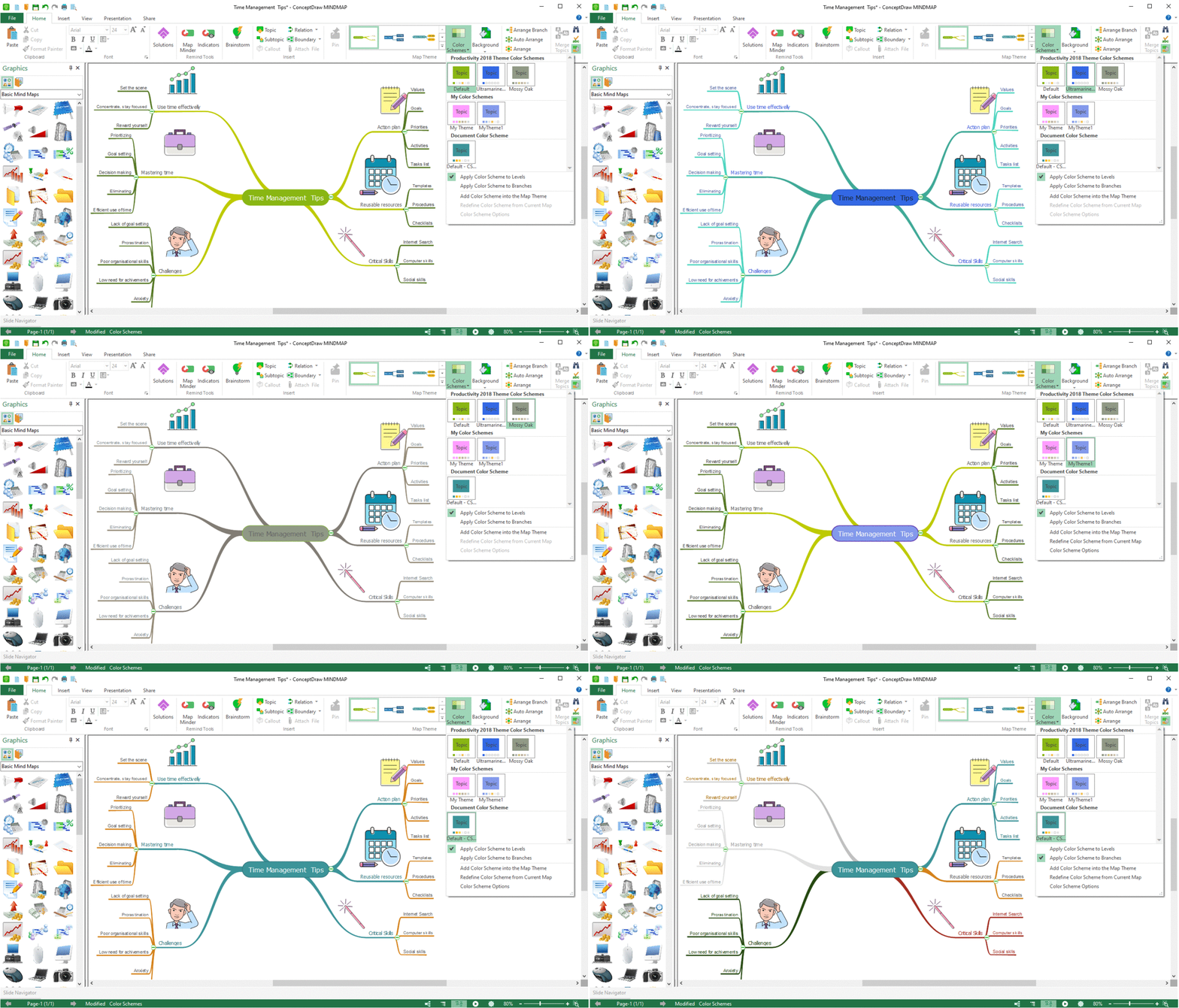
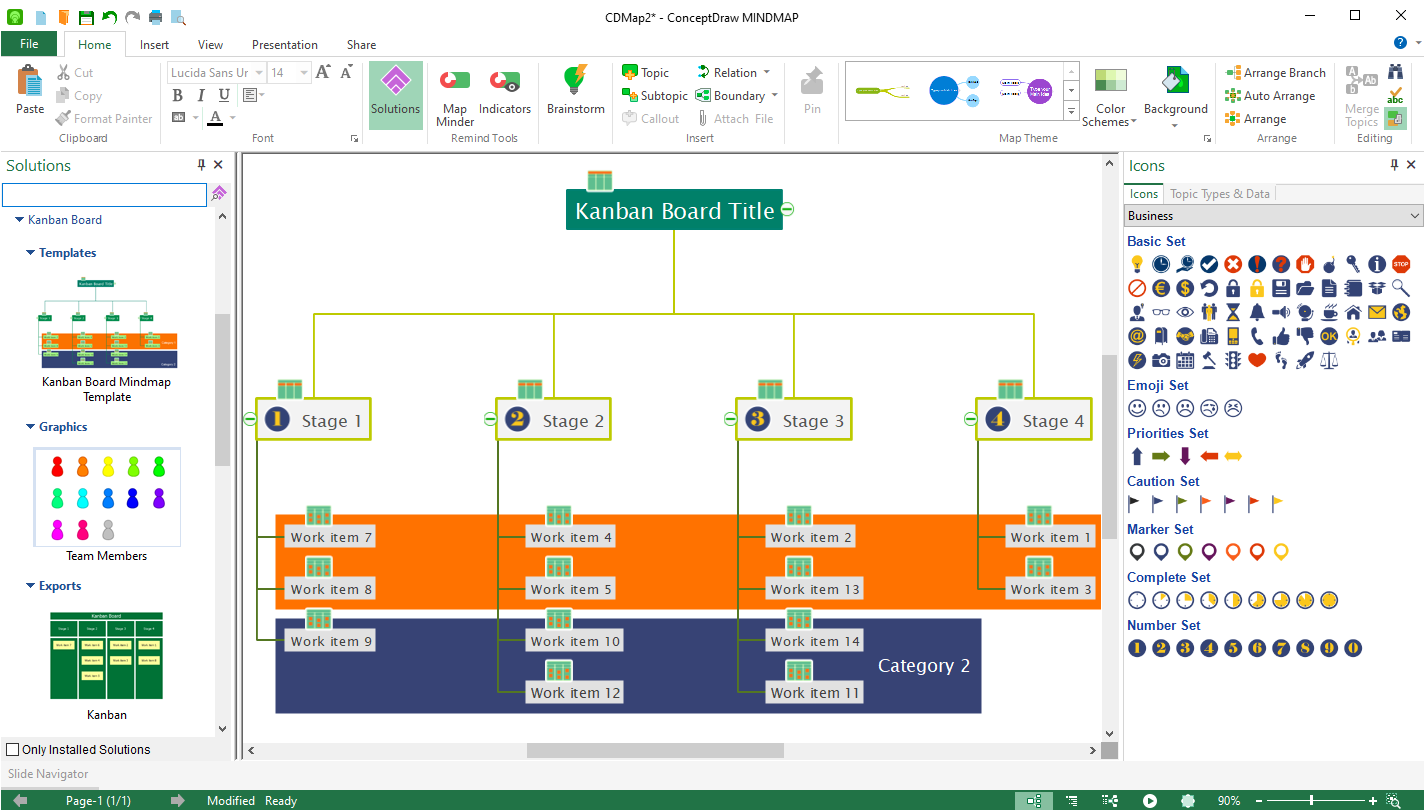
ConceptDraw MINDMAP 13 has all of the time-saving features of the ConceptDraw MINDMAP 13, with some highly anticipated enhancements. There are many updates to ConceptDraw MINDMAP 13; here are a few of the product enhancements….
ConceptDraw MINDMAP has integration with MS Outlook.
New E-mail type topics can be sent to MS Outlook from ConceptDraw MINDMAP.
E-mails from Outlook and Apple Mail can also be sent directly to a mind map.
Presentation enhancements include higher resolution images, smoother animation, and improved performance.
New high-value map templates were added, so you can make your mind maps beautiful, stylish, and original.
New professional map themes added.
Closer integration with the ConceptDraw Solution Park (via the ConceptDraw Solution Browser) makes it easy to update your products and browse available business-specific solutions.
What’s New:
Version 16.0.1.339:
Release notes were unavailable when this listing was updated.
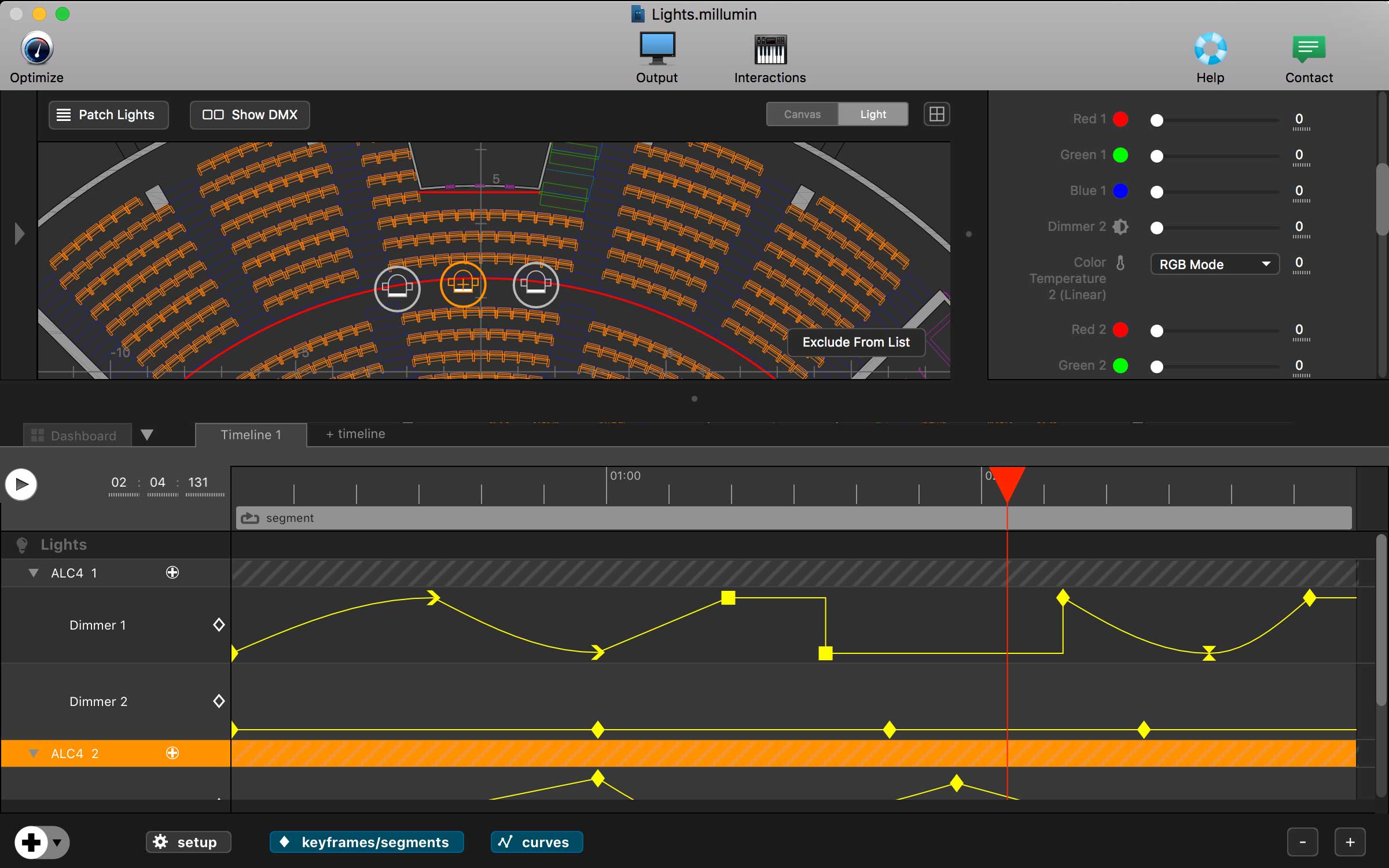
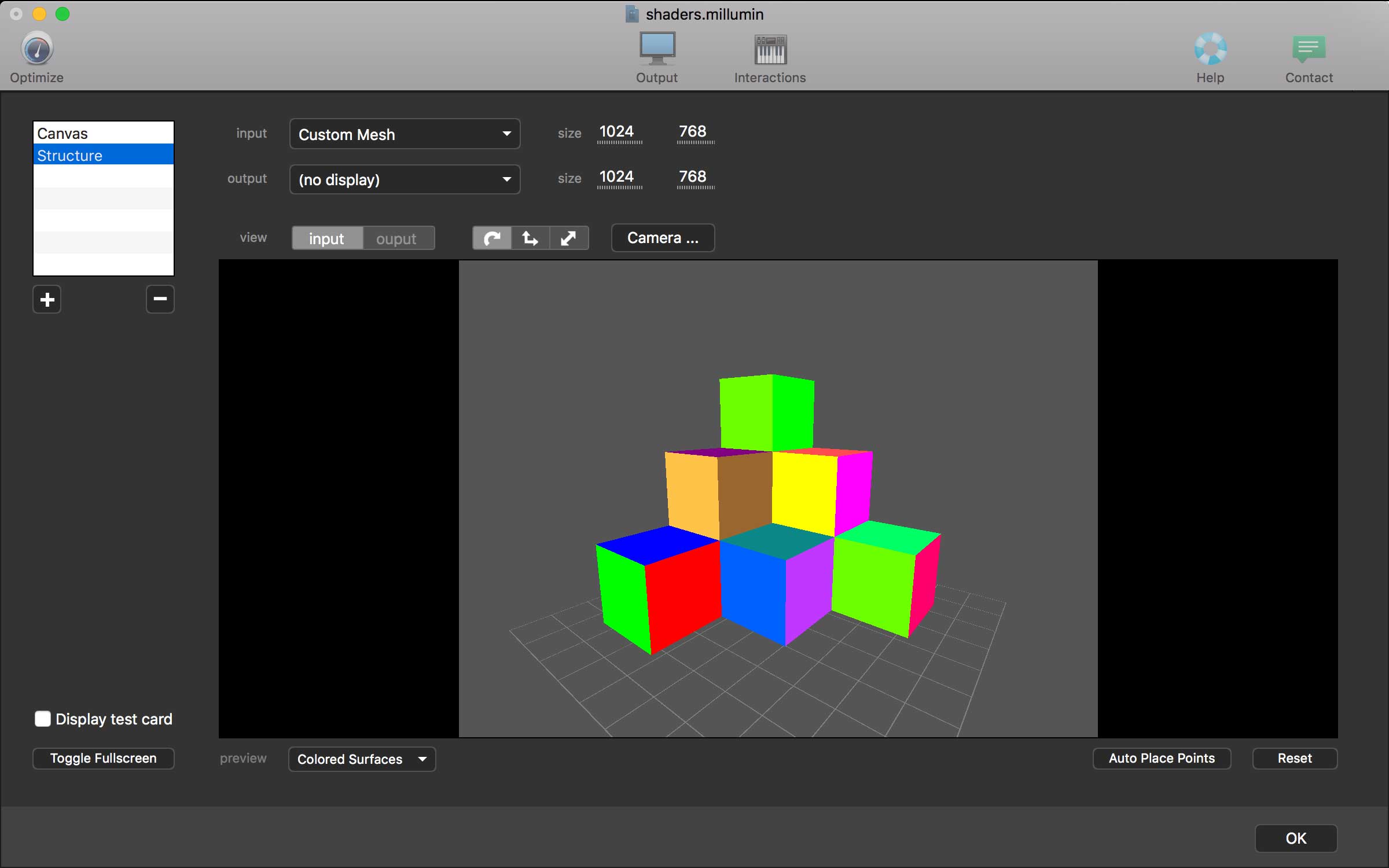
Millumin 5 v5.12.s macOS
Millumin – create audiovisual and interactive shows, Theater, Dance, Videomapping, Interactive installation. Millumin is a creative solution to bring your ideas to life. It is tailored to play your live show and tell your story.
What’s New:
Version 5 v5.12.s:
Release notes were unavailable when this listing was updated.
Welcome to the AI generation. The full power of generative AI. All your favorite Adobe tools. A new era of creativity and productivity has arrived.
From photo editing and compositing to digital painting, animation and graphic design, everything you can imagine, you can create in Photoshop. Bring ideas to life on desktops and iPads. Use artificial intelligence technology for fast editing. Learn new skills and share your work with the community. With our latest release, doing amazing things has never been easier.
Adobe Photoshop is a recognized classic of photo-enhancing software. It offers a broad spectrum of tools that can turn your inspiration into incredible images, photos, composites, 3D artwork, paintings, and graphics on any device.
Photoshop has become the choice of thousands of creative professionals around the world. First introduced in 1988, it still is the world’s leading image-editing software.
Intuitive and clean user interface
Although Photoshop for Mac is the most comprehensive graphics and image-editing software available in the market today, it has a very intuitive and easy-to-navigate interface.
With recently improved usability, this photo-editor has become even more enjoyable to use. The interface loads as soon as you decide to use Photoshop.
A user-friendly interface updates you about new features, suggests learning content, and allows you to quickly access recent files. You can easily pick up where you left or create a new project, access cloud and desktop pictures, and open an existing document.
Convenient content-aware fill workspace
Adobe has recently announced the launch of its new Content-Aware Fill workspace. It allows you to remove objects or distracting elements from your images easier than ever before.
This new option offers an interactive editing experience. Now, you can take full Control over which “good” parts of the picture to use to replace the undesired areas. It allows resizing the initial selection, rotating, scaling, and mirroring content.
Enjoy a range of new tools
The latest version of the software provides a new Frame Tool that allows you to enjoy much simpler masking. Now, you can place shapes and text into placeholder frames and fill them with pictures. To create elliptical or rectangular forms, you only need to select the Frame Tool and press “K.”
There is also a new default feature of multiple undo. If you want to view an object before changes are applied, just click Control + Z (for Windows OS) and Command + Z (for macOS). Don’t worry about losing any project changes in Adobe Photoshop on your MacBook Air or MacBook Pro. With a new auto-commit feature, they are saved automatically.
What’s New:
Version v26.9.0:
Release notes were unavailable when this listing was updated.
Compatibility:
– Processor: Multicore Intel® or AMD processor (2 GHz or faster processor with SSE 4.2 or later) with 64-bit support
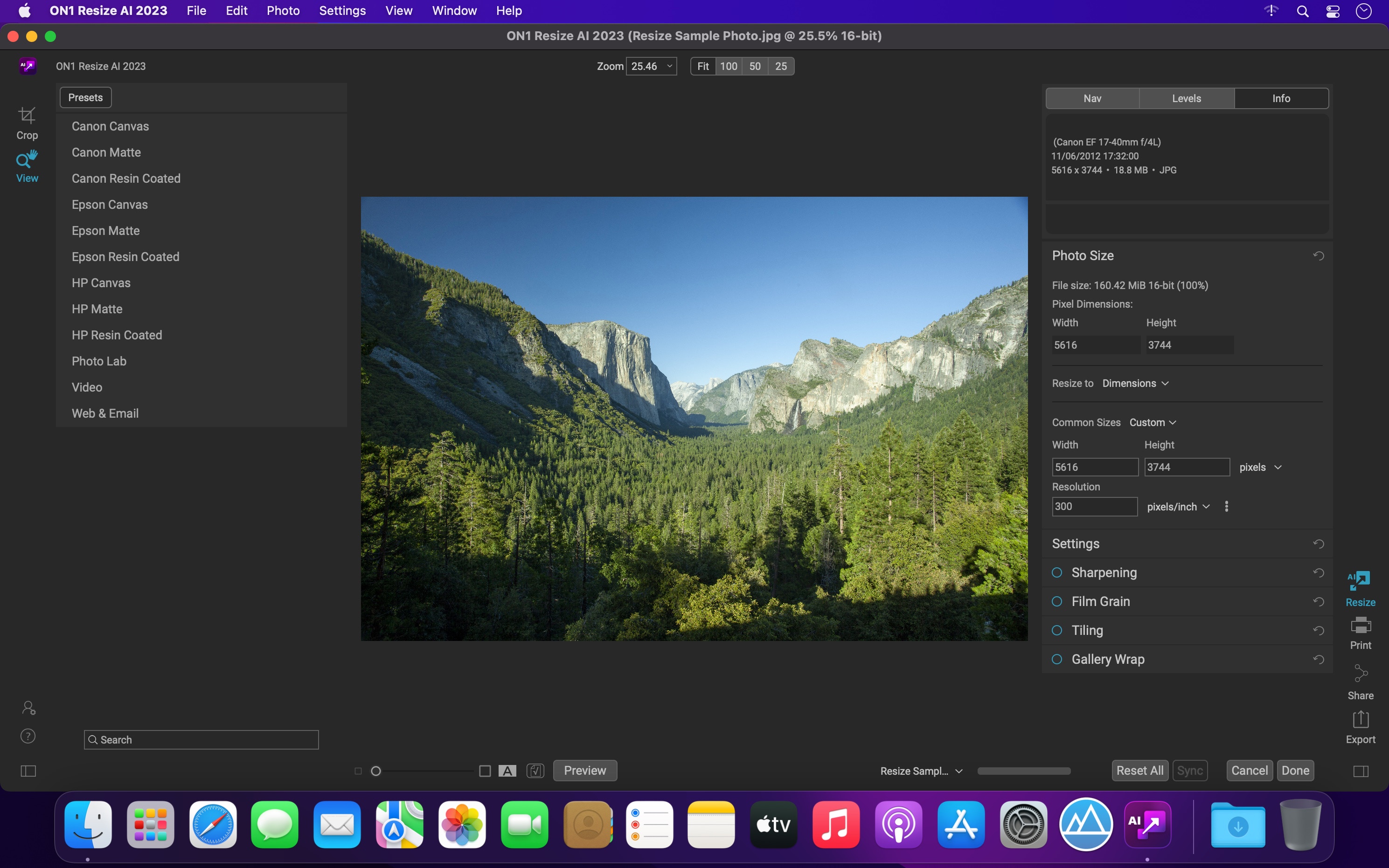
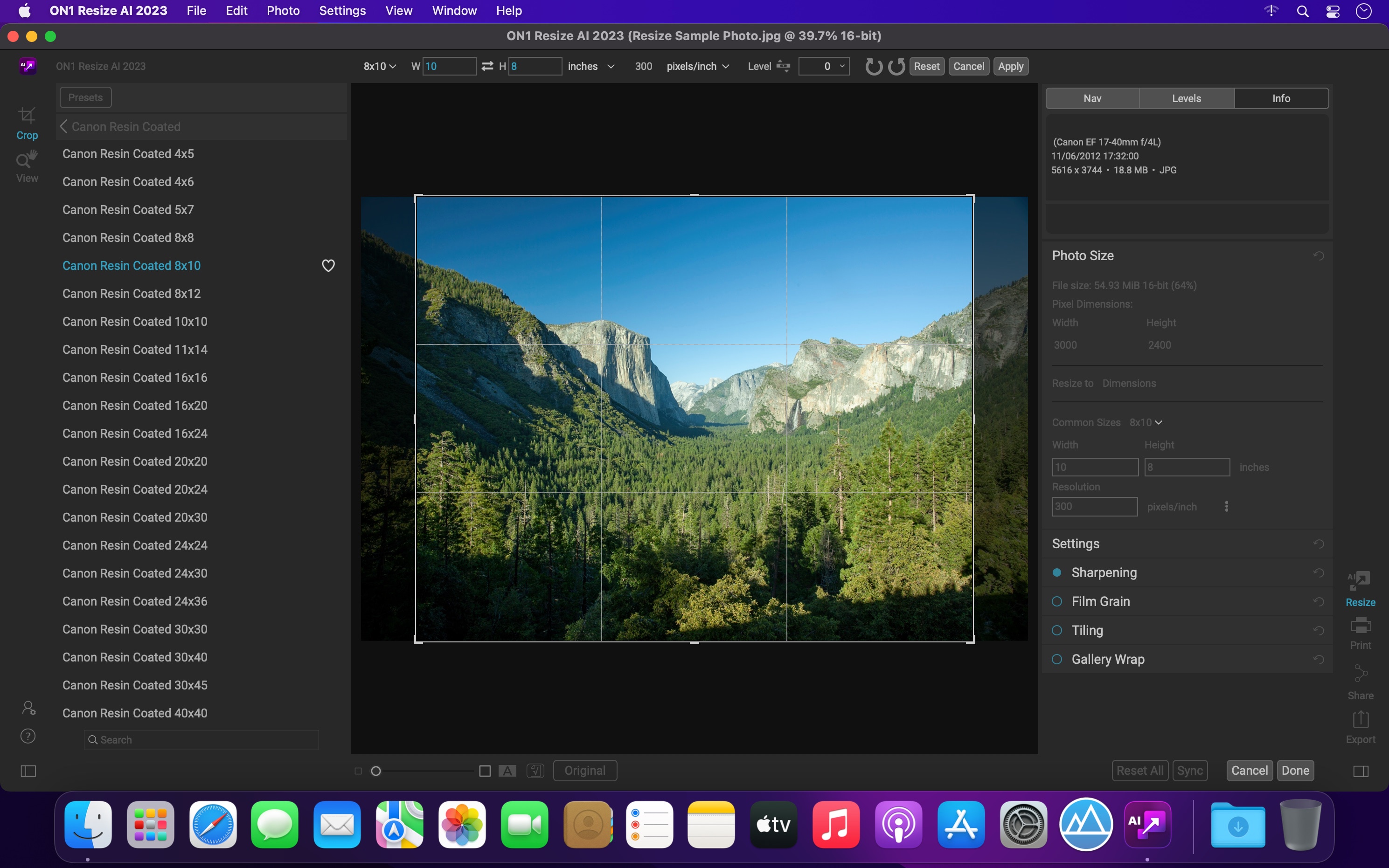
ON1 Resize AI, the next-generation photo enlargement software, gives photographers the highest quality photo enlargements. This all-new super-resolution technology will allow any photographer to enlarge photos while quickly maintaining and recovering an incredible amount of detail and sharpness.
ON1 Resize uses the Genuine Fractals technology in order to provide high quality image enlargements without the loss of details or sharpness in your pictures.
From ON1 Resize’s main window, you can go through your picture collection and preview your images with ease. What is more, ON1 Resize helps you browse pictures stored in Dropbox, Google Driver, OneDrive or iCloud Photo Stream.
How It Stands Out
ON1 Resize AI uses state-of-art neural networks to enlarge photos without losing detail
The ultimate workflow integration – ON1 Resize AI goes beyond the average plugins when it comes to integration with the host applications
Print directly from the app – ON1 Resize AI excels at making stunning poster-sized prints
Powerful batch processing lets you get work done in record time
Unique tiling and gallery wrap features
Tools for Printing Big
Photo enlargement software should deliver the highest quality photo prints. ON1 Resize AI excels at making prints using state-of-the-art technology. You can enlarge your images to any size and not lose sharpness or details in your prints.
Create Canvas Wraps
The gallery wrap feature creates extended margins for wrapping your photo around wooden stretcher bars for canvas prints.
Tiling Feature
The tiling feature divides the photo into tiles or strips to make it easier to print a mural.
Get Beautiful Prints Every Time
Print individual photos, contact sheets, a wall portrait, or tile multiple photos into package prints. Also, print multiple photos on one piece of paper to create packages.
Better Batch Processing
The Export feature in ON1 Resize AI makes it easy to process a single photo, a handful or hundreds of them. Not only can you control the size, but the file type, naming, location, etc. You can even apply gallery wrap or watermarks on the fly.
Maintain an Amazing Amount of Detail
Studying millions of examples of the everyday world allows ON1 Resize AI to upscale photos and their textures to virtually any size, leaving photographers with ultra-high resolution images.
Keep the Crisp Details
ON1 Resize AI uses deep machine learning to study different details we see in the world, whether natural textures like animal fur, tree bark, feathers, grass, leaves, rock, and skin to man-made textures like concrete, fabric, or brick.
Easier Printing
When it comes to preparing your photo to print, knowing the proper resolution for your printer and the correct amount of sharpening for your paper choice can be daunting. ON1 Resize AI’s built-in presets make this a breeze. Simply pick the kind of printer, the type of paper, and the size.
Works as a Plugin
for Adobe Lightroom, Photoshop, Capture One, and Apple Photos
Resize AI goes beyond the average plugins. In CaptureOne and Lightroom you can batch process easily with powerful new resizing options. And in Adobe Photoshop it can handle layered files with masks, alpha channels, text, and adjustment layers in RGB as well as CMYK, Grayscale and LAB.
What’s New:
Version 2026 v20.0.0.17265:
Release notes were unavailable when this listing was updated.
Sketch: graphic design for a digital world. Powerful tools and an elegant interface, in a single award-winning package. Because making beautiful things should be a joy, not a burden.
Sketch supports multiple fills, borders and shadows per layer; has powerful non-destructive boolean operations; smart pixel alignment; and makes exporting a breeze with automatic slicing and multiple resolution export.
Vector tools and basic shapes are the foundation; whether you are designing icons, websites, interfaces or anything else. Combine these into complex shapes with non-destructive boolean operations, leaving you free to edit them in the future, then apply advanced layer style options like multiple shadows, fills, gradients, noise, blending, background blurring, and more.
Sketch doesn’t just do shapes, of course. Imported images can be rotated, scaled, cropped and masked. The best-in-class text tool lets you add beautiful typography to your designs, using native font rendering, so you can be sure that text always looks 100% accurate!
Brand new to Sketch 3, Symbols allow you to reuse entire groups of content in multiple places in your design. Think of interface elements such as buttons, headers and footers. Change them once, and they update everywhere in your document.
Built for the Mac, Sketch supports OS X’s Versions and Auto Save, letting you focus on your work instead of hitting CMD+S. Keep your work safely in sync across multiple Mac computers with iCloud. And take Sketch full screen to maximise the size of your canvas.
All this power is deliciously baked into Sketch’s single-window interface. Everything is there, tucked away until you need it. A simple interface with powerful tools.
Capture One 23 Enterprise – the photo editing solution for image production studios and e-commerce platforms. Its authentic true-to-life color processing, seamless editing experience, and fastest tethering in the industry gives you total creative control, making it a household name in studios across the world. Based in Copenhagen, Denmark, Capture One empowers photographers with cutting-edge features to keep your photography one step ahead.
How any photography studio can create value with Capture One Enterprise
For the past 10 years, leading studio photography has been created with photo editing software Capture One. With world-class tethering, state-of-the-art photo editing tools and the highest quality RAW processing, it’s been a staple in any photography studio.
Now, Capture One has introduced an “Enterprise” version which is specifically built for business and aligned to the way a photography studio works.
Capture One Enterprise offers the same standard features as Capture One’s flagship product Capture One 20 – tailored to the needs of studio photography.
Built for Business
Photographers are key to the success of any photography studio.
But what if the photography studio involves several photographers, studio managers, retouchers, quality assurance managers, project leaders, etc who need to collaborate, standardize and carry out the same workflows over and over again? What if those workflows also need to be integrated to other systems, eg. barcode scanners, PIM systems, digital asset management systems, ecommerce platforms etc?
Capture One Enterprise has been developed to address the challenges faced by studio photography and help any enterprise or e-commerce photography studio optimize their image production process and boost results across relevant KPI’s.
Value creation with Capture One Enterprise
Studio photography has huge value creation potential with Capture One Enterprise. By incorporating its enterprise-specific features into the workflow, it can improve KPI’s such as
“Time to Market” – Optimizing the hours your photography studio spends on the image production process, from planning your image, to shoots, to publishing the final photo on your ecommerce platform.
“Cost per image” – Optimizing each step in your studio photography process can dramatically increase your efficiency and reduce your costs
“Reduce Risk” – Secure your studio photography and image production to reduce errors and costs, thanks to enterprise exclusive features such as Image back-Up, License Management, MDM support etc.
This is achieved via enterprise features such as the Barcode scanner tool, Advanced Guides, Next Capture Backup, Next Capture Keywords, Next Capture Metadata, Tool Locks, Capture Pilot with Enterprise enhancements and Dedicated Studio workspaces.
Automated workflows in Capture One Enterprise
Once your studio has implemented Capture One Enterprise and begun implementing its standard features in your workflows, there are further opportunities to intensify value creation by automating workflows and integrating Capture One Enterprise into your IT infrastructure. You can do this by implementing
Workflow enhancement (an automation feature within Capture One)
Integrations (extension or automation interfacing with another app)
Customized solutions can maximize value, too
Your photography studio might also have very specialized needs – here, customized solutions can generate value for your studio photography. For example, ultra-accurate color profiling can assist in achieving one critical KPI in particular
“Reduce product returns” – Color profiling optimization on true color reproduction can reduce the rate of goods returned due to discrepancies in color between the actual product and the image.
Capture One offers individual color profiles for businesses, so you can reduce editing time and save on retoucher costs with fine-tuned color profiling for the most popular e-commerce cameras used by photography studios. Minimize color discrepancies and meet the demands of specialist product and studio photography with more accurate colors out-of-the-box.
These are just some of the exclusive features designed for studio photography – get in touch with the Enterprise team to learn more and discover where Capture One Enterprise can specifically meet the demands of your business. For more insight into specific tools, check out the Tools and Functionality white paper and Barcode Reader white paper.
Tools exclusive to Capture One Enterprise are as follows:
1. Barcode scanner tool
2. Advanced Guides
3. Next Capture Backup
4. Next Capture Keywords
5. Next Capture Metadata
6. Tool Locks
7. Capture Pilot with Enterprise enhancements
8. Dedicated Studio workspaces
Graphic Design Software for Everyone. Art Text is graphic design software specifically tuned for lettering, typography, text mockups and various artistic text effects. Supplied with a great variety of ready to use styles and materials, selection of textures, icons, fonts and backgrounds, special designed effects and shape transformations, Art Text guarantees striking appearance of your badges, logos, cards, flyers and presentations.
Graphics that you create in Art Text will be a perfect fit for various document types, such as presentations, flyers, brochures, business cards, and can even spice up photos or create picture captions before uploading to Facebook.
Styles and Materials
Art Text comes equipped with a wide selection of text styles, surface materials and effects. Unrestricted by any presets, your creativity will take flight with easily adjustable textures, surface bump maps, environment textures, light spots and shadows, and other settings to come up with new materials.
Spray Fill
Beautifully lay out words with coffee beans, color balls, leaves, Lego pieces and even clouds using the supplied collection or import your own fill images. Experiment with lettering design from highly random to a very structured layout and fill sizes.
Mask Effects
Tweak text finishing with a variety of masks to render an aged text or a scratched look. You may also want to add a stamped effect with just one click. Easily experiment with settings, and combine masks with other effects, to get a somewhat unexpected but impressive result.
Distortion Effects
Heavily alter the font shape beyond standard typeface options. Effortlessly wear out text sides with Side Distortion, create random holes in the body with Erosion, partially dim text with Blur distortion, and more.
Shading Materials
Special 2D materials open the door to an array of visual effects, such as bumping or embossing. You may also apply a glass, plastic or gold finish, make the surface glossy, matte, bright or faded, or give your graphic a fascinating watercolor, oil paint or pencil drawing look. The most demanding users will find the material editor handy for creating custom Shading Materials.
Real 3D Text
Art Text implements a 3D modeling engine that helps to convert any text, symbol or pictogram to 3D. Our graphic design software embeds 3D renderer together with tons of customizable 3D materials to ensure super realistic results every time.
Paint Lettering
Art Text comes with a great variety of fills, distortion effects and object content to design highly realistic, hand painted, ink written and watercolor lettering art.
What’s New:
What’s New in Version 4 Spray Fill
New fill effect that populates the text shape with coffee beans, nuts, stones, glitter and other preset image fills.
Text Designs Store
Regularly updated gallery of free and paid text design templates.
Realistic 3D Materials
Materials have dramatically improved with Reflection Masks.
Facebook 3D Photo
Create catchy phrase graphics and share on Facebook as a 3D photo.
Multi-Purpose Distortion
Achieve diverse 2D visual effects with Erosion, Roundness, Side Distortion, Blur and other shape distortion effects.
Shading Materials
2D shading materials become more sophisticated with 150 fully adjustable Bump Map masks.
EdgeView 3 is fast image viewer has elegant user interface. EdgeView 3 is developed and designed for modern MacOS. It can open various image files such as JPEG, PNG, TIFF, BMP, and RAW file of DSLR, EPS and PDF, AI(Adobe Illustrator). Can open image files in archive directly without extraction.
User can open files, rename files, delete files from EdgeView’s file browser. Also can access to SMB/AFP/FTP network volume.
User can navigate images quickly by using keyboard shorcut, mouse wheel, trackpad gesture. EdgeVew show EXIF information, play animation GIF/PNG/WebP smoothly. Save last status to history, and restore when reopen file.
EdgeView 3 will be the best choice when viewing and managing image files.
Features
Rewrote full code as Swift for improve performance.
Support m1 CPU Mac.
Has easy UI, can control main function at Sidebar.
Support English/Korean/Japanese/Chinese(Simplified).
Image Viewer
Supporting image files such as JPG, GIF, BMP, PSD, TIFF, RAW, WEBP and PDF, EPS, AI(Adobe Illustrator), OpenEXR, HDR, TGA.
Can play animation GIF/PNG/WebP. User can control animation with floating animation controller.
Dispaly internal image(or frame) of animation GIF/PNG/WebP or HEIC that has multiple internal image.
Can read and show images of major archive formats (such as ZIP, RAR, CBZ, CBR, 7-zip) without extraction. Of course, can open ZIP file that 4GB over.
Can read encrypted archive file.
Can read archive file in archive file recursively
Improved draw speed by rebuilt image cache system and drawing engine.
Draw images as high quality.
Provide suitable functions for comic reading such as ‘Two-Page Spread’, ‘Continuous Scroll mode’, ‘Right to Left’, etc.
Provide multiple navigation functions like as ‘Move’, ‘Skip’, ‘Shift’, etc.
User can navigate images and check whole thumbnails at Thumbnailsbar.
User can navigate images by using keyboard shortcut, mouse wheel, trackpad gesture.
Can rotate and flip images. Orientation will be saved to history.
User can select part of images, and copy it or save as file.
Can zoom in/out image freely.
Built-in loupe function to make it easier to magnify part of image.
Show histogram.
Show neighbor files list. And can open neighbor file.
Support history feature for saving and restoring last status of file.
Can reopen file or remove history at history list.
Can rate image files.
File Browser
Built-in file browser can show and open files from local drive or AFP/SMB/FTP network drive.
Can display files as lists or icon.
Show images in folder/archive file at preview panel.
Generate thumbnails of archive files and folders.
Support powerful search feature.
Show category and writer information.
User can sort files by various options, and can delete or rename files.
Can rate files or folders.
Others
Support customizing feature. Also user can change shortcuts.
Built-in Quick Look Extension generate thumbnails and preview of archive files at Finder.
Dropzone makes it faster and easier to copy and move files, open applications and share files with many different services. Dropzone is a unique and amazing app that’s like nothing you’ve ever used before. We’ve paid fanatical attention to every detail and built an app that looks and feels like an integral part of macOS.
Dropzone ships with a powerful scripting API and with a little programming knowledge you can modify any of your actions or even create entirely new ones. This gives Dropzone unlimited extendability and utility. We’re always thinking up new actions so Dropzone will become even more useful over time.
Dropzone also includes Drop Bar – Drop Bar makes it easy to stash files you know you’ll need later. Just drop files on the Drop Bar icon in the grid and they will stick there until you’re ready to use them.
Features
Open applications, move and copy files faster than ever before.
Shorten URLs quickly using Tinyurl shortener. Just select a URL to shorten and press Ctrl+Option+Cmd+S and the shortened URL is automatically copied to the clipboard.
AirDrop integration lets you drop files or folders from any app and share them with your other Macs over the network.
Imgur integration lets you share images fast and get a link for pasting.
Upload files to Amazon S3 (Dropzone Pro feature).
Upload files to your FTP server (Dropzone Pro feature).
Upload files to your Google Drive (Dropzone Pro feature).
Download and install add-on actions that let you upload to services like Google Drive, YouTube and many others (Dropzone Pro feature).
Powerful multi-tasking engine allows you to run multiple tasks at once and track the progress of each one through the in-grid task status area.
See how tasks are progressing at a glance in the animated menu item.
Launch Dropzone actions with the newly added keyboard shortcuts feature (Dropzone Pro feature).
Add applications, folders or actions to your grid easily by dragging and dropping them on the Add to Grid area.
Develop your own actions using the updated and massively improved Ruby or Python API (Dropzone Pro feature).
EdgeView 3 is fast image viewer has elegant user interface. EdgeView 3 is developed and designed for modern MacOS. It can open various image files such as JPEG, PNG, TIFF, BMP, and RAW file of DSLR, EPS and PDF, AI(Adobe Illustrator). Can open image files in archive directly without extraction.
User can open files, rename files, delete files from EdgeView’s file browser. Also can access to SMB/AFP/FTP network volume.
User can navigate images quickly by using keyboard shorcut, mouse wheel, trackpad gesture. EdgeVew show EXIF information, play animation GIF/PNG/WebP smoothly. Save last status to history, and restore when reopen file.
EdgeView 3 will be the best choice when viewing and managing image files.
Features
Rewrote full code as Swift for improve performance.
Support m1 CPU Mac.
Has easy UI, can control main function at Sidebar.
Support English/Korean/Japanese/Chinese(Simplified).
Image Viewer
Supporting image files such as JPG, GIF, BMP, PSD, TIFF, RAW, WEBP and PDF, EPS, AI(Adobe Illustrator), OpenEXR, HDR, TGA.
Can play animation GIF/PNG/WebP. User can control animation with floating animation controller.
Dispaly internal image(or frame) of animation GIF/PNG/WebP or HEIC that has multiple internal image.
Can read and show images of major archive formats (such as ZIP, RAR, CBZ, CBR, 7-zip) without extraction. Of course, can open ZIP file that 4GB over.
Can read encrypted archive file.
Can read archive file in archive file recursively
Improved draw speed by rebuilt image cache system and drawing engine.
Draw images as high quality.
Provide suitable functions for comic reading such as ‘Two-Page Spread’, ‘Continuous Scroll mode’, ‘Right to Left’, etc.
Provide multiple navigation functions like as ‘Move’, ‘Skip’, ‘Shift’, etc.
User can navigate images and check whole thumbnails at Thumbnailsbar.
User can navigate images by using keyboard shortcut, mouse wheel, trackpad gesture.
Can rotate and flip images. Orientation will be saved to history.
User can select part of images, and copy it or save as file.
Can zoom in/out image freely.
Built-in loupe function to make it easier to magnify part of image.
Show histogram.
Show neighbor files list. And can open neighbor file.
Support history feature for saving and restoring last status of file.
Can reopen file or remove history at history list.
Can rate image files.
File Browser
Built-in file browser can show and open files from local drive or AFP/SMB/FTP network drive.
Can display files as lists or icon.
Show images in folder/archive file at preview panel.
Generate thumbnails of archive files and folders.
Support powerful search feature.
Show category and writer information.
User can sort files by various options, and can delete or rename files.
Can rate files or folders.
Others
Support customizing feature. Also user can change shortcuts.
Built-in Quick Look Extension generate thumbnails and preview of archive files at Finder.
DxO PhotoLab provides a complete set of smart assisted corrections that you can manually fine-tune at any time. Take control on every aspect of your photos: effectively remove noise, get rid of light constraints, recover color details, apply sophisticated optical corrections, and enhance details.
Reducing digital noise in RAW images is an ongoing challenge for most photo-editing software. But with DxO DeepPRIME we are breaking new ground. The first artificial intelligence-based (AI) technology of its kind, DeepPRIME enables you to demosaic and denoise images simultaneously. Try it out – the results speak for themselves.
What’s New:
What’s new DxO PhotoLab 8
Enjoy a host of upgrades including new tools and an improved workflow.
Image correction & enhancement
DxO’s pioneering Optics Modules are renowned for giving photographers the best possible performance from their gear, and are applied automatically depending on metadata. Lens softness adjustments are tailored according to the idiosyncrasies of individual lenses. They don’t simply sharpen uniformly across the entire image like in other software.
Groundbreaking denoising technologies
Noise reduction powered by machine learning. DeepPRIME, DeepPRIME XD, and DeepPRIME XD2s eliminate noise, recover detail, and improve color reproduction. Two legacy technologies — PRIME and High Quality — are included when speed is crucial. Choose the automatic settings or dial them in manually. Use the new large live preview magnifier to see the impact of denoising — plus all of your other edits.
Color rendering and fidelity
Extra-wide gamut working color space (DxO Wide Gamut) ensures accurate rendering throughout the workflow. Soft Proofing mode ensures accurate colors when preparing files for print or display. Simulate ink and paper via ICC profiles. Create calibrated color profiles using industry-standard color charts to ensure precision.
Control exposure, contrast, color & tonality
Use ColorWheel to manipulate colors and customize color channels. Adjust Exposure compensation, edit the Tone Curve (enhanced in v8), tweak Contrast and Microcontrast. Plus White Balance with color picker, Color Accentuation to set saturation/vibrancy, Black-and-white palette with channel mixer, and Selective Tone for greater control over tonal ranges.
Color rendering
As well as DxO’s camera-calibrated profiles and classic film renderings, import and apply DCP profiles, or apply color rendering from your camera. Start your editing process with DxO Styles to open up new creative possibilities.
Smart, automated tools
DxO PhotoLab contains two innovative tools to speed up your editing: DxO Smart Lighting quickly balances brightness levels between shadows and highlights. DxO Clearview Plus reduces atmospheric haze and enhances local contrast.
LUTs
Import and apply LUTs to open up endless creative color options. Choose from 32 pre-installed LUTs and set intensity.
Presets and toning
Create and share presets. Duplicate, rename, import/export presets, and organize into folders. Edit existing presets and create partial presets. Use the Style / Toning palette to apply Simple Toning (e.g., Sepia) and access Split Toning by installing DxO FilmPack.
ReTouch tool
More than just a cloning/healing tool, rotate, scale, and mirror the source area for absolute control. Edit the shape of the area to be retouched using a brush/eraser. Switch between Clone/Repair modes. Remove unwanted elements with automatic source selection (or set manually).
Crop, horizon & perspective tools
Adjust the horizon and crop images using a common or custom ratio — all automatically or manually. Adjust perspective distortion with dedicated tools: force parallels, rectangle, or 8-point guides.
Local Adjustment tools
U Point™ technology features Control Points and Control Lines for intelligent masks without the need for complex layers. Use Brush, Gradient, Eraser, and Auto Mask tools. Create complex adjustments using Hue Masks (new in v8). Toggle visibility and set opacity of masks, and duplicate/invert mask content. Set Control Point/Control Line sensitivity according to Luminance or Chrominance.
Available corrections
The corrections available as local adjustments include
Exposure, Contrast, Microcontrast
Highlights, Midtones, Shadows, Blacks
Hue, Saturation, Luminance (via ColorWheel)
Vibrancy, Saturation, Hue, Sharpness, Blur
White Balance and Tint (RAW only)
Advanced History & Quick Compare
Advanced History palette provides a full editing history including specific values and changes. Grouped corrections can be expanded when applying presets in order to track individual changes. Quick Compare Mode puts your edit alongside the original image with a vertical or horizontal split. You can compare your current image with output versions and virtual copies, or choose a reference image (new in v8).
Virtual Copies
Create Virtual Copies for multiple variations of an image without copying the RAW file. Compare quickly with the original image, and selectively copy/paste settings between images.
Customizable workspaces
Highly customizable workspace: reposition/hide panels, collapse/expand palettes, and use a search field to quickly find tools. Add your most-used tools to a favorites palette, or create custom palettes. Filter displayed corrections by category. Display only the tools actively making changes to an image. Use multiple monitors and palettes. Place the grid view navigator on a second display.
Histogram
Display RGB, individual colors, and luminosity channels. Indicate where highlights and/or shadows have been clipped. Display the RGB value of an individual pixel.
Powerful functionality, catalog-free
Don’t import images; simply browse your disk and edit your images on the fly. Select/search/filter photos with ease. Apply star ratings, color tags, pick/reject images, and choose from a range of criteria when searching, including color tags. For faster searching, simply direct PhotoLab to index specific folders.
Metadata management
Add and manage keywords, create keyword hierarchies, drag/drop keywords to organize them in a tree view list. Import and manage Exif and IPTC metadata, and selectively copy/paste metadata from one image to multiple others. Synchronize metadata changes with third-party applications.
Projects & other organizational tools
Create Projects to gather selections of images, independent of their folder. Create groups of Projects and drag/drop to organize virtual collections. Batch rename files, adjust capture time, drag files to folders to copy/move them, and sort/select files according to flexible options.
Customizable export settings
Choose the size/location of files, set up custom export presets, create multiple parallel exports, and apply original or custom ICC profile, sRGB, or Adobe RGB profiles. Right-click to export to a specific application. Send images directly to other applications. With Nik Collection installed, you have direct access to all plugins.
Watermarks
Create your own watermarks. Use both text and images together, adjust the size, opacity, blend modes, and save as presets.
Sketch: graphic design for a digital world. Powerful tools and an elegant interface, in a single award-winning package. Because making beautiful things should be a joy, not a burden.
Sketch supports multiple fills, borders and shadows per layer; has powerful non-destructive boolean operations; smart pixel alignment; and makes exporting a breeze with automatic slicing and multiple resolution export.
Vector tools and basic shapes are the foundation; whether you are designing icons, websites, interfaces or anything else. Combine these into complex shapes with non-destructive boolean operations, leaving you free to edit them in the future, then apply advanced layer style options like multiple shadows, fills, gradients, noise, blending, background blurring, and more.
Sketch doesn’t just do shapes, of course. Imported images can be rotated, scaled, cropped and masked. The best-in-class text tool lets you add beautiful typography to your designs, using native font rendering, so you can be sure that text always looks 100% accurate!
Brand new to Sketch 3, Symbols allow you to reuse entire groups of content in multiple places in your design. Think of interface elements such as buttons, headers and footers. Change them once, and they update everywhere in your document.
Built for the Mac, Sketch supports OS X’s Versions and Auto Save, letting you focus on your work instead of hitting CMD+S. Keep your work safely in sync across multiple Mac computers with iCloud. And take Sketch full screen to maximise the size of your canvas.
All this power is deliciously baked into Sketch’s single-window interface. Everything is there, tucked away until you need it. A simple interface with powerful tools.
An easy to use application that will help you create list of files for any need. List all your photos, all your videos or all your files. If you need to create list of files this app is for you.
New version with 26 more metadata columns and export to CVS file!
Just select a folder or drag and drop files to get a list with all files and folders to Excel or to a CVS file. You can choose if you want to include the files from all subfolders. Preview and edit the list before export to file. Easily search and filter the file list records.
You can select a specific kind of file to list. For example, you can choose to export to Excel a list with all the audio files of your iTunes Music folder or all the pdf files from your Documents folder.
EdgeView 3 is fast image viewer has elegant user interface. EdgeView 3 is developed and designed for modern MacOS. It can open various image files such as JPEG, PNG, TIFF, BMP, and RAW file of DSLR, EPS and PDF, AI(Adobe Illustrator). Can open image files in archive directly without extraction.
User can open files, rename files, delete files from EdgeView’s file browser. Also can access to SMB/AFP/FTP network volume.
User can navigate images quickly by using keyboard shorcut, mouse wheel, trackpad gesture. EdgeVew show EXIF information, play animation GIF/PNG/WebP smoothly. Save last status to history, and restore when reopen file.
EdgeView 3 will be the best choice when viewing and managing image files.
Features
Rewrote full code as Swift for improve performance.
Support m1 CPU Mac.
Has easy UI, can control main function at Sidebar.
Support English/Korean/Japanese/Chinese(Simplified).
Image Viewer
Supporting image files such as JPG, GIF, BMP, PSD, TIFF, RAW, WEBP and PDF, EPS, AI(Adobe Illustrator), OpenEXR, HDR, TGA.
Can play animation GIF/PNG/WebP. User can control animation with floating animation controller.
Dispaly internal image(or frame) of animation GIF/PNG/WebP or HEIC that has multiple internal image.
Can read and show images of major archive formats (such as ZIP, RAR, CBZ, CBR, 7-zip) without extraction. Of course, can open ZIP file that 4GB over.
Can read encrypted archive file.
Can read archive file in archive file recursively
Improved draw speed by rebuilt image cache system and drawing engine.
Draw images as high quality.
Provide suitable functions for comic reading such as ‘Two-Page Spread’, ‘Continuous Scroll mode’, ‘Right to Left’, etc.
Provide multiple navigation functions like as ‘Move’, ‘Skip’, ‘Shift’, etc.
User can navigate images and check whole thumbnails at Thumbnailsbar.
User can navigate images by using keyboard shortcut, mouse wheel, trackpad gesture.
Can rotate and flip images. Orientation will be saved to history.
User can select part of images, and copy it or save as file.
Can zoom in/out image freely.
Built-in loupe function to make it easier to magnify part of image.
Show histogram.
Show neighbor files list. And can open neighbor file.
Support history feature for saving and restoring last status of file.
Can reopen file or remove history at history list.
Can rate image files.
File Browser
Built-in file browser can show and open files from local drive or AFP/SMB/FTP network drive.
Can display files as lists or icon.
Show images in folder/archive file at preview panel.
Generate thumbnails of archive files and folders.
Support powerful search feature.
Show category and writer information.
User can sort files by various options, and can delete or rename files.
Can rate files or folders.
Others
Support customizing feature. Also user can change shortcuts.
Built-in Quick Look Extension generate thumbnails and preview of archive files at Finder.
PhotoSweeper helps quickly and efficiently eliminate similar or duplicate photos. It works with photos from iPhoto, Aperture and Adobe Lightroom libraries as well as photos from your Mac.
PhotoSweeper will help you if:
You take a series of shots of the same scene trying to get the perfect one.
You edit photos with applications, such PhotoShop, Pixelmator, etc., and make backups just in case.
You have photos scattered on external hard drives and local disks, in iPhoto, Aperture or Lightroom libraries.
You have a mess in your photo collection or just want to free disk space by removing junk photos.
Features Easy to find photos
Just drag and drop folders to allow PhotoSweeper to find all photos inside. Add more photos from your iPhoto, Aperture or Lightroom library via the Media window.
Flexible comparison settings
Use 6 different methods to find similar or duplicate photos, even those edited in external programs such Photoshop, regardless of image size or format.
Fast
PhotoSweeper was developed to be extremely fast at comparing large number of photos. Using efficient caches allows you to make the next comparison much faster. You have an opportunity to regroup the results on-the-fly by changing a matching level of similarity.
Easy to manage photos
Review results in “Face-to-Face” or “Groups” mode. Put photos into a virtual container, “Box”. Delete, move, or copy photos from the Box. Bulk rename photos while copying or moving.
Great photo browsing
PhotoSweeper provides an up-to-date photo browser with such features as: fast loading of thumbnails, Quick Look preview, drag and drop support, showing paths, ratings, labels, etc. The “Image Info” panel shows more detailed information, including histogram and image metadata (EXIF, IPTC, etc.).
A comprehensive user manual is available in the Help menu.