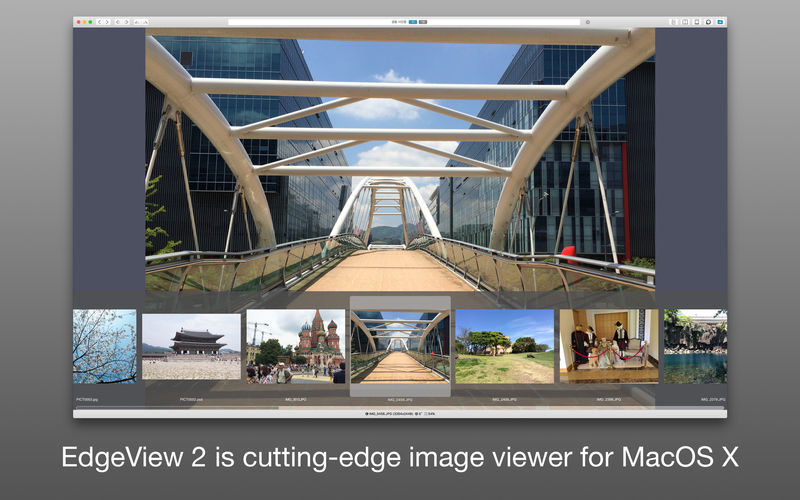
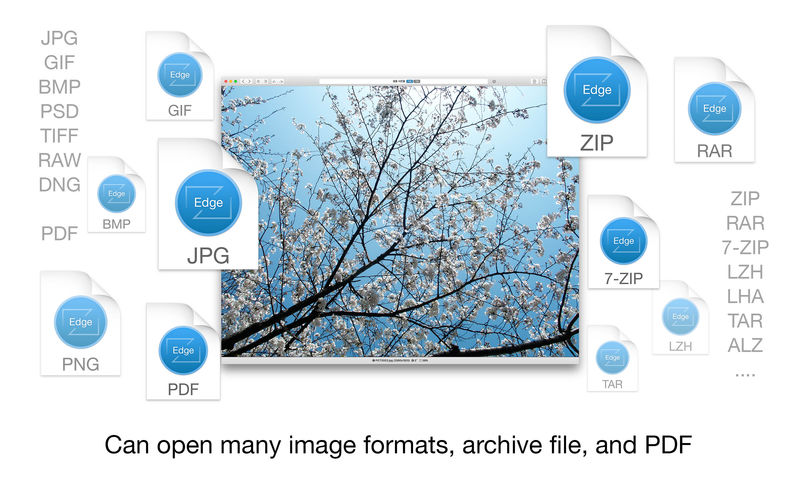
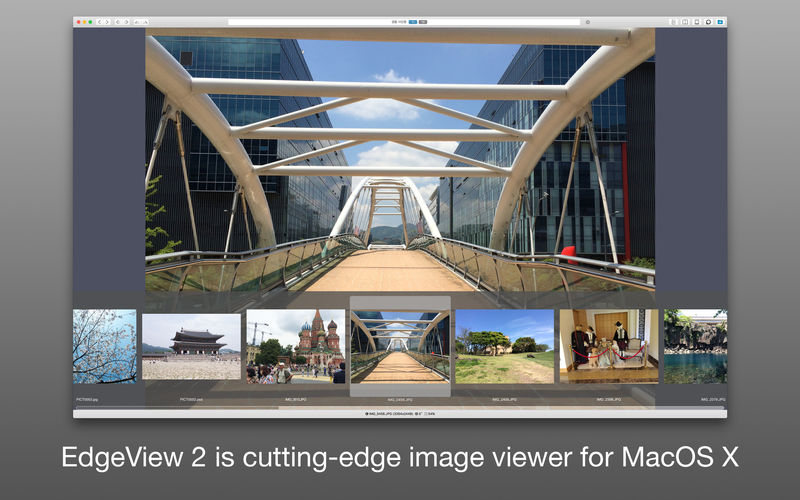
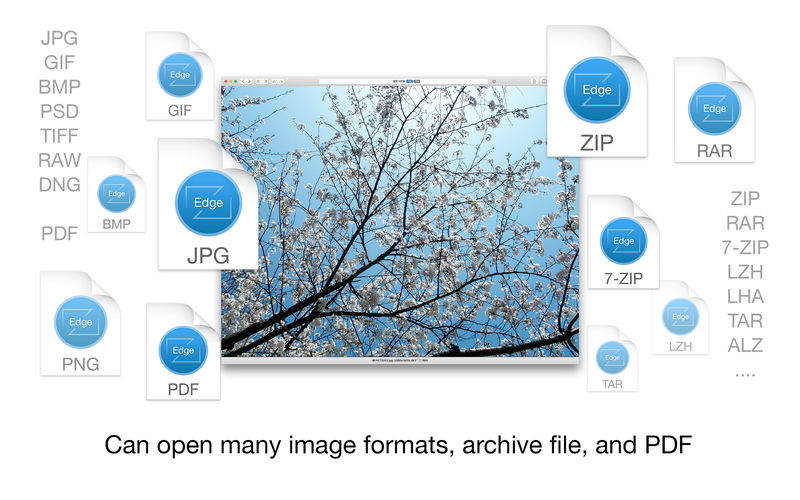
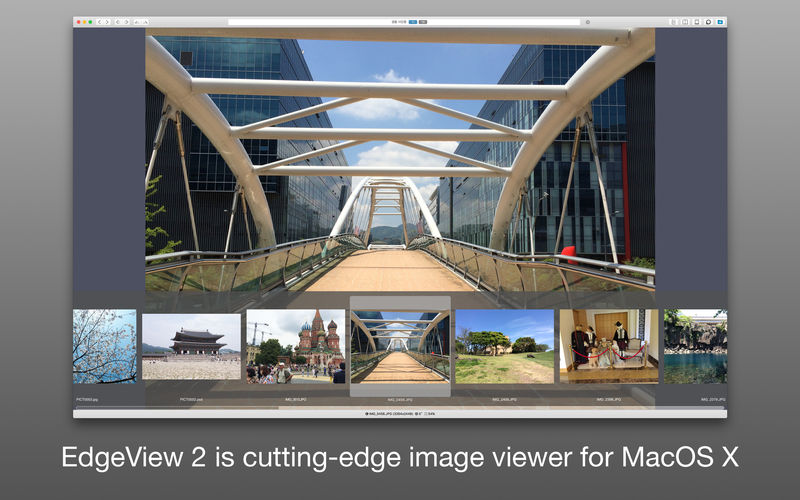
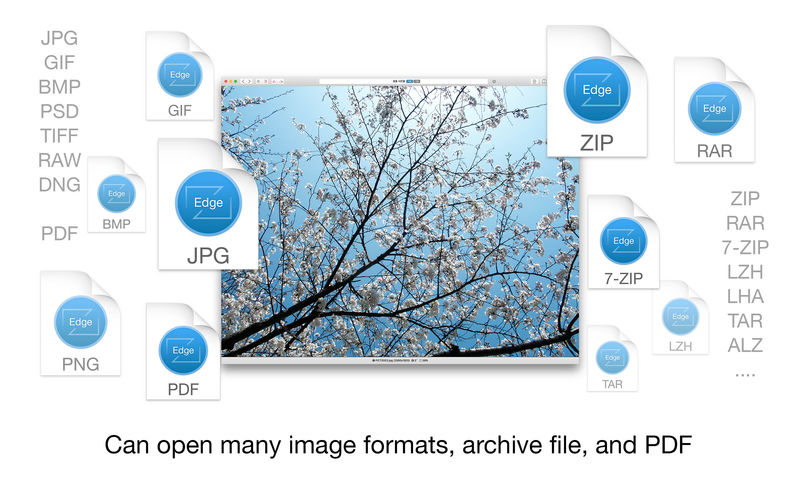
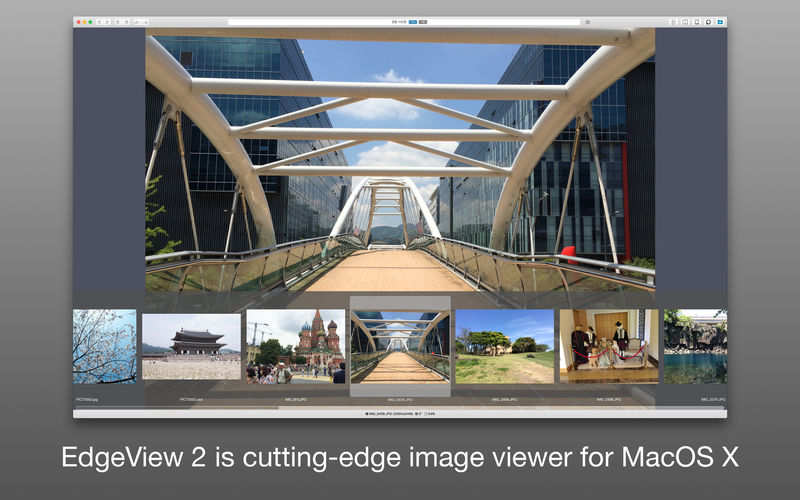
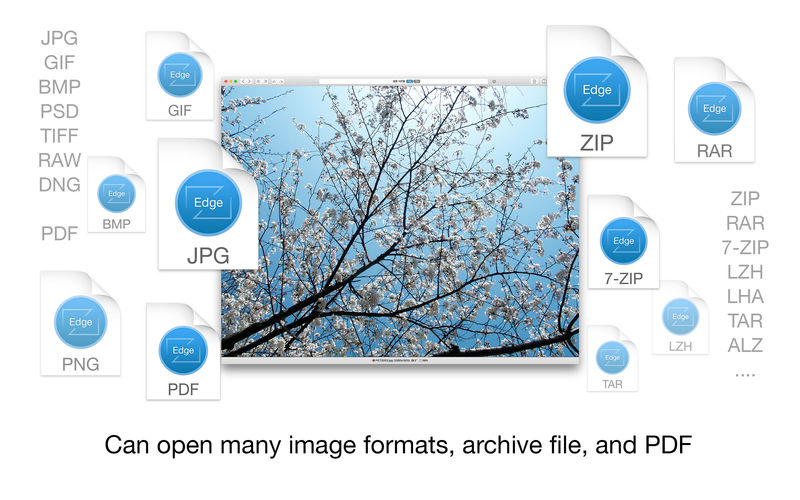
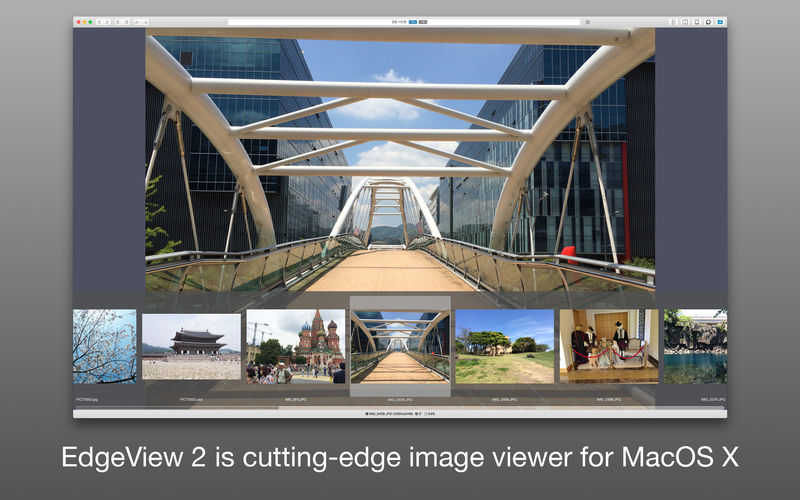
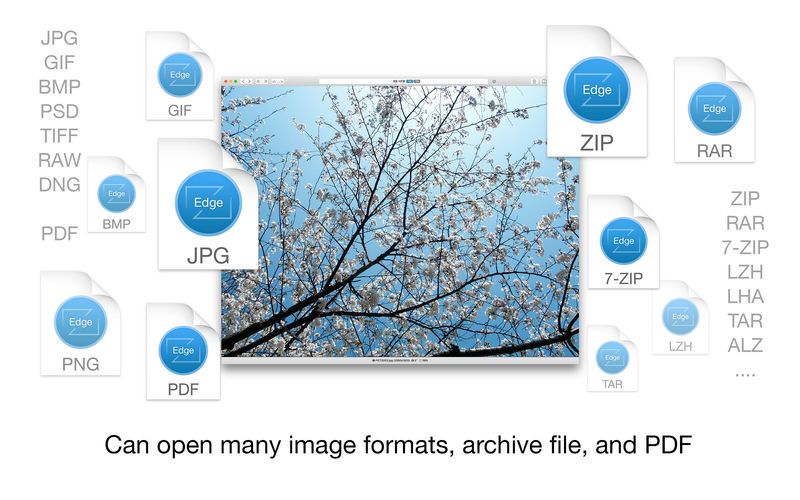
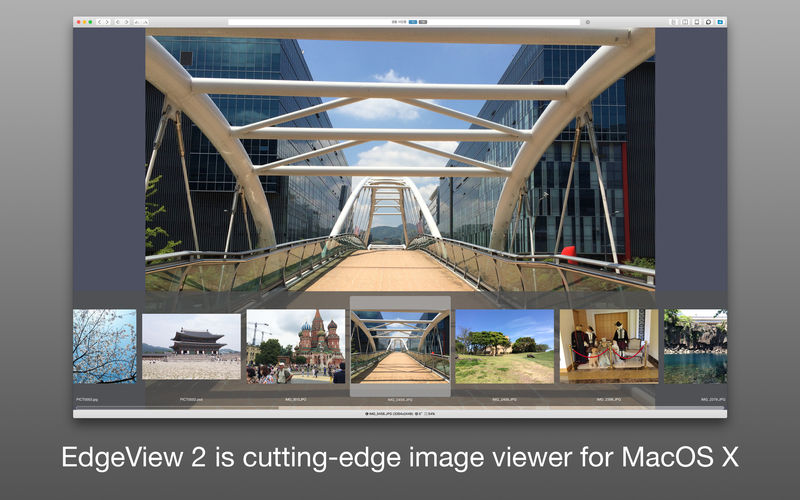
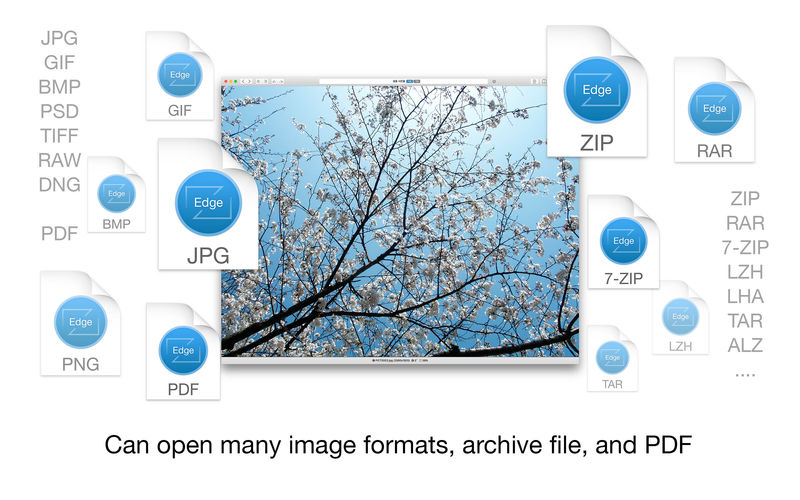
EdgeView 3 is fast image viewer has elegant user interface. EdgeView 3 is developed and designed for modern MacOS. It can open various image files such as JPEG, PNG, TIFF, BMP, and RAW file of DSLR, EPS and PDF, AI(Adobe Illustrator). Can open image files in archive directly without extraction.
User can open files, rename files, delete files from EdgeView’s file browser. Also can access to SMB/AFP/FTP network volume.
User can navigate images quickly by using keyboard shorcut, mouse wheel, trackpad gesture. EdgeVew show EXIF information, play animation GIF/PNG/WebP smoothly. Save last status to history, and restore when reopen file.
EdgeView 3 will be the best choice when viewing and managing image files.
Features
Rewrote full code as Swift for improve performance.
Support m1 CPU Mac.
Has easy UI, can control main function at Sidebar.
Support English/Korean/Japanese/Chinese(Simplified).
Image Viewer
Supporting image files such as JPG, GIF, BMP, PSD, TIFF, RAW, WEBP and PDF, EPS, AI(Adobe Illustrator), OpenEXR, HDR, TGA.
Can play animation GIF/PNG/WebP. User can control animation with floating animation controller.
Dispaly internal image(or frame) of animation GIF/PNG/WebP or HEIC that has multiple internal image.
Can read and show images of major archive formats (such as ZIP, RAR, CBZ, CBR, 7-zip) without extraction. Of course, can open ZIP file that 4GB over.
Can read encrypted archive file.
Can read archive file in archive file recursively
Improved draw speed by rebuilt image cache system and drawing engine.
Draw images as high quality.
Provide suitable functions for comic reading such as ‘Two-Page Spread’, ‘Continuous Scroll mode’, ‘Right to Left’, etc.
Provide multiple navigation functions like as ‘Move’, ‘Skip’, ‘Shift’, etc.
User can navigate images and check whole thumbnails at Thumbnailsbar.
User can navigate images by using keyboard shortcut, mouse wheel, trackpad gesture.
Can rotate and flip images. Orientation will be saved to history.
User can select part of images, and copy it or save as file.
Can zoom in/out image freely.
Built-in loupe function to make it easier to magnify part of image.
Show histogram.
Show neighbor files list. And can open neighbor file.
Support history feature for saving and restoring last status of file.
Can reopen file or remove history at history list.
Can rate image files.
File Browser
Built-in file browser can show and open files from local drive or AFP/SMB/FTP network drive.
Can display files as lists or icon.
Show images in folder/archive file at preview panel.
Generate thumbnails of archive files and folders.
Support powerful search feature.
Show category and writer information.
User can sort files by various options, and can delete or rename files.
Can rate files or folders.
Others
Support customizing feature. Also user can change shortcuts.
Built-in Quick Look Extension generate thumbnails and preview of archive files at Finder.
ZBrush is the leading industry standard digital sculpting software. This update provides enhancements that will help you explore new workflows, including the ability to create high quality renders with the integration of Redshift. From Hard Surface modeling and Character Creation to World Building and Environment Design, ZBrush provides you with access to diverse workflows and limitless creative possibilities with ease.
Integrate fully GPU-accelerated, biased rendering into your ZBrush pipeline
Render high resolution images without UV and Texture Map information on the fly. Take your art further with Subsurface Scattering, Emissive Light generation, full metallic material management and caustic effects for realistic glass. Using ZBrush with Redshift integration provides new and exciting opportunities to create high-quality images.
Slime Bridge
A dynamic way to create! Using the power of ZBrush’s Masking system, Slime Bridge works to expand modeling capacity to include complex geometric connections and designs from one masked island to another. Simply draw out a mask on a given surface and create another mask on an adjacent group of faces to set your Slime Bridge parameters. Click the Slime Bridge button and watch real-time construction and eclectic shapes come to life. The Tension, Bridges Calipers and Branches sliders provide access points for even more creative control when it comes time to slime things up!
Sculptris Pro
Sculptris Pro, a dynamic tessellation sculpting workflow that enables you to ignore the constraints of polygon distribution and just – sculpt! Sculptris Pro makes it possible for you begin with any shape or model, whether it has ten polygons or ten thousand. There is absolutely no need to worry about having enough polygons to capture details. With Sculptris Pro you can simply brush across the surface. Sculptris Pro will dynamically add and reduce polygons wherever and whenever it’s needed, freeing you to focus entirely on the look you’re trying to achieve.
ZBrush places a library of over 400 sculpting brushes at your fingertips. Activating Sculptris Pro will transform each of these brushes into a system that places no limitations on your creativity. ZBrush comes with a set of brushes designed specifically for Sculptris Pro.
Subdivision Size Picker
Additions to the already robust Sculptris Pro feature set include increased resolution capabilities. Take advantage of triangle size at five times the density. Using the Sculptris Pro slider provides control for increasing density in desired areas while also reducing the size of triangles. This means more detail where it counts. Extended use includes interactive manipulation of triangle size while hovering over designated areas of an asset.
Multi-Resolution Mesh Editing
The inherent problem with traditional 3D modeling methods is that once you divide your mesh you are locked into the design thus far. There is no way to go back and make changes at the macro level without sacrificing everything that has been done at higher resolutions. ZBrush does away with that restriction through multi-resolution subdivision editing, the feature for which it received an Academy Award. With this system you are free to move between subdivision levels at any time, making changes wherever they are most appropriate. Those changes then automatically ripple across all other levels of your model.
Mask Region
Mask Region allows for expanded use of ZBrush’s robust masking system by allowing you to draw shapes on the surface of a mesh while filling those areas uniformly and independently. Selecting the Auto Region option will auto-fill your mask to complete your selection. With Analyze Region, you make multiple masking selections while ZBrush detects and fills the selected areas. Fill Region will auto-fill all areas that ZBrush detected to complete multiple mask selections at once with the push of a button.
Apply Last Action
The Apply Last Action to All Subtools function allows for application of material attributes, color information and any other “undoable” operations to multiple subtools inside the ZBrush Tool Palette with the click of a button. Only Subtools with the “Eyeball” icon activated/visibility turned on inside the Subtool menu will be affected.
Taking this functionality further sees the addition of Folder support. The Folder “add-on” function provides you with an opportunity to manage Apply Last Action to specific folders for increased control over modeling and visual representation of assets. Grouping your subtools together into a Folder will allow you to use Apply Last Action to subtools within a currently selected folder.
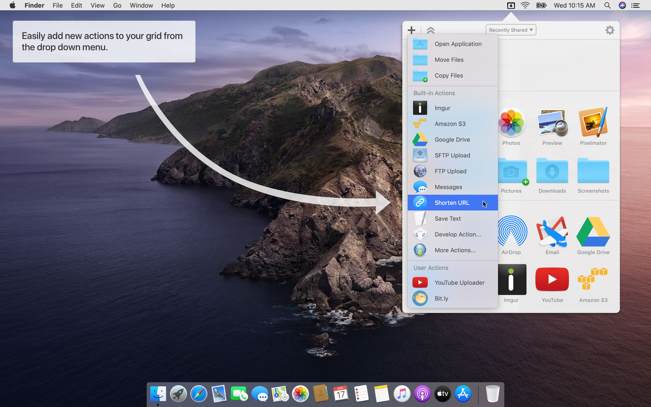
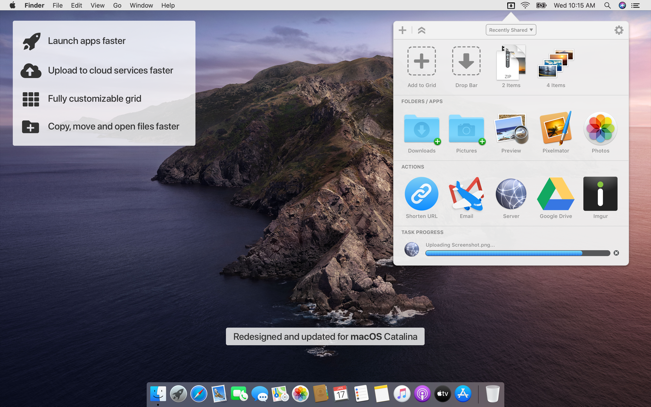
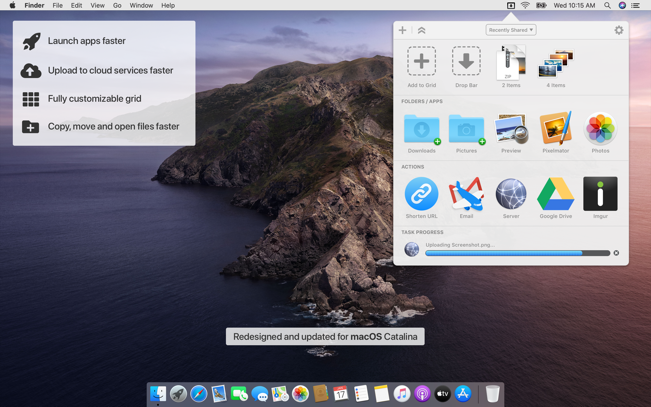
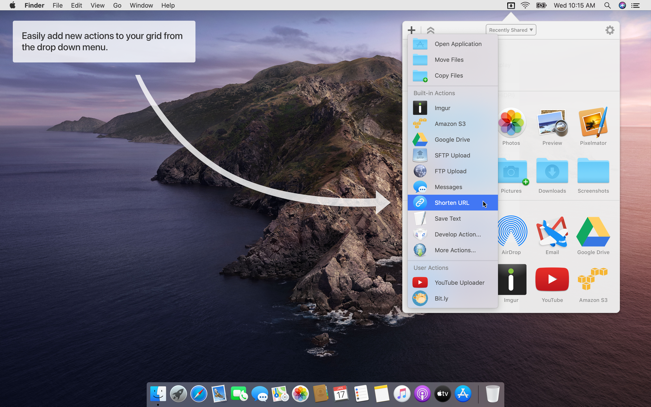
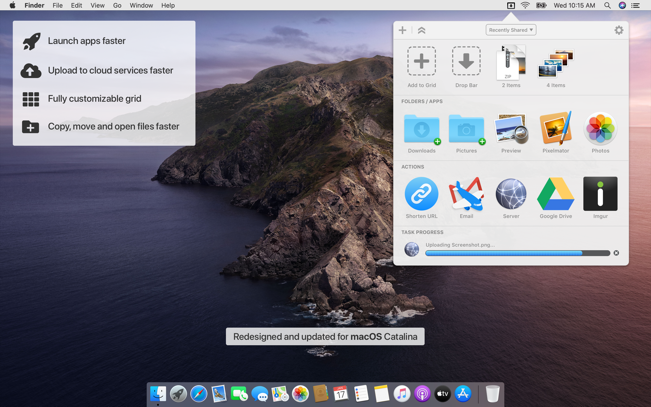
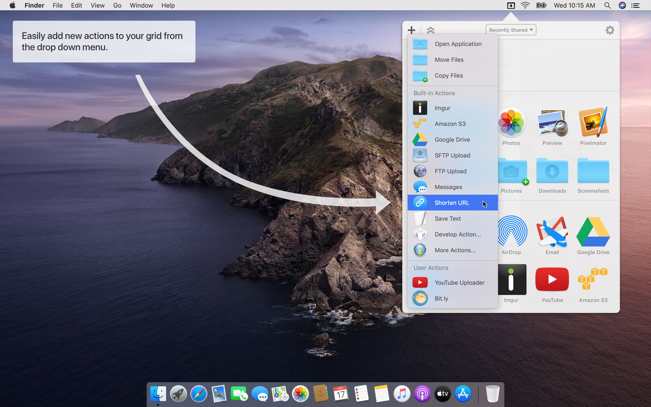
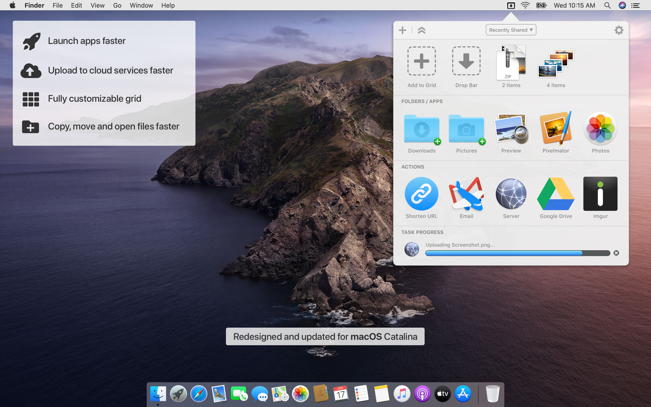
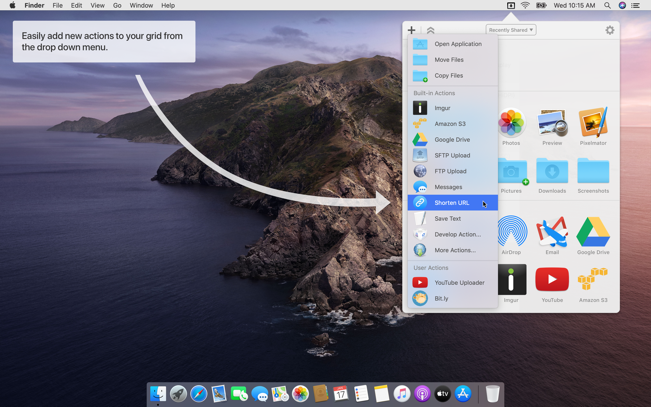
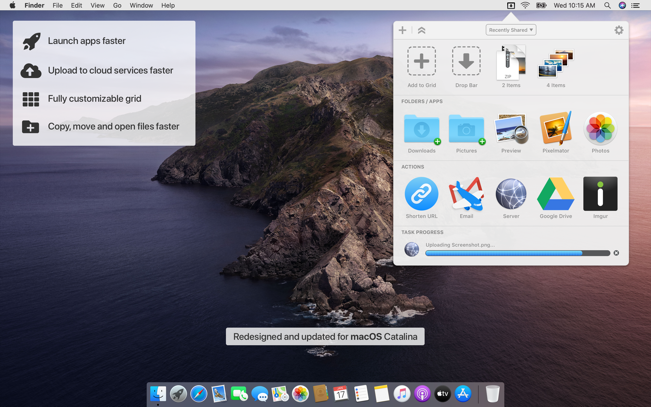
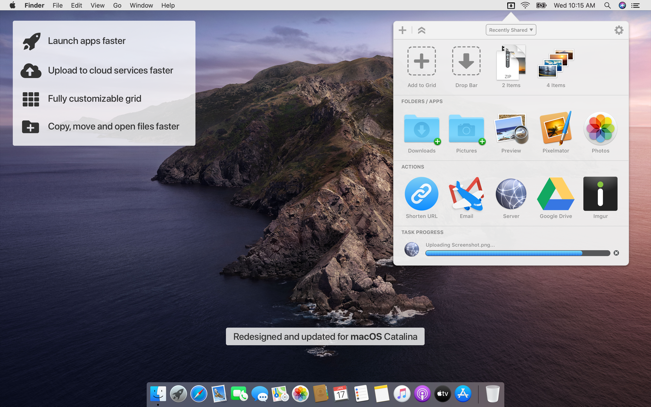
Dropzone makes it faster and easier to copy and move files, open applications and share files with many different services. Dropzone is a unique and amazing app that’s like nothing you’ve ever used before. We’ve paid fanatical attention to every detail and built an app that looks and feels like an integral part of macOS.
Dropzone ships with a powerful scripting API and with a little programming knowledge you can modify any of your actions or even create entirely new ones. This gives Dropzone unlimited extendability and utility. We’re always thinking up new actions so Dropzone will become even more useful over time.
Dropzone also includes Drop Bar – Drop Bar makes it easy to stash files you know you’ll need later. Just drop files on the Drop Bar icon in the grid and they will stick there until you’re ready to use them.
Features
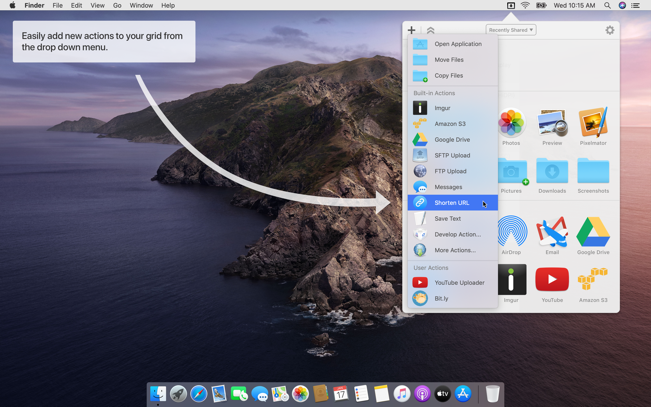
Open applications, move and copy files faster than ever before.
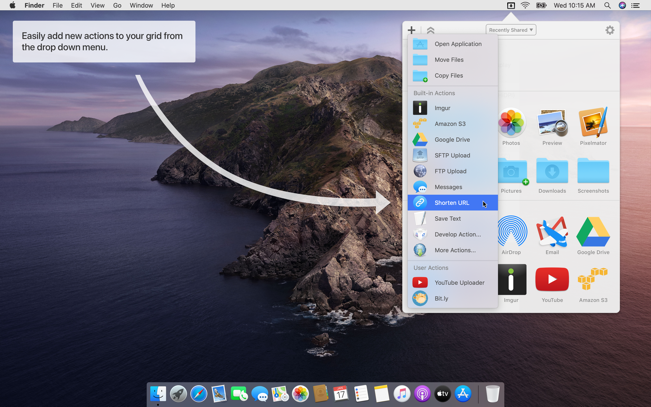
Shorten URLs quickly using Tinyurl shortener. Just select a URL to shorten and press Ctrl+Option+Cmd+S and the shortened URL is automatically copied to the clipboard.
AirDrop integration lets you drop files or folders from any app and share them with your other Macs over the network.
Imgur integration lets you share images fast and get a link for pasting.
Upload files to Amazon S3 (Dropzone Pro feature).
Upload files to your FTP server (Dropzone Pro feature).
Upload files to your Google Drive (Dropzone Pro feature).
Download and install add-on actions that let you upload to services like Google Drive, YouTube and many others (Dropzone Pro feature).
Powerful multi-tasking engine allows you to run multiple tasks at once and track the progress of each one through the in-grid task status area.
See how tasks are progressing at a glance in the animated menu item.
Launch Dropzone actions with the newly added keyboard shortcuts feature (Dropzone Pro feature).
Add applications, folders or actions to your grid easily by dragging and dropping them on the Add to Grid area.
Develop your own actions using the updated and massively improved Ruby or Python API (Dropzone Pro feature).
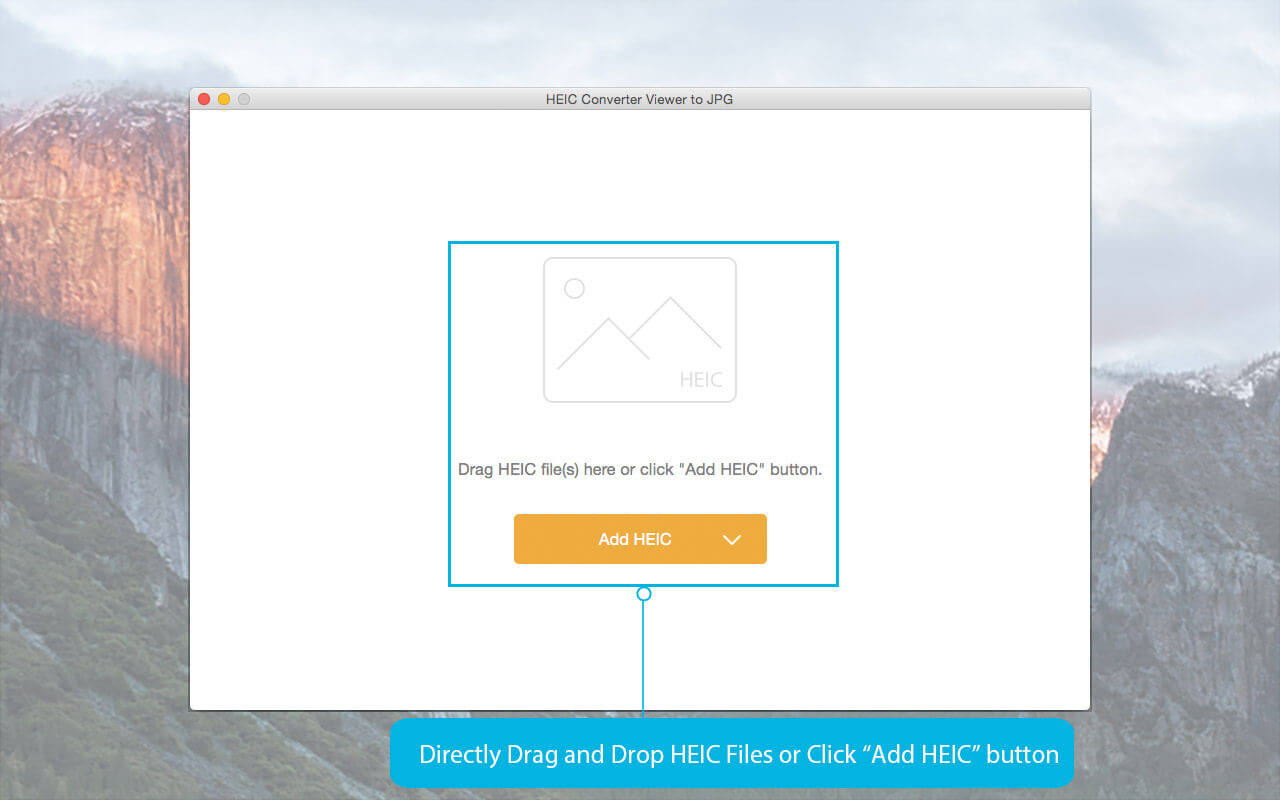
Any HEIC Converter can assist you to view HEIC (HEIF image file extension) images and convert HEIC to JPEG, JPG and PNG in high quality and fast speed.
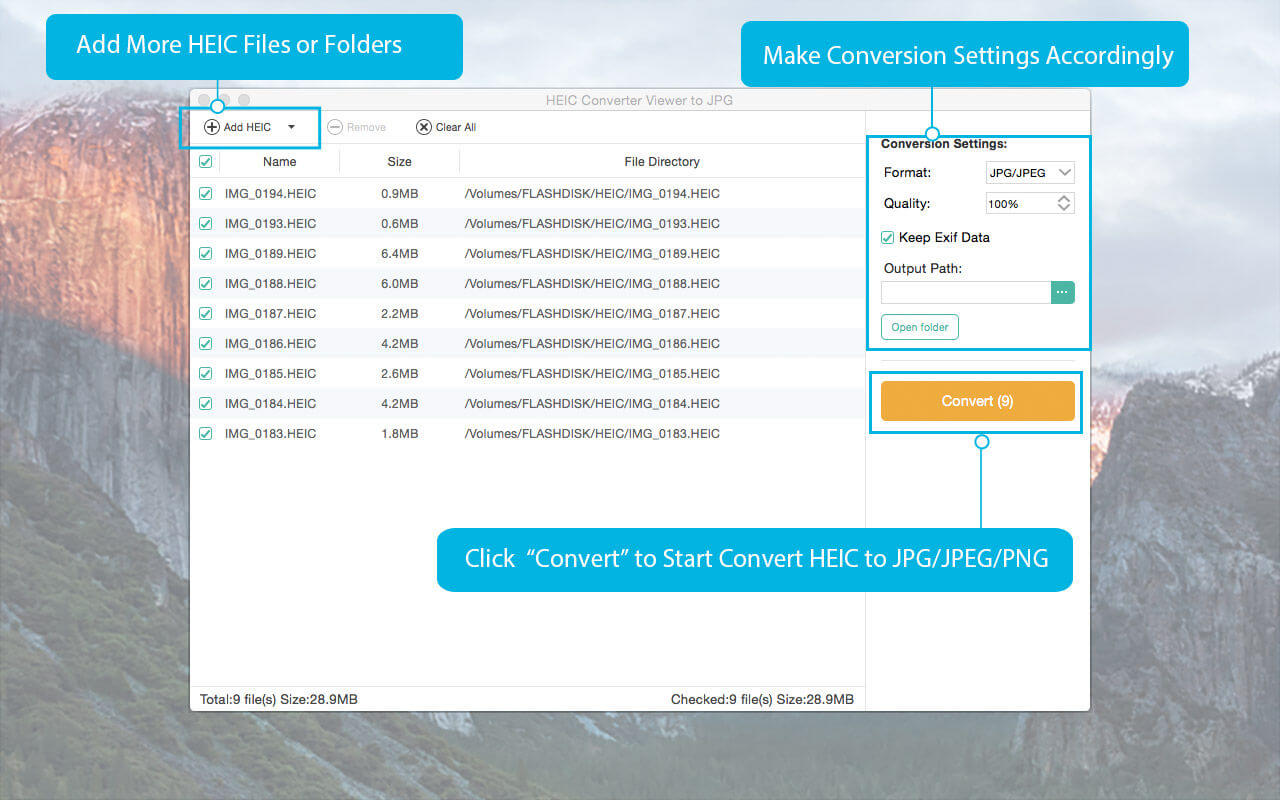
Directly Convert HEIC image file to JPG, JPEG and PNG with high quality output.
Support batch conversion of HEIC files to save your time and involve less effort.
Simple and friendly interface enables you to use it conveniently without any difficulty.
Adjust the output photo quality freely with super fast converting speed without limitation.
Key features 1. Convert HEIC Image to JPG fast and without quality compromising
As HEIC stands for high efficiency image format, you cannot stand for the quality loss after conversion. So this HEIC viewer and converter take converting quality as the most consideration thigh.
With the unique and complex converting engine, this iOS HEIC converter can convert the HEIC photos on iPhone, iPad or iPod to JPG format with the best quality output.
2. Convert one picture or more than 100+ photos at one time according to your need
This HEIC converter offers you two conversion options: single conversion mode and batch conversion mode. That means you can only convert one photo at one time or you can even convert more than 100 photos at one time.
With batch conversion function, it will dramatically reduces the time and effort you put in. And it will help you a lot for converting all the photos to JPG for storing them on a Mac.
3 Easy steps to use Any HEIC Converter
Step 1: Install Any HEIC Converter on your Mac.
Step 2: Open Any HEIC Converter and add HEIC file directly to the program.
Step 3: Start converting HEIC to JPG/JPEG or PNG by click “Convert” button.
Then you will get your converted photos in less than 2 minutes.
If you have any question about this Any HEIC Converter, please contact us via [email protected]. We will reply your question as soon as possib
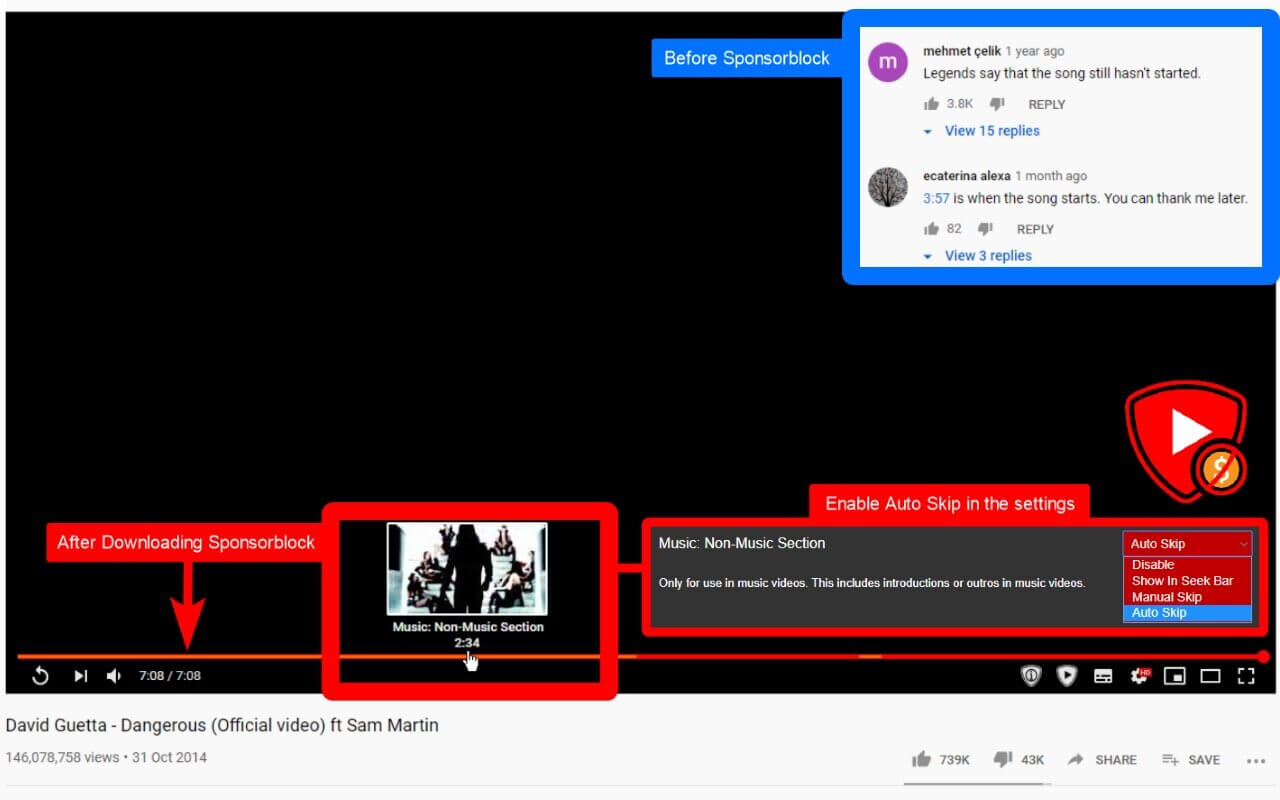
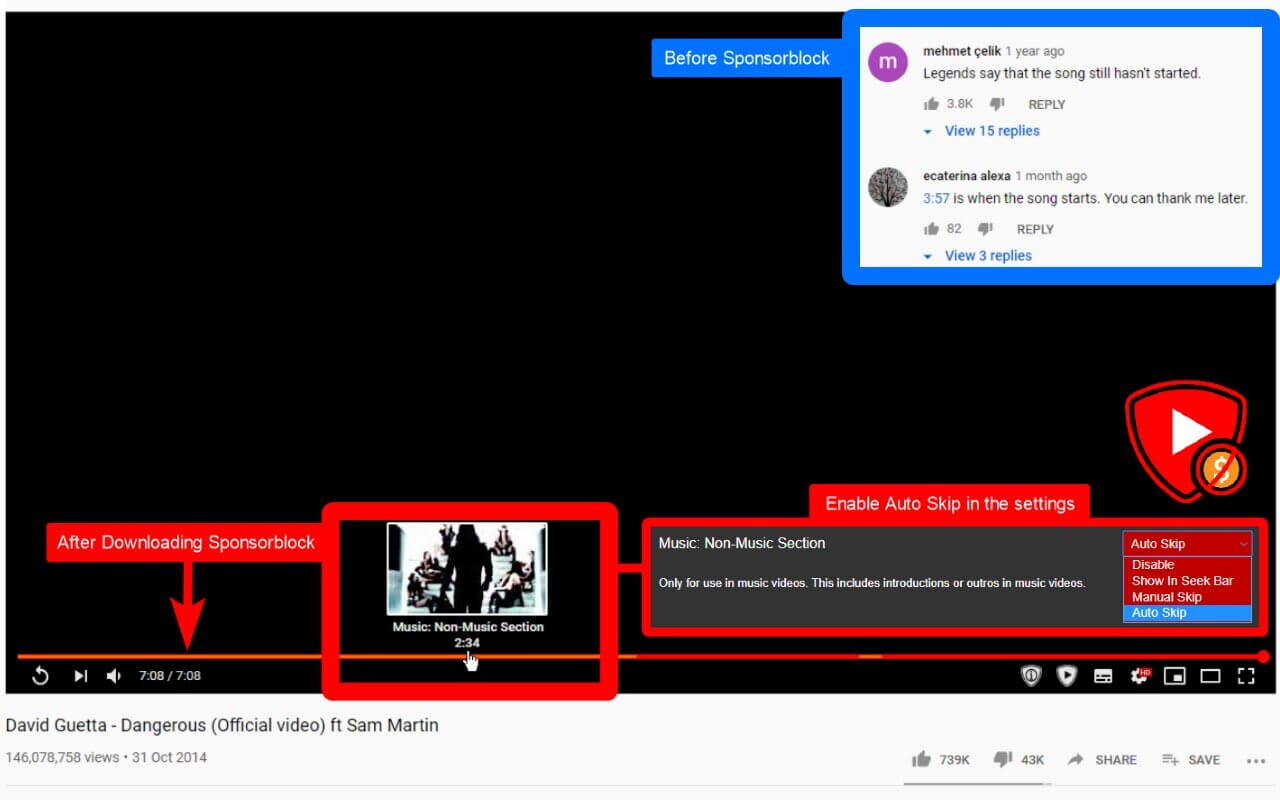
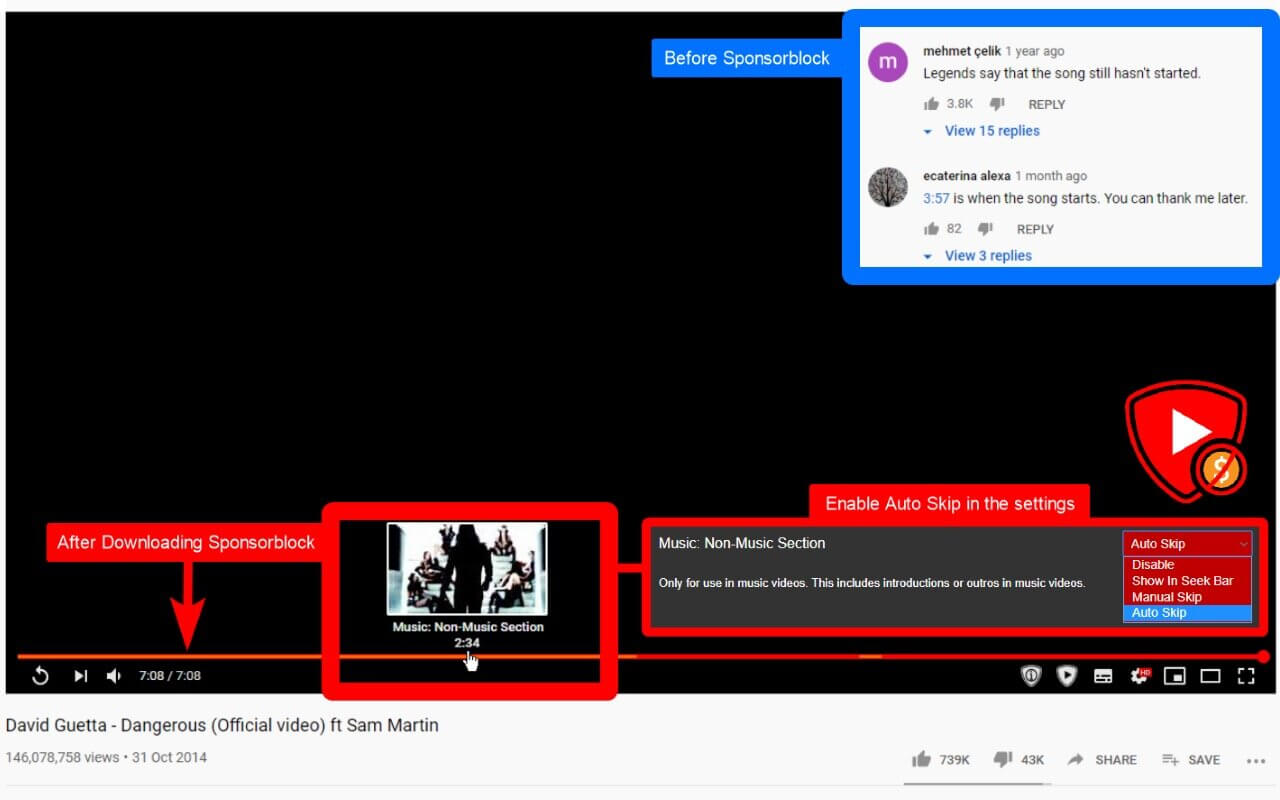
SponsorBlock lets you skip over sponsors, intros, outros, subscription reminders, and other annoying parts of YouTube videos. SponsorBlock is a crowdsourced browser extension that let’s anyone submit the start and end time’s of sponsored segments and other segments of YouTube videos.
Once one person submits this information, everyone else with this extension will skip right over the sponsored segment.
You can also skip over non music sections of music videos.
EdgeView 3 is fast image viewer has elegant user interface. EdgeView 3 is developed and designed for modern MacOS. It can open various image files such as JPEG, PNG, TIFF, BMP, and RAW file of DSLR, EPS and PDF, AI(Adobe Illustrator). Can open image files in archive directly without extraction.
User can open files, rename files, delete files from EdgeView’s file browser. Also can access to SMB/AFP/FTP network volume.
User can navigate images quickly by using keyboard shorcut, mouse wheel, trackpad gesture. EdgeVew show EXIF information, play animation GIF/PNG/WebP smoothly. Save last status to history, and restore when reopen file.
EdgeView 3 will be the best choice when viewing and managing image files.
Features
Rewrote full code as Swift for improve performance.
Support m1 CPU Mac.
Has easy UI, can control main function at Sidebar.
Support English/Korean/Japanese/Chinese(Simplified).
Image Viewer
Supporting image files such as JPG, GIF, BMP, PSD, TIFF, RAW, WEBP and PDF, EPS, AI(Adobe Illustrator), OpenEXR, HDR, TGA.
Can play animation GIF/PNG/WebP. User can control animation with floating animation controller.
Dispaly internal image(or frame) of animation GIF/PNG/WebP or HEIC that has multiple internal image.
Can read and show images of major archive formats (such as ZIP, RAR, CBZ, CBR, 7-zip) without extraction. Of course, can open ZIP file that 4GB over.
Can read encrypted archive file.
Can read archive file in archive file recursively
Improved draw speed by rebuilt image cache system and drawing engine.
Draw images as high quality.
Provide suitable functions for comic reading such as ‘Two-Page Spread’, ‘Continuous Scroll mode’, ‘Right to Left’, etc.
Provide multiple navigation functions like as ‘Move’, ‘Skip’, ‘Shift’, etc.
User can navigate images and check whole thumbnails at Thumbnailsbar.
User can navigate images by using keyboard shortcut, mouse wheel, trackpad gesture.
Can rotate and flip images. Orientation will be saved to history.
User can select part of images, and copy it or save as file.
Can zoom in/out image freely.
Built-in loupe function to make it easier to magnify part of image.
Show histogram.
Show neighbor files list. And can open neighbor file.
Support history feature for saving and restoring last status of file.
Can reopen file or remove history at history list.
Can rate image files.
File Browser
Built-in file browser can show and open files from local drive or AFP/SMB/FTP network drive.
Can display files as lists or icon.
Show images in folder/archive file at preview panel.
Generate thumbnails of archive files and folders.
Support powerful search feature.
Show category and writer information.
User can sort files by various options, and can delete or rename files.
Can rate files or folders.
Others
Support customizing feature. Also user can change shortcuts.
Built-in Quick Look Extension generate thumbnails and preview of archive files at Finder.
FAST, ACCURATE, & AUTOMATIC AUDIO SYNC. With a touch of a single button, PluralEyes analyzes the audio from your cameras and audio devices and syncs them up, in seconds. No clapboards or timecode are needed. the brand new PluralEyes v4.0, one of the (if not the) most popular and effective tools for syncing audio to multiple video streams.
What’s New in PluralEyes 4.0
Syncing audio and video clips in PluralEyes is now easier than ever, with flawlessly synced media just a click away thanks to under the hood enhancements that allow PluralEyes to analyze footage and automatically choose the the best possible options, so the user doesn’t have to. Sporting a completely updated look, additional new features include:
Adobe Premiere Pro Panel
All the power and simplicity of syncing in PluralEyes without ever leaving Adobe Premiere Pro – just hit the sync button in the Premiere Pro Panel and PluralEyes takes care of the rest. Giving users ease of mind, PluralEyes in Premiere Pro offers the same color coding capabilities as it does in the standalone version, so editors will know which clips, if any, require attention.
Smart Start
Importing media is easier than ever with PluralEyes’ Smart Start feature. Drag and drop an entire folder of media into PluralEyes, and during a sync it will automatically detect which device the media came from. Your files will be sorted so that media from the same device are on the same track.
Automatic Drift Correction
When syncing long clips, sound and video can tend to stop matching up perfectly. PluralEyes can account for this and export a perfect sync with Automatic Drift Correction, announced in version 3.5. New in version 4, when drift is detected, PluralEyes will automatically fix it, then give editors the option to toggle between the drift-corrected sync and the original audio for comparison.
Color Coding for Unsynced Clips
An essential feature from the PluralEyes beginnings, color coded visuals show editors the progress of the sync, making it easy to make adjustments. Now, export from PluralEyes to Premiere Pro features a color coding option for clips that don’t sync properly.
Red Giant Offload Integration
Red Giant Offload performs a checksum during media transfer from camera card to hard drive, giving filmmakers the peace of mind that footage was backed up with no loss. PluralEyes 4.0 is able to detect Offload events and bring footage over, for a seamless workflow from Offload to PluralEyes to the host-app
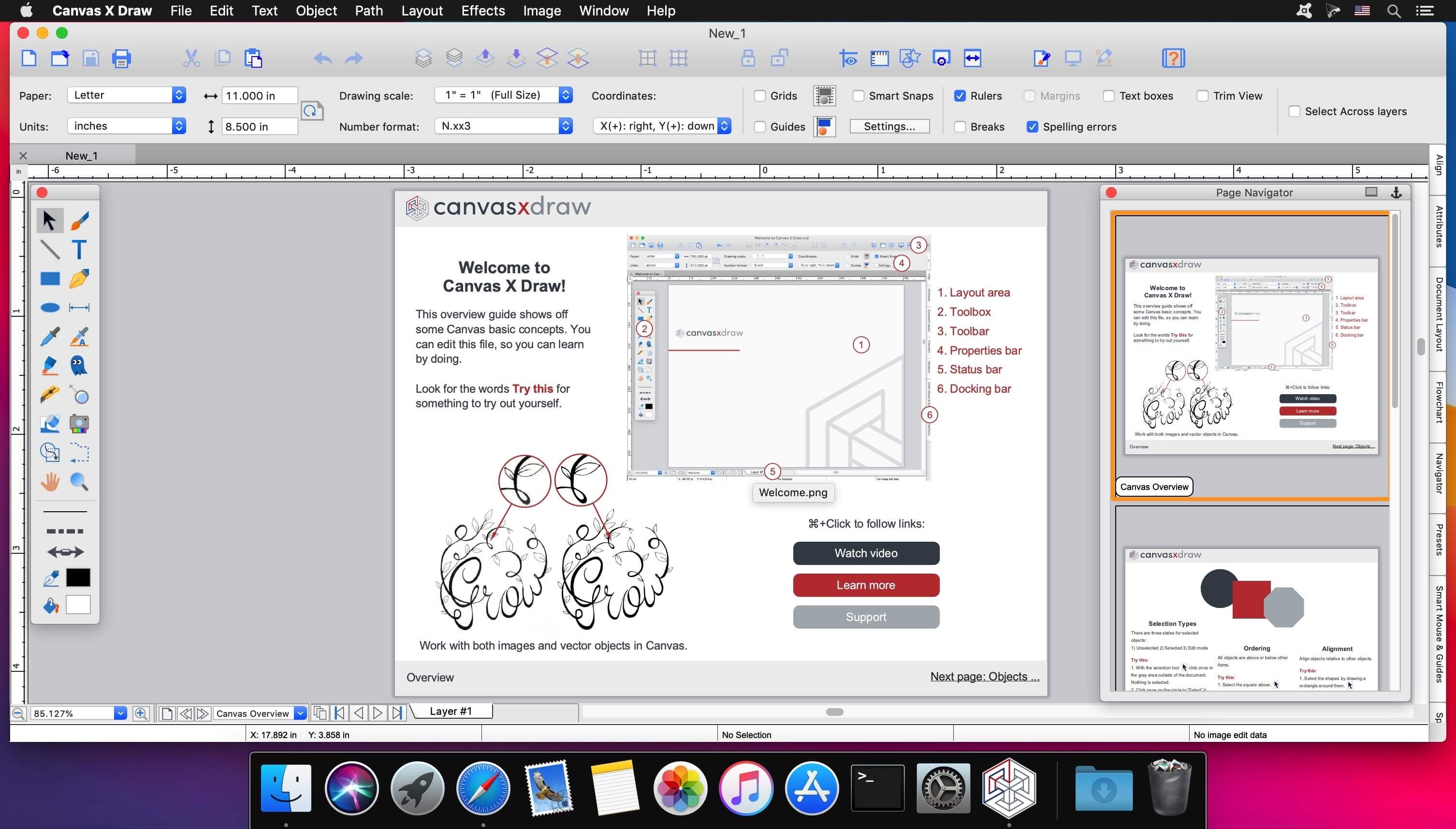
Canvas X Draw is a powerful software specifically designed to make it possible for small business owners, designers, illustrators, and professionals to advertise and communicate with confidence.
When your audience depends on pinpoint accuracy, minute detail, and high-impact data visualization, you need a special kind of illustration software.
With Canvas you can drive high impact visual communication right across your organization, putting powerful data in the hands of the people who need it.
Work with both raster and vector files
Import and visualize huge volumes of geospatial data
Manipulate and display intricate 3D models
What’s New:
Version 7.1.0:
Release notes were unavailable when this listing was updated.
SponsorBlock lets you skip over sponsors, intros, outros, subscription reminders, and other annoying parts of YouTube videos. SponsorBlock is a crowdsourced browser extension that let’s anyone submit the start and end time’s of sponsored segments and other segments of YouTube videos.
Once one person submits this information, everyone else with this extension will skip right over the sponsored segment.
You can also skip over non music sections of music videos.
EdgeView 3 is fast image viewer has elegant user interface. EdgeView 3 is developed and designed for modern MacOS. It can open various image files such as JPEG, PNG, TIFF, BMP, and RAW file of DSLR, EPS and PDF, AI(Adobe Illustrator). Can open image files in archive directly without extraction.
User can open files, rename files, delete files from EdgeView’s file browser. Also can access to SMB/AFP/FTP network volume.
User can navigate images quickly by using keyboard shorcut, mouse wheel, trackpad gesture. EdgeVew show EXIF information, play animation GIF/PNG/WebP smoothly. Save last status to history, and restore when reopen file.
EdgeView 3 will be the best choice when viewing and managing image files.
Features
Rewrote full code as Swift for improve performance.
Support m1 CPU Mac.
Has easy UI, can control main function at Sidebar.
Support English/Korean/Japanese/Chinese(Simplified).
Image Viewer
Supporting image files such as JPG, GIF, BMP, PSD, TIFF, RAW, WEBP and PDF, EPS, AI(Adobe Illustrator), OpenEXR, HDR, TGA.
Can play animation GIF/PNG/WebP. User can control animation with floating animation controller.
Dispaly internal image(or frame) of animation GIF/PNG/WebP or HEIC that has multiple internal image.
Can read and show images of major archive formats (such as ZIP, RAR, CBZ, CBR, 7-zip) without extraction. Of course, can open ZIP file that 4GB over.
Can read encrypted archive file.
Can read archive file in archive file recursively
Improved draw speed by rebuilt image cache system and drawing engine.
Draw images as high quality.
Provide suitable functions for comic reading such as ‘Two-Page Spread’, ‘Continuous Scroll mode’, ‘Right to Left’, etc.
Provide multiple navigation functions like as ‘Move’, ‘Skip’, ‘Shift’, etc.
User can navigate images and check whole thumbnails at Thumbnailsbar.
User can navigate images by using keyboard shortcut, mouse wheel, trackpad gesture.
Can rotate and flip images. Orientation will be saved to history.
User can select part of images, and copy it or save as file.
Can zoom in/out image freely.
Built-in loupe function to make it easier to magnify part of image.
Show histogram.
Show neighbor files list. And can open neighbor file.
Support history feature for saving and restoring last status of file.
Can reopen file or remove history at history list.
Can rate image files.
File Browser
Built-in file browser can show and open files from local drive or AFP/SMB/FTP network drive.
Can display files as lists or icon.
Show images in folder/archive file at preview panel.
Generate thumbnails of archive files and folders.
Support powerful search feature.
Show category and writer information.
User can sort files by various options, and can delete or rename files.
Can rate files or folders.
Others
Support customizing feature. Also user can change shortcuts.
Built-in Quick Look Extension generate thumbnails and preview of archive files at Finder.
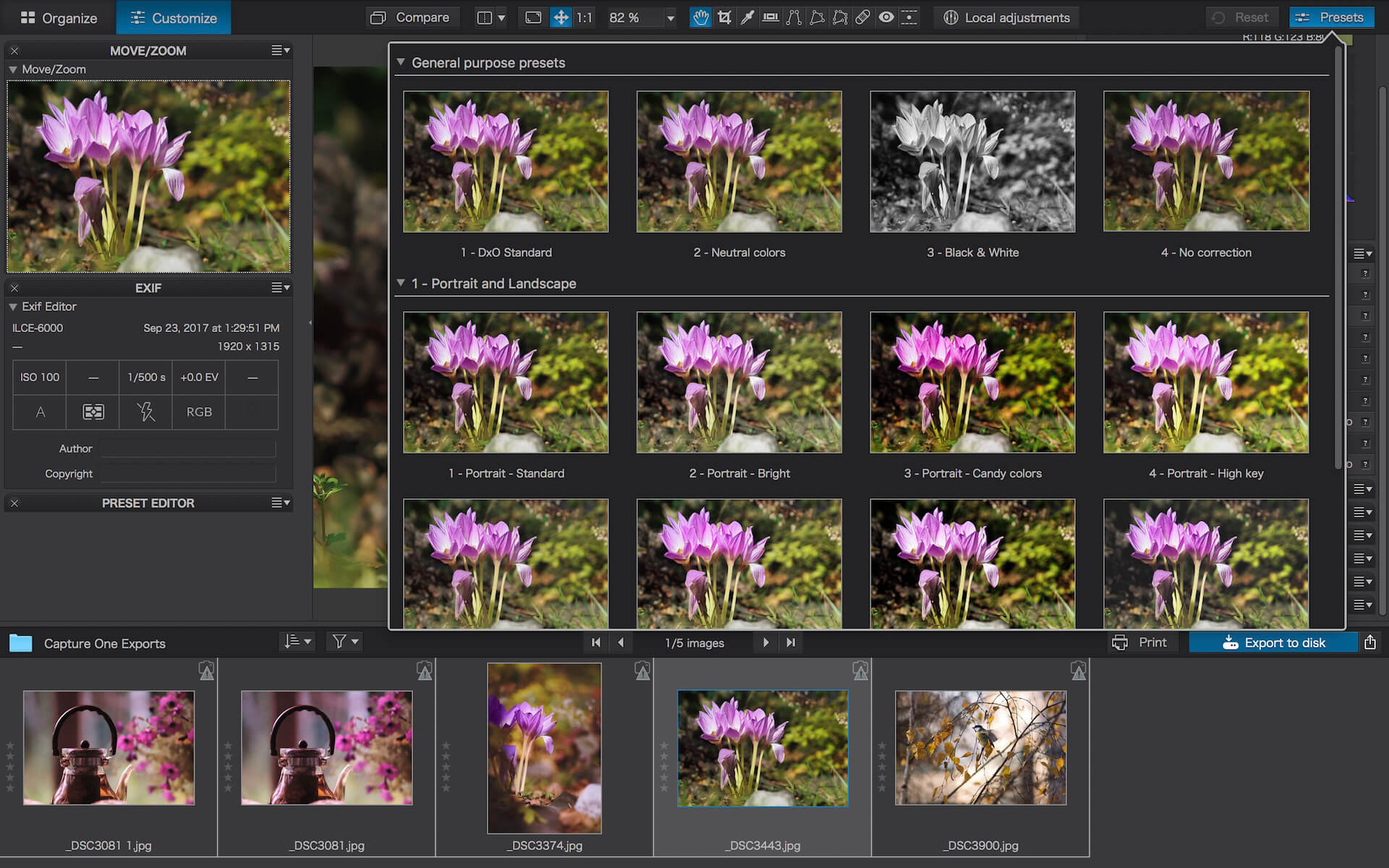
DxO PhotoLab provides a complete set of smart assisted corrections that you can manually fine-tune at any time. Take control on every aspect of your photos: effectively remove noise, get rid of light constraints, recover color details, apply sophisticated optical corrections, and enhance details.
Reducing digital noise in RAW images is an ongoing challenge for most photo-editing software. But with DxO DeepPRIME we are breaking new ground. The first artificial intelligence-based (AI) technology of its kind, DeepPRIME enables you to demosaic and denoise images simultaneously. Try it out – the results speak for themselves.
What’s New:
What’s new DxO PhotoLab 8 Enjoy a host of upgrades including new tools and an improved workflow.
Image correction & enhancement DxO’s pioneering Optics Modules are renowned for giving photographers the best possible performance from their gear, and are applied automatically depending on metadata. Lens softness adjustments are tailored according to the idiosyncrasies of individual lenses. They don’t simply sharpen uniformly across the entire image like in other software.
Groundbreaking denoising technologies Noise reduction powered by machine learning. DeepPRIME, DeepPRIME XD, and DeepPRIME XD2s eliminate noise, recover detail, and improve color reproduction. Two legacy technologies — PRIME and High Quality — are included when speed is crucial. Choose the automatic settings or dial them in manually. Use the new large live preview magnifier to see the impact of denoising — plus all of your other edits.
Color rendering and fidelity Extra-wide gamut working color space (DxO Wide Gamut) ensures accurate rendering throughout the workflow. Soft Proofing mode ensures accurate colors when preparing files for print or display. Simulate ink and paper via ICC profiles. Create calibrated color profiles using industry-standard color charts to ensure precision.
Control exposure, contrast, color & tonality Use ColorWheel to manipulate colors and customize color channels. Adjust Exposure compensation, edit the Tone Curve (enhanced in v8), tweak Contrast and Microcontrast. Plus White Balance with color picker, Color Accentuation to set saturation/vibrancy, Black-and-white palette with channel mixer, and Selective Tone for greater control over tonal ranges.
Color rendering As well as DxO’s camera-calibrated profiles and classic film renderings, import and apply DCP profiles, or apply color rendering from your camera. Start your editing process with DxO Styles to open up new creative possibilities.
Smart, automated tools DxO PhotoLab contains two innovative tools to speed up your editing: DxO Smart Lighting quickly balances brightness levels between shadows and highlights. DxO Clearview Plus reduces atmospheric haze and enhances local contrast.
LUTs Import and apply LUTs to open up endless creative color options. Choose from 32 pre-installed LUTs and set intensity.
Presets and toning Create and share presets. Duplicate, rename, import/export presets, and organize into folders. Edit existing presets and create partial presets. Use the Style / Toning palette to apply Simple Toning (e.g., Sepia) and access Split Toning by installing DxO FilmPack.
ReTouch tool More than just a cloning/healing tool, rotate, scale, and mirror the source area for absolute control. Edit the shape of the area to be retouched using a brush/eraser. Switch between Clone/Repair modes. Remove unwanted elements with automatic source selection (or set manually).
Crop, horizon & perspective tools Adjust the horizon and crop images using a common or custom ratio — all automatically or manually. Adjust perspective distortion with dedicated tools: force parallels, rectangle, or 8-point guides.
Local Adjustment tools U Point™ technology features Control Points and Control Lines for intelligent masks without the need for complex layers. Use Brush, Gradient, Eraser, and Auto Mask tools. Create complex adjustments using Hue Masks (new in v8). Toggle visibility and set opacity of masks, and duplicate/invert mask content. Set Control Point/Control Line sensitivity according to Luminance or Chrominance.
Available corrections The corrections available as local adjustments include
Exposure, Contrast, Microcontrast
Highlights, Midtones, Shadows, Blacks
Hue, Saturation, Luminance (via ColorWheel)
Vibrancy, Saturation, Hue, Sharpness, Blur
White Balance and Tint (RAW only)
Advanced History & Quick Compare Advanced History palette provides a full editing history including specific values and changes. Grouped corrections can be expanded when applying presets in order to track individual changes. Quick Compare Mode puts your edit alongside the original image with a vertical or horizontal split. You can compare your current image with output versions and virtual copies, or choose a reference image (new in v8).
Virtual Copies Create Virtual Copies for multiple variations of an image without copying the RAW file. Compare quickly with the original image, and selectively copy/paste settings between images.
Customizable workspaces Highly customizable workspace: reposition/hide panels, collapse/expand palettes, and use a search field to quickly find tools. Add your most-used tools to a favorites palette, or create custom palettes. Filter displayed corrections by category. Display only the tools actively making changes to an image. Use multiple monitors and palettes. Place the grid view navigator on a second display.
Histogram Display RGB, individual colors, and luminosity channels. Indicate where highlights and/or shadows have been clipped. Display the RGB value of an individual pixel.
Powerful functionality, catalog-free Don’t import images; simply browse your disk and edit your images on the fly. Select/search/filter photos with ease. Apply star ratings, color tags, pick/reject images, and choose from a range of criteria when searching, including color tags. For faster searching, simply direct PhotoLab to index specific folders.
Metadata management Add and manage keywords, create keyword hierarchies, drag/drop keywords to organize them in a tree view list. Import and manage Exif and IPTC metadata, and selectively copy/paste metadata from one image to multiple others. Synchronize metadata changes with third-party applications.
Projects & other organizational tools Create Projects to gather selections of images, independent of their folder. Create groups of Projects and drag/drop to organize virtual collections. Batch rename files, adjust capture time, drag files to folders to copy/move them, and sort/select files according to flexible options.
Customizable export settings Choose the size/location of files, set up custom export presets, create multiple parallel exports, and apply original or custom ICC profile, sRGB, or Adobe RGB profiles. Right-click to export to a specific application. Send images directly to other applications. With Nik Collection installed, you have direct access to all plugins.
Watermarks Create your own watermarks. Use both text and images together, adjust the size, opacity, blend modes, and save as presets.
Dropzone makes it faster and easier to copy and move files, open applications and share files with many different services. Dropzone is a unique and amazing app that’s like nothing you’ve ever used before. We’ve paid fanatical attention to every detail and built an app that looks and feels like an integral part of macOS.
Dropzone ships with a powerful scripting API and with a little programming knowledge you can modify any of your actions or even create entirely new ones. This gives Dropzone unlimited extendability and utility. We’re always thinking up new actions so Dropzone will become even more useful over time.
Dropzone also includes Drop Bar – Drop Bar makes it easy to stash files you know you’ll need later. Just drop files on the Drop Bar icon in the grid and they will stick there until you’re ready to use them.
Features
Open applications, move and copy files faster than ever before.
Shorten URLs quickly using Tinyurl shortener. Just select a URL to shorten and press Ctrl+Option+Cmd+S and the shortened URL is automatically copied to the clipboard.
AirDrop integration lets you drop files or folders from any app and share them with your other Macs over the network.
Imgur integration lets you share images fast and get a link for pasting.
Upload files to Amazon S3 (Dropzone Pro feature).
Upload files to your FTP server (Dropzone Pro feature).
Upload files to your Google Drive (Dropzone Pro feature).
Download and install add-on actions that let you upload to services like Google Drive, YouTube and many others (Dropzone Pro feature).
Powerful multi-tasking engine allows you to run multiple tasks at once and track the progress of each one through the in-grid task status area.
See how tasks are progressing at a glance in the animated menu item.
Launch Dropzone actions with the newly added keyboard shortcuts feature (Dropzone Pro feature).
Add applications, folders or actions to your grid easily by dragging and dropping them on the Add to Grid area.
Develop your own actions using the updated and massively improved Ruby or Python API (Dropzone Pro feature).
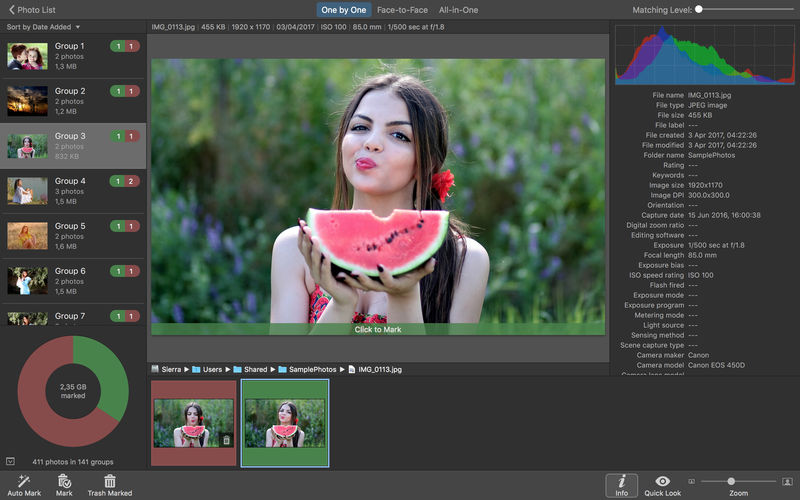
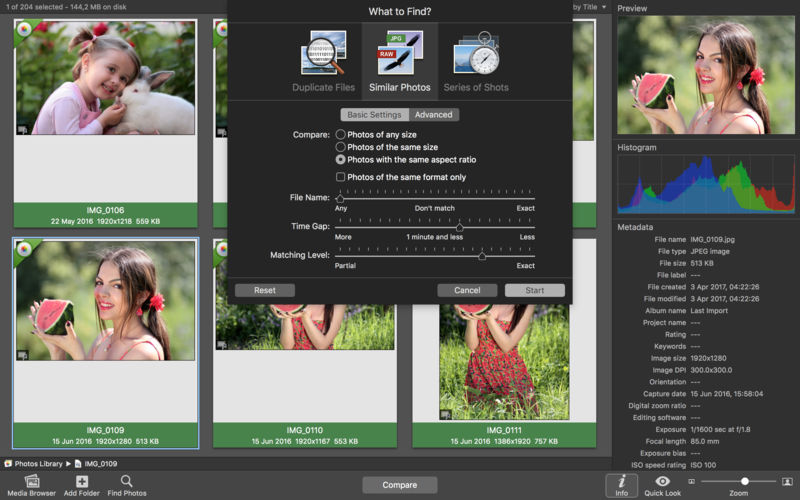
PhotoSweeper helps quickly and efficiently eliminate similar or duplicate photos. It works with photos from iPhoto, Aperture and Adobe Lightroom libraries as well as photos from your Mac.
PhotoSweeper will help you if:
You take a series of shots of the same scene trying to get the perfect one.
You edit photos with applications, such PhotoShop, Pixelmator, etc., and make backups just in case.
You have photos scattered on external hard drives and local disks, in iPhoto, Aperture or Lightroom libraries.
You have a mess in your photo collection or just want to free disk space by removing junk photos.
Features Easy to find photos Just drag and drop folders to allow PhotoSweeper to find all photos inside. Add more photos from your iPhoto, Aperture or Lightroom library via the Media window.
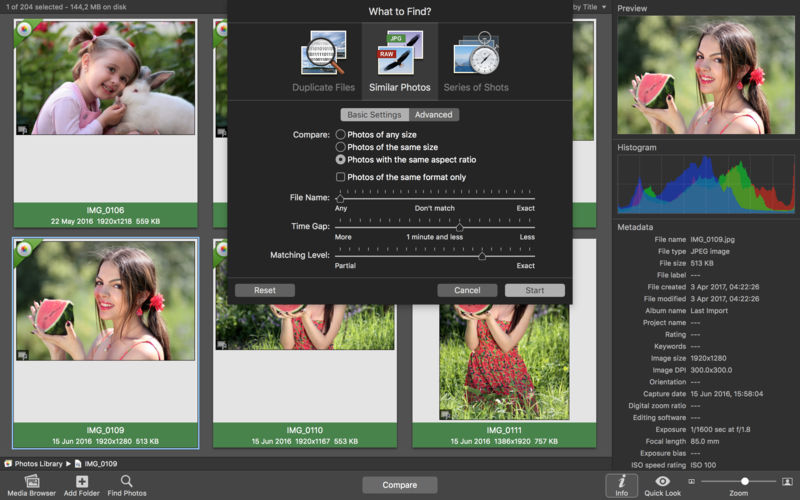
Flexible comparison settings Use 6 different methods to find similar or duplicate photos, even those edited in external programs such Photoshop, regardless of image size or format.
Fast PhotoSweeper was developed to be extremely fast at comparing large number of photos. Using efficient caches allows you to make the next comparison much faster. You have an opportunity to regroup the results on-the-fly by changing a matching level of similarity.
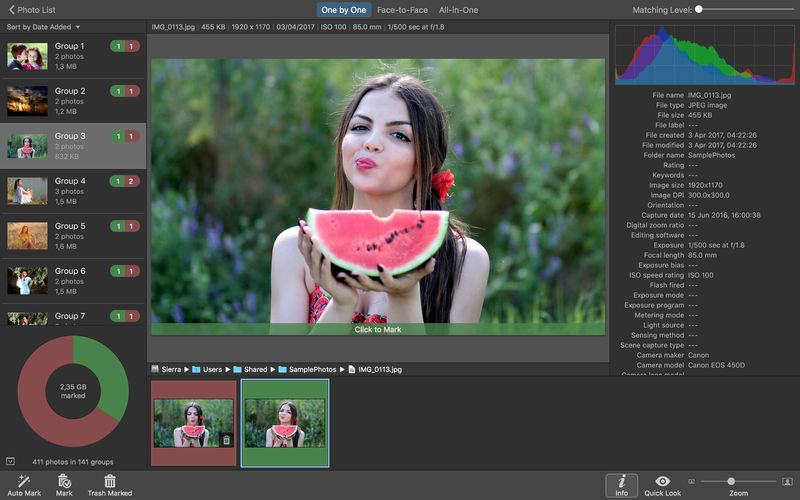
Easy to manage photos Review results in “Face-to-Face” or “Groups” mode. Put photos into a virtual container, “Box”. Delete, move, or copy photos from the Box. Bulk rename photos while copying or moving.
Great photo browsing PhotoSweeper provides an up-to-date photo browser with such features as: fast loading of thumbnails, Quick Look preview, drag and drop support, showing paths, ratings, labels, etc. The “Image Info” panel shows more detailed information, including histogram and image metadata (EXIF, IPTC, etc.).
A comprehensive user manual is available in the Help menu.
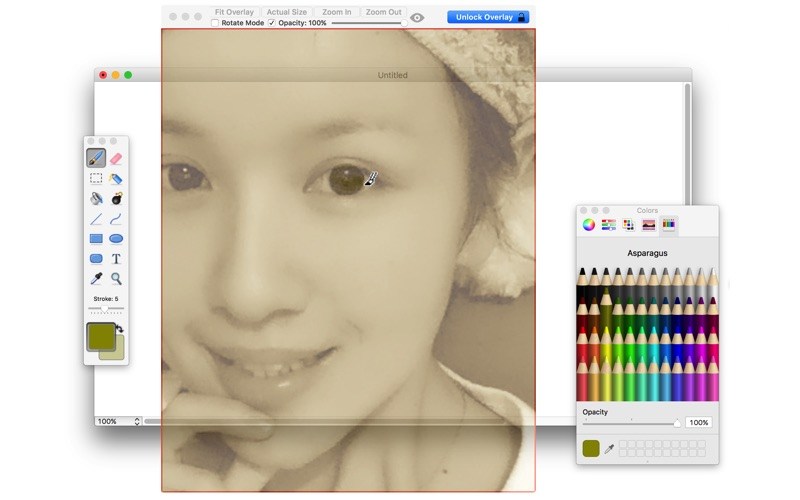
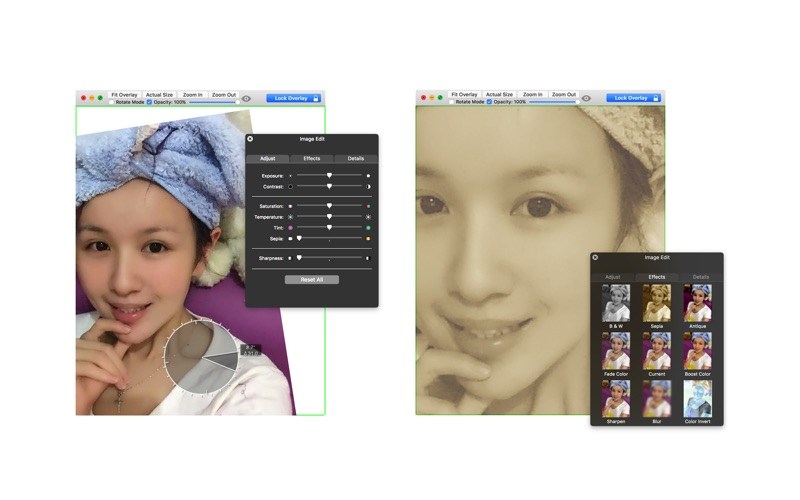
A frame that allows you to have an image or even PDF displayed semi-transparently in front of everything. It enables you to copy, trace, or compare designs, images, and documents with ease since you can lock the frame and make it undisturbed by mouse gestures.
It’s a transparent overlay of an image or document on your screen that you can click through – like a transparent sticker on your screen. Overlay is especially useful for artists, designers, and students as it allows you to make your art or design from or reference photos and screenshots.
Dropzone makes it faster and easier to copy and move files, open applications and share files with many different services. Dropzone is a unique and amazing app that’s like nothing you’ve ever used before. We’ve paid fanatical attention to every detail and built an app that looks and feels like an integral part of macOS.
Dropzone ships with a powerful scripting API and with a little programming knowledge you can modify any of your actions or even create entirely new ones. This gives Dropzone unlimited extendability and utility. We’re always thinking up new actions so Dropzone will become even more useful over time.
Dropzone also includes Drop Bar – Drop Bar makes it easy to stash files you know you’ll need later. Just drop files on the Drop Bar icon in the grid and they will stick there until you’re ready to use them.
Features
Open applications, move and copy files faster than ever before.
Shorten URLs quickly using Tinyurl shortener. Just select a URL to shorten and press Ctrl+Option+Cmd+S and the shortened URL is automatically copied to the clipboard.
AirDrop integration lets you drop files or folders from any app and share them with your other Macs over the network.
Imgur integration lets you share images fast and get a link for pasting.
Upload files to Amazon S3 (Dropzone Pro feature).
Upload files to your FTP server (Dropzone Pro feature).
Upload files to your Google Drive (Dropzone Pro feature).
Download and install add-on actions that let you upload to services like Google Drive, YouTube and many others (Dropzone Pro feature).
Powerful multi-tasking engine allows you to run multiple tasks at once and track the progress of each one through the in-grid task status area.
See how tasks are progressing at a glance in the animated menu item.
Launch Dropzone actions with the newly added keyboard shortcuts feature (Dropzone Pro feature).
Add applications, folders or actions to your grid easily by dragging and dropping them on the Add to Grid area.
Develop your own actions using the updated and massively improved Ruby or Python API (Dropzone Pro feature).
SponsorBlock lets you skip over sponsors, intros, outros, subscription reminders, and other annoying parts of YouTube videos. SponsorBlock is a crowdsourced browser extension that let’s anyone submit the start and end time’s of sponsored segments and other segments of YouTube videos.
Once one person submits this information, everyone else with this extension will skip right over the sponsored segment.
You can also skip over non music sections of music videos.
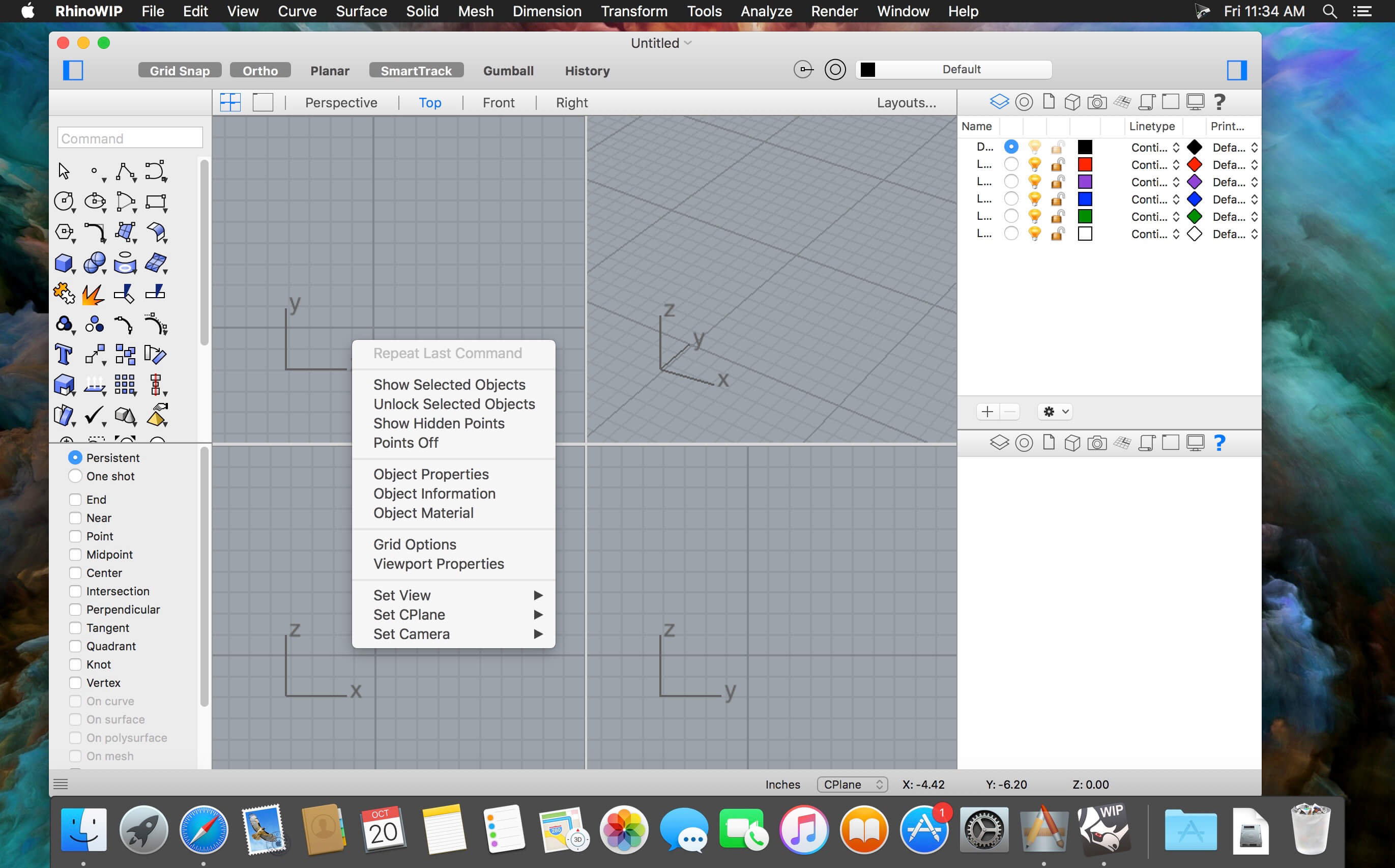
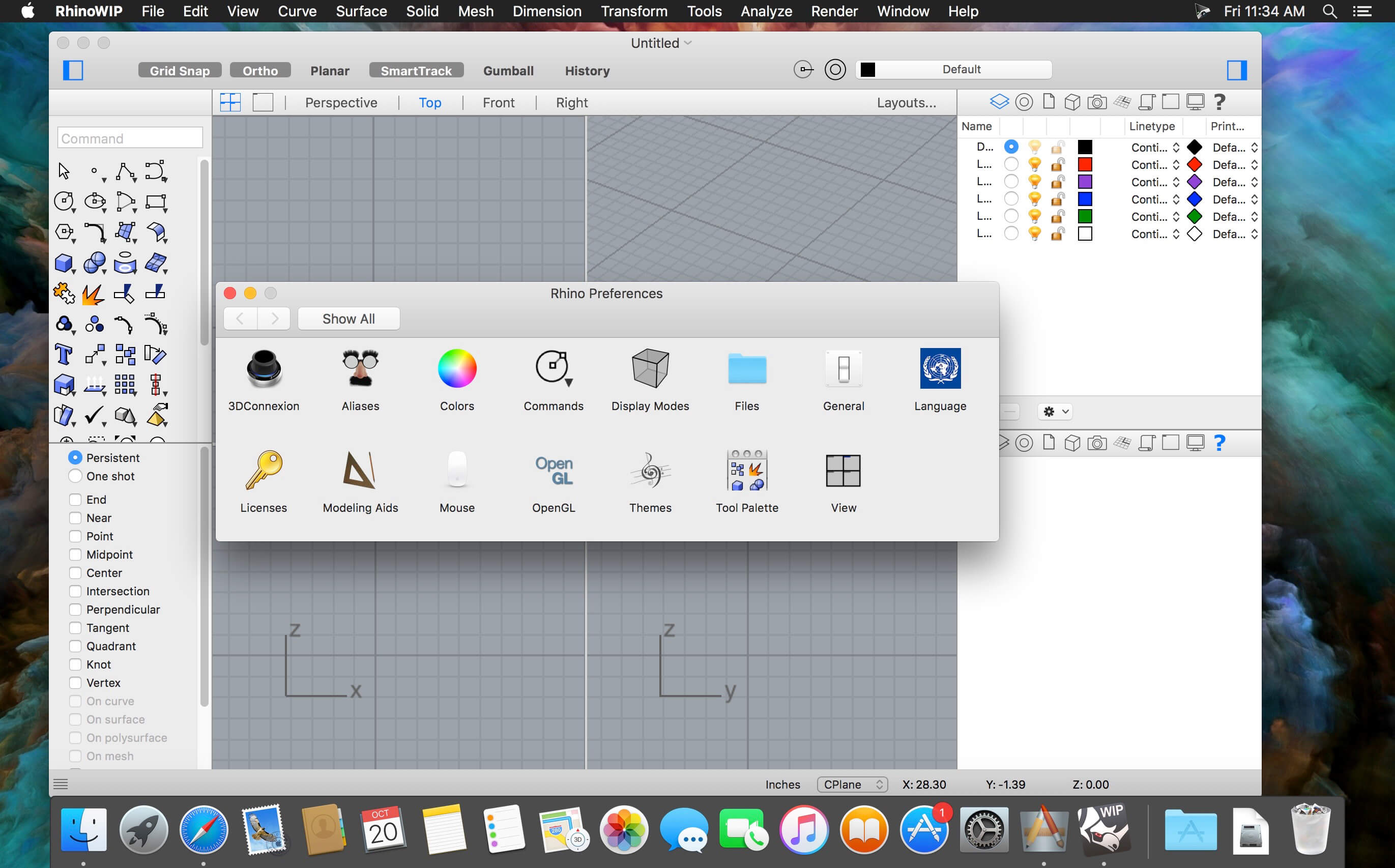
Rhino- Versatile 3D modeler. Rhinoceros can create, edit, analyze, document, render, animate, and translate NURBS* curves, surfaces, and solids, point clouds, and polygon meshes. There are no limits on complexity, degree, or size beyond those of your hardware.
Special features include:
-Uninhibited free-form 3-D modeling tools like those found only in products costing 20 to 50 times more. Model any shape you can imagine.
– Accuracy needed to design, prototype, engineer, analyze, and manufacture anything from an airplane to jewelry.
– Compatibility with all your other design, drafting, CAM, engineering, analysis, rendering, animation, and illustration software.
– Read and repair meshes and extremely challenging IGES files.
– Accessible. So easy to learn and use that you can focus on design and visualization without being distracted by the software.
– Fast, even on an ordinary laptop computer. No special hardware is needed. Affordable. Ordinary hardware. Short learning curve.
– Affordable purchase price. No maintenance fees.
Welcome to the AI generation. The full power of generative AI. All your favorite Adobe tools. A new era of creativity and productivity has arrived.
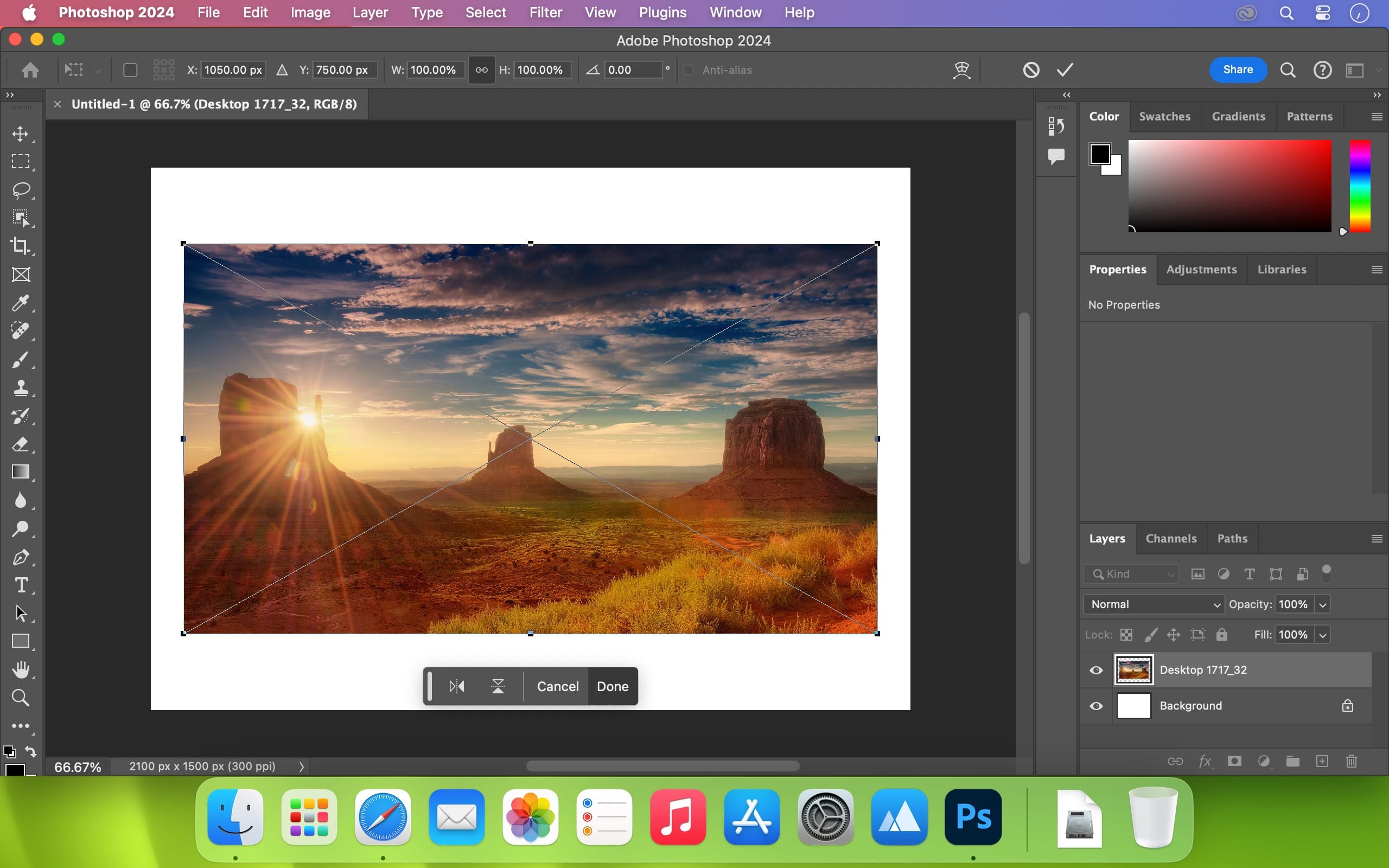
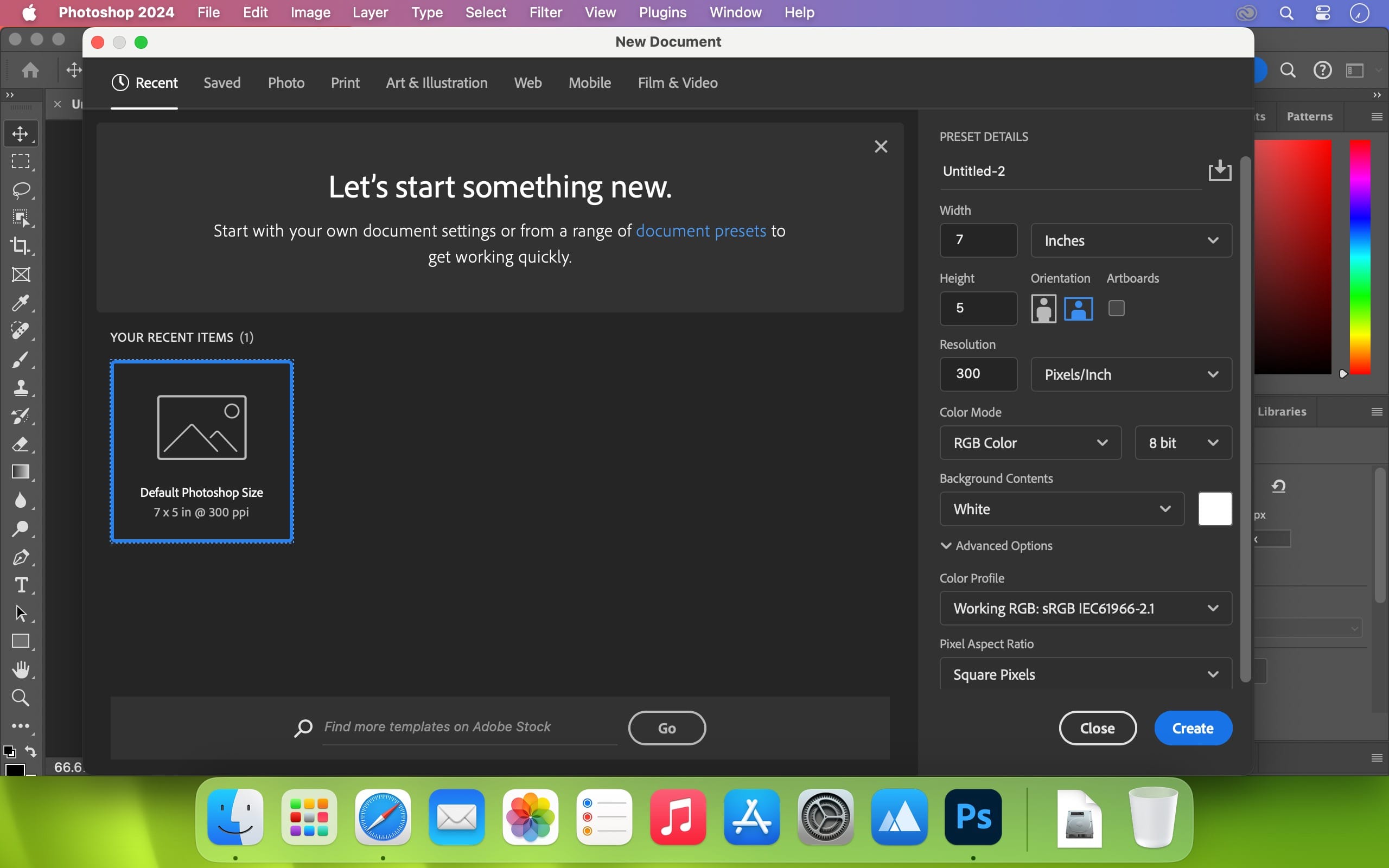
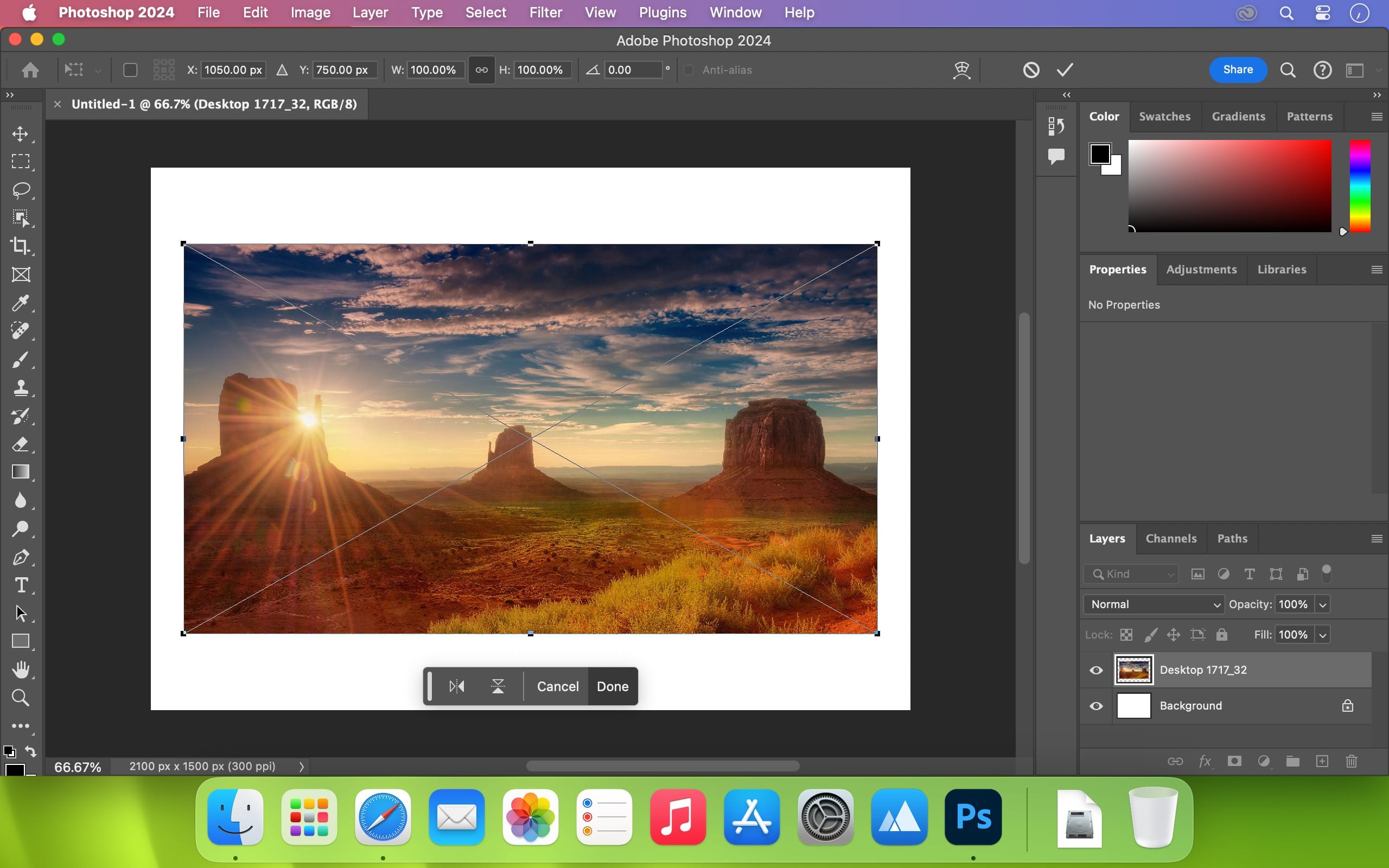
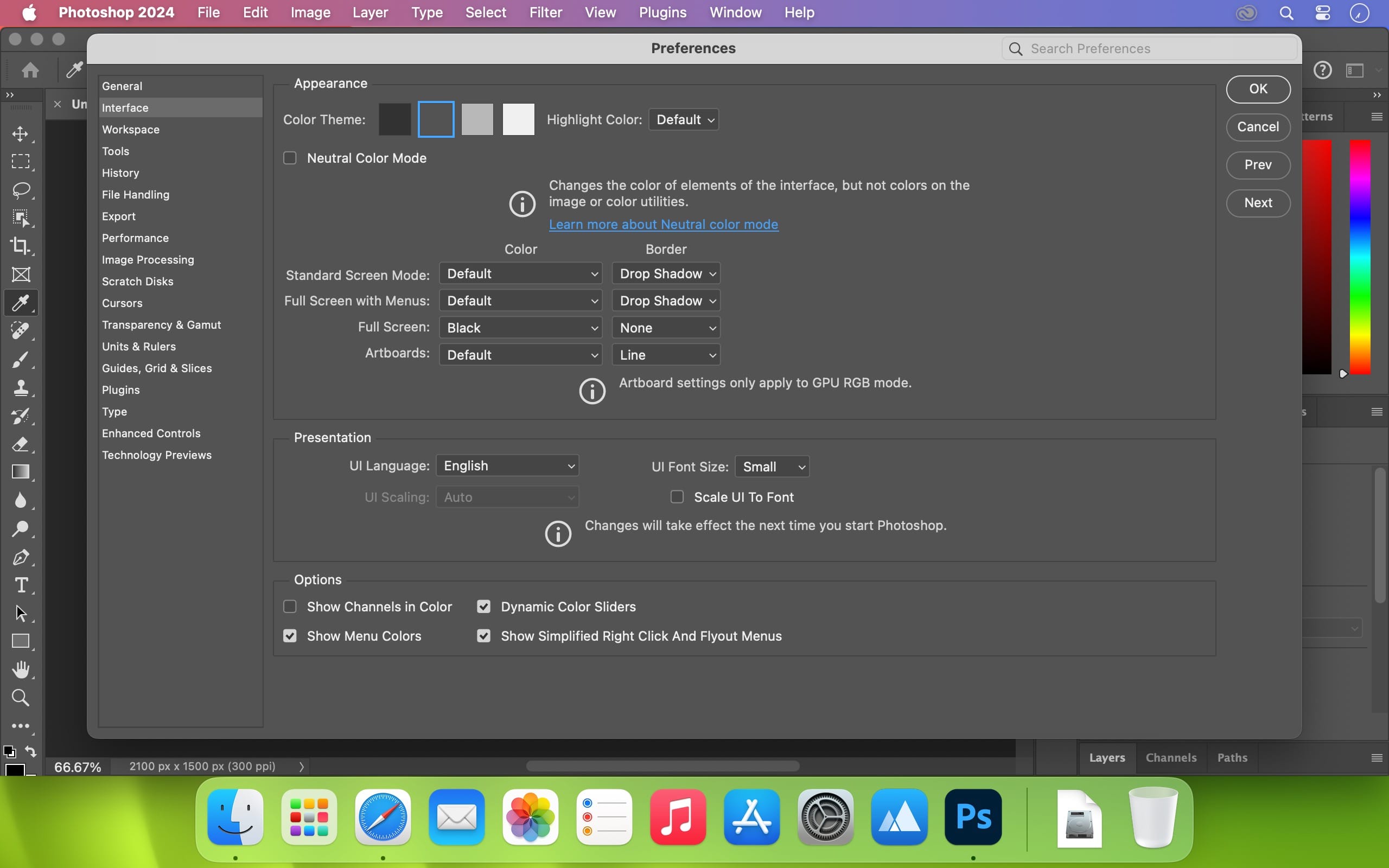
From photo editing and compositing to digital painting, animation and graphic design, everything you can imagine, you can create in Photoshop. Bring ideas to life on desktops and iPads. Use artificial intelligence technology for fast editing. Learn new skills and share your work with the community. With our latest release, doing amazing things has never been easier.
Adobe Photoshop is a recognized classic of photo-enhancing software. It offers a broad spectrum of tools that can turn your inspiration into incredible images, photos, composites, 3D artwork, paintings, and graphics on any device.
Photoshop has become the choice of thousands of creative professionals around the world. First introduced in 1988, it still is the world’s leading image-editing software.
Intuitive and clean user interface
Although Photoshop for Mac is the most comprehensive graphics and image-editing software available in the market today, it has a very intuitive and easy-to-navigate interface.
With recently improved usability, this photo-editor has become even more enjoyable to use. The interface loads as soon as you decide to use Photoshop.
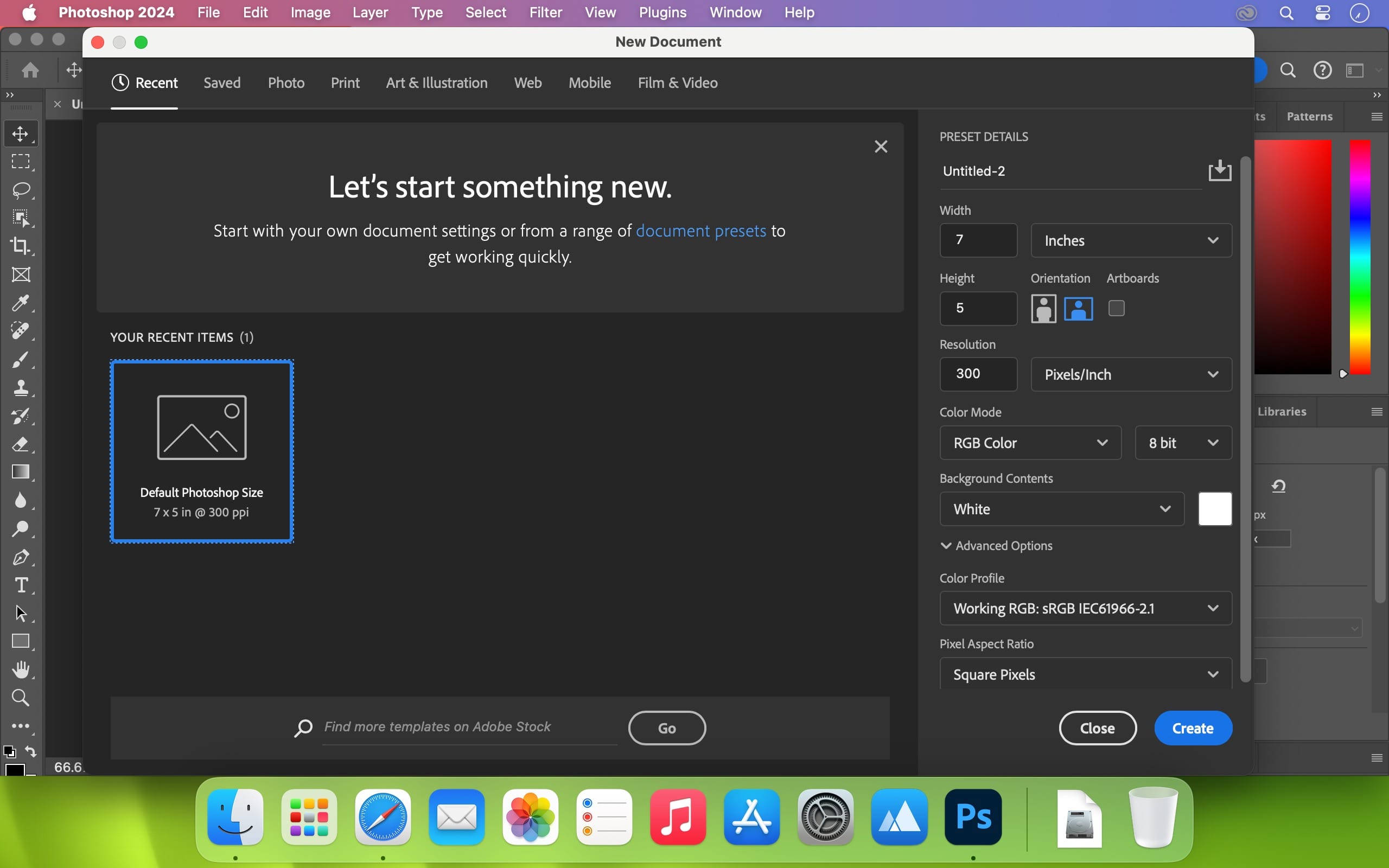
A user-friendly interface updates you about new features, suggests learning content, and allows you to quickly access recent files. You can easily pick up where you left or create a new project, access cloud and desktop pictures, and open an existing document.
Convenient content-aware fill workspace
Adobe has recently announced the launch of its new Content-Aware Fill workspace. It allows you to remove objects or distracting elements from your images easier than ever before.
This new option offers an interactive editing experience. Now, you can take full Control over which “good” parts of the picture to use to replace the undesired areas. It allows resizing the initial selection, rotating, scaling, and mirroring content.
Enjoy a range of new tools
The latest version of the software provides a new Frame Tool that allows you to enjoy much simpler masking. Now, you can place shapes and text into placeholder frames and fill them with pictures. To create elliptical or rectangular forms, you only need to select the Frame Tool and press “K.”
There is also a new default feature of multiple undo. If you want to view an object before changes are applied, just click Control + Z (for Windows OS) and Command + Z (for macOS). Don’t worry about losing any project changes in Adobe Photoshop on your MacBook Air or MacBook Pro. With a new auto-commit feature, they are saved automatically.
What’s New:
Version v26.8.1:
Release notes were unavailable when this listing was updated.
Compatibility:
– Processor: Multicore Intel® or AMD processor (2 GHz or faster processor with SSE 4.2 or later) with 64-bit support
EdgeView 3 is fast image viewer has elegant user interface. EdgeView 3 is developed and designed for modern MacOS. It can open various image files such as JPEG, PNG, TIFF, BMP, and RAW file of DSLR, EPS and PDF, AI(Adobe Illustrator). Can open image files in archive directly without extraction.
User can open files, rename files, delete files from EdgeView’s file browser. Also can access to SMB/AFP/FTP network volume.
User can navigate images quickly by using keyboard shorcut, mouse wheel, trackpad gesture. EdgeVew show EXIF information, play animation GIF/PNG/WebP smoothly. Save last status to history, and restore when reopen file.
EdgeView 3 will be the best choice when viewing and managing image files.
Features
Rewrote full code as Swift for improve performance.
Support m1 CPU Mac.
Has easy UI, can control main function at Sidebar.
Support English/Korean/Japanese/Chinese(Simplified).
Image Viewer
Supporting image files such as JPG, GIF, BMP, PSD, TIFF, RAW, WEBP and PDF, EPS, AI(Adobe Illustrator), OpenEXR, HDR, TGA.
Can play animation GIF/PNG/WebP. User can control animation with floating animation controller.
Dispaly internal image(or frame) of animation GIF/PNG/WebP or HEIC that has multiple internal image.
Can read and show images of major archive formats (such as ZIP, RAR, CBZ, CBR, 7-zip) without extraction. Of course, can open ZIP file that 4GB over.
Can read encrypted archive file.
Can read archive file in archive file recursively
Improved draw speed by rebuilt image cache system and drawing engine.
Draw images as high quality.
Provide suitable functions for comic reading such as ‘Two-Page Spread’, ‘Continuous Scroll mode’, ‘Right to Left’, etc.
Provide multiple navigation functions like as ‘Move’, ‘Skip’, ‘Shift’, etc.
User can navigate images and check whole thumbnails at Thumbnailsbar.
User can navigate images by using keyboard shortcut, mouse wheel, trackpad gesture.
Can rotate and flip images. Orientation will be saved to history.
User can select part of images, and copy it or save as file.
Can zoom in/out image freely.
Built-in loupe function to make it easier to magnify part of image.
Show histogram.
Show neighbor files list. And can open neighbor file.
Support history feature for saving and restoring last status of file.
Can reopen file or remove history at history list.
Can rate image files.
File Browser
Built-in file browser can show and open files from local drive or AFP/SMB/FTP network drive.
Can display files as lists or icon.
Show images in folder/archive file at preview panel.
Generate thumbnails of archive files and folders.
Support powerful search feature.
Show category and writer information.
User can sort files by various options, and can delete or rename files.
Can rate files or folders.
Others
Support customizing feature. Also user can change shortcuts.
Built-in Quick Look Extension generate thumbnails and preview of archive files at Finder.
Dropzone makes it faster and easier to copy and move files, open applications and share files with many different services. Dropzone is a unique and amazing app that’s like nothing you’ve ever used before. We’ve paid fanatical attention to every detail and built an app that looks and feels like an integral part of macOS.
Dropzone ships with a powerful scripting API and with a little programming knowledge you can modify any of your actions or even create entirely new ones. This gives Dropzone unlimited extendability and utility. We’re always thinking up new actions so Dropzone will become even more useful over time.
Dropzone also includes Drop Bar – Drop Bar makes it easy to stash files you know you’ll need later. Just drop files on the Drop Bar icon in the grid and they will stick there until you’re ready to use them.
Features
Open applications, move and copy files faster than ever before.
Shorten URLs quickly using Tinyurl shortener. Just select a URL to shorten and press Ctrl+Option+Cmd+S and the shortened URL is automatically copied to the clipboard.
AirDrop integration lets you drop files or folders from any app and share them with your other Macs over the network.
Imgur integration lets you share images fast and get a link for pasting.
Upload files to Amazon S3 (Dropzone Pro feature).
Upload files to your FTP server (Dropzone Pro feature).
Upload files to your Google Drive (Dropzone Pro feature).
Download and install add-on actions that let you upload to services like Google Drive, YouTube and many others (Dropzone Pro feature).
Powerful multi-tasking engine allows you to run multiple tasks at once and track the progress of each one through the in-grid task status area.
See how tasks are progressing at a glance in the animated menu item.
Launch Dropzone actions with the newly added keyboard shortcuts feature (Dropzone Pro feature).
Add applications, folders or actions to your grid easily by dragging and dropping them on the Add to Grid area.
Develop your own actions using the updated and massively improved Ruby or Python API (Dropzone Pro feature).
PhotoSweeper helps quickly and efficiently eliminate similar or duplicate photos. It works with photos from iPhoto, Aperture and Adobe Lightroom libraries as well as photos from your Mac.
PhotoSweeper will help you if:
You take a series of shots of the same scene trying to get the perfect one.
You edit photos with applications, such PhotoShop, Pixelmator, etc., and make backups just in case.
You have photos scattered on external hard drives and local disks, in iPhoto, Aperture or Lightroom libraries.
You have a mess in your photo collection or just want to free disk space by removing junk photos.
Features Easy to find photos Just drag and drop folders to allow PhotoSweeper to find all photos inside. Add more photos from your iPhoto, Aperture or Lightroom library via the Media window.
Flexible comparison settings Use 6 different methods to find similar or duplicate photos, even those edited in external programs such Photoshop, regardless of image size or format.
Fast PhotoSweeper was developed to be extremely fast at comparing large number of photos. Using efficient caches allows you to make the next comparison much faster. You have an opportunity to regroup the results on-the-fly by changing a matching level of similarity.
Easy to manage photos Review results in “Face-to-Face” or “Groups” mode. Put photos into a virtual container, “Box”. Delete, move, or copy photos from the Box. Bulk rename photos while copying or moving.
Great photo browsing PhotoSweeper provides an up-to-date photo browser with such features as: fast loading of thumbnails, Quick Look preview, drag and drop support, showing paths, ratings, labels, etc. The “Image Info” panel shows more detailed information, including histogram and image metadata (EXIF, IPTC, etc.).
A comprehensive user manual is available in the Help menu.
PhotoSweeper helps quickly and efficiently eliminate similar or duplicate photos. It works with photos from iPhoto, Aperture and Adobe Lightroom libraries as well as photos from your Mac.
PhotoSweeper will help you if:
You take a series of shots of the same scene trying to get the perfect one.
You edit photos with applications, such PhotoShop, Pixelmator, etc., and make backups just in case.
You have photos scattered on external hard drives and local disks, in iPhoto, Aperture or Lightroom libraries.
You have a mess in your photo collection or just want to free disk space by removing junk photos.
Features Easy to find photos
Just drag and drop folders to allow PhotoSweeper to find all photos inside. Add more photos from your iPhoto, Aperture or Lightroom library via the Media window.
Flexible comparison settings
Use 6 different methods to find similar or duplicate photos, even those edited in external programs such Photoshop, regardless of image size or format.
Fast
PhotoSweeper was developed to be extremely fast at comparing large number of photos. Using efficient caches allows you to make the next comparison much faster. You have an opportunity to regroup the results on-the-fly by changing a matching level of similarity.
Easy to manage photos
Review results in “Face-to-Face” or “Groups” mode. Put photos into a virtual container, “Box”. Delete, move, or copy photos from the Box. Bulk rename photos while copying or moving.
Great photo browsing
PhotoSweeper provides an up-to-date photo browser with such features as: fast loading of thumbnails, Quick Look preview, drag and drop support, showing paths, ratings, labels, etc. The “Image Info” panel shows more detailed information, including histogram and image metadata (EXIF, IPTC, etc.).
A comprehensive user manual is available in the Help menu.
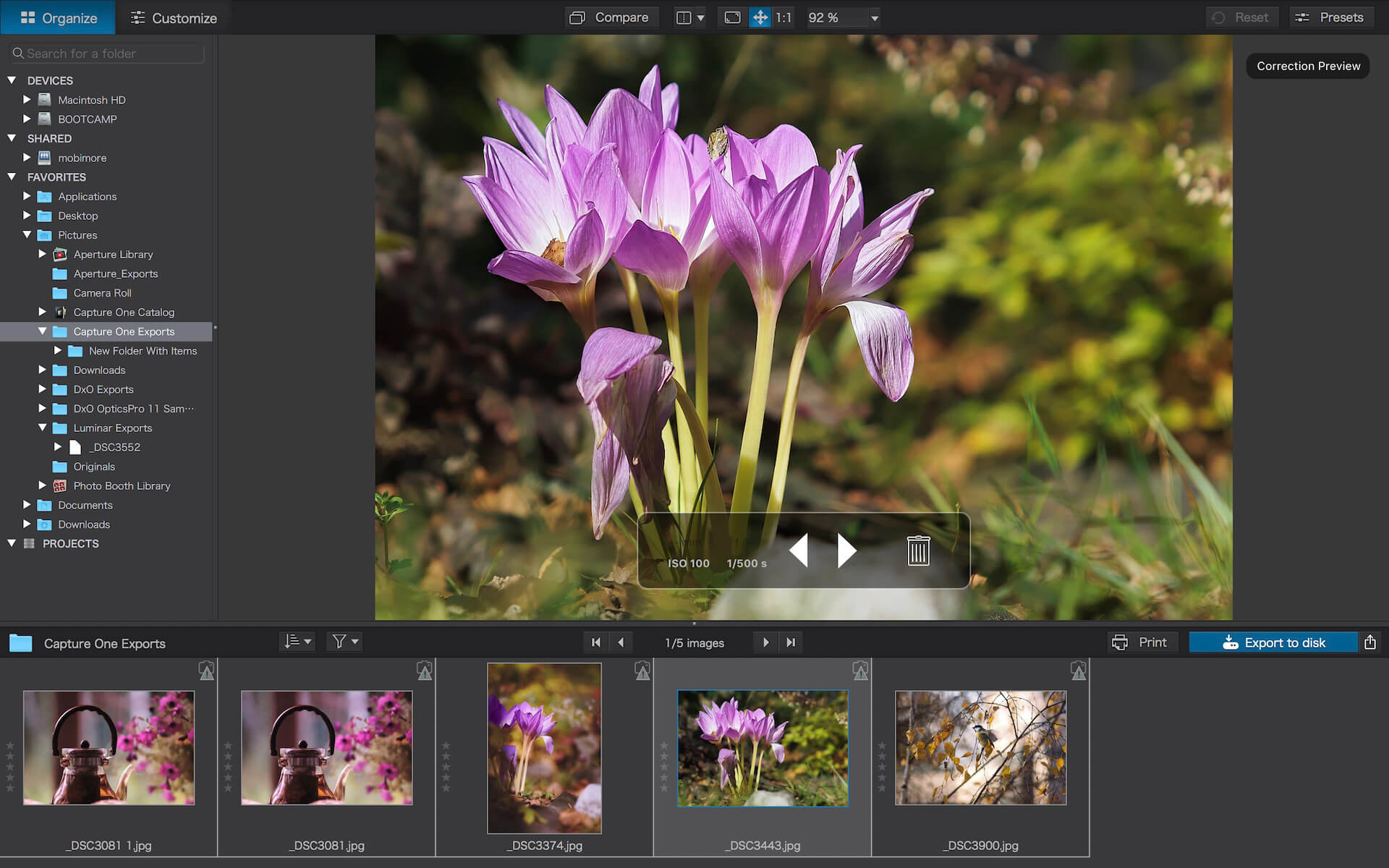
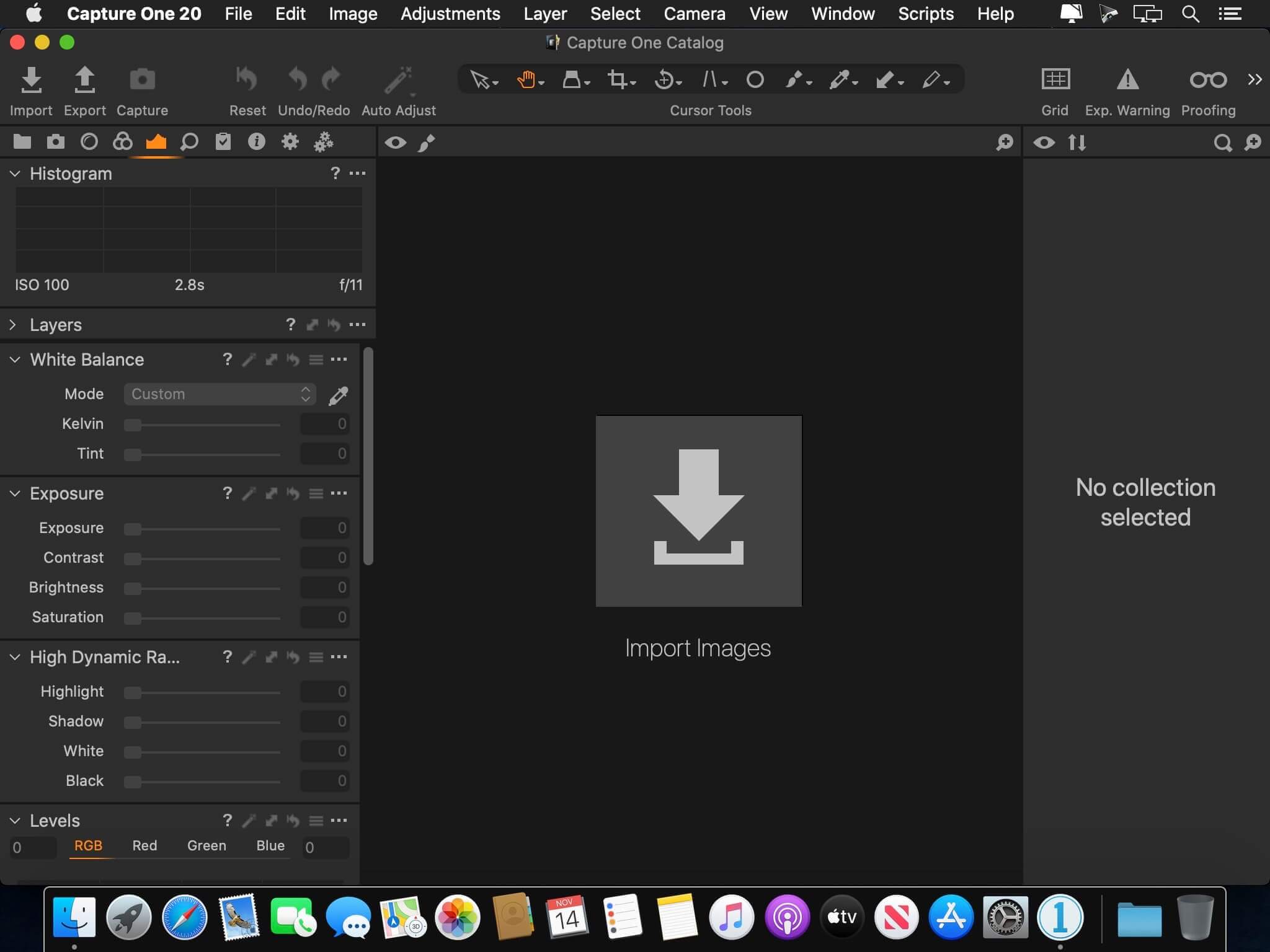
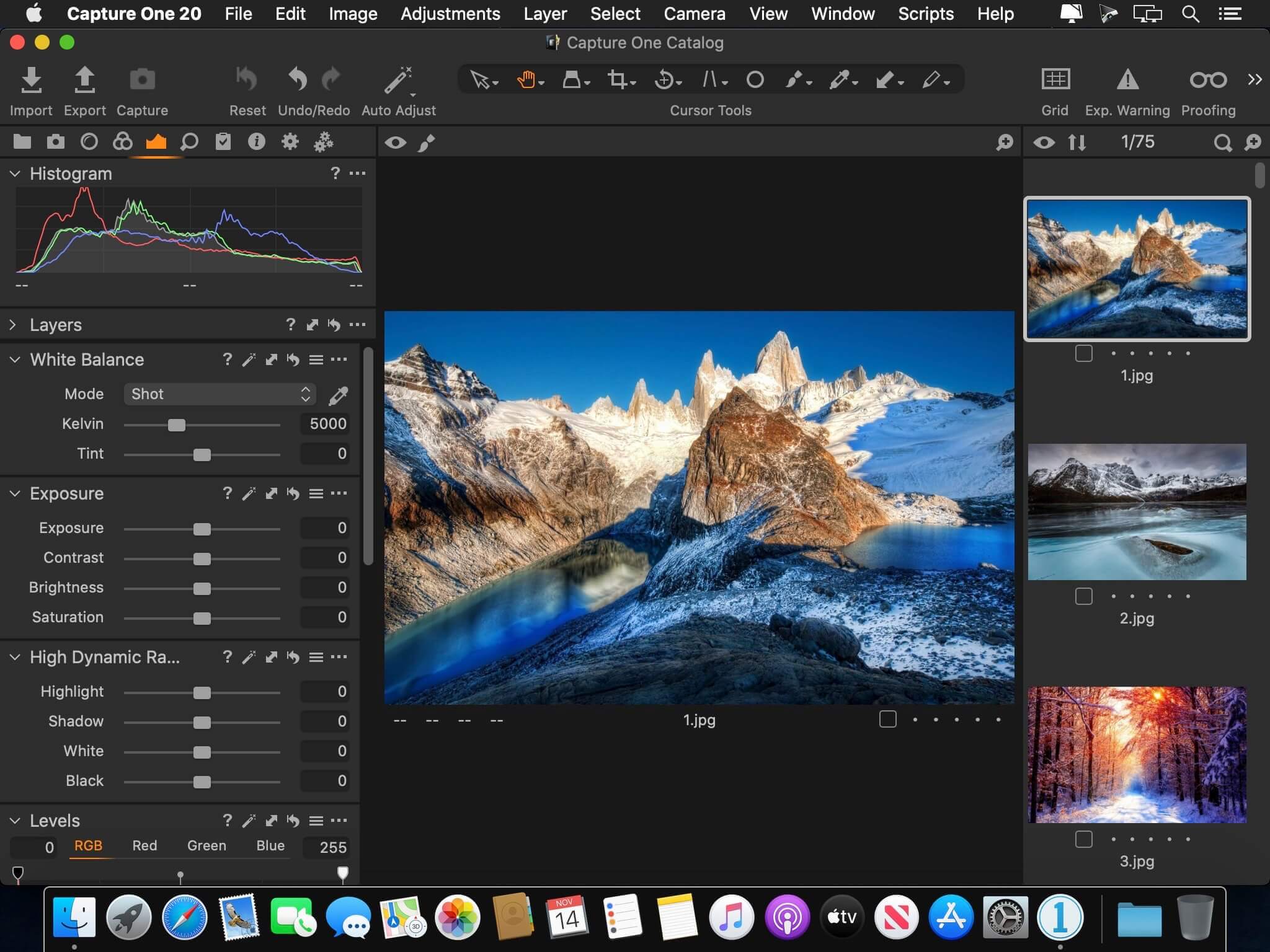
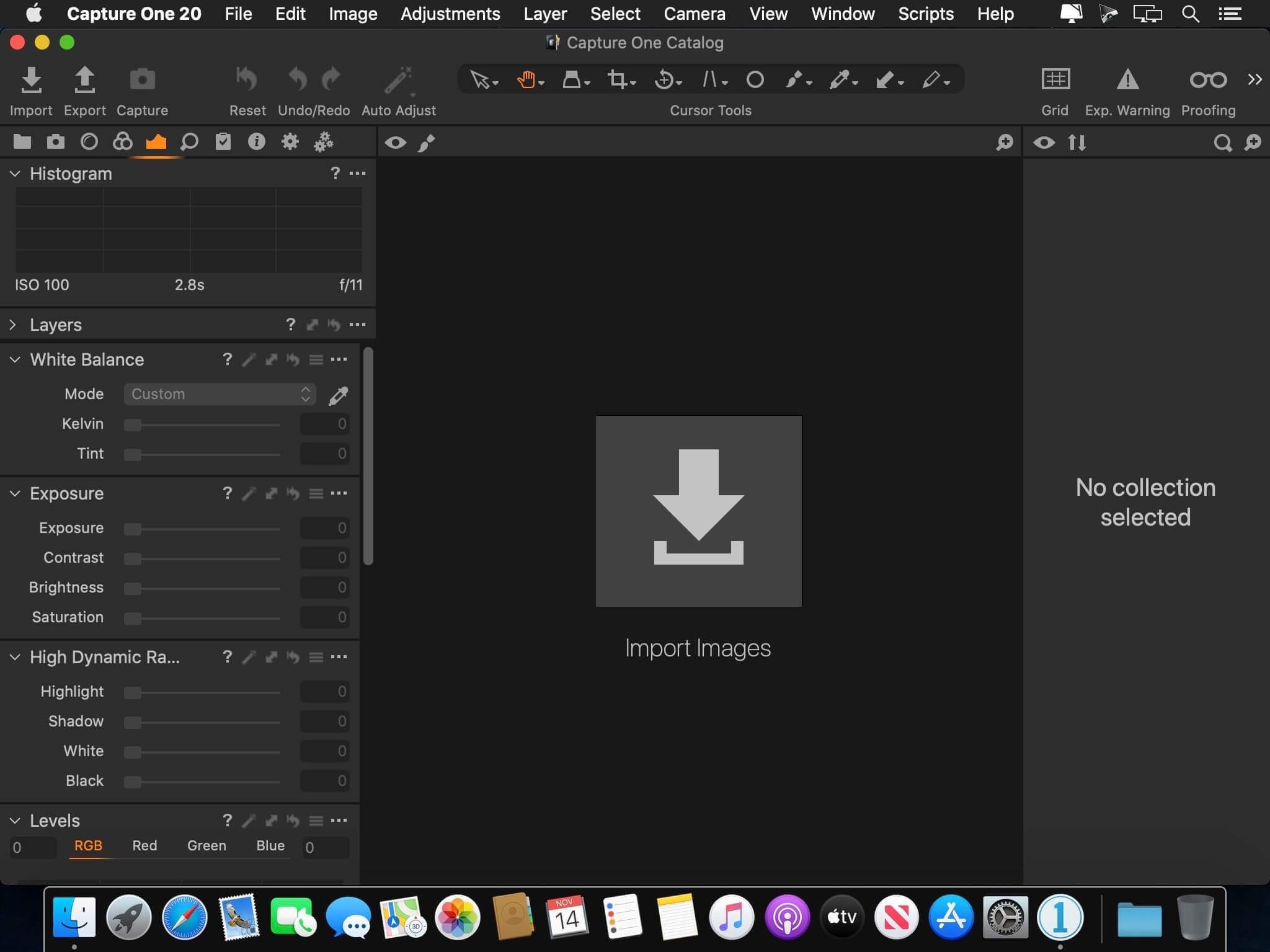
Capture One is a professional RAW converter offering you ultimate image quality with beautiful colors and incredible detail for more than 500 high-end cameras. It offers state- of-the-art tethered capture, powerful digital asset management, extensive adjustment tools and a flexible workflow through customizable workspaces.
A powerful editing software that lets you quickly bring your photography to life with lightning-fast tethering, timesaving editing tools that give you creative control, and a personalized workflow with a customizable interface. Renowned for its RAW image processing and true-to-life colors thanks to tailored profiles for nearly 600 camera models and lenses, Capture One Pro gives you the best of your image to work with right from the start.
With an updated processing engine, market-leading performance and powerful new features, Capture One is the professional choice in imaging software. You get the highly responsive precision tools you need to create stunning images from your camera’s RAW files in a time-saving workflow that can be customized to fit your needs.
Capture One Studio is the new option to Capture One Pro with additional features useful for photographers studios.
It contains the Capture One Pro but also additional apps listed in the description below.
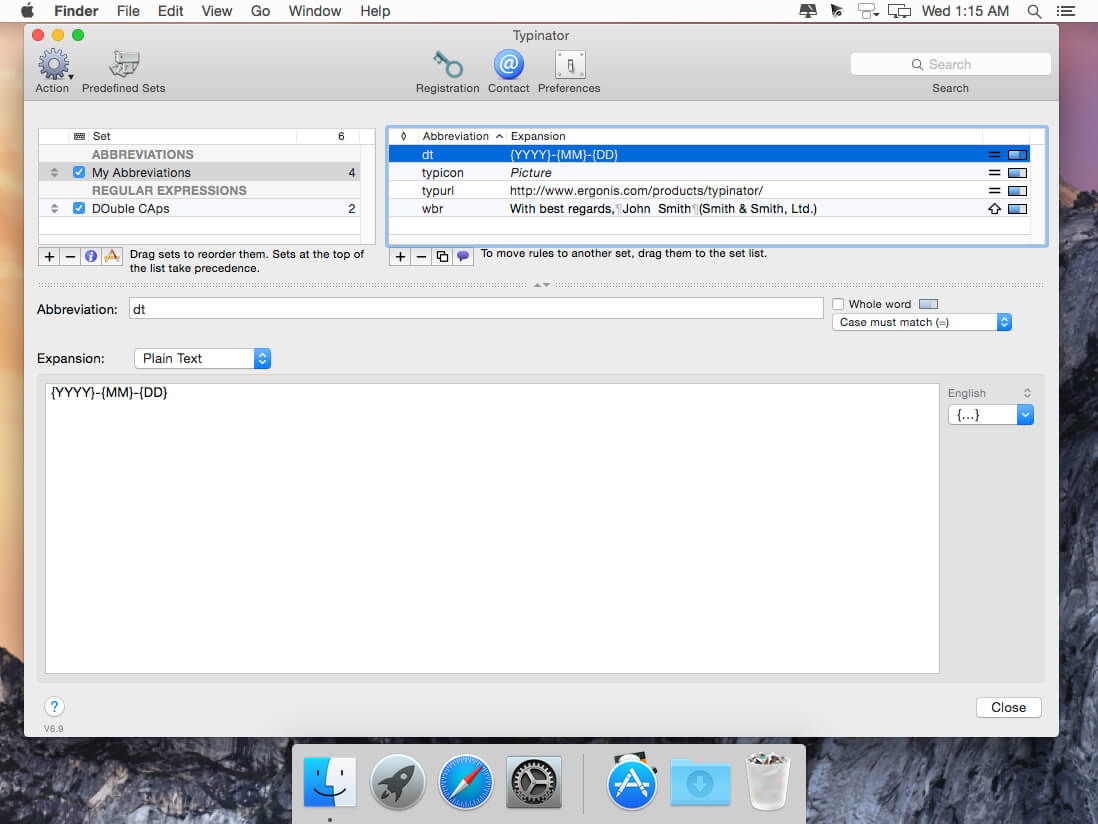
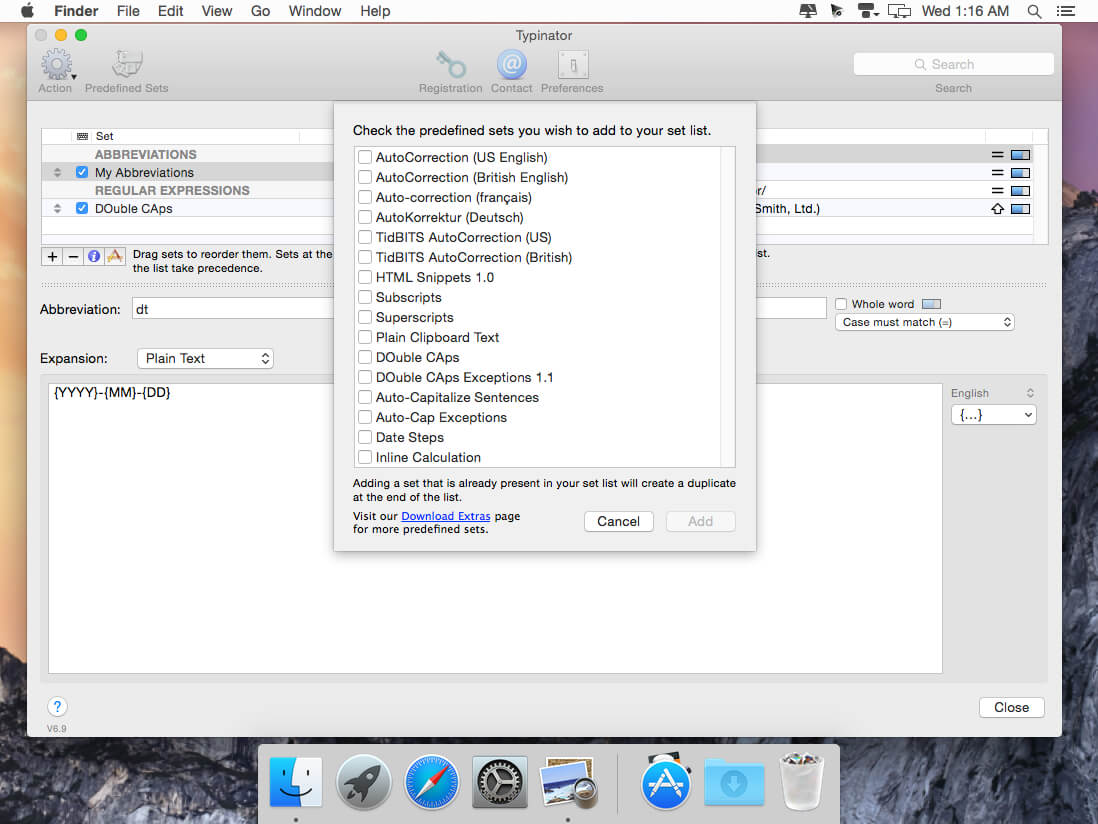
Type a little. Typinator does the rest.
We’ve all faced projects that require repetitive typing tasks. With Typinator, you can store commonly used text and images in quick keywords and abbreviations. From email templates to code snippets to website URLs, there’s no easier way to recreate repetitive text at a moment’s notice.
Workflow-friendly features
Uncomplicated configuration. Quickly and easily create abbreviations and assign replacement text and pictures.
Simplified migration. If you already use TextExpander, TypeIt4Me, or a similar app, you can migrate to the highly praised Typinator using simple drag-and-drop importation methods.
Conversion options. Instantly convert currency values, measurement units and more.
Extensive app compatibility. Your text expansions function in all of your OS X apps with lightning-fast precision.
What’s New:
Version 9.2:
Improvements:
Improved handling of multi-desktop environments
Enhanced compatibility with various third-party applications
Performance and stability optimizations
Bug fixes:
Fixes a bug that blocked the creation of new image expansions
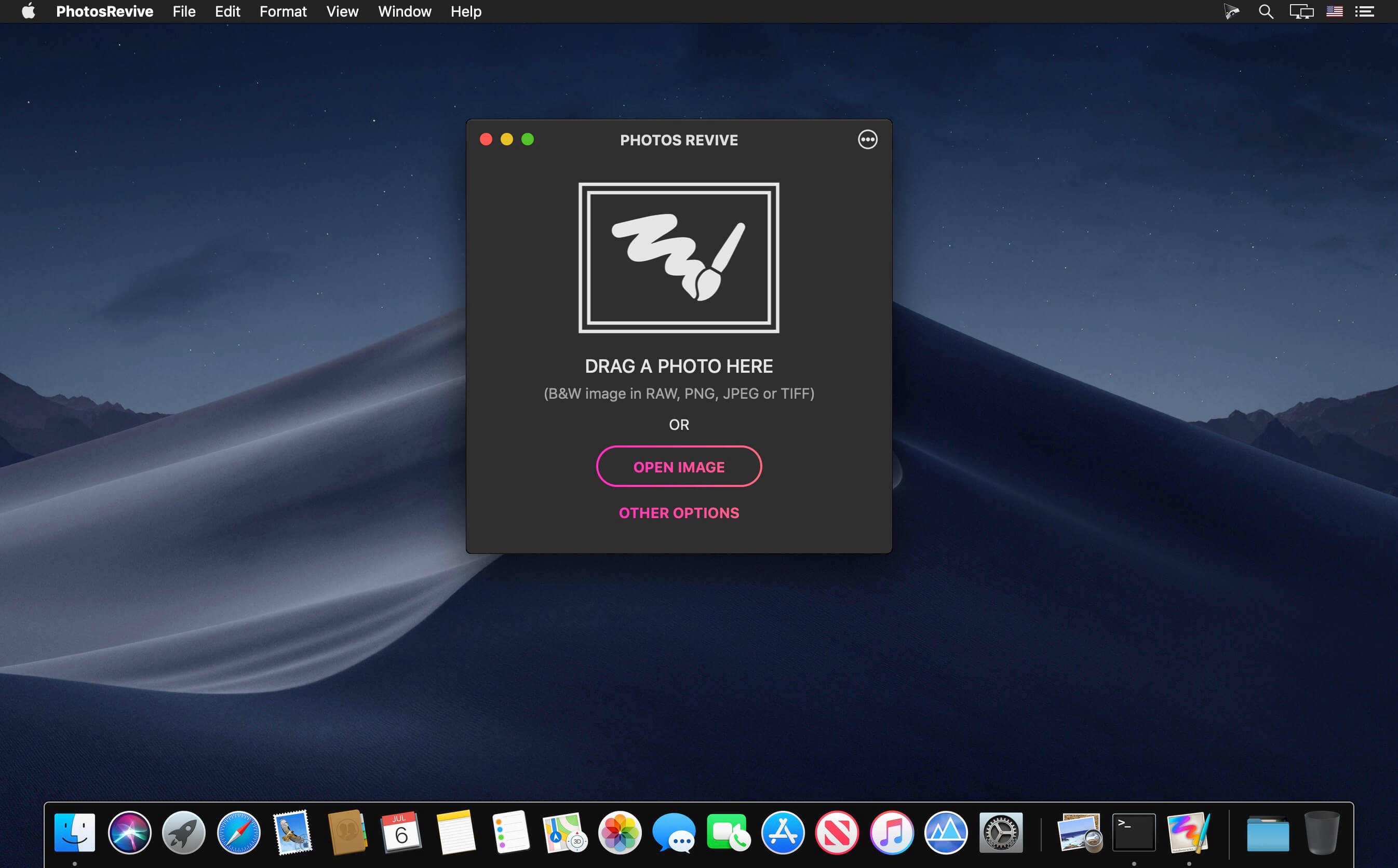
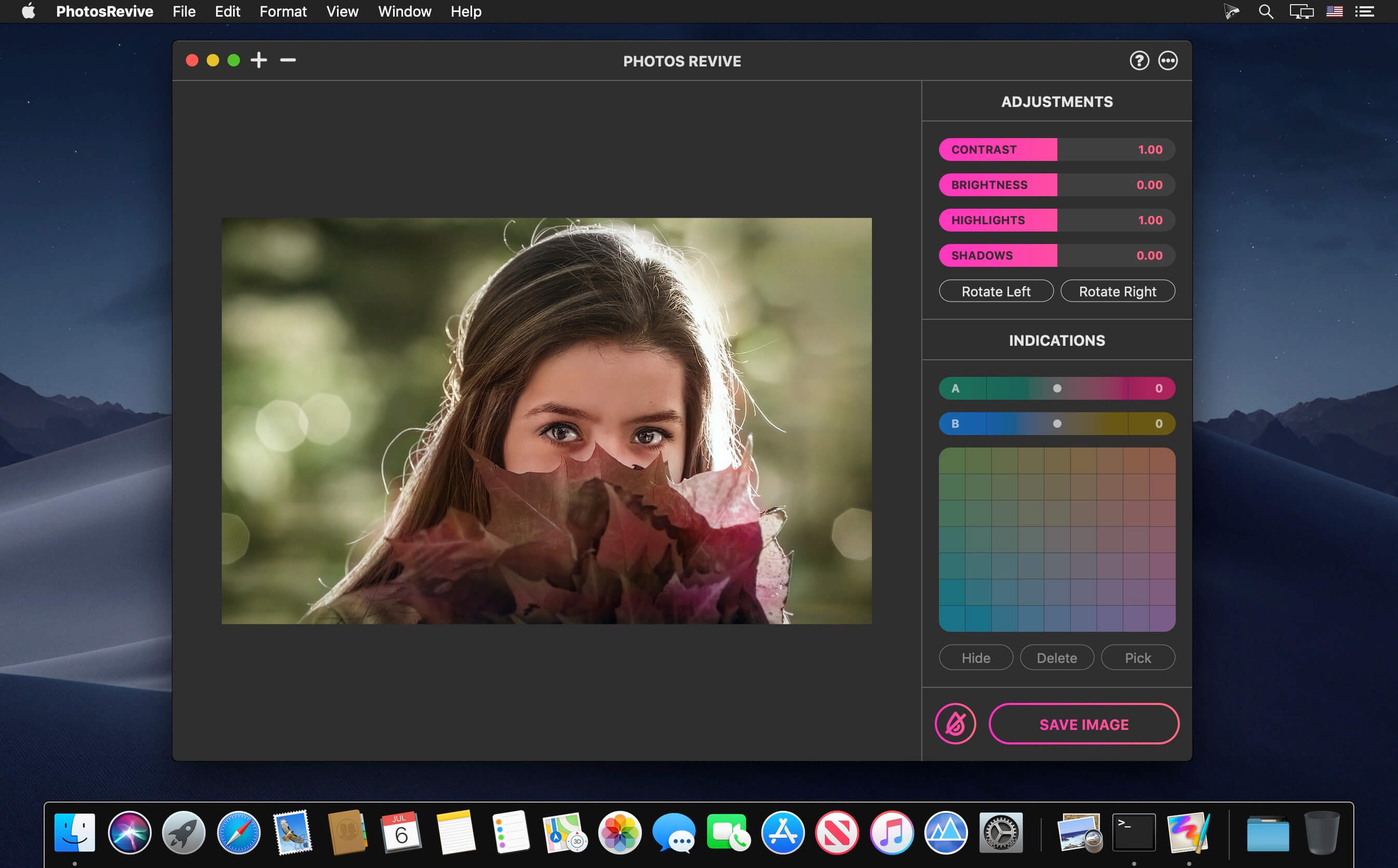
PhotosRevive automatically colorizes your old black and white photos. The application uses a revolutionary artificial intelligence that will add colors in an ultra-realistic way. The application is super simple to use. Scan or import your photo and that’s it. The application will color it without any effort on your part.
We know that the colors chosen by the engine may differ from those of your memories. That’s why the app lets you add indications of colors. So you can help the artificial intelligence and change the rendering as you please. PhotosRevive is the first app that will perfectly adjust the rendering to your memories.
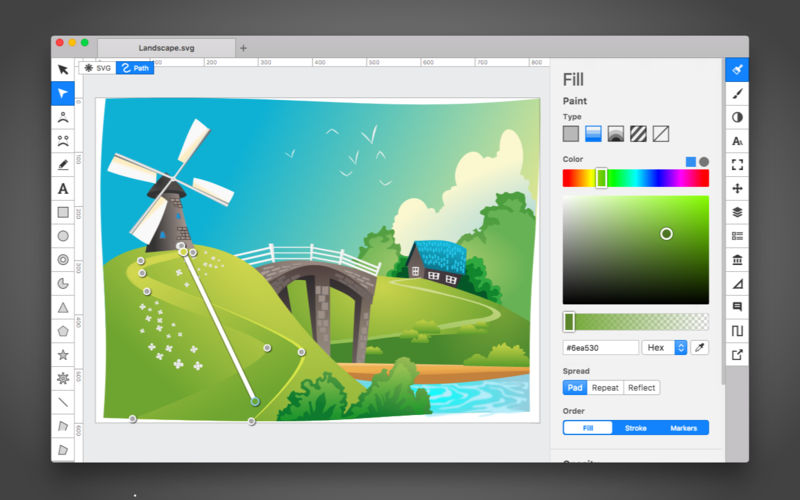
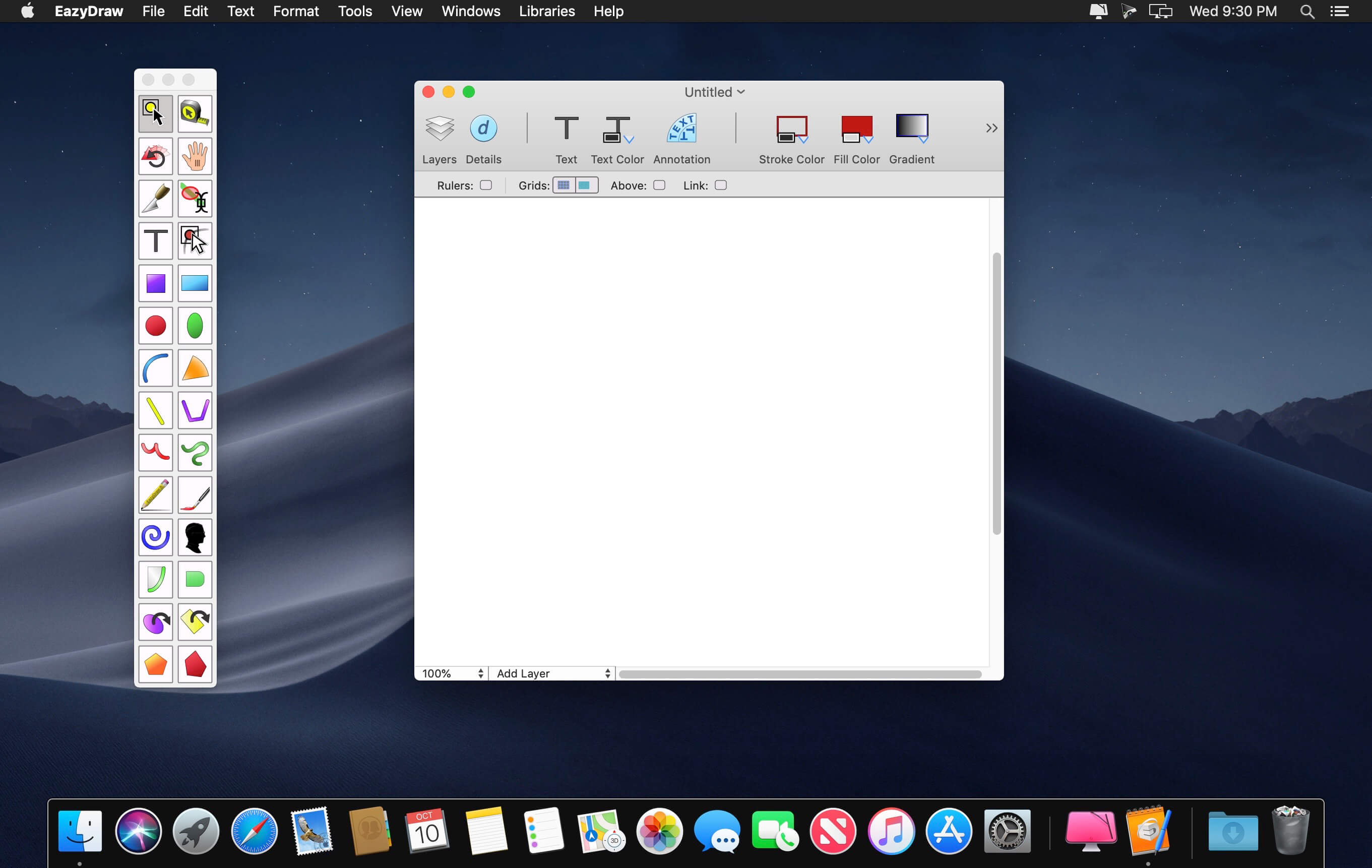
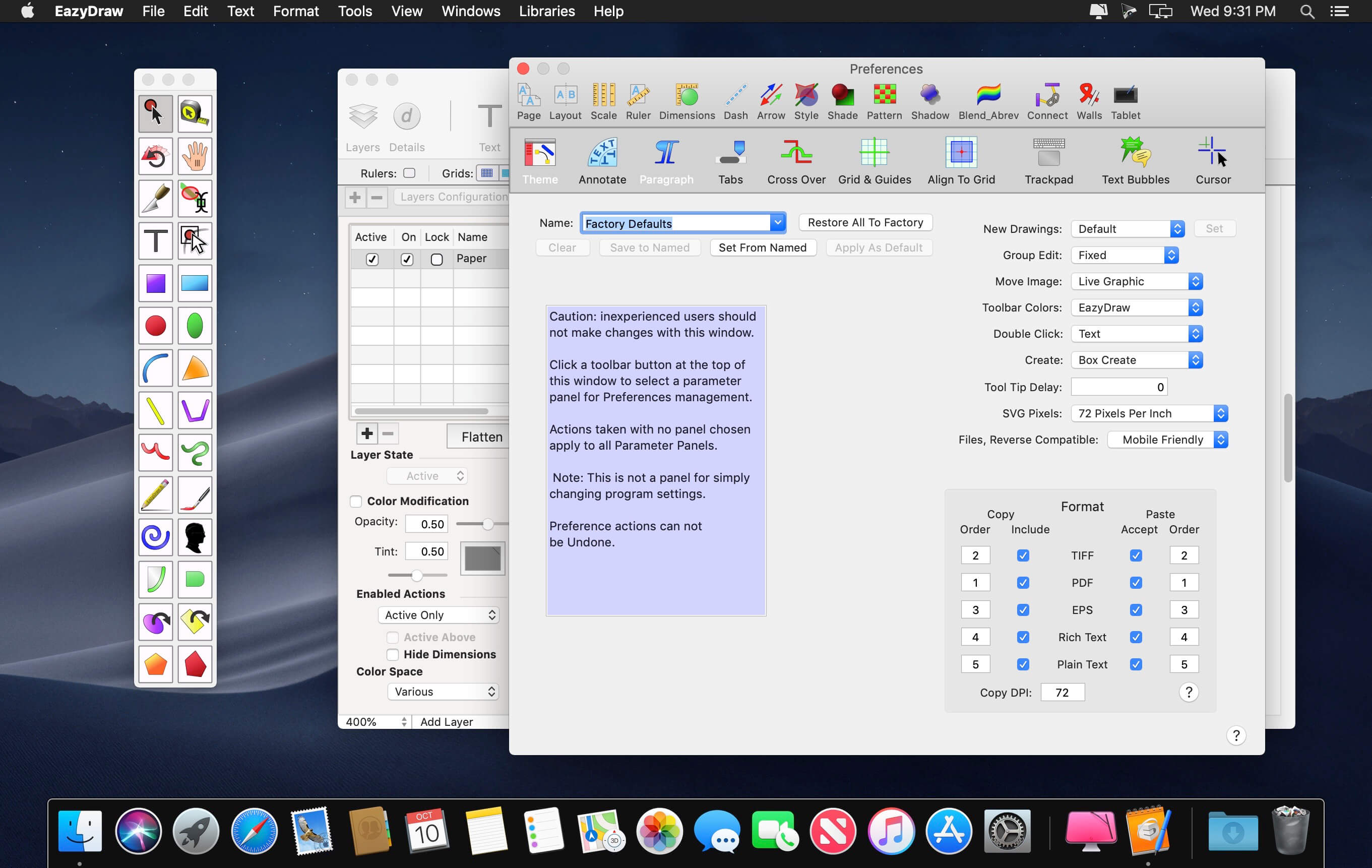
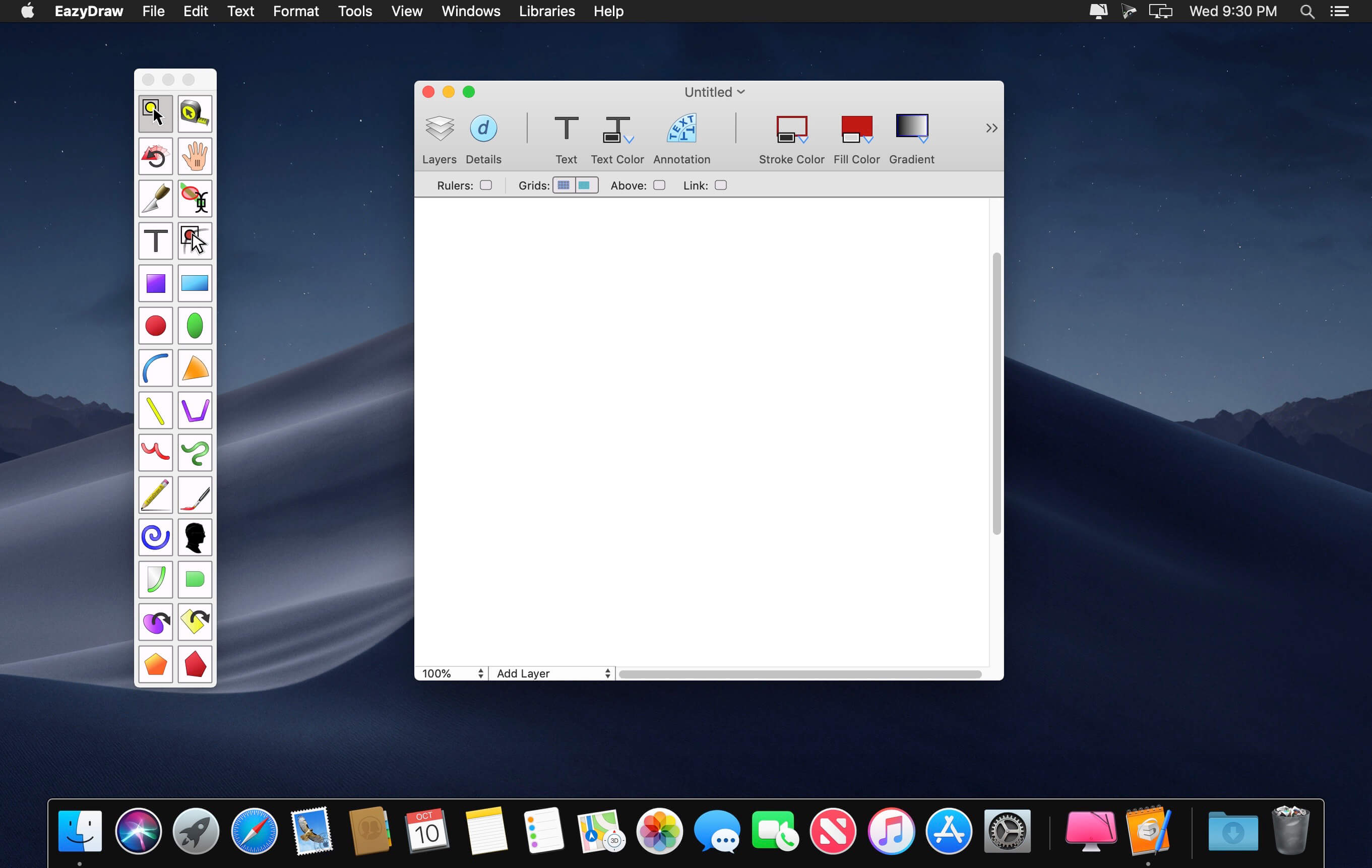
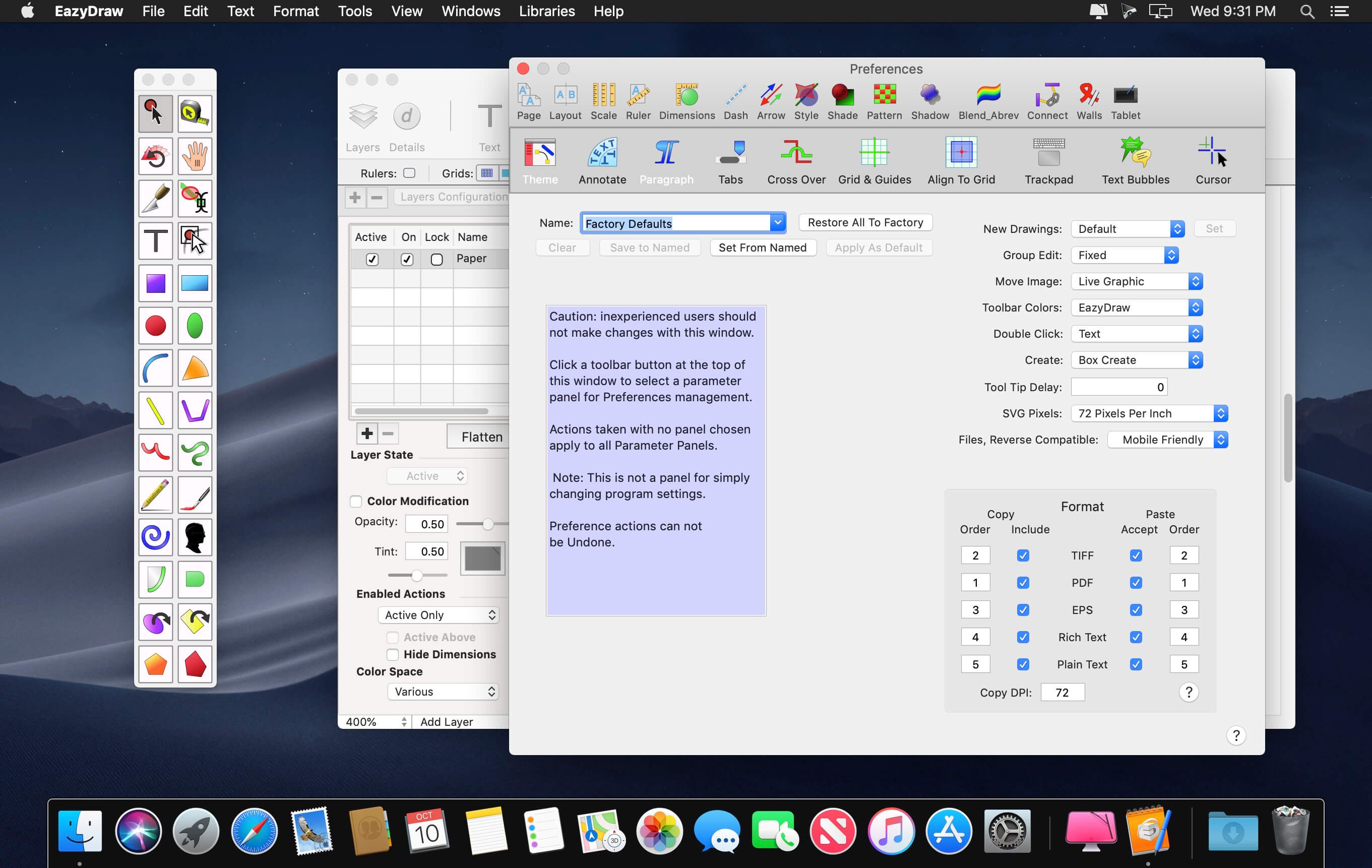
EazyDraw is a vector drawing application. For the full journey from Jaguar to El Capitan, EazyDraw has been the trail-blazing app for the new vector-drawing paradigm on the Mac.
EazyDraw provides a balanced feature set that includeas tools needed for technical drawing, Web and app graphic design, print publishing, logos, page – text layout and more. Easy enough for everyone, but with the depth your project will need.
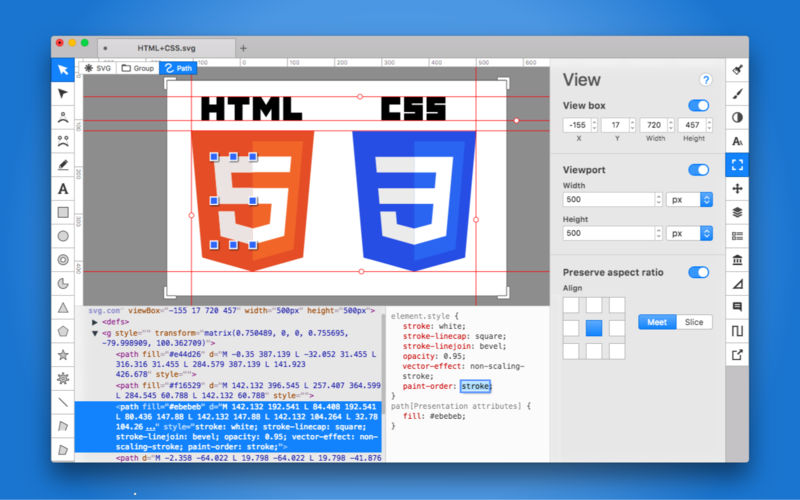
Includes comprehensive support for bitmap and vector graphic formats. Import and ungroup for editing PDF and EPS. Import and export SVG and now DXF. Preview and publish to EPS and TIFF with RGB or CMYK process colors. Exchange scaled CAD drawings with DXF. Publish Web graphics. Create Mac, iPhone, and iPad app-development graphics and icons.
Top In-App Purchases: Full Version – included Compatibility: macOS 11.0 or later Homepagehttp://www.eazydraw.com/
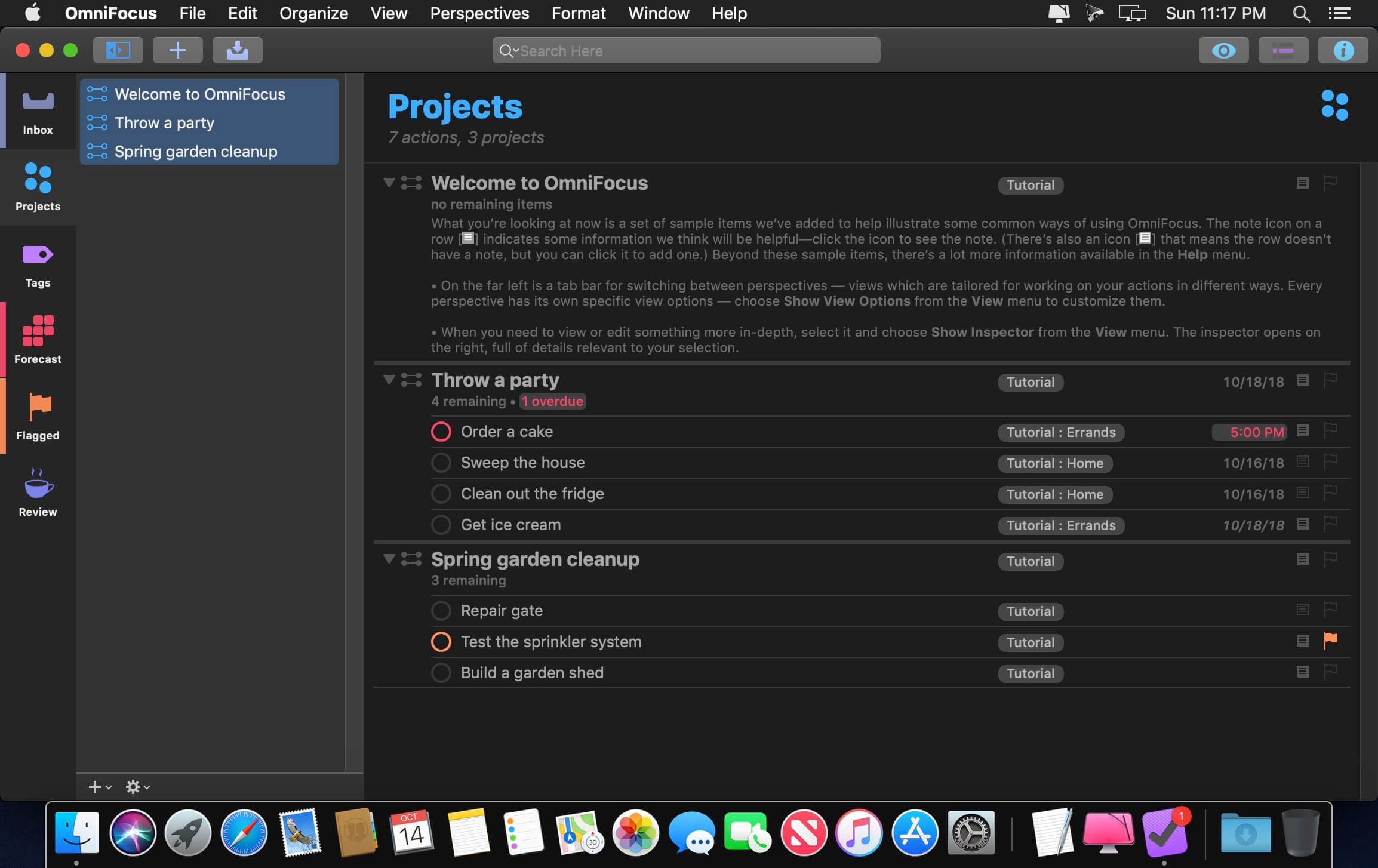
OmniFocus Standard and Pro are in-app purchases, with discounts for people who bought earlier versions of OmniFocus for Mac through the Mac App Store. Download the app for details.
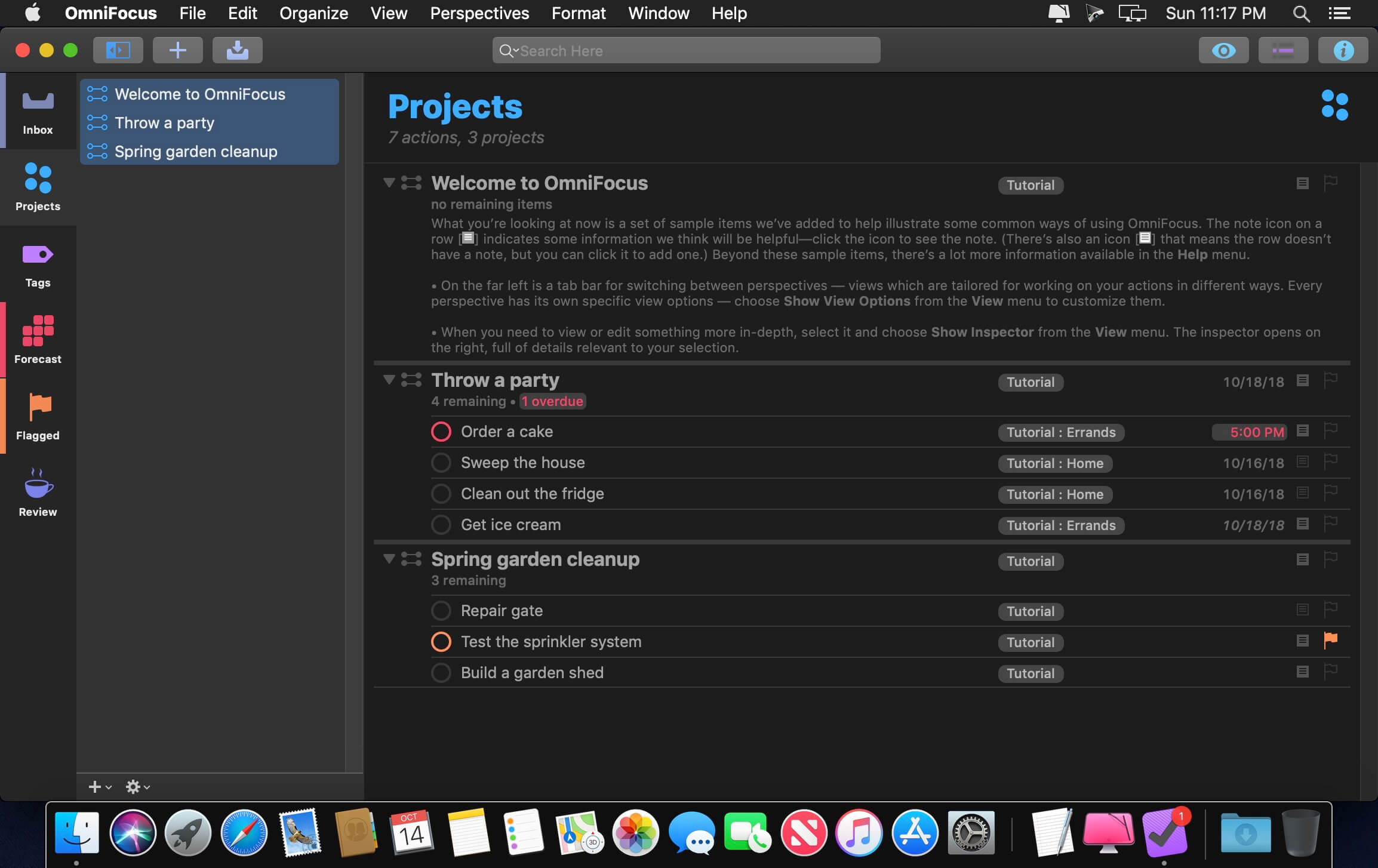
Use OmniFocus to accomplish more every day. Create projects and tasks, organize them with tags, focus on what you can do right now — and get stuff done.
OmniFocus — now celebrating 10 years as the trusted, gold-standard to-do list app — brings unrivaled power and flexibility to your Mac, making it easy to work the way you want to work.
OmniFocus manages everything in your busy life. Use projects to organize tasks naturally, and then add tags to organize across projects. Easily enter tasks when you’re on the go, and process them when you have time. Tap the Forecast view — which shows both tasks and calendar events — to get a handle on your day. Use the Review perspective to keep your projects and tasks on track.
Then let our free syncing system make sure you data is the same on every Mac. (And on OmniFocus for iOS, available separately.) Because your data is encrypted, it’s safe in the cloud.
STANDARD FEATURES
NEW: Tags add a powerful additional organizing tool. Create tags for people, energy levels, priorities, locations, and more.
NEW: The Forecast view shows your tasks and calendar events in order, so you can better see what’s coming up in your day.
NEW: Enhanced repeating tasks are easier than ever to set up — and they work with real-world examples such as the first weekday of the month.
NEW: The Modern, fresh-but-familiar design helps you focus on your content.
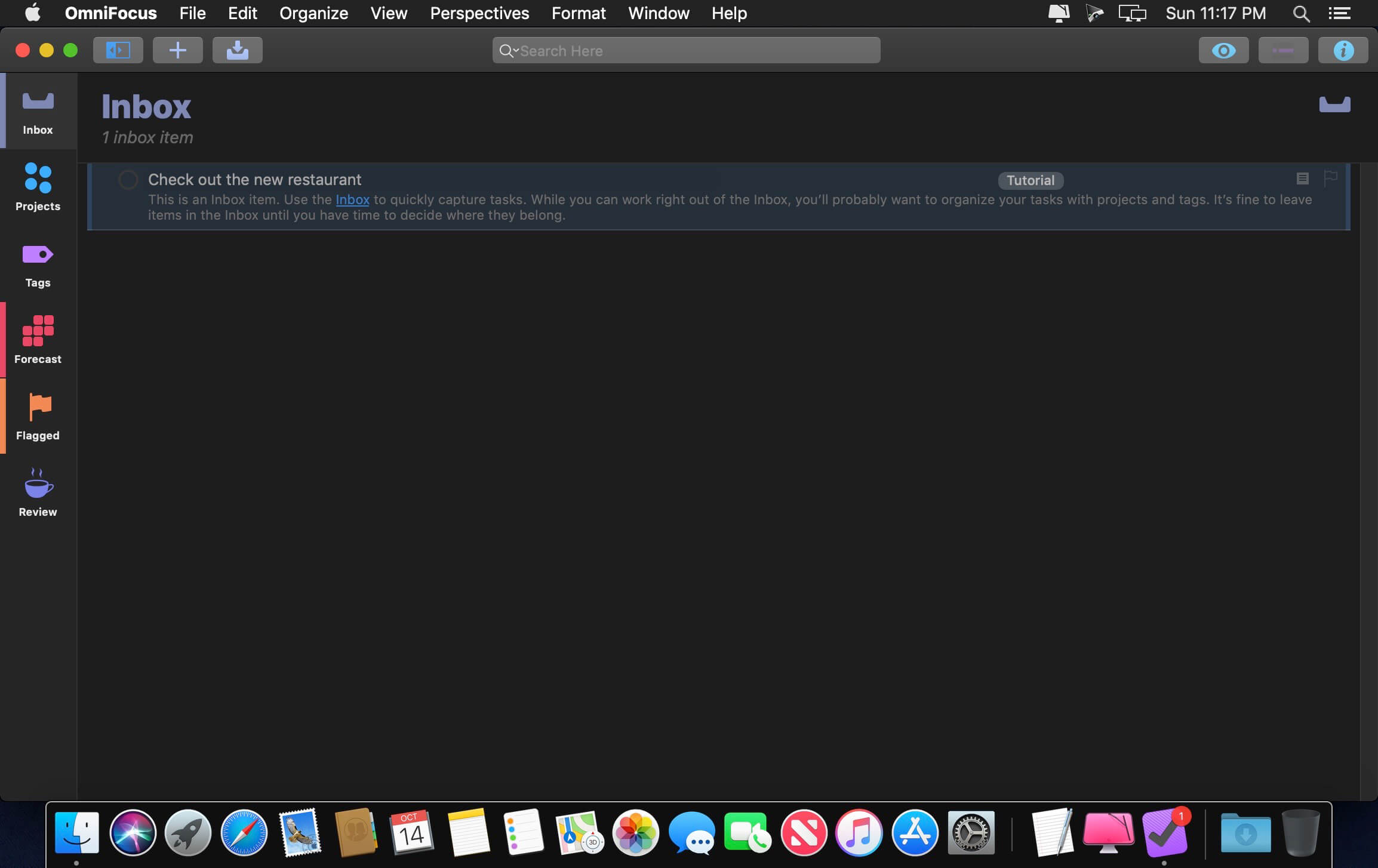
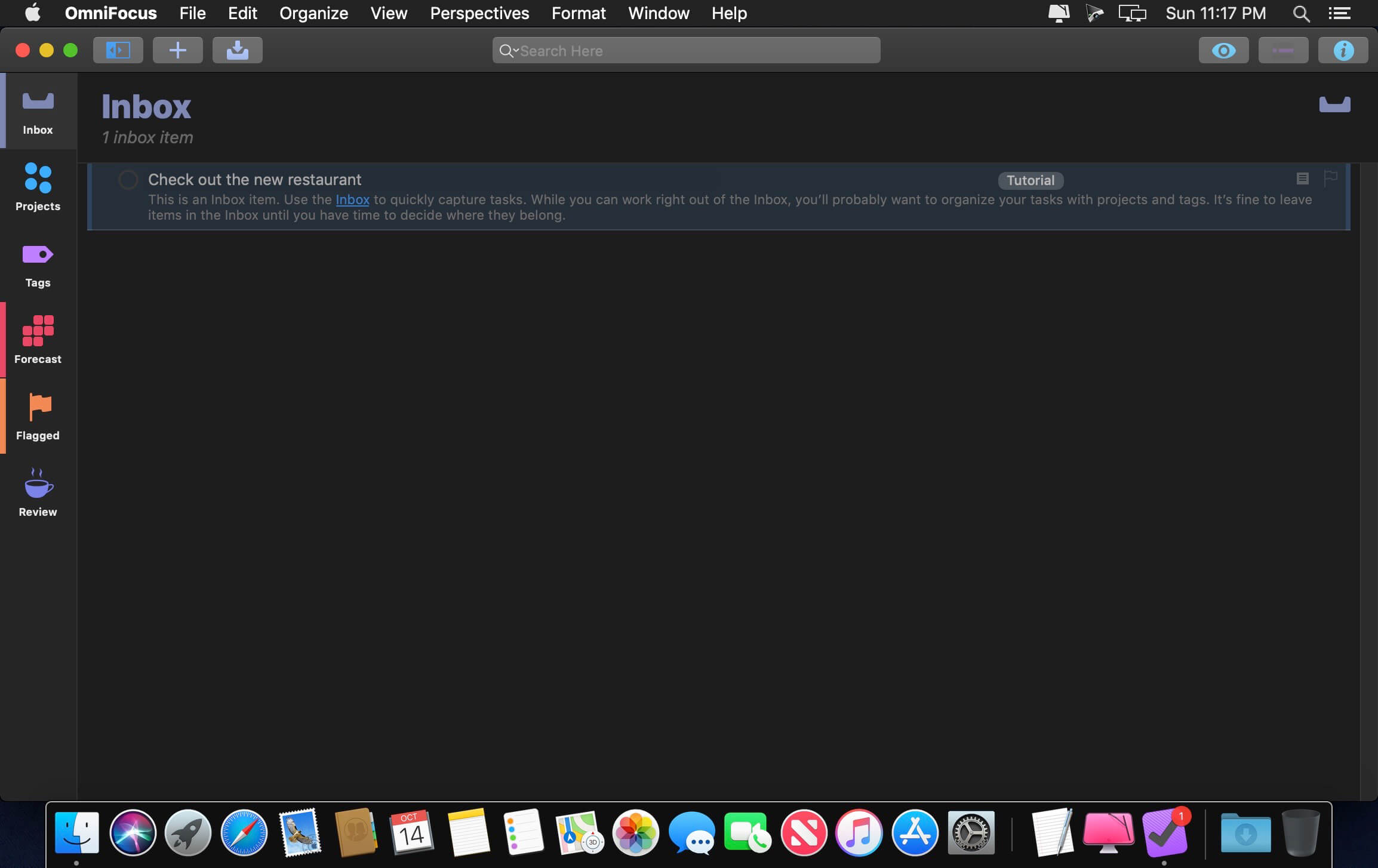
Inbox is where you quickly add tasks — save them when you think of them, and organize them later.
Syncing supports end-to-end encryption so that your data is safe wherever it’s stored, on our server or yours.
Notes can be attached to your tasks, so you have all the information you need.
Attachments — graphics, video, audio, whatever you want — add richness to your tasks.
View Options let you customize each perspective by deciding what it should show and how it should filter your tasks.
The Review perspective takes you through your projects and tasks — so you stay on track.
OmniFocus Mail Drop adds tasks via email and works with services like IFTTT and Zapier (if you’re using our free syncing server).
The Today Widget shows you your most important items — you don’t even have to switch to the app to know what’s up.
PRO FEATURES
Custom perspectives help you create new ways to see your data by filtering and grouping projects and tags. NEW: The filtering rules are simpler to use while being more powerful than ever, letting you combine rules with “all,” “any,” and “none.” You can also choose any image to use as your custom perspective’s icon, and a custom tint color to go with it.
NEW: Today’s Forecast can include items with a specific tag, and you can reorder those tasks however you choose, so you can plan your day better.
The customizable sidebar lets you organize your perspectives the way you want to, for super-fast access.
The Today Widget shows a perspective of your choice in Notification Center.
AppleScript support opens up a world of automation, using Apple’s Mac scripting language.
Language: English, Dutch, French, German, Italian, Japanese, Korean, Portuguese, Russian, Simplified Chinese, Spanish
strong>Compatibility: macOS 14.0 or later Homepagehttps://www.omnigroup.com/omnifocus/
Dropzone makes it faster and easier to copy and move files, open applications and share files with many different services. Dropzone is a unique and amazing app that’s like nothing you’ve ever used before. We’ve paid fanatical attention to every detail and built an app that looks and feels like an integral part of macOS.
Dropzone ships with a powerful scripting API and with a little programming knowledge you can modify any of your actions or even create entirely new ones. This gives Dropzone unlimited extendability and utility. We’re always thinking up new actions so Dropzone will become even more useful over time.
Dropzone also includes Drop Bar – Drop Bar makes it easy to stash files you know you’ll need later. Just drop files on the Drop Bar icon in the grid and they will stick there until you’re ready to use them.
Features
Open applications, move and copy files faster than ever before.
Shorten URLs quickly using Tinyurl shortener. Just select a URL to shorten and press Ctrl+Option+Cmd+S and the shortened URL is automatically copied to the clipboard.
AirDrop integration lets you drop files or folders from any app and share them with your other Macs over the network.
Imgur integration lets you share images fast and get a link for pasting.
Upload files to Amazon S3 (Dropzone Pro feature).
Upload files to your FTP server (Dropzone Pro feature).
Upload files to your Google Drive (Dropzone Pro feature).
Download and install add-on actions that let you upload to services like Google Drive, YouTube and many others (Dropzone Pro feature).
Powerful multi-tasking engine allows you to run multiple tasks at once and track the progress of each one through the in-grid task status area.
See how tasks are progressing at a glance in the animated menu item.
Launch Dropzone actions with the newly added keyboard shortcuts feature (Dropzone Pro feature).
Add applications, folders or actions to your grid easily by dragging and dropping them on the Add to Grid area.
Develop your own actions using the updated and massively improved Ruby or Python API (Dropzone Pro feature).
PhotoSweeper helps quickly and efficiently eliminate similar or duplicate photos. It works with photos from iPhoto, Aperture and Adobe Lightroom libraries as well as photos from your Mac.
PhotoSweeper will help you if:
You take a series of shots of the same scene trying to get the perfect one.
You edit photos with applications, such PhotoShop, Pixelmator, etc., and make backups just in case.
You have photos scattered on external hard drives and local disks, in iPhoto, Aperture or Lightroom libraries.
You have a mess in your photo collection or just want to free disk space by removing junk photos.
Features Easy to find photos
Just drag and drop folders to allow PhotoSweeper to find all photos inside. Add more photos from your iPhoto, Aperture or Lightroom library via the Media window.
Flexible comparison settings
Use 6 different methods to find similar or duplicate photos, even those edited in external programs such Photoshop, regardless of image size or format.
Fast
PhotoSweeper was developed to be extremely fast at comparing large number of photos. Using efficient caches allows you to make the next comparison much faster. You have an opportunity to regroup the results on-the-fly by changing a matching level of similarity.
Easy to manage photos
Review results in “Face-to-Face” or “Groups” mode. Put photos into a virtual container, “Box”. Delete, move, or copy photos from the Box. Bulk rename photos while copying or moving.
Great photo browsing
PhotoSweeper provides an up-to-date photo browser with such features as: fast loading of thumbnails, Quick Look preview, drag and drop support, showing paths, ratings, labels, etc. The “Image Info” panel shows more detailed information, including histogram and image metadata (EXIF, IPTC, etc.).
A comprehensive user manual is available in the Help menu.
What’s New:
Version 5.0.0
Fresh new look with a redesigned app icon.
Now available in multiple popular languages.
Zoom in to view image details in Face-to-Face and One by One modes.
Improved integration with Apple Photos and Adobe Lightroom.
Better support for RAW image formats.
Improved performance when working with NAS.
Bug fixes and performance improvements based on user feedback.
Welcome to the AI generation. The full power of generative AI. All your favorite Adobe tools. A new era of creativity and productivity has arrived.
From photo editing and compositing to digital painting, animation and graphic design, everything you can imagine, you can create in Photoshop. Bring ideas to life on desktops and iPads. Use artificial intelligence technology for fast editing. Learn new skills and share your work with the community. With our latest release, doing amazing things has never been easier.
Adobe Photoshop is a recognized classic of photo-enhancing software. It offers a broad spectrum of tools that can turn your inspiration into incredible images, photos, composites, 3D artwork, paintings, and graphics on any device.
Photoshop has become the choice of thousands of creative professionals around the world. First introduced in 1988, it still is the world’s leading image-editing software.
Intuitive and clean user interface
Although Photoshop for Mac is the most comprehensive graphics and image-editing software available in the market today, it has a very intuitive and easy-to-navigate interface.
With recently improved usability, this photo-editor has become even more enjoyable to use. The interface loads as soon as you decide to use Photoshop.
A user-friendly interface updates you about new features, suggests learning content, and allows you to quickly access recent files. You can easily pick up where you left or create a new project, access cloud and desktop pictures, and open an existing document.
Convenient content-aware fill workspace
Adobe has recently announced the launch of its new Content-Aware Fill workspace. It allows you to remove objects or distracting elements from your images easier than ever before.
This new option offers an interactive editing experience. Now, you can take full Control over which “good” parts of the picture to use to replace the undesired areas. It allows resizing the initial selection, rotating, scaling, and mirroring content.
Enjoy a range of new tools
The latest version of the software provides a new Frame Tool that allows you to enjoy much simpler masking. Now, you can place shapes and text into placeholder frames and fill them with pictures. To create elliptical or rectangular forms, you only need to select the Frame Tool and press “K.”
There is also a new default feature of multiple undo. If you want to view an object before changes are applied, just click Control + Z (for Windows OS) and Command + Z (for macOS). Don’t worry about losing any project changes in Adobe Photoshop on your MacBook Air or MacBook Pro. With a new auto-commit feature, they are saved automatically.
What’s New:
Version 2025 v26.8.0:
Release notes were unavailable when this listing was updated.
Compatibility: – Processor: Multicore Intel® or AMD processor (2 GHz or faster processor with SSE 4.2 or later) with 64-bit support
EdgeView 3 is fast image viewer has elegant user interface. EdgeView 3 is developed and designed for modern MacOS. It can open various image files such as JPEG, PNG, TIFF, BMP, and RAW file of DSLR, EPS and PDF, AI(Adobe Illustrator). Can open image files in archive directly without extraction.
User can open files, rename files, delete files from EdgeView’s file browser. Also can access to SMB/AFP/FTP network volume.
User can navigate images quickly by using keyboard shorcut, mouse wheel, trackpad gesture. EdgeVew show EXIF information, play animation GIF/PNG/WebP smoothly. Save last status to history, and restore when reopen file.
EdgeView 3 will be the best choice when viewing and managing image files.
Features
Rewrote full code as Swift for improve performance.
Support m1 CPU Mac.
Has easy UI, can control main function at Sidebar.
Support English/Korean/Japanese/Chinese(Simplified).
Image Viewer
Supporting image files such as JPG, GIF, BMP, PSD, TIFF, RAW, WEBP and PDF, EPS, AI(Adobe Illustrator), OpenEXR, HDR, TGA.
Can play animation GIF/PNG/WebP. User can control animation with floating animation controller.
Dispaly internal image(or frame) of animation GIF/PNG/WebP or HEIC that has multiple internal image.
Can read and show images of major archive formats (such as ZIP, RAR, CBZ, CBR, 7-zip) without extraction. Of course, can open ZIP file that 4GB over.
Can read encrypted archive file.
Can read archive file in archive file recursively
Improved draw speed by rebuilt image cache system and drawing engine.
Draw images as high quality.
Provide suitable functions for comic reading such as ‘Two-Page Spread’, ‘Continuous Scroll mode’, ‘Right to Left’, etc.
Provide multiple navigation functions like as ‘Move’, ‘Skip’, ‘Shift’, etc.
User can navigate images and check whole thumbnails at Thumbnailsbar.
User can navigate images by using keyboard shortcut, mouse wheel, trackpad gesture.
Can rotate and flip images. Orientation will be saved to history.
User can select part of images, and copy it or save as file.
Can zoom in/out image freely.
Built-in loupe function to make it easier to magnify part of image.
Show histogram.
Show neighbor files list. And can open neighbor file.
Support history feature for saving and restoring last status of file.
Can reopen file or remove history at history list.
Can rate image files.
File Browser
Built-in file browser can show and open files from local drive or AFP/SMB/FTP network drive.
Can display files as lists or icon.
Show images in folder/archive file at preview panel.
Generate thumbnails of archive files and folders.
Support powerful search feature.
Show category and writer information.
User can sort files by various options, and can delete or rename files.
Can rate files or folders.
Others
Support customizing feature. Also user can change shortcuts.
Built-in Quick Look Extension generate thumbnails and preview of archive files at Finder.
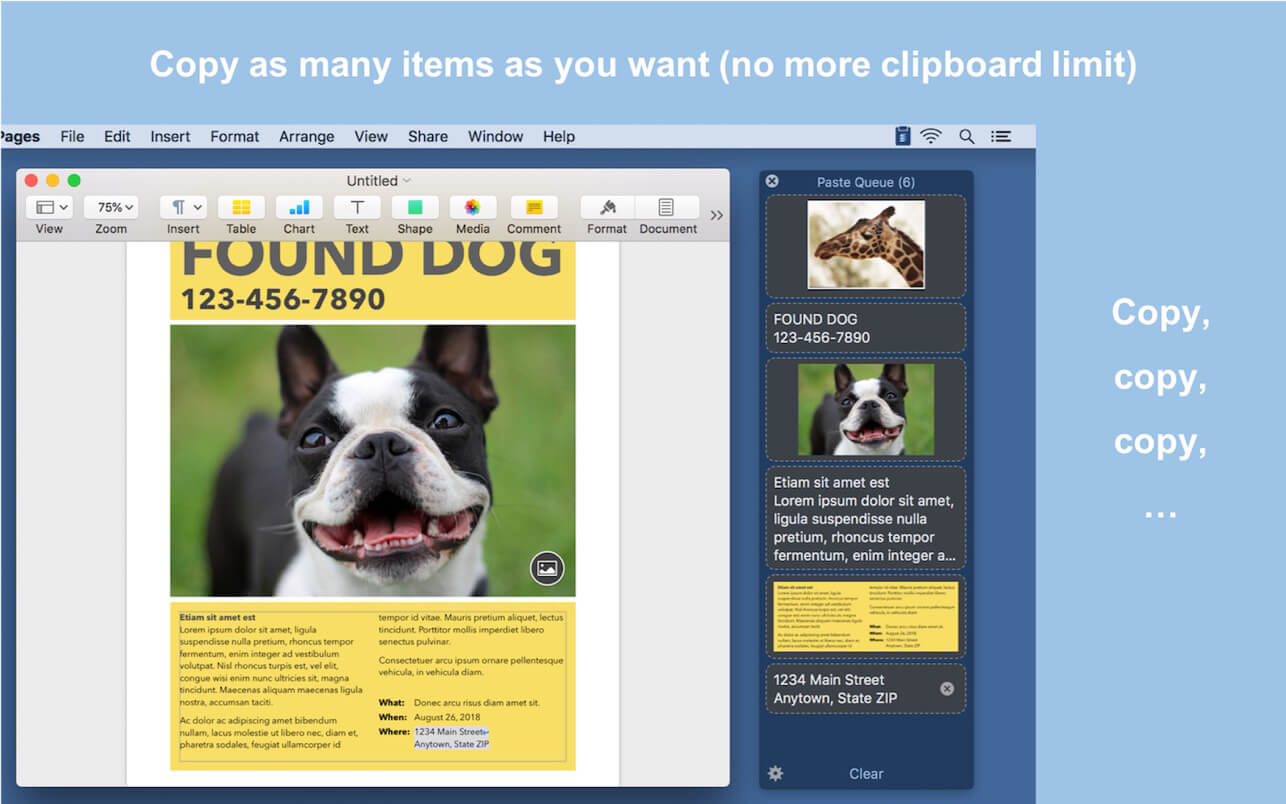
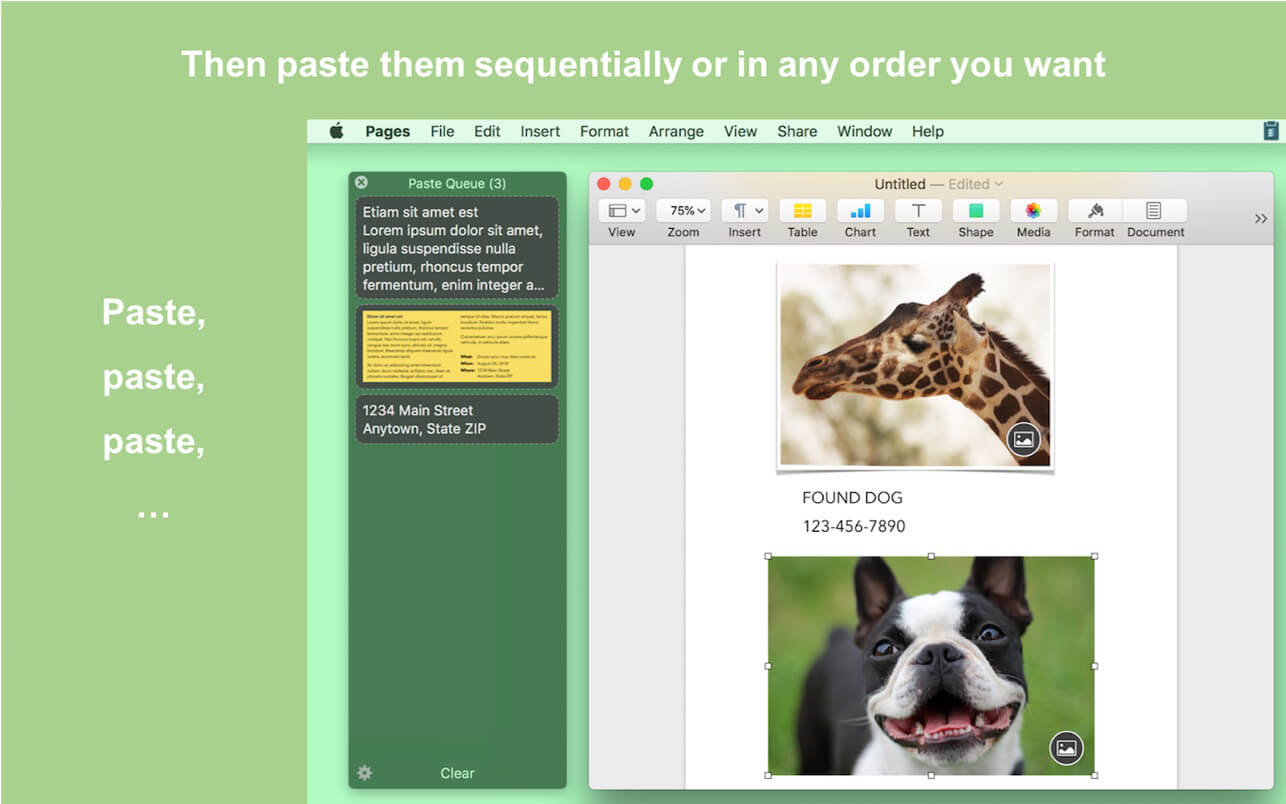
Paste Queue is a great time-saver for copying and pasting multiple items between locations. Just copy all needed items first. Then paste them one by one or all at once — no need to switch back and forth between your source and destination.
For example, you can copy a name, phone number, and address, one by one with a keyboard shortcut, and then paste them all at once (or one by one) in the same order into a form, with another shortcut. It’s like an extended clipboard, where you can copy and paste as many items as you wish each time, in sequential (or reverse) order!
Paste Queue also lets you paste items in a custom order, paste rich text as plain text, rearrange copied items, delete them, etc. If you copy and paste often, it is a right app for you. It’ll make your copy and paste routines simple, fun, and fast!
KEY FEATURES
Supports text, HTML, code, images, files, hyperlinks, PDFs, and app-proprietary data
Works across different apps and windows
Can hold unlimited number of items before pasting them
Customizable keyboard shortcut for copying items into the queue
Can use regular copy commands to copy items into the queue (when the app window is open)
Option to not record duplicated items into the queue
Customizable keyboard shortcuts for pasting items one by one, in first-in-first-out (sequential) or last-in-first-out order
Can paste items in any order by clicking them
Can drag and drop items to destinations
Can reorder items before pasting them
Customizable keyboard shortcut for pasting all items at once
Can insert text that separates multiple items pasted together
Can paste multiple items into consecutive fields/cells in a form/spreadsheet in one shot
Can paste rich text as plain text
Optional copy and paste sound effects
Quick access to the queue via the app’s menu-bar icon
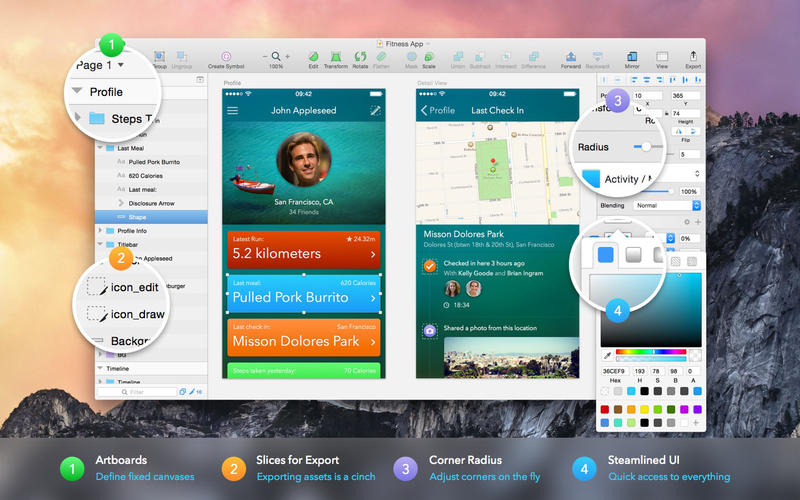
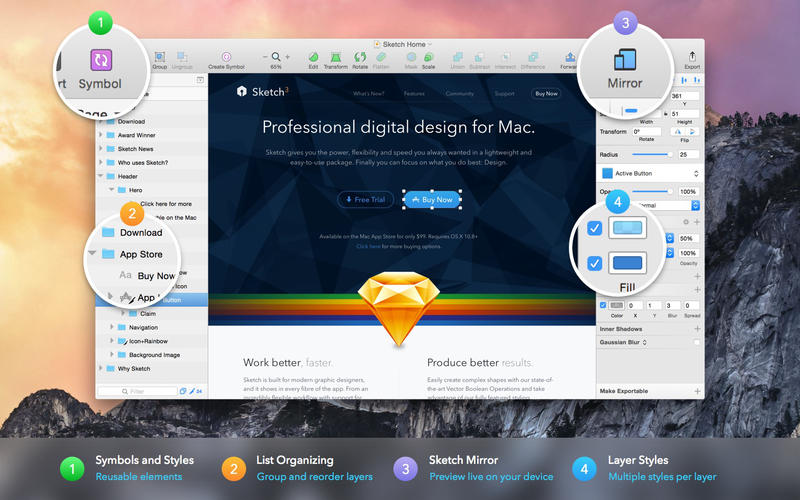
Sketch: graphic design for a digital world. Powerful tools and an elegant interface, in a single award-winning package. Because making beautiful things should be a joy, not a burden.
Sketch supports multiple fills, borders and shadows per layer; has powerful non-destructive boolean operations; smart pixel alignment; and makes exporting a breeze with automatic slicing and multiple resolution export.
Vector tools and basic shapes are the foundation; whether you are designing icons, websites, interfaces or anything else. Combine these into complex shapes with non-destructive boolean operations, leaving you free to edit them in the future, then apply advanced layer style options like multiple shadows, fills, gradients, noise, blending, background blurring, and more.
Sketch doesn’t just do shapes, of course. Imported images can be rotated, scaled, cropped and masked. The best-in-class text tool lets you add beautiful typography to your designs, using native font rendering, so you can be sure that text always looks 100% accurate!
Brand new to Sketch 3, Symbols allow you to reuse entire groups of content in multiple places in your design. Think of interface elements such as buttons, headers and footers. Change them once, and they update everywhere in your document.
Built for the Mac, Sketch supports OS X’s Versions and Auto Save, letting you focus on your work instead of hitting CMD+S. Keep your work safely in sync across multiple Mac computers with iCloud. And take Sketch full screen to maximise the size of your canvas.
All this power is deliciously baked into Sketch’s single-window interface. Everything is there, tucked away until you need it. A simple interface with powerful tools.
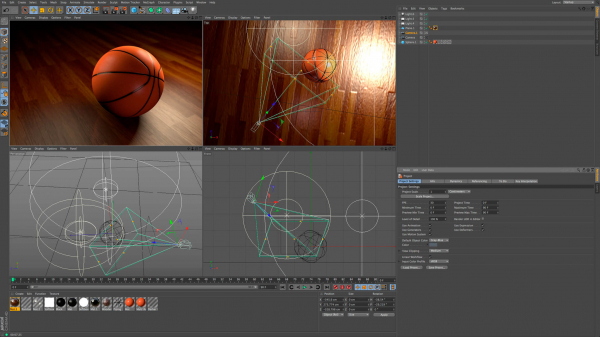
Cinema 4D is a professional 3D modeling, animation, simulation and rendering software solution. Its fast, powerful, flexible and stable toolset make 3D workflows more accessible and efficient for design, motion graphics, VFX, AR/MR/VR, game development and all types of visualization professionals. Cinema 4D produces stunning results, whether working on your own or in a team.
Cinema 4D 2024 provides unmatched speed and performance for the most sophisticated creative scenes. Rigid Body Simulations can now interact with all existing forces, pyro, cloth and soft bodies. Pyro shines with a hot new feature that allows fire to be emitted from particles and matrices. And the new Vertex Normal tools offer artists unparalleled precision to perfect surfaces.
– Cinema 4D 2024 is more than twice as fast as previous versions – through the power of Maxon’s brand new core that optimizes speed and performance.
– Thanks to the addition of Rigid Body Simulations to Cinema 4D’s Unified Simulation System, solid objects can now interact with all simulation types in the scene – be it soft bodies, cloth, ropes or Pyro.
– Pyro now offers more precise controls for artists to art direct their simulation and ensure it matches their vision. By adding the Pyro tag to standard particle emitters, thinking particle geometries and matrix cloners, they can now emit Pyro. This enables artists to create filmic scenes with fire, smoke trails and explosions or visualize beautiful fireworks in the night sky. With the help of UpRes, creatives can use a lower resolution simulation for quicker turnarounds during the art direction and concepting stage of a project and then render the simulation in full quality for final output.
OmniFocus Standard and Pro are in-app purchases, with discounts for people who bought earlier versions of OmniFocus for Mac through the Mac App Store. Download the app for details.
Use OmniFocus to accomplish more every day. Create projects and tasks, organize them with tags, focus on what you can do right now — and get stuff done.
OmniFocus — now celebrating 10 years as the trusted, gold-standard to-do list app — brings unrivaled power and flexibility to your Mac, making it easy to work the way you want to work.
OmniFocus manages everything in your busy life. Use projects to organize tasks naturally, and then add tags to organize across projects. Easily enter tasks when you’re on the go, and process them when you have time. Tap the Forecast view — which shows both tasks and calendar events — to get a handle on your day. Use the Review perspective to keep your projects and tasks on track.
Then let our free syncing system make sure you data is the same on every Mac. (And on OmniFocus for iOS, available separately.) Because your data is encrypted, it’s safe in the cloud.
STANDARD FEATURES
NEW: Tags add a powerful additional organizing tool. Create tags for people, energy levels, priorities, locations, and more.
NEW: The Forecast view shows your tasks and calendar events in order, so you can better see what’s coming up in your day.
NEW: Enhanced repeating tasks are easier than ever to set up — and they work with real-world examples such as the first weekday of the month.
NEW: The Modern, fresh-but-familiar design helps you focus on your content.
Inbox is where you quickly add tasks — save them when you think of them, and organize them later.
Syncing supports end-to-end encryption so that your data is safe wherever it’s stored, on our server or yours.
Notes can be attached to your tasks, so you have all the information you need.
Attachments — graphics, video, audio, whatever you want — add richness to your tasks.
View Options let you customize each perspective by deciding what it should show and how it should filter your tasks.
The Review perspective takes you through your projects and tasks — so you stay on track.
OmniFocus Mail Drop adds tasks via email and works with services like IFTTT and Zapier (if you’re using our free syncing server).
The Today Widget shows you your most important items — you don’t even have to switch to the app to know what’s up.
PRO FEATURES
Custom perspectives help you create new ways to see your data by filtering and grouping projects and tags. NEW: The filtering rules are simpler to use while being more powerful than ever, letting you combine rules with “all,” “any,” and “none.” You can also choose any image to use as your custom perspective’s icon, and a custom tint color to go with it.
NEW: Today’s Forecast can include items with a specific tag, and you can reorder those tasks however you choose, so you can plan your day better.
The customizable sidebar lets you organize your perspectives the way you want to, for super-fast access.
The Today Widget shows a perspective of your choice in Notification Center.
AppleScript support opens up a world of automation, using Apple’s Mac scripting language.
Language: English, Dutch, French, German, Italian, Japanese, Korean, Portuguese, Russian, Simplified Chinese, Spanish
strong>Compatibility: macOS 14.0 or later Homepagehttps://www.omnigroup.com/omnifocus/
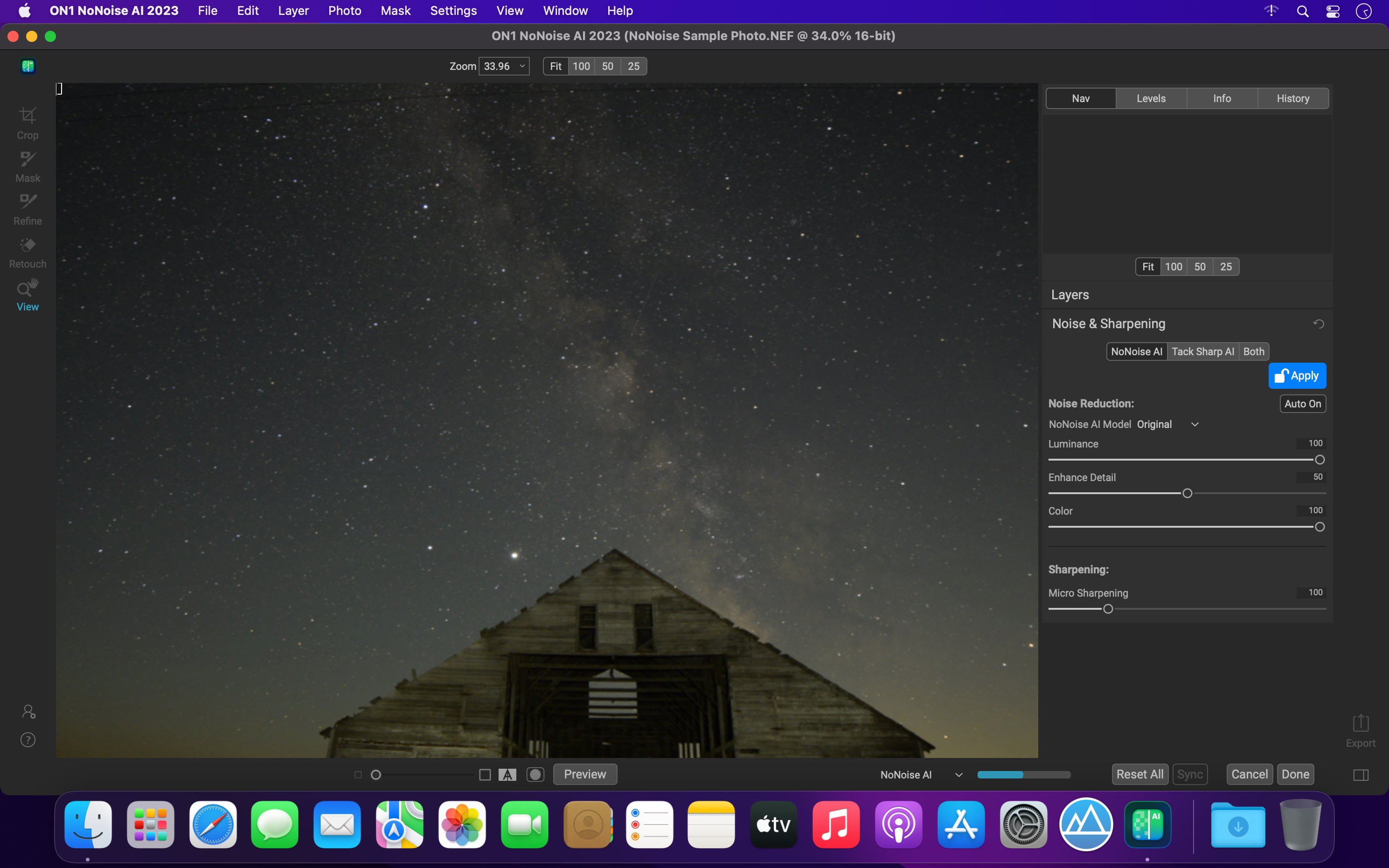
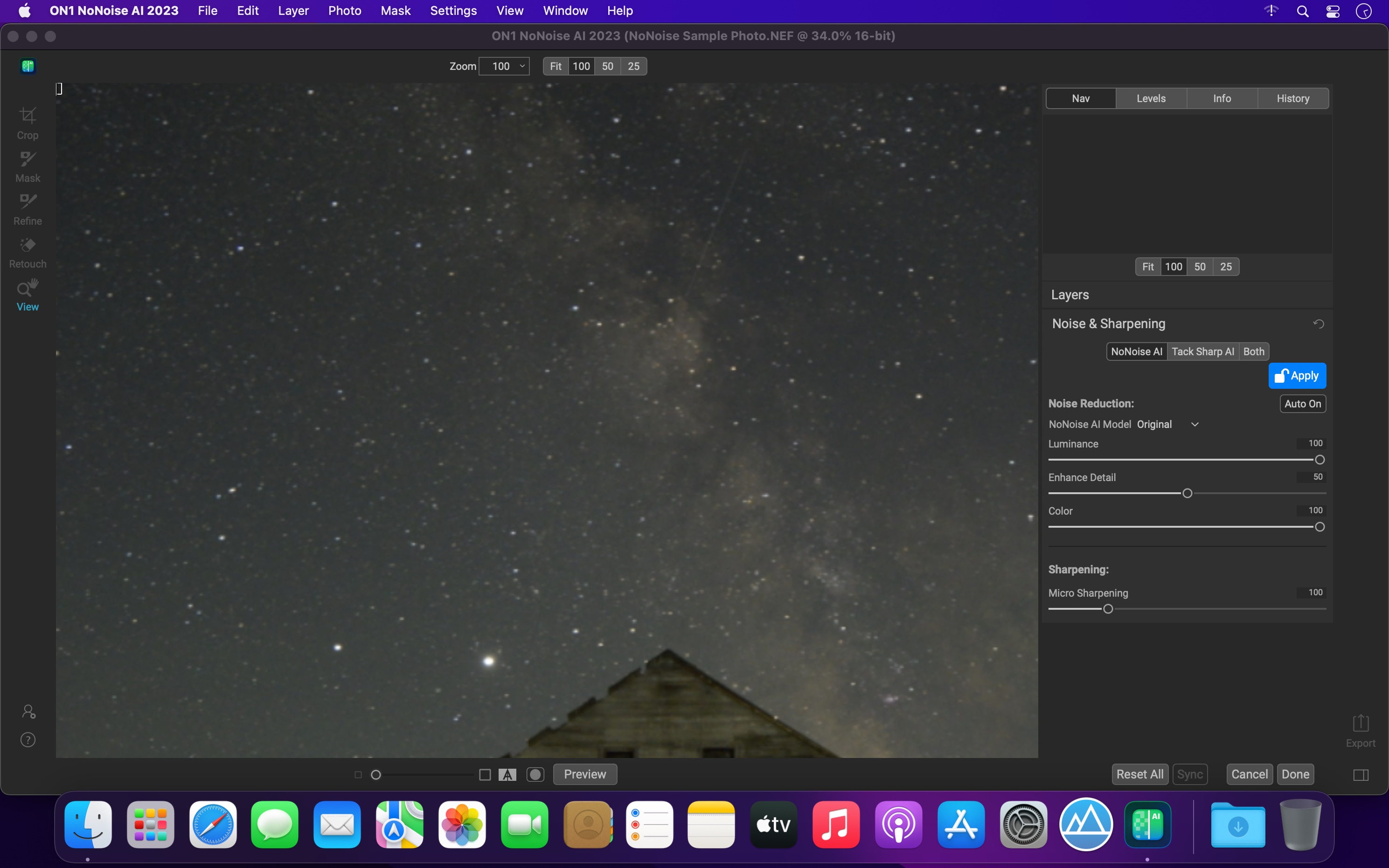
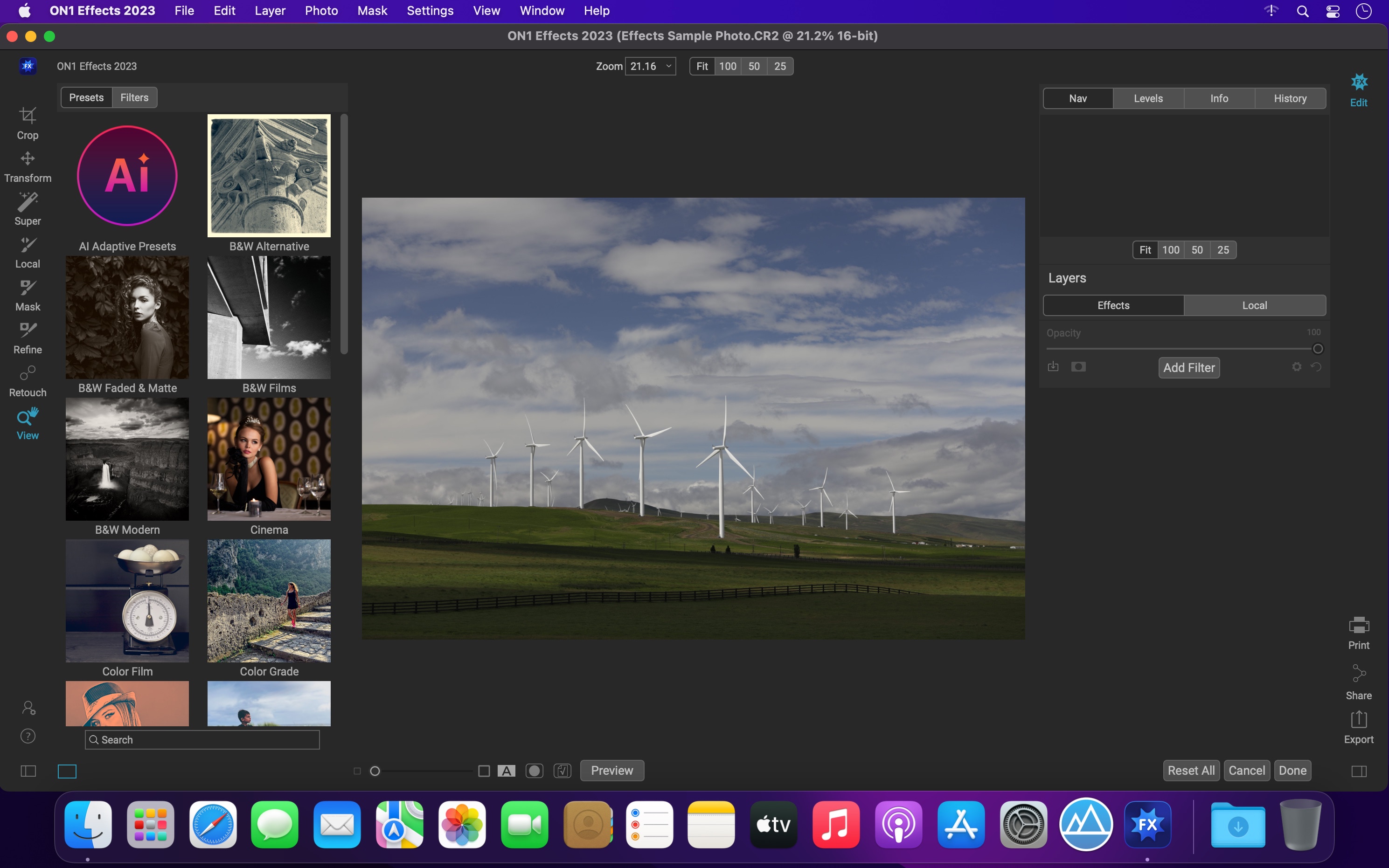
The New Standard in Quality and Speed for Removing Image Noise. It’s the best noise reduction software for photography. Quickly remove noise and get the sharpest details in your photos with AI-powered NoNoise AI.
ON1 NoNoise AI intelligently removes all the image noise while intelligently recovering and enhancing the details. It integrates into your workflow by supporting common photo editors and file formats, including saving DNG raw files that maintain the full tonal and color range.
Get the Absolute Best Results Way Faster!
ON1 NoNoise is up to ten times faster than the other leading image noise removal products and the results will amaze you!
AI-Based Noise Reduction
Leverages state-of-art machine learning to build an AI network to remove luminance and color noise while maintaining the details like no other application producing excellent results.
AI-Based Demosaicing
For raw photos, most image noise comes in the demosaicing process. Combining this step with the noise reduction during the AI training in ON1 NoNoise AI will achieve both better noise reduction and help increase detail and sharpness.
AI-Based Demosaicing
Includes the ON1 exclusive Progressive Sharpening algorithm to enhance the sharpness and details based on the size of the details in the photo, without the halos and artifacts that other sharpening techniques can create.
Super-Fast Live Preview of the Adjustments
Results can be viewed in only a fraction of the time it takes other apps to produce viewable results. There are also far fewer controls to adjust without the limitation of sacrificing sharpness to reduce image noise.
Plugin to Your Workflow
ON1 NoNoise AI is the perfect fit for almost any workflow.
Get amazing retouching results in seconds when using ON1 NoNoise AI as a plugin for
Dropzone makes it faster and easier to copy and move files, open applications and share files with many different services. Dropzone is a unique and amazing app that’s like nothing you’ve ever used before. We’ve paid fanatical attention to every detail and built an app that looks and feels like an integral part of macOS.
Dropzone ships with a powerful scripting API and with a little programming knowledge you can modify any of your actions or even create entirely new ones. This gives Dropzone unlimited extendability and utility. We’re always thinking up new actions so Dropzone will become even more useful over time.
Dropzone also includes Drop Bar – Drop Bar makes it easy to stash files you know you’ll need later. Just drop files on the Drop Bar icon in the grid and they will stick there until you’re ready to use them.
Features
Open applications, move and copy files faster than ever before.
Shorten URLs quickly using Tinyurl shortener. Just select a URL to shorten and press Ctrl+Option+Cmd+S and the shortened URL is automatically copied to the clipboard.
AirDrop integration lets you drop files or folders from any app and share them with your other Macs over the network.
Imgur integration lets you share images fast and get a link for pasting.
Upload files to Amazon S3 (Dropzone Pro feature).
Upload files to your FTP server (Dropzone Pro feature).
Upload files to your Google Drive (Dropzone Pro feature).
Download and install add-on actions that let you upload to services like Google Drive, YouTube and many others (Dropzone Pro feature).
Powerful multi-tasking engine allows you to run multiple tasks at once and track the progress of each one through the in-grid task status area.
See how tasks are progressing at a glance in the animated menu item.
Launch Dropzone actions with the newly added keyboard shortcuts feature (Dropzone Pro feature).
Add applications, folders or actions to your grid easily by dragging and dropping them on the Add to Grid area.
Develop your own actions using the updated and massively improved Ruby or Python API (Dropzone Pro feature).
Capture One 23 is a professional RAW converter offering you ultimate image quality with beautiful colors and incredible detail for more than 500 high-end cameras. It offers state- of-the-art tethered capture, powerful digital asset management, extensive adjustment tools and a flexible workflow through customizable workspaces.
With an updated processing engine, market-leading performance and powerful new features, Capture One is the professional choice in imaging software. You get the highly responsive precision tools you need to create stunning images from your camera’s RAW files in a time-saving workflow that can be customized to fit your needs.
GraphicConverter is an all-purpose image-editing program that can import 200 different graphic-based formats, edit the image, and export it to any of 80 available file formats.
The high-end editing tools are perfect for graphic manipulation as well as the ability to use Photoshop-compatible plug-ins. It offers batch-conversion capabilities, a slide-show window, batch rename, batch and individual editing of metadata (EXIF, IPTC, XMP) and so much more.
GraphicConverter 11 RAW Developer
RAW images are much easier to edit thanks to their enormous data depth. This is particularly noticeable when brightening images with the Exposure slider. The picture remains clear, there is no gray haze as with many JPG images. GraphicConverter now offers a full-screen dialog when opening RAW files with controls for Exposure, Contrast, and Color Corrections. The picture noise can be reduced even with 6 controllers.
Unpack Archives
You want to know which pictures and documents are in an archive file? Then double-click is enough: GraphicConverter temporarily shows you the content or secures the content permanently. In addition to the Zip format, there are 12 additional formats supported, such as the TAR and TGZ formats.
Wide Equalization
In wide-angle shooting, faces and objects on the left and right edges of the image are often heavily distorted in width. With the new wide-angle equalization in GraphicConverter 11, you can now reduce this distortion.
Gradients
You need a gradient, e.g. as a background for a collage? No problem. Easily create color gradients with up to 10 colors via the new dialog.
Duo-Tone
Color your shots with two colors to duo-tone images. In this impressive technique, the lighter shades are colored with the color 1 and the darker ones with the color 2. The result is an effect that enchants your pictures.
Apple Finder Tags
Do you organize your work with Finder Tags from Apple? Then your work will be even easier, because in the browser you can now use the context menu to directly display and change these tags.
Compatibility: macOS 10.13 or later • Apple Silicon or Intel Core processor Homepagehttps://www.lemkesoft.de
EdgeView 3 is fast image viewer has elegant user interface. EdgeView 3 is developed and designed for modern MacOS. It can open various image files such as JPEG, PNG, TIFF, BMP, and RAW file of DSLR, EPS and PDF, AI(Adobe Illustrator). Can open image files in archive directly without extraction.
User can open files, rename files, delete files from EdgeView’s file browser. Also can access to SMB/AFP/FTP network volume.
User can navigate images quickly by using keyboard shorcut, mouse wheel, trackpad gesture. EdgeVew show EXIF information, play animation GIF/PNG/WebP smoothly. Save last status to history, and restore when reopen file.
EdgeView 3 will be the best choice when viewing and managing image files.
Features
Rewrote full code as Swift for improve performance.
Support m1 CPU Mac.
Has easy UI, can control main function at Sidebar.
Support English/Korean/Japanese/Chinese(Simplified).
Image Viewer
Supporting image files such as JPG, GIF, BMP, PSD, TIFF, RAW, WEBP and PDF, EPS, AI(Adobe Illustrator), OpenEXR, HDR, TGA.
Can play animation GIF/PNG/WebP. User can control animation with floating animation controller.
Dispaly internal image(or frame) of animation GIF/PNG/WebP or HEIC that has multiple internal image.
Can read and show images of major archive formats (such as ZIP, RAR, CBZ, CBR, 7-zip) without extraction. Of course, can open ZIP file that 4GB over.
Can read encrypted archive file.
Can read archive file in archive file recursively
Improved draw speed by rebuilt image cache system and drawing engine.
Draw images as high quality.
Provide suitable functions for comic reading such as ‘Two-Page Spread’, ‘Continuous Scroll mode’, ‘Right to Left’, etc.
Provide multiple navigation functions like as ‘Move’, ‘Skip’, ‘Shift’, etc.
User can navigate images and check whole thumbnails at Thumbnailsbar.
User can navigate images by using keyboard shortcut, mouse wheel, trackpad gesture.
Can rotate and flip images. Orientation will be saved to history.
User can select part of images, and copy it or save as file.
Can zoom in/out image freely.
Built-in loupe function to make it easier to magnify part of image.
Show histogram.
Show neighbor files list. And can open neighbor file.
Support history feature for saving and restoring last status of file.
Can reopen file or remove history at history list.
Can rate image files.
File Browser
Built-in file browser can show and open files from local drive or AFP/SMB/FTP network drive.
Can display files as lists or icon.
Show images in folder/archive file at preview panel.
Generate thumbnails of archive files and folders.
Support powerful search feature.
Show category and writer information.
User can sort files by various options, and can delete or rename files.
Can rate files or folders.
Others
Support customizing feature. Also user can change shortcuts.
Built-in Quick Look Extension generate thumbnails and preview of archive files at Finder.
EazyDraw is a vector drawing application. For the full journey from Jaguar to El Capitan, EazyDraw has been the trail-blazing app for the new vector-drawing paradigm on the Mac.
EazyDraw provides a balanced feature set that includes tools needed for technical drawing, Web and app graphic design, print publishing, logos, page – text layout and more. Easy enough for everyone, but with the depth your project will need.
Includes comprehensive support for bitmap and vector graphic formats. Import and ungroup for editing PDF and EPS. Import and export SVG and now DXF. Preview and publish to EPS and TIFF with RGB or CMYK process colors. Exchange scaled CAD drawings with DXF. Publish Web graphics. Create Mac, iPhone, and iPad app-development graphics and icons.
Top In-App Purchases: Full Version – included Compatibility: macOS 11.0 or later Homepagehttp://www.eazydraw.com/
Capture One is a professional RAW converter offering you ultimate image quality with beautiful colors and incredible detail for more than 500 high-end cameras. It offers state- of-the-art tethered capture, powerful digital asset management, extensive adjustment tools and a flexible workflow through customizable workspaces.
A powerful editing software that lets you quickly bring your photography to life with lightning-fast tethering, timesaving editing tools that give you creative control, and a personalized workflow with a customizable interface. Renowned for its RAW image processing and true-to-life colors thanks to tailored profiles for nearly 600 camera models and lenses, Capture One Pro gives you the best of your image to work with right from the start.
With an updated processing engine, market-leading performance and powerful new features, Capture One is the professional choice in imaging software. You get the highly responsive precision tools you need to create stunning images from your camera’s RAW files in a time-saving workflow that can be customized to fit your needs.
Capture One Studio is the new option to Capture One Pro with additional features useful for photographers studios.
It contains the Capture One Pro but also additional apps listed in the description below.
Capture One 23 is a professional RAW converter offering you ultimate image quality with beautiful colors and incredible detail for more than 500 high-end cameras. It offers state- of-the-art tethered capture, powerful digital asset management, extensive adjustment tools and a flexible workflow through customizable workspaces.
With an updated processing engine, market-leading performance and powerful new features, Capture One is the professional choice in imaging software. You get the highly responsive precision tools you need to create stunning images from your camera’s RAW files in a time-saving workflow that can be customized to fit your needs.
The Ultimate Collection of Photo Effects, Filters, LUTs, and Presets. ON1 Effects includes hundreds of built-in photo effects, filters, LUTs, borders, textures, and presets — all completely customizable to your style. There are endless creative possibilities with ON1 Effects.
Our most popular include HDR Look, B&W, Lens Blur (tilt-shift), Glows, Color Enhancer, Tone Enhancer, Textures, Borders, Film Looks, Split Tone, and more.
We promise you will have fun using ON1 Effects 2023. It includes everything you need to create any style. Whether you are color grading, looking to style an HDR photo, or looking for an elegant black and white look, ON1 Effects includes it all. You can also customize any look to your taste and quickly save your own presets.
What’s New:
Version 2025.1 v9.2.1.16909:
-Depth Masks
-Edit Color Filter
-Match Color Filter
-Generative Eraser
-Automatic Distraction Removal
-Generative Crop