Category Archives: Video

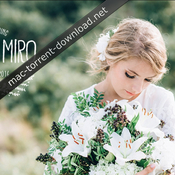
Kreativ Wedding LUTs Vol1 – Vol3 (Win/Mac)

Kreativ wedding luts vol 1 to 3 icon
Name LAPARDIN-Wedding-LUTS_Win-Mac.zip
Size 26.23 MB
Created on 2017-08-12 07:33:47
Hash 8031f15046d0d12c97ed78318dcc7c0b8b26f93f
Files LAPARDIN-Wedding-LUTS_Win-Mac.zip (26.23 MB)

Descriptions for Description

Name: Kreativ Wedding LUTs Vol1 - Vol3

Formats: .cube, .3dl

Compatibility:
 - After Effects
 - Photoshop
 - Lightroom
 - Premiere
 - Resolve
 - Final Cut Pro X
and more...


Web Site: https://www.kreativ-wedding.de/luts/


Overview
Here you can download 23 BonusLUT from our video LUTs. LUTs are lookup tables and a very fast way to change the color in your videos. These LUTs are also used in many of our films and are created by us.

Collection LAPARDIN-WEDLUTS contains 23 preset, 22 for color and 1 B / W. Export from Lightroom, Photoshop. Preview included.

Screenshots

FCPEffects Plugins Bundle for Final Cut Pro X

Description

Name: FCPEffects Plugins Bundle


Web Site: http://www.fcpeffects.com/


Overview
Our FCPX plugins & effects are incredibly powerful & easy-to-use. Download today & see why so many editors choose FCPeffects.com!


Included Plugins:
01. Action Storyboard Plugin
02. Advanced Masking Tools 2 Plugin
03. Anamorphic Lens Flares 1.1 Plugin
04. BPM (beats per minute) Plugin
05. Cartooner Plugin
06. Cinema Film Grain 1.1 Plugin
07. Color Command - Pro Grades Plugin
08. Defect Transition Plugin
09. Facial Blur Plugin
10. Leveler Plugin
11. Lower Thirds Pack Plugin
12. Movie Rating Preview Plugin
13. Print Stacker Plugin
14. Quick & Easy Ken Burns Plugin
15. Reflect Plugin
16. Screen Splitter Plugin
17. Shaky Cam Plugin
18. Skin Smoother Plugin
19. Slide Projector Transition Bundle Plugin
20. Split View Plugin
21. Unfold Plugin
22. White Balance Plugin
23. Unfold Plugin
24. White Balance Plugin
25. Widescreen Plugin
26. Light Leaks
27. HDR Plugins

Files

Fcpeffbnd2016
│── FCPEffects Plugins Bundle for FCPX.part1.rar (2.15 GB)
└─ FCPEffects Plugins Bundle for FCPX.part2.rar (2.08 GB)

Name Fcpeffbnd2016
Size 4.23 GB
Created on 2017-08-10 05:24:34
Hash 52ad31ec315a73f2ddb36883f5fadd60cf53bd2a
Files ※ See Files

VSCO Film 03 LUTs for After Effects, Premiere, PS, Resolve and Final Cut Pro X (Win/Mac)

Description

Name: VSCO Film 03 LUTs

Requirements :
 - After Effects
 - Photoshop
 - Premiere Pro
 - DaVinci Resolve
 - Final Cut Pro X
 - SpeedGrade


Web Site: http://vsco.co/store/film/03


Overview
Instant Films features digital emulations of beautiful tones and magical tints. Classic and nostalgic, this highly-stylized collection recreates the looks of traditional instant films.

Name VSCO Film 03 LUTs.dmg
Size 4.19 MB
Created on 2017-08-10 05:57:02
Hash b443ec9e3ae3c5e45781f59a01c10b204f33b710
Files VSCO Film 03 LUTs.dmg (4.19 MB)

Pixel Film Studios – ProKaraoke – Karaoke Tools for Final Cut Pro X

Pixel Film Studios – ProKaraoke – Karaoke Tools for FCPX

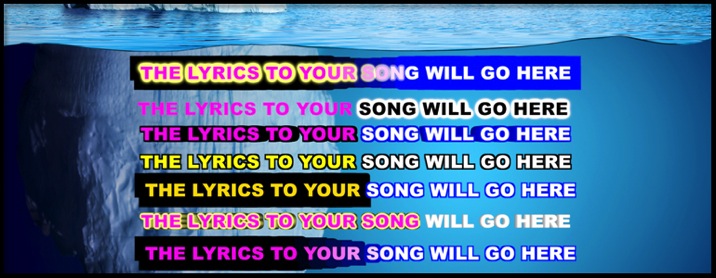
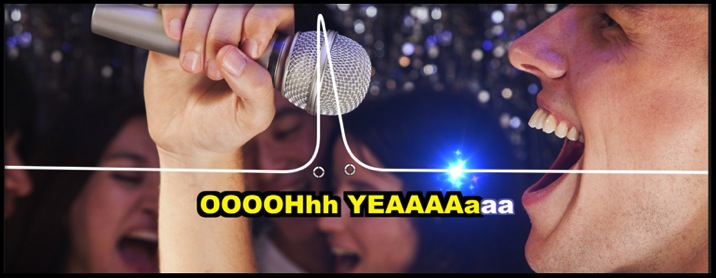
Users can now make their very own personalized karaoke video with PROKARAOKE from Pixel Film Studios. Users can choose from either a bouncing ball, glimmering stars, or a drop zone to insert their own media. Users are given over 90 effect presets, and even a master text tool with all the effects combined into one. PROKARAOKE gives the user full customization over look and style. With PROKARAOKE karaoke videos will never look the same again all with a click of a mouse all with in Final Cut Pro X.

PROKARAOKE requires Final Cut Pro X version 10.1.2 or newer.

Web Site: http://store.pixelfilmstudios.com/product/prokaraoke/

Audio Visual Tools with ProKaraoke in Final Cut Pro X

KARAOKE IN FCPX

Pixel Film Studios has done it again with PROKARAOKE. Users can now make their very own personalized karaoke video all with in Final Cut Pro X. With PROKARAOKE users can add their own bouncing object above their personalized text, or choose from either a ball or glimmering stars. PROKARAOKE offers full customization over text so that karaoke videos will never look the same offering infinite possibilities with a click of a mouse.

BOUNCING BALLS, DROP ZONES, & STARS

With PROKARAOKE bouncing balls, drop zones, and stars. Users can choose from up to 9 words per line, object location, line roundness, object scale, object opacity, outline opacity, outline width, outline color, drop zone rotation, drop zone outline width and color, star color range, and more all with on-screen controls. With PROKARAOKE bouncing objects catch the attention of your audience like never before all with in Final Cut Pro X.

KARAOKE BACKDROPS

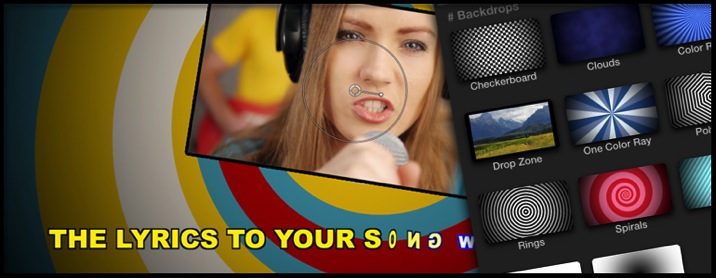
With PROKARAOKE users can choose from 12 fully customizable backdrops. Users may adjust color size, rotation, color variance, divisions, waviness, frequency, phase, inner cutoff, outer cutoff, vignette color, and more. Users may choose from a fully customizable checkerboard, color rays, clouds, one color ray, polygons, rings, spirals, stars, stripes, text bar, inverted vignetted, and even a drop zone with position, rotation, scale, and outline controls all with in Final Cut Pro X.

OVER 90 EFFECT PRESETS

With PROKARAOKE users have the ability to choose from over 90 effect tool presets. There is the bouncing objects category with balls, stars, and a drop zones, each one ranging from 1 word to 9. The other categories are karaoke text styles such as backdrops, color changing text, text with extrusion, glowing text, text with outlines, position animation, scaling text, spinning text, and even a master text animator with all combined into one. Users can alter the text sung location, spread, animation style, pixelation, position offset, extrusion, extrude shading, size, color, outline, glow, background gradient on or off, and much more.

DESIGNED FOR FINAL CUT PRO X

PROKARAOKE was professionally designed to work seamlessly inside of Final Cut Pro X. As a FCPX title tool effect and overlay, each PROKARAOKE preset can be dragged and dropped onto the users footage. With the published parameters found in the FCPX inspector, users have the ability to make adjustments and generate their own karaoke video with just a few clicks of a mouse.


Pixel Film Studios – ProKaraoke – PROFESSIONAL KARAOKE TOOL FOR FCPX FROM PIXEL FILM STUDIOS

Name Pixel Film Studios – ProKaraoke for Final Cut Pro X.dmg
Size 29.59 MB
Created on 2017-08-09 05:47:16
Hash 6327cf9ace57258ba8b6c3ebe06f7eee8b053ab7
Files Pixel Film Studios – ProKaraoke for Final Cut Pro X.dmg (29.59 MB)

Red Giant Complete Suite 2017 (08.08.2017)

Description

Name: Red Giant Complete Suite 2017
Version: 08.08.2017
Mac Platform: Intel
OS Version: OS X 10.10 or later
Processor type(s) & speed: 64-bit processor

System requirements:
- Adobe After Effects CC CS5 - CC 2017
- Adobe Premiere Pro CC CS5 - CC 2017
- Adobe Photoshop CC CS5 - CC 2017
- Sony Vegas 12,13,14
- Davinci Resolve 11,12
- Avid Media Composer 5.5, 6, 6.5 or later 
- HitFilm 2017

Includes: Crack & Serial


Web Site: http://www.redgiant.com/


Overview
Red Giant Software sells digital video plug-ins for compositing software and NLEs such as Adobe After Effects, Apple Final Cut Pro, Adobe Premiere, Nuke and Sony Vegas.


Features:
 ● Essential tools for color correction, finishing & looks
 ● Footage prep & delivery tools for the shoot and the timeline
 ● The industry standard for broadcast & 3D design
 ● The complete solution from key to composite
 ● Creative effects & flares with a truly professional appeal


Includes:
 ● Effects Suite 11.1.10
 ● Keying Suite 11.1.8
 ● Shooter Suite 13.1.3
 ● Trapcode Suite 14.0.0
 ● PluralEyes 3.5.5
 ● Magic Bullet Suite 13.0.3
 ● Magic Bullet Suite 13.0.3 OFX
 ● Red Giant Universe 1.6.0
 ● Red Giant Universe 2.1 OFX

Name Red Giant Complete Suite 2017088 Mac.dmg
Size 1.60 GB
Created on 2017-08-09 05:47:16
Hash e58053fd17230c32c4d3dc1ccca8fdc48baa187e
Files Red Giant Complete Suite 2017088 Mac.dmg (1.60 GB)

Pixel Film Studios – ProTimer: Volume 1 – Timer Plugin for Final Cut Pro X

Pixel Film Studios – ProTimer: Volume 1 – Timer Plugin for FCPX

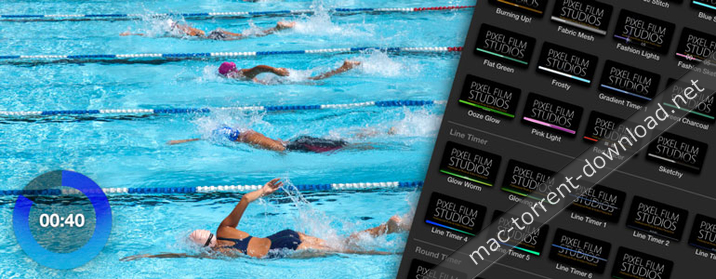
Create a custom timer in your next workout video, cooking tutorial or infomercial with PROTIMER from Pixel Film Studios. This collection of over 50 timers can help you count down or up in various units and styles in Final Cut Pro X. PROTIMER comes fully stocked with line, round, and progress clocks.

Web Site: http://store.pixelfilmstudios.com/product/protimer-volume-1/

Interface Tools with ProTimer: Volume 1 in Final Cut Pro X

Over 50 Timer Presets

From fun and energetic to clean and corporate, users can create a functional timer to fit any video style in Final Cut Pro X. With over 50 timer and clock presets along with customization options, the number of looks and styles you can create are almost endless!

5 Unique Timer Styles

Quickly and easily create linear, radial, scrolling and basic timers in Final Cut Pro X using PROTIMER from Pixel Film Studios. Users can simply preview all of the timers in real time by scrolling through the library in the effects browser and mousing over the thumbnail.

Multi-Purpose Timers

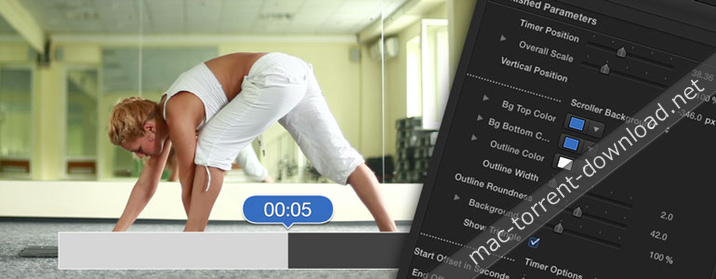
Make a countdown timer for an infomercial to tell viewers how much time they have to call in, or create a progress timer for a workout video to allow your viewer to know how much time they have left in that exercise. With various units and counting directions, you can use the timers in PROTIMER to create a clock for any video.

On-Screen Controls

Is the timer covering up your actor? Use the on-screen controls in Final Cut Pro X viewer window to move the timer to exactly where you need it on the screen. Simply grab the handle and drag it to whatever position you want.

Designed for Final Cut Pro X

With on-screen controls and customization options in the FCPX Inspector, PROTIMER was created to work seemlessly in Final Cut Pro X without ever having to open another software. Simply, drag and drop one of the timer titles over your video and stretch as long as you need. Then set the start time, counting unit, and style options.


Pixel Film Studios – ProTimer: Volume 1 – PROFESSIONAL TIMERS FCPX – PIXEL FILM STUDIOS

Name Pixel Film Studios – PROTIMER VOLUME 1.dmg
Size 36.81 MB
Created on 2017-08-08 09:50:29
Hash 907cc53a26a2bdfe083d8648d606b3963fbd42fc
Files Pixel Film Studios – PROTIMER VOLUME 1.dmg (36.81 MB)

motionVFX – mGlitch 1.0.1: Distortion Effects for Final Cut Pro X and Motion 5

Descriptions for motionVFX – mGlitch 1.0.1

Name: motionVFX – mGlitch
Version: 1.0.1

Web Site: http://www.motionvfx.com/mplugs-13.html

Overview

Distortion Effects For Final Cut Pro X. Done Right.

Plugin for FCPX and Motion 5.
mGlitch gives you infinite possibilities of creating glitches and distortion effects right inside Final Cut Pro and Motion 5.

Every mGlitch effect is fully customizable, creating endless combinations that integrate into countless distortions. Built from scratch natively for FCPX and Motion 5 to grant you full control, speed and ease of working with glitch, distortion and jitter effects.

Name motionVFX – mGlitch 1.0.1 for FCPX and Motion 5.dmg
Size 57.50 MB
Created on 2017-07-06 07:51:19
Hash 7934697723e9b72690d42488ea4240fd62060679
Files motionVFX – mGlitch 1.0.1 for FCPX and Motion 5.dmg (57.50 MB)

FxFactory Pro 6.0.4.5372

Description

Name: FxFactory Pro
Version: 6.0.4.5372
Mac Platform: Intel
OS Version: OS X 10.11 or later (compatible with Sierra)
Processor type(s) & speed: 64-bit processor

One of the following:
 • Apple Final Cut Pro X 10.2
 • Motion 5.2
 • Adobe After Effects CC or later
 • Adobe Premiere Pro CC or later

Includes: Patch & Keygen


Web Site: https://fxfactory.com/info/fxfactorypro/


Overview
Visual effects toolbox with unmatched features. FxFactory is a revolutionary visual effects package which powers the largest collection of plug-ins for Final Cut Pro, Motion, After Effects, and Premiere Pro.  

FxFactory Pro Key Features:
- FxFactory provides quick access to a collection of visual effects designed to work with Adobe After Effects, Final Cut Pro or Motion.
- Moreover, FxFactory is featuring a intuitive interface that allows you to browse and manage all effects that are installed on your system.
- The FxFactory OS X application also allows you to use the free products without purchasing but also provides support for purchasing and registering commercial products.
- The FxFactory Pro version allows you to make your own visual effects without writing a single line of code.
- The user can check all the plug-ins and configure them suitably for your project, or create new ones based on existing ones.
- Create your own effects for Final Cut Studio without writing code. Seamless integration with FxPlug: once to install the plugin, you can immediately start using them in Final Cut Pro, Motion and After Effects and more!
- An additional advantage is that the Pro Pack plug-ins support the construction of a moving image of 16-bit and 32-bit. FxFactory - it's not just the built-in plugin manager, but also a complete environment for their management. Through it you can connect to the project the necessary modules, apply them to your content, preview and rendering.

Name FxFactory Pro 6.0.4.5372 [kg][p].dmg
Size 86.31 MB
Created on 2017-08-07 05:49:53
Hash af07aad07827f2a679b1e4be21ccc2311f078a24
Files FxFactory Pro 6.0.4.5372 [kg][p].dmg (86.31 MB)

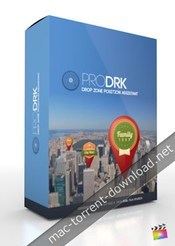
Pixel Film Studios – ProDRK: Plugin for Final Cut Pro X

Pixel Film Studios – ProDRK – Drop Zone Position Assistant

Create the image positioning effects you have always wanted in Final Cut Pro X with PRODRK from Pixel Film Studios. This plugin allows you to interact with your media like never before. With easy to use on-screen controls and customization options in FCPX, the PRODRK Plugin from Pixel Film Studios can help you position your logos and icons in 3D space!

Web Site: https://store.pixelfilmstudios.com/product/prodrk/

Transformation Tools with ProDRK in Final Cut Pro X

Position Your Image

Image and logo positioning is now easily achievable in Final Cut Pro X. With PRODRK you can give the illusion that your images are moving with your actor or subject. With simple and easy to use parameters and on-screen controls you now have another tool to make your projects look even more amazing all with in Final Cut Pro X.

30 Style Presets

PRODRK offers 30 customizable effects, each with their own individual published parameters in Final Cut Pro X. Add borders, animation effects, style filters and masks to your drop zone in the click of a mouse!

On-Screen Controls

With PRODRK from Pixel Film Studios you are given the on-screen controls to control your position, rotation, scale, and depth. With a simple click and drag you too can have the look professionals nearly use every day. Here at Pixel Film Studios we provide you with simple and easy to use tools to make you a professional all within Final Cut Pro X.

Designed for Final Cut Pro X

PRODRK was designed by the team at Pixel Film Studios to work seamlessly inside Final Cut Pro X. Users can select the on screen controls to animate their image. The camera controls gives your text a depth of field and lets you adjust the near and far focus amount. Customize the look and movement of the image in the FCPX Inspector Window.


Pixel Film Studios – ProDRK – PROFESSIONAL DROP ZONE POSTION ASSISTANT FOR FCPX – PIXEL FILM STUDIOS

Name Pixel Film Studios – PRODRK.dmg
Size 552.2 kB
Created on 2017-06-17 06:04:55
Hash 497bdebbc96e5cfe05192820f7b3cfe409654112
Files Pixel Film Studios – PRODRK.dmg (552.2 kB)
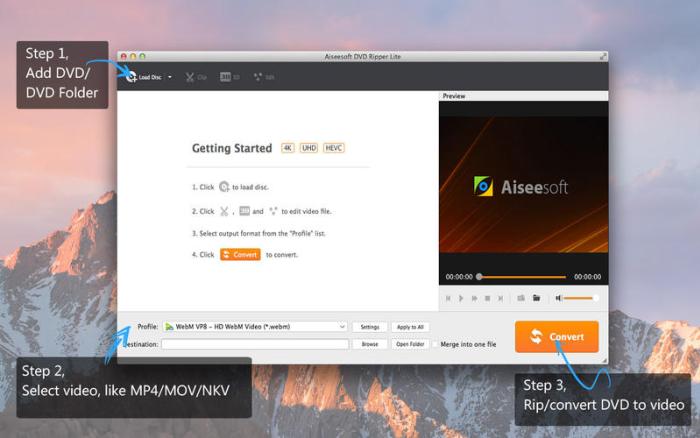
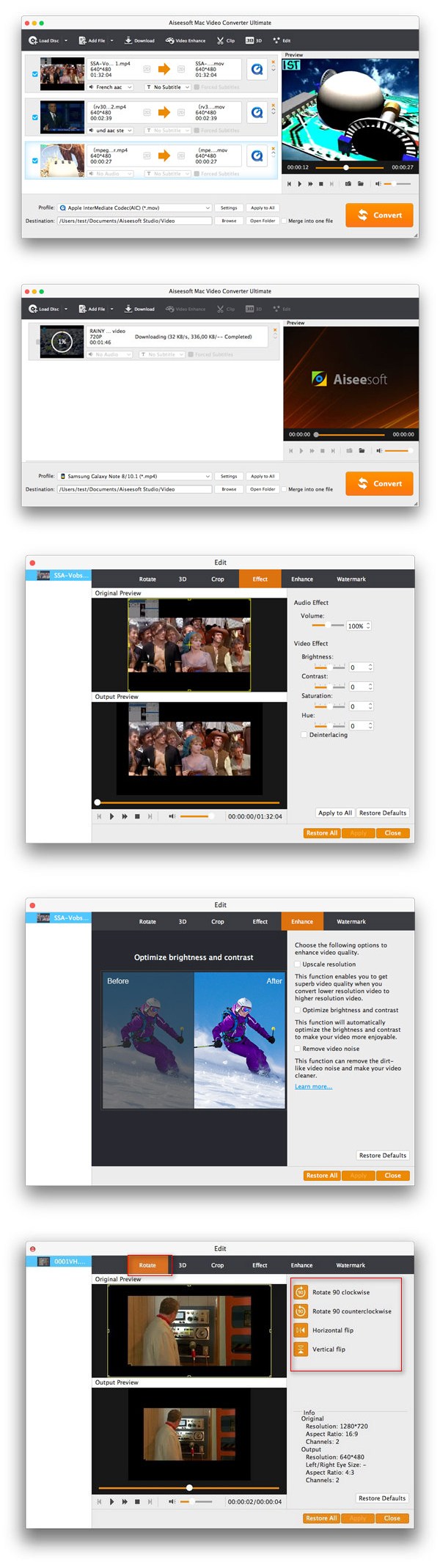
Aiseesoft Mac Video Converter Ultimate 9.1.18

Name Aiseesoft_Mac_Video_Converter_Ultimate_9.1.18.64282_[TNT].dmg
Size 78.30 MB
Created on 2017-08-04 08:18:13
Hash f7ac505513e27c6fa6e94407f8fc720b7a97b911
Files Aiseesoft_Mac_Video_Converter_Ultimate_9.1.18.64282_[TNT].dmg (78.30 MB)

Description

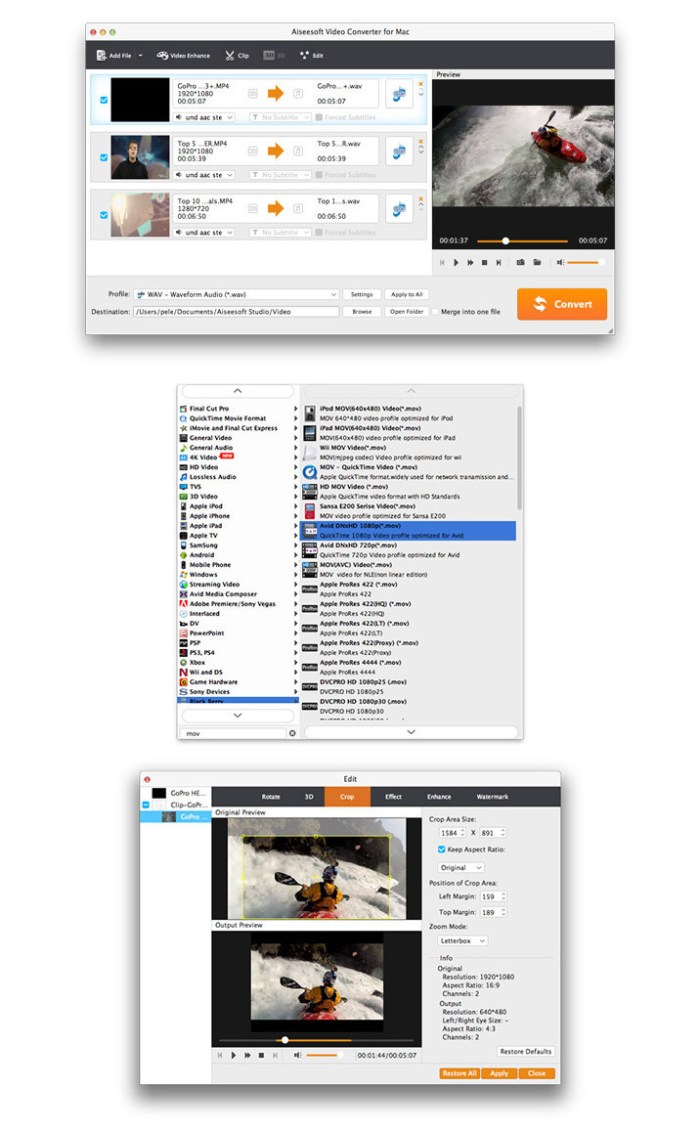
  Name: Aiseesoft Mac Video Converter Ultimate  Version: 9.1.18  Mac Platform: Intel  OS Version: OS X 10.7 or later    Includes: Pre-K'ed (TNT)      Web Site: http://www.aiseesoft.com/mac-video-converter-ultimate/        Overview  The best Mac video software ever, allowing users to easily download, convert and edit videos including 4K videos as well as homemade DVDs on Mac.    ✔ Download, convert and save videos on Mac  ✔ Download videos from YouTube, Vevo, Vimeo, Dailymotion, Metacafe, Yahoo, Facebook  ✔ Save downloaded videos in 1080p (HD) MP4 or other popular formats  ✔ Easily edit and convert any video/audio files on Mac  ✔ User-friendly interface  

Screenshots