Category Archives: Apple

QLab Pro 5.4.0

Name: QLab_5.4_Mactorrents.biz.dmg
Size: 39 MB
Files QLab_5.4_Mactorrents.biz.dmg[39 MB]

   Download Torrent

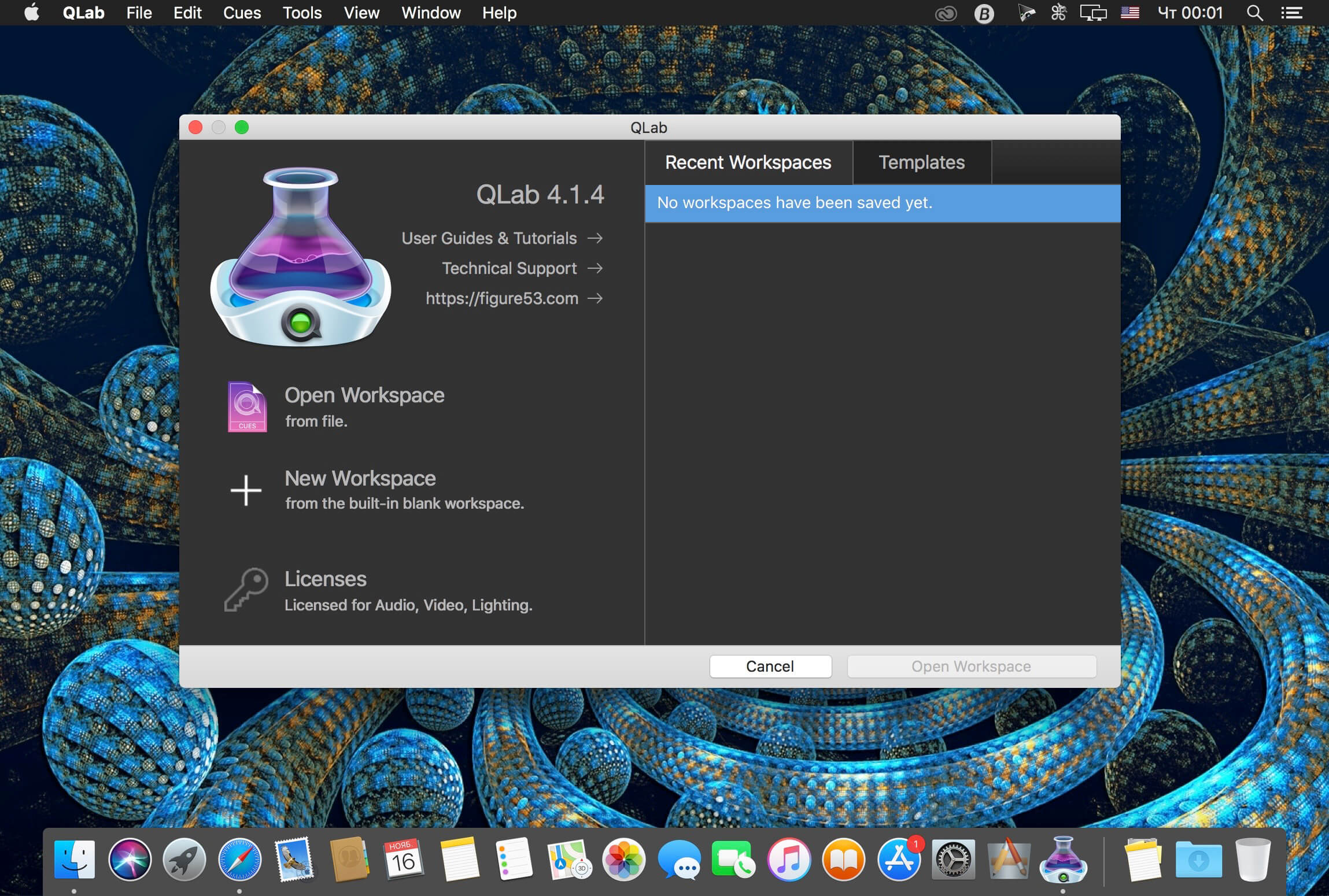
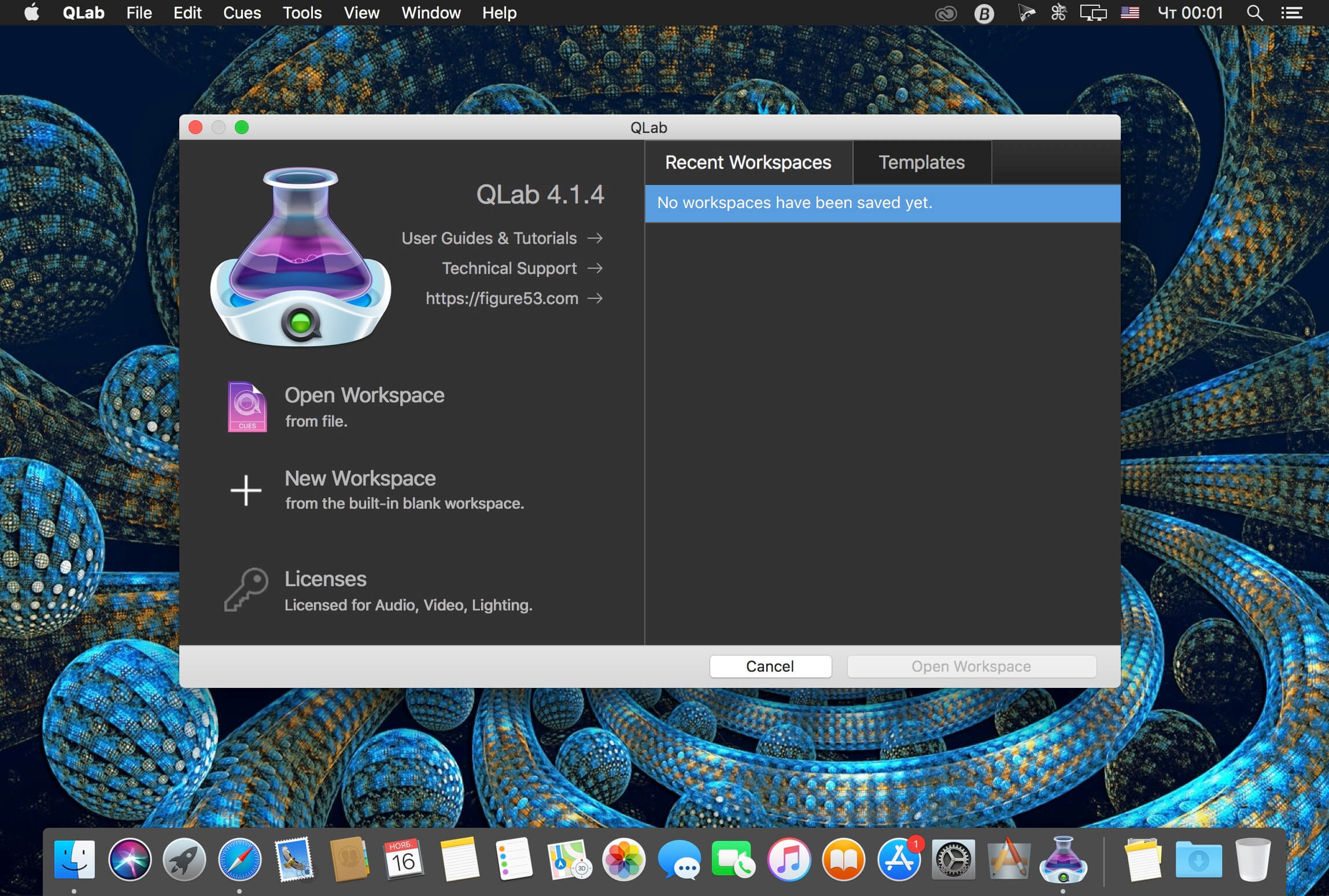
QLab makes it simple to create rich multimedia designs for live performances and installations. From Broadway to the West End, in churches, museums, store fronts, concert halls, and theaters around the world, people use QLab to bring their audio and video to life.

Simply powerful show control
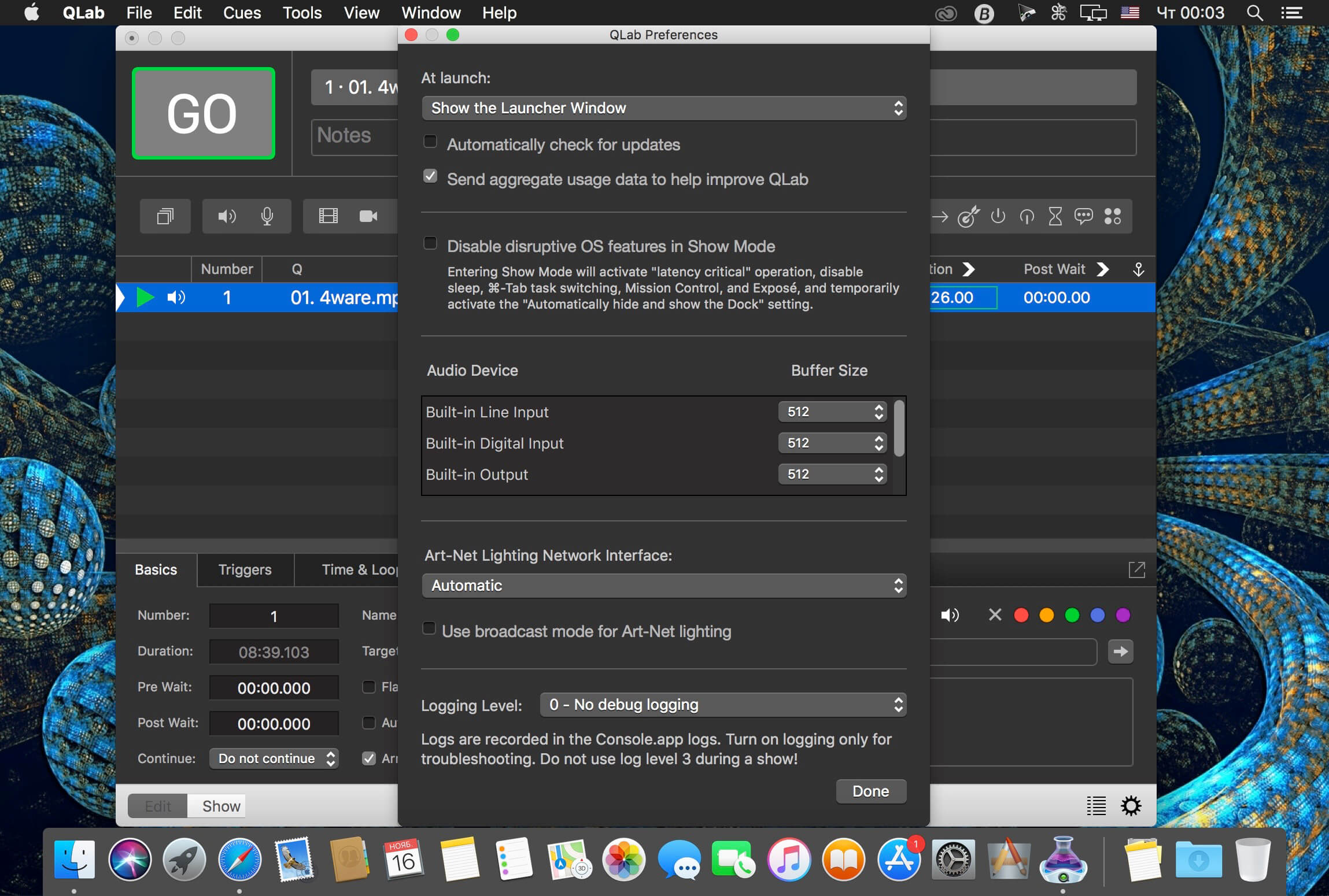
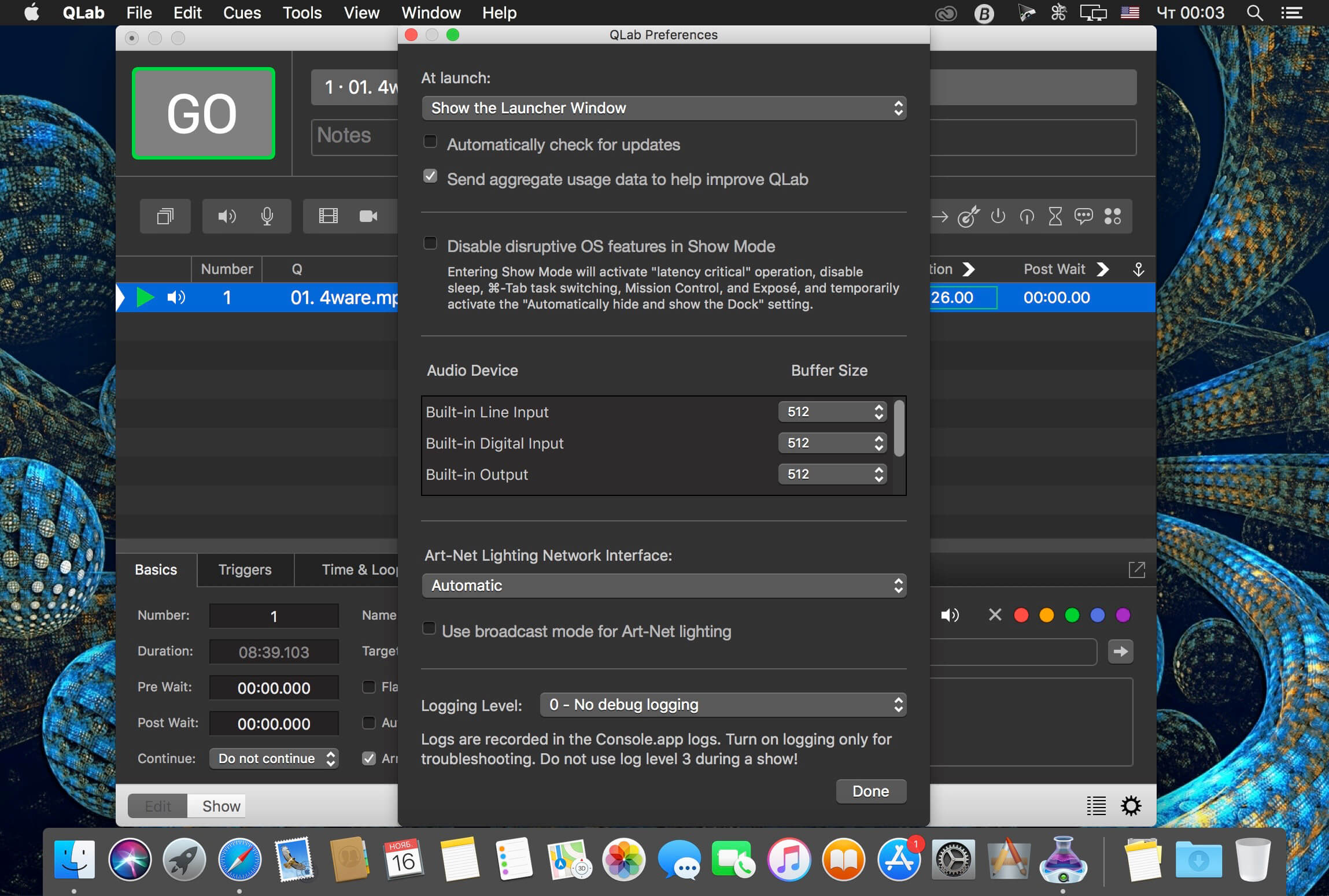
QLab allows you to design and operate amazing multimedia performances from your Mac OS X computer. A single QLab workspace can control audio, video, MIDI, OSC, and more.

Amazingly deep, surprisingly easy
Using building blocks called “cues”, you can create sophisticated designs in seconds.

Getting started is as simple as dragging in a file and pressing “GO”. From there, add commands to fade volume, animate videos, or add audio and video effects.
Once you master the basics, become a power user with advanced features like scripting, video corner pinning, multi-projector edge blending, audio localization, or even building multi-computer designs by sending commands to other QLab machines on your local network.

The industry standard.
Battle-tested and used by designers around the world, QLab is the tool of choice in venues large and small.

Audio Effects
You can now apply live audio effects to all your cues: EQ, pitch shift, reverb, and more. Add audio effects to individual cues, across all cue outputs, or on your device outputs.

Dynamic Effects
The powerful new Fade Cue can adjust your audio effect parameters in real time. It can even adjust playback rate, to dynamically speed up or slow down your audio, with or without pitch shifting.

Live Audio Inputs
The new Mic Cue offers up to 24 channels of live audio inputs. Plus all those routing, fading, and audio effects you get on Audio Cues? You get those on Mic Cues too.

Compatibility: OS X 11.0 or later
Homepage https://qlab.app/

Screenshots


iZotope RX 11 Audio Editor Advanced v11.1.0

Name: iZotope.RX.11.Audio.Editor.Advanced.v11.1.0.U2B.macOS_Mactorrents.biz.rar
Size: 1.7 GB
Files iZotope.RX.11.Audio.Editor.Advanced.v11.1.0.U2B.macOS_Mactorrents.biz.rar[1.7 GB]

   Download Torrent

RX has long been the go-to audio repair and polishing suite for film, television, music, podcasts, video games, sample libraries, and more. With RX 8, we’ve created new tools and improved beloved modules to help you accomplish more in less time than ever. Rescue your rig with Guitar De-noise: powerful tools to control fret squeaks, amp hiss and noisy pick sounds.

What’s New in RX 8
Music Rebalance ARA
Guitar De-noise
Rescue your rig with Guitar De-noise: powerful tools to control fret squeaks, amp hiss and noisy pick sounds.
RX 8 De-hum overhaul
Is that an AC unit you hear switching on in the back of your recording? Or maybe you’re frustrated that your drummer lives in an apartment where no matter what room they’re in, you can always hear their fridge humming along? Never fear! De-hum in RX 8 Elements is here.
New 32-tab limit for Audio Tabs
Time is precious when editing audio in post. To help you tackle more work faster, RX 8 doubles the previous 16-tab limit, now allowing you to view and edit up to 32 files within RX Audio Editor. Cover more ground in less time with greater efficiency and in-app real estate.
RX 8 Wow & Flutter module
Physical audio recordings—such as tape and vinyl—inevitably fall prey to the elements as time goes by. This often results in pitch fluctuations in those physical recordings. Wow & Flutter is designed to correct this symptom regardless of the intensity of the modulating pitch. Use Wow to fix longer, sustained pitch drift, and Flutter to correct pitch variances that occur at faster rates. Wow & Flutter is the key to performing pitch-perfect music restoration in record time.
RX 8 Loudness Control
Prepare your recordings for final delivery with the detailed level readings and loudness-management power of the all-new Loudness Control module. Load preset loudness standard targets to ensure your audio conforms to broadcast requirements, and monitor your levels using the built-in numeric and histogram readouts for integrated, short-term, and momentary loudness. Plus, resize the module to fit your display perfectly and suit your unique workflow.
Spectral Recovery
Restore grainy audio from live-streamed, remote audio calls to crystal clarity with Spectral Recovery.
Music Rebalance
With improved source separation algorithms and the ability to generate stems from a stereo recording, you can easily re-animate a mix, remove or isolate vocals for a remix, or even create and export new stems for further processing and mixing.

INSTALLATION:
– Install IZotope RX8.dmg
– Install IZotope RX8.pkg
REQ: Restart!
Done.

REQ: Operating Systems:
Mac OS 10.13.6 High Sierra – MacOS 11 Big Sur
Plugin Formats: Standalone, AU, VST, VST3


Homepage https://www.izotope.com/en/products/rx.html

iMediaCut-Easy Video Trimming 7.6.16

Name: iMediaCut_7.6.16_Mactorrents.biz.dmg
Size: 14 MB
Files iMediaCut_7.6.16_Mactorrents.biz.dmg[14 MB]

   Download Torrent

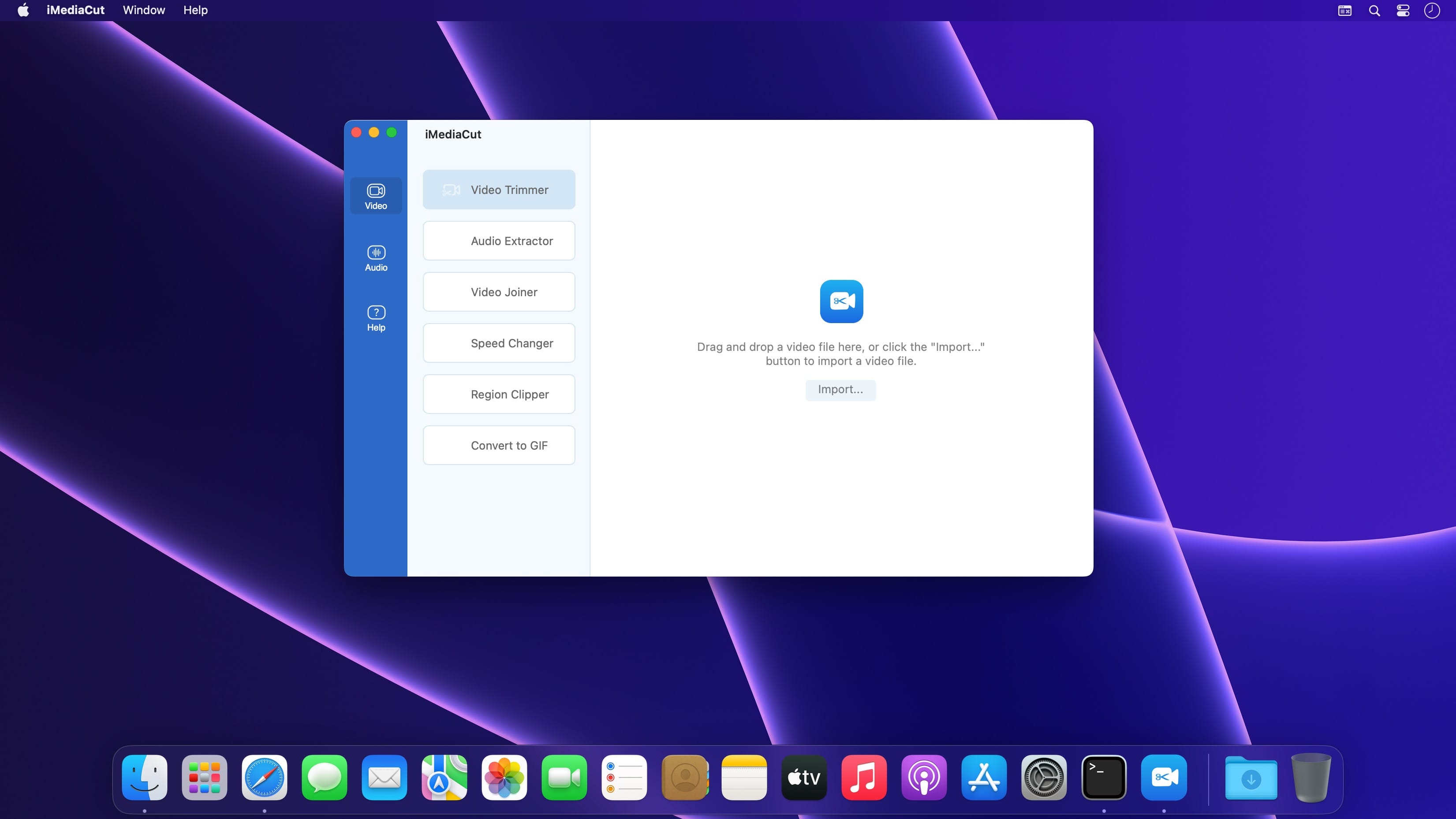
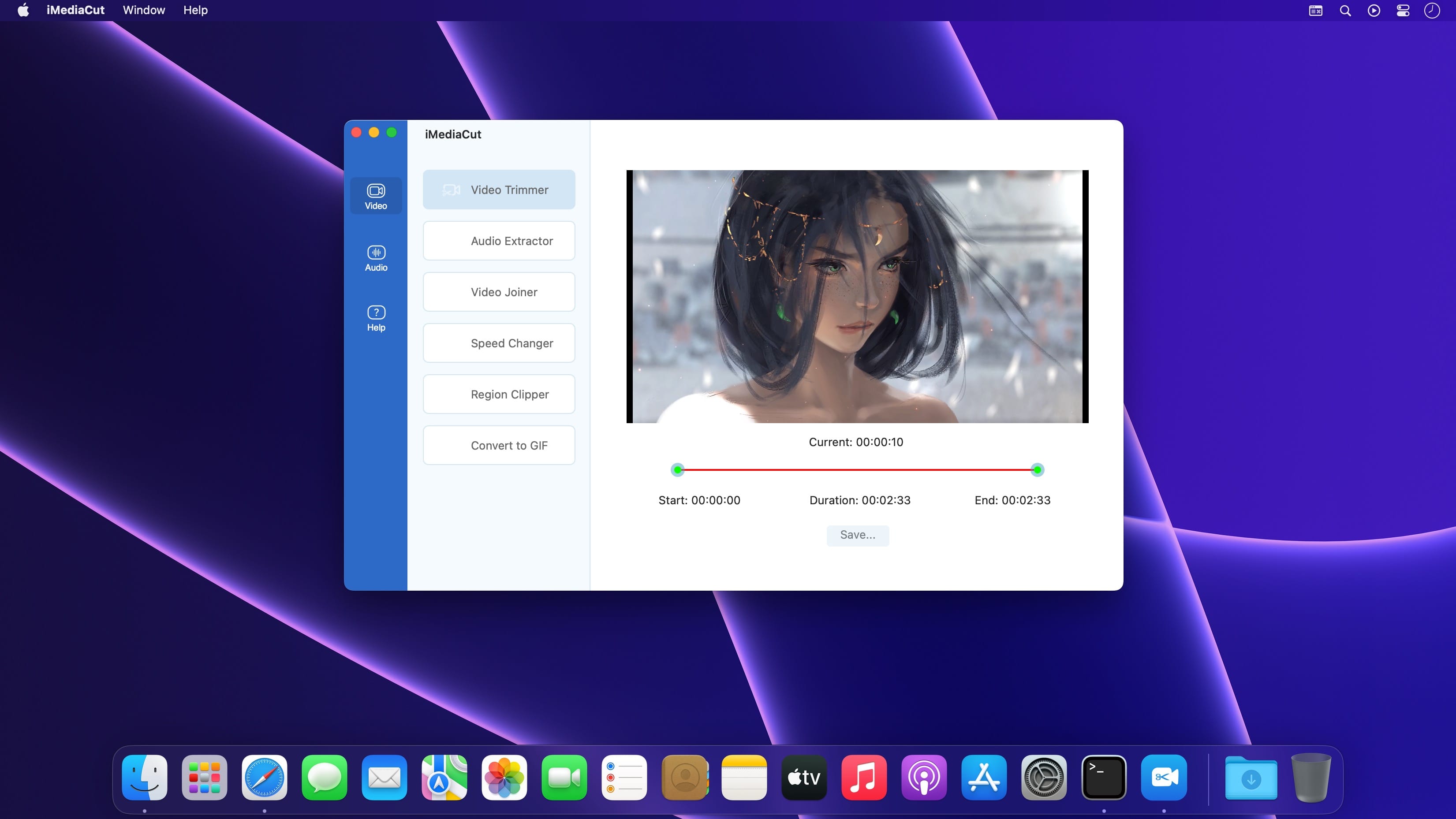
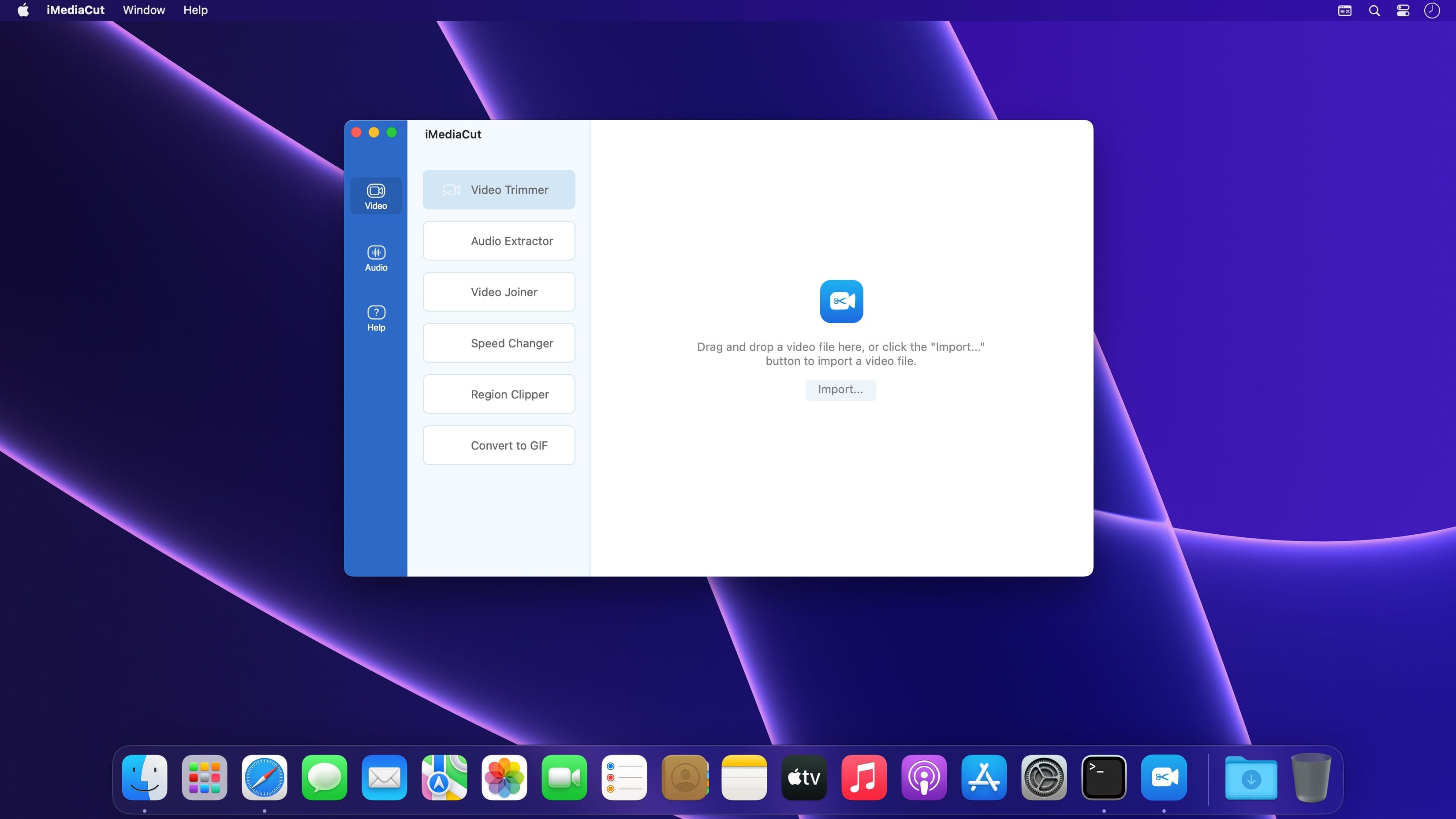
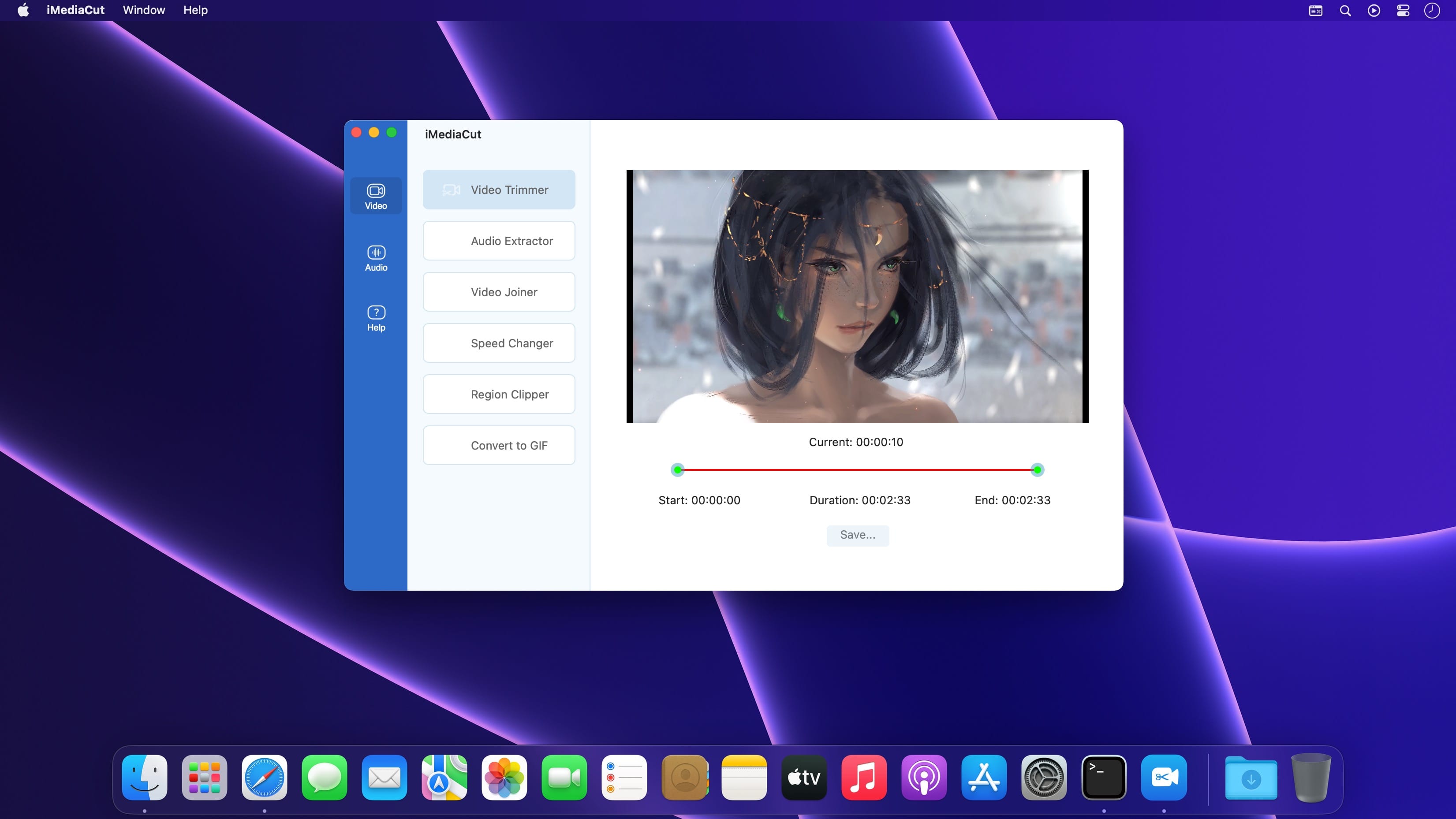
Audio & Video editing. Functions such as Voice Changer, Noise Reduction, Audio Governor, Speed Changer, Region Clipper, Convert video to GIF.

Video

  • Video Trimmer – Crop video.
  • Audio Extractor – Extract audio from video.
  • Video Joiner – Merge multiple videos into one.
  • Speed Changer – Speed up or slow down the video.
  • Region Clipper – Export a region of the video as a video.
  • Convert to GIF – Convert video to gif.

Audio

  • Audio Trimmer – Trim audio.
  • Audio Joiner – Merge multiple audios.
  • Audio Mixer – Mix multiple audios.
  • Voice Changer – Adjust audio tempo and pitch.
  • Noise Reduction – Audio noise reduction.
  • Audio Governor – Adjust audio playback speed.

Compatibility: macOS 10.15 or later
Mac App Store https://apps.apple.com/pk/app/imediacut-easy-video-trimming/id1619693028

Screenshots


Logic Pro X 11.0.1

Name: Logic_Pro_X_11.0.1_Mactorrents.biz.dmg
Size: 1.3 GB
Files Logic_Pro_X_11.0.1_Mactorrents.biz.dmg[1.3 GB]

   Download Torrent

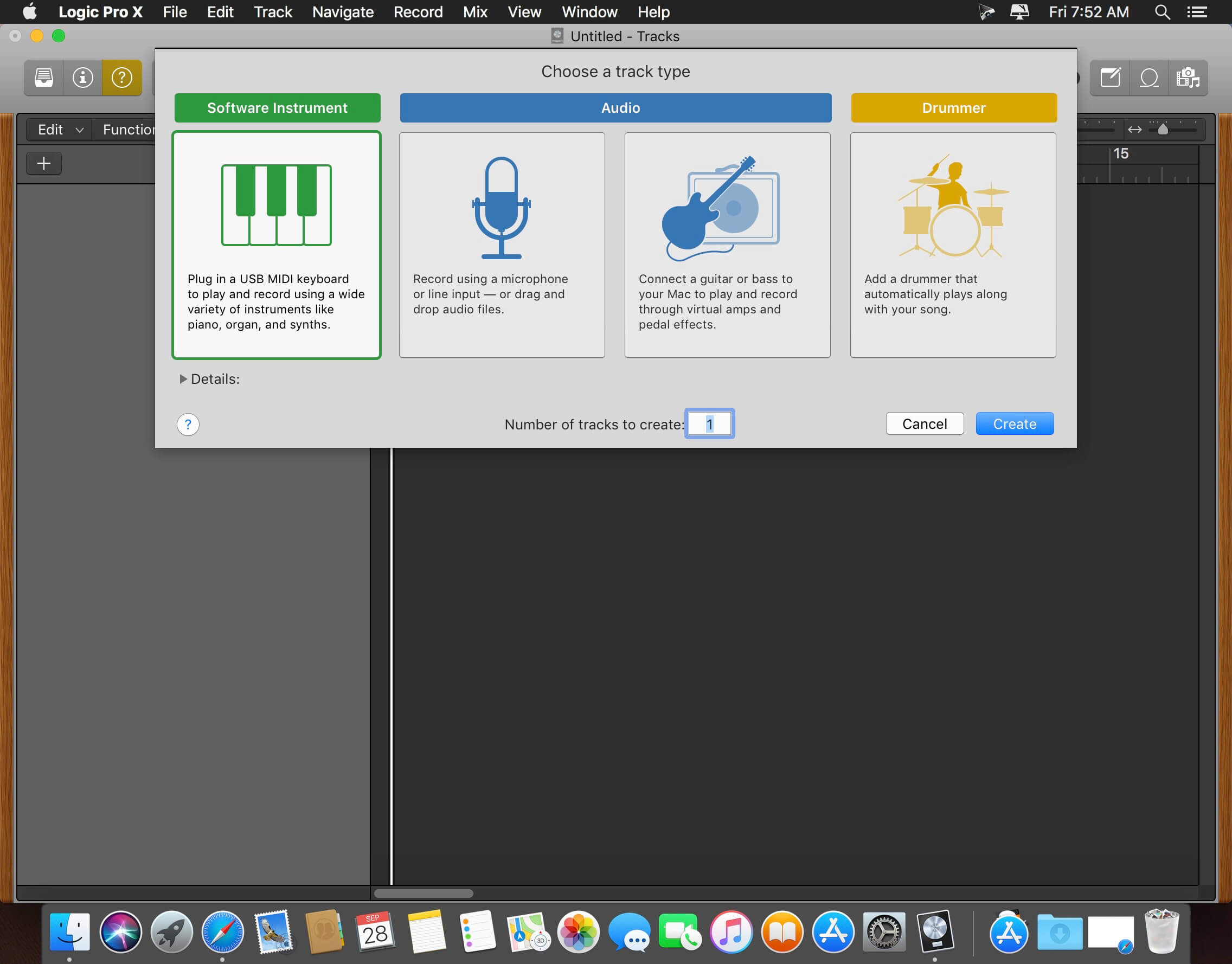
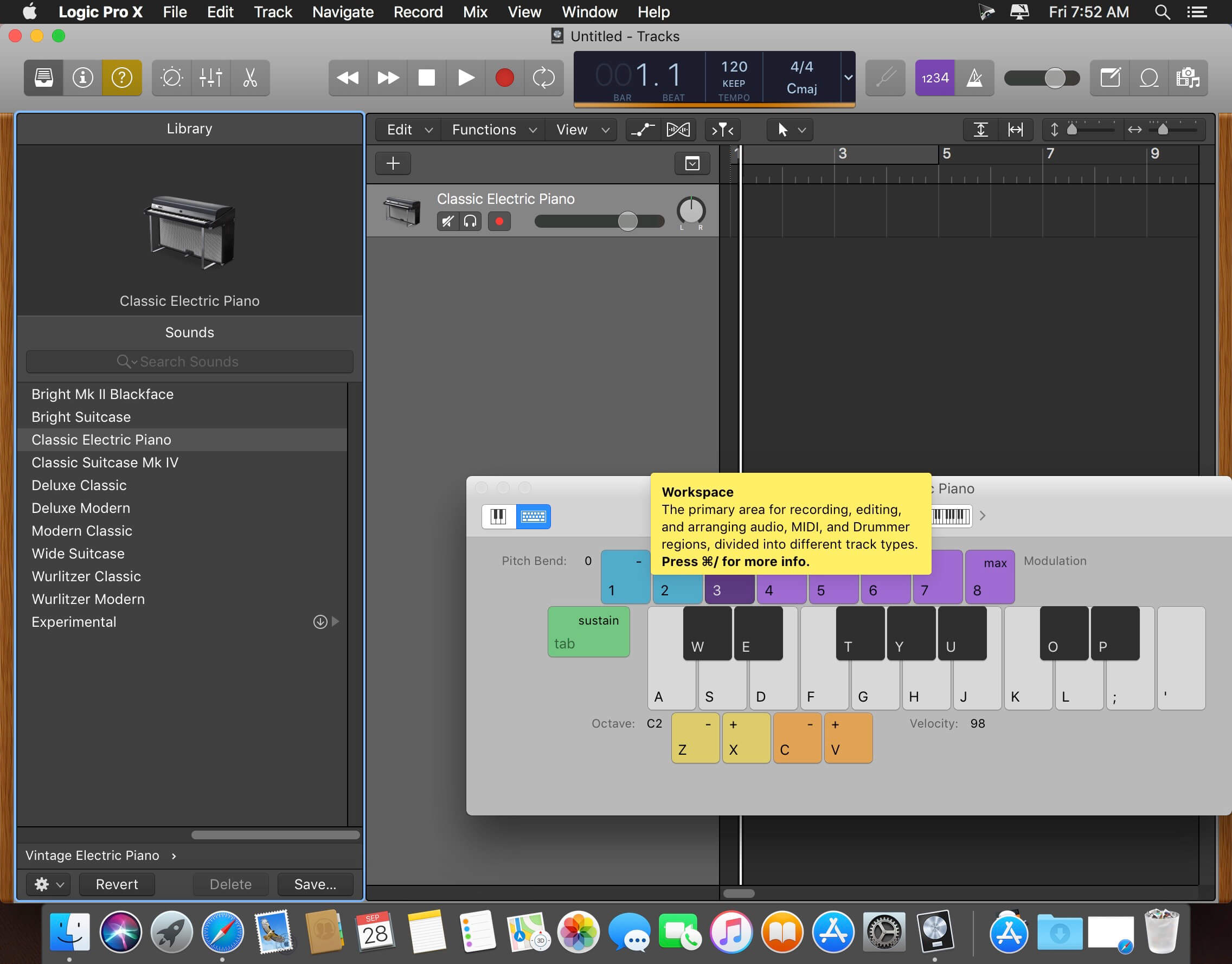
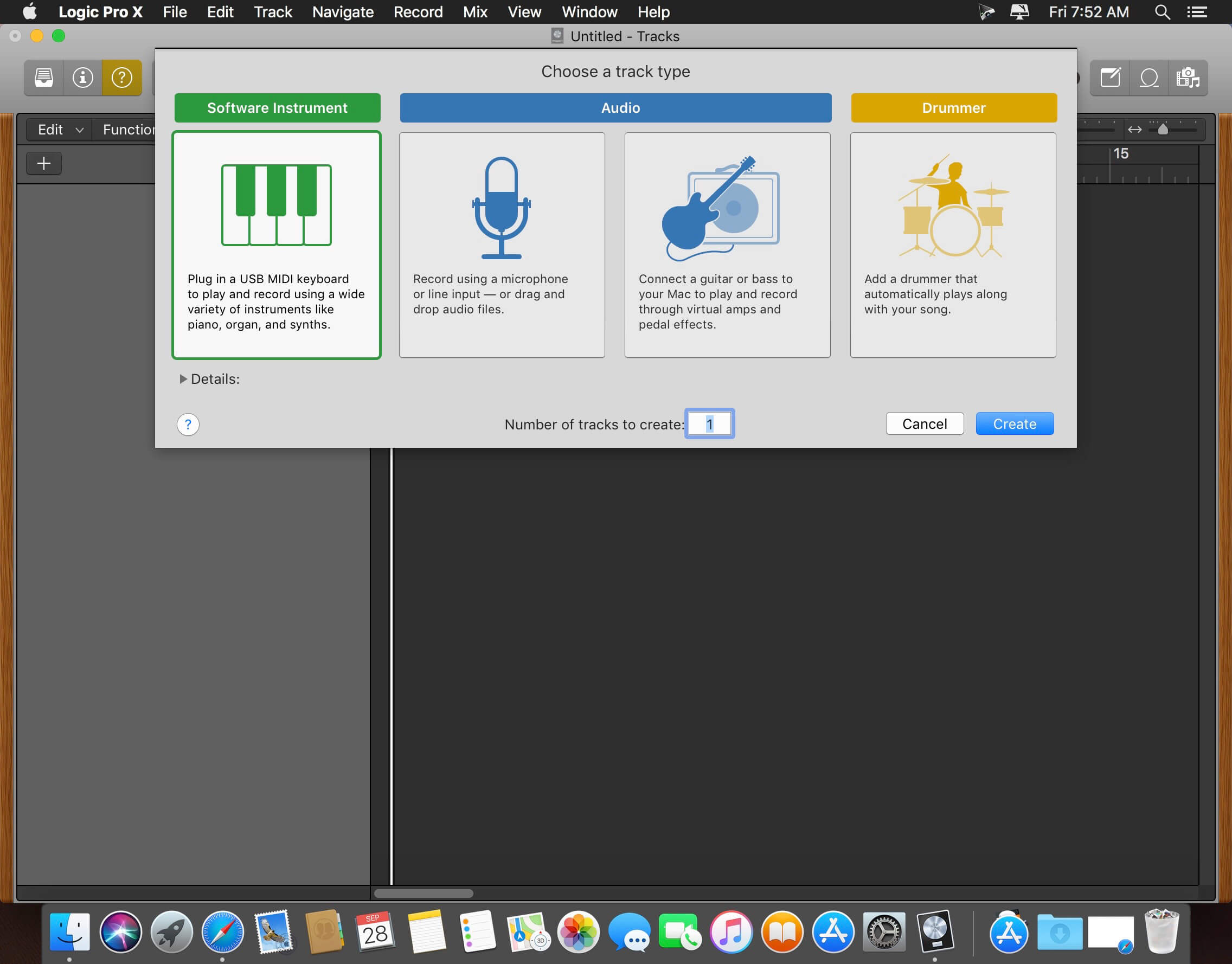
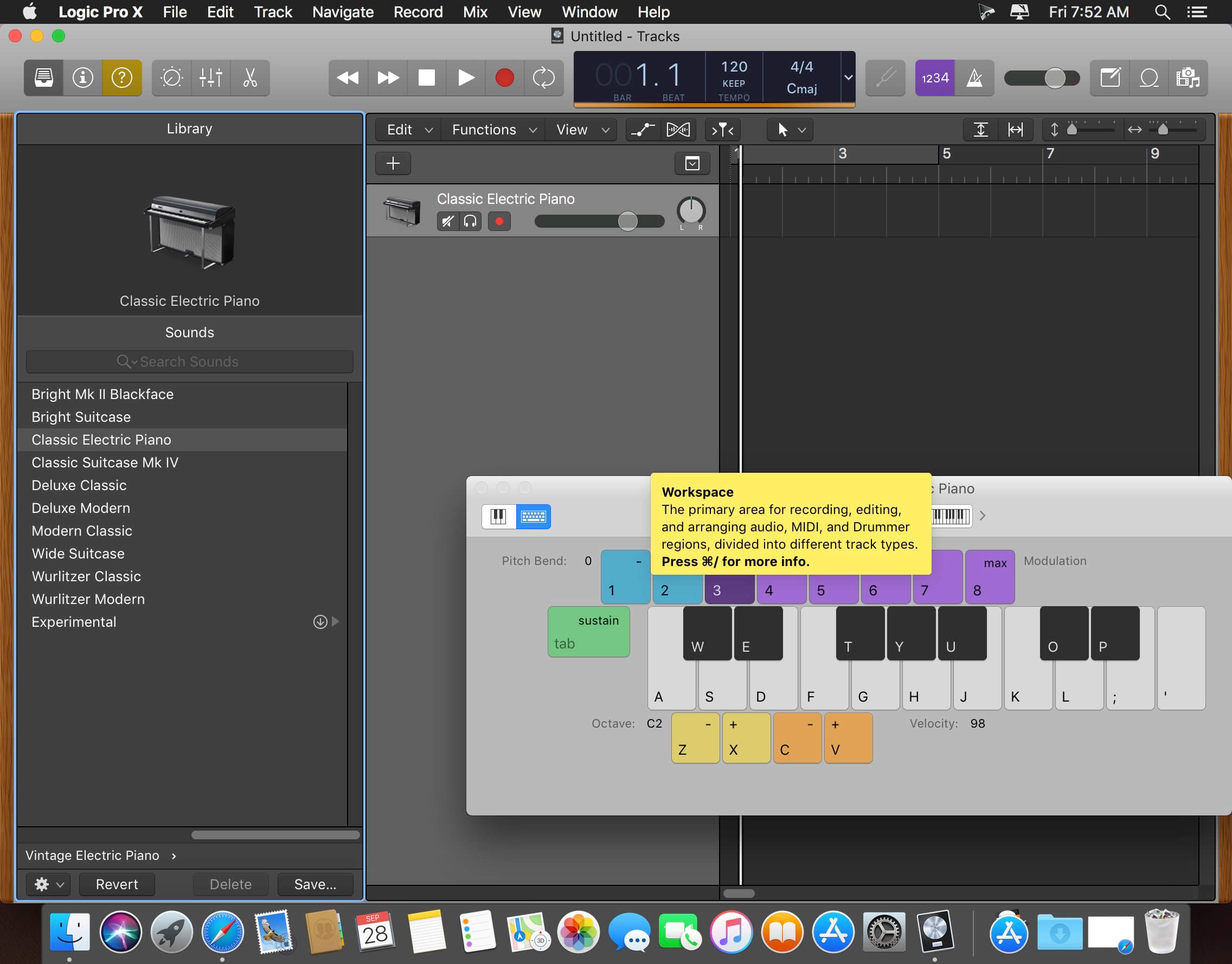
Logic Pro is a complete collection of sophisticated creative tools for professional songwriting, beat making, editing, and mixing, built around a modern interface that’s designed to get results quickly and also deliver more power whenever it’s needed. Logic Pro includes a massive collection of instruments, effects, loops and samples, providing a complete toolkit to create amazing-sounding music.

Professional Music Production

  • Use a complete set of spatial audio authoring tools that provide everything you need to mix and export your music for Dolby Atmos
  • Use Live Loops to capture inspiration and quickly build arrangements by mixing and matching loops, samples, and your recordings
  • Record and edit MIDI or audio using a comprehensive set of editors and tools
  • Keep takes organized with take folders and build comps quickly with Quick Swipe Comping
  • Track Alternatives let you create and switch between different playlists of regions and edits on a track
  • Fix out-of-tune vocals and change the melodies of recorded audio with Flex Pitch
  • Manipulate the timing and tempo of any recording with ease using Flex Time Use Smart Tempo to import audio and have it automatically conform to your project BPM
  • Perform and mix from anywhere in the room using Logic Remote on iPad or iPhone
  • Produce simple lead sheets or orchestral scores with built-in Score editor

Drum Production and Beat Making

  • Use Drum Machine Designer to build and perform your own custom kits
  • Program beats, bass lines and melodic parts using Step Sequencer
  • Create authentic acoustic, electronic, or hip-hop drum tracks using Drummer, a virtual session player and beat producer

Sampling

  • Use Sampler to quickly create and edit sophisticated multi-sampled instruments
  • Import a single audio file or record directly into Quick Sampler to instantly build a playable instrument

Keyboards and Synths

  • Get inspired by collection of synths that provide analog, wavetable, FM, additive, granular, spectral, and modeling synthesis
  • Quickly find sounds or create unique new ones with Alchemy, a powerful sample manipulation synthesizer
  • Instantly turn a simple chord into a rich performance with the Arpeggiator
  • Play faithful models of classic organs, keyboards, and vintage synths

Guitar and Bass Gear

  • Build your own guitar or bass rig with Amp Designer using vintage and modern amps, cabinets, and mics
  • Design a custom Pedalboard from a collection of delay, distortion, and modulation stompboxes

Creative and Production Effects

  • Access a professional collection of vintage and modern delays, EQs and compressors
  • Play your sounds through a variety of realistic acoustic spaces or creative synthesized reverbs
  • Add movement to your tracks with a variety of modulation effects

Sound Library

  • Over 5,900 instrument and effect patches
  • 1,200 meticulously sampled instruments
  • 14,750 Apple Loops in a wide range of genres

Compatibility

  • Expand your instrument and effects library with third-party Audio Units-compatible plug-ins
  • Share to GarageBand option allows you to remotely add new tracks to your Logic project from your iPhone or iPad via iCloud
  • Import and export XML to support Final Cut Pro workflows
  • Export your spatial audio mix as a Dolby Atmos ADM file compatible with Apple Music
  • Export and share your songs directly to SoundCloud

Storage Requirements

  • 6GB available storage space for minimum install / 72GB storage space for full Sound Library installation

What’s New:

Version 11.0

AI Enhanced Tools

New AI enhanced tools join Smart Tempo and the Pitch Correction plug-in to augment your artistry

  • Bass Player and Keyboard Player join Drummer to complete a set of Session Players — all built with AI making it easy to create performances that respond to your direction
  • Session Players can follow the same chord progression using Global chord track
  • Add warmth to any track with ChromaGlow, an advanced plug-in with five saturation models designed to simulate the sound of vintage analog hardware*
  • Separate a stereo audio file into stems for vocals, drums, bass and other parts with Stem Splitter*
  • Session Players, ChromaGlow, and Stem Splitter also come to Logic Pro for iPad 2 — making it simple to move between projects created in Logic Pro for Mac

Sound Library

  • Play any of six deeply-sampled acoustic and electric basses with Studio Bass
  • Perform any of three meticulously-sampled pianos with Studio Piano
  • Loops that contain chord tags will automatically populate the chord track when added to a project
  • Three new Producer Packs are available: Hardwell, The Kount, and Cory Wong
  • Original multi-track project of “Swing!” by Ellie Dixon available as in-app demo song

Spatial Audio

  • Downmix and trim options allow custom mixing for non-Atmos channel configurations
  • Exported ADM BWF files have been expanded beyond Dolby Atmos and can contain settings for stereo and other multi-channel formats

Enhancements

  • Bounce in place adds automatic realtime recording for External Instrument regions or tracks that utilize external hardware using Logic’s I/O plug-in
  • MIDI generated by supported software instruments and effects can be routed to the input of other tracks for creative layering during playback or recording
  • Edit more efficiently using key commands for moving, extending, or resizing marquee selections

Language: English, French, German, Japanese, Simplified Chinese, Spanish
Compatibility: macOS 13.5 or later
Homepage https://www.apple.com/logic-pro/

Screenshots


Permute 3.11.10

Name: Permute_3_3.11.10_Mactorrents.biz.dmg
Size: 76 MB
Files Permute_3_3.11.10_Mactorrents.biz.dmg[76 MB]

   Download Torrent

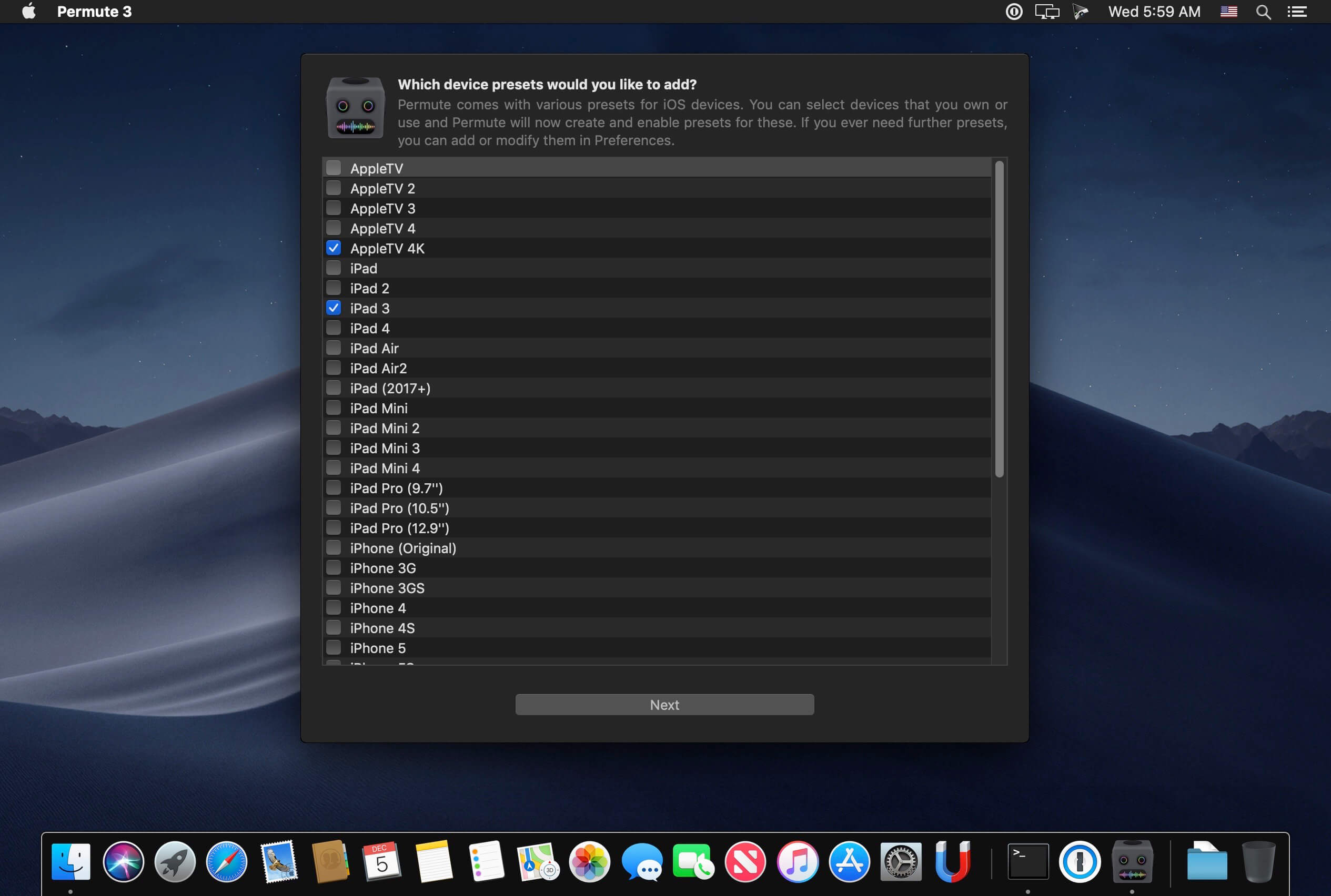
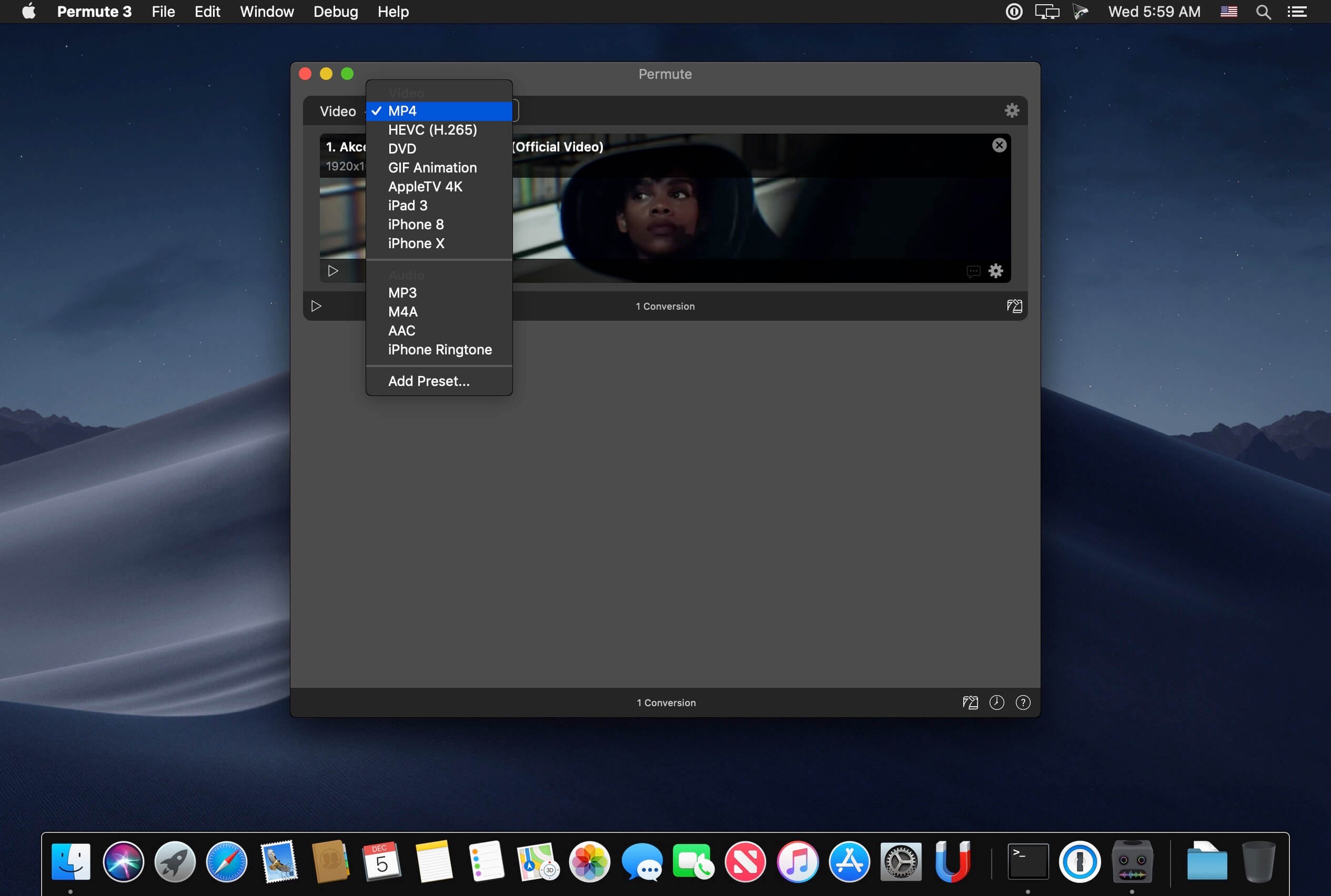
Video, audio and image files come in many different kinds and shapes, but sometimes you need a specific format since your iPad or DVD player won’t play that video. That is what Permute is for – easily convert your media files to various different formats.

Key Features

  • Easy to Use – built from the ground up, Permute is a perfect example of what a Mac app should be. With a gorgeous interface and drag & drop simplicity no need for complicated options.Video, audio and image files come in many different kinds and shapes, but sometimes you need a specific format since your iPad or DVD player won’t play
  • Insanely Fast – Permute was engineered to be incredibly fast. Let us take care of the hard stuff. Just select the video format you want and it’ll be done faster than you can say “hardware acceleration” – MP4 and HEVC presets now take advantage of your machine’s hardware acceleration capabitlities, speeding up HEVC conversions more than 3 times over previous versions of Permute!
  • PDF Support – Permute 3 now includes support for stitching multiple images into a single PDF.
  • Everything Included – It doesn’t matter if you’re converting home movies or processing images. Permute can do it all. We support nearly every format and have plenty of device presets to choose from.
  • Looks Amazing – Whether you use dark mode or not, Permute will look amazing. Taking advantage of the modern technologies, Permute will even change its icon in dark mode.
  • Keep the Schedule – Video re-encoding is quite demanding on computer resources. This is why you can now schedule Permute to convert videos e.g. at night when you’re not using your computer.
  • And so much more! – There are so many other great features in Permute – adjust volume of an audio file or an audio track in a video. Batch-resize, rotate and flip images and videos. And more!
  • Completely Rewritten – Permute 3 was started from scratch – completely new project, everything written from the ground up again.
  • UI Redesign – the UI has been redesigned from the ground up. It’s faster, more fluent and visually pleasing.
  • Dark Mode – Permute now works 100% with the dark mode, even adjusting its Dock icon based on your macOS theme.
  • Image Stitching – Stitch images together into a PDF.
  • HEVC (H.265) Hardware Acceleration – HEVC (H.265) video encoding now supports hardware acceleration, resulting in conversions more than twice as fast.
  • Scheduled Conversions – Schedule delayed conversion start.
  • Groups – Put files into groups and set different settings for different groups.
  • Customizations – Customize settings on a per-group basis without modifying the preset.
  • Multiple Subtitles – Add or copy multiple subtitle tracks from the source file.
  • … and many, many other minor fixes and improvements.

Compatibility: macOS 10.11 or later
Homepage https://software.charliemonroe.net/permute/

Screenshots


TechSmith Camtasia 2024.0.1

Name: Camtasia_2024_2024.0.1_Mactorrents.biz.dmg
Size: 423 MB
Files Camtasia_2024_2024.0.1_Mactorrents.biz.dmg[423 MB]

   Download Torrent

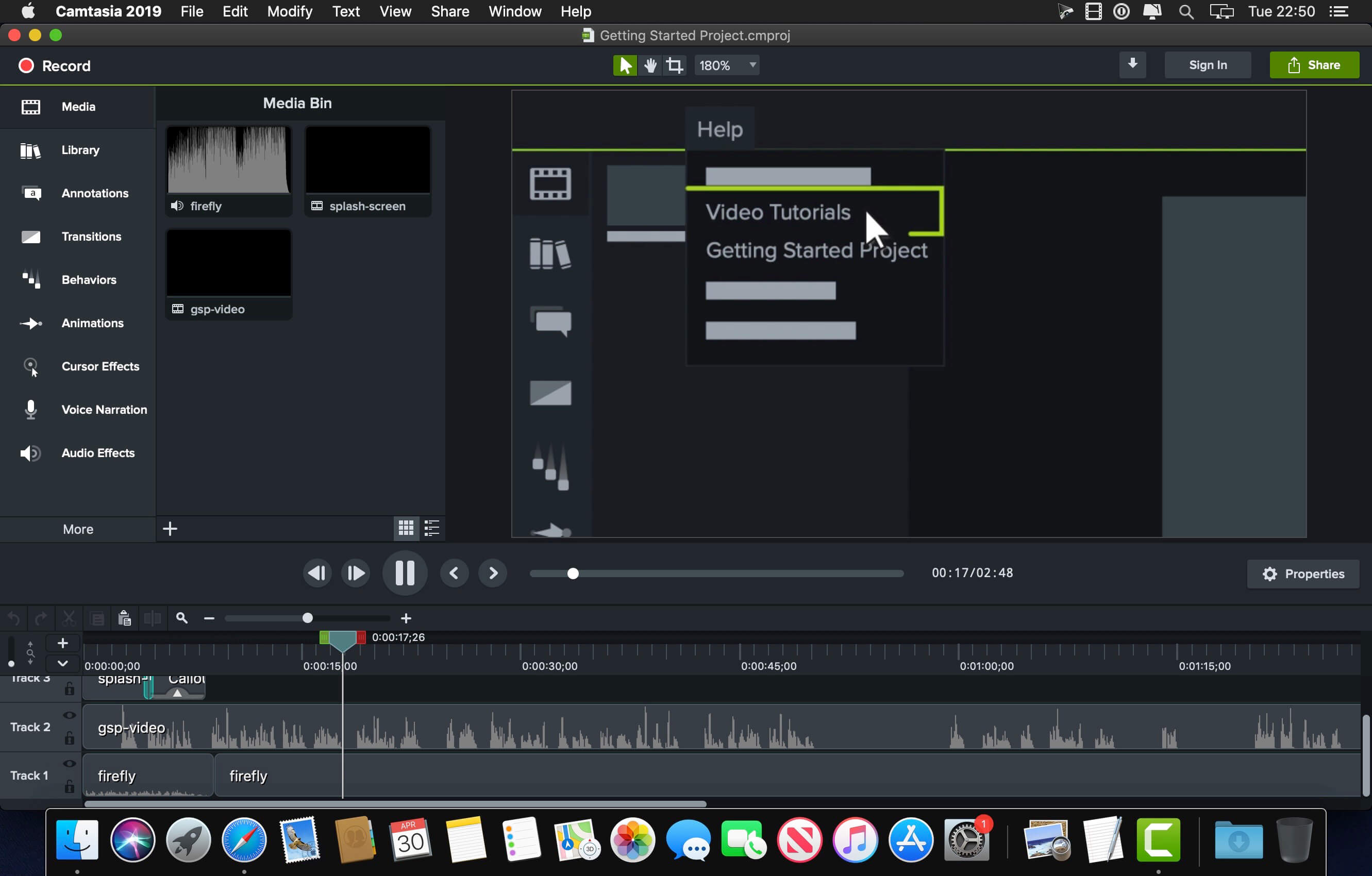
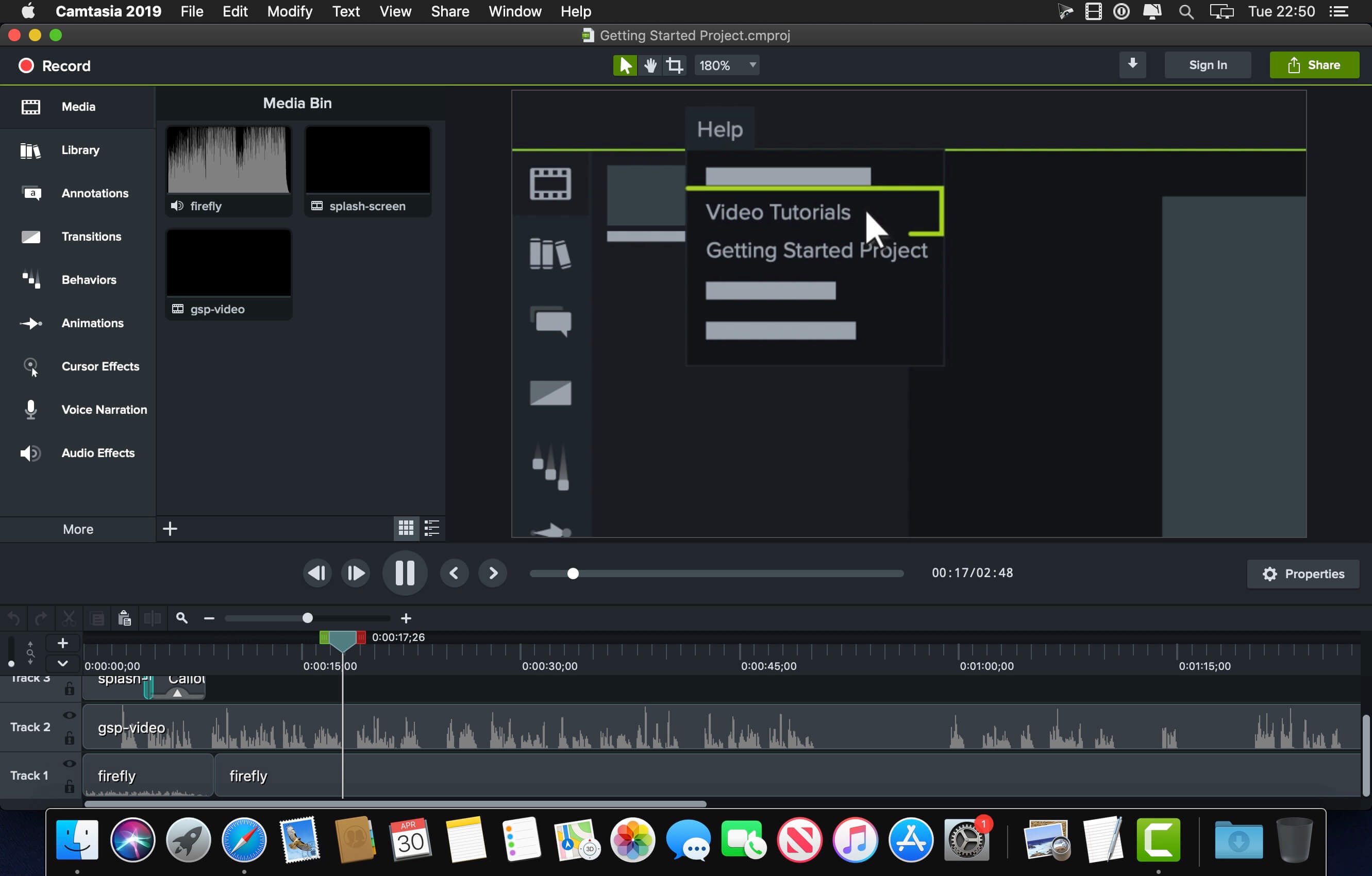
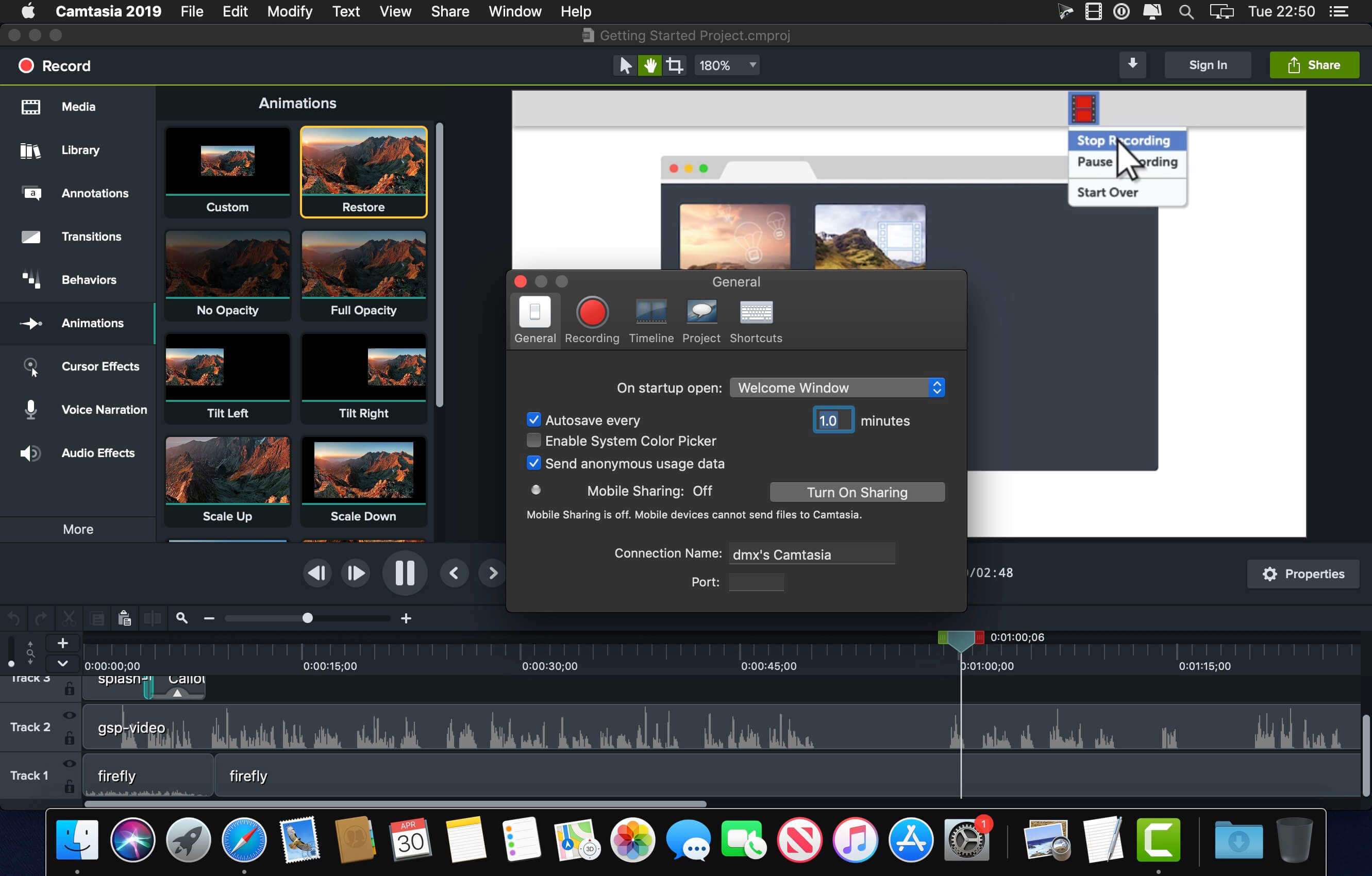
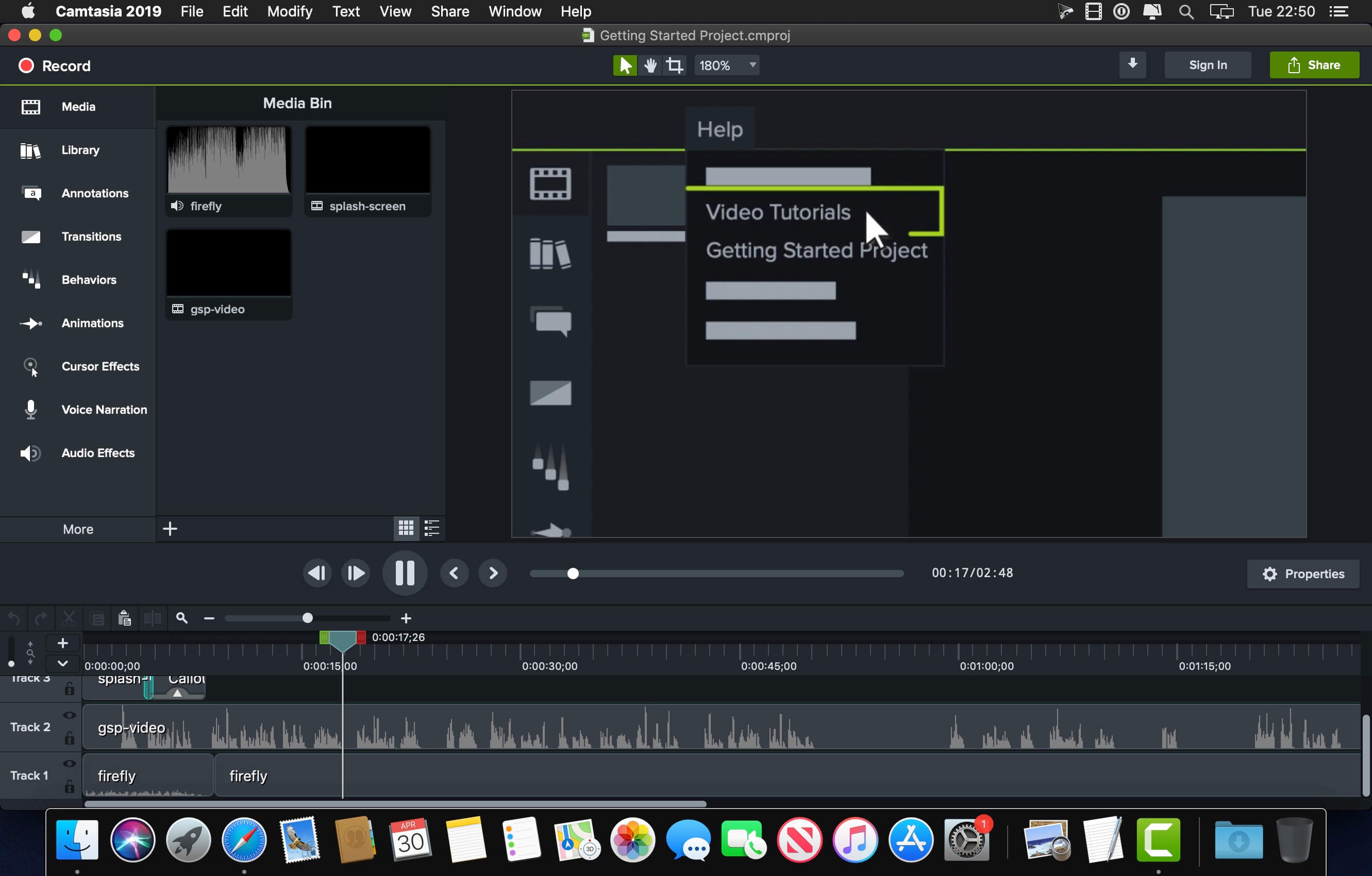
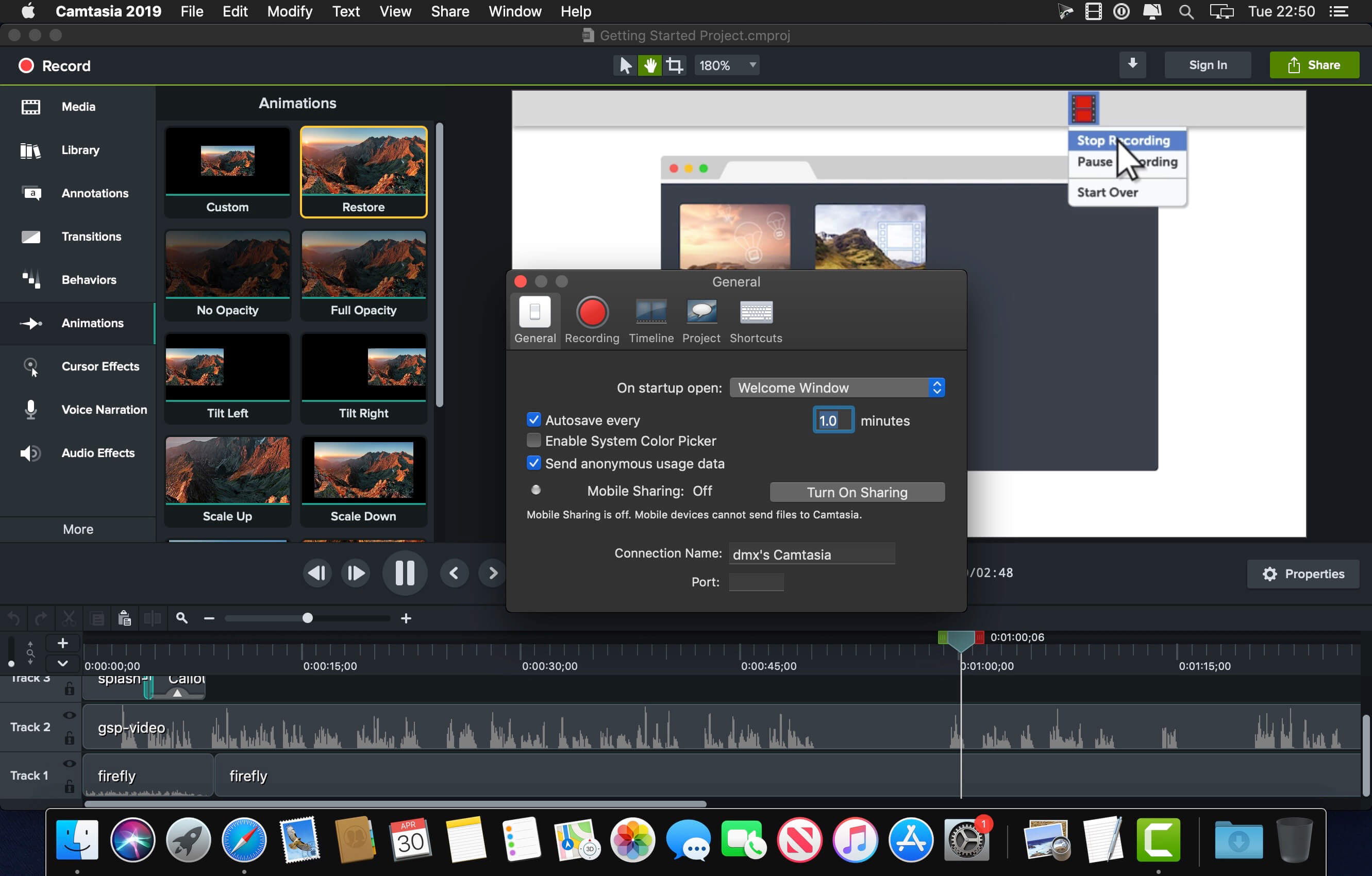
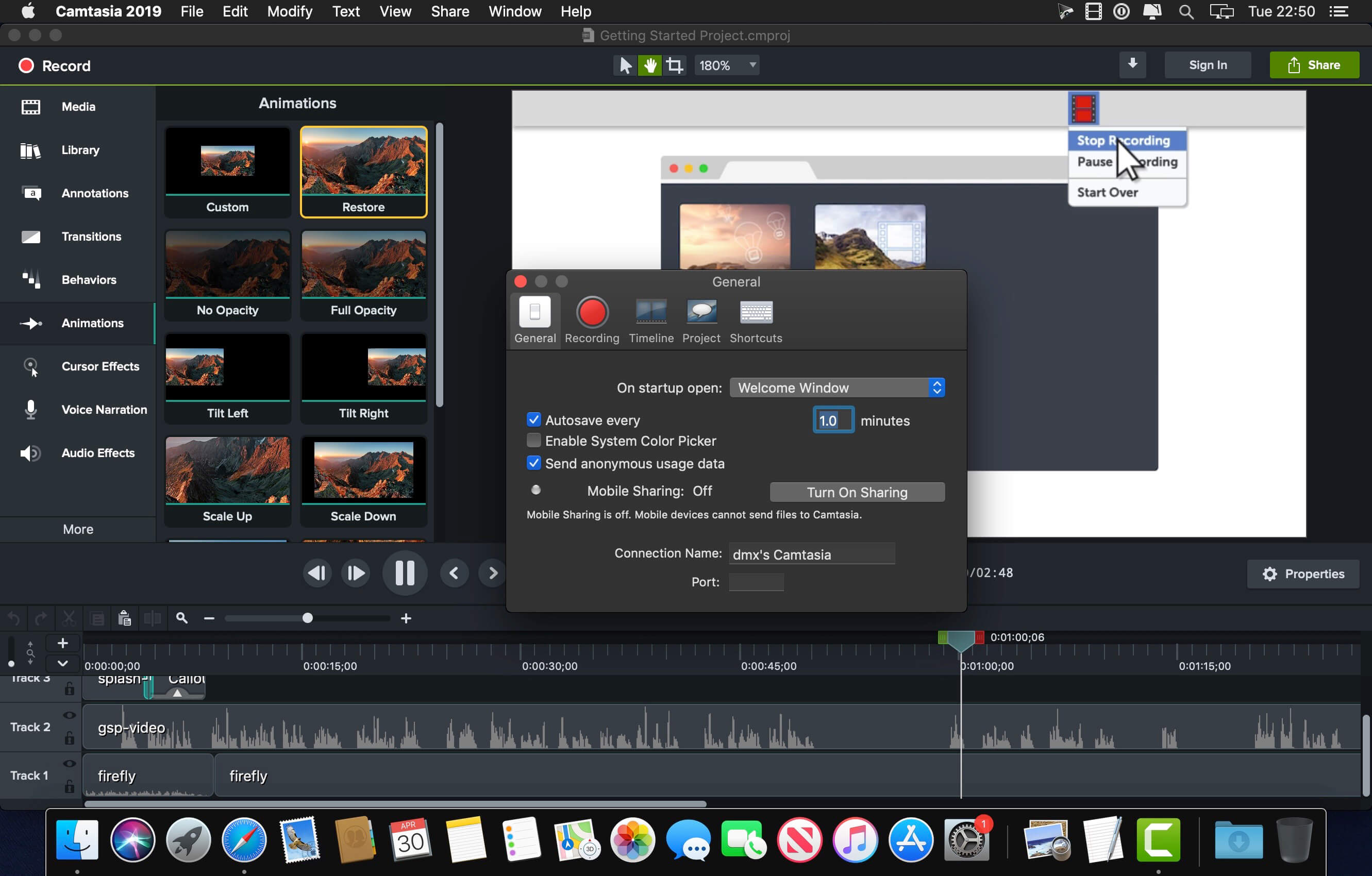
Camtasia is the go-to video solution for creating professional-looking software demonstrations, product tutorials, online lessons, and recorded presentations- no video experience needed. Pre-built video templates help you create the videos you need with ease. Record your screen, import PowerPoint presentations, or add video footage you already have. Then edit, add effects with drag-and-drop ease, and share out your videos with anyone. With so many easy to use features and effects, you’ll be creating polished videos in no time.

Start Fast
Camtasia is quick to learn. You don’t need a big budget or fancy video editing skills. Start with a template or just record your screen and add a few effects.

Feel Confident
Whether you have experience or this is your first time making a video, we’ll give you everything you need to make a high-quality video.

Engage Viewers
Create content your viewers actually watch. A video will give you more interaction and help your audience to learn more than with text alone.

The best screen recording software for…

  • Video tutorials
  • How-to videos
  • Demo videos
  • Meeting recordings
  • YouTube videos
  • Training videos
  • Video lessons
  • Webinar recordings
  • Instructional videos
  • Explainer videos
  • Presentation recordings
  • …and more!

Compatibility: macOS 12.0 or later
Homepage https://www.techsmith.com/

Screenshots


TechSmith Camtasia 2024.0.0

Name: Camtasia_2024_2024.0.0_Mactorrents.biz.dmg
Size: 392 MB
Files Camtasia_2024_2024.0.0_Mactorrents.biz.dmg[392 MB]

   Download Torrent

Camtasia is the go-to video solution for creating professional-looking software demonstrations, product tutorials, online lessons, and recorded presentations- no video experience needed. Pre-built video templates help you create the videos you need with ease. Record your screen, import PowerPoint presentations, or add video footage you already have. Then edit, add effects with drag-and-drop ease, and share out your videos with anyone. With so many easy to use features and effects, you’ll be creating polished videos in no time.

Start Fast
Camtasia is quick to learn. You don’t need a big budget or fancy video editing skills. Start with a template or just record your screen and add a few effects.

Feel Confident
Whether you have experience or this is your first time making a video, we’ll give you everything you need to make a high-quality video.

Engage Viewers
Create content your viewers actually watch. A video will give you more interaction and help your audience to learn more than with text alone.

The best screen recording software for…

  • Video tutorials
  • How-to videos
  • Demo videos
  • Meeting recordings
  • YouTube videos
  • Training videos
  • Video lessons
  • Webinar recordings
  • Instructional videos
  • Explainer videos
  • Presentation recordings
  • …and more!

Compatibility: macOS 12.0 or later
Homepage https://www.techsmith.com/

Screenshots


Native Instruments Kontakt 7.10.5

Name: Native_Instruments_Kontakt_7.10.5__HCiSO_Mactorrents.biz.dmg
Size: 1.11 GB
Files Native_Instruments_Kontakt_7.10.5__HCiSO_Mactorrents.biz.dmg[1.11 GB]

   Download Torrent

KONTAKT 7 is everything from instant inspiration for music makers to the industry’s leading instrument-building tool. For the seventh generation of KONTAKT, we’re bringing its 20-year legacy into the future. Find sounds easily with a new resizable browser. Explore new musical ideas and find fresh inspiration with an overhauled Factory Library, newly added effects, and under-the-hood audio improvements.

KONTAKT is the Definitive Sampling Platform and Industry-Standard. KONTAKT powers the biggest selection of sampled instruments available. Included factory library puts 55+ GB of detailed, creative, and expressive instruments at your fingertips. Drag and drop your own samples into an instrument’s interface to use your own sounds. Build your own instruments with powerful sample-editing and instrument-building.

MORE THAN A SAMPLER
With KONTAKT 7, you can sound like a snare drum, a symphony orchestra, or anything in between, from a universe of sampled instruments. It’s a simple sampler when you want it to be, and a deep sonic scripting laboratory when you need something more. The next generation of the world’s favorite sampling platform gives you new instruments and new features under the hood – so you can layer, link, stretch, and shape your sounds any way you can imagine.

WHAT’S NEW?
Over two decades, KONTAKT has become a highly-developed engine for creating and playing sampled instruments. KONTAKT 7 offers more for players and builders alike:
• Introducing KONTAKT Play Series: Three new instruments for the KONTAKT library, offering pristine, contemporary sound in a creative and streamlined interface

Wavetable synthesis module: Build hybrid instruments for entirely new sounds.
• Modulate your sound with additional new effects taken from MOD PACK; Choral, Flair, and Phasis
• Drag and drop you own samples into instruments to use them with your own sounds and create one-of-a-kind results.
• Enhanced effects: Even more effects for your creations, for greater expression and realism.
• Creator Tools: New standalone application dedicated to improving the library creation and editing process.

THREE NEW INSTRUMENTS
KONTAKT 7 introduces the KONTAKT Play Series: New twists on sought-after sounds. Each places powerful, creative processing chains into a simple, intuitive interface. These hybrid instruments combine wavetable synthesis with creatively sampled content, allowing dynamic live blending and sound sculpting.

The instruments all feature eight carefully assigned macro controls, corresponding to the eight rotary encoders on our KOMPLETE KONTROL and MASCHINE hardware. These controls are mapped to numerous shared parameters behind the scenes, so you can change a sound dramatically with a single twist of a macro knob.

ANALOG DREAMS
A powerful instrument featuring legendary analog and digital synths of the 1970s, 1980s, and 1990s.ETHEREAL EARTH
A rich hybrid instrument that takes live instrumentation from across the world and combines it with digital synthesis.HYBRID KEYS
A modern and creative twist on acoustic piano, classic electric piano, synth, and analog keys – ideal for all contemporary styles.

POWERING SAMPLED INSTRUMENTS
KONTAKT is a host for hundreds of highly realistic and detailed sampled instruments. And because it’s the most widely-used host platform, you’ve probably already heard KONTAKT – on chart-topping pop and club smashes, hit TV shows, and blockbuster movies.

As well as our own KONTAKT instruments, there are currently around 600 licensed instruments from other manufacturers that run in KONTAKT, plus thousands more so-called ‘indie’ instruments. This diverse ecosystem means that KONTAKT 7 is your access point to the industry’s biggest collection of playable sampled sound.

Release Notes

Compatibility: macOS 11.0 or later • Apple Silicon or Intel Core processor
Homepage https://www.native-instruments.com/en/products/komplete/samplers/kontakt-7/

MediaInfo 24.05

Name: MediaInfo_24.05_Mactorrents.biz.dmg
Size: 16 MB
Files MediaInfo_24.05_Mactorrents.biz.dmg[16 MB]

   Download Torrent

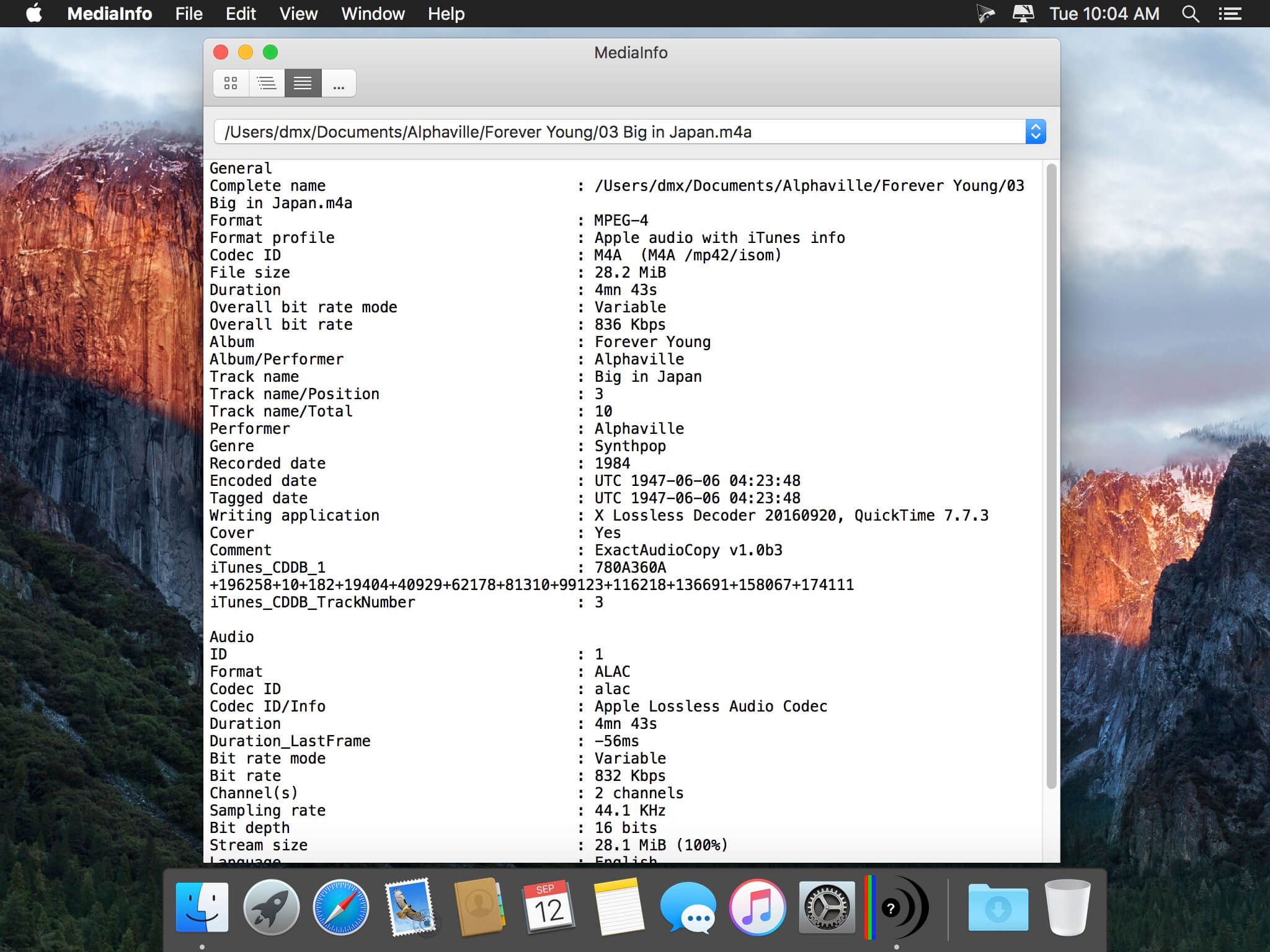
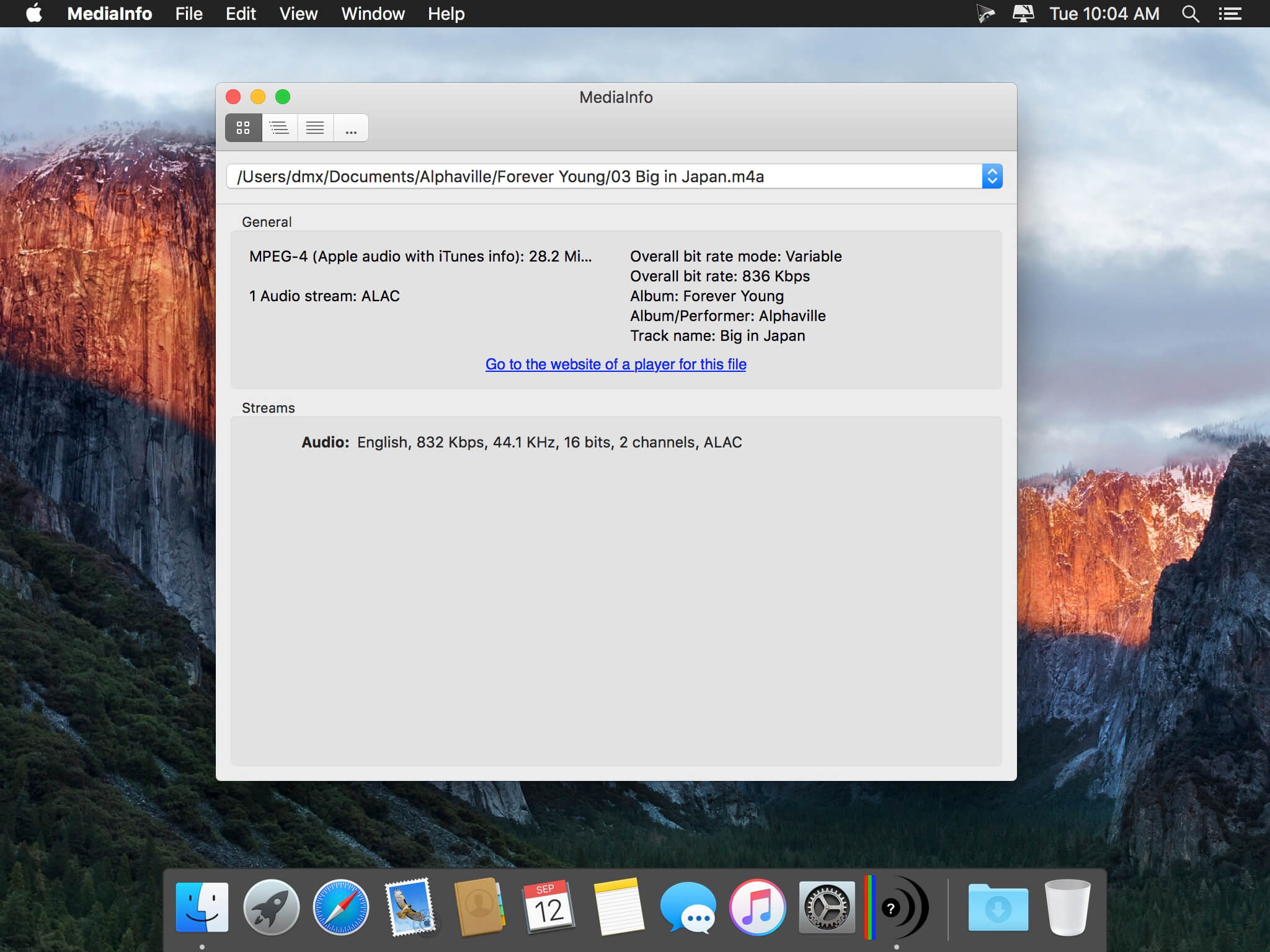
MediaInfo is a convenient unified display of the most relevant technical and tag data for video and audio files.

The MediaInfo data display includes:

  • Container: format, profile, commercial name of the format, duration, overall bit rate, writing application and library, title, author, director, album, track number, date…
  • Video: format, codec id, aspect, frame rate, bit rate, color space, chroma subsampling, bit depth, scan type, scan order…
  • Audio: format, codec id, sample rate, channels, bit depth, bit rate, language…
  • Subtitles: format, codec id, language of subtitle…
  • Chapters: count of chapters, list of chapters…

The MediaInfo analyticals includes:

  • Container: MPEG-4, QuickTime, Matroska, AVI, MPEG-PS (including unprotected DVD), MPEG-TS (including unprotected Blu-ray), MXF, GXF, LXF, WMV, FLV, Real…
  • Tags: Id3v1, Id3v2, Vorbis comments, APE tags…
  • Video: MPEG-1/2 Video, H.263, MPEG-4 Visual (including DivX, XviD), H.264/AVC, Dirac…
  • Audio: MPEG Audio (including MP3), AC3, DTS, AAC, Dolby E, AES3, FLAC, Vorbis, PCM…
  • Subtitles: CEA-608, CEA-708, DTVCC, SCTE-20, SCTE-128, ATSC/53, CDP, DVB Subtitle, Teletext, SRT, SSA, ASS, SAMI…

MediaInfo features include:

  • Read many video and audio file formats
  • View information in different formats (text, tree)
  • Export information as text
  • Graphical user interface, command line interface, or library (.dylib) versions available (command line interface and library versions are available separately, free of charge, on the editor website)
  • Integrate with the shell (drag ‘n’ drop, and Context menu)

Top In-App Purchases: Full Version – included

Compatibility: macOS 10.10 or later
Homepage https://apps.apple.com/app/mediainfo/id510620098

Screenshots


iMediaCut-Easy Video Trimming 7.6.12

Name: iMediaCut_7.6.12_Mactorrents.biz.dmg
Size: 14 MB
Files iMediaCut_7.6.12_Mactorrents.biz.dmg[14 MB]

   Download Torrent

Audio & Video editing. Functions such as Voice Changer, Noise Reduction, Audio Governor, Speed Changer, Region Clipper, Convert video to GIF.

Video

  • Video Trimmer – Crop video.
  • Audio Extractor – Extract audio from video.
  • Video Joiner – Merge multiple videos into one.
  • Speed Changer – Speed up or slow down the video.
  • Region Clipper – Export a region of the video as a video.
  • Convert to GIF – Convert video to gif.

Audio

  • Audio Trimmer – Trim audio.
  • Audio Joiner – Merge multiple audios.
  • Audio Mixer – Mix multiple audios.
  • Voice Changer – Adjust audio tempo and pitch.
  • Noise Reduction – Audio noise reduction.
  • Audio Governor – Adjust audio playback speed.

Compatibility: macOS 10.15 or later
Mac App Store https://apps.apple.com/pk/app/imediacut-easy-video-trimming/id1619693028

Screenshots


Cockos REAPER 7.16

Name: Cockos.REAPER.7.16.macOS_Mactorrents.biz.zip
Size: 49.9 MB
Files Cockos.REAPER.7.16.macOS_Mactorrents.biz.dmg[49.9 MB]

   Download Torrent

REAPER is a digital audio workstation. It is a complete multitrack audio and MIDI recording, editing, processing, mixing, and mastering environment. Using your current computer and no other software, you can import any audio and MIDI, synthesize, sample, compose, arrange, edit, mix, and master songs or any other audio projects.

If you add a hardware audio interface of your choice (AD/DA: analog-to-digital/ digital-to-analog) and a microphone, you have a complete recording studio. It is suitable for recording anything from a soloist to a band to an orchestra.
REAPER converts your computer into the full power of any top-of-the-line recording studio. It will support almost any existing audio interface. Even interfaces manufactured by companies whose software does not allow you to use any other hardware interface.

REAPER doesn’t have track types, busses, tools, or offline processing. If you want to create a drum bus, simply add a track above the drum tracks and press the folder button. The drums will automatically send to the folder. Once you get the drum levels and FX tweaked right where you want them, you can record the folder’s output to non-destructively freeze the drums and move on.

Basic features:
– Portable – supports running from USB keys or other removable media
– 64 bit audio engine
– Excellent low-latency performance
– Multiprocessor capable
– Direct multi-track recording to many formats including WAV/BWF/W64, AIFF, WavPack, FLAC, OGG, and MIDI.
– Extremely flexible routing
– Fast, tool-less editing
– Supports a wide range of hardware (nearly any audio interface, outboard hardware, many control surfaces)
– Support for VST, VSTi, DX, DXi effects
– ReaPlugs: high quality 64 bit effect suite
– Tightly coded – installer is just over 2MB

Editing features:
– Tool-less mouse interface — spend less time clicking
– Drag and drop files to instantly import them into a project
– Support for mixing any combination of file type/samplerate/bit depth on each track
– Easily split, move, and resize items
– Each item has easily manipulated fades and volume
– Tab to transient support
– Configurable and editable automatic crossfading of overlapping items
– Per-item pitch shift and time stretch
– Arbitrary item grouping
– Markers and envelopes can be moved in logical sync with editing operations
– Ripple editing – moving/deletion of items can optionally affect later items
– Multiple tempos and time signatures per project
– Ability to define and edit project via regions
– Automation envelopes

Compatibility: OS X 10.5 or Higher
Homepage https://www.reaper.fm

DRmare Audio Converter 2.10.0

Name: DRmare_Audio_Converter_2.10.0_Mactorrents.biz.dmg
Size: 30 MB
Files DRmare_Audio_Converter_2.10.0_Mactorrents.biz.dmg[30 MB]

   Download Torrent

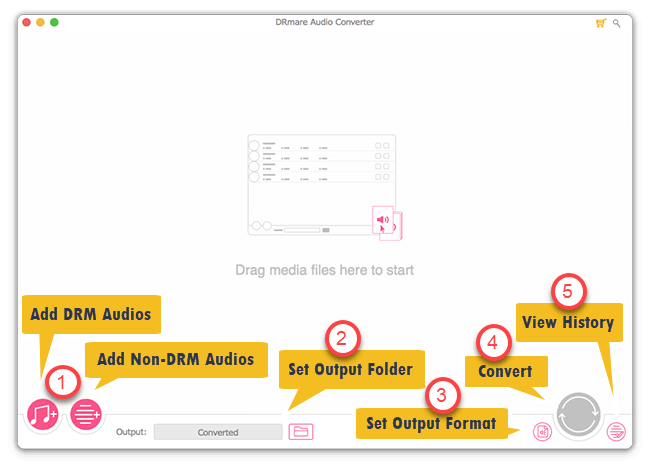
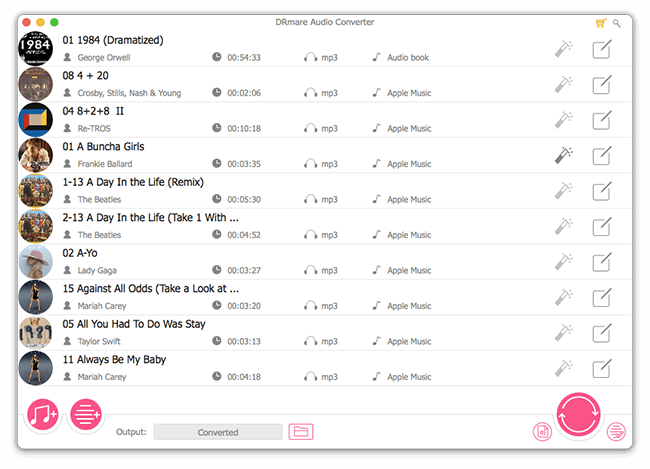
DRmare Audio Converter is an all-in-one DRM audio removal solution for Apple Music, iTunes songs, Audible audiobooks and much more. As the most comprehensive streaming audio converter, it’s able to remove DRM and convert both protected and non-DRM audios to MP3, AAC, WAV, FLAC, M4A, etc. with original quality and ID3 tags preserved.

Compatibility: OS X 10.10 or later, 64-bit processor
Homepage https://www.drmare.com/drm-audio-converter-for-mac/user-guide.html

Screenshots


iShowU Instant Advanced 1.4.20

Name: iShowU_Instant_1.4.20_Mactorrents.biz.dmg
Size: 44 MB
Files iShowU_Instant_1.4.20_Mactorrents.biz.dmg[44 MB]

   Download Torrent

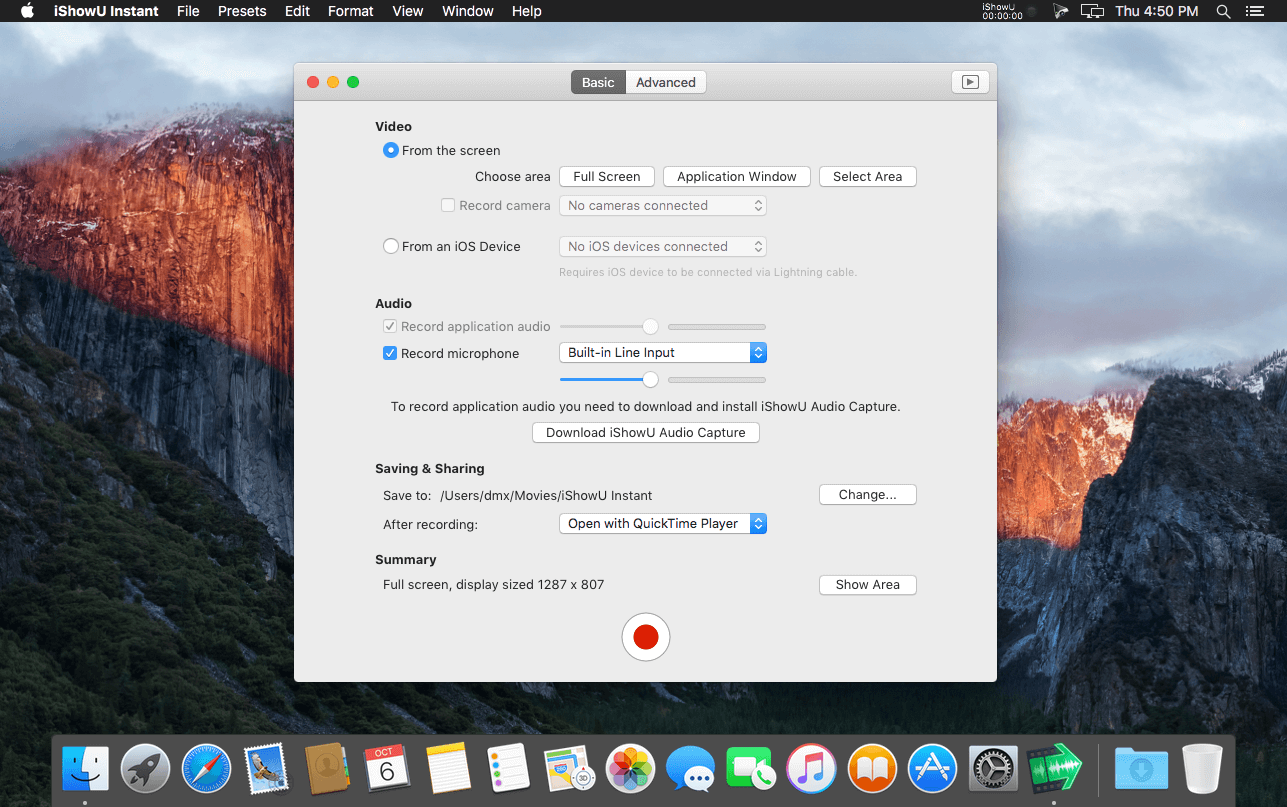
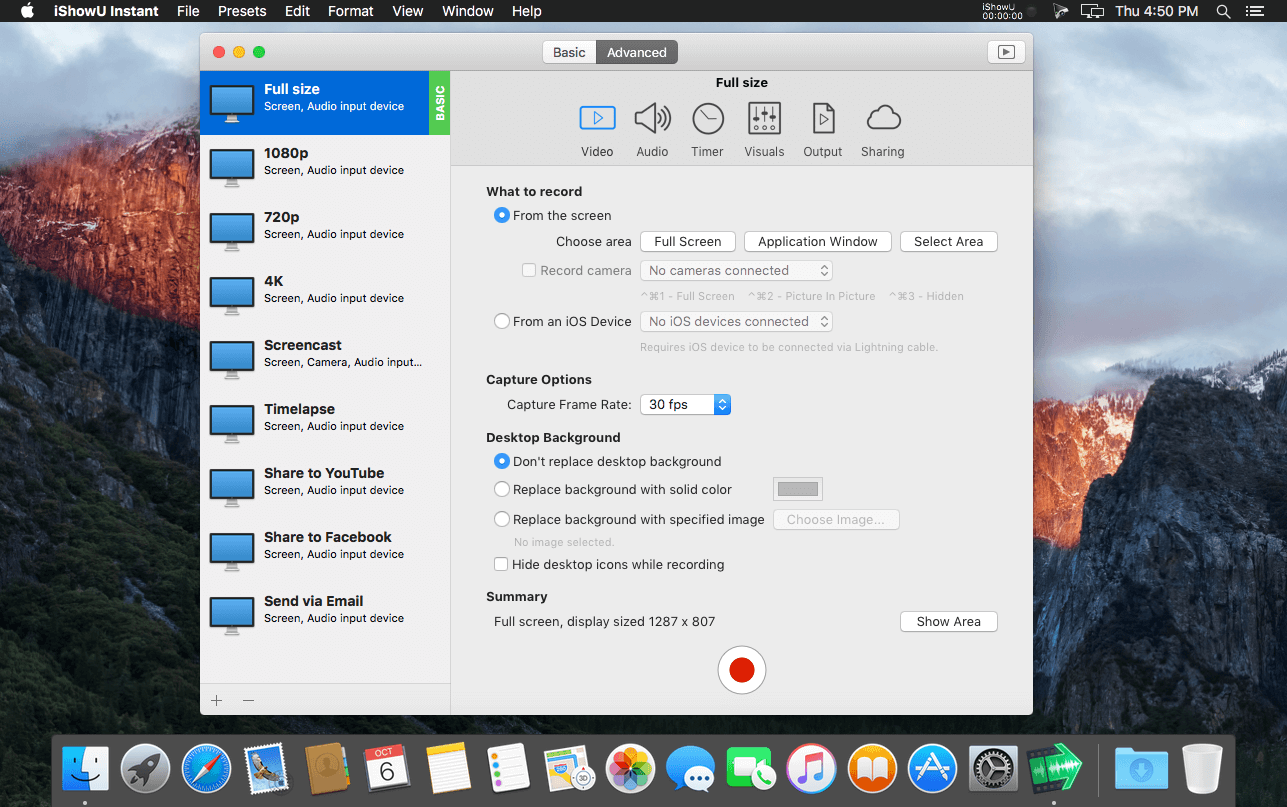
Welcome to realtime screen recording like you’ve never seen before! iShowU Instant is the fastest, most feature filled realtime screen capture tool from shinywhitebox yet. It takes key features from both “Classic” and HD Pro, and merges them into a single product, making ‘Instant’ the only app you’ll ever need to create recordings quickly.

All of the features you would expect are here, and probably some you don’t! Record from any screen, enhance your microphone audio through the use of a dynamics processor, compressor and/or equaliser*, add text and/or an overlay, enhance your recording with mouse and click visualization, trim front/back after recording, create time-lapse recordings, share to a wide range of online services, and more.

A User Interface meant for you
Use an interface that you’re comfortable with. Want something simple? Use Basic mode. Want more power? Advanced mode gives access to all the options!

Customise your settings
Easily create presets for common editing tasks, or for different types of output. Give them custom names so you can easily recognize them.

Super Sharing
Share to YouTube, Vimeo and all other enabled OS X services. We’ve even included an animated GIF generator!

Clean and Simple
No need to tidy your desktop, we’ll do it for you. Instant can hide your desktop icons, and change your desktop picture to a solid color or other image.

Flexible Output
Produce Quicktime or MP4 at up to 60fps. Want to create a timelapse? You can set the frame rate as low as 1 frame per minute!

Better Camera Capture
Camera capture has been enhanced with the ability to show the camera either as a classic picture-in-picture, full screen, or completely hide it. Not only that, the transitions are animated in real time as you’re recording.

A time for everything
Start and stop recording when you want, using either durations or fixed absolute times.

Realtime Preview
Easily see what effect your settings are having with the built in (and detachable!) preview. Want to reposition the camera? Move the text around? Easy!

Advanced Features
Audio Dynamics, Compressor and EQ
Get crisp and clean audio using the built in dynamics, compressor and equaliser. No need to clean audio afterwards. Got a 32 channel outboard device as input? No problem!

Text & Image Watermarks
Watermark your recordings with either text or an image (or both!), with control over opacity, size, position, rotation, borders, and reflection.

Prores built in
Retain maximum quality with a choice of either 422 or 4444 formats.

Full Visualization Control
More control over mouse & keypress visualization. Customize colors, enable single keypress visuals, modifier keypresses and click descriptions.

Record iOS devices
Create awesome looking demo videos from any iOS device.

Built-in Editing Essentials
Trim unwanted parts from the start & end and insert annotations or other graphic elements. Editing mode brings commonly used editing tools directly to iShowU.

iShowU Instant + Advanced Features

  • Realtime capture
  • Live preview
  • Customizable recording presets
  • Detailed output format options
  • Output as ProRes 4444/422
  • Animated GIF generation
  • Pattern-based output filename generation
  • Multichannel audio support
  • Audio filters (dynamics, compressor, EQ)
  • Scheduled recordings
  • User editable capture area
  • iOS device recording
  • Trim video before publication
  • Record microphone audio
  • Record system audio
  • Record camera
  • Record mouse movement and click
  • Record keystrokes
  • Edit after recording
  • Embed watermarks
  • Add shape objects (lines, arrows, etc.)
  • Add custom text objects
  • Share/export directly to iPod/iPad compatible formats
  • Upload to YouTube
  • Upload to Vimeo

Top In-App Purchases: Advanced – included
Compatibility: OS X 10.15 or later
Homepage https://www.shinywhitebox.com/

Screenshots


Aiseesoft iPhone Cleaner 1.0.32

Name: Aiseesoft_iPhone_Cleaner_for_Mac_1.0.32.139354_Mactorrents.biz.dmg
Size: 37 MB
Files Aiseesoft_iPhone_Cleaner_for_Mac_1.0.32.139354_Mactorrents.biz.dmg[37 MB]

   Download Torrent

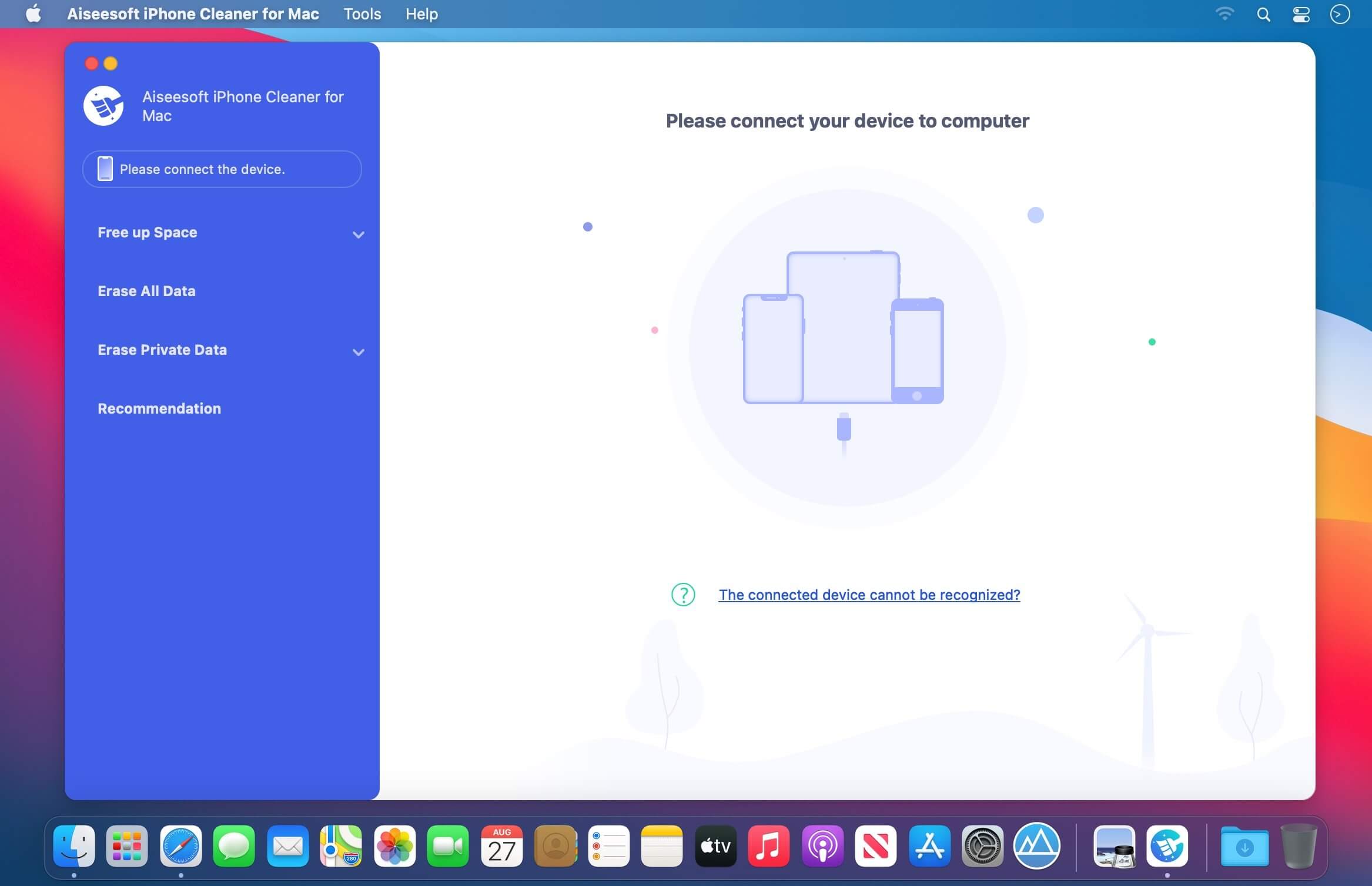
The best iOS crap cleaner to clear useless documents and data on your device. It also protects your privacy and makes your iPhone/iPad/iPod Touch faster and safer.

Clear Unnecessary Data to Free Up Space
Is your iPhone running slow? If so, it’s probably a sign that the space on your phone is not enough. In that case, you should clean up your iPhone immediately to speed it up. There is no doubt that Aiseesoft iPhone Cleaner is your best choice to handle this iPhone storage problem. This cleaner app can help you delete and clear useless documents and data on iPhone, such as junk/temp files, unused apps, unwanted photos and large files.

Clean Up Junk Files

This phone cleaner enables you to easily remove temporary files, crash logs, system junk files and caches like iTunes Cache, camera roll, photo stream, photo library, etc.

Uninstall Unused Apps

It also has the capability to detect and present all apps on your iPhone, along with the storage they occupy. Then you can select to uninstall those apps no longer in use.

Compress/Export Photos

Another reason that caused the iPhone lagging issue is the large memory your photos consume. So, this tool allows you to compress photos or export them to PC for backup.

Delete Large Files

With iPhone Cleaner, you are able to scan and get all the large files like videos on your iOS device. Now it’s your time to clean them up. But don’t worry! You can make a backup first.

Compatibility: macOS 10.10 or later
Homepage https://www.aiseesoft.com/iphone-cleaner/

Screenshots


Audio Hijack 4.4.2

Name: Audio_Hijack_4.4.2_Mactorrents.biz.dmg
Size: 33 MB
Files Audio_Hijack_4.4.2_Mactorrents.biz.dmg[33 MB]

   Download Torrent

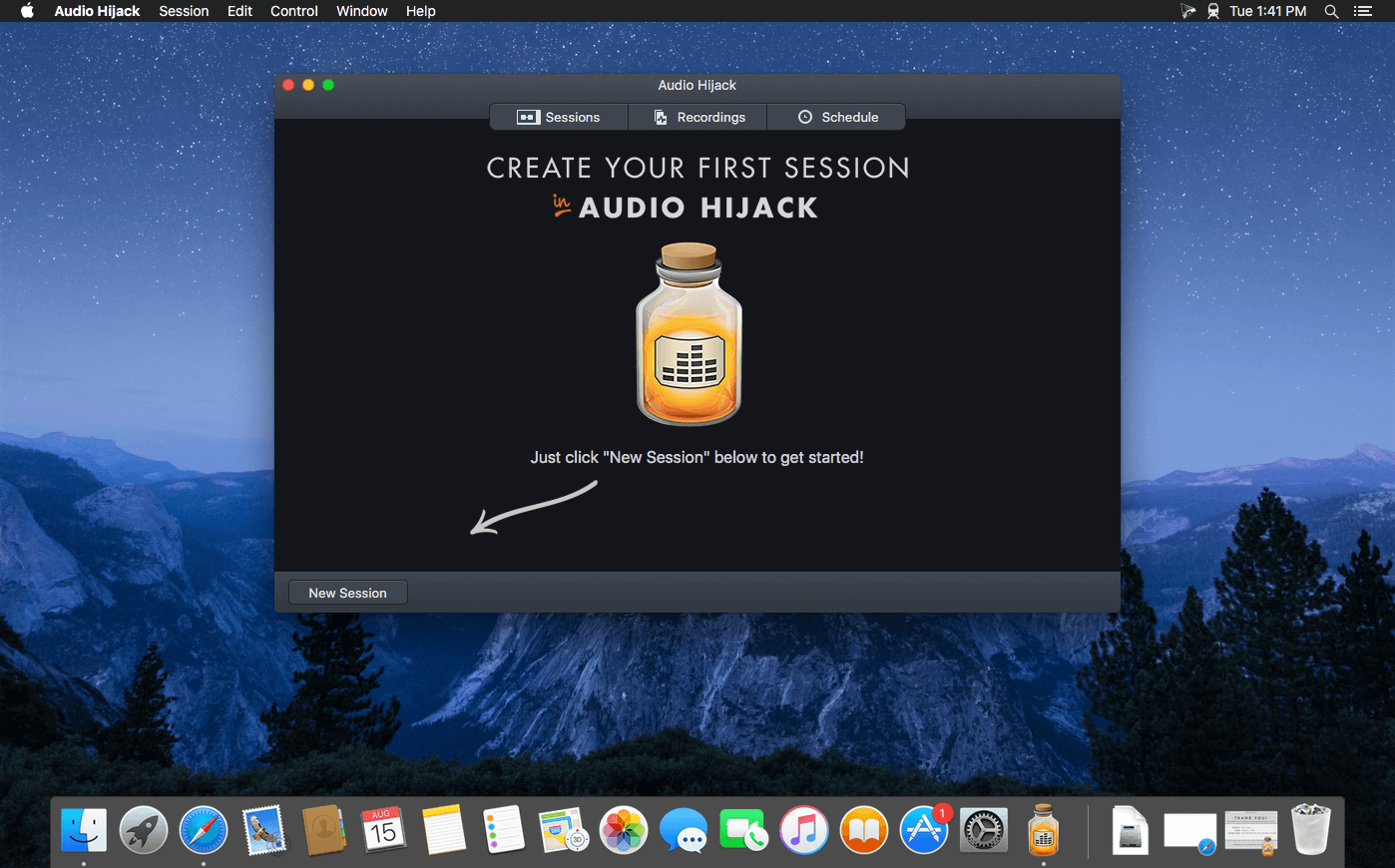
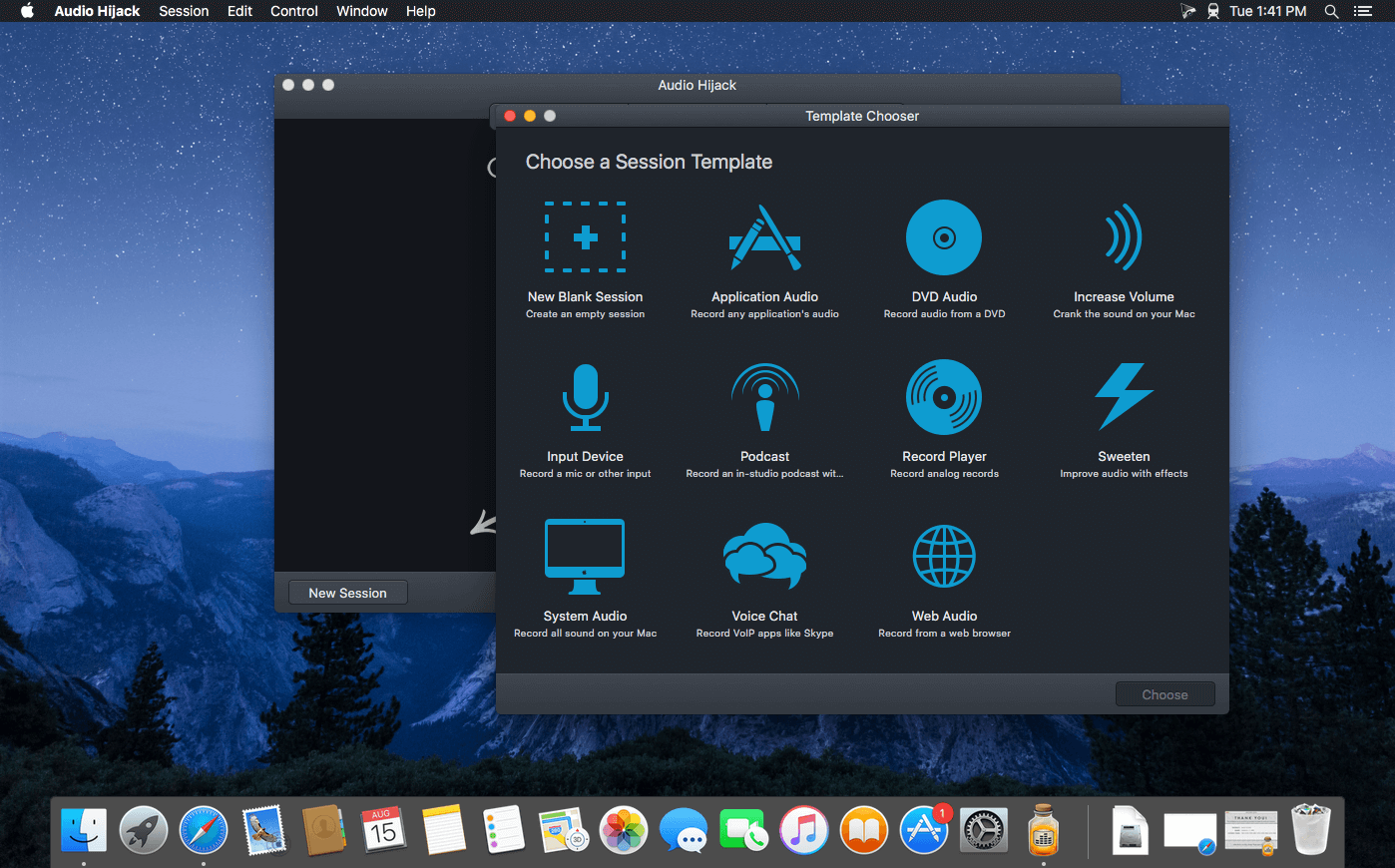
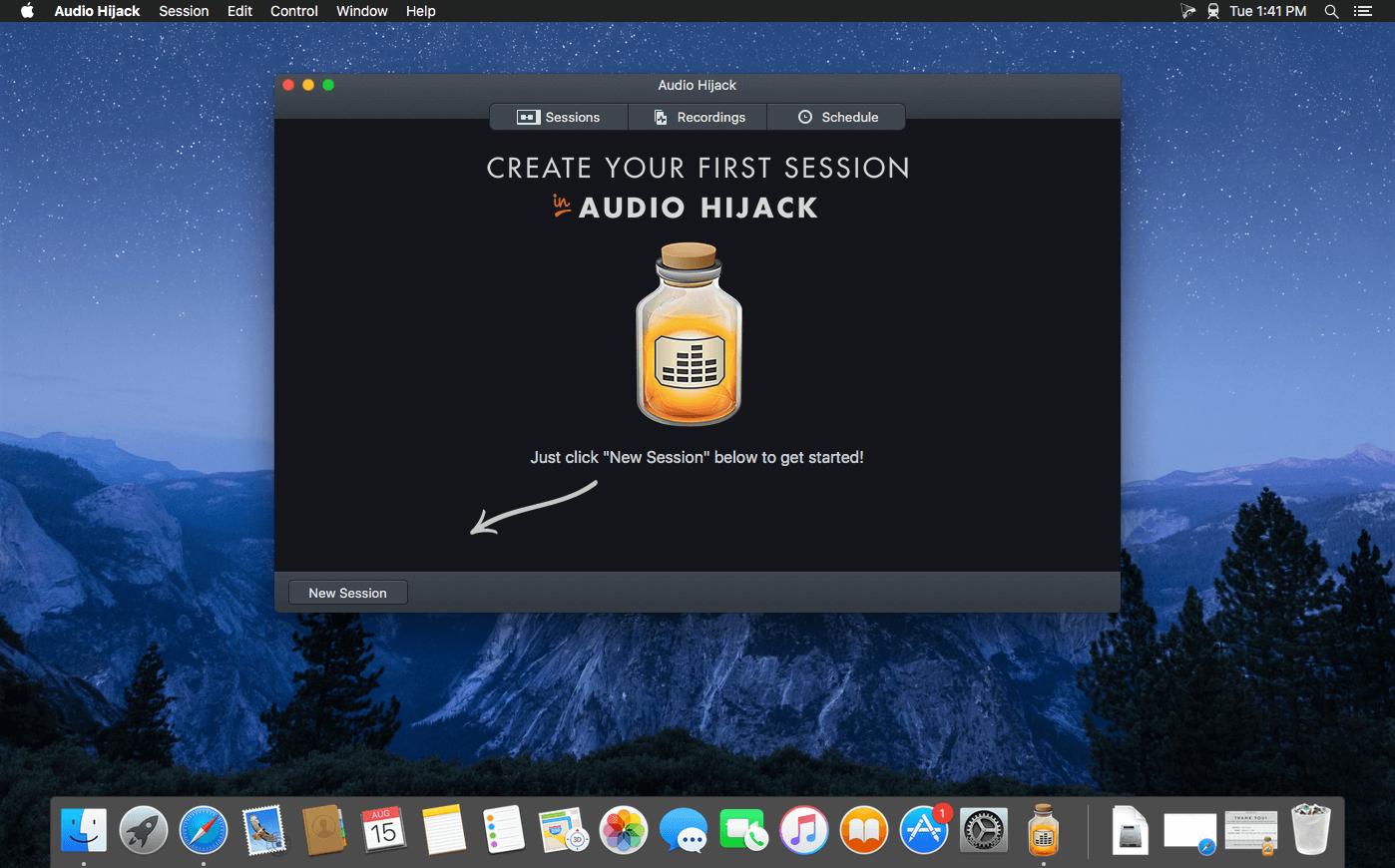
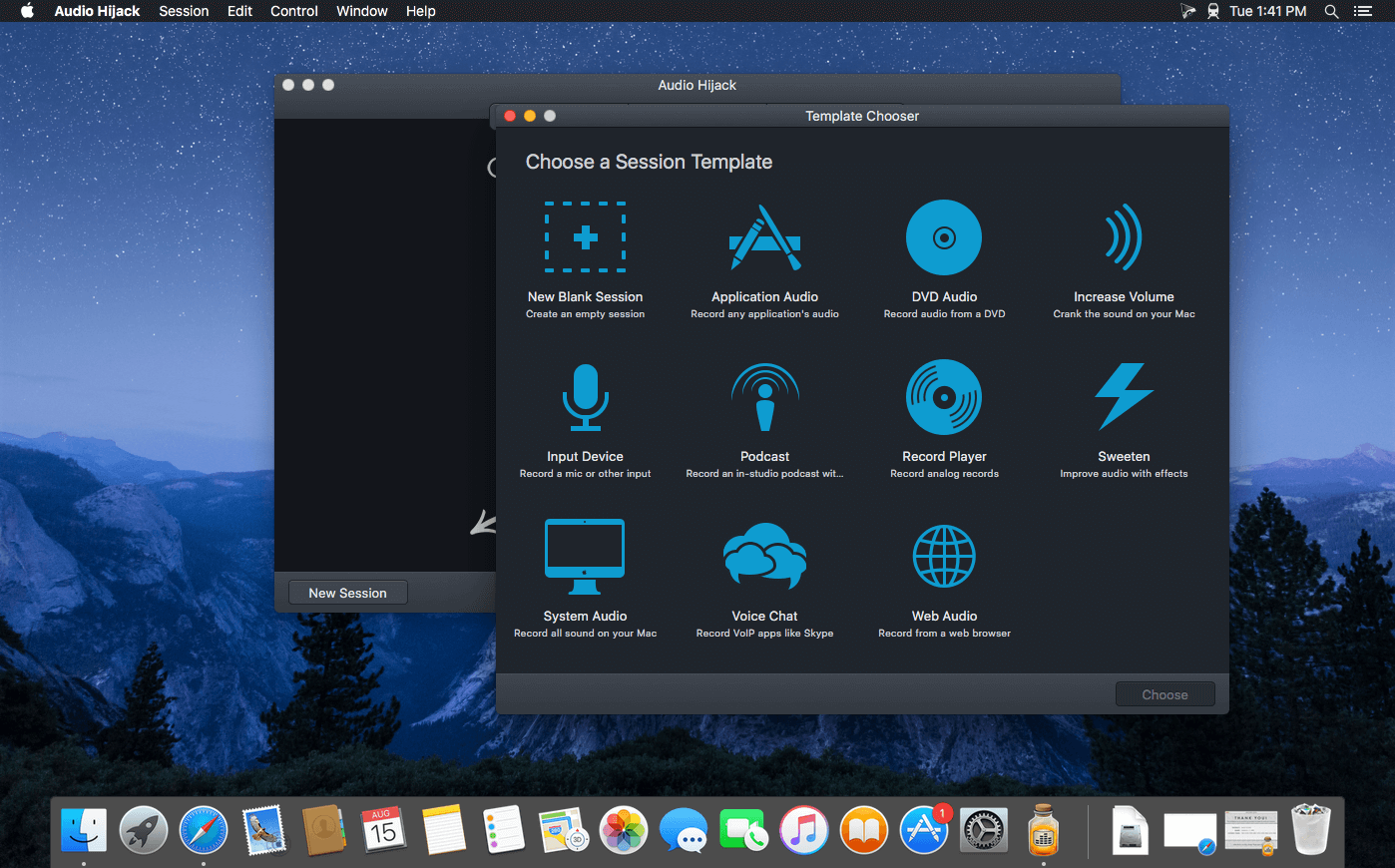
If you can hear it, you can record it – Record any application’s audio, including VoIP calls from Skype, web streams from Safari, and much more. Save audio from hardware devices like microphones and mixers as well. You can even record all the audio heard on your Mac at once! If you can hear it, Audio Hijack can record it.

Application Audio
Set any application as your source in Audio Hijack, then hit the record button to save its audio!

Device Audio
Audio Hijack can also capture and record audio from microphones, mixers, and other input devices.

All System Audio
Use the System Audio source to capture all the audio heard on your Mac at once.

More Great Features

Record to All Major Formats
Record to the world’s most popular audio formats, including MP3 and AAC, or save in perfect-fidelity AIFF, WAV, ALAC or FLAC.

Reusable Sessions
Once you’ve configured a Session to your liking, you can re-use it over and over. With one click, you’ll be recording exactly as desired.

Easy File Organization
Find all of your recordings sorted by Session in the Recordings tab, where you can quickly pass files to an audio editor, add them to iTunes, or share them.

Timed Recordings
Use the Schedule tab to set up timed recordings for when you’re not around. Your audio will be waiting for you when you return.

Silence Monitoring
When silence is detected, Audio Hijack can automatically stop recording, split to a new file, or remove audio.

Bulletproof Recording
Bulletproof recording means that even if the power goes out or your computer crashes, you’ll never lose a recording.

A Thoughtful Interface
Audio Hijack’s intuitive audio grid provides a terrific pipeline-style view of exactly how your audio flows, so you can easily understand it.

Gorgeous Audio Effects
The included audio effects are easy to use and easy on the eyes. Their functionality is now accessible to all.

Time Shift Your Audio
Now you can pause, delay, and rewind live audio on your Mac. It’s perfect for transcribing audio and more!

Compatibility: macOS 10.14.4 or later
Homepage https://www.rogueamoeba.com/audiohijack/

Screenshots


Native Instruments Maschine 2.18.1

Name: Native_Instruments_Maschine_2.18.1__HCiSO_Mactorrents.biz.dmg
Size: 420.64 MB
Files Native_Instruments_Maschine_2.18.1__HCiSO_Mactorrents.biz.dmg[420.64 MB]

   Download Torrent

MASCHINE software comes stocked with everything you need to turn your ideas into complete tracks. Whether you’re sketching and arranging your track, or mixing it down and performing, MASCHINE keeps you moving from one step to the next – without breaking your creative stride.

The new version is completely redesigned, Drum Synths, mixer, etc. NEW audio engine sound engine MASCHINE 2 now allows you to add unlimited groups and inserts effects MASCHINE powerful set of features. Multicore support ensures that your computer will handle all this in parallel with the processing of ultra high – even when using the software as a VST or AU plug-in module. New audio engine now also supports side bindings for sidechaining, for classic ducking effects and more…

MASCHINE a revolutionary system for creating grooves tactile creative bit-making organization of recognized sound library Kontakt 5 any other VST, VSTi library.

Together with the software package for creating beats MASCHINE create quickly and easily combine the power and flexibility of software with tactile immediacy of hardware. His sequencer based on patterns, high-performance sampler, has an incredible set of professional tools and studio effects, exemplary drum synthesizers and library Kontakt 5 are you a complete system for quickly and professionally create grooves.

NEW JUICE FOR OLD MASCHINES
If you’re still using MASCHINE 1.x, the MASCHINE 2 software update can give you more functionality, sound, and raw power for modern music production. Completely reworked, the software offers countless new ways to support and fast-track your ideas. The software is compatible with all generations of MASCHINE and MASCHINE MIKRO* – it works with the hardware you already have. Read on for details on what you get…

REWORKED AUDIO ENGINE
MASCHINE 2’s audio engine adds unlimited groups and insert effects to MASCHINE’s powerful feature set. Multicore support ensures your computer handles it all in parallel with ultra-efficient processing – even when using the software as a VST or AU plug-in. The new audio engine now also supports sidechaining, for classic ducking effects and more.

DRUM SYNTHS
MASCHINE 2 sets a new benchmark in software drum synthesis. Create your own perfectly-tuned electronic and acoustic drum sounds in truly peerless sound quality.

Six exclusive monophonic drum plug-ins, with their own unique algorithms, give you any percussive sound you need. All fully tweakable, automatable, and perfectly integrated into MASCHINE – with the quality that comes from NI’s acclaimed DSP expertise.

MIXER WINDOW
Polish your tracks to perfection with the mixer window in MASCHINE 2. Tweak volume and panning with ultimate ease. See group and individual track levels clearly on meters complete with peak level indicators. Adjust levels on any group of sounds. And two aux sends per channel let you freely route sounds anywhere in your project.

MASCHINE’s new user interface brings you all this and much more – cutting-edge groove production has never been this easy.

NEW PLUG-IN STRIP
MASCHINE 2’s new plug-in strip gives you a whole new way of seeing your instruments and effects. Each internal instrument and effect now has its own layout for lightning fast visual recognition. This intuitive, visual integration extends to KOMPLETE Instruments and Effects. And beyond that, MASCHINE can handle pretty much any VST, AU or effect plug-in you own.

MORE SOUND INSIDE
Browse presets and load any KOMPLETE 14 Instrument or Effect at-a-glance directly from MASCHINE 2’s full-color product icon display. And now, there’s even more to discover. MASCHINE 2 includes KOMPLETE 12 SELECT – a premium selection of 14 KOMPLETE Instruments and Effects. Get a full suite of professional sound right out of the box and control it all from your MASCHINE hardware.

You also get over 2000 more samples, 200 brand-new MASSIVE presets, and over 100 new kits – all in a streamlined browser that makes finding your sound fast and simple. No matter what sound you’re after, MASCHINE is waiting for you.

Compatibility: macOS 12.0 or later • Apple Silicon or Intel Core processor
Homepage https://www.native-instruments.com/en/products/maschine/production-systems/maschine/

Native Instruments Kontakt 7.10.2 WORKiNG

Name: Native_Instruments_Kontakt_7.10.2__HCiSO_Mactorrents.biz.dmg
Size: 1.11 GB
Files Native_Instruments_Kontakt_7.10.2__HCiSO_Mactorrents.biz.dmg[1.11 GB]

   Download Torrent

KONTAKT 7 is everything from instant inspiration for music makers to the industry’s leading instrument-building tool. For the seventh generation of KONTAKT, we’re bringing its 20-year legacy into the future. Find sounds easily with a new resizable browser. Explore new musical ideas and find fresh inspiration with an overhauled Factory Library, newly added effects, and under-the-hood audio improvements.

KONTAKT is the Definitive Sampling Platform and Industry-Standard. KONTAKT powers the biggest selection of sampled instruments available. Included factory library puts 55+ GB of detailed, creative, and expressive instruments at your fingertips. Drag and drop your own samples into an instrument’s interface to use your own sounds. Build your own instruments with powerful sample-editing and instrument-building.

MORE THAN A SAMPLER
With KONTAKT 7, you can sound like a snare drum, a symphony orchestra, or anything in between, from a universe of sampled instruments. It’s a simple sampler when you want it to be, and a deep sonic scripting laboratory when you need something more. The next generation of the world’s favorite sampling platform gives you new instruments and new features under the hood – so you can layer, link, stretch, and shape your sounds any way you can imagine.

WHAT’S NEW?
Over two decades, KONTAKT has become a highly-developed engine for creating and playing sampled instruments. KONTAKT 7 offers more for players and builders alike:
• Introducing KONTAKT Play Series: Three new instruments for the KONTAKT library, offering pristine, contemporary sound in a creative and streamlined interface

Wavetable synthesis module: Build hybrid instruments for entirely new sounds.
• Modulate your sound with additional new effects taken from MOD PACK; Choral, Flair, and Phasis
• Drag and drop you own samples into instruments to use them with your own sounds and create one-of-a-kind results.
• Enhanced effects: Even more effects for your creations, for greater expression and realism.
• Creator Tools: New standalone application dedicated to improving the library creation and editing process.

THREE NEW INSTRUMENTS
KONTAKT 7 introduces the KONTAKT Play Series: New twists on sought-after sounds. Each places powerful, creative processing chains into a simple, intuitive interface. These hybrid instruments combine wavetable synthesis with creatively sampled content, allowing dynamic live blending and sound sculpting.

The instruments all feature eight carefully assigned macro controls, corresponding to the eight rotary encoders on our KOMPLETE KONTROL and MASCHINE hardware. These controls are mapped to numerous shared parameters behind the scenes, so you can change a sound dramatically with a single twist of a macro knob.

ANALOG DREAMS
A powerful instrument featuring legendary analog and digital synths of the 1970s, 1980s, and 1990s.ETHEREAL EARTH
A rich hybrid instrument that takes live instrumentation from across the world and combines it with digital synthesis.HYBRID KEYS
A modern and creative twist on acoustic piano, classic electric piano, synth, and analog keys – ideal for all contemporary styles.

POWERING SAMPLED INSTRUMENTS
KONTAKT is a host for hundreds of highly realistic and detailed sampled instruments. And because it’s the most widely-used host platform, you’ve probably already heard KONTAKT – on chart-topping pop and club smashes, hit TV shows, and blockbuster movies.

As well as our own KONTAKT instruments, there are currently around 600 licensed instruments from other manufacturers that run in KONTAKT, plus thousands more so-called ‘indie’ instruments. This diverse ecosystem means that KONTAKT 7 is your access point to the industry’s biggest collection of playable sampled sound.

Compatibility: macOS 11.0 or later • Apple Silicon or Intel Core processor
Homepage https://www.native-instruments.com/en/products/komplete/samplers/kontakt-7/

Wondershare Recoverit 2.5.15.16

Name: Wondershare_Recoverit_12.5.15.16_Mactorrents.biz.dmg
Size: 125 MB
Files Wondershare_Recoverit_12.5.15.16_Mactorrents.biz.dmg[125 MB]

   Download Torrent

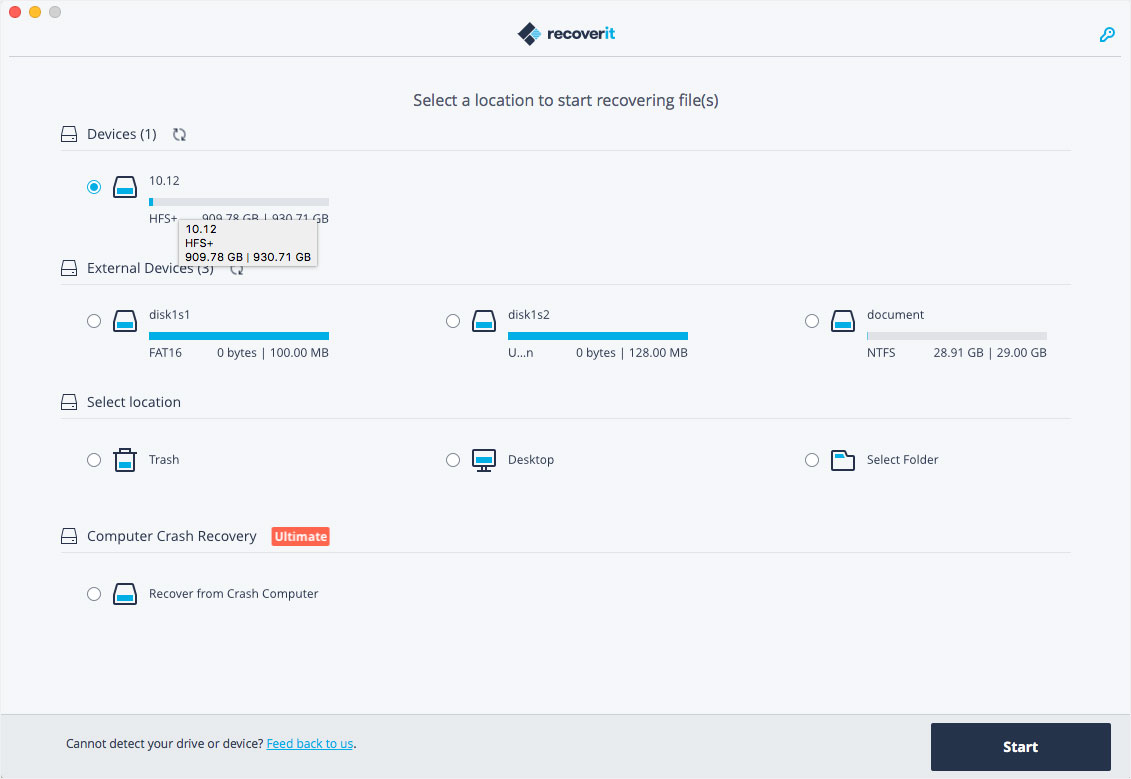
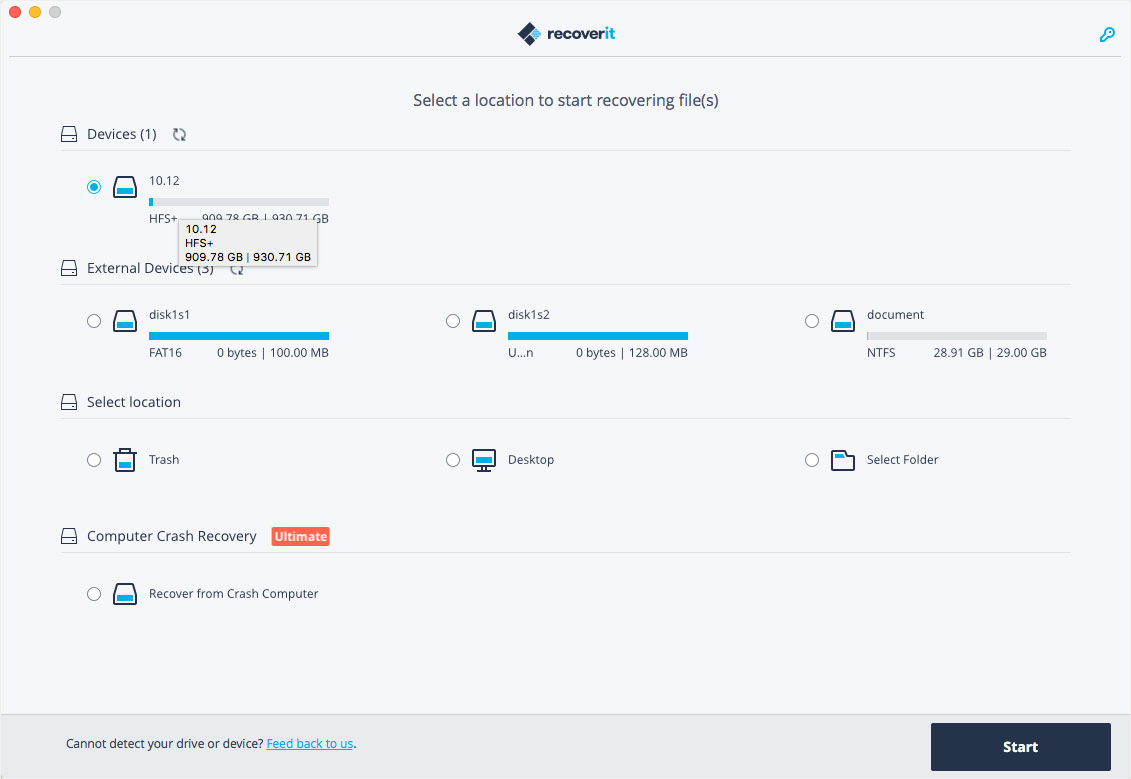
Comprehensive data recovery suite (was Wondershare Data Recovery). Wondershare Recoverit is a comprehensive data recovery suite to recover Mac data lost due to accidental deleting, formatting, virus infection, improper operation, unexpected power failure, and other unknown reasons.

It can recover Mac data from lost, deleted, logical corrupted and formatted Mac hard drive, iPod, USB drive, SD card, digital camera, mobile phone, MP3, and MP4 player. Compatible with HFS+, FAT16/32, and NTFS file system volumes, this non-destructive Mac file recovery software ensures safe Mac file recovery without modifying the original data saved on your Mac machine or any other storage media. Versatile preview lets you enjoy Mac data recovery in advance.

Compatibility: macOS 10.14 or later,
Homepage https://recoverit.wondershare.com

Screenshots

Piezo 1.9.2

Name: Piezo_1.9.2_Mactorrents.biz.dmg
Size: 21 MB
Files Piezo_1.9.2_Mactorrents.biz.dmg[21 MB]

   Download Torrent

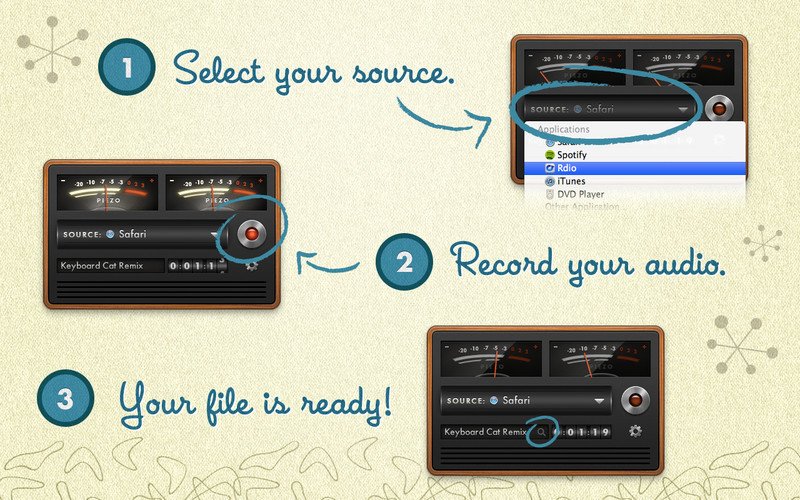
Piezo allows you to quickly and easily record audio on your computer. Within a few seconds you will have the audio recording from any application. In addition to the audio recording of Piezo applications can record sound from the built-in microphone that can be useful for quickly recording podcasts or create audio notes.

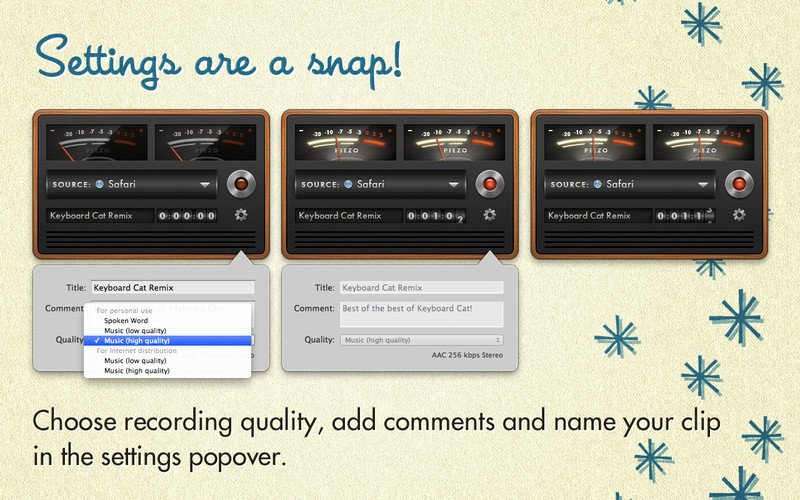
Record From Apps and Devices Select an application or audio device in Piezo, then just hit Record to save the audio! Easy Podcast Recording Piezo records from Skype and other VoIP apps with ease. It even saves the audio to distinct channels for easy editing. Settings Are a Snap Open the settings popover to choose your recording quality, name your clip, and add comments. Piezo’s Features and Uses Grab From Any App Piezo captures audio from just about any application playing on your Mac. Super Simple Recording With one click, recording audio on your Mac has never been simpler. Recording, Demystified Piezo’s simple recording presets mean less worrying about your settings. Here’s Looking at You Simple and striking, Piezo’s charming interface makes recording fun. Record Web Audio Save audio from the web, just by setting a browser such as Safari or Chrome as your source. Archive Skype Calls Piezo records from Skype in a single click. It couldn’t be simpler! Save Streaming Music Record from services like Spotify, Rdio, MOG, and more. Record Audio Devices Hook up any microphone (even your Apple headset) and record from it instantly. Get Sound Bites Record from movies playing in any video player, including QuickTime Player, VLC, and many more.

Compatibility: macOS 10.14 or later
Homepage http://rogueamoeba.com/piezo

Screenshots


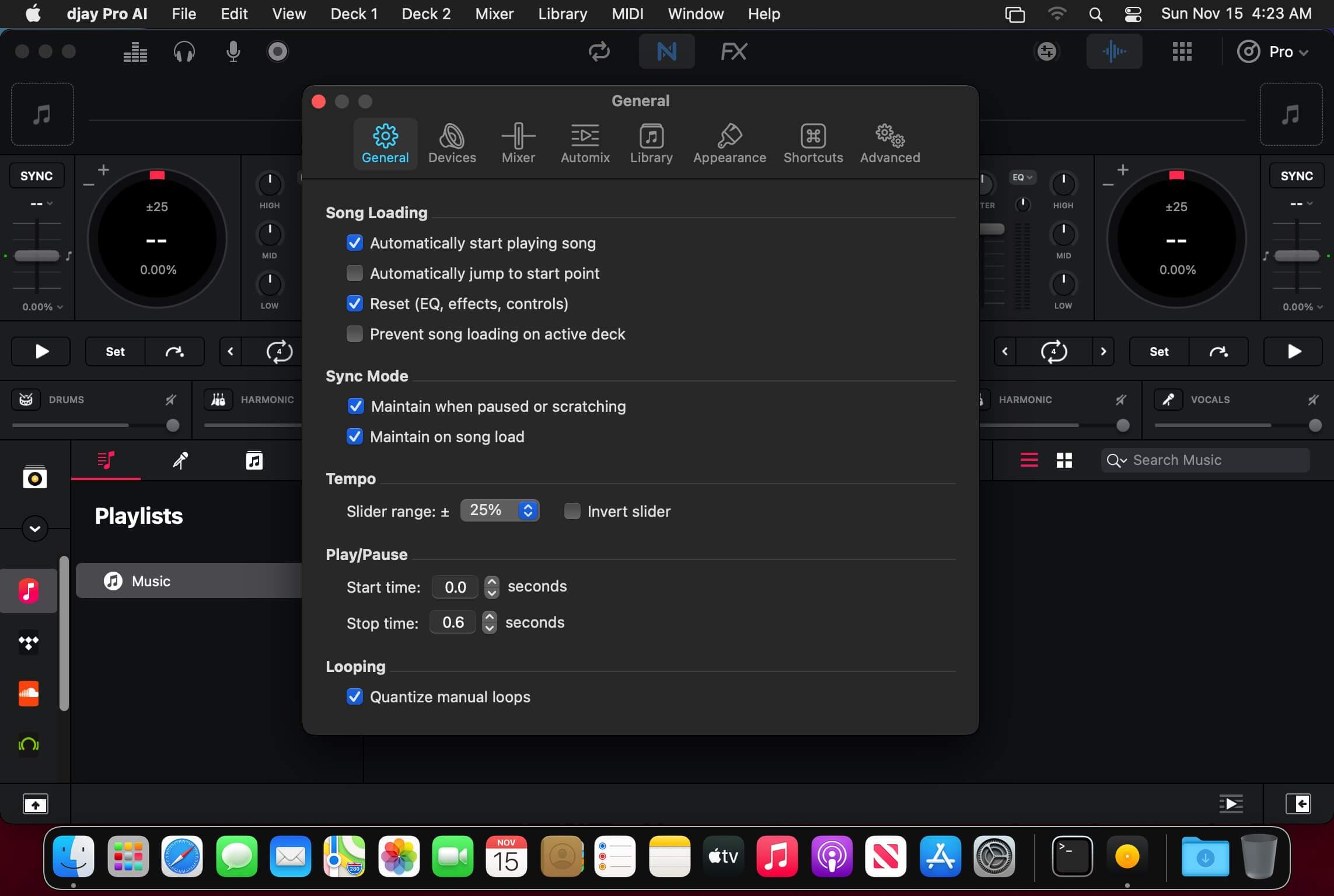
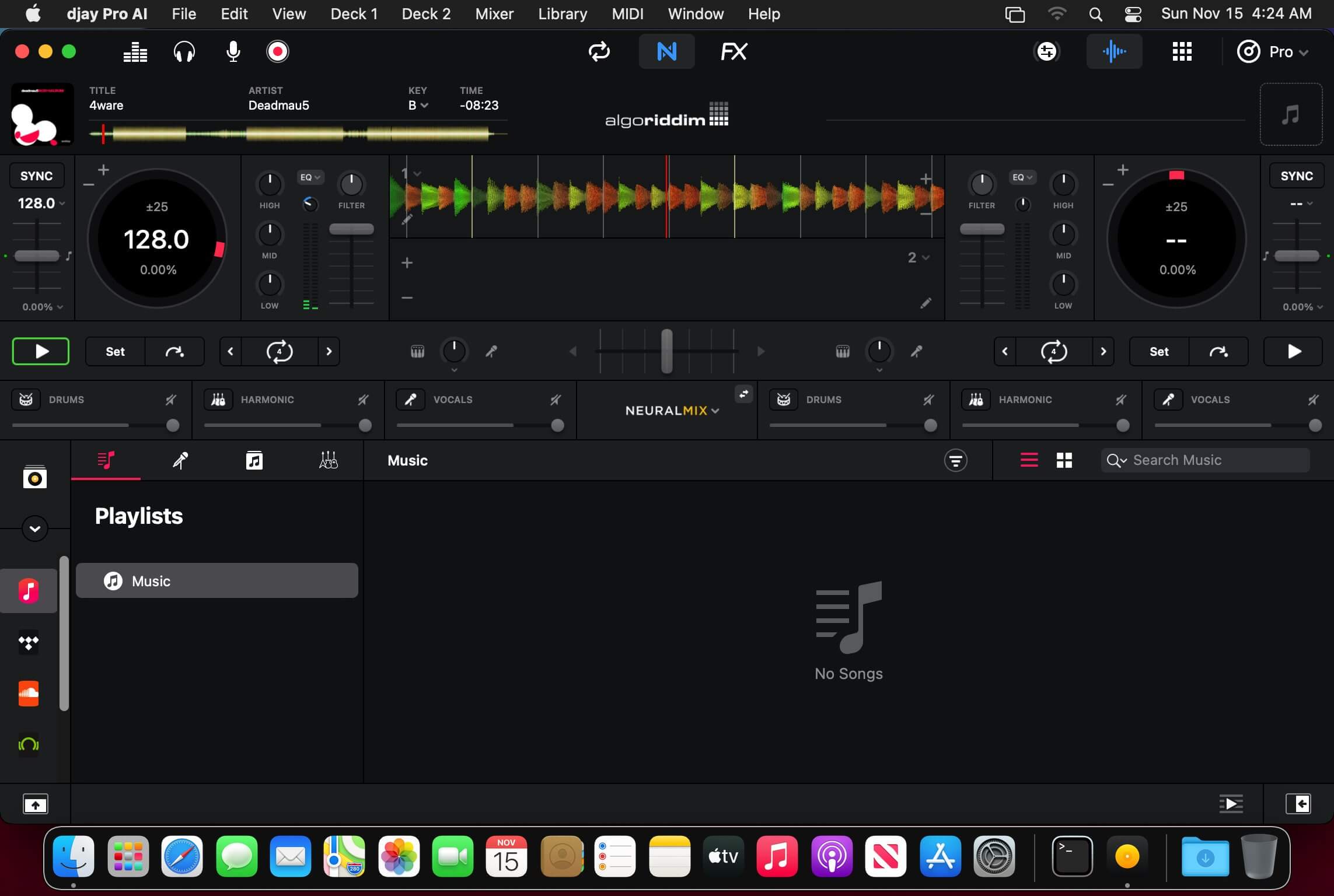
Algoriddim djay Pro 5.1.7

Name: djay_Pro_5.1.7_Mactorrents.biz.dmg
Size: 339 MB
Files djay_Pro_5.1.7_Mactorrents.biz.dmg[339 MB]

   Download Torrent

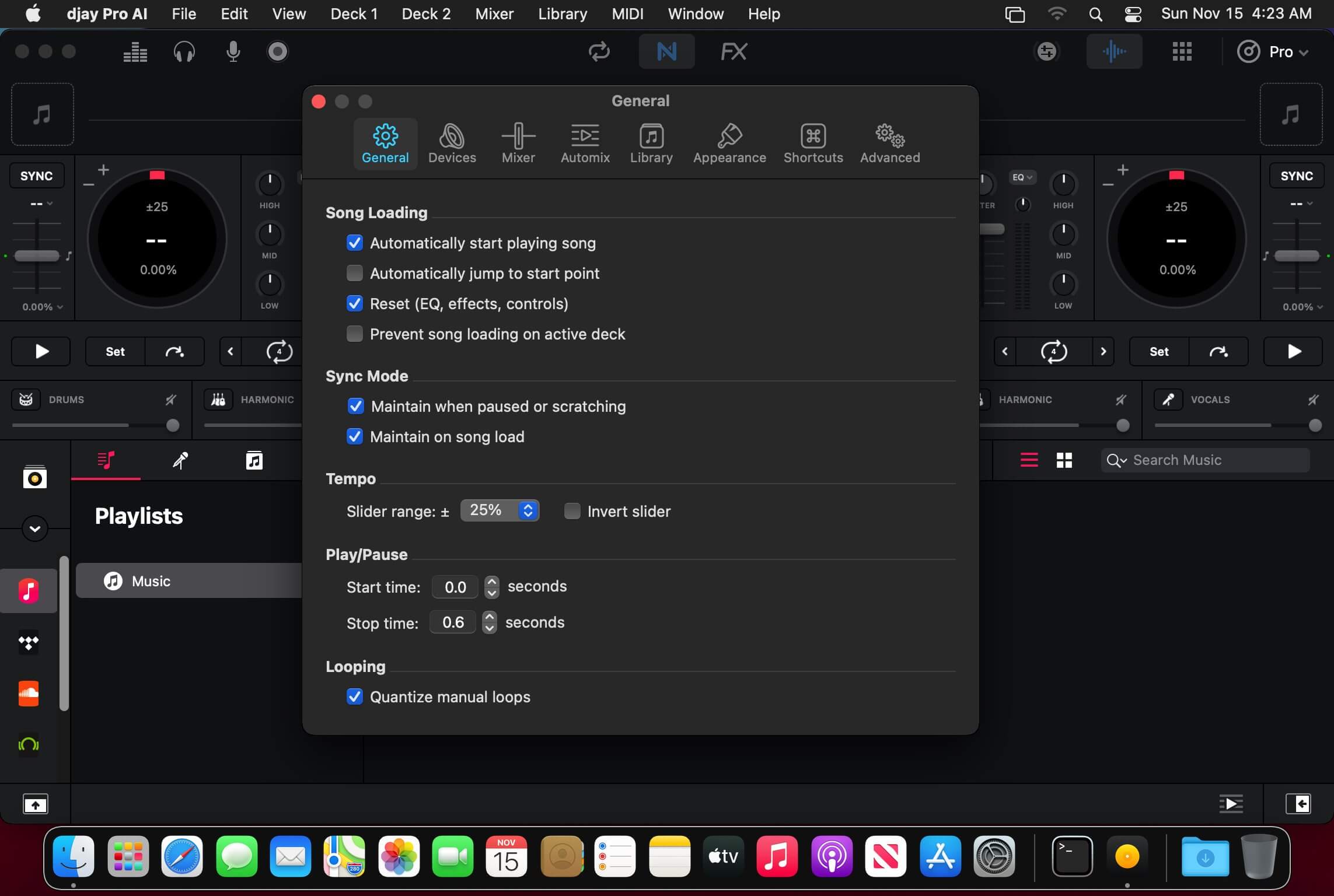
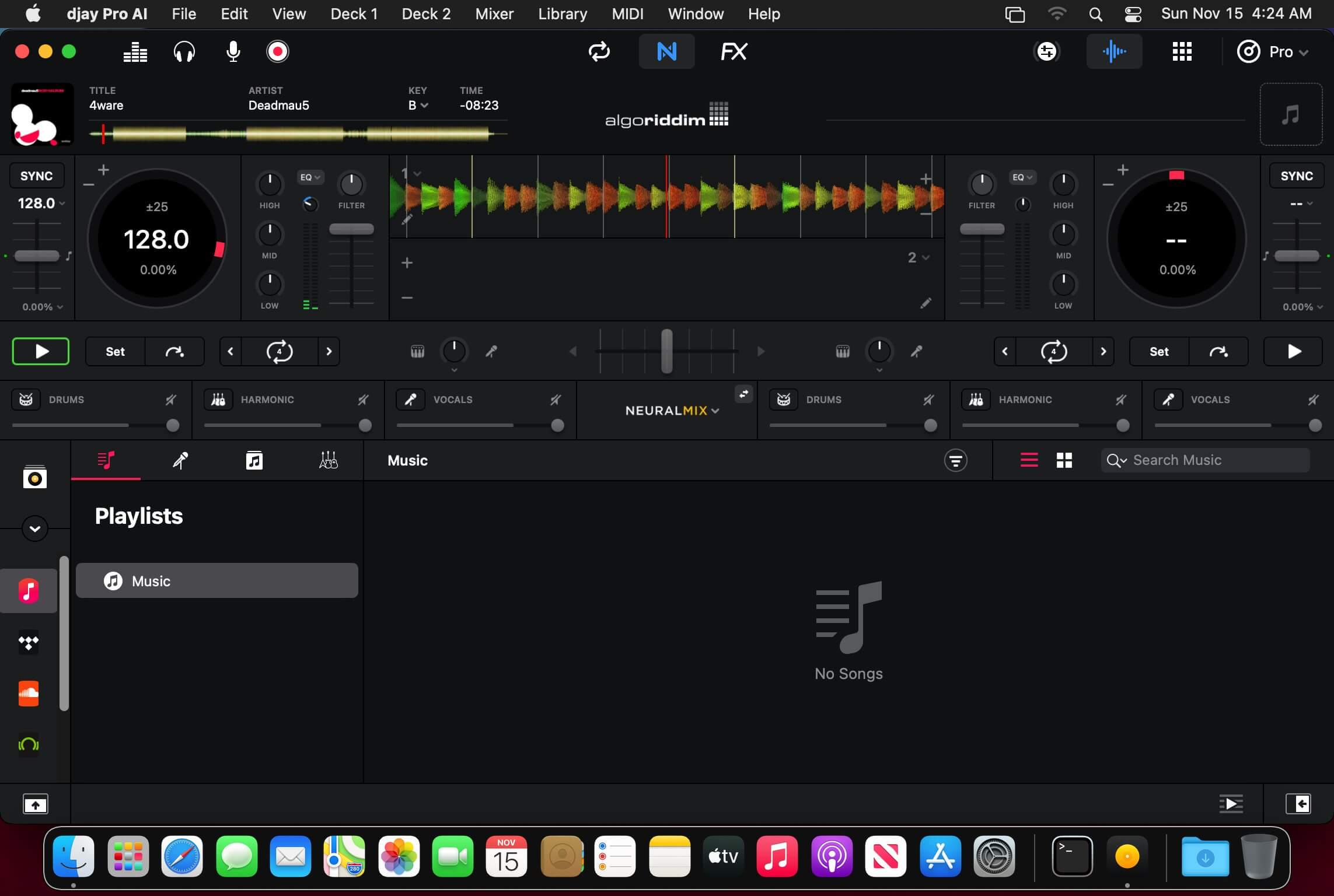
Welcome to djay Pro AI! Algoriddim’s acclaimed DJ software and winner of multiple Apple Design Awards has been rebuilt from the ground up using groundbreaking AI technology – NEURAL MIX™.

NEURAL MIX™ allows you to isolate instrumentals and acappellas of your favorite tracks in real-time and redefines the boundaries of creative mixing. You can crossfade drums, bass lines, and melodies of two songs independently, apply audio effects to individual components of music, and even loop the beat while the melody of the same track continues playing.

djay Pro’s all-new, modern interface is built around a sophisticated integration with your music library, giving you instant access to millions of tracks. Pristine sound quality and a powerful set of features including live production tools, four decks, high-definition waveforms, video mixing and hardware integration give you endless creative flexibility to reinvent your DJ sets.

NEURAL MIX™

  • Isolate vocals, drums, bass lines, and instrumentals in real-time
  • FX routing: apply audio effects to individual components of music (Vocal Echo, Harmonic Filter, Drum Reverb, and more)
  • Loop routing: Loop the beat while the melody of the same song continues playing, and vice versa
  • AI crossfades: seamlessly blend and swap drums, bass lines, or vocals of two tracks
  • AI waveforms: see vocals, drums, and harmonic waveforms per track side by side

MUSIC PRODUCTION TOOLS

  • Sequencer: create instant beats on top of music
  • Looper: remix music with up to 48 loops per track
  • Beat-matched sequencing of drums and samples
  • Extensive content library with 1000+ loops and samples

STREAMING INTEGRATIONS

  • TIDAL: Millions of tracks, music videos, high quality sound /TIDAL Premium or HiFi)
  • SoundCloud: Millions of underground and premium tracks SoundCloud Go+)
  • Beatport: Millions of electronic music tracks (Beatport LINK)
  • Beatsource: Millions of open-format music tracks (Beatport LINK)

AWARD-WINNING USER INTERFACE

  • 2- and 4-Deck views
  • Single Deck preparation view
  • Video and Automix views

ADVANCED LIBRARY MANAGEMENT

  • Create your own custom and smart playlists
  • Powerful track filtering
  • Finder Integration

AUTOMIX

  • Automatic, beat-matched mixes based on artificial intelligence
  • Queue and Playlist automation

VIDEOS, VISUALS, and PHOTOS

  • Mix videos, visuals, and photos
  • Music video streaming through TIDAL
  • Beat-matched photo slideshows

POWERFUL AUDIO ENGINE

  • Revolutionary AI audio engine
  • Real-time music source separation
  • High-quality mixer, filter, EQ, isolator, and limiter
  • Advanced time-stretching and pitch shifting
  • Over 40 built-in audio effects
  • Master output effects through Audio Unit plug-ins
  • Live recording
  • Ableton Link integration

ADVANCED AUDIO ANALYSIS   

  • BPM and beat detection
  • Key detection
  • Multi color waveformsBPM
  • Auto-Gain

HARDWARE INTEGRATION

  • Native support for over 100 MIDI controllers
  • Pioneer DJ CDJ Integration
  • RANE Twelve integration
  • Advanced MIDI Learn
  • External Mixer Mode
  • Support for multi-channel USB audio interfaces
  • Support for external audio input and microphones

In-App Purchases: Full Version – included
Language: English, Spanish, Italian, German and others.
Compatibility: macOS 10.15 or later
Homepage https://www.noteburner.com/

Screenshots


iPulse 3.1415

Name: iPulse_3.1415_Mactorrents.biz.dmg
Size: 8 MB
Files iPulse_3.1415_Mactorrents.biz.dmg[8 MB]

   Download Torrent

Thousands of customers have been using iPulse to keep an eye on their Mac’s performance since it was introduced back in 2002. Now, the first app to display system status is optimized for Mojave!

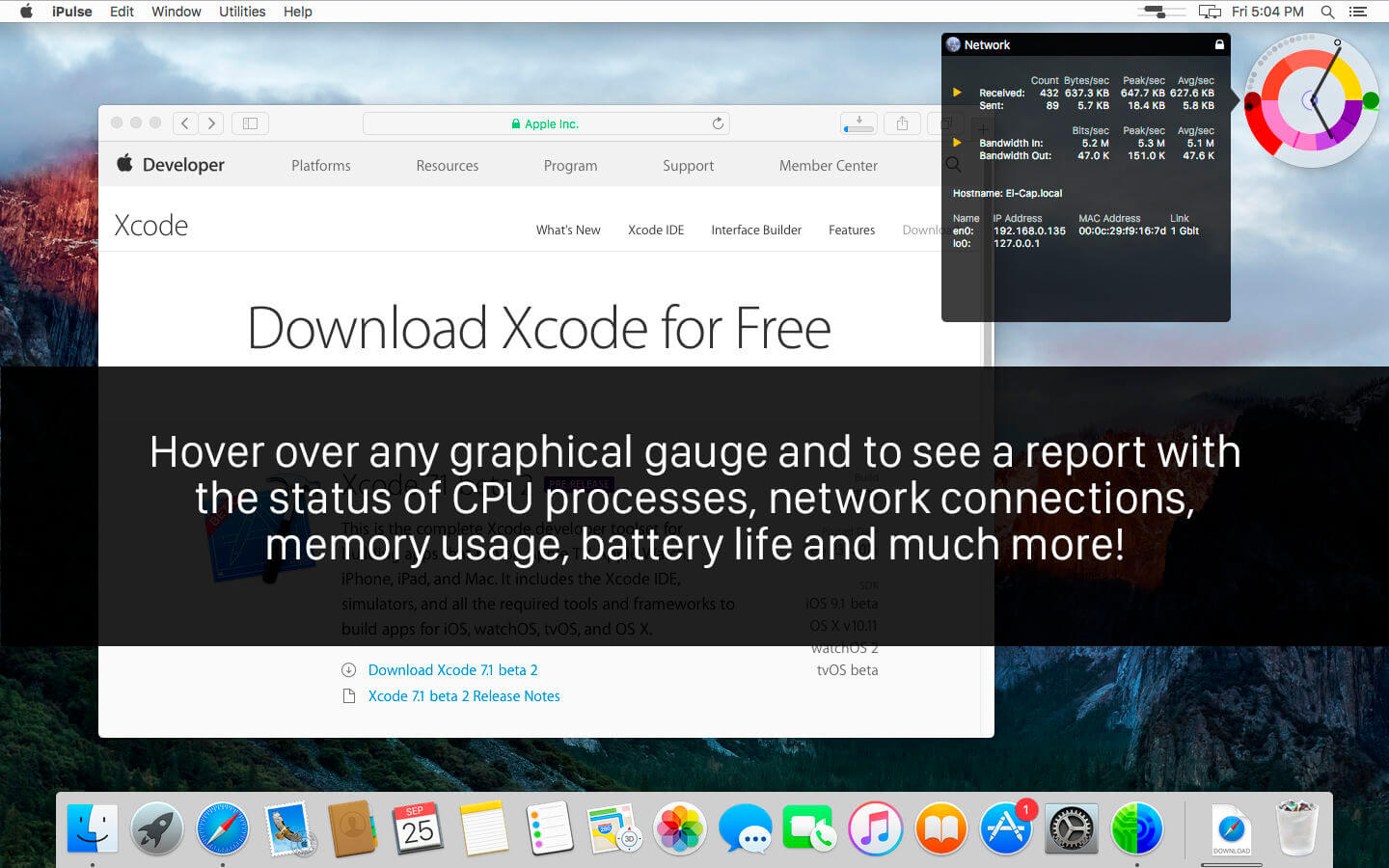
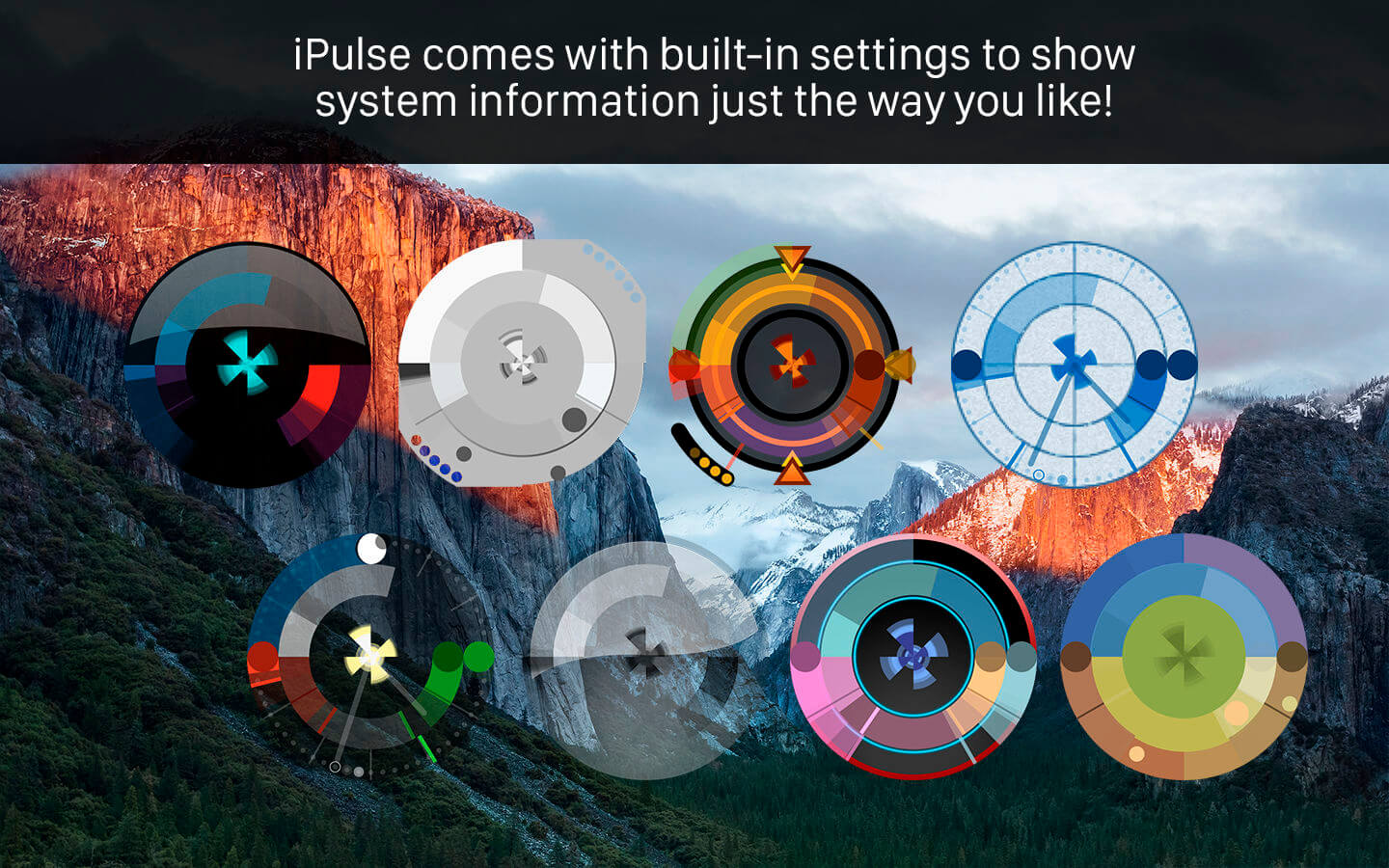
Using its concise and appealing user interface, iPulse graphically displays the inner workings of macOS on your desktop, menu bar or Dock. The presentation is totally configurable so you can set exactly what you need and view it just the way you want.

iPulse comes with ten built-in presets that let you quickly choose a setup that works best for your needs. You can also download new looks from the Iconfactory website. Check out the different configurations in the screenshots below!

The app is fully compatible with “rootless” System Integrity Protection: it’s designed to use system resources efficiently and securely.

FEATURES
Monitors numerous macOS statistics including:

  • CPU activity
  • System load over time
  • Network bandwidth and activity
  • Memory activity and usage
  • Battery & wireless signal strength
  • Disk usage
  • Current time and date
  • Compact, clever & fully customizable user interface
  • Presents information both graphically and with text
  • Beautiful on Retina display
  • Fits in perfectly with the new system appearances
  • Save & load custom appearances
  • Minimizes impact on system performance
  • View data on the desktop, in the menu bar or Dock
  • Show & hide windows using system hotkeys

Compatibility: macOS 10.10 or later
Mac App Store https://itunes.apple.com/us/app/ipulse/id1028916583

Screenshots


Topaz Video AI 5.0.4

Name: TopazVideoAI-5.0.4_Mactorrents.biz.rar
Size: 365 MB
Files TopazVideoAI-5.0.4_Mactorrents.biz.rar[365 MB]

   Download Torrent

Time-aware video quality enhancement. Video Enhance AI uses information from multiple frames to achieve high-end results for video upscaling, denoising, deinterlacing, and restoration. Improving the quality of videos is substantially more complex than photos because of motion-related issues like flickering, blockiness, and wavy artifacts. To solve this issue, Video Enhance AI looks at surrounding frames to improve resolution and reduce motion artifacts for natural results.

Upscaling
Upscale video resolution with detail gathered from multiple frames. Our video upscaler can convert SD to HD and HD to 4k or 8k while adding crisp and natural video details.

Denoising
Remove noise and grain while recovering real detail in your videos. Minimize flickering and other temporal artifacts caused by frame-by-frame denoising approaches.

Deinterlacing
Use deep learning to convert interlaced videos to progressive while preserving image definition. Significantly reduces visual artifacts compared to traditional deinterlacing.

Restoration
Naturally restore old videos without adding visual artifacts. Restore realistic details and remove compression artifacts from old or degraded sources.

Frame rate conversion for 2021
Introduced in v2.3, the Chronos AI model uses deep learning to increase video frame rate without artifacts. Existing methods like frame blending and optical flow are decades old and produce inconsistent and unnatural results. Video Enhance AI generates new frames that are often indistinguishable from frames captured in-camera, enhancing videos with more natural results.

Increase video frame rate (24 to 60 FPS, 30 to 60 FPS)
To increase your video’s frame rate, you’ll need to generate new frames between your video’s existing frames. The existing ways to do this (frame blending, optical flow) often look unnatural and jittery especially with moving backgrounds. Video Enhance AI uses a new approach based on machine learning to “predict” the best intermediate frame between existing ones, which gives you much better results with a wider variety of material.

Create a smooth slow-motion effect
When you create a slow motion effect, it’s even more important that you generate new frames without stuttering or motion artifacts. Video Enhance AI creates much more natural slow motion results compared to traditional time interpolation.

Fewer motion artifacts
Other video upscaling techniques often create a “shimmering” or “flickering” effect from different processing in adjacent frames. VEAI is trained to significantly reduce such artifacts.

Recover video details
VEAI has been trained to inject real details into your videos, derived from the additional information in multiple adjacent frames, allowing us to deliver superior video enhancement.

Get more natural results
Traditional upscaling often causes artifacts. While visual artifacts do exist in VEAI too, they’re mitigated by information derived from multiple frames.

Trained on videos
VEAI was trained exclusively on video clips instead of still images. (The improved results are worth the increased effort to gather the dataset!)

Optimized for your hardware
We work directly with different hardware manufacturers to ensure the software works as fast as possible on your machine.

Convenient workflow
Easily convert and combine multiple videos from SD to HD, HD to 4k, and much more. Includes export presets and batch processing.

Flexible import / export
Supports common video file types and image sequence as input, and export directly to mp4, mov, or image sequence.

Batch processing
Leave Video Enhance AI running overnight with your videos queued up, and come back in the morning to enhanced footage.

Compatibility: macOS 10.12 or later.
Homepage https://www.topazlabs.com/topaz-video-ai

Topaz Video AI

Audio Hijack 4.4.1

Name: Audio_Hijack_4.4.1_Mactorrents.biz.dmg
Size: 33 MB
Files Audio_Hijack_4.4.1_Mactorrents.biz.dmg[33 MB]

   Download Torrent

If you can hear it, you can record it – Record any application’s audio, including VoIP calls from Skype, web streams from Safari, and much more. Save audio from hardware devices like microphones and mixers as well. You can even record all the audio heard on your Mac at once! If you can hear it, Audio Hijack can record it.

Application Audio
Set any application as your source in Audio Hijack, then hit the record button to save its audio!

Device Audio
Audio Hijack can also capture and record audio from microphones, mixers, and other input devices.

All System Audio
Use the System Audio source to capture all the audio heard on your Mac at once.

More Great Features

Record to All Major Formats
Record to the world’s most popular audio formats, including MP3 and AAC, or save in perfect-fidelity AIFF, WAV, ALAC or FLAC.

Reusable Sessions
Once you’ve configured a Session to your liking, you can re-use it over and over. With one click, you’ll be recording exactly as desired.

Easy File Organization
Find all of your recordings sorted by Session in the Recordings tab, where you can quickly pass files to an audio editor, add them to iTunes, or share them.

Timed Recordings
Use the Schedule tab to set up timed recordings for when you’re not around. Your audio will be waiting for you when you return.

Silence Monitoring
When silence is detected, Audio Hijack can automatically stop recording, split to a new file, or remove audio.

Bulletproof Recording
Bulletproof recording means that even if the power goes out or your computer crashes, you’ll never lose a recording.

A Thoughtful Interface
Audio Hijack’s intuitive audio grid provides a terrific pipeline-style view of exactly how your audio flows, so you can easily understand it.

Gorgeous Audio Effects
The included audio effects are easy to use and easy on the eyes. Their functionality is now accessible to all.

Time Shift Your Audio
Now you can pause, delay, and rewind live audio on your Mac. It’s perfect for transcribing audio and more!

Compatibility: macOS 10.14.4 or later
Homepage https://www.rogueamoeba.com/audiohijack/

Screenshots


SketchUp Pro 2024 v24.0.554

Name: SketchUp_Pro_2024-0-554-221_Mactorrents.biz.dmg
Size: 1.04 GB
Files SketchUp_Pro_2024-0-554-221_Mactorrents.biz.dmg[1.04 GB]

   Download Torrent

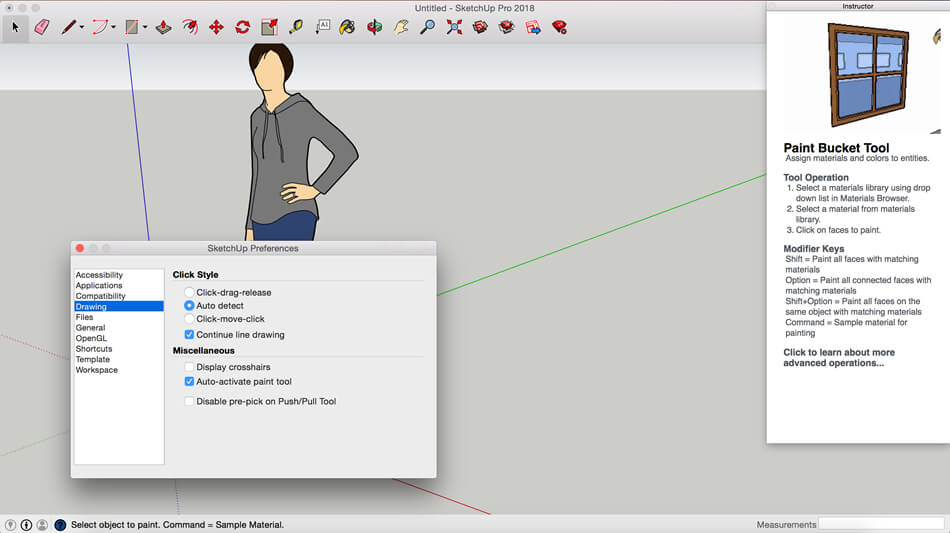
SketchUp is an easy-to-learn 3D modeling program that enables you to explore the world in 3D. With just a few simple tools, you can create 3D models of houses, sheds, decks, home additions, woodworking projects – even space ships.

Programming, diagramming, design development, detailing, documentation, RFIs—wherever you need drawings, you need SketchUp Pro.
A great mix of our classic desktop software, our shiny new SketchUp for Web modeler, and all sorts of things you’ve been asking for over the years — including the ability to publish, share, and store projects in the cloud with Trimble Connect.

Tools for your 3D modeling toolbox:
SketchUp Pro for Desktop
Fast, easy 3D modeling for anything you can imagine.

SketchUp for Web
Our powerful web modeler, with all the features you need to turn your designs into real things.

Unlimited cloud storage
Share, collaborate, and store your projects in the cloud. Gain flexibility and peace of mind.

2D design documentation
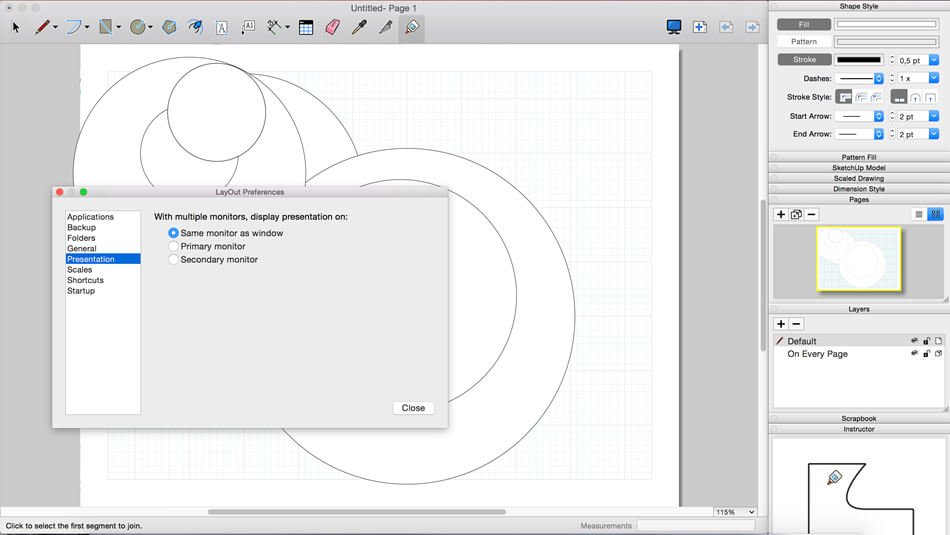
Create scaled drawing sets in 2D with LayOut.

VR model viewing
Wow your clients with a walkthrough of their project on Microsoft HoloLens, HTC Vive, or Oculus, on your phone or tablet.

Features that make your projects yours
Make your project look like only you can with custom Styles, Materials, and Outliner. And, make that work smooth and easy with Dynamic Components.

Compatibility: macOS 11.7 or later
Homepage https://www.sketchup.com/

Screenshots


TechSmith Camtasia 2023.3.15

Name: Camtasia_2023_2023.3.15_Mactorrents.biz.dmg
Size: 392 MB
Files Camtasia_2023_2023.3.15_Mactorrents.biz.dmg[392 MB]

   Download Torrent

Camtasia is the go-to video solution for creating professional-looking software demonstrations, product tutorials, online lessons, and recorded presentations- no video experience needed. Pre-built video templates help you create the videos you need with ease. Record your screen, import PowerPoint presentations, or add video footage you already have. Then edit, add effects with drag-and-drop ease, and share out your videos with anyone. With so many easy to use features and effects, you’ll be creating polished videos in no time.

Start Fast
Camtasia is quick to learn. You don’t need a big budget or fancy video editing skills. Start with a template or just record your screen and add a few effects.

Feel Confident
Whether you have experience or this is your first time making a video, we’ll give you everything you need to make a high-quality video.

Engage Viewers
Create content your viewers actually watch. A video will give you more interaction and help your audience to learn more than with text alone.

The best screen recording software for…

  • Video tutorials
  • How-to videos
  • Demo videos
  • Meeting recordings
  • YouTube videos
  • Training videos
  • Video lessons
  • Webinar recordings
  • Instructional videos
  • Explainer videos
  • Presentation recordings
  • …and more!

Compatibility: macOS 11.0 or later
Homepage https://www.techsmith.com/

Screenshots


Logic Pro X 11.0.0

Name: Logic_Pro_X_11.0.0_Mactorrents.biz.dmg
Size: 1.3 GB
Files Logic_Pro_X_11.0.0_Mactorrents.biz.dmg[1.3 GB]

   Download Torrent

Logic Pro is a complete collection of sophisticated creative tools for professional songwriting, beat making, editing, and mixing, built around a modern interface that’s designed to get results quickly and also deliver more power whenever it’s needed. Logic Pro includes a massive collection of instruments, effects, loops and samples, providing a complete toolkit to create amazing-sounding music.

Professional Music Production

  • Use a complete set of spatial audio authoring tools that provide everything you need to mix and export your music for Dolby Atmos
  • Use Live Loops to capture inspiration and quickly build arrangements by mixing and matching loops, samples, and your recordings
  • Record and edit MIDI or audio using a comprehensive set of editors and tools
  • Keep takes organized with take folders and build comps quickly with Quick Swipe Comping
  • Track Alternatives let you create and switch between different playlists of regions and edits on a track
  • Fix out-of-tune vocals and change the melodies of recorded audio with Flex Pitch
  • Manipulate the timing and tempo of any recording with ease using Flex Time Use Smart Tempo to import audio and have it automatically conform to your project BPM
  • Perform and mix from anywhere in the room using Logic Remote on iPad or iPhone
  • Produce simple lead sheets or orchestral scores with built-in Score editor

Drum Production and Beat Making

  • Use Drum Machine Designer to build and perform your own custom kits
  • Program beats, bass lines and melodic parts using Step Sequencer
  • Create authentic acoustic, electronic, or hip-hop drum tracks using Drummer, a virtual session player and beat producer

Sampling

  • Use Sampler to quickly create and edit sophisticated multi-sampled instruments
  • Import a single audio file or record directly into Quick Sampler to instantly build a playable instrument

Keyboards and Synths

  • Get inspired by collection of synths that provide analog, wavetable, FM, additive, granular, spectral, and modeling synthesis
  • Quickly find sounds or create unique new ones with Alchemy, a powerful sample manipulation synthesizer
  • Instantly turn a simple chord into a rich performance with the Arpeggiator
  • Play faithful models of classic organs, keyboards, and vintage synths

Guitar and Bass Gear

  • Build your own guitar or bass rig with Amp Designer using vintage and modern amps, cabinets, and mics
  • Design a custom Pedalboard from a collection of delay, distortion, and modulation stompboxes

Creative and Production Effects

  • Access a professional collection of vintage and modern delays, EQs and compressors
  • Play your sounds through a variety of realistic acoustic spaces or creative synthesized reverbs
  • Add movement to your tracks with a variety of modulation effects

Sound Library

  • Over 5,900 instrument and effect patches
  • 1,200 meticulously sampled instruments
  • 14,750 Apple Loops in a wide range of genres

Compatibility

  • Expand your instrument and effects library with third-party Audio Units-compatible plug-ins
  • Share to GarageBand option allows you to remotely add new tracks to your Logic project from your iPhone or iPad via iCloud
  • Import and export XML to support Final Cut Pro workflows
  • Export your spatial audio mix as a Dolby Atmos ADM file compatible with Apple Music
  • Export and share your songs directly to SoundCloud

Storage Requirements

  • 6GB available storage space for minimum install / 72GB storage space for full Sound Library installation

What’s New:

Version 11.0.0

  • This update includes stability improvements and bug fixes

Language: English, French, German, Japanese, Simplified Chinese, Spanish
Compatibility: macOS 13.5 or later
Homepage https://www.apple.com/logic-pro/

Screenshots


AnyMP4 Video Converter 8.2.30

Name: AnyMP4_Video_Converter_for_Mac_8.2.30.130402_Mactorrents.biz.dmg
Size: 54 MB
Files AnyMP4_Video_Converter_for_Mac_8.2.30.130402_Mactorrents.biz.dmg[54 MB]

   Download Torrent

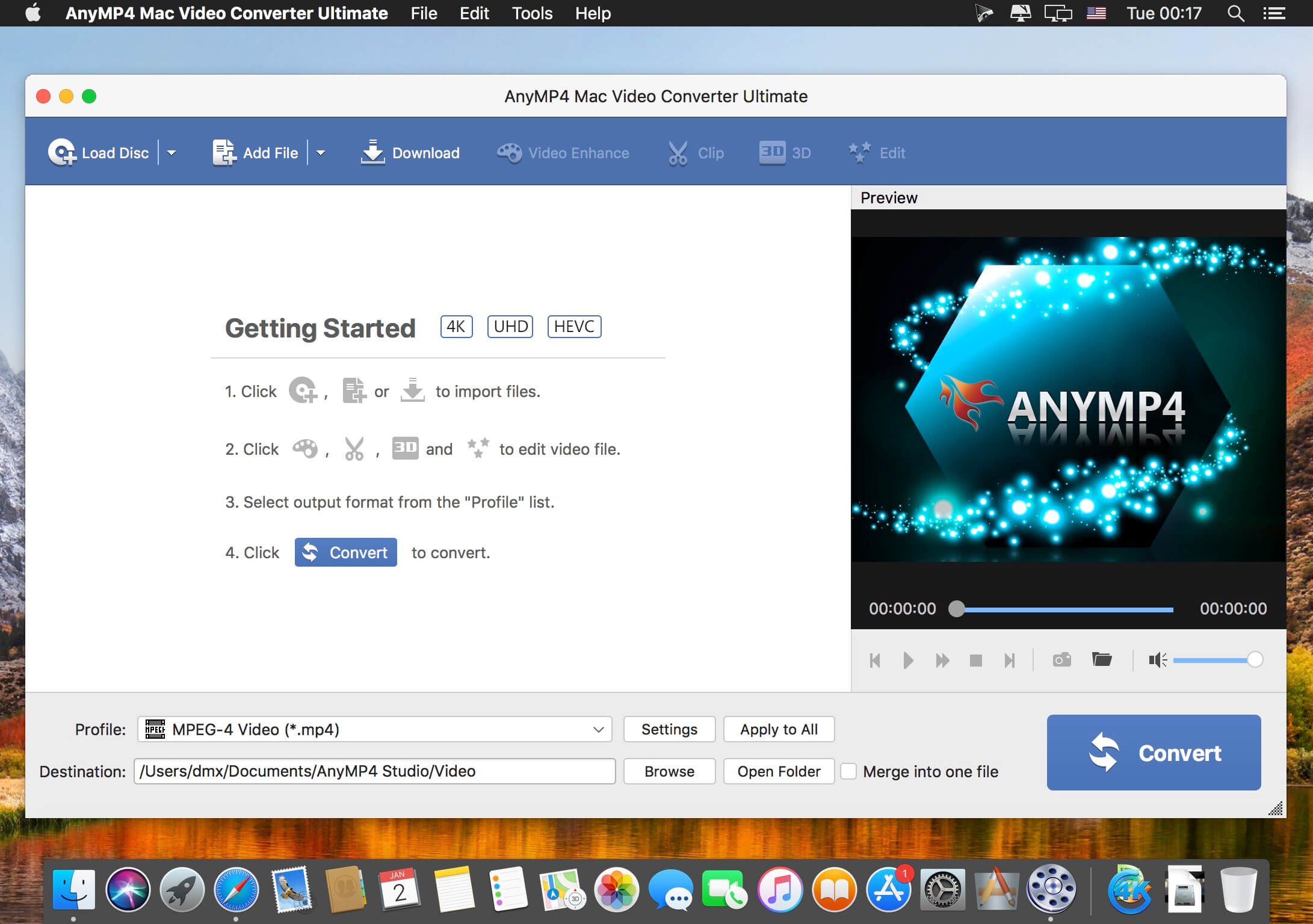
AnyMP4 Video Converter Ultimate for Mac offers you a fast and convenient solution for converting the videos between different formats under macOS. The Mac app lets you convert both 1080p HD videos and 4K UHD videos. With the advanced 4K technology, the powerful Mac Media Converter can quickly convert video with the latest 4K codecs, including H.265, VP9, H.264, VP9.

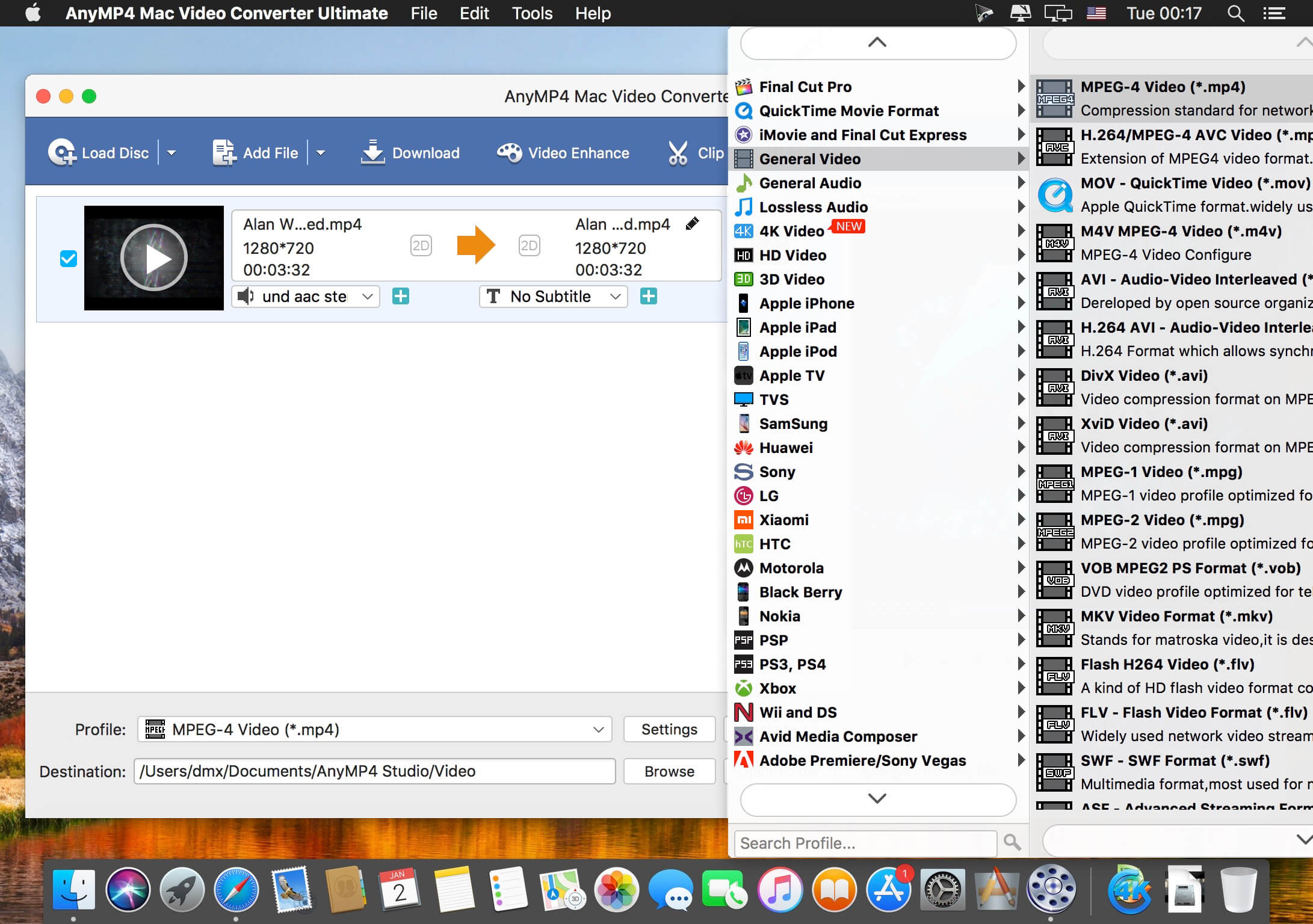
Want to watch your videos on your smartphone or tablet? AnyMP4 Mac Video Converter Ultimate offers you many predefined video formats for digital devices and TVs. For example, you can convert videos for iPhone X/8/7/6s/6/SE/5s/5, iPad Air 2/mini 4, Samsung Galaxy S7, Samsung Galaxy Note 5, Huawei Mate 9, LG G5, Sony Z5, Apple TV, Samsung TV and more.
With this professional Mac Video Converter, it is also easy to convert nearly all popular video formats for iMovie, Final Cut Pro, Avid Media Composer, Premiere Pro, etc. Then you can import and edit your videos into the video editing software.

Compatibility: OS X 10.10 or later
Homepage https://www.anymp4.com/

Screenshots


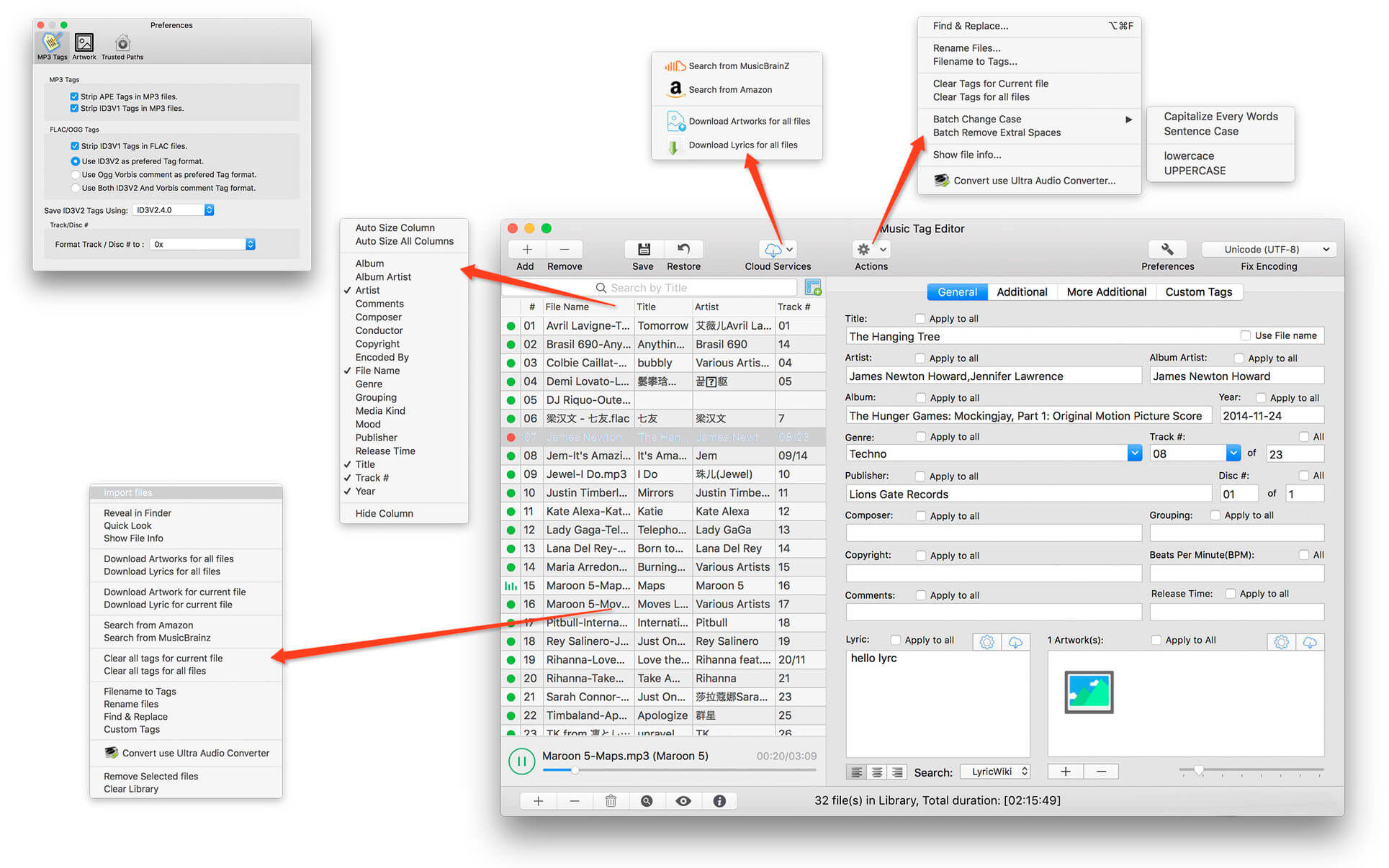
Mp3tag 1.8.22

Name: Mp3tag_1.8.22_Mactorrents.biz.dmg
Size: 11 MB
Files Mp3tag_1.8.22_Mactorrents.biz.dmg[11 MB]

   Download Torrent
   Link Download

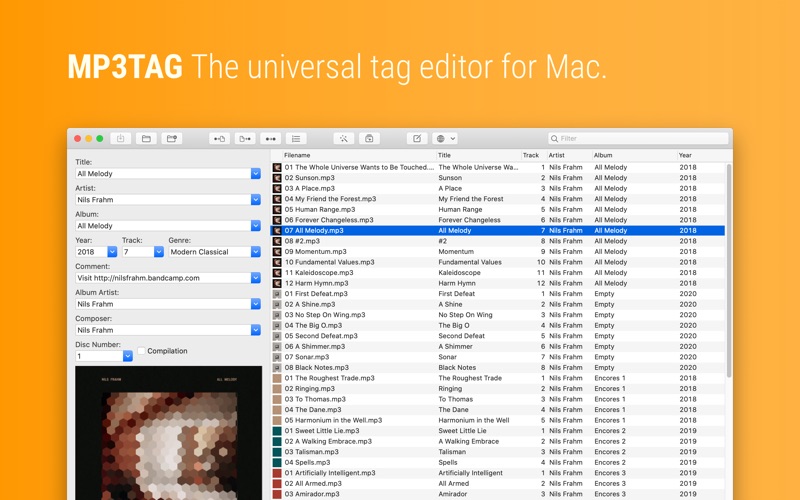
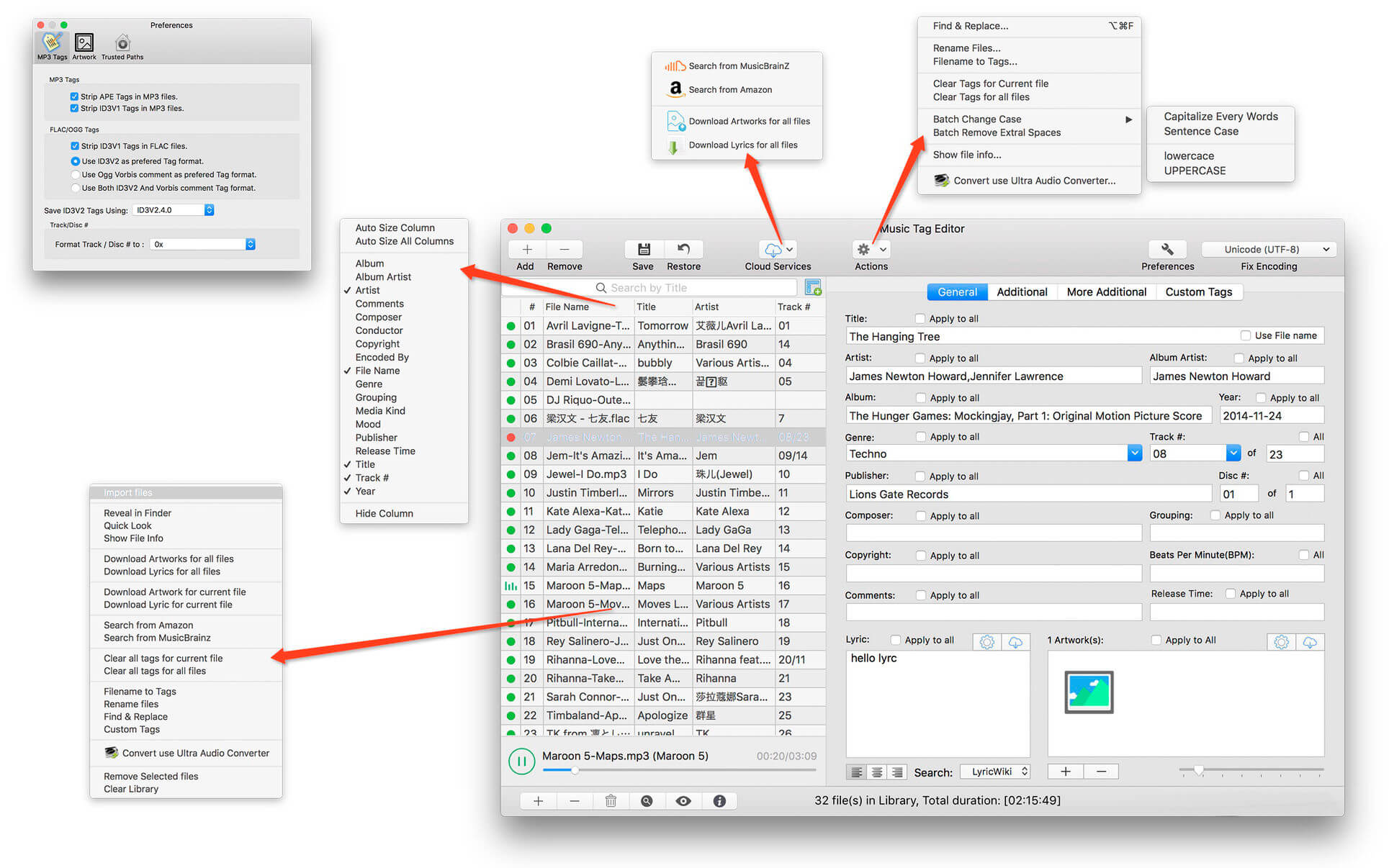
Mp3tag is a powerful and easy-to-use tool to edit metadata of audio files. Musicians, DJs, podcasters, and audio-enthusiasts use it for many different aspects of handling audio files. It supports batch tag-editing for multiple files at once, covering many audio formats from MP3, over MP4, and M4V (yes, that’s video!) to FLAC, OGG, OPUS, AIF, DSF, MPC, and WAV.

Furthermore, it supports online database lookups from Discogs and MusicBrainz, allowing to gather proper tags and download cover art for music libraries.

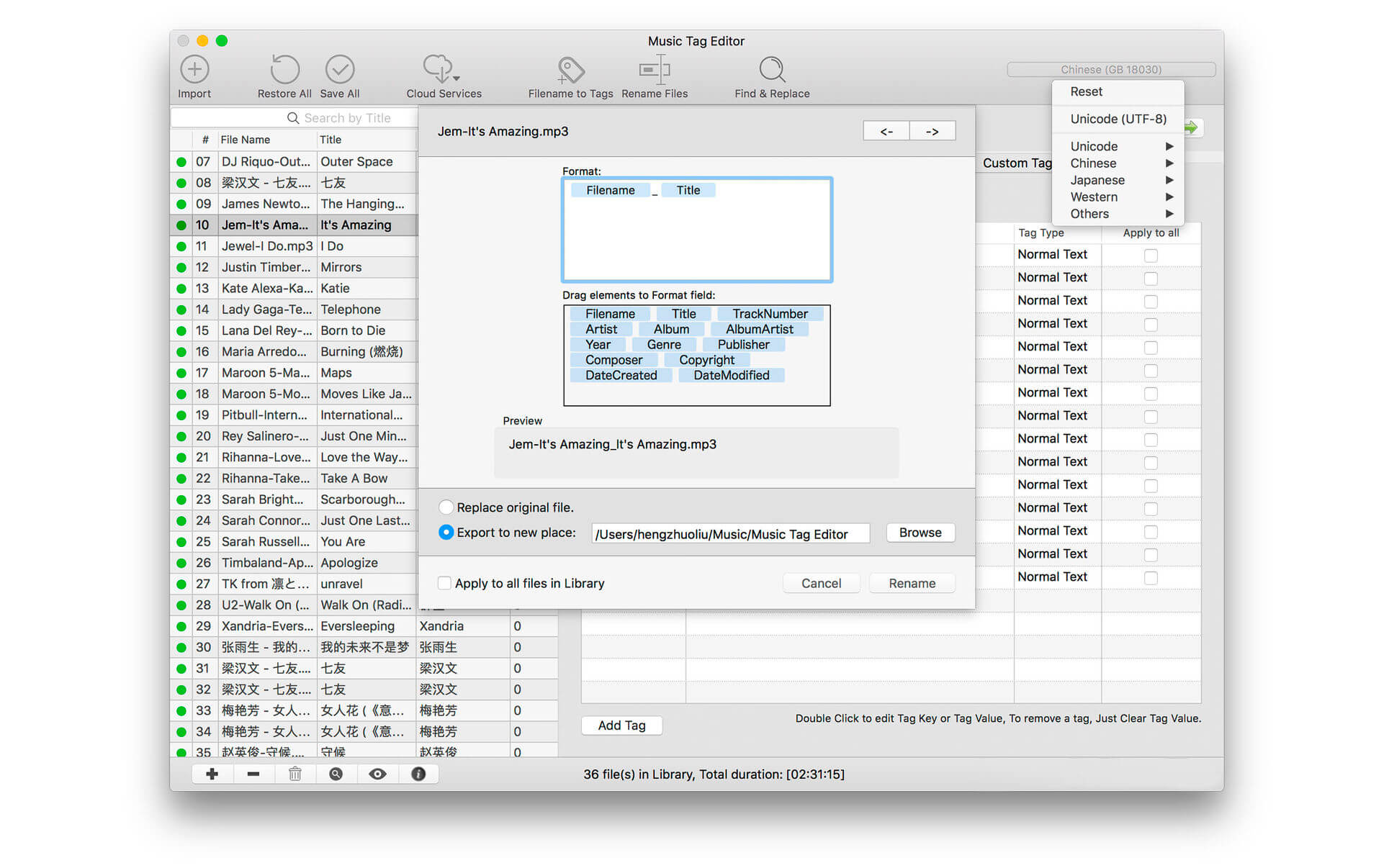
It offers renaming files based on the tag information, replacing characters or words in tags and filenames, importing tag information, and adjusting the size and image format of embedded cover art.
Since some of the tasks in managing a digital library are repetitive, Mp3tag allows for combining tasks into action groups, which serve as workflows for keeping consistency and order. Examples are formatting tag fields, performing case conversion, removing unwanted fields, or adjusting embedded cover art to match required sizes.

Key Features

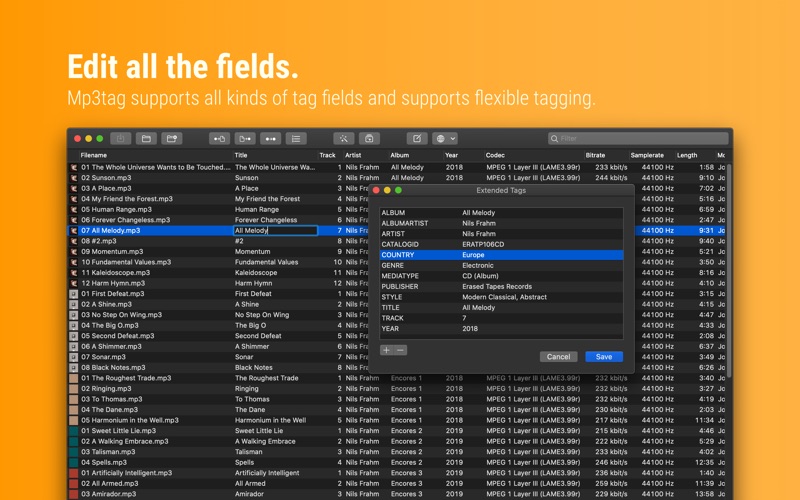
  • Bulk-Editing of Tags for multiple files at once.
  • Editing of cover-art.
  • Renaming files based on tags.
  • Importing metadata from filenames.
  • Assign track and disc numbers via the auto-numbering wizard.
  • Importing metadata from online Tag Sources.
  • Support for Flexible Tagging, allowing for user-defined tag fields in a standardized way.
  • Applying action groups with many tasks combined into reusable workflows.
  • Support for many file types under a universal user interface.
  • and more…

Supported File Formats

  • MP3 (ID3v1, ID3v2.3, ID3v2.4 with UTF-8)
  • MP4/M4A/M4B/M4V (iTunes and Nero)
  • FLAC (Vorbis Comments)
  • OGG (Vorbis Comments)
  • OPUS (Vorbis Comments)
  • AIF (RIFF INFO and RIFF ID3)
  • DSF (ID3v2)
  • MPC (APEv2)
  • WAV (RIFF INFO and RIFF ID3)

Compatibility: macOS 10.14 or later
Homepage https://mp3tag.app/

Screenshots


PullTube 1.8.5.32

Name: PullTube_1.8.5.32_Mactorrents.biz.dmg
Size: 119 MB
Files PullTube_1.8.5.32_Mactorrents.biz.dmg[119 MB]

   Download Torrent
   Link Download

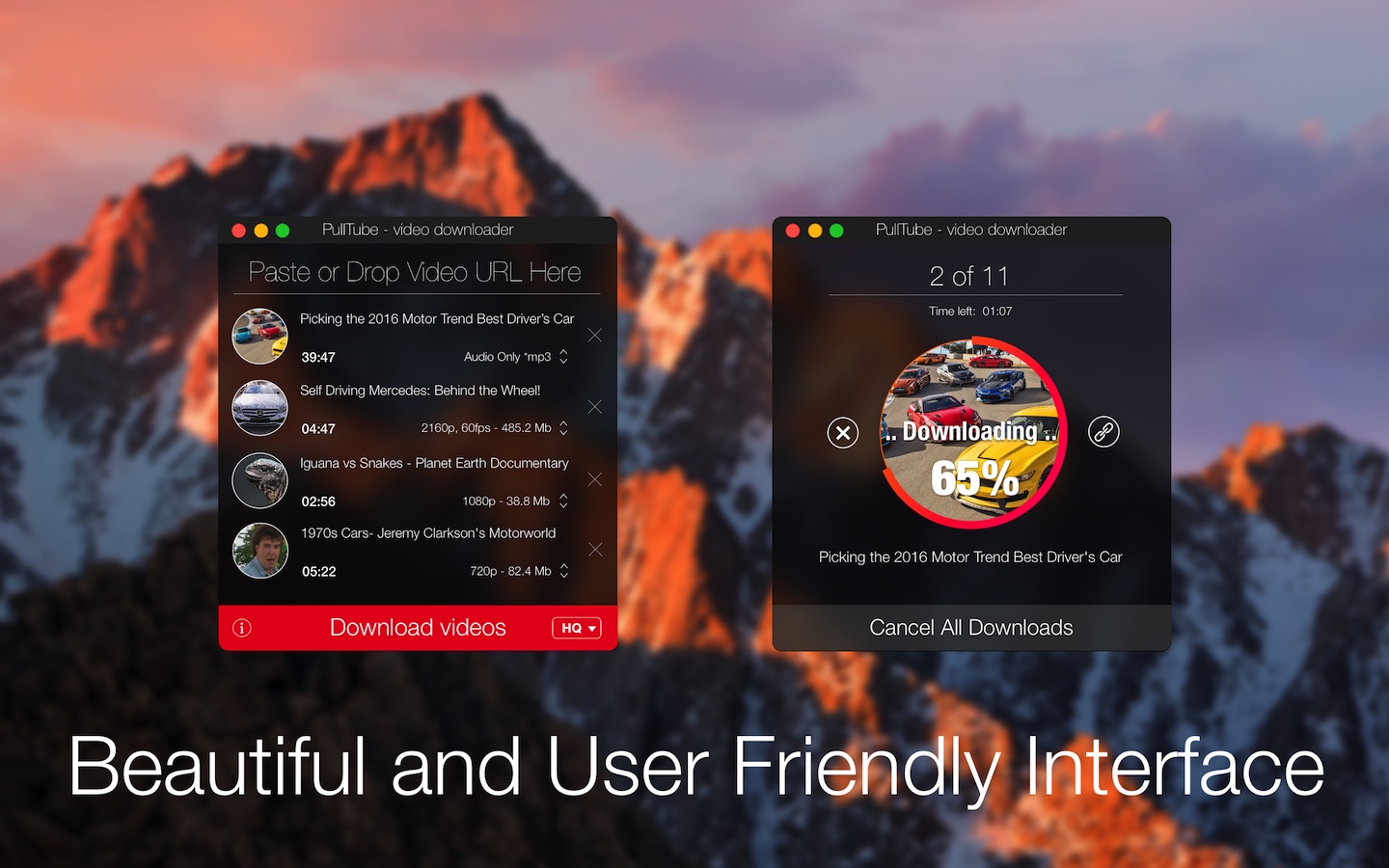
A beautiful online video downloader for your Mac PullTube proposes a streamlined workflow for quickly downloading videos from YouTube or Vimeo, provides control over the output quality, and enables you to extract the audio to MP3 or M4A files. The PullTube app can handle videos of any duration or size, and you get to monitor the download progress within its main window. The utility also integrates with the Notification Center to send completion alerts.

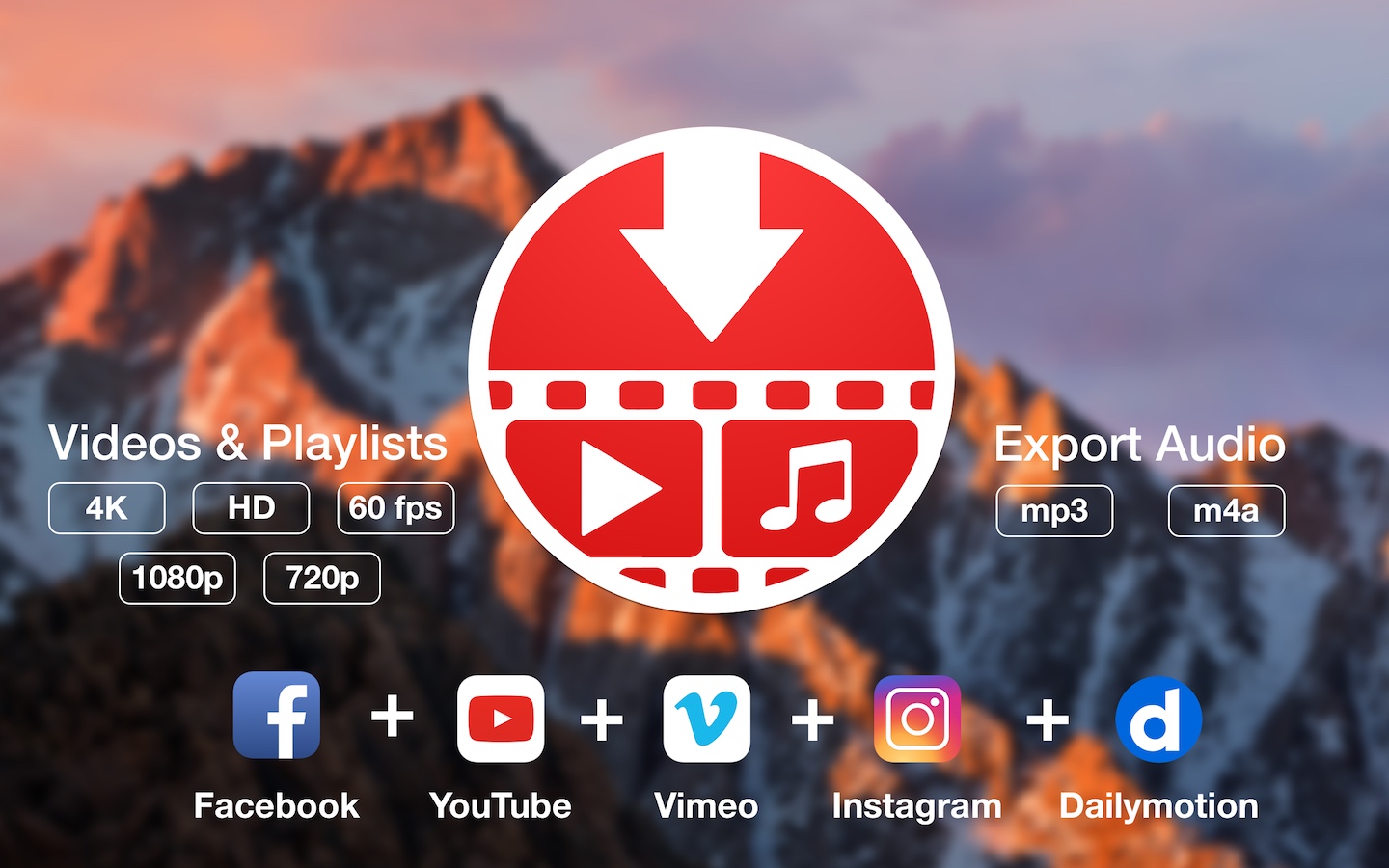
YouTube and Vimeo
Supports Youtube and Vimeo. More platforms to be added upon user requests.

4K, HD and 60fps support
PullTube allows you to download video in any format available

Video to Audio
Convert and save videos to mp3 and m4a

Beautiful and Flexible Interface
Nice looking, dark user interface

What’s New:

Version 1.8.5.32:

  • Release notes were unavailable when this listing was updated.

Compatibility: macOS 10.12
Language: Multilingual
Homepage https://mymixapps.com/pulltube

Screenshots


QLab Pro 5.3.8

Name: QLab_5.3.8_Mactorrents.biz.dmg
Size: 39 MB
Files QLab_5.3.8_Mactorrents.biz.dmg[39 MB]

   Download Torrent
   Link Download

QLab makes it simple to create rich multimedia designs for live performances and installations. From Broadway to the West End, in churches, museums, store fronts, concert halls, and theaters around the world, people use QLab to bring their audio and video to life.

Simply powerful show control
QLab allows you to design and operate amazing multimedia performances from your Mac OS X computer. A single QLab workspace can control audio, video, MIDI, OSC, and more.

Amazingly deep, surprisingly easy
Using building blocks called “cues”, you can create sophisticated designs in seconds.

Getting started is as simple as dragging in a file and pressing “GO”. From there, add commands to fade volume, animate videos, or add audio and video effects.
Once you master the basics, become a power user with advanced features like scripting, video corner pinning, multi-projector edge blending, audio localization, or even building multi-computer designs by sending commands to other QLab machines on your local network.

The industry standard.
Battle-tested and used by designers around the world, QLab is the tool of choice in venues large and small.

Audio Effects
You can now apply live audio effects to all your cues: EQ, pitch shift, reverb, and more. Add audio effects to individual cues, across all cue outputs, or on your device outputs.

Dynamic Effects
The powerful new Fade Cue can adjust your audio effect parameters in real time. It can even adjust playback rate, to dynamically speed up or slow down your audio, with or without pitch shifting.

Live Audio Inputs
The new Mic Cue offers up to 24 channels of live audio inputs. Plus all those routing, fading, and audio effects you get on Audio Cues? You get those on Mic Cues too.

Compatibility: OS X 11.0 or later
Homepage https://qlab.app/

Screenshots


Native Instruments Kontakt 7 v7.10.2

Name: Native_Instruments_Kontakt_7_v7.10.2_U2B_macOS_Mactorrents.biz.rar
Size: 916 MB
Files Native_Instruments_Kontakt_7_v7.10.2_U2B_macOS_Mactorrents.biz.rar[916 MB]

   Download Torrent
   Link Download

KONTAKT 7 is everything from instant inspiration for music makers to the industry’s leading instrument-building tool. For the seventh generation of KONTAKT, we’re bringing its 20-year legacy into the future. Find sounds easily with a new resizable browser. Explore new musical ideas and find fresh inspiration with an overhauled Factory Library, newly added effects, and under-the-hood audio improvements.

Release Notes
Version 7.10.2 2024-05-07
FIXED Crash when loading instruments in Logic Pro on macOS Sonoma
FIXED Crash when clicking NI logo in Logic Pro on macOS Sonoma
FIXED Intermittent crashes when loading Orchestral Tools libraries inside of Komplete Kontrol or Maschine
FIXED Kontakt standalone crashes when Canon EOS camera software is installed
FIXED Character “a” is ignored by Text Fields when Edit View is shown
KNOWN ISSUE Intermittently long loading times and visual stalls when loading certain libraries in Logic Pro
KNOWN ISSUE Intermittent visual glitches and computer shutdown when using Kontakt on Apple M2 / M3 computers in clamshell mode, or when Kontakt is hosted in GarageBand
KNOWN ISSUE Intermittent crashes when Kontakt 7 is used with the following combination: Logic Pro, macOS 14, Kontrol S MK3. Apple are working on a fix for this communication layer crash
KNOWN ISSUE In Pro Tools, Kontakt window is cropped when zooming larger than available display size
KNOWN ISSUE Please note that if you have updated to Kontakt 7.10 from a version before 7.9, you may need to reselect your audio device on first launch (macOS only)

Compatibility: macOS 11.0 or later • Apple Silicon or Intel Core processor
Homepage https://www.native-instruments.com/en/products/komplete/samplers/kontakt-7/

EditReady 24.2

Name: EditReady_24.2_Mactorrents.biz.dmg
Size: 148 MB
Files EditReady_24.2_Mactorrents.biz.dmg[148 MB]

   Download Torrent
   Link Download

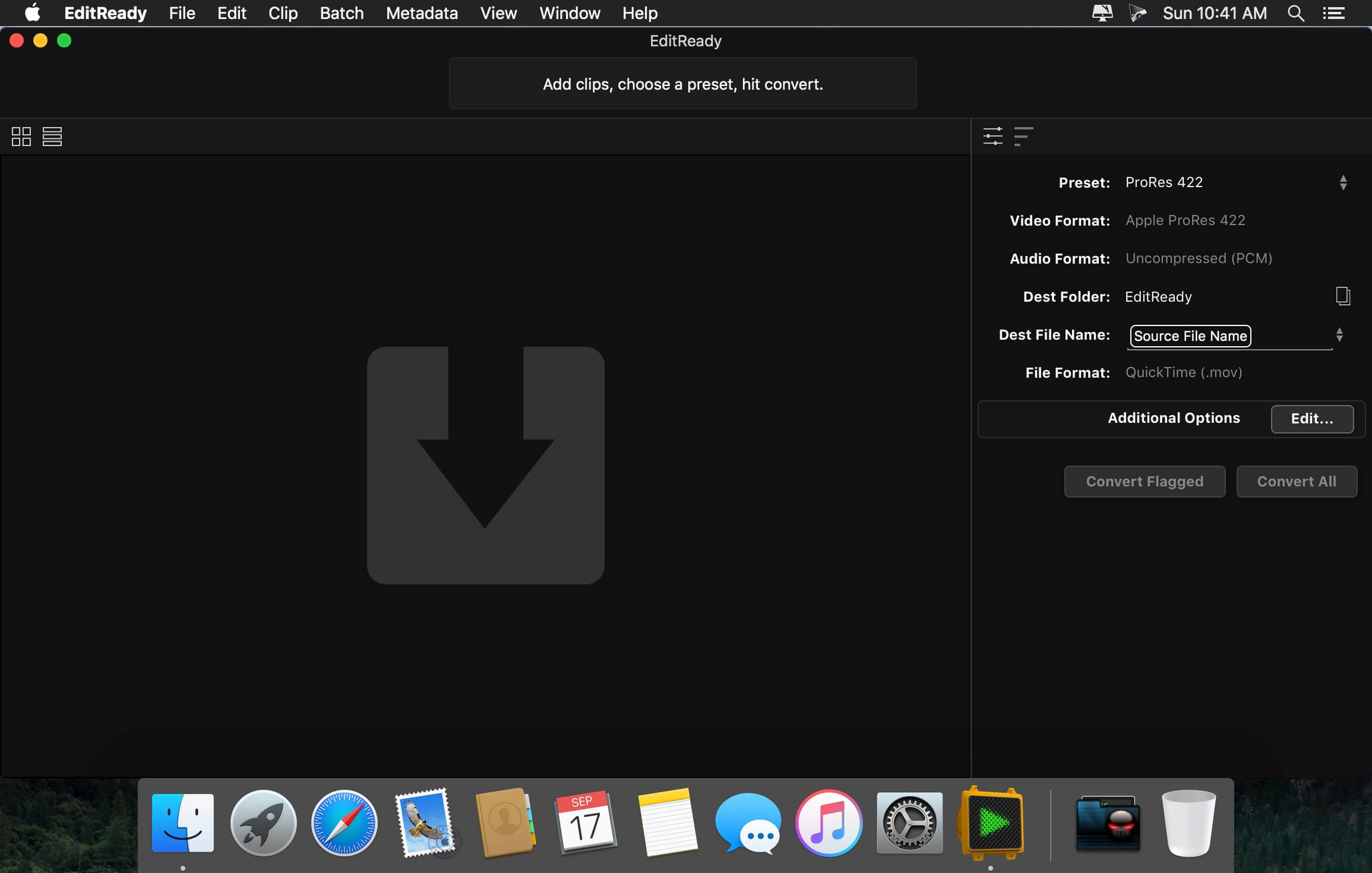
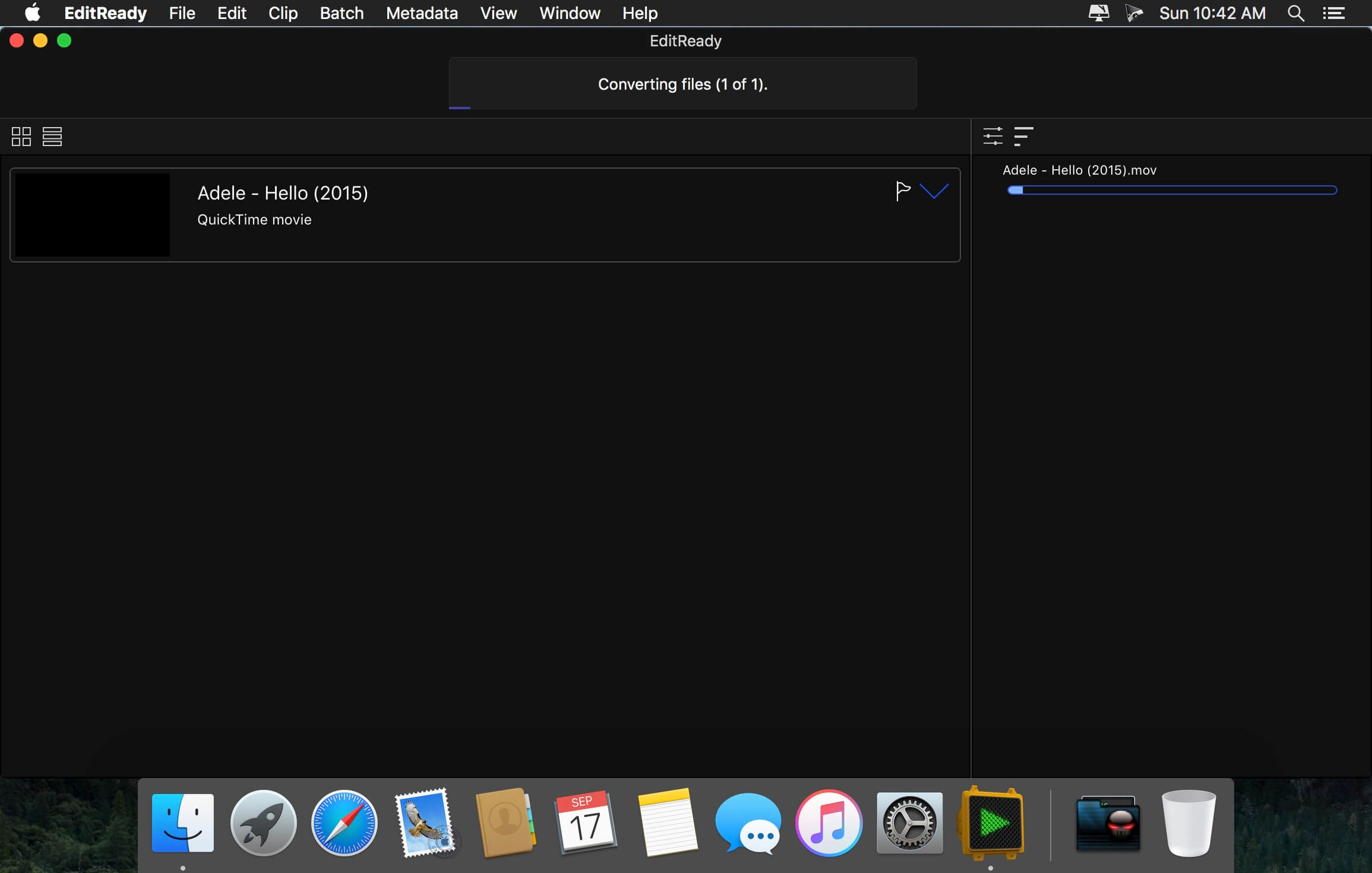
EditReady provides easy, fast and powerful transcoding for video professionals, without an overwhelming interface or outdated format choices. MOV, MP4 and MXF media can all be quickly converted to edit ready quicktime movies in ProRes or DNxHD.

Features

  • More than just transcoding – In addition to transcoding to professional formats like ProRes, DNxHD, and H.264, EditReady makes it easy to prep your footage for screening and editing. You can apply LUTs to your video during conversion to set a specific look or convert your Log footage into Linear. EditReady also allows you to override the framerate on your converted files, for pristine slow-motion with your 60p or 120p footage.
  • Smart Metadata Editing – EditReady provides a rich metadata viewer and editor. Modern cameras store GPS data, lens settings, diagnostic data, and more. Manually add location data if your camera didn’t store it, or set a reel name for all of your files. You can even use metadata to generate filenames for your transcoded files.
  • Modern, Blazing Fast, Ready for the Future – EditReady is designed to take advantage of all of the power available on modern Macs. It leverages hardware accelerated video decoding, OpenCL image processing, and every CPU cycle your system has to spare. And EditReady is designed with the future in mind – it’s ready to adopt new formats and workflows.

Compatibility: macOS 10.15 or later
Homepage http://www.divergentmedia.com

Screenshots


iReal Pro 2024.4

Name: iReal_Pro_2024.4_Mactorrents.biz.dmg
Size: 83 MB
Files iReal_Pro_2024.4_Mactorrents.biz.dmg[83 MB]

   Download Torrent
   Link Download

Practice makes perfect. iReal Pro offers an easy-to-use tool to help musicians of all levels master their art. It simulates a real-sounding band that can accompany you as you practice. The app also lets you create and collect chord charts of your favorite songs for reference.

Used by thousands of music students, teachers and some of the world’s top music schools such as Berklee College of Music and Musicians Institute.

“It’s the perfect technology for a practicing musician: high-quality digital audio, mixable, transposable into any key and completely mobile. Now every aspiring musician has a backup band in their pocket.” – Tim Westergren, Pandora Founder

• It’s a Book:

Create, edit, print, share and collect chord charts of your favorite songs for reference while practicing or performing.

• It’s a Band:

Practice with a realistic sounding piano (or guitar), bass and drum accompaniments for any downloaded or user-created chord chart.

FEATURES:

Have a virtual band accompany you as you practice

• Choose from the included 50 different accompaniment styles (Swing, Ballad, Gypsy Jazz, Bluegrass, Country, Rock, Funk, Reggae, Bossa Nova, Latin,…) and 12 blues styles available as a one-time In-App purchase
• Personalize each style with a variety of sounds including piano, Fender Rhodes, acoustic and electric guitars, acoustic and electric basses, drums, vibraphone, organ, and more
• Record yourself playing or singing along with the accompaniment

Play, edit, and download any songs you want

• 1000s of songs can be downloaded from the forums in a few simple steps
• Edit existing songs or create your own with the Editor
• The Player will play any song that you edit or create
• Create multiple editable playlists

Improve your skills with the included chord diagrams

• Display guitar, ukulele tabs and piano fingerings for any of your chord charts
• Look up piano, guitar and ukulele fingerings for any chord
• Display scale recommendations for each chord of a song to help with improvisations

Practice in the way, and at the level, that you choose

• Includes 50 exercises for practicing common chord progressions
• Transpose any chart to any key or to number notation
• Loop a selection of measures of a chart for focused practicing
• Advanced practice settings (automatic tempo increase, automatic key transposition)
• Global Eb, Bb, F and G transposition for horn players

Share, print, and export – so your music follows you wherever you need it!

• Share individual charts or whole playlists with other iReal Pro users via email and the forums
• Export charts as PDF and MusicXML
• Export audio as WAV, AAC and MIDI
• Upload your songs and playlists to iCloud for safekeeping and for synchronization across any of your iCloud enabled devices such as iPhone, iPad or Mac

Always backup your songs!

Top In-App Purchases: Full Version – included

Compatibility: macOS 10.13 or later
Homepage https://irealpro.com/

Screenshots


Colibri 2.2.0

Name: Colibri_2.2.0_Mactorrents.biz.dmg
Size: 23 MB
Files Colibri_2.2.0_Mactorrents.biz.dmg[23 MB]

   Download Torrent
   Link Download

Native Lossless Audio for macOS – A refreshingly new addition to the audio player scene.

Colibri is a native macOS audio player built from scratch on top of the award-winning BASS technology, supports cristal-clear bit-perfect playback of all popular lossless and lossy audio formats, uses only a tiny amount of computing power and offers a clean and intuitive user experience.

Saves your battery – Colibri uses a barely noticable amount of computing power during the playback of your music. The application is built using state-of-the-art Swift 3 programming language, the BASS audio engine is bundled as machine code while the interface uses built-in components by Apple. This was done in order to achieve a tiny footprint and to be as native to macOS as humanly possible.

Plays your audio – Colibri is able to playback the most widely used range of file formats in terms of lossless audio: FLAC, ALAC, WAV, AIFF, APE, TTA, DSD and WavPack – along with these popular lossy formats: Ogg Vorbis, MP1/MP2/MP3 and AAC/M4A – along with network streams/online radio! Additional format support might be considered if requested.

Handles CUE Sheets – Colibri reads, processes – and to some extent – sanitizes cue sheets. Malformed and disordered content is reprocessed during loading and should audio files written in the sheet be missing then Colibri makes a few educated guesses on the possible file name/extension. If the sheet does not contain artist, song title or album information then Colibri tries to extract the song info from the audio file header itself.

Supports gapless playback – Colibri is extensively designed from the ground-up to provide a true gapless listening experience – with or without using a Cue Sheet.

Picks up where you left off – Colibri saves your current playlist upon quitting and re-opens your songs when you start it up again, maintaining the song data between playback sessions, regardless of having them previously loaded from CUE sheets or single files. Apple’s Sandbox protection is fully supported.

Avoids most problems – Colibri does its’ best to avoid most problems before, during and after playback – however there are situations where error checking and guessing indexes won’t suffice. Loading unsupported files show up as an error message in the status bar and files that have disappeared since loading are automatically removed and skipped upon being reached in the playlist.

Understands your language – Colibri is capable of rendering the song information as it was intended to be shown: of all the tried metadata it had no problem with displaying cyrillic or kanji/katakana/hiragana characters mixed with ASCII.

Respects your privacy – Colibri does not phone home, collect usage data or modify files in any way. The only data it remembers are your playlist and settings: the loop mode state, whether to show the menubar and which pieces of info text to display in the status bar – nothing else!

Displays album art – Colibri displays embedded cover art for FLAC files and ID3/iTunes artwork metadata for other files (mainly M4A / ALAC and MP3). When that yields not results then it looks in the folder where the current song resides for a cover art image.

Resides in your Menu Bar – Colibri can place an unobtrusively small icon in the Menu Bar for easy access and playlist control: you can either start/pause the playback, skip to the next track or go back to the previous one. It also displays the info and cover art image of the current song.

Integrates with Finder – Colibri conforms all of Apple’s strict requirements – which means that it shows up in Finder as an option in “Open With” when a supported file is selected. Which in turn also makes it an available as a suggested file association option.

Adjusts to your Display – Colibri’s interface elements scale themselves nicely on every screen resolution and pixel density.

Compatibility: macOS 10.10 or later
Mac App Store https://apps.apple.com/us/app/colibri/id1178295426

Screenshots


Music Tag Editor Pro 8.1.1

Name: Music_Tag_Editor_Pro_8.1.1_Mactorrents.biz.dmg
Size: 35 MB
Files Music_Tag_Editor_Pro_8.1.1_Mactorrents.biz.dmg[35 MB]

   Download Torrent
   Link Download

Music Tag Editor Pro can help you to edit your Music Tag info easily and effectively,Batch edit all tags and batch rename with metadata, you can also use it to convert the text encoding of Music Tag, In situations,it can repair the messy code in Music Tags. You also can download the album image for MP3 from internet. Also, you can search tags of music file from Amazon or MusicBrainz cloud services.
In Pro version More additional tags are supported, you can even custom any tags you want!

Support Music formats:
 MP3, M4A (Apple lossless), MP4, FLAC, APE, AIFF, WAV , Ogg files, asf, mkv, dsf, dsd…
Support ID3V1, ID3V2.3,ID3V2.4, xiphComments, APE Tag, Ogg Vorbis, Ogg Speex, Ogg Flac.

Main features:

  • support id3v1,id3v2,xiphComments, RIFF Info, APE Tag, Ogg Tags,iTunes tags. Tags:Title,Artist,Album,Genre,Copyright,Comments,Artworks,Lyrics and so on…
  • lyrics you saved to file can be show correctly in you iPhone or iPod music player.
  • support batch processing of lots of music files,support iTunes importing.
  • Online album image download,multi album image supported.
  • batch rename audio file with metadata
  • batch convert file name to tags
  • user can change,convert the tag text encoding easily, it also can repair messy code in situations.
  • Fully iTunes Tag supported.
  • Support strip APE or ID3V1 tags in mp3 files
  • support to save id3v2.3 or id3v2.4 tags!
  • Batch clean tags
  • Built-IN Music player for all audio formats

Advance features in pro version:

  • Edit Additional and Advanced Tags.
  • Custom and edit any tags you want.
  • Batch Find & Replace all tag fields in one click.
  • MusicBrainZ Cloud services supported.

Top In-App Purchases : Full Version – included.
Compatibility: macOS 10.13 or later
Homepage https://geo.itunes.apple.com/app/id1229106549

Screenshots


Topaz Video AI 5.0.3

Name: Topaz_Video_AI_5.0.3_macOS_Mactorrents.biz.rar
Size: 362 MB
Files Topaz_Video_AI_5.0.3_macOS_Mactorrents.biz.rar[362 MB]

   Download Torrent
   Link Download

Time-aware video quality enhancement. Video Enhance AI uses information from multiple frames to achieve high-end results for video upscaling, denoising, deinterlacing, and restoration. Improving the quality of videos is substantially more complex than photos because of motion-related issues like flickering, blockiness, and wavy artifacts. To solve this issue, Video Enhance AI looks at surrounding frames to improve resolution and reduce motion artifacts for natural results.

Upscaling
Upscale video resolution with detail gathered from multiple frames. Our video upscaler can convert SD to HD and HD to 4k or 8k while adding crisp and natural video details.

Denoising
Remove noise and grain while recovering real detail in your videos. Minimize flickering and other temporal artifacts caused by frame-by-frame denoising approaches.

Deinterlacing
Use deep learning to convert interlaced videos to progressive while preserving image definition. Significantly reduces visual artifacts compared to traditional deinterlacing.

Restoration
Naturally restore old videos without adding visual artifacts. Restore realistic details and remove compression artifacts from old or degraded sources.

Frame rate conversion for 2021
Introduced in v2.3, the Chronos AI model uses deep learning to increase video frame rate without artifacts. Existing methods like frame blending and optical flow are decades old and produce inconsistent and unnatural results. Video Enhance AI generates new frames that are often indistinguishable from frames captured in-camera, enhancing videos with more natural results.

Increase video frame rate (24 to 60 FPS, 30 to 60 FPS)
To increase your video’s frame rate, you’ll need to generate new frames between your video’s existing frames. The existing ways to do this (frame blending, optical flow) often look unnatural and jittery especially with moving backgrounds. Video Enhance AI uses a new approach based on machine learning to “predict” the best intermediate frame between existing ones, which gives you much better results with a wider variety of material.

Create a smooth slow-motion effect
When you create a slow motion effect, it’s even more important that you generate new frames without stuttering or motion artifacts. Video Enhance AI creates much more natural slow motion results compared to traditional time interpolation.

Fewer motion artifacts
Other video upscaling techniques often create a “shimmering” or “flickering” effect from different processing in adjacent frames. VEAI is trained to significantly reduce such artifacts.

Recover video details
VEAI has been trained to inject real details into your videos, derived from the additional information in multiple adjacent frames, allowing us to deliver superior video enhancement.

Get more natural results
Traditional upscaling often causes artifacts. While visual artifacts do exist in VEAI too, they’re mitigated by information derived from multiple frames.

Trained on videos
VEAI was trained exclusively on video clips instead of still images. (The improved results are worth the increased effort to gather the dataset!)

Optimized for your hardware
We work directly with different hardware manufacturers to ensure the software works as fast as possible on your machine.

Convenient workflow
Easily convert and combine multiple videos from SD to HD, HD to 4k, and much more. Includes export presets and batch processing.

Flexible import / export
Supports common video file types and image sequence as input, and export directly to mp4, mov, or image sequence.

Batch processing
Leave Video Enhance AI running overnight with your videos queued up, and come back in the morning to enhanced footage.

Compatibility: macOS 10.12 or later.
Homepage https://www.topazlabs.com/topaz-video-ai

Topaz Video AI

Plugin Boutique Scaler EQ 1.1.1

Name: Plugin_Boutique_Scaler_EQ_1.1.1__HCiSO_Mactorrents.biz.dmg
Size: 59.85 MB
Files Plugin_Boutique_Scaler_EQ_1.1.1__HCiSO_Mactorrents.biz.dmg[59.85 MB]

   Download Torrent
   Link Download

Following on from the award-winning Scaler music theory plugin, Scaler EQ offers a remarkable new way to EQ with musicality and colour.

By enhancing only note frequencies in key with your song, and reducing only note frequencies that aren’t, Scaler EQ can provide a new spin on working with cuts and boosts, increasing the tonality behind your music and providing new harmonic avenues.

And for when you just want a regular, fully-featured, modern EQ, Scaler EQ has you covered with its familiar workflow, large choice of band types, mid/side operation, dynamic bands, peak limiters, and stereo enhancement. You can easily apply classic mixing and mastering techniques used by professionals, with an extra optional musical edge.

→ What can Scaler EQ be used for?

✓ Music Production:
Ideal for musicians and producers looking to enhance the musicality of their tracks by ensuring all instruments are in harmony with the chosen scale.

✓ Audio Editing:
Simplify EQ processes by targeting and cleaning up frequency bands to remove audio that doesn’t belong and enhance audio naturally present with the chosen scale.

✓ Audio Engineering:
Dynamically soothe audio by suppressing in-harmonic frequencies or expanding harmonic frequencies using dynamic compression and expansion.

✓ Mastering:
Place on your master channel to broaden your stereo width, focus your bass, increase loudness, and enhance your mix.

✓ DJing:
DJs can use it to ensure that the tracks they mix are in harmony by detecting the key and scale whilst balancing the mix of each track.

The World’s First In-Key EQ
Thanks to its Harmonic Peak and ‘Plus/Minus’ filter types, performing a boost on Scaler EQ means only boosting frequencies that are in-key with the currently set scale. Making a cut with the same band will reduce only the out-of-key frequencies – although it can be set to cut in-key frequencies too, which can be helpful for mixing.

By using in-key EQ, you’ll get warmer lows and sweeter highs when boosting, while out-of-key cuts will lead to clearer, more focused bass and less harsh highs that retain their musicality.

Simple Key Detection
Key detection lets you automatically capture the key of your music through audio or MIDI, making it quick and simple to set up sweetening, tonal boosts. For a choice of broader or more focused tonal colours, you can add or remove notes in the currently selected scale. Key Switching? No problem, Scaler EQ can assign different scales and keys to ‘Scale Switchers’ that are fully automatable.

Musician- and Producer-Friendly Band Types
Scaler EQ’s harmonic band types aren’t the only option for boosts and cuts. The traditional array of shelves, bells and high-pass/low-pass filters will be instantly familiar and simple to use for every producer, and there’s more to reward creative exploration in Scaler EQ.

The Magic Shelf
Scaler EQ’s proprietary Magic Shelf bands work with stereo properties in mind. Boost a Magic Shelf in the bass region, and it will work harder on the band’s mid signal than it does on its side information. Reduce the level of that bass Magic Shelf to make it a cut, and you’ll cut the side signal more than you cut the mid information.

The high-frequency Magic Shelf works in a complementary way, increasing sides with more strength and reducing mids more heavy-handedly. With its Range control increased, any Magic Shelf band introduces a complementary scoop or bump before its corner frequency.

Mastering Grade Limiters and Meters
Scaler EQ acts as an all in one tool box on your master channel with adjustable input and output levels, Peak and RMS Meters and two safety limiters that can be driven into at input or output stage for increased loudness.

All the Mod EQ Cons
Scaler EQ will fit right beside all your other mixing plugins with its solid workflow for boosting and cutting bands and shelves like a traditional EQ. Each band or shelf can also be set to Dynamic mode, helping to soothe boosts and cuts with dynamic compression and expansion that can be controlled with a sidechain input, set with Threshold, Ratio, Attack and Release controls.

Stereo options abound in Scaler EQ as well. With stereo channel selection (mid/side/stereo) for every band, it’s easy to enhance or reduce energy in a particular region of the stereo panorama, and thanks to the Mono Frequency selector, you can quickly and simply make the bass region mono below a frequency of your choosing. The Stereo Width dial offers a frequency-conscious way to enhance stereo width, using proprietary widening DSP.

→ Features:

• Patent pending musical EQ with harmonic band types that boost in-key frequencies and cut out-of-key frequencies
• Familiar EQ controls translate to a regular workflow – but one that adds more colour
• Choice of band types for traditional boost/cut EQ or harmonic EQ
• Magic Shelf bands deliver punchier low end and smoother highs
• Key detection sets the EQ’s target scale
• Scale Switching allows for scale and key changes in your track
• Dial in dynamics for any band (Threshold, Ratio, Attack, Release)
• Control any shape dynamically via sidechain input
• Add or remove scale notes for a specific colour (eg, four-note chords or just fifths)
• Adjustable input and output levels with peak and RMS metering
• Creative unique EQ responses by combining magic shelves, harmonic filters and cuts
• Each band can be set to work on stereo, mid or side channels
• Enhance stereo width and collapse low frequencies to mono
• Minimum phase, zero latency EQ
• Available for Mac and PC in VST2, VST3 and AU formats

Compatibility: macOS 10.14 or later • Apple Silicon or Intel Core processor
Homepage https://www.pluginboutique.com/products/11473

Plugin Boutique Scaler 2.9.0

Name: Plugin_Boutique_Scaler_2.9.0__HCiSO_Mactorrents.biz.dmg
Size: 1.42 GB
Files Plugin_Boutique_Scaler_2.9.0__HCiSO_Mactorrents.biz.dmg[1.42 GB]

   Download Torrent
   Link Download

Scaler 2 is an inspirational and powerful music theory workstation that gives you access to a world of new ideas, expressions and melodies. With powerful detection of MIDI and audio, Scaler 2 can determine what key and scale you’re in and suggest chords that match your music. The plugin helps you discover the perfect melody with performance expressions, and can even suggest ways to change from one key to another.

Scaler 2 makes finding chords and progressions intuitive and fun! It’s a comprehensive but easy-to-use toolbox that will help anyone make better music.

→ Benefits:

• Discover your music’s key and explore alternative scales, modes and chord sets
• Choose from hundreds of keys and modes, quickly build progressions in the sequencer
• Play melodic expressions, phrases, performances, sequences, basslines, melodies and rhythms written by professional musicians across various time signatures
• Establish your musical key and scale with audio detection as well as MIDI detection
• Create unique chords by searching & selecting from the circle of fifths or by entering note by note on your keyboard in Chord Create / Editor mode
• Chord Charts displays a guitar chord diagram for any chord and Fretboard Views allows you to explore the neck of your guitar
• Suggest Mode helps you add complexity and artistry to your chord progressions
• Discover chord substitutions that lend variety to your progressions and browse chord variations to get suspended, extended, dominant sevenths and jazz chords
• Experiment with Voice Grouping to spread notes across the keyboard and keep your chords within a certain range for voice leading
• Keys Lock helps you create emotive melodies by locking keys to your chords
• Modulation suggestions give you new ways to reach musical destinations
• Export MIDI to your DAW simply by dragging and dropping
• MIDI Capture lets you perform inside Scaler 2 and then export the results as MIDI
• Assign any VST / AU instrument to Scaler 2 to control your favourite synths or use over 45 internal electronic, acoustic and orchestral sounds
• Play and record one-finger chords and melodies using Scaler 2’s Bind MIDI function
• Generate bass lines adapted to your current scale and chords with Bass Mode
• Generate melody lines adapted to your current scale and chords with Melody Mode and Sequence Mode
• Change keys, performances, melodies and basslines on the fly by MIDI Mapping to your computer keyboard or MIDI Controller
• Get more natural-sounding melodies and expressions with the humanise and quantise function
• Navigate between modes and pages using keyboard commands or UI buttons
• Edit Modes for adjusting length, velocity, inversion, octave, timing and performances more per chord in a pattern
• Pad View helps you to arrange and play through multiple patterns and key switch between them
• Audition new progressions in context with DAW Sync playback and Auto Play
• Use the arpeggio or strum features to perform in real-time and synced to your DAW
• Chord editing and moving tools include lasso, drag n drop, replace and insert
• Sync multiple instances of Scaler to create a full track. Change one chord in the sync ‘leader’ and the all Scalers in sync ‘follow’ mode will respond.
• Multi Voice Output (Multi Midi Out) allows you to split each note of chords onto separate channels for complex arrangements.
• Chords can be played as passages which turns chords into subtle movements and grooves.

→ Content:
• Over 200 artist chord sets from the likes of Carl Cox, MJ Cole, The Temper Trap, Mitekiss, CeCe Rogers and Mike Huckaby
• Over 400 unique genre, common and mood-based chord sets such as Chill, Drum & Bass, Jazz, Cinematic, EDM, Metal
• Over 600 chord sets and hundreds of unique scales
• Over 500 phrases, performances, sequences, basslines, melodies and rhythms by professional musicians across various time signatures
• 45 internal electronic, acoustic and orchestral instruments created by award-winning producers
• Over one hundred artist created modulation pathways to get you from one key to another
• Over one hundred chord substitutions that lend variety to your progressions

→ How it Works

Detect
Scaler 2 can listen to incoming MIDI or audio data and detect the key your music is in. After this, it will suggest chords and chord progressions that will fit with your song. Scaler 2 can send MIDI to a virtual instrument in your DAW, and it has 45 onboard instruments to play with as well.

Chord Sets
Scaler 2 comes with over 400 song and genre-based chord sets and over 200 artist chord sets to inspire new progressions and melodies; plus, choose from hundreds of scales and modes to get your creative juices flowing. Simply drag the chords you want into the sequencer to build a pattern that’s unique to you.

Explore
Explore alternative chords that’ll fit with your progression, with loads of suggestions, voicings, chord extensions and variations on particular chords to help you choose the perfect feeling with every step of your song.

MIDI Capture
New Audio Detection Technology means you can detect and analyse chords and scales from existing audio sources. With MIDI Capture, you can record Scaler 2’s output – whether you’re clicking keys or chords, or playing progressions – in order to drag the resulting MIDI outside the plugin.

Create
Suggest mode gives you chords compatible with your chord progression. Lock keys to your chords to create complex melodies by intuitively moving around on your MIDI controller. Humanize Scaler 2’s performance by introducing variations to velocity and/or timing. Voice Grouping profiles let you automatically invert notes to restrict playback within certain octaves or by using open voicing.

Edit
Edit Mode lets you dial in Duration, Octave, Inversion and more parameters per chord, and there are new ways to edit chords when right-clicking. DAW Sync links your chord patterns to your DAW’s playback, making it easy to audition new progressions or alter existing chord patterns alongside your DAW project. Pad View makes it easy to construct entire arrangements, moving chords and whole progressions on a higher level.

Modulation
Scaler 2 makes Modulation Suggestions for movement between your current key and a destination. The majority of suggestions have been sourced from professional musicians, and some are generated algorithmically.

Performance
With Performances, Phrases, Sequences, Basslines, Melodies and Rhythms created by real pianists and musicians, Scaler 2 isn’t just about creating chords and arpeggios – it can lay down melodies as well. Over 500 Expressions let you experiment with riffs and melodies, which can be locked to notes of your scale or a chord.

Homepage https://www.pluginboutique.com/product/3-Studio-Tools/93-Music-Theory-Tools/6439-Scaler-2

AnyMP4 Blu-ray Ripper 9.0.58

Name: AnyMP4_Blu-ray_Ripper_for_Mac_9.0.58.19821_Mactorrents.biz.dmg
Size: 148 MB
Files AnyMP4_Blu-ray_Ripper_for_Mac_9.0.58.19821_Mactorrents.biz.dmg[148 MB]

   Download Torrent
   Link Download

AnyMP4 Mac Blu-ray Ripper is designed with the most efficient solutions to rip Blu-ray disc to any popular video format like MP4, TS, MKV, MOV, M4V, AVI, WMV, VOB, DivX, XviD, MPEG, F4V, WebM and more, and even convert Blu-ray to 4K and 1080p HD video with the codec of H.265, H.264, MPEG4, XviD, VP8, VP9, and more. It also extracts background music from Blu-ray movie to save as MP3, M4A, AAC, FLAC, ALAC, WMA, and more for your music enjoyment.

This Blu-ray Ripper for Mac can easily rip Blu-ray disc, Blu-ray folder, and Blu-ray ISO image file to multiple digital device like iPhone 11/11 Pro/11 Pro Max/XS/XS Max/XR/X/8/7 Plus/7/6s Plus/6s/6 Plus, iPad Por, iPad Air 2, iPad mini 4, Samsung Galaxy S7, Samsung Galaxy Note 5, LG G5, Sony Z5, HTC 10, Huawei P9, and others. This software also lets you rip Blu-ray to other devices like Apple TV, Samsung TV, LG TV, Xbox 360, PS3/PS4, Final Cut Pro, iMovie, and more for playing or editing easily.

What’s New:

Version 9.0.58:

  • Release notes were unavailable when this listing was updated.

Compatibility: OS X 10.10 or later
Homepage https://www.anymp4.com/

Screenshots

Music Tag Editor Pro 8.1.0

Name: Music_Tag_Editor_Pro_8.1.0_Mactorrents.biz.dmg
Size: 35 MB
Files Music_Tag_Editor_Pro_8.1.0_Mactorrents.biz.dmg[35 MB]

   Download Torrent
   Link Download

Music Tag Editor Pro can help you to edit your Music Tag info easily and effectively,Batch edit all tags and batch rename with metadata, you can also use it to convert the text encoding of Music Tag, In situations,it can repair the messy code in Music Tags. You also can download the album image for MP3 from internet. Also, you can search tags of music file from Amazon or MusicBrainz cloud services.
In Pro version More additional tags are supported, you can even custom any tags you want!

Support Music formats:
 MP3, M4A (Apple lossless), MP4, FLAC, APE, AIFF, WAV , Ogg files, asf, mkv, dsf, dsd…
Support ID3V1, ID3V2.3,ID3V2.4, xiphComments, APE Tag, Ogg Vorbis, Ogg Speex, Ogg Flac.

Main features:

  • support id3v1,id3v2,xiphComments, RIFF Info, APE Tag, Ogg Tags,iTunes tags. Tags:Title,Artist,Album,Genre,Copyright,Comments,Artworks,Lyrics and so on…
  • lyrics you saved to file can be show correctly in you iPhone or iPod music player.
  • support batch processing of lots of music files,support iTunes importing.
  • Online album image download,multi album image supported.
  • batch rename audio file with metadata
  • batch convert file name to tags
  • user can change,convert the tag text encoding easily, it also can repair messy code in situations.
  • Fully iTunes Tag supported.
  • Support strip APE or ID3V1 tags in mp3 files
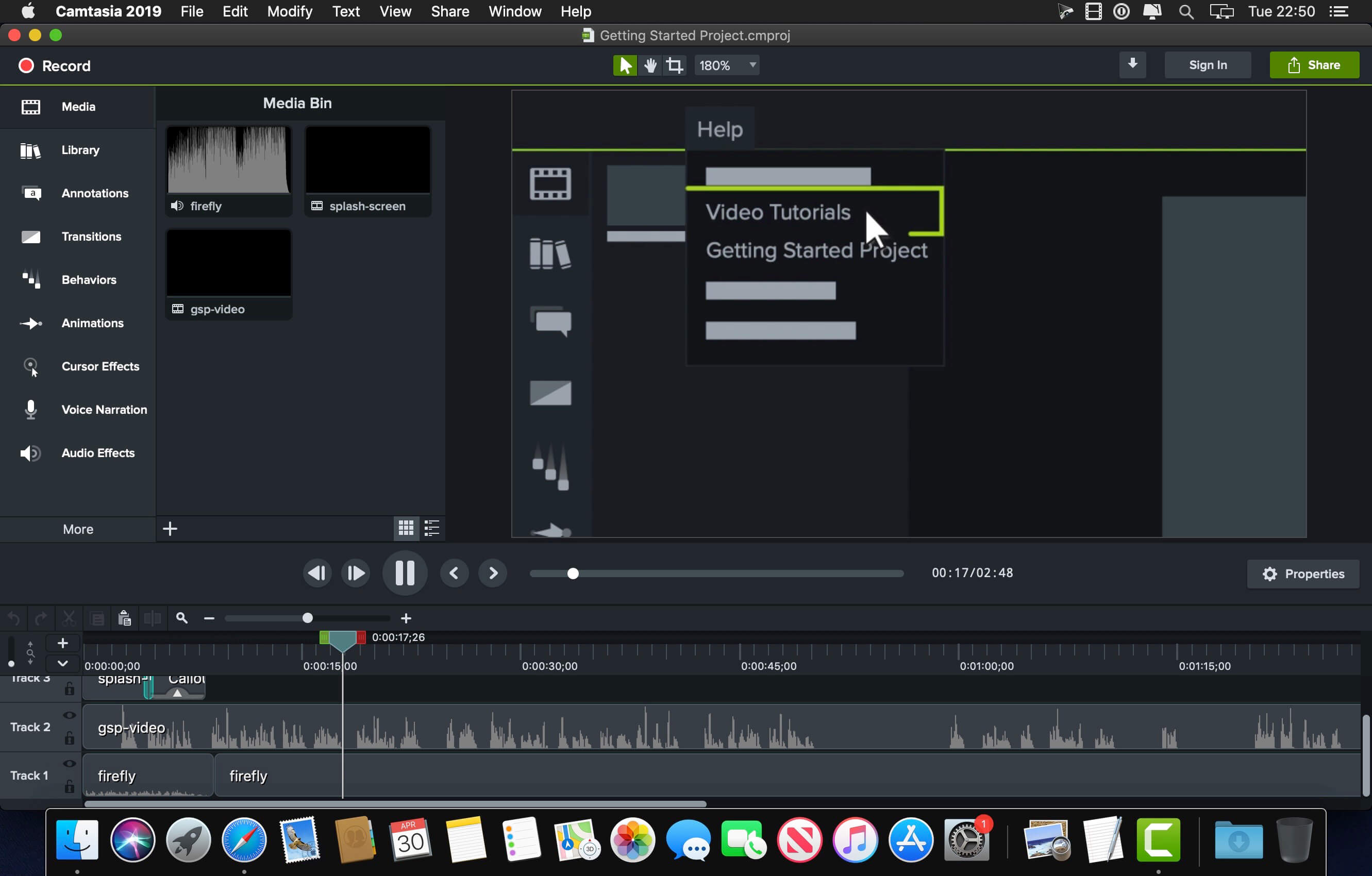
  • support to save id3v2.3 or id3v2.4 tags!
  • Batch clean tags
  • Built-IN Music player for all audio formats

Advance features in pro version:

  • Edit Additional and Advanced Tags.
  • Custom and edit any tags you want.
  • Batch Find & Replace all tag fields in one click.
  • MusicBrainZ Cloud services supported.

Top In-App Purchases : Full Version – included.
Compatibility: macOS 10.13 or later
Homepage https://geo.itunes.apple.com/app/id1229106549

Screenshots


Algoriddim djay Pro 5.1.6

Name: djay_Pro_5.1.6_Mactorrents.biz.dmg
Size: 339 MB
Files djay_Pro_5.1.6_Mactorrents.biz.dmg[339 MB]

   Download Torrent
   Link Download

Welcome to djay Pro AI! Algoriddim’s acclaimed DJ software and winner of multiple Apple Design Awards has been rebuilt from the ground up using groundbreaking AI technology – NEURAL MIX™.

NEURAL MIX™ allows you to isolate instrumentals and acappellas of your favorite tracks in real-time and redefines the boundaries of creative mixing. You can crossfade drums, bass lines, and melodies of two songs independently, apply audio effects to individual components of music, and even loop the beat while the melody of the same track continues playing.

djay Pro’s all-new, modern interface is built around a sophisticated integration with your music library, giving you instant access to millions of tracks. Pristine sound quality and a powerful set of features including live production tools, four decks, high-definition waveforms, video mixing and hardware integration give you endless creative flexibility to reinvent your DJ sets.

NEURAL MIX™

  • Isolate vocals, drums, bass lines, and instrumentals in real-time
  • FX routing: apply audio effects to individual components of music (Vocal Echo, Harmonic Filter, Drum Reverb, and more)
  • Loop routing: Loop the beat while the melody of the same song continues playing, and vice versa
  • AI crossfades: seamlessly blend and swap drums, bass lines, or vocals of two tracks
  • AI waveforms: see vocals, drums, and harmonic waveforms per track side by side

MUSIC PRODUCTION TOOLS

  • Sequencer: create instant beats on top of music
  • Looper: remix music with up to 48 loops per track
  • Beat-matched sequencing of drums and samples
  • Extensive content library with 1000+ loops and samples

STREAMING INTEGRATIONS

  • TIDAL: Millions of tracks, music videos, high quality sound /TIDAL Premium or HiFi)
  • SoundCloud: Millions of underground and premium tracks SoundCloud Go+)
  • Beatport: Millions of electronic music tracks (Beatport LINK)
  • Beatsource: Millions of open-format music tracks (Beatport LINK)

AWARD-WINNING USER INTERFACE

  • 2- and 4-Deck views
  • Single Deck preparation view
  • Video and Automix views

ADVANCED LIBRARY MANAGEMENT

  • Create your own custom and smart playlists
  • Powerful track filtering
  • Finder Integration

AUTOMIX

  • Automatic, beat-matched mixes based on artificial intelligence
  • Queue and Playlist automation

VIDEOS, VISUALS, and PHOTOS

  • Mix videos, visuals, and photos
  • Music video streaming through TIDAL
  • Beat-matched photo slideshows

POWERFUL AUDIO ENGINE

  • Revolutionary AI audio engine
  • Real-time music source separation
  • High-quality mixer, filter, EQ, isolator, and limiter
  • Advanced time-stretching and pitch shifting
  • Over 40 built-in audio effects
  • Master output effects through Audio Unit plug-ins
  • Live recording
  • Ableton Link integration

ADVANCED AUDIO ANALYSIS   

  • BPM and beat detection
  • Key detection
  • Multi color waveformsBPM
  • Auto-Gain

HARDWARE INTEGRATION

  • Native support for over 100 MIDI controllers
  • Pioneer DJ CDJ Integration
  • RANE Twelve integration
  • Advanced MIDI Learn
  • External Mixer Mode
  • Support for multi-channel USB audio interfaces
  • Support for external audio input and microphones

In-App Purchases: Full Version – included
Language: English, Spanish, Italian, German and others.
Compatibility: macOS 10.15 or later
Homepage https://www.noteburner.com/

Screenshots


TechSmith Camtasia 2023.3.14

Name: Camtasia_2023_2023.3.14_Mactorrents.biz.dmg
Size: 392 MB
Files Camtasia_2023_2023.3.14_Mactorrents.biz.dmg[392 MB]

   Download Torrent
   Link Download

Camtasia is the go-to video solution for creating professional-looking software demonstrations, product tutorials, online lessons, and recorded presentations- no video experience needed. Pre-built video templates help you create the videos you need with ease. Record your screen, import PowerPoint presentations, or add video footage you already have. Then edit, add effects with drag-and-drop ease, and share out your videos with anyone. With so many easy to use features and effects, you’ll be creating polished videos in no time.

Start Fast
Camtasia is quick to learn. You don’t need a big budget or fancy video editing skills. Start with a template or just record your screen and add a few effects.

Feel Confident
Whether you have experience or this is your first time making a video, we’ll give you everything you need to make a high-quality video.

Engage Viewers
Create content your viewers actually watch. A video will give you more interaction and help your audience to learn more than with text alone.

The best screen recording software for…

  • Video tutorials
  • How-to videos
  • Demo videos
  • Meeting recordings
  • YouTube videos
  • Training videos
  • Video lessons
  • Webinar recordings
  • Instructional videos
  • Explainer videos
  • Presentation recordings
  • …and more!

Compatibility: macOS 11.0 or later
Homepage https://www.techsmith.com/

Screenshots


Permute 3.11.9

Name: Permute_3_3.11.9_Mactorrents.biz.dmg
Size: 76 MB
Files Permute_3_3.11.9_Mactorrents.biz.dmg[76 MB]

   Download Torrent
   Link Download

Video, audio and image files come in many different kinds and shapes, but sometimes you need a specific format since your iPad or DVD player won’t play that video. That is what Permute is for – easily convert your media files to various different formats.

Key Features

  • Easy to Use – built from the ground up, Permute is a perfect example of what a Mac app should be. With a gorgeous interface and drag & drop simplicity no need for complicated options.Video, audio and image files come in many different kinds and shapes, but sometimes you need a specific format since your iPad or DVD player won’t play
  • Insanely Fast – Permute was engineered to be incredibly fast. Let us take care of the hard stuff. Just select the video format you want and it’ll be done faster than you can say “hardware acceleration” – MP4 and HEVC presets now take advantage of your machine’s hardware acceleration capabitlities, speeding up HEVC conversions more than 3 times over previous versions of Permute!
  • PDF Support – Permute 3 now includes support for stitching multiple images into a single PDF.
  • Everything Included – It doesn’t matter if you’re converting home movies or processing images. Permute can do it all. We support nearly every format and have plenty of device presets to choose from.
  • Looks Amazing – Whether you use dark mode or not, Permute will look amazing. Taking advantage of the modern technologies, Permute will even change its icon in dark mode.
  • Keep the Schedule – Video re-encoding is quite demanding on computer resources. This is why you can now schedule Permute to convert videos e.g. at night when you’re not using your computer.
  • And so much more! – There are so many other great features in Permute – adjust volume of an audio file or an audio track in a video. Batch-resize, rotate and flip images and videos. And more!
  • Completely Rewritten – Permute 3 was started from scratch – completely new project, everything written from the ground up again.
  • UI Redesign – the UI has been redesigned from the ground up. It’s faster, more fluent and visually pleasing.
  • Dark Mode – Permute now works 100% with the dark mode, even adjusting its Dock icon based on your macOS theme.
  • Image Stitching – Stitch images together into a PDF.
  • HEVC (H.265) Hardware Acceleration – HEVC (H.265) video encoding now supports hardware acceleration, resulting in conversions more than twice as fast.
  • Scheduled Conversions – Schedule delayed conversion start.
  • Groups – Put files into groups and set different settings for different groups.
  • Customizations – Customize settings on a per-group basis without modifying the preset.
  • Multiple Subtitles – Add or copy multiple subtitle tracks from the source file.
  • … and many, many other minor fixes and improvements.

Compatibility: macOS 10.11 or later
Homepage https://software.charliemonroe.net/permute/

Screenshots


Wondershare Recoverit 12.5.10.7

Name: Wondershare_Recoverit_12.5.10.7_Mactorrents.biz.dmg
Size: 125 MB
Files Wondershare_Recoverit_12.5.10.7_Mactorrents.biz.dmg[125 MB]

   Download Torrent
   Link Download

Wondershare Recoverit is a comprehensive data recovery suite to recover Mac data lost due to accidental deleting, formatting, virus infection, improper operation, unexpected power failure, and other unknown reasons.

It can recover Mac data from lost, deleted, logical corrupted and formatted Mac hard drive, iPod, USB drive, SD card, digital camera, mobile phone, MP3, and MP4 player. Compatible with HFS+, FAT16/32, and NTFS file system volumes, this non-destructive Mac file recovery software ensures safe Mac file recovery without modifying the original data saved on your Mac machine or any other storage media. Versatile preview lets you enjoy Mac data recovery in advance.

Features

  • Safety First:
    • Read-only and risk-free Mac data recovery program. No any writing operation to your original data.
  • Versatile Preview Ability:
    • For images, real-time and direct scan results is displayed during the scan process to let users stop scanning once the target images are found.
    • For other Mac files such as videos, audio files, archives and documents, they are displayed as a text in a Hex mode for preview to let users enjoy file recovery on Mac in advance.
  • Precise File Recovery for Mac:
    • Before data recovery on Mac, you can choose the target file types to scan, which saves you much time especially when there are tons of files on your Mac machine.
    • Restore deleted files for Mac with original file names, shooting date, and storage paths.
    • Support file names search for scanning results to provide you precise Mac file recovery.
  • Easy-to-use and Clean Interface:
    • Complete wizard and easy-to-use interface let you perform Mac data recovery in a breeze.

What’s New:

Version 12.5.10.7

  • Release notes were unavailable when this listing was updated.

Compatibility: macOS 10.14 or later,
Homepage https://recoverit.wondershare.com

Screenshots

Music Tag Editor Pro 7.6.1

Name: Music_Tag_Editor_Pro_7.6.1_Mactorrents.biz.dmg
Size: 35 MB
Files Music_Tag_Editor_Pro_7.6.1_Mactorrents.biz.dmg[35 MB]

   Download Torrent
   Link Download

Music Tag Editor Pro can help you to edit your Music Tag info easily and effectively,Batch edit all tags and batch rename with metadata, you can also use it to convert the text encoding of Music Tag, In situations,it can repair the messy code in Music Tags. You also can download the album image for MP3 from internet. Also, you can search tags of music file from Amazon or MusicBrainz cloud services.
In Pro version More additional tags are supported, you can even custom any tags you want!

Support Music formats:
 MP3, M4A (Apple lossless), MP4, FLAC, APE, AIFF, WAV , Ogg files, asf, mkv, dsf, dsd…
Support ID3V1, ID3V2.3,ID3V2.4, xiphComments, APE Tag, Ogg Vorbis, Ogg Speex, Ogg Flac.

Main features:

  • support id3v1,id3v2,xiphComments, RIFF Info, APE Tag, Ogg Tags,iTunes tags. Tags:Title,Artist,Album,Genre,Copyright,Comments,Artworks,Lyrics and so on…
  • lyrics you saved to file can be show correctly in you iPhone or iPod music player.
  • support batch processing of lots of music files,support iTunes importing.
  • Online album image download,multi album image supported.
  • batch rename audio file with metadata
  • batch convert file name to tags
  • user can change,convert the tag text encoding easily, it also can repair messy code in situations.
  • Fully iTunes Tag supported.
  • Support strip APE or ID3V1 tags in mp3 files
  • support to save id3v2.3 or id3v2.4 tags!
  • Batch clean tags
  • Built-IN Music player for all audio formats

Advance features in pro version:

  • Edit Additional and Advanced Tags.
  • Custom and edit any tags you want.
  • Batch Find & Replace all tag fields in one click.
  • MusicBrainZ Cloud services supported.

Top In-App Purchases : Full Version – included.
Compatibility: macOS 10.13 or later
Homepage https://geo.itunes.apple.com/app/id1229106549

Screenshots


Native Instruments Kontakt 7.10.1

Name: Native_Instruments_Kontakt_7.10.1__HCiSO_Mactorrents.biz.dmg
Size: 1.10 GB
Files Native_Instruments_Kontakt_7.10.1__HCiSO_Mactorrents.biz.dmg[1.10 GB]

   Download Torrent
   Link Download

For 20 years, KONTAKT has been the backbone of countless film scores and pop hits, as well as thousands of incredible instruments from NI and your favorite NKS developers alike. Now, with a new HiDPI browsing experience, an overhauled Factory Library, new creative effects, and under-the-hood audio improvements, the next evolution is nearly here.

HREE NEW INSTRUMENTS
KONTAKT 6 introduces the KONTAKT Play Series: Sonically rich sample libraries that combine powerful sound design with simple playability. Each offers eight intelligently mapped macro knobs giving you a wide-sweeping, intuitive range of control. They all showcase KONTAKT’s new wavetable module, each offering two blendable sound sources and a unique take on a speciality style.

ANALOG DREAMS
Iconic 20th century hardware synthesizers captured with an intricate level of detail, and creatively processed with seminal outboard effects. This hybrid analog/digital instrument utilizes blendable sound sources to deliver a modern take on classic electro and synthwave, which have seen a resurgence in recent cinema.

ETHEREAL EARTH
Hybrid organic/electronic instrument that takes myriad acoustic instruments from around the world, and combines it with digital synthesis, organic foley layers, and effects processing. The result fuses traditional and digital, with basses, strings (bowed and plucked), wind instruments, tuned percussion, bells/metals, pads/drones, leads, and textural ambiences.

HYBRID KEYS
A contemporary, creative, and ultimately new take on keys and piano sounds. HYBRID KEYS moves away from conventional sampling processes and instead focuses on inventive techniques such as re-amping, creative mic positioning in interesting spaces, and vari-speed experiments with tape.

NEW FEATURES FOR BUILDERS
KONTAKT has long since grown beyond its origins as a software sampler, and now provides a solid foundation for building advanced sample-based instruments. We’ve been supporting this platform, and the people who use it, with continuous updates to KONTAKT 5, and KONTAKT 6 builds on this strategy with some big additions for you builders out there.

NEW EFFECTS

  • Replika Delay: Based on the dedicated Native Instruments plug-in REPLIKA XT, it offers multiple delay modes, each with a vastly different sound character.
  • Room Reverb: A new high-quality algorithmic room reverb that offers options for real time modulation.
  • Hall Reverb: Another high-quality algorithmic reverb, tuned for hall sounds.
  • Plate Reverb: Emulates a plate reverberator for for classic vintage metallic sounds.
  • Cry Wah: Wah-wah effect module, based on the most popular wah pedal of all time.

WAVETABLE MODULE
The latest version of KONTAKT adds wavetable synthesis to the ever expanding KONTAKT toolset. All three of the new Play Series instruments incorporate this new module, and we’re looking forward to hearing what you create with this powerful new building block.

CREATOR TOOLS
Creator Tools is a standalone application designed to improve the workflows of library builders and instrument creators. It consists of two elements: A Debugger, for identifying and fixing problems in KONTAKT script, and an Instrument Editor, which can load and run Lua scripts to automap samples, duplicate and batch rename groups, and copy settings from one part of an instrument to another.

Compatibility: macOS 11.0 or later • Apple Silicon or Intel Core processor
Homepage https://www.native-instruments.com/en/products/komplete/samplers/kontakt-7/

4K Image Compressor Pro 1.4.0

Name: 4K_Image_Compressor_1.4.0_Mactorrents.biz.dmg
Size: 32 MB
Files 4K_Image_Compressor_1.4.0_Mactorrents.biz.dmg[32 MB]

   Download Torrent
   Link Download

Resize JPEG, PNG, and WEBP Easily. Compress files to the size you need. Save storage space and easily share images on social media. Improve your website’s loading time. Optimize image file size without sacrificing quality.

Compatibility: macOS 10.13 or later
Homepage: https://www.4kdownload.com

Topaz Video AI 5.0.2

Name: Topaz_Video_AI_v5.0.2_macOS_Mactorrents.biz.zip
Size: 362 MB
Files Topaz_Video_AI_v5.0.2_macOS_Mactorrents.biz.dmg[362 MB]

   Download Torrent
   Link Download

Time-aware video quality enhancement. Video Enhance AI uses information from multiple frames to achieve high-end results for video upscaling, denoising, deinterlacing, and restoration. Improving the quality of videos is substantially more complex than photos because of motion-related issues like flickering, blockiness, and wavy artifacts. To solve this issue, Video Enhance AI looks at surrounding frames to improve resolution and reduce motion artifacts for natural results.

Upscaling
Upscale video resolution with detail gathered from multiple frames. Our video upscaler can convert SD to HD and HD to 4k or 8k while adding crisp and natural video details.

Denoising
Remove noise and grain while recovering real detail in your videos. Minimize flickering and other temporal artifacts caused by frame-by-frame denoising approaches.

Deinterlacing
Use deep learning to convert interlaced videos to progressive while preserving image definition. Significantly reduces visual artifacts compared to traditional deinterlacing.

Restoration
Naturally restore old videos without adding visual artifacts. Restore realistic details and remove compression artifacts from old or degraded sources.

Frame rate conversion for 2021
Introduced in v2.3, the Chronos AI model uses deep learning to increase video frame rate without artifacts. Existing methods like frame blending and optical flow are decades old and produce inconsistent and unnatural results. Video Enhance AI generates new frames that are often indistinguishable from frames captured in-camera, enhancing videos with more natural results.

Increase video frame rate (24 to 60 FPS, 30 to 60 FPS)
To increase your video’s frame rate, you’ll need to generate new frames between your video’s existing frames. The existing ways to do this (frame blending, optical flow) often look unnatural and jittery especially with moving backgrounds. Video Enhance AI uses a new approach based on machine learning to “predict” the best intermediate frame between existing ones, which gives you much better results with a wider variety of material.

Create a smooth slow-motion effect
When you create a slow motion effect, it’s even more important that you generate new frames without stuttering or motion artifacts. Video Enhance AI creates much more natural slow motion results compared to traditional time interpolation.

Fewer motion artifacts
Other video upscaling techniques often create a “shimmering” or “flickering” effect from different processing in adjacent frames. VEAI is trained to significantly reduce such artifacts.

Recover video details
VEAI has been trained to inject real details into your videos, derived from the additional information in multiple adjacent frames, allowing us to deliver superior video enhancement.

Get more natural results
Traditional upscaling often causes artifacts. While visual artifacts do exist in VEAI too, they’re mitigated by information derived from multiple frames.

Trained on videos
VEAI was trained exclusively on video clips instead of still images. (The improved results are worth the increased effort to gather the dataset!)

Optimized for your hardware
We work directly with different hardware manufacturers to ensure the software works as fast as possible on your machine.

Convenient workflow
Easily convert and combine multiple videos from SD to HD, HD to 4k, and much more. Includes export presets and batch processing.

Flexible import / export
Supports common video file types and image sequence as input, and export directly to mp4, mov, or image sequence.

Batch processing
Leave Video Enhance AI running overnight with your videos queued up, and come back in the morning to enhanced footage.

Compatibility: macOS 10.12 or later.
Homepage https://www.topazlabs.com/topaz-video-ai

Topaz Video AI