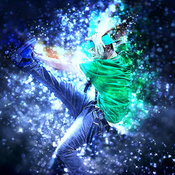
Name: Shimmer - Photoshop Action
Created: 27 September 15
Last Update: 27 September 15
Add-on Files Included: Photoshop ABR, Photoshop ATN
Works With: TIFF, JPG, RAW
Minimum Adobe CS Version: CS4


Features
• Work only with ENGLISH language photoshop.
• How to change language to English with this TUTORIAL.(https://www.youtube.com/watch?v=GJAiu5W2gLE)
• Separated layers.
• Preview image not included.

Item contains
• Action ATN file
• Brush ABR file
• Instructions in pdf.


Note
• Created in CS6 tested and working in CS4, CS5,CC 2014, CC 2015photoshop version. • Be sure your photoshop set to RGB color , 8Bits/Channel , English version.


More information: http://graphicriver.net/item/shimmer-photoshop-action/12966631
Name: Zombie Photoshop Action
Created: 2 October 15
Last Update: 30 October 15
Add-on Files Included: Photoshop ATN
Minimum Adobe CS Version: CS3


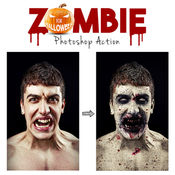
Zombie Action – This is a very scare and high-quality zombie effect which will created on your face blood stains, veins with black blood, wounds, dead skin and more. You can change the color of the eyes and skin color. This effect scare and surprise you incredible photorealism.


This action has been created and optimized for use on Photoshop CS3, CS4, CS5, CS6, CC and ONLY FOR THE ENGLISH VERSION OF PHOTOSHOP. Need to change the language of your version?
WATCH HERE: https://www.youtube.com/watch?v=GJAiu5W2gLE

If you have any problems with this action please visit the help page, where you will find answers to FAQs and recommendations for getting the most out of my actions. If you can’t find the answer to your question, and you’re still having trouble, please contact me by e-mail: eugenedesign19@gmail.com


How to configure Photoshop to work with actions.

1. Make sure you are using the English version of Photoshop. Each action has been created and optimized to work only with the English version of Photoshop, so please make sure that you are using this version. If not, don’t worry: you can change the language of your version of Photoshop to English (and switch back again) using this methodBy the way, my best selling Double Exposure Action has recently been updated, and you can now use it with the English, German, French, Italian and Spanish versions of Photoshop.

2. Use the RGB Mode and 8 Bits color.
To check these settings, go to Image->Mode and check the “RGB color” and “8 Bits/Channel”.

3. Make sure that the option “Add ‘copy’ to Copied Layers and Groups” is turned on.
This option applies only to CS5 and later versions of Photoshop. On the “LAYERS” panel, click on the menu icon, go to “Panel Options…”, and check that the “Add ‘copy’ to Copied Layers and Groups” is turned on.

4. Use a photo with 72dpi or higher.
If you are using a photo with less than 72dpi, the action will not function correctly. To fix this, go to Image->Image Size and increase the resolution value.

5. Set the Opacity of brush to 100%.
Set the Opacity of the brush to 100%. Select the “Brush Tool” and move the opacity slider to 100%.


How to combine my actions?
1. Open your photo

2. Play the first action

3. Save the result as an image

4. Open the previously saved image

5. Play the second action


IMPORTANT INFORMATION to all buyers who have any problems with Zombie action.

Hello! Before use action please watch videotutorial

If you sure that you doing all right and this is still does not work, before play action please increase the resolution of your photo using Image Size adjustment. For that go to Image/ Image Size. And change width and height values to 2000-3000px. If it still not works increase more to 4000-5000px.

As you can see in my preview image i use photo with high resolution and the face of model occupies most of photo space. In this case the skin area what you painted is big and action works correctly. If you use High quality photo with big resolution, but your skin area is too small compared with all image size, it mean work area has too small resolution the action can’t works correctly. So all what you need to do it’s increase resolution of photo with “Image Size” instruments before use action.


More information: http://graphicriver.net/item/zombie-photoshop-action/13077710
Name: Lightum PS Action
Created: 27 August 15
Last Update: 27 August 15
Add-on Files Included: Photoshop ATN
Works With: TIFF, PSD, JPG
Minimum Adobe CS Version: CS3


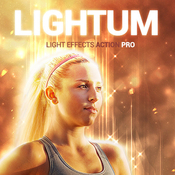
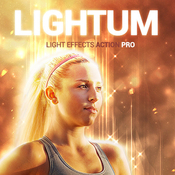
LIGHTUM

NEW Generation Photoshop ACTION Pro with lihgt effects and soft focus of the object on your photo.
Highly detailed result, easy to use, customise and improve. One click action.

This action created on Photoshop CS5, tested and working on Photoshop CS3,CS4,CS5,CS6,CC (only English versions). If you are not using the English version, you can switch your Photoshop in English, play the action and return to your language back.How to do it – https://www.youtube.com/results?search_query=How+to+change+language+on+Photoshop+to+english.


ACTION INCLUDE
1. main .atn file
2. user’s guide .txt file with recommendations
3. 10 color presets and options
4. lots of graphic elements
5. fully editable and well organized layers


FOR THE BEST RESULT, IT IS RECOMMENDED TO USE
1. photo sizes between 1000–4000px (recommended 2000-3000px)
2. photo resolution between 72-300dpi (recommended 300pdi)


COMBINE ACTIONS
To build even more advanced and creative designs you can try to combine this action with items below. It’s realy easy:
1. Run the first action
2. Save the result (jpg, tiff, psd)
3. Open your saved file and run another action


More information: http://graphicriver.net/item/lightum-ps-action/12617138
Name: Bangla Art Action
Created: 17 August 15
Last Update: 17 August 15
Add-on Files Included: Photoshop ATN, ZXP file
Works With: JPG, RAW
Minimum Adobe CS Version: CS6


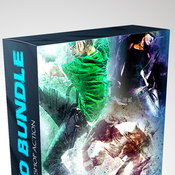
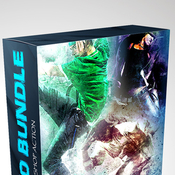
Buy Photoshop Action Bundle

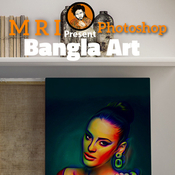
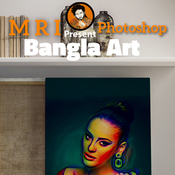
D ARTIST MRI …... Presenting….Bangla Art Action

Product : Bangla Art Action Publish : Graphic River.

1st see this video How to usage Bangla Art Action https://www.youtube.com/watch?v=VTn4g64hiNk&feature=youtu.be

Publish Date :

Photos : Working Software Version : CS6 English Version.

Software support version : Cs5.5, CS6,and (CC for 2014 English) Version.

Not 1: Photo are not include in download main file Not 2: Mock-up are not include in download main file

| This action set has been developed for any type of cover design for example magazine, book, advertisement , poster, Photographers and Personal graphic or designers. FEATURES Arranged (all layers are automatically arranged in a Group Folder) Make changes (most of the actions has been created using “Adjustments layers” which gives you the chance to change the values in your own way)

May every body know that Picture is very important issue because without a proper picture you can’t make accurate view .. so please provide a quality picture for better look … which you expect

Help Gide included

Open the zip file, Double click ATN (action file ) than it will instal in your Photoshop, now go the window menu >> click the action option ….. now show action plate in your front …... select action than play action


More information: http://graphicriver.net/item/bangla-art-action/12468631
Name: Typo Portrait Pro Photoshop Action
Created: 18 March 15
Last Update: 18 March 15
Add-on Files Included: Photoshop PAT, Photoshop ATN
Minimum Adobe CS Version: CS


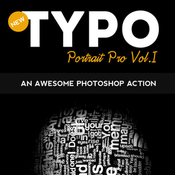
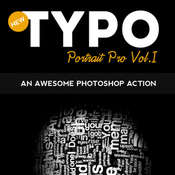
Typo Portrait Pro Photoshop Action

Typo Portrait Pro is a Photoshop Action to convert your simple image to Typographic master piece. Results are very professional with minimal user interactions.
Three Actions Included:

1. 3D_mesh action

2. Typo_portrait_pro_small action( for small images )

3. Typo_portrait_pro_large action( for large images )

One Pattern Included:

1. Typo Pattern

Step by step help.pdf file is included and user manual instruction also included in action it self to guide you.

Please Note : Images used in preview are just for display purpose not included in download file.


More information: http://graphicriver.net/item/typo-portrait-pro-photoshop-action/10777433
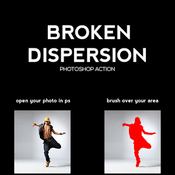
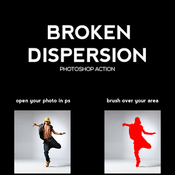
Name: Broken Dispersion PS Action
Created: 21 September 15
Last Update: 21 September 15
Add-on Files Included: Photoshop ATN
Works With: DNG, TIFF, PSD, JPG, RAW
Minimum Adobe CS Version: CS3


Everything is very straight forward. I have tried to make the item as very easy to use.


Features:

This action is designed to transform your photos into Broken Dispersion Photoshop Action.

- Easily editable & customizable
- Work on every photos
- Well Grouped Layer

This action is specially made for photographers, graphic designer & artists.

The action has been tested and working on Photoshop (English versions)CS3,CS4,CS5,CS6,CC,CC+.

I recommend using the action on photo’s with high resolution for the best results.

Instructions:

1. Open your photo in Photoshop.

2. On the “Window” tab, click “Actions”, once the window has opened you will see an arrow pointing right in the top right hand corner, click this then click “Load Actions”.

3. Go to “Layer” tab “New” -> “Layer”,Rename the layer to “brush” (Important: all letters must be lower case). To do that, double click on layer name and type “brush”.

4. In the end you just open”Broken Dispersion” folder and choose the direction that you like and click play button.

5. You are done.


More information: http://graphicriver.net/item/broken-dispersion-ps-action/12920309
Name: Oil Painting Action v.9
Created: 7 September 15
Last Update: 7 September 15
Add-on Files Included: Photoshop ATN
Works With: PSD, CMYK, AVCHD, JPG
Minimum Adobe CS Version: CS6


Features: This action is designed to transform your photo’s into Effects look. The action has been tested and working on Photoshop (English versions) CS6. I recommend using the action on photo’s with high resolution for the best results..

Features :
1 Atn file
1 Help_File

Easy to edit 100% Fully editable Simple to Customize Well Organized Layers Works for any photo size


More information: http://graphicriver.net/item/oil-painting-action-v9/12755182
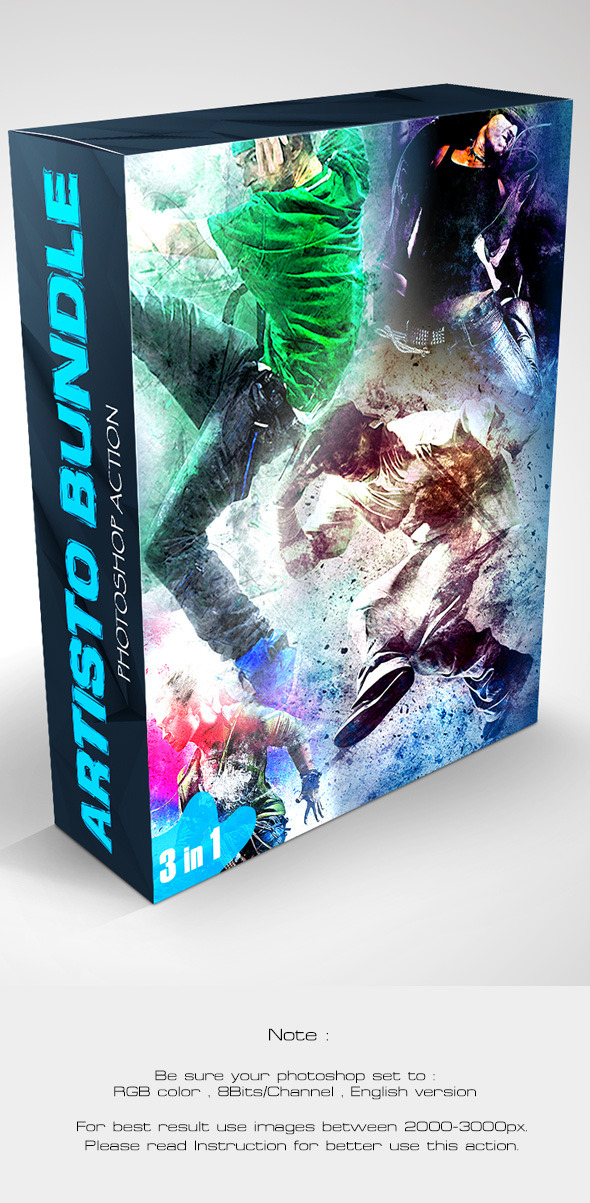
Name: Artisto Bundle - Photoshop Action
Created: 2 September 15
Last Update: 2 September 15
Add-on Files Included: Photoshop ABR, Photoshop PAT, Photoshop ATN
Works With: TIFF, PSD, RAW
Minimum Adobe CS Version: CS4


Features
• Work only with ENGLISH language photoshop.
• How to change language to English with this TUTORIAL. https://www.youtube.com/watch?v=GJAiu5W2gLE
• Separated layers.
• Preview image not included.


Bundle contains
• http://graphicriver.net/item/artisto-photoshop-action/12390526
• http://graphicriver.net/item/artisto-2-photoshop-action/12480647
• http://graphicriver.net/item/artisto-3-photoshop-action/12644480


Note
• Created in CS6,tested and working in CS4,CS5 and CC 2014 version photoshop. • Be sure your photoshop set to RGB color , 8Bits/Channel , English version.


More information: http://graphicriver.net/item/artisto-bundle-photoshop-action/12708979
Name: Focus Control
Created: 14 August 15
Last Update: 8 February 16
Add-on Files Included: Photoshop ATN
Works With: DNG, TIFF, PSD, JPG
Minimum Adobe CS Version: CS6


Watch the above video tutorial for a demonstration on how to use the action. The video is very important to watch if you plan on downloading the action.

- 4 levels of depth blurring
- Adopted for images of any size
- Automatically adjusted with any resolution
- Adjustable color set
- Adjustable vignette

Create an incredible wedding and fashion photography.
Add brightness, conviviality, sunshine and happiness.
Give chic, luxury and glamour to your pictures.
Create amazing greeting card or poster in a few clicks.


More information: http://graphicriver.net/item/focus-control/12448874
Focus Control Video Presentation
The combined use of action Focus Control & Bokeh Maker
Name: Cinematic Title Text Effects Vol 6
Created: 28 August 15
Last Update: 28 August 15
Add-on Files Included: Layered PSD, Photoshop ASL
Works With: PSD
Minimum Adobe CS Version: CS3


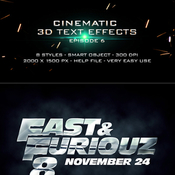
Cinematic 3D Mockup Vol 6

• 8 Fully layered PSDs
• Background textures included
• Smart object replacement
• Super easy to edit text and elements
• 2000×1500 px
• 300 DPI
• Well organized layers
• PDF file user guide
• Works on text, shape and any layers
• Perfect for movies, games, posters, etc
• Easily modify text colors and patterns


More information: http://graphicriver.net/item/-cinematic-title-text-effects-vol-6/12617327
Name: Cinematic Title Text Effects Vol 5
Created: 1 August 15
Last Update: 1 August 15
Add-on Files Included: Layered PSD
Works With: PSD
Minimum Adobe CS Version: CS3


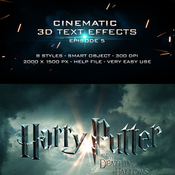
Cinematic 3D Mockup Vol 5

• 8 Fully layered PSDs
• Background textures included
• Smart object replacement
• Super easy to edit text and elements
• 2000×1500 px
• 300 DPI
• Well organized layers
• PDF file user guide
• Works on text, shape and any layers
• Perfect for movies, games, posters, etc
• Easily modify text colors and patterns


More information: http://graphicriver.net/item/cinematic-title-text-effects-vol-5/12251586
Name: Cinematic Text Effects Vol.3
Created: 3 June 15
Last Update: 3 June 15
Add-on Files Included: Layered PSD
Works With: PSD
Minimum Adobe CS Version: CS3


Cinematic Text Effects Vol.3

• 10 Fully layered PSDs
• Background textures included
• Smart object replacement
• Super easy to edit text and elements
• 2000×1500 px
• 300 DPI / RGB
• Free fonts used
• Well organized layers
• PDF file user guide
• Works on text, shape and any layers
• Perfect for movies, games, posters, etc
• Easily modify text colors and patterns


More information: http://graphicriver.net/item/cinematic-text-effects-vol3/11665907
Name: Blockbuster Heroes Style Text Effects 03
Created: 7 May 15
Last Update: 7 May 15
Add-on Files Included: Layered PSD, Photoshop ASL
Works With: PSD
Minimum Adobe CS Version: CS3


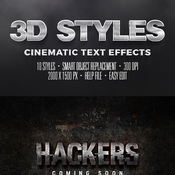
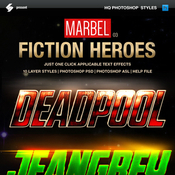
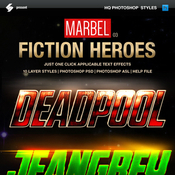
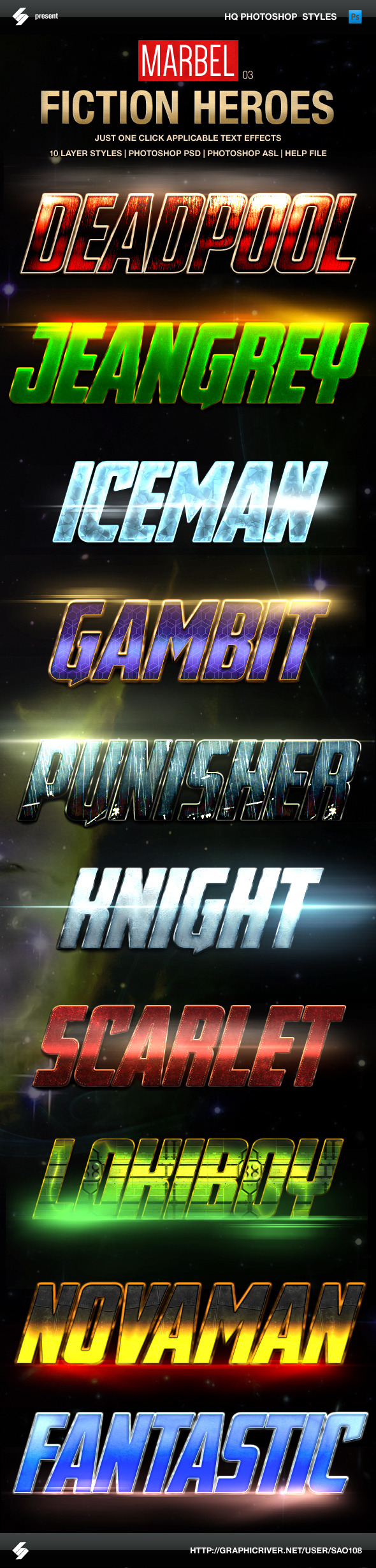
Comics Heroes Styles – game style Text Effects

Third MARVEL heroes inspired set of 10 action fantasy game styles, movies heroes text effects. Real and fiction heroes and comics characters style photoshop layer styles, text effects.


Cinematic and game style text effects
• 10 HQ photoshop styles
• just one click applicable


Comics heroes inspired movie text styles – include
• Photoshop PSD
• Photoshop ASL
• Help.txt


Fonts
• Avengeance Heroic Avenger
http://www.dafont.com/avengeance.font


More information: http://graphicriver.net/item/blockbuster-heroes-style-text-effects-03/11368897
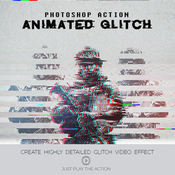
This Action will generate a video sequence of animated glitch effects from your photos, logo or artwork. What usually can take hours to create can now be done with a few clicks. You have lots of layer control after the action has finished to adjust the design how you wish. The action has been tested and working on Photoshop CS4,CS5,CS6,CC+
PSD | Photoshop ATN | DNG | TIFF | JPG | CS6+ | RAR 227,9 KB


Glitch Photoshop Action

Tips & Support

For the best results, it is recommended to use high resolution photos in the range of 600px – 2400px. The optimal range is from 640px – 1024px. The detail and clarity in the effects generated by the actions reduce the smaller your photo is.

Glitch Effect • Glitch Photoshop Action • Just 1 Click to Apply an Amazing Effects On Your Photo • Easy to use • Well organized layers • 10 Color options • Fully editable layers • Easy to customize • Non-destructive actions • Well documented instructions • Recommended to use high resolution photo sizes between 600 – 2400px • Help document included
Name: 05 Ukattak Photoshop Actions
Created: 24 April 15
Last Update: 24 April 15
Add-on Files Included: Photoshop ATN
Minimum Adobe CS Version: CS6


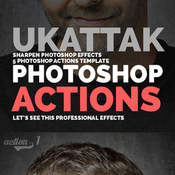
Turn your image into a awesome eye catching image in just few seconds !! just load and play! it’s very easy to load and use.

ZIP Contains: 1 ATN file, 1 TXT Image and Preview Image.


More information: http://graphicriver.net/item/05-ukattak-photoshop-actions/11241271
Name: 22 Wedding Lightroom Preset
Created: 15 April 15
Last Update: 15 April 15
Add-on Files Included: LRTemplate
Software Version: Lightroom 5.5, Lightroom 5.0, Lightroom 4.4, Lightroom 4.3
Works With: DNG, TIFF, RAW


22 Wedding Lightroom Preset22 Wedding Lightroom Preset :- Lightroom Presets contains perfect high quality effect and image will be looks better and beautiful.These presets were tested and adjusted to give good results for a wide variety of images

Included…. 1 Lightroom File and 1 Text File Working Software Version : Lightroom 5 Version.


More information: http://graphicriver.net/item/22-wedding-lightroom-preset/11110884
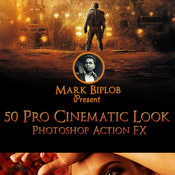
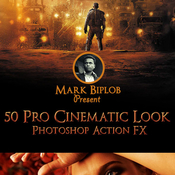
Name: 50 Pro Cinematic Photoshop Action FX
Created: 3 September 15
Last Update: 3 September 15
Add-on Files Included: Photoshop ATN
Works With: JPG, RAW
Minimum Adobe CS Version: CS6


Features:

This action is designed to add Cinematic Look to your photos. This Action will work with every photo you use. But, I recommend you to use high resolution photos, if you wanna achieve high quality results.

Cinematic Look Photoshop Action is surprisingly easy to use & it has all necessary options for customization. All you need to do is, Open a photo in Photoshop. Load the Cinematic Fx Action ATN into Photoshop. Choose an action & click the “play” button. Still confused? Not really happy with the result? You can play with the options & Layers. You will find different options to achieve your desired look. :)

The action has been tested and working on Photoshop CS3,CS4,CS5,CS6,CC & CC2014.

This package includes 1 Photoshop ATN file & A Help instruction note file.

This action works in a non-destructive way to achieve a high quality look. So, the original image layer will remain unchanged. :)

Cinematic Look Photoshop Action is exclusively designed for photographers & graphic designers. It’s a must have for photo effect lovers.

The photos used in the preview image are not included for download. Used for illustration purpose only


More information: http://graphicriver.net/item/50-pro-cinematic-photoshop-action-fx/12722446
Name: Animated Kaleidoscope Photoshop Tool
Created: 31 August 15
Last Update: 7 September 15
Add-on Files Included: Photoshop JSX
Minimum Adobe CS Version: CS


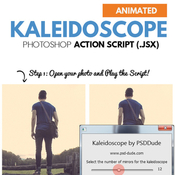
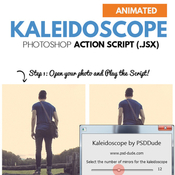
Animated Kaleidoscope Photoshop Tool – ONLY 5$

This set contains a Photoshop action script that will allow you to create realistic kaleidoscope effects and also kaleidoscope animations out of any type of image.


The kaleidoscope effect is very realistic looking. You can change the final result using the customization section. Use the Offset to move the image vertical or horizontal. Also you can use the Animation settings to create an animated kaleidoscope GIF.

Realistic Kaleidoscope Effect – up to 24 mirror sides
With Animation Effect included
You can save the result as JPG or animated GIF
Endless Combinations – Unbeatable results
300 DPI Print Ready
Easy to Edit and Customize
No Photoshop Skills Required
created by by PSDDude


More information: http://graphicriver.net/item/animated-kaleidoscope-photoshop-tool/12650952
Name: Splatter Ink Photoshop Action
Created: 3 September 15
Last Update: 3 September 15
Add-on Files Included: Photoshop ABR, Photoshop ATN
Minimum Adobe CS Version: CS3


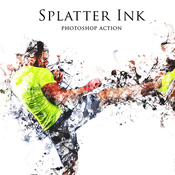
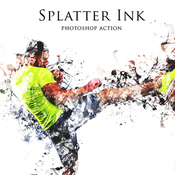
This action transforms your photos into professional looking ink designs. You have lots of layer control to adjust your results. The action has been tested and working on Photoshop (English version only) CS3,CS4,CS5,CS6,CC, the action will only work on English versions of Photoshop.

I highly recommend you use this action on high resolution photos for the best results.For the best results, it is recommended to use high resolution photos in the range of 1500px – 3500px. The optimal range is from 2000px – 3500px. The detail and clarity in the effects generated by the actions reduce the smaller your photo is, and the images in this preview are not included.


More information: http://graphicriver.net/item/splatter-ink-photoshop-action/12720711
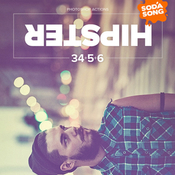
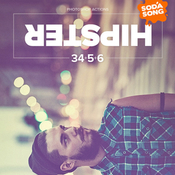
Name: Hipster - Soft Faded Photoshop Action
Created: 3 September 15
Last Update: 3 September 15
Add-on Files Included: Photoshop ATN
Works With: TIFF, JPG
Minimum Adobe CS Version: CS3


Easy to use Photoshop Action
• Generate 34 color options and ready to use in a few minutes
• Just 1 click to generate all effects
• Easily combine the colors
• Fully editable layers
• Well organized layers
• Non-destructive
• HDR and sharp effects included
• This action also generate dirty/grunge textures, light leaks and old photo effects
• Easy to control the effects


Multi Language. This action is designed using a method for multi language. Treated very carefully in every single step to ensure the scripts can work on any language versions of Photoshop. It has been tested and works perfectly on English and French versions.


More information: http://graphicriver.net/item/hipster-soft-faded-photoshop-action/12713617
FEATURES:

Tested in adobe photoshop CS3, CS4, CS5, CS5.5, CS6, CC+

Just 1 click to transform your photos to realistic look

Very easy to use and edit

Well organized layers

Fully editable layers

Non-destructive actions
Name: Portrait Photoshop Action
Created: 31 August 15
Last Update: 31 August 15
Add-on Files Included: Photoshop ATN
Works With: TIFF, PSD, JPG
Minimum Adobe CS Version: CS


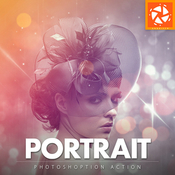
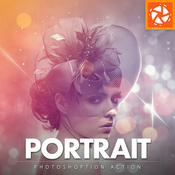
Add special effects into your photo instantly using Portrait photoshop action. This action will create lots more elements that can be edited manually. After this action finished you can set opacity of layer, set properties, duplicate, move etc.

Portrait photoshop action created for all users like you. You can use this action for poster, profile, cover or printing maybe. I hopefully you like this one, if you do, dont forget to rate and set to your favorite.

The action will only work in the English version of Photoshop. If you are not using the English version of Photoshop, you can always change it to English and then back again to your native language using this method.


- All Images in the preview are not included at the zip file - For the best results, it is recommended to use high resolution photos in the range of 2500px – 3500px. The optimal range is from 2000px – 3500px. The detail and clarity in the effects generated by the actions reduce the smaller of your photo.


Each action is thoroughtly teste across between 50 – 100 different photos to ensure there are no errors. In this case where you do experience an error. Contact me via email if you area still having troubles.


After each action has finished playing, it creates a well organized layer structure. Each layer and folder are named appropriately and color coded to create a neat working environtment for you.

Not only is the layer structure organised, each action comes with a highly detailed video tutorial teaching you about how each layer affects the design and how you can make customisations to it. So you can check my youtube channel here: https://www.youtube.com/channel/UCYE6Kv3Oz9lNGRr7mGWmM_Q


All my photoshop action are designed to save your hours, days, weeks or month of work. They area created in a way that booth photoshop beginners and experts can use it, saving you lots of time working on both personal or commercial projects.


If you own multiple actions, have you thought about stacking the effects to build even more advanced designs?. Below there are over 50 actions to choose from – this is where you can get really creative!

Tips how to combine the actions:

1. Run the first action on your photo.
2. One you are happy with the design, save your image out.
3. Now re-open your image and run another action!

You can then use the second actions layer flexibility to furher customize the design. You can follow this process and stack effects to build incredibly detailed designs with very little work.


More information: http://graphicriver.net/item/portrait-photoshop-action/12663235
Name: Twisted Photo Effect
Created: 26 August 15
Last Update: 26 August 15
Add-on Files Included: Photoshop ATN
Works With: JPG
Minimum Adobe CS Version: CS3


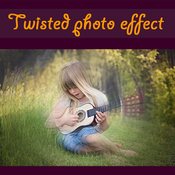
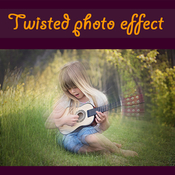
Twisted photo effect Photoshop Action

INSTRUCTIONS:

• Open Photoshop
• On the “Window” tab, click “Actions”, once the window has opened you will see an arrow pointing right in the top right hand corner, click on and select “Load Actions”
• Select action and click the play button
• Tested on english versions of Photoshop CS2, CS3, CS4, CS5, CS6, CC, CC 2014 and CC 2015

FEATURES:

• Just 1 click use
• Easy to use
• Works with all resolutions and DPI INCLUDING:

• Photoshop ATN action file
• User guide TXT file


More information: http://graphicriver.net/item/twisted-photo-effect/12596490
Name: Pure Art Image Beautification
Created: 28 May 14
Last Update: 28 May 14
Add-on Files Included: Photoshop ATN
Works With: TIFF, PSD, CMYK, MP4
Minimum Adobe CS Version: CS4


PACKAGE DETAILS:

• Package name: Pure Art Image Beautification
• Software version: Photoshop CS5
• Copyright: May 23, 2014
• Author: Charles Brown
• Items: – ATN file
• Complexity: Well-labeled ‘ACTION’ operation and easy to modify to suit your need. Your main image stays unharmed and the final drawing is transparent, thereby giving you the chance to place it on any background.PACKAGE QUALITY:

• - A professional vivid imaging
• - Unbeatable quality result
• - 100% customizable
• - Digital Lab Tested

From the Maker of some of the best image actions across the web comes an outstanding and
professional Photoshop action that will auto-blend, beautify and bring your photograph and
design to life. It will lighten shadows, enhance midtones, contour, curves and will blend
the details and colors. With this package your image will never be the same.

No skill required. Just ONE click away.We are determined to give you nothing but the best! Go for the best!

Please take your time to see my other awesome items you will like. Thanks!


More information: http://graphicriver.net/item/pure-art-image-beautification/7817697
FEATURES:

Tested in adobe photoshop CS3, CS4, CS5, CS5.5, CS6, CC+

Just 1 click to transform your photos to realistic look

Very easy to use and edit

Well organized layers

Fully editable layers

Non-destructive actions
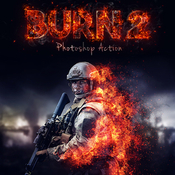
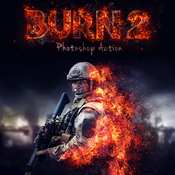
Name: Burn 2 Photoshop Action
Created: 26 August 15
Last Update: 26 August 15
Add-on Files Included: Photoshop ATN
Minimum Adobe CS Version: CS3


Burn 2 Action – it’s second version of the Burn action. Here you can draw the area where you would like to see the fire. In this effect uses photorealistic flames, smoke and glowing particles. After action finishing work you can change the colors of any elements, as well as brightness and contrast of the flame. And the built-in setting help you to add color tone to all image for creation amazing result.


This action created and optimized for use on Photoshop CS3, CS4, CS5, CS6, CC and ONLY FOR THE ENGLISH VERSION OF PHOTOSHOP. How to change language WATCH HERE: https://www.youtube.com/watch?v=GJAiu5W2gLE


This action has been created and optimized for use on Photoshop CS3, CS4, CS5, CS6, CC and ONLY FOR THE ENGLISH VERSION OF PHOTOSHOP.


If you have any problems with this action please visit the help page, where you will find answers to FAQs and recommendations for getting the most out of my actions. If you can’t find the answer to your question, and you’re still having trouble, please contact me by e-mail: eugenedesign19@gmail.com

How to configure Photoshop to work with actions.

1. Make sure you are using the English version of Photoshop. Each action has been created and optimized to work only with the English version of Photoshop, so please make sure that you are using this version. If not, don’t worry: you can change the language of your version of Photoshop to English (and switch back again) using this method


By the way, my best selling Double Exposure Action has recently been updated, and you can now use it with the English, German, French, Italian and Spanish versions of Photoshop.

2. Use the RGB Mode and 8 Bits color. To check these settings, go to Image->Mode and check the “RGB color” and “8 Bits/Channel”.

3. Make sure that the option “Add ‘copy’ to Copied Layers and Groups” is turned on. This option applies only to CS5 and later versions of Photoshop. On the “LAYERS” panel, click on the menu icon, go to “Panel Options…”, and check that the “Add ‘copy’ to Copied Layers and Groups” is turned on.

4. Use a photo with 72dpi or higher. If you are using a photo with less than 72dpi, the action will not function correctly. To fix this, go to Image->Image Size and increase the resolution value.

5. Set the Opacity of brush to 100%. Set the Opacity of the brush to 100%. Select the “Brush Tool” and move the opacity slider to 100%.

How to combine my actions?

1. Open your photo

2. Play the first action

3. Save the result as an image

4. Open the previously saved image

5. Play the second action

Photos used in preview are not included.


More information: http://graphicriver.net/item/burn-2-photoshop-action/12603487
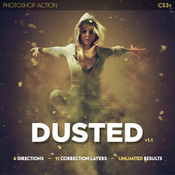
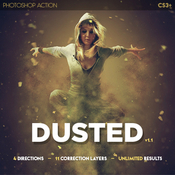
Name: Dusted Photoshop Action
Created: 16 October 15
Last Update: 2 March 16
Add-on Files Included: Photoshop ATN
Minimum Adobe CS Version: CS3


Features:

・Action keeps original image untouched;
・Useful from 2000px to 5000px width images;
・Fully structured and editable PSD-file;
・4 directions
・11 correction layers;
・Separated background, dust and correction actions;
・Unlimited results;


Action has been tested and works in CS6, CC, CC 2014, CC 2015 versions. Accented Toning works only in English version Photoshop.


The package contains 2 files:

・Dusted.ATN;
・readme.TXT;


More information: http://graphicriver.net/item/dusted-photoshop-action/13302462
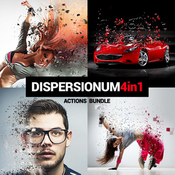
Name: Dispersionum PS Actions Bundle
Created: 16 October 15
Last Update: 18 February 16
Add-on Files Included: Photoshop ATN
Works With: JPG
Minimum Adobe CS Version: CS3


DISPERSIONUM BUNDLE

Includes 4 actions:PIXELUM (5$) – ultimate Photoshop ACTION Pro with effect of digital dispersion. 4 actions with different directions – UP, LEFT, RIGHT, DOWN. Only brush the area, choose the direction and click play.

http://graphicriver.net/item/pixelum-ps-action/10682693


FRAGMENTUM (5$) – awesome Photoshop ACTION Pro with effect of breaking and shooting pieces of the object on your photo. 4 actions with different directions – UP, LEFT, RIGHT, DOWN. Very simple to use – only brush the area, choose the direction and click play. One click action.

http://graphicriver.net/item/fragmentum-ps-action/10775357


BUBBLUM (5$) – wonderful Photoshop ACTION Pro with effect of bubbles around the object on your photo. 4 actions with different directions – UP, LEFT, RIGHT, DOWN. Very simple to use – only brush the area, choose the direction and click play. One click action.

http://graphicriver.net/item/bubblum-ps-action/11094256


TORNADUM (5$) – BESTSELLER Photoshop ACTION Pro with effect of powerful tornado wich breaking and shooting pieces of the object on your photo. 4 actions with different directions – UP, LEFT, RIGHT, DOWN. Very simple to use – only brush the area, choose the direction and click play. One click action.

http://graphicriver.net/item/tornadum-ps-action/11257291


This actions created on Photoshop CS5, tested and working on Photoshop CS3,CS4,CS5,CS6,CC (only English versions). If you are not using the English version, you can switch your Photoshop in English, play the action and return to your language back.How to do it – https://www.youtube.com/results?search_query=How+to+change+language+on+Photoshop+to+english.


FOR THE BEST RESULT, IT IS RECOMMENDED TO USE

photo sizes between 1000–4000px (recommended 2000-3000px)
photo resolution between 240-300dpi (recommended 300pdi)


More information: http://graphicriver.net/item/dispersionum-ps-actions-bundle/13300930
Name: Artisto 3  - Photoshop Action
Created: 30 August 15
Last Update: 30 August 15
Add-on Files Included: Photoshop ABR, Photoshop ATN
Works With: TIFF, JPG, RAW
Minimum Adobe CS Version: CS4


Features
• Work only with ENGLISH language photoshop.
• How to change language to English with this TUTORIAL (see video).
• Separated layers.
• Preview image not included.

Item contains
• Action ATN file
• Brush ABR file
• Instructions in pdf.
Note

• Created in CS6,tested and working in CS4,CS5 and CC 2014 version photoshop. • Be sure your photoshop set to RGB color , 8Bits/Channel , English version.


More information: http://graphicriver.net/item/artisto-3-photoshop-action/12644480
Name: Vintage FX Premium Bundle
Created: 28 August 12
Last Update: 28 August 12
Add-on Files Included: JPG Image, Photoshop ATN
Minimum Adobe CS Version: CS2


Description:

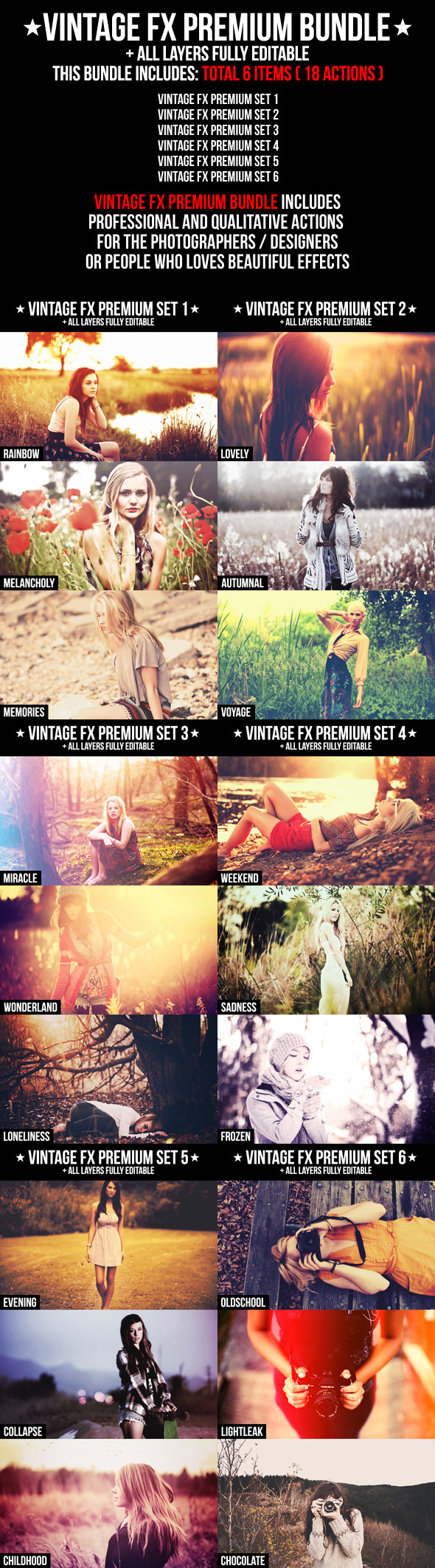
Vintage FX Premium Bundle includes  total 6 items ( 18 actions ):
• Vintage FX Premium 1
• Vintage FX Premium 2
• Vintage FX Premium 3
• Vintage FX Premium 4
• Vintage FX Premium 5
• Vintage FX Premium 6

Vintage FX Premium Bundle includes Professional and Qualitative actions for the photographers / designers or people who loves beautiful effects!This bundle help to save your money!

With this bundle you save 9$!


Features:
• Professional and qualitative actions
• All the layers easy editable / customizable and adapt the action’s result to your needs
• No modification of the original layer
• All layers named and arranged in group
• Vintage FX Premium Bundle help to save your money


More information: http://graphicriver.net/item/vintage-fx-premium-bundle/2901684
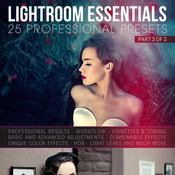
Name: 25 Essential Lightroom Presents - Part 3
Created: 7 May 15
Last Update: 7 May 15
Add-on Files Included: LRTemplate
Software Version: Lightroom 5.0
Works With: DNG, TIFF, JPG, RAW


25 Essential Lightroom Presents for Photographers and Designers

Professional Results in just a click.
This Pack Includes

25 LRTemplate files

Magazine: - I - II - III - IV

Modern Effects: - Cinematic - Joy - Lumiere - Paris - Sick Sad World

Painting Presets: - Oil Painting - Pencil Art

Quick Effect: - Grapes - Ice - Sunny - Fairy Tale

Gradient: - Cake - Seaweed - Skies

Selective Colors: - Cold - Red - Warm

POST Processing Presets(*): - Light Leak # 1 - Light Leak # 2 - Light Leak # 3 - Quick HDR

Credits: Photos by Julia Trotti.


More information: http://graphicriver.net/item/25-essential-lightroom-presents-part-3/11372902
Name: Typography 2 Photoshop Action
Created: 13 July 15
Last Update: 13 July 15
Add-on Files Included: Layered PSD, Photoshop ATN
Works With: PSD
Minimum Adobe CS Version: CS3


Please watch the video above for demonstration of how to use and customize the look of your action to get the most out of the effect.


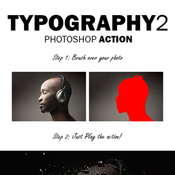
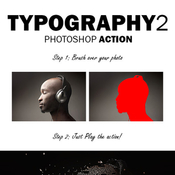
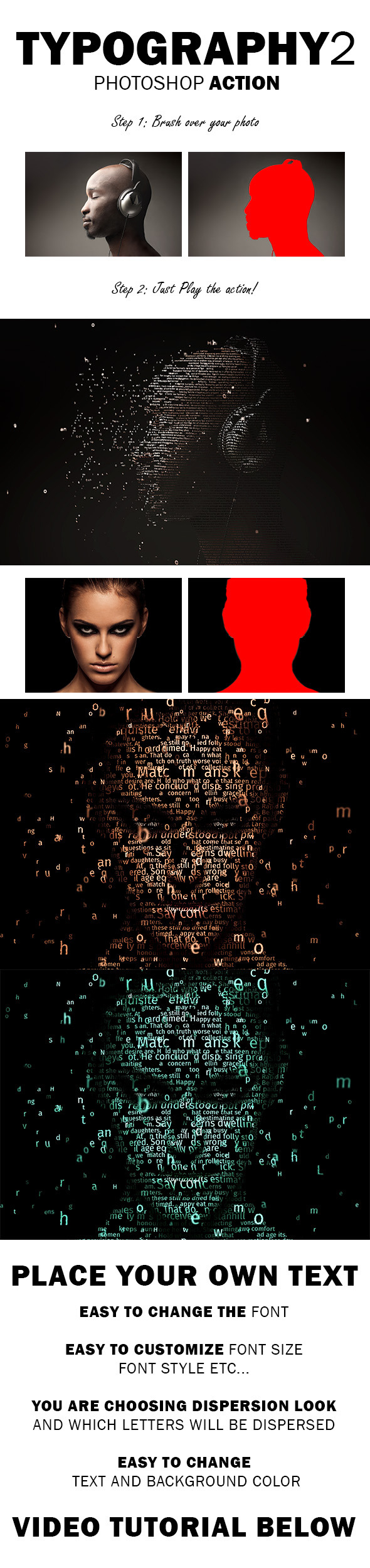
Typography 2 Photoshop Action

Create this highly detailed, advanced looking effect from your photos with no work at all. After you play the action You got full text control, you can place your own text, change font size, font style, line height and much more!

The action is tested and working in Photoshop (English versions) CS3, CS4, CS5, CS6, CC.

The action is only working in English versions of Photoshop.

If you are using another language, you can easy change it to English in this way. After you play the action, you can change it back to your native language.


If you need any help with the action or you got any questions, please contact me via my Envato profile page.

Combine actions

If you have more than one my action, you can combine the effects an build even more advanced designs. Below there are over 20 actions to choose from.
How do I combine actions?

1) Run the first action on your photo.

2) When you finish with customizing the design, save your image.

3) Now re-open your image and run another action!


More information: http://graphicriver.net/item/typography-2-photoshop-action/12095200
Graphicriver Movie Text Style Vol.5 11770726/Graphicriver Movie Text Style Vol.5 11770726.tgz (22.15 MB) Graphicriver Movie Text Style Vol.5 11770726/Torrent Downloaded From ExtraTorrent.cc.txt (0.35 kB) Graphicriver Movie Text Style Vol.5 11770726/Torrent downloaded from demonoid.pw.txt (0.05 kB)
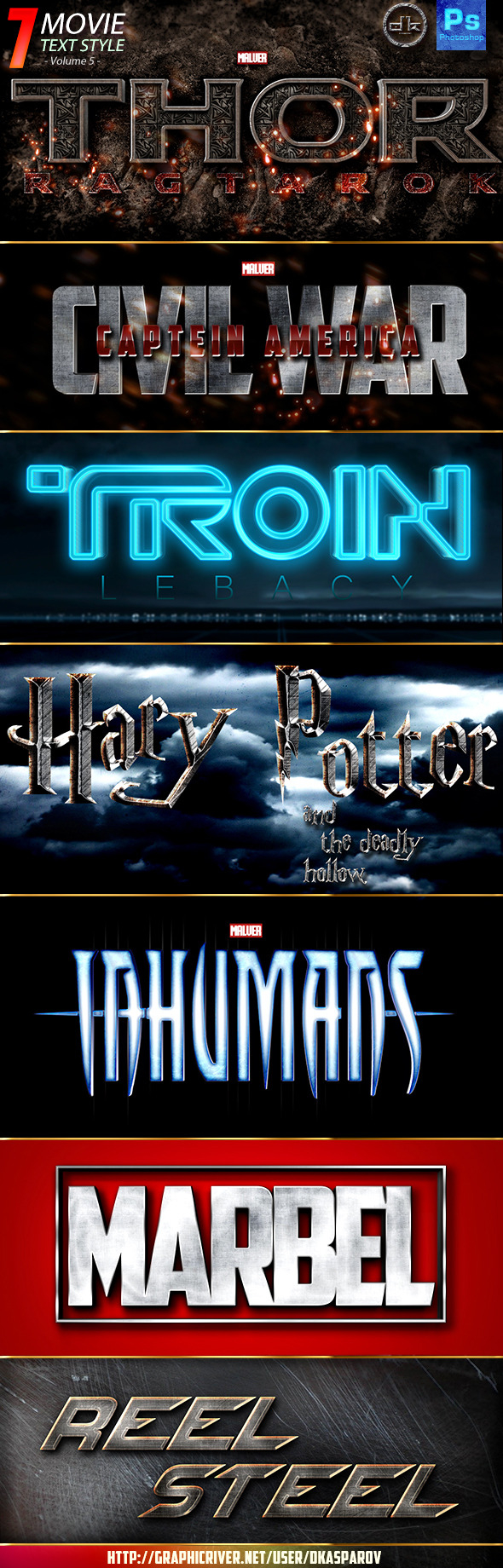
Name: Movie Text Style Vol.5
Created: 11 June 15
Last Update: 11 June 15
Add-on Files Included: Layered PSD, Photoshop ASL
Works With: PSD
Minimum Adobe CS Version: CS5


7 Movie Text Style uses averaged based on Movie Title or a pro Photo studio and printing industry, etc. This Package edition is use for big or small text or shape, ornament or 7 high quality effects inspiring styles. They’re so easy to use! Comes with smart object fully editable.

・7 Movie Text Style
・7 Psd files
・High resolution
・Organized Layers
・Friendly Read me file include font link address
・Smart Object Replacement
・Comes with Lightning effects and lens flare


More information: http://graphicriver.net/item/movie-text-style-vol5/11770726
Graphicriver 74 Movie Text Style Bundle 12051543/Graphicriver 74 Movie Text Style Bundle 12051543.tgz (291.8 MB) Graphicriver 74 Movie Text Style Bundle 12051543/Torrent Downloaded From ExtraTorrent.cc.txt (0.35 kB) Graphicriver 74 Movie Text Style Bundle 12051543/Torrent downloaded from demonoid.pw.txt (0.05 kB)
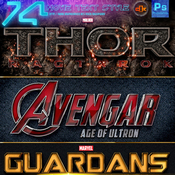
Name: 74 Movie Text Style Bundle
Created: 8 July 15
Last Update: 8 July 15
Add-on Files Included: Layered PSD, Photoshop ASL
Works With: PSD
Minimum Adobe CS Version: CS3


74 Cinematic Style uses averaged based on real Movie Title or a pro Photo studio and printing industry, etc. This Package edition is use for big or small text or shape, ornament or 74 high quality effects inspiring styles. They’re so easy to use! Comes with smart object fully editable.

・74 Cinematic Movie Text Style
・46 Psd files
・High resolution
・Organized Layers
・Friendly Read me file include font link address
・Smart Object Replacement
・Comes with Lightning effects and lens flare


More information: http://graphicriver.net/item/74-movie-text-style-bundle/12051543
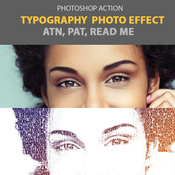
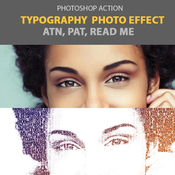
Name: Typography Photo Effect
Created: 5 July 15
Last Update: 5 July 15
Add-on Files Included: Photoshop ATN
Works With: JPG
Minimum Adobe CS Version: CS2


• ATN, PAT, Rea me
• Only one click
• 100% editable
• Minimum Adobe CS Version: CS2


More information: http://graphicriver.net/item/typography-photo-effect/12010044
Name: Pro HDR Photo FX vol.1 - 25 HDR Photoshop Actions
Created: 7 July 15
Last Update: 7 July 15
Add-on Files Included: Photoshop ATN
Minimum Adobe CS Version: CS4


Make your unique effect today by using a PRO HDR PHOTO FX!
Easy to Customize – Layers organized in folders – non-destructive actions – only 1 .atn file – fully editable layers – Instruction included

PRO HDR PHOTO FX vol.1 – 25 HDR Photoshop Actions
Make your unique effect today by using a PRO HDR PHOTO FX!
Those actions are perfect for photographers and graphic designers.
You don’t need hundreds of useless actions – PRO HDR PHOTO FX really works!
This action has been tested and working on Photoshop CS4, CS5, CS6, CC – this action will only work in the English version of Photoshop.

This pack include:
2 HDR Actions:
HDR v.1
HDR BLACK
25 Color Actions:
Retro HDR
Film FX
Dream
Winter
Yellow Summer
Boban
Aisha
Hope
Magic
Frosty Night
Gaia
Vice Versa
Magenta
Foggy Violet
Vintage
Old 70’s
Skyliner
Kanonier
Sandy
Secret
Synthezia
70’s v2
Black And White
Red Rose
Tuvan
2 Additional Actions:
Color Boost
Color Glow


Credits:
Flyers used in preview image:
Pirate Costume Party
Fire Club DJ

Photo Credits:
VD Lips Deux by AZAdam95
Pine Tree Princess by Brian Tomlinson
DeathToTheStockPhoto
Summer memory by Benoit cars
Dark Teal for Secret Doll Person #21 by thepeachpeddler
Underground Yoga by darkday


More information: http://graphicriver.net/item/pro-hdr-photo-fx-vol1-25-hdr-photoshop-actions/12042916
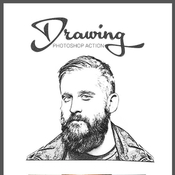
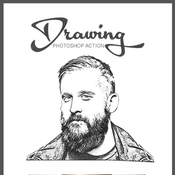
Name: Realistic Drawing Action
Created: 8 July 15
Last Update: 8 July 15
Add-on Files Included: Photoshop ATN
Works With: PSD
Minimum Adobe CS Version: CS3


The result contain easy to edit layers with layers styles intact so that you can customize.Photoshop action.

Atn file.
Easy to use.
Editable layers.
Tested in english version photoshop.

Preview image not included.


More information: http://graphicriver.net/item/realistic-drawing-action/11996563
Graphicriver Stereo Modern Art 11974899/Graphicriver Stereo Modern Art 11974899.tgz (926.3 kB) Graphicriver Stereo Modern Art 11974899/Torrent Downloaded From ExtraTorrent.cc.txt (0.35 kB) Graphicriver Stereo Modern Art 11974899/Torrent downloaded from demonoid.pw.txt (0.05 kB)
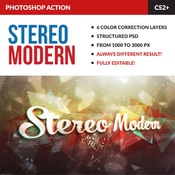
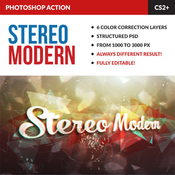
Name: Stereo Modern Art
Created: 30 June 15
Last Update: 30 June 15
Add-on Files Included: Photoshop ABR, Photoshop ATN
Minimum Adobe CS Version: CS2


Features:
・Action keeps original image untouched;
・Useful from 1000px to 3000px width images;
・Fully structured and editable PSD-file;
・6 color correction layers;
・Always different result!


Action has been tested and works in CS2, CS3, CS4, CS5, CS5.5, CS6, CC, CC 2014 versions. FD-StereoModernArt works only in English version Photoshop.


The package contains 3 files:
・Stereo Modern Art.ATN;
・Stereo Modern Art Brush.ABR;
・Documentation.PDF.


More information: http://graphicriver.net/item/stereo-modern-art/11974899
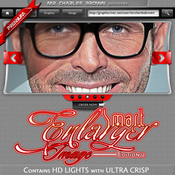
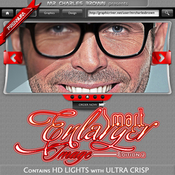
Name: Smart Image Enlarger Action 2.0
Created: 7 April 15
Last Update: 8 April 15
Add-on Files Included: Photoshop ATN
Works With: TIFF, PSD, CMYK, JPG
Minimum Adobe CS Version: CS3


Highly Recommended Bundles:

• All Charles Brown’s Pure Art Hand Drawing Bundle
• Background Removal Charles Brown’s Universal Pack
• All Charles Brown’s Best Pro Actions Bundle

Different rendering process and delivers an impeccable result!

Live Modification Sub-actions Are Included For Easy Adjustments.PACKAGE DETAILS:

• Package name: Smart Image Enlarger Action 2.0
• Created with: Photoshop CS3
• Copyright: April 3, 2015
• Author: Charles Brown
• Items: – ATN File
• Complexity: Professional Photoshop action, well-labeled, grouped and easy to modify to suit your need.
• Action will duplicate the initial layer, thereby leaving your image intact. Also final result is 100% modifiable.QUALITY:

• - Enlarge Twice Original Size // Quality Result // Fast Rendering Process In Less Than 60 Seconds
• - Renowned Photoshop Action// Digital Lab Tested
• - 100% customizable

Professionally enlarge your image twice the size while keeping the quality and all details of your image intact
and can also run action multiple times to keep enlarging.This is a professional image enlarger and the rendering
process is fast and delivers in less than 60 seconds.No skilled required. Just ONE click away.We are determined to give you nothing but the best! Go for the best!


More information: http://graphicriver.net/item/smart-image-enlarger-action-20/11009221
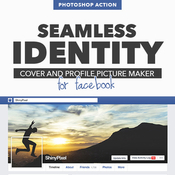
Name: Seamless Identity for Facebook
Created: 30 June 15
Last Update: 27 July 15
Add-on Files Included: Photoshop ATN
Minimum Adobe CS Version: CS4


Watch Our Video Tutorial below!


“Seamless Identity Action for Facebook” is a Photoshop plug-in that allows you to create eye-catching cover and profile picture for your Facebook page.
Very useful to create funny and professional interactions between cover and profile picture.

No more guessing – what you see is what you get!
N.b. This action works great for desktop browser. Mobile devices are not supported.

All you need is Adobe Photoshop.

No additional programs to install. Once these Actions are loaded, they will remain in Photoshop until you remove them (if you ever do). They will always be accessible with just a click of the mouse. There’s no third-party software to install. Actions work with you directly inside Photoshop, so you never have to leave your project environment.

Which version of Photoshop is required?

We are currently developing for Photoshop CC; however, many of our customers use CS3, CS4 and CS5 without any problems. We still recommend getting the latest version if possible.

This action is multi language?

Our Action are developed with multi language method. Anyway for best results, English version is highly recommended.

I’m not very good at Photoshop, can I still do this?

Absolutely. As a matter of fact, our Actions are designed for the Photoshop beginner. You can achieve excellent quality results the first time using our Action.


More information: http://graphicriver.net/item/seamless-identity-for-facebook/11981971
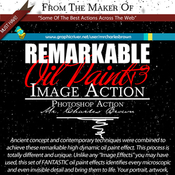
Name: Remarkable Oil Paint Image Action 3 – Central
Created: 20 March 15
Last Update: 20 March 15
Add-on Files Included: Photoshop ATN
Works With: TIFF, PSD, CMYK, JPG
Minimum Adobe CS Version: CS3


Works with: Adobe Photoshop CS3, CS4, CS5, CS6, CC+

Live Modification Sub-actions Are Included For Easy Adjustments.PACKAGE DETAILS:

• Package name: Remarkable Oil Paint Image Action 3 – Central
• Created with: Photoshop CS5
• Copyright: March 16, 2015
• Author: Charles Brown
• Items: – ATN File
• Complexity: Professional Photoshop action, well-labeled, grouped and easy to modify to suit your need.
• Action will duplicate the initial layer, thereby leaving your image intact. Also final result is 100% modifiable.


QUALITY:
• - Professional Oil Paint
• - Renowned Photoshop Action// Digital Lab Tested
• - Unbeatable quality result
• - 100% customizable

Ancient concept and contemporary techniques were combined to achieve these remarkable high dynamic oil paint effect.
This process is totally different and unique. Unlike any “Image Effects” you may have used, this set of FANTASTIC
oil paint effects identifies every microscopic and even invisible detail and bring them to life. Your portrait,
artwork, posters, flyers, magazine covers, DVD/CD covers, Billboards, Brochures, and other digital operation will
standout.This action produces STRONG and HIGH QUALITY result that can match any image resolution (irrespective of how large it is).
If you don’t have this package, you are missing the most celebrated oil paint Photoshop action that can transform your artwork to something
LEGENDARY. Grab it now and let the actions speak for themselves.

No skilled required. Just ONE click away.We are determined to give you nothing but the best! Go for the best!


More information: http://graphicriver.net/item/remarkable-oil-paint-image-action-3-central/10794129
Graphicriver Best Metal 11661110/Graphicriver Best Metal 11661110.tgz (16.54 MB) Graphicriver Best Metal 11661110/Torrent Downloaded From ExtraTorrent.cc.txt (0.35 kB) Graphicriver Best Metal 11661110/Torrent downloaded from demonoid.pw.txt (0.05 kB)
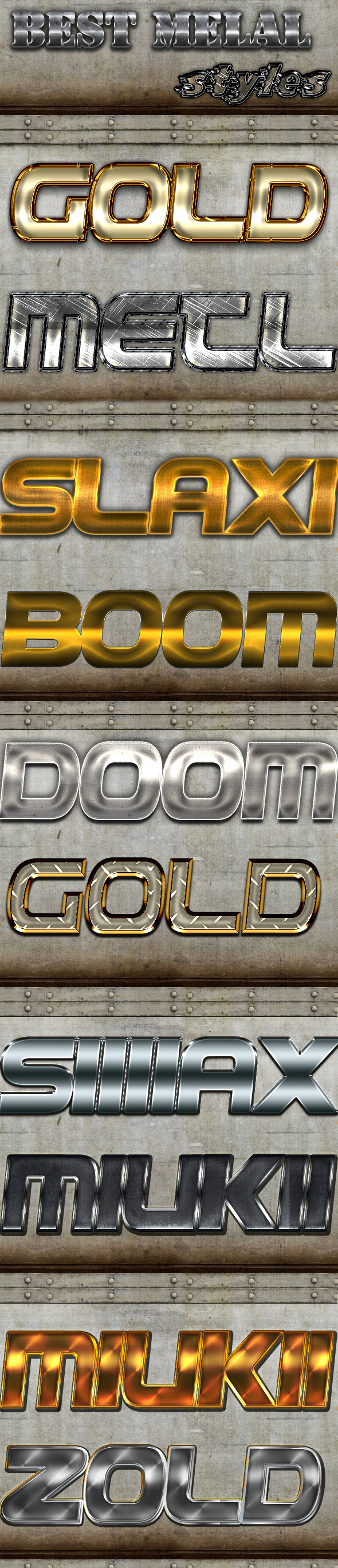
Name: Best Metal
Created: 6 June 15
Last Update: 6 June 15
Add-on Files Included: Layered PSD, Photoshop ASL
Minimum Adobe CS Version: CS


Best Metal
to add amazing look to your artworks
the pack comes with:
-PSD FILE with the preview shown (flares and elements included)
-ASL FILE with the styles shown
-README file to show how to use and the font used Rate my item please


More information: http://graphicriver.net/item/best-metal/11661110
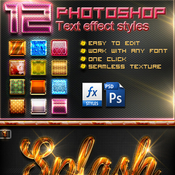
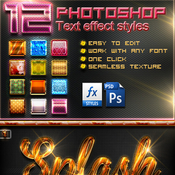
Name: 12 Photoshop Text Effect Styles Vol 5
Created: 16 March 15
Last Update: 16 March 15
Add-on Files Included: Layered PSD, Photoshop ASL
Minimum Adobe CS Version: CS


12 Photoshop Text Effect Styles Vol 5 is with high quality can produce effect more perfect and interesting for your text, all style effects work only with one click.

Features
1. Easy to use
2. Work with any font
3. Full editable
4. High Quality
5. One ClickFile Included 1.PSD 1.ASL ReadMe!
Note: Link font in the ReadMe! file.


More information: http://graphicriver.net/item/12-photoshop-text-effect-styles-vol-5/10744485