Category Archives: Smart

Smart Converter Pro 3.0.2

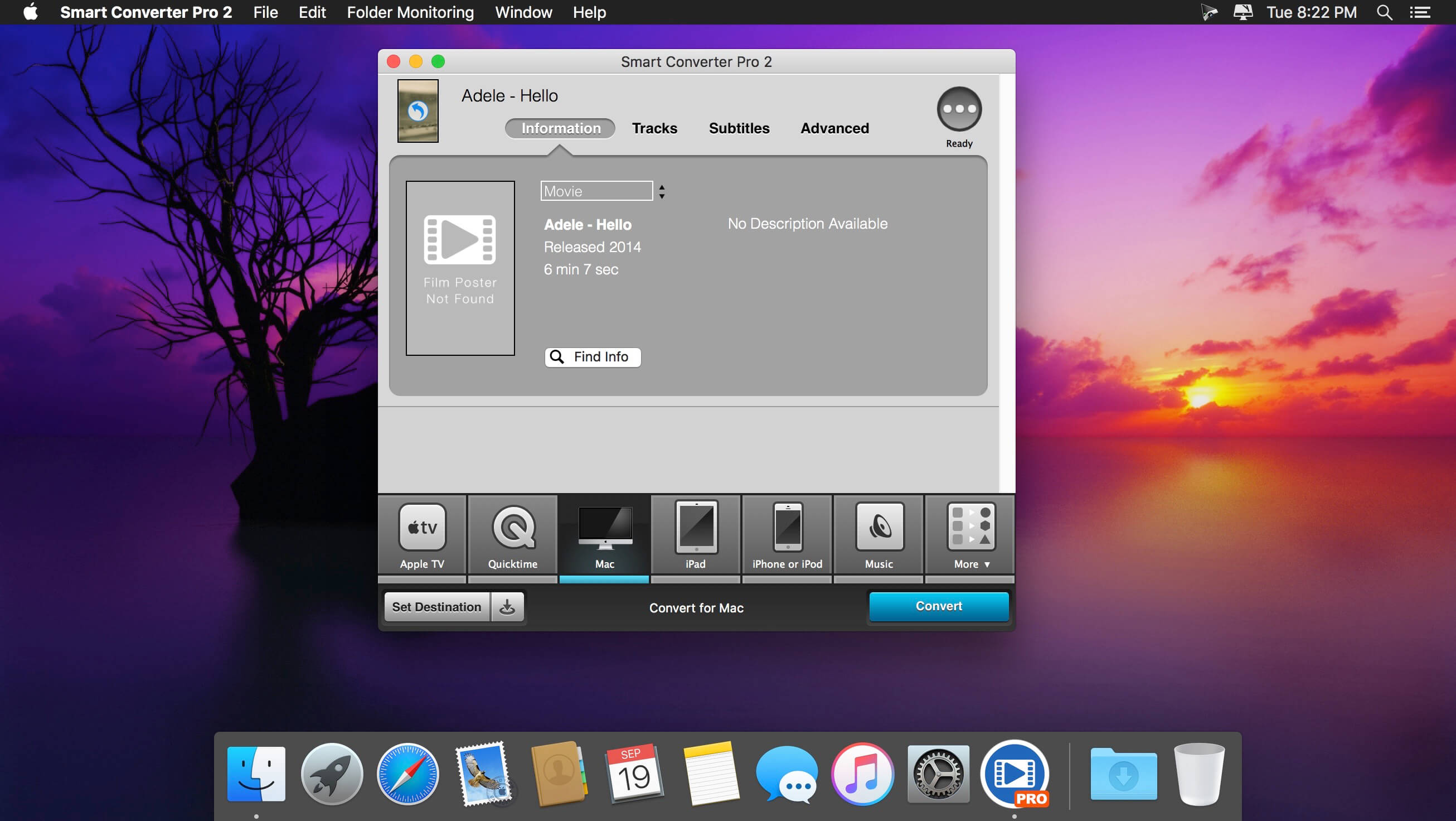
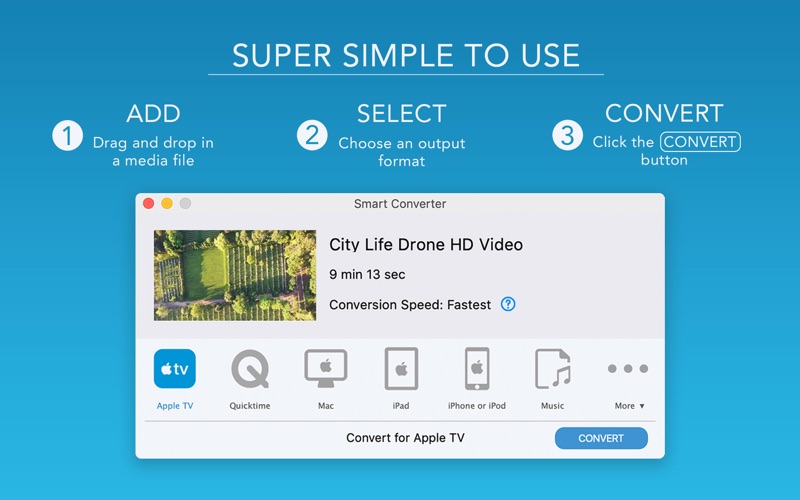
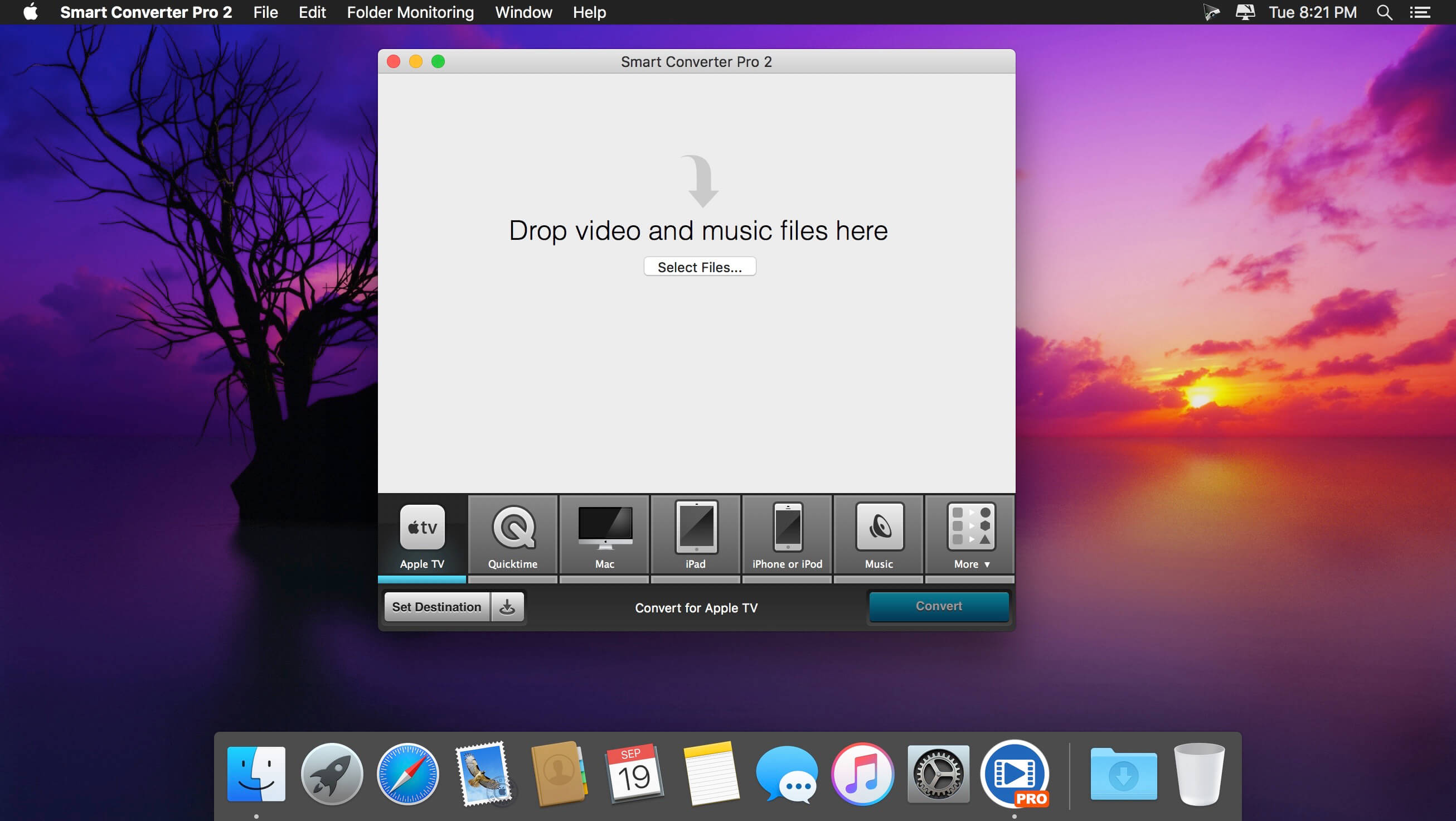
The fastest video converter with movie and TV show metadata, subtitles, folder monitoring and batch conversions. Smart Converter Pro has it all. It’s so easy to use – just drag your video or audio files onto Smart Converter Pro, select an output preset and convert. Smart Converter Pro analyses your files and only converts the bits that need to be converted. This means less waiting and top quality conversions.

The Pro Difference
Smart Converter Pro offers a bunch of amazing features to make your conversions quicker, smarter and more convenient:

  • Folder monitoring – convert anything that hits your monitored folders
  • Movie and TV Show info – automatically add key info about your movies
  • Subtitles – include subtitles, add external subtitles and even load subtitles from the web!
  • Audio tracks – include any or all of the audio tracks in your movies
  • Batch processing – queue up and convert as many files as you like in one go
  • Set destination – you decide where you converted files go
  • Decide whether to send converted files to iTunes

Why So Smart?
When you drop a media file into Smart Converter Pro and choose a conversion type, it immediately analyses your file and works out what needs to be converted.

In many cases neither the video nor the audio need converting. In some cases just one or the other need converting, and in a few cases both will need converting.

Smart Converter Pro only converts the parts of your movie that need it and leaves the rest alone. This makes Smart Converter Pro faster that every other converter while maintaining the highest possible quality video an audio in the converted movie.

What’s New:

Version 3.0.2:

  • Fixed a problem where the app wouldn’t read files for some users

Compatibility: macOS 10.13 or later 64-bit
Homepage https://shedworx.com/

Screenshots

Name: Smart_Converter_Pro_3_3.0.2__TNT_Mactorrents.io.dmg
Size: 29 MB
Files Smart_Converter_Pro_3_3.0.2__TNT_Mactorrents.io.dmg[29 MB]

   Download

Picture Instruments Smart GPS Sync Pro 2.0.8

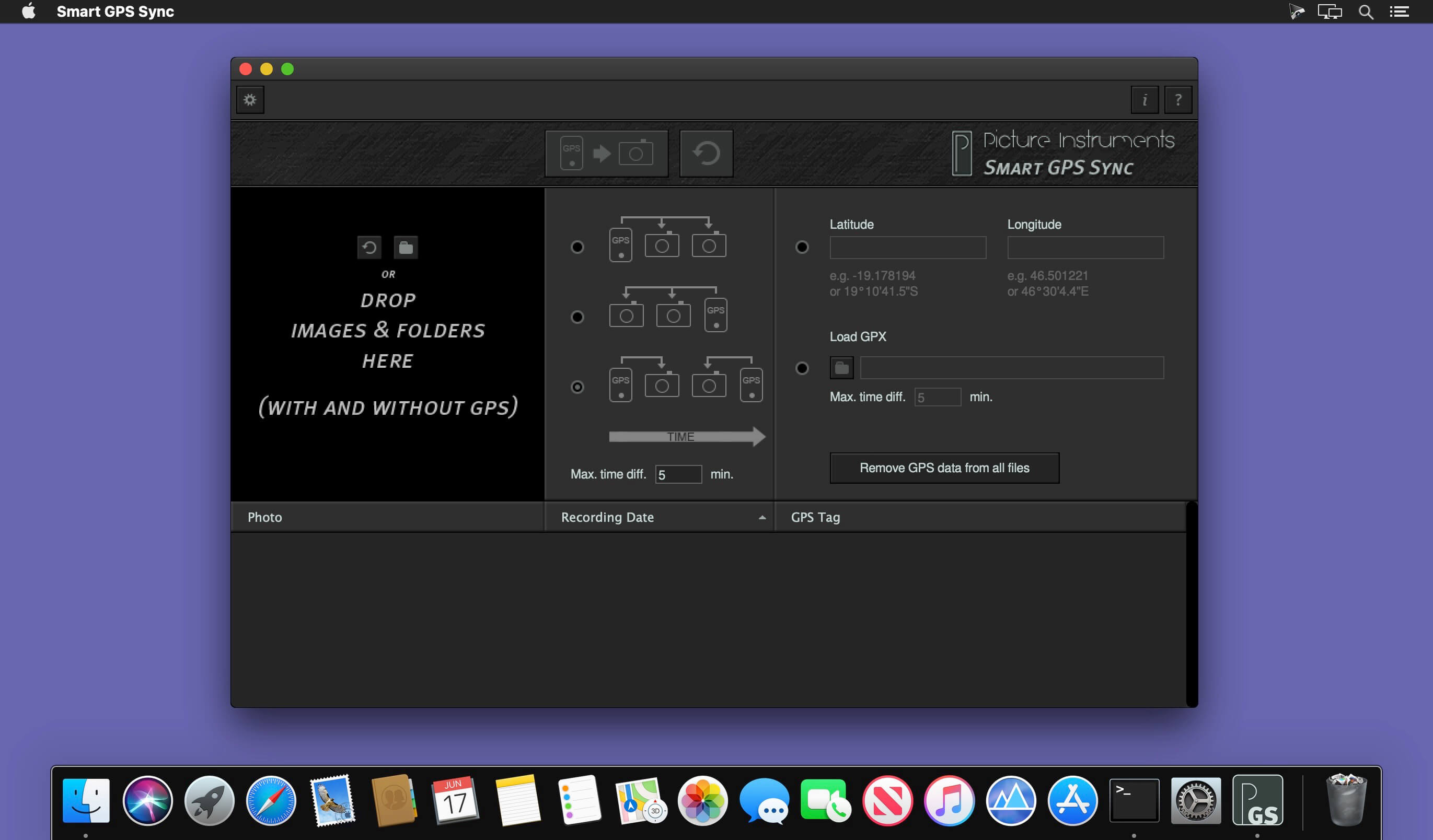
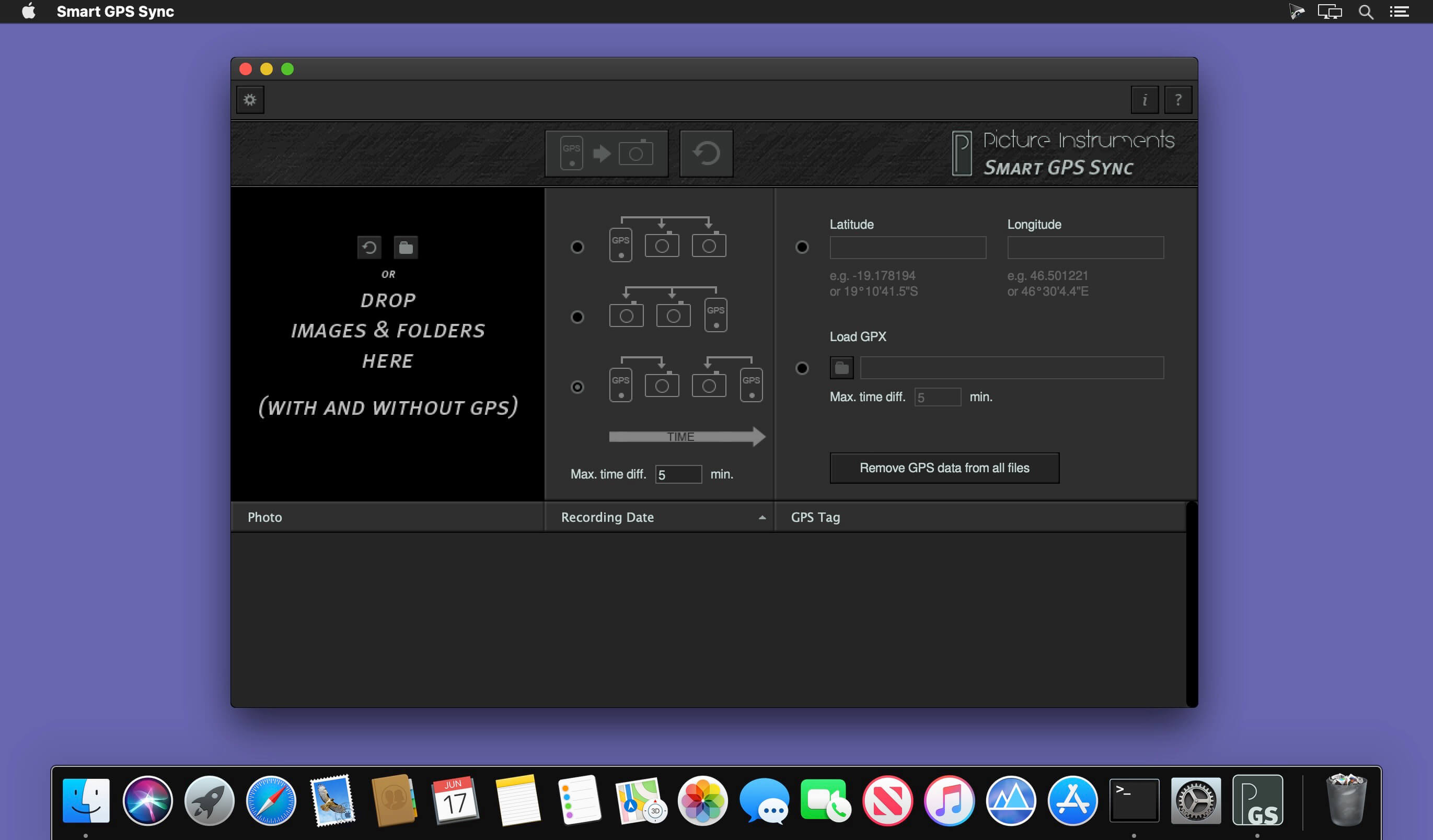
You don’t want to do without GPS-tags in your photos but you also don’t want to run a GPS-logger all the time? If you take just one single photo containing GPS data with your smartphone you can use “Smart GPS Sync” to transfer that GPS information to all other photos in your camera at a later point in time.

Language: English
Compatibility: OS X 10.9 or later 64-bit
Homepage https://www.picture-instruments.com

Screenshots


Name: Picture_Instruments_Smart_GPS_Sync_Created_Pro__TNT_Mactorrents.io.dmg
Size: 18 MB
Files Picture_Instruments_Smart_GPS_Sync_Created_Pro__TNT_Mactorrents.io.dmg[18 MB]

   Download

Smart Zipper – RAR&7Zip Tool 1.80

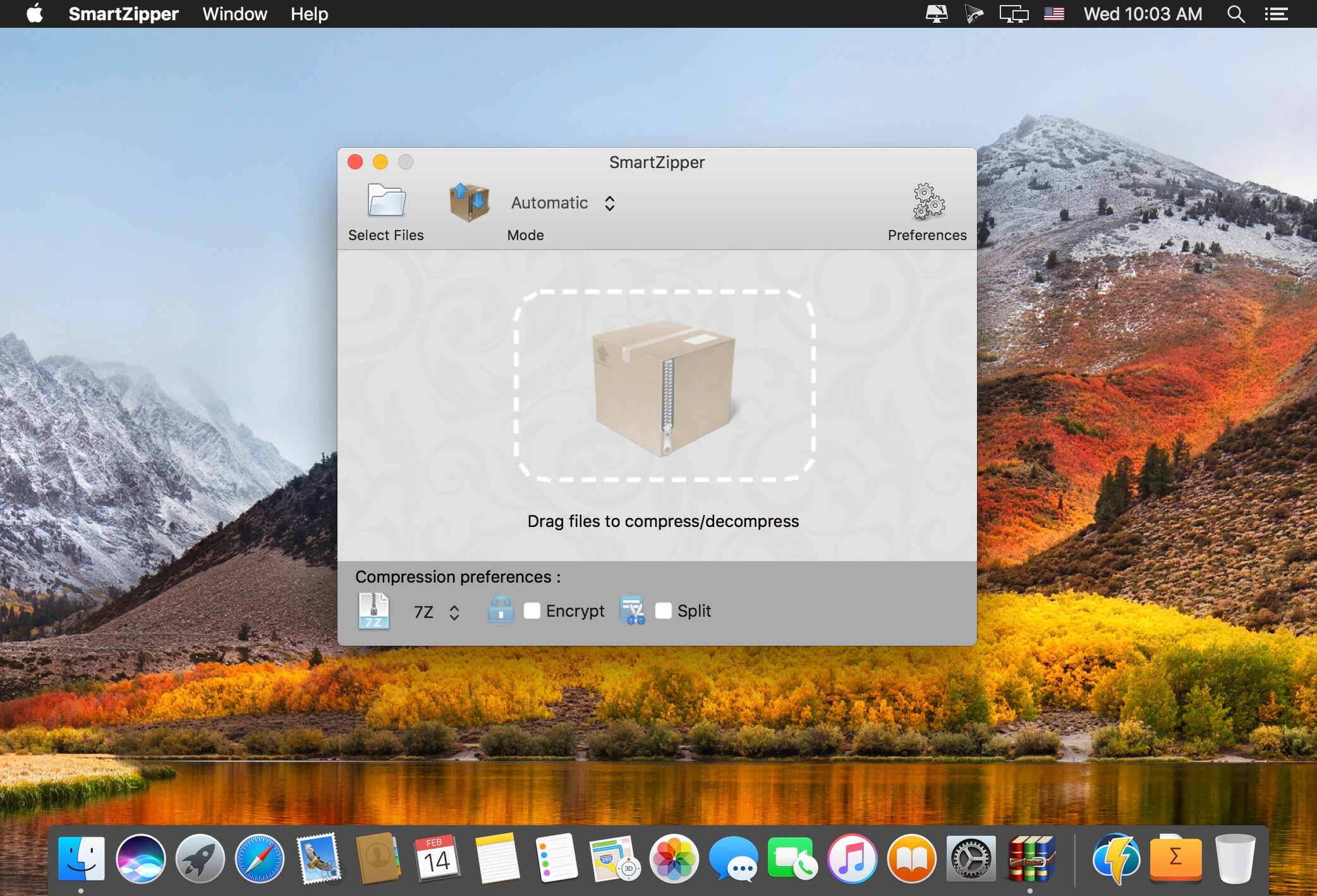
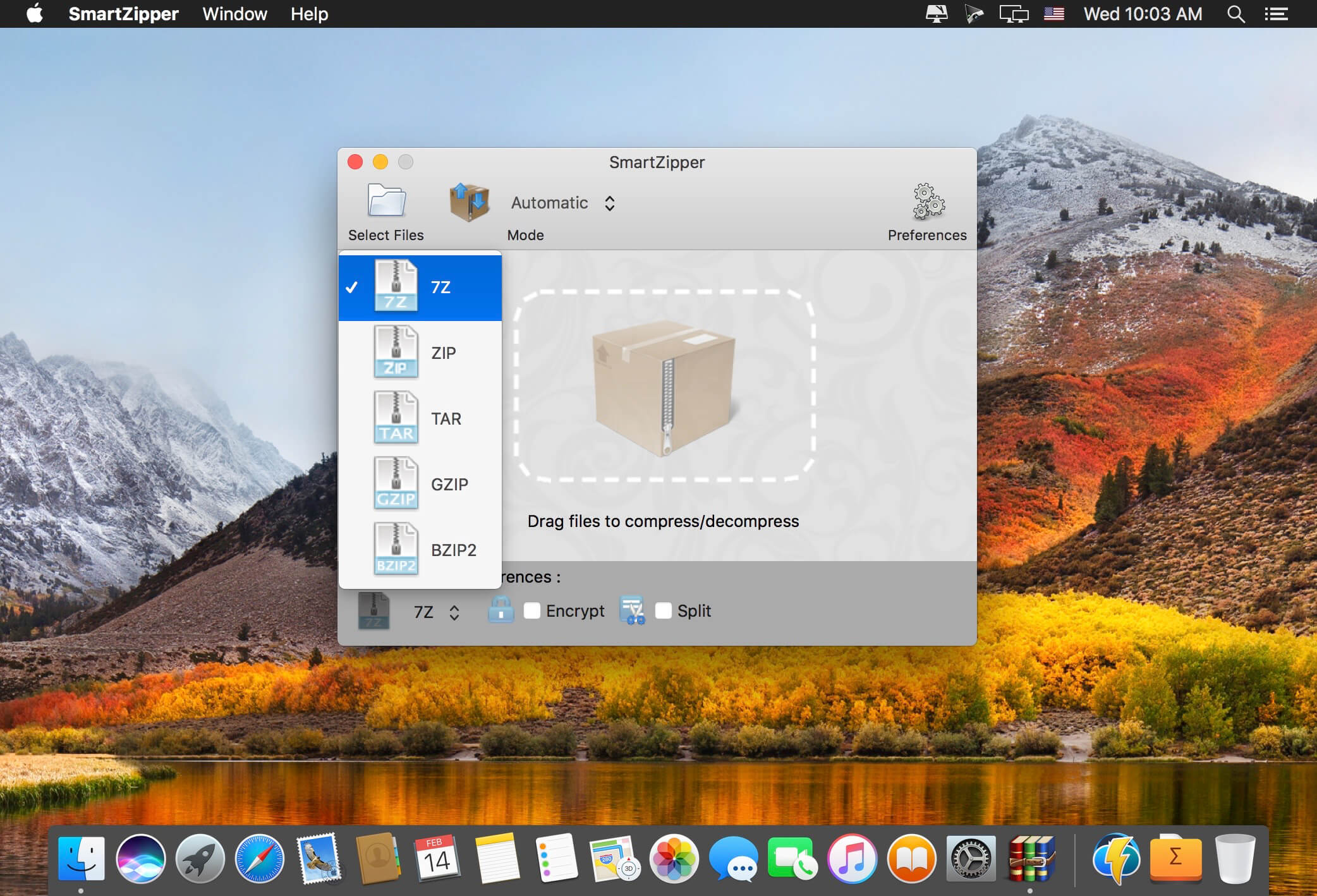
Smart Zipper is an easy-to-use and efficient compression and decompression tool.
Smart Zipper is designed to handle many more formats than Archive Utility, Supported file formats include RAR, 7z, ISO, CAB, Zip, Lzma, Tar, Gzip, Bzip2, PAX and many other more or less obscure formats.

Extraction formats supported:
Over 20 different file types ranging from RAR, 7z, ISO, CAB, Zip, StuffIt, Lzma, Tar, Gzip, Bzip2, PAX and much more.

Compression formats supported:
7z, Zip, Gzip, Tar, Bzip2 with 5 different compression levels.

Smart Zipper is designed to handle many more formats than Archive Utility, Supported file formats include RAR, 7z, ISO, CAB, Zip, Lzma, Tar, Gzip, Bzip2, PAX and many other more or less obscure formats.

Features:

  • Opening a compressed package: You can drag a compressed package into the window or select a package directly from within the program through the file browser. You can decompress the package directly or browse the contents of the compressed package.
  • Creating a compressed package: You can drag multiple documents or folders into the window, or select the documents or folders to be compressed in the file browser.
  • Protect your dаta: SmartZipper can create a password to protect your data.
  • Supported compression levels: No compression, fastest compression, fast compression, normal compression, high compression, maximum compression.

What’s New:

Version 1.80

  • Some bugs were fixed.

Languages: English, Dutch, French, German, Italian, Japanese, Korean, Portuguese, Russian, Simplified Chinese, Spanish, Swedish, Traditional Chinese
Compatibility: OS X 10.8 or later, 64-bit processor
Mac App Store https://geo.itunes.apple.com/app/id478792719

Screenshots


Name: SmartZipper_1.80_MAS__TNT_Mactorrents.io.dmg
Size: 9.32 MB
Files SmartZipper_1.80_MAS__TNT_Mactorrents.io.dmg[9.32 MB]

   Download

Smart Shooter 4.16

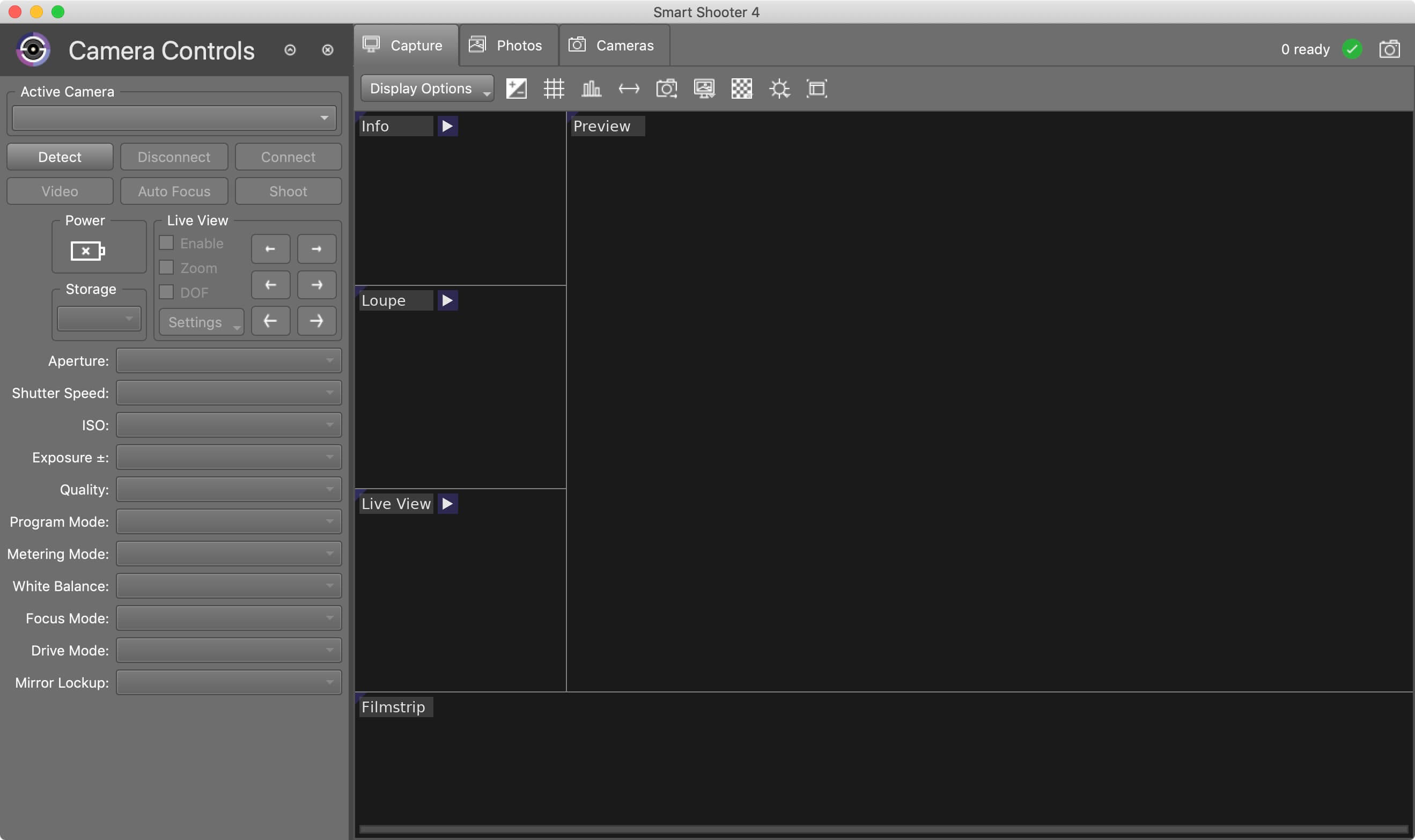
Smart Shooter is a digital photography work flow application for tethered shooting, remote capture and advanced camera control.

Smart Shooter allows you to fully control your camera from your computer, giving you freedom to explore and experiment to help take the perfect picture. Automatic download and display means you can fully evaluate your photos in seconds, and real time live view output will help you focus and compose the scene. Scripting language lets you control your camera, allowing you to take multiple photos with varying settings just by clicking a single button.

Key Features

  • Smart Shooter is aimed at both the professional and amateur photographer, providing them with the following features:
  • Remote camera control via USB cable
  • Full control of camera settings
  • Photo download and display on you computer
  • Real time zooming/panning photo display
  • Live View display including overlay mode
  • Live View recording of each frame to JPEG file
  • Bulb shooting with timed exposure
  • JPEG and RAW file formats
  • Connect and control multiple cameras
  • Automatic control via scripting
  • Tethered shooting with automatic download and preview
  • Smart Shooter works with all recent Canon EOS DSLR and Nikon DSLR cameras.

What’s New:

Version 4.16:

  • Release notes were unavailable when this listing was updated.

Compatibility:
Homepage

Screenshots


Name: Smart_Shooter_4_4.16__TNT_Mactorrents.io.dmg
Size: 48.14 MB
Files Smart_Shooter_4_4.16__TNT_Mactorrents.io.dmg[48.14 MB]

   Download

SMART Utility 3.2.6

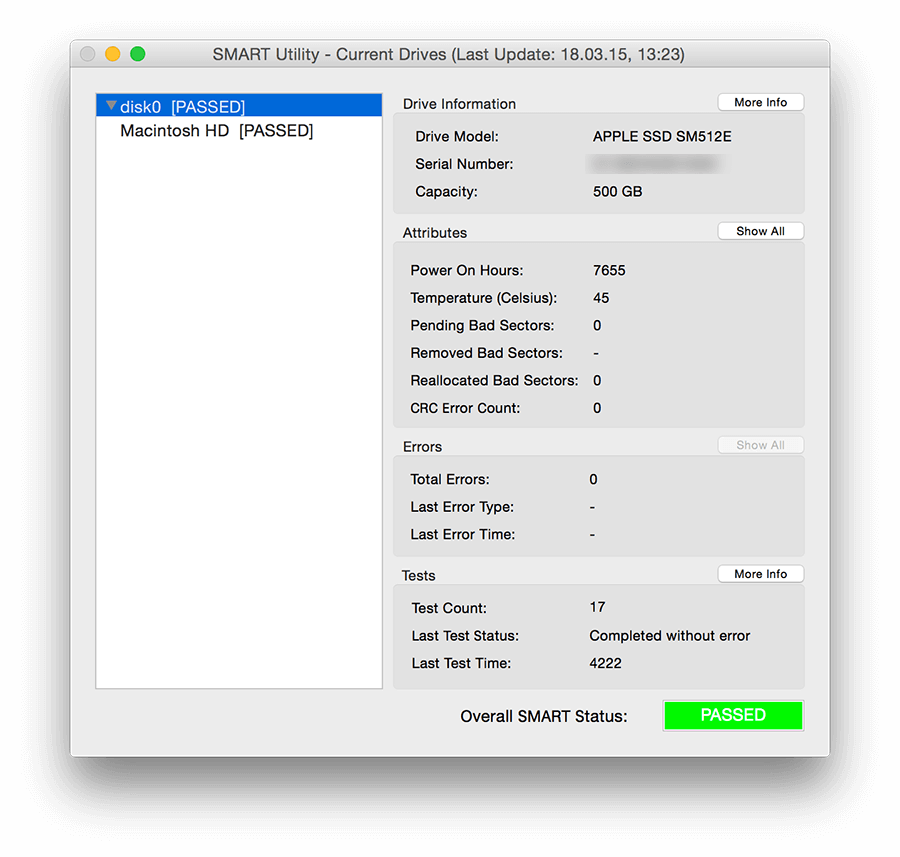
SMART Utility is an application to scan the internal hardware diagnostics system of hard drives. SMART (Self-Monitoring Analysis and Reporting Technology) is a system built into hard drives by their manufacturers to report on various measurements (called attributes) of a hard drive’s operation. The attributes can be used to detect when a hard drive is having mechanical or electrical problems, and can indicate when the hard drive is dying. This allows time to hopefully backup, and then replace the drive.

FEATURES
Displays all supported internal drives and their partitions, as well as some external drives (if optional SAT SMART driver is installed)
Displays important information in the main window, such as drive model, capacity, power on hours, temperature, bad sector counts, and error counts and types
Displays easy to read overall SMART status with color coded text
Displays more detailed information in separate windows, including capabilities, all available attributes, and the past five errors
Displays information using the Growl notification service (if installed) and email notifications (if configured)
Displays information in menu bar
Supports scanning in the background
Supports running a hard drive’s built-in test, and displays the results of the test
Supports scanning OS X software RAID drives, as well as drives in many RAID enclosures and cards (including SeriTek drives)
Supports logging all information to a log file for verifying SMART data
Supports customizing the pre-fail algorithm, including only alerting new bad sectors and error counts
Supports saving drive reports for later viewing
Supports printing drive reports
Supports HDDs and SSDs
Supports Mac OS X 10.9 through 10.14
Fully localized in French, thanks to Ronald A. Leroux

Compatibility: macOS 10.9 or later 64-bit
Homepage https://www.volitans-software.com/

Screenshots

Name: SMART_Utility_3.2.6__TNT_Mactorrents.io.dmg
Size: 9 MB
Files SMART_Utility_3.2.6__TNT_Mactorrents.io.dmg[9 MB]

   Download

Smart Shooter 4.15

Smart Shooter is a digital photography work flow application for tethered shooting, remote capture and advanced camera control.

Smart Shooter allows you to fully control your camera from your computer, giving you freedom to explore and experiment to help take the perfect picture. Automatic download and display means you can fully evaluate your photos in seconds, and real time live view output will help you focus and compose the scene. Scripting language lets you control your camera, allowing you to take multiple photos with varying settings just by clicking a single button.

Key Features

  • Smart Shooter is aimed at both the professional and amateur photographer, providing them with the following features:
  • Remote camera control via USB cable
  • Full control of camera settings
  • Photo download and display on you computer
  • Real time zooming/panning photo display
  • Live View display including overlay mode
  • Live View recording of each frame to JPEG file
  • Bulb shooting with timed exposure
  • JPEG and RAW file formats
  • Connect and control multiple cameras
  • Automatic control via scripting
  • Tethered shooting with automatic download and preview
  • Smart Shooter works with all recent Canon EOS DSLR and Nikon DSLR cameras.

Compatibility: macOS 10.12 or later 64-bit
Homepage https://kuvacode.com

Screenshots

Name: Smart_Shooter_4_4.15__TNT_Mactorrents.io.dmg
Size: 50 MB
Files Smart_Shooter_4_4.15__TNT_Mactorrents.io.dmg[50 MB]

   Download

Smart Shooter 4.14

Smart Shooter 4.14

Smart Shooter is a digital photography work flow application for tethered shooting, remote capture and advanced camera control.

Smart Shooter allows you to fully control your camera from your computer, giving you freedom to explore and experiment to help take the perfect picture. Automatic download and display means you can fully evaluate your photos in seconds, and real time live view output will help you focus and compose the scene. Scripting language lets you control your camera, allowing you to take multiple photos with varying settings just by clicking a single button.

Key Features

  • Smart Shooter is aimed at both the professional and amateur photographer, providing them with the following features:
  • Remote camera control via USB cable
  • Full control of camera settings
  • Photo download and display on you computer
  • Real time zooming/panning photo display
  • Live View display including overlay mode
  • Live View recording of each frame to JPEG file
  • Bulb shooting with timed exposure
  • JPEG and RAW file formats
  • Connect and control multiple cameras
  • Automatic control via scripting
  • Tethered shooting with automatic download and preview
  • Smart Shooter works with all recent Canon EOS DSLR and Nikon DSLR cameras.

Compatibility: macOS 10.12 or later 64-bit
Homepage https://kuvacode.com

Screenshots

Name: Smart_Shooter_4_4.14__TNT_Mactorrents.io.dmg
Size: 50 MB
Files Smart_Shooter_4_4.14__TNT_Mactorrents.io.dmg[50 MB]

   Download

Smart Shooter 4.12

Smart Shooter 4.12

Smart Shooter is a digital photography work flow application for tethered shooting, remote capture and advanced camera control.

Smart Shooter allows you to fully control your camera from your computer, giving you freedom to explore and experiment to help take the perfect picture. Automatic download and display means you can fully evaluate your photos in seconds, and real time live view output will help you focus and compose the scene. Scripting language lets you control your camera, allowing you to take multiple photos with varying settings just by clicking a single button.

Key Features

  • Smart Shooter is aimed at both the professional and amateur photographer, providing them with the following features:
  • Remote camera control via USB cable
  • Full control of camera settings
  • Photo download and display on you computer
  • Real time zooming/panning photo display
  • Live View display including overlay mode
  • Live View recording of each frame to JPEG file
  • Bulb shooting with timed exposure
  • JPEG and RAW file formats
  • Connect and control multiple cameras
  • Automatic control via scripting
  • Tethered shooting with automatic download and preview
  • Smart Shooter works with all recent Canon EOS DSLR and Nikon DSLR cameras.

What’s New:

Version 4.12:

  • Release notes were unavailable when this listing was updated.

Compatibility: macOS 10.12 or later 64-bit
Homepage https://kuvacode.com

Screenshots

Name: Smart_Shooter_4_4.12__TNT_Mactorrents.io.dmg
Size: 35.89 MB
Files Smart_Shooter_4_4.12__TNT_Mactorrents.io.dmg[35.89 MB]

   Download

Smart Shooter 4.11

Smart Shooter 4.11

Smart Shooter is a digital photography work flow application for tethered shooting, remote capture and advanced camera control. Smart Shooter allows you to fully control your camera from your Mac, giving you freedom to explore and experiment to help take the perfect picture. Automatic download and display means you can fully evaluate your photos in seconds, and real time live view output will help you focus and compose the scene. Scripting language lets you control your camera, allowing you to take multiple photos with varying settings just by clicking a single button.

Smart Shooter is aimed at both the professional and amateur photographer, providing them with the following features:

● Remote camera control via USB cable
● Full control of camera settings
● Photo download and display on Mac
● Real time zooming/panning photo display
● Live View display including overlay mode
● Live View recording of each frame to JPEG file
● Bulb shooting with timed exposure
● Automatic control via scripting
● Tethered shooting with automatic download and preview

Smart Shooter works with all recent Canon EOS DSLR and Nikon DSLR cameras.

The following Canon cameras are supported:

1D Mark IV,1D C, 5D Mark II, 5D Mark III, 5D Mark IV, 5DS, 5DS R, 6D, 7D, 7D Mark II, 40D, 50D, 60D, 70D, 80D, 100D, 450D, 500D, 550D, 600D, 650D, 700D, 750D, 760D, 1000D, 1100D, 1200D, 1300D,

Rebel SL1, Rebel T1i, Rebel T2i, Rebel T3i, Rebel XS, Rebel T3, Rebel T4i, Rebel T5, Rebel T5i, Rebel T6, Rebel, T6i, Rebel T6s, Rebel XSi

Kiss F, Kiss X2, Kiss X3, Kiss X4, Kiss X5, Kiss X6i, Kiss X7, Kiss X8i, 8000D, Kiss X50, Kiss X70, Kiss X80

The following Nikon cameras are supported:

Df, D3, D3s, D3x, D4, D4s, D5, D90, D300, D300s, D500, D600, D610, D700, D750, D800, D800E, D810, D3000, D3100, D3200, D3300, D5000, D5100, D5200, D5300, D5500 D7000, D7100, D7200.

Compatibility: macOS 10.12 or later 64-bit
Homepage https://kuvacode.com

Screenshots

Name: Smart_Shooter_4_4.11__TNT_Mactorrents.io.dmg
Size: 36 MB
Files Smart_Shooter_4_4.11__TNT_Mactorrents.io.dmg[36 MB]

   Download

Mirror for Smart TV Bundle (upd 28.11.2019)

Download Mirror for Smart TV App Bundle (upd 28.11.2019)
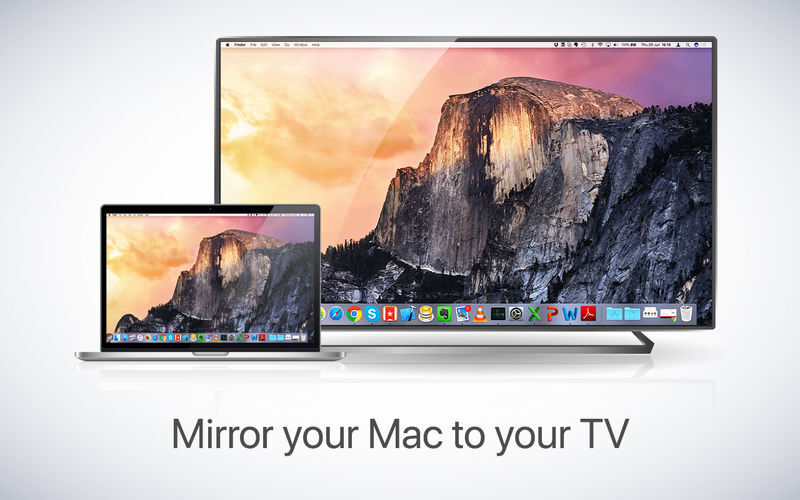
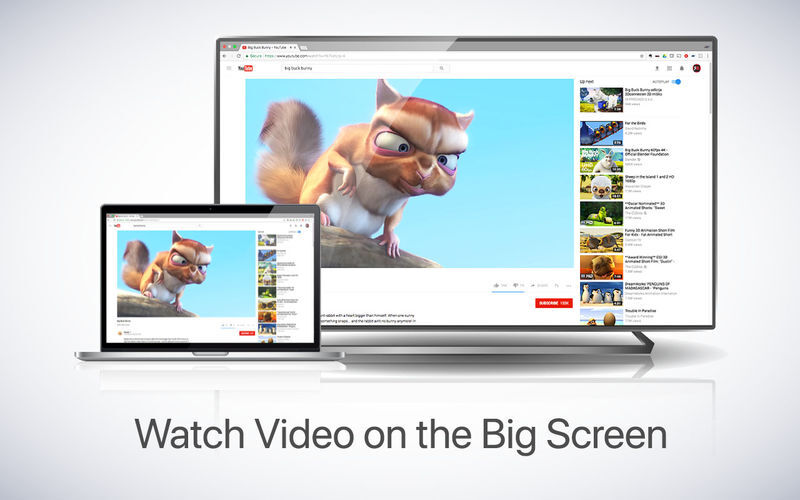
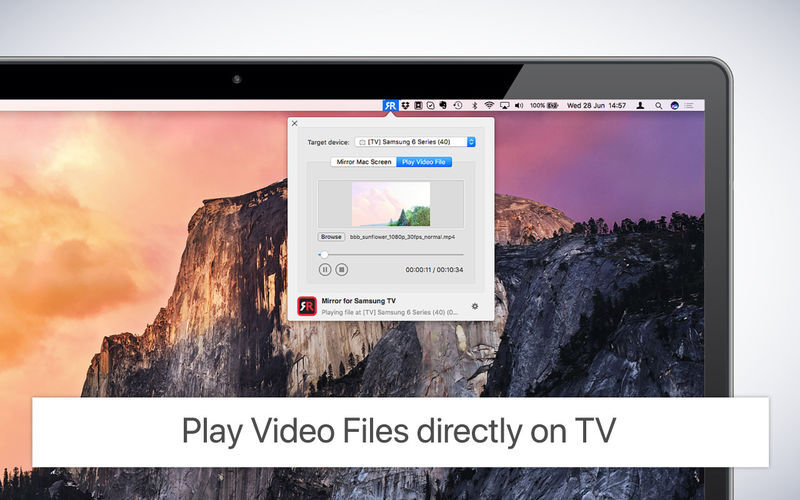
AirBeamTV offers the solution to mirror the screen and audio of your Mac or Macbook to any Smart TV.No wires and no additional hardware needed! You can stream any app on your Mac screen to your television. With the Mirror for Smart TV apps you can watch your favourite shows together on the big screen.

Download and install the Mac app for the Samsung, Sony, Panasonic, Philips and LG Smart TV’s today, to get started! We also have applications for Roku, Amazon Fire TV, Chromecast , Android TV and other!

What’s Included in Mirror for Smart TV App Bundle (upd 28.11.2019):

  1. Mirror for Android TV 2.4.4
  2. Mirror for Arcelik TV 3.4.4
  3. Mirror for Beko TV 3.4.4
  4. Mirror for Chromecast 2.7.1
  5. Mirror for Fire TV 2.4.5
  6. Mirror for Hisense TV 3.5.7
  7. Mirror for Grundig TV 3.4.4
  8. Mirror for Hitachi TV 1.0.2
  9. Mirror for LG TV 3.5.6
  10. Mirror for Panasonic TV 3.5.6
  11. Mirror for Philips TV 2.5.6
  12. Mirror for Roku 2.7.5
  13. Mirror for Samsung TV 3.5.6
  14. Mirror for Sharp TV_3.5.8
  15. Mirror for Sony TV 3.5.6
  16. Mirror for TCL TV 3.5.7
  17. Mirror for Toshiba TV 1.0.2

Information

CompatibilityOS X 10.10 or later 64-bit
LanguagesEnglish

Screenshots

Name AirBeamTV Mirror Bundle 20191127 [TNT] mac-torrents.net.zip
Size 389.7 MB
Created on 2019-11-28 19:32:27
Hash 5d3ef45576fdfa2fe483f22c4d40d6b5c59816ef
Files AirBeamTV Mirror Bundle 20191127 [TNT] mac-torrents.net.zip (389.7 MB)

Download

Smart Converter Pro 3.0.1

Download Smart Converter Pro 3.0.1

The fastest video converter on the App Store with movie and TV show metadata, subtitles, folder monitoring and batch conversions. Smart Converter Pro 2 has it all.

It’s so easy to use- just drag your video or audio files onto Smart Converter Pro, select an output preset and convert. Smart Converter Pro analyses your files and only converts the bits that need to be converted. This means less waiting and top quality conversions.

The Pro Difference

Smart Converter Pro offers a bunch of amazing features to make your conversions quicker, smarter and more convenient:

  • Folder monitoring convert anything that hits your monitored folders
  • Movie and TV Show info automatically add key info about your movies
  • Subtitles include subtitles, add external subtitles and even load subtitles from the web!
  • Audio tracks include any or all of the audio tracks in your movies
  • Batch processing queue up and convert as many files as you like in one go
  • Set destination you decide where you converted files go
  • Decide whether to send converted files to iTunes

Why So Smart?

When you drop a media file into Smart Converter Pro and choose a conversion type, it immediately analyses your file and works out what needs to be converted.

In many cases neither the video nor the audio need converting. In some cases just one or the other need converting, and in a few cases both will need converting.

Smart Converter Pro only converts the parts of your movie that need it and leaves the rest alone. This makes Smart Converter Pro faster that every other converter while maintaining the highest possible quality video an audio in the converted movie.

Awesome Workflow Support

Smart Converter Pro has been optimised to not only provide the fastest video conversions possible, but to simply your life also.

This is done by combining powerful automation features which work seamlessly together.

Here’s how it works:

  • Folder Monitoring: tell Smart Converter Pro which folders it should check for new downloads
  • Metadata lookups: Smart Converter Pro will automatically pull in artwork and movie/show descriptions
  • Subtitles: set your language preference and if the movie or TV show is in a different language Smart Converter Pro will pull in the required subtitles. Really.
  • Send to iTunes: Once all the magic is done, Smart Converter Pro will add your file to iTunes, ready to watch on AppleTV or sync to your iOS devices

Give the Smart Converter Pro workflow a try and simplify your life.

Information

Compatibility
OS X 10.13 or later, 64-bit processor
Languages
English

What’s New in Smart Converter Pro 3.0.1

  • Release notes not available at the time of this post.

Screenshots

Name Smart Converter Pro 3 3.0.1 [TNT] mac-torrents.net.zip
Size 39.85 MB
Created on 2019-11-10 16:51:40
Hash fe4b16eab9f972ac8c9720dfcc579a537754c799
Files Smart Converter Pro 3 3.0.1 [TNT] mac-torrents.net.zip (39.85 MB)