Keep an open, always on top of everything else window. The picture in picture mode is now available on your Mac. Fenêtre lets you view a video, an image, a flat file or a website.
Do not hesitate to watch the latest episode of Netflix while you work in your newspaper. Watch for some documentation while working on his latest library. Have an open reference design while working on your amazing website.
The window will remain above the rest. The incredible features will keep you focused on your core business without getting in the way.
Functions included in the Pro version: – Amazing transparent mask through the mouse. – Allows you to click on the window when necessary. – Interact with your clipboard. – [Lite also] Get the browser extension (Chrome or Firefox) to open a link or current URL directly while browsing. – Controls the opacity of your window. – [Lite also] get an incredible refined experience on specific websites (Youtube, Netflix, Twitch, GitHub, …). – Preview files dialing. – Collapses the window to keep out of the way completely. – Customize your experience with settings and hotkeys. – Keep track of what you have open. – Open as many windows as you wish.
BetterTouchTool adds many new fully customizable for the Magic Mouse, Multi-Touch Trackpad and Magic Trackpad MacBook.
BetterTouchTool increase your productivity BetterTouchTool is a great application with a multitude of functions that allow you to set many gestures to Magic Mouse (1 and 2), Macbook Trackpad and Magic Trackpad (1 and 2) and mouse gestures normal mice . It also allows you to configure keyboard shortcuts actions, buttons normal mice and the Apple Remote. In addition to this, it has a companion iOS App (BTT Remote), which can also be configured to control your Mac in the desired manner.
Enhance your visual communication experience with excellent precision 3D tools and 3D design available in CorelCAD ™ 2019. It is the smart and affordable to draw detailed elements required in the technical design solution. With the support and optimization for Windows and MacOS native .DWG files, you can enjoy the software for computer – aided design that provides increased productivity and impressive performance on the platform of their choice. CorelCAD 2019 offers flexible expansion options for new users and existing customers to match any workflow.
New CorelCAD 2019 – CAD software – Professional Writing 2D and 3D design tools. – Support for industry standard file with DWG, STL, .PDF and * .CDR – efficient collaboration on projects and share. – Automation and optional personalization.
Efficiency and productivity. Expand your experience in visual communication with the precision of design tools and higher drawing available on CorelCAD 2019. With improved and new features time – saving user interface, you can increase workflow and deliver CAD designs impressive and visually rich . 2D drawing Get the power you need to design a comprehensive collection of professional drawing tools that provide the control and the details you need for any project. CorelCAD 2019 offers new tools for 2D spiral propeller, tools and advanced table Multileader tool to configure and adjust the calls as they evolve their drawings. Design 3D Experience skillful and demanding 3D capabilities results in CorelCAD 2019, and make a transition from 2D drawings to advanced 3D design drawing. With a variety of intuitive 3D tools and experts, including EntityGrips palette and improved properties, it is well equipped to move from project sketches to printing and 3D printing. Compatibility and optimization. Streamline project exchange with internal teams and external suppliers. CorelCAD 2019 is fully compatible with the latest version, the .dwg file format AutoCAD R2019 to ensure a carefree collaboration with business partners, including innovative options for customization and automation support to align with any work environment.
New features in CorelCAD 2019:
Multileader tools and Smart Dimension Draw, edit and set up calls with multiple lines leader. This handy tool also lets you add and remove guidelines to and from the MultiLeaders to adjust and edit as you change your drawing. Use dimension tools for accurate measurements, plus Smart Dimension tool will suggest the most appropriate type and precise dimension automatically. NEW! Tool helix Increase modeling capabilities using the new Helix tool to create 2D and 3D spiral helices any object to provide a three dimensional shape in a single layer around a cylindrical shape, like a spring or spiral staircase. IMPROVED! Modeling tools and editing 3D solids. Save invaluable time design tools faster editing screen. Improved EntityGrips and Properties palette allows 3D editing capabilities and provides intuitive 3D manipulation. Add 3D solid primitives to your design and use Boolean operations to unite, intersect and subtract bodies. Use advanced editing tools such as filleting edges of 3D solids and color, move, rotate and compensate individual faces of 3D solids. IMPROVED! Table stand Use the new ExportTable command to export tables in a comma – separated format (CSV) and import CSV files into Microsoft Excel or database applications. In the tables, you can be added to cells formulas plus insert, delete, merge or change the size of cells, rows and columns within existing tables. See the user favorite features in action Find out how CorelCAD can help you draw and design in 2D and 3D viewing these short videos about the favorite tools of CAD users. User interface Windows Ribbon Increase productivity with workspaces UI * of tape and use customizable options contextual tape to select and implement the various design tools you need, such as tables, text editing in place and more. Quick Entry Set a command interface in your project using the cursor in the drawing area. It is an efficient function and saves time and takes commands directly to the cursor, so that when you move, the tooltips tracks and enables input coordinate positions, lengths, angles, lines and more, whenever and wherever you need it . Drawing restrictions Add the accuracy required dimensional constraints applying to ensure that their 2D designs meet their exact ratio requirements, angle and size by forcing a geometrical shape to be perform in a specific way. In addition, you can use geometric constraints to control the dependencies and relationships among objects. IMPROVED! Object references and EntityGrips Use CorelCAD smart tools, such as references to objects, grips and polar guides to reposition, align, copy or resize objects quickly. EntityGrips provide improved 3D editing and intuitive operation. Simply use contextual menus to instantly edit contextual geometry objects in place when traveling on any EntityGrip.
System Requirements: – Mac OS X v10.10 (Yosemite) or higher (MacOS Mojave incl.) – Intel Core 2 Duo (or better) – 2 GB of RAM (8GB recommended) – 500 MB of disk space hard – 3D graphics accelerator card with OpenGL version 1.4 (OpenGL version 3.2 or better recommended) – Screen 1280 x 768 (recommended 1920 x 1080 (Full HD)) – Mouse or tablet
EdgeView 2 is a cutting-edge image viewer for MacOS X. You can open various image files, can also open archive files like as ZIP, rar without extraction. You can check and open files on built-in file browser. And can connect to FTP and open the file directly. EdgeView 2 is the best choice when viewing and managing image files, cartoon files like as archives.
======= Function / specification =======
——- Image viewer —— ● Supporting image files such as JPG, GIF, BMP, PSD, TIFF, RAW(DNG) and PDF ● Supporting major archive formats such as ZIP, RAR, CBZ, CBR, 7-zip, ALZ, etc. ● Can extract encrypted archive file ● Can read archive file in archive file in archive… as they are
● Advanced pre-read cache for fast loading ● High quality image rendering ● Provide suitable function for comic reading – Two-page spread, reading from right to left, etc. ● Powerful navigation function – Move previous/next, skip, move only one page(shift previous/next), etc. – You can move while checking thumbnails with progress bar and thumbnail bar ● Support for trackpad gestures – Moving pages with swipe gesture, scaling with pinch gesture
● Built-in loupe function to make it easier to see small character ● Can zoom in/out image freely
● Various special effects can be applied in real time – Insert shadow in spread pages, auto level correction, blur, sharpen, unsharpen mask, grayscale, colorize, etc. – Detailed setting is possible from the effects HUD ● Can roate, flip horizontal, flip vertical image
● Support for Animated GIF, and Animated PNG – Pause/play, move to previous/next frame, and can change frame rates from animated HUD
● Support for Slideshow ● You can adjust transparency for each window
——- File Browser —— ● Built-in file browser display files as lists or icon ● Can be arranged by file name, rates, writer, category, etc. ● Easily add and modify additional information such as rates, writer, category ● Provide search functions such as spotlight search, file name search
● Can connect to FTP server in a file browser ● FTP file search is also supported ● Image files, archive files in FTP can also be opened directly * 1
● Save opened folders, archive files, PDF files as history ● The last opened page, file position, special effects, display settings are saved and restored as it is at the last state when reopening
——- Other —— ● Automatically create thumbnails of archive files containing images with the built-in QuickLook plug-in ● Archive files without images display the included file list on the QuickLook panel ● Comics on Screenshot
Resume Templates is a high-quality collection of 119 original Pages templates designed to give your career prospects a major boost. Present your educational background, experience, and skills in a way that will catch any recruitment manager’s attention.
Every object in Resume Templates can be easily recolored, reshaped, moved, or removed. Type or paste your own text, add or remove text boxes, and change the font if you want to. Add your photos to replace the stock images. Every layout – from the understated elegance of the traditional career descriptions to the buoyant colors of the resumes for creative professionals – features quality design and great usability.
The templates are available in the US and international page sizes.
Requires: the latest version of Pages. Compatibility: macOS 10.11 or later 64-bit
IP Scanner Pro for Macintosh scans your local area network to determine the identity of all machines and internet devices on the LAN. Powerful results, yet easy to use and intuitive.
IP Scanner comes to customizing the way you view your network. You can apply custom names and icons to the devices on your network and adjust the type and amount of information you see in the general description of the network; it is not necessary to see the MAC address column … do not show it ! Text too small … make it bigger! The IP Scanner can be used in several primary modes: as a way to get a quick overview of what devices currently on the network even see what devices are present actively and passively, or view network changes to over time with the “cumulatively” IP Scanner, including options to display devices which were once present but are no longer visible. Finally, when using the white list, you can filter known and trusted devices to reveal new or unexpected, excellent way to easily identify unwanted visitors network.
Other notable features:
• Sort network list by device name, IP address, MAC or Last seen address • Support for Growl for notifications of newly discovered devices and changes in device status • Click the right mouse button on a device for options contextualized additional tools, including Ping, WOL and Port Scan tools • the local network segments are scanned automatically; custom ranges may be added manually
1Blocker Website Inspector allows you to detect and sniffer number of ads on a page, analyzing the content size and loading time and the estimated 1Blocker effect on Safari. See for yourself how many advertising networks and analytics providers build deeper profiles about you through the web.
Using 1Blocker also can block these ads and tracking scripts in Safari. In addition to blocking ads, you can also block comments, several social widgets, share buttons, annoying ads right cookie EU, custom web fonts, adult sites, and more.
Note: An additional installation of 1Blocker extension is recommended in order to block content in Safari.
AweEraser is a secure Mac data eraser. It can securely and permanently erase data from hard drive/storage media, permanently delete Mac files, wipe hard drive, and erase already deleted data under Mac OS. It also offers tools to help you batch remove applications on your Mac and clean up browsers histories, caches, privacy, etc.
We know that the deleted or formatted data can be recovered by data recovery software. So, if you are going to sell, donate or giveaway your Mac, USB, digital camera, you should make sure your private data has been permanently erased rather than just deleting the files, emptying trash bin or formatting the device. AweEraser for Mac offers government & military level data erasure standards to ensure permanently destroying the targeted data without affecting the operating life of your computer or device. The certified data erasure methods include HMG Infosec Standard 5, German FOFIS, DOD 5220.22-M, U.S. Army AR380-19, Peter Gutmann’s algorithm, etc.
This Mac data eraser is pretty simple to use. It offers flexible and reliable data erasures. Option 1: shred files/folders. Option 2: wipe entire hard drive/device to permanently erase all data from the hard drive and device. Option 3: erase free disk space to permanently erase already deleted/formatted data. AweEraser for Mac also offers uninstaller and internet cleaner. The uninstaller can help you uninstall applications in batches and delete all related files including app junk, registry files, caches, etc. AweEraser for Mac is 100% safe. It ensures permanently erasing targeted data on your hard drive, USB flash drive, digital camera, memory card, RAID, server, and other storage media. It will not cause any physical damage to your device and only erase the data you want to erase.
National Instruments (NI) has announced the launch of software systems design LabVIEW 2018. The latest version of LabVIEW offers speed improvements, new and improved features and bug fixes.
About NI LabView. LabVIEW (Laboratory Virtual Instrument Engineering Workbench) is a graphical programming language that uses icons instead of lines of text to create applications. Unlike programming languages that use text-based instructions to determine the order of program execution, LabVIEW uses dataflow programming. Programming data flow, data flow through the nodes in the block diagram determines the order of execution of the VI and functions. VIs, or virtual instruments, are LabVIEW programs that imitate physical instruments.
In LabVIEW, you build a user interface using a set of tools and objects. The user interface is known as the front panel. After creating the front panel, add code using graphical representations of functions to control the front panel objects. You add this graphical code, also known as G code or block diagram, the block diagram. The block diagram is a bit like a flowchart. The block diagram, the front panel and the graphical representations of code make a VI.
DVDs are a means of transferring data very popular: you can use them to share multimedia content, to back up their projects and important documents, and more. Mac DVDRipper Pro is an application for Mac OS X that can help you transfer data written to a DVD to your computer. By copying the DVD on your hard drive, it also keeps an exact copy of your DVD and can compress each movie on the fly, making them visible video iPod, iPod Touch, iPhone, iPad, Apple TV and many more.
Detects and automatically scans DVDs inserted in your reader Mac DVDRipper Pro monitors your DVD at all times and as soon as a new DVD is inserted, allows you to define multiple actions. You also have the option to specify the output location. The application offers the possibility to extract all the videos, menus and bonuses, can extract a complete disk image (including the option to burn a copy), you can transfer only the main movie, you can extract the data and convert, and you can mount the unit is not encrypted.
Customize the behavior of ripping and conversion. Most Mac DVDRipper Pro features can be activated via the main application window, but you can customize the overall behavior of the application through the Preferences. Among other customization options, you can choose to automatically start the extraction process when the DVD is inserted and eject when the process ends. In addition, Mac DVDRipper Pro supports audio notifications and can display an alert if the DVD is recorded twice. In addition, you can adjust the quality of video coding, or choose to import media to your iTunes library.
Direct extraction solution DVD Mac DVDRipper Pro proposes simple but highly efficient to copy the contents of your DVDs without having to deal with complex tools solutions. The application can perform multiple actions consecutively, it allows you to extract only the data that interest you and can convert the copied content: in general, can be a very useful addition your software collection.
Mac Data Recovery Guru works using scanning files based on content. This is different from traditional forms of data recovery attempt to repair the device in question, that when they are wrong written on the data you were trying to recover first approach. Our approach opens the device in read – only mode, and will search the entire device files or parts of files that are present. Rearranges the data in regular files on the fly. Sounds complicated? It is, but after years of refinement displayed to the user as a smooth process, and it is as easy as browsing through their regular files in the Finder. In fact, it seems almost the same.
Frequent questions: What type of device products data recovery work? The short answer is any device that acts as a drive on your Mac. However, the device does not have to be visible in the Finder, as the line of Recovery Guru can see and scan devices that OS X does not show. To see if your device is usable, open the program and click the “Units” tab in the main window. It will show everything you can see.
The long answer is that it works on devices like these (this is not an exhaustive list, but a series of examples): Disk: Macintosh (HFS file systems, HFS +, systems HFSX files), disks Windows (NTFS, FAT file systems), Linux (Ext2, Ext3, ext4 file), Unix disks (XFS systems disks disks UFS files). Digital cameras (Kodak, Minolta, Nikon, Canon, Fuji, Olympus, Sigma). Mobile phones: Android, Nokia, Motorola, Palm, Dell, Hewlett-Packard, Samsung, Sanyo, Siemens, Sony Ericsson, Panasonic, Kyocera, Blackberry. Various devices: USB Pen Drives / Storage USB flash / USB Memory Stick, Memory cards for cameras and portable devices, CD’s / DVD’s, MP3 Players, Playstations, X-Boxes, Wii’s, Palm devices.
What if my device does not appear at all? Guru Mac Data Recovery can often recover deleted and still see him, even in severe cases files. Click next to “Volumes” “Devices” tab to see all available devices. Download the free demo and see. What if I completely formatted my device? It makes no difference if the device has been fully formatted 100 times or still has a file system. Our programs look around the device independently and collect any other data, the format does not affect a unit. Can anyone stop him? The only things that can usually dissuade him are as follows: One is if the file you want to return has written more since I deleted (but your chances are usually pretty good, if you run the demo you will see many files you deleted years ago). Two is whether the device has been safely deleted, in which case nothing can recover, with the exception of some data in some SSDs.
SILKYPIX Developer Studio Pro 9E v9.0.5.0 | Mac OS X | 359 MB.
SILKYPIX Developer Studio Pro 9 adds new features that were highly desired in addition to the rich features of SILKYPIX so far. The new main functions are to “undo”, “individual adjustment Highlight / Shadow”, “Function lens profile”, etc. Expanding and improving existing features, improved operability and convenience. This product is a RAW development software for professionals.
SILKYPIX Developer Studio Pro 9 adds new features that were highly desired in addition to the rich features of SILKYPIX so far.
New Feature / list of improvements
– Tone- Dehaze Slider – exposure bias-Highlight / Shadow Slider – aberration correction lens – function distortion correction lens profile – aberration correction lens – Correction Function distortion using simultaneous recording of JPEG – Effect – Blurry / Edgy periphery – partial correction tool – Selection area Curve / Polygon / Select Color be corrected – Auto adjust Button. – Noise Reduction – Noise Reduction Level shadow – Search thumbnail – independent initialization button layout. – Add color user mark – Open in another application. – Control palette – Customize the toolbar – Show / hide information box
ChronoSync + ChronoAgent 4.9.1/1.9.1 | Mac OS X | 77 MB.
Timings manager equipped with a powerful control panel. Equipped with a panel scan synchronization as comprehensive, ChronoSync provides us with powerful management capabilities and identification data, preparation of rules and guidelines for timing, navigation, status check and restore data, along with a tight core and Flexible planning syncs in the background, automatically.
ChronoSync is an ideal application for synchronizing files between hard drives, external, or between server devices and any computer, not just a Mac. The process of an interface that acts as a wrapper documents synchronization, one sync with your specific guidelines and information about their planning.
From synchronizations of a general nature to complex synchronizations, ChronoSync takes care of everything. ChronoSync creates multiple documents synchronization, one event to process them separately , but it is also possible to encapsulate some of encircling a joint for processing, and automatically in the background.
Postico is the perfect tool for data entry, analytics, and application development.
connect to Postgres.app
connect to PostgreSQL version 8, 9 and 10 servers
connect to cloud services like Heroku Postgres, Amazon Redshift, Amazon RDS
connect to other RDBMs that use the PostgreSQL protocol, like CockroachDB
Postico is the perfect app for managing your data. It has great tools for data entry. Filter rows that contain a search term, or set up advanced filters with multiple conditions. Quickly view rows from related tables, and save time by editing multiple rows at once.
For analytics workloads, Postico has a powerful query editor with syntax highlighting and many advanced text editing features. Execute multiple queries at once, or execute them one at a time and export results quickly.
For application developers, Postico offers a full featured table designer. Add, rename and remove columns, set default values, and add column constraints (NOT NULL, UNIQUE, CHECK constraints, foreign keys etc.). Document your database by adding comments to every table, view, column, and constraint.
But the best part of Postico is how well it works. Postico is made on a Mac for a Mac. It works great with all your other Mac apps. Use all the usual keyboard shortcuts. Postico gets the basic things like copy/paste just right, and also supports more advanced features like services for text editing.
Compatibility: OS X 10.10 or later 64-bit
Web Site: https://eggerapps.at/postico Mac App Store: https://itunes.apple.com/app/postico/id1031280567?mt=12
What’s New in Postico 1.5.2
Release notes not available at the time of this post.
Postico offers a user-friendly interface, which makes Postgres more accessible for both newcomers and specialists. Postico be familiar to anyone who has used a Mac before. Simply connect to a database and start working with tables and views. Start with the basics and learn about the advanced features of PostgreSQL as you go.
Postico is an intuitive application to view the data. Filter rows, sort, rearrange columns. You can examine long texts or images conveniently in the sidebar. Even related rows of tables referenced shown. Edit rows directly, or use the sidebar, a great choice for long text. You can even change several rows at a time. Saving batch (with SQL preview) allows you to make changes to multiple rows in a single transaction. Postico presents a query view Sequel Pro inspired by the popular MySQL client. But with sophisticated features like multiple query results, postico goes even beyond their role model.
Photo editing doesn’t have to be daunting. PhotoDirector features a wide range of easy-to-use, professional-quality tools built specifically for turning your photos into stunning artworks no matter how you shoot. Whether you’re working with the latest 360˚ or DSLR camera, or just a simple point-and-shoot device, PhotoDirector is the definitive creative photo editing solution.
Express Template Packs (NEW!) Express Layer Packs contain all the layer components that make up complex images. They’re not only an easy way to put together stunning images, but also help to show how layers combine to produce photographic effects.
Creativity Powered by AI (NEW!) We’ve trained our AI Style Engine to analyze images in detail and identify different aspects of each shot. It then intelligently applies brushstrokes that make your shots look like they were designed and painted by a master artist.
One-click Photo Presets Create impressive photos with creative presets including HDR, black & white and split tone as well as presets designed specifically for portraits & landscapes.
One-click Keystone Correction (NEW!) Intelligently fix image perspective to make objects appear flat on the horizon.
Incredible Multi-exposure Shots Easily extract a series of photos from a video clip and turn them into incredibly creative multi-exposure images with just a single click. Create amazing motion stills and cinemagraphs from videos. A moving scene frozen in time.
Vibrant Motion Stills™ (UNIQUE!) Brush over sections of a video clip to retain movement in that area only. Other parts of your photo will appear frozen in time. Take perfect group shots every time using video.
Video-to-Photo Face Swap (UNIQUE!) Instantly create perfect group photos from video clips. Ensure everyone is smiling, and all eyes are open!
360˚ Little Planets Turn your photos into a world of their own in just a few quick clicks with the new Little Planet feature.
Panoramas from 360º Shots Creating panorama images has never been easier. With a 360º image and PhotoDirector, you will create artistic panoramic shots in no time.
Straighten 360º Photos (UNIQUE!) Ensure that your 360º photos are picture perfect. Straighten them so that to remove distortions on the horizon for perfect shots every time.
Face & People Beautification The broad collection of easy-to-use touch-up tools in the new PhotoDirector make it easy to professionally remove imperfections from your portraits, selfies, and group shots.
Sharper Images. Better Clarity. Strip away haze, fog and smog to reveal crisp, clear landscapes with the intuitive Dehaze slider.
Tethered Shooting (NEW!) Tethered shooting enables you to get the perfect photo in fewer attempts. Each shot you take is instantly ready to view on your monitor so that you can quickly identify & fix problems with focus, lighting or composition.
Soft Proofing (NEW!) With soft proofing, you’re able to save even more time allowing you to view a simulated printer output on your monitor with gamut warning. Foresee and correct any issues that may arise when you print your work.
Advanced Layer Editing (ENHANCED!) Layer editing provides the flexibility to create unique image compositions by combining images, texts and graphics. Using a combination of blending modes and masks, your creative possibilities are virtually endless.
– Creative Blending Modes – Apply Clipping Mask (NEW!) – Use Adjustment Layers (NEW!) – Group Layers (NEW!) – Layer Mask (NEW!) – Advanced Text Editing in Layers (NEW!)
System Requirements CPU Processor Multicore Intel processor with 64-bit support. Screen Resolution 1024 X 768 display Operating System Mac OS X v10.6.8 or v10.7. Memory 2 GB of RAM. Hard Disk Space 1 GB of available hard-disk space
@moi: Wrong! Look again. And don’t shout. It’s rude – particularly if you’re wrong. Look in your computer manual for ‘Caps Lock’. It’s there somewhere.
However, the software is utter crap, so maybe just don’t bother.
Luminar is the new full-featured image editor that adapts to the way you edit photos.
Luminar has been updated to ‘Luminar 3’ It adds a number of new features, along with general performance increases.
There are new filters, powered by artificial intelligence, that make it easy to get a “great-looking image” in seconds. Intelligent filters alongside real-time noise removal look to create a pleasing and easy user experience. Want to keep things really simple? There are over 100 one-click presets you can apply, as well as over 40 image enhancement filters.
Flawless allows you to make your iOS applications look exactly like the expected design. With real-time comparison of the expected and implemented design, everything is integrated into iOS simulator. Flawless made for those who are obsessed with quality mobile applications.
Run whatever you want, whenever you want Lingon can start an application, a script or a command to run automatically whenever you want. You can schedule it to run at a specific time, regularly or when something special happens. Lingon can also ensure that an application or script to automatically restart if it crashes. Lingon X is based on the great lingon and extends it with new features such as root and run jobs on multiple dates. You can also control all jobs in the background and display a notification when something changes. Now it’s even easier to use but much more powerful.
Smultron – The text editor for all of us Smultron is powerful and secure without being complicated. Its elegance and simplicity helps everyone to be creative and write and edit all kinds of texts.
Use Smultron to write everything from a web page, a script, a task list, a novel to a complete application.
Smultron is designed for both beginners and experts alike . It is a pleasure to use and has all the tools you need text. And everyone can use it because it is translated into many languages and has full support for accessibility.
New to Smultron 11
The new Smultron 11 is the best of all time and has the following new features:
A unified design window: see all documents in the sidebar
Columns: sort, rearrange and delete tabular data
Language: see which words are nouns and verbs, etc. (Not for all languages and only in 10.14)
Focus: Focus on the text without distractions.
Enhanced mode dark (dark mode only available in 10.14)
split window
Faster
Advanced search improved, hexadecimal view and syntax coloring
Position Matte 2.1 (After Effects Plugin) | 126.56 KB
Position Matte is a powerful composition tool that allows simple creation of 3D Position based mattes Passes. This means more flexibility, less matte passes required much less broken.
New features!
Use sequences, shape layers or precompositions as mattes / projections
Tile and displacement layer mode
Global 3D Rotation
Total control over the order of rotation
Position Matte is a powerful composition tool that allows easy creation of mattes World position based 3D Passes your choice application. This means more flexibility, less matte passes required much less rotoing.
In addition, there are several ways that are useful to add more details scene post as Grids, Radial Waves and Rays.
Compatible with 3D VideoCopilot element. Simply adjust the “Output” to “Global Position” and set “Display: Color”.
Contacts Journal is a powerful tool that will transform your business and personal relationships: save notes of important meetings, set follow ups and meetings, create custom contact fields, and attach important documents to each of your contacts. Available on the Mac, iPhone and iPad, with seamless iCloud syncing across all devices.
** Featured by Apple in “Best New Apps” on the Mac App Store **
USE CONTACTS JOURNAL TO:
add value to your professional network
track your customer and client relationships
manage your sales pipeline
get the best out of networking opportunities
see a map of all your contacts, with colorcoding options
be prepared for your next meeting
track interactions with friends and family
effectively manage tasks and appointments
carry a virtual folder of documents with you
keep a call log
store important contact data using customizable contact fields
OUR CUSTOMERS INCLUDE:
sales teams
small business owners
contractors
portfolio managers
personal productivity hackers
professional like lawyers, realestate agents, teachers, nurses etc.
As long as you are someone who interacts with many people, professionally or personally, Contacts Journal will keep you on top of things. Don’t keep it all in your head, or locked up in a spreadsheet or legacy system – use Contacts Journal to track your interactions with the people who matter.
KEY FEATURES:
Import and link contacts directly from the Contacts app
Create Private Contacts and Private Groups to keep information separate from your Contacts app
Create Email Templates with personalization tags, to send prepared emails quickly but with a personal touch
Define and create your custom fields, and attach custom data for each contact
See all your contacts and notes on a single Map view
Attach Files to your contacts; import using file picker, or drag and drop documents into app
Drag emails from the Mail app and attach to contact
Add ToDos with alerts in Notification Center for important followups
Create events in Calendar app for your ToDos
Call (using Skype, Facetime Audio, or iPhone over WiFi), message or email your contacts directly from the app
Export your data for reporting by email, CSV, or PDF
No recurring billing, no hosted service. Works offline
Featuring automatic, seamless syncing with iCloud between Mac, iPhone and iPad apps
DropBox sync also available
ACCOLADES FOR IOS APP:
* Featured by Apple in “Start Your Business”
* Forbes.com 10 Best iPhone Apps for Business Networkers
* Featured in the NYTimes “Business Cards Give Way to Cellphone Apps for Networking”
* App Store Reviews: read reviews for iPhone and iPad versions from satisfied customers!
Please note:
iPhone and iPad apps are sold separately
We cannot access information about incoming emails
Try out our Lite version of Contacts Journal Mac app to see if it fits your need; now available from our website www.contactsjournal.com
Compatibility: macOS 10.12 or later 64-bit
Web Site: http://www.contactsjournal.com Mac App Store: https://itunes.apple.com/app/contacts-journal-crm/id916377538?mt=12
What’s New in Contacts Journal CRM 1.7.0
[NEW in v1.7]: Thumbnails for files in Files section – easier to glance through list of attachments, without having to open each file – works with all major file types: images, PDF files, presentations, videos – thumbnails for existing files will automatically be added
[NEW in v1.7]: Option to sort Files list with File Name
Postico is the perfect tool for data entry, analytics, and application development.
connect to Postgres.app
connect to PostgreSQL version 8, 9 and 10 servers
connect to cloud services like Heroku Postgres, Amazon Redshift, Amazon RDS
connect to other RDBMs that use the PostgreSQL protocol, like CockroachDB
Postico is the perfect app for managing your data. It has great tools for data entry. Filter rows that contain a search term, or set up advanced filters with multiple conditions. Quickly view rows from related tables, and save time by editing multiple rows at once.
For analytics workloads, Postico has a powerful query editor with syntax highlighting and many advanced text editing features. Execute multiple queries at once, or execute them one at a time and export results quickly.
For application developers, Postico offers a full featured table designer. Add, rename and remove columns, set default values, and add column constraints (NOT NULL, UNIQUE, CHECK constraints, foreign keys etc.). Document your database by adding comments to every table, view, column, and constraint.
But the best part of Postico is how well it works. Postico is made on a Mac for a Mac. It works great with all your other Mac apps. Use all the usual keyboard shortcuts. Postico gets the basic things like copy/paste just right, and also supports more advanced features like services for text editing.
Compatibility: OS X 10.10 or later 64-bit
Web Site: https://eggerapps.at/postico Mac App Store: https://itunes.apple.com/app/postico/id1031280567?mt=12
What’s New in Postico 1.5.1
Release notes not available at the time of this post.
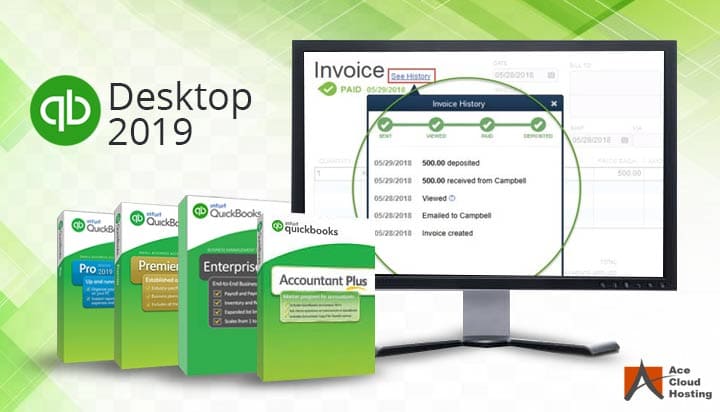
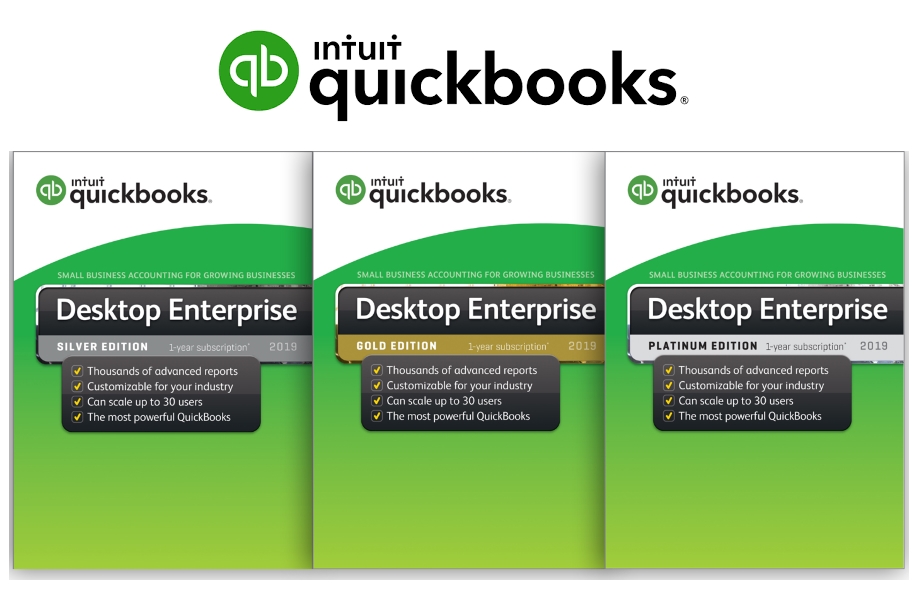
Intuit QuickBooks for Mac Torrent 2019 v18.0.4 R5 MacOS
QuickBooks designed for Mac by Mac Users. Easily create invoices and sales receipts to keep track of who owes you money, what they bought, and when they paid you. [ pro activated torrent download ] With just a few clicks, you can log hours, bill clients, and add reimbursement expenses to your invoices. You can keep track of important dates with iCal/Calendar integration and import Address Book/Contacts into QuickBooks to maintain up-to-date contact information. finances accountant company marketing scale additionally jobs
download quickbooks
QuickBooks Desktop for Mac Features & quickbooks enterprise :
Create invoices and track sales
Easily create invoices and sales receipts to keep track of who owes you money, what they bought, and when they paid you.
Bill for your time and expenses
With just a few clicks, you can log hours, bill clients, and add reimbursement expenses to your invoices.
Built for your Mac computer
You can keep track of important dates with iCal/Calendar integration and import Address Book/Contacts into QuickBooks to maintain up-to-date contact information quickbooks torrent online financial essential tasks .
quickbooks pro direct full business manage .
quickbooks desktop pro .
quickbooks designed for mac by mac torrent .
Postico is the perfect tool for data entry, analytics, and application development.
connect to Postgres.app
connect to PostgreSQL version 8, 9 and 10 servers
connect to cloud services like Heroku Postgres, Amazon Redshift, Amazon RDS
connect to other RDBMs that use the PostgreSQL protocol, like CockroachDB
Postico is the perfect app for managing your data. It has great tools for data entry. Filter rows that contain a search term, or set up advanced filters with multiple conditions. Quickly view rows from related tables, and save time by editing multiple rows at once.
For analytics workloads, Postico has a powerful query editor with syntax highlighting and many advanced text editing features. Execute multiple queries at once, or execute them one at a time and export results quickly.
For application developers, Postico offers a full featured table designer. Add, rename and remove columns, set default values, and add column constraints (NOT NULL, UNIQUE, CHECK constraints, foreign keys etc.). Document your database by adding comments to every table, view, column, and constraint.
But the best part of Postico is how well it works. Postico is made on a Mac for a Mac. It works great with all your other Mac apps. Use all the usual keyboard shortcuts. Postico gets the basic things like copy/paste just right, and also supports more advanced features like services for text editing.
Compatibility: OS X 10.10 or later 64-bit
Web Site: https://eggerapps.at/postico Mac App Store: https://itunes.apple.com/app/postico/id1031280567?mt=12
What’s New in Postico 1.5.0
Release notes not available at the time of this post.
Sync Folders Pro synchronizes any number of local folders on-the-fly whenever there are changes, or on external drives either manually or at a set time (when connected). It synchronizes folders with or without filter for folder names and / or file names. Sync Folders Pro is perfect for backup to USB, memory cards, disks on remote computers on your network, or folders on Cloud services (Dropbox, etc.). It’s compatible with OS X 10.9 and Retina displays.
Try it for free with the free version, which is available on the website, and compare the sync speed and stability versus similar apps (for more than 50,000 files). The comparison of two folders (6.24 GB and 92 470 files in each folder) is one minute.
Features
Sync any number of folders same time.
6 modes of synchronizing.
Tracking deletions in synchronized folders, real 2-way sync.
Automatic synchronization on the fly, when there are changes.
Schedule your synchronization for any time.
Synchronize Macs across a network.
Synchronize external drives (USB, memory cards, etc.) with your Mac, and vice versa.
Synchronize between local folders Mac and folders on Cloud services (Dropbox, etc.)
Powerful filter for files and/or folders on the entry and/or exclusion.
View the latest changes in synchronized folders. Quick view last changes and Finder integration.
Saving the synchronized files in a specific location («Del folders»). Using this mode you are insured against accidental deletion of files, and can always return all the files even if you are re-sync a few times. Structure of folders and subfolders stored in the «Del Folder».
Each sync task has the status showing when it was done last time.
Run as menu-bar app.
Work in the background.
Save / Load the settings to the file.
Logging of the synchronization process.
Localization of the application in multiple languages (Český, Dansk, Deutsch, English, Español, Français, Italiano, Nederlands, Norsk, Polski, Português, Slovenski, Suomi, Svenska, Ελληνικά, Pусский, العربية, 한국어를 지원합니다, 中国的, 日本人).
The ability to create your own localization based on available localization (user’s localization).
Save / Load the version of the localization to / from the file.
Compatibility: OS X 10.9 or later 64 bit
Web Site: http://www.greenworldsoft.com/sync-folders-pro-help.php Mac App Store: https://itunes.apple.com/us/app/sync-folders/id530573877?mt=12
Express Scribe is professional audio player software for PC or Mac designed to help transcribe audio recordings.Reduce your turn around time using Express Scribe’s audio playback with keyboard hot keys or by installing one of the supported transcribing pedals. Additional valuable transcribing software features include variable speed playback, multi-channel control, a video player, file management, and more.
Transcription Software Features
Variable speed playback (constant pitch) Supports audio and video playback Plays most formats including encrypted dictation files. Supported file formats Use ‘hotkeys’ for mouse-free playback when transcribing directly into Word or other software
Improve Work Flow
Dock both analog and digital portable voice recorders to load recordings Automatically receives and loads files by internet (FTP), email or over a local computer network Automatically sends typing to those who dictated the work Load CD audio directly and start working as the audio loads
Requirement: OS X 10.6.6 or later
Web Site: http://www.nch.com.au/scribe/index.html
What’s New in NCH ExpressScribe PRO 7.0.1
Release notes not available at the time of this post.
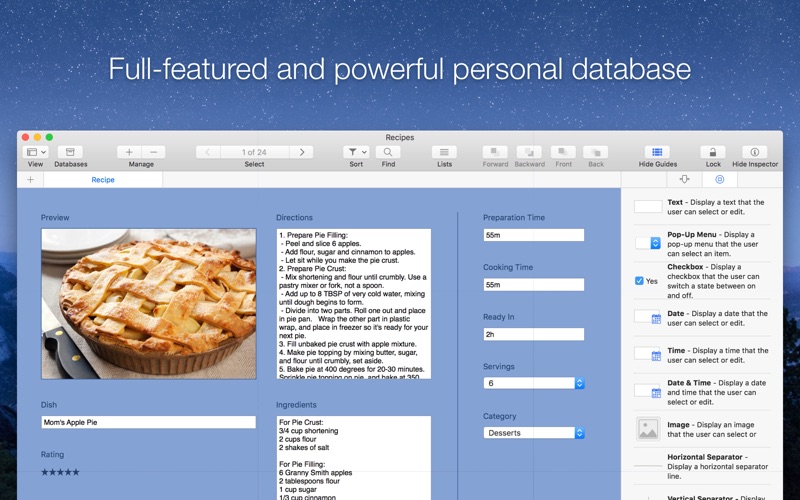
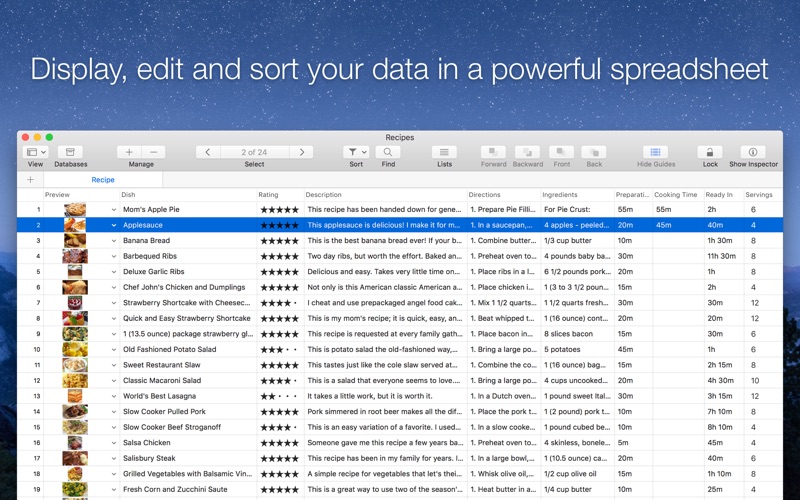
Records is a powerful personal database and organizer app for your Mac.
The perfect companion for everything you want to collect and organize in life, from your favorite movies to your customer invoices, offering a great balance between easy of use and powerful features.
“Records looks fantastic. I can’t imagine all the hard work you guys put into this app — the icon alone is just stunning.” — Shawn Blanc “Records is a powerful, customizable, easy to use database app for Mac.” — Peter Cohen, iMore “Wow, Records for Mac looks really great!” — Christina Warren, Mashable “Records is an impressively nimble piece of Mac software that makes personal databases insanely simple to create and use.” — J. R. Bookwalter, Mac|Life, 4 stars “Records for Mac makes creating a personal database very simple.” — MacFormat, 4 stars
Highlight Features
Incredibly easy, drag & drop form and database creation
Canvas editor lets you customize the layout and design of your forms
Table view lets you display, edit and sort data in a single view
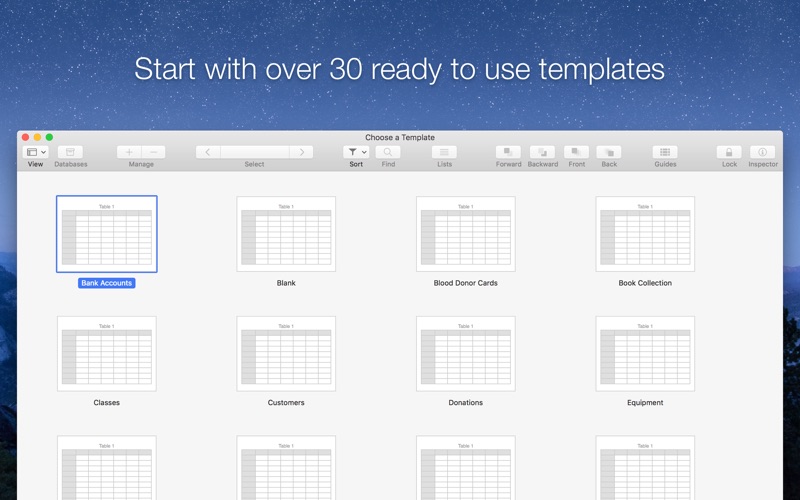
30+ templates ready to use lets you start using Records in seconds
15+ fullyconfigurable form fields, including images, contacts, URLs and ratings
Powerful alignment guides help you design visually appealing forms
Use one of several prefilled lists, such as countries, currencies, or credit card vendors
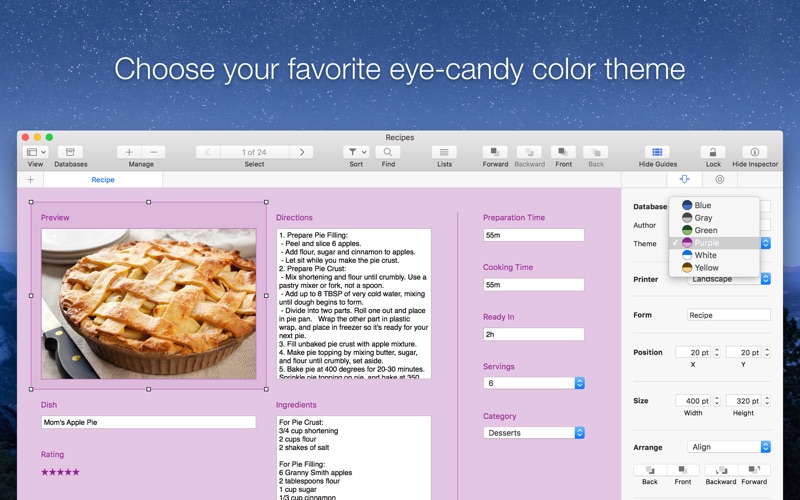
Build your own forms and choose your favorite eyecandy color theme
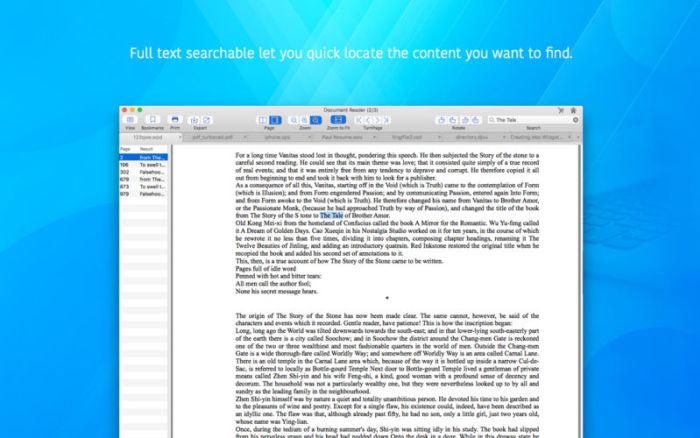
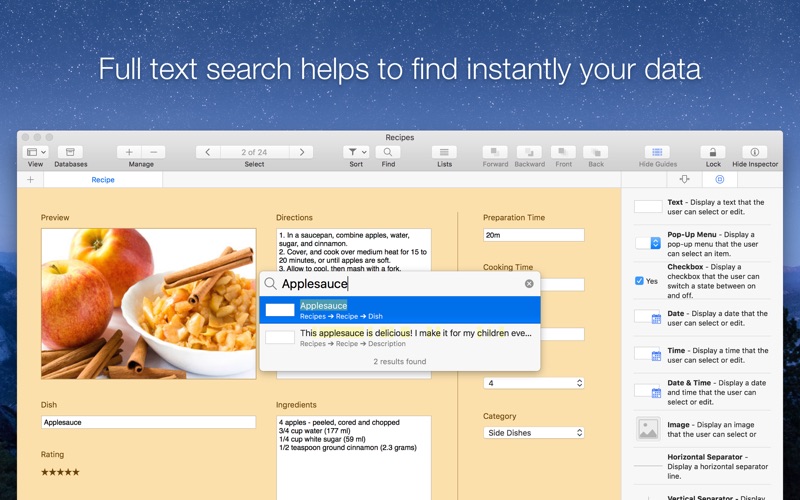
Full text search help to find instantly your data
Easily import, export and backup your data in CSV format (Bento’s users are welcome)
Import, export and share templates with friends, family and colleagues
No prior database design or coding knowledge required
Includes 15+ Customizable Rich Field Types
Singleline and multiline text fields with formatting
Number fields for Decimal, Currencies, Percent, Scientific, Spell Out and more
Date fields
Time fields
Date and Time fields
Yes / No Checkbox fields
Choice fields
Website fields
Email fields
Images fields
Contacts fields
Star Rating fields
Separator fields (decoration)
And More…
Includes 30+ Ready To Use Templates
Bank Accounts
Blood Donor Cards
Book Collection
Classes
Customers
Donations
Equipment
Events
Exercice Logs
Expenses
Health Cards
Health Insurance
Home Inventory
House Search
Job Search
Loyalty Cards
Meetings
Membership List
Movie Collection
Notes
Party Planner
Recipes
Software Licenses
Student List
To Do Lists
Vacations
Vehicle Insurance
Vehicle Maintenance
Wine Collection
And More…
Built exclusively for the Mac
Records uses a number of OS X features and technologies such as Cocoa, Core Data, Quartz, Grand Central Dispatch, 64-bit, Full-Screen, Calendar, Contacts and much more. The Records beautiful user interface has been fully optimized for the MacBook Pro and iMac with Retina display.
We’re dedicated to making the most innovative personal database app for Mac ever designed. Get Records today and your life will never have been so organised.
OS Version: OS X 10.11 or later Processor type(s) & speed: 64-bit processor
Web Site: http://recordsapp.com/press Mac App Store: https://itunes.apple.com/app/records-database-organizer/id946833065?mt=12
What’s New in Records 1.6
Release notes not available at the time of this post.
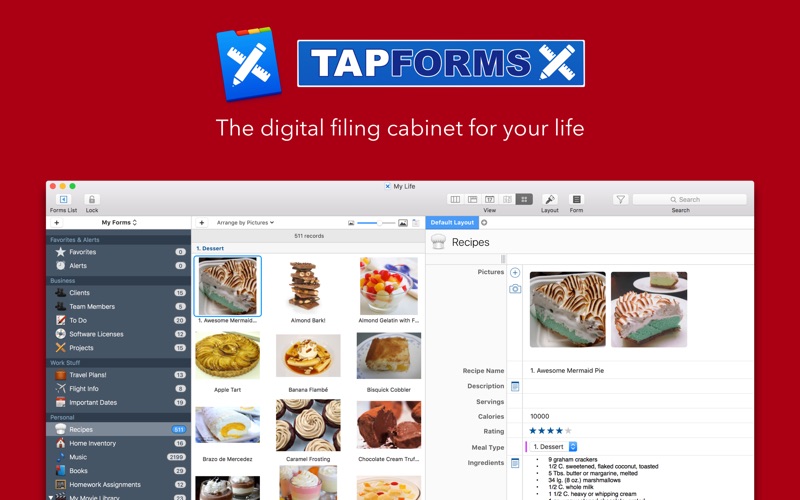
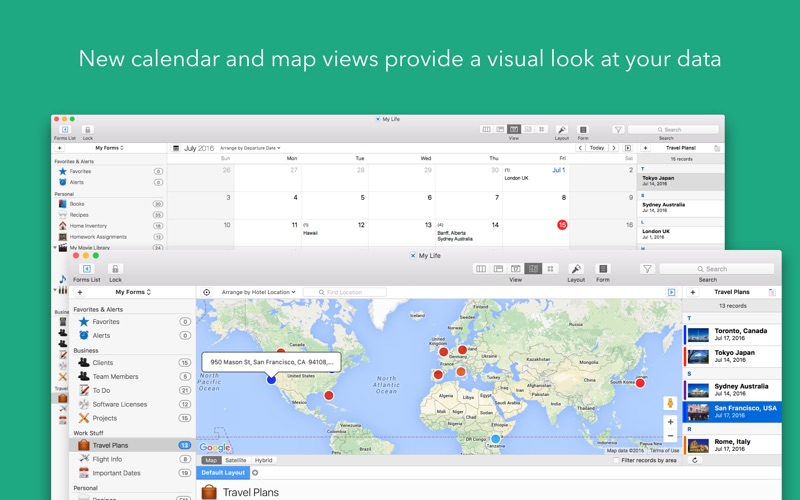
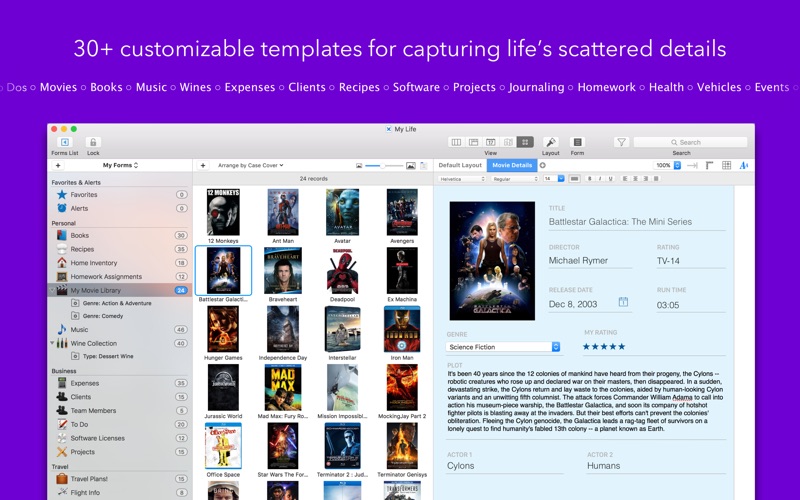
Your digital filing cabinet for life’s scattered details. Now with iCloud Sync! Accounts, recipes, expenses, inventory — life is full of things that we don’t want to forget or misplace. Tap Forms 5 helps you organize all kinds of things in one place — secure, searchable, and accessible on your Mac (iOS + Apple Watch app sold separately).
Advanced Features
Layout designer for creating custom form layouts
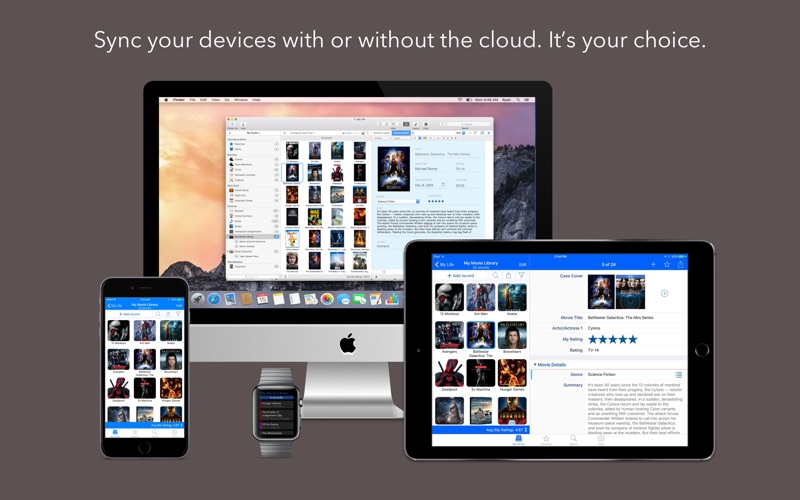
Sync with Tap Forms for iOS and Mac with or without the cloud
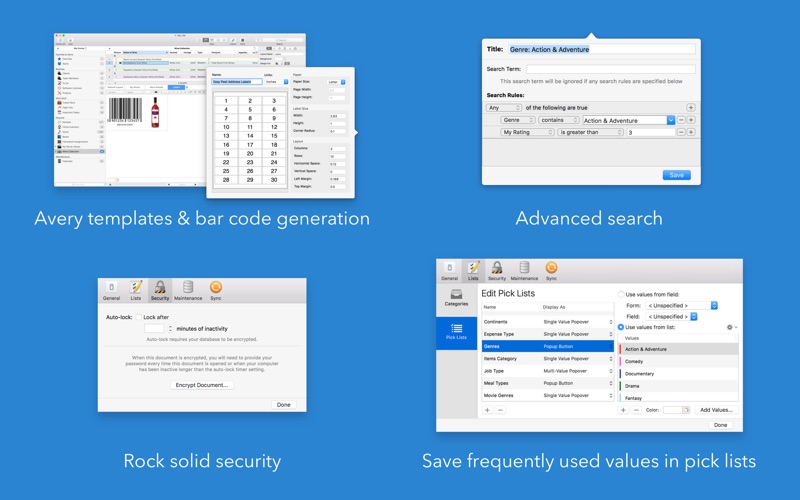
Advanced search rules with multifield record filtering
Lightningfast search
Share form templates with friends, family, and coworkers
Import and export standard text, CSV and XLSX files from Excel, Numbers, or other systems
Print 24 different types of barcodes including ISBN, UPC, Code 39, QR code, EAN, and more!
Label printing engine includes over 1,000 Avery label templates
Print record details
Compatibility: macOS 10.12 or later 64-bit
Web Site: http://www.tapforms.com/
What’s New in Tap Forms 5.3
Release notes not available at the time of this post.
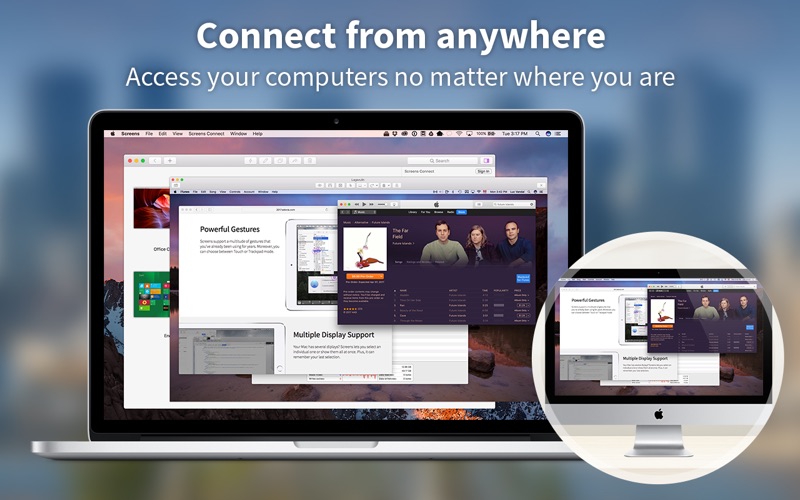
Screens lets you connect back to your Mac, Windows, Linux PC or Raspberry Pi and control it from the comfort of your living room, the corner coffee shop or anywhere in the world. Work on that spreadsheet you left at home, perform software updates on your server ten thousand miles away, help your dad configure his computer in your hometown.
Screens Features
iCloud Synchronize all your stored screens on all your iOS devices, including your Mac.
OS X 10.7 Lionready: use Screens in fullscreen mode to make it feel your remote computer is right there in front of you.
Easy to Use: Screens is an easy, userfriendly VNC client for Mac.
Secure: Screens can connect to your computer through an SSH tunnel so your session is encrypted and safe.
MultiTouch: Screens supports many of the multitouch featuressuch as pinch and navigationyou’re already used to on your trackpad.
Screens Connect: Make your computer available from anywhere with this optional helper app. Easy as flicking a switch. No messy router setup.
Versatile: Screens can connect to Macs with OS X 10.4 or later, Linux, Windows PCs, and most VNC servers.
Works Anywhere: Through WiFi or a 3G network.
Compatibility: OS X 10.11 or later 64-bit
Web Site: http://edovia.com/
What’s New in Screens 4.6.2
Release notes not available at the time of this post.
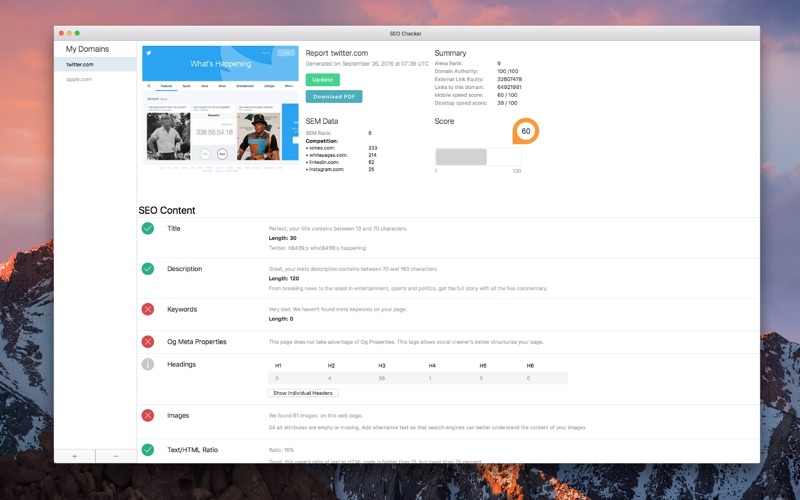
SEO Checker is an effective app that offers seo tools to help you analyse your web sites, everything you need to increase ranking and speed up your web sites.
Features
SEO metrics (alexa ranking, semrush, backlinks, pagespeed score, and more )
PageSpeed insights
Links extractor
Content analysis
Website speed tips
Advice system
Meta-tags crawler and analyzer
Score system
Export as PDF
Compatibility: OS X 10.11 or later 64-bit
Web Site: https://seocheckerapp.com/
What’s New in SEO Checker 2.0
Security Headers which is used specially to rate your site from A F
Virus/Malware Scan to detect if your site is clean
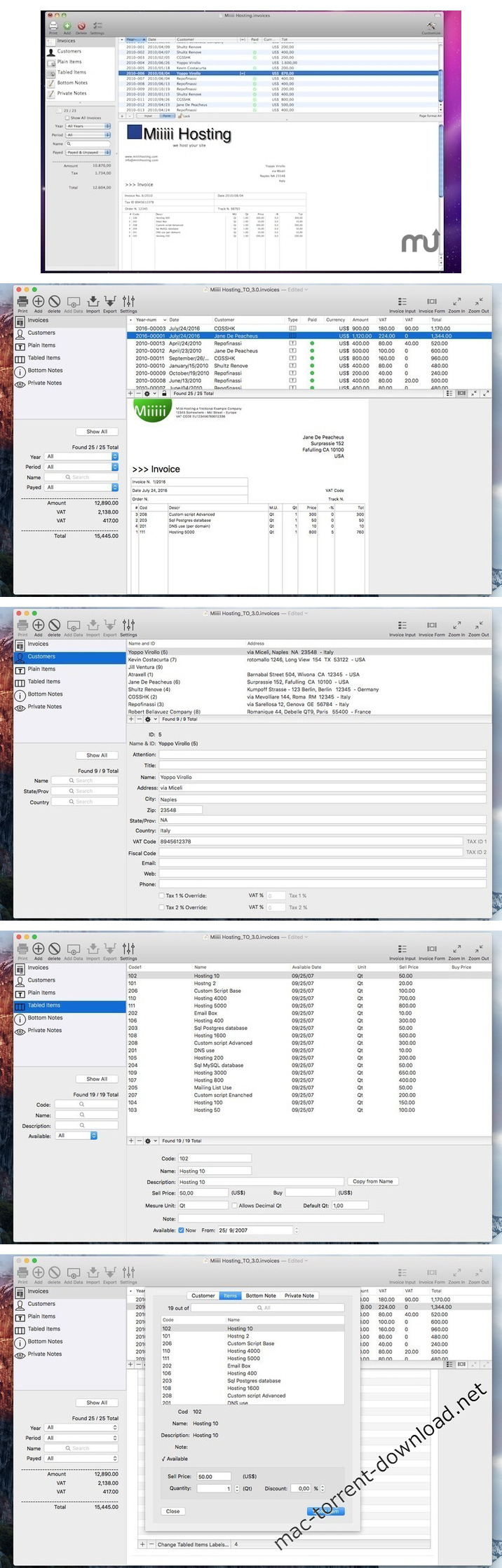
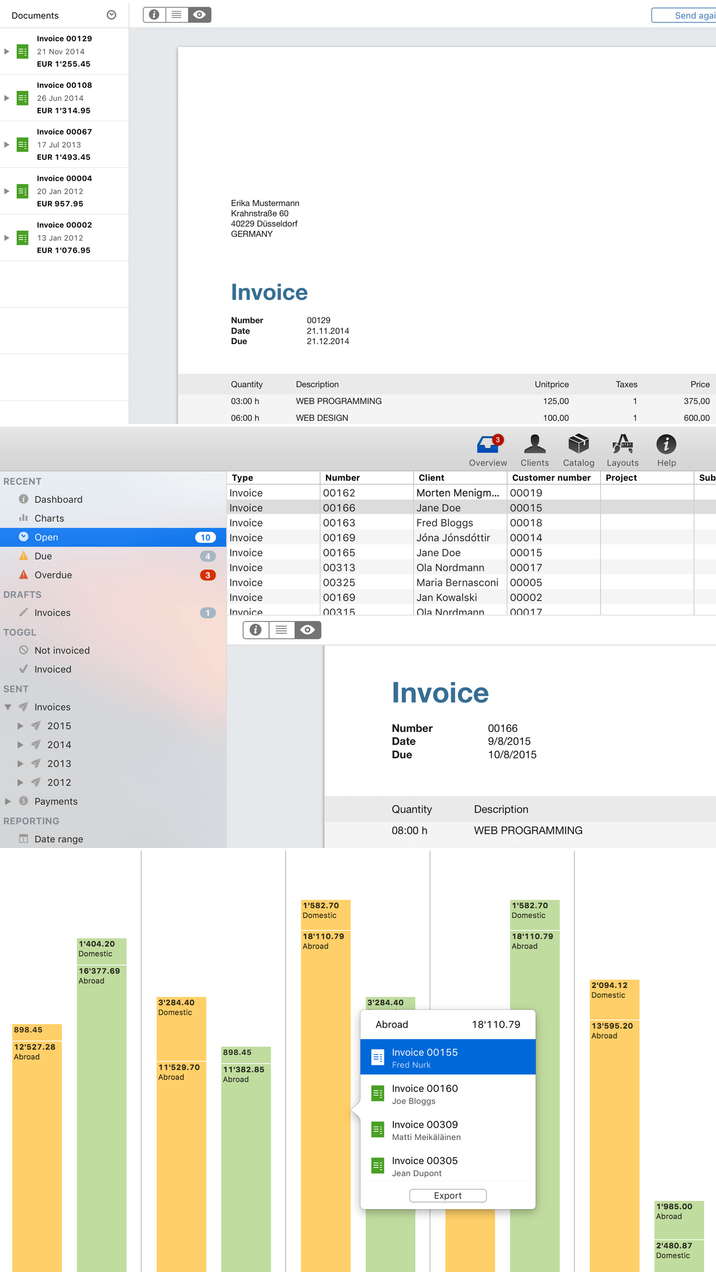
Invoices is a native Mac-only application to create and manage commercial invoices aimed at small business. Using it, you can create commercial invoices with just simple click operations inserting pre-made values.
Customers
Products and services as a custom long free-form text description
Products and services as rows of a multi item invoices with automatic calculation of total based on quantity and prices introduced
Bottom notes where to specify payment methods and others
Private note for internal purpose only
Features
Invoices are created with customizable date and unique serial per invoice
Data input is easy, fast and error proof.
Can manage track number and order number
2 different value of taxes can be applied to total
2 different tax ID can be used for customers
It can assign VAT values based on the customers automatically (very useful as example for VAT in Europe if customers is in another country or outside Europe)
It can change on the fly price, discount, quantity of product items you are going to insert in item based invoices
Invoices can be printed with custom company logo and header
Page format A4 and USA-Letter are managed in native way
Invoices can be exported as PDF in 1 click
Free form text descriptions and items by row invoices can coexist in the same document
Invoices can be searched and sorted early by year customers and many other values
Data used for input can be sorted and filtered before inserting for an easy to do input
Invoices can have layout with customer on right or on left with position ready to be used for mail shipment
Invoices can be seen as they will be printed and zoomable at different values
Generated invoices are easy to print using your printer
generated invoices are easy to save as PDF (for email sending)
All the label composing the printed invoice can be customizable in the preferences according with your language.
You can generate final invoices with only labels in your language.
Tax ID and Tax percentage over total are customizable and optionally usable, you can set it in accordance to your country/state rules.
Settings are different for different documents, so you can have different set of values for different companies you manage.
Import/Export functions to import form TSV and CSV values and export in many formats included custom formats, all with a wonderful native and easy to use Mac interface
Numbers, currency, money amount, date are all customizable in accordance with your settings.
Full User Guide in PDF explaining in details how to use it, accessible under the Help menu. Invoices is document based, you can manage as many company as you like, one for document and in a document you can manage all the invoices of a single company for all the years.
Compatibility: macOS 10.10 or later 64-bit
Web Site: http://www.tensionsoftware.com/osx/invoices/
What’s New in Invoices 3.2
New ‘Export to PDF’ command for any invoice
Smart prebuilt file name for PDF export depending of the exported invoice (with rules to construct the name editable in preferences)
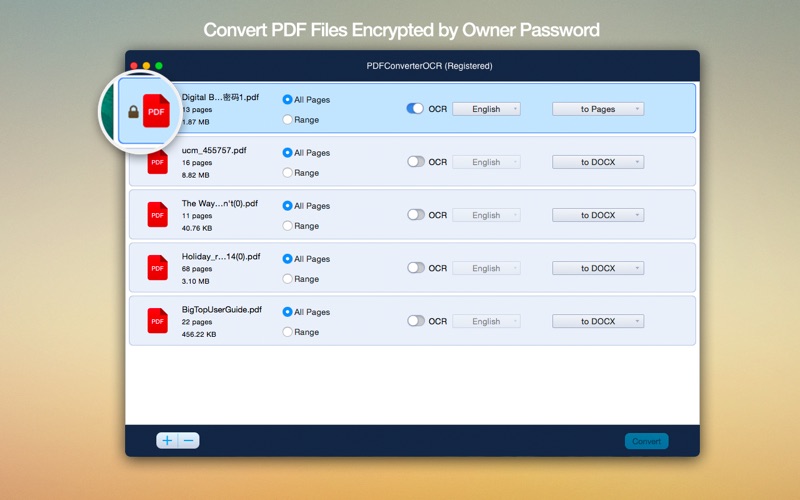
It makes it possible for you to convert both scanned and normal PDFs, as well as your images into editable and text-formatted files
Cisdem PDFConverterOCR is a straightforward application that aims to provide you with the necessary tools to convert any PDF document or image file with text to a wide array of editable formats.
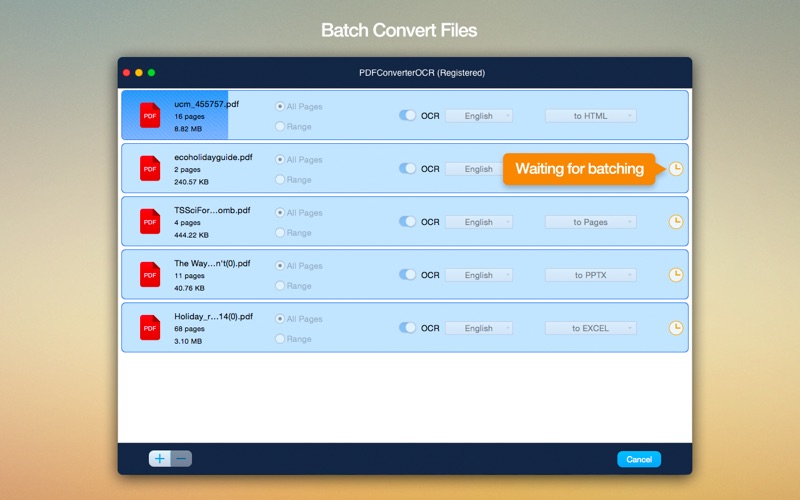
Basically, with the help of Cisdem PDFConverterOCR, you can easily convert both normal and scanned PDF documents into editable and text-formatted files. What’s more, with the help of the four selection tools found on the app’s top toolbar, you can manually select which parts of your documents should be exported as text, images, or tables.
Effortlessly convert PDFs into editable and text-formatted file formats
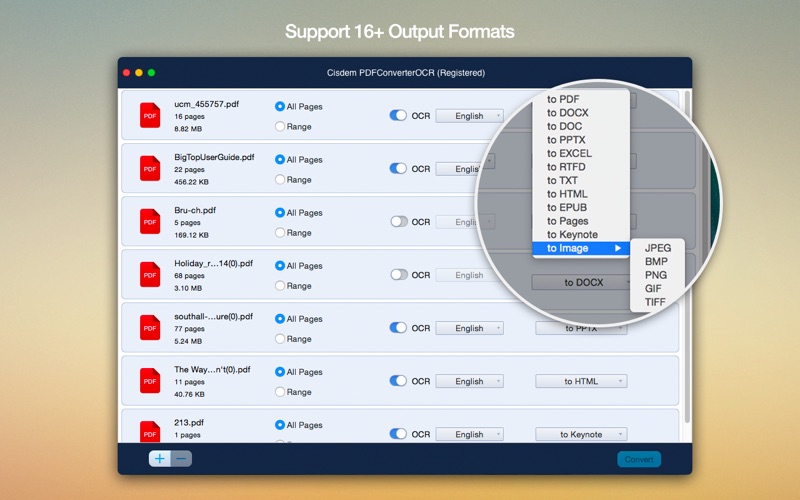
Straight off the bat, it must be pointed out that the best part about this application is, fortunately, its OCR feature. With the help of its powerful optical character recognition system, the app makes it possible for you to convert PDFs to common Microsoft Office, iWork, ePub, HTML, and the most popular image file formats, among others.
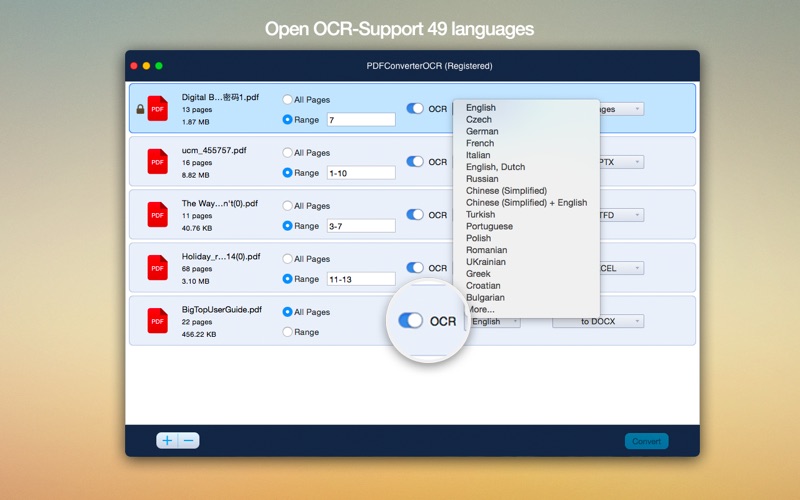
Another worth-mentioning feature is the fact that Cisdem PDFConverterOCR’s optical recognition system has the ability to scan and recognize the text from your PDFs or images for 49 languages, so chances that your text will be converted with strange characters or symbols are quite low.
An all-round good utility for the Mac, but not without faults
While PDFConvertorOCR’s text recognition system works undoubtedly well, it isn’t what you would call fast. In fact, the app’s OCR system is so slow that it feels like it’s actually slowing everything else down as well. One thing’s for sure, you will have to get your head around the fact that some great deal of time will be spent waiting.
All in all, while not the fastest and clearly not the most stylish application out there, eventually, Cisdem PDFConverterOCR will get the job done and could prove to be a very useful tool in office related situations or for home use when you need to turn scanned documents or photographs into searchable and editable text-based files.
Compatibility: OS X 10.10 or later 64-bit Web Site: http://www.cisdem.com
What’s New in Cisdem PDF Converter OCR 5.3
Release notes not available at the time of this post.
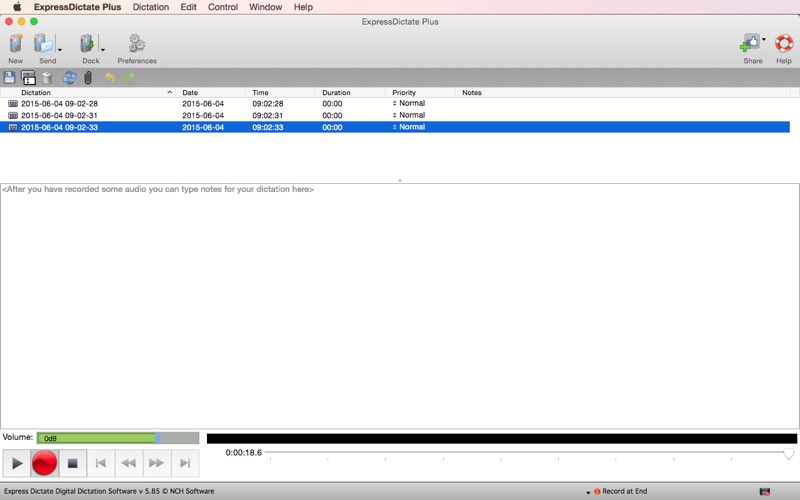
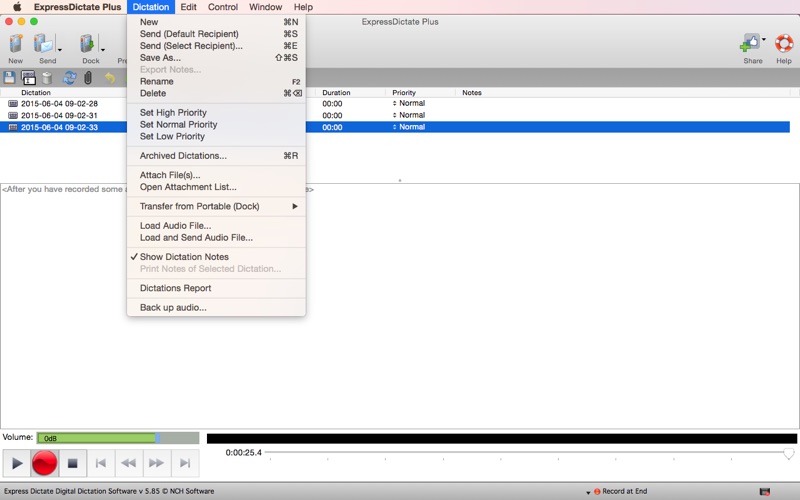
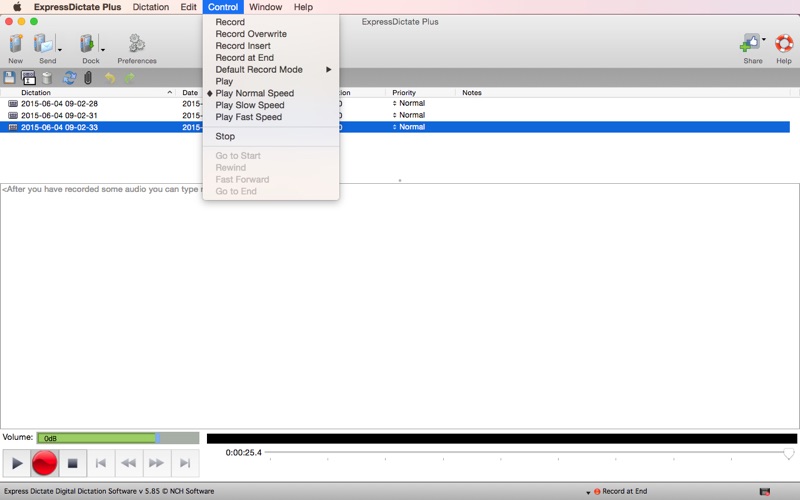
Express Dictate Digital Dictation Software for OS X allows you to record and send dictation directly from your Mac. This digital dictation software can help improve turn-around time and allows you to work on the move.
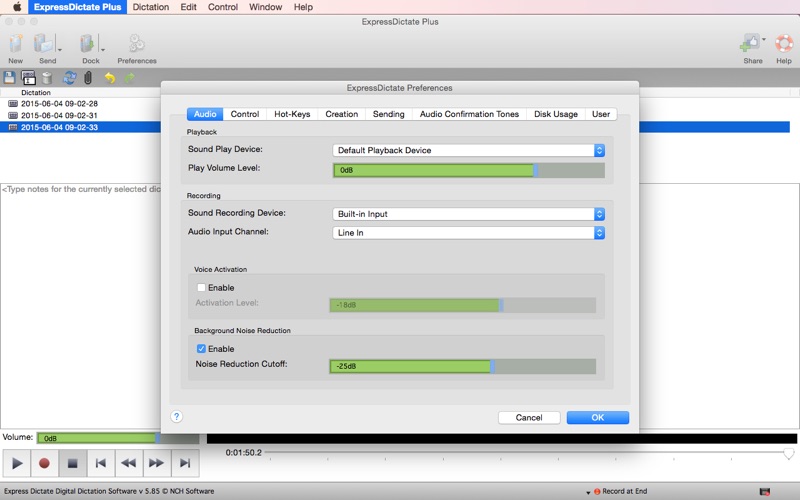
Express Dictate for Mac works just like a dictaphone and allows you to record high-quality audio. This software is more reliable and quicker to send than traditional dictation options. Express Dictate includes voice-activated recording to help eliminate unnecessary pauses or silences while recording.
Express Dictate features include:
Record to wav, mp3, or dvt formats
Audio compression to reduce file size
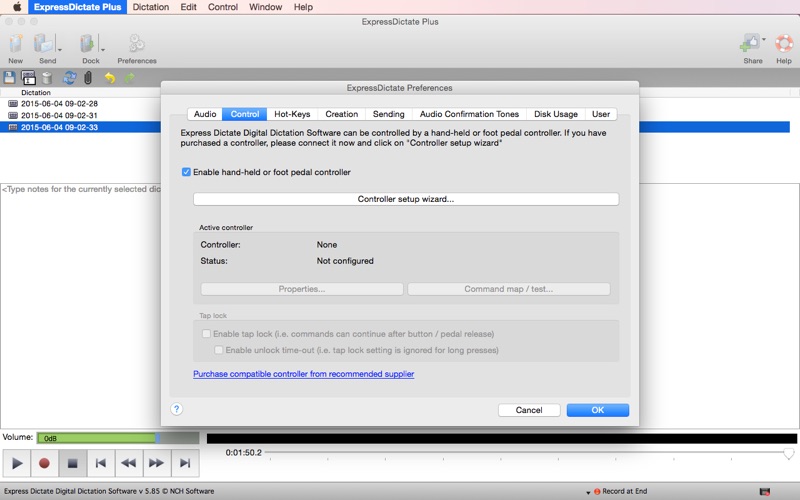
Handcontrollers and foot pedals supported
Easy to use interface for simplicity and comfort
Express Dictate for Mac OS X is perfect for anyone using traditional dictation recorders. Going digital with Express Dictate will help improve the quality and efficiency of your dictations.
OS Version: OS X 10.6.6 or later
Web Site: http://www.nch.com.au/express/index.html
What’s New in NCH ExpressDictate 7.00
Release notes not available at the time of this post.
Name: Download Typinator Version: 7.5 Developer: Ergonis Mac Platform: Intel OS Version: OS X 10.6 or later
Includes: Serial
Web Site: http://www.ergonis.com/
Overview
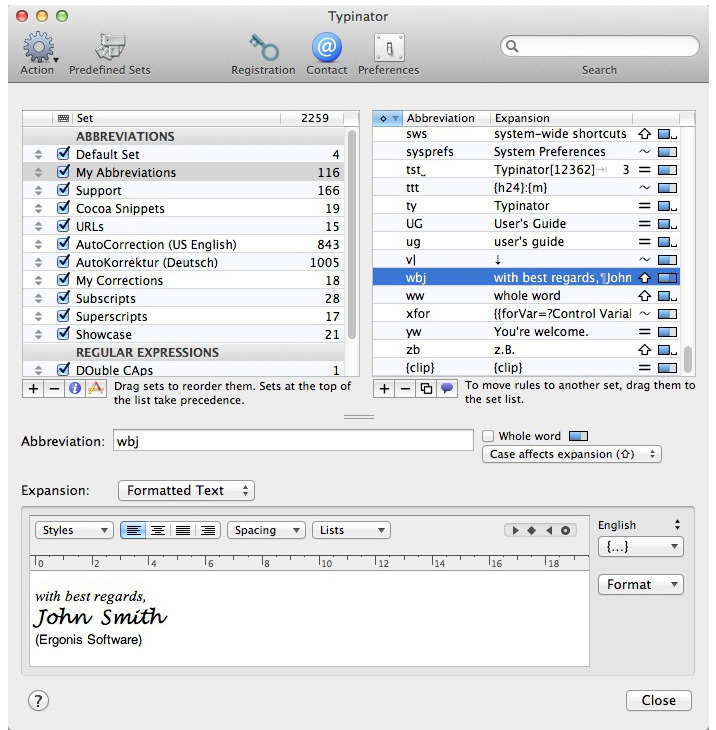
A handy and useful application capable to improve your productivity and eliminate errors by automating the process of inserting frequently used text and graphics
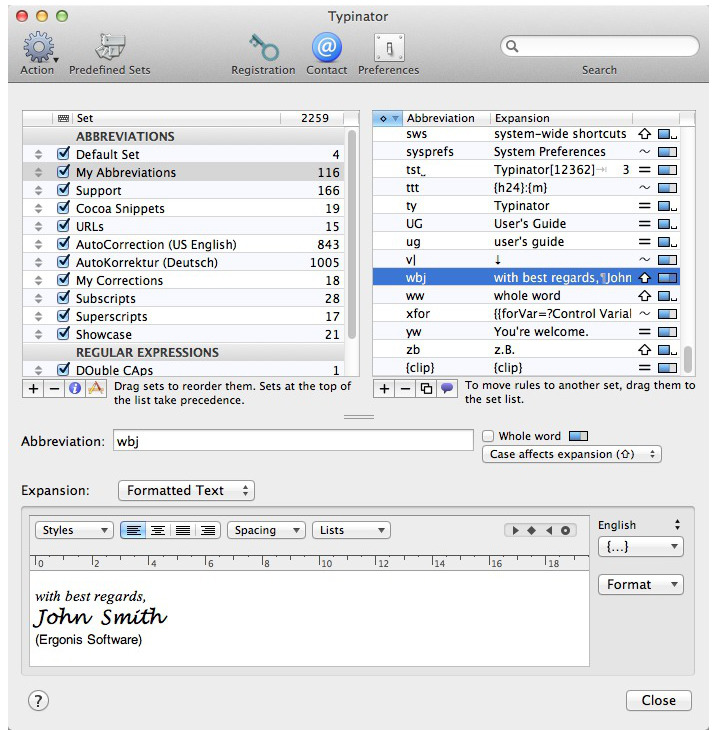
Typing your name, email address, home page url, commonly used phrases and expressions multiple times a day can prove to be tedious and frustrating. Thanks to Typinator you can now insert text, images, signatures and logos as you type with just a few keystrokes.
Productivity booster and powerful auto-corrector for a wide assortment of typos
Typinator is a low-key and practical macOS application specially designed to help you type frequently used text faster and easier. You can even create custom abbreviations for pictures and logos that you need to constantly insert in your emails or documents.
Moreover, Typinator comes with thousand of predefined corrections of common typos and misspelled words for American and British English, French and German.
Hence, Typinator is more than just a type assistant that can speed up repetitive tasks, it can also be used as a system-wide auto-correction utility capable to automatically fix typing mistakes and misspelled words.
Highly customizable typing assistant with auto-correction support for multiple languages
Once installed, Typinator helps you create your own list of frequently used email phrases, addresses, signatures and other boilerplates. You can use multiple sets at the same time and take advantage of the provided auto-correction sets for various languages, TidBITS, HTML snippets and more.
Thanks to Typinator, you can insert the current data and time in a wide variety of formats, insert pictures with your signature, smiley faces or logos. Business users can easily create abbreviations for standard customer service responses.
Moreover, you can insert logos, maps, product schematics and auto-correct most frequent typing errors quicker and easier than ever. Developers can create templates for code snippets, code blocks and define short-hands for frequently used Unix commands.
Typing booster that can help you add pictures and logos within your text with extreme ease
On top of that, the above mentioned HTML snippets can speed up the editing of your web pages with the help of over 100 abbreviations.
On the whole, Typinator makes it quite easy to speed up your typing and, above all else, it manages to help you save copious amounts of time by automatically correcting the texts you write.
What’s new in Typinator 7.5
April 17th, 2018
Scripts can now access the expansion history.
Scripts can now check which text input caused the current expansion.
Scripts can access the terminator character that triggered a “whole word” abbreviation.
Scripts can cancel the currently processed expansion.
Button to show or hide invisible characters in the expansion field.
The key combination shift+return inserts a line separator (instead of a line feed) in the expansion field.
After inserting a script invocation via the {…} pop-up, Typinator now selects the parameter placeholder.
“Smart” replacements and spell checking are now correctly disabled in the “Inline Script” assistant’s source text editor.
Diagnostics report contains more detailed information about crash behavior.
When a script in an expansion triggers another expansion, the initial expansion is completed before the second expansion.
Improved technique for recovering from certain memory-related crashes in High Sierra.
Repeated execution of precompiled scripts (“scpt” files) is now faster.
Within the same Typinator session, precompiled AppleScripts now retain their properties.
During manual update of subscriptions, the progress report now scrolls automatically, so that the most recent entries are always visible.
Updated versions of some predefined subscription sets (TidBITS AutoCorrection and Product Names).
Fixes an issue in the CSV export that produced empty lines in multi-line expansions.
Fixes a misplaced list of Quick Search matches in certain multi-monitor configurations.
Fixes a crash when importing sets in the tyset-rep, txt-rep or csv-rep file formats.
Fixes an issue with semicolons in input fields with variable assignments.
Works around limitations of SoftMaker products (TextMaker, PlanMaker, and Presentations), where Typinator’s quick expansion technique did not work.
Typinator avoids conflicts with the Boshiamy input method by disabling itself when this method is active.
Works around an expansion problem with certain special characters in WhatsApp Desktop.
The “whole word” checkbox is now correctly disabled in subscribed sets.
Fixes a crash after updating multiple subscriptions.
Name: Antivirus Zap – Virus & Adware Version: 3.1.0 Release Date: February 24, 2018 Developer: Voros Innovation Mac Platform: Intel OS Version: OS X 10.10 or later
Web Site: https://www.AntivirusZap.com Mac App Store: https://itunes.apple.com/app/antivirus-zap-virus-adware/id1212019923?mt=12
Overview
50% OFF LIMITED TIME ONLY- NO SUBSCRIPTION OR OTHER HIDDEN COST Antivirus Zap is a comprehensive solution that scans and removes malware and other malicious software from your Mac. It detects threats or suspicious files that are already on your Mac and protects you from being exposed in the future.
Features:
Detects and Removes malware and viruses to safeguard your Mac
Quick Scan:
Checks the most likely locations for malware and adware
Depending on the number of files, the scan takes about 515 minutes to complete
Normal Scan:
Checks an extended list of most likely locations including Applications, Downloads, Desktop, Mail Download etc. folders
Depending on the number of files, the scan takes about an hour or more to complete
Full scan:
Comprehensive scan that checks the whole system.
Depending on the number of files, it takes an hour or more to complete, ideal for an overnight scan
Custom scan:
Select any specific files or folders to scan
Perfect for suspicious files, folders and USB drives
Scan + Browser Restore:
Same as the Quick Scan and also restores internet browsers by removing extensions, cookies and caches
Depending on the number of files, the scan takes about 1030 minutes to complete
Scans all applications and processes currently in the memory
Scans all programs that start automatically by the system
Detects not only macOS but also Windows and Linux threats. You can scan Windows bootcamp, external and network drives for malware.
Option to exclude certain file types which are unlikely to pose a threat such as image, movie and audio files
Also searches for malware in archives (zip, pkg, etc.) and inside various types of files such as pdf, pkg, zip, etc.
Name: QuickKey – Text Expansion Version: 2.0 Release Date: March 21, 2018 Developer: LittleFin LLC MAS Rating: 4+ Mac Platform: Intel OS Version: OS X 10.11 or later
Includes: Pre-K’ed (TNT)
Web Site: http://quickkey-app.com Mac App Store: https://itunes.apple.com/app/quickkey-text-expansion/id1142743710?mt=12
Overview
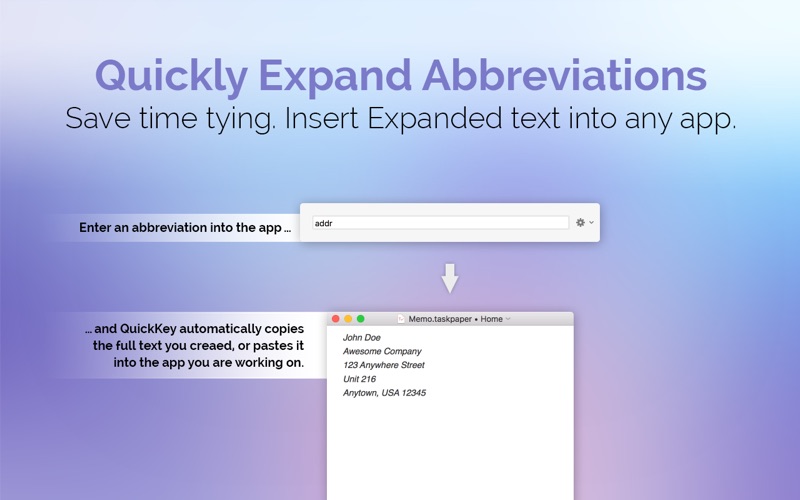
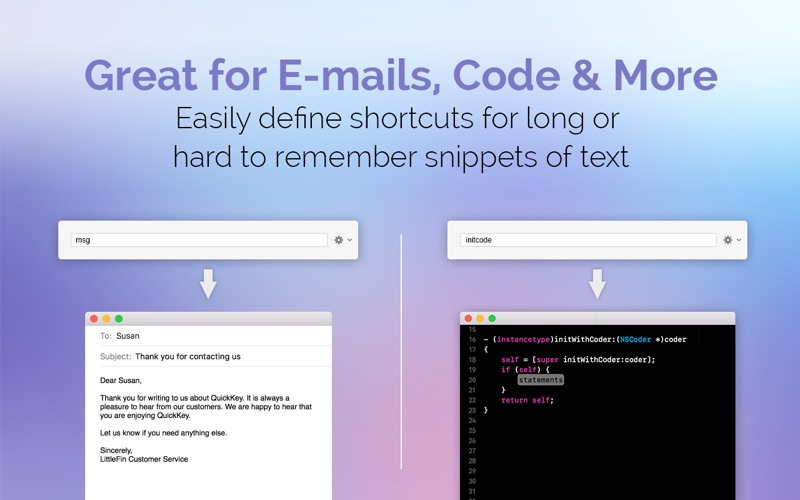
Save time typing by expanding short abbreviations into long phrases, code snippets, or entire e-mails. QuickKey allows you to insert expanded text into any app with a single keyboard shortcut. Stop typing repetitive or hard to remember text over and over, and make your life easier with QuickKey.
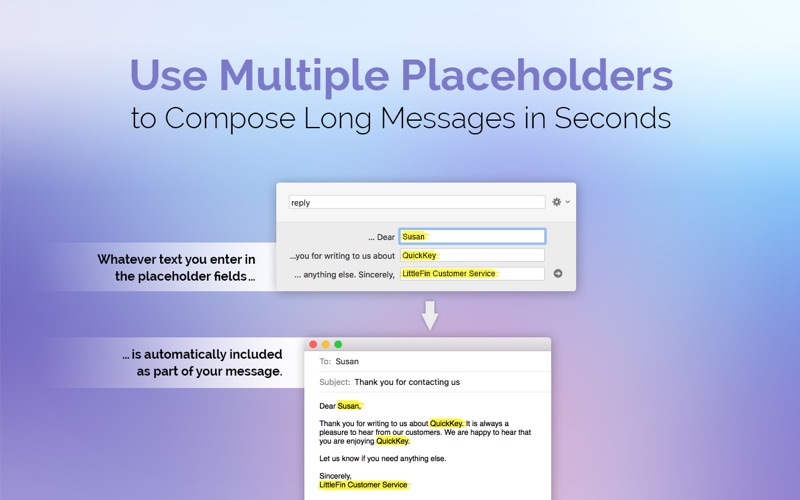
QuickKey 2.0 now supports multiple placeholders—so you can define a block of text with multiple “variables”, crafting entire e-mails.
Some ways you can use QuickKey:
Quickly send common emails.
Set up custom email signatures to insert on demand.
Quickly respond to emails with boilerplate replies.
Insert snippets of code you use frequently.
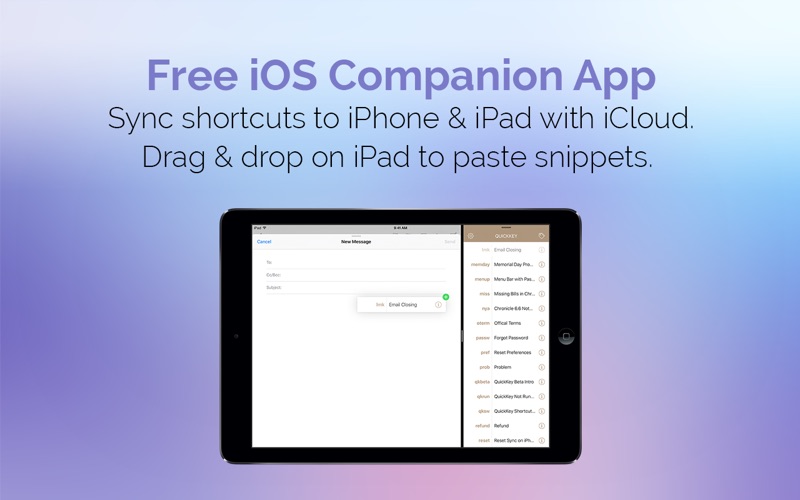
QuickKey syncs with iCloud so your shortcuts are available on all your Macs. Plus, a free companion iOS app allows you to view and use your snippets on the go.
QuickKey is the first text expansion app built specifically for complete compatibility with the App Store and all Mac security measures. It is fully compatible with macOS High Sierra and sandboxing. It requires no special permissions to work. Text insertion is faster and easier with our free expansion companion app available at http://quickkey-app.com/extension/ but it is not required.
What’s New in QuickKey 2.0
NEW: Support for multiple placeholders. Define multiple unique placeholders per snippet.
NEW: Free iOS companion app. Sync your snippets to iPhone & iPad to use them on the go.
NEW: Enhanced date support. Set custom shortcuts for short & long dates, and define custom date formats.
NEW: Nested date support. Insert dates as variables inside other snippets.
NEW: Quick access to creating new snippets from menus.
NEW: Option to create a new snippet from the clipboard.
IMPROVED: Revamped and improved help on launching app.
FIXED: A number of small bug fixes and interface improvements.
Descriptions for Intuit QuickBooks 2016 17.2.26.664 R27
Name: QuickBooks Version: 2016 17.2.26.664 R27 Developer: Intuit Mac Platform: Intel OS Version: OS X 10.11 or later
Includes: K
Web Site: http://www.intuit.com/
Overview
A handy an user-oriented utility that provides the necessary tools to organize and manage your business while tracking your expenses and sales
QuickBooks is a full-featured and streamlined macOS accounting application that enables you to handle your finances, pay your employees and generate professional invoices with just a few mouse clicks.
User-friendly and comprehensive finance manager
With the help of the QuickBooks utility, you will be able to save time and become more productive thanks to the long list of features and advanced financial tracking and management tools available from within its well-designed and user-friendly interface.
What’s more, you can also use QuickBooks for creating and developing your own business plan that can help you apply for loans or financing a lot easier and with more confidence.
Visual based money flow overview
Furthermore, QuickBooks’ Accounts Summary feature helps you track your payments and deposits, while visualizing your economic progress on an easy-to-read chart.
Moreover, the QuickBooks app enables you to closely monitor your working hours and the time spend for various tasks and appointments via the bundled Time Tracking tool.
Provides you with a wide array of money transaction managing tools and helps you generate custom transaction reports
In addition, you can employ QuickBooks for effortlessly writing your own checks and ordering supplies, for making deposits, for transferring funds and for rapidly download transactions onto your Mac.
As an added bonus, QuickBooks allows you to generate your own custom summary and transaction reports and, subsequently, view the history and journal of all your transactions by accessing the Reports menu.
On top of all that, QuickBooks’ cloud services integration makes it possible you to work from home or by using an iOS or Android device and accessing your Quickbooks data from any remote location.
Calendar and Contacts integration
QuickBooks is also designed with Calendar integration in mind for day to day management and tracking of transaction relating to various events in your task log.
Also worth mentioning is that QuickBooks allows you to import data from Apple’s Contacts application and, thus, will help you keep all your contact information up to speed.
What’s new in QuickBooks 2016 17.2.26.664 R27
March 16th, 2018
Lists:
Fixed a crash that could sometimes occur re-arranging credit card items in Chart of Accounts.
Payments:
Fixed a problem where a received payment from Merchant Services would sometimes prompt to save a $0.00 transaction.
Fixed a crash that could sometimes occur while using a payments wallet with old card data.
Improved error handling for processing of expired credit cards.
Fixed a problem where a 404 error would sometimes occur trying to add a new card.
Improved error handling for processing of characters in credit card number field.
Improved error handling for processing of declined credit cards.
Fixed a problem where newly added credit cards in Customer edit window were not being saved.
Fixed an issue that caused credit card swipers to no longer work
Preferences:
Fixed a crash that could sometimes occur modifying a transaction before closing date.
Fixed a problem where setting a closing date password would not allow transaction edits correctly
Sales Tax:
Fixed a problem where Tax payments could not be cleared using adjustements.
Snapshot:
Fixed a problem where Snapshot Expense pie chart would sometimes not include sub-accounts.
Time Tracking:
Fixed a problem where quickzoom in Time by Job Detail could sometimes remove a timesheet entry.
Name: PitStop Pro Version: 13.2 Developer: Enfocus Mac Platform: Intel OS Version: OS X 10.6 or later
Includes: K
Web Site: http://www.enfocus.com/
Overview
Your pocket knife for PDF preflight & editing! As a publishing professional, you know that PDF files can be troublesome to work with.They are not generated as expected, do not output as expected and more often than not you have to edit the PDF even though Adobe Acrobat does not support it. PitStop Pro now brings you a plug-in for Adobe Acrobat that offers the solution to those problems. From now on editing a PDF will be a piece of cake!
PitStop Pro comes with an impressive array of PDF editing tools:
Edit text, images and lineart
Embed missing fonts, even if you don’t have the font
Fixing lastminute problems is now a mere matter of seconds. Even when the problem is more complicated or production oriented, PitStop Pro still has the right tool for the job.
Imagine being able to apply a template with correct trim and bleed boxes to a PDF document while at the same time inserting the printer marks you want.
PitStop Pro was developed specifically for use in a demanding, deadlinedriven professional publishing environment. It won’t let you down when a deadline looms and you have to fix things quickly and efficiently.
The builtin industrystandard PDF preflight engine checks all aspects of your PDF files to detect missing or corrupt fonts, incorrect colors, objects without bleed and much more…
It supports standards such as PDF/X, the Ghent PDF Workgroup specifications and the profiles created by your user association, publisher or printer. You can generate a full preflight report that lists all problems found in your files or you can choose to use the navigator to pinpoint the exact error object. The navigator can often even fix the problems for you.
Global changes to the rescue
When working with long documents or to fix problems across a number of pages in a PDF file, global changes come to the rescue. Each global change can be customized to do exactly what you need and accomplishes changes automatically across a complete PDF file.
Apply stamps
Insert cover pages
Renumber pages
Convert all colors
What’s new in PitStop Pro 13.2
Release notes not available at the time of this post.
Name: Duplicate Manager Pro Version: 1.3.2 Release Date: March 15, 2018 Developer: VADIM ZYBIN MAS Rating: 4+ Mac Platform: Intel OS Version: OS X 10.7 or later
Includes: Pre-K’ed (TNT)
Mac App Store: https://itunes.apple.com/app/duplicate-manager-pro/id1071264513?mt=12
Overview
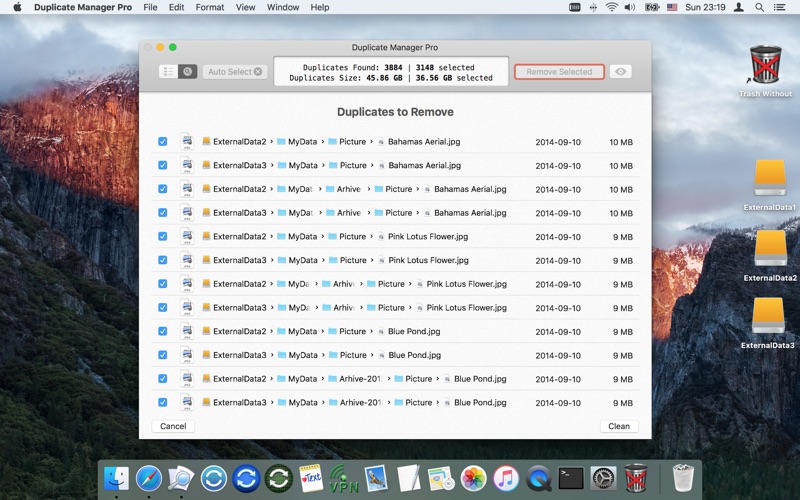
The Duplicate Manager Pro detects and removes duplicates: photos, videos, audio tracks, documents, other files. Ease to use, operation speed, smart auto selection- these are the basic principles of the app concept to quickly remove duplicates.
◉ WHY DUPLICATE MANAGER PRO FOR YOU
The main advantage of the app is an unique algorithm to select duplicates automatically! Automatically selects only those duplicates that you really want to remove.
Ability to exclude the folders (including subfolders and files), files, file types for auto selection.
Ability to set the folder priority and define which folder will keep the original.
Keeps one original for all scan folders.
Keeps one original in each scan folder.
High speed of the auto selection.
Multivariance of the auto selection.
Ability to scan for duplicates in multiple folders and storage devices.
Finds duplicates in Photos library, iTunes library.
Finds equal or similar files (7 modes of file comparison).
Removes duplicates on external drives, network folders, in cloud storage like Google Drive and Dropbox.
Removal of duplicate files with administrator privileges.
The app can save the scan results. You can quit the app and continue to work at any convenient time for you.
The app saves all scan jobs settings. Don’t spend your time to change settings for each scan job every time. Set all scan jobs settings one time!
Preinstalled scan jobs.
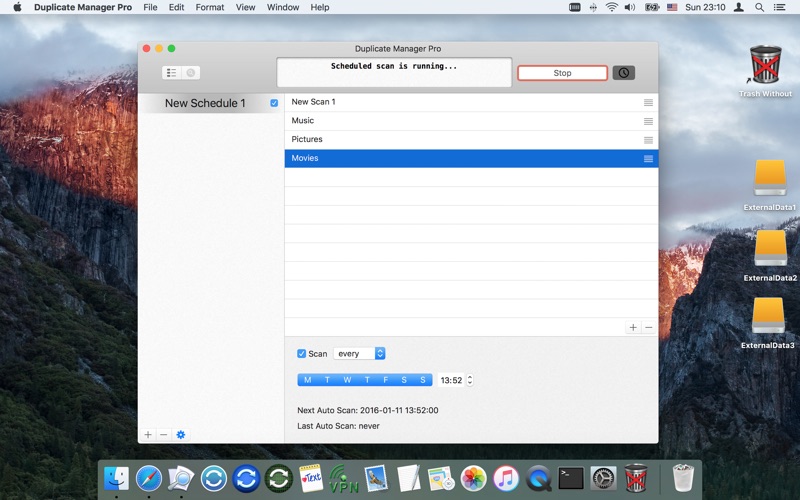
Automatically scans on a schedule any number of scan jobs. The app scans folders when you don’t use Mac. Don’t spend your time on the scan process. Work with the scan results at any convenient time for you!
Try the free version before buy pro version. We do not hide from you the unique auto selection of duplicates, quality and speed of the app.
Your time is the most precious that you have! We care about your time.
◉ FOR BEGINNERS
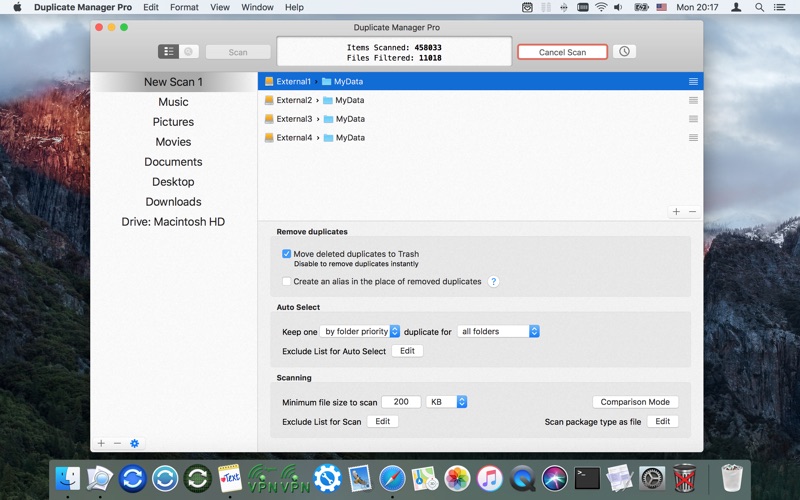
Select preinstalled scan job (Photo, Movies, Documents … or Hard Drive).
Click the “Scan” button.
All scan settings have configured optimally for each job.
◉ FOR THE MOST EXACTING PROFESSIONALS
2 modes of finding files:
find duplicate files
find large files
7 modes of file comparison by:
content (Checksum SHA1)
content and name
name, date and size
name and date
name
large files
large files grouped by name
Optimized to work with huge volumes of files. The minimum memory usage.
Automatic scheduled scan every day, every week, or once at the scheduled time.
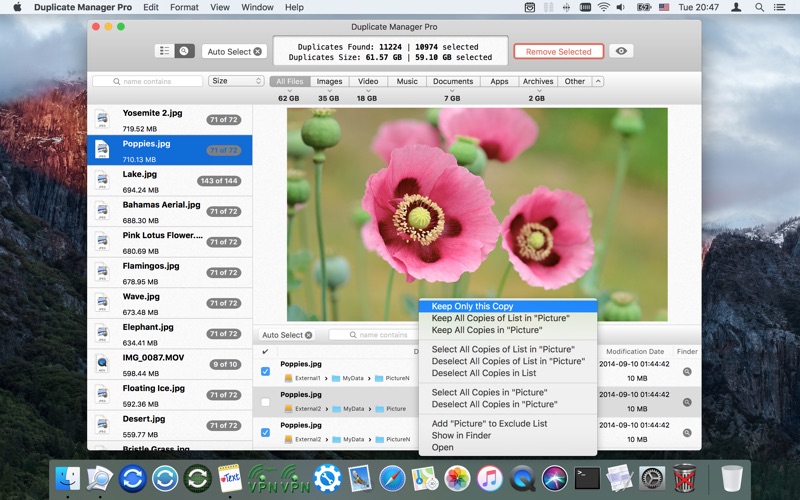
Advanced search for duplicate groups and items of the selected group (name contains, name begins, path contains, path & name contains, …).
Sorting for duplicate groups and items of the selected group.
The settings for each scan job:
Move duplicates to the Trash or remove them permanently.
The ability to create an alias in the place of removed duplicates.
Exclude list for scan. You can exclude files, folders, file types (including hidden folders, files and file aliases).
Exclude list for auto selection. You can exclude files, folders, file types.
Minimum file size to scan.
The ability to set the package types to scan as files (other packages will be scanned as folders).
The ability to transform the app window to the compact indicator of the scan process.
You can preview files using the builtin or external “QuickLook”. The ability to display multiple files (useful when you use the comparison mode by name).
Copy, add, remove, move any scan job.
Supports “Drag & Drop” mode.
The ability to quickly jump to any file or folder which in the file path.
What’s New in Duplicate Manager Pro 1.3.2
– Improved menu of duplicates table. Added new items.
v.1.x:
Added menu of duplicates table with following items: “Keep Only this Copy”, “Keep All Copies in selected Folder”, “Select All Copies in selected Folder”, “Deselect All Copies in selected Folder”, “Deselect All Copies in this List”, “Add selected Folder to Excluding List”, “Show in Finder”, “Open”.
Added ability to exclude the folders (including subfolders and files), files, file types for auto selection.
Name: Typinator Version: 7.5b1 Developer: Ergonis Mac Platform: Intel OS Version: OS X 10.6 or later
Includes: Serial
Web Site: http://www.ergonis.com/
Overview
A handy and useful application capable to improve your productivity and eliminate errors by automating the process of inserting frequently used text and graphics
Typing your name, email address, home page url, commonly used phrases and expressions multiple times a day can prove to be tedious and frustrating. Thanks to Typinator you can now insert text, images, signatures and logos as you type with just a few keystrokes.
Productivity booster and powerful auto-corrector for a wide assortment of typos
Typinator is a low-key and practical macOS application specially designed to help you type frequently used text faster and easier. You can even create custom abbreviations for pictures and logos that you need to constantly insert in your emails or documents.
Moreover, Typinator comes with thousand of predefined corrections of common typos and misspelled words for American and British English, French and German.
Hence, Typinator is more than just a type assistant that can speed up repetitive tasks, it can also be used as a system-wide auto-correction utility capable to automatically fix typing mistakes and misspelled words.
Highly customizable typing assistant with auto-correction support for multiple languages
Once installed, Typinator helps you create your own list of frequently used email phrases, addresses, signatures and other boilerplates. You can use multiple sets at the same time and take advantage of the provided auto-correction sets for various languages, TidBITS, HTML snippets and more.
Thanks to Typinator, you can insert the current data and time in a wide variety of formats, insert pictures with your signature, smiley faces or logos. Business users can easily create abbreviations for standard customer service responses.
Moreover, you can insert logos, maps, product schematics and auto-correct most frequent typing errors quicker and easier than ever. Developers can create templates for code snippets, code blocks and define short-hands for frequently used Unix commands.
Typing booster that can help you add pictures and logos within your text with extreme ease
On top of that, the above mentioned HTML snippets can speed up the editing of your web pages with the help of over 100 abbreviations.
On the whole, Typinator makes it quite easy to speed up your typing and, above all else, it manages to help you save copious amounts of time by automatically correcting the texts you write.
What’s new in Typinator 7.5b1
Release notes not available at the time of this post.
Name: OmniPlan Version: 3.9.2 Developer: The Omni Group Mac Platform: Intel OS Version: macOS 10.12 or later Processor type(s) & speed: 64-bit processor
Includes: K
Web Site: https://www.omnigroup.com/omniplan/
Overview
An easy to use macOS application that provides a clean and organized environment for quickly organizing and managing your projects
The success of each project can be greatly influenced by one’s organizational skills: you must learn to optimize your time and make the most out of the available resources.
OmniPlan is a user-friendly macOS application that can help you keep track of all the details related to a certain assignment.
Visualize your tasks
OmniPlan enables you to create a list of all the tasks associated with a certain enterprise, helps you to keep track of all available resources, and then allows you to schedule the jobs using a calendar view.
The fact that you can view all the project’s elements on a timeline is extremely important because a single glance allows you to know what you must accomplish and when: this way, it is a lot easier to stay on schedule.
Set up priorities and share projects with others
OmniPlan offers you the possibility to filter out events that should not concern you or your team just yet. Moreover, you get to sort tasks by various degrees of difficulty and necessary effort.
For your convenience, OmniPlan enables you to share your plans with others by syncing them to your OmniPlan server repository: you must input your credentials in the “Configure Publishing & Subscriptions” panel. The same area offers you the possibility to enable the “Perform publishing actions when saving” function.
At the same time, you can choose to sync Calendar Server events or reminders, and iCal events, or run Apple scripts. Furthermore, you can export the project to an OmniPlan document, or to other popular file formats (ICS, CSV, MPX, MPP, XML, PNG, PDF, TIFF, JPEG, or HTML).
Straightforward project planning solution
OmniPlan provides a large collection of efficient tools that can help you plan projects, schedule events, keep track of your progress and more. Since you can share the plans with your entire team, via the OmniPlan account, collaborative work is extremely easy.
What’s new in OmniPlan 3.9.2
March 7th, 2018
Addresses an error importing Microsoft Project files and fixes a handful of recently reported bugs:
Estimate at Completion — Estimate at Completion is now computed as EAC = AC+(BAC-EV)/CPI.
Monte Carlo Reports — Monte Carlo Reports now include a project “Cost to Achieve” value in addition to milestone values.
Viewer Mode — The “New” option in OmniPlan’s File menu no longer appears active while running OmniPlan without a license.
Dashboard — The tooltip that appears when hovering your cursor over resource allocation bars in the Dashboard window now displays accurate information about task assignments.
Dashboard — It is no longer possible to enter an end date before the start date in the Dashboard custom timescale date fields.
Dashboard — Custom timescale date fields now remain editable if the View popover has been closed and re-opened.
Help — Localized content has returned to OmniPlan’s in-app Help.
Leveling — Fixed a bug that could cause some projects to hang while leveling.
Microsoft Project Import — Microsoft Project files that previously triggered “Error Code 5” import errors now import successfully.
Stability — Fixed a crash that could occur when editing a date field.
Name: BatchOutput XLS Version: 2.5.3 Release Date: 07 Mar 2018 Mac Platform: Intel OS version:OS X 10.7 or later Processor type(s) & speed: 64-bit processor
Requirements: Microsoft Excel 2008/2011/2016
Includes: Pre-K’ed (TNT)
Web Site: http://zevrix.com/batchoutputoffice.php
Overview
BatchOutput XLS automates printing and PDF production from Microsoft Excel. Just add Excel files to the BatchOutput XLS list, adjust the settings, and BatchOutput will do the rest automatically. For example, BatchOutput can be left to process hundreds of Excel files overnight, and the completed job can be picked up next morning.
In addition to batch printing, BatchOutput XLS offers automated professional PDF production:
Print and save as PDF multiple Excel documents
Split Excel documents into single page PDF files
Variable file names
Downsample images to specific resolution
Compress images to reduce size
Apply Quartz filters to change document colors and other attributes
Password protect and encrypt PDF files
What’s New in BatchOutput XLS 2.5.3
BatchOutput XLS now works as expected with Excel 16.x (With the release of version 16, Microsoft introduced several bugs that disrupt standard ways of Excel output automation. The new version of BatchOutput XLS implements numerous workarounds to neutralize those bugs.)
Removed redundand option to close files after output (as fies are now always closed after processing).
Name: GrandTotal Version: 5.1.1.4 Developer: Media Atelier Mac Platform: Intel OS Version: OS X 10.9 or later Processor type(s) & speed: 64-bit processor
Includes: Pre-K’ed (TNT)
Web Site: http://www.mediaatelier.com/GrandTotal/
Overview
A powerful, yet easy to use financial application that enables you to effortlessly generate estimates and invoices with the help of customizable templates
GrandTotal is a lightweight, intuitive and reliable macOS application created from the very beginning to provide you with all the tools required to create invoices and estimate for your clients using a Mac.
Helps you create, print and email invoices and estimates with a couple of mouse clicks
GrandTotal comes with a simple and well-designed interface from which you can quickly access the tools and features you might need to complete your tasks.
As follows, from GrandTotal’s main window, you can have an overview of your recent activity, check the financial status, access various drafts, view a list with all sent payments, generate reports for a given period of time or for any given client, create smart-lists and more.
Naturally, the Clients tab offers you easy access to your clients list and helps you find, manage and track the documents created for your clients. Thanks to the built-in search form you can instantly find a contact and filter the list of generated documents.
Designed to seamlessly integrate with Apple’s Contacts app
GrandTotal also allows you to manually add new clients or retrieve new contacts from Apple’s Contacts app with just a couple of mouse clicks.
For every client you can generate an invoice, estimate, project and payment that can accompanied by be scheduled wit the help of the built-in calendar feature.
By accessing the Catalog tab, you can easily view a list with all your items, add or remove an item and provide a title, description and price before including it into an item group.
At the same time, GrandTotal’s Layouts tab provides you with the option to create personalized layouts for your invoices and estimates.
Insert QR codes, logos and other graphical elements in your documents with extreme ease
As an added bonus, the GrandTotal application also comes with a couple of templates that you can download from within the app and customize based on your needs.
Furthermore, GrandTotal’s edit toolbar helps you insert text boxes, images, logos, rectangles, PayPal logos and QR codes within your invoices, while the bottom toolbar allows you to zoom in or out the page to get a birds eye view of you documents.
Descriptions for FileMaker Pro 16 Advanced 16.0.5.500
Name: FileMaker Pro 16 Advanced Version: 16.0.5.500 Developer: FileMaker Mac Platform: Intel OS Version: OS X 10.11 or later Processor type(s) & speed: 64-bit processor
Includes: Serial
Web Site: http://www.filemaker.com/
Overview
FileMaker Pro Advanced includes all of the features of FileMaker Pro plus a set of advanced development and customization tools. Get features to design and develop custom apps faster and easier. Plus, get robust analysis capabilities, powerful diagnostic tools, and much more. If you want to build more powerful and flexible apps for your business, then FileMaker Pro Advanced is for you.
New! Enhanced Data Viewer
Increase your productivity with auto-complete for function names in the Data Viewer. Plus, automatically evaluate results for functions and resize the Edit Expression window to easily view all results.
New! OAuth 2.0 support for accounts
Use your existing Amazon, Google, or Microsoft Azure account credentials to log in to your FileMaker-based custom apps.
Get started quickly
Choose from a variety of predesigned Starter Solutions to manage contacts, inventory, projects, and more.
Import existing data
Bring your existing data into FileMaker Pro, including .CSV, Tab, XML, ODBC, and Microsoft Excel files.
Customize with ease
Use flexible design tools to make your layouts look and work just the way you want — without extensive development experience or IT skills.
Built-in reporting tools
Easy-to-use reporting and charting tools make it easy to make summary reports, colorful charts, and executive dashboards with a few clicks.
Share with your team
Create custom apps that work together seamlessly across iPad, iPhone, Windows, Mac, and the web. Learn more about sharing information with your team.
Integrate with other programs
Exchange and interact with data from other applications. Plus, create live, 2-way connections with Microsoft SQL Server, Oracle and MySQL data sources.
Script Debugger
Instantly pinpoint problem areas in scripts and Script Triggers directly in the Script Workspace. Turn off Script Triggers when debugging to fine tune the troubleshooting process.
Data Viewer
Monitor fields, variables, and calculations while troubleshooting.
Multiple Table Import
Build or modify apps faster by importing multiple tables at once.
Enable Database Encryption
Enable AES 256-bit encryption with FileMaker Pro Advanced to protect data on a FileMaker client or on FileMaker Server.
Custom Menus
Create, change, or delete specific menu items or entire menu sets.
Custom Functions
Build your own functions and copy, paste, or import them into any FileMaker file.
Database Design Report
Run comprehensive reports on all elements of your database schema.
Kiosk Maker
Build applications where all menus are hidden.
External Function Plug-in API
Build more robust calculations and extend app capabilities.
What’s New in FileMaker Pro 16 Advanced 16.0.5.500
Release notes not available at the time of this post.
Name: Direct Mail Version: 5.2.2 Build 539 Developer: e3 Software Mac Platform: Intel OS Version: OS X 10.11 or later Processor type(s) & speed: 64-bit processor
Includes: Pre-K’ed (The Shark)
Web Site: http://www.marketcircle.com/daylite/addons.html
Overview
Design personalized newsletters for your e-mail marketing campaign, send them to numerous contacts and track their results, with this comprehensive app
Online mass marketing campaigns can help you popularize your products or spread the word about certain events. Designing them and determining their effectiveness is another matter entirely, as all you can usually do is click ‘Send’ and hope for the best.
That is not the case with Direct Mail, a powerful application that can help you throughout every step of your project. You can use it to design newsletter content, preview it on various devices and e-mail clients, manage your contacts and verify your campaign’s results.
Bundled with a host of templates suitable for just about every purpose
Acquiring a mailing list is easy enough, but designing promotions, newsletters, and announcements in such a way as to attract the most attention is a bit more difficult. Direct Mail comes equipped with numerous templates, specially created for certain types of e-mails.
You can customize them to your heart’s content, but they are much more likely to be read if you also include mail-merge tags, which automatically insert data from each recipient into the message.
Check if your e-mail is properly laid-out and ensure it will not be marked as spam
Your newsletter may look good in Direct Mail, but this may not be the case if the recipient opens it with another e-mail client. To prevent such issues, this app can show you how the design looks like in Gmail, Outlook, Yahoo Mail and many others. Be advised though that a fee is required for the complete design test.
We all hate spam, so you should probably make sure your own e-mail is not marked as such. This application can perform various checks to assess the risk level and provide suggestions.
Verify the success of your marketing campaign by viewing detailed statistics
Your message may be perfectly designed and still not be appreciated by the recipients and, just for such occasions, Direct Mail displays a report that lets you know how many people opened the message, clicked the provided link, unsubscribed from your service or even marked the e-mail as spam.
Overall, Direct Mail is a comprehensive macOS application that offers a broad range of functions designed to help you manage marketing campaign projects from the initial idea to the analysis of the results.
What’s new in Direct Mail 5.2.2
March 2nd, 2018
Fixed a bug that could cause a crash when viewing campaign reports
Fixed a bug that could cause cloud syncing to pause unnecessarily
Fixed a bug that could cause a crash when signing out of a Direct Mail account
Fixed a bug that could cause a campaign to appear canceled when it had not been
Fixed a bug that could cause a crash when closing the Send window
Fixed a bug that could cause the crash reporter window to appear unnecessarily
Fixed a bug that could prevent font popup menus from displaying correctly
Name: MailRaider Pro 3.21 for Mac Version: 3.21 Release Date: 02 Mar 2018 Mac Platform: Intel OS version: OS X 10.8 or later Processor type(s) & speed: 64-bit processor
Includes: Pre-K’ed (TNT)
Web Site: http://www.45rpmsoftware.com/mailraider.php
Overview
MailRaider Pro offers MailRaider’s abilities to read old, archived Outlook .MSG files, but with additional Pro features:
Bulk processing
The option to display your email with the formatting intact, as it was originally sent, or as plain text
The ability to save into a customizable XML format so that you can further process your email using tools of your own
Spotlight and Quicklook support
Customizable user interface
Beautiful icons and an entirely ‘Retina’ optimized user interface.
Detailed help, covering all the functionality of MailRaider Pro, and including useful tips on how to get help on using MailRaider Pro
Support for a broad range of formats
What’s New in MailRaider Pro 3.21
Better rendering of inline images in eml files
Improved handling of Windows encoded Hebrew eml files
Name: OmniPlan Pro 3.9.1 for Mac Version: 3.9.1 Release Date: 27 Feb 2018 Mac Platform: Intel OS version:macOS 10.12 or later Processor type(s) & speed: 64-bit processor
Web Site: https://www.omnigroup.com/omniplan/
Overview
With OmniPlan Pro, you can create logical, manageable project plans with Gantt charts, schedules, summaries, milestones, and critical paths. Break down the tasks needed to make your project a success, optimize resources, and streamline budgets. It’s project management made painless.
How to get your project done on time and under budget:
Translate strategy into tactics everyone can understand
Create summaries of work broken into lists of activities
Distribute workloads fairly and efficiently
Manage costs as you go
OmniPlan Pro adds the following features to OmniPlan’s robust management abilities:
Publish and subscribe
Change tracking
Monte Carlo simulation
AppleScript support
Earned-value analysis
Multi-project dashboard
Beautiful reports
Microsoft Project support
Auto-effort estimation
What’s New in OmniPlan Pro 3.9.1
Outline View:Editing a task title that wraps to more than one line no longer causes the title to disappear temporarily.