Tag Archives: adobe

macOS Sierra 10.12 + OS X El Capitan 10.11.6 + BootDiskUtility + Microsoft Office 2016 15.28 VL + Apple iWork + Adobe Photoshop

Macos sierra 10 12 os x el capitan 10 11 6 bootdiskutility microsoft office 2016 15 28 vl apple iwork adobe photoshop icon

Description

macOS directly from MacAppStore - for BDU deployment under Windows

Includes:
 • macOS Sierra 10.12 (16A323) 5.hfs
 • OS X El Capitan 10.11.6 5.hfs 
 • BootDiskUtility
 • Microsoft Office for Mac 2016 v15.28 VL This latest release
 • Apple iWork: Keynote 7.0.5, Numbers 4.0.5 & Pages 6.0.5 (upd 27.10.2016) [Multi/Ru]
 • Adobe Photoshop CC 2017 (2017.0.0) [Multi/Ru]


ATTENTION!!!
The distribution contains the file 5.hfs is designed to create a bootable USB drive MAC OS in WINDOWS 7,8,10 AND XP


How to use BootDiskUtility
Spend a full install Clover bootloader on a USB Flash Drive with the installed tick on Boot Partition Size.

Run BootDiskUtility, go to "Options/Configuration" and make the necessary settings. 
Partition for boot loader can be done in smaller volumes. 
Click "OK", then "Format Disk". 
To complete the operation, click "OK".
We get two partitions Part1 and Part2

In the main window -> Destination Disk - choose our USB Flash Drive -> Part2. 

Click the button "Restore Partition". 

In the Explorer window that opens, find and select the file with the extension 5.hfs.
File size should not exceed the size of Part2. 

We wait and enjoy the result of the program.


macOS directly from MacAppStore - for BDU deployment under Windows
System requirements: 
 • Windows XP,7,8,8.1 
 • 64-bit, Intel at least 2 GB of memory 
 • 8 GB of free disk space 
 • USB Flash Drive min 8 GB

Files

macOS Sierra 10.12 + OS X El Capitan 10.11.6 + BootDiskUtility
│── BDU_v2.1.2016.020b
│   │── BootDiskUtility.exe (1.43 MB)
│   │── BootDiskUtility.ini (3.67 kB)
│   │── BootDiskUtility.md5 (0.11 kB)
│   │── BootDiskUtility.txt (0.69 kB)
│   └─ UserDL.ini (0.38 kB)
│── OSX_10.11.6_(15G31)_FOR_BDU
│   └─ 5.hfs (7.76 GB)
│── macOS Sierra 10.12 + OS X El Capitan 10.11.6 + BootDiskUtility.rtf (46.69 MB)
│── macOS Sierra 10.12 + OS X El Capitan 10.11.6 + BootDiskUtility.txt (31.79 kB)
│── macOS_10.12_(16A323)_FOR_BDU
│   └─ 5.hfs (6.31 GB)
└─ necessary utilities
    │── Adguard.release.dmg (49.79 MB)
    │── Adobe Photoshop CC 2017 (2017.0.0)
    │   │── Adobe Zii 2.2.1  for Adobe CC15 CC17.dmg (9.08 MB)
    │   │── AdobeCreativeCloudCleanerTool.dmg (1.46 MB)
    │   │── AdobePhotoshop18.0-mul.dmg (1.40 GB)
    │   └─ amtemu.v0.8.0.mac-painter.dmg (1.42 MB)
    │── Apple iWork_ Keynote 7.0.5, Numbers 4.0.5 & Pages 6.0.5 (10.2016)
    │   │── Keynote 7.0.5.dmg (477.1 MB)
    │   │── Numbers 4.0.5.dmg (181.4 MB)
    │   └─ Pages 6.0.5.dmg (238.6 MB)
    │── Office for Mac_15.28.0(16111501).dmg (4.36 GB)
    └─ Torrent downloaded from Demonoid.pw.txt (0.05 kB)

Name macOS Sierra 10.12 + OS X El Capitan 10.11.6 + BootDiskUtility
Size 20.84 GB
Created on 2016-12-16 01:21:36
Hash f9be432beecd52a1db211c1338e1705022e690bf
Files ※ See Files

OS X Cracked Utilities 2016 11 07 (adobe) (Adobe Photoshop,Premiere Pro,Audition,Bridge,Dreamweaver,InDesign,Illustrator,Muse)

Description

Includes:
 ・Adobe Photoshop CC 2017 (2017.0.0) [Multi/Ru]
 ・Adobe Audition CC 2017 (10.0) [Multi]
 ・Adobe Bridge CC 2017 (7.0.0.93) [Multi/Ru]
 ・Adobe Dreamweaver CC 2017 (17.0) [Multi/Ru]
 ・Adobe InDesign CC 2017 (12.0.0.81)
 ・Adobe Illustrator CC 2017 (21.0) [Multi/Ru]
 ・Adobe Premiere Pro CC 2017 (11.0.0) [Multi/Ru]
 ・Adobe Muse CC 2017.0.0.149 [Multi/Ru]

Adobe Photoshop CC 2017 (2017.0.0) [Multi/Ru]

Supported OS: macOS 10.9 +
Interface language: Russian, English, German etc.

English, Dansk, Deutsch, Espaol, Franais, Franais*, Hebrew*, Hungarian, Italiano, Nederlands, Norwegian, Polish,
Portugus (Brasil), Suomi, Svenska, Turkish, Ukrainian, etina,

Type of medicine: patch

System requirements:
Multicore Intel processor with 64-bit computing
Mac OS X 10.9 or newer
1 GB of RAM
3.2 GB of free hard disk space for installation; additional free space required for installation 
(not installed on a disk using the file system is case-sensitive, or on removable storage devices flash memory)
Monitor with a resolution of 1024 x 768 (recommended 1280 x 800), video card that supports OpenGL 2.0, 16-bit color,
512 MB RAM (1 GB recommended)*


Description:

Adobe Photoshop CC - a program for processing raster graphics. Supports various graphic formats. 
Adobe Photoshop allows both create new images and edit them. Photoshop used to create photorealistic images to work with color scanned images,
retouching, color correction, collage, transformation of graphs, color separation, etc
Adobe Photoshop has all the methods of work with point images, and has the ability to work with layers and uses the contours.
The program is the undisputed leader among professional graphic editors due to its widest possibilities, high efficiency and speed.
Adobe Photoshop provides all the necessary tools for correcting, editing, preparing images for printing and high quality output.


Installation procedure and treatment
Adobe stripped-user offline installers
Distribution is made on the basis of the original file downloaded from Adobe official website.

Installer machine picks up the default language of the OS.
If you need other language interface before installing you need to change the OS language to correspond.
After installation you can change back.

Installing with the patch:

Software INSTALLATION:

Attention! Before installation, disconnect from the Internet or use Little Snitch to block all outgoing connections!
1. Run the installer and follow the instructions (the interface language can be changed in menu of the program)
2. After installation, do not run the program in trial mode

Before applying the patch make a copy of the original file:
3. Click the right mouse button on the application - Show package contents. Open the folder Contents - the folder Frameworks.
4. Make a copy the original amtlib.framework / library or rename and leave it in the package
5. From the desktop, run the patch Adobe Zii 2.2.1 for Adobe CC15 CC17 PATCH and click or drag selected/a specific application
in the open window of the patch

ATTENTION: 
- the program should be installed by default
- if you have installed other programs from the package SS 2015-??2017, in those applications where it is required, 
will be automatically replaced/patched the original amtlib.framework , that this did not happen - 
drag the application window of the running patch.
- before applying the patch make a copy of the original files

Before updating software, it is advisable to return the original amtlib.framework, to apply the updates again and apply the patch
block outgoing connections do not need (if you are using a patch to treat)
Adobe Zii 2.2.1 for Adobe CC15 CC17 - also enables programs downloaded from Adobe Creative Cloud

amtemu.v0.8.0.mac-painter - allows the program to be updated in a standard way, via the update Manager 
( in hand now for the future, as updates have not yet been and later I will write how to use it)

Adobe Audition CC 2017 (10.0) [Multi]

The release took place: November 2016
Publication type: macOS Software
Supported OS: macOS 10.9 +
Language: English, German, Spanish, etc.
Type of medicine: patch

System requirements:
Multicore Intel processor
Mac OS X 10.9 or newer
4 GB OF RAM
4 GB of free hard disk space for installation. During installation requires additional free space
(install on removable flash memory device or volume with the file system, which has a value case-sensitive, can not)
1920x1080 screen
The system supports OpenGL 2.0; additional GPU to improve performance of video playback
To support external management may require the USB interface and/or MIDI (see the device specification from manufacturer)
Optional: optical drive for CD-ROM drive (SuperDrive recommended)


Description:

Program for working with audio data Adobe Audition is a professional tool for professionals who work in the field of audio processing and video,
offering almost unlimited possibilities. Ease of use is perfectly combined with the flexibility of work by allowing you 
to create the master copy of the highest class, edit, mix, process, to impose a variety of sound effects. 
In fact the user gets on your computer full powerful recording Studio with easy to use and at the same time, enough professional tools
Record, edit, and create audio content Adobe Audition with a powerful set of processing tools waveform, spectral display,
and numerous tracks. This powerful audio editor allows you to accelerate the process of processing audio and video, 
while providing the highest quality of sound.


Installation procedure and treatment
Adobe stripped-user offline installers
Distribution is made on the basis of the original file downloaded from Adobe official website.

Installer machine picks up the default language of the OS.
If you need other language interface before installing you need to change the OS language to correspond.
After installation you can change back.

Installing with the patch:

Software INSTALLATION:

Attention! Before installation, disconnect from the Internet or use Little Snitch to block all outgoing connections!
1. Run the installer and follow the instructions (the interface language can be changed in menu of the program)
2. After installation, do not run the program in trial mode

Before applying the patch make a copy of the original file:
3. Click the right mouse button on the application - Show package contents. Open the folder Contents - the folder Frameworks.
4. Make a copy the original amtlib.framework / library or rename and leave it in the package
5. From the desktop, run the patch Adobe Zii 2.2.1 for Adobe CC15 CC17 PATCH and click or drag selected/a specific application in the 
open window of the patch

ATTENTION: 

- the program should be installed by default
- if you have installed other programs from the package SS 2015-??2017, in those applications where it is required, 
will be automatically replaced/patched the original amtlib.framework , that this did not happen - 
drag the application window of the running patch.
- before applying the patch make a copy of the original files

Before updating software, it is advisable to return the original amtlib.framework, to apply the updates again and apply the patch
block outgoing connections do not need (if you are using a patch to treat)
Adobe Zii 2.2.1 for Adobe CC15 CC17 - also enables programs downloaded from Adobe Creative Cloud

amtemu.v0.8.0.mac-painter - allows the program to be updated in a standard way, via the update Manager
( in hand now for the future, as updates have not yet been and later I will write how to use it)

Adobe Bridge CC 2017 (7.0.0.93) [Multi/Ru]

The release took place: November 2016
Supported OS: macOS 10.9+
Interface language: Russian, English, Ukrainian, etc.
Treatment: not required / patch

System requirements:
Multicore Intel processor with 64-bit support
Mac OS X v10.9 or newer
2GB of RAM (8GB recommended)
2GB of available hard-disk space for installation; additional free space required during installation 
(cannot install on a volume that uses a case-sensitive file system or on removable flash storage devices)
1024x768 display (1280x800 recommended) display with 16-bit color and 512MB of VRAM (1 GB recommended)
OpenGL 2.0–capable system


Description:

Adobe Bridge - a program for all who are faced in their activities with the need to work with image files in large quantities.

Adobe Bridge CC gives you centralized access to all multimedia resources necessary for creative projects. 
You can easily edit components in batch mode, add watermarks and even centrally set color options - 
Bridge will simplify your work and help maintain order.


Installation procedure:
Information release:
Adobe stripped-user offline installers
Distribution is made on the basis of the original file downloaded from Adobe official website.

Installer machine picks up the default language of the OS.
If you need English language of the interface before installing you need to change the OS language to correspond.
After installation you can change back.

At the time of installation disable network int-t
Mount the image and run the installer.
Follow the instructions in the installer.
Language of the interface depends on the default language of the operating system

With regards to the patch
Patch will be needed if You are working with RAW ...
Installer machine picks up the default language of the OS.
If you need other language interface before installing you need to change the OS language to correspond.
After installation you can change back.

Installing with the patch:

Software INSTALLATION:

Attention!
Before installation, disconnect from the Internet or use Little Snitch to block all outgoing connections!
1. Run the installer and follow the instructions (the interface language can be changed in menu of the program)
2. After installation, do not have to run the program in trial mode

Before applying the patch make a copy of the original file:
3. Click the right mouse button on the application - Show package contents. Open the folder Contents - the folder Frameworks.
4. Make a copy the original amtlib.framework / library or rename and leave it in the package
5. Run the patch and click PATCH or drag selected/a specific application 2014-2015 CC in the open window of the patch

ATTENTION:

- the program should be installed by default
- if you have installed other programs from the package SS 2014 - 2015, in those applications where it is required,
will be automatically replaced/patched the original amtlib.framework , that this did not happen - 
drag the application window of the running patch.
- before applying the patch make a copy of the original files

Before updating software, it is advisable to return the original amtlib.framework, to apply the updates again and apply the patch


amtemu.v0.8.0.mac-painter - allows the program to be updated in a standard way, via the update Manager
( in hand now for the future, as updates have not yet been and later I will write how to use it)

Adobe Dreamweaver CC 2017 (17.0) [Multi/Ru]

The release took place: November 2016
Publication type: macOS Software
Supported OS: macOS 10.9 +
Interface language: Russian, English, German, French, etc.
Type of medicine: patch

System requirements:
Multicore Intel processor
Operating system Mac OS X 10.9 or newer
1 GB of RAM
1 GB of free hard disk space for installation; additional free space required for installation
(not installed on a disk using the file system is case-sensitive, or on removable storage devices flash)
Monitor resolution of 1280 x 1024 with 16-bit video card
Java Runtime Environment 1.6
Software QuickTime 7.6.6, required for HTML5 playback of media content
Connect to the Internet and registration are necessary for required software activation, 
confirmation of participation in the program and access to online services*.


Description:

To create interactive web sites is faster and easier.
Software for web design Adobe Dreamweaver CC contains an intuitive visual interface that allows you to create and edit web sites
and mobile applications. Use the "rubber layouts" (Fluid Grid Layouts) with cross-platform support for creating web pages.
Before publishing preview created layouts in panel a multi-screen viewing.

Watch the design changes with new features interactive viewing. Make changes to the visual presentation of HTML
elements and test your changes on web site in live view without switching between display modes or constant updates to the screen.
Create codes that correspond to web standards, with the help of visual editing tools. Apply CSS properties like gradients,
box shadows and borders. If the changes you don't like, just cancel them. Integration of Edge Animate and
Dreamweaver makes it possible to use interactive HTML5 content on mobile devices and for publishing on the Internet.


Installation procedure and treatment
Adobe stripped-user offline installers
Distribution is made on the basis of the original file downloaded from Adobe official website.

Installer machine picks up the default language of the OS.
If you need other language interface before installing you need to change the OS language to correspond.
After installation you can change back.

Installing with the patch:
Software INSTALLATION:

Attention! 
Before installation, disconnect from the Internet or use Little Snitch to block all outgoing connections!
1. Run the installer and follow the instructions (the interface language can be changed in menu of the program)
2. After installation, do not run the program in trial mode

Before applying the patch make a copy of the original file:
3. Click the right mouse button on the application - Show package contents. Open the folder Contents - the folder Frameworks.
4. Make a copy the original amtlib.framework / library or rename and leave it in the package
5. From the desktop, run the patch Adobe Zii 2.2.1 for Adobe CC15 CC17 PATCH and click or drag selected/a specific application 
in the open window of the patch

ATTENTION: 

- the program should be installed by default
- if you have installed other programs from the package SS 2015-??2017, in those applications where it is required,
will be automatically replaced/patched the original amtlib.framework , that this did not happen - drag the application window 
of the running patch.
- before applying the patch make a copy of the original files

Before updating software, it is advisable to return the original amtlib.framework, to apply the updates again and apply the patch
block outgoing connections do not need (if you are using a patch to treat)
Adobe Zii 2.2.1 for Adobe CC15 CC17 - also enables programs downloaded from Adobe Creative Cloud

amtemu.v0.8.0.mac-painter - allows the program to be updated in a standard way, via the update Manager 
( in hand now for the future, as updates have not yet been and later I will write how to use it)

Adobe InDesign CC 2017 (12.0.0.81) [Multi/Ru]

The release took place: November 2016
Publication type: macOS Software
Supported OS: macOS 10.9 +

Interface language: Russian, English, German, French, etc.
English, Dansk, Deutsch, Espaol, Franais, Franais*, Hebrew*, Hungarian, Italiano, Nederlands, Norwegian, Polish, Portugus (Brasil), 
Suomi, Svenska, Turkish, Ukrainian, etina


Treatment: complete
Type of medicine: patch

System requirements:
Multicore Intel processor with 64-bit computing
Operating system Mac OS X version 10.9 or newer
1 GB of RAM
3.2 GB of free hard disk space for installation; additional free space required for installation 
(not installed on a disk using the file system is case-sensitive, or on removable storage devices flash memory)
Monitor with a resolution of 1024 x 768 (recommended 1280 x 800), video card that supports OpenGL 2.0, 16-bit color, 512 MB RAM
(1 GB recommended)*


Description:

Adobe InDesign CC - professional product design to design any print or Internet publications.
Adobe InDesign CC has all the progressive features and tools of machine layout, 
with which you can quickly and efficiently design the pages of any complexity. 
The program supports the import of drawings and text from a variety of formats,
including PDF and XML files, offers a set of tools for editing imported materials which includes work with layers, cascading styles, 
tables and templates.

Adobe InDesign CC is a universal app for publishing content, which provides precise control over design and typography at the pixel level. 
Comfortable adapting layouts to different page sizes, orientations and devices while maintaining high image quality.


Installation procedure and treatment
Adobe stripped-user offline installers
Distribution is made on the basis of the original file downloaded from Adobe official website.

Installer machine picks up the default language of the OS.
If you need other language interface before installing you need to change the OS language to correspond.
After installation you can change back.

Installing with the patch:
Software INSTALLATION:

Attention! 
Before installation, disconnect from the Internet or use Little Snitch to block all outgoing connections!
1. Run the installer and follow the instructions (the interface language can be changed in menu of the program)
2. After installation, do not run the program in trial mode

Before applying the patch make a copy of the original file:
3. Click the right mouse button on the application - Show package contents. Open the folder Contents - the folder Frameworks.
4. Make a copy the original amtlib.framework / library or rename and leave it in the package
5. From the desktop, run the patch Adobe Zii 2.2.1 for Adobe CC15 CC17 PATCH and click or drag selected/a specific 
application in the open window of the patch

ATTENTION: 

- the program should be installed by default
- if you have installed other programs from the package SS 2015-??2017, in those applications where it is required, 
will be automatically replaced/patched the original amtlib.framework , that this did not happen - 
drag the application window of the running patch.
- before applying the patch make a copy of the original files

Before updating software, it is advisable to return the original amtlib.framework, to apply the updates again and apply the patch
block outgoing connections do not need (if you are using a patch to treat)
Adobe Zii 2.2.1 for Adobe CC15 CC17 - also enables programs downloaded from Adobe Creative Cloud


amtemu.v0.8.0.mac-painter - allows the program to be updated in a standard way, via the update Manager 
( in hand now for the future, as updates have not yet been and later I will write how to use it)

Adobe Illustrator CC 2017 (21.0) [Multi/Ru]

The release took place: November 02, 2016
Publication type: macOS Software
Supported OS: macOS 10.9+
Interface language: Russian, English, German etc.
Type of medicine: patch

System requirements:
Multicore Intel processor with 64-bit computing
Mac OS X version 10.9 or newer
2 GB of RAM (8 GB recommended)
2 GB of free hard disk space for installation; additional free space required for installation 
(not installed on a disk using the file system is case-sensitive, or on removable flash storage device)
Monitor resolution 1024x768 (recommended 1280x800)
Optional: to use GPU performance to a computer running Mac OS should have at least 512 MB RAM (2 GB recommended),
as well as to support OpenGL 4.0 or higher


Description:

Illustrator CC – is adopted as an industry standard software for vector graphics, widely used by designers in different areas – digital graphics,
illustrations and printing – when you develop any types of multimedia resources: printed materials, online content, interactive media,
video and mobile applications.

Introducing the most powerful and user-friendly version Illustrator®. New tool "Change text" contains advanced management functions typing,
including translation, scale, and rotate individual characters with the ability to change the font or copy at any time.
Illustrator CC allows to provide access to the results of the work directly from the application and synchronize color with Adobe® Kuler®.
Gather all your work together.


Installing with the patch:
Software INSTALLATION:

Attention! Before installation, disconnect from the Internet or use Little Snitch to block all outgoing connections!
1. Run the installer and follow the instructions (the interface language can be changed in menu of the program)
2. After installation, do not run the program in trial mode

Before applying the patch make a copy of the original file:
3. Click the right mouse button on the application - Show package contents. Open the folder Contents - the folder Frameworks.
4. Make a copy the original amtlib.framework / library or rename and leave it in the package
5. From the desktop, run the patch Adobe Zii 2.2.1 for Adobe CC15 CC17 PATCH and click or drag selected/a specific application 
in the open window of the patch

ATTENTION: 
- the program should be installed by default
- if you have installed other programs from the package SS 2015-??2017, in those applications where it is required, 
will be automatically replaced/patched the original amtlib.framework , that this did not happen - 
drag the application window of the running patch.
- before applying the patch make a copy of the original files

Before updating software, it is advisable to return the original amtlib.framework, to apply the updates again and apply the patch
block outgoing connections do not need (if you are using a patch to treat)
Adobe Zii 2.2.1 for Adobe CC15 CC17 - also enables programs downloaded from Adobe Creative Cloud

amtemu.v0.8.0.mac-painter - allows the program to be updated in a standard way, via the update Manager 
( in hand now for the future, as updates have not yet been and later I will write how to use it)

Adobe Muse CC 2017.0.0.149 [Multi/Ru]

Publication type: macOS Software
The release took place: November 2016
Supported OS: macOS 10.9 +
Interface language: Russian, English, Spanish, etc.
Type of medicine: patch

System requirements:
An Intel processor with support for 64-bit computing
Operating system OS X v10.9 or newer
2 GB of RAM and above 


Description:

Adobe Muse CC - create stunning websites without writing code.
If you are already familiar with Adobe InDesign, we recommend you to get acquainted with Adobe Muse,
a popular graphic design application for creating web sites. Don't waste time writing code and quickly create unique websites 
using familiar tools and shortcuts, as well as integrate third party features like blogs and shopping cart.

SS Adobe Muse – a visual site Builder, operating on the principle of "mapping the changes in real time." Thus,
the developer is not required to access the HTML code of the site - edit panel allows you to work with web page as an image.
Obviously, this approach is focused on creating a development environment available to the user without special education.


Installing with the patch:
Software INSTALLATION:

Attention! 
Before installation, disconnect from the Internet or use Little Snitch to block all outgoing connections!
1. Run the installer and follow the instructions (the interface language can be changed in menu of the program)
2. After installation, do not run the program in trial mode

Before applying the patch make a copy of the original file:
3. Click the right mouse button on the application - Show package contents. Open the folder Contents - the folder Frameworks.
4. Make a copy the original amtlib.framework / library or rename and leave it in the package
5. From the desktop, run the patch Adobe Zii 2.2.1 for Adobe CC15 CC17 PATCH and click or drag selected/a specific 
application in the open window of the patch

ATTENTION: 

- the program should be installed by default
- if you have installed other programs from the package SS 2015-??2017, in those applications where it is required, 
will be automatically replaced/patched the original amtlib.framework , that this did not happen -
drag the application window of the running patch.
- before applying the patch make a copy of the original files

Before updating software, it is advisable to return the original amtlib.framework, to apply the updates again and apply the patch
block outgoing connections do not need (if you are using a patch to treat)
Adobe Zii 2.2.1 for Adobe CC15 CC17 - also enables programs downloaded from Adobe Creative Cloud

amtemu.v0.8.0.mac-painter - allows the program to be updated in a standard way, via the update Manager 
( in hand now for the future, as updates have not yet been and later I will write how to use it)

Adobe Premiere Pro CC 2017 (11.0.0) [Multi/Ru]

The release took place: November 2016

Supported OS: macOS 10.10+
Interface language: Russian, English, German etc.
Type of medicine: patch

System requirements:
Multicore Intel processor with 64-bit applications
Mac OS X version 10.10 or newer
4 GB of RAM (8 GB recommended)
4 GB of free hard disk space for installation. During installation requires additional free space 
(install on removable flash memory device or volume with the file system which is case sensitive, can not)
Requires additional disk space for files, providing a preview, and other working files (recommended 10 GB)
Screen 1280x800
Hard drive with rotation speed 7200 Rev/min (recommended to use some fast hard drives, preferably with RAID 0)
QuickTime features require installation QuickTime 7.6.6
Optional: Adobe-certified graphics card for hardware acceleration


Description:

Create compelling videos wherever you are. The industry's best set of tools for the production of video materials helps to work faster and easier,
bringing together the desktop and mobile app with resources for design.
Adobe Premiere Pro is a powerful, customizable editor for nonlinear editing, with which you can mount the video exactly as you want it. 
Import and free Association of any video from the clip, shot on a phone to raw 5K, 
followed by installation that does not need to perform transcoding.

Edit video faster and more fluidly with Adobe Premiere Pro CC - ideal tools for professional editors. 
Now available many new features including a built-in mechanism for color correction with Adobe SpeedGrade CC,
expanded support of the original formats, improved installation material from multiple cameras, etc.


Installing with the patch:
Software INSTALLATION:

Attention! Before installation, disconnect from the Internet or use Little Snitch to block all outgoing connections!
1. Run the installer and follow the Install instructions
2. After installation, do not run the program in trial mode

Before applying the patch make a copy of the original file:
3. Click the right mouse button on the application - Show package contents. Open the folder Contents - the folder Frameworks.
4. Make a copy the original amtlib.framework / library or rename and leave it in the package
5. From the desktop, run the patch Adobe Zii 2.2.1 for Adobe CC15 CC17 PATCH and click or drag selected/a specific application 
in the open window of the patch

ATTENTION: 
- the program should be installed by default
- if you have installed other programs from the package SS 2015-??2017, in those applications where it is required,
will be automatically replaced/patched the original amtlib.framework , that this did not happen - drag the application window
of the running patch.
- before applying the patch make a copy of the original files

Before updating software, it is advisable to return the original amtlib.framework, to apply the updates again and apply the patch
block outgoing connections do not need (if you are using a patch to treat)
Adobe Zii 2.2.1 for Adobe CC15 CC17 - also enables programs downloaded from Adobe Creative Cloud

amtemu.v0.8.0.mac-painter - allows the program to be updated in a standard way, via the update Manager
( in hand now for the future, as updates have not yet been and later I will write how to use it)

Adguard 1.3 (359) [Multi/Ru]

Publication type: OS X Software
The release took place: NOV 6, 2016
Supported OS: OS X 10.7 +
Interface language: Russian, English and other
Treatment: not required (the installer is already treated)

System requirements:
Intel, 64-bit processor
OS X 10.7 or newer


Description:

Adguard is the best way to get rid of annoying advertising, to protect themselves from online surveillance and fraudulent websites.
Adguard – Internet filter to protect users from dangerous web sites, blocking all possible types of advertising on the Internet.
The program is a great addition to your basic anti-virus protection with effective blocking malicious, 
fraudulent and phishing resources, and parental control over the online activity of children.
Web protection works with all web browsers,
effectively blocking Internet threats due to the daily update database program with the largest resources Google Safe Browsing,
lists, Web of Trust (WOT) and Malwaredomains. Adguard belongs to the family of Adblock programs,
whose main task is the quality control operation web-based resources and the Internet in General. 
The number of users amounts to several million people.

Files

|--OS X Cracked  Utilities  2016 11 07 (adobe)
| |--Adguard.release.dmg (49.79 MB)
| |--Adobe Audition CC 2017 (10.0)_
| | |--Adobe Zii 2.2.1  for Adobe CC15 CC17.dmg (9.08 MB)
| | |--AdobeAudition10.0-mul.dmg (680.4 MB)
| | |--AdobeCreativeCloudCleanerTool.dmg (1.46 MB)
| | |--amtemu.v0.8.0.mac-painter.dmg (1.42 MB)
| |--Adobe Bridge CC 2017 (7.0.093)
| | |--Adobe Zii 2.2.1  for Adobe CC15 CC17.dmg (9.08 MB)
| | |--AdobeBridge7.0-mul.dmg (853.3 MB)
| | |--AdobeCreativeCloudCleanerTool.dmg (1.46 MB)
| | |--amtemu.v0.8.0.mac-painter.dmg (1.42 MB)
| |--Adobe Dreamweaver CC 2017 (17.0)
| | |--Adobe Zii 2.2.1  for Adobe CC15 CC17.dmg (9.08 MB)
| | |--AdobeCreativeCloudCleanerTool.dmg (1.46 MB)
| | |--AdobeDreamweaver17.0-mul.dmg (653.4 MB)
| | |--amtemu.v0.8.0.mac-painter.dmg (1.42 MB)
| |--Adobe Illustrator CC 2017 (21.0)
| | |--Adobe Zii 2.2.1  for Adobe CC15 CC17.dmg (9.08 MB)
| | |--AdobeCreativeCloudCleanerTool.dmg (1.46 MB)
| | |--AdobeIllustrator21.0-mul.dmg (2.06 GB)
| | |--amtemu.v0.8.0.mac-painter.dmg (1.42 MB)
| |--Adobe InDesign CC 2017 (12.0.0.81)
| | |--Adobe Zii 2.2.1  for Adobe CC15 CC17.dmg (9.08 MB)
| | |--AdobeCreativeCloudCleanerTool.dmg (1.46 MB)
| | |--AdobeInDesign12.0-mul.dmg (771.4 MB)
| | |--amtemu.v0.8.0.mac-painter.dmg (1.42 MB)
| |--Adobe Muse CC 2017.0.0.149
| | |--Adobe Zii 2.2.1  for Adobe CC15 CC17.dmg (9.08 MB)
| | |--AdobeCreativeCloudCleanerTool.dmg (1.46 MB)
| | |--Muse_CC_2017.dmg (671.0 MB)
| | |--amtemu.v0.8.0.mac-painter.dmg (1.42 MB)
| |--Adobe Photoshop CC 2017 (2017.0.0)
| | |--Adobe Zii 2.2.1  for Adobe CC15 CC17.dmg (9.08 MB)
| | |--AdobeCreativeCloudCleanerTool.dmg (1.46 MB)
| | |--AdobePhotoshop18.0-mul.dmg (1.40 GB)
| | |--amtemu.v0.8.0.mac-painter.dmg (1.42 MB)
| |--Adobe Premiere Pro CC 2017 (11.0)
| | |--Adobe Zii 2.2.1  for Adobe CC15 CC17.dmg (9.08 MB)
| | |--AdobeCreativeCloudCleanerTool.dmg (1.46 MB)
| | |--AdobePremierePro11.0-mul.dmg (1.38 GB)
| | |--amtemu.v0.8.0.mac-painter.dmg (1.42 MB)
| |--OS X Cracked  Utilities  2016 11 07 (adobe).rtf (60.11 MB)
| |--OS X Cracked  Utilities  2016 11 07 (adobe).txt (60.50 kB)
| |--Torrent downloaded from Demonoid.pw.txt (0.05 kB)

Name OS X Cracked Utilities 2016 11 07 (adobe)
Size 8.67 GB
Created on 2016-11-06 08:11:42
Hash 8ddc2a25a551f28427ec6268ee2901c363efb69c
Files ※ See Files

Adobe Photoshop CC 2015.5 17.0.0 & Muse CC 2015.2 & Audition CC 2015.2

Description

Includes: 
・Adobe Photoshop CC 2015.5 (17.0.0)
・Adobe Muse CC 2015.2
・Adobe Audition CC 2015.2

Adobe Photoshop CC 2015.5 (17.0.0) [Multi/Ru]

The release took place: June 20, 2016
Publication type: Mac OS X Software
Supported OS: OS X 10.9 +
Interface language: Russian, English, German etc.
Treatment: complete
Type of medicine: the replacement file

System requirements:
• Multicore Intel processor with 64-bit computing
• Mac OS X 10.9 or newer
• 1 GB of RAM
• 3.2 GB of free hard disk space for installation; additional free space required for installation (not installed on a disk using the file system is case-sensitive, or on removable storage devices flash memory)
• Monitor with a resolution of 1024 x 768 (recommended 1280 x 800), video card that supports OpenGL 2.0, 16-bit color,
512 MB RAM (1 GB recommended)*


Description:
Adobe Photoshop CC - a program for processing raster graphics. Supports various graphic formats. Adobe Photoshop allows
both create new images and edit them. Photoshop used to create photorealistic images to work with color scanned images,
retouching, color correction, collage, transformation of graphs, color separation, etc Adobe Photoshop has all the methods
of work with point images, and has the ability to work with layers and uses the contours. The program is the undisputed
leader among professional graphic editors due to its widest possibilities, high efficiency and speed. Adobe Photoshop
provides all the necessary tools for correcting, editing, preparing images for printing and high quality output.


Installation procedure:
The program interface language will depend on the default language of the operating system

1 Break the connection to the network.
2 Run the installation
3. In the welcome window, select "Trial version" (Try). 

You will be prompted to connect to the service Adobe Creative Cloud using your Adobe ID. Hit "Enter" (Sign In). After a few seconds, when the installer determines that cannot connect to the network, and associated tests will be stopped, displayed an error about failing to connect to the Internet.

Hit the button "Enter later" (Connect Later).
4. After installation do not launch the app.
5 Model the original framework on a file from the distribution (original amtlib.framework rename and leave it in the package)

Change here:
Code: 
/Applications/Adobe Photoshop CC 2015.5/Adobe Photoshop CC 2015.5.app/Contents/Frameworks 

A folder "Adobe Photoshop CC 2015.5" - PKM Adobe Photoshop CC 2015.5.app - show package contents - Contents-folder - folder Frameworks

6 Restore the previously torn network connection and enjoy the program!

Adobe Muse CC 2015.2 [Multi/Ru]

Publication type: OS X Software
The release took place: June 2016
Supported OS: OS X 10.9 +
Interface language: Russian, English, Spanish, etc.
Treatment: complete
Type of medicine: patch

System requirements:
• An Intel processor with support for 64-bit computing
• Operating system OS X v10.9 / v10.10 (64-bit) or v10.11 (64-bit)
• 2 GB of RAM and above 


Description:
Adobe Muse CC - create stunning websites without writing code.
If you are already familiar with Adobe InDesign, we recommend you to get acquainted with Adobe Muse, a popular graphic design application for creating web sites. Don't waste time writing code and quickly create unique websites using familiar tools and shortcuts, as well as integrate third party features like blogs and shopping cart.

SS Adobe Muse - a visual site Builder, operating on the principle of "mapping the changes in real time." Thus, the developer is not required to access the HTML code of the site - edit panel allows you to work with web page as an image. Obviously, this approach is focused on creating a development environment available to the user without special education.


Installing with the patch:

Software INSTALLATION:
Attention! Before installation, disconnect from the Internet or use Little Snitch to block all outgoing connections!

1. Run the installer and follow the instructions (the interface language can be changed in menu of the program)
2. After installation, do not have to run the program in trial mode

Before applying the patch make a copy of the original file:
3. Click the right mouse button on the application - Show package contents. Open the folder Contents - the folder Frameworks.
4. Make a copy the original amtlib.framework / library or rename and leave it in the package
5. Run the patch and click PATCH or drag selected/a specific application 2014-2015 CC in the open window of the patch

ATTENTION: 
- the program should be installed by default
- if you have installed other programs from the package SS 2014 - 2015, in those applications where it is required, will be automatically replaced/patched the original amtlib.framework , that this did not happen - drag the application window of the running patch.
- before applying the patch make a copy of the original files

• Before updating software, it is advisable to return the original amtlib.framework, to apply the updates again and apply the patch

Adobe Audition CC 2015.2 [Multi]

The release took place: June 2016
Publication type: OS X Software
Supported OS: OS X 10.9 +
Language: English, German, Spanish, etc.
Treatment: complete
Type of medicine: patch

System requirements:
• Multicore Intel processor
• Mac OS X 10.9, 10.10 or 10.11
• 4 GB OF RAM
• 4 GB of free hard disk space for installation. During installation requires additional free space (install 
on removable flash memory device or volume with the file system, which has a value case-sensitive, can not)
• 1920x1080 screen
• The system supports OpenGL 2.0; additional GPU to improve performance of video playback
• To support external management may require the USB interface and/or MIDI (see the device specification from manufacturer)
• Optional: optical drive for CD-ROM drive (SuperDrive recommended)


Description:
Program for working with audio data Adobe Audition is a professional tool for professionals who work in
the field of audio processing and video, offering almost unlimited possibilities. Ease of use is perfectly combined with the flexibility of work by allowing you to create the master copy of the highest class, edit,mix, process, to impose a variety of sound effects. In fact the user gets on your computer full powerful recording Studio with easy to use and at the same time, enough professional tools
Record, edit, and create audio content Adobe Audition with a powerful set of processing tools waveform, 
spectral display, and numerous tracks. This powerful audio editor allows you to accelerate the process of 
processing audio and video, while providing the highest quality of sound.


Installing with the patch:

Software INSTALLATION:

Attention! Before installation, disconnect from the Internet or use Little Snitch to block all outgoing connections!

1. Run the installer and follow the instructions (the interface language depends on the default OS language)
2. After installation, do not have to run the program in trial mode

Before applying the patch make a copy of the original file:
3. Click the right mouse button on the application - Show package contents. Open the folder Contents - the folder Frameworks.
4. Make a copy the original amtlib.framework / library or rename and leave it in the package
5. Run the patch and click PATCH or drag selected/a specific application 2014-2015 CC in the open window of the patch

ATTENTION: 
- the program should be installed by default
- if you have installed other programs from the package SS 2014 - 2015, in those applications where it is required, will be automatically replaced/patched the original amtlib.framework that did not happen - drag the application window of the running patch.
- before applying the patch make a copy of the original files

• Before updating software, it is advisable to return the original amtlib.framework, to apply the updates again and apply the patch

Files

Adobe Muse and Adobe Audition and Adobe Photoshop/Adguard.release.dmg (48.31 MB)
Adobe Muse and Adobe Audition and Adobe Photoshop/Adobe Muse and Adobe Audition and Adobe Photoshop.rtf (39.64 MB)
Adobe Muse and Adobe Audition and Adobe Photoshop/Adobe Muse and Adobe Audition and Adobe Photoshop.txt (16.26 kB)
Adobe Muse and Adobe Audition and Adobe Photoshop/Adobe Photoshop CC 2015.5/AdobePhotoshop17-mul.dmg (1.38 GB)
Adobe Muse and Adobe Audition and Adobe Photoshop/Adobe Photoshop CC 2015.5/CameraRaw_9_3_1.pkg.zip (245.7 MB)
Adobe Muse and Adobe Audition and Adobe Photoshop/Adobe Photoshop CC 2015.5/amtlib.framework v9 by TNT.zip (935.5 kB)
Adobe Muse and Adobe Audition and Adobe Photoshop/Audition CC 2015.2/ Audition CC 2015.2.dmg (757.0 MB)
Adobe Muse and Adobe Audition and Adobe Photoshop/Audition CC 2015.2/Adobe Zii 2.0 CR2  for Adobe CC 2015+.dmg (5.27 MB)
Adobe Muse and Adobe Audition and Adobe Photoshop/Muse CC 2015.2/Adobe Zii 2.0 CR2  for Adobe CC 2015+.dmg (5.27 MB)
Adobe Muse and Adobe Audition and Adobe Photoshop/Muse CC 2015.2/Muse CC 2015.2.dmg (866.5 MB)
Adobe Muse and Adobe Audition and Adobe Photoshop/Torrent downloaded from Demonoid.pw.txt (0.05 kB)
Adobe Muse and Adobe Audition and Adobe Photoshop/first adblock program for Mac_.txt (2.39 kB)

Name Adobe Muse and Adobe Audition and Adobe Photoshop
Size 3.35 GB
Created on 2016-07-07 19:25:07
Hash c3863dc460b2887ce539d13861ef6dcf99c49329
Files ※ See Files

Adobe Acrobat Pro DC 2015.017.20050

Description

Name: Adobe Acrobat Pro DC
Version: 2015.017.20050
Mac Platform: Intel
OS version: 10.9 or higher
Processor type(s) & speed: 64-bit processor

Web Site: https://acrobat.adobe.com/nz/en/products/acrobat-pro-cc.html


Includes: K
Includes XFORCE and amtlib methods. Install instructions for either K are included in the K folder.

Block:
127.0.0.1 lmlicenses.wip4.adobe.com
127.0.0.1 lm.licenses.adobe.com
127.0.0.1 na1r.services.adobe.com
127.0.0.1 hlrcv.stage.adobe.com
127.0.0.1 practivate.adobe.com
127.0.0.1 activate.adobe.com

Tested on 10.11.5 again 


Overview
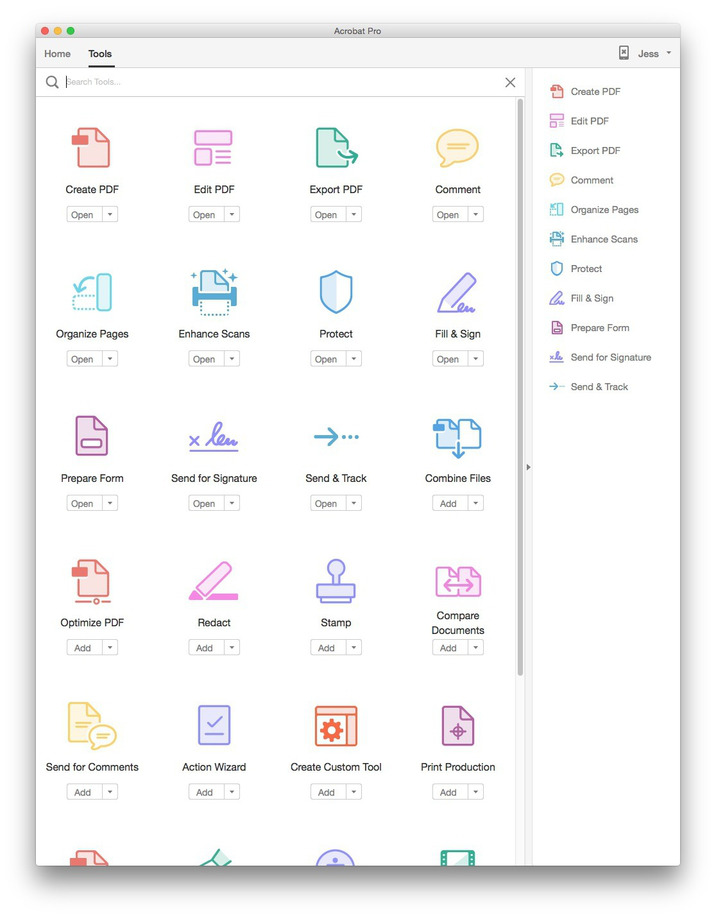
Adobe Acrobat Pro DC with Adobe Document Cloud services is here. Completely reimagined PDF tools let you create, edit, sign, and track PDFs from anywhere. It will change the way you work with design layouts, press-ready files, and all your important documents forever.

• Access powerful print production and digital publishing tools. Preview, preflight, correct, and prepare PDF files.
• Work anywhere. Create, export, and sign PDFs from your computer or the Acrobat DC mobile app.
• Take your files with you. Use Mobile Link to access recent files across desktop, web, and mobile.
• Edit anything. Instantly edit PDFs and scanned documents -- as naturally as any other file.
• Make last-minute changes. Edit text and organize PDF pages on your iPad.
• Replace ink signatures. Send, track, manage, and store signed documents with a built-in e-signature service.
• Protect important documents. Prevent others from copying or editing sensitive information in PDFs.
• Eliminate overnight envelopes. Send, track, and confirm delivery of documents electronically.


Whats new:
See: https://helpx.adobe.com/acrobat/using/whats-new.html

Screenshots

Name Adobe Acrobat Pro DC 2015.017.20050
Size 870.9 MB
Created on 2016-07-14 01:03:59
Tracker http://109.235.50.166:2710/announce
Hash 23479cb1c44ec471fd1212a9fa93c58add857a08
Files Adobe Acrobat Pro DC 2015.017.20050/AcrobatDCUpd1501720050.dmg (323.8 MB)
Adobe Acrobat Pro DC 2015.017.20050/Acrobat_DC_Web_WWMUI.dmg (543.1 MB)
Adobe Acrobat Pro DC 2015.017.20050/Adobe Acrobat Pro DC 2015 [K].zip (3.98 MB)

Adobe Photoshop Lightroom CC 2015 v6.6

Description

Name: Photoshop Lightroom CC
Version 2015 6.6
Language: Multilingual
Mac Platform: Intel
OS Version: OS X 10.8 or later
Processor type(s) & speed: 64-bit processor

Includes: Patch

More info: https://www.adobe.com/es/products/photoshop-lightroom/features.html


Overview
Adobe Photoshop Lightroom CC - Capture the full range of light. Create amazing images from challenging high-contrast scenes. New HDR Merge lets you combine multiple photos taken with different exposure settings into a single high dynamic range image.	

What's New in Adobe Photoshop Lightroom CC:

HDR images made easy
Create natural-looking or surreal images from extremely high-contrast scenes. Using HDR Merge, you can easily combine multiple shots taken with different exposure settings into a single high dynamic range image.

Stunning panoramas
Capture superwide fields of view and amazing detail. Photomerge technology lets you stitch together multiple images, including raw files, to create seamless panoramas.

Faster performance
Import and perfect your photos faster than ever. Lightroom takes advantage of compatible graphics processors to boost its overall speed, especially when you’re enhancing images in the Develop module.

Facial recognition
Quickly find images of family and friends, even without metadata tags. Select a face in one photo, and Lightroom searches for that person in all your other images. Categorize and group your photos based on faces.

Advanced video slide shows
Create beautiful, polished slide shows using still images, video and music along with professional effects like pan and zoom.

Improved web galleries
Showcase your work in more elegant, engaging and interactive web galleries. New HTML5-compatible gallery templates work with the widest range of desktop and mobile browsers.

Better control of filters
Precisely control which parts of your image are affected by the Graduated or Radial filters. Now you can use a brush to edit the filter’s mask, adding or subtracting filter effects wherever you want.

Easy photo sharing
Publish web galleries with Lightroom. Get feedback on your photos, start discussions and more — all from Lightroom on your mobile device or desktop.

Support for more devices
Lightroom is now on Android devices. And just like on iPad and iPhone, all your edits sync back to your computer.

Visual storytelling
Pull images from Lightroom into Adobe Voice and Slate on your iPad or iPhone to craft visual stories and animated videos.

Copy-paste enhancements
On your iPad or iPhone, you can quickly copy adjustments from one photo and paste them onto another for ultra-fast processing.

Perfect presentations
Use the new Presentation mode on your iPad or iPhone to show off photos without accidentally adjusting or editing them.

Fast photo searching
The Segmented view on your iPad or iPhone helps you find favorite photos faster than ever.

Quick composition adjustment
A redesigned cropping experience on iPad and iPhone lets you quickly adjust, align and auto-straighten your photos.

Name Adobe_Photoshop_Lightroom_CC_v6.6.zip
Size 1.19 GB
Created on 2016-06-10 05:30:29
Hash 43b98a7feb592c2c72cdcca52db013905258a7fd
Files Adobe_Photoshop_Lightroom_CC_v6.6.zip (1.19 GB)

Google Nik Collection 1.2.11.1307.10 Complete Adobe Plugins for Mac

Description

Name: Google Nik Collection
Version: 1.2.11.1307.12
Langage: Multilingual
Mac Platform: Intel
OS Version: OS X 10.7.5 through 10.10

Additional Requirement:
・Adobe Photoshop CS4 (CS5 for HDR Efex Pro 2) through CC 2015
・Adobe Photoshop Elements 9 through 13 (apart from HDR Efex Pro 2, which is not compatible with Photoshop Elements)
・Adobe Photoshop Lightroom 3 through 6/CC
・Apple® Aperture® 3.1 or later


More information: http://www.niksoftware.com/


Overview
The Complete Collection includes all of Nik Software's latest award-winning plug-in software titles for Photoshop: Dfine 2, Viveza 2, Color Efex Pro 3, HDR Efex Pro 2, Silver Efex Pro, and Sharpener Pro 3. All products feature Nik Software's patented U Point technology, giving photographers the most powerful tools for precise and natural photographic enhancements and corrections without the need for complicated selections or layer masks.

The Complete Collection includes support for every plug-in to work in Photoshop:
• Analog Efex Pro 2.12.12
• Color Efex Pro 4.3.24.12
• Dfine 2.2.21.12
• HDR Efex Pro 2.2.24.12
• Sharpener Pro 3.1.21.12
• Silver Efex Pro 2.2.24.12
• Viveza 2.1.21.12

Name google_nik_collection_1_2_11_1307_10_complete_adobe_plugins_for
Size 618.2 MB
Created on 2016-05-01 14:25:05
Hash 03f2d6094b7a0b7afc8e9e4c6c94c2338728cb7b
Files Google Nik Collection 1.2.11.1307.10 Mac/Applied Piracy.url (0.07 kB)
Google Nik Collection 1.2.11.1307.10 Mac/NikCollection_1.2.11.1307.10.dmg (618.2 MB)

Topaz Labs Plug-ins Bundle for Adobe Photoshop DC 25.02.2016

Description

Topaz Labs Plug-ins Bundle for Adobe Photoshop DC 25.02.2016 - Mac Os X - CORE

The Topaz Photography Collection (includes 17 products)

Topaz Plug-ins Bundle for Adobe Photoshop helps amateur and professional photographers accomplish the most common creative and corrective post processing tasks. With 14 powerful and easy-to-use programs, users can quickly enhance their digital images with flexible adjustments that are easy to apply and customize - and often in just 1-click!

Features

- Instantly convert your photos into an exciting art
- Control of the artistic process with an infinitely configurable options
- Use simple, fast and easy to master sliders
- Maximizing productivity through the use of a number of built-in presets
- Save your settings in your own presets
- Take advantage of multiple processors for faster processing
- Use Photoshop smart filter for convenient and non-destructive editing

Includes the latest versions of

- Adjust v5.1 (32-bit / 64-bit)
- B&W Effects v2.1.0 (32-bit / 64-bit)
- Clarity v1.0.0 (32-bit / 64-bit)
- Clean v3.1.0 (32-bit / 64-bit)
- DeJPEG v4.1.0 (32-bit / 64-bit)
- DeNoise v6.0.0 (64-bit only)
- Detail v3.2.0 (32-bit / 64-bit)
- Glow v1.0.1 (64-bit only)
- Impression v1.1.2 (64-bit only)
- InFocus v1.1.0 (32-bit / 64-bit)
- Lens Effects v1.2.0 (32-bit / 64-bit)
- Photo FXlab v1.2.9 (32-bit / 64-bit)
- ReMask v5.0.1 (64-bit only)
- ReStyle v1.0.0 (32-bit / 64-bit)
- Simplify v4.1.0 (32-bit / 64-bit)
- Star Effects v1.1.0 (32-bit / 64-bit)
- Texture Effects v1.1.1 (64-bit only)


More information: https://www.topazlabs.com/store

Name topaz.labs.plug.ins.bundle.for.adobe.photoshop.dc.25.02.2016.mac.os.x.core
Size 746.8 MB
Created on 2016-02-26 17:09:35
Hash aedf7e67732aaa73dd8980e6688d6e3cc7ecc4f3
Files Topaz Plug-ins Bundle 25.02.2016 OSX.zip (746.8 MB)

Adobe Media Encoder CC 2015 v9.2.0 Includes Patch

Description

Name: Adobe Media Encoder CC
Version: 2015 9.2.0
Includes Patch
Multilanguage
Intel, 64-bits processor
OS Version: Mac OS 10.9
4 GB RAM (8GB recommended)

More info: https://www.adobe.com/products/media-encoder.html


Adobe Media Encoder CC software automates the process of creating multiple encoded versions of source files, Adobe Premiere Pro sequences, and Adobe After Effects compositions. An intuitive interface, background encoding, and convenient presets help you quickly output for virtually any screen. Adobe Media Encoder is included in Adobe Premiere Pro, After Effects, and Adobe Prelude software.

Features
Preset Browser - Access commonly used settings immediately using the Preset Browser. Organize presets by category, set favorites, and customize your most frequently used encoding presets.
Fast, sure output to virtually any screen - Quickly and easily output your work for virtually any video or device format. Customize, set, and organize your favorite presets in the Preset Browser for fast export and batch encoding in the background.
Performance and stability - Use Watch Folders to quickly encode video from a single source to multiple output formats.
ARRIRAW, RED EPIC, and RED Scarlet-X support - Import your ARRIRAW, 5K RED EPIC®, and RED Scarlet-X footage directly into Adobe Media Encoder CS6 for transcoding to HD and SD formats.


Multilenguaje (incluido español)

Crea contenido para mostrar en prácticamente cualquier pantalla. 
Distribuye brillante contenido de vídeo para web, retransmisión y cine con Media Encoder CC. La integración completa con Adobe Premiere Pro CC proporciona un flujo de trabajo de salida fluido y Media Encoder incluye ajustes preestablecidos prácticos para lograr una amplia gama de formatos. La codificación de fondo significa que puedes seguir trabajando mientras los archivos se están procesando.

Funciones:

Noviembre de 2015
Publicar en Facebook 
Compatibilidad ampliada con el formato 4K 
Flujos de trabajo de secuencias de imágenes mejorados 
Corrección de volumen automática
Más facilidad de uso 
Canalización MXF
Compatibilidad DNxHD ampliada
Cumplimiento normativo IRT
Nuevo filtro de conversión de HDR a SDR
Nueva configuración de interpolación de tiempo

Junio de 2015
Time Tuner para ajustar automáticamente la duración de los proyectos procesados
Dolby Digital y Dolby Digital Plus apoyan el sonido envolvente 5.1 y 7.1 
Canalización QuickTime 
Soporte JPEG 2000 MXF
Nuevas bibliotecas ProRes para un mejor rendimiento
Ajustes de interfaz de usuario 
Ajuste de archivos QuickTime
Opción para asignar una hora de inicio personalizada 

Diciembre de 2014
Publicación de destino a YouTube y Vimeo 
Opción para adjuntar el nombre preestablecido al nombre de archivo de salida 
Separar archivos WAV para la exportación de canales 
Ajustes preestablecidos GoPro CineForm actualizados

Name adobe.media.encoder.cc.2015.v9.2.0
Size 1.20 GB
Created on 2016-01-31 08:05:51
Hash ccc13c559a49ffdddabcb4bd34c59893c17bcba5
Files Adobe_Media_Encoder_CC_2015_v9.2.0/Adobe_Media_Encoder_CC_2015_v9.2.0.zip (1.20 GB)
Adobe_Media_Encoder_CC_2015_v9.2.0/Torrent downloaded from MacAPPS at FlashTorrents.org.txt (0.06 kB)
Adobe_Media_Encoder_CC_2015_v9.2.0/Torrent downloaded from MacAPPS at torrent-core.org.txt (0.05 kB)
Adobe_Media_Encoder_CC_2015_v9.2.0/Torrent downloaded from MacAPPS torrents at btstor.cc.txt (0.12 kB)

Adobe After Effects CC 2015 v13.7

Description

Name: Adobe After Effects CC 2015
Version: 13.7
Includes: Patch
Multilingual
OS Version: Mac OS X v10.9 or later
Multicore Intel processor with 64-bit support

More info: http://www.adobe.com/products/aftereffects.html


After Effects CC. All new in 2015. Create incredible motion graphics and visual effects. The industry-standard motion graphics and visual effects toolset now brings you better ways to work, connecting your desktop and mobile apps with all your creative assets, so you can create your most stunning visuals yet.	

Bold new ways to put your ideas in motion.
Create production-quality graphics and Looks on your mobile devices as well as your desktop. And get immediate access to all your assets — including Adobe Stock images — from right inside After Effects. See how the latest release helps you go from initial concept to finished composition faster than ever.

Access all your After Effects assets anywhere with CreativeSync.
Adobe CreativeSync keeps everything you need up to date and at your fingertips across your desktop, web and mobile apps. It automatically syncs your Looks, colors, images, Adobe Stock assets, settings, metadata and more. It also powers your Creative Cloud Libraries, giving you instant access to your favorite assets right from within After Effects. With CreativeSync, you can start your project in any app on any device, pick it up where you left off and finish it on your desktop.

Millions of high-quality images. Right inside After Effects.
Find the perfect photo or graphic to jump-start your next project and make it amazing. The new Adobe Stock service offers 40 million curated, royalty-free assets that are all available from After Effects CC in just a few clicks. And Creative Cloud members get special pricing — 40% off Adobe Stock when you add it to your membership. It's the industry's best value.


Find the perfect image or graphic for your project
Save time finding, licensing and managing royalty-free stock images and graphics now that After Effects CC integrates with the new Adobe Stock service. Once you save an image to your Creative Cloud Libraries, it's immediately available for use in your compositions and other creative projects.

Your assets, available anywhere
Access and share important creative assets — like Looks and graphics — via Creative Cloud Libraries that are available in After Effects, Adobe Premiere Pro, Photoshop and Illustrator; mobile apps like Shape; and services like Adobe Stock.

Preview without interruptions
Adjust a composition's properties and even resize panels without interrupting playback. Uninterrupted preview keeps up with your creativity.

Track faces with greater accuracy
The Face Tracker makes it easy to apply effects to select areas of faces. Use simple tracking to color correct or blur a face; track specific points to change eye color or mouth movements; or track measurements, such as how wide an eye is open. You can even export data to Adobe Character Animator.

Easily animate 2D characters
Give life to characters you create in Illustrator or Photoshop by acting out their movements in front of a webcam. Adobe Character Animator tracks your facial movements, lets you record dialogue or a voice performance and enables you to trigger actions with your keyboard.

Preview the way that works best for you
Preview compositions, layers and footage based on your experience and preferences. Choose intuitive default behaviors, create customized previews for different triggers or revert to legacy preview behaviors with a few clicks.

Adapt the UI to your preferences
Navigate panels faster thanks to streamlined panel groups. Adjust the brightness of interactive controls to get the contrast just right.

Optimize the UI for touch
In the first steps toward a more touch-friendly compositing environment, After Effects makes it easier to navigate between panels in a group by letting you choose and activate panels with touch-optimized controls.

And so much more
Also includes: Enhancements that save time when working with expressions, the ability to import JPEG 2000 files and more.


Multilenguaje (incluido español)

Crea increíbles gráficos animados y efectos visuales.
El conjunto de herramientas de gráficos animados y efectos visuales líder del sector ofrece ahora una manera de trabajar más agilizada conectando tus aplicaciones de escritorio y para dispositivos móviles con tus activos creativos. De esta manera, puedes crear tus efectos visuales más impresionantes.

Nuevas y atrevidas maneras de poner tus ideas en movimiento.
Crea gráficos y apariencias de gran calidad en tus dispositivos móviles y en tu ordenador de sobremesa. Además, accede de inmediato a todos tus activos, incluidas las imágenes de Adobe Stock, directamente desde After Effects. Mira cómo la versión más reciente te ayuda a avanzar desde el concepto inicial hasta la composición inicial más rápido que nunca.

Captura la inspiración en cualquier lugar.
Captura la inspiración y crea activos en cualquier lugar usando aplicaciones para dispositivos móviles como las nuevas Adobe Hue CC y Adobe Shape CC. Después, lleva tus activos a After Effects para crear efectos y gráficos animados sofisticados.

Perfecciona mientras previsualizas.
Crea sin interrupciones ahora que After Effects te permite ajustar las propiedades de una composición e incluso modificar el tamaño de los paneles sin detener la reproducción.

Seguimiento facial más preciso.
Usa la nueva función de seguimiento facial para aplicar efectos a las zonas del rostro seleccionadas. Corrige el color, desenfoca o realiza un seguimiento de las medidas o de los puntos para cambiar cosas como el color de los ojos.

Disfruta de verdaderos gráficos en 3D dentro de After Effects.
Importa objetos en 3D y utilízalos en tus escenas en 3D gracias al desarrollo 3D en directo con Cinema 4D. Sin repetir la representación y sin esperar. Podrás dedicar más tiempo a la creatividad.

Name adobe.after.effects.cc.2015.v13.7
Size 2.16 GB
Created on 2016-01-31 07:14:00
Hash 9ab5abb9c5052438ddc6b56cd1e6bb81e671bc0d
Files Adobe_After_Effects_CC_2015_v13.7/Adobe_After_Effects_CC_2015_v13.7.zip (2.16 GB)
Adobe_After_Effects_CC_2015_v13.7/Torrent downloaded from MacAPPS at FlashTorrents.org.txt (0.06 kB)
Adobe_After_Effects_CC_2015_v13.7/Torrent downloaded from MacAPPS at torrent-core.org.txt (0.05 kB)
Adobe_After_Effects_CC_2015_v13.7/Torrent downloaded from MacAPPS torrents at btstor.cc.txt (0.12 kB)

Adobe Premiere Pro CC 2015 9.2 for Mac

Description

Name: Adobe Premiere Pro CC 2015
Version: 9.2
Mac Platform: Intel

OS X 10.9 or later, 64-bit processor
More info: http://www.adobe.com/products/premiere.html


Adobe Premiere Pro CC lets you edit video faster than ever before. Dozens of brand-new features include a redesigned timeline, improved media management, and streamlined color grading. And it's just the beginning: You'll get access to new features the moment they're released. Your entire creative world, together in one place. Only in Creative Cloud.

Version 9.2.0 (2015.2): 
New
New High Quality Playback option has been added to the playback settings. In previous releases, Premiere's playback settings only gave users fractional resolution choices, and playback was optimized for real time playback performance. At the default settings, frames typically have a slightly softer look during playback vs. pause, even when both are set to full resolution. Toggling on the new High Quality setting can provide a smoother viewing experience, where playback better matches the image quality of frames when paused. High Quality playback may result in dropped frames depending on the media and hardware configuration, and most users will find the default settings are still the best choice for real time playback.

Fixed
Adobe Stock and CC Libraries could not be used by users who connect to the internet using proxy servers.
Premiere Pro could not launch on Windows systems with AMD Phenom 2 processors.
Users of Wacom tablets could experience interface lag.
Multiple fixes with Adobe Stock support.
Dissolves displayed incorrectly on OS X El Capitan when working in CUDA mode.
Crashing issues when Warp Stabilizer re-analyzes.
DNxHD MXF import sometimes failed.
Titles could not be imported via the Import dialog on Mac.
Playback could stop when audio input was set to digital on Mac.
Synchronizing by audio waveform could give inaccurate results.
Double clicking a clip or sequence when the Project panel is in icon mode did not open the item.
Soft Subclips could appear with black thumbnails in the Project panel.
Rendered files sometimes did not maintain sequence start time.
A crash occurred with importing .wav files from Fostex DC-R 302 recorders.
Moving the info panel could cause a crash.
AVCi100 OP-Atom MXF files from Avid displayed incorrectly.
Audio drop-outs occurred on export.
The final frame of a nested sequence displayed incorrectly when using optical flow with GPU enabled.
Merged Clips could become corrupted when round-tripping via FCP XML.
PSD files caused Premiere Pro to stop responding when closing a project.
Live Text Templates with more then one parameter often lost render previews.
Sync Settings did not respect system proxy settings on Windows machines.
Specular highlights corrupted when exporting to non-PQ J2K files in HDR workflows.
Merged Clips dropped into a sequence were unlinked.
Premiere Pro project names incorrectly permitted the back and forward slash characters.
Render files did not travel with transition and analysis data.
Text layers in Live Text Templates displayed with jaggy edges.
XML files exported from FCP 7 could show as corrupt sequences.
Incorrect fonts were displayed when importing an XML from Annotation Edit software
Reverse playback could occasionally not work.
Panasonic 50i/60i .mp4 and .mov displayed incorrectly.
Premiere Pro crashed if the preferences folder was set to be read only on Mac
Exporting to QuickTime with MPEG-4 Enhanced Low Delay Audio could result in an Error Compiling Movie dialog.
GPU playback and rendering failed with sequences containing the Track Matte effect.
The About dialog showed an incorrect version number.
Crashing could occur with AJA 12-bit HDR output in software mode.
IMX 30 full-frame anamorphic exports were incorrectly exported as 4:3.
Several situations where crashes could occur have been resolved.


Multilenguaje (incluido español)

Premiere Pro CC. Todas las novedades de 2015. Crea vídeos visualmente sorprendentes en prácticamente cualquier lugar.

El conjunto de herramientas de producción de vídeo líder del sector ofrece ahora una manera de trabajar más agilizada conectando tus aplicaciones de escritorio y para dispositivos móviles con tus activos creativos. De esta manera, puedes crear producciones profesionales con colores brillantes en cualquier lugar.

El Premiere Pro más colorido.
El editor de vídeo no lineal más rápido y eficiente es ahora también el primero en ofrecer un Lumetri Color panel intuitivo y dedicado para manipular el color y la luz, además de una transición del corte de transformación que te permite crear rápidamente las escenas con personajes parlantes más perfectas que puedas imaginar. La aplicación también ofrece numerosas funciones diseñadas para ayudarte a dar el salto desde Final Cut o Avid. Entre ellas se incluyen métodos abreviados de teclado, paneles y comandos comunes.

Simplificación del color.
Aplica desde correcciones rápidas de color hasta looks de Lumetri complejos mediante un nuevo espacio de trabajo de color que ofrece reguladores y otros controles sencillos.

Creatividad en todas partes.
Aplicaciones para dispositivos móviles como Adobe Premiere Clip y el nuevo Hue CC llevan toda la potencia de Premiere Pro a tus dispositivos. De esta manera, puedes crear vídeos con efectos visuales y de audio increíbles.

Integración perfecta con After Effects.
Trabaja fácilmente con efectos visuales y gráficos animados entre Premiere Pro y After Effects mediante Dynamic Link, que elimina los procesamientos intermedios para acelerar tus flujos de trabajo.

Evita los procesos de ajuste, solo tienes que empezar a editar.
Ahorra tiempo editando prácticamente cualquier tipo de medio, desde vídeo de smartphones hasta secuencias en 8K, gracias a la amplia compatibilidad con formatos nativos en Premiere Pro.

Name adobe.premiere.pro.cc.2015.v9.2
Size 1.56 GB
Created on 2016-01-30 18:21:17
Hash bf2974b6fab05cc3f2faedc843c04d88938104af
Files Adobe_Premiere_Pro_CC_2015_v9.2/Adobe_Premiere_Pro_CC_2015_v9.2.zip (1.56 GB)
Adobe_Premiere_Pro_CC_2015_v9.2/Torrent downloaded from MacAPPS at FlashTorrents.org.txt (0.06 kB)
Adobe_Premiere_Pro_CC_2015_v9.2/Torrent downloaded from MacAPPS at torrent-core.org.txt (0.05 kB)
Adobe_Premiere_Pro_CC_2015_v9.2/Torrent downloaded from MacAPPS torrents at btstor.cc.txt (0.12 kB)

Adobe Photoshop CC 2015 16.1.1

Description

Name: Adobe Photoshop CC 2015
Version: 16.1.1
Mac Platform: Intel
Includes: K

OS version: 10.9 or higher
64 bit

Included, as per usual are XFORCE and amtlib K's along with another. Do not mix the K's

Whats new:

See: https://helpx.adobe.com/photoshop/using/whats-new.html#2015_1

Please note:

I have removed certain 'add ons' that were included from my source. I am sure that you can go find them 


Photoshop CC. All new in 2015. Create anything you can imagine. Anywhere you are. The world’s best imaging and design app now features even more creative possibilities with new tools for design and photography, connecting your desktop and mobile apps with all your creative assets, so you can make amazing visual content on any device.

Photoshop CC. All new in 2015. Create anything you can imagine. Anywhere you are. The world’s best imaging and design app now features even more creative possibilities with new tools for design and photography, connecting your desktop and mobile apps with all your creative assets, so you can make amazing visual content on any device.

More info: https://www.adobe.com/nz/products/photoshop.html?promoid=KLXLS

Name Adobe Photoshop CC 2015 16.1.1
Size 1.46 GB
Created on 2015-12-17 01:01:32
Tracker http://109.235.50.166:2710/announce
Hash 0b91e99e90a7bc8a05074cdf8dda7d58a46cef27
Files Adobe Photoshop CC 2015 16.1.1/Adobe CC 2015 [crack].zip (18.31 MB)
Adobe Photoshop CC 2015 16.1.1/CameraRaw 9.3.48.dmg (137.1 MB)
Adobe Photoshop CC 2015 16.1.1/Photoshop_16_LS20.dmg (865.7 MB)
Adobe Photoshop CC 2015 16.1.1/Update 16.1.1.dmg (443.1 MB)

Creativemarket 30 ACR & Adobe Lightroom Presets 335543

Name Creativemarket 30 ACR & Adobe Lightroom Presets 335543
Size 27.28 kB
Created on 2015-08-11 19:42:44
Hash 8e6f3fe5cefac95d5ea48987f96fd3da8ac1c293
Files ※ See Description

Descriptions for Description

Name : 30 ACR & Adobe Lightroom Presets
Files : 
File Size : 44.25 KB

30 Photo presets for Lightroom and Adobe Camera Raw.
3 types of presets, including colour adjustments, light leaks and frame borders. Installation guide included for Mac and Windows.


Link for more information: https://creativemarket.com/WvHPhotography/335543-30-ACR-Adobe-Lightroom-Presets

Files

Creativemarket 30 ACR & Adobe Lightroom Presets 335543
│── 30 ACR & Adobe Lightroom Presets.tgz (26.88 kB)
│── Torrent Downloaded From ExtraTorrent.cc.txt (0.35 kB)
└─ Torrent downloaded from demonoid.pw.txt (0.05 kB)

Adobe Photoshop Lightroom 6.2.1 CC

Description

Name: Adobe Photoshop Lightroom
Version: 6.2.1/CC
Mac Platform: Intel
Includes: K

OS version: 10.8 or higher
64 bit

Whats new:

This update provides a performance fix related to Import and also fixes crashing bugs identifying in the Lightroom CC 2015.2 / Lightroom 6.2 release.

Includes: X-Force and Amtlib methods.

Do not mix the methods


From first look to final image, Adobe Photoshop Lightroom makes everything about digital photography easier, faster, and more amazing. Perfect your shots with powerful new adjustment tools like the Advanced Healing Brush. Efficiently organize all your photos and share them almost anywhere.

More info: https://www.adobe.com/products/photoshop-lightroom/features.html

Name Adobe Photoshop Lightroom 6.2.1-CC
Size 999.3 MB
Created on 2015-10-10 12:11:49
Tracker http://109.235.50.166:2710/announce
Hash cfa0084a559c2f1d8b0f43ba7cdbb33a3373f1f8
Files Adobe Photoshop Lightroom CC 2015 6.2.1/Adobe CC 2015 [crack].zip (18.38 MB)
Adobe Photoshop Lightroom CC 2015 6.2.1/Lightroom 6 Dehaze plug-in.zip (6.83 kB)
Adobe Photoshop Lightroom CC 2015 6.2.1/Lightroom 6 LS11.dmg (762.3 MB)
Adobe Photoshop Lightroom CC 2015 6.2.1/Update 6.2.1.dmg (218.7 MB)

Adobe Photoshop Lightroom 6.2

Description

Name: Adobe Photoshop Lightroom
Version: 6.2/CC
Mac Platform: Intel
Includes: K

OS version: 10.8 or higher
64 bit

Whats new:

https://helpx.adobe.com/lightroom/help/whats-new.html

Includes: X-Force and Amtlib methods.

Do not mix the methods


From first look to final image, Adobe Photoshop Lightroom makes everything about digital photography easier, faster, and more amazing. Perfect your shots with powerful new adjustment tools like the Advanced Healing Brush. Efficiently organize all your photos and share them almost anywhere.

More info: https://www.adobe.com/products/photoshop-lightroom/features.html

Name Adobe Photoshop Lightroom 6.2
Size 984.6 MB
Created on 2015-10-06 12:34:28
Tracker http://109.235.50.166:2710/announce
Hash 93b3911631a5a7db007f18a0ab5361587ee3b58e
Files Adobe Photoshop Lightroom – CC 2015 (6.2)/Adobe CC 2015 [crack].zip (3.64 MB)
Adobe Photoshop Lightroom – CC 2015 (6.2)/Lightroom 6 Dehaze plug-in.zip (6.83 kB)
Adobe Photoshop Lightroom – CC 2015 (6.2)/Lightroom 6 LS11.dmg (762.3 MB)

Adobe Photoshop Lightroom – CC 2015 (6.2)/Update 6.2.dmg (218.7 MB)

Adobe Photoshop CC 2015 16.0.1

Description

Name: Adobe Photoshop CC 2015
Version: 16.0.1
Mac Platform: Intel
Includes: K

OS version: 10.7 or higher
64 bit

Included, as per usual are XFORCE and amtlib K's. Do not mix the two K's

Whats new:

See: http://www.adobe.com/nz/products/photoshop/features.html


Photoshop CC. All new in 2015. Create anything you can imagine. Anywhere you are. The world’s best imaging and design app now features even more creative possibilities with new tools for design and photography, connecting your desktop and mobile apps with all your creative assets, so you can make amazing visual content on any device.

Photoshop CC. All new in 2015. Create anything you can imagine. Anywhere you are. The world’s best imaging and design app now features even more creative possibilities with new tools for design and photography, connecting your desktop and mobile apps with all your creative assets, so you can make amazing visual content on any device.

More info: https://www.adobe.com/nz/products/photoshop.html?promoid=KLXLS

Name Adobe Photoshop CC 2015 16.0.1
Size 1.21 GB
Created on 2015-08-07 03:52:51
Tracker http://109.235.50.166:2710/announce
Hash 7e3f1e0b604ce704cb60a8383836fffaed4810fa
Files Adobe Photoshop CC – 2015 16.0.1/Photoshop_16_LS20.dmg (865.7 MB)
Adobe Photoshop CC – 2015 16.0.1/README!!.rtf (1.33 kB)
Adobe Photoshop CC – 2015 16.0.1/XFORCE.zip (51.97 kB)
Adobe Photoshop CC – 2015 16.0.1/amtlib K.zip (3.83 MB)
Adobe Photoshop CC – 2015 16.0.1/update.dmg (343.7 MB)

Adobe Muse CC 2014.3.2.11

Name Adobe Muse CC 2014.3.2.11
Size 244.4 MB
Created on 2015-04-15 23:56:22
Tracker http://109.235.50.166:2710/announce
Hash 7d60d2a9ef1dc6dc2c781d48b68b537f126def82
Files Adobe Muse 2014.3.2/AdobeCC2014_files.zip (1.30 MB)
Adobe Muse 2014.3.2/Muse_2014_3_CC_LS24.dmg (243.1 MB)

Descriptions for Description

Name: Adobe Muse CC
Version: 2014.3.2.11
Mac Platform: Intel
Includes: K

OS version: 10.7 or higher
Processor type(s) & speed: Intel 64-bit support
RAM minimum: 2GB
Video RAM: 512MB

April 1, 2015

2014.3.2.11
Muse sites with both a Tablet and Phone rendition of a page now include a redirect from the Tablet page to the Phone page in order to be more mobile-friendly as defined by Google, who announced their expanded use of mobile-friendliness as a ranking signal.
Copying multiple text frames, which have been tagged using different collections via the Content panel, and pasting to a new project results in a crash with the alert, "Assert: Don't know how to generate rendered data for type:type_guid.”
Deleting expanded objects from the Layers panel results in a crash if that object has multiple levels of child objects which have also been expanded.
Undoing the deleting of all text from the “Form Message” field of a Form results in a crash.


Adobe Muse CC (2014)

Rebuilt with 64-bit support
Take full advantage of the latest web browser and operating system updates such as Mavericks OS X, plus new hardware like high-resolution Retina displays.

In-browser Editing updates
Say goodbye to spending time updating your websites. You can allow site owners to make minor updates to their live site in a web browser, whether hosted by Adobe or another provider. Then you choose to sync the updates with your original Adobe Muse files.

Creative Cloud Add-ons
Jumpstart your projects by downloading Adobe Muse starter files, new widgets, and other design elements such as navigation menus and buttons. Download, then click to automatically save in your Library panel to use in your designs.

HiDPI display support
Ensure your sites will look sharp on high-resolution displays by enabling HiDPI support. You can choose to control specific elements you want optimized for HiDPI, such as a single image or company logo.

Dark UI
Choose the brightness of your workspace, similar to Photoshop, Illustrator, and InDesign. You can select from four shades of grey, from light to dark. Choose the darker grey colors and the Adobe Muse canvas remains white so you can focus your eye on your design, instead of the interface.

Customizable work area
Organize your workspace the way you want. You can now un-dock and re-organize panels. Create layouts side-by-side by working in multiple Design view windows — useful for designing desktop and mobile versions of your site at the same time.

HiDPI UI Support
Your interface elements, including menus, panels, and icons, plus placed content such as images and text, will appear sharper when viewed on a HiDPI display. New HiDPI display detection takes advantage of the latest technologies like Retina displays.

Usability updates
Adobe Muse now looks and functions more like other Adobe products such as Photoshop, Illustrator, and InDesign. Keyboard commands, Open/Save recall, the color picker, placed image behavior and more are part of the newly native, re-built application.

100% width slideshow
You can now control the height of a full-width slideshow. Images display fully to the right and left edges of the browser window, and can now be set at a fixed height, whether you're viewing on a desktop or mobile device.

In-app Preview
Preview desktop, smartphone, and tablet versions of your sites before going live with in-app preview that reflects the latest browser improvements by using native browser technology from your OS.

And so much more
Also includes: A 100% Width Toggle button for turning on and off elastic 100% browser width behavior; the ability to cut, copy, paste, or replace background image fills from the right+click context menu; a Replace Image menu option in Design view; and more.

THIS IS THE VERSION WHERE YOU REPLACE THE amtlib.framework, INCLUDED IN THIS TORRENT WITH ALL THE TOOLS TO RESET, ETC.