Category Archives: Mac os

EdgeView 2.520

 EdgeView 2.520 download for mac torrents)
Graphics & Design

Name EdgeView 2 2 520 MAS TNT.zip
Size 14.21 MB
Created on 2018-12-23 03:38:57
Hash 98dd3d54906d8b174b81238b935e45895b166413
Files EdgeView 2 2 520 MAS TNT.zip (14.21 MB)

Download

EdgeView 2.520

EdgeView 2 is a cutting-edge image viewer for MacOS X. You can open various image files, can also open archive files like as ZIP, rar without extraction. You can check and open files on built-in file browser. And can connect to FTP and open the file directly. EdgeView 2 is the best choice when viewing and managing image files, cartoon files like as archives.

======= Function / specification =======

——- Image viewer ——
  • Supporting image files such as JPG, GIF, BMP, PSD, TIFF, RAW(DNG) and PDF
  • Supporting major archive formats such as ZIP, RAR, CBZ, CBR, 7zip, ALZ, etc.
  • Can extract encrypted archive file
  • Can read archive file in archive file in archive… as they are
  • Advanced preread cache for fast loading
  • High quality image rendering
  • Provide suitable function for comic reading
    • Twopage spread, reading from right to left, etc.
  • Powerful navigation function
    • Move previous/next, skip, move only one page(shift previous/next), etc.
    • You can move while checking thumbnails with progress bar and thumbnail bar
  • Support for trackpad gestures
    • Moving pages with swipe gesture, scaling with pinch gesture
  • Builtin loupe function to make it easier to see small character
  • Can zoom in/out image freely
  • Various special effects can be applied in real time
    • Insert shadow in spread pages, auto level correction, blur, sharpen, unsharpen mask, grayscale, colorize, etc.
    • Detailed setting is possible from the effects HUD
  • Can roate, flip horizontal, flip vertical image
  • Support for Animated GIF, and Animated PNG
    • Pause/play, move to previous/next frame, and can change frame rates from animated HUD
  • Support for Slideshow
  • You can adjust transparency for each window
  • Can sharing image via SNS.
  • Can remote control in comicShare app in iOS device
  • (http://comicshare.yunagi.com)
——- File Browser ——
  • Builtin file browser display files as lists or icon
  • Can be arranged by file name, rates, writer, category, etc.
  • Easily add and modify additional information such as rates, writer, category
  • Provide search functions such as spotlight search, file name search
  • Can connect to FTP server in a file browser
  • FTP file search is also supported
  • Image files, archive files in FTP can also be opened directly * 1
  • Save opened folders, archive files, PDF files as history
  • The last opened page, file position, special effects, display settings are saved and restored as it is at the last state when reopening
——- Other ——
  • Automatically create thumbnails of archive files containing images with the builtin QuickLook plugin
  • Archive files without images display the included file list on the QuickLook panel
  • Comics on Screenshot
  • [Give My Regards to Black Jack], by SHUHO SATO. Distributed in Manga on Web (http://mangaonweb.com/satoshuho/download.html)

* 1) The archive file will be downloaded and opened in a temporary folder. The files in the temporary folder are deleted automatically afterwards

Compatibility: macOS 10.11 or later 64-bit

Web Site: http://edgeview.co.kr/en/home/
Mac App Store: https://itunes.apple.com/us/app/edgeview-2/id1206246482?mt=12

What’s New in EdgeView 2.520

– Fix bugs

Athentech Perfectly Clear Complete 3.6.3.1392

 Athentech Perfectly Clear Complete 3.6.3.1392 download mac torrent)

Name PerfectlyClearComplete V3 3 6 3 1392 TNT.zip
Size 132.6 MB
Created on 2018-12-22 23:53:59
Hash 07fee8f3765c37d343ee5c253c5c8b16f0ea8b27
Files PerfectlyClearComplete V3 3 6 3 1392 TNT.zip (132.6 MB)

Download

Athentech Perfectly Clear Complete 3.6.3.1392

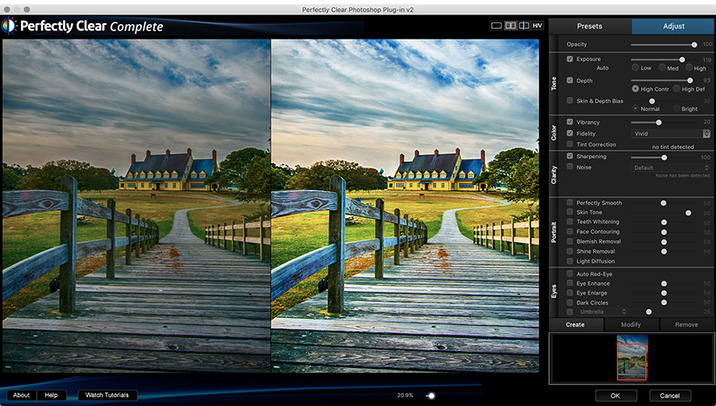
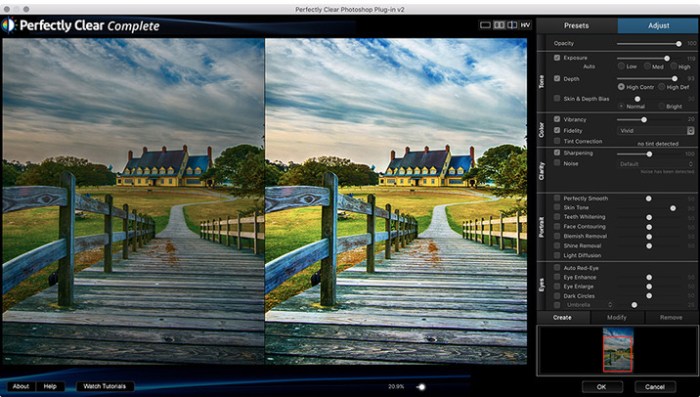
With Perfectly Clear, you’ll get results faster so you can spend more time behind the camera and less time in front of the computer. Take advantage of intelligent image analysis to find and fix numerous camera flaws automatically. Plus, you can quickly add your favorite finishing touch with our stylized LOOKs.

Take complete control.

Our presets are just the starting point. Easily apply only the adjustments you need for the perfect image. Use our powerful sharpening and noise reduction, which goes beyond what other tools can do, to unlock a whole new image. Keep an eye on your color and exposure with a dynamic histogram that tracks exposure and color clipping.

A custom experience.

Every photographer is different, and so is Perfectly Clear. Our adaptive interface lets you hide tools you don’t need while you work, allowing you to focus on your image. Plus, you can make and manage your own presets, which intelligently adapt to each photo.

Why change your workflow?

Rather than move your entire image library or change your workflow, we’ll make your existing workflow better. We support several platforms and have more coming soon. With powerful batch processing and up to 30 corrections in one click, we’ll make everything better.

We’ve got image correction down to a science.
Creating our award-winning technology took more than a decade of R&D, multiple patented processes, and over a dozen unique algorithms. We cracked the code on correcting every pixel independently. The proof is in your pictures.

Web Site: http://www.athentech.com/products/plugins

What’s New in Athentech Perfectly Clear Complete 3.6.3.1392

  • Release notes not available at the time of this post.

Screenshots

Athentech Perfectly Clear Essentials 3.6.3.1392

 Athentech Perfectly Clear Essentials 3.6.3.1392 download mac torrents)

Name PerfectlyClearEssentials V3 3 6 3 1392 TNT.zip
Size 88.27 MB
Created on 2018-12-22 23:53:47
Hash ae0a2ecac76ea0c9ba691e407949527abf22d326
Files PerfectlyClearEssentials V3 3 6 3 1392 TNT.zip (88.27 MB)

Download

Athentech Perfectly Clear Essentials 3.6.3.1392

Athentech has released a new product called Perfectly Clear Essentials. This product contains all of the Tone, Color, and Details controls that can give you perfect exposure, great color, and sharp photos with no noise. All of the preset functionality, as well as Creative LOOKs and Corrective Filters, are also unlocked.

  • 40+ useful adjustments for perfect exposure, color, and details
  • Includes 32 Useful Presets for fixing most photographic challenges
  • Includes 42 Creative LOOKs to stylize your images
  • Unlock more features your favorite presets or LOOKs
  • Create your own presets and share with others

It is virtually identical to Perfectly Clear Complete except in two ways.
It removes controls for all of the Beautify technology. These adjustments are helpful for portrait and wedding photographers, but not really useful to landscape and travel folks.
It removed the batch export module from Lightroom.

While both of the above are useful, they are designed for pros who need the most time-saving options for processing portraits. If you do need portrait adjustments, you can easily add the Kristina Sherk preset packs or a new forthcoming one from Matthew Jordan Smith.

You can also create your own presets and exchange your favorite settings with other users. This is a great deal if you want the time-saving features as well as advanced technology to unlock perfect exposure and sharper images.
Requirements:
  • Intel, 64bit processor
  • OS X 10.9 or later
  • Photoshop CS6 or Creative Cloud
  • Photoshop Elements 13,14,15
  • Corel PaintShop Pro X6, X7, X8, X9
  • Lightroom 4 or newer, including v6 and CC

Web Site: http://www.athentech.com/apps/perfectly-clear-essentials

What’s New in Athentech Perfectly Clear Essentials 3.6.3.1392

  • Release notes not available at the time of this post.

Screenshots

Athentech Perfectly Clear WorkBench 3.6.3.1392

 Athentech Perfectly Clear WorkBench 3.6.3.1392 download for mac os)

Photography

Name PerfectlyClearWorkbench V3 3 6 3 1392 TNT.zip
Size 38.02 MB
Created on 2018-12-22 23:53:34
Hash bd9322f067d0f62f6a01fa1700e1edd835071566
Files PerfectlyClearWorkbench V3 3 6 3 1392 TNT.zip (38.02 MB)

Download

Athentech Perfectly Clear WorkBench 3.6.3.1392

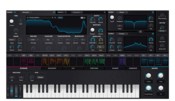
Perfectly Clear Workbench is an application that uses Athentech’s Perfectly Clear image correction libraries and is made available to demonstrate the capabilities of the Perfectly Clear processing libraries, face detection library and to allow a quick export of the processing settings for use.

Supported Image Formats:

Perfectly Clear requires RGB-formatted images in either 8 or 16-bit color depth. Any image file that Photoshop or Lightroom can open and convert to this format may be used in Perfectly Clear. Monochrome and CMYK images must be converted to RGB before using Perfectly Clear. RAW files must be opened through Adobe Camera RAW and loaded into Photoshop to be accessible to Perfectly Clear.
Compatibility: macOS 10.9 or later 64-bit

Web Site: http://www.athentech.com

What’s New in Athentech Perfectly Clear WorkBench 3.6.3.1392

  • Release notes not available at the time of this post.


Colors PRO 1.6.2

 Colors PRO 1.6.2 download for mac os)

Name Colors PRO 1 6 2 TNT.zip
Size 9.28 MB
Created on 2018-12-22 05:07:33
Hash fd8b0b10bdd767a97bee97b40d5f297dd98ca669
Files Colors PRO 1 6 2 TNT.zip (9.28 MB)

Download

Colors PRO 1.6.2

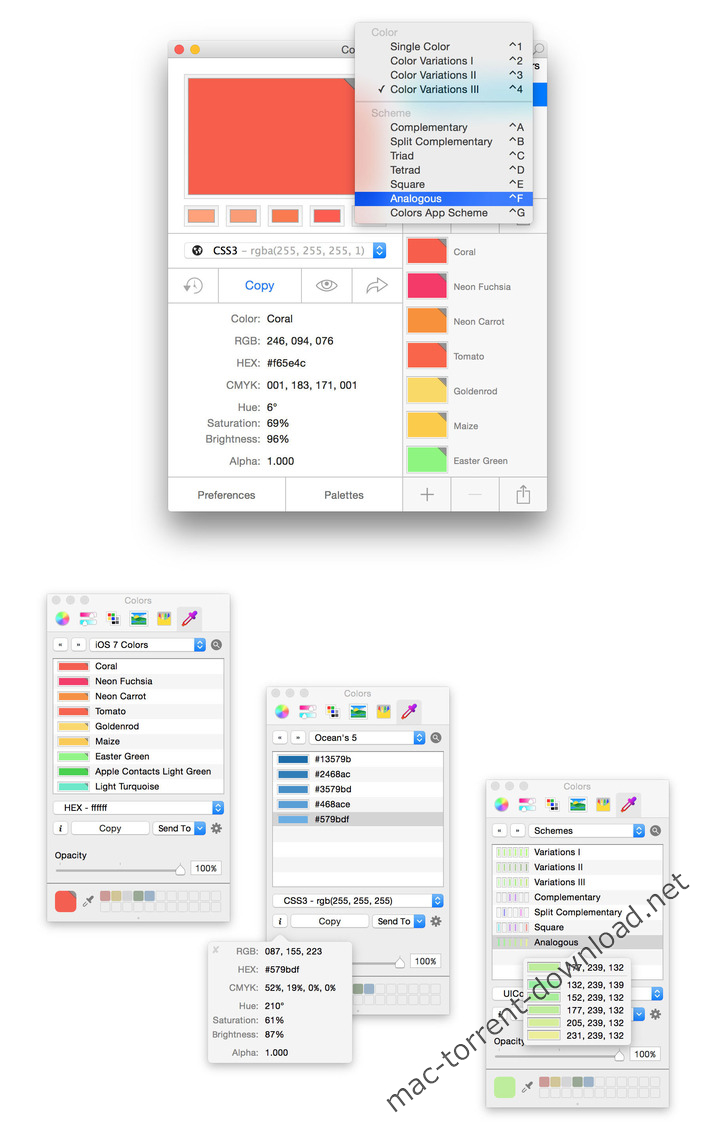
Colors PRO is a color picker, color scheme, and color palette tool. Colors PRO comes bundled with a Color Picker Plugin. Once enabled, you can access all your colors, palettes, and schemes you’ve created and stored within the main Color application from within any supported app like, for example, Pages, Pixelmator, Sketch, Xcode, or Photoshop.

With Colors you can have it all. In one single application. Colors is a color picker. Colors is a photo analyzer. Colors is a scheme generator.

Colors stores all your colors, schemes, and palettes. Colors works with iCloud, Dropbox, and Co so that you can access them from all your Macs. Colors speaks twenty different color codes; from HEX to UIColor and Java RGB.

Compatibility: OS X 10.11 or later 64-bit

Web Site: http://colorsapplication.com/

What’s New in Colors PRO 1.6.2

  • Release notes not available at the time of this post.

Screenshots

App Cleaner & Uninstaller Pro 6.4 (248)

Name App Cleaner Uninstaller Pro 6 4 248 TNT.zip
Size 26.47 MB
Created on 2018-12-22 03:10:45
Hash b5eca97a2f92daad9fb1a5f9763ef69148596517
Files App Cleaner Uninstaller Pro 6 4 248 TNT.zip (26.47 MB)

Download

App Cleaner & Uninstaller Pro 6.4 (248)

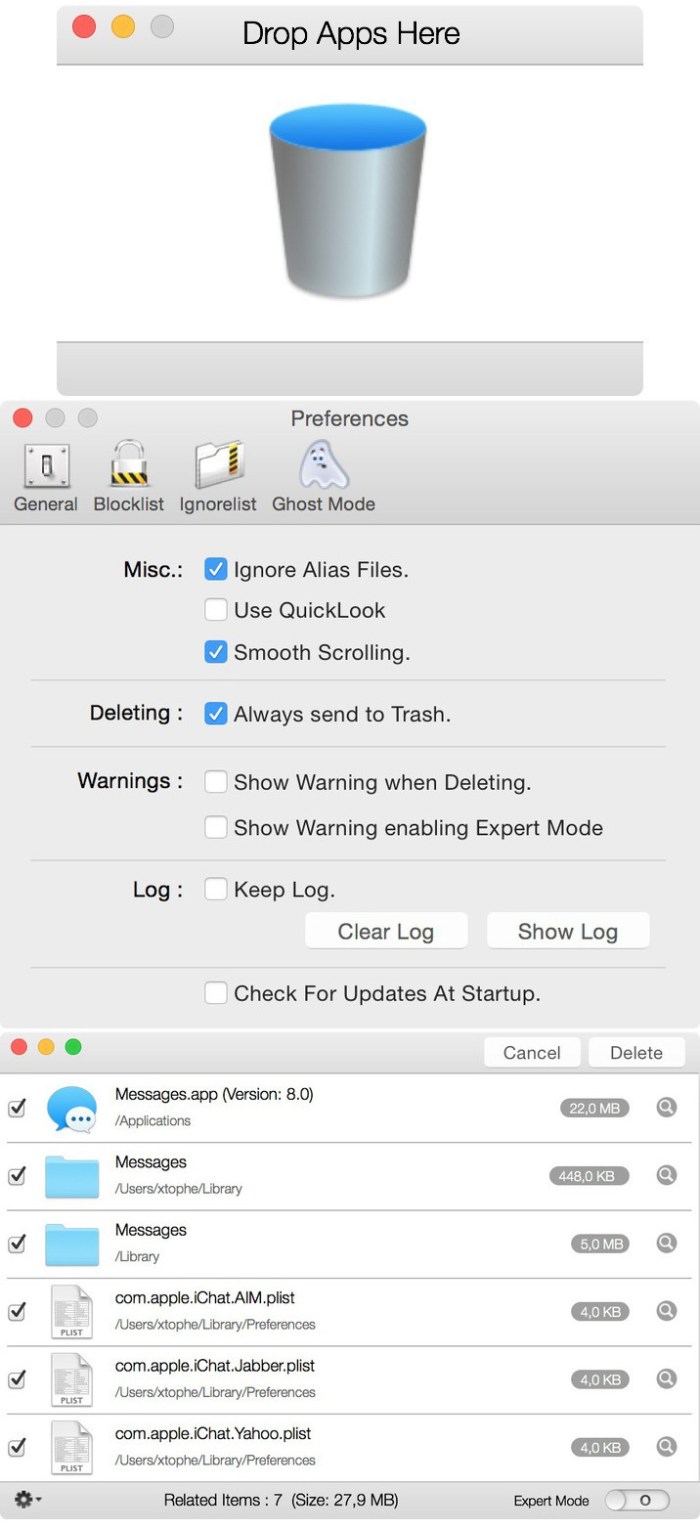
App Cleaner & Uninstaller (was App Cleaner) can remove applications and their service files on OS X*. Make sure they aren’t eating up precious space on your drive with this helpful app that does the legwork for you.

Features
  • Scan the system and preview installed applications
  • Remove all types of service files
  • Remove remains of previously uninstalled apps
  • Reset application to a first-launch state
  • Easy-to-use shortcuts
  • Any file or app quick preview
  • Specific app-associated file formats preview
  • In-app help assistance
  • Show unused applications
  • Skip list option

* Some applications can not be removed because they require administrator privileges. In this case, switch to the Finder and delete the application file in usual way.

Compatibility: OS X 10.10 or later

Web Site: https://nektony.com/mac-app-cleaner
Mac App Store: https://geo.itunes.apple.com/app/id1013897218

What’s New in App Cleaner & Uninstaller Pro 6.4 (248)

  • Release notes not available at the time of this post.

Screenshots