Category Archives: Mac os

anymp4 dvd ripper for mac 8 2.10

Anymp4 dvd ripper icon
Name AnyMP4 DVD Ripper for Mac 8 2 10 81348 TNT.zip
Size 52.41 MB
Created on 2018-12-16 20:15:58
Hash 52a2644272eee5773b4448695b9ff7da871d2a02
Files AnyMP4 DVD Ripper for Mac 8 2 10 81348 TNT.zip (52.41 MB)

Download

AnyMP4 DVD Ripper for Mac 8.2.10

Do you want to save a DVD movie to PC local drive? DVD disc could be easily damaged and is not very convenient to play DVD disc anytime and anywhere. So you are recommended to rip DVD to video for playback on any digital device like iPhone/iPad/iPod, Samsung, LG, HTC and more. AnyMP4 DVD Ripper, a powerful DVD Ripping software, helps you rip DVD movie into a variety of popular video and audio formats.

You can convert DVD to MP4, MKV, AVI, MOV, WMV, FLV, M4V, TS, DivX, WebM, 3GP and other 4K/1080p/720p video formats with ease and than save DVD to computer for backup. In addition, AnyMP4 DVD Ripper can help you extract audio track from DVD and convert it to your preferred audio format like MP3, WAV, WMA, AAC, M4A, ALAC, FLAC, OGG, and more.

Compatibility: OS X 10.7 or later

What’s New in AnyMP4 DVD Ripper for Mac 8.2.10

  • Release notes not available at the time of this post.

data recovery essential pro 3.6

Name Data Recovery Essential 3 6 MAS In-App TNT.zip
Size 18.37 MB
Created on 2018-12-16 20:15:39
Hash 45495813f8abf280f8277a156f189fd61847b227
Files Data Recovery Essential 3 6 MAS In-App TNT.zip (18.37 MB)

Download

Data Recovery Essential Pro 3.6 MAS + In-App

Data Recovery Essential is a fresh, constantly updated, data recovery and undelete app. It also comes with the free daily recovery of up to 100MB, that is perfect if you lost a document or two and need a quick data recovery session right away.

Data Recovery Essential will restore all existing file formats: images and photos, music, documents, videos, ZIP and other compressed files, etc. If your lost data is not recoverable with our Quick Scan or your file system has been damaged, Deep Scan and other extensive data retrieval algorithms will reconstruct your files based on our unique collection of binary file signatures (which is also constantly updated).

Data Recovery Essential scans all existing file systems, including HFS+, NTFS, FAT32, EXT4 and others, and will also be able to find deleted data after accidental or incomplete disk format. All internal and external storage devices supported: your Mac’s main hard drive, any mountable external disks, USB flash thumb drives, cameras, memory cards, and even other Macs.

Data Recovery Essential app was created by CleverFiles, the team of top-notch experts in data recovery for Macs. You are more than welcome to send any questions and tech support requests any time to help@cleverfiles.com

A regular data rescue process with Data Recovery Essential starts with creating a disk image from the storage device where the lost files reside. This step is very easy to accomplish and is required to prevent further data loss if the target drive has mechanical issues. Make sure you learn how to do it in our simple step-by-step guide here: https://www.cleverfiles.com/masver/

Once the disk image is created, load it into Data Recovery Essential app and scan it for deleted data. The app will then show all your recoverable files in a well-structured list that can be searched and filtered. You can recover selected files or just dump everything to another disk or destination and sort it out later. The data recovery process is very fast, smooth and clear.

Note: Data Recovery Essential cannot recover deleted data from iOS devices (iPhones, iPads, iPods Touch).

Top In-App Purchases: Pro Version – included
Compatibility: macOS 10.12 or later 64-bit

Mac App Store: https://itunes.apple.com/app/data-recovery-essential/id1208148558?mt=12

What’s New in Data Recovery Essential Pro 3.6

*** New ***

+ Multiple internal optimizations and improvements for macOS Mojave
+ All FAT32 smart recovery algorithms updated
+ Canon RAW Movie (CRM) file format added to Deep Scan’s file signature repository
+ Data recovery from Apple’s RAID arrays – Striped (RAID 0), Mirrored (RAID 1) and Concatenated (JBOD)
+ Automatic detection of APFS Fusion Drives

*** Extras ***

* Improved universal recovery sequence on APFS partitions
* Improved processing of Core Storage
* Improved data recovery routines on encrypted APFS volumes, emphasis on Deep Scan
* Improved recovery consistency on FAT32 partitions with 8K cluster size
* Improved preview on macOS 10.10
* Improved MP3 recovery and labeling as part of Deep Scan
* Several minor UI enhancements
* Multiple improvements in UI translations

pingey 1.0.0

Name Pingey 1 0 0d TNT.zip
Size 11.40 MB
Created on 2018-12-16 20:14:52
Hash 876ff3ab1b619ea19c2f2d10a73d322452e677fa
Files Pingey 1 0 0d TNT.zip (11.40 MB)

Download

Pingey 1.0.0

Pingey is the simplest way to monitor your websites. It sits in the menu bar, always one click away. Click on its icon to see status of all your websites or add separate menu bar items for your most important ones to make them glanceable.

Features:
  • option to add separate, always visible menu bar item for each website,
  • easy to use, straightforward design,
  • customizable ping frequency.

Compatibility: macOS 10.13 or later 64-bit

Web Site: http://getniceapps.com/pingey
Mac App Store: https://itunes.apple.com/app/pingey-menu-bar-website-ping/id1440865178?mt=12

What’s New in Pingey 1.0.0

macx dvd ripper pro 6 2.0.20181213

Name MacX DVD Ripper Pro 6 2 0 20181213 TNT.zip
Size 56.55 MB
Created on 2018-12-15 21:01:01
Hash 0c8c05cfbf46e49dabe1cee6091e01e4c5b89653
Files MacX DVD Ripper Pro 6 2 0 20181213 TNT.zip (56.55 MB)

Download

MacX DVD Ripper Pro 6.2.0 (20181213)

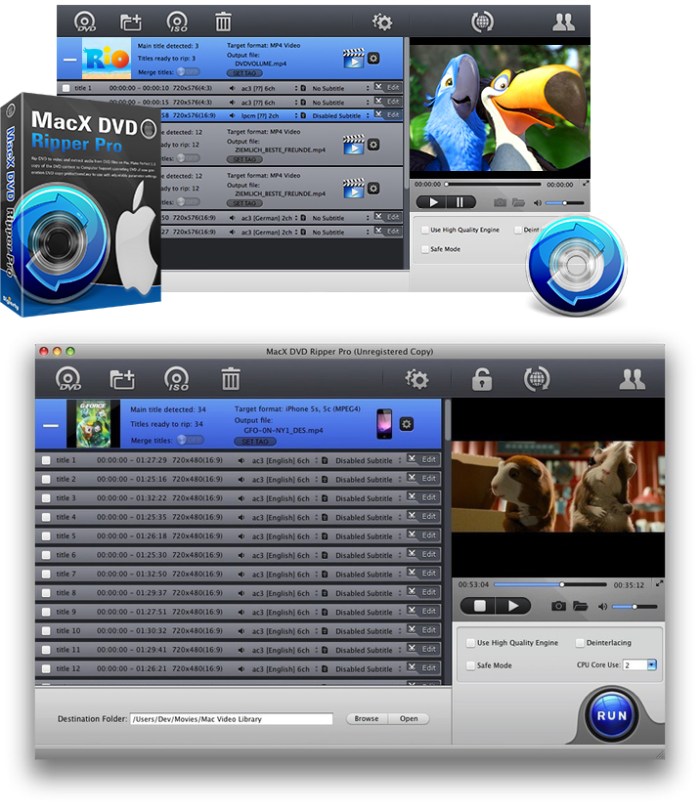
Best DVD ripper for Mac users to rip both homemade and commercial DVDs to any format at NO.1 fast speed (5 min only to rip a full DVD) and original quality. The first and only tool to support all knotty DVDs (new DVD, 99-title DVD, damaged & unplayable DVD) and rip DVDs/ISO images in all sorts of formats, including DVD to MP4, H.264, MOV, FLV, MPEG4, AVI, QT, MP3, etc.

With 350+ preset profiles, the DVD ripper makes it hassle-free to convert DVDs for playback on iTunes, QuickTime, Apple iPhone iPad, Android, PS4, TV, etc. You can also clone DVD to ISO image at 1:1 ratio and copy DVD title to MPEG2 and MKV with all videos, audios and subtitles. Digitize your DVDs to protect them from scratch or damage and enjoy them anywhere anytime.

Compatibility: OS X 10.8 or later 64bit

Web Site: http://www.winxdvd.com/

What’s New in MacX DVD Ripper Pro 6.2.0 (20181213)

  • Release notes not available at the time of this post.

Screenshots

devonthink pro office 2.11

Name DEVONthink Pro Office 2.11.zip
Size 62.32 MB
Created on 2018-12-15 21:01:28
Hash 72a1eeb4604e96ac87ea4af389fd0754a8acc1da
Files DEVONthink Pro Office 2.11.zip (62.32 MB)

Download

DEVONthink Pro Office 2.11 macOS

Document management reinvented. DEVONthink Pro Office is your Mac paperless office. It stores all your documents, helps you keep them organized, and presents you with what you need to get the job done.

  • Keep your data together in one place
  • Scan your paper, archive your email
  • Let artificial intelligence help you file your data
  • Sync your data to all your devices, fast and secure
  • Share your data with anyone, whether they use Mac or PC
Get organized, effortlessly
  • DEVONthink keeps your valuable data organized and presents it in the way you want.
  • DEVONthink keeps all your information in one easytobackup database, and presents it to you in a variety of ways optimized to your work style. Multiple views help you quickly navigate your data.
  • Many documents can be viewed and edited inline, without resorting to Quick Look or opening another app. Read webpages as if they were local documents.
Be more productive
  • Don’t fight the information flood by yourself. DEVONthink is smart and actively assists you with its builtin artificial intelligence.
  • Let DEVONthink automatically file new documents for you based on how you filed similar documents. Later, the advanced search function retrieves the documents that you need for your task, while smart groups present related data together. Quickly find similar documents using keywords extracted from the document and the unique “See also” function.
Create something new
  • It’s not about data, it’s about creating something meaningful from it. DEVONthink is your information power tool.
  • Collect, analyze, summarize, write: With DEVONthink you have all you need in one app that actively supports your workflow. View all your data in one place, use our innovative approach to tags to quickly organize documents, and write in the enhanced rich text editor. Use manual or automatic Wikistyle links to effortlessly crossreference your work.
  • DEVONthink’s two full screen modes help you stay focused, while smart templates are a great starting point for new documents.
Your data, no boundaries
  • Wherever your data comes from and whatever you want to do with it, DEVONthink provides you with the best tools and as much metadata as possible.
  • Store your documents in the selfcontained database or simply reference them by using the index feature. Clip data from other apps with just a keystroke, adding it to the GTD®like inbox for later filing, or take notes with the Take Note panel or the Dashboard widget. Browser extensions, the Services menu, and the Sorter panel integrate DEVONthink with your workflow.
  • Send links to your documents to any app which handles web addresses (URLs), e.g. OmniFocus or Mail, or export your documents in their original file format. DEVONthink doesn’t hold your data hostage.
Keep everything in sync — fast, robust, and secure
  • Use your databases on all your Macs, iPads, and iPhones. Collaborate in your team. It’s ultrafast, super robust, and strong encryption keeps prying eye out.
  • Sync your data directly on the local network, via WebDAV or Dropbox, or using just anything mountable, e.g. a USB stick or SD card. You decide what data is synced, when, and to which locations. Full AES 256 bit encryption keep everyone out who you don’t want to let in. Your data belongs to you, not to your service provider or us.
  • Carry your important data with you all the time with DEVONthink To Go 2 (available soon). Use the same database on all your team’s Macs but let everyone work independently by regularly synchronizing new work on the local network, an NAS, or internetbased file service.
The Pro advantage
  • DEVONthink grows with your needs. DEVONthink Pro and Pro Office support your personal work style with many advanced options.
  • Use separate databases for each project, and let automatic grouping create order from chaos. Add RSS feeds to your database to automatically import new articles, or download and archive full websites. The concordance gives you a realtime analysis of your data.
  • AppleScript support, Automator actions, and scriptdriven smart templates let you integrate DEVONthink with other software. The sky’s the limit!

Requirements: Intel, 64-bit processor, OS X 10.8.5 or later
Language: Multilingual

Web Site: http://devontechnologies.com/

What’s New in DEVONthink Pro Office 2.11

This release brings an exciting new improvement to sync: push notifications. When you make changes to your databases on Mac or mobile, a notification will be sent to other devices you are syncing. This decreases the amount of time before changes are downloaded. Also in this release, changing an encryption key for a sync location will prompt you what to do if you have already synced to it. Support for JSON RSS feeds has been added. Dragging and dropping text selections will include the reference URL of the file the text is dragged from. Some minor cosmetic adjustments have been made to the interface. And, as we always deliver, performance and stability has been improved.

NEW
  • Added support for JSON RSS feeds.
NEW (Sync)
  • Push notifications are now used to notify synchronized devices of changes available for immediate download. For syncing with your iOS device, DEVONthink To Go 2.7 is required. On the Mac macOS Sierra is also required.
  • Added an alert to clean the sync store after changing the encryption key on a sync location.
Improved
  • Renamed Go > Workspace > Update to Update (…). The last used workspace is now updated.
  • Preferences > General > Always open groups in a new window has been renamed to Doubleclick opens groups in a new window.
  • Custom icons on formatted notes and web archives are retained after changes are saved.
  • The URL field of imported and indexed files will now only use downloadable URLs, like web page addresses, imported from the files’ metadata.
  • When dragging or copying selections from plain or rich text documents, the reference URL of the record is included. Note: The use of the reference URL is up to the receiving application.
  • Improved reliability when using Spotlight importers on macOS Mojave.
  • Improved naming of files when dragging pages from PDF sidebars to the Finder. In addition, existing files aren’t overwritten in the Finder anymore.
  • Improved handling of RSS feeds with no title.
  • The Support Assistant is now loaded from our website and uses styled, longer tips.
  • Improved overall performance and reliability.
Improved (Sync)
  • Opening Preferences > Sync no longer immediately awakens external discs containing local sync stores.
  • Setting the sync interval to Automatic now syncs more often.
  • Improved handling of indexed files when synchronizing of indexed contents is disabled.
  • Improved logging for troubleshooting purposes.
Fixed
  • Fixed an issue where an alert was not displayed after entering a license code for the wrong product or edition.
  • Fixed an issue where dropping images into the preview pane could replace the currently displayed image.
  • Fixed an issue where opening the License panel could stall the application when there is a slow or unreliable network connection.
  • Fixed an issue where the background color of the left/upper pane of Split or Three Pane views wasn’t always correct (macOS Mojave).
  • Fixed an issue where View > as Icons and View > as Split View could cause unnecessary console messages (macOS High Sierra and later).
Fixed (Sync)
  • Fixed an artifact in the list of databases in Preferences > Sync on macOS Mojave.
  • Fixed an issue where cleaning sync stores could fail if an incorrect encryption key was entered.
  • Fixed an issue where downloading indexed pending items could fail if the item was uploaded as an imported one and deconsolidated later if the Synchronize indexed contents sync location option was disabled on the Mac. This reduces also slightly the memory footprint and the delay before synchronizing, especially on iOS.
  • Fixed an issue with syncing indexed file causing unnecessary download attempts.
  • Fixed a rare crash that occurred while cleaning or verifying sync stores.
  • Fixed an crash caused by corrupted sync status files.

Screenshots

videoproc 3.2 20181213

Name Video Copilot Complete Mac Plugins.zip
Size 380.9 MB
Created on 2018-12-15 21:00:32
Hash f6472c9774ee157135f89d8e86453f2c2748bbc5
Files Video Copilot Complete Mac Plugins.zip (380.9 MB)

Download

VideoProc 3.2 (20181213)

New video processing software designed to cut, trim, merge, adjust, transcode, edit 4k video with full hardware acceleration

VideoProc achieves the record-setting “FIRST” in video processing industry – crafting the easiest video editor, together with DVD video converter, downloader, and recorder at the core.

All engineered for the 4K UHD era, it is your must-have video toolbox to handle even the most demanding tasks from HD to 3D, UHD 4K, 5K and 8K, no matter it is from iPhone, GoPro, Dji, Samsung, YouTube, DVD disc or other sources. Process your media files to fit YouTube, Facebook, Instagram, iPhone, iPad, TV, PS4, etc, edit raw footages flexibly into more engaging stories, backup and rip a full DVD in 5 minutes, all finished at world’s fastest speed, without compromising quality.

Compatibility: OS X 10.8 or later 64-bit

Web Site: https://www.macxdvd.com/mac-video-converter-pro/

What’s New in VideoProc 3.2 (20181213)

  • Release notes not available at the time of this post.
bbedit 12.5 2

Name BBedit.12.5.2.zip
Size 14.19 MB
Created on 2018-12-15 21:01:55
Hash ce1f1a3bac2e3c35e4a4e7f26c95c84da0ec3849
Files BBedit.12.5.2.zip (14.19 MB)

Download

BBEdit 12.5.2 macOS

BBEdit is the leading professional HTML and text editor for the Macintosh. Specifically crafted in response to the needs of Web authors and software developers, this award-winning product provides an abundance of high-performance features for editing, searching, and manipulation of text.

With BBEdit, you can…
  • Exercise Total Control Over Text
  • Work YOUR Way
  • Command Files, Folders, Disks, and Servers
  • Enjoy Textual Omnipotence
  • Live Up To Standards
  • Integrate Smoothly Into Existing Workflows
What’s new in BBEdit 12?
  • Improved darktheme support When using a dark color scheme, BBEdit now colors editing and project window chrome to match, for a more integrated overall appearance. (For customers used to the old behavior, this can be set in the “Appearance” preferences.) For customers who have never before used BBEdit or TextWrangler, the “BBEdit Dark” color scheme is now the factory default; this can be changed if desired in the “Text Colors” preferences.
  • Improved platform behavior Thanks to extensive internal overhaul, BBEdit now supports intrinsic OS behaviors such as Split View (and many others).
  • Improved UI for FTP/SFTP Browsers, Text Factory, and Preview windows many nonediting windows have been overhauled for improved appearance and behavior, and to add features.
  • New “Canonize” tool Provides a textbased model for batch search and replace, either within a single file or (by using a Text Factory) in multiple files.
  • New “Columns” Editing Commands Easily cut, copy, delete, or rearrange columns in delimited (CSV, TSV) text files without requiring a spreadsheet or complicated regular expressions.
  • FTP/SFTP browsers now feature an outline view for improved navigation
  • Text Factory windows now provide the ability to turn individual steps on and off
  • Preview in BBEdit windows now provide runtime introspection of previewed pages using the WebKit Inspector
  • Text Extraction This powerful addition to BBEdit’s legendary searching capabilities allows you to locate and collect search results into a single text document. Extraction can be run on the active text document, or across multiple files and folders. Use of Grep replacement patterns during extraction enables transformations to the extracted text.
  • Extensive Internal Modernization Many internal subsystems have been rewritten or updated to support new features, improve performance, add refinement, and make future enhancements possible

Requires macOS 10.6 or later

Web Site: http://www.barebones.com/products/

What’s New in BBEdit 12.5.2

  • Release notes not available at the time of this post.
Screenshots

smart shooter 3.38

Name Smart Shooter 3 3 38 TNT.zip
Size 19.15 MB
Created on 2018-12-15 21:00:39
Hash bccfa941aba95bf55c81743a7636a3351f98239d
Files Smart Shooter 3 3 38 TNT.zip (19.15 MB)

Download

Smart Shooter 3.38

Smart Shooter is a digital photography work flow application for tethered shooting, remote capture and advanced camera control.

Smart Shooter allows you to fully control your camera from your Mac, giving you freedom to explore and experiment to help take the perfect picture. Automatic download and display means you can fully evaluate your photos in seconds, and real time live view output will help you focus and compose the scene. Scripting language lets you control your camera, allowing you to take multiple photos with varying settings just by clicking a single button.

Smart Shooter is aimed at both the professional and amateur photographer, providing them with the following features:

  • Remote camera control via USB cable
  • Full control of camera settings
  • Photo download and display on Mac
  • Real time zooming/panning photo display
  • Live View display including overlay mode
  • Live View recording of each frame to JPEG file
  • Bulb shooting with timed exposure
  • Automatic control via scripting
  • Tethered shooting with automatic download and preview

Smart Shooter works with all recent Canon EOS DSLR and Nikon DSLR cameras.

The following Canon cameras are supported:

1D Mark IV,1D C, 5D Mark II, 5D Mark III, 5D Mark IV, 5DS, 5DS R, 6D, 7D, 7D Mark II, 40D, 50D, 60D, 70D, 77D, 80D, 100D, 200D, 450D, 500D, 550D, 600D, 650D, 700D, 750D, 760D, 800D, 1000D, 1100D, 1200D, 1300D,
Rebel SL1, Rebel SL2, Rebel T1i, Rebel T2i, Rebel T3i, Rebel XS, Rebel T3, Rebel T4i, Rebel T5, Rebel T5i, Rebel T6, Rebel, T6i, Rebel T6s, Rebel T7i, Rebel XSi
Kiss F, Kiss X2, Kiss X3, Kiss X4, Kiss X5, Kiss X6i, Kiss X7, Kiss X8, Kiss X8i, Kiss X9i, 8000D, Kiss X50, Kiss X70, Kiss X80

The following Nikon cameras are supported:

Df, D3, D3s, D3x, D4, D4s, D5, D90, D300, D300s, D500, D600, D610, D700, D750, D800, D800E, D810, D850, D3000, D3100, D3200, D3300, D3400, D5000, D5100, D5200, D5300, D5500, D5600, D7000, D7100, D7200, D7500.

Please see the support website for full details of supported cameras and features.

Compatibility: OS X 10.7 or later

Mac App Store: https://itunes.apple.com/app/smart-shooter-3/id926013641?mt=12

What’s New in Smart Shooter 3.38

  • Fix detection of Canon 6D Mark II model name
  • Fix auto focus on the Canon 6D Mark II and other Canon cameras
  • Fix mirror lockup state for Canon 6D Mark II and other Canon cameras
  • Fix mappings for ISO, Drive Mode, and White Balance camera properties on Canon cameras
  • Fix use of MRAW and SRAW image formats on Canon cameras
  • Fix possible photo save errors, if Filename Expression option gets set to empty text
  • Fix mac support for generic PTP cameras

mirror for sony tv 3.3

Name Mirror for Sony TV 3 3 TNT.zip
Size 15.33 MB
Created on 2018-12-15 21:00:46
Hash 96db80666e9967d6002f4a09b2acb7db5e4bfe90
Files Mirror for Sony TV 3 3 TNT.zip (15.33 MB)

Download

Mirror for Sony TV 3.3

Application to mirror the screen of your Mac to any Sony Bravia Smart TV. No wires and no additional hardware needed! You can also stream individual video files from your Mac to your TV. Also, we included the option to watch one window on your Mac, and another window on your TV!

This works on any Sony Smart TV from the 2012 models onwards.

In using the app, there will be about 1 to 2 seconds of latency. So this mirroring is not suitable for gaming.

However, it is very suitable for watching movies, giving presentations, watching photos, and much more!

The quality of your experience will be dependent on the quality of your local network.

Some tips to enhance the experience:
  • Preferably, connect your TV by LAN cable to your router.
  • Use an “ac” router. If you don’t have one, then an “n” router.
  • Try not to overload your wifi network by moving big files around while you are mirroring.
How the app works:

First, make sure that your Sony TV is on the same local network and same subnet as your Mac. The TV should not be in screen mirroring mode, but just on “TV” Mode or any HDMI IN port.

After launching the app, you will see the app icon appearing in the top bar of your Mac and the app will look for your TV on the network. It will show your TV when it has found it. Now, you have two options:

Mirror your Mac Screen:

Use this option to put the screen of your Mac on TV. In source, you can select which screen (or attached monitor) you want to display on TV. If you are running multiple applications on your Mac, you can also select which application window you want to see on TV.

Enable Sound:

Check this to hear the sound of your Mac coming from the TV. You will need the additional (free) audio driver, which you can download here: http://bit.ly/MirrorAudio

Play Video File:

Use this option if you have a video file on your Mac and you want to play just the file on TV. Drop it in the box and it will play on TV.

Settings (the icon in the bottom right of the app):

click here to request support from our 24/7 support staff. They usually respond within 2 hours on any query that you might have. If your question is technical, please also include the diagnostics information.

Limitations:

Apple has HDCP DRM protection for playing iTunes movies. This means that screen mirroring is not possible when watching movies from iTunes.

When you like the app, please don’t forget to give it a positive rating! Thanks in advance from the AirBeamTV development team!

Please give us feedback by mailing to info@airbeam.tv

Compatibility: OS X 10.10 or later 64-bit

Web Site: https://www.airbeam.tv/mirror-your-mac-screen/sony/
Mac App Store: https://itunes.apple.com/app/mirror-for-sony-tv/id1173947380?mt=12

What’s New in Mirror for Sony TV 3.3

– Updated Audio Driver
– Bugfixes and Stability Improvements

eazydraw 9 1.1

Name EazyDraw 9 1 1 TNT.zip
Size 68.58 MB
Created on 2018-12-15 21:01:19
Hash 18a65597c062a77dccedc5a09526241511b0e73c
Files EazyDraw 9 1 1 TNT.zip (68.58 MB)

Download

EazyDraw 9.1.1

For the full journey from Jaguar (OS X 10.2) to macOS Sierra’s crisp high definition technology EazyDraw has been the leading drawing App for the new vector drawing paradigm on macOS. EazyDraw marries the latest macOS technology with the innovative elegance of the original Mac drawing programs.

Productivity: quit processing words and start communicating ideas. An easy to use drawing App is great for communicating ideas. EazyDraw provides flexible, beautiful text typesetting for your written message plus full featured integrated illustration capability.

EazyDraw provides a balanced feature set that includes tools needed for technical drawing, web and App graphic design, print publishing, logos, page – text layout and more. Easy enough for everyone but with the depth your project will need.

Includes comprehensive support for bitmap and vector graphic formats: Import and ungroup for edit PDF, and EPS. Import and export SVG and DXF. Preview and publish to EPS and TIFF with RGB or CMYK process colors. Exchange scaled CAD drawings using DXF. Publish web graphics. Create Mac, iPhone and iPad App development graphics and icons.

Effulgent on Retina. EazyDraw 8’s user interface is optimized for the newest Retina 5k technology. User interface graphics are dual mastered high resolution icons and images. Use EazyDraw to create 5k display content. App and Web developers can use EazyDraw to design and produce multi-image 5 k png graphics or SVG vector master user interface elements.

Features: Layers, Multiple Drawing Windows, Symbol Libraries, English and/or Metric units, Drawing Scales, Vector Hatches, Grids and Guides, RGB and CMYK colors.

Compatibility: OS X 10.11 or later 64-bit

Web Site: http://www.eazydraw.com/AppStoreVersionEight.htm
Mac App Store: https://itunes.apple.com/app/eazydraw-8/id1040448715?mt=12

What’s New in EazyDraw 9.1.1

  • Release notes not available at the time of this post.
inet network scanner 2.6 2

Name iNet Network Scanner 2 6 2 MAS TNT.zip
Size 102.3 MB
Created on 2018-12-15 21:01:09
Hash 8d325cc906cc46272d4284076be88adcd267adf1
Files iNet Network Scanner 2 6 2 MAS TNT.zip (102.3 MB)

Download

iNet Network Scanner 2.6.2

Find out about security risks and keep your network under control. This easy to use App outlines a computer network even to the unexperienced user. Is somebody using your network without your knowledge? Which devices are currently online? Which access ports are open? Which services are offered? What is the IP of your router? Wake sleeping devices remotely. Add own icons to found devices …

iNet provides you with information about networks and devices your Mac is connected to. Its very easy and user friendly design even allows the unexperienced user to get a profound and understandable overview of a network, the running services and the Wi-Fi quality.

In the current version the following functions are available:
  • Network Scanner
  • Bonjour Browser
  • Portscan for standard ports
  • Airport Monitor*
  • Wake on Lan
  • Help section

We did our best to develop a solution that makes network observing as simple as possible. Wether you are a network expert or a common user- iNet provides the information you need to find out what’s going on in your network.

Network Scanner:
  • See all devices that are online and connected to a network, along with vendor, IP and MAC addresses
  • Assign your own names and icons or choose from the provided icons for easier identifying a device in the scan list. Most Mac devices are displayed with their original icon.
  • Set scan range and interface to scan
  • Export scan results in csv format
  • Connect to devices via different protocols
Bonjour Monitor:
  • Detect all running Bonjour services realtime
  • Detect running services on a discrete device
  • Detailed information about a service
  • Choose the active Bonjour domain for observing
*Airport Monitor:

* • Attention for users of the latest 2013 Airport edition with 802.11ac: Because SNMP support has been disabled iNet cannot retrieve the usage statistics and wifi strength any more with these models. All other features of iNet are working properly. The following Airport monitoring features can only be used with models prior to the 802.11ac:

  • See the current condition of Apple Airport base stations like Airport express or Time Capsule
  • Monitor network traffic on Airport devices
  • Find detailed information about your Airport base stations like MAC address, IP’s, used channels and so on
  • See the connection quality of the connected wifi clients in realtime
Wake on Lan:
  • Wake devices remotely in your local network or via internet
  • Put devices remotely to sleep, shutdown or restart (Macintosh only)
  • Add devices to favorites
  • Send commands via ssh to devices
  • Minimal system required for WOL: OS X 10.7
Help
  • Extensive help section
  • Dictionary of used terms

We will add modules in the future like traceroute and more. iNet is also available for iPhone and for iPad.

OS Version: OS X 10.9 or later

Web Site: http://www.inetapp.de
Mac App Store: https://itunes.apple.com/app/inet-network-scanner/id403304796?mt=12

What’s New in iNet Network Scanner 2.6.2

[Fixed] Error in vendor database
Nevertheless have a good time!

chaos control 1.4 4

Name ChaosControlMac 1 4 4 TNT.zip
Size 54.11 MB
Created on 2018-12-15 21:01:48
Hash 16ede60714a92d7ff3a10f4f2f8a0bb091b58825
Files ChaosControlMac 1 4 4 TNT.zip (54.11 MB)

Download

Chaos Control 1.4.4

Chaos Control was created to help you manage your goals and desired outcomes in both your business and personal life.

People don’t usually achieve impressive results simply by being good at task management. It’s the ability to set legitimate goals that makes the difference. Just write down your desired outcomes to make them real. This simple technique helps you to prioritize your goals before acting on them.

Chaos Control is a task manager based on the best ideas of GTD (Getting Things Done) methodology created by David Allen. Whether you are running a business, launching an app, working on a project or simply planning your holiday trip, Chaos Control is a perfect tool to manage your goals, juggle your priorities, and organize your tasks to get things done. And the best part is, you can handle both heavyweight project planning and simple daily routine like shopping list management in one flexible app. Also, Chaos Control is available across all major mobile and desktop platforms with seamless sync.

HERE IS HOW IT WORKS:

1) MANAGE YOUR PROJECTS

Project is a goal combined with a set of tasks you need to complete in order to achieve it. Create as many projects as you like to write down all the desired outcomes you have

2) ORGANIZE YOUR GOALS

Create unlimited number of projects and group them by category using Folders

3) USE GTD CONTEXTS

Organize tasks from different projects using flexible context lists. If you are familiar with GTD you would just love this feature

4) PLAN YOUR DAY

Set due dates for tasks and make plans for any particular day

5) USE CHAOS BOX

Put all the incoming tasks, notes and ideas into Chaos Box in order to process them later. It works similar to GTD inbox, but you can use it as a simple to-do list

6) SYNC YOUR DATA

Chaos Control works on both desktop and mobile devices. Setup an account and sync your projects across all of your devices

This app is designed with creative people in mind. Designers, writers, developers, startup founders, entrepreneurs of all kinds and pretty much anyone with ideas and desire to make them happen. We combined the power of GTD with the convenient interface to help you with:

  • personal goal setting
  • task management
  • time management
  • planning your business and personal activities
  • building your routine
  • handling simple to do lists, checklists and shopping lists
  • catching your ideas and thoughts to process them later
KEY FEATURES
  • Seamless cloud sync across all major mobile and desktop platforms
  • GTDinspired Projects and Contexts supplemented with Folders, subfolders and subcontexts
  • Recurring tasks (daily, weekly, monthly and chosen days of the week)
  • Chaos Box Inbox for your unstructured tasks, notes, memos, ideas and thoughts. Great tool for staying on track inspired by GTD ideas
  • Notes for tasks, projects, folders and contexts
  • Fast and smart search

Have a productive day!

Compatibility: OS X 10.11 or later 64-bit

Web Site: http://chaos-control.mobi/
Mac App Store: https://itunes.apple.com/app/chaos-control-gtd-tasks/id1071244525?mt=12

What’s New in Chaos Control 1.4.4

Recurring tasks functionality improvements and fixes.

suite for ms office templates for microsoft word powerpoint and excel by gn v2.0

Name Suite for MS Office – Templates for Microsoft Word, PowerPoint and Excel by GN v2.0 .zip
Size 51.58 MB
Created on 2018-12-15 08:24:39
Hash 468bbf9d700bd74ab80ea23df4565d79e798c6e3
Files Suite for MS Office – Templates for Microsoft Word, PowerPoint and Excel by GN v2.0 .zip (51.58 MB)

Download

Suite for MS Office – Templates for Microsoft Word, PowerPoint and Excel by GN v2.0

Theme Inn, a graphic design company that specializes in creating high-quality templates for Microsoft Office for Mac. Our template products are not standalone applications, but rather add-ons for Microsoft Word, Excel, and PowerPoint. Before purchasing templates, please make sure that you have the appropriate Microsoft software installed on your computer

Requires: Microsoft Office 2008 or later, which has to be purchased separately.

Compatibility: macOS 10.12 or later 64 bit

superluminal stardust v1.2.1 for after effects cc

Graphics & Design Video

Name Superluminal_Stardust_1.2.1.macOS
Size 23.53 MB
Created on 2018-12-15 06:41:29
Hash fce960944fba79f1b8eabf2fb17d019c5e39b65a
Files ※ See Files

Download

Superluminal Stardust v1.2.1 for After Effects CC+ MacOS

Stardust is a modular 3D particle system for After Effects. It has an easy to use node ba sed user interface and ships with a ton of presets to create stunning effects quickly and easily.

The reaction to the sneak peek has been amazing and it’s clear that you guys are eager to get your hands on Stardust

Features:
  • Modular 3D particle system for After Effects.
  • Node based interface to easily build complex systems in a single 3D space.
  • Add or replace smart presets in one click.
  • Replica, a unique tool to replicate particles in many exciting ways.
  • Countless particle effects for both 3D and 2D looks.
  • Emitters, Particles, Replica, Forces, Auxiliary Emitters, 3D Models, Text & Mask and Maps.
  • Space deformers, Sphere, Box, 3d Models, Bend, Twist, Maps, Black Hole.
  • Splines, animatable as paths and emitters.
  • Containers to enclose and/or emit particles in a sphere, box or 3D model.

Compatibility: After Effects CC 2018, CC 2017, CC 2015.3

Web Site: https://aescripts.com/stardust/

What’s New in Superluminal Stardust v1.2.1

  • Fixes a crash related to the Over Life Graphs.
  • Fixes a crash related to Applying Presets.
  • Fixes a crash related to Low Memory.
  • Fixes a crash related to Replica Corners.

Graphics & Design, Video

By

mirror for chromecast tv 2.4

Name Mirror_for_Chromecast_2.4.TNT
Size 15.94 MB
Created on 2018-12-15 06:41:12
Hash 30a29138ef0fac17253d1f7fe59dd5dd06991de0
Files ※ See Files

Download

Mirror for Chromecast TV 2.4

Application to mirror the screen and audio of your Mac to a Chromecast 1, 2 or Ultra. You can also stream individual video files from your Mac to your TV. Also, we included the option to watch one window on your Mac, and another window on your TV!

When using this app with a Chromecast 1, the Screen Mirroring will start about 30 seconds after you start mirroring, please wait during this startup time. Chromecast 2 and Ultra are much faster to start.

In using the app, there will be a about 2 to 3 seconds of latency (lag). So this mirroring is not suitable for gaming.

However, it is very suitable for watching movies, giving presentations, watching photos, and much more!

The quality of your experience will be dependent on the quality of your local network. Some tips to enhance the experience:

1. Restart your router. Just take out the power plug, wait 10 seconds and put it back in.

This resets your router and will make your home network faster and more stable. Why this works? Routers are in essence little computers, with software. Software will have small memory leaks and some processes will stop working correctly over time. That’s why it is a good idea to reset your router once in a while. Our recommendation: once a week.

2. Don’t do network intense work while screen mirroring.

As explained, screen mirroring is network intense. For the best performance, don’t do other network intense work at the same time. This includes making timemachine backups over the network and uploading/downloading large files from the internet while screen mirroring.

3. Put your Mac and your Chromecast on the same router channel.

Some routers (dual band) have create both a 2.4Ghz and a 5Ghz wireless network. For the best performance, put your Mac and your TV on the same network. Preferably the 5Ghz network. But definitely not the Mac on 5Ghz and the TV on 2.4Ghz, because that will negatively impact the performance of screen mirroring.

4. Use an AC or N router. Newer routers support Wifi AC and N.

Older routers might only have Wifi B and/or G. B and G are not really up to scratch anymore for modern networking tasks, so go for an AC or N router. If your router supports AC and N, also make sure that your router is set to use either the Wifi N or Wifi AC networking.

How the app works:

First, make sure that your Chromecast is on the same local network and same subnet as your Mac. After launching the app, you will see the app icon appearing in the top bar of your Mac and the app will look for your Chromecast on the network. It will show your Chromecast when it has found it. Now, you have two options:

Mirror your Mac Screen:

Use this option to put the screen of your Mac on TV. In source, you can select which screen (or attached monitor) you want to display on TV. If you are running multiple applications on your Mac, you can also select which application window you want to see on TV.

Enable Sound: check this to hear the sound of your Mac coming from the TV. You will need the additional (free) audio driver, which you can download here: http://bit.ly/MirrorAudio

Play Video File:

Use this option if you have a video file on your Mac and you want to play just the file on TV. Drop it in the box and it will play on TV.

Settings (the icon in the bottom right of the app): click here to request support from our 24/7 support staff. They usually respond within 2 hours on any query that you might have. If your question is technical, please also include the diagnostics information.

When you like the app, please don’t forget to give it a positive rating! Thanks in advance from the AirBeamTV development team!

Compatibility: OS X 10.10 or later 64-bit

Web Site: https://www.airbeam.tv/
Mac App Store: https://itunes.apple.com/app/mirror-for-chromecast/id1196258230?mt=12

What’s New in Mirror for Chromecast TV 2.4

  • Updated Audio Driver
  • Bugfixes and Stability Improvements

elmedia player pro 7 1.1638

Name Elmedia_Player_Pro_7.1__1638.TNT
Size 60.71 MB
Created on 2018-12-15 00:06:49
Hash 61f7510a0f246314e9ccdce6d5eca429f4a974aa
Files ※ See Files

Download

Elmedia Player Pro 7.1 (1638)

Elmedia Player GO will play various file formats, be it AVI, MP4, WMV, MKV, MP3, M4V, or else. The good news is Elmedia Player GO is a versatile app that doesn’t require any additional codecs and plugins.

**Elmedia Player is available for Apple TV now!**

Elmedia offers fantastic HD experience thanks to its native hardware accelerated decoding feature. It doesn’t just bring you the best quality picture but also doesn’t load your computer’s processor.

*Highlights:

Video and audio

  • Bring the player on top of all other open apps and never miss a moment of the movie.
  • Play any sound track including external ones.
  • Has its own volume control.
  • Offers exceptional support for subtitles, including Arabic, Eastern Asian languages, Hebrew.
  • Sound and subtitles languages are easy to select;
  • Creation & management of playlists.
  • Easy to fit the video image to screen.
  • Playback speed is adjustable.

Flexible settings

  • When a movie has subtitles Elmedia Player GO can sync them with the video in case there is any mismatch.
  • Play a DVD or a video that was copied from DVD without any additional hassle.
  • Choose which monitor will show fullscreen;
  • Snap a screenshot of any moment in the video or create a series of pictures with adjustable interval.
  • Virtual surround and speakers emulation provides the exquisite hearing experience.
  • Select the output device for sound.
  • Transmit AC3/DTS through S/PDIF.

**Supported formats**

  • Audio: mp3, m4a, wma, aac, ac3, aiff, ape, flac, mka, ogg, pcm, ra, vaw, waw, wav, aif, oga, caf, midi, mid, acm, dts, mpa, webm
  • Video: 3gp, avi, mp4, mpeg, vob, flv, mov, mkv, 3iv, asf, fli, m1v, m2t, m2ts, m2v, m4v, mp2, mpg, mpg2, mpg4, mpv, mqv, nut, nuv, nsv, qt, ram, rec, rm, rmvb, ts, vcd, vfw, wmv, webm, rv, f4v, ogv, ogm, divx, asx, dat, tp, mjp, yuv, xvid, vc1, mtv, mxf, qtz, dv, hdv, 3g2, mts
  • Subtitles: utf, srt, ass, smi, txt, ssa, smil, jss, rt, idx, sub, xml

Refine the Playback

  • Adjust brightness, contrast, saturation even during playback.
  • Rotate, flip, mirror the video image;
  • Set any part of movie or music video on a continuous loop;
  • Play with deinterlacing and image enhancement;
  • The 10band equalizer lets you make the audio just perfect for you. Existing presets include Large Hall, Party, and more. You can also create your unique sound setting.

*AirPlay support:

  • Stream content from and to Elmedia Player to or from other AirPlay devices or other Mac computers with Elmedia installed. Things to note:
  • Videos in AVI, FLV, MKV, 3GP formats don’t need conversion to be played on Apple TV.
  • Elmedia supports both embedded and external subtitle files for streaming.
  • VIDEO_TS, .swf, and .exe are not supported for streaming.
  • YouTube videos can be streamed to Apple TV. YouTube videos in MP4 format are supported by AirPlay, FLV, MKV, 3GP videos are not.

* Myo Connect

Elmedia Player GO works with your Myo armband- check details at http://goo.gl/SLqbQL.

NOTE: If you updated Elmedia Player GO to Version 6.9 and did not find download option there, please contact our support team.

Compatibility: OS X 10.9 or later

Web Site: https://mac.eltima.com/media-player.htm

What’s New in Elmedia Player Pro 7.1 (1638)

  • Streaming files with several subtitles to Samsung TV over DLNA
  • The ability to adjust the volume when playing Flash files
  • A crash when opening vimeo.com
  • The display of ID3 tags in some languages when playing MP3 files
  • An issue when the playback controls could not be displayed when playing a video
  • Improved: German localization

wondershare pdfelement pro 6 7 12

Name Wondershare_PDFelement_Pro6_6.7.12.TNT
Size 623.7 MB
Created on 2018-12-15 06:40:53
Hash 8df12e54bf210c6fb231322d2e48cf42696b9085
Files ※ See Files

Download

Wondershare PDFelement Pro 6.7.12

The Complete PDF Solution. Create high-quality PDFs with a complete set of tools to create, edit, convert and sign your PDFs, and more. Best of all, it’s affordable.

Brand New Design

Work better, faster and easier with a revamped design consistent across Windows and Mac. form data automation

Form Data Automation

Empower your business workflow with advanced form automation and data extraction technology. text editing

Smarter, Faster Text Editing

Get an extremely smooth text editing experience that is like Microsoft Word™.

The Complete PDF Solution

Get everything you need to create, convert, edit and sign PDFs. Best of all, it’s affordable.

Edit PDFs like Word

It’s never been easier to edit any Microsoft™ office files without compromising formatting & style.

Smarter Editing

Take control of your Office documents by adjusting or changing the font type, size and style, without losing font and formatting.

OCR

Use a robust Optical Character Recognition feature to free text from scans and photos and transform it into editable, searchable and selectable PDFs.

Text Autofit

Automatically reflow text when altering paragraphs in single line or paragraph mode.

Spell Check

Fix typos and other small mistakes highlighted for you with automated spelling error detection.

Create Fillable PDF Forms

Turn any non-fillable form made in Word, Excel or other Office applications into a fillable, editable PDF with just one click.

Mac Platform: Intel, 64-bit processor OS X 10.10 or later

Web Site: https://pdf.wondershare.com
Mac App Store: https://itunes.apple.com/app/pdfelement-6-pro-pdf-ocr/id1193983823?mt=12

What’s New in Wondershare PDFelement Pro 6.7.12

  • Release notes not available at the time of this post.

infographics templates for ppt 1.2.3

Name Infographics_Templates_for_PPT_1.2.3_MAS.TNT
Size 77.21 MB
Created on 2018-12-15 06:41:20
Hash fa9a210507927fcb9ad899d1f211151b141f3491
Files ※ See Files

Download

Infographics Templates for PPT 1.2.3

Infographics for PowerPoint contains a massive collection of thousands of data visualization tools to illustrate and enhance your Microsoft PowerPoint presentations! Every single item is crafted to perfection to be visually captivating and easily customizable.

Infographics for PowerPoint has items for virtually any occasion, from charts and diagrams to editable city, state, country, and region maps, accompanied by a broad selection of national flags and symbols, it has never been easier to explain business results, intricacies of an industry, or focus on a national specifics of any country! To make things even easier- we have included a number of professionally designed slideshow presentation templates to kickstart your work!

All images include transparent backgrounds that allow placing them over colored and/or patterned backgrounds. Many elements are designed in shapes, so you can easily customize them to your exact needs.

Infographics for PowerPoint is designed to be used with Microsoft PowerPoint, but you can also adapt the images for Microsoft Word, Excel, and other applications.

* Requires Microsoft Office for Mac 2011 or later.

Compatibility: OS X 10.11 or later 64 bit

Web Site: http://www.jumsoft.com/toolbox-for-ms-office/
Mac App Store: https://itunes.apple.com/app/infographics-templates-for-ppt/id1101223069?mt=12

What’s New in Infographics Templates for PPT 1.2.3

  • Release notes not available at the time of this post.
macgo mac blu ray player pro 3.3.9 181214

Name Blu-ray.3.3.9.macOS
Size 43.44 MB
Created on 2018-12-15 00:06:31
Hash a9b48ace169de564b017cc873c144638ab279cda
Files ※ See Files

Download

Macgo Mac Blu-ray Player Pro 3.3.9 (181214) macOS

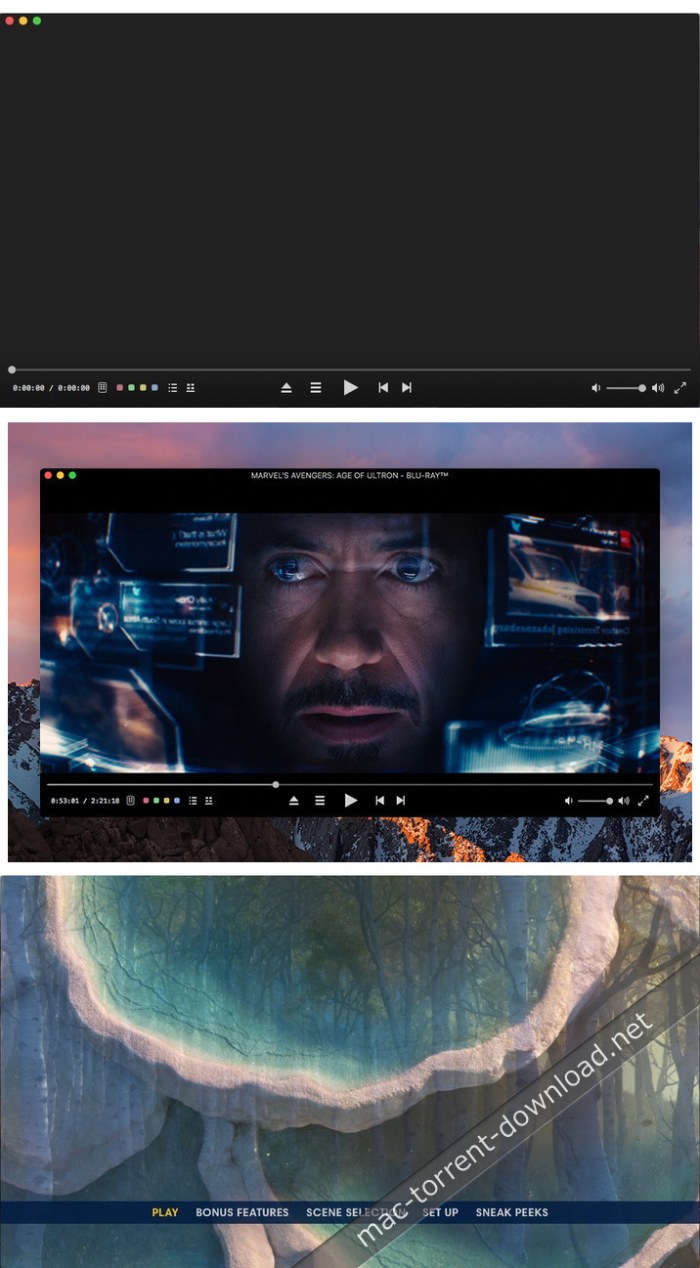
Blu-ray player that provides support for handling Blu-ray disks, but also ISO files, and is able to render UHD 4K video content.

Macgo Mac Blu-ray Player Pro offers you the possibility to view high definition Blu-ray disks and can even work with ISO files or BDMV folders. The utility works with any internal or external Blu-ray device, or can load content from your drive.

Macgo Mac Blu-ray Player Pro aims to make the most of the available space, so all the control buttons automatically hide if your mouse is not hovering on top of the respective area.

Blu-ray player that sports a minimalist and functional design

The Macgo Mac Blu-ray Player Pro built-in playback controls are quite basic and incorporate functions suitable for dealing with Blu-ray disks: play or stop, jump to the next or previous chapter, go to the top or popup menu, or adjust the volume.

In addition, you get to see details about the total video duration and the current timestamp or switch to full-screen mode. The associated slider bar offers you the possibility to jump to specific portions of the movie.

Last but not least, you get quick access to the stream settings, and you get to choose the audio stream, the video angle, the subtitle language, or the secondary video or audio.

Open Blu-ray disks or load ISO Blu-ray files and playback the content

Macgo Mac Blu-ray Player Pro comes with support for numerous video and audio formats, such as MKV, AVI, MOV, MP4, AAC3, WAV, OGG, FLAC, and so on. If you want to see a complete list of supported video and audio formats, make sure to visit the project’s website.

Keep in mind that Macgo Mac Blu-ray Player Pro is still under development, and as a result, some of the formats or functions might not work as expected. However, the player is supposed to provide smooth Blu-ray rendering paired up with high audio quality.

Powerful Blu-ray player that brings to the table HD video and audio rendering

Bottom line, Macgo Mac Blu-ray Player Pro offers you the possibility to deal with Blu-ray disks or ISO images and can render high definition content, including 4K videos. The playback is optimized, so everything should go smoothly, without any lag.

The Macgo Mac Blu-ray Player Pro app comes with easily accessible controls that automatically hide not to take space unnecessarily, and provides control over the stream’s audio and video configuration.

Compatibility: OS X 10.8 or later 64-bit

Web Site: https://www.macblurayplayer.com/macgo-mac-bluray-menu-player-pro.htm

What’s New in Macgo Mac Blu-ray Player Pro 3.3.9 (181214)

Fixed audio stuttering in rare cases.

Screenshots

tenorshare any data recovery 2.5.0 10

Name Tenorshare Any Data Recovery 2 5 0 10 TNT.zip
Size 11.10 MB
Created on 2018-12-15 08:24:58
Hash 35df84aeb592e7350d854e08cce8af248441ef64
Files Tenorshare Any Data Recovery 2 5 0 10 TNT.zip (11.10 MB)

Download

Tenorshare Any Data Recovery 2.5.0.10

Recover Everything without Risk. Get back deleted, formatted or lost data from Mac. Recover from hard drive, memory card, and removable devices. High data recovery rate and 100% secure.

Recover Any Data Matters to You, No Omission:

  • Photos/Pictures
  • Videos
  • Music/Audios
  • Mails
  • PDF
  • Office Documents
  • RAR/ZIP
  • Game Saves
  • System Files
  • Other Files

Compatibility: OS X 10.9 or later 64-bit

Web Site: https://www.tenorshare.com

What’s New in Tenorshare Any Data Recovery 2.5.0.10

  • Release notes not available at the time of this post.

neofinder business 7 3.2

Name NeoFinder.7.3.2.macOS
Size 20.12 MB
Created on 2018-12-15 06:41:38
Hash f7ee36d931cbc2b63566c368b056ed06329419f8
Files ※ See Files

Download

NeoFinder Business 7.3.2 macOS

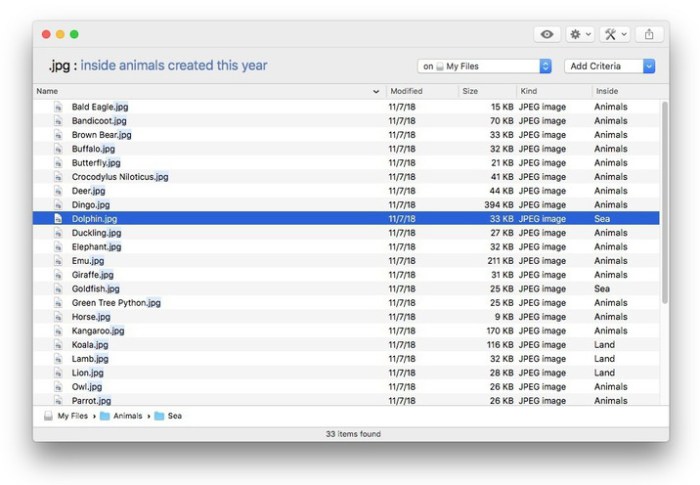
NeoFinder (formerly CDFinder) rapidly organizes your data, either on external or internal disks, or any other volumes. It catalogs all your data, so you stay in control of your data archive or disk library. With extensive metadata support, you can find your files quickly.

Features

  • Catalog: any hard disk, data folder, CD-ROM, DVD-ROM, BlueRay, HD-DVD, iPod, Server Volume, Audio-CD, USB-Stick, FTP-Server, and more
  • Power: Handle really large amounts of data
  • Photo Previews: Create beautiful thumbnails for many photo and image formats, such as JPG, TIFF, EPS, RAW, PDF, PSD, BMP, GIF, PNG, TGA, IFF (Maya)
  • Audio Meta Data: MP3, AAC (iTunes), FLAC (Lossless), ALAC (Apple Lossless), and AIFF meta data: author, album, title, composer, lyrics, cover art, track number, duration, bit rate, genre, year, comment. Even catalogs whole Audio-CDs, and Apple iPhone ringtone files!
  • Photo Meta Data: XMP (used by Adobe Bridge), EXIF and IPTC meta data (including GPS geotags), and JPG, TIFF, PICT and BMP photo details
  • Movie metadata: get thumbnails, the dimension, duration, codec and frame rate out of movie files, supporting AVI, MOV, MP4, FLV, MPG, MKV, M4V, and others
  • Geotagging GPS support: NeoFinder catalogs and displays GPS EXIF tags of photos, and has direct links to Google Earth, Flickr, Panoramio, Google Maps and MapQuest. NeoFinder can even search for photos that were taken near any location (GeoFinder), and export GPS data to KMZ files
  • Networkable: Share your NeoFinder database in your entire workgroup (requires a Business License)
  • Cross-platform: with abeMeda (was CDWinder), you can use one database for both worlds!
  • Workflow Integration: Automatically catalog all discs burned by Roxio Toast; Drag any image directly from NeoFinder into applications like Adobe InDesign, Quark XPress, Apple Pages, Microsoft Office; integrate NeoFinder into FileMaker Pro databases, and much more
  • Find it! Best Find functions, and of course offline browsing of all your volumes – even in multiple windows, if you want to
  • Spotlight Integration: Search your local disks with Spotlight and as well as your catalogs from inside NeoFinder
  • Import catalogs: These twelve formats are supported: Disk Recall, DiskWizard, Iomega FindIt, Portents DiskTracker (both 1.x and 2.x!), Catalogue, CatFinder, “Neometric” Catalog, DiskLibrary, Broken Cross Disk Manager (Windows), and Advanced Disk Catalog (ADC for Windows) catalog or export files, and iView MediaPro and Microsoft Expression Media XML files
  • Fast and really easy to use, see screenshots
  • Export and print catalog data
  • Insight: Look inside archive files: ZIP, TAR, .rar, StuffIt (.sit and even .sitx), and others, including Disk Image contents
  • International: English, German, French, Italian, Swedish, Spanish and Dutch user interface, all in one application
  • Unicode compatible: Use NeoFinder to catalog file names of any language
  • AppleScript: Integrate NeoFinder with FileMaker Pro or any other application, or extend the abilities of NeoFinder
  • Extend your NeoFinder catalog database by using five custom fields for any content you need
  • FileCheck: Only NeoFinder can generate an industrial strength MD5 checksum for every file being cataloged
  • AutoMount: NeoFinder automatically mounts every server volume you have cataloged or updated for you, if needed! And you can of course also ask NeoFinder to mount the volume for you at any time, using the context menu
  • QuickLook: Open a QuickLook window for any selected online file(s) right from inside NeoFinder!
  • Cross-Grade: you already bought a different disk cataloger or media asset manager application, ask us for a good offer!
  • Free email support
  • Languages: User Interface in eight languages, all in one application: English, German, Japanese, French, Italian, Swedish, Spanish and Dutch

Compatibility: OS X 10.7 or later
Processor type(s) & speed: 64-bit processor

Web Site: http://www.cdfinder.de/index.html

What’s New in NeoFinder Business 7.3.2

New features:
  • NeoFinder can now flip photos vertically and horizontally!
  • NeoFinder can now Import “Media Catalog” csv export files
  • Color labels in all five view styles look much better now
Fixed:
  • A problem of macOS 10.14 when renaming a Smart Folder, catalog, or Album in LIBRARY
  • A problem of macOS 10.14 when trying to select the Photos library for cataloging
  • A problem when trying to “Open with…” multiple files with unknown file types
  • A problem in text export for mp3 comments with multiple text lines
  • A problem when switching between different view styles if the navigation bar was deactivated
  • A problem exporting path values of offline volumes into XML format
  • A possible problem with the Video Contact Sheet in case the font “Arial” was not active in the system
  • A problem detecting the exact format of certain Bluray and DVD disks
  • A problem cataloging certain WAV files created by ProTools
Other changes:
  • Improved behaviour when deleting many items from multiple different catalogs
  • XML Export now contains the text file content excerpts
  • Video file fps generated by ffmpeg (for mkv, mxf, avi, and other formats) are now properly stored as float values, too
  • Many smaller visual improvements and fixes

Screenshots

sip 1.1.4

Name Sip_1.1.4.TNT
Size 8.67 MB
Created on 2018-12-15 01:53:22
Hash 45e91b56d13fa8b403ead2704b1dadb6387a3a88
Files ※ See Files

Download

Sip 1.1.4

Sip is the refreshingly simple color picker for developers that instantly samples and encodes any color on your screen. Just one quick click to savor the flavor and you’re set! See what’s on special with Sip below.

Order Sip just the way you like it – customize app and color options with a fine selection of user preferences.

  • Select the color format you want to use. Choose from: CSS Hex, CSS3 HSL, CSS3 RGB, Calibrated NSColor for HSB, Calibrated NSColor for RGB, Device NSColor for CMYK, Device NSColor for HSB, Device NSColor for RGB, UIColor HSB, UIColorRGB, CGColor Generic RGB, and CGColor Generic CMYK.
  • Set the number of colors to keep in your history.
  • Toggle “All Caps” CSS color formatting.
  • Toggle prefix and suffixes on floating formats.
  • Constantly guzzling colors? Set Sip to launch at login.

Compatibility: OS X 10.11 or later 64-bit

Web Site: http://theolabrothers.com

What’s New in Sip 1.1.4

  • Release notes not available at the time of this post.
Files

Sip_1.1.4.TNT
│── Facebook.url (0.06 kB)
│── More APPS – Daily Updates.url (0.05 kB)
│── Sip_1.1.4__TNT_.dmg (8.67 MB)
└─ X-Videos.url (0.05 kB)

tidy up 5.0 12

Name Tidy_Up_5.0.12.TNT
Size 19.43 MB
Created on 2018-12-15 00:54:48
Hash d1fdebba732c19e7368dc56be4460aabf4729fee
Files ※ See Files

Download

Tidy Up 5.0.12

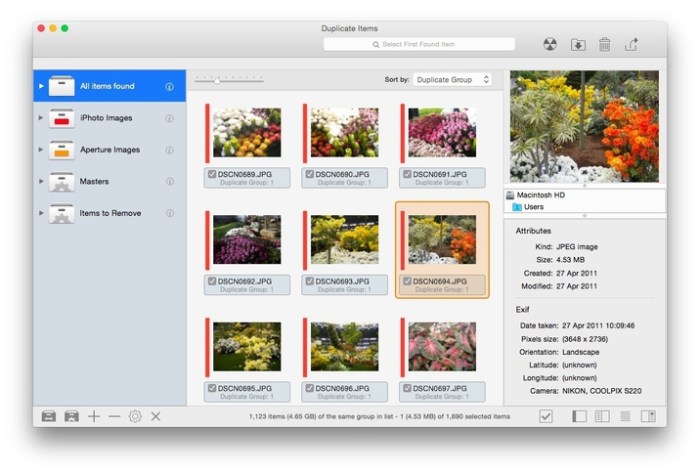
Tidy Up is a full-featured duplicate finder and disk-tidiness utility.

Features
  • Supports Lightroom: it is now possible to search and collect duplicates directly in the Lightroom library.
  • Multiple libraries support: capability to search in the supported apps (Lightroom, Photos, iTunes, Mail, Aperture, and iPhoto) by comparing multiple libraries of the same app with multiple libraries of different apps of the same kind (for example 2 Photos libraries and 3 Lightroom libraries)
  • Added the support to hard links: search for hard links or exclude them from the search and replace the found items with hard links.
  • Search for unique items gains strength: it’s now possible to use multiple criteria to search for unique items (items that have no duplicates).
  • Possibility to handle the found items at the administrator level: just allow the installation of the privileged tool and do the cleaning job. This is particularly useful to clean up old Time Machine backups.
  • New, completely redesigned interface, easy to use, and powerful
  • Tidy Up 5 organizes the result separating the found items by file kinds, (music, images, PDFs, folders, etc.). It’s completely customizable and allows you to add more file kinds at your choice. The new organization is based on the tab separation and each tab has its settings, such as smart boxes, separation by searched sources, view by grid or list, etc.

Compatibility: macOS 10.12 or later

Web Site: http://www.hyperbolicsoftware.com/TidyUp.html

What’s New in Tidy Up 5.0.12

  • Release notes not available at the time of this post.

Screenshots

zoc terminal 7 22 2

Name zoc7222
Size 6.07 MB
Created on 2018-12-15 00:06:43
Hash eda61bceff1d0c6082661d369209fb82497eecc3
Files ※ See Files

Download

ZOC Terminal 7.22.2 macOS

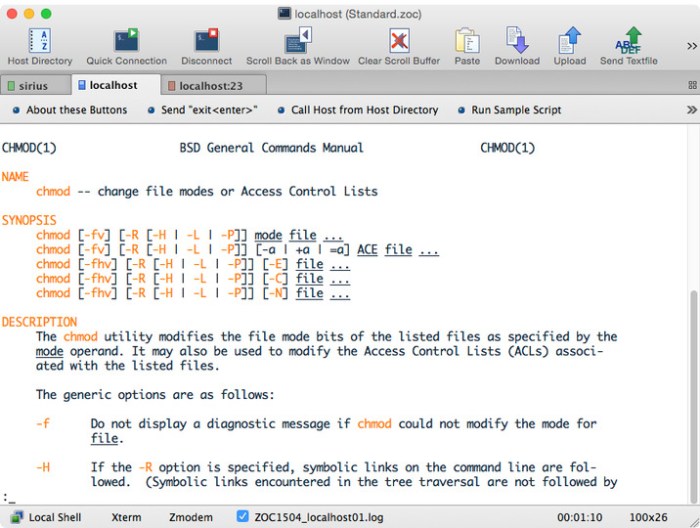
ZOC Terminal is a Telnet/SSH/SSH2 client and terminal emulator. Featuring tabbed sessions, typed command history, scrollback, and multi-window support, ZOC Terminal’s implemented emulations have made it the preferred tool for anyone who needs to access Unix shell accounts from a Windows or OS X platform.

User Interface

  • Tabbed sessions with overview screen to show thumbnails of all open sessions
  • Session tabs can be moved between windows
  • “Colorful tabs” feature to tint user interface elements with different colors depending on which host is connected
  • Full keyboard remapping (e.g. to send text, perform functions, execute programs, etc.)
  • Host directory with folders and full option set for each entry and automatic login sequences
  • User button bar to map texts, scripts, phone book entries, external protocols and shell commands to buttons (incl. subfolders in the button bar)
  • FMacro keys for texts, scripts, phone book entries, external shell commands, etc.
  • Local typing (entry field with history e.g. to type commands)
  • Various logging and scroll back functions
  • Keyboard mode for bbs door programs (doorway mode)
  • Compatible with current Windows 10 and macOS Sierra operating systems (more details below)

Emulation

  • Full Xterm emulation with 256 colors and mouse support (e.g. for use with Midnight Commander)
  • Linux consolelike (including UTF8, colors, full keyboard)
  • VT52, VT100, VT102, VT220 (complete implementation incl. print through, keyboard and ANSI colors)
  • TN3270 (models 3278 and 3279/E with line graphics, colors and full keyboard mapping)
  • TN5250 for IBM iSeries access
  • ANSIBBS, ANSISCO, Avatar
  • SunCDE
  • Wyse WY30, WY50, WY60
  • TVI 9xx (TVI 920, TVI 925, TVI 950)
  • QNX V4
  • ATT4410
  • TTY
  • All emulations support line graphics with any font

Communication

  • Modern Secure Shell (currently based on OpenSSH 7.0) with public/private key authentication, smartcard support (pkcs#11) and port forwarding (tunneling)
  • Telnet (RFCTelnet, pure TCP sockets), SSLTelnet (with TLS 1.2 support)
  • IPv6 support for SSH and Telnet
  • Modem via serial port and TAPI (Windows modem)
  • Direct serial console connections via local serial port or USB/serial adaptors with FTDI chipset or Keyspan or PL2303
  • Supports BreakSignal for serial Connections (e.g. for CISCO devices)

Rlogin

  • ISDN via CAPI V2.0 (including X.25 and X.31 support)
  • File transfer via Ascii, Xmodem, Ymodem, Zmodem, Kermit, SCP, IND$FILE
  • Translation of inbound/outbound characters

SSH (Secure Shell) Features

  • Based on industry reference implementation OpenSSH
  • Client supports latest encryptions like ED25519 SHA256, SHA2 or AES256ctr
  • SSH public/private key, key certificate, keyboard interactive or password authentication
  • Dynamic port forwarding (client as a SOCKS proxy)
  • X11 forwarding (lets you run XWindows applications in the remote session)
  • Static port forwarding (tunneling of connections to predefined destinations)
  • Proxy support (client connects to server through proxy or jumpserver/jumpdrive)
  • SSH Agent forwarding between client and server
  • support for PuttyAgent (Windows) and sshagent (macOS)
  • Client side SSH key generator
  • SCP file transfer through terminal emulation session
  • SSH client protocol versions 1 and 2
  • SSH KeepAlive

Logging

  • Scroll back in three variantes (in window, in separate Window and data view in separate window)
  • Auto Highlight (text on screen can be monitored and special phrases can be highlighted automatically)
  • Raw data trace to file (text and binary mode)
  • Hex debug mode on screen
  • Filelog of all incoming data including optional time stamps
  • Printer log of all incoming data
  • AutoHighlight (automatic color highlighting of predefined words or phrases)
  • Print screen and screen to clipboard functions

Automation

  • AutoLogin (recorded login procedures from the host directory)
  • REXX language for scripting (fully featured programming language with over 75 extensions to control the terminal emulator)
  • DDE support allows ZOC to act as a communication server (Windows)
  • AppleScript support with access to all internal script commands (macOS)
  • Auto Macros (text/functions invoked by typing certain text)
  • Auto Replies (text/functions invoked by receiving certain text)
  • Functions and special escape sequences to automatically exeute local applications (NetTerm compatible)

Requirements: Intel OS X 10.6 or later

Web Site: http://www.emtec.com/main.html

What’s New in ZOC Terminal 7.22.2

  • Release notes not available at the time of this post.
Screenshots

liquivid exposure and effects 1.0 13

Video

Name liquivid_Exposure_and_Effects_1.0.13_MAS.TNT
Size 119.0 MB
Created on 2018-12-15 06:41:04
Hash e2d77f332ef466e36845cc3586dd8d75da544ed8
Files ※ See Files

Download

liquivid Exposure and Effects 1.0.13

Liquivid Video Exposure and Effects is an easy-to-use app that allows you to change a clip’s exposure, saturation and white balance and apply different visual effects (also known as filters).

Imports all common video formats and codecs in any resolution (including HD, 2K, 4K).
Exports videos as MP4 files with H.264 codec.

Compatibility: OS X 10.9 or later 64 bit

Web Site: http://videoimprove.com
Mac App Store: https://itunes.apple.com/app/liquivid-exposure-and-effects/id1135864090?mt=12

What’s New in liquivid Exposure and Effects 1.0.13

– Can now export more than one section from a clip
– Bugfixes

Screenshots

Video
,

By mactorrent

davinci resolve studio 15 2 2

Name Design DaVinci Resolve Studio 15.2.2 MacOS.zip
Size 1.40 GB
Created on 2018-12-13 19:57:52
Hash a699558c6ace6c9f4c2e5eec21891c5adf0234d8
Files Design DaVinci Resolve Studio 15.2.2 MacOS.zip (1.40 GB)

Download

Blackmagic Design DaVinci Resolve Studio 15.2.2 MacOS

DaVinci Resolve 15 is the world’s first solution that combines professional offline and online editing, color correction, audio post production and now visual effects all in one software tool! You get unlimited creative flexibility because DaVinci Resolve 15 makes it easy for individual artists to explore different toolsets. It also lets you collaborate and bring people with different creative talents together. With a single click, you can instantly move between editing, color, effects, and audio.

Plus, you never have to export or translate files between separate software tools because, with DaVinci Resolve 15, everything is in the same software application! DaVinci Resolve 15 is the only post production software designed for true collaboration. Multiple editors, assistants, colorists, VFX artists and sound designers can all work on the same project at the same time! Whether you’re an individual artist, or part of a larger collaborative team, it’s easy to see why DaVinci Resolve 15 is the standard for high end post production and is used for finishing more Hollywood feature films, episodic television programing and TV commercials than any other software.

What’s New!

DaVinci Resolve 15 now has full Fusion visual effects and motion graphics built in! The Fusion page gives you a complete 3D workspace with over 250 tools for compositing, vector paint, keying, rotoscoping, text animation, tracking, stabilization, particles and more. With new Apple Metal and CUDA GPU processing, the Fusion page is faster than ever! Fairlight audio gets a massive upgrade with new ADR tools, audio normalization, 3D panners, audio and video scrollers, a sound library database, and built in cross platform plug-ins such as reverb, hum removal, vocal channel and de-esser. There are also dozens of new features and improvements that editors and colorists have asked for. These include a new LUT browser, shared grades, multiple playheads, Super Scale HD to 8K up-rezzing, stacked timelines, on-screen annotations, subtitle and closed captioning tools, better keyboard customization, new title templates and much more!

Professional Editing

DaVinci Resolve includes everything professional editors need to cut blockbuster films, television shows, and commercials. It’s perfect for both offline and online editing. The high performance playback engine makes editing and trimming incredibly fast, even for processor intensive formats such as H.264 and RAW.

Fusion Effects

Fusion brings the world’s most advanced compositing software for visual effects artists and motion graphic animators right into DaVinci Resolve! So now you can create cinematic feature film quality visual effects and stunning broadcast motion graphic animations without having to switch software applications!

Color Correction

DaVinci Resolve has been used on more feature films and television shows than any other grading system! You get the industry’s most powerful primary and secondary correction tools, advanced curve editor, tracking and stabilization, noise reduction and grain tools, ResolveFX and more.

Fairlight Audio

With Fairlight audio built in, you get a complete digital audio workstation with professional mixer, automation, metering, monitoring, sample level editing, new ADR tools, a sound library database, native audio plug-ins and more! You can even mix down and master to multiple formats, including 3D audio space formats such as 5.1, 7.1 and even 22.2!

Media and Delivery

DaVinci Resolve 15 makes importing, syncing and organizing footage fast! Whether you’re going out to the web, tape, or theatrical distribution, DaVinci Resolve features everything you need to deliver projects in virtually any format! You’ll be able to get to work quickly and output files fast, so you’ll never miss a deadline!

Multi User Collaboration

DaVinci Resolve 15 completely redefines post production workflows! Assistant editors can prepare footage while editors cut the picture, colorists grade the shots, effects artists work on VFX, and sound editors mix and finish audio, all in the same project at the same time! You no longer have to waste time conforming and you no longer have to wait for a locked edit before starting color and audio work! That means picture editors, visual effects artists, colorists, and sound editors can now work in parallel, leaving more time for everyone to be creative!

DaVinci Resolve Studio

The free version of DaVinci Resolve has all of the professional editing, legendary color correction and Fairlight audio tools you need for SD, HD and Ultra HD work at up to 60 frames per second. DaVinci Resolve Studio adds support for 4K and higher, along with frame rates up to 120 fps. It also includes dozens of additional image processing features and filters that are not in the free version. This includes film grain, temporal and spatial noise reduction, amazing new face enhancement tools, lens flares, lens distortion correction, optical quality blur and mist effects, deflicker, dust busting, warping and much more!

New High Performance Playback Engine

DaVinci Resolve 15 features an incredible new video playback engine with CPU and GPU optimizations, lower latency, faster UI refresh, support for Apple Metal, and more! These upgrades combine to make DaVinci Resolve faster and far more responsive than ever. Working on long timelines with thousands of clips is incredibly fluid and editing is even more precise. Scrubbing and playback are instant, often starting before you lift your fingers off the keyboard! Powerful acceleration for processor intensive formats, like H.264, makes it possible to edit 4K material on a laptop in realtime! Whether you’re working in HD or 4K, with ProRes, H.264 or even RAW images, DaVinci Resolve 15 is completely responsive and fast enough to keep up with your every move!

Legendary DaVinci Quality

DaVinci Resolve’s Emmy™ award-winning image processing technology features deep 32-bit float processing combined with unique, patented YRGB color science that processes luminance independent of color. This allows you to adjust the luminance of video without rebalancing the color of your highlights, midtones, or shadows! The massive internal color space is also perfect for the latest HDR and wide color gamut workflows.

Hardware Control Panels

When you have a client looking over your shoulder you need to work fast. DaVinci Resolve control panels are designed to give you fluid, hands-on control over multiple parameters at the same time, allowing you to create looks that are simply impossible with a standard mouse! All controls are logically placed near your natural hand positions and are made out of the highest quality materials. You get smooth, high resolution weighted trackballs, along with precision engineered knobs and dials that feature the perfect amount of resistance so you can accurately adjust any setting. DaVinci Resolve control panels let you instinctively touch every part of the image!

Fairlight Professional Consoles

Fairlight mixing consoles provide high quality tactile controls for nearly every parameter and feature in the software. Unique user interfaces and dynamic configuration changes provide fast to use buttons and controls that are optimized for the task at hand allowing you to work faster with Fairlight audio than any other tool in the world. With the modular design you can start with a larger console frame than you need and add more modules to meet the growing needs of your facility.

Open and Compatible

With all of the different workflows and systems out there, you need a post production solution that’s compatible and open enough to handle anything! DaVinci Resolve has been designed to work with all major file formats, media types, and post production software. You can use XML, EDLs, or AAF to move projects between DaVinci Resolve, Final Cut Pro, Avid Media Composer, and Premiere Pro. Deep integration with Fusion makes it easy to send shots out for VFX work, or you can roundtrip with software such as After Effects. For audio, projects can easily be moved between DaVinci Resolve and ProTools. When you’re on a tight deadline, you can count on DaVinci Resolve to “just work!”

Minimum System Requirements for macOS:
  • macOS 10.12.6 Sierra
  • 16 GB of system memory is recommended and 32 GB is recommended minimum when using Fusion
  • Blackmagic Design Desktop Video version 10.4.1 or later
  • CUDA Driver version 8.0.63
  • NVIDIA Driver version As required by your GPU
  • RED RocketX Driver 2.1.34.0 and Firmware 1.4.22.18 or later
  • RED Rocket Driver 2.1.23.0 and Firmware 1.1.18.0 or later

Web Site: http://www.blackmagicdesign.com
Mac App Store: https://itunes.apple.com/app/davinci-resolve-studio/id900392332?mt=12

What’s New in DaVinci Resolve Studio 15.2.2

  • Release notes not available at the time of this post.

touchcopy 16 27

Name TouchCopy 16 16 27 TNT.zip
Size 10.49 MB
Created on 2018-12-14 21:48:15
Hash 909300274ae6c67564a1f5a22c00646dc45aca7b
Files TouchCopy 16 16 27 TNT.zip (10.49 MB)

Download

TouchCopy 16.27

Backup music and other media from your iPod and iPhone. TouchCopy lets you copy your music, video, photos, text messages, and more from your iPod, iPhone, or iPad back onto your Mac or directly into iTunes.

Features
  • Transfer music and playlists from your iPhone, iPad or iPod back to iTunes on your Mac
  • Save your Text Message, iMessage and WhatsApp conversations to your Mac.
  • Save Voice Mails from your iPhone to your Mac.
  • View and copy Calendars, Contacts, Notes, internet history and more to your Mac.
  • Powerful iPhone, iPod Touch and iPad File Manager allowing you to copy files to and from your iOS device.
  • Includes a comprehensive help system and friendly email support.
  • Supports all iPods, iPhones and iPads including iPhone 8/X
  • Support for iOS 4 to iOS 11
  • New user interface
  • The ability to save iPhone SMS, MMS, iMessage, and WhatsApp conversations in text, HTML, and PDF formats
  • A complete redesign making TouchCopy 16 faster and more reliable

OS version:OS X 10.9 or later Apple iTunes 10 or later
Processor type(s) & speed: 64-bit processor

What’s New in TouchCopy 16.27

  • Release notes not available at the time of this post.

Screenshots

creo 1.2 2

Name Creo 1 2 2 TNT.zip
Size 65.58 MB
Created on 2018-12-14 21:47:39
Hash 3c2c7fb37d6b0edac573454c5c8c597240b364aa
Files Creo 1 2 2 TNT.zip (65.58 MB)

Download

Creo 1.2.2

Development tool for mobile application that integrates support both for designing the user interface and writing the code that powers the utility

Creo is a development tool for mobile applications that aims to bring design and coding related tasks under the same roof. The utility enables you to create and customize the app’s layout while also providing support for object-based programming.

Design the user interface for your mobile projects and modify the layout in no time

To help you get started, Creo comes with a collection of app templates that you can use as starting points for your own projects. Within the Creo main window you get to see the project assets and documents, and see the layout for each included window.

Note that you can add new items to the layout, or rearrange their position with simple drag and drop movements. You get to view each object in the Creo canvas area while the Inspector panel provides more detailed information.

The best part is that Creo integrates 3D rendering capabilities and offers you the possibility to preview each screen included in your apps from various angles.

Object based programming languages power the code writing tools

Instead of creating non-functional prototypes, Creo is also building the native application and integrates the CreoKIT framework that enables you to execute the code. Just switch to the Gravity Code Editor and assign values to events, or define functions in order to trigger various effects.

Creo enables you to create connections between various objects with ease and also integrates an animation editor that uses an intuitive timeline in order to simplify the procedure. This is great because you get to experiment with the animations until you find the best solution.

Development environment that helps you create native iOS apps

Creo proposes a clean and well-organized workspace where you get to design, build, and test mobile applications without having to employ multiple utilities.

The tool works with object-based programming, allows you to create animations using a user-friendly timeline, and offers you the possibility to either run the apps in a simulator or send them to a device.

Compatibility: OS X 10.10 or later 64-bit

Web Site: https://creolabs.com

What’s New in Creo 1.2.2

  • Release notes not available at the time of this post.

Screenshots

affinity photo beta 1.7.0 106

Name Affinity Photo Beta 1 7 0 106 TNT.zip
Size 398.5 MB
Created on 2018-12-14 21:50:30
Hash f979e6899f6d02d9ebca082ca51114e8dc636360
Files Affinity Photo Beta 1 7 0 106 TNT.zip (398.5 MB)

Download

Affinity Photo Beta 1.7.0.106

Affinity Photo redefines the boundaries for professional photo editing software on the Mac. With a meticulous focus on workflow it offers sophisticated tools for enhancing, editing and retouching your images in an incredibly intuitive interface with all the power and performance you need.

Engineered for Professionals

  • Open, edit and save Photoshop® PSD files
  • RGB, CMYK, Greyscale and LAB color spaces
  • Endtoend CMYK workflow with ICC color management
  • Full 16 and 32bit per channel editing
  • Work with all standard formats like PNG, TIFF, JPG, GIF, SVG, EPS, EXR, HDR and PDF
  • Panning and zooming is always live at 60fps with live previews, live tools and realtime editing
  • Open and edit massive images without compromising performance or running out of memory
  • and other

Compatibility: OS X 10.7 or later 64-bit

Web Site: https://affinity.serif.com/photo
Mac App Store: https://itunes.apple.com/app/affinity-photo/id824183456?mt=12

What’s New in Affinity Photo Beta 1.7.0.106

  • Release notes not available at the time of this post.

quarkxpress 2018 14 2

Name QuarkXPress 2018 14.2.zip
Size 664.3 MB
Created on 2018-12-14 21:50:15
Hash c70a16955d2856128ce5916caa495d9b8ac96235
Files QuarkXPress 2018 14.2.zip (664.3 MB)

Download

QuarkXPress 2018 14.2 macOS

QuarkXPress is the leading graphic design and page layout software for creative professionals. It’s used by hundreds of thousands of users around the world who value quality and performance in their daily production of print and digital products.

QuarkXPress is the new version that raises the bar for design and productivity. With non-destructive graphics and image editing directly within your layout, you no longer have to choose between efficiency and output quality. Create responsive HTML5 Publications as well as “unlimited”* single iOS apps and more. QuarkXPress is driven by five initiatives:

  • Introducing new graphics and image editing capabilities
  • Enhancing and extending text and typography features
  • “Wish list” features requested by our users
  • Continued digital publishing innovation
  • Retaining the perpetual lifetime license model
Images and Vectors
  • Nondestructive image editing (adjustments and filters)
  • Transparency blend modes
  • New shape tools
  • More multicolor gradients
  • Gradients for frames
  • Item format painter
Typography and Text
  • Text stroking
  • Text shading
  • Column spanning/splitting
  • Nonbreaking text attribute
  • Merge text boxes
  • Automatic line between columns
  • Proportional leading
  • Additional smart quotes
  • Smart text linking
  • Word import enhanced
  • Footnotes enhanced
Digital Publishing
  • “Unlimited” iOS single apps
  • Adaptive layout conversion
  • Automatic tableofcontent
  • Responsive HTML5 Publications
  • (multi device output)
General
  • Adaptive layout conversion
  • Convert to Native Objects
  • Mac and Win UI enhancements
  • Cursor key can control increments/decrements
  • List most recent fonts
  • Find/Change enhanced
  • Cross References enhanced
  • Builtin cache cleaner
  • XTensions Manager enhanced

Web Site: http://www.quark.com

What’s New in QuarkXPress 2018 14.2

Defect fixes:
1. Fixes application launch issues in Japanese.
2. Fixes issues with action “Save as Postscript”.
3. Fixes issues with the “Convert to Native Objects” action in non-English languages.

photos exif editor 2.6

Name Photos Exif Editor 2 6 MAS TNT.zip
Size 13.15 MB
Created on 2018-12-14 21:48:33
Hash 469d249164c182500e0f51fc7d1f1d2a74dc9718
Files Photos Exif Editor 2 6 MAS TNT.zip (13.15 MB)

Download

Photos Exif Editor 2.6

Photos EXIF Editor is an intuitive app which can edit EXIF, IPTC & XMP data of thousands of photos in no time!

Here are a few reasons which make it a MUST HAVE tool for your Mac:
  • Reads & writes EXIF, GPS, IPTC, XMP metadata and more…
  • Supports various common image formats including RAW format
  • Deletes metadata individually or of selected batch of photos
  • Sets photo modification/original datetime from EXIF information
  • Automatically creates back up of the original metadata of the photo when writing
  • Flexibility to create Presets of repetitive metadata to speed up processing
Photos EXIF Editor supports full read/write of the following image file formats:
  • .MOS Leaf Digital Camera RAW image
  • .CR2 Canon Digital Camera RAW image
  • .FFF Imacon Digital Camera RAW image
  • .DNG Leica Digital Camera RAW image
  • .NEF Nikon Digital Camera Raw Image
  • .NEF Nikon Digital Camera Raw Image
  • .NRW Nikon Digital Camera Raw Image ***
  • .PEF Pentax Digital Camera Raw Image **
  • .DNG Pentax Digital Camera Raw Image **
  • .DNG Ricoh Digital Camera RAW Image
  • .SR2 Sony Digital Camera Raw Image **
  • .SRF Sony Digital Camera Raw Image (Cyber Shot) **
  • .DNG Lumia 1020
  • .DNG One Plus One
  • .PSD Photoshop Document
  • .JP2 JPEG2000 JP2 File Format Syntax ***
  • .JPEG Joint Photographic Experts Group JFIF format
  • .JPG Joint Photographic Experts Group JFIF format
  • .PNG Portable Network Graphics
  • .TIF Tagged Image File Format
  • .TIFF Tagged Image File Format

Note:
***: Data of Original date time tag will not be changed
**: Data of Camera model tag will not be changed

Supported Tags:
  • EXIF: Artist, Image Description, Copyright, Software, User Comment, Camera Make, Model, Owner Name, Serial Number, Date/Time Original, Creation Date, Modify Date, ISO, F Number, Focal Length, Focal Length In 35mm Format, Flash, Orientation, Exposure Mode, Exposure Program, Exposure Time, Metering Mode, Scene Capture Type, White Balance, Saturation, Sensing Method, Sharpness, Subject Distance Range, Lens Make (as per app’s standards), Lens Model(as per app’s standards), Lens Serial Number (as per app’s standards)
  • GPS: Latitude, LatitudeRef, Longitude, LongitudeRef, Altitude, AltitudeRef
  • IPTC: Author Byline, BylineTitle, Copyright Notice, Headline, CaptionAbstract, WriterEditor, Object Name, Category, Supplemental Categories, Keywords, Sublocation, City, ProvinceState, CountryPrimary Location Name, CountryPrimary Location Code, Original Transmission Reference, SpecialInstructions, Credit, Source
  • XMP: Serial number, Lens, Create Date, Modify Date, Latitude, Longitude, Photoshop Date Created

Compatibility: macOS 10.10 or later 64-bit

Mac App Store: https://itunes.apple.com/app/photos-exif-editor/id1202851767?mt=12

What’s New in Photos Exif Editor 2.6

Added support for new macOS Mojave (10.14)
Minor bug fixes and improvements.

apolloone 2 2 2

Name ApolloOne 2 2 2 MAS In-App TNT.zip
Size 18.61 MB
Created on 2018-12-14 21:49:46
Hash 5373c383797e282a169f977ec793c1c7f286923d
Files ApolloOne 2 2 2 MAS In-App TNT.zip (18.61 MB)

Download

ApolloOne 2.2.2 MAS + In-App

Designed from the ground up as a fast, efficient and feature rich media viewer. ApolloOne uses advanced Operating System features such as multi-threading, Grand Central Dispatch, and Core Image graphics to ensure app responsiveness.

HEADLINE FEATURES:
  1. Rapid viewing of all photos/videos in the folder and subfolders by simply double clicking on a single photo anywhere on the system (if you have added Macintosh HD volume to Places).
  2. Ultrafast camera RAW preview engine.
  3. Rotate, mirror, flip photos and video instantly.
  4. Fluid Swipe photo viewing mode with Trackpad and Magic Mouse support (just like you would view photos on the iPhone or iPad).
  5. Supercharged EXIF inspector with comprehensive information. You can change font size or perform quick search on the information on this screen.
  6. Powerful slideshow function with 12 GPUaccelerated transition effects and many user configurable options. Slideshow runs on full screen or in a window(1).
  7. Locate actual address by using GPS coordinates embedded in JPEG, RAW or video files. You can update (or add) GPS coordinates by simply dragging the pin to another location on the map.
  8. Display camera AF points and detected faces and magnify them for checking focus and cycle through them quickly (on supported cameras).
  9. Tag and rate files for copy / move / trash operation. You can tag or rate files quickly using keyboard shortcut keys. File rating uses IPTC/XMP compatible Rating field.
  10. File filtering and sorting with 2level sort key.
  11. Sharing with Facebook, Twitter, Sina Weibo, etc. and AirDrop.
  12. User customizable Toolbar.
  13. Context menu for frequently accessed functions and the ability to send the photo or camera RAW file to an external editor.
  14. Spotlight indexing of photos, with address location and user selectable EXIF info for indexing. Photos can be searched quickly via Finder.
  15. Accurately capture video frame as JPEG from video, including 4K video.
OTHER FEATURES INCLUDE:
  • Pixel Perfect Photo (PPP) scaling engine with Lanczos filtering.
  • Advanced file caching for fast photo browsing.
  • Quick EXIF info simply by glancing at the status bar.
  • Zoom ratio and pan position are maintained when viewing across photos in the list.
  • Full support of Trackpad, Magic Mouse, and 3rd party mouse with scroll wheel (swiping, pinch zooming, panning, rotation)(2).
  • Support retina displays.
  • Support various color spaces, including sRGB, Adobe RGB and ProPhoto RGB.
  • Support draganddrop of multiple files and folders into the main window and dock icon.
  • Support SRT subtitle file for video playback.
  • Ability to delete the camera RAW file together with the JPEG file, or delete just the RAW file, leaving the JPEG file alone. Files can be recovered from the Trash with the Put Back function(3).
  • Unique HUD display maximizes image display area.
  • Support playback of videos taken with most digital cameras(4). You can pan and zoom the video with the trackpad during video playback.
  • Ability to play animated GIF files.
  • Focal length conversion to 35mm film. The app has builtin support for over 6000 digital cameras.
  • UI is localized in 10 languages (English, French, German, Dutch, Italian, Spanish, Japanese, Traditional Chinese, Simplified Chinese and Korean).
Notes:
  1. Slideshow in a window is not supported on macOS 10.10 (Yosemite).
  2. Twofinger zooming and image rotation with arbitrary angle are only available on Mac with a Trackpad.
  3. User script needs to be installed via the Preferences panel in order to enable the Trash Put Back feature.
  4. AVCHD video codec (.mts files) is currently only supported on macOS 10.11 El Capitan, 10.12 Sierra, and 10.13 High Sierra.

In-App Purchases: Full Version – included
Compatibility: OS X 10.9 or later 64-bit

Mac App Store: https://geo.itunes.apple.com/app/id1044484672

What’s New in ApolloOne 2.2.2

  • A crash under macOS 10.10
  • A bug for users who have purchased version 1 were not automatically upgraded to version 2

Screenshots

raw converter 2.0.2.0 1

Name RAW Converter 2 2 0 2 0 1 TNT.zip
Size 6.21 MB
Created on 2018-12-14 21:48:05
Hash 17a581e84deb567c242bbc9d07b0cedf363d317d
Files RAW Converter 2 2 0 2 0 1 TNT.zip (6.21 MB)

Download

RAW Converter 2.0 (2.0.1)

RAW Converter 2 supported more camera is coming.

RAW Converter 2 is a simple, yet powerful tool that can convert your raw photos to common format, such as JPG. It almost supports all the raw formats of the camera. It also gives you the ability to resize your raw photos and save them to jpg, jpeg2000, bmp, gif, png, tiff.

Key feature:

  • Supports dragndrop
  • Supports a large number of RAW file format
  • Very high conversion quality
  • Supports batch conversion

Supported cameras and format: http://www.imacbits.com/supportcamera.pdf

Supported output file format: -JPEG,JPEG-2000,PNG,TIFF,BMP,GIF

Compatibility: OS X 10.10 or later 64-bit

Web Site: http://www.imacbits.com/raw-converter
Mac App Store: https://itunes.apple.com/app/raw-converter-2/id670504280?mt=12

What’s New in RAW Converter 2.0 (2.0.1)

1.Support more camera
2.Redesigned user interface
3.Fixed some bugs

wirecast pro 11.1.0

Name Wirecast Pro 11 1 0 TNT.zip
Size 179.8 MB
Created on 2018-12-14 21:49:18
Hash b4fedf9b6378f8c22736ba5c13233ed2752dd3bb
Files Wirecast Pro 11 1 0 TNT.zip (179.8 MB)

Download

Wirecast Pro 11.1.0

Wirecast is an all-in-one live streaming production application that provides the required tools to capture video, encode it and broadcast it to multiple servers and platforms at the same time.

You can use Wirecast with an unlimited number of camera inputs ranging from web cams to DV/HDV, SDI cameras to IP and web-based sources and wireless devices. You just have to plugin your device and Wirecast will automatically recognize it as a live feed. The supported input sources include USB, Web cams, SDI, composite, S-Video, DV/HDV, Component, HD-SDI, HDMI sources, IP Cameras, ONVIF, Web stream source and screen capture sources. Moreover, Wirecast features support for up to 35 layers of live compositing. Hence, you can effortlessly place watermarks, background music and other visual elements over your webcast.

Compatibility: OS X 10.11 or later 64-bit

Web Site: http://www.telestream.net/wirecast/overview.htm

What’s New in Wirecast Pro 11.1.0

New Features:

Facebook Live Polling:
  • Enables the creation and embedding in Facebook live streams of audience polls
  • Text of questions and up to four answers can be written within the Wirecast user interface
  • Results of the poll are dynamically displayed for viewers
Fixes:
  • Wirecast selects the Microsoft Basic Render Driver as the Video Adapter on Windows
  • ISO recordings fail after certain periods of time
  • Titler Live playlists do not work correctly
  • Streaming to Sunday Streams does not work on macOS Mojave
  • RTMP metadata has incorrect frame rate on macOS Mojave
  • RTMP output does not work with fractional frame rates on macOS Mojave

Screenshots

pikka color picker 1.8

Name Pikka 1 8 MAS TNT.zip
Size 12.25 MB
Created on 2018-12-14 21:48:41
Hash a28efbe27a1c233349f48b235b30fbfda7897241
Files Pikka 1 8 MAS TNT.zip (12.25 MB)

Download

Pikka – Color Picker 1.8

Pikka- Color Picker is a easy to use color picker for Cocoa developers and designers, that works well with multiple screens.

With Color Picker you can pick the exact color from everywhere on your screen using the magnifier and it will be copied to clipboard in preferred format immediately. You can copy the code with a single click from menubar or using color library.

Pikka has now become even better:

– With the new Menubar option, you can quickly access your recently copied color.
– The magnifier tool is instantly displaying a preview of the color (RGB).

Key Features:

Library- Color Folders

Pikka- Color Picker gives you an opportunity to share colors between different folders and organize color palettes. mac-torrents.net Drag & Drop colors between folders. Copy color from library with double click. Create your profile and keep all your color schemes well organized with name and tags.

Color Picker And Palette generator

The super fast color schemes generator! Create, save and share perfect palettes in seconds!

Color Shades

Generate color shades for picked color with one click.

Adjust and refine

Customize your colors precisely by adjusting temperature, hue, saturation, brightness and more…

Formats

More than 15 color formats are provided.. Pick color and paste picked color directly into environment you use. Choose from: HEX, RGB, Swift UIColor, Swift NSColor, Objective-C UIColor, Obecjtive-C NSColor, Android XML, Android (A)RGB and many more.

Rename colors

Rename picked colors with ease.

Compatibility: OS X 10.11 or later 64-bit

Mac App Store: https://itunes.apple.com/app/pikka-color-picker/id1195076754?mt=12

What’s New in Pikka – Color Picker 1.8

– Fixed issue with renaming colors

notebooks 1.4 4

Name Notebooks 1 4 4 MAS TNT.zip
Size 18.27 MB
Created on 2018-12-14 21:49:56
Hash 859e6eba9dcdba6977dfd9d50d515ef767d26d49
Files Notebooks 1 4 4 MAS TNT.zip (18.27 MB)

Download

Notebooks 1.4.4

Notebooks allows you to create as many books as you need to write, store and structure your details of life, and it will quickly become the one and only repository for all journals, ideas, notes, drafts, stories and diaries but also for your projects, task lists, documents, files and everything else you want to keep close at hand.

Use Notebooks to create carefully formatted documents with styles and embedded photos, or to quickly write plain text notes. Convert between these formats any time, and if you want to use Markdown, Notebooks knows how to handle that as well. It is a perfect, distraction free writing environment.

Notebooks stores and displays almost any type of document: plain text and formatted text, PDF, web pages, MS Office documents, photos, videos, music and much more. Everything you want to keep organized can go directly into Notebooks.

Notebooks also keeps your task lists and allows you to tick off your to-dos as you complete them. Divide your projects into nested sub projects, which makes them easier to handle, and cross-reference into your reference library, which, of course, is in Notebooks, too.

Notebooks can share its files with the mobile versions of Notebooks on the iPad and iPhone, which allows you to conveniently work on your documents from your desktop, but also on your iPad, iPhone or iPod touch when you are on your way. The synchronization between the devices currently supports Dropbox and many WebDAV servers (with Dropbox currently being the most convenient option).

Notebooks stores all your documents as regular files on your computer’s hard drive, so you can always access them through Finder to open and edit with other applications, too.

So whether you need to write something down or look something up, you need to have Notebooks on your Mac.

Compatibility: OS X 10.8 or later 64-bit

Mac App Store: https://itunes.apple.com/us/app/notebooks-all-your-documents-files-and-tasks/id862961526?mt=12

What’s New in Notebooks 1.4.4

This update addresses a few issues on macOS Mojave and contains general stability improvements.

• Links in a table of contents (Markdown or formatted documents) and other #anchors work as expected again.
• Performance improvements.

This is a minor update while we are working on Notebooks 2.0.

docxtor 1.7.0

Name Docxtor 1 7 TNT.zip
Size 9.68 MB
Created on 2018-12-14 21:47:55
Hash ec57a36e0ed9587b8c3a0922d1c4a7119bb4d939
Files Docxtor 1 7 TNT.zip (9.68 MB)

Download

Docxtor 1.7.0

Diagnosis: users have a hard time converting documents
So you have got loads of iWork™ documents lying around which you would like to share with a colleague or a friend. But your friend does not have a Mac and cannot open iWork documents? Ok no problem: you can export iWork documents as Microsoft Office.

Therapy: consult the Docxtor for conversion

Fear no more, the Docxtor is here to help you: just drag your folders and documents into the main window, select your therapy and call the Docxtor. In a minute all your documents will be converted! Just follow these steps:

How it works

Fear no more, the Docxtor is here to help you: just drag your folders and documents into the main window, select your therapy and call the Docxtor. In a minute all your documents will be converted! Just follow these steps:

  1. Drag files in the list view
  2. Setup the conversion options.
  3. Hit start and watch the Docxtor do the rest.
How it works – technically

Well the Docxtor just compiles and runs an AppleScript for you to convert your documents. You could do that yourself, but the Docxtor makes it more convenient!

Compatibility: macOS 10.12 or later 64 bit
Web Site: https://docxtor.de/

What’s New in Docxtor 1.7.0

  • Release notes not available at the time of this post.
bluesense 1.3.1

Name BlueSense 1 3 1 TNT.zip
Size 6.95 MB
Created on 2018-12-14 21:48:25
Hash 4438069faf515d3b5ea9d09f3cc714e5dceae0fe
Files BlueSense 1 3 1 TNT.zip (6.95 MB)

Download

BlueSense 1.3.1

BlueSense analyzes the signal of your Bluetooth device and executes any desired actions when you move away or come back into proximity of your Mac. Decide what BlueSense has to do when your device is detected or when you are far from your Mac, and even when you are away for a long time. BlueSense triggers custom scripts when your Bluetooth device is detected, far-away or not detected for a long period.

  • Friendly interface for retina display.
  • Remains discreet in your menu bar.
  • Checks to avoid false positive.
  • Adjust the verification interval.
  • Fast check mode when the device is lost, for faster activation when you come back.
  • Delay the execution of your scripts.
  • Additional script that runs when the device is lost for a long time.
  • Nice graphics of the Bluetooth signal.
  • Adjust precisely the sensitivity of the detection.
  • Sound alerts and notifications to be notified of the status of the application.
  • Disable verification sounds, select the system output and volume of the alerts (advanced).
  • Works with differents Bluetooth devices (tested with iPhone, iPad, Android, classic cell phones, audio devices, keyboard)

Possible Uses:

  • Lock or unlock your Mac to protect him when you are away.
  • Automatically unlock your Mac by entering the password.
  • Lock your Mac OS X session when you go outside of your desktop and ensure that it will ask for the password at startup.
  • Disable the auto login session when you are not in front of your Mac.
  • Activate the screen saver password and automatically enter the password when you come back.
  • Automatically change your status (online, away) of messaging application like Skype, Messages.
  • Play or pause music in players like Spotify, Deezer, iTunes when you quit your screen or come back.

Important: Remember to pair your Bluetooth device with your Mac before using BlueSense. Although good examples of scripts are available on the website, BlueSense requires skills to realize your own AppleScripts scripts.

Compatibility: OS X 10.10 or later 64-bit

Web Site: https://apps.inspira.io/
Mac App Store: https://itunes.apple.com/app/bluesense/id901815912?mt=12

What’s New in BlueSense 1.3.1

  • Release notes not available at the time of this post.

toneboosters plugin bundle v1.2.3

Name ToneBoosters.Plugin.Bundle.v1.2.3.MacOSX.Incl.Keygen-R2R.zip
Size 17.07 MB
Created on 2018-12-14 06:56:27
Hash 829cfac91404b7c7783057d1381f82c99e37a7c5
Files ToneBoosters.Plugin.Bundle.v1.2.3.MacOSX.Incl.Keygen-R2R.zip (17.07 MB)

Download

ToneBoosters Plugin Bundle v1.2.3 OSX Incl Keygen-R2R

Our audio plugins are based on more than a decade of scientific research and product development in the areas of digital signal processing and auditory perception.

ReelBus 4

Faithful magnetic tape recording, flanger and echo simulator.

Morphit

Correct, personalize and customize your headphones.

Equalizer 4

Artificial-Intelligence (AI) assisted, multi-band dynamic equalizer and spectrum analyzer.

Reverb 4

High-end, silky smooth, warm, lush reverberation for creative and all-purpose use.

Barricade 4

Mastering-grade compression and true-peak limiting plug-in with analog saturation options.

BusTools 3

Unleash your full potential with this bundle of 10 pro-level mixing and mastering tools (version 3): Barricade, BusCompressor, Dither, EBULoudness, Evoke, FlX, Isone, ReelBus, Sibalance, and VoicePitcher.

TrackEssentials 3

Eight core tools in an affordable bundle to sculpt your creations to the next level (version 3): Compressor, DeEsser, Equalizer, Ferox, Gate, Module, Reverb, and TimeMachine.

Compatibility: OS X 10.10 or higher

Web Site: Web Site: http://www.toneboosters.com/

What’s New in ToneBoosters Plugin Bundle v1.2.3

Equalizer 4.1.3

Fix for bug in Presonus Studio one for keyboard short cuts

solid angle cinema4d to arnold 2.4 4 for cinema4d

Graphics & Design Video

2018-12-13   

Name Solid Angle Cinema4D to Arnold 2.4.4 for Cinema4D MacOS.zip
Size 156.4 MB
Created on 2018-12-14 06:54:25
Hash e7708c9d20b6aaa623480d06ce35cb58b31614d5
Files Solid Angle Cinema4D to Arnold 2.4.4 for Cinema4D MacOS.zip (156.4 MB)

Download

Solid Angle Cinema4D to Arnold 2.4.4 for Cinema4D MacOS

Arnold is an advanced Monte Carlo ray tracing renderer built for the demands of feature-length animation and visual effects.

Originally co-developed with Sony Pictures Imageworks and now their main renderer, Arnold is used at over 300 studios worldwide including ILM, Framestore, MPC, The Mill and Digic Pictures. Arnold was the primary renderer on dozens of films from Monster House and Cloudy with a Chance of Meatballs to Pacific Rim and Gravity. It is available as a standalone renderer on Linux, Windows and Mac OS X, and is accessible through plug-ins for Maya, Softimage, Houdini and Katana.

Features
  • Seamless integration with C4D: objects (instances, cloners, deformers, generators), MoGraph geometry, hair and splines.
  • Support for both native particles and Thinking Particles.
  • The fastest interactive rendering (IPR) of all Arnold plugins, allows parameter changes to be rapidly previewed without interrupting your work.
  • Arnold Shading Network Editor, a nodebased material editor.
  • A comprehensive list of shaders and utilities, including vertex maps and perface materials.
  • Volume rendering with OpenVDB.
  • Deferred, render time generation of geometry with the Arnold procedaural node.
  • Native linear workflow.
  • Team Render, including singleframe distributed rendering.
  • Support for third party plugins like XParticles and Turbulence FD.

Web Site: https://www.solidangle.com/arnold/arnold-for-cinema-4d/

What’s New in Solid Angle Cinema4D to Arnold 2.4.4 for Cinema4D

  • Release notes not available at the time of this post.
Screenshots

Graphics & Design, Video

By

the foundry nuke studio 11.3v1

Name The Foundry Nuke Studio 11.3v1 MacOS.zip
Size 915.7 MB
Created on 2018-12-14 06:54:06
Hash 4bc83f23cf53abecb805d3ab0a55450109cf0a53
Files The Foundry Nuke Studio 11.3v1 MacOS.zip (915.7 MB)

Download

The Foundry Nuke Studio 11.3v1 MacOS

The compositing power of NukeX, plus the multi-track editorial timeline of Hiero, allowing you to conform, review, edit, and even create and render compositions from the timeline. Nuke Studio gives supervisors & artists more creative control

A unique and seamless combination of visual effects, editorial timeline and review, NUKE STUDIO lets you composite, conform, edit, color-correct, add effects and playback at 4K. With this end-to-end solution, you can run a whole project from a single desktop. As a supervisor or team lead, NUKE STUDIO’s powerful collaborative controls let you distribute shots, easily manage and review versions, share comments, and make tweaks and adjustments within a single cohesive package.

Compositing and much more

With the full power of NUKEX’s advanced node-based compositing built in, NUKE STUDIO includes all the tools you need to get the job done, whether you’re working alone or as part of a team.

Full online-editing toolkit

With its multi-track editorial timeline, NUKE STUDIO’s intuitive and familiar editorial tools get the job done fast, whether you’re editing on set, conforming online, or just knocking out quick edits.

Collaborative control

Generate and share NUKE scripts, collaborate with annotations, easily manage versions, and make tweaks any time. With NUKE STUDIO, handling multiple shots across a team is a breeze.

Flexible to the core

At its core, NUKE STUDIO shares NUKE’s flexibility, with the ability to script your own tools on the timeline, a Python API, and seamless integration with the other members of the NUKE family.

Speed and efficiency

Work fast and interactively with NUKE’s cutting-edge toolkits, GPU acceleration and fluid workflows. Everything you need to get the job done fast is built in and ready to go.

Power and performance

Built to meet the needs of modern production work, NUKE STUDIO offers unparalleled levels of power and confidence whether you’re a team with a deadline or alone with a client.

Compatibility: macOS 10.12 or later

Web Site: https://www.foundry.com/products/nuke

What’s New in The Foundry Nuke Studio 11.3v1

  • Release notes not available at the time of this post.

Screenshots

command tab plus 1.82

Name Command-Tab Plus 1 82 TNT.zip
Size 5.57 MB
Created on 2018-12-14 06:55:10
Hash dd59a311ff3f453b2007b8b70948aabf1451de6c
Files Command-Tab Plus 1 82 TNT.zip (5.57 MB)

Download

Command-Tab Plus 1.82

Command-Tab Plus – Keyboard-centric application switcher for your Mac. Command-Tab Plus is designed to let you switch between apps in a faster and more convenient way. When you work with a lot of programs which are loaded, switching between them makes a problem, because it often takes a long time. Command-Tab Plus gives you many improvements in working with multiple applications and designed to be an alternative to the native Apple’s App Switcher.

Compatibility: OS X 10.9 or later 64-bit

Web Site: http://www.noteifyapp.com

What’s New in Command-Tab Plus 1.82

  • Release notes not available at the time of this post.
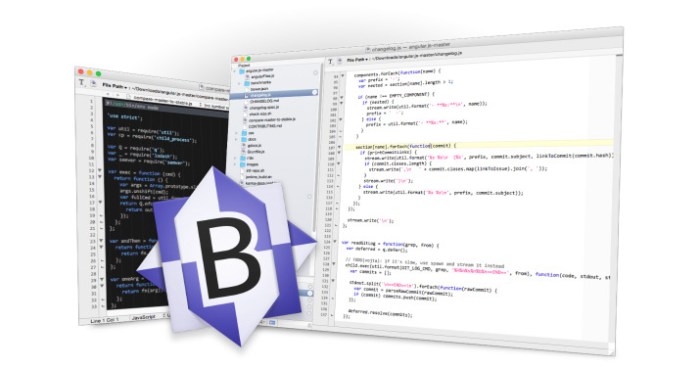
permute 3.0.2

Name Permute 3 3 0 2 TNT.zip
Size 50.73 MB
Created on 2018-12-14 06:54:51
Hash b91c79834568f14203a5f9d38cf70a69f18574cd
Files Permute 3 3 0 2 TNT.zip (50.73 MB)

Download

Permute 3.0.2

Permute is the easiest to use media converter with it’s easy to use, no configuration, drag and drop interface, it will meet the needs to convert all your media.

Easy to Use

Built from the ground up, Permute is a perfect example of what a Mac app should be. With a gorgeous interface and drag & drop simplicity no need for complicated options.

Insanely Fast

Permute was engineered to be incredibly fast. Let us take care of the hard stuff. Just select the video format you want and it’ll be done faster than you can say “Antidisestablishmentarianism”.

Everything Included

It doesn’t matter if you’re converting home movies or processing images. Permute can do it all. We support nearly every format and have plenty of device presets to choose from.

Compatibility: OS X 10.11 or later

Web Site: http://permute.charliemonroe.net
Mac App Store: https://itunes.apple.com/app/permute-2/id731738567?mt=12

What’s New in Permute 3.0.2

  • Release notes not available at the time of this post.

applocker pro 2.6.0

Name AppLocker 2 6 0 MAS In-App TNT.zip
Size 11.80 MB
Created on 2018-12-14 06:55:16
Hash 84c5e4c7eeabb45fc656d13e6dbb35aa9646a07f
Files AppLocker 2 6 0 MAS In-App TNT.zip (11.80 MB)

Download

AppLocker Pro 2.6.0 MAS + In-App

AppLocker can password protect individual apps on your Mac.

It’s easy to use and there is absolutely no configuration required. Just start AppLocker, add a password and select the apps you want to keep private.

Use this tool and stop worrying about your privacy when you lend your computer to a guest, friend or family member. No one will mess with your important apps anymore.

Features
  • Password protect individual applications on your Mac
  • Easy to use, absolutely no configuration required
  • Block access to applications that you want private and avoid
  • sneak peeks from guests, family members, friends or coworkers
  • Perfect for anyone who uses a Mac in the office or at home and shares the computer with coworkers, family members or guests

In-App Purchases: AppLocker Pro – included
Compatibility: OS X 10.11 or later 64-bit

Web Site: http://alexdenk.eu
Mac App Store: https://itunes.apple.com/app/applocker-password-lock-apps/id1132845904?mt=12

What’s New in AppLocker Pro 2.6.0

• macOS Mojave user interface updates

Screenshots

widsmob retoucher 2.4

Name WidsMob Retoucher 2 4 TNT.zip
Size 10.33 MB
Created on 2018-12-14 06:53:36
Hash c4a78cce5781ac5882328215a4551965f7481ea1
Files WidsMob Retoucher 2 4 TNT.zip (10.33 MB)

Download

WidsMob Retoucher 2.4

WidsMob Retoucher is a photo editor which allows you to discover the magic of artistic photo effects. It is noise reduction software to fix blurry photos first.

WidsMob Retouch eliminates image noise while preserving image detail. What is more, WidsMob Retoucher also removes some selfie imperfections, such as minimize freckles, whiten teeth, and smooth skins. It also provides dozens of revolutionary camera profiles to rediscover the magic of stunning

Compatibility: macOS 10.9 or later 64-bit

Web Site: http://www.widsmob.com/retoucher

What’s New in WidsMob Retoucher 2.4

  • Release notes not available at the time of this post.
Screenshots

gsi vb3 ii v1.1 1 au vst vst3.64bits

Name GSi VB3-II v1.1.1 AU VST VST3 64bits macOS [k-offset].zip
Size 31.61 MB
Created on 2018-12-14 06:54:58
Hash 0443c91e184b21ab65ae870963d7fbca9ca8623f
Files GSi VB3-II v1.1.1 AU VST VST3 64bits macOS [k-offset].zip (31.61 MB)

Download

GSi VB3-II v1.1.1 AU VST VST3 64bits macOS-offset

GSi VB3-II is the result of almost 15 years of study, research, experimentation and development of the simulation of a vintage Hammond B3 organ. It is the evolution of the GSi VB3 v1.x with a new sound, a new parameter set, endless possibilities of sound customization. It’s not a simple update to an old software, it’s a whole new product. It’s based on the same sound engine that was written first for the Hamichord Organ, then for the Crumar Mojo, and is also found in the Crumar Mojo61 and in the GSi Gemini. The DSP part of VB3-II was rewritten from the ground up around 2010 and has been constantly updated during all these years by adding features and improvement suggested by many users of our hardware products. Many people requested this sound engine to be released as a software for regular computers, and here it is. Now you can have the sound of a full-featured clonewheel organ right into your computer.

Main features:

  • Full polyphony (61 upper + 61 lower + 25 pedals = 147 notes)
  • 91 modeled tonewheels with accurate phase synchronization
  • Adjustable leakage noise and cross modulation between tonewheels
  • A total of 22 different tonewheel generators to choose from
  • Generator shaping for a total of 154 generator combinations
  • Adjustable global tuning from 430 to 450 Hz
  • Foldback on 16″ deactivatable
  • Complex wheels
  • Resistor wiring with multiple options
  • Realistic “run” motor wow & flutter
  • Busbars and 9 key contact simulation
  • Two separate sets of drawbars per manual
  • Full “inverted octave” presets
  • String Bass with adjustable release time
  • Loudness “robbing” effect
  • Single triggered percussion with natural capacitor discharge/recharge
  • Adjustable Percussion Level & Decay
  • Vibrato/Chorus virtual scanner
  • Adjustable Vibrato Scanner depth & mix
  • Separated Upper and Lower V/C tablets with smooth switching
  • Dynamic tube overdrive simulation
  • Spring Reverb (pre) and Digital stereo reverb (post)
  • Rotary speaker simulation with virtual microphone positioning, tube overdrive, tube feedback
  • Rotors “Front Stop” brake position with adjustable preferred position
  • Very low CPU consumption
  • Advanced MIDI Learn function with import/export of custom mappings
  • Upper and Lower manuals SPLIT with adjustable split point
  • Adjustable output level
  • Supports pedal sustain
  • Custom programmer with import/export of Programs and Banks
  • …and many more.

Web Site: https://www.genuinesoundware.com/?a=showproduct&b=44

What’s New in GSi VB3-II v1.1.1

Starting from version 1.1.0 released in September 2018, GSi VB3-II comes with a separate Rotary effect plugin/standalone that can be used with any audio source and is based on the same rotary effect built into VB3-II. It’s called GSiRotary and is free for all VB3-II registered users. ( and unregistered users too )

GSiRotary shares the same Program Bank, the same MIDI Map and the same Settings as the main program VB3-II and starts activated if VB3-II is activated, otherwise starts in “Demo mode”.

VB3-II features deep editing of all Organ and Rotary Speaker parameters organized in separate windows. The parameters are organized in sections and represented as dropdown menus if they consist in lists of elements to choose from, check boxes if they consist in options to toggle, or horizontal sliders if they respond to a range of values spanning from 0 to 127.

GSi VB3-II Release Notes

October 12, 2018 – Version 1.1.1

  • Organ model: Improved the keyclick and the crosstalk, introduced the “complex crosstalk on upper manual”
  • Organ model: Modified “OLD” resistor wire set to have a better drawbar balance on the top octave
  • Organ model: Added new resistor wire set that disables the foldback (Spinet style)
  • Rotary Speaker: Extended rotation speed and ramp time ranges, and now displayed in actual Hz and Seconds
  • The PedaltoLower function can now work in both Overlay or in Split mode between the pedalboard and the lower manual
  • The CC#64 Pedal Speed functions now switches between FAST and according to the previous Speed lever position
  • The CC#64 Pedal function can now also be completely disabled, letting CC #64 to be freely assigned
  • The Settings Panel now opens inside the main window and no longer creates a new popup window
  • Updated the PDF Manual with new informations, please have a look at it.
  • Minor optimizations and bugfixes that apparently will not please anyone except the developer himself ?

Screenshots

widsmob image viewer 2.9

Name WidsMob Image Viewer 2 9 MAS TNT.zip
Size 7.36 MB
Created on 2018-12-14 06:53:43
Hash 847fe794e86b35b26fd762a77eb107ae4853f55e
Files WidsMob Image Viewer 2 9 MAS TNT.zip (7.36 MB)

Download

WidsMob Image Viewer 2.9

Is there any method to view all images in one folder on Mac? How to preview multiple photos in detail in a super fast speed? How to select and export the desired photos? In order to have a nice experience of photo viewing experience, WidsMob Viewer should be a solution you need to take into consideration.

Excellent Preview Experience

When you have hundreds of photos, you can only add one image or the whole folder to WidsMob Viewer to preview all images. Even if you need to view photos in different folders, you can use the library mode. It has advanced algorithm to view photos in a super fast speed.

Support RAW Formats

Besides the JPG, JPEG, TIFF, PNG, BMP and other photos format, WidsMob Viewer also supports most of the popular RAW formats. It is able to load RAW files from SD card or external drive. It also enables you to turn RAW files into JPG, PNG and other photo formats.

Different previewing mode

View all photos in one folder in Viewing mode; check photos from different folders in Library mode; enjoy photos in full screen with Slideshow mode; get desired photos in the Favorite mode. You can always find a method to view photos in different purpose.

Multiple editing features

Whether you need to adjust the parameters for photos, or apply photos effects, you can find multiple editing features available from the user interface. What is more, you can also crop, flip, rotate, delete, and even use batching process to edit photos with ease.

Manage pictures with ease

Press Control and drag the photo to desktop or any folder you want. If you are not satisfied with the pictures, you only need to delete the pictures to Trash. Besides you can also add to Favorite folder, which you can batch resize, convert or export to a destination folder.

Compatibility: OS X 10.10 or later 64bit

Web Site: https://www.widsmob.com/product/widsmob-viewer

What’s New in WidsMob Viewer 2.9

  • Release notes not available at the time of this post.

profind 1.5 1

Name ProFind 1 5 1 TNT.zip
Size 15.04 MB
Created on 2018-12-14 06:54:32
Hash 7aaf06e23290c1f9a91294ad3c2ed8677c20f01b
Files ProFind 1 5 1 TNT.zip (15.04 MB)

Download

ProFind 1.5.1

ProFind is advanced file search app for macOS.
With powerful features and great performance, ProFind delivers advanced file search for macOS. And with support for natural language queries, application launching, hidden location searches, scripting and more.

Search inside invisible folders and packages. Searches any disk type.
Uses kernel based searching (searchfs) when available. Uses metadata indexes (as used by Spotlight) when available to improve performance. Autocompletion for application names. Large icon view for one or two search results.

Under it’s elegant user interface, ProFind combines the power of macOS’s different search capabilities to make sure it finds all the files your looking for. And it’s been carefully tuned for performance and responsiveness.

Compatibility: macOS 10.12 or later 64-bit

Web Site: https://www.zeroonetwenty.com/profind/

What’s New in ProFind 1.5.1

  • Release notes not available at the time of this post.
Screenshots