Category Archives: Avenza

Avenza MAPublisher for Adobe Illustrator 10.6

Avenza MAPublisher for Adobe Illustrator

MAPublisher® cartography software seamlessly integrates more than fifty GIS mapping tools into Adobe Illustrator to help you create beautiful maps.Import industry-standard GIS data formats and make crisp, clean maps with all attributes and georeferencing intact using the Adobe Illustrator design environment.

Extensive Geospatial Format Support
Import leading GIS industry formats from Esri, Google, MapInfo, WFS/WMS services, and other GIS sources with all attributes and georeferencing intact and fully editable.

One World, Many Map Projections
Using the appropriate map projection is crucial for any map design. Fortunately, MAPublisher supports thousands of coordinate systems and projections to help you display data accurately.

Treat Spatial Data Like Works of Art
Working with geospatial data doesn’t have to be rigid. MAPublisher offers plenty of flexibility when editing map features in Adobe Illustrator. Create new features on-the-fly, maintain georeferencing when joining data, cropping, trimming, buffering, and simplifying.

Design Smarter, Not Harder
Save time by styling map data based on its attributes. Use MAP Themes to create thematic maps, designate point symbols, and apply graphic styles based on rules that you create.

Precise Label Placement
Create labels based on data attributes. Use the Label Features tool to place labels to map features automatically and fine-tune labeling with the MAP Tagger and Contour Tagger tools. Get MAPublisher LabelPro™ which pairs advanced rules to a sophisticated labeling engine for a more efficient and intelligent label placement.

Export What You Want, Where You Want
Create visually stunning maps that are print-ready. Need to go digital? Export geospatial PDF that contain coordinate system and attribute information. Need a web map? Export your maps using MAP Web Author to create HTML5-compatible web maps without coding knowledge. Take it mobile by exporting map packages compatible with the Avenza Maps app.

Benefits:

Seamless Integration
MAPublisher panels and tools seamlessly integrate into the Adobe Illustrator interface and can be resized, moved, and docked. Quickly launch MAPublisher tools to manage map layers, view map attributes, create and edit theme stylesheets, create selection filters, plot points and much more.

Geospatial Interoperability
It’s all about increased productivity for cartographers and GIS professionals. Easily and quickly import various data formats, create high-quality map products, and export data to different file formats or publish to print and digital formats, including web maps and maps for mobile devices.

Cartographic Workflow
MAPublisher and Adobe Illustrator together form the complete cartographic workflow—from raw data to publishing a high-quality map; and everything in between. Combine powerful graphic design tools and the geospatial precision of MAPublisher tools to build visually-rich maps.

Highly Compatible
MAPublisher is available on Mac and Windows and is compatible with the latest Adobe Illustrator CC 2018 release, ensuring the latest graphic design tools are at your disposal. Licenses available as both fixed single and floating. Floating licenses are cost effective for any commercial, academic, or non-profit organization.

Homepage https://www.avenza.com/

Name: Avenza.MAPublisher.for.Adobe.Illustrator.v10.6_Mactorrents.io.zip
Size: 619 MB
Files Avenza.MAPublisher.for.Adobe.Illustrator.v10.6_Mactorrents.io.dmg[619 MB]

   Download

Avenza Geographic Imager for Adobe Photoshop 6.1

Avenza Geographic Imager for Adobe Photoshop 6.1 MacOS

Working with raster imagery doesn’t have to be complicated. Geographic Imager® enhances Adobe Photoshop to make working with spatial imagery quick and efficient. It adds tools to import, edit, manipulate and export geospatial images such as aerial and satellite imagery. Enjoy the use of native Adobe Photoshop functions such as transparencies, filters, pixel editing, and image adjustments like brightness, contrast, and curve controls while maintaining spatial referencing.

Geographic Imager supports GeoTIFF in Adobe Photoshop and other industry standard raster formats. Mosaic and tile images, change projections, transform, rectify and georeference images based on ground control points. Batch-process your imagery using Geographic Imager and Adobe Photoshop scripting capabilities. Geographic Imager is a great companion to MAPublisher for Adobe Illustrator—prepare images in Geographic Imager and use them in MAPublisher.

Feature Highlights

Georeference images easily by adding ground control points. Manually add control points, import or export points from a text file, and view accuracy and errors. Use the Quick Georeference option to make georeferencing even easier. Multiple transformation types are supported.

Geographic Imager Panel
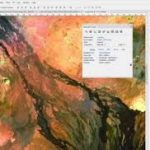
Redesigned for Adobe Photoshop CS5, the Geographic Imager® panel provides access to all the tools and functions quickly and easily. All spatial information related to a GeoTIFF, DEM, ECW, MrSID or other supported image including the co-ordinate system, world location of the corners and pixel size are displayed along with buttons to access the various Geographic Imager functions. More time is left to edit geospatial data rather than searching for tools.

Retain Spatial Properties
Geographic Imager allows the use of Adobe Photoshop native functionality without destroying the spatial properties of a GeoTIFF, DEM, ECW, MrSID or other spatial image. Easily manipulate and adjust the visual elements such as colour values and levels, histograms, hues and sharpness. Spatial properties of the image are automatically updated and retained even after performing crop, rotate or geospatial adjustments. This is important in industries such as photogrammetry and remote sensing where it is necessary for analysis.

Import and Export Spatial Imagery
improved . Import and manage georeferenced imagery in Adobe Photoshop such as GeoTIFF, NITF, PCI and other compatible raster data formats, including support for CIR, RGBI and other multispectral and multichannel data. Advanced Import allows you to crop images during the import process (before they are opened), making it a great way to crop large images.

Geospatial PDF support
Create Adobe Acrobat PDF files containing coordinate systems from Geographic Imager image or import and modify existing Geospatial PDF documents. Easily share or publish them online. Find locations, measure distances, perimeters and areas, add locations markers and customize export settings. Take the geospatial PDF maps on the go using the PDF Maps iOS app.

Import Elevation Data
Import DEM formats such as ArcInfo ASCII Grid, ArcInfo Binary Grid, USGS DEM ASCII/CDED, Military Elevation Data/DTED and SRTM. Assign a DEM Schema during import for easier rendering. Overlay aerial photography to create custom looking images.

Terrain Shader
Create shaded relief maps from DEM data in Adobe Photoshop quickly and easily using the Terrain Shader feature. Control intensity and lighting source. Define elevation intervals for custom colour ramps.

Georeference Imagery
Import or add ground control points for accurate georeferencing of aerial photography or satellite imagery with multiple transformation types supported. Assess residual errors to improve geoferencing and save control point data as reference files. Quick Georeference by a single tie point, two tie points, or from other documents.

Transform
Extensive support for thousands of geographic and projected coordinate systems with the ability to save custom definitions for future use. Re-center images using a custom central meridian and modify pixel resolution.

Mosaic
Mosaic raster images to create a seamless image. Retain images as separate layers or flatten to create one image. Now supports image transformation during Mosaic, making it easier to get the images the way you want. Also, now create seamless mosaics of images with different coordinate systems, pixel sizes, channels and colour modes.

Tile
Tile raster data into multiple images by tile size or count and automatically saves tiles using sequential naming into any supported spatial image format. Great for turning large satellite images into smaller tiles and serving them online.

GeoCrop
The GeoCrop tool allows image cropping based on a combination of pixels or geographic coordinates (geodetic and projected). Easily define coordinates or draw a crop area to see a preview. Advanced Import allows you to crop images during import, making it a great way to crop large images without the need to open them first.

Merge and Split Channels
Adobe Photoshop Merge and Split Channels are now supported. Useful for remote sensing, create false- and true-colour images and retain all georeferencing.

Automate Tasks
Create scripts and actions of Geographic Imager and Adobe Photoshop tools to automate repetitive tasks. All Geographic Imager tools are compatible with automation.

System Requirements:
Adobe Photoshop CS6 / CC 2017 / CC 2018 / CC 2019 (all including 64-bit)
2 GHz or faster Intel Pentium 4 processor (Intel Core 2 Duo or better recommended)
Windows 7 / 8 / 10 (compatible with 64-bit versions)
4 GB RAM (8 GB or higher recommended)
300 MB of available hard-disk space for installation
DVD-ROM drive (for DVD version)
1024×768 display (1280×800 recommended)

Homepage https://www.avenza.com/

Name: Avenza.Geographic.Imager.for.Adobe.Photoshop.v6.1_Mactorrents.io.rar
Size: 350 MB
Files Avenza.Geographic.Imager.for.Adobe.Photoshop.v6.1_Mactorrents.io.rar[350 MB]

   Download

Avenza MAPublisher for Adobe Illustrator 10.5

Name Avenza MAPublisher for Adobe Illustrator 10.5 mac-torrents.net.zip
Size 353.2 MB
Created on 2019-11-30 22:03:30
Hash c9e68ec56b607f514e60e222784935e1419dd776
Files Avenza MAPublisher for Adobe Illustrator 10.5 mac-torrents.net.zip (353.2 MB)

Download Avenza MAPublisher for Adobe Illustrator 10.5

MAPublisher cartography software seamlessly integrates more than fifty GIS mapping tools into Adobe Illustrator to help you create beautiful maps.Import industry-standard GIS data formats and make crisp, clean maps with all attributes and georeferencing intact using the Adobe Illustrator design environment.

Features

Extensive Geospatial Format Support

Import leading GIS industry formats from Esri, Google, MapInfo, WFS/WMS services, and other GIS sources with all attributes and georeferencing intact and fully editable.

One World, Many Map Projections

Using the appropriate map projection is crucial for any map design. Fortunately, MAPublisher supports thousands of coordinate systems and projections to help you display data accurately.

Treat Spatial Data Like Works of Art

Working with geospatial data doesn’t have to be rigid. MAPublisher offers plenty of flexibility when editing map features in Adobe Illustrator. Create new features on-the-fly, maintain georeferencing when joining data, cropping, trimming, buffering, and simplifying.

Design Smarter, Not Harder

Save time by styling map data based on its attributes. Use MAP Themes to create thematic maps, designate point symbols, and apply graphic styles based on rules that you create.

Precise Label Placement

Create labels based on data attributes. Use the Label Features tool to place labels to map features automatically and fine-tune labeling with the MAP Tagger and Contour Tagger tools. Get MAPublisher LabelPro™ which pairs advanced rules to a sophisticated labeling engine for a more efficient and intelligent label placement.

Export What You Want, Where You Want

Create visually stunning maps that are print-ready. Need to go digital? Export geospatial PDF that contain coordinate system and attribute information. Need a web map? Export your maps using MAP Web Author to create HTML5-compatible web maps without coding knowledge. Take it mobile by exporting map packages compatible with the Avenza Maps app.

Benefits:

Seamless Integration

MAPublisher panels and tools seamlessly integrate into the Adobe Illustrator interface and can be resized, moved, and docked. Quickly launch MAPublisher tools to manage map layers, view map attributes, create and edit theme stylesheets, create selection filters, plot points and much more.

Geospatial Interoperability

It’s all about increased productivity for cartographers and GIS professionals. Easily and quickly import various data formats, create high-quality map products, and export data to different file formats or publish to print and digital formats, including web maps and maps for mobile devices.

Cartographic Workflow

MAPublisher and Adobe Illustrator together form the complete cartographic workflow—from raw data to publishing a high-quality map; and everything in between. Combine powerful graphic design tools and the geospatial precision of MAPublisher tools to build visually-rich maps.

Highly Compatible

MAPublisher is available on Mac and Windows and is compatible with the latest Adobe Illustrator CC 2018 release, ensuring the latest graphic design tools are at your disposal. Licenses available as both fixed single and floating. Floating licenses are cost effective for any commercial, academic, or non-profit organization.

Information

Compatibility
  • macOS 10.13 – macOS 10.15
  • Adobe Illustrator CC 2019, 2020
LanguagesEnglish

What’s New in Avenza MAPublisher for Adobe Illustrator 10.5

Detailed press release is available here

  • Compatible with Adobe Illustrator 2020
  • Easily add interval markers to roads and trails
  • Pin favourite and recently used fonts to the top of the font selection list
  • Customize the MAPublisher toolbar
  • Other usability enhancements
  • Read more about these features and improvements on Resources Blog.

Screenshots

Download

Avenza Geographic Imager for Adobe Photoshop 6.0

Download Avenza Geographic Imager for Adobe Photoshop 6.0

Working with raster imagery doesn’t have to be complicated. Geographic Imager® enhances Adobe Photoshop to make working with spatial imagery quick and efficient. It adds tools to import, edit, manipulate and export geospatial images such as aerial and satellite imagery. Enjoy the use of native Adobe Photoshop functions such as transparencies, filters, pixel editing, and image adjustments like brightness, contrast, and curve controls while maintaining spatial referencing.

Geographic Imager supports GeoTIFF in Adobe Photoshop and other industry standard raster formats. Mosaic and tile images, change projections, transform, rectify and georeference images based on ground control points. Batch-process your imagery using Geographic Imager and Adobe Photoshop scripting capabilities. Geographic Imager is a great companion to MAPublisher for Adobe Illustrator—prepare images in Geographic Imager and use them in MAPublisher.

Feature Highlights

Georeference images easily by adding ground control points. Manually add control points, import or export points from a text file, and view accuracy and errors. Use the Quick Georeference option to make georeferencing even easier. Multiple transformation types are supported.

Geographic Imager Panel

Redesigned for Adobe Photoshop CS5, the Geographic Imager® panel provides access to all the tools and functions quickly and easily. All spatial information related to a GeoTIFF, DEM, ECW, MrSID or other supported image including the co-ordinate system, world location of the corners and pixel size are displayed along with buttons to access the various Geographic Imager functions. More time is left to edit geospatial data rather than searching for tools.

Retain Spatial Properties

Geographic Imager allows the use of Adobe Photoshop native functionality without destroying the spatial properties of a GeoTIFF, DEM, ECW, MrSID or other spatial image. Easily manipulate and adjust the visual elements such as colour values and levels, histograms, hues and sharpness. Spatial properties of the image are automatically updated and retained even after performing crop, rotate or geospatial adjustments. This is important in industries such as photogrammetry and remote sensing where it is necessary for analysis.

Import and Export Spatial Imagery

improved . Import and manage georeferenced imagery in Adobe Photoshop such as GeoTIFF, NITF, PCI and other compatible raster data formats, including support for CIR, RGBI and other multispectral and multichannel data. Advanced Import allows you to crop images during the import process (before they are opened), making it a great way to crop large images.

Geospatial PDF support

Create Adobe Acrobat PDF files containing coordinate systems from Geographic Imager image or import and modify existing Geospatial PDF documents. Easily share or publish them online. Find locations, measure distances, perimeters and areas, add locations markers and customize export settings. Take the geospatial PDF maps on the go using the PDF Maps iOS app.

Import Elevation Data

Import DEM formats such as ArcInfo ASCII Grid, ArcInfo Binary Grid, USGS DEM ASCII/CDED, Military Elevation Data/DTED and SRTM. Assign a DEM Schema during import for easier rendering. Overlay aerial photography to create custom looking images.

Terrain Shader

Create shaded relief maps from DEM data in Adobe Photoshop quickly and easily using the Terrain Shader feature. Control intensity and lighting source. Define elevation intervals for custom colour ramps.

Georeference Imagery

Import or add ground control points for accurate georeferencing of aerial photography or satellite imagery with multiple transformation types supported. Assess residual errors to improve geoferencing and save control point data as reference files. Quick Georeference by a single tie point, two tie points, or from other documents.

Transform

Extensive support for thousands of geographic and projected coordinate systems with the ability to save custom definitions for future use. Re-center images using a custom central meridian and modify pixel resolution.

Mosaic

Mosaic raster images to create a seamless image. Retain images as separate layers or flatten to create one image. Now supports image transformation during Mosaic, making it easier to get the images the way you want. Also, now create seamless mosaics of images with different coordinate systems, pixel sizes, channels and colour modes.

Tile

Tile raster data into multiple images by tile size or count and automatically saves tiles using sequential naming into any supported spatial image format. Great for turning large satellite images into smaller tiles and serving them online.

GeoCrop

The GeoCrop tool allows image cropping based on a combination of pixels or geographic coordinates (geodetic and projected). Easily define coordinates or draw a crop area to see a preview. Advanced Import allows you to crop images during import, making it a great way to crop large images without the need to open them first.

Merge and Split Channels

Adobe Photoshop Merge and Split Channels are now supported. Useful for remote sensing, create false- and true-colour images and retain all georeferencing.

Automate Tasks

Create scripts and actions of Geographic Imager and Adobe Photoshop tools to automate repetitive tasks. All Geographic Imager tools are compatible with automation.

Web Site: http://www.avenza.com/geographic-imager

What’s New in Avenza Geographic Imager for Adobe Photoshop 6.0

  • Release notes not available at the time of this post.

Screenshots

Name Avenza.Geographic.Imager.for.Adobe.Photoshop.v6.0.mac-torrents.net.zip
Size 365.3 MB
Created on 2019-10-05 04:23:32
Hash 53c1dca4daf416eb402fb6a0a008a08f0e1f1818
Files Avenza.Geographic.Imager.for.Adobe.Photoshop.v6.0.mac-torrents.net.zip (365.3 MB)

Download