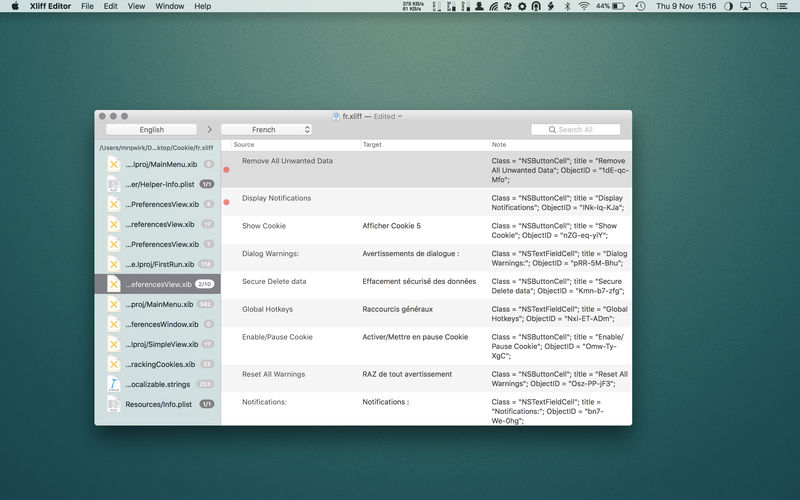
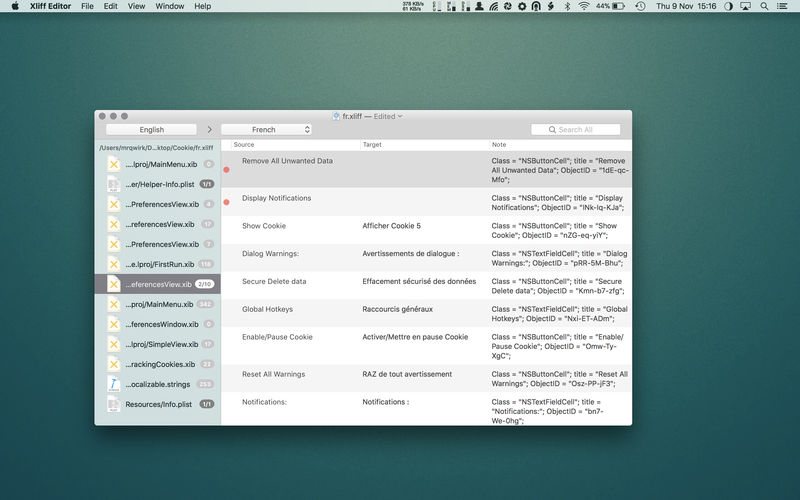
Xliff Editor – its fast to load, easy to use, and has a low memory footprint. Did we forget to mention Inline tag protection, Fuzzy search, intuitive shortcuts, multiple concurrent file editing and native spell checker. It also has some pretty nice customizations you can use to better suit your workflow.
Not all Xliff editors have been created equally. We’ve custom built our own XML parser to read even the most complex Xliff v1.2 files. Xliff Editor effortlessly handles Segmentation, Inline tags and Alternate translations.
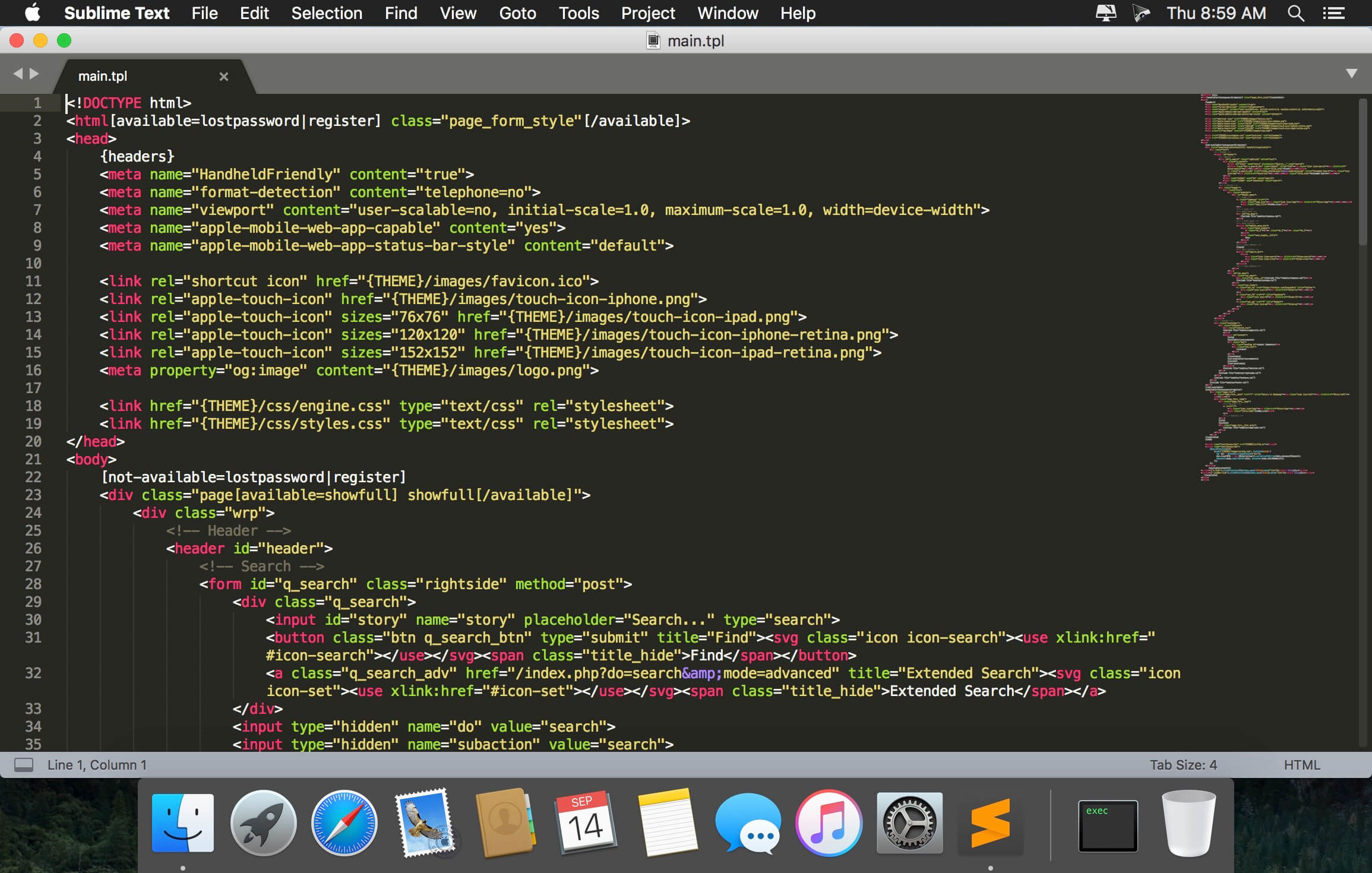
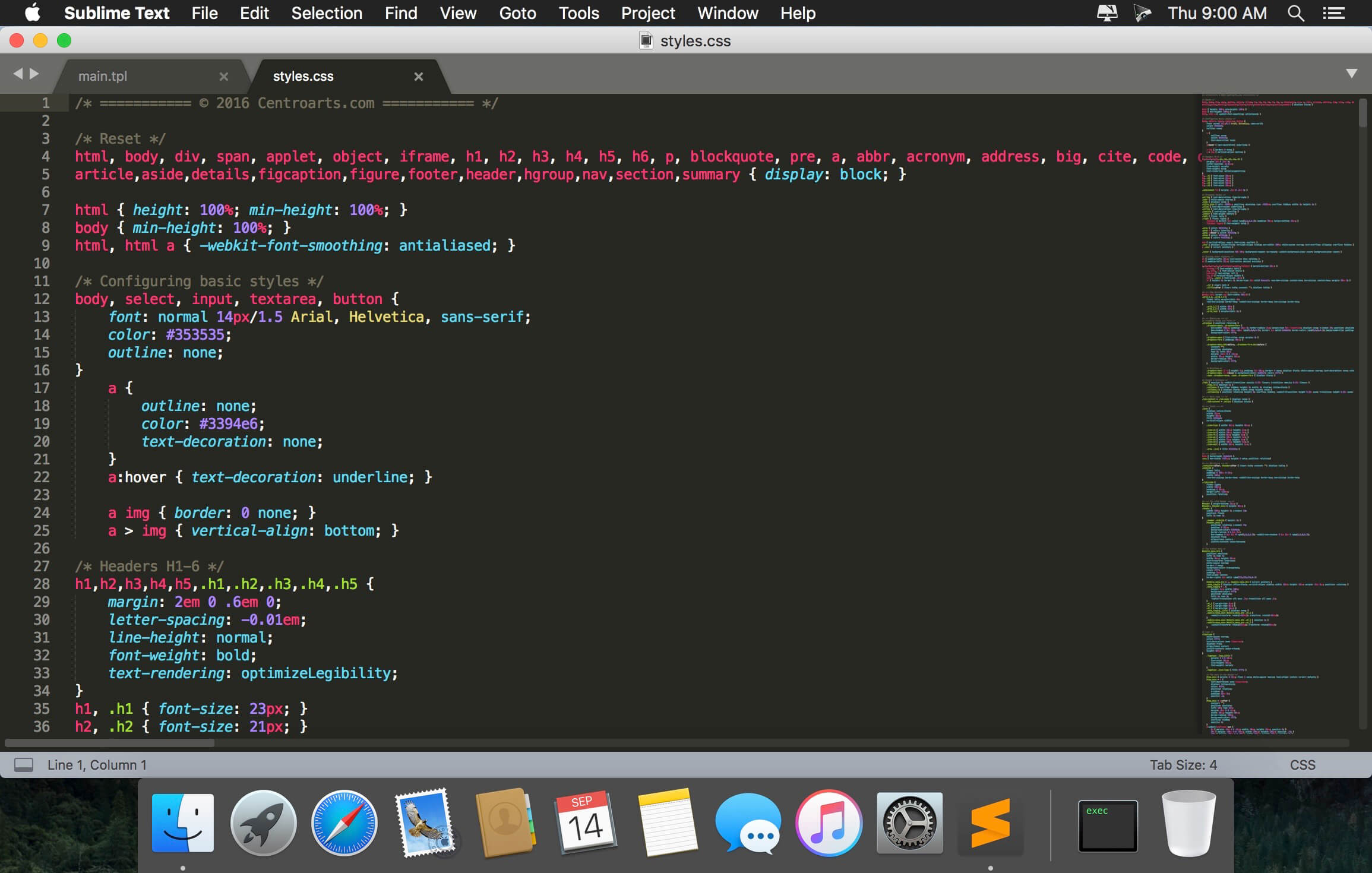
Sublime Text is a sophisticated text editor for code, markup and prose. You’ll love the slick user interface, extraordinary features and amazing performance.Sublime Text is a super fast and feature packed text and development editor. If you are going to be coding regularly you want to try this amazing editor (IDE).
Following some of the great features that make Sublime Text stand out from other code editors:
Multiple cursors: Once you have discovered multiple cursors you won’t want to work without them anymore. As the name suggests they let you write or edit in multiple places in a document at the same time.
Vintage mode: Vim keyboard shortcuts will work just like in the original Vim editor. To use them, all you need to do is to enable vintage mode.
Lightning fast: This is the fastest code editor you will find right now.
Command pallet: A great feature that allows you to reach about all functions of the editor via the keyboard. You will hardly use your mouse and thus code more efficiently.
Plugin collection: A hugely active community creates plugins for almost any task in Sublime Text. This includes syntax highlighting and code snippets for a large number of languages, for example jаvascript, PHP, CSS, HTML, Python, LESS, XML and C++ to name just a few.
Package control: This add-on let’s you install plugins within seconds directly from the editor.
What’s New:
Version 4.0 Build 4095 Dev:
Release notes were unavailable when this listing was updated.
Sublime Text is a sophisticated text editor for code, markup and prose. You’ll love the slick user interface, extraordinary features and amazing performance.Sublime Text is a super fast and feature packed text and development editor. If you are going to be coding regularly you want to try this amazing editor (IDE).
Following some of the great features that make Sublime Text stand out from other code editors:
Multiple cursors: Once you have discovered multiple cursors you won’t want to work without them anymore. As the name suggests they let you write or edit in multiple places in a document at the same time.
Vintage mode: Vim keyboard shortcuts will work just like in the original Vim editor. To use them, all you need to do is to enable vintage mode.
Lightning fast: This is the fastest code editor you will find right now.
Command pallet: A great feature that allows you to reach about all functions of the editor via the keyboard. You will hardly use your mouse and thus code more efficiently.
Plugin collection: A hugely active community creates plugins for almost any task in Sublime Text. This includes syntax highlighting and code snippets for a large number of languages, for example jаvascript, PHP, CSS, HTML, Python, LESS, XML and C++ to name just a few.
Package control: This add-on let’s you install plugins within seconds directly from the editor.
What’s New:
Version 4.0 Build 4095 Dev:
Release notes were unavailable when this listing was updated.
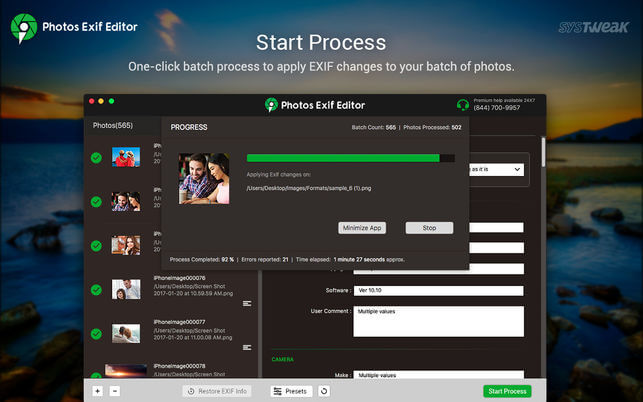
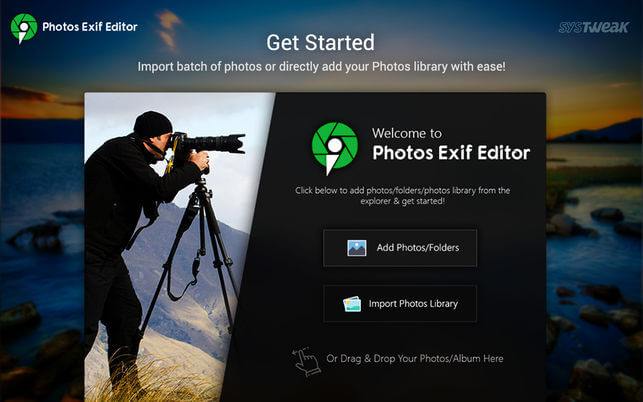
Photos EXIF Editor is an intuitive app which can edit EXIF, IPTC, and XMP data of thousands of photos in no time!revolutionary camera profiles to rediscover the magic of stunning.
Photos Exif Editor Features
Reads and writes EXIF, GPS, IPTC, XMP metadata and more
Supports various common image formats, including RAW format
Deletes metadata individually or of selected batch of photos
Sets photo modification/original date-time from EXIF information
Automatically creates back up of the original metadata of the photo when writing
Flexibility to create presets of repetitive metadata to speed up processing
Photo Editor Movavi is the fastest way to turn good photos into spectacular shots. Remove any unnecessary element from your images, improve quality, and edit your photos in just a few easy steps.
Easily remove random bystanders, inconvenient fences and ugly power lines from your travel panoramas with a single action: just select the unwanted object and hit Start Erasing – everything else is done automatically, thanks to Movavi’s unique optimized removal algorithm. Copy and paste objects between different pictures as well, even change their size or rotate them. You can use the Clone Tool for any final touch-ups if necessary.
Many photo defects, like overexposed or overly dark images or a skewed horizon are often discovered only after you’ve finished shooting. But that doesn’t mean you have to delete the ‘spoiled’ photos – Movavi makes it easy to fix these problems. Eliminate composition issues in no time: crop, rotate, and flip image with one click. Manually adjust the main image parameters – brightness, contrast, saturation, and more – or let the smart automatic filter improve the quality of your pictures.
New retouching tools will help you hide skin imperfections like pimples or wrinkles, whiten teeth and get rid of the red-eye effect.
Give yourself a complete makeover with the new make-up kit: experiment with various shades of blusher, eyeshadow, and lipstick, add mascara, even change the eye color.
Finally, give your shots that special touch with stylish filters like Lomo, Sepia, Posterization, Pop-Art, Disco, and many others, apply textures and overlays – why not mix and match several effects at once?
Get Photo Editor Movavi now if you want to:
Improve image quality with one click
Crop, flip, rotate, and resize your pictures
Manually adjust image settings: hue, saturation, color temperature, and more
Straighten the horizon in your photos automatically or manually
Instantly remove unwanted objects from photos
Clip objects from the background and replace that background with a solid color fill or even another picture
Apply filters, text captions and watermarks on images
Retouch skin and teeth, remove red-eye
Add makeup to your portraits
Save images in all popular formats – JPEG, PNG, BMP, TIFF, and more
Try the new smart auto-adjustment. Amp up brightness and contrast at the touch of a button.
Section Selection:
Enhance any part of your photo with the selection tool. Add a blur effect, adjust brightness, contrast, and more.
Frames:
Decorate your photos with stylish frames. Customize the design to meet your needs.
Improved Text Editing:
Use the handy new text entry window to enter a caption. Twist the text into different shapes. Add decorations and adjust color, outline, and position.
Auto-Selection Tool for Quick Background Changes:
Automatically select people in a photo and change the background in 3 clicks.
Other:
Mac OS 9 and older versions are no longer supported
Bug fixes
Language: English, Dutch, French, German, Italian, Japanese, Portuguese, Russian, Spanish, Turkish Compatibility: OS X 10.7 or later Homepagehttps://www.movavi.com/mac-photo-editor/
inPixio Photo Editor is a photo software program that is loaded with features and easy to use. It offers you a whole host of editing options such as photo retouching, cropping, adding filters or frames. We have added several photo retouching modules to this new version, such as self-correction in 1 click or the possibility of adding color effects (LUT) will enhance your photos and give them an original and creative look worthy of a professional. After just a few minutes using inPixio Photo Editor, you will be turning out photographs worthy of a pro!
Create beautiful photos – with 1 click! – Add filters & photo effects: warm, black & white, pink lady, negative, sepia, science fiction, vintage… – Cut & crop: change the focus and size of your photos without being a pro. – Edit your photos: change the colour & brightness etc. to get the most out of your favourite shots! – NEW! Automatic correction in 1 click – NEW! Addition of LUT styles – NEW! Find tutorial videos for each module Viewing your photos Relax, Photo Editor is really quick to master. You will be able to easily navigate between the various tools. For viewing your photos you can choose a simple view but also: – A double viewing window (original photo on the left and photo being modified on the right) – A before-and-after view – Use the Zoom feature to enhance the view and make your alterations in the closest detail. – Batch processing – Apply changes to multiple photos at once – Save your own settings which you can call up again in just one click during future projects Add filters: From over 100 filters classified by theme, choose the one which best suits your photo. Add a frame: Find the right frame for your photo from over 100 models sorted by type (classic, retro, sport, travel etc.) Crop your photos: – Crop your photos manually or choose from the suggested crop formats: 1/1; 16/9; 3/4 etc. – You can also rotate your images and adjust the angle. Noise reduction module Effectively reduces the noise present in your photos taken under restricted light conditions. Fog correction module The (atmospheric) fog correction tool makes it possible to limit, or even remove altogether, the dull, gray overlay, and makes it more vibrant.
What’s new
Release notes not available at the time of this post.
Xliff Editor – its fast to load, easy to use, and has a low memory footprint. Did we forget to mention Inline tag protection, Fuzzy search, intuitive shortcuts, multiple concurrent file editing and native spell checker. It also has some pretty nice customizations you can use to better suit your workflow.
Not all Xliff editors have been created equally. We’ve custom built our own XML parser to read even the most complex Xliff v1.2 files. Xliff Editor effortlessly handles Segmentation, Inline tags and Alternate translations.
Sublime Text is a sophisticated text editor for code, markup and prose. You’ll love the slick user interface, extraordinary features and amazing performance.Sublime Text is a super fast and feature packed text and development editor. If you are going to be coding regularly you want to try this amazing editor (IDE).
Following some of the great features that make Sublime Text stand out from other code editors:
Multiple cursors: Once you have discovered multiple cursors you won’t want to work without them anymore. As the name suggests they let you write or edit in multiple places in a document at the same time.
Vintage mode: Vim keyboard shortcuts will work just like in the original Vim editor. To use them, all you need to do is to enable vintage mode.
Lightning fast: This is the fastest code editor you will find right now.
Command pallet: A great feature that allows you to reach about all functions of the editor via the keyboard. You will hardly use your mouse and thus code more efficiently.
Plugin collection: A hugely active community creates plugins for almost any task in Sublime Text. This includes syntax highlighting and code snippets for a large number of languages, for example jаvascript, PHP, CSS, HTML, Python, LESS, XML and C++ to name just a few.
Package control: This add-on let’s you install plugins within seconds directly from the editor.
What’s New:
Version 4.0 Build 4094 Dev:
Release notes were unavailable when this listing was updated.
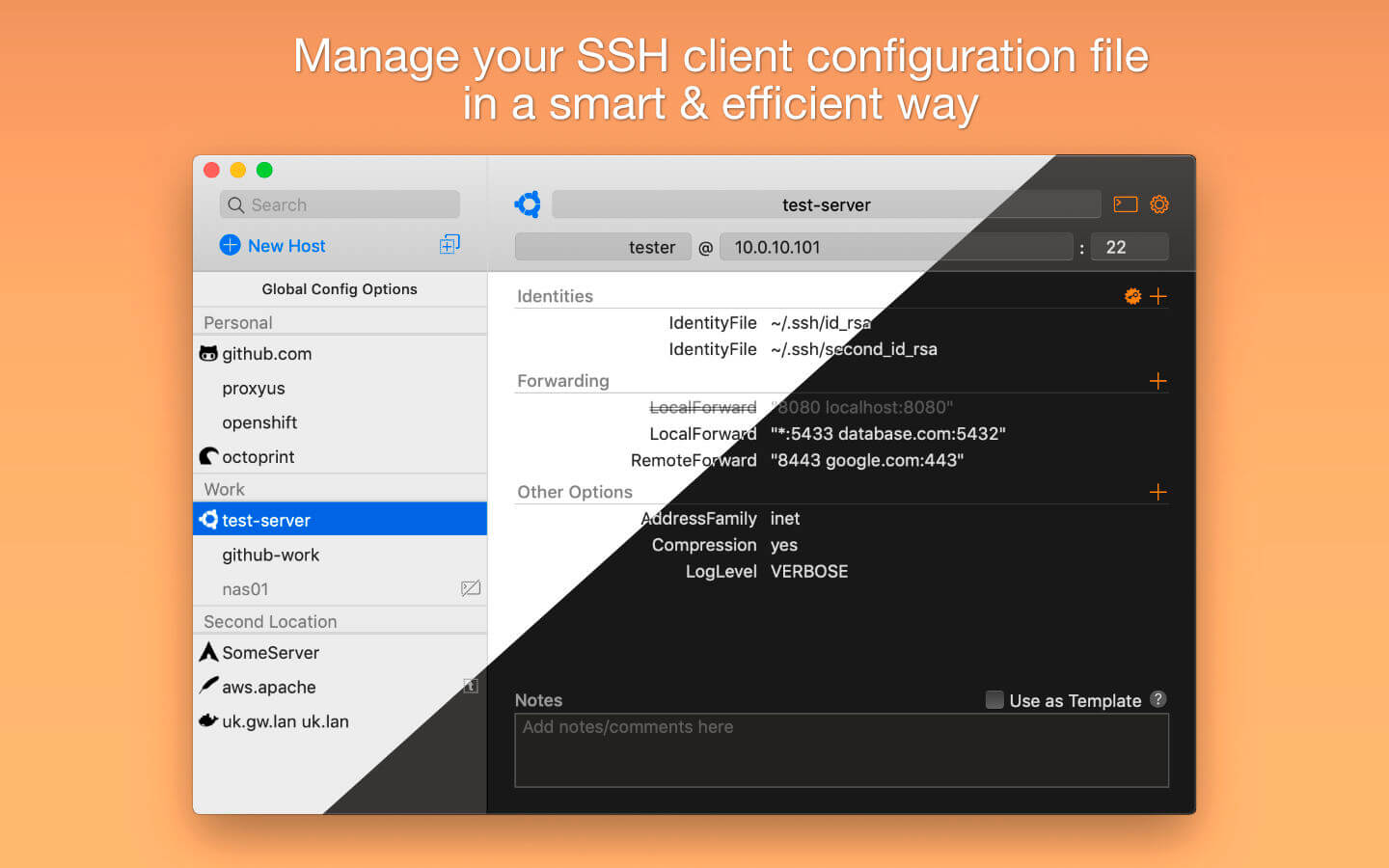
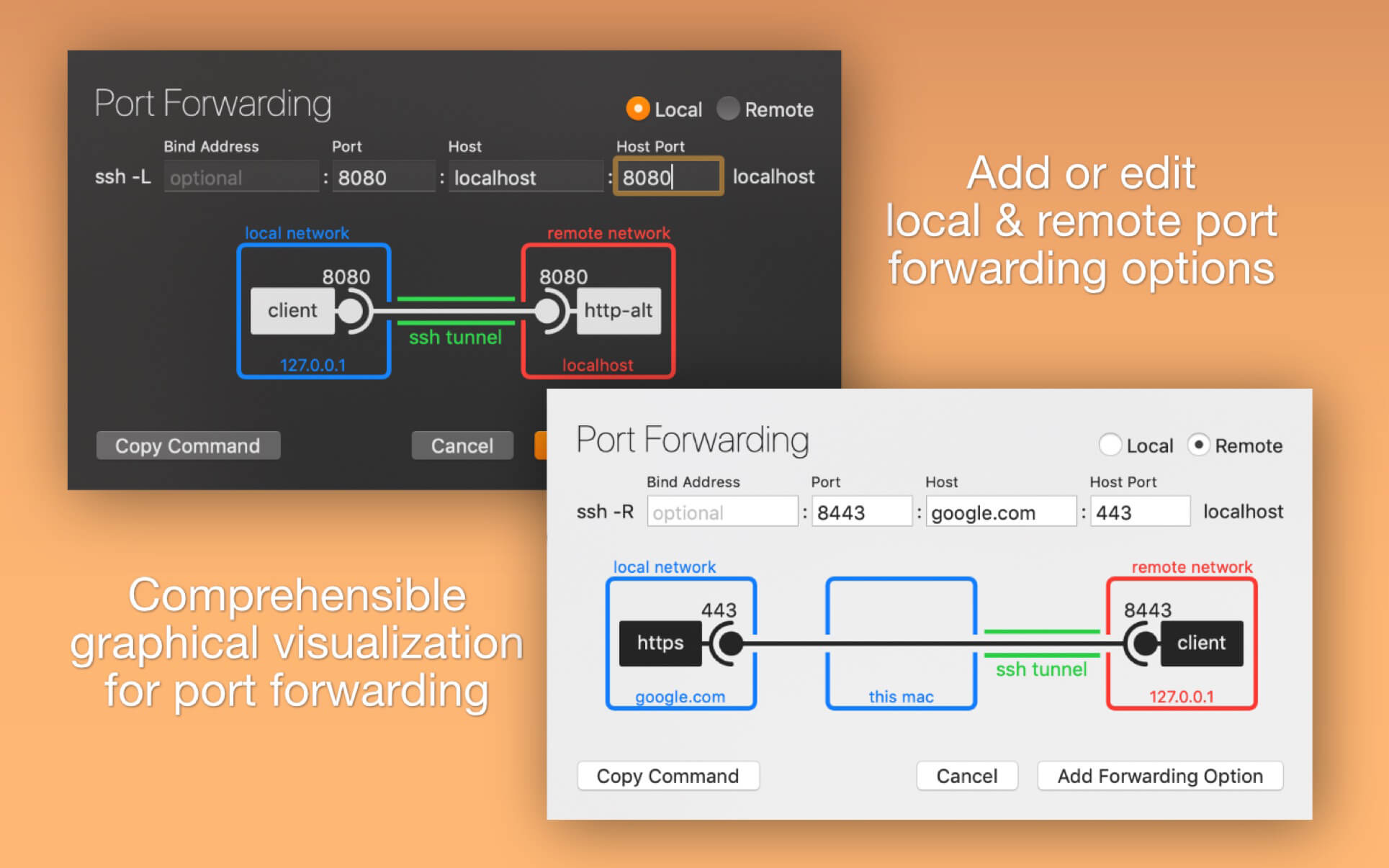
Handy tool for manage your OpenSSH ssh client configuration file. You can add or edit identity files, port forwardings (with graphical preview) and any other ssh config option.
Features:
Add/change identity files by choosing them in file dialog
Add/edit port forwarding options with graphical help
Add/edit any supported ssh option with help
RSA key pair generation
Separators for grouping host configurations
Ability to disable each single config option
Action to generate command for ssh copy id
Open connection to server (from editor or menu bar icon)
Known_hosts file editor
SSH port checking
Dark Mode support
What’s New:
Version 2.0
Brand new redesigned UI for newest macOS
Unified touch bar experience for all application windows
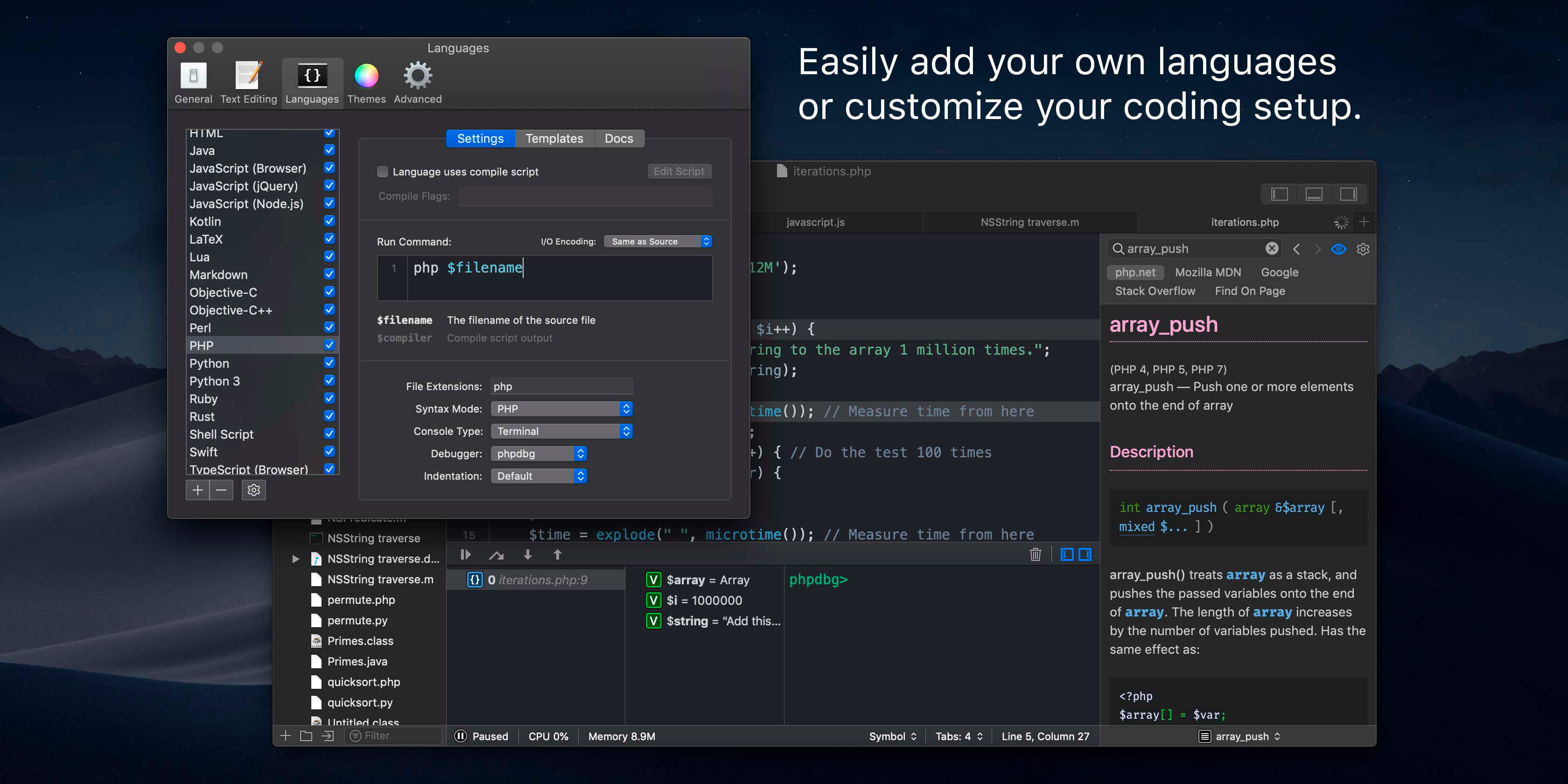
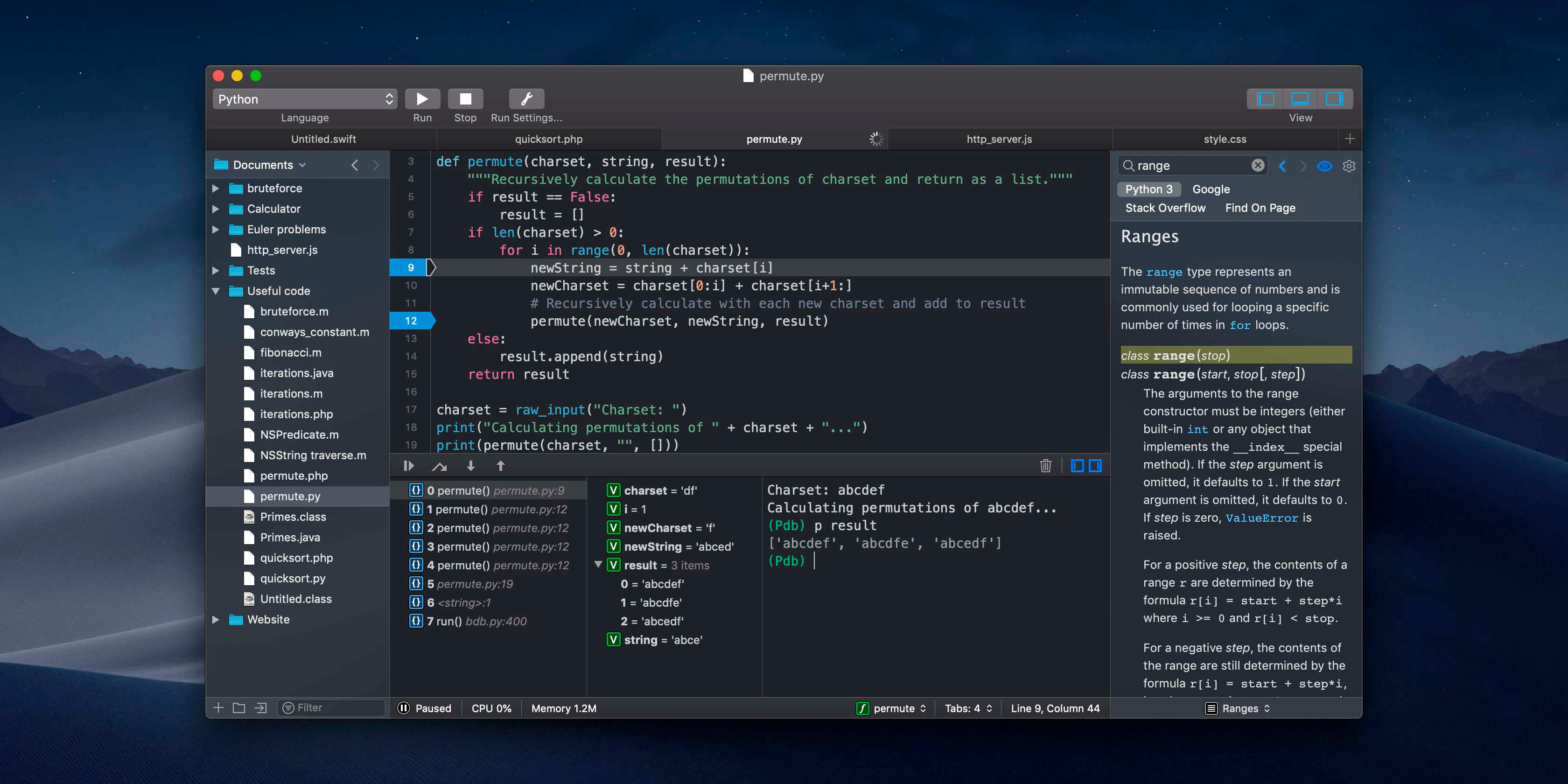
CodeRunner, an advanced, highly flexible, and easy-to-use programming editor, supports a large number of languages, and delivers big IDE features while remaining lightweight and clutter-free. CodeRunner can run code in 23 languages out-of-the-box, and can be easily extended to run code in any other language. Notable features include debugging with breakpoints in lots of languages, IDE-level code completion, and lots of other high-end features making it easier than ever to write and work with code.
Advanced Code Completion Any programmer knows the importance of good code completion. That’s why CodeRunner supports full-blown IDE-level code completion for most languages, including fuzzy-search, tab-selectable placeholders, and documentation snippets.
Run Code in Any Language CodeRunner was built on the principle that you should be able to run your code instantly in any language. CodeRunner can run code in 23 languages out-of-the-box, and can be easily extended to support any other language. Adding a language is as easy as entering its terminal command.
Debugging with Breakpoints It’s easy to get frustrated when your code is not working right. New in CodeRunner 2.2, you can set breakpoints and step through code line by line. Just click the text margin to set a breakpoint and start debugging. Explore the call stack, view and edit local variables, and leverage the full power of the debugger by issuing debugger commands. Debugging your code has never been this convenient.
SSH Config Editor is a handy tool for manage your OpenSSH ssh client configuration file. You can add or edit identity files, port forwardings (with handy graphical preview) and any other ssh config option.
Features
Add/change identity files by choosing them in file dialog
Add/edit port forwarding options with graphical help
Sublime Text is a sophisticated text editor for code, markup and prose. You’ll love the slick user interface, extraordinary features and amazing performance.Sublime Text is a super fast and feature packed text and development editor. If you are going to be coding regularly you want to try this amazing editor (IDE).
Following some of the great features that make Sublime Text stand out from other code editors:
Multiple cursors: Once you have discovered multiple cursors you won’t want to work without them anymore. As the name suggests they let you write or edit in multiple places in a document at the same time.
Vintage mode: Vim keyboard shortcuts will work just like in the original Vim editor. To use them, all you need to do is to enable vintage mode.
Lightning fast: This is the fastest code editor you will find right now.
Command pallet: A great feature that allows you to reach about all functions of the editor via the keyboard. You will hardly use your mouse and thus code more efficiently.
Plugin collection: A hugely active community creates plugins for almost any task in Sublime Text. This includes syntax highlighting and code snippets for a large number of languages, for example jаvascript, PHP, CSS, HTML, Python, LESS, XML and C++ to name just a few.
Package control: This add-on let’s you install plugins within seconds directly from the editor.
What’s New:
Version 4.0 Build 4084 Dev:
Release notes were unavailable when this listing was updated.
SSH Config Editor is a handy tool for manage your OpenSSH ssh client configuration file. You can add or edit identity files, port forwardings (with handy graphical preview) and any other ssh config option.
Features
Add/change identity files by choosing them in file dialog
Add/edit port forwarding options with graphical help
CodeRunner, an advanced, highly flexible, and easy-to-use programming editor, supports a large number of languages, and delivers big IDE features while remaining lightweight and clutter-free. CodeRunner can run code in 23 languages out-of-the-box, and can be easily extended to run code in any other language. Notable features include debugging with breakpoints in lots of languages, IDE-level code completion, and lots of other high-end features making it easier than ever to write and work with code.
Advanced Code Completion Any programmer knows the importance of good code completion. That’s why CodeRunner supports full-blown IDE-level code completion for most languages, including fuzzy-search, tab-selectable placeholders, and documentation snippets.
Run Code in Any Language CodeRunner was built on the principle that you should be able to run your code instantly in any language. CodeRunner can run code in 23 languages out-of-the-box, and can be easily extended to support any other language. Adding a language is as easy as entering its terminal command.
Debugging with Breakpoints It’s easy to get frustrated when your code is not working right. New in CodeRunner 2.2, you can set breakpoints and step through code line by line. Just click the text margin to set a breakpoint and start debugging. Explore the call stack, view and edit local variables, and leverage the full power of the debugger by issuing debugger commands. Debugging your code has never been this convenient.
If your inner filmmaker craves more video editing tools, Movavi Video Editor Plus for Mac is just what you need. The program includes all the functionality of our standard Video Editor, PLUS some exciting extra features like object animation. Try it out now!
Essential video editing
Filters, transitions, titles, effects
Montage Wizard
Keyframe animation of titles, overlay video, etc.
New sample video
New built-in music
Stickers
What’s New:
Brand New Design We’ve improved the entire program’s interface and given it a sleek new look and color palette. Now it’s a real pleasure to click those buttons, switch between tabs and menus. Just try it.
Media Bin Managing your files becomes easier than ever. Now when you add videos or images, they will be stored in your media bin right within the program. The quick access lets you preview, filter and add your files to the timeline at any time.
New Built-in Effects You can never have too many special effects. Enjoy the new glitchy and retro filters. Join scenes in a classy way with parallax transitions.
Filmstrip Navigating through your videos is also easier. When you add a video to the program, you’ll see it frame by frame on the timeline. This is useful when you need to cut or trim your videos or apply effects at a specific point.
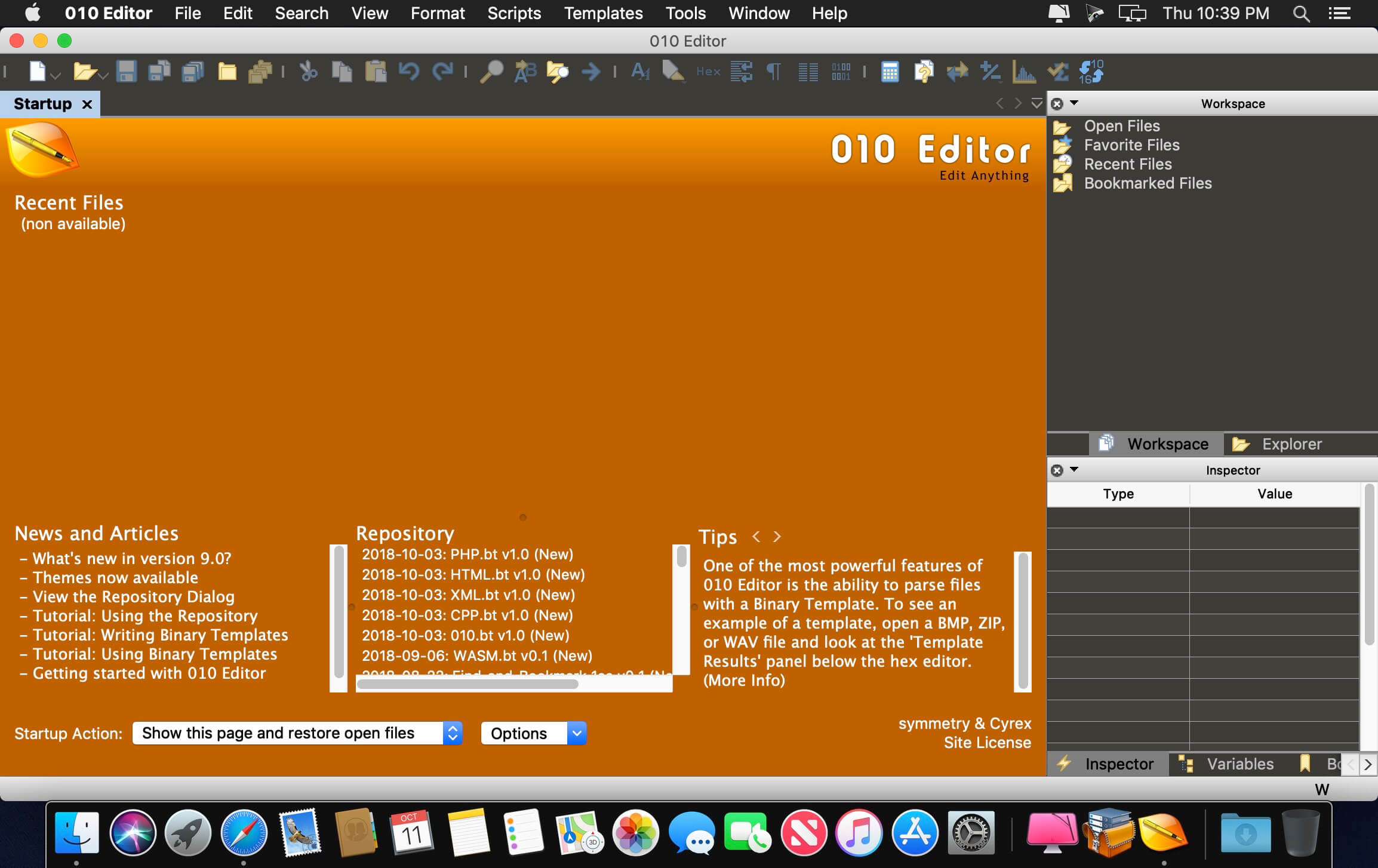
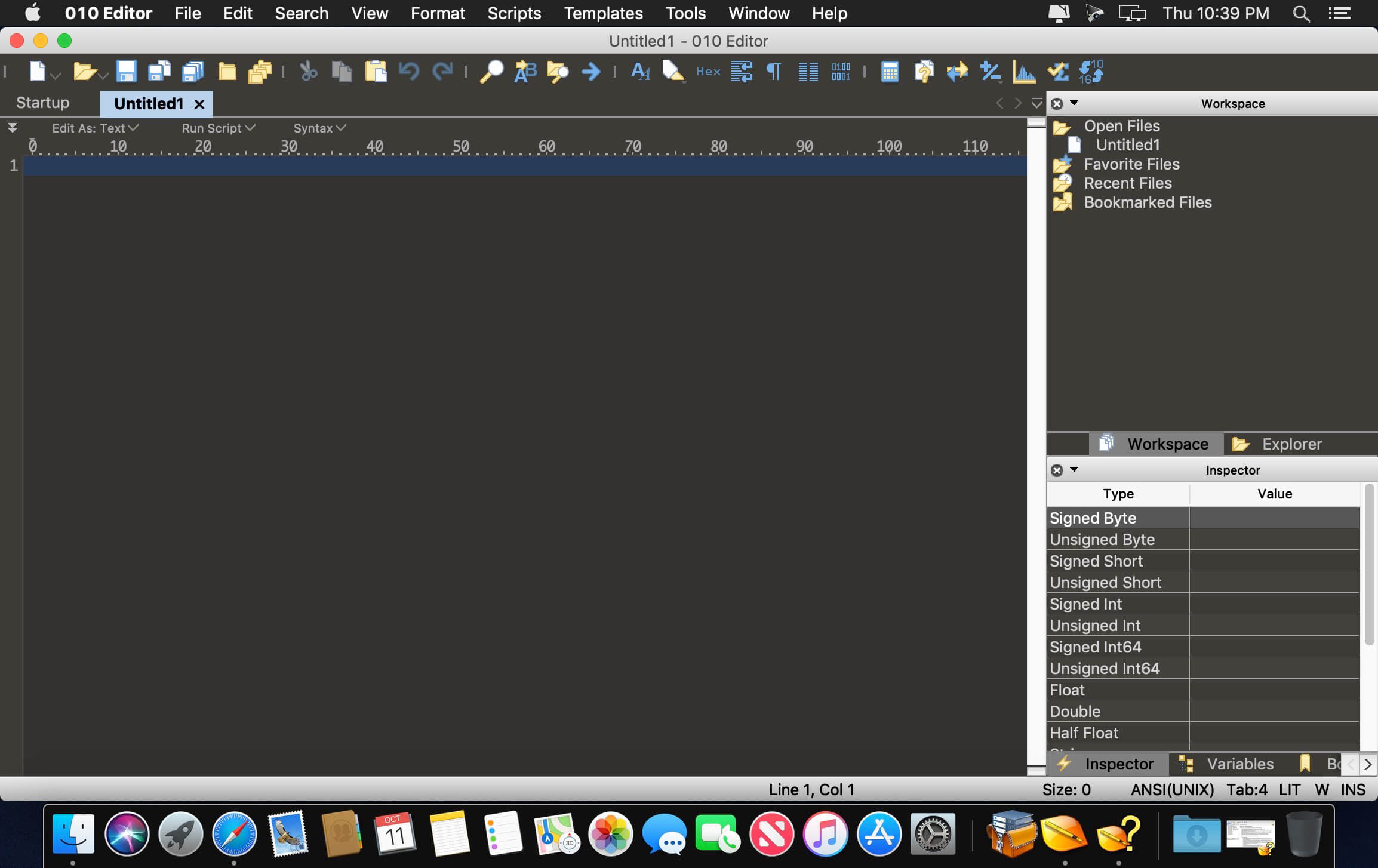
SweetScape 010 Editor is a professional-grade text editor and hex editor designed to quickly and easily edit any file or drive on your computer. Combining an easy-to-use interface with a whole range of editing tools, 010 Editor is a valuable tool for anyone working with text or binary files. One of the most powerful features of 010 Editor is the ability to parse virtually any binary file using a Binary Template. Instead of browsing through a long range of hex bytes as with traditional hex editors, Binary Templates allow a file to be understood. Templates are easy to write and can be used to completely parse any data format, such as BMP or ZIP files (Templates for reading these files are included with 010 Editor).
A Binary Template looks similar to a C/C++ structure, but is actually run as a program. Every time a variable is declared in a Template, that variable is mapped to a set of hex bytes in a file. Data in the file can then be read or written by modifying the variable. Because the Template is run as a program, if, for, or while statements as well as functions or complex expressions can be used. When a Template is run, the defined variables can be edited using the Template Results, as shown on the left. New Templates can be added to 010 Editor and can even be configured to run automatically when a file is loaded.
Features:
View and edit any binary file on your hard drive (unlimited file size) and text files including Unicode files, C/C++ source code, etc.
Unique Binary Templates technology allows you to understand any binary file format.
Find and fix problems with hard drives, floppy drives, memory keys, flash drives, CD-ROMs, processes, etc.
Analyze and edit binary data with powerful tools including Find, Replace, Find in Files, Binary Comparisons, Checksum/Hash Algorithms, Histograms, etc.
Powerful scripting engine allows automation of many tasks (language is very similar to C).
Import and export your binary data in a number of different formats.
CodeRunner, an advanced, highly flexible, and easy-to-use programming editor, supports a large number of languages, and delivers big IDE features while remaining lightweight and clutter-free. CodeRunner can run code in 23 languages out-of-the-box, and can be easily extended to run code in any other language. Notable features include debugging with breakpoints in lots of languages, IDE-level code completion, and lots of other high-end features making it easier than ever to write and work with code.
Advanced Code Completion Any programmer knows the importance of good code completion. That’s why CodeRunner supports full-blown IDE-level code completion for most languages, including fuzzy-search, tab-selectable placeholders, and documentation snippets.
Run Code in Any Language CodeRunner was built on the principle that you should be able to run your code instantly in any language. CodeRunner can run code in 23 languages out-of-the-box, and can be easily extended to support any other language. Adding a language is as easy as entering its terminal command.
Debugging with Breakpoints It’s easy to get frustrated when your code is not working right. New in CodeRunner 2.2, you can set breakpoints and step through code line by line. Just click the text margin to set a breakpoint and start debugging. Explore the call stack, view and edit local variables, and leverage the full power of the debugger by issuing debugger commands. Debugging your code has never been this convenient.
More Features
TextMate theme support
Automatic indentation support
Interactive console
File navigator
Intelligent bracket matching
Custom compile flags
Symbol navigator
Run with arguments & input sets
Word completions
Multiple selections
Live run statistics
What’s New:
Version 4.0: CodeRunner 4 is a huge update with hundreds of new features and improvements, including:
Error Checking and Linting. Get instant feedback on your code as you write it. CodeRunner checks your document for errors and common issues, underlining mistakes and describing the problem directly inline with your code. Compile and runtime issues in the console are automatically highlighted and included in the document. It’s also easy to add support for third-party linters.
Multiple Selections. CodeRunner 4’s new editor supports fully context-independent multiple selections. Hold Command, Option, or Control-Shift while clicking or dragging to add multiple selections anywhere, allowing you to quickly make similar edits in multiple locations at once.
Improved Highlighting with Code Tokenizers. Local variables, functions, and other code tokens are now highlighted on top of CodeRunner’s powerful grammar-based syntax highlighting. In addition to providing better highlighting, this allows for quick and precise renaming of variables and other symbol names.
Auto-Indent. All indentation functionality has been rewritten to be smarter and more deeply integrated into the editor. You can explicitly Auto-Indent an existing block of code using Control-I, but this is rarely needed since Auto-Indent is applied automatically as you type and when pasting code.
Customizable Key Bindings. You can now customize the hundreds of existing keyboard shortcuts, and even add new shortcuts and macros directly in CodeRunner Preferences. A new Vim mode is also included.
Other notable features and improvements:
New Find and Replace with support for regular expressions, multiple selections, and more.
Improved code completion with extra-fuzzy search, completions beyond single words, and better documentation.
Smart spell checking that ignores code and automatically checks segments of natural language.
Improved debug console with syntax highlighting, code completion, and output filtering.
Shell Script code completion for commands and their options, paths, and snippets, with built-in man-page lookups.
Performance improvements delivering extremely fast syntax highlighting, code completion, and overall performance.
Automatic closing of tags and other smart behaviors while typing.
More customizable editor with a large number of new preferences and tweak-able behaviors.
Select code structures by double-clicking edges of tag pairs, functions, if/else blocks, loops, etc.
Node.js debugger, atomic spaces indentation, language groups, improved help, new keyboard shortcuts, and more.
Xliff Editor – its fast to load, easy to use, and has a low memory footprint. Did we forget to mention Inline tag protection, Fuzzy search, intuitive shortcuts, multiple concurrent file editing and native spell checker. It also has some pretty nice customizations you can use to better suit your workflow.
Not all Xliff editors have been created equally. We’ve custom built our own XML parser to read even the most complex Xliff v1.2 files. Xliff Editor effortlessly handles Segmentation, Inline tags and Alternate translations.
Sublime Text is a sophisticated text editor for code, markup and prose. You’ll love the slick user interface, extraordinary features and amazing performance.Sublime Text is a super fast and feature packed text and development editor. If you are going to be coding regularly you want to try this amazing editor (IDE).
Following some of the great features that make Sublime Text stand out from other code editors:
Multiple cursors: Once you have discovered multiple cursors you won’t want to work without them anymore. As the name suggests they let you write or edit in multiple places in a document at the same time.
Vintage mode: Vim keyboard shortcuts will work just like in the original Vim editor. To use them, all you need to do is to enable vintage mode.
Lightning fast: This is the fastest code editor you will find right now.
Command pallet: A great feature that allows you to reach about all functions of the editor via the keyboard. You will hardly use your mouse and thus code more efficiently.
Plugin collection: A hugely active community creates plugins for almost any task in Sublime Text. This includes syntax highlighting and code snippets for a large number of languages, for example jаvascript, PHP, CSS, HTML, Python, LESS, XML and C++ to name just a few.
Package control: This add-on let’s you install plugins within seconds directly from the editor.
What’s New:
Version 4.0 Build 4084 Dev:
Release notes were unavailable when this listing was updated.
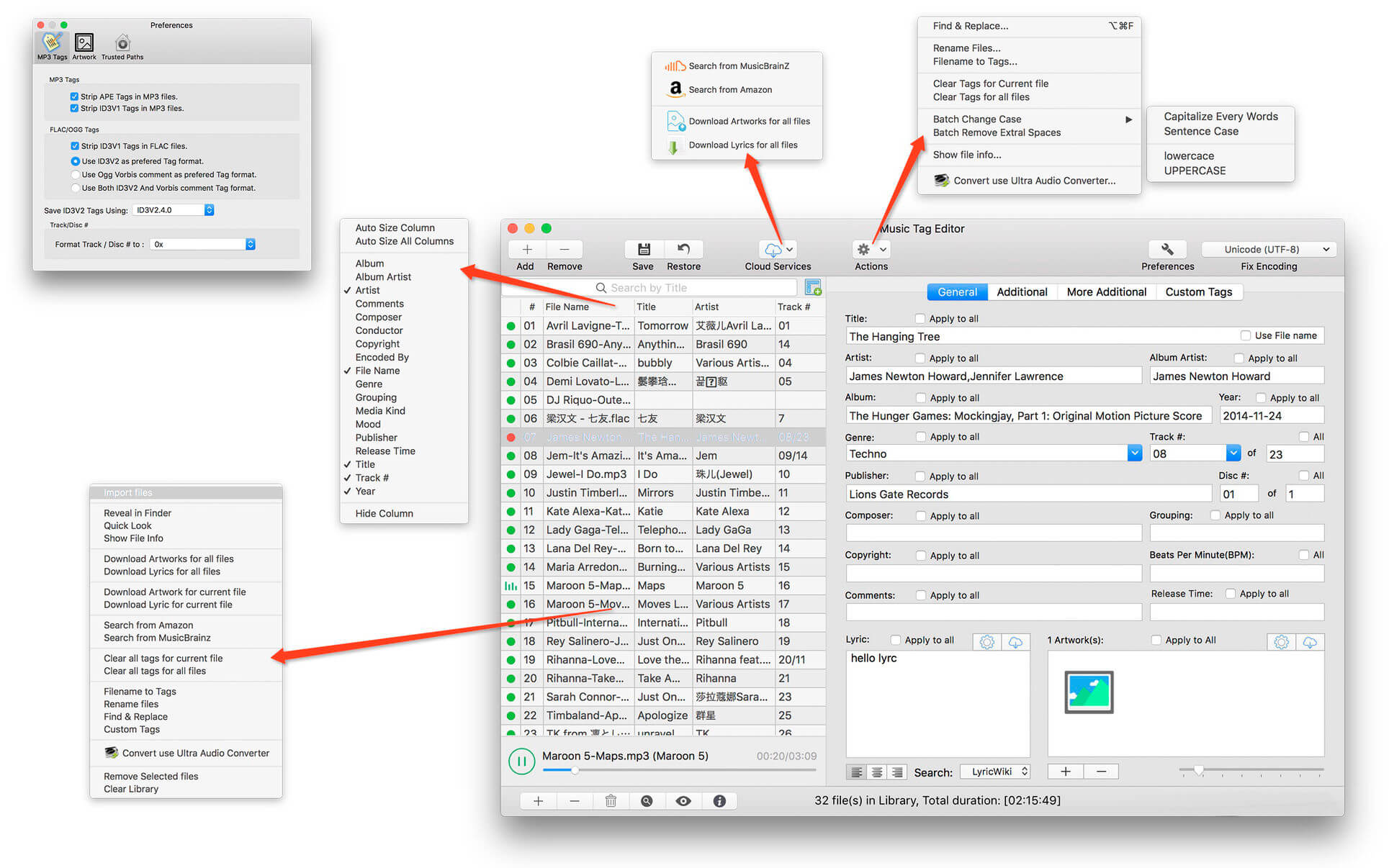
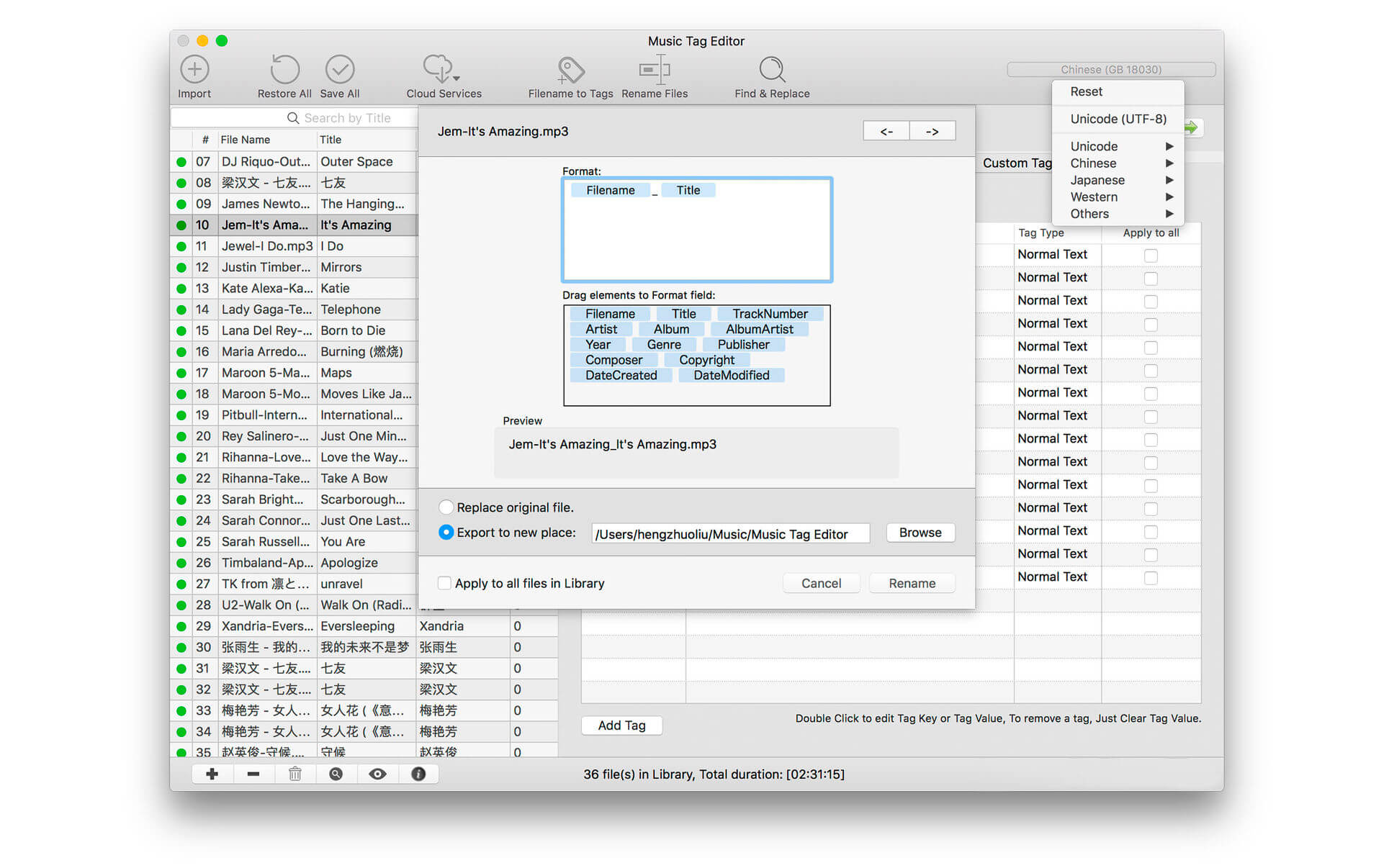
Music Tag Editor can help you to edit your Music Tag info easily and effectively,Batch edit all tags and batch rename with metadata, you can also use it to convert the text encoding of Music Tag, In situations,it can repair the messy code in Music Tags. You also can download the album image for MP3 from internet. Also, you can search tags of music file from Amazon or MusicBrainz cloud services.
Support Music formats: MP3, M4A (Apple lossless), MP4, FLAC, APE, AIFF, WAV , Ogg files, asf, dsf, dsd,mkv… Support ID3V1, ID3V2.3,ID3V2.4, xiphComments, APE Tag, Ogg Vorbis, Ogg Speex, Ogg Flac.
Main features:
support id3v1,id3v2,xiphComments, APE Tag, Ogg Tags,iTunes tags. Tags:Title,Artist,Album,Genre,Copyright,Comments,Artworks,Lyrics and so on…
lyrics you saved to file can be show correctly in you iPhone or iPod music player.
support batch processing of lots of music files,support iTunes importing.
Online album image download,multi album image supported.
batch rename audio file with metadata
batch convert file name to tags using regular expression
user can change,convert the tag text encoding easily, it also can repair messy code in situations.
Fully iTunes Tag supported.
Support strip APE or ID3V1 tags in mp3 files
support to save id3v2.3 or id3v2.4 tags!
support Batch Find & Replace tags.
Batch clean tags
Built-IN Music player for all audio formats
Advance features in pro version:
Edit Additional and Advanced Tags.
Custom and edit any tags you want.
Batch Find & Replace all tag fields in one click.
MusicBrainZ Cloud services supported.
What’s New:
Version 5.4.0:
Support batch download tag data from the cloud, including text, lyrics, poster tags.
Optimize the editing experience and display the editing dynamics in real time.
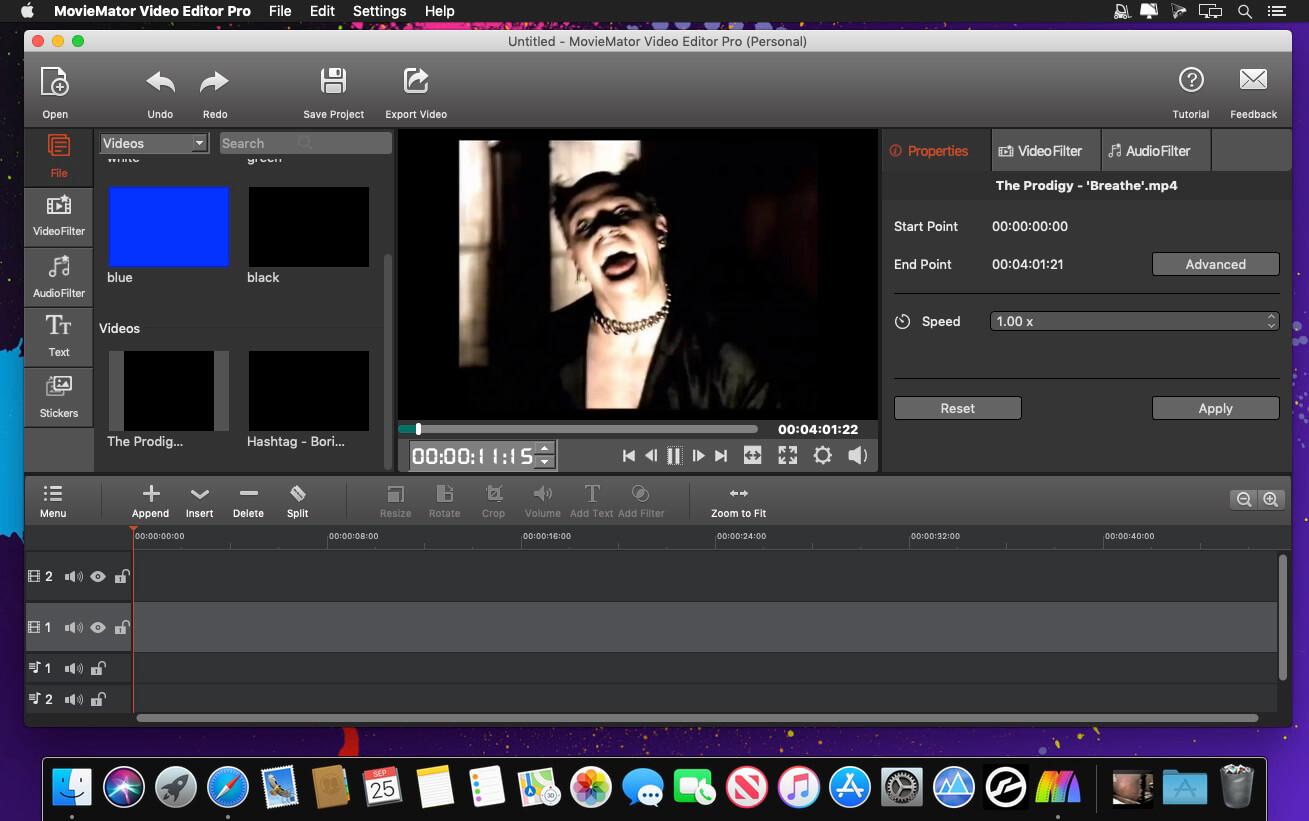
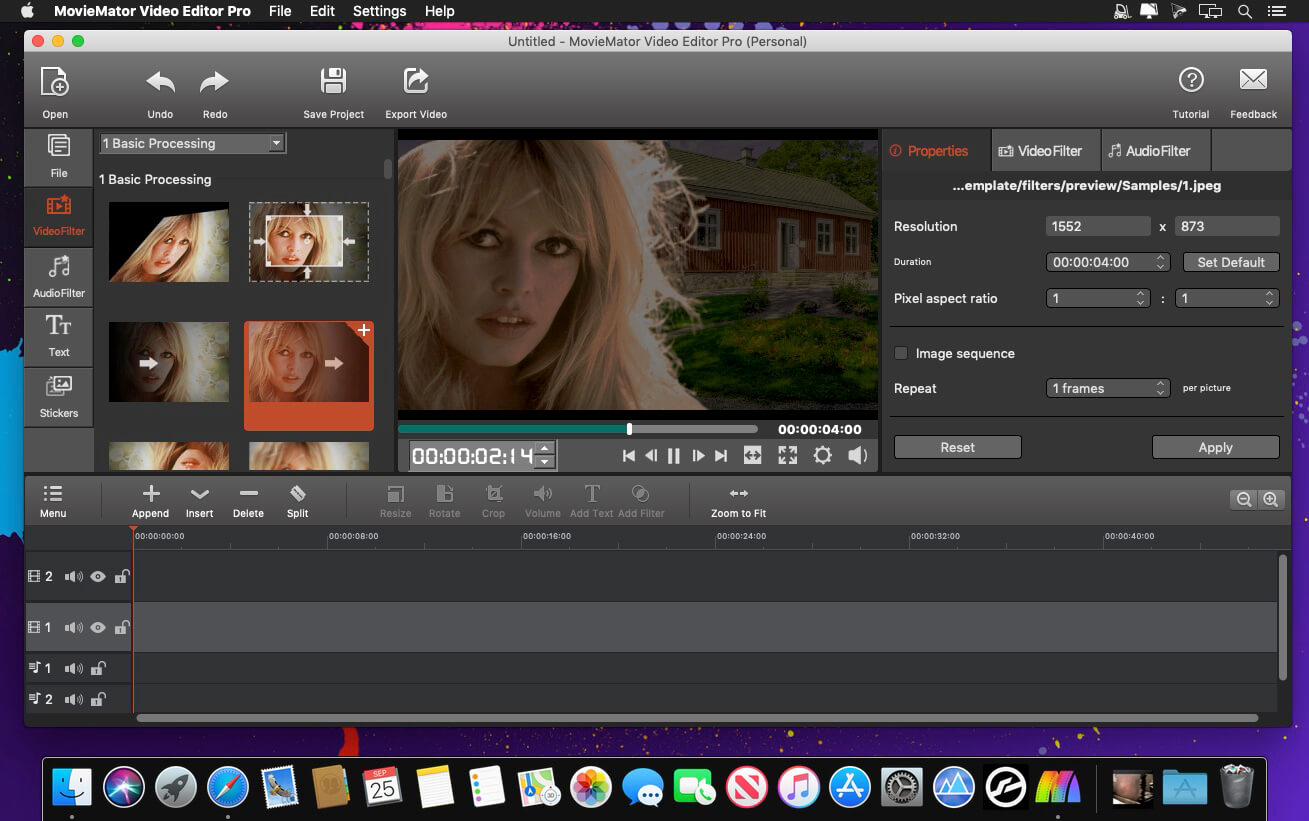
MovieMator Video Editor Pro is a full-featured video editor for creating videos in minutes. It allows users to edit video in many ways, like trimming, cropping, splitting, rotating, and more. With 40+ filter effects supported by keyframes techniques, it is possible to create videos with a variety of eye-catching animation effects. MovieMator Video Editor Mac Pro comes with unlimited video and audio tracks and fully supports all media formats like 4K UltraHD, H.265, MP3, OGG, JPG, SVG, etc. It also supports many export formats, which helps you to save your video for YouTube, Facebook, and Instagram.
Create smooth animations by key frames, which will greatly enhance your video quality in many ways:
Text animation: text varies from one frame to another; this feature can be used to add subtitles to your video
Blur animation: add smooth transition by blurring some frames; it makes your video more eye-catching
Rotate animation: zoom in and zoom out video to make a popular vlog; you can also use this feature to spin you video
White balance animation: color your video in different frame of your clip; 6his feature can be used to color some scenes, for example, making the color of sunset and sunrise deeper
Unlimited video tracks and audio tracks help users handle all projects
Import and mix music tracks to make music video like a pro
Seamlessly assemble clips and edit them frame by frame in the timeline
Separate the audio track from a video file with ease
Create your vivid slideshows with photos, music, and fades
Make a video tutorial/advertisement and create your personalized greetings for special occasions
Full of visual effects: blur, old film, sharpen, stabilize, vignette, white balance
Create the fantastic animation videos with keyframe animation
Play multiple videos at the same time with the picture-in-picture effect
Stabilize your shaky action camera footage in one click
Create Fast/Slow-motion video by adjusting the playback speed as you like
Support volume adjustment and various audio filters to create a perfect sound effect
Set fade in/out time for videos and audios freely
Enhance your movie by adding personalized subtitles and stunning transitions
Sublime Text is a sophisticated text editor for code, markup and prose. You’ll love the slick user interface, extraordinary features and amazing performance.Sublime Text is a super fast and feature packed text and development editor. If you are going to be coding regularly you want to try this amazing editor (IDE).
Following some of the great features that make Sublime Text stand out from other code editors:
Multiple cursors: Once you have discovered multiple cursors you won’t want to work without them anymore. As the name suggests they let you write or edit in multiple places in a document at the same time.
Vintage mode: Vim keyboard shortcuts will work just like in the original Vim editor. To use them, all you need to do is to enable vintage mode.
Lightning fast: This is the fastest code editor you will find right now.
Command pallet: A great feature that allows you to reach about all functions of the editor via the keyboard. You will hardly use your mouse and thus code more efficiently.
Plugin collection: A hugely active community creates plugins for almost any task in Sublime Text. This includes syntax highlighting and code snippets for a large number of languages, for example jаvascript, PHP, CSS, HTML, Python, LESS, XML and C++ to name just a few.
Package control: This add-on let’s you install plugins within seconds directly from the editor.
What’s New:
Version 4.0 Build 4084 Dev:
Release notes were unavailable when this listing was updated.
If your inner filmmaker craves more video editing tools, Movavi Video Editor Plus for Mac is just what you need. The program includes all the functionality of our standard Video Editor, PLUS some exciting extra features like object animation. Try it out now!
Essential video editing
Filters, transitions, titles, effects
Montage Wizard
Keyframe animation of titles, overlay video, etc.
New sample video
New built-in music
Stickers
What’s New:
Brand New Design We’ve improved the entire program’s interface and given it a sleek new look and color palette. Now it’s a real pleasure to click those buttons, switch between tabs and menus. Just try it.
Media Bin Managing your files becomes easier than ever. Now when you add videos or images, they will be stored in your media bin right within the program. The quick access lets you preview, filter and add your files to the timeline at any time.
New Built-in Effects You can never have too many special effects. Enjoy the new glitchy and retro filters. Join scenes in a classy way with parallax transitions.
Filmstrip Navigating through your videos is also easier. When you add a video to the program, you’ll see it frame by frame on the timeline. This is useful when you need to cut or trim your videos or apply effects at a specific point.
Music Tag Editor can help you to edit your Music Tag info easily and effectively,Batch edit all tags and batch rename with metadata, you can also use it to convert the text encoding of Music Tag, In situations,it can repair the messy code in Music Tags. You also can download the album image for MP3 from internet. Also, you can search tags of music file from Amazon or MusicBrainz cloud services.
Support Music formats: MP3, M4A (Apple lossless), MP4, FLAC, APE, AIFF, WAV , Ogg files, asf, dsf, dsd,mkv… Support ID3V1, ID3V2.3,ID3V2.4, xiphComments, APE Tag, Ogg Vorbis, Ogg Speex, Ogg Flac.
Main features:
support id3v1,id3v2,xiphComments, APE Tag, Ogg Tags,iTunes tags. Tags:Title,Artist,Album,Genre,Copyright,Comments,Artworks,Lyrics and so on…
lyrics you saved to file can be show correctly in you iPhone or iPod music player.
support batch processing of lots of music files,support iTunes importing.
Online album image download,multi album image supported.
batch rename audio file with metadata
batch convert file name to tags using regular expression
user can change,convert the tag text encoding easily, it also can repair messy code in situations.
Fully iTunes Tag supported.
Support strip APE or ID3V1 tags in mp3 files
support to save id3v2.3 or id3v2.4 tags!
support Batch Find & Replace tags.
Batch clean tags
Built-IN Music player for all audio formats
Advance features in pro version:
Edit Additional and Advanced Tags.
Custom and edit any tags you want.
Batch Find & Replace all tag fields in one click.
MusicBrainZ Cloud services supported.
What’s New:
Version 5.4.0:
Support batch download tag data from the cloud, including text, lyrics, poster tags.
Optimize the editing experience and display the editing dynamics in real time.
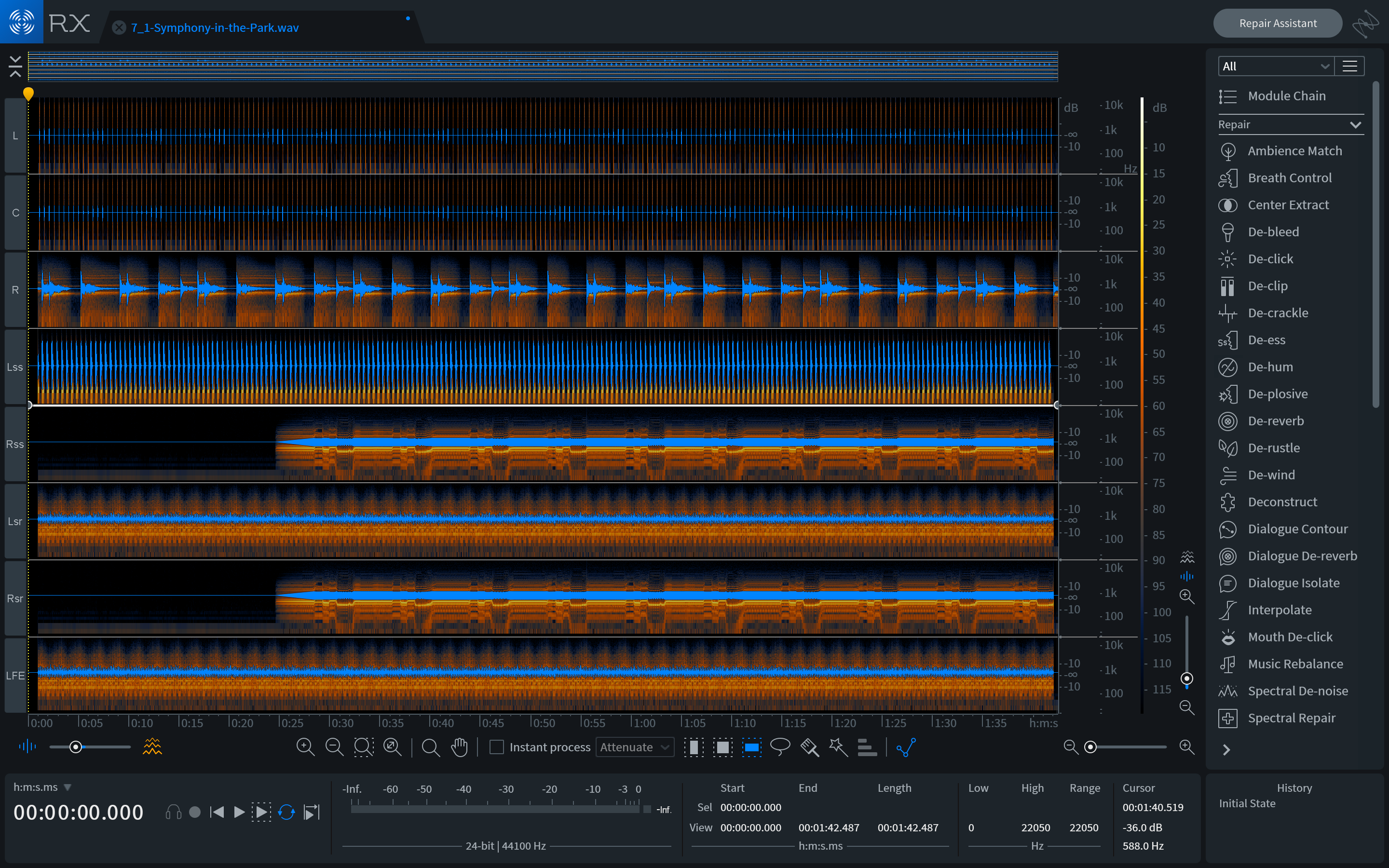
RX has long been the go-to audio repair and polishing suite for film, television, music, podcasts, video games, sample libraries, and more. With RX 8, we’ve created new tools and improved beloved modules to help you accomplish more in less time than ever. Rescue your rig with Guitar De-noise: powerful tools to control fret squeaks, amp hiss and noisy pick sounds.
The missing bundle file for aax plugin: iZRX8AmbienceMatch.bundle iZRX8DialogueIsolate.bundle iZRX8MusicRebalance.bundle iZRX8Derustle.bundle
Istructions: Just download k’d iZotope RX8 from a [Moria] previous post. Install it. Then go in the VST3 folder (Library/Audio/Plugins/VST3), right click on every rx8 vst3s and click Show Package Contents, inside there is a file suffix *.bundle. Copy that file for each izotope vst3 and put it in the Plugins folder that contains all the AAX files. Add the bundle files from this release. That’s all, you have the k’d aax ?
Easily edit any text file, binary file, drive, or process on your computer. Our unique Binary Templates technology allows you to view and edit complex binary data in an easy, intuitive way. Includes a whole range of powerful analysis and editing tools.
A Binary Template looks similar to a C/C++ structure, but is actually run as a program. Every time a variable is declared in a Template, that variable is mapped to a set of hex bytes in a file. Data in the file can then be read or written by modifying the variable. Because the Template is run as a program, if, for, or while statements as well as functions or complex expressions can be used. When a Template is run, the defined variables can be edited using the Template Results, as shown on the left. New Templates can be added to 010 Editor and can even be configured to run automatically when a file is loaded.
Features:
View and edit any binary file on your hard drive (unlimited file size) and text files including Unicode files, C/C source code, etc.
Unique Binary Templates technology allows you to understand any binary file format.
Find and fix problems with hard drives, floppy drives, memory keys, flash drives, CD-ROMs, processes, etc.
Analyze and edit binary data with powerful tools including Find, Replace, Find in Files, Binary Comparisons, Checksum/Hash Algorithms, Histograms, etc.
Powerful scripting engine allows automation of many tasks (language is very similar to C).
Import and export your binary data in a number of different formats.
September, 30 2020 | STANDALONE, AU, VST, VST3 RX has long been the go-to audio repair and polishing suite for film, television, music, podcasts, video games, sample libraries, and more. With RX 8, we’ve created new tools and improved beloved modules to help you accomplish more in less time than ever. Rescue your rig with Guitar De-noise: powerful tools to control fret squeaks, amp hiss and noisy pick sounds.
What’s New in RX 8 Music Rebalance ARA Guitar De-noise Rescue your rig with Guitar De-noise: powerful tools to control fret squeaks, amp hiss and noisy pick sounds. RX 8 De-hum overhaul Is that an AC unit you hear switching on in the back of your recording? Or maybe you’re frustrated that your drummer lives in an apartment where no matter what room they’re in, you can always hear their fridge humming along? Never fear! De-hum in RX 8 Elements is here. New 32-tab limit for Audio Tabs Time is precious when editing audio in post. To help you tackle more work faster, RX 8 doubles the previous 16-tab limit, now allowing you to view and edit up to 32 files within RX Audio Editor. Cover more ground in less time with greater efficiency and in-app real estate. RX 8 Wow & Flutter module Physical audio recordings—such as tape and vinyl—inevitably fall prey to the elements as time goes by. This often results in pitch fluctuations in those physical recordings. Wow & Flutter is designed to correct this symptom regardless of the intensity of the modulating pitch. Use Wow to fix longer, sustained pitch drift, and Flutter to correct pitch variances that occur at faster rates. Wow & Flutter is the key to performing pitch-perfect music restoration in record time. RX 8 Loudness Control Prepare your recordings for final delivery with the detailed level readings and loudness-management power of the all-new Loudness Control module. Load preset loudness standard targets to ensure your audio conforms to broadcast requirements, and monitor your levels using the built-in numeric and histogram readouts for integrated, short-term, and momentary loudness. Plus, resize the module to fit your display perfectly and suit your unique workflow. Spectral Recovery Restore grainy audio from live-streamed, remote audio calls to crystal clarity with Spectral Recovery. Music Rebalance With improved source separation algorithms and the ability to generate stems from a stereo recording, you can easily re-animate a mix, remove or isolate vocals for a remix, or even create and export new stems for further processing and mixing.
Sublime Text is a sophisticated text editor for code, markup and prose. You’ll love the slick user interface, extraordinary features and amazing performance.Sublime Text is a super fast and feature packed text and development editor. If you are going to be coding regularly you want to try this amazing editor (IDE).
Following some of the great features that make Sublime Text stand out from other code editors:
Multiple cursors: Once you have discovered multiple cursors you won’t want to work without them anymore. As the name suggests they let you write or edit in multiple places in a document at the same time.
Vintage mode: Vim keyboard shortcuts will work just like in the original Vim editor. To use them, all you need to do is to enable vintage mode.
Lightning fast: This is the fastest code editor you will find right now.
Command pallet: A great feature that allows you to reach about all functions of the editor via the keyboard. You will hardly use your mouse and thus code more efficiently.
Plugin collection: A hugely active community creates plugins for almost any task in Sublime Text. This includes syntax highlighting and code snippets for a large number of languages, for example jаvascript, PHP, CSS, HTML, Python, LESS, XML and C++ to name just a few.
Package control: This add-on let’s you install plugins within seconds directly from the editor.
What’s New:
Version 4.0 Build 4084 Dev:
Release notes were unavailable when this listing was updated.
Sublime Text is a sophisticated text editor for code, markup and prose. You’ll love the slick user interface, extraordinary features and amazing performance.Sublime Text is a super fast and feature packed text and development editor. If you are going to be coding regularly you want to try this amazing editor (IDE).
Following some of the great features that make Sublime Text stand out from other code editors:
Multiple cursors: Once you have discovered multiple cursors you won’t want to work without them anymore. As the name suggests they let you write or edit in multiple places in a document at the same time.
Vintage mode: Vim keyboard shortcuts will work just like in the original Vim editor. To use them, all you need to do is to enable vintage mode.
Lightning fast: This is the fastest code editor you will find right now.
Command pallet: A great feature that allows you to reach about all functions of the editor via the keyboard. You will hardly use your mouse and thus code more efficiently.
Plugin collection: A hugely active community creates plugins for almost any task in Sublime Text. This includes syntax highlighting and code snippets for a large number of languages, for example jаvascript, PHP, CSS, HTML, Python, LESS, XML and C++ to name just a few.
Package control: This add-on let’s you install plugins within seconds directly from the editor.
What’s New:
Version 4.0 Build 4084 Dev:
Release notes were unavailable when this listing was updated.
RX has long been the go-to audio repair and polishing suite for film, television, music, podcasts, video games, sample libraries, and more. With RX 8, we’ve created new tools and improved beloved modules to help you accomplish more in less time than ever. Rescue your rig with Guitar De-noise: powerful tools to control fret squeaks, amp hiss and noisy pick sounds.
The missing bundle file for aax plugin: iZRX8AmbienceMatch.bundle iZRX8DialogueIsolate.bundle iZRX8MusicRebalance.bundle iZRX8Derustle.bundle
Istructions: Just download k’d iZotope RX8 from a [Moria] previous post. (https://www.gfxtra31.com/software/sof-mac/1490684-izotope-rx-8-audio-editor-advanced-v800-macos-fixed-moria.html) Install it. Then go in the VST3 folder (Library/Audio/Plugins/VST3), right click on every rx8 vst3s and click Show Package Contents, inside there is a file suffix *.bundle. Copy that file for each izotope vst3 and put it in the Plugins folder that contains all the AAX files. Add the bundle files from this release. That’s all, you have the k’d aax ?
Sublime Text is a sophisticated text editor for code, markup and prose. You’ll love the slick user interface, extraordinary features and amazing performance.Sublime Text is a super fast and feature packed text and development editor. If you are going to be coding regularly you want to try this amazing editor (IDE).
Following some of the great features that make Sublime Text stand out from other code editors:
Multiple cursors: Once you have discovered multiple cursors you won’t want to work without them anymore. As the name suggests they let you write or edit in multiple places in a document at the same time.
Vintage mode: Vim keyboard shortcuts will work just like in the original Vim editor. To use them, all you need to do is to enable vintage mode.
Lightning fast: This is the fastest code editor you will find right now.
Command pallet: A great feature that allows you to reach about all functions of the editor via the keyboard. You will hardly use your mouse and thus code more efficiently.
Plugin collection: A hugely active community creates plugins for almost any task in Sublime Text. This includes syntax highlighting and code snippets for a large number of languages, for example jаvascript, PHP, CSS, HTML, Python, LESS, XML and C++ to name just a few.
Package control: This add-on let’s you install plugins within seconds directly from the editor.
What’s New:
Version 4.0 Build 4084 Dev:
Release notes were unavailable when this listing was updated.
RX has long been the go-to audio repair and polishing suite for film, television, music, podcasts, video games, sample libraries, and more. With RX 8, we’ve created new tools and improved beloved modules to help you accomplish more in less time than ever. Rescue your rig with Guitar De-noise: powerful tools to control fret squeaks, amp hiss and noisy pick sounds.
What’s New in RX 8 Guitar De-noise Rescue your rig with Guitar De-noise: powerful tools to control fret squeaks, amp hiss and noisy pick sounds. RX 8 De-hum overhaul Is that an AC unit you hear switching on in the back of your recording? Or maybe you’re frustrated that your drummer lives in an apartment where no matter what room they’re in, you can always hear their fridge humming along? Never fear! De-hum in RX 8 Elements is here. New 32-tab limit for Audio Tabs Time is precious when editing audio in post. To help you tackle more work faster, RX 8 doubles the previous 16-tab limit, now allowing you to view and edit up to 32 files within RX Audio Editor. Cover more ground in less time with greater efficiency and in-app real estate. RX 8 Wow & Flutter module Physical audio recordings—such as tape and vinyl—inevitably fall prey to the elements as time goes by. This often results in pitch fluctuations in those physical recordings. Wow & Flutter is designed to correct this symptom regardless of the intensity of the modulating pitch. Use Wow to fix longer, sustained pitch drift, and Flutter to correct pitch variances that occur at faster rates. Wow & Flutter is the key to performing pitch-perfect music restoration in record time. RX 8 Loudness Control Prepare your recordings for final delivery with the detailed level readings and loudness-management power of the all-new Loudness Control module. Load preset loudness standard targets to ensure your audio conforms to broadcast requirements, and monitor your levels using the built-in numeric and histogram readouts for integrated, short-term, and momentary loudness. Plus, resize the module to fit your display perfectly and suit your unique workflow. Spectral Recovery Restore grainy audio from live-streamed, remote audio calls to crystal clarity with Spectral Recovery. Music Rebalance With improved source separation algorithms and the ability to generate stems from a stereo recording, you can easily re-animate a mix, remove or isolate vocals for a remix, or even create and export new stems for further processing and mixing.
RX has long been the go-to audio repair and polishing suite for film, television, music, podcasts, video games, sample libraries, and more. With RX 8, we’ve created new tools and improved beloved modules to help you accomplish more in less time than ever. Rescue your rig with Guitar De-noise: powerful tools to control fret squeaks, amp hiss and noisy pick sounds.
What’s New in RX 8 Guitar De-noise Rescue your rig with Guitar De-noise: powerful tools to control fret squeaks, amp hiss and noisy pick sounds. RX 8 De-hum overhaul Is that an AC unit you hear switching on in the back of your recording? Or maybe you’re frustrated that your drummer lives in an apartment where no matter what room they’re in, you can always hear their fridge humming along? Never fear! De-hum in RX 8 Elements is here. New 32-tab limit for Audio Tabs Time is precious when editing audio in post. To help you tackle more work faster, RX 8 doubles the previous 16-tab limit, now allowing you to view and edit up to 32 files within RX Audio Editor. Cover more ground in less time with greater efficiency and in-app real estate. RX 8 Wow & Flutter module Physical audio recordings—such as tape and vinyl—inevitably fall prey to the elements as time goes by. This often results in pitch fluctuations in those physical recordings. Wow & Flutter is designed to correct this symptom regardless of the intensity of the modulating pitch. Use Wow to fix longer, sustained pitch drift, and Flutter to correct pitch variances that occur at faster rates. Wow & Flutter is the key to performing pitch-perfect music restoration in record time. RX 8 Loudness Control Prepare your recordings for final delivery with the detailed level readings and loudness-management power of the all-new Loudness Control module. Load preset loudness standard targets to ensure your audio conforms to broadcast requirements, and monitor your levels using the built-in numeric and histogram readouts for integrated, short-term, and momentary loudness. Plus, resize the module to fit your display perfectly and suit your unique workflow. Spectral Recovery Restore grainy audio from live-streamed, remote audio calls to crystal clarity with Spectral Recovery. Music Rebalance With improved source separation algorithms and the ability to generate stems from a stereo recording, you can easily re-animate a mix, remove or isolate vocals for a remix, or even create and export new stems for further processing and mixing.
Sublime Text is a sophisticated text editor for code, markup and prose. You’ll love the slick user interface, extraordinary features and amazing performance.Sublime Text is a super fast and feature packed text and development editor. If you are going to be coding regularly you want to try this amazing editor (IDE).
Following some of the great features that make Sublime Text stand out from other code editors:
Multiple cursors: Once you have discovered multiple cursors you won’t want to work without them anymore. As the name suggests they let you write or edit in multiple places in a document at the same time.
Vintage mode: Vim keyboard shortcuts will work just like in the original Vim editor. To use them, all you need to do is to enable vintage mode.
Lightning fast: This is the fastest code editor you will find right now.
Command pallet: A great feature that allows you to reach about all functions of the editor via the keyboard. You will hardly use your mouse and thus code more efficiently.
Plugin collection: A hugely active community creates plugins for almost any task in Sublime Text. This includes syntax highlighting and code snippets for a large number of languages, for example jаvascript, PHP, CSS, HTML, Python, LESS, XML and C++ to name just a few.
Package control: This add-on let’s you install plugins within seconds directly from the editor.
What’s New:
Version 4.0 Build 4084 Dev:
Release notes were unavailable when this listing was updated.
Sublime Text is a sophisticated text editor for code, markup and prose. You’ll love the slick user interface, extraordinary features and amazing performance.Sublime Text is a super fast and feature packed text and development editor. If you are going to be coding regularly you want to try this amazing editor (IDE).
Following some of the great features that make Sublime Text stand out from other code editors:
Multiple cursors: Once you have discovered multiple cursors you won’t want to work without them anymore. As the name suggests they let you write or edit in multiple places in a document at the same time.
Vintage mode: Vim keyboard shortcuts will work just like in the original Vim editor. To use them, all you need to do is to enable vintage mode.
Lightning fast: This is the fastest code editor you will find right now.
Command pallet: A great feature that allows you to reach about all functions of the editor via the keyboard. You will hardly use your mouse and thus code more efficiently.
Plugin collection: A hugely active community creates plugins for almost any task in Sublime Text. This includes syntax highlighting and code snippets for a large number of languages, for example jаvascript, PHP, CSS, HTML, Python, LESS, XML and C++ to name just a few.
Package control: This add-on let’s you install plugins within seconds directly from the editor.
What’s New:
Version 4.0 4083 Dev Dev:
Release notes were unavailable when this listing was updated.
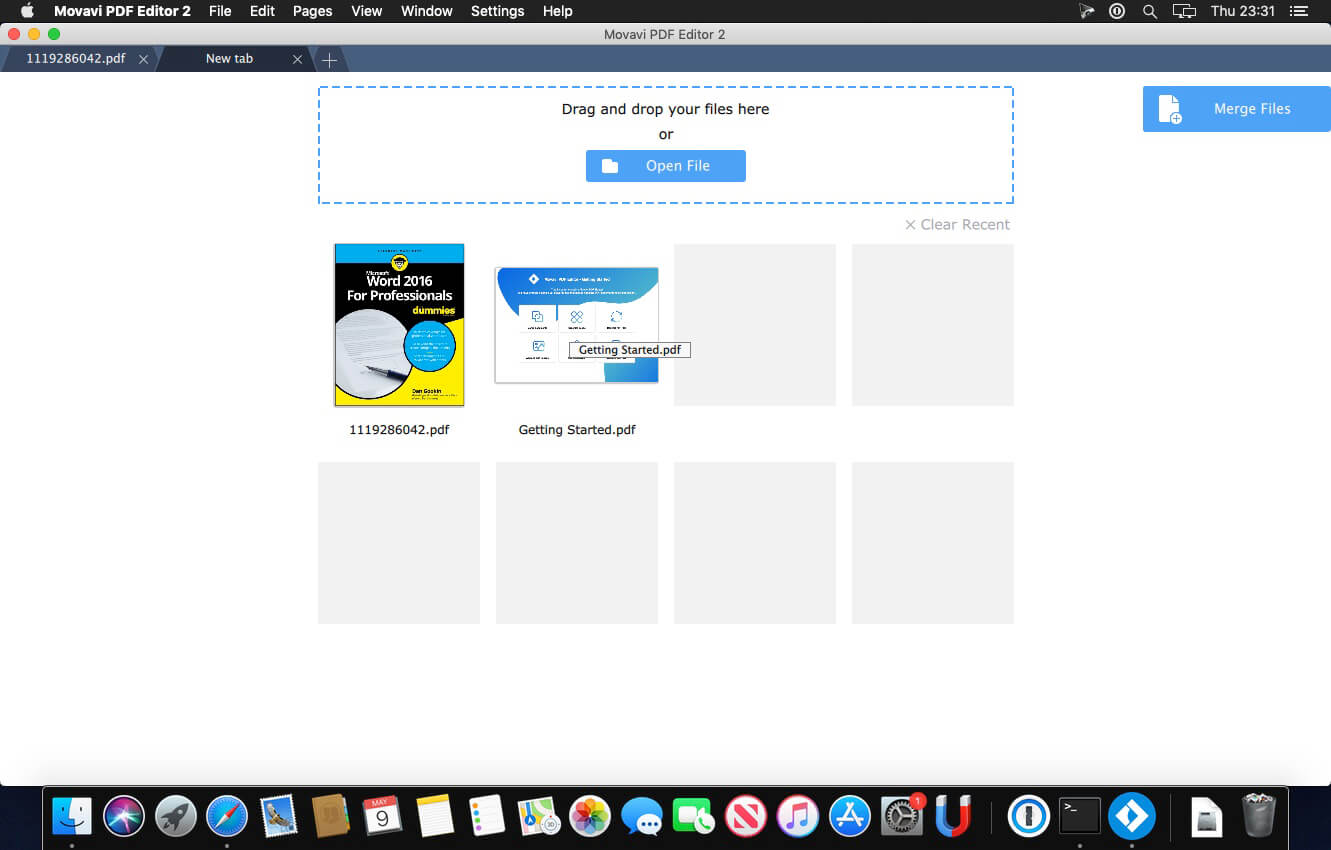
Looking for a PDF reader for Mac with good editing tools? Most of the software for Mac that you can find online for download is not that great. Free desktop apps usually lack advanced options and have inadequate formatting tools, and higher-quality paid programs can be out of the question because of their high price. We decided to combine the best features of the available OS X PDF editors without the drawbacks to come up with a Mac PDF Editor you’ll like. Create and update contract drafts, combine multiple scans into PDF files, and much more!
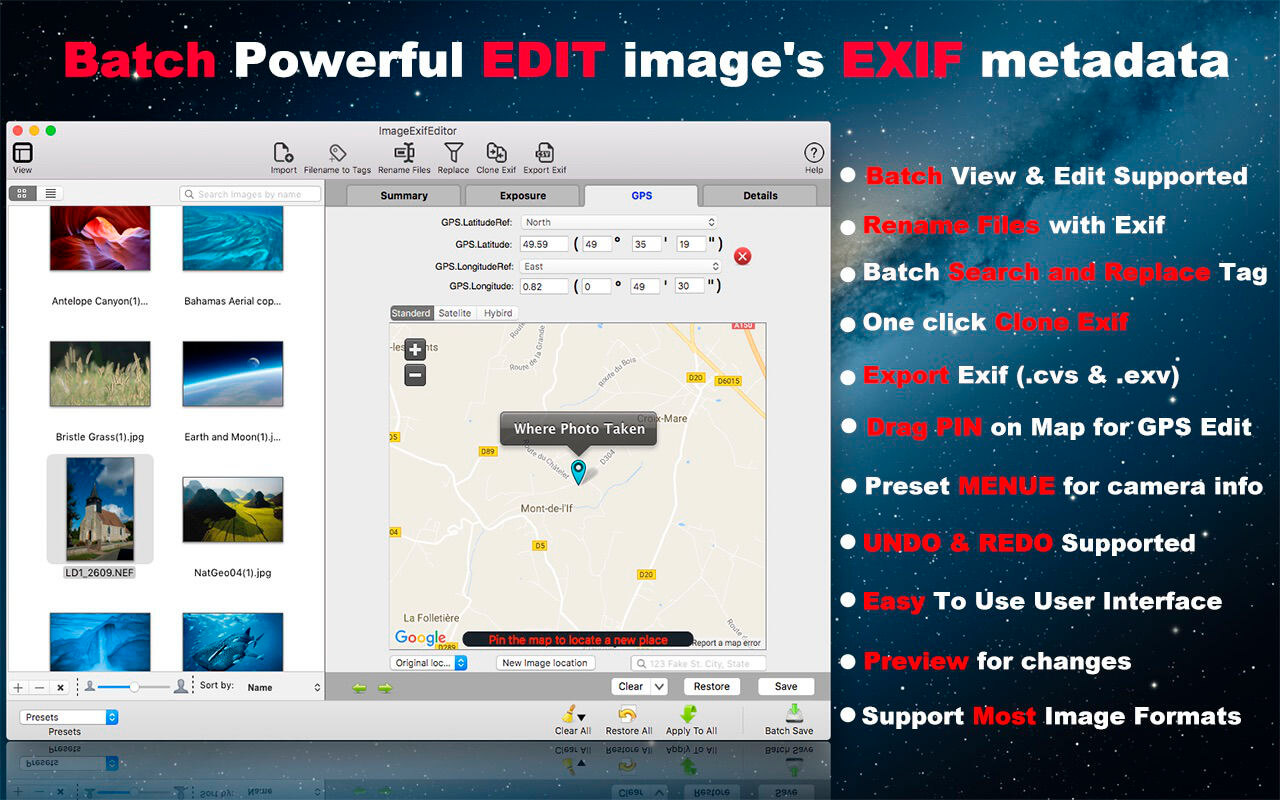
Image Exif Editor was designed to present as many details about how a photo was taken in a clear and easy to understand format with powerful EXIF metadata editing capabilities. It’s the most powerful tool to handle the EXIF information in your favorite images.
New Version Added Main functions: FUNTION
Batch copy filename to Title field.
Batch rename image files.
Batch search and replace EXIF information.
One click to clone the image’s EXIF data.
Export Image’s EXIF data to .cvs or .exv.
IMPROVMENT
Fixed DNG File import crash.
Support for Nikon/AutoFocus and Sony/FocusPosition Metadata
Bug and security fixes.
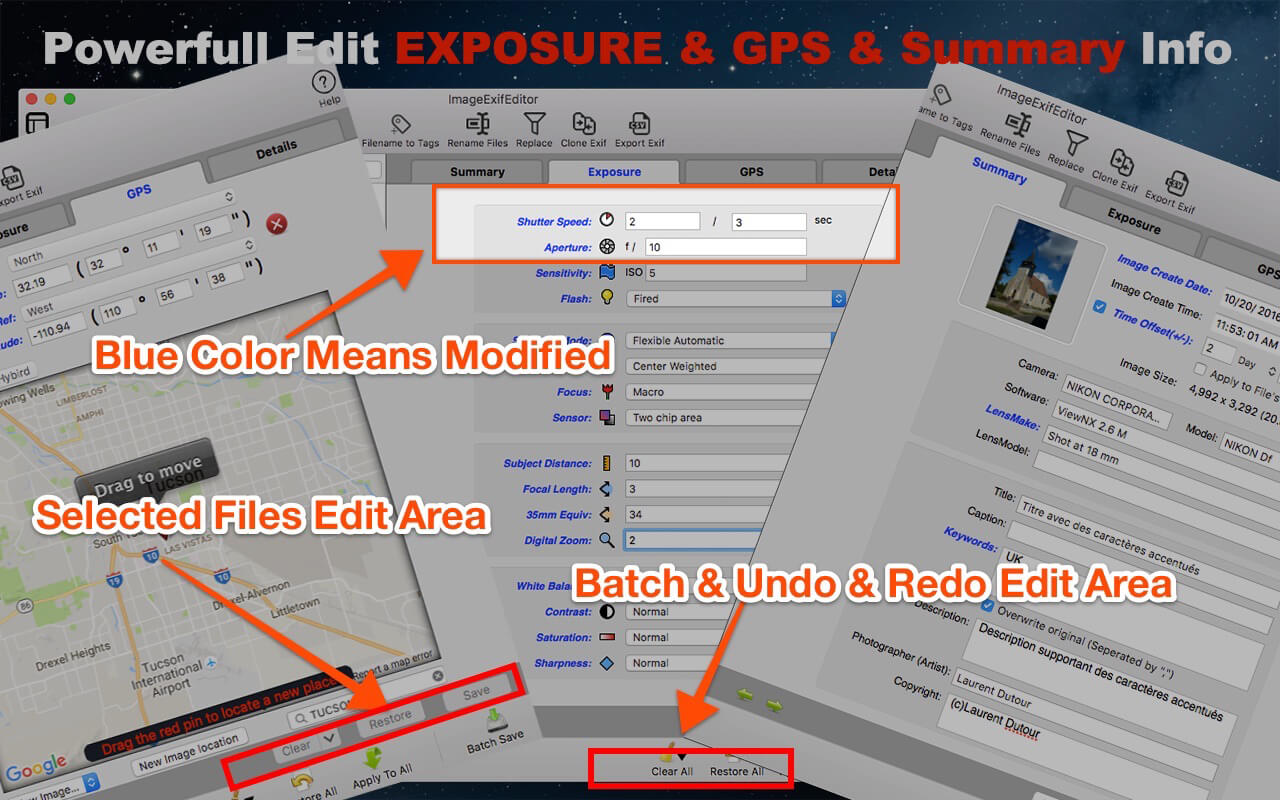
MAIN FEATURES: 1. The Easiest Way To Edit Exif Data you do not need to know more detail for change the image’s metadata, Image Exif Editor gives you many visible pre-set value for choice, So you just chose one for edit; It’s so easy!
2. Batch Image Exif Data Edit Supported Image Exif Editor support Batch images edit, you can apply one image modify to others, and you can batch modify or clear Exif metadata
3. Visible GPS Geolocation And Camera Information Edit you can see the place where your photo was taken on a map, and you can easily drag a pin to change a new place for your photo taken.
4. Enhanced GPS Geolocation Edit GPS Geolocation Edit is so commonly used, so Image Exif Editor enhanced GPS geolocation, you can search a palace and drag the pin to change to the destination, also you can input the latitude and longitude value to re-locate your images. Other amazing features you can find when you use this function.
5. Batch Rename Files Now, you can rename image files use the Exif data of the images, addition with other fantastic rename functions.
6. Export Exif Data if you want to save the image’s EXIF data or share them with others, you can export the EXIF data of images with .cvs or .edu EXIF data formate.
7. Clone Exif data you just need one click to clone an image’s EXIF data to other images. Cool!
8. Batch find and replace the image’s EXIF data the most convenient function for you just wants to search all the EXIF data and replace some image’s EXIF data with other words.
9. Quick Search Allows You To Easily Find And Edit The Image’s Exif Metadata you can quickly find the image you want to edit by typing the name to search in a large number of images;
10. Undo Redo Supported For Batch Edit one more thing, you can redo edit when you change your mind to give up your edit, and you can clear all by clicking the clear all button in the batch operation area.
11. Easy to find an edited field by a different color and identify the edited image by image state icon.
12. Easy To Use User Interface
13. Support Most Image Formats jpeg, png,dxv, cr2, crw, mrs, tiff, dng, nef, pef, sr2, srw, orf, pgf, raf, eps, xmp, gif, psd, tga, bmp, jp2 and so on. Compatibility: OS X 10.9 or later 64-bit Mac App Store:https://geo.itunes.apple.com/app/id574607554
Photo Editor Movavi is the fastest way to turn good photos into spectacular shots. Remove any unnecessary element from your images, improve quality, and edit your photos in just a few easy steps.
Easily remove random bystanders, inconvenient fences and ugly power lines from your travel panoramas with a single action: just select the unwanted object and hit Start Erasing – everything else is done automatically, thanks to Movavi’s unique optimized removal algorithm. Copy and paste objects between different pictures as well, even change their size or rotate them. You can use the Clone Tool for any final touch-ups if necessary.
Many photo defects, like overexposed or overly dark images or a skewed horizon are often discovered only after you’ve finished shooting. But that doesn’t mean you have to delete the ‘spoiled’ photos – Movavi makes it easy to fix these problems. Eliminate composition issues in no time: crop, rotate, and flip image with one click. Manually adjust the main image parameters – brightness, contrast, saturation, and more – or let the smart automatic filter improve the quality of your pictures.
New retouching tools will help you hide skin imperfections like pimples or wrinkles, whiten teeth and get rid of the red-eye effect.
Give yourself a complete makeover with the new make-up kit: experiment with various shades of blusher, eyeshadow, and lipstick, add mascara, even change the eye color.
Finally, give your shots that special touch with stylish filters like Lomo, Sepia, Posterization, Pop-Art, Disco, and many others, apply textures and overlays – why not mix and match several effects at once?
Get Photo Editor Movavi now if you want to:
Improve image quality with one click
Crop, flip, rotate, and resize your pictures
Manually adjust image settings: hue, saturation, color temperature, and more
Straighten the horizon in your photos automatically or manually
Instantly remove unwanted objects from photos
Clip objects from the background and replace that background with a solid color fill or even another picture
Apply filters, text captions and watermarks on images
Retouch skin and teeth, remove red-eye
Add makeup to your portraits
Save images in all popular formats – JPEG, PNG, BMP, TIFF, and more
Language: English, Dutch, French, German, Italian, Japanese, Portuguese, Russian, Spanish, Turkish Compatibility: OS X 10.7 or later Homepagehttps://www.movavi.com/mac-photo-editor/
Music Tag Editor can help you to edit your Music Tag info easily and effectively,Batch edit all tags and batch rename with metadata, you can also use it to convert the text encoding of Music Tag, In situations,it can repair the messy code in Music Tags. You also can download the album image for MP3 from internet. Also, you can search tags of music file from Amazon or MusicBrainz cloud services.
Support Music formats: MP3, M4A (Apple lossless), MP4, FLAC, APE, AIFF, WAV , Ogg files, asf, dsf, dsd,mkv… Support ID3V1, ID3V2.3,ID3V2.4, xiphComments, APE Tag, Ogg Vorbis, Ogg Speex, Ogg Flac.
Main features:
support id3v1,id3v2,xiphComments, APE Tag, Ogg Tags,iTunes tags. Tags:Title,Artist,Album,Genre,Copyright,Comments,Artworks,Lyrics and so on…
lyrics you saved to file can be show correctly in you iPhone or iPod music player.
support batch processing of lots of music files,support iTunes importing.
Online album image download,multi album image supported.
batch rename audio file with metadata
batch convert file name to tags using regular expression
user can change,convert the tag text encoding easily, it also can repair messy code in situations.
Fully iTunes Tag supported.
Support strip APE or ID3V1 tags in mp3 files
support to save id3v2.3 or id3v2.4 tags!
support Batch Find & Replace tags.
Batch clean tags
Built-IN Music player for all audio formats
Advance features in pro version:
Edit Additional and Advanced Tags.
Custom and edit any tags you want.
Batch Find & Replace all tag fields in one click.
MusicBrainZ Cloud services supported.
What’s New:
Version 5.3.0:
Support multiple editing mode with custom tags
Roll back the payment experience of the old version(prior to 5.0)
Sublime Text is a sophisticated text editor for code, markup and prose. You’ll love the slick user interface, extraordinary features and amazing performance.Sublime Text is a super fast and feature packed text and development editor. If you are going to be coding regularly you want to try this amazing editor (IDE).
Following some of the great features that make Sublime Text stand out from other code editors:
Multiple cursors: Once you have discovered multiple cursors you won’t want to work without them anymore. As the name suggests they let you write or edit in multiple places in a document at the same time.
Vintage mode: Vim keyboard shortcuts will work just like in the original Vim editor. To use them, all you need to do is to enable vintage mode.
Lightning fast: This is the fastest code editor you will find right now.
Command pallet: A great feature that allows you to reach about all functions of the editor via the keyboard. You will hardly use your mouse and thus code more efficiently.
Plugin collection: A hugely active community creates plugins for almost any task in Sublime Text. This includes syntax highlighting and code snippets for a large number of languages, for example jаvascript, PHP, CSS, HTML, Python, LESS, XML and C++ to name just a few.
Package control: This add-on let’s you install plugins within seconds directly from the editor.
What’s New:
Version 4.0 Build 4079 Dev:
Release notes were unavailable when this listing was updated.
Sublime Text is a sophisticated text editor for code, markup and prose. You’ll love the slick user interface, extraordinary features and amazing performance.Sublime Text is a super fast and feature packed text and development editor. If you are going to be coding regularly you want to try this amazing editor (IDE).
Following some of the great features that make Sublime Text stand out from other code editors:
Multiple cursors: Once you have discovered multiple cursors you won’t want to work without them anymore. As the name suggests they let you write or edit in multiple places in a document at the same time.
Vintage mode: Vim keyboard shortcuts will work just like in the original Vim editor. To use them, all you need to do is to enable vintage mode.
Lightning fast: This is the fastest code editor you will find right now.
Command pallet: A great feature that allows you to reach about all functions of the editor via the keyboard. You will hardly use your mouse and thus code more efficiently.
Plugin collection: A hugely active community creates plugins for almost any task in Sublime Text. This includes syntax highlighting and code snippets for a large number of languages, for example jаvascript, PHP, CSS, HTML, Python, LESS, XML and C++ to name just a few.
Package control: This add-on let’s you install plugins within seconds directly from the editor.
What’s New:
Version 4.0 Build 4077 Dev:
Release notes were unavailable when this listing was updated.
Sublime Text is a sophisticated text editor for code, markup and prose. You’ll love the slick user interface, extraordinary features and amazing performance.Sublime Text is a super fast and feature packed text and development editor. If you are going to be coding regularly you want to try this amazing editor (IDE).
Following some of the great features that make Sublime Text stand out from other code editors:
Multiple cursors: Once you have discovered multiple cursors you won’t want to work without them anymore. As the name suggests they let you write or edit in multiple places in a document at the same time.
Vintage mode: Vim keyboard shortcuts will work just like in the original Vim editor. To use them, all you need to do is to enable vintage mode.
Lightning fast: This is the fastest code editor you will find right now.
Command pallet: A great feature that allows you to reach about all functions of the editor via the keyboard. You will hardly use your mouse and thus code more efficiently.
Plugin collection: A hugely active community creates plugins for almost any task in Sublime Text. This includes syntax highlighting and code snippets for a large number of languages, for example jаvascript, PHP, CSS, HTML, Python, LESS, XML and C++ to name just a few.
Package control: This add-on let’s you install plugins within seconds directly from the editor.
What’s New:
Version 4.0 Build 4076 Dev:
Release notes were unavailable when this listing was updated.
If your inner filmmaker craves more video editing tools, Movavi Video Editor Plus for Mac is just what you need. The program includes all the functionality of our standard Video Editor, PLUS some exciting extra features like object animation. Try it out now!
Essential video editing
Filters, transitions, titles, effects
Montage Wizard
Keyframe animation of titles, overlay video, etc.
New sample video
New built-in music
Stickers
What’s New:
Brand New Design
We’ve improved the entire program’s interface and given it a sleek new look and color palette. Now it’s a real pleasure to click those buttons, switch between tabs and menus. Just try it.
Media Bin
Managing your files becomes easier than ever. Now when you add videos or images, they will be stored in your media bin right within the program. The quick access lets you preview, filter and add your files to the timeline at any time.
New Built-in Effects
You can never have too many special effects. Enjoy the new glitchy and retro filters. Join scenes in a classy way with parallax transitions.
Filmstrip
Navigating through your videos is also easier. When you add a video to the program, you’ll see it frame by frame on the timeline. This is useful when you need to cut or trim your videos or apply effects at a specific point.
Xliff Editor – its fast to load, easy to use, and has a low memory footprint. Did we forget to mention Inline tag protection, Fuzzy search, intuitive shortcuts, multiple concurrent file editing and native spell checker. It also has some pretty nice customizations you can use to better suit your workflow.
Not all Xliff editors have been created equally. We’ve custom built our own XML parser to read even the most complex Xliff v1.2 files. Xliff Editor effortlessly handles Segmentation, Inline tags and Alternate translations.
Xliff Editor Features:
Highlighted search
Fuzzy search
Spell checker
Easy recognition of un-translated strings
XLIFF, XLF file support
SDLXIFF read support with export to XLIFF
Support for alt-trans and seg-source nodes
inline tag protection
Support for editing Multiple files simultaneously
Beautiful interface
**Currently only XLIFF v1.2 files are supported.
What’s New:
Version 2.8.2
fixed a potential crash
Version 2.8
added search & replace
added regex search
changed wording of preference: “Flatten internal file structure” to more appropriate “Hide internal file structure”
changed contextual menu text: “Toggle View” to more appropriate “Show/Hide File Structure”
fixed an issue with undo when viewing flattened file structure
fixed an issue with selected row text color when using Light system appearance
fixed some widget positioning on the General Preferences tab
Photo Editor Movavi is the fastest way to turn good photos into spectacular shots. Remove any unnecessary element from your images, improve quality, and edit your photos in just a few easy steps.
Easily remove random bystanders, inconvenient fences and ugly power lines from your travel panoramas with a single action: just select the unwanted object and hit Start Erasing – everything else is done automatically, thanks to Movavi’s unique optimized removal algorithm. Copy and paste objects between different pictures as well, even change their size or rotate them. You can use the Clone Tool for any final touch-ups if necessary.
Many photo defects, like overexposed or overly dark images or a skewed horizon are often discovered only after you’ve finished shooting. But that doesn’t mean you have to delete the ‘spoiled’ photos – Movavi makes it easy to fix these problems. Eliminate composition issues in no time: crop, rotate, and flip image with one click. Manually adjust the main image parameters – brightness, contrast, saturation, and more – or let the smart automatic filter improve the quality of your pictures.
New retouching tools will help you hide skin imperfections like pimples or wrinkles, whiten teeth and get rid of the red-eye effect.
Give yourself a complete makeover with the new make-up kit: experiment with various shades of blusher, eyeshadow, and lipstick, add mascara, even change the eye color.
Finally, give your shots that special touch with stylish filters like Lomo, Sepia, Posterization, Pop-Art, Disco, and many others, apply textures and overlays – why not mix and match several effects at once?
Get Photo Editor Movavi now if you want to:
Improve image quality with one click
Crop, flip, rotate, and resize your pictures
Manually adjust image settings: hue, saturation, color temperature, and more
Straighten the horizon in your photos automatically or manually
Instantly remove unwanted objects from photos
Clip objects from the background and replace that background with a solid color fill or even another picture
Apply filters, text captions and watermarks on images
Retouch skin and teeth, remove red-eye
Add makeup to your portraits
Save images in all popular formats – JPEG, PNG, BMP, TIFF, and more
Language: English, Dutch, French, German, Italian, Japanese, Portuguese, Russian, Spanish, Turkish Compatibility: OS X 10.7 or later Homepagehttps://www.movavi.com/mac-photo-editor/
Xliff Editor – its fast to load, easy to use, and has a low memory footprint. Did we forget to mention Inline tag protection, Fuzzy search, intuitive shortcuts, multiple concurrent file editing and native spell checker. It also has some pretty nice customizations you can use to better suit your workflow.
Not all Xliff editors have been created equally. We’ve custom built our own XML parser to read even the most complex Xliff v1.2 files. Xliff Editor effortlessly handles Segmentation, Inline tags and Alternate translations.
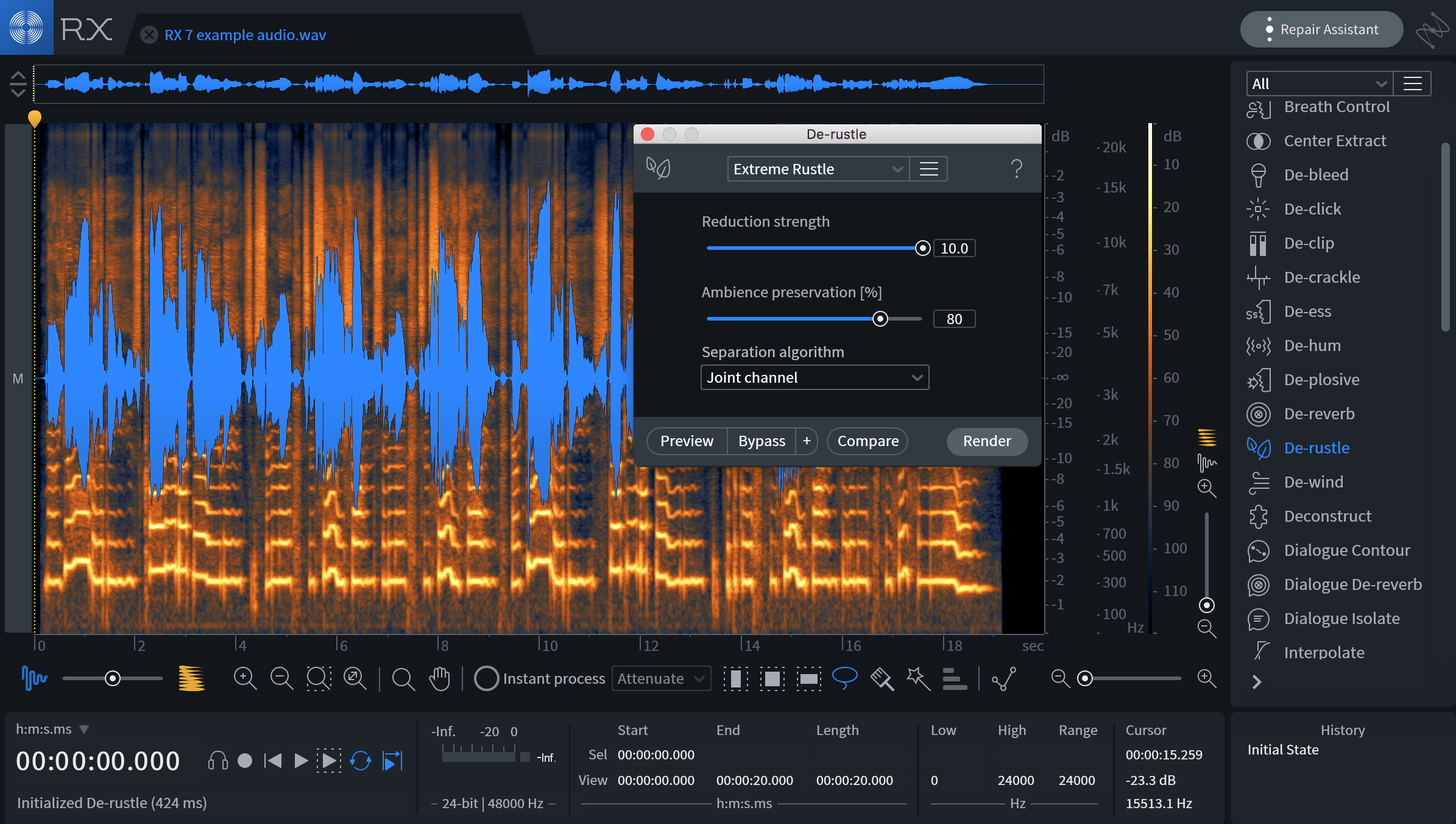
The Industry Standard for Audio Repair: Designed specifically for the demanding needs of post production professionals, RX 7 Advanced introduces brand new processing powered by machine learning, powerful AudioSuite tools, and multichannel support up to 7.1.2.
Restore the intended performance With the new Dialogue Contour module, you can reshape the intonation of dialogue to rescue or improve a performance in post production. Dialogue Contour features pitch correction processing that is tailored to speech and designed to adjust the inflection of words within a phrase of dialogue that may not match or flow correctly with the rest of the dialogue in the clip. Easily splice together natural-sounding sentences or turn statements into questions!
New plug-ins, new workflows Time is everything, and we’ve added even more AudioSuite plug-ins to RX 7 Advanced to help you get more of it back. User-favorites Dialog Isolate and De-rustle are now also available in Pro Tools AudioSuite, giving you even more flexibility in your audio repair workflow. Plus, RX 7 Advanced now lets you repair multichannel audio up to 7.1.2 Dolby Atmos.
What’s New: Version 7.0.1n released December 23, 2019 – Changes to Operating System Support: * Added support for installation on macOS 10.15 (Catalina)
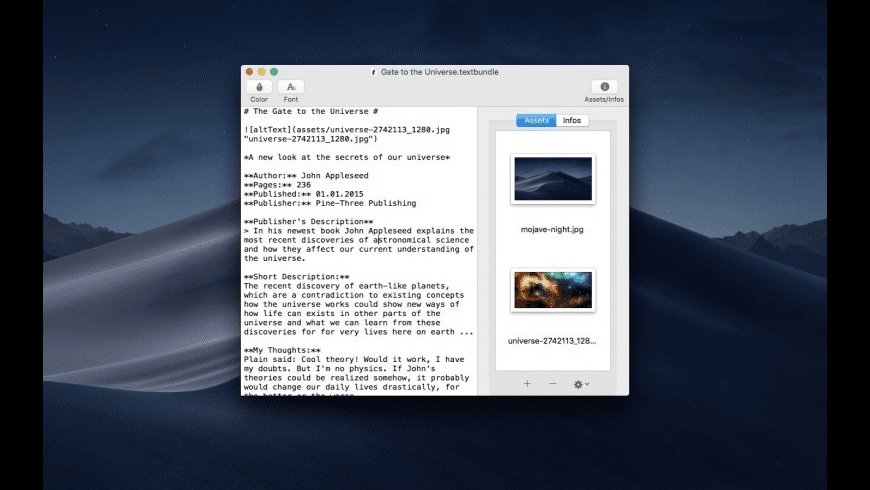
With Textbundle Editor you can quickly and easily open, edit and create new Textbundle- and Textpack-files.
Customize your Editor It is completely up to you what the text editor should look like. Textbundle Editor allows you to freely set the font, font size, font color, and background color of the text-editor as you like best.
Assets The special feature of Textbundle- and Textpack-files, the inclusion of “assets”, files of any kind, is natively supported by Textbundle Editor. So you can easily and conveniently add assets to your Textbundle- and Textpack-files and also remove assets from files.
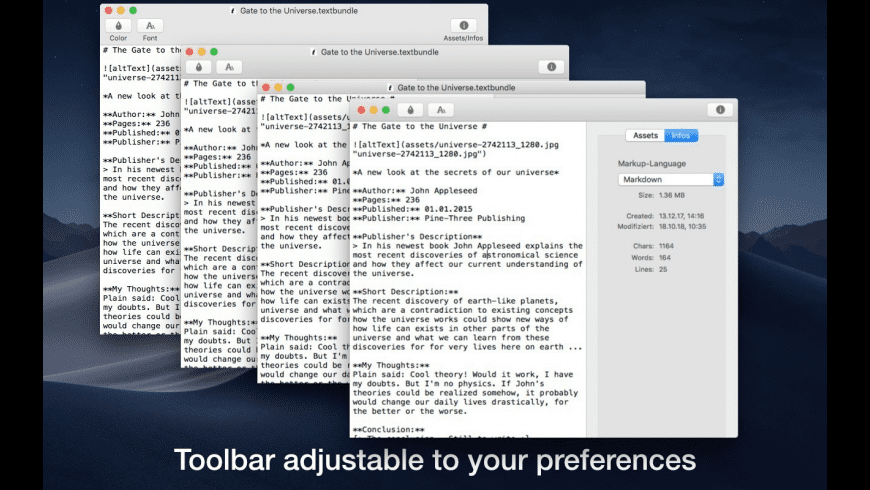
Integrated Info For each file, you can display an info overview with the most important details for each file. In addition to the creation date and modified date, you can also overview the size of the file and counters for the number of characters, words and lines of the current file.
Markup-language A Textbundle-file usually provides a Markup-language defined within the Textbundle-file. In the info overview of the current file you have the option to set your file to one of the following markup languages: Markdown, MarkdownExtra, MultiMarkdown, Textile, Wikitext, HTML, BBCode, Smark
Dark mode Textbundle Editor offers a dark mode, which can be activated individually at any time in the program itself. This provides dark mode for Textbundle Editor in all macOS versions supported by Textbundle Editor.
Customizable Toolbar You can also customize the look of the toolbar to suit your own preferences.
General macOS Functions Of course, Textbundle Editor provides all the other functions expected of a macOS program, such as Full Screen Mode, Spell Checker, Merge All Windows and so on.