Category Archives: InPixio

InPixio Photo Eraser 1.1.24

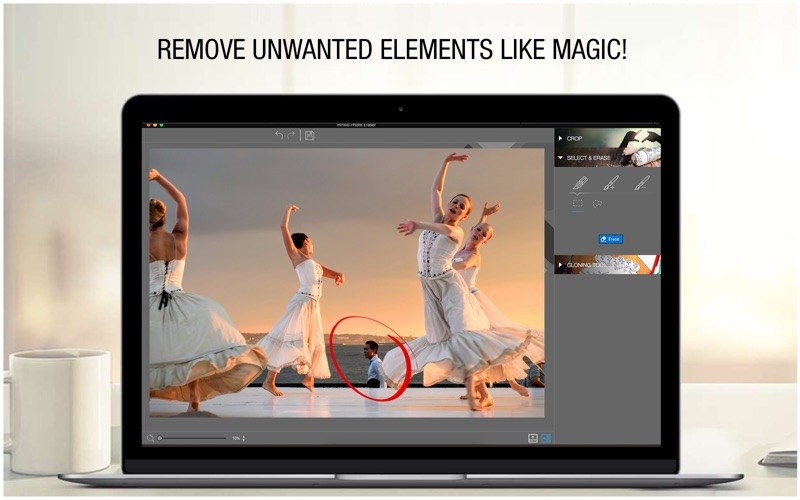
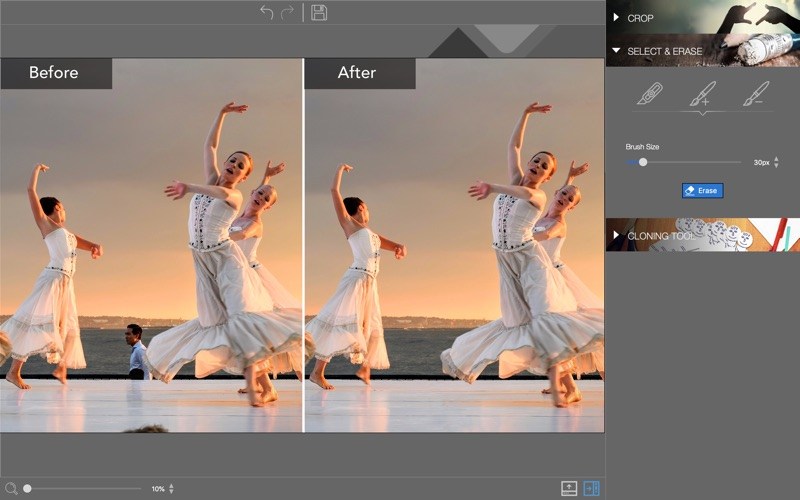
Tired of taking pictures with all those unwanted background images? Have you ever wanted to just get rid of that sign behind your or those people walking by? Well now you can erase anything in your picture that you don’t want there with Photo Eraser for PC. All you need to do is decide which image you want to erase, select it, and click! If there are any slight marks left behind, use the clone tool to blend the colours back in for smooth, seamless appearance. No one will ever know you erased anything and you will have that perfect picture you were trying to capture in the first place.

So often we spend too much time trying to get that ultimate family photo. Or, we want to take the most spectacular pictures from our trip to show our friends. It seems almost impossible to get exactly what we want out of our pictures and we end up having to just settle for what we take. With Photo Eraser there is no need to worry anymore about background images ruining our photos and waiting and waiting for people to pass so we can get only our family in the picture and not a bunch of strangers.

You can now easily erase things like people, signs, wires, shadows, and numbers or dates.

App features:

  • Simple and easy to use
  • Remove objects with just 1-click and replace backgrounds
  • Remove people, logos, signs, texts, numbers, street lights, shade, etc.
  • Clone tool to fix any slight colouration from removing pictures, and can also be used to touch up any skin blemishes
  • Advanced Background Image Reconstruction

What’s new

  • Release notes not available at the time of this post.

Compatibility: Mac OS X 10.11 and higher
Homepage https://www.inpixio.com

Screenshots


Name: InPixio_Photo_Eraser_1.1.24_Mactorrents.io.zip
Size: 12.2 MB
Files InPixio_Photo_Eraser_1.1.24_Mactorrents.io.dmg[12.2 MB]

   Download

inPixio Photo Editor 1.1

inPixio Photo Editor is a photo software program that is loaded with features and easy to use. It offers you a whole host of editing options such as photo retouching, cropping, adding filters or frames. We have added several photo retouching modules to this new version, such as self-correction in 1 click or the possibility of adding color effects (LUT) will enhance your photos and give them an original and creative look worthy of a professional. After just a few minutes using inPixio Photo Editor, you will be turning out photographs worthy of a pro!

Create beautiful photos – with 1 click! – Add filters & photo effects: warm, black & white, pink lady, negative, sepia, science fiction, vintage… – Cut & crop: change the focus and size of your photos without being a pro. – Edit your photos: change the colour & brightness etc. to get the most out of your favourite shots! – NEW! Automatic correction in 1 click – NEW! Addition of LUT styles – NEW! Find tutorial videos for each module Viewing your photos Relax, Photo Editor is really quick to master. You will be able to easily navigate between the various tools. For viewing your photos you can choose a simple view but also: – A double viewing window (original photo on the left and photo being modified on the right) – A before-and-after view – Use the Zoom feature to enhance the view and make your alterations in the closest detail. – Batch processing – Apply changes to multiple photos at once – Save your own settings which you can call up again in just one click during future projects Add filters: From over 100 filters classified by theme, choose the one which best suits your photo. Add a frame: Find the right frame for your photo from over 100 models sorted by type (classic, retro, sport, travel etc.) Crop your photos: – Crop your photos manually or choose from the suggested crop formats: 1/1; 16/9; 3/4 etc. – You can also rotate your images and adjust the angle. Noise reduction module Effectively reduces the noise present in your photos taken under restricted light conditions. Fog correction module The (atmospheric) fog correction tool makes it possible to limit, or even remove altogether, the dull, gray overlay, and makes it more vibrant.

What’s new

  • Release notes not available at the time of this post.

Compatibility: Mac OS X 10.11 and higher
Homepage https://www.inpixio.com/

Name: inPixio_Photo_Editor_1.1_Mactorrents.io.zip
Size: 61 MB
Files inPixio_Photo_Editor_1.1_Mactorrents.io.dmg[61 MB]

   Download

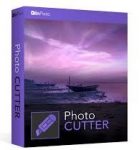
inPixio Photo Cutter 1.5.92

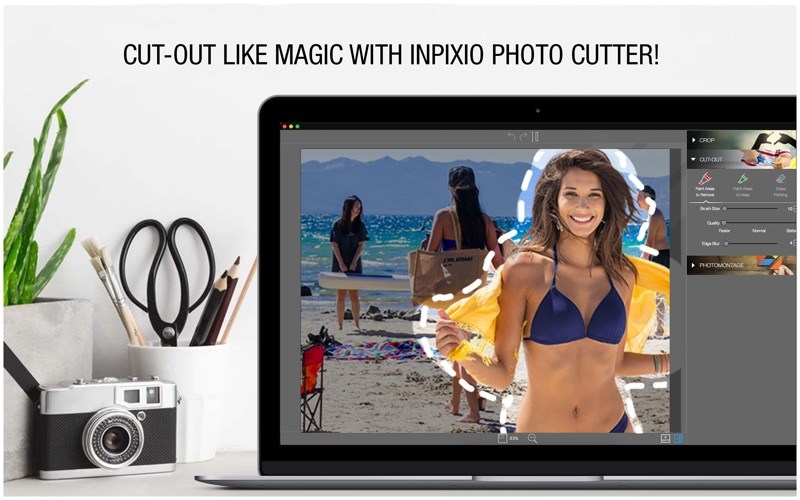
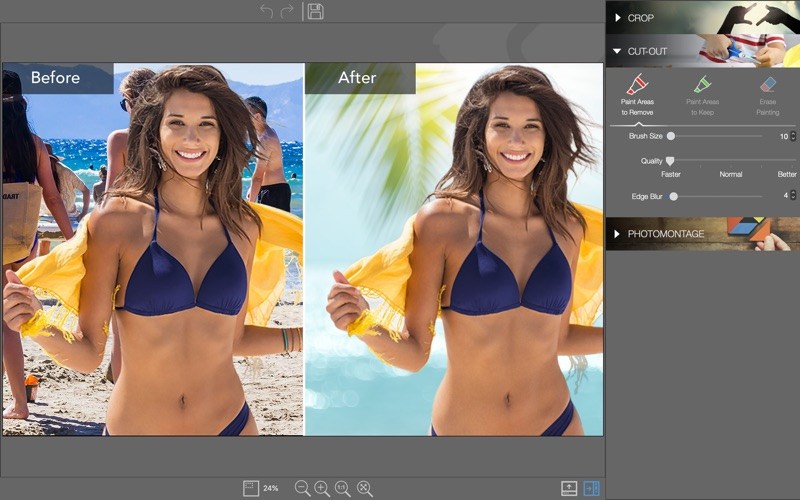
With inPixio Photo Cutter, Cut-out any detail, person, object or landscape element from your photos. Select the shape of the object thanks to the cursor or the background to remove, Photo Cutter algorithm runs automatically!

You can also use the “retention” cursor for important details to keep and get a successful clipping! Even fine details such as hair can be removed with amazing precision.

Then simply paste the cut objects on any background to make collages or photomontages – in just 1-click!

Edge smoothing

This improved function allows you to intelligently smooth contours for a softer transition between the subject and the background, for even more successful integration into your photomontage.

Create photomontages in 3 steps only:

  1. Choose the photo for your photomontage
  2. Easy cut-out your photo
  3. Drag your photo on its new background!

Select a background among the original pictures available, or upload your own background picture for unique photomontages!

Main Features:

  • Remove Image Backgrounds
  • Cutout Defined Objects Easily
  • Compose Photo Montages
  • Image cropping: the software incorporates seven pre-defined formats (format 16:9, 4:3, etc.) or you can define your own

What’s New in

  • Release notes not available at the time of this post.
LanguagesEnglish, Danish, Dutch, French, German, Italian, Norwegian Bokmål, Portuguese, Spanish, Swedish

Compatibility: Mac OS X 10.11 and higher
Homepage https://www.inpixio.com

Screenshots


Name: inPixio_Photo_Cutter_1.5.92_Mactorrents.io.zip
Size: 194 MB
Files inPixio_Photo_Cutter_1.5.92_Mactorrents.io.dmg[194 MB]

   Download

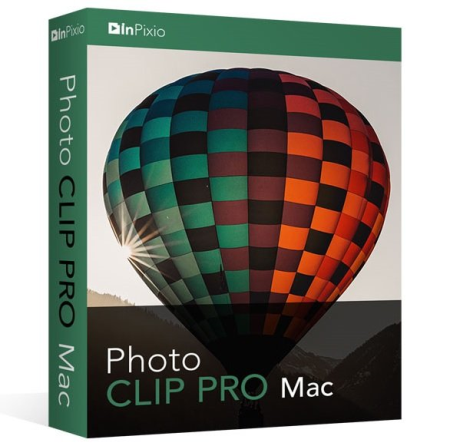
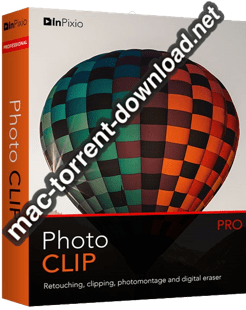
InPixio Photo Clip Pro Mac 1.1.9


Download InPixio Photo Clip Pro Mac 1.1.9

inPixio Photo Clip Pro Mac is a software program for editing and improving your photos. It allows you to perfectly cut out objects or people in your photos with ease! With the erase tool you can also remove unwanted features in the landscape and correct defects in a few clicks. You can produce creative montages too thanks to the many backgrounds available.

Features

Photo editing has never been easier!

  • Remove unwanted features
  • Cut out people with remarkable precision
  • Create montages from your photos

ONLY in the Professional version: Complete editing module to enhance your photos

  • Add filters & photo effects
  • Change the colour & brightness etc. to get the most out of your favourite shots!

In this professional version, you will also be able to benefit from a whole host of features, especially for retouching your images. Modules such as Noise reduction will enhance your photos and give them an original and creative look worthy of a professional.

Erase function

This will allow you to remove any object or person from your photo without any fall-off in the optimised quality. The erase slider features automatic detection of colour contrasts, assisting you at any point in your path. inPixio Photo Clip Mac allows you to erase an object just like an eraser, simply by highlighting the unwanted parts of the image, and reconstructs the structures of the background. Correct any residual imperfections with the cloning stamp.

Cloning stamp

Use the cloning stamp to perfect your editing or to clone contrasting features. Existing objects can be redrawn on the screen with the cloning stamp. Repeat this process as often as you like to create amazing double effects!

Cutting out in a few clicks

With inPixio Photo Clip, your digital scissors, cut out any detail, individual, object or even landscape in your photos. Select the outline of the person using the slider or the background to erase, and the Photo Clip algorithm then runs automatically! Conversely, you can use the “keep” slider for important features to make sure your cut-out is perfect. Even hair, drops of water and the finest details are removed from the background down to the nearest pixel.

Choose a background:

Then put the cut objects on the available backgrounds to make photomontages or collages in an instant! Just select your background pattern from the new original images, or download your own images for unique photomontages.

Add filters:

From over 100 filters classified by theme, choose the one which best suits your photo.

Add a frame:

Find the right frame for your photo from over 100 models sorted by type (classic, retro, sport, travel etc.)

Crop your photos:

Crop your photos manually or choose from the suggested crop formats: 1/1; 16/9; 3/4 etc. You can also rotate your images and adjust the angle.

Noise reduction module

Effectively reduces the noise present in your photos taken under restricted light conditions.

Sharpness module

Allows greater sharpness to reveal all the details of the images

Film grain module

Adds grain to give the photo an artistic or retro effect.

Creative blur module

A brand new module allowing you to blur all or part of your photo.

Tone curve:

Play with the tone curves to obtain light or dark hues and adjust the RGB (Red, Green, Blue) curves one by one.

Vignetting:

Obtain a “concealed” effect or draw attention to a specific object.

Add different textures:

All categorized by theme (Light leak, grain, film, geometric, material etc.). It is also possible to adjust their opacity and the intensity of the texture as required.

Add text:

Choose the fonts, color, thickness and add opacity.

Information

CompatibilityMac OS 10.11 El Capitan, Mac OS 10.12 Sierra, Mac OS 10.13 High Sierra, Mac OS 10.14 Mojave
LanguagesEnglish

What’s New in InPixio Photo Clip Pro Mac 1.1.9

  • Release notes not available at the time of this post.

Screenshots

Name InPixio Photo Clip Pro Mac 1.1.9 mac-torrents.net.zip
Size 128.6 MB
Created on 2019-10-14 13:31:04
Hash f44a065cb7bb493bf7990c535ee53e97fb37ac70
Files InPixio Photo Clip Pro Mac 1.1.9 mac-torrents.net.zip (128.6 MB)

Download