My PaintBrush for Mac is a powerful multilayer paint and drawing application. Use inspiring tools and brushes to create and save smooth images on your Mac.
√ Build up and manage multiple layers
• Merge or combine layers.
• Set the alpha value of individual layer.
• Customize the layer to be visible or not.
• Freely Change the order of layers.
• Delete unwanted layers.
√ Operations on each layer
• Customized times undo/redo.
• Flip horizontally and vertically.
• Move selected zone.
√ Familiar preset tools
• Erasers, Fill tools, Colorpicker, Zoom In.
• Straight lines, Curves, Rectangles, Rounded-rectangles, Ellipses.
• Text: customize font, size, color of text.
• Palette: set the foreground and background color for tools.
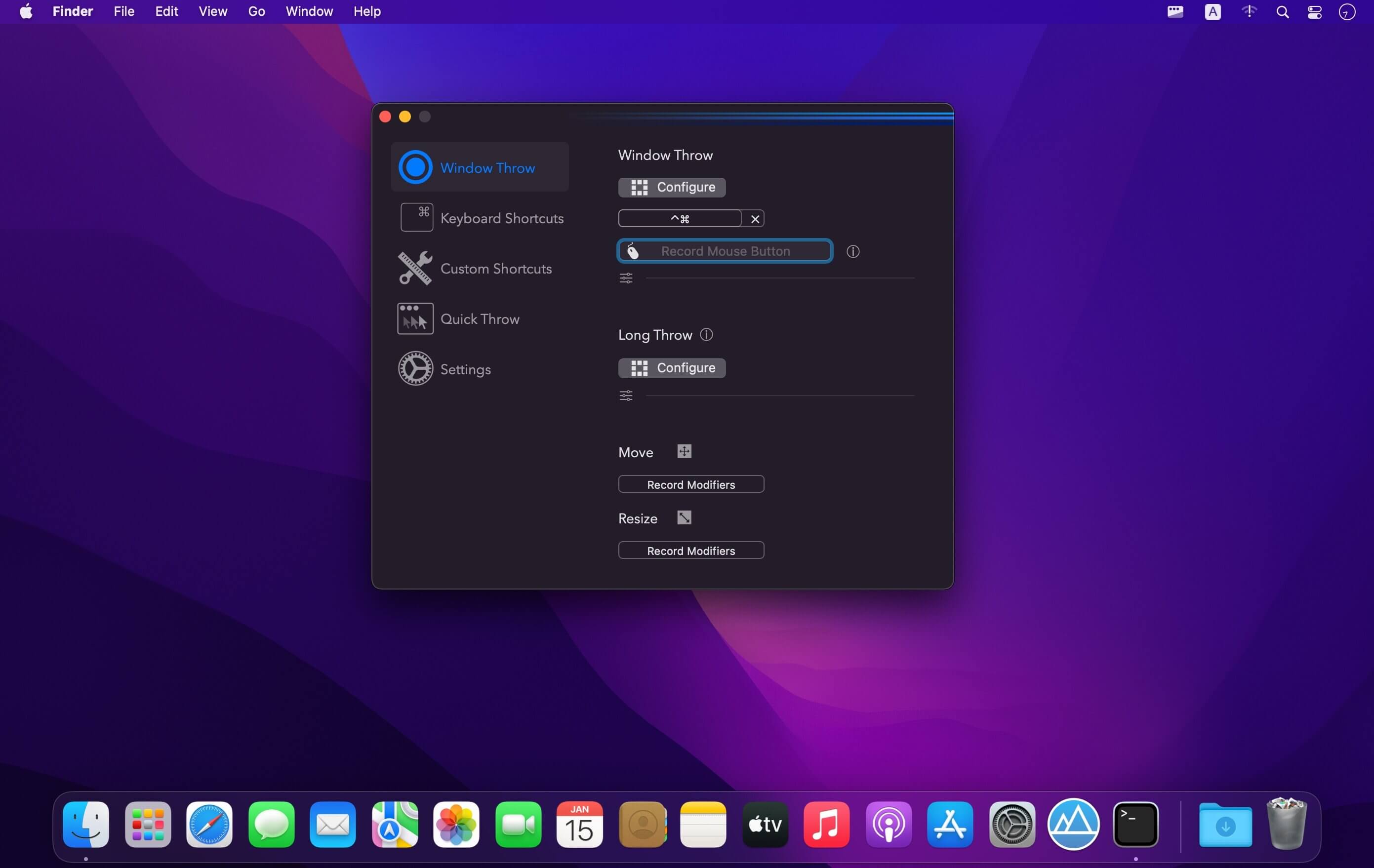
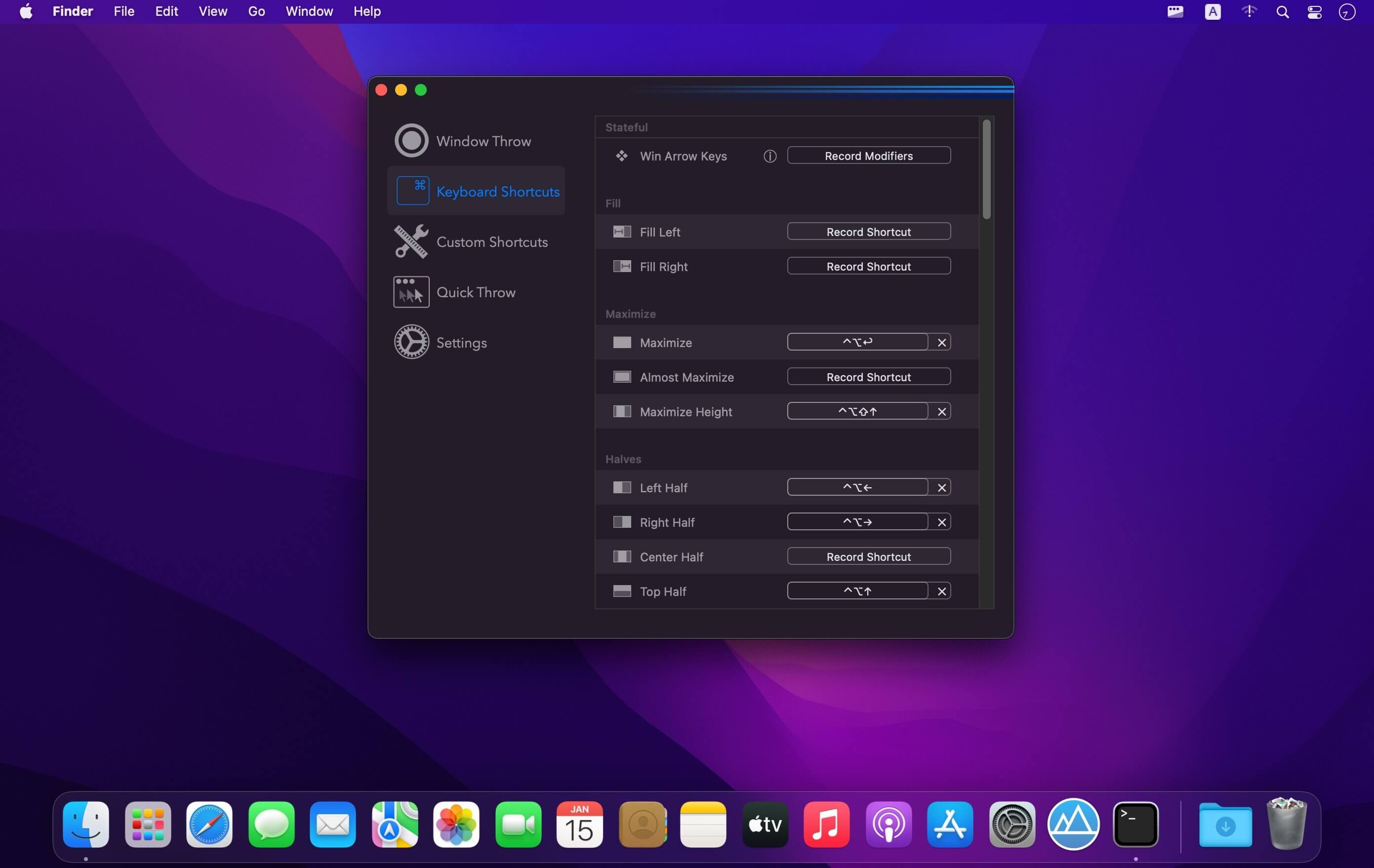
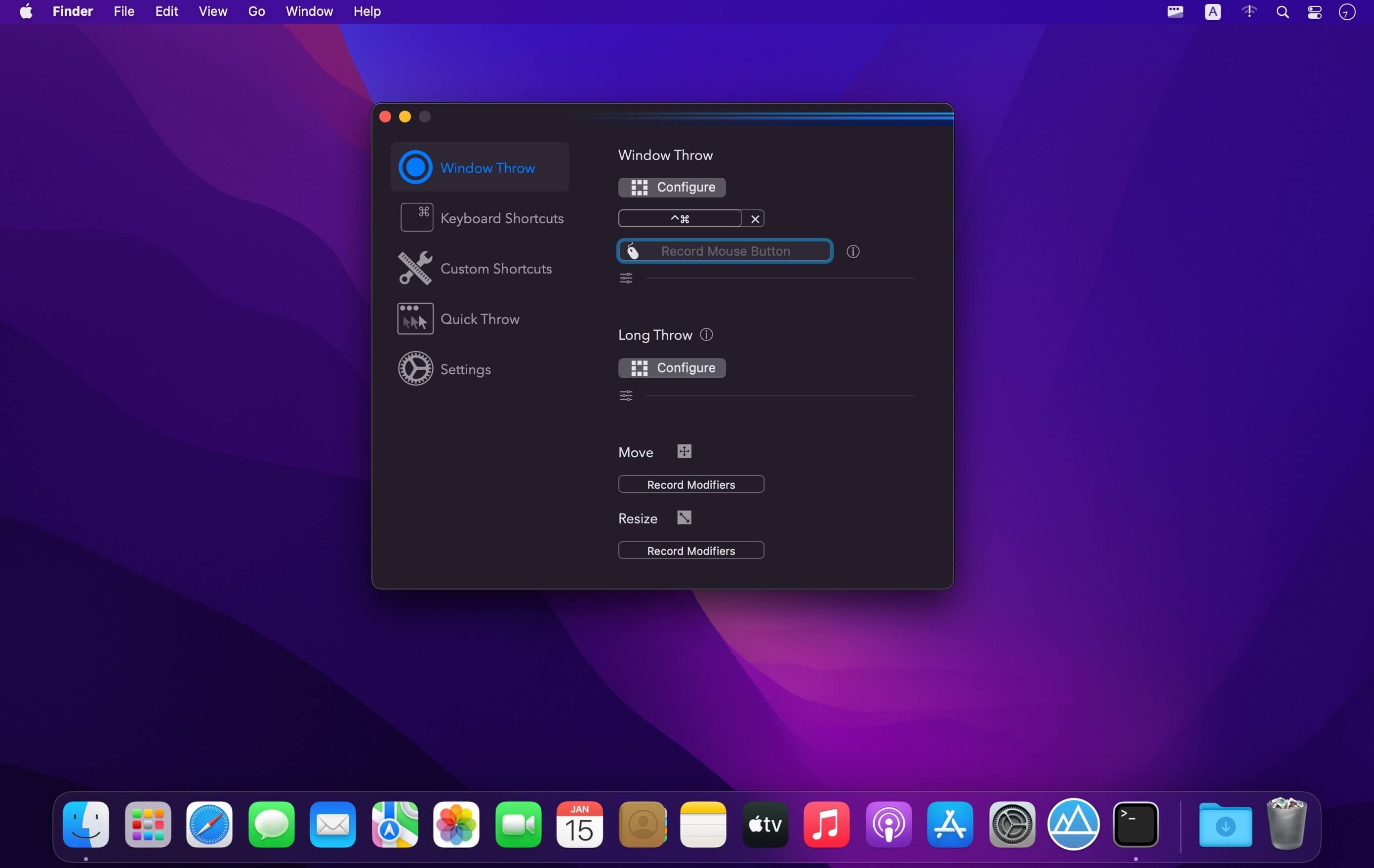
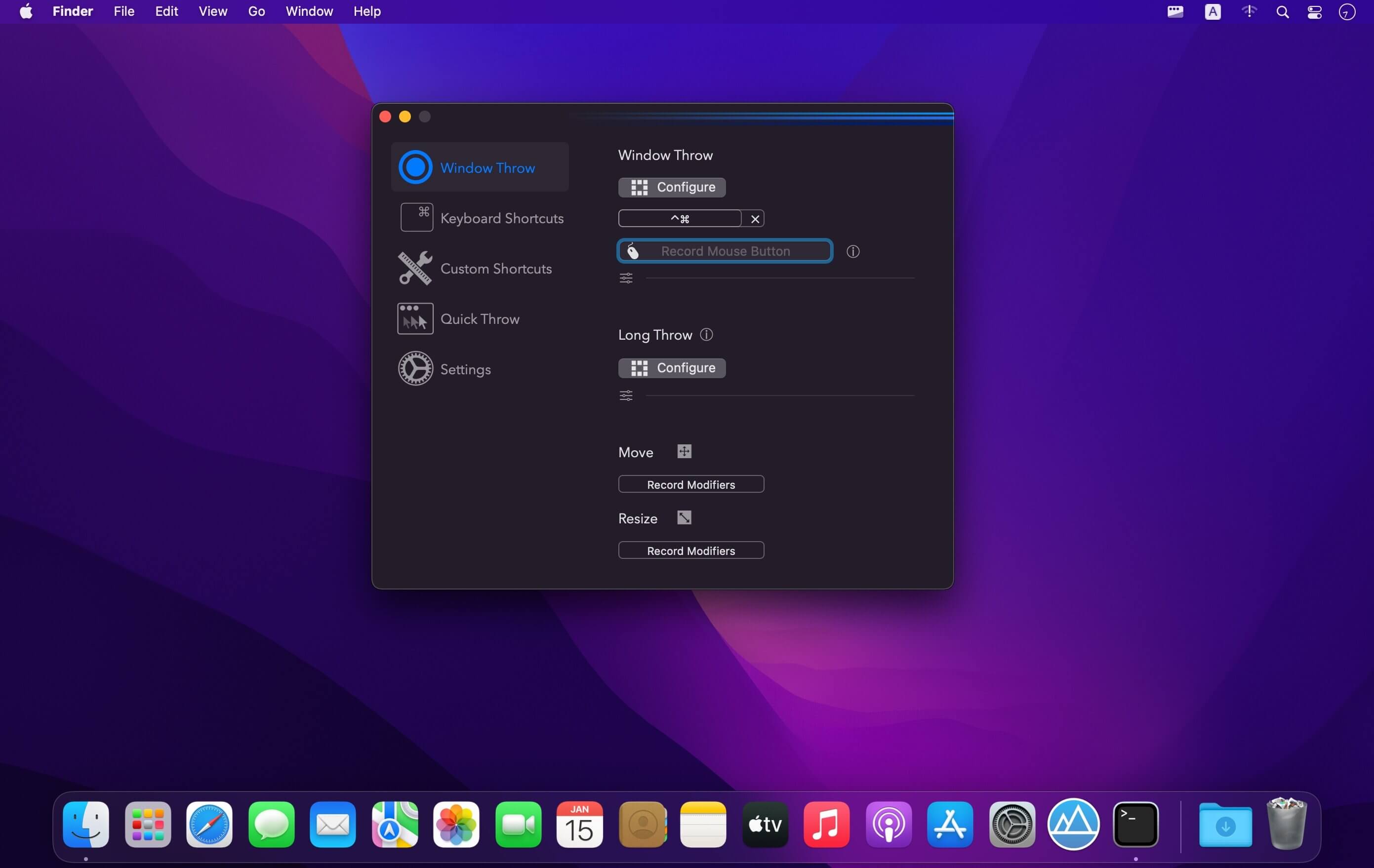
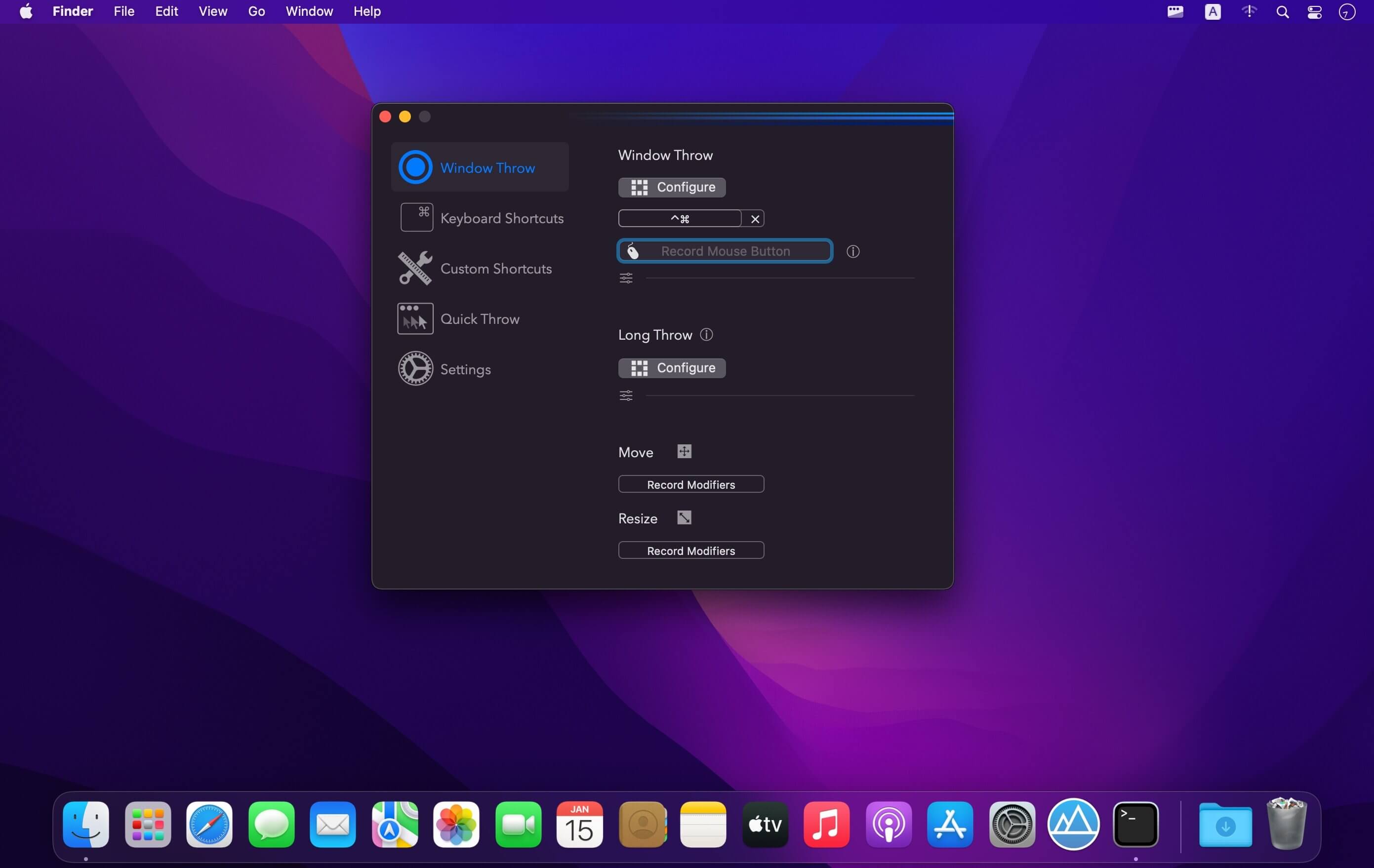
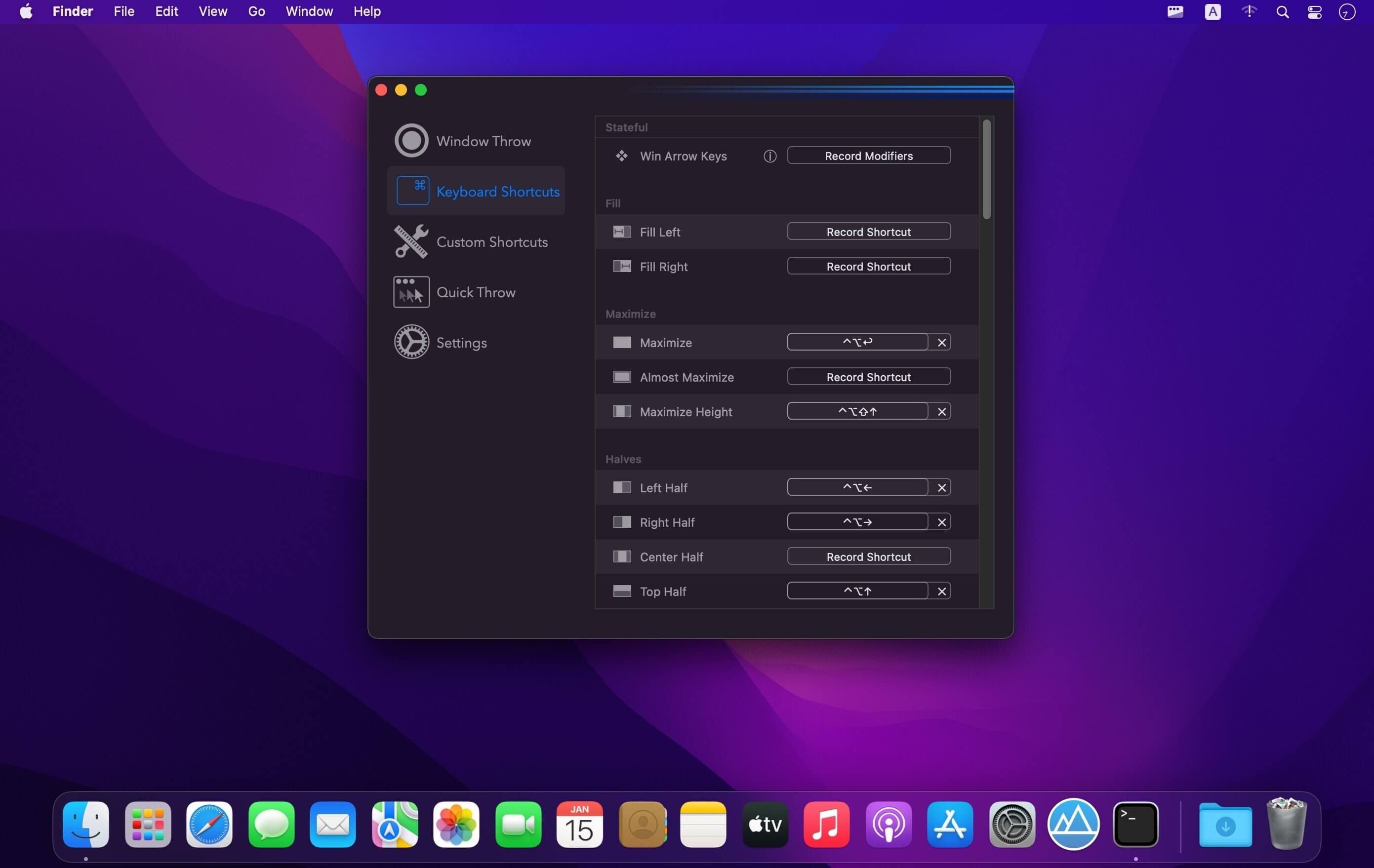
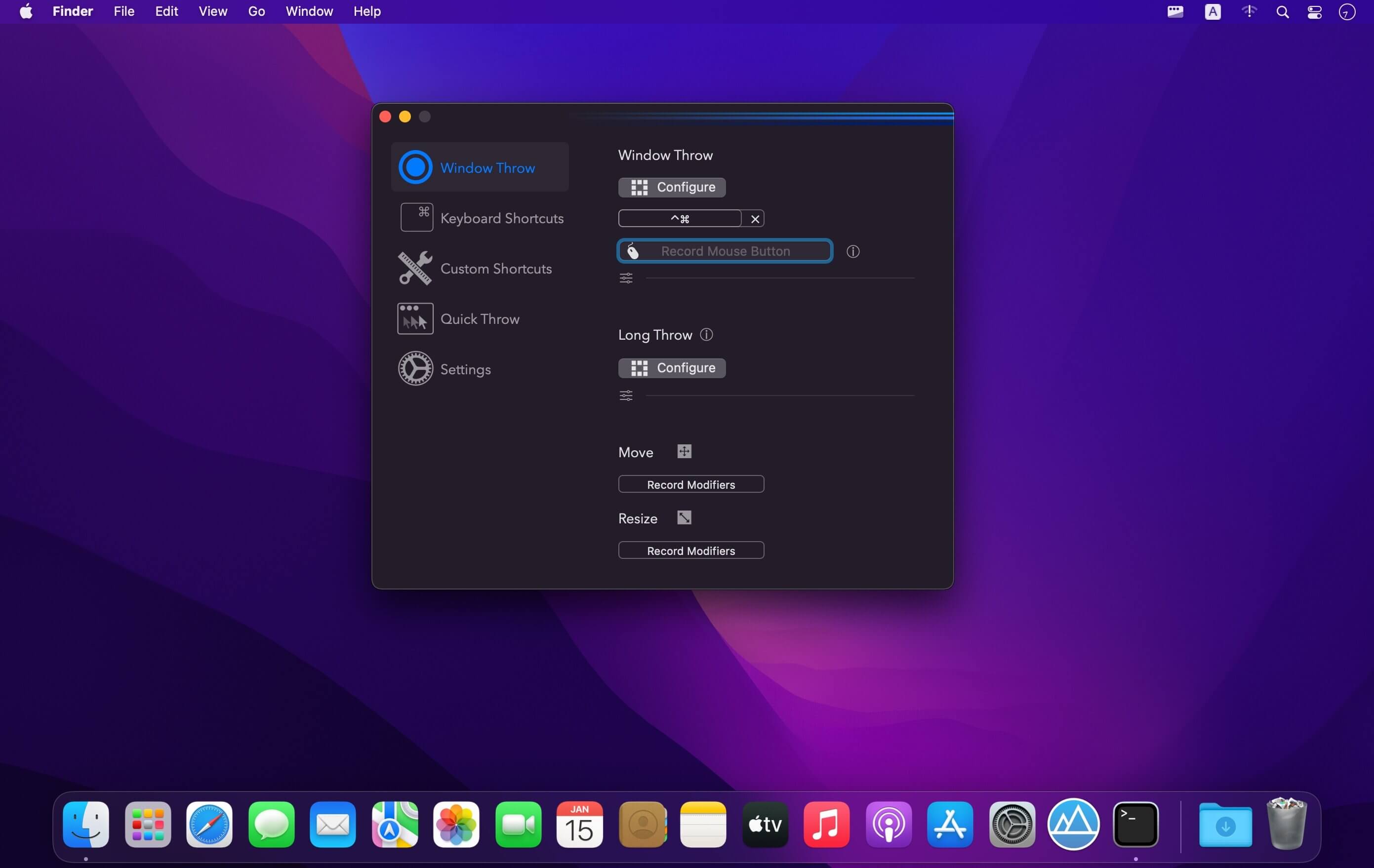
(Formerly Hookshot) Snap windows faster in this featureful Rectangle superset. Toss windows in the right places with cursor movement, move multiple windows with one command, create custom shortcuts, and more.
Features
16 window sizes & positions
Keyboard shortcuts
Drag windows to screen edges to snap
Move and resize by holding a key and moving your cursor
Snap windows under your cursor, even if not in focus
Custom shortcuts for any size & position
What’s New:
Version 3.0.16:
Release notes were unavailable when this listing was updated.
*** You need to disable the System Integrity Protection (SIP) to perform the selected Application.
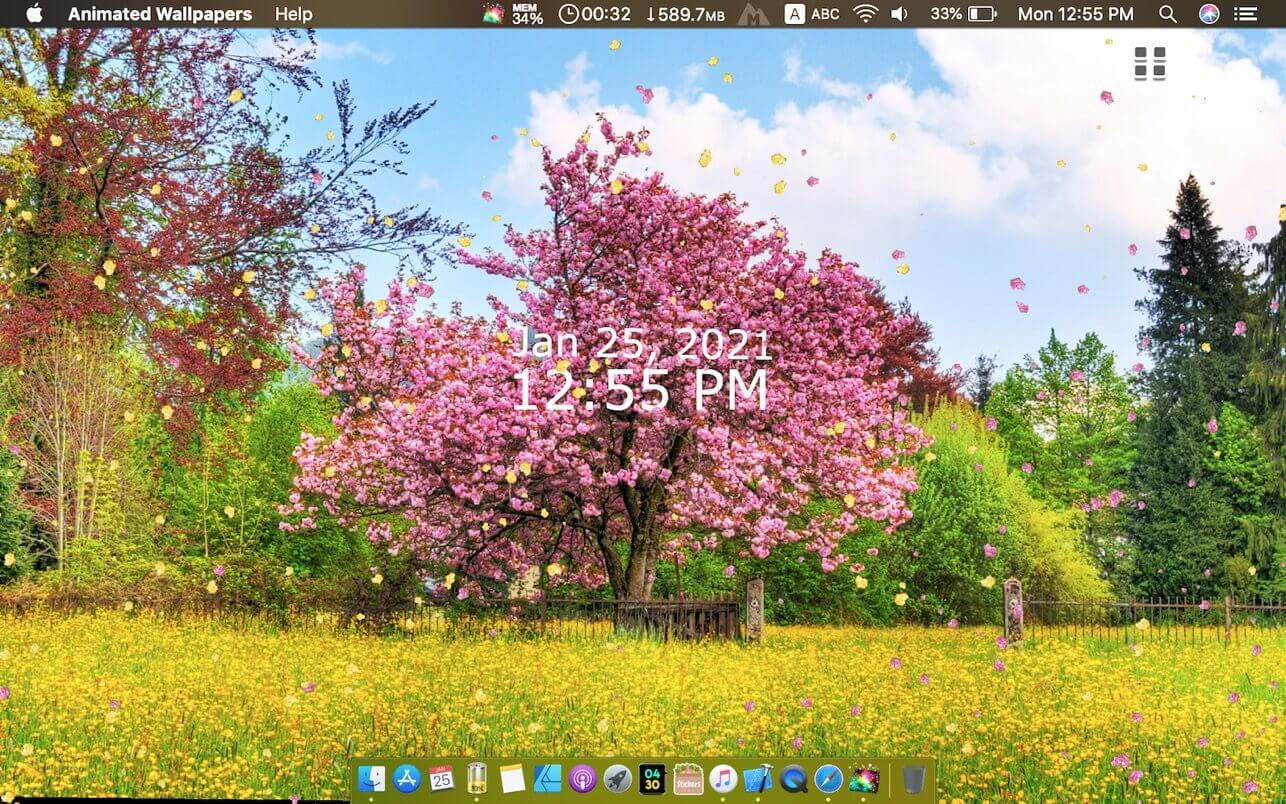
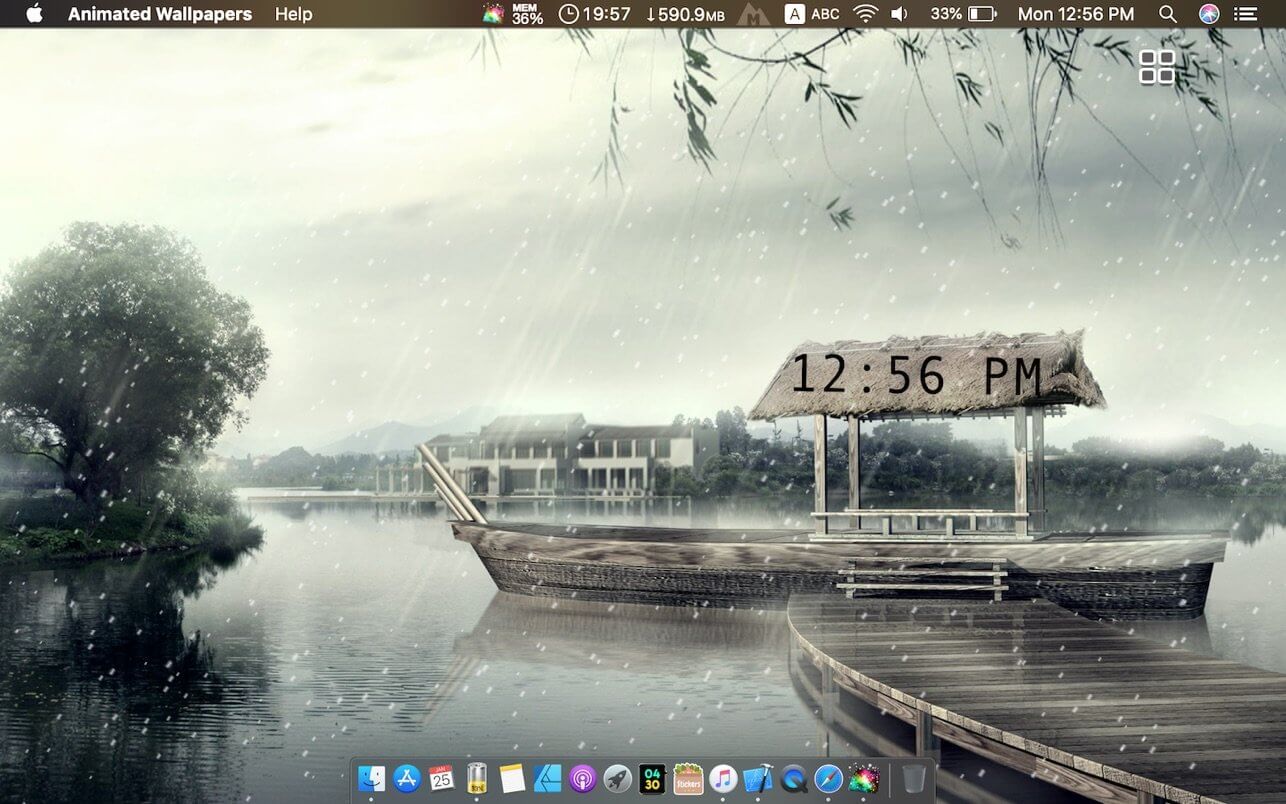
Live Wallpaper HD offers a selection of beautiful, themed scenes that will add life to your desktop. From cityscapes and sunsets to far away galaxies – each with a cleverly integrated clock and weather widget – your screen will always have that special touch.
Customise your weather widget and clock style and also create your own personalised wallpaper by using your favourite pictures.
Features:
14 live desktop wallpapers plus option to design your own
Use your favourite photos and select your favourite clock and weather widget style for a customised wallpaper
Detailed weather forecast window by clicking the dock icon
Current time in various analog or digital styles
Current conditions and weather forecast supporting multiple locations
Show desktop functionality that doubles as a screen saver with a timer to reveal wallpapers when your computer is idle
Hot corners can also be used to instantly activate the app as a screensaver
Informative Dock icon shows at-a-glance weather conditions and temperature (current, today’s or tomorrow’s forecast) even when wallpaper is not activated.
Wallpapers can be selected individually or randomly with a timer
App can show either Fahrenheit or Celsius temperature units
Most wallpapers are in Retina resolution (2880×1800). Moving scenes are all Full HD (1080p)
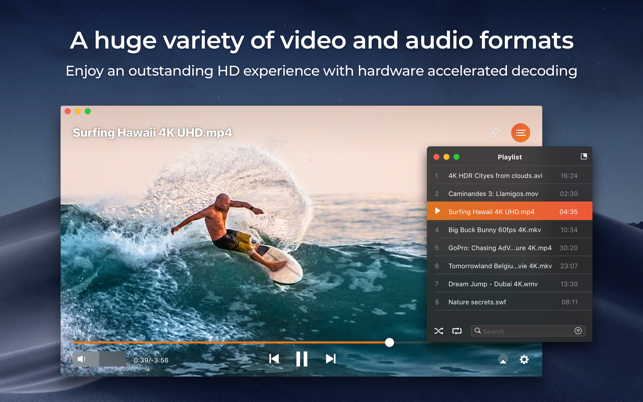
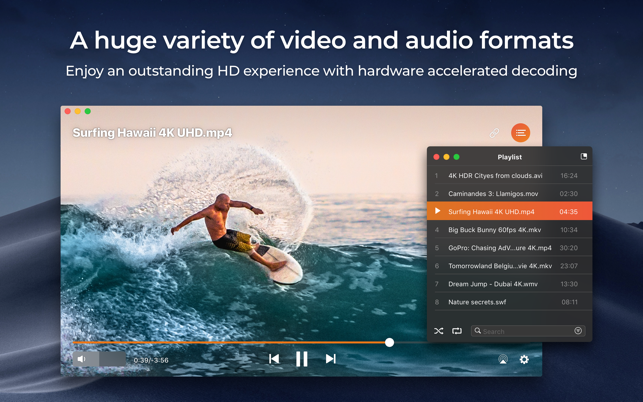
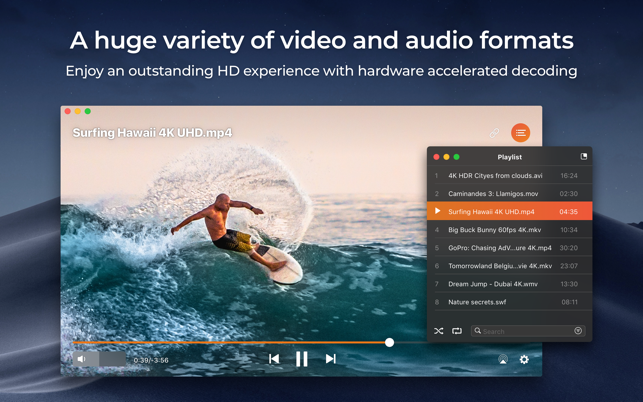
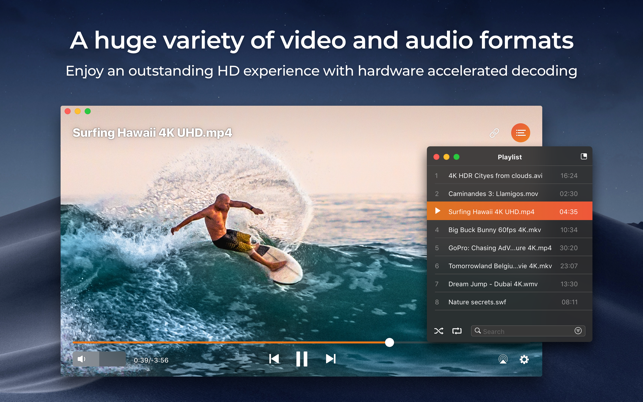
Elmedia Video Player is a free media player for macOS. It can play pretty much any file type, be it AVI, MP4, FLV, WMV, MKV, MP3, M4V etc. Elmedia Video Player is an all-in-one solution, that doesn’t call for any additional plugins or codecs.
Elmedia Player is available for Apple TV now!
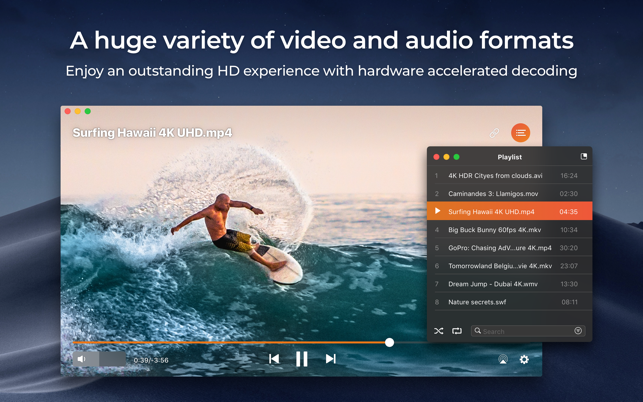
This player has a wonderful HD experience to offer to its users thanks to a native hardware accelerated decoding that unloads the processor and brings the smooth and clean video onto the screen.
Highlights:
Video and audio playback
Keep the player on top of all apps to never miss a moment of the movie.
Will play any audio track including external.
Offers its own volume control.
Works great with various subtitles files. Supports Eastern Asian languages, Arabic, Hebrew, etc.
Subtitles: utf, srt, ass, smi, txt, ssa, smil, jss, rt, idx, sub, xml
Flexible settings
When watching a movie with subtitles Elmedia Video Player can put them in perfect sync with the video in case there is some mismatch.
No conversion needed to play a DVD or a video that was copied from DVD.
Extra useful features of Elmedia Video Player PRO!
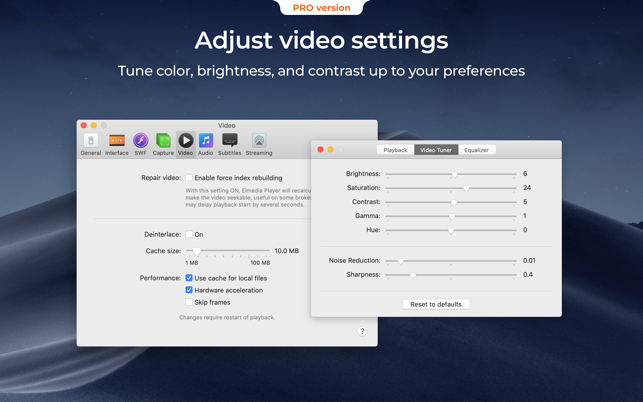
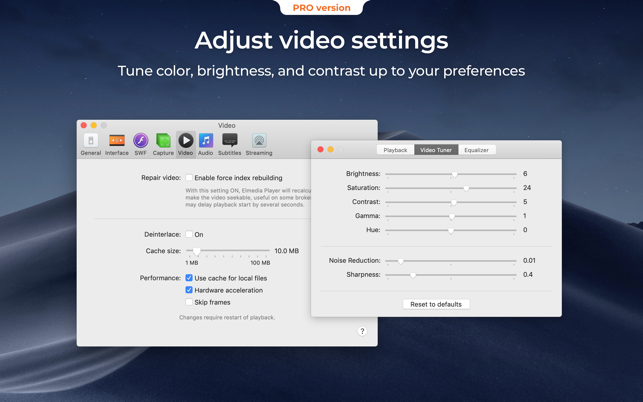
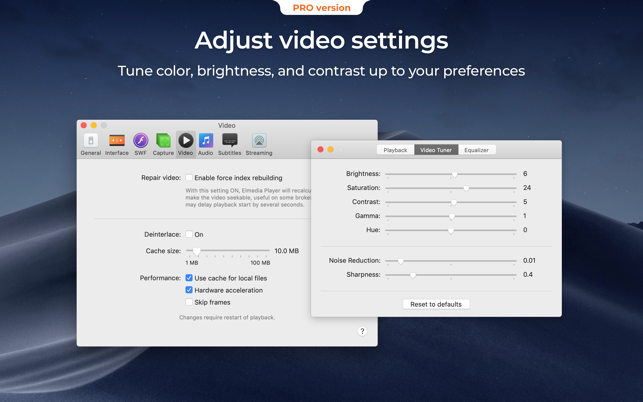
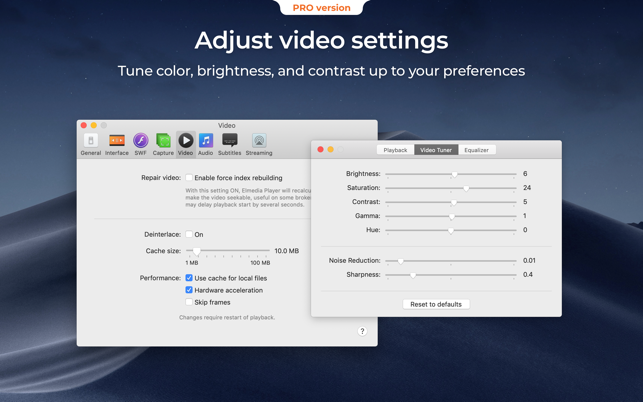
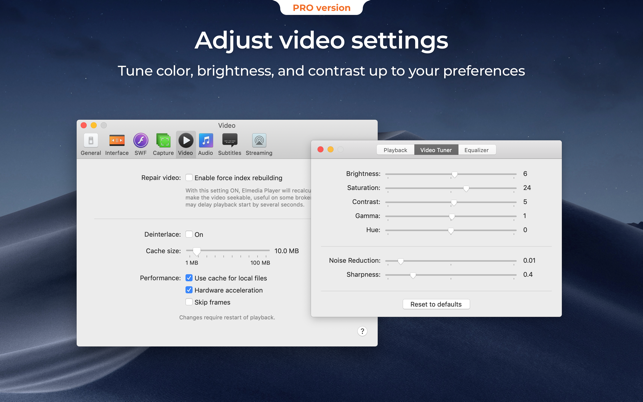
Adjust brightness, contrast, saturation, and more even during playback.
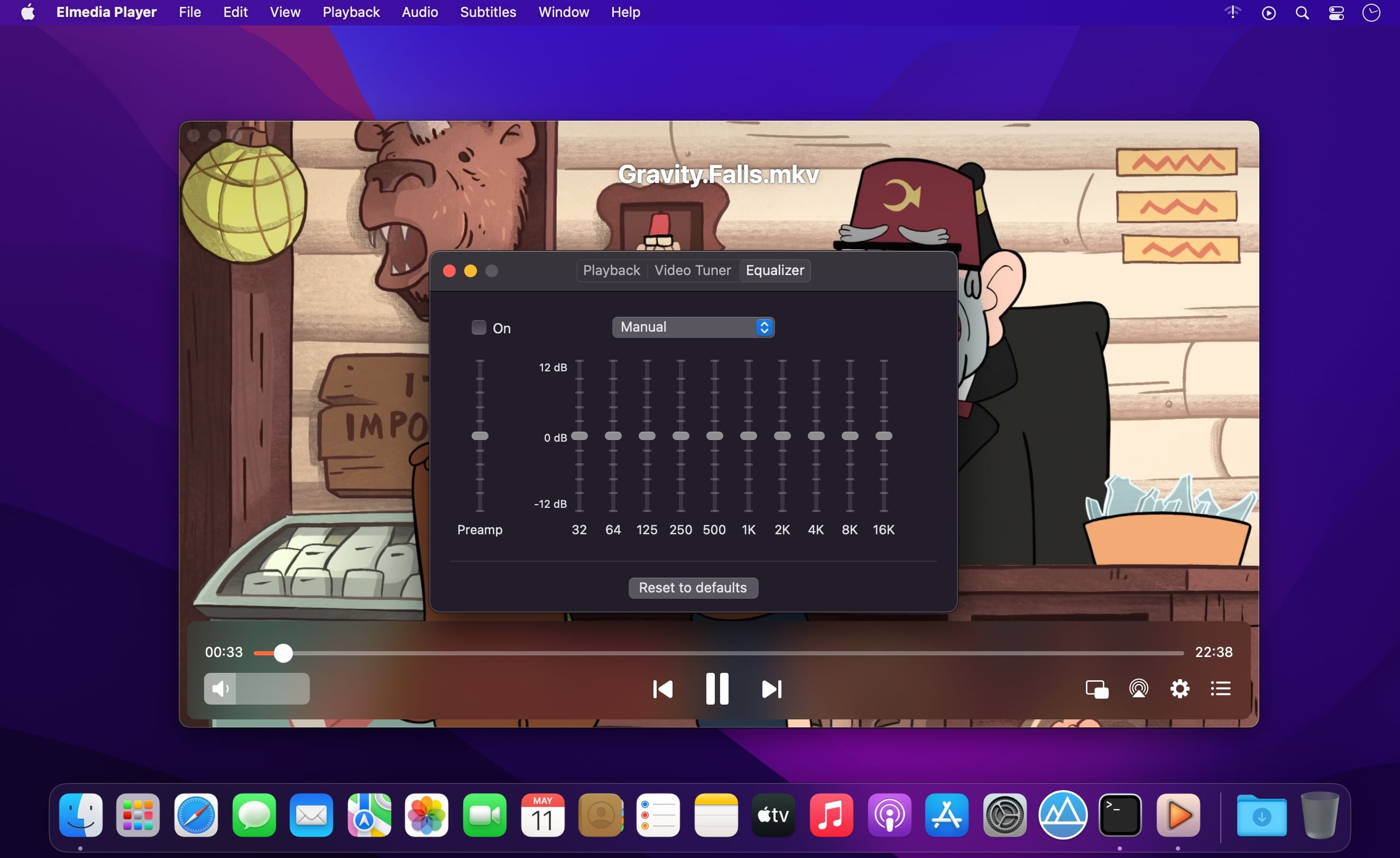
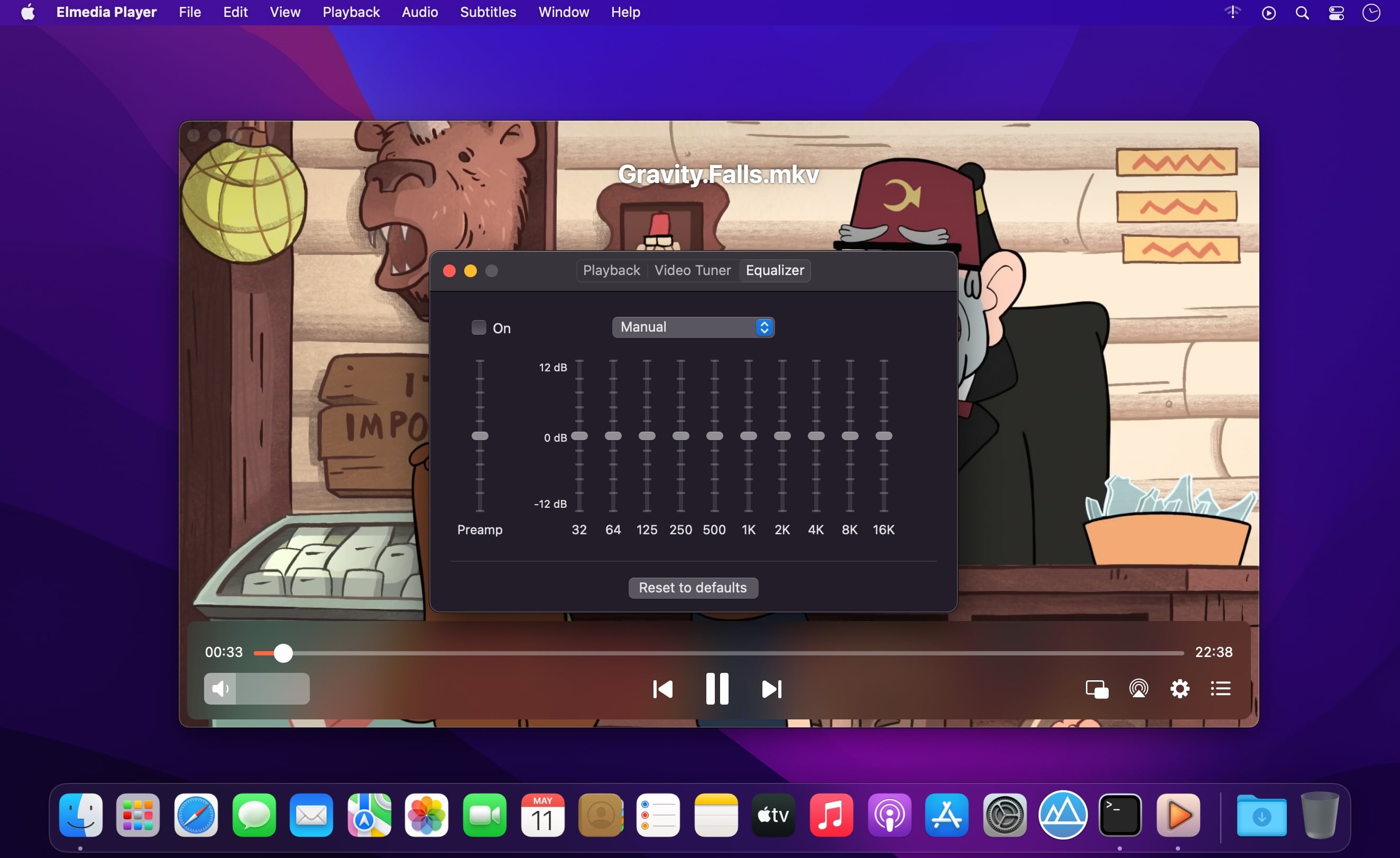
Make the sound perfect for your ears with a 10-band equalizer. Choose one of existing presets (Large Hall, Party, etc.) or create your own unique sound.
Make a screenshot of any moment in the movie or make the entire video a series of pictures with adjustable interval.
Take the most out of virtual surround and speakers emulation.
Select the output device for audio.
Transmit AC-3/DTS through S/PDIF.
A couple of other convenient playback possibilities:
Select the language for the sound and subtitles;
Set up which monitor will show fullscreen;
Flip, rotate and mirror the video;
Loop any part of movie or music video continuously;
Deinterlace and image enhancement.
AirPlay!
Elmedia can stream to different AirPlay devices and other Mac computers with Elmedia installed. Things to note:
No need to convert any files like AVI, FLV, MKV, 3GP videos to watch them on Apple TV.
Note: Elmedia Player does not stream VIDEO_TS, .swf, and .exe files.
Embedded and external subtitle files are supported by the player.
With Elmedia you can stream YouTube videos to Apple TV. YouTube videos in FLV, MKV, 3GP formats are not supported by AirPlay.
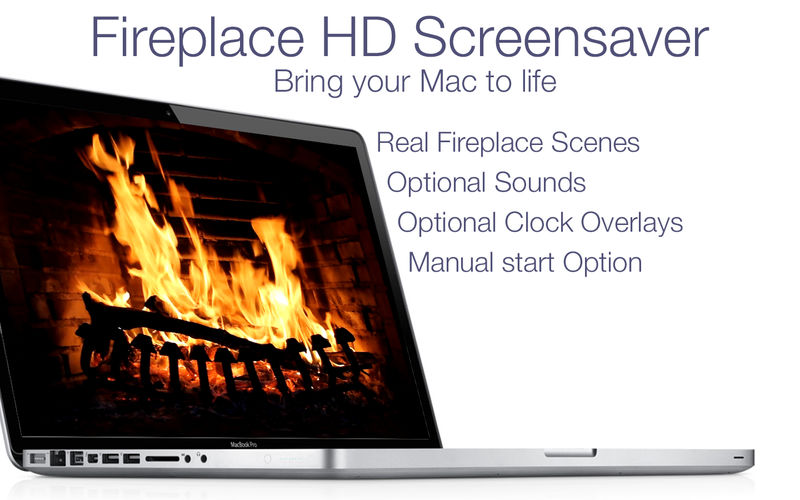
Turn your screen into a beautiful fireplace!
Very relaxing to have running in the background while you work or rest.
We don’t all have the luxury of our own fireplace at home, but with Fireplace Live HD you can enjoy the visuals and sounds of a real fire anytime, at home or anywhere! Turn it on to create an instant warm, cozy effect, romantic setting or just a beautiful, relaxing background for any occasion.
High Quality HD Videos
Looped playback with smooth transitions, no sudden jumping
Elmedia Player is a video and audio player that will play virtually any file you throw at it, be it MP4, AVI, MOV, SWF, DAT, MKV, MP3, FLAC, M4V, FLV or any other common format. No need for additional codecs, plugins – this app has everything you need for your files playback.
Elmedia Player guarantees a perfectly smooth HD experience thanks to hardware accelerated decoding.
Highlights:
Elmedia Player proudly offers:
Video and audio playback options
Supports multiple audio tracks, including embedded ones as well as external audio files.
Full-screen mode that even offers you a choice, which monitor will be showing the full-screen video.
Native volume control.
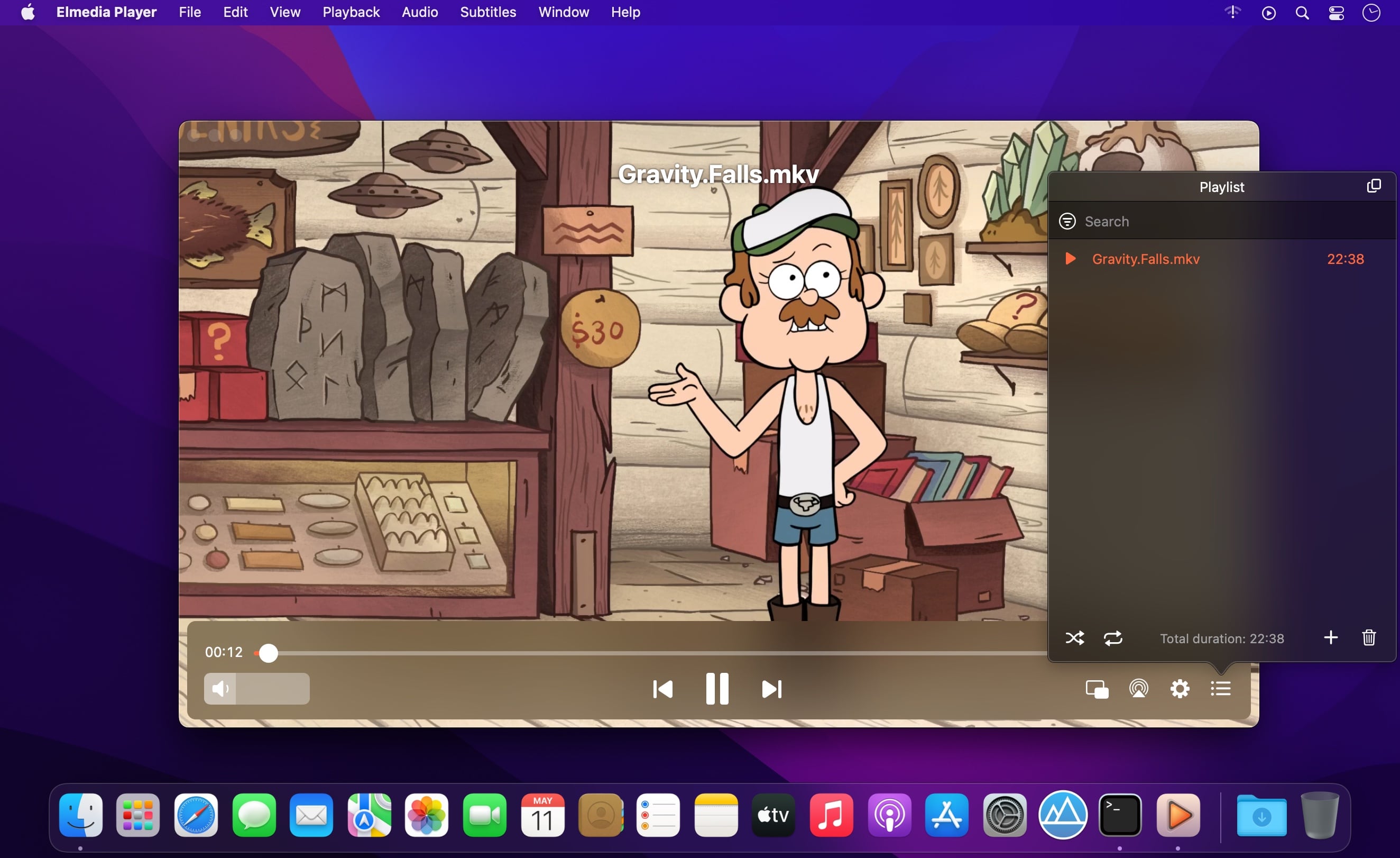
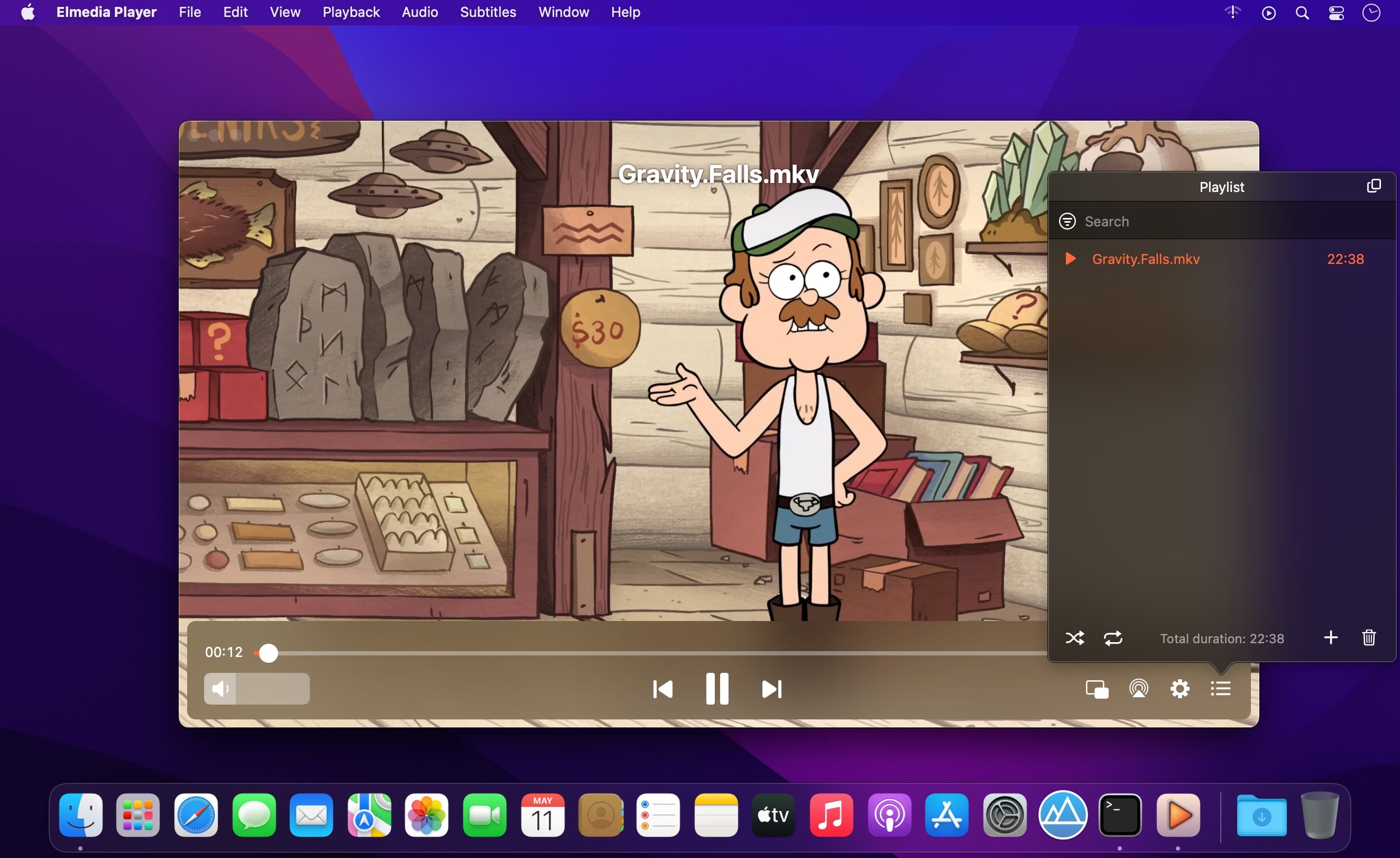
Creation and easy control over playlists.
The player can be conveniently pinned on top of all active apps.
Fit the image to screen.
The playback speed is easily adjusted.
Play the selected video or audio segment in a continuous loop.
Choose which external audio tracks or subtitle files the player will load: all with movie name, same name as movie or all in directory.
Stream local files to Chromecast, Apple TV, Smart TV and other AirPlay and DLNA-certified devices.
With Elmedia Player installed on your Mac you’ll be able to effortlessly stream local video and audio files to Samsung TV, LG TV, Sony TV, as well as many other smart TV sets.
Great streaming features offered by Elmedia:
Streams audio and video files in their native formats or transcoded in real time.
Supports streaming of up to 4K videos to compatible devices (Chromecast Ultra, Apple TV 4K, etc.).
Supports subtitles (both embedded and external).
Streams content from YouTube, Dailymotion and Vimeo without ads (via the Open Online Video option).
Supports playlists (create your very own playlists for uninterrupted streaming).
Control your streaming in the app. You can play, pause, seek, or stop the video playback. When streaming to Chromecast or DLNA devices you can also adjust the volume in player.
You can also use Elmedia Player as an audio receiver for AirPlay, which comes in handy when you need to stream audio from your phone to a Mac connected to larger speakers.
Integrated subtitles search
We have integrated Elmedia Player with opensubtitles.org service, which allows you to find any subtitles available there in a couple of clicks without leaving the player.
Flexible video & audio settings
Flip vertically, rotate, mirror videos or revert to original.
Adjust video brightness, contrast, saturation, and more.
Sync subtitles to the video in case it wasn’t in sync originally.
Choose the language for audio and subtitles when files have multiple subtitles and audio streams.
Adjust the sound for different genres, rooms, or specific speakers with the audio equalizer. Select one of the presets or create your own.
You can set an output device for audio; for advanced users: transmit AC-3/DTS through S/PDIF.
Subtitles: utf, srt, ass, smi, txt, ssa, smil, jss, rt, idx, sub, xml
Watch online videos and make screenshots
Access YouTube, Vimeo, and Dailymotion videos directly from the app without bringing up a browser; no noisy ads to distract you with Open Online Video option.
Make a screenshot of any moment in the movie or make an entire video into a set of images. Set the preferred interval between screenshots.
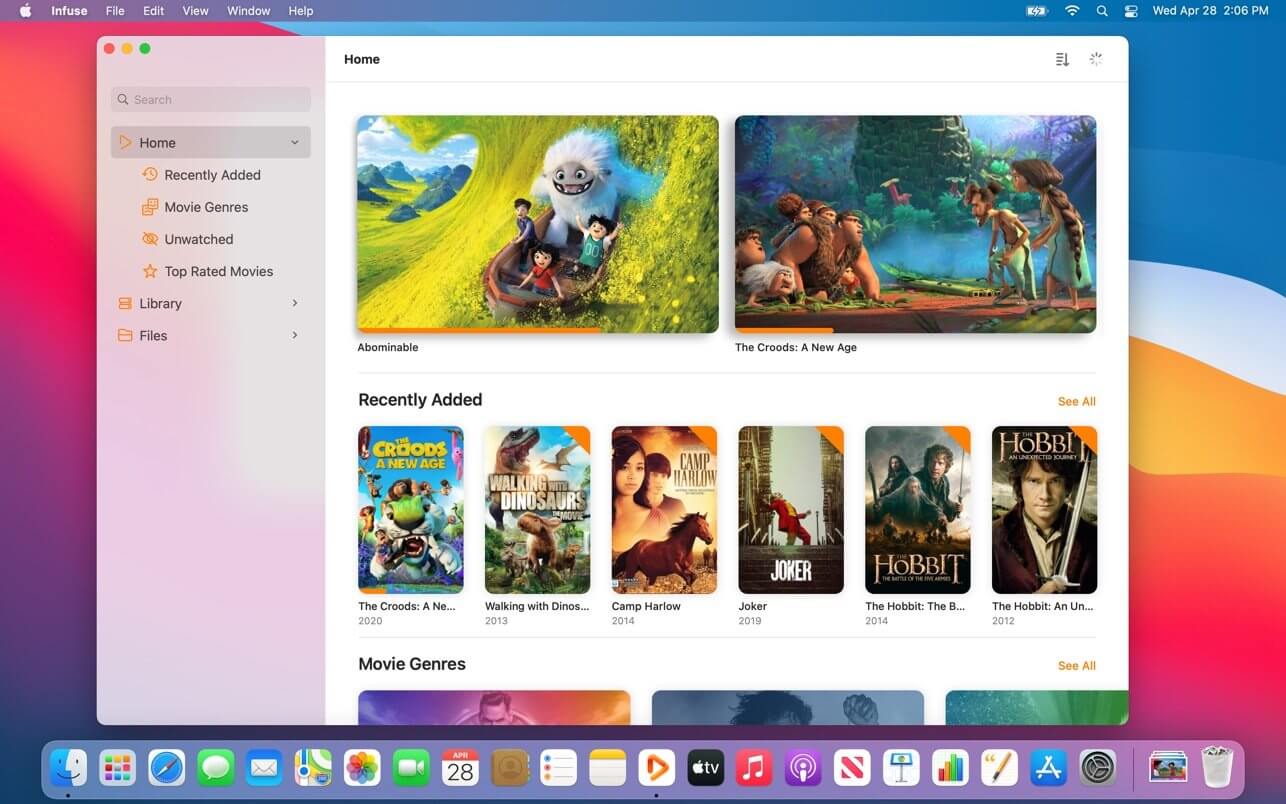
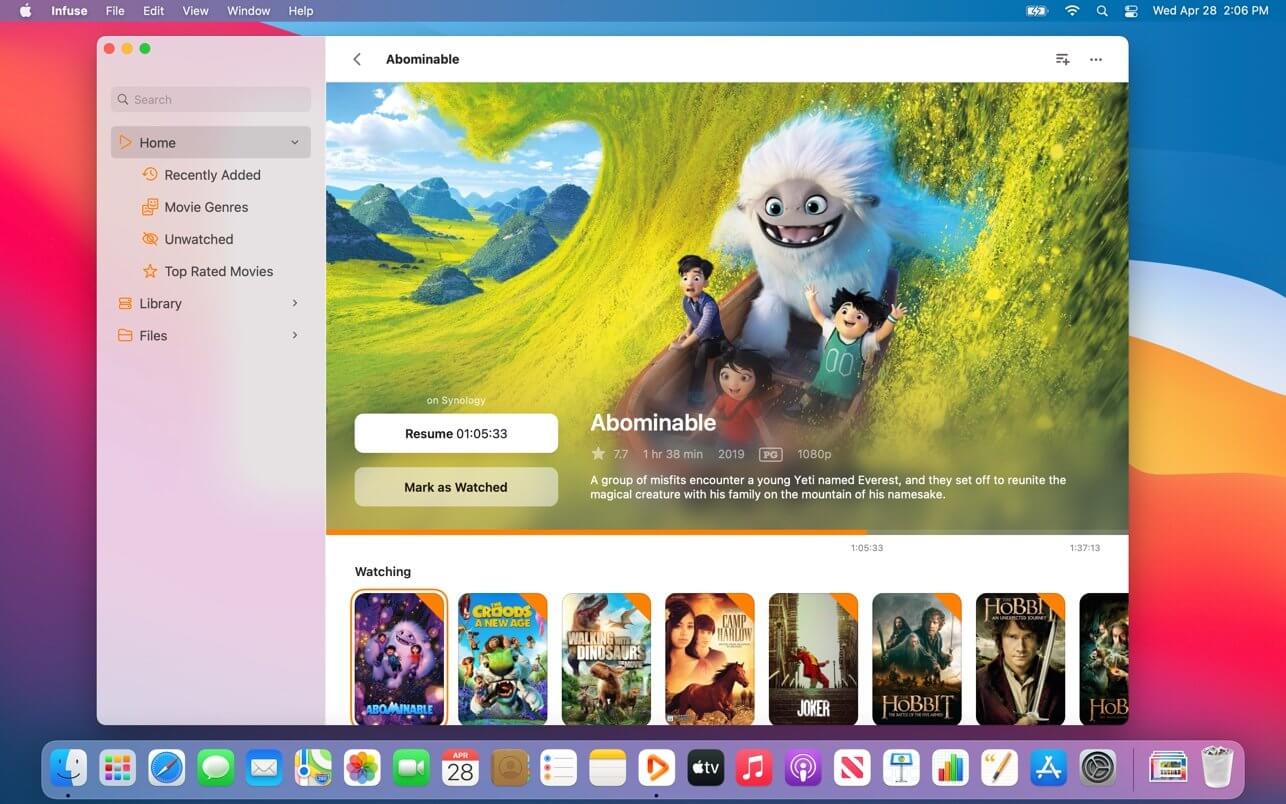
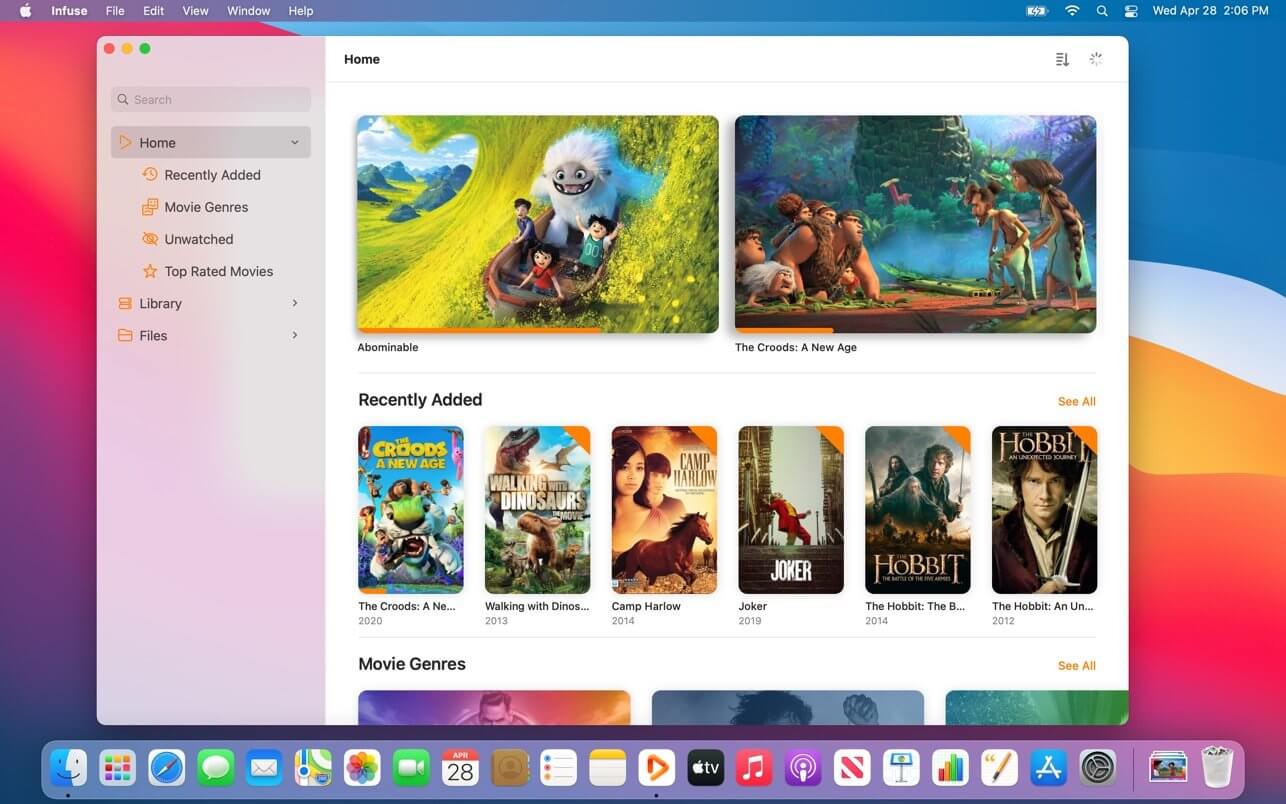
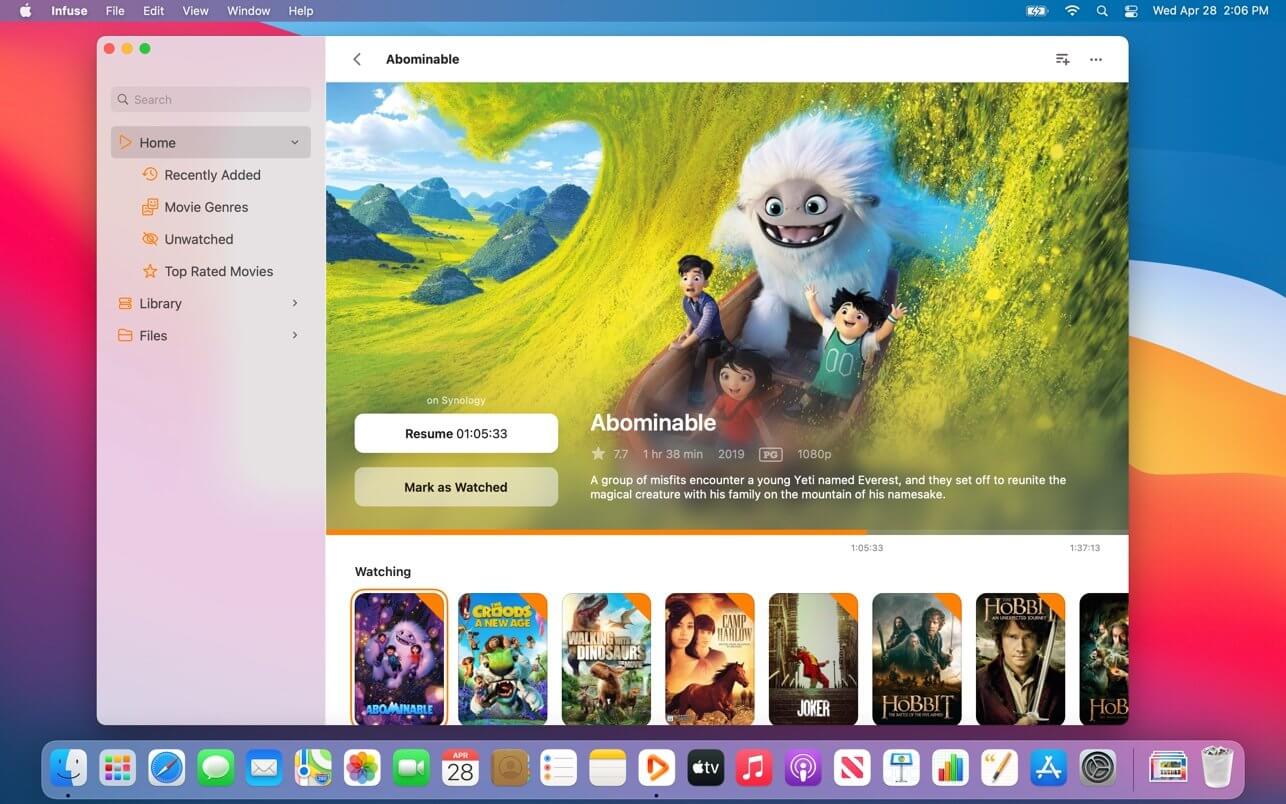
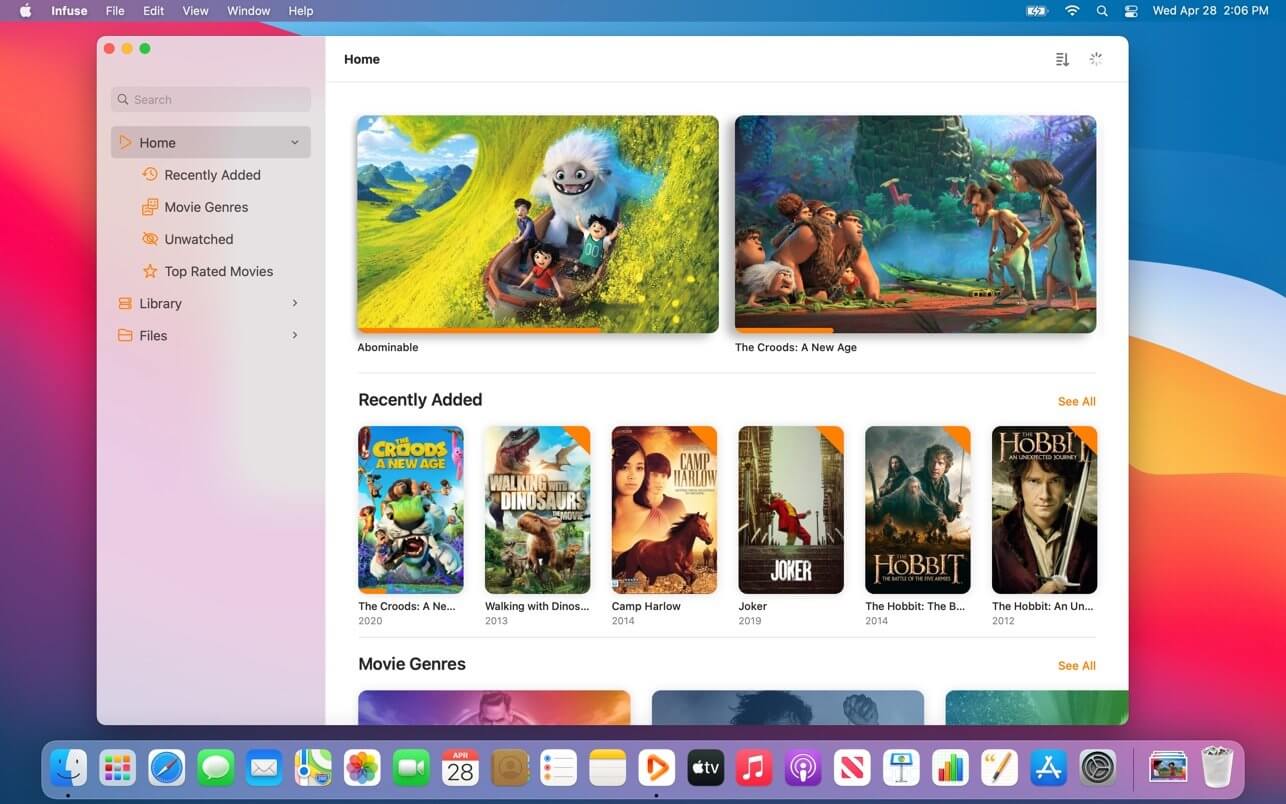
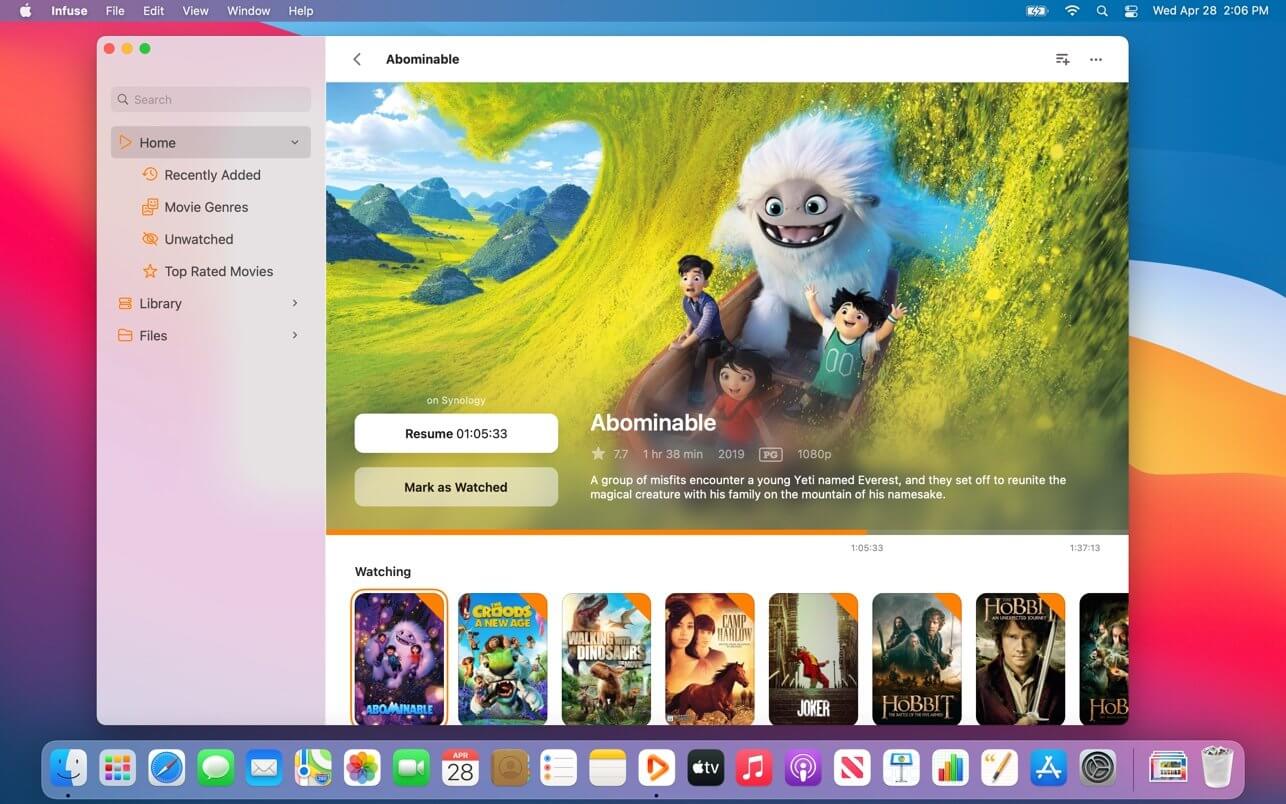
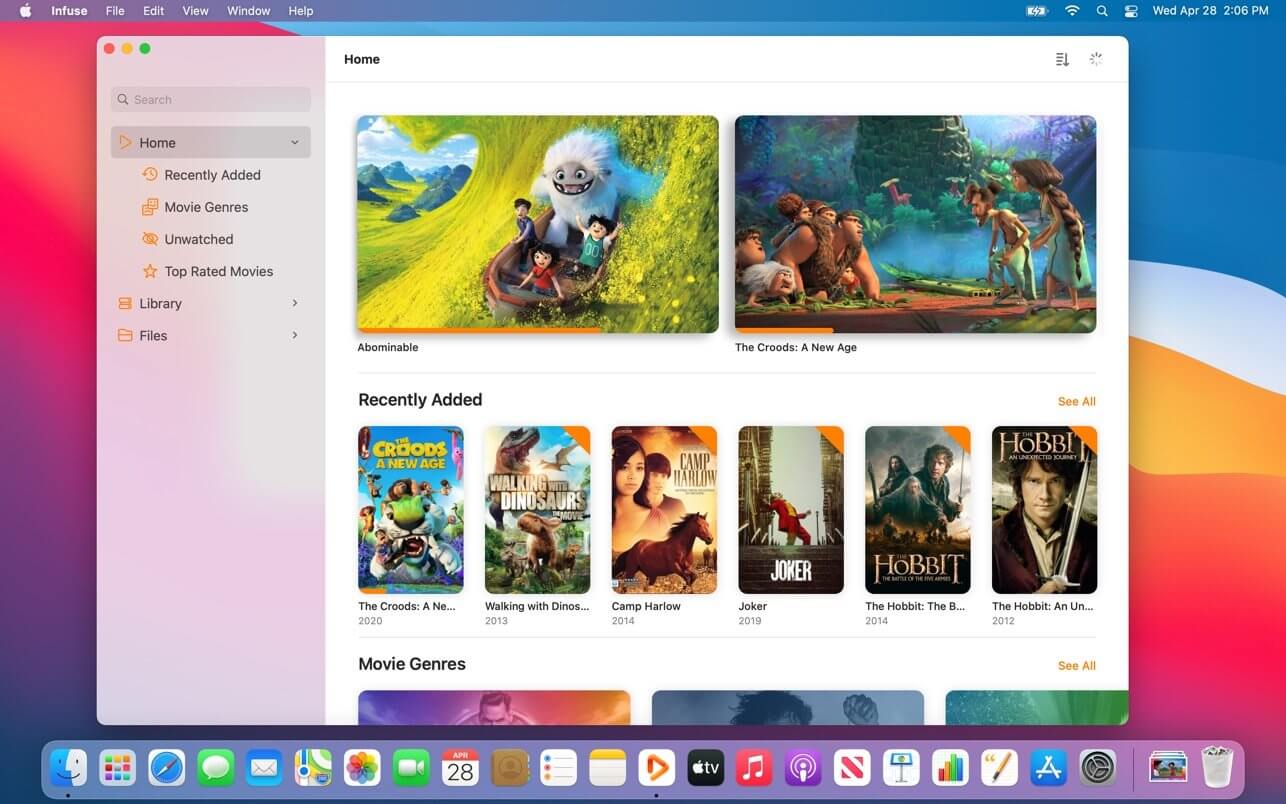
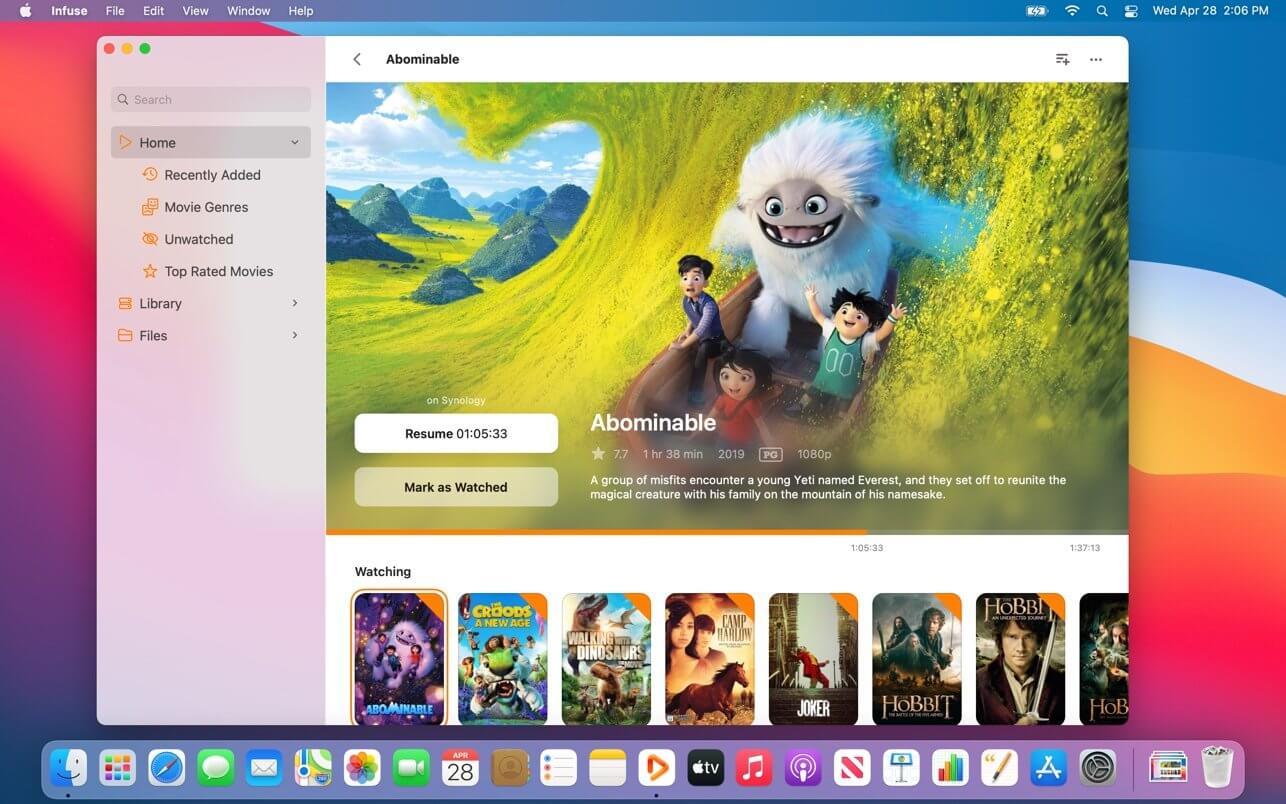
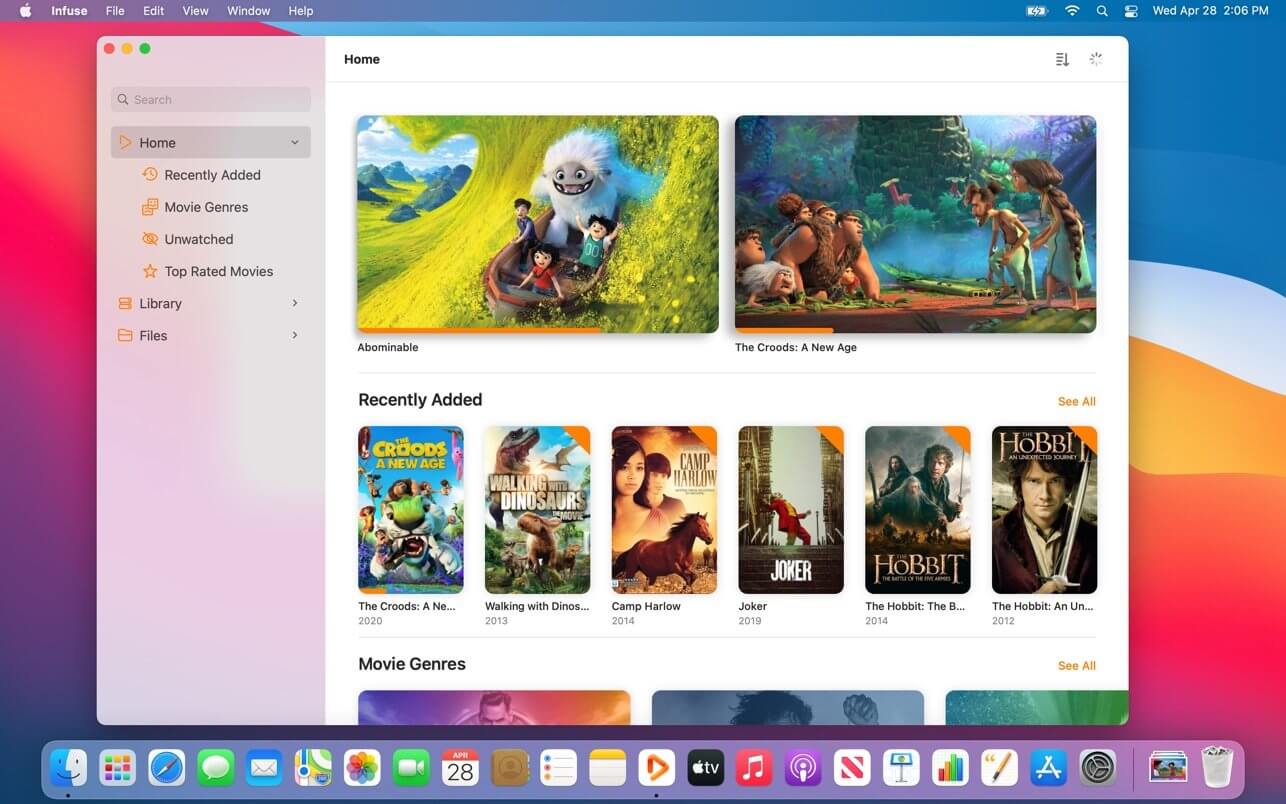
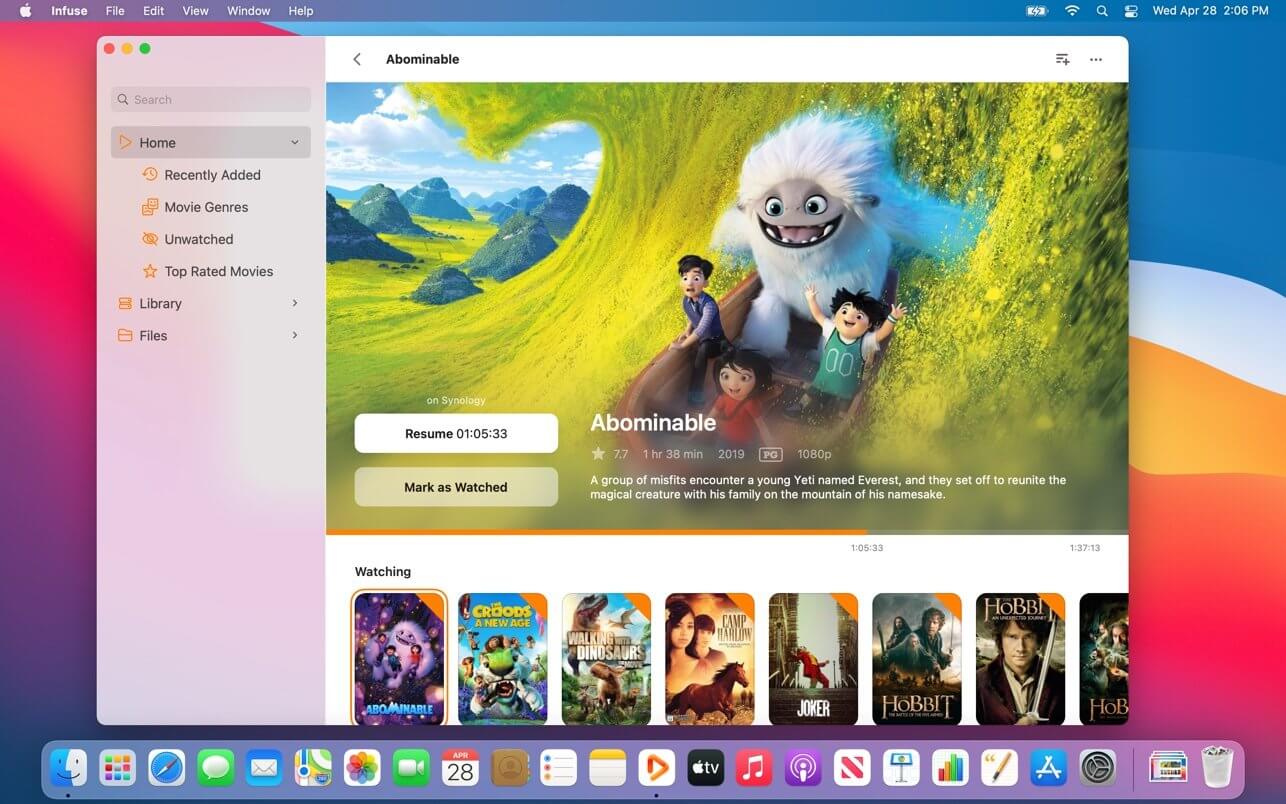
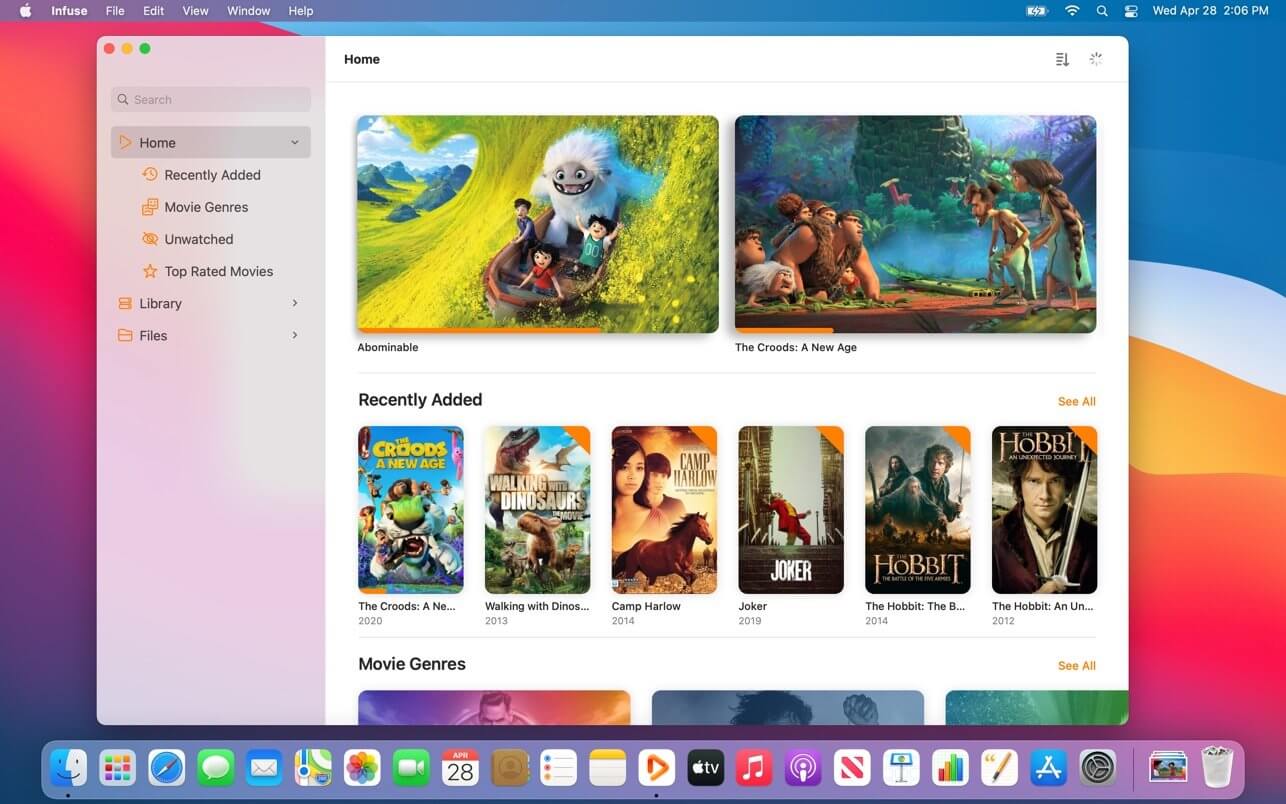
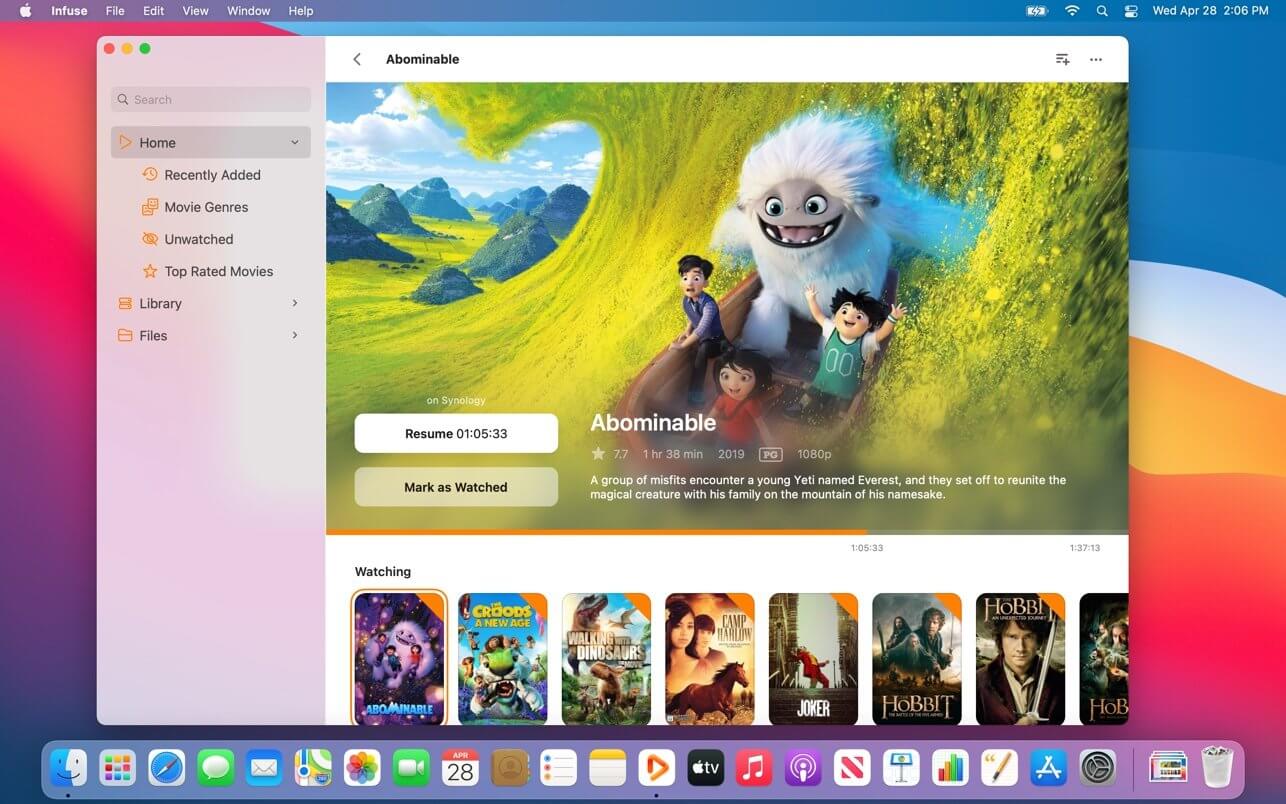
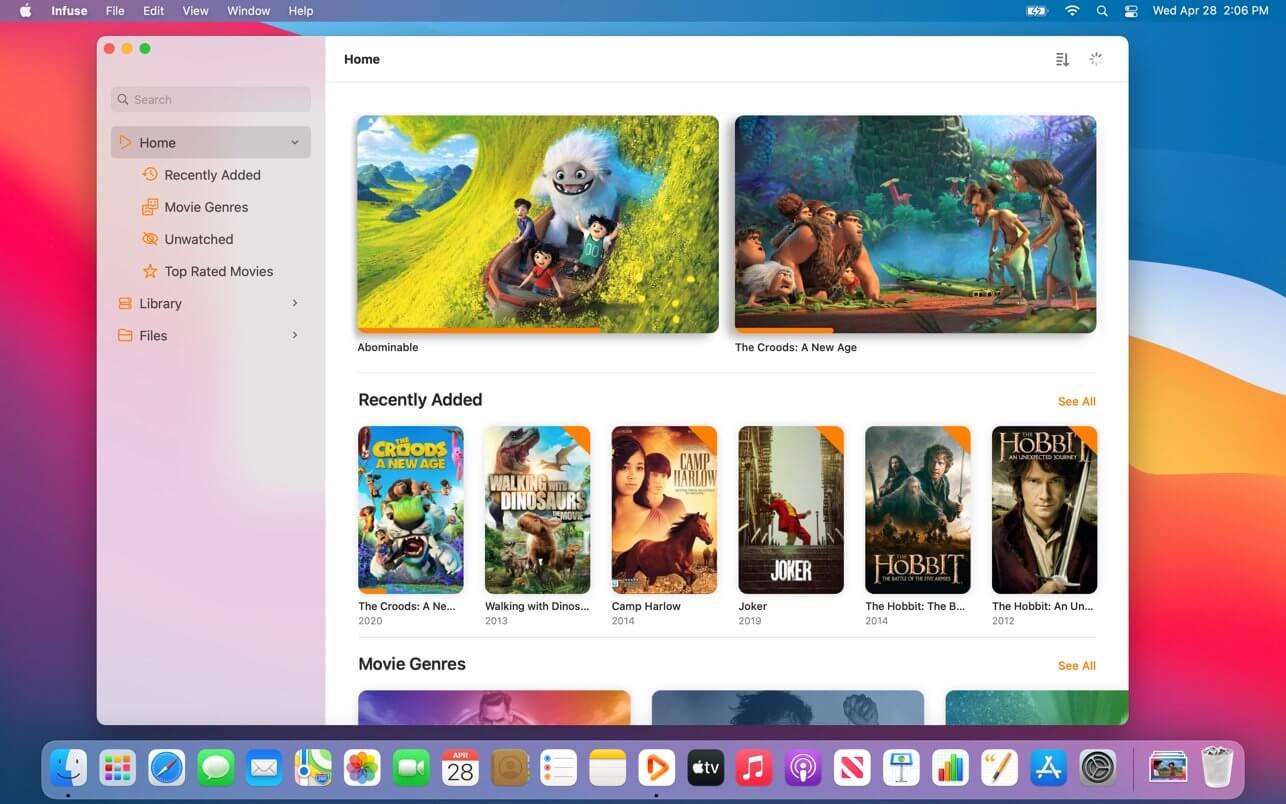
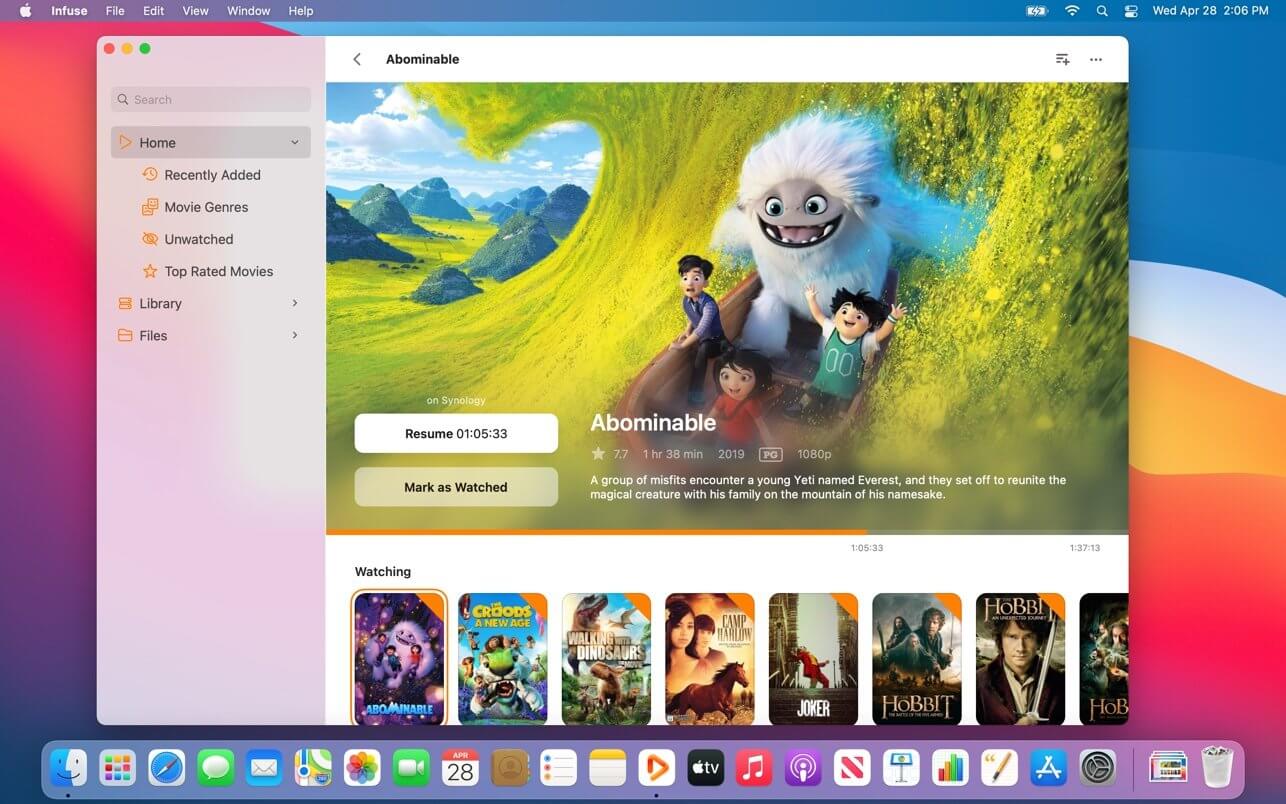
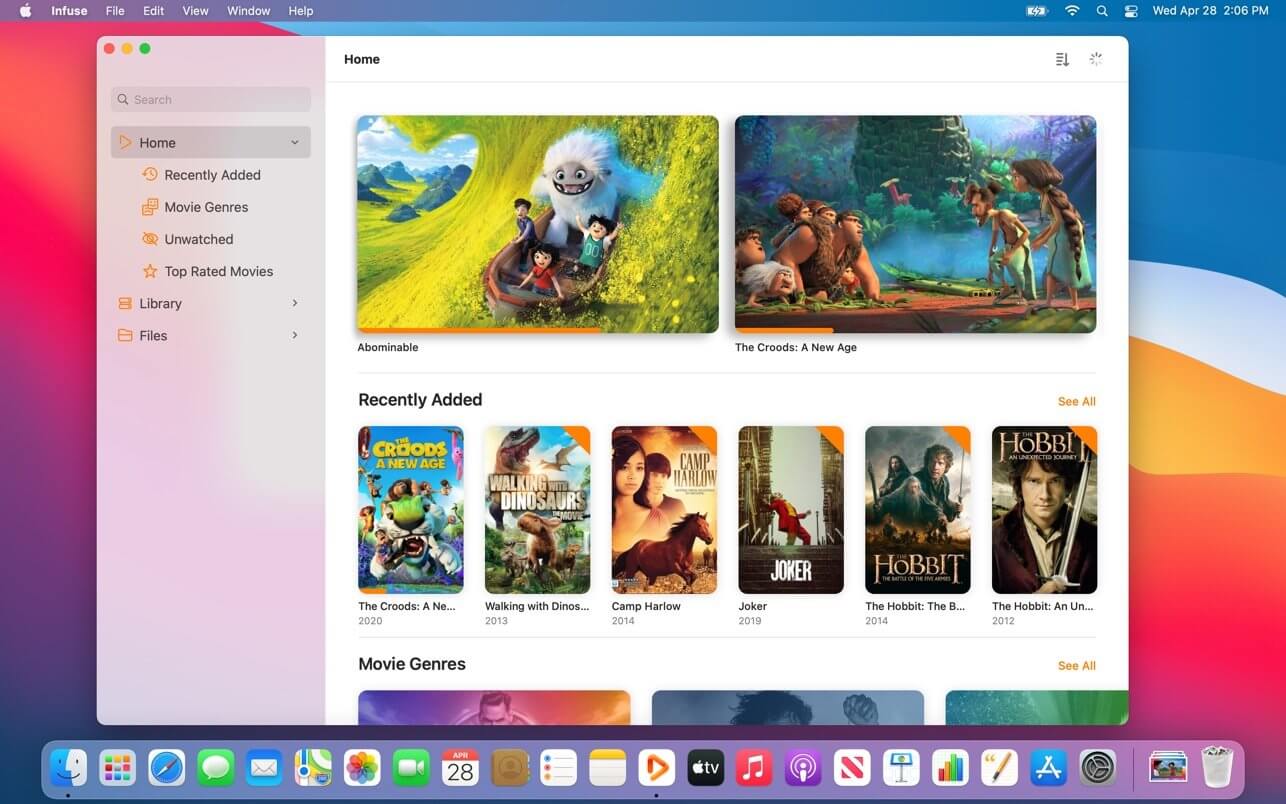
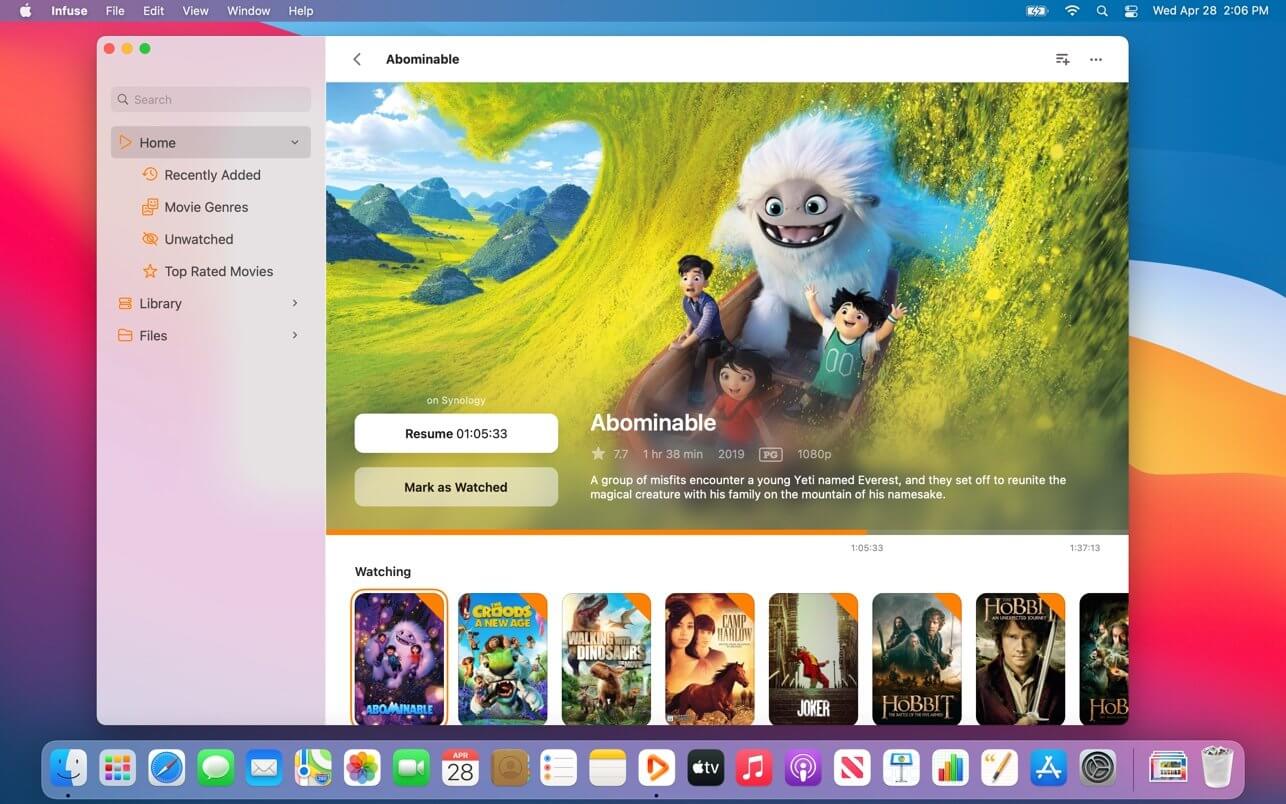
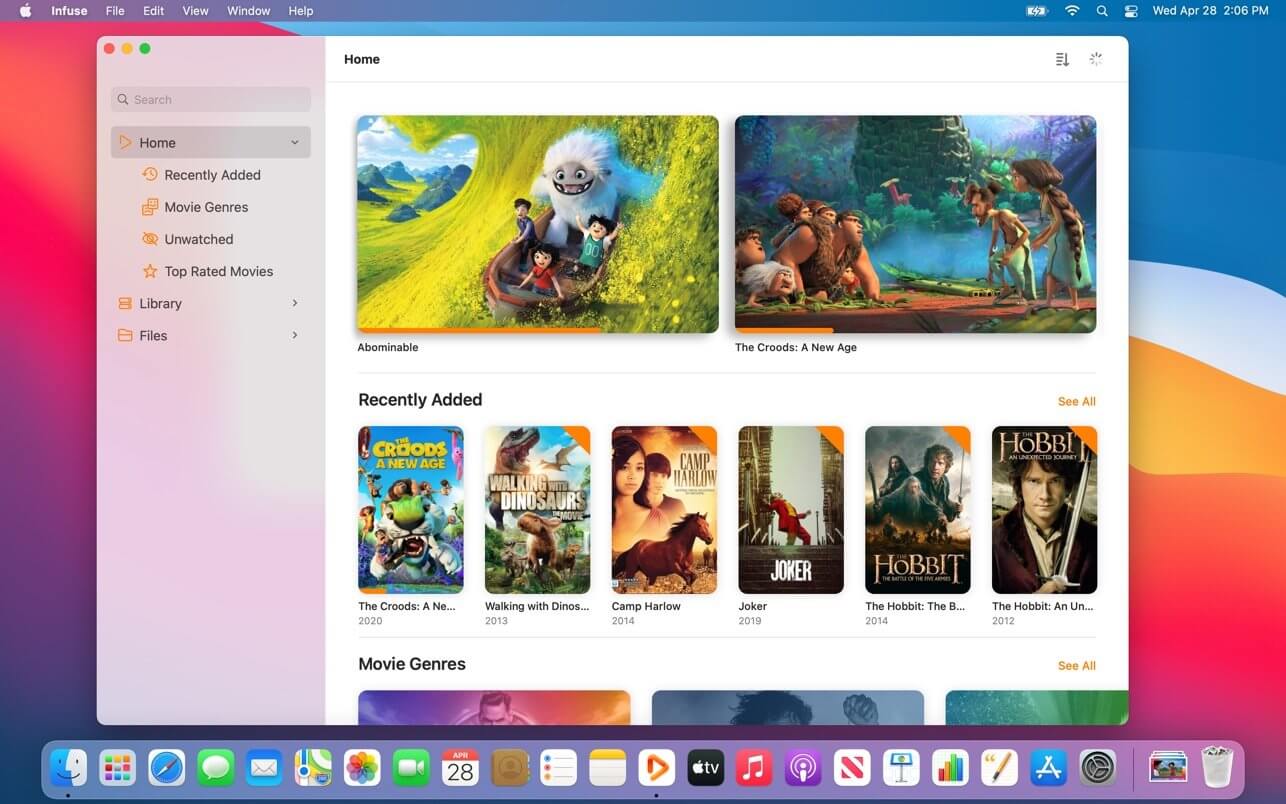
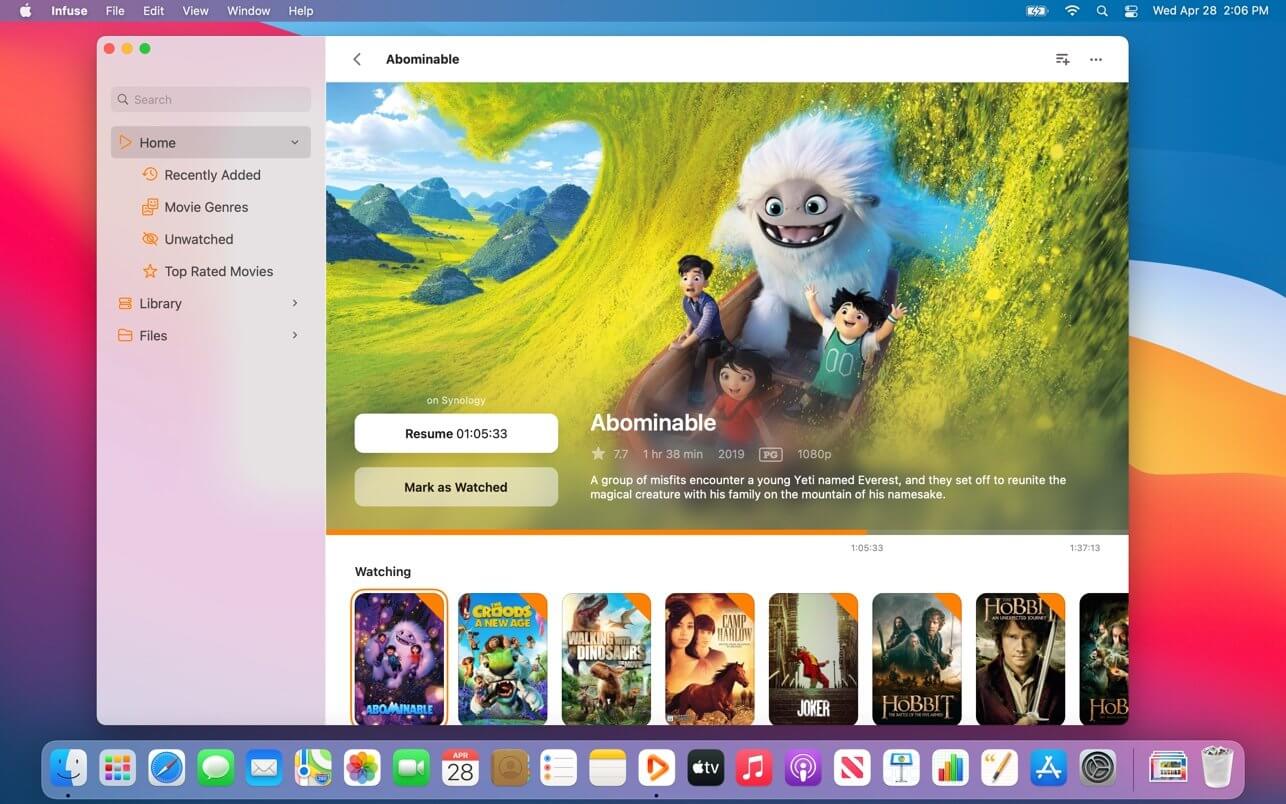
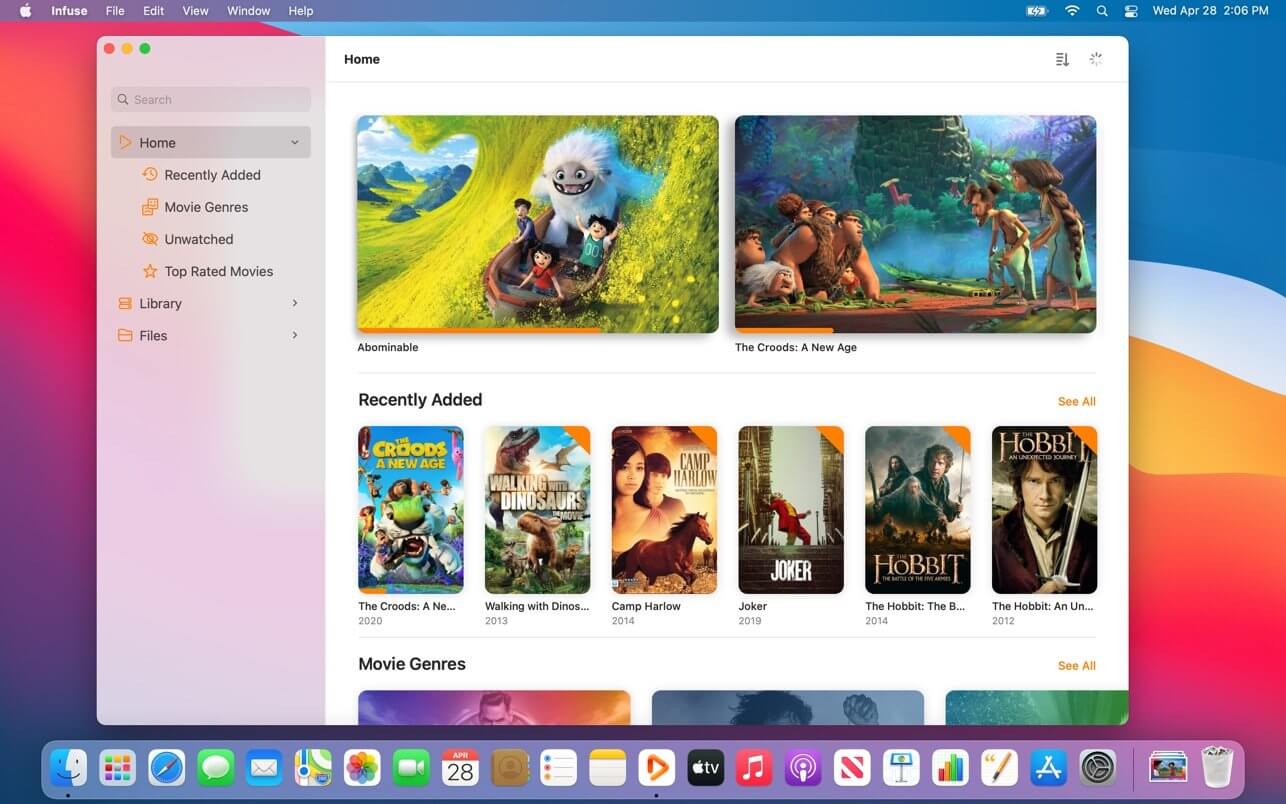
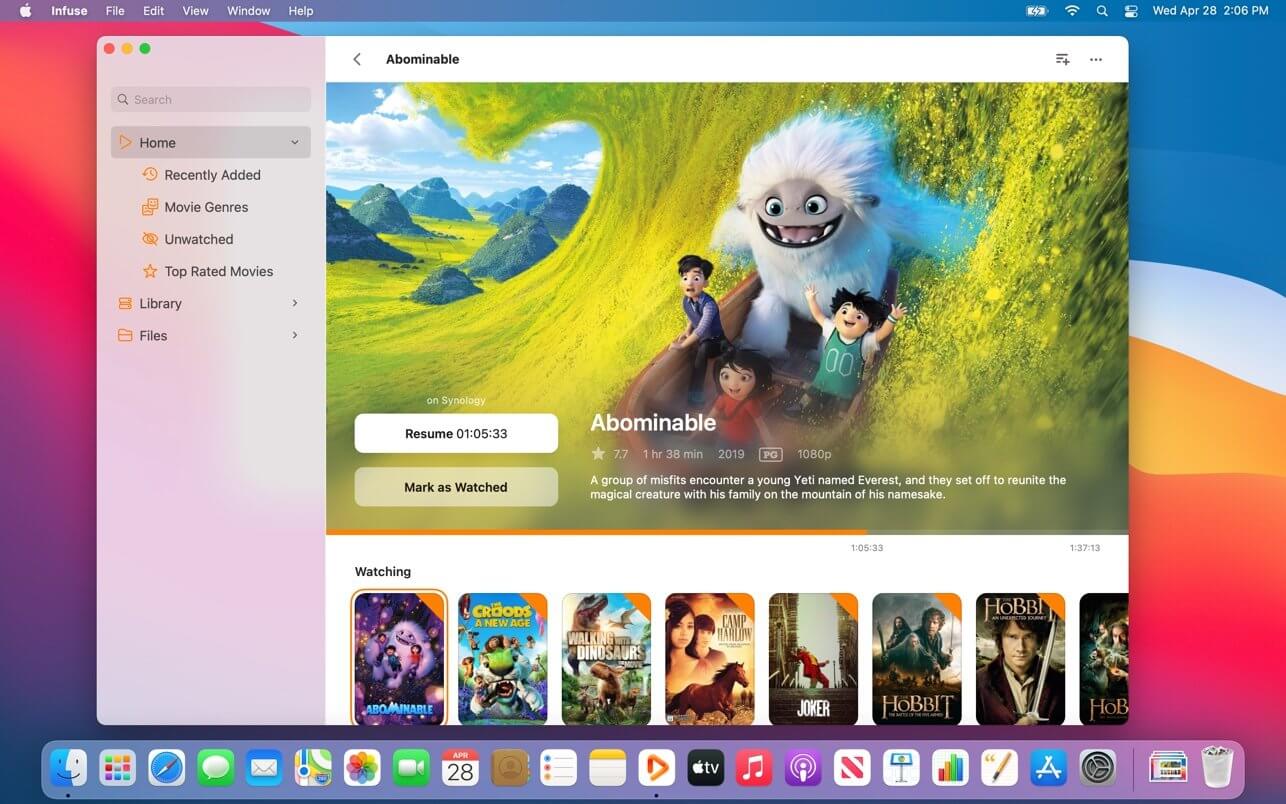
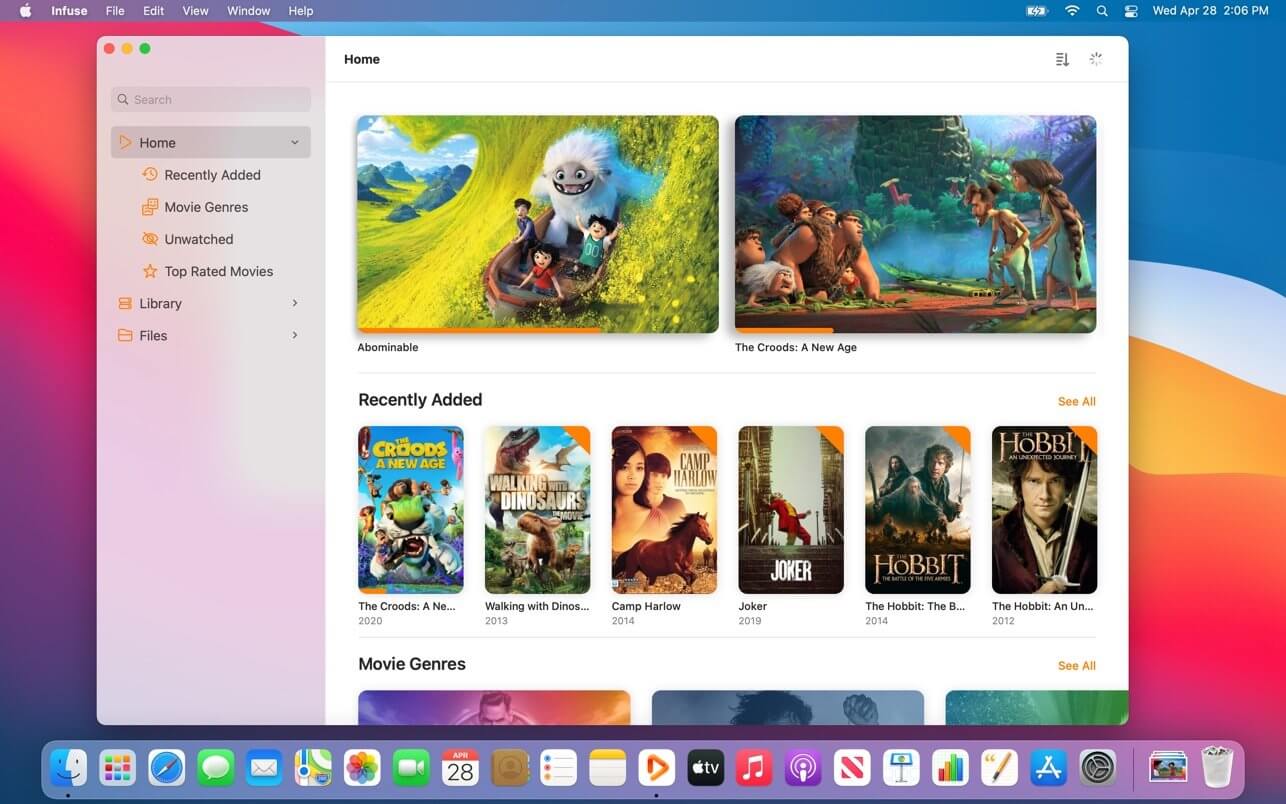
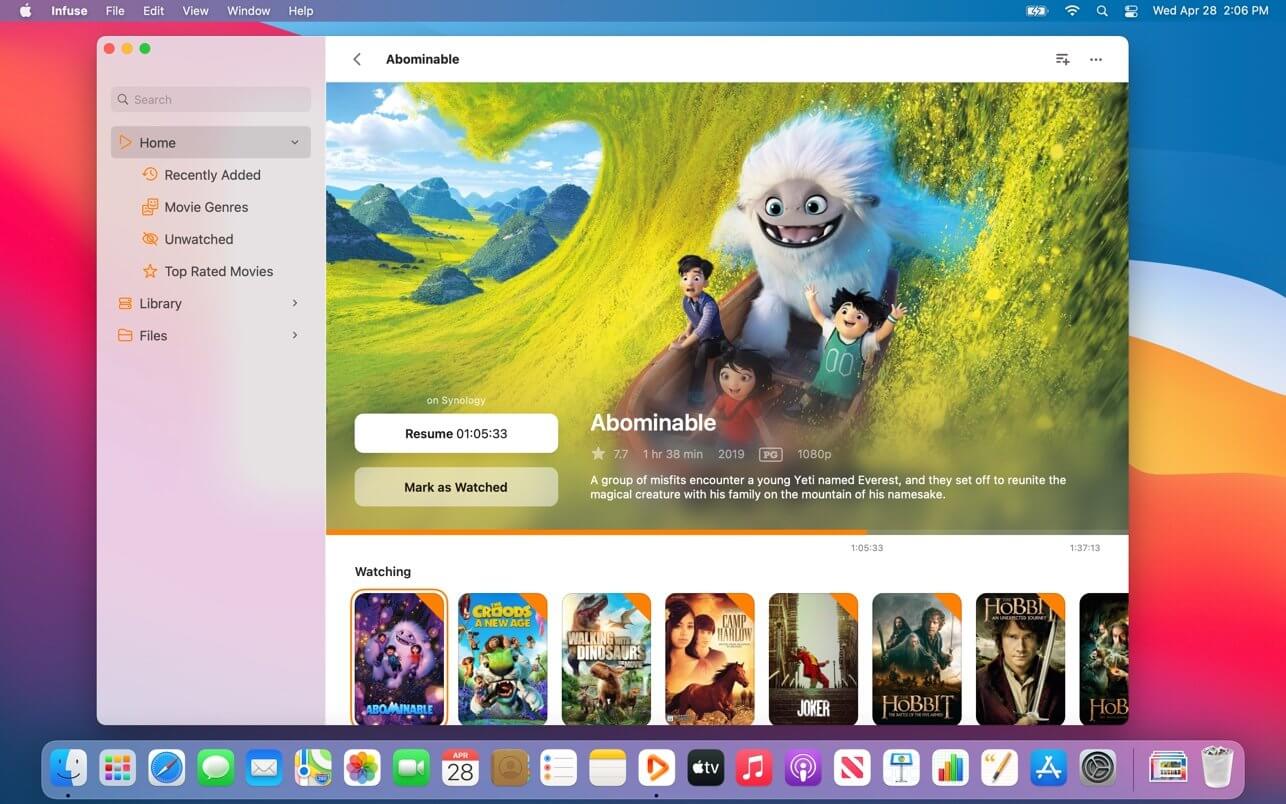
Infuse – the beautiful way to watch almost any video format on your iPhone, iPad, Apple TV, and Mac. No need to convert files! Infuse is optimized for macOS 11, with powerful streaming options, Trakt sync, and unmatched AirPlay & subtitle support. Gorgeous interface. Precise controls. And silky-smooth playback.
PLAY MORE VIDEO TYPES
A powerful video player that plays just about anything, including the standard MP4, M4V and MOV – plus MKV, AVI, WMV, MTS, ISO, VIDEO_TS, FLV, OGM, OGV, ASF, 3GP, DVR-MS, WebM, and WTV. Includes fully certified Dolby® Digital Plus (AC3/E-AC3), DTS® and DTS-HD® audio.
STREAM FROM OTHER DEVICES
Browse and play videos stored on your Mac, PC, NAS, Wi-Fi hard drive, apps like Plex, Emby, and Jellyfin, or from cloud services like Dropbox, Google Drive, OneDrive, Box, pCloud, Yandex.Disk, and Mega.nz – no syncing required!
TRAKT 2-WAY SYNC
Connect with Trakt to sync watched history, submit ratings and post comments.
OPTIMIZED SUBTITLES POWERED BY OPENSUBTITLES
Bring your own subtitles, or download them on the fly (for free) in virtually any language.
THE BASICS
Silky-smooth video player (plays full 4K w/ HDR & Dolby Vision)
Stream from a Mac, PC, NAS or Wi-Fi enabled hard drive
Connect with Plex, Emby, Jellyfin, Kodi (XBMC), WMC and other media servers
(Formerly Hookshot) Snap windows faster in this featureful Rectangle superset. Toss windows in the right places with cursor movement, move multiple windows with one command, create custom shortcuts, and more.
Features
16 window sizes & positions
Keyboard shortcuts
Drag windows to screen edges to snap
Move and resize by holding a key and moving your cursor
Snap windows under your cursor, even if not in focus
Custom shortcuts for any size & position
What’s New:
Version 3.0.14:
Release notes were unavailable when this listing was updated.
*** You need to disable the System Integrity Protection (SIP) to perform the selected Application.
Infuse – the beautiful way to watch almost any video format on your iPhone, iPad, Apple TV, and Mac. No need to convert files! Infuse is optimized for macOS 11, with powerful streaming options, Trakt sync, and unmatched AirPlay & subtitle support. Gorgeous interface. Precise controls. And silky-smooth playback.
PLAY MORE VIDEO TYPES
A powerful video player that plays just about anything, including the standard MP4, M4V and MOV – plus MKV, AVI, WMV, MTS, ISO, VIDEO_TS, FLV, OGM, OGV, ASF, 3GP, DVR-MS, WebM, and WTV. Includes fully certified Dolby® Digital Plus (AC3/E-AC3), DTS® and DTS-HD® audio.
STREAM FROM OTHER DEVICES
Browse and play videos stored on your Mac, PC, NAS, Wi-Fi hard drive, apps like Plex, Emby, and Jellyfin, or from cloud services like Dropbox, Google Drive, OneDrive, Box, pCloud, Yandex.Disk, and Mega.nz – no syncing required!
TRAKT 2-WAY SYNC
Connect with Trakt to sync watched history, submit ratings and post comments.
OPTIMIZED SUBTITLES POWERED BY OPENSUBTITLES
Bring your own subtitles, or download them on the fly (for free) in virtually any language.
THE BASICS
Silky-smooth video player (plays full 4K w/ HDR & Dolby Vision)
Stream from a Mac, PC, NAS or Wi-Fi enabled hard drive
Connect with Plex, Emby, Jellyfin, Kodi (XBMC), WMC and other media servers
Live Wallpaper HD offers a selection of beautiful, themed scenes that will add life to your desktop. From cityscapes and sunsets to far away galaxies – each with a cleverly integrated clock and weather widget – your screen will always have that special touch.
Customise your weather widget and clock style and also create your own personalised wallpaper by using your favourite pictures.
Features:
14 live desktop wallpapers plus option to design your own
Use your favourite photos and select your favourite clock and weather widget style for a customised wallpaper
Detailed weather forecast window by clicking the dock icon
Current time in various analog or digital styles
Current conditions and weather forecast supporting multiple locations
Show desktop functionality that doubles as a screen saver with a timer to reveal wallpapers when your computer is idle
Hot corners can also be used to instantly activate the app as a screensaver
Informative Dock icon shows at-a-glance weather conditions and temperature (current, today’s or tomorrow’s forecast) even when wallpaper is not activated.
Wallpapers can be selected individually or randomly with a timer
App can show either Fahrenheit or Celsius temperature units
Most wallpapers are in Retina resolution (2880×1800). Moving scenes are all Full HD (1080p)
Infuse – the beautiful way to watch almost any video format on your iPhone, iPad, Apple TV, and Mac. No need to convert files! Infuse is optimized for macOS 11, with powerful streaming options, Trakt sync, and unmatched AirPlay & subtitle support. Gorgeous interface. Precise controls. And silky-smooth playback.
PLAY MORE VIDEO TYPES
A powerful video player that plays just about anything, including the standard MP4, M4V and MOV – plus MKV, AVI, WMV, MTS, ISO, VIDEO_TS, FLV, OGM, OGV, ASF, 3GP, DVR-MS, WebM, and WTV. Includes fully certified Dolby® Digital Plus (AC3/E-AC3), DTS® and DTS-HD® audio.
STREAM FROM OTHER DEVICES
Browse and play videos stored on your Mac, PC, NAS, Wi-Fi hard drive, apps like Plex, Emby, and Jellyfin, or from cloud services like Dropbox, Google Drive, OneDrive, Box, pCloud, Yandex.Disk, and Mega.nz – no syncing required!
TRAKT 2-WAY SYNC
Connect with Trakt to sync watched history, submit ratings and post comments.
OPTIMIZED SUBTITLES POWERED BY OPENSUBTITLES
Bring your own subtitles, or download them on the fly (for free) in virtually any language.
THE BASICS
Silky-smooth video player (plays full 4K w/ HDR & Dolby Vision)
Stream from a Mac, PC, NAS or Wi-Fi enabled hard drive
Connect with Plex, Emby, Jellyfin, Kodi (XBMC), WMC and other media servers
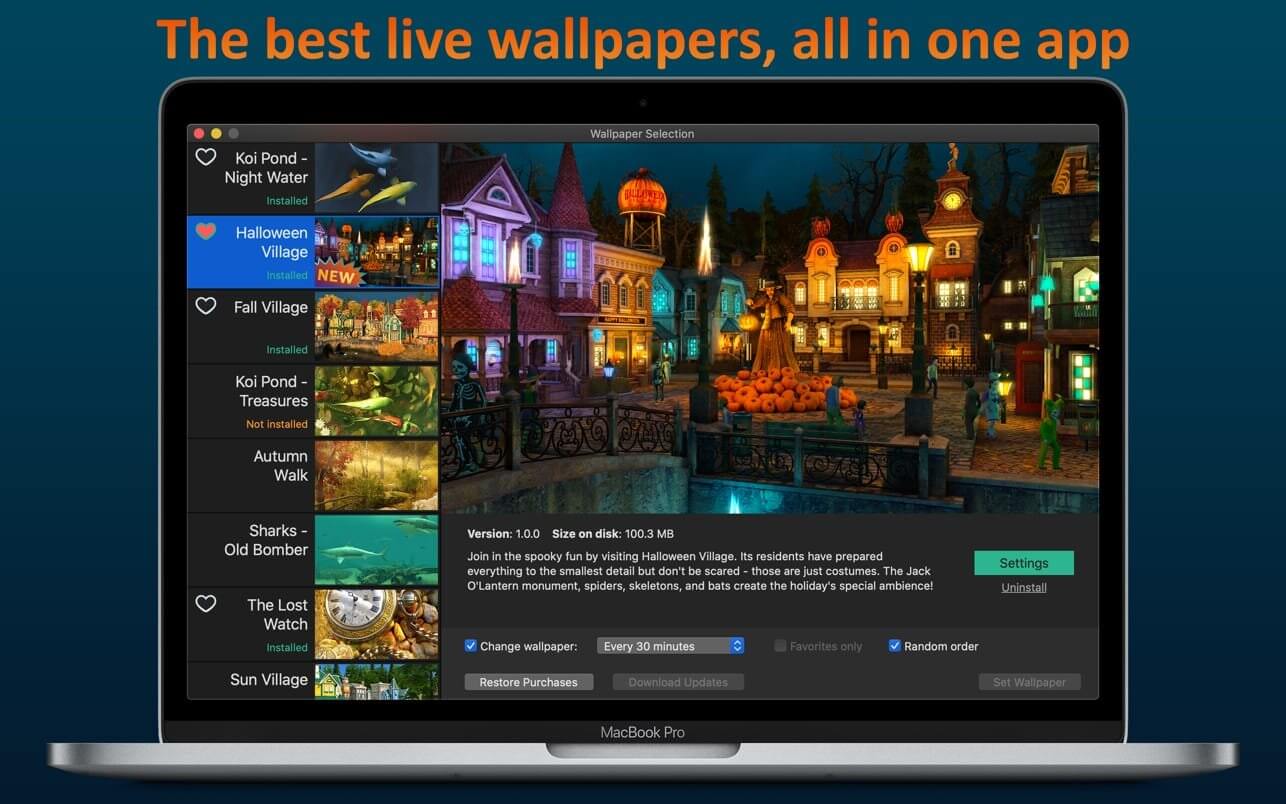
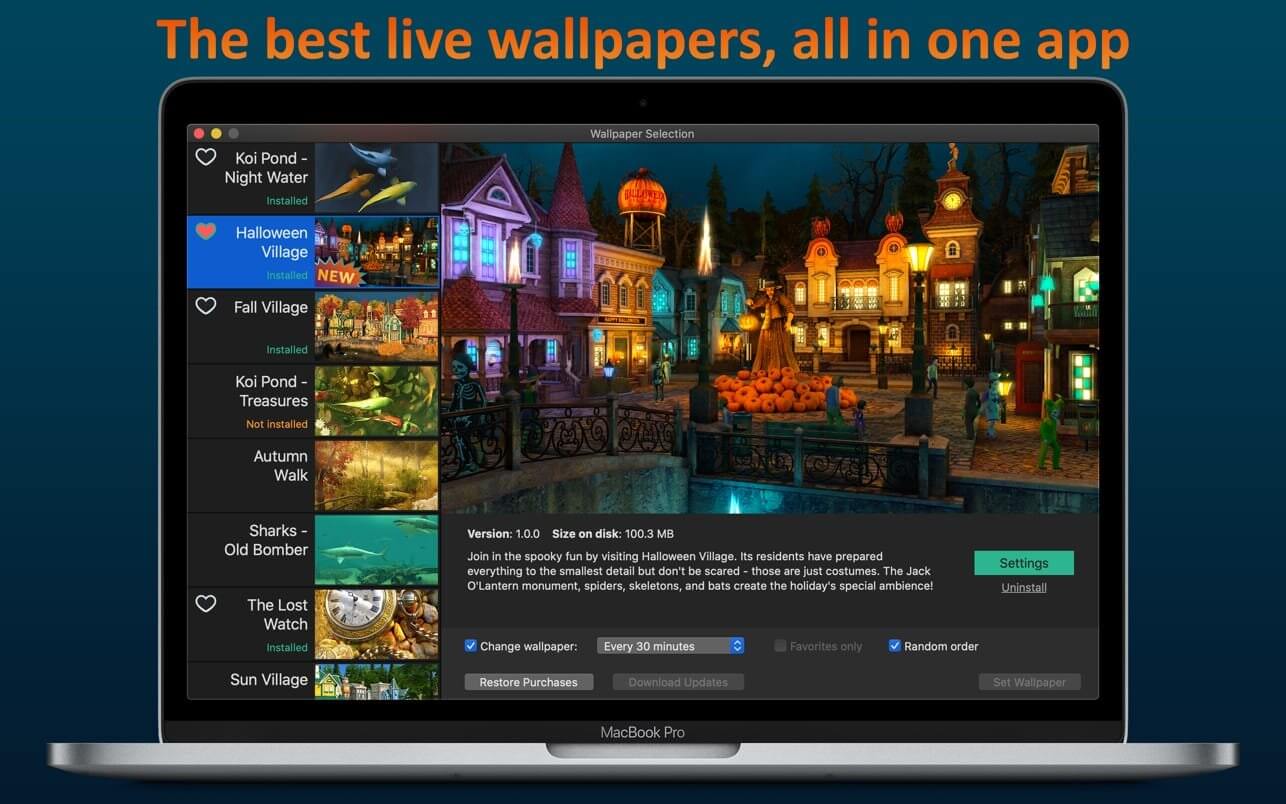
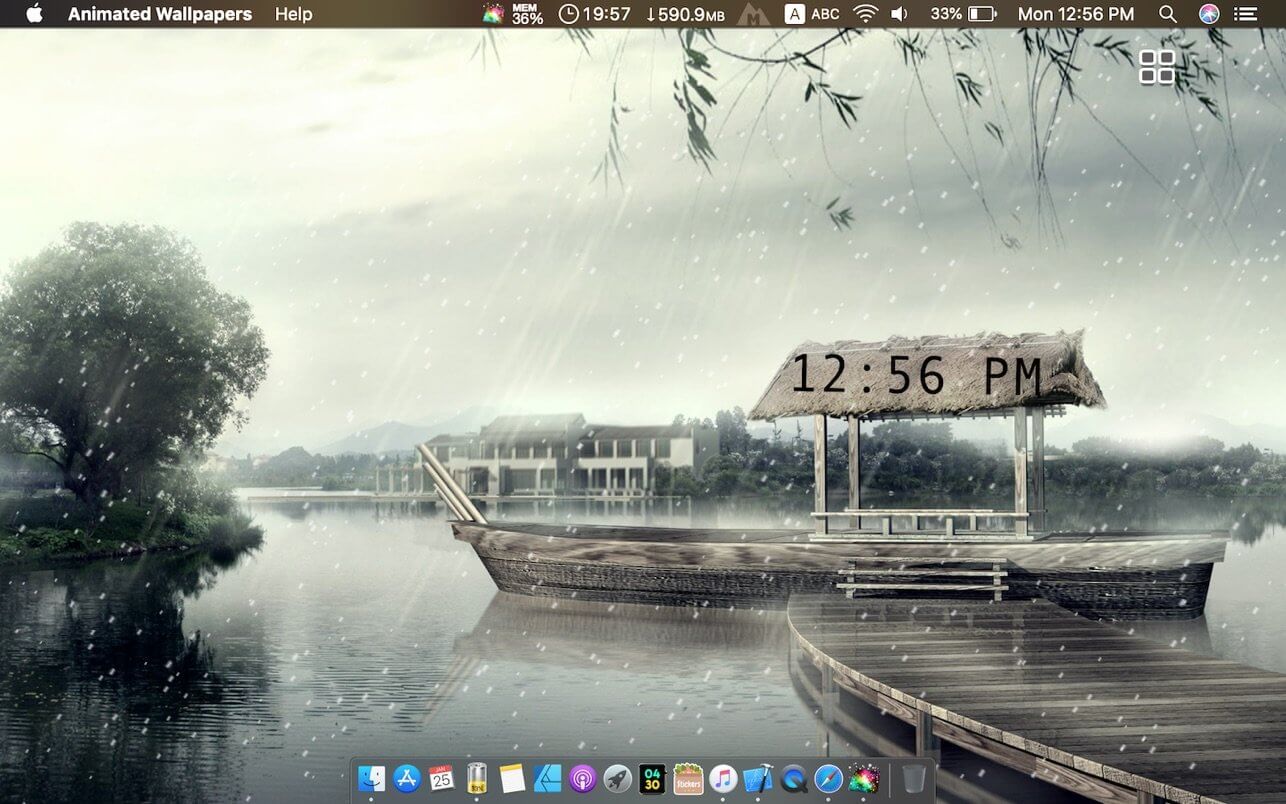
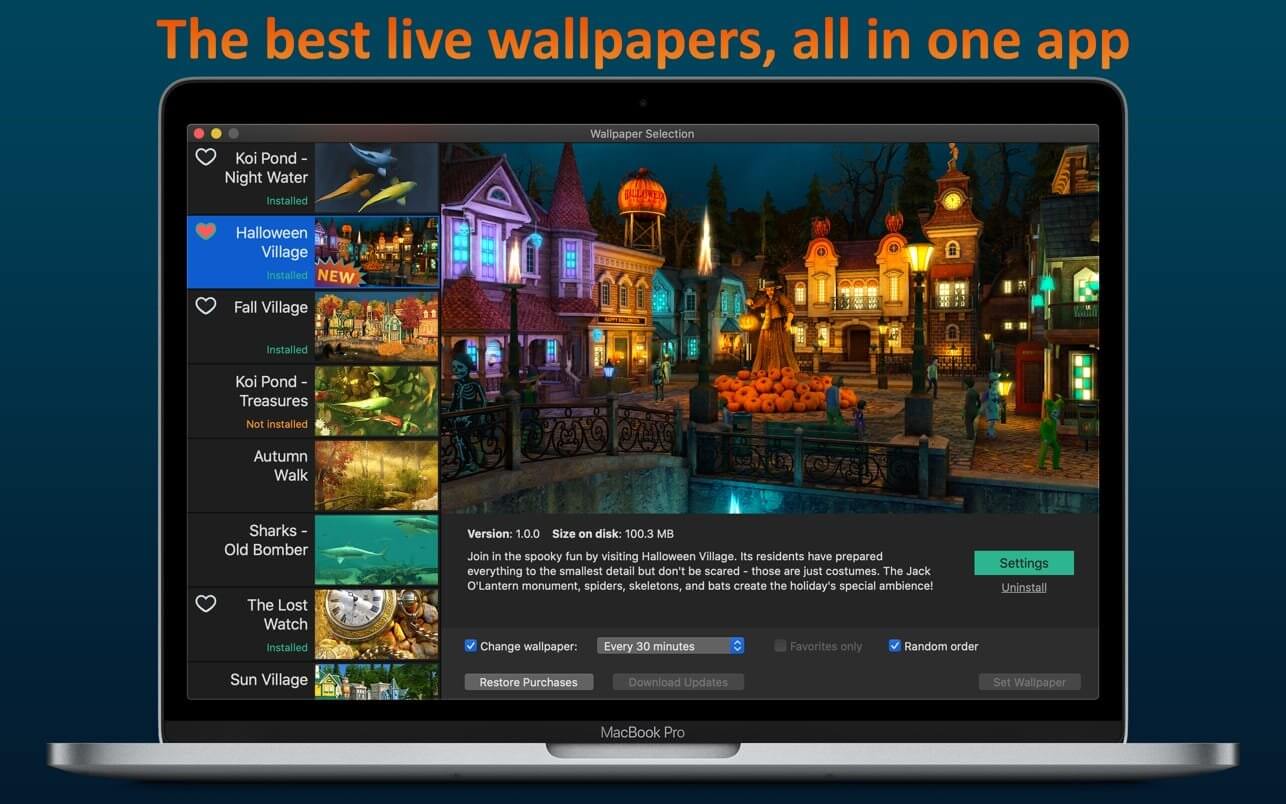
If you’re tired of the motionless pictures on your desktop, if you’re ready to welcome the magic of various places around the world and even parallel universes, we have gathered the best live wallpapers in this app! The variety of themes, seasons, and festive scenes are sure to appeal to you.
They say beauty demands sacrifice but you don’t need to worry because the smart energy-saving settings will slow down the wallpaper if you need your computer to work at full capacity or if your notebook is running low on power. So sit back comfortably and relax – the wonders are already on your screen! And we continue creating new ones.
Features:
high-quality 3D graphics and effects
Retina 5K display ready
multi-monitor support
option to automatically change wallpaper after a certain interval
Infuse – the beautiful way to watch almost any video format on your iPhone, iPad, Apple TV, and Mac. No need to convert files! Infuse is optimized for macOS 11, with powerful streaming options, Trakt sync, and unmatched AirPlay & subtitle support. Gorgeous interface. Precise controls. And silky-smooth playback.
PLAY MORE VIDEO TYPES
A powerful video player that plays just about anything, including the standard MP4, M4V and MOV – plus MKV, AVI, WMV, MTS, ISO, VIDEO_TS, FLV, OGM, OGV, ASF, 3GP, DVR-MS, WebM, and WTV. Includes fully certified Dolby® Digital Plus (AC3/E-AC3), DTS® and DTS-HD® audio.
STREAM FROM OTHER DEVICES
Browse and play videos stored on your Mac, PC, NAS, Wi-Fi hard drive, apps like Plex, Emby, and Jellyfin, or from cloud services like Dropbox, Google Drive, OneDrive, Box, pCloud, Yandex.Disk, and Mega.nz – no syncing required!
TRAKT 2-WAY SYNC
Connect with Trakt to sync watched history, submit ratings and post comments.
OPTIMIZED SUBTITLES POWERED BY OPENSUBTITLES
Bring your own subtitles, or download them on the fly (for free) in virtually any language.
THE BASICS
Silky-smooth video player (plays full 4K w/ HDR & Dolby Vision)
Stream from a Mac, PC, NAS or Wi-Fi enabled hard drive
Connect with Plex, Emby, Jellyfin, Kodi (XBMC), WMC and other media servers
Fig Player, is a media player for Mac that supports a wide variety of media files and allows you to listen to music, watch videos and movies.
If you have an extensive media library but don’t have a good media player for Mac, here’s a good solution. Fig Player. It’s free to use and comes with a friendly interface. On the screen, you’ll be able to see all of the buttons that give you control over your experience, such as the play and stop button, playback options, volume slider, preview section, screenshot, and recording.
More Advanced Features
Smooth, seamless video play, support 4K.
Auto deinterlacing.
H/W-acceleration.
A-B loop.
Frame by Frame playback.
PIP mode.
Support various Subtitle formats(Text subtitles(SRT), Vobsub
and ASS/SSA, etc.).
Choose which one when you have multiple sound output devices.
Create the scene poster with snapshots.
Playlist with upper-level folder name.
Support multiple windows and play multiple videos at the same time.
Support Wireless display to DLNA, Chromecast, Roku devices.
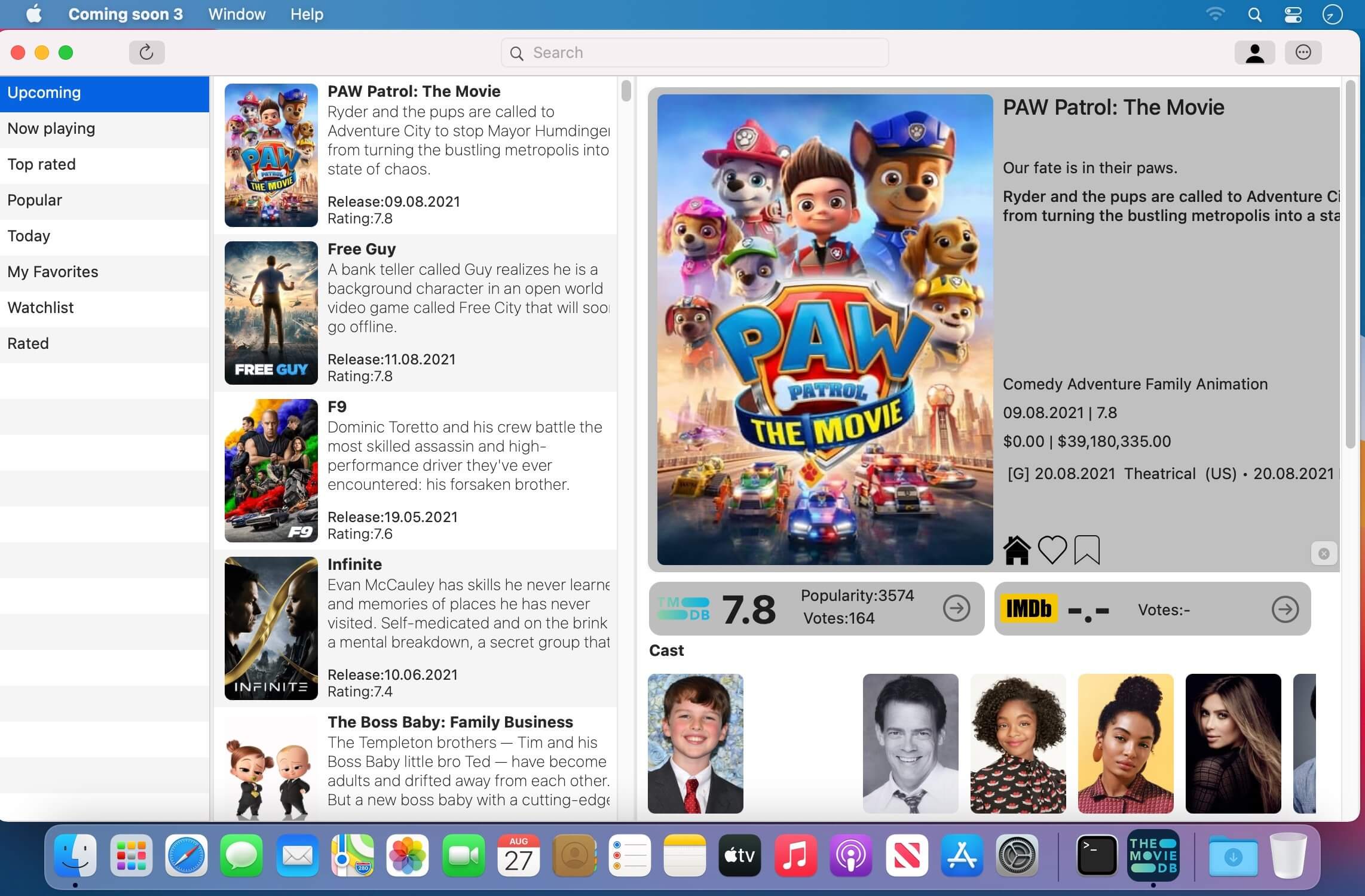
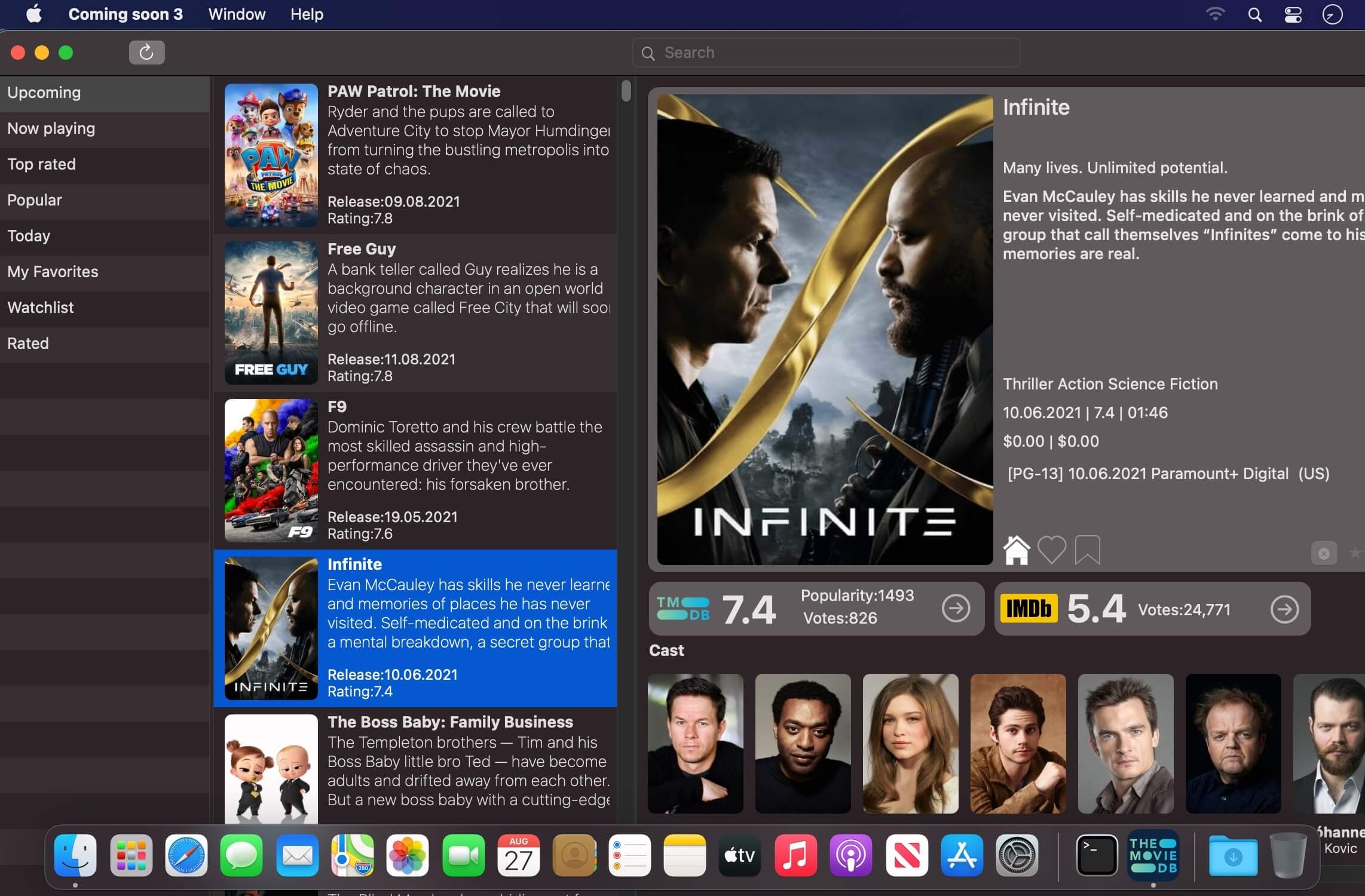
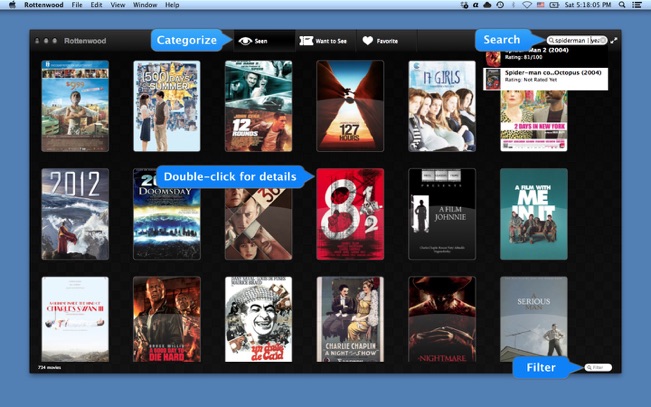
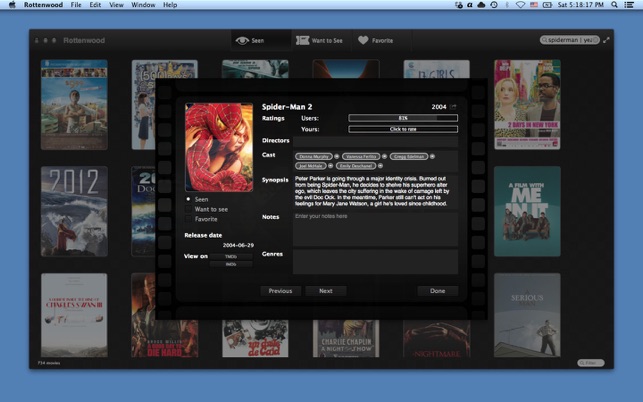
Rottenwood gives you a centralized location for listing the movies you’ve seen or want to see, to mark them as favorites, or even to make notes about them, all in an attractive interface complete with advanced search feature
Rottenwood was made by a movie fan for all the movie fans out there. Each week, dozens of movies come out – to both the theaters and on DVD (or Bluray). If you’re one of the guys that watch a few movies each week, it may become really hard to remember all the movies, or even to pick one you’d like to watch sometime.
Fig Player, is a media player for Mac that supports a wide variety of media files and allows you to listen to music, watch videos and movies.
If you have an extensive media library but don’t have a good media player for Mac, here’s a good solution. Fig Player. It’s free to use and comes with a friendly interface. On the screen, you’ll be able to see all of the buttons that give you control over your experience, such as the play and stop button, playback options, volume slider, preview section, screenshot, and recording.
More Advanced Features
Smooth, seamless video play, support 4K.
Auto deinterlacing.
H/W-acceleration.
A-B loop.
Frame by Frame playback.
PIP mode.
Support various Subtitle formats(Text subtitles(SRT), Vobsub
and ASS/SSA, etc.).
Choose which one when you have multiple sound output devices.
Create the scene poster with snapshots.
Playlist with upper-level folder name.
Support multiple windows and play multiple videos at the same time.
Support Wireless display to DLNA, Chromecast, Roku devices.
Elmedia Player is a video and audio player that will play virtually any file you throw at it, be it MP4, AVI, MOV, SWF, DAT, MKV, MP3, FLAC, M4V, FLV or any other common format. No need for additional codecs, plugins – this app has everything you need for your files playback.
Elmedia Player guarantees a perfectly smooth HD experience thanks to hardware accelerated decoding.
Highlights:
Elmedia Player proudly offers:
Video and audio playback options
Supports multiple audio tracks, including embedded ones as well as external audio files.
Full-screen mode that even offers you a choice, which monitor will be showing the full-screen video.
Native volume control.
Creation and easy control over playlists.
The player can be conveniently pinned on top of all active apps.
Fit the image to screen.
The playback speed is easily adjusted.
Play the selected video or audio segment in a continuous loop.
Choose which external audio tracks or subtitle files the player will load: all with movie name, same name as movie or all in directory.
Stream local files to Chromecast, Apple TV, Smart TV and other AirPlay and DLNA-certified devices.
With Elmedia Player installed on your Mac you’ll be able to effortlessly stream local video and audio files to Samsung TV, LG TV, Sony TV, as well as many other smart TV sets.
Great streaming features offered by Elmedia:
Streams audio and video files in their native formats or transcoded in real time.
Supports streaming of up to 4K videos to compatible devices (Chromecast Ultra, Apple TV 4K, etc.).
Supports subtitles (both embedded and external).
Streams content from YouTube, Dailymotion and Vimeo without ads (via the Open Online Video option).
Supports playlists (create your very own playlists for uninterrupted streaming).
Control your streaming in the app. You can play, pause, seek, or stop the video playback. When streaming to Chromecast or DLNA devices you can also adjust the volume in player.
You can also use Elmedia Player as an audio receiver for AirPlay, which comes in handy when you need to stream audio from your phone to a Mac connected to larger speakers.
Integrated subtitles search
We have integrated Elmedia Player with opensubtitles.org service, which allows you to find any subtitles available there in a couple of clicks without leaving the player.
Flexible video & audio settings
Flip vertically, rotate, mirror videos or revert to original.
Adjust video brightness, contrast, saturation, and more.
Sync subtitles to the video in case it wasn’t in sync originally.
Choose the language for audio and subtitles when files have multiple subtitles and audio streams.
Adjust the sound for different genres, rooms, or specific speakers with the audio equalizer. Select one of the presets or create your own.
You can set an output device for audio; for advanced users: transmit AC-3/DTS through S/PDIF.
Subtitles: utf, srt, ass, smi, txt, ssa, smil, jss, rt, idx, sub, xml
Watch online videos and make screenshots
Access YouTube, Vimeo, and Dailymotion videos directly from the app without bringing up a browser; no noisy ads to distract you with Open Online Video option.
Make a screenshot of any moment in the movie or make an entire video into a set of images. Set the preferred interval between screenshots.
Infuse – the beautiful way to watch almost any video format on your iPhone, iPad, Apple TV, and Mac. No need to convert files! Infuse is optimized for macOS 11, with powerful streaming options, Trakt sync, and unmatched AirPlay & subtitle support. Gorgeous interface. Precise controls. And silky-smooth playback.
PLAY MORE VIDEO TYPES
A powerful video player that plays just about anything, including the standard MP4, M4V and MOV – plus MKV, AVI, WMV, MTS, ISO, VIDEO_TS, FLV, OGM, OGV, ASF, 3GP, DVR-MS, WebM, and WTV. Includes fully certified Dolby® Digital Plus (AC3/E-AC3), DTS® and DTS-HD® audio.
STREAM FROM OTHER DEVICES
Browse and play videos stored on your Mac, PC, NAS, Wi-Fi hard drive, apps like Plex, Emby, and Jellyfin, or from cloud services like Dropbox, Google Drive, OneDrive, Box, pCloud, Yandex.Disk, and Mega.nz – no syncing required!
TRAKT 2-WAY SYNC
Connect with Trakt to sync watched history, submit ratings and post comments.
OPTIMIZED SUBTITLES POWERED BY OPENSUBTITLES
Bring your own subtitles, or download them on the fly (for free) in virtually any language.
THE BASICS
Silky-smooth video player (plays full 4K w/ HDR & Dolby Vision)
Stream from a Mac, PC, NAS or Wi-Fi enabled hard drive
Connect with Plex, Emby, Jellyfin, Kodi (XBMC), WMC and other media servers
Fig Player, is a media player for Mac that supports a wide variety of media files and allows you to listen to music, watch videos and movies.
If you have an extensive media library but don’t have a good media player for Mac, here’s a good solution. Fig Player. It’s free to use and comes with a friendly interface. On the screen, you’ll be able to see all of the buttons that give you control over your experience, such as the play and stop button, playback options, volume slider, preview section, screenshot, and recording.
More Advanced Features
Smooth, seamless video play, support 4K.
Auto deinterlacing.
H/W-acceleration.
A-B loop.
Frame by Frame playback.
PIP mode.
Support various Subtitle formats(Text subtitles(SRT), Vobsub
and ASS/SSA, etc.).
Choose which one when you have multiple sound output devices.
Create the scene poster with snapshots.
Playlist with upper-level folder name.
Support multiple windows and play multiple videos at the same time.
Support Wireless display to DLNA, Chromecast, Roku devices.
(Formerly Hookshot) Snap windows faster in this featureful Rectangle superset. Toss windows in the right places with cursor movement, move multiple windows with one command, create custom shortcuts, and more.
Features
16 window sizes & positions
Keyboard shortcuts
Drag windows to screen edges to snap
Move and resize by holding a key and moving your cursor
Snap windows under your cursor, even if not in focus
Custom shortcuts for any size & position
What’s New:
Version 3.0:
Release notes were unavailable when this listing was updated.
Compatibility: macOS 10.12 or later • Apple Silicon or Intel Core processor Homepagehttps://hookshot.app
Infuse – the beautiful way to watch almost any video format on your iPhone, iPad, Apple TV, and Mac. No need to convert files! Infuse is optimized for macOS 11, with powerful streaming options, Trakt sync, and unmatched AirPlay & subtitle support. Gorgeous interface. Precise controls. And silky-smooth playback.
PLAY MORE VIDEO TYPES
A powerful video player that plays just about anything, including the standard MP4, M4V and MOV – plus MKV, AVI, WMV, MTS, ISO, VIDEO_TS, FLV, OGM, OGV, ASF, 3GP, DVR-MS, WebM, and WTV. Includes fully certified Dolby® Digital Plus (AC3/E-AC3), DTS® and DTS-HD® audio.
STREAM FROM OTHER DEVICES
Browse and play videos stored on your Mac, PC, NAS, Wi-Fi hard drive, apps like Plex, Emby, and Jellyfin, or from cloud services like Dropbox, Google Drive, OneDrive, Box, pCloud, Yandex.Disk, and Mega.nz – no syncing required!
TRAKT 2-WAY SYNC
Connect with Trakt to sync watched history, submit ratings and post comments.
OPTIMIZED SUBTITLES POWERED BY OPENSUBTITLES
Bring your own subtitles, or download them on the fly (for free) in virtually any language.
THE BASICS
Silky-smooth video player (plays full 4K w/ HDR & Dolby Vision)
Stream from a Mac, PC, NAS or Wi-Fi enabled hard drive
Connect with Plex, Emby, Jellyfin, Kodi (XBMC), WMC and other media servers
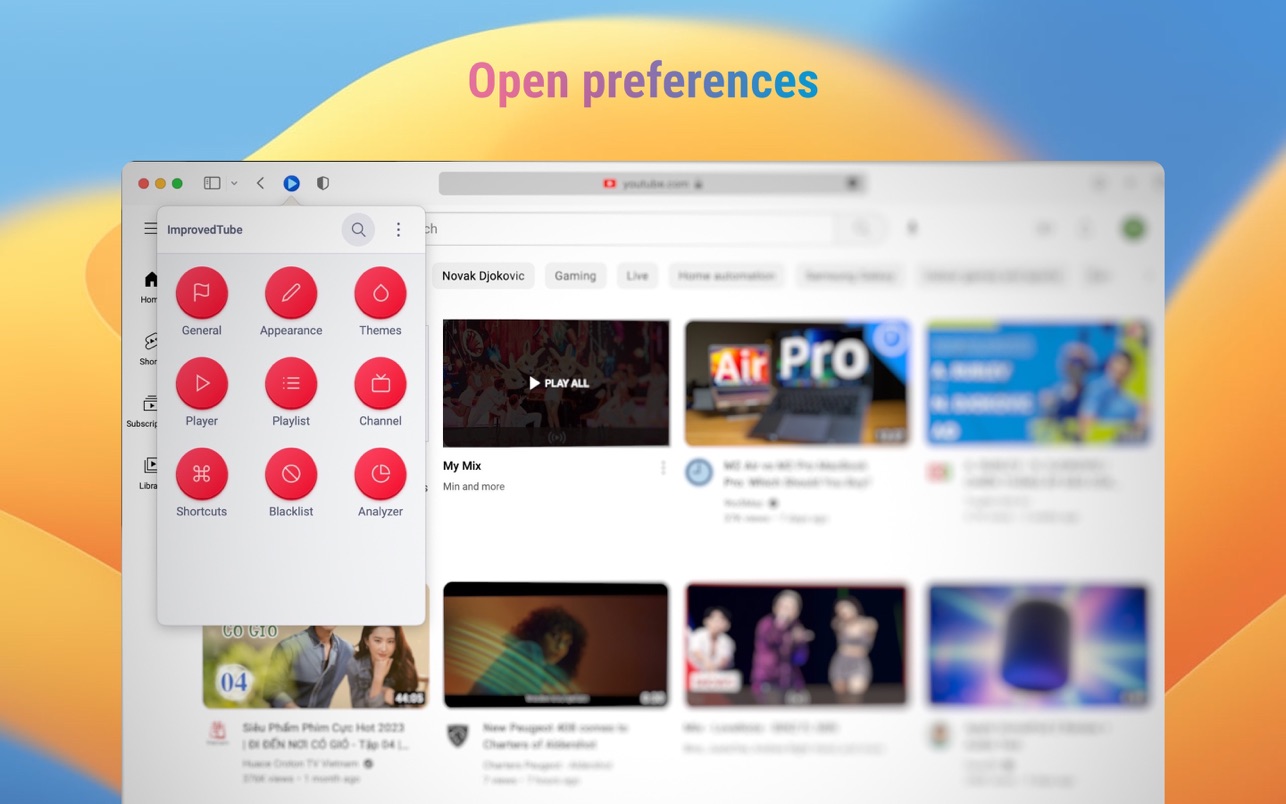
Powerful but lightweight extension to enrich your video experience & content selection.
Player / Playback features:
• Video Quality
• Auto-Fullscreen
• Fixed Volume or disallow Loudness Normalization
• Fixed Playback Speed
• “Repeat” button for Player
• “Screenshot” button for Player
• “Popup Player” button for Player or PIP Picture in picture player
• “Rotate Video” button for Player
• Forced H.264 Video Codec (speed up)
• Video Autoplay Off
• Ads only on Subscribed Channels
• Disallow ads inside player
• Disable 60fps
• Disable Subtitles
• Up Next Autoplay Off
• Mini Player
Player Appearance:
• Player Size
• Forced Theater Mode
• Player Color (timeline/progresbar)
• Transparent Background
• Header style * Monochrome YouTube Logo
• Hide Cards, Endscreen, Annotations
Video Page Appearance:
• Hide Related Videos, Details, Views, Likes or change their styles
• Show video age
• Show channel video count
• Change style of “Description”, “Comments”, “Footer”, “Livechat”, “Playlist” and “Related videos”
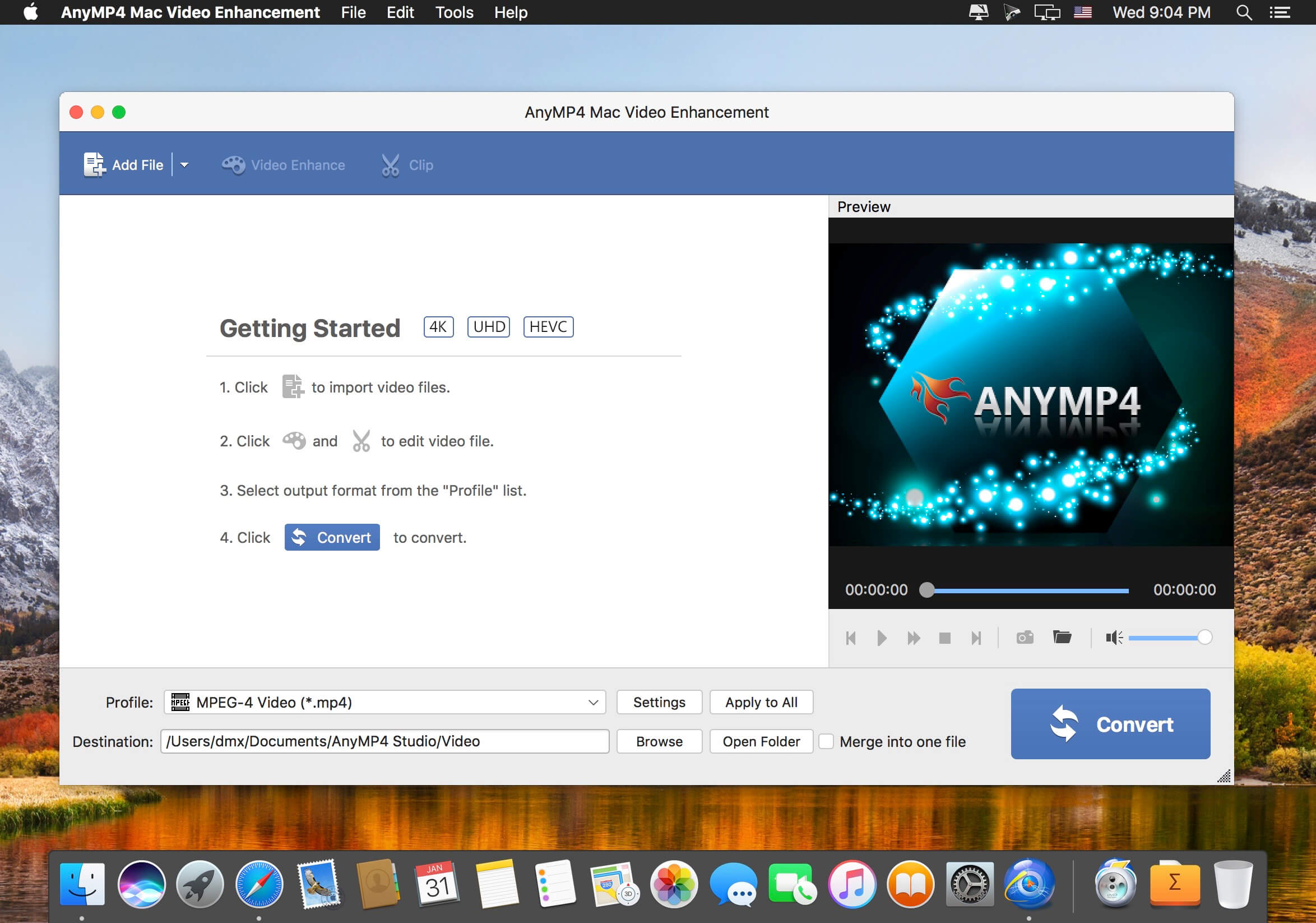
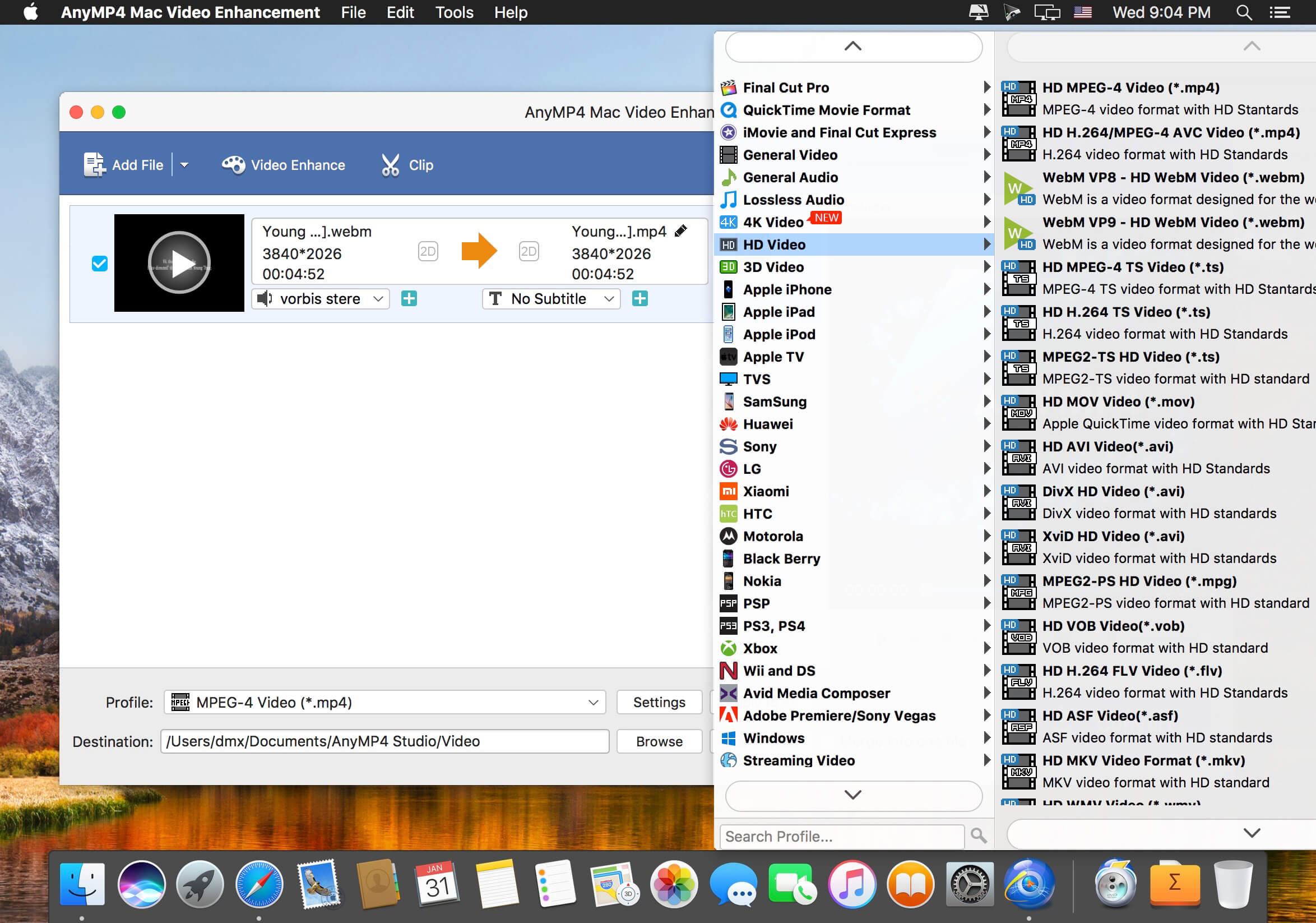
You may have trouble with some low quality video files and want to change video resolution to enhance video resolution. If you’re looking for powerful video enhancing software, AnyMP4 Video Enhancement Software for Mac is the best choice. It has the capacity of enhancing video quality from SD to HD, and improving the brightness and contrast.
With the Mac Video Enhancement, you can choose to remove the background noise and stabilize shaky video automatically. In addition, it is available to editing videos effect by adjusting the Brightness, Contrast, Saturation, Hue and Volume automatically.
My PaintBrush for Mac is a powerful multilayer paint and drawing application. Use inspiring tools and brushes to create and save smooth images on your Mac.
√ Build up and manage multiple layers
• Merge or combine layers.
• Set the alpha value of individual layer.
• Customize the layer to be visible or not.
• Freely Change the order of layers.
• Delete unwanted layers.
√ Operations on each layer
• Customized times undo/redo.
• Flip horizontally and vertically.
• Move selected zone.
√ Familiar preset tools
• Erasers, Fill tools, Colorpicker, Zoom In.
• Straight lines, Curves, Rectangles, Rounded-rectangles, Ellipses.
• Text: customize font, size, color of text.
• Palette: set the foreground and background color for tools.
If you’re tired of the motionless pictures on your desktop, if you’re ready to welcome the magic of various places around the world and even parallel universes, we have gathered the best live wallpapers in this app! The variety of themes, seasons, and festive scenes are sure to appeal to you.
They say beauty demands sacrifice but you don’t need to worry because the smart energy-saving settings will slow down the wallpaper if you need your computer to work at full capacity or if your notebook is running low on power. So sit back comfortably and relax – the wonders are already on your screen! And we continue creating new ones.
Features:
high-quality 3D graphics and effects
Retina 5K display ready
multi-monitor support
option to automatically change wallpaper after a certain interval
(Formerly Hookshot) Snap windows faster in this featureful Rectangle superset. Toss windows in the right places with cursor movement, move multiple windows with one command, create custom shortcuts, and more.
Features
16 window sizes & positions
Keyboard shortcuts
Drag windows to screen edges to snap
Move and resize by holding a key and moving your cursor
Snap windows under your cursor, even if not in focus
Custom shortcuts for any size & position
What’s New:
Version 2.7.5:
Release notes were unavailable when this listing was updated.
Compatibility: macOS 10.12 or later • Apple Silicon or Intel Core processor Homepagehttps://hookshot.app
Elmedia Player is a video and audio player that will play virtually any file you throw at it, be it MP4, AVI, MOV, SWF, DAT, MKV, MP3, FLAC, M4V, FLV or any other common format. No need for additional codecs, plugins – this app has everything you need for your files playback.
Elmedia Player guarantees a perfectly smooth HD experience thanks to hardware accelerated decoding.
Highlights:
Elmedia Player proudly offers:
Video and audio playback options
Supports multiple audio tracks, including embedded ones as well as external audio files.
Full-screen mode that even offers you a choice, which monitor will be showing the full-screen video.
Native volume control.
Creation and easy control over playlists.
The player can be conveniently pinned on top of all active apps.
Fit the image to screen.
The playback speed is easily adjusted.
Play the selected video or audio segment in a continuous loop.
Choose which external audio tracks or subtitle files the player will load: all with movie name, same name as movie or all in directory.
Stream local files to Chromecast, Apple TV, Smart TV and other AirPlay and DLNA-certified devices.
With Elmedia Player installed on your Mac you’ll be able to effortlessly stream local video and audio files to Samsung TV, LG TV, Sony TV, as well as many other smart TV sets.
Great streaming features offered by Elmedia:
Streams audio and video files in their native formats or transcoded in real time.
Supports streaming of up to 4K videos to compatible devices (Chromecast Ultra, Apple TV 4K, etc.).
Supports subtitles (both embedded and external).
Streams content from YouTube, Dailymotion and Vimeo without ads (via the Open Online Video option).
Supports playlists (create your very own playlists for uninterrupted streaming).
Control your streaming in the app. You can play, pause, seek, or stop the video playback. When streaming to Chromecast or DLNA devices you can also adjust the volume in player.
You can also use Elmedia Player as an audio receiver for AirPlay, which comes in handy when you need to stream audio from your phone to a Mac connected to larger speakers.
Integrated subtitles search
We have integrated Elmedia Player with opensubtitles.org service, which allows you to find any subtitles available there in a couple of clicks without leaving the player.
Flexible video & audio settings
Flip vertically, rotate, mirror videos or revert to original.
Adjust video brightness, contrast, saturation, and more.
Sync subtitles to the video in case it wasn’t in sync originally.
Choose the language for audio and subtitles when files have multiple subtitles and audio streams.
Adjust the sound for different genres, rooms, or specific speakers with the audio equalizer. Select one of the presets or create your own.
You can set an output device for audio; for advanced users: transmit AC-3/DTS through S/PDIF.
Subtitles: utf, srt, ass, smi, txt, ssa, smil, jss, rt, idx, sub, xml
Watch online videos and make screenshots
Access YouTube, Vimeo, and Dailymotion videos directly from the app without bringing up a browser; no noisy ads to distract you with Open Online Video option.
Make a screenshot of any moment in the movie or make an entire video into a set of images. Set the preferred interval between screenshots.
Elmedia Video Player is a free media player for macOS. It can play pretty much any file type, be it AVI, MP4, FLV, WMV, MKV, MP3, M4V etc. Elmedia Video Player is an all-in-one solution, that doesn’t call for any additional plugins or codecs.
Elmedia Player is available for Apple TV now!
This player has a wonderful HD experience to offer to its users thanks to a native hardware accelerated decoding that unloads the processor and brings the smooth and clean video onto the screen.
Highlights:
Video and audio playback
Keep the player on top of all apps to never miss a moment of the movie.
Will play any audio track including external.
Offers its own volume control.
Works great with various subtitles files. Supports Eastern Asian languages, Arabic, Hebrew, etc.
Subtitles: utf, srt, ass, smi, txt, ssa, smil, jss, rt, idx, sub, xml
Flexible settings
When watching a movie with subtitles Elmedia Video Player can put them in perfect sync with the video in case there is some mismatch.
No conversion needed to play a DVD or a video that was copied from DVD.
Extra useful features of Elmedia Video Player PRO!
Adjust brightness, contrast, saturation, and more even during playback.
Make the sound perfect for your ears with a 10-band equalizer. Choose one of existing presets (Large Hall, Party, etc.) or create your own unique sound.
Make a screenshot of any moment in the movie or make the entire video a series of pictures with adjustable interval.
Take the most out of virtual surround and speakers emulation.
Select the output device for audio.
Transmit AC-3/DTS through S/PDIF.
A couple of other convenient playback possibilities:
Select the language for the sound and subtitles;
Set up which monitor will show fullscreen;
Flip, rotate and mirror the video;
Loop any part of movie or music video continuously;
Deinterlace and image enhancement.
AirPlay!
Elmedia can stream to different AirPlay devices and other Mac computers with Elmedia installed. Things to note:
No need to convert any files like AVI, FLV, MKV, 3GP videos to watch them on Apple TV.
Note: Elmedia Player does not stream VIDEO_TS, .swf, and .exe files.
Embedded and external subtitle files are supported by the player.
With Elmedia you can stream YouTube videos to Apple TV. YouTube videos in FLV, MKV, 3GP formats are not supported by AirPlay.
What’s New:
Version 8.11
Some minor fixes and improvements.
Version 8.0
Added: Support for Roku devices.
Added: Native support for Apple’s new M1 chips.
Added: Picture-in-Picture mode(PRO).
Added: Audio visualizer.
Added: Interface color themes.
Added: Support for new video and audio formats.
Added: Option to keep aspect ratio when resizing.
Added: Ability to change the time format on the timeline (frames / seconds / milliseconds).
Added: Show preview thumbnails while seeking.
Added: Ability to name bookmarks.
Added: “Now Playing” widget support (macOS 10.13 or later required).
Added: Ability to save subtitles from opensubtitles.org (PRO).
Added: Ability to move the subtitle box (vertical movement can be done through the menu bar or hotkeys).
Added: Ability to burn subtitles into video while streaming.
Added: Time jump settings.
Improved: Updated interface.
Improved: Touch Bar support.
Improved: Support for control playback with media keys on macOS 10.13 or later.
Improved: Playing UHD video.
Improved: Support for forced subtitles.
Improved: Playlist shuffle function.
Improved: Streaming to different devices.
Improved: Search subtitles on opensubtitles.org.
Improved: Accessibility support.
Fixed: Playing some videos when the deinterlace option is enabled.
Infuse – the beautiful way to watch almost any video format on your iPhone, iPad, Apple TV, and Mac. No need to convert files! Infuse is optimized for macOS 11, with powerful streaming options, Trakt sync, and unmatched AirPlay & subtitle support. Gorgeous interface. Precise controls. And silky-smooth playback.
PLAY MORE VIDEO TYPES
A powerful video player that plays just about anything, including the standard MP4, M4V and MOV – plus MKV, AVI, WMV, MTS, ISO, VIDEO_TS, FLV, OGM, OGV, ASF, 3GP, DVR-MS, WebM, and WTV. Includes fully certified Dolby® Digital Plus (AC3/E-AC3), DTS® and DTS-HD® audio.
STREAM FROM OTHER DEVICES
Browse and play videos stored on your Mac, PC, NAS, Wi-Fi hard drive, apps like Plex, Emby, and Jellyfin, or from cloud services like Dropbox, Google Drive, OneDrive, Box, pCloud, Yandex.Disk, and Mega.nz – no syncing required!
TRAKT 2-WAY SYNC
Connect with Trakt to sync watched history, submit ratings and post comments.
OPTIMIZED SUBTITLES POWERED BY OPENSUBTITLES
Bring your own subtitles, or download them on the fly (for free) in virtually any language.
THE BASICS
Silky-smooth video player (plays full 4K w/ HDR & Dolby Vision)
Stream from a Mac, PC, NAS or Wi-Fi enabled hard drive
Connect with Plex, Emby, Jellyfin, Kodi (XBMC), WMC and other media servers
Elmedia Player is a video and audio player that will play virtually any file you throw at it, be it MP4, AVI, MOV, SWF, DAT, MKV, MP3, FLAC, M4V, FLV or any other common format. No need for additional codecs, plugins – this app has everything you need for your files playback.
Elmedia Player guarantees a perfectly smooth HD experience thanks to hardware accelerated decoding.
Highlights:
Elmedia Player proudly offers:
Video and audio playback options
Supports multiple audio tracks, including embedded ones as well as external audio files.
Full-screen mode that even offers you a choice, which monitor will be showing the full-screen video.
Native volume control.
Creation and easy control over playlists.
The player can be conveniently pinned on top of all active apps.
Fit the image to screen.
The playback speed is easily adjusted.
Play the selected video or audio segment in a continuous loop.
Choose which external audio tracks or subtitle files the player will load: all with movie name, same name as movie or all in directory.
Stream local files to Chromecast, Apple TV, Smart TV and other AirPlay and DLNA-certified devices.
With Elmedia Player installed on your Mac you’ll be able to effortlessly stream local video and audio files to Samsung TV, LG TV, Sony TV, as well as many other smart TV sets.
Great streaming features offered by Elmedia:
Streams audio and video files in their native formats or transcoded in real time.
Supports streaming of up to 4K videos to compatible devices (Chromecast Ultra, Apple TV 4K, etc.).
Supports subtitles (both embedded and external).
Streams content from YouTube, Dailymotion and Vimeo without ads (via the Open Online Video option).
Supports playlists (create your very own playlists for uninterrupted streaming).
Control your streaming in the app. You can play, pause, seek, or stop the video playback. When streaming to Chromecast or DLNA devices you can also adjust the volume in player.
You can also use Elmedia Player as an audio receiver for AirPlay, which comes in handy when you need to stream audio from your phone to a Mac connected to larger speakers.
Integrated subtitles search
We have integrated Elmedia Player with opensubtitles.org service, which allows you to find any subtitles available there in a couple of clicks without leaving the player.
Flexible video & audio settings
Flip vertically, rotate, mirror videos or revert to original.
Adjust video brightness, contrast, saturation, and more.
Sync subtitles to the video in case it wasn’t in sync originally.
Choose the language for audio and subtitles when files have multiple subtitles and audio streams.
Adjust the sound for different genres, rooms, or specific speakers with the audio equalizer. Select one of the presets or create your own.
You can set an output device for audio; for advanced users: transmit AC-3/DTS through S/PDIF.
Subtitles: utf, srt, ass, smi, txt, ssa, smil, jss, rt, idx, sub, xml
Watch online videos and make screenshots
Access YouTube, Vimeo, and Dailymotion videos directly from the app without bringing up a browser; no noisy ads to distract you with Open Online Video option.
Make a screenshot of any moment in the movie or make an entire video into a set of images. Set the preferred interval between screenshots.
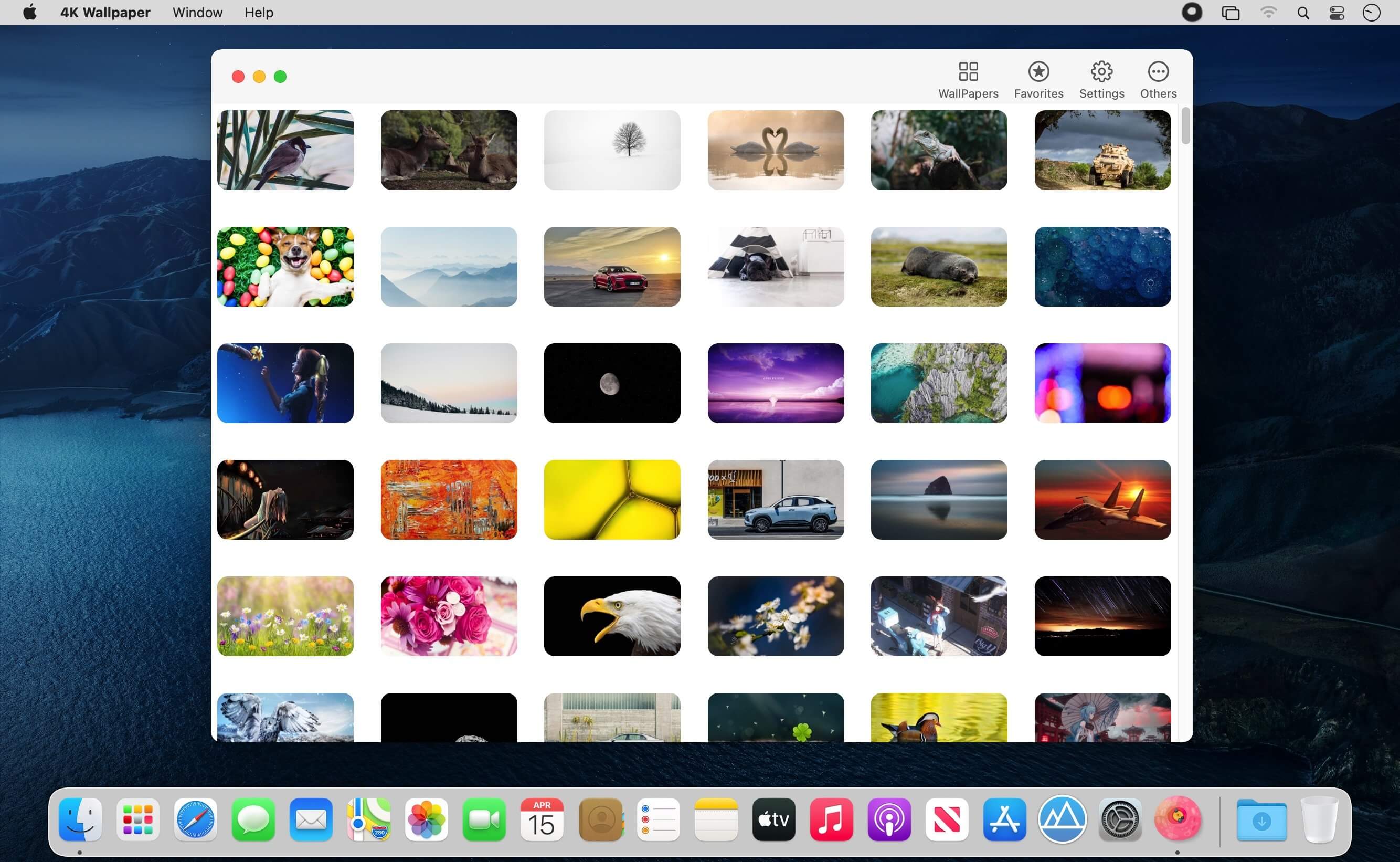
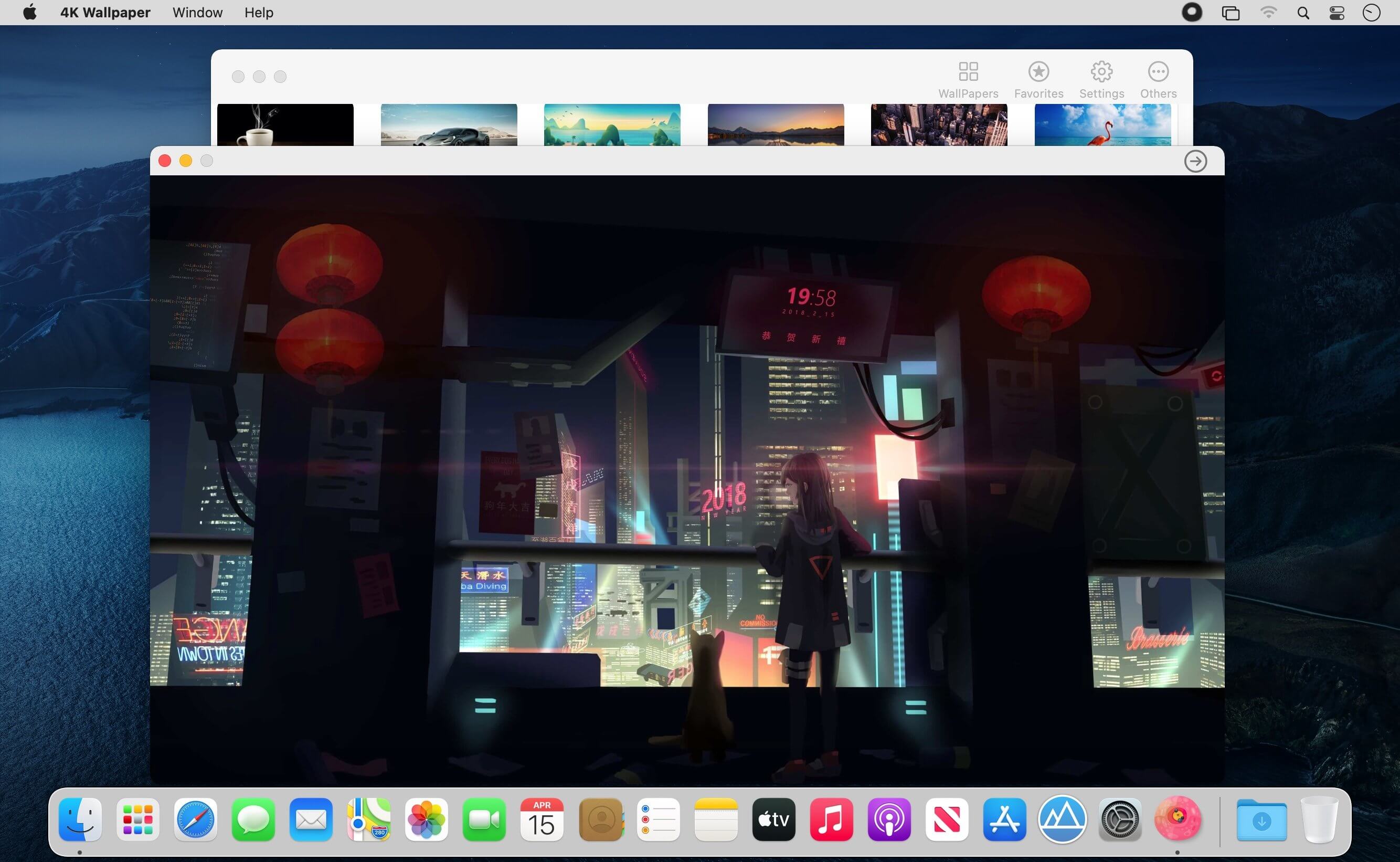
Feel the breeze of your desktop, your desktop is not boring anymore!
Select from 14 themes: Nature, Space and more.
Show/Hide Desktop Icons : it can be used as a curtain to hide desktop icons, Just in case you are having a work presentation and you want to hide all the mess on the desktop.
(Formerly Hookshot) Snap windows faster in this featureful Rectangle superset. Toss windows in the right places with cursor movement, move multiple windows with one command, create custom shortcuts, and more.
Features
16 window sizes & positions
Keyboard shortcuts
Drag windows to screen edges to snap
Move and resize by holding a key and moving your cursor
Snap windows under your cursor, even if not in focus
Custom shortcuts for any size & position
What’s New:
Version 2.7.3:
Release notes were unavailable when this listing was updated.
Compatibility: macOS 10.12 or later • Apple Silicon or Intel Core processor Homepagehttps://hookshot.app
Screenshots
Name:
Rectangle Pro 2.7.3 [HCiSO]_Mactorrents.is.dmg
Size:
13.9 MB
Files
Rectangle Pro 2.7.3 [HCiSO]_ Mactorrents.is.dmg[13.9 MB]
Infuse – the beautiful way to watch almost any video format on your iPhone, iPad, Apple TV, and Mac. No need to convert files! Infuse is optimized for macOS 11, with powerful streaming options, Trakt sync, and unmatched AirPlay & subtitle support. Gorgeous interface. Precise controls. And silky-smooth playback.
PLAY MORE VIDEO TYPES
A powerful video player that plays just about anything, including the standard MP4, M4V and MOV – plus MKV, AVI, WMV, MTS, ISO, VIDEO_TS, FLV, OGM, OGV, ASF, 3GP, DVR-MS, WebM, and WTV. Includes fully certified Dolby® Digital Plus (AC3/E-AC3), DTS® and DTS-HD® audio.
STREAM FROM OTHER DEVICES
Browse and play videos stored on your Mac, PC, NAS, Wi-Fi hard drive, apps like Plex, Emby, and Jellyfin, or from cloud services like Dropbox, Google Drive, OneDrive, Box, pCloud, Yandex.Disk, and Mega.nz – no syncing required!
TRAKT 2-WAY SYNC
Connect with Trakt to sync watched history, submit ratings and post comments.
OPTIMIZED SUBTITLES POWERED BY OPENSUBTITLES
Bring your own subtitles, or download them on the fly (for free) in virtually any language.
THE BASICS
Silky-smooth video player (plays full 4K w/ HDR & Dolby Vision)
Stream from a Mac, PC, NAS or Wi-Fi enabled hard drive
Connect with Plex, Emby, Jellyfin, Kodi (XBMC), WMC and other media servers
Infuse – the beautiful way to watch almost any video format on your iPhone, iPad, Apple TV, and Mac. No need to convert files! Infuse is optimized for macOS 11, with powerful streaming options, Trakt sync, and unmatched AirPlay & subtitle support. Gorgeous interface. Precise controls. And silky-smooth playback.
PLAY MORE VIDEO TYPES
A powerful video player that plays just about anything, including the standard MP4, M4V and MOV – plus MKV, AVI, WMV, MTS, ISO, VIDEO_TS, FLV, OGM, OGV, ASF, 3GP, DVR-MS, WebM, and WTV. Includes fully certified Dolby® Digital Plus (AC3/E-AC3), DTS® and DTS-HD® audio.
STREAM FROM OTHER DEVICES
Browse and play videos stored on your Mac, PC, NAS, Wi-Fi hard drive, apps like Plex, Emby, and Jellyfin, or from cloud services like Dropbox, Google Drive, OneDrive, Box, pCloud, Yandex.Disk, and Mega.nz – no syncing required!
TRAKT 2-WAY SYNC
Connect with Trakt to sync watched history, submit ratings and post comments.
OPTIMIZED SUBTITLES POWERED BY OPENSUBTITLES
Bring your own subtitles, or download them on the fly (for free) in virtually any language.
THE BASICS
Silky-smooth video player (plays full 4K w/ HDR & Dolby Vision)
Stream from a Mac, PC, NAS or Wi-Fi enabled hard drive
Connect with Plex, Emby, Jellyfin, Kodi (XBMC), WMC and other media servers
(Formerly Hookshot) Snap windows faster in this featureful Rectangle superset. Toss windows in the right places with cursor movement, move multiple windows with one command, create custom shortcuts, and more.
Features
16 window sizes & positions
Keyboard shortcuts
Drag windows to screen edges to snap
Move and resize by holding a key and moving your cursor
Snap windows under your cursor, even if not in focus
Custom shortcuts for any size & position
What’s New:
Version 2.6.2:
Release notes were unavailable when this listing was updated.
Compatibility: macOS 10.12 or later • Apple Silicon or Intel Core processor Homepagehttps://hookshot.app
Infuse – the beautiful way to watch almost any video format on your iPhone, iPad, Apple TV, and Mac. No need to convert files! Infuse is optimized for macOS 11, with powerful streaming options, Trakt sync, and unmatched AirPlay & subtitle support. Gorgeous interface. Precise controls. And silky-smooth playback.
PLAY MORE VIDEO TYPES
A powerful video player that plays just about anything, including the standard MP4, M4V and MOV – plus MKV, AVI, WMV, MTS, ISO, VIDEO_TS, FLV, OGM, OGV, ASF, 3GP, DVR-MS, WebM, and WTV. Includes fully certified Dolby® Digital Plus (AC3/E-AC3), DTS® and DTS-HD® audio.
STREAM FROM OTHER DEVICES
Browse and play videos stored on your Mac, PC, NAS, Wi-Fi hard drive, apps like Plex, Emby, and Jellyfin, or from cloud services like Dropbox, Google Drive, OneDrive, Box, pCloud, Yandex.Disk, and Mega.nz – no syncing required!
TRAKT 2-WAY SYNC
Connect with Trakt to sync watched history, submit ratings and post comments.
OPTIMIZED SUBTITLES POWERED BY OPENSUBTITLES
Bring your own subtitles, or download them on the fly (for free) in virtually any language.
THE BASICS
Silky-smooth video player (plays full 4K w/ HDR & Dolby Vision)
Stream from a Mac, PC, NAS or Wi-Fi enabled hard drive
Connect with Plex, Emby, Jellyfin, Kodi (XBMC), WMC and other media servers
(Formerly Hookshot) Snap windows faster in this featureful Rectangle superset. Toss windows in the right places with cursor movement, move multiple windows with one command, create custom shortcuts, and more.
Features
16 window sizes & positions
Keyboard shortcuts
Drag windows to screen edges to snap
Move and resize by holding a key and moving your cursor
Snap windows under your cursor, even if not in focus
Custom shortcuts for any size & position
What’s New:
Version 2.5.1:
Release notes were unavailable when this listing was updated.
Feel the breeze of your desktop, your desktop is not boring anymore!
Select from 14 themes: Nature, Space and more.
Show/Hide Desktop Icons : it can be used as a curtain to hide desktop icons, Just in case you are having a work presentation and you want to hide all the mess on the desktop.
If you’re tired of the motionless pictures on your desktop, if you’re ready to welcome the magic of various places around the world and even parallel universes, we have gathered the best live wallpapers in this app! The variety of themes, seasons, and festive scenes are sure to appeal to you.
They say beauty demands sacrifice but you don’t need to worry because the smart energy-saving settings will slow down the wallpaper if you need your computer to work at full capacity or if your notebook is running low on power. So sit back comfortably and relax – the wonders are already on your screen! And we continue creating new ones.
Features:
high-quality 3D graphics and effects
Retina 5K display ready
multi-monitor support
option to automatically change wallpaper after a certain interval
Elmedia Player is a video and audio player that will play virtually any file you throw at it, be it MP4, AVI, MOV, SWF, DAT, MKV, MP3, FLAC, M4V, FLV or any other common format. No need for additional codecs, plugins – this app has everything you need for your files playback.
Elmedia Player guarantees a perfectly smooth HD experience thanks to hardware accelerated decoding.
Highlights:
Elmedia Player proudly offers:
Video and audio playback options
Supports multiple audio tracks, including embedded ones as well as external audio files.
Full-screen mode that even offers you a choice, which monitor will be showing the full-screen video.
Native volume control.
Creation and easy control over playlists.
The player can be conveniently pinned on top of all active apps.
Fit the image to screen.
The playback speed is easily adjusted.
Play the selected video or audio segment in a continuous loop.
Choose which external audio tracks or subtitle files the player will load: all with movie name, same name as movie or all in directory.
Stream local files to Chromecast, Apple TV, Smart TV and other AirPlay and DLNA-certified devices.
With Elmedia Player installed on your Mac you’ll be able to effortlessly stream local video and audio files to Samsung TV, LG TV, Sony TV, as well as many other smart TV sets.
Great streaming features offered by Elmedia:
Streams audio and video files in their native formats or transcoded in real time.
Supports streaming of up to 4K videos to compatible devices (Chromecast Ultra, Apple TV 4K, etc.).
Supports subtitles (both embedded and external).
Streams content from YouTube, Dailymotion and Vimeo without ads (via the Open Online Video option).
Supports playlists (create your very own playlists for uninterrupted streaming).
Control your streaming in the app. You can play, pause, seek, or stop the video playback. When streaming to Chromecast or DLNA devices you can also adjust the volume in player.
You can also use Elmedia Player as an audio receiver for AirPlay, which comes in handy when you need to stream audio from your phone to a Mac connected to larger speakers.
Integrated subtitles search
We have integrated Elmedia Player with opensubtitles.org service, which allows you to find any subtitles available there in a couple of clicks without leaving the player.
Flexible video & audio settings
Flip vertically, rotate, mirror videos or revert to original.
Adjust video brightness, contrast, saturation, and more.
Sync subtitles to the video in case it wasn’t in sync originally.
Choose the language for audio and subtitles when files have multiple subtitles and audio streams.
Adjust the sound for different genres, rooms, or specific speakers with the audio equalizer. Select one of the presets or create your own.
You can set an output device for audio; for advanced users: transmit AC-3/DTS through S/PDIF.
Subtitles: utf, srt, ass, smi, txt, ssa, smil, jss, rt, idx, sub, xml
Watch online videos and make screenshots
Access YouTube, Vimeo, and Dailymotion videos directly from the app without bringing up a browser; no noisy ads to distract you with Open Online Video option.
Make a screenshot of any moment in the movie or make an entire video into a set of images. Set the preferred interval between screenshots.
Infuse – the beautiful way to watch almost any video format on your iPhone, iPad, Apple TV, and Mac. No need to convert files! Infuse is optimized for macOS 11, with powerful streaming options, Trakt sync, and unmatched AirPlay & subtitle support. Gorgeous interface. Precise controls. And silky-smooth playback.
PLAY MORE VIDEO TYPES
A powerful video player that plays just about anything, including the standard MP4, M4V and MOV – plus MKV, AVI, WMV, MTS, ISO, VIDEO_TS, FLV, OGM, OGV, ASF, 3GP, DVR-MS, WebM, and WTV. Includes fully certified Dolby® Digital Plus (AC3/E-AC3), DTS® and DTS-HD® audio.
STREAM FROM OTHER DEVICES
Browse and play videos stored on your Mac, PC, NAS, Wi-Fi hard drive, apps like Plex, Emby, and Jellyfin, or from cloud services like Dropbox, Google Drive, OneDrive, Box, pCloud, Yandex.Disk, and Mega.nz – no syncing required!
TRAKT 2-WAY SYNC
Connect with Trakt to sync watched history, submit ratings and post comments.
OPTIMIZED SUBTITLES POWERED BY OPENSUBTITLES
Bring your own subtitles, or download them on the fly (for free) in virtually any language.
THE BASICS
Silky-smooth video player (plays full 4K w/ HDR & Dolby Vision)
Stream from a Mac, PC, NAS or Wi-Fi enabled hard drive
Connect with Plex, Emby, Jellyfin, Kodi (XBMC), WMC and other media servers
Infuse – the beautiful way to watch almost any video format on your iPhone, iPad, Apple TV, and Mac. No need to convert files! Infuse is optimized for macOS 11, with powerful streaming options, Trakt sync, and unmatched AirPlay & subtitle support. Gorgeous interface. Precise controls. And silky-smooth playback.
PLAY MORE VIDEO TYPES
A powerful video player that plays just about anything, including the standard MP4, M4V and MOV – plus MKV, AVI, WMV, MTS, ISO, VIDEO_TS, FLV, OGM, OGV, ASF, 3GP, DVR-MS, WebM, and WTV. Includes fully certified Dolby® Digital Plus (AC3/E-AC3), DTS® and DTS-HD® audio.
STREAM FROM OTHER DEVICES
Browse and play videos stored on your Mac, PC, NAS, Wi-Fi hard drive, apps like Plex, Emby, and Jellyfin, or from cloud services like Dropbox, Google Drive, OneDrive, Box, pCloud, Yandex.Disk, and Mega.nz – no syncing required!
TRAKT 2-WAY SYNC
Connect with Trakt to sync watched history, submit ratings and post comments.
OPTIMIZED SUBTITLES POWERED BY OPENSUBTITLES
Bring your own subtitles, or download them on the fly (for free) in virtually any language.
THE BASICS
Silky-smooth video player (plays full 4K w/ HDR & Dolby Vision)
Stream from a Mac, PC, NAS or Wi-Fi enabled hard drive
Connect with Plex, Emby, Jellyfin, Kodi (XBMC), WMC and other media servers
Elmedia Video Player is a free media player for Mac OS. It can play pretty much any file type, be it AVI, MP4, FLV, WMV, MKV, MP3, M4V etc. Elmedia Video Player is an all-in-one solution, that doesn’t call for any additional plugins or codecs.
Elmedia Player is available for Apple TV now!
This player has a wonderful HD experience to offer to its users thanks to a native hardware accelerated decoding that unloads the processor and brings the smooth and clean video onto the screen.
Highlights:
Video and audio playback
Keep the player on top of all apps to never miss a moment of the movie.
Will play any audio track including external.
Offers its own volume control.
Works great with various subtitles files. Supports Eastern Asian languages, Arabic, Hebrew, etc.
Subtitles: utf, srt, ass, smi, txt, ssa, smil, jss, rt, idx, sub, xml
Flexible settings
When watching a movie with subtitles Elmedia Video Player can put them in perfect sync with the video in case there is some mismatch.
No conversion needed to play a DVD or a video that was copied from DVD.
Extra useful features of Elmedia Video Player PRO!
Adjust brightness, contrast, saturation, and more even during playback.
Make the sound perfect for your ears with a 10-band equalizer. Choose one of existing presets (Large Hall, Party, etc.) or create your own unique sound.
Make a screenshot of any moment in the movie or make the entire video a series of pictures with adjustable interval.
Take the most out of virtual surround and speakers emulation.
Select the output device for audio.
Transmit AC-3/DTS through S/PDIF.
A couple of other convenient playback possibilities:
Select the language for the sound and subtitles;
Set up which monitor will show fullscreen;
Flip, rotate and mirror the video;
Loop any part of movie or music video continuously;
Deinterlace and image enhancement.
AirPlay!
Elmedia can stream to different AirPlay devices and other Mac computers with Elmedia installed. Things to note:
No need to convert any files like AVI, FLV, MKV, 3GP videos to watch them on Apple TV.
Note: Elmedia Player does not stream VIDEO_TS, .swf, and .exe files.
Embedded and external subtitle files are supported by the player.
With Elmedia you can stream YouTube videos to Apple TV. YouTube videos in FLV, MKV, 3GP formats are not supported by AirPlay.
What’s New:
Version 8.6
Fixed: an issue with opening some online videos via Open Online Video.
Elmedia Player is a video and audio player that will play virtually any file you throw at it, be it MP4, AVI, MOV, SWF, DAT, MKV, MP3, FLAC, M4V, FLV or any other common format. No need for additional codecs, plugins – this app has everything you need for your files playback.
Elmedia Player guarantees a perfectly smooth HD experience thanks to hardware accelerated decoding.
Highlights:
Elmedia Player proudly offers:
Video and audio playback options
Supports multiple audio tracks, including embedded ones as well as external audio files.
Full-screen mode that even offers you a choice, which monitor will be showing the full-screen video.
Native volume control.
Creation and easy control over playlists.
The player can be conveniently pinned on top of all active apps.
Fit the image to screen.
The playback speed is easily adjusted.
Play the selected video or audio segment in a continuous loop.
Choose which external audio tracks or subtitle files the player will load: all with movie name, same name as movie or all in directory.
Stream local files to Chromecast, Apple TV, Smart TV and other AirPlay and DLNA-certified devices.
With Elmedia Player installed on your Mac you’ll be able to effortlessly stream local video and audio files to Samsung TV, LG TV, Sony TV, as well as many other smart TV sets.
Great streaming features offered by Elmedia:
Streams audio and video files in their native formats or transcoded in real time.
Supports streaming of up to 4K videos to compatible devices (Chromecast Ultra, Apple TV 4K, etc.).
Supports subtitles (both embedded and external).
Streams content from YouTube, Dailymotion and Vimeo without ads (via the Open Online Video option).
Supports playlists (create your very own playlists for uninterrupted streaming).
Control your streaming in the app. You can play, pause, seek, or stop the video playback. When streaming to Chromecast or DLNA devices you can also adjust the volume in player.
You can also use Elmedia Player as an audio receiver for AirPlay, which comes in handy when you need to stream audio from your phone to a Mac connected to larger speakers.
Integrated subtitles search
We have integrated Elmedia Player with opensubtitles.org service, which allows you to find any subtitles available there in a couple of clicks without leaving the player.
Flexible video & audio settings
Flip vertically, rotate, mirror videos or revert to original.
Adjust video brightness, contrast, saturation, and more.
Sync subtitles to the video in case it wasn’t in sync originally.
Choose the language for audio and subtitles when files have multiple subtitles and audio streams.
Adjust the sound for different genres, rooms, or specific speakers with the audio equalizer. Select one of the presets or create your own.
You can set an output device for audio; for advanced users: transmit AC-3/DTS through S/PDIF.
Subtitles: utf, srt, ass, smi, txt, ssa, smil, jss, rt, idx, sub, xml
Watch online videos and make screenshots
Access YouTube, Vimeo, and Dailymotion videos directly from the app without bringing up a browser; no noisy ads to distract you with Open Online Video option.
Make a screenshot of any moment in the movie or make an entire video into a set of images. Set the preferred interval between screenshots.
Infuse – the beautiful way to watch almost any video format on your iPhone, iPad, Apple TV, and Mac. No need to convert files! Infuse is optimized for macOS 11, with powerful streaming options, Trakt sync, and unmatched AirPlay & subtitle support. Gorgeous interface. Precise controls. And silky-smooth playback.
PLAY MORE VIDEO TYPES
A powerful video player that plays just about anything, including the standard MP4, M4V and MOV – plus MKV, AVI, WMV, MTS, ISO, VIDEO_TS, FLV, OGM, OGV, ASF, 3GP, DVR-MS, WebM, and WTV. Includes fully certified Dolby® Digital Plus (AC3/E-AC3), DTS® and DTS-HD® audio.
STREAM FROM OTHER DEVICES
Browse and play videos stored on your Mac, PC, NAS, Wi-Fi hard drive, apps like Plex, Emby, and Jellyfin, or from cloud services like Dropbox, Google Drive, OneDrive, Box, pCloud, Yandex.Disk, and Mega.nz – no syncing required!
TRAKT 2-WAY SYNC
Connect with Trakt to sync watched history, submit ratings and post comments.
OPTIMIZED SUBTITLES POWERED BY OPENSUBTITLES
Bring your own subtitles, or download them on the fly (for free) in virtually any language.
THE BASICS
Silky-smooth video player (plays full 4K w/ HDR & Dolby Vision)
Stream from a Mac, PC, NAS or Wi-Fi enabled hard drive
Connect with Plex, Emby, Jellyfin, Kodi (XBMC), WMC and other media servers
Infuse – the beautiful way to watch almost any video format on your iPhone, iPad, Apple TV, and Mac. No need to convert files! Infuse is optimized for macOS 11, with powerful streaming options, Trakt sync, and unmatched AirPlay & subtitle support. Gorgeous interface. Precise controls. And silky-smooth playback.
PLAY MORE VIDEO TYPES
A powerful video player that plays just about anything, including the standard MP4, M4V and MOV – plus MKV, AVI, WMV, MTS, ISO, VIDEO_TS, FLV, OGM, OGV, ASF, 3GP, DVR-MS, WebM, and WTV. Includes fully certified Dolby® Digital Plus (AC3/E-AC3), DTS® and DTS-HD® audio.
STREAM FROM OTHER DEVICES
Browse and play videos stored on your Mac, PC, NAS, Wi-Fi hard drive, apps like Plex, Emby, and Jellyfin, or from cloud services like Dropbox, Google Drive, OneDrive, Box, pCloud, Yandex.Disk, and Mega.nz – no syncing required!
TRAKT 2-WAY SYNC
Connect with Trakt to sync watched history, submit ratings and post comments.
OPTIMIZED SUBTITLES POWERED BY OPENSUBTITLES
Bring your own subtitles, or download them on the fly (for free) in virtually any language.
THE BASICS
Silky-smooth video player (plays full 4K w/ HDR & Dolby Vision)
Stream from a Mac, PC, NAS or Wi-Fi enabled hard drive
Connect with Plex, Emby, Jellyfin, Kodi (XBMC), WMC and other media servers