WiFi Signal lets you monitor your Wi-Fi network’s status and signal quality, notifying you about changes in your Wi-Fi connection.
WiFi Signal can also recommend alternative channels for your network, thus avoiding signal overlapping and channel conflicts resulting in connectivity issues and performance degradation.
FEATURES:
• Simple, straightforward user interface
• 2.4, 5, and 6 GHz band support
• Fully customizable, multi-line status icon display options
• Annotations to quickly identify different access points
• Detachable popover window
• Automatic channel recommendations
• Accurate dBm to percentage (%) conversion
• Real-time graphs for signal strength and noise level, Signal-to-Noise Ratio (SNR), transmit rate, or MCS index (if supported)
• Signal quality ratings based on SNR measurements
• Notifications and logging of changes in your Wi-Fi network connection, such as when the computer joins or disconnects from a network, moves to a different access point, or when data rate or channel configuration changes are detected
• Comprehensive app’s help describes how to use the tool the most effective way
• Light and dark mode support
Requires a Mac with built-in Wi-Fi. External Wi-Fi adapters are not supported.
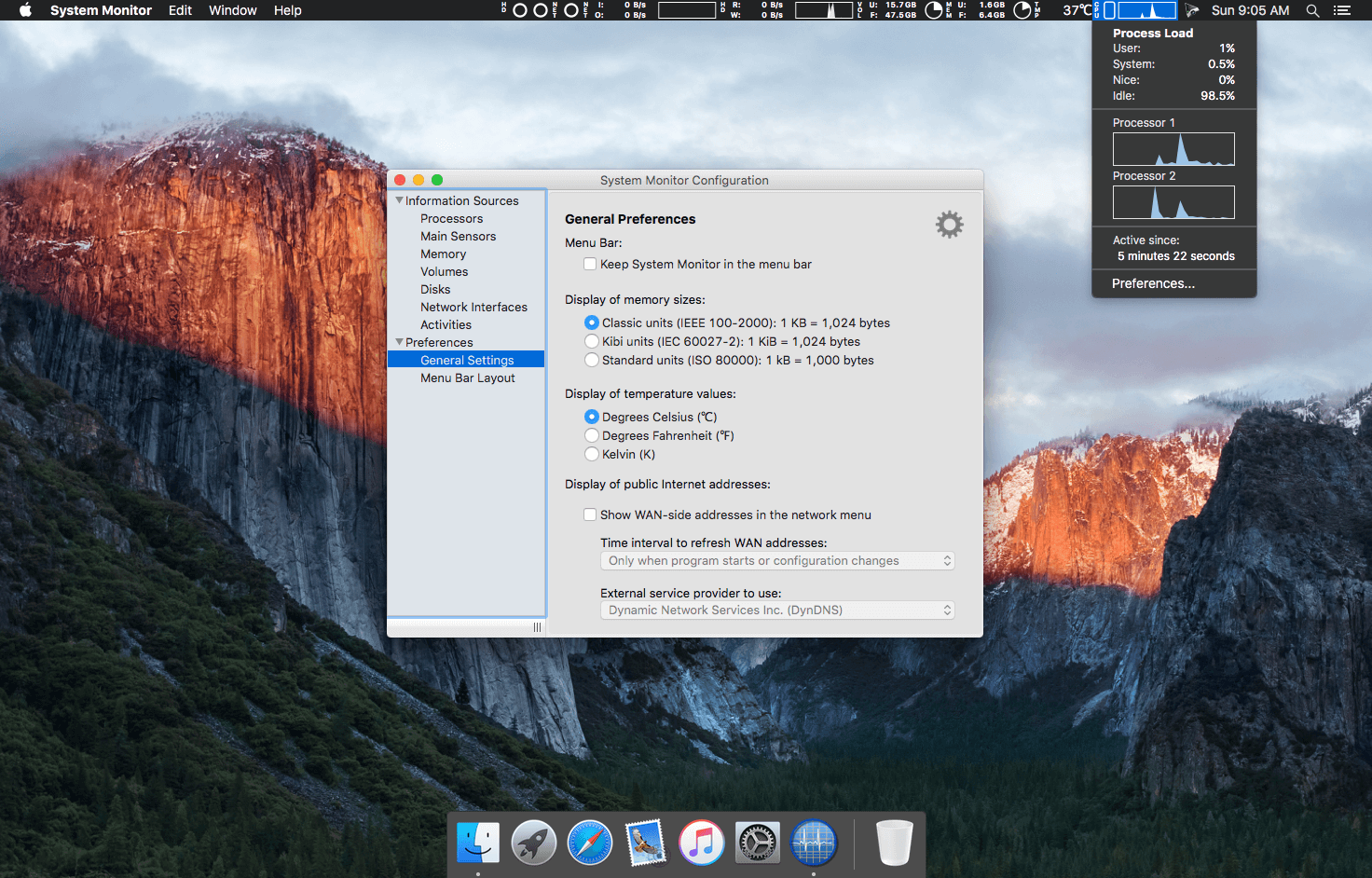
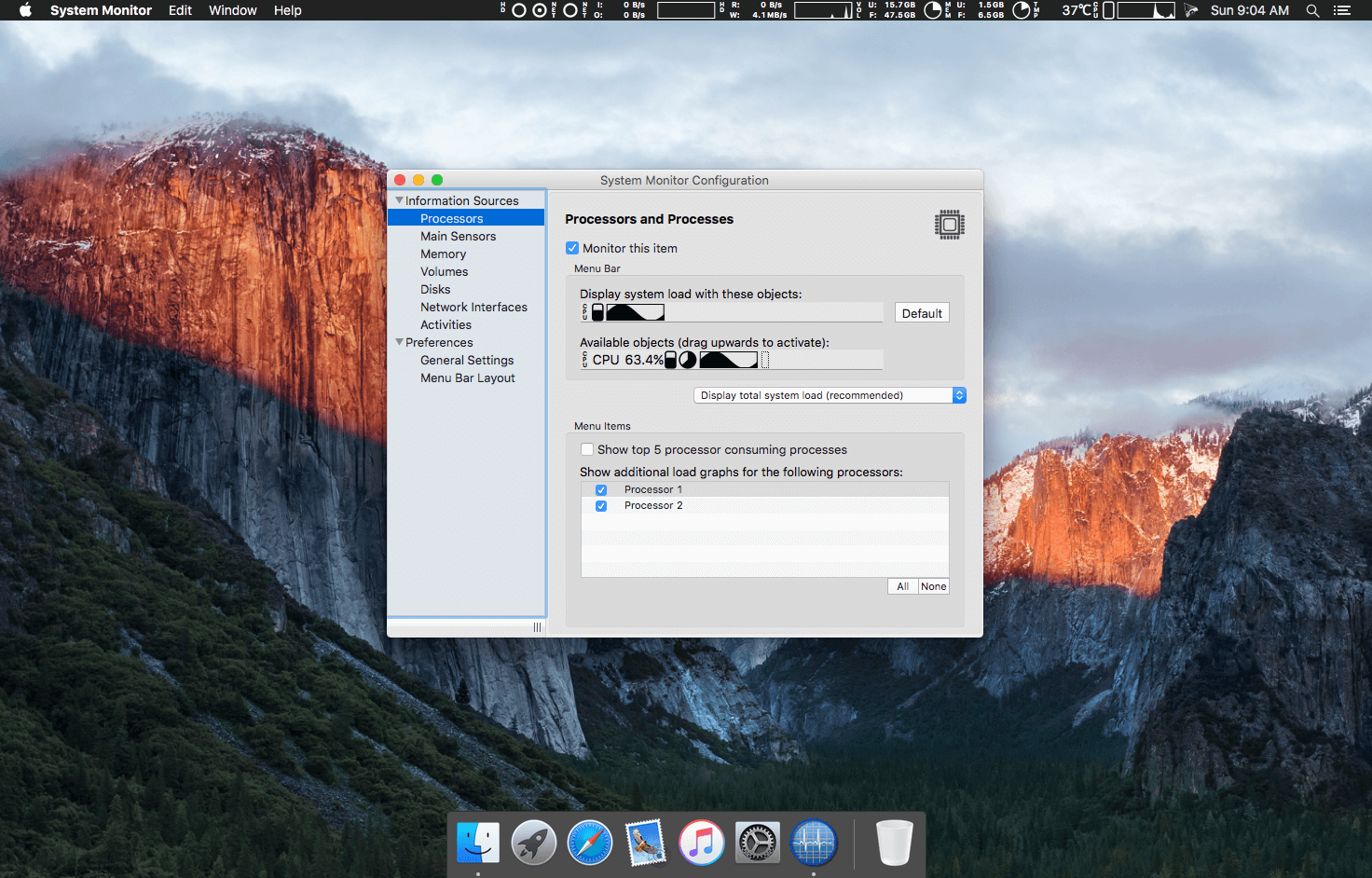
System Monitor is an application for the menu bar of OS X, designed to inform you unobtrusively about the activity of your computer. You can retrieve up-to-date technical data any time, like process load, main memory consumption, storage space, disk activity, communication on network interfaces, etc. By positioning the app in the menu bar, minimum screen real estate is wasted. The program monitors your system continuously and is readily available when you need it.
If desired, System Monitor can also simulate the flickering activity lights of hard drives or network sockets in the menu bar. This is possible either in color or, perfectly integrated into the design of OS X, in inconspicuous black-and-white. PC switchers who miss this feature on Mac computers can easily retrofit this function with System Monitor.
What’s New:
Version 2.7:
This version fixes an issue where the contents of the APFS overview window might not have updated automatically when the user modified the APFS configuration while the window was open.
System Monitor is an application for the menu bar of your Mac, designed to inform you unobtrusively about the activity of your computer. You can retrieve up-to-date technical data any time, like process load, CPU temperature, main memory consumption, storage space, disk activity, communication on network interfaces, etc. By positioning the app in the menu bar, as least screen real estate as possible will be wasted. The program monitors your system continuously and is readily available when you need it.
You can easily configure the App to automatically stay in the menu bar of your user account. No “login item” is required, so there are no annoying windows or Dock icons when you log in.
If desired, System Monitor can also simulate the flickering activity lights of hard drives or network sockets in the menu bar. This is possible either in color or —perfectly integrated into the design of the operating system— in inconspicuous black-and-white. PC switchers who miss this feature on Macintosh computers can easily retrofit this function with System Monitor.
Information
CompatibilityOS X 10.11 or later, 64-bit processor
This version adds full support for macOS 10.15 Catalina.
Legacy technology has been removed from the App. The minimum required OS version is now 10.11.
As side effect of adding support for Catalina, System Monitor now strictly follows the guideline not to monitor hidden storage volumes. This avoids confusion with the swap space volume, local Time Machine snapshots, App Translocation volumes, or the data part of the Catalina system volume. When choosing volumes for monitoring free storage space, the App uses enhanced user guidance to present the relationship between physical disks, APFS containers, APFS volume groups, and APFS volumes.
Screenshots
Name
System Monitor 2.6 Shark mac-torrents.net.zip
Size
11.80 MB
Created on
2019-10-17 17:45:08
Hash
6053c80f25b337a20962894251f235fa6c95f75c
Files
System Monitor 2.6 Shark mac-torrents.net.zip (11.80 MB)
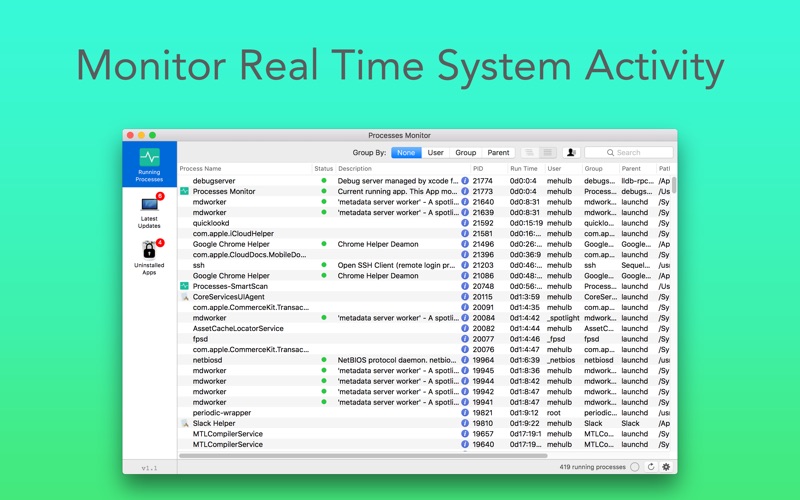
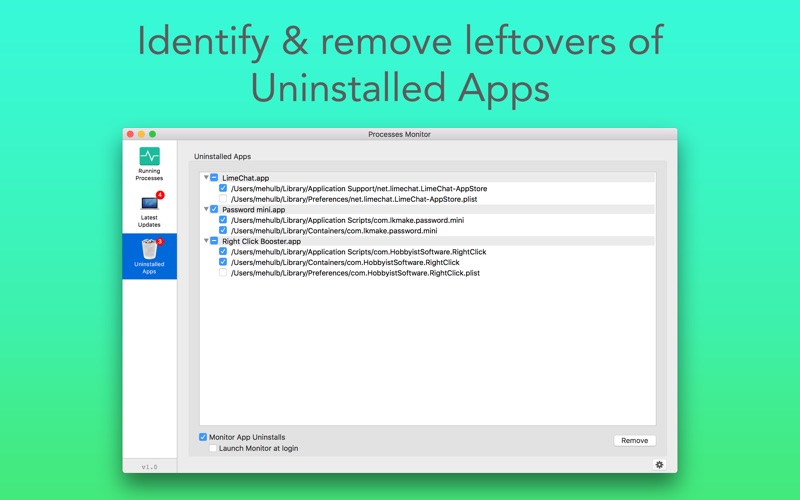
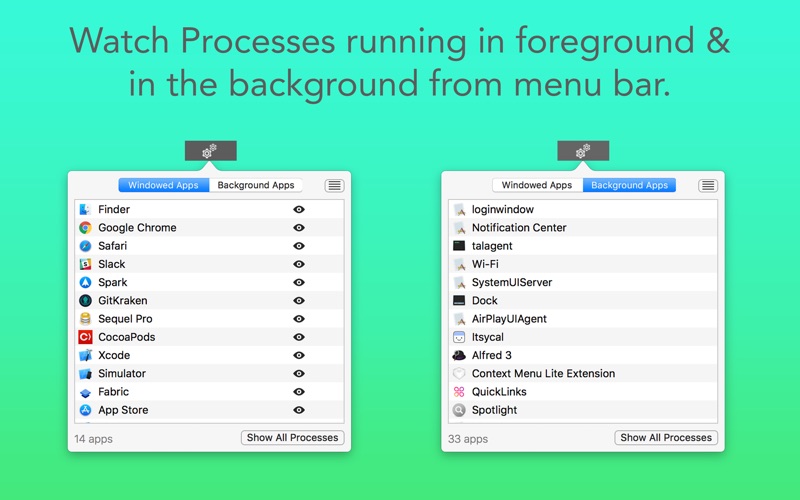
Process Monitor display the current running processes and shows which process is running for which application.
The program monitors your system continuously and is readily available when you need it.
Segregation is done in different forms based on user, groups and parent process.
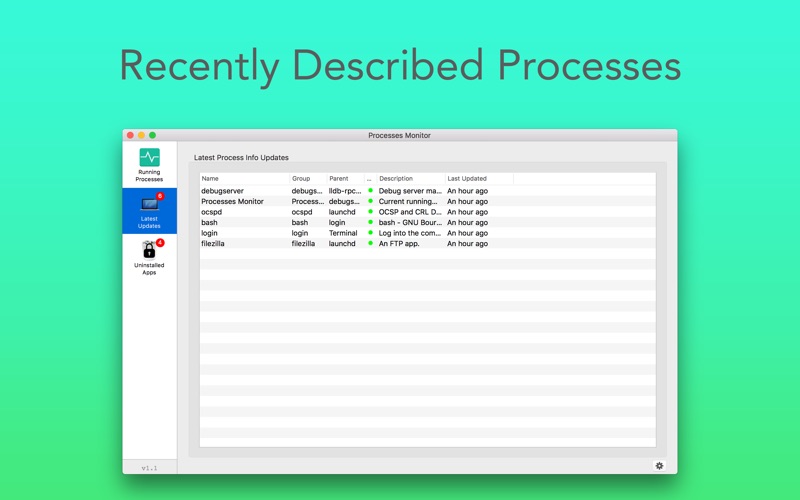
Processes are continuously described to understand in better way.
If the processes are unidentified, they will be marked as blank, if they are identified and description is available it indicated in the green.
Also track down where apps, files are located on the MAC.
Get all details of apps running in front and background, right from menubar.
PRO FEATURE:
Residue Cleaner: Get rid of leftover files & folders after an application is uninstalled.
Note: If you find any process undefined (blanks) and you know the process details, then yes!! you can write a description and submit it for review and your contribution will be credited with your name and other details after examining.
Compatibility: macOS 10.11 or later 64-bit
Web Site: http://appyogi.com/ Mac App Store: https://itunes.apple.com/app/process-monitor-app/id1328847392?mt=12
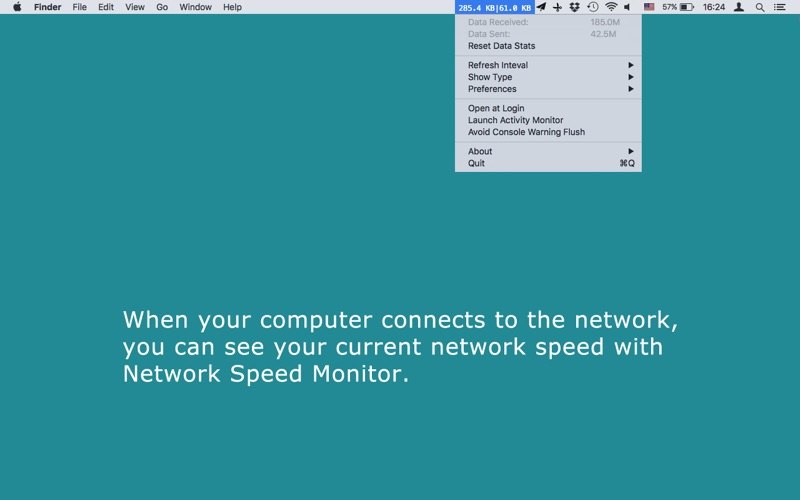
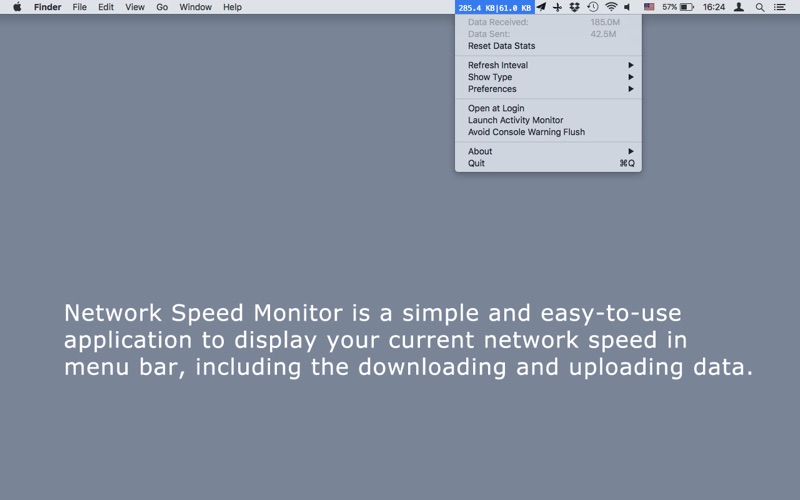
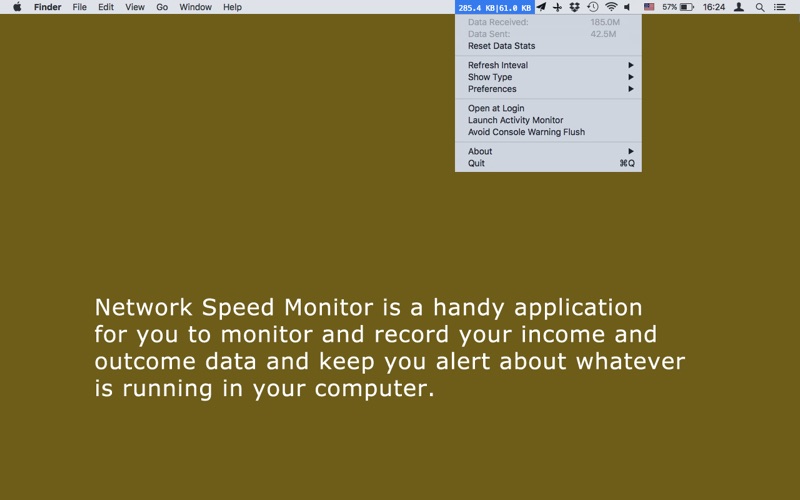
Network Speed Monitor is a simple and easy-to-use application to display your current network speed in menu bar, including the downloading and uploading data.
When your computer connects to the network, you can see your current network speed with Network Speed Monitor.
Network Speed Monitor is a handy application for you to monitor and record your income and outcome data and keep you alert about whatever is running in your computer.
Main features:
01. Put the menu item in the leftmost place on the menu bar so that other menu items will not fluctuate. 02. Automatically show the speed between Mbps and Kbps. 03. Click and choose to change the refresh interval from 1 second to 10 seconds. 04. Opt to switch from Bits per second to Bytes per second. 05. Check your real network speed to know whether it reaches to the speed which the network operators promise. 06. Know whether there are some hidden applications are running to slow down your network than normal. 07. Keep a track of your internet bandwidth usage so that you will know whether your internet stream go beyond the limit. 08. Instead of having the up and downlink speeds side by side, you can select to put them one on top of the other. 09. Instead of just one color, you can have the download as green and upload red. 10. Add an up arrow and down arrow next to the numbers so you know which one is upstream and which downstream. You need select the menu item “show the up and down arrow” first. 11. Add a menu option to choose between mbit/s, kbit/s and auto. 12. Add a menu item to reset the “Data Received/Data Sent” Stats.
Compatibility: OS X 10.7 or later
Mac App Store: https://itunes.apple.com/app/network-speed-monitor/id525944153?mt=12
Descriptions for AppPerfect Agentless Monitor 15.0.0.20170908-4834
AppPerfect Agentless Monitor was designed to answer these fundamental questions. AppPerfect Agentless Monitor is a new generation of monitoring tools that do not follow the legacy agents-based approach to monitoring. Unlike most other monitoring systems which require heavy downloads, massive installation / configuration and client-side software, AppPerfect Agentless Monitor is a 100% server-based software which can be accessed from anywhere via a Web browser.
Furthermore, with AppPerfect Agentless Monitor, there is no need for intrusive and expensive agents to be installed on the monitored devices. AppPerfect Agentless Monitor will use existing services available on the device to remotely monitor the device. AppPerfect Agentless Monitor is easy to use and can be installed in minutes, not days or weeks that many other legacy systems require. At the heart of AppPerfect Agentless Monitor is a sophisticated rules engine capable of sensing rule violations within seconds and alerting you immediately. The notification server included with the AppPerfect Agentless Monitor is capable of communicating such alerts via its Dashboard UI, email, SMS, a HTML report or any custom notification mechanism you prefer.
AppPerfect Monitors are modules within AppPerfect Monitor Server that provide support and monitor different devices.
Currently, the following monitors are available:
Java/J2EE Monitor: Provides support to monitor performance metrics of Java components present in your application infrastructure.
Server Monitor: Provides support to monitor your system resources.
Database Monitor: Provides support for most commonly used databases.
NoSQL Monitor: Provides support for most commonly used NoSQL databases.
Web Server Monitor: Provides support to monitor the administrative and performance statistics for an Apache HTTP server and the Microsoft IIS server.
SNMP Monitor: Provides support for any device that provides an SNMP monitor. Network devices such as routers and switches are the most commonly monitored SNMP devices.
Ping Monitor: A monitor to automate and manage pinging of any device (machines / routers) at regular intervals to check for its availability.
URL Monitor: A monitor to check availability of any URL. The URL monitor will fetch response for any URL at regular intervals and will validate the response against validations defined.
Transaction Monitor: Provides support for transactions monitoring in AppPerfect Load Test.
Log Monitor: Provides support for monitoring logs for errors and exceptions.
Web Site: http://www.appperfect.com/products/agentless-monitor.php
What’s New in AppPerfect Agentless Monitor 15.0.0.20170908-4834
Release notes not available at the time of this post.
Name: Temp Monitor for Mac Version: 1.0.0 Release Date: 05 Jul 2017 Mac Platform: Intel OS version:OS X 10.11 or later Processor type(s) & speed: 64-bit processor
Includes: Pre-K’ed (TNT)
Web Site: https://vimistudios.com/
Overview
Temp Monitor app is an unobtrusive tool which will alert you when your Mac overheats, and the perfect utility to help you log all instances when the processor goes beyond a temperature which might be dangerous for both your Mac and yourself, if you’re using a MacBook or MacBook Pro.
Features
Support for customizable overheat temperature – Temp Monitor is a macOS application specifically designed to watch a Mac processor’s temperature very closely and display it in the menu bar in the form of a text- and icon-based status item. More precisely, Temp Monitor runs in the background and will let you know when the CPU’s temperature reaches dangerous levels, thus enabling you to pause highly intensive processing tasks and resume them at a later time to protect your Mac’s integrity. The CPU temperature which triggers Temp Monitor to display an overheat notification can be customized via the app’s settings window. From there you can also set Temp Monitor to launch on login and choose the default temperature unit it uses.
Notification Center integration and automatic logging of all overheat alerts – Furthermore, the Temp Monitor utility displays audio and visual notifications via macOS’ Notification Center feature, and it they are by default set to be alerts which will not go away until manually dismissed, an excellent idea for when you are away from your Mac and the CPU temperature goes above the safe threshold. The temperature warnings are also added automatically to Notification Center’s notifications tab, for later reviewing of all past alerts when and if needed.