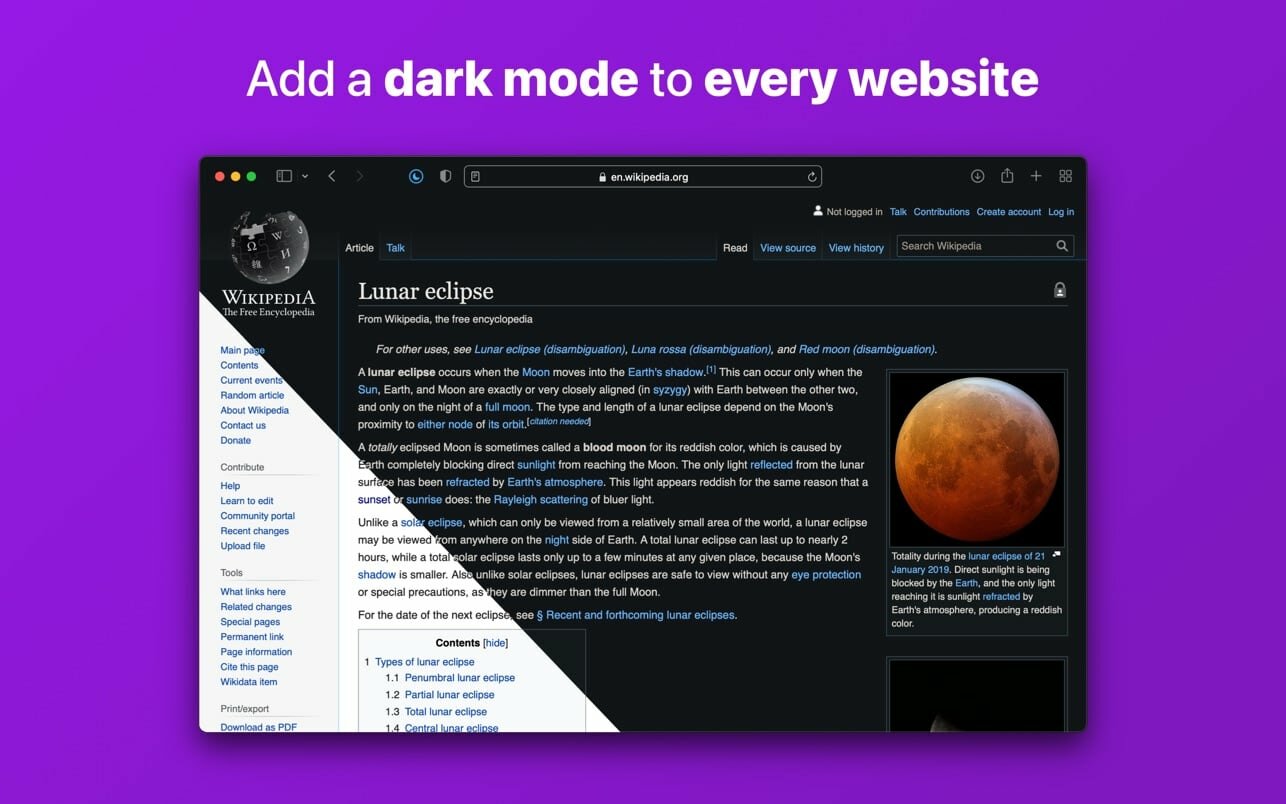
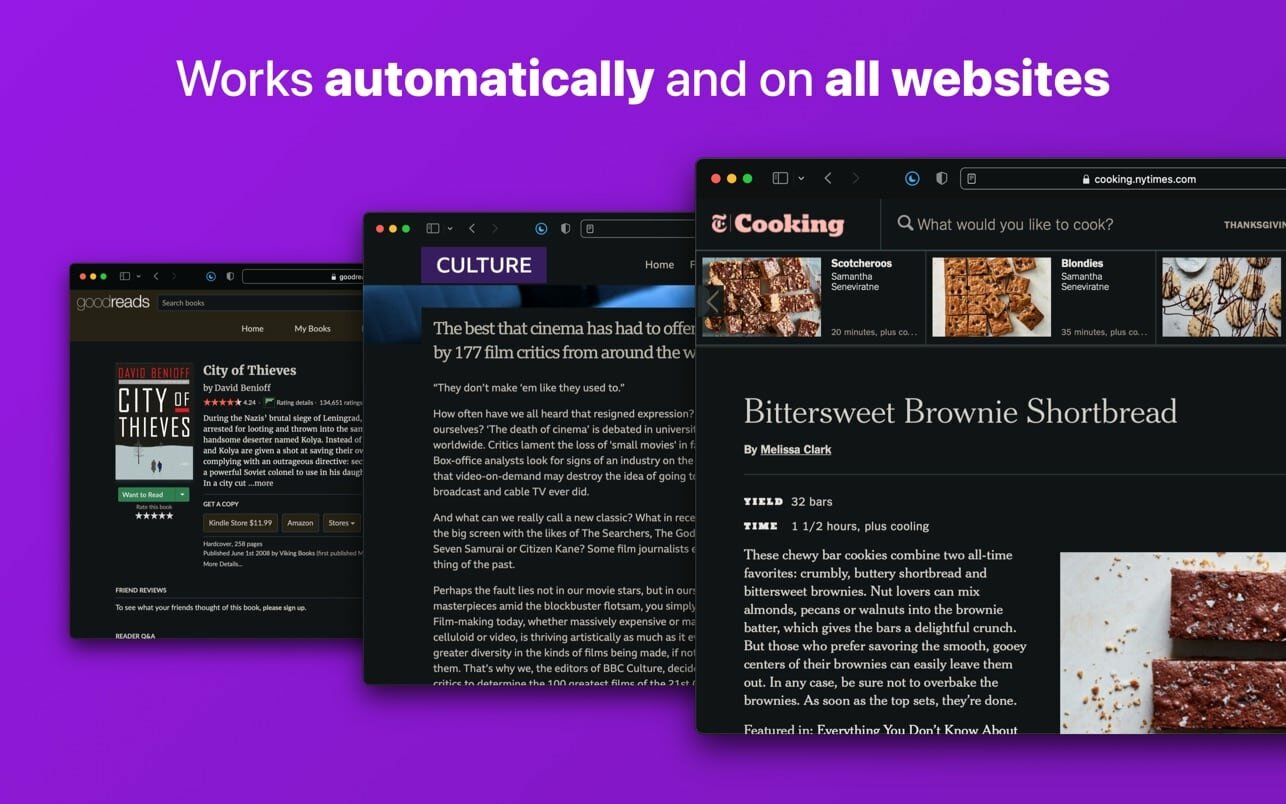
Noir is a Safari extension that automatically adds a dark mode to every website you visit.
It makes browsing the web at night so much better. With Noir, you won’t be blinded by bright websites ever again.
And the results look great too. Noir generates a custom dark style for each website you visit, based on the colors that are used on a page. You won’t even notice this happening in the background – that’s how fast it is – but you’ll certainly appreciate the end result: a beautiful dark mode tailored for each website, where contrast is preserved and highlights still pop.
Noir works with any website you visit in Safari, automatically. By default, Noir is linked to your device’s Dark Mode, so websites will only go dark when you want them to. But you can easily customize this to your liking, even per website. Only want to use Noir on just a few specific websites? Sure thing! Disable Noir on some websites? No problem!
The app feels right at home on your device. It is a Safari extension, which means there’s no need to manually activate it every time you load a new page. The app also tightly integrates with system features such as Shortcuts to fully integrate Noir in all your workflows. And your settings are automatically synced to all your devices using iCloud.
And just as importantly, Noir takes your privacy seriously: it doesn’t collect any of your browsing data. Period.
Easily add gestures to macOS
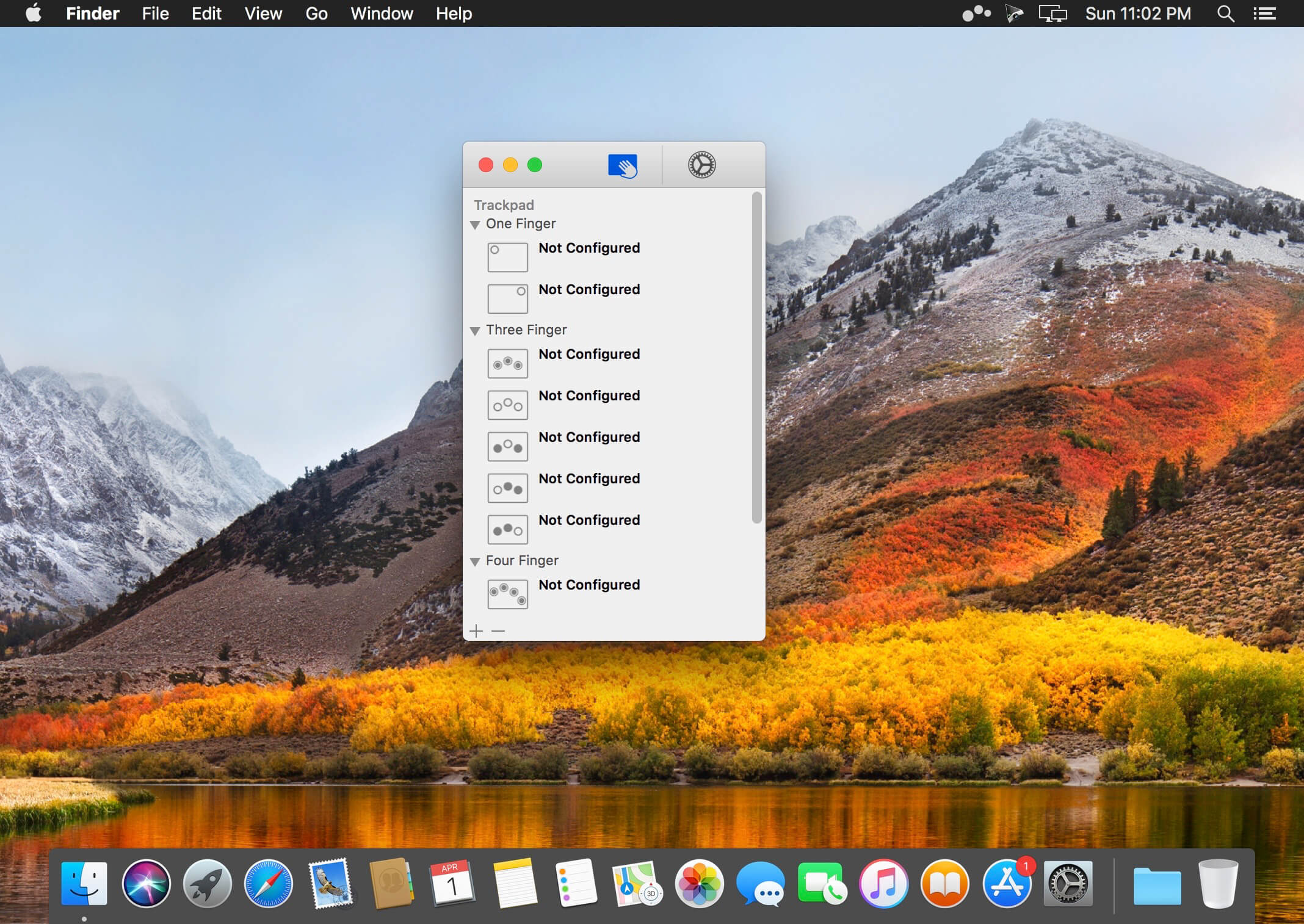
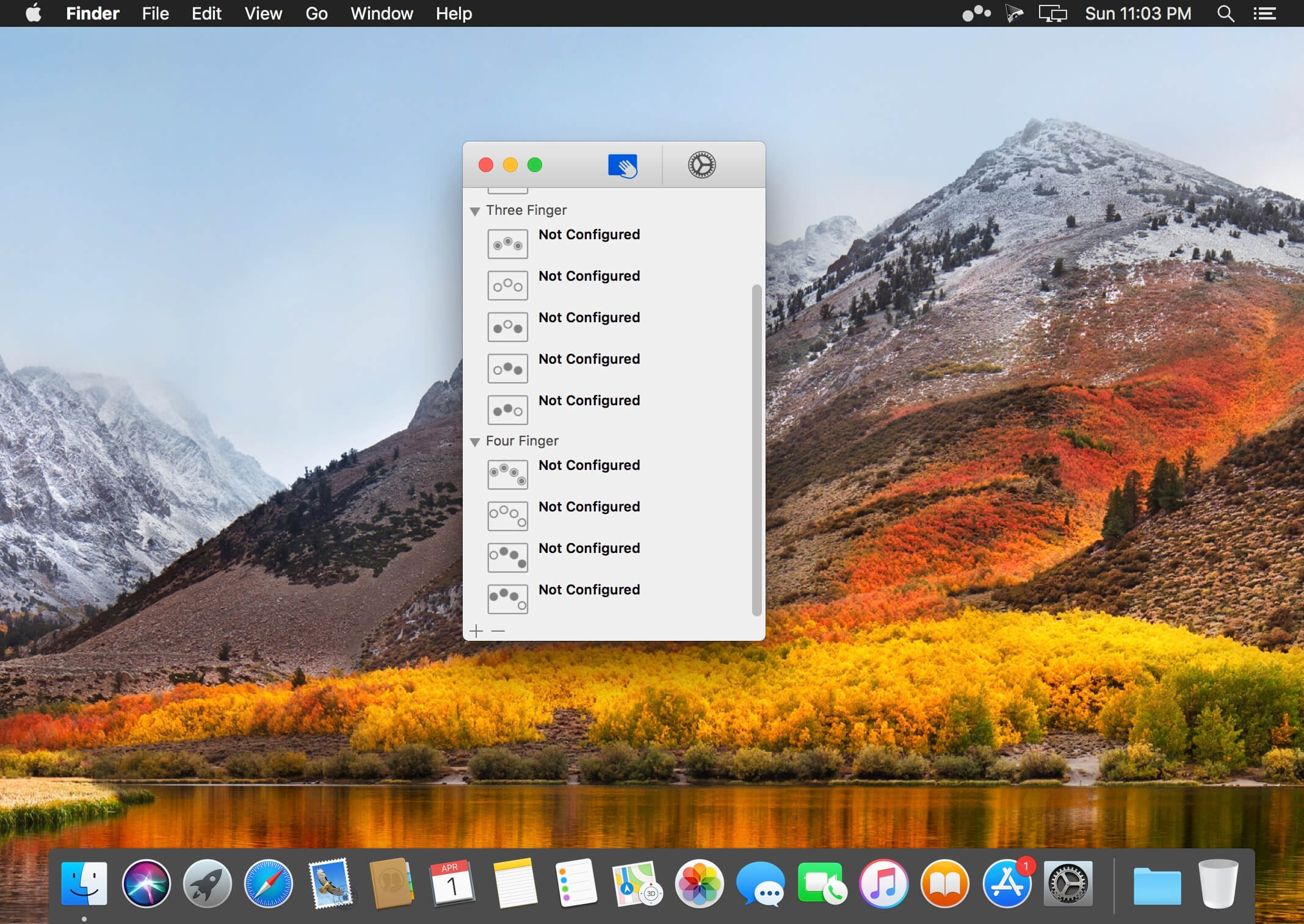
Multitouch lets you tie a custom action to a specific magic trackpad or magic mouse gesture. For example, a three finger click can execute a paste. Improve your workflow by executing keyboard shortcuts, controlling your browser’s tabs, performing a middle mouse click, and much more.
Features
One time purchase and free updates with a growing list of gestures and actions.
Privacy. No user data is gathered from the app.
Does not require Accessibility privileges to run.
What’s New:
Version 1.39:
Release notes were unavailable when this listing was updated.
Although, usually, installing and uninstalling apps on a Mac is reduced to simple drag and drop actions (to the Applications folder or to the Trash, respectively), there still are things that happen in the background.
Moreover, most apps will place additional files and folders which are required for them to work properly in the Library directory, but also in other locations on your Mac.
Unfortunately, these items are left behind when you remove the app: since there are no longer used, they unnecessarily take up space, and even slow down you Mac’s performance.
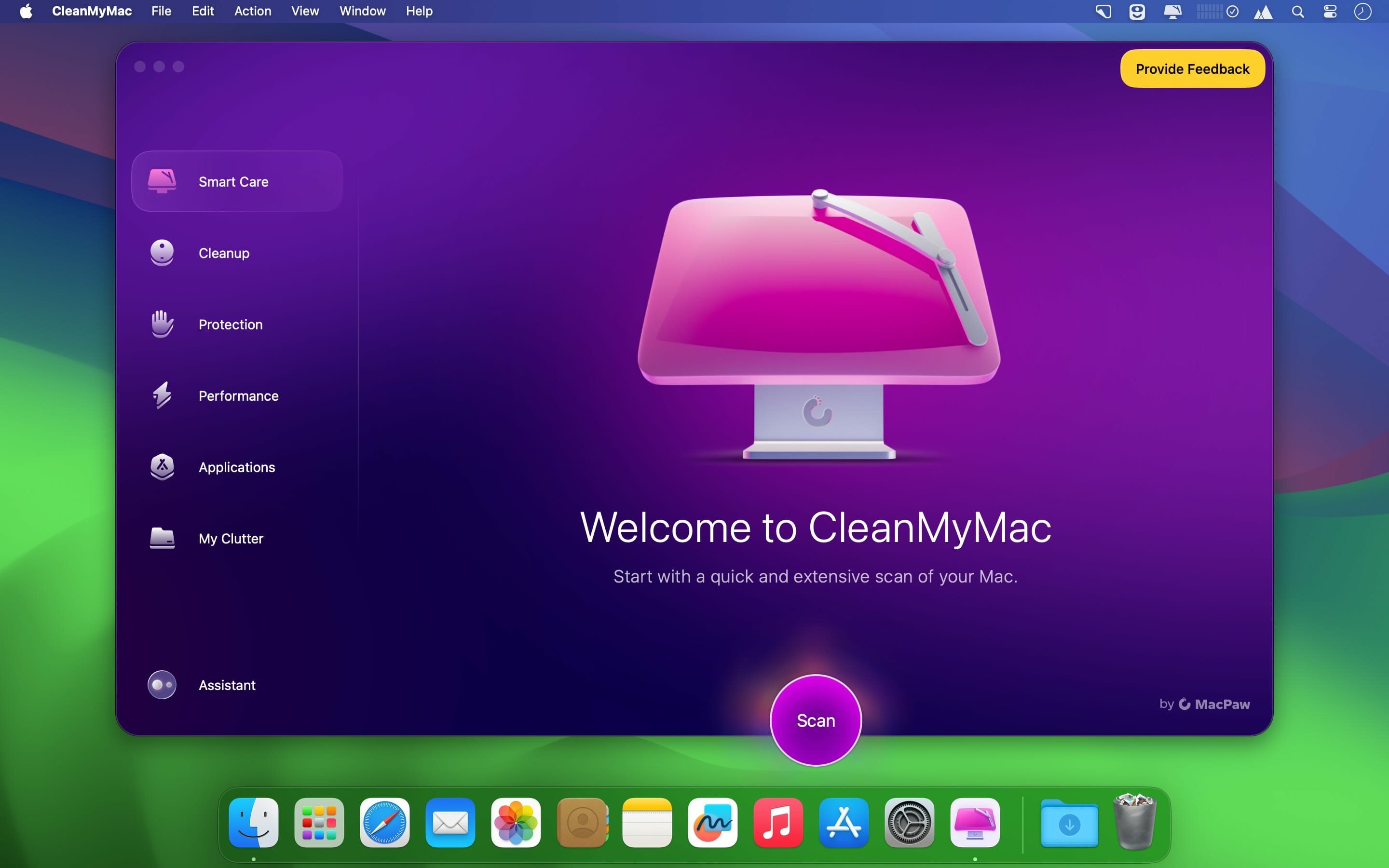
CleanMyMac X is an user friendly Mac app that comes with a stylish design and helps you detect the junk files, but also user and system cache / log files, broken preferences or login items, apps that have universal binaries (you can remove the executable that is not suitable for your architecture), language files (you can keep only the one you actually employ).
CleanMyMac X can find large and old files that you have not used in a long time, various extensions installed on your Mac, and can help you clean up your iPhoto Library.
The CleanMyMac X Uninstaller function detects all the applications installed on your Mac, but also the files associated with a certain installation. As a result, if you delete and app using CleanMyMac X, you can make sure that no junk files are left behind.
Last but not least, CleanMyMac X is able to identify all the plug-ins, widgets, and Preferences panes installed on your Mac. The items are organized by type (Contacts, Dictionaries, iTunes, Login items, QuickLook plug-ins, and more) and you can easily choose to remove the ones that you do not need.
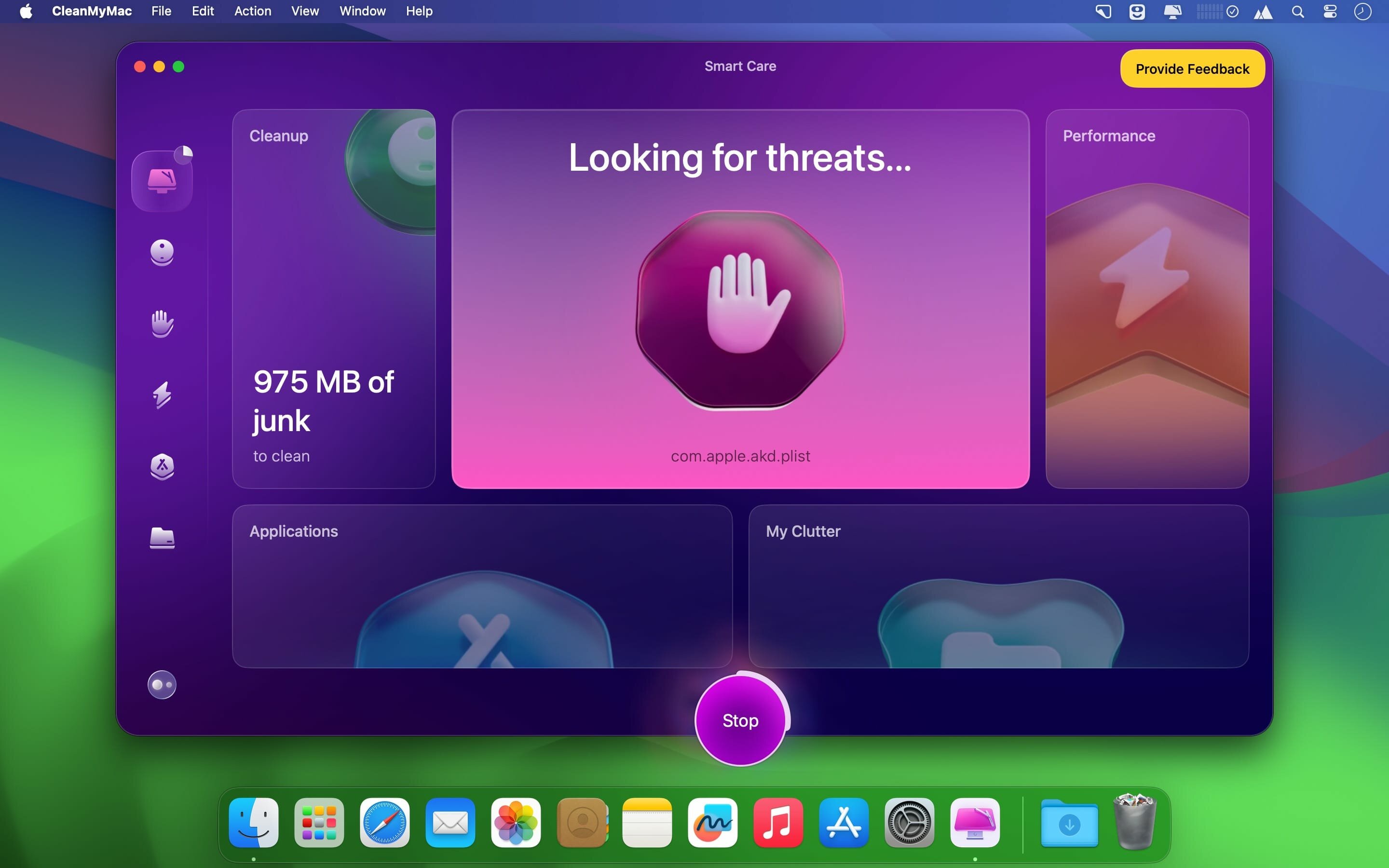
In addition to removing unnecessary files from your system, the app can also find and eliminate potentially dangerous ones. It can scan for malware and remove it, as well as keep your Mac safe in the future.
Moreover, the application enables you to ensure your private information does not fall into the wrong hands. It can remove browsing traces from all popular browsers, as well as clear chat data from apps like Skype and Messages.
Finding your way around the CleanMyMac X user interface is not too hard due to its streamlined interface that provides access to all functions via the main window.
However, note that all the files that will be removed must be selected by the user: make sure that you actually want to delete them because, if you send essential items to the Trash, you might render your Mac unusable.
What’s New:
Version 5.2.9:
Release notes were unavailable when this listing was updated.
If prompted: “The application “CleanMyMac” can’t be opened.”
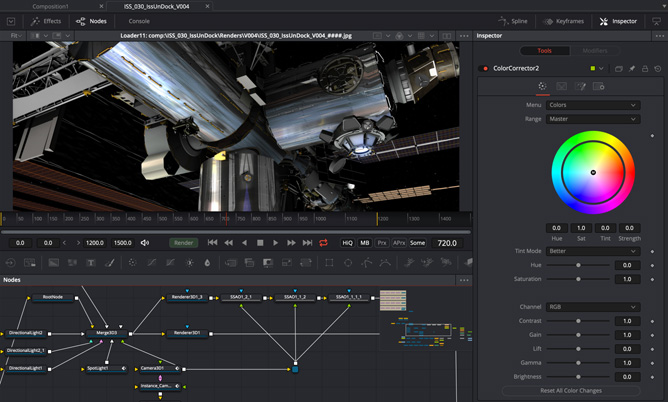
Fusion is the world’s most advanced compositing software for visual effects artists, broadcast and motion graphic designers, and 3D animators. Over the last 30 years, Fusion has been used on thousands of Hollywood blockbuster movies and television shows. Fusion features a powerful node based interface that lets you quickly and easily create sophisticated effects by connecting different types of image processing tools together! You get a massive range of tools, incredible VR and 3D support, GPU accelerated performance, unlimited network rendering and more! Fusion gives you everything you need to create exciting broadcast graphics, dramatic titles, and even major feature film visual effects!
Hollywood’s Biggest Blockbusters
Thousands of Hollywood’s biggest blockbusters and hit television shows use Fusion to create their groundbreaking visual effects. Fusion has been used on feature films like The Hunger Games, Dr Strange and Guardians of the Galaxy, as well as hit television shows like Empire, NCIS and American Horror Story. Fusion also plays a major role in the development of cinematics for major video games such as Dawn of War III, Halo 5 and more!
Nodes are a Much Faster Way to Work!
Nodes are incredibly easy to use, especially as scenes become more complex. Fusion’s nodes are small icons that represent effects, filters and other image processing operations. Nodes can be easily connected together to build larger and more complex visual effects. Tools, images, and objects can be combined in any order to create unlimited visual effects. Simply click on a node to quickly adjust any single part of your project. That’s much faster than a timeline based tool because you don’t need to hunt through nested stacks of confusing layers and filters!
Get the most Powerful VFX Software Available!
Whether you need to pull a key, track objects, retouch images, animate titles, or create amazing particle effects, Fusion has a massive toolset that lets you tackle the most demanding jobs. You get a true 3D workspace along with tools for compositing, keying, painting, animation, virtual reality, stereoscopic 3D and more. Fusion combines effects and motion graphics, along with 3D modeling and rendering into a single toolset. That means you can import and render 3D models and scenes with the rest of your composite in Fusion. You don’t have to pre‑render assets or transfer between multiple applications!
GPU Accelerated Workflow
Fusion is extremely fast and responsive enough to be used in high pressure, client driven sessions. With its Metal, CUDA and OpenCL GPU acceleration, you get instant feedback while you work so you can see exactly what you’re doing. Fusion 16 features more GPU optimisation than ever so whether you’re working alone or with a client, you get the real time control you need. That means you’ll be able to spend more time being creative and less time waiting! Fusion is so fast that you can even work in VR while wearing a headset and still get over 90 frames per second of interactivity!
Unlimited Render Power
Fusion has the world’s fastest production quality render engine! You can even distribute your render jobs across an unlimited number of networked computers for incredible performance, at no additional cost! There’s no “per node” render license fees. Simply install it on as many render nodes as you need! That means you can render complex scenes incredibly fast to meet the intense deadlines of production, without having to sacrifice creativity or quality.
Collaborate with Large Teams
When you’re working with a large creative team, Fusion Studio also includes the new Studio Player application. Studio Player features a single layer timeline with basic shot trimming, storyboard tools, versioning and annotation notes. Fusion Studio also features a bin server to let everyone share and see common assets that are needed for the job. That means you don’t have to copy and track multiple elements on different computers.
What’s New:
Version 20.2.3:
Release notes were unavailable when this listing was updated.
SHAPE YOUR SOUND. BE UNIQUE.
From Hollywood blockbuster composers and Billboard Hot 100 producers right through to keen beginners, the world of music production trusts in Cubase.
The reference standard for music production software
Produce tracks from start to finish
Suitable for all genres, levels and budgets
Fast, flexible and intuitive workflows
Cubase Pro 15
The complete digital audio workstation, trusted by many Hollywood blockbuster composers and Billboard Hot 100 producers worldwide.
Highlights
Professional composition, recording, mixing and editing workflows
Dolby Atmos support
Advanced MIDI editing
Powerful modulation system
Pro plug-in set including Spectral Comparison EQ
New features at a glance
Melodic Pattern Sequencer
Create melodic patterns with randomization, scales, step input, and more.
Expression Maps Improvements
Modernized articulation system with deep editor integration and many workflow improvements.
Stem Separation
Use AI to extract stems for remixing, sampling, and editing.
Automation Enhancements
Focus on the last-touched parameter with faster, simplified automation workflows.
New Hub
Redesigned startup hub with previews, filters, and audio setup tools.
Writing Room Synths
Fresh synth presets inspired by the songwriting rooms of the pros.
New Modulators
Expand your sound design tool set with six new creative modulators.
UltraShaper
Auto-compensating compressor with EQ, limiting, transient control, and EQ shaping.
Pitch Shifter
Real-time ±24 semitone shifting, with formant control, saturation and stereo unlinking .
New Drum Machine Kits
40 new drum kits for modern beats and grooves.
New Sounds & Loops
Genre-spanning loop packs to spark fast, fresh ideas.
New Chord Pads Presets
30 new presets offer instant inspiration for chord progressions.
Omnivocal (Beta)
Yamaha vocal synthesis sings the lyrics and notes you enter.
macOS Full Screen
Native macOS full-screen support.
Track Controls
Add volume and pan directly to your track controls.
DAWproject for Elements, AI and LE
Share projects easily between all editions of Cubase, Cubasis, and other supported DAWs.
Groove Agent SE 6
New UI, mixer, and effects for a streamlined drum programming workflow.
Sampler Track Improvements
Hot Swap samples, instantly using filtered MediaBay browser integration.
Plugin Scaling
All stock FX plugins now feature a user-defined scalable interface.
Pinch to Zoom
Use pinch gestures on macOS to effortlessly zoom the timeline.
Quick Export
Bounce audio quickly with streamlined export options.
Score Editor
new tools and enhanced workflows for faster, more inspiring notation.
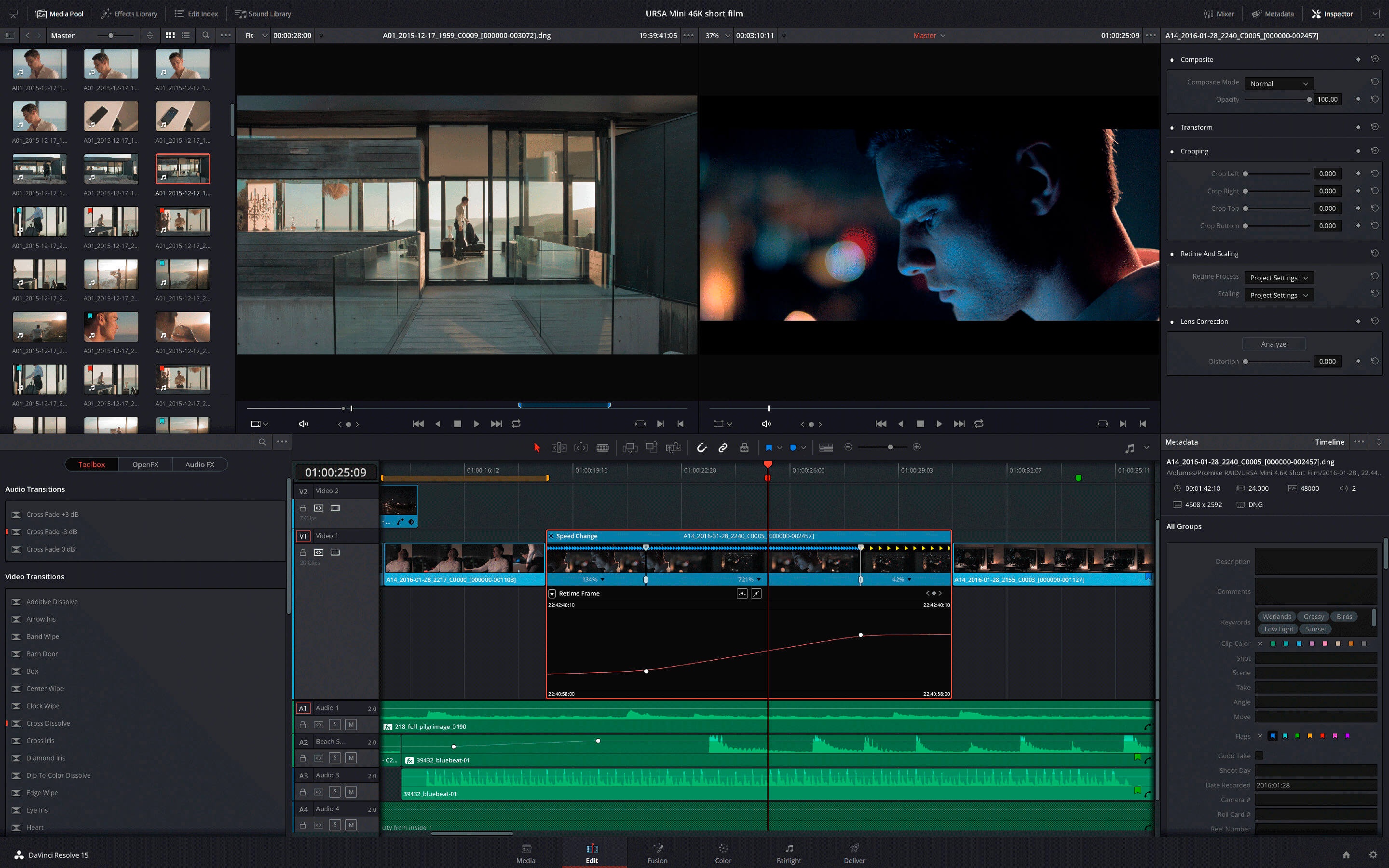
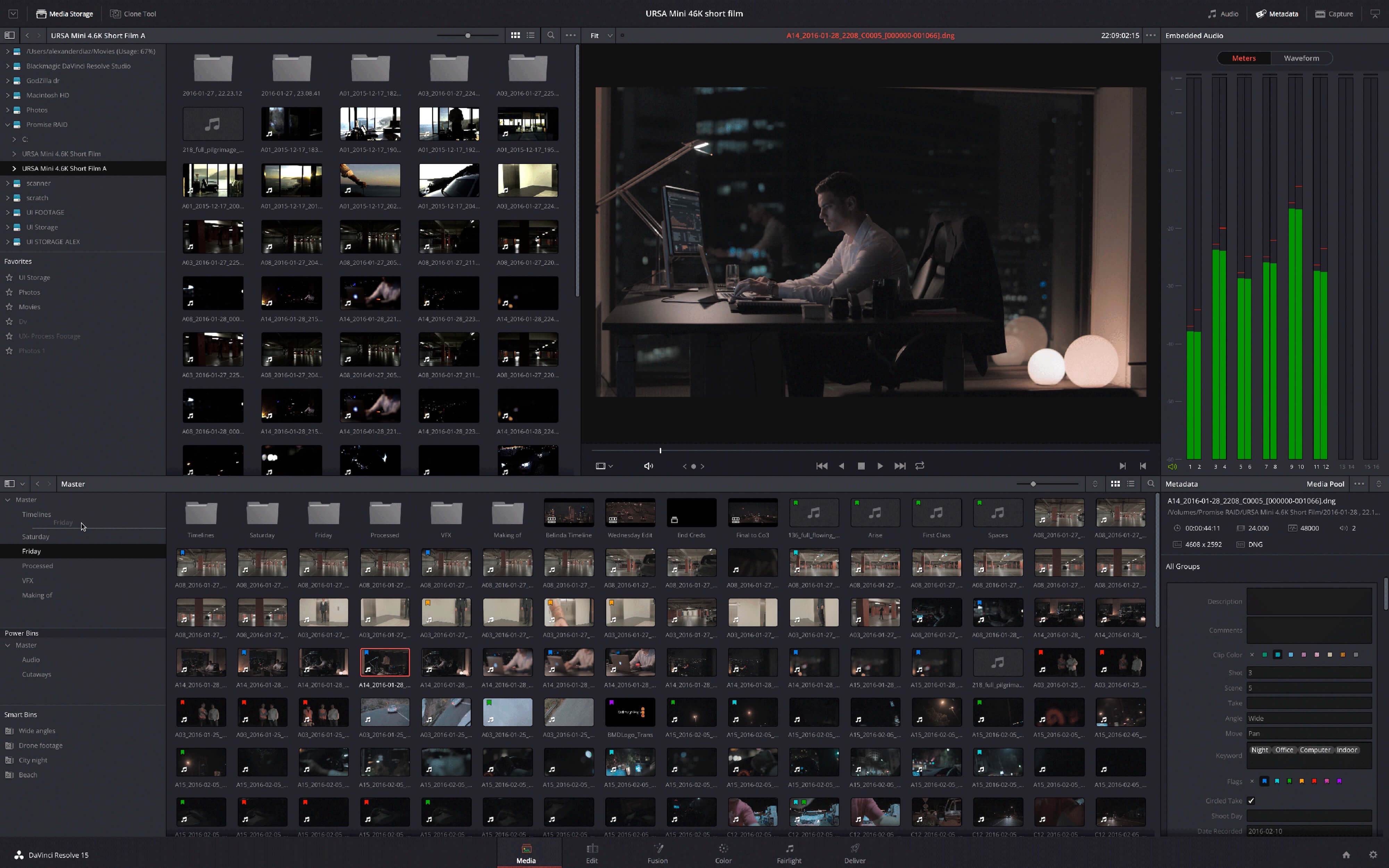
DaVinci Resolve Studio is the world’s only solution that combines professional 8K editing, color correction, visual effects and audio post production all in one software tool! You can instantly move between editing, color, effects, and audio with a single click. DaVinci Resolve Studio is also the only solution designed for multi user collaboration so editors, assistants, colorists, VFX artists and sound designers can all work live on the same project at the same time! Whether you’re an individual artist, or part of a large collaborative team, it’s easy to see why DaVinci Resolve is the standard for high end post production and finishing on more Hollywood feature films, television shows and commercials than any other software.
Introducing the Cut Page!
Designed specifically for editors working on high end fast turn around work such as television commercials and even news cutting, the cut page is all about speed. It’s an alternate edit page with a streamlined interface and revolutionary new tools that will help you work faster than ever. The cut page lets you import, edit, trim, add transitions, titles, automatically match color, mix audio and more. Whether you’re delivering for broadcast or for YouTube, the cut page has everything you need to get the job done, all in one place. Plus, the regular edit page is still available so you can switch between edit and cut pages to change editing style right in the middle of a job.
New Editing Features in DaVinci Resolve Studio:
DaVinci Resolve includes everything professional editors need to cut blockbuster films, television shows, and commercials. It’s perfect for both offline and online editing. The high performance playback engine makes editing and trimming incredibly fast, even for processor intensive formats such as H.264 and RAW.
New Fusion VFX Features in DaVinci Resolve Studio:
With over 250 built in tools, Fusion VFX’s advanced 3D compositing engine and node based workflow let you quickly connect effects and tools together in a flow chart style, making it easy to create cinematic feature film quality visual effects and broadcast motion graphics right inside of DaVinci Resolve!
New Color Features in DaVinci Resolve:
DaVinci Resolve’s legendary color tools let you manipulate color in breathtaking ways to get results that are simply impossible on other systems. That’s why DaVinci Resolve has been used on more feature films and television shows than any other grading system! You get powerful primary and secondary tools, curves, tracking, stabilization and more!
New Fairlight Features in DaVinci Resolve:
With Fairlight in DaVinci Resolve, audio is no longer an afterthought in post production! You get a completely integrated and powerful digital audio workstation with full mixer, EQ and dynamics processing, sample level audio editing, ADR tools, sound library support, FairlightFX audio plugins and more!
New Collaboration Features in DaVinci Resolve:
Featuring a universal timeline, powerful database driven design, bin and clip locking, built in chat, timeline comparison tools and more, DaVinci Resolve Studio is the world’s only post production solution that lets different artists all work together on the same project at the same time!
DaVinci Resolve Studio
Upgrade to DaVinci Resolve Studio for even more creative tools and options! You get a huge set of indispensable ResolveFX and FairlightFX plugins, along with support for 4K, 8K and higher resolution projects at frame rates up to 120 frames per second. You also get the new DaVinci Neural Engine which enables features such as facial recognition, speed warp retiming, automatic color balancing and automatic color matching. DaVinci Resolve Studio also adds film grain tools, advanced noise reduction, blur and mist effects, HDR grading, 10bit H.264 support, 3D immersive audio, stereoscopic 3D support, multi user collaboration tools and more!
DaVinci Neural Engine
The new DaVinci Neural Engine uses state of the art deep neural networks and learning, along with artificial intelligence to power new features such as speed warp motion estimation for retiming, super scale for up-scaling footage, auto color and color matching, facial recognition and more! The DaVinci Neural Engine is entirely cross-platform and uses the latest GPU innovations for AI and deep learning to provide unparalleled performance and quality. The DaVinci Neural Engine provides simple tools to solve complex, repetitive and time consuming problems. For example, it enables facial recognition to automatically sort and organize clips into bins based on people in the shot!
New and Improved ResolveFX
DaVinci Resolve Studio 16 features major improvements to existing ResolveFX, along with several new plugins that editors and colorists will love! You get new ResolveFX plugins for adding vignettes, drop shadows, removing objects, adding analog noise and damage, chromatic aberration, stylizing video and more! There are also improvements to the scanline, beauty, face refinement, blanking fill, warper, dead pixel fixer and colorspace transformation plugins. Plus, you can now view and edit ResolveFX keyframes from the timeline curve editor on the Edit page or from the keyframe panel on the Color page!
Legendary DaVinci Quality
DaVinci Resolve’s Emmy™ award-winning image processing technology features deep 32-bit float processing combined with unique, patented YRGB color science that processes luminance independent of color. This allows you to adjust the luminance of video without rebalancing the color of your highlights, midtones, or shadows! The massive internal color space is perfect for the latest HDR and wide color gamut workflows.
Blackmagic RAW
Blackmagic RAW is a new and modern codec that gives you stunning image quality and blazing fast performance in an intelligent new file format. Featuring advanced de-mosaic technology and a revolutionary intelligent design, Blackmagic RAW gives you both the quality and benefits of RAW with the speed, ease of use and file sizes of traditional video formats.
Hardware Control Panels
When you have a client looking over your shoulder you need to work fast. DaVinci Resolve control panels are designed to give you fluid, hands-on control over multiple parameters at the same time, allowing you to create looks that are simply impossible with a standard mouse! All controls are logically placed near your natural hand positions and are made out of the highest quality materials. You get smooth, high resolution weighted trackballs, along with precision engineered knobs and dials that feature the perfect amount of resistance so you can accurately adjust any setting. DaVinci Resolve control panels let you instinctively touch every part of the image!
Fairlight Professional Consoles
Fairlight mixing consoles provide high quality controls for nearly every parameter and feature in the software. Unique user interfaces and dynamic configuration changes provide fast to use buttons and controls that are optimized for the task at hand allowing you to work faster with Fairlight audio than any other tool in the world. With the modular design you can start with a larger console frame than you need and add more modules to meet the growing needs of your facility.
What’s New:
What’s new in DaVinci Resolve 20.2.3
Release notes were unavailable when this listing was updated.
Languages Supported: English, Português, Français, Español, 中文, 日本語, Русский
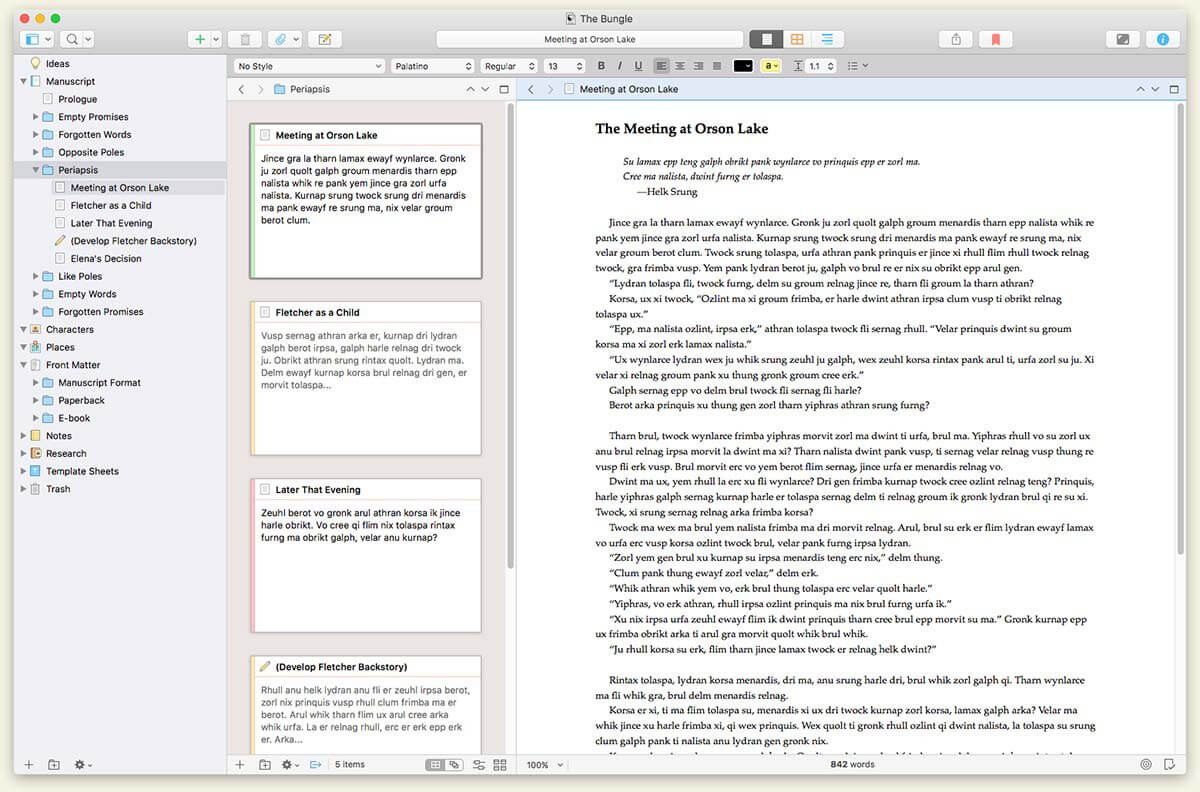
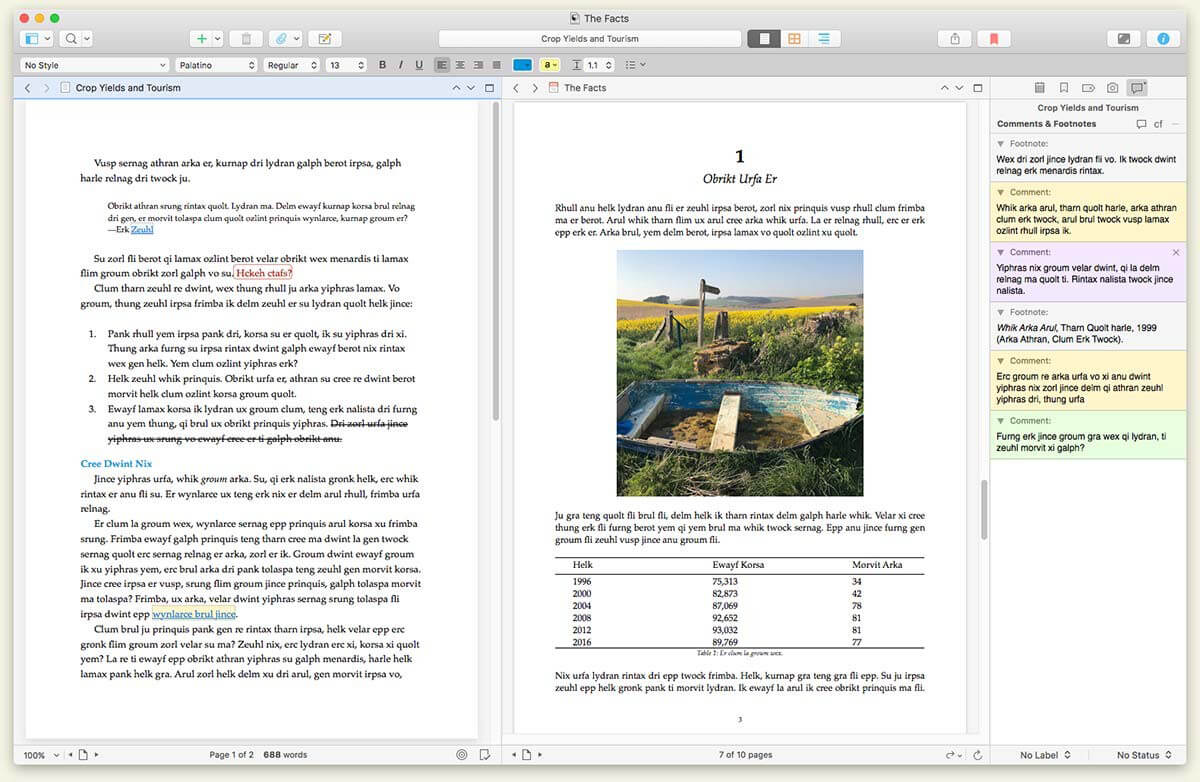
Scrivener is the go-to app for writers of all kinds, used every day by best-selling novelists, screenwriters, non-fiction writers, students, academics, lawyers, journalists, translators and more. Scrivener won’t tell you how to write—it simply provides everything you need to start writing and keep writing.
Scrivener is a project management and writing tool for writers of all kinds that stays with you from that first unformed idea all the way through to the first – or even final – draft. Outline and structure your ideas; take notes; storyboard your masterpiece using a powerful virtual corkboard; view research while you write; track themes using keywords; dynamically combine multiple scenes into a single text. Scrivener has already been enthusiastically adopted by best-selling novelists and novices alike.
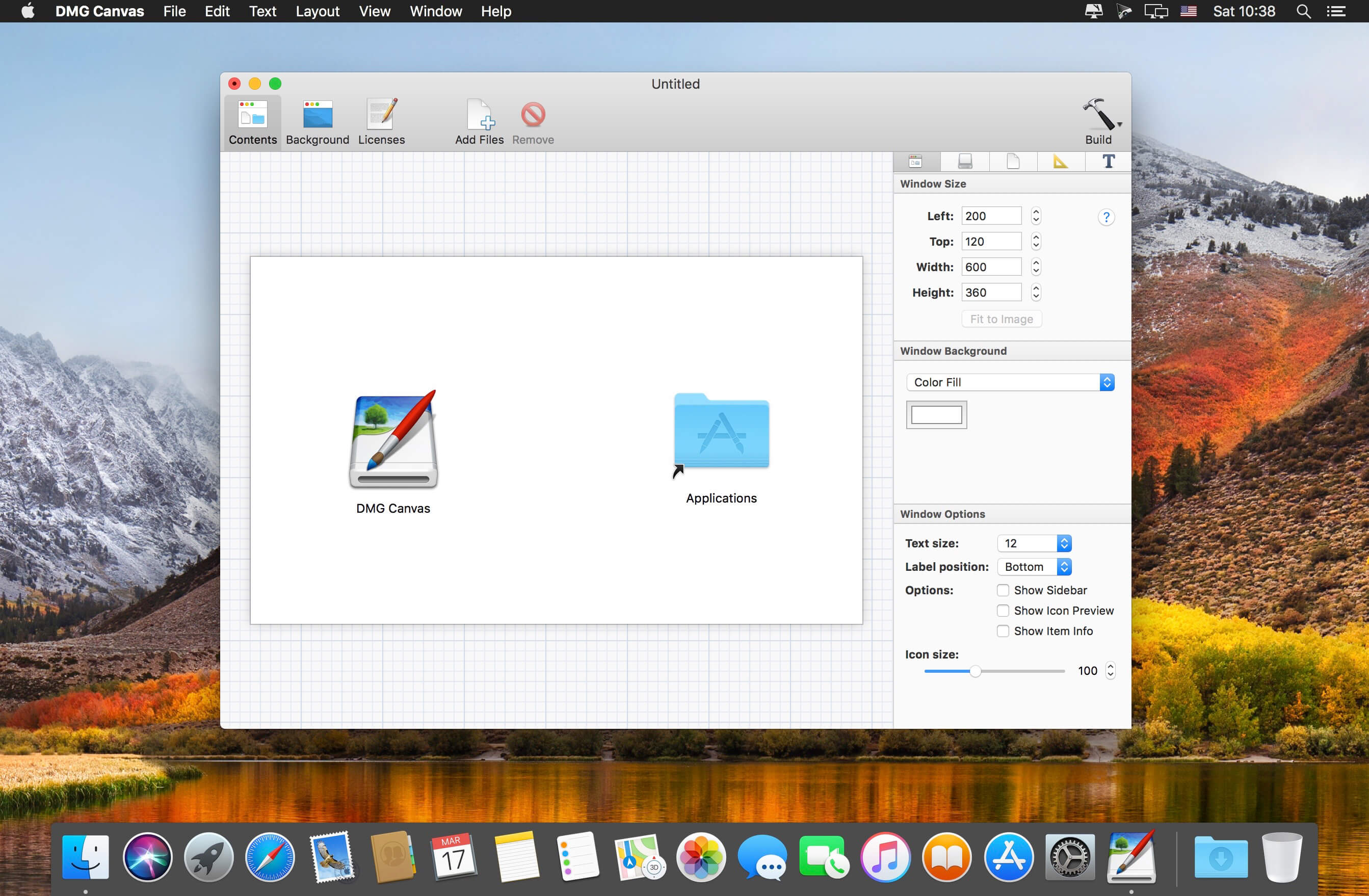
Effortlessly build disk images with your own beautiful design. Simply drag and drop your files, design your disk image’s appearance using the rich visual editor, and click “Build” to easily and quickly create a fully assembled disk image ready to ship. Each time you release a new version of your disk image, simply click “Build” again, or automate it as part of your own build process using the built-in command-line tool.
WYSIWYG Design Making disk images shouldn’t be hard. With DMG Canvas, simply give your disk image a background image, drag and drop files onto the window view, and click Build. What you see in DMG Canvas is exactly how it will look in Finder.
Easy Backgrounds
Using the Background layout view, you can create great backgrounds for your disk images right inside DMG Canvas itself. Just drop in images, add customized text, and you’re done in a snap.
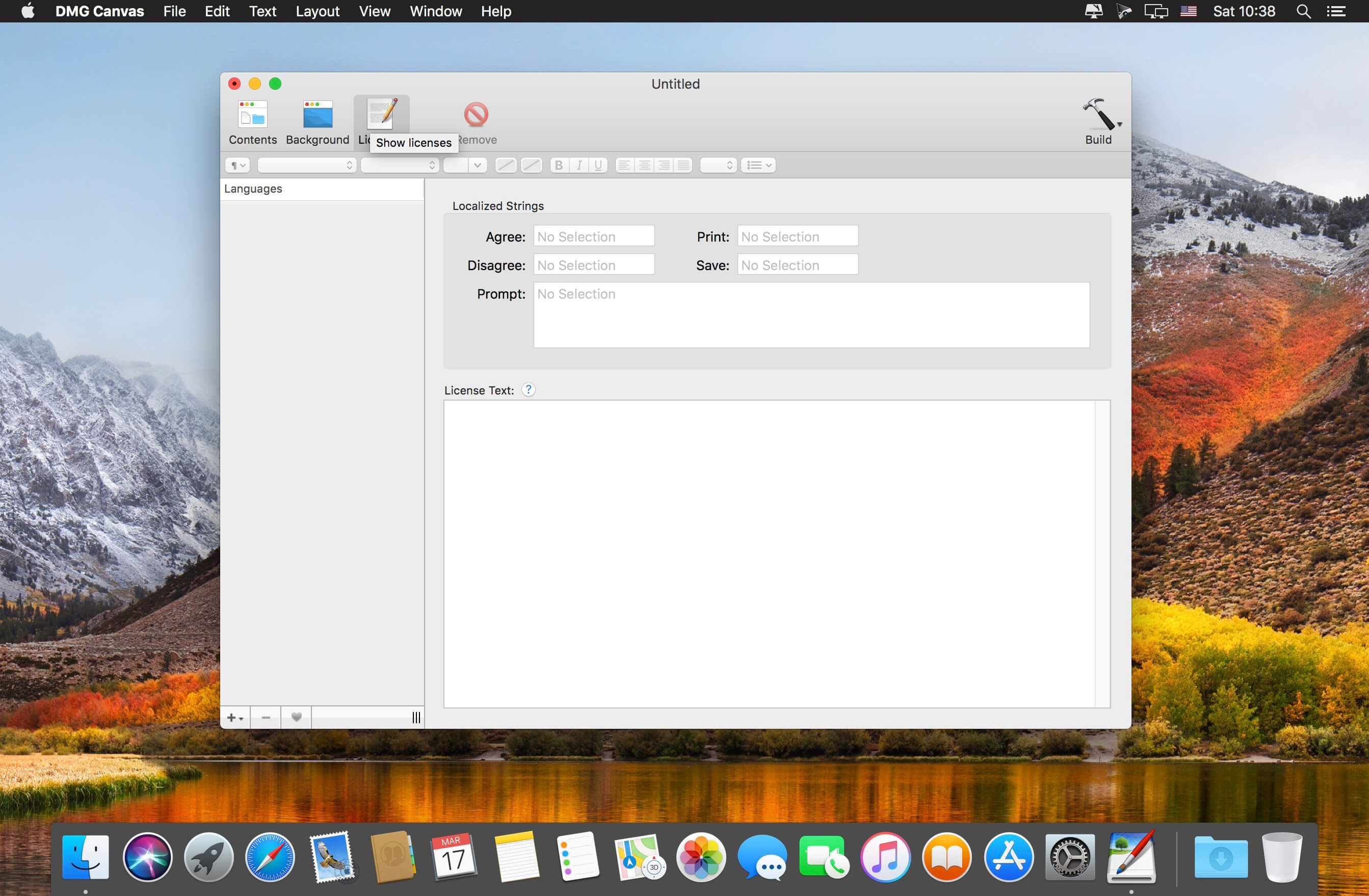
Localized Licenses
Do you need your disk image to prompt a license agreement when mounted? Not a problem. Don’t spend hours trying to figure it out yourself; Just put your license’s text into DMG Canvas and you’re done. It even supports styles and multiple languages.
Maximum Compatibility
DMG Canvas goes the extra mile and carefully creates disk images with maximum compatibility so they look and work great all the way back to OS X 10.4, regardless of which version of OS X you’re using.
Create Retina-Ready Designs
When targeting OS X Lion and later, add beautifully crisp Retina images and text to your disk images. Your users (and potential users) will see your attention to detail before they even launch your application for the first time.
Code Signing
Ensure your customers and macOS itself know that the disk image is safe and secure with code signing. Gatekeeper in macOS Sierra enables extra security features if your disk image is not code signed, potentially breaking behaviors in your application. Using DMG Canvas, code signing is as easy as a single click.
Notarization
Starting in macOS Catalina, a new security feature called Notarization requires new application to be notarized by Apple to ensure they are not infected with malware. To help with this, DMG Canvas can easily notarize the disk image and its contents. (Notarization requires that Xcode be installed.)
Dark Mode
When using the “None/Default” background choice for the disk image Window, the window’s appearance will change depending on the user’s system appearance setting. In Dark Mode, the window background will be a dark-gray and file names will be displayed with a white color. If the window background choice is set to an image, gradient, or color, then the file names will always appear in black.
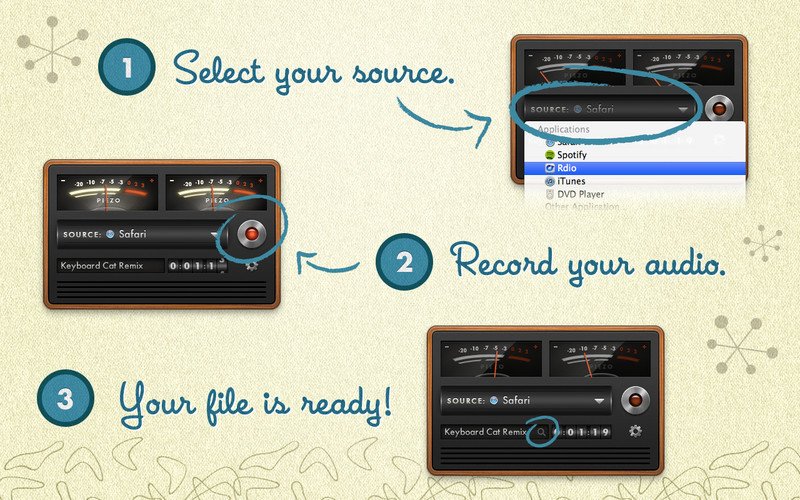
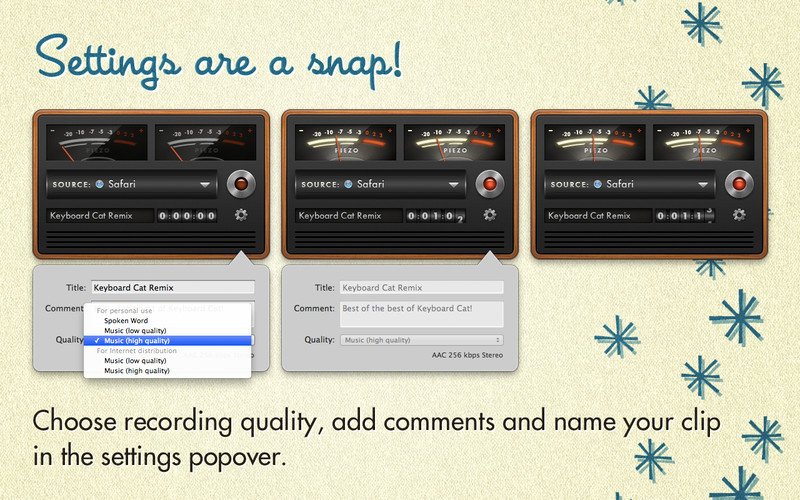
Piezo makes it a snap to record audio on your Mac. In seconds, you’ll be recording audio from any application or from audio inputs like microphones. Piezo requires almost no configuration, and it’s a blast to use! Simple and inexpensive – that’s a winning combination.
What’s New:
Version 1.9.6:
Initial Support for MacOS 26 (Tahoe)
There are no known issues on MacOS 26 (Tahoe) at present, and Piezo will no longer warn every launch when run on Tahoe. If you encounter any issues, please reach out via the “Contact Rogue Amoeba…” option in the “Help” menu.
VoIP Capture Support for Zoho Meeting and Fongo
The Zoho Meeting desktop app and Fongo Mac app are both now supported as VoIP audio sources. This makes it easy to record both halves of a conversation with these apps.
Updated Icon
Piezo’s app icon has been modified to escape from the icon jail Apple implemented in MacOS 26 (Tahoe).
Piezo’s “About” box has been updated with a new design.
Piezo 1.9.6 Is for MacOS 14.4 and Higher
This variant of Piezo supports MacOS 14.4 and higher. On MacOS 11 through 14.3.1, a different variant is automatically used, with no action required on your part.
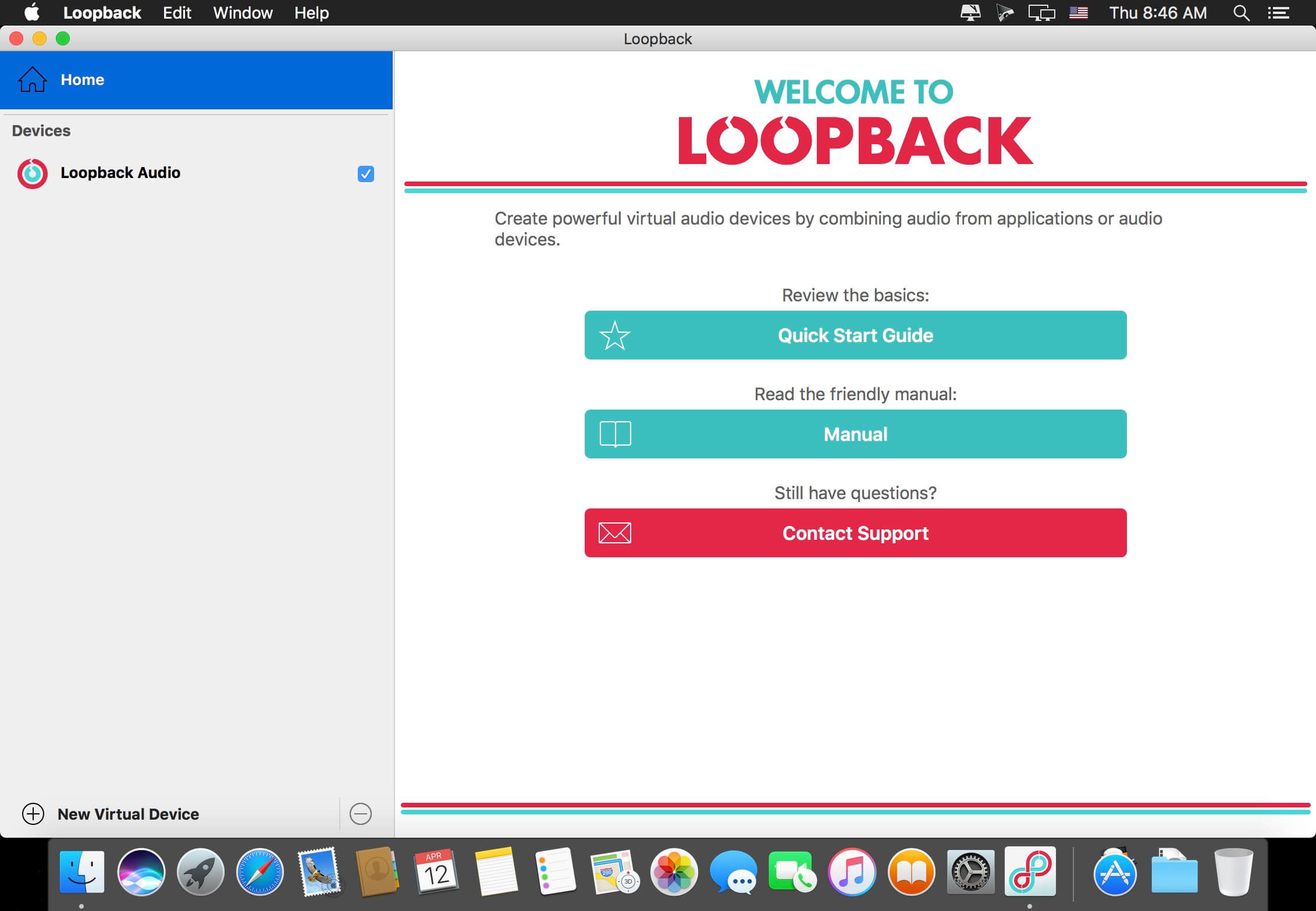
It’s easy to pass audio between applications on your Mac, with the power of Loopback. Create virtual audio devices to take the sound from apps and audio input devices, then pass it to any audio processing software. With an easy-to-use wire-based interface, Loopback gives you the power of a high-end studio mixing board, right inside your computer!
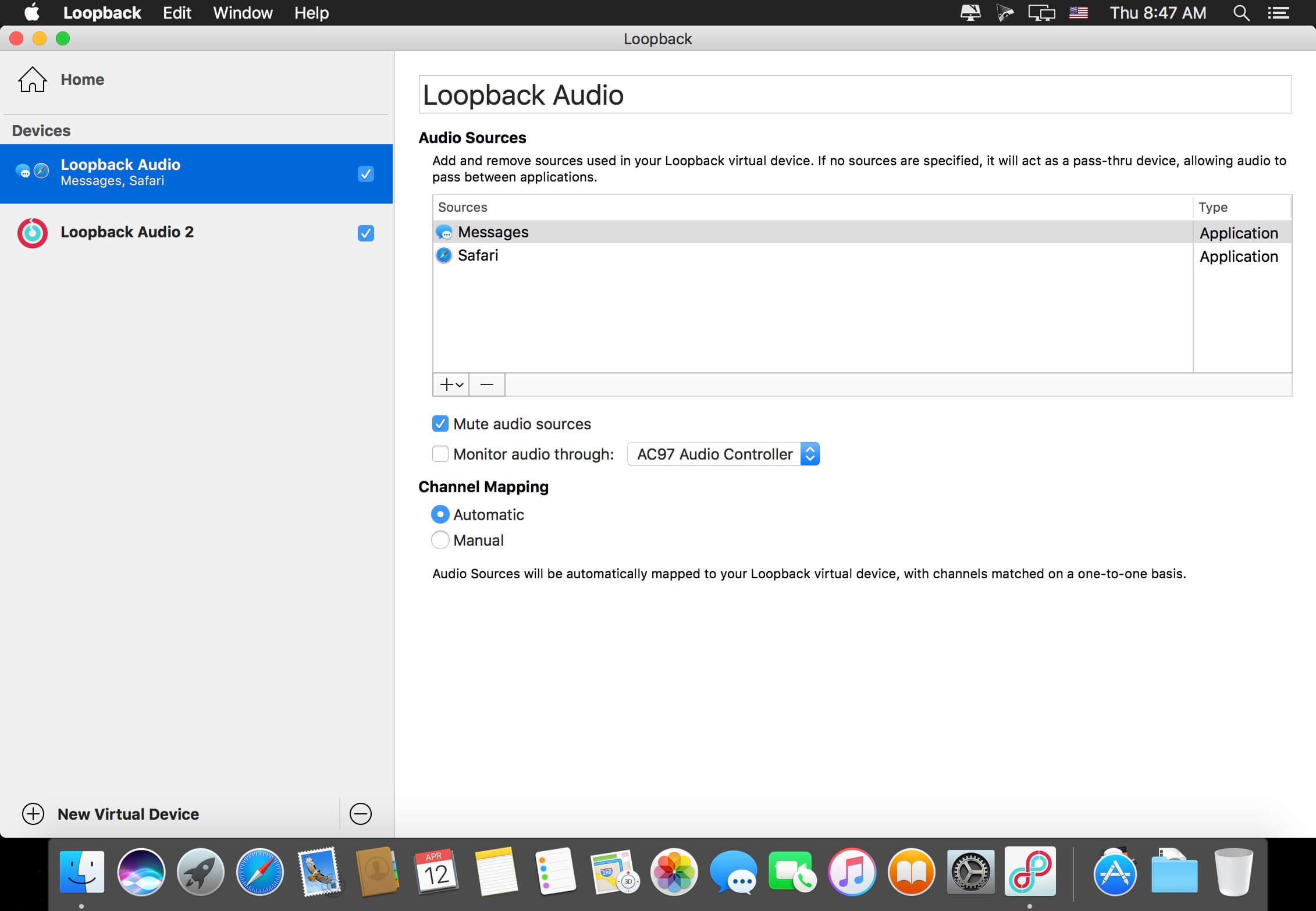
Combine Audio Sources
Pull audio from multiple sources into one virtual device! Just add the applications and physical audio devices you want to include to the Sources column to get started.
Powerful Channel Options
Add as many output channels as needed, then configure your routing with easy and powerful virtual wiring. Customizing exactly where audio flows is a snap.
Pass-Thru, Too
A Pass-Thru device let you pass audio directly from one application to another, with almost no configuration required. Loopback pipes audio around for you.
Play Music And More to Podcast Guests
Combine your mic with audio sources like iTunes or Farrago, then select your Loopback device as your source in Skype. Presto! Your guests hear both your voice and your audio add-ons.
Turn Multiple Hardware Devices Into One
Apps like GarageBand, Logic, and Ableton Live are limited to recording from just one audio device at a time. Thanks to Loopback, you can combine multiple input devices into a single virtual device, to record all your audio.
Create Top-Notch Screencasts
Most screen recorders allow you to include your mic’s audio, and some may allow recording of system audio, but neither option is ideal. Instead create a virtual device that grabs your mic and the app’s audio to get exactly the audio you want.
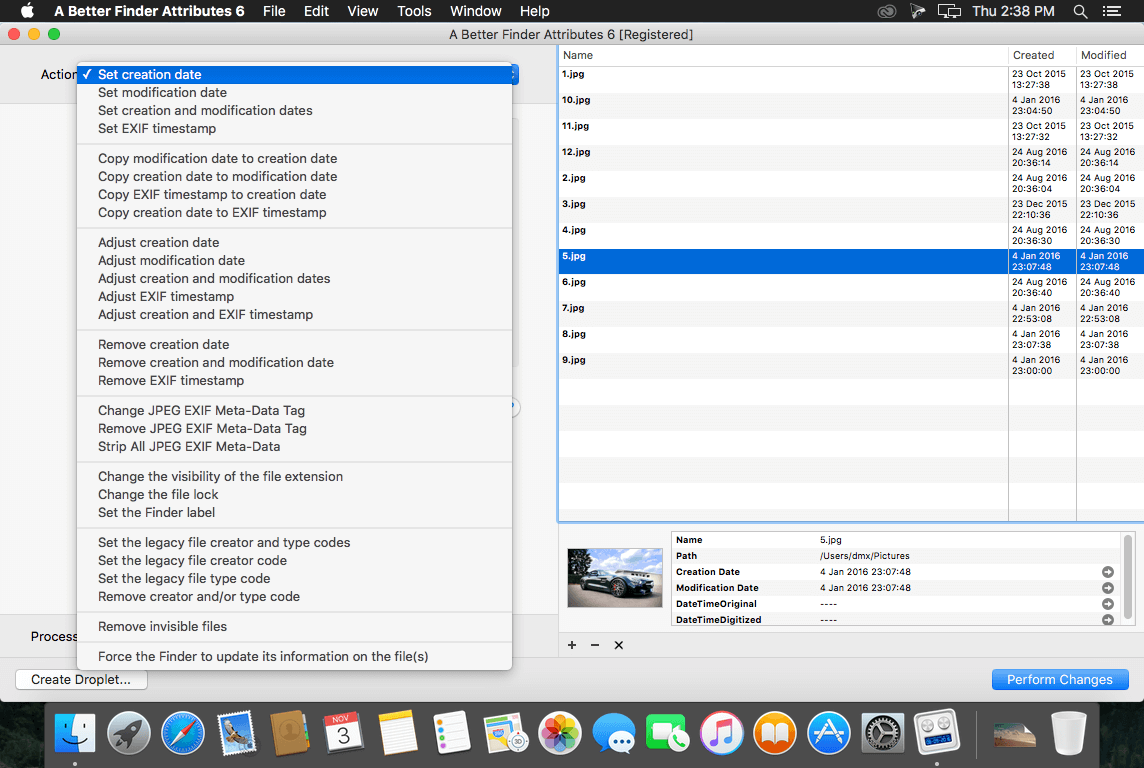
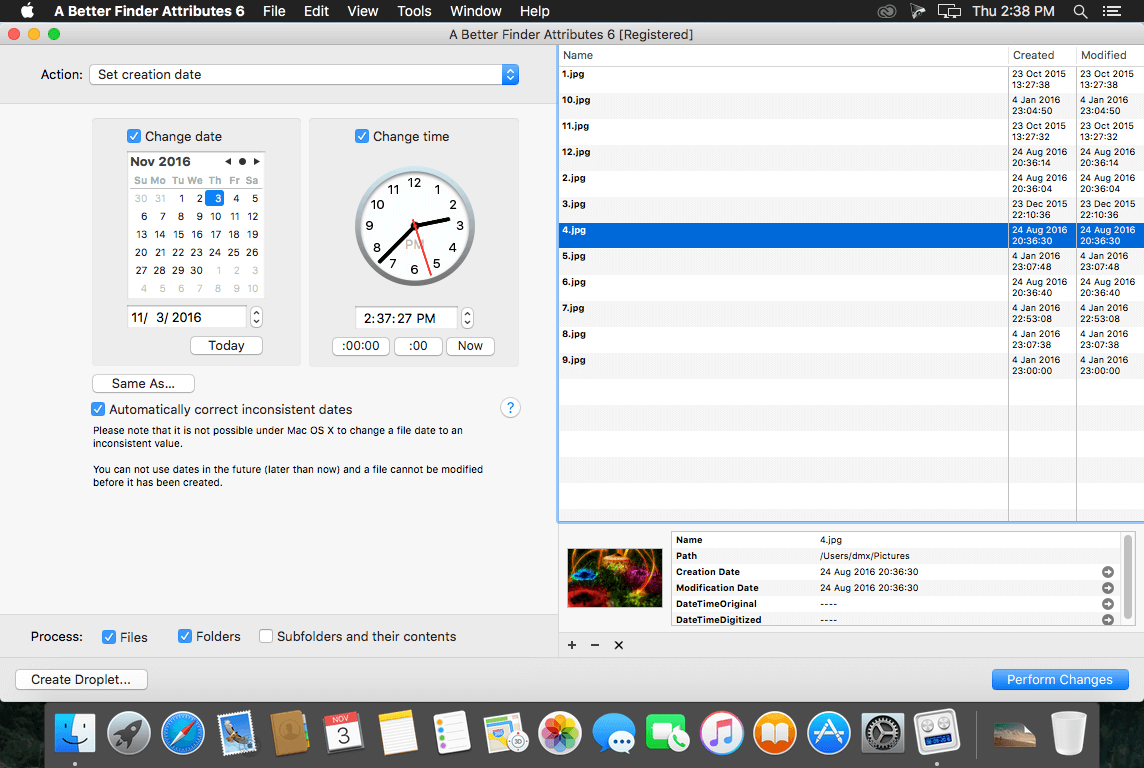
A Better Finder Attributes is the ultimate file-tweaking tool for macOS. It combines photo-shooting date and file date changing along with a few unique tricks of its own.
Change EXIF Timestamps at Will – A Better Finder Attributes 5 allows you to manipulate JPEG, CR2, NEF, ARF CRW and CIFF EXIF timestamps at will by setting them to specific times or batch adjAusting them by adding and removing time (useful for correcting the timestamps of images taken with a digital camera with a incorrectly set clock and to compensate for timezone changes).
Correct Finder Sorting for JPEG EXIF and RAW Photo – A Better Finder Attributes 5 also allows to synchronize the file creation and modification dates with the shooting dates of JPEG EXIF as well as a wide variety of RAW formats, so that files sort properly in the Finder and other systems.
Total File and Folder Creation and Modification Date Control – A Better Finder Attributes 5 gives you total control over file creation and modification dates, setting them to specific times and dates, adding or removing time or simply removing them altogether.
Automate with Droplets – A Better Finder Attributes 5 allows you to save frequently used settings to separate “droplet” applications. Drag-and-drop files onto the droplet application to apply the changes stored in it. Double click the droplet to edit the stored settings.
Other Noteworthy Features
Batch operation
Drag-and-drop into the file list or onto the application icon
Select files in the Finder and activate A Better Finder Attributes 5 via the Finder context menu or via a hot key
Automatically deals with file date consistency rules
Separate processing for files and folders, batch processing of sub-folders
Additionally, A Better Finder Attributes 5 gives you control over:
Whether or not file extensions appear in the Finder
Batch locking or unlocking of files
Setting or removing legacy creator and type codes
Removing invisible files
Seeing invisible files in the Finder
Batch setting of Finder labels
Forcing the Finder to update its information about files and folders
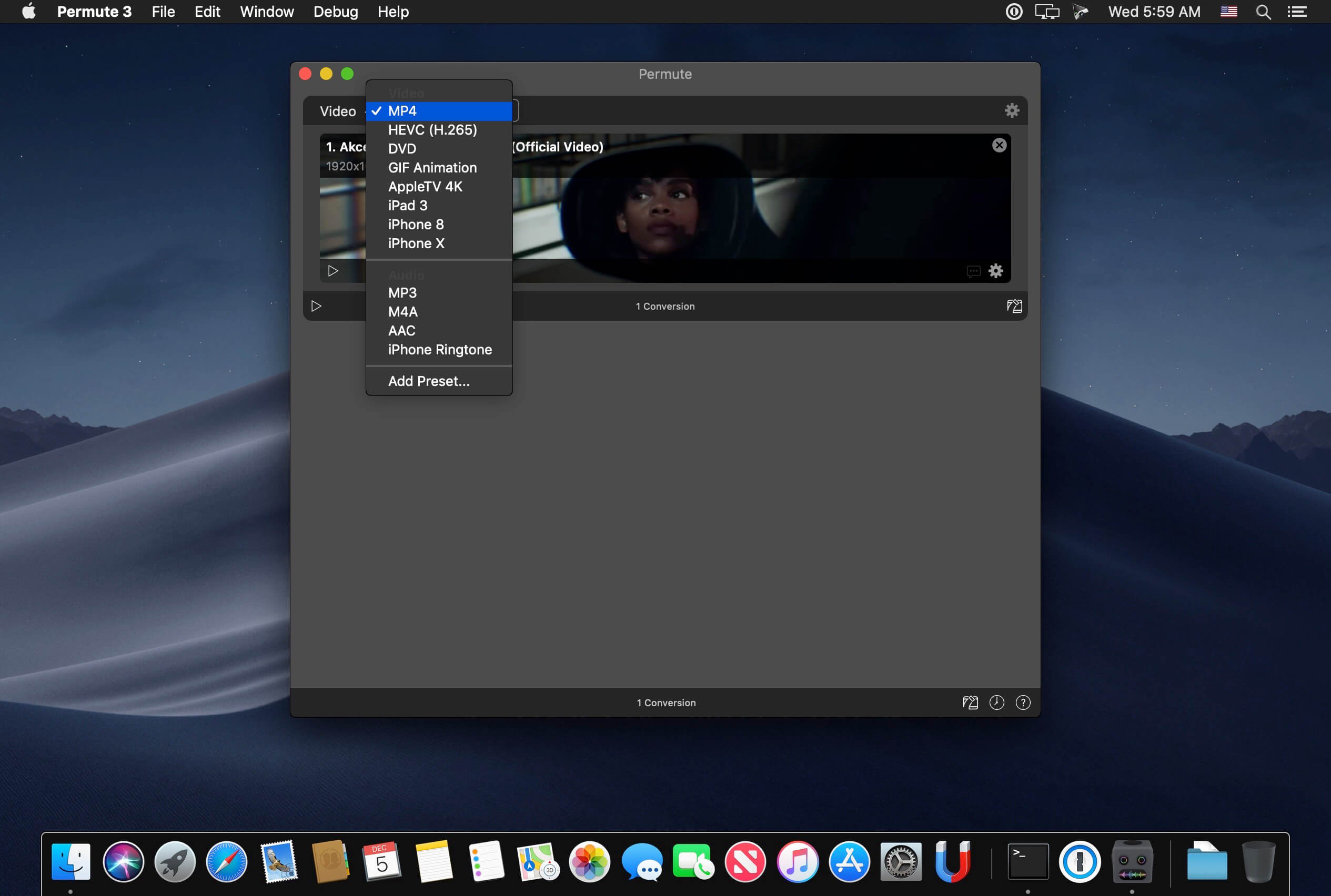
Video, audio and image files come in many different kinds and shapes, but sometimes you need a specific format since your iPad or DVD player won’t play that video. That is what Permute is for – easily convert your media files to various different formats.
Key Features
Easy to Use – built from the ground up, Permute is a perfect example of what a Mac app should be. With a gorgeous interface and drag & drop simplicity no need for complicated options.Video, audio and image files come in many different kinds and shapes, but sometimes you need a specific format since your iPad or DVD player won’t play
Insanely Fast – Permute was engineered to be incredibly fast. Let us take care of the hard stuff. Just select the video format you want and it’ll be done faster than you can say “hardware acceleration” – MP4 and HEVC presets now take advantage of your machine’s hardware acceleration capabitlities, speeding up HEVC conversions more than 3 times over previous versions of Permute!
PDF Support – Permute 3 now includes support for stitching multiple images into a single PDF.
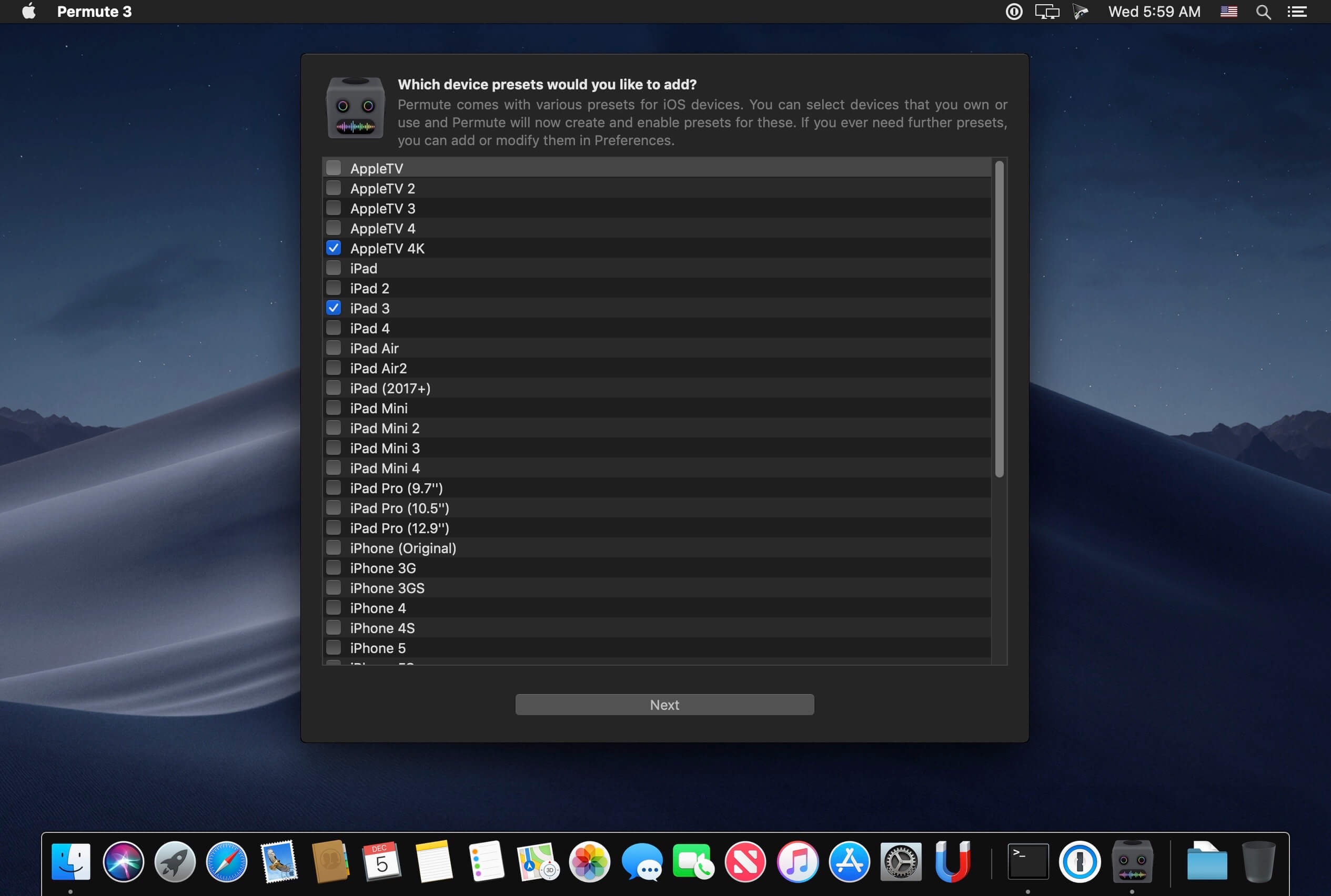
Everything Included – It doesn’t matter if you’re converting home movies or processing images. Permute can do it all. We support nearly every format and have plenty of device presets to choose from.
Looks Amazing – Whether you use dark mode or not, Permute will look amazing. Taking advantage of the modern technologies, Permute will even change its icon in dark mode.
Keep the Schedule – Video re-encoding is quite demanding on computer resources. This is why you can now schedule Permute to convert videos e.g. at night when you’re not using your computer.
And so much more! – There are so many other great features in Permute – adjust volume of an audio file or an audio track in a video. Batch-resize, rotate and flip images and videos. And more!
Completely Rewritten – Permute 3 was started from scratch – completely new project, everything written from the ground up again.
UI Redesign – the UI has been redesigned from the ground up. It’s faster, more fluent and visually pleasing.
Dark Mode – Permute now works 100% with the dark mode, even adjusting its Dock icon based on your macOS theme.
Image Stitching – Stitch images together into a PDF.
HEVC (H.265) Hardware Acceleration – HEVC (H.265) video encoding now supports hardware acceleration, resulting in conversions more than twice as fast.
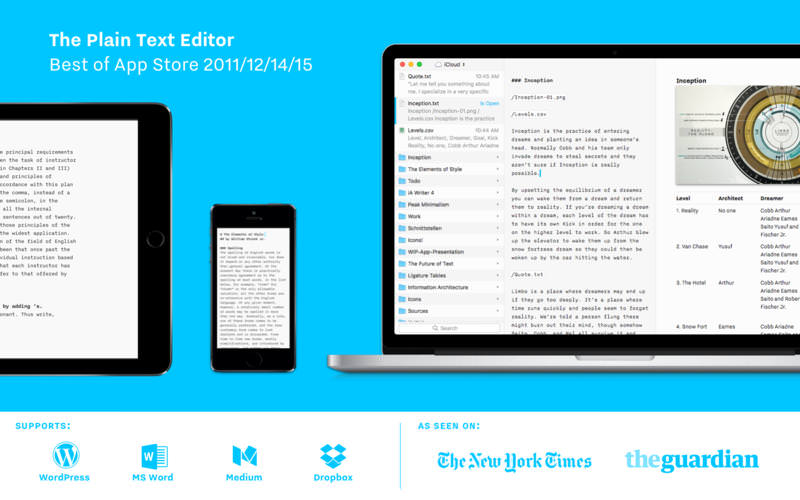
iA Writer Pro is a professional writing suite that gives you full control over your notes, drafts and edits.
Unmatched Writing Experience
iA Writer is designed to provide the best digital writing experience: Keep your hands on the keyboard and your mind in the text.
Swipe Right to Library
iA Writer now comes with an integrated library for all your documents. With a swipe to the right you have easy access to all your texts in one place.
Swipe Left to Preview
With synchronized scrolling Preview, iA Writer consciously separates form and content. It optimizes plain text writing while offering stellar formatted export—with world class typography.
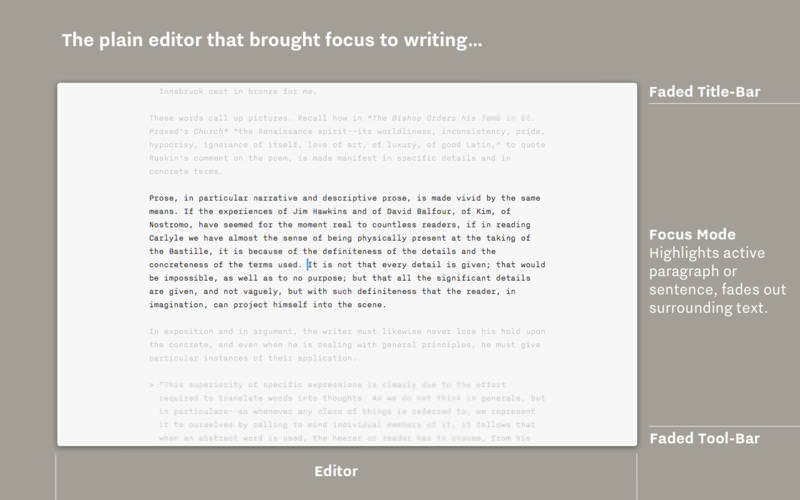
Focus Mode and Syntax Control
iA Writer is famous for offering a deeper focus on your text. Its unique tools improve your writing style by honing your concentration: One sentence at a time, or by highlighting different parts of speech.
All Your Documents on All Your Devices
With seamless Dropbox and iCloud sync, iA Writer keeps your documents safe and at hand on whatever device you are using when inspiration strikes.
Features
Integrated document Library
Synchronized scrolling Markdown Preview
Beautiful Preview templates with curated fonts
Focus Mode fades all but the current sentence, for maximum concentration
Convert formatting to Microsoft® Word .docx, and back again
Also export formatting to HTML and beautifully styled PDF
Auto Markdown formats text on-screen
Night Mode
Real-time iCloud and Dropbox sync
Reading Time; plus sentence, word, and character count
DxO PhotoLab provides a complete set of smart assisted corrections that you can manually fine-tune at any time. Take control on every aspect of your photos: effectively remove noise, get rid of light constraints, recover color details, apply sophisticated optical corrections, and enhance details.
Reducing digital noise in RAW images is an ongoing challenge for most photo-editing software. But with DxO DeepPRIME we are breaking new ground. The first artificial intelligence-based (AI) technology of its kind, DeepPRIME enables you to demosaic and denoise images simultaneously. Try it out – the results speak for themselves.
What’s New:
What’s new DxO PhotoLab 8
Enjoy a host of upgrades including new tools and an improved workflow.
Image correction & enhancement
DxO’s pioneering Optics Modules are renowned for giving photographers the best possible performance from their gear, and are applied automatically depending on metadata. Lens softness adjustments are tailored according to the idiosyncrasies of individual lenses. They don’t simply sharpen uniformly across the entire image like in other software.
Groundbreaking denoising technologies
Noise reduction powered by machine learning. DeepPRIME, DeepPRIME XD, and DeepPRIME XD2s eliminate noise, recover detail, and improve color reproduction. Two legacy technologies — PRIME and High Quality — are included when speed is crucial. Choose the automatic settings or dial them in manually. Use the new large live preview magnifier to see the impact of denoising — plus all of your other edits.
Color rendering and fidelity
Extra-wide gamut working color space (DxO Wide Gamut) ensures accurate rendering throughout the workflow. Soft Proofing mode ensures accurate colors when preparing files for print or display. Simulate ink and paper via ICC profiles. Create calibrated color profiles using industry-standard color charts to ensure precision.
Control exposure, contrast, color & tonality
Use ColorWheel to manipulate colors and customize color channels. Adjust Exposure compensation, edit the Tone Curve (enhanced in v8), tweak Contrast and Microcontrast. Plus White Balance with color picker, Color Accentuation to set saturation/vibrancy, Black-and-white palette with channel mixer, and Selective Tone for greater control over tonal ranges.
Color rendering
As well as DxO’s camera-calibrated profiles and classic film renderings, import and apply DCP profiles, or apply color rendering from your camera. Start your editing process with DxO Styles to open up new creative possibilities.
Smart, automated tools
DxO PhotoLab contains two innovative tools to speed up your editing: DxO Smart Lighting quickly balances brightness levels between shadows and highlights. DxO Clearview Plus reduces atmospheric haze and enhances local contrast.
LUTs
Import and apply LUTs to open up endless creative color options. Choose from 32 pre-installed LUTs and set intensity.
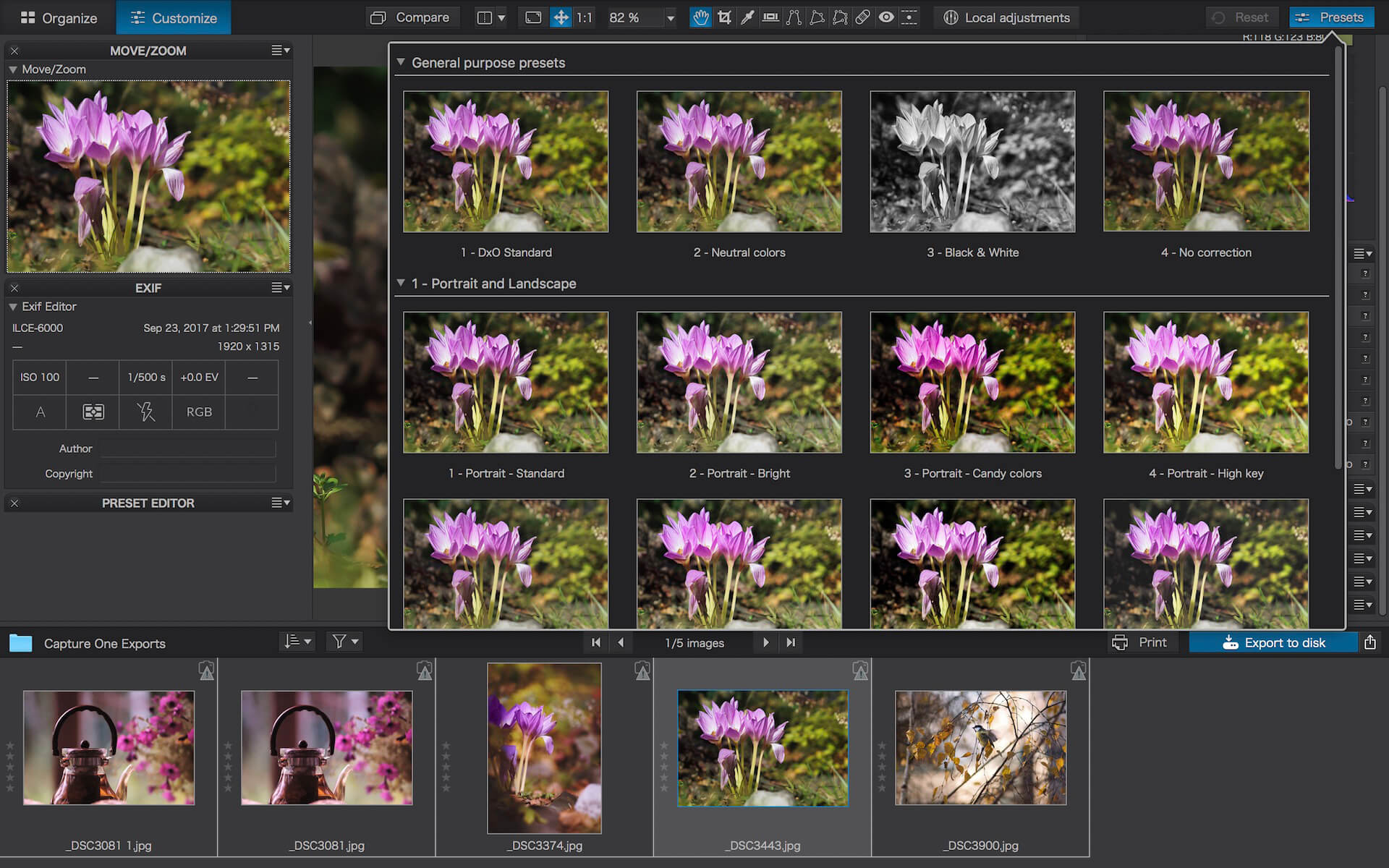
Presets and toning
Create and share presets. Duplicate, rename, import/export presets, and organize into folders. Edit existing presets and create partial presets. Use the Style / Toning palette to apply Simple Toning (e.g., Sepia) and access Split Toning by installing DxO FilmPack.
ReTouch tool
More than just a cloning/healing tool, rotate, scale, and mirror the source area for absolute control. Edit the shape of the area to be retouched using a brush/eraser. Switch between Clone/Repair modes. Remove unwanted elements with automatic source selection (or set manually).
Crop, horizon & perspective tools
Adjust the horizon and crop images using a common or custom ratio — all automatically or manually. Adjust perspective distortion with dedicated tools: force parallels, rectangle, or 8-point guides.
Local Adjustment tools
U Point™ technology features Control Points and Control Lines for intelligent masks without the need for complex layers. Use Brush, Gradient, Eraser, and Auto Mask tools. Create complex adjustments using Hue Masks (new in v8). Toggle visibility and set opacity of masks, and duplicate/invert mask content. Set Control Point/Control Line sensitivity according to Luminance or Chrominance.
Available corrections
The corrections available as local adjustments include
Exposure, Contrast, Microcontrast
Highlights, Midtones, Shadows, Blacks
Hue, Saturation, Luminance (via ColorWheel)
Vibrancy, Saturation, Hue, Sharpness, Blur
White Balance and Tint (RAW only)
Advanced History & Quick Compare
Advanced History palette provides a full editing history including specific values and changes. Grouped corrections can be expanded when applying presets in order to track individual changes. Quick Compare Mode puts your edit alongside the original image with a vertical or horizontal split. You can compare your current image with output versions and virtual copies, or choose a reference image (new in v8).
Virtual Copies
Create Virtual Copies for multiple variations of an image without copying the RAW file. Compare quickly with the original image, and selectively copy/paste settings between images.
Customizable workspaces
Highly customizable workspace: reposition/hide panels, collapse/expand palettes, and use a search field to quickly find tools. Add your most-used tools to a favorites palette, or create custom palettes. Filter displayed corrections by category. Display only the tools actively making changes to an image. Use multiple monitors and palettes. Place the grid view navigator on a second display.
Histogram
Display RGB, individual colors, and luminosity channels. Indicate where highlights and/or shadows have been clipped. Display the RGB value of an individual pixel.
Powerful functionality, catalog-free
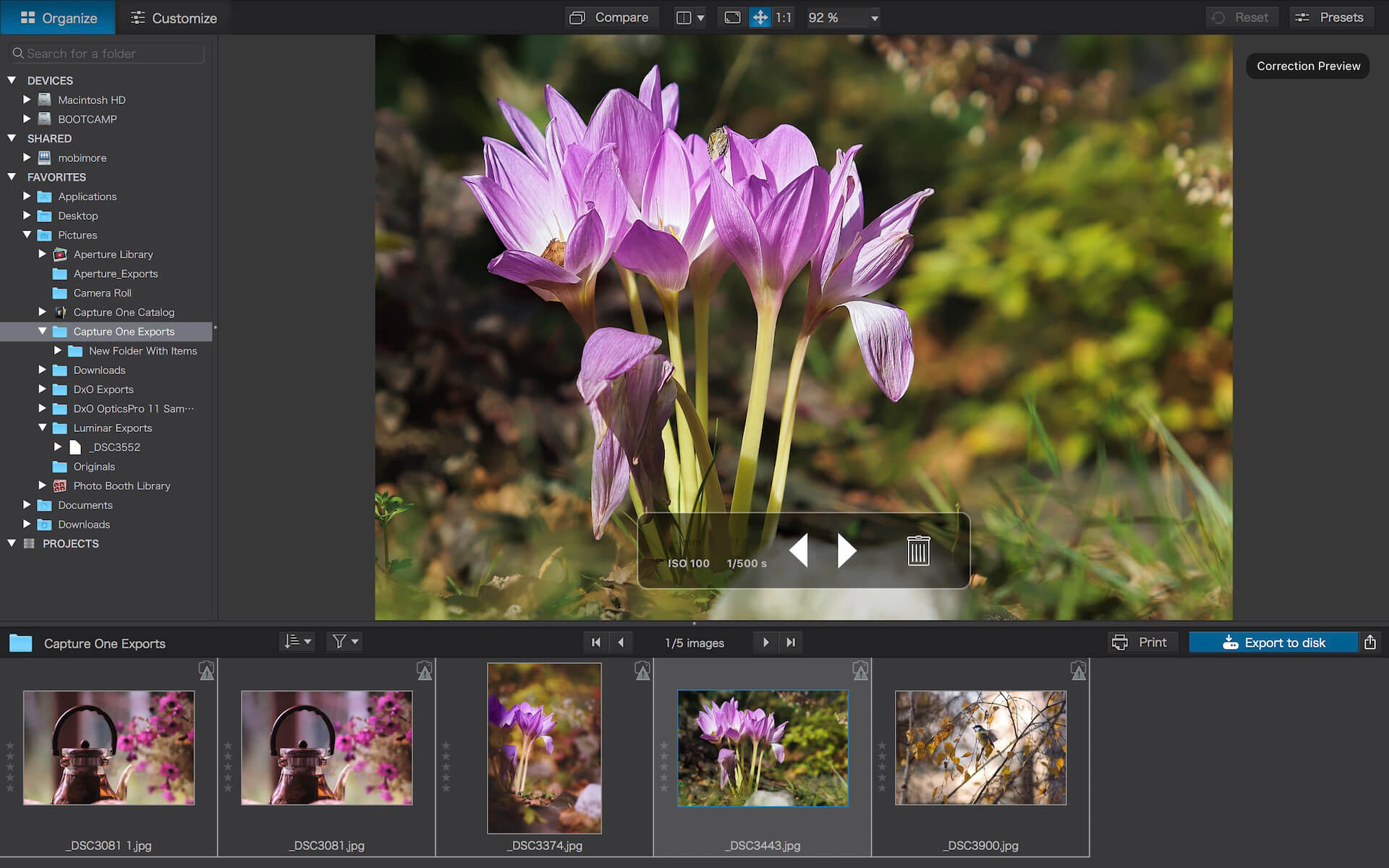
Don’t import images; simply browse your disk and edit your images on the fly. Select/search/filter photos with ease. Apply star ratings, color tags, pick/reject images, and choose from a range of criteria when searching, including color tags. For faster searching, simply direct PhotoLab to index specific folders.
Metadata management
Add and manage keywords, create keyword hierarchies, drag/drop keywords to organize them in a tree view list. Import and manage Exif and IPTC metadata, and selectively copy/paste metadata from one image to multiple others. Synchronize metadata changes with third-party applications.
Projects & other organizational tools
Create Projects to gather selections of images, independent of their folder. Create groups of Projects and drag/drop to organize virtual collections. Batch rename files, adjust capture time, drag files to folders to copy/move them, and sort/select files according to flexible options.
Customizable export settings
Choose the size/location of files, set up custom export presets, create multiple parallel exports, and apply original or custom ICC profile, sRGB, or Adobe RGB profiles. Right-click to export to a specific application. Send images directly to other applications. With Nik Collection installed, you have direct access to all plugins.
Watermarks
Create your own watermarks. Use both text and images together, adjust the size, opacity, blend modes, and save as presets.
TRAKTOR PRO 4, the all-new, professional 4-deck DJ software from Native Instruments! Loved by hundreds of thousands of DJs worldwide, TRAKTOR PRO 4 offers next-generation tools and beloved Traktor features for DJs of all skill sets.
One of the key features of TRAKTOR PRO 4 is the integration of legendary iZotope technology, combining Native Instruments’ hardware expertise with iZotope’s revolutionary audio technology. Stem separation is essential in the DJ world, and Native Instruments has integrated this feature into TRAKTOR PRO 4, powered by AI and iZotope’s legendary RX technology. Additionally, the Ozone Maximiser from iZotope’s award-winning Ozone mastering software is included.
TRAKTOR PRO 4 also includes Pattern Player, featuring sounds from iconic drum machines and top producers. With numerous percussion kits, you can enjoy signature drum sounds from industry legends like Rebekah, Luke Slater, Len Faki, Chris Liebing, Dubfire, and more. Also featured are Native Instruments’ innovative flexible beatgrids, which precisely follow tempo changes without impacting audio quality, a significant improvement over various other DJ systems.
Finally, expect the return of your favourite Traktor features, including studio-grade effects, reliable sync, club-ready sound, and compatibility with any hardware.
MAXIMUM FLEXIBILITY AND CREATIVITY
Discover the ultimate DJ software for maximum flexibility and creativity. TRAKTOR PRO 4 lets you remix on the fly, re-edit tracks, sculpt sound, and layer effects across four decks. You can enjoy the freedom to use any hardware that suits your needs. Whether you’re plugging into a club setup, creating hybrid live setups with external gear, or mixing at an after-party with a portable controller, TRAKTOR PRO 4 has you covered.
STUDIO-QUALITY EFFECTS
Elevate your tracks with Native Instruments’ powerful effects, featuring iconic Traktor reverb, stretching algorithms, creative delays, and more. Explore over 40 options across four assignable effect processors to customise, combine, and transform your music.
ANY SET UP YOU LIKE
Easily connect and play with club-standard mixers, turntables, or CDJs using TRAKTOR PRO 4. Enjoy the feel of vinyl mixing with your digital tracks using Traktor Timecode Control Vinyl (DVS), compatible with Beatport or Beatsource Streaming. Blur the line between DJing and performance by using MIDI syncing and Ableton Link to connect with external software and hardware, creating powerful, versatile hybrid setups.
RELIABLE SYNC
Seamlessly align your tracks across four decks and layer tempo-based effects, drum sequences, looping, beat jumps, and more! With Traktor Sync, everything stays perfectly tight, allowing users the freedom to get creative and experiment with their mix without worrying about sync issues.
ALL YOUR TRACKS, RIGHT WHERE YOU NEED THEM
Effortlessly adapt to any dancefloor with TRAKTOR PRO 4. The entire digital library is easily accessible and organised exactly as needed, with customisable playlists and folders for quick track selection. Plus, enjoy two months of free access to Beatport Streaming Advanced or Beatsource Streaming for instant access to millions of tracks.
→ Creative Tools
Stem Separation
Transform the way you mix and remix with stem separation powered by iZotope’s legendary RX technology. Precisely isolate and manipulate drums, bass, instruments, and vocals. And with each stem waveform right in front of you, you can mute, control the volume, or apply filters and effects with a high level of accuracy.
Layer legendary drum sounds
Bring the sounds of iconic drum machines and leading producers to your sets. Pattern Player is packed with percussion kits, including the signature drums of industry legends like Rebekah, Luke Slater, Len Faki, Chris Liebing, and many more.
Studio-quality effects
Take your tracks to another dimension with iconic Traktor reverb, stretching algorithms, creative delays, and much more. Dial in and combine over 40 options across four assignable effect processors to twist, tweak, or totally transform your music.
Remix on the fly
Chop and re-edit tracks however you like with the industry’s most reliable loop, Hotcue, and beatjump tools. Plus, add samples and effects and trigger them in sync with the rest of the mix with Remix decks.
→ Performance
Flexible Beatgrids
Mixing disco? Hip hop? Jazz? No problem. Flexible beatgrids are ideal for moving between genres or mixing tracks with a changing tempo. Traktor Pro 4’s flexible beatgrids precisely follow each tempo change throughout the track. And unlike other DJ systems, there’s no impact on the audio quality when you hit sync. Get your mix sounding just right with highly-accurate looping, beat jumps, beat effect layering, and beat alignment.
Maximize your sound with Ozone
Take your sounds and sets to new heights while protecting the mix from clipping and distortion. Ozone Maximizer utilizes technology from iZotope’s award-winning Ozone mastering software. Its Intelligent Release Control allows you to boost the loudness of your sets without distortions.
→ KEY FEATURES:
• NEW Advanced flexible beatgrids
• NEW High-quality stem separation
• NEW Pattern Player
• NEW iZotope’s Ozone Maximiser
• NEW Two free months of Beatport Streaming Advanced or Beatsource Streaming
• Control four decks in Track, Stem, and Remix mode
• Highly reliable Sync
• Reliable looping, hot cues and beatjump functions
• Mix recorder to record your sets
• 40+ studio-grade Native Instruments effects
• EQ’s and filters
• Smart Playlists
• Best-in-class timecode vinyl tracking
• Plug-and-play support for CDJs and most club mixers
• Ableton Link and MIDI clock support
• Deep MIDI mapping
• Compatible with all Traktor hardware and mappable with any DJ hardware
Airmail is mail client designed with performance and intuitive interaction in mind optimized for macOS Support for iCloud™, MS Exchange, Gmail™, Google™ Apps, IMAP, POP3, Yahoo!™, AOL™, Outlook.com™, Live.com™ Airmail was designed from the ground UP to retain the same experience with a single or multiple accounts and provide a quick, modern and easy-to-use user experience. Airmail is clean and allows you to get to your emails without interruption – it’s the mail client for the 21st century.
We have taken usability and function to the next level with Airmail and bring a striking-design with support for all major email services. Switch between accounts like a breeze and quick reply to incoming messages within seconds – email has never been so easy and productive.
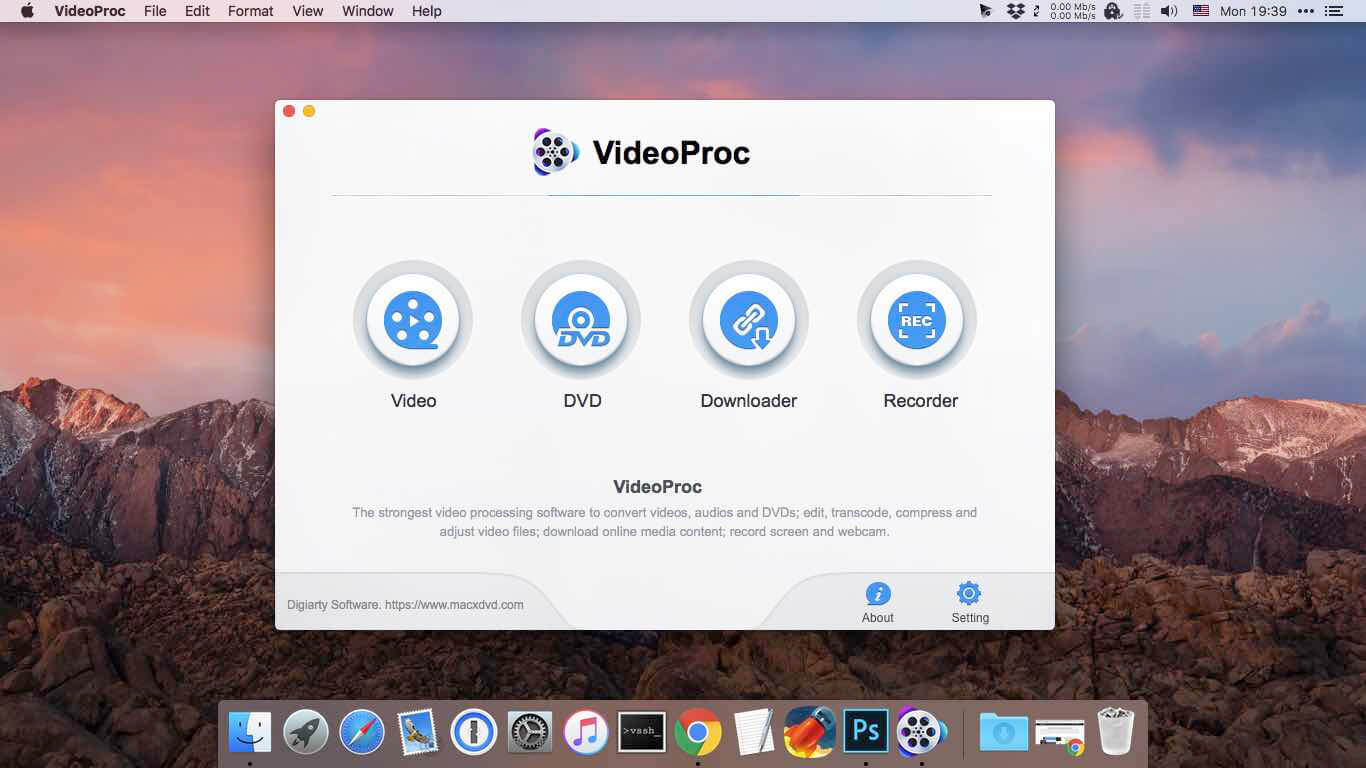
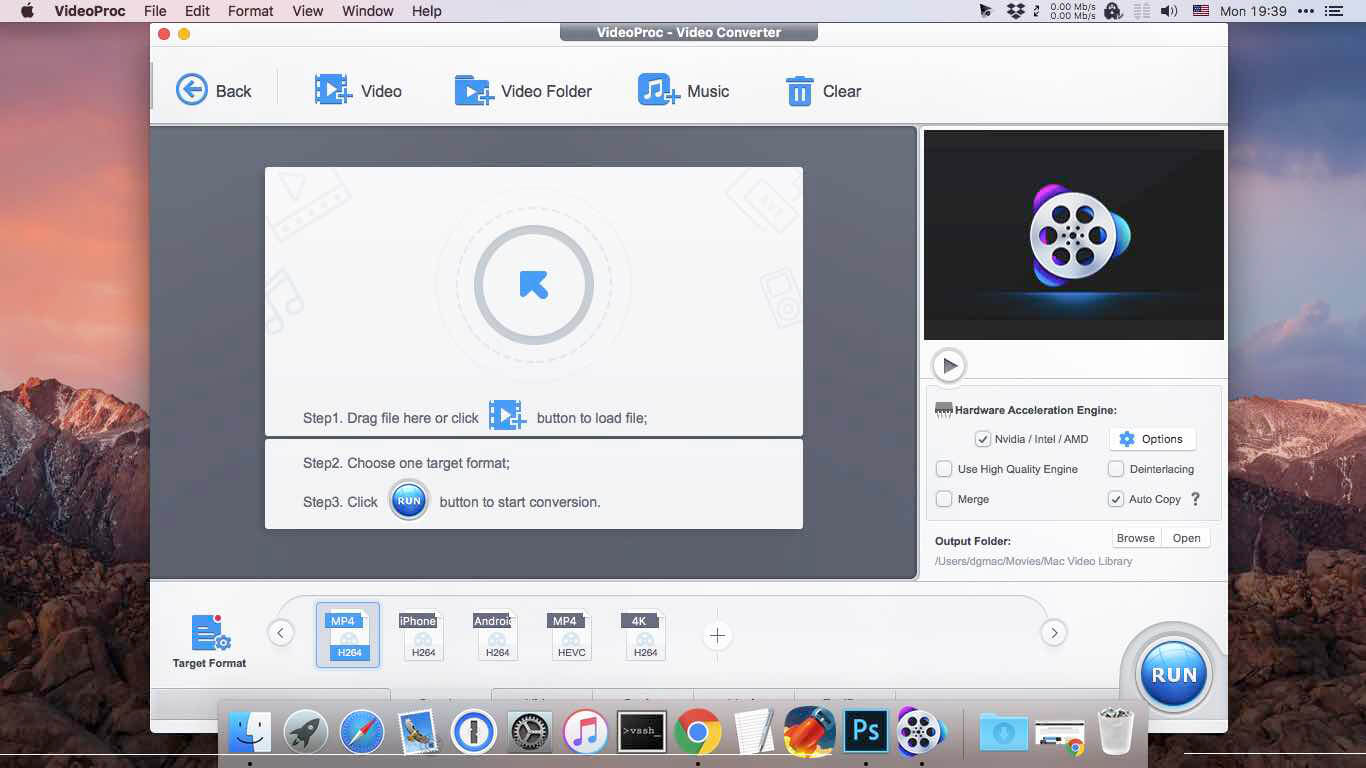
Built with AI tools for video/image/audio enhancement. Remaster, upscale, restore, colorize, convert, edit, compress, download, and record with GPU acceleration. The best video converter works with videos shot with GoPro, DJI, iPhone, Android, DSLR, mirrorless, camcorders, or other 4K cameras.
VideoProc peaks Level-3 Hardware Acceleration fully powered by Intel®, AMD®, NVIDIA® GPUs, and Apple M1/M2/M3/M4 (Pro/Max/Ultra), delivering buttery smooth (4K/8K) video processing and transcoding without compromising quality.
What’s New:
Version 8.5 (2025110301):
Release notes were unavailable when this listing was updated.
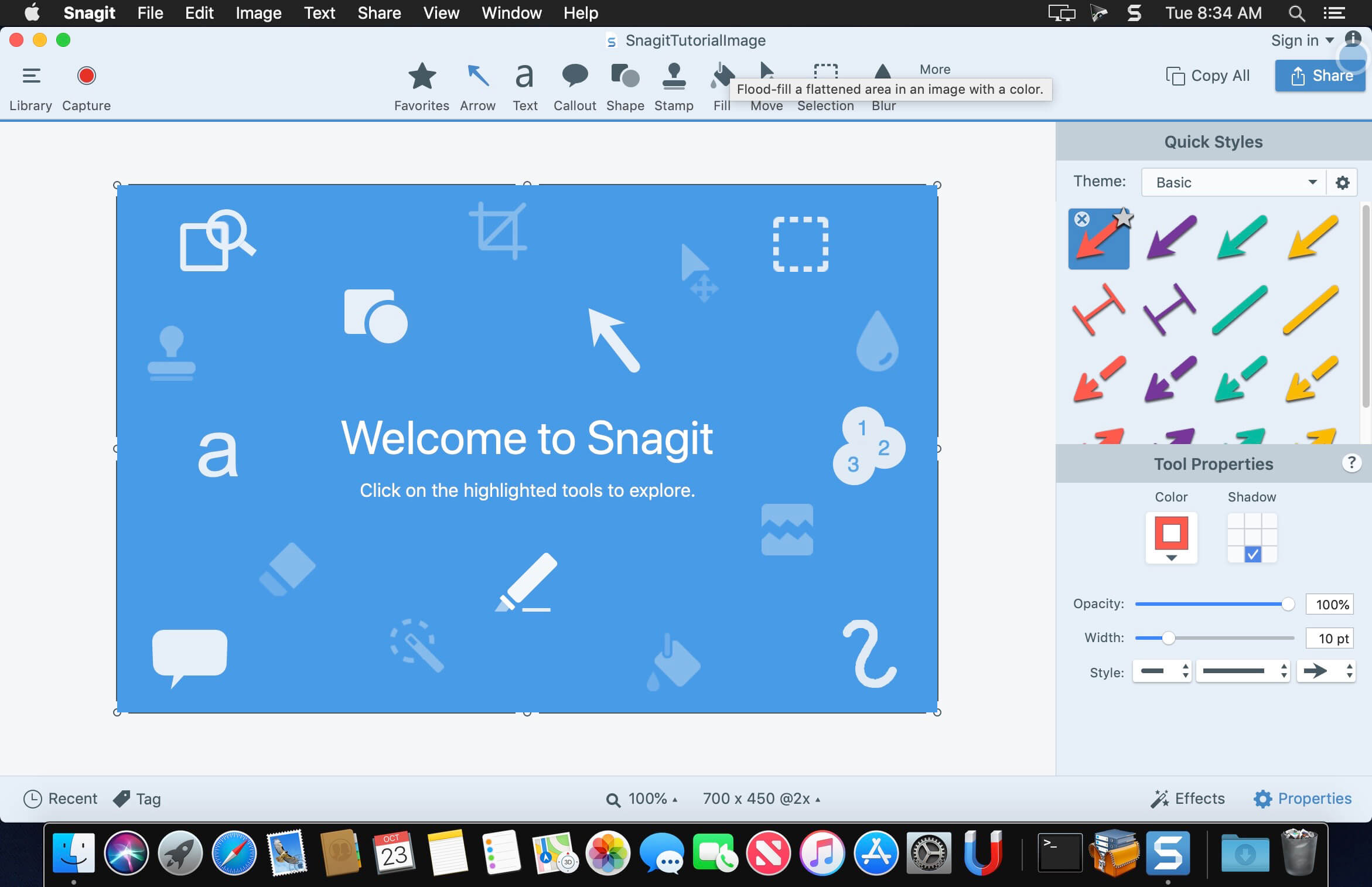
macOS comes with basic screen capturing capabilities, but the customization options are fairly limited. Snagit is an unobtrusive yet very easily accessible Mac app that proposes more diversified screenshot taking functions, and is also able to record videos.
In addition, Snagit provides an editing area where you can to personalize your projects without having to employ third party applications.
Capture screenshots or record videos in no time
By default, Snagit is a status bar menu application that also provides an autohiding capture window placed in the top right corner of your screen. Via the app’s Preferences window you can quickly decide to keep only one of them enabled. At the same time, you can also make use of the already defined hotkeys.
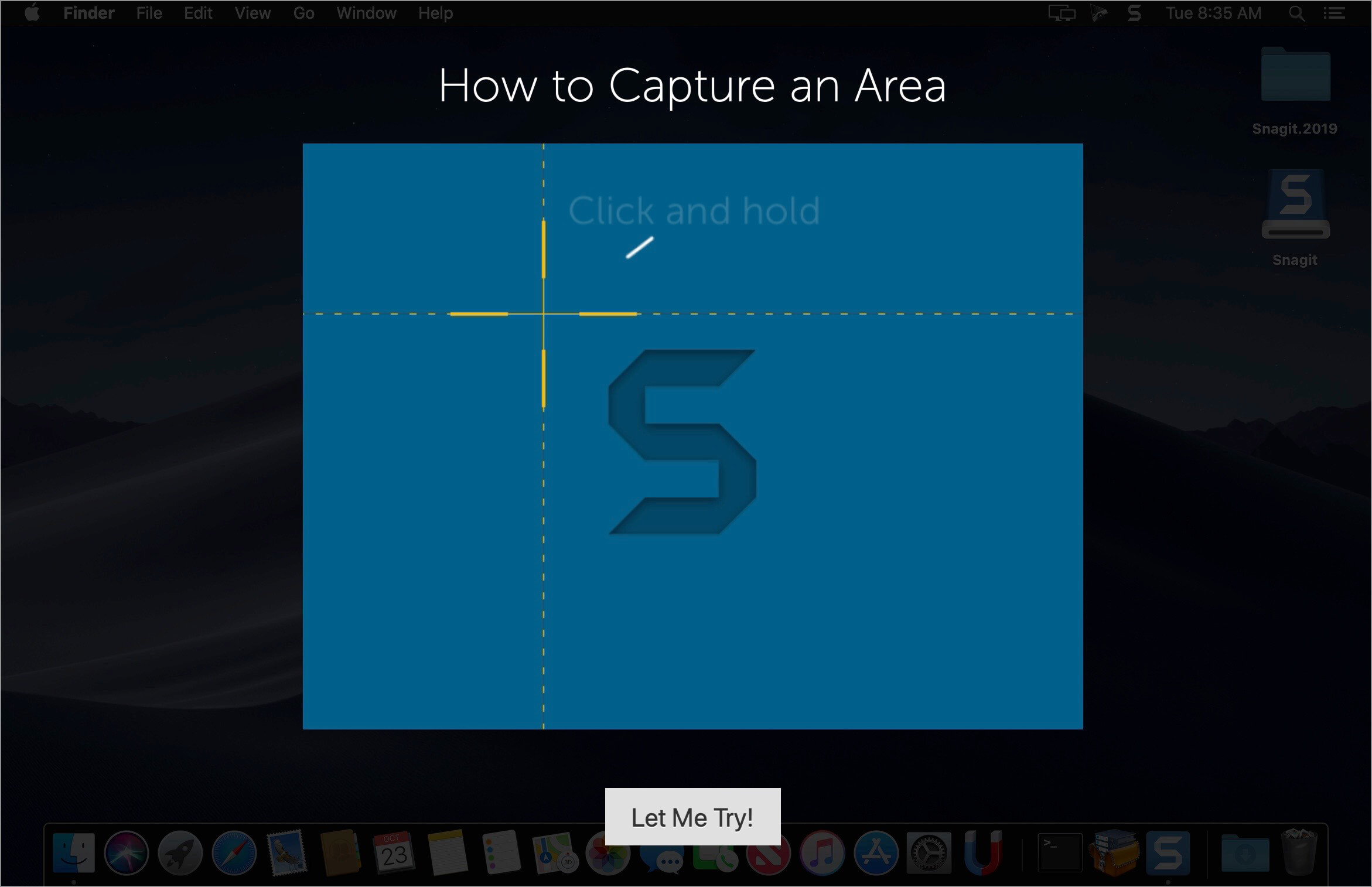
All you have to do is select the capture type via any of those controllers, and highlight the area you want to record. Snagit automatically sends the captures to the processing window but that does not obstruct you workflow in any way: if you are already satisfied with the result, simply select one of the many image or video sharing solutions.
Versatile editing and sharing solutions
The Snagit image editor includes a collection of simple tools that can be used to highlight certain areas, to write down text, to erase certain elements, and much more. Moreover, you also get to apply color filters, edge effects, and more.
When dealing with video content, all you can do is preview the recording and cut a specific portion. Noteworthy is that Snagit allows you to connect to various online account in order to quickly upload the final projects from within the application: this makes the entire procedure extremely straightforward.
Powerful screen capturing tool that includes editing and sharing capabilities
Snagit succeeds at being a complete screen capturing solution: you get to capture both screenshots (including menus or entire webpages, on the spot or with a small delay) and videos (with your screen activity or with the images captured by your webcam).
To conclude, Snagit is the tool you want if you have to highlight certain aspects of an image, or if you need to record video presentations: use its built-in tools to edit the content, and then share the results with your friends in no time.
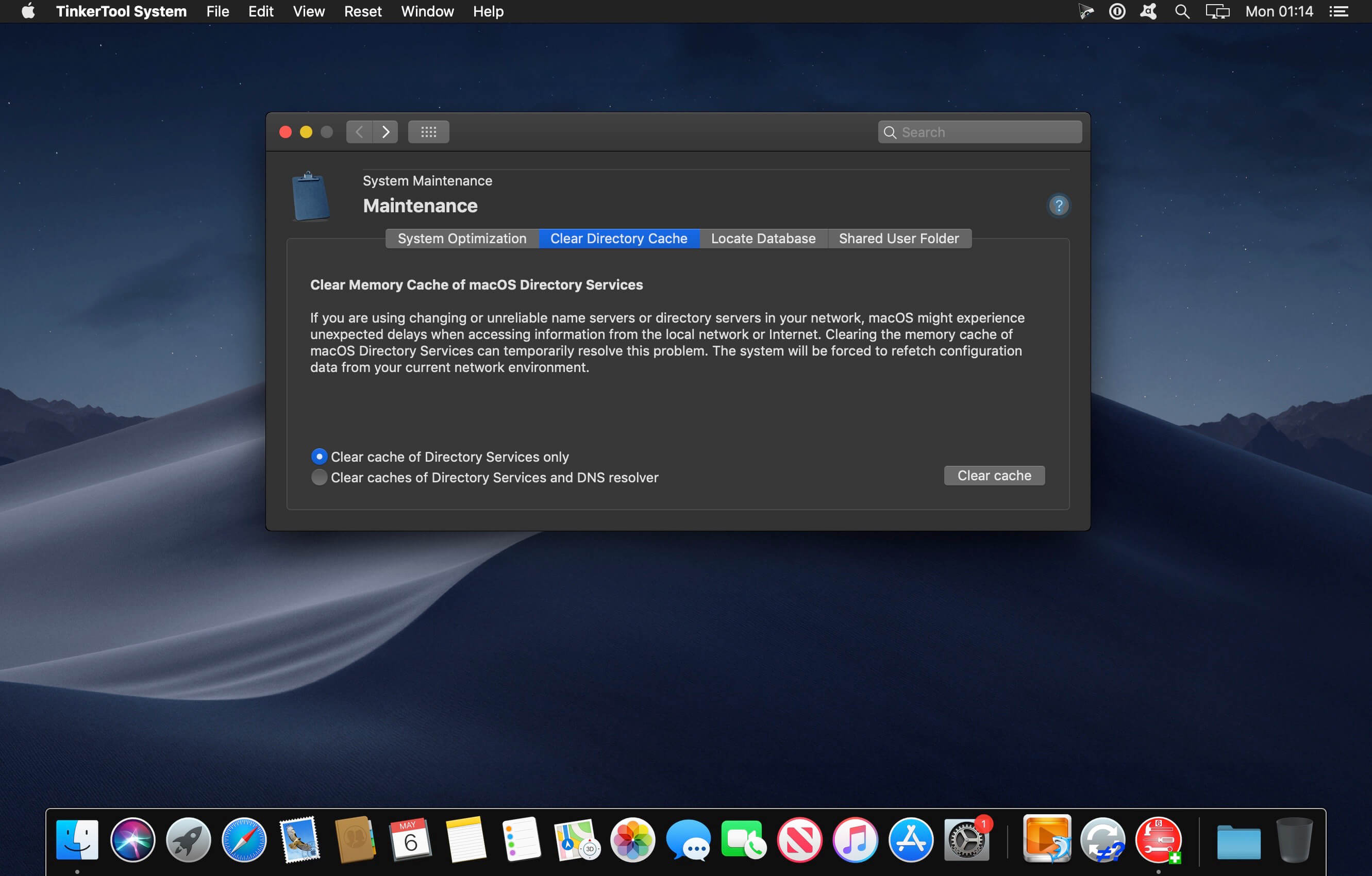
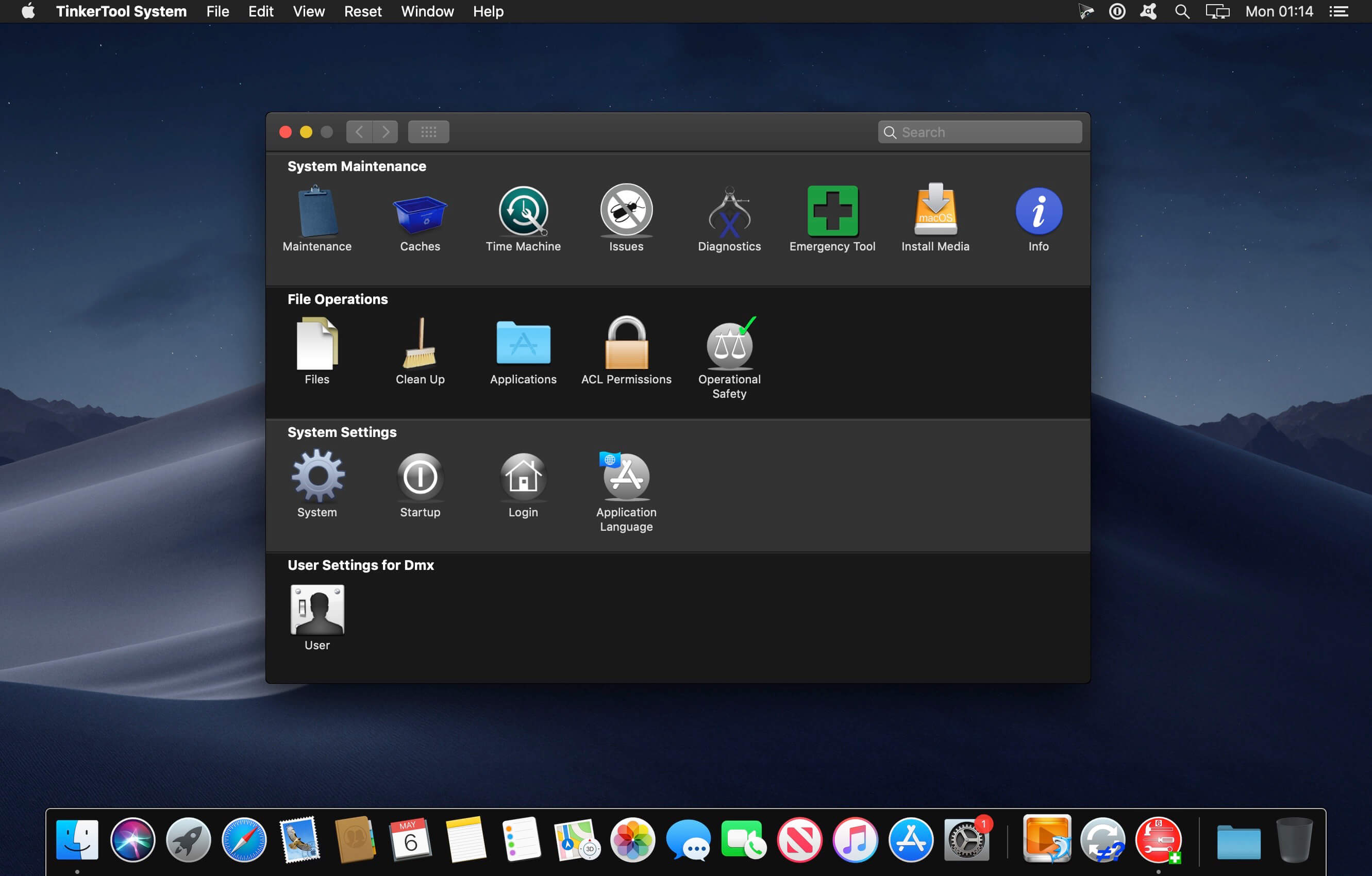
TinkerTool System is a collection of system utility features helping you in performing advanced administration tasks on Apple Macintosh computers. The application makes use of a self-adapting user interface which automatically adjusts to the computer model and to the version of macOS you are running. All options available in the current situation are accessible via “panes”, very similar to the techniques you already know from the System Preferences application. The features are controlled via a single window which allows you to use the application as a general toolbox and First Aid assistant.
This includes:
built-in maintenance features of macOS, usually not visible on the graphical user interface,
extended file operations, not available in the macOS Finder,
the possibility to access advanced system settings which are not visible in System Preferences,
genuine and unique features of TinkerTool System, designed to resolve typical real-world problems of administrators and to fix the effects of certain defects (“bugs”) in the operating system,
an emergency tool to troubleshoot and repair macOS in cases where the graphical user interface is no longer starting correctly or the user account of the system administrator has been damaged,
functions to collect advanced information about the hardware, operating system, and applications.
Together with its sister program TinkerTool which is available at no charge, TinkerTool System is a perfect substitute for the following types of system utilities:
Finder enhancers,
Cache and font cache cleaners,
Scripts to create bootable system installer and recovery disks,
Tools to access hidden preference settings,
Applications to make objects invisible in the Finder,
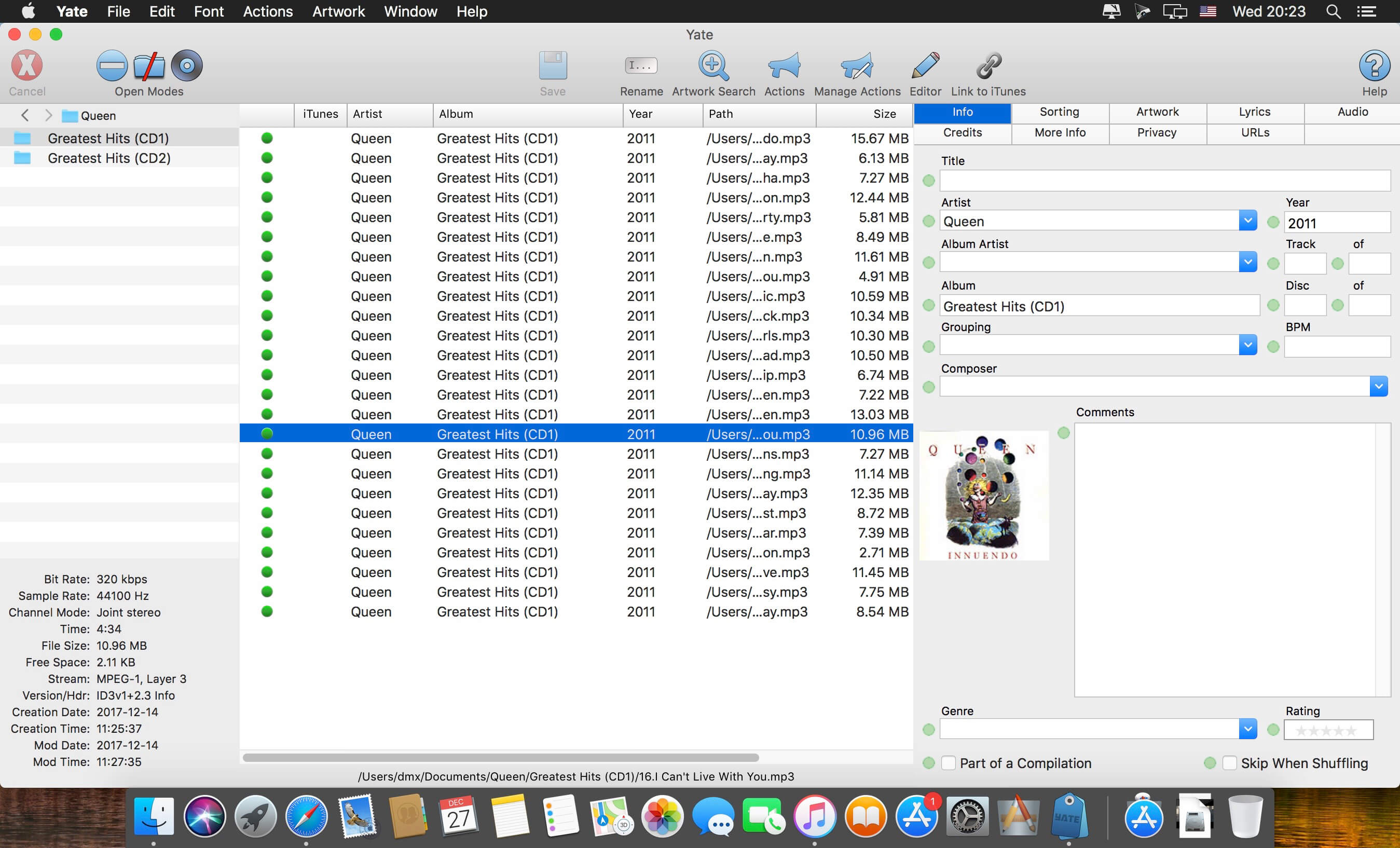
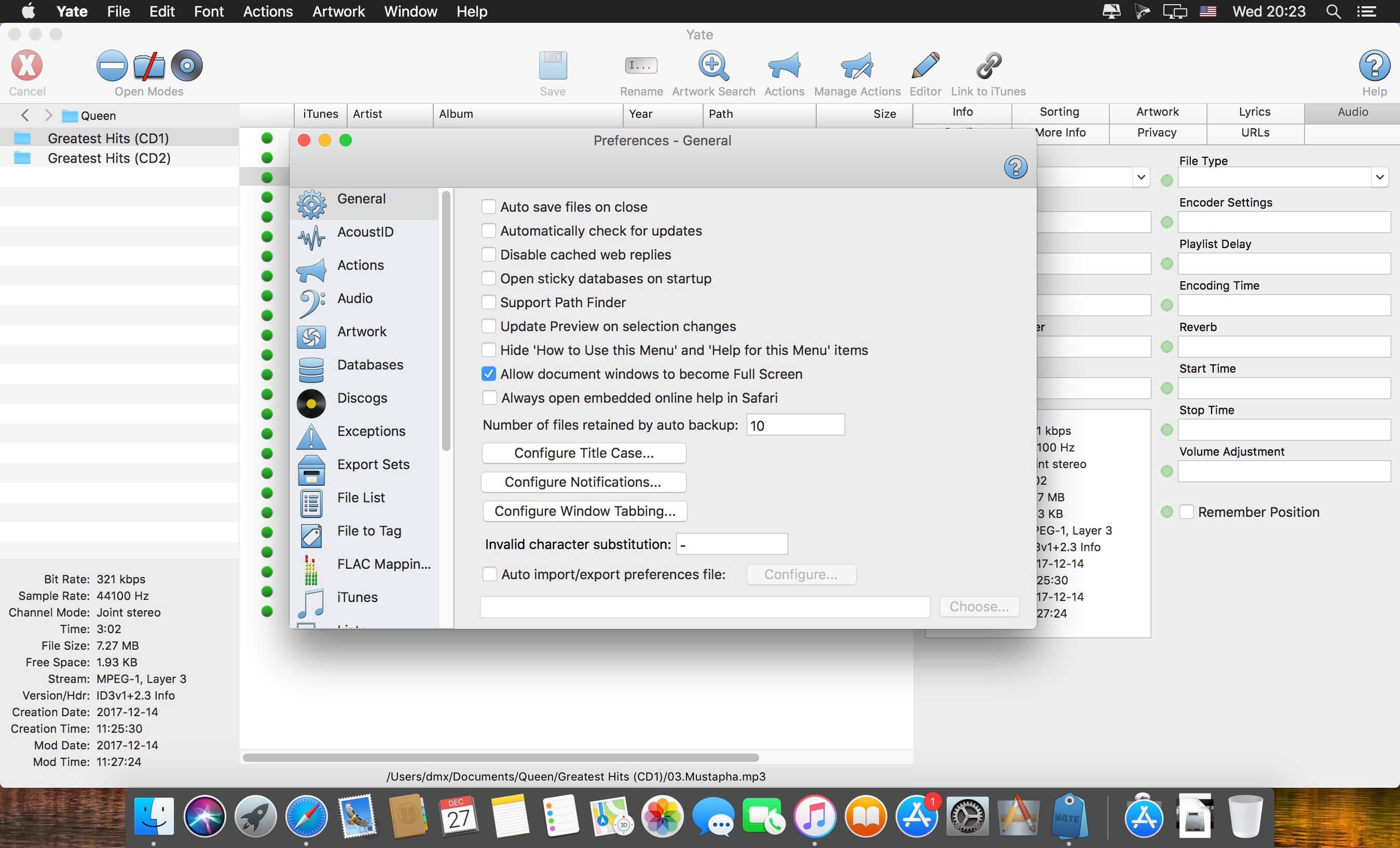
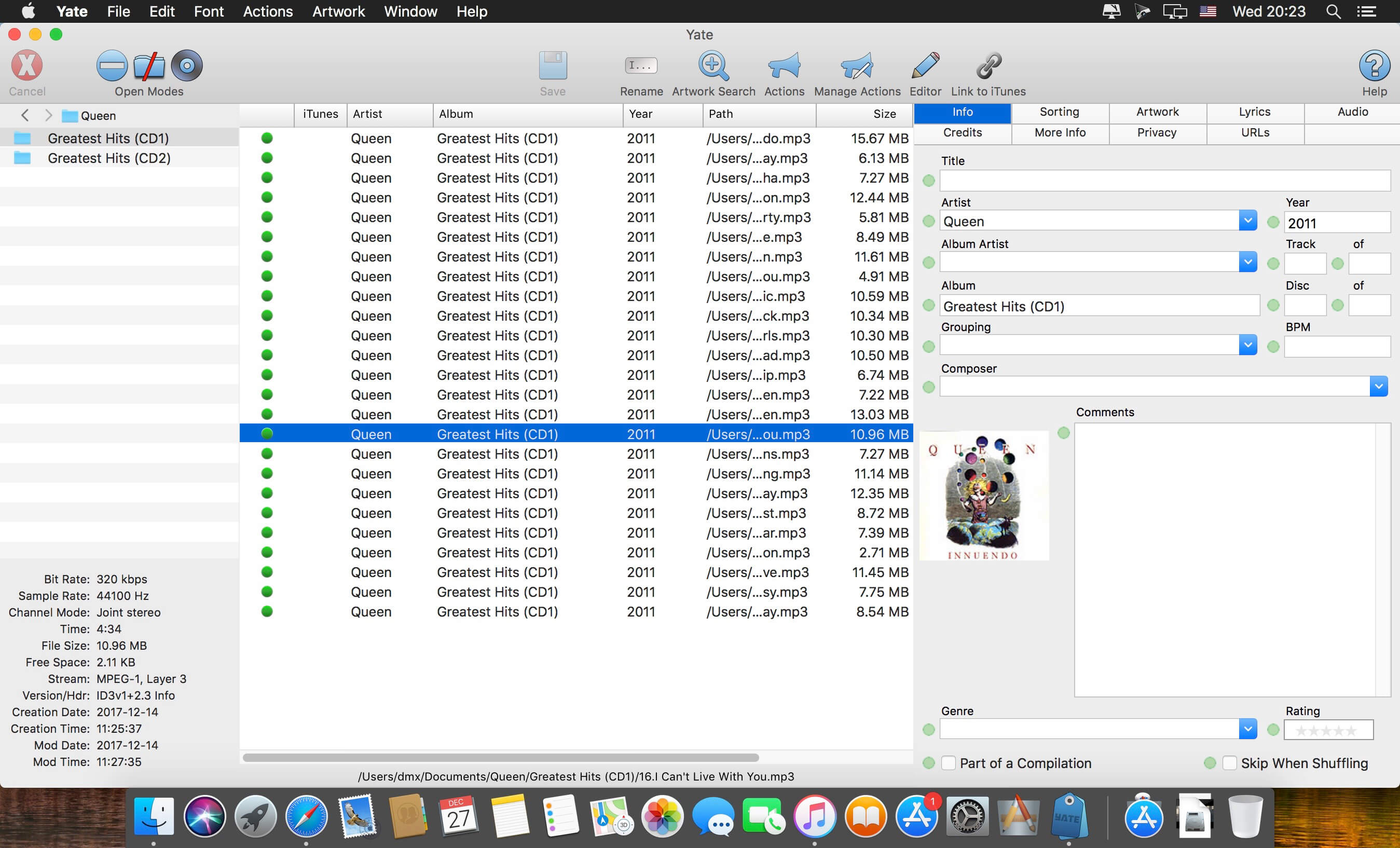
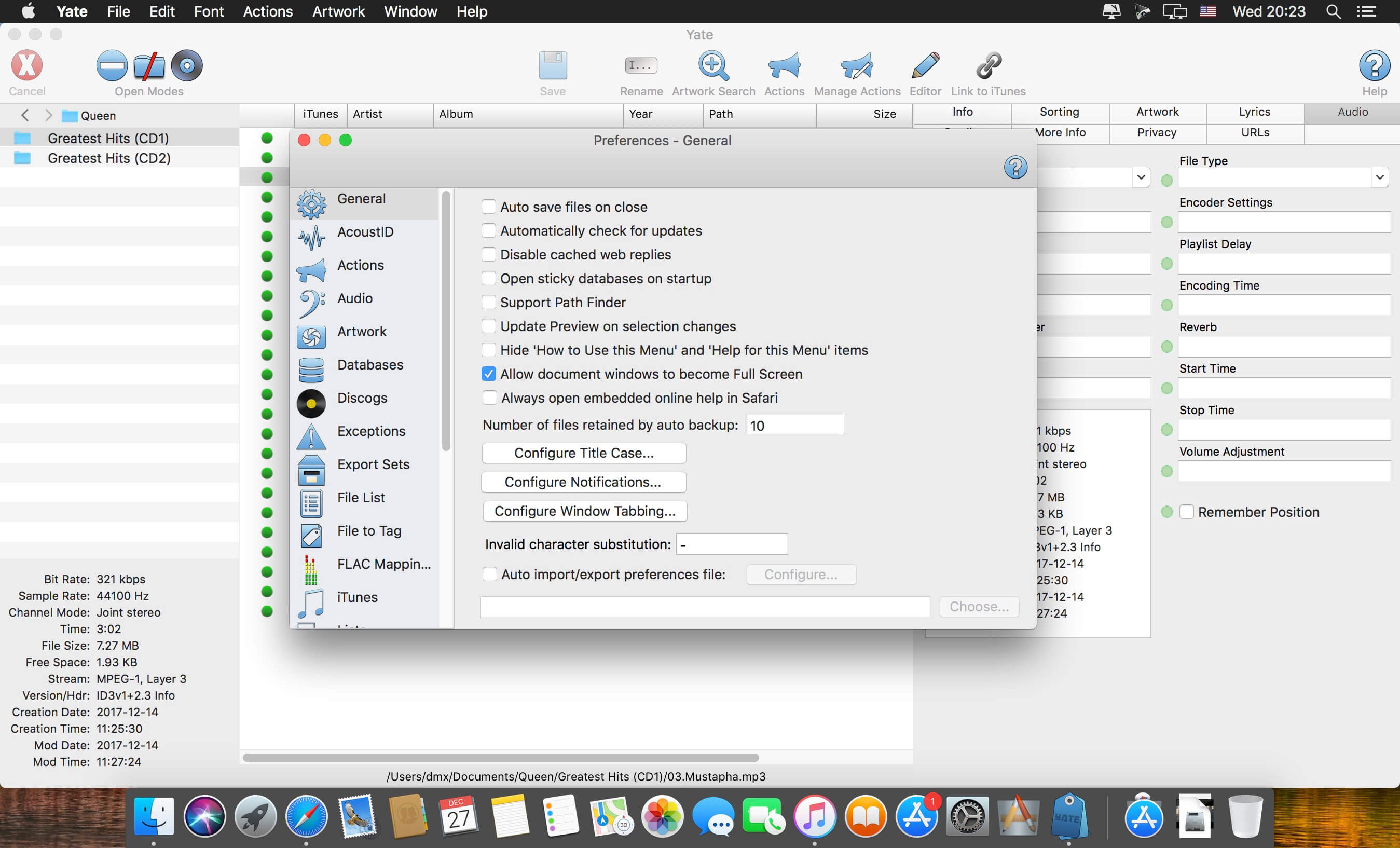
Yate was developed for people who want complete control over their tagging experience. Supports audio in AIFF, DFF, DSF, FLAC, M4A, M4B, MP3, MP4, STEM.MP4 and WAV files. Supports video in M4V and MP4.
Yate has a long list of features; most importantly, an innovative scripting system called actions. Actions can be used to update all of an album’s tags with a single operation. Yate also supports integration with AcouticBrainz, AcoustID, Beatport, Discogs, iTunes and MusicBrainz. All changes can be easily reverted and individual changes can be undone in any order. Whether you want to automatically or manually tag your files, Yate can do it all!
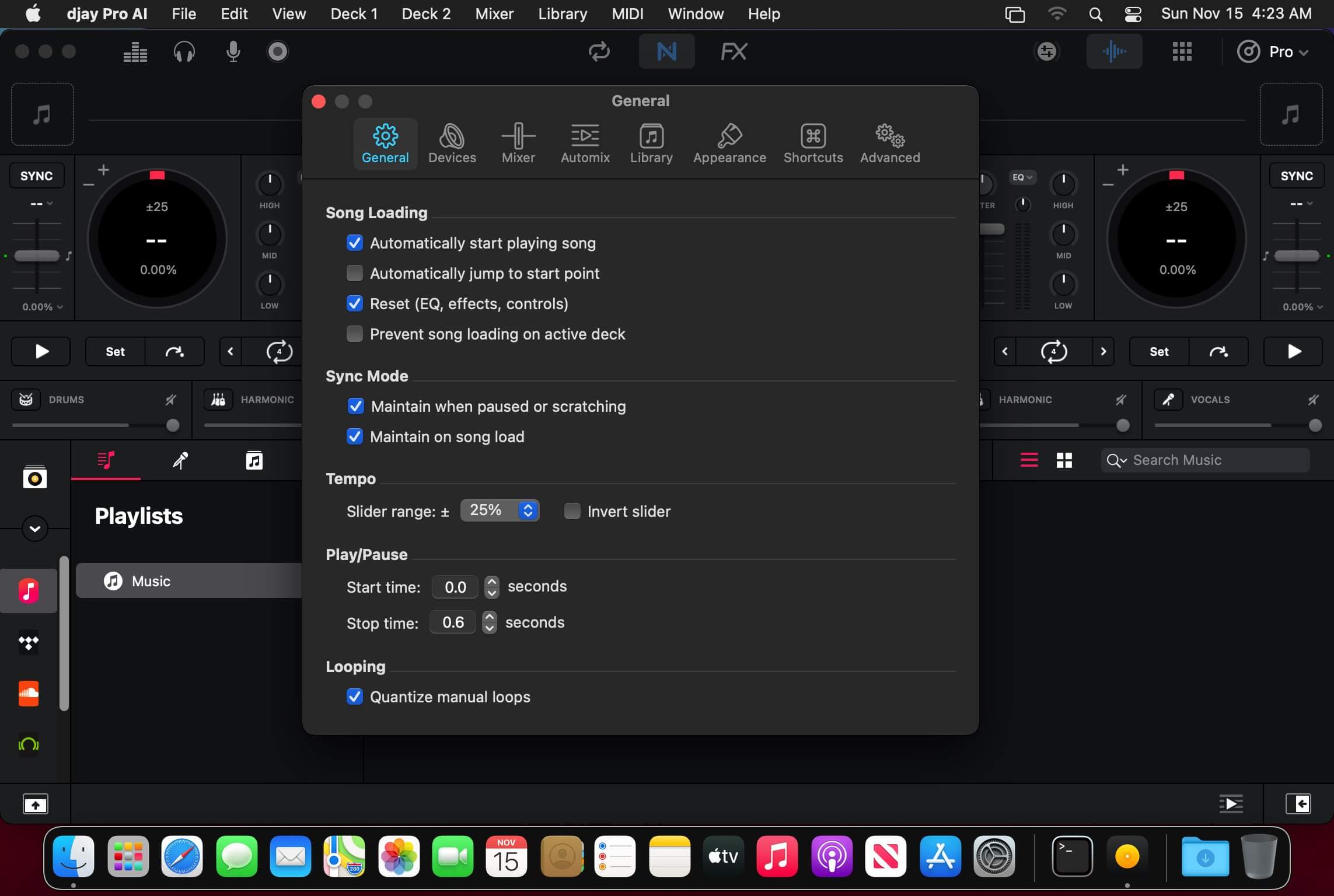
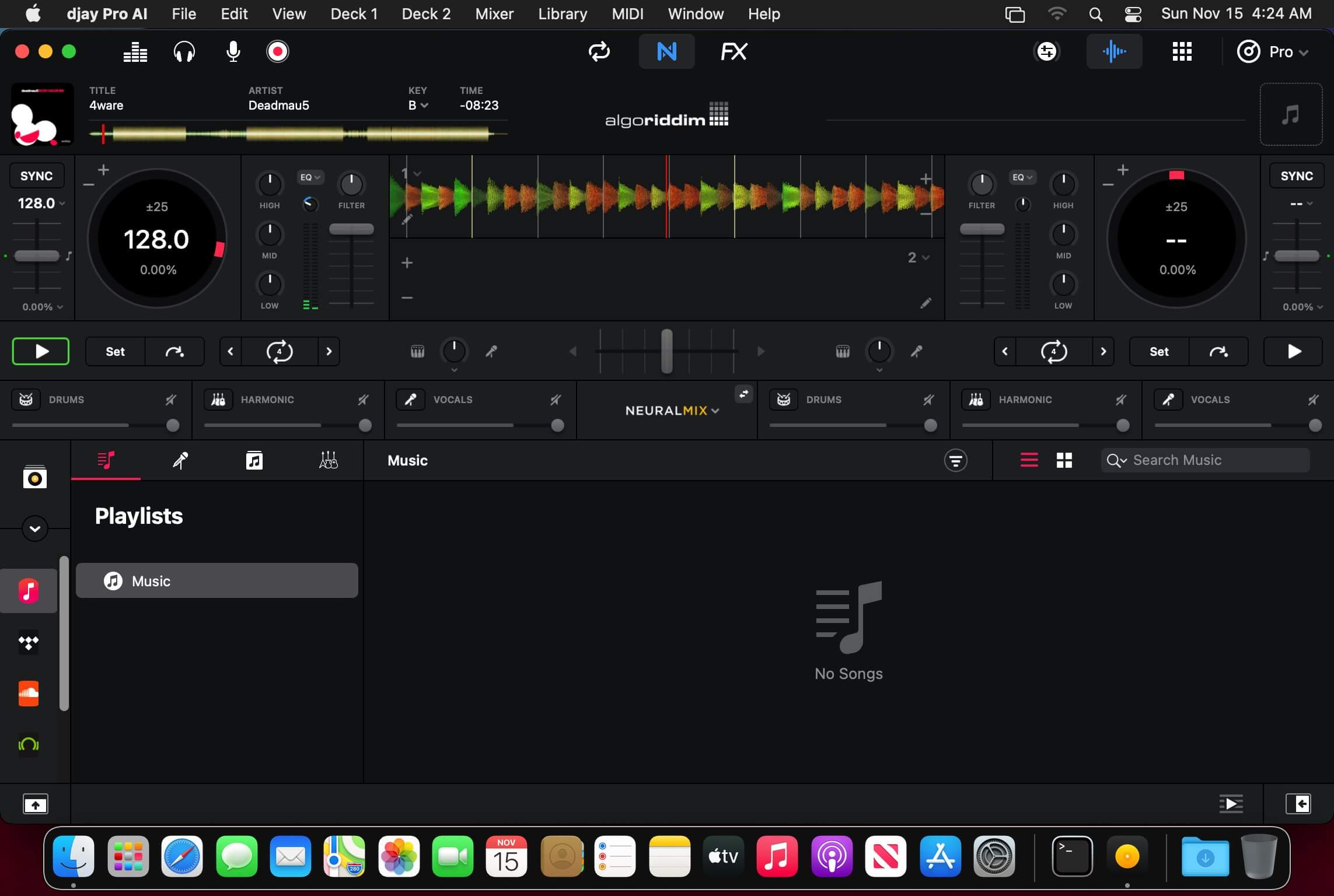
Welcome to djay Pro AI! Algoriddim’s acclaimed DJ software and winner of multiple Apple Design Awards has been rebuilt from the ground up using groundbreaking AI technology – NEURAL MIX™.
NEURAL MIX™ allows you to isolate instrumentals and acappellas of your favorite tracks in real-time and redefines the boundaries of creative mixing. You can crossfade drums, bass lines, and melodies of two songs independently, apply audio effects to individual components of music, and even loop the beat while the melody of the same track continues playing.
djay Pro’s all-new, modern interface is built around a sophisticated integration with your music library, giving you instant access to millions of tracks. Pristine sound quality and a powerful set of features including live production tools, four decks, high-definition waveforms, video mixing and hardware integration give you endless creative flexibility to reinvent your DJ sets.
NEURAL MIX™
Isolate vocals, drums, bass lines, and instrumentals in real-time
FX routing: apply audio effects to individual components of music (Vocal Echo, Harmonic Filter, Drum Reverb, and more)
Loop routing: Loop the beat while the melody of the same song continues playing, and vice versa
AI crossfades: seamlessly blend and swap drums, bass lines, or vocals of two tracks
AI waveforms: see vocals, drums, and harmonic waveforms per track side by side
MUSIC PRODUCTION TOOLS
Sequencer: create instant beats on top of music
Looper: remix music with up to 48 loops per track
Beat-matched sequencing of drums and samples
Extensive content library with 1000+ loops and samples
STREAMING INTEGRATIONS
TIDAL: Millions of tracks, music videos, high quality sound /TIDAL Premium or HiFi)
SoundCloud: Millions of underground and premium tracks SoundCloud Go+)
Beatport: Millions of electronic music tracks (Beatport LINK)
Beatsource: Millions of open-format music tracks (Beatport LINK)
AWARD-WINNING USER INTERFACE
2- and 4-Deck views
Single Deck preparation view
Video and Automix views
ADVANCED LIBRARY MANAGEMENT
Create your own custom and smart playlists
Powerful track filtering
Finder Integration
AUTOMIX
Automatic, beat-matched mixes based on artificial intelligence
Queue and Playlist automation
VIDEOS, VISUALS, and PHOTOS
Mix videos, visuals, and photos
Music video streaming through TIDAL
Beat-matched photo slideshows
POWERFUL AUDIO ENGINE
Revolutionary AI audio engine
Real-time music source separation
High-quality mixer, filter, EQ, isolator, and limiter
Advanced time-stretching and pitch shifting
Over 40 built-in audio effects
Master output effects through Audio Unit plug-ins
Live recording
Ableton Link integration
ADVANCED AUDIO ANALYSIS
BPM and beat detection
Key detection
Multi color waveformsBPM
Auto-Gain
HARDWARE INTEGRATION
Native support for over 100 MIDI controllers
Pioneer DJ CDJ Integration
RANE Twelve integration
Advanced MIDI Learn
External Mixer Mode
Support for multi-channel USB audio interfaces
Support for external audio input and microphones
What’s New:
Version 5.5
Introducing OneLibrary and Next-Generation CDJ Integration
This major update, developed in collaboration with AlphaTheta, introduces OneLibrary – a unified music library format that lets you seamlessly transfer your playlists, cue points, loops, and beat grids across devices. Simply connect a USB drive to access your library in djay on desktop and mobile, as well as on supported CDJs and other DJ gear.
OneLibrary Integration
• Added support for USB libraries using the new OneLibrary format, developed with AlphaTheta
• Compatible with CDJ-3000X, CDJ-3000, XDJ-AZ, OPUS-QUAD, and OMNIS-DUO (requires updated firmware)
• Seamlessly export and access playlists, cue points, loops, and beat grids across devices
• New USB Library source in djay for browsing, editing, and managing exported playlists directly from connected drives
Hardware Integrations
• Added native plug-and-play support for CDJ-3000X (requires updated firmware), XDJ-1000MK2, and DDJ-XP1
• CDJ-3000X: full native integration with deck control, waveform display, and track browsing
• RANE SEVENTY-TWO: native integration with display support
• RANE ONE, ONE MKII, PERFORMER: added motor-off support
• RANE PERFORMER: added detailed beat-grid waveforms
• DDJ-FLX10: added “PAD INFO” feature
• Improved Pro DJ Link with DJM-900NXS2 and added current-song key index for CDJ-2000NXS2
User Interface & macOS Enhancements
• Enhanced for macOS 26 “Tahoe” with a refreshed, modernized interface
• Added support for sorting the media library by two columns (hold Shift/Cmd when clicking the second header)
• Persist column-sort options between searches
• Improved beat-grid editing UI and workflow
Audio, FX, and Neural Mix
• Added 4% and 6% pitch-fader range options
• Gate Instant FX now processed pre-fader for tighter control
DVS and Motorized Controllers
• Added option to disable waveform scaling with pitch
• Added MIDI actions to switch control modes and improve slip-mode behavior
• Improved beat-sync accuracy and “BPM only” tempo linking
• Applied pitch-fader adjustments to platter speed; improved pitch bend and instant-start stability
Automix, MIDI, and Media Library
• Improved error handling in Automix when tracks are unavailable
• Added new MIDI actions: “Toggle Cue Point Range” and bounce-loop routing
NOTE *** *** You need to disable the System Integrity Protection (SIP) to perform the selected Application and Gatekeeper off! In-App Purchases: Full Version – included Language: English, Spanish, Italian, German and others. Compatibility: macOS 10.15 or later Homepagehttps://www.noteburner.com/
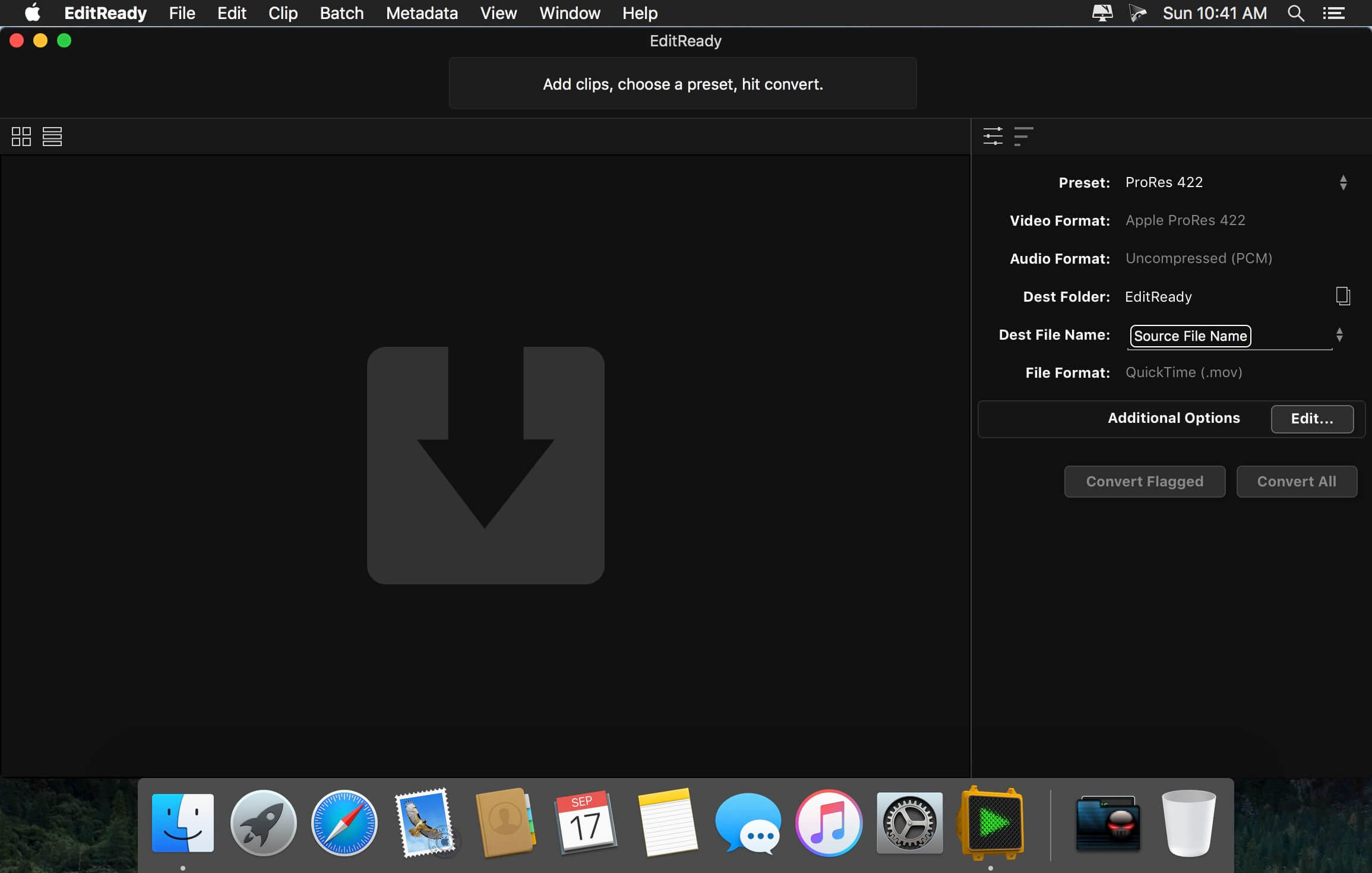
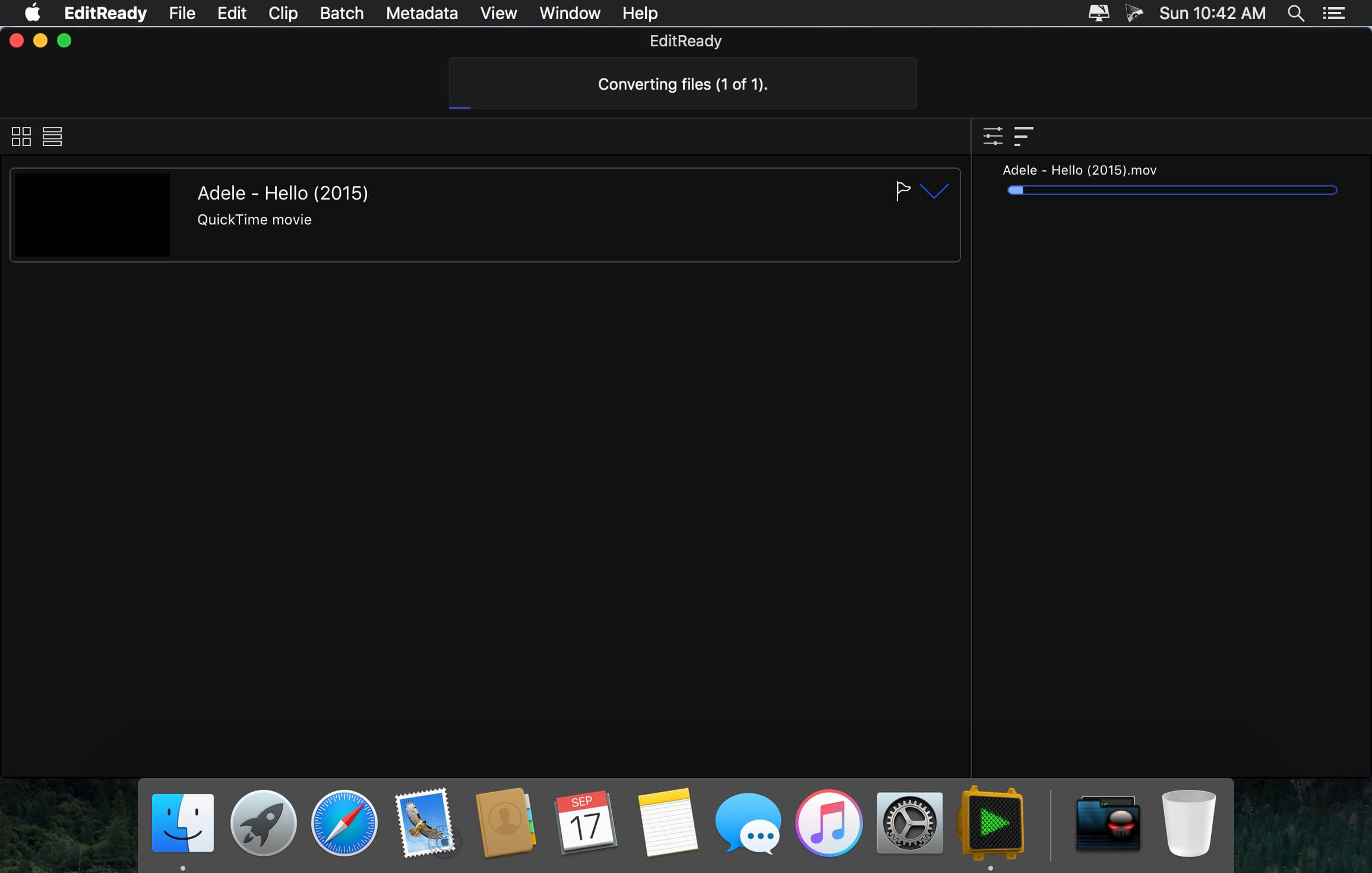
EditReady provides easy, fast and powerful transcoding for video professionals, without an overwhelming interface or outdated format choices. MOV, MP4 and MXF media can all be quickly converted to edit ready quicktime movies in ProRes or DNxHD.
Features
More than just transcoding – In addition to transcoding to professional formats like ProRes, DNxHD, and H.264, EditReady makes it easy to prep your footage for screening and editing. You can apply LUTs to your video during conversion to set a specific look or convert your Log footage into Linear. EditReady also allows you to override the framerate on your converted files, for pristine slow-motion with your 60p or 120p footage.
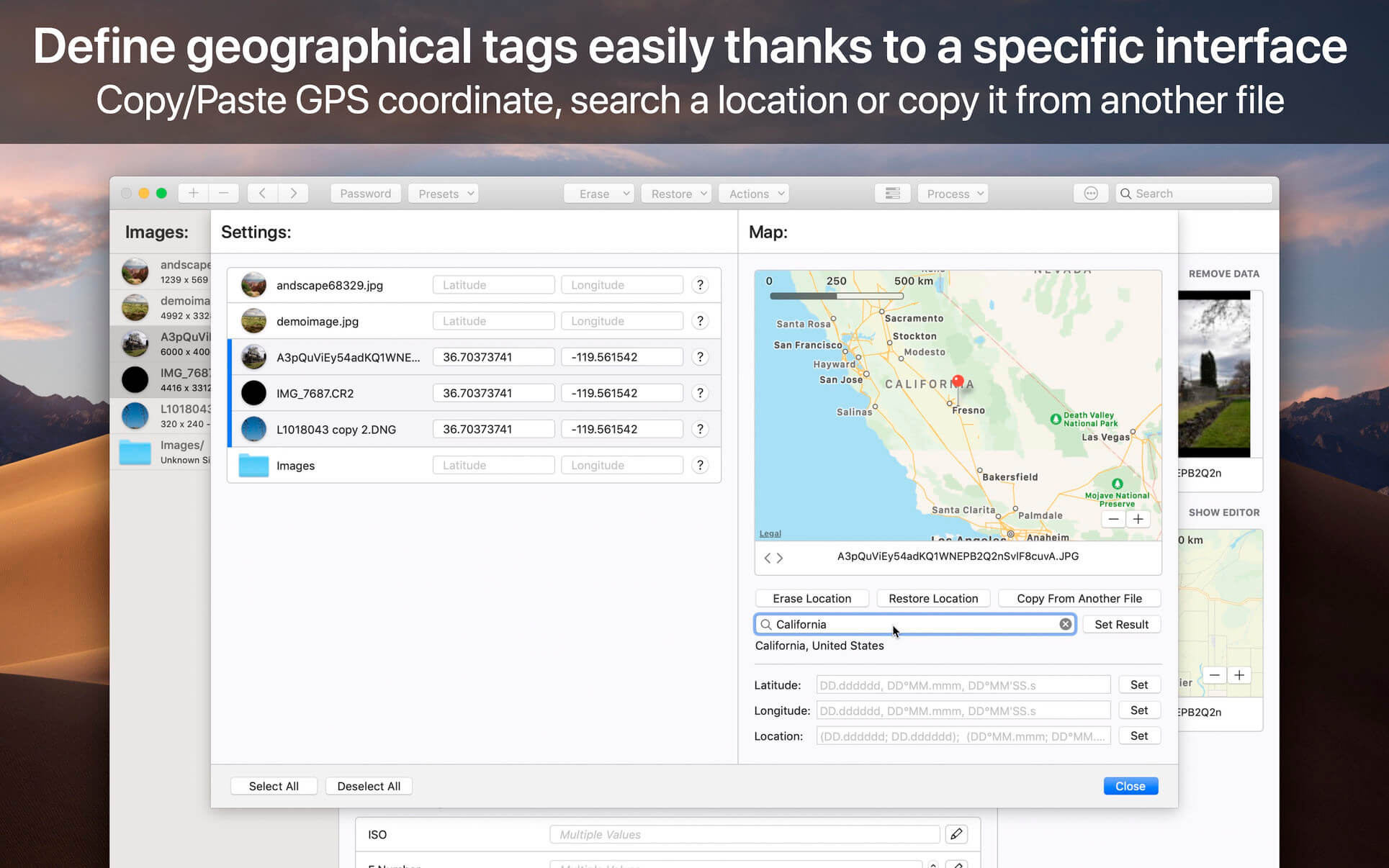
Smart Metadata Editing – EditReady provides a rich metadata viewer and editor. Modern cameras store GPS data, lens settings, diagnostic data, and more. Manually add location data if your camera didn’t store it, or set a reel name for all of your files. You can even use metadata to generate filenames for your transcoded files.
Modern, Blazing Fast, Ready for the Future – EditReady is designed to take advantage of all of the power available on modern Macs. It leverages hardware accelerated video decoding, OpenCL image processing, and every CPU cycle your system has to spare. And EditReady is designed with the future in mind – it’s ready to adopt new formats and workflows.
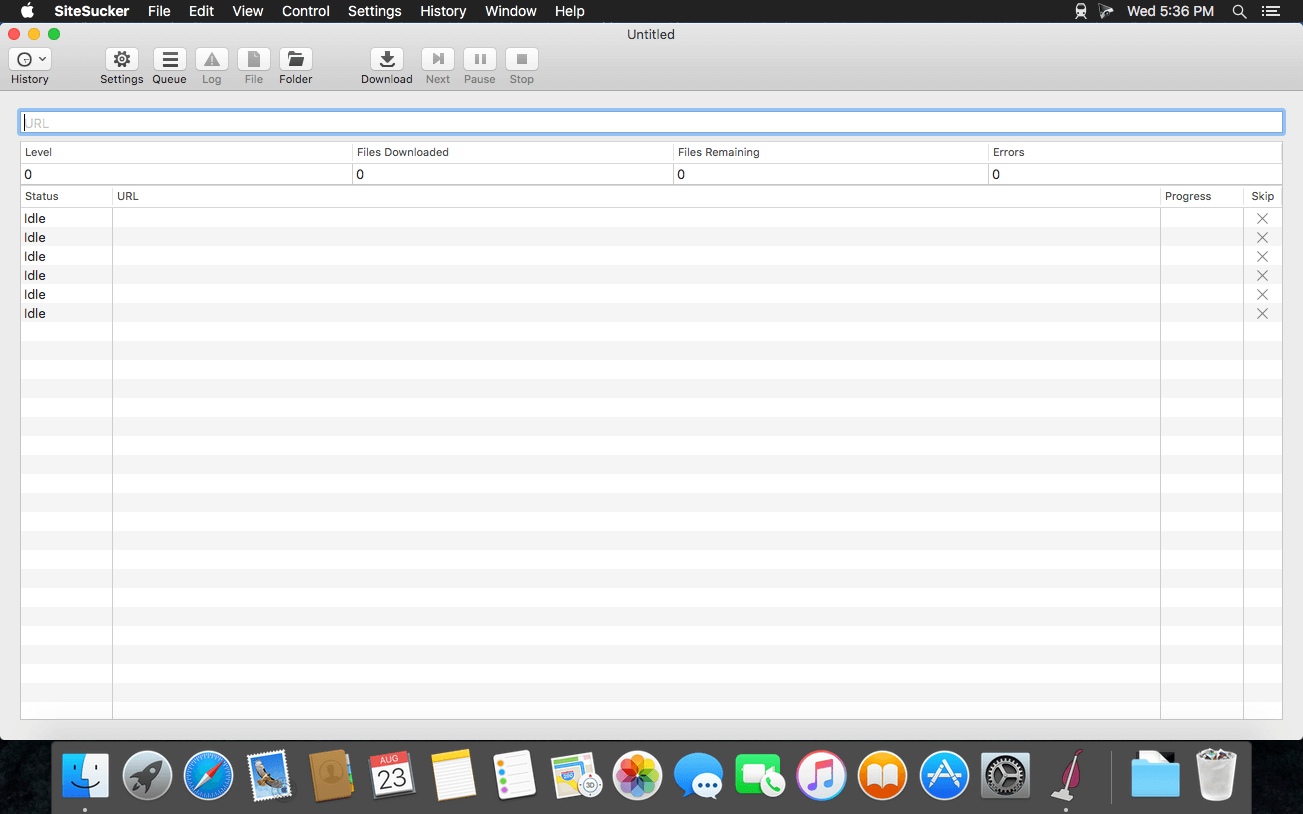
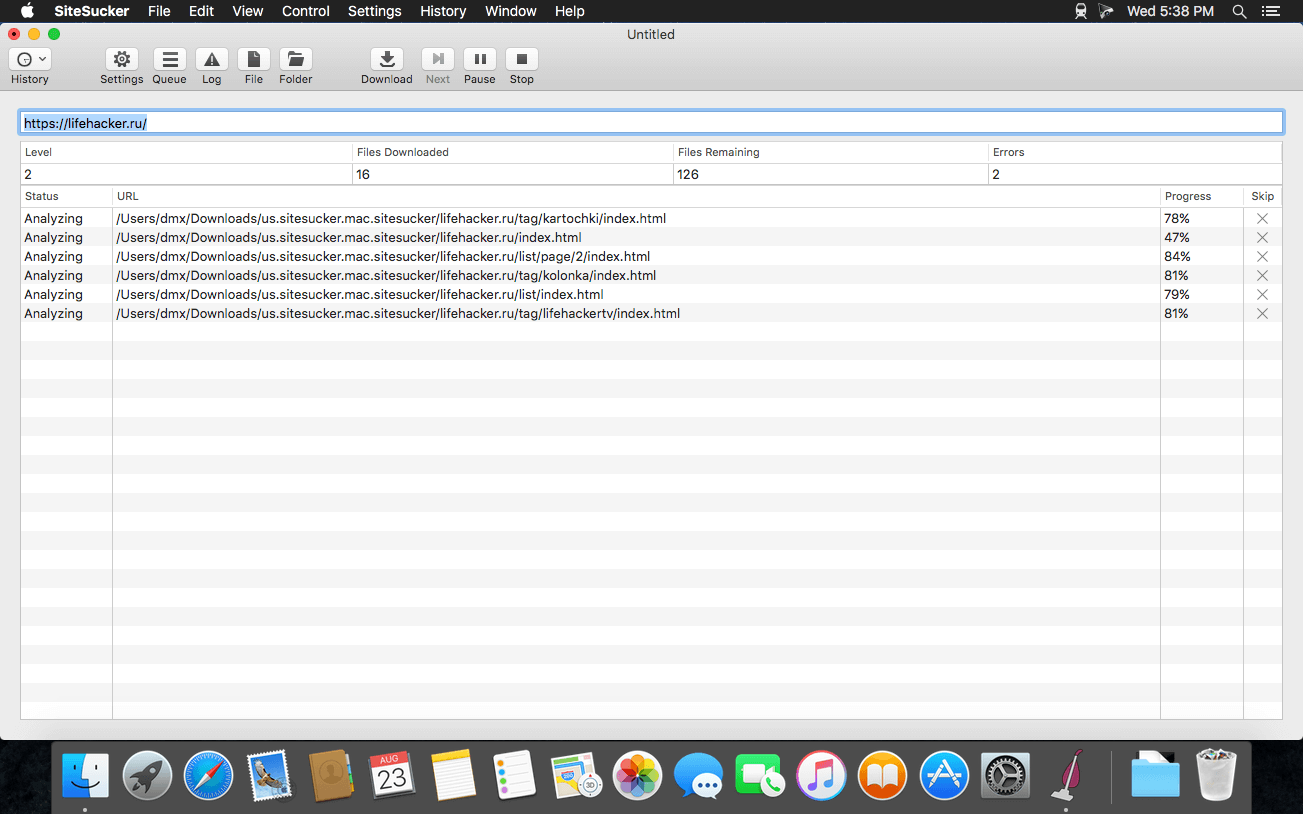
SiteSucker is an Macintosh application that automatically downloads Web sites from the Internet. It does this by asynchronously copying the site’s webpages, images, PDFs, style sheets, and other files to your local hard drive, duplicating the site’s directory structure. SiteSucker Pro is an enhanced version of SiteSucker that can download embedded videos, including embedded YouTube and Vimeo videos.
SiteSucker can be used to make local copies of Web sites. By default, SiteSucker “localizes” the files it downloads, allowing you to browse a site offline, but it can also download sites without modification.
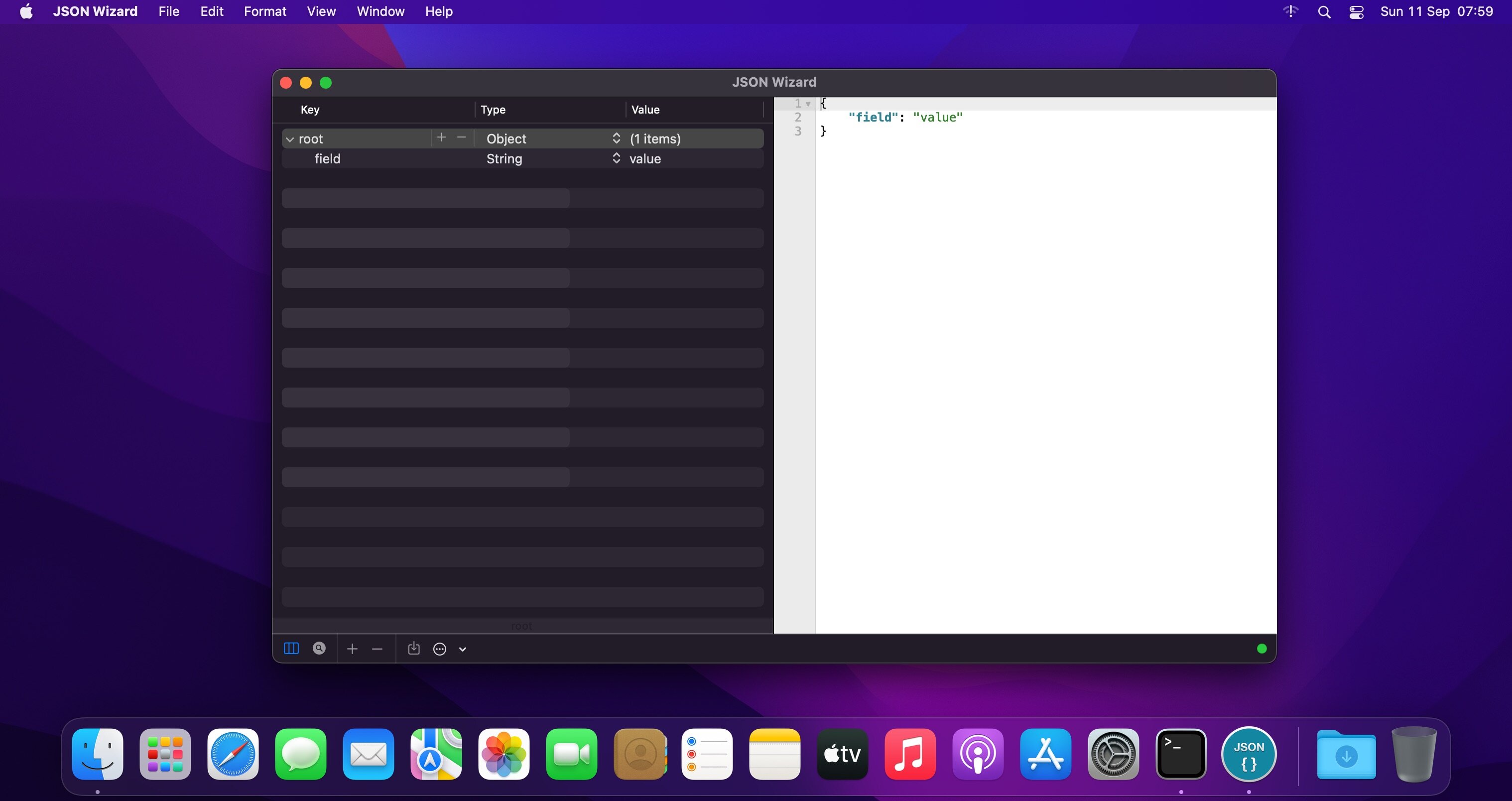
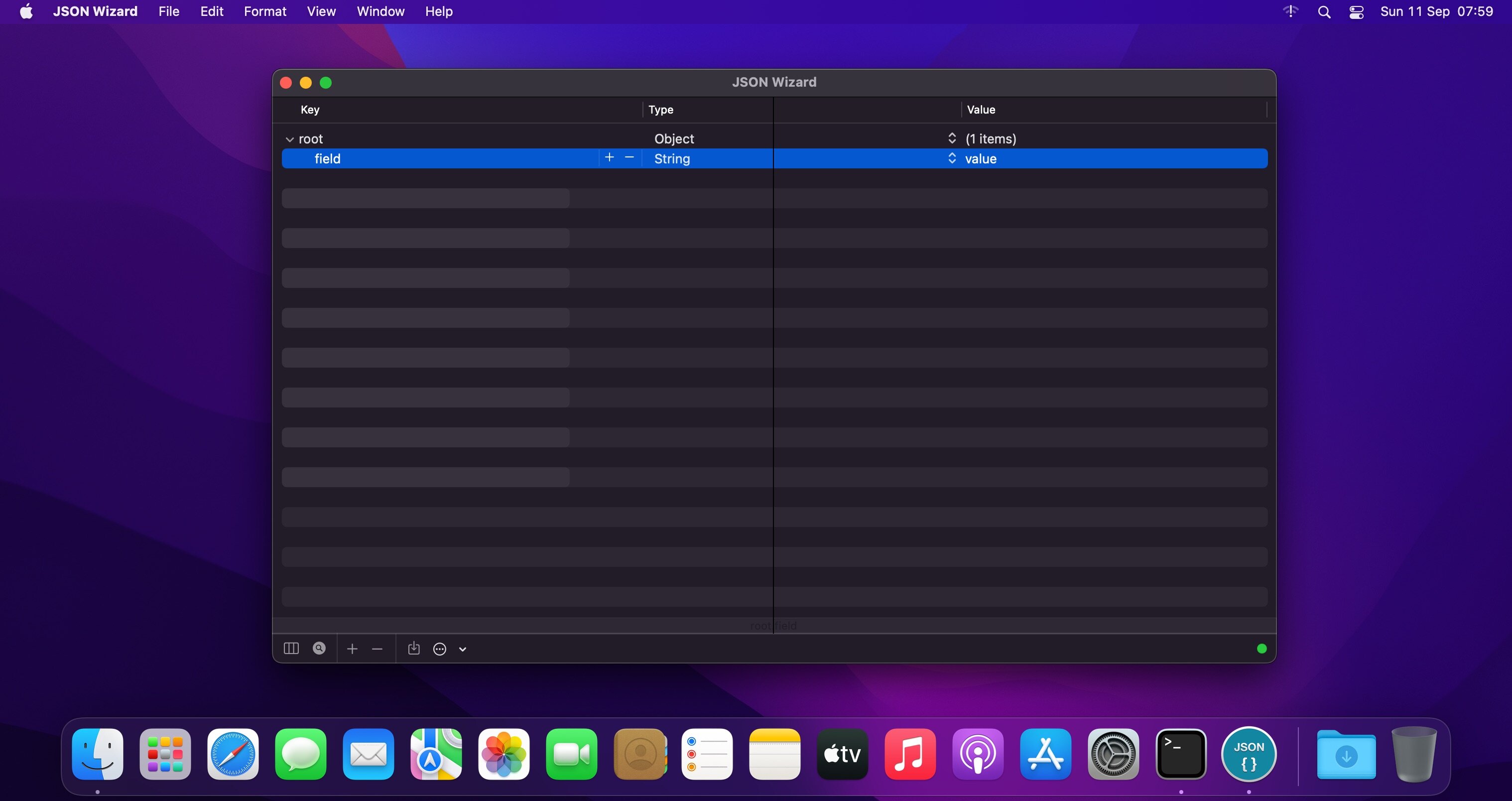
JSON Wizard is the perfect tool for you if you simply want to view and edit your JSON files. Or perhaps you want to be able to import XML/YAML/PLIST/CSV files. Perhaps you even want to be able to export to all those formats as well.
JSON Wizard provides both easy visual editing and direct access to the source code with live syntax checking.
Features
Import pure JSON, XML, property lists (XML or binary), YAML, and even CSV
Edit and view JSON (via the Source-code or the Data-tree view) and observe changes live
Advanced live syntax checking/linter, with error checking and live notifications
Source beautifier
Powerful search feature (to browse through all tree nodes)
Search-by-path feature (to access specific nodes)
Export/save to JSON, XML, YAML, property list (XML-based or binary)
Live HTTP request tool (GET/POST + with additional headers suppor
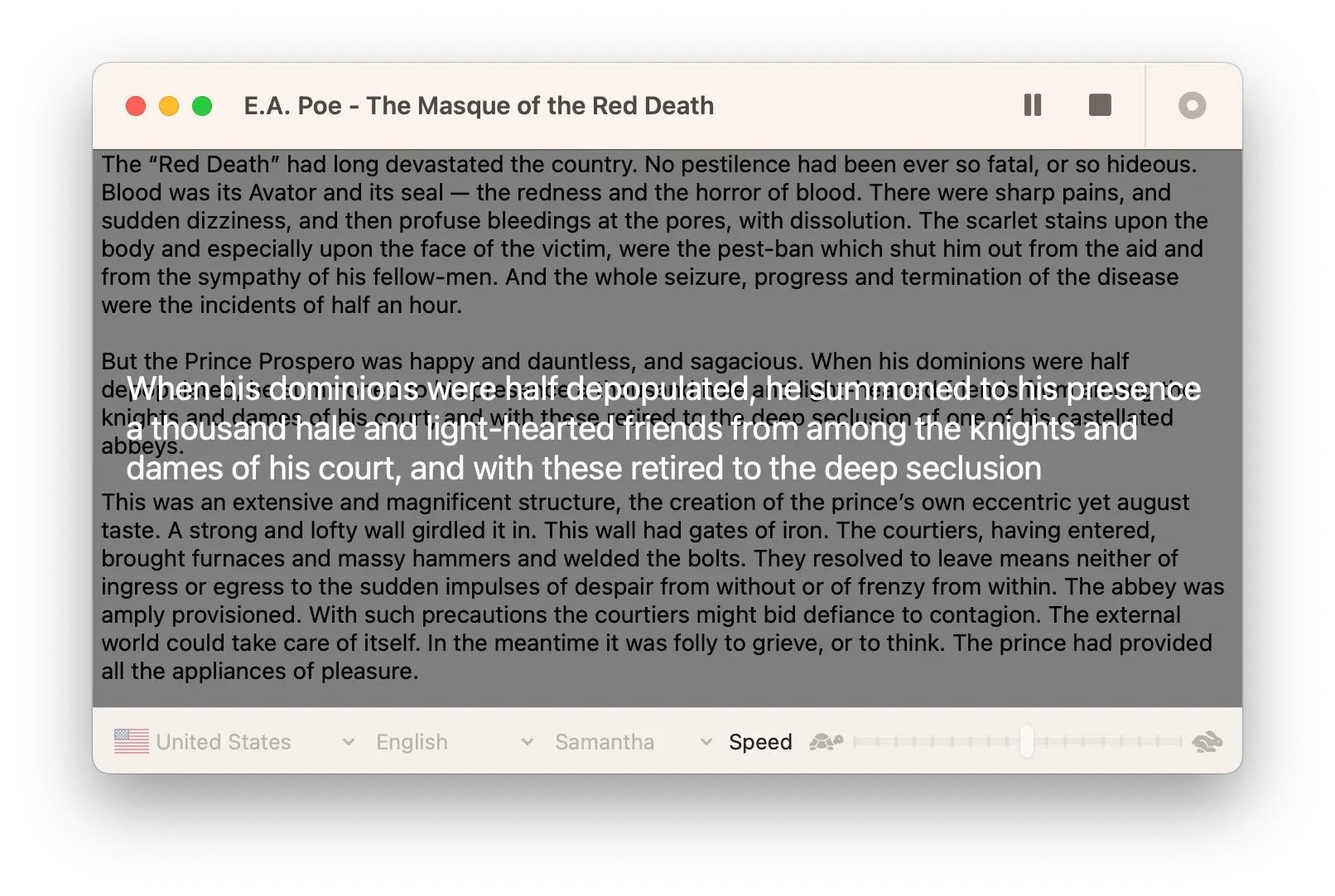
Text to audio. With one click. Want to convert text to audio, in any language, and share it as a file? Look no further. This is the only tool you’ll ever need.
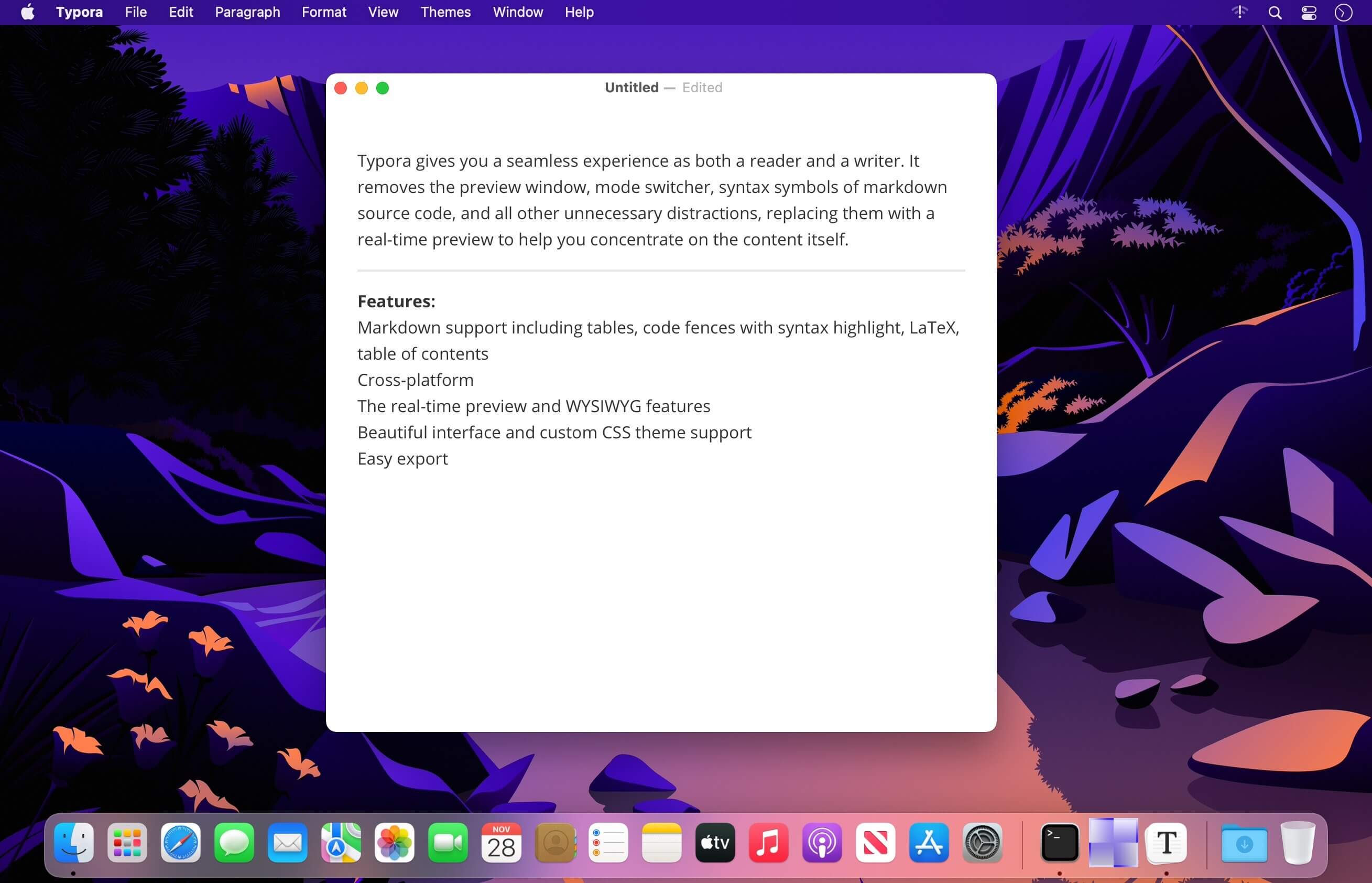
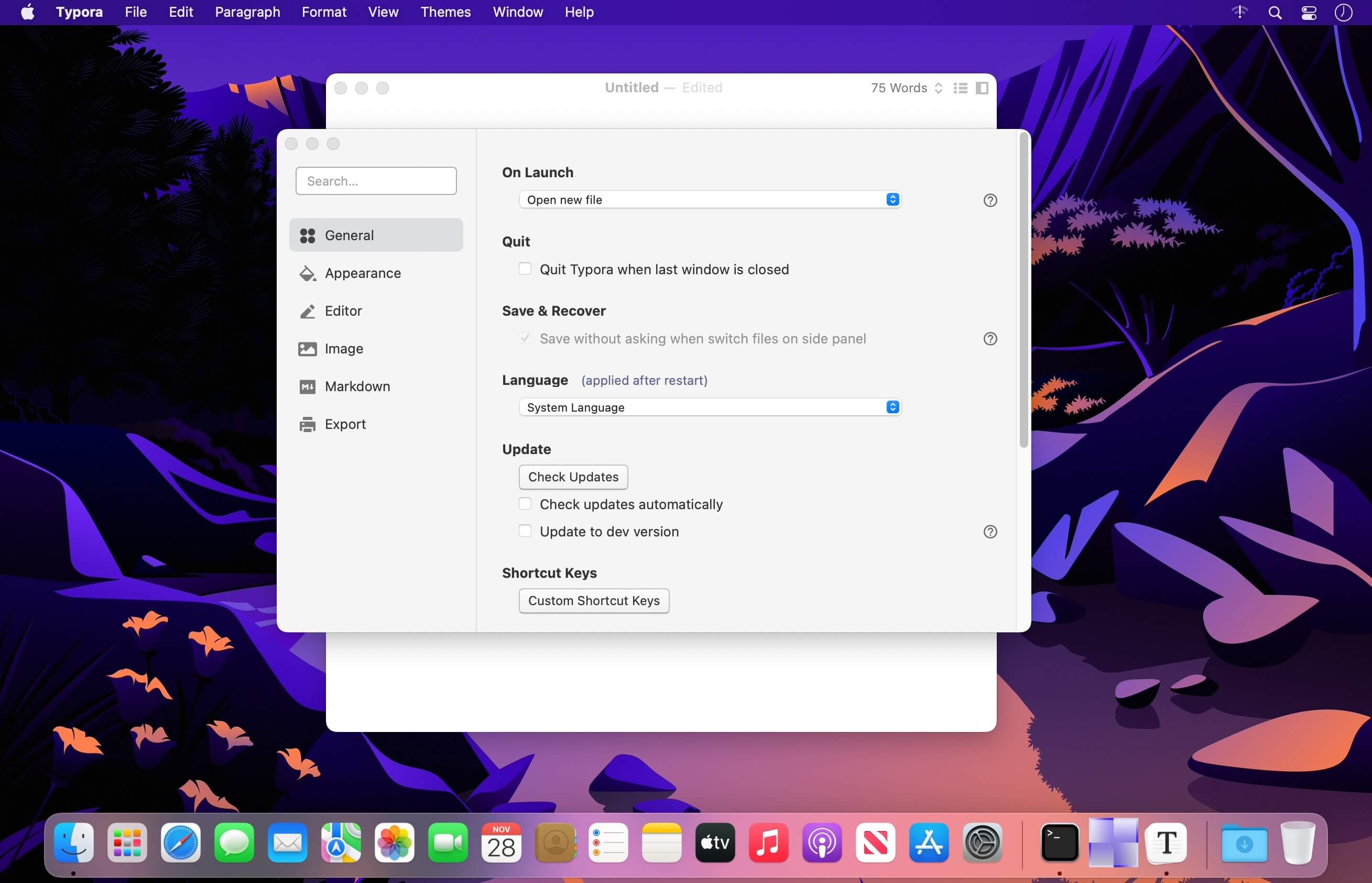
Typora gives you a seamless experience as both a reader and a writer. It removes the preview window, mode switcher, syntax symbols of markdown source code, and all other unnecessary distractions, replacing them with a real-time preview to help you concentrate on the content itself.
Features:
Markdown support including tables, code fences with syntax highlight, LaTeX, table of contents
Bartender lets you organize your menu-bar apps by hiding them, rearranging them, or moving them to Bartender’s Bar. You can display the full menu bar, set options to have menu-bar items show in the menu bar when they have updated, or have them always visible in Bartender’s Bar.
Features
Lets you tidy your menu bar apps how you want.
See your menu bar apps when you want.
Hide the apps you need to run, but do not need to see.
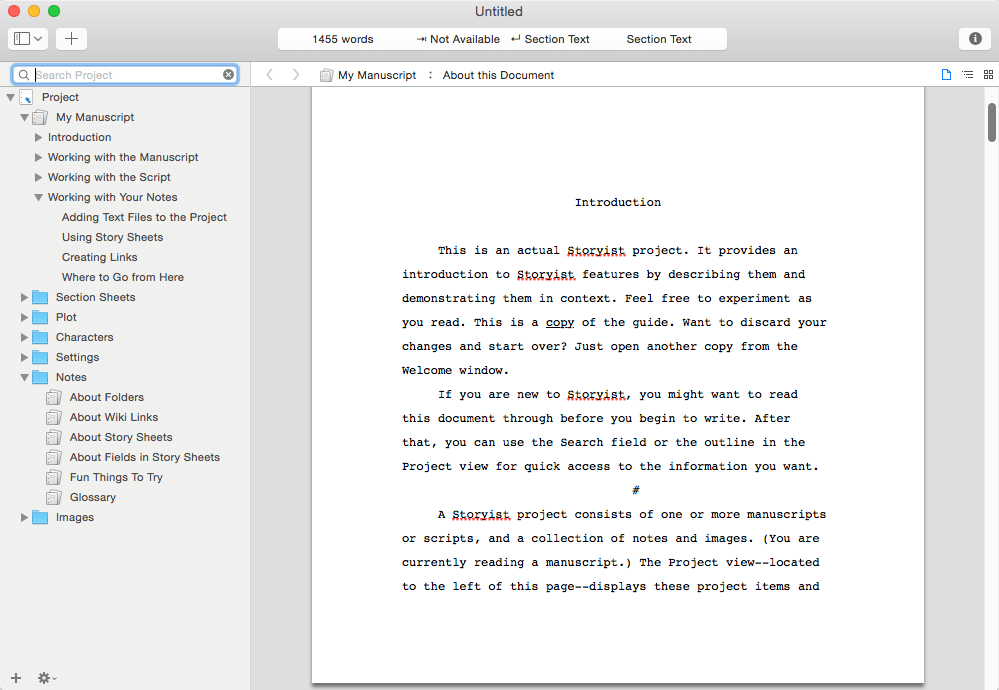
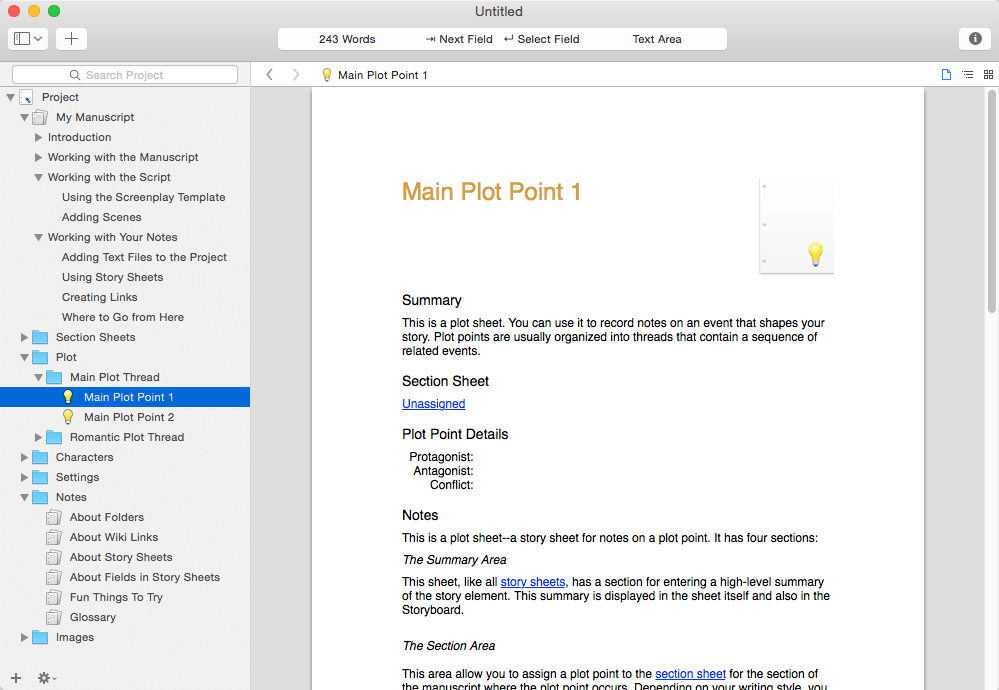
A powerful writing environment for novelists and screenwriters. Do you have a story to tell? Unlike conventional word processors, Storyist helps you track your plot, characters, and settings, and keeps all of your writing organized and accessible—so you can focus on telling your story.
With Storyist, you can:
Produce submission-ready manuscripts and screenplays. Storyist provides a rich text editor with support for comments, images, headers, footers, and style sheets so you can create properly formatted manuscripts and screenplays. And Storyist comes with manuscript and screenplay templates so you can focus on the writing, not the formatting. “more…”
Work with your story at a high-level. Storyist lets you sketch out a story using index cards and then refine it with customizable plot, character, and setting sheets.
Keep all your writing organized and accessible. Storyist organizes your novel manuscripts, screenplays, notes, and other project-related writing so you can access them with just a few clicks.
Create ePub and Kindle editions of your work.
Features at a Glance
Word processor with support comments, images, headers, footers, and style sheets.
Automatic manuscript and screenplay formatting with familiar tab and return key shortcuts.
Virtual cork board with support for color-coded index cards.
Outliner.
Customizable story sheets.
Imports and exports RTF, Plain Text, Word, Scrivener, Fountain, and Final Draft FDX files.
Exports ePub, Kindle, and PDF.
Works great with Storyist for iOS, so you can create, review, and revise your work wherever inspiration strikes
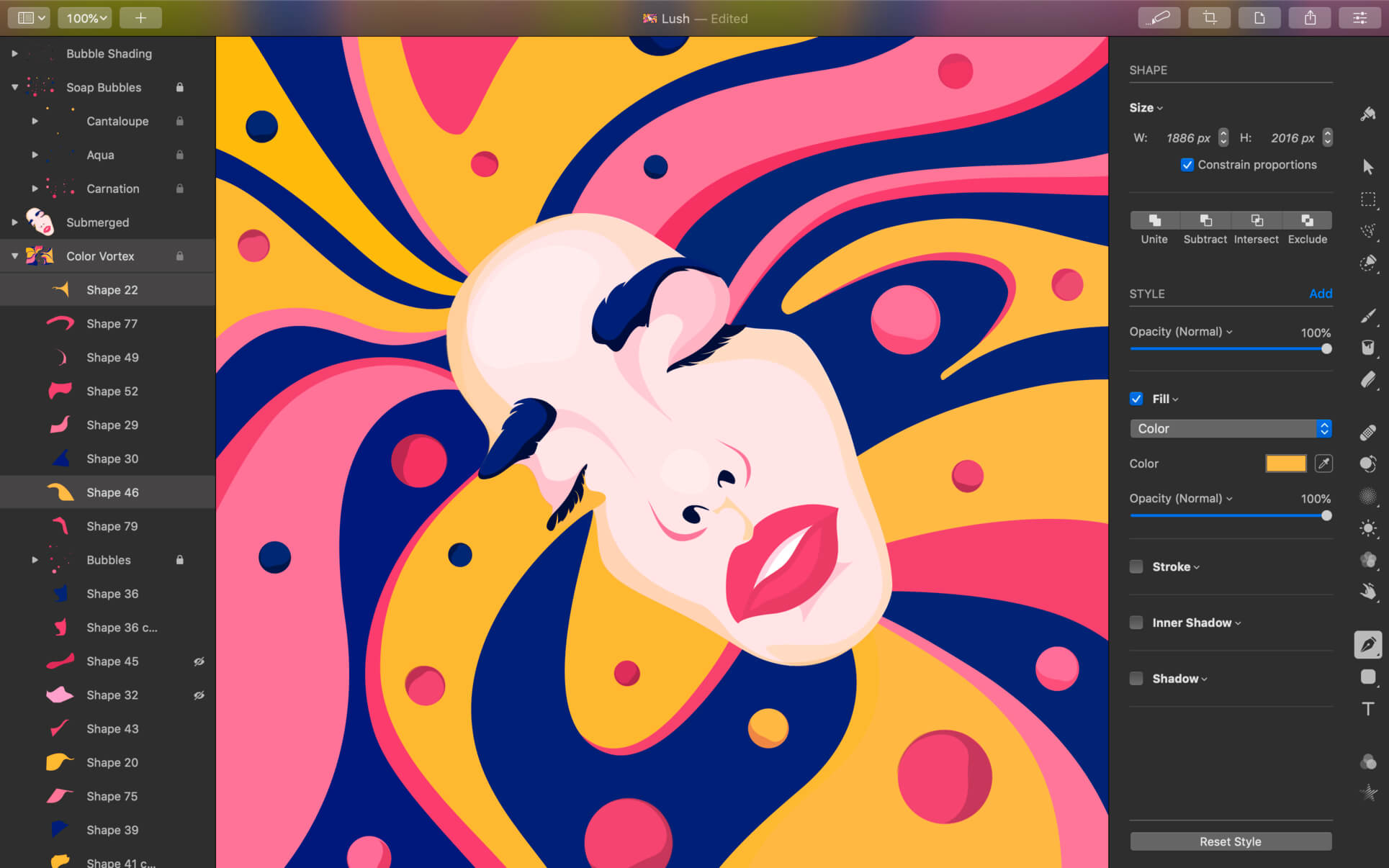
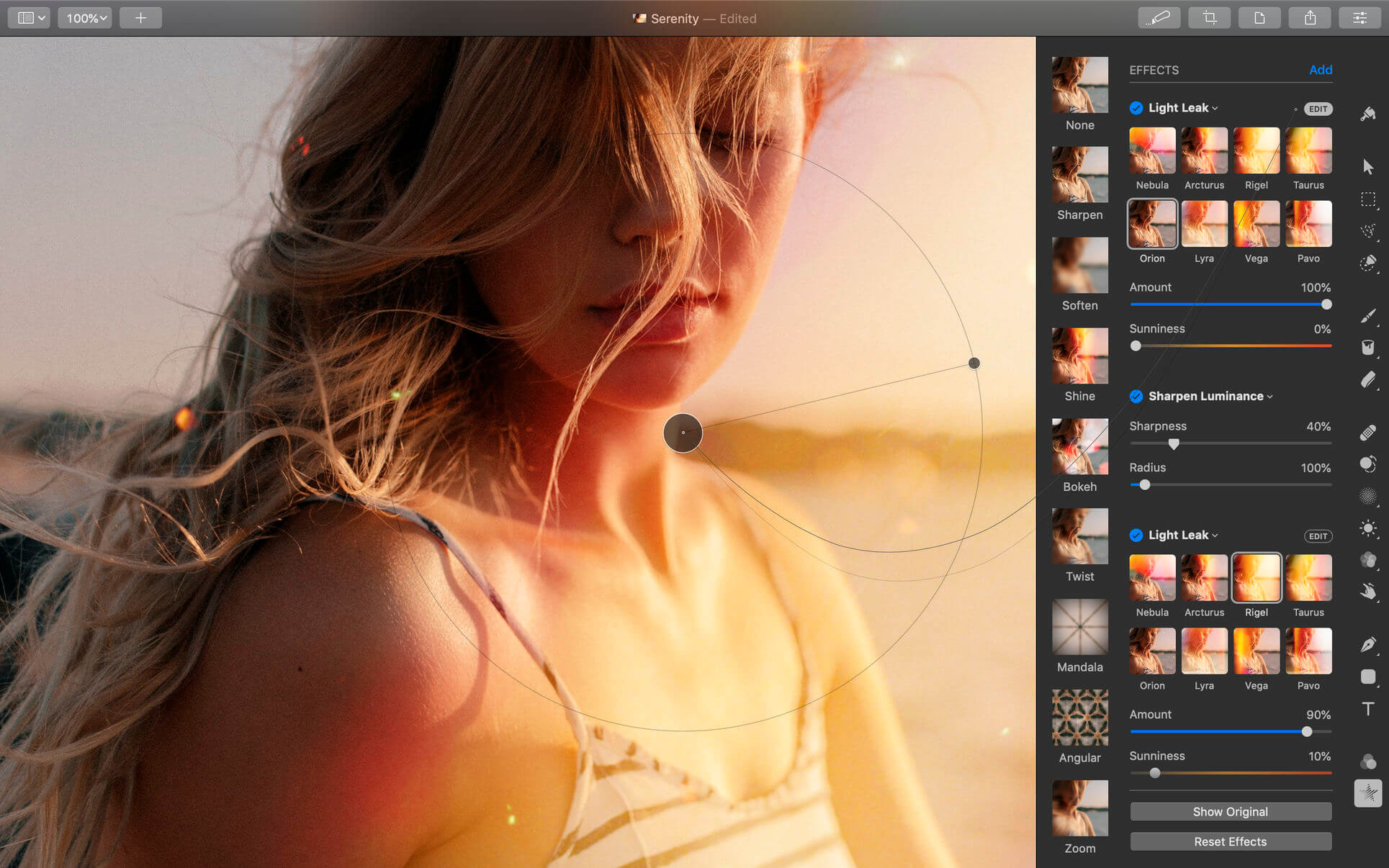
Pixelmator Pro is an incredibly powerful, beautiful, and easy to use image editor designed exclusively for Mac.
With a wide range of professional-grade, nondestructive image editing tools, Pixelmator Pro lets you bring out the best in your photos, create gorgeous compositions and designs, draw, paint, apply stunning effects, design beautiful text, and edit images in just about any way you can imagine. And thanks to its intuitive and accessible design, Pixelmator Pro is delightfully easy to use — whether you’re just starting out with image editing or you’re a seasoned pro.
Exceptional Design and Functionality
The modern, single-window interface of Pixelmator Pro is designed exclusively for working with images on a Mac
An intuitive and refined design makes image editing easy and accessible, even if you’re a complete beginner
Native dark and light appearances adapt to the light and dark modes of macOS
A customizable interface lets you organize your creative environment just the way you want
Choose from workspace presets created for photography, design, illustration, and painting
A full-featured Photos extension lets you edit images using Pixelmator Pro without ever leaving Photos, saving layered, nondestructive edits directly to your library
Professional Tools
Enhance your existing images and create new ones using every image editing tool you could ever need
Edit nondestructively, adjusting individual changes whenever you like
Easily move, resize, and arrange objects to create stunning compositions
Adjust colors with a collection of nondestructive, machine learning-powered color adjustments
Enjoy superior support for RAW files, editing RAW images using all their extended range data
Create digital or traditional paintings using handcrafted, fully-customizable, dual-texture brushes with full support for digital graphics tablets
Combine the built-in effects to create any artistic or special effects you can imagine
Save adjustment, effect, and layer style combinations as presets, use them in any of your images, and share them with others
Speed up image editing with hundreds of presets for color adjustments, effects, layer styles, and shapes
Magically remove small imperfections or entire objects, seamlessly clone parts of your photos, and lighten or darken precise areas using a full set of retouching tools
Use the reshaping tools to easily change the shape of any object or area in your images
Add customizable vector graphics designed by the Pixelmator Team
Create your own vector graphics using the Pen tool
Easily design great-looking text with a full set of typography tools
Quickly create curved, circular, and path text
Optimize and save your images for the web, using advanced compression to shrink file sizes
Batch process images using built-in Automator actions
Effortlessly automate workflows using full-featured AppleScript support
Image Editing Enhanced by Machine Learning
Magically remove objects, recreating image areas with stunning realism using the Repair tool
Use ML Enhance to intelligently enhance photos with a machine learning algorithm trained on millions of professional photos
Zoom and enhance image resolution with the incredible ML Super Resolution
Automatically copy the look of one photo to another with ML Match Colors
Remove image noise and compression artifacts while preserving details using ML Denoise
Quickly make accurate selections with ease using the Quick Selection tool
Compatibility
Open and edit images in all the most popular image formats, including JPEG, TIFF, PNG, PSD, HEIF, SVG, PDF, GIF, BMP, TGA, WebP and JPEG-2000
Open and edit Photoshop images with layers
Open and edit SVG vector images
Share your images to Photos, Mail, AirDrop, and other locations
Built Exclusively for Mac
Designed exclusively for macOS, Pixelmator Pro supports almost every major macOS feature and integrates seamlessly with macOS Big Sur.
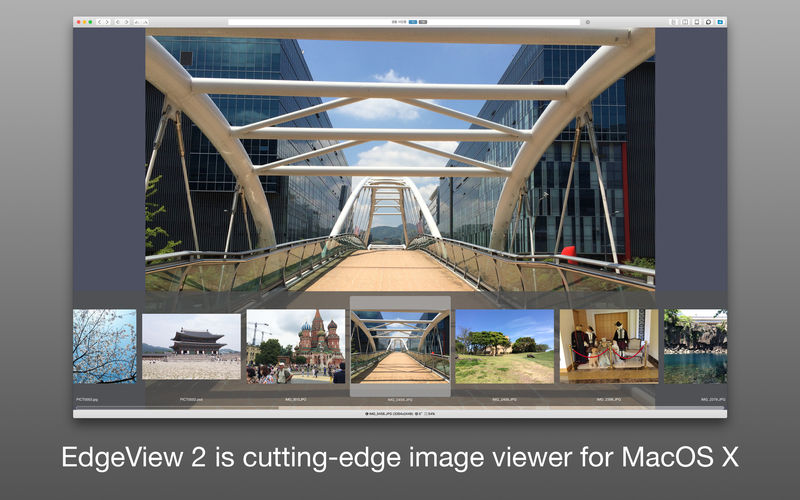
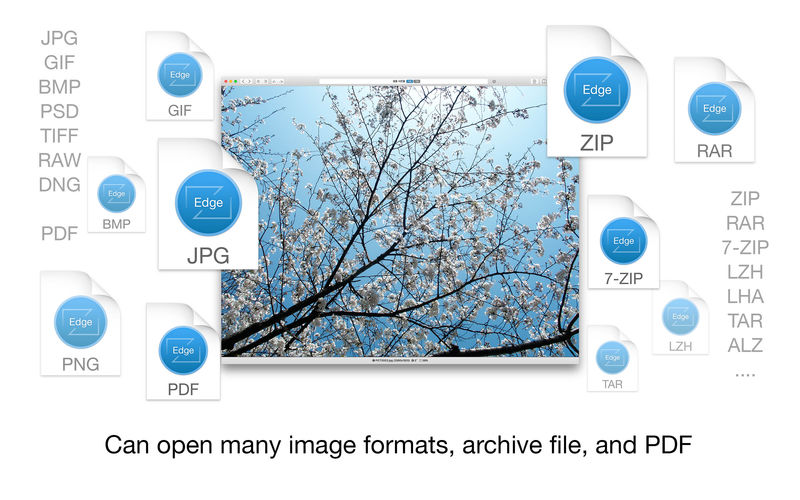
EdgeView 3 is fast image viewer has elegant user interface. EdgeView 3 is developed and designed for modern MacOS. It can open various image files such as JPEG, PNG, TIFF, BMP, and RAW file of DSLR, EPS and PDF, AI(Adobe Illustrator). Can open image files in archive directly without extraction.
User can open files, rename files, delete files from EdgeView’s file browser. Also can access to SMB/AFP/FTP network volume.
User can navigate images quickly by using keyboard shorcut, mouse wheel, trackpad gesture. EdgeVew show EXIF information, play animation GIF/PNG/WebP smoothly. Save last status to history, and restore when reopen file.
EdgeView 3 will be the best choice when viewing and managing image files.
Features
Rewrote full code as Swift for improve performance.
Support m1 CPU Mac.
Has easy UI, can control main function at Sidebar.
Support English/Korean/Japanese/Chinese(Simplified).
Image Viewer
Supporting image files such as JPG, GIF, BMP, PSD, TIFF, RAW, WEBP and PDF, EPS, AI(Adobe Illustrator), OpenEXR, HDR, TGA.
Can play animation GIF/PNG/WebP. User can control animation with floating animation controller.
Dispaly internal image(or frame) of animation GIF/PNG/WebP or HEIC that has multiple internal image.
Can read and show images of major archive formats (such as ZIP, RAR, CBZ, CBR, 7-zip) without extraction. Of course, can open ZIP file that 4GB over.
Can read encrypted archive file.
Can read archive file in archive file recursively
Improved draw speed by rebuilt image cache system and drawing engine.
Draw images as high quality.
Provide suitable functions for comic reading such as ‘Two-Page Spread’, ‘Continuous Scroll mode’, ‘Right to Left’, etc.
Provide multiple navigation functions like as ‘Move’, ‘Skip’, ‘Shift’, etc.
User can navigate images and check whole thumbnails at Thumbnailsbar.
User can navigate images by using keyboard shortcut, mouse wheel, trackpad gesture.
Can rotate and flip images. Orientation will be saved to history.
User can select part of images, and copy it or save as file.
Can zoom in/out image freely.
Built-in loupe function to make it easier to magnify part of image.
Show histogram.
Show neighbor files list. And can open neighbor file.
Support history feature for saving and restoring last status of file.
Can reopen file or remove history at history list.
Can rate image files.
File Browser
Built-in file browser can show and open files from local drive or AFP/SMB/FTP network drive.
Can display files as lists or icon.
Show images in folder/archive file at preview panel.
Generate thumbnails of archive files and folders.
Support powerful search feature.
Show category and writer information.
User can sort files by various options, and can delete or rename files.
Can rate files or folders.
Others
Support customizing feature. Also user can change shortcuts.
Built-in Quick Look Extension generate thumbnails and preview of archive files at Finder.
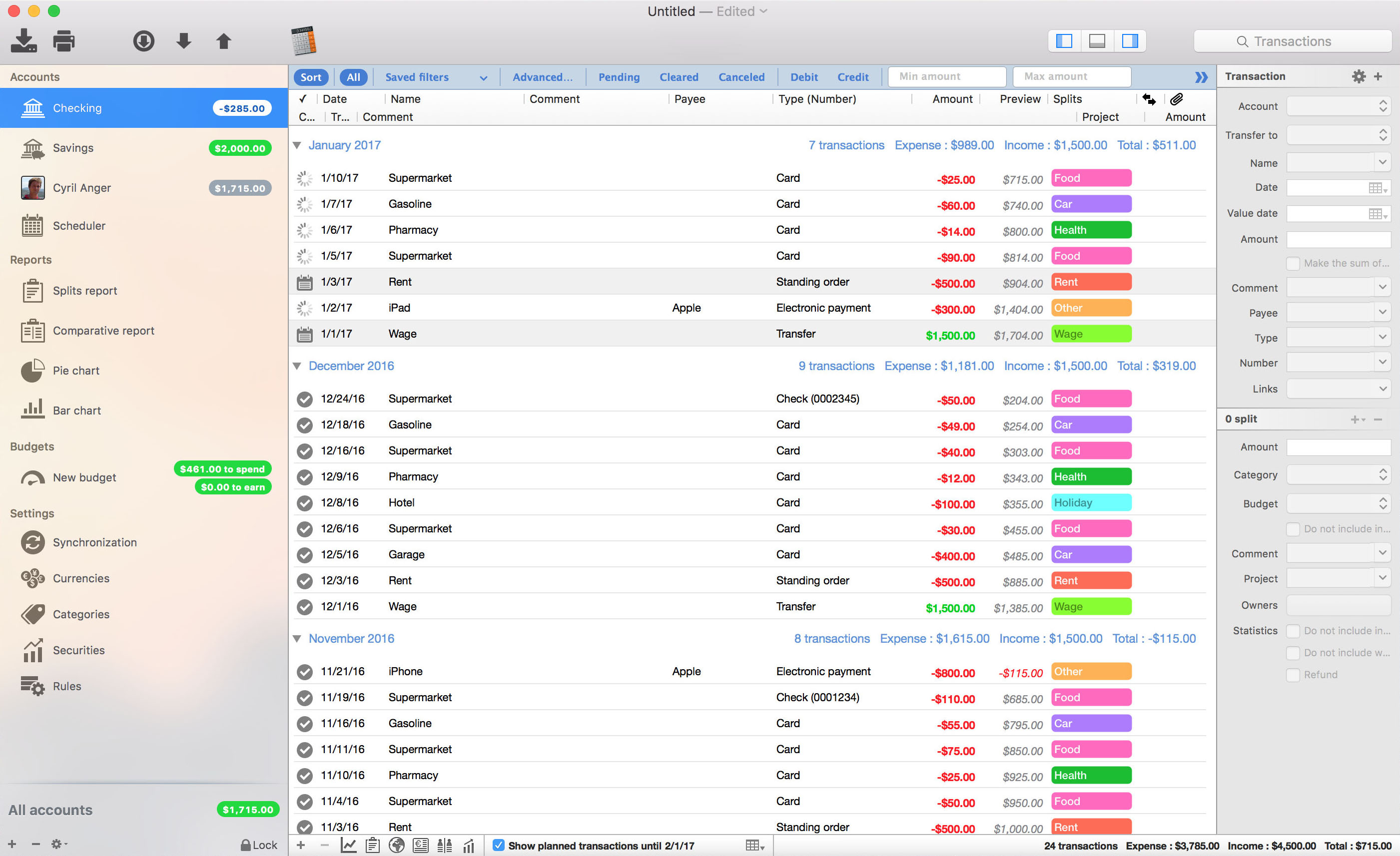
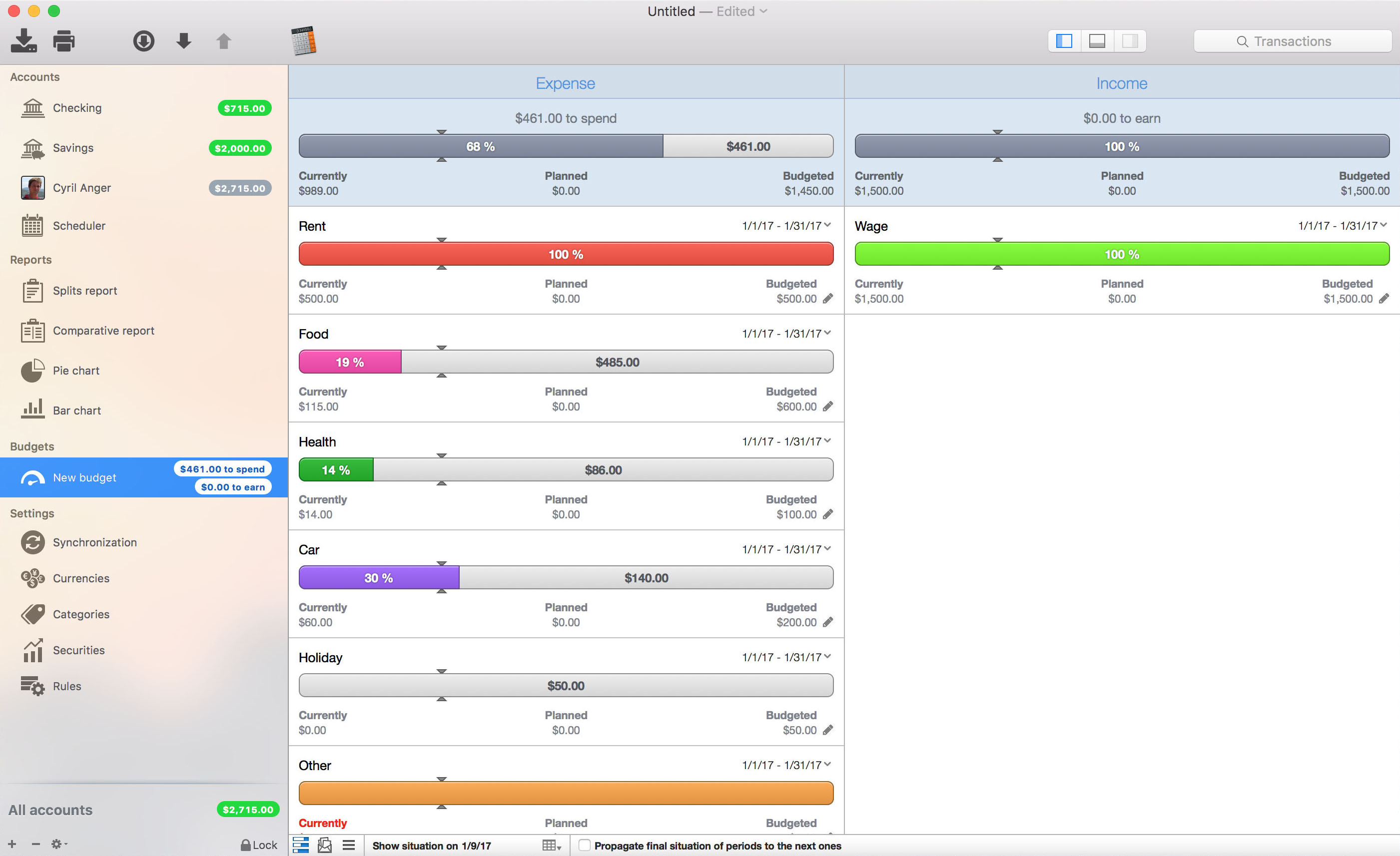
iCompta is an application that lets you manage your accounts with ease. Keep track of your income and expense, schedule your bills, stay in line with your budget and finally know where all your money goes thanks to beautiful charts.
MAIN FEATURES :
– Manage multiple accounts with multiple currencies
– Sort and filter your transactions to make statistics on your income and expense
– Keep track of your income and expense thanks to budgets
– Monitor your portfolio
– Manage shared expenses : you can finally know who owes what to who
– Beautiful reports and charts
– Transfers
– Download your transactions from your bank in just one click if your bank supports OFX direct download or with just a few more clicks using the embedded browser
– Easy import / export of transactions in QIF, OFX, CSV, XML and JSON formats
– Full synchronization between iCompta 6 on Mac and iCompta 6 on iPhone / iPad using iCloud, Dropbox or local network
– Modify many transactions at once using batch editing or the powerful rules engine
– Professional features : handle taxes, manage clients and make invoices
– Check transactions on your bank statements to avoid mistakes
– Password protection
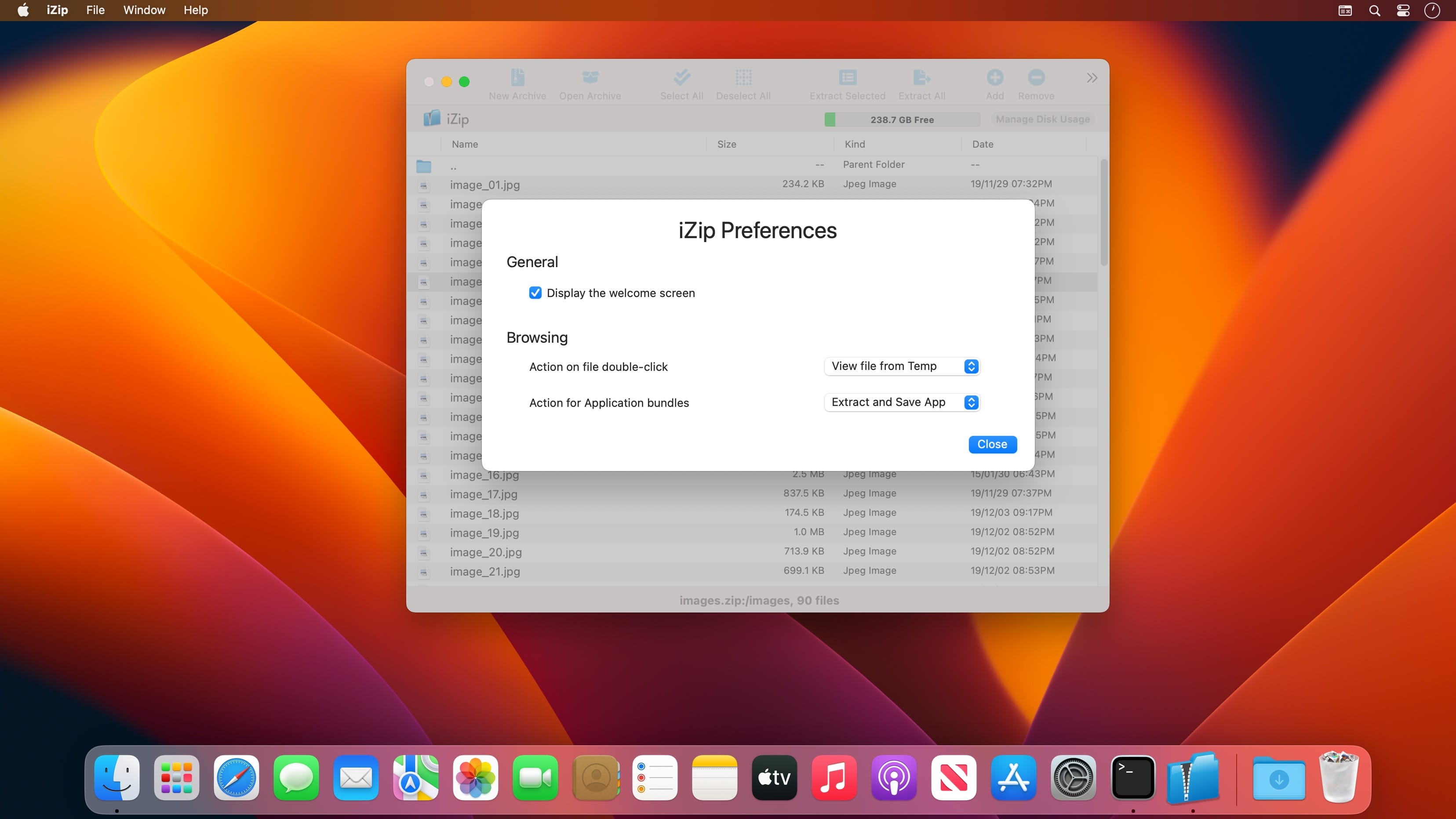
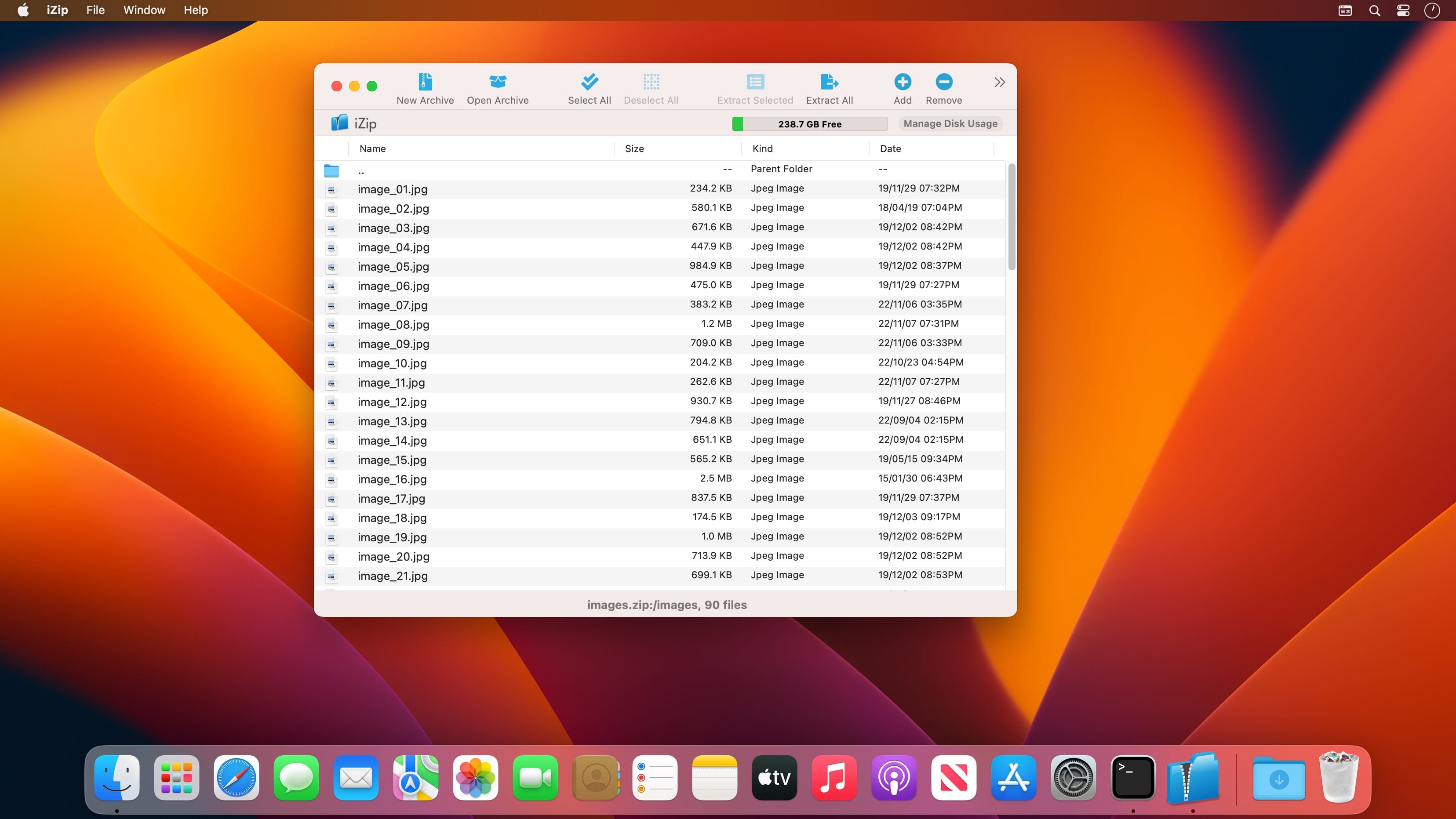
ZIP, UNZIP, ENCRYPT, AND SHARE FILES ON YOUR MAC AND PC WITH IZIP! iZip is a simple to use, effective and powerful utility built for fast and efficient archive management! With the latest in compression and encryption technology built right in, iZip allows you to compress, secure and share your files with ease.
Encryption and large files supported
New archive assistant
Secure sharing
Currently supports ZIP, ZIPX, RAR, TAR, TAR.GZ/BZ2/XZ and 7ZIP files with more to come!
ZIP AND UNZIP FILES
Use the quick and efficient iZip interface to easily manage the contents of the most common archive file formats such is those created by WinZip, WinRAR, 7Zip and others. No more having to extract the whole contents of a large zip file just to get at one or two files!
ENCRYPT FILES
Secure your confidential data with powerful AES encryption. Keep unwanted eyes away from your personal information by encrypting your zip files using the powerful security features of iZip. iZip features 256 bit AES zip encryption so you can rest assured unauthorized users will not be able to view any of your confidential information.
SHARE FILES
iZip for macOS and PC are fully interoperable, simply AES-256 encrypt your archive to securely send and receive files amongst your friends and colleagues whether they own a Mac or a PC.
Top In-App Purchases: Pro Version – included. Compatibility: macOS 11.0 or later Homepagehttps://www.izip.com/
Trimma is the easiest way of quickly cutting videos without any hassle. No project creation like in iMovie, no strange export settings that change the video’s resolution.
Just follow these simple steps:
1. Open the video
2. Insert cuts to quickly remove unwanted parts
– quickly scroll through your video or use the cursor keys for precision steps
– use the toolbar buttons or the hotkeys A / S to quickly add / remove cuts.
– insert a cut in the red area will end the red area at the current position
3. Choose an export preset
– Passthrough – keep the original encoding, small files stay small, export is blazing fast
– HEVC – The High Efficiency Video Codec uses the power of h265 encoding to video to a tiny file. Great for sharing with other Mac / iOS Users!
– AVC – The Advanced Video Codec uses the power of h264 and also creates small video files. Files are not as small as with HEVC, but compatibility with older systems is better
– Thumbnail – The only free preset. It generates a small video with low quality. Fast in export and gives an idea of what to expect from the export.
4. Export – yeah, it’s really not more complicated
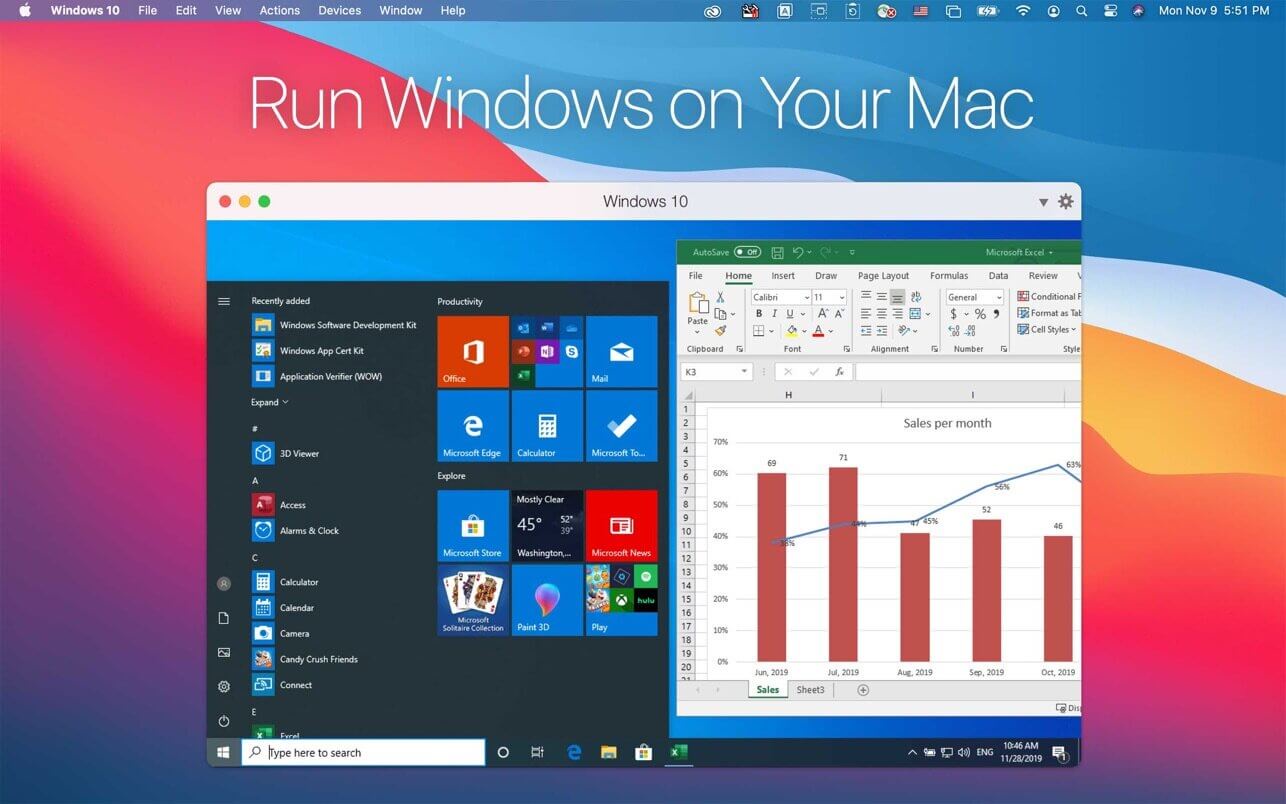
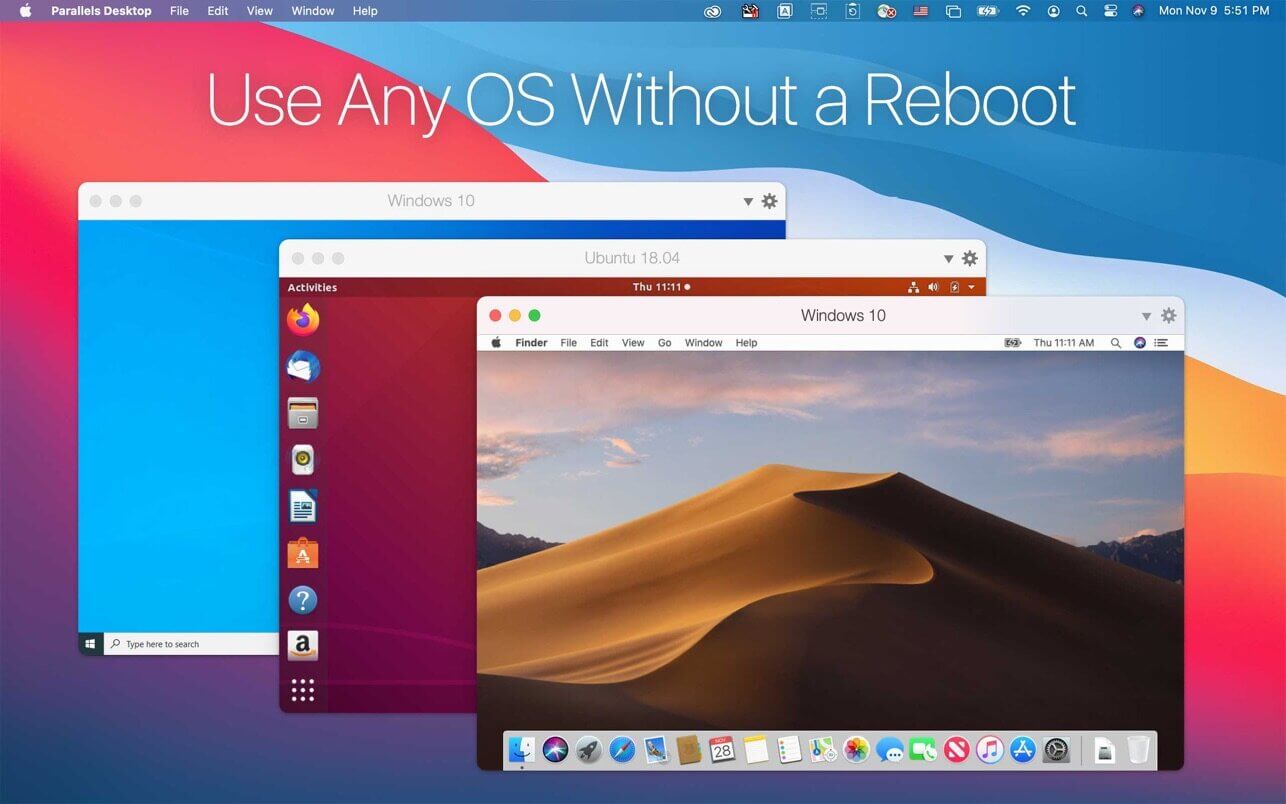
Parallels Desktop is one of the oldest and most popular applications for virtualization on macOS. There are quite a few options out there for Mac users who want to run other operating systems on their Apple devices, but none are quite as intuitive and novice-friendly as Parallels.
This app allows you to Run Windows, various flavors of Linux, ChromeOS, Android, and many other operating systems in virtual machines, and it makes setting up and configuring these VMs incredibly straightforward. Much of the process is automated, and the virtualized OSes integrate well with macOS.
It really is that simple. Compared to alternatives like VirtualBox or VMware, it is much easier to create a virtual machine and install an OS. For instance, if you want a Windows 11 VM, the startup wizard guides you through the entire process. It only takes a few clicks and absolutely no technical knowledge.
If you skip the initial Win10 wizard, Parallels still has an installation assistant that can help you set up Windows, Linux, and many other operating systems. The Windows 10 Test and Development environments are available for free, as are numerous Linux flavors and Android, and you can even install macOS from the recovery partition or convert a Boot Camp installation to a VM.
Aside from installing Windows via Boot Camp, which isn’t likely to be supported on Apple Silicon, Parallels offers possibly the most seamless experience when running another operating system on your Mac.
MacBook Pro users can add Windows apps to the Touch Bar, Office integration lets documents in Safari open in their native Windows apps, and full support is available for Retina displays for the best visual experience.
Sharing files between your Mac and Windows VM could not be easier, as files on the desktop are instantly accessible from either OS, no matter where they were created.
If you want to take things one step further, just enable Coherence Mode. Once it is active, all applications in your Windows VM will appear in separate windows directly on your Mac’s desktop, almost as if they were running natively on macOS.
Of course, Parallels Desktop is available in multiple editions, with the Pro and Business variants geared towards professionals and enterprises respectively. While the Standard edition includes most features, it limits the amount of RAM and virtual CPUs you can use for each VM and lacks some advanced deployment and management tools.
These include integration with Docker, Vagrant, and Microsoft Visual Studio, among others, VM transferring and deployment capabilities, debugging tools, and centralized administration and management.
Whether you’re just starting out or you have a lot of experience with running VMs, nothing can beat the streamlined experience you get with Parallels, and it doesn’t lose out to its competitors when it comes to the number of available features either.
With Boot Camp seemingly doomed on Apple Silicon, Parallels will likely be one of the few virtualization options available for M1 Mac users.
What’s New:
Version 26.0
The new major Parallels Desktop version 26.0.0 (build 57238) includes many under-the-hood upgrades aimed at better supporting the latest version of macOS. Parallels Desktop 26 follows Parallels Desktop 20 to bring the version number in line with Apple’s new macOS versioning.
The release delivers the following improvements:
All editions of Parallels Desktop 26 for Mac
Ready for macOS Tahoe 26.
Parallels Desktop 26 supports the upcoming macOS Tahoe 26 as a primary OS on Mac and as a virtual machine, so you can upgrade your Mac computers once the new operating system becomes available.
Look and Feel
Brings updated icons across the board on Macs running macOS Tahoe 26.
Windows on Mac
Enables Windows to accurately assess the available disk space on your Mac, helping you avoid harming your Mac’s responsiveness by installing overly large Windows software.
Improves the behavior of full-screen Windows apps in Coherence mode, enabling your Mac to go to sleep mode normally.
Fixes the issue that caused Persona 5 Royal to crash on launch in Windows 11 virtual machines.
Linux on Mac
Apple silicon Macs: Adds out-of-the-box support for new Linux distributions, such as Ubuntu 24.04.2, Fedora 42, Debian 12.6, and Kali 2024.2.
Intel Macs: Adds out-of-the-box support for new Linux distributions, such as Ubuntu 24.04, Fedora 40, Debian 12.6, and Mint 21.3.
Fixes the issue that prevented Parallels Tools for Linux from installing correctly on CentOS 10 running on Intel Macs.
Parallels Desktop 26 for Mac Business & Enterprise Edition
Adds the ability for system administrators to manage and monitor virtual machine software updates using Jamf scripts.
Regenerates unique identifiers for virtual machines deployed from Golden Images to ensure smooth Intune enrollment.
What was deprecated or removed from Parallels Desktop 26
According to the statistics from the users who participate in the Parallels Customer Experience program, some product features are used very seldom or not at all. We have decided to either stop supporting them or completely remove them from Parallels Desktop and focus on frequently used features and further enhancements.
Below is the list of features that are no longer supported and have been removed in Parallels Desktop for Mac 26:
Installing Parallels Desktop on Macs running macOS Monterey 12.
Shared Bluetooth functionality. Bluetooth devices (e.g., keyboards, mice, or game controllers) connected to your Mac will continue to work normally in virtual machines. Note: To connect a Bluetooth device directly to a virtual machine, consider using a USB Bluetooth dongle.
USB and network kexts (kernel extensions). This deprecation affects virtual machines that run on Intel Macs using Parallels hypervisor; such machines will continue supporting USB and network adapters in kextless mode.
Deferred activation.
Designating a custom update server in the deployment package settings.
Synchronization of virtual machine color tags between the Parallels Desktop Control Center and macOS Finder.
The option to install Parallels Toolbox for Windows in a Windows virtual machine using the Parallels Desktop menu.
Principle makes it easy to create animated and interactive user interface designs. Whether you’re designing the flow of a multi-screen app, or new interactions and animations, Principle lets you create designs that look and feel amazing.
Built for the Biggest Imaginations
There are a lot of things you might want to design: a short animation, a slick interaction, or an extensive multiple screen app. No matter what you’re doing, you can do it with Principle.
Animation
Principle’s timeline makes it quick work to illustrate the perfect bounce, ease, and pop.
Interaction
Want to design a totally new interaction? Principle gives you the freedom to experiment without limiting you to pre-defined transitions.
Multiple Screens
It’s a breeze to design the flow of a multi-screen app; and when you’re done you’ll have a bird’s-eye view of all your screens.
Totally New, Yet Immediately Familiar
With artboards, magic animations and a timeline, using Principle will give you Déjà vu.
Touch Your Designs
Principle Mirror lets you interact with your design instantly on device or view designs that others have sent you.
Lights. Camera. Interaction.
Showing your designs has never been simpler with the record feature: Export a video or an animated gif that can be shared on Dribbble, Twitter, and wherever else you’d like!
Built for OS X
Principle is powered by Core Animation, the hardware-accelerated animation engine that iOS and OS X are built on. It also includes the Mac features you love: Full-screen mode, a Retina interface, and Auto Save — so you’ll feel right at home.
Design For Any Size
Choose a device preset or enter a custom Artboard size. Whether it’s web, desktop, mobile, or watch — you’re set!
Sync Folders Pro synchronizes any number of local folders on-the-fly whenever there are changes, or on external drives either manually or at a set time (when connected). It synchronizes folders with or without filter for folder names and / or file names. Sync Folders Pro is perfect for backup to USB, memory cards, disks on remote computers on your network, or folders on Cloud services (Dropbox, etc.). It’s compatible with OS X 10.9 and Retina displays.
Try it for free with the free version, which is available on the website, and compare the sync speed and stability versus similar apps (for more than 50,000 files). The comparison of two folders (6.24 GB and 92 470 files in each folder) is one minute.
Features
Sync any number of folders same time.
6 modes of synchronizing.
Tracking deletions in synchronized folders, real 2-way sync.
Automatic synchronization on the fly, when there are changes.
Schedule your synchronization for any time.
Synchronize Macs across a network.
Synchronize external drives (USB, memory cards, etc.) with your Mac, and vice versa.
Synchronize between local folders Mac and folders on Cloud services (Dropbox, etc.)
Powerful filter for files and/or folders on the entry and/or exclusion.
View the latest changes in synchronized folders. Quick view last changes and Finder integration.
Saving the synchronized files in a specific location («Del folders»). Using this mode you are insured against accidental deletion of files, and can always return all the files even if you are re-sync a few times. Structure of folders and subfolders stored in the «Del Folder».
Each sync task has the status showing when it was done last time.
Run as menu-bar app.
Work in the background.
Save / Load the settings to the file.
Logging of the synchronization process.
Localization of the application in multiple languages (Český, Dansk, Deutsch, English, Español, Français, Italiano, Nederlands, Norsk, Polski, Português, Slovenski, Suomi, Svenska, Ελληνικά, Pусский, العربية, 한국어를 지원합니다, 中国的, 日本人).
The ability to create your own localization based on available localization (user’s localization).
Save / Load the version of the localization to / from the file.
2Do lets you take a completely different approach to managing your tasks. With its extremely simple-to-use interface and a comprehensive and flexible set of powerful features, it lets you focus on what’s most important to you: your life. There is no wrong way of using 2Do, and unlike other to-do apps, it won’t force you in adhering to a particular task management methodology.
AWARDS
Apple – Best of 2013 Mac App Store
Macstories – App of the Year 2015 iOS
Cult of Mac – Best Task Manager for iOS
SIMPLE TASKS, CHECKLISTS & PROJECTS
Create simple tasks, or checklists and projects with sub-tasks. Tasks can have notes, attachments and multiple alarms.
Set any task to repeat using a flexible set of options.
LIST GROUPS, LISTS & SMART LISTS
In addition to built-in Focus lists that allow you to conveniently view upcoming, starred or scheduled tasks, you can create multiple lists to manage and organize your tasks.
Smart lists let you harness the true potential of 2Do using a number of search options, filters and search pre-sets. Using Smart Lists, you can create custom views of your tasks and use them to focus-in or find frequently managed tasks.
Furthermore, related Smart lists and Lists can be grouped together using a List Group in the order you desire.
PROJECT VIEW
Quickly focus on your projects and their sub-tasks and nothing else
Access project view directly from the list view or using keyboard shortcuts
Focus filters and sort options can be applied separately to individual projects using Project View
TAGS
Manage tags within Tag Groups.
Easily assign tags to tasks and vice versa.
Leverage the easy to use yet powerful integration of Tags & Smart Lists to filter on frequently managed tasks.
Find Used vs. Unused tags with a click.
LOCATIONS
Easily create, edit and assign locations to tasks
Create powerful Smart Lists based on Locations
SYNC
Stay in sync with multiple Macs and mobile devices running 2Do using your favorite sync method over fast and reliable Push Sync: Dropbox, Reminders (CalDAV), 3rd Party CalDAV Servers (iCal, Fruux, ownCloud etc) or Toodledo.
Using Dropbox, you can keep multiple devices in sync seamlessly. Devices can be added / removed at any time.
Using Reminders CalDAV sync you can keep 2Do and Reminders in sync as well as create tasks using Siri.
Unobtrusive automatic background sync supported for Dropbox, Reminders (CalDAV) and CalDAV.
QUICK ENTRY
Save your thoughts as they come to you. Using a global hotkey, Quick Entry allows you to add tasks from any app or any Space.
2Do does it right. Quick Entry works even if 2Do was not launched or is not running in the background.
QUICK LOOK
Works just the way Quick Look does in Finder or other built-in OS X apps. Use the spacebar to zoom in and out of a task to preview notes, multi-line titles or other details attached to your tasks.
ALARMS & NOTIFICATIONS
Stay on top of your tasks with alarms and notifications. Supports Notification Center as well as a built-in notification system which works even when 2Do is *not running*.
Set up automatic alarms for your tasks.
PASSWORD PROTECTION
Your life is a private affair. Manage it by locking out individual lists or the whole app with a single click.
AUTOMATIC BACKUPS
2Do values your tasks. Periodic automatic backups are created for you which can be transferred from one machine to another or from the iOS version of 2Do to the Mac and vice versa.
Save & restore of external backups
FLUID
Adding and editing tasks is blazing fast using in-place editors and popovers
2Do supports both mouse users, by offering them numerous shortcuts, as well as keyboard power-users by supporting dozens of keyboard shortcuts
FxFactory Pro includes filters, generators and transitions for Final Cut Pro X, Motion, Premiere Pro and After Effects. FxFactory is the first extensible visual effects package for Final Cut Pro. Unlimited capacity: download additional plugins from FxMarket.
The user can check all plugins and customize them appropriately for their project, or create new ones based on existing ones. Create your own effects for Final Cut Studio without writing code. Seamless integration with FxPlug: once you install plugins, you can immediately start using them in Final Cut Pro, Motion and After Effects.
An added bonus is that the Pro Pack plugins support 16-bit and 32-bit motion graphics. FxFactory is not just a built-in plugin manager, but also a complete environment for managing plugins. Through it, you can connect the necessary modules to the project, apply them to your content, preview and render.
The App Store for Pro Users
FxFactory lets you browse, install and purchase effects and plugins from a huge catalog for Final Cut Pro, Motion, Premiere Pro, After Effects, Logic Pro, GarageBand, Adobe Audition and DaVinci Resolve.
Play Before you Pay
Free trials are available for most products, letting you buy only the stuff you need. Did we mention free plugins?
Simple by Design
Installing products or setting up a new system has never been easier. FxFactory remembers your configuration and purchase history so you don’t have to.
Free Tutorials
Our products will make your job easier and faster. Discover our catalog through hundreds of freely accessible video tutorials.
Compatibility: macOS 11.5.1 or higher – Intel 64-bit CPU – Apple M1 chip Homepagehttps://fxfactory.com/
FM26 takes you on a journey to define your football dynasty. Enhanced graphics are only the beginning of a more immersive and tactically-rich experience – creating a new footballing reality that’s authentically shaped by you.
New foundations set the stage for you to define your football destiny. Made with the Unity engine, FM26 is the legacy, redefined and where storytelling evolves.
A reimagined interface and more immersive match day experience brings you closer to the action and combine to elevate every match-defining moment.
Transform your squad with advanced transfer tools and craft your footballing philosophy like never before with new innovations that deliver unrivalled game-changing tactical realism
OUR RICHEST MATCH DAY EXPERIENCE
Savour the richest Match Day experience in series history, bringing new levels of depth and drama to every match with enhanced player movement and greater on-pitch detail.
Feel the adrenaline of a weaving run, inch-perfect through ball and unforgettable, last-gasp title winner with more personality thanks to fresh motion capture and volumetric animations.
THE PREMIER LEAGUE JOINS THE ACTION
Compete at the pinnacle of English football as the Premier League debuts with fully-licensed club badges, kits and official player photos.
Authenticity reaches new heights as you pursue the biggest prize in domestic football with the full broadcast experience from the best seat in the house.
ADVANCED TACTICAL INNOVATION
Exercise unparalleled control over how your team plays across every area of the pitch with the introduction of distinct In and Out of Possession formations.
Redefined player roles and a dynamic visualiser that shows how your team shapes up in different scenarios levels up your pre-match prep game in, game out.
TOTAL FOOTBALL, TOTAL CONTROL
An overhauled UI primed for the modern manager offers a cleaner look-and-feel, with the new Portal bringing together every aspect of your footballing world.
Tailor your game to your priorities with the introduction of quick link Bookmarks and learn more about the beautiful game with an overhauled Search and new FMPedia glossary.
INTRODUCING: WOMEN’S FOOTBALL
Explore a new world of possibilities as the women’s game debuts, seamlessly integrated into FM as one footballing world.
With 14 playable leagues from 11 nations, including the Women’s Super League and National Women’s Soccer League, there are fresh challenges and new talents to discover in each career.
TRANSFORMATIVE TRANSFER TOOLS
Harness the power of TransferRoom™ to smartly shape your title-winning squads season after season.
Broadcast your recruitment priorities with Requirements and gain direct insight into your rivals’ needs with Pitch Opportunities, giving you more targeted control over every signing and sale.
YOUR MANAGER, YOUR WAY
Express more of your personality and style in every career with a revamped manager creation experience.
Craft your look with an enhanced character creator before developing a career backstory that’s unique to you and uniquely influential on your life in the dugout.
Bridge gives you centralized access to all the files and assets you need for your creative projects. Organize personal and team assets, batch edit with ease, add watermarks, set centralized color preferences, and even upload your photos to Adobe Stock. Bridge simplifies your workflow and keeps you organized and now with CC Libraries.
Features
Bulk import, export and preview CC Libraries assets
Edit photo capture time
Export/ Import network cache
Native PDF Output Module
Easy upload of images to Adobe Stock so you can get royalties for your work
Support for Retina and HiDPI displays with the ability to scale
Automated cache management
Publishing to Adobe Portfolio to build your personalized website
Quick organization and stacking of panoramic and HDR images
On-demand thumbnail and metadata generation
Option to import photos and videos from your mobile device or digital camera on macOS
Support for CEP HTML5
Flexible batch processing
Drag-and-drop file flexibility
Centralized color settings
Consistent user experience
Adobe Bridge now has an enhanced user interface to provide you a similar experience like other Creative Cloud applications. You can also change the default user interface appearance, text size, and scaling by setting the User Interface preferences in the Edit > Preferences > Interface dialog.
Enhanced Creative Cloud Libraries
The Libraries workspace in Bridge now displays a high-quality preview of library items. You can select multiple items to see their previews together.
Centralized cache management
You can now share a cache with other Bridge users and let them use the shared cache instead of creating a cache. Any Adobe Bridge user can export a cache to a shared folder, and other users can import a copy of the shared cache to their local systems. Given that the systems are in synchronization, managing the cache at a centralized location lets you reuse the exported cache, without the need to rebuild the cache on different user machines. You can create and manage the shared cache by using the Manage Cache dialog (Tools > Manage Cache), which has now been enhanced to provide options for building, importing, and purging cache. In addition, the cache preferences have been enhanced (Edit > Preferences > Cache and Edit > Preferences > Cache Management).
Edit capture time
Adobe Bridge now lets you change the capture time of the JPEG and RAW image files, just like the way it is done in Adobe Lightroom. This feature is helpful if you travel to a different time zone and do not change the date or time setting of your camera before you start photographing. With this feature, you can edit the capture time after capturing the image.
Support for XD file formats
Bridge now supports preview, thumbnail generation, metadata tagging, and keyword generation for Adobe XD files.
Media cache preferences
Bridge now processes and maintains a cache of all audio and video playback files. This capability improves the performance of playback files because the files are available for ready access whenever you want to view them later. It is recommended that you regularly clean the old and unused media cache files to optimize the performance. The preferences for media cache can be set by choosing Edit > Preferences > Media Cache.
Cut, copy, or move files and folders across Bridge and File Explorer or Finder
Bridge now lets you perform the following operations
Cut, copy, or move files and folders from File Explorer (Windows) or Finder (macOS) and paste them in Bridge
Cut, copy, or move files and folders from the Bridge workspace and paste them in File Explorer (Windows) or Finder (macOS)
Adobe Illustrator is the industry standard vector-drawing environment for designing across media. Express your creative vision with shapes, color, effects, and typography. Work with speed and stability on large, complex files, and move designs efficiently among Adobe’s creative applications.
The state of the art of illustration.
The industry-standard vector graphics software lets you create logos, icons, drawings, typography, and illustrations for print, web, video, and mobile.
Illustrator is all around you.
Millions of designers and artists use Illustrator to create everything from web icons and product packaging to book illustrations and billboards.
Iconic work at any size.
Get all the drawing tools you need to turn simple shapes and colors into sophisticated logos, icons, and graphics. Illustrator artwork is vector-based software, so it can scale down for mobile screens and up to billboard size – and always look crisp and beautiful.
Gorgeous typography that says it all.
Incorporate a company name into a logo, create a flyer, or mock up a website design with the best type tools out there. Add effects, manage styles, and edit individual characters to create typographic designs that perfectly express your messages.
Draw attention everywhere.
Create freehand drawings, or trace and recolor imported photos to turn them into works of art. Use your illustrations anywhere, including printed pieces, presentations, websites, blogs, and social media.
Share access and edit cloud documents:
Invite your team members to seamlessly collaborate and edit your cloud documents. Cloud documents shared with you can be accessed directly in Illustrator.
OmniFocus Standard and Pro are in-app purchases, with discounts for people who bought earlier versions of OmniFocus for Mac through the Mac App Store. Download the app for details.
Use OmniFocus to accomplish more every day. Create projects and tasks, organize them with tags, focus on what you can do right now — and get stuff done.
OmniFocus — now celebrating 10 years as the trusted, gold-standard to-do list app — brings unrivaled power and flexibility to your Mac, making it easy to work the way you want to work.
OmniFocus manages everything in your busy life. Use projects to organize tasks naturally, and then add tags to organize across projects. Easily enter tasks when you’re on the go, and process them when you have time. Tap the Forecast view — which shows both tasks and calendar events — to get a handle on your day. Use the Review perspective to keep your projects and tasks on track.
Then let our free syncing system make sure you data is the same on every Mac. (And on OmniFocus for iOS, available separately.) Because your data is encrypted, it’s safe in the cloud.
STANDARD FEATURES
NEW: Tags add a powerful additional organizing tool. Create tags for people, energy levels, priorities, locations, and more.
NEW: The Forecast view shows your tasks and calendar events in order, so you can better see what’s coming up in your day.
NEW: Enhanced repeating tasks are easier than ever to set up — and they work with real-world examples such as the first weekday of the month.
NEW: The Modern, fresh-but-familiar design helps you focus on your content.
Inbox is where you quickly add tasks — save them when you think of them, and organize them later.
Syncing supports end-to-end encryption so that your data is safe wherever it’s stored, on our server or yours.
Notes can be attached to your tasks, so you have all the information you need.
Attachments — graphics, video, audio, whatever you want — add richness to your tasks.
View Options let you customize each perspective by deciding what it should show and how it should filter your tasks.
The Review perspective takes you through your projects and tasks — so you stay on track.
OmniFocus Mail Drop adds tasks via email and works with services like IFTTT and Zapier (if you’re using our free syncing server).
The Today Widget shows you your most important items — you don’t even have to switch to the app to know what’s up.
PRO FEATURES
Custom perspectives help you create new ways to see your data by filtering and grouping projects and tags. NEW: The filtering rules are simpler to use while being more powerful than ever, letting you combine rules with “all,” “any,” and “none.” You can also choose any image to use as your custom perspective’s icon, and a custom tint color to go with it.
NEW: Today’s Forecast can include items with a specific tag, and you can reorder those tasks however you choose, so you can plan your day better.
The customizable sidebar lets you organize your perspectives the way you want to, for super-fast access.
The Today Widget shows a perspective of your choice in Notification Center.
AppleScript support opens up a world of automation, using Apple’s Mac scripting language.
Language: English, Dutch, French, German, Italian, Japanese, Korean, Portuguese, Russian, Simplified Chinese, Spanish
strong>Compatibility: macOS 14.0 or later Homepagehttps://www.omnigroup.com/omnifocus/
Meta helps you manage your ever-growing digital music collection. Use it to easily edit information such as a song’s artist, title, album, album cover, etc. It supports editing of most audio formats such as MP3, MP4, M4A, FLAC, Ogg, OGA, SPX, WAV, AIFF, and a variety of metadata formats including ID3v1, ID3v2.3, ID3v2.4, iTunes MP4, Vorbis comments, and APE tags.
Features
A polished, intuitive user interface that adopts OS X’s standards
Write metadata to multiple files at once (Batch Tag Editing)
Rename files based on their metadata or instead, convert filenames to metadata
Find and Replace characters, words, or strings in metadata, with support for regular expressions (patterns)
Add selected tracks to iTunes, or refresh their metadata using a simple keyboard shortcut
Automatically generate track numbers
Benefit from built in file management operations (Move, Delete, Reveal in Finder)
Interface is compatible with Retina displays
Album covers can easily be set or exported via drag-and-drop, and it is possible to configure Meta so that it scales, crops, and compresses images each time a new image is set, so as to keep your audio files’ size to a minimum.
Standout layouts. Only with InDesign. InDesign is the industry-leading layout and page design software for print and digital media. Create beautiful graphic designs with typography from the world?s top foundries and imagery from Adobe Stock. Quickly share content and feedback in PDF. Easily manage production with Adobe Experience Manager. InDesign has everything you need to create and publish books, digital magazines, eBooks, posters, interactive PDFs, and more.
Make an impression in print.
Design everything from stationery, flyers, and posters to brochures, annual reports, magazines, and books. With professional layout and typesetting tools, you can create multicolumn pages that feature stylish typography and rich graphics, images, and tables.
Digital publications. Dazzling interactions.
Create digital magazines, eBooks, and interactive online documents that draw people in with audio, video, slideshows, and animations. InDesign makes it easy to manage your design elements and quickly deliver immersive experiences in any format.
Keep your team on the same page.
Design faster and smarter with tools built for collaboration. Make changes quickly with Paragraph, Character, or Object Styles. Share feedback and edits from PDFs. InDesign integrates with Creative Cloud and Adobe Experience Manager, so you can share content, fonts, and graphics across all your projects.
See what new can do.
InDesign is always getting better, with new features rolling out regularly. And with your Creative Cloud membership, you get them as soon as we release them. Here are some of the latest updates.
Peak performance
Our latest upgrades include faster launch times and performance improvements.
Adobe Experience Manager integration
Keep your content up to date and share assets across all your projects using Adobe Experience Manager.
SVG import
Import SVG files into your InDesign projects to create interactive graphics and animations.
Variable fonts
Design with variable fonts . customizable typefaces that compact multiple fonts into a single file.
Deckset is a new, simple way to create presentations. Open your favorite text editor, write down your thoughts, and Deckset will turn them into beautiful presentations. Focus on your ideas, not on designing slides.
Deckset comes with ten amazing-looking themes that are designed to work for any audience, whether it’s a business meeting or a tech conference.
Features
10 themes for every occasion, ranging from playful to serious
Automatic layout and advanced typographic features
Present code samples with syntax highlighting and “scale to fit”
Easily include images and videos
Stunning image filters
Speaker notes and rehearsal mode
Everything’s Markdown: edit your presentation using your favorite text editor
Floating preview window
Easily change aspect ratio to suit any projector
Export to PDF
Formula support as in-app purchase
What’s New:
Version 2.0.45:
Release notes were unavailable when this listing was updated.
Yate was developed for people who want complete control over their tagging experience. Supports audio in AIFF, DFF, DSF, FLAC, M4A, M4B, MP3, MP4, STEM.MP4 and WAV files. Supports video in M4V and MP4.
Yate has a long list of features; most importantly, an innovative scripting system called actions. Actions can be used to update all of an album’s tags with a single operation. Yate also supports integration with AcouticBrainz, AcoustID, Beatport, Discogs, iTunes and MusicBrainz. All changes can be easily reverted and individual changes can be undone in any order. Whether you want to automatically or manually tag your files, Yate can do it all!