Color Ray 1.0

Color Ray

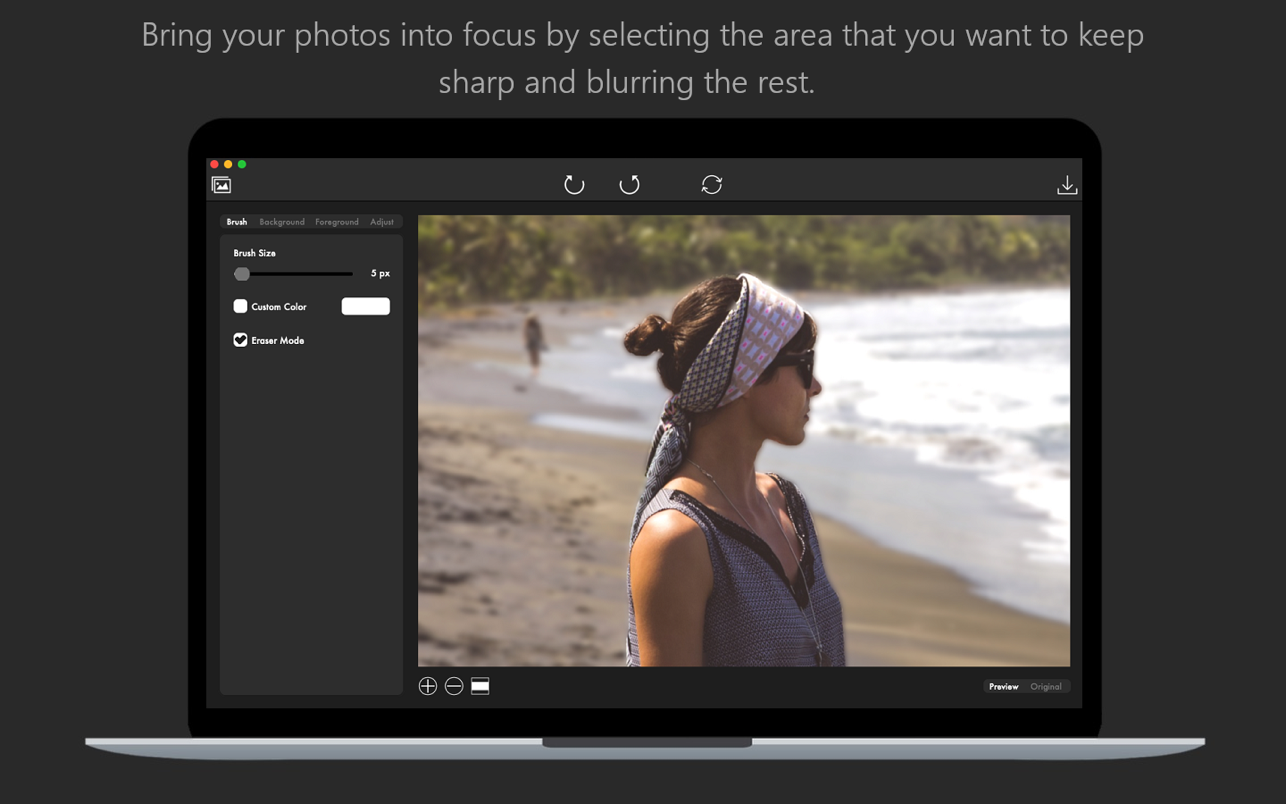
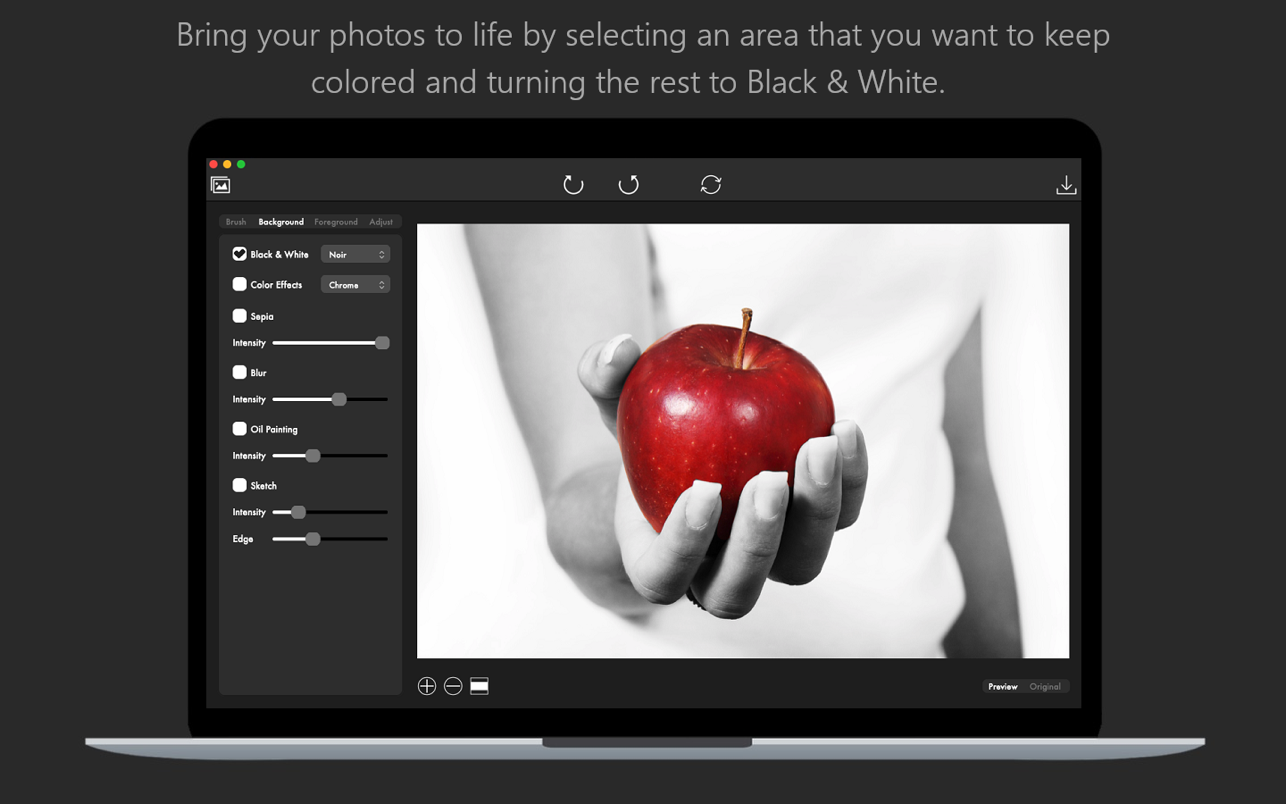
Bring your photos to life with Color Ray by applying spectacular color and blur effects. Select the area of your photo that you want to keep colored and paint the rest in black and white for a dramatic effect.

Do you want to apply a focus blur effect to your photo? Just select the area of the photo that you want to keep into focus and blur the background for a depth of field effect. Combine artistic filters like Black and White, Sepia, Oil Painting or Sketch to make your photos stand out.

But here is what Color Ray has to offer:
* Adjustable brush size that lets you edit your photos to the smallest detail
* Custom color selection for your brush
* Eraser Mode lets you remove those small imperfections quick and easy
* Edit both the Background and Foreground layers of your photo

Apply the following artistic effects to both the Background and Foreground layers of your photo:
– Black & White: Mono, Noir, Tonal
– Color Effects: Chrome, Fade, Instant, Process, Transfer
– Sepia
– Blur
– Oil Painting
– Sketch

Adjust the general appearance of your photo by adjusting the following settings:
– Brightness
– Exposure
– Contrast
– Saturation
– Gamma
– Hue
– RGB

* Easily switch between the view of the edited photo and the original
* Undo/Redo your changes
* Save your photo as a JPG, JPEG, JPE, JP2, JPX, PNG, TIFF, TIF, GIF, BMP, HEIF or HEIC

Compatibility: macOS 10.14 or later
Homepage https://apps.apple.com/app/color-ray-photo-color-blur/id1412642567

Screenshots


Name: Color_Ray_1.0_MAS__HCiSO_Mactorrents.io.dmg
Size: 6.4 MB
Files Color_Ray_1.0_MAS__HCiSO_Mactorrents.io.dmg[6.4 MB]

   Download

Separation Studio 2.2.3

Separation Studio is powerful, easy to use color separation and artwork generator tool designed exclusively for Mac. Separation Studio is an application that allows you to create single color and CMYK half-tone patterns in vector-based formats. The separations can be based on shapes defined in the application. You don’t need any other software to separate your graphics colors. Just Open your image file with Separation Studio, and it will do the rest.

Works with JPG, PNG, BMP, TIFF, GIF, PDF, SVG, PCT, XBM, HEIC and JPEG-2000 file types. Just open your graphic artwork with Separation Studio and let it make easy work of it!

Separation Types:

  • Single Color Separation – separates whole image.
  • CMYK Color Separation – image is separated into Cyan, Magenta, Yellow and Black colors.

Separation Shapes:

  • Square
  • Diamond
  • Circle
  • Triangle

Star After separation, you can save your C, M, Y and K colors or Single Color Separation into separate files with desired shape and shape size.
Color Separation is used in T-Shirt Screen Printing and many other Printing areas. Video Tutorial is available on our support page. If you have any questions, you can contact us from your contact page

What’s New:

Version 2.2.3

  • This update contains stability and performance improvements

Compatibility: OS X 10.10 or later, 64-bit processor
Homepage https://itunes.apple.com/app/separation-studio/id1268990539

Screenshots


Name: Separation_Studio_2.2.3_MAS__HCiSO_Mactorrents.io.dmg
Size: 11.83 MB
Files Separation_Studio_2.2.3_MAS__HCiSO_Mactorrents.io.dmg[11.83 MB]

   Download

Weather Guru 2.5.1

Weather Guru is a beautiful and highly accurate weather app for your Mac. With its gorgeous and easy to use interface, the app provides live weather forecasts, helpful notifications and always keeps you updated with hourly data for 7 days ahead.

KEY FEATURES:

  • Get live weather updates at any location (day/date/time all displayed clearly)
  • Track weather simultaneously on up to 5 favorite locations
  • Get summarized daily weather forecast notification alerts
  • Toggle between Fahrenheit and Celsius
  • Get the temperature highs/lows for the full week ahead
  • Get the feels like temperature
  • Get a pictorial representation of the weather around you (eg. Sun image on a sunny day)
  • Get wind speed information in miles per hour
  • Get percentage chance of rain data
  • Get humidity percentage levels
  • Get alerted if it is likely to rain in the next hour
  • Scroll across the temperature and weather information bar to see the change in weather at different times of the day
  • Current temperature and forecast displayed in your menubar
  • Hit Cmd+R to have an instant live refresh of the weather data

BENEFITS:

  • The most beautiful Weather forecast information app for your Mac
  • Lightning fast and incredibly easy to use
  • Keep up to date with the latest weather information using the app window as well as on screen notifications
  • Pleasant user interface with clearly laid out information and graphics
  • Incredibly accurate live weather data for your location/any location of your choice
  • Regular free updates

What’s New:

Version 2.5.1:

  • Release notes were unavailable when this listing was updated.

Compatibility: OS X 10.8 or later, 64-bit processor
Homepage https://fiplab.com

Screenshots


Name: Weather_Guru_2.5.1__HCiSO_Mactorrents.io.dmg
Size: 12 MB
Files Weather_Guru_2.5.1__HCiSO_Mactorrents.io.dmg[12 MB]

   Download

PDF Reader Pro 2.8.0.1

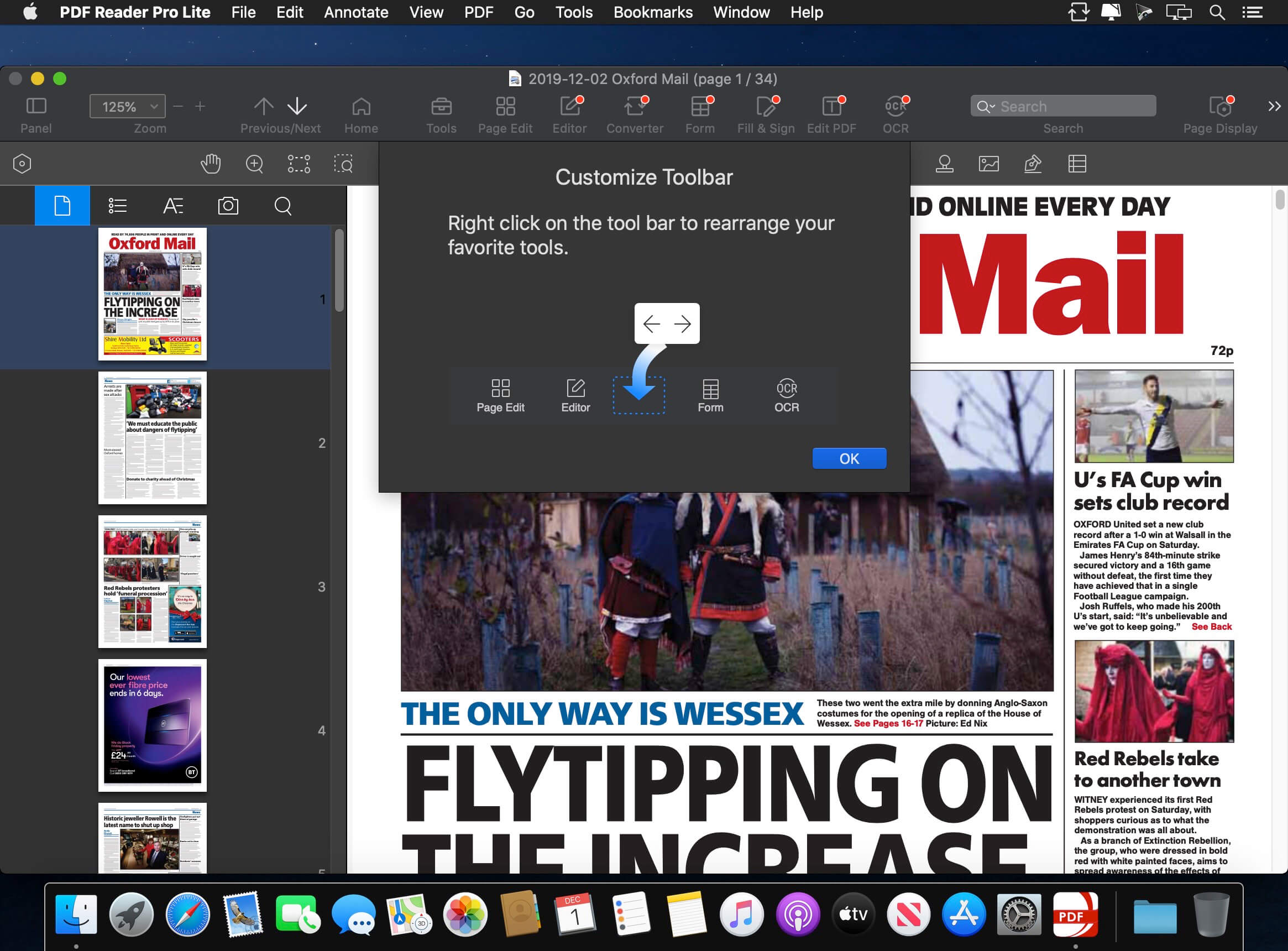
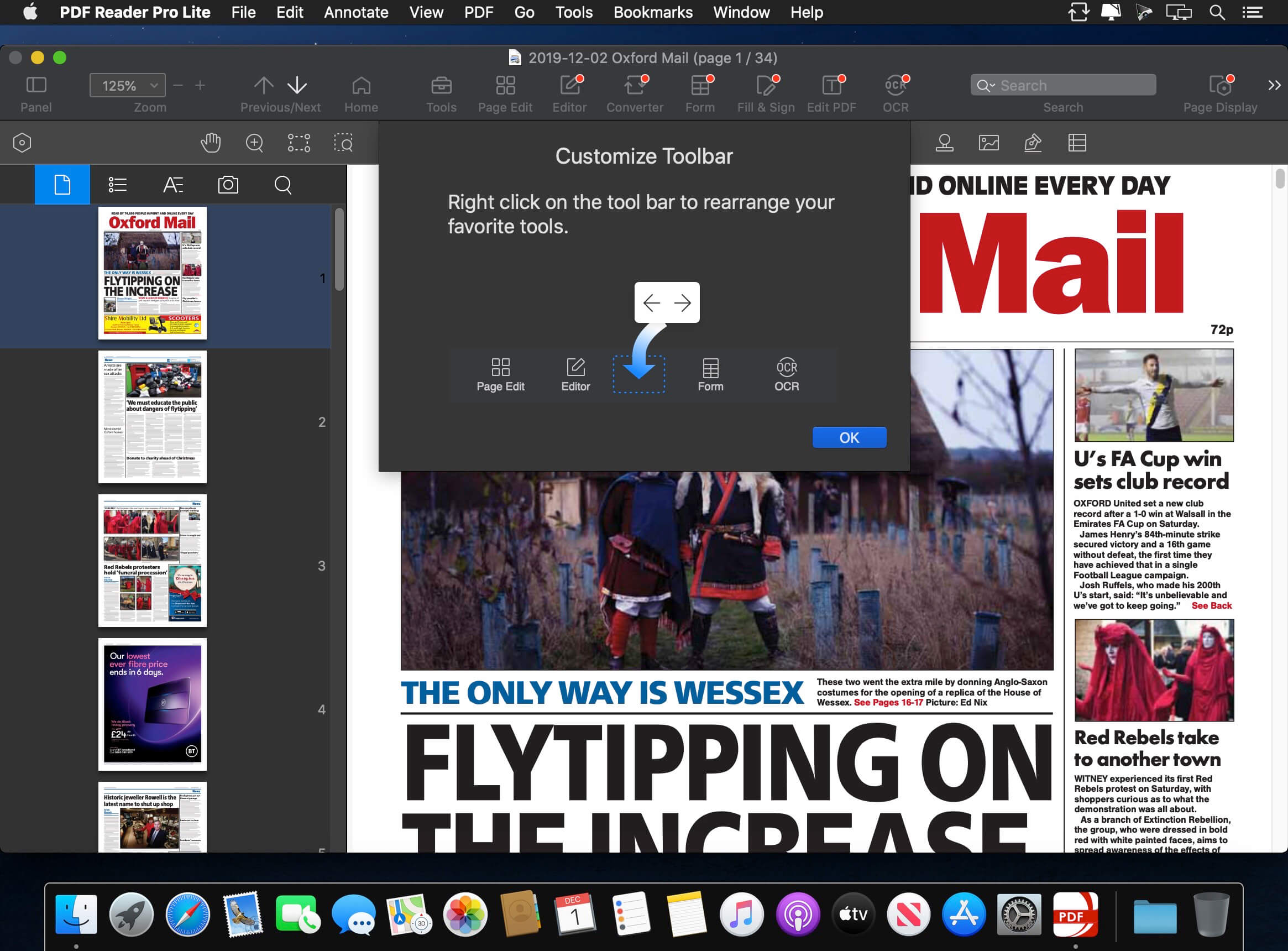
PDF Reader Pro is a PDF editing application that has a wide variety of tools. Building on solid features such as annotation, form filling and bookmarking, OCR, PDF Reader Pro allows you to maneuver through your PDF files. PDF Reader Pro Edition offers even more – combining multiple documents, splitting your PDF into several files, inserting pages from another PDF and PDF files. The app has Text-to-Speech functionality that can read the doc to you in six different languages. You can simply sync your files with Dropbox to make the best use of PDF Reader Pro Edition. The app has a presentation mode that will allow you to showcase your PDF document to others. Now you can enjoy the best PDF to Office Converter! Export from PDF to Microsoft Word (.docx), PowerPoint (.pptx), Excel (.xlsx), RTF, HTML, Text, Image, CSV, and more Offline.

Main features:

  • Annotate PDFs with highlights, underlines, lines, circles, freehand writing, and so much more.
  • Create & Edit & Fill PDF Forms. Create fillable PDF Forms from interactive field objects, such as buttons, check boxes, radio buttons, list boxes, and drop-down lists.
  • Create tables. A table consists of rows and columns of cells. A cell is like a text frame in which you can add text, or other tables. You can use headers or footers to repeat the information at the top or bottom of each divided portion of the table.
  • Sign – Create multiple signatures for any situations with trackpad, keyboard or images
  • Insert stamps, comments and notes.
  • Link – Add hyperlinks to redirect other destinations, and edit your links as you like
  • Export from PDF to Microsoft Word (.docx), PowerPoint (.pptx), Excel (.xlsx), RTF, HTML, Text, Image, CSV, and more Offline
  • PDF to Image. Convert PDFs to JPG, PNG, bmp, gif, tiff, tga and jp2
  • OCR (Optical Character Recognition). Convert scanned PDF & images into editable and searchable PDFs or TXT files. 50+ languages supported!
  • Annotation history – Access important sections of documents instantly.
  • Edit pages with headers, footers, or page numbers
  • Add PDF watermarks to the background of pages
  • Bates number
  • Combine multiple files into one document
  • Insert another file (entire files or specific page ranges) into the existing file
  • Replace PDF pages from another PDF file
  • Merge, Split, Extract, Append, Rotate, delete, replace, and crop pdf pages
  • Directly present your PDFs with annotations
  • Supports radio boxes, check boxes, combo boxes, and list boxes
  • Reading modes: full-screen, page-fit, horizontal or vertical orientation, continuous and page break
  • Bookmark specific pages or sections of PDFs
  • Create, Edit and Search outlines to easily navigate through the whole file
  • Night mode supported
  • Reduce PDF size to make your documents much lighter
  • Create a new PDF by importing your clipboard content
  • Select a passage or document to be read aloud by the TTS engine
  • Set a password and authorization to edit, modify or print PDFs

What’s New:

Version 2.8.0.1:

  • A batch process entry lets you perform multiple PDF conversion, PDF compress, PDF security, watermarks and more operations in bulk
  • Upgrade and integrate PDF converter tools, letting you Export from PDF to Microsoft Word (.docx), PowerPoint (.pptx), Excel (.xlsx), RTF, HTML, Text, Image, CSV, and more Offline. Simplified workflows
  • Optimize Page Edit, quick operations in insert, extract, split and other editing tools and quick selection for page ranges, all add up to a better experience
  • Compatible with macOS Big Sur
  • Other optimizations make stability and compatibility improved

Compatibility: OS X 10.10 or later, 64-bit processor
Homepage https://apps.apple.com/pk/app/pdf-reader-pro-lite-edition/id919472673

Screenshots


Name: PDF_Reader_Pro_2.8.0.1__TNT_Mactorrents.io.dmg
Size: 44.23 MB
Files PDF_Reader_Pro_2.8.0.1__TNT_Mactorrents.io.dmg[44.23 MB]

   Download

Capto 1.2.26

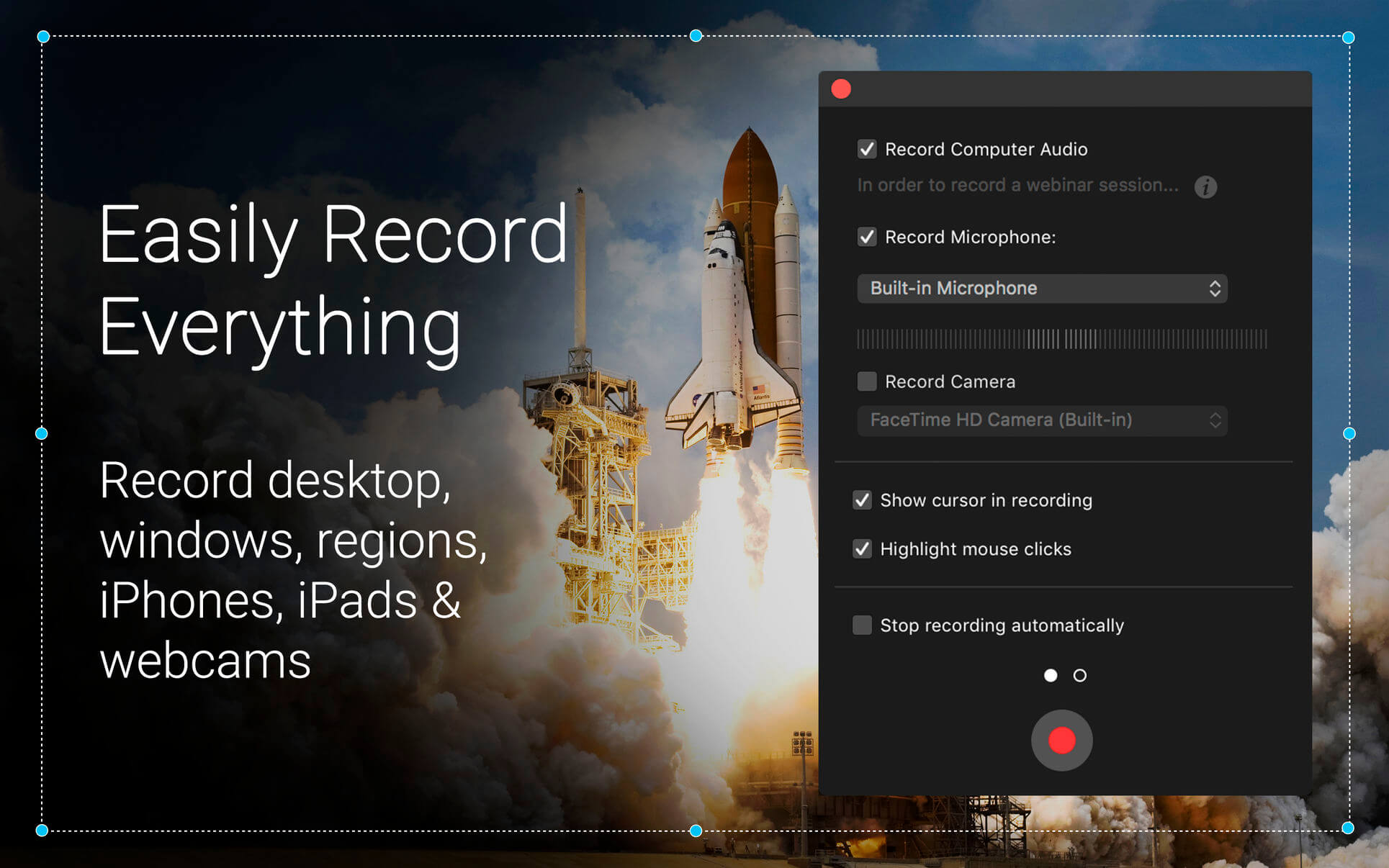
Capto (was Voila) is an easy-to-use app that takes capturing, recording, video and image editing to the next level. With an intelligent file manager and quick sharing options, Capto is perfect for teachers, students, creative professionals and anyone in need of a powerful screen capture tool.

Features

  • Screen Recorder – Capture your screen in all its high-definition glory along with clear audio! By doing so at a smooth 60 FPS, you get sharp and clear recordings that look great on any device.
  • Video Editor – Make your screen recordings look professional. Capto’s powerful video editing suite gives you all the tools necessary to perfect your screen recordings, post-capture.
  • Screen and Web Capture – Capto’s options allow for effortless capturing of screenshots in different ways. Capture fullscreen or just select parts as required. You can also save a whole webpage in one click!
  • Image Editor – Expand and build upon captured screenshots with Capto’s image editing features. Annotate, correct, or adjust the properties of the image and make them informative and easy to comprehend.
  • iOS Screen Recording – Video record your iPhone or iPad’s screen by connecting it to a Mac running Capto. Capture, add a voiceover and edit them to instantly create tutorials.
  • File Management – Capto has the best file management structure for quick searches. Your screen captures and recordings are placed in easy-to-spot folders by default. You can also add custom rules to place captures in folders of your choice.
  • Easy Sharing – Upload or share screenshots and screen recordings to Facebook, Tumblr, Dropbox, Evernote, YouTube and more without leaving the app. If you have your own FTP/SFTP setup, upload them in a click!

What’s New:

Version 1.2.25.

  • Fixed minor UI issues
  • Record iOS device screen while the screen recording continues in parallel.

Language: English, French, German, Italian, Spanish
Compatibility: OS X 10.10 or later, 64-bit processor
Homepage https://geo.itunes.apple.com/app/id1078184147

Screenshots


Name: Capto_1.2.26_MAS__TNT_Mactorrents.io.dmg
Size: 53.74 MB
Files Capto_1.2.26_MAS__TNT_Mactorrents.io.dmg[53.74 MB]

   Download

Disk Map 2.6

Disk Map makes it easy to visualize the files and folders that are cluttering up your storage drives. It enables you to quickly locate, delete or compress large files and folders on your hard drive and reclaim valuable space.

The app quickly scans your drives to build a stunning treemap visual display of files and folders on your computer, allowing you to easily navigate through your file system and find out what is taking up the most space.

Key Features:

  • A gorgeous retina-optimised UI design
  • Support for scanning both internal and external hard drives (including selected folders within these drives)
  • Zoom in/out of folders
  • Open files/folders in Finder
  • Quick Look support
  • Five beautiful and pleasing treemap colour schemes to choose from
  • Ignore specified file formats and folders
  • Specify a minimum file size to scan for
  • Compress files at the click of a button
  • Delete items to Trash Can or permanently according to your requirements
  • Hide/Show system and hidden files via the app’s preferences
  • Hit the Reload button to refresh folders without the need to perform a new scan

What’s New:

Version 2.6

  • Bug fixes

Compatibility: OS X 10.7 or later, 64-bit processor
Mac App Store https://itunes.apple.com/app/id715464874

Screenshots


Name: Disk_Map_2.6__HCiSO_Mactorrents.io.dmg
Size: 7.1 MB
Files Disk_Map_2.6__HCiSO_Mactorrents.io.dmg[7.1 MB]

   Download

Acon Digital Acoustica Premium Edition 7.3.9

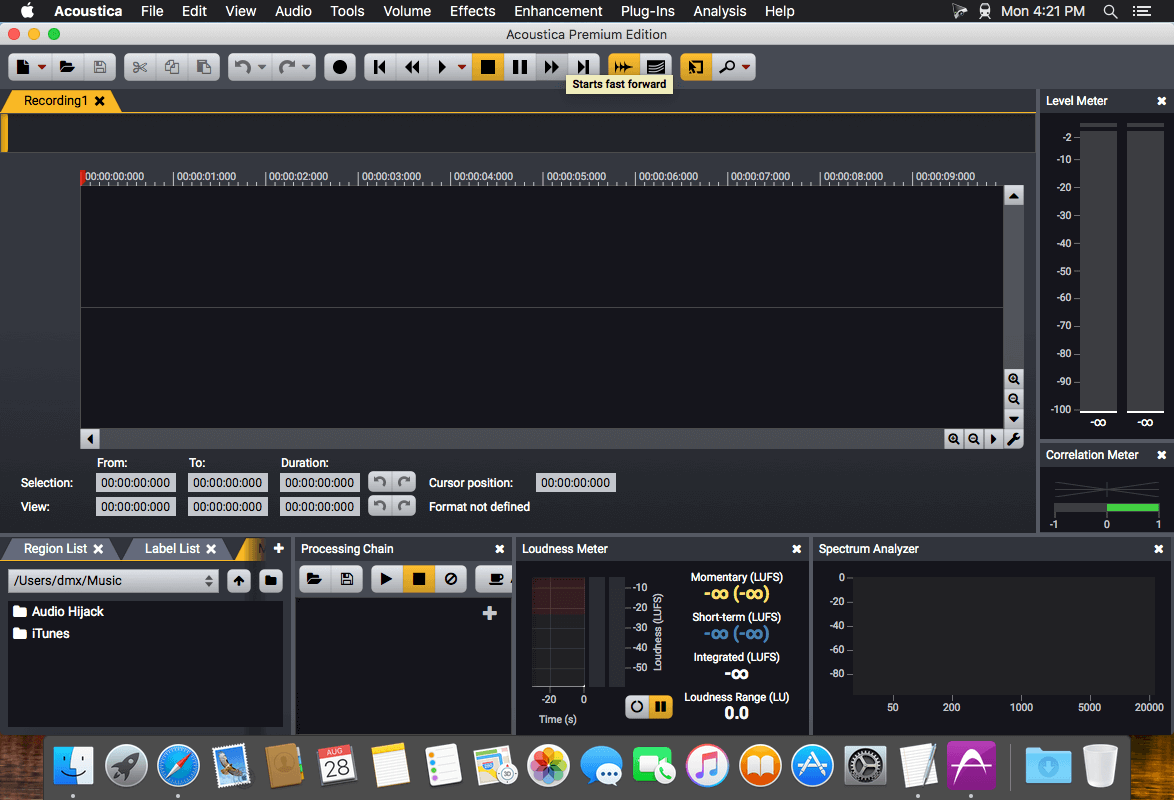
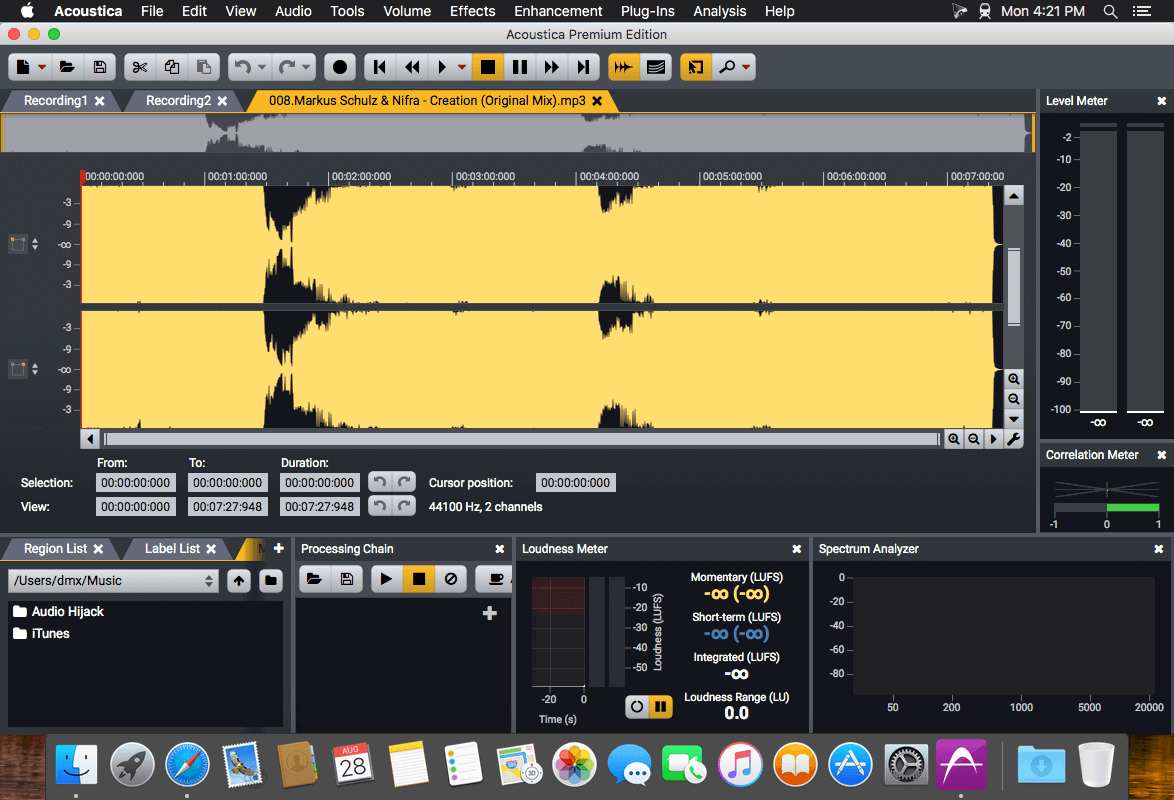
Acoustica is a comprehensive solution for professional audio recording, editing, mixing and mastering. The intuitive user interface was designed with speed, accuracy and ease-of-use in mind and gives access to a large set of powerful tools to make your recordings sound the best. The consistent workflow simplifies your production work all the way from recording, editing, batch processing, sound design and audio restoration to Red Book compatible CD burning.

Ultimate Audio Quality
Acoustica offers support for state-of-the-art audio resolutions up to 32 bit and sampling rates up to 384 kHz, ensuring that all of your work comes across at the highest quality. Acoustica Premium Edition even supports multichannel audio recording and editing such as 5.1 and 7.1 surround sound.

Audio Restoration
Integrated audio restoration tools help you get the most out of recordings impaired by background noise, clicks, crackle, clipping or missing high frequency content. The Premium Edition contains the same set of professional tools as our Restoration Suite.

Multitrack Editing
New in Acoustica 6 is the ability to edit multitrack audio. Both the Standard and the Premium Edition allows you to mix audio from different tracks in real-time, add audio effects to tracks or easily create cross-fades. You can even loop or time stretch clips directly from the multitrack timeline.

Processing Tools
High quality audio tools and effects are integrated such as dynamic processing, limiter, equalizing, reverb, convolution reverb, chorus and flanger. You can also modify tempo and key of your recordings independently using the superb quality time stretching and transpose tools.

Effect Chains and Plug-In Support
You can create complete chains of processing tools, including external plug-ins, and save them along with all the parameter settings for later use. VST and DirectX plug-in support allows you to access a vast number of both free and commercial third party audio processing plug-ins directly from Acoustica.

Analysis Tools
Powerful offline analysis tools are available, including spectrum, spectrogram and wavelet analysis. Real-time analyzers such as K-System level meters, phase correlation meters and spectrum analyzers allow you to monitor your audio output visually in real time during playback.

What’s New:

New in Version 7.3:

  • Most Important New Features at a Glance
  • Native support for Apple Silicon processors such as Apple M1
  • Acoustica Premium Edition adds four new plug-ins for dialogue post production based on deep learning:
    • Extract:Dialogue
    • DeWind:Dialogue
    • DeRustle:Dialogue
    • DeBuzz:Dialogue
  • Improved selection tools in the spectral editor: Geometries can now be moved and resized
  • Improved Remix tool with adjustable sensitivity for each stem and a separate download is no longer required
  • Improved audio quality of the Time Stretch and Transpose tools
  • Several improvements in the multitrack editor, including clip fades, region selection with optional looping and snapping
  • Files can now be dragged from the Media File Browser and dropped in the clip editor, multitrack sessions or CD projects

Compatibility: macOS 10.10 or later
Homepage https://acondigital.com/products/acoustica-audio-editor/

Screenshots


Name: Acon_Digital_Acoustica_Premium_Edition_7.3.9__HCiSO_Mactorrents.io.dmg
Size: 798.25 MB
Files Acon_Digital_Acoustica_Premium_Edition_7.3.9__HCiSO_Mactorrents.io.dmg[798.25 MB]

   Download

Painnt – Art & Cartoon Filters 1.41

Painnt is the ultimate photo editor. Turn your photos into art masterpieces, or awesome cartoon photos. If you like digital art, you’ll love Painnt! Choose from our selection of 20000+ filters, ranging from classical art (with Van Gogh or Picasso styles) that you’ll want to frame and hang, to cartoon sketches that belong right in a comic book.

Painnt edits your pics using AI deep dream for generating realistic painting results and awesome cartoons, all in a single photo editor.

CUSTOM STYLES
Don’t wait for us to add new filters to the app (which we regularly do). Create a custom filter out of any image, painting or photograph you like. You can share them with other community members, too!

Compatibility: macOS 10.14 or later
Homepage http://moonlighting.io

Name: Painnt_1.41_MAS_In-App__TNT_Mactorrents.io.dmg
Size: 177 MB
Files Painnt_1.41_MAS_In-App__TNT_Mactorrents.io.dmg[177 MB]

   Download

SuperPhoto – Photo Filters 2.22

Tons of amazing effects for your photos! Unique, outstanding effects you’ll love. You’ll have endless fun and turn your photos into amazing art pieces with just one click! There are 1300+ unlocked effects which you can use.

Features:

* Use your gallery, camera & Facebook photos.
* Categories: Filters, 3D, Combos, Bokeh, Frames, Textures, Patterns, and Brushes.
* Favorites bookmark
* 100+ cool unlocked effects

Compatibility: macOS 10.14 or later
Homepage http://moonlighting.io

Name: SuperPhoto_2.22_MAS_In-App__TNT_Mactorrents.io.dmg
Size: 146 MB
Files SuperPhoto_2.22_MAS_In-App__TNT_Mactorrents.io.dmg[146 MB]

   Download

iCalamus 2.23

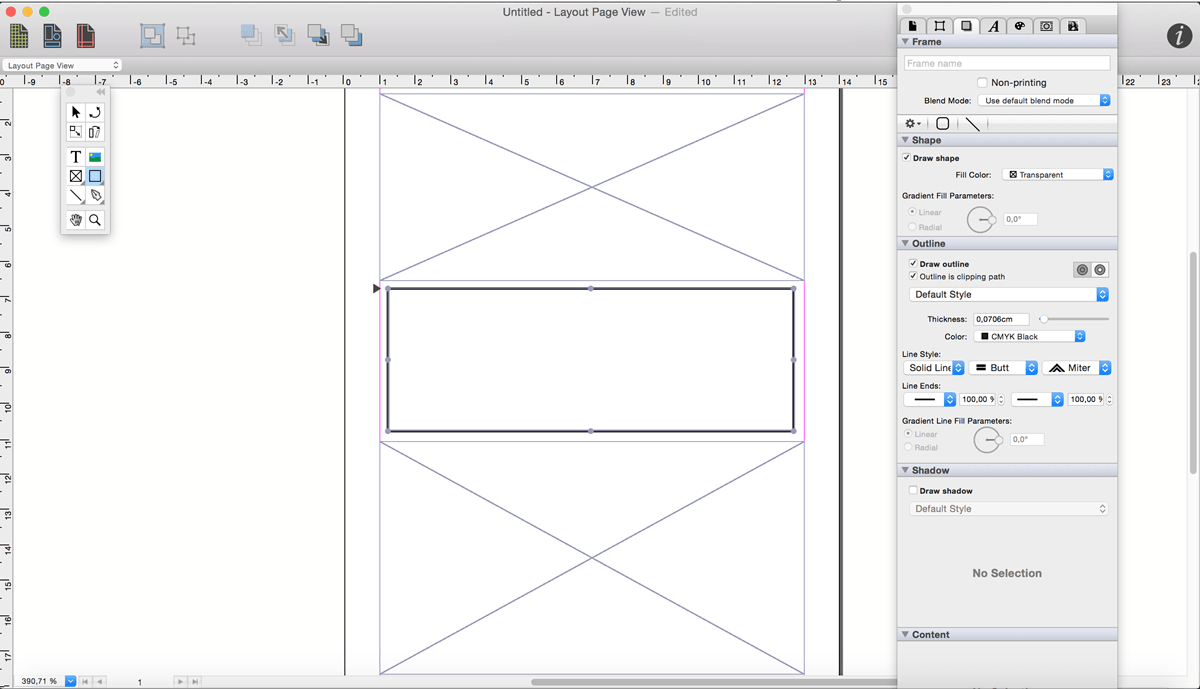
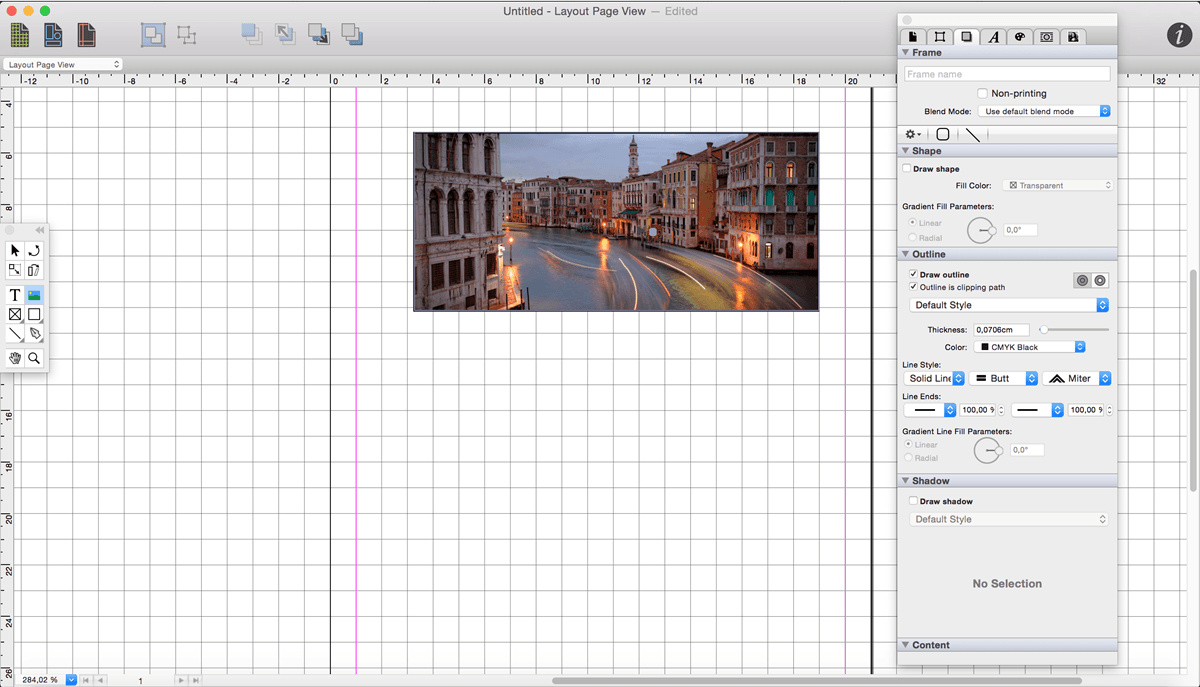
iCalamus is a desktop publishing solution that allows you to create documents with text, photos, and other visual elements. Some demonstration videos are available.

The unregistered version of iCalamus already offers a cool feature: You can create professional photo books and calendars like in the full version and order high-quality prints at the Photographerbook company. The Photographerbook document service in iCalamus even supports iPhoto calendars (and iPhoto books coming soon) which can be printed at Photographerbook at a lower price.

iCalamus has been developed completely new for Apple’s operating system. iCalamus is an excellent choice for all layout purposes from simple posters and business letters over complex layouted magazines up to books and scientific works. Complete Unicode support and the smart PDF import offer easy access to creating and layout work. The reasoned user interface with its low learning curve guarantees for fast success. iCalamus doesn’t limit your layout freedom by offering prepared layouts. Its practical tools offer all options for your own creative and productive layout work.

iCalamus is a modular program which will grow in future by external modules, even from third-party developers. Therefore invers Software will create an Open Development Area (ODA) and publish the plug-in interface. iCalamus has been developed in Objective C with intensive usage of Apple’s Cocoa library.

You can import all image and text formats which are supported by Mac OS X into iCalamus documents. Images from digital cameras scanners or iPhoto libraries can be imported as well as whole Web page content and PDF documents. Grab text content from large PDF documents easily for further text processing. Elaborated masking options and many predefined, partly dynamically changeable frame shapes offer freedom for creativity. Working in precise measurement units is the other side of the iCalamus world. Use virtual copies for multiple document elements and change them afterwards with a few mouse clicks.

Print output uses all printers which are supported by OS X. Optionally output documents in various PDF formats (e.g., PDF-X, encrypted PDF, PDF Fax).

What’s New:

Version 2.20:
Updated features:

  • Add preference: set enable/disable frame upon object creation
  • Dark mode improvements
  • Font menu preferences
  • Adjusted thickness slider

Bug fixes:

  • Improved exception handling
  • Fixed crash during import of some old iCalamus 1 file

Language: English, Czech, Danish, Dutch, French, German, Italian, Latvian, Polish, Spanish, Swedish
Compatibility: OS X 10.11 or later, 64-bit processor
Homepage https://www.lemkesoft.de/en/products/icalamus/

Screenshots


Name: iCalamus_2.23__HCiSO_Mactorrents.io.dmg
Size: 99.02 MB
Files iCalamus_2.23__HCiSO_Mactorrents.io.dmg[99.02 MB]

   Download

CopyClip 2.9.98.7

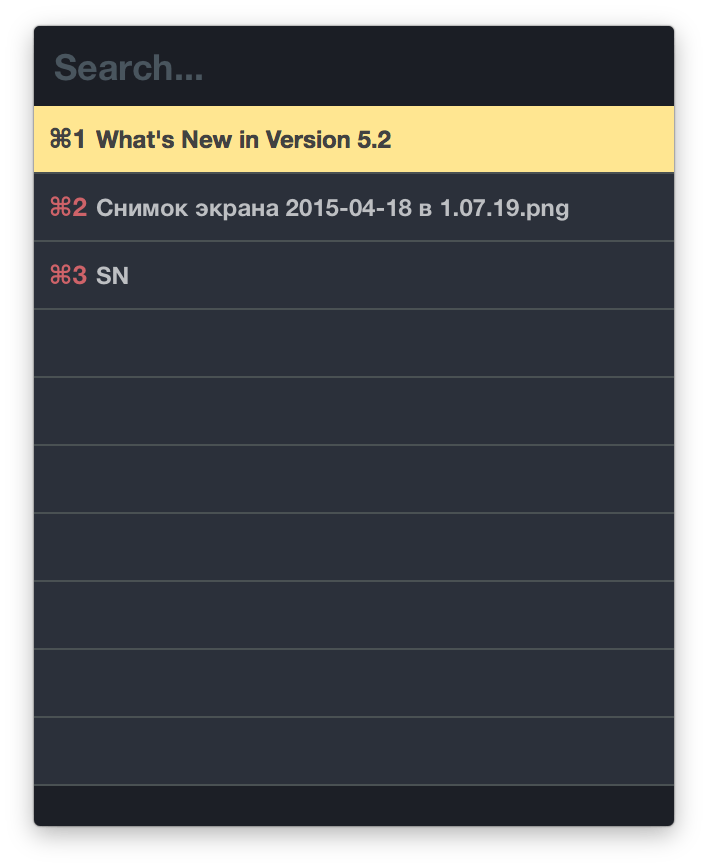
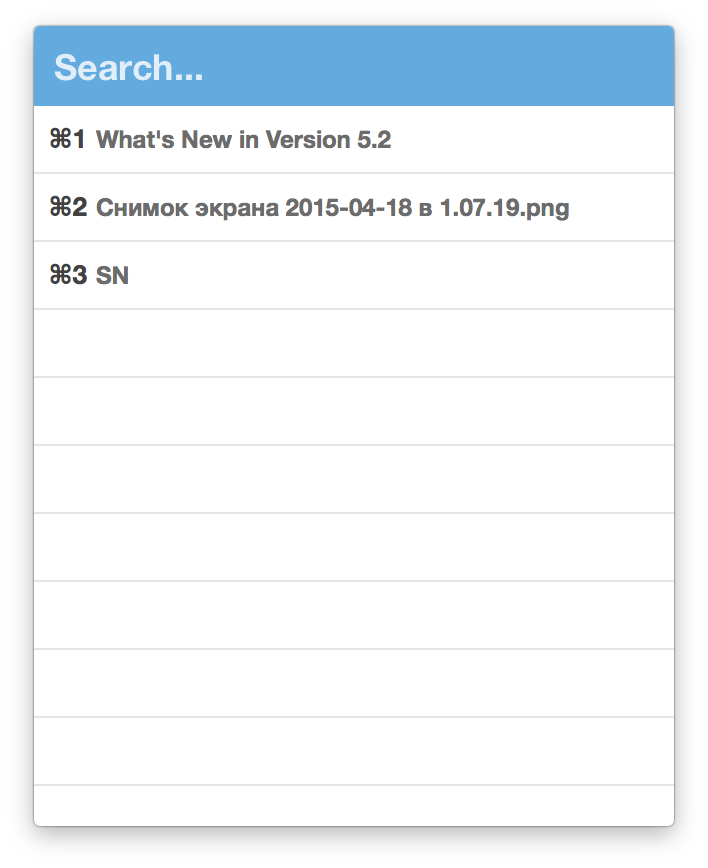
CopyClip 2 is the slickest and most efficient premium clipboard manager for your Mac. Running discreetly from your menu bar, the app stores all that you have copied or cut in the past, allowing you to quickly find that snippet of text you’ve been looking for.

Key Features

  • Ability to store up to 230 clippings
  • Option to paste clippings with the original formatting if desired
  • Ability to search through clippings using the embedded search bar
  • Keyboard shortcuts to paste clippings
  • Right-click option to ‘pin’ chosen clippings to the top of the list
  • You can exclude apps you wish not to copy clippings from
  • Option to edit and delete individual clippings, as well as delete all clippings at once
  • Toggle between Dark/Light user interface themes
  • Works on both the menu bar and the Dock

What’s New:

Version 2.9.98.7:

  • Bug fixes

Compatibility: OS X 10.8 or later, 64-bit processor
Homepage https://fiplab.com/

Screenshots


Name: CopyClip_2_2.9.98.7__TNT_Mactorrents.io.dmg
Size: 9.31 MB
Files CopyClip_2_2.9.98.7__TNT_Mactorrents.io.dmg[9.31 MB]

   Download

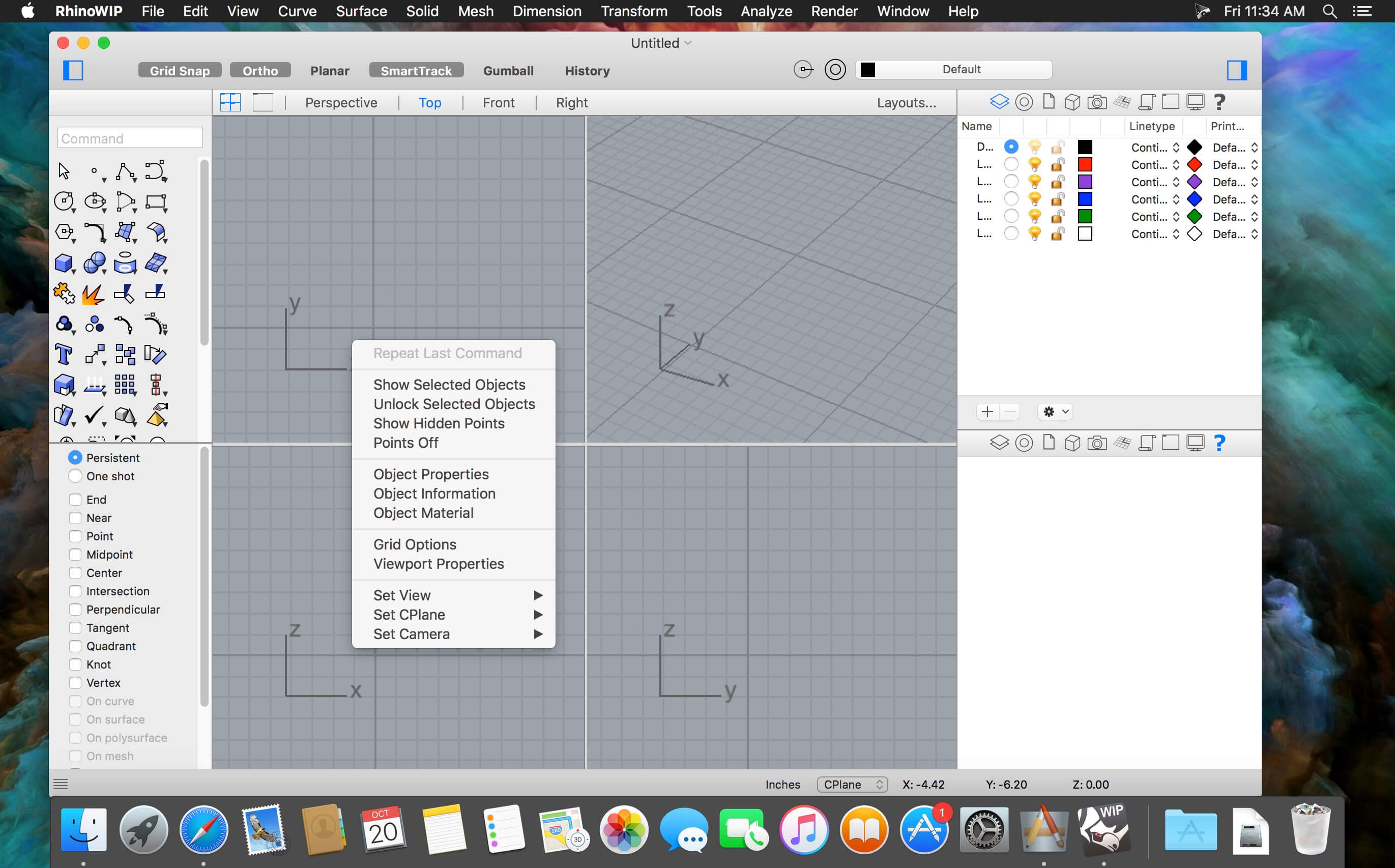
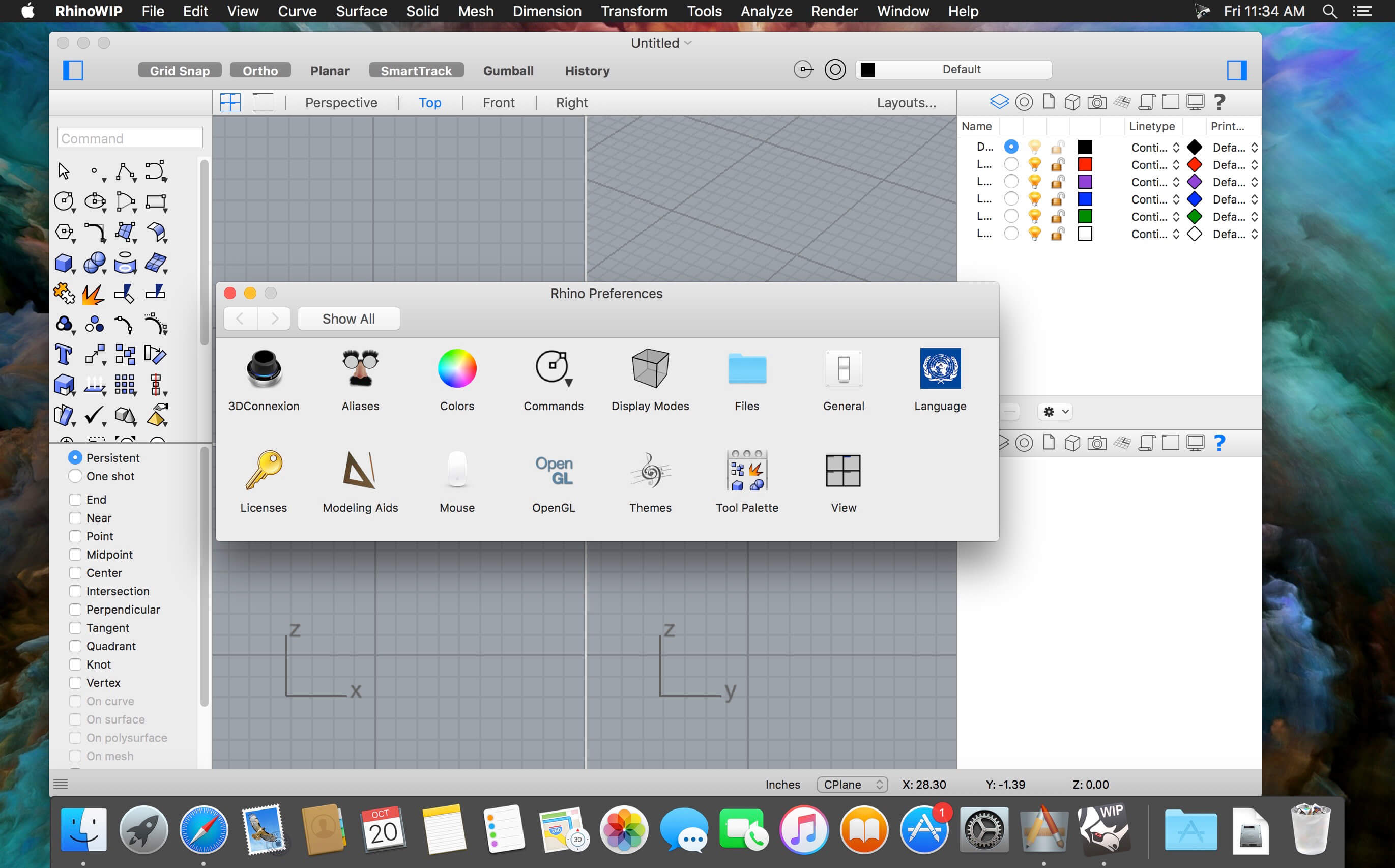
Rhino 7 v7.7.21160.05002

Rhino – Versatile 3D modeler. Rhinoceros can create, edit, analyze, document, render, animate, and translate NURBS* curves, surfaces, and solids, point clouds, and polygon meshes. There are no limits on complexity, degree, or size beyond those of your hardware.

Special features include:

  • Uninhibited free-form 3-D modeling tools like those found only in products costing 20 to 50 times more. Model any shape you can imagine.
  • Accuracy needed to design, prototype, engineer, analyze, and manufacture anything from an airplane to jewelry.
  • Compatibility with all your other design, drafting, CAM, engineering, analysis, rendering, animation, and illustration software.
  • Read and repair meshes and extremely challenging IGES files.
  • Accessible. So easy to learn and use that you can focus on design and visualization without being distracted by the software.
  • Fast, even on an ordinary laptop computer. No special hardware is needed.
  • Affordable. Ordinary hardware. Short learning curve. Affordable purchase price. No maintenance fees.

Compatibility: macOS 10.14 or later 64-bit
Homepage https://www.rhino3d.com

Screenshots


Name: Rhino_7_7.7.21160.05002__TNT_Mactorrents.io.dmg
Size: 426.3 MB
Files Rhino_7_7.7.21160.05002__TNT_Mactorrents.io.dmg[426.3 MB]

   Download

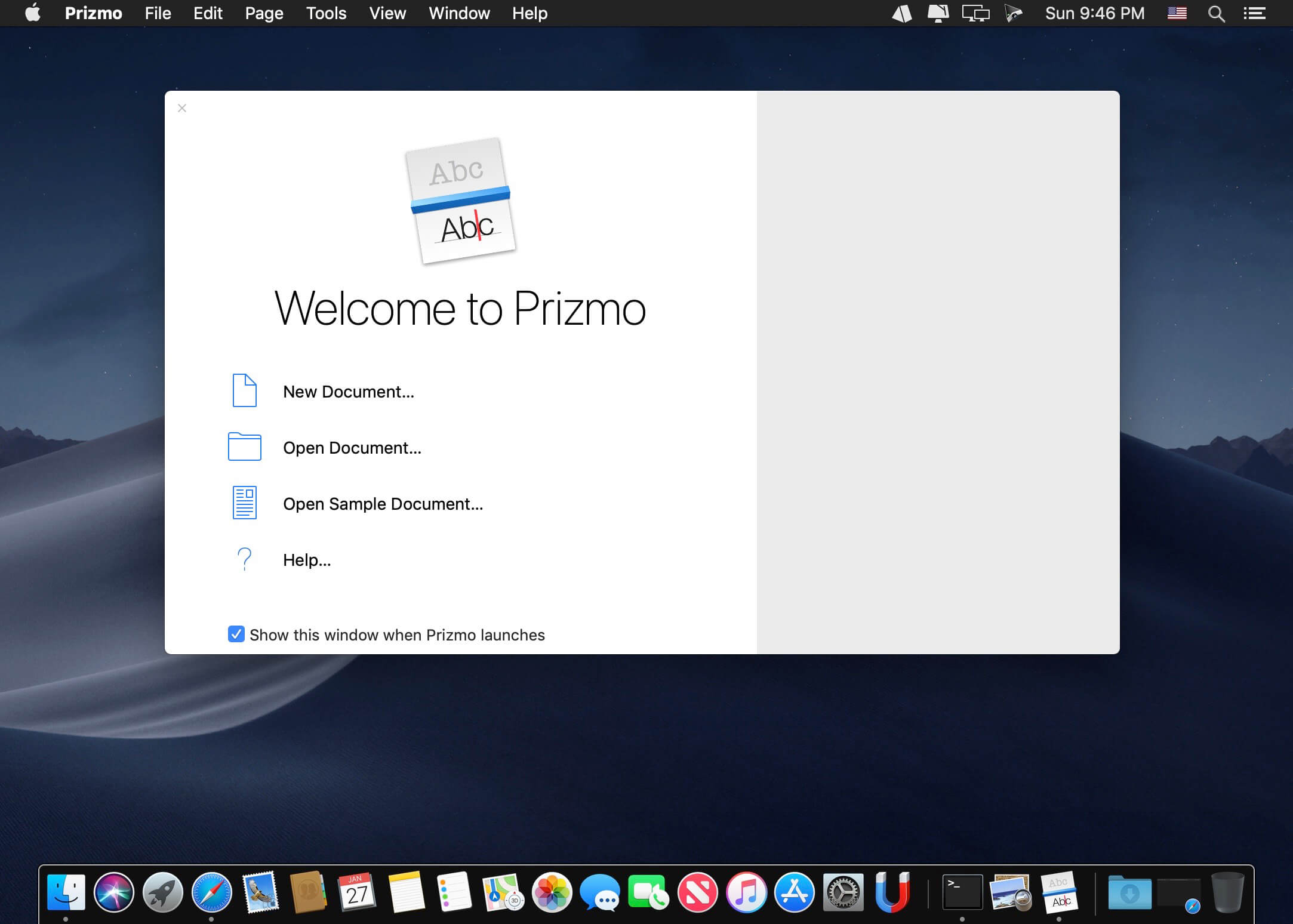
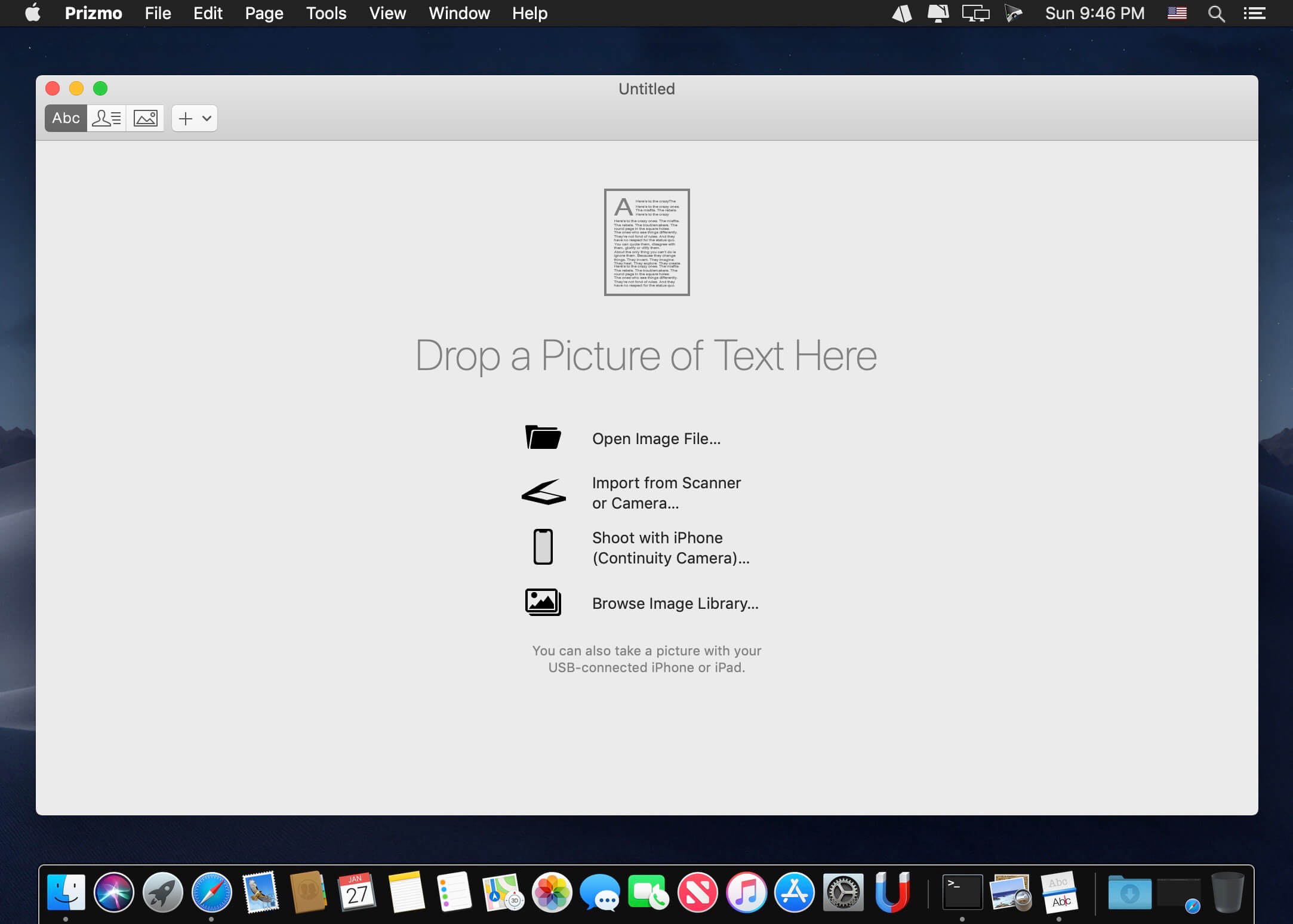
Prizmo Pro 4.2

Prizmo 4 is a scanning application with optical character recognition (OCR) in over 40 languages with powerful editing capability, text-to-speech, and iCloud support.

No matter what capture device is at hand, Prizmo is the key for scanning and performing OCR. It works with pictures taken with your iPhone, iPad, or digital camera; with documents coming from connected or Wi-Fi scanners; even with screenshots! It will help you easily scan any documents (invoices, receipts, boards, giant advertisements…) of any sizes (US Letter, US Legal, A4, and custom)…

What’s New:

Version 4.2:

  • Prizmo 4.2 is an important update that brings support for Apple OCR, features new image enhancements and rich export options. Apple OCR provides superior accuracy & performance. Improved image enhancements: orientation detection, page detection, edge repair, document flattening. Advanced PDF options: customizable JPEG quality, CCITT G4, JBIG2 to generate small files. And many other features.
  • Prizmo 4.2 requires macOS 10.13+.
  • Prizmo 4.2 brings support for Apple OCR (macOS 10.15 required). Apple OCR provides superior accuracy & performance. macOS 10.15 supports English and macOS 11 totals 8 languages (English, Simplified & Traditional Chinese, French, German, Italian, Portuguese, Spanish). Other languages (28 in total) are still processed with the alternative high-performance on-device OCR with machine learning.
  • Added the ability to disable the OCR for specific pages.
  • Fine-grained OCR text polarity detection that allows to automatically detect text contents with different contrasts in a same page.
  • Improved image pre-processing for more accurate OCR results.
  • Prizmo 4.2 brings an improved regions reordering workflow that allows to automatically guess the regions order based on the layout or to partially reorder some regions.
  • The text editor doesn’t display anymore image regions but text-only regions for better clarity.
  • Improved handling of defaults settings applied to new pages (Go to “Preferences > Advanced”). These settings apply to new documents. Existing documents replicate other page settings when adding new pages. There are also new available settings like Page Detection, Repair Edges, and Flatten Curved Contents.
  • New State-of-the-art page detection.
  • New CoreML-based document orientation detection.
  • Added an option to automatically repair page edges and flatten curved contents.
  • New efficient compression formats (CCITT G4, JBIG2) for pages with black & white cleanup to generate small size PDFs.
  • OCR is now performed automatically when needed when exporting to a text based format.
  • Export user interface has been improved with a more granular progress and better default filenames.
  • Prizmo document now uses the same model as on iOS so everything is preserved when editing the same document on both platforms.
  • You can now edit text pages and business card pages in the same document.

Compatibility: OS X 10.10 or later 64-bit
Homepage https://creaceed.com

Screenshots


Name: Prizmo_Pro_4.2__TNT_Mactorrents.io.dmg
Size: 36.37 MB
Files Prizmo_Pro_4.2__TNT_Mactorrents.io.dmg[36.37 MB]

   Download

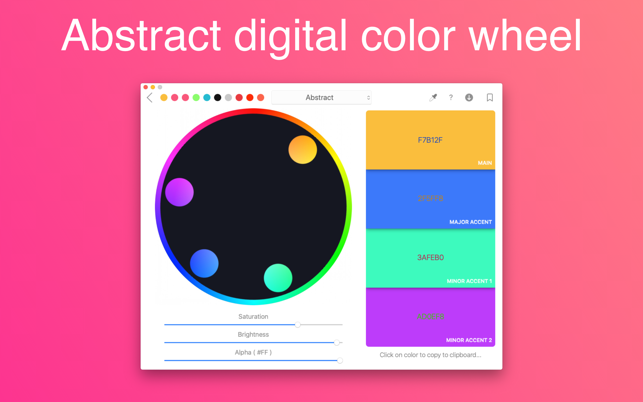
Color Wheel 6.1

Digital, abstract, classic – all types of color wheels in one app!

A set of tools for painters and designers includes:

  • Digital Color Wheel – our unique graphic design tool.
  • Classic Color Wheel – a classic, versatile version of the color wheel.
  • Abstract Color Wheel – a specialized color choice for abstract painting (a simplified version of the abstract color scheme from our “Digital Color Wheel” tool).
  • Color Combinations – many professional color palettes for digital design and abstract art.
  • Color Swatches – tool for choosing colors by seasons and mood.

What’s New:

Version 6.1
Thank you for using our app! In this update:

  • Localization has been fixed.

Compatibility: macOS 10.12 or later, 64-bit processor
Homepage https://apps.apple.com/app/color-wheel/id1453592782

Screenshots


Name: Color_Wheel_6.1_MAS__HCiSO_Mactorrents.io.dmg
Size: 2.54 MB
Files Color_Wheel_6.1_MAS__HCiSO_Mactorrents.io.dmg[2.54 MB]

   Download

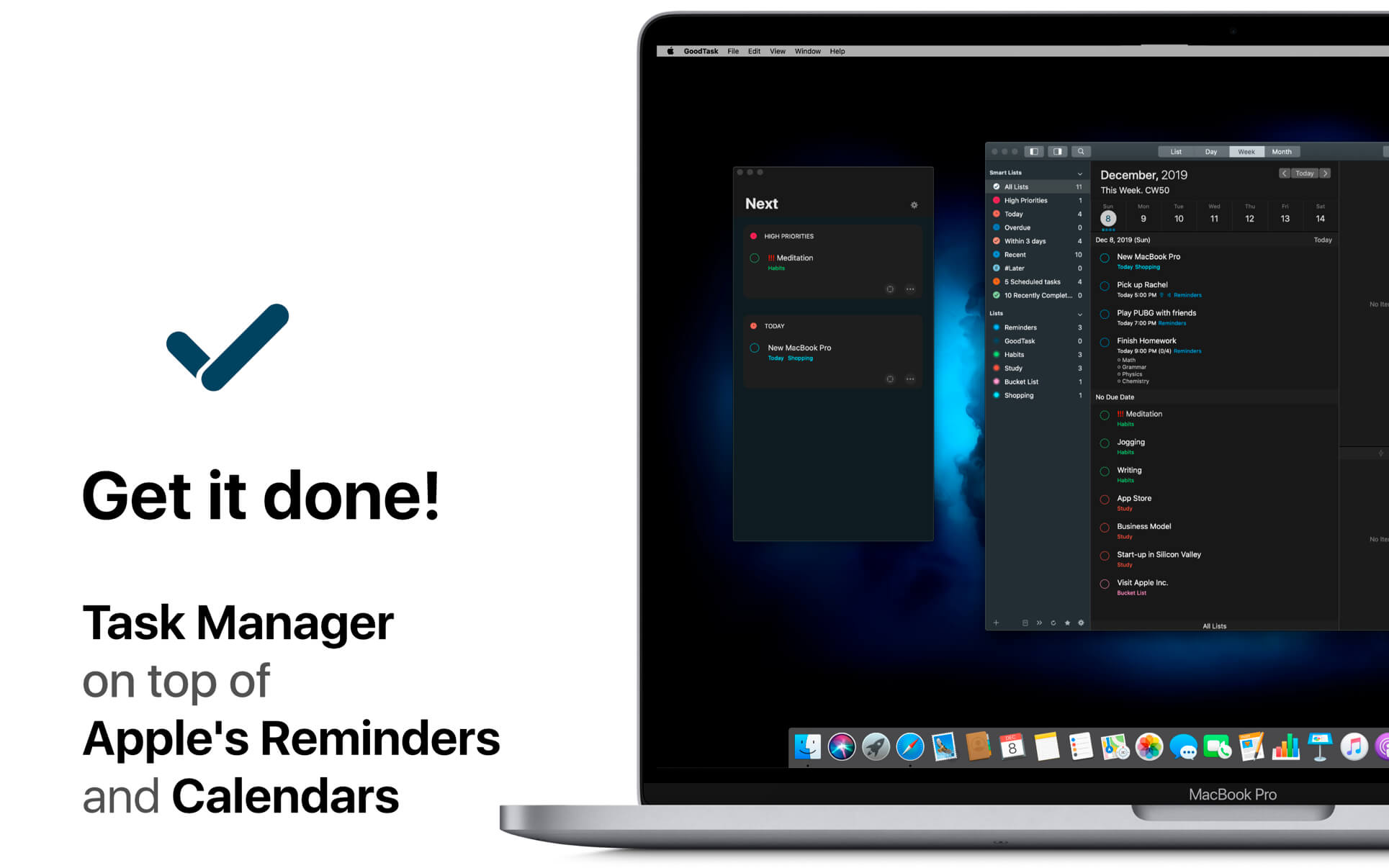
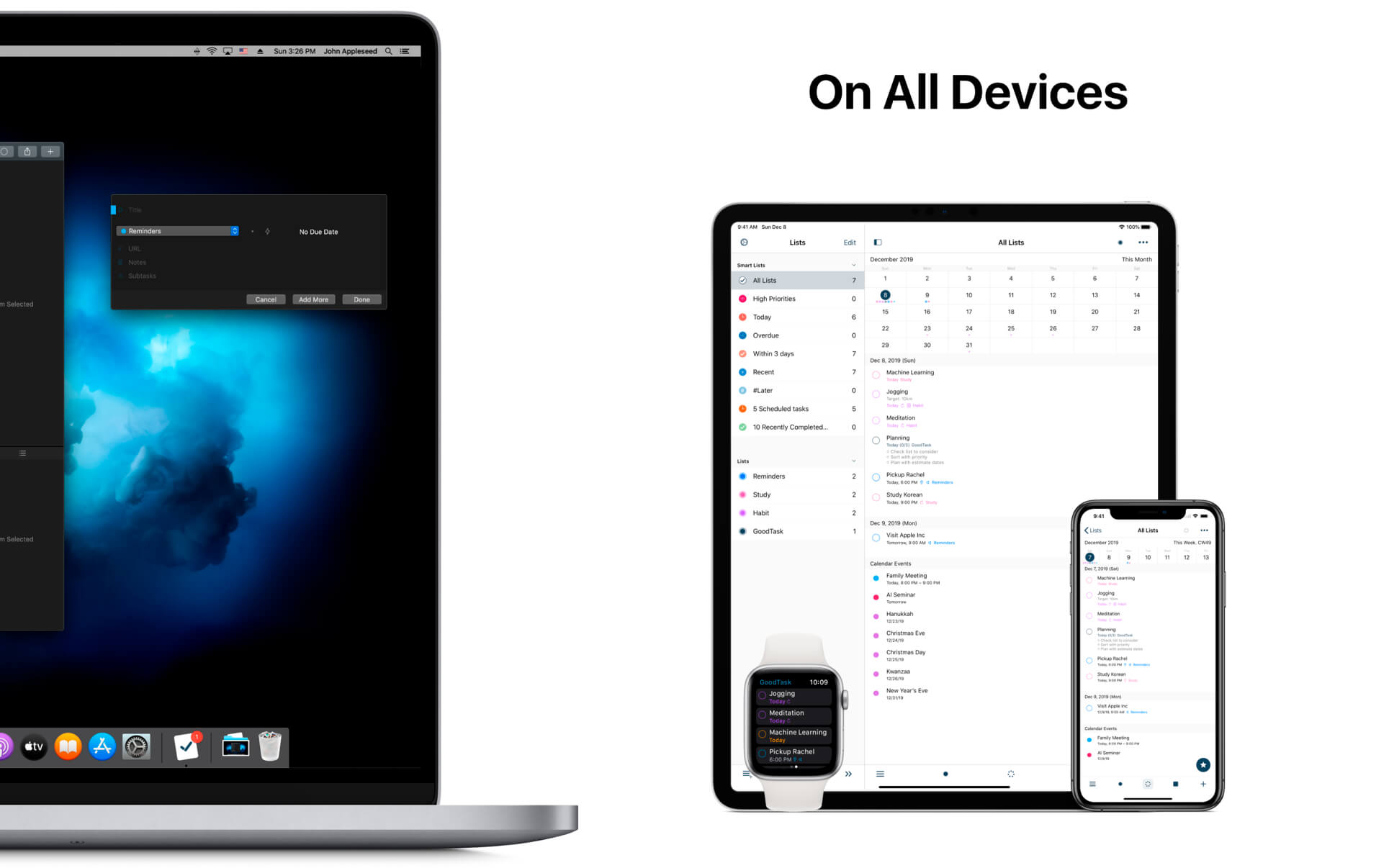
GoodTask 6.6.1

GoodTask is a Powerful Task/Project Manager based on Apple’s Reminders & Calendars. You can use it as simple checklist to focus or as complex project management tool to get big things done.

GoodTask provides various viewpoints to the things that you care and need to be done. Manage your tasks, projects and even your life better with GoodTask.

General

  • Syncs with default stock Reminders & Calendars (iCloud/Exchange/etc)
  • Supports fully customizable recurring tasks
  • Manage Reminders Lists and Calendars easily
  • List, Day, Week, Month view on each lists
  • Add Quickly and Smartly with Quick Actions and Text Snippets

Smart Lists

  • List with selective Reminders Lists and Calendars
  • Filter by including or excluding text/tags
  • Filter by Priorities
  • Overdue tasks, Location-based tasks, Recent tasks, etc.

Quick Actions

  • Quickly edit tasks on the fly
  • Bulk actions to edit/check/delete multiple tasks at once
  • Duplicate, Change due dates, add/switch tags/lists, etc.

Other Key Features

  • App Icon Badge & Notifications
  • Dark Theme
  • Today Widget support
  • Time Zone support
  • Subtasks, Automatic Repeat after Completion & Manual sort (GoodTask 3 only)

What’s New:

Version 6.6.0

  • This update includes better overall performance and stability improvements. Sync and widget refresh will work better between devices.
  • You can undo recent actions made on tasks with CMD-Z. Copy and paste tasks with CMD-C and CMD-V will also work. Selected subtasks can also be copied to be pasted as text outside the app.
  • Buttons at the bottom of Lists can be set to be hidden inside ‘Preferences – Appearance – Lists: Bottom Bar’

Compatibility: OS X 10.11 or later, 64-bit processor
Homepage https://apps.apple.com/us/app/goodtask-3/id1143437985

Screenshots


Name: GoodTask_6.6.1_MAS__TNT_Mactorrents.io.dmg
Size: 38.26 MB
Files GoodTask_6.6.1_MAS__TNT_Mactorrents.io.dmg[38.26 MB]

   Download

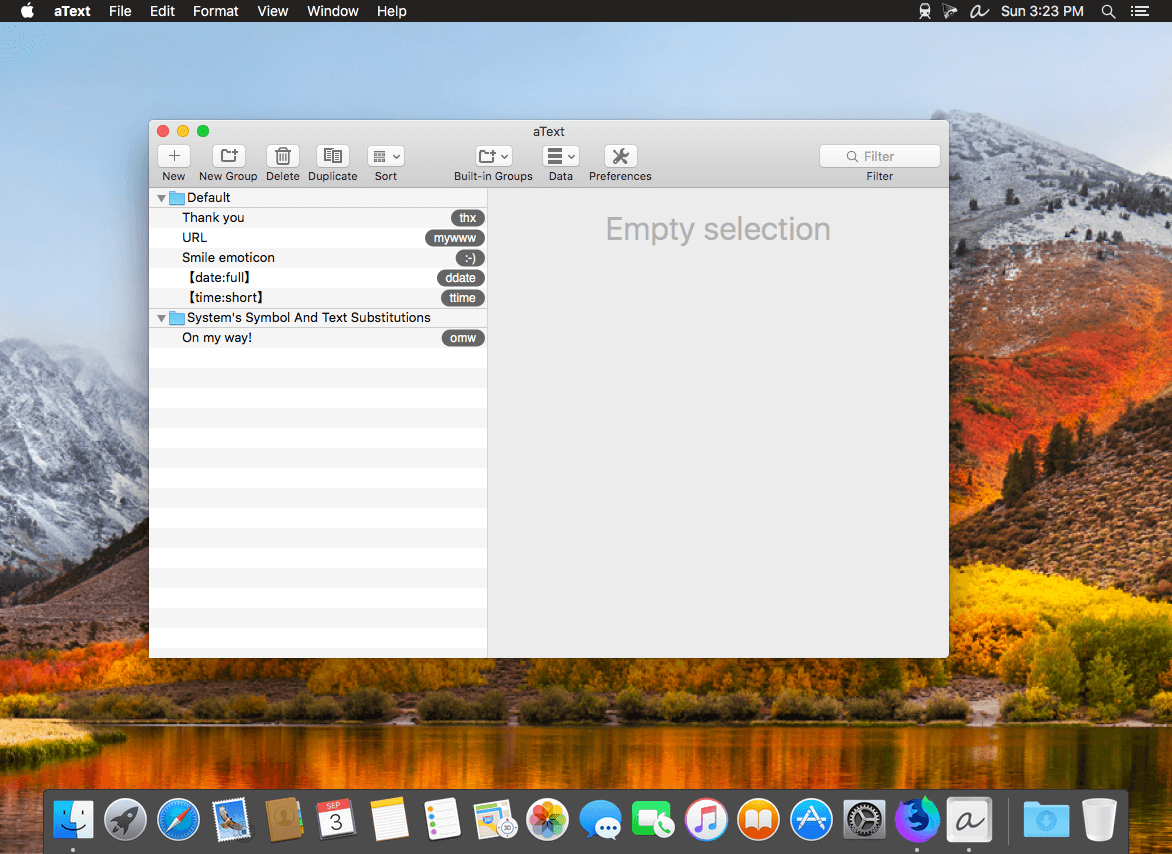
aText 2.38.2

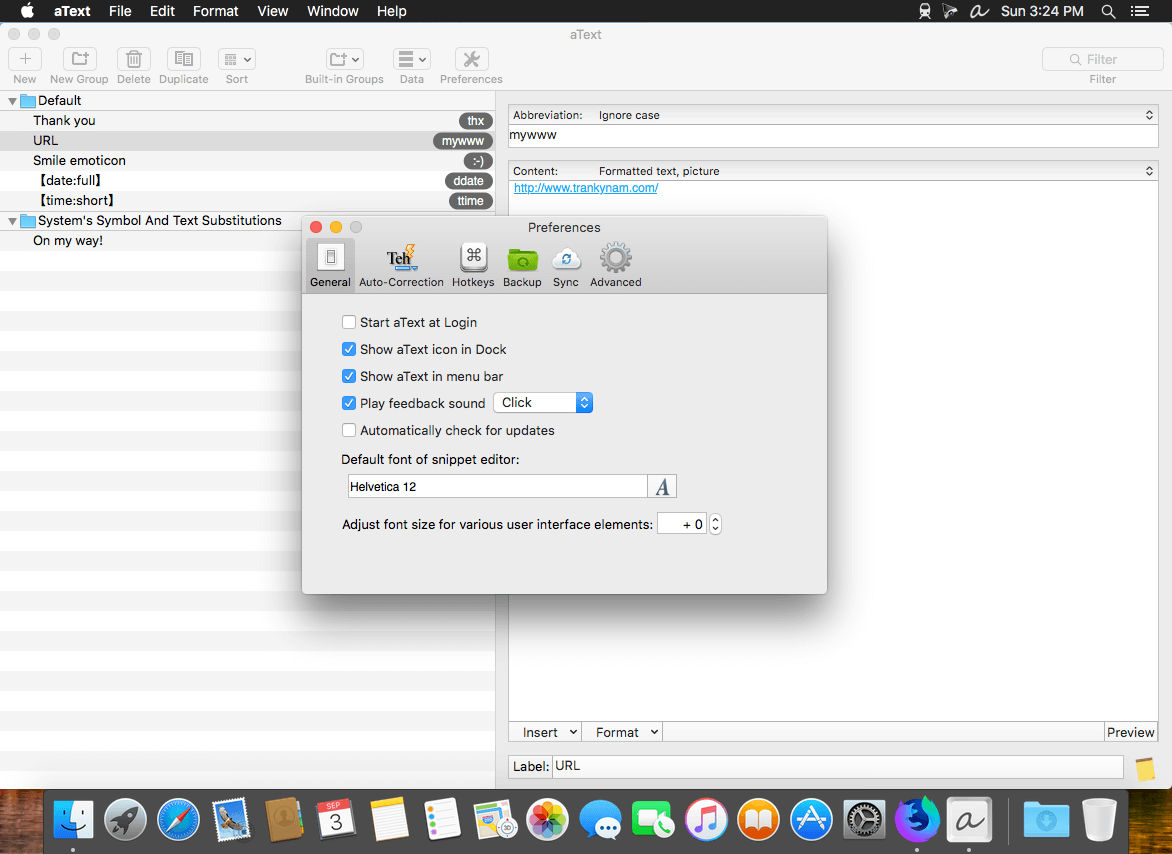
aText accelerates your typing by replacing abbreviations with frequently used phrases you define: for example, make an abbreviation “myname” to insert your name “First Middle Last” in any application.

With aText you can easily avoid typing the same thing over and over.

More Features

  • Insert images and formatted text.
  • Capitalize new sentences. Correct double capitals.
  • Insert the current date and time in any format. Insert day in the future or the past, for example: next Sunday, previous Monday.
  • Embed clipboard content in snippet, embed another snippet, use editable fields in snippet, send any key (such as Esc, Tab, Enter, arrow keys, etc).
  • Reposition the cursor in the expanded snippet.
  • Invoke AppleScripts and shell scripts.
  • Built-in snippet groups for correcting misspelled words, HTML, and jаvascript code.
  • Import data from TextExpander, TypeIt4Me, SpellCatcherX, Automaton, CSV file.
  • Works in Windows virtual machine by Parallels, VMWare Fusion (in Unity mode), VirtualBox. Works in Windows via TeamViewer and Remote Desktop Connection clients.
  • Sync via iCloud/Dropbox/Google Drive/SkyDrive.

What’s New:

Version 2.38.1:

  • Fixed crash in version 2.38 when typing unicode letter.
  • More refactoring.

Compatibility: OS X 10.9 or later 64-bit
Homepage https://www.trankynam.com/atext/

Screenshots


Name: aText_2.38.2__HCiSO_Mactorrents.io.dmg
Size: 7.56 MB
Files aText_2.38.2__HCiSO_Mactorrents.io.dmg[7.56 MB]

   Download

Cardhop 2.0.3

Until now, managing and interacting with your contacts has been a real frustration. Cardhop’s magical parsing engine is incredibly intuitive, letting you search, add, edit, and interact with your contacts using a simple sentence!

FEATURES

  • A beautiful and simple menu bar app, designed exclusively for macOS
  • Instantly works with your existing macOS contacts, nothing to configure
  • Groups: quickly toggle contact groups with a click
  • Notes: a convenient and powerful way to add notes to your contacts, helping you to strengthen your relationships
  • Recents: quickly interact with your recent contacts
  • Birthdays: instantly see upcoming birthdays and easily send a wish on their special day
  • iPhone and Bluetooth dialing
  • macOS Action Extension
  • Dark and light themes
  • And much, much more!

POWERFUL ACTIONS

  • Quickly interact with your contacts with the following actions: Call, Copy, Directions, Email, FaceTime, FaceTime Audio, Large Type, Message, Skype, Telegram, Twitter, URL, and VoIP
  • Simply enter an action or abbreviation (which you’ll find in the Help Book by entering “?” or “help”) followed by your contact’s name and Cardhop will handle the rest
  • Even better, some actions are flexible. For example, you can add a subject to an email by entering “email Kent Lunch tomorrow?” and the email including the subject will instantly appear, ready to go!
  • Customizable quick actions are also available per contact, allowing for single-click actions

What’s New:

Version 2.0.2:

  • Birthday widget: Keep track of upcoming birthdays in Notification Center!
  • Relationships for children who have shared parents are now drawn more accurately
  • Do not require the Quick Look preview to be closed before selecting another image attachment
  • Fixed a crash when searching for related names in some situations
  • Fixed a crash when reordering a Google directory
  • Various fixes and improvements

Compatibility: OS X 10.11 or later, 64-bit processor
Homepage https://flexibits.com/cardhop

Screenshots


Name: Cardhop_2.0.3__TNT_Mactorrents.io.dmg
Size: 27.09 MB
Files Cardhop_2.0.3__TNT_Mactorrents.io.dmg[27.09 MB]

   Download

Space Drop 1.8.2

Easy drag & drop file management

The Missing Link in Drag and Drop
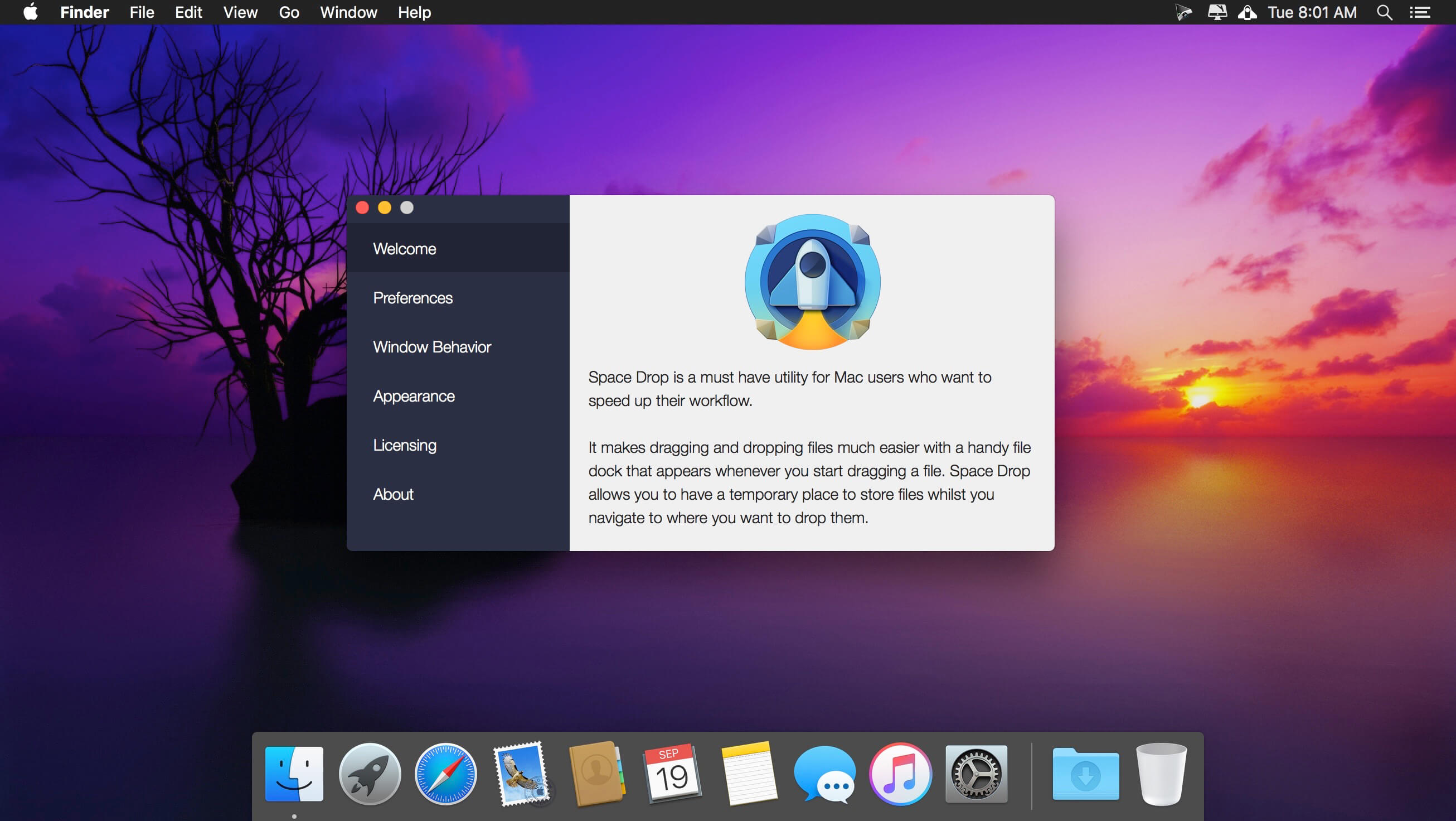
Space Drop makes dragging and dropping files much easier with a handy dock that instantly appears whenever you start dragging a file. It creates a temporary place for you to store your files whilst you navigate to where they need to be dropped.

Free up your Mouse
The handy dock allows you to free up your mouse between drag and drop operations. Easily collate your files from multiple locations before dropping them in one go to where you want them to be.

Supercharge your Workflow
Space Drop saves you a ton of time by making it easy to move files from various sources into a new location. Additionally, the app now allows you to automatically add screenshots to its dock, for easy sharing.

Customize your Experience
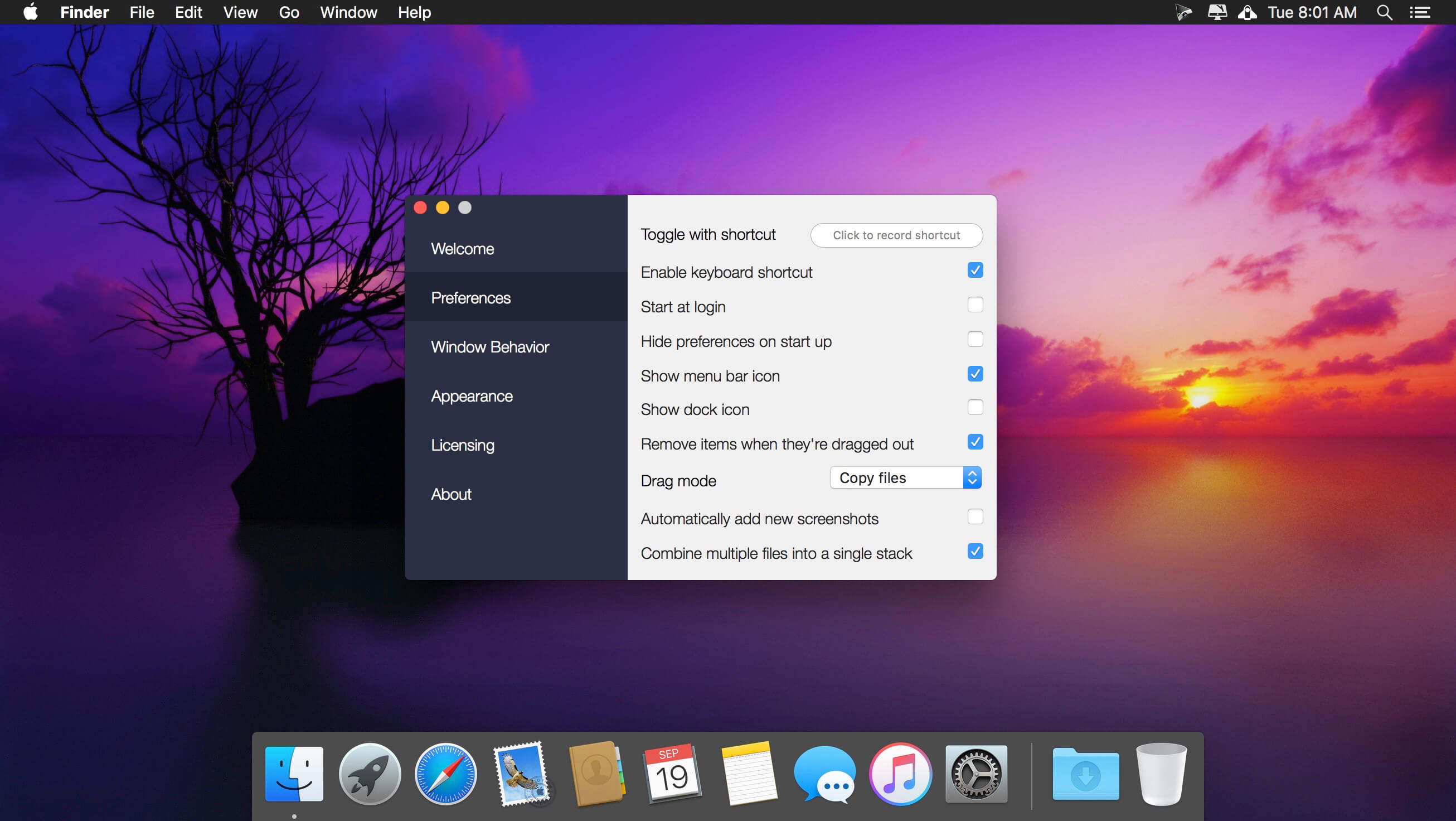
The beautiful Space Drop dock is totally customizable. Configure its position on your screen, color and opacity. There is so much you can customize, download the app and try for yourself.

What’s New:

Version 1.8.2:

  • Release notes were unavailable when this listing was updated.

Compatibility: OS X 10.10 or later 64-bit
Homepage https://fiplab.com

Screenshots


Name: Space_Drop_1.8.2__HCiSO_Mactorrents.io.dmg
Size: 12.36 MB
Files Space_Drop_1.8.2__HCiSO_Mactorrents.io.dmg[12.36 MB]

   Download

Cardhop 2.0.2

Until now, managing and interacting with your contacts has been a real frustration. Cardhop’s magical parsing engine is incredibly intuitive, letting you search, add, edit, and interact with your contacts using a simple sentence!

FEATURES

  • A beautiful and simple menu bar app, designed exclusively for macOS
  • Instantly works with your existing macOS contacts, nothing to configure
  • Groups: quickly toggle contact groups with a click
  • Notes: a convenient and powerful way to add notes to your contacts, helping you to strengthen your relationships
  • Recents: quickly interact with your recent contacts
  • Birthdays: instantly see upcoming birthdays and easily send a wish on their special day
  • iPhone and Bluetooth dialing
  • macOS Action Extension
  • Dark and light themes
  • And much, much more!

POWERFUL ACTIONS

  • Quickly interact with your contacts with the following actions: Call, Copy, Directions, Email, FaceTime, FaceTime Audio, Large Type, Message, Skype, Telegram, Twitter, URL, and VoIP
  • Simply enter an action or abbreviation (which you’ll find in the Help Book by entering “?” or “help”) followed by your contact’s name and Cardhop will handle the rest
  • Even better, some actions are flexible. For example, you can add a subject to an email by entering “email Kent Lunch tomorrow?” and the email including the subject will instantly appear, ready to go!
  • Customizable quick actions are also available per contact, allowing for single-click actions

Compatibility: OS X 10.11 or later, 64-bit processor
Homepage https://flexibits.com/cardhop

Screenshots


Name: Cardhop_2.0.2__HCiSO_Mactorrents.io.dmg
Size: 26 MB
Files Cardhop_2.0.2__HCiSO_Mactorrents.io.dmg[26 MB]

   Download

AirMail 5.0.5

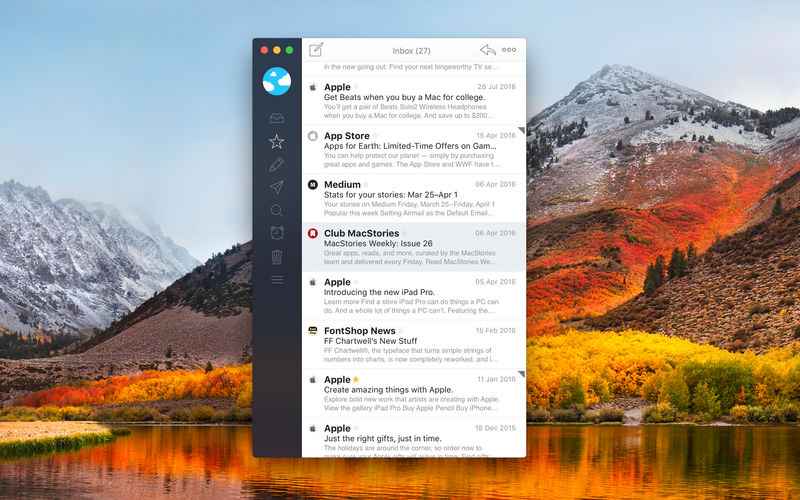
Airmail 4 is a new mail client designed with performance and intuitive interaction in mind optimized for macOS High Sierra! Support for iCloud™, MS Exchange, Gmail™, Google™ Apps, IMAP, POP3, Yahoo!™, AOL™, Outlook.com™, Live.com™

Airmail was designed from the ground UP to retain the same experience with a single or multiple accounts and provide a quick, modern and easy-to-use user experience. Airmail is clean and allows you to get to your emails without interruption – it’s the mail client for the 21st century.

We have taken usability and function to the next level with Airmail and bring a striking-design with support for all major email services. Switch between accounts like a breeze and quick reply to incoming messages within seconds – email has never been so easy and productive.

  • iCloud Account sync
  • iCloud attachment upload and share the link.
  • Handoff support, Composing Draft and folder selection are mirrored on different devices
  • Today Extension, quick access to your inbox.
  • Action Extension, Airmail Compose, Inline create and send messages directly form other apps
  • Action Extension, Airmail Share to quick send messages and attachments.

Accounting:

  • Unified Inbox
  • Alias with custom SMTP
  • Exchange, iCloud™, Gmail™, IMAP, POP3, Google™ Apps, Yahoo!™, AOL™, Outlook.com™, Live.com™
  • Local Accounts
  • Import from Apple Mail, MBOX archive, EML, EMLX, Airmail 1.x

Interactions:

  • Quick Reply
  • Undo History
  • Offline operations
  • Move messages on Different mailboxes
  • Interaction sounds
  • Multi Touch gestures
  • Exchange Meeting Invite

Shortcuts:

  • Gmail Shortcuts
  • Custom global shortcuts
  • Quick Label, Move, Label and Archive
  • Quick folder selection

Attachment:

  • Drag and drop
  • Quick Look preview
  • Google Drive, Dropbox, CloudApp, Box, Onedrive, Droplr, FTP
  • Inline image attachments
  • Winmail.dat preview
  • VCalendar

Conversations:

  • Group by id
  • Group by subject
  • Chronological Reverse
  • Muted CC’d conversation

Visual:

  • Multiple visual themes
  • Minimal and extended Mode
  • Plain Text Rendering

Notifications:

  • Per account notifications
  • Notification center support
  • Notification alerts with custom actions

Address:

  • Gmail, Exchange and OS X contacts
  • Contacts Group
  • Filter by address
  • Open Directory search

Composer:

  • Google App Directory
  • Exchange Global Address List
  • LDAP directory
  • Markdown, Html(Html Source for templates), and text only.
  • Custom settings per single account
  • Bullet and numbered list.

Sending:

  • Auto CC, BCC.
  • Pending operations
  • Send Delay
  • Redirect
  • Send again
  • Bounce

Advanced:

  • Split Screen Support
  • Time Machine friendly
  • Deckles mode
  • EML Import/Export
  • Disable GPU to save battery life
  • Applescript
  • Activity monitor
  • Data Detectors

Signatures:

  • Multiple Account Signatures
  • Markdown, Rich text, Html Source, and text only.
  • Signature above or below the quote

Search & Filtering:

  • Global search for multiple accounts
  • Realtime powerful filters
  • Sort messages, Date, Attachments, Conversations ….
  • Show messages of the same user
  • Flags and filters

Folders, Labels:

  • Nested folders
  • Create, Delete and edit folders
  • Custom colors synced by iCloud
  • Custom folder mappings
  • ToDo, Done, Memo

Send to:

  • Omnifocus
  • Fantastical
  • Evernote
  • Apple Reminder
  • Calendar
  • BusyCal
  • Things
  • 2To
  • Wunderlist
  • Todoist

Privacy:

  • Per user Autoload Remote Images,
  • Disable icon detection

What’s New:

Version 5.0.5

  • Bugfix

Version 5.0

  • New Design
  • New Custom Inbox
  • New Action Custom Inbox
  • New Action Redirect
  • New Action Send Again
  • New Emoji selector
  • Bugfix

Compatibility: macOS 10.12 or later 64-bit
Homepage https://apps.apple.com/pk/app/airmail-3/id918858936

Screenshots


Related Posts:

Name: Airmail_5.0.5_MAS_In-App__TNT_Mactorrents.io.dmg
Size: 57.33 MB
Files Airmail_5.0.5_MAS_In-App__TNT_Mactorrents.io.dmg[57.33 MB]

   Download

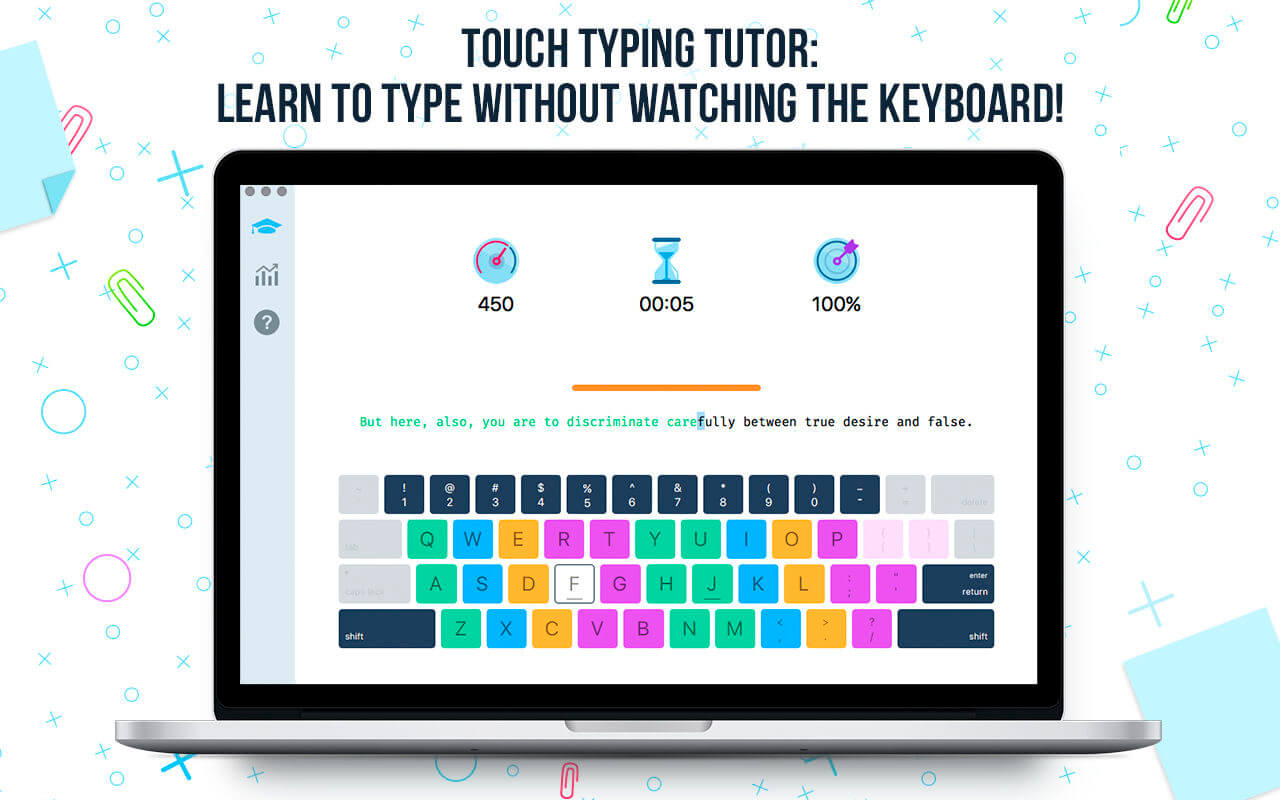
Master of Typing 3 – Practice 3.12.1

Master of Typing 3 is an effective TOUCH typing course for mastering fast typing technique using all your 10 FINGERS simultaneously.

INCREASE YOUR TYPING SPEED

  • Variety of exercises: letters & special characters, words & phrases.
  1. Click Settings (bottom left corner).
  2. Please, make sure that Auto Difficulty is OFF.
  3. Select a difficulty level, and then a lesson.
  4. Select a lesson section using left / right arrow keys.

Auto Difficulty settings:

  1. Click Settings (bottom left corner).
  2. Select auto-difficulty to move to the next lesson automatically if you do an exercise successfully.
  3. Deselect auto-difficulty and select a lesson if you want to exercise letters of this lesson only.

CHECK NEW SKILLS

  • Multiple levels of exams.
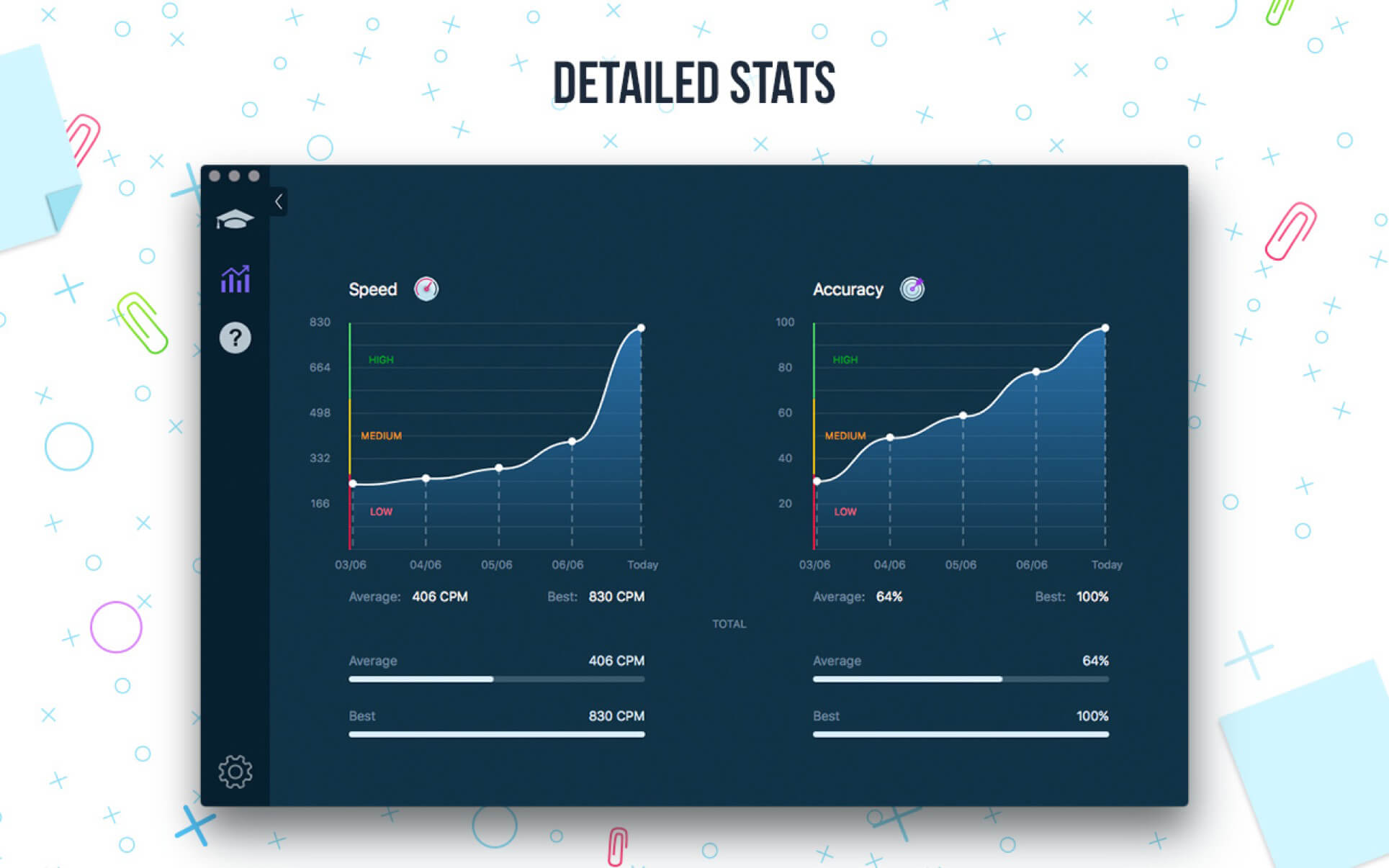
  • Accurate statistics results:
  • Best & average speed,
  • Best & average accuracy.
  • Tips system

ENJOY BENEFITS:

  • AI-powered dictation mode

Dictate the text and then type it OR select the suggested text and type it at dictation

  • Smart timer – stops when you click outside the app window.

So, you can come back to the exercise and continue doing it at any time.

  • 3 themes: Light, Dark and East – choose the most universally convenient theme that fits your needs.
  • Swipe and hotkeys for quickly switching between windows.
  • Colored keyboard’s scheme to memorize finger positions.
  • Ideal for self-study at any time.

TYPE IN DIFFERENT LANGUAGES:

  • English (QWERTY),
  • Russian (ЙЦУКЕН),
  • Spanish
  • French (AZERTY),
  • German (QWERTZ),
  • Italian.

What’s New:

Version 3.12.1

  • We’ve fixed minor bugs that might cause some inconveniences to users. This version is the right version for you.

Compatibility: OS X 10.10 or later 64 bit
Homepage https://geo.itunes.apple.com/app/id1225121166

Screenshots


Name: Master_of_Typing_3_15.12.1_MAS_In-App__TNT_Mactorrents.io.dmg
Size: 126.27 MB
Files Master_of_Typing_3_15.12.1_MAS_In-App__TNT_Mactorrents.io.dmg[126.27 MB]

   Download

A Better Finder Attributes 7 v7.12

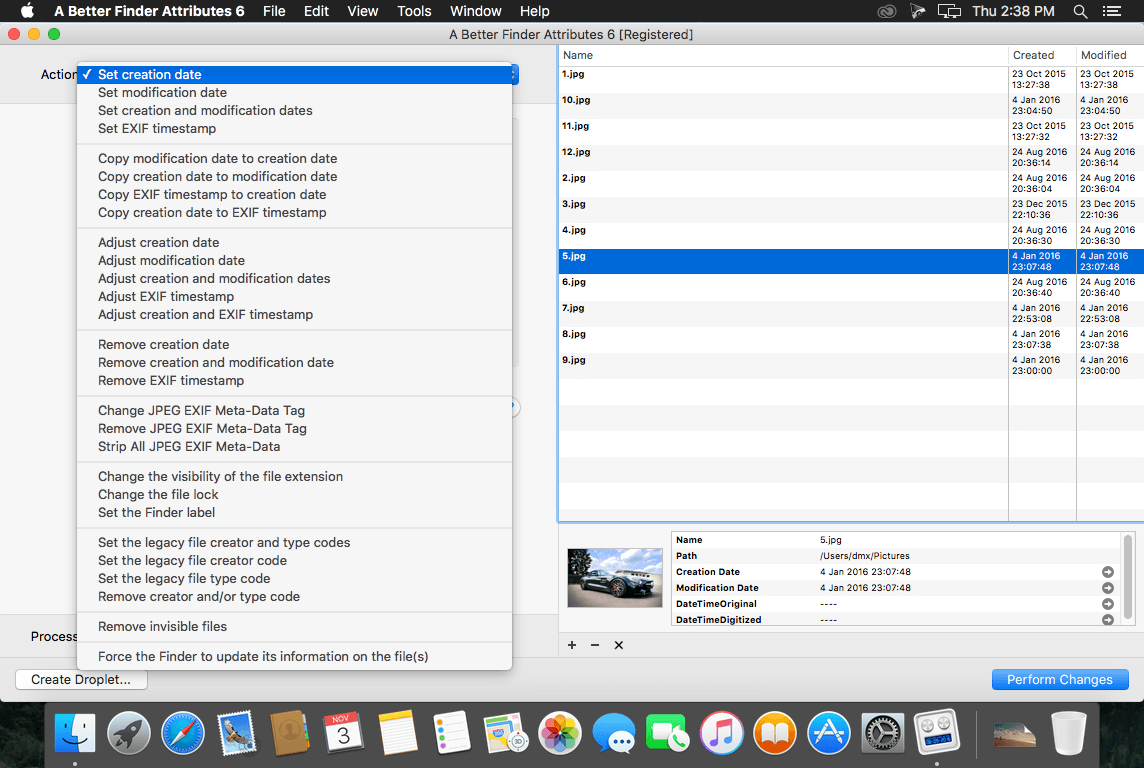
A Better Finder Attributes is the ultimate file-tweaking tool for OS X. It combines photo-shooting date and file date changing along with a few unique tricks of its own.

Change EXIF Timestamps at Will – A Better Finder Attributes 5 allows you to manipulate JPEG, CR2, NEF, ARF CRW and CIFF EXIF timestamps at will by setting them to specific times or batch adjusting them by adding and removing time (useful for correcting the timestamps of images taken with a digital camera with a incorrectly set clock and to compensate for timezone changes).

Correct Finder Sorting for JPEG EXIF and RAW Photo – A Better Finder Attributes 5 also allows to synchronize the file creation and modification dates with the shooting dates of JPEG EXIF as well as a wide variety of RAW formats, so that files sort properly in the Finder and other systems.

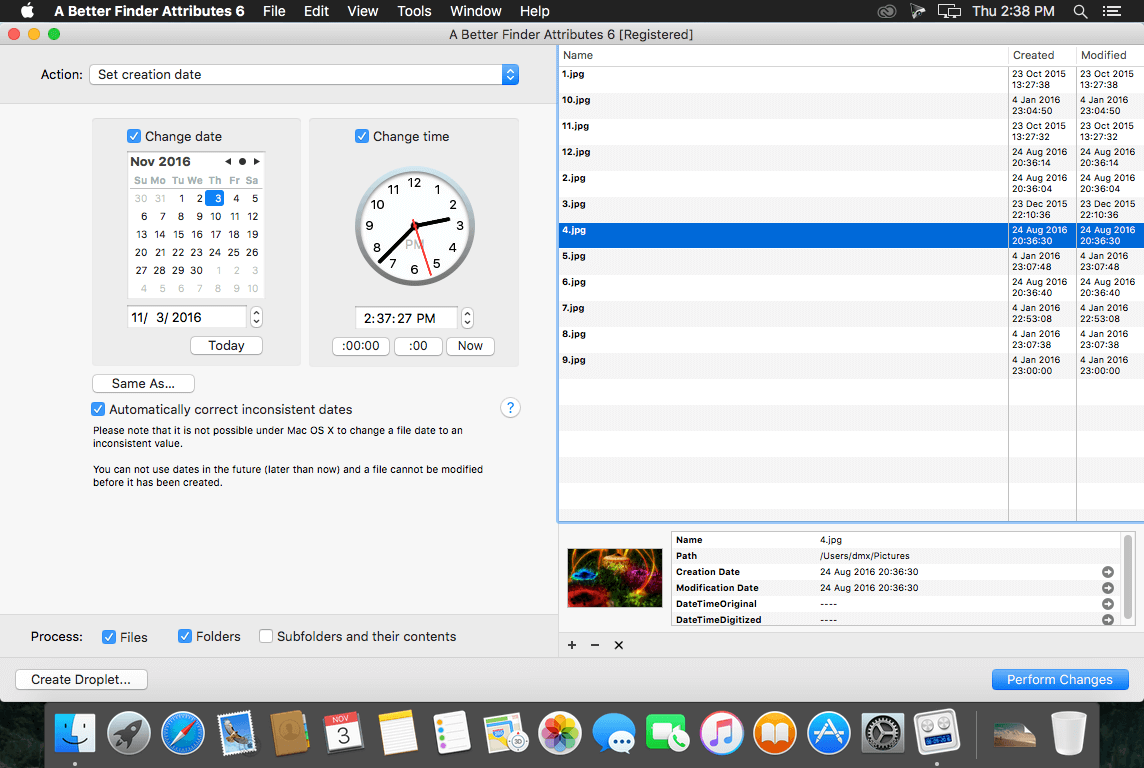
Total File and Folder Creation and Modification Date Control – A Better Finder Attributes 5 gives you total control over file creation and modification dates, setting them to specific times and dates, adding or removing time or simply removing them altogether.

Automate with Droplets – A Better Finder Attributes 5 allows you to save frequently used settings to separate “droplet” applications. Drag-and-drop files onto the droplet application to apply the changes stored in it. Double click the droplet to edit the stored settings.

Other Noteworthy Features

  • Batch operation
  • Drag-and-drop into the file list or onto the application icon
  • Select files in the Finder and activate A Better Finder Attributes 5 via the Finder context menu or via a hot key
  • Automatically deals with file date consistency rules
  • Separate processing for files and folders, batch processing of sub-folders
  • Additionally, A Better Finder Attributes 5 gives you control over:
  • Whether or not file extensions appear in the Finder
  • Batch locking or unlocking of files
  • Setting or removing legacy creator and type codes
  • Removing invisible files
  • Seeing invisible files in the Finder
  • Batch setting of Finder labels
  • Forcing the Finder to update its information about files and folders

What’s New:

Version 7.12:

  • The new version allows dates to be based on the current time.

Compatibility: OS X 10.11 or later
Homepage http://www.publicspace.net/ABetterFinderAttributes/

Screenshots


Name: A_Better_Finder_Attributes_7_7.12__TNT_Mactorrents.io.dmg
Size: 16.12 MB
Files A_Better_Finder_Attributes_7_7.12__TNT_Mactorrents.io.dmg[16.12 MB]

   Download

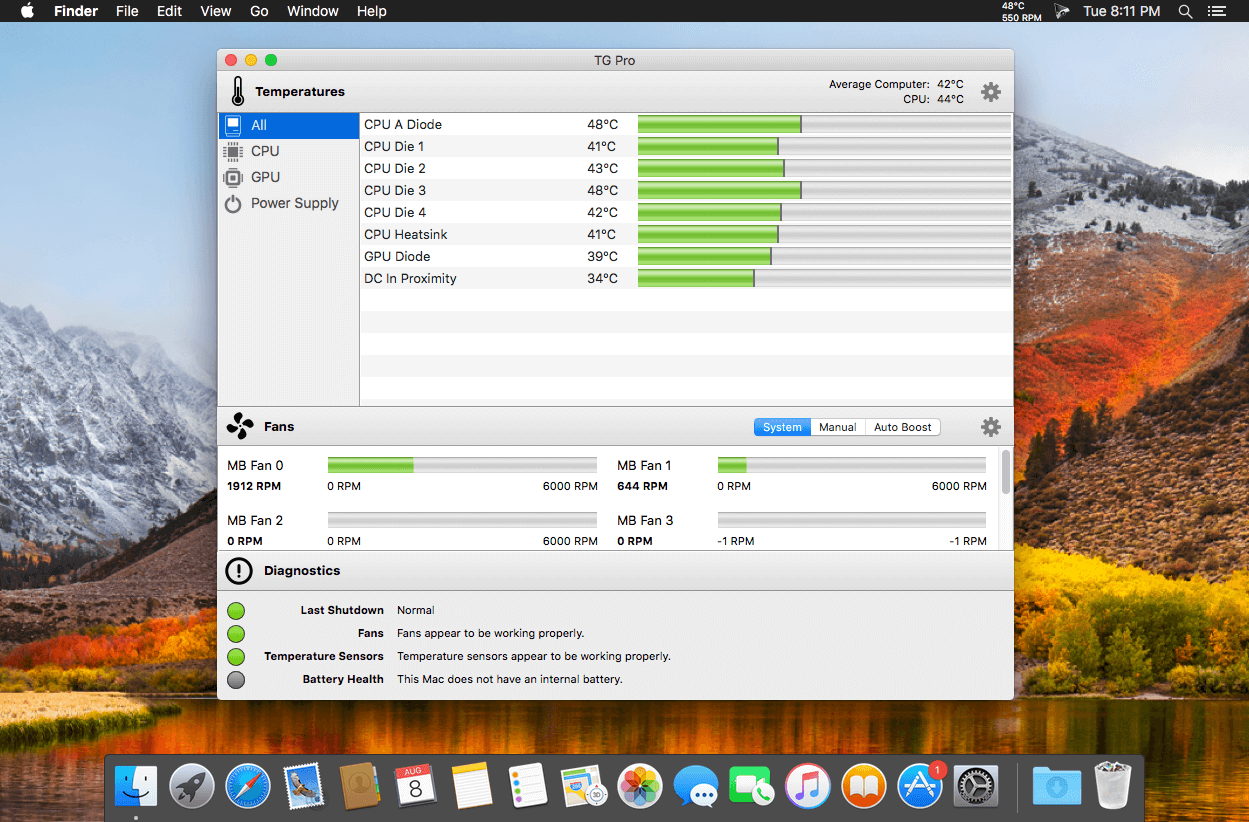
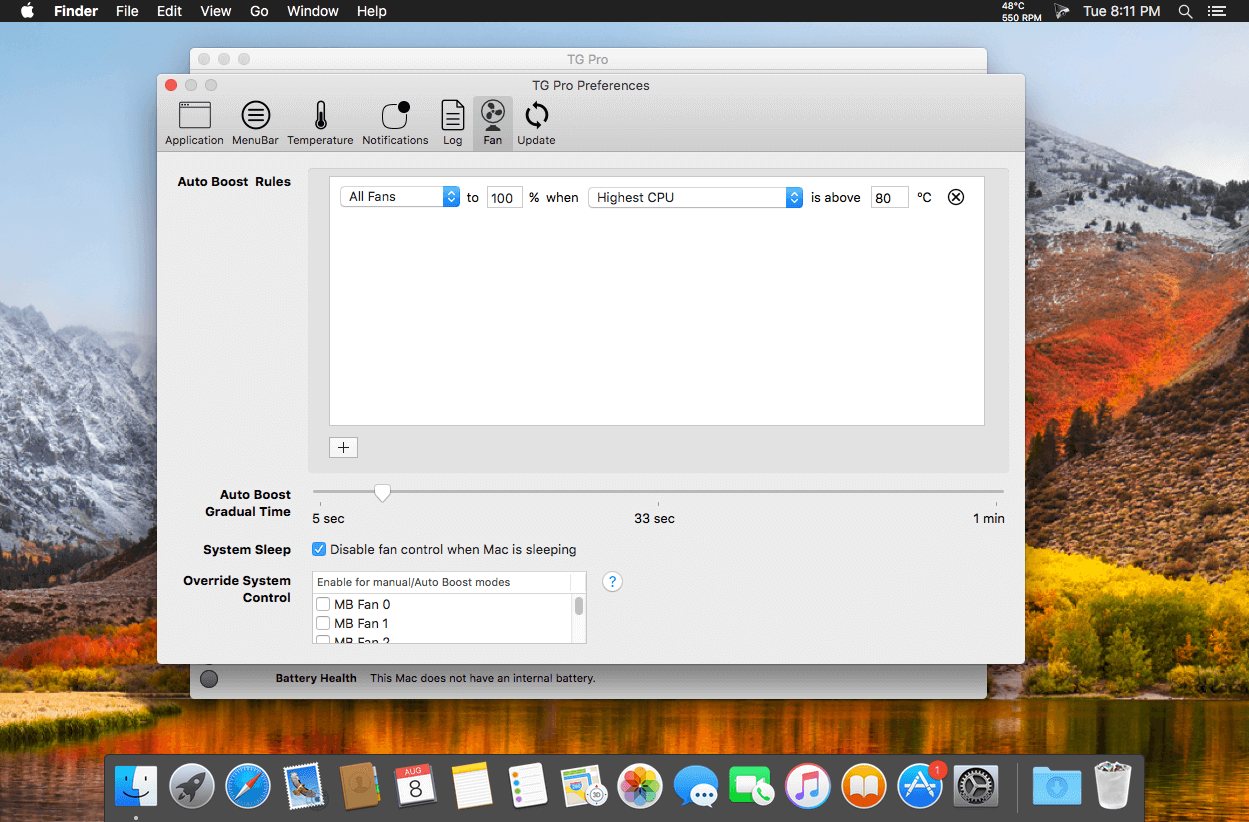
TG Pro (Temperature Gauge Pro) v2.57

Temperature Gauge Pro will also show a notification through the Notification Center or Growl when a temperature is hit or Auto Boost is enabled. Also, log all information to a CSV for graphing in an external app. Works on all Macs, whether it’s a laptop or desktop.

Temperature Gauge Pro is a must-have utility for every Mac user with three top features:

  • Check up on your Mac by viewing the current and maximum recorded temperatures for every sensor. Choose between Celsius or Fahrenheit.
  • Tune the fan speeds so that your Mac can run cooler with the manual fan control. Or have the fans spin at maximum speed with Auto Boost when a specific temperature is hit.
  • Discover faulty fans and temperature sensors with the built-in diagnostics.

What’s New:

Version 2.57:

  • [New] The status of the fan helper app, which is required for fan control is shown in the fan preferences. Only if there’s an issue is a message is displayed along with the option to re-install it.
  • [Fixed] Issue where the fan preferences were shifted up on macOS 10.11 to 10.13.

Compatibility: OS X 10.10.3 or later, 64-bit processor
Homepage https://www.tunabellysoftware.com

Screenshots


Name: TG_Pro_2.57__TNT_Mactorrents.io.dmg
Size: 12.59 MB
Files TG_Pro_2.57__TNT_Mactorrents.io.dmg[12.59 MB]

   Download

Nik Collection by DxO 4.0.7.0

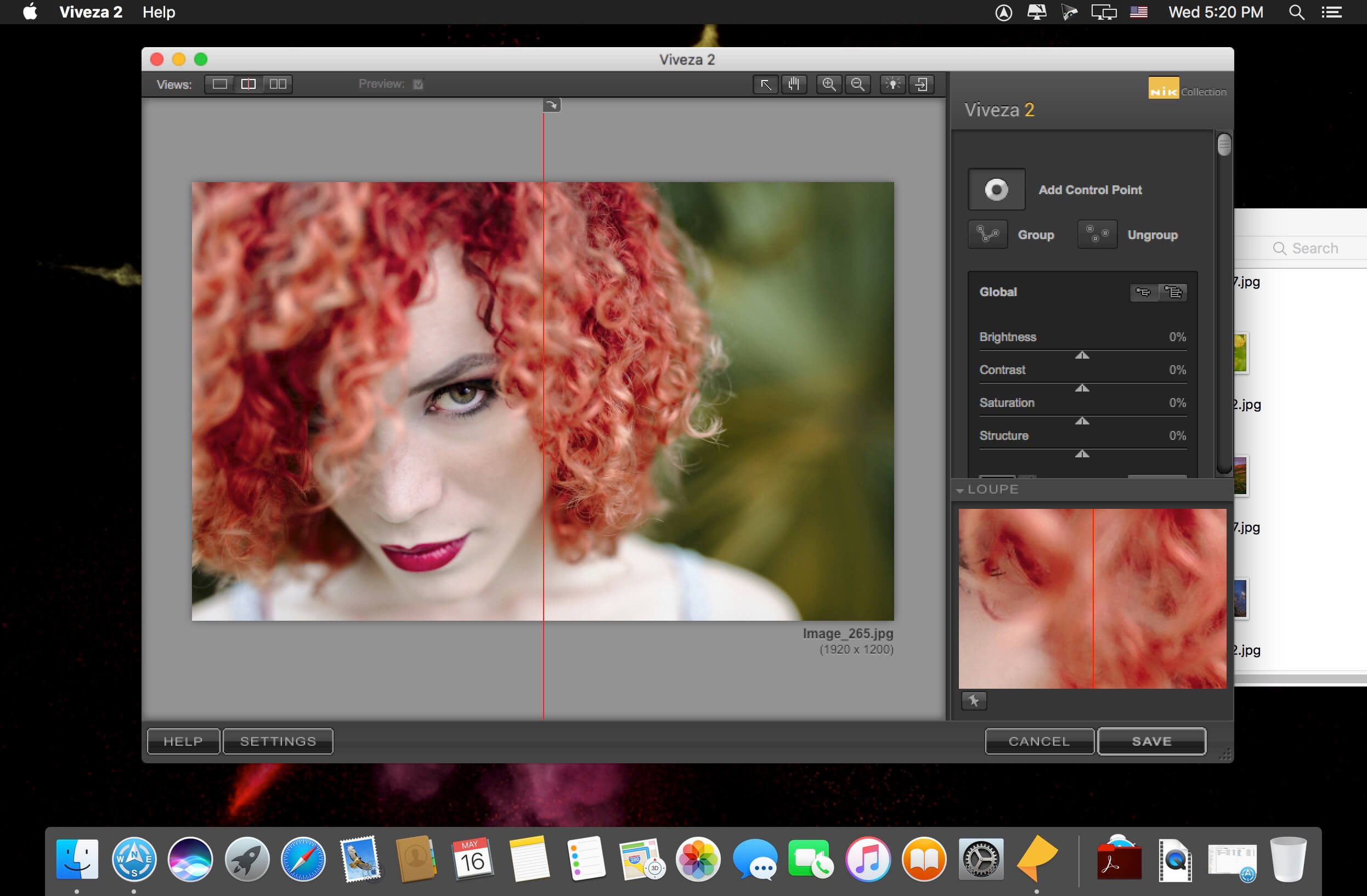
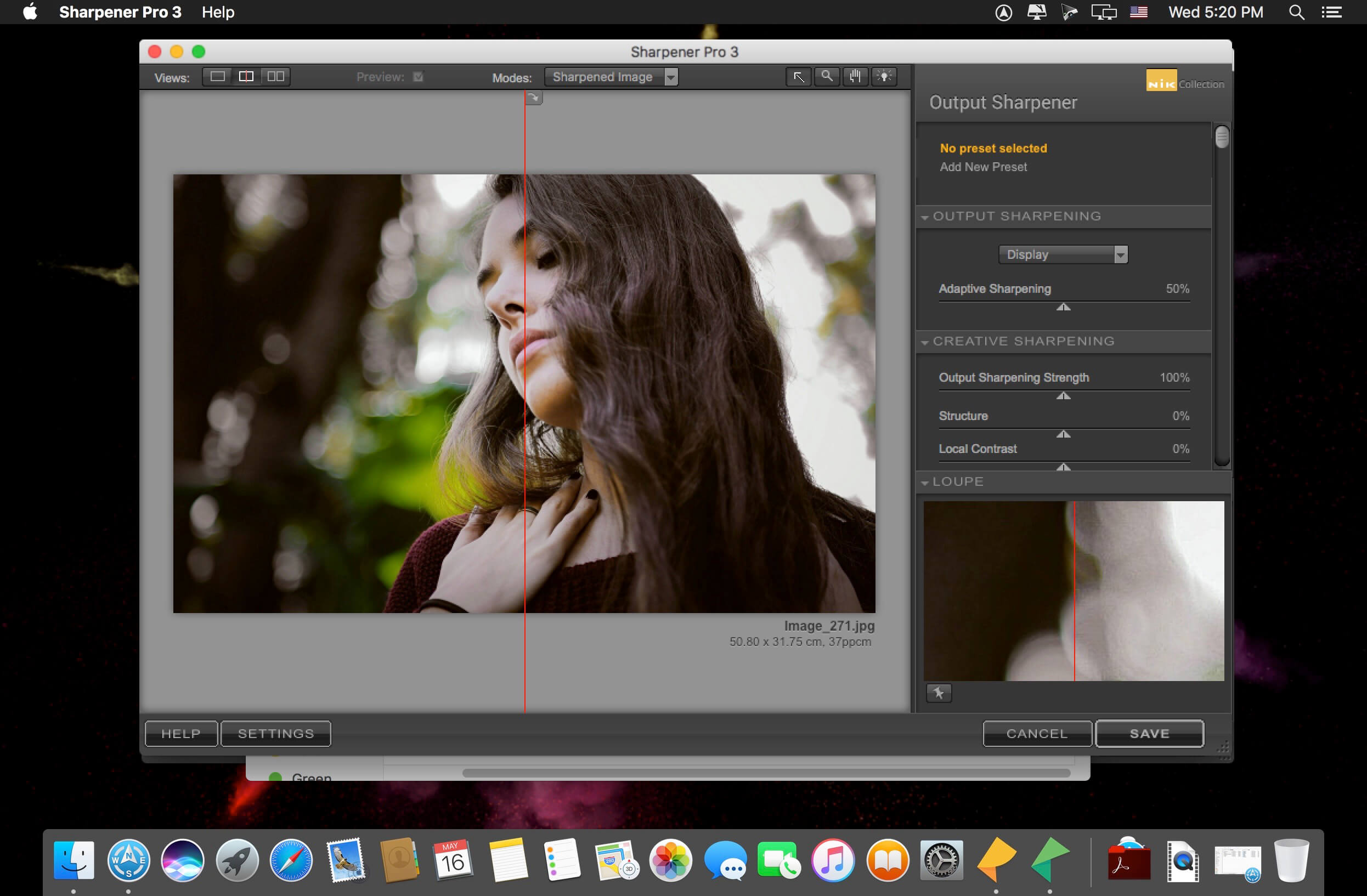
Add the power of the Nik Collection by DxO to your workflow today and create stunning images faster. The most complete collection of plug-ins from Nik Collection by DxO companies using proprietary U Point, which allows you to subtly adjust the brightness, contrast, color saturation and other parameters of individual objects or areas of the photograph.

The Complete Nik Collection by DxO includes all of the latest award-winning plugin software titles for Adobe Photoshop® and Adobe Lightroom® including: Color Efex Pro, Silver Efex Pro, Viveza, Analog Efex Pro, HDR Efex Pro, Dfine, Sharpener Pro and DxO PhotoLab 3 Essential Edition. All products feature Nik Software’s patented U Point® technology, giving photographers the most powerful tools for precise and natural photographic enhancements and corrections without the need for complicated selections or layer masks.

*** PerspectiveEfex removed from installer (no k’ed)

Compatibility: OS X 10.14 or later 64-bit
Homepage https://nikcollection.dxo.com

Screenshots


Name: Nik_Collection_by_DxO_4.0.7.0__TNT_Mactorrents.io.dmg
Size: 1.06 GB
Files Nik_Collection_by_DxO_4.0.7.0__TNT_Mactorrents.io.dmg[1.06 GB]

   Download

Music Tag Editor 5 v5.5.8

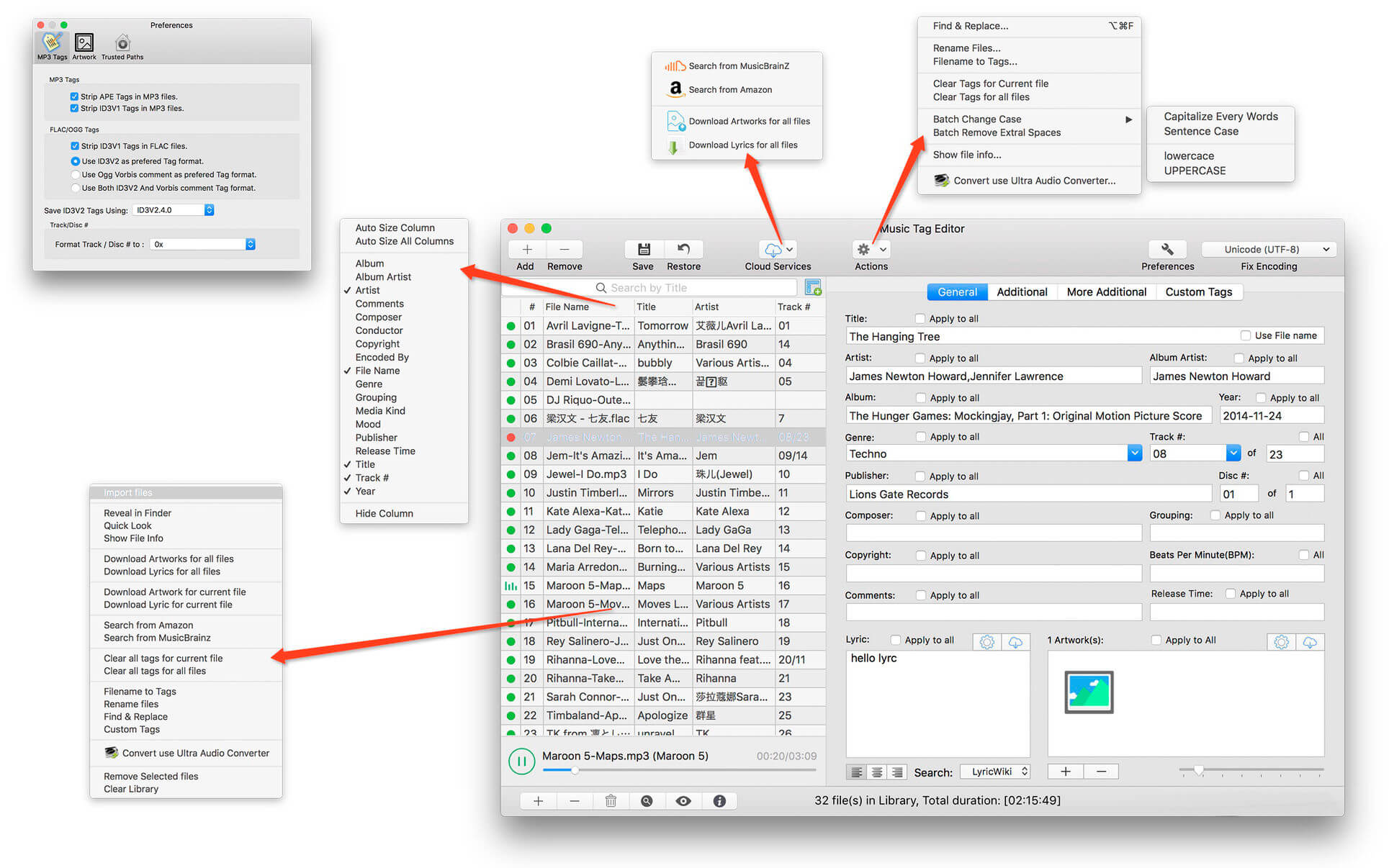
Music Tag Editor can help you to edit your Music Tag info easily and effectively,Batch edit all tags and batch rename with metadata, you can also use it to convert the text encoding of Music Tag, In situations,it can repair the messy code in Music Tags. You also can download the album image for MP3 from internet.
Also, you can search tags of music file from Amazon or MusicBrainz cloud services.

Support Music formats: MP3, M4A (Apple lossless), MP4, FLAC, APE, AIFF, WAV , Ogg files, asf, dsf, dsd,mkv…
Support ID3V1, ID3V2.3,ID3V2.4, xiphComments, APE Tag, Ogg Vorbis, Ogg Speex, Ogg Flac.

Main features: 

  • support id3v1,id3v2,xiphComments, APE Tag, Ogg Tags,iTunes tags. Tags:Title,Artist,Album,Genre,Copyright,Comments,Artworks,Lyrics and so on…
  • lyrics you saved to file can be show correctly in you iPhone or iPod music player.
  • support batch processing of lots of music files,support iTunes importing.
  • Online album image download,multi album image supported.
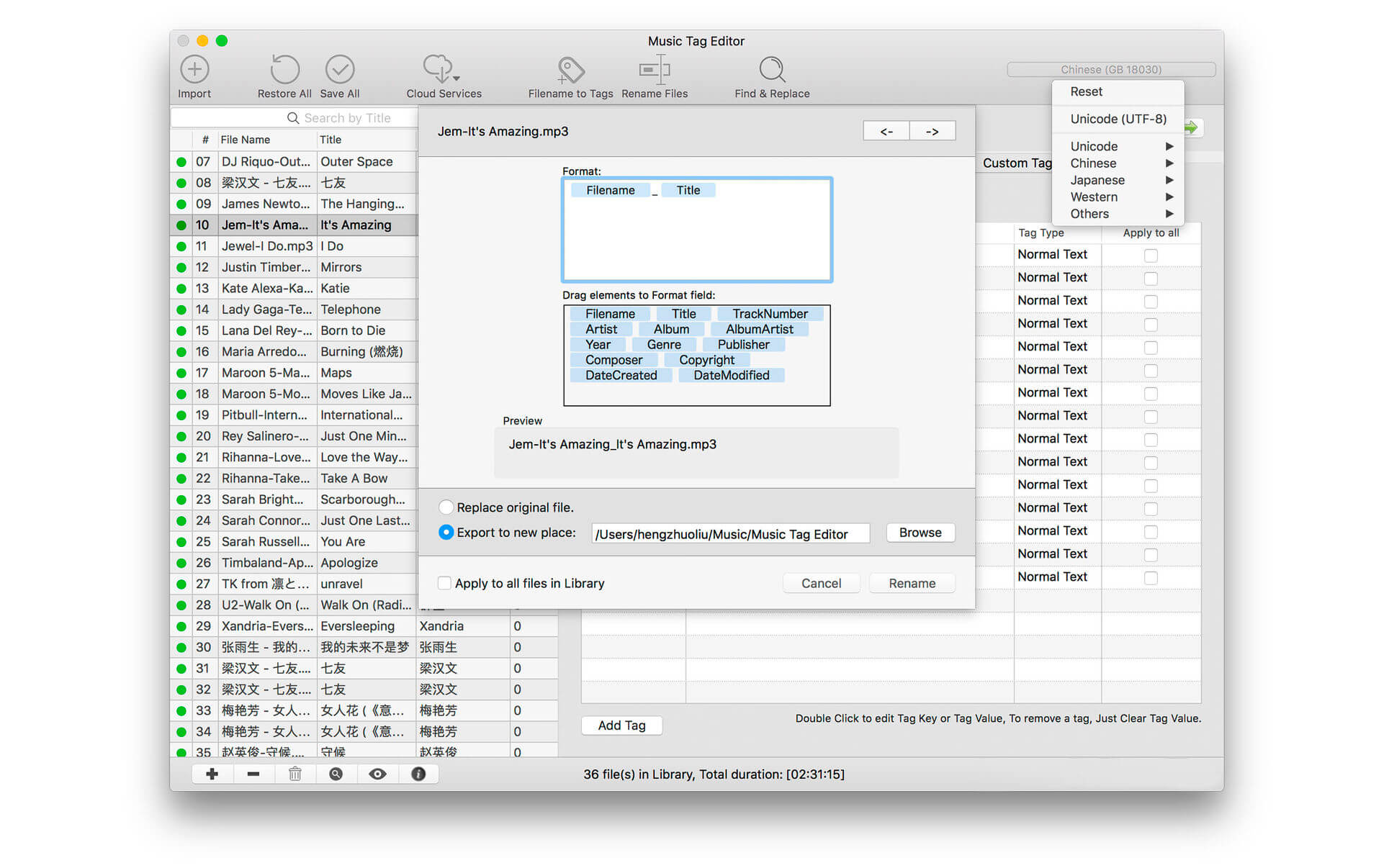
  • batch rename audio file with metadata
  • batch convert file name to tags using regular expression
  • user can change,convert the tag text encoding easily, it also can repair messy code in situations.
  • Fully iTunes Tag supported.
  • Support strip APE or ID3V1 tags in mp3 files
  • support to save id3v2.3 or id3v2.4 tags!
  • support Batch Find & Replace tags.
  • Batch clean tags
  • Built-IN Music player for all audio formats

Advance features in pro version:

  • Edit Additional and Advanced Tags.
  • Custom and edit any tags you want.
  • Batch Find & Replace all tag fields in one click.
  • MusicBrainZ Cloud services supported.

What’s New:

Version 5.5.8:

  • Bug fixes
  • Add redeem function to Music Tag Editor

Compatibility: OS X 10.9 or later 64-bit
Homepage https://geo.itunes.apple.com/app/id1229106549

Screenshots


Name: Music_Tag_Editor_5_5.5.8_MAS_In-App__TNT_Mactorrents.io.dmg
Size: 18.96 MB
Files Music_Tag_Editor_5_5.5.8_MAS_In-App__TNT_Mactorrents.io.dmg[18.96 MB]

   Download

FilmConvert Nitrate FCPX 3.05

FilmConvert introduces Nitrate for Final Cut Pro X. Anew set of features to give you even more power and control over your color grading. Cineon Log film emulations. Full custom curve control. Advanced film grain controls and more!

Cineon Log Film Emulation
Filmmakers love the built-in FilmConvert film stocks for their authentic look, but sometimes you want more control over the final image.

In the Nitrate update, we’ve added Cineon Log versions of our original film stock emulations, meaning you can dial the contrast or saturation of a film stock back to your liking, while still keeping the authentic film stock colors.

Design your own film response curve
We’ve designed full custom curve controls for each of the FilmConvert film stocks, so you can create exactly the look you want: modify highlight and shadow roll-offs, or even design your own film stock from scratch. Nitrate now uses a full Log image processing pipeline, so you can retain the full dynamic range of your footage through the grading process.

Advanced film grain controls
You can now adjust the appearance of the grain individually in the highlights, mid-tones, and shadows.

Adobe Premiere Pro & After Effects Plugin:
Create the romance of film on your next digital video using FilmConvert plugin for Premiere Pro & After Effects. Our software seamlessly fits into your current Adobe workflow, helping you to achieve professional results quickly and easily. We’ve optimized our plugin to work cross platform, as well as being completely up-to-date with Adobe Creative Cloud 2015 or later.

Camera profiles
We work with a wide range of popular cameras to deliver the most precise picture profiles available. We then use those profiles to match to your chosen film stocks to create a stunning and accurate result. Our Camera Packs contain accurate data for each Camera Picture Style so we can tailor each film stock to your camera, allowing authentic Film Stock looks across a wide range of cameras and settings. We continue to work directly with camera companies to bring you the latest profiles.

Camera Profiles
Choose from our range of precise Camera Profiles, matched to your camera.

6K Grain Scans
Industry leading quality grain, scanned at 6K to give the best results.

19 Film Stocks
Motion and Photographic.
Color Positive, Negative + Reversals.

Export 3D Luts
Create & export 3D LUTS using FilmConvert for on-set use.

Homepage https://www.filmconvert.com/

Name: FilmConvert_Nitrate_FCPX_3.05_Mactorrents.io.zip
Size: 600 MB
Files FilmConvert_Nitrate_FCPX_3.05_Mactorrents.io.dmg[600 MB]

   Download

cineMatch 1.053 OFX

A revolutionary camera-matching tool from filmconvert For editors, color graders, DITs and cinematographers.

Match footage from a range of digital cinema cameras, mirrorless and DSLRs in a few clicks. Currently available for Adobe Premiere Pro + DaVinci Resolve.

• Camera List -> Here you can find the cameras we currently support.

How it Works

1. Sensor Match
Using dedicated camera packs, CineMatch converts your footage from one Log picture style to another. Mix and match between SLog2/3, CLog, BRaw, V-Log/L, RED IPP2 and more, and apply the correct REC.709 transform with a single click.

2. Camera Adjustments
Make basic adjustments using controls customised to your camera profile

3. Match Refinement
Refine your match with our intelligent color picker

Our Progress
CineMatch has been under development for 4 years, and the Adobe Premiere Pro and DaVinci Resolve plugins are now available for download and purchase. Over the next 12 months we plan to add additional features and support for Final Cut Pro X.

Compatibility: OS X 10.7 or later
Homepage https://www.cinematch.com/

Name: cineMatch_1.053_OFX_Mactorrents.io.dmg
Size: 1.1 GB
Files cineMatch_1.053_OFX_Mactorrents.io.dmg[1.1 GB]

   Download

Artstudio Pro 3.0.4

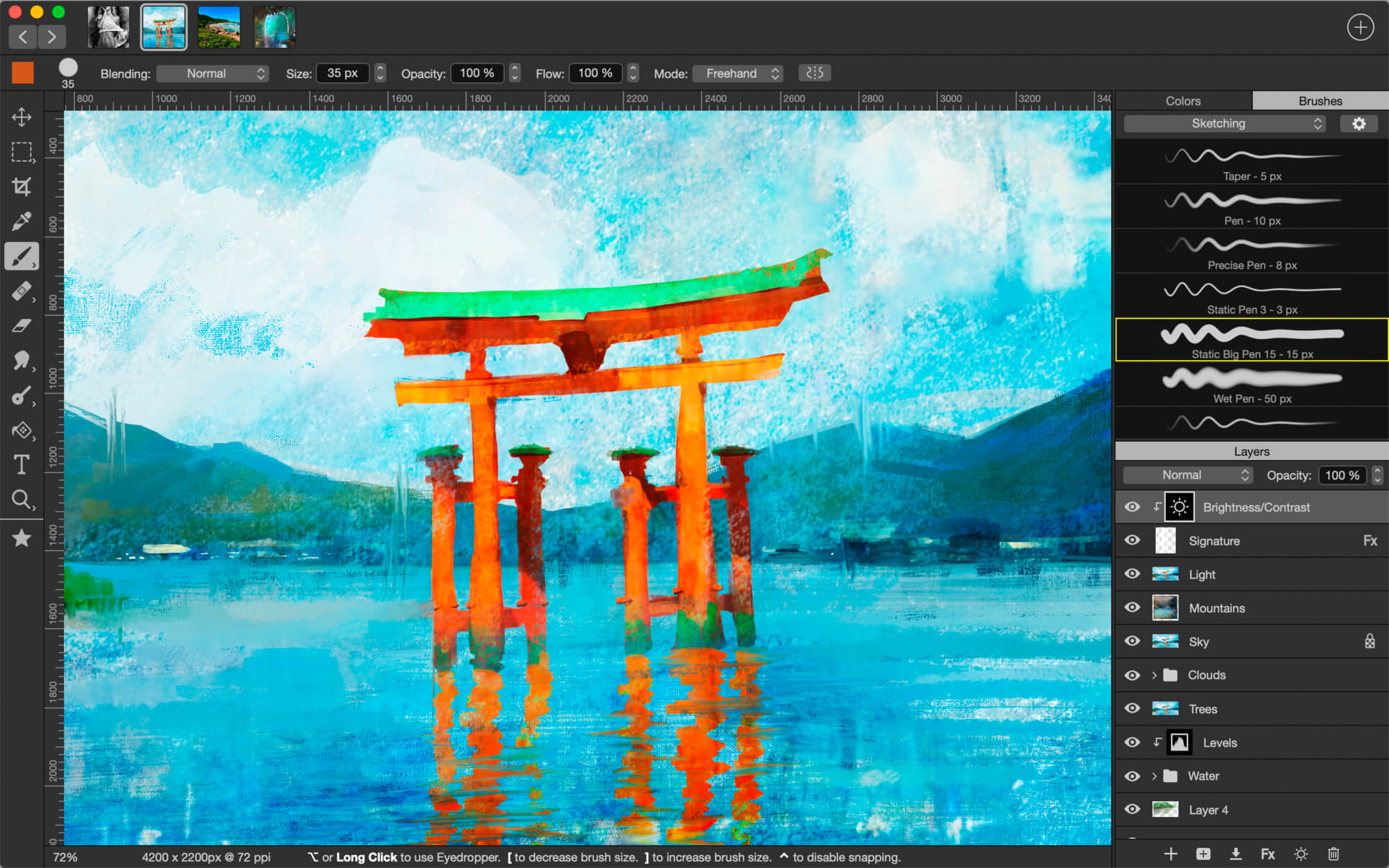
Introducing Artstudio Pro, the most powerful painting and photo editing app available for both macOS and iOS . The successor to our famous ArtStudio app has been redesigned bringing many new features and improvements taking full advantage of the latest technologies Metal, iCloud Drive, and optimized for 64-bit multi-core processors to achieve the smoothest possible workflow.

Hundreds of assets are included and users have the ability to import resources in the most popular formats (ABR, TPL, PAT, GRD, ASE, ACO) giving instant access to millions of brushes, patterns, gradients, color swatches and fonts. It will boost your creativity and help you bring your ideas to life quickly and easily.

New engine
The powerful GPU accelerated ArtEngine developed by Lucky Clan is 5-10 times faster than the previous engine. It allows working with multiple documents, supports large canvas sizes and an unlimited number of layers. Incredible optimization ensures smooth work even with large canvases.

  • Multiple open documents
  • Canvas size: 256Mpix
  • Unlimited layers
  • 27 tools: Move, Select, Crop, Eyedropper, Paint, Wet Paint, Eraser, Bucket/Pattern/Gradient Fill, Smudge, Dodge, Burn, Sponge, Text, Heal, Clone, and more

Flexible layer system
Artstudio Pro introduces a new layer system with grouping, non-destructive layer effects, and adjustment layers.

  • Groups
  • Masks, clipping masks
  • Adjustment layers
  • 9 layer effects: Bevel/Emboss, Stroke, Inner Shadow, Inner Glow, Outer Glow, Color/Gradient/Pattern Overlay, Drop Shadow
  • 27 blending modes
  • Text layers
  • Transform multiple layers simultaneously

Advanced Brush engine
Perfectly optimized, lag free mechanism generating smooth, real looking strokes, making the most of the stylus.

  • Brush size up to 4000×4000
  • 64-bit painting with pattern, double stamp, wet brush, dynamics
  • Brush editor with 80 customizable settings
  • Over 100 built-in brushes divided into a few groups: Painting, Sketching, Markers, Inking, Dots & Specks, and more
  • Symmetric painting with custom symmetry line

Professional photo editor
Photo editing options developed in cooperation with professional photographers. Each feature was tested in several scenarios and light conditions.

  • 15 adjustments available as non-destructive layer or simple adjustment: Brightness/Contrast, Levels, Curves, Exposure/Gamma, Shadows/Highlights, Vibrance, Hue/Saturation, Color Balance, Temperature/Tint, Black and White, Gradient Map and more
  • 4 auto adjustments: Auto Contrast, Levels, Lightness, Saturation
  • Dozens of filters with realtime preview and the ability to generate seamless patterns
  • Inpaint, Elastify (Liquify) ,Lighting, Depth Of Field, Denoise
  • Retouching tools: Heal, Dodge, Burn, Sponge and more
  • Image resize, Canvas resize
  • Crop using special tool, crop from selection, trim transparent areas

Import/Export
We have implemented many parsers from the most popular assets/images formats and we are especially proud of our ABR/TPL parser which not only reads brush stamps and patterns, but also most settings which are converted to Artstudio Pro brush engine values.

Import

  • Images – PNG, JPEG, PSD, HEIC, TIFF, GIF, most raw formats
  • Brushes – ABR, TPL
  • Color swatches – ASE, ACO
  • Patterns – PAT
  • Gradients – GRD
  • Fonts – TTF, OTF

Export

  • Images – PNG, JPEG, PSD, TIFF, PDF

Other features

  • Full iCloud integration
  • Screen recording
  • All features available on macOS, iPad and iPhone
  • Selection displayed as marching ants, quick mask or invisible
  • Snapping to guidelines, dynamic guidelines, grid
  • Perspective grid assist
  • Mirror (flipped) view
  • Canvas rotation

What’s New:

Version 3.0.4:

  • Release notes were unavailable when this listing was updated.

Compatibility: macOS 10.11 or later 64-bit
Homepage https://geo.itunes.apple.com/app/id1313773050

Screenshots


Name: Artstudio_Pro_3.0.4_MAS__TNT_Mactorrents.io.dmg
Size: 228.2 MB
Files Artstudio_Pro_3.0.4_MAS__TNT_Mactorrents.io.dmg[228.2 MB]

   Download

RAR Extractor Max – Unzip 7.3.0

“RAR Extractor Max” inherited the advantages of “RAR Extractor Pro”, we redesigned the UI and added more powerful functionalities.

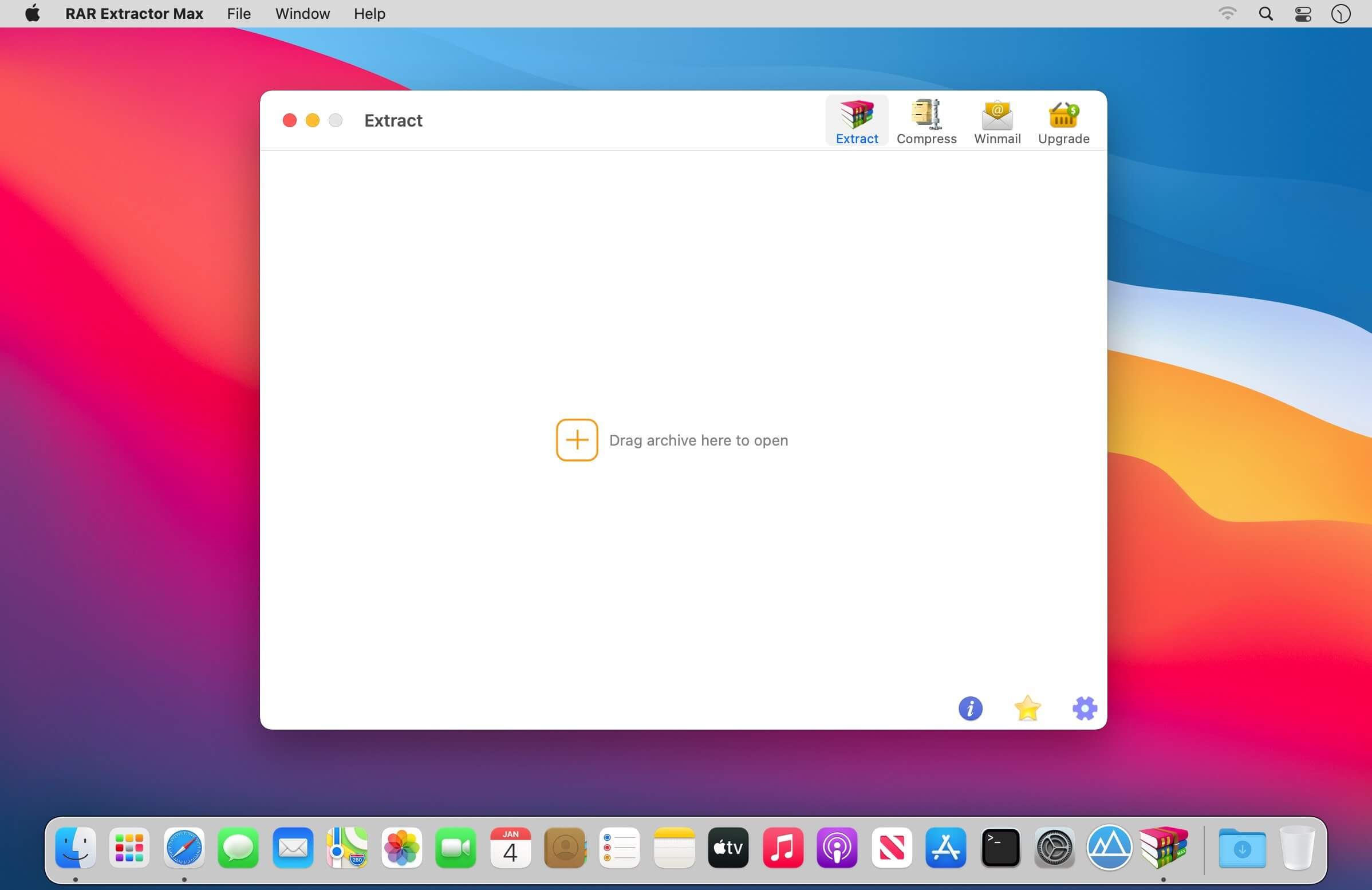
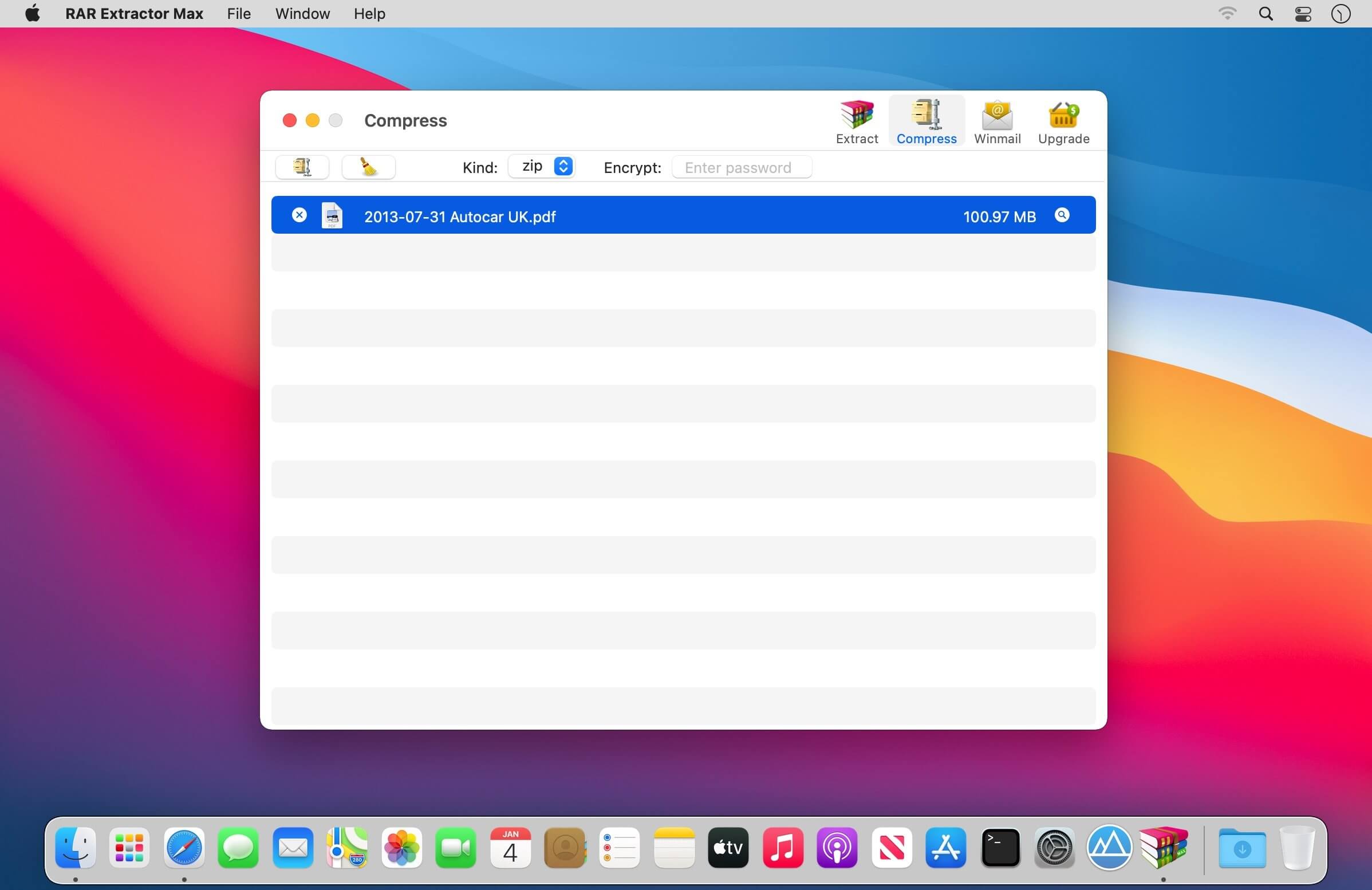
  • Support unarchive RAR, winmail.dat, ZIP, 7z, tbz, sti, tar, xar, lha, lzh, hqx, bin, bz2, bzip2, bz, xz, iso, cid, nrg, mdf, taz, lzma, exe, msi, cpio, lzx, jar, swf, xip, ace, arj, pak, pkg, apk, lbr, lqr, cab, rpm, cpt, sea, pdf, nsa, dcs, now, spk…
  • Support archive files and folder to encrypted zip&7z
  • Quicklook files in archive before extraction.

MAIN FEATURES

  • Extract extract compressed files in all most formats(over 50 formats).
  • Unzip, unrar encrypted archives.
  • Preview and open the file in winmail.dat sent from Microsoft Outlook
  • Easy view of an archive’s file list.
  • Quicklook files in archive before extraction.
  • Unarchive & unrar the selected individual file or folder in the archive.
  • Double click to display or extract directly after setting this APP as default archiver.
  • Drag archives to the dock icon to extract or display directly.
  • Batch decompress many archives
  • Create password-protected ZIP & 7Z archives.
  • AES256 encryption algorithm to create ZIP & 7Z archives.
  • Drag the file in archive to the desktop to extract directly

VERSION INTRODUCTION

  • RAR Extractor: a lite version the first-generation product, supporting decompress all most of formats of archives and compress files to rar and 7z packages.
  • RAR Extractor Pro: a pro version the first-generation product, supporting decompress all most of archives, meanwhile, it supports view the contents of archive before extraction.
  • RAR Extractor Max:based on the first-generation app, we redesigned the UI and improve the functionalities

What’s New:

Version 7.1.0

  • Bug fixes and performance improvements

Compatibility: OS X 10.10 or later, 64-bit processor
Mac App Store https://geo.itunes.apple.com/app/id1535136051

Screenshots


Name: RAR_Extractor_Max_7.3.0_MAS_In-App__TNT_Mactorrents.io.dmg
Size: 9.64 MB
Files RAR_Extractor_Max_7.3.0_MAS_In-App__TNT_Mactorrents.io.dmg[9.64 MB]

   Download

Find Any File (FAF) 2.3 (273)

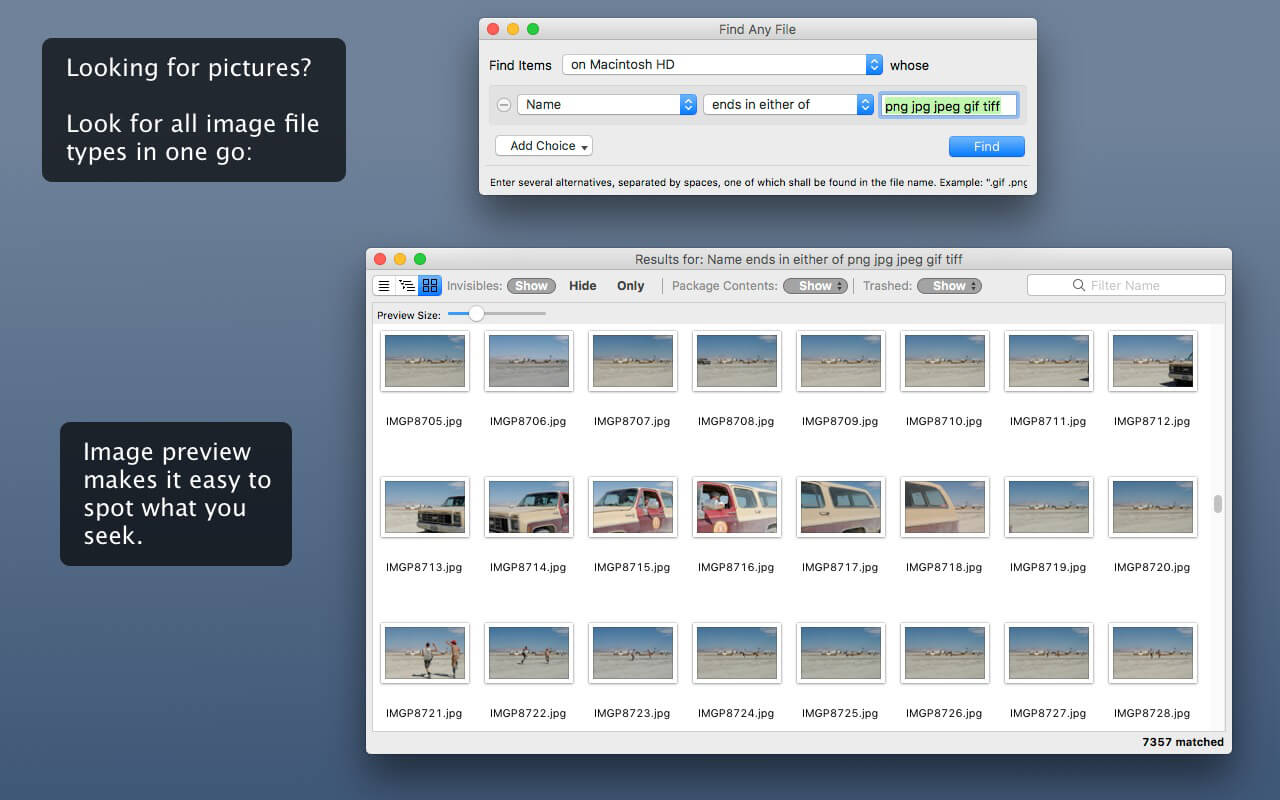
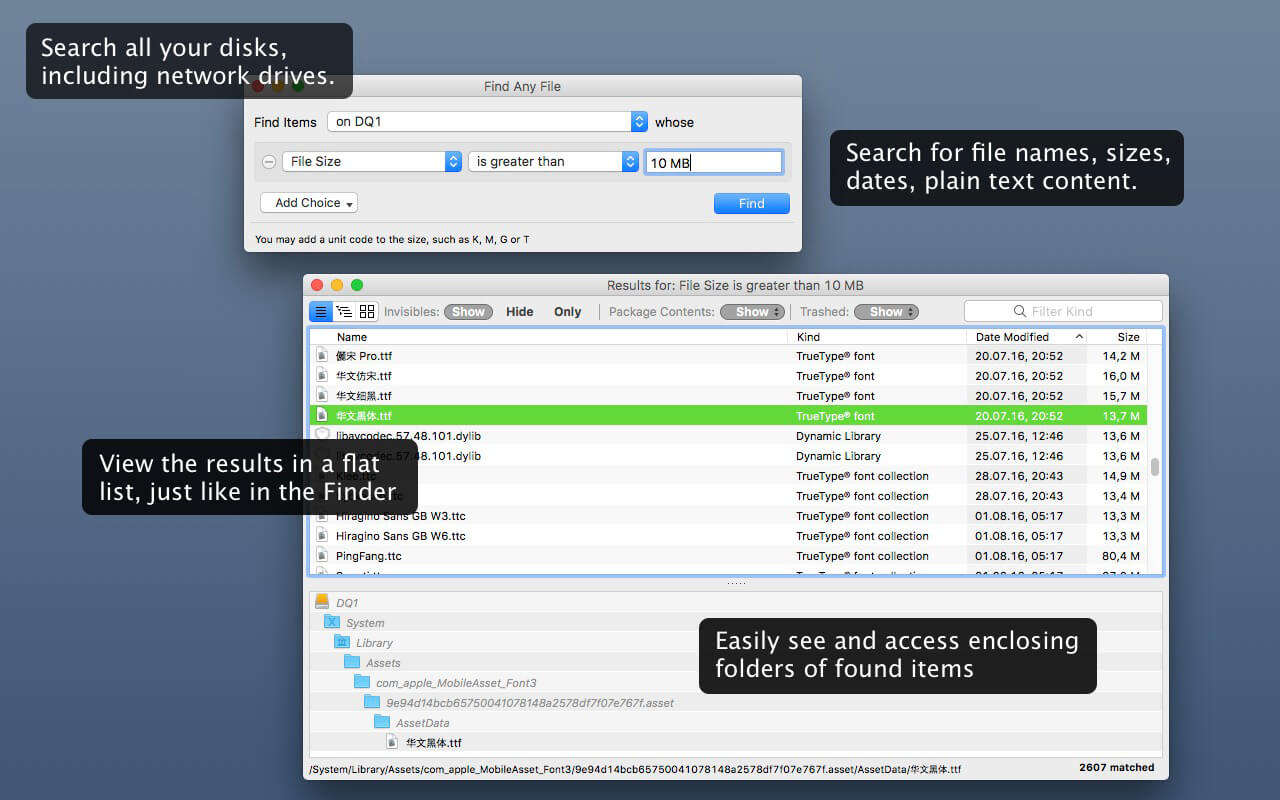
Find Any File searches your local disks for files by name, creation or modification date, size, or type and creator code (not by content, though).

As there are other tools with a similar search operation, here are the special features unique to Find Any File:

  • Has a new hierarchical view of the found items, making it much easier to browse 100s of items (see the screenshot).
  • Can run as root user, finding really any file on your disk, even those that are hidden from normal users.
  • Can save queries and run them again later.

Unlike Spotlight (i.e., the Finder’s Find command), it does not access a pre-built database but searches the chosen volume directly. This allows you to find any file, even those inside packages and others excluded from Spotlight search. Hence it is great for finding system files, for example.

On the other hand, it may take a little longer than Spotlight, and it is only fast on HFS(+) volumes. But even on mounted network volumes of a Mac OS X server it can still be surprisingly fast.

Hence, this is not an entire replacement for Spotlight but it can come handy in certain, if not many, situations.

What’s New:

Version 2.3:

  • Release notes were unavailable when this listing was updated.

Compatibility: OS X 10.9 or later, 64-bit processor
Homepage http://apps.tempel.org/index.php

Screenshots


Name: Find_Any_File_2.3__HCiSO_Mactorrents.io.dmg
Size: 8.21 MB
Files Find_Any_File_2.3__HCiSO_Mactorrents.io.dmg[8.21 MB]

   Download

SketchUp Pro 2021.1 v21.1.278

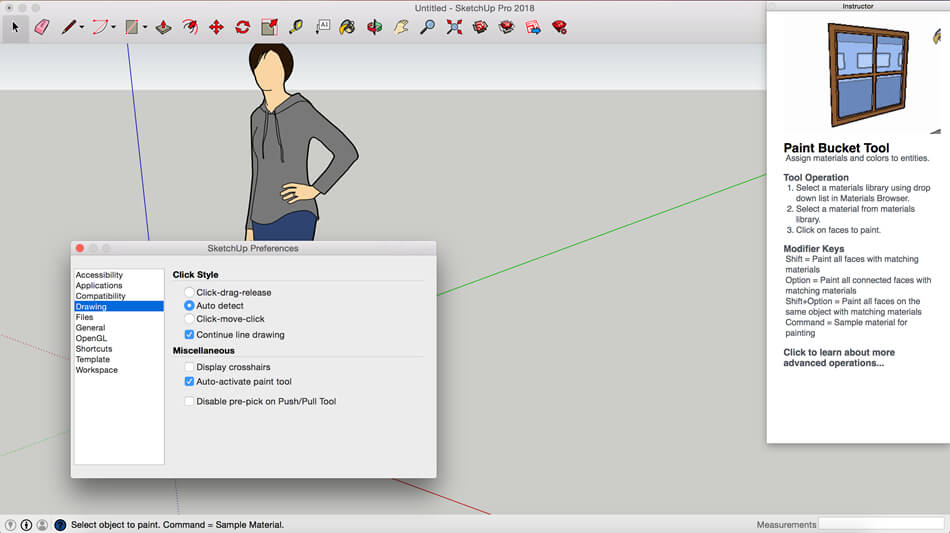
SketchUp is an easy-to-learn 3D modeling program that enables you to explore the world in 3D. With just a few simple tools, you can create 3D models of houses, sheds, decks, home additions, woodworking projects – even space ships.

Programming, diagramming, design development, detailing, documentation, RFIs—wherever you need drawings, you need SketchUp Pro.
A great mix of our classic desktop software, our shiny new SketchUp for Web modeler, and all sorts of things you’ve been asking for over the years — including the ability to publish, share, and store projects in the cloud with Trimble Connect.

Tools for your 3D modeling toolbox:
SketchUp Pro for Desktop
Fast, easy 3D modeling for anything you can imagine.

SketchUp for Web
Our powerful web modeler, with all the features you need to turn your designs into real things.

Unlimited cloud storage
Share, collaborate, and store your projects in the cloud. Gain flexibility and peace of mind.

2D design documentation
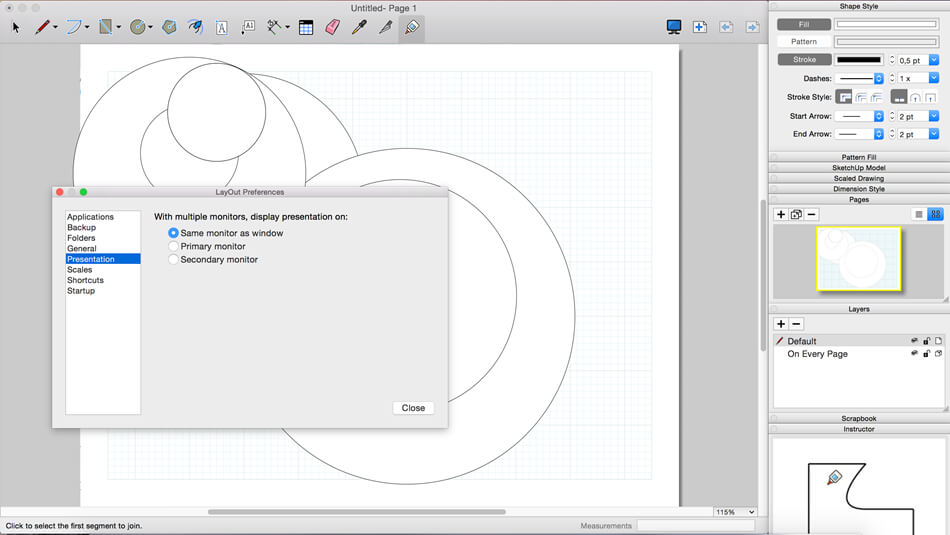
Create scaled drawing sets in 2D with LayOut.

VR model viewing
Wow your clients with a walkthrough of their project on Microsoft HoloLens, HTC Vive, or Oculus, on your phone or tablet.

Features that make your projects yours
Make your project look like only you can with custom Styles, Materials, and Outliner. And, make that work smooth and easy with Dynamic Components.

What’s New:

Version 2021.0:

  • Release note are available here

Language: nglish, Deutsch, Español, Français, Italiano, 日本語, 한국어, Português (Brasil), Русский, Svenska, 中文 (简体), 中文 (繁體)

Compatibility: macOS 10.13 or later, 64-bit processor
Homepage https://www.sketchup.com/

Screenshots


Name: SketchUp_Pro_2021_21.1.278__TNT_Mactorrents.io.dmg
Size: 801.1 MB
Files SketchUp_Pro_2021_21.1.278__TNT_Mactorrents.io.dmg[801.1 MB]

   Download

GrandTotal 7.0.7.8

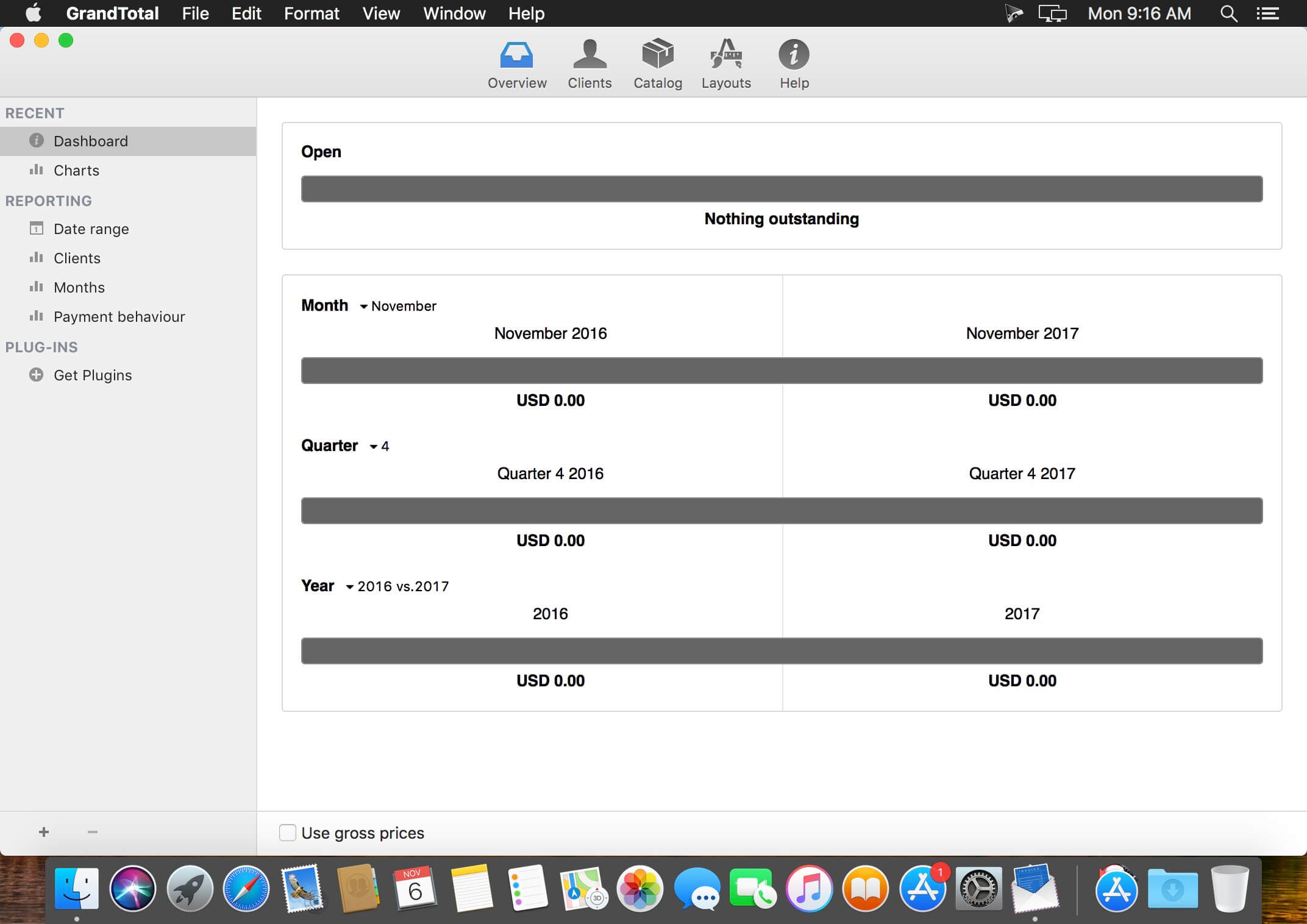
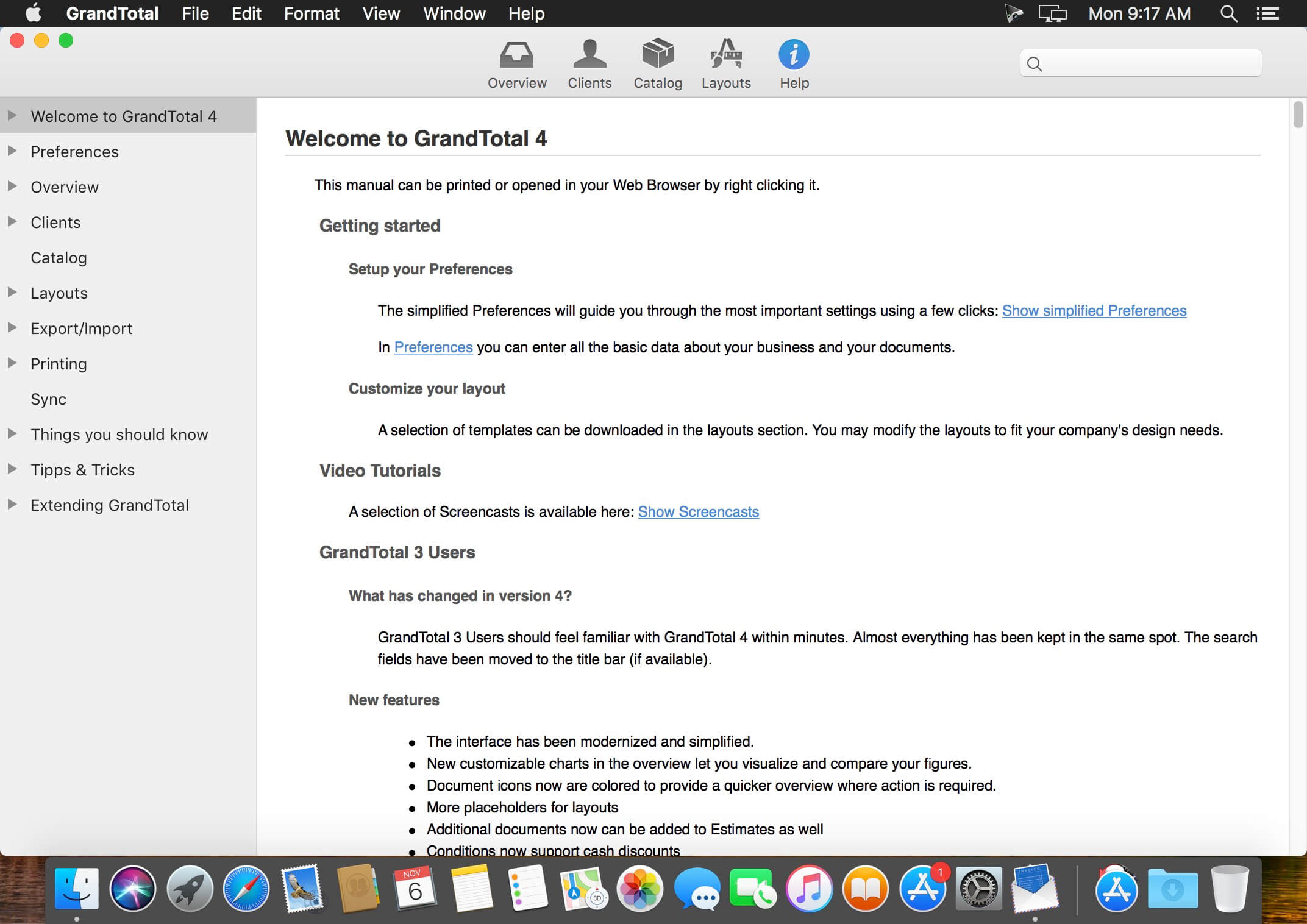
GrandTotal is an application to create invoices and estimates based on your own templates. The built-in template editor allows you to adjust your layout to fit your company’s corporate design. GrandTotal works great in conjunction with TimeLog.

Compatibility: macOS 10.12 or later
Homepage http://www.mediaatelier.com/GrandTotal4/

Screenshots


Name: GrandTotal_7.0.7.8__HCiSO_Mactorrents.io.dmg
Size: 47 MB
Files GrandTotal_7.0.7.8__HCiSO_Mactorrents.io.dmg[47 MB]

   Download

4K YouTube to MP3 4.1.3


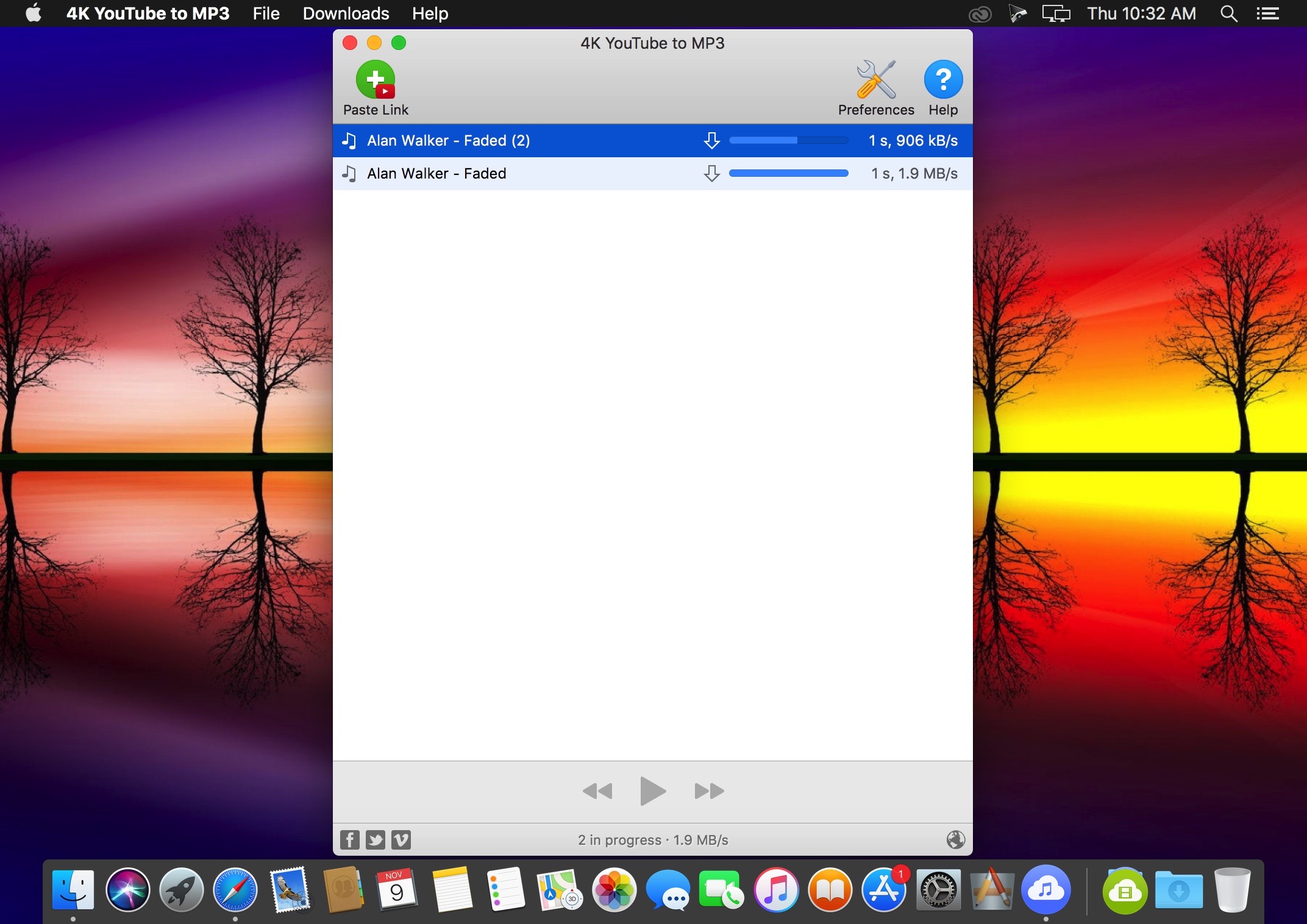
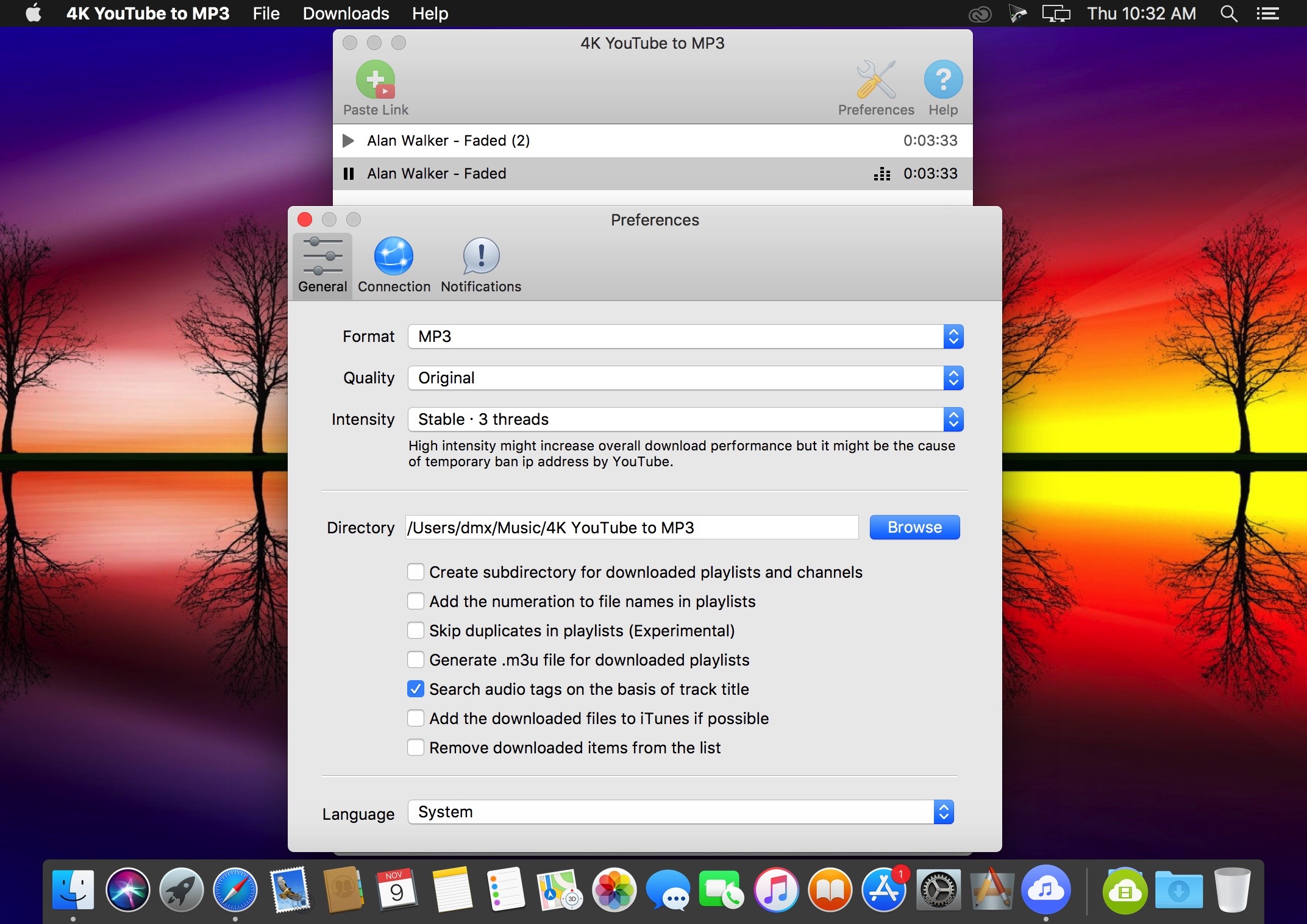
4K YouTube to MP3 was specifically created to extract audio from YouTube, Vimeo or Facebook and save it in MP3, M4A, OGG. No annoying and complicated settings to deal with, just a clean, friendly and functional interface. Downloading is simple and straightforward: just copy the link from your browser and click ‘Paste Url’. Done!

Features

  • Extract audio from YouTube videos and save it in MP3, M4A or OGG in high quality.
  • Download full YouTube playlists or channels and generate m3u files.
  • Transfer downloaded tracks automatically into iTunes and upload them on your iPhone or iPod.
  • Listen music via native built-in music player.
  • Download and extract audio tracks from SoundCloud, Vimeo, Flickr and DailyMotion videos.
  • Download audio books from YouTube.
  • Extract audio tracks even from embedded in HTML page videos.
  • Use 4K YouTube to MP3 on your PC, Mac or Linux, doesn’t matter what OS you prefer.

What’s New:

Version 4.1.3:

  • Release notes were unavailable when this listing was updated.

Language: English, German, French, Spanish and others
Compatibility: macOS 10.13 or later 64 bit
Homepage https://www.4kdownload.com/products/product-videotomp3

Screenshots


Name: 4K_YouTube_to_MP3_4.1.3__HCiSO_Mactorrents.io.dmg
Size: 108.47 MB
Files 4K_YouTube_to_MP3_4.1.3__HCiSO_Mactorrents.io.dmg[108.47 MB]

   Download

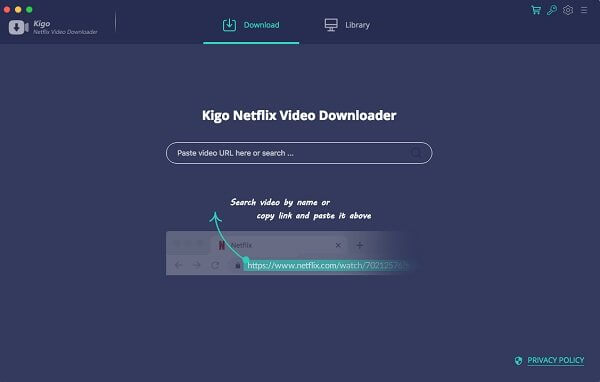
4K Video Downloader 4.16.3


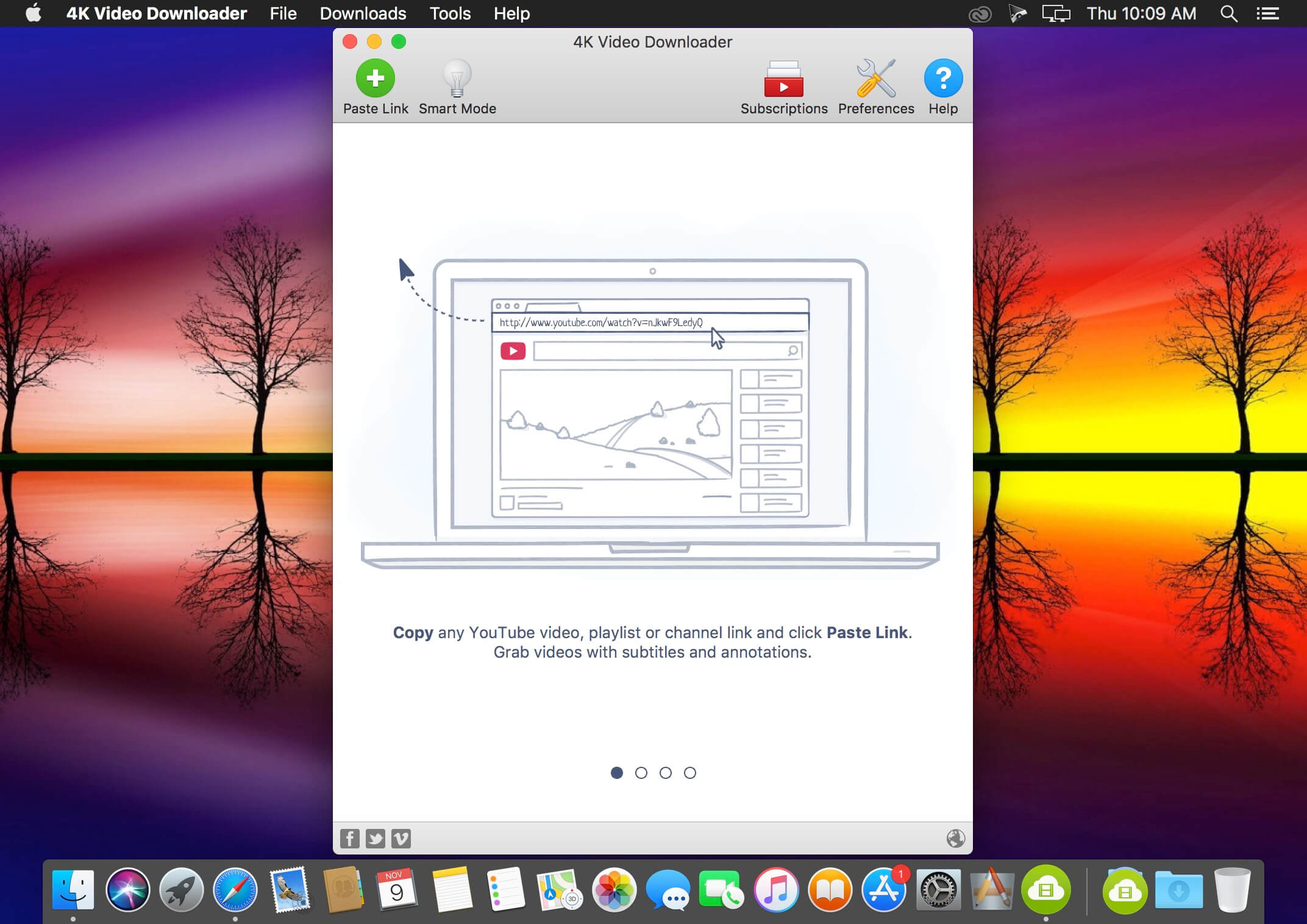
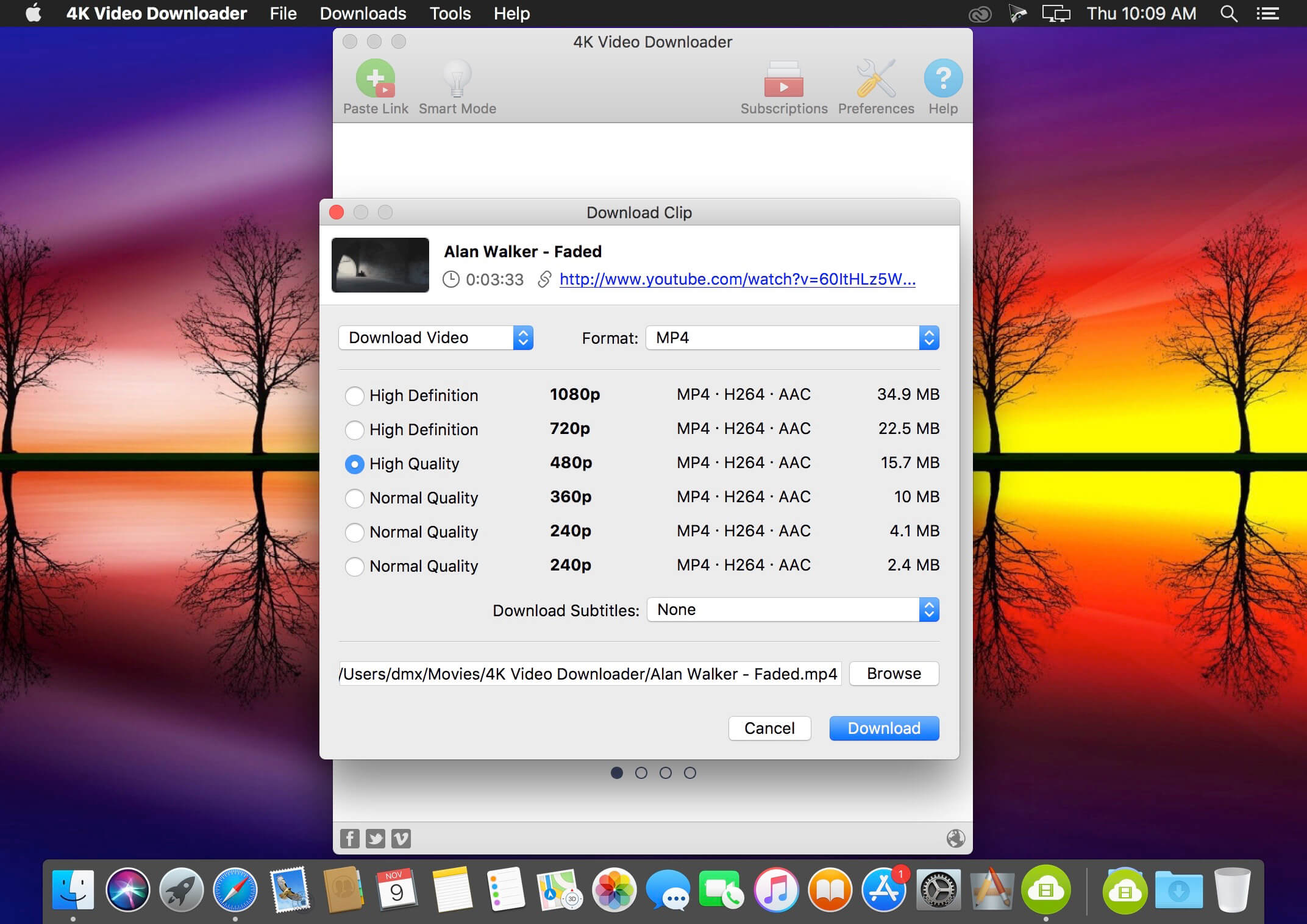
4K Video Downloader allows to download video, audio and subtitles from YouTube in high-quality and as fast as your computer and connection will allow. If you want that video on your iPad, iPhone or other device we’ve got you covered. Downloading is simple and straightforward: just copy the video link from your browser and click ‘Paste Url’. Done!
  • Download entire playlists and channels from YouTube and save them in MP4, MKV, M4A, MP3, FLV, 3G, generate .m3u file for playlists.
  • Download video in HD 1080p, HD 720p or 4K quality and enjoy high dimension video on your HD TV, iPad or other devices.
  • Advanced subtitles download, select if you would like to have .srt file or embedd subtitles in video file to watch it on your Mac for example.
  • Activate “Smart Mode” in order to apply the selected settings to all your downloads, easy and fast.
  • Download video in 3D format, you will find a small special icon among available formats after video parsing. It’s really impressive to watch live shows and cartoons in 3D.
  • Download embedded YouTube videos from any web pages, just copy/paste link and the program will find the source of download.
  • Download video and audio from Vimeo, SoundCloud, Flickr, Facebook and DailyMotion.

What’s New:

  • YouTube сhannel subscription feature added
  • 360 degrees videos are supported
  • Original audio bitrate option added
  • YouTube and Facebook download issues fixed
  • Import and export of downloaded items supported
  • Thumbnail for audio in metadata added

Language: Multilangual
Compatibility: macOS 10.13 or later, 64-bit processor
Homepage https://www.4kdownload.com/ru/products/product-videodownloader

Screenshots


Name: 4K_Video_Downloader_4.16.3__HCiSO_Mactorrents.io.dmg
Size: 105.44 MB
Files 4K_Video_Downloader_4.16.3__HCiSO_Mactorrents.io.dmg[105.44 MB]

   Download

One Switch 1.20.1

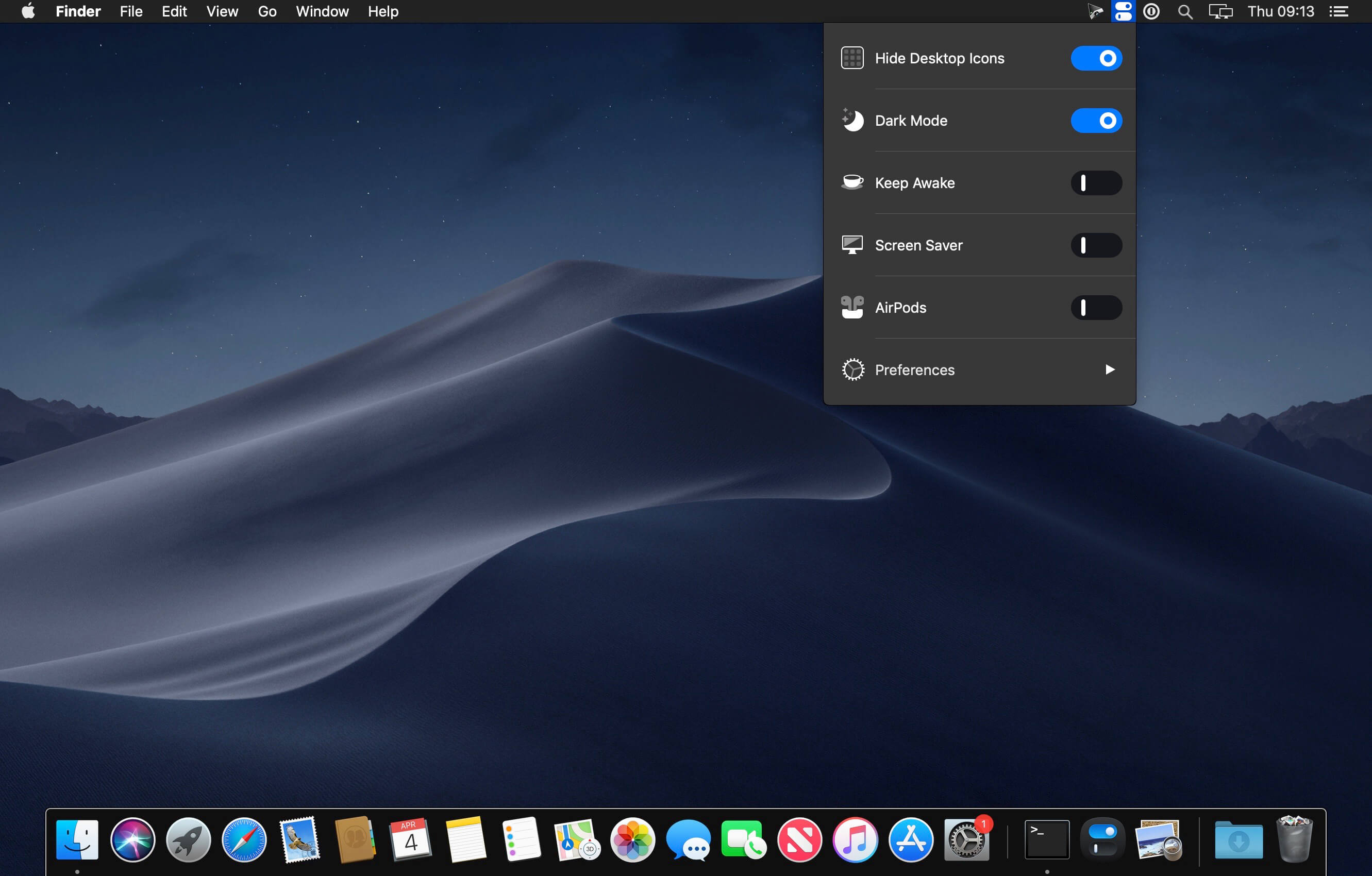
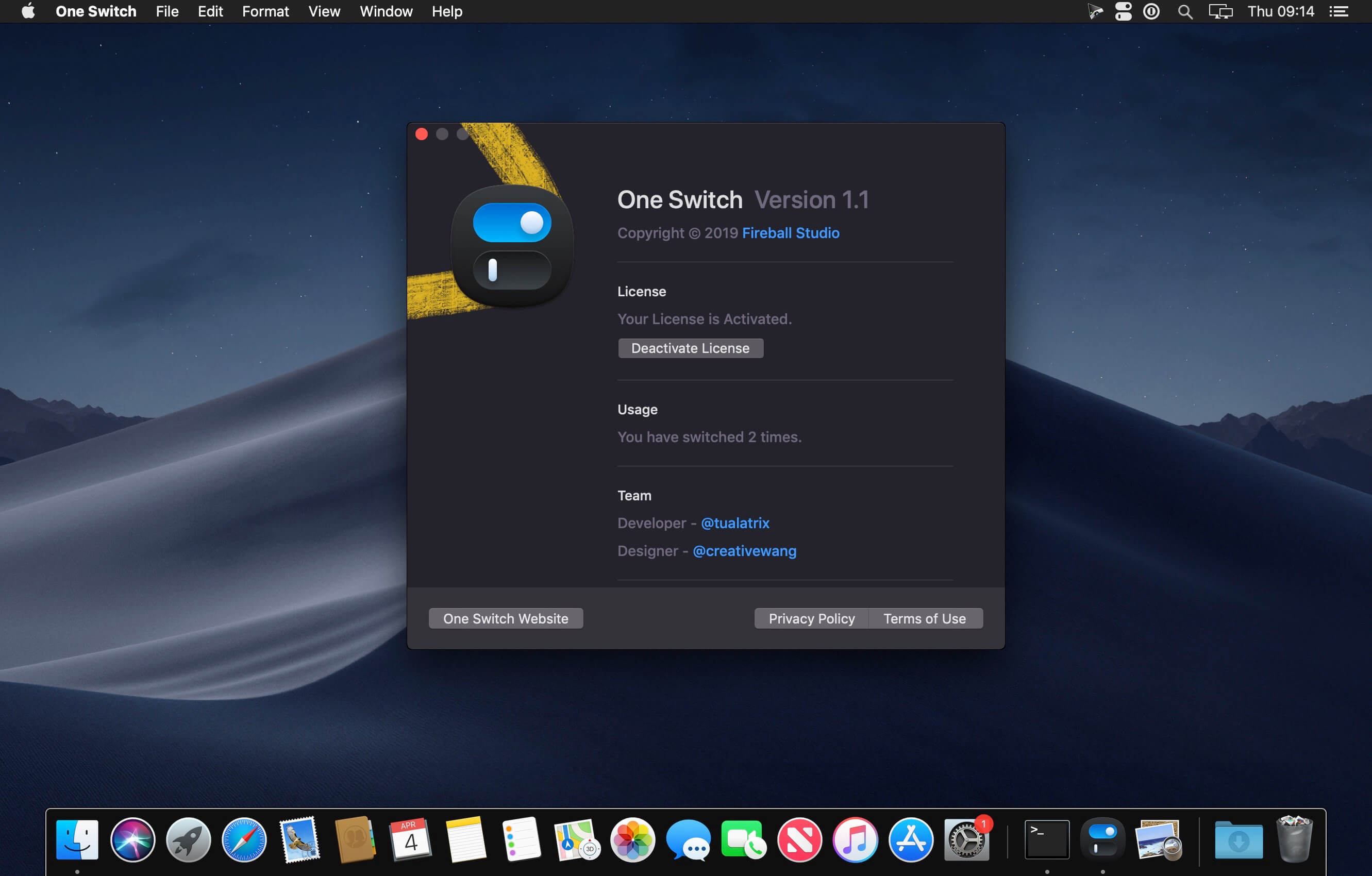
One Switch is a tiny app designed to improve your efficiency by providing quick access to a few important switches. It can be opened from your menu bar, and it allows you to toggle certain system features with just a couple of clicks.

Hide Desktop Icons
Hide your messy desktop with one click.

Dark Mode
Toggle Dark Mode at any time.

Keep Awake
Prevent your Mac from sleeping or displaying the screen saver.

Screen Saver
Sometimes you will like to turn it on manually.

AirPods
Connect AirPods with your Mac in just a second.

What’s New:

Version 1.20.1:

  • Release notes were unavailable when this listing was updated.

Compatibility: macOS 10.14 or later 64-bit
Homepage https://fireball.studio/oneswitch/

Screenshots


Name: One_Switch_1.20.1__HCiSO_Mactorrents.io.dmg
Size: 11 MB
Files One_Switch_1.20.1__HCiSO_Mactorrents.io.dmg[11 MB]

   Download

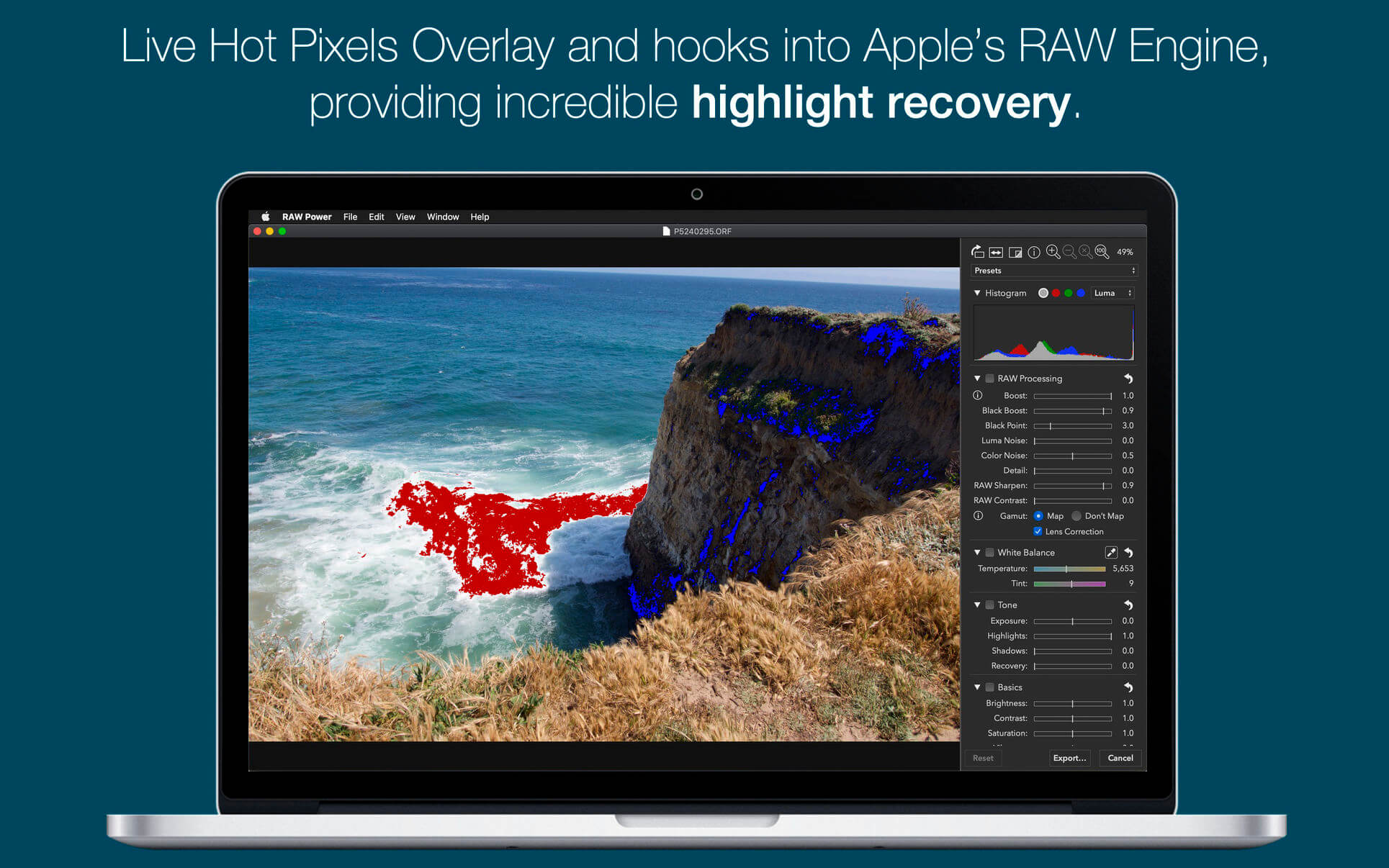
RAW Power 3.3

RAW Power® has the best Finder, Photos and iCloud integration of any non-Apple photo app, plus advanced RAW editing, ratings and more.

RAW Power is three tools in one:

  1. A fast, non-destructive image editor app. No need to import – RAW Power can quickly browse any folder on your disk.
  2. An Apple Photos library app. It is also compatible with iCloud Photos, so any Photos library changes you make sync to your other Macs and iOS devices.
  3. A Photos editing extension.

Any way you use it, you get the same impressive editing features. With either app mode, you can rate, flag, and filter too.

RAW Power is great with JPEGs, with powerful adjustments absent from Apple’s Photos (such as LUTs, Depth Effect and Chromatic Aberration)

If you loved Aperture’s advanced RAW processing, you’ll feel at home with RAW Power. Adjustments like Boost, previously only available in Aperture, help you improve your images in ways that simply can’t be done in any other application.

OVERVIEW

  • ADVANCED RAW: Unlock the power of Apple’s RAW engine (previously only in Aperture). Unique adjustments improve photos in ways impossible in any other app.
  • ORGANIZE: RAW Power can organize and manage your Photos Library (requires Catalina). Fully compatible with iCloud Photo Library, so library changes are synced.
  • FINDER SUPPORT: RAW Power is a fast, standalone image editor with the same excellent non-destructive, RAW processing.
  • RATE & FILTER: Filter by file type, rating, flag, and edit state. Ratings and flags sync over iCloud Photos!
  • EDIT CROSS-PLATFORM: Start on one device and continue on another using RAW Power 3 for iOS (separate purchase). RAW Power is also a Photos editing extension with all the same adjustments.
  • BATCH PROCESSING: Apply presets, paste adjustments, and export images. Apply Auto Enhance or Auto White Balance to many images at once.

ORGANIZATION AND DISPLAY

  • Zoom up to 800% for extremely precise adjustments.
  • Create Photo library albums, delete images, and arrange images in albums.
  • View metadata such as file name, shot information, flash status, and location with map.
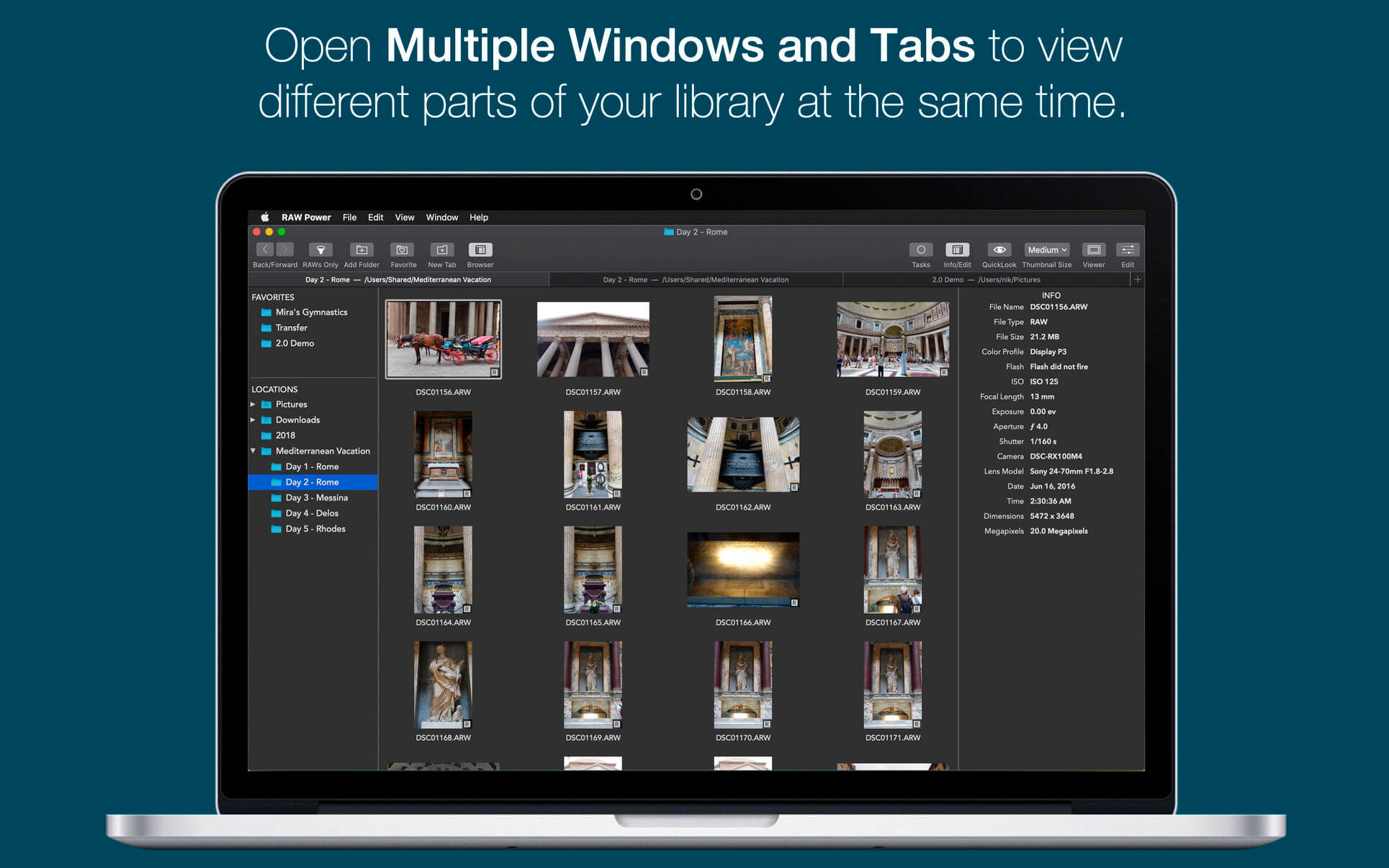
  • Browse folders on your disk or albums in your library, pick favorite folders
  • Multiple Windows / Tabs to view different parts of your disk or library at once
  • Open and edit multiple files at once
  • Thumbnail Grid with badges for edit state, file type, rating, and flags
  • Filter by file type, edit state, rating, flags and tags
  • Export with control over size, format, profile, and name
  • Apply Presets, Paste Adjustments, Export, and more with Batch Processing in the background

REAL-TIME EDITING

  • Compatible with hundreds of cameras, including iPhone RAW. (see https://support.apple.com/en-jo/HT210191). Fuji Compressed RAW is not supported. Supports most DNGs.
  • Unparalleled highlight recovery. Real-time control of Apple’s RAW, including Noise Reduction, Black Point, Gamut Mapping and more
  • Auto Enhance, Auto White Balance, Auto Levels and Auto Curves
  • Histogram with Clipping Indicators and Hot Pixels Overlay
  • LUTs (Look up tables) with built-in looks and film simulations. Add your own!
  • Crop and Straighten, Rotate and Flip, White Balance with sampler and auto
  • Highlights, Shadows, Vibrancy, Local Contrast and incredible Lighten and Darken sliders
  • Curves and Levels. Curves has Linear and Lab modes, and samplers
  • Depth Effect to enhance photos shot with the dual camera system
  • Chromatic Aberration to correct lens artifacts, Perspective, Black & White, Vignette with adjustable center point
  • Metal-based image processing engine for better performance. High-precision, deep color imaging.
  • Fully non-destructive editing, with all changes stored in sidecars
  • All sliders are real-time and GPU accelerated
  • Customizable Presets and Copy / Paste of adjustments
  • Camera Presets let you create a starting point for each camera model

What’s New:

Version 3.3:

  • *NEW* (macOS 11) Extended RAW Support for compressed Fujifilm RAWs, Go Pro, Olympus and many others. https://www.gentlemencoders.com/extended-raw/index.html
  • *NEW* Split Toning and Tint.
  • *NEW* Manual Lens Correction: Distortion, Devignette with semi-automatic mode.
  • *NEW* Purple and Green Fringe Removal.
  • *NEW* Export to Photo Library with Album Picker.
  • Hide LUTs by picking the folder in the popup.

Earlier Versions:

  • Completely reworked Fujifilm simulations, developed in conjunction with Fujifilm shooters!
  • All Adjustments are visible by default. You can remove them from view by using the “…” menu in each adjustment.
  • Significant quality improvements to the HSL adjustment.
  • Fix issues when zooming.
  • Fix excessive memory when browsing Photos Library
  • Added ability to filter for videos or photos.
  • Bug fixes throughout the app.

Compatibility: macOS 10.14 or later, 64-bit processor
Homepage https://geo.itunes.apple.com/app/id1157116444

Screenshots


Name: RAW_Power_3.3_MAS__TNT_Mactorrents.io.dmg
Size: 57.95 MB
Files RAW_Power_3.3_MAS__TNT_Mactorrents.io.dmg[57.95 MB]

   Download

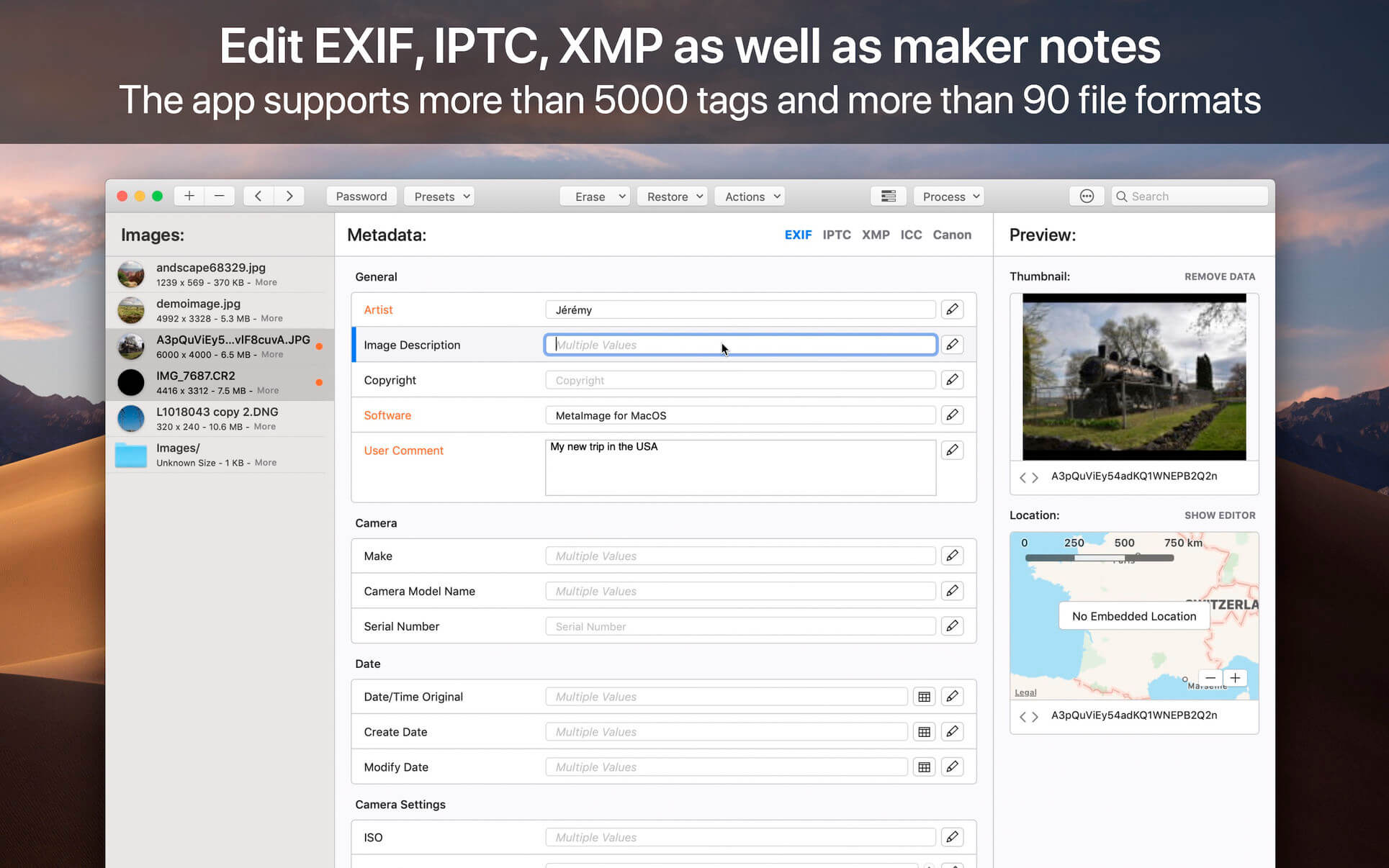
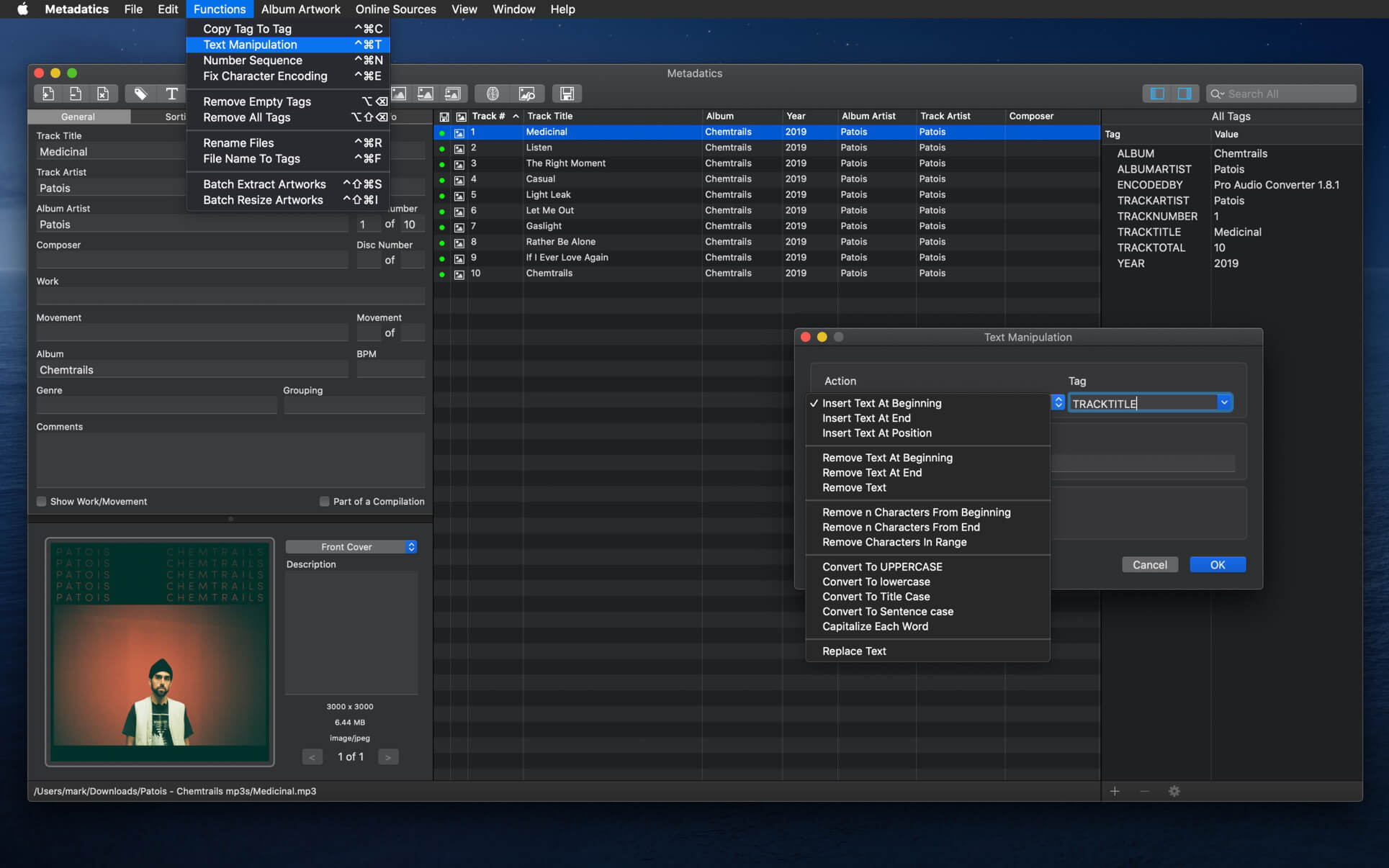
Meta 2.0.6

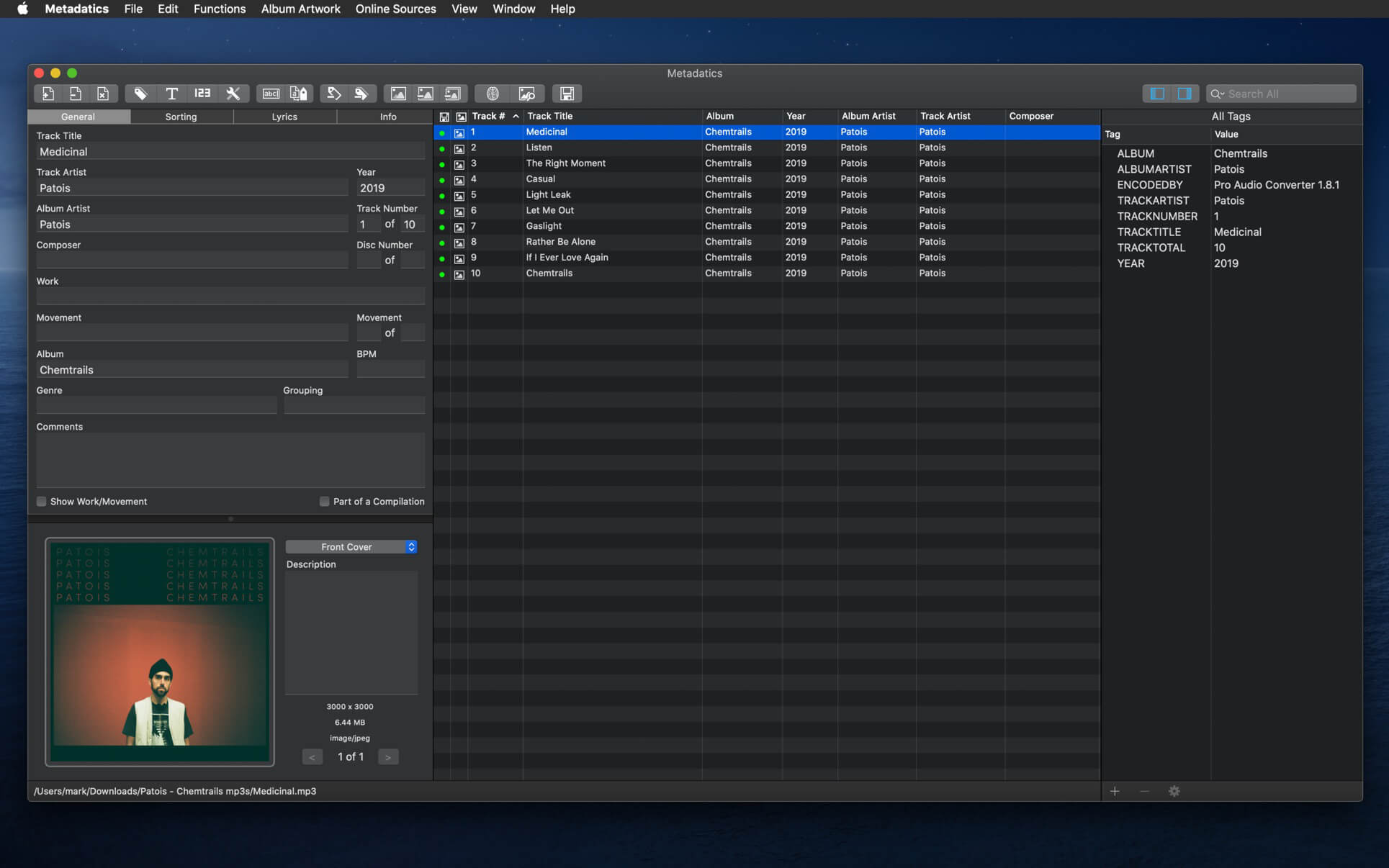
Meta helps you manage your ever-growing digital music collection. Use it to easily edit information such as a song’s artist, title, album, album cover, etc. It supports editing of most audio formats such as MP3, MP4, M4A, FLAC, Ogg, OGA, SPX, WAV, AIFF, and a variety of metadata formats including ID3v1, ID3v2.3, ID3v2.4, iTunes MP4, Vorbis comments, and APE tags.

Features

  • A polished, intuitive user interface that adopts OS X’s standards
  • Write metadata to multiple files at once (Batch Tag Editing)
  • Remove all metadata from files (Strip Tags)
  • Change typecase (capitalise, upper/lowercase, titlecase), strip underscores
  • Rename files based on their metadata or instead, convert filenames to metadata
  • Find and Replace characters, words, or strings in metadata, with support for regular expressions (patterns)
  • Add selected tracks to iTunes, or refresh their metadata using a simple keyboard shortcut
  • Automatically generate track numbers
  • Benefit from built in file management operations (Move, Delete, Reveal in Finder)
  • Interface is compatible with Retina displays

Album covers can easily be set or exported via drag-and-drop, and it is possible to configure Meta so that it scales, crops, and compresses images each time a new image is set, so as to keep your audio files’ size to a minimum.

What’s New:

Version 2.0.0:
New:

  • Native support for Apple Silicon, aka. M1 Macs, aka. ARM64.
  • New and shiny Find & Replace sidebar with: search scopes, pattern matching, and recents.
  • New utility to Import tags from CSV files.

Enhancements:

  • New file command to “Refresh tags” (ie. re-read metadata from disk when changed externally to Meta)
  • Artwork thumbnails in the list view, for easier and sexier lookup
  • Added “.ape” file format support
  • Added “Description” tag
  • Added “Previous” option to the startup directory selector
  • Autocomplete now also suggests currently listed metadata

Fixes:

  • Fixed Meta setting itself up as the default handler for some audio formats
  • Fixed view selector tab issues for machines ante macOS 11
  • Fixed a bug that prevented from editing the “total” part of track/disc numbers in the sidebar

Language: English, French, German, Italian, Japanese, Simplified Chinese, Spanish
Compatibility: OS X 10.8 or later 64-bit
Homepage https://apps.apple.com/pk/app/metaimage/id1397099749

Screenshots


Name: Meta_2.0.6__TNT_Mactorrents.io.dmg
Size: 16.21 MB
Files Meta_2.0.6__TNT_Mactorrents.io.dmg[16.21 MB]

   Download

Metadatics 1.6.5 (304)

Metadatics is a powerful and advanced audio metadata editor. It supports batch editing of most common audio file types including MP3, M4A, AIFF, WAV, FLAC, APE, OGG, WMA, and more. Lookup metadata from online sources, rename files based on metadata, or manipulate metadata using one of the many built in functions. Metadatics provides all you need to edit metadata with ease and flexibility.

Metadatics Main Features

  • Batch Editing – Edit multiple files at once quickly and easily.
  • Functions – Metadatics has a number of built in function to quickly manipulate data. Replace text, remove characters from the beginning or end of a tag, generate number sequences, copy from tag-to-tag, and much more!
  • Online Sources – Search for tags on MusicBrainz and album artwork on Google.
  • Album Artwork – Metadatics supports reading and writing multiple images per file. Artwork can be extracted or resized either in a batch or individually.
  • File Rename – Generate directory structures and rename files based on metadata.
  • Support For Many Metadata Formats – Metadatics supports reading and writing ID3v1, ID3v2, MP4, Vorbis, APE, and ASF tags all from a variety of audio file types.

Compatibility: macOS 10.10 or later 64-bit
Homepage https://apps.apple.com/ca/app/metadatics/id554883654

Screenshots


Name: Metadatics_1.6.5__304__MAS__TNT_Mactorrents.io.dmg
Size: 17 MB
Files Metadatics_1.6.5__304__MAS__TNT_Mactorrents.io.dmg[17 MB]

   Download

Kigo Netflix Video Downloader 1.5.1

Wanna Save Netflix Videos for offline Playing without limitations. One Button to Download HD Netflix Videos With Fast Speed. Use this piece of software to download your Netflix videos and watch them offline anytime you want and anywhere you please; no internet, no issues.

Download NetFlix Videos
For Mac users, whether Netflix movies, TV Shows or Original Series, during you subscribe Netflix, you can download Movies & TV Shows & NetFlix Series & Documentaries for offline playing.

Save Netflix Videos to MP4
All the downloaded Netflix videos can be saved to MP4 format playable on any video player like WMP, VLC, Roku, RealPlayer, Amazon Fire TV, Microsoft Xbox 360, Samsung Phones, iPhone and other Android phones.

Download Up to 1080p Videos
According to your plan types, you can download the videos from 480p to high quality 720p even 1080p. The trial version can only download 480p videos. Just choose a suitable output quality for your devices.

Keep Audio Tracks and Subtitles
All the audio tracks and subtitles the videos support will be kept well. And you can also save one or more subtitles or audio tracks according to your need. You can save the subtitles as the separate files so as to load to other resource videos.

Fast, Simple and Easy
Totally Fast Downloading Speed – It is faster by downloading Netflix than recording Netflix’s screen and you can also save to MP4 format.
One button to Download – Users can copy and paste the Netflix URL to Download or search the videos to use the Download button to download.
Simple Interface, Easy to Use – After the installation, you can know how to use the program with the simple interface. All the functions can be found quickly.

Compatibility: OS X 10.10 or later
Homepage https://www.kigo-video-converter.com/netflix-downloader-mac/

Screenshots


Name: Kigo_Netflix_Video_Downloader_1.5.1__HCiSO_Mactorrents.io.dmg
Size: 107 MB
Files Kigo_Netflix_Video_Downloader_1.5.1__HCiSO_Mactorrents.io.dmg[107 MB]

   Download

GoodNotes 5.7.6

Transform your Mac into smart digital paper and a powerful document management system.
Use the same features from GoodNotes’ iPad version on your Mac and work with your documents where you want and when you want.

CREATE, IMPORT, AND EDIT DOCUMENTS ON YOUR MAC

  • Create digital notebooks and type text with your keyboard or write and draw with the mouse/trackpad or the Apple Pencil using Sidecar on your iPad
  • Import PDF and images to annotate them in GoodNotes
  • Add documents from your Mac to existing GoodNotes notebooks via drag and drop

PAPERLESS DOCUMENT MANAGEMENT

  • Organize your documents in folders and create unlimited subfolders
  • Mark your most important documents, pages, and folders as Favorites to access them quickly
  • Create custom outlines for easier navigation through your documents
  • Instant export of documents or pages as PDF via drag and drop

ALL YOUR NOTES ALWAYS WITH YOU

  • Sync your latest changes to your iPad, iPhone, and other Macs using iCloud
  • Prepare documents on your Mac and pick them up on another device to continuously work on them

ESCAPE THE LIMITS OF ANALOG PAPER

  • Move, resize, and rotate your handwriting or change colors
  • Draw perfect shapes and lines with the Shapes Tool
  • powerful & smart eraser tool: Choose to erase the entire stroke or only parts of it. Set it to “Erase Highlighter Only” to leave the ink intact
  • Navigate through imported PDFs with existing hyperlinks

What’s New:

Version 5.7.0
Introducing Elements – Save and reuse frequently needed objects across all of your notebooks.
Stickers, stamps, headers, sticky-notes, basic shapes, graphs, coordinate systems… When taking notes, we need to use the same objects over and over again. The new Elements feature lets you import and save objects or groups of objects to a collection from where you can add them to the page again. No more copy and paste between different notebooks or hectic redrawing when time is short.

SAVING ELEMENTS
GoodNotes comes with some built-in Element collections that you can use to decorate or enhance your notes.
Of course, you can also add your own elements:
1. Select something with the Lasso Tool > tap on the selection again > tap “Add as Element”
2. Select an image with the Image tool > Then tap on it again > Add as Element
3. Open the Elements picker > tap and hold on the mini thumbnail of a collection at the bottom > “Edit” > Import images from Camera Roll or Files

INSERTING ELEMENTS 
Inserting elements work similarly to inserting images with the image tool:
Select the Elements tool > tap anywhere on the page > select the Element you want to insert.
You can also use drag and drop to add elements from the Elements picker or from the contextual area that includes your recently used Elements for faster access.

Tips for Pros:
When you save an Element, the format is preserved, which means all objects are fully editable when you add them back to a page. For example, you can save a hand-drawn table with placeholder text boxes for the table headers. After adding the Element to the page, you can update the placeholder text with the text tool or erase columns you don’t need.

ORGANIZING ELEMENTS 
Elements are organized in collections. When saving an element, you can choose to add it to an existing collection or create a new one. You can delete Elements in collections, move them around, and import more.

Compatibility: macOS 10.15 or later, 64-bit processor
Homepage https://apps.apple.com/app/goodnotes-5/id1480793815

Screenshots


Name: GoodNotes_5.7.6_MAS__HCiSO_Mactorrents.io.dmg
Size: 218.07 MB
Files GoodNotes_5.7.6_MAS__HCiSO_Mactorrents.io.dmg[218.07 MB]

   Download

Audiobook Builder 2.1.2 (331)

Audiobook Builder makes it easy to turn your audio CDs, MP3s, M4As, and other audio files into audiobooks for your iPhone, iPod or iPad. Join audio, create enhanced chapter stops, adjust quality settings and let Audiobook Builder handle the rest. When it finishes you get one or a few audiobook tracks in iTunes® instead of hundreds or even thousands of music tracks!

Key Features

  • Audio file joining: Already ripped your CDs? There’s no need to suffer through it again.
  • Enhanced chapter stops: Custom artwork you specify will appear in iTunes and on iPods with a color display.
  • Adjustable quality settings: Start with the included presets, but feel free to customize each project’s audio settings to suit your personal taste.
  • iTunes integration: Drag and drop straight from iTunes to your Audiobook Builder projects. Audiobook Builder can also send its output directly to a special playlist in iTunes.
  • Quite a memory: Each Audiobook Builder project’s audio data is contained in the project document file, so you are free to start a project now, take a break and return to finish your project later. You can even move projects between Macs, if necessary.

What’s New:

Version 2.1:
New Features

  • Brings compatibility enhancements for macOS 10.15 Catalina’s Music, and Books. Look in Audiobook Builder’s preferences for new settings to automatically add your audiobooks to Books or Music.

Fixes

  • Improves temporary file management
  • Enhanced for better compatibility with a wider variety of homemade audio files
  • Includes minor user interface fixes and adjustments

Compatibility: OS X 10.11 or later 64-bit
Homepage https://www.splasm.com/

Screenshots

Screenshots


Name: Audiobook_Builder_2.1.2__331__MAS__TNT_Mactorrents.io.dmg
Size: 21.63 MB
Files Audiobook_Builder_2.1.2__331__MAS__TNT_Mactorrents.io.dmg[21.63 MB]

   Download

aText 2.38.1

aText accelerates your typing by replacing abbreviations with frequently used phrases you define: for example, make an abbreviation “myname” to insert your name “First Middle Last” in any application.

With aText you can easily avoid typing the same thing over and over.

More Features

  • Insert images and formatted text.
  • Capitalize new sentences. Correct double capitals.
  • Insert the current date and time in any format. Insert day in the future or the past, for example: next Sunday, previous Monday.
  • Embed clipboard content in snippet, embed another snippet, use editable fields in snippet, send any key (such as Esc, Tab, Enter, arrow keys, etc).
  • Reposition the cursor in the expanded snippet.
  • Invoke AppleScripts and shell scripts.
  • Built-in snippet groups for correcting misspelled words, HTML, and jаvascript code.
  • Import data from TextExpander, TypeIt4Me, SpellCatcherX, Automaton, CSV file.
  • Works in Windows virtual machine by Parallels, VMWare Fusion (in Unity mode), VirtualBox. Works in Windows via TeamViewer and Remote Desktop Connection clients.
  • Sync via iCloud/Dropbox/Google Drive/SkyDrive.

What’s New:

Version 2.38.1:

  • Fixed crash in version 2.38 when typing unicode letter.
  • More refactoring.

Compatibility: OS X 10.9 or later 64-bit
Homepage https://www.trankynam.com/atext/

Screenshots


Name: aText_2.38.1__TNT_Mactorrents.io.dmg
Size: 6.91 MB
Files aText_2.38.1__TNT_Mactorrents.io.dmg[6.91 MB]

   Download

Tap Forms 5.3.19

Tap Forms helps you organize all kinds of things in one place – secure, searchable, and accessible on your Mac (iOS + Apple Watch app sold separately). How can one app organize everything? Because not only can you use and customize the 33 built-in templates but you can create your own “forms” for inputting any kind of information, even if that information includes pictures, doodles, audio recordings, calculations, file attachments, ratings, or even links to other forms. This makes it almost like building your very own customized organization app.

Features

  • Capture your way: add a picture, type some text, attach a file – there are 23 different types of information that can be captured with Tap Forms.
  • Organize your way: Create and design custom forms exactly how you want to for optimal organization. Get started with one of our ready-to-go form templates, or easily make a custom one from scratch with our integrated form building tools.
  • Store confidential data with confidence: Tap Forms’ security settings let you optionally require a password, and even auto-lock when idle for a custom period of time. Using AES encryption, you can rest easy knowing your data is safe and secure.
  • Import, export, share: It’s easy to import your data from existing files, so getting started is a breeze. Import your data from text, CSV, Bento and more. Exporting allows you to share with Mac, Windows, and Linux users.

Advanced Features

  • Layout designer for creating custom form layouts
  • Sync with Tap Forms for iOS and Mac with or without the cloud
  • Advanced search rules with multi-field record filtering
  • Lightning-fast search
  • Share form templates with friends, family, and co-workers
  • Import and export standard text, CSV and XLSX files from Excel, Numbers, or other systems
  • Print 24 different types of barcodes including ISBN, UPC, Code 39, QR code, EAN, and more!
  • Label printing engine includes over 1,000 Avery label templates
  • Print record details

Compatibility: OS X 10.11 or later, 64-bit processor
Homepage https://www.tapforms.com/

Screenshots


Name: Tap_Forms_Mac_5_5.3.19__TNT_Mactorrents.io.dmg
Size: 31 MB
Files Tap_Forms_Mac_5_5.3.19__TNT_Mactorrents.io.dmg[31 MB]

   Download

WiFiSpoof 3.5.8

WiFiSpoof is the ultimate system network tool giving a quick overview of the current state of your Mac’s network devices.

Quickly inspect your current network setup including:

  • Easily see all available network interfaces
  • Current MAC Address
  • System hardware MAC Address
  • Current Wi-Fi connection BSSID, SSID, Security, Channel, RSSI, Noise, Tx Rate and MCS Index
  • Current Wi-Fi card vendor data
  • MAC Address spoofing*
  • Advanced rule support for Wi-Fi connection changes*
  • Reverse OUI lookup (easily update the inbuilt database in preferences)

Compatibility: OS X 10.11 or later, 64-bit processor
Homepage https://wifispoof.com/

Screenshots


Name: WiFiSpoof_3.5.8__TNT_Mactorrents.io.dmg
Size: 8 MB
Files WiFiSpoof_3.5.8__TNT_Mactorrents.io.dmg[8 MB]

   Download

ColorWell 7.3.2

A Beautiful and Intuitive Color Picker and Color Palette Generator – A necessary addition to any web/app developer’s toolbox!

It’s super easy to generate unlimited Color Palettes with quick access to all color information, and on the fly code generation for app development. The editable Palette database allows you to archive and restore any color palette for later use with super quick search.

Access to the MacOS Color Wheel can be tedious by default, but ColorWell can be configured to show it via global hotkey or a quick mouse click from your system menu bar. This allows you to quickly grab Hex/HSL/RGB and code snippets from any color source.

If you’ve ever never to quickly generate a color palette from a source (or multiple source) image(s), then the Palette Generator is exactly what you need. You can grab any source image(s) and drop them into the Generator window to generate a color palette of the most common colors present in the image(s). Of course you can save any palettes you generate in the ColorWell Palette database!

Here’s some uses for ColorWell (I’m sure there are many more!):

  • Store and instantly retrieve unlimited color palettes
  • Create color palettes by dragging and dropping images
  • Quickly grab hex / rgb / hsl / swift/objc code snippets from any source.
  • Easily convert between hex / rgb and hsl.
  • Quickly eyeball any hex / rgb / hsl color.
  • Quick conversion of hex / rgb / hsl or the colorpicker into NSColor / UIColor Objective-C or Swift ready code.

Compatibility: OS X 10.11 or later 64-bit
Homepage https://sweetpproductions.com

Screenshots


Name: ColorWell_7.3.2__TNT_Mactorrents.io.dmg
Size: 11 MB
Files ColorWell_7.3.2__TNT_Mactorrents.io.dmg[11 MB]

   Download

Hides 5.5.2

Boost your productivity with Hides. Enable Single App Mode, to focus on the task at hand. Single App Mode will hide all other open applications automatically, so you can focus on your work. Hides can also quickly hide all open Applications, giving you a fresh, clear work space. Configure Hides with global hotkeys, allowing you to effortlessly clear your desktop of all running apps with one quick keystroke, or quickly enable Single App Mode for a distraction-free work environment. Single App Mode is exactly what you think it would be. only one app is in focus at one time on your desktop. Whenever you change to another app, all other apps are hidden from view leaving your entire focus for that one app.

  • You can now enable Focus mode only for specific apps or globally for all Apps!
  • new option to hide all apps except the current active app
  • new icon
  • small ui improvements
  • Better window handling

Compatibility: OS X 10.11 or later, 64-bit processor
Homepage https://sweetpproductions.com/

Screenshots


Name: Hides_5.5.2__TNT_Mactorrents.io.dmg
Size: 9 MB
Files Hides_5.5.2__TNT_Mactorrents.io.dmg[9 MB]

   Download

Hookshot 1.22.3

Hookshot is cursor movement window snapping.

Features:

  • Snap windows by pressing a modifier key and moving your cursor
  • Snap windows with keyboard shortcuts or by dragging windows to the edge of the screen
  • Move & resize windows by holding a modifier key and moving your cursor
  • Snap windows not in focus

What’s New:

Version 1.23:

  • Now you can specify a display in the custom shortcut builder
  • Fixed a bug where a custom shortcut in the top right Hookshot position didn’t work

Compatibility: macOS 10.12 or later, 64-bit processor
Homepage https://hookshot.app

Screenshots


Name: Hookshot_1.22.3__TNT_Mactorrents.io.dmg
Size: 16.17 MB
Files Hookshot_1.22.3__TNT_Mactorrents.io.dmg[16.17 MB]

   Download

NoteList 4.3


NoteList allows you to manages notes, in text format or RTF with or without images inside. A NoteList document contains a list of notes in a table and the selected note in details. The user can edit and modify the selected note at any time.

Simply and elegant the peculiar use of ‘color categories’ makes the app totally unique. It’s ideal to manage a high numbers of notes inside a single document, even when size of any note is very large.

NoteList allows to catalog notes in categories, assigning a specific category to any note. Categories are identified by labels. Any category label can have a different color to allow to identify the content of notes at the first sight.

Categories are editable as the user needs and they give to the user the main instrument to catalog and browse notes inside a document. The user can create and manage how many categories he needs inside any document.

The user can at any time search and filter notes by category or by content, creation date and modification date, using a menu popups or a search key. You can select to open document already sorted in the way you like.

Any note can be modified and edited, dragging and dropping images from the finder and applying font, style and size as in a true word processor. Various tools are available to manipulate text, search and replace, rules, spelling. At any time a note can be converted to a text only format.

If the user need to make a note from any file on disk, it’s enough to drag from the finder the file icon and drop it on the list of the notes inside the app. A new note with the file content will be created.

Anything inside NoteList is Spotlight enabled and fully searchable via Spotlight, even when NoteList is not running.

Lion ready with Resume, Auto Save, Versions, Full screen. Sandbox complaint on OS X Lion and successive.

NoteList allows the user to specify a startup document to open at the application launch by default.

Fully compatible with OS X 10.7 Lion. It can work also with OS X 10.6.6 Snow Leopard

Features:

  • Document based, allows to organize your data in more then one file
  • Any document can contain an unlimited number of notes
  • Saves document always with auto recovery on
  • Allows to have note in any format: TEXT, RTF, RTFD (RTF + images)
  • Copy and Paste from Safari preserves formatting and links
  • Full set of tools for formatting and working with text as in a word processor
  • Drag and Drop of images directly inside a document note to embed it.
  • Dragging and dropping a TXT, RTF, RTFD file creates a new note inside the document
  • Color label categories to help organize all your notes
  • Fast internal search as you type and by category
  • Sort in list by Creation Date and Modification Date
  • Lion ready with Resume, Auto Save, Versions, Full screen, Sandbox
  • Spotlight native since the first release
  • Native Help system
  • Embedded PDF user guide

Compatibility: OS X 10.10 or later, 64-bit processor
Homepage http://www.tensionsoftware.com/osx/notelist/

Screenshots


Name: NoteList_4_4.3__TNT_Mactorrents.io.dmg
Size: 10 MB
Files NoteList_4_4.3__TNT_Mactorrents.io.dmg[10 MB]

   Download

Torrents Download Apple,Mac Osx,Apps ,Software

Exit mobile version