Category Archives: Tools

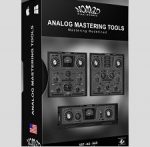
Nomad Factory Analog Mastering Tools v5.13

Analog Mastering Tools ––– Mastering Redefined
The Analog Mastering Tools (A.M.T.) include three processors that sets a new standard
for mixing and mastering your music with a subtlety and musical character reminiscent
of tube systems.

Products included in this Bundle:

A.M.T Amp Leveling
The A.M.T Amp Leveling is a highly optimized look-ahead Brickwall Limiter and Level
Maximization. The A.M.T Amp Leveler has been designed to be used for Mixing, Mastering,
Tracking and Live use. Using a new proprietary algorithm ensuring a very smooth-warm
sounding with maximum loudness and no digital-over-clipping as well as low CPU con-
sumption for lightening-fast processing, the A.M.T Amp Leveler is nothing short of amazing.

A.M.T Max Warm
The A.M.T Max Warm is a highly optimized look-ahead Brickwall Limiter, Equalizer and Level
Maximizer. What makes the A.M.T Max Warm process unique is the approach used for its dy-
namic signal analysis. Internally, the A.M.T Max Warm uses a special processing algorithm to
accurately maximize the incoming signal level while limiting the ceiling peak levels. This app-
roach tends to produce a more natural warm-sound, the A.M.T Max Warm also includes a
two-band equalizer (Shelving/Peaking) with adjustable frequencies, making this plug-in an
amazing advanced and versatile tool.

A.M.T Multi Max
The A.M.T Multi Max multiband peak limiter is a highly optimized 3 band look-ahead Brickwall
Limiter, and Level Maximizer. The A.M.T Multi Max uses a special processing algorithm to
accurately split and maximize the incoming signal level while limiting the ceiling peak levels.
This approach tends to produce a loud and clear natural warm-sound. The A.M.T Multi Max 3
band crossover with adjustable frequencies delivers sweet highs and punchy lows, making this
plug-in an amazing advanced and powerful tool. When you need maximum sound with
minimum latency and complete control, the choice is clear, use the A.M.T Multi Max plug-in.

Homepage https://go.nomadfactory.com/products/b265-Analog-Mastering-Tools/

Name: Nomad_Factory_Analog_Mastering_Tools_v5.13_macOS_Mactorrents.io.rar
Size: 28 MB
Files Nomad_Factory_Analog_Mastering_Tools_v5.13_macOS_Mactorrents.io.rar[28 MB]

   Download

Digital Film Tools DFT 1.2.1.1

DFT (aka Digital Film Tools) is the definitive digital toolbox meant to simulate optical camera filters, specialized lenses, film stocks and grain, lens flares, optical lab processes, color correction, keying, and compositing as well as natural light and photographic effects.​

General

– Simulation of optical glass camera filters, specialized lenses, film stocks, lens flares, optical lab processes, grain, exacting color correction as well as natural light and photographic effects

– 111 individual filters

– Thousands of customizable presets

Film Stocks & Looks

– 329 different color and black and white still photographic film stocks, motion picture films stocks and historical photographic processes

– 89 color grading presets from Academy Award nominated movies including 2001 A Space Odyssey, Apocalypse Now, Blade Runner, Back to the Future, Frankenstein, Gone with the Wind, King Kong, Saving Private Ryan and Titanic

– 68 stylized color and black and white looks

Lighting

– 331 optical lens flare presets organized into Anamorphic, Circular, Polygons, Star, Starburst and Stylized categories

– 193 different lighting gels to colorize your images

– Gobo library for lighting effects includes 751 gobos categorized into Abstract, Doors, Elements, Foliage, Snowflakes, Textures and Windows groups

Photo Versions

– Paint system that includes Black/White, Blur, Clone, Color, Eraser, Mosaic, Red-Eye, Repair and Scatter brushes

– Image effects including non-destructive Crop, Rotate and Scale

– Layering system for multiple filter application

– Sophisticated but easy to use masking tools

– Variation generator for effect parameters

– Batch processing

Architecture

– Color management using ICC profiles

– Exchangeable Image File Format (Exif)

– Camera RAW, TIFF, JPEG as well as Kodak Cineon and DPX file formats

– Mac Retina Display Support

– 8, 16, 32 bit image processing

– Multi-processor acceleration

– GPU acceleration

Compatibility: DFT is now compatible with macOS 10.15.
Homepage http://www.digitalfilmtools.com/

Name: Digital_Film_Tools_DFT_1.2.1.1___Mactorrents.io.zip
Size: 448 MB
Files Digital_Film_Tools_DFT_1.2.1.1___Mactorrents.io.dmg[448 MB]

   Download

Perspective Tools v2.0.2

Perspective Tools v2.0.2 for Photoshop CS6 – 2020 MacOS

Create perspective and parallel grids in one click, easily transform layers in perspective, unwrap perspective distortion to a plane with PT2!

Homepage https://gumroad.com/l/MESl

Name: perspectiveTools2.0.2_Mactorrents.io.zip
Size: 507 KB
Files perspectiveTools2.0.2_Mactorrents.io.dmg[507 KB]

   Download

Native Instruments Creator Tools v1.2.0 MacOS

Native Instruments Creator Tools v1.2.0 MacOS

MORiA | 31 January 2020 | STANDALONE | (R52) | MacOS
HIGH PERFORMANCE SAMPLER
KONTAKT is the industry standard sampled instrument platform, chosen by top instrument developers the world over.
Its powerful feature set offers unmatched creativity for developers, with cutting-edge sampling tools and effects modules, modular architecture, and advanced scripting, allowing everything from super accurate recreations of real-world instruments, to original standalone instruments, complete with features like built-in sequencing.
KONTAKT 6 introduces a wavetable sound engine, allowing all new hybrid instruments that combine synthesis with sampling to create never-before-heard sonic textures.

EFFECTS
KONTAKT includes a huge selection of pro effects. Harnessing NI’s extensive DSP expertise, they allow any kind of sound shaping – from subtle sonic tailoring to elaborate effect chains.
KONTAKT features 92 effect modules in all, including reverbs, delays, dynamics, distortions, guitar amps and cabinets, modulation, equalizers, bitcrushers, filters, and more.

SAMPLE PLAYBACK
KONTAKT enables fast, simple real-time audio manipulation.
Using NI’s own DSP tech, and that of partners – such as zplane’s élastique Pro – KONTAKT offers advanced high-quality time-stretching and pitch-shifting, granular technology, emulations of vintage digital samplers, flexible looping and slicing, and more.

UNBEATABLE EFFICIENCY
KONTAKT’s unbeatable performance enables complex and highly-realistic sampled instruments.
Efficient, direct-from-disk audio streaming, smart memory management, and careful scheduling of background tasks means KONTAKT loads tens of thousands of samples in seconds and plays hundreds of voices simultaneously, for the ultimate in expressive sonic realism.

ROUTING
KONTAKT features a flexible routing architecture that allows highly complex instrument configurations.
With it, developers can emulate multi-mic studio recording setups, scoring professionals can work in the latest multi-channel audio formats, and sound designers are free to create elaborate effect chains, and even apply separate processing per voice.

MODULATION
KONTAKT has a comprehensive set of musical modulation modules, delivering anything from highly realistic vibrato to animated, otherworldly synth textures. This collection of envelopes, LFOs, and step sequencers can modulate almost any effects parameter or aspect of sample playback. Modulation can also be introduced from external signals such as incoming MIDI, for infinite possibilities.

ADVANCED SCRIPTING
KONTAKT’s advanced scripting language, KSP, powers countless pro instruments. It allows euclidean sequencers, percussion instruments that reproduce minute drum skin variations, complex orchestral clusters, and more. It also allows powerful custom GUIs for instruments that look as good as they sound.

CREATOR TOOLS
KONTAKT 6 ships with a standalone application suite – Creator Tools – to aid the instrument creation processes. It consists of three elements: A Debugger, for identifying and fixing problems in KONTAKT script; an Instrument Editor, which can load and run Lua scripts to automap samples, duplicate and batch rename groups, and copy settings from one part of an instrument to another; and a GUI Designer, which allows creators to assemble, customize, and reuse KONTAKT performance views and controls without the need to write code.

Homepage https://www.native-instruments.com/en/products/komplete/samplers/kontakt-6/building-in-konta

Name: Native_Instruments_Creator_Tools_v1.2.0_MacOS_Mactorrents.io.zip
Size: 85.8 MB
Files Native_Instruments_Creator_Tools_v1.2.0_MacOS_Mactorrents.io.dmg[85.8 MB]

   Download