Category Archives: News

Downcast 2.9.30

Name Downcast 2 9 30 MAS TNT.dmg
Size 29.76 MB
Created on 2018-03-27 22:05:43
Hash accf37d4a48e21ac97adfba662f10b324450adcb
Files Downcast 2 9 30 MAS TNT.dmg (29.76 MB)

Descriptions for Descriptions for Downcast 2.9.30

Name: Downcast
Version: 2.9.30
Release Date: March 26, 2018
Developer: Jamawkinaw Enterprises LLC
MAS Rating: 4+
Mac Platform: Intel
OS Version: OS X 10.11 or later

Includes: Pre-K’ed (TNT)

Web Site: http://www.downcastapp.com
Mac App Store: https://itunes.apple.com/app/downcast/id668429425?mt=12

Overview

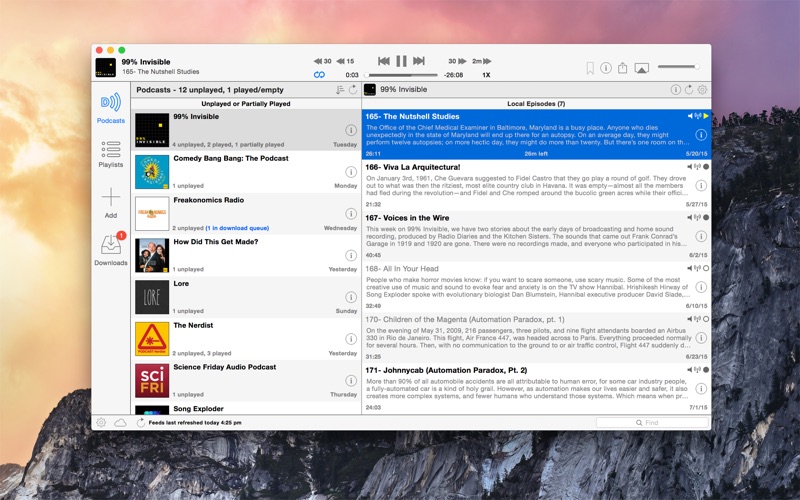
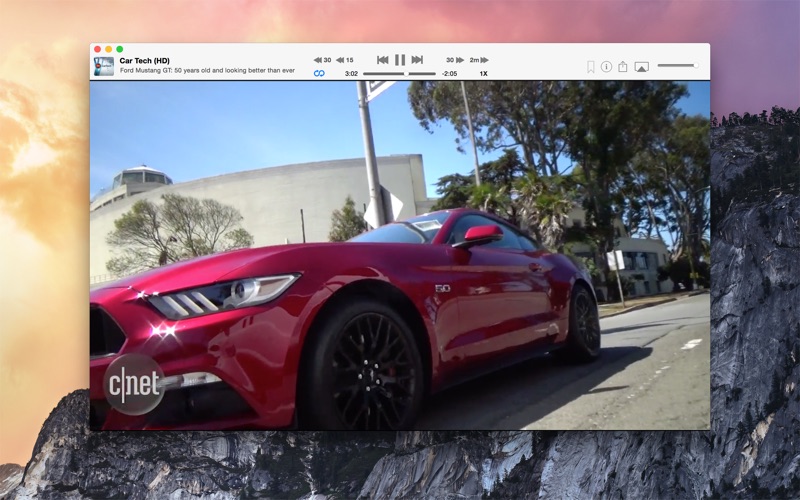
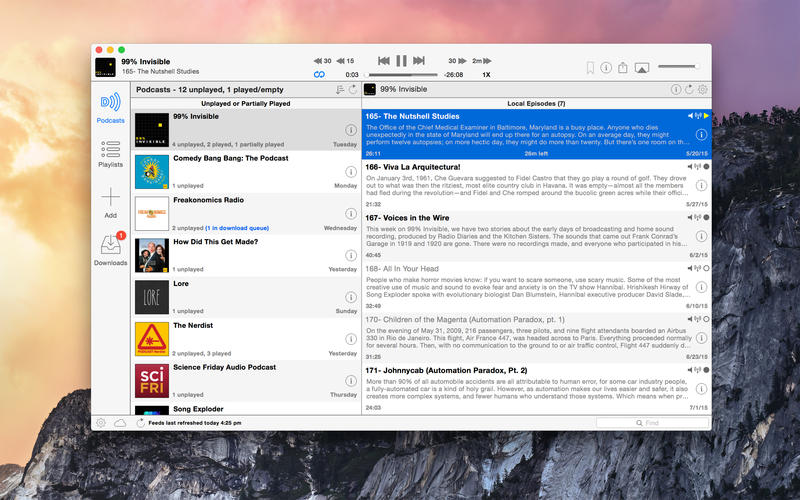
Downcast, the popular iOS podcast app is now available for OS X! Download, play and sync** your favorite podcasts with an intuitive interface built specifically for podcasts.

Subscription Features
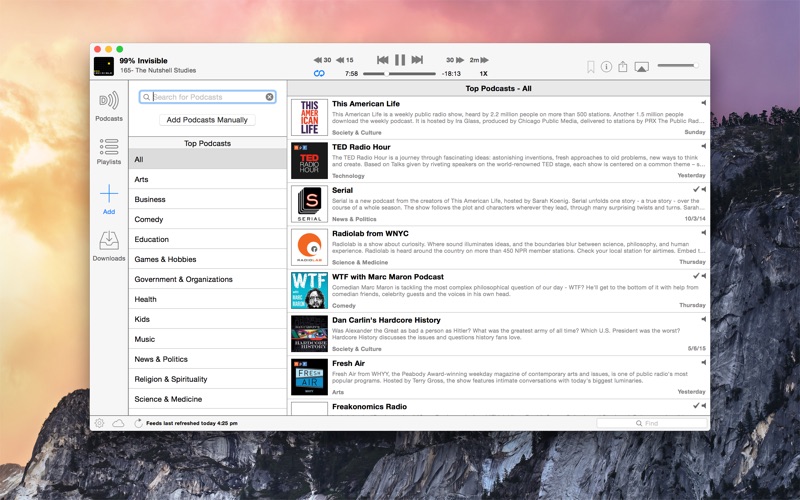
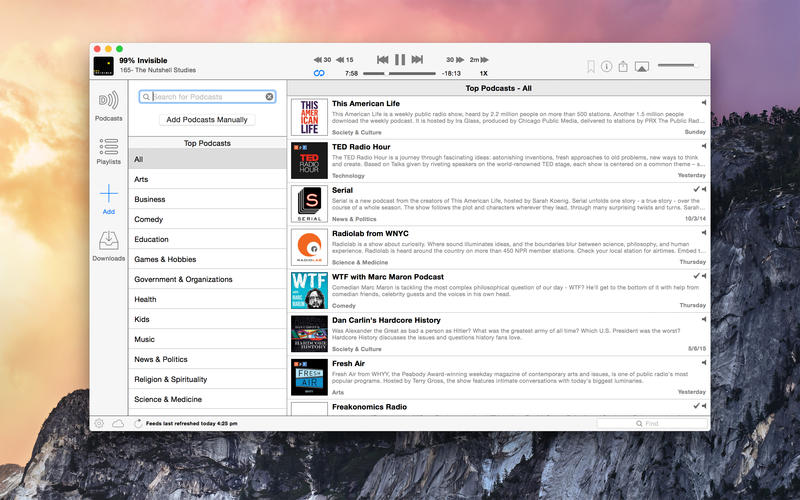
  • Search, subscribe to and download audio and video podcasts
  • Manually subscribe to podcasts via URL
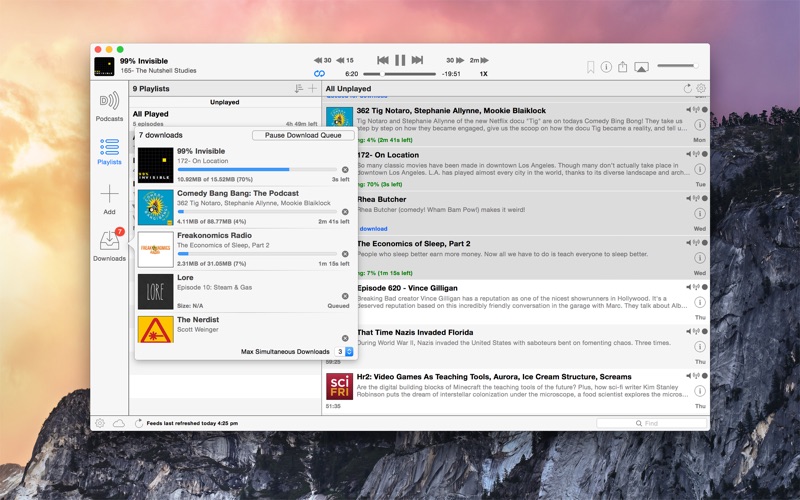
  • Download podcasts automatically (including resuming downloads)
  • Browse and download older podcast episodes
  • Autoupdate podcast feeds based on schedule
  • Settings for autodownload and episode retention (globally and perpodcast)
  • Import and export podcast feeds via OPML
  • Import supported audio/video media files
  • Support for passwordprotected feeds
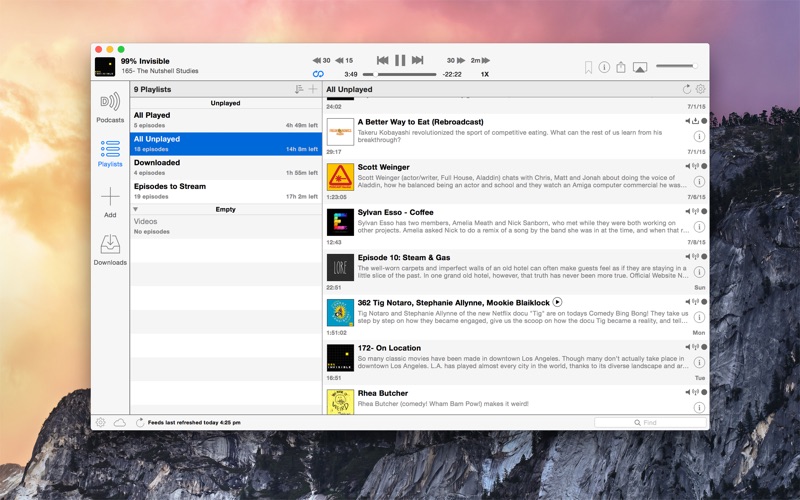
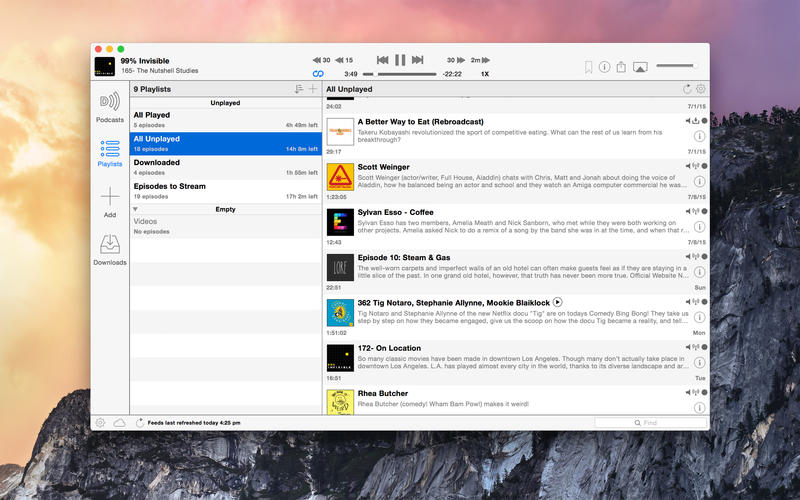
  • Create and edit “smart” playlists
  • View podcast details and episode show notes
  • Rename podcast subscription names
iCloud Syncing
  • Sync podcast subscriptions, playlists, settings and episode information with other Macs and iOS devices** via iCloud
Playback Features
  • .5x, 1x, 1.25x, 1.5x, 2x, 2.25x, 2.5x, 2.75x and 3x speed playback*
  • Chapters support for enhanced podcasts
  • Stream episodes without downloading

—————————————–

* See the following Help article for an explanation of play speeds: http://support.downcastapp.com/customer/portal/articles/476114-playback-speeds

** Downcast for iOS is required for syncing to iOS devices

What’s New in Downcast 2.9.30

  • Fixes iCloud sync bug
  • Fixes crash caused by some episodes’ timebased metadata
  • Fixes continuous play issue when starting playback using an episode’s context menu

Screenshots

1_Downcast.jpg

NetNewsWire 4.1.0

Name NetNewsWire 4.1.0
Size 17.92 MB
Created on 2018-02-28 03:35:39
Hash c78e9da29b92c2ca43f2314a9979533959d2daa0
Files NetNewsWire.app.zip (17.92 MB)

Descriptions for Descriptions for NetNewsWire 4.1.0

Name: NetNewsWire
Version: 4.1.0
Release Date: September 28, 2017
Developer: Black Pixel
MAS Rating: 17+
Mac Platform: Intel
OS Version: OS X 10.12 or later

Web Site: http://netnewswireapp.com/mac
Mac App Store: https://itunes.apple.com/app/netnewswire/id635060292?mt=12

Overview

Follow the Web

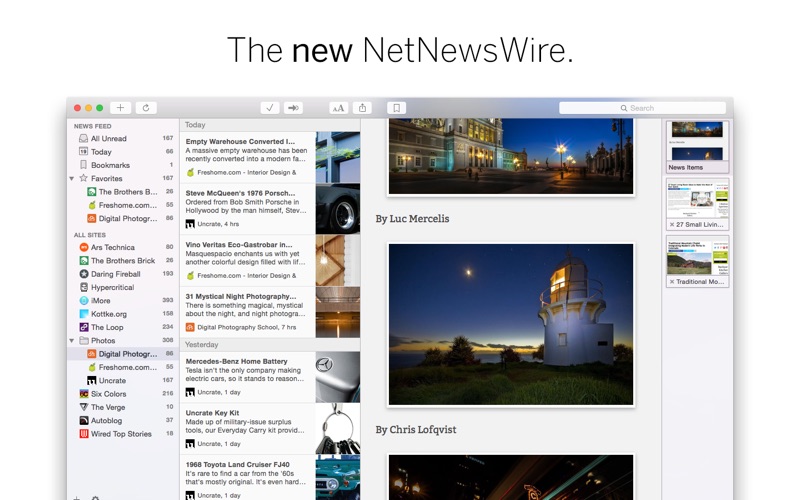
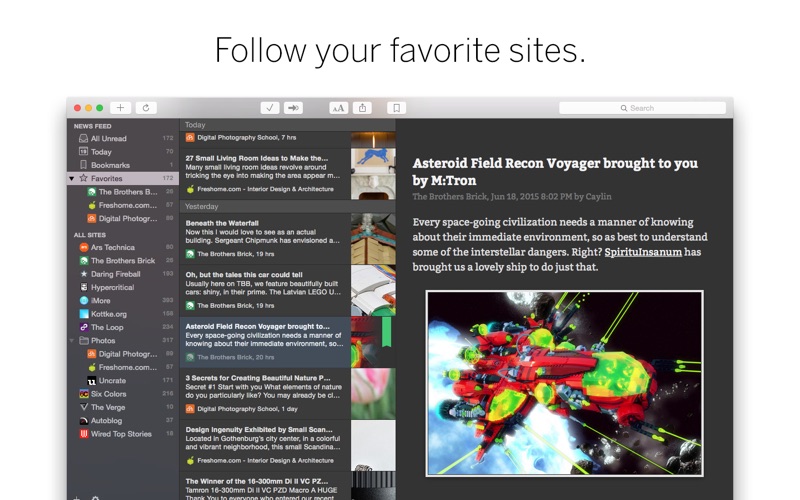
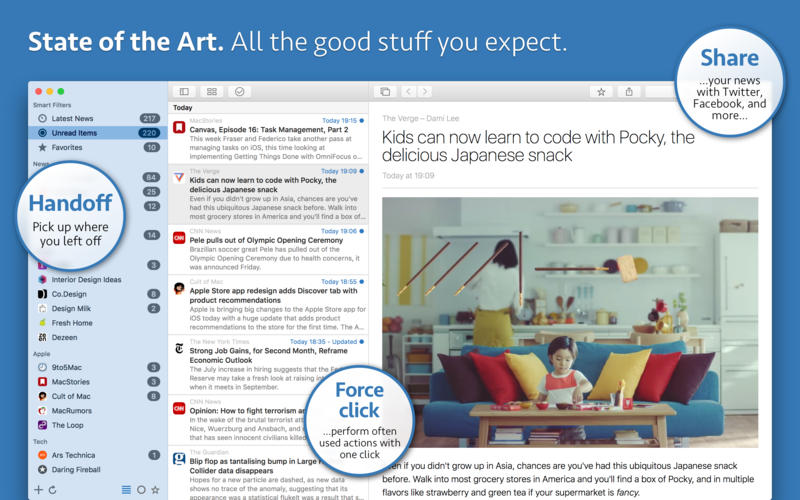
The classic is back- NetNewsWire is the best way to keep up with the sites and authors you read most regularly. Let NetNewsWire pull down the latest articles, and read them in a distraction-free and Mac-like way.

Sync- Sync your sites, read articles, and bookmarks with NetNewsWire Cloud Sync.

Native Interface- NetNewsWire looks right at home in Mac OS X.

Tabs- For the true reading lover, NetNewsWire easily keeps track of multiple articles open at the same time.

Popular Sites- If you’re just getting started, NetNewsWire can suggest some great reading material.

Sharing- Send articles to Instapaper, Twitter, Facebook and more.

Find Later- Bookmark individual articles, mark sites as your favorites, and search everything.

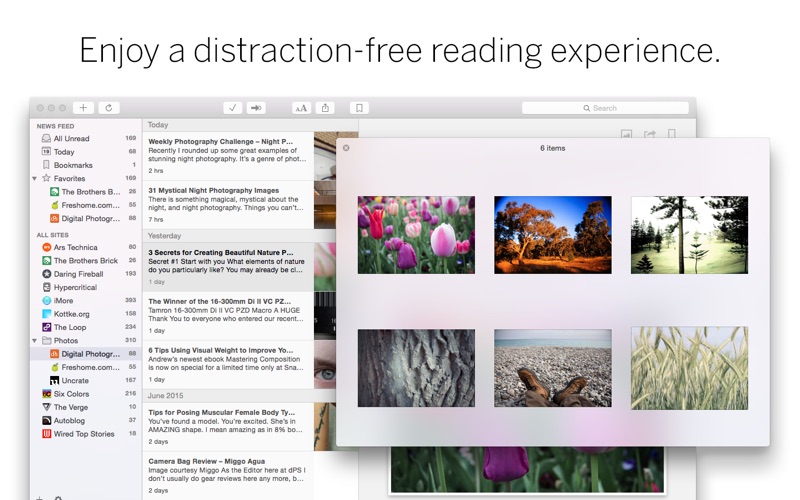
Distraction-Free- Reading in a browser means putting up with unwanted stuff. NetNewsWire puts the focus on content.

What’s New in NetNewsWire 4.1.0

– Addresses a potential error during login

Screenshots

Aktuell 3.8.1

Name Aktuell 3.8.1
Size 11.92 MB
Created on 2018-02-27 16:46:40
Hash 31a056f297b4f057a7c94a85cae1c49d362d933c
Files Aktuell_3.8.1_MAS[TNT].rar (11.92 MB)

Descriptions for Descriptions for Aktuell 3.8.1

Name: Aktuell
Version: 3.8.1
Release Date: 11 Apr 2017
Mac Platform: Intel
OS version:OS X 10.10 or later
Processor type(s) & speed: 64-bit processor

Web Site: https://appssalon.de/en/aktuell/

Overview

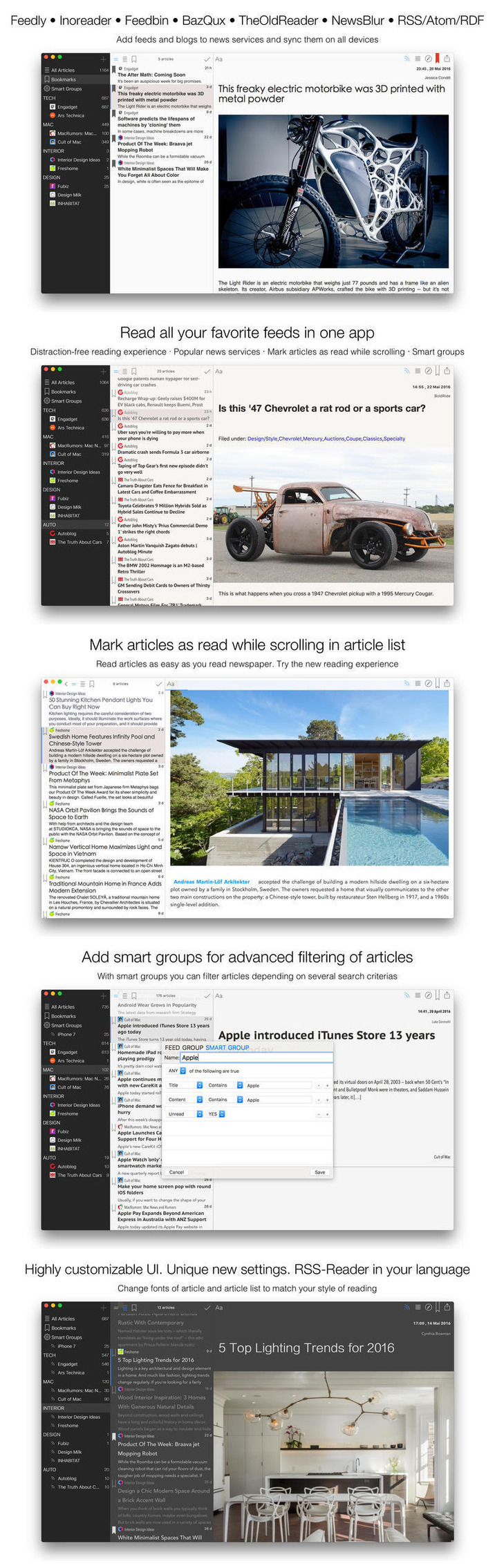
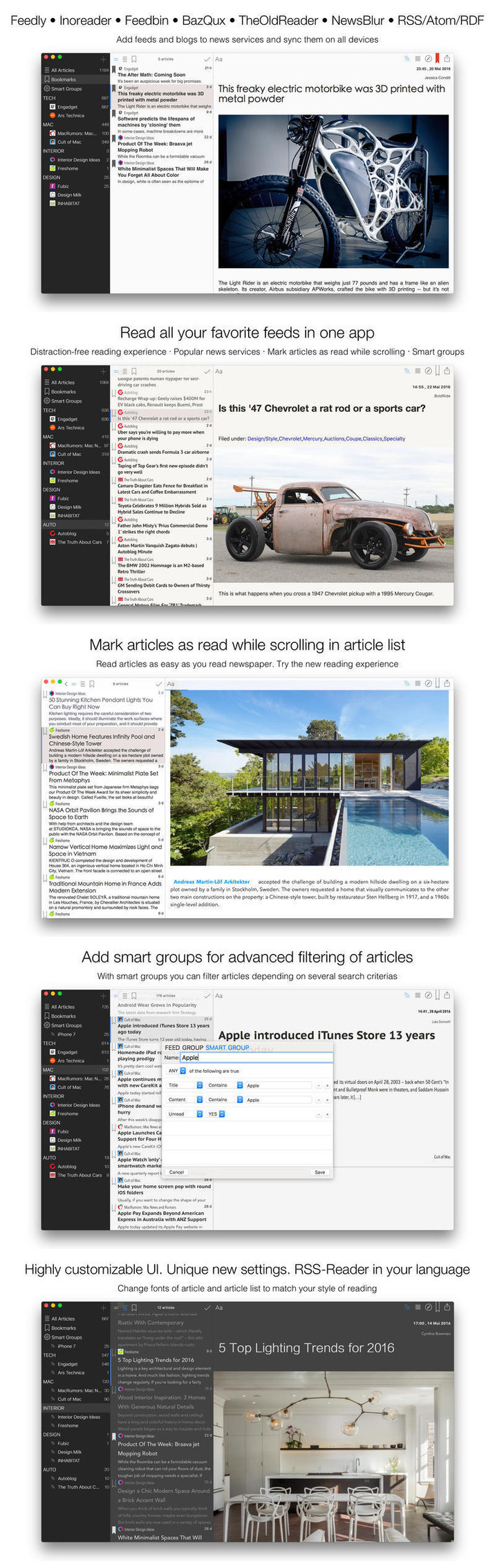
Aktuell is a modern, intuitive, elegant reader for blogs and news. All your favorite feeds in one app. Built-in RSS/Atom/RDF sync, support of all versions of standards. Ability to sync all feeds or selected feeds automatically in background.

Keyboard navigation with arrow keys (between panes). OS X El Capitan look and feel, designed special for this OS. San Francisco font. Retina display support. Translated professionally and from native speakers. English, Deutsch, Français, 汉语, 中文, 日本語, Español, Português, Italiano, Svenska, Nederlands, Dansk, Norsk, Čeština, Latviešu, Lietuvių, Türkçe, Русский, Українська

Features
  • Unlimited groups and feeds
  • Organizing feeds in groups
  • Drag and Drop of feeds and groups to change order
  • OPML import/export
  • Unique new settings for changing fonts and font sizes of article list and of article view
  • Thumbnails in article list
  • Distraction-free and intuitive modern UI
  • Mark articles as read as scroll in article list
  • Shortcuts customizable
  • Reader Mode (distraction-free)
  • Will open articles in external browser or in-app browser
  • Simple Podcasts support, audio and video
  • Video support in articles.

What’s New in Aktuell 3.8.1

  • Syncing services were improved

Screenshots

Reeder 3.1.2

Name Reeder 3 1 2 MAS TNT [mac-torrents.net].zip
Size 11.48 MB
Created on 2018-01-24 04:06:30
Hash db4d08406b8fedd38884584871c65e8cba678e98
Files Reeder 3 1 2 MAS TNT [mac-torrents.net].zip (11.48 MB)

Descriptions for Descriptions for Reeder 3.1.2 MAS

Name: Reeder 3
Version: 3.1.2
Release Date: November 23, 2017
Developer: Silvio Rizzi
MAS Rating: 17+
Mac Platform: Intel
OS Version: OS X 10.10 or later

Includes: Pre-K’ed (TNT)

Web Site: http://reederapp.com
Mac App Store: https://itunes.apple.com/app/reeder-3/id880001334?mt=12

Overview

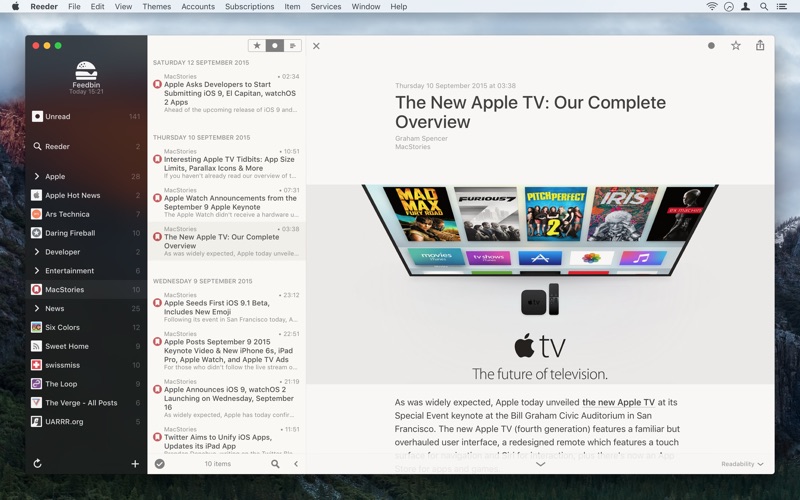
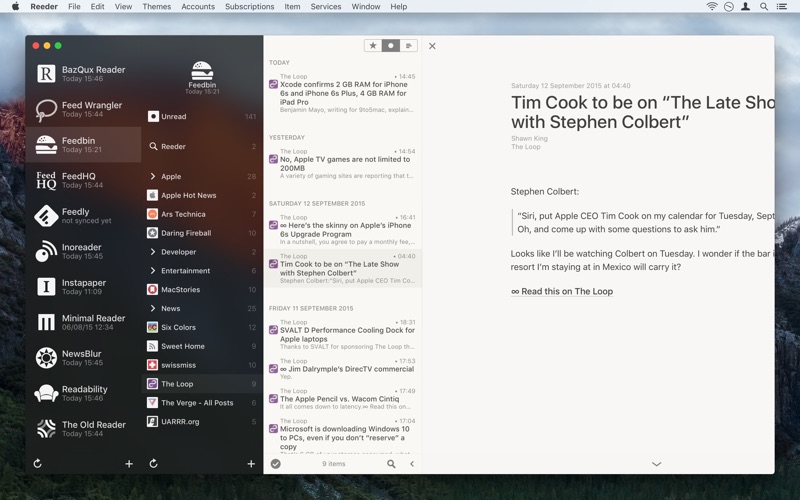
Reeder 3, a news reader with support for multiple services like
– Feedbin
– Feedly
– Feed Wrangler
– Fever
– FeedHQ
– Inoreader
– NewsBlur
– Minimal Reader
– The Old Reader
– BazQux Reader
– Instapaper.
Don’t want to use a third-party service? Reeder also supports local/standalone RSS (no sync).

Other features:

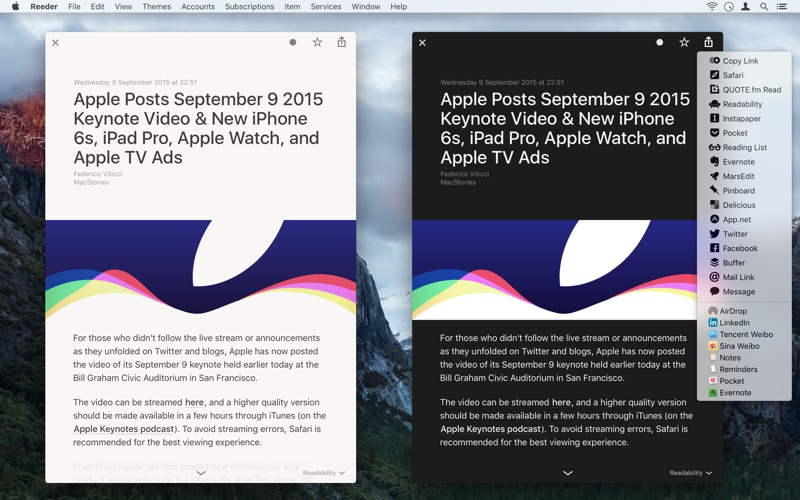
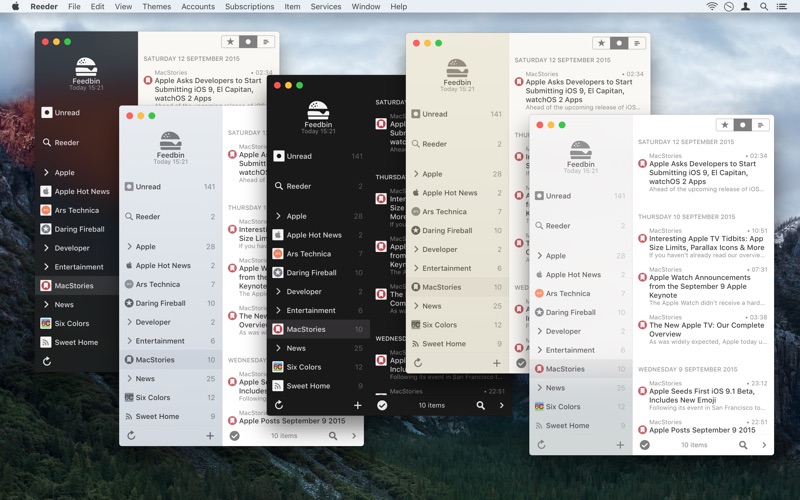
– Themes
– Gestures
– Customizable shortuts

Sharing services:

– Safari Reading List
– Buffer
– Instapaper
– Pocket
– Evernote
– MarsEdit
– Pinboard
– Twitter
– Facebook
– Messages
– Mail
…and more via sharing extensions.

What’s New in Reeder 3.1.2

Fixed:
– Keyboard navigation issues (when trying to step into the last feed in the list)
– In-app browser video playing issues

Screenshots

Leaf – RSS News Reader 5.0.7

Name Leaf v5.0.7 MAS [ked] [mac-torrents.net].zip
Size 5.39 MB
Created on 2018-01-22 05:38:53
Hash c98a251190f329ef5ebd5368856e69afed9d2b66
Files Leaf v5.0.7 MAS [ked] [mac-torrents.net].zip (5.39 MB)

Descriptions for Descriptions for Leaf – RSS News Reader 5.0.7

Name: Leaf – RSS News Reader
Version: 5.0.7
Language: English
Developer: Rocky Sand Studio Ltd.
MAS Rating: 4+
Mac Platform: Intel
OS Version: OS X 10.10 or later
Processor type(s) & speed: 64-bit processor

Includes: Pre-K’ed

Web Site: http://www.rockysandstudio.com/appstore_redirect/
Mac App Store: https://itunes.apple.com/app/leaf-rss-news-reader/id576338668?mt=12

Overview

***** Featured by Apple in “Our favourite Mac Apps” *****

Leaf is an amazing news reader for your Mac. Read, share, star and search your news by using a clean and intuitive interface.

“The best looking news reader on the App Store”- by GenieBurger
“Excellent, clean interface, nice design”- by dfs83

– lifehacker.com- “The app walks the line between being minimal, offering you only the essential features, and making sure the features it does offer are useful…”

Highlighted features:

– Beautiful themes (including night mode) and customizable news reader appearance
– Syncs with Feedly, NewsBlur, Feedbin and Feed Wrangler
– Standalone RSS engine
– Save articles to Buffer, Evernote, Pocket, Readability, Instapaper, Facebook, Twitter, LinkedIn
– RSS, RDF, ATOM support
– Gestures and keyboard shortcuts
– New article notifications and access to past articles in Notification Center

We’d like to know how to improve our apps, contact us at Rocky Sand Studio http://www.rockysandstudio.com

What’s New in Leaf – RSS News Reader 5.0.7

  • Release notes not available at the time of this post.

Screenshots

News Headlines 3.3

Name News Headlines 3.3 MAS [ked].zip
Size 3.03 MB
Created on 2018-01-01 03:39:45
Hash fefc148407ec253c6a7e8bf7932876f78381b657
Files News Headlines 3.3 MAS [ked].zip (3.03 MB)

Descriptions for Descriptions for News Headlines 3.3

Name: News Headlines -App for Google
Version: 3.3
Release Date: November 02, 2017
Language: English
Developer: AppYogi Software
MAS Rating: 4+
Mac Platform: Intel
OS Version: OS X 10.10 or later
Processor type(s) & speed: 64-bit processor

Includes: Pre-K’ed

Web Site: http://appyogi.com/
Mac App Store: https://itunes.apple.com/app/news-headlines-app-for-google/id998256682?mt=12

Overview

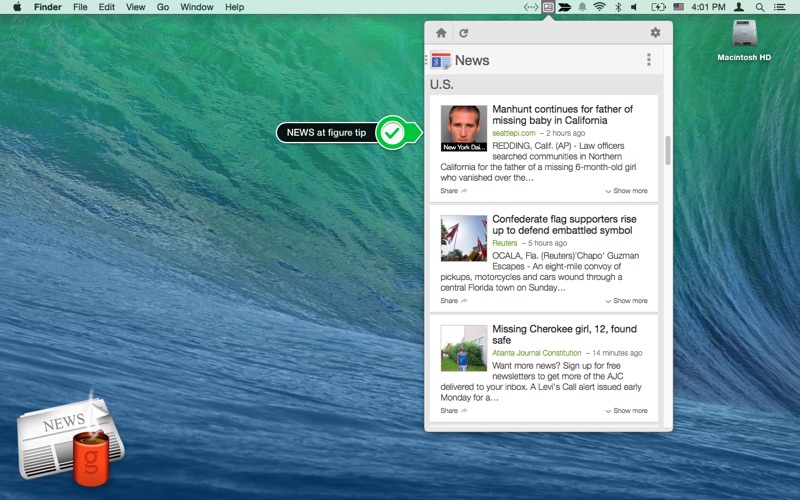
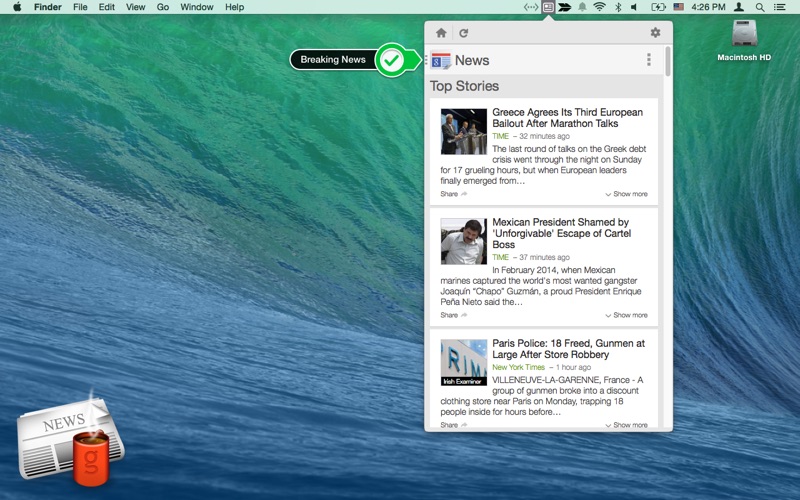
But to be up-to-date with news around the world, News Headlines brings latest Google News in short under 30 words to get a quick glance of news right in the MenuBar of your Mac.

Just click beautiful icon in MenuBar to access world news happening at that time.

Featured in top charts of AppStore

Other features:

▸ News without delay!
▸ Short news under 30 words with headlines
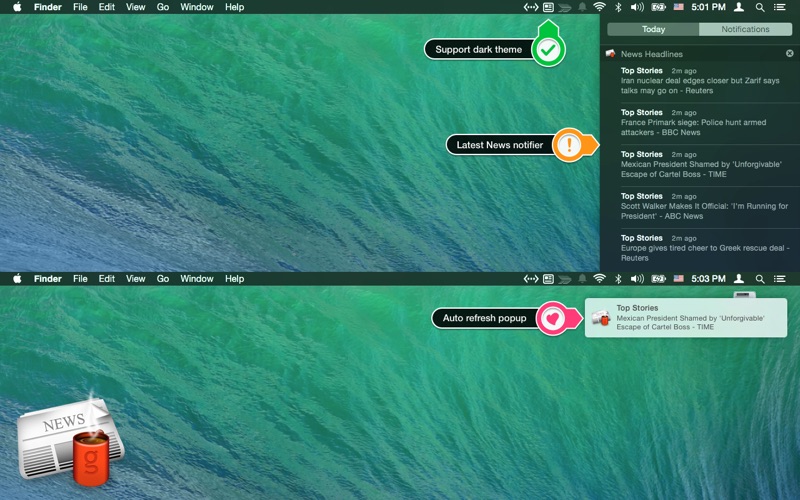
▸ Get notified on the latest news right at the moment
▸ Chose from different categories of news as per your interest
▸ Set auto-refresh interval to get notified on latest Google news
▸ Login with your current google account to get preferred news
▸ Access to past articles in Notification Centre
▸ Ready for macOS Sierra
▸ Very low CPU and memory usage
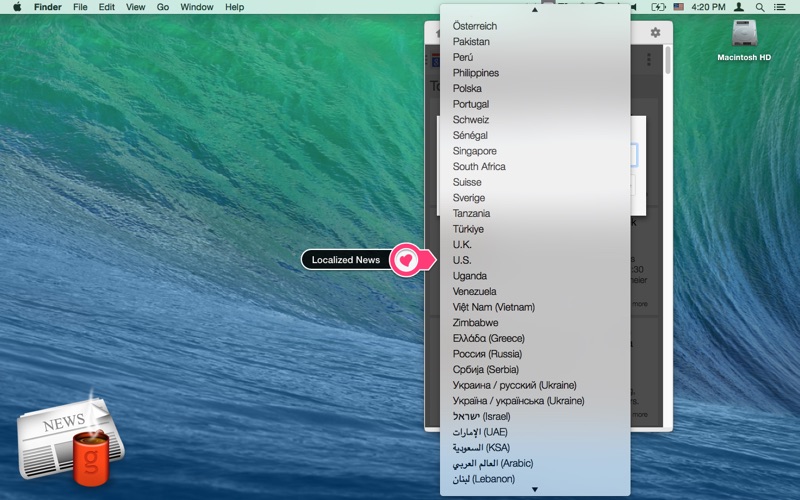
▸ Set your preferred language as per interest
▸ Search for news you want to read
▸ News from 51 different countries
▸ Supports 24 different languages

Button functions:

• Home for front page
• Search for quick news
• Menu to select different category
• Refresh to reload the news
• Setting for preference, run at startup support, app support
• Open Preferences

Enjoy reading article in browser with just a click on interested news.

What’s New in News Headlines 3.3

▸ User Interface improved.
▸ Bug fixes.
▸ Option for custom Notification. (Preferences)
▸ Suggestion are most welcome.

If you love News Headlines, please rate us on the AppStore! We’ll be forever thankful to you.

Previous version
▸ Fixed Sign-in issue
▸ Improved Performance
▸ Fixed review and ratings issue.
▸ Fixed Run at startup
▸ macOS Sierra Support.
▸ Optimised notifications
▸ Localised metadata
▸ Improved performance.
– New User Interface
– Notifications take you to the actual news story
– Option to mute the notification sounds

Screenshots

PodGrasp – Podcast Player 2.1

Name PodGrasp v2.1.0 MAS [ked].zip
Size 4.26 MB
Created on 2017-05-18 11:24:26
Hash e928f32ff8af5488c410deaf96018863aa63ea9d
Files PodGrasp v2.1.0 MAS [ked].zip (4.26 MB)

Descriptions for Description

Name: PodGrasp - Podcast Player
Version: 2.1.0
Release Date: May 16, 2017
Language: English
Developer: Gary Hughes
MAS Rating: 4+
Mac Platform: Intel
OS Version: OS X 10.12 or later
Processor type(s) & speed: 64-bit processor

Includes: Pre-K'ed


Web Site: http://podgrasp.com
Mac App Store: https://itunes.apple.com/app/podgrasp-podcast-player/id530928805?mt=12


Overview
PodGrasp is an audio podcast player. The ideal companion to PodGrasp for iPhone*. 

- Stream or download episodes
- Automatic refresh and downloads
- Browse complete show notes
- View and navigate podcast chapters
- Control the playback speed
- Automatic cleanup of played episodes
- Manually subscribe to podcasts via URL
- Import and export podcast subscriptions via OPML
- Import audio files from iCloud Drive.

* PodGrasp for iPhone is sold separately and is available on the App Store.


What's New in Version 2.1.0:
- There are now global and per podcast settings to control whether new episodes are added to the playlist.
- There are now global and per podcast settings to control whether new episodes are downloaded.
- You can now import audio files from iCloud Drive to create your own podcasts.
- Fixed some layout issues on macOS Sierra.
- Fixed an issue that caused some subscriptions and refreshes to fail.
- Fixed an issue retrieving chapter information for some podcasts.

Screenshots

Spillo 2.0

Name Spillo2 [ked].zip
Size 3.71 MB
Created on 2017-05-01 06:00:50
Hash 0fc6223f2b68701eb0f2095083f6655efbce2f16
Files Spillo2 [ked].zip (3.71 MB)

Description

  Name: Spillo  Version: 2.0  Release Date: April 30, 2017    Languages: English, French, German, Italian, Portuguese, Spanish    Developer: Snappy Code  MAS Rating: 4+  Mac Platform: Intel  OS Version: OS X 10.10 or later  Processor type(s) & speed: 64-bit processor    Includes: K'ed      Web Site: https://bananafishsoftware.com/products/spillo/  Mac App Store: https://itunes.apple.com/app/spillo/id873245660?mt=12        Overview  Take full control over your bookmarks!    Spillo is a powerful, magnificent and amazingly fast bookmarking client for MacOS that syncs with Pinboard. Spillo lets you browse and organize your bookmarks in a stunning modern interface. Spillo also makes searching and creating bookmarks from anywhere on your Mac as convenient as possible.    • A beautiful interface  Spillo has a beautiful modern interface that feels just right at home on your Mac. Spillo uses all the latest technologies that you would expect from a modern OS X application.    • Browser integration to make bookmarking simpler  Spillo comes with a Yosemite Sharing Extension and browser extensions that make bookmarking from any page trivial. The bookmark creation window will be pre-populated based on the content of the current page. Browser extensions are available for Safari, Chrome, and Firefox.    • Access your bookmarks from anywhere on your Mac  Spillo’s search is ubiquitous. Wherever you are on your Mac, just hit the global keyboard shortcut and a friendly search box will show up. Spillo also has support for running in the background so no need to keep the app open to access your bookmarks.    • Multi-account support  Spillo supports multiple accounts. Whether you’re a long-time Pinboard user with thousands of bookmarks or someone that just wants to store a few bookmarks locally, Spillo has your back. Note that you don’t need a Pinboard account if you choose to store your bookmarks locally.    • Easily organize your bookmarks  Spillo allows you to create powerful collections by specifying a number of rules. Don’t limit yourself to Pinboard’s default organization and create collections that just match your needs.    • Quickly create a bookmark from anywhere on your Mac  Spillo’s bookmark creation window can be brought up from anywhere on your Mac. Use the (optional) menu item or global shortcut to bring up. The bookmark fields will also be pre-populated based on the content of the current tab in your browser.    • Automatic broken links detection  Spillo automatically finds broken links among your bookmarks so that you can edit them or clean them up. Don’t let your bookmarks become stale!    • Readability view for a better reading experience  Spillo’s bookmark view has a Readability mode that cleans up cluttered pages and makes reading on the web a stress-free experience.    • Mini mode for focused bookmark browsing and editing  Spillo supports a mini mode that hides the content web page and lets you focus on your bookmarks so that you can quickly edit them without any distraction.    • Share to a multitude of services  Spillo supports sharing your bookmarks to a multitude of services such as Instapaper, Pocket, Twitter and Facebook. Should you be annoyed by some services, you can easily disable them in the Preferences.    • Create powerful global searches  Spillo also allows you to create and save public global searches based on a username and a number of tags. You can keep recurrent searches right in your sidebar.    • Spillo is super fast!  Spillo’s edge is its speed and responsiveness. Don’t wait on a slow network to process your data, Spillo caches it and syncs whenever it’s more convenient.    • All the shortcuts you would expect  Spillo has a multitude of shortcuts that make browsing, organizing and editing your bookmarks so much quicker.    • AppleScript support  Spillo has full AppleScript support for browsing, creating and updating bookmarks so it’s easily extendable. Want to create an Alfred workflow to create a new bookmark in Spillo? You can do it with a couple of lines of AppleScript.    • Create your own Sharing Service plugins  Spillo has an open plugin architecture that lets you extend the built-in sharing capabilities by building your own Sharing Services. Building a plugin is really easy, just download the small SDK and start building!        What's New in Version 2.0:  This is a major new version of Spillo and it requires Mac OS 10.10 Yosemite or later.    New features  • Local bookmarks: Spillo no longer requires you to have a Pinboard account, just create a local account to store your bookmarks locally on your machine  • Multiple accounts: you can now use multiple Pinboard (or local) accounts on the same machine. Switching account is also super easy  • Background mode: you can now decide to run Spillo in the background. The main UI and Dock icon will not be visible but you will still be able to search and create bookmarks (either via keyboard shortcuts or by using the menu icon)  • Global search: search your bookmarks from anywhere by bringing the new global search box, even when Spillo is in the background  • Dynamic bookmark description height: if you choose to show the bookmark description in the list, the cell will automatically resize if the bookmark doesn’t have a description  • New popover to select suggested tags: when creating or editing a bookmark, suggested tags are now presented in a popover that lets you select multiple tags at once  


Screenshots