Category Archives: Cleaner

Combo Cleaner Premium 1.3.6

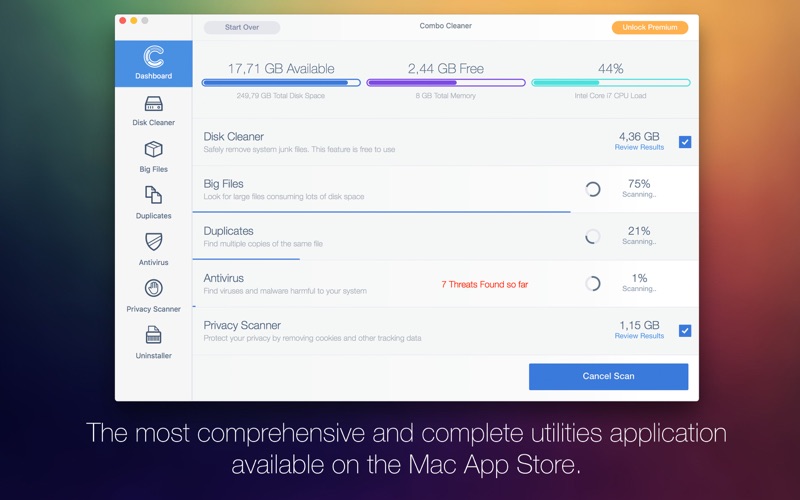
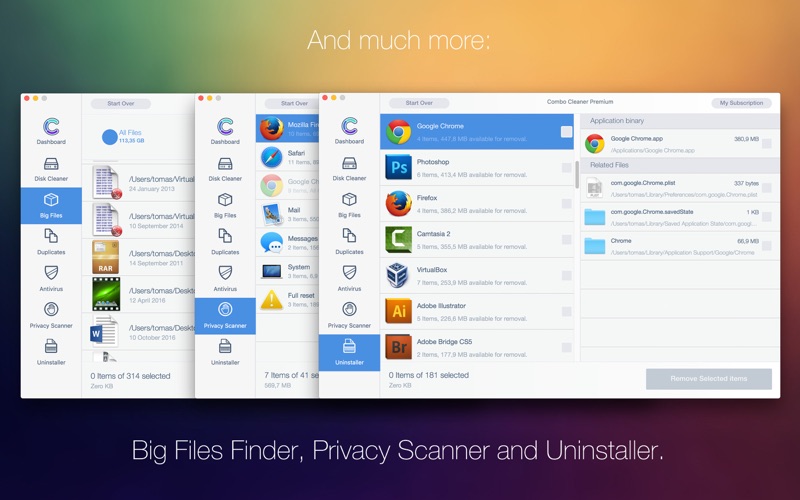
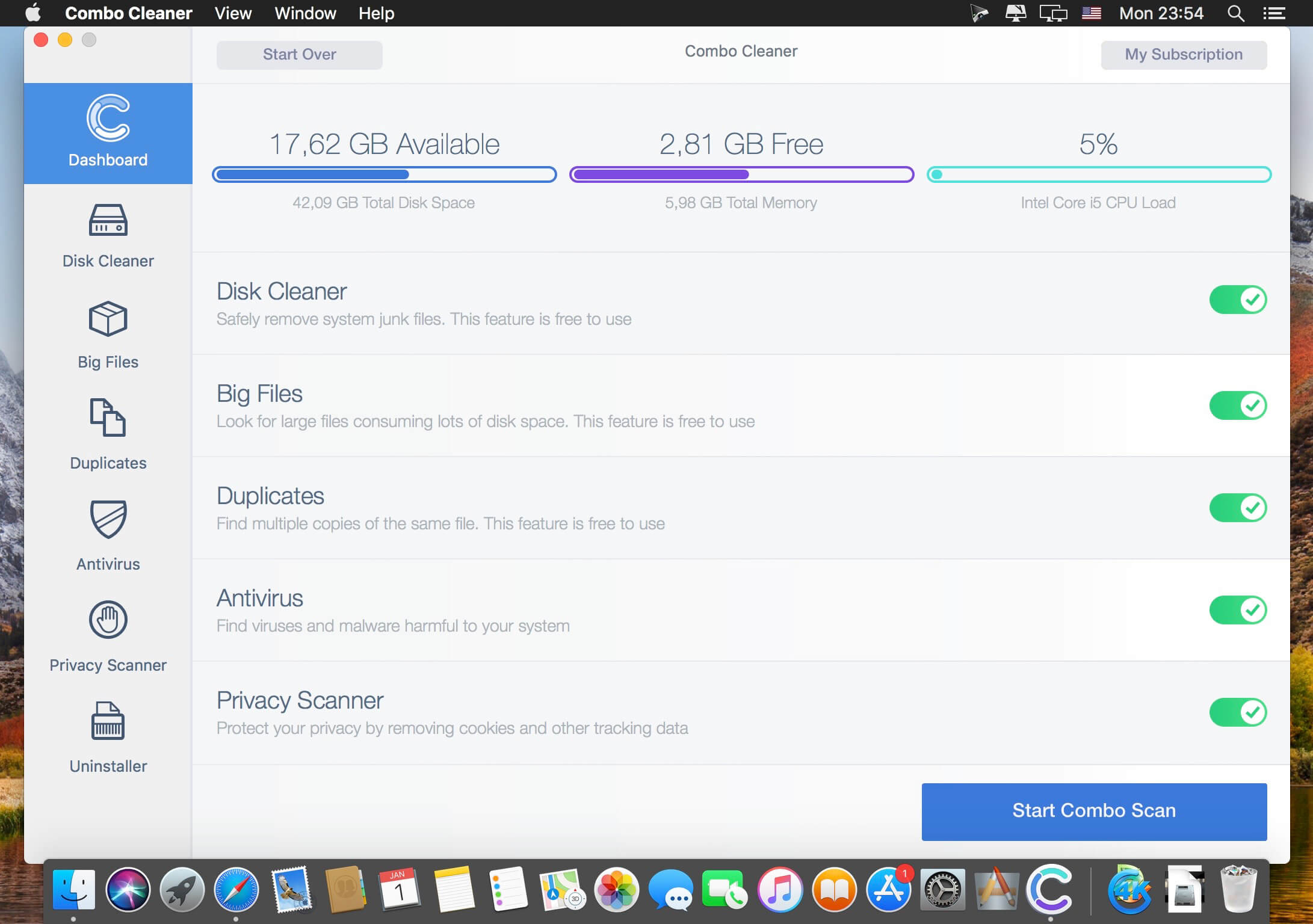
Your Mac is a masterpiece – keep it this way with Combo Cleaner. The most easy-to-use way to clean your Mac from junk files, viruses and malware. Our Anti-Malware engine is certified by OPSWAT Labs. Combo Cleaner will clean your disk of junk files and eliminate malware (including adware and potentially unwanted applications causing unwanted ads when browsing the Internet).

Combo Cleaner features:

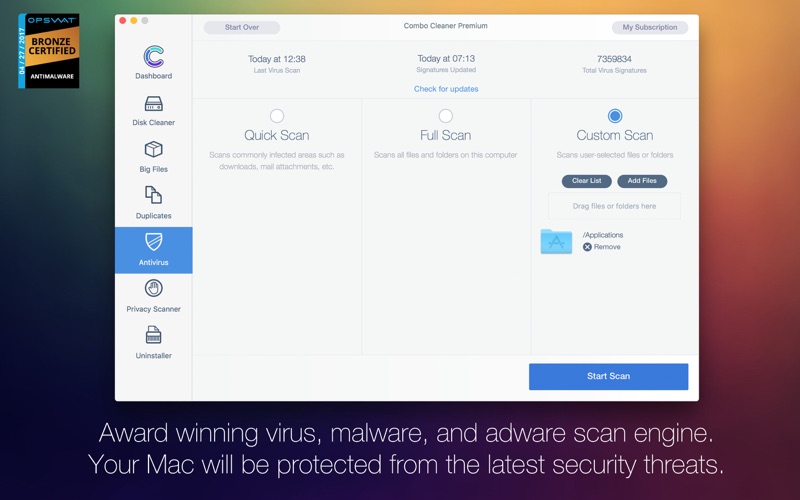
  • ANTIVIRUS – Combo Cleaner is equipped with an OPSWAT certified, award winning virus, malware, and adware scan engines. Hourly malware definition updates ensures that your Mac will be protected from the latest security threats.
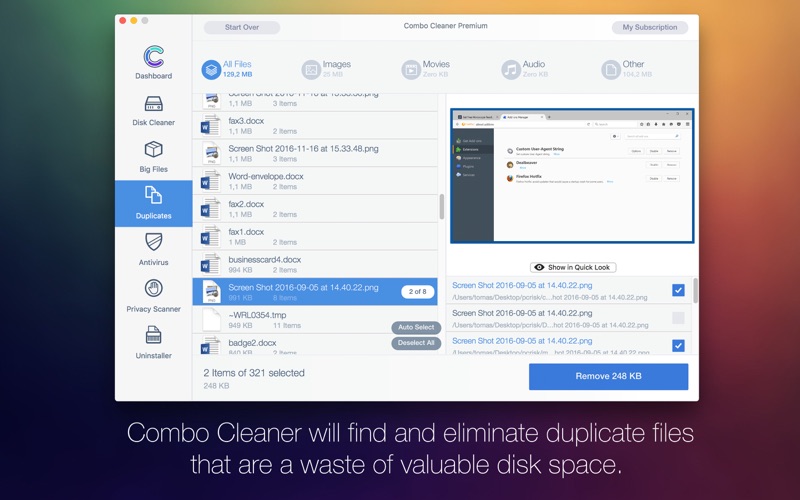
  • DUPLICATE FILE FINDER – Duplicate files are identical copies stored in various places on your hard drive. Combo Cleaner will find and eliminate these files that are a waste of valuable disk space.
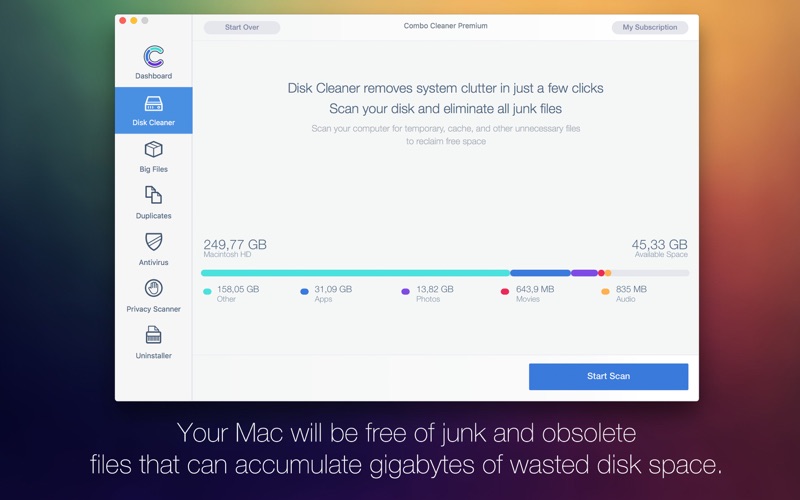
  • DISK CLEANER – Disk Cleaner ensures that your Mac is free of junk and obsolete files that can accumulate megabytes of wasted disk space.
  • BIG FILES FINDER – Big Files Finder checks your local and external disks, immediately listing all files and folders larger than 100 megabytes (or any other user defined size).
  • APP UNINSTALLER – When you remove applications from your Mac, many useless redundant files often remain on the system. Combo Cleaner will find such files and remove them.
  • PRIVACY SCANNER – Scans installed browsers and enables you to easily remove stored browsing history, cookies, etc. Take privacy into your own hands.

In-App Purchases: Combo Cleaner Premium – included.

What’s New:

Version 1.3.6:

  • Release notes were unavailable when this listing was updated

Compatibility: OS X 10.10 or later 64-bit
Homepage https://www.combocleaner.com

Screenshots

Name: Combo_Cleaner_1.3.6__TNT_Mactorrents.io.dmg
Size: 7 MB
Files Combo_Cleaner_1.3.6__TNT_Mactorrents.io.dmg[7 MB]

   Download

Big Sur Cache Cleaner 16.1.1

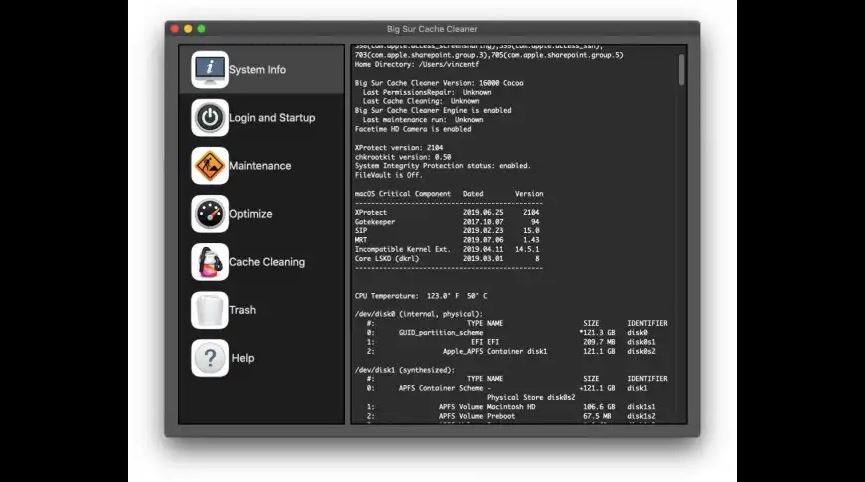
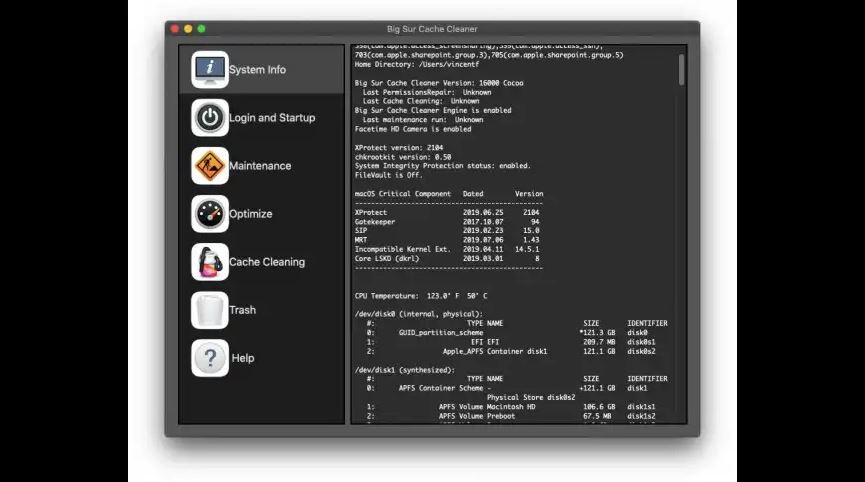
Big Sur Cache Cleaner is an award winning general purpose tool for macOS. BSCC makes system maintenance simple with an easy point and click interface to many macOS X functions. Novice and expert users alike will appreciate the powerful toolset BSCC provides. Big Sur Cache Cleaner is one of the world’s leading maintenance tools with millions of downloads around the globe.

Maintenance
Big Sur Cache Cleaner is a one stop solution for all of your macOS X maintenance needs. Intel or PPC, Tiger or Big Sur, BSCC has the tools to keep your system running at its best. BSCC Documents and the BSCC Engine maintain system health by providing full automation of common maintenance chores including virus scanning of internet downloads. The BSCC Engine can even repair permissions automatically after software installations. With the BSCC Engine, powerful system maintenance and antivirus can be completely transparent or as close as your menu bar.

Optimization
Big Sur Cache Cleaner can improve system performance by tuning internet and file cache settings, implementing ram disks, and cleaning out various cached and stale data. BSCC includes tools to help optimize files and memory. BSCC can recover wasted disk space by eliminating language localization files and slimming Universal Binaries.

Customization
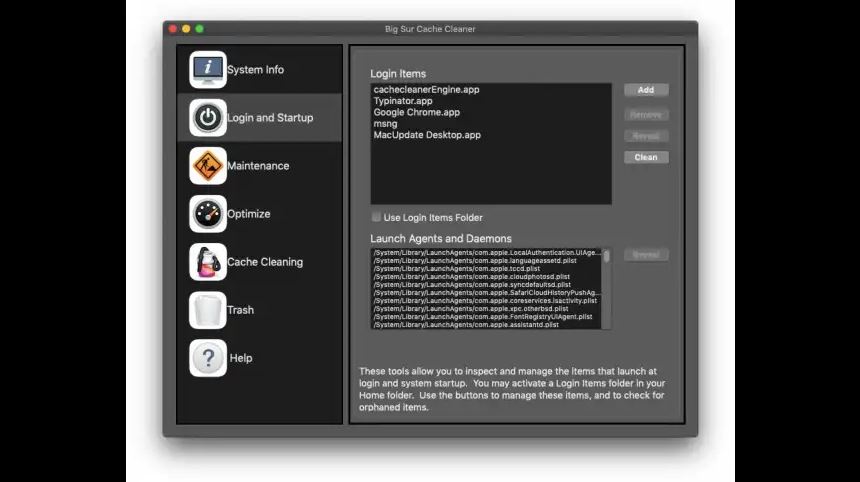
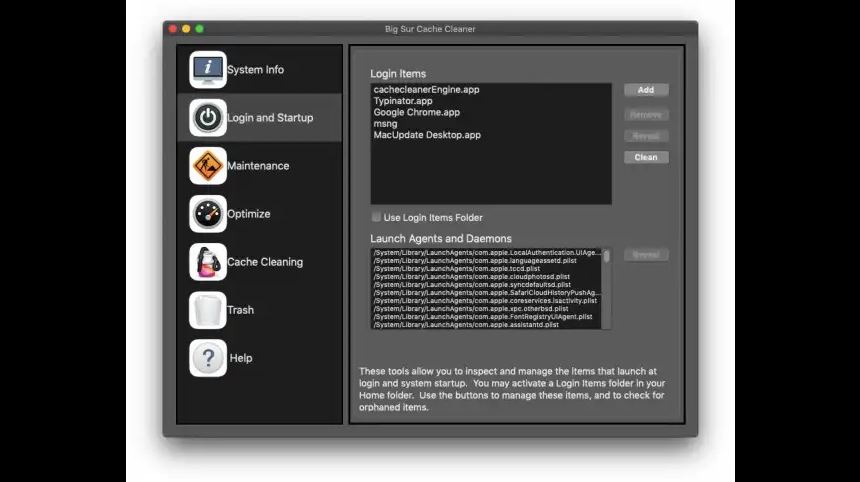
Big Sur Cache Cleaner lets you control your macOS experience. Turn off Spotlight or Dashboard, or turn on a Login Items Folder. BSCC can tweak many macOS features to suit your tastes. All without permanently altering or harming your system.

Disaster Planning
Big Sur Cache Cleaner lets you create a bootable Installer USB drive from your Big Sur download that will boot and install Big Sur on any supported machine. Big Sur Cache Cleaner lets you create bootable Emergency Disks that include system repair utilities and BSCC’s powerful cache cleaning functions. If disaster strikes, the power of Big Sur Cache Cleaner is available at the command prompt in Single User Mode. Registered users of BSCC can install a portable version on a flash drive or iPod. Big Sur Cache Cleaner Portable runs on any supported Mac and is a great tool for testing hard drives, screen pixels, batteries, ram, and more before buying a machine.

Antivirus
Big Sur Cache Cleaner helps protect your system from malware. BSCC adds three additional layers of malware protection to Big Sur, and ships with the powerful ClamAV antivirus built in. BSCC can scan your downloads on the fly providing industrial strength virus protection from Mac and Windows threats.

What’s New:

Version 16.1.1:

  • Release notes were unavailable when this listing was updated.

Compatibility: OS X 10.10 or later 64-bit
Homepage https://www.northernsoftworks.com/bigsurcachecleaner.html

Screenshots


Name: Big.Sur.Cache.Cleaner.16.1.1_Mactorrents.io.zip
Size: 140 MB
Files Big.Sur.Cache.Cleaner.16.1.1_Mactorrents.io.dmg[140 MB]

   Download

Big Sur Cache Cleaner 16.1

Big Sur Cache Cleaner is an award winning general purpose tool for macOS. BSCC makes system maintenance simple with an easy point and click interface to many macOS X functions. Novice and expert users alike will appreciate the powerful toolset BSCC provides. Big Sur Cache Cleaner is one of the world’s leading maintenance tools with millions of downloads around the globe.

Maintenance
Big Sur Cache Cleaner is a one stop solution for all of your macOS X maintenance needs. Intel or PPC, Tiger or Big Sur, BSCC has the tools to keep your system running at its best. BSCC Documents and the BSCC Engine maintain system health by providing full automation of common maintenance chores including virus scanning of internet downloads. The BSCC Engine can even repair permissions automatically after software installations. With the BSCC Engine, powerful system maintenance and antivirus can be completely transparent or as close as your menu bar.

Optimization
Big Sur Cache Cleaner can improve system performance by tuning internet and file cache settings, implementing ram disks, and cleaning out various cached and stale data. BSCC includes tools to help optimize files and memory. BSCC can recover wasted disk space by eliminating language localization files and slimming Universal Binaries.

Customization
Big Sur Cache Cleaner lets you control your macOS experience. Turn off Spotlight or Dashboard, or turn on a Login Items Folder. BSCC can tweak many macOS features to suit your tastes. All without permanently altering or harming your system.

Disaster Planning
Big Sur Cache Cleaner lets you create a bootable Installer USB drive from your Big Sur download that will boot and install Big Sur on any supported machine. Big Sur Cache Cleaner lets you create bootable Emergency Disks that include system repair utilities and BSCC’s powerful cache cleaning functions. If disaster strikes, the power of Big Sur Cache Cleaner is available at the command prompt in Single User Mode. Registered users of BSCC can install a portable version on a flash drive or iPod. Big Sur Cache Cleaner Portable runs on any supported Mac and is a great tool for testing hard drives, screen pixels, batteries, ram, and more before buying a machine.

Antivirus
Big Sur Cache Cleaner helps protect your system from malware. BSCC adds three additional layers of malware protection to Big Sur, and ships with the powerful ClamAV antivirus built in. BSCC can scan your downloads on the fly providing industrial strength virus protection from Mac and Windows threats.

What’s New:

Version 16.0.1:

  • Release notes were unavailable when this listing was updated.

Compatibility: OS X 10.10 or later 64-bit
Homepage https://www.northernsoftworks.com/bigsurcachecleaner.html

Screenshots


Name: Big.Sur.Cache.Cleaner.16.1_Mactorrents.io.zip
Size: 140.13 MB
Files Big.Sur.Cache.Cleaner.16.1_Mactorrents.io.dmg[140.13 MB]

   Download

App Cleaner & Uninstaller Pro 7.2 CR2

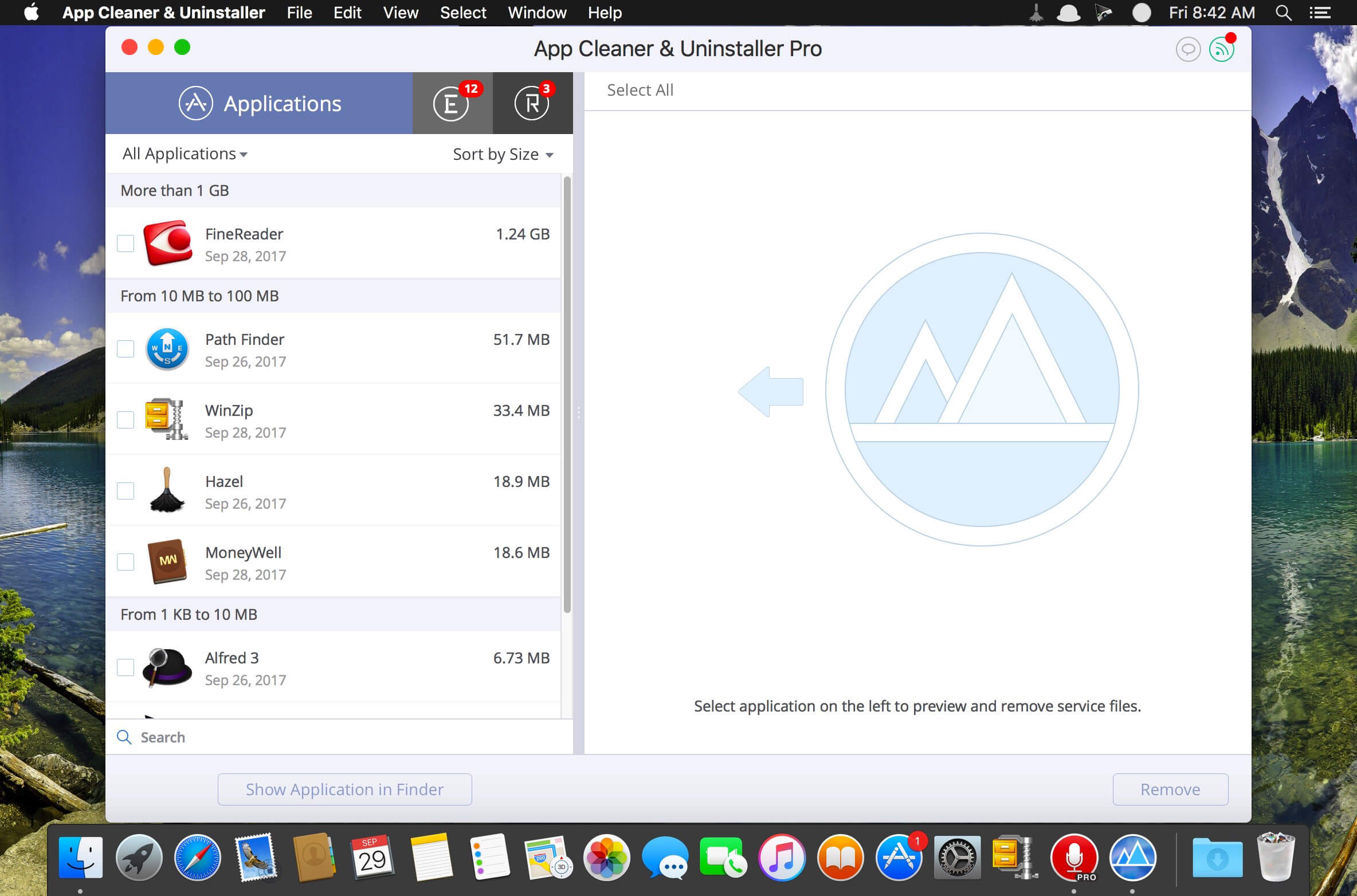
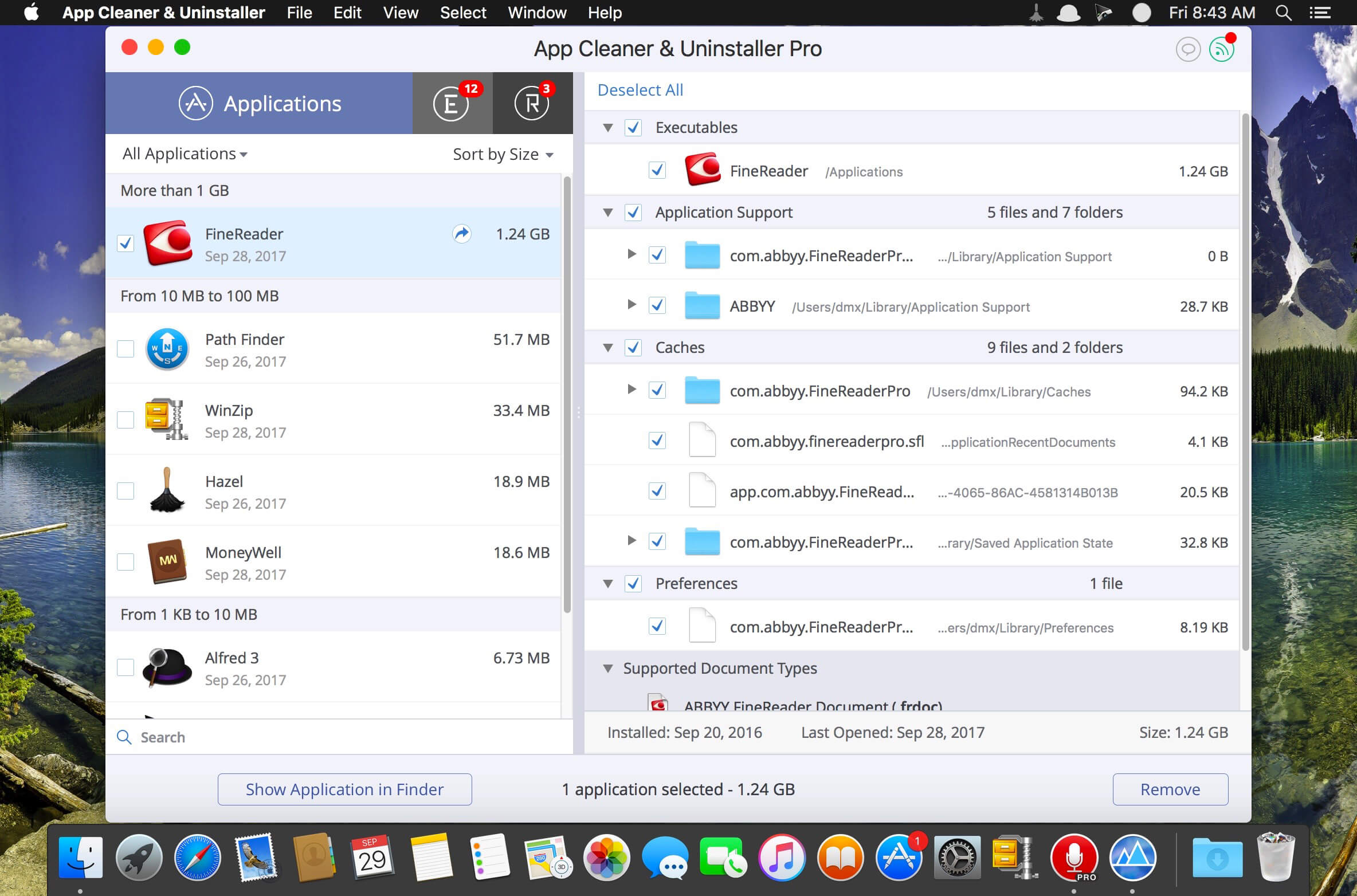
App Cleaner & Uninstaller (was App Cleaner) can remove applications and their service files on OS X. Make sure they aren’t eating up precious space on your drive with this helpful app that does the legwork for you.
Features:
– Disable startup programs
– Manage system and browser extensions
– Scan the system and preview installed applications
– Remove all types of service files
– Remove remains of previously uninstalled apps
– Reset application to a first-launch state
– Easy-to-use shortcuts
– Any file or app quick preview
– Specific app-associated file formats preview
– Show unused applications
– Skip list option
Compatibility: OS X 10.10 or later, 64-bit processor
Homepage https://nektony.com/

Screenshots


Name: App_Cleaner___Uninstaller_7.2_CR2__HCiSO_Mactorrents.io.dmg
Size: 19.4 MB
Files App_Cleaner___Uninstaller_7.2_CR2__HCiSO_Mactorrents.io.dmg[19.4 MB]

   Download

Big Sur Cache Cleaner 16.0

Big Sur Cache Cleaner is an award winning general purpose tool for macOS. BSCC makes system maintenance simple with an easy point and click interface to many macOS X functions. Novice and expert users alike will appreciate the powerful toolset BSCC provides. Big Sur Cache Cleaner is one of the world’s leading maintenance tools with millions of downloads around the globe.

Maintenance
Big Sur Cache Cleaner is a one stop solution for all of your macOS X maintenance needs. Intel or PPC, Tiger or Big Sur, BSCC has the tools to keep your system running at its best. BSCC Documents and the BSCC Engine maintain system health by providing full automation of common maintenance chores including virus scanning of internet downloads. The BSCC Engine can even repair permissions automatically after software installations. With the BSCC Engine, powerful system maintenance and antivirus can be completely transparent or as close as your menu bar.

Optimization
Big Sur Cache Cleaner can improve system performance by tuning internet and file cache settings, implementing ram disks, and cleaning out various cached and stale data. BSCC includes tools to help optimize files and memory. BSCC can recover wasted disk space by eliminating language localization files and slimming Universal Binaries.

Customization
Big Sur Cache Cleaner lets you control your macOS experience. Turn off Spotlight or Dashboard, or turn on a Login Items Folder. BSCC can tweak many macOS features to suit your tastes. All without permanently altering or harming your system.

Disaster Planning
Big Sur Cache Cleaner lets you create a bootable Installer USB drive from your Big Sur download that will boot and install Big Sur on any supported machine. Big Sur Cache Cleaner lets you create bootable Emergency Disks that include system repair utilities and BSCC’s powerful cache cleaning functions. If disaster strikes, the power of Big Sur Cache Cleaner is available at the command prompt in Single User Mode. Registered users of BSCC can install a portable version on a flash drive or iPod. Big Sur Cache Cleaner Portable runs on any supported Mac and is a great tool for testing hard drives, screen pixels, batteries, ram, and more before buying a machine.

Antivirus
Big Sur Cache Cleaner helps protect your system from malware. BSCC adds three additional layers of malware protection to Big Sur, and ships with the powerful ClamAV antivirus built in. BSCC can scan your downloads on the fly providing industrial strength virus protection from Mac and Windows threats.

Compatibility: macOS X 10.4 – 11.0
Homepage https://www.northernsoftworks.com/bigsurcachecleaner.html

Screenshots


Name: Big.Sur.Cache.Cleaner.v16.0_Mactorrents.io.zip
Size: 101 MB
Files Big.Sur.Cache.Cleaner.v16.0_Mactorrents.io.dmg[101 MB]

   Download

Catalina Cache Cleaner 15.0.6

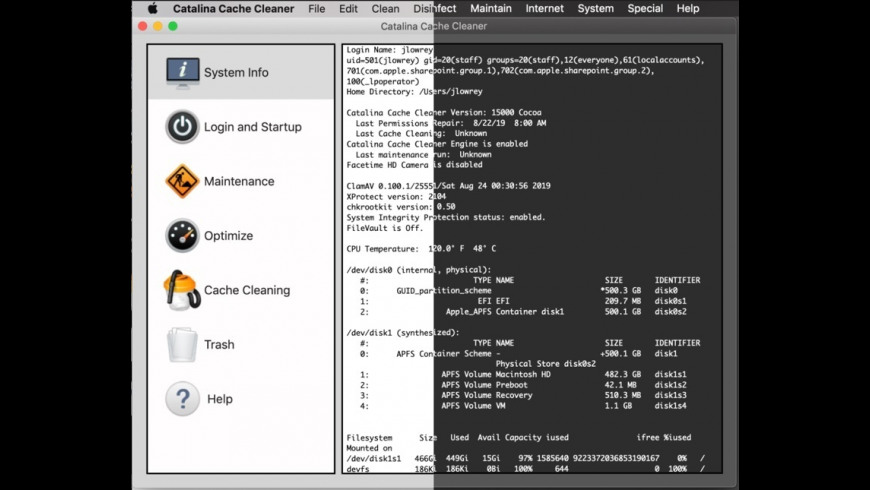
Catalina Cache Cleaner is an award winning general purpose tool for macOS X. CCC makes system maintenance simple with an easy point and click interface to many macOS X functions. Novice and expert users alike will appreciate the powerful toolset CCC provides. Catalina Cache Cleaner is one of the world’s leading maintenance tools with millions of downloads around the globe.

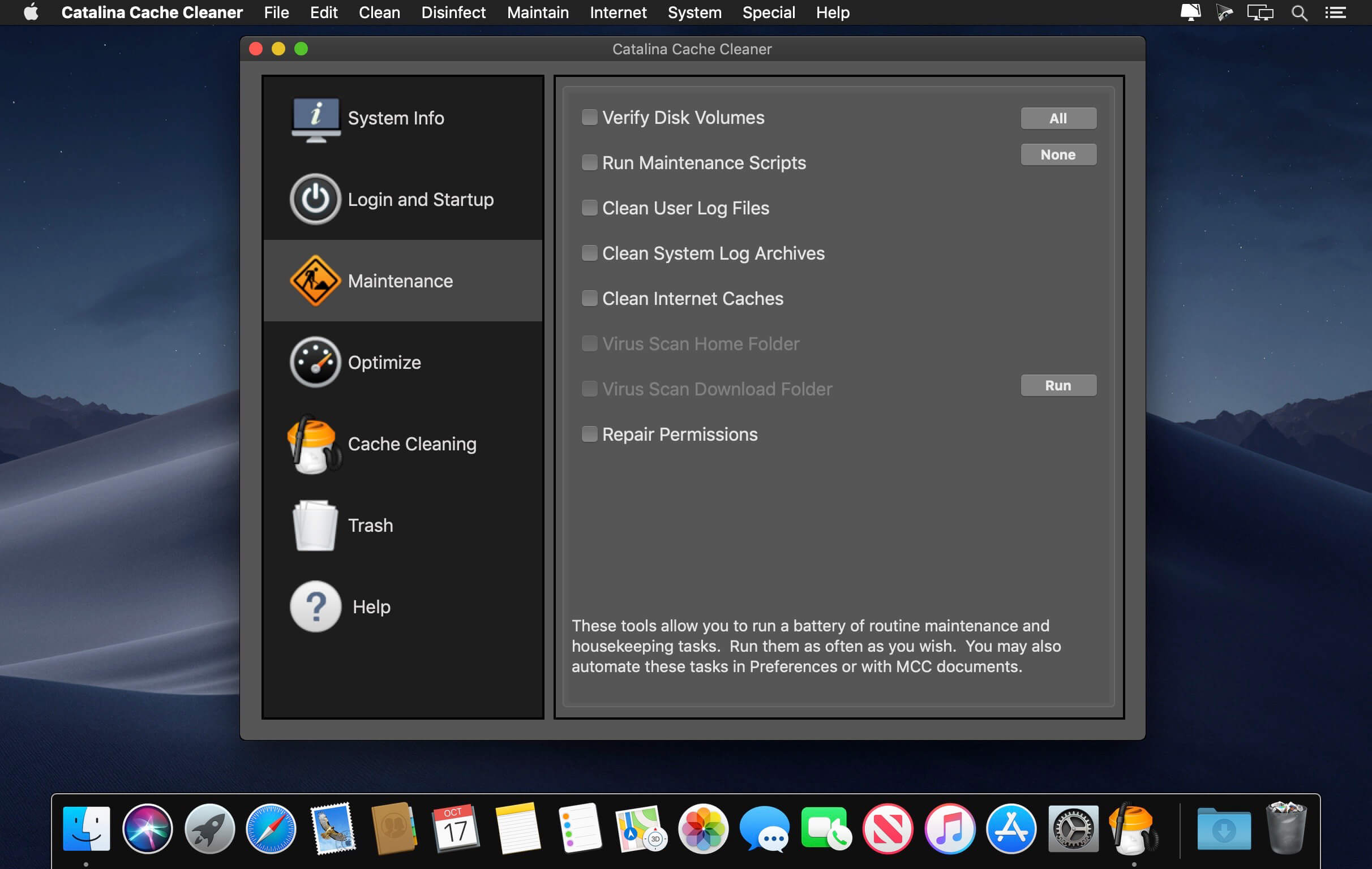
Maintenance
Catalina Cache Cleaner is a one stop solution for all of your macOS X maintenance needs. Intel or PPC, Tiger or Catalina, CCC has the tools to keep your system running at its best. CCC Documents and the CCC Engine maintain system health by providing full automation of common maintenance chores including virus scanning of internet downloads. The CCC Engine can even repair permissions automatically after software installations. With the CCC Engine, powerful system maintenance and antivirus can be completely transparent or as close as your menu bar.

Optimization
Catalina Cache Cleaner can improve system performance by tuning internet and file cache settings, implementing ram disks, and cleaning out various cached and stale data. CCC includes tools to help optimize files and memory. CCC can recover wasted disk space by eliminating language localization files and slimming Universal Binaries.

Customization
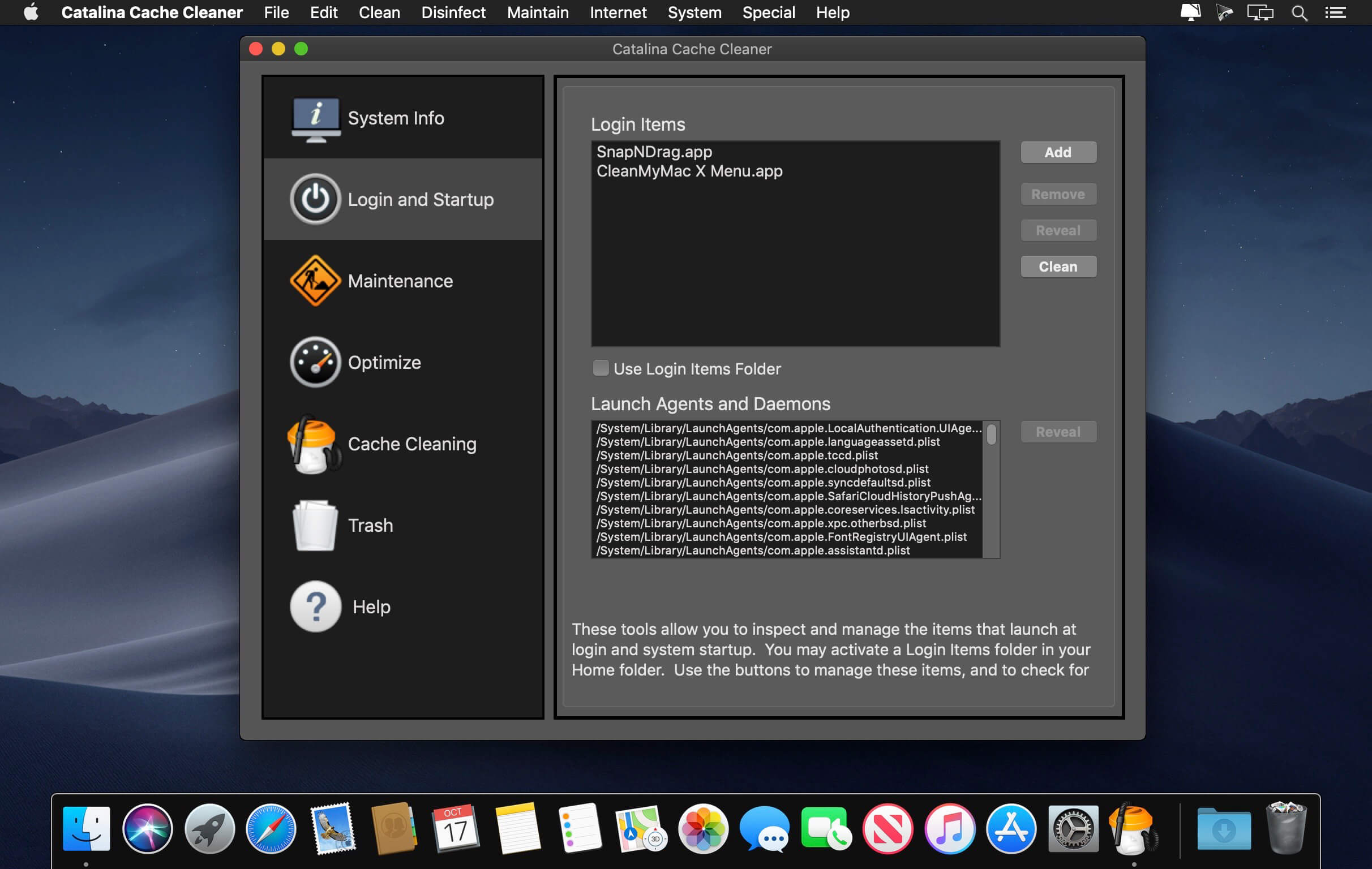
Catalina Cache Cleaner lets you control your macOS X experience. Turn off Spotlight or Dashboard, or turn on a Login Items Folder. CCC can tweak many macOS X features to suit your tastes. All without permanently altering or harming your system.

Disaster Planning
Catalina Cache Cleaner lets you create a bootable Installer USB drive from your Catalina download that will boot and install Catalina on any supported machine. Catalina Cache Cleaner lets you create bootable Emergency Disks that include system repair utilities and CCC’s powerful cache cleaning functions. If disaster strikes, the power of Catalina Cache Cleaner is available at the command prompt in Single User Mode. Registered users of CCC can install a portable version on a flash drive or iPod. Catalina Cache Cleaner Portable runs on any supported Mac and is a great tool for testing hard drives, screen pixels, batteries, ram, and more before buying a machine.

Antivirus
Catalina Cache Cleaner helps protect your system from malware. CCC adds three additional layers of malware protection to Catalina, and ships with the powerful ClamAV antivirus built in. CCC can scan your downloads on the fly providing industrial strength virus protection from Mac and Windows threats.

Compatibility: OS X 10.10 or later, 64-bit processor
Homepage https://www.northernsoftworks.com/catalinacachecleaner.html

Screenshots


Name: Catalina_Cache_Cleaner_15.0.6_Mactorrents.io.rar
Size: 92 MB
Files Catalina_Cache_Cleaner_15.0.6_Mactorrents.io.rar[92 MB]

   Download

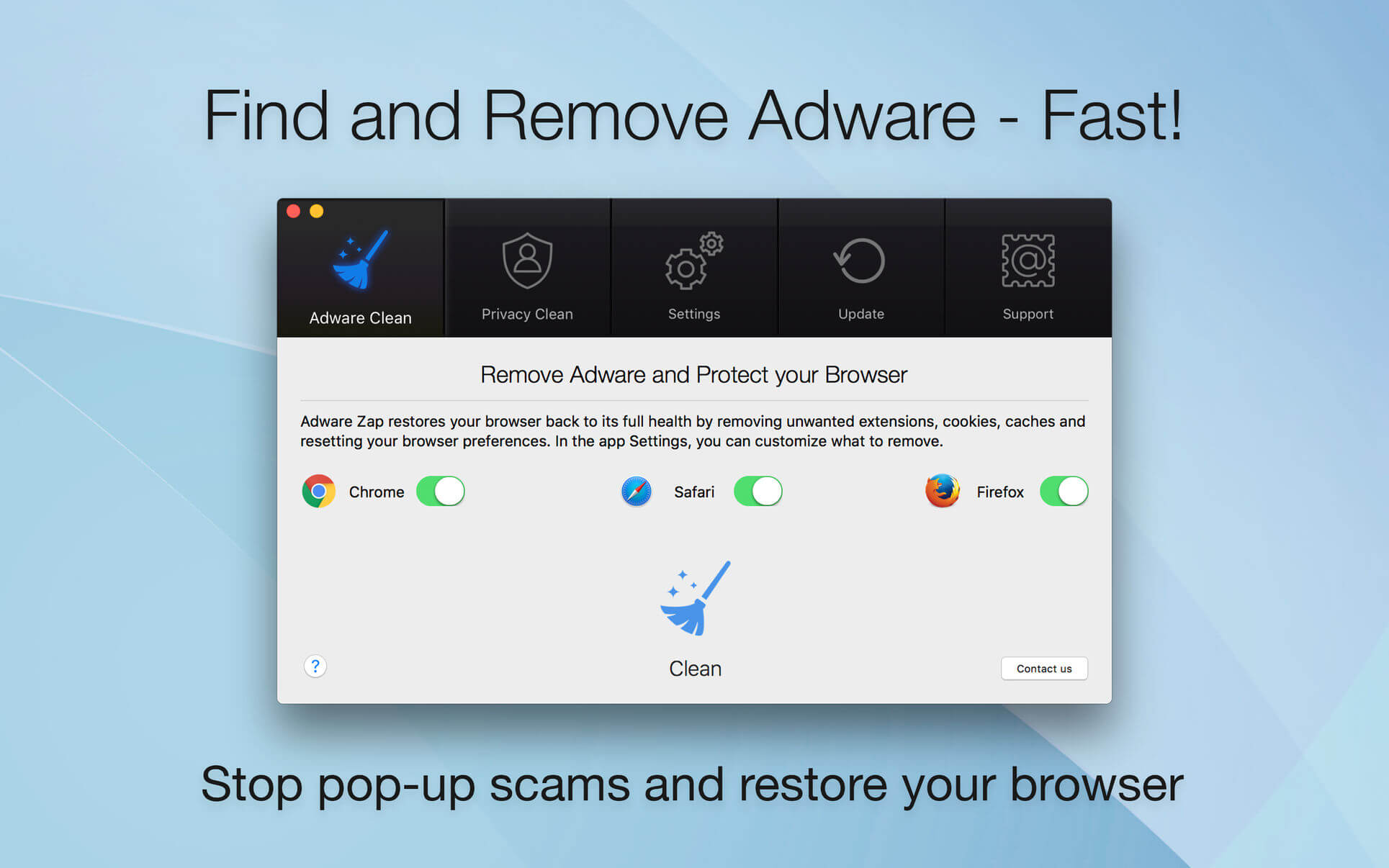
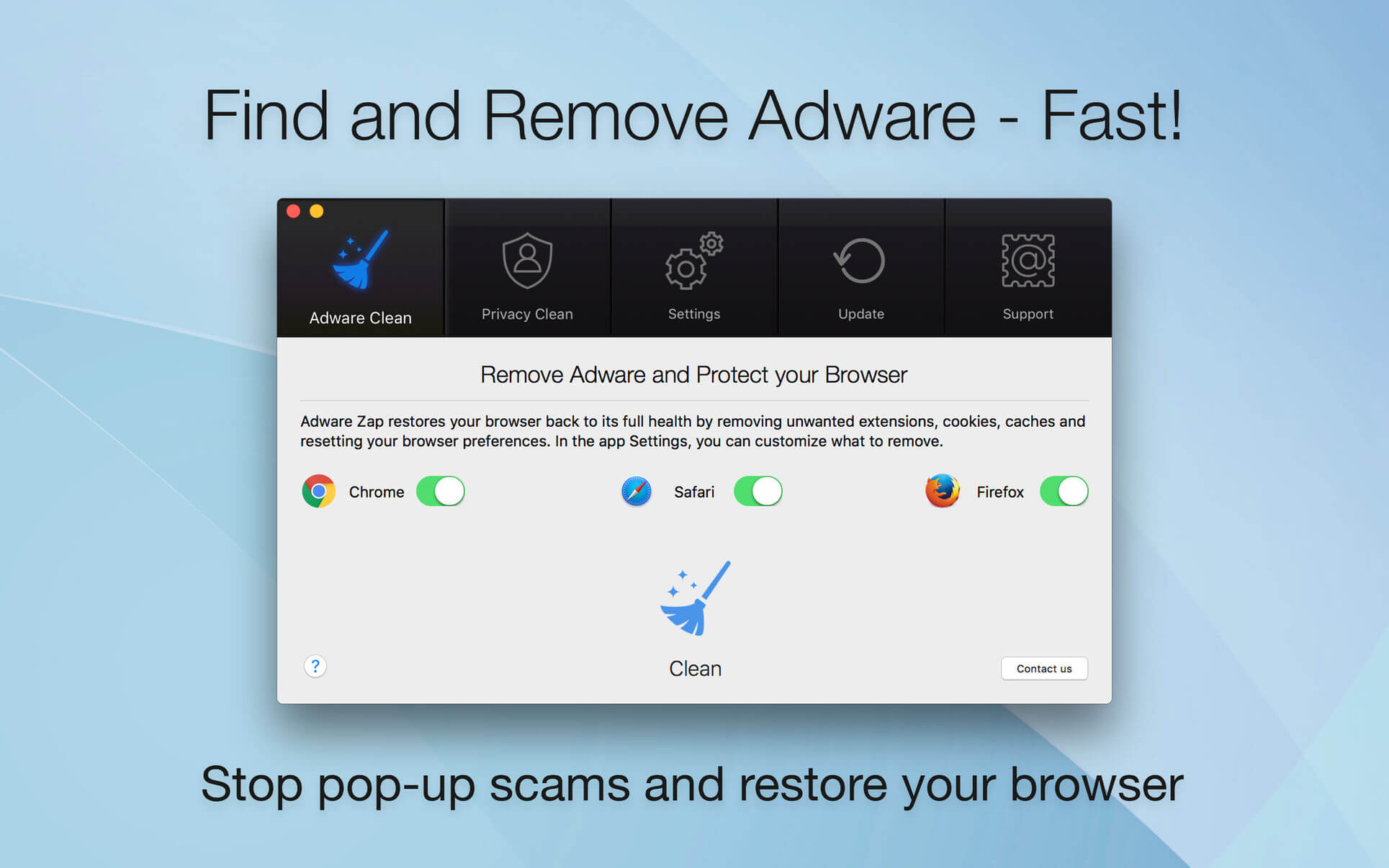
Adware Zap Browser Cleaner 2.8.3

Adware Zap & Privacy Cleaner restores your browser back to its full health by removing unwanted extensions, cookies, caches and resetting your browser preferences. Adware Zap is your choice if:

  • Browser displays constant pop-up advertisements about dubious products and scams even from respected websites
  • Your browser is being hijacked and redirected to dubious websites
  • Your browser is slow and often freezes
  • You want to protect your privacy by removing sensitive files that were created during your browsing session

Privacy Cleaner function:

  • remove sensitive files from selected internet browsers such as history, download list, cookies and stored databases.
  • customise what to remove in the App Settings.
  • option to run automatic clean up when the browser quits.

To fully restore your browser, all cookies, extensions and caches will be removed. By default, browser bookmarks and internet history are not removed, but in the App Settings you can customise what to remove.
To continue to use extensions you previously installed and want to keep, you will need to reinstall them.

Extensions often add useful features to browsers, but there are also many malicious extensions that can display pop-up advertisements, inject banner ads to every website you visit and collect your personal data. These extensions are often installed without the user’s consent by software that was downloaded from the internet.

If new adware is not detected, please contact us directly for one-on-one support and with your help we can update our database to help you and others.

What’s New:

Version 2.8.3

  • Bug fixes and performance improvements

Compatibility: OS X 10.10 or later 64 bit
Homepage https://geo.itunes.apple.com/app/id1181766626

Screenshots

Name: Adware_Zap_2.8.3_MAS__TNT_Mactorrents.io.dmg
Size: 21.35 MB
Files Adware_Zap_2.8.3_MAS__TNT_Mactorrents.io.dmg[21.35 MB]

   Download

App Cleaner & Uninstaller PRO 7.1

Preview Installed Applications and Remove Service Files to Complete Uninstall.
App Cleaner 7 – The best app to remove applications service files on macOS and uninstalling applications*.

Delete application’s service files. Make sure they aren’t eating up precious space on your Mac with this helpful app that does the legwork for you.
Disable unneeded login items to launch Mac faster.
Get PRO features and remove even System Extensions.

Main Gained Value – Speed up Your Mac by: 

  • deleting apps’ files taking performance resources
  • deleting debris of apps that were simply put into Trash
  • managing all types of service files (caches, logs, preferences, etc.)
  • removing unneeded System Extensions
  • removing login items and disabling startup programs

Main Advantage: App Cleaner deletes Remains (or leftovers) – files of previously removed apps.
Thus, you uninstall applications completely.

Main Features: 

  • Scan the system and preview installed applications
  • Remove all types of service files
  • Remove remains of previously uninstalled apps
  • Reset application to a first-launch state
  • Preview launch agents and system daemons
  • Preview login items
  • Disable launch agents and login items
  • •ind and preview installed System Extensions
  • Remove System Extensions
  • Easy-to-use shortcuts
  • Any file or app quick preview
  • Specific app-associated file formats preview
  • In-app help assistance
  • Show unused applications
  • Skip list option

How to Uninstall an application using App Cleaner:

  1. Launch App Cleaner.
  2. Scan all applications for service files.
  3. Choose unneeded application (left view). In-app purchase required.
  4. Select all its’ service files on right view.
  5. Click Remove.
  6. If some apps were not removed, due to access rights, switch to Finder and move them manually to Trash*.

*Some applications can not be removed because they require administrator privileges. In this case, switch to the Finder and delete the application file in usual way.

PRO mode required to:

  • Remove executable part of applications
  • Remove system extensions
  • Disable ads

FREE mode allows to:

  • Preview all installed apps
  • Preview service files for apps
  • Remove service files for apps
  • Reset apps to first-run state
  • Preview installed extensions and widgets
  • Disable launch agents and startup items
  • Remove Remains – broken service files

Compatibility: OS X 10.10 or later, 64-bit processor
Homepage https://nektony.com/

Screenshots


Name: App_Cleaner___Uninstaller_7.1__HCiSO_Mactorrents.io.dmg
Size: 19.4 MB
Files App_Cleaner___Uninstaller_7.1__HCiSO_Mactorrents.io.dmg[19.4 MB]

   Download

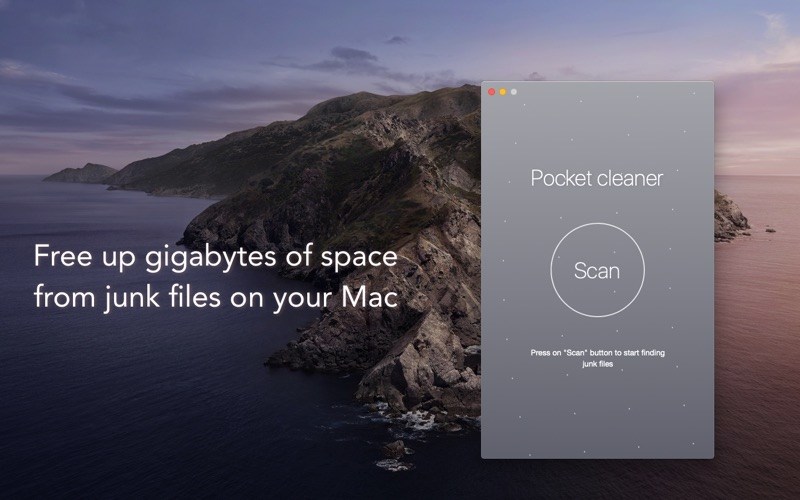
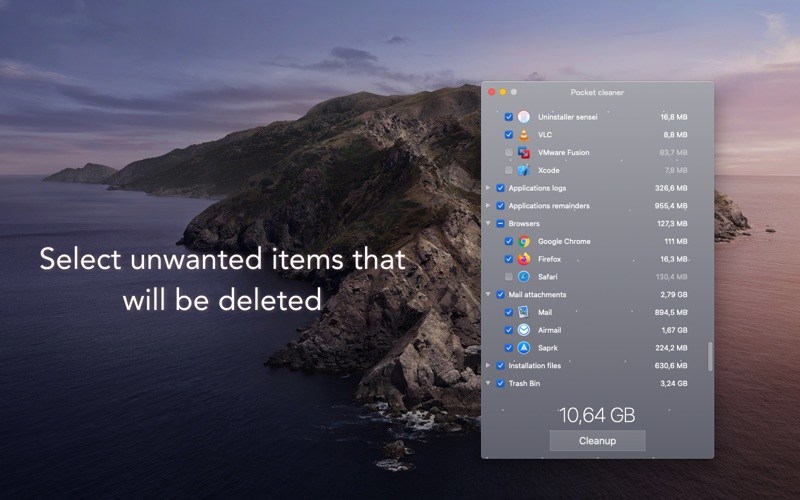
Pocket cleaner 1.4

Pocket cleaner – simply and useful app for clean up disk space from unneeded junk files that contains on your Mac.

◉◉◉ DISK CLEANER ◉◉◉
• Delete applications remainder files from previously incorrectly removed applications
• Cleanup application cache files for speed up application work and free up disk space.
• Cleanup application logs files for free up disk space from files that usually unnecessary.
• Find and delete used installation package files, that no longer need.
• Delete mail attachments that contains on your disk after email was opened.

Languages: English, French, Japanese, Simplified Chinese
Compatibility: OS X 10.12 or later, 64-bit processor
Homepage https://apps.apple.com/app/pocket-cleaner/id1467147639

Screenshots


Name: Pocket_cleaner_1.4_MAS__HCiSO_Mactorrents.io.dmg
Size: 5.3 MB
Files Pocket_cleaner_1.4_MAS__HCiSO_Mactorrents.io.dmg[5.3 MB]

   Download

App Cleaner & Uninstaller Pro 7.0.3

Preview Installed Applications and Remove Service Files to Complete Uninstall.
App Cleaner 7 – The best app to remove applications service files on macOS and uninstalling applications*.

Delete application’s service files. Make sure they aren’t eating up precious space on your Mac with this helpful app that does the legwork for you.
Disable unneeded login items to launch Mac faster.
Get PRO features and remove even System Extensions.

Main Gained Value – Speed up Your Mac by: 

  • deleting apps’ files taking performance resources
  • deleting debris of apps that were simply put into Trash
  • managing all types of service files (caches, logs, preferences, etc.)
  • removing unneeded System Extensions
  • removing login items and disabling startup programs

Main Advantage: App Cleaner deletes Remains (or leftovers) – files of previously removed apps.
Thus, you uninstall applications completely.

Main Features: 

  • Scan the system and preview installed applications
  • Remove all types of service files
  • Remove remains of previously uninstalled apps
  • Reset application to a first-launch state
  • Preview launch agents and system daemons
  • Preview login items
  • Disable launch agents and login items
  • •ind and preview installed System Extensions
  • Remove System Extensions
  • Easy-to-use shortcuts
  • Any file or app quick preview
  • Specific app-associated file formats preview
  • In-app help assistance
  • Show unused applications
  • Skip list option

How to Uninstall an application using App Cleaner:

  1. Launch App Cleaner.
  2. Scan all applications for service files.
  3. Choose unneeded application (left view). In-app purchase required.
  4. Select all its’ service files on right view.
  5. Click Remove.
  6. If some apps were not removed, due to access rights, switch to Finder and move them manually to Trash*.

*Some applications can not be removed because they require administrator privileges. In this case, switch to the Finder and delete the application file in usual way.

PRO mode required to:

  • Remove executable part of applications
  • Remove system extensions
  • Disable ads

FREE mode allows to:

  • Preview all installed apps
  • Preview service files for apps
  • Remove service files for apps
  • Reset apps to first-run state
  • Preview installed extensions and widgets
  • Disable launch agents and startup items
  • Remove Remains – broken service files

What’s New:

Version 7.0:

  • New smart design.
  • Brilliant scanning speed.
  • Added more apps to uninstall.
  • New section of startup programs.
  • Expert mode to view service files of apps in details.
  • Simple mode to uninstall apps with one button click.
  • Showing the list of incompatible applications.

Compatibility: OS X 10.10 or later, 64-bit processor
Homepage https://nektony.com/

Screenshots


Name: App_Cleaner___Uninstaller_7.0.3__HCiSO_Mactorrents.io.dmg
Size: 19.4 MB
Files App_Cleaner___Uninstaller_7.0.3__HCiSO_Mactorrents.io.dmg[19.4 MB]

   Download

Adware Zap Browser Cleaner 2.8.1

Adware Zap & Privacy Cleaner restores your browser back to its full health by removing unwanted extensions, cookies, caches and resetting your browser preferences. Adware Zap is your choice if:

  • Browser displays constant pop-up advertisements about dubious products and scams even from respected websites
  • Your browser is being hijacked and redirected to dubious websites
  • Your browser is slow and often freezes
  • You want to protect your privacy by removing sensitive files that were created during your browsing session

Privacy Cleaner function:

  • remove sensitive files from selected internet browsers such as history, download list, cookies and stored databases.
  • customise what to remove in the App Settings.
  • option to run automatic clean up when the browser quits.

To fully restore your browser, all cookies, extensions and caches will be removed. By default, browser bookmarks and internet history are not removed, but in the App Settings you can customise what to remove.
To continue to use extensions you previously installed and want to keep, you will need to reinstall them.

Extensions often add useful features to browsers, but there are also many malicious extensions that can display pop-up advertisements, inject banner ads to every website you visit and collect your personal data. These extensions are often installed without the user’s consent by software that was downloaded from the internet.

If new adware is not detected, please contact us directly for one-on-one support and with your help we can update our database to help you and others.

What’s New:

Version 2.8.1

  • Improved adware detection rate and speed
  • Bug fixes and performance improvements

Compatibility: OS X 10.10 or later 64 bit
Homepage https://geo.itunes.apple.com/app/id1181766626

Screenshots

Name: Adware_Zap_Pro_2.8.1.0__TNT_Mactorrents.io.dmg
Size: 23.14 MB
Files Adware_Zap_Pro_2.8.1.0__TNT_Mactorrents.io.dmg[23.14 MB]

   Download

App Cleaner & Uninstaller Pro 7.0.2

Preview Installed Applications and Remove Service Files to Complete Uninstall.
App Cleaner 7 – The best app to remove applications service files on macOS and uninstalling applications*.

Delete application’s service files. Make sure they aren’t eating up precious space on your Mac with this helpful app that does the legwork for you.
Disable unneeded login items to launch Mac faster.
Get PRO features and remove even System Extensions.

Main Gained Value – Speed up Your Mac by: 

  • deleting apps’ files taking performance resources
  • deleting debris of apps that were simply put into Trash
  • managing all types of service files (caches, logs, preferences, etc.)
  • removing unneeded System Extensions
  • removing login items and disabling startup programs

Main Advantage: App Cleaner deletes Remains (or leftovers) – files of previously removed apps.
Thus, you uninstall applications completely.

Main Features: 

  • Scan the system and preview installed applications
  • Remove all types of service files
  • Remove remains of previously uninstalled apps
  • Reset application to a first-launch state
  • Preview launch agents and system daemons
  • Preview login items
  • Disable launch agents and login items
  • •ind and preview installed System Extensions
  • Remove System Extensions
  • Easy-to-use shortcuts
  • Any file or app quick preview
  • Specific app-associated file formats preview
  • In-app help assistance
  • Show unused applications
  • Skip list option

How to Uninstall an application using App Cleaner:

  1. Launch App Cleaner.
  2. Scan all applications for service files.
  3. Choose unneeded application (left view). In-app purchase required.
  4. Select all its’ service files on right view.
  5. Click Remove.
  6. If some apps were not removed, due to access rights, switch to Finder and move them manually to Trash*.

*Some applications can not be removed because they require administrator privileges. In this case, switch to the Finder and delete the application file in usual way.

PRO mode required to:

  • Remove executable part of applications
  • Remove system extensions
  • Disable ads

FREE mode allows to:

  • Preview all installed apps
  • Preview service files for apps
  • Remove service files for apps
  • Reset apps to first-run state
  • Preview installed extensions and widgets
  • Disable launch agents and startup items
  • Remove Remains – broken service files

What’s New:

Version 7.0:

  • New smart design.
  • Brilliant scanning speed.
  • Added more apps to uninstall.
  • New section of startup programs.
  • Expert mode to view service files of apps in details.
  • Simple mode to uninstall apps with one button click.
  • Showing the list of incompatible applications.

Compatibility: OS X 10.10 or later, 64-bit processor
Homepage https://nektony.com/

Screenshots


Name: App_Cleaner___Uninstaller_7.0.2__HCiSO_Mactorrents.io.dmg
Size: 19.4 MB
Files App_Cleaner___Uninstaller_7.0.2__HCiSO_Mactorrents.io.dmg[19.4 MB]

   Download

Catalina Cache Cleaner 15.0.5

Catalina Cache Cleaner is an award winning general purpose tool for macOS X. CCC makes system maintenance simple with an easy point and click interface to many macOS X functions. Novice and expert users alike will appreciate the powerful toolset CCC provides. Catalina Cache Cleaner is one of the world’s leading maintenance tools with millions of downloads around the globe.

Maintenance
Catalina Cache Cleaner is a one stop solution for all of your macOS X maintenance needs. Intel or PPC, Tiger or Catalina, CCC has the tools to keep your system running at its best. CCC Documents and the CCC Engine maintain system health by providing full automation of common maintenance chores including virus scanning of internet downloads. The CCC Engine can even repair permissions automatically after software installations. With the CCC Engine, powerful system maintenance and antivirus can be completely transparent or as close as your menu bar.

Optimization
Catalina Cache Cleaner can improve system performance by tuning internet and file cache settings, implementing ram disks, and cleaning out various cached and stale data. CCC includes tools to help optimize files and memory. CCC can recover wasted disk space by eliminating language localization files and slimming Universal Binaries.

Customization
Catalina Cache Cleaner lets you control your macOS X experience. Turn off Spotlight or Dashboard, or turn on a Login Items Folder. CCC can tweak many macOS X features to suit your tastes. All without permanently altering or harming your system.

Disaster Planning
Catalina Cache Cleaner lets you create a bootable Installer USB drive from your Catalina download that will boot and install Catalina on any supported machine. Catalina Cache Cleaner lets you create bootable Emergency Disks that include system repair utilities and CCC’s powerful cache cleaning functions. If disaster strikes, the power of Catalina Cache Cleaner is available at the command prompt in Single User Mode. Registered users of CCC can install a portable version on a flash drive or iPod. Catalina Cache Cleaner Portable runs on any supported Mac and is a great tool for testing hard drives, screen pixels, batteries, ram, and more before buying a machine.

Antivirus
Catalina Cache Cleaner helps protect your system from malware. CCC adds three additional layers of malware protection to Catalina, and ships with the powerful ClamAV antivirus built in. CCC can scan your downloads on the fly providing industrial strength virus protection from Mac and Windows threats.

What’s New:

Version 15.0.4:

  • macOS Mojave support

Compatibility: OS X 10.10 or later, 64-bit processor
Homepage https://www.northernsoftworks.com/catalinacachecleaner.html

Screenshots


Name: Catalina Cache Cleaner 505CO_Mactorrents.io.zip
Size: 91.67 MB
Files Catalina Cache Cleaner 505CO_Mactorrents.io.dmg[91.67 MB]

   Download

Combo Cleaner Premium 1.3.5

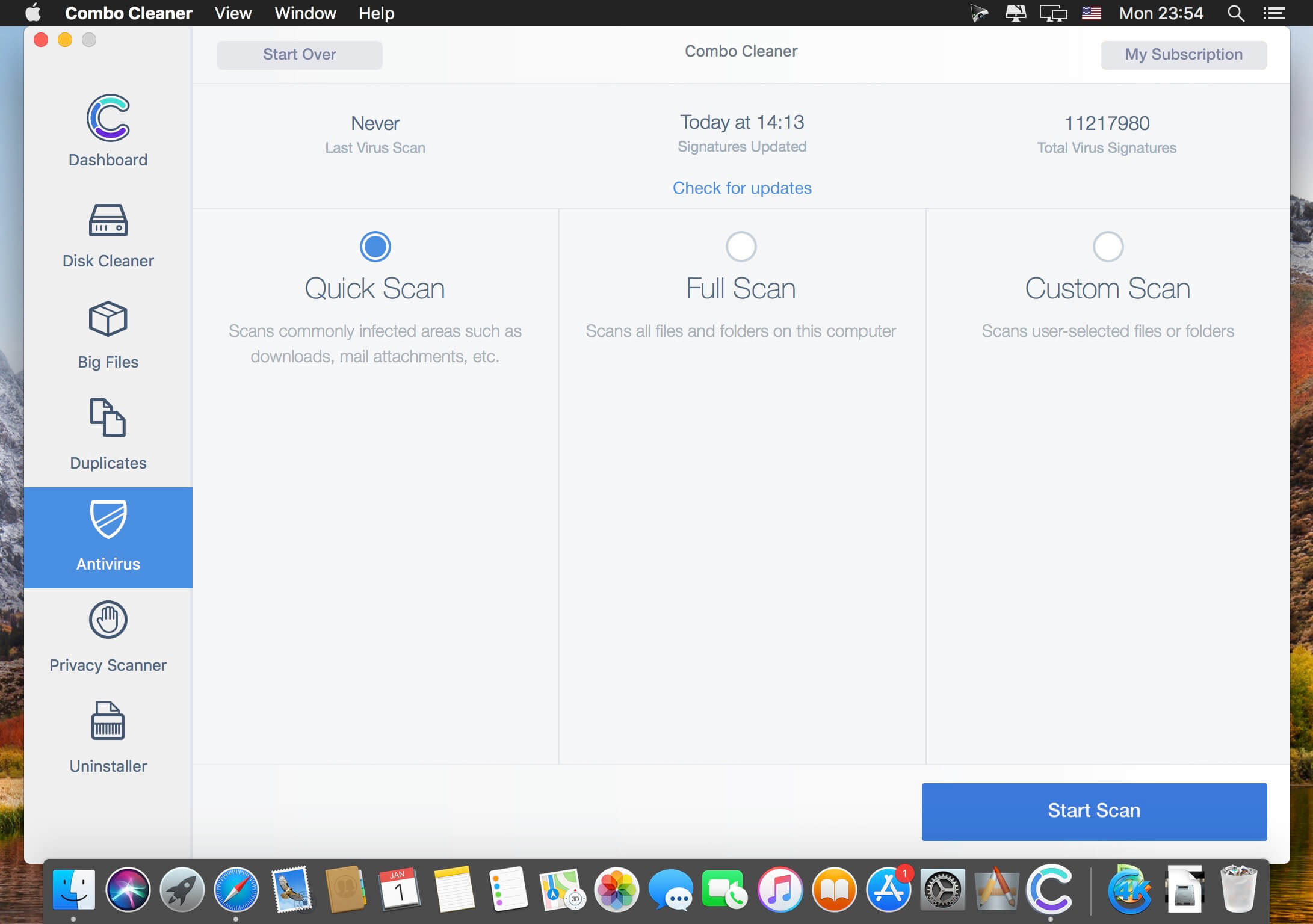
Your Mac is a masterpiece – keep it this way with Combo Cleaner. The most easy-to-use way to clean your Mac from junk files, viruses and malware. Our Anti-Malware engine is certified by OPSWAT Labs. Combo Cleaner will clean your disk of junk files and eliminate malware (including adware and potentially unwanted applications causing unwanted ads when browsing the Internet).

Combo Cleaner features:

  • ANTIVIRUS – Combo Cleaner is equipped with an OPSWAT certified, award winning virus, malware, and adware scan engines. Hourly malware definition updates ensures that your Mac will be protected from the latest security threats.
  • DUPLICATE FILE FINDER – Duplicate files are identical copies stored in various places on your hard drive. Combo Cleaner will find and eliminate these files that are a waste of valuable disk space.
  • DISK CLEANER – Disk Cleaner ensures that your Mac is free of junk and obsolete files that can accumulate megabytes of wasted disk space.
  • BIG FILES FINDER – Big Files Finder checks your local and external disks, immediately listing all files and folders larger than 100 megabytes (or any other user defined size).
  • APP UNINSTALLER – When you remove applications from your Mac, many useless redundant files often remain on the system. Combo Cleaner will find such files and remove them.
  • PRIVACY SCANNER – Scans installed browsers and enables you to easily remove stored browsing history, cookies, etc. Take privacy into your own hands.

In-App Purchases: Combo Cleaner Premium – included.

What’s New:

Version 1.3.5:

  • Release notes were unavailable when this listing was updated

Compatibility: OS X 10.10 or later 64-bit
Homepage https://www.combocleaner.com

Screenshots


Name: Combo_Cleaner_1.3.5__TNT_Mactorrents.io.dmg
Size: 7.55 MB
Files Combo_Cleaner_1.3.5__TNT_Mactorrents.io.dmg[7.55 MB]

   Download

App Cleaner & Uninstaller Pro 6.10.1

App Cleaner & Uninstaller (was App Cleaner) can remove applications and their service files on OS X*. Make sure they aren’t eating up precious space on your drive with this helpful app that does the legwork for you.

Features

– Scan the system and preview installed applications

– Remove all types of service files

– Remove remains of previously uninstalled apps

– Reset application to a first-launch state

– Easy-to-use shortcuts

– Any file or app quick preview

– Specific app-associated file formats preview

– Show unused applications

– Skip list option

Compatibility: OS X 10.10 or later, 64-bit processor
Homepage https://nektony.com/

Screenshots


Name: App_Cleaner___Uninstaller_Pro_6.10.1__TNT_Mactorrents.io.dmg
Size: 21 MB
Files App_Cleaner___Uninstaller_Pro_6.10.1__TNT_Mactorrents.io.dmg[21 MB]

   Download

App Cleaner & Uninstaller Pro 7.0.1

App Cleaner & Uninstaller (was App Cleaner) can remove applications and their service files on OS X*. Make sure they aren’t eating up precious space on your drive with this helpful app that does the legwork for you.

Features

– Scan the system and preview installed applications

– Remove all types of service files

– Remove remains of previously uninstalled apps

– Reset application to a first-launch state

– Easy-to-use shortcuts

– Any file or app quick preview

– Specific app-associated file formats preview

– Show unused applications

– Skip list option

Compatibility: OS X 10.10 or later, 64-bit processor
Homepage https://nektony.com/

Screenshots


Name: App_Cleaner_7.0.1__TNT_Mactorrents.io.dmg
Size: 21 MB
Files App_Cleaner_7.0.1__TNT_Mactorrents.io.dmg[21 MB]

   Download

App Cleaner & Uninstaller Pro 7.0

App Cleaner & Uninstaller (was App Cleaner) can remove applications and their service files on OS X*. Make sure they aren’t eating up precious space on your drive with this helpful app that does the legwork for you.

Features

– Scan the system and preview installed applications

– Remove all types of service files

– Remove remains of previously uninstalled apps

– Reset application to a first-launch state

– Easy-to-use shortcuts

– Any file or app quick preview

– Specific app-associated file formats preview

– Show unused applications

– Skip list option

Compatibility: OS X 10.10 or later, 64-bit processor
Homepage https://nektony.com/

Screenshots


Name: App_Cleaner_7.0__TNT_Mactorrents.io.dmg
Size: 21 MB
Files App_Cleaner_7.0__TNT_Mactorrents.io.dmg[21 MB]

   Download

Cleaner for Xcode 3.1.1

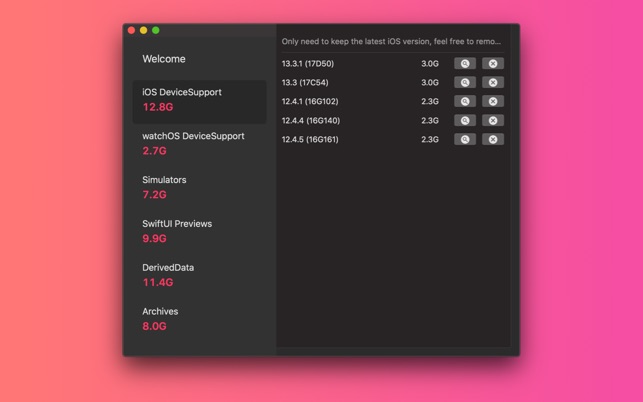
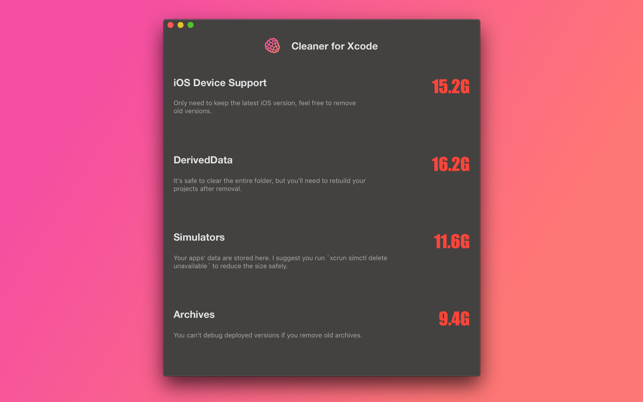
This app helps you to make your Xcode faster by removing unwanted and deprecated files.
You can run cleaner weekly or monthly to keep your developer folder health and to save more disk space.

What’s New
Version 3.1.1

    fix bugs

Languages: English, Simplified Chinese, Thai
Compatibility: macOS 10.15 or later, 64-bit processor
Homepage

Screenshots


Name: Cleaner_for_Xcode_3.1.1_MAS__HCiSO_Mactorrents.io.dmg
Size: 2.9 MB
Files Cleaner_for_Xcode_3.1.1_MAS__HCiSO_Mactorrents.io.dmg[2.9 MB]

   Download

iMac Cleaner 2.9

iMac Cleaner 2.9

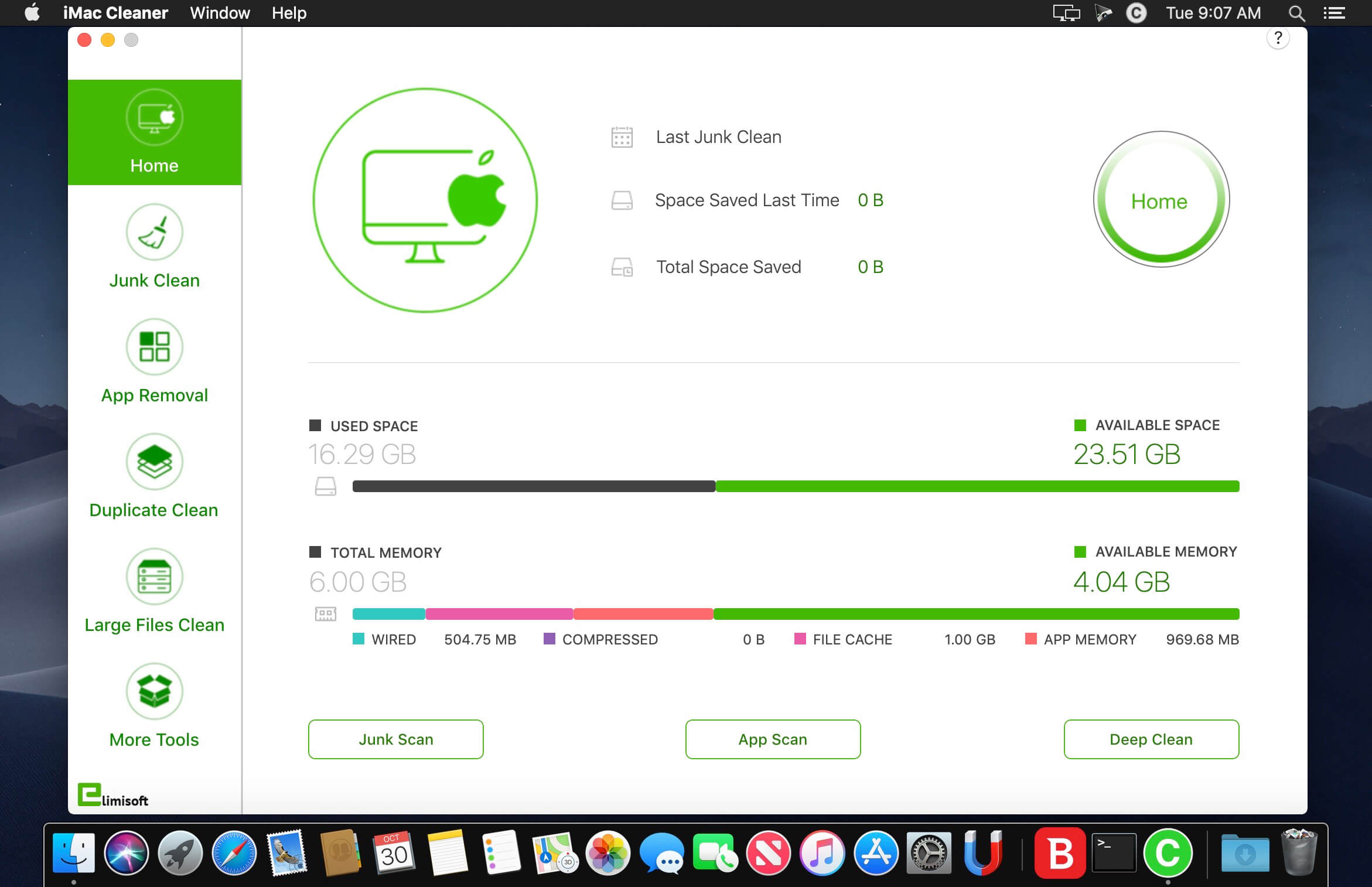
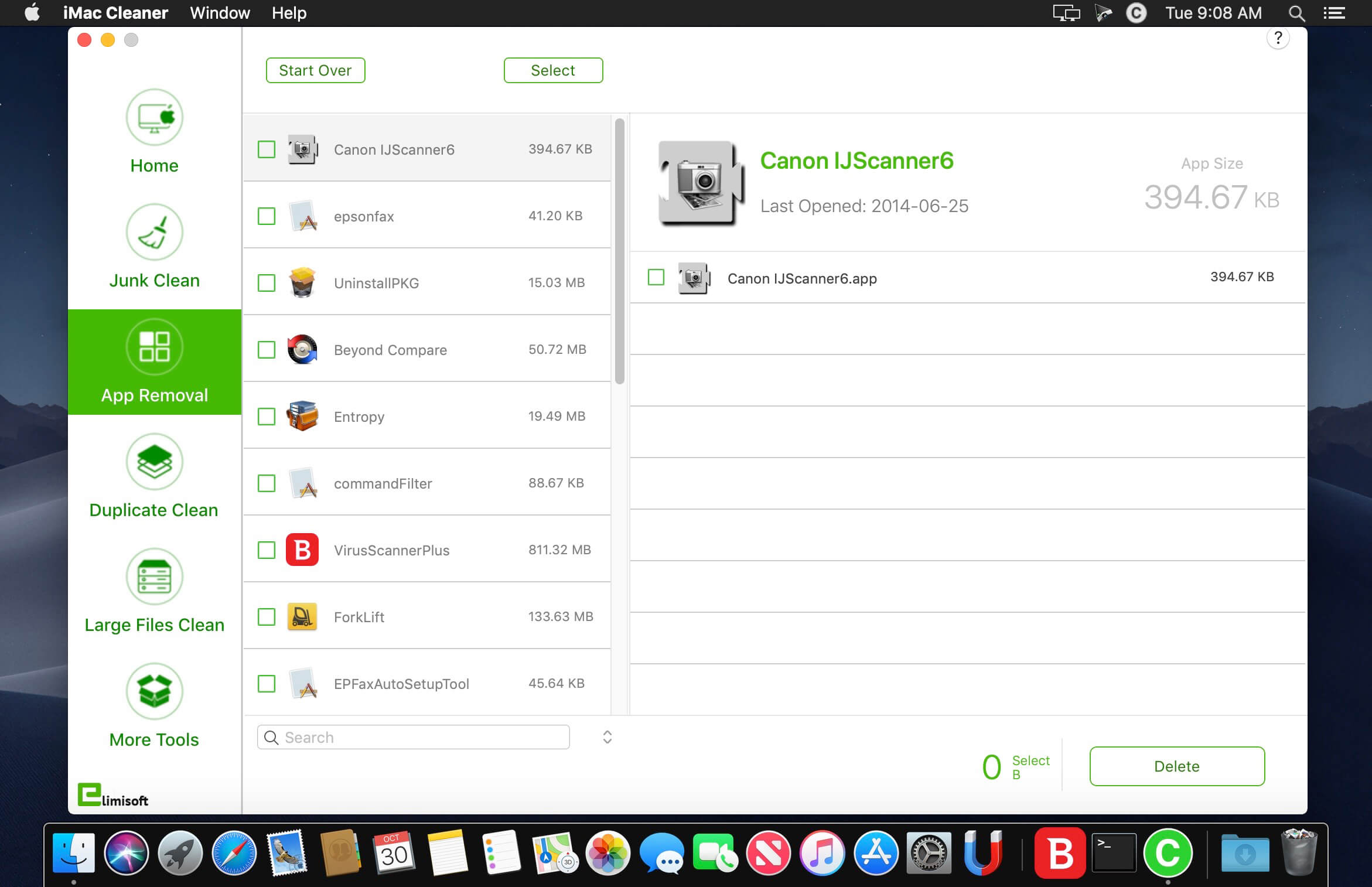
iMac Cleaner let’s you safely scan and clean up your entire Mac system, delete junk files and duplicate files, reduce the size of iPhoto library, uninstall unnecessary apps, shred files, manage startup items, extract RAR archives, save Winmail.dat, etc to keep your mac best performance.

Features:

  • Scan and clean your entire system, clear application junk files, app caches, logs, system caches, system logs, mail attachments, iTunes junk files, localized languages, browser cookies and history, etc.
  • Scan duplicates anywhere, whether they are one or more folders of internal and external hard drives, also supporting scanning duplicates in Photos or iTunes.
  • Extract most common formats of your mac, include RAR, Zip, 7Z, Bzip, Cab, Swf, Lzma, etc. Besides, extract image files within PDF files.
  • Quickly and full scan all Apps on your Mac and its related junk files, incl. leftover, logs, caches, preference, crash reports, etc.
  • Scan and Delete large files from single or multiple folders on internal and external hard drives, but also large files in Photos or iTunes. Extension Manager: Manage & Delete extensions, preferences, Plug-ins and add-ons in a efficient way to keep your Mac security.
  • Show the usage of disk space and memory of your Mac, and free memory with one click.
  • Efficiently shrink PDF file size, and support compress encrypted PDF files. You can easily send PDF as attachment directly after compression.
  • Quickly open & save Winmail.dat files sent from Microsoft Outlook. You can easily send each item within Winmail.dat files as attachment directly.
  • Efficiently manage your startup items to optimize your Mac Boot speed.
  • Erase files and make them unrecoverable, ensure your files could be securely erased.

What’s New:

Version 2.9:

  • Fixed some minor bugs

Compatibility: OS X 10.10 or later 64 bit
Homepage https://www.ccleanmac.com/

Screenshots


Name: iMacCleaner_2.9__TNT_Mactorrents.io.dmg
Size: 8.55 MB
Files iMacCleaner_2.9__TNT_Mactorrents.io.dmg[8.55 MB]

   Download

App Cleaner & Uninstaller Pro 6.10

App Cleaner & Uninstaller Pro 6.10

App Cleaner & Uninstaller (was App Cleaner) can remove applications and their service files on OS X*. Make sure they aren’t eating up precious space on your drive with this helpful app that does the legwork for you.

Features

– Scan the system and preview installed applications

– Remove all types of service files

– Remove remains of previously uninstalled apps

– Reset application to a first-launch state

– Easy-to-use shortcuts

– Any file or app quick preview

– Specific app-associated file formats preview

– Show unused applications

– Skip list option

Compatibility: OS X 10.10 or later, 64-bit processor
Homepage https://nektony.com/

Screenshots


Name: App_Cleaner___Uninstaller_Pro_6.10__TNT_Mactorrents.io.dmg
Size: 21 MB
Files App_Cleaner___Uninstaller_Pro_6.10__TNT_Mactorrents.io.dmg[21 MB]

   Download

App Cleaner & Uninstaller Pro 6.9

App Cleaner & Uninstaller Pro 6.9

Preview Installed Applications and Remove Service Files to Complete Uninstall.
App Cleaner – The best app to remove applications service files on Mac OS X and uninstalling applications*.

Delete application’s service files. Make sure they aren’t eating up precious space on your Mac with this helpful app that does the legwork for you.
Disable unneeded login items to launch Mac faster.
Get PRO features and remove even System Extensions.

Main Gained Value – Speed up Your Mac by: 

  • deleting apps’ files taking performance resources
  • deleting debris of apps that were simply put into Trash
  • managing all types of service files (caches, logs, preferences, etc.)
  • removing unneeded System Extensions
  • removing login items and disabling startup programs

Main Advantage: App Cleaner deletes Remains (or leftovers) – files of previously removed apps.
Thus, you uninstall applications completely.

Main Features: 

  • Scan the system and preview installed applications
  • Remove all types of service files
  • Remove remains of previously uninstalled apps
  • Reset application to a first-launch state
  • Preview launch agents and system daemons
  • Preview login items
  • Disable launch agents and login items
  • •ind and preview installed System Extensions
  • Remove System Extensions


  • Easy-to-use shortcuts
  • Any file or app quick preview
  • Specific app-associated file formats preview
  • In-app help assistance
  • Show unused applications
  • Skip list option

How to Uninstall an application using App Cleaner:

  1. Launch App Cleaner.
  2. Scan all applications for service files.
  3. Choose unneeded application (left view). In-app purchase required.
  4. Select all its’ service files on right view.
  5. Click Remove.
  6. If some apps were not removed, due to access rights, switch to Finder and move them manually to Trash*.

*Some applications can not be removed because they require administrator privileges. In this case, switch to the Finder and delete the application file in usual way.

PRO mode required to:

  • Remove executable part of applications
  • Remove system extensions
  • Disable ads

FREE mode allows to:

  • Preview all installed apps
  • Preview service files for apps
  • Remove service files for apps
  • Reset apps to first-run state
  • Preview installed extensions and widgets
  • Disable launch agents and startup items
  • Remove Remains – broken service files

What’s New:

Version 6.0

  • Improved and optimized for the latest macOS
  • Added a support of the following languages: French, German, Japanese, Russian, Simplified Chinese, Spanish.
  • Improved the search for the programs and their removal, including their service files and the levtovers of previously deleted programs.
  • Added an option to specify the folders where the programs are located.
  • Added a support for the folders in the Skip List.
  • Added an ability to find and remove program aliases.
  • Improved the general statistics display for the installed programs.
  • Improved the overall quality and the interaction of the program with the user.

Compatibility: OS X 10.10 or later, 64-bit processor
Homepage https://nektony.com/

Screenshots


Name: App_Cleaner___Uninstaller_Pro_6.9__TNT_Mactorrents.io.dmg
Size: 21.74 MB
Files App_Cleaner___Uninstaller_Pro_6.9__TNT_Mactorrents.io.dmg[21.74 MB]

   Download

App Cleaner & Uninstaller Pro 6.8

App Cleaner & Uninstaller Pro 6.8

Preview Installed Applications and Remove Service Files to Complete Uninstall.
App Cleaner – The best app to remove applications service files on Mac OS X and uninstalling applications*.

Delete application’s service files. Make sure they aren’t eating up precious space on your Mac with this helpful app that does the legwork for you.
Disable unneeded login items to launch Mac faster.
Get PRO features and remove even System Extensions.

Main Gained Value – Speed up Your Mac by: 

  • deleting apps’ files taking performance resources
  • deleting debris of apps that were simply put into Trash
  • managing all types of service files (caches, logs, preferences, etc.)
  • removing unneeded System Extensions
  • removing login items and disabling startup programs

Main Advantage: App Cleaner deletes Remains (or leftovers) – files of previously removed apps.
Thus, you uninstall applications completely.

Main Features: 

  • Scan the system and preview installed applications
  • Remove all types of service files
  • Remove remains of previously uninstalled apps
  • Reset application to a first-launch state
  • Preview launch agents and system daemons
  • Preview login items
  • Disable launch agents and login items
  • •ind and preview installed System Extensions
  • Remove System Extensions


  • Easy-to-use shortcuts
  • Any file or app quick preview
  • Specific app-associated file formats preview
  • In-app help assistance
  • Show unused applications
  • Skip list option

How to Uninstall an application using App Cleaner:

  1. Launch App Cleaner.
  2. Scan all applications for service files.
  3. Choose unneeded application (left view). In-app purchase required.
  4. Select all its’ service files on right view.
  5. Click Remove.
  6. If some apps were not removed, due to access rights, switch to Finder and move them manually to Trash*.

*Some applications can not be removed because they require administrator privileges. In this case, switch to the Finder and delete the application file in usual way.

PRO mode required to:

  • Remove executable part of applications
  • Remove system extensions
  • Disable ads

FREE mode allows to:

  • Preview all installed apps
  • Preview service files for apps
  • Remove service files for apps
  • Reset apps to first-run state
  • Preview installed extensions and widgets
  • Disable launch agents and startup items
  • Remove Remains – broken service files

What’s New:

Version 6.0

  • Improved and optimized for the latest macOS
  • Added a support of the following languages: French, German, Japanese, Russian, Simplified Chinese, Spanish.
  • Improved the search for the programs and their removal, including their service files and the levtovers of previously deleted programs.
  • Added an option to specify the folders where the programs are located.
  • Added a support for the folders in the Skip List.
  • Added an ability to find and remove program aliases.
  • Improved the general statistics display for the installed programs.
  • Improved the overall quality and the interaction of the program with the user.

Compatibility: OS X 10.10 or later, 64-bit processor
Homepage https://nektony.com/

Screenshots


Name: App_Cleaner___Uninstaller_Pro_6.8__TNT_Mactorrents.io.dmg
Size: 21.73 MB
Files App_Cleaner___Uninstaller_Pro_6.8__TNT_Mactorrents.io.dmg[21.73 MB]

   Download

Combo Cleaner Premium 1.3.0

Descriptions for Combo Cleaner Premium 1.3.0

Combo Cleaner is an antivirus and system optimizer created by a company called RCS LT. This application runs on Mac computers and works with all recent Mac operating systems. This application takes a different approach as compared to traditional antivirus suites.

As well as an antivirus function, Combo Cleaner includes a disk cleaner, big files finder, duplicate files finder, privacy scanner, and application uninstaller. This app can be used to clean computers of security threats and free up significant disk space cluttered by redundant files. Although Mac computers are thought to be more secure than Windows systems, a reliable antivirus solution is paramount.

Combo Cleaner Features:

  • Professional Mac Antivirus – Combo Cleaner is equipped with an OPSWAT certified, award winning virus, malware, and adware scan engines. Hourly malware definition updates ensures that your Mac will be protected from the latest security threats.
    • Adware Scanner
    • Malware Scanner
    • PC-specific Malware Scanner
  • Disk Cleaner – Disk Cleaner ensures that your Mac is free of junk and obsolete files that can accumulate megabytes of wasted disk space. Disk Cleaner is free to use.
    • Eliminate all Junk Files
    • Smart Scan
    • External Hard Drives
  • Duplicate File Finder – Duplicate files are identical copies stored in various places on your hard drive. These files are a waste of valuable disk space.
    • Duplicate files scanner is free to use.
    • Support for Many File Formats
    • Finds Duplicate Files on Local and External Hard Drives
    • Fast and Precise Detection
  • Privacy Scanner – Privacy Scanner scans system and installed browsers for private data and enables you to easily remove stored browsing history, cookies, etc. To remove detected items you will have to purchase the full version of Combo Cleaner.
    • Privacy Guard
    • Improves Performance
  • Big Files Finder – Wondering why your disk is full, but unable to locate files occupying significant disk space? Big Files Finder is free to use.
    • Extremely Fast
    • Easy Sorting
  • App Uninstaller – When you remove applications from your Mac, many useless, redundant files often remain on the system. Uninstaller checks for applications installed on your Mac. To uninstall applications you will have to purchase the full version of Combo Cleaner.
    • Files Search
    • Smart Uninstaller

Information

CompatibilityOS X 10.10 or later 64-bit
LanguagesEnglish

What’s New in Combo Cleaner Premium 1.3.0

  • Release notes not available at the time of this post.

Screenshots

Name Combo Cleaner Premium 1.3.0 [TNT]mactorrents.cc mactorrents.cc

iMac Cleaner 2.8

iMac Cleaner 2.8

iMac Cleaner let’s you safely scan and clean up your entire Mac system, delete junk files and duplicate files, reduce the size of iPhoto library, uninstall unnecessary apps, shred files, manage startup items, extract RAR archives, save Winmail.dat, etc to keep your mac best performance.

Features:

  • Scan and clean your entire system, clear application junk files, app caches, logs, system caches, system logs, mail attachments, iTunes junk files, localized languages, browser cookies and history, etc.
  • Scan duplicates anywhere, whether they are one or more folders of internal and external hard drives, also supporting scanning duplicates in Photos or iTunes.
  • Extract most common formats of your mac, include RAR, Zip, 7Z, Bzip, Cab, Swf, Lzma, etc. Besides, extract image files within PDF files.
  • Quickly and full scan all Apps on your Mac and its related junk files, incl. leftover, logs, caches, preference, crash reports, etc.
  • Scan and Delete large files from single or multiple folders on internal and external hard drives, but also large files in Photos or iTunes. Extension Manager: Manage & Delete extensions, preferences, Plug-ins and add-ons in a efficient way to keep your Mac security.
  • Show the usage of disk space and memory of your Mac, and free memory with one click.
  • Efficiently shrink PDF file size, and support compress encrypted PDF files. You can easily send PDF as attachment directly after compression.
  • Quickly open & save Winmail.dat files sent from Microsoft Outlook. You can easily send each item within Winmail.dat files as attachment directly.
  • Efficiently manage your startup items to optimize your Mac Boot speed.
  • Erase files and make them unrecoverable, ensure your files could be securely erased.

What’s New:

Version 2.8:

  • Fixed some minor bugs

Compatibility: OS X 10.10 or later 64 bit
Homepage https://www.ccleanmac.com/

Screenshots


Name: iMacCleaner_2.8__TNT_Mactorrents.io.dmg
Size: 8.54 MB
Files iMacCleaner_2.8__TNT_Mactorrents.io.dmg[8.54 MB]

   Download

Combo Cleaner Premium 1.2.15


Download Combo Cleaner Premium 1.2.15

Combo Cleaner is an antivirus and system optimizer created by a company called RCS LT. This application runs on Mac computers and works with all recent Mac operating systems. This application takes a different approach as compared to traditional antivirus suites.

As well as an antivirus function, Combo Cleaner includes a disk cleaner, big files finder, duplicate files finder, privacy scanner, and application uninstaller. This app can be used to clean computers of security threats and free up significant disk space cluttered by redundant files. Although Mac computers are thought to be more secure than Windows systems, a reliable antivirus solution is paramount.

Combo Cleaner Features:

  • Professional Mac Antivirus – Combo Cleaner is equipped with an OPSWAT certified, award winning virus, malware, and adware scan engines. Hourly malware definition updates ensures that your Mac will be protected from the latest security threats.
    • Adware Scanner
    • Malware Scanner
    • PC-specific Malware Scanner
  • Disk Cleaner – Disk Cleaner ensures that your Mac is free of junk and obsolete files that can accumulate megabytes of wasted disk space. Disk Cleaner is free to use.
    • Eliminate all Junk Files
    • Smart Scan
    • External Hard Drives
  • Duplicate File Finder – Duplicate files are identical copies stored in various places on your hard drive. These files are a waste of valuable disk space.
    • Duplicate files scanner is free to use.
    • Support for Many File Formats
    • Finds Duplicate Files on Local and External Hard Drives
    • Fast and Precise Detection
  • Privacy Scanner – Privacy Scanner scans system and installed browsers for private data and enables you to easily remove stored browsing history, cookies, etc. To remove detected items you will have to purchase the full version of Combo Cleaner.
    • Privacy Guard
    • Improves Performance
  • Big Files Finder – Wondering why your disk is full, but unable to locate files occupying significant disk space? Big Files Finder is free to use.
    • Extremely Fast
    • Easy Sorting
  • App Uninstaller – When you remove applications from your Mac, many useless, redundant files often remain on the system. Uninstaller checks for applications installed on your Mac. To uninstall applications you will have to purchase the full version of Combo Cleaner.
    • Files Search
    • Smart Uninstaller

Information

CompatibilityOS X 10.10 or later 64-bit
LanguagesEnglish

What’s New in Combo Cleaner Premium 1.2.15

  • Release notes not available at the time of this post.

Screenshots


Name Combo Cleaner 1.2.15 [TNT] mac-torrents.net.zip
Size 17.05 MB
Created on 2019-11-30 16:37:58
Hash 09d23b79d9b6fb5c7d0cecdc4c61182a85260cd2
Files Combo Cleaner 1.2.15 [TNT] mac-torrents.net.zip (17.05 MB)

Download

EXIF Cleaner PRO 2.2.0

Download EXIF Cleaner PRO 2.2.0

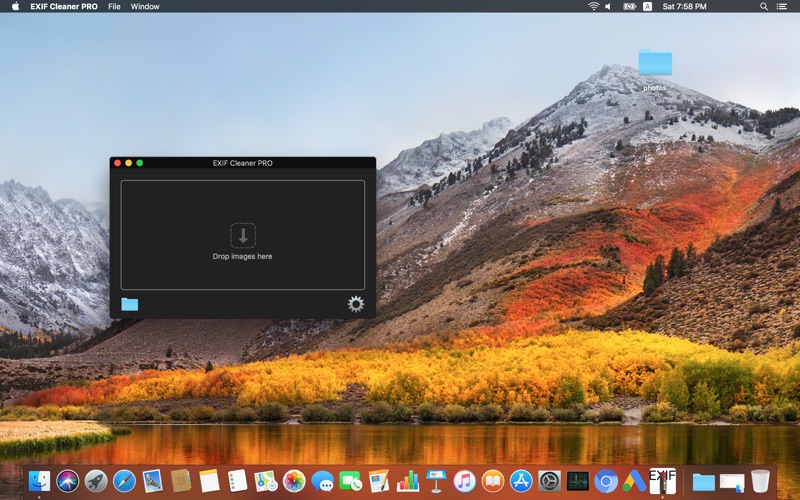
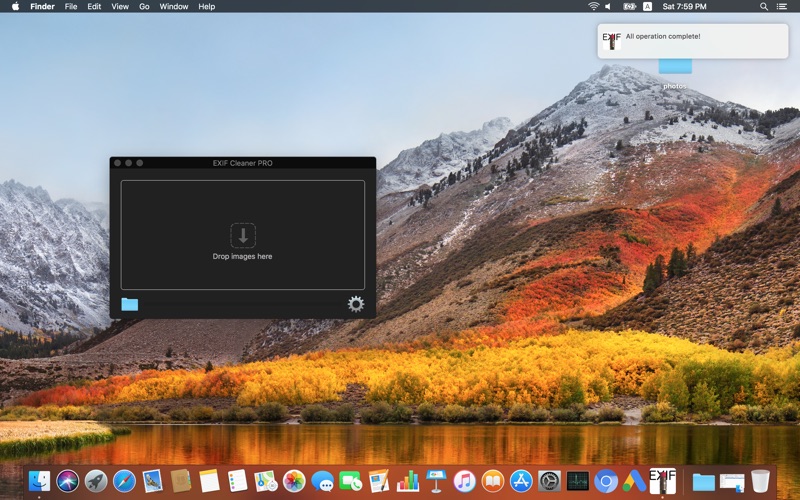
EXIF Cleaner PRO is an application for the removal of information from the photos.

This is necessary when you want to hide your location, model of the camera, and other information contained in the EXIF.

Features:

  • cleaning the EXIF (Author, software, geolocation, device info, others tags);
  • cleaning other metadata;
  • batch processing (Search files in folders);
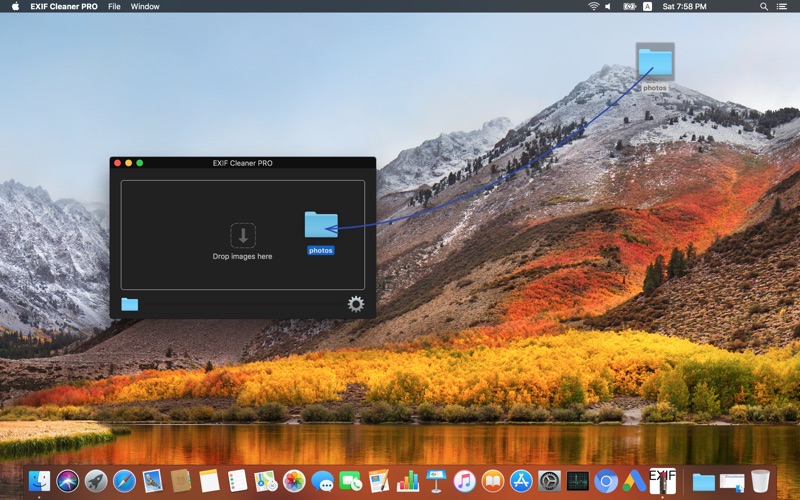
  • drag&drop;
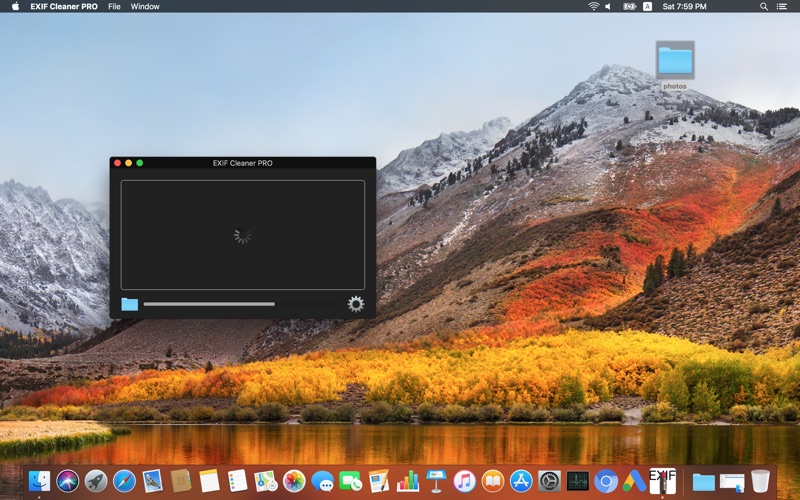
  • show the progress.

Information

Compatibility
OS X 10.8 or later, 64-bit processor
Languages
English, Arabic, French, German, Greek, Italian, Japanese, Korean, Norwegian Bokm奪l, Portuguese, Russian, Simplified Chinese, Spanish, Traditional Chinese

What’s new in EXIF Cleaner PRO 2.2.0

  • small fixes;
  • UI changes.

Screenshots

Name EXIF Cleaner PRO 2.2.0 MAS HCISO mac-torrents.net.zip
Size 9.55 MB
Created on 2019-11-10 16:51:31
Hash d07d0464dea54059a832ac046907d156ecfcfea3
Files EXIF Cleaner PRO 2.2.0 MAS HCISO mac-torrents.net.zip (9.55 MB)

iMac Cleaner 2.7


Download iMac Cleaner 2.7

iMac Cleaner offers Disk Cleaning, App Removal, Memory Optimization, Duplicate Finder, File Shredder, Manage Login Items, Extension, Extract RAR and Winmail.Dat to keep your mac best performance. Fully compatible with macOS High Sierra on your Mac.

Features:

  • Smart Clean: clean application junk files, app caches, logs, system caches, system logs, mail attachments, iTunes junk files, localized languages, browser cookies and history, etc.
  • Duplicate Finder: Scan duplicates anywhere, whether they are one or more folders of internal and external hard drives, also supporting scanning duplicates in Photos or iTunes.
  • Unarchiver: Extract most common formats of your mac, include RAR, Zip, 7Z, Bzip, Cab, Swf, Lzma, etc. Besides, extract image files within PDF files.
  • App Uninstaller: Quickly and full scan all Apps on your Mac and its related junk files, incl. leftover, logs, caches, preference, crash reports, etc.
  • Large File Cleaner: Scan & Delete large files from single or multiple folders on internal and external hard drives, but also large files in Photos or iTunes. Extension Manager: Manage & Delete extensions, preferences, Plugins and addons in a efficient way to keep your Mac security.
  • Memory Manager: show the usage of disk space and memory of your Mac, and release memory with one click.
  • PDF Compressor: Efficiently shrink PDF file size, and support compress encrypted PDF files. You can easily send PDF as attachment directly after compression.
  • Winmail.dat Opener: Quickly open & save Winmail.dat files sent from Microsoft Outlook. You can easily send each item within Winmail.dat files as attachment directly.
  • Startup Optimization: Efficiently manage your startup items to optimize your Mac Boot speed.
  • File shredder: Erase files and make them unrecoverable, ensure your files could be securely erased.

Information

CompatibilityOS X 10.9 or later 64 bit
LanguagesEnglish

What’s New in iMac Cleaner 2.7

  • Fixed some minor bugs

Screenshots


Name iMacCleaner 2.7 [TNT] mac-torrents.net.zip
Size 18.49 MB
Created on 2019-10-20 07:50:51
Hash f761036ebe14f5445c0e872946cfd9277cc45e26
Files iMacCleaner 2.7 [TNT] mac-torrents.net.zip (18.49 MB)

Download

Catalina Cache Cleaner 15.0

catalina cache cleaner

Download Catalina Cache Cleaner 15.0

Catalina Cache Cleaner is an award-winning general-purpose tool for macOS X. CCC makes system maintenance simple with an easy point-and-click interface to many macOS X functions. Novice and expert users alike will appreciate the powerful toolset CCC provides. Catalina Cache Cleaner is one of the world’s leading maintenance tools, with millions of downloads around the globe.

Maintenance

Catalina Cache Cleaner is a one stop solution for all of your macOS X maintenance needs. Intel or PPC, Tiger or Catalina, CCC has the tools to keep your system running at its best. CCC Documents and the CCC Engine maintain system health by providing full automation of common maintenance chores including virus scanning of internet downloads. The CCC Engine can even repair permissions automatically after software installations. With the CCC Engine, powerful system maintenance and antivirus can be completely transparent or as close as your menu bar.

Optimization

Catalina Cache Cleaner can improve system performance by tuning internet and file cache settings, implementing ram disks, and cleaning out various cached and stale data. CCC includes tools to help optimize files and memory. CCC can recover wasted disk space by eliminating language localization files and slimming Universal Binaries.

Customization

Catalina Cache Cleaner lets you control your macOS X experience. Turn off Spotlight or Dashboard, or turn on a Login Items Folder. CCC can tweak many macOS X features to suit your tastes. All without permanently altering or harming your system.

Disaster Planning

Catalina Cache Cleaner lets you create a bootable Installer USB drive from your Catalina download that will boot and install Catalina on any supported machine. Catalina Cache Cleaner lets you create bootable Emergency Disks that include system repair utilities and CCC’s powerful cache cleaning functions. If disaster strikes, the power of Catalina Cache Cleaner is available at the command prompt in Single User Mode. Registered users of CCC can install a portable version on a flash drive or iPod. Catalina Cache Cleaner Portable runs on any supported Mac and is a great tool for testing hard drives, screen pixels, batteries, ram, and more before buying a machine.

Antivirus

Catalina Cache Cleaner helps protect your system from malware. CCC adds three additional layers of malware protection to Catalina, and ships with the powerful ClamAV antivirus built in. CCC can scan your downloads on the fly providing industrial strength virus protection from Mac and Windows threats.

Catalina Cache Cleaner Features

  • Maintenance. Catalina Cache Cleaner is a one-stop solution for all of your macOS X maintenance needs. Intel or PPC, Tiger or Catalina, CCC has the tools to keep your system running at its best.
  • Optimization. Catalina Cache Cleaner can improve system performance by tuning Internet and file cache settings, implementing RAM disks, and cleaning out various cached and stale data.
  • Customization. Catalina Cache Cleaner lets you control your macOS X experience. Turn off Spotlight or Dashboard, or turn on a Login Items folder.
  • Disaster Planning. Catalina Cache Cleaner lets you create a bootable installer USB drive from your Catalina download that will boot and install Catalina on any supported machine.
  • Antivirus. Catalina Cache Cleaner helps protect your system from malware. CCC adds three additional layers of malware protection to Catalina, and ships with the powerful ClamAV antivirus built in.
  • Powerful macOS X system cache cleaning options.
  • Powerful integrated antivirus protection via ClamAV.
  • Flexible Finder cleaning options.
  • Clean Desktop folder.
  • Clean Downloads folder.
  • Clean unneeded code from Universal Binaries.
  • Clean “.DS_Store” window settings files.
  • Clean damaged preference files.
  • Clean and rebuild Spotlight metadata.
  • Clean Internet browser caches.
  • Clean archived system logs.
  • Clean Login Items removing duplicate or orphaned items.
  • Clean Virtual Memory swapfiles.
  • Clean rootkits with chkrootkit.
  • Clean malware by Using ClamAV to automatically scan downloads.
  • Repair disk permissions.
  • Repair OS 9 permissions.
  • Repair Software Update Permissions.
  • Repair root directory macOS X symbolic links.
  • Repair Energy Saver settings.
  • Repair key system preference files automatically.
  • Rebuild OS 9 Desktop alias.
  • Rebuild the Services Menu.
  • Rebuild application library prebindings.
  • Rebuild LaunchServices database.
  • Execute macOS X maintenance scripts.
  • Test Disks SMART status for damage.
  • Test LCD sceen for bad pixels.
  • Test RAM for problems.
  • Test laptop batteries.
  • Test integrity of /Volumes directory.
  • Optimize Internet settings and renew DHCP lease.
  • Optimize, flush, and restart the lookupd daemon.
  • Optimize Safari.
  • Optimize file cache.
  • Optimize free memory and inactive memory.
  • Optimize files.
  • Optimize performance by creating and using RAM disks.
  • Optimize performance by automatically prioritizing applications.
  • Customize hidden macOS X settings.
  • Customize hidden Safari settings.
  • Customize File System Journaling.
  • Customize crashreporter daemon.
  • Customize Safari web and icon caches.
  • Customize Login Items and activate Login Items Folder.
  • Customize Energy Saver by temporarily disabling sleep.
  • Open applications with root privileges.
  • Open the Finder with root privileges.
  • Easy to use Spotlight manager.
  • Easy to use process manager.
  • Easy to use Installer Receipt Viewer.
  • Automatically update Finder windows.
  • Preserve clipboard across boot cycles.
  • Simple man page viewer.
  • Restart system daemons.
  • Kill or restart the Finder.
  • Kill or restart the Dock.
  • Kill or restart Dashboard.
  • Force delete files and folders.
  • Force empty trash.
  • CCC Documents for one step access to maintenance chores.
  • CCC Engine for fully automatic maintenance.
  • Use in any user account.
  • Use in Single User mode.
  • Use on portable disk drives.
  • Use on bootable emergency disks.
  • Easy to use graphical interface – no Terminal required.
  • Illustrated documentation.
  • Universal Binary for PPC or Intel Macs.
  • Much, much more!

Information

CompatibilityOS X 10.10.0 or later
LanguagesEnglish

What’s new in Catalina Cache Cleaner 15.0

  • Updated for Catalina

Screenshots

catalina cache cleaner
Name Catalina Cache Cleaner 15.0 mac-torrents.net.zip
Size 106.5 MB
Created on 2019-10-17 18:14:55
Hash 1e7a18f4f5a506fd35b77c0e854d2d4373020301
Files Catalina Cache Cleaner 15.0 mac-torrents.net.zip (106.5 MB)

Download