Category Archives: Adobe Photoshop

Tribe Archipelago Lightroom & ACR Presets Collection 2019

 Tribe Archipelago Lightroom & ACR Presets Collection 2019 free download for mac torrent

Design Assets

Name Tribe Archipelago Lightroom and ACR Presets Collection upd 01 2019.zip
Size 17.15 MB
Created on 2019-03-20 08:01:17
Hash 86b4721627a373c20e375d13d8d5c95f710f5259
Files Tribe Archipelago Lightroom and ACR Presets Collection upd 01 2019.zip (17.15 MB)

Download

Tribe Archipelago Lightroom & ACR Presets Collection 2019

Tribe Archipelago Lightroom & ACR Presets Collection 2019 Includes:

  1. Archipelago LOAF
  2. Archipelago Kevin Klein
  3. Archipelago DonHelen
  4. Archipelago Longnecker
  5. Archipelago LXC
  6. Archipelago LXCN
  7. Archipelago LKO
  8. Archipelago Summit
  9. Archipelago Terrain
  10. Archipelago 1888 AD
  11. Archipelago Basecamp

Web Site: http://tribearchipelago.com/

you can download from other site :
Tribe Archipelago Lightroom & ACR Presets Collection 2019

Artistic Mood Lightroom and Photoshop Presets

 Artistic Mood Lightroom and Photoshop Presets free download for mac torrent

Design Assets

Name Artistic Mood Lr and ACR Presets.zip
Size 1.14 MB
Created on 2019-03-20 06:58:54
Hash d8f586df3728b2ceff2b39deba2b0a85ed32b3b0
Files Artistic Mood Lr and ACR Presets.zip (1.14 MB)

Download

Artistic Mood Lightroom and Photoshop Presets

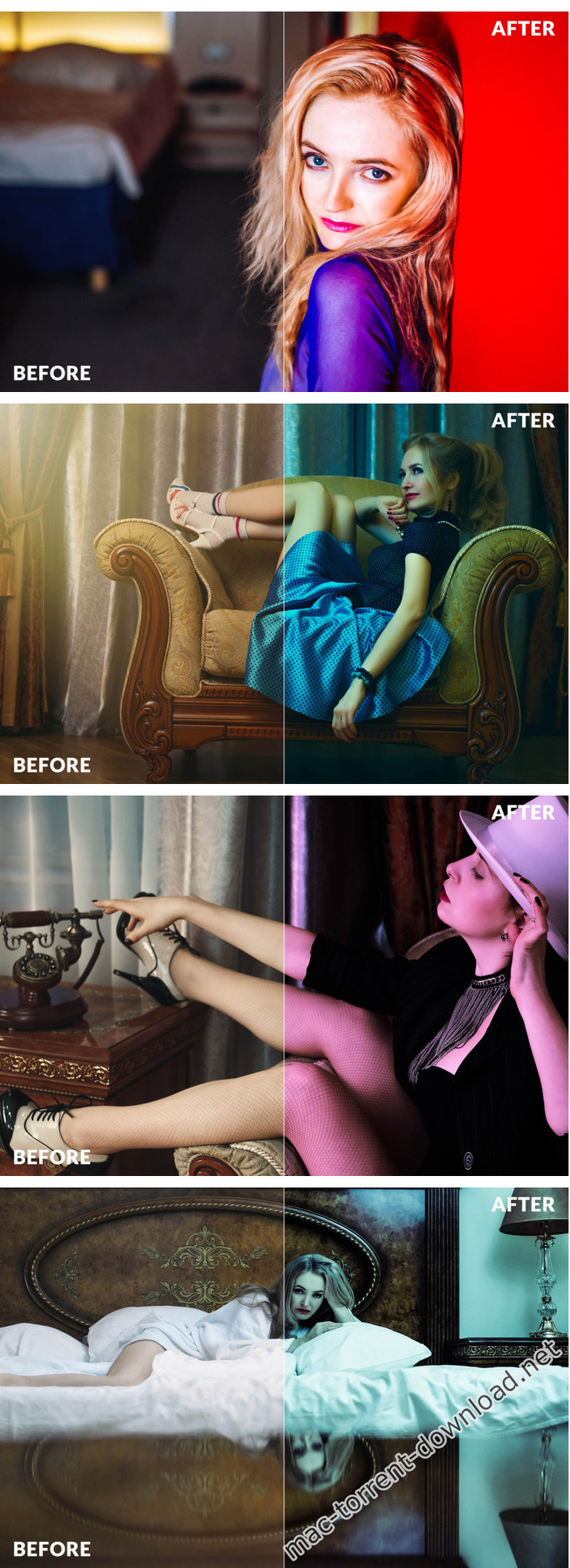
This versatile collection has been carefully hand crafted with precise calibration adjustments to add modern tones and moody contrast to your portrait. Portrait & Lifestyle Lightroom Presets is great for Portraits, Fashion photography, Weddings photography, Blog photography, Street & Instagram photography. Very easy to use and to install.

ZIP CONTAINS

  • 60 Adobe Lightroom & 60 Camera RAW Presets
  • 2 PDF Help Document

MAY NOT WORK WELL ON

  • Under exposed images
  • Over exposed Images
  • Low Quality Images

Web Site: https://thehungryjpeg.com/product/3537500-artistic-mood-lightroom-and-photoshop-presets

Screenshots

you can download from other site :
Artistic Mood Lightroom and Photoshop Presets

Goodlight Lightroom & ACR Presets & Profiles (WIN MAC)

 Goodlight Lightroom & ACR Presets & Profiles (WIN MAC) free download for mac torrent

Name Goodlight_Presets.zip
Size 3.51 MB
Created on 2019-03-15 04:00:59
Hash 06bbe4478ba07dc39e6d9aa1f9af2f4a6eaf963c
Files Goodlight_Presets.zip (3.51 MB)

Download

Goodlight Lightroom & ACR Presets & Profiles

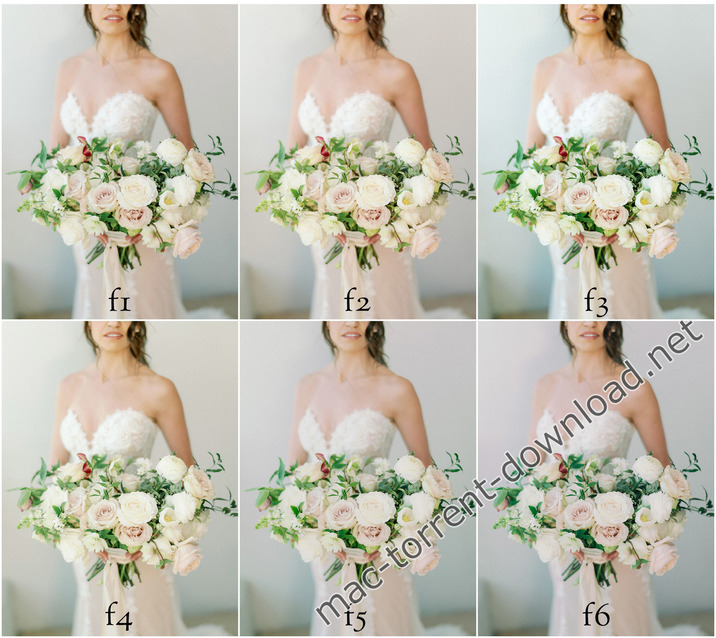
From years of shooting, researching and editing, Goodlight Presets were designed by two photographers searching for a clean aesthetic with true colors – and uncomplicated ease of use. Goodlight achieves this. With 6 unique presets – they display clean whites, rich blacks, and true hues. Each preset has subtle differences to help you achieve your desired look.

Whether you are a seasoned professional, or avid enthusiast – at Goodlight our focus is to bring you a clean, rich look – speed up your workflow – and to further refine your creative aesthetic.

Fully compatible with Adobe® Lightroom Classic CC, Adobe Photoshop CC.

Web Site: https://www.goodlightpresets.com/

Screenshots

you can download from other site :
Goodlight Lightroom & ACR Presets & Profiles (WIN MAC)

Adobe Photoshop CC 2019 v20.0.4 [Multilingual]

 Adobe Photoshop CC 2019 v20.0.4 [Multilingual] free download for mac torrent

Name Adobe Photoshop CC 2019 v20 0 4 TNT.zip
Size 1.85 GB
Created on 2019-03-09 05:45:09
Hash 6a15e5eecf4cce3ae27265a3e1140f117749c6a9
Files Adobe Photoshop CC 2019 v20 0 4 TNT.zip (1.85 GB)

Download

Adobe Photoshop CC 2019 v20.0.4

Adobe Photoshop CC 2019, the industry standard for digital image processing and editing, delivers a comprehensive package of professional retouching tools, and is packed with powerful editing features designed to inspire.

If you can think it, you can make it with Photoshop CC, the world’s best imaging and graphic design software. Create and enhance photographs, illustrations, and 3D artwork. Design websites and mobile apps. Edit videos, simulate real-life paintings, and more. It’s everything you need to make any idea real.

Designed for anyone to design anything.

From posters to packaging, basic banners to beautiful websites, unforgettable logos to eye-catching icons, Photoshop keeps the creative world moving. With intuitive tools and easy-to-use templates, even beginners can make something amazing.

Not just photo taking. Breathtaking.

Whether you’re looking for everyday edits or total transformations, our graphic design software offers a complete set of professional photography tools to turn your snapshots into works of art. Adjust, crop, remove objects, retouch, and repair old photos. Play with color, effects, and more to turn the ordinary into something extraordinary.

Power to the paintbrush.

Draw and paint whatever you dream up with tools designed especially for illustrators. Paint in perfectly symmetrical patterns. Get polished looks with stroke smoothing. And create with pencils, pens, markers, and brushes that feel real — including more than 1,000 from celebrated illustrator Kyle T. Webster.

Photoshop CC is available in the following languages:

Dansk, Deutsch, English, Español, Français, Français*, Hebrew*, Hungarian, Italiano, Nederlands, Norwegian, Polish, Português (Brasil), Suomi, Svenska, Turkish, Ukrainian, čeština, Русский , 日本語, 简体中文, 繁體中文, 한국어.

Compatibility: macOS 10.12 or later 64 bit

Includes: Included Adobe Zii

Web Site: http://www.adobe.com/

What’s New in Adobe Photoshop CC 2019 v20.0.4

  • Release notes not available at the time of this post.

Screenshots

you can download from other site :
Adobe Photoshop CC 2019 v20.0.4 [Multilingual]

Pratik Naik – Retouching Photoshop Panels Collection (WIN MAC)

 Pratik Naik – Retouching Photoshop Panels Collection (WIN MAC) free download for mac torrent

Design Assets

Name Pratik Naik – Retouching Photoshop Panels Collection.zip
Size 2.94 MB
Created on 2019-02-17 00:00:59
Hash bd087771455fab6e406b5e52db175349d6fd83b3
Files Pratik Naik – Retouching Photoshop Panels Collection.zip (2.94 MB)

Download

Pratik Naik – Retouching Photoshop Panels Collection

Explore the infinite color possibilities of your photography.

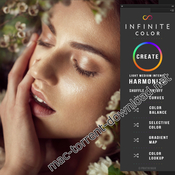
Finding a direction is often the hardest part about color grading. As a retoucher, I often found it difficult to see where I wanted to go with an image in Photoshop. I wanted to create a tool that guides you to explore the possibilities of your image in a way that makes it enjoyable, no matter what you photograph. I believe Infinite Color will be a priceless tool that will allow you to discover the potential of each image and uncover colors you never imagined possible.

What is Infinite Color?

Infinite Color is an answer to a problem I’ve had for over 10 years. How can I make intricate and advanced color grading accessible to all, fun to use, fast to create, and easy to navigate? How can I help people steer every image to the destination that is truly influenced by their own personal preferences and brings out the photo’s utmost potential? How can I connect the colors creatives want out of their image and easily bring it to life?

This is Infinite Color.

This product was dreamed up by me and developed in conjunction with legendary Conny Wallstrom over the course of many months. In short, it’s a panel that works in Photoshop (Creative Cloud). It’s a smart color grading tool that expertly randomizes a set of adjustment layers to create a unique look to your images. In length, it’s a lot more than that. Be sure and see the video below to explore what it truly is about.

Web Site: https://www.infinitecolorpanel.com/

Pratik Naik – Retouching Photoshop Panels Collection Included Panels:

  • Infinite Color Panel
  • Infinite Color Panel B&W

Design Assets
, ,

By

you can download from other site :
Pratik Naik – Retouching Photoshop Panels Collection (WIN MAC)

Adobe Photoshop Lightroom Classic CC 2019 v8.2

lightroom torrent

Name Adobe Lightroom Classic CC 2019 version v8.2 TNT.zip
Size 1.36 GB
Created on 2019-02-08 07:17:05 ago
Hash 08cdc4e0123d712e00113b11d5b2d8389c024b19
Files full Adobe Lightroom Classic CC 2019 v8 2 TNT.zip (1.36 GB)

Download adobe photoshop lightroom

Adobe Photoshop Lightroom Classic CC 2019 v8.2

Adobe Lightroom Classic CC (was Adobe Lightroom) software helps you bring out the best in your photographs, whether you’re perfecting one image, searching for ten, processing hundreds, or organizing thousands.

Create incredible images that move your audience. Experiment fearlessly with state-of-the-art nondestructive editing tools. Easily manage all your images. And showcase your work in elegant print layouts, slide shows, and Web galleries, as well as on popular photo-sharing sites. All from within one fast, intuitive application. multilingual adobe photoshop lightroom cc

Compatibility: OS X 10.12 or later

Includes: Adobe Zii Patch full digital light professional

Web Site lightroom adobe : http://www.adobe.com/

What’s New in Adobe Photoshop Lightroom mac torrent Classic CC 2019 v8.1

  • Release notes not available at the time of this post.
  • Edit, organize, store and share easily anywhere.
  • include crack
  • no need trial start
  • camera great technology
  • photographer managing optimized
  • light features and professional
  • full digital
  • app final  advanced

Create amazing photos anywhere with the new Lightroom CC and 1TB of cloud storage . Use powerful editing functions on any device with a new, user – friendly interface. Edita high resolution while backups both photos and your edits are saved in the cloud. Organize your photos with the keyword to find them automatically update without the hassle of having to mark yourself , And share your favorite photos and displays many fun and easy ways.

Edit from anywhere
Create photos that remain just as you like using the intuitive interface CC Lightroom, its easy to use regulatory tools and quick adjustment. And you can edit your high – resolution photos anywhere: on mobile devices, the web or your desktop. The changes made on one device are automatically applied in the rest.

Smarter organization
Adobe beautiful Sensei uses the power of machine learning to apply keywords for searching. Do not you have photos of your favorite trips to the beach? Sensei automatic labeling can help me find them in an instant so you can find on the subject you want.

Carefree storage for lightroom torrent.
With 1 TB of cloud storage and the option to have more , Lightroom CC secures access to your entire library of high – resolution photos anytime, anywhere and through device.

Simple exposure .
Share photos with your loved ones , clients or public even mayor . Publish your photographic work directly on social networks. Create graphs, web pages and stories of amazing video in minutes with Adobe Spark. Or design a website with adobe Portfolio , to expose your work to the last. And it ‘s all included in your subscription. get new  technology

you can download from other site xd lightroom upgrade :Adobe Photoshop Lightroom Classic CC 2019 v8.2

Looking for Adobe Lightroom Torrent products to save $9.99/month?

• adobe lightroom torrent

adobe lightroom cc

multilingual adobe photoshop lightroom cc


Adobe Photoshop Torrent for mac 2019 v20.3 [Multilingual 1.84 GB ]


Name adobe photoshop torrent CC 2019 v20 0 3 TNT.zip
Size 1.84 GB Adobe Photoshop Torrent
Created on 2019-02-07 20:42:48
Hash raw : 02442e81514f0a179f4a0867f648eadc7f4b19d0
files Adobe Photoshop CC 2019 v20 0 3 TNT.zip (1.84 GB)

Download adobe photoshop

Adobe photoshop mac torrent 2019 v20.0.3 (with crack)

Adobe Photoshop CC 2019, the industry standard for digital image processing and editing, delivers a comprehensive package of professional retouching tools, and is packed with powerful editing features designed to inspire.

If you can think it, you can make it with Photoshop CC, the world’s best imaging and graphic design software. Create and enhance photographs, illustrations, and 3D artwork. Design websites and mobile apps. Edit videos, simulate real-life paintings, and more. It’s everything you need to make any idea real.

Designed for anyone to design anything.

From posters to packaging, basic banners to beautiful websites, unforgettable logos to eye-catching icons, Photoshop keeps the creative world moving. With intuitive tools and easy-to-use templates, even beginners can make something amazing and optimized .

Not just photos taking Breathtaking

Whether you’re looking for everyday edits or total transformations, our creative graphic design software offers a complete set of professional photography tools to turn your snapshots into works of art. Adjust, crop, remove objects, retouch, and repair old photos. Play with color, effects, and more to turn the ordinary into something extraordinary.

Power to the paintbrush

Draw and paint whatever you dream up with tools designed especially for illustrators. Paint in perfectly symmetrical patterns. Get polished looks with stroke smoothing. And create with pencils, pens, markers, and brushes that feel real — including more than 1,000 from celebrated illustrator Kyle T, Final images. Webster.

adobe photoshop mac torrent  Photoshop CC is available in the following languages :

Dansk, Deutsch, English, Español, Français, Français*, Hebrew*, Hungarian, Italiano, Nederlands, Norwegian, Polish, Português (Brasil), Suomi, Svenska, Turkish, Ukrainian, čeština, Русский , 日本語, 简体中文, 繁體中文, 한국어.

Compatibility: mac OSx 10.12 or later 64 bit

Information

adobe photoshop torrent Includes: Included Adobe Zii

Web Site: http://www.adobe.com/

What’s New in Adobe Photoshop CC 2019 v20.0.2

  • Release notes not available at the time of this post.

Screenshots Mac os x :

you can download from other site :
Adobe Photoshop CC 2019 v20.0.3 [Multilingual]

latest version :

adobe photoshop lightroom classic cc

Adobe Photoshop Lightroom CC 2019 v2.2

Name Adobe_Lightroom_CC_2019_v2.2_[TNT].zip
Size 947.3 MB
Created on 2019-02-04 20:39:43
Hash 8f9ce7154728ab0f46d15b681e82225363938851
Files Adobe_Lightroom_CC_2019_v2.2_[TNT].zip (947.3 MB)

Download

Adobe Photoshop Lightroom CC 2019 v2.2

Create incredible photos anywhere with all-new Lightroom CC and 1 TB of cloud storage. Get powerful editing features on any device in a new, easy-to-use interface. Edit in full resolution and have both your original photos and edits backed up to the cloud. Organize your photos with searchable keywords that are automatically applied without the hassle of tagging. And easily share and showcase your photos in fun ways.

What’s New in Adobe Photoshop Lightroom CC:

Anywhere editing.

With easy-to-use sliders, filters, and quick adjustment tools, the intuitive Lightroom CC interface makes it simple to create photos that look just the way you want. And you can edit your full-resolution photos anywhere — on mobile devices, the web, or your desktop. Edits on one device are automatically applied everywhere else.

Smarter organization.

Adobe Sensei uses the power of machine learning to apply searchable keywords automatically. Looking for shots from your favorite trips to the water? Sensei auto-tagging makes finding your photos a snap so you can create albums based on any theme you want.

Worry-free storage.

Starting at 1 TB with options for more, the cloud storage in Lightroom CC ensures that you can access your entire library of full-resolution photos anytime you want, anywhere you are, from any device.

Easy sharing.

Share your photos with loved ones, clients, or an even bigger audience. Post your photographs directly to social sites. Create stunning graphics, web pages, and video stories in minutes with Adobe Spark. Or create a website with Adobe Portfolio for the ultimate showcase. And it’s all included in your membership.

Build your photography skills, fast.

Our photography plans come with step-by-step tutorials so you can learn the basics or master the newest features in no time. Whether you’re a beginner or a pro, we’ve got you covered.

Explore the cloud-based photo service.

Edit a photo on your computer, smartphone, or tablet and your changes automatically update across all your devices.

Add and organize your photos from anywhere

Add photos from your desktop or device to access them everywhere. Find photos fast using albums and auto-generated keywords in Lightroom CC on your desktop.

Edit your photos from anywhere.

Make your photos look just the way you want with easy-to-use tools for improving light and color, applying filters, tweaking specific areas, and more.

System Requirements:

macOS
  • Multicore Intel processor with 64bit support*
  • Mac OS X v10.11 (El Capitan), macOS v10.12 (Sierra), or macOS v10.13 (High Sierra)**
  • 4 GB of RAM (12 GB recommended)
  • 1024 x 768 display
  • 2 GB of available harddisk space for program installation (cannot install on a volume that uses a casesensitive file system or on removable flash storage devices).
  • Internet connection and registration are necessary for required software activation, validation of subscriptions, and access to online services.
Graphics processor acceleration requirements
  • AMD: macOS 10.12 with Metal support.
  • Intel: macOS 10.12 with Metal support.
  • NVIDIA: macOS 10.12 with Metal support, or macOS 10.11 with OpenGL support.
  • OpenGL 3.3capable video adapter for GPUrelated functionality.
  • 1 GB of Video RAM (VRAM). 2 GB of dedicated VRAM (4 GB recommended) for large, highresolution monitors, such as 4K and 5Kresolution monitors.

* Dual-core processor recommended for HD or AVCHD video functionality.

Web Site: http://www.adobe.com/products/photoshop-lightroom.html

What’s New in Adobe Photoshop Lightroom CC 2019 v2.2

  • Release notes not available at the time of this post.

Screenshots

Tonality Masks Panel v3 for Photoshop


Name Tonality Masks Panel v3 for Photoshop MacOS.zip
Size 1.58 MB
Created on 2019-02-02 07:11:44
Hash b0ffb6d275c176d6850054451421f6f25f1b8166
Files Tonality Masks Panel v3 for Photoshop MacOS.zip (1.58 MB)

Download


Tonality Masks Panel v3 for Photoshop MacOS

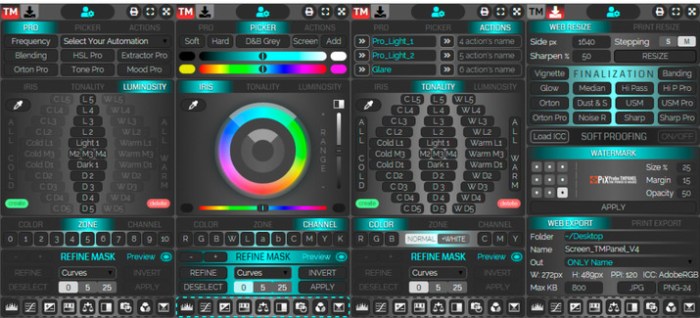
The most innovative and complete Plug-In for Photoshop designed to speed up and improve your workflow!

THE TMPANEL IS THE FIRST PLUG-IN TO HAVE INTRODUCED THE MASKS OF SHADES

The Tonality Masks arise from the need to obtain an extremely accurate and precise management of both the hue that the luminosity, but with the peculiarity of always maintain a link between them.

From the point of view of use there are no differences between the normal luminosity masks or masks tonality,
however, only with the latter one has the possibility of separating Lights (Shadows and Halftone) in sottoporzioni Hot, Cold and Neutral.

This approach then allows us to have full control over our images, allowing them to make some extremely selective and targeted in a simple and practical.

Web Site: http://www.tonalitymasks.com/

Screenshots

Adobe Photoshop CC 2018 19.1.4

Photoshop torrent mac

Download

Adobe Photoshop CC 2018 19.1.4 macOS

Powerful and comprehensive image editing software solution that comes with a large collection of image manipulation tools designed to help you retouch photos effortlessly and with remarkable precision torrent download download .

Everyone has its own favorite graphic editor but very few applications have reached the popularity level of Adobe’s photo processing software: Photoshop. Adobe Photoshop has been setting up the standards for so long that many simply drop the “image editing” expression in favor of the more actual “photoshopping” term.

All Adobe products require the Adobe Creative Cloud application to be installed, and Photoshop is no different: the entire process is managed via the Creative Cloud status bar panel (an Adobe account is required and you can register for one, free of charge, HERE) Photoshop torrent .

Aimed at professionals, Adobe Photoshop comes with a large collection of image manipulation tools designed to help you retouch photos with precision. The stylish and organized interface provides quick access to basic editing tools, such as the “Brush Tool”, the “Eraser Tool”, the “Gradient Tool”, the “Horizontal Type Tool” and much more.

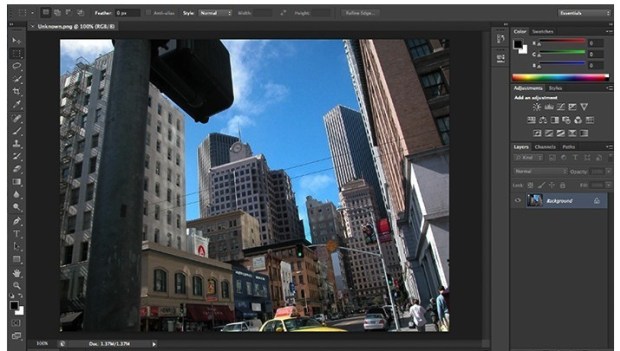
Adobe Photoshop’s main window is dominated by the editing canvas. Whenever a new tool is selected, the available customization options are displayed on the top toolbar area, while on the right you can access the color customization panels and manage the project layers.

Adobe Photoshop design torrent can be used right out of the box, even by inexperienced graphic editors, but you need to test and study each feature to learn its full potential: the massive amount of Adobe Photoshop tutorials available online stand as testimony.

Some of the most popular Adobe Photoshop function is its filters gallery, which allows you to quickly give different effects to your photos at the press of a button. Other useful features include the Camera Shake Reduction that can save shots destroyed by camera motion, the possibility to remove, reposition or scale image objects, the Conditional Actions tool that helps you put processing images on autopilot and more.

Furthermore, Adobe Photoshop can create 3D effects, allows you to paint 3D images and comes with a 3D scene panel. Additionally, Photoshop provides basic tools for creating and editing videos.

Adobe Photoshop will prove to be extremely useful whenever you need to process or manipulate images and create high quality content. Thanks to its extensive collection of tools and features, the user gains extensive control over the final result, which can lead to truly amazing results.

OS Version: OS X 10.10 or later
Processor type(s) & speed: 64-bit processor

Includes: Adobe Zii Patch 3.0.4

Web Site: http://www.adobe.com/

What’s New in Adobe Photoshop CC 2018 19.1.4

  • Release notes not available at the time of this post.
  • Photoshop torrent cpu usage optimize
  • photoshop cs mac torrent cpu usage optimize
  • cs for mac torrent cpu usage optimize

Screenshots torrent photoshop :

Adobe Photoshop Lightroom CC 2019

Adobe lightroom torrent

Download

Create incredible photos anywhere with all-new Lightroom CC and 1 TB of cloud storage. Get powerful editing features on any device in a new, easy-to-use interface. Edit in full resolution and have both your original photos and edits backed up to the cloud. Organize your photos with searchable keywords that are automatically applied without the hassle of tagging. And easily share and showcase your photos in fun ways.

What’s New in Adobe Photoshop Lightroom CC:

Anywhere editing.

With easy-to-use sliders, filters, and quick adjustment tools, the intuitive Lightroom CC interface makes it simple to create photos that look just the way you want. And you can edit your full-resolution photos anywhere — on mobile devices, the web, or your desktop. Edits on one device are automatically applied everywhere else.

Smarter organization.

Adobe Sensei uses the power of machine learning to apply searchable keywords automatically. Looking for shots from your favorite trips to the water? Sensei auto-tagging makes finding your photos a snap so you can create albums based on any theme you want.

Worry-free storage.

Starting at 1 TB with options for more, the cloud storage in Lightroom CC ensures that you can access your entire library of full-resolution photos anytime you want, anywhere you are, from any device.

Easy sharing.

Share your photos with loved ones, clients, or an even bigger audience. Post your photographs directly to social sites. Create stunning graphics, web pages, and video stories in minutes with Adobe Spark. Or create a website with Adobe Portfolio for the ultimate showcase. And it’s all included in your membership.

Build your photography skills, fast.

Our photography plans come with step-by-step tutorials so you can learn the basics or master the newest features in no time. Whether you’re a beginner or a pro, we’ve got you covered.

Explore the cloud-based photo service.

Edit a photo on your computer, smartphone, or tablet and your changes automatically update across all your devices.

Add and organize your photos from anywhere

Add photos from your desktop or device to access them everywhere. Find photos fast using albums and auto-generated keywords in Lightroom CC on your desktop.

Edit your photos from anywhere.

Make your photos look just the way you want with easy-to-use tools for improving light and color, applying filters, tweaking specific areas, and more.

System Requirements:

macOS
  • Multicore Intel processor with 64bit support*
  • Mac OS X v10.11 (El Capitan), macOS v10.12 (Sierra), or macOS v10.13 (High Sierra)**
  • 4 GB of RAM (12 GB recommended)
  • 1024 x 768 display
  • 2 GB of available harddisk space for program installation (cannot install on a volume that uses a casesensitive file system or on removable flash storage devices).
  • Internet connection and registration are necessary for required software activation, validation of subscriptions, and access to online services.
Graphics processor acceleration requirements
  • AMD: macOS 10.12 with Metal support.
  • Intel: macOS 10.12 with Metal support.
  • NVIDIA: macOS 10.12 with Metal support, or macOS 10.11 with OpenGL support.
  • OpenGL 3.3capable video adapter for GPUrelated functionality.
  • 1 GB of Video RAM (VRAM). 2 GB of dedicated VRAM (4 GB recommended) for large, highresolution monitors, such as 4K and 5Kresolution monitors.

* Dual-core processor recommended for HD or AVCHD video functionality.

** Lightroom CC 2015.1/Lightroom 6.1 and earlier versions are supported on Mac OS X v10.8. Lightroom CC 2015.6.1/Lightroom 6.6.1 and earlier are supported on Mac OS X v10.9. Lightroom CC 2015.6.12/Lightroom 6.12 and earlier are supported on Mac OS X v10.10.

NOTES: tested on macos high sierra 10.13

Includes: Adobe Zii v3.0.4

Web Site: http://www.adobe.com/products/photoshop-lightroom.html

What’s New in Adobe Photoshop Lightroom CC 1.5.0.0

  • Release notes not available at the time of this post.

Screenshots

Adobe Lightroom Classic CC 7.5.0.10

Adobe Lightroom Classic CC 7.5.0.10

Edit and organize your photos with the app that’s optimized for desktop. Lightroom Classic CC gives you powerful one-click tools and advanced controls to make your photos look amazing. Easily organize all your photos on your desktop, and share in a variety of ways.

Your best shots. Made even better.

Your photos don’t always match the scene the way you remember it. But with Lightroom Classic CC, you have all the desktop editing tools you need to bring out the best in your photography. Punch up colors, make dull-looking shots vibrant, remove distracting objects, and straighten skewed shots. Plus, the latest release offers improved performance so you can work faster than ever.

    • With better performance under the hood, Lightroom Classic CC lets you import photos, generate previews, and move from Library to Develop mode in record time.
    • Boundary Warp stretches the edges of a merged panorama to give you the full image without losing any important details.

HDR Merge makes it easy to create natural or surreal images by combining multiple shots taken with different exposures into a single high-dynamic range image.

What’s New in Photoshop Lightroom Classic CC 2018:

New name: Lightroom Classic

Your favorite photography app has a new name, but it’s still the industry standard for desktop-based digital photography workflows.

Extensive performance improvements

Experience faster performance when you launch the app, generate previews, switch from Develop to Library Module, move sliders and brushes, and more.

Faster image selection

Begin image selection faster on import with the improved Embedded Preview workflow.

Range Masking for fine selection control

Make precise color- and tone-based selections for local adjustments. Use the Adjustment Brush or the Radial or Graduated Filters to define a rough mask, and then refine your selection using new Range Masking options.

System Requirements:

macOS
    • Multicore Intel processor with 64bit support*
    • Mac OS X v10.11 (El Capitan), macOS v10.12 (Sierra), or macOS v10.13 (High Sierra)**
    • 4 GB of RAM (12 GB recommended)
    • 1024 x 768 display
    • 2 GB of available harddisk space for program installation (cannot install on a volume that uses a casesensitive file system or on removable flash storage devices).
    • Internet connection and registration are necessary for required software activation, validation of subscriptions, and access to online services.
Graphics processor acceleration requirements
    • AMD: macOS 10.12 with Metal support.
    • Intel: macOS 10.12 with Metal support.
    • NVIDIA: macOS 10.12 with Metal support, or macOS 10.11 with OpenGL support.
    • OpenGL 3.3capable video adapter for GPUrelated functionality.
    • 1 GB of Video RAM (VRAM). 2 GB of dedicated VRAM (4 GB recommended) for large, highresolution monitors, such as 4K and 5Kresolution monitors.

* Dual-core processor recommended for HD or AVCHD video functionality.

** Lightroom CC 2015.1/Lightroom 6.1 and earlier versions are supported on Mac OS X v10.8. Lightroom CC 2015.6.1/Lightroom 6.6.1 and earlier are supported on Mac OS X v10.9. Lightroom CC 2015.6.12/Lightroom 6.12 and earlier are supported on Mac OS X v10.10.

NOTES: tested on macos high sierra 10.13

Includes: Adobe Zii Patch 3.0.4

Web Site: http://www.adobe.com/

What’s New in Adobe Lightroom Classic CC 7.5.0.10

    • Release notes not available at the time of this post.
    • office

Adobe Photoshop Lightroom CC 2019 v2.1.1

Name Adobe Lightroom CC 2019 v2 1 1 TNT.zip
Size 935.7 MB
Created on 2018-12-13 19:57:03
Hash b9be96122f1a782da413477f2fa2e2e87054020a
Files Adobe Lightroom CC 2019 v2 1 1 TNT.zip (935.7 MB)

Download

Adobe Photoshop Lightroom CC 2019 v2.1.1

Create incredible photos anywhere with all-new Lightroom CC and 1 TB of cloud storage. Get powerful editing features on any device in a new, easy-to-use interface. Edit in full resolution and have both your original photos and edits backed up to the cloud. Organize your photos with searchable keywords that are automatically applied without the hassle of tagging. And easily share and showcase your photos in fun ways.

What’s New in Adobe Photoshop Lightroom CC:

Anywhere editing.

With easy-to-use sliders, filters, and quick adjustment tools, the intuitive Lightroom CC interface makes it simple to create photos that look just the way you want. And you can edit your full-resolution photos anywhere — on mobile devices, the web, or your desktop. Edits on one device are automatically applied everywhere else.

Smarter organization.

Adobe Sensei uses the power of machine learning to apply searchable keywords automatically. Looking for shots from your favorite trips to the water? Sensei auto-tagging makes finding your photos a snap so you can create albums based on any theme you want.

Worry-free storage.

Starting at 1 TB with options for more, the cloud storage in Lightroom CC ensures that you can access your entire library of full-resolution photos anytime you want, anywhere you are, from any device.

Easy sharing.

Share your photos with loved ones, clients, or an even bigger audience. Post your photographs directly to social sites. Create stunning graphics, web pages, and video stories in minutes with Adobe Spark. Or create a website with Adobe Portfolio for the ultimate showcase. And it’s all included in your membership.

Build your photography skills, fast.

Our photography plans come with step-by-step tutorials so you can learn the basics or master the newest features in no time. Whether you’re a beginner or a pro, we’ve got you covered.

Explore the cloud-based photo service.

Edit a photo on your computer, smartphone, or tablet and your changes automatically update across all your devices.

Add and organize your photos from anywhere

Add photos from your desktop or device to access them everywhere. Find photos fast using albums and auto-generated keywords in Lightroom CC on your desktop.

Edit your photos from anywhere.

Make your photos look just the way you want with easy-to-use tools for improving light and color, applying filters, tweaking specific areas, and more.

System Requirements:

macOS
  • Multicore Intel processor with 64bit support*
  • Mac OS X v10.11 (El Capitan), macOS v10.12 (Sierra), or macOS v10.13 (High Sierra)**
  • 4 GB of RAM (12 GB recommended)
  • 1024 x 768 display
  • 2 GB of available harddisk space for program installation (cannot install on a volume that uses a casesensitive file system or on removable flash storage devices).
  • Internet connection and registration are necessary for required software activation, validation of subscriptions, and access to online services.
Graphics processor acceleration requirements
  • AMD: macOS 10.12 with Metal support.
  • Intel: macOS 10.12 with Metal support.
  • NVIDIA: macOS 10.12 with Metal support, or macOS 10.11 with OpenGL support.
  • OpenGL 3.3capable video adapter for GPUrelated functionality.
  • 1 GB of Video RAM (VRAM). 2 GB of dedicated VRAM (4 GB recommended) for large, highresolution monitors, such as 4K and 5Kresolution monitors.

* Dual-core processor recommended for HD or AVCHD video functionality.

Web Site: http://www.adobe.com/products/photoshop-lightroom.html

What’s New in Adobe Photoshop Lightroom CC 2019 v2.1.1

  • Release notes not available at the time of this post.

Screenshots

Adobe Photoshop Lightroom Classic CC 2019 v8.1

Name Adobe_Lightroom_Classic_CC_2019_v8.1.TNT
Size 1.38 GB
Created on 2018-12-12 04:18:15
Hash ead8e9dda17bd670734c06558fb17243c821fe87
Files ※ See Files

Download

Adobe Photoshop Lightroom Classic CC 2019 v8.1

Adobe Lightroom Classic CC (was Adobe Lightroom) software helps you bring out the best in your photographs, whether you’re perfecting one image, searching for ten, processing hundreds, or organizing thousands.

Create incredible images that move your audience. Experiment fearlessly with state-of-the-art nondestructive editing tools. Easily manage all your images. And showcase your work in elegant print layouts, slide shows, and Web galleries, as well as on popular photo-sharing sites. All from within one fast, intuitive application.

Compatibility: OS X 10.11 or later

Includes: Adobe Zii Patch 4.0.5

Web Site: http://www.adobe.com/

What’s New in Adobe Photoshop Lightroom Classic CC 2019 v8.1

  • Release notes not available at the time of this post.

ImageMotion Panel for Adobe Photoshop

Name ImageMotion Panel for Adobe Photoshop macOS.zip
Size 1.36 GB
Created on 2018-12-07 08:01:52
Hash 1dddef5bbcc9482b96e9b4a789b7efd3a36aaefc
Files ImageMotion Panel for Adobe Photoshop macOS.zip (1.36 GB)

Download

ImageMotion Panel for Adobe Photoshop macOS

A comprehensive Photoshop design tools for adding animation to your images

With millions of people taking billions of pictures, what can you do to make your images stand apart?
Don’t settle for just taking pictures, be taken by your pictures.

A new plugin for Photoshop Animation which will quickly and easily become an extension of your creativity.

Image Animation

This option allows you to selectively animate still images to make them look like looping animated images or movies. In new version 1.3. even better, it’s incredibly easy and fun! You only need simply upload any photo you like and then paint the areas of your image where you want the effect to be.

Layers Animation

Gives you the ability to animate any layers in Photoshop. These addition have really upped Photoshop’s game. Especially very useful if you don’t want to spend time learning a new application. Build on the layer and draw animations by adding extra effects to bring your image to life with just a few mouse clicks. Create animation in Photoshop for some amazing effects.

Parallax Animation

The easiest way to achieve a parallax animation effect . The user interface of the extension is clearly laid out and intuitive to use. With it, you can add effects like zoom/out, 2.5D, parallax, lens flair and dust effect. Then animate, fine tune the color of the image and your creation is ready to share with your client and the world.

Web Site: https://mikesreda.com/imagemotion/

Adobe Photoshop CC 2018 19.1.7 [Multilingual]

Adobe Photography

2018-12-05   

Name Adobe Photoshop CC 2018 19.1.7 Multilingual macOS.zip
Size 1.68 GB
Created on 2018-12-06 03:55:31
Hash f80be4d0399e44925e483be4bdd537256c71daf2
Files Adobe Photoshop CC 2018 19.1.7 Multilingual macOS.zip (1.68 GB)

Download

Adobe Photoshop CC 2018 19.1.7 macOS

Adobe Photoshop CC 2018 – the essential software for perfecting your images. It offers productivity and workflow enhancements, powerful new editing tools, and breakthrough compositing capabilities.

Overall Adobe Photoshop CC 2018 features:
  • Revolutionary new features, a fluid user experience, and improved access to the unrivaled power of Photoshop
  • A more intuitive user interface and new nondestructive editing features that put you in control, including the new Adjustments and Masks panels
  • ContentAware Scaling advanced autoblending that extends depth of field, and industryleading editing and compositing with reengineered colorcorrection tools
  • Significant productivity enhancements that provide increased flexibility and enable you to leverage the power of today’s faster graphics processors
  • Breakthrough 3D editing and compositing capabilities and improved video controls to dramatically expand your creative options
  • Comprehensive image analysis with enhanced measurement and counting tools, as well as support for DICOM images and MATLAB processing routines
Enhanced Features:
  • Artboards
  • Creative Cloud Libraries
  • Adobe Stock
  • Design Space (Preview)
  • Export artboards, layers, and more
  • Layer Styles
  • Device Preview and the Preview CC companion app
  • Blur Gallery | Restore noise in blurred areas
  • Glyphs panel
  • Camera Raw
  • 3D printing
  • 3D imaging
  • UI toolkit for plugins and scripts
Adobe Photoshop CC 2018 Highlights:
  • Get started faster
  • Inapp search
  • Tighter integration with Adobe XD
  • Stock templates, 3D objects, and search
  • Support for SVG color fonts
  • New Creative Cloud Libraries capabilities
  • Creative Cloud Assets improvements
  • Introducing Typekit Marketplace
  • Enhanced Properties panel
  • Better overall performance

System Requirements:

macOS
  • Multicore Intel processor with 64bit support
  • macOS version 10.13 (High Sierra), macOS version 10.12 (Sierra), or Mac OS X version 10.11 (El Capitan)
  • 2 GB or more of RAM (8 GB recommended)
  • 4 GB or more of available harddisk space for installation; additional free space required during installation (cannot install on a volume that uses a casesensitive file system)
  • 1024 x 768 display (1280×800 recommended) with 16bit color and 512 MB or more of dedicated VRAM; 2 GB is recommended*
  • OpenGL 2.0capable system
  • Internet connection and registration are necessary for required software activation, membership validation, and access to online services.**

* 3D features are disabled on 32-bit platforms and on computers having less than 512MB of VRAM. Oil Paint filter and video features are not supported on 32-bit Windows systems.

Includes: Adobe Zii Patch 3.0.4

Web Site: http://www.adobe.com/

What’s New in Adobe Photoshop CC 2018 19.1.7

  • Release notes not available at the time of this post.

Screenshots

Adobe, Photography
, , ,

By

Adobe Lightroom Classic CC 2019 8.0

Name Adobe Lightroom Classic CC 2019 v8.0 macOS.zip
Size 1.35 GB
Created on 2018-12-03 05:26:59
Hash aa7d4d62ade3bd43018141d48fb8cd6a63540535
Files Adobe Lightroom Classic CC 2019 v8.0 macOS.zip (1.35 GB)

Download

Adobe Lightroom Classic CC 2019 8.0 macOS

Adobe Lightroom Classic CC (was Adobe Lightroom) software helps you bring out the best in your photographs, whether you’re perfecting one image, searching for ten, processing hundreds, or organizing thousands.

Create incredible images that move your audience. Experiment fearlessly with state-of-the-art nondestructive editing tools. Easily manage all your images. And showcase your work in elegant print layouts, slide shows, and Web galleries, as well as on popular photo-sharing sites. All from within one fast, intuitive application.

Compatibility: OS X 10.11 or later

Includes: Adobe Zii Patch 4.0.5

Web Site: http://www.adobe.com/

What’s New in Adobe Lightroom Classic CC 2019 8.0

Highlights:
  • Depth range masking
  • Singlestep HDR Panorama merge
  • Faster tethering for Canon camera
  • Process version improvements
  • HEVC file support (macOS)
  • Support for new cameras and lenses

Tribe Archipelago – Flint & Steel Lightroom & ACR Presets + LUTs

Name Tribe Archipelago Flint and Steel Lightroom and ACR Presets LUTs.zip
Size 5.11 MB
Created on 2018-11-30 07:53:40
Hash afa4a44ded0fcae1d171b02dd3ade58fa6920aa5
Files Tribe Archipelago Flint and Steel Lightroom and ACR Presets LUTs.zip (5.11 MB)

Download

Tribe Archipelago – Flint & Steel Lightroom & ACR Presets + LUTs

Forged in fire and air, the friction of flint and steel illuminates an unforged path before us. The smoke creates an eerie veil above the dancing flames, a new perspective found in the haze of the unfamiliar, silently waiting to be discovered. Branches from a young sapling embrace one another as they snap and crackle in the flickering blaze, composing a memorable soundtrack of forgotten melodies hidden in the folds of the forest.

Flint and steel strikers are known for their longevity, versatility, and consistency — all of which are needed to perfect our visual craft. Our signature Lightroom presets were bred with the same intentionality, naturally enhancing every gorgeous image you capture on your journey.

Set includes 14 Develop Presets (9 Color & 3 B&W) and 2 Adjustment Presets. For Adobe Lightroom 6 (CC), 5 & 4. and ACR Presets for Photoshop CC & CS6. (Both Lr & ACR Presets are included with purchase).

The Flint & Steel Presets are based on the Adobe Standard Calibration profile. This profile is compatible with most camera systems.

Web Site: https://www.tribearchipelago.com/

BW Artisan Pro v1.3 Panel for Adobe Photoshop CC 2015-2019 macOS

Name BW Artisan Pro v1.3 Panel for Adobe Photoshop.zip
Size 4.83 MB
Created on 2018-11-27 00:47:17
Hash 6edc8a9f74729449bbfcd058c206bd6c1a1f4280
Files BW Artisan Pro v1.3 Panel for Adobe Photoshop.zip (4.83 MB)

Download

BW Artisan Pro v1.3 Panel for Adobe Photoshop CC 2015-2019 macOS

Intuitive B&W Editing Panel v1.3

An intuitive B&W editing panel, developed by award-winning photographer and educator Joel Tjintjelaar.

Advanced B&W Processing Without technical knowledge

No need to acquire technical knowledge and years of practice in PS. This panel unlocks Joel’s advanced B&W techniques with the single click of a button, sometimes triggering over 100 steps in PS. The artist retains full artistic control as the presets don’t have an ‘artistic effect’, but only cover the technical part of adjustments.

Powerful Local Adjustment features

24 presets – Precise and fast local adjustments are enabled by quick, free-form selections with a lasso tool, and then clicking darken/lighten for subtle and seamless adjustments

Advanced Micro Zone Local Adjustments

154 presets – For advanced local adjustments, the Micro-Zone adjustments only affect the tones in the range you’ve selected within the target area using 16 bits advanced asymmetrical masks.

Mask Optimization Feature

Version 1.2 and up features an automatic mask optimization feature that will reduce fringing and halos substantially

10 B&W conversion presets

10 B&W conversion presets, from neutral to advanced fine-art presets that trigger over 200 signature steps in PS

22 Toning Buttons

22 single and split-tones based on Joel’s advanced toning method for unmatched subtlety

35 Luminosity Masks + 11 zone masks

16 bits luminosity masks

Requirements
  • PS CC 2015.5 and higher
  • Mac and Windows compatible
  • Make sure that your computer can run the latest Photoshop version. See also Adobe’s website for specifics.

Web Site: https://www.bwvision.com/bw-artisan-pro-panel/

BWVision – Quick Mask Pro v1.2 Panel for Adobe Photoshop CC 2014-2019

Name BWVision Quick Mask Pro v1.2 Panel for Adobe Photoshop.zip
Size 2.69 MB
Created on 2018-11-27 00:47:09
Hash 8a3aec2b7c6c25c700f9b3c1f440a0f52e9e65ad
Files BWVision Quick Mask Pro v1.2 Panel for Adobe Photoshop.zip (2.69 MB)

Download

BWVision – Quick Mask Pro v1.2 Panel for Adobe Photoshop macOS

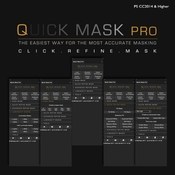
Click and mask accurately and faster without a pen or brush

Create intricate base masks for hard selections within seconds with just a few mouse clicks. Refine your base masks fast, easy and non-destructively using the buttons under Quick Refine Mask. This replaces the traditional, labor-intensive, workflow of manually refining your mask using a brush or pen and tablet and zooming in a few hundred percents. To bring out the most delicate parts of your image, like fences, cables, antennas or even hair, use Advanced Refine Mask.

Why choose this panel?

Every selection tool is based on detecting contrasts or differences in luminance values. Quick Mask Pro can create selections based on luminance levels of just 1 luminance value difference. The secret of this tool is in the automatic creation of base masks based on the histogram, and the tools to refine the base masks using smart fill presets, globally or within a designated area of the image, very accurately.

Requirements
  • PS CC 2014 and higher
  • Mac and Windows compatible
  • Make sure that your computer can run the latest Photoshop version.

Web Site: https://www.bwvision.com/quick-mask-pro-panel/

VENUS Retouch Panel for Photoshop

Name VENUS Retouch Panel for Photoshop.zip
Size 623.8 MB
Created on 2018-11-24 04:24:24
Hash 4a01e8a2caacd2f281953c2d2a8c5327d9bb68ba
Files VENUS Retouch Panel for Photoshop.zip (623.8 MB)

Download

VENUS Retouch Panel for Photoshop

Adobe Photoshop CC designed and manufactured to suit all types of photographers, from amateur to professional.

Created by professionals, Venus Panel , is a concentration of technology that will help you speed up, simplify and increase the quality of your work.
Are you a beginner? Make an automated way that you never imagined ever be able to do.
Are you a professional? Save over 90% of your time.

RITOCCO

A number of features aimed at professional retouching skin and eyes, through these functions can aim for perfection in editing, in fact, thanks to dodge & burn automated functions, tweaking eyes, noise reduction and sharpness can have perfect skin in a few clicks .

BOKEH

For this function we studied the blur present in the main objectives for the portrait, now, thanks to this function we can have ourselves a perfect and realistic blur.
In addition to classic blurs 1.8 and 2.8 we can choose the classic blurs and read.

ATMOSPHERE

When the light or the situation is not the best from life to your photos with the revolutionary features of the “atmosphere”. Thanks to them, in fact, you can turn a photo from one situation to a completely different. Transform a scene of a green forest in autumnal, a hot day on a cold, snowy picture, rain and other effects to give life to your photos.

FLARE

A collection of realistic sun flare to be placed in your scene to give a pleasing visual effect where there is no light.

MOOD

You have a flat picture and worthless? Well. Stravolgila thanks to the revolutionary effect “mood”, studied and designed to completely change your scene in a blizzard or an epic scene, all in one click and totally AUTOMATED!

COMPATIBLE WITH:
  • PHOTOSHOP CC2014 (V.15), CC2015, CC2015.5, CC2017, CC2018 +
  • WINDOWS & MAC OS

Web Site: https://www.venuspanel.net/

Screenshots

Fine Art Actions – Photoshop Actions Collection (Nov. 2018)

Name Fine Art Actions Photoshop Actions Collection 11 2018.zip
Size 511.9 kB
Created on 2018-11-18 23:22:11
Hash 9dab77a0d5babf5b257142dbec8f22eab2d0c7fb
Files Fine Art Actions Photoshop Actions Collection 11 2018.zip (511.9 kB)

Download

Descriptions for Fineartactions – Photoshop Actions Collection (Nov. 2018)

Included items:

  1. THE ARTISAN COLLECTION
  2. THE ENCHANTED COLLECTION
  3. THE CINEMATIC COLLECTION

Web Site: https://fineartactions.com/

THE ARTISAN COLLECTION

Inspired by the world of storytelling, The Artisan Collection with Joel Robison explores a versatile palette of colors driven to evoke mood and emotion to your work.

Each of these 6 actions spans are incredibly flexible, and can be used for any genre and any location! From studio portraits to fashion imagery, to fantasy shots, these work well! Depending on the mood you’re looking for, these actions will cater to a wide range of images and moods to bring a special dimension to your work.

We’re very excited to have Joel as our guest collection and we think it will bring a new level to your work!

Includes six beautiful premium actions.

Actions included in this set:
  1. Wonderland
  2. Golden Door
  3. Neverland
  4. Castle Stones
  5. Whimsical Evening
  6. Sepia Summer

THE ENCHANTED COLLECTION

The winter months bring soft tones of morning mist and frosted glass but they also bring the warm hues of crackling fires and glowing lights. It’s this beautiful contrast dance between warm and cool that inspired the colours you see in this set.

Carefully crafted, each action contains layers of color tones that we encourage you to play with, as well as, directions you can follow. To create unique looks, try overlaying the different actions on top of each other at varying opacities.

We hope you enjoy the multitude of color possibilities waiting for you in our Enchanted Collection!

Includes six beautiful premium actions.

Actions included in this set:
  1. Winter Orange
  2. Evergreen
  3. Arctic Light
  4. Ginger Glow
  5. Glacial Frost
  6. Mulberry

THE CINEMATIC COLLECTION

Inspired by the world of storytelling, The Cinematic Collection with Kate Woodman explores a sophisticated palette of colors driven to evoke mood and emotion to your work.

Each of these 6 actions spans across a range of locations, from studio, indoor setups, and outdoor locations. Depending on the mood you’re looking for, these actions will cater to a wide range of images and moods to fit different cinematic styles.

We’re very excited to have Kate as our premier guest collection and we think it will bring a new level to your work.

Includes six beautiful premium actions.

Actions included in this set:
  1. Orange Dahlia
  2. La Vie En Rose
  3. Nostalgia
  4. Golden Harvest
  5. Femme Fatale
  6. Cruella

Adobe Photoshop CC 2019 20.0.1 [Multilingual]

Name Adobe Photoshop CC 2019 v20.0.1 Multilingual macOS.zip
Size 1.82 GB
Created on 2018-11-15 00:13:25
Hash 00aac00c746ac7a8938989136250dd1ed23656a6
Files Adobe Photoshop CC 2019 v20.0.1 Multilingual macOS.zip (1.82 GB)

Download

Adobe Photoshop CC 2019 20.0.1 [Multilingual]

Adobe Photoshop CC 2019, the industry standard for digital image processing and editing, delivers a comprehensive package of professional retouching tools, and is packed with powerful editing features designed to inspire.

If you can think it, you can make it with Photoshop CC, the world’s best imaging and graphic design software. Create and enhance photographs, illustrations, and 3D artwork. Design websites and mobile apps. Edit videos, simulate real-life paintings, and more. It’s everything you need to make any idea real.

Designed for anyone to design anything.

From posters to packaging, basic banners to beautiful websites, unforgettable logos to eye-catching icons, Photoshop keeps the creative world moving. With intuitive tools and easy-to-use templates, even beginners can make something amazing.

Not just photo taking. Breathtaking.

Whether you’re looking for everyday edits or total transformations, our graphic design software offers a complete set of professional photography tools to turn your snapshots into works of art. Adjust, crop, remove objects, retouch, and repair old photos. Play with color, effects, and more to turn the ordinary into something extraordinary.

Power to the paintbrush.

Draw and paint whatever you dream up with tools designed especially for illustrators. Paint in perfectly symmetrical patterns. Get polished looks with stroke smoothing. And create with pencils, pens, markers, and brushes that feel real — including more than 1,000 from celebrated illustrator Kyle T. Webster.

Photoshop CC is available in the following languages:

Dansk, Deutsch, English, Español, Français, Français*, Hebrew*, Hungarian, Italiano, Nederlands, Norwegian, Polish, Português (Brasil), Suomi, Svenska, Turkish, Ukrainian, čeština, Русский , 日本語, 简体中文, 繁體中文, 한국어.

Compatibility: macOS 10.12 or later 64 bit

Includes: Included Adobe Zii

Web Site: http://www.adobe.com/

What’s New in Adobe Photoshop CC 2019 20.0.1

  • Release notes not available at the time of this post.

Screenshots

Adobe Photoshop CC 2019 20.0.0.256

Name Adobe_Photoshop_CC_2019_v20.0.0.zip
Size 1.80 GB
Created on 2018-10-31 08:19:12
Hash b2170d108a05065f9bb81d0742110ec1f60a6ff4
Files Adobe_Photoshop_CC_2019_v20.0.0.zip (1.80 GB)

Descriptions for Adobe Photoshop CC 2019 v20.0.0.256

Adobe Photoshop CC 2019, the industry standard for digital image processing and editing, delivers a comprehensive package of professional retouching tools, and is packed with powerful editing features designed to inspire.

If you can think it, you can make it with Photoshop CC, the world’s best imaging and graphic design software. Create and enhance photographs, illustrations, and 3D artwork. Design websites and mobile apps. Edit videos, simulate real-life paintings, and more. It’s everything you need to make any idea real.

Designed for anyone to design anything.

From posters to packaging, basic banners to beautiful websites, unforgettable logos to eye-catching icons, Photoshop keeps the creative world moving. With intuitive tools and easy-to-use templates, even beginners can make something amazing.

Not just photo taking. Breathtaking.

Whether you’re looking for everyday edits or total transformations, our graphic design software offers a complete set of professional photography tools to turn your snapshots into works of art. Adjust, crop, remove objects, retouch, and repair old photos. Play with color, effects, and more to turn the ordinary into something extraordinary.

Power to the paintbrush.

Draw and paint whatever you dream up with tools designed especially for illustrators. Paint in perfectly symmetrical patterns. Get polished looks with stroke smoothing. And create with pencils, pens, markers, and brushes that feel real — including more than 1,000 from celebrated illustrator Kyle T. Webster.

Compatibility: macOS 10.12 or later 64 bit

Includes: Adobe Zii Patch 3.0.4

Web Site: http://www.adobe.com/

What’s New in Adobe Photoshop CC 2019 20.0.0.256

  • Easily mask images by placing them into frames Use the Frame Tool (K) to quickly create rectangular or elliptical placeholder frames You can also convert any shape or text into frames and fill it with images
  • To place an image into a frame, simply drag-and-drop an Adobe Stock asset or a libraries asset from the Libraries panel or from your local disk – the image automatically scales to fit the frame Content placed in frames is always placed as Smart Objects so that it can be scaled non-destructively
Content-Aware Fill reimagined:
  • Powered by Adobe Sensei
  • A new, dedicated Content-Aware Fill workspace provides you an interactive editing experience to achieve seamless fill results. You can now choose which source pixels to use and rotate, scale, and mirror the source pixels thanks to Adobe Sensei technology. You also get a live full-resolution preview of the changes and an option to save the result to a new layer
New multiple undo mode:
  • You can now use Control + Z (Win) / Command + Z (Mac) to undo multiple steps in your Photoshop document, just like in other Creative Cloud apps. The new multiple undo mode is enabled by default
Usability improvements:
Reference Point hidden by default:
  • While transforming items, you can now easily move items on the canvas. The reference point that appeared while transforming items is now hidden by default. You can select the Toggle Reference Point check box in the Options bar if you want the reference point to appear
Double-click to edit text:
  • You can now double-click a Type layer with the Move tool to quickly begin editing the text in your document. You do not need to switch tools anymore to edit text
Auto-commit:
  • Efficiently crop, transform, and place or enter text with auto-commit. You no longer need to press Enter (Win) / Return (macOS) or click the Commit button in the Options bar to commit your changes
Transform proportionally by default:
  • Photoshop now transforms all layer types (such as pixel layers, type layers, shape layers, bitmaps, Placed Smart Objects) proportionally by default
  • When transforming a layer, you no longer need to hold down the Shift key while dragging a corner handle to resize a selected layer to constrain its proportions. Anytime you drag a corner handle during transform and move it, the layer resizes proportionally. Holding down the Shift key now resizes non-proportionally when you drag a corner handle during transform
Prevent accidental panel moves with Lock Workspace:
  • Use the new Lock Workspace option to prevent accidentally moving workspace panels, particularly when you’re using Photoshop on a tablet/stylus. To access this option, choose Window > Workspace > Lock Workspace
Live blend mode preview:
  • You can now scroll over different blend mode options to see how they look on your image. Photoshop displays a live preview of blend modes on the canvas when you scroll over different blend mode options in the Layers panel and the Layer Style dialog
Symmetry mode:
  • Paint your brush strokes in a perfectly symmetrical pattern. While using the Paint Brush, Mixer Brush, Pencil, or Eraser tools, click the butterfly icon () in the Options bar. Choose from the several available types of symmetry – Vertical, Horizontal, Dual Axis, Diagonal, Wavy, Circle, Spiral, Parallel Lines, Radial, Mandala. As you paint, the strokes are reflected live across the line of symmetry, allowing you to easily create intricate symmetrical patterns
Color Wheel to choose colors:
  • Use the Color Wheel to visualize the color spectrum and easily choose colors based on harmonies such as complementary colors and analogous colors. From the Color panel fly-out menu, choose Color Wheel
Home screen:
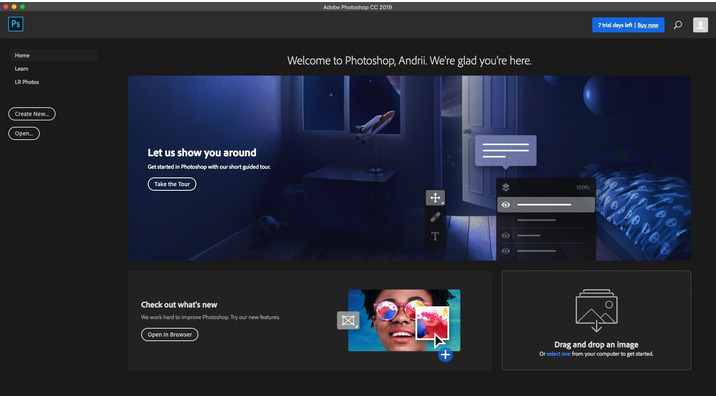
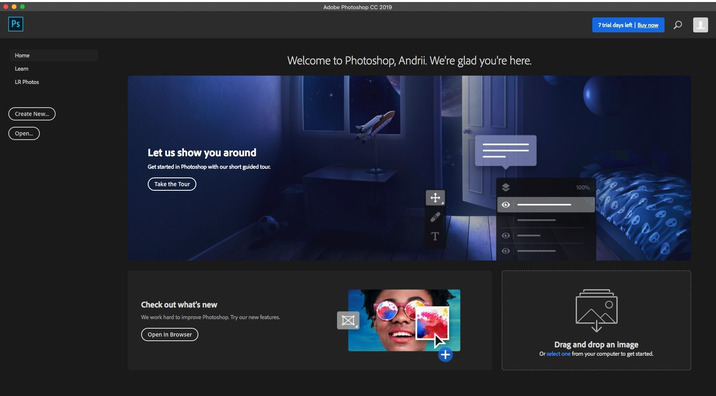
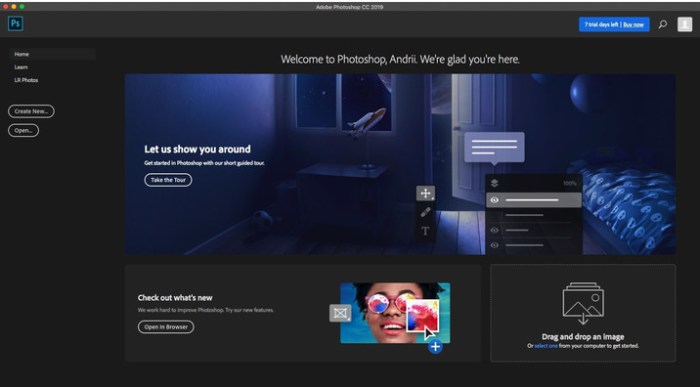
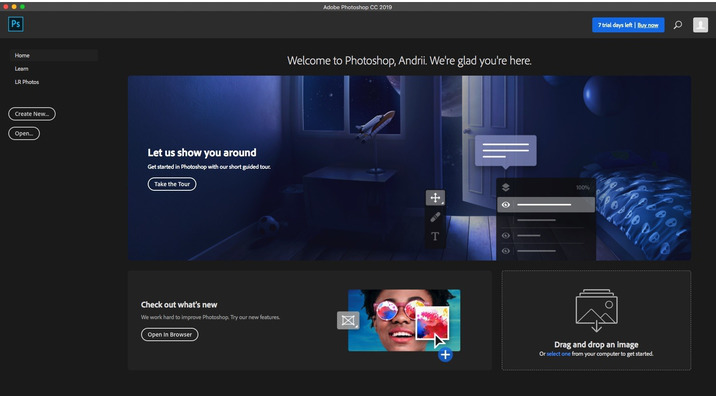
  • Get started quickly with the Photoshop Home screen. Access it at any time to find out about new features, connect to learning content, and jump right to your open documents. Click the new Home icon in the Options bar to access the Home screen at any point
Improved in-app learning:
  • After completing an in-app tutorial (Learn panel), you can now use your own images to get the looks you want in less time
Top customer-requested features:
  • You can now distribute the spacing between the objects. Photoshop can already distribute objects by evenly spacing their center points. If your objects are different sizes, you now get an even spacing between them
Math in number fields:
  • You can also perform simple math in any input box that accepts numeric values. For example, you can now type in simple math operations like 200/2, which gets calculated as 100 and inputs that final value into the field. This is very useful when trying to quickly get to a multiple of a value, or divide something up
Ability to see long layer names:
  • For long layer names, Photoshop now retains the beginning and end of the layer name and puts an ellipses (…) in the middle of the name. Previously, the layer name used to get cut off at the end with ellipses
Match Font now support Japanese fonts:
  • You can now search Japanese fonts with Match Font. Using Adobe Sensei, Match Font allows you to detect text included in the selected area of an image and match it to licensed fonts on your computer or on Adobe Fonts, suggesting similar fonts
Preference to increase UI size:
  • Get more control when scaling the Photoshop UI, and adjust it independent of your other apps to get the font size just right. In the Interface preferences (Edit >Preferences > Interface), a new setting Scale UI To Font has been introduced. When you select this new setting, the entire Photoshop UI scales based on the UI Font Size drop-down value you’ve chosen – Tiny, Small, Medium, or Large
Support for South East Asian scripts:
  • Photoshop now includes the support for five new South East Asian languages, so your documents can include text in these scripts:Thai, Burmese, Lao, Sinhalese, and Khmer
Other enhancements:
  • Flip document view
  • Quickly flip your canvas horizontally. Choose View > Flip Horizontal
  • Lorem Ipsum placeholder text
  • Get ‘Lorem Ipsum’ as placeholder text while placing new type layers in your document. In Type preferences (Edit > Preferences > Type), select Fill New Type Layers With Placeholder Text
  • Customize keyboard shortcuts for Select and Mask
  • You can now modfy the shortcut keys for Select and Mask workspace. Choose Edit > Keyboards Shortcuts. In the Keyboard Shortcuts And Menus dialog, choose Taskspaces from the Shortcuts For menu. In the Taskspace command column, expand the Select and Mask set to edit the shortcuts as required

Screenshots

500+ Pro Photoshop Actions Bundle

Name 500-PS-Actions-398ATN 151018.zip
Size 25.49 MB
Created on 2018-10-18 15:16:00
Hash 6e7a7c640853be20fc98c7d7d6c5e4e96b1d1254
Files 500-PS-Actions-398ATN 151018.zip (25.49 MB)

Descriptions for 500+ Pro Photoshop Actions Bundle

Photoshop ATN | 398 ATN | CS3+ | 500+ Actions

These Photoshop Actions are compatible with : Adobe Photoshop CS3, CS4, CS5, CS6 and CC
Compatibility : Photoshop CS3 to CS6 & Creative Cloud | Elements 8 – 12

Screenshots

Tatiana Lumiere Photoshop Actions Bundle

Name Tatiana Lumiere Photoshop Actions Bundle.dmg
Size 3.54 MB
Created on 2018-09-24 06:21:58
Hash ce8d5dc522b7246fd43180fde58fdb1e81bd0746
Files Tatiana Lumiere Photoshop Actions Bundle.dmg (3.54 MB)

Tatiana Lumiere Photoshop Actions Bundle

In this Bundle you get:

  1. Frequency Separation Action: Versatile frequency separation Photoshop action decomposing image to high and low “frequencies”. Separating texture and tone of the image gives better control and opens up new possibilities of editing. For example: if you use stamp tool to even out complexion of your subject, with frequency separation you can do the same without altering original skin texture. Just makes editing easier. Tutorial:http://www.tatianalumiere.com/2015/04/08/frequencyseparationtutorialmakingadoll/
  2. Painting Action: This action for Photoshop transforms a photograph into beautiful painting. Use along with provided texture, or get creative and use your own textures library.Stepbystep instructions are part of the action, no worries!
  3. Volume Up Action: Have you ever edited your image to the point of flat appearance? Then this action might be the thing you need. It helps to increase tonal range of an image. Notice how the portrait on the right appears to be more dimensional. The action is very straightforward, you just need to run it. Has option of masking.
  4. Darks Down Action : Your image will look sharper yet it’s not your generic sharpening! You get to choose whether it will take shape through lifting lights (Highlights Up action) or burning your darks (Darks Down action) selectively! This action will enhance your work’s artistic flair. No tutorial nesessary very short and straightforward action with builtin instructions.
  5. Highlights Up Action: Sibling of the Darks Down Action. Your image will look sharper yet it’s not your generic sharpening! You get to choose whether it will take shape through lifting lights (Highlights Up action) or burning your darks (Darks Down action) selectively! This action will enhance your work’s artistic flair. No tutorial nesessary very short and straightforward action with builtin instructions. Enjoy!

Web Site: http://www.tatianalumiere.com/home/store/#!/PHOTOSHOP-Actions-Bundle-More-value-for-less-Volume-UP-action/p/52248443/category=0

Screenshots