Tag Archives: Website

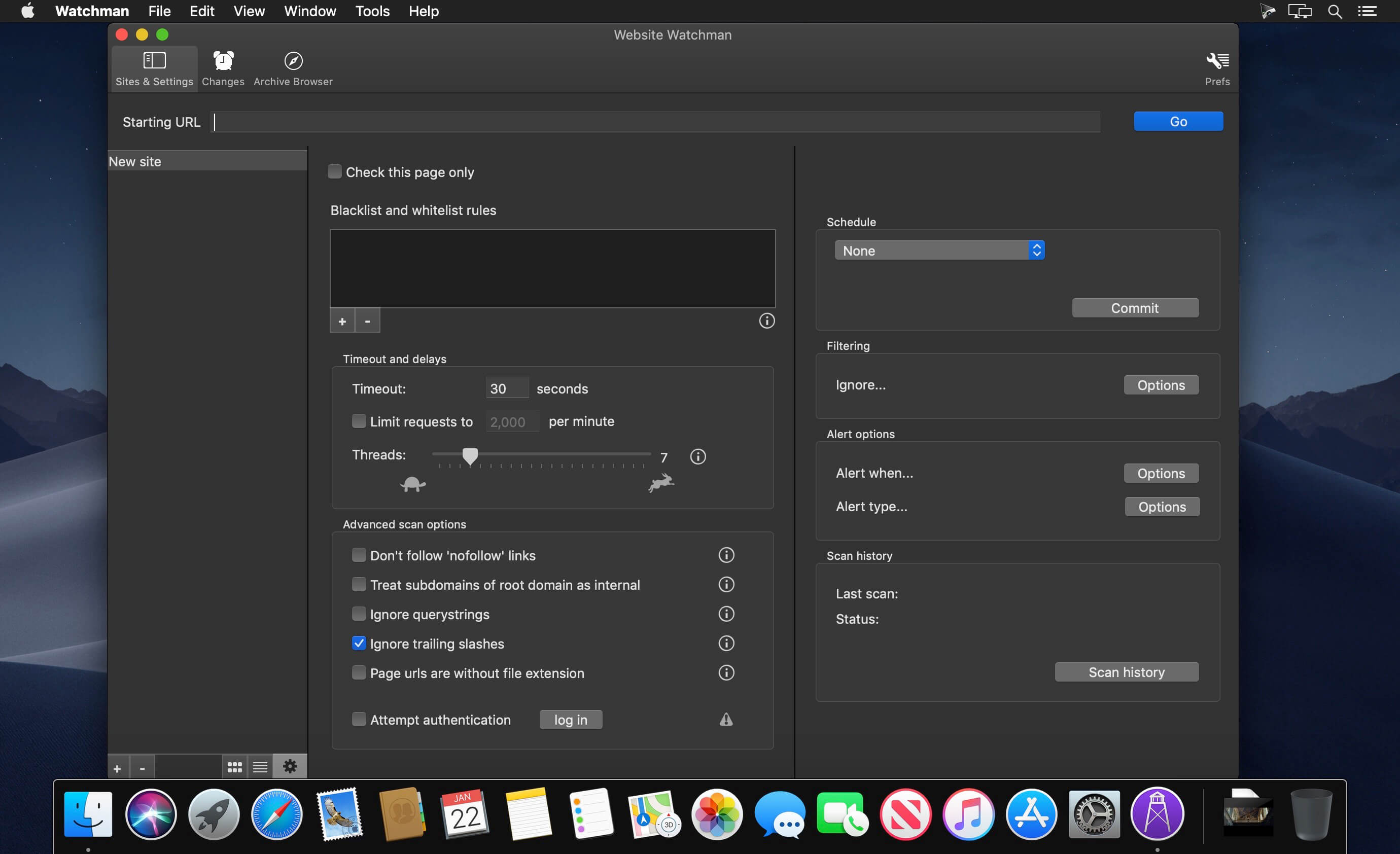
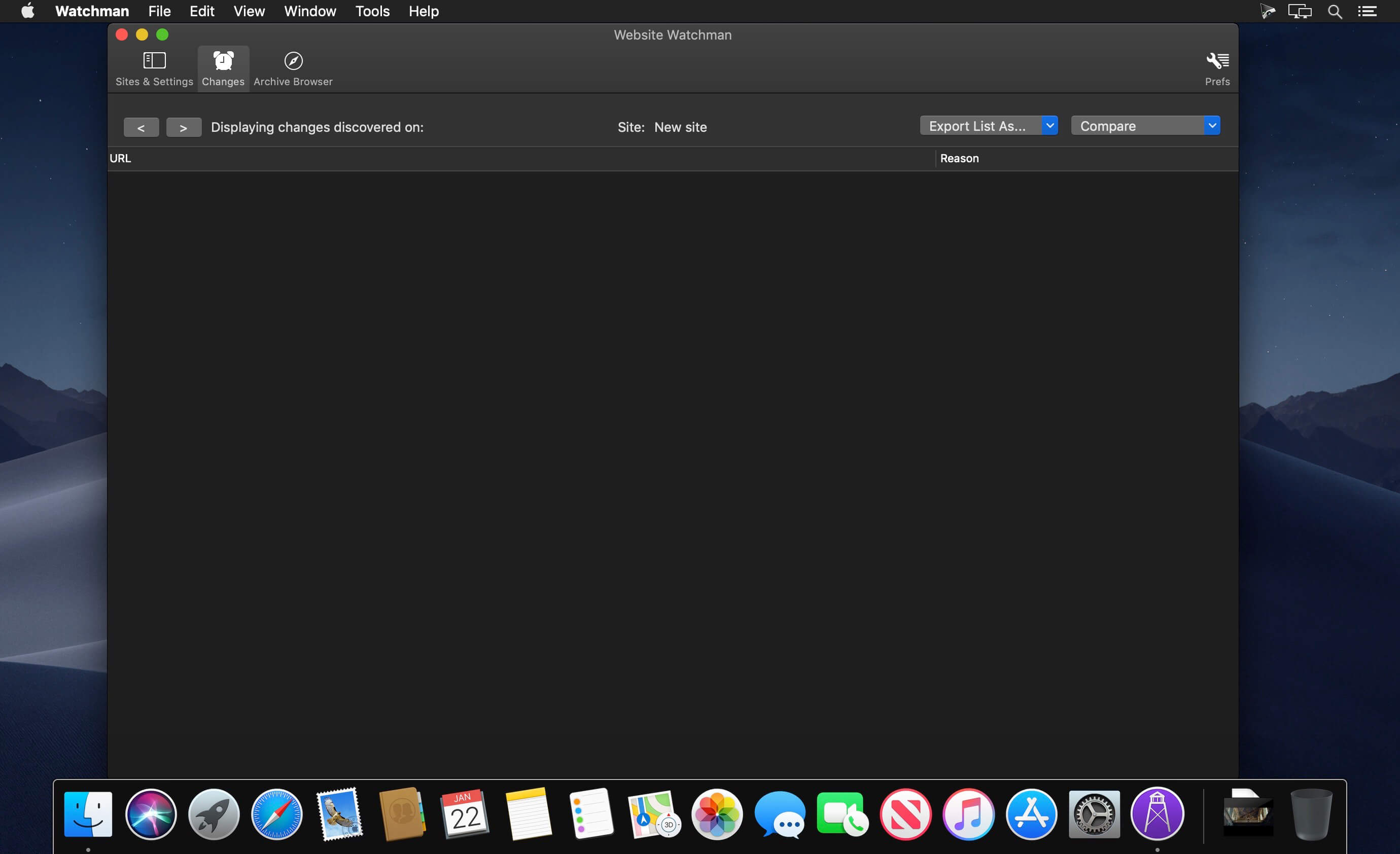
Website Watchman 3.1.7

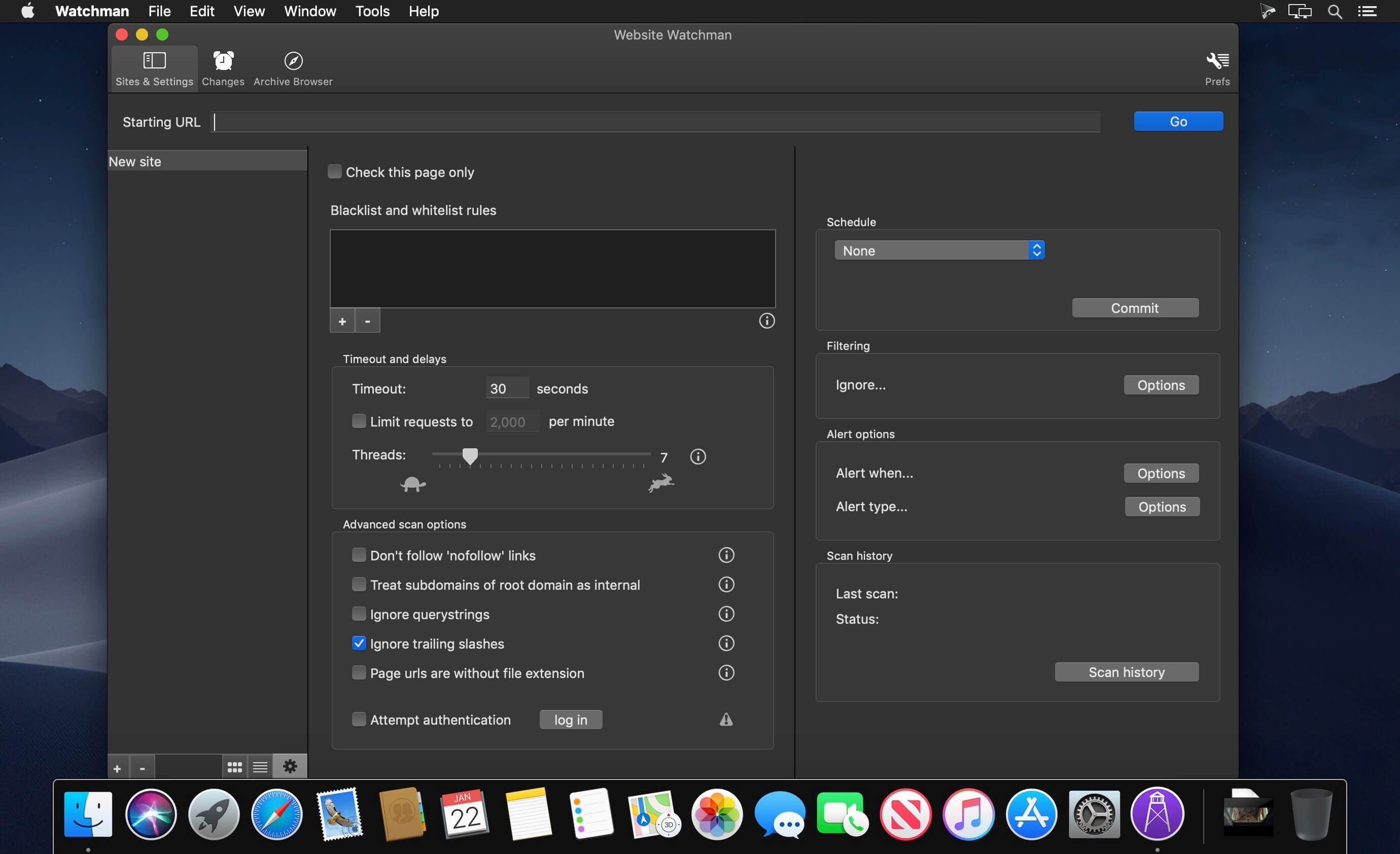
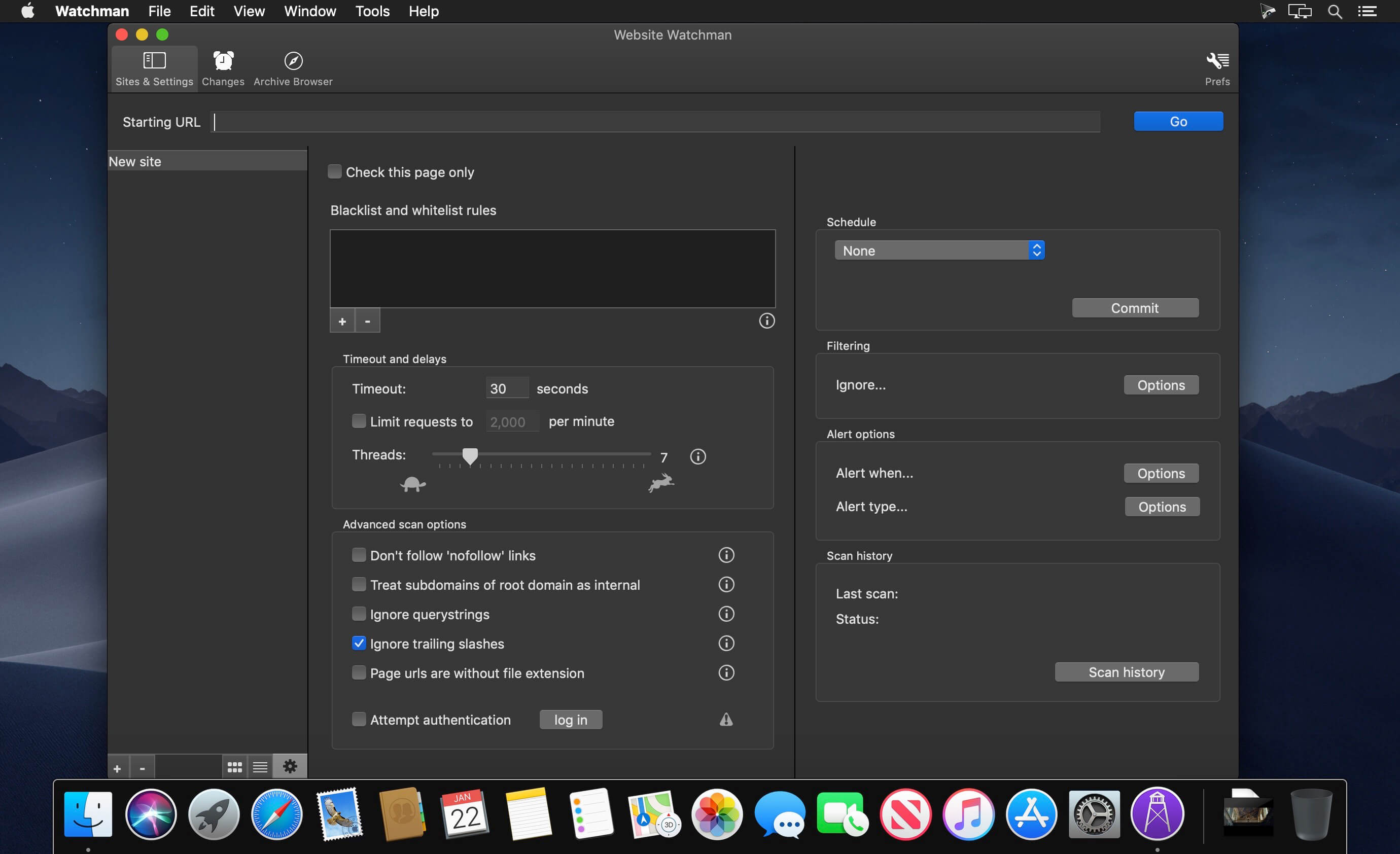
Monitor, archive, go back in time.. Website Watchman is an easy to use website archival utility.

Features:

  • Monitor a whole website, part of a website or a single page
  • Set up configs for multiple sites / pages
  • Schedule hourly, daily, weekly, monthly scan
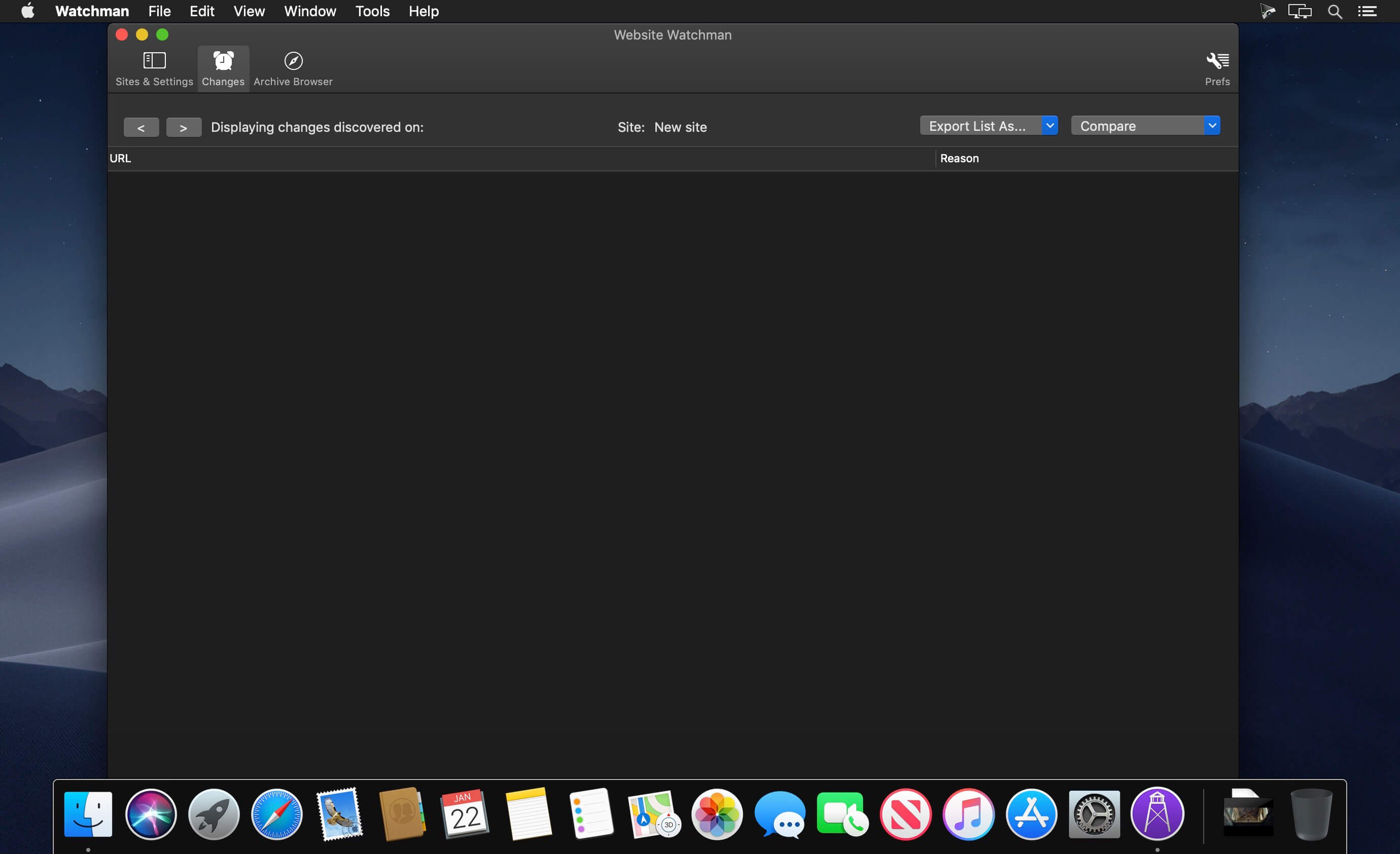
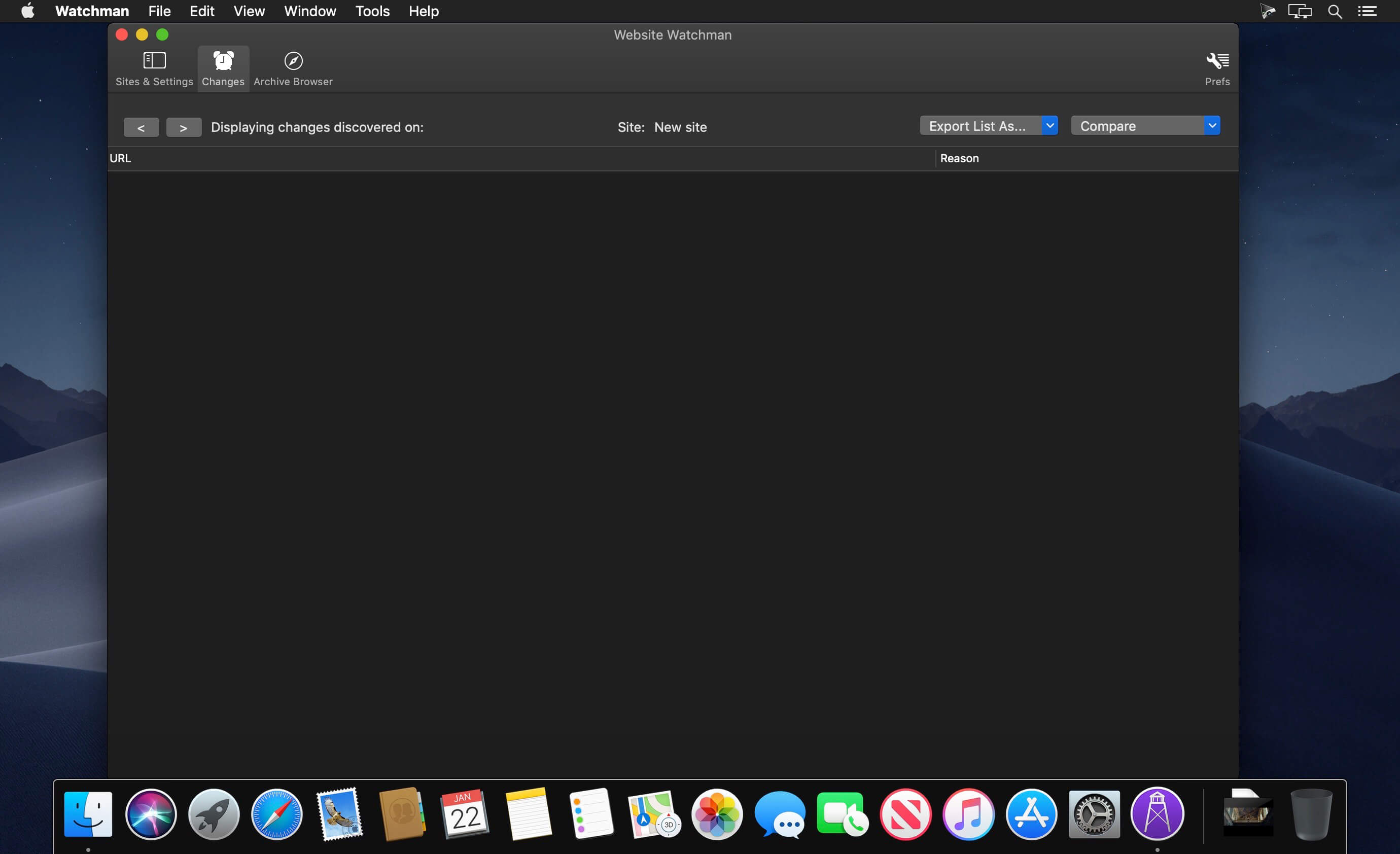
  • Be alerted to any changes, visible text, source code or changes to the page’s resources
  • View and be able to demonstrate what a page looked like on a particular date
  • Be aware of every change to a competitor’s page / site
  • Runs locally, not a cloud service. Own your own data.
  • An archive is kept, including all changes to pages, images, style sheets and js
  • View a ‘living’ version of a historical page, not a screenshot
  • Switch between versions of the page to compare them
  • Export a historical page as image or collection of all of its files
  • Export the entire site, preserving all files as they were on a given date, or processed to make a browsable local copy of the site

Compatibility: macOS 10.13 or later
Homepage https://peacockmedia.software/mac/watchman/

Screenshots


Name: Watchman_3.1.7_[TNT]_Mactorrents.is.dmg
Size: 8.84 MB
Files Watchman_3.1.7_[TNT]_ Mactorrents.is.dmg[8.84 MB]

   Download

Website Watchman 3.1.6

Monitor, archive, go back in time.. Website Watchman is an easy to use website archival utility.

Features:

  • Monitor a whole website, part of a website or a single page
  • Set up configs for multiple sites / pages
  • Schedule hourly, daily, weekly, monthly scan
  • Be alerted to any changes, visible text, source code or changes to the page’s resources
  • View and be able to demonstrate what a page looked like on a particular date
  • Be aware of every change to a competitor’s page / site
  • Runs locally, not a cloud service. Own your own data.
  • An archive is kept, including all changes to pages, images, style sheets and js
  • View a ‘living’ version of a historical page, not a screenshot
  • Switch between versions of the page to compare them
  • Export a historical page as image or collection of all of its files
  • Export the entire site, preserving all files as they were on a given date, or processed to make a browsable local copy of the site

Compatibility: macOS 10.13 or later
Homepage https://peacockmedia.software/mac/watchman/

Screenshots


Name: Website Watchman 3.1.6 [HCiSO]_Mactorrents.is.dmg
Size: 7.37 MB
Files Website Watchman 3.1.6 [HCiSO]_ Mactorrents.is.dmg[7.37 MB]

   Download

Link-Assistant WebSite Auditor Enterprise v4.48.7

Just like search engine bots, WebSite Auditor digs diligently through your entire site to find and audit every resource, both internal and external: HTML, CSS, JavaScript, Flash, images, videos, and more. The SEO audit tool also lets you perform a site crawl analysis as Google, Bing, or Yahoo do, following robots.txt instructions for any bot. You can see and analyze the pages of your site for SEO errors the same way search engines see them.

Thorough technical
website audit.
WebSite Auditor will run an SEO audit and quickly reveal every issue on your site that can affect search engine indexation, rankings, and user experience. The audit tool looks for such tech SEO issues as broken links and images, duplicate content, poor mobile usability, site speed, redirect chains, internal linking problems, heavy pages and scripts, W3C validation errors, thin content, and more. The best part? Go through the list of SEO errors that you find during site audit: for every error, you’ll get a list of pages it affects, along with simple how-to-fix instructions.

Robots.txt and Sitemap generator.
Get the tools to create tech SEO files in a matter of minutes. Easily generate an XML sitemap or robots.txt file at a click of a button, without bothering about the files’ tricky syntax. Already have a sitemap and robots instructions in place? Review and edit the files right in the app, whenever you need to, and upload the changes to your site instantly via FTP.

Intelligent on-page SEO audit.
Use our audit software to assess SEO health of any web page and any keyword, based on the web pages of your top ranking competitors and your own on-page stats. Our SEO audit tool delivers keyword- and URL-specific optimization advice and reverse-engineers your competitors’ strategies to see what exactly makes them rank high.

Site structure visualizations.
Use our internal link checker to visualize your site structure and instantly uncover problems in the site architecture, analyze internal link juice, and impress clients with customized graphic reports. See a problem? Fix your site structure right in the app and export the changes as a to-do checklist for your developers.

In-app content optimization.
The free website SEO software does more than analyze your content. It lets you optimize pages in-app — in a user-friendly WYSIWYG interface or HTML — with step-by-step SEO advice as you type. In a separate tab, you can create and edit your pages’ title and meta description tags, and preview your Google snippet right below. Done optimizing? A single click will save the SEO-perfect HTML to your hard drive, ready for upload.

TF-IDF analysis.
The in-built TF-IDF SEO tool helps to improve your pages’ topical relevance & authority and work out how to optimize for semantic search performance. The tool finds numerous topically relevant terms and gives recommendations on keyword usage based on the pages of top-ranking competitor sites. What’s more, you can use the tool to check how well your page is optimized for target keywords and whether there are any SEO errors in your content.

Custom, automatable reports.
Our collection of site audit tools would not be complete without WebSite Auditor’s reports, which are customizable, white-label, and designed to look fab across all devices. Agencies can easily share SEO audit results with clients by uploading reports to the cloud and getting a shareable link or automate reporting by setting up a scheduled task. WebSite Auditor will build white label reports on autopilot and deliver them to clients on your schedule, as a direct link or attachment, in a plain text or custom HTML email. Downloading and sharing reports is available in the Enterprise version, which you can test in a free trial of the website analyzer.

Homepage https://www.link-assistant.com/

Name: Link-Assistant.WebSite.Auditor.Enterprise.v4.48.7.MacOSX_Mactorrents.io.rar
Size: 225 MB
Files Link-Assistant.WebSite.Auditor.Enterprise.v4.48.7.MacOSX_Mactorrents.io.rar[225 MB]

   Download

Website Watchman 2.12.0

Monitor, archive, go back in time.. Website Watchman is an easy to use website archival utility.

Features:

  • Monitor a whole website, part of a website or a single page
  • Set up configs for multiple sites / pages
  • Schedule hourly, daily, weekly, monthly scan
  • Be alerted to any changes, visible text, source code or changes to the page’s resources
  • View and be able to demonstrate what a page looked like on a particular date
  • Be aware of every change to a competitor’s page / site
  • Runs locally, not a cloud service. Own your own data.
  • An archive is kept, including all changes to pages, images, style sheets and js
  • View a ‘living’ version of a historical page, not a screenshot
  • Switch between versions of the page to compare them
  • Export a historical page as image or collection of all of its files
  • Export the entire site, preserving all files as they were on a given date, or processed to make a browsable local copy of the site

What’s New:

Version 2.12.0

  • css and image files which were hosted externally (different domain to starting url) weren’t being archived and therefore pages weren’t being displayed in the archive browser correctly for those sites. Now fixed.
  • Better at finding images that use lazy loading.
  • Updates the selectable user-agent strings and adds more (in particular, Edge and some more mobile browsers)
  • Updates Paddle’s licensing framework to the latest Big Sur/M1 compatible version
  • Changes default setting for treating http:// links on the same domain (when starting with an https:// url). Now treats them as internal, which is probably what’s expected

Compatibility: macOS 10.12 or later 64 bit
Homepage https://peacockmedia.software/mac/watchman/

Screenshots


Name: Watchman_2.12.0__TNT_Mactorrents.io.dmg
Size: 8 MB
Files Watchman_2.12.0__TNT_Mactorrents.io.dmg[8 MB]

   Download

Website Watchman 2.7.0

Monitor, archive, go back in time.. Website Watchman is an easy to use website archival utility.

Features:

  • Monitor a whole website, part of a website or a single page
  • Set up configs for multiple sites / pages
  • Schedule hourly, daily, weekly, monthly scan
  • Be alerted to any changes, visible text, source code or changes to the page’s resources
  • View and be able to demonstrate what a page looked like on a particular date
  • Be aware of every change to a competitor’s page / site
  • Runs locally, not a cloud service. Own your own data.
  • An archive is kept, including all changes to pages, images, style sheets and js
  • View a ‘living’ version of a historical page, not a screenshot
  • Switch between versions of the page to compare them
  • Export a historical page as image or collection of all of its files
  • Export the entire site, preserving all files as they were on a given date, or processed to make a browsable local copy of the site

What’s New:

Version 2.7.0:
Some interface fixes:

  • In light mode, the sidebar background remained dark and the dark text wasn’t easy to read
  • In text fields, editing operations such as paste / undo etc weren’t working
  • Other minor fixes
  • Adds ability to sort website configs into folders
  • Change to the website deletion. Was giving multiple alerts because the button deletes the webarchive for the site as well as the configuration. Users used to be able to cancel either of these operations and continue with the other. However, this was confusing to users. Now a single warning is given and both things are deleted. (in fact three, because deleting the config also deletes the schedule from the system, if set up.)
  • Related articles

Compatibility: macOS 10.12 or later 64 bit
Homepage https://peacockmedia.software/mac/watchman/

Screenshots


Name: Watchman_2.7.0__TNT_Mactorrents.io.dmg
Size: 8.85 MB
Files Watchman_2.7.0__TNT_Mactorrents.io.dmg[8.85 MB]

   Download

Website Watchman 2.5.6

Website Watchman 2.5.6

Monitor, archive, go back in time.. Website Watchman is an easy to use website archival utility.

Features:
– Monitor a whole website, part of a website or a single page
– Set up configs for multiple sites / pages
– Schedule hourly, daily, weekly, monthly scan
– Be alerted to any changes, visible text, source code or changes to the page’s resources
– View and be able to demonstrate what a page looked like on a particular date
– Be aware of every change to a competitor’s page / site
– Runs locally, not a cloud service. Own your own data.
– An archive is kept, including all changes to pages, images, style sheets and js
– View a ‘living’ version of a historical page, not a screenshot
– Switch between versions of the page to compare them
– Export a historical page as image or collection of all of its files
– Export the entire site, preserving all files as they were on a given date, or processed to make a browsable local copy of the site

Compatibility: macOS 10.12 or later 64 bit

Name: Watchman_2.5.6__TNT_Mactorrents.io.dmg
Size: 8 MB
Files Watchman_2.5.6__TNT_Mactorrents.io.dmg[8 MB]

   Download

Wolf Website Designer 2.30.2

Download

Wolf Website Designer 2.30.2

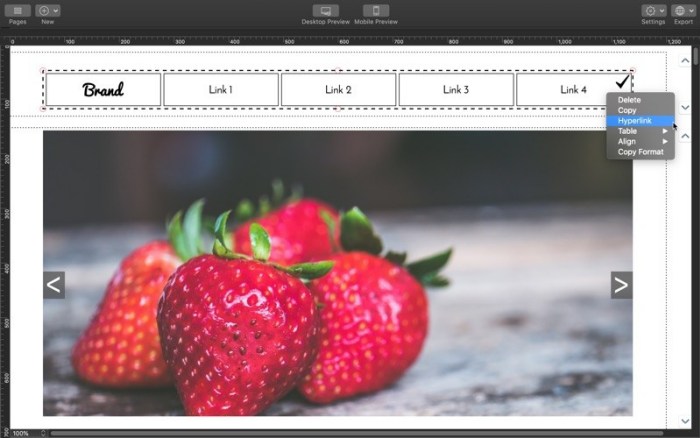
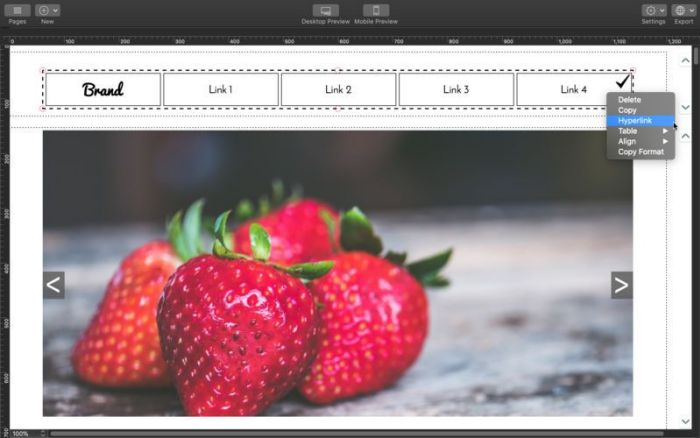
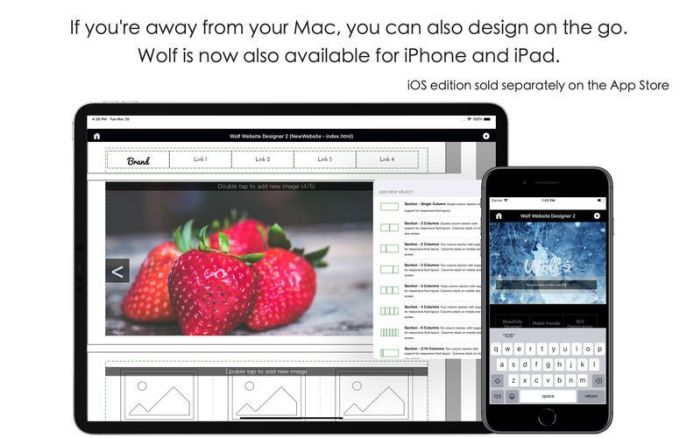
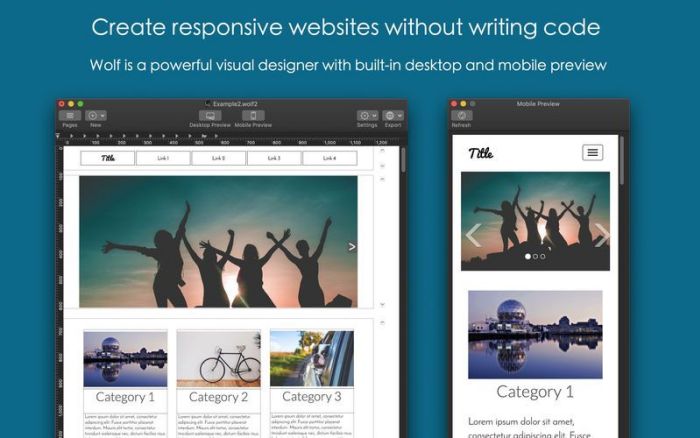
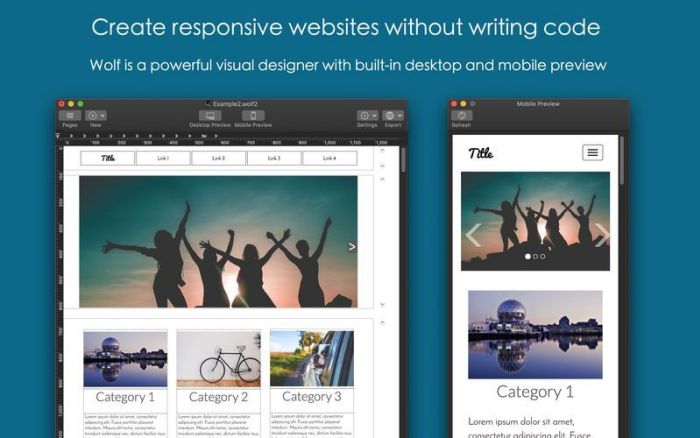
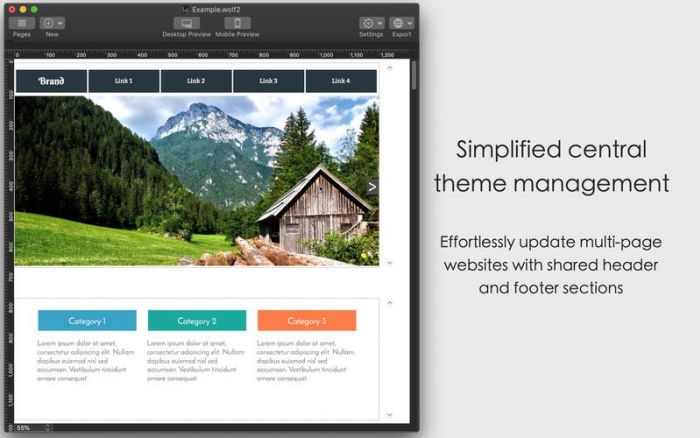
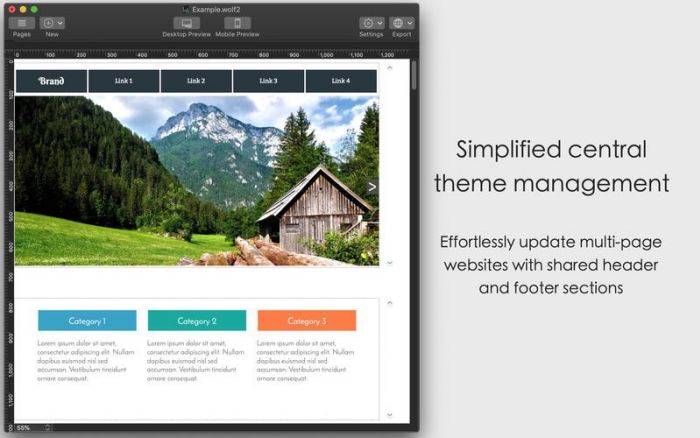
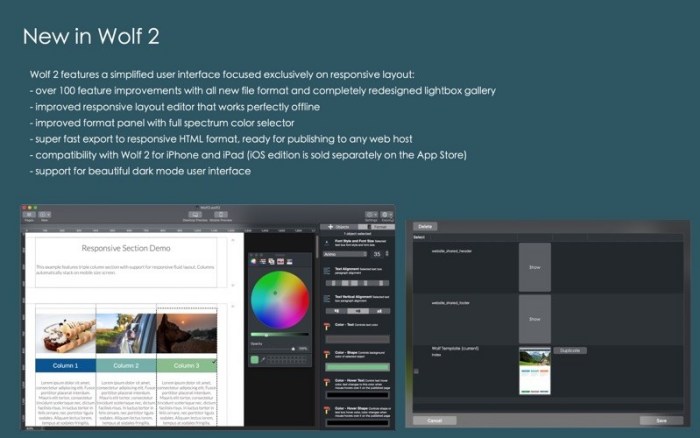
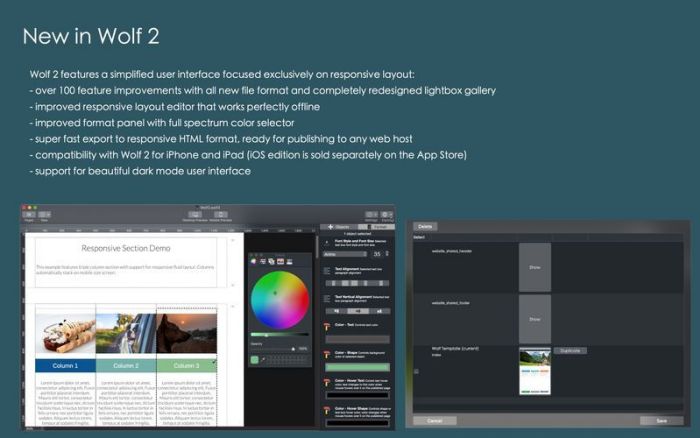
Wolf helps you build beautiful and mobile-friendly websites. This app focuses on responsive layout, the visual design editor builds your website with responsive sections that render beautifully on different sized screens.

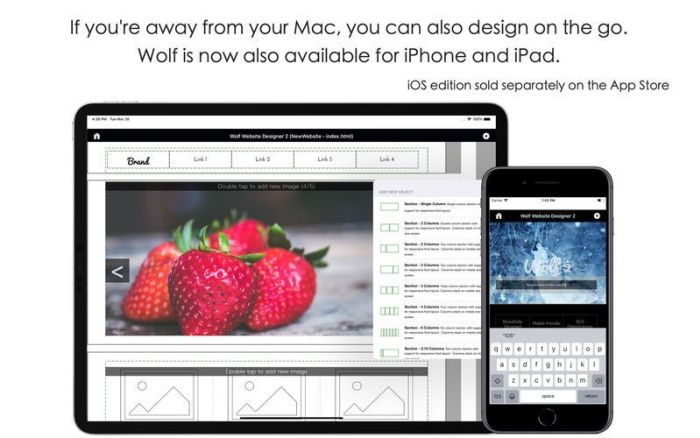
Wolf is also available for iPhone and iPad, please look for “Wolf 2” on the App Store. (iOS edition is sold separately)

Q&A:

What is the difference between a traditional website designer and a responsive website designer?

Wolf is a responsive designer. Unlike traditional designers that generate static website designs, responsive builders generate websites that will automatically adjust layout based on browser device width. Wolf is excellent for creating websites optimized for both desktop and mobile-devices.

How many websites can I create with Wolf?

Wolf does not limit the number of websites, you can create as many as you like.

Can I use this app offline?

Wolf does not require internet connection, so you can create and design anywhere and anytime.

Top In-App Purchases: Full Version – included

Compatibility: OS X 10.11 or later

Web Site: http://wolf.aidaluu.com

Mac App Store: https://itunes.apple.com/app/wolf-website-designer-2/id1384505386?mt=12

What’s New in Wolf Website Designer 2.30.2

  • Thanks for using Wolf! This update includes design optimizations and bug fixes.
  • We are always looking to improve your experience, so let us know what new features you would like to see! To get in touch with us, just pop over to Wolf’s official site at wolf.aidaluu.com, we will be happy to help.

Screenshots

Name Wolf Website Designer 2.30.2.zip
Size 43.07 MB
Created on 2019-07-30 04:55:16
Hash bee05bb7e8b5430afd2bfc1fe05273ee0f517dfb
Files Wolf Website Designer 2.30.2.zip (43.07 MB)

Download

ARCSOFT – Website Builder 1.4

Descriptions for ARCSOFT – Website Builder 1.4 MAS

Name: ARCSOFT – Website Builder
Version: 1.4
Release Date: March 09, 2018
Developer: Justin Bush
MAS Rating: 4+
Mac Platform: Intel
OS Version: OS X 10.12 or later

Includes: Pre-K’ed (TNT)

Web Site: https://arcsoft.io
Mac App Store: https://itunes.apple.com/app/arcsoft-website-builder/id1114318949?mt=12

Overview

Build your pixel-perfect website and publish to the web for free in minutes!

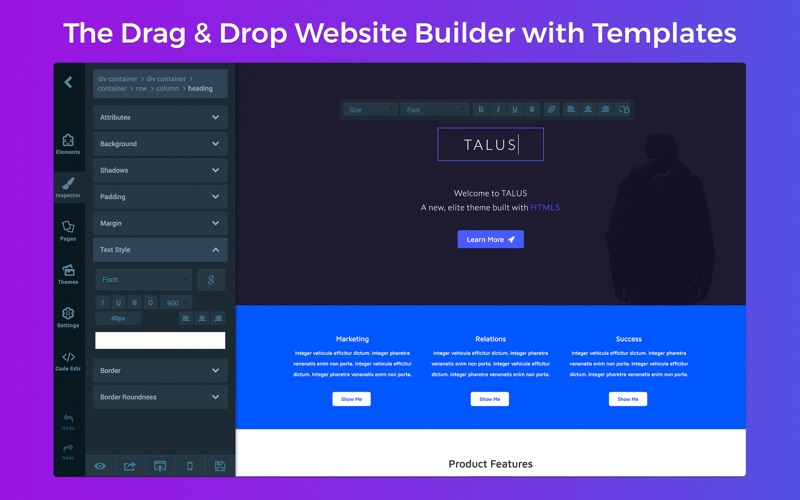
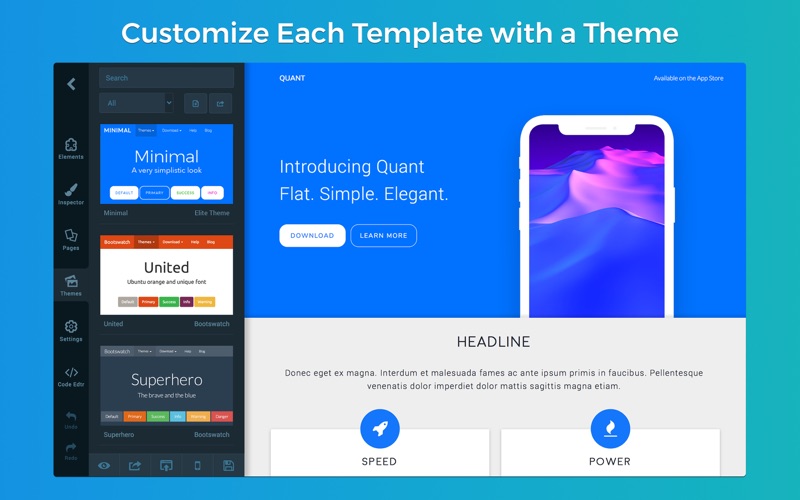
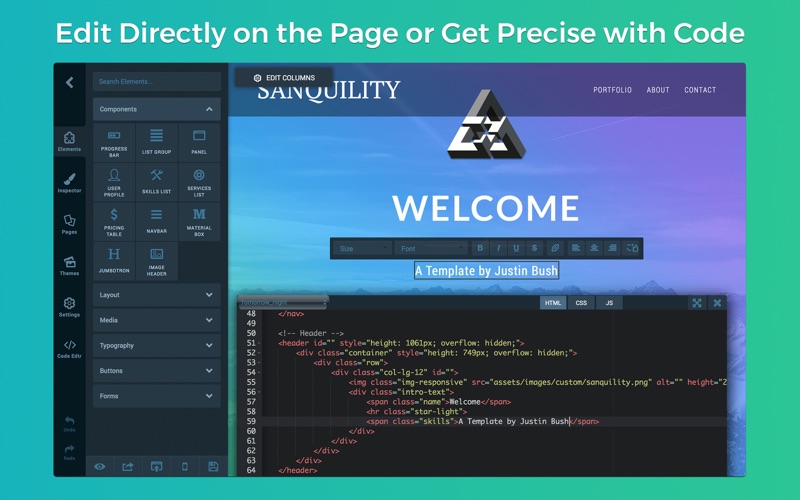
Our professionally designed templates and themes will make starting from scratch a non-existent process. Then customize your theme by editing directly on the page or by dragging and dropping new elements to your site.

ARCSOFT web design software for the macOS platform provides a visual interface builder for creating, editing and publishing websites, as well as mobile web apps. All of this packaged up into a single application for a professional way to manage and share your creations on Mac.

FEATURES

• Drag & Drop Blocks to the Grid
• A Fully Loaded Retina-Display Templates Library
• Themes to Customize Every High-Def Template
• Live Visual Editor to Edit Directly on the Page
• Professional & Responsive Blocks Library
• Export & Publish Entire Websites in Seconds
• Add Custom Images to the Media Library
• 100s of Fonts & Custom Font Support
• Code Editor with Syntax Highlighting
• And Much, Much More…

DRAG & DROP BLOCKS

Our library full of a wide variety of blocks allow for easy use with predesigned templates, as well as newly created pages built from scratch. Each block can be dragged and dropped onto the page and are fully customizable. These customization options include multiple ways of editing such as shadows, backgrounds, text styles, borders and more!

A brief preview of our Customizable Blocks Library include:

• Responsive Cover Photos
• Logo & Navigation Bars
• Text Boxes for Body, Headers and Titles
• Image Headers & Galleries
• Video Players (Local, YouTube, Vimeo, etc.)
• Pricing & Subscription Tables
• User Profiles & Management
• Customizable Buttons & Progress Bars
• Forms for Contact & Login-Signup
• Lists, Panels and Box Tables
• Custom Code Boxes for Embedded Content

And that’s just the tip of the iceberg.

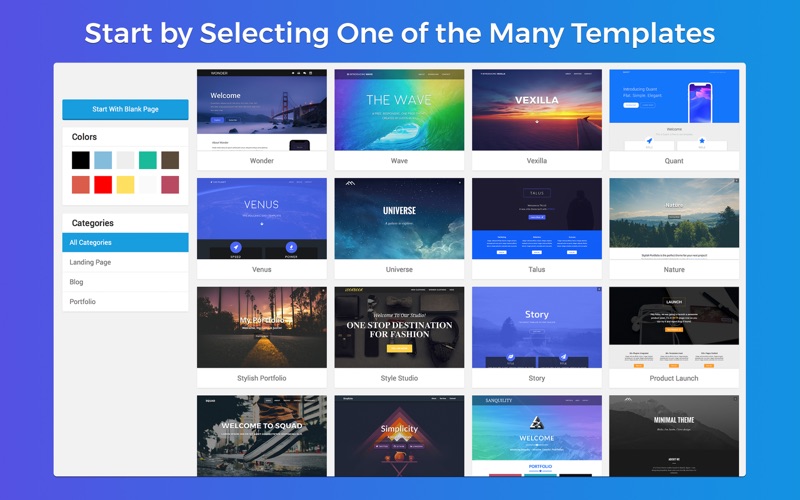
Are you new to web development? Not a problem! Building a website is now easy as selecting one of our many predesigned templates from the Templates Library, applying your favoured theme to that template and using the page builder to fill in your content with drag and drop blocks.

Are you more of an experienced web developer? ARCSOFT will help make your business website look more professional and profitable within minutes.

TEMPLATES

Choose from one of our professionally designed HTML5 templates that are available to use, commercial-free, at no extra cost! ARCSOFT specializes in turning website building from a complex and expensive process, to a simple drag and drop-type platform.

ARCSOFT was designed to save you time and money, while offering easy ways of building professional websites with no coding knowledge required. All website templates are responsive, built using HTML5 and are updated constantly to meet tomorrow’s standards. All website templates have also been designed and optimized for pixel-perfect viewing on desktop, tablet and mobile devices.

REAL-TIME VISUAL EDITOR

Our Live Visual Editor allows you to save time by providing you with the ability to edit your content directly on the page – no code required (unless you would like to add your own custom code, then we have a built-in Code Editor for that too.

Use ARCSOFT to stay on top of the latest in web publishing tools. HTML5, CSS3, JavaScript and jQuery have been fully integrated into the ARCSOFT Website Builder for advanced editing and maximum potential to build your perfect final product.

Visually managing your projects and files has never been easier. With macOS High Sierra, new methods of organization have been made available for developers to take advantage of. To improve desktop integration, creating files and folders, like you would in Finder, is made available to you with the click of a button. Offline options for websites have also been made available for those who prefer to have them made locally.

New updates, features and content are added every couple weeks. Stay tuned for more!

What’s New in ARCSOFT – Website Builder 1.4

ARCSOFT 2.0 is on the way with an all-new Page Builder, unlimited website/domain cloud hosting and an iOS app for building on the go! Learn more about the next generation of ARCSOFT in this update.

—–
Welcome to the fourth major update of ARCSOFT – now with even more templates, themes and blocks. We’ve also added dedicated support for macOS High Sierra and optimized the builder to be even faster and speedier than ever!

Introducing Elite Templates

We are introducing a new category of templates entitled “Elite.” These templates, like all other templates, are 100% free to use and come with advanced HTML5 & CSS3 effects that are up to standard with all of the most popular browsers – both mobile and desktop alike. These templates will bring a professional and sleek look to your websites, along with a noticeable touch of modern. You can try out the first five (of many) Elite Templates now: Talus, Venus, Story, Quant & Sanquility.

New Templates

• Adventure
• Agency
• Music
• Quant
• Sanquility
• Squad
• Story
• Stylish Portfolio
• Talus
• Venus
• Vexilla
• Wave (Updated)
• Universe (Updated)

What’s New

• Revamped current templates with retina-display improvements
• Added new page editor tools
• Added background image scrolling effects
• Added new & fresh graphical UI elements
• Added even more templates and themes
• Added even more variety of HTML5 blocks
• Added even more custom fonts for headers and body
• Added multiple new ways to customize your blocks
• Added network detection for cloud services
• Added auto-save feature for websites
• Added error/save handling for network loss
• Fixed syntax highlighting in code editor
• Fixed support for some macOS High Sierra devices
• Fixed multiple bugs causing the app to function in a weird fashion

Coming Soon

• Parallax scrolling effects
• Domain & sub-domain publishing

Screenshots

Name ARCSOFT Website Builder 1 4 MAS TNT.dmg
Size 12.58 MB
Created on 2018-03-09 23:21:34
Hash 74dcbaaa946b74a1c435fb18ab3fcd2e2fb56dc0
Files ARCSOFT Website Builder 1 4 MAS TNT.dmg (12.58 MB)

Creativemarket EasyOne Website Flowchart Template 42406

Name ux.flowcharts.easyone.website.flowchart.template.ai.eps.cdr.creativemarket.42406
Size 2.44 MB
Created on 2016-01-04 19:27:16
Hash e3baf48fe90dab61492bd4c686f3a14694429271
Files UX Flowcharts | EasyOne Website Flowchart Template CreativeMarket 42406/EasyOne Website Flowchart Template.zip (2.44 MB)

Descriptions for Description

Name : EasyOne Website Flowchart Template
Files : CDR, EPS
File Size : 2.82 MB
Layered : Yes
Vector : Yes

With EasyOne you can create professional flowcharts easy
VISIT OUR WEBSITE WWW.UXFLOWCHARTS.COM AND CHECK OUT OUR LATEST PRODUCTS.
Great tool for developers, website builders or any other person involved in Web Design related projects. Can be used for creating stylish website flowcharts and site maps in an easy and quick and, most important, professional way.

Flowchart template files include 4 predefined color styles, empty flowchart placeholder and flowchart grid. Use any of the included examples as a starting point for your website flowchart or create your own website structure. 

By dragging and dropping any of included mini wireframes that display common website page layouts (built on a 4 column grid), you can build your own site structure, add titles, change colors, or add backgrounds. And... of course, all these goods are built in vectors!
Vector Formats Included: AI | EPS | CDR


Content of the download file:


CorelDraw® Files


File "all_in_one.cdr" contains:

• Page 1 | Color Style Site Flowchart on Dark Background
• Page 2 | Color Style Site Flowchart on White Background
• Page 3 | Grayscale Style Site Flowchart on Dark Background
• Page 4 | Grayscale Style Site Flowchart on White Background
• Page 5 | Site Flowchart Placehholder + Elements
• Page 6 | Flowchart Grid 


Other CorelDraw®  files:


• flowchart_color_on_dark.cdr | Color Style Site Flowchart on Dark Background
• flowchart_color_on_white.cdr | Color Style Site Flowchart on White Background
• flowchart_grayscale_on_dark.cdr | Grayscale Style Site Flowchart on Dark Background
• flowchart_grayscale_on_white.cdr | Grayscale Style Site Flowchart on White Background
• flowchart_placeholder.cdr | Site Flowchart Placehholder + Elements
• flowchart_grid.cdr | Flowchart Grid 


Adobe® Illustrator® Files:


• flowchart_color_on_dark.ai | Color Style Site Flowchart on Dark Background
• flowchart_color_on_white.ai | Color Style Site Flowchart on White Background
• flowchart_grayscale_on_dark.ai | Grayscale Style Site Flowchart on Dark Background
• flowchart_grayscale_on_white.ai | Grayscale Style Site Flowchart on White Background
• flowchart_placeholder.ai | Site Flowchart Placehholder + Elements
• 
flowchart_grid.ai | Flowchart Grid 

• flowchart_color_on_dark.eps | Color Style Site Flowchart on Dark Background
• flowchart_color_on_white.eps | Color Style Site Flowchart on White Background
• flowchart_grayscale_on_dark.eps | Grayscale Style Site Flowchart on Dark Background
• flowchart_grayscale_on_white.eps | Grayscale Style Site Flowchart on White Background
• flowchart_placeholder.eps | Site Flowchart Placehholder + Elements
• flowchart_grid.eps | Flowchart Grid 


Additional Information: 
Open Sans font is used in template. You can download it for free www.opensans.com


Other our products available for sale on Creative Market


• EasyThree Website UX Flowchart Template | AI Version | http://crtv.mk/h0ZWj
• UX Flowchart Cards | AI Version | http://crtv.mk/s0KNV
• UX Flowchart Cards | Corel Draw Version | http://crtv.mk/j0LSV
• EasyTwo | Advanced Website Flowchart Template AI | http://crtv.mk/dgeI
• EasyTwo | Advanced Website Flowchart Template OmniGraffle | http://crtv.mk/rvXB
• EasyTwo | Advanced Website Flowchart Template Sketch | http://crtv.mk/evnR
• EasyOne | Website Flowchart Template | http://crtv.mk/rYt4
• Map Icons 2 | 104 Vector PSD Markers | http://crtv.mk/bZxG
• Map Icons | MapIcons - 117 Scalable Map Markers | http://crtv.mk/qZrf


Visit our www.uxflowcharts.com for the latest products and discounts


Physical UX Flowchart Cards version (54 Double-Sided Cards printed on Linen Card Stock 310 gsm) available on www.uxflowcharts.com


Link for more information: https://creativemarket.com/ux/42406-EasyOne-Website-Flowchart-Template

Screenshots