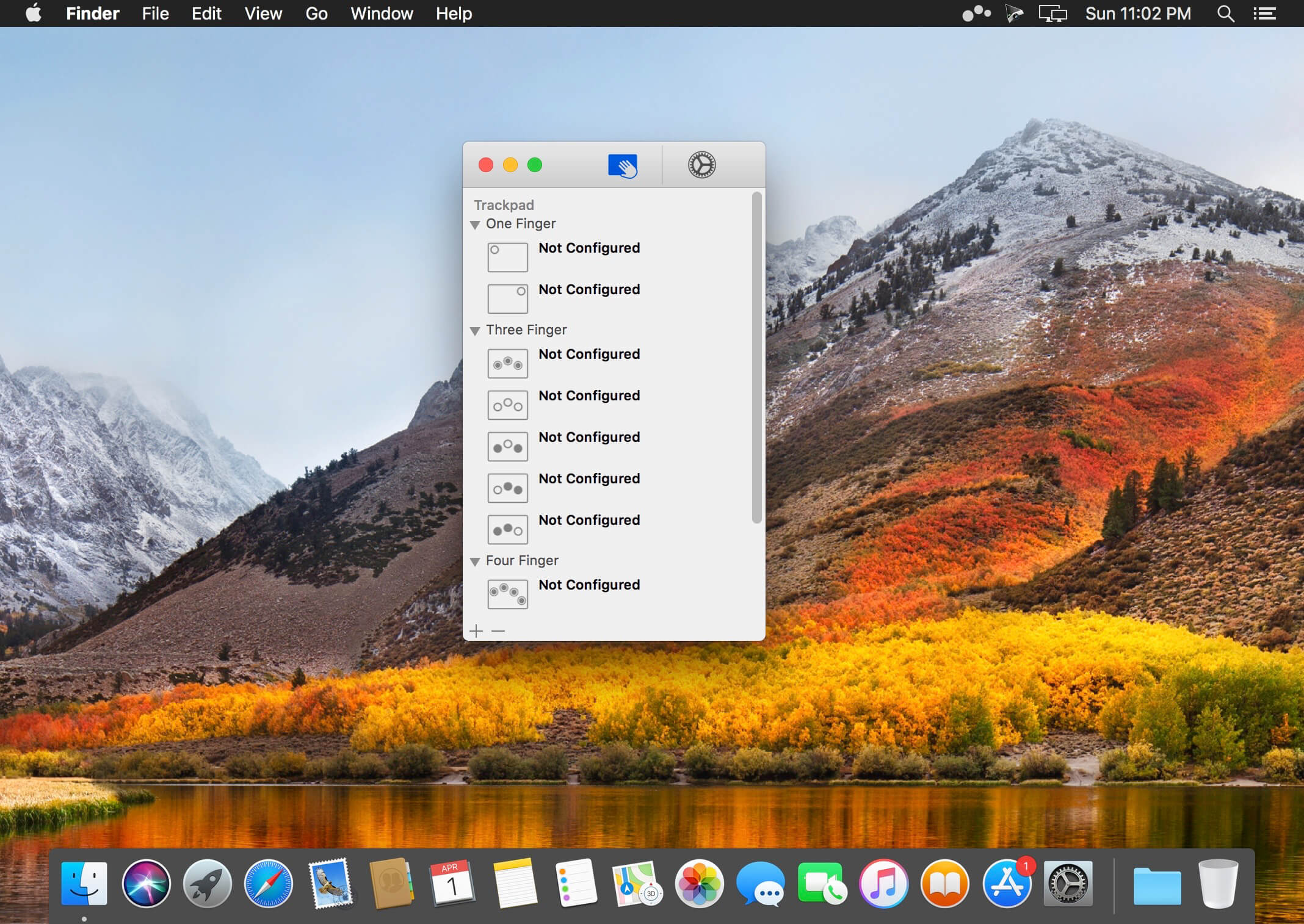
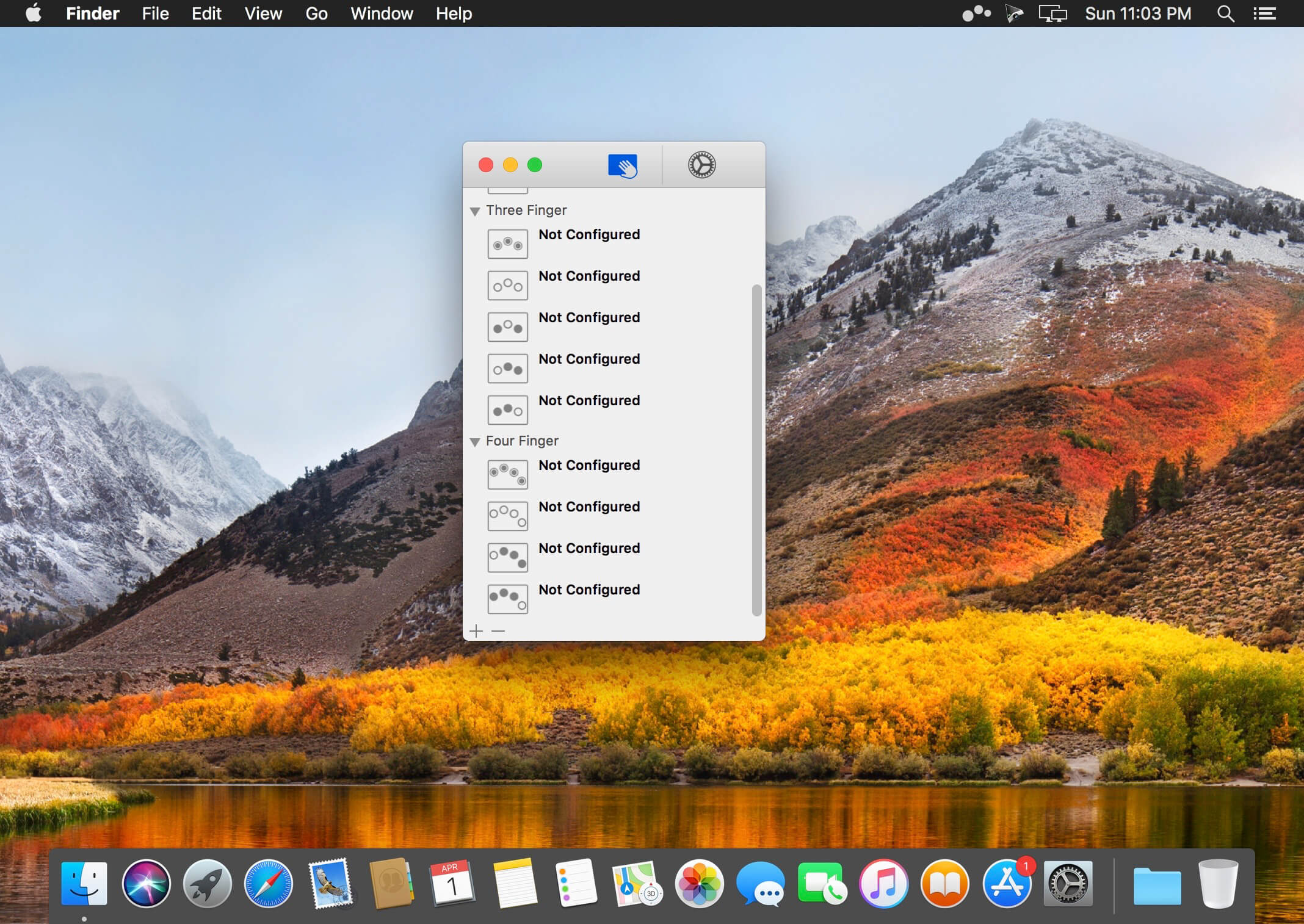
Easily add gestures to macOS
Multitouch lets you tie a custom action to a specific magic trackpad or magic mouse gesture. For example, a three finger click can execute a paste. Improve your workflow by executing keyboard shortcuts, controlling your browser’s tabs, performing a middle mouse click, and much more.
Features
One time purchase and free updates with a growing list of gestures and actions.
Privacy. No user data is gathered from the app.
Does not require Accessibility privileges to run.
What’s New:
Version 1.26:
Release notes were unavailable when this listing was updated.
Mosaic creates collages consisting of tiles arranged according to a wide variety of layout templates. Mosaic contains 48 built-in templates, or download many additional templates from the website using your web browser or inside the app itself.
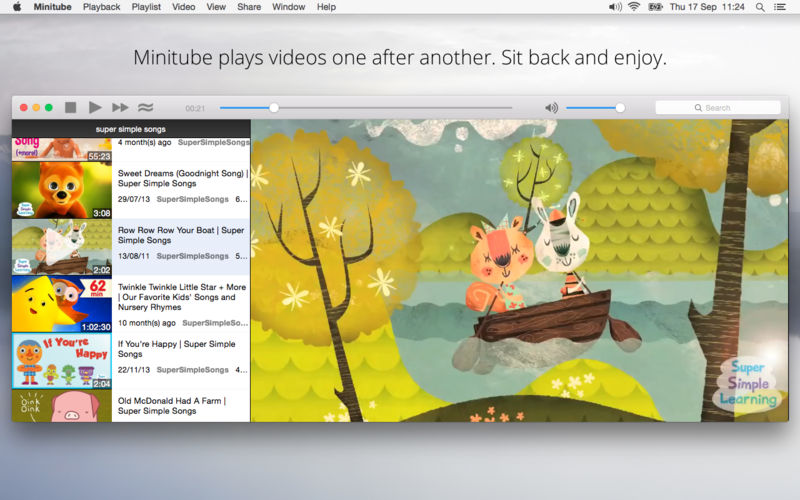
Minitube is a lightweight and stylish YouTube application for your Mac. With it you can watch YouTube videos in a new way: you type a keyword, Minitube gives you an endless video stream.
By automatically playing videos one after another, Minitube aims to create a TV-like experience. Stop fiddling, just sit back and enjoy.
Minitube is designed to be very easy to use, for kids and grandparents too. Minitube is a gift for the whole family.
Minitube consumes less memory and CPU than a browser, preserves battery life and keeps your laptop cool.
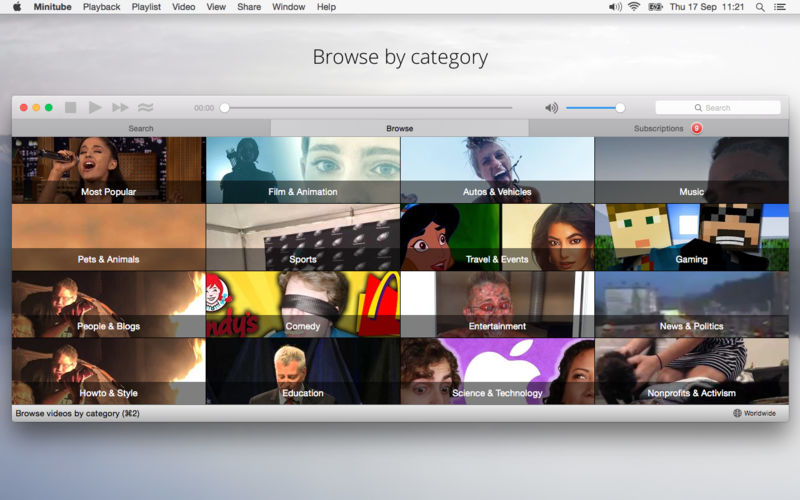
With Minitube you can search by keyword, search YouTube channels or just paste a YouTube link. Related videos are always a click away. You can also browse top videos for your favorite category and country.
You can subscribe to your favorite channels and be notified of new videos. No need to login with a YouTube account.
Minitube is translated in more than 30 languages including Chinese, Arabic, German, French, Italian, Russian, Spanish, Portuguese and Hebrew.
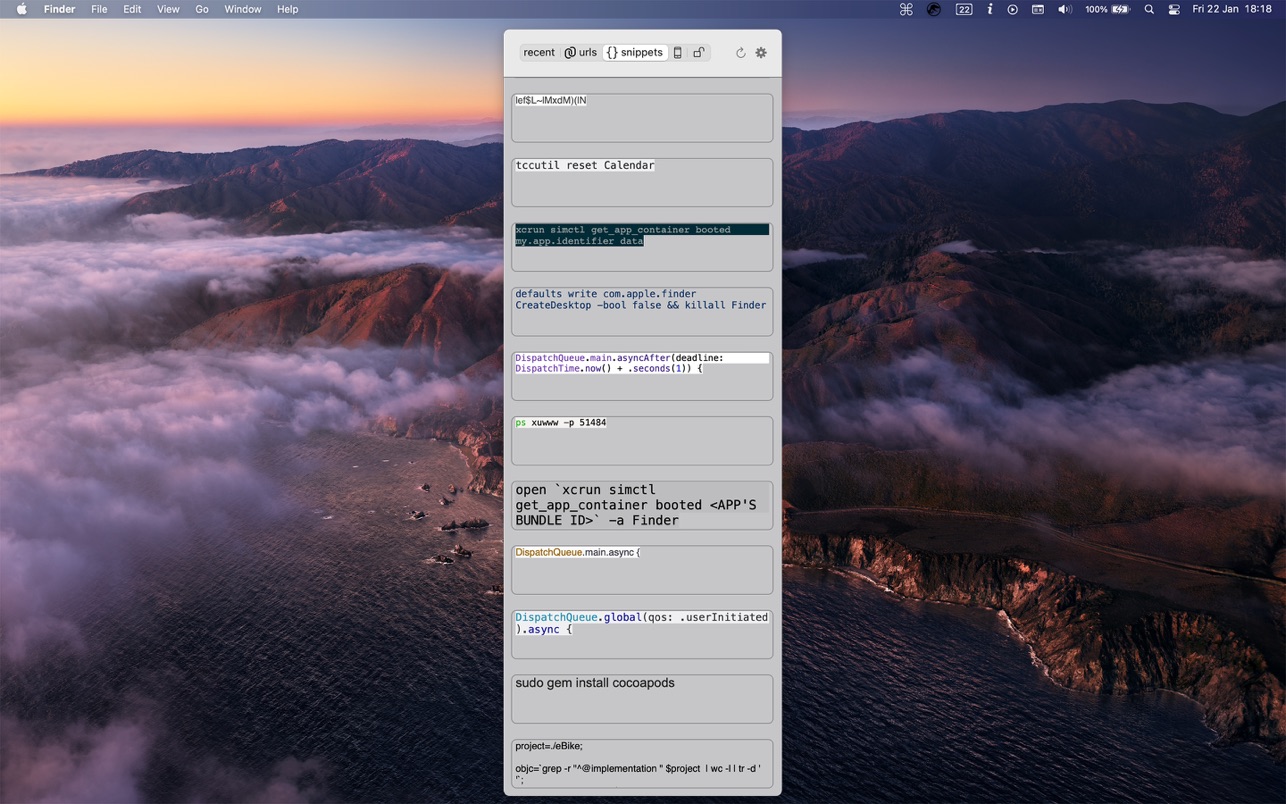
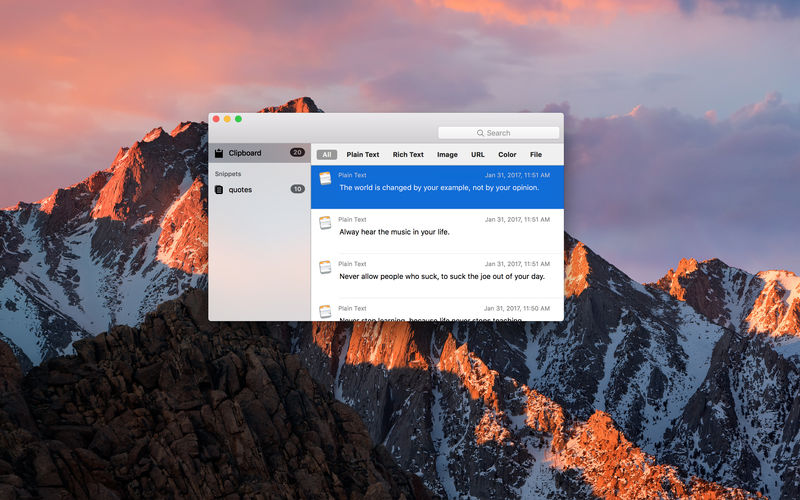
cmd c is the clipboard manager for programmers, designed by programmers with a focus on the clean interface and easy to use, low cpu and low memory.
HOW IT WORKS:
1. Hit ‘alt+v’ to show the clipboards history
2. Chose the item you want from the list by selecting it with the mouse or with arrow keys
3. Pasting is done automatically to active app (if you install the applescript from here). if not, the items are only copied to clipboard and you must paste it manually with cmd+v.
FEATURES:
— Keeps the original formatting of the copied text
— Links are saved in a separate category. you can open them in browser by clicking the link icon
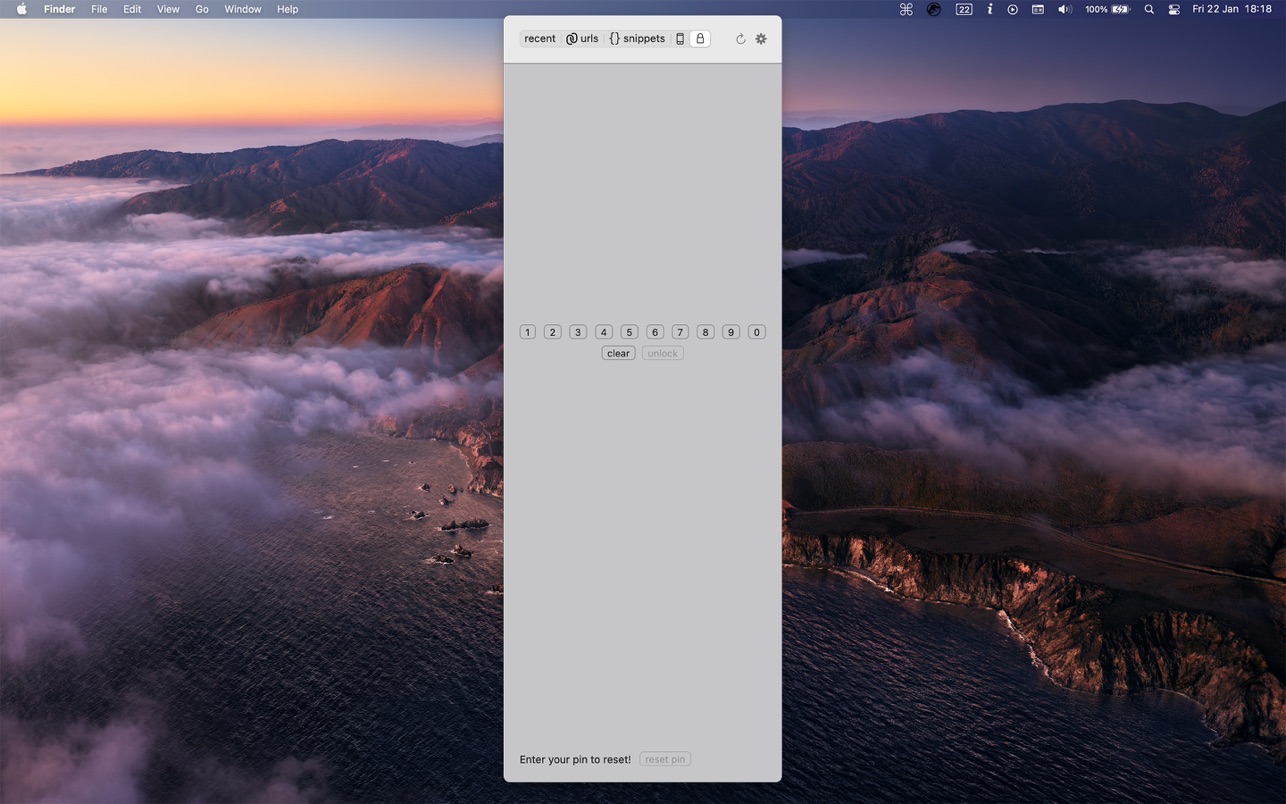
— Includes a protected section by a pin
— Generate secure passwords
— Keeps window in memory for a limited time, if used frequently you’ll notice a performance improvements
— History for up to 30 days but not less than 50 items
— Snippets and protected items remains till you decide to delete them manually
— iCloud sync for snippets, urls, mobile and protected items across all devices
— iOS client
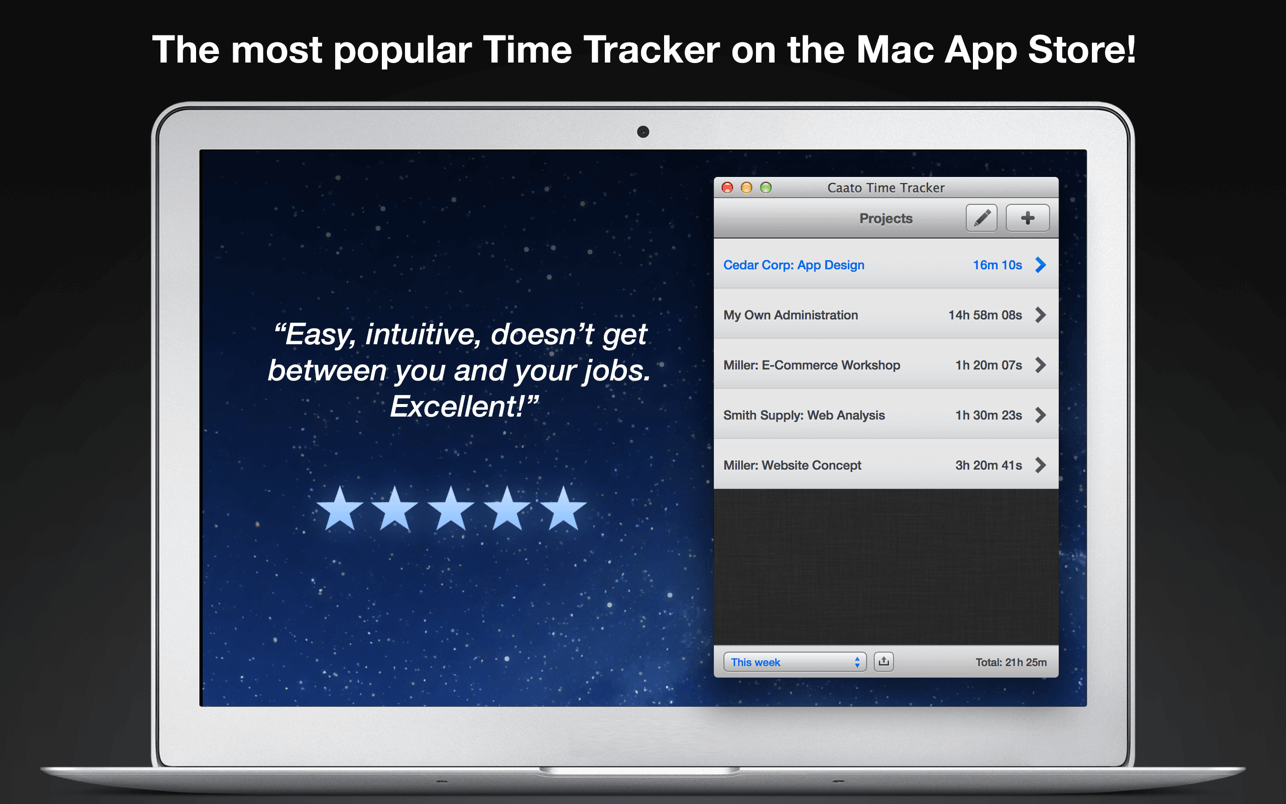
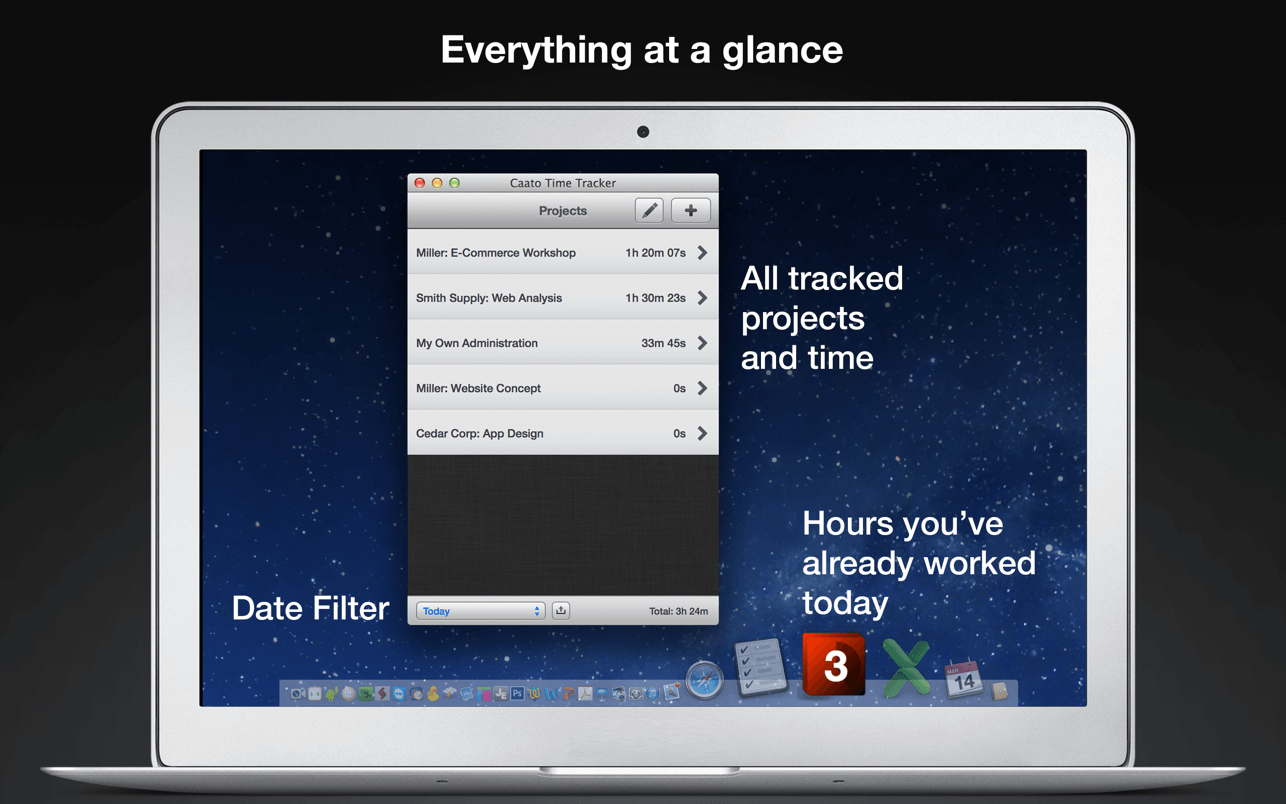
Caato Time Tracker uses a 3-tier hierarchy of projects, tasks, and detailed time entries. You can add, delete or edit entries on every level for maximum flexibility. The CSV-Export enables you to easily build reports with your favorite spreadsheet application.
Features
Start and pause button
Tracks projects, subtasks and detailed time entries including seconds
Tracks multiple projects at once
Allows editing of entries in the past
Shows number of running entries in Dock icon
Clean user interface with complete date labels
Easy CSV-export: exports data in a simple, comma-separated File
Retina-resolution support how you can use Caato Time Tracker
SFTP Commander is a file transfer application with a lightweight but very functional user interface inspired by web browsers. Therefore it has an address bar, ‘back’ and ‘forward’ buttons, and managing bookmarks and browsing history. All you need for using FTP/SFTP on macOS.
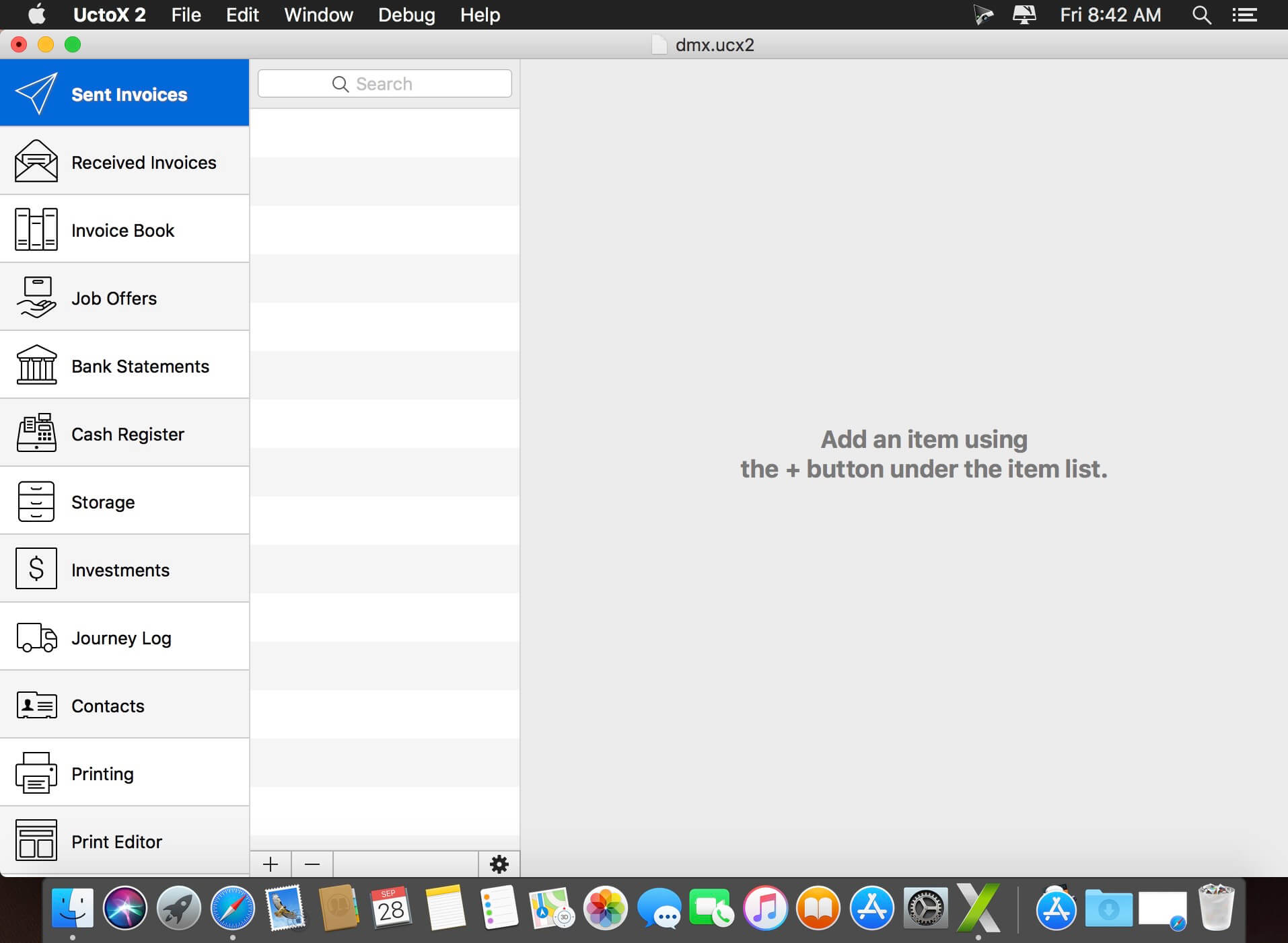
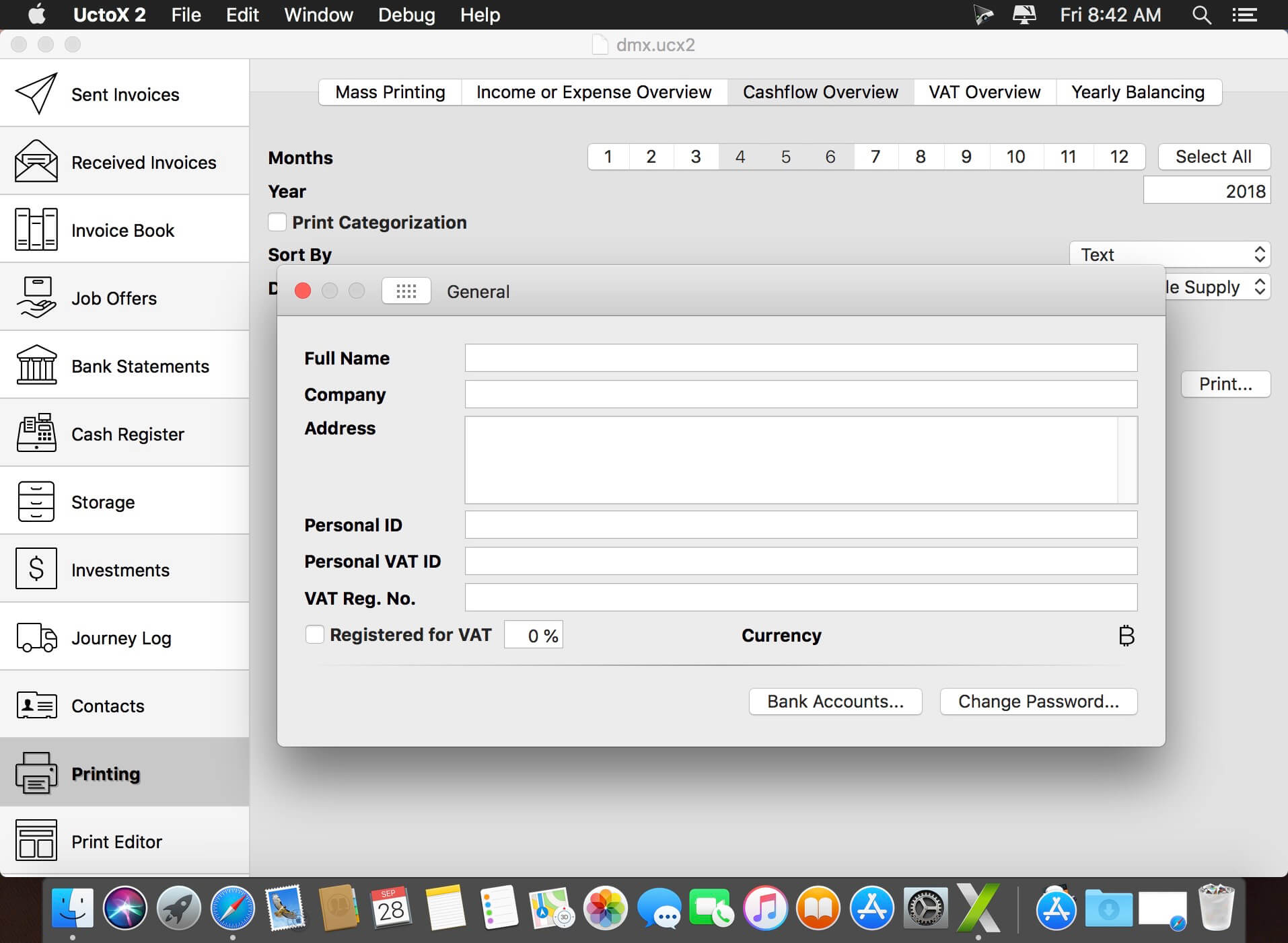
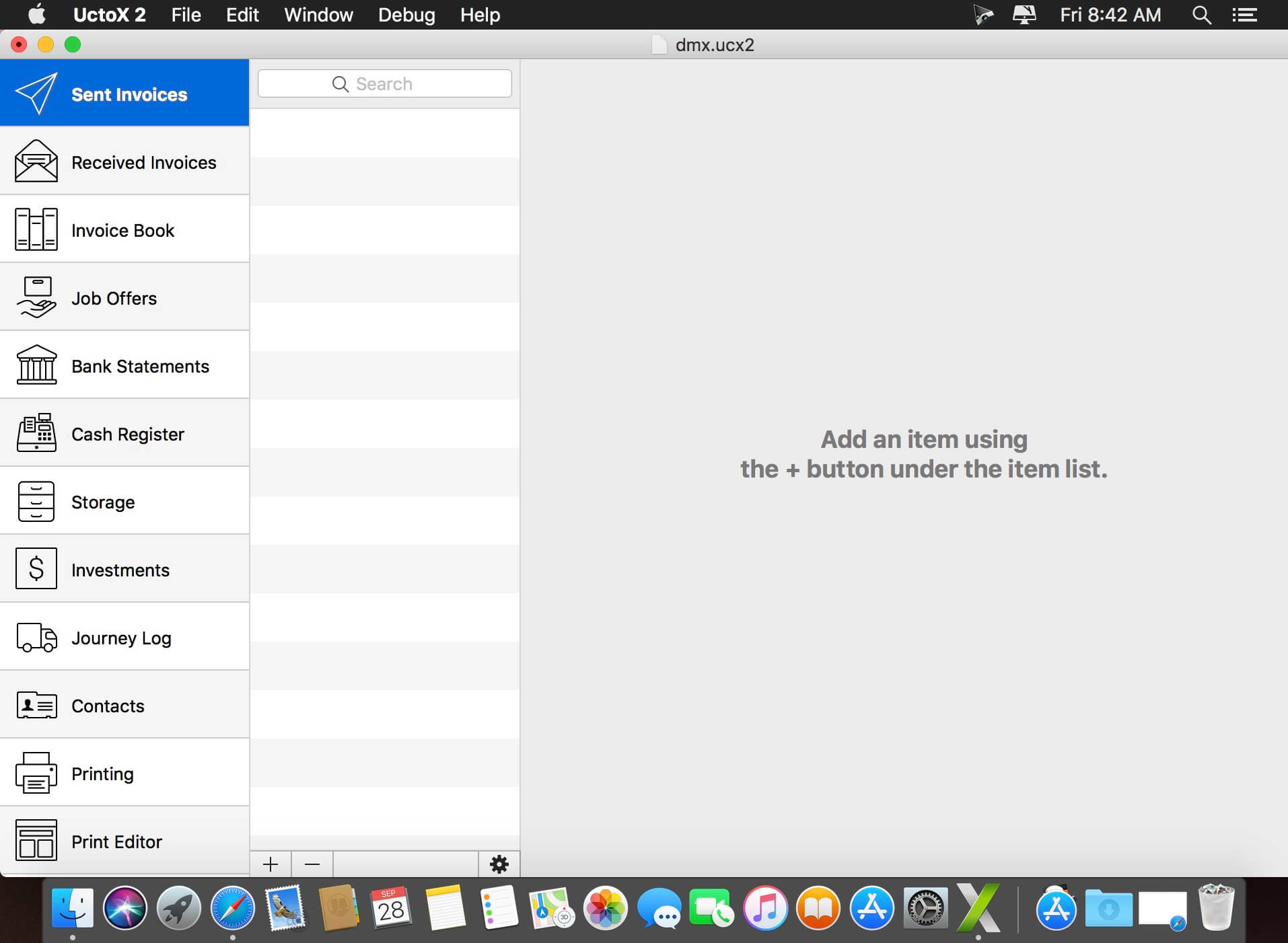
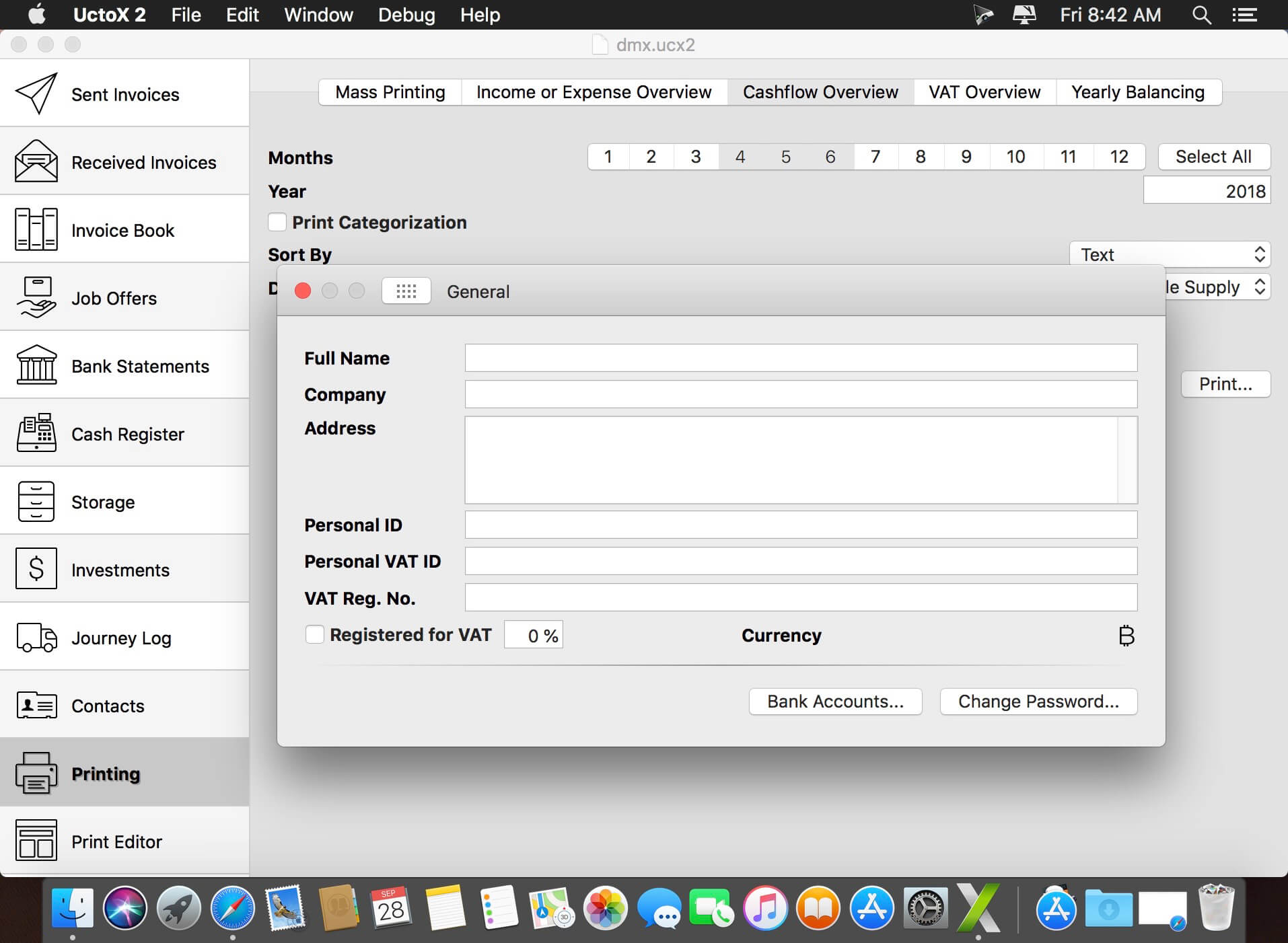
UctoX 2 is a powerful, yet simple-to-use invoicing app – and much more! Unlike other invoicing apps, it also includes features of an accounting app: you can manage your bank statements, cash register, storage, journey log and much more! It comes with 3 built-in print templates, but using the print editor, you can create your own just in a jiffy!
Key Features
Simplicity – UctoX 2 is designed to be used by the user without too much learning. But if you need any help, there’s always a user guide available from the Help menu (macOS) or using the question mark button on main screen (iOS).
iCloud – sync your accounts via iCloud – between all your devices (iOS and macOS).
Customizable – customize the template for printing invoices, bills and other documents just like you’d like.
Give it a whirl! – download a trial version above and try for yourself!
PasteBox is lightweight clipboard and snippet management application, that dramatically increase your daily copy/paste workflow. It preserves copied data from clipboard and allows easy access to those data through shortcut. You can save various clipboard types, from plain text to images.
Through the shortcut key you can invoke a popup menu with saved items, from where you can select item that will be moved to the clipboard or automatically paste.
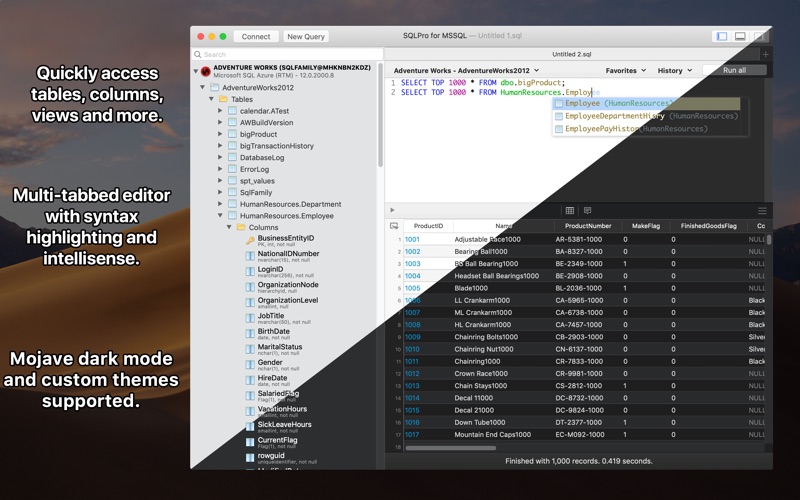
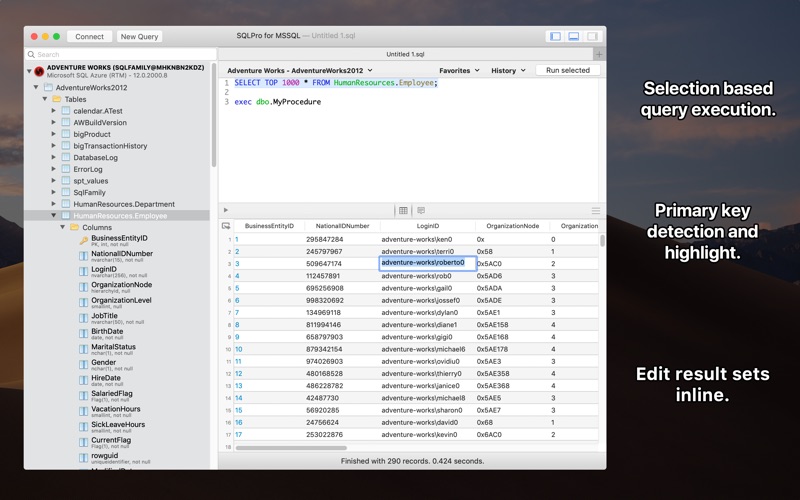
SQLPro for MSSQL (was SQL Client) is a lightweight TDS client, allowing quick and simple access to Microsoft SQL servers (sqlserver), including those hosted in Azure. This client does NOT work with MySQL. Please ensure that your server is a Microsoft SQL server.
Features
Syntax highlighting
Intellisense
Tab-based interface
Support for executing multiple queries at once
Quick access to tables, columns, and more
Stored procedure execution
SQLPro for MSSQL can be used to connect with the following databases:
Microsoft SQL Azure
Microsoft SQL Server 2005
Microsoft SQL Server 2008
Microsoft SQL Server 2008 R2
Microsoft SQL Server 2012
Microsoft SQL Server 2014
Microsoft SQL Server 2016
What’s New:
Version 2022.10:
Release notes were unavailable when this listing was updated.
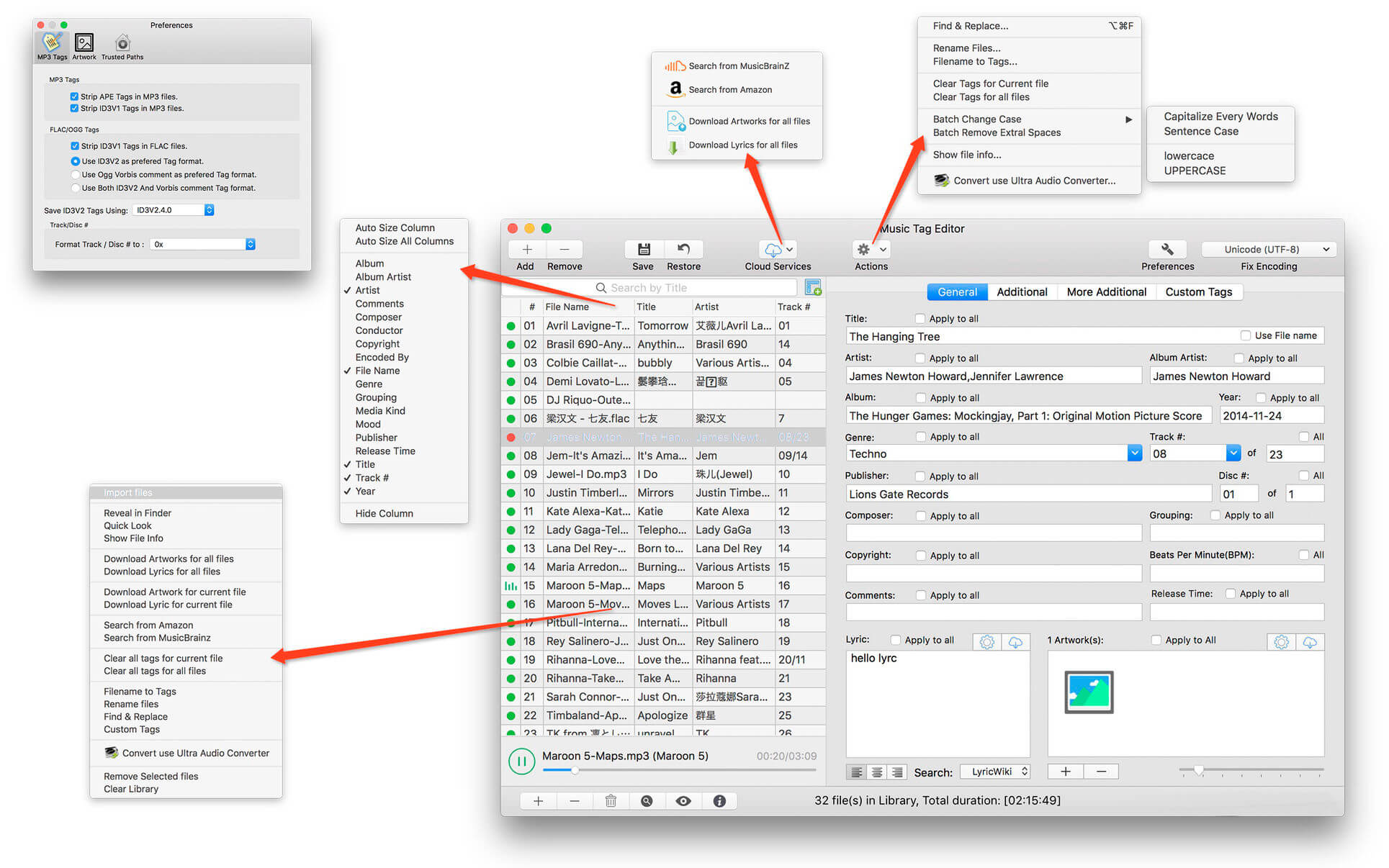
Music Tag Editor Pro can help you to edit your Music Tag info easily and effectively,Batch edit all tags and batch rename with metadata, you can also use it to convert the text encoding of Music Tag, In situations,it can repair the messy code in Music Tags. You also can download the album image for MP3 from internet. Also, you can search tags of music file from Amazon or MusicBrainz cloud services.
In Pro version More additional tags are supported, you can even custom any tags you want!
Support Music formats: MP3, M4A (Apple lossless), MP4, FLAC, APE, AIFF, WAV , Ogg files, asf, mkv, dsf, dsd…
Support ID3V1, ID3V2.3,ID3V2.4, xiphComments, APE Tag, Ogg Vorbis, Ogg Speex, Ogg Flac.
Main features:
support id3v1,id3v2,xiphComments, RIFF Info, APE Tag, Ogg Tags,iTunes tags. Tags:Title,Artist,Album,Genre,Copyright,Comments,Artworks,Lyrics and so on…
lyrics you saved to file can be show correctly in you iPhone or iPod music player.
support batch processing of lots of music files,support iTunes importing.
Online album image download,multi album image supported.
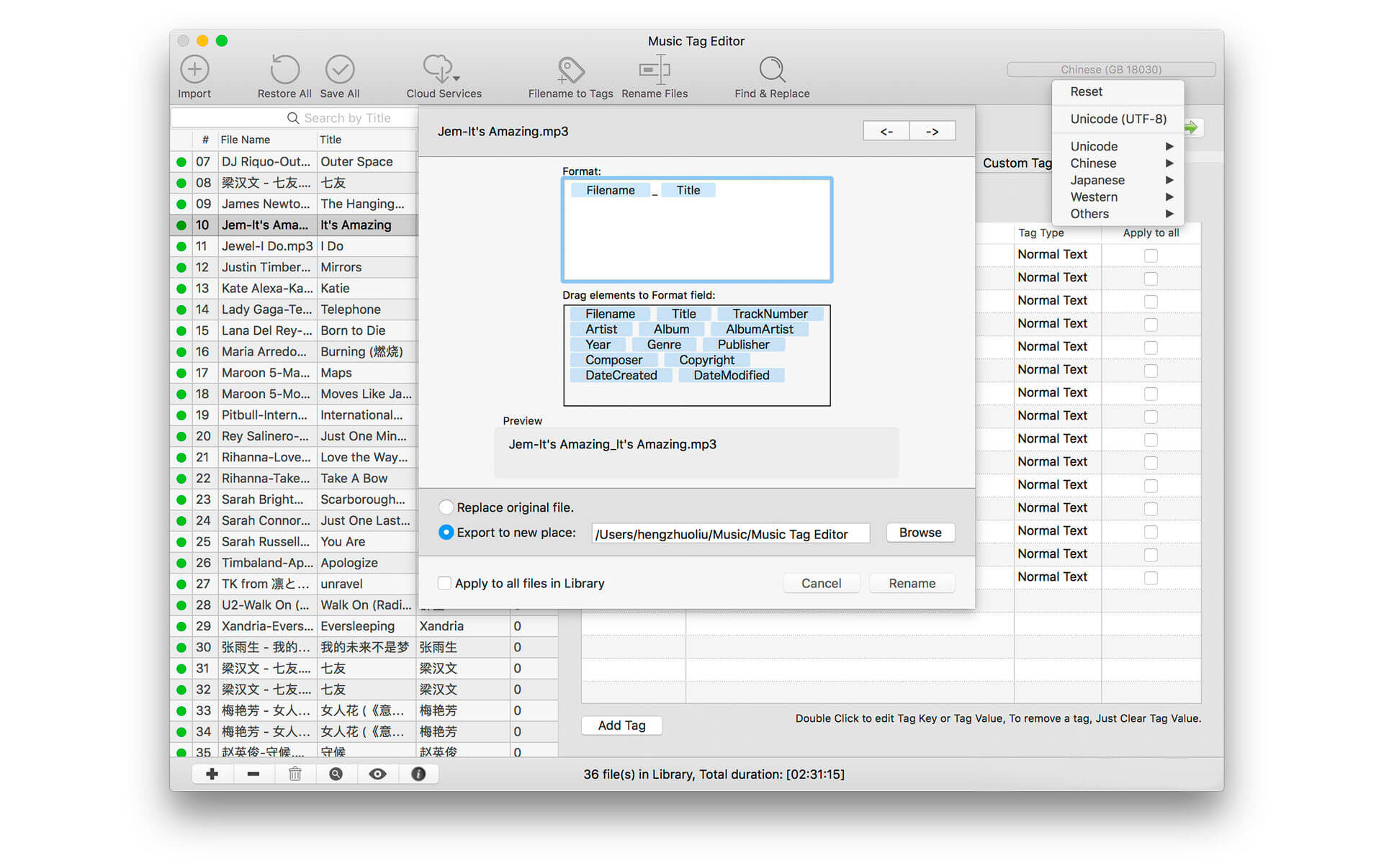
batch rename audio file with metadata
batch convert file name to tags
user can change,convert the tag text encoding easily, it also can repair messy code in situations.
Screaming Frog SEO Spider is a software application that was developed with Java, in order to provide users with a simple means of gathering SEO information about any given site, as well as generate multiple reports and export the information to the HDD.
Clear-cut GUI
The interface you come across might seem a bit cluttered, as it consists of a menu bar and multiple tabbed panes which display various information. However, a comprehensive User Guide and some FAQs are available on the developer’s website, which is going to make sure that both power and novice users can easily find their way around it, without encountering any kind of issues.
View internal and external links, filter and export them
It is possible to analyze a specified URL, and view a list of internal and external links in separate tabs. The first come along with details such as address, type of content, status code, title, meta description, keywords, size, word count, level, hash and external out links, while the latter only reveals info such as address, content, status, level and inlinks.
Both can be filtered according to HTML, javascript, CSS, images, PDF, Flash or other coordinates, while it is possible to export them to a CSV, XLS or XLSX format.
View further details and graphs, and generate reports
In addition to that, you can check the response time of multiple links, view page titles, their occurrences, length and pixel width. It is possible to view huge lists with meta keywords and their length, headers and images.
Graphical representations of certain situations are also available in the main window, along with a folder structure of all SEO elements analyzed, as well as stats pertaining to the depth of the website and average response time.
It is possible to use a proxy server, create a site map and save it to the HDD using an XML extension and generate multiple reports pertaining to crawl overview, redirect chains and canonical errors.
Bottom line
To conclude, Screaming Frog SEO Spider is an efficient piece of software for those which are interested in analyzing their website from a SEO standpoint. The interface requires some getting used to it, the response time is good and we did not come by any errors or bugs.
CPU and memory usage is not particularly high, which means that the computer’s performance is not going to be affected most of the times.
Typeface is a beautiful font manager that helps you pick the perfect font for your designs. Effortlessly organize your library with flexible tags and improve your design workflow by visually browsing through live font previews.
Good typography is one of the most important aspects of design, but finding the font that conveys just the right emotion can be a difficult task—especially if you’re not sure yet what you’re looking for. With a minimal interface and total focus on your fonts Typeface makes choosing fonts fun and easy.
FOCUS ON YOUR FONTS
Perfectly rendered previews
Live customization of preview text & size
Intuitive & minimal UI that doesn’t distract
Light & Dark theme for day and night
IN-DEPTH ORGANIZATION
Easy to use & flexible tagging system (combine, subtract, invert & nest)
Deliver is a complete solution to send files across the Internet and local networks with email notifications. It supports FTP, SFTP, Amazon S3 and other major services, and offers automatic email delivery notifications, compression, delivery to multiple destinations and much more. The notification messages are based on variable templates and contain the download link to your file and other delivery details.
A hot-folder version of Deliver, Deliver Express, is also available.
Features
Supports FTP, SFTP, WebDAV, Google Storage, Amazon S3, AFP, SMB and local destinations
Automatic email notifications
Variable email templates
Download link to file in the email
Send files to multiple destinations at once
Delete files automatically after specified number of days
Automatic zip/dmg compression
Create lo-res PDF and attach to email on the fly
Attach files from specific subfolder to email
Encrypt disk images with passwords
Detailed history of all deliveries
Add e-mails from Contacts
What’s New:
Version 2.7.1:
Release notes were unavailable when this listing was updated
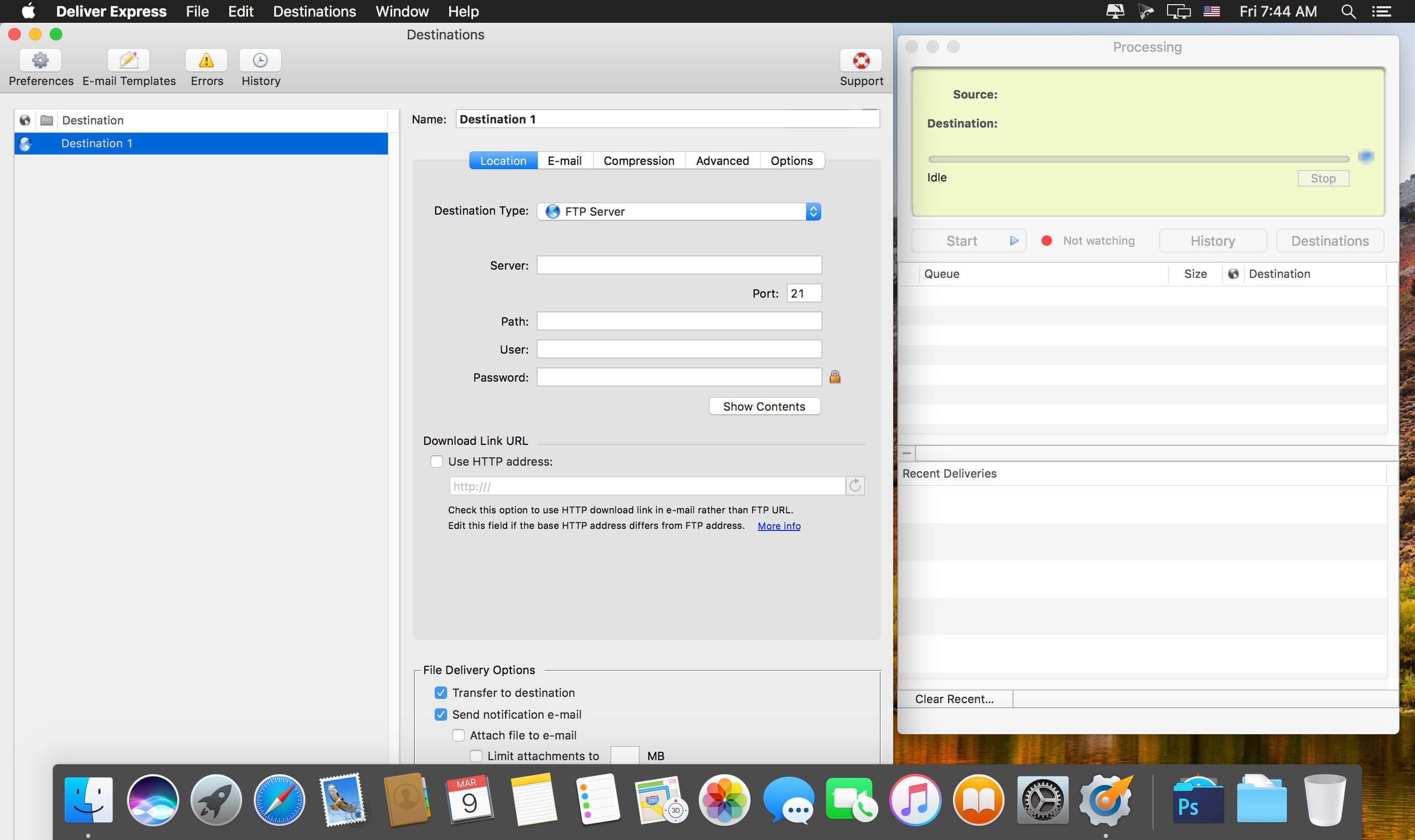
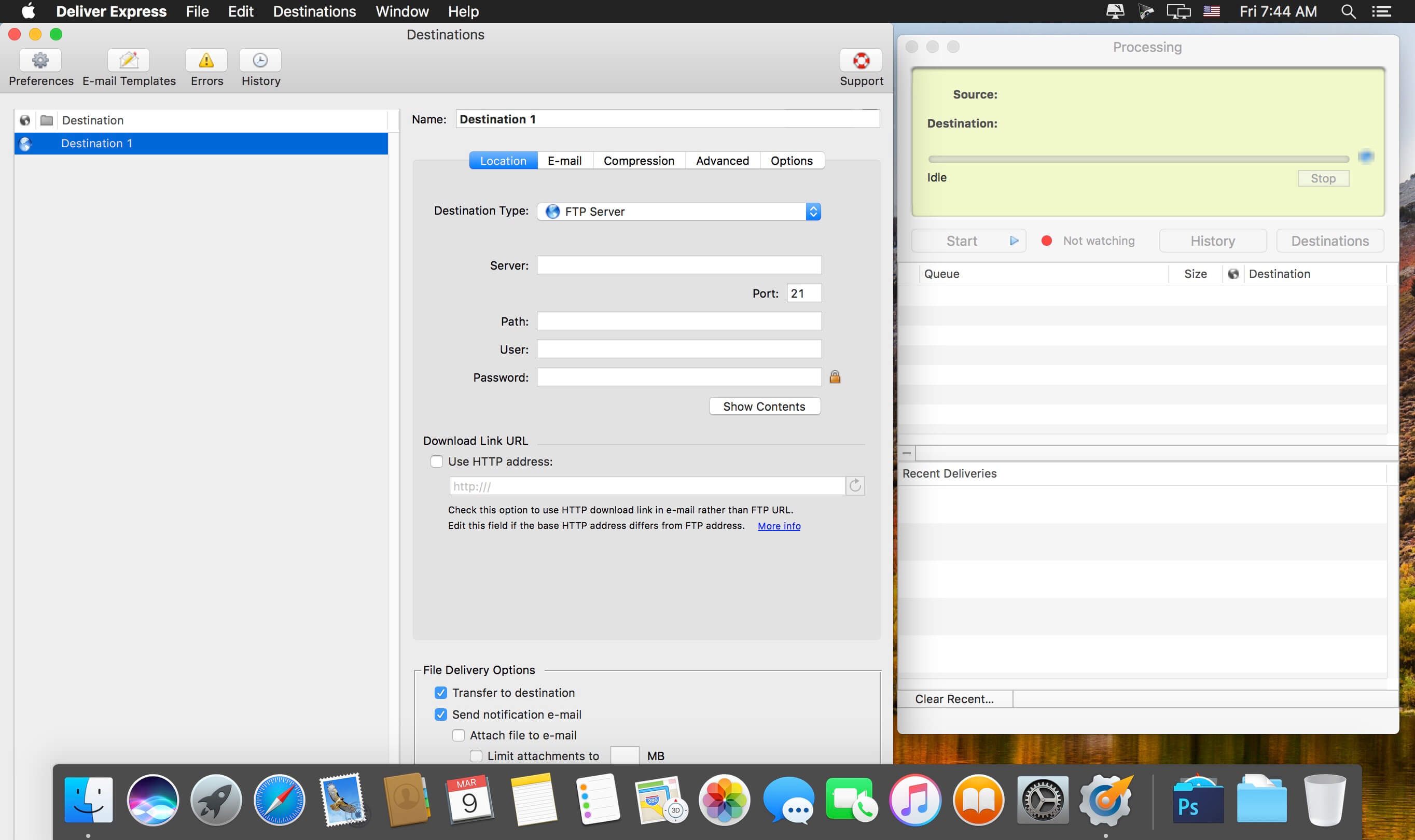
Deliver Express is an automated solution to send and share files easily across the Internet and local networks. Deliver Express processes files automatically from hot folders and offers automatic e-mail notifications, multi-destination transfer, detailed delivery history and much more.
As a company-wide solution, it can process deliveries absolutely unattended on a dedicated station serving an entire workgroup. It’s an ideal solution for ad agencies, audio and video recording studios, publications and others. The program supports FTP, SFTP, WebDAV, Amazon S3, Google Storage, AFP, SMB and local destinations.
Features
Automate delivery to remote and local servers from watch hot folders.
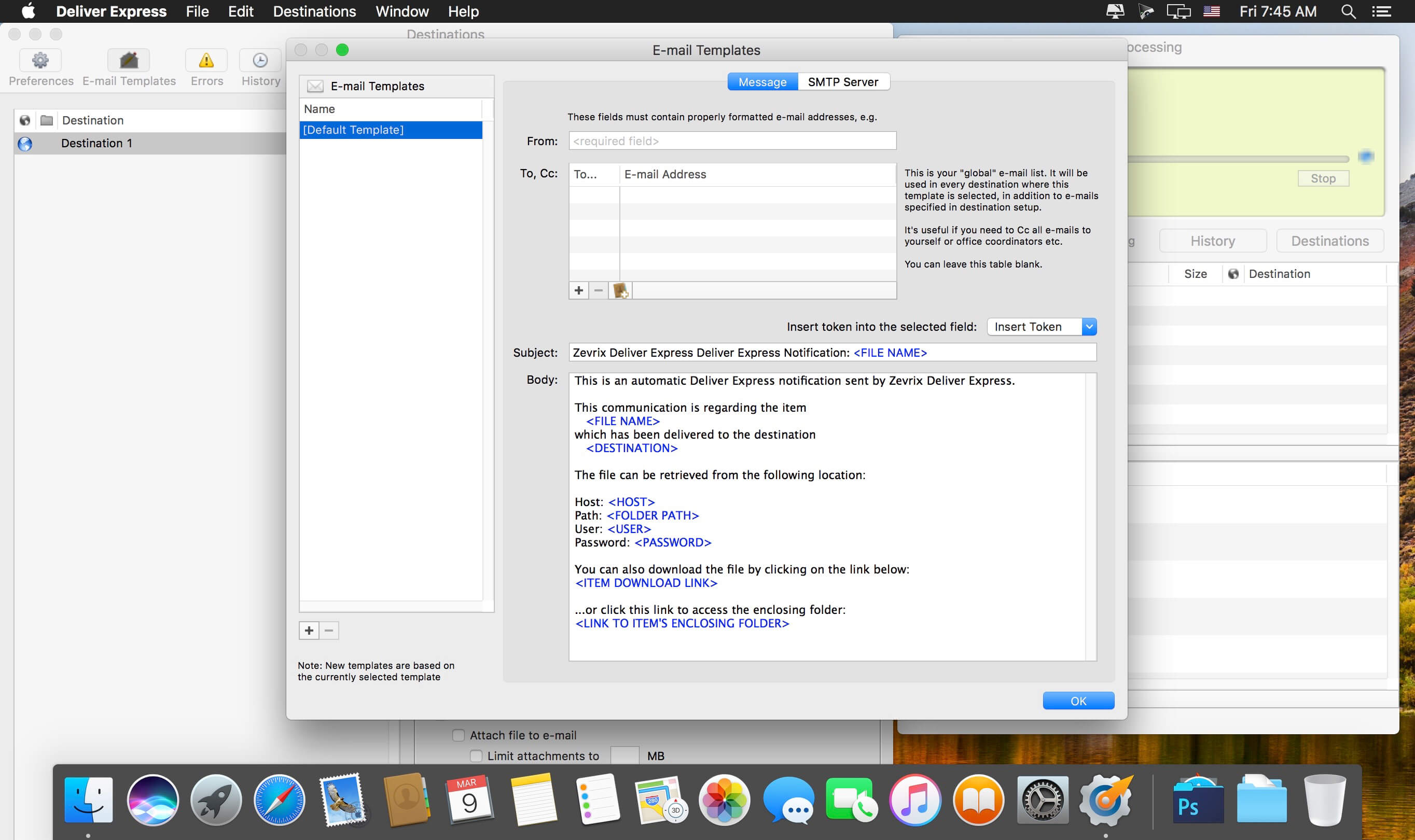
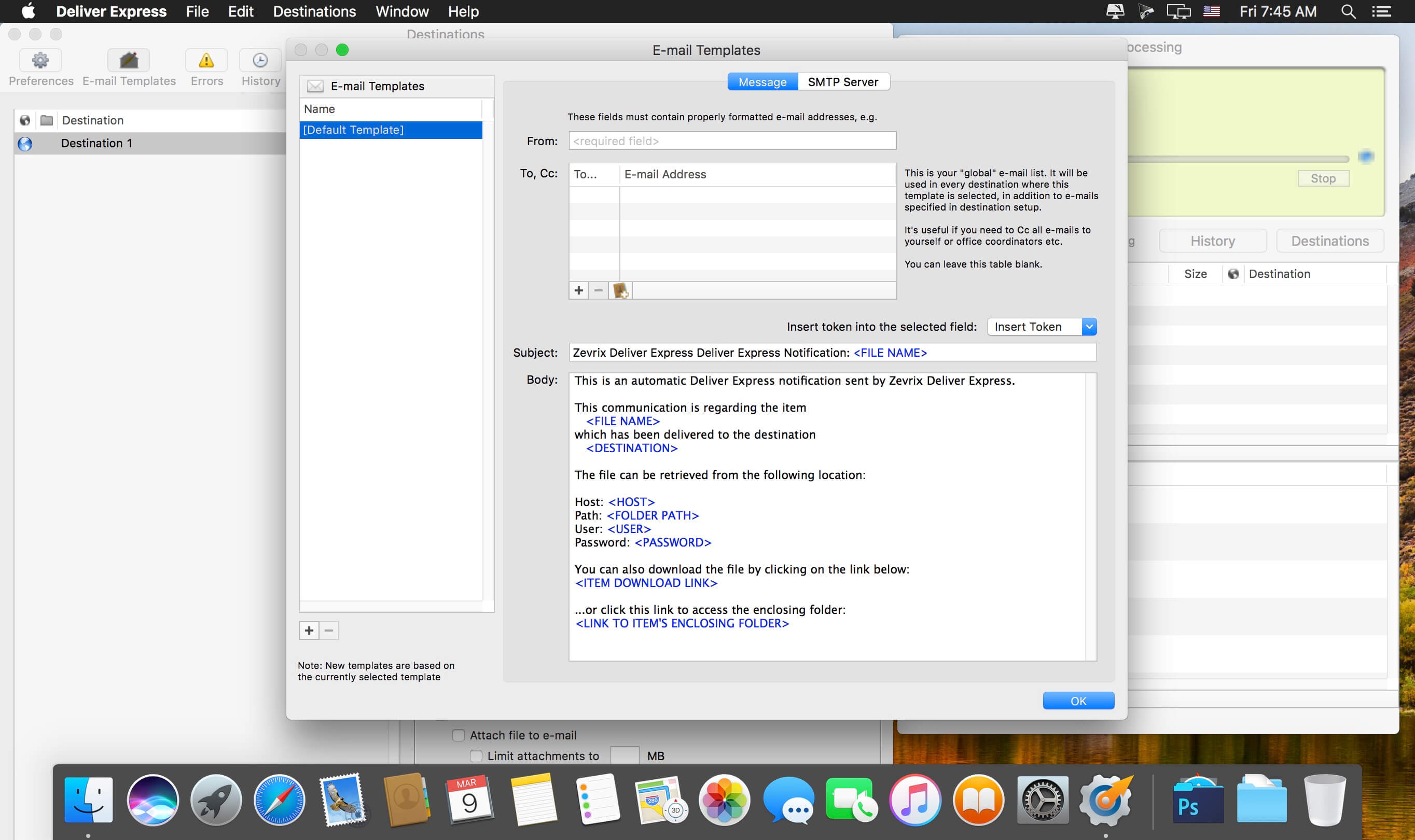
Automatic e-mail notifications.
Variable e-mail templates.
Automatic .zip/.dmg compression.
Create lo-res PDF and attach to e-mail.
Attach files from specific subfolder to e-mail.
Encrypt disk images with passwords.
Detailed history of all deliveries.
Add e-mails from Address Book.
What’s New:
Version 2.7.1:
Release notes were unavailable when this listing was updated.
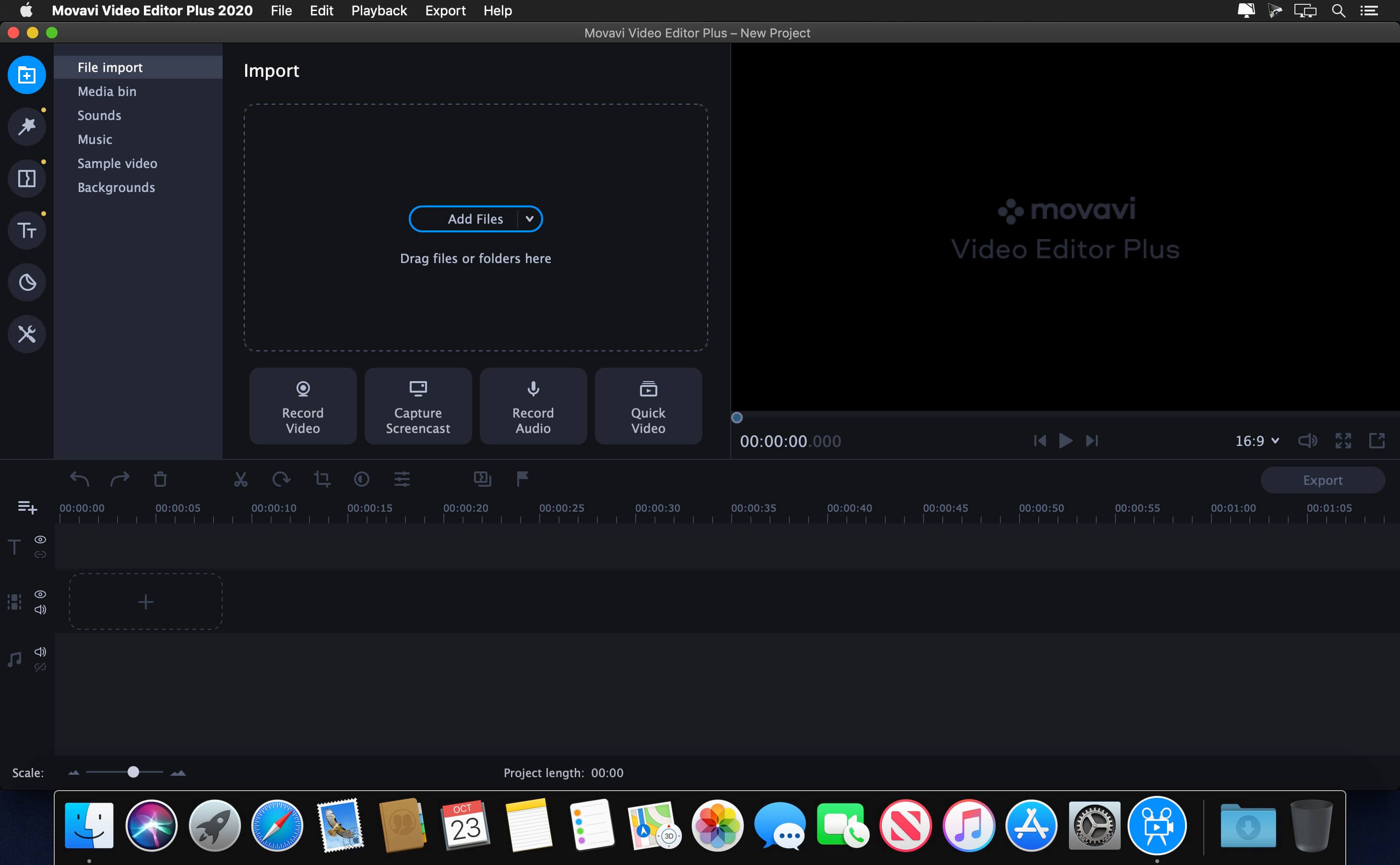
If your inner filmmaker craves more video editing tools, Movavi Video Editor Plus for Mac is just what you need. The program includes all the functionality of our standard Video Editor, PLUS some exciting extra features like object animation. Try it out now!
Essential video editing
Filters, transitions, titles, effects
Montage Wizard
Keyframe animation of titles, overlay video, etc.
New sample video
New built-in music
Stickers
What’s New:
Brand New Design
We’ve improved the entire program’s interface and given it a sleek new look and color palette. Now it’s a real pleasure to click those buttons, switch between tabs and menus. Just try it.
Media Bin
Managing your files becomes easier than ever. Now when you add videos or images, they will be stored in your media bin right within the program. The quick access lets you preview, filter and add your files to the timeline at any time.
New Built-in Effects
You can never have too many special effects. Enjoy the new glitchy and retro filters. Join scenes in a classy way with parallax transitions.
Filmstrip
Navigating through your videos is also easier. When you add a video to the program, you’ll see it frame by frame on the timeline. This is useful when you need to cut or trim your videos or apply effects at a specific point.
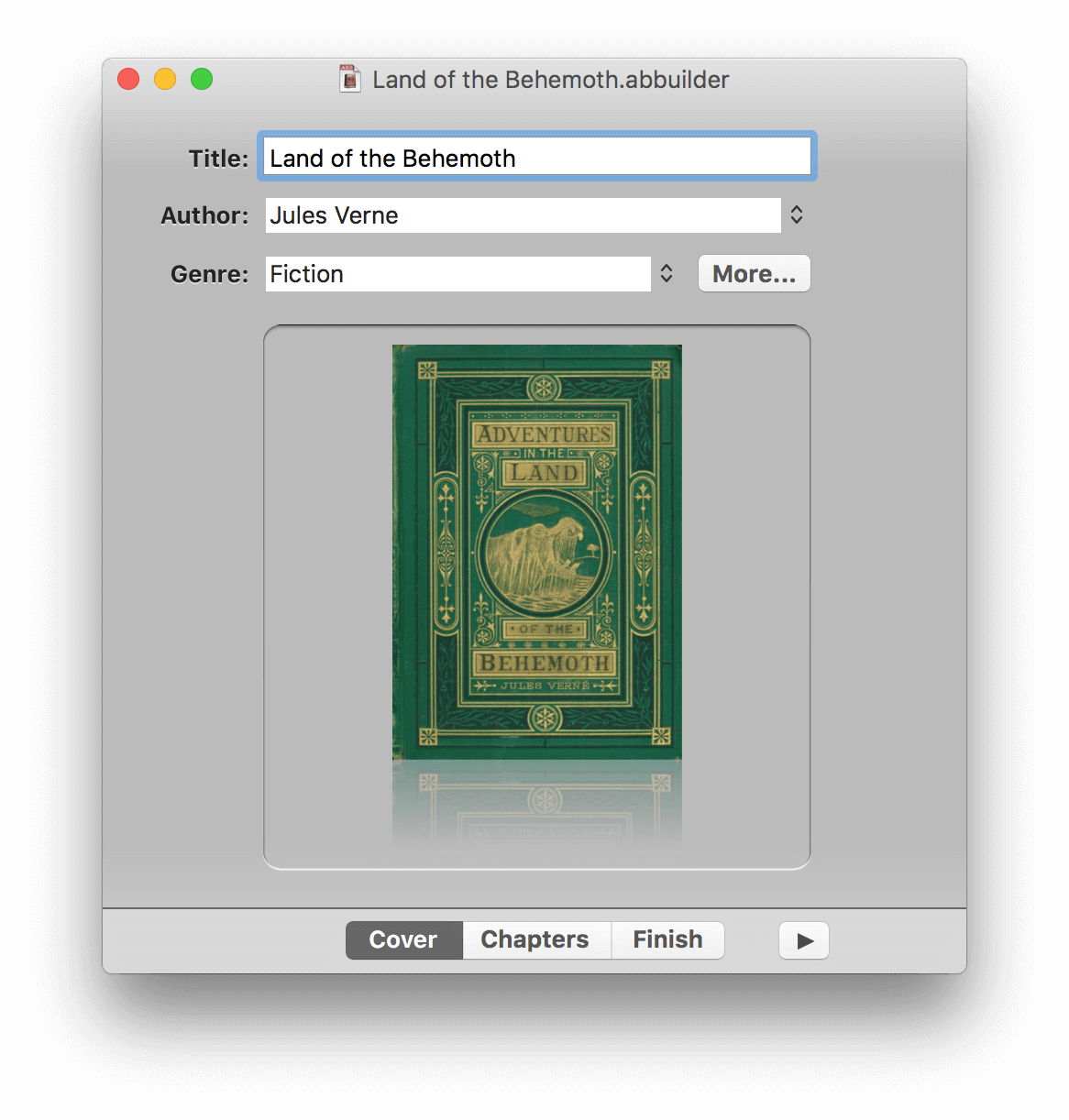
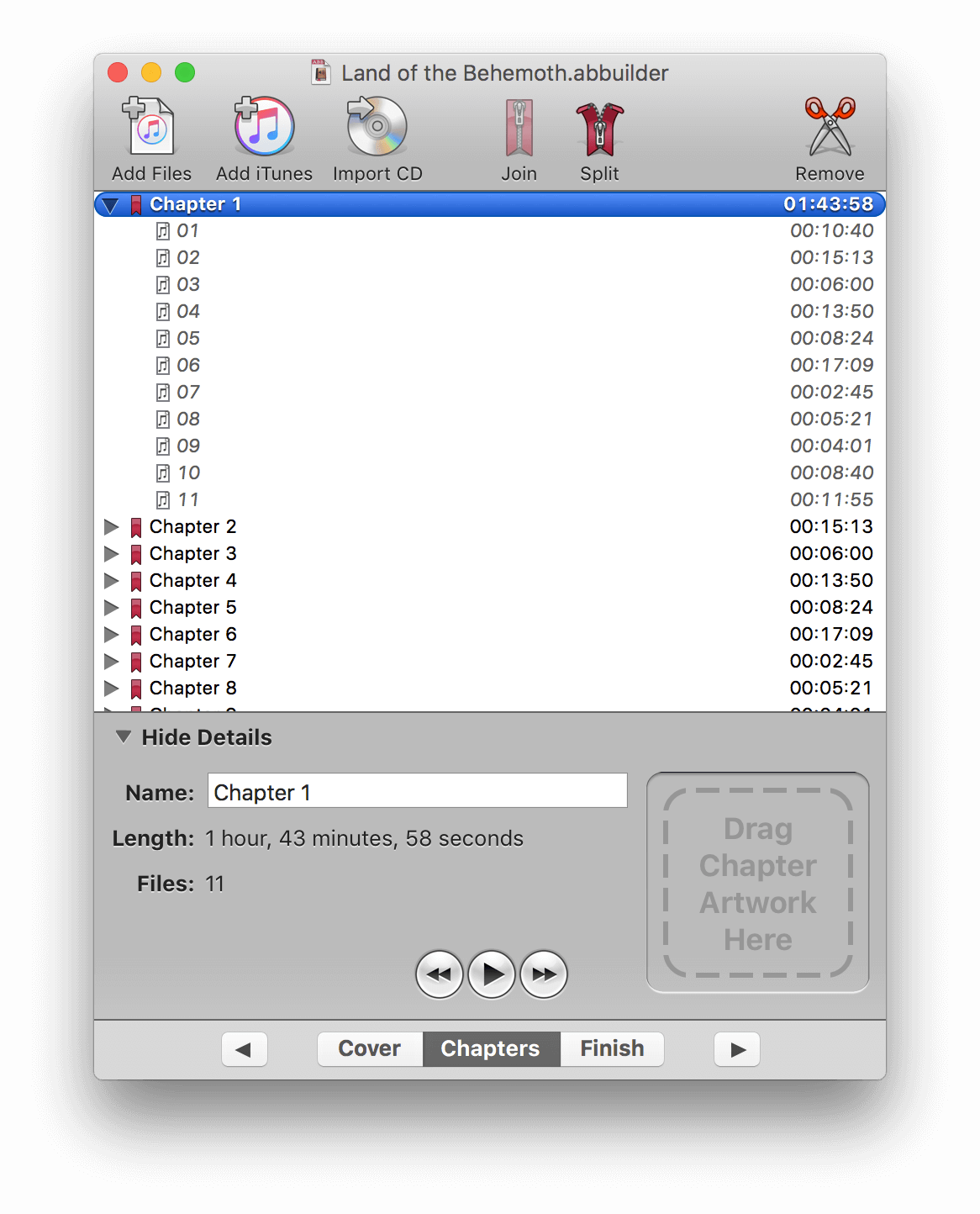
Audiobook Builder makes it easy to turn your audio CDs, MP3s, M4As, and other audio files into audiobooks for your iPhone, iPod or iPad. Join audio, create enhanced chapter stops, adjust quality settings and let Audiobook Builder handle the rest. When it finishes you get one or a few audiobook tracks in iTunes® instead of hundreds or even thousands of music tracks!
Key Features
Audio file joining: Already ripped your CDs? There’s no need to suffer through it again.
Enhanced chapter stops: Custom artwork you specify will appear in iTunes and on iPods with a color display.
Adjustable quality settings: Start with the included presets, but feel free to customize each project’s audio settings to suit your personal taste.
iTunes integration: Drag and drop straight from iTunes to your Audiobook Builder projects. Audiobook Builder can also send its output directly to a special playlist in iTunes.
Quite a memory: Each Audiobook Builder project’s audio data is contained in the project document file, so you are free to start a project now, take a break and return to finish your project later. You can even move projects between Macs, if necessary.
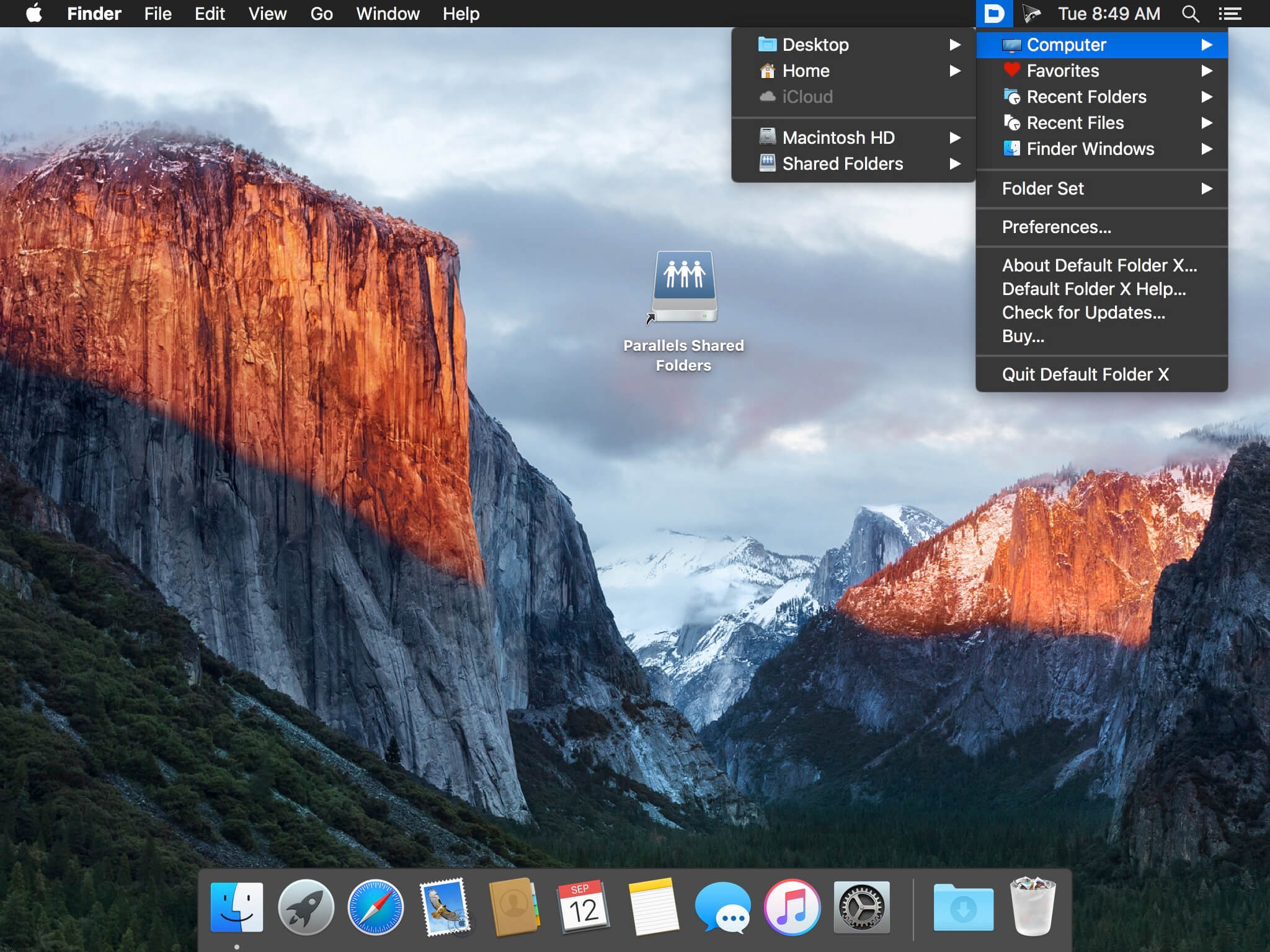
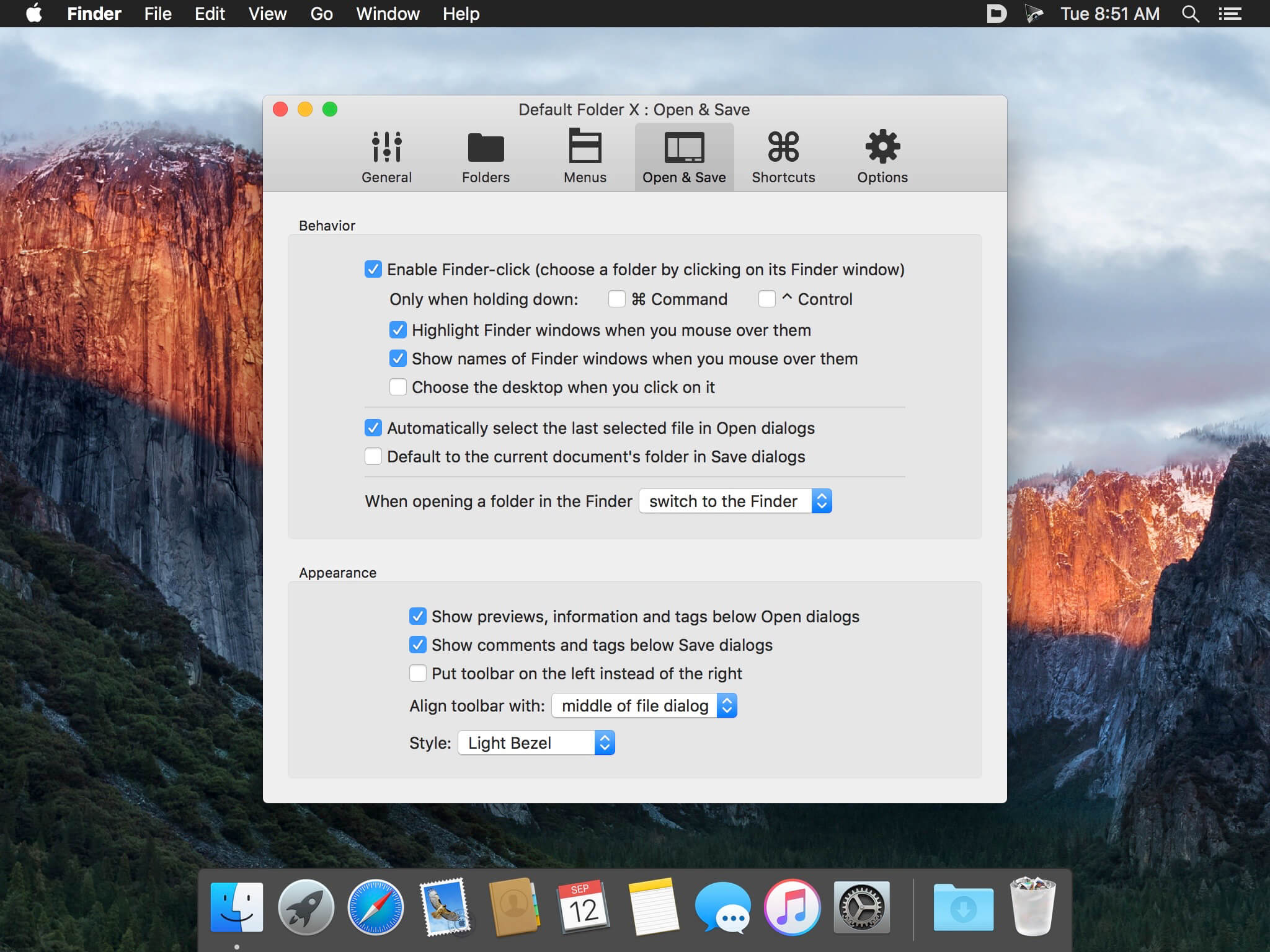
Default Folder X attaches a toolbar to the right side of the Open and Save dialogs in any macOS-native application. The toolbar gives you fast access to various folders and commands. You just click on the buttons to go to your favorite and recently used folders, manage the folders and files shown in the list, and make changes to your settings. It also fixes a number of problems in Open and Save dialogs, “rebounding” to the last selected file, putting the path listing back in the top menu, and correcting bugs in scrolling column views.
Features
Directory assistant: You can access the contents of your recent, favorite, and open folders right from Default Folder X’s toolbar.
Real time saving: If you’re constantly saving things inside the same folder, Default Folder X can remember that folder for you.
Finder management: Default Folder X lets you open up or save to any Finder window with a single click.
Instant Recall: To help you quickly return to folders you’ve recently used, Default Folder X remembers them for you.
Spotlight on the spot: Default Folder X lets you add Spotlight keywords, OpenMeta tags, and Finder labels on the spot, while you’re still in the Save dialog.
Information central: With Default Folder X you get previews below every Open dialog, expanded to fill the available space. Need to see more detail? Click on the image and it zooms up to full size.
Workflow without work: Rather than make you learn and set up a new application, Default Folder X blends into OS X.
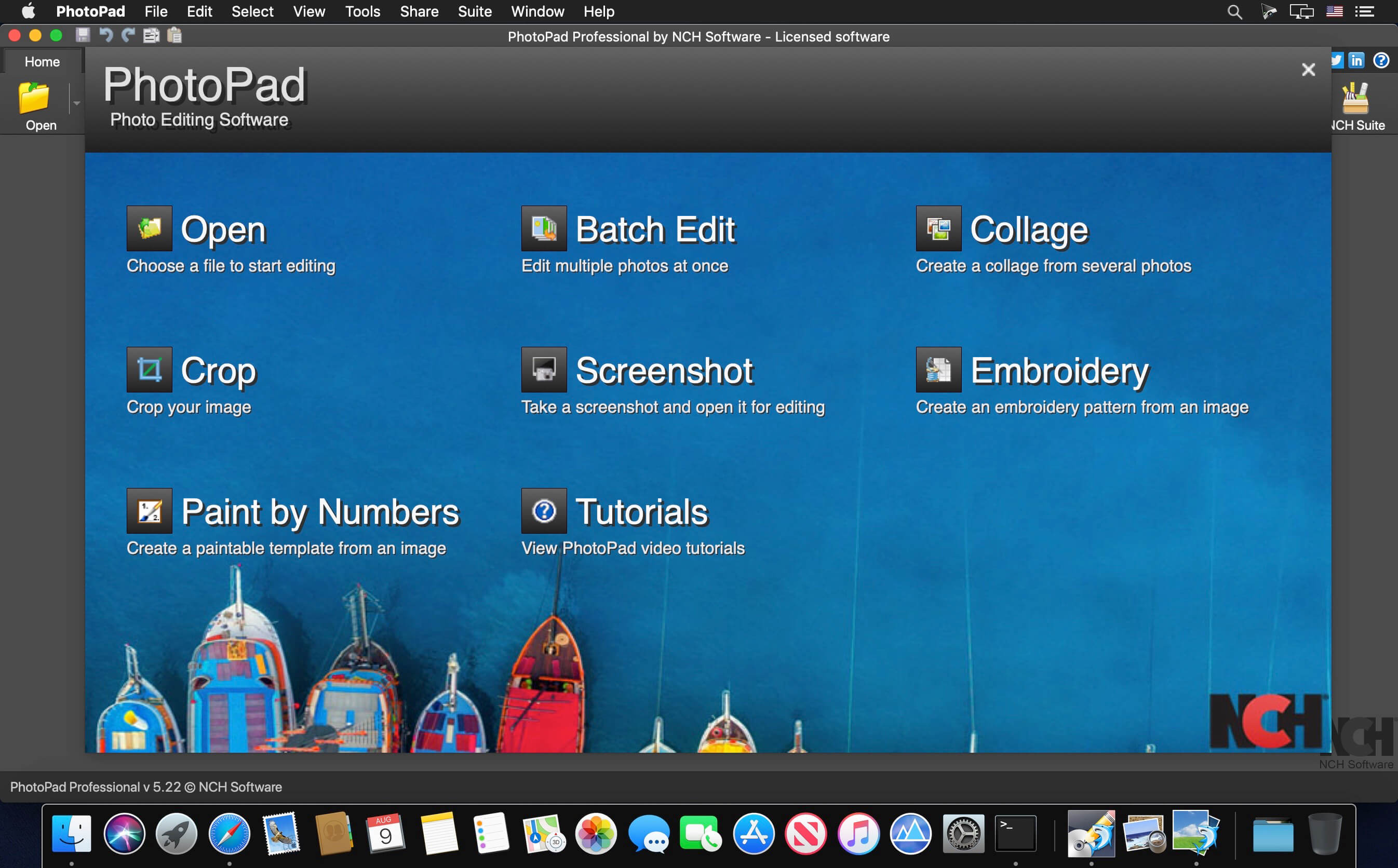
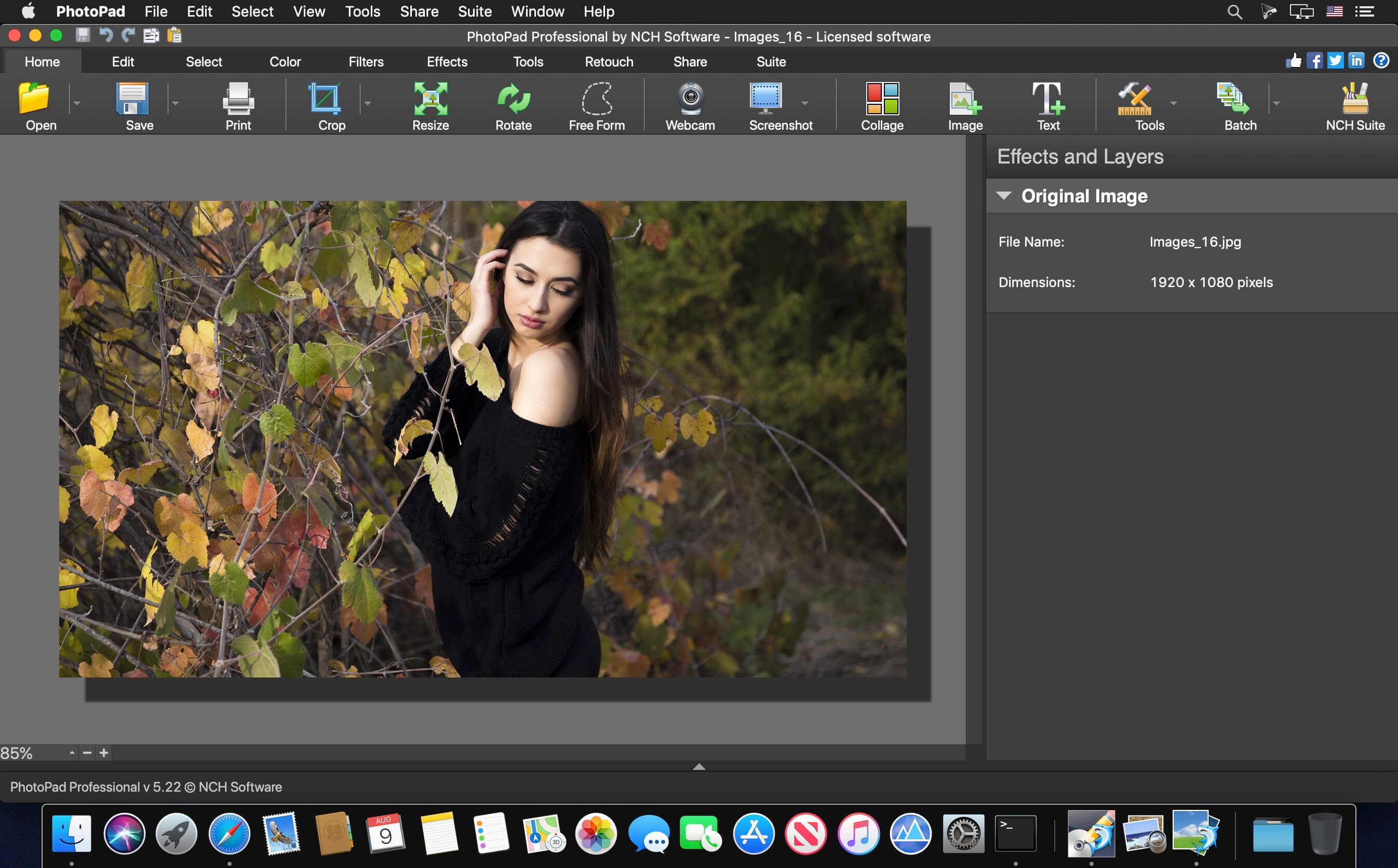
PhotoPad is designed to be ready to open and edit your photos quickly. Whether you’re a professional photographer or just want to edit your personal photos, PhotoPad offers the powerful tools and features you need to improve your digital images.
PhotoPad picture editor is the fastest and most fun way to edit your digital photos.
PhotoPad picture editor is the fastest and most fun way to edit your digital photos.
Easily edit digital photos and other pictures
Supports all popular image formats
Crop, rotate, resize and flip photos fast
Photo Editing Features
Crop, rotate, resize and flip pictures
Touch up photos to remove red-eye and blemishes
Improve photo quality and focus with blur, sharpening and noise reduction tools
Adjust the color balance, exposure, levels, brightness, contrast and more
Merge multiple exposures to create stunning HDR photographs
Load jpg, gif, png and other popular image formats
Change the aspect ratio of an image without distorting key features using the liquid resize effect
Easily undo, re-order and edit existing effects on the layers list using non-destructive editing
Get Creative with Photo Editing
Apply photo effects, including oil paint, cartoon, vignette, sepia and many more
Create collages and photo mosaics with your photographs
Use preset filters to easily enhance your photosConvert your photo to cross stitch patterns, paint by numbers or add an oil painting effect
Add text and captions to photos to post online, add to photo books or to create a new viral meme
Insert clipart from the included clipart library
Add frames and borders around your photographs
Upload edited pictures directly to Facebook or Flickr
Resize and Crop
Use the crop tool to make a rectangular photo square or to focus on one portion of your photograph. It’s also easy to resize your photo for the web or for print using the resize tool.
Regional Effects
Regional Effects is a powerful tool which gives you the ability to apply effects and filters to selected portions of your photo. Select a part of your image and apply an effect or use the paint brush to paint an effect onto part of your picture.
What’s New:
Version 9.01:
Release notes were unavailable when this listing was updated.
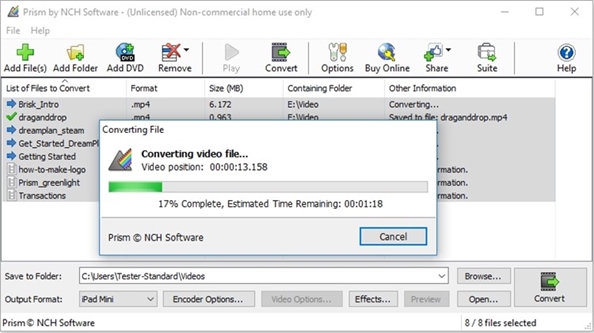
Prism is the most stable and comprehensive multi-format video converter available and is very easy to use. Convert or compress video files within minutes. Universal video converter supporting all popular formats. Batch video conversion to convert thousands of videos.
Adjust Video Settings Easily
Prism lets you set compression/encoder rates, resolution and frame rate of output files. Prism supports everything from HD to high compression for smaller files. You can even set a specific size for output files.
Convert Many Video Formats
Prism converts avi, mpg, vob, asf, wmv, mp4
and all video formats that have a DirectShow based codec. If you can play the video file using Windows Media Player, you can convert it using Prism. Video formats supported by Prism.
Preview Before Converting Videos
Preview original videos and what the video output results will be before converting to ensure effect settings including video rotation and captions are set up correctly.
Direct DVD Converting
Convert from DVDs by simply adding the DVD, selecting the format and clicking convert.
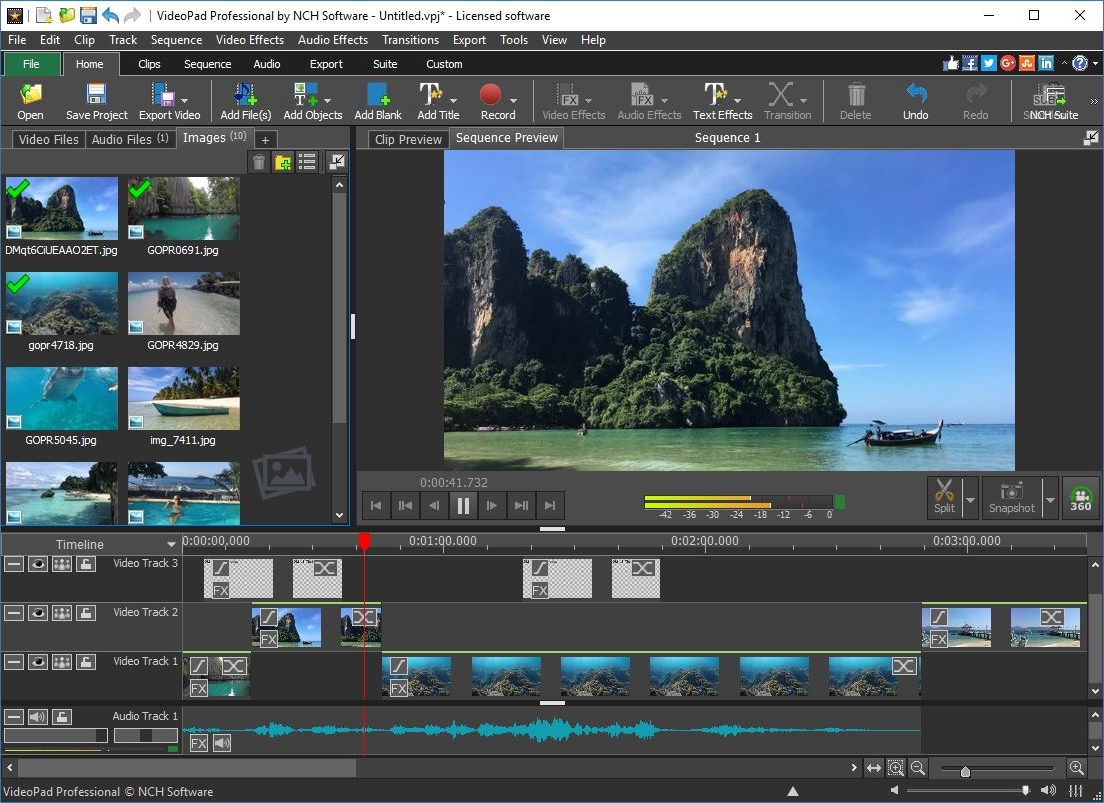
VideoPad is a powerful movie-editing software for OS X. It allows you to create and edit videos of many formats including .avi, .wmv, .3gp, .wmv, .divx as well as several others. Try VideoPad for free to create a professional quality movie by combining several video clips or even working with just one.
Designed to be intuitive, VideoPad is a fully featured video editor for creating professional quality videos in minutes.
Drag and drop video clips for easy video editing
Apply effects and transitions, adjust video speed and more
One of the fastest video stream processors on the market
Edit video from any camcorder
Capture video from a DV camcorder, VHS, webcam, or import most any video file format including avi, wmv, mpv and divx.
Full of transitions and visual effects
Over 50 visual and transition effects to add a professional touch to your movies.
Create videos for DVD, HD, YouTube and more
Burn movies to DVD for playback on TV, or as a standalone video file to share online or put on portable devices.
Stunning Video Transitions and Effects
Choose from a wide range of video clip transitions
3D video editing and 2D to 3D stereoscopic conversion
Customize the duration of applied transitions
Overlay text for captions and movie credits
Chroma key green screen video production
Edit movies in your own video studio with easy-to-use transition effects.
Amazing Audio Tools
Import and mix music tracks like a pro
Make your own custom movie soundtrack with
MixPad multi-track mixing software
Record your own narrations with the click of a button
Use sound effects from the free Sound Effect Library
VideoPad mpeg editor and movie maker allows you to mix a soundtrack for your movie
Complete Video Optimization
Fine-tune color and other visual effects
Slow down, speed up or reverse video clip playback
Reduce camera shake with video stabilization
Add photos and digital images to your sequences
Plugin support to add thousands of tools and effects
Optimize AVI or MPEG video files with VideoPad Movie Maker
Share With Family and Friends
Burn to DVD and watch on your TV
Save for YouTube and share online
Save to PSP, iPod, iPhone or 3GP mobile phone
Export movies in multiple resolutions including full HD, 2K and 4K (720p, 1080p, 1440p, 2160p and more)
Supported Input Formats
VideoPad supports just about any video input device including DV based or HDV camcorders.
Import Video – avi, mpeg, wmv, divX, Xvid, mp4, mov, vob, ogm, H.264, RM and more
Import Images – bmp, gif, jpg, png, tif and more
Import Audio – wav, mp3, m4a, mid, flac, aac, wma, au, aiff, ogg, raw, dvf, vox and more
Supported Output Formats
Burn to Disc – DVD, CD, Blu-ray or HD-DVD
Export Video File – avi, wmv, mpg, 3gp, mp4, mov, YouTube, iPod, PSP, Mobile Phone
Upload to YouTube – save your login credentials to upload videos directly to YouTube, Facebook or Flickr from VideoPad
Features
Select from several movie clip transitions
Use text overlays for captions and other in movie text
Preview the effects in real time>> Customize the duration of the effect
Tweak brightness, saturation and color to get exactly the look you want in your movie
Insert images into your movies with one click of the mouse Awesome Sound Editing Features:
Import and mix audio tracks
Use with MixPad to create a movie soundtrack
Record or import audio narration Store And Share Your Movie In Many Formats:
Burn your movies to DVDs and watch them on your television
Save your movies in one of several formats to share them with friends and family through email or your website
What’s New:
Version 11.18:
Release notes were unavailable when this listing was updated.
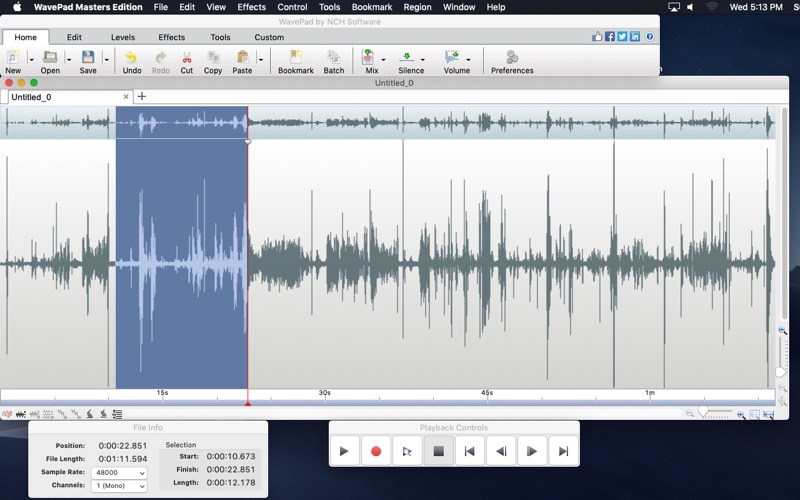
WavePad is a full featured professional audio editor program perfect for any audio project in the sound studio or at home. WavePad offers the ability to easily record and edit music with speed and agility, using insert, silence, auto-trim and more. Take your audio projects to the next level by adding effects, like: amplify, normalize, equalizer, envelope, reverb, echo, and reverse.
WavePad supports a number of formats including vox, gsm, and more! Whether you are a professional or an at-home enthusiast, WavePad has all of the tools you need to edit audio files. Typical applications include ringtones, voice-overs, trim sound bits, and many more!
Features
Sound editing functions include cut, copy, paste, delete, insert, silence, autotrim and more.
Audio effects include, amplify, normalize, equalizer, envelope, reverb, echo, reverse, sample rate conversion and more.
Supports a number of file formats including wav (multiple codecs), mp3, vox, gsm, real audio, au, aif, flac, ogg and many more.
Batch processing supports up to 32000 files allowing you to apply effects and/or convert your files as a single function.
Tools include spectral analysis (FFT) and speech synthesis (text-to-speech).
Many more features.
What’s New
Release notes not available at the time of this post.
Debut is designed to be very easy and intuitive to use, giving you the ability to record essentially anything from capturing video from a webcam, your screen, or video input devices such as a VHS recorder within minutes of downloading.
Video Capture Features
Record videos as avi, wmv, flv, mpg, mp4, mov and more video formats
Capture video from a webcam, network IP camera or video input device (e.g., VHS recorder)
Screen capture software records the entire screen, a single window or any selected portion
Mouse highlighting spotlights the location of the cursor when using screen recorder
Record audio from your microphone and speakers with your video; ideal for recording video conferences and webinars
Laptop camera recording and video capture
Record video alone or video and audio simultaneously
Add your own text captions or time stamp your video
Change color settings and video effects before recording
Adjust the video resolution, size and frame rate for capture
Use video overlay to record your screen and webcam simultaneously
Burn recordings directly to DVD with Express Burn Disc Burner
Time lapse video recording
Create photo snapshots of a video at any time
Edit your recorded video with VideoPad Video Editor Software
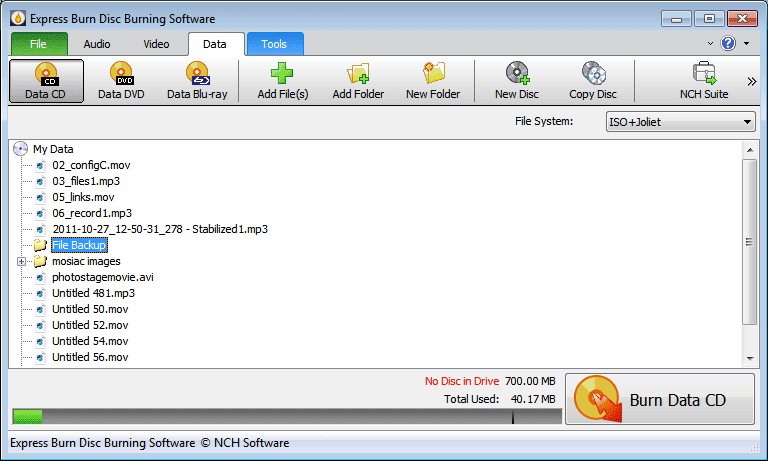
Burn Audio CDs and Data CDs, DVDs or Blu-ray Discs! Free CD burning software to create and record audio and data CDs on Windows or Mac! Express Burn is a free CD burning program that lets you create and record audio and data CDs under Windows or Mac. With Express Burn you can record a data or audio discs quickly and easily by dragging the files you want onto the icon and clicking Burn CD.
The software then does the rest, including converting the files if required. Express Burn is also the fastest CD/DVD writing program in the world using proprietary optimizing systems. But don’t believe us, try it for yourself. Express Burn Plus version includes video DVD burning and the ability to burn data DVD and Blu-Ray discs. It has advanced features like the ability to create and record ISO images and support for many more file formats.
Audio CD Recording
Audio is recorded with direct digital recording so perfect audio quality is maintained
Create MP3 CDs or Audio CDs for traditional CD players
Audio CD burner supports a wide range of audio formats including wav, mp3, wma, ogg, flac and more
Normalize audio volume and customize the pause between tracks when burning audio CDs
Video DVD Authoring and Blu-ray Burning
To play on a DVD or Blu-ray player
Video files are re-encoded for standard movie discs
Video burning supports avi, mpg, vob, wmv, mp4, ogm and all video formats with a DirectShow based codec
Create and manage chapters on DVD and Blu-ray discs
Template menu screens and buttons for DVD authoring
Widescreen or standard formats for video burning
Record video files to PAL or NTSC
Data CD, DVD or Blu-Ray Writing
Perfect for creating backup discs
Burn data discs as ISO/Joliet, UDF or Hybrid
ISO burner will record ISO images to disc
Create ISO files in addition to burning to disc
Burn Blu-ray data and video discs
Advanced Disc Burning Features
Burn to recordable/re-recordable discs (CDR, CDRW)
Copy and burn DVDs and other discs
Command line operation for automation and integration with other programs
What’s New:
Version 11.00:
Release notes were unavailable when this listing was updated.
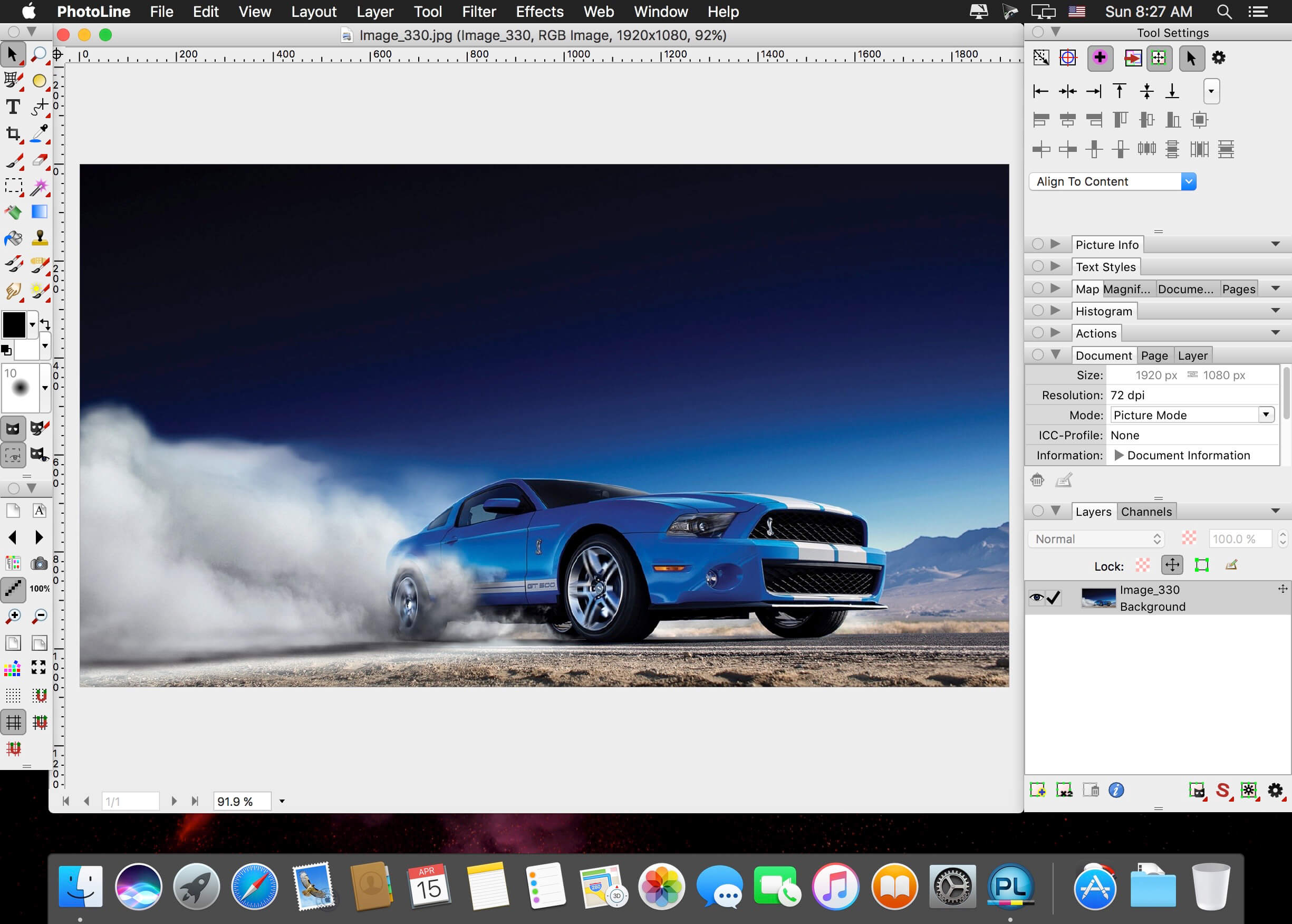
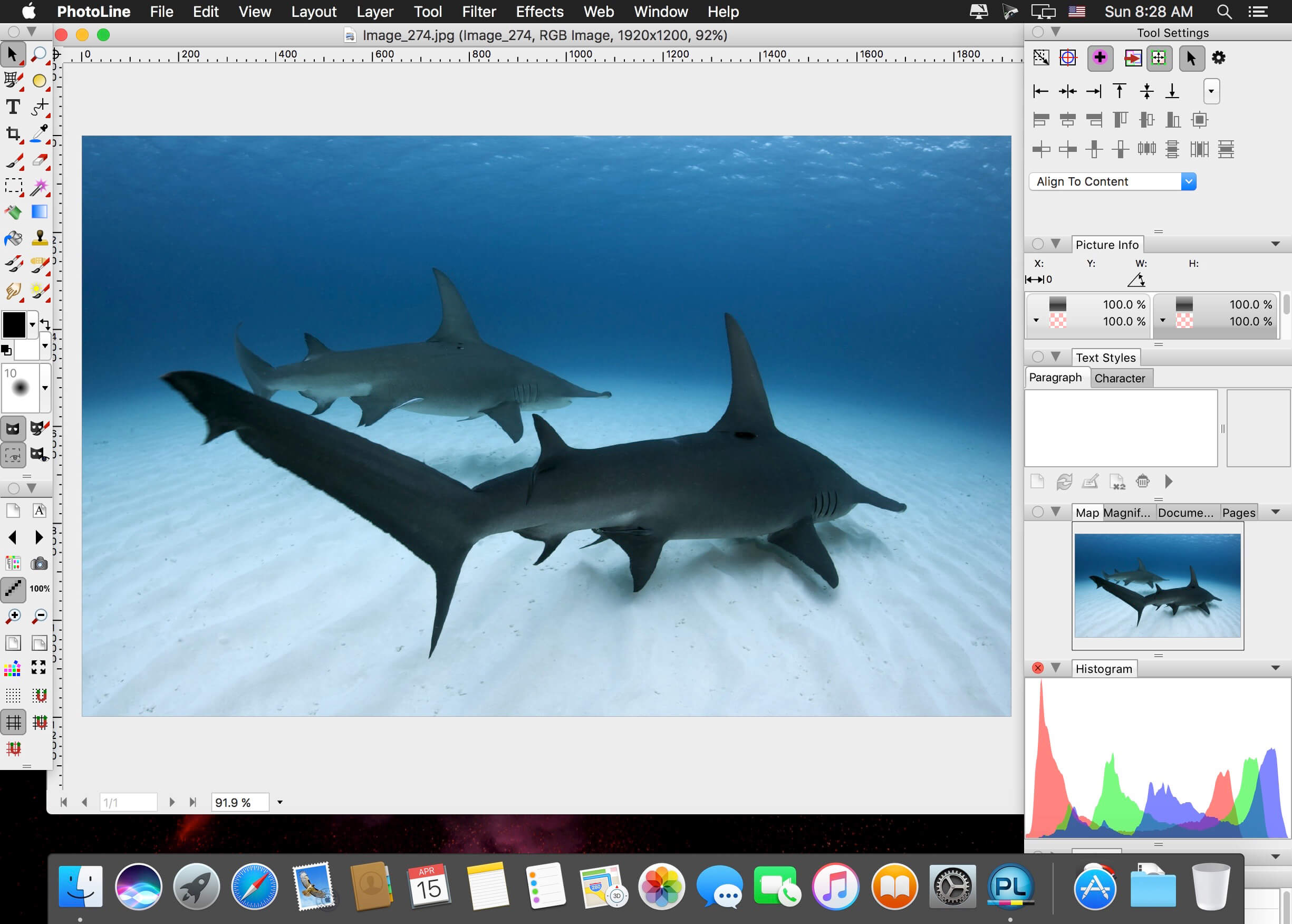
PhotoLine is an image processing utility, image browser, layout program, vector editor, batchconverter and Web editor with a multitude of powerful functions. It is available as 32- or 64-bit application. Imaging functions supported are Lab, CMYK, 16 bit channels, ICC profiles, and raw data profiles for digital cameras.
PhotoLine offers all the tools you need: painting, cloning, filtering, blending and flood fill, special effects like squirl, shadow, glowing, distorb, morphing, 3d projection. Also supports, working layers, clipping layers, dynamic layer effects. EXIF digital camera data and IPTC data are also supported. Multiple undo/redo levels, plugin filters and much more.
Save and read your PDF files with PhotoLine. Create vector graphics, add, remove, move vector points. Convert lines to beziers, fill with pattern, etc.
PhotoLine also has an action recorder. You can record your jobs and use the batch converter to convert them into an animated gif. Do all your work for the Web with PhotoLine. Transparent and animated GIFs, animations, JPEG2000, HD-Photo, Flash format (swf). Create animated buttons, image maps, and more with PhotoLine!
Image Processing
• Up to 32 bit per channel, support of CMYK and Lab
• Color management with ICC profiles
• Lossless imaging
• Process digital photos
• Retouch, correct, …
Browse
• IPTC and EXIF data handling
• Rotate images lossless
• Rename images and create catalogues
• Create HTML galleries
• Add and edit keywords
• Powerful search capabilities
DTP/Layout/Text
• “Real” PDF Import and Export (not just a big image)
• Multipage documents
• Calendar and barcode creation
• Rich text functions
Internet/Animations
• Create Flash and GIF animations
• Web Export
• Tile images, create buttons and image maps
Many more
• Batch conversion
• Create slideshows
• Record actions
• Print multipage documents, flyers and labels
• USB-Stick support
• Multiprocessor support
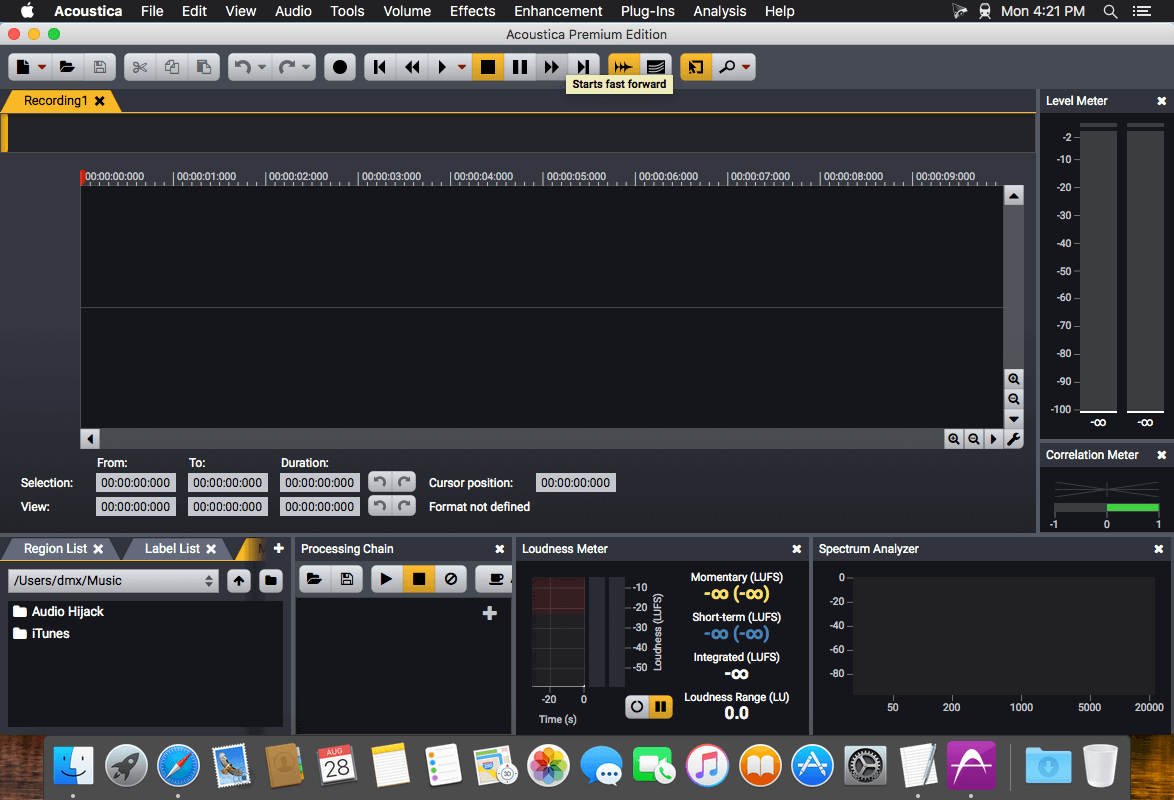
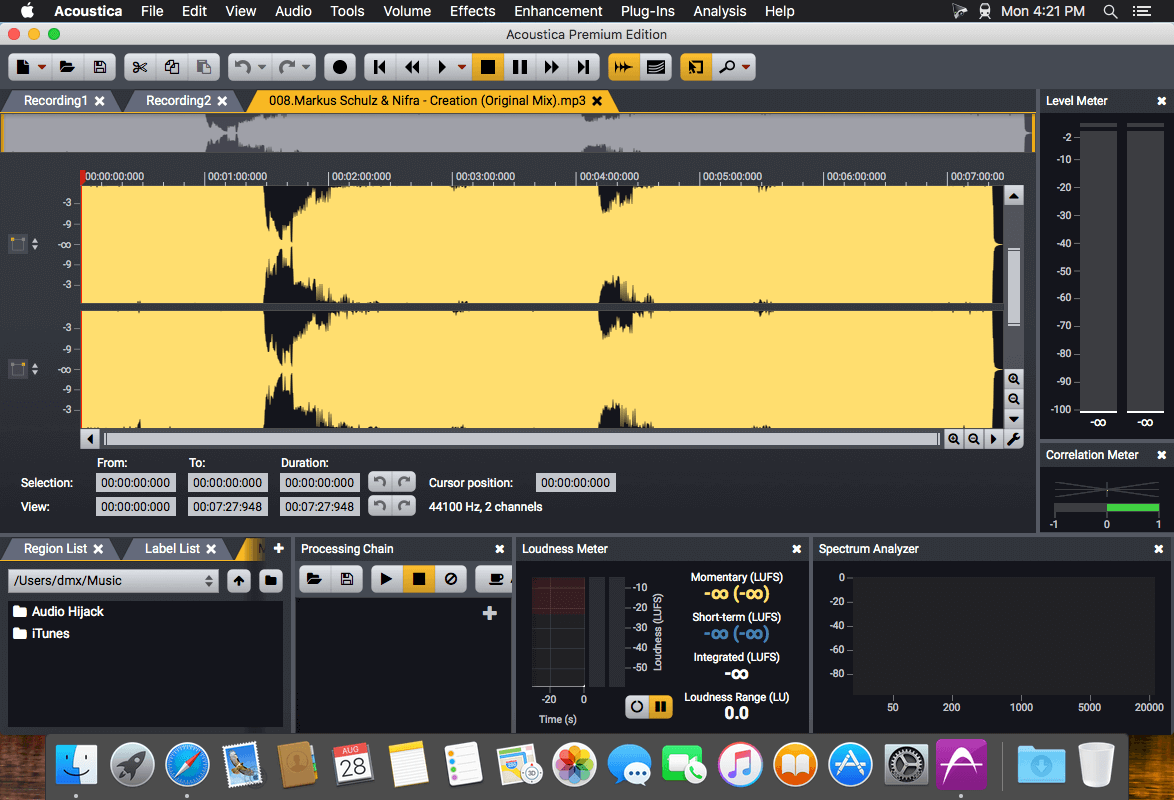
Acoustica is a comprehensive solution for professional audio recording, editing, mixing and mastering. The intuitive user interface was designed with speed, accuracy and ease-of-use in mind and gives access to a large set of powerful tools to make your recordings sound the best. The consistent workflow simplifies your production work all the way from recording, editing, batch processing, sound design and audio restoration to Red Book compatible CD burning.
Ultimate Audio Quality
Acoustica offers support for state-of-the-art audio resolutions up to 32 bit and sampling rates up to 384 kHz, ensuring that all of your work comes across at the highest quality. Acoustica Premium Edition even supports multichannel audio recording and editing such as 5.1 and 7.1 surround sound.
Audio Restoration
Integrated audio restoration tools help you get the most out of recordings impaired by background noise, clicks, crackle, clipping or missing high frequency content. The Premium Edition contains the same set of professional tools as our Restoration Suite.
Multitrack Editing
New in Acoustica 6 is the ability to edit multitrack audio. Both the Standard and the Premium Edition allows you to mix audio from different tracks in real-time, add audio effects to tracks or easily create cross-fades. You can even loop or time stretch clips directly from the multitrack timeline.
Processing Tools
High quality audio tools and effects are integrated such as dynamic processing, limiter, equalizing, reverb, convolution reverb, chorus and flanger. You can also modify tempo and key of your recordings independently using the superb quality time stretching and transpose tools.
Effect Chains and Plug-In Support
You can create complete chains of processing tools, including external plug-ins, and save them along with all the parameter settings for later use. VST and DirectX plug-in support allows you to access a vast number of both free and commercial third party audio processing plug-ins directly from Acoustica.
Analysis Tools
Powerful offline analysis tools are available, including spectrum, spectrogram and wavelet analysis. Real-time analyzers such as K-System level meters, phase correlation meters and spectrum analyzers allow you to monitor your audio output visually in real time during playback.
Bookends is a full-featured bibliography/reference and information-management system for students and professionals.
Bookends uses the cloud to sync reference libraries on all the Macs you use. Access the power of Bookends directly from Mellel, Nisus Writer Pro, or MS Word (including Word 2016): Bookends allows you to scan your existing word-processor files and automatically generate finished manuscripts with properly formatted bibliographies. You can also scan Apple Pages ’08, ’09, and 5, and OpenOffice 3 files, or RTF files saved from any word processor.
Bookends allows you to share your references over the Internet with anyone, on any platform. And with Bookends, you can directly search and import references from numerous sources:
PubMed
Web of Science
JSTOR
Google Scholar
Amazon
Library of Congress
arXiv
and hundreds of other online sources.
Or use a built-in browser to download references with PDF’s and/or Web pages. Also, with automatic searches of PubMed, you can discover articles as soon as they’re published. Bookends allows for powerful group-based searches, with static, smart, virtual groups, and smart folders that make hierarchical searches easy.
Bookends also offers a robust assortment of file attachment features:
Attach any file (such as a PDF) to a reference and view or open it instantly.
Automatically rename and organize PDF files on-the-fly.
Automatically download and attach the PDF of an article from the Internet if you have access permission.
Automatically locate and attach PDF’s on your hard drive.
Easily migrate references and attachments from other reference managers to Bookends.
Sync your library with Bookends On Tap on your iPad, iPhone, or iPod touch, so that you have your references and PDF’s with you, wherever you are.
Annotate and markup PDFs and have the information instantly accessible in notecards.
What’s New:
Version 14.0.4:
Release notes were unavailable when this listing was updated.
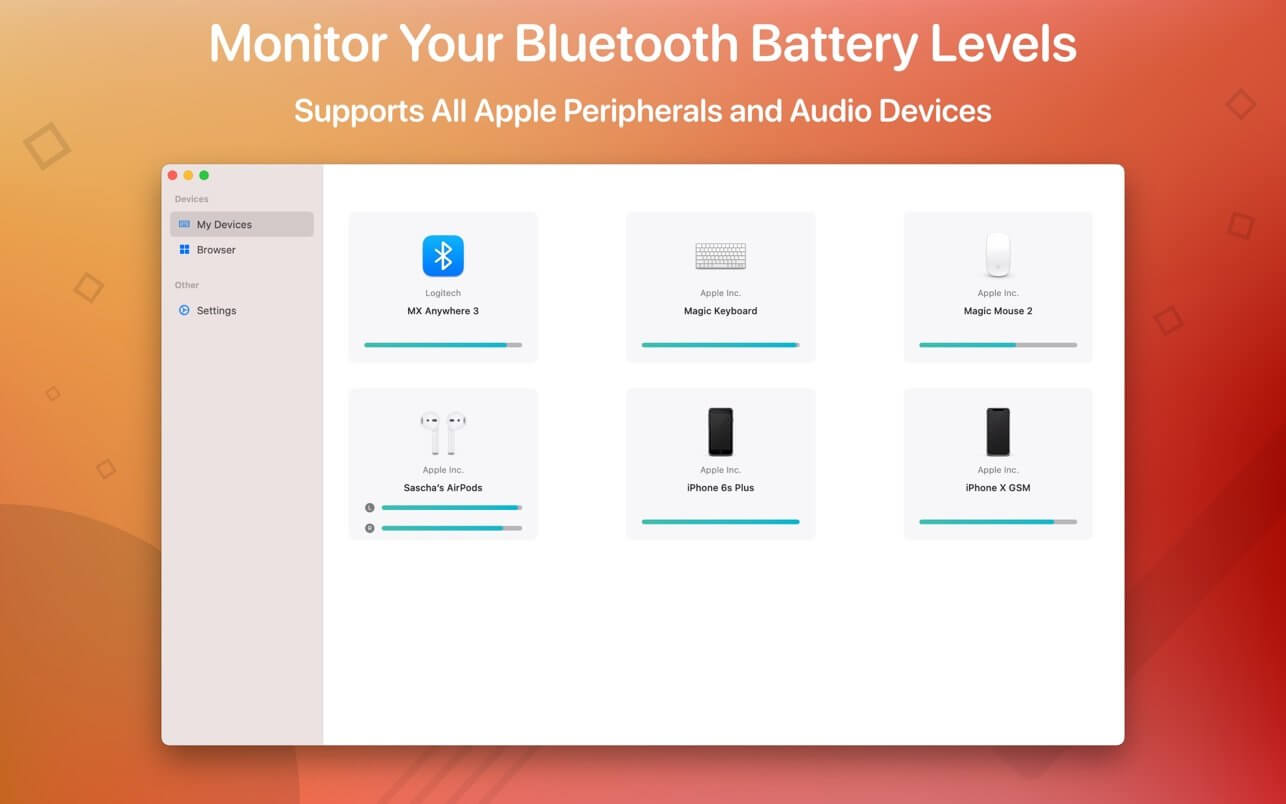
Magic Battery supports all Apple input and audio devices. Battery information will be shown in the menu bar and the main window.
The App Magic Battery shows the battery level of supported input devices and headphones that are connected via Bluetooth in the menu bar. Internal batteries are also supported.
The following devices are supported:
Input devices:
Apple Magic Mouse
Apple Magic Mouse 2
Apple Magic Trackpad 2
Apple Wireless Keyboard
Apple Wireless Trackpad
Logitech MX Anywhere 3
Headphones:
AirPods
AirPods Pro
AirPods Max
Beats Solo 3
Beats X
Beats Studio 3 Wireless
Other devices:
Apple iPad (all models)
Apple iPhone (all models)
The app features:
Modern GUI for displaying connected devices and their battery levels.
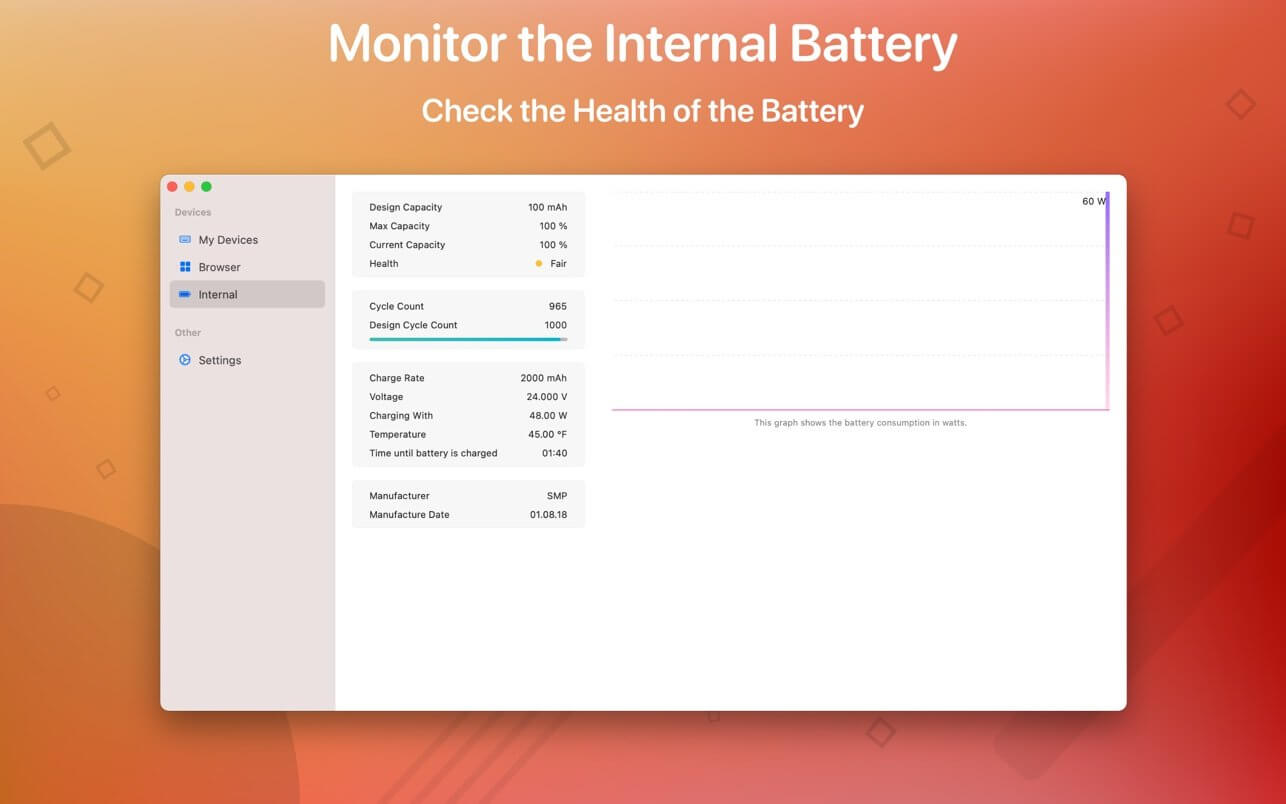
Shows the percentage of the internal battery including how long the battery will last.
You can choose between a detailed, a compact or an icon-only view. In the detailed view, the battery level is shown next to the device icon. In the icon-only view, the battery levels are shown once the menu of the app is opened. The compact view shows all the information in a way that very little space is used.
Apple Silicon support.
Connected or disconnected devices are detected automatically. The view is then adjusted accordingly.
Receive notifications when the battery level of a device is reaches 20%.
Support for auto-start: The app is started as soon as the user is logged in (optional).
All products that are supported and were listed above are a registered trademark of Apple Inc.
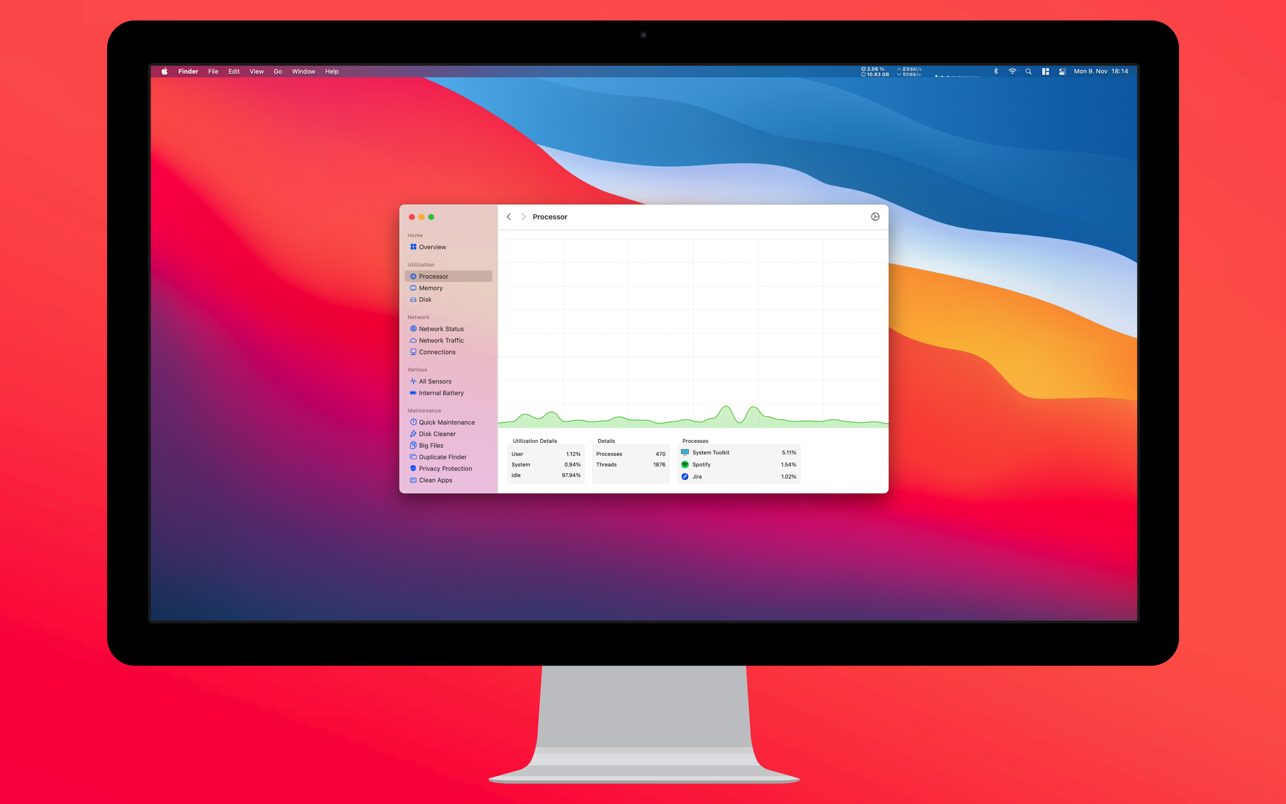
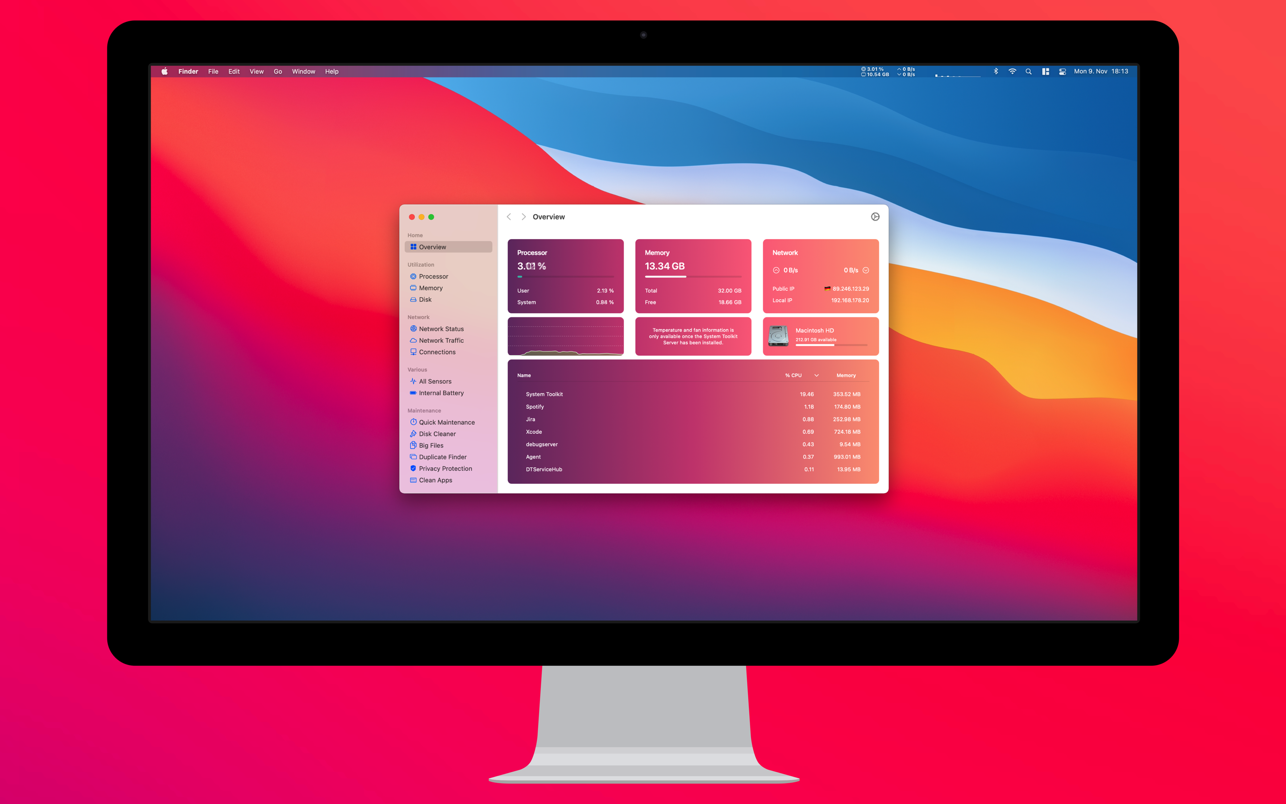
The System Toolkit is an all-in-one information and maintenance app designed for macOS.
Information: System Information
Keep track of all your system loads. This includes CPU load, memory usage, network speeds and -traffic and the open network connections. All information can be shown in both the menu bar extra and the overlay window. Use the Dashboard to take a look at the most important parameters.
Menu Bar Extra
You can add as many menu bar widgets as you like. Every menu bar widget can be configured to show information.
Info Panel
The info panel shows the most important information in a separate window.
Bluetooth Device Battery Levels
The System Toolkit shows the battery levels of Bluetooth devices.
The following devices are supported:
Peripherals:
Apple Magic Mouse
Apple Magic Mouse 2
Apple Magic Trackpad 2
Apple Wireless Keyboard
Apple Wireless Trackpad
Earphones:
Apple AirPods
Apple AirPods Pro
Apple AirPods Max
Beats Solo 3
Beats
Battery Information
You can check the battery parameters on the battery page. This page shows detailed information about the internal battery. If you are using a Mac without battery, this page is hidden.
Besides the information pages, the System Toolkit also offers the following maintenance features:
Fast Maintenance: Clean your Mac System with a single click!
Disk Cleaner
The disk cleaner searches your entire hard disk for temporary or cached files that can be deleted to free up some disk space. The categories include application- and user cache, developer cache, browser cache and many more caches.
Duplicate Finder
Find duplicate files on your system. Use the smart selection to quickly select and delete your duplicate files and free up disk space.
Big Files Finder
This feature allows you to find big files on your hard disk. Quickly see which files take the most space. The files can be deleted from within the app.
Privacy Protector
Erase all your private data on your system. Did you visit some website that you do not want your other system users to find out about? Just start the Privacy Protector and erase your footsteps – it cleans the data of all major Werb Browsers.
App Cleaner
Use the App Cleaner to find and remove files that were created and are being used by an app.
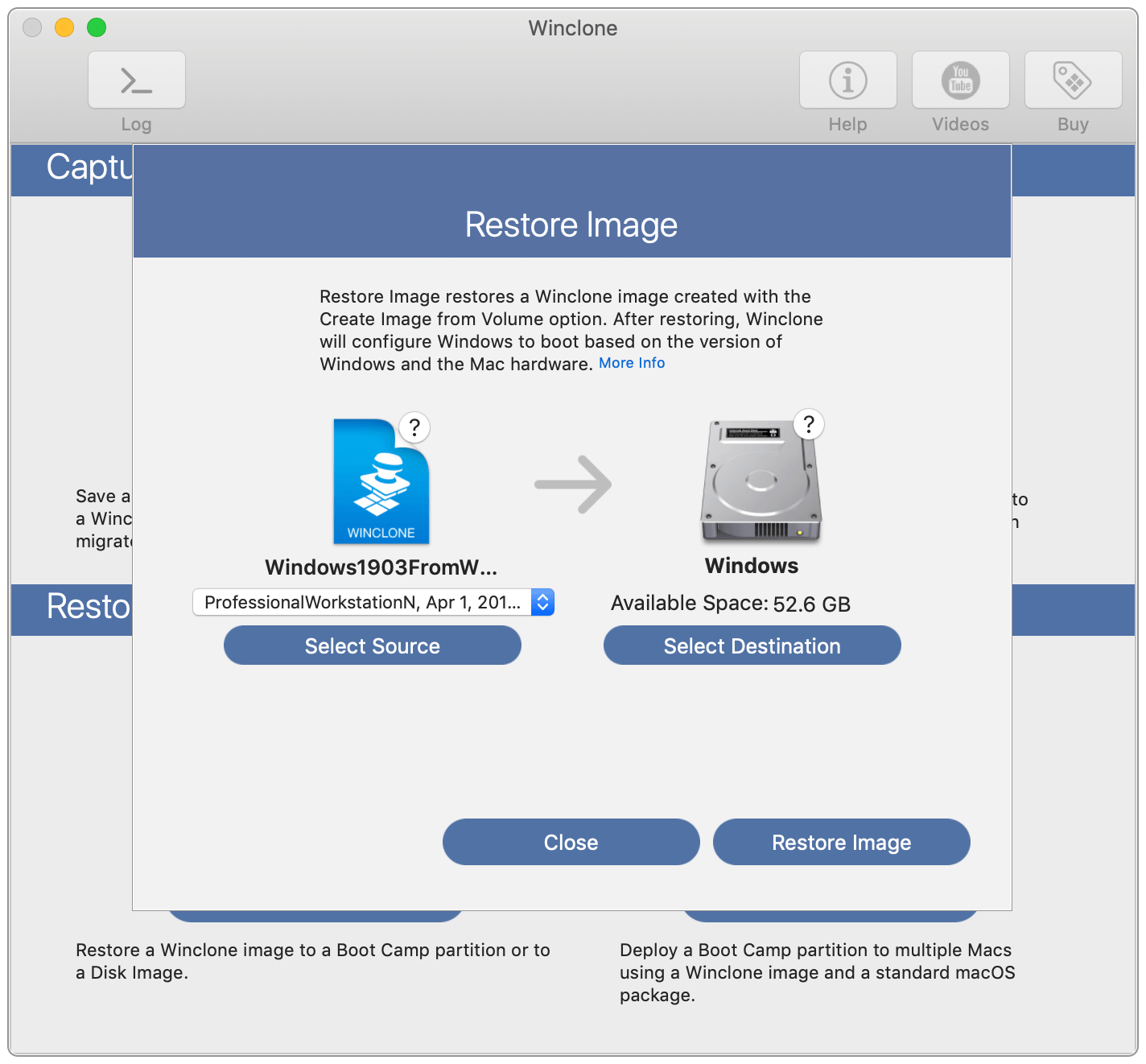
Winclone 10 is a lightweight and robust macOS app designed to enable its users to quickly image a Windows installed in Boot Camp and migrate to a new Mac, with just a couple of mouse clicks.
Transfer apps and data from PC to Mac, as well as Boot Camp installations between Macs
Moreover, if you have bought a new Mac and you need to move your Windows installation from your PC, Winclone will help you to transfer it, together with your apps and all of your data to a Boot Camp partition.
Furthermore, you can also rapidly and effortlessly transfer Winclone images and Boot Camp partitions between your Macs, over the network. In order to do that, all that you have to do is to connect your computers to the same local area network.
Features multi-core processor support and effortless Boot Camp deployment
Additionally, Winclone is very fast on Macs with multi-core processors because it comes with extended support for multi-core machines and it also has the capability to automatically distribute the workload to all the processors on your Mac.
As an added advantage, the Winclone application can also be used within large environments and is designed from the get-go to be compatible with all major client management vendors.
What’s more, if you know how to deploy a package to your network’s clients, then you will also know how to effortlessly deploy a Boot Camp partition using Winclone (an easy to understand and detailed guide on how to it can be found on the “Deploy Boot Camp as a package” support page).
Intuitive and quick Boot Camp cloning solution with support for Windows 7 or later
At the moment, Winclone comes with support for Windows 7 or later, and, as an added bonus, it is also fully backwards compatible with any and all images created using previous Winclone releases.
On top of all that, it is very simple and quick to image or restore a Boot Camp partition using Winclone with the click of a single button, and, because it does that with very low CPU usage ratios, you will also be able to keep working on your projects without noticing any performance degradation.
Max is a graphical environment for music, audio, and multimedia. In use for over twenty years by performers, composers, artists, scientists, teachers, and students, Max is the way to make your computer do things that reflect your individual ideas and dreams.
Max is an infinitely flexible space to create your own interactive software. Connect Ideas Together to Create!
OBJECTS
Each object does something. Max has objects that generate sound waves, represent hardware, or provide a UI for interaction.
PATCHCORDS
Patchcords connect one object to another. This connection lets objects share their output with connected objects.
CONTROL
Connect UI objects like dials and sliders to provide control values or display results. Modulate, map and scale data to get just the right results.
Create Software Built Around You, In the Moment
• Drag in your own audio clips and start manipulating them and connecting effects
• Map your patcher with MIDI controllers as you go to start playing with your creation while you work
Expanded Ideas
Max patching starts on a blank canvas, free of any structure. This makes it natural to build and explore unique ideas that would be too complex to make elsewhere. The Max patcher automatically expands to fit your work as it grows, no matter how much space you take up.
Explore Sound without Limits
• Design a custom synthesizer with as many oscillators and effects as you wish.
• Manipulate samples in every way, including timestretch and pitch shifting.
• Build up more layered sounds using MC objects to patch multichannel audio.
Make Sound with a Gesture
In Max, you can build classic synths from scratch or get lost hacking together unusual sounds. Try the XY controls below to hear some sounds you could create with Max.
• You can do a lot with just a single oscillator and a filter.
• Add some extra modulation and try something a little more wild.
Make Visual Music
Max includes full-featured, expandable video and graphics tools with Jitter. Jitter is optimized for realtime audiovisual work, and is easy to combine with audio, sequencing, and modulation like everything else in Max.
Take Max into the World
Max provides the tools to connect your computer to the external world, or connect many computers together. With support for a constantly expanding list of hardware and communications, Max is ready to talk to everything.
Prototype and Evaluate
Flexible access to hardware makes Max a perfect environment for prototyping. Connect your development board to Max and get instant access to sensors, knobs, and switches. Watch the data stream in as you develop the interaction.
Countless commercial products, art installations, and stage shows have relied on Max to glue together all the parts of their process.
Generate Audio, Video, Code
Use Gen to patch together fine-tuned processes for audio, matrix data, or texture processing. Gen lets you combine procedural commands with visual patching to simplify the creation of custom processes.
Gen objects can also output source code to be used elsewhere if needed.
Extended Max
Max’s built-in Package Manager offers immediate access to over 50 add-ons covering everything from computer vision to support for hardware controllers including Novation, Monome and ROLI controllers.
If the feature you want doesn’t exist in Max, chances are someone in the community has created it. And if they haven’t, you can extend Max yourself using C++, NodeJS, Java, or javascript.
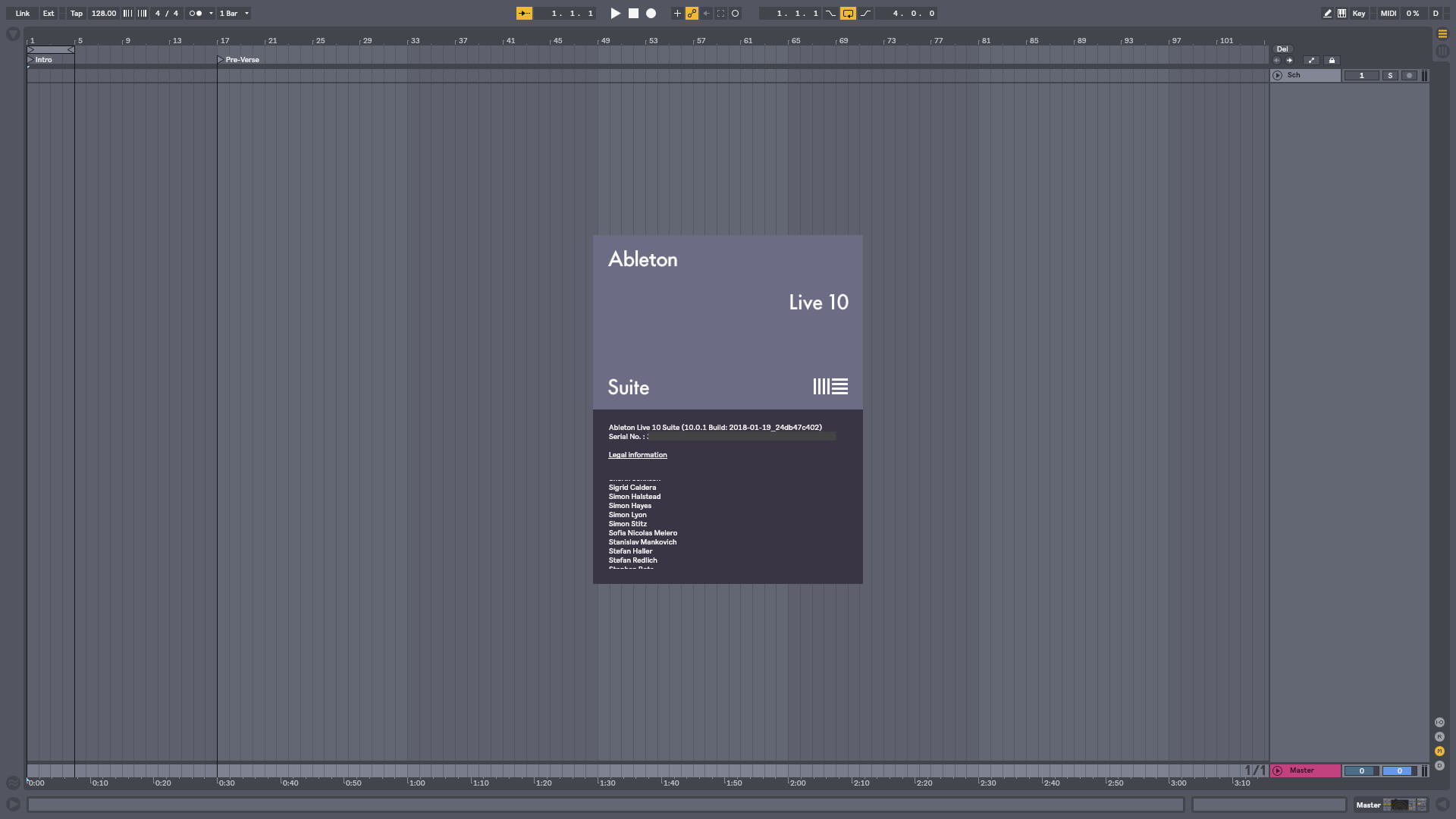
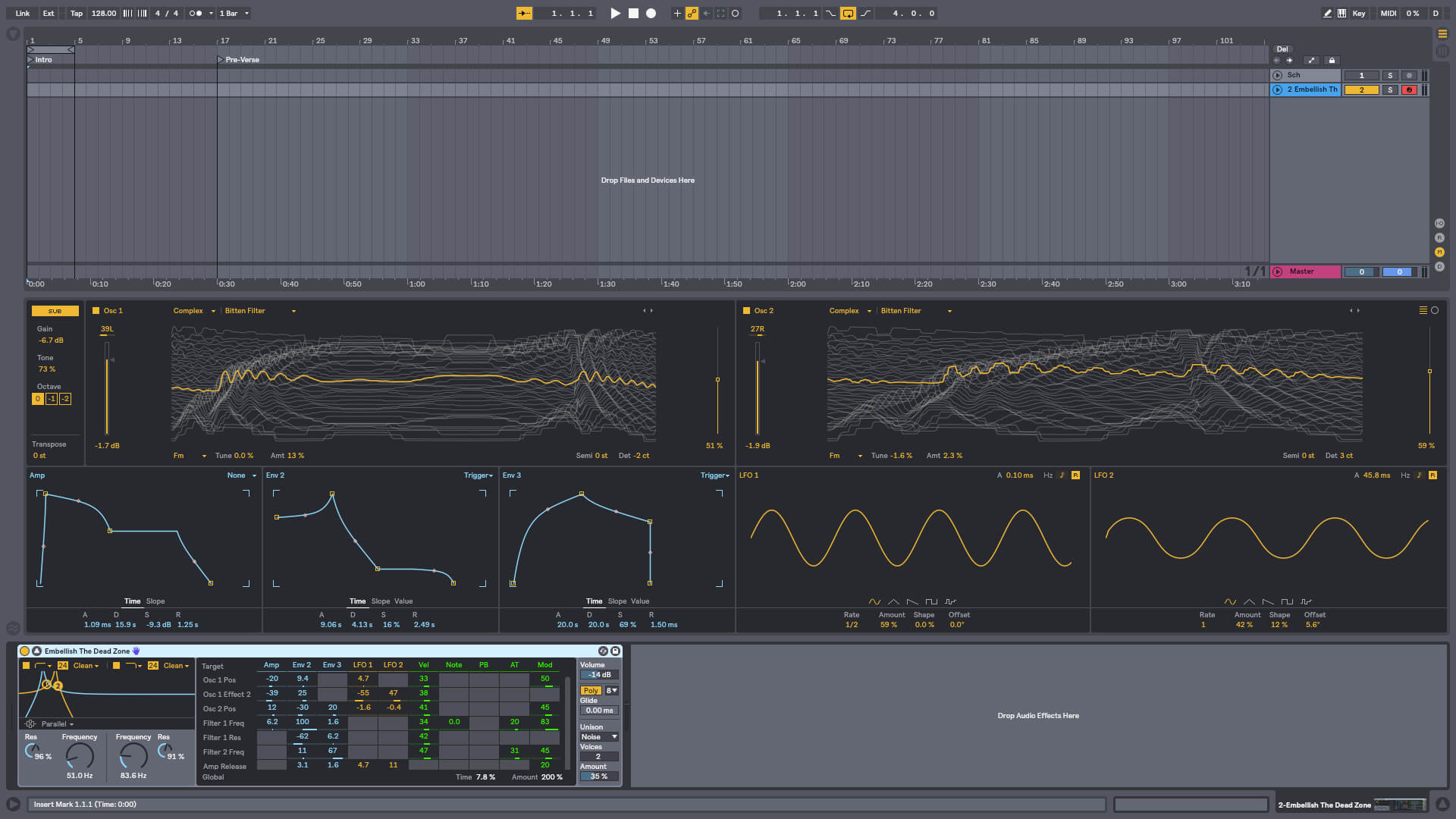
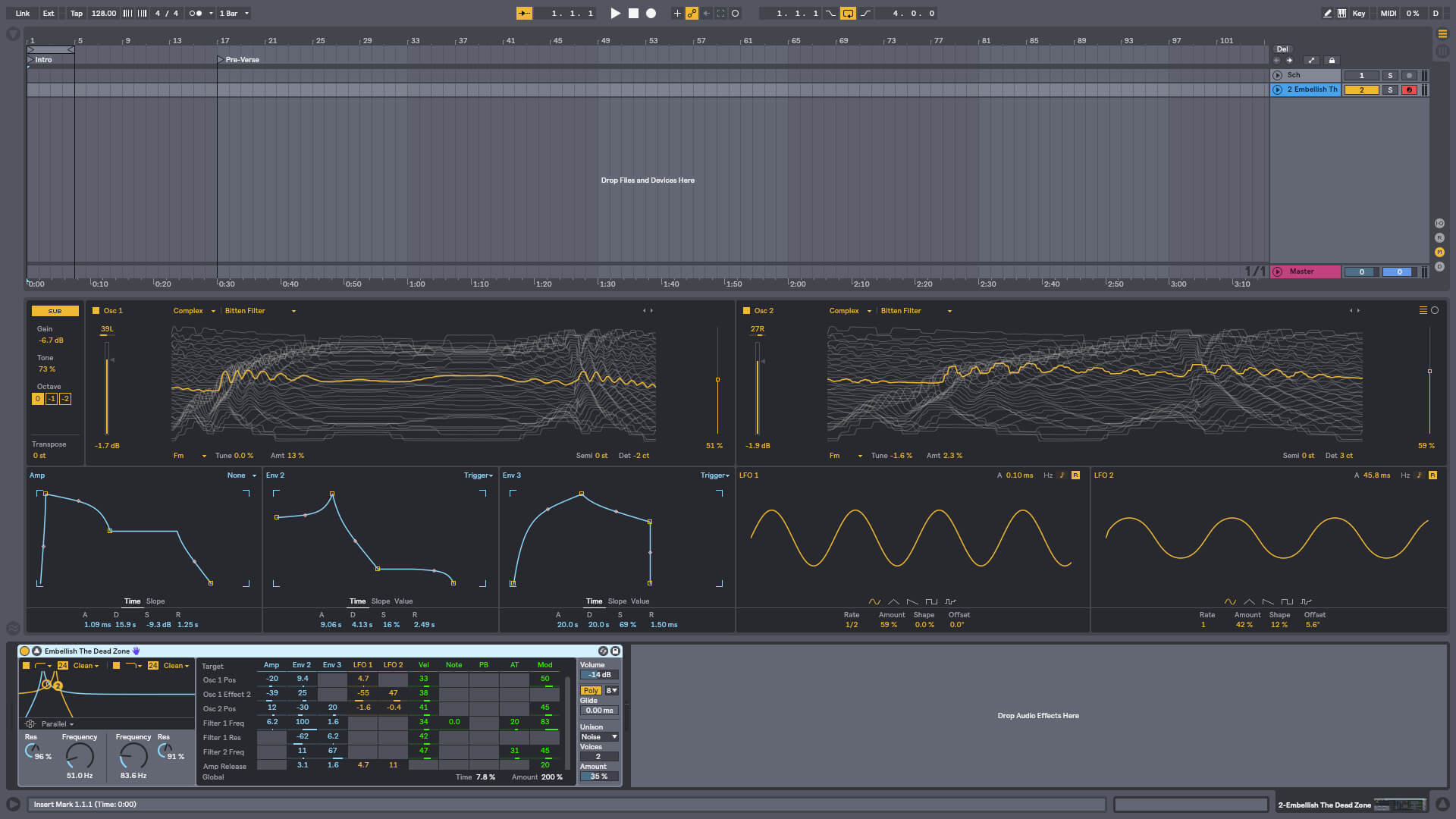
Live is fast, fluid and flexible software for music creation and performance. It comes with effects, instruments, sounds and all kinds of creative features—everything you need to make any kind of music. Create in a traditional linear arrangement, or improvise without the constraints of a timeline in Live’s Session View. Move freely between musical elements and play with ideas, without stopping the music and without breaking your flow.
Create your perfect take Take recording and comping
Live organizes multiple passes of an audio or MIDI performance into individual takes. Pick the best moments of each performance and combine them to create your perfect take. Or approach sound design in a new way by splicing together random samples from your library.
Linked-track editing
Link two or more tracks to edit their content simultaneously. This makes editing multi-tracked instruments or performances with multiple musicians easy and fast whilst keeping everything in time across tracks. This feature also works for MIDI tracks.
Add more feeling to your music
Use your MPE-capable controller
Plug in your MPE-capable controller and immediately add bends, slides and pressure for each individual note in a chord. Add subtle expression variations, morph between chords and create evolving sonic textures.
What is MPE?
MPE stands for MIDI Polyphonic Expression. This way of using MIDI allows MPE-capable devices to control multiple parameters of every note in real time for more expressive instrumental performances.
Experiment with new devices
Hybrid Reverb
Hybrid Reverb combines convolution and algorithmic reverbs. Place your sounds in any space, from accurate real-life environments to those that defy physical reality. Use the algorithmic side to add control and modulate the reverb tail, run it in parallel or in series with the convolution side, or play Hybrid Reverb like an instrument for real-time sound design.
Spectral Resonator
Breaks the spectrum of an incoming audio signal into partials, then stretches, shifts and blurs the result by a frequency or a note in subtle or radical ways. The MIDI sidechain input also allows musicians to process material in key and even play the device as if it were a polyphonic instrument.
Spectral Time
Transforms sound into partials and feeds them into a frequency-based delay, resulting in metallic echoes, frequency-shifted and reverb-like effects. The Freeze function captures and holds a slice of audio – either free-running or in time with the beat – for stuttered, glitched and washed-out effects.
PitchLoop89
Create jittery glitch effects, delayed digital shimmers and outlandish vibrato with this Max for Live pitch shifting device created in collaboration with Robert Henke and inspired by the Publison DHM 89 – an early digital effects processor. It’s a flexible tool to add character to sounds in the studio, or for in-the-moment experimentation onstage.
Do more on stage
Tempo Following
Live listens to and adjusts its tempo based on incoming audio in real time, making it a dynamic part of the band instead of the tempo source that everyone has to follow. When you DJ, you can even turn Live into a tempo-synced FX box.
Macro Snapshots
Store the state of your Macros for later recall – perfect for creating instant variations to your sounds or builds and drops during performance.
Rack improvements
Configure your Racks to have between 1 and 16 Macros. Randomize the state of your Macros with the randomization button. Map this control to MIDI and perform drastic changes in real time to surprise your audience and yourself.
Be unpredictable
Note chance
Set the probability that a note or drum hit will occur and let Live generate surprising variations to your patterns that change over time.
Velocity chance
Define ranges for velocity probability for subtle, humanized variations in the dynamics of your patterns.
Do more with Follow Actions
Follow Actions can now be linked to the clip length, making it faster to create interesting sequences of clips. Scene Follow Actions let you create evolving arrangements. You can also set Follow Actions to jump to specific clips and enable and disable Follow Actions globally.
UctoX 2 is a powerful, yet simple-to-use invoicing app – and much more! Unlike other invoicing apps, it also includes features of an accounting app: you can manage your bank statements, cash register, storage, journey log and much more! It comes with 3 built-in print templates, but using the print editor, you can create your own just in a jiffy!
Key Features
Simplicity – UctoX 2 is designed to be used by the user without too much learning. But if you need any help, there’s always a user guide available from the Help menu (macOS) or using the question mark button on main screen (iOS).
iCloud – sync your accounts via iCloud – between all your devices (iOS and macOS).
Customizable – customize the template for printing invoices, bills and other documents just like you’d like.
Give it a whirl! – download a trial version above and try for yourself!
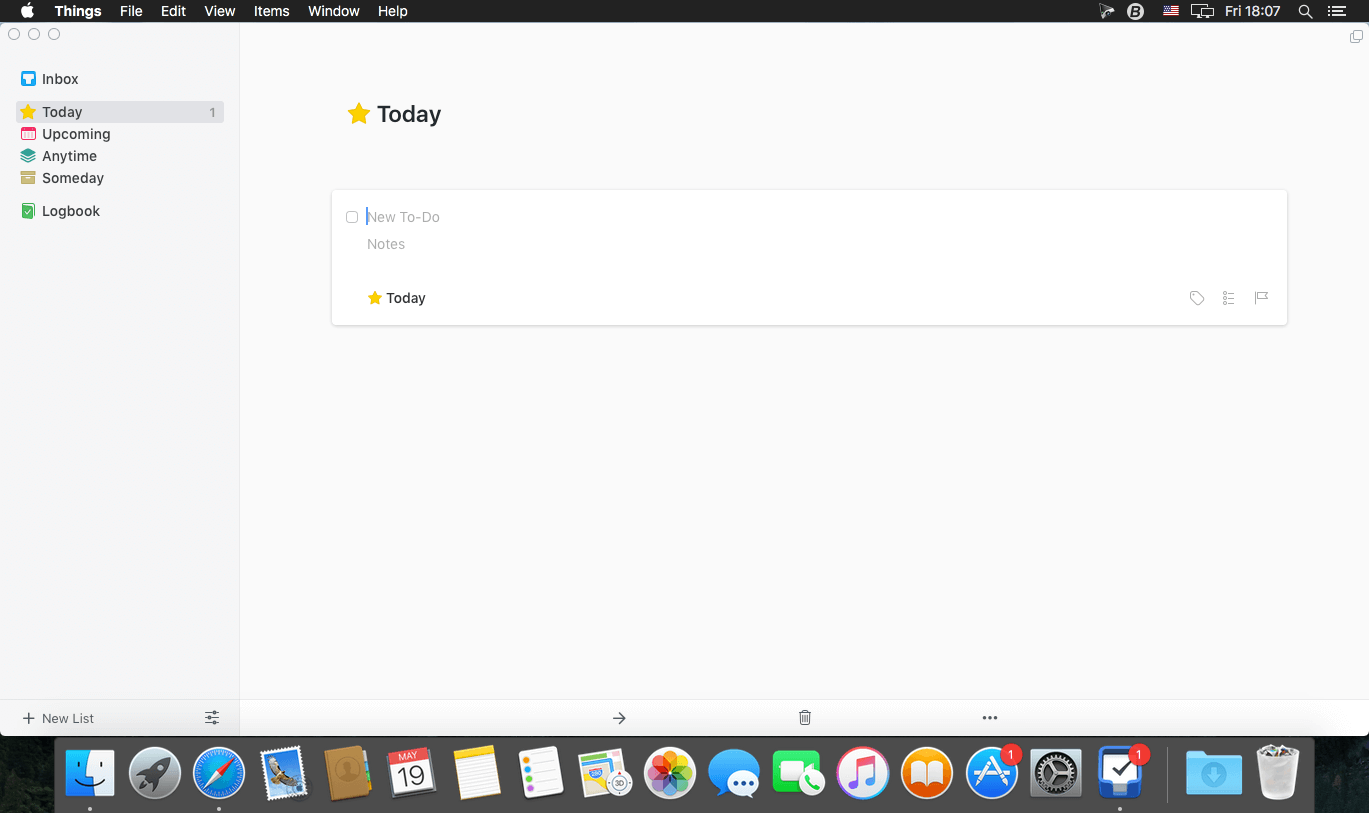
Things is a task management solution that helps to organize your tasks in an elegant and intuitive way. Things combines powerful features with simplicity through the use of tags and its intelligent filter bar. A Leopard style source list allows for quick and easy focusing. Together with a beautiful user interface, Things aims at the seemingly impossible: making task management both easy and fun.
Our screencast is a great introduction.
The big picture. A Leopard-style source list lets you easily focus without ever switching view modes or wrapping your head around filter criteria.
A magical tag bar automatically appears when needed and adapts to the currently displayed list. It lets you drill down even the longest list of To-Dos. Hierarchical tags? We got you covered!
Teamwork. Things offers convenient collaboration features. Easily delegate tasks to members of your team. (This is work in progress.)
No columns! Whether it’s multiple tags, dates or notes, To-Do items display their information on an as needed basis. No more space wasted by empty or irrelevant column cells!
Out of your head, out of your way. A quick entry HUD lets you enter any idea the moment it hits you. Never let the thought of an unfinished business distract you again.
Yours forever. We won’t lock you in. Things will use an open XML file format to store your data. (Not yet activated.)
Things even supports GTD, so if you’re familiar and comfortable with GTD concepts, you’ll feel right at home.
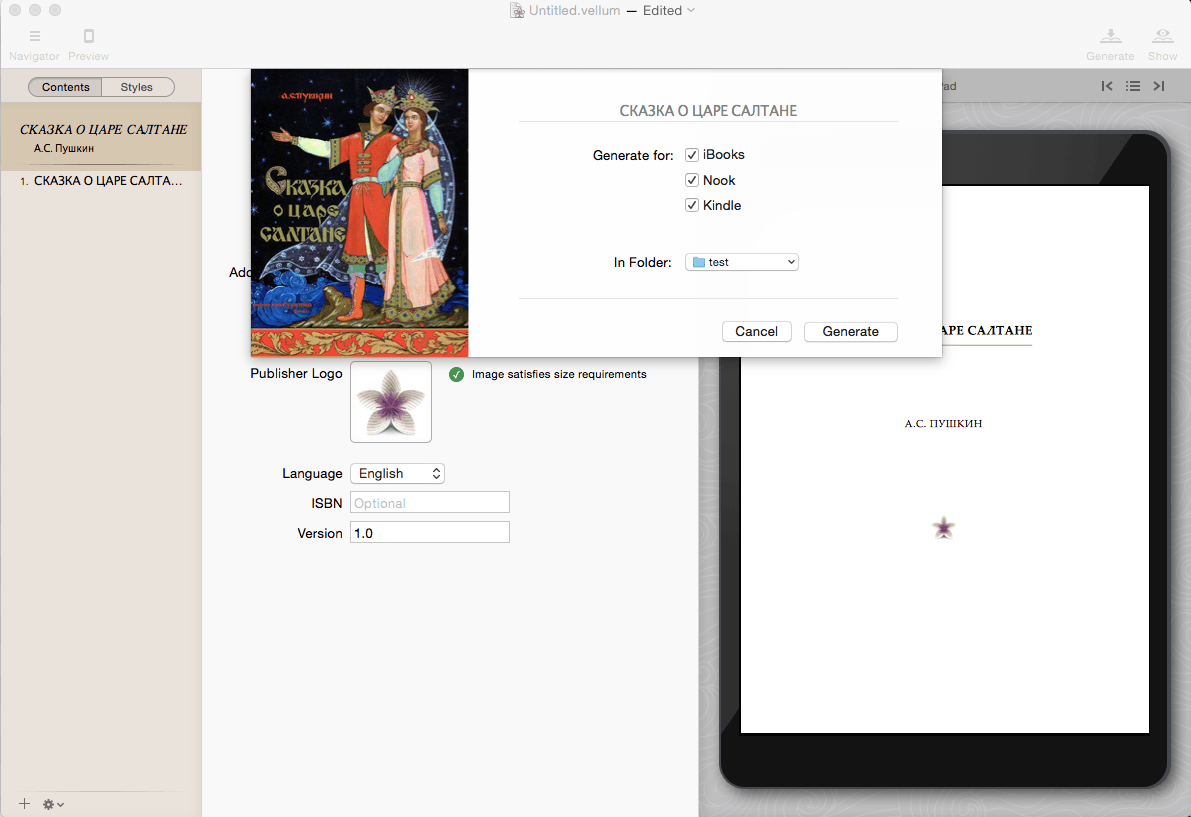
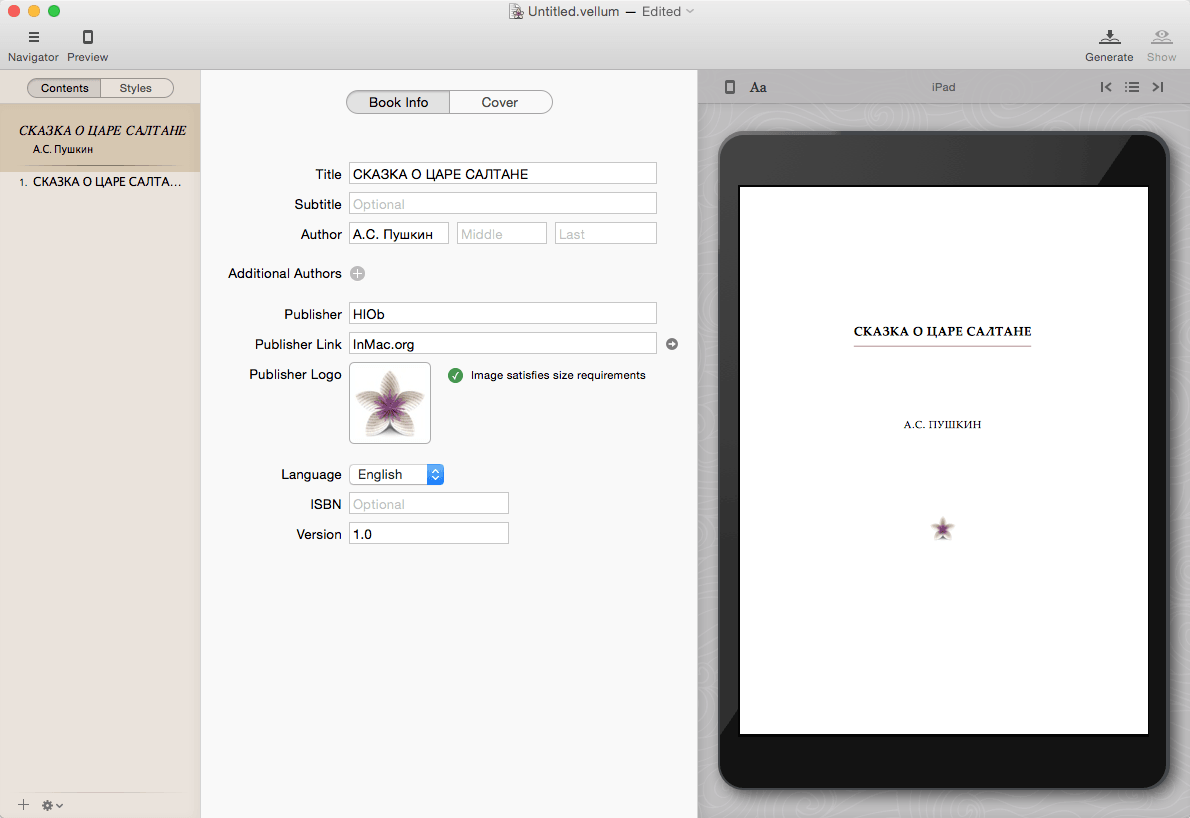
Vellum is an eBook-generating tool that lets you easily create an eBook from a text manuscript or from scratch within the application. Choose the appropriate style from several options, view instant previews of the finished product, and easily generate and regenerate eBooks with a single click to avoid disaster upon finding mistakes.
What’s New:
Version 3.0.3:
fixes a crash that affected some users of Vellum 2.6.2
Corel Painter lets you advance your digital art style with painted textures, subtle glazing brushwork, interactive gradients, and realistic Natural-Media. Easily transition from traditional to digital art with thick oils, dripping watercolors and many other texture-filled strokes. Explore workflow layouts like illustration, fine art, concept, manga and photo art with specialized tools for each style.
Features
The Most Natural Transition From Traditional to Digital Art – Immerse yourself in painting software that offers the largest selection of Natural-Media® brushes and canvas textures on the market. Craft your art with stunning reality using an array of authentic dry and wet media. When combined with a pressure sensitive drawing solution, you will forget you are painting on a computer.
21ST Century Media You Won’t Find Anywhere Else – Create out-of-this-world art with Image Hoses that spray the object of your imagination. Liquid Ink that piles up and can be carved into. Particles that spring, flow and glow, and hyper-digital Pattern Pens that defy traditional art boundaries yet were brought to life by real artists.
Incomparable Composition Tools – Paint in perfect symmetry with Mirror and Kaleidoscope tools. Set a flawless scene with 1, 2 and 3-point Perspective Guides and craft the perfect composition using the Divine Proportion and Layout Grid tools built right into this stunning digital art software.
Your Workflow, Your Way – From custom brushes to custom palettes, Painter lets you import content from others, create your own, or select from built-in artist layouts to suit your workflow needs. Painter provides a personal experience that plays well with Photoshop and runs on Mac and Windows so that you can perfect your artwork in the way you’re used to working.
*** Download Content from Store
Click “buy”, then to install
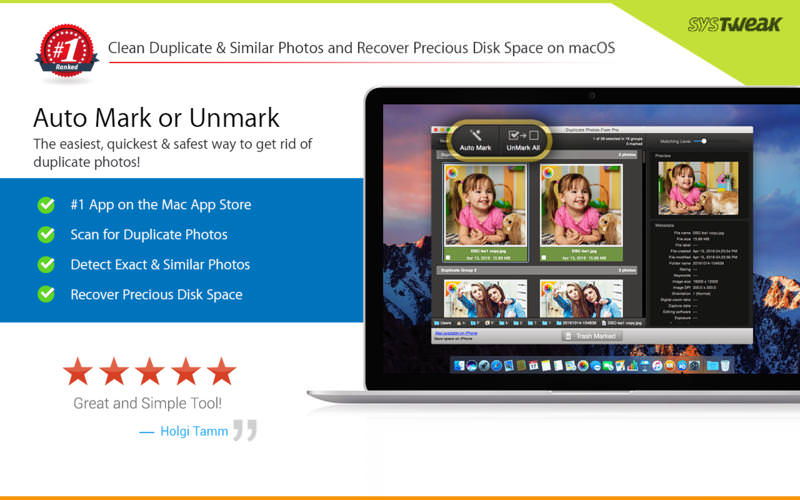
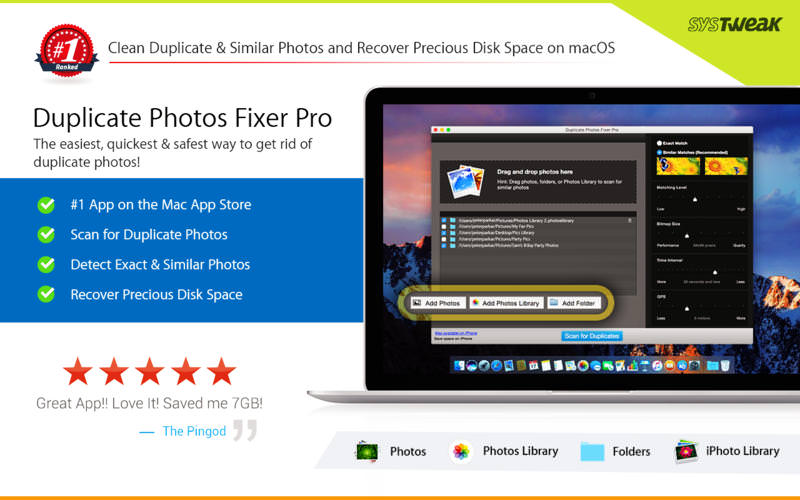
Duplicate Photos Fixer Pro is an excellent photo-fixing tool that smoothly scans and deletes duplicate or similar photos, depending on the matching level you choose. This captivating tool works with photos from iPhoto, along with photos from external storages and your system’s hard drives as well. Free up ample disk space by deleting a large number of similar and duplicate photos in just a click! Duplicate Photos Fixer Pro works like a charm and has the ability to detect duplicate and similar photos wherein:
You click photos of the same scene in quick succession to capture the perfect shot
Your photos are scattered all over the system, external storage devices, iPhoto and hard drives
You clutter the system by creating backups of pictures and now want to remove the junk
Why use Duplicate Photos Fixer Pro?
Drag-and-Drop Folders/Photos – Simply drag and drop folders to easily scan for photos inside them. You can add more photos from your iPhoto library and other folders as well.
Custom Comparison Settings – You can fully customize your comparison settings out of the available methods by adjusting the settings according to your requirement, regardless of the image size or format.
Speed – Duplicate Photos Fixer Pro is extremely fast when it comes to scanning and comparing a large number of photos within seconds. This is due to the powerful algorithms injected during the development of this tool that make the search of duplicate photos extremely fast, giving excellent comparison results.
Efficiency / Real-time Results – Without re-comparing photos, you can re-group the comparison results by changing the matching level on the slider in real-time.
Auto-Mark Duplicates – Use the Auto-Mark feature to mark all duplicate photos in every group except one, depending upon the preferences.
Compact Viewing – The interface of Duplicate Photos Fixer Pro is designed in such a way that all occurrences of photos are classified into different groups and are viewed as large photos group in each line.
QuickLook – Before moving ahead and deleting photos, you can have a clear look at them instead of opening them individually, using this feature.
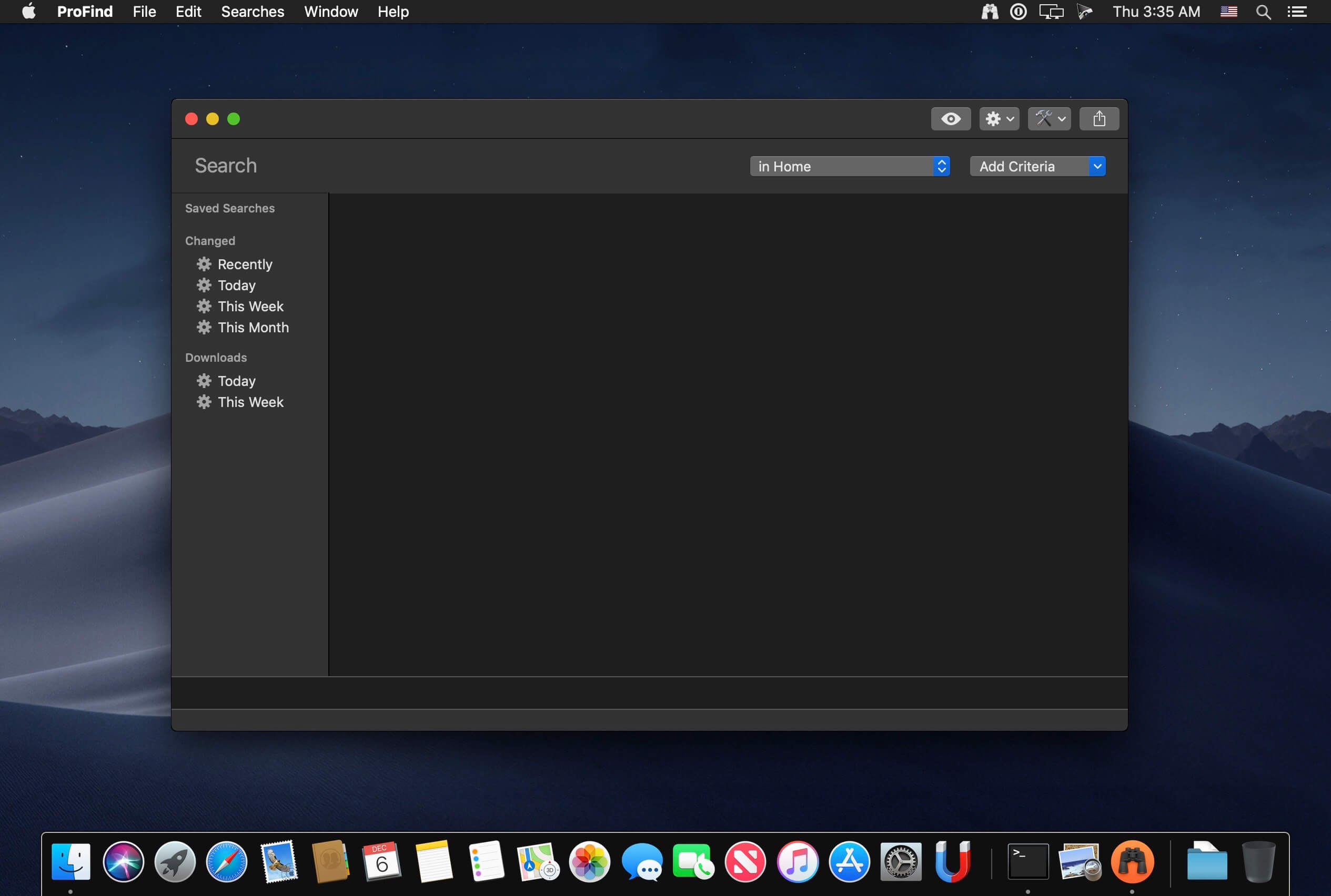
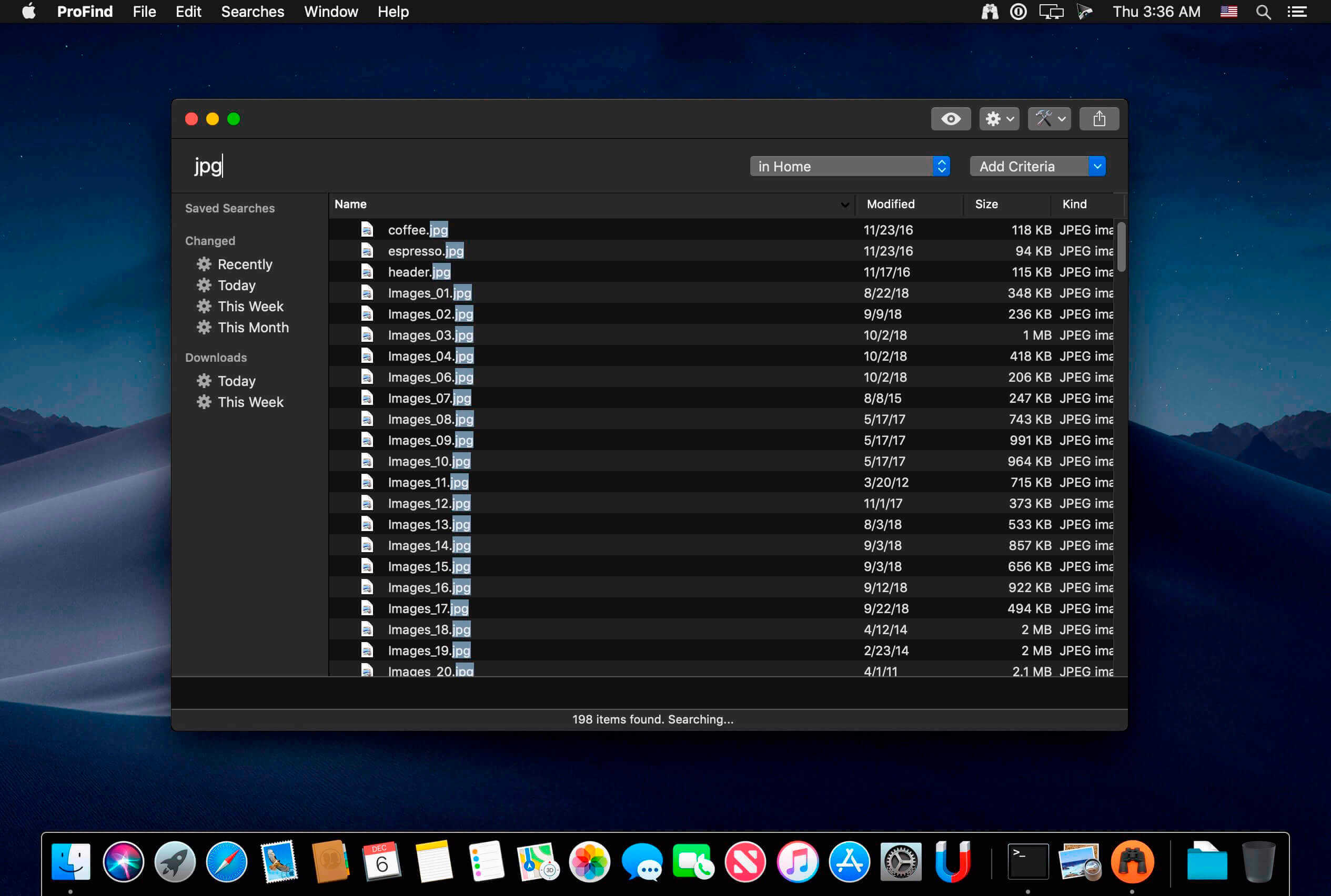
With powerful features and great performance, ProFind delivers advanced file search for macOS. And with support for natural language queries, application launching, hidden location searches, scripting and more.
Search inside invisible folders and packages. Searches any disk type.
Uses kernel based searching (searchfs) when available. Uses metadata indexes (as used by Spotlight) when available to improve performance. Autocompletion for application names. Large icon view for one or two search results.
Under it’s elegant user interface, ProFind combines the power of macOS’s different search capabilities to make sure it finds all the files your looking for. And it’s been carefully tuned for performance and responsiveness.
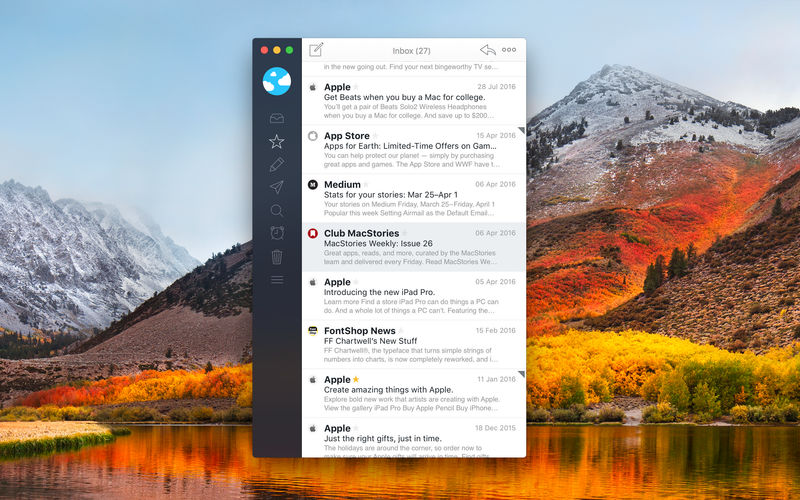
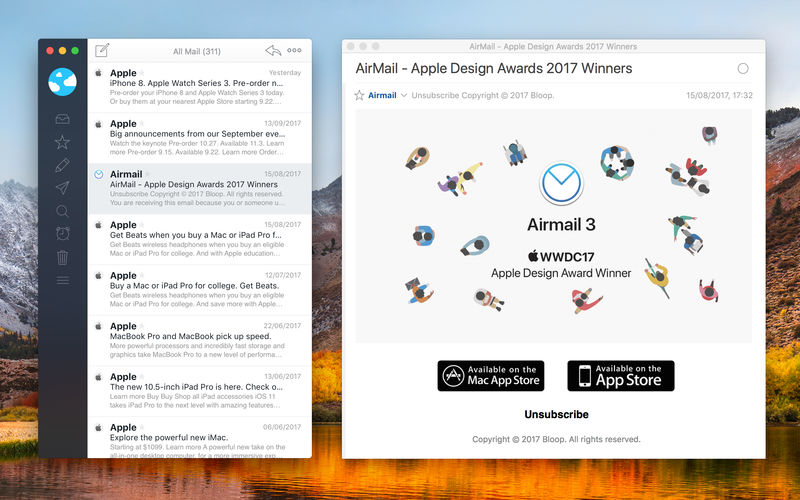
Airmail 5 is a new mail client designed with performance and intuitive interaction in mind optimized for macOS High Sierra! Support for iCloud™, MS Exchange, Gmail™, Google™ Apps, IMAP, POP3, Yahoo!™, AOL™, Outlook.com™, Live.com™
Airmail was designed from the ground UP to retain the same experience with a single or multiple accounts and provide a quick, modern and easy-to-use user experience. Airmail is clean and allows you to get to your emails without interruption – it’s the mail client for the 21st century.
We have taken usability and function to the next level with Airmail and bring a striking-design with support for all major email services. Switch between accounts like a breeze and quick reply to incoming messages within seconds – email has never been so easy and productive.
iCloud Account sync
iCloud attachment upload and share the link.
Handoff support, Composing Draft and folder selection are mirrored on different devices
Today Extension, quick access to your inbox.
Action Extension, Airmail Compose, Inline create and send messages directly form other apps
Action Extension, Airmail Share to quick send messages and attachments.
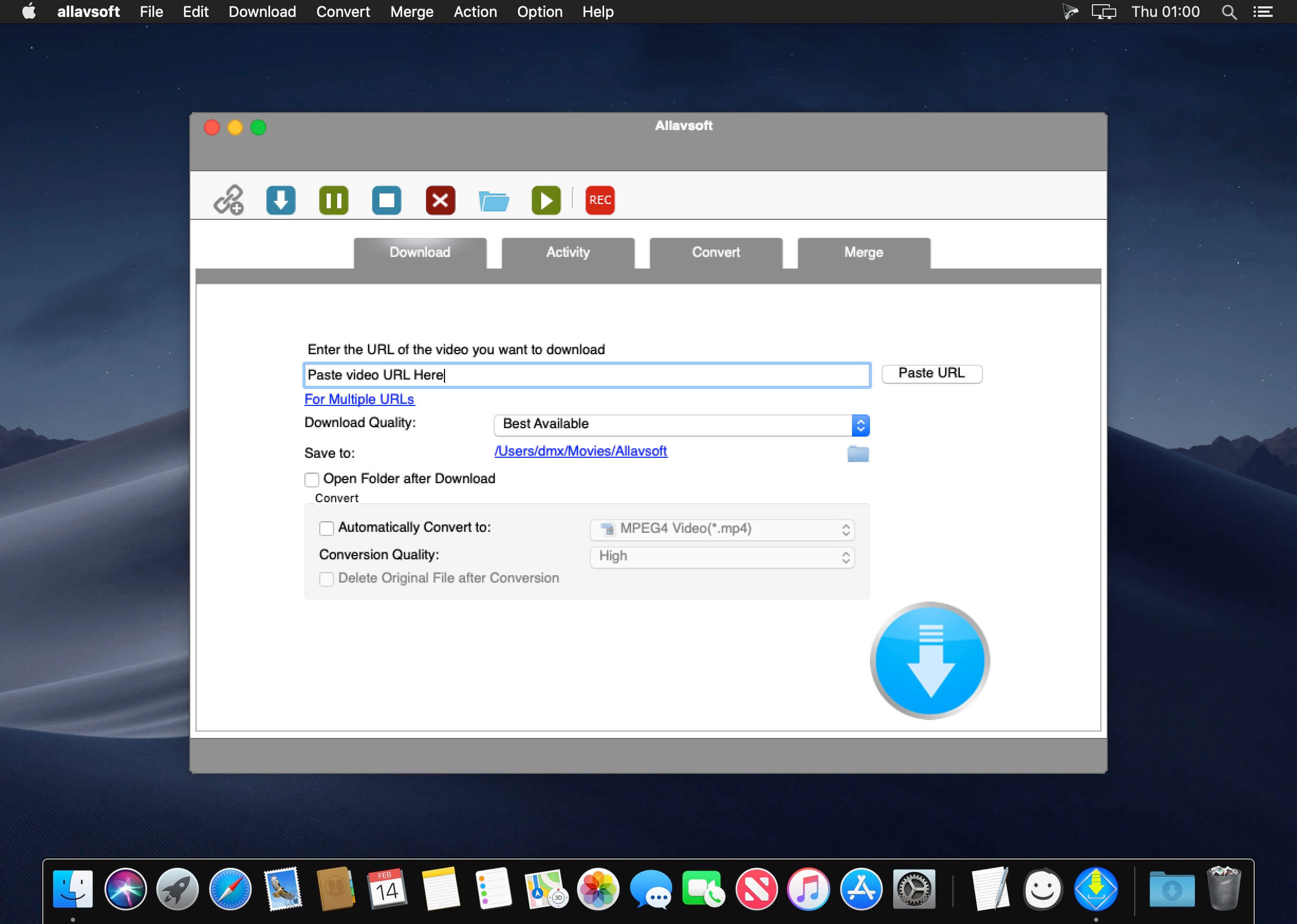
This powerful Video Downloader supports downloading movies, music videos, playlist, sport videos, lectures and more from free video sharing website like Facebook, Dailymotion, eHow, and more than 100 video sharing sites.
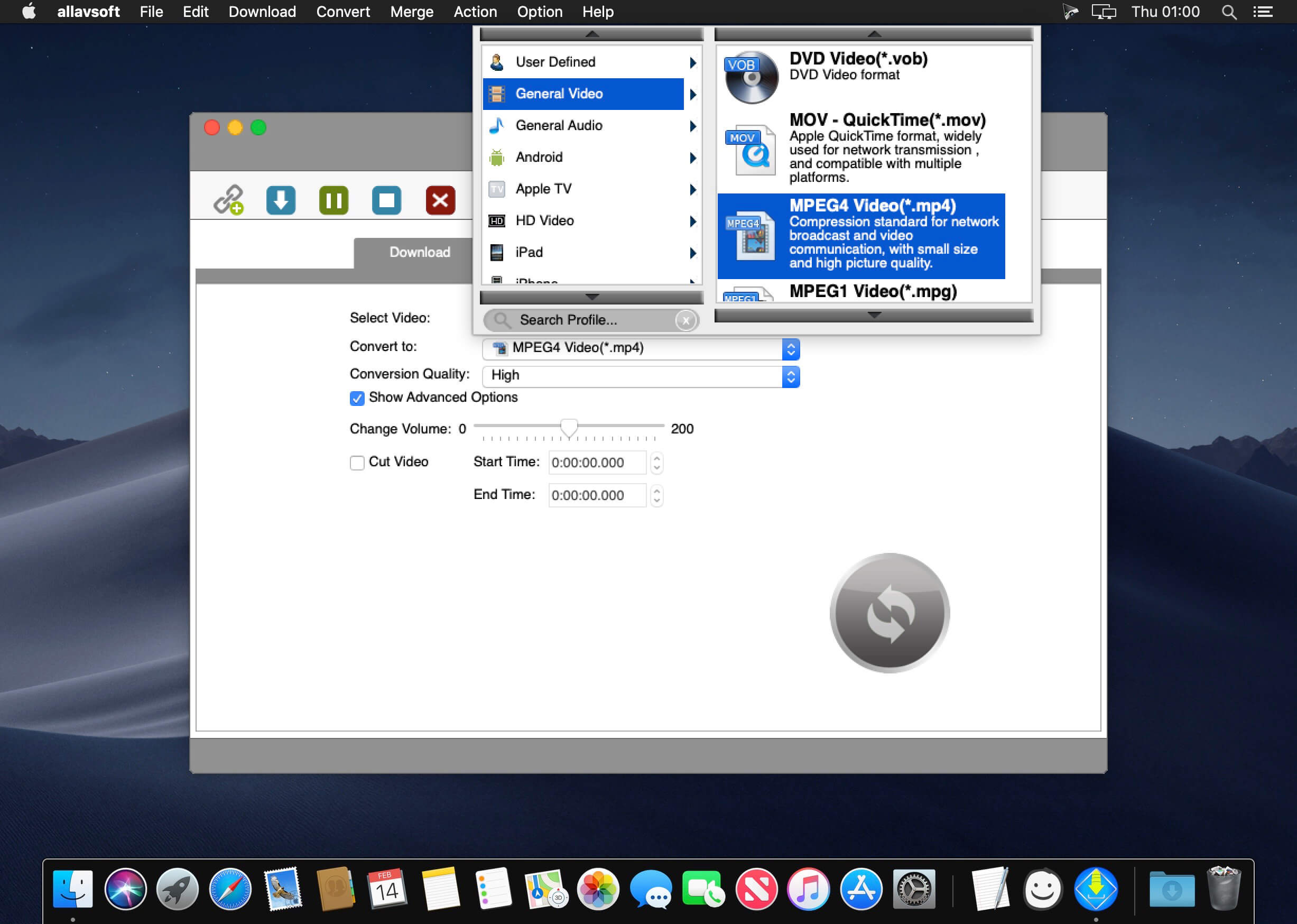
Besides downloading video in its original format, Allavsoft also features one-click to download as well as convert the downloaded video to popular video format like MP4, AVI, WMV, MOV, MPEG-1, MPEG-2, VOB, ASF, RMVB, DV, TS, Apple ProRes, WebM, FLV, OGV and etc.
This ideal Web Video Downloader app enables selecting among all video qualities available for downloading like download videos in ultra high definition (4K), 3D video, HD 2k, HD 1080p, HD 720p, and stand definition 480p, 360p, and 240p.
This professional Video Downloading and Converting tool also helps to extract and download audio from online music video or movies as well as convert to popular audio format like MP3, WMA, WAV, AAC, AAC, Apple Lossless M4A, AIFF, RA, FLAC, OGG, AU and etc.
Batch download and convert
Allavsoft supports adding multiple video URLs and batch downloading and converting multiple videos at a time.
When download web video files, this wonderful Video Downloader will automatically detects advertisements and does not download them.
Preview and playback downloaded video files
There is a built-in video player in Allavsoft for us to preview and playback the downloaded video files.
Breakpoint Resume
You can pause and resume downloading at any time. It is very convenient to use.
Action after download done
You can set automatically shut down computer after all the download tasks are finished, if you have lots of videos to download and want to leave your Windows on to download them.
Keep history for downloading.
What’s New:
Version 3.24.3.8064:
Release notes were unavailable when this listing was updated.
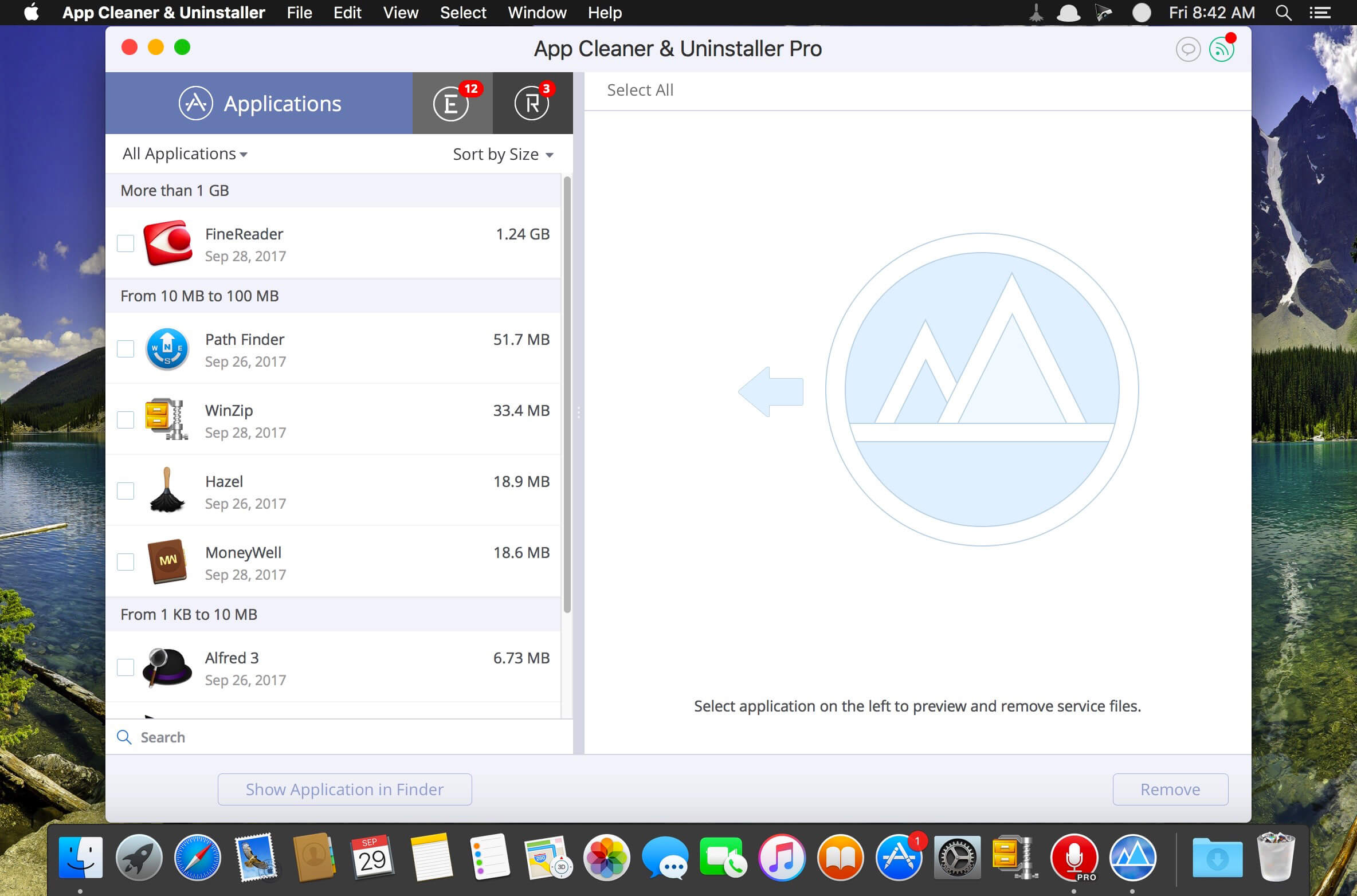
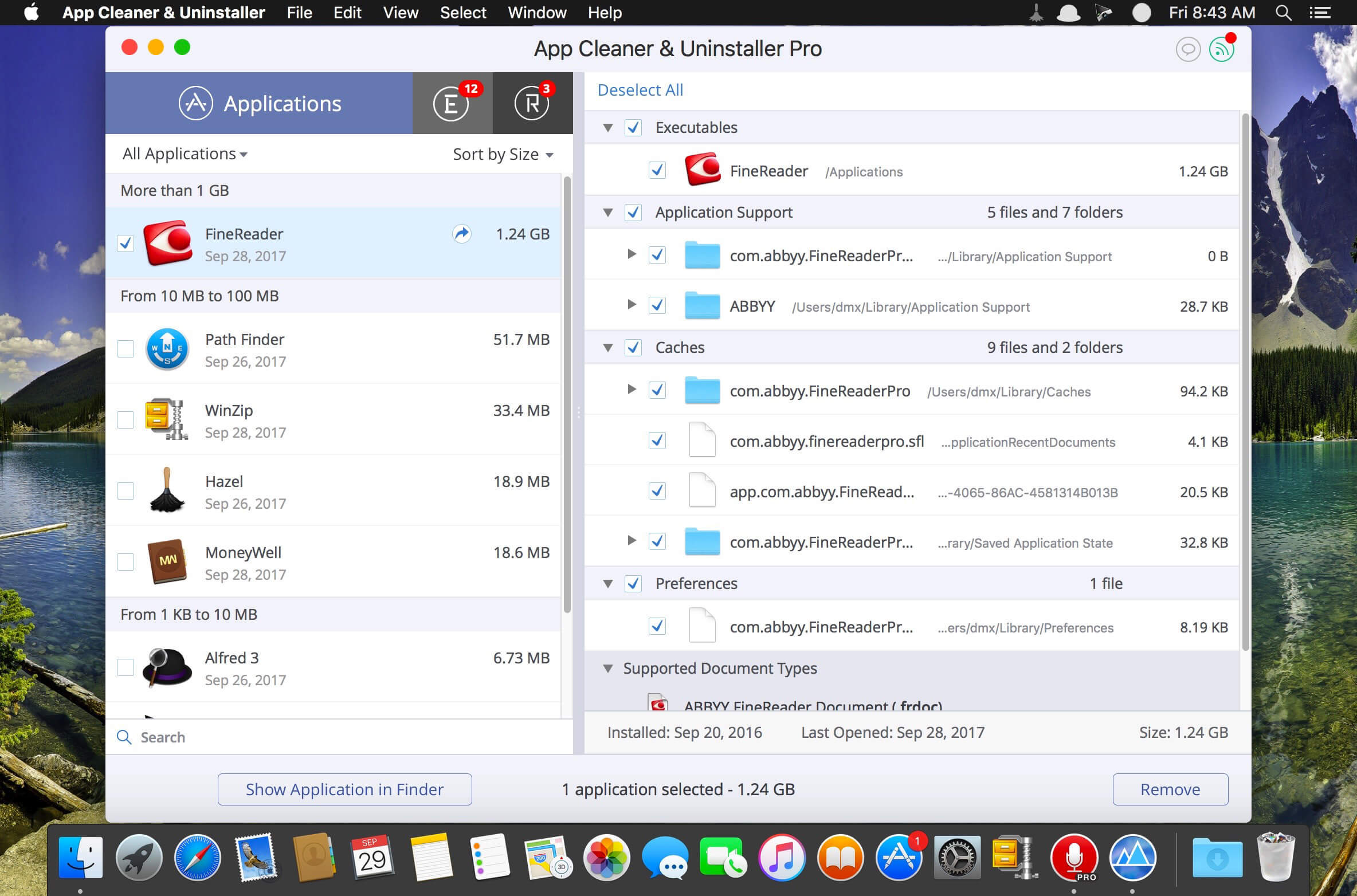
Preview Installed Applications and Remove Service Files to Complete Uninstall.
App Cleaner 7 – The best app to remove applications service files on macOS and uninstalling applications*.
Delete application’s service files. Make sure they aren’t eating up precious space on your Mac with this helpful app that does the legwork for you.
Disable unneeded login items to launch Mac faster.
Get PRO features and remove even System Extensions.
Main Gained Value – Speed up Your Mac by:
deleting apps’ files taking performance resources
deleting debris of apps that were simply put into Trash
managing all types of service files (caches, logs, preferences, etc.)
removing unneeded System Extensions
removing login items and disabling startup programs
Main Advantage: App Cleaner deletes Remains (or leftovers) – files of previously removed apps.
Thus, you uninstall applications completely.
Main Features:
Scan the system and preview installed applications
Remove all types of service files
Remove remains of previously uninstalled apps
Reset application to a first-launch state
Preview launch agents and system daemons
Preview login items
Disable launch agents and login items
•ind and preview installed System Extensions
Remove System Extensions
Easy-to-use shortcuts
Any file or app quick preview
Specific app-associated file formats preview
In-app help assistance
Show unused applications
Skip list option
How to Uninstall an application using App Cleaner:
If some apps were not removed, due to access rights, switch to Finder and move them manually to Trash*.
*Some applications can not be removed because they require administrator privileges. In this case, switch to the Finder and delete the application file in usual way.
PRO mode required to:
Remove executable part of applications
Remove system extensions
Disable ads
FREE mode allows to:
Preview all installed apps
Preview service files for apps
Remove service files for apps
Reset apps to first-run state
Preview installed extensions and widgets
Disable launch agents and startup items
Remove Remains – broken service files
Top In-App Purchases : PRO Version – included Compatibility: OS X 10.10 or later, 64-bit processor Homepagehttps://nektony.com/
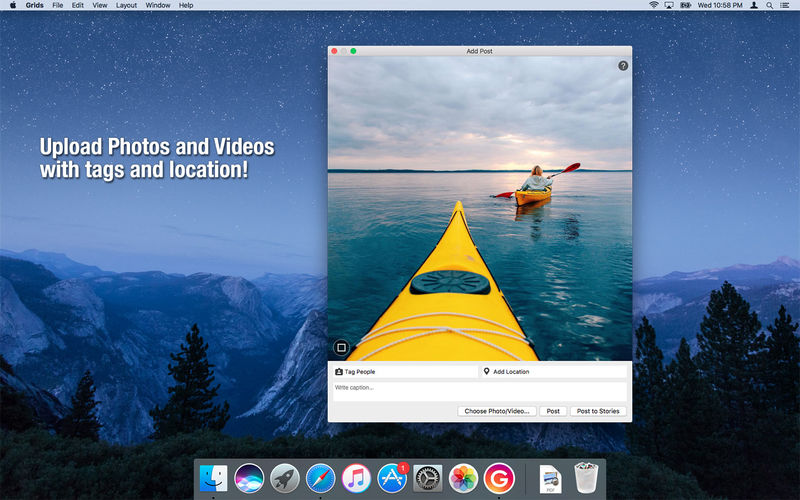
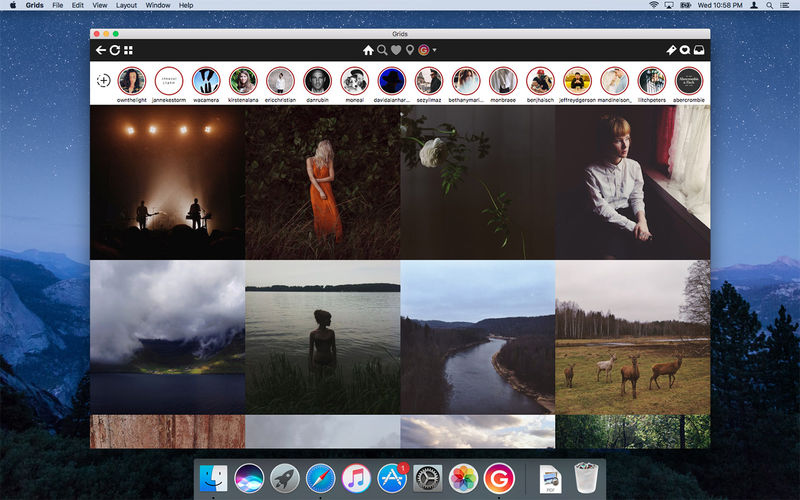
Grids brings the best Instagram experience to your Mac, with Stories (first and only app that supports stories!), Direct Message and Large/Fullscreen photo and video viewing.
As featured on TheNextWeb, AppAdvice, iDownloadBlog, DigitalTrends and many others.
View Stories (pro)
Direct message (pro)
Share photos/user profiles/tags/locations via message
Enlarged view mode allows photo viewing and video playing in large or full screen
Clean, adaptive UI. Works at full screen as well as widget-sized window.
Pixel-perfect layout and rendering. Retina display support. Your Instagram photos never looked this gorgeous.
4 beautiful layout styles for the pleasure of your eyes
Picture size as well as spacing and background color can be adjusted to your liking.
Fastest Instagram browsing experience you will have!
Switch between multiple accounts seamlessly.
Like, comment, follow, search people and tags.
Show users tagged in photo
Bookmark allows you to bookmark people (without having to follow them), locations, tags and individual photos or videos (without having to like them).
Get notification when new feed is available and/or when there is new followers/likes/comments/mentions.
View latest following/news just like on your phone
Note: An Instagram account is required to use this app.
What’s New:
Version 7.0.18:
Release notes were unavailable when this listing was updated.
Language: English, German, French, Portuguese and others. Compatibility: macOS 10.13 or later Homepagehttp://gridsapp.net
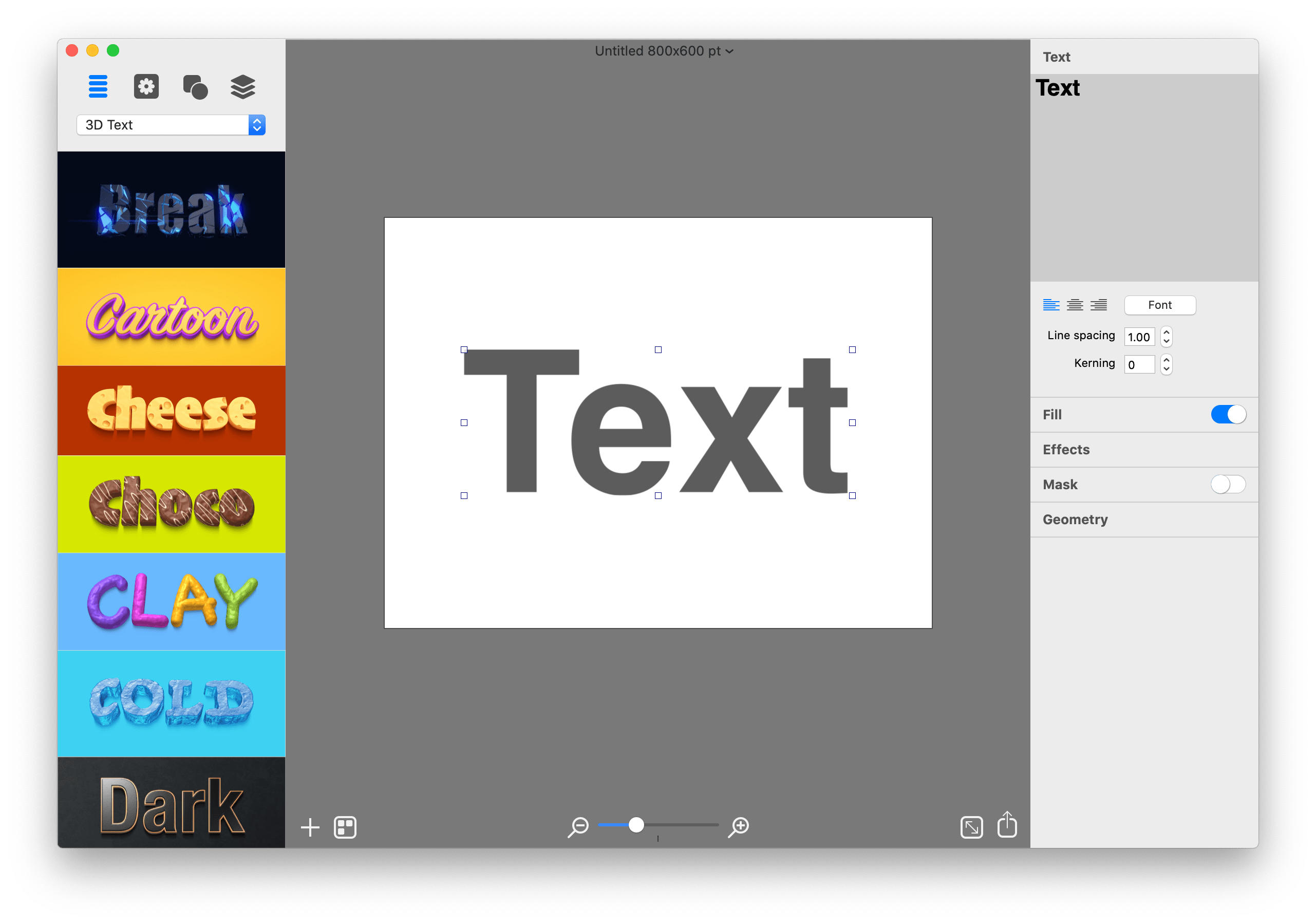
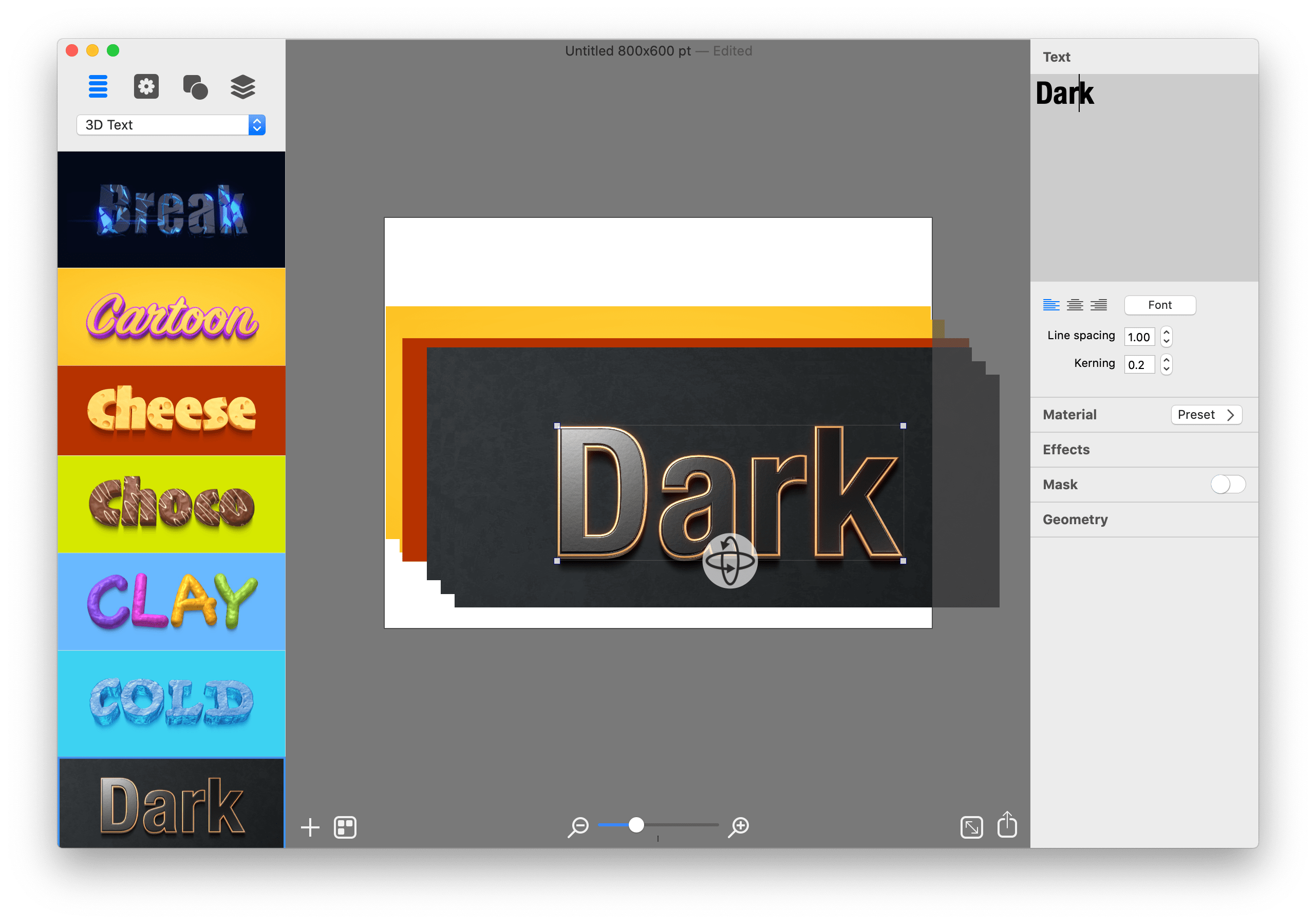
Graphic Design Software for Everyone. Art Text is graphic design software specifically tuned for lettering, typography, text mockups and various artistic text effects. Supplied with a great variety of ready to use styles and materials, selection of textures, icons, fonts and backgrounds, special designed effects and shape transformations, Art Text guarantees striking appearance of your badges, logos, cards, flyers and presentations.
Graphics that you create in Art Text will be a perfect fit for various document types, such as presentations, flyers, brochures, business cards, and can even spice up photos or create picture captions before uploading to Facebook.
Styles and Materials
Art Text comes equipped with a wide selection of text styles, surface materials and effects. Unrestricted by any presets, your creativity will take flight with easily adjustable textures, surface bump maps, environment textures, light spots and shadows, and other settings to come up with new materials.
Spray Fill
Beautifully lay out words with coffee beans, color balls, leaves, Lego pieces and even clouds using the supplied collection or import your own fill images. Experiment with lettering design from highly random to a very structured layout and fill sizes.
Mask Effects
Tweak text finishing with a variety of masks to render an aged text or a scratched look. You may also want to add a stamped effect with just one click. Easily experiment with settings, and combine masks with other effects, to get a somewhat unexpected but impressive result.
Distortion Effects
Heavily alter the font shape beyond standard typeface options. Effortlessly wear out text sides with Side Distortion, create random holes in the body with Erosion, partially dim text with Blur distortion, and more.
Shading Materials
Special 2D materials open the door to an array of visual effects, such as bumping or embossing. You may also apply a glass, plastic or gold finish, make the surface glossy, matte, bright or faded, or give your graphic a fascinating watercolor, oil paint or pencil drawing look. The most demanding users will find the material editor handy for creating custom Shading Materials.
Real 3D Text
Art Text implements a 3D modeling engine that helps to convert any text, symbol or pictogram to 3D. Our graphic design software embeds 3D renderer together with tons of customizable 3D materials to ensure super realistic results every time.
Paint Lettering
Art Text comes with a great variety of fills, distortion effects and object content to design highly realistic, hand painted, ink written and watercolor lettering art.
What’s New:
What’s New in Version 4 Spray Fill
New fill effect that populates the text shape with coffee beans, nuts, stones, glitter and other preset image fills.
Text Designs Store
Regularly updated gallery of free and paid text design templates.
Realistic 3D Materials
Materials have dramatically improved with Reflection Masks.
Facebook 3D Photo
Create catchy phrase graphics and share on Facebook as a 3D photo.
Multi-Purpose Distortion
Achieve diverse 2D visual effects with Erosion, Roundness, Side Distortion, Blur and other shape distortion effects.
Shading Materials
2D shading materials become more sophisticated with 150 fully adjustable Bump Map masks.
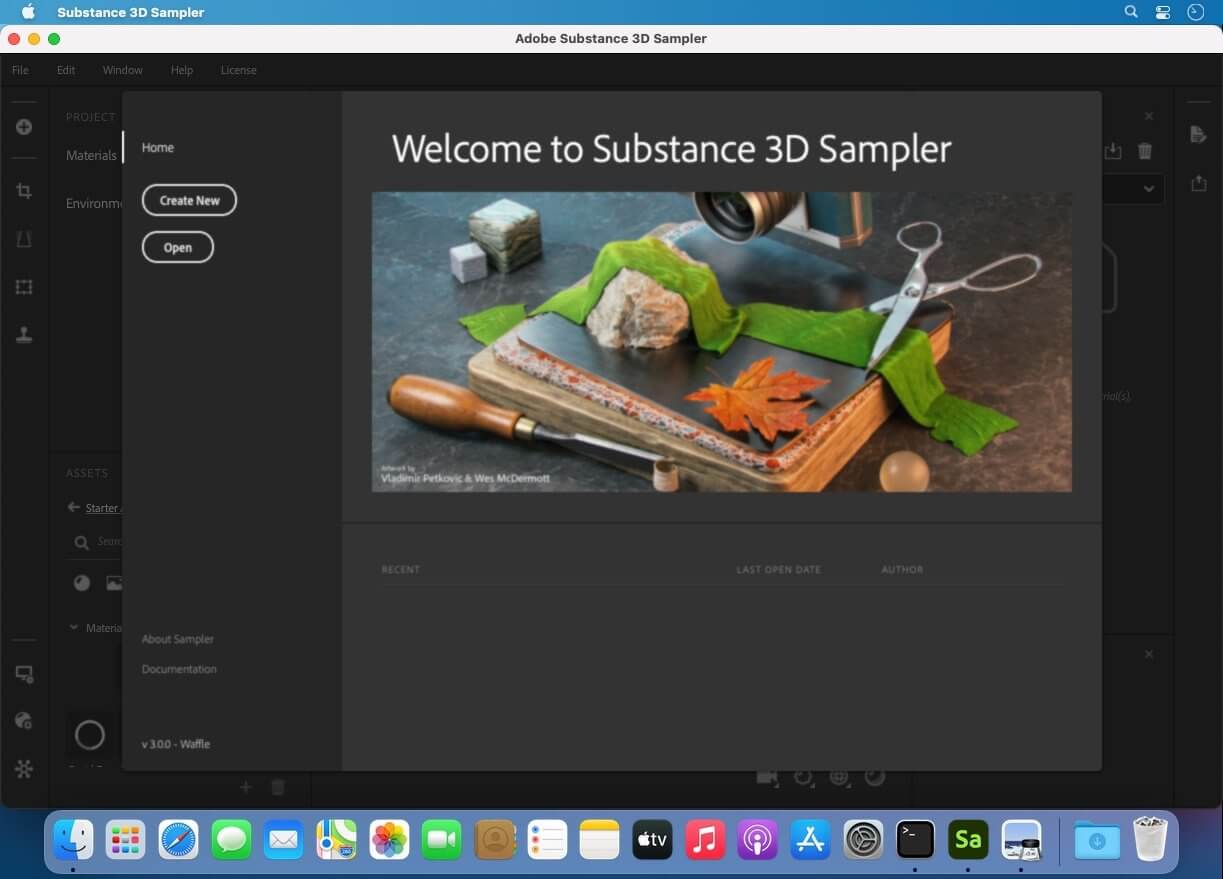
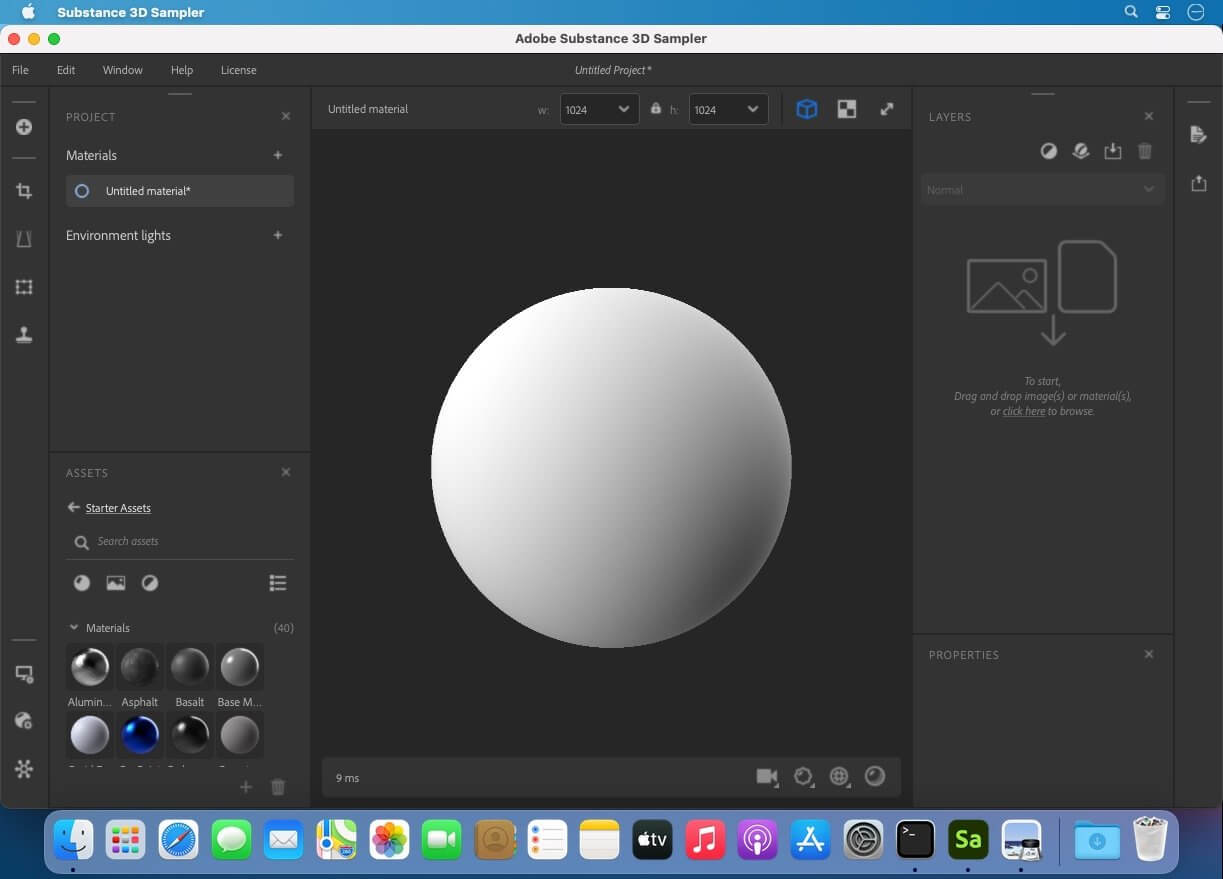
Substance 3D Sampler is at the heart of your 3D workflow. Easily transform a real-life picture into a photorealistic surface or HDR environment.
Transform real-world pictures into 3D materials.
Easily import a reference photo and transform it into a high-quality 3D material with features powered by Adobe Sensei. Closely match the original real-life surface and create seamless tileable materials from your captures.
Combine and mix materials.
Combine multiple materials and parametric filters to create more advanced surfaces. Access thousands of materials on Substance 3D Assets and Substance 3D Community Assets. The possibilities are endless.
An extensive content library to get you started.
Drag and drop your image, add a couple of prebuilt filters, and voila — a library of one-click generators, filters, and effects lets you quickly experiment and get results in just a few clicks. Send your assets directly to Substance 3D Painter and Stager.
The heart of your 3D workflow.
Use generators and filters from Designer, composite light environments for Stager, or send materials and lights to Painter. You can even edit your 2D inputs directly in Adobe Photoshop. Choose from a variety of export presets for all major 3D apps.
What’s New:
Version 11.3.3:
Release notes were unavailable when this listing was updated.
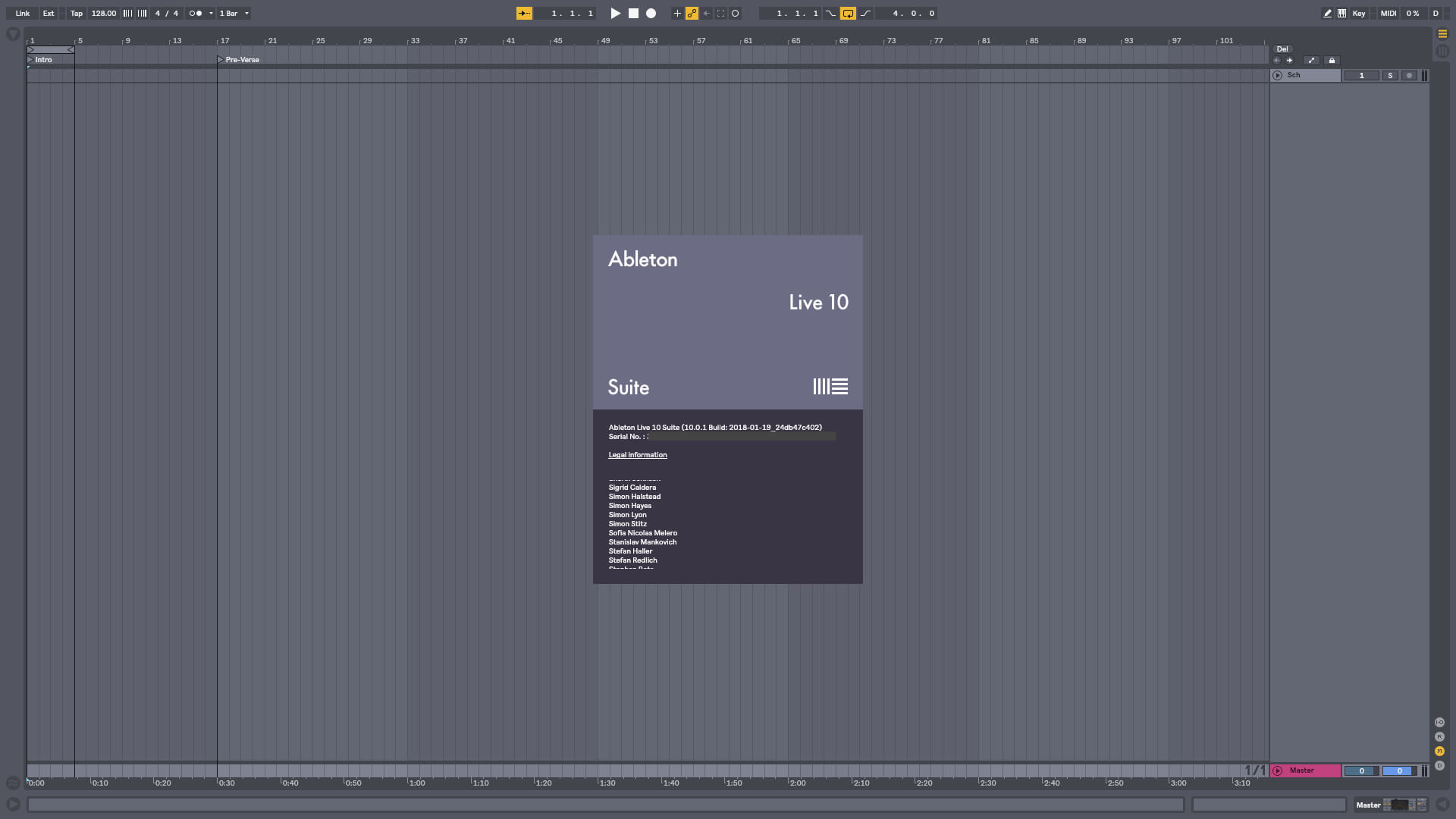
Live is fast, fluid and flexible software for music creation and performance. It comes with effects, instruments, sounds and all kinds of creative features—everything you need to make any kind of music. Create in a traditional linear arrangement, or improvise without the constraints of a timeline in Live’s Session View. Move freely between musical elements and play with ideas, without stopping the music and without breaking your flow.
Create your perfect take Take recording and comping
Live organizes multiple passes of an audio or MIDI performance into individual takes. Pick the best moments of each performance and combine them to create your perfect take. Or approach sound design in a new way by splicing together random samples from your library.
Linked-track editing
Link two or more tracks to edit their content simultaneously. This makes editing multi-tracked instruments or performances with multiple musicians easy and fast whilst keeping everything in time across tracks. This feature also works for MIDI tracks.
Add more feeling to your music
Use your MPE-capable controller
Plug in your MPE-capable controller and immediately add bends, slides and pressure for each individual note in a chord. Add subtle expression variations, morph between chords and create evolving sonic textures.
What is MPE?
MPE stands for MIDI Polyphonic Expression. This way of using MIDI allows MPE-capable devices to control multiple parameters of every note in real time for more expressive instrumental performances.
Experiment with new devices
Hybrid Reverb
Hybrid Reverb combines convolution and algorithmic reverbs. Place your sounds in any space, from accurate real-life environments to those that defy physical reality. Use the algorithmic side to add control and modulate the reverb tail, run it in parallel or in series with the convolution side, or play Hybrid Reverb like an instrument for real-time sound design.
Spectral Resonator
Breaks the spectrum of an incoming audio signal into partials, then stretches, shifts and blurs the result by a frequency or a note in subtle or radical ways. The MIDI sidechain input also allows musicians to process material in key and even play the device as if it were a polyphonic instrument.
Spectral Time
Transforms sound into partials and feeds them into a frequency-based delay, resulting in metallic echoes, frequency-shifted and reverb-like effects. The Freeze function captures and holds a slice of audio – either free-running or in time with the beat – for stuttered, glitched and washed-out effects.
PitchLoop89
Create jittery glitch effects, delayed digital shimmers and outlandish vibrato with this Max for Live pitch shifting device created in collaboration with Robert Henke and inspired by the Publison DHM 89 – an early digital effects processor. It’s a flexible tool to add character to sounds in the studio, or for in-the-moment experimentation onstage.
Do more on stage
Tempo Following
Live listens to and adjusts its tempo based on incoming audio in real time, making it a dynamic part of the band instead of the tempo source that everyone has to follow. When you DJ, you can even turn Live into a tempo-synced FX box.
Macro Snapshots
Store the state of your Macros for later recall – perfect for creating instant variations to your sounds or builds and drops during performance.
Rack improvements
Configure your Racks to have between 1 and 16 Macros. Randomize the state of your Macros with the randomization button. Map this control to MIDI and perform drastic changes in real time to surprise your audience and yourself.
Be unpredictable
Note chance
Set the probability that a note or drum hit will occur and let Live generate surprising variations to your patterns that change over time.
Velocity chance
Define ranges for velocity probability for subtle, humanized variations in the dynamics of your patterns.
Do more with Follow Actions
Follow Actions can now be linked to the clip length, making it faster to create interesting sequences of clips. Scene Follow Actions let you create evolving arrangements. You can also set Follow Actions to jump to specific clips and enable and disable Follow Actions globally.
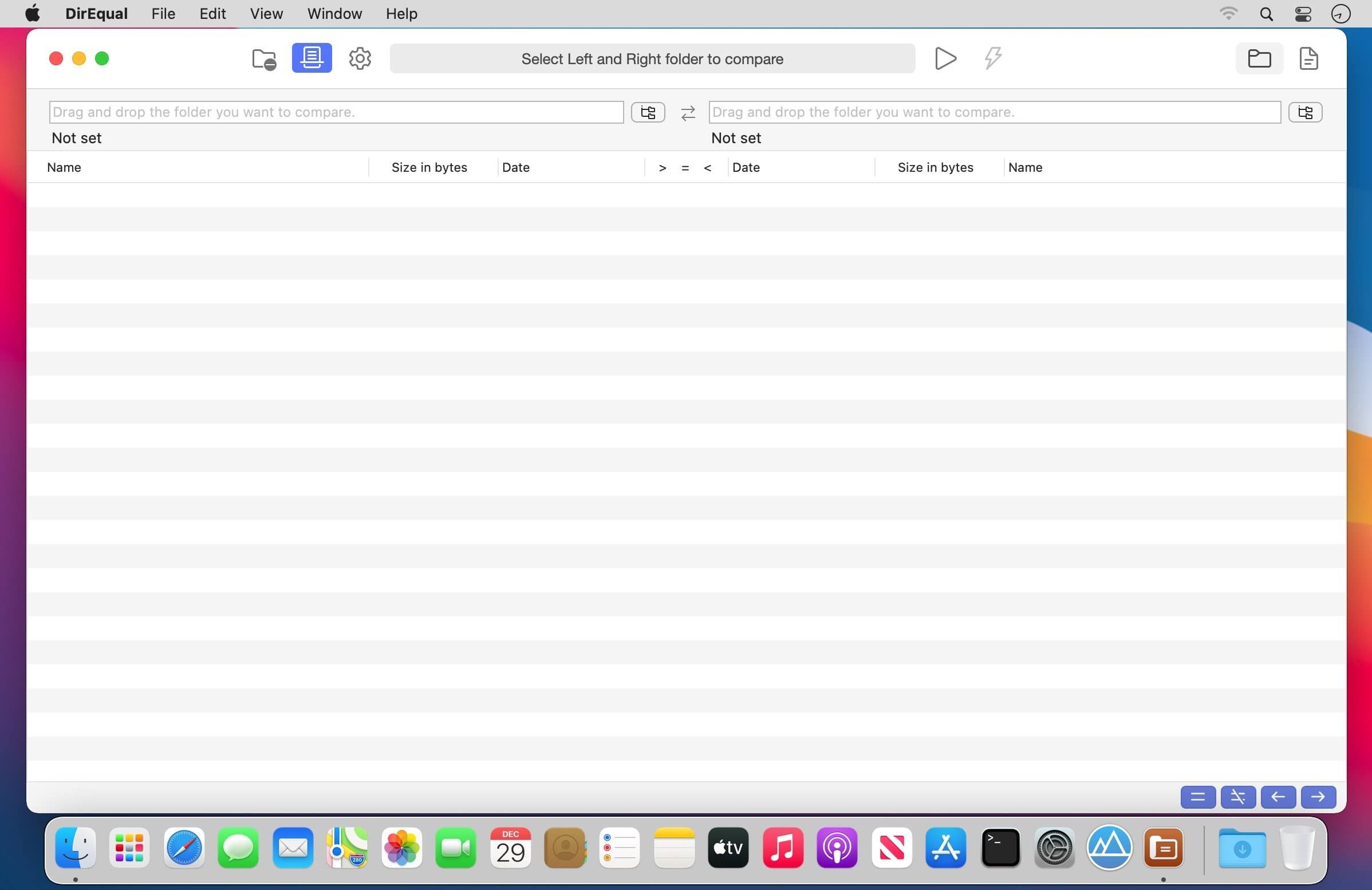
DirEqual is a Folder Compare Tool that makes it extremely easy to compare local files and folders on your Mac.
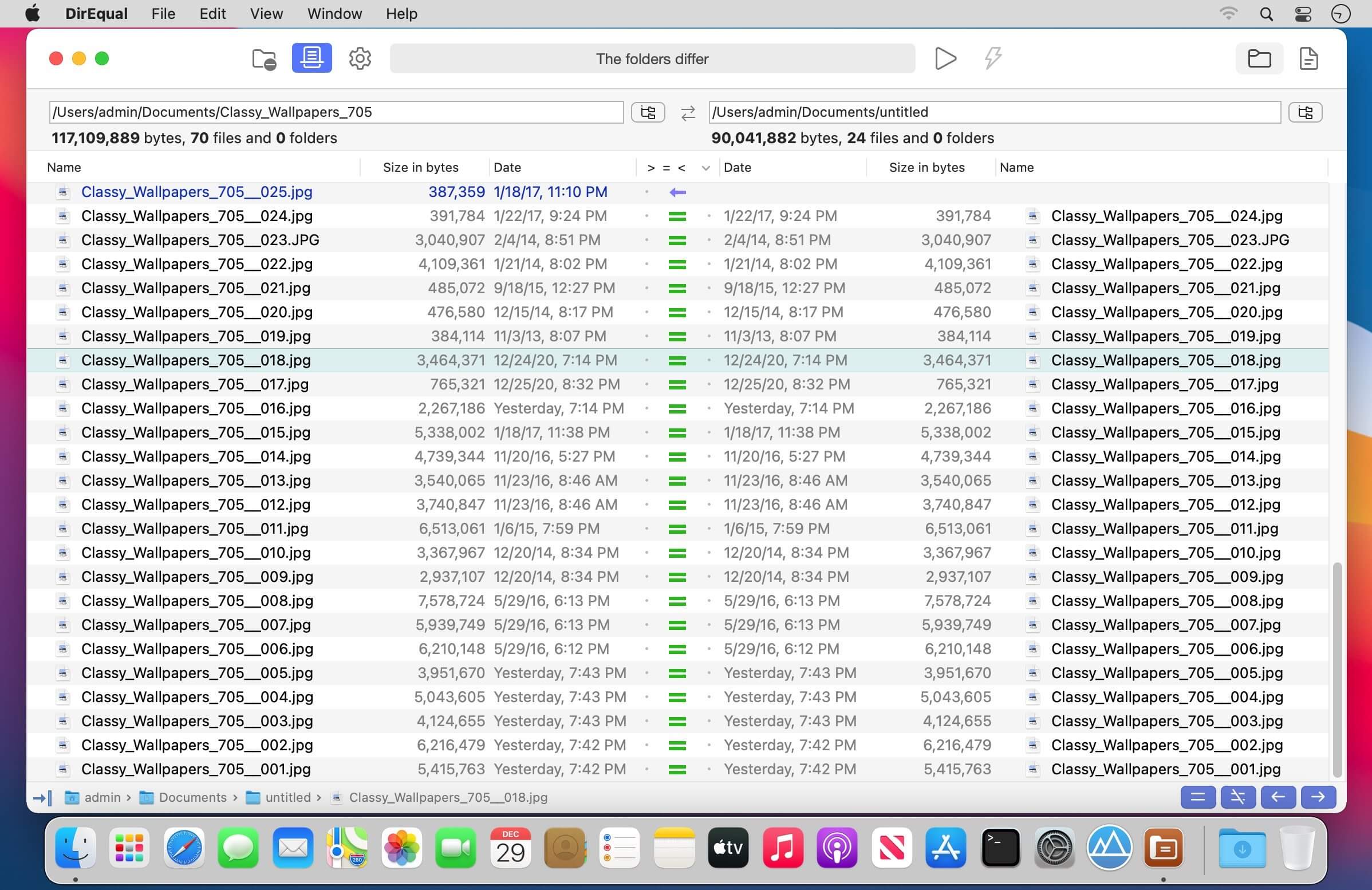
DirEqual displays compared directories side by side as expandable trees, and the size and date are indicated for each item. Differences between the directories are indicated with colour and easy to identify icons.
To copy or delete files or folders, click an individual item to choose the appropriate action.
The action is represented with red or blue arrow. Then click “Execute” to synchronise the two folders.
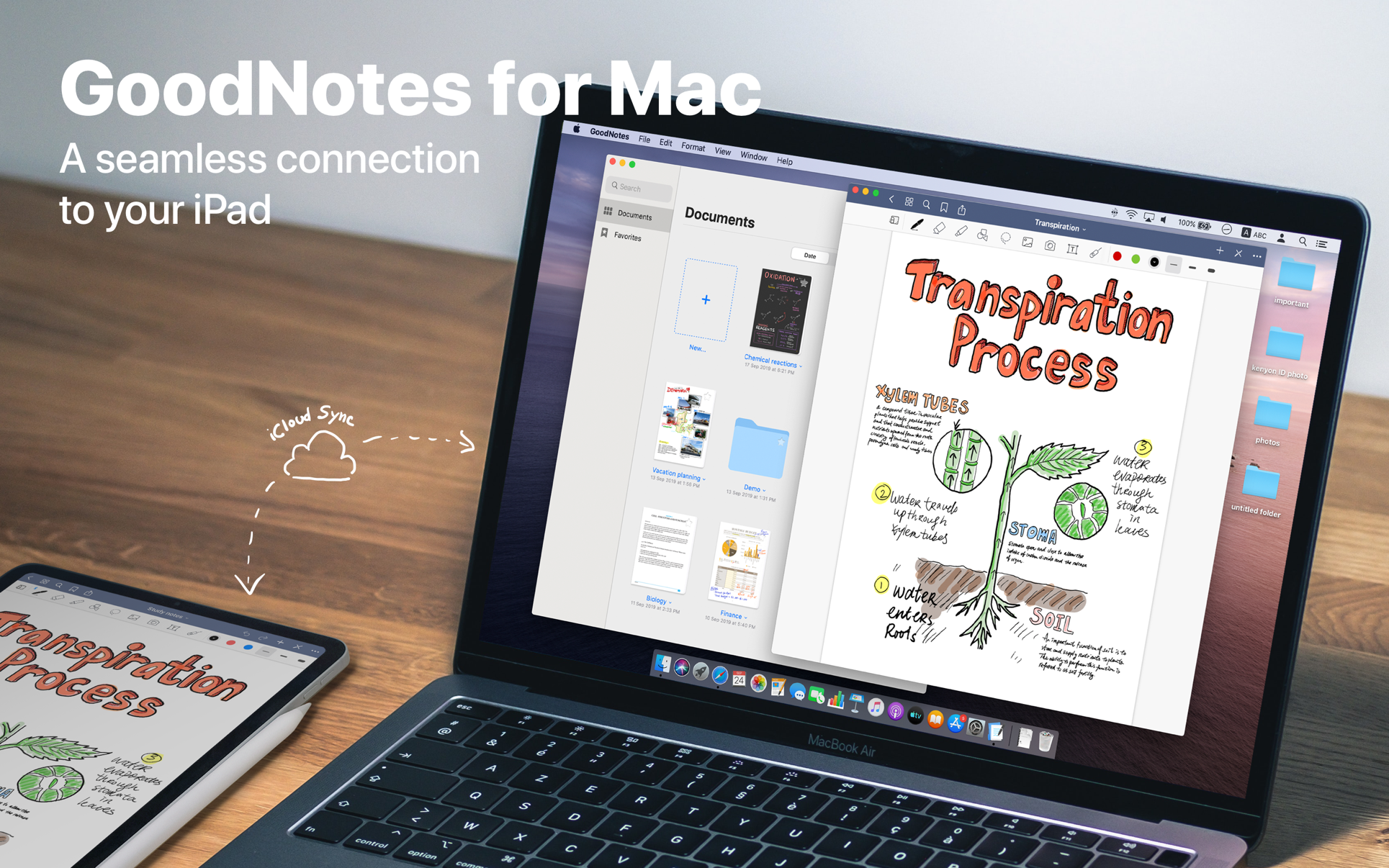
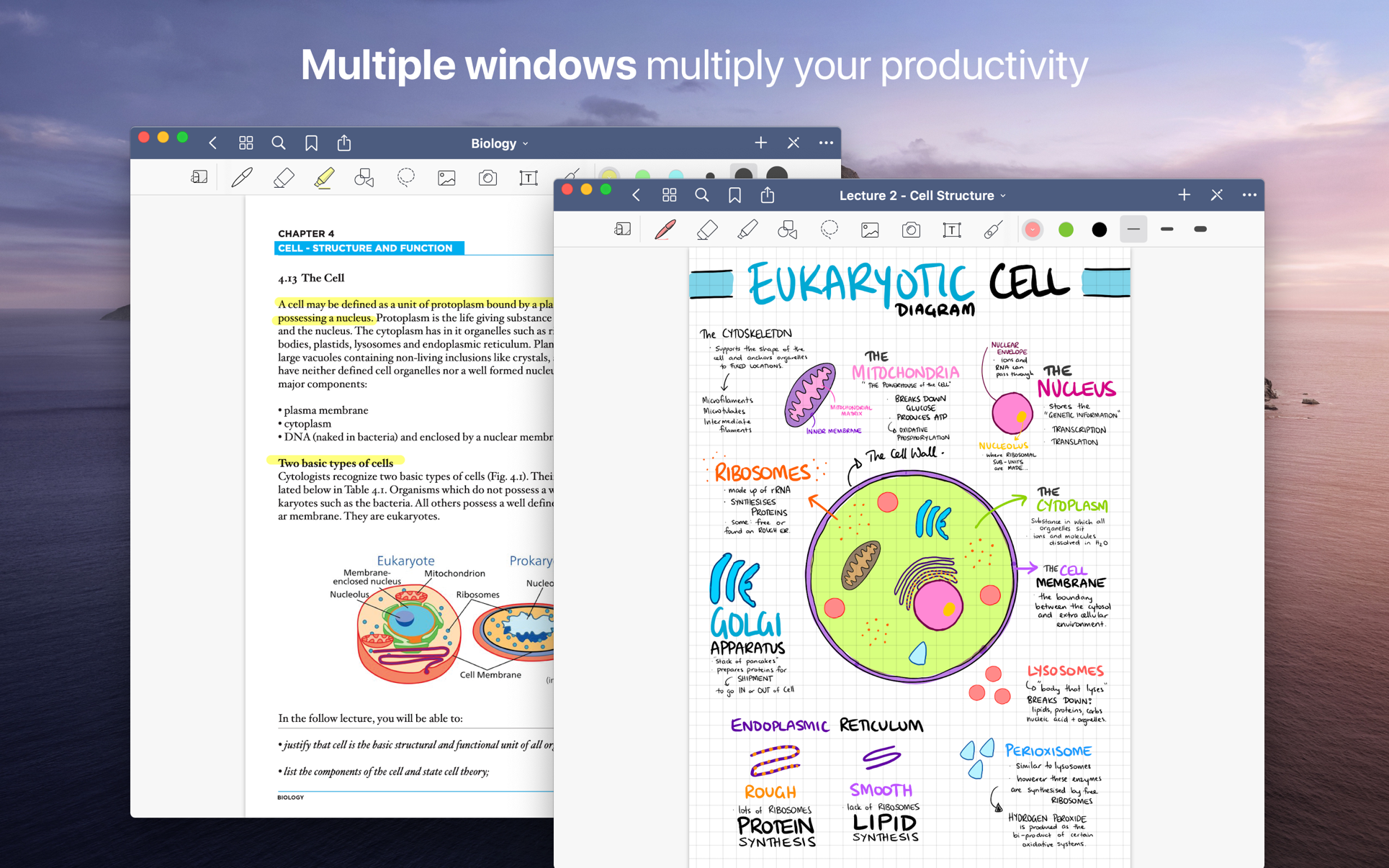
Transform your Mac into smart digital paper and a powerful document management system.
Use the same features from GoodNotes’ iPad version on your Mac and work with your documents where you want and when you want.
CREATE, IMPORT, AND EDIT DOCUMENTS ON YOUR MAC
Create digital notebooks and type text with your keyboard or write and draw with the mouse/trackpad or the Apple Pencil using Sidecar on your iPad
Import PDF and images to annotate them in GoodNotes
Add documents from your Mac to existing GoodNotes notebooks via drag and drop
PAPERLESS DOCUMENT MANAGEMENT
Organize your documents in folders and create unlimited subfolders
Mark your most important documents, pages, and folders as Favorites to access them quickly
Create custom outlines for easier navigation through your documents
Instant export of documents or pages as PDF via drag and drop
ALL YOUR NOTES ALWAYS WITH YOU
Sync your latest changes to your iPad, iPhone, and other Macs using iCloud
Prepare documents on your Mac and pick them up on another device to continuously work on them
ESCAPE THE LIMITS OF ANALOG PAPER
Move, resize, and rotate your handwriting or change colors
Draw perfect shapes and lines with the Shapes Tool
powerful & smart eraser tool: Choose to erase the entire stroke or only parts of it. Set it to “Erase Highlighter Only” to leave the ink intact
Navigate through imported PDFs with existing hyperlinks