Category Archives: Safari

RSS Button for Safari 1.6.2

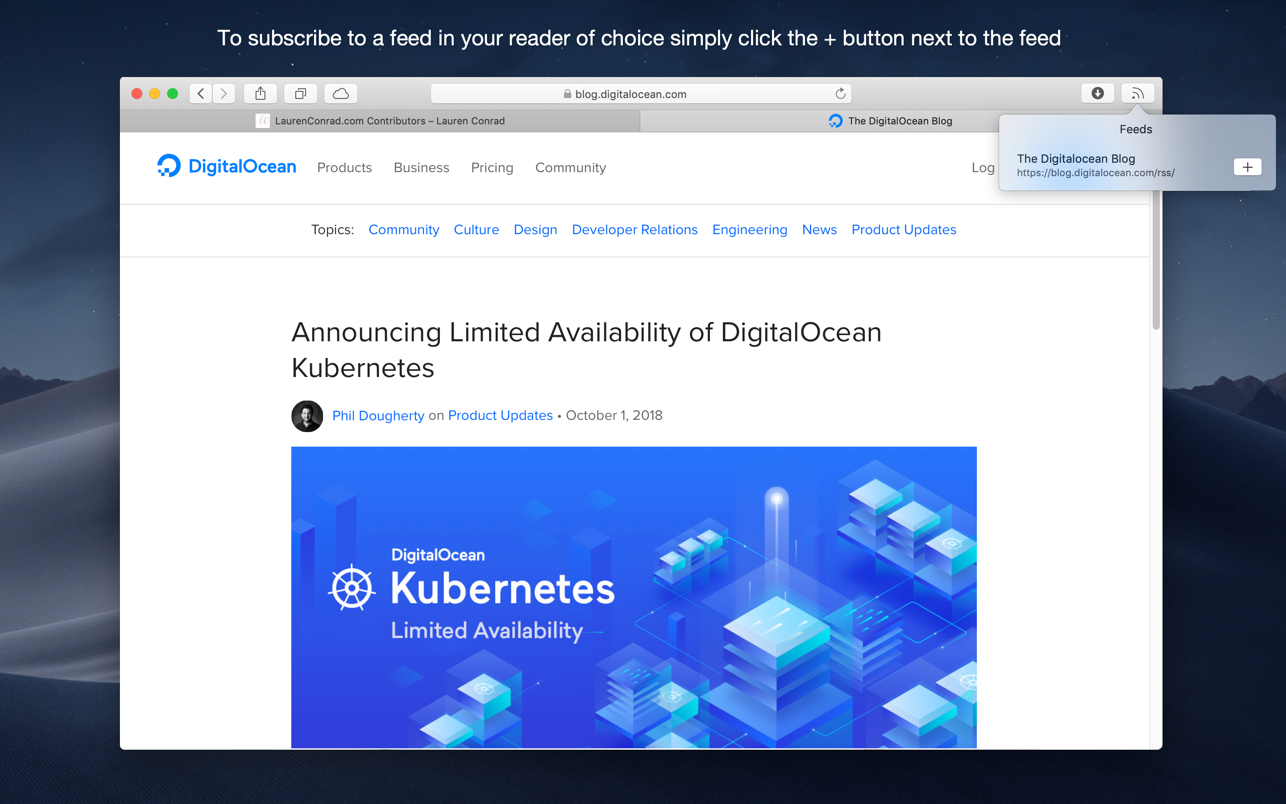
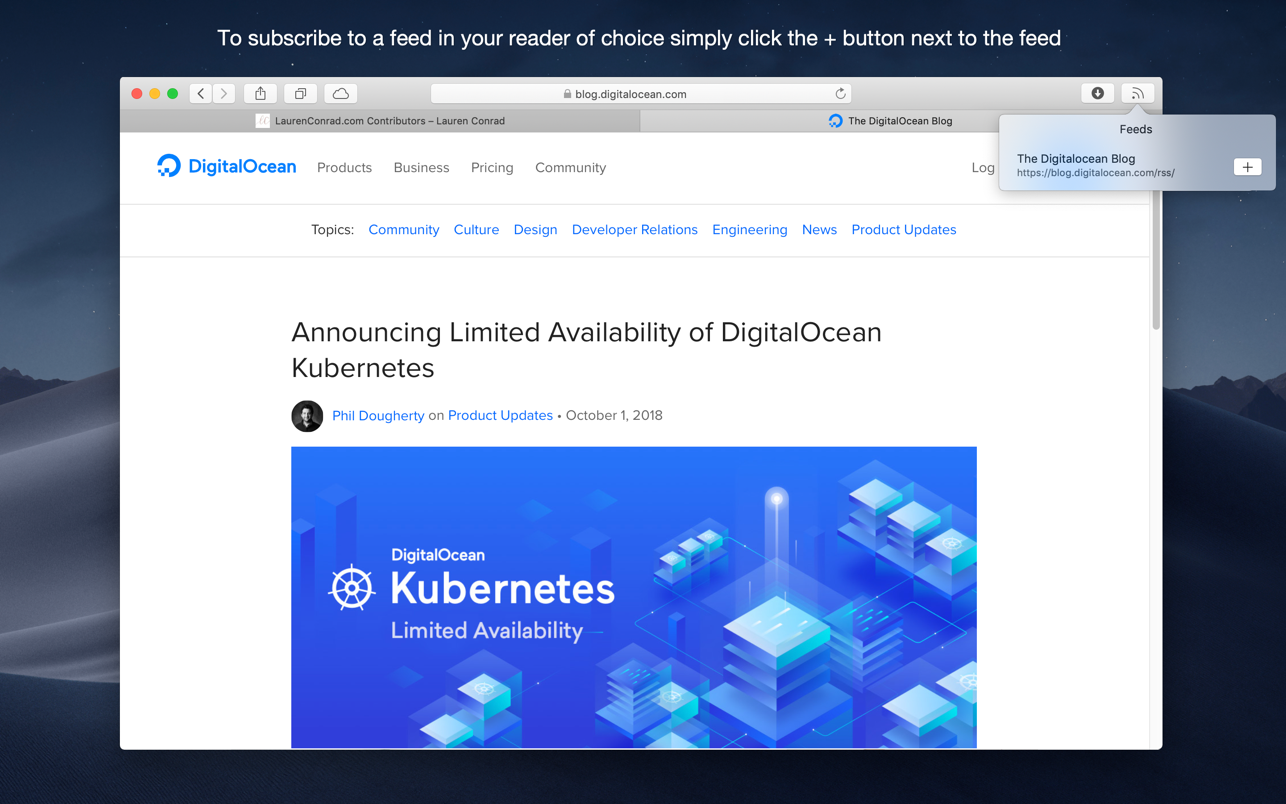
Discover and subscribe to RSS, Atom or JSON feeds in your preferred desktop or web based news reader from Safari.
RSS Button for Safari requires either a desktop news reader supporting RSS, Atom or JSON feeds or an account with an online news reader such as Feedbin, Feedly, FeedHQ, Inoreader, NewsBlur, The Old Reader, Minimal Reader or BazQuz Reader. Alternatively you can choose to copy the feed address to your clipboard or use any self-hosted news reader.

To install:

  1. Open RSS Button for Safari from Applications;
  2. Choose your preferred news reader
  3. Enable the extension from Safari Preferences under the extensions tab
  4. If the toolbar button does not appear in Safari go to View / Customize Toolbar and drag the RSS Button to your toolbar.

Compatible news reader desktop applications include:

  • Cappuccino
  • Feedy
  • Leaf
  • Newsflow
  • News Explorer
  • News Menu
  • NetNewsWire
  • ReadKit
  • Reeder 4.1.5+
  • Stripes

Applications that are not compatible or have known issues opening feed URLs automatically:

  • Pulp
  • Mozilla Thunderbird
  • NewsBar
  • Reeder 3 or older
  • RSS Reader

Languages: English
Compatibility: 64-bit processor • macOS 10.12 or later
Homepage https://apps.apple.com/us/app/rss-button-for-safari/id1437501942

Screenshots
Name: RSS_Button_for_Safari_1.6.2_MAS__HCiSO_Mactorrents.io.dmg
Size: 6.3 MB
Files RSS_Button_for_Safari_1.6.2_MAS__HCiSO_Mactorrents.io.dmg[6.3 MB]

   Download

Dark Reader for Safari 1.4.2

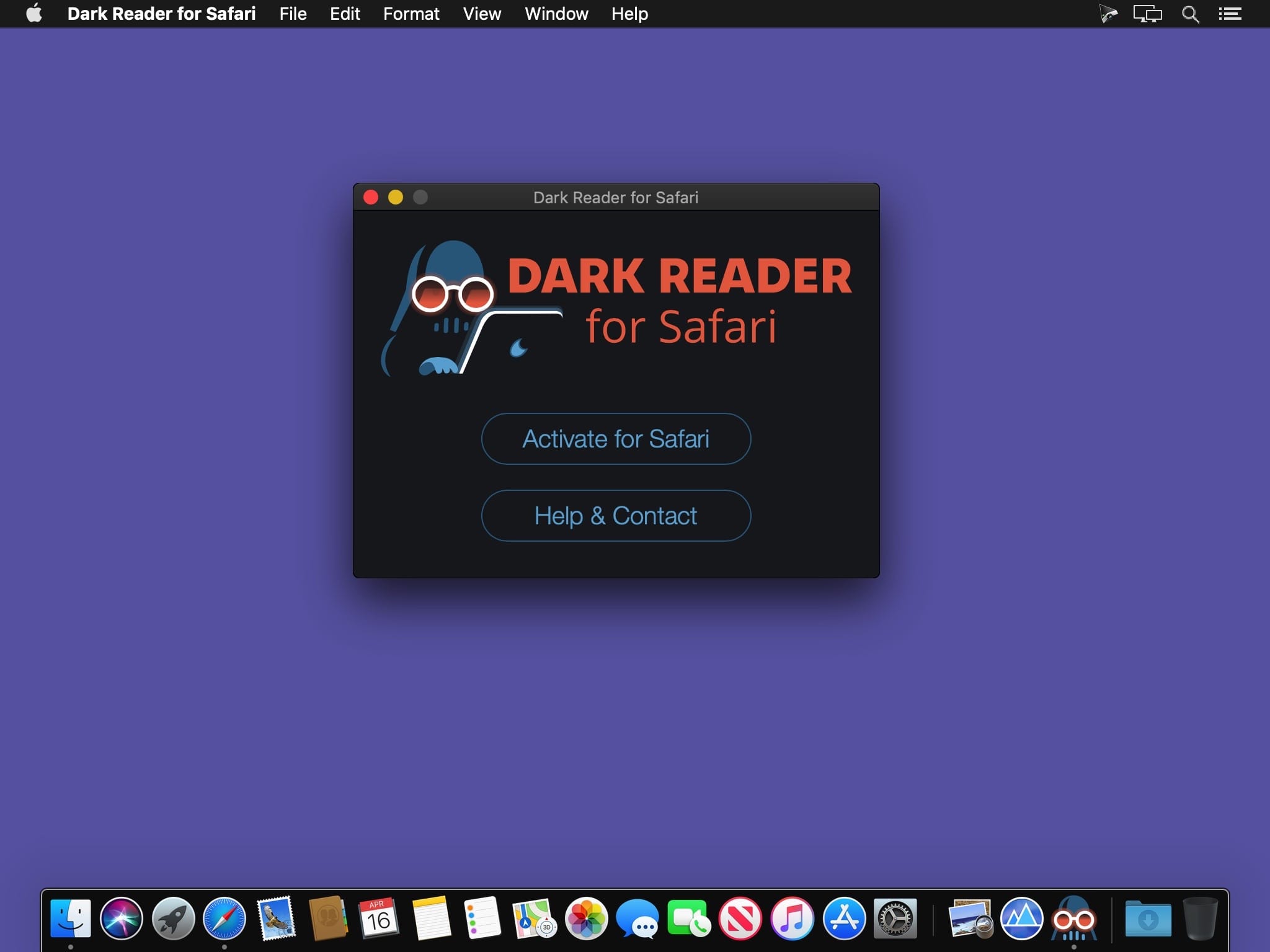
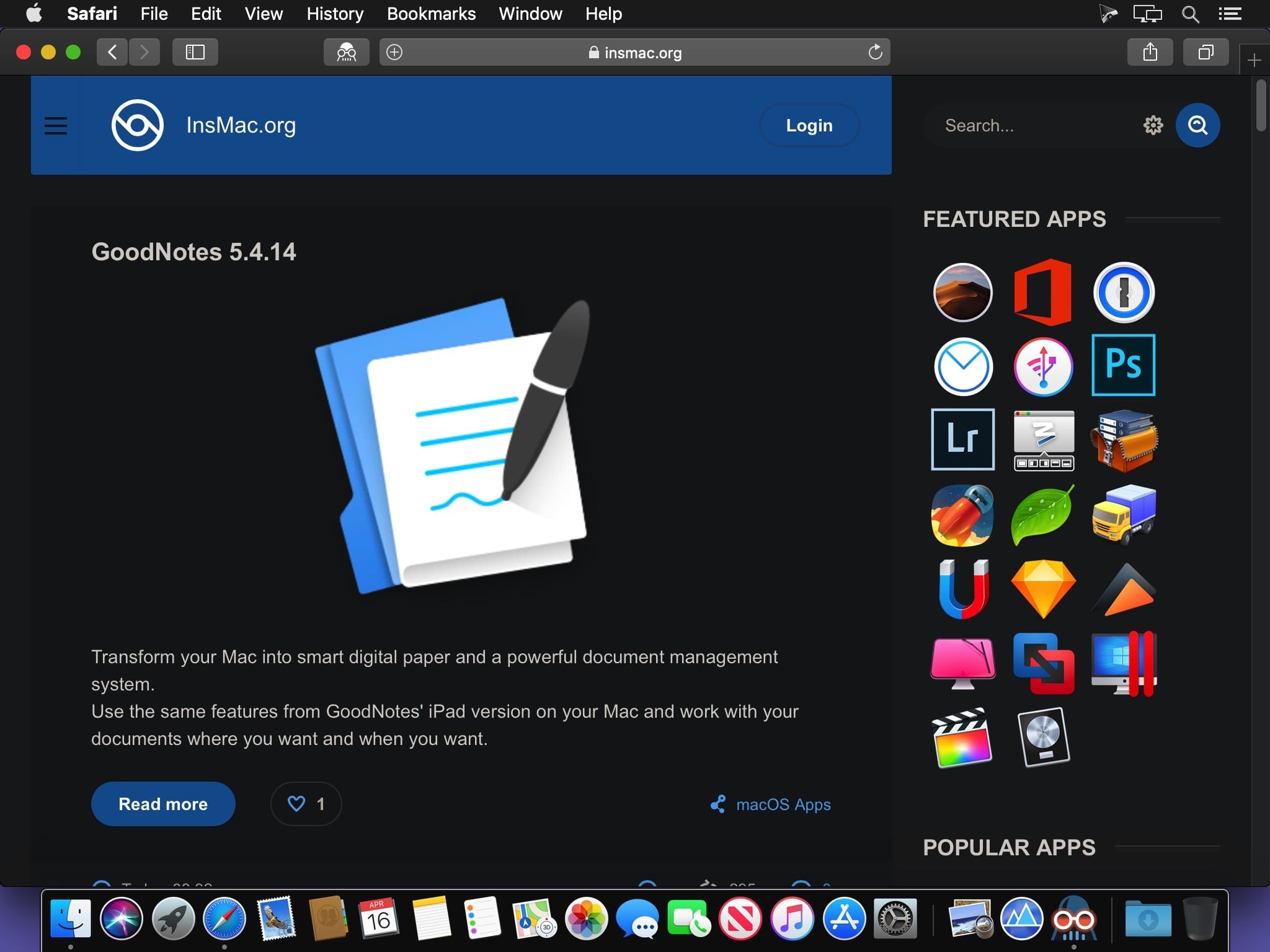
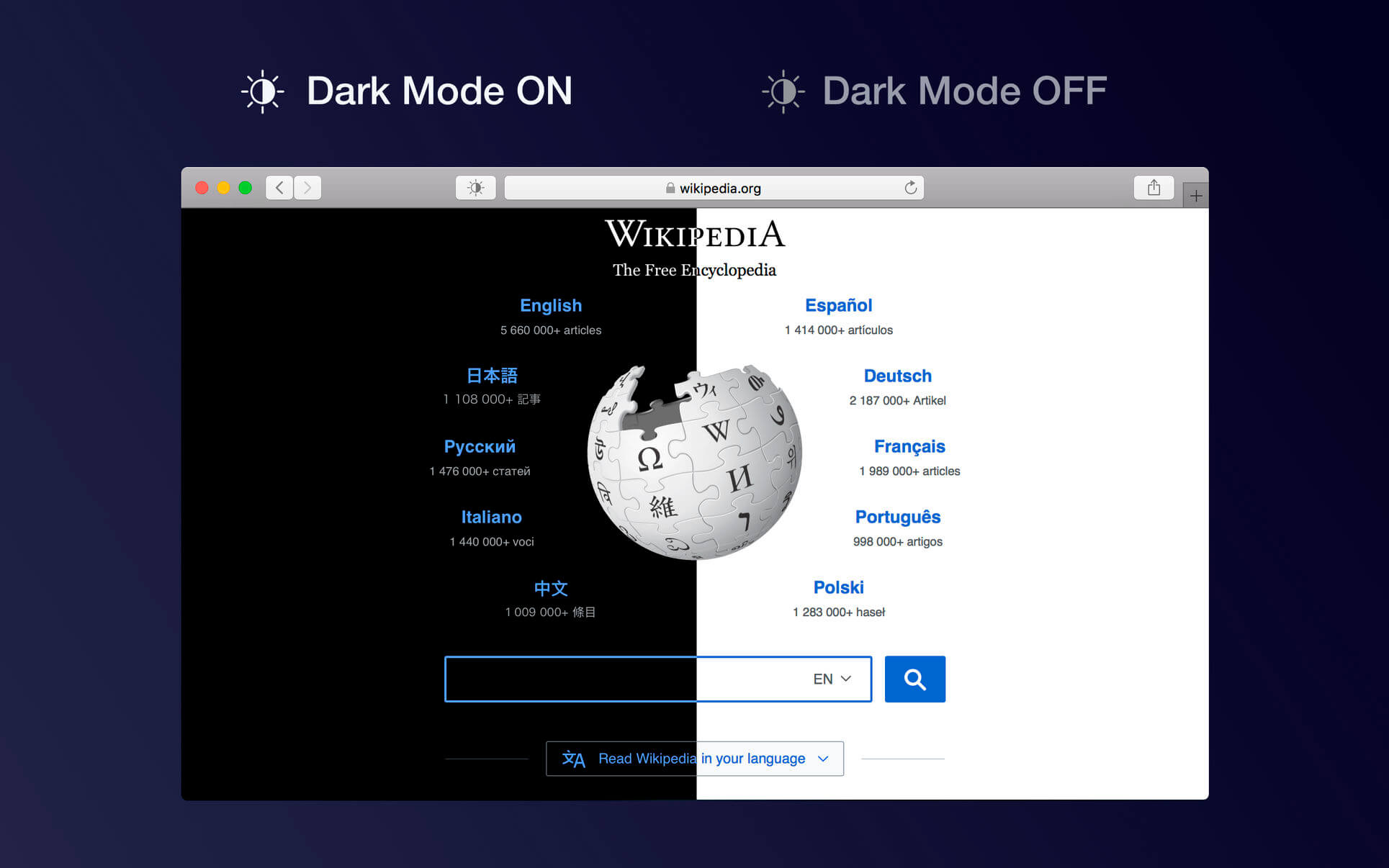
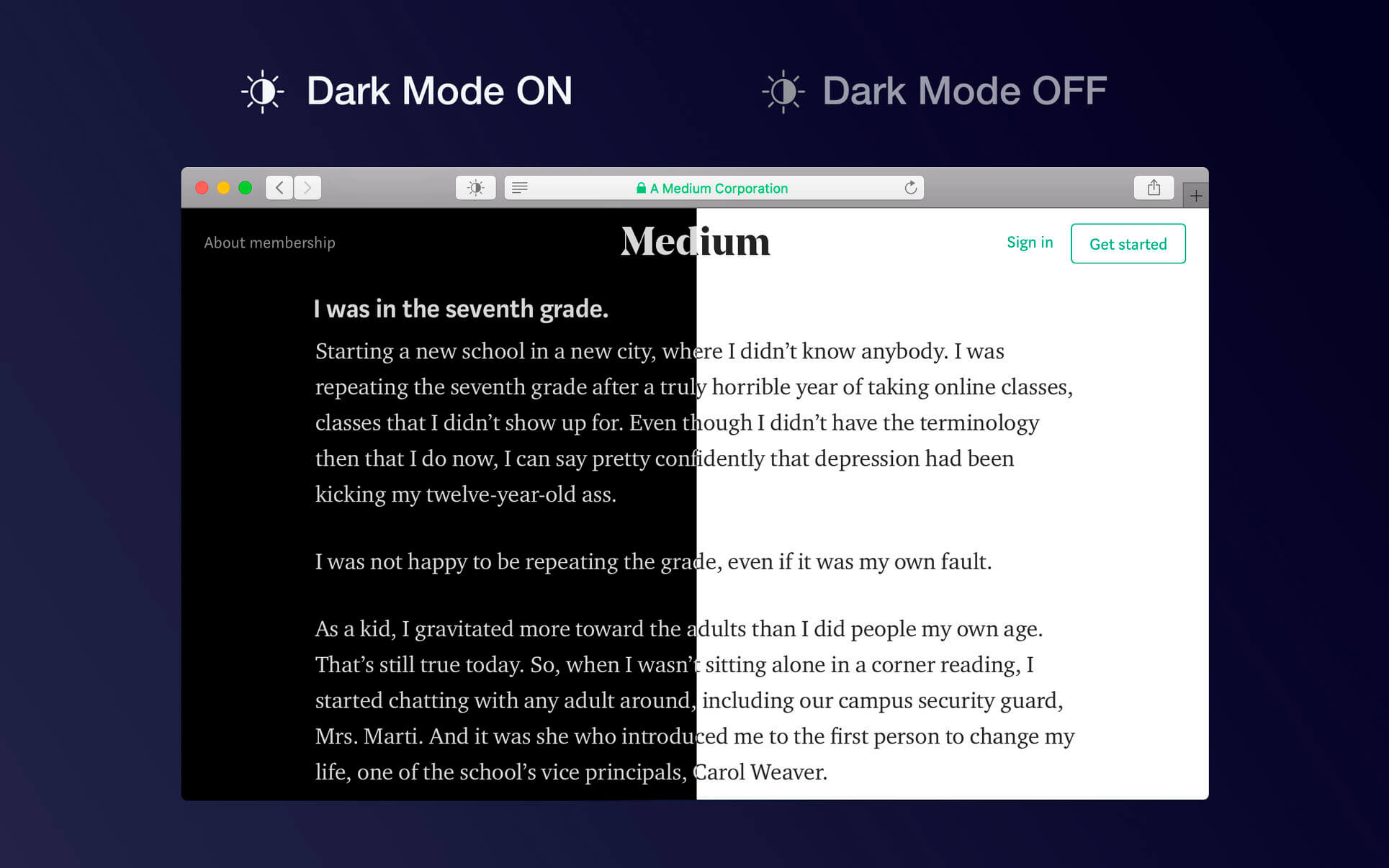
This eye-care extension enables night mode creating dark themes for websites on the fly. Dark Reader inverts bright colors making them high contrast and easy to read at night. It perfectly suits to system dark mode.

Configure brightness and contrast to fit your display, choose between Dynamic and Filter mode, toggle individual websites, auto-toggle by system dark mode preferences.

Before you install disable similar extensions. Activate Dark Reader in Safari preferences. Enjoy watching!

What’s New:

Version 1.4.2

  • Dynamic mode bug fixes.

Compatibility: macOS 10.13 or later, 64-bit processor
Homepage https://apps.apple.com/app/dark-reader-for-safari/id1438243180

Screenshots


Name: Dark_Reader_for_Safari_1.4.2_MAS__TNT_Mactorrents.io.dmg
Size: 6.4 MB
Files Dark_Reader_for_Safari_1.4.2_MAS__TNT_Mactorrents.io.dmg[6.4 MB]

   Download

RSS Button for Safari 1.6.1

Discover and subscribe to RSS, Atom or JSON feeds in your preferred desktop or web based news reader from Safari.
RSS Button for Safari requires either a desktop news reader supporting RSS, Atom or JSON feeds or an account with an online news reader such as Feedbin, Feedly, FeedHQ, Inoreader, NewsBlur, The Old Reader, Minimal Reader or BazQuz Reader. Alternatively you can choose to copy the feed address to your clipboard or use any self-hosted news reader.

To install:

  1. Open RSS Button for Safari from Applications;
  2. Choose your preferred news reader
  3. Enable the extension from Safari Preferences under the extensions tab
  4. If the toolbar button does not appear in Safari go to View / Customize Toolbar and drag the RSS Button to your toolbar.

Compatible news reader desktop applications include:

  • Cappuccino
  • Feedy
  • Leaf
  • Newsflow
  • News Explorer
  • News Menu
  • NetNewsWire
  • ReadKit
  • Reeder 4.1.5+
  • Stripes

Applications that are not compatible or have known issues opening feed URLs automatically:

  • Pulp
  • Mozilla Thunderbird
  • NewsBar
  • Reeder 3 or older
  • RSS Reader

Languages: English
Compatibility: macOS 10.12 or later, 64-bit processor
Homepage https://apps.apple.com/us/app/rss-button-for-safari/id1437501942

Screenshots

Name: RSS_Button_for_Safari_1.6.1_MAS__HCiSO_Mactorrents.io.dmg
Size: 6.3 MB
Files RSS_Button_for_Safari_1.6.1_MAS__HCiSO_Mactorrents.io.dmg[6.3 MB]

   Download

OverPicture for Safari 1.11

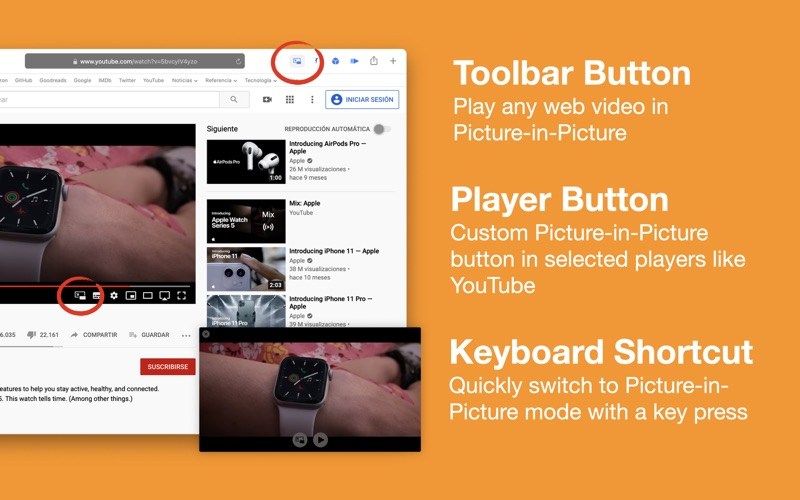
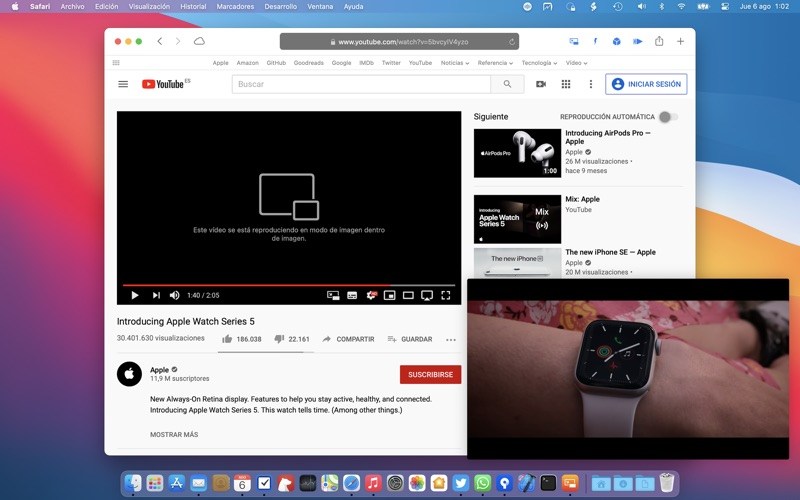
OverPicture is a Safari Extension that allows you to play any web video in the new Picture-In-Picture mode. Press the play/pause button in any web video player in Safari and then in the toolbar PIP button and the video will start playing in Picture-In-Picture over your windows. And it will even embed custom buttons in some video players like YouTube.

Note: You have to open the app and then enable the Safari App Extension in Safari Preferences.

What’s New
• Bug fixes.

Compatibility: macOS 10.12 or later 64 bit
Homepage https://geo.itunes.apple.com/app/id1188020834

Screenshots


Name: OverPicture_1.11_MAS__TNT_Mactorrents.io.dmg
Size: 8 MB
Files OverPicture_1.11_MAS__TNT_Mactorrents.io.dmg[8 MB]

   Download

Dark Reader for Safari 1.4.1

This eye-care extension enables night mode creating dark themes for websites on the fly. Dark Reader inverts bright colors making them high contrast and easy to read at night. It perfectly suits to system dark mode.

Configure brightness and contrast to fit your display, choose between Dynamic and Filter mode, toggle individual websites, auto-toggle by system dark mode preferences.

Before you install disable similar extensions. Activate Dark Reader in Safari preferences. Enjoy watching!

What’s New:

Compatibility: macOS 10.13 or later, 64-bit processor
Homepage https://apps.apple.com/app/dark-reader-for-safari/id1438243180

Screenshots


Name: Dark_Reader_for_Safari_1.4.1_MAS__HCiSO_Mactorrents.io.dmg
Size: 5 MB
Files Dark_Reader_for_Safari_1.4.1_MAS__HCiSO_Mactorrents.io.dmg[5 MB]

   Download

OverPicture for Safari 1.10

OverPicture is a Safari Extension that allows you to play any web video in Picture-In-Picture mode.

You can enable Picture-in-Picture for any web video the following ways:

  • Click the Picture-in-Picture toolbar button.
  • In selected players like YouTube use the custom button.
  • Press the P key while playing a video.

Note: You can enable the OverPicture Extension from the Extensions section of the Safari Preferences pane.

What’s New:

Version 1.10

  • Compatibility update.

Compatibility: macOS 10.12 or later, 64-bit processor
Homepage https://geo.itunes.apple.com/app/id1188020834

Screenshots


Name: OverPicture_1.10_MAS__TNT_Mactorrents.io.dmg
Size: 7.84 MB
Files OverPicture_1.10_MAS__TNT_Mactorrents.io.dmg[7.84 MB]

   Download

Dark Mode for Safari 2.9.5

Dark Mode makes your browser more comfortable, enjoyable and cool by changing the colour scheme to make web pages easier to read. Works especially well for people working during the night or in low light environments or when you want to match your browser with the new Mojave dark mode look.

HOW TO USE IT

  • Once you activate the extension all websites will display a darker theme. You can start the extension manually, you can schedule it or turn it on automatically (when macOS Mojave dark mode is active)
  • Just press the tool bar button and you can change the theme to a softer or a mono theme
  • You can deactivate the theme for any site or apply dark mode for some sites only

FEATURES

  • A simple and powerful Safari extension
  • Choose between 4 themes: Dark, Soft Dark, Dark Curtain and Mono
  • Multiple ways to activate the extension: manually, schedule it for your preferred night hours or when macOS Mojave dark mode is on
  • You can ignore any site or you can apply Dark Mode for some websites only
  • Use hotkeys to toggle Dark Mode:
  • Command + Option + K: Temporary toggle (until page refresh)
  • Command + Option + P: Permanently toggle

What’s New:

Version 2.9.5

  • Dark Mode for Safari is now ready for macOS Big Sur

Compatibility: macOS 10.12 or later, 64-bit processor
Mac App Store https://apps.apple.com/pk/app/dark-mode-for-safari/id1397180934

Screenshots


Name: Dark_Mode_for_Safari_2.9.5_MAS__TNT_Mactorrents.io.dmg
Size: 7.63 MB
Files Dark_Mode_for_Safari_2.9.5_MAS__TNT_Mactorrents.io.dmg[7.63 MB]

   Download

RSS Button for Safari 1.6

Discover and subscribe to RSS, Atom or JSON feeds in your preferred desktop or web based news reader from Safari.
RSS Button for Safari requires either a desktop news reader supporting RSS, Atom or JSON feeds or an account with an online news reader such as Feedbin, Feedly, FeedHQ, Inoreader, NewsBlur, The Old Reader, Minimal Reader or BazQuz Reader. Alternatively you can choose to copy the feed address to your clipboard or use any self-hosted news reader.

To install:

  1. Open RSS Button for Safari from Applications;
  2. Choose your preferred news reader
  3. Enable the extension from Safari Preferences under the extensions tab
  4. If the toolbar button does not appear in Safari go to View / Customize Toolbar and drag the RSS Button to your toolbar.

Compatible news reader desktop applications include:

  • Cappuccino
  • Feedy
  • Leaf
  • Newsflow
  • News Explorer
  • News Menu
  • NetNewsWire
  • ReadKit
  • Reeder 4.1.5+
  • Stripes

Applications that are not compatible or have known issues opening feed URLs automatically:

  • Pulp
  • Mozilla Thunderbird
  • NewsBar
  • Reeder 3 or older
  • RSS Reader

What’s New:

Version 1.6

  • Add feeder.co web service
  • Add Feed Wrangler web service
  • Fixed potential issue populating list of news readers when the saved news reader is uninstalled
  • Add continuous polling on the active tab to detect changes to available RSS feeds for SPAs
  • Add error message for unknown extension states

Languages: English
Compatibility: macOS 10.12 or later, 64-bit processor
Homepage https://apps.apple.com/us/app/rss-button-for-safari/id1437501942

Screenshots

Name: RSS_Button_for_Safari_1.6_MAS__HCiSO_Mactorrents.io.dmg
Size: 6.36 MB
Files RSS_Button_for_Safari_1.6_MAS__HCiSO_Mactorrents.io.dmg[6.36 MB]

   Download

OverPicture for Safari 1.9.1

OverPicture is a Safari Extension that allows you to play any web video in the new Picture-In-Picture mode. Press the play/pause button in any web video player in Safari and then in the toolbar PIP button and the video will start playing in Picture-In-Picture over your windows. And it will even embed custom buttons in some video players like YouTube.

Note: You have to open the app and then enable the Safari App Extension in Safari Preferences.

Compatibility: macOS 10.12 or later 64 bit
Homepage https://geo.itunes.apple.com/app/id1188020834

Screenshots


Name: OverPicture_1.9.1_MAS__TNT_Mactorrents.io.dmg
Size: 8 MB
Files OverPicture_1.9.1_MAS__TNT_Mactorrents.io.dmg[8 MB]

   Download

RSS Button for Safari 1.5.3

Discover and subscribe to RSS, Atom or JSON feeds in your preferred desktop or web based news reader from Safari.

To install:

1) Open RSS Button for Safari from Applications;

2) Choose your preferred news reader

3) Enable the extension from Safari Preferences under the extensions tab

4) If the toolbar button does not appear in Safari go to View / Customize Toolbar and drag the RSS Button to your toolbar.

RSS Button for Safari requires either a desktop news reader supporting RSS, Atom or JSON feeds or an account with an online news reader such as Feedbin, Feedly, FeedHQ, Inoreader, NewsBlur, The Old Reader, Minimal Reader or BazQuz Reader.

Desktop news readers verified working include:

– Cappuccino
– Feedy
– Leaf
– News Explorer
– NetNewsWire
– ReadKit
– Reeder 4.1.5+
– Stripes

Languages: English
Compatibility: macOS 10.12 or later, 64-bit processor
Homepage https://apps.apple.com/us/app/rss-button-for-safari/id1437501942

Screenshots

Name: RSS_Button_for_Safari_1.5.3_MAS__HCiSO_Mactorrents.io.dmg
Size: 5.7 MB
Files RSS_Button_for_Safari_1.5.3_MAS__HCiSO_Mactorrents.io.dmg[5.7 MB]

   Download

RSS Button for Safari 1.5

RSS Button for Safari 1.5 macOS

Discover and subscribe to RSS, Atom or JSON feeds in your preferred desktop or web based news reader from Safari.

To install:

1) Open RSS Button for Safari from Applications;

2) Choose your preferred news reader

3) Enable the extension from Safari Preferences under the extensions tab

4) If the toolbar button does not appear in Safari go to View / Customize Toolbar and drag the RSS Button to your toolbar.

RSS Button for Safari requires either a desktop news reader supporting RSS, Atom or JSON feeds or an account with an online news reader such as Feedbin, Feedly, FeedHQ, Inoreader, NewsBlur, The Old Reader, Minimal Reader or BazQuz Reader.

Desktop news readers verified working include:

– Cappuccino
– Feedy
– Leaf
– News Explorer
– NetNewsWire
– ReadKit
– Reeder 4.1.5+
– Stripes

Languages: English
Compatibility: macOS 10.12 or later, 64-bit processor
Homepage https://apps.apple.com/us/app/rss-button-for-safari/id1437501942

Screenshots

Name: RSS_Button_for_Safari_1.5_MAS__HCiSO_Mactorrents.io.dmg
Size: 5.7 MB
Files RSS_Button_for_Safari_1.5_MAS__HCiSO_Mactorrents.io.dmg[5.7 MB]

   Download

RSS Button for Safari 1.4

RSS Button for Safari 1.4

Discover and subscribe to RSS, Atom or JSON feeds in your preferred desktop or web based news reader from Safari.

To install:

1) Open RSS Button for Safari from Applications;

2) Choose your preferred news reader

3) Enable the extension from Safari Preferences under the extensions tab

4) If the toolbar button does not appear in Safari go to View / Customize Toolbar and drag the RSS Button to your toolbar.

RSS Button for Safari requires either a desktop news reader supporting RSS, Atom or JSON feeds or an account with an online news reader such as Feedbin, Feedly, FeedHQ, Inoreader, NewsBlur, The Old Reader, Minimal Reader or BazQuz Reader.

Desktop news readers verified working include:

– Cappuccino
– Feedy
– Leaf
– News Explorer
– NetNewsWire
– ReadKit
– Reeder 4.1.5+
– Stripes

What’s New
Version 1.4
– Added option to copy to clipboard

Languages: English
Compatibility: macOS 10.12 or later, 64-bit processor
Homepage https://apps.apple.com/us/app/rss-button-for-safari/id1437501942

Screenshots

Name: RSS_Button_for_Safari_1.4_MAS__HCiSO_Mactorrents.io.dmg
Size: 5.7 MB
Files RSS_Button_for_Safari_1.4_MAS__HCiSO_Mactorrents.io.dmg[5.7 MB]

   Download