Category Archives: Mac os

Pikka – Color Picker 1.9

Pikka color picker 14 icon
Name Pikka 1 9 MAS TNT.zip
Size 12.22 MB
Created on 2019-01-13 00:48:32
Hash 5f42ab25700ae72b24542edb8389f348e31d68c2
Files Pikka 1 9 MAS TNT.zip (12.22 MB)

Download

Pikka – Color Picker 1.9

Pikka- Color Picker is a easy to use color picker for Cocoa developers and designers, that works well with multiple screens.

With Color Picker you can pick the exact color from everywhere on your screen using the magnifier and it will be copied to clipboard in preferred format immediately. You can copy the code with a single click from menubar or using color library.

Pikka has now become even better:

– With the new Menubar option, you can quickly access your recently copied color.
– The magnifier tool is instantly displaying a preview of the color (RGB).

Key Features:

Library- Color Folders

Pikka- Color Picker gives you an opportunity to share colors between different folders and organize color palettes. mac-torrents.net Drag & Drop colors between folders. Copy color from library with double click. Create your profile and keep all your color schemes well organized with name and tags.

Color Picker And Palette generator

The super fast color schemes generator! Create, save and share perfect palettes in seconds!

Color Shades

Generate color shades for picked color with one click.

Adjust and refine

Customize your colors precisely by adjusting temperature, hue, saturation, brightness and more…

Formats

More than 15 color formats are provided.. Pick color and paste picked color directly into environment you use. Choose from: HEX, RGB, Swift UIColor, Swift NSColor, Objective-C UIColor, Obecjtive-C NSColor, Android XML, Android (A)RGB and many more.

Rename colors

Rename picked colors with ease.

Compatibility: OS X 10.11 or later 64-bit

Mac App Store: https://itunes.apple.com/app/pikka-color-picker/id1195076754?mt=12

What’s New in Pikka – Color Picker 1.9

– Fixed issue where user was unable to rename color
– Updated icons for dark mode
– Added float4 color format

TurnTable 3.2

Name TurnTable 3 2 MAS TNT.zip
Size 4.21 MB
Created on 2019-01-13 00:48:26
Hash d864dc62bd5be91b9cff3e52b58a4683248f17eb
Files TurnTable 3 2 MAS TNT.zip (4.21 MB)

Download

TurnTable 3.2

The New Music Player–
The “New iTunes”,
The Killer Music App for Artists, Poets, Lyricists, People who Dream

Displays your music in a simple way – Nothing but.
What iTunes should be.
(And in a light, colorful simple interface.)

• A MUSIC PLAYER MADE FOR MUSIC- AND THE ART

For artists, music aficionados, people who dream by day and night…
Displays your music in grids of artists for fuller selection of what to listen to by a smoke or a cry.
Or nothing but Albums elegantly displayed with their art, your albums in a collection view.
Tracks displayed in a simpler utilitarian jukebox interface– where you could find a random track to bop to.

• THE ALBUM

Tap an Album and…
An Album displays in a realistic interface, just like a real album… Like analogous to a Record you hold in your hand.
Dignifying the Art and the art form, showcasing the Album for album listening (and nothing but).

All as it should be.

FEATURES

4 Main Views

• Artists

A full on chart/grid of artist selection
(Not a mere list… rather more for a creative)

• Albums

Your albums, nothing but.

• Records

Record cover flow rather built- more in to the app.

• Tracks

Old- style new jukebox interface of tracks.

INCLUDING/FEATURING:

Lightspeed program built- into the TurnTable Package.
____

Your music is re- tuned and played at the original musical tuning of 432Hz (with the original crystalline frequencies).
It sounds lighter, brighter, more colourful… and brings your consciousness and mind WAY UP… *!

You have to hear it and play it to believe it. Day from night difference.

You can hear rainbows and waves in the strings. Color in the bass.
Explosions of light even, if you have any good fortune.
Harmonies beyond worlds, you haven’t heard music in any way before this.
You’ll never want to listen to music any other way.

This is a main feature of TurnTable. Music in Colour.

More details- 432Hz vs. 440Hz.
* [
Rather than down, as the conventional/current “standard” of 440Hz dissonant musical tuning does.
432Hz tuning contains all the original crystalline harmonics of music; 440Hz contains none; and thus obviously sounds/is dark.
432Hz music promotes right- and left- brains – a holistic mind with the right brain. (The right brain, dreams and creativity.)
440Hz music is dissonant and dark… and promotes only the darker, more male and dark left brain at that. (not even the one in its right mind…)

432Hz music is really the only way to listen to music. The only tuning that is truly musical.
440Hz is dark and dissonant, arrogant “adapted” ears (reminds of listening to work rush hour/ rush act… listening to stress by “adaptation”).

Anyone who disagrees simply doesn’t know yet – based on nothing but misconceptions. ]

Compatibility: OS X 10.10 or later, 64bit

Web Site: http://aquariuscomputer.org/turntable
Mac App Store: https://itunes.apple.com/app/turntable/id835925938?mt=12

What’s New in TurnTable 3.2

• New: Tracks View: XPod View.
Great, incredible new XPod View is now available on the Tracks View of TurnTable.
Makes it fun to select one-off tracks. Instant, easy, relatable, bring your day up, smoke a cigarette, whatever.

Ultimate Retouch Panel AEX for Adobe Photoshop CC 2019

Name Ultimate Retouch Panel (AEX).zip
Size 24.94 MB
Created on 2019-01-12 09:15:50
Hash 80be9eb483c294a65117245d487cc90436b98935
Files Ultimate Retouch Panel (AEX).zip (24.94 MB)

Download

Ultimate Retouch Panel AEX for Adobe Photoshop CC 2019 MacOS

The Ultimate Retouch Panel (version 3.5) has been developing for two years. This is not the last update, because there’s more and more new retouch tools and techniques. After the version 2.0 I started to listen to my clients (both photograghers and retouchers). They gave me many ideas of what to add to the panel from their points of view.

So the Ultimate Retouch Panel is a product of not the developer only, but of many people from all over the world also. This fact makes the product unique, relevant and very flexible. At the moment there are more than 200 useful functions of the panel. It can become an essential part of your work flow and keeps you away from boring technical Photoshop settings and gives you more time to focus on your work.

Ultimate Retouch 2.0 panel includes blocks for the base correction, so for retouching, toning and color correction, effects and has 20 programmable buttons for your own action games. Now glossy touch-you can do in 5 minutes.

Ultimate Retouch Features:

  • 175 functions in one panel
  • 7 unique blocks for retouch
  • 20 custom buttons for your personal actions
  • Frequency Separation 8 and 16 bits
  • Immediate switch on and off of visual texture boost
  • Frequency Separation by a plugin Portraiture
  • Fast retouch
  • Color Correction block with 30 presets
  • 4 methods of technique Dodge & Burn
  • 3 help layers to capture the flaws and irregularities
  • Dual Vision for easy managing of Dodge & Burn
  • Work whith RGB channels and masks
  • Local and global High Pass Sharp
  • Based on scripts for fast work
  • A special algorithm to save photos to social networks
  • Dynamic opacity and vignette
  • Multi tint effect

Web Site: https://creativemarket.com/Pro.Add-Ons/620118-Ultimate-Retouch-Panel-3.5

What’s New in Ultimate Retouch Panel AEX for Adobe Photoshop CC 2019

  • Release notes not available at the time of this post.

Screenshots

Nisus Writer Pro 3.0.1

Name Nisus Writer Pro 3 0 1 TNT.zip
Size 329.6 MB
Created on 2019-01-12 09:15:42
Hash 683c31150f60077bfb23f94890780d6bfccf5b8d
Files Nisus Writer Pro 3 0 1 TNT.zip (329.6 MB)

Download

Nisus Writer Pro 3.0.1

Nisus Writer Pro is the powerful word processor for macOS. An intuitive interface, powerful writing tools, and unmatched compatibility make Nisus Writer Pro the choice of serious writers everywhere.

Nisus Writer Pro starts with an intuitive, customizable interface that allows you to write how you want to write. Create great looking documents quickly using our exclusive style sheet view. Polish your documents with our sophisticated, yet easy to use tools including our powerful find (including regular expressions), or add shapes and callouts using the drawing tools. Collaborate with others using track changes and comments that are compatible with Microsoft Word. You can write in just about any language supported in macOS (including right to left languages) thanks to the multilingual support built into Nisus Writer Pro.

No matter what you write, from a simple letter to a sophisticated thesis, Nisus Writer Pro will allow you to create stunning documents with ease.

Features:

  • iCloud
  • macOS autosave and document versioning
  • styles
  • tables
  • multilingual support
  • track changes
  • comments
  • drawing tools
  • footnotes and endnotes
  • bookmarks
  • table of contents
  • indexing
  • cross references
  • macros
  • watermarks
  • mail merge
  • supported file formats:
    • RTF (import and export)
    • Word (import and export)
    • OpenOffice (import and export)
    • PDF (export only)
    • WordPerfect (import only)
    • Plain Text
    • ePub (export only)
  • and much more

Compatibility: OS X 10.9 or later 64-bit

Web Site: https://nisus.com/pro
Mac App Store: https://itunes.apple.com/app/nisus-writer-pro/id454320900?mt=12

What’s New in Nisus Writer Pro 3.0.1

Version 3.0.1 is a minor update that fixes several important bugs discovered since the release of the prior major version 3.0.

HIGHLIGHTED CHANGES:

  • Editing the New File preferences could trigger crashes.
  • Export to DOC or DOCX would:
  • incorrectly enforce page breaks before every paragraph.
  • incorrectly apply the options “keep with next paragraph” and “keep paragraph together” to most text.
  • Fixed issues with Full Screen mode:
  • Full Screen settings should not be restored when reopening a file no longer in Full Screen mode.
  • Editing text in Full Screen can trigger large white rectangles to flash on screen.
  • Scrollbars can incorrectly remain visible after exiting Full Screen, even when set to automatically hide.
  • Adjusting the Full Screen gutter width slider did not trigger immediate updates.
  • Toolbar items could incorrectly disable all their contextual menus in Full Screen.
  • Fixed performance regression where files with many tables are slower to save and otherwise interact with.
  • Spellchecking can incorrectly mark all words as misspelled after opening the Language preferences.
  • Floating text boxes often don’t immediately show newly added text.
  • HTML export should produce stable intradocument link URLs for TOCs, crossreferences, etc

OTHER CHANGES:

  • Fixed some issues related to language preferences:
  • The option to change the runtime localization (for menus etc) should have been disabled.
All non‑English translations haven’t yet been updated for version 3.0.
  • The language preference to “Switch to last used font” did not always work correctly.
  • Old language customization files could incorrectly revert language settings every time the app is launched.
  • Adjusting language preferences and then immediately quitting the app could fail to save the new settings.
  • Removed vestiges of the outdated Portuguese localization, which triggered crashes at launch if activated.
  • App activation could incorrectly create an Untitled window, even if an existing document was already open.
  • Also should not restore empty Untitled documents when relaunching the app.
  • Section endnotes are not always visible in Page View.
  • Inserting an endnote in Page View doesn’t always scroll it into view.
  • Print paper scaling no longer works correctly.
  • And more…
  • (Full release notes are available via the Help menu, or our website).

Gestimer 1.2.5

Name Gestimer 1 2 5 MAS TNT.zip
Size 12.02 MB
Created on 2019-01-12 09:15:28
Hash 367909bdd66e82dbc1cd4a0fa3d0097dc7f0116f
Files Gestimer 1 2 5 MAS TNT.zip (12.02 MB)

Download

Gestimer 1.2.5

Gestimer is a beautiful Mac menu bar app for those little reminders during the day. Simply drag the Gestimer menu bar icon onto the screen to create your reminder.

  • Drag & drop from the menu bar to create shortterm reminders
  • Quickly add descriptions to your reminders
  • Receive a notification for your reminders
  • Sync with Apple Reminders
  • Snooze reminders
  • Show a countdown for the next reminder in the menu bar
  • Touch Bar support

Compatibility: OS X 10.10 or later 64 bit

Web Site: http://maddin.io/gestimer/
Mac App Store: https://itunes.apple.com/app/gestimer/id990588172?mt=12

What’s New in Gestimer 1.2.5

  • added Finnish, Romanian, Swedish, Turkish
  • fixed French localization
  • updated Korean localization

Wingware Wing IDE Professional 6.1.3-1

Name Wingware Wing IDE Professional 6.1.3-1.MacOSX.x64.zip
Size 74.82 MB
Created on 2019-01-12 09:16:01
Hash 31837636c0d87385f54dae4ba3599c3b34516c60
Files Wingware Wing IDE Professional 6.1.3-1.MacOSX.x64.zip (74.82 MB)

Download

Wingware Wing IDE Professional 6.1.3-1 macOS

Wing IDE Professional is a full-featured Python IDE designed for professional programmers. It includes powerful editor, code intelligence, refactoring, debugging, search, unit testing, project management, and revision control features.

The Wing IDE layout is straightforward, with the editor window being its central fixture. Supporting panes, source browser, runtime output and debug panes and so on, are arranged on the periphery. In the lower right is the eminently useful Source Assistant pane, the Wing IDE’s answer to call tips. Begin typing, say, a function call, and the prototype and docstrings information for the corresponding functions are displayed in the Source Assistant. Continue typing, and the likely matches are appropriately reduced. Also, when you click a function name anywhere in the editor (whether at a definition point or a reference point), the function’s information is displayed in the Source Assistant. If you select a method, and that method has overridden a parent class method, the Source Assistant displays a clickable link for the location of the overridden method.

Wingware’s debugger is highly configurable. For example, you can set the debugger to stop when an exception is raised, but before the except or finally clauses have run; or you can configure the debugger to let those clauses run and then halt execution. Also, you can configure the debugger’s watch system to display an object’s content only when that object is in context, or hold a reference to the object and show its contents regardless of the current context.

The debugger can handle multithreaded applications, when debugging the target application is halted by, say, a breakpoint, by default the debugger stops all threads and indicates which thread caused the suspension. However, this is configurable so that, if one thread hits a breakpoint, the others can continue to run.

Features:

  • GUI, Web, and script debugging
  • Exception traceback reporting
  • View stack, locals/globals, and return value
  • Supports input() and raw_input()
  • Integrated debug process I/O with configurable text encoding
  • Native console I/O
  • Multithreaded debugging
  • Remote debugging
  • Debug value tooltips
  • Detect unhandled exceptions
  • Works with Django, web2py, Flask, Google App Engine, Plone, Turbogears, Zope and Plone
  • Alter debug data values
  • Multiple named entry points and debug launch configurations
  • Interactive debug probe with autocompletion, syntax highlighting, gotodefinition, call tips, and documentation links
  • Convenient Restart Debugging tool
  • Track values by reference
  • Evaluate expressions
  • Conditional breakpoints
  • Ignorecounted breakpoints
  • Enable/disable breakpoints
  • Move debug program counter
  • Multiprocess and automatic child process debugging
  • Debugs unit tests
  • Breakpoint manager
  • Process attach/detach
  • Inspect sys.modules
  • Debug Django template files
  • matplotlib mainloop support
  • Mark a range of code in the editor for quick reevaluation in Python Shell or Debug Probe
Supported Platforms

Wing runs on Mac OS X 10.7+ as a native application.

Web Site: http://www.wingware.com

What’s New in Wingware Wing IDE Professional 6.1.3-1

  • Release notes not available at the time of this post.

Smith Micro Poser Pro 11.1.1.35510

Name Smith_Micro_Poser_Pro_11.1.1.35510_macOS.zip
Size 1.05 GB
Created on 2019-01-12 05:20:08
Hash 36119f35b495a3d6422594b6fdfd41bbfee52a13
Files Smith_Micro_Poser_Pro_11.1.1.35510_macOS.zip (1.05 GB)

Download

Smith Micro Poser Pro 11.1.1.35510 macOS

Poser is a 3D universe to illustrate and animate in. Whether you’ve just begun your journey into graphics or you’re a seasoned professional, Poser is your gateway to an experience that is infinitely creative. Design your 3D world with gigabytes of included content from Poser’s library. Set the scene with real-world props and 3D elements. Populate and animate scenes with ready-to-pose, fully textured animals and humans. Start making 3D art and animation in minutes.

Whether you create for interactive media, animation or the web, there’s always a need to integrate the human form. Poser delivers the power of interactive 3D figure design, offering infinite opportunities to portray human diversity, form and expression. Design with the human form for art, illustration, animation, comics, web, print, education, medical visualization, games, storyboarding, pre-visualization and more!

Figure Design

Poser makes working with the human form easily accessible with an intuitive user interface. Human and animal models are included for you to start designing and posing immediately. Click-and-drag to sculpt faces, pose body parts, or create various ethnic varieties. For those who require finer control; full body morphs, facial expression morphs, and bone rigging are available for any figure. All features and models are provided in a natural 3D environment for realistic depth, lighting and shadowing on any figure in any pose. Quickly and easily create shape variations with Poser’s brush based morphing tools.

Content

With Poser, human and animal models are prepared for you to start designing and posing immediately. Figures are pre-rigged so artists can click-and-drag to pose body parts, sculpt faces, or create ethnic varieties. Thousands of poses, morphs, clothing, hair, materials, and accessories are included.

Rendering

Poser’s powerful lighting and rendering tools deliver high-quality artistic effects. Create renders with natural lighting, shadows, subsurface scattering for realistic looking skin, caustics and volumetrics for smoke, fog and cloud effects. Customize your final output in many styles, including photorealism, sketch, cartoon, silhouette, real-time comic book mode and more.

Animation

Poser’s animation tools help you create stunning, realistic animations without much of the repetitive work involved in animating figures. Poser includes automatic keyframe creation, non-linear animation, lip syncing and a walk simulator to simplify the animation process.

Simulation

Dynamic props and bullet physics move with your figure and add realism, bounce and jiggle to your animations. Clothing, table cloth, curtains drape and deform just as they do in real-life, while hair can be grown, styled and controlled dynamically as if blown by the wind.

Fit for Professional Creative Environments, PoserFusion plug-ins transform Poser into a character animation pipeline that will transport your Poser scenes into 3ds Max, Maya, CINEMA 4D and LightWave. Perfect for users working in industrial and architectural design, pre-visualization, theatrical set design, gaming prototype development, storyboarding, illustration and animation. PoserFusion will enable you to add 3D Poser characters to any project, saving you time and resources.

Web Site: Web Site: http://my.smithmicro.com/poser-3d-animation-software.html

What’s New in Smith Micro Poser Pro 11.1.1.35510

  • Release notes not available at the time of this post.

Steinberg Cubase Artist v10.0.10

Name Steinberg.Cubase.Artist.v.10.0.10.x64.macOS-iND.zip
Size 1.28 GB
Created on 2019-01-12 05:18:17
Hash 1d905ce3d42cc6163469ada0f4a2a55bcdb1e80f
Files Steinberg.Cubase.Artist.v.10.0.10.x64.macOS-iND.zip (1.28 GB)

Download

Steinberg Cubase Artist v10.0.10 X64 macOS-iND

Cubase Artist offers a range of proven editing and sequencing tools based on the same core technologies used and appreciated by musicians around the world. With an easy-to-use interface, unsurpassed performance and inspiring instruments and effects, Cubase Artist remains unmatched in its price range. This Cubase version is simply the perfect choice for talented newcomers and seasoned musicians.

  • Working crack for 64bit Cubase Artist v.10.0.10 Mac version only. Installation.pdf or .rtf for installation steps.
  • Track count limitations are removed. There seems to be AAF import/export option and MP3 export seems to work.
  • There is one step more in installation to replace mediaservice file in Cubase 10 package to get it work. That additional step fixes some general crashes, and so enables to use HalionSonic SE 3 factory Content and some of Groove Agent SE 4 factory Content. It is so that those content needs to be accessed from plugin itself, cannot access them from general mediabay.
  • Cubase content folders need not to be renamed anymore, but if there were immediate constant crashes folder to rename is in previous version 9.5.41 instructions.
  • Channel strip FX compressor/limiter are not usable, and should not be activated in mix console. Render in place is not working.
  • Padshop and Retrologue works if there is active trial license in softelicenser.
  • Groove Agent SE 5 does not work, so Groove Agent SE 4 must be used: Groove Agent SE4 . Deletion of Groove Agent SE 5 plugin is required before SE 4 installation.
  • If there are softelicense problems running Steinberg elchelper: Steinberg elc helper solves them. It always removes all licenses from softelicenser and creates new softelicenser with new serial number.

Web Site: https://www.steinberg.net/en/products/cubase/cubase_artist.html

What’s New in Steinberg Cubase Artist v10.0.10

  • Release notes not available at the time of this post.

Incredible Bee Archiver 3.0.6

Name Incredible_Bee_Archiver_3.0.6_macOS.zip
Size 18.82 MB
Created on 2019-01-12 05:23:10
Hash 876de8a35a3c54590b24325b5e1666cd840dda51
Files Incredible_Bee_Archiver_3.0.6_macOS.zip (18.82 MB)

Download

Incredible Bee Archiver 3.0.6 macOS

Archives as Easy as Pie. Archiver made working with archives easy. But we knew there was room for improvement, so we stepped up our efforts a gear to make working with archives even easier for you. Archiver 2 brings you a fresh interface, a blazing fast workflow and a quick preview.

Take a Quick Look.

Say goodbye to extracting all files in an archive just to see what’s inside! With Archiver 2 you can take a sneak peak and preview archives. And it gets better: Archiver lets you extract only the files you really need. It’s all just a drag and a drop away.

Drag-and-Drop Delight.

Never worry about archive formats again — Archiver’s drag-and-drop capability is back and smarter than ever! Just drag your files into the app and watch Archiver take care of the rest.

Shrink Images and Music Files.

Have you ever tried to send an image only to be told that the file is too large? Do your file uploads seem to take forever? Enter Archiver 2’s own compression format, with which you can truly shrink image and audio files.

MultiTask.

Archiver 2 is geared to take full advantage of your Mac, allowing you to do a whole lot more at the same time. And it’s remarkably easy to do! By simply dragging in more archives, Archiver will extract them for you side-by-side all at once.

It’s a Secret to Everybody.

Keep your data private, keep it secure! With Archiver 2 you can protect your sensitive files by packing them in encrypted, password-protected archives by entering the password you wish to use.

Split and Combine.

Got a file too large for a disk or email? Archiver has always been great at splitting and combining files. With Archiver 2, you can now also create split archives. All you need to do is specify the size of each chunk, and you’re good to go!

Compatibility: OS X 10.11 or later

Web Site: http://archiverapp.com/
Mac App Store: https://itunes.apple.com/app/archiver-3/id1130783329?mt=12

What’s New in Incredible Bee Archiver 3.0.6

  • Release notes not available at the time of this post.

IBM SPSS Statistics 25.0 HF002 IF001

Name IBM_SPSS_Statistics_25.0_HF002_IF001_macOS.rar
Size 1.90 GB
Created on 2019-01-12 03:25:11
Hash a4b8ce0cc87b89b911eb0b9e11bf60031d59ff5a
Files IBM_SPSS_Statistics_25.0_HF002_IF001_macOS.rar (1.90 GB)

Download

IBM SPSS Statistics 25.0 HF002 IF001 MacOS

IBM SPSS Statistics is an integrated family of products that helps to address the entire analytical process, from planning and data collection to analysis, reporting and deployment. With more than a dozen fully integrated modules to choose from, you can find the specialized capabilities you need to increase revenue, outperform competitors and make better decisions.

Analytics plays an increasingly important role in helping your organization achieve its objectives. The IBM SPSS Statistics family delivers the core capabilities needed for end-to-end analytics. To ensure that the most advanced techniques are available to a broader group of analysts and business users, we have made enhancements to the features and capabilities of IBM SPSS Statistics Base and its many specialized modules.

IBM SPSS Statistics 24 continues to offer advanced analytics through new data analysis techniques, enhanced features and output, and improved accessibility. This release focuses on increasing the analytic capabilities of the software through:

  • Extending the value of big data — Uncover hidden causal relationships among large numbers of time series using temporal causal modeling.
  • Geospatial analytics — Explore the relationship between data elements that can be tied to a location to gain deeper insights.
  • Embedding analytics into the enterprise — Apply the next generation of web reports, R programmability enhancements and improved accessibility.

About IBM Business Analytics

IBM Business Analytics software delivers complete, consistent and accurate information that decision-makers trust to improve business performance. A comprehensive portfolio of business intelligence, predictive analytics, financial performance and strategy management, and analytic applications provides clear, immediate and actionable insights into current performance and the ability to predict future outcomes. Combined with rich industry solutions, proven practices and professional services, organizations of every size can drive the highest productivity, confidently automate decisions and deliver better results

Compatibility: macOS 10.10 or later

Web Site: https://www.ibm.com/

What’s New in IBM SPSS Statistics 25.0 HF002 IF001

  • Release notes not available at the time of this post.

AnyTrans for iOS 7.0.4 (20190107)

Name AnyTrans for iOS 7 0 4 20190107 TNT.zip
Size 102.3 MB
Created on 2019-01-12 05:23:45
Hash fe5d9c236c48c8b756dd5736edf54252e97263be
Files AnyTrans for iOS 7 0 4 20190107 TNT.zip (102.3 MB)

Download

AnyTrans for iOS 7.0.4 (20190107)

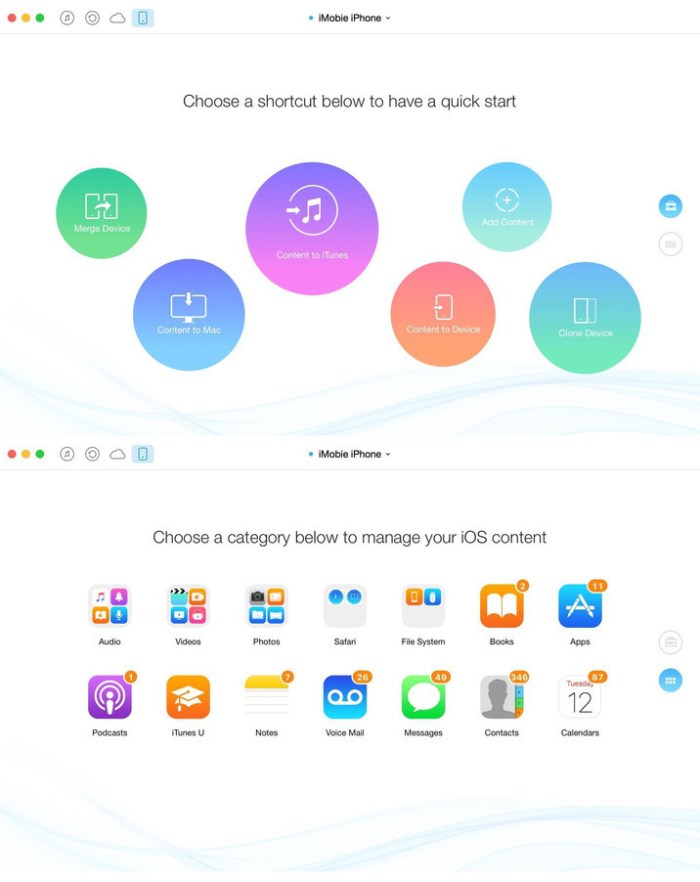
AnyTrans lets you converge your entire Apple products and consolidate every access to all your content in one place, including music, videos, photos, messages, books, Safari history, voice memo, and more. No matter the content is from your iPhone, iTunes, even from iCloud. It gives efficient and minimalist control and absolute freedom over all your iOS data and files.

Features

  • Move everything from Android device to your new iPhone Transfer the most of your Android content to your new iPhone, including messages, photos, contact, even music and call log, etc.
  • Migrate everything from old iPhone to your new one within one click clone Upon just one simple click, everything from your old iPhone, even from iPad will be cloned to your new iPhone.
  • Download millions of online videos and audios Download your favorite online videos from Dailymotion, Vine and another 900+ sites directly to your iPhone iPad for offline watching, or to your computer for collection.
  • Manage your iCloud content in a better way Download photos in bulk from your iCloud account and extract data from your iCloud backup. Also integrate data from multiple iCloud accounts to your daily used one for quicker access.
  • Easily manage all your contents on iPhone, iPad, and iPod touch Browse, edit and export important music, messages, notes, and more personal data from iPhone, iPad, and iPod touch.
  • Fullway transfer across your iOS devices, iTunes, iCloud and computer gets anything transferred freely between your iPhone, iPad, iPod touch, iTunes, iCloud and computer from iPhone to computer, iPhone to iPhone, iPhone to iTunes, computer to iPhone, etc.
  • Back up and extract your precious data with ease AnyTrans can 1click back up your whole iPhone data or selectively back up what you need.

Compatibility: OS X 10.8 or later 64 bit

Web Site: Web Site: http://www.imobie.com

What’s New in AnyTrans for iOS 7.0.4 (20190107)

  • Release notes not available at the time of this post.

Screenshots

iExplorer 4.2.8

Name iExplorer 4 2 8 TNT.zip
Size 30.42 MB
Created on 2019-01-11 17:53:46
Hash acef689f37dcac45aa868f6164d7ec045160d4f0
Files iExplorer 4 2 8 TNT.zip (30.42 MB)

Download

iExplorer 4.2.8

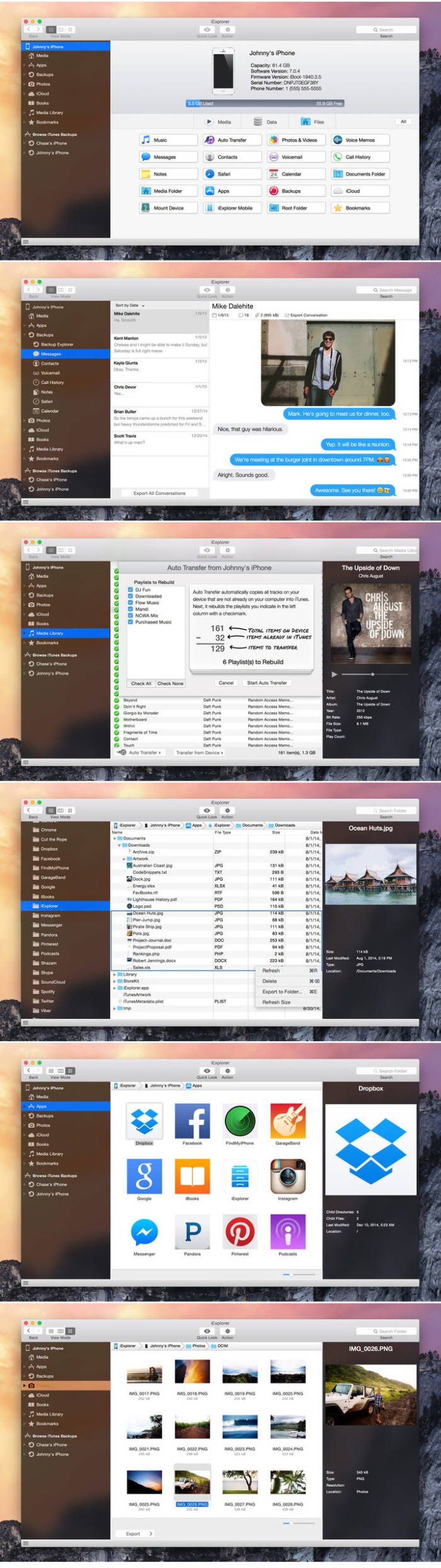
iExplorer is an iPhone browser for Mac lets you view the files on your iOS device. By using a drag and drop interface, you can quickly copy files and folders between your Mac and your iPhone or iTouch. It works with both jailbroken and non-jailbroken iPhones and works quickly with a standard USB cable.

Features
  • All the best technology from Phone to Mac, Phone Disk, and iExplorer 3, and then some
  • One-click recovery of music and videos straight to iTunes
  • Explore and export photos and videos (even from older iPods)
  • Mount any folder or category, including playlists and photo albums, then browse in Finder and open with other apps
  • Browse any iTunes backups (encrypted too). Export: Messages (including attachments), notes, voicemail, call history, contacts, calendars…
  • Works with all types of iPhones, iPads, iPod Touch, and regular iPod

Compatibility: OS X 10.10 or later 64-bit

Web Site: https://macroplant.com/iexplorer

What’s New in iExplorer 4.2.8

  • Release notes not available at the time of this post.

Screenshots

Logic Pro X Torrent for Os x Download

logic pro x torrent
Name Logic Pro X 10 4 4 MAS TNT.zip
Size 1.48 GB
Created on 2019-01-11 17:54:16
Hash dedd8d4b674a5615c2ee9acda19b30174bbb3a07
Files Logic Pro X 10 4 4 MAS TNT.zip (1.48 GB)

Download

Logic Pro X 10.4.4

Logic Pro X is the most advanced version of Logic ever. Sophisticated tools for professional songwriting, editing, and mixing are built around a modern interface that’s designed to get creative results quickly and also deliver more power whenever it’s needed. mactorrent.co Logic Pro X includes a massive collection of instruments, effects, and loops, providing a complete toolkit to create amazing-sounding music.

Powerful Interface

  • Consolidate and control multiple tracks or create rich , layered instruments with Track Stacks
  • Smart Controls allow you to manipulate multiple plugins and parameters with a single move
  • Support for the Touch Bar on MacBook Pro provides convenient controls for creating, editing and navigating your songs
  • Autosave keeps your work safe and sound

Professional Music Production

  • Record and edit MIDI or audio using a comprehensive set of editors and tools
  • Keep takes organized with take folders and build comps quickly with Quick Swipe Comping
  • Track Alternatives let you create and switch between different playlists of regions and edits on a track
  • Render any combination of effect plugins to a selection of audio using Selection based Processing
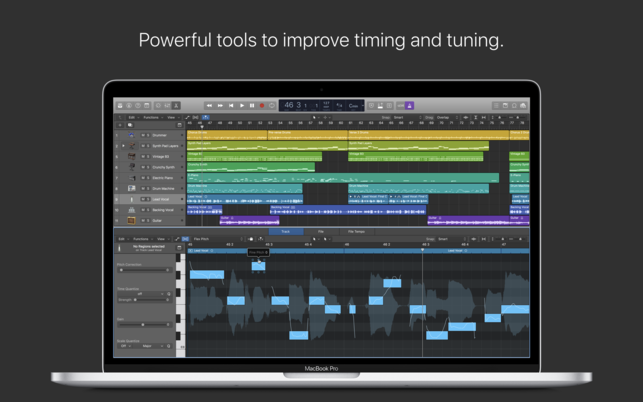
  • Fix out of tune vocals and change the melodies of recorded audio with Flex Pitch .
  • Manipulate the timing and tempo of any recording with ease using Flex Time .
  • Comprehensive mix and plugin parameter automation can be part of a region or track
  • Create and mix music from anywhere in the room using Logic Remote on iPad or iPhone
  • Produce simple lead sheets or orchestral scores with builtin Score editor

Drum Production

  • Create authentic acoustic, electronic, or hip hop drum tracks using Drummer, a virtual session player and beat producer
  • Choose among 28 distinct drummers that can take your direction and perform millions of unique grooves
  • Build your own acoustic drum kits with Drum Kit Designer using a collection of deeply sampled drums
  • Customize the sound of your electronic beats using Drum Machine Designer

Keyboards and Synths

  • Get inspired by collection of synths that provide analog, wavetable, FM, additive, granular, spectral, and modeling synthesis
  • Quickly find sounds or create unique new ones with Alchemy, the ultimate sample manipulation synthesizer
  • Play or create a wide variety of rich sampled instruments with the EXS24 Sampler
  • Instantly turn a simple chord into a rich performance with the Arpeggiator
  • Transform simple ideas into elaborate performances using nine MIDI plugins
  • Play faithful models of classic organs, keyboards, and vintage synths

Guitar and Bass Gear

  • Build your own guitar or bass rig with Amp Designer using vintage and modern amps, cabinets, and mics
  • Design a custom Pedalboard from a collection of delay, distortion, and modulation stomp boxes
  • Access the Tuner with just a click to quickly get in tune

Creative and Production Effects

  • Play your sounds through realistic acoustic spaces using Space Designer convolution reverb
  • Use a range of multi tap, vintage tape, and stereo delays
  • Add movement to your tracks with a variety of modulation effects

Sound Library

  • Over 2800 instrument and effect Patches
  • 1000 meticulously sampled instruments
  • More than 7000 Apple Loops in wide range of genres.

Compatibility


  • Expand your instrument and effects , library with third party Audio Units compatible plugins .
  • Share to GarageBand option allows you to remotely add new tracks to your Logic project from your iPhone or iPad via iCloud
  • Import and export XML to support Final Cut Pro X workflows .
  • Export and share your songs directly to SoundCloud .
  • Open projects from Logic 5 or later
  • logic pro x mac
  • apple logic pro x 10.4.4 mac book air
  • logic pro x mac free
  • logic pro x mac download
  • logic pro x mac book pro
  • apple logic pro x mac cracked
  • logic pro x  10.4.4  mac mini
  • logic pro x mac book air 2018
  • apple logic pro x 10.4.4 mac price
  • logic pro x macros

Minimum System Requirements

  • 4GB RAM
  • Display with 1280by768 resolution or higher
  • Requires 64bit Audio Units plugins
  • 6GB available disk space for minimum install / 63GB hard disk space for full Sound Library installation
  • OS X v10.12 or later.
  • • Expand your library of instruments and effects with any module compatible with third – party Audio Units.
    • Import and export XML to work with workflows Final Cut Pro X.
    • Export and share your songs directly to SoundCloud.
    • Open projects from Logic version 5 or later.

Compatibility:

macOS 10.12 or later 64-bit

Mac App Store: https://itunes.apple.com/us/app/logic-pro-x/id634148309?mt=12

What’s New in Logic Pro X 10.4.4

This update contains stability improvements and bug fixes.

Version 10.4.1 :
• Fixes an issue that could cause the app is closed to open projects created in an earlier version.
• Successfully installed module settings Step FX, FX That, ChromaVerb and collection of vintage equalizers.
• Logic no longer quits unexpectedly when you press the play button after copying another track automation.
• Resolves an issue that could cause ChromaVerb peaks unexpected CPU usage.
• Now zoom keyboard commands work as expected in the audio file editor.
• Clicking Control – key on a note on the keyboard editor, selection of other notes are not canceled.

version 10.4
Intelligent Tempo
• The tempo detection allows you to automatically combine advanced content, regardless of the original tempo.
• Record audio without using clicks or drag an audio file to define the project tempo with the interpretation.
• Add audio files of any type and adapt to project tempo automatically.

Modules
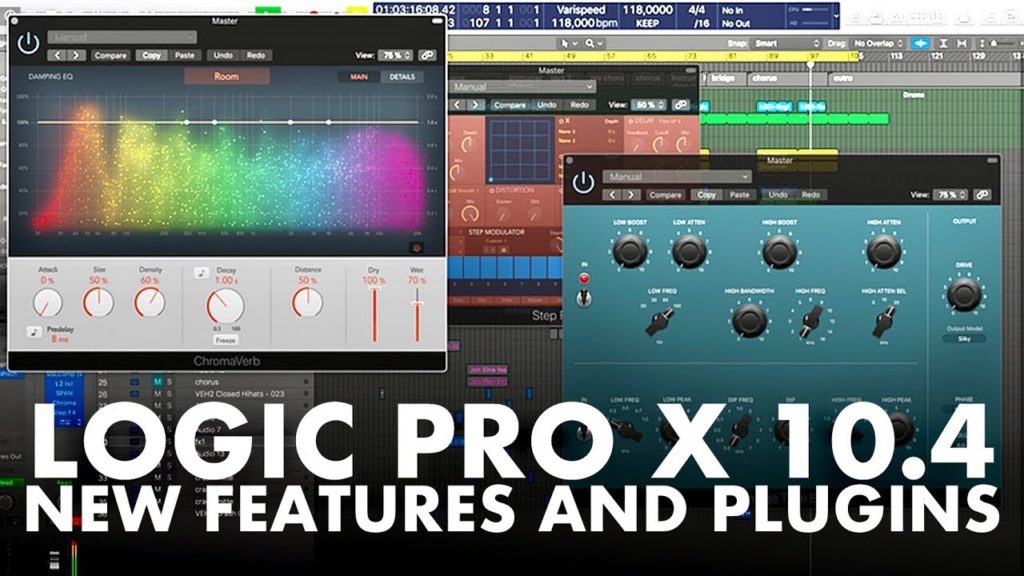
• ChromaVerb is a new sophisticated algorithmic reverb with an interactive and full of color to create great – sounding acoustic spaces interface.
• Space Designer is a convolution reverb with a new design and a resizable Retina interface.
• Step FX adds a multi – effect processing with three powerful rhythmic step sequencers and an X / Y button.
• Phat FX offers nine effects that allow the tracks to provide broader and energetic sounds adding warmth and strength.
• The Vintage EQ collection provides three models of classic analog equalizers precision of the decades of the fifties and seventies.
• Studio Studio Strings and Horns are realistic orchestral instruments with high quality samples with custom controls joint.
• Mellotron is now available as a module separate instruments.
• Retro Synth now offers 18 models of different filters.

More
• 2 new Drummers sounding with styles inspired by folk and jazz.
• 2 sets of brushes classic Drum Kit Designer.
• More than 800 new instruments and loops in various genres.
• New Visions Alchemy library to add 150 film presets.

More features
• You can now undo the actions of the mixers and modules.
• Now the file browser lets you mark your favorite locations samples folders or projects.
• Now , in addition to Apple Loops, the loop browser supports loop playback of an audio file and can preview it in sync with the project tempo.
• A new universal design to control joints provides a uniform interface for instruments Logic bit-torrent   and third.

iStatistica Pro 1.0.1

Name iStatistica Pro 1 0 1 TNT.zip
Size 8.12 MB
Created on 2019-01-11 18:03:57
Hash 3486332de06778e0ab5e94b8b8d4330831657559
Files iStatistica Pro 1 0 1 TNT.zip (8.12 MB)

Download

iStatistica Pro 1.0.1

iStatistica is an advanced system monitor for macOS. It includes notification center widget and status bar menu. Simply slide out notification center to keep an eye on your CPU, memory, disk usage and network activity.

Features list:

System monitoring
  • uptime
  • memory (used, free, cache, system)
  • CPU usage
  • disk usage
  • ejecting external drives
Battery information
  • cycles
  • health
  • capacity
  • time remaining
Network activity
  • network map
  • external WAN IP and Country
  • internal LAN IP address
  • router IP address and MACaddress
  • incoming & outgoing traffic

Compatibility: OS X 10.10 or later

Web Site: https://www.imagetasks.com
Mac App Store: https://itunes.apple.com/app/istatistica/id1025822138?mt=12

What’s New in iStatistica Pro 1.0.1

  • Release notes not available at the time of this post.

Audiobook Builder 2.0

Name Audiobook Builder 2 0 MAS TNT.zip
Size 18.77 MB
Created on 2019-01-11 17:53:38
Hash 12fef7a6b0e8c94b5c1b42f842aaf47742938508
Files Audiobook Builder 2 0 MAS TNT.zip (18.77 MB)

Download

Audiobook Builder 2.0

Audiobook Builder makes it easy to turn your audio CDs and files into audiobooks for your iPhone, iPod or iPad. Join audio, create enhanced chapter stops, adjust quality settings, and let Audiobook Builder handle the rest. When it finishes you get one or a few audiobook tracks in iTunes instead of hundreds or even thousands of music tracks!

Features

  • Audio File Joining: Already ripped your CDs to MP3 or M4A? When your files are in the same format and have a constant bit rate, Audiobook Builder can quickly join them together.
  • Enhanced Chapter Stops: Group files into chapters with custom names and artwork.
  • Adjustable Quality Settings: Use the builtin presets or customize the audio settings to your personal taste.
  • iTunes Integration: Drag & drop straight from iTunes and build directly to the Books section in iTunes.

New in Audiobook Builder 2

  • 64bit compatibility, built for macOS Mojave and well beyond
  • Up to 3x faster building at Normal Quality
  • Up to 2x faster importing from CD
  • Blindingly faster adding files and opening projects.
  • HEAAC encoding, for higher quality and smaller audiobooks, alongside the regular AAC encoding we’ve always supported.
  • macOS Mojave dark mode support.
  • And more!

Learn more about Audiobook Builder

  • Download & print Audiobook Builder’s builtin help: http://www.splasm.com/audiobookbuilder
  • Share with other Audiobook Builder users in our forums: http://www.splasm.com/forum

Processor type(s) & speed: 64-bit processor

Web Site: http://www.audiobookbuilderapp.com
Mac App Store: https://itunes.apple.com/app/audiobook-builder-2/id1437681957?mt=12

What’s New in Audiobook Builder 2.0

Fixes
  • Corrects an issue that could prevent your audiobooks from playing on classic iPods
  • Minor user interface and error reporting tweaks

TaskPaper 3.8.3

Name TaskPaper 3 8 3 TNT.zip
Size 12.50 MB
Created on 2019-01-11 02:48:12
Hash 2c6d43c412b6068f21c02650ff72619bd0fe8594
Files TaskPaper 3 8 3 TNT.zip (12.50 MB)

Download

TaskPaper 3.8.3

Make lists and get organized. TaskPaper is a plain text to-do list that’s surprisingly adept. Thoroughly modernized. TaskPaper 3.5 is all new, while still retaining the same plain text design that’s been getting things done since 2006.

Buy now to make lists and get organized!

—–

Key Features
  • Plain text files; edit anywhere
  • Type and your lists are auto formatted
  • Organize projects:, tasks, notes, and @tags
  • Filter your lists by @tag, type, or content
  • Fold, focus, and filter to make big lists small
  • Fast keyboard navigation & commands
Supporting Features
  • Drag and drop to organize your lists
  • Manage dates and times in plain text
  • Import/Export with Reminders app (Siri)
  • Active support community ready to help
  • LESS/CSS powered stylesheets for theming
  • Extensive Javascript API for scripting

Compatibility: OS X 10.11 or later 64-bit

Web Site: https://www.taskpaper.com
Mac App Store: https://itunes.apple.com/app/taskpaper-plain-text-to-dos/id1090940630?mt=12

What’s New in TaskPaper 3.8.3

• Fixed incorrect search when selecting tag value in sidebar
• Fixed invalid searches when clicking on tag values that include search syntax by quoting all values

Navicat Premium 12.1.15

Name Navicat Premium 12 1 15 TNT.zip
Size 151.0 MB
Created on 2019-01-11 02:48:35
Hash 3d34abae9107f21aaa1f12067c5e6dbcb077ba52
Files Navicat Premium 12 1 15 TNT.zip (151.0 MB)

Download

Navicat Premium 12.1.15

Navicat Premium Essentials is a compact version of Navicat which provides basic and necessary features you will need to perform simple administration on a database. It supports the latest features including Trigger, Function, View, and it also comes with an Import/Export tool which allow user to import and export data from plain text file formats including TXT, CSV and XML.

Navicat Essentials is for commercial use. Currently, Navicat Essentials is available for MySQL, SQL Server, PostgreSQL, Oracle and SQLite databases. If you need to administer all the above database servers at the same time, there is also Navicat Premium Essentials which allows you to access multiple database servers within one single application.

Navicat Essentials is available for three platforms – Microsoft Windows, OS X and Linux. It can connect you to local/remote server, providing several utilities such as SQL editors, import/export, dump/execute SQL scripts and Server Monitor to facilitate the process of data maintenance.

OS version:OS X 10.10 or later
Processor type(s) & speed: 64-bit processor

Web Site: https://www.navicat.com/en/products/navicat-essentials

What’s New in Navicat Premium 12.1.15

  • Release notes not available at the time of this post.

Snipper App 1.4

Name Snipper App 1 4 0 TNT.zip
Size 14.43 MB
Created on 2019-01-11 02:48:19
Hash 0c6c16115cc3927d0cd11fc2e577d227f8c7f597
Files Snipper App 1 4 0 TNT.zip (14.43 MB)

Download

Snipper App 1.4

Meet Snipper App- a native snippets manager, built with Swift4 for MacOS exclusively, aiming to be a single tool for saving your day to day working notes, snippets of code, and just a good helper in the developer’s life.

*** Main Features ***

  • editor with the syntax highlighting
  • multiple programming languages are supported
  • markdown support
  • different storage types
  • light and dark themes are included
  • import your snippets from files

*** Storages ***

Snipper designed in a way to support multiple storages, and the supported storage types will be extended in the next versions.

The v1 provides two storage types:
  • Local storage
  • iCloud storage

Local storage is designed to store your snippets only locally.

With the iCloud storage, your snippets will be stored in the cloud by your Apple ID, and it allows to sync the user’s data between multiple apps on the different computers. It’s really handy when you want to share your snippets between the working machine, and your own at the same time.

iCloud storage uses a private database. Only the user can access this data through a device authenticated with their iCloud account.

Snipper is designed and implemented as the offline first application, so the iCloud storage doesn’t require a constant internet connection when your work with it.

*** Editor ***

The editor is built in a way to fit developer needs.

Besides syntax highlighting and full markdown support with the preview mode, it provides the next features:

  • Showing of invisible characters
  • Showing of line numbers
  • Tab size customization
  • Insertion of spaces instead of tabs
  • Font customization

Compatibility: macOS 10.13 or later 64-bit

Web Site: https://snipper.app
Mac App Store: https://itunes.apple.com/app/snipper-app/id1432148596?mt=12

What’s New in Snipper App 1.4

  • Release notes not available at the time of this post.

Renamer 5.2.6

Name Renamer v5 2 6 TNT.zip
Size 13.75 MB
Created on 2019-01-11 02:48:25
Hash 1fd15ae5f7ed02e0a4fca3b65f2a9a89d780337a
Files Renamer v5 2 6 TNT.zip (13.75 MB)

Download

Renamer 5.2.6

Renamer is a powerful, feature-rich batch-file renamer that makes renaming many files quick and easy. If you ever had to rename hundreds or thousands of files file by hand and thought “there must be an easier way”, then Renamer is for you. With Renamer, you can save hours of tedious typing at the stroke of a button.

Renamer Features
  • Beautiful, easytouse user interface
  • Blazing fast file renaming
  • Renders the dull and tedious job of renaming files effortless and fun Use cases
  • Number files sequentially
  • Find and replace text
  • Convert filenames to upper and
  • More…

Compatibility: OS X 10.10 or later 64-bit

Web Site: http://renamer.com
Mac App Store: https://itunes.apple.com/app/renamer-5/id1063661581?mt=12

What’s New in Renamer 5.2.6

  • Release notes not available at the time of this post.

Command-Tab Plus 1.83

Name Command-Tab Plus 1 83 TNT.zip
Size 5.57 MB
Created on 2019-01-11 02:49:55
Hash c26fc1d38fa8b3b9e7bb2e89aaa0d84544313818
Files Command-Tab Plus 1 83 TNT.zip (5.57 MB)

Download

Command-Tab Plus 1.83

Command-Tab Plus – Keyboard-centric application switcher for your Mac. Command-Tab Plus is designed to let you switch between apps in a faster and more convenient way. When you work with a lot of programs which are loaded, switching between them makes a problem, because it often takes a long time. Command-Tab Plus gives you many improvements in working with multiple applications and designed to be an alternative to the native Apple’s App Switcher.

Compatibility: OS X 10.9 or later 64-bit

Web Site: http://www.noteifyapp.com

What’s New in Command-Tab Plus 1.83

  • Improved speed and stability
  • Fixed several issues on Mojave

Triune Color – Cinematic LUTs V2 (Win/MacOS)

Graphics & Design Video

Name Triune Color Cinematic LUTs V2.zip
Size 148.4 MB
Created on 2018-12-29 00:14:07
Hash f1bb8b28e405e4e6b274e5a0b603680b1a04f8f9
Files Triune Color Cinematic LUTs V2.zip (148.4 MB)

Download

Triune Color: Cinematic LUTs V2 (Win/MacOS)

Cinematic LUTs V2 comes with:

  • 36 movie inspired LUTs
  • 70 Utility LUT
  • .Look files for installation in Lumetri
  • VLT versions for the Panasonic
  • Now compatible with Lightroom and Capture One

Compatible with:

  • Rec709
  • Generic LUTs
  • VLog
  • LogC
  • RedLogFilm
  • Blackmagic
  • CLog
  • SLog2
  • SLog3

Full LUT list:

  • 10 Cloverfield Lane
  • A Ghost Story
  • Alien Covenant
  • Arrival
  • Baby Driver
  • Back to the Future
  • Black Mass
  • Blade Runner 2049
  • Deadpool
  • Detroit
  • Dunkirk
  • Fantastic Beasts and Where to Find Them
  • Get Out
  • Hacksaw Ridge
  • Hell or High water
  • IT
  • It Comes at Night
  • John Wick 2
  • Jurassic Park
  • Kingsman
  • Kong Skull Island
  • La La Land
  • Logan
  • Moonlight
  • Mother
  • Selma
  • Silence
  • SpiderMan Homecoming
  • Star Wars: The Last Jedi
  • The Game
  • The Neon Demon
  • The Shape of Water
  • War for the Planet of the Apes
  • Wind River
  • Wonder Woman

Web Site: https://triunestore.com/products/triune-color-cinematic-luts-v-2


Hexels 3.1.5

Name Hexels 3 3 1 5 TNT.zip
Size 61.22 MB
Created on 2019-01-10 20:41:29
Hash b3041f7a00041ed2a13671cac482d0a2849bc97f
Files Hexels 3 3 1 5 TNT.zip (61.22 MB)

Download

Hexels 3.1.5

Marmoset Hexels is a unique, grid-based painting tool for vector art, pixel art, design, and animation.

HEXELATE!

At the heart of Hexels lies a paintable grid of geometric shapes: a tessellating canvas built of hexagons, triangles, squares, and custom polygons. The Hexels grid allows artists to create complex vector designs with the stroke of a brush. It is a new kind of workflow that’s intuitive and easy to pick up by a beginner, and a versatile tool in the hands of a pro.

PIXELATE!

The grid-based canvas in Hexels is a natural fit for the forward-thinking pixel artist. Make full use of the same great drawing tools. Keep track of colors and gradients with the palette. Set your canvas in motion with the animation timeline. Export a sprite sheet for every princess in every castle.

CONSTRUCT!

For the craftsman looking to build worlds, Hexels provides a set of grids and guides for drafting all forms of isometric art. Raise walls, carve mountains, bend perspective to your will and build impossible wonders.

DETAIL!

Pixels and Trixels living in harmony! Hexels lets you combine layers of vector and pixel art on the same canvas. Complement angular Hexel art with soft, sweeping brushwork. Carve pixel-perfect trim into isometric art. Block out whole cities in vector form, then dive in for the details.

RASTERIZE!

Hexels gives you full control over the vector-to-pixel rendering process. Advanced rasterization tools provide vector alignment, pixel-perfect isometric art, pixel scaling, and antialiasing at any export resolution. And because Hexels renders everything on the GPU, you’ll see a pixel-perfect preview on the canvas as you paint.

ANIMATE!

Build a world and bring it to life with the Hexels animation timeline. Breathe subtle motion into a still image with post effects and motion curves. Send shapes and colors twirling with layer transforms. Or tell a hand-drawn tale with a simple flipbook animation.

PATTERN!

Hexels is the perfect tool for exploring tiling designs and geometries. Paint tessellating patterns on an endless canvas. Explore advanced grid types like Voronoi. Draft your own grids with a powerful custom grid designer. Whether you are creating textiles or laying out an elaborate mosaic, Hexels can help.

DESIGN!

Hexels is a versatile tool for the graphic artist working with with multiple applications, at a print-ready resolution. Assemble your canvas out of existing images and animations. Keep organized with layers, masks and groups. Add a pinch of procedural with a library of real-time post effects and shaders. Then export an SVG or layered PSD of your canvas for final touch-ups elsewhere.

Featured artwork by Mark Knight, Mira Karouta, Tabby Rose, Saskia Freeke

Compatibility: OS X 10.6 or later

Web Site: http://www.marmoset.co/hexels
Mac App Store: https://itunes.apple.com/app/hexels-3/id1087023846?mt=12

What’s New in Hexels 3.1.5

This minor update fixes a bug where some keyboard shortcuts didn’t work correctly and another bug where previews of very low pixel-resolution documents could be offset by a pixel.

JetBrains WebStorm 2018.3.3

Name JetBrains.WebStorm.v2018.3.3.MACOSX.zip
Size 259.2 MB
Created on 2019-01-11 02:49:10
Hash c09957c08ff476f384f91893b9a6e0e545718f95
Files JetBrains.WebStorm.v2018.3.3.MACOSX.zip (259.2 MB)

Download

JetBrains WebStorm 2018.3.3 macOS

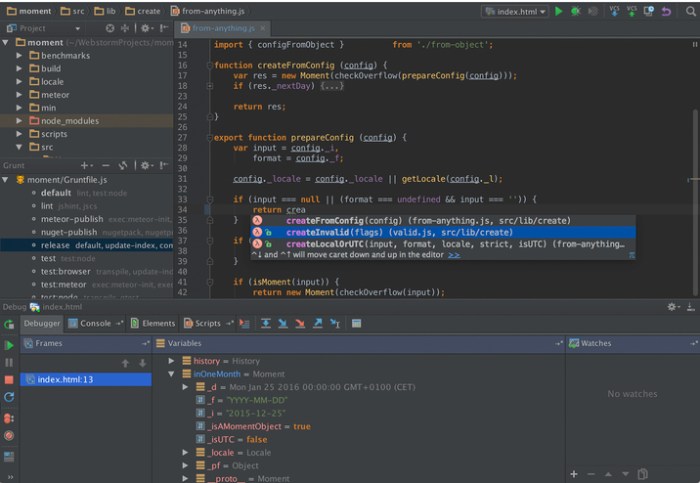
WebStorm brings you smart coding assistance for javascript and compiled-to-javascript languages, Node.js, HTML and CSS. Enjoy code completion, powerful navigation features, on-the-fly error detection, and refactorings for all of these languages.

Major frameworks supported

PhpStorm is perfect for working with Symfony, Drupal, WordPress, Zend Framework, Laravel, Magento, CakePHP, Yii, and other frameworks.

All PHP tools

The editor actually ‘gets’ your code and deeply understands its structure, supporting all PHP language features for modern and legacy projects. It provides the best code completion, refactorings, on-the-fly error prevention, and more.

Front-end technologies included

Make the most of the cutting edge front-end technologies, such as HTML5, CSS, Sass, Less, Stylus, CoffeeScript, TypeScript, Emmet, and javascript, with refactorings, debugging and unit testing available. See changes instantly in the browser thanks to Live Edit.

Built-in developer tools

Perform many routine tasks right from the IDE, thanks to Version Control Systems integration, support for remote deployment, databases/SQL, command-line tools, Vagrant, Composer, REST Client, and many other tools.

PhpStorm = WebStorm + PHP + DB/SQL

All the features of WebStorm are included into PhpStorm, and full-fledged support for PHP and Databases/SQL support are added on top.

Intelligent Coding Assistance

Hundreds of inspections take care of verifying your code as you type, analyzing the whole project. PHPDoc support, code (re)arranger and formatter, quick-fixes, and other features help you write neat code that’s easy to maintain.

Smart Code Navigation

Be the master of your codebase thanks to efficient, lightning-fast navigation features. The IDE understands where you want to go and gets you there instantly.

Fast and Safe Refactoring

Refactor your code reliably with safe Rename, Move, Delete, Extract Method, Inline Variable, Push members Up / Pull members Down, Change Signature, and many other refactorings. Language-specific refactorings help you perform project-wide changes in a matter of a few clicks, and can​ be safely undone.

Easy Debugging and Testing

PhpStorm is renowned for its zero-configuration Visual Debugger, providing extraordinary insight into what goes on in your application at every step. It works with Xdebug and Zend Debugger, and can be used both locally and remotely. Unit Testing with PHPUnit, BDD with Behat and profiler integration are also available.

System requirements
  • Microsoft Windows 10/8/7/Vista/2003/XP (incl.64bit)
  • Intel Pentium III/800 MHz or higher (or compatible)
  • 2 GB RAM minimum
  • 4 GB RAM recommended
  • 1024×768 minimum screen resolution

Web Site: http://www.jetbrains.com/

What’s New in JetBrains WebStorm 2018.3.3

  • Release notes not available at the time of this post.

Screenshots

JetBrains AppCode 2018.3.3

Name JetBrains.AppCode.v2018.3.3.MACOSX.zip
Size 601.3 MB
Created on 2019-01-11 02:49:46
Hash e85d75bd9c0419f8bc32da07edffa279898c068d
Files JetBrains.AppCode.v2018.3.3.MACOSX.zip (601.3 MB)

Download

JetBrains AppCode 2018.3.3 macOS

your bright ideas into outstanding iOS/OS X apps with ease and pleasure. Rely on AppCode’s intelligent assistance as you code, refactor, debug and test.

Why AppCode

Intelligent development environment
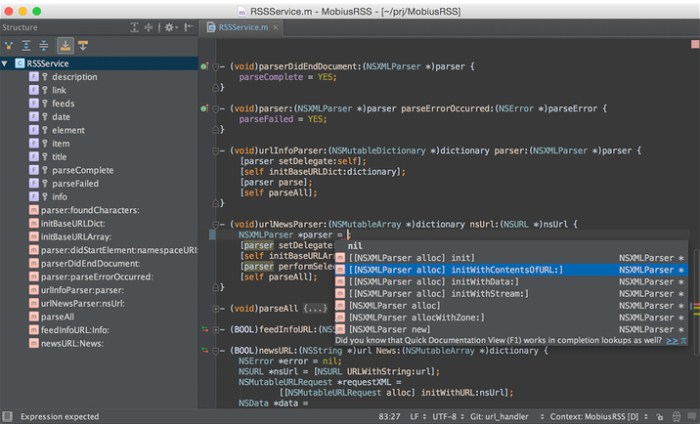
Thanks to an in-depth understanding of your code structure, AppCode takes care of your routine tasks and saves you from extra typing. It gives you smart code completion, formatting, reordering, automatic import, and powerful navigation options and code generation. Quickly fine-tune your apps or unit tests using a robust LLDB debugger with flexible breakpoints, watches, frames view and evaluate expressions.

The complete experience

AppCode is 100% compatible and interoperable with Xcode, with no additional configuration required. It seamlessly integrates with the most popular version control systems; Kiwi and Google testing frameworks; Dash and Ingredients documentation tools; CocoaPods (including intention actions in pod files and automatic install and update of pods); Reveal application; and a number of issue trackers. An integrated UI Designer is also included.

Code quality is important

AppCode is constantly monitoring the quality of your code. It warns you of errors and smells and suggests quick-fixes to resolve them automatically. Clang Static Analyzer is integrated as well, and a wide range of reliable refactorings lets you easily clean and improve your code in the most accurate and intelligent way.

Many languages, one IDE

AppCode natively supports Objective-C, Swift, C and C++, including C++11, libc++ and Boost, as well as javascript, XML, HTML, CSS and XPath. Use your preferred language to create your iOS/OS X application.

System Requirements:
  • macOS 10.8 or higher
  • 1 GB RAM minimum, 2 GB RAM recommended
  • 300 MB hard disk space + at least 1 GB for caches
  • 1024×768 minimum screen resolution

Web Site: http://www.jetbrains.com/

What’s New in JetBrains AppCode 2018.3.3

  • Release notes not available at the time of this post.

Screenshots

Red Giant Trapcode Suite 15.0.1

Name Red Giant Trapcode Suite 15.0.1 macOS.zip
Size 704.3 MB
Created on 2019-01-10 20:15:17
Hash 820b2da2236b2e7c9db2dcdc9837c7eedb58ff0c
Files Red Giant Trapcode Suite 15.0.1 macOS.zip (704.3 MB)

Download

Red Giant Trapcode Suite 15.0.1 macOS

Trapcode Suite 15, Particle simulations and 3D effects for motion graphics and VFX

Particle Effects

Trapcode Suite brings the power of 3D particle systems right into After Effects. Use particle emitters to create fire, water, smoke, snow and other organic visual effects, or create technological marvels and user interfaces with immortal particle grids and 3D forms. Combine multiple particle systems into one unified 3D space for visually stunning results. With GPU acceleration, Trapcode plugins help you get beautiful results fast.

Physics & Fluids

For the first time ever, run realistic fluid simulations using the new Dynamic Fluids™ physics engine, or emulate particles moving through the air and bouncing off surfaces.

3D Objects & Surfaces

Create flowing surfaces, mountainous terrains, endless tunnels, and abstract shapes. Use paths and motion to generate beautifully complex geometric shapes, ribbons and extrusions. Whether you are creating motion graphics or visual effects, the possibilities are endless.

Lights and Glimmers

Bring light and life into your motion design. Simulate organic, 3D-camera aware volumetric lighting. Use masks and paths to add light streaks that can bring your logos and text to life and add starry glimmers to accent the highlights in your work.

Sound and Motion

Use audio to generate keyframes that drive animation and effects. Scale, rotate and move to the beat, or use drum hits to create particle effects. Duplicate and offset layers and their motion with ease. Trapcode Suite gives you the power to automate complex animation easily.

Web Site: https://www.redgiant.com/products/trapcode-suite/

What’s New in Red Giant Trapcode Suite 15.0.1

  • Release notes not available at the time of this post.

Wondershare Filmora 9.0.5.1

Name Wondershare Filmora9 9 0 5 1 TNT.zip
Size 279.3 MB
Created on 2019-01-10 20:15:37
Hash 8bcc52cc51b6445b1274c02aa7a63e0f699f36a8
Files Wondershare Filmora9 9 0 5 1 TNT.zip (279.3 MB)

Download

Wondershare Filmora 9.0.5.1

Filmora scrn is an easy-to-use screen recorder that is perfect for recording games, or anything else you want to capture. Much more than a simple screen capture program, Filmora scrn includes a a video editing suite tailored for screen recordings. You can cut, rotate, and crop your clips. You can also add annotation and custom cursor effects. Videos created with Filmora scrn can be exported as MP4s, MOVs, or GIFs.

Features

Changeable Cursor

Adjust the size, shape and color of your cursor to make it stand out.

Full Editing Suite

Edit your clips quickly and easily with a wide range of professional tools.

2 Devices

Record from your computer and webcam simultaneously.

Import Over 50 File Formats

Import images, videos, music, and other media files.

FPS (15-120)

Perfect for recording fast-paced games. (Up to 60 fps for Mac)

Export To MP4, MOV, GIF

Export to mutliple formats

PIP (Picture In Picture)

Add a second image or video to your main footage, like a facecam for gaming.

Custom Recording Field

Choose to record all, or just part of, your computer screen.

Annotations

Add text and other elements to enhance the learning experience for your viewers.

Tutorial Features

Draw circles and arrows on your screen to help direct attention.

System Requirements:

  • OS X 10.10(Yosemite), OS X 10.11(El Capitan), macOS 10.12(Sierra), macOS 10.13 (High Sierra)
  • CPU: 2GHz or above Intel processor
  • Memory: At least 4GB physical RAM (8GB required for HD and 4K videos)
  • Disk: At least 2GB free harddisk space for installation (SSDSolid State Disk recommended for editing HD and 4K videos)

Web Site: http://www.wondershare.com/

What’s New in Wondershare Filmora 9.0.5.1

  • Release notes not available at the time of this post.

Adobe Zii Patcher 4.1

Name Adobe Zii 2019 4.zip
Size 8.34 MB
Created on 2019-01-10 20:14:50
Hash 756a4db92d72ab6b88006a45f15d40ff272a8809
Files Adobe Zii 2019 4.zip (8.34 MB)

Download

Adobe Zii Patcher 4.1 CC2019 universal Patcher

Manually patches Adobe Creative Cloud Products by dropping them into Adobe Zii Patcher or by simply pressing Patch.

Supported Adobe CC Products so far are:

  • Adobe Illustrator CC 2019
  • Adobe InCopy CC 2019
  • Adobe InDesign CC 2019
  • Adobe Prelude CC 2019
  • Adobe Premiere Pro CC 2019
  • Adobe Photoshop CC 2019
  • Adobe Media Encoder CC 2019 [NEW]
  • Adobe After Effects CC 2019 v16.0.1
  • Adobe Audition CC 2019 v12.0.1
  • Adobe Bridge CC 2019 v9.0.2
  • Adobe Character Animator CC 2019 v2.0.1
  • Adobe Lightroom CC 2019

With all the confusion and different versions we didn’t post every version: This is the latest Version of Adobe Zii You are best to try for yourself Download the apps through Adobe Creative Cloud and Always Drag app on to the seems to work better.

XMind 8 Pro 3.7.8 Build 201807240049

Name XMind.8.Pro.v3.7.8.201807240049.MacOS.Incl.KeyMaker.and.Patch-DVT.zip
Size 190.2 MB
Created on 2019-01-09 20:52:13
Hash 8e74c8ddd8077196c0288e03a588bc3a1340d91a
Files XMind.8.Pro.v3.7.8.201807240049.MacOS.Incl.KeyMaker.and.Patch-DVT.zip (190.2 MB)

Download

XMind 8 Pro 3.7.8 Build 201807240049 macOS

XMind is a mind mapping and brainstorming software, developed by XMind Ltd. In addition to the management elements, the software can capture ideas, clarify thinking, manage complex information, and promote team collaboration. As of April 2013, XMind was selected as the most popular mind mapping software on Lifehacker.

Mind Mapping

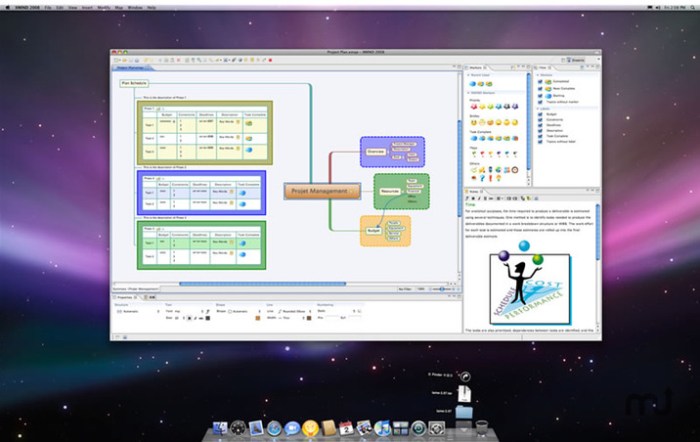
Mind Map structure in XMind contains a root in the center, with main branches radiating from it. Besides the basic Mind Map structure, XMind also offers Org-chart, Tree-chart, Logic-chart, etc. These charts will play important roles under various circumstances. More importantly, all these charts can be used within one map!

Business Charts

XMind offers four amazing structures to help business elites release pressure and improve efficiency. Fishbone Chart visually organizes causal relationships among complex ideas/events. Matrix makes the in-depth comparative analysis for project management possible. Timeline tracks milestones and schedules in chronological order. Org Chart easily presents an overview of an organization.

Brainstorming

The new brainstorming mode allows you to classify inspirations in Idea Factory by groups. It enables you to discover clues by evaluating, organizing and connecting your thoughts. Then the solutions hidden will surprise you. The full screen mode helps build a stress-free scene for you to pay all attention to sparkles in your mind.

Presentation Mode

XMind has a very powerful and helpful presentation feature. The Walk Through presentation mode enables you to view & present your ideas from topic to topic and get focused on each particular topic with the help of the darkened background.

Slide-based Presentation

With our new slide-based presentation, creating, presenting and sharing presentation become easier than ever. Just select the target topic and click the plus button and a new slide will be created automatically. Mind mapping and presenting are harmoniously integrated in one software now.

Gantt View

Effortlessly converting Mind Maps to Gantt Charts is one of the trump cards of utilizing XMind in project management. Gantt View shows start date, end date and progress of every task. With beautiful interface, fluent interaction, and improved usability, complex operations can be done directly on this view.

Fresher workspace UI

XMind 8 has a fresher look and feel. When editing, you can quickly open, close and switch views with just one click. This feature increases your work efficiency and improves your mind mapping experience enormously.

Brand New Clip Art

The cool new clip art library helps you decorate your mind maps with ease. To express your thoughts visually, we bring up to 109 newly designed and grouped clip arts in XMind 8. With our brand new clip arts, you can make a more intuitive mind map.

Requires macOS 10.7 or later

Web Site: http://www.xmind.net/

What’s New in XMind 8 Pro 3.7.8 Build 201807240049

  • Release notes not available at the time of this post.

Screenshots

Scrivener 3.1.1

Name Scrivener 3 1 1 TNT.zip
Size 103.2 MB
Created on 2019-01-09 20:52:40
Hash 877ef0d02bba9869840e79dd222a5d6bb241765f
Files Scrivener 3 1 1 TNT.zip (103.2 MB)

Download

Scrivener 3.1.1

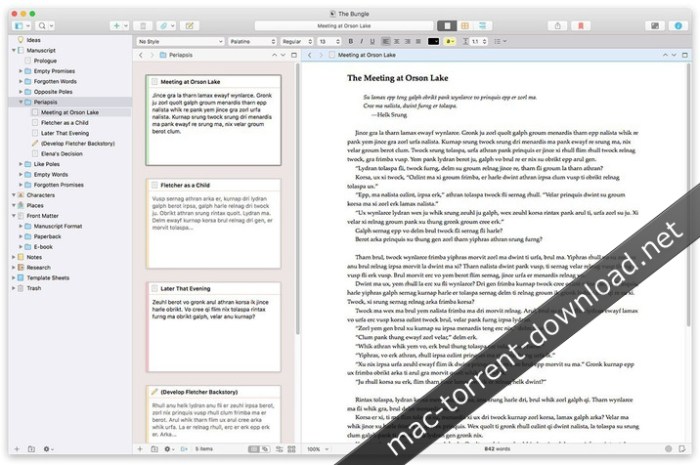
Typewriter. Corkboard. Scrapbook. Scrivener combines all the writing tools you need to craft your first draft, from nascent notion to final full stop.

“The biggest software advance for writers since the word processor.”
– Best-selling novelist Michael Marshall Smith

GROW YOUR MANUSCRIPT YOUR WAY

Tailor-made for creating long manuscripts, Scrivener lets you break up your writing into sections as small or large as you like. At its heart is a simple ring-binder metaphor—gather material and switch between writing, notes and research with ease. Got a great idea but don’t know where it fits? Compose your text in any order you want—write when inspiration strikes and find its place later.

SEE THE FOREST *OR* THE TREES

Whether you plan or plunge, Scrivener works your way: hammer out every last detail before typing a word, or carve out a draft and restructure later. Or do a bit of both. All text sections in Scrivener are integrated with an easy-to-use project outline, so working with an overview of your manuscript is only ever a click away, and turning Chapter Four into Chapter One is as simple as drag and drop.

RESEARCH WITHIN REACH

Need to refer to research? In Scrivener, your background material is always at hand, and you can open it right alongside what you’re working on. Write a description based on a photograph. Transcribe an interview. Or check for consistency against an earlier chapter.

GETTING IT OUT THERE

Once you’re ready to share your work with the world, turn your manuscript into a beautiful ebook or PDF, export to Word, or simply print it out. You can even share using different formatting, so that you can write in your favorite font and still keep your editor happy.

Scrivener’s users include best-selling novelists, screenwriters, students, academics, lawyers, journalists and translators. It won’t tell you how to write—it just provides everything you need to start writing and keep writing.

FEATURES

Get Started
  • Project templates for novels, scripts, essays and more
  • Import many different types of file
  • Easily split imported text into separate sections
Get Writing
  • Familiar writing and formatting tools
  • Easily switch between working on small sections, chapters and the whole manuscript
  • Styles support
  • Distractionfree fullscreen mode
  • Scriptwriting mode for screenplays, stage plays, comic scripts and more
  • Live word count
  • Mark up text with comments
  • Footnote support
  • Keep “snapshots” of older versions of your writing
  • Name generator
  • MathType support
  • Set writing targets
  • Track your writing history
  • Automatic backups
Find Your Structure
  • Write in any order and reorganize later
  • Assign a synopsis to any section, then work with an overview of your manuscript in the outliner
  • Plot your ideas using the corkboard
  • Track different threads using labels
  • Fast projectwide search
  • Apply custom icons to your sections
  • Use document templates for new sections (e.g. character sheets in novels)
Refer to Research
  • Import research—images, web pages, PDF files and more
  • View research files or other sections alongside your writing
  • Transcribe audio files
Get it Out There
  • Compile to a single document for sharing or printing
  • Export to Word
  • Print or create PDF files
  • Create Epub and Kindle files
  • Export to Final Draft
  • Supports MultiMarkdown and LaTeX export
  • Convert rich text to Markdown
Write Anywhere
  • Sync with our iOS version (available separately)
Introduction and Tutorial Videos:

URL: http://www.literatureandlatte.com/learn-and-support/video-tutorials?os=macOS

TESTIMONIALS

We have a whole heap of testimonials from published authors—see our testimonials page at http://www.literatureandlatte.com/scrivener/testimonials to read what they have to say.

Compatibility: macOS 10.12 or later 64-bit

Web Site: http://www.literatureandlatte.com/freestuff/index.html
Mac App Store: https://itunes.apple.com/us/app/scrivener-3/id1310686187?mt=12

What’s New in Scrivener 3.1.1

Note: 3.1.1 is a patch for 3.1. It fixes a bug that could cause a 10.14 crash on startup for existing users who had customised their appearance preferences.

DARK MODE
  • Full support for dark mode on macOS 10.14.
  • Scrivener’s “Appearance” preferences allow you to take full control over colours and UI in each mode.
  • Switch between dark and light mode independently of the system settings using the Scrivener > Appearance menu.
  • Set up different colour themes for each mode via the Preferences, and switch between them using the Scrivener > Themes menu.
SCRIPTWRITING
  • Support for “MORE” and “CONT’D” when compiling for PDF and printing. (See new settings in the “Text Layout” area of the Compile format editor.)
  • Support for not splitting sentences across pages in scripts.
  • Dual dialogue support for print and PDF.
COMPILE
  • You can now include a cover image when compiling to PDF.
  • Enhanced options for compiling for printon demand services, including an option for PDF files to use the PDF/X3 format.
  • Epub 3 and Kindle KF8 formats now allow for direct formatting. With these changes, the older ePub 2 and Kindle Mobi formats have been removed, and will only be available for Compile formats created in older versions that rely on them.
  • Epub export now supports inline MathML equations generated by MathType.
  • It is now much easier to edit section layouts: a pencil icon appears when you move the mouse over a section layout in the main Compile window. Simply click on it (or doubleclick the layout) to begin editing.
  • Unused section types are now hidden by default in Compile’s “Assign Section Types”.
  • Section Layouts in the Compile format editor are now displayed in bold if they are used in the project, making it easier to identify the layouts you are most interested in.
  • Improvements have been made to footnotes in print and PDF, including several new options for how they are laid out.
  • Many, many other enhancements to Compile.
FOCUS MODE
  • A new “focus mode” is available via View > Text Editing > Focus. This allows you to fade out everything except the current line, sentence or paragraph as you write. The mode can be set independently for the main window and Compose.
WIDOWS AND ORPHANS
  • Widow and orphan control now supported in Scrivener’s page view. (Off by default use the “Editing” Preferences to turn it on.)
  • Widow and orphan control now supported when compiling to PDF or for printing.
  • Keep with Next has also been improved, and you can now determine whether the KWN paragraph itself can be split across pages or not.

Screenshots

Arturia Pigments v1.1.0.29

Name Arturia Pigments v1 1 0 29 macOS-OFFSET.zip
Size 176.4 MB
Created on 2019-01-10 04:28:04
Hash 12eb4eac35daadb60e3be7b2cad91aab4644b3e8
Files Arturia Pigments v1 1 0 29 macOS-OFFSET.zip (176.4 MB)

Download

Arturia Pigments v1.1.0.29 macOS-offset

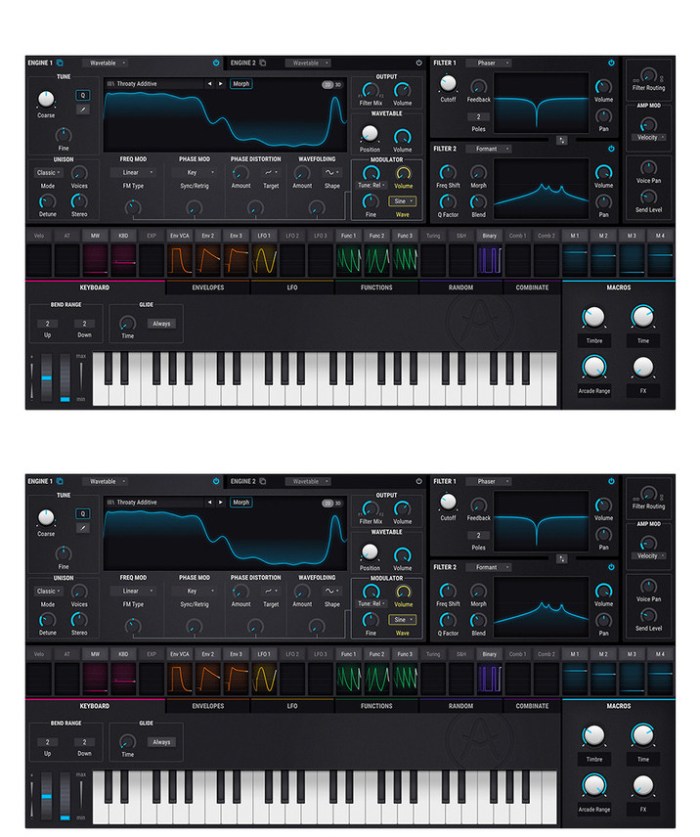
Taking that spark of imagination and transforming it into sound is the most fundamental, exhilarating part of creating music. Pigments makes that process natural, intuitive, and colorful.

Your sound, in living color
Imagine a sound, then create it.

Pigments gives you the finest elements ever found in a software instrument, letting you create pioneering, exciting, and deeply personal sounds. Laying everything out before you, Pigments lets you fully express your creativity in a way that’s never been seen before in a software instrument.

INTUITIVE
LIGHTNING-FAST
WORKFLOW

POWERFUL
AWESOME-SOUNDING
ARCHITECTURE

AMAZING
LEGENDARY ARTISTS
PRESETS

Pigments features a twin audio engine, letting you mix virtual analog and wavetable oscillators to create the perfect starting point for your patch. You can even morph wavetables, or import your own.

What you do next is up to you. Experiment with 3 envelopes, 3 LFOs, and 3 function generators. Assign modulators to animate your sound, and breathe life into it. Add controlled, or totally wild random changes to any parameter with a Turing probability generator. Run it through 2 filters, with any combination of iconic analog filters or modern formant and surgeon filters you want. Process your patch with exciting contemporary effects like wavefolder and multifilter, or vintage studio reverbs, delays, and EQs.

Making a masterpiece

For 20 years, we have been analyzing, emulating, and refining the most iconic synthesizers ever made.

Working with Dr Robert Moog, Cameron Jones, and many other industry legends, we have built our reputation on creating world-class instruments. We turned the music industry on its head with the release of our trailblazing, affordable analog hardware synthesizer, the MiniBrute.

With multiple awards under our belt, you could say that we’ve done our homework. Pigments combines our passion for vintage FM and analog sound with modern wavetable synthesis to create what is, to us, the ultimate software synth.

Main Features:

  • Two engines in parallel
  • Virtual Analog triple osc engine
  • Complex Wavetable engine
  • Two filters
  • Classic filter types from V Collection instruments
  • Modern filter types
  • Continuous series/parallel routing
  • Powerful effects section
  • Insert or Send routing
  • Modulable parameters
  • Advanced modulation system
  • Graphical editing, sourcebased or destinationbased.
  • Envelopes, LFOs, Function generators, Random src, …
  • Visual interface
  • Graphical representation of the most important modules
  • Polyrhythmic Sequencer and Arpeggiator
  • Create complex, custom and evolving sequences/arps
  • Extensive factory preset library

FiX Notes:

Now everything works as it should. This time a more in deep reverse job was done.
Remember to use “sudo codesign -fs /Library/Audio/Plug-Ins/Components/Pigments.component/Contents/Resources/plugin.vst3/Contents/MacOS/Pigment” command before loading it into Logic.

Web Site: https://www.arturia.com/products/analog-classics/pigments/overview#en

What’s New in Arturia Pigments v1.1.0.29

  • Release notes not available at the time of this post.

Screenshots

ActiveDock 1.1.10

Name ActiveDock 1 1 10 TNT.zip
Size 13.00 MB
Created on 2019-01-10 04:29:39
Hash 56200a17ae7ab93d05b7518767772400956fe96c
Files ActiveDock 1 1 10 TNT.zip (13.00 MB)

Download

ActiveDock 1.1.10

ActiveDock is a full replacement for Apple Dock with customization features. Tools for quicker switching between apps and windows, and managing windows from the previews on the dock.

Features
  • Save time when working with many applications at once.
  • Fast access to apps and documents you need.
  • Customize the appearance and custom icons for apps.
  • Windows-style “Start” button for launching applications.
  • Make groups and folders of apps and documents for quick access.
  • Hide or exclude app icons from the dock.

OS version:OS X 10.10 or later
Processor type(s) & speed: 64-bit processor

Web Site: http://www.noteifyapp.com/activedock/

What’s New in ActiveDock 1.1.10

Fixed many bugs on Mojave

Screenshots

Adobe Photoshop CC 2019 v20.0.2 [Multilingual]

Name Adobe Photoshop CC 2019 v20 0 2 TNT.zip
Size 1.84 GB
Created on 2019-01-10 04:28:37
Hash 5804b3d76f6780c415eba771b9b596e92f112374
Files Adobe Photoshop CC 2019 v20 0 2 TNT.zip (1.84 GB)

Download

Adobe Photoshop CC 2019 v20.0.2

Adobe Photoshop CC 2019, the industry standard for digital image processing and editing, delivers a comprehensive package of professional retouching tools, and is packed with powerful editing features designed to inspire.

If you can think it, you can make it with Photoshop CC, the world’s best imaging and graphic design software. Create and enhance photographs, illustrations, and 3D artwork. Design websites and mobile apps. Edit videos, simulate real-life paintings, and more. It’s everything you need to make any idea real.

Designed for anyone to design anything.

From posters to packaging, basic banners to beautiful websites, unforgettable logos to eye-catching icons, Photoshop keeps the creative world moving. With intuitive tools and easy-to-use templates, even beginners can make something amazing.

Not just photo taking. Breathtaking.

Whether you’re looking for everyday edits or total transformations, our graphic design software offers a complete set of professional photography tools to turn your snapshots into works of art. Adjust, crop, remove objects, retouch, and repair old photos. Play with color, effects, and more to turn the ordinary into something extraordinary.

Power to the paintbrush.

Draw and paint whatever you dream up with tools designed especially for illustrators and photoshop mac torrent. Paint in perfectly symmetrical patterns. Get polished looks with stroke smoothing. And create with pencils, pens, markers, and brushes that feel real — including more than 1,000 from celebrated illustrator Kyle T. Webster.

Photoshop CC is available in the following languages:

Dansk, Deutsch, English, Español, Français, Français*, Hebrew*, Hungarian, Italiano, Nederlands, Norwegian, Polish, Português (Brasil), Suomi, Svenska, Turkish, Ukrainian, čeština, Русский , 日本語, 简体中文, 繁體中文, 한국어.

Compatibility: macOS 10.12 or later 64 bit

Includes: Included Adobe Zii

Web Site: http://www.adobe.com/

What’s New in Adobe Photoshop CC 2019 v20.0.2

  • Release notes not available at the time of this post.

Screenshots photoshop mac torrent

SSDReporter 1.5.1

Name SSDReporter 1 5 1 MAS TNT.zip
Size 8.07 MB
Created on 2019-01-09 20:52:20
Hash a9c9f93484fe4a08fe2ddb0b38ee3870e4eac934
Files SSDReporter 1 5 1 MAS TNT.zip (8.07 MB)

Download

SSDReporter 1.5.1

SSDReporter is an application that checks the health of your internal Solid State Disks (“SSD” aka “Flash Storage”). Since SSDs have a limited life-time determined by the number of write operations it is important to keep an eye on your SSD status. SSDReporter can warn you by e-mail or on-screen each time the health of your SSD decreases and/or when the health falls below the ‘warning’ or ‘error’ thresholds. The current status of your SSDs is also always easily recognizable because SSDReporter changes its icon (optionally in the menubar) from green to yellow (warning threshold) and finally red (error threshold) as the SSD health decreases.

*** LIMITATIONS & COMPATIBILITY ***

Only ‘internal’ SSDs are supported, disks connected via USB&FireWire do not work with SSDReporter.
eSATA & ThunderBolt connected SSDs may work if the enclosure is S.M.A.R.T.-compatible.
Some SSDs do not support S.M.A.R.T. at all or incompletely and therefore do not work with SSDReporter:

  • the SSDs built into the Early 2015, Early 2016 and Mid 2017 MacBook 12″ are incompatible
  • the SSDs built into the Late 2016 and Mid 2017 MacBook Pro are incompatible (those with ‘TouchBar’)
  • the SSDs built into the 2017 iMac models are incompatible
  • a few 2013 and 2014 MacBookAir models contain ‘TOSHIBA’ SSDs (APPLE SSD TS0128F/TS0256F) which are incompatible
  • the “SEAGATE 600 SSD Series” is incompatible
  • most ‘Micron’ and ‘Crucial’ SSDs are incompatible
  • some ‘OCZ’ SSDs including the ArC, ONYX, AGILITY4, VECTOR & VERTEX3/4/450/460 but excluding the TRION are incompatible
  • most ‘OWC’ SSDs including the MERCURY ELECTRA and the ‘Aura SSD for Mac Pro’ are incompatible
  • many ‘Micron’ and ‘Crucial’ SSDs are incompatible
*** SYSTEM REQUIREMENTS ***
  • macOS 10.10 ‘Yosemite’ or later
  • At least one compatible internal “Solid State Disk” (SSD) or “Flash Storage” disk (see above)

Compatibility: macOS 10.10 or later 64-bit

Web Site: http://www.corecode.io
Mac App Store: https://itunes.apple.com/app/ssdreporter/id980258689?mt=12

What’s New in SSDReporter 1.5.1

  • Added compatibility with more HYNIX SSDs like the ‘HFS240G3PMNB’
  • Added compatibility with the ‘TOSHIBA Q200 EX’ SSD
  • Added compatibility with the ‘ADATA SP600’ SSD

Sketch 52.6 new

Name Sketch 52 6 TNT.zip
Size 41.12 MB
Created on 2019-01-09 20:52:29
Hash 4dcced1c592e7d4013c3f75c5d5eecbaee1e7122
Files Sketch 52 6 TNT.zip (41.12 MB)

Download

Sketch 52.6

The digital design toolkit – Sketch is a design toolkit built to help you create your best work — from your earliest ideas, through to final artwork.

Sketch is built for designers like you.

With useful features, an intuitive interface and powerful plugins built by a community of developers, it helps you focus on what you do best.

  • Complete Toolkit
  • Nondestructive Editing
  • Pixel Precision
  • Vector Editing
  • Export Presets
  • Code Export
  • Grid and Guides
  • Prototyping

Design once. Reuse anywhere. Update easily.

With Symbols, Sketch takes the pain out of working with repeated design elements — from icons to avatars.

Iterate at speed

Create a master Symbol, use it anywhere in your document and Sketch will sync your changes.

Override text and images

Edit text and images in your Symbols — wherever they’re used — for dynamic designs.

One size fits all

Resize Symbols wherever you use them to test elements across different screen sizes.

Roll your own UI Kit

Sync, share and update Symbols, across all of your documents, with Libraries.

Compatibility: OS X 10.11.2 or later, 64-bit processor

Web Site: https://www.sketchapp.com/

What’s New in Sketch 52.6

  • Release notes not available at the time of this post.

Screenshots

Postico 1.5.3

Name Postico 1 5 3 TNT.zip
Size 10.09 MB
Created on 2019-01-08 21:23:13
Hash b02032c00b974d7f4c38f5f3052654824735e186
Files Postico 1 5 3 TNT.zip (10.09 MB)

Download

Postico 1.5.3

Postico is a modern database app for your Mac.

Postico is the perfect tool for data entry, analytics, and application development.

  • connect to Postgres.app
  • connect to PostgreSQL version 8, 9 and 10 servers
  • connect to cloud services like Heroku Postgres, Amazon Redshift, Amazon RDS
  • connect to other RDBMs that use the PostgreSQL protocol, like CockroachDB

Postico is the perfect app for managing your data. It has great tools for data entry. Filter rows that contain a search term, or set up advanced filters with multiple conditions. Quickly view rows from related tables, and save time by editing multiple rows at once.

For analytics workloads, Postico has a powerful query editor with syntax highlighting and many advanced text editing features. Execute multiple queries at once, or execute them one at a time and export results quickly.

For application developers, Postico offers a full featured table designer. Add, rename and remove columns, set default values, and add column constraints (NOT NULL, UNIQUE, CHECK constraints, foreign keys etc.). Document your database by adding comments to every table, view, column, and constraint.

But the best part of Postico is how well it works. Postico is made on a Mac for a Mac. It works great with all your other Mac apps. Use all the usual keyboard shortcuts. Postico gets the basic things like copy/paste just right, and also supports more advanced features like services for text editing.

Compatibility: OS X 10.10 or later 64-bit

Web Site: https://eggerapps.at/postico
Mac App Store: https://itunes.apple.com/app/postico/id1031280567?mt=12

What’s New in Postico 1.5.3

  • Release notes not available at the time of this post.

Screenshots

WidsMob Montage 1.13

Name WidsMob Montage 1 13 MAS TNT.zip
Size 3.99 MB
Created on 2019-01-08 21:23:47
Hash 95a67ab15fa222ce266a21e339213a14c926a4dc
Files WidsMob Montage 1 13 MAS TNT.zip (3.99 MB)

Download

WidsMob Montage 1.13

Are you making some poster for activities, designing shape montage for birthday party? WidsMob Montage should be an excellent montage maker to turn everything into stunning mosaic photographs. It is a versatile photomontage maker, which can make stunning photo mosaic with thousands of images in high resolution.

WidsMob Montage turns everything into mosaic photographs. You can set both JPEG and PNG into mosaic, the program supports photo mosaic, tile mosaic, shape mosaic and other photo mosaic types. What is more, you can also design photo montage in shape according to any template.

Whether you need to add special frames to mosaic, or use different mosaic modes, you can choose different frames to make the mosaic photograph special. Both tile mode and interlace mode are supported by the program, you can get the desired effect with ease.

How about the output of the photo mosaics? The program can combine more than 2,00 mosaic tiles in a breathtaking result, up to 16,000 pixels wide with unlimited pixels height for montage photos, the mosaic photo or photo collage can be used for mural, banner, desktop or even wallpaper.

The program applies minimal colorization to closely match the original image and proper placement of tile images to present the optimal result. And you can also remove the color match to get a shape montage with any color.

Compatibility: OS X 10.10 or later 64bit

Web Site: https://www.widsmob.com/montage
Mac App Store: https://itunes.apple.com/app/widsmob-montage-photo-mosaic/id1078095317?mt=12

What’s New in WidsMob Montage 1.13

  • Release notes not available at the time of this post.

Downie 3.5.7

 Downie 3.5.7 download for mac os)

Name Downie 3 3 5 7 TNT.zip
Size 38.87 MB
Created on 2019-01-09 20:52:58
Hash 598a052d7269b97dccd6cc4247d80d2a7e044000
Files Downie 3 3 5 7 TNT.zip (38.87 MB)

Download

Downie 3.5.7

A simple download manager that offers you the possibility to quickly save videos from different websites to your own disk drive.

If you are using a poor internet connection, trying to visualize videos streamlined online might not work properly since the content is loaded too slowly. Downie is a simple Mac app that can help you download those videos to your computer, and then watch them by using your default media player.

User friendly video downloader featuring support for drag and drop actions

Working with Downie is extremely straightforward: simply drop the video URL on top of the app’s main window or on the Dock icon. Downie adds the video to your downloads list, so all you have to do next is start the process by pressing the appropriate button. Of course, you can also remove items from the list.

By default, Downie downloads MP4 files and places them in your default Downloads folder, but you can easily change this via the Preferences window. The same area allows you to setup notifications, or post processing actions (convert to MP4 if necessary, or extract audio only).

Effortlessly download videos from a wide collection of hosting websites

Downie provides support for more than 400 different websites that host video content, among which there are the most popular choices, such as YouTube, Apple, LiveLeak, Vimeo, BBC, and so on. If a certain website is not included, within the app you can send a request email to the Downie developers.

Moreover, Downie also provides matching extensions for various popular web browsers, such as Firefox, Safari, Google Chrome or Chromium. The add-ons are not installed by default: open the Preferences window and install only the ones you plan to use.

Straightforward solution for downloading video content hosted online

Downie is a great tool for saving videos posted on various websites to your Mac for offline playback. The application is extremely useful especially if you have a slow internet connection.

Compatibility: OS X 10.11 or later 64-bit

Web Site: https://software.charliemonroe.net/downie.php

What’s New in Downie 3.5.7

  • New: mtv.es, viu.com.
  • Improved: acfun.cn, adultswim.com, aktualne.cz, atv.at, bilibili.com, coub.com, facebook.com, fox.com, iqiyi.com, michelonfray.com, mtv.com, naver.com, pluralsight.com, puhu.tv, sbs.com.au, tidal.com.
  • Improved: Thumbnail image loading.
  • Improved: Memory management.
  • Other minor bug fixes.

Screenshots

Unclutter 2.1.17d

Name Unclutter 2 1 17d TNT.zip
Size 9.08 MB
Created on 2019-01-08 22:18:36
Hash 69b28d64fbd13faffb36f90687fba787bd22534d
Files Unclutter 2 1 17d TNT.zip (9.08 MB)

Download

Unclutter 2.1.17d

Unclutter is a new handy place on your desktop for storing notes, files and pasteboard clips. To open the pocket, simply move your mouse to the very top of screen and scroll down. Drag items from other applications to the top of screen to store them in Unclutter.

Being just one easy gesture away, Unclutter becomes a surprisingly helpful and convenient tool–in fact, 3 tools in 1–which will make you feel more comfortable and powerful on your Mac.

Features:

  • Instant, configurable access even in full screen mode.
  • File Storage, to keep your Desktop clean from temporary files.
  • Notes, to write down something quickly.
  • Clipboard manager, to track what you copy and paste, browse clipboard history.
  • Draggable cards that can stick on top of other windows.
  • Files and notes autosync across all your Macs via Dropbox.
  • Full multidisplay support.
  • Retina display support.
  • Universal Clipboard support.
  • Light/Dark theme to match system appearance.

Compatibility: OS X 10.10 or later 64 bit

Web Site: https://unclutterapp.com

What’s New in Unclutter 2.1.17d

  • Release notes not available at the time of this post.

Sip 1.1.5

Name Sip 1 1 5 TNT.zip
Size 8.10 MB
Created on 2019-01-08 21:23:21
Hash ffd7f79fd37b17c492ffc4782d881ed3f7d687e6
Files Sip 1 1 5 TNT.zip (8.10 MB)

Download

Sip 1.1.5

Sip is the refreshingly simple color picker for developers that instantly samples and encodes any color on your screen. Just one quick click to savor the flavor and you’re set! See what’s on special with Sip below.

Order Sip just the way you like it – customize app and color options with a fine selection of user preferences.

  • Select the color format you want to use. Choose from: CSS Hex, CSS3 HSL, CSS3 RGB, Calibrated NSColor for HSB, Calibrated NSColor for RGB, Device NSColor for CMYK, Device NSColor for HSB, Device NSColor for RGB, UIColor HSB, UIColorRGB, CGColor Generic RGB, and CGColor Generic CMYK.

  • Set the number of colors to keep in your history.
  • Toggle “All Caps” CSS color formatting.
  • Toggle prefix and suffixes on floating formats.
  • Constantly guzzling colors? Set Sip to launch at login.

Compatibility: OS X 10.11 or later 64-bit

Web Site: http://theolabrothers.com

What’s New in Sip 1.1.5

  • Release notes not available at the time of this post.

Rowbyte Plexus 3.1.9 for Adobe After Effects

Name Plexus 3 1 9 Mac.zip
Size 12.74 MB
Created on 2019-01-08 21:23:05
Hash 903e15136eb459ee0546fd776cfd1add8dafc378
Files Plexus 3 1 9 Mac.zip (12.74 MB)

Download

Rowbyte Plexus 3.1.9 for Adobe After Effects macOS

Plexus is a plug-in designed to bring generative art closer to a non-linear program like After Effects. It lets you create, manipulate and visualize data in a procedural manner. Not only you can render the particles, but also create all sorts of interesting relationships between them based on various parameters using lines and triangles. The workflow for Plexus is very modular allowing you to create truly infinite set of configurations and parameters.

What’s New in Plexus 3?

Object based UI

Plexus 3 comes with a tree based Object Panel, that helps you organize multiple Plexus objects with in the layer. It improves workflow dramatically and the panel itself is dockable anywhere with in After Effects. It helps you keep track of your Geometry Objects, Effector Objects, Render Objects and Groups by allowing you to select only what you need so no more scrolling through a long Effects Control Window.

Motion Blur

Finally. Now along with Depth of Field, you can add Motion Blur to create cinematic animations. You can use either comp settings or custom camera shutter values.

Sound Effector

A new Sound Effector Object let’s you sample a waveform from a sound layer in AE and apply it to vertex position or scale or color. You can also Echo the sampled waveform so that the sound is sampled over time.

Slicer Object

The Slicer Object let’s you ‘slice’ through a mesh and create interesting visualizations. It works best with OBJ meshes and can be used very well along with the instance object.

Seamless Beams

Render sweeping volumetric beams with seamless rendering. Beams no longer show any ‘overlapping joints’. Not only it improves rendering performance, but also renders much more accurate colors.

Designed for AE’s New Architecture

Plexus 3 was designed from the ground up to take advantage of AE’s new multi-threaded architecture introduced in 13.5. That means better support for Persistent Caching, better performance and the best part, automagically refresh Instances. You can have many nested instances and all the changes are automatically detected. Also, just in case you need to refresh cache, a new button that let’s you do that with a single click without affecting caches of other layers.

Depth Map Culling

You can use a Depth Map exported by a 3D program or Buena Depth Cue to occlude pixels directly. It helps composite Plexus in 3D scenes with ease.

Improved OBJ Import

You can now import OBJ files and file sequences using AE’s default file importer, which helps you organize footage better and collect project files. OBJ Object now also imports normals and texture co-ordinates along with vertex positions and facets.

Nested Compositions

Collapse Transforms for a nested composition, and Plexus behaves like a native AE composition. It reacts to Camera and lights of the native composition. It allows you to pre-comp Plexus layers and still have the flexibility to animate Camera movements.

Null Object Performance

Null Objects have similar performance to point lights if you’re running the latest version of After Effects. No need to convert Nulls exported from 3D applications to point lights anymore.

Path Object Improvements

Path Object is improved with scaling controls for replication and tessellation for closed paths. Now there is yet another way to create 3D text in After Effects, but make it a little more interesting.

Custom Visibility Settings

You can gradually fade or vanish points, lines or polys when they get close to the camera or far away from the camera. You can also custom hide polygons that face towards or away from the camera.

Unified Rendering

Unified rendering allows all objects to have a common 3D space. It allows points, lines & polys created by multiple objects to intersect with one another in z-space.

Loop Noise

You can seamlessly loop noise values for animations. You can cycle through noise evolution and it works for position, scale & color values.

Compatibility

Plexus is compatible with Adobe After Effects CS5.5, CS6, CC, CC 2014, CC 2015, CC 2015.3, CC 2017, CC 2018

Web Site: http://www.rowbyte.com/plexus/

What’s New in Rowbyte Plexus 3.1.9

– Fixed an issue with Instance Object creating more instances than set.

SteerMouse 5.3.3

Name SteerMouse 5.3.3.zip
Size 6.65 MB
Created on 2019-01-08 22:18:29
Hash 0ab6ff0fe38da0ec6643a4bdd2c6b38bc469ea76
Files SteerMouse 5.3.3.zip (6.65 MB)

Download

SteerMouse 5.3.3 macOS

SteerMouse is an advanced driver for USB and Bluetooth mice. It also supports Apple Mighty Mouse very well. SteerMouse can assign various functions to buttons that Apple’s software does not allow, including double-clicks, modifier clicks, application switching, assignment of shortcut keys, “snap to” cursor movement, which moves the cursor to target (such as an OK button), and more. SteerMouse lets you control the cursor’s Sensitivity on top of the Tracking Speed.

(Apple’s software only allows adjustment for the Tracking Speed.) By adjusting both configurations, you can customize the ideal setting for the cursor to fit the movements of your hand.

Customization and different configurations for different applications:

With SteerMouse for Mac, you can configure the different parts of your mouse, including the functions of the buttons, wheel, tilt wheel, and cursor. Even better, you can set the app to work differently depending on the application with which the mouse is used.

Sensitivity adjustment:

You can adjust the sensitivity or the reactivity of the mouse and cursor movements using sliders. The effects are instantaneous, so it’s easy to determine the best setting for you.

Predefined location for the mouse’s pointer or cursor:

This is similar to what can be done with a mouse on a Windows computer, but SteerMouse does more. You can set the cursor or mouse pointer to automatically position itself on one of the following buttons every time you load an application or open a window: Default button, Cancel button, Close button, Minimize button, Zoom button, or size control.

If you need a driver for your mouse you should definitely look at SteerMouse.

Compatibility: OS X 10.6 or later

Web Site: http://plentycom.jp/en/steermouse/

What’s New in SteerMouse 5.3.3

Fixed issues:

  • Some buttons on Logitech MX Master 2S would not work.
  • An error would occur on some old mice.

Screenshots

MacFamilyTree 8.4

Name MacFamilyTree 8 8 4 MAS TNT.zip
Size 215.2 MB
Created on 2019-01-08 21:21:52
Hash 90987de048ab11146894d666a45108e6dc4affcc
Files MacFamilyTree 8 8 4 MAS TNT.zip (215.2 MB)

Download

MacFamilyTree 8.4 MAS + iCloud

Streamlined and user-friendly macOS application designed to help you keep track of your entire family using intuitive genealogy graphs and reports

MacFamilyTree is a comprehensive and user-oriented software solution designed from the beginning with one single goal in mind: to help you create a detailed tree of your entire family and to generate genealogy trees spanning entire centuries.

Powerful and comprehensive genealogy data analyzer and visualizer for macOS

Moreover, with the help of the MacFamilyTree application, you can effortlessly manage and analyze your family’s genealogy data by rapidly creating various types of reports and charts that will make it very easy and straightforward to understand who your ancestors were.

MacFamilyTree also comes with a well-designed interface which will enable you to get the most out of the genealogy data at hand.

Thus, the app features 4 side tabs (i.e. Edit, Views, Reports, Export) that allow you to edit your genealogy data, view it using simple to grasp models, generate reports with a couple of mouse clicks and export your analysis’ results for further usage within other genealogy or statistics analytic tools.

Implements and supports both CoreAnimation and Core Data state-of-the-art development infrastructures for the best performance possible

In addition, MacFamilyTree makes use of the powerful Apple CoreAnimation technology in order to provide you with the best possible experience on your Mac while you’re browsing your family’s tree and adding relatives or going through the list of your successors and forefathers.

Furthermore, MacFamilyTree’s built-in Core Data database technology enables it to make it possible to list and family trees of hundreds or thousands of people without putting a load on your Mac’s processor and memory.

Adds support for iCloud-based synchronization to your family tree so that you can access it effortlessly from all your iCloud-enabled devices

Also, because it is also build as a 64-bit macOS application, MacFamilyTree knows how to manage your processor’s resources in such a way that your system will always be stable even when the app is working on intensive report generation tasks.

MacFamilyTree also features iCloud synchronization support, thus helping you keep your family tree in sync wether you have it stored on your Mac or on any of your iOS devices.

Full-featured and user-friendly macOS family tree builder and viewer for all Mac users, advanced and beginners alike
All in all, because of its modern technology support and ease of use when working with huge family tree databases, MacFamilyTree is the app you want if you’re trying to get a clear and fact-based overview of your family tree using your Mac.

Compatibility: OS X 10.10 or later, 64bit

What’s New in MacFamilyTree 8.4

MacFamilyTree has been optimized for macOS Mojave – this includes full support for the new macOS Mojave Dark Mode as well as several performance enhancements

Affinity Designer Beta 1.7.0.4

Name Affinity Designer Beta 1 7 0 4 TNT.zip
Size 382.9 MB
Created on 2019-01-09 06:01:28
Hash 34c77f40d75e142de893398a7b213582c9c1ce2c
Files Affinity Designer Beta 1 7 0 4 TNT.zip (382.9 MB)

Download

Affinity Designer Beta 1.7.0.4

Professional Graphic Design Software for the Mac. Affinity Designer is the fastest, smoothest, most precise vector graphic design software available. Whether you’re working on graphics for marketing materials, websites, icons, UI design or just like creating cool concept art, Affinity Designer will revolutionize how you work.

Compatibility: OS X 10.7 or later 64bit

Web Site: https://affinity.serif.com/designer
Mac App Store: https://itunes.apple.com/app/affinity-designer/id824171161?mt=12

What’s New in Affinity Designer Beta 1.7.0.4

  • Release notes not available at the time of this post.

SimpleMind Pro full edition 1.22

Productivity

Name SimpleMind 1.22.0.zip
Size 8.84 MB
Created on 2019-01-08 22:18:21
Hash 0552fdf2c63b4c50a5df876b60d4370a6e70b4d6
Files SimpleMind 1.22.0.zip (8.84 MB)

Download

SimpleMind Pro full edition 1.22 macOS

Mind mapping helps you organize your thoughts, remember things and generate new ideas. We’ve created a beautiful, intuitive app, so you can mind map wherever you are and whenever you want.

SimpleMind is designed to synchronize your Mind Maps across platforms. For example (as a separate purchase) for iPad/iPhone – https://simplemind.eu/download/full-edition/

Highlights
  • Easy to use.
  • Continuously finetuned based on customer feedback.
  • Trustworthy and reliable: 7 years of updates and improvements.
  • Used in a wide range of applications: business, education, legal and medical.
  • Unique free layout or different auto layouts.
  • Seamless synchronization using Dropbox, Google Drive or your own Nextcloud based server.
  • Add media and documents.
  • Share Mind Maps.
  • Change and customize the appearance.
  • Tools to help you maintain overview.
  • Create
    • place topics anywhere you want in the free layout
    • or use one of the different auto layouts (great for brainstorming)
    • virtually unlimited page size and number of elements
    • supports multiple Mind Maps on one page
    • start with an image at the center of the Mind Map
    • reorganize and restructure using drag, rotate, rearrange or reconnect
    • use single select or multiple select
    • use checkboxes, autonumbering
    • link any two topics with a crosslink
    • label relations
    • Seamless synchronization using Dropbox or Google Drive
    • sync your Mind Maps with other devices using Dropbox or Google Drive as a conduit
    • avoid data loss by recovering deleted Mind Maps
    • restore previous versions of a Mind Map
    • Dropbox stores deleted files and file versions for at least 30 days
  • Add media and documents
    • voice memos
    • images
    • photos
    • notes
    • icons (stock or custom)
    • links (navigation or hyperlink)
  • Share your Mind Map
    • for example as PDF or Image
    • outline, can be imported in word processors
    • import/export as Freemind or opml
    • use the presentation mode to show your Mind Map to others
    • print
  • Change and customize the appearance
    • apply our predefined style sheets
    • pick colors from the style color palette or choose custom colors
    • change the appearance of topics and lines
    • customize background color
  • Maintain overview
    • collapse and expand branches
    • hide or show branches or topics
    • highlight branches by displaying branch borders
    • organize your Mind Maps in folders
    • search

Compatibility: OS X 10.8 or later

Web Site: https://simplemind.eu
Mac App Store: https://itunes.apple.com/app/simplemind-mind-mapping/id434808346?mt=12

What’s New in SimpleMind Pro full edition 1.22

• Improved display in Image Preview.
• Adjustable font size in note panel (context menu)
• Removed options for shadow support in mind maps
• Keyboard shortcuts for subscript Ctrl+= and superscript Shift+Ctrl+=
• Bug fixed in Export Outline scope radio buttons
• Bug fix for Nextcloud servers that have path at the end of the server url

Productivity

By

PhotoScape X Pro 2.9

Name PhotoScape X Pro 2 9 MAS TNT.zip
Size 166.5 MB
Created on 2019-01-08 21:22:57
Hash 895e3cf0e3baf837d812a95aa9baa137a9264d0a
Files PhotoScape X Pro 2 9 MAS TNT.zip (166.5 MB)

Download

PhotoScape X Pro 2.9 MAS + In-App

All-in-One: Photo Editor, Batch Editor, Photo Viewer, Cut Out, Collage Maker, Animated GIF Creator, Combine, Print, Screen Capture, Color Picker, RAW image and More.

PhotoScape X is a fun and easy photo editor that enables you to fix and enhance photos.

Key Features
  • Photos Extension (macOS 10.11+)
  • Editor: Rotate, Straighten, Resize, Crop, Border, Color Adjustment, Color Temperature, Tint, Film Effect, Light Leaks, Lens Flares, Old Photos, Overlays, Textures, Dirt & Scratches, Auto Level, Auto Contrast, Backlight Correction, Bloom, HDR, Dehaze, Vignetting, Sharpen, Blur, White Balance, Curves, Levels, Color Balance, Hue/Saturation, Sepia, Grayscale, Black & White, Negative, 3D Effect, Text Object, Text Warp, Image Object, Magnifier Object, Paint Brush, Paint Bucket, Effect Brushes, Mosaic Brush, Spot Healing Brush, Mixer Brush, Red Eye Correction, Liquify, Clone Stamp.
  • Cut Out: Remove the background from an image. (Magic Eraser, Lasso tool, Brush tool)
  • Batch: Batch edit multiple photos.
  • Viewer: Photo Browser, Loupe View, Full Screen, Flag, Star Rating, Batch Rename, Batch Resize, Batch Format Change, Lossless Rotate, Share, Exif Viewer.
  • Collage: Merge multiple photos on the collage frame to create one final photo.
  • Combine: Attach multiple photos vertically or horizontally to create one final photo.
  • GIF Creator: Create Animated GIF.
  • Print: Print photos.
  • Screen Capture: Capture your screenshot and save it.
  • Color Picker: Zoom in on images, search and pick a color.
  • Rename: Change photo file names in batch mode.
  • Split: Slice a photo into several pieces.
  • Languages: English, Español, Português, Deutsch, Français, Italiano, 한국어, 日本語, 简体中文

Compatibility: OS X 10.10 or later 64 bit

Mac App Store: https://itunes.apple.com/app/photoscape-x-photo-editor/id929507092?mt=12

What’s New in PhotoScape X Pro 2.9

  • Added Spot Light, Whites, Blacks, Colorize, and Remove Color Cast filters to Editor tab
  • Added HDR, Whites, Blacks filters to Batch tab
  • Added ‘Focus Stacking’ and ‘Merge to HDR’ to Viewer tab
  • Added two more resize algorithms (Sharper, Nearest Neighbor)
  • Added 150 Emoji and 117 Stationery Stickers
  • Improved Lens Profile Correction, Fisheye, HDR, Auto Contrast, and Dehaze filters
  • Improved Mask feature (Fill, Clear Mask)
  • Improved Slideshow feature
  • Support borderless printing
  • Improved UI
  • Fixed bugs

V-Ray 3.60.01 for MODO

Name V-Ray for Modo 3.60.01 MacOS.zip
Size 151.9 MB
Created on 2019-01-08 21:23:33
Hash 75d03f47d4a92442d0a230a6801d2693426b0198
Files V-Ray for Modo 3.60.01 MacOS.zip (151.9 MB)

Download

V-Ray 3.60.01 for MODO MacOS

Powerful rendering for Modo artists. V-Ray is a complete interactive lighting, shading and rendering toolkit, giving you full control over the entire creative process, from real-time look development to the final frame. V-Ray for Modo seamlessly integrates production-proven rendering capabilities into Modo’s native workflow.

QUALITY

Production-proven ray traced rendering with a full suite of tools to create professional photoreal imagery and animation.

POWER

Built to handle the absolute toughest projects and biggest scenes.

SPEED

Multicore CPU and GPU-accelerated rendering for optimized speed and scalability.

CREATIVE CONTROL

Real-time look development with interactive lighting, shading and rendering.

SMART INTEGRATION

Integrated seamlessly into MODO and designed to fit any production pipeline.

AN INDUSTRY STANDARD

Top artists and designers rely on V-Ray every day to create award-winning designs & visual effects.

Compatibility: MODO 701 or higher

Web Site: https://www.chaosgroup.com/

What’s New in V-Ray 3.60.01 for MODO

  • Release notes not available at the time of this post.
VueScan Pro 9.6.25

Name VueScan_Pro_9.6.25_Multilingual.zip
Size 18.00 MB
Created on 2019-01-06 19:06:28
Hash c35208b8d752e8ae85e26b39387dd501c6d6ce22
Files VueScan_Pro_9.6.25_Multilingual.zip (18.00 MB)

Download

VueScan Pro 9.6.25 MacOS

VueScan, the world’s most popular scanner software, is used extensively by photographers, home users, scanning services and corporations. VueScan is a scanning program that works with most high-quality flatbed and film scanners to produce scans that have excellent color fidelity and color balance. It is very easy to use, and also has advanced features for restoring faded colors, batch scanning and other features used by professional photographers.


VueScan changes nothing on your system, installs nothing in your operating system and all other scanner software will continue to function. VueScan increases your productivity and saves you money. VueScan has advanced scanning options, powerful features, and greatly improves your scans with superior color accuracy and better color balance. VueScan supports more than 700 scanners and 209 digital camera raw files and takes about 5 minutes to download and install.

Features:
  • Works with 1200 flatbed and film scanners
  • Runs on Mac OS X, Windows and Linux
  • Improves your productivity and quality of scans
  • Has been downloaded more than 5 million times
  • Create raw scan files
  • ICC profiles and color spaces
  • IT8 color calibration

Compatibility: OS X 10.5 or later

Web Site: http://www.hamrick.com/

What’s New in VueScan Pro 9.6.25

  • Release notes not available at the time of this post.

Screenshots

Movie Explorer Pro 2.0.1

Name Movie Explorer Pro 2 0 1 MAS TNT.zip
Size 12.07 MB
Created on 2019-01-07 10:26:34
Hash a4ec5e54008af588715e487d3a4fa58fd9e72139
Files Movie Explorer Pro 2 0 1 MAS TNT.zip (12.07 MB)

Download

Movie Explorer Pro 2.0.1

Movie Explorer scans all your internal, external and network drives for digital movie files like MKV, M4V, AVI and MP4 and saves them in an attractive movie catalog for off line browsing and searching. The app can be used as a convenient starting point for playing your movie files by using the ‘Play’ and ‘Play with’ menu commands. The ‘Gallery’ feature let you enjoy posters, stills and photos of cinema movies, cast and crew members.

FEATURES

  • Maps your digital cinema movie files automatically with movie metadata provided by The Movie Database (TMDb). 
  • Reads technical metadata of your files using the MediaInfo library of MediaArea. 
  • Shows details like the original title, plot summary, release date, rating but also information about the cast, crew and studio. 
  • Displays technical details like encoding format, bit rate, video format, resolution, bit depth and audio specifications. 
  • Shows movie posters, cast photos, crew photos and studio logos of your cinema movie files. 
  • Shows your movies as resizable thumbnails, grouped by cast members, crew members or studios, or just as files.
  • Support for TV Shows and more, as part of the ‘TV Shows Addon’ Inapp purchase.
  • All data is saved locally in a database which makes your digital movie collections very easily searchable. 
  • You can search on movie title, cast name, crew name (including the movie director), studio name or filename.
  • The ‘Get Info’ context menu gives you all details of your movies, the cast and crew in a fully internally linked fashion.
  • The ‘Open Gallery’ context menu let you browse through posters, photos and artwork of movies, cast and crew.
  • The customizable sidebar enables you to filter your collection on criteria like file location, genres, countries and rating. 
  • Handy additional filters for Recently added, Stereoscopic, HD Video, HD Audio and Duplicate files.
  • You can map manually files to movies to correct missing or incorrect movie metadata. 
  • Each movie file can be opened with the associated app by double clicking. 
  • By using the ‘Play with’ context menu, you can choose manually an app for playing a selected movie.
  • Each movie, cast member or crew member can be investigated in more detail in IMDb, utilizing the builtin link feature. 
  • Let you open homepages of movies, cast and crew members.
  • Export movie data on file location level to a CSV file.
  • Supports the new MacBook Pro’s Touch Bar.
  • Support for Mojave Dark Mode.

TV-SHOWS ADD-ON

The app offers an in-app purchase, which adds the following features to the app:

  • Support for TV shows, including a dedicated TV Shows view.
  • Episodes, seasons, shows and movies can be marked as ‘Watched’ or ‘Unwatched’.
  • With the Filter popover menu you can filter on ‘Unwatched’, ‘Watchlist’, ‘Paused’ and ‘Watched’, together with the existing filters and search function.
  • Show the number of unwatched files in the sidebar for all filters.
  • Add movies and episodes to the Watchlist.
  • Sync Watched, Paused and Watchlist status with Trakt.tv
  • Automatic update of the Watchlist when you set an episode to Read.

Top In-App Purchases: Full Version – included
Compatibility: macOS 10.13 or later 64 bit

Web Site: https://betamagic.nl/products/movieexplorer.html
Mac App Store: https://itunes.apple.com/app/movie-explorer/id802224528?mt=12

What’s New in Movie Explorer Pro 2.0.1

Upgrade to Movie Explorer Pro by subscribing to a monthly or yearly subscription. You can try it for free by using the fully functional 14-day trial, which automatically ends. Movie Explorer Pro adds the following features to the already highly rated standard edition:

  • Bluray, 4K Ultra HD Discs, DVD and HD DVD support, including a new Discs view
  • TV Shows indexing and dedicated view with a handy Shows and Season sidebar
  • Watch history tracking, including synchronisation with Trakt.tv
  • Define your own complex filters with the new Query engine
  • Make your own collections, using the Lists feature
  • Add your personal reviews and ratings, and use them as sidebar filters
  • Export your collection to PDF, HTML or CSV, with multiple templates to choose from TV Shows Addon customers are entitled to a discount on the regular yearly subscription price.