Category Archives: Mac os

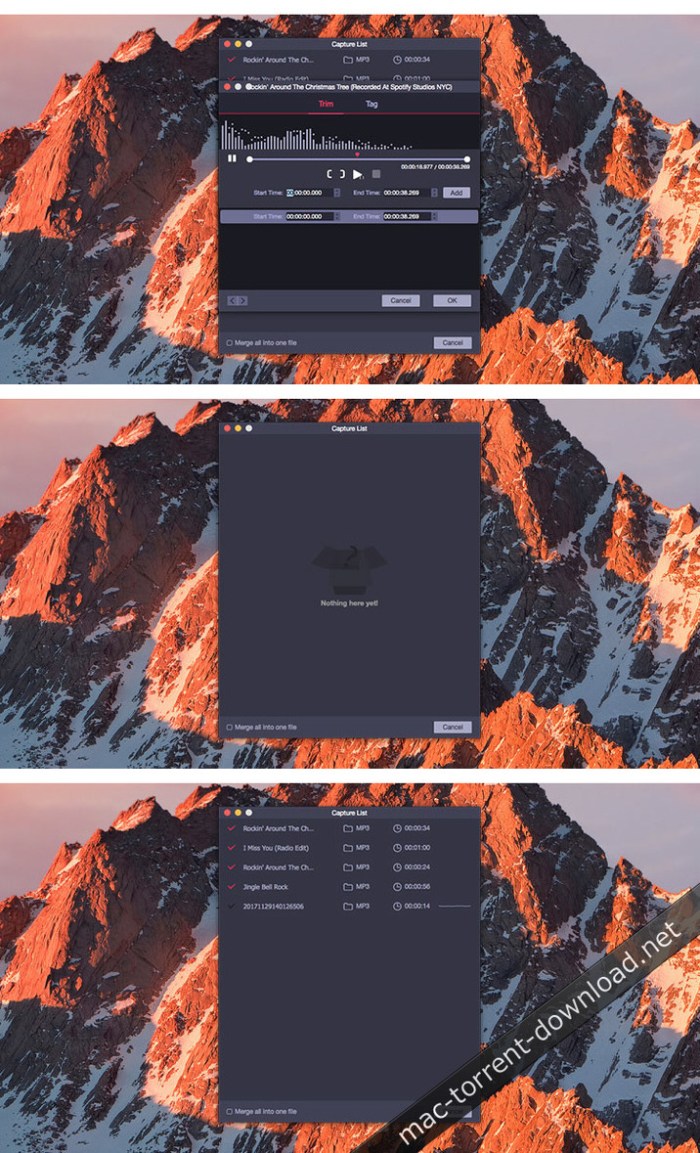
TunesKit Audio Capture 2.0.0.12

TunesKit Audio Capture is a smart audio grabber that can capture any sound you want on your Mac with one click only. It’s able to record streaming music, such as Apple Music, Spotify, etc., as well as other audio types, including radio stations, broadcasts, game music, etc., played online or from VLC, iTunes, QuickTime Player, and other media players. It can also extract audio tracks from video files played on your Mac.

Once recorded, it can save the audio tracks in common audio formats, such as MP3, WAV, FLAC, AAC, M4A, M4B, etc., so that you can play them on any popular device. During the recording, it can preserve the lossless audio quality and the ID3 tags for you. You can also edit the audio records by trimming or merging the clips as you wish.

Features
  • Capture all types of Mac’s audio
  • Record streaming music, game music, radios, broadcasts, etc.
  • Extract audio tracks from videos
  • Convert recorded audios to MP3, AAC, WAV, FLAC, etc.
  • Edit, trim and merge audio recordings
  • Keep lossless quality and ID3 tags

Compatibility: OS X 10.8 or later

Web Site: http://www.tuneskit.com/mac-audio-capture.html

What’s New in TunesKit Audio Capture 2.0.0.12

  • Release notes not available at the time of this post.

Screenshots

tuneskit_audio_capture_100

Toontrack EZmix 2 v2.1.4

Following the success of Toontrack’s EZmix, the new and completely overhauled EZmix 2 continues to build on the same fundamental idea: having pro-designed effect chains for instruments and channels found in every recording session combined in one powerful mixing tool. With the vast collection of ready-made presets, mixing music is not only easy and incredibly fast – you end up with results second to none.

All the previous functionality and content from EZmix is still intact and working in EZmix 2. The major difference however, is that the new and revamped version comes with settings based on high-tech mastering effects, new reverb algorithms, guitar/bass amp and cab simulation, a completely revised interface and a large core content boost. Essentially, EZmix 2 is a mixing engineer, mastering suite and guitar/bass amp all rolled up into one package. Start mixing, its EZ!

Web Site: https://www.toontrack.com

What’s New in Toontrack EZmix 2 v2.1.4

  • Release notes not available at the time of this post.

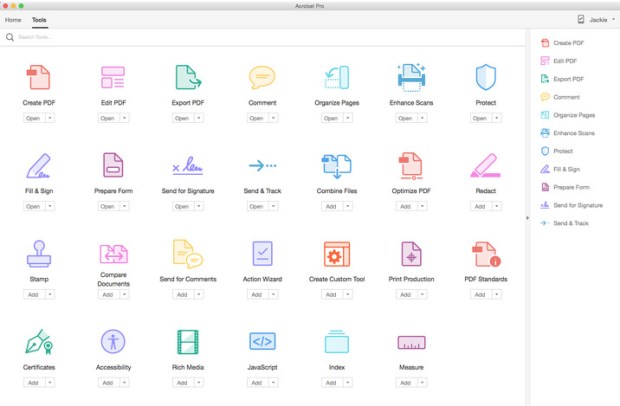
Adobe Acrobat Pro DC 2018.011.20040

Download

Descriptions for Adobe Acrobat Pro DC 2018.011.20040

DC Acrobat (Adobe Acrobat XI Pro ex) is completely reimagined version of the best desktop PDF solution in the world. It includes a mobile application so you can fill out , sign and share PDF files on any device. And with Document Cloud services, you can create, export, edit and track PDF files from anywhere and stay connected to recent files on all your devices.

In this version:
    • Access powerful tools for print production and digital publishing. Previewing previously verify, correct and prepare PDF files.
    • Works anywhere. Create, export and create PDF files from your computer or mobile app Acrobat DC.
    • Bring your files with you. Use Mobile Link to access recent files on desktop, web and mobile.
    • Edit anything. Instantly edit PDF files and scanned documents, as naturally as any other file.
    • Make last minute changes. Edit text and organize PDF pages on your iPad.
    • Replace ink signatures. Send, track, manage and store documents signed with electronic signature service incorporated.
    • Protect important documents. Prevent others from copying or modifying sensitive information in PDF files.
    • Remove envelopes overnight. Send, track and confirm delivery of documents electronically.
Keep abreast of the latest and best.

With your subscription to Acrobat DC, you get instant access to new features and improvements as soon as it is available. Keep track of your updates here.

New features:

Improved Comments.

The redesigned touch – friendly interface makes it easier than ever to give and get a quick and clear feedback.

Working with Box and OneDrive.

You can now access and store files on your Box account or Microsoft OneDrive while working in Acrobat DC.

Easier to scan to PDF.

With the new workflow scan to PDF, it is easy to choose the best scanning options and get the best results.

Full reading aloud options.

Home view options and Save As now can be read aloud by screen readers for greater accessibility.

Select a topic.

Change the appearance of Acrobat to reflect your taste. Choose the default theme light or new dark theme.

Send and manage shared reviews on Mac.

Send PDF files for SharePoint – based shared reviews from Mac to get feedback quickly.

Choose your views.

Now you can place tabs horizontally or vertically, so it’s easier to see several PDF next to each other files.

SharePoint analyze reviews.

Office 365 users can now view and respond to comments of others through SharePoint – based shared reviews.

In this version:
    • Access powerful tools for print production and digital publishing. Preview, preflight, correct , and prepare PDF files.
    • Works anywhere. Create, export and sign PDF from your computer or mobile application Acrobat DC.
    • Bring your files with you. Use Mobile Link to access recent files on desktop, web and mobile.
    • Edit anything. Instantly edit PDF documents and scanned, as naturally as any other file.
    • Make last minute changes. Edit text and organize PDF pages on your iPad.
    • Replace ink signatures. Send, track, manage and store documents signed with electronic signature service incorporated.
    • Protect important documents. Prevent others from copying or editing sensitive information in PDF files.
    • Eliminate night envelopes. Send, track and confirm delivery of documents electronically.

What’s New in Adobe Acrobat Pro DC 2018.011.20040

    • Release notes not available at the time of this post.

Screenshots

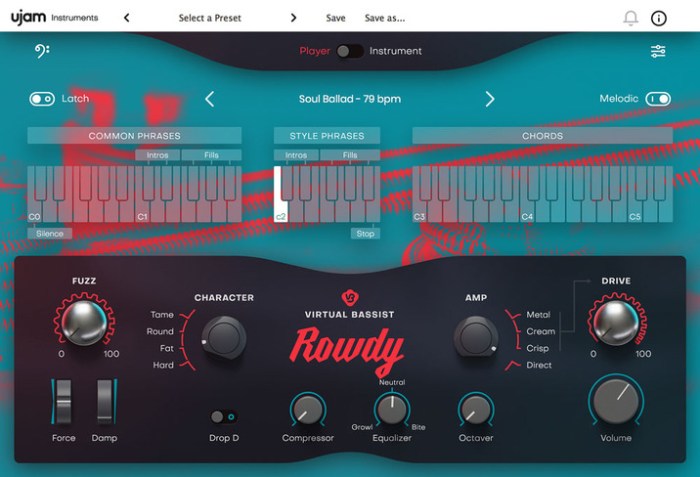
UJAM Virtual Bassist ROWDY v1.0.1

Introducing Virtual Bassist ROWDY – Your loud-mouthed, rebellious and high energy bassist with bite! ROWDY confidently delivers picked overdriven electric bass sounds suitable for a variety of styles, ranging from powerful punk to red-hot rock and modern metal. If your bass needs to cut through heavy drums and a wall of guitars, then ROWDY is the perfect solution.

What’s in There?

  • Powerfulyetsimple sound shaping options
  • 40 styles and over 450 phrases
  • Play the bass from a MIDI controller
  • Adjustable Fuzz for that extra bite
  • AI articulation modeling

Web Site: https://www.ujam.com/rowdy/

What’s New in UJAM Virtual Bassist ROWDY v1.0.1

  • Release notes not available at the time of this post.

Screenshots

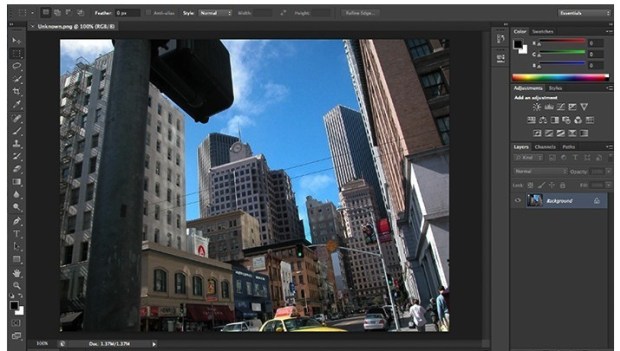
Adobe Photoshop CC 2018 19.1.4

Photoshop torrent mac

Download

Adobe Photoshop CC 2018 19.1.4 macOS

Powerful and comprehensive image editing software solution that comes with a large collection of image manipulation tools designed to help you retouch photos effortlessly and with remarkable precision torrent download download .

Everyone has its own favorite graphic editor but very few applications have reached the popularity level of Adobe’s photo processing software: Photoshop. Adobe Photoshop has been setting up the standards for so long that many simply drop the “image editing” expression in favor of the more actual “photoshopping” term.

All Adobe products require the Adobe Creative Cloud application to be installed, and Photoshop is no different: the entire process is managed via the Creative Cloud status bar panel (an Adobe account is required and you can register for one, free of charge, HERE) Photoshop torrent .

Aimed at professionals, Adobe Photoshop comes with a large collection of image manipulation tools designed to help you retouch photos with precision. The stylish and organized interface provides quick access to basic editing tools, such as the “Brush Tool”, the “Eraser Tool”, the “Gradient Tool”, the “Horizontal Type Tool” and much more.

Adobe Photoshop’s main window is dominated by the editing canvas. Whenever a new tool is selected, the available customization options are displayed on the top toolbar area, while on the right you can access the color customization panels and manage the project layers.

Adobe Photoshop design torrent can be used right out of the box, even by inexperienced graphic editors, but you need to test and study each feature to learn its full potential: the massive amount of Adobe Photoshop tutorials available online stand as testimony.

Some of the most popular Adobe Photoshop function is its filters gallery, which allows you to quickly give different effects to your photos at the press of a button. Other useful features include the Camera Shake Reduction that can save shots destroyed by camera motion, the possibility to remove, reposition or scale image objects, the Conditional Actions tool that helps you put processing images on autopilot and more.

Furthermore, Adobe Photoshop can create 3D effects, allows you to paint 3D images and comes with a 3D scene panel. Additionally, Photoshop provides basic tools for creating and editing videos.

Adobe Photoshop will prove to be extremely useful whenever you need to process or manipulate images and create high quality content. Thanks to its extensive collection of tools and features, the user gains extensive control over the final result, which can lead to truly amazing results.

OS Version: OS X 10.10 or later
Processor type(s) & speed: 64-bit processor

Includes: Adobe Zii Patch 3.0.4

Web Site: http://www.adobe.com/

What’s New in Adobe Photoshop CC 2018 19.1.4

  • Release notes not available at the time of this post.
  • Photoshop torrent cpu usage optimize
  • photoshop cs mac torrent cpu usage optimize
  • cs for mac torrent cpu usage optimize

Screenshots torrent photoshop :

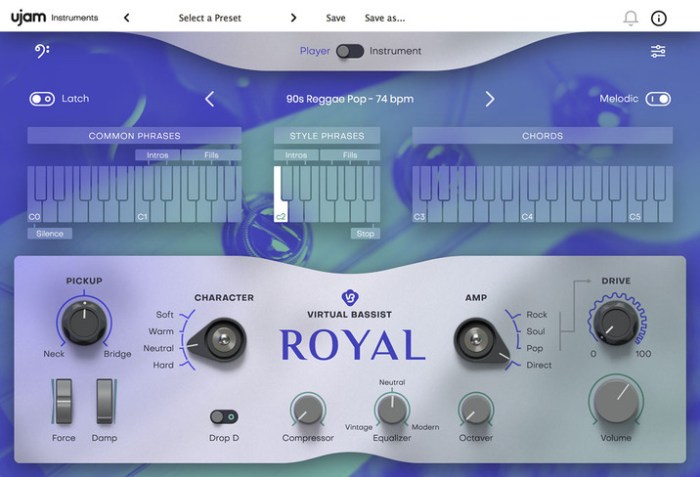
UJAM Virtual Bassist ROYAL v1.0.1

Virtual Bassist ROYAL is your all-round high-end session bass professional – always primed to reliably and effortlessly underpin most styles of popular music with its rounded electric fingerstyle tones. Perfect for pop, ready to rock, impressive on indie and smooth on singer/songwriter material, ROYAL is the A-list session studio companion for all occasions.

What’s in There?

  • Distinct and professional
  • 41 styles and over 450 phrases
  • Play the bass from a MIDI controller
  • Powerfulyetsimple sound shaping options
  • Playing position continuously
  • adjustable between neck bridge
  • AI articulation modeling

Web Site: https://www.ujam.com/royal/

What’s New in UJAM Virtual Bassist ROYAL v1.0.1

  • Release notes not available at the time of this post.

Screenshots

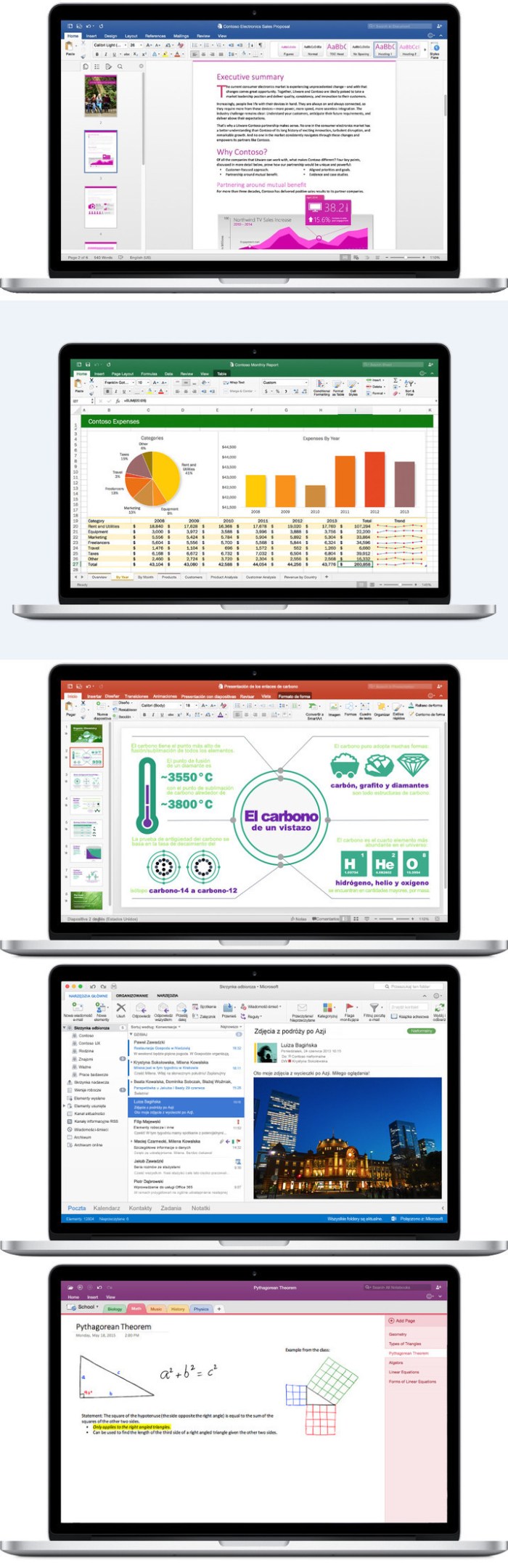
Microsoft Office 2019 for Mac 16.21 VL Multilingual

Office 2019 for Mac is designed from the ground up to take advantage of the latest Mac features, including Retina display, full screen view support, and even scroll bounce. It’s the perfect combination of the Office you know and trust, and the Mac you love.

Word

Create and share professional-looking documents with state-of-the-art editing, reviewing, and sharing tools. The new Design tab provides quick access to features, and Smart Lookup shows relevant contextual information from the web directly inside Word.

Excel

Analyze and visualize your data in new and intuitive ways with a fresh user interface plus your favorite keyboard shortcuts. Leverage features like Analysis Toolpak, Slicers, and Formula Builder to save time, so you can focus on insights.

PowerPoint

Create, collaborate, and effectively present your ideas with new slide transitions and an improved Animations task pane. Threaded comments alongside your slides help you incorporate feedback into your presentations. And Presenter View displays the current slide, next slide, speaker notes, and a timer on your Mac, while projecting only the presentation to your audience on the big screen.

OneNote

It’s your very own digital notebook, so you can keep notes, ideas, web pages, photos, even audio and video all in one place. Whether you’re at home, in the office, or on the move, you can take it all with you wherever you go while sharing and collaborating with others. It’s great for school assignments, work projects, travel plans, party planning, and more.

Outlook

Easily manage your email, calendar, contacts, and tasks. Push email support keeps your inbox up to date, conversation view groups related messages, and calendars can be viewed side-by-side for planning.

System requirements:
    • Mac computer with an Intel processor
    • Mac OS X version 10.10
    • Recommended 1 GB of RAM
    • 5,62 GB of free hard disk space
    • Hard disk formatting such as HFS + (also known as Mac OS Extended or HFS Plus)
    • A monitor with 1280×800 resolution or higher
    • Recommended Safari 7

Includes: K (License Installer)

Web Site: https://products.office.com/en-us/mac/microsoft-office-for-mac

What’s New in Microsoft Office 2019 for Mac 16.21 VL

    • Release notes not available at the time of this post.

Screenshots

iMazing 2.8.4 (9891)

iMazing (was DiskAid) is the ultimate iOS device manager with capabilities far beyond what iTunes offers. With iMazing and your iOS device (iPhone, iPad, or iPod), you can:

  • Copy music to and from any iOS device (even from one iOS device to another!), regardless of what Mac or PC the device is already synced to. Music transfer done right, without limitations or restrictions.
  • Backup & restore individual iOS apps along with your custom saved data, perfect for freeing up space on your iOS device without losing your files, great for installing apps including your data on another iOS device you own.
  • Transfer files to and from an iOS device, and browse the iOS file system.
  • Use your iOS device like a USB key.
  • Browse and save messages (SMS, MMS, iMessage), voicemails, and call logs, none of which iTunes can do.
  • Browse, save, and add contacts to your iPhone, without automatically adding them to your iCloud account.
  • Browse and manage multiple backups of the same iOS device. Chose which data sets you want to restore.
  • And other amazing things you never thought possible!

Compatibility: OS X 10.9 or later 64-bit

Web Site: http://www.digidna.net

What’s New in iMazing 2.8.4 (9891)

  • Release notes not available at the time of this post.

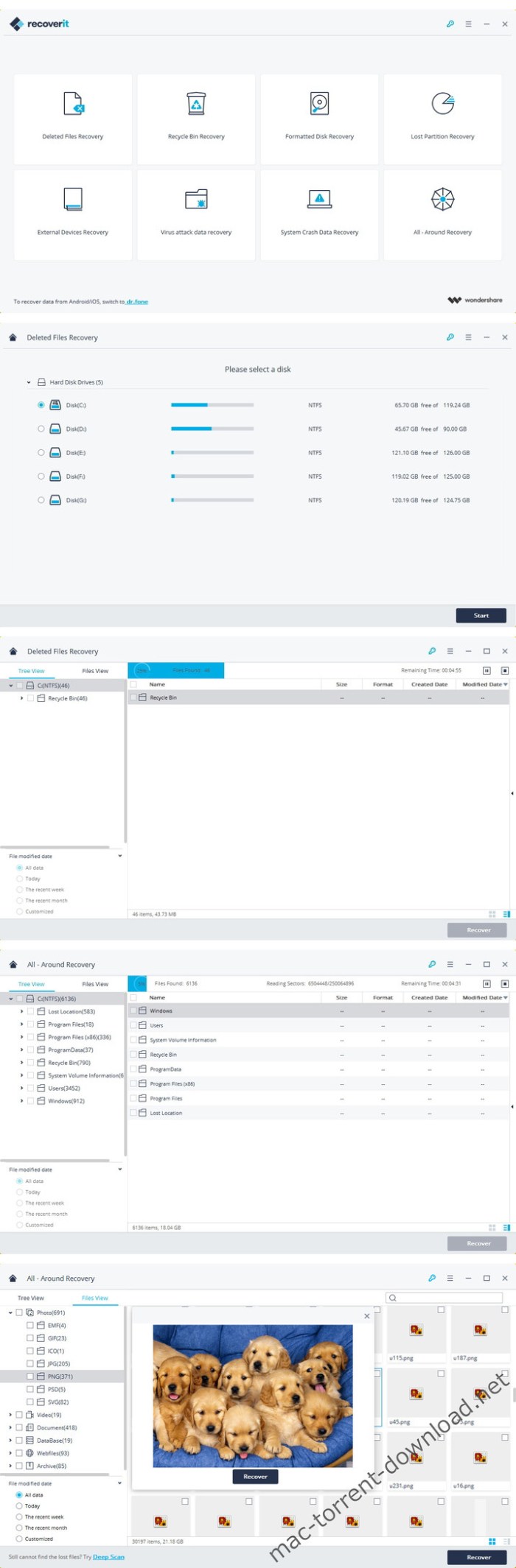
Wondershare Recoverit 7.4.2.21

Wondershare Recoverit is a comprehensive data recovery suite to recover Mac data lost due to accidental deleting, formatting, virus infection, improper operation, unexpected power failure, and other unknown reasons. A free version is available here that will let you recover up to 100 MB of data.

It can recover Mac data from lost, deleted, logical corrupted and formatted Mac hard drive, iPod, USB drive, SD card, digital camera, mobile phone, MP3, and MP4 player. Compatible with HFS+, FAT16/32, and NTFS file system volumes, this non-destructive Mac file recovery software ensures safe Mac file recovery without modifying the original data saved on your Mac machine or any other storage media. Versatile preview lets you enjoy Mac data recovery in advance.

Features
  • Safety First:
    • Read-only and risk-free Mac data recovery program. No any writing operation to your original data.
  • Versatile Preview Ability:
    • For images, real-time and direct scan results is displayed during the scan process to let users stop scanning once the target images are found.
    • For other Mac files such as videos, audio files, archives and documents, they are displayed as a text in a Hex mode for preview to let users enjoy file recovery on Mac in advance.
  • Precise File Recovery for Mac:
    • Before data recovery on Mac, you can choose the target file types to scan, which saves you much time especially when there are tons of files on your Mac machine.
    • Restore deleted files for Mac with original file names, shooting date, and storage paths.
    • Support file names search for scanning results to provide you precise Mac file recovery.
  • Easy-to-use and Clean Interface:
    • Complete wizard and easy-to-use interface let you perform Mac data recovery in a breeze.

Compatibility: OS X 10.6 or later

Web Site: https://recoverit.wondershare.com/data-recovery-mac.html

What’s New in Wondershare Recoverit 7.4.2.21

  • Release notes not available at the time of this post.

Screenshots

JPEGmini Pro 2.2.3

*** JPEGmini Pro is a robust image optimization tool, trusted by tens of thousands of photographers, that reduces photo file size by up to 80% without compromising quality. For a free trial Go to https://goo.gl/UQdrps***

JPEGmini Pro now optimizes photos up to 128MP, supporting different resolutions from panorama shots, collages, and the world’s leading camera brands.
Faster Photo Resizing And Exporting
More Resizing Options
Improved User Experience
Up to 20% faster than previous

JPEGmini has been reviewed and praised by dozens of photography publications and bloggers, among them are: DPReview, Forbes, Fstoppers, Petapixel, Macworld, Photography Life, Phoblographer, Shotkit, Noupe, SLR Lounge and many more.

“With nearly zero perceptible trade-off in image quality, the benefits of JPEGmini Pro are both immediate and long-term, unquestionably changing my workflow and saving me a lot of money.”

Colin Peddle, PetaPixel

“This app is a game changer for myself and makes it so much easier to share with clients, friends, and social media without having to create multiple files for different purposes.”
Nick Pecori, FStoppers

“As far as ease of use, it is hard to make a simpler piece of software. When you are using the desktop software, you simply drag your JPEG files onto the program and then the JPEGmini Algorithm does its magic, compressing your images and saving you tons of space.”

Anthony Thurston, Phoblographer

“JPEGmini is without a doubt the most amazing piece of software I’ve come across since I first used Photoshop 10 years ago. In my opinion, it is essential”

Mark Condon, Shotkit

“I found it hard to believe that the software would result in that much space savings, so I opened up the JPEG image on my computer and analyzed the file pixel by pixel. Going back and forth a number of times, I could not see ANY differences in quality”

Nasim Mansurov, Photography life

JPEGmini Pro is specially designed to integrate into your photography workflow and includes:

  • Adobe® Lightroom® Plugin
  • Adobe® Photoshop® extension
  • Enhanced resolution: Supports photos up to 128MP
  • Multiple Export & Resizing
  • Enhanced performance: up to 8x faster than JPEGmini and uses all your cores

Watch how photographers use it: https://goo.gl/gXSMZN

Watch JPEGmini Pro being tested under the Loupe: http://bit.ly/160XT5C

For More JPEGmini videos: https://goo.gl/uRjpMn

JPEGmini Pro benefits:
  • Send HiRes photos faster
  • Use smaller USB drives to deliver photos to customers
  • Faster loading websites and thus improve Google search rank and customer satisfaction
  • Save tons of hard drive space
It’s as simple as: Drag, Drop, Done.

Press the “Choose” button to select individual photos, or drag a folder or group of photos onto the app. During the optimization process, you will see a preview of your photos, and a rolling counter with the amount of disk space you are saving.

Don’t compromise on quality.

JPEGmini Pro is a tool intended for professional photographers who are constantly challenged by the bloated file sizes of photos and the constraints it puts on them.

JPEGmini Help: http://help.jpegmini.com/

JPEGmini technology: www.jpegmini.com/main/technology

Compatibility: OS X 10.8 or later

Web Site: http://www.jpegmini.com
Mac App Store: https://itunes.apple.com/app/jpegmini-pro/id887163276?mt=12

What’s New in JPEGmini Pro 2.2.3

• Bug fixes

Memory Cleaner 1.3.1

Memory Cleaner – Monitor, Optimize & free-up Memory The application monitors RAM usage on your computer and frees up unused memory with one click. With Memory Cleaner, you can easily manage your memory usage. An animated status icon in the menu bar shows you the percentage of memory being used, as well as memory cleaning being run.

Features:
  • Memory usage information displayed in the menu bar
  • Automatic memory free up with custom threshold set by you.
  • Dynamic and customizable menu bar
  • List of apps with significant memory usage
  • Memory usage per application
  • Detailed memory information
  • Manual memory free up when needed with just a click.
  • Beautiful Interface info graph to get exact information in one glimpse.
  • Set Dark or Light mode as per the taste.
Advance Features:
  • ▸▸▸ Automatically memory cleaning starts when consumption reaches the threshold limit set by you.
  • ▸▸▸ Notifications of opened apps those are not been used for a period of time. By closing those inactive apps, memory usage reduces and Mac speed increases.
  • ▸▸▸ Can add important applications to “ignore list” to stop inactive alert message till the time set by you.
  • ▸▸▸ Auto clean Cool down to keep the performance of your Mac high.
  • ▸▸▸ Set Refresh Interval at which you want to get memory usage information.
Super Advance Feature:

••• “Deep Clean” is perform by advance clean algorithm for extreme cleaning process, that would take little more time to clean, but will free up more memory space occupied by hogging apps. It is recommended to unlock “Deep Clean” to enjoy ultimate performance of your MAC.

Top In-App Purchases: Full Version – included

Compatibility: macOS 10.11 or later 64-bit

Web Site: http://appyogi.com/apps/memory-cleaner-free-up-mac-memory-now/

What’s New in Memory Cleaner 1.3.1

  • Release notes not available at the time of this post.

Viscosity 1.7.13

Viscosity is an OpenVPN client for Mac, providing a rich Cocoa user interface for creating, editing, and controlling VPN connections. Viscosity provides a complete OpenVPN solution for OS X 10.5 Leopard, and does not require any additional downloads or software.

With Viscosity and OpenVPN you can securely connect to your home or company network from a remote location, protect your network traffic when using public or wireless networks, access websites with country restrictions, and tunnel through restrictive firewalls and proxy servers to give your computer full Internet access. Viscosity can connect to any VPN server running OpenVPN, including most popular free and commercial VPN providers. Viscosity allows connections to be completely configured through a GUI, without any need to know how to use the command-line or OpenVPN’s configuration file syntax. Advanced users still have full manual control over configuration options if desired.

Features
  • Cocoa GUI
  • Connection and traffic statistics
  • Multiple simultaneous connections
  • Robust DNS Support
  • Keychain integration
  • System proxy integration
  • Deployment features designed for enterprise
  • Easy connection importing
  • Growl integration

Compatibility: OS X 10.7 or later

Web Site: https://www.sparklabs.com/viscosity/

What’s New in Viscosity 1.7.13

Improvements:
  • Compatibility with menu bar managers
  • Main menu automatic resizing and positioning
Updated:
  • OpenSSL updated to version 1.0.2q
Fixes:
  • Avoids rapid reconnect attempts when a local TLS error occurs
  • Avoids potentially delaying a manual computer sleep when there are active connections

Screenshots

Wondershare Filmora 9.0.6.3

Filmora scrn is an easy-to-use screen recorder that is perfect for recording games, or anything else you want to capture. Much more than a simple screen capture program, Filmora scrn includes a a video editing suite tailored for screen recordings. You can cut, rotate, and crop your clips. You can also add annotation and custom cursor effects. Videos created with Filmora scrn can be exported as MP4s, MOVs, or GIFs.

Features

Changeable Cursor

Adjust the size, shape and color of your cursor to make it stand out.

Full Editing Suite

Edit your clips quickly and easily with a wide range of professional tools.

2 Devices

Record from your computer and webcam simultaneously.

Import Over 50 File Formats

Import images, videos, music, and other media files.

FPS (15-120)

Perfect for recording fast-paced games. (Up to 60 fps for Mac)

Export To MP4, MOV, GIF

Export to mutliple formats

PIP (Picture In Picture)

Add a second image or video to your main footage, like a facecam for gaming.

Custom Recording Field

Choose to record all, or just part of, your computer screen.

Annotations

Add text and other elements to enhance the learning experience for your viewers.

Tutorial Features

Draw circles and arrows on your screen to help direct attention.

System Requirements:

  • OS X 10.10(Yosemite), OS X 10.11(El Capitan), macOS 10.12(Sierra), macOS 10.13 (High Sierra)
  • CPU: 2GHz or above Intel processor
  • Memory: At least 4GB physical RAM (8GB required for HD and 4K videos)
  • Disk: At least 2GB free harddisk space for installation (SSDSolid State Disk recommended for editing HD and 4K videos)

Web Site: http://www.wondershare.com/

What’s New in Wondershare Filmora 9.0.6.3

  • Release notes not available at the time of this post.

Layouts Lab – Templates 3.3.3

Layouts for Keynote is a collection of 100+ themes created for your unique slideshows by the Jumsoft design team. Outline your ideas, proposals, contracts, and solutions. Then, enhance them with stylish backgrounds, charts, diagrams, tables, and other data visualization elements to attain all you have been working for.

Each theme contains at least 20 master slides, covering everything from basic bullet layouts to complex diagrams and illustrations. All photo slides feature media placeholders to neatly crop a placed image, and most visualization elements can be easily edited.

Most objects in Layouts for Keynote can be easily recolored, reshaped, moved, or removed. You can change the background to a color, gradient, or photo with a simple modification in the Appearance Inspector. Type or paste your own text, add and remove text boxes, and change the fonts if you wish. Edit the charts and diagrams to fit your data. Drag your photos or pictures onto slides to replace the stock images. Use every available tool to make your audience hang on your every word.

*Requires Keynote 6.0 or later

Compatibility: OS X 10.11 or later 64-bit

Web Site: http://www.jumsoft.com/toolbox-for-keynote/
Mac App Store: https://itunes.apple.com/app/layouts-lab-templates/id671768282?mt=12

What’s New in Layouts Lab – Templates 3.3.3

• 6 new Layouts.

KeyCue 9.2

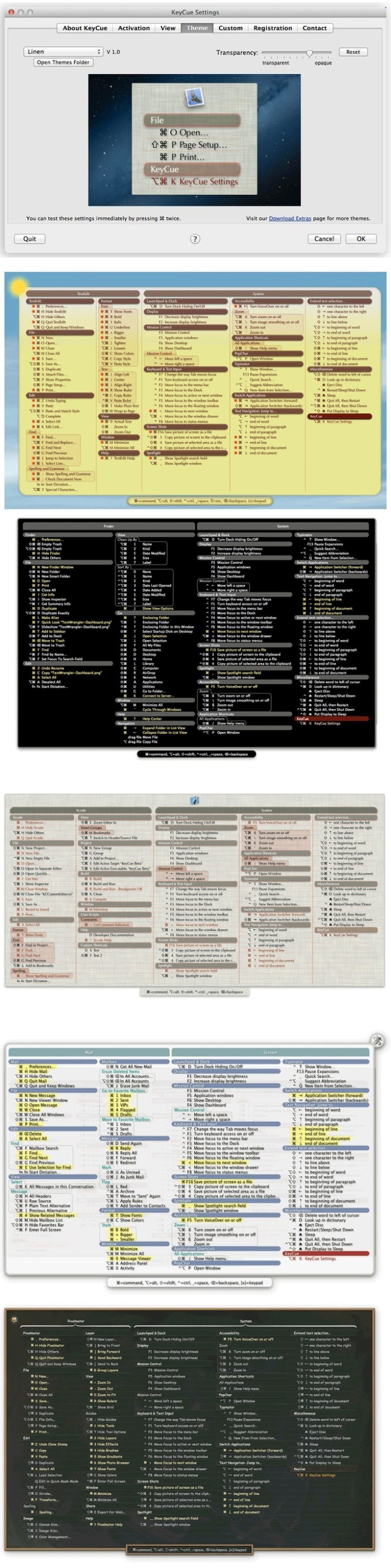
KeyCue has always been a handy tool for learning and remembering keyboard shortcuts. With a simple keystroke or click, KeyCue displays a table with all available keyboard shortcuts, system-wide hotkeys, as well as key combinations for triggering macros in Keyboard Maestro, QuicKeys and iKey.

A completely new action that can be assigned to a trigger is to show a collection of your frequently used URLs. Simply define your own favorite URL collection together with your preferred triggers, and you are ready to use KeyCue for quickly showing a table of your URLs and invoking them with a single click. The mechanism has been designed in a flexible way to support further extensions in the future. So the URL collection is just the beginning of other actions that will be included in future versions of KeyCue.

See. View available keyboard shortcuts based on application by pressing the Command key.

Do. Simply type out the desired shortcut upon finding the appropriate action.

Learn. Develop into an efficient power user by remembering repeated shortcuts or discovering previously unknown actions.

Compatibility: OS X 10.8 or later 64-bit

Web Site: http://www.ergonis.com/

What’s New in KeyCue 9.2

  • KeyCue is now distributed as an Applenotarized application.
  • Custom menu entries can now be added to specific submenus.
  • Fixes an invisible diagnostic field in the Settings window in dark mode.
  • Removes a confusing reference to an older version in the “New in KeyCue” window.
  • The KeyCue menu bar icon now uses the correct accent color when clicked.
  • The info line in contact mail contains information about the system language and dark mode.
  • Improved support for update checks in intermediate beta versions.
  • Internal improvements of the Keyboard Maestro interface.
  • Adds flag of the United Nations to the Emoji table.
  • Cleaned up unused 32bit code in the builtin installer.
  • Troubleshooting function for resolving certain support cases.
  • Improved internal caching of shortcuts.
  • The URLs in the preinstalled URL collection now use secure connections to our server.
  • Improved calculation of Emoji metrics.
  • Improved visibility of the menu scanning progress in Dark Mode.
  • The menu bar icon’s pulldown menu now has the correct appearance in Dark Mode.
  • Fixes a problem where the horizontal spacing of emoji symbols was too wide.
  • Works around a problem with temporary folders that caused installations and updates to fail in certain circumstances.
  • Works around a potential freeze in Luminar.
  • See the product page for further details.

Screenshots

OmniPlan Pro 3.10.4

OmniPlan is designed to help you visualize, maintain, and simplify your projects. Break down tasks, optimize the required resources, control costs, and monitor your entire plan—all at a glance. Collaborate with your colleagues and share every detail, update a calendar with your days off, or mix and match. Accept and reject changes one-by-one or all in one go.

Multi-Project Dashboard

Here’s where you put together a beautiful, personal command station for a set of projects. The focus here is on resource load and easy-to-understand visuals.

Monte Carlo Simulation

Two clicks for a much better understanding of your project’s finishability! OmniPlan does quick math and predicts the future.

Network Diagrams

An incredibly easy way to visualize a project’s flow, dependencies, and tasks. All completely customizable, too.

Earned Value Analysis

Using built-in EVA formulas, you’ll always know if the money going in to a project is producing the expected results. And we’ve already checked the math.

What’s new in OmniPlan 3
  • Standard And Pro — OmniPlan Standard provides the core functionality that most users need to plan a project. OmniPlan Pro takes your project to the next level with collaboration, forecasting, and reporting features.
  • User Interface — Out with the old, in with the new! The Gantt chart and resource timeline now sport a flat, modern design, and the inspectors live in their new home in the sidebar.
  • Network View — An elegant and easy way to rapidly prototype and visualize your project’s flow as a network diagram of nodes connected by dependencies.
  • MultiProject Dashboard (PRO) — See everything at once! Assemble a beautiful dashboard to review your projects at a glance, and see how busy or idle every team member is across all of them.
  • Earned Value Analysis (PRO) — Time is money! Measure a project’s progress at any given point in the schedule and forecast its completion date and final cost, without having to remember all of those EVA formulas.
  • Meeting Task Type — A new resource allocation option that allows you to specify if multiple resources need to work on a task independently or simultaneously.
  • AutoEffort Estimation (PRO) — Think some tasks might take longer or finish earlier than expected? Let OmniPlan assign your best and worst estimates to account for every scenario.
  • Monte Carlo Simulation (PRO) — Run multiple simulations in seconds to forecast milestone completion dates with varying levels of confidence.
  • OffDay Styling — Want to see every single offhour time period, just the weekends, or just the holidays on your Gantt chart? You can now show or hide them all!
  • Reports (PRO) — Generate project reports with a single click! We’ve created gorgeous, customizable HTML templates that are dressed to impress at your next status meeting.
  • Unlinked Duration and Effort — Set different values for a task’s effort and duration, then let OmniPlan crunch the numbers for your resource assignment percentage.
  • Display Task Hierarchy — Have a lot of repetitive tasks with the same name? Differentiate them by showing the full hierarchical path of a task and its parent group in the task outline and Gantt chart.

Requirements: Mac: OS X 10.10 or higher.

Web Site: https://www.omnigroup.com/omniplan

What’s New in OmniPlan Pro 3.10.4

OmniPlan 3.10.4 is a minor update focused on bug fixes.

• Google Calendar [PRO] — Copies of OmniPlan downloaded from the Mac App Store are now able to successfully authenticate Google Calendar accounts.
• Resource Load Syncing [PRO] — Fixed a bug that could cause resources to appear incorrectly overloaded when a project is configured to sync resource loads with a server repository.
• Stability — Fixed a crash that could occur when importing some Microsoft Project files.

KCNcrew Pack 01-15-19

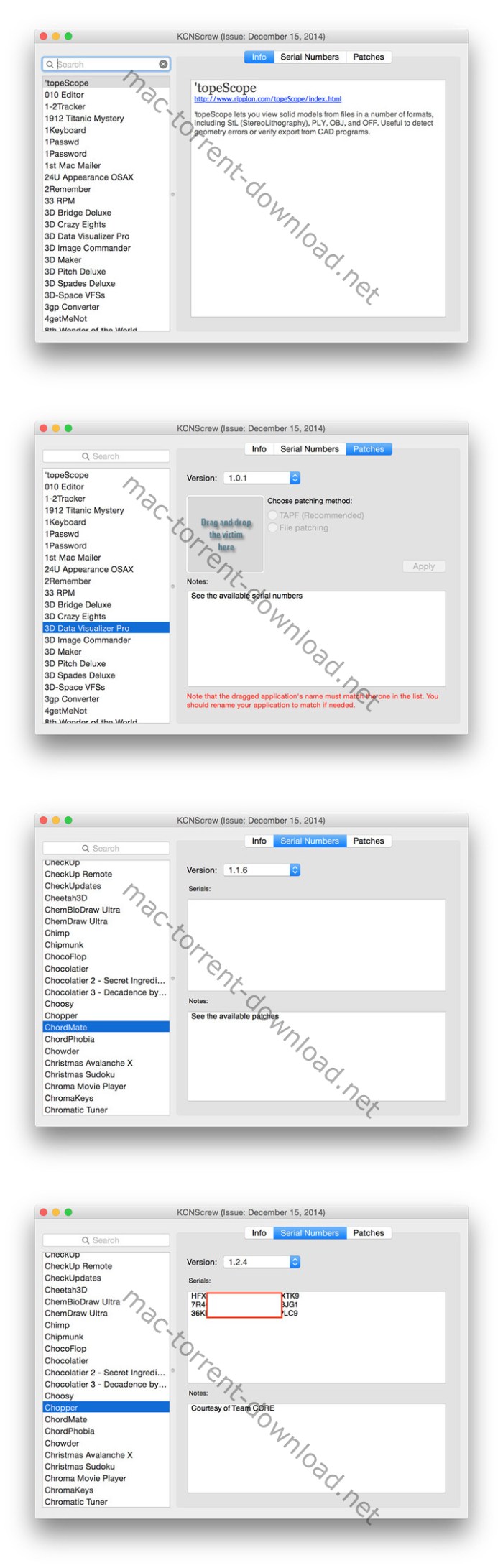
KCNcrew Pack – This is a huge collection of serial numbers for software under MacOS X with a convenient cover for browsing and searching. There is a very long time and is periodically updated! Base serial numbers KCNcrew project as of October2017. Unlike Serial Box, no readers are required.

Just open the dmg file, drag and drop the app where you like. However, there is no way to view what serials, cracks and patches are new in this issue as compared to the previous. Thanks to all contributors and supporters!

OS Version: OS X 10.6 or later

Screenshots

Adobe Media Encoder CC 2018 12.1.2 Multilingual

Download:

Adobe Media Encoder CC 2018 12.1.2 Multilingual macOS

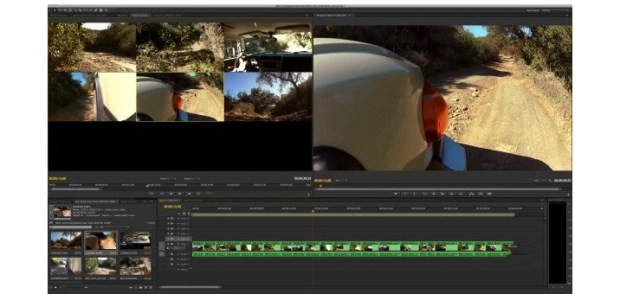
Media Encoder CC. Your go-to application for all media processing. Ingest, transcode, create proxies, and output any format you can imagine. This powerful media management tool allows you to work with media in a unified way across applications. Tight integration with Adobe Premiere Pro CC, After Effects CC, and other applications provides a seamless media processing workflow.

Features:
    • Destination Publish to Adobe Stock Contributor
    • Team Projects support
    • Support Color Profiles from After Effects sources
    • Automatically relink assets when importing a sequence
    • Option to maintain playback in Premiere Pro while rendering in AME
    • Streamlined bit depth and alpha channel settings (Quicktime only)
    • Export support for ambisonic audio (h.264 only)
    • Support for HLG (Hybrid LOG Gamma)
    • Support for HDR in HEVC (h.265) export
    • Export support for Panasonic AVCLongGOP OP1b
    • Ingest and transcoding functionality
    • Media Browser panel
    • Destination Publish to Twitter
    • Support for Adobe Audition CC
    • Support for Character Animator CC (preview)
    • Quality and preformance improvements
    • Destination Publish to Behance
    • Multiple clip stitching on ingest
    • Direct publishing to Facebook
    • Expand 4K format support
    • Improved image sequence workflows
    • Automatic loudness correction
    • Usability refinements
    • MXF channelization
    • Extended DNxHD support
    • IRT compliance
    • HDR to SDR conversion filter
    • Time Interpolation setting
What’s New in Media Encoder CC 2018:
    • Specify a channel when publishing to YouTube and Vimeo
    • Specify a playlist when publishing to YouTube
    • Specify a page when publishing to Facebook
    • Add a custom title when publishing to YouTube, Facebook, and Vimeo
    • Add a custom video thumbnail when publishing to YouTube
    • Notification of missing items in the queue before encoding begins
    • H.264 Adaptive bitrate presets that automatically choose the best bitrate for an output based on frame size & frame rate of the source
    • Animated GIF export is now available on both Mac and Windows
    • Time Tuner effect improvements
    • Newly optimized list of H.264 presets
    • Format support for RF64 WAV Decode/Encode, decode for Sony XOCN, and QuickTime DNx Smart Rendering
    • Warning when importing nonnative QuickTime sources
    • Modify timecode for 720p 59.94 media

Compatibility: OS X 10.10 or later

Includes: Adobe Zii Patch 3.0.4

Web Site: http://www.adobe.com/

What’s New in Adobe Media Encoder CC 2018 12.1.2

    • Release notes not available at the time of this post.

iMazing 2.8.3 (9874)

iMazing (was DiskAid) is the ultimate iOS device manager with capabilities far beyond what iTunes offers. With iMazing and your iOS device (iPhone, iPad, or iPod), you can:

  • Copy music to and from any iOS device (even from one iOS device to another!), regardless of what Mac or PC the device is already synced to. Music transfer done right, without limitations or restrictions.
  • Backup & restore individual iOS apps along with your custom saved data, perfect for freeing up space on your iOS device without losing your files, great for installing apps including your data on another iOS device you own.
  • Transfer files to and from an iOS device, and browse the iOS file system.
  • Use your iOS device like a USB key.
  • Browse and save messages (SMS, MMS, iMessage), voicemails, and call logs, none of which iTunes can do.
  • Browse, save, and add contacts to your iPhone, without automatically adding them to your iCloud account.
  • Browse and manage multiple backups of the same iOS device. Chose which data sets you want to restore.
  • And other amazing things you never thought possible!

Compatibility: OS X 10.9 or later 64-bit

Web Site: http://www.digidna.net

What’s New in iMazing 2.8.3 (9874)

  • Release notes not available at the time of this post.

Adobe Premiere Pro CC 2018 12.1.2 Multilingual

Adobe Premiere Pro CC 2018 12.1.2 macOS

Bring your next big thing to screens everywhere. Turn raw footage into flawless productions with Premiere Pro CC, the industry-leading video editing software. Whether you’re just starting out or a seasoned pro, you can edit, adjust color, refine audio, and more — all in one seamless, integrated workflow.

Go big on the big screen.

Working on your next masterpiece? Premiere Pro is the only non-linear editor that lets you have multiple projects open, while simultaneously collaborating on a single project with your team. Plus you can lock your projects so others can’t change them. Workflows for color, graphics, audio, and immersive 360/VR take you from first edit to final credits faster than ever.

Any camera. Any format.

Work on footage in any format from 8K to virtual reality to smart phone. The industry’s broadest native media support and powerful proxy workflows make it easy to start editing immediately on any computer — no matter where your footage came from.

Plays well with others.

Switch easily between Premiere Pro and After Effects. With Dynamic Link, you don’t have to wait for rendering. Premiere Pro also works seamlessly with other Creative Cloud apps, including Photoshop, Illustrator, and Adobe Media Encoder. And with Team Projects, editors around the globe can collaborate freely, share securely, and more.

Work on multiple projects at the same time

Jump between episodes or scenes, edit and copy portions of one project into another, and more.

Shared Projects with locking feature

Teams in the same facility can access a single project simultaneously. For version control, you can lock projects when you’re actively editing and give read-only access to other users.

Responsive design that’s more responsive than ever

Now your motion graphics can automatically adapt to changes in time and in ratio or positioning so intros and outros are preserved and nothing goes out of frame.

Immersive 360/VR video and audio editing

Edit immersive VR the way it’s viewed — wearing a VR head-mount. Add virtual reality effects and transitions without distortion. Edit 360/VR content using audio based on orientation.

Compatibility: OS X 10.10 or later

Includes: Adobe Zii Patch 3.0.4

Web Site: http://www.adobe.com/

What’s New in Adobe Premiere Pro CC 2018 12.1.2 Multilingual

  • Release notes not available at the time of this post.

Screenshots

Autodesk Maya LT 2019

With several UV improvements and exciting new modeling tool updates, Autodesk® Maya LT® 2018 helps game developers work faster than ever before.

With several UV improvements and exciting new modeling tool updates, Autodesk® Maya LT® 2018 helps game developers work faster than ever before. Modeling, animation, workflows have seen significant improvements that not only help artists work quicker but also help make character creation more enjoyable

Professional Modeling tools

Maya LT users can leverage the familiar and powerful Maya modeling toolset to help rapidly create and edit 3D characters, props, and environments. Modeling has never been easier thanks to the recently integrated NEX custom toolset and efficient
automatic poly-reduction tools that makes creating assets for various screen resolutions a breeze.

Materials and shaders

Maya LT includes ShaderFX, a real-time, node-based editor that enables the rapid creation of gpu accelerated, programmable shaders without requiring manual coding. Shaders can easily be exported as HLSL, GLSL, or CgFX shader programs, then imported into any game engine that supports Microsoft DirectX 11 or OpenGL.

Animation tools

Bring your game characters, props and environments to life with a variety of animation tools based on Autodesk Maya and Autodesk HumanIK inverse kinematic software. Create keyframe animations and editable motion trails/trajectories to fine-tune motion animation directly in the viewport for maximum efficiency.

Streamlined workflows

Utilizing the industry standard FBX file format, Maya LT offers efficient workflows with most major gaming engines including Unity, Unreal and CryEngine. The Microsoft DX11 enabled Viewport 2.0 ensures highly accurate art previews which help minimize round tripping and iteration times.

Web Site: https://www.autodesk.com/products/maya-lt/overview

What’s New in Autodesk Maya LT 2019

  • Release notes not available at the time of this post.

Adobe After Effects CC 2018 15.1.2 Multilingual

Download

Adobe After Effects CC 2018 15.1.2 Multilingual macOS

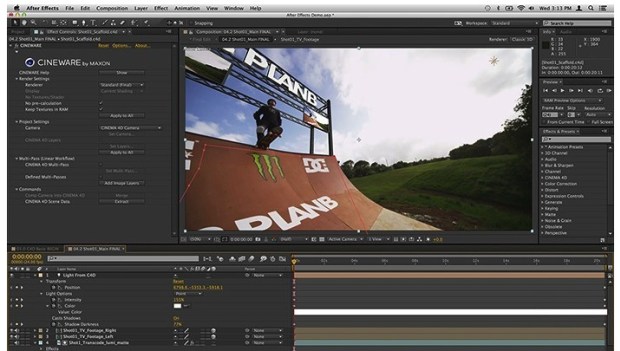
Create incredible motion graphics and visual effects. The industry-standard animation and creative compositing app lets you design and deliver professional motion graphics and visual effects for film, TV, video, and web.

There’s nothing you can’t create with After Effects.

Animators, designers, and compositors use After Effects to create motion graphics and visual effects for film, TV, video, and the web.

Roll credits. Spin words. Twirl titles.

Create animated titles, credits, and lower thirds. Start from scratch or with one of the animation presets available right inside the app. From spin to swipe to slide, there are countless ways to make your text move with After Effects.

Explosive effects. Mind-blowing results.

Combine videos and images to send a UFO across the sky, blur out a logo, or create an explosion — the possibilities are endless. There are hundreds of effects to get just the look you want, from adding fog to changing colors to making it snow.

Get animated.

Set anything in motion using keyframes, including logos, shapes, and cartoons. Add sound for really amazing results.

Plays well with others.

After Effects works together seamlessly with other Adobe apps. Edit comps and immediately see how they look in Premiere Pro with Dynamic Link. Easily import work from Photoshop, Illustrator, and Audition. And use Team Projects to collaborate with editors no matter where they’re located.

Data-driven animation

Animate motion graphics, including charts, graphs, promos, and schedules using imported data.

Immersive VR editing

Tools for 360/VR are now deeply integrated into After Effects. Edit stitched videos without distortion, apply seamless effects and motion graphics to 360 videos, and more.

Keyboard shortcut mapping

Find and customize keyboard shortcuts quickly using a visual map.

Performance and navigation improvements

Get started faster with an intuitive start screen. Render layer transforms and motion blur on the GPU. And select and preview your favorite fonts with a new menu.

Compatibility: OS X 10.10 or later

Includes: Adobe Zii Patch 3.0.4

Web Site: http://www.adobe.com/

What’s New in Adobe After Effects CC 2018 15.1.2

  • Release notes not available at the time of this post.
  • new version 

Screenshots : After Effects mac torrent

Autodesk Maya 2019

A cross-platform and comprehensive suite of tools for 3D modeling, animation and rendering specially designed for game developers and film makers.

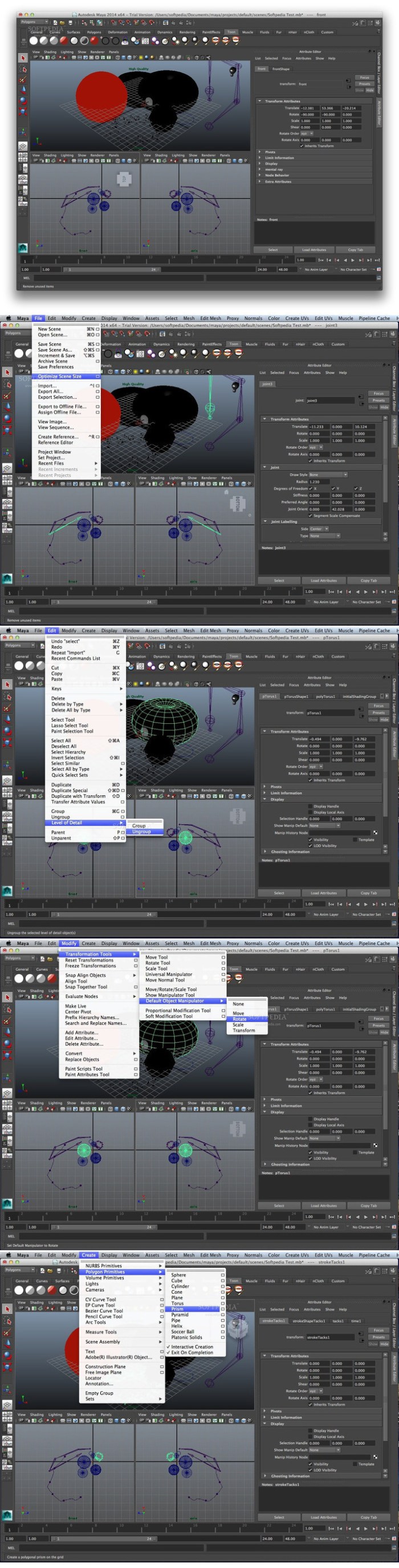
Autodesk Maya is a fully-featured professional 3D modeling, animation, rendering and composing solution that provides a wide variety of features and dynamic tools to simulate fluids, cloth, particles and hair.

This release includes major workflow upgrades with new tools like the Time Editor, which is a comprehensive tool for creating and editing clip-based non-linear animation. Similarly, our new Render Setup system simplifies the management of complex scenes with shot-based overrides and templates. In addition, grooming all types of hair and fur in XGen is easier and faster using new Interactive Groom Splines, which includes a set of intuitive brush-based tools (used in the image above). Finally, the new Content Browser, and new Workspaces capabilities let you personalize Maya.

And, don’t miss our new Motion Graphics features, including the 3D Type Tool, the SVG Tool, and the MASH Procedural Effects Toolkit to create versatile motion design animations.

Requires macOS 10.11 or later

Web Site: https://www.autodesk.com/products/maya

What’s New in Autodesk Maya 2019

  • Release notes not available at the time of this post.

Screenshots

Resume Templates – Design 2.0.5

Resume DesiGN- Templates is a high-quality collection of more than 130 original Pages templates designed to give your career prospects a major boost. Present your educational background, experience, and skills in a way that will catch any recruitment manager’s attention.

Every object in Resume DesiGN- Templates can be easily recolored, reshaped, moved, or removed. Type or paste your own text, add or remove text boxes, and change the font if you want to. Add your photos to replace the stock images. Every layout – from the understated elegance of the traditional career descriptions to the buoyant colors of the resumes for creative professionals – features quality design and great usability.

The templates are available in the US and international page sizes.

* Requires the latest version of Pages.

Compatibility: OS X 10.11 or later

Web Site: http://graphicnode.com
Mac App Store: https://itunes.apple.com/app/resume-design-templates/id1103224543?mt=12

What’s New in Resume Templates – Design 2.0.5

• Dark Mode improvements.
• Stability improvements.

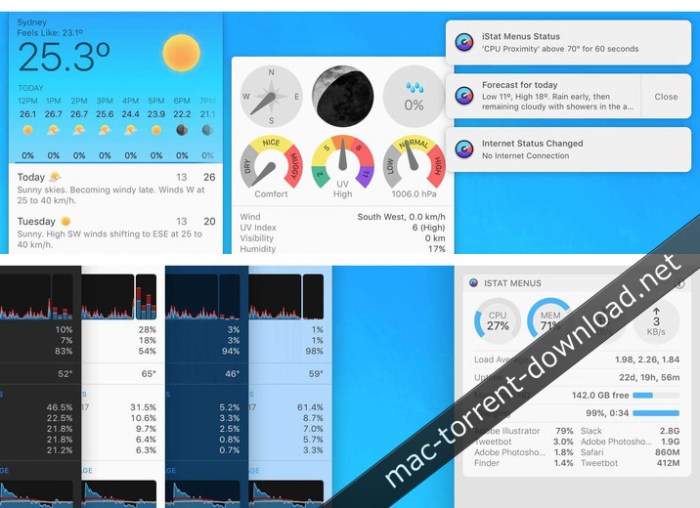
iStat Menus 6.31

An unobtrusive macOS status bar menu application designed to enables you to effortlessly monitor your system activity and resources usage

Keeping an eye on your Mac’s resources is advisable because this way you can understand more about your computer and you can identify possible issues sooner.

iStat Menus is a Mac app that provides quick access to this type of information via your status bar.

iStat Menus comprises multiple status bar menus so, right of the bat, you must select the ones you want active and personalize their behavior to match your own needs.

Easily accessible information about various types of resources

Once this is taken care of, the menus will be present in your status bar at all times: simply click on the respective icon and the drop down panel will provide more statistical data.

iStat Menus analyzes and provides usage data and separate status bar menus for the following elements: CPU&GPU, Memory, Disks, Network, Sensors, Battery (if available), or Time (can show the local time for different cities). In addition, you can create a single menu that combines multiple elements.

Note that each menu comes with its own customization options: you can change the way in which the information is displayed or the color palette.

Customize its status bar menu’s appearance in no time

Moreover, you can select the sensors you want to monitor, set up warnings for specific battery levels, and more.

iStat Menus comes with 9 styles for the menu bar theme (black, blue, fire, graphite, green, pink, purple, red, and white), 2 drop down themes (dark and light), and allows you to adjust the status bar graph background opacity. In addition, you may also adjust the update frequency for the data displayed in the menus: fast, medium, or slow.

Unobtrusive menu bar solution for keeping an eye on your Mac’s resources usage

All in all, if you are looking for a low-key tool for monitoring the way in which your Mac deals with the available resources, iStat Menus certainly deserves your attention.

Compatibility: OS X 10.11 or later

Web Site: Web Site: https://bjango.com/mac/istatmenus/
Mac App Store: https://itunes.apple.com/app/istat-menus/id1319778037?mt=12

What’s New in iStat Menus 6.31

  • Release notes not available at the time of this post.

Screenshots

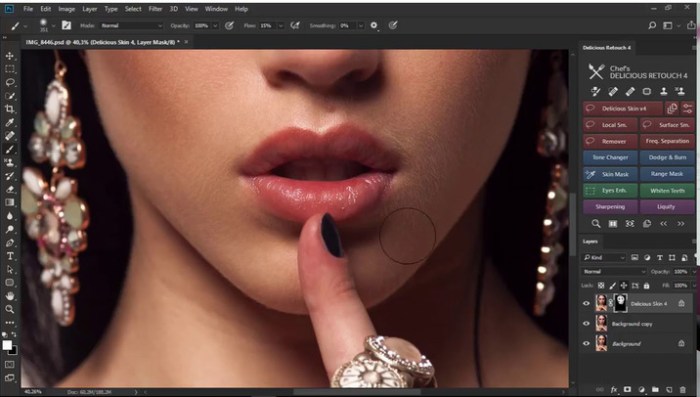
Delicious Retouch Panel v4.1.3 for Photoshop

Graphics & Design Photography

Turbo-charge your retouching workflow with a new version of Delicious Retouch plugin – set of powerful portrait & body retouching tools packed into a Photoshop extension panel.

What is Delicious Retouch 4?

  • It’s a Photoshop plugin that will make your portrait and body retouching FASTER and EASIER.
  • But unlike other plugins, it will not make your portraits fakelooking.
  • This panel will bring powerfull retouching tools to your workflow, with enough control to adapt your needs and style.
  • Subtle everyday retouch, or flawless magazinestyle closeup? The result is in your hands.

Who’s the plugin for?

  • Are you a photographer who shoot people for living, or just as a hobby? Retoucher?
  • Do you want a tool that will help you do your everyday job xtimes faster, but doesn’t turn people into plastic dolls?
  • Or you just want to retouch some images but you are not that skilled yet?

What’s New in Delicious Retouch Panel v4.1.3 for Photoshop

  • Release notes not available at the time of this post.

Screenshots

Graphics & Design, Photography

By

Related Posts

Artstudio Pro 1.0.15

Name Artstudio_Pro_1.0.15_MAS__TNT.rar Size 46.33 MB Created on 2018-02-21 06:31:38 Hash 8ac8cd30a16 …

Sketch 3.6.1

Name Sketch 3.6.1 Size 27.31 MB Created on 2016-03-04 13:42:28 Tracker http://109.235.50.166:2710/an …

Framer Studio 76

Name Framer Studio 76 Size 57.71 MB Created on 2016-12-02 13:40:11 Tracker http://109.235.50.166:271 …

NUKE STUDIO 10.5V1

Name NUKE STUDIO 10.5V1 Size 800.8 MB Created on 2016-12-15 01:43:34 Tracker http://109.235.50.166:2 …

CineFlare – Hand Held for Final Cut Pro X

Name CineFlare Hand Held.zip Size 3.38 MB Created on 2017-05-21 10:29:23 Hash 82704590956b3013e17eba …

Autodesk AutoCAD 2019 R1

CAD software for anyone, anywhere, anytime. Now when you subscribe to AutoCAD®, get access to AutoCAD 2D and 3D CAD software, plus industry-specific toolsets. Take advantage of new AutoCAD web and mobile apps, enabling workflows from anywhere.

AutoCAD Features:

Extensive 2D documentation

Produce 2D documentation and drawings with a wide set of drawing, editing, and annotation tools.

Innovative 3D design

Create and communicate almost any design with 3D modeling and visualization tools.

Personalized experience

Use specialized toolsets and customize AutoCAD with extensions from the Autodesk App Store.

Connected collaboration

Access your drawings from desktop, web, and mobile. Share and use data from Navisworks, Bing Maps, and more.

What’s New:

DWG compare

Easily identify and document graphical differences between 2 versions of a drawing or xref.

2D graphics enhancements

Enjoy 2X faster zoom, pan, and change draw orders and layer properties.

Save to web and mobile

Save drawings from your desktop. View and edit them on the AutoCAD web and mobile apps.

PDF import enhancements

Import geometry, SHX font files, fills, raster images, and TrueType text into a drawing from a PDF.

System Requirements:

  • Apple® macOS® Mojave v10.14 (requires Update 2018.2); High Sierra v10.13 or later; Apple macOS Sierra v10.12 or later; Mac® OS X® El Capitan v10.11 or later
  • Apple Mac Pro® 4,1 or later; MacBook Pro® 5,1 or later; iMac® 8.1 or later; Mac mini® 3.1 or later; MacBook Air® 2.1 or later; MacBook® 5.1 or later
  • 64bit Intel CPU (Intel Core Duo CPU, 2 GHz or faster recommended)
  • 3 GB of RAM (4 GB or above recommended)
  • 1280 x 800 display with true color (2880 x 1800 with Retina Display recommended)
  • 3 GB free disk space for download and installation
  • Apple® Mouse, Apple Magic Mouse, Magic Trackpad, MacBook® Pro trackpad, or Microsoftcompliant mouse.
  • Mac OS Xcompliant printer
  • Apple Safari® 5.0 or later
  • All Mac OS X supported language operating systems
  • Product languages: English, Japanese, French, German.

Web Site: http://www.autodesk.com/products/autocad/overview

What’s New in Autodesk AutoCAD 2019 R1

  • Release notes not available at the time of this post.

Autodesk AutoCAD LT 2019 R1

AutoCAD LT 2019 is designed to develop and detail 2D drawings. The program automates most of the stages of the project. A full set of 2D commands allows you to create drawings, modify them and release working documentation for projects.The program provides built-in support for DWG format and reliability of work, and also contains powerful tools to improve drawing performance.Thanks to this project files can be easily transferred to other specialists.

In addition, you can customize the user interface of the program to fit your needs. The possibilities of AutoCAD LT in the field of drawing and detailing allow you to effectively implement project ideas, optimize workflow, and organize collaboration. AutoCAD LT is a professional solution that supports industry standards and allows you to significantly increase the productivity of the designer.

Functionality:

Integrated 2D documentation:

-Create two-dimensional drawings and documentation using a comprehensive set of tools for drawing, editing and annotation.

Intuitive interface:

-Use tools (ribbon contextual tabs, multi-function handles, customizable tool palettes, and an intelligent command line) as needed.

Innovative Technologies:

-Use the latest technologies, including TrustedDWG, support for high-resolution monitors, transfer tools and AutoCAD for desktop computers.

Network Collaboration:

-Open your drawings from your desktop, over the Internet, and on mobile devices. Publish and use data from PDF and DGN files, Bing maps and more.

Comparison using DWG :

-Find and document graphic differences between two versions of the same drawing.

Improved tools for working with 2D graphics.

-Work with the scale, create panoramas, change the order of drawing and the properties of layers – all this 2 times faster.

Save for use on the Internet and mobile applications:

-Save drawings created on your desktop computer for viewing and editing in AutoCAD web applications.

PDF import options:

-Import geometry (including SHX font files), fills, bitmaps, and TrueType text into drawings from PDF files.

System Requirements:
  • OS:Apple® macOS® Mojave v10.14 or later; High Sierra v10.13 or later; Apple macOS Sierra v10.12 or later
  • Model:Apple Mac Pro® 4,1 or later; MacBook Pro® 5,1 or later; iMac® 8.1 or later; Mac mini® 3.1 or later; MacBook Air® 2.1 or later; MacBook® 5.1 or later
  • CPU:64bit Intel CPU (Intel Core Duo CPU, 2 GHz or faster recommended)
  • Memory:3 GB of RAM (4 GB or above recommended)
  • Display:1280 x 800 display with true color (2880 x 1800 with Retina Display recommended)
  • Space:3 GB free disk space for download and installation
  • Brower:Apple Safari® 5.0 or later
  • OS Language:All Mac OS X supported language operating systems

Web Site: https://www.autodesk.com/products/autocad/overview

What’s New in Autodesk AutoCAD LT 2019 R1

  • Release notes not available at the time of this post.

Adobe Photoshop Lightroom CC 2019

Adobe lightroom torrent

Download

Create incredible photos anywhere with all-new Lightroom CC and 1 TB of cloud storage. Get powerful editing features on any device in a new, easy-to-use interface. Edit in full resolution and have both your original photos and edits backed up to the cloud. Organize your photos with searchable keywords that are automatically applied without the hassle of tagging. And easily share and showcase your photos in fun ways.

What’s New in Adobe Photoshop Lightroom CC:

Anywhere editing.

With easy-to-use sliders, filters, and quick adjustment tools, the intuitive Lightroom CC interface makes it simple to create photos that look just the way you want. And you can edit your full-resolution photos anywhere — on mobile devices, the web, or your desktop. Edits on one device are automatically applied everywhere else.

Smarter organization.

Adobe Sensei uses the power of machine learning to apply searchable keywords automatically. Looking for shots from your favorite trips to the water? Sensei auto-tagging makes finding your photos a snap so you can create albums based on any theme you want.

Worry-free storage.

Starting at 1 TB with options for more, the cloud storage in Lightroom CC ensures that you can access your entire library of full-resolution photos anytime you want, anywhere you are, from any device.

Easy sharing.

Share your photos with loved ones, clients, or an even bigger audience. Post your photographs directly to social sites. Create stunning graphics, web pages, and video stories in minutes with Adobe Spark. Or create a website with Adobe Portfolio for the ultimate showcase. And it’s all included in your membership.

Build your photography skills, fast.

Our photography plans come with step-by-step tutorials so you can learn the basics or master the newest features in no time. Whether you’re a beginner or a pro, we’ve got you covered.

Explore the cloud-based photo service.

Edit a photo on your computer, smartphone, or tablet and your changes automatically update across all your devices.

Add and organize your photos from anywhere

Add photos from your desktop or device to access them everywhere. Find photos fast using albums and auto-generated keywords in Lightroom CC on your desktop.

Edit your photos from anywhere.

Make your photos look just the way you want with easy-to-use tools for improving light and color, applying filters, tweaking specific areas, and more.

System Requirements:

macOS
  • Multicore Intel processor with 64bit support*
  • Mac OS X v10.11 (El Capitan), macOS v10.12 (Sierra), or macOS v10.13 (High Sierra)**
  • 4 GB of RAM (12 GB recommended)
  • 1024 x 768 display
  • 2 GB of available harddisk space for program installation (cannot install on a volume that uses a casesensitive file system or on removable flash storage devices).
  • Internet connection and registration are necessary for required software activation, validation of subscriptions, and access to online services.
Graphics processor acceleration requirements
  • AMD: macOS 10.12 with Metal support.
  • Intel: macOS 10.12 with Metal support.
  • NVIDIA: macOS 10.12 with Metal support, or macOS 10.11 with OpenGL support.
  • OpenGL 3.3capable video adapter for GPUrelated functionality.
  • 1 GB of Video RAM (VRAM). 2 GB of dedicated VRAM (4 GB recommended) for large, highresolution monitors, such as 4K and 5Kresolution monitors.

* Dual-core processor recommended for HD or AVCHD video functionality.

** Lightroom CC 2015.1/Lightroom 6.1 and earlier versions are supported on Mac OS X v10.8. Lightroom CC 2015.6.1/Lightroom 6.6.1 and earlier are supported on Mac OS X v10.9. Lightroom CC 2015.6.12/Lightroom 6.12 and earlier are supported on Mac OS X v10.10.

NOTES: tested on macos high sierra 10.13

Includes: Adobe Zii v3.0.4

Web Site: http://www.adobe.com/products/photoshop-lightroom.html

What’s New in Adobe Photoshop Lightroom CC 1.5.0.0

  • Release notes not available at the time of this post.

Screenshots

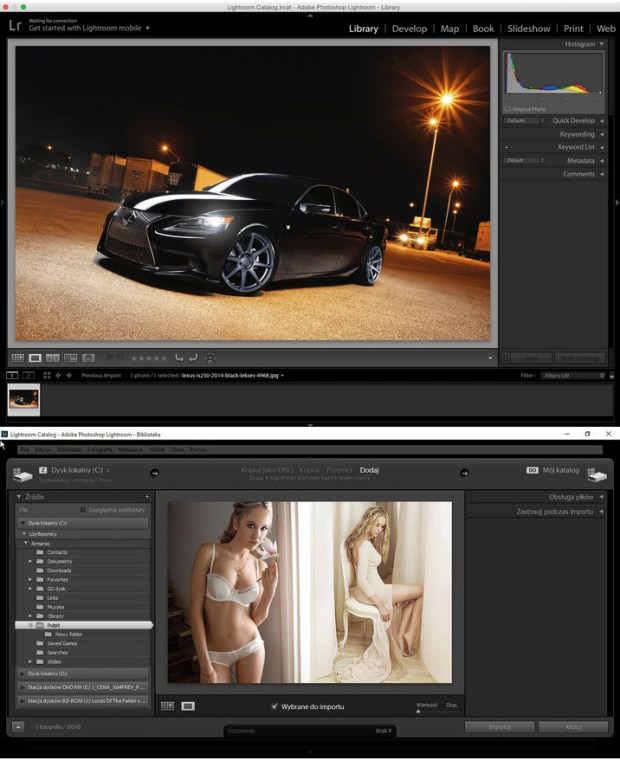
Adobe Lightroom Classic CC 7.5.0.10

Adobe Lightroom Classic CC 7.5.0.10

Edit and organize your photos with the app that’s optimized for desktop. Lightroom Classic CC gives you powerful one-click tools and advanced controls to make your photos look amazing. Easily organize all your photos on your desktop, and share in a variety of ways.

Your best shots. Made even better.

Your photos don’t always match the scene the way you remember it. But with Lightroom Classic CC, you have all the desktop editing tools you need to bring out the best in your photography. Punch up colors, make dull-looking shots vibrant, remove distracting objects, and straighten skewed shots. Plus, the latest release offers improved performance so you can work faster than ever.

    • With better performance under the hood, Lightroom Classic CC lets you import photos, generate previews, and move from Library to Develop mode in record time.
    • Boundary Warp stretches the edges of a merged panorama to give you the full image without losing any important details.

HDR Merge makes it easy to create natural or surreal images by combining multiple shots taken with different exposures into a single high-dynamic range image.

What’s New in Photoshop Lightroom Classic CC 2018:

New name: Lightroom Classic

Your favorite photography app has a new name, but it’s still the industry standard for desktop-based digital photography workflows.

Extensive performance improvements

Experience faster performance when you launch the app, generate previews, switch from Develop to Library Module, move sliders and brushes, and more.

Faster image selection

Begin image selection faster on import with the improved Embedded Preview workflow.

Range Masking for fine selection control

Make precise color- and tone-based selections for local adjustments. Use the Adjustment Brush or the Radial or Graduated Filters to define a rough mask, and then refine your selection using new Range Masking options.

System Requirements:

macOS
    • Multicore Intel processor with 64bit support*
    • Mac OS X v10.11 (El Capitan), macOS v10.12 (Sierra), or macOS v10.13 (High Sierra)**
    • 4 GB of RAM (12 GB recommended)
    • 1024 x 768 display
    • 2 GB of available harddisk space for program installation (cannot install on a volume that uses a casesensitive file system or on removable flash storage devices).
    • Internet connection and registration are necessary for required software activation, validation of subscriptions, and access to online services.
Graphics processor acceleration requirements
    • AMD: macOS 10.12 with Metal support.
    • Intel: macOS 10.12 with Metal support.
    • NVIDIA: macOS 10.12 with Metal support, or macOS 10.11 with OpenGL support.
    • OpenGL 3.3capable video adapter for GPUrelated functionality.
    • 1 GB of Video RAM (VRAM). 2 GB of dedicated VRAM (4 GB recommended) for large, highresolution monitors, such as 4K and 5Kresolution monitors.

* Dual-core processor recommended for HD or AVCHD video functionality.

** Lightroom CC 2015.1/Lightroom 6.1 and earlier versions are supported on Mac OS X v10.8. Lightroom CC 2015.6.1/Lightroom 6.6.1 and earlier are supported on Mac OS X v10.9. Lightroom CC 2015.6.12/Lightroom 6.12 and earlier are supported on Mac OS X v10.10.

NOTES: tested on macos high sierra 10.13

Includes: Adobe Zii Patch 3.0.4

Web Site: http://www.adobe.com/

What’s New in Adobe Lightroom Classic CC 7.5.0.10

    • Release notes not available at the time of this post.
    • office

Paperless 3.0.2

Paperless is a digital documents manager. Remember when everyone talked about how we would soon be a paperless society? Now it seems like we use paper more than ever. Let’s face it – we need and we use paper. But Paperless 2 is one of those incredibly useful applications that will help you manage all your paper and digital documents and at the same time positively affect the environment.

When it’s tax time no more bringing a shoebox full of receipts to your accountant. According to ruling Rev. Proc. 97-22 from the IRS, a digital document is acceptable. With Paperless 2 you can create a Smart Collection and keep all your documents neat and tidy and in one place. Additionally, once you store your receipts in Paperless 2, you can select the receipts to email, print, or export to PDF, or even show as a chart.

Paperless 2 has the ability to keep up and maintain the task of not only reducing your need for paper but managing the paper you use. Simply scan your receipts, bills, statements, warranty cards, business cards – any paper document and the OCR function of Paperless 2 recognizes the data and adds it to the Details Window. The built-in search functionality even lets you find and organize receipts and documents into Smart Collections. Already have your documents as PDFs or other file formats? No problem. Simply drag and drop them into Paperless 2. By taking your paper receipts, product manuals and other documents and creating an electronic record you’ve already reduced your need for paper.

Compatibility: OS X 10.11 or later 64-bit

Web Site: http://marinersoftware.com/products/paperless/

What’s New in Paperless 3.0.2

Added:
  • Workaround code to allow ICA scanning in Mojave
  • Preference to change sidebar icon size
  • Preference to save the scanning duplex setting, previously the vendor software sent a message but that fails in the latest ScanSnap software
  • Additional OCR enhancements based on user samples
Fixed:
  • Mojave bug: Couldn’t change document type if the object wasn’t in the Inbox
  • Bug Fixes
Updated:
  • Preference that deletes a file in the finder after import. This failed in Lion but now works after a rewrite. Use this feature with extreme caution
  • User guide with latest changes

Screenshots

File Extractor 1.3

FileExtractor is a powerful utility that will scan your selected files or folders and extract the individual files, text, and other data contained in them.

It is useful for extracting wanted files out of other files in a variety of circumstances. For example when you have a 3rd party file that you need the contents of which are otherwise inaccessible, or when you need to access the contents of your own files that are corrupt or otherwise hard to obtain.

Due to the fact that it uses state of the art algorithms to extract data from any kind of file (including decompressing some file types and UUDecoding any encoded data it comes across transparently and on-the-fly), it will often surprise you with the quantity, quality, and kind of data that you find it will extract from files. Additionally all text is saved an “Raw Text (plain)” which will give you access to all valid text data found anywhere scanned.

Another feature it has is that if you make a disk image using Disk Utility and scan that it will recover deleted files from that. This can be used with camera SD cards, spinning hard disks, and most other media types.

Some examples of interesting things to scan are:

  • PDF files to extract the text and images
  • Graphics images to extract the separate images contained in them (such as PSD files)
  • Scan disk images (with the .dmg extension) to recover the deleted files from them. If you make a .dmg file of a digital camera’s memory card (using Disk Utility) you can effectively recover deleted files from your camera that were deleted, or get files back after the card becomes corrupted.
  • Any large complex filetype. For example you will often find jpegs embedded in Photoshop documents.
  • Your browser caches. You will be able to view the files they contain this way.
  • Corrupted documents which you would like to salvage the contents of. FileExtractor will extract all raw text from any document kind and save it as “Raw Text (Plain)” in the folders that it displays.

Compatibility: OS X 10.8 or later 64-bit

Web Site: http://macdaddy.io
Mac App Store: https://itunes.apple.com/app/file-extractor/id1129674765?mt=12

What’s New in File Extractor 1.3

  • Release notes not available at the time of this post.

Photo Recovery Guru 4.3

Photo Recovery Guru is the most modern, the most technologically advanced, and the easiest to use photo recovery software available. We would not state that if we could not back it up, but we can — instantly and risk free. This shows you previews of your deleted files, allowing you to see what data can be recovered.

Compatibility: OS X 10.8 or later 64-bit
Web Site: https://macdaddy.io

What’s New in Photo Recovery Guru 4.3

  • Release notes not available at the time of this post.

Adobe XD CC 2018 11.0.22 [Multilingual]

Adobe XD CC 2018 v11.0 [Multilingual] macOS

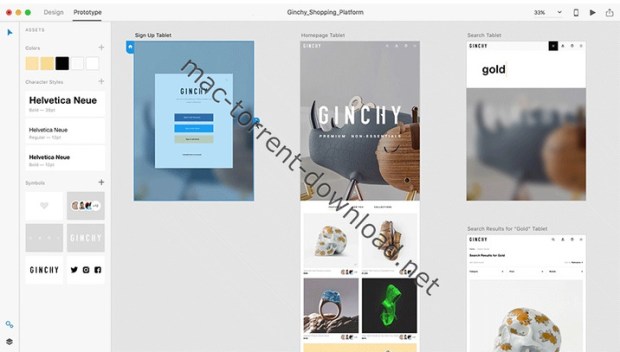
Adobe XD CC is the complete solution for design, prototype and share user experiences for all products and services.

Interactive prototypes

Go to prototypes by clicking Design. Combines drawing surfaces together to display navigation within large applications. Linking design elements in the drawing area, B. Cells replay screens. Add interactions using visual controls to test and validate the experience.

Post prototypes and obtain feedback

Generate web links to your designs that you can share with others for comment. Or embed it on a website, for example Behance. Comments can be attached directly to the prototype or specific components of your design. You will be notified as soon as you have added a comment. To view your changes, inspectors simply need to reload the link in the browser.

Liquid working with drawing surfaces

Whether working with one or hundreds of workspaces, no matter: you can rely on the performance of XD. Create any number of designs for different screens and devices within a project. Pan and zoom without jerking or stuttering. Choose a template or define your own drawing area. Copy design elements between faces drawing while the design is retained.

Repetitive grid

Select an item in its design, such as a contact list or a photo gallery, and duplicate it with the same frequency in the horizontal or vertical direction. All styles and distances are preserved. When you edit the article, the changes apply to all design.
Platform support throughout the

Control Panel “Elements”

Colors and formats characters are practical and reusable when added to the “Elements” (formerly “Symbols”) panel. This panel also contains the icons. When you edit a color or form on the panel, the change is automatically made throughout the document.

Symbols next generation

Work with symbols that save time. Components ready to use design make it unnecessary search and edit each instance of an item in a document. When you edit an instance, all other instances are updated automatically. Overwrite certain entities is also possible. Symbols can be vector graphics, raster images or text objects, which can also be used as objects within repetitive screens.

Creative Cloud Libraries

With integration with Creative Cloud libraries, Adobe XD CC lets you access colors and character formats created in Photoshop CC, Illustrator CC, or any other Creative Cloud application, and use them in your design.

Requires macOS 10.11 or later

Includes: Adobe Zii Patch 3.0.4

Web Site: http://www.adobe.com/

What’s New in Adobe XD CC 2018 11.0.22 [Multilingual]

    • Release notes not available at the time of this post.

Screenshots

MediaHuman YouTube Downloader 3.9.9.10 (1201)

A very easy to use, intuitive, as well as cross-platform application that allows you to download videos from multiple video hosting websites to your Mac’s hard drive

Downloading content from the YouTube video sharing platform is necessary if you need to have offline access, or if you have a poor internet connection that cannot handle the streaming.

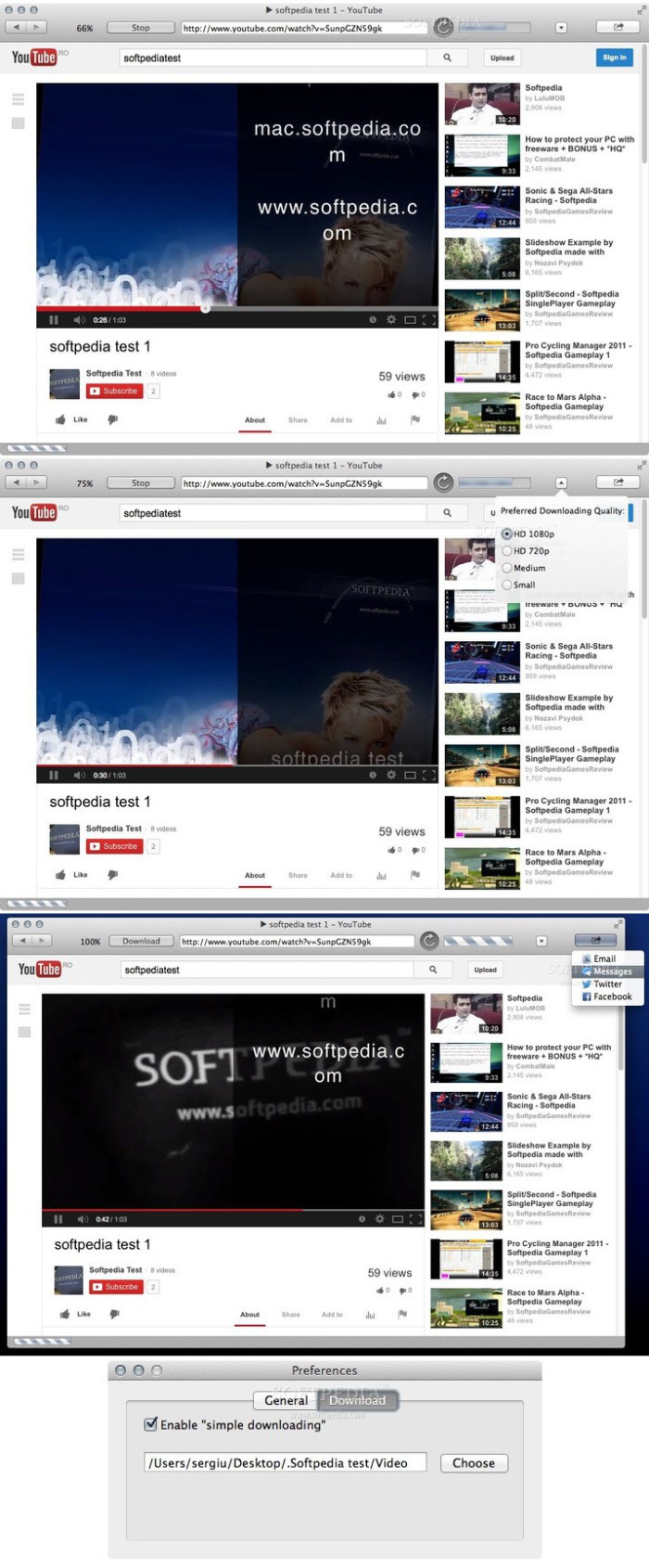
YouTube Downloader is a straightforward OS X utility that can help you handle the task in a time efficient manner: can work with multiple videos at the same time, is able to extract only the audio, and can send the tracks to your iTunes library.

Download tool that works with multiple video sharing platforms

Even though the YouTube Downloader app has been essentially developed to handle the YouTube links, you can also employ its capabilities to transfer content hosted on other media sharing platforms, such as Vimeo, SoundCloud, DailyMotion, and so on.

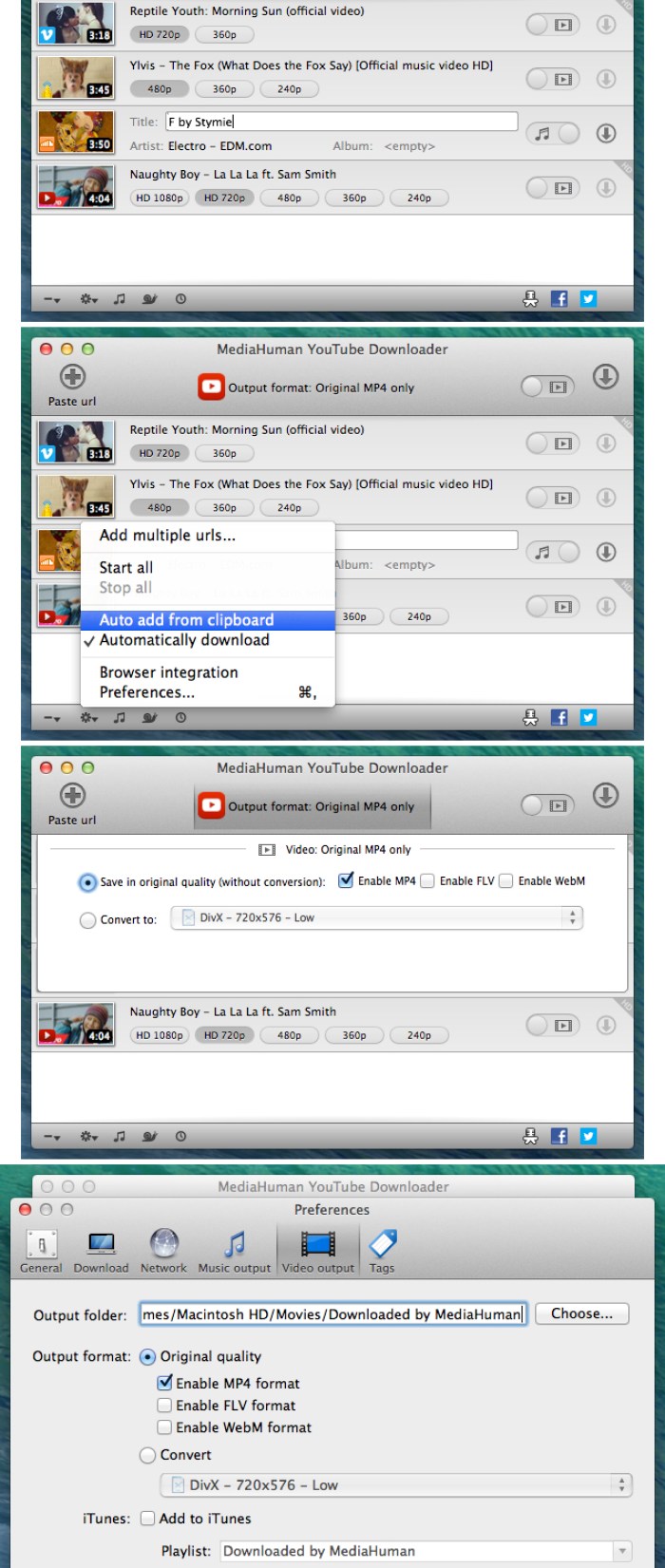
For your convenience, YouTube Downloader will monitor your clipboard and, as soon as it detects a suitable URL, offers you the option to add the task to the download queue.

Here you get to specify if you want to download the video and select the video quality and the output format or opt to extract only the audio.

After reviewing the configuration for each task, just start the download procedure, and YouTube Downloader will let you monitor the progress in its main window. At this point, no further user interaction is needed.

Transfer to your Mac entire playlists and get full control over the output quality

To optimize your workflow, YouTube Downloader enables you to load both playlists and channels to be downloaded and can monitor them for new content. This means that, if an internet connection is available, the app can automatically download the newly posted videos.

At the same time, the utility can also send the downloaded content to your iTunes library, and even detect metadata information, such as the artist name or the video or track title. Note that you can choose to use an output format compatible with certain devices to eliminate the need to process the files further.

Make online content available offline without wasting too much time

YouTube Downloader brings to the table a streamlined solution for transferring media content hosted on various online platforms to your own computer.

The YouTube Downloader app can handle entire playlists or channels, can make the output compatible with different devices, and can extract only the audio content from a video.

Compatibility: OS X 10.8 or later 64-bit
Web Site: http://www.mediahuman.com/

What’s New in MediaHuman YouTube Downloader 3.9.9.10 (1201)

  • Release notes not available at the time of this post.

Screenshots

Cookie 5.9.5

 Cookie 5.9.5 download for mac torrents)

Name Cookie 5 9 5 TNT.zip
Size 10.99 MB
Created on 2019-01-15 02:31:28
Hash 5735f07f799bc96208e6f8c95f6c7fe5472505e9
Files Cookie 5 9 5 TNT.zip (10.99 MB)

Download

Cookie 5.9.5

Cookie prevents third parties from hijacking your browsing experience. The sites you visit store “cookies” in your browser without your knowledge or consent. Some are helpful, but others are frustrating and invasive. Cookie can help.

More privacy, better browsing

  • Enhanced for Security. Secure delete any unwanted data, and rest easy knowing that external threats can’t recover your private data.
  • Avoid invasive marketing. Tired of targeted ads that mysteriously know what products you’ve been shopping for online? Eliminate them with Cookie.
  • Freedom from Flash, and Silverlight. Cookie is adept at eliminating Flash and Silverlight cookies, especially large and persistent types of cookie.
  • Impressive results with minimal effort. By consolidating all your cookie controls into an easy interface, Cookie makes maintaining your browsing privacy a cinch.

Compatibility: OS X 10.11 or later 64-bit

Web Site: https://cookie5app.com/

What’s New in Cookie 5.9.5

  • Release notes not available at the time of this post.

Flow 1.4 Plugin for Adobe After Effects

Flow brings an easy interface to After Effects for customizing animation curves without needing to touch the graph editor.

Flow will change the way you work with graph editor the moment you launch it. Period.

Flow brings an easy interface to After Effects for customizing animation curves, without needing to venture into the aging, confusing graph editor. Gone are the days of slow, heavy expressions, or fighting with speed and influence (what do those even mean?) – just make a curve, hit APPLY and you’re gold!

Used to the web life? Flow works with the same CSS animation-timing-functions you’ve come to know and love. Our values correspond directly to the values in cubic-bezier (x1,y1,x2,y2). Flow’s core is based on Lea Verou’s cubic-bezier.com, so you are free to copy URL values and paste them into the extension – Flow will parse them and apply the exact same transition to your selected keyframes or expression.

Flow comes with 25 pre-defined, commonly-used motion curves based on Robert Penner’s Easing Functions. But don’t limit yourself – build your own library and share it with the world, or import custom presets from other animators with the single click of a button. Check out some available packs for download below!

Our graph and library support keyboard shortcuts; in the library, use Shift / Alt / Ctrl to quickly set eases to Ease In / In & Out / Ease Out, or in the graph to snap handles in different ways or move them symmetrically.

Compatibility: After Effects CC 2019, CC 2018, CC 2017, CC 2015.3, CC 2015

Web Site: https://aescripts.com/flow/

What’s New in Flow 1.4

Added
  • “Read Values” now tries to select a corresponding Flow library item, if one exists.
  • “Read Values” on a property with a Flow expression now tries to identify the original curve applied.
  • Applying a curve to an unseparated Position property now prompts you to separate dimensions.
  • SHIFT + CTRL applies inverted easing. (#144)
  • Changed
  • Adds some qualityoflife improvements to expressions.
  • Updates expressions for AE 16.0 compatibility.
Fixed
  • “Read Values” for Scale returning incorrect values.

BetterTouchTool 2.689

BetterTouchTool adds many new, fully customizable gestures to the Magic Mouse, Multi-Touch MacBook trackpad, and Magic Trackpad.

These gestures are customizable:
  • Magic Mouse:
    • Pinch in / out (zoom)
    • single-finger tap left
    • single-finger tap right
    • single-finger tap middle
    • single-finger tap
    • single-finger click middle
    • two-finger tap
    • two-finger click
    • two-finger swipe (up/down/left/right)
    • two-finger tip tap left/right
    • three-finger tap
    • three-finger click
    • three-finger swipe (up/down/left/right)
    • four-finger swipe up/down
    • four-finger click
    • TipTap left/right
  • Touchpad:
    • single-finger tap top-left
    • single-finger tap top-right
    • single-finger tap top-middle
    • single-finger tap bottom-left
    • single-finger tap bottom-right
    • single-finger tap bottom-middle
    • single-finger tap left-middle
    • single-finger tap right-middle
    • two-finger tip tap left/right
    • three-finger swipes (up/down/left/right)
    • three-finger tap
    • three-finger click
    • four-finger swipes (up/down/left/right)
    • four-finger tap
    • five-finger tap
    • five-finger swipe up/down/left/right (see FAQ)
    • TipTap
    • two-finger TipTap
    • three-finger TipTap

OS version:OS X 10.10 or later

Web Site: https://folivora.ai/

What’s New in BetterTouchTool 2.689

  • Release notes not available at the time of this post.

Screenshots

FontLab VI 6.1.3 (6937) Beta

With FontLab (was FontLab Studio), you can create, open, modify, draw, space, kern, hint, and export desktop, web, color, and variable fonts. It is an all-around font editor, but also supports data interchange with other font creation tools, making it easy to integrate into your existing workflows. FontLab brought in the best of their classic apps, FontLab Studio and Fontographer, including many familiar keyboard FontLab shortcuts. But they reconsidered and streamlined every function.

FontLab VI also gives you groundbreaking new drawing tools and responsive contour operations to make your design process easier and more efficient, whether you’re an expert or a beginner. FontLab now supports color and variability, so you can explore these new possibilities and expand your creative reach.

Formats
  • Open and export:
    • OpenType-PS/CFF (OTF)
    • OpenType TT / TrueType (TTF)
    • Variable OpenType TT (TTF+gvar)
    • Color OpenType (TTF+SVG, +COLR, +CBDT, +sbix)
    • PostScript Type 1 (PFB/PFA)
    • Web fonts (WOFF2, WOFF, EOT)
    • FontLab (VFB, VFC, VFJ)
    • UFO
    • designSpace
  • Import only:
    • BitFonter Photofont (PHF+PNG, +SVG)
    • Fontographer (FOG)
    • Glyphs
    • Ikarus
    • and any of the above in ZIP files

Compatibility: OS X 10.10 or later 64-bit

Web Site: https://www.fontlab.com/font-editor/fontlab-vi/

What’s New in FontLab VI 6.1.3 (6937) Beta

  • Release notes not available at the time of this post.

Screenshots

BetterTouchTool 2.689

 BetterTouchTool 2.689 download for free)

Name BetterTouchTool_2.689.zip
Size 23.56 MB
Created on 2019-01-14 03:11:42
Hash 52543db24edafde446b032f523a4a3880e30a176
Files BetterTouchTool_2.689.zip (23.56 MB)

Download

BetterTouchTool 2.689 macOS

BetterTouchTool adds many new, fully customizable gestures to the Magic Mouse, Multi-Touch MacBook trackpad, and Magic Trackpad.

These gestures are customizable:
  • Magic Mouse:
    • Pinch in / out (zoom)
    • single-finger tap left
    • single-finger tap right
    • single-finger tap middle
    • single-finger tap
    • single-finger click middle
    • two-finger tap
    • two-finger click
    • two-finger swipe (up/down/left/right)
    • two-finger tip tap left/right
    • three-finger tap
    • three-finger click
    • three-finger swipe (up/down/left/right)
    • four-finger swipe up/down
    • four-finger click
    • TipTap left/right
  • Touchpad:
    • single-finger tap top-left
    • single-finger tap top-right
    • single-finger tap top-middle
    • single-finger tap bottom-left
    • single-finger tap bottom-right
    • single-finger tap bottom-middle
    • single-finger tap left-middle
    • single-finger tap right-middle
    • two-finger tip tap left/right
    • three-finger swipes (up/down/left/right)
    • three-finger tap
    • three-finger click
    • four-finger swipes (up/down/left/right)
    • four-finger tap
    • five-finger tap
    • five-finger swipe up/down/left/right (see FAQ)
    • TipTap
    • two-finger TipTap
    • three-finger TipTap

OS version:OS X 10.10 or later

Web Site: https://folivora.ai/

What’s New in BetterTouchTool 2.689

  • Release notes not available at the time of this post.

Screenshots

NBP Lumizone Plugin for Photoshop

The Easiest Way To Use Luminosity Masks in Photoshop

For years, luminosity masks in a retouching workflow have been utilized by countless retouchers and editors, and for good reason. Many elaborate Photoshop Actions have been scripted and sold for the purposes of luminosity mask creation over the years, several involving “storing” dozens of masks in the Channels palette, to be called on as needed. Some users opt to create a luminosity mask as needed, when needed, using any number of methods. Regardless of your preferred approach, the creation of luminosity masks has traditionally been clunky at best, and tedious no matter what.

Web Site: https://ninobatista.zenfolio.com/nbp-lumizone-plug-in-for-photoshop

Neumann Films – The Blockbuster LUTs (Win/MacOS)

Neumann Films Blockbuster LUTs for video editing and color grading.

Add gorgeous hollywood film looks to your videos in minutes with these LUTs. Be sure to check out all the previews to see a before/after of each LUT included.

LUT files are compatible with just about every video editing software under the sun, so you no longer have to worry about which pack to match with your software. Neumann Films customized each LUT to work with 10 different popular cameras/picture profiles.

This pack includes:

  • 10 Blockbuster LUTs
  • 10 Cameras/Profiles (see below)
  • Major Blockbuster Movie Looks
  • Tips & Tricks PDF Help File
  • Video Tutorial for Installation
  • Compatible with Adobe After Effects CS6+, Adobe Premiere Pro CC, Adobe Speedgrade, Davinci Resolve, Adobe Photoshop CS6+, and more!

Web Site: https://filtergrade.com/product/neumann-films-blockbuster-luts/

Awesome Mails Pro 3 v3.21

Awesome Mails Pro – is a professional newsletter and marketing email designer. Create beautiful interactive emails with photos, stylish fonts and web hyper links.

The app comes with various predefined templates and allows you to create new ones from scratch. Using Awesome Mails Pro is a breeze thanks to the simple and organized interface that is divided into the top toolbar, the email area, and the settings pane. When you start working on a new project, you can preview each template and choose one that matches your needs.

Send emails in dynamic image format

Multiple options to store images used in emails including in-mail attachment, upload to your own web server with built in FTP uploader or upload to your Dropbox account.

Professionally designed templates As featured on Macworld.com:

“Awesome Mails helps you create professional-looking e-mail messages with a simple and intuitive interface..” Bundled with beautifully designed email templates covering various styles including Business Classic, Memo, Notes, Marketing, Holiday, Categories, Retail, Invitation and more!

Compatibility: OS X 10.10 or later 64-bit
Web Site: http://awesomemails.aidaluu.com/

What’s New in Awesome Mails Pro 3 v3.21

  • Release notes not available at the time of this post.

Murus Pro Suite 1.4.19 (include Vallum 3.1)

It’s main purpose is to speed up network firewall configuration and testing, using a simple interface. Filtering and networking options can be set dragging and dropping icons, changing their order, and selecting check boxes. There is no need to learn code syntax or to type strange commands. Everything is managed by visual elements like buttons, collections, graphics, leads.

Murus Pro:

Designed with ease of use in mind, yet full of advanced options and monitoring tools, Murus is perfect for everybody; from the average user to the experienced UNIX guru/system administrator and even for educational purposes.
Configure and start the PF firewall in one click using built-in presets, use Murus graphical ruleset editor design tool or write fully customized rulesets using the advanced rule editor.

  • Protect your Mac using tools already built into OS X
  • Unleash the hidden power of PF, the OS X packer filter
  • Easy firewall configuration using the Wizard
  • Create firewall rules managing graphic objects
  • Visualize PF configuration using simplified layers of abstraction
  • Powerful custom rules system lets you create fully customized PF rulesets
  • Access a very large set of advanced networking features and options including bandwidth management
  • Deploy PF configuration to a large number of Macs with one mouse click
Vallum

Vallum is a little tool that helps you monitor and block application connections. It is able to intercept connections at the application layer, and hold them while you decide whether to pass or block them. Vallum’s interface is very simple and is icon-based. Its default configuration is not intrusive, and it does not require any interaction or specific networking knowledge or skills. Just drag an app’s icon from the Finder into the main Vallum window to block it. To change Vallum’s attitude and interaction level, you just have to play with the very few options available. Intercept apps that leak data on the network, drag apps’ icons to create firewall rules, run the firewall with one mouse click: Vallum is friendly, it stays in a corner of your Mac’s menu bar on top of the screen, it does not pollute your Dock and your desktop, it features a simple interface that everybody can use, and it’s powerful because it lets you create complex setups with jails, mixed rules, notification pop-up alerts, and temporary rules, at both application- and network-level interacting with Murus and the OS X built-in PF packet filter.

Features:
  • Increase your privacy, intercept apps that leak data on the network
  • Drag and drop apps icons to create firewall rules, run the firewall with one mouse click
  • Be notified of hidden network activities, discover what happens behind the scene
  • Simple interface, no need for special networking knowledge, everybody can use it
  • Choose between different levels of interactions or run a completely silent firewall
  • Work at both application and networklevel to gain full control of your Mac
  • It’s friendly: it stays in a corner of your Mac’s menu bar on top of the screen, it does not pollute your dock and your desktop. One click to install, one click to uninstall
  • It’s powerful: create complex setups with jails, mixed rules, temporary rules, at both application and networklevel
  • It respects your privacy, it does not phone home or leak any kind of data on the network
  • Buy once for life, all updates and upgrades will be free

Requirements: OS X 10.9.4 or later

Web Site: http://www.murusfirewall.com/

What’s New in Murus Pro Suite 1.4.19 (include Vallum 3.1)

  • Runs on macOS 10.14 Mojave
  • Minor bug fixes

Screenshots

DMG Master 2.6

DMG Master is a simple and optimizedmacOS app to create standard DMG Disk Image Archive recognized by any Mac, with just one click. Disk Images Archive (DMG) is the preferred and standard way on the Mac to create archives to exchange group of files compacted in a single file from one user to another, is also the preferred way to distribute application.

Disk Image Archives can also be compacted and password protected with a strong algorithm for protection of contained data. The strong side of Disk Images Archive is that any users on any Mac is able to open and read it without any additional software because any Mac has already all the tools to manage it.

Compatibility: OS X 10.10 or later 64-bit

Web Site: http://www.tensionsoftware.com/osx/dmgmaster/

What’s New in DMG Master 2.6

  • Bug fixes

  • Optimized for macOS 10.14 Mojave
  • Now works for both Light Appearance Mode and Dark Appearance Mode
  • Notarized with Apple for better user security

Screenshots

Data Creator 1.7

Data Creator can create sample tables (rows and columns) as you like and fill them with pseudo-random proper content (rows of content) with a single click.
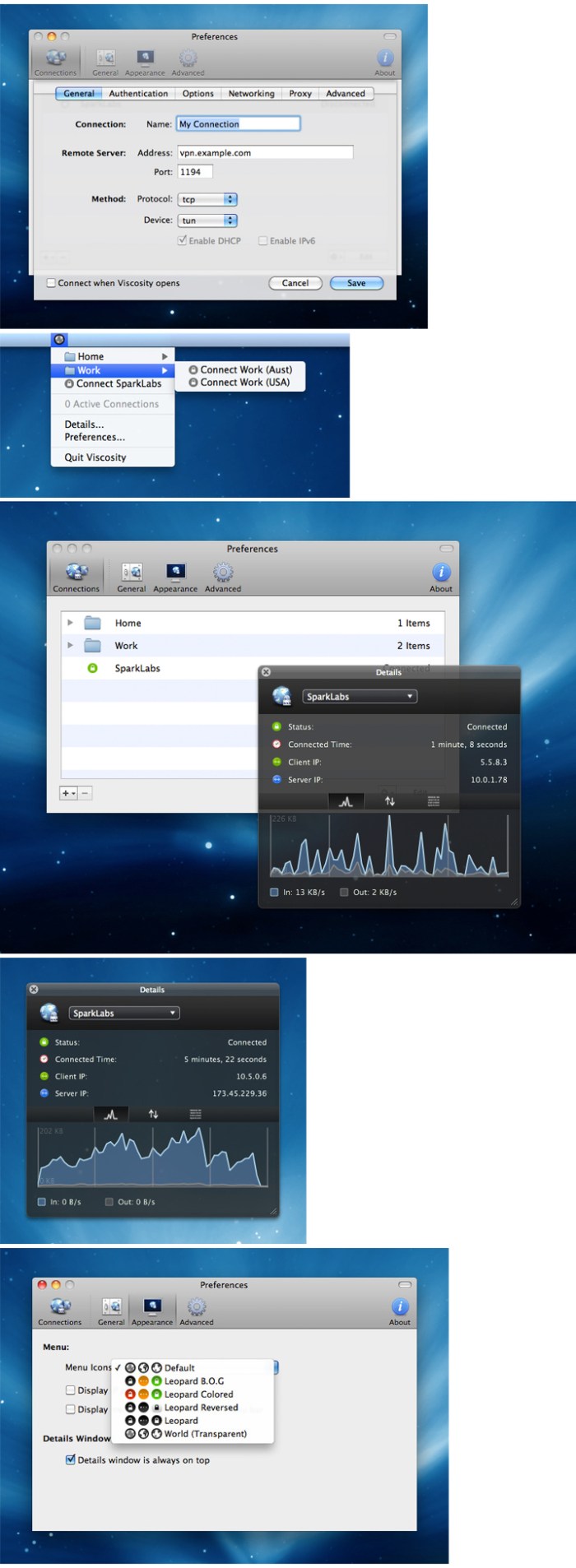
  • You can select which kind of fields (columns) you like (name of animals, colors, fruits, english surname, german names and so on with over 50 different kind of data) and have all the contents filled for how many rows you like in a click.
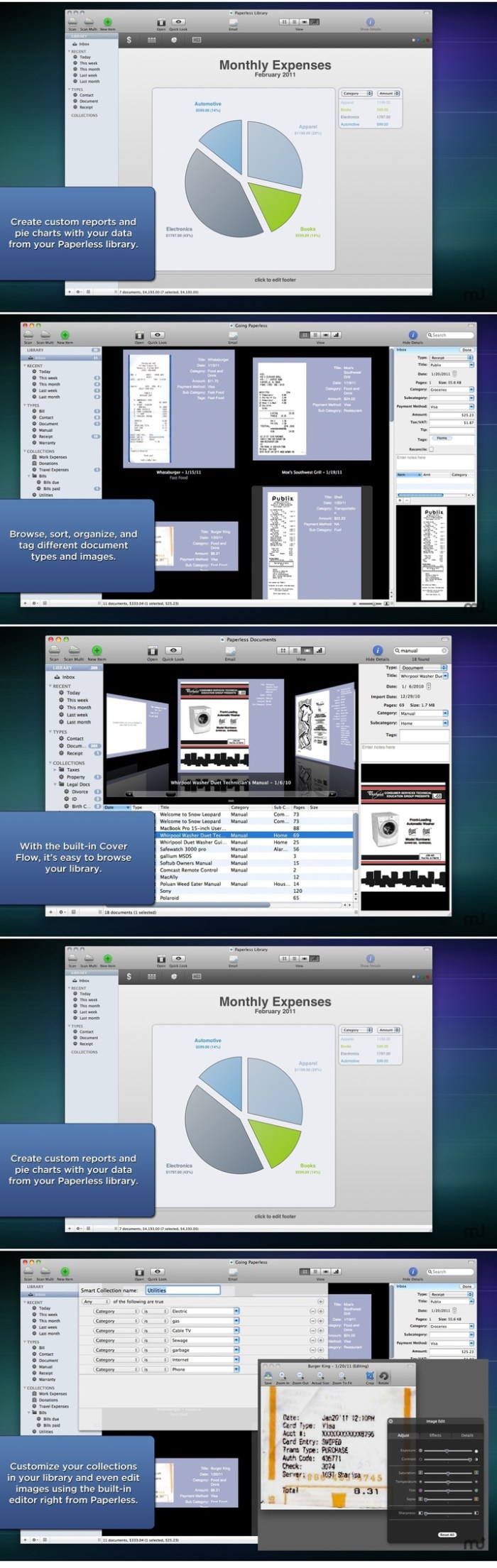
  • It can export to Comma separated value, Tab separated values, html tables, even web pages ready to click or in any custom format you like. Data creator is a must have for any power user or developer working with database or web pages when in need of neutral realistic data for prototyping or test purpose.
  • Data Creator can be used to create small or very large data sets (thousands and thousands of records) for fast prototyping or stress test of structures and scripts.
  • Using Data Creator you can now perform serious demo and software test using realistic data and not just repetitive unrealistic text fields created with copy and paste. Data Creator can be used any time you need to produce massive, heterogeneous, realistic data for any development, or test or demo purpose.
  • Data Creator is simple to use and powerful, with over 50 different types of data to insert in custom created data tables.
  • Created data can be heterogeneous, various and absolutely realistic, thanks to a large internal database of data to create dataset that looks true during demonstration and usage test. It uses an intuitive Mac OS X interface any Mac user is able to use from the first launch.
  • Data Creator is fast.
    • It’s fast to create data, in a click it can create thousands and thousand rows of data
    • It’s fast to let you see and change data thanks to a latest generation interface
    • It’s fast to let you use data, it uses a state of the art export interface with great features.
  • It let you select in which format to export.
  • It can even export in ready to use web pages in html format One of the greatest feature of Data Creator is the Custom export that let you specify in great details the format to use to export.
  • You can specify code to embed at the start and at the end of the file, at the start and end of any record, before and after any field and the tag to use as field separator. You can specify if to use or not the name of the field as first row and other details

Compatibility: OS X 10.9 or later

Web Site: http://www.tensionsoftware.com/osx/datacreator/

What’s New in Data Creator 1.7

  • Release notes not available at the time of this post.

Screenshots

OmniFocus Pro 3.2

OmniFocus is a personal task management system, designed to quickly capture your thoughts and allow you to manage, store, and process them into actionable to-do items.??OmniFocus takes advantage of the power of Mac OS X, including:

The new OmniFocus 2 features everything you need to seriously get stuff done:
  • Clarify your goals as Projects, and break them down into manageable Actions.
  • Assign Contexts — the place you need to be, the person you need to contact, or even a state of mind — to Actions and Projects
  • NEW: Use Forecast to see the actions and Calendar events already on your plate, and assign due dates to actions
  • NEW: Assess and update your projects on a regular basis in the dedicated Review perspective
  • Track essential details on everything, including dates, notes, and file attachments
  • Capture urgent tasks and stray thoughts to your OmniFocus Inbox with Quick Entry — no need to even CommandTab away from the app you’re working in when the thought occurs
  • Keep it all at your fingertips by syncing with OmniFocus for iPad and OmniFocus for iPhone
  • Collect from anything that can send email — Omni Sync Server’s Mail Drop adds items directly to your OmniFocus Inbox
  • Print reports for your manager (if they like that kind of thing)
  • Control the badges and notifications for upcoming tasks — out of your way or colorfully hard to overlook

The OmniFocus Pro in-app purchase adds tools to help you be even more productive – use custom perspectives and focus to fine-tune your views, and apply the power of AppleScript to supercharge your workflow.

Don’t you think it’s time to find a better way to organize all of the stuff you need to accomplish?

Languages: English, Dutch, French, German, Italian, Japanese, Russian, Simplified Chinese, Spanish

Compatibility: OS X 10.11 or later

Web Site: https://www.omnigroup.com/omnifocus/
Mac App Store: https://itunes.apple.com/app/omnifocus-2/id867299399?mt=12

What’s New in OmniFocus Pro 3.2

  • Release notes not available at the time of this post.

iTubeDownloader 6.4.6

TubeDownloader 6 makes downloading YouTube videos even more enjoyable with easy-to-use features, such as a download queue, channel & playlist downloading, improved browsing performance and much more.

Search. Watch. Download

From the beginning we wanted iTubeDownloader to be simple, yet incredibly powerful. So, our goal was to add even more features to iTubeDownloader but, make it simple to use and that’s what we did with iTubeDownloader 6.

Download Queue

iTubeDownloader 6 now has a download queue. The download queue will enable you to add multiple videos, and have the program take care of executing them in order. Also, you can have the program execute downloads simultaneously giving you even more power!

New Browser Features

With iTubeDownloader 6 we added new features to make browsing YouTube easier. iTubeDownloader features multi-touch gestures so you can swipe to navigate the webpage, and with improved energy efficiency and performance, your notebook battery lasts longer between charges.

Downloading is as easy as 1, 2, 3

iTubeDownloader makes it simple to quickly download a YouTube video, channel, or an entire playlist to your Mac.

Navigate:

Use the built in web browser for navigation. You can also simply paste a YouTube URL in the address bar and tap the enter key to navigate to the webpage.
Download: To download a video, channel, or playlist click the Download button in the toolbar.
Manage: The downloads list will then automatically open when a download item has been added. From here you can manage your downloads.

Compatibility: OS X 10.10 or later 64-bit
Web Site: http://www.alphasoftware.co

What’s New in iTubeDownloader 6.4.5

  • Release notes not available at the time of this post.

Screenshots