Category Archives: iOS

AnyTrans for iOS 8.8.1 (20201224)

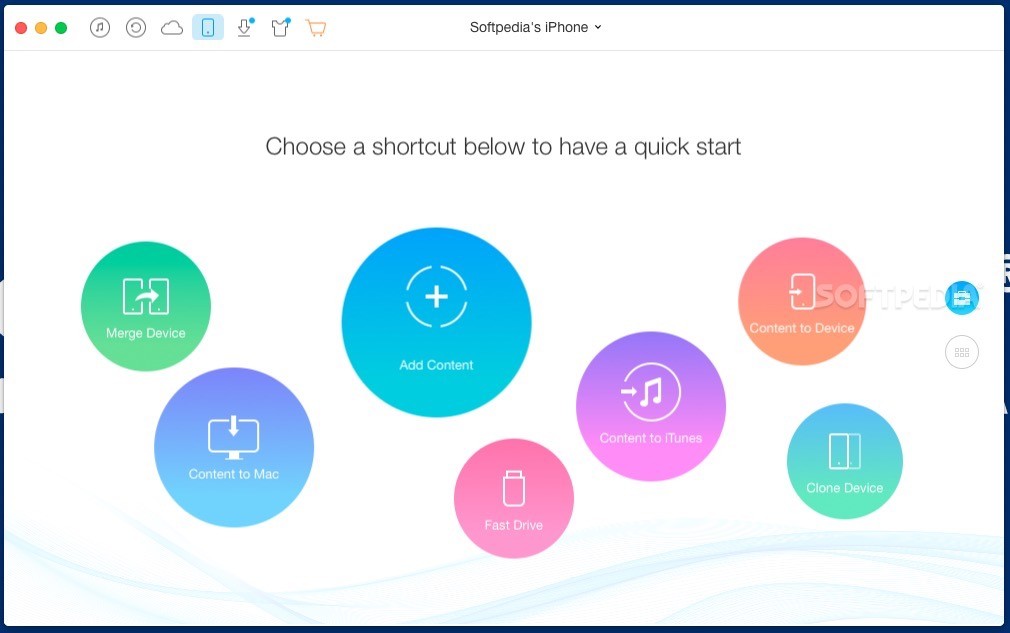
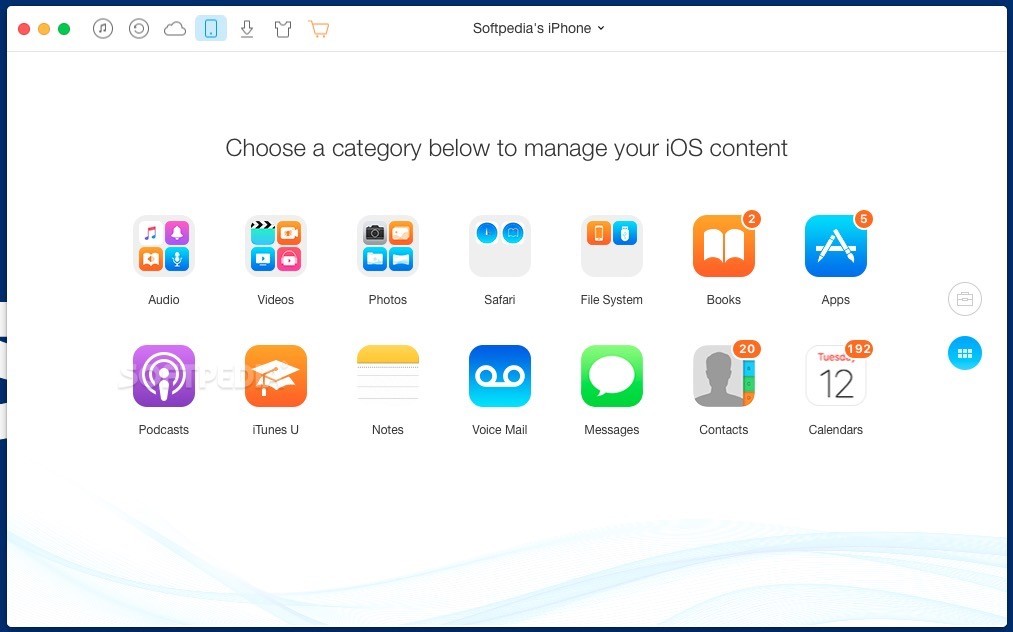
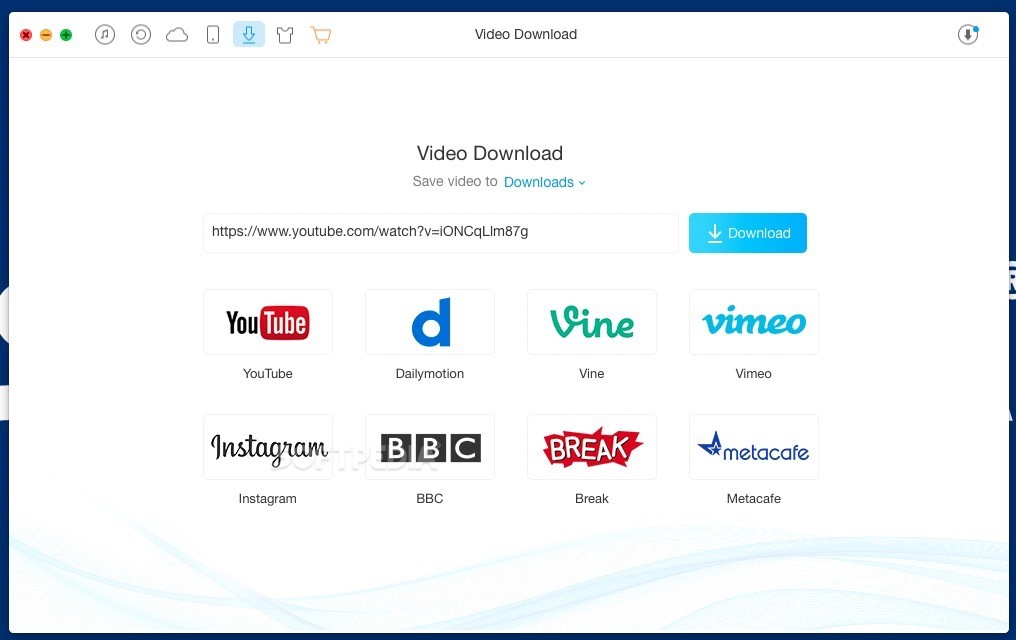
AnyTrans is the iPhone manager that breaks the sync boundary and consolidates every access to all your content in one place, including music, videos, photos, messages, books, Safari history, voice memo, etc.

Features:

  • Flash-Sync Makes the fastest data transfer in market – By largely improving the data loading and transferring speed, AnyTrans gives you lightning-fast experience.
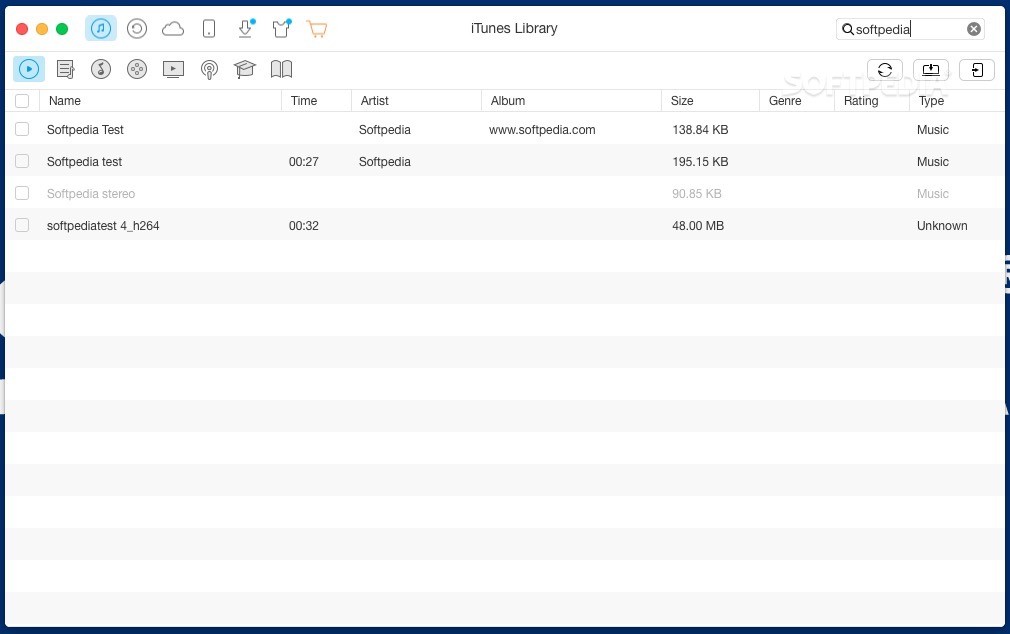
  • Two-way Transfer between iOS devices, iTunes, iCloud and computer – Whether you want to transfer contacts from iPhone to Mac, messages from old iPhone to new iPhone, music and playlists from iPhone back to iTunes library, or videos from PC to iPad, AnyTrans gets anything transferred freely between your iPhone, iPad, iPod touch, iTunes, iCloud and computer.
  • Easily manage all your contents on iPhone, iPad, and iPod touch – Browse, edit and export important contacts, messages, notes, and more personal data from iPhone; well organize your photos and music in iPhone and iPad by building up your own collections and playlists – you get full control over all your iOS data and files with ultra ease.
  • Migrate everything to your new iPhone within one click clone – Upon just one simple click, everything from your old iPhone, even from iPad – will be cloned to your new iPhone. The game-level you just conquered, the photos you took yesterday, the note you plan for shopping and the music you favors will all be there waiting for you.
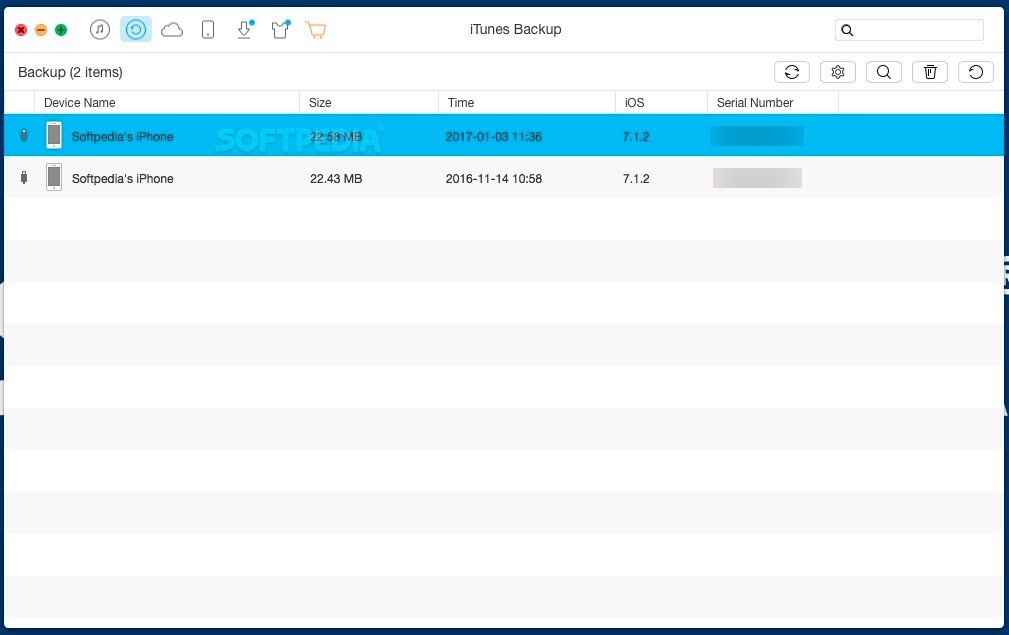
  • Navigate your iTunes and iCloud backup contents with even more ease – Instead of making a guess on whether your iTunes/iCloud backup contains the notes, messages, contacts, voice memos, or
  • Safari bookmarks you need, AnyTrans lets you peek right into your backups, and grab any piece of data you need freely without a full restore.

Supported iOS Device Type

  • iPhone Series: iPhone 3G, iPhone 3GS, iPhone 4, iPhone 4s, iPhone 5, iPhone 5c, iPhone 5s, iPhone 6, iPhone 6 Plus, iPhone 6s, iPhone 6s Plus, iPhone SE, iPhone 7, iPhone 7 Plus, iPhone 8, iPhone 8 Plus, iPhone X, iPhone Xs, iPhone Xs Max, iPhone XR, etc.
  • iPad Series: iPad, iPad 2, iPad 3, iPad mini, iPad 4, iPad mini 2, iPad Air, iPad Air 2, iPad mini 3, iPad mini 4, iPad Pro, iPad 5, iPad Pro (2nd Generation), iPad 6, iPad Pro (3rd Generation), etc.
  • iPod shuffle Series: iPod shuffle 1, iPod shuffle 2, iPod shuffle 3, iPod shuffle 4, etc.
  • iPod mini Series: iPod mini 1, iPod mini 2, etc.
  • iPod nano Series: iPod nano 1, iPod nano 2, iPod nano 3, iPod nano 4, iPod nano 5, iPod nano 6, iPod nano 7, etc.
  • iPod classic Series: iPod classic 4, iPod classic 5, iPod classic 6, etc.
  • iPod touch Series: iPod touch 3, iPod touch 4, iPod touch 5, iPod touch 6, etc.

Supported Media Types

  • Movie: MP4, M4A, MOV, WMV, AVI, FLV, etc.
  • Music: MP3, M4A, MP4B, WMA, WAV, etc.
  • Music Video: MP4, M4V, MOV, WMV, AVI, etc.
  • PodCast: MP3, M4A, M4V, etc.
  • Ringtone: MP3, M4A, M4R, WMA, WAV, etc.
  • TV Show: MP4, M4V, MOV, WMV, AVI, etc.
  • Audiobook: MP3, M4B, MP4A, WMA, WAV, etc.
  • Voice Memo: MP3, M4A, etc.
  • iTunes U: MP3, MP4, M4V, WMA, WAV, etc.
  • iBook: PDF, EPUB.
  • Photo: JPG, PNG, GIF, BMP, etc.

Language: English, Japanese, German, French, Spanish, Simplified Chinese, Arabic
Compatibility: OS X 10.10 or later 64 bit
Homepage https://www.imobie.com/anytrans/

Screenshots
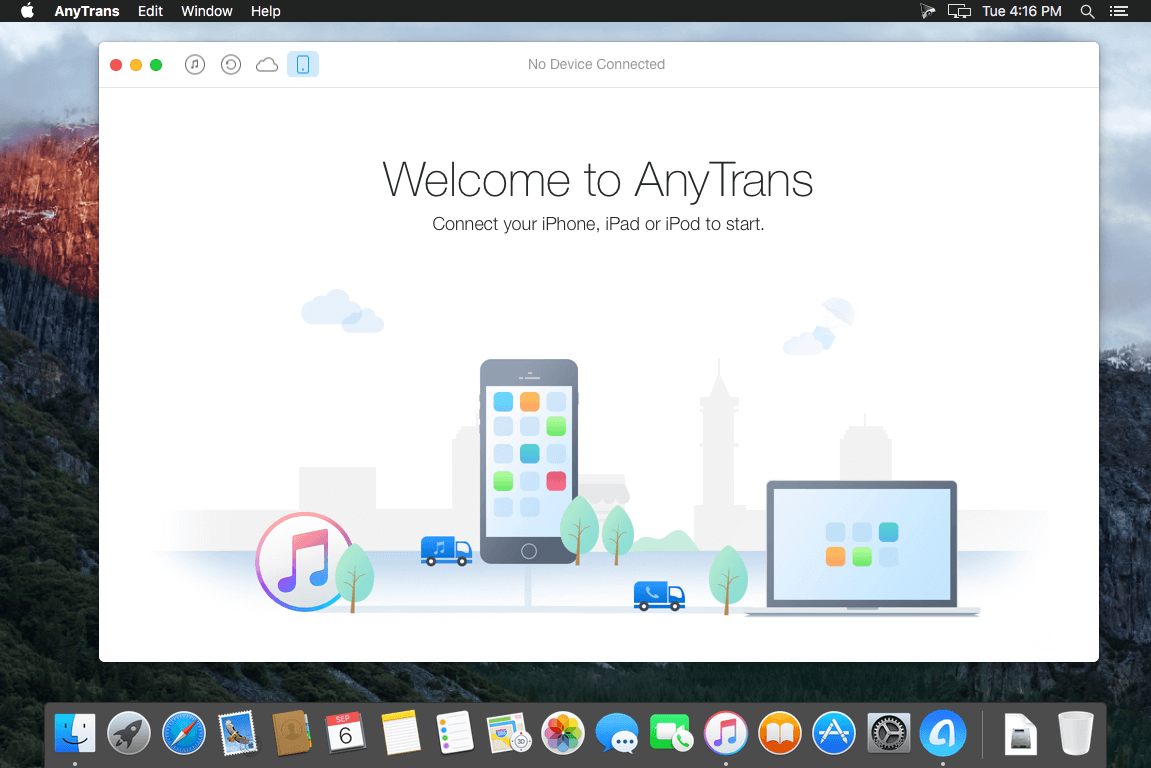

Name: AnyTrans_8.8.1.20201224__TNT_Mactorrents.io.dmg
Size: 119 MB
Files AnyTrans_8.8.1.20201224__TNT_Mactorrents.io.dmg[119 MB]

   Download

AnyTrans for iOS 8.8.0 (20201214)

AnyTrans is the iPhone manager that breaks the sync boundary and consolidates every access to all your content in one place, including music, videos, photos, messages, books, Safari history, voice memo, etc.

Features:

  • Flash-Sync Makes the fastest data transfer in market – By largely improving the data loading and transferring speed, AnyTrans gives you lightning-fast experience.
  • Two-way Transfer between iOS devices, iTunes, iCloud and computer – Whether you want to transfer contacts from iPhone to Mac, messages from old iPhone to new iPhone, music and playlists from iPhone back to iTunes library, or videos from PC to iPad, AnyTrans gets anything transferred freely between your iPhone, iPad, iPod touch, iTunes, iCloud and computer.
  • Easily manage all your contents on iPhone, iPad, and iPod touch – Browse, edit and export important contacts, messages, notes, and more personal data from iPhone; well organize your photos and music in iPhone and iPad by building up your own collections and playlists – you get full control over all your iOS data and files with ultra ease.
  • Migrate everything to your new iPhone within one click clone – Upon just one simple click, everything from your old iPhone, even from iPad – will be cloned to your new iPhone. The game-level you just conquered, the photos you took yesterday, the note you plan for shopping and the music you favors will all be there waiting for you.
  • Navigate your iTunes and iCloud backup contents with even more ease – Instead of making a guess on whether your iTunes/iCloud backup contains the notes, messages, contacts, voice memos, or
  • Safari bookmarks you need, AnyTrans lets you peek right into your backups, and grab any piece of data you need freely without a full restore.

Supported iOS Device Type

  • iPhone Series: iPhone 3G, iPhone 3GS, iPhone 4, iPhone 4s, iPhone 5, iPhone 5c, iPhone 5s, iPhone 6, iPhone 6 Plus, iPhone 6s, iPhone 6s Plus, iPhone SE, iPhone 7, iPhone 7 Plus, iPhone 8, iPhone 8 Plus, iPhone X, iPhone Xs, iPhone Xs Max, iPhone XR, etc.
  • iPad Series: iPad, iPad 2, iPad 3, iPad mini, iPad 4, iPad mini 2, iPad Air, iPad Air 2, iPad mini 3, iPad mini 4, iPad Pro, iPad 5, iPad Pro (2nd Generation), iPad 6, iPad Pro (3rd Generation), etc.
  • iPod shuffle Series: iPod shuffle 1, iPod shuffle 2, iPod shuffle 3, iPod shuffle 4, etc.
  • iPod mini Series: iPod mini 1, iPod mini 2, etc.
  • iPod nano Series: iPod nano 1, iPod nano 2, iPod nano 3, iPod nano 4, iPod nano 5, iPod nano 6, iPod nano 7, etc.
  • iPod classic Series: iPod classic 4, iPod classic 5, iPod classic 6, etc.
  • iPod touch Series: iPod touch 3, iPod touch 4, iPod touch 5, iPod touch 6, etc.

Supported Media Types

  • Movie: MP4, M4A, MOV, WMV, AVI, FLV, etc.
  • Music: MP3, M4A, MP4B, WMA, WAV, etc.
  • Music Video: MP4, M4V, MOV, WMV, AVI, etc.
  • PodCast: MP3, M4A, M4V, etc.
  • Ringtone: MP3, M4A, M4R, WMA, WAV, etc.
  • TV Show: MP4, M4V, MOV, WMV, AVI, etc.
  • Audiobook: MP3, M4B, MP4A, WMA, WAV, etc.
  • Voice Memo: MP3, M4A, etc.
  • iTunes U: MP3, MP4, M4V, WMA, WAV, etc.
  • iBook: PDF, EPUB.
  • Photo: JPG, PNG, GIF, BMP, etc.

Language: English, Japanese, German, French, Spanish, Simplified Chinese, Arabic
Compatibility: OS X 10.10 or later 64 bit
Homepage https://www.imobie.com/anytrans/

Screenshots
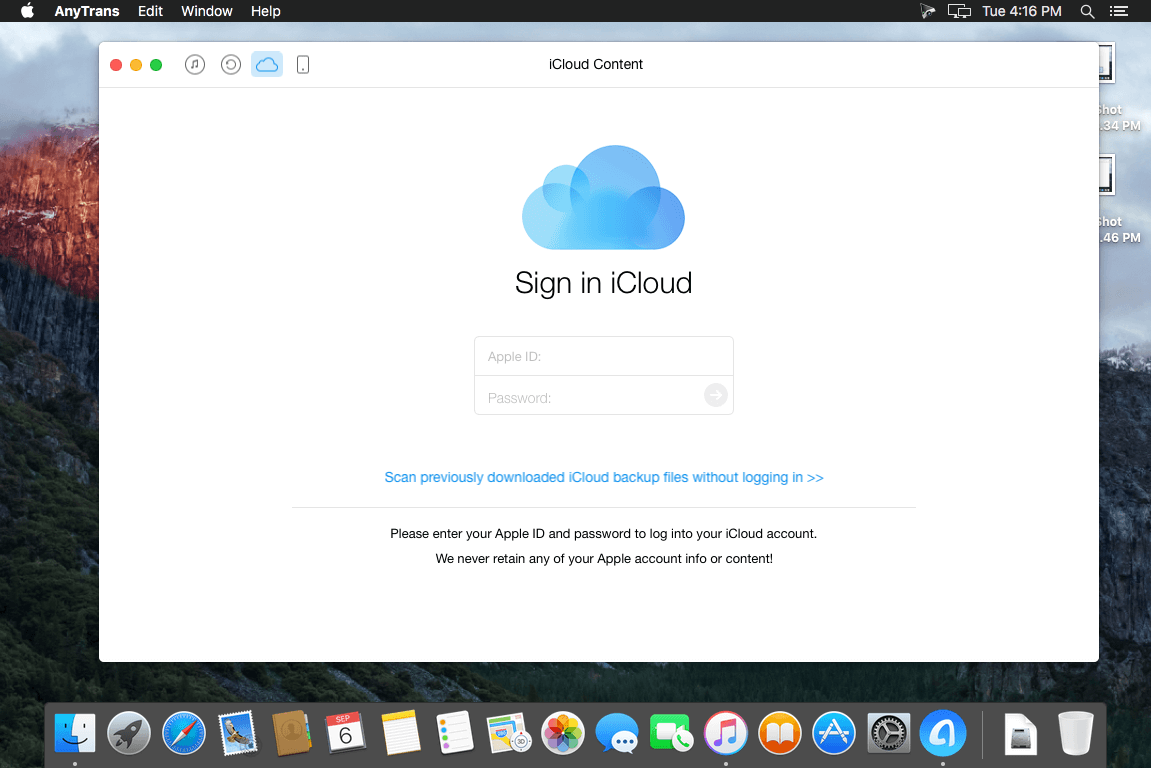

Name: AnyTrans_8.8.0__20201214___TNT_Mactorrents.io.dmg
Size: 132 MB
Files AnyTrans_8.8.0__20201214___TNT_Mactorrents.io.dmg[132 MB]

   Download

AnyTrans for iOS 8.8.0 (20201208)

AnyTrans is the iPhone manager that breaks the sync boundary and consolidates every access to all your content in one place, including music, videos, photos, messages, books, Safari history, voice memo, etc.

Features:

  • Flash-Sync Makes the fastest data transfer in market – By largely improving the data loading and transferring speed, AnyTrans gives you lightning-fast experience.
  • Two-way Transfer between iOS devices, iTunes, iCloud and computer – Whether you want to transfer contacts from iPhone to Mac, messages from old iPhone to new iPhone, music and playlists from iPhone back to iTunes library, or videos from PC to iPad, AnyTrans gets anything transferred freely between your iPhone, iPad, iPod touch, iTunes, iCloud and computer.
  • Easily manage all your contents on iPhone, iPad, and iPod touch – Browse, edit and export important contacts, messages, notes, and more personal data from iPhone; well organize your photos and music in iPhone and iPad by building up your own collections and playlists – you get full control over all your iOS data and files with ultra ease.
  • Migrate everything to your new iPhone within one click clone – Upon just one simple click, everything from your old iPhone, even from iPad – will be cloned to your new iPhone. The game-level you just conquered, the photos you took yesterday, the note you plan for shopping and the music you favors will all be there waiting for you.
  • Navigate your iTunes and iCloud backup contents with even more ease – Instead of making a guess on whether your iTunes/iCloud backup contains the notes, messages, contacts, voice memos, or
  • Safari bookmarks you need, AnyTrans lets you peek right into your backups, and grab any piece of data you need freely without a full restore.

Supported iOS Device Type

  • iPhone Series: iPhone 3G, iPhone 3GS, iPhone 4, iPhone 4s, iPhone 5, iPhone 5c, iPhone 5s, iPhone 6, iPhone 6 Plus, iPhone 6s, iPhone 6s Plus, iPhone SE, iPhone 7, iPhone 7 Plus, iPhone 8, iPhone 8 Plus, iPhone X, iPhone Xs, iPhone Xs Max, iPhone XR, etc.
  • iPad Series: iPad, iPad 2, iPad 3, iPad mini, iPad 4, iPad mini 2, iPad Air, iPad Air 2, iPad mini 3, iPad mini 4, iPad Pro, iPad 5, iPad Pro (2nd Generation), iPad 6, iPad Pro (3rd Generation), etc.
  • iPod shuffle Series: iPod shuffle 1, iPod shuffle 2, iPod shuffle 3, iPod shuffle 4, etc.
  • iPod mini Series: iPod mini 1, iPod mini 2, etc.
  • iPod nano Series: iPod nano 1, iPod nano 2, iPod nano 3, iPod nano 4, iPod nano 5, iPod nano 6, iPod nano 7, etc.
  • iPod classic Series: iPod classic 4, iPod classic 5, iPod classic 6, etc.
  • iPod touch Series: iPod touch 3, iPod touch 4, iPod touch 5, iPod touch 6, etc.

Supported Media Types

  • Movie: MP4, M4A, MOV, WMV, AVI, FLV, etc.
  • Music: MP3, M4A, MP4B, WMA, WAV, etc.
  • Music Video: MP4, M4V, MOV, WMV, AVI, etc.
  • PodCast: MP3, M4A, M4V, etc.
  • Ringtone: MP3, M4A, M4R, WMA, WAV, etc.
  • TV Show: MP4, M4V, MOV, WMV, AVI, etc.
  • Audiobook: MP3, M4B, MP4A, WMA, WAV, etc.
  • Voice Memo: MP3, M4A, etc.
  • iTunes U: MP3, MP4, M4V, WMA, WAV, etc.
  • iBook: PDF, EPUB.
  • Photo: JPG, PNG, GIF, BMP, etc.

What’s New:

Version: 8.8.0

  • Updated to support iOS 14.
  • Optimized the functions, processes and UI of Phone Switcher.
  • Optimized the functions, processes and UI of Backup Manager.
  • Optimized the functions, processes and UI of Social Message Manager.
  • Optimized the functions, processes and UI of Media Downloader.
  • Optimized the functions, processes and UI of Ringtone Maker.
  • Added a new feature to export HEIC images as PDFs

Language: English, Japanese, German, French, Spanish, Simplified Chinese, Arabic
Compatibility: OS X 10.9 or later, 64-bit processor
Homepage https://www.imobie.com/anytrans/

Screenshots


Name: AnyTrans_8.8.0.20201208__TNT_Mactorrents.io.dmg
Size: 132.32 MB
Files AnyTrans_8.8.0.20201208__TNT_Mactorrents.io.dmg[132.32 MB]

   Download

ElcomSoft iOS Forensic Toolkit 6.60

Perform physical and logical acquisition of iPhone, iPad and iPod Touch devices. Image device file system, extract device secrets (passwords, encryption keys and protected data) and decrypt the file system image.

  • Physical acquisition for 64-bit iOS devices with or without a jailbreak
  • Logical acquisition extracts backups, crash logs, media and shared files
  • Unlocks iOS devices with pairing records (lockdown files)
  • Extracts and decrypts protected keychain items
  • Real-time file system acquisition
  • Automatically disables screen lock for smooth, uninterrupted acquisition

Forensic Access to iPhone/iPad/iPod Devices running Apple iOS

Perform the complete forensic acquisition of user data stored in iPhone/iPad/iPod devices. Elcomsoft iOS Forensic Toolkit allows imaging devices’ file systems, extracting device secrets (passcodes, passwords, and encryption keys) and accessing locked devices via lockdown records.

Physical Acquisition of iOS Devices

Physical acquisition is the only acquisition method to extract full application data, protected keychain items, downloaded messages and location history. Physical acquisition returns more information compared to logical acquisition due to direct low-level access to data.

Elcomsoft iOS Forensic Toolkit supports jailbroken 64-bit devices (iPhone 5s and newer) running most versions of iOS (subject to jailbreak availability). The use of a bootrom-based jailbreak enables partial file system & keychain acquisition for BFU, locked and disabled iPhone models ranging from the iPhone 5s through iPhone X (via checkra1n jailbreak). Full file system and complete keychain acquisition for unlocked devices from this device range.

Full File System Extraction and Keychain Decryption Without a Jailbreak

A jailbreak-free extraction method based on direct access to the file system is available for a limited range of iOS devices. Using an in-house developed extraction tool, this acquisition method installs an extraction agent onto the device being acquired. The agent communicates with the expert’s computer, delivering robust performance and extremely high extraction speed topping 2.5 GB of data per minute.

Better yet, agent-based extraction is completely safe as it neither modifies the system partition nor remounts the file system while performing automatic on-the-fly hashing of information being extracted. Agent-based extraction does not make any changes to user data, offering forensically sound extraction.

Both the file system image and all keychain records are extracted and decrypted. The agent-based extraction method delivers solid performance and results in forensically sound extraction. Removing the agent from the device after the extraction takes one push of a button.

You can either extract the complete file system or use the express extraction option, only acquiring files from the user partition. By skipping files stored in the device’s system partition, the express extraction option helps reduce the time required to do the job and cut storage space by several gigabytes of static content.

Installing and signing the extraction agent requires an Apple ID registered in the Apple Developer Program. The Mac edition drops this requirement, allowing to use a regular Apple ID for signing and sideloading the extraction agent onto the iOS device.

Passcode Unlock for iPhone 5 and 5c

The Toolkit can be used to unlock encrypted iPhone 5 and 5c devices protected with an unknown screen lock passcode by attempting to recover the original 4-digit or 6-digit PIN (Mac version only). This DFU attack works at the speed of 13.6 passcodes per second, and takes only 12 minutes to unlock an iPhone 5 or 5c protected with a 4-digit PINs. 6-digit PINs will take up to 21 hours. A smart attack will be used automatically to attempt cutting this time as much as possible. In less than 4 minutes, the tool will try several thousand most commonly used passcodes such as 000000, 123456 or 121212, followed by 6-digit PINs based on the dates of birth. With 74,000 of those, the smart attack takes approximately 1.5 hours. If still unsuccessful, the full brute force of the rest of the passcodes is initiated.

Logical Acquisition

iOS Forensic Toolkit supports logical acquisition, a simpler and safer acquisition method compared to physical. Logical acquisition produces a standard iTunes-style backup of information stored in the device, pulls media and shared files and extracts system crash logs. While logical acquisition returns less information than physical, experts are recommended to create a logical backup of the device before attempting more invasive acquisition techniques.

We always recommend using logical acquisition in combination with physical for safely extracting all possible types of evidence.

Media and Shared Files

Quickly extract media files such as Camera Roll, books, voice recordings, and iTunes media library. As opposed to creating a local backup, which could be a potentially lengthy operation, media extraction works quickly on all supported devices. Extraction from locked devices is possible by using a pairing record (lockdown file).

In addition to media files, iOS Forensic Toolkit can extract stored files of multiple apps, extracting crucial evidence without a jailbreak. Extract Adobe Reader and Microsoft Office locally stored documents, MiniKeePass password database, and a lot more. The extraction requires an unlocked device or a non-expired lockdown record.

Perform physical and logical acquisition of iPhone, iPad and iPod Touch devices. Image device file system, extract device secrets (passwords, encryption keys and protected data) and decrypt the file system image.

What’s new

  • Release notes not available at the time of this post.

Homepage https://www.elcomsoft.com

Name: ElcomSoft_iOS_Forensic_Toolkit_6.60_Mactorrents.io.rar
Size: 118 MB
Files ElcomSoft_iOS_Forensic_Toolkit_6.60_Mactorrents.io.rar[118 MB]

   Download

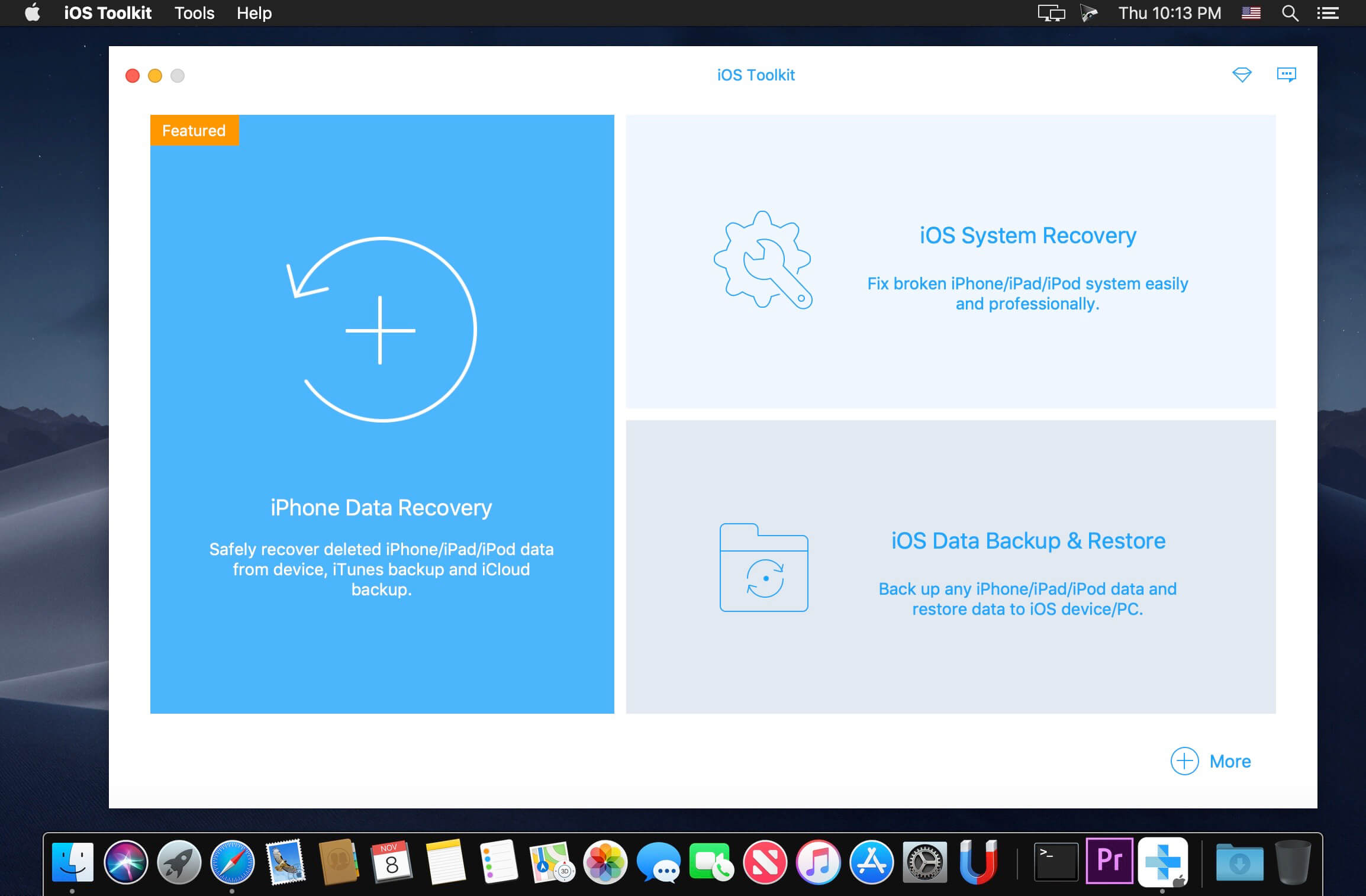
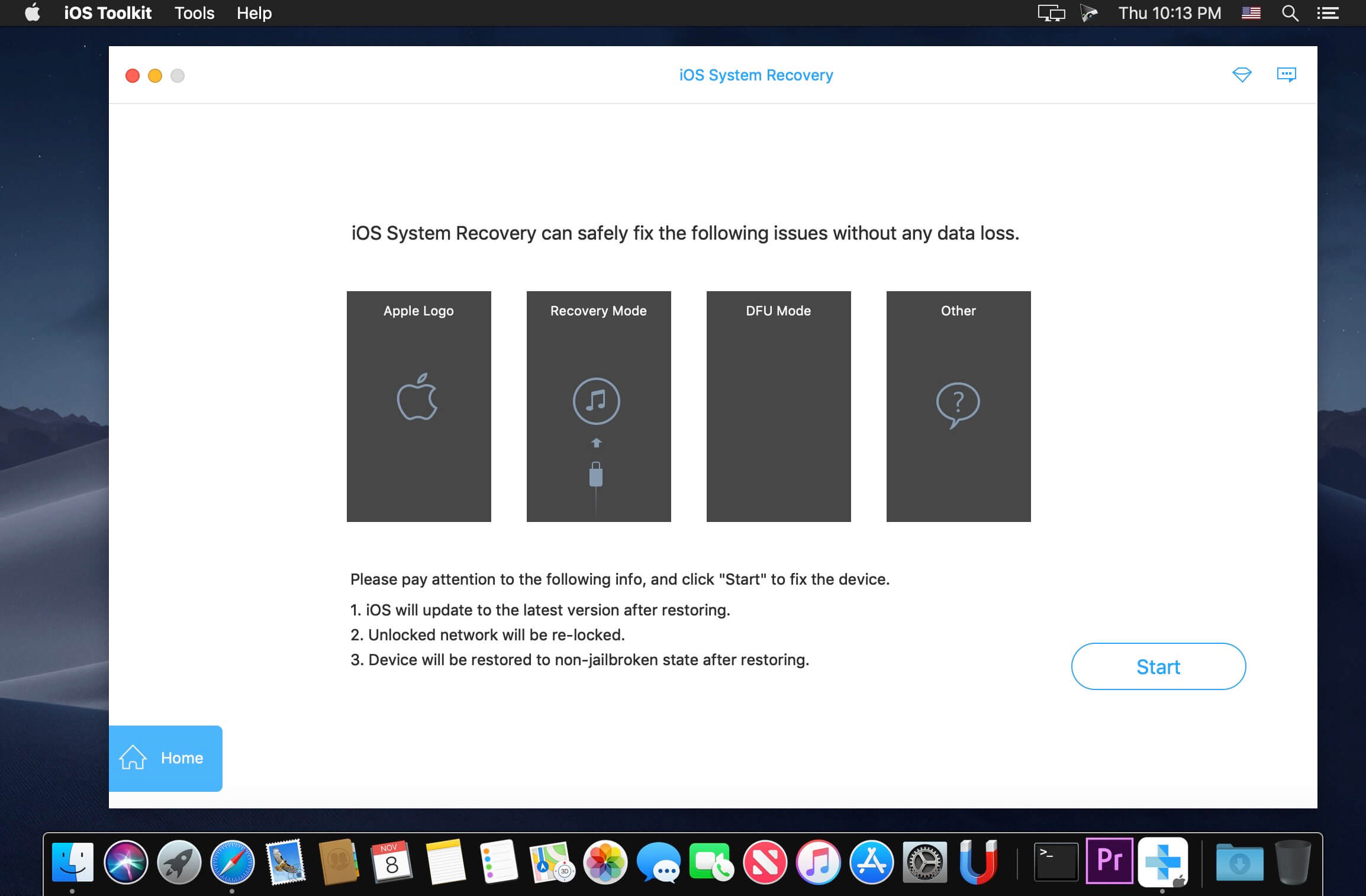
Apeaksoft iOS Toolkit 1.1.78

Professional iPhone data recovery software gives you flexible solutions to recover lost data from any iPhone, iPad and iPod running the latest iOS 11. Apeaksoft iPhone Data Recovery can help you to recover lost or deleted photos, videos, contacts, messages, notes, call logs and more from iPhone/iPad/iPod, iTunes and iCloud.

Compatibility: OS X 10.8 or later, 64-bit processor
Homepage https://www.apeaksoft.com/

Screenshots


Name: Apeaksoft_iOS_Toolkit_1.1.78.99976__TNT_Mactorrents.io.dmg
Size: 59.42 MB
Files Apeaksoft_iOS_Toolkit_1.1.78.99976__TNT_Mactorrents.io.dmg[59.42 MB]

   Download

AnyTrans for iOS 8.8.0 (20201105)

AnyTrans is the iPhone manager that breaks the sync boundary and consolidates every access to all your content in one place, including music, videos, photos, messages, books, Safari history, voice memo, etc.

Features:

  • Flash-Sync Makes the fastest data transfer in market – By largely improving the data loading and transferring speed, AnyTrans gives you lightning-fast experience.
  • Two-way Transfer between iOS devices, iTunes, iCloud and computer – Whether you want to transfer contacts from iPhone to Mac, messages from old iPhone to new iPhone, music and playlists from iPhone back to iTunes library, or videos from PC to iPad, AnyTrans gets anything transferred freely between your iPhone, iPad, iPod touch, iTunes, iCloud and computer.
  • Easily manage all your contents on iPhone, iPad, and iPod touch – Browse, edit and export important contacts, messages, notes, and more personal data from iPhone; well organize your photos and music in iPhone and iPad by building up your own collections and playlists – you get full control over all your iOS data and files with ultra ease.
  • Migrate everything to your new iPhone within one click clone – Upon just one simple click, everything from your old iPhone, even from iPad – will be cloned to your new iPhone. The game-level you just conquered, the photos you took yesterday, the note you plan for shopping and the music you favors will all be there waiting for you.
  • Navigate your iTunes and iCloud backup contents with even more ease – Instead of making a guess on whether your iTunes/iCloud backup contains the notes, messages, contacts, voice memos, or
  • Safari bookmarks you need, AnyTrans lets you peek right into your backups, and grab any piece of data you need freely without a full restore.

Supported iOS Device Type

  • iPhone Series: iPhone 3G, iPhone 3GS, iPhone 4, iPhone 4s, iPhone 5, iPhone 5c, iPhone 5s, iPhone 6, iPhone 6 Plus, iPhone 6s, iPhone 6s Plus, iPhone SE, iPhone 7, iPhone 7 Plus, iPhone 8, iPhone 8 Plus, iPhone X, iPhone Xs, iPhone Xs Max, iPhone XR, etc.
  • iPad Series: iPad, iPad 2, iPad 3, iPad mini, iPad 4, iPad mini 2, iPad Air, iPad Air 2, iPad mini 3, iPad mini 4, iPad Pro, iPad 5, iPad Pro (2nd Generation), iPad 6, iPad Pro (3rd Generation), etc.
  • iPod shuffle Series: iPod shuffle 1, iPod shuffle 2, iPod shuffle 3, iPod shuffle 4, etc.
  • iPod mini Series: iPod mini 1, iPod mini 2, etc.
  • iPod nano Series: iPod nano 1, iPod nano 2, iPod nano 3, iPod nano 4, iPod nano 5, iPod nano 6, iPod nano 7, etc.
  • iPod classic Series: iPod classic 4, iPod classic 5, iPod classic 6, etc.
  • iPod touch Series: iPod touch 3, iPod touch 4, iPod touch 5, iPod touch 6, etc.

Supported Media Types

  • Movie: MP4, M4A, MOV, WMV, AVI, FLV, etc.
  • Music: MP3, M4A, MP4B, WMA, WAV, etc.
  • Music Video: MP4, M4V, MOV, WMV, AVI, etc.
  • PodCast: MP3, M4A, M4V, etc.
  • Ringtone: MP3, M4A, M4R, WMA, WAV, etc.
  • TV Show: MP4, M4V, MOV, WMV, AVI, etc.
  • Audiobook: MP3, M4B, MP4A, WMA, WAV, etc.
  • Voice Memo: MP3, M4A, etc.
  • iTunes U: MP3, MP4, M4V, WMA, WAV, etc.
  • iBook: PDF, EPUB.
  • Photo: JPG, PNG, GIF, BMP, etc.

What’s New:

Version: 8.8.0

  • Updated to support iOS 14.
  • Optimized the functions, processes and UI of Phone Switcher.
  • Optimized the functions, processes and UI of Backup Manager.
  • Optimized the functions, processes and UI of Social Message Manager.
  • Optimized the functions, processes and UI of Media Downloader.
  • Optimized the functions, processes and UI of Ringtone Maker.
  • Added a new feature to export HEIC images as PDFs.

Language: English, Japanese, German, French, Spanish, Simplified Chinese, Arabic
Compatibility: OS X 10.9 or later 64 bit
Homepage https://www.imobie.com/anytrans/

Screenshots


lt=”” width=”600″ height=”379″ />

Name: AnyTrans_8.8.0__20201105___TNT_Mactorrents.io.dmg
Size: 127.78 MB
Files AnyTrans_8.8.0__20201105___TNT_Mactorrents.io.dmg[127.78 MB]

   Download

AnyTrans for iOS 8.8.0.20201019

AnyTrans is the iPhone manager that breaks the sync boundary and consolidates every access to all your content in one place, including music, videos, photos, messages, books, Safari history, voice memo, etc.

Features:

  • Flash-Sync Makes the fastest data transfer in market – By largely improving the data loading and transferring speed, AnyTrans gives you lightning-fast experience.
  • Two-way Transfer between iOS devices, iTunes, iCloud and computer – Whether you want to transfer contacts from iPhone to Mac, messages from old iPhone to new iPhone, music and playlists from iPhone back to iTunes library, or videos from PC to iPad, AnyTrans gets anything transferred freely between your iPhone, iPad, iPod touch, iTunes, iCloud and computer.
  • Easily manage all your contents on iPhone, iPad, and iPod touch – Browse, edit and export important contacts, messages, notes, and more personal data from iPhone; well organize your photos and music in iPhone and iPad by building up your own collections and playlists – you get full control over all your iOS data and files with ultra ease.
  • Migrate everything to your new iPhone within one click clone – Upon just one simple click, everything from your old iPhone, even from iPad – will be cloned to your new iPhone. The game-level you just conquered, the photos you took yesterday, the note you plan for shopping and the music you favors will all be there waiting for you.
  • Navigate your iTunes and iCloud backup contents with even more ease – Instead of making a guess on whether your iTunes/iCloud backup contains the notes, messages, contacts, voice memos, or
  • Safari bookmarks you need, AnyTrans lets you peek right into your backups, and grab any piece of data you need freely without a full restore.

Supported iOS Device Type

  • iPhone Series: iPhone 3G, iPhone 3GS, iPhone 4, iPhone 4s, iPhone 5, iPhone 5c, iPhone 5s, iPhone 6, iPhone 6 Plus, iPhone 6s, iPhone 6s Plus, iPhone SE, iPhone 7, iPhone 7 Plus, iPhone 8, iPhone 8 Plus, iPhone X, iPhone Xs, iPhone Xs Max, iPhone XR, etc.
  • iPad Series: iPad, iPad 2, iPad 3, iPad mini, iPad 4, iPad mini 2, iPad Air, iPad Air 2, iPad mini 3, iPad mini 4, iPad Pro, iPad 5, iPad Pro (2nd Generation), iPad 6, iPad Pro (3rd Generation), etc.
  • iPod shuffle Series: iPod shuffle 1, iPod shuffle 2, iPod shuffle 3, iPod shuffle 4, etc.
  • iPod mini Series: iPod mini 1, iPod mini 2, etc.
  • iPod nano Series: iPod nano 1, iPod nano 2, iPod nano 3, iPod nano 4, iPod nano 5, iPod nano 6, iPod nano 7, etc.
  • iPod classic Series: iPod classic 4, iPod classic 5, iPod classic 6, etc.
  • iPod touch Series: iPod touch 3, iPod touch 4, iPod touch 5, iPod touch 6, etc.

Supported Media Types

  • Movie: MP4, M4A, MOV, WMV, AVI, FLV, etc.
  • Music: MP3, M4A, MP4B, WMA, WAV, etc.
  • Music Video: MP4, M4V, MOV, WMV, AVI, etc.
  • PodCast: MP3, M4A, M4V, etc.
  • Ringtone: MP3, M4A, M4R, WMA, WAV, etc.
  • TV Show: MP4, M4V, MOV, WMV, AVI, etc.
  • Audiobook: MP3, M4B, MP4A, WMA, WAV, etc.
  • Voice Memo: MP3, M4A, etc.
  • iTunes U: MP3, MP4, M4V, WMA, WAV, etc.
  • iBook: PDF, EPUB.
  • Photo: JPG, PNG, GIF, BMP, etc.

Language: English, Japanese, German, French, Spanish, Simplified Chinese, Arabic
Compatibility: OS X 10.9 or later 64 bit
Homepage https://www.imobie.com/anytrans/

Screenshots


Name: AnyTrans_8.8.0.20201019__TNT_Mactorrents.io.dmg
Size: 126 MB
Files AnyTrans_8.8.0.20201019__TNT_Mactorrents.io.dmg[126 MB]

   Download

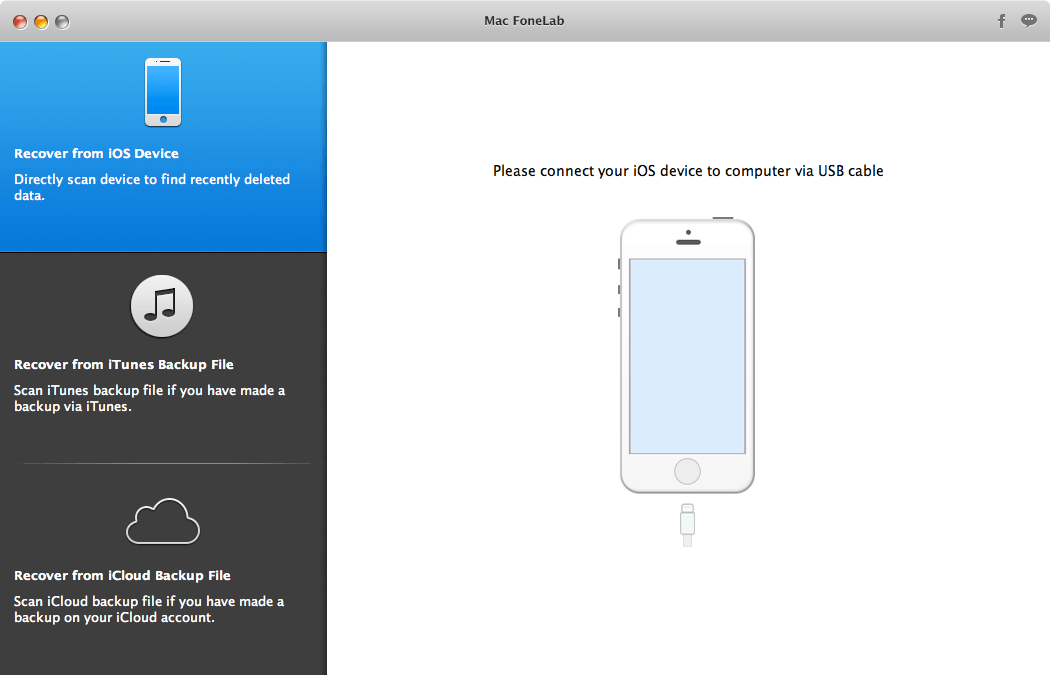
Mac FoneLab for iOS 10.2.22

A straightforward recovery application that makes it easy for you to browse the content of your iOS device and backup files in order to restore lost data. Mac FoneLab is a smooth-running and intuitive macOS application designed to help you effortlessly recover lost data directly from your iPhone, iPad and iPod touch or from your iCloud and iTunes backup files.

With Mac FoneLab’s help you’ll be able to retrieve lost photos, contacts, messages, call entries, calendar events, notes, reminders, Safari bookmarks and other important data from your iOS device.

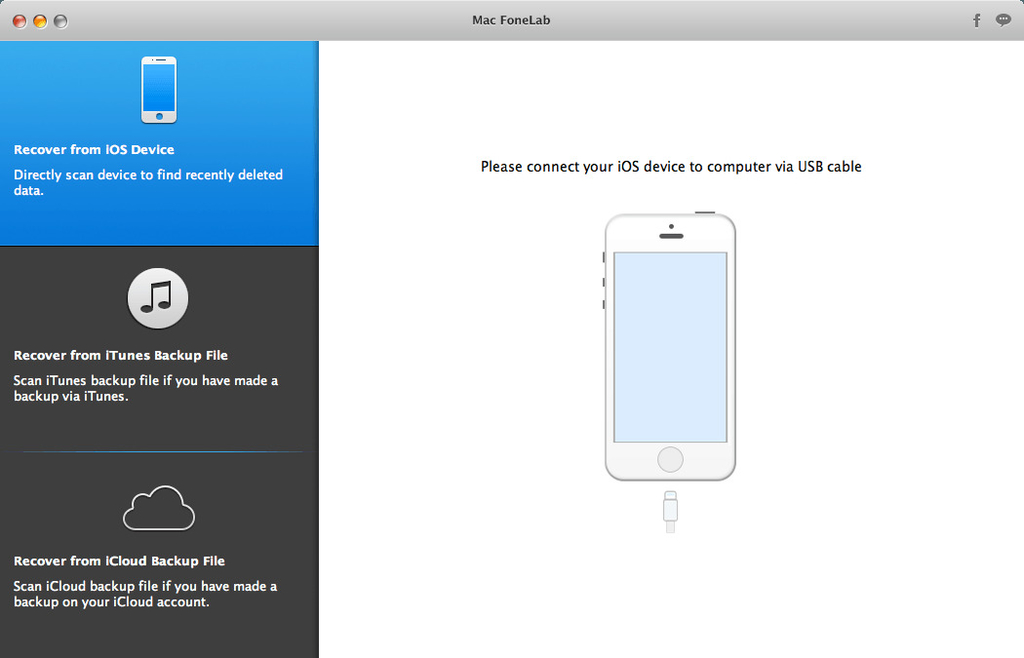
From Mac FoneLab’s user-oriented main window, you can easily decide from where you want to retrieve data and choose to recover directly from your iOS device, iTunes or iCloud backup file. Once the iOS device or backup file is scanned, you can browse its content and preview the retrieved data.

What is more, the Mac FoneLab app groups the collected data into different categories that you can easily access from the left side panel.

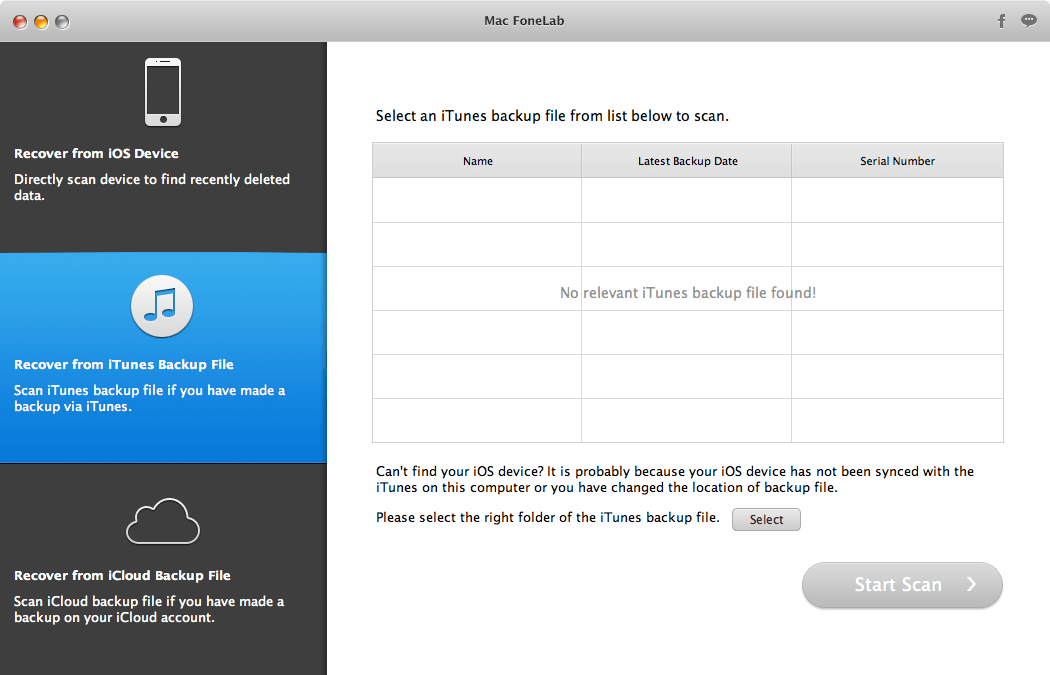
Retrieve data from iTunes backup
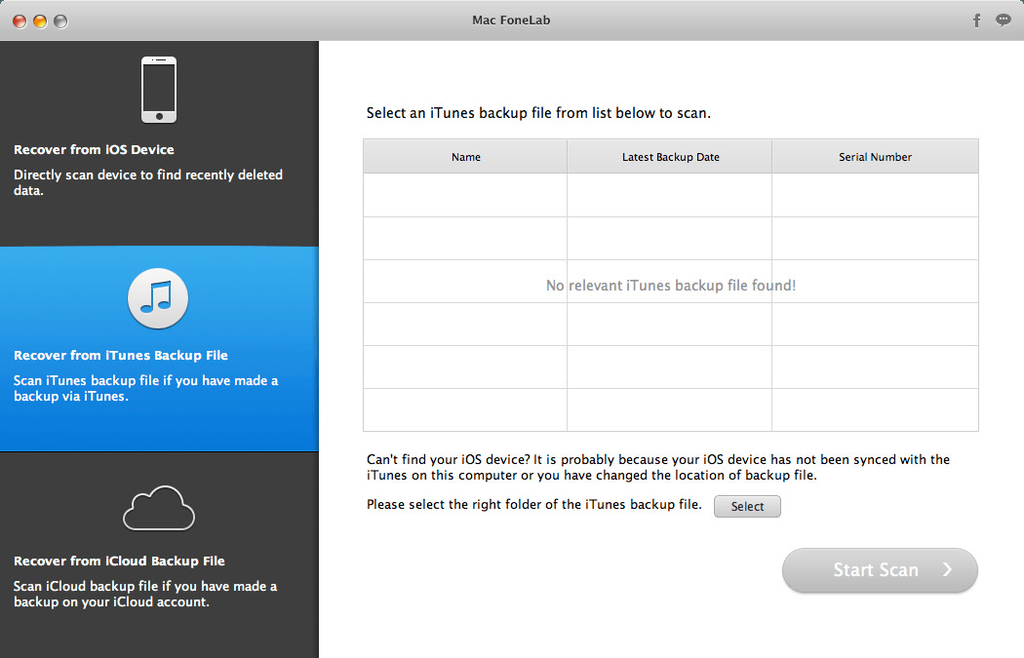
Mac FoneLab helps you to easily recover data from iTunes backup, as long as you have made a backup of your iDevice with iTunes. It assists you retrieving 8 types of deleted backup files, including Contacts, Messages, Call History, Calendar, Notes, Reminders, Safari Bookmarks and Whatsapp data. In addition, you can extract your Camera Roll, Photo Library, Photo Stream, Message Attachments and Voice Memos from existing backup files.

Restore data from iCloud backup files
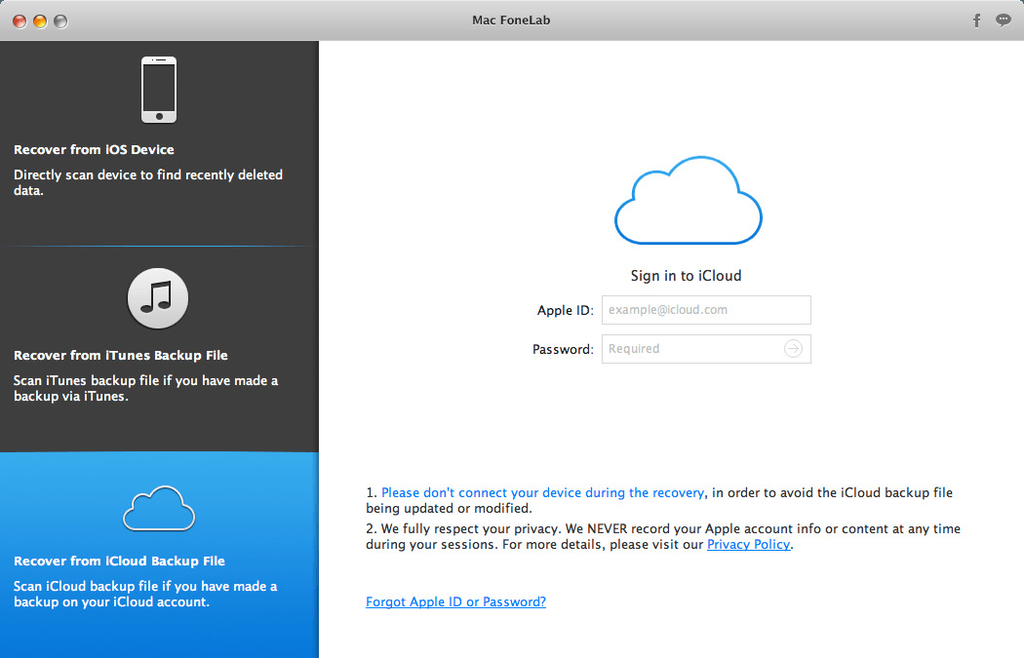
If you can’t recover deleted data from iPhone/iPad/iPod directly, or can’t recover from iTunes backup files, you can try this recovery method – recovering from iCloud backup files. You can sign in your iCloud account from FoneLab interface and restore the deleted files from the iCloud backup files.

Save time and check the data before recovering
Apart from its three recovery modes, Mac FoneLab also enables you to preview the lost data info before recovery, which is especially useful when you need to recover only certain files. You’ll find all scanned files displayed in the preview window in category; both lost and existing files are visible. Just click the file type to see detailed information. This will make your work much more efficient and save you a lot of time!

What’s New:

Version 10.2.22:

  • Release notes were unavailable when this listing was updated.

Compatibility: OS X 10.7 or later, 64-bit processor
Homepage https://www.aiseesoft.com/mac-ios-transfer/

Screenshots


Name: Aiseesoft_Mac_FoneLab_10.2.22.99976__TNT_Mactorrents.io.dmg
Size: 56 MB
Files Aiseesoft_Mac_FoneLab_10.2.22.99976__TNT_Mactorrents.io.dmg[56 MB]

   Download

AnyTrans for iOS 8.8.0.20201012

AnyTrans is the iPhone manager that breaks the sync boundary and consolidates every access to all your content in one place, including music, videos, photos, messages, books, Safari history, voice memo, etc.

Features:

  • Flash-Sync Makes the fastest data transfer in market – By largely improving the data loading and transferring speed, AnyTrans gives you lightning-fast experience.
  • Two-way Transfer between iOS devices, iTunes, iCloud and computer – Whether you want to transfer contacts from iPhone to Mac, messages from old iPhone to new iPhone, music and playlists from iPhone back to iTunes library, or videos from PC to iPad, AnyTrans gets anything transferred freely between your iPhone, iPad, iPod touch, iTunes, iCloud and computer.
  • Easily manage all your contents on iPhone, iPad, and iPod touch – Browse, edit and export important contacts, messages, notes, and more personal data from iPhone; well organize your photos and music in iPhone and iPad by building up your own collections and playlists – you get full control over all your iOS data and files with ultra ease.
  • Migrate everything to your new iPhone within one click clone – Upon just one simple click, everything from your old iPhone, even from iPad – will be cloned to your new iPhone. The game-level you just conquered, the photos you took yesterday, the note you plan for shopping and the music you favors will all be there waiting for you.
  • Navigate your iTunes and iCloud backup contents with even more ease – Instead of making a guess on whether your iTunes/iCloud backup contains the notes, messages, contacts, voice memos, or
  • Safari bookmarks you need, AnyTrans lets you peek right into your backups, and grab any piece of data you need freely without a full restore.

Supported iOS Device Type

  • iPhone Series: iPhone 3G, iPhone 3GS, iPhone 4, iPhone 4s, iPhone 5, iPhone 5c, iPhone 5s, iPhone 6, iPhone 6 Plus, iPhone 6s, iPhone 6s Plus, iPhone SE, iPhone 7, iPhone 7 Plus, iPhone 8, iPhone 8 Plus, iPhone X, iPhone Xs, iPhone Xs Max, iPhone XR, etc.
  • iPad Series: iPad, iPad 2, iPad 3, iPad mini, iPad 4, iPad mini 2, iPad Air, iPad Air 2, iPad mini 3, iPad mini 4, iPad Pro, iPad 5, iPad Pro (2nd Generation), iPad 6, iPad Pro (3rd Generation), etc.
  • iPod shuffle Series: iPod shuffle 1, iPod shuffle 2, iPod shuffle 3, iPod shuffle 4, etc.
  • iPod mini Series: iPod mini 1, iPod mini 2, etc.
  • iPod nano Series: iPod nano 1, iPod nano 2, iPod nano 3, iPod nano 4, iPod nano 5, iPod nano 6, iPod nano 7, etc.
  • iPod classic Series: iPod classic 4, iPod classic 5, iPod classic 6, etc.
  • iPod touch Series: iPod touch 3, iPod touch 4, iPod touch 5, iPod touch 6, etc.

Supported Media Types

  • Movie: MP4, M4A, MOV, WMV, AVI, FLV, etc.
  • Music: MP3, M4A, MP4B, WMA, WAV, etc.
  • Music Video: MP4, M4V, MOV, WMV, AVI, etc.
  • PodCast: MP3, M4A, M4V, etc.
  • Ringtone: MP3, M4A, M4R, WMA, WAV, etc.
  • TV Show: MP4, M4V, MOV, WMV, AVI, etc.
  • Audiobook: MP3, M4B, MP4A, WMA, WAV, etc.
  • Voice Memo: MP3, M4A, etc.
  • iTunes U: MP3, MP4, M4V, WMA, WAV, etc.
  • iBook: PDF, EPUB.
  • Photo: JPG, PNG, GIF, BMP, etc.

What’s New:

Version: 8.8.0

  • Updated to support iOS 14.
  • Optimized the functions, processes and UI of Phone Switcher.
  • Optimized the functions, processes and UI of Backup Manager.
  • Optimized the functions, processes and UI of Social Message Manager.
  • Optimized the functions, processes and UI of Media Downloader.
  • Optimized the functions, processes and UI of Ringtone Maker.
  • Added a new feature to export HEIC images as PDFs.

Language: English, Japanese, German, French, Spanish, Simplified Chinese, Arabic
Compatibility: OS X 10.9 or later 64 bit
Homepage https://www.imobie.com/anytrans/

Screenshots


Name: AnyTrans_8.8.0.20201012_[TNT]_Mactorrents.io.dmg
Size: 128.03 MB
Files AnyTrans_8.8.0.20201012_[TNT]_Mactorrents.io.dmg[128.03 MB]

   Download

AnyTrans for iOS 8.8.0.20201009

AnyTrans is the iPhone manager that breaks the sync boundary and consolidates every access to all your content in one place, including music, videos, photos, messages, books, Safari history, voice memo, etc.

Features:

  • Flash-Sync Makes the fastest data transfer in market – By largely improving the data loading and transferring speed, AnyTrans gives you lightning-fast experience.
  • Two-way Transfer between iOS devices, iTunes, iCloud and computer – Whether you want to transfer contacts from iPhone to Mac, messages from old iPhone to new iPhone, music and playlists from iPhone back to iTunes library, or videos from PC to iPad, AnyTrans gets anything transferred freely between your iPhone, iPad, iPod touch, iTunes, iCloud and computer.
  • Easily manage all your contents on iPhone, iPad, and iPod touch – Browse, edit and export important contacts, messages, notes, and more personal data from iPhone; well organize your photos and music in iPhone and iPad by building up your own collections and playlists – you get full control over all your iOS data and files with ultra ease.
  • Migrate everything to your new iPhone within one click clone – Upon just one simple click, everything from your old iPhone, even from iPad – will be cloned to your new iPhone. The game-level you just conquered, the photos you took yesterday, the note you plan for shopping and the music you favors will all be there waiting for you.
  • Navigate your iTunes and iCloud backup contents with even more ease – Instead of making a guess on whether your iTunes/iCloud backup contains the notes, messages, contacts, voice memos, or
  • Safari bookmarks you need, AnyTrans lets you peek right into your backups, and grab any piece of data you need freely without a full restore.

Supported iOS Device Type

  • iPhone Series: iPhone 3G, iPhone 3GS, iPhone 4, iPhone 4s, iPhone 5, iPhone 5c, iPhone 5s, iPhone 6, iPhone 6 Plus, iPhone 6s, iPhone 6s Plus, iPhone SE, iPhone 7, iPhone 7 Plus, iPhone 8, iPhone 8 Plus, iPhone X, iPhone Xs, iPhone Xs Max, iPhone XR, etc.
  • iPad Series: iPad, iPad 2, iPad 3, iPad mini, iPad 4, iPad mini 2, iPad Air, iPad Air 2, iPad mini 3, iPad mini 4, iPad Pro, iPad 5, iPad Pro (2nd Generation), iPad 6, iPad Pro (3rd Generation), etc.
  • iPod shuffle Series: iPod shuffle 1, iPod shuffle 2, iPod shuffle 3, iPod shuffle 4, etc.
  • iPod mini Series: iPod mini 1, iPod mini 2, etc.
  • iPod nano Series: iPod nano 1, iPod nano 2, iPod nano 3, iPod nano 4, iPod nano 5, iPod nano 6, iPod nano 7, etc.
  • iPod classic Series: iPod classic 4, iPod classic 5, iPod classic 6, etc.
  • iPod touch Series: iPod touch 3, iPod touch 4, iPod touch 5, iPod touch 6, etc.

Supported Media Types

  • Movie: MP4, M4A, MOV, WMV, AVI, FLV, etc.
  • Music: MP3, M4A, MP4B, WMA, WAV, etc.
  • Music Video: MP4, M4V, MOV, WMV, AVI, etc.
  • PodCast: MP3, M4A, M4V, etc.
  • Ringtone: MP3, M4A, M4R, WMA, WAV, etc.
  • TV Show: MP4, M4V, MOV, WMV, AVI, etc.
  • Audiobook: MP3, M4B, MP4A, WMA, WAV, etc.
  • Voice Memo: MP3, M4A, etc.
  • iTunes U: MP3, MP4, M4V, WMA, WAV, etc.
  • iBook: PDF, EPUB.
  • Photo: JPG, PNG, GIF, BMP, etc.

Language: English, Japanese, German, French, Spanish, Simplified Chinese, Arabic
Compatibility: OS X 10.9 or later 64 bit
Homepage https://www.imobie.com/anytrans/

Screenshots


Name: AnyTrans_8.8.0.20201009_TNT_Mactorrents.io.dmg
Size: 126 MB
Files AnyTrans_8.8.0.20201009_TNT_Mactorrents.io.dmg[126 MB]

   Download

PhoneRescue for iOS 4.1.0.20200928

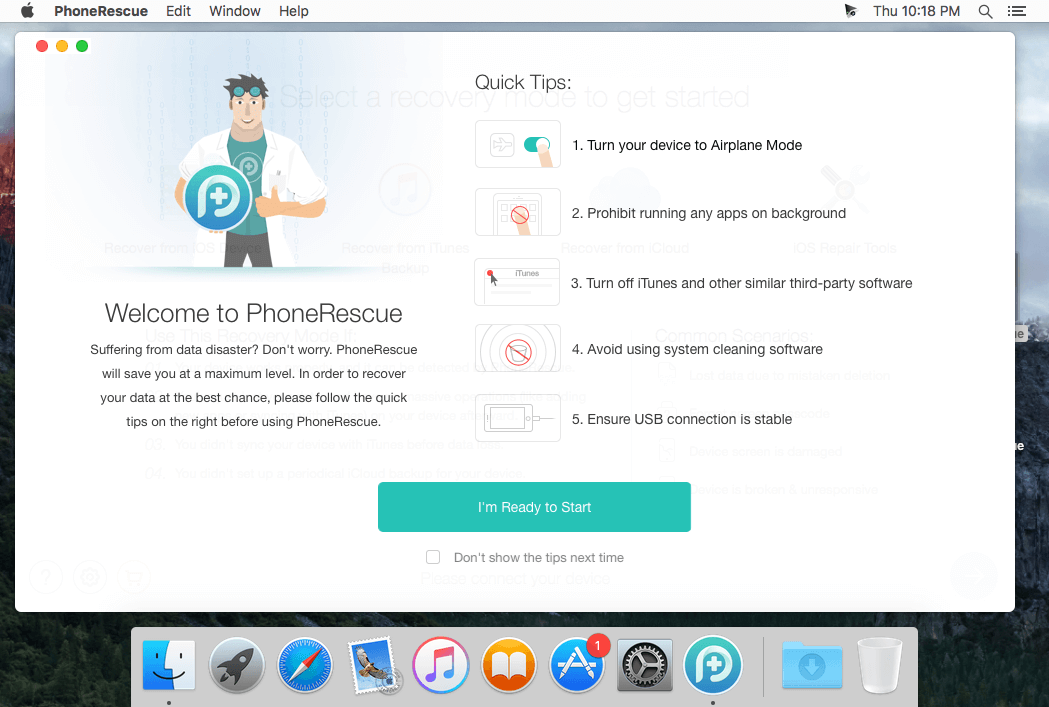
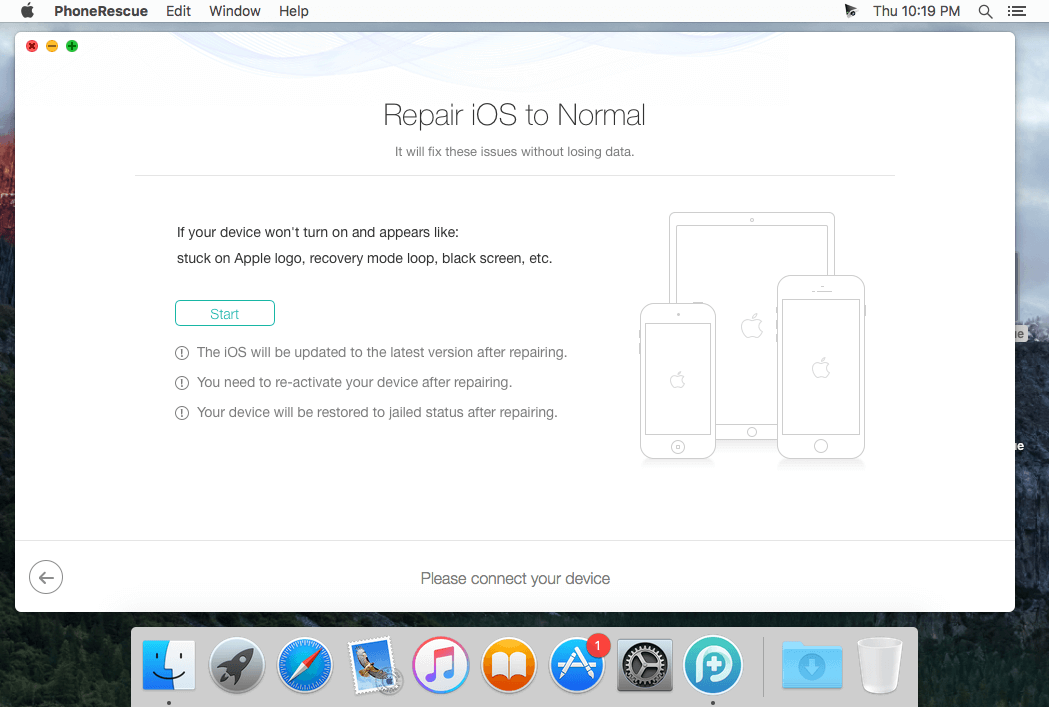
PhoneRescue is an ultimate iOS data recovery program designed for retrieving your lost photos, messages, contacts, notes and more on your iPhone, iPad and iPod touch. Also it can repair an iDevice from any iOS crash error.

Features

  • Focuses on analyzing and recovering the most important 25 types of iOS content
  • Recovers data & files directly back to iPhone for instant use, or to computer for future use
  • Pinpoints your lost contents in the first moment and conjure them back in an eye-blink
  • Retrieves your valued information via 3 safe and reliable ways: from device, iTunes backup, and iCloud
  • Extracts your needed information from iTunes backup – even it has been encrypted
  • Offers options of file types that you intend to scan and recover, making the process more accurate and faster
  • Fixes any iOS error within a single click to revive your broken iPhone

Mistaken deletion of your photos, text messages, contacts or other vital info on your iPhone could be a disaster in your life. That’s why we introduced PhoneRescue, with the promise to get all your lost-but-valued media or text data back in your hands. Apart from supporting 3-way recovery (from device, iTunes backups, and iCloud) to ensure the maximum recovery rate, PhoneRescue can recover data directly back into iPhone for instant use.

What’s New:

Version 4.0.0:
Added:

  • The new function to remove Lock Screen on iPhone iPad and iPod touch
  • The new function to recover Screen Time and Restrictions passcode

Optimized:

  • The UI
  • The performance and fixed some minor bugs

Compatibility: OS X 10.9 or later 64bit
Language: English
Homepage https://www.imobie.com

Screenshots


Name: PhoneRescue_for_iOS_4.1.0.20200928__TNT_Mactorrents.io.dmg
Size: 42.97 MB
Files PhoneRescue_for_iOS_4.1.0.20200928__TNT_Mactorrents.io.dmg[42.97 MB]

   Download

AnyTrans for iOS 8.8.0.20200924

AnyTrans is the iPhone manager that breaks the sync boundary and consolidates every access to all your content in one place, including music, videos, photos, messages, books, Safari history, voice memo, etc.

Features:

  • Flash-Sync Makes the fastest data transfer in market – By largely improving the data loading and transferring speed, AnyTrans gives you lightning-fast experience.
  • Two-way Transfer between iOS devices, iTunes, iCloud and computer – Whether you want to transfer contacts from iPhone to Mac, messages from old iPhone to new iPhone, music and playlists from iPhone back to iTunes library, or videos from PC to iPad, AnyTrans gets anything transferred freely between your iPhone, iPad, iPod touch, iTunes, iCloud and computer.
  • Easily manage all your contents on iPhone, iPad, and iPod touch – Browse, edit and export important contacts, messages, notes, and more personal data from iPhone; well organize your photos and music in iPhone and iPad by building up your own collections and playlists – you get full control over all your iOS data and files with ultra ease.
  • Migrate everything to your new iPhone within one click clone – Upon just one simple click, everything from your old iPhone, even from iPad – will be cloned to your new iPhone. The game-level you just conquered, the photos you took yesterday, the note you plan for shopping and the music you favors will all be there waiting for you.
  • Navigate your iTunes and iCloud backup contents with even more ease – Instead of making a guess on whether your iTunes/iCloud backup contains the notes, messages, contacts, voice memos, or
  • Safari bookmarks you need, AnyTrans lets you peek right into your backups, and grab any piece of data you need freely without a full restore.

Supported iOS Device Type

  • iPhone Series: iPhone 3G, iPhone 3GS, iPhone 4, iPhone 4s, iPhone 5, iPhone 5c, iPhone 5s, iPhone 6, iPhone 6 Plus, iPhone 6s, iPhone 6s Plus, iPhone SE, iPhone 7, iPhone 7 Plus, iPhone 8, iPhone 8 Plus, iPhone X, iPhone Xs, iPhone Xs Max, iPhone XR, etc.
  • iPad Series: iPad, iPad 2, iPad 3, iPad mini, iPad 4, iPad mini 2, iPad Air, iPad Air 2, iPad mini 3, iPad mini 4, iPad Pro, iPad 5, iPad Pro (2nd Generation), iPad 6, iPad Pro (3rd Generation), etc.
  • iPod shuffle Series: iPod shuffle 1, iPod shuffle 2, iPod shuffle 3, iPod shuffle 4, etc.
  • iPod mini Series: iPod mini 1, iPod mini 2, etc.
  • iPod nano Series: iPod nano 1, iPod nano 2, iPod nano 3, iPod nano 4, iPod nano 5, iPod nano 6, iPod nano 7, etc.
  • iPod classic Series: iPod classic 4, iPod classic 5, iPod classic 6, etc.
  • iPod touch Series: iPod touch 3, iPod touch 4, iPod touch 5, iPod touch 6, etc.

Supported Media Types

  • Movie: MP4, M4A, MOV, WMV, AVI, FLV, etc.
  • Music: MP3, M4A, MP4B, WMA, WAV, etc.
  • Music Video: MP4, M4V, MOV, WMV, AVI, etc.
  • PodCast: MP3, M4A, M4V, etc.
  • Ringtone: MP3, M4A, M4R, WMA, WAV, etc.
  • TV Show: MP4, M4V, MOV, WMV, AVI, etc.
  • Audiobook: MP3, M4B, MP4A, WMA, WAV, etc.
  • Voice Memo: MP3, M4A, etc.
  • iTunes U: MP3, MP4, M4V, WMA, WAV, etc.
  • iBook: PDF, EPUB.
  • Photo: JPG, PNG, GIF, BMP, etc.

What’s New:

Version: 8.8.0

  • Updated to support iOS 14.
  • Optimized the functions, processes and UI of Phone Switcher.
  • Optimized the functions, processes and UI of Backup Manager.
  • Optimized the functions, processes and UI of Social Message Manager.
  • Optimized the functions, processes and UI of Media Downloader.
  • Optimized the functions, processes and UI of Ringtone Maker.
  • Added a new feature to export HEIC images as PDFs.

Language: English, Japanese, German, French, Spanish, Simplified Chinese, Arabic
Compatibility: OS X 10.9 or later 64 bit
Homepage https://www.imobie.com/anytrans/

Screenshots


Name: AnyTrans_8.8.0.20200924__TNT_Mactorrents.io.dmg
Size: 127.92 MB
Files AnyTrans_8.8.0.20200924__TNT_Mactorrents.io.dmg[127.92 MB]

   Download

AnyTrans for iOS 8.8.0.20200918

AnyTrans is the iPhone manager that breaks the sync boundary and consolidates every access to all your content in one place, including music, videos, photos, messages, books, Safari history, voice memo, etc.

Features:

  • Flash-Sync Makes the fastest data transfer in market – By largely improving the data loading and transferring speed, AnyTrans gives you lightning-fast experience.
  • Two-way Transfer between iOS devices, iTunes, iCloud and computer – Whether you want to transfer contacts from iPhone to Mac, messages from old iPhone to new iPhone, music and playlists from iPhone back to iTunes library, or videos from PC to iPad, AnyTrans gets anything transferred freely between your iPhone, iPad, iPod touch, iTunes, iCloud and computer.
  • Easily manage all your contents on iPhone, iPad, and iPod touch – Browse, edit and export important contacts, messages, notes, and more personal data from iPhone; well organize your photos and music in iPhone and iPad by building up your own collections and playlists – you get full control over all your iOS data and files with ultra ease.
  • Migrate everything to your new iPhone within one click clone – Upon just one simple click, everything from your old iPhone, even from iPad – will be cloned to your new iPhone. The game-level you just conquered, the photos you took yesterday, the note you plan for shopping and the music you favors will all be there waiting for you.
  • Navigate your iTunes and iCloud backup contents with even more ease – Instead of making a guess on whether your iTunes/iCloud backup contains the notes, messages, contacts, voice memos, or
  • Safari bookmarks you need, AnyTrans lets you peek right into your backups, and grab any piece of data you need freely without a full restore.

Supported iOS Device Type

  • iPhone Series: iPhone 3G, iPhone 3GS, iPhone 4, iPhone 4s, iPhone 5, iPhone 5c, iPhone 5s, iPhone 6, iPhone 6 Plus, iPhone 6s, iPhone 6s Plus, iPhone SE, iPhone 7, iPhone 7 Plus, iPhone 8, iPhone 8 Plus, iPhone X, iPhone Xs, iPhone Xs Max, iPhone XR, etc.
  • iPad Series: iPad, iPad 2, iPad 3, iPad mini, iPad 4, iPad mini 2, iPad Air, iPad Air 2, iPad mini 3, iPad mini 4, iPad Pro, iPad 5, iPad Pro (2nd Generation), iPad 6, iPad Pro (3rd Generation), etc.
  • iPod shuffle Series: iPod shuffle 1, iPod shuffle 2, iPod shuffle 3, iPod shuffle 4, etc.
  • iPod mini Series: iPod mini 1, iPod mini 2, etc.
  • iPod nano Series: iPod nano 1, iPod nano 2, iPod nano 3, iPod nano 4, iPod nano 5, iPod nano 6, iPod nano 7, etc.
  • iPod classic Series: iPod classic 4, iPod classic 5, iPod classic 6, etc.
  • iPod touch Series: iPod touch 3, iPod touch 4, iPod touch 5, iPod touch 6, etc.

Supported Media Types

  • Movie: MP4, M4A, MOV, WMV, AVI, FLV, etc.
  • Music: MP3, M4A, MP4B, WMA, WAV, etc.
  • Music Video: MP4, M4V, MOV, WMV, AVI, etc.
  • PodCast: MP3, M4A, M4V, etc.
  • Ringtone: MP3, M4A, M4R, WMA, WAV, etc.
  • TV Show: MP4, M4V, MOV, WMV, AVI, etc.
  • Audiobook: MP3, M4B, MP4A, WMA, WAV, etc.
  • Voice Memo: MP3, M4A, etc.
  • iTunes U: MP3, MP4, M4V, WMA, WAV, etc.
  • iBook: PDF, EPUB.
  • Photo: JPG, PNG, GIF, BMP, etc.

What’s New:

Version: 8.8.0

  • Updated to support iOS 14.
  • Optimized the functions, processes and UI of Phone Switcher.
  • Optimized the functions, processes and UI of Backup Manager.
  • Optimized the functions, processes and UI of Social Message Manager.
  • Optimized the functions, processes and UI of Media Downloader.
  • Optimized the functions, processes and UI of Ringtone Maker.
  • Added a new feature to export HEIC images as PDFs.

Language: English, Japanese, German, French, Spanish, Simplified Chinese, Arabic
Compatibility: OS X 10.9 or later 64 bit
Homepage https://www.imobie.com/anytrans/

Screenshots


Name: AnyTrans_for_iOS_8.8.0.20200918__TNT_Mactorrents.io.dmg
Size: 125.8 MB
Files AnyTrans_for_iOS_8.8.0.20200918__TNT_Mactorrents.io.dmg[125.8 MB]

   Download

PhoneRescue for iOS 4.0.0.20200919

PhoneRescue is an ultimate iOS data recovery program designed for retrieving your lost photos, messages, contacts, notes and more on your iPhone, iPad and iPod touch. Also it can repair an iDevice from any iOS crash error.

Features

  • Focuses on analyzing and recovering the most important 25 types of iOS content
  • Recovers data & files directly back to iPhone for instant use, or to computer for future use
  • Pinpoints your lost contents in the first moment and conjure them back in an eye-blink
  • Retrieves your valued information via 3 safe and reliable ways: from device, iTunes backup, and iCloud
  • Extracts your needed information from iTunes backup – even it has been encrypted
  • Offers options of file types that you intend to scan and recover, making the process more accurate and faster
  • Fixes any iOS error within a single click to revive your broken iPhone

Mistaken deletion of your photos, text messages, contacts or other vital info on your iPhone could be a disaster in your life. That’s why we introduced PhoneRescue, with the promise to get all your lost-but-valued media or text data back in your hands. Apart from supporting 3-way recovery (from device, iTunes backups, and iCloud) to ensure the maximum recovery rate, PhoneRescue can recover data directly back into iPhone for instant use.

What’s New:

Version 4.0.0:
Added:

  • The new function to remove Lock Screen on iPhone iPad and iPod touch
  • The new function to recover Screen Time and Restrictions passcode

Optimized:

  • The UI
  • The performance and fixed some minor bugs

Compatibility: OS X 10.9 or later 64bit
Language: English
Homepage https://www.imobie.com

Screenshots


Name: PhoneRescue_for_iOS_4.0.0.20200919__TNT_Mactorrents.io.dmg
Size: 42.03 MB
Files PhoneRescue_for_iOS_4.0.0.20200919__TNT_Mactorrents.io.dmg[42.03 MB]

   Download

AnyMP4 iOS Toolkit 9.0.36

Recover data from iPhone/iPad/iPod on Mac. With this powerful iPhone Data Recovery for Mac, you can recover 9 types of data including contacts, SMS, call history, calendar, notes, reminder, Safari bookmarks, Safari history and WhatsApp to Mac. It highly supports any frequently-used iOS device like iPhone XS/XS Max/XR/X/8/8 Plus/7/7 Plus/6s/6s Plus/6/6 Plus/SE/5s/5c, iPad, iPad Pro/mini 4/mini 3/mini 2/mini/Air 2/Air/4/3/2, iPod touch/nano and more.

For iPhone, iPad, and iPod, this Mac iPhone Data Recovery can restore 19 types of data, including Contacts, SMS/MMS, Call history, Calendar, Notes, Reminders, Safari bookmarks, Safari history, WhatsApp Chats, Camera Roll, Photo Library, Photo Stream, Message attachments, Voice memos, WhatsApp Attachments, Voicemail, App Photos, App Videos, App Audio and so on.

iPhone: iPhone XS/XS Max/XR/X/8/8 Plus/7/7 Plus/6s/6s Plus/6/6 Plus/SE/5s/5c
iPad: iPad, iPad Pro/mini 4/mini 3/mini 2/mini/Air 2/Air/4/3/2
iPod: iPod touch/nano
iOS: iOS 6 and later version (including iOS 12)

What’s New:

Version 9.0.36:

  • Release notes were unavailable when this listing was updated.

Compatibility: OS X 10.9 or later
Homepage https://www.anymp4.com

Screenshots


Name: AnyMP4_iPhone_Data_Recovery_for_Mac_9.0.36.98885__TNT_Mactorrents.io.dmg
Size: 49 MB
Files AnyMP4_iPhone_Data_Recovery_for_Mac_9.0.36.98885__TNT_Mactorrents.io.dmg[49 MB]

   Download

AnyTrans for iOS 8.7.0.20200904

AnyTrans is the iPhone manager that breaks the sync boundary and consolidates every access to all your content in one place, including music, videos, photos, messages, books, Safari history, voice memo, etc.

Features:

  • Flash-Sync Makes the fastest data transfer in market – By largely improving the data loading and transferring speed, AnyTrans gives you lightning-fast experience.
  • Two-way Transfer between iOS devices, iTunes, iCloud and computer – Whether you want to transfer contacts from iPhone to Mac, messages from old iPhone to new iPhone, music and playlists from iPhone back to iTunes library, or videos from PC to iPad, AnyTrans gets anything transferred freely between your iPhone, iPad, iPod touch, iTunes, iCloud and computer.
  • Easily manage all your contents on iPhone, iPad, and iPod touch – Browse, edit and export important contacts, messages, notes, and more personal data from iPhone; well organize your photos and music in iPhone and iPad by building up your own collections and playlists – you get full control over all your iOS data and files with ultra ease.
  • Migrate everything to your new iPhone within one click clone – Upon just one simple click, everything from your old iPhone, even from iPad – will be cloned to your new iPhone. The game-level you just conquered, the photos you took yesterday, the note you plan for shopping and the music you favors will all be there waiting for you.
  • Navigate your iTunes and iCloud backup contents with even more ease – Instead of making a guess on whether your iTunes/iCloud backup contains the notes, messages, contacts, voice memos, or
  • Safari bookmarks you need, AnyTrans lets you peek right into your backups, and grab any piece of data you need freely without a full restore.

Supported iOS Device Type

  • iPhone Series: iPhone 3G, iPhone 3GS, iPhone 4, iPhone 4s, iPhone 5, iPhone 5c, iPhone 5s, iPhone 6, iPhone 6 Plus, iPhone 6s, iPhone 6s Plus, iPhone SE, iPhone 7, iPhone 7 Plus, iPhone 8, iPhone 8 Plus, iPhone X, iPhone Xs, iPhone Xs Max, iPhone XR, etc.
  • iPad Series: iPad, iPad 2, iPad 3, iPad mini, iPad 4, iPad mini 2, iPad Air, iPad Air 2, iPad mini 3, iPad mini 4, iPad Pro, iPad 5, iPad Pro (2nd Generation), iPad 6, iPad Pro (3rd Generation), etc.
  • iPod shuffle Series: iPod shuffle 1, iPod shuffle 2, iPod shuffle 3, iPod shuffle 4, etc.
  • iPod mini Series: iPod mini 1, iPod mini 2, etc.
  • iPod nano Series: iPod nano 1, iPod nano 2, iPod nano 3, iPod nano 4, iPod nano 5, iPod nano 6, iPod nano 7, etc.
  • iPod classic Series: iPod classic 4, iPod classic 5, iPod classic 6, etc.
  • iPod touch Series: iPod touch 3, iPod touch 4, iPod touch 5, iPod touch 6, etc.

Supported Media Types

  • Movie: MP4, M4A, MOV, WMV, AVI, FLV, etc.
  • Music: MP3, M4A, MP4B, WMA, WAV, etc.
  • Music Video: MP4, M4V, MOV, WMV, AVI, etc.
  • PodCast: MP3, M4A, M4V, etc.
  • Ringtone: MP3, M4A, M4R, WMA, WAV, etc.
  • TV Show: MP4, M4V, MOV, WMV, AVI, etc.
  • Audiobook: MP3, M4B, MP4A, WMA, WAV, etc.
  • Voice Memo: MP3, M4A, etc.
  • iTunes U: MP3, MP4, M4V, WMA, WAV, etc.
  • iBook: PDF, EPUB.
  • Photo: JPG, PNG, GIF, BMP, etc.

What’s New:

Version: 8.7.0

  • Optimized iTunes Library/Media Library feature.
  • Added support for Audiobooks in iTunes Library.
  • Added support for Podcast and Books in Media Library (Mac 10.15).
  • Optimized the UI of Home Screen Manager feature.
  • Optimized the management function of messages to let users view attachments only.
  • Other optimizations in function.

Language: English, Japanese, German, French, Spanish, Simplified Chinese, Arabic
Compatibility: OS X 10.9 or later 64 bit
Homepage https://www.imobie.com/anytrans/

Screenshots


Name: AnyTrans_fo_iOS_8.7.0.20200904__TNT_Mactorrents.io.dmg
Size: 120.1 MB
Files AnyTrans_fo_iOS_8.7.0.20200904__TNT_Mactorrents.io.dmg[120.1 MB]

   Download

AnyTrans for iOS 8.7.0.20200831

AnyTrans is the iPhone manager that breaks the sync boundary and consolidates every access to all your content in one place, including music, videos, photos, messages, books, Safari history, voice memo, etc.

Features:

  • Flash-Sync Makes the fastest data transfer in market – By largely improving the data loading and transferring speed, AnyTrans gives you lightning-fast experience.
  • Two-way Transfer between iOS devices, iTunes, iCloud and computer – Whether you want to transfer contacts from iPhone to Mac, messages from old iPhone to new iPhone, music and playlists from iPhone back to iTunes library, or videos from PC to iPad, AnyTrans gets anything transferred freely between your iPhone, iPad, iPod touch, iTunes, iCloud and computer.
  • Easily manage all your contents on iPhone, iPad, and iPod touch – Browse, edit and export important contacts, messages, notes, and more personal data from iPhone; well organize your photos and music in iPhone and iPad by building up your own collections and playlists – you get full control over all your iOS data and files with ultra ease.
  • Migrate everything to your new iPhone within one click clone – Upon just one simple click, everything from your old iPhone, even from iPad – will be cloned to your new iPhone. The game-level you just conquered, the photos you took yesterday, the note you plan for shopping and the music you favors will all be there waiting for you.
  • Navigate your iTunes and iCloud backup contents with even more ease – Instead of making a guess on whether your iTunes/iCloud backup contains the notes, messages, contacts, voice memos, or
  • Safari bookmarks you need, AnyTrans lets you peek right into your backups, and grab any piece of data you need freely without a full restore.

Supported iOS Device Type

  • iPhone Series: iPhone 3G, iPhone 3GS, iPhone 4, iPhone 4s, iPhone 5, iPhone 5c, iPhone 5s, iPhone 6, iPhone 6 Plus, iPhone 6s, iPhone 6s Plus, iPhone SE, iPhone 7, iPhone 7 Plus, iPhone 8, iPhone 8 Plus, iPhone X, iPhone Xs, iPhone Xs Max, iPhone XR, etc.
  • iPad Series: iPad, iPad 2, iPad 3, iPad mini, iPad 4, iPad mini 2, iPad Air, iPad Air 2, iPad mini 3, iPad mini 4, iPad Pro, iPad 5, iPad Pro (2nd Generation), iPad 6, iPad Pro (3rd Generation), etc.
  • iPod shuffle Series: iPod shuffle 1, iPod shuffle 2, iPod shuffle 3, iPod shuffle 4, etc.
  • iPod mini Series: iPod mini 1, iPod mini 2, etc.
  • iPod nano Series: iPod nano 1, iPod nano 2, iPod nano 3, iPod nano 4, iPod nano 5, iPod nano 6, iPod nano 7, etc.
  • iPod classic Series: iPod classic 4, iPod classic 5, iPod classic 6, etc.
  • iPod touch Series: iPod touch 3, iPod touch 4, iPod touch 5, iPod touch 6, etc.

Supported Media Types

  • Movie: MP4, M4A, MOV, WMV, AVI, FLV, etc.
  • Music: MP3, M4A, MP4B, WMA, WAV, etc.
  • Music Video: MP4, M4V, MOV, WMV, AVI, etc.
  • PodCast: MP3, M4A, M4V, etc.
  • Ringtone: MP3, M4A, M4R, WMA, WAV, etc.
  • TV Show: MP4, M4V, MOV, WMV, AVI, etc.
  • Audiobook: MP3, M4B, MP4A, WMA, WAV, etc.
  • Voice Memo: MP3, M4A, etc.
  • iTunes U: MP3, MP4, M4V, WMA, WAV, etc.
  • iBook: PDF, EPUB.
  • Photo: JPG, PNG, GIF, BMP, etc.

What’s New:

Version: 8.7.0

  • Optimized iTunes Library/Media Library feature.
  • Added support for Audiobooks in iTunes Library.
  • Added support for Podcast and Books in Media Library (Mac 10.15).
  • Optimized the UI of Home Screen Manager feature.
  • Optimized the management function of messages to let users view attachments only.
  • Other optimizations in function.

Language: English, Japanese, German, French, Spanish, Simplified Chinese, Arabic
Compatibility: OS X 10.9 or later 64 bit
Homepage https://www.imobie.com/anytrans/

Screenshots


Name: AnyTrans_for_IOS_8_7.0__20200831___TNT_Mactorrents.io.dmg
Size: 123.55 MB
Files AnyTrans_for_IOS_8_7.0__20200831___TNT_Mactorrents.io.dmg[123.55 MB]

   Download

PhoneRescue for iOS 4.0.0.20200812

PhoneRescue is an ultimate iOS data recovery program designed for retrieving your lost photos, messages, contacts, notes and more on your iPhone, iPad and iPod touch. Also it can repair an iDevice from any iOS crash error.

Features

  • Focuses on analyzing and recovering the most important 25 types of iOS content
  • Recovers data & files directly back to iPhone for instant use, or to computer for future use
  • Pinpoints your lost contents in the first moment and conjure them back in an eye-blink
  • Retrieves your valued information via 3 safe and reliable ways: from device, iTunes backup, and iCloud
  • Extracts your needed information from iTunes backup – even it has been encrypted
  • Offers options of file types that you intend to scan and recover, making the process more accurate and faster
  • Fixes any iOS error within a single click to revive your broken iPhone

Mistaken deletion of your photos, text messages, contacts or other vital info on your iPhone could be a disaster in your life. That’s why we introduced PhoneRescue, with the promise to get all your lost-but-valued media or text data back in your hands. Apart from supporting 3-way recovery (from device, iTunes backups, and iCloud) to ensure the maximum recovery rate, PhoneRescue can recover data directly back into iPhone for instant use.

What’s New:

Version 4.0.0:
Added:

  • The new function to remove Lock Screen on iPhone iPad and iPod touch
  • The new function to recover Screen Time and Restrictions passcode

Optimized:

  • The UI
  • The performance and fixed some minor bugs

Compatibility: OS X 10.9 or later 64bit
Language: English
Homepage https://www.imobie.com

Screenshots


Name: PhoneRescue_for_iOS_4.0.0.20200812__TNT_Mactorrents.io.dmg
Size: 40.96 MB
Files PhoneRescue_for_iOS_4.0.0.20200812__TNT_Mactorrents.io.dmg[40.96 MB]

   Download

AnyTrans for iOS 8.7.0.20200806

AnyTrans is the iPhone manager that breaks the sync boundary and consolidates every access to all your content in one place, including music, videos, photos, messages, books, Safari history, voice memo, etc.

Features:

  • Flash-Sync Makes the fastest data transfer in market – By largely improving the data loading and transferring speed, AnyTrans gives you lightning-fast experience.
  • Two-way Transfer between iOS devices, iTunes, iCloud and computer – Whether you want to transfer contacts from iPhone to Mac, messages from old iPhone to new iPhone, music and playlists from iPhone back to iTunes library, or videos from PC to iPad, AnyTrans gets anything transferred freely between your iPhone, iPad, iPod touch, iTunes, iCloud and computer.
  • Easily manage all your contents on iPhone, iPad, and iPod touch – Browse, edit and export important contacts, messages, notes, and more personal data from iPhone; well organize your photos and music in iPhone and iPad by building up your own collections and playlists – you get full control over all your iOS data and files with ultra ease.
  • Migrate everything to your new iPhone within one click clone – Upon just one simple click, everything from your old iPhone, even from iPad – will be cloned to your new iPhone. The game-level you just conquered, the photos you took yesterday, the note you plan for shopping and the music you favors will all be there waiting for you.
  • Navigate your iTunes and iCloud backup contents with even more ease – Instead of making a guess on whether your iTunes/iCloud backup contains the notes, messages, contacts, voice memos, or
  • Safari bookmarks you need, AnyTrans lets you peek right into your backups, and grab any piece of data you need freely without a full restore.

Supported iOS Device Type

  • iPhone Series: iPhone 3G, iPhone 3GS, iPhone 4, iPhone 4s, iPhone 5, iPhone 5c, iPhone 5s, iPhone 6, iPhone 6 Plus, iPhone 6s, iPhone 6s Plus, iPhone SE, iPhone 7, iPhone 7 Plus, iPhone 8, iPhone 8 Plus, iPhone X, iPhone Xs, iPhone Xs Max, iPhone XR, etc.
  • iPad Series: iPad, iPad 2, iPad 3, iPad mini, iPad 4, iPad mini 2, iPad Air, iPad Air 2, iPad mini 3, iPad mini 4, iPad Pro, iPad 5, iPad Pro (2nd Generation), iPad 6, iPad Pro (3rd Generation), etc.
  • iPod shuffle Series: iPod shuffle 1, iPod shuffle 2, iPod shuffle 3, iPod shuffle 4, etc.
  • iPod mini Series: iPod mini 1, iPod mini 2, etc.
  • iPod nano Series: iPod nano 1, iPod nano 2, iPod nano 3, iPod nano 4, iPod nano 5, iPod nano 6, iPod nano 7, etc.
  • iPod classic Series: iPod classic 4, iPod classic 5, iPod classic 6, etc.
  • iPod touch Series: iPod touch 3, iPod touch 4, iPod touch 5, iPod touch 6, etc.

Supported Media Types

  • Movie: MP4, M4A, MOV, WMV, AVI, FLV, etc.
  • Music: MP3, M4A, MP4B, WMA, WAV, etc.
  • Music Video: MP4, M4V, MOV, WMV, AVI, etc.
  • PodCast: MP3, M4A, M4V, etc.
  • Ringtone: MP3, M4A, M4R, WMA, WAV, etc.
  • TV Show: MP4, M4V, MOV, WMV, AVI, etc.
  • Audiobook: MP3, M4B, MP4A, WMA, WAV, etc.
  • Voice Memo: MP3, M4A, etc.
  • iTunes U: MP3, MP4, M4V, WMA, WAV, etc.
  • iBook: PDF, EPUB.
  • Photo: JPG, PNG, GIF, BMP, etc.

Language: English, Japanese, German, French, Spanish, Simplified Chinese, Arabic
Compatibility: OS X 10.9 or later 64 bit
Homepage https://www.imobie.com/anytrans/

Screenshots


Name: AnyTrans_for_iOS_8.7.0__20200806___TNT_Mactorrents.io.dmg
Size: 117 MB
Files AnyTrans_for_iOS_8.7.0__20200806___TNT_Mactorrents.io.dmg[117 MB]

   Download

AnyTrans for iOS 8.7.0.20200729

AnyTrans is the iPhone manager that breaks the sync boundary and consolidates every access to all your content in one place, including music, videos, photos, messages, books, Safari history, voice memo, etc.

Features:

  • Flash-Sync Makes the fastest data transfer in market – By largely improving the data loading and transferring speed, AnyTrans gives you lightning-fast experience.
  • Two-way Transfer between iOS devices, iTunes, iCloud and computer – Whether you want to transfer contacts from iPhone to Mac, messages from old iPhone to new iPhone, music and playlists from iPhone back to iTunes library, or videos from PC to iPad, AnyTrans gets anything transferred freely between your iPhone, iPad, iPod touch, iTunes, iCloud and computer.
  • Easily manage all your contents on iPhone, iPad, and iPod touch – Browse, edit and export important contacts, messages, notes, and more personal data from iPhone; well organize your photos and music in iPhone and iPad by building up your own collections and playlists – you get full control over all your iOS data and files with ultra ease.
  • Migrate everything to your new iPhone within one click clone – Upon just one simple click, everything from your old iPhone, even from iPad – will be cloned to your new iPhone. The game-level you just conquered, the photos you took yesterday, the note you plan for shopping and the music you favors will all be there waiting for you.
  • Navigate your iTunes and iCloud backup contents with even more ease – Instead of making a guess on whether your iTunes/iCloud backup contains the notes, messages, contacts, voice memos, or
  • Safari bookmarks you need, AnyTrans lets you peek right into your backups, and grab any piece of data you need freely without a full restore.

Supported iOS Device Type

  • iPhone Series: iPhone 3G, iPhone 3GS, iPhone 4, iPhone 4s, iPhone 5, iPhone 5c, iPhone 5s, iPhone 6, iPhone 6 Plus, iPhone 6s, iPhone 6s Plus, iPhone SE, iPhone 7, iPhone 7 Plus, iPhone 8, iPhone 8 Plus, iPhone X, iPhone Xs, iPhone Xs Max, iPhone XR, etc.
  • iPad Series: iPad, iPad 2, iPad 3, iPad mini, iPad 4, iPad mini 2, iPad Air, iPad Air 2, iPad mini 3, iPad mini 4, iPad Pro, iPad 5, iPad Pro (2nd Generation), iPad 6, iPad Pro (3rd Generation), etc.
  • iPod shuffle Series: iPod shuffle 1, iPod shuffle 2, iPod shuffle 3, iPod shuffle 4, etc.
  • iPod mini Series: iPod mini 1, iPod mini 2, etc.
  • iPod nano Series: iPod nano 1, iPod nano 2, iPod nano 3, iPod nano 4, iPod nano 5, iPod nano 6, iPod nano 7, etc.
  • iPod classic Series: iPod classic 4, iPod classic 5, iPod classic 6, etc.
  • iPod touch Series: iPod touch 3, iPod touch 4, iPod touch 5, iPod touch 6, etc.

Supported Media Types

  • Movie: MP4, M4A, MOV, WMV, AVI, FLV, etc.
  • Music: MP3, M4A, MP4B, WMA, WAV, etc.
  • Music Video: MP4, M4V, MOV, WMV, AVI, etc.
  • PodCast: MP3, M4A, M4V, etc.
  • Ringtone: MP3, M4A, M4R, WMA, WAV, etc.
  • TV Show: MP4, M4V, MOV, WMV, AVI, etc.
  • Audiobook: MP3, M4B, MP4A, WMA, WAV, etc.
  • Voice Memo: MP3, M4A, etc.
  • iTunes U: MP3, MP4, M4V, WMA, WAV, etc.
  • iBook: PDF, EPUB.
  • Photo: JPG, PNG, GIF, BMP, etc.

What’s New:

Version: 8.7.0

  • Optimized iTunes Library/Media Library feature.
  • Added support for Audiobooks in iTunes Library.
  • Added support for Podcast and Books in Media Library (Mac 10.15).
  • Optimized the UI of Home Screen Manager feature.
  • Optimized the management function of messages to let users view attachments only.
  • Other optimizations in function.

Language: English, Japanese, German, French, Spanish, Simplified Chinese, Arabic
Compatibility: OS X 10.9 or later 64 bit
Homepage https://www.imobie.com/anytrans/

Screenshots


Name: AnyTrans_for_iOS_8.7.0.20200729__TNT_Mactorrents.io.dmg
Size: 122.72 MB
Files AnyTrans_for_iOS_8.7.0.20200729__TNT_Mactorrents.io.dmg[122.72 MB]

   Download

PhoneRescue for iOS 4.0.0.20200722

PhoneRescue is an ultimate iOS data recovery program designed for retrieving your lost photos, messages, contacts, notes and more on your iPhone, iPad and iPod touch. Also it can repair an iDevice from any iOS crash error.

Features

  • Focuses on analyzing and recovering the most important 25 types of iOS content
  • Recovers data & files directly back to iPhone for instant use, or to computer for future use
  • Pinpoints your lost contents in the first moment and conjure them back in an eye-blink
  • Retrieves your valued information via 3 safe and reliable ways: from device, iTunes backup, and iCloud
  • Extracts your needed information from iTunes backup – even it has been encrypted
  • Offers options of file types that you intend to scan and recover, making the process more accurate and faster
  • Fixes any iOS error within a single click to revive your broken iPhone

Mistaken deletion of your photos, text messages, contacts or other vital info on your iPhone could be a disaster in your life. That’s why we introduced PhoneRescue, with the promise to get all your lost-but-valued media or text data back in your hands. Apart from supporting 3-way recovery (from device, iTunes backups, and iCloud) to ensure the maximum recovery rate, PhoneRescue can recover data directly back into iPhone for instant use.

What’s New:

Version 4.0.0.20200722:

  • Release notes were unavailable when this listing was updated.

Compatibility: OS X 10.9 or later 64bit
Language: English
Homepage https://www.imobie.com

Screenshots


Name: PhoneRescue_for_iOS_4.0.0.20200722__TNT_Mactorrents.io.dmg
Size: 39 M
Files PhoneRescue_for_iOS_4.0.0.20200722__TNT_Mactorrents.io.dmg[39 MB]

   Download

AnyTrans for iOS 8.7.0.20200713

AnyTrans is the iPhone manager that breaks the sync boundary and consolidates every access to all your content in one place, including music, videos, photos, messages, books, Safari history, voice memo, etc.

Features:

  • Flash-Sync Makes the fastest data transfer in market – By largely improving the data loading and transferring speed, AnyTrans gives you lightning-fast experience.
  • Two-way Transfer between iOS devices, iTunes, iCloud and computer – Whether you want to transfer contacts from iPhone to Mac, messages from old iPhone to new iPhone, music and playlists from iPhone back to iTunes library, or videos from PC to iPad, AnyTrans gets anything transferred freely between your iPhone, iPad, iPod touch, iTunes, iCloud and computer.
  • Easily manage all your contents on iPhone, iPad, and iPod touch – Browse, edit and export important contacts, messages, notes, and more personal data from iPhone; well organize your photos and music in iPhone and iPad by building up your own collections and playlists – you get full control over all your iOS data and files with ultra ease.
  • Migrate everything to your new iPhone within one click clone – Upon just one simple click, everything from your old iPhone, even from iPad – will be cloned to your new iPhone. The game-level you just conquered, the photos you took yesterday, the note you plan for shopping and the music you favors will all be there waiting for you.
  • Navigate your iTunes and iCloud backup contents with even more ease – Instead of making a guess on whether your iTunes/iCloud backup contains the notes, messages, contacts, voice memos, or
  • Safari bookmarks you need, AnyTrans lets you peek right into your backups, and grab any piece of data you need freely without a full restore.

Supported iOS Device Type

  • iPhone Series: iPhone 3G, iPhone 3GS, iPhone 4, iPhone 4s, iPhone 5, iPhone 5c, iPhone 5s, iPhone 6, iPhone 6 Plus, iPhone 6s, iPhone 6s Plus, iPhone SE, iPhone 7, iPhone 7 Plus, iPhone 8, iPhone 8 Plus, iPhone X, iPhone Xs, iPhone Xs Max, iPhone XR, etc.
  • iPad Series: iPad, iPad 2, iPad 3, iPad mini, iPad 4, iPad mini 2, iPad Air, iPad Air 2, iPad mini 3, iPad mini 4, iPad Pro, iPad 5, iPad Pro (2nd Generation), iPad 6, iPad Pro (3rd Generation), etc.
  • iPod shuffle Series: iPod shuffle 1, iPod shuffle 2, iPod shuffle 3, iPod shuffle 4, etc.
  • iPod mini Series: iPod mini 1, iPod mini 2, etc.
  • iPod nano Series: iPod nano 1, iPod nano 2, iPod nano 3, iPod nano 4, iPod nano 5, iPod nano 6, iPod nano 7, etc.
  • iPod classic Series: iPod classic 4, iPod classic 5, iPod classic 6, etc.
  • iPod touch Series: iPod touch 3, iPod touch 4, iPod touch 5, iPod touch 6, etc.

Supported Media Types

  • Movie: MP4, M4A, MOV, WMV, AVI, FLV, etc.
  • Music: MP3, M4A, MP4B, WMA, WAV, etc.
  • Music Video: MP4, M4V, MOV, WMV, AVI, etc.
  • PodCast: MP3, M4A, M4V, etc.
  • Ringtone: MP3, M4A, M4R, WMA, WAV, etc.
  • TV Show: MP4, M4V, MOV, WMV, AVI, etc.
  • Audiobook: MP3, M4B, MP4A, WMA, WAV, etc.
  • Voice Memo: MP3, M4A, etc.
  • iTunes U: MP3, MP4, M4V, WMA, WAV, etc.
  • iBook: PDF, EPUB.
  • Photo: JPG, PNG, GIF, BMP, etc.

What’s New:

Version: 8.7.0.20200713

  • Release notes not available at the time of this post.

Language: English, Japanese, German, French, Spanish, Simplified Chinese, Arabic
Compatibility: OS X 10.9 or later 64 bit
Homepage https://www.imobie.com/anytrans/

Screenshots


Name: AnyTrans_for_iOS_8.7.0._20200713__TNT_Mactorrents.io.dmg
Size: 117 MB
Files AnyTrans_for_iOS_8.7.0._20200713__TNT_Mactorrents.io.dmg[117 MB]

   Download

PhoneRescue for iOS 4.0.0.20200701

PhoneRescue is an ultimate iOS data recovery program designed for retrieving your lost photos, messages, contacts, notes and more on your iPhone, iPad and iPod touch. Also it can repair an iDevice from any iOS crash error.

Features

  • Focuses on analyzing and recovering the most important 25 types of iOS content
  • Recovers data & files directly back to iPhone for instant use, or to computer for future use
  • Pinpoints your lost contents in the first moment and conjure them back in an eye-blink
  • Retrieves your valued information via 3 safe and reliable ways: from device, iTunes backup, and iCloud
  • Extracts your needed information from iTunes backup – even it has been encrypted
  • Offers options of file types that you intend to scan and recover, making the process more accurate and faster
  • Fixes any iOS error within a single click to revive your broken iPhone

Mistaken deletion of your photos, text messages, contacts or other vital info on your iPhone could be a disaster in your life. That’s why we introduced PhoneRescue, with the promise to get all your lost-but-valued media or text data back in your hands. Apart from supporting 3-way recovery (from device, iTunes backups, and iCloud) to ensure the maximum recovery rate, PhoneRescue can recover data directly back into iPhone for instant use.

What’s New:

Version 4.0.0.20200701:

  • Release notes were unavailable when this listing was updated.

Compatibility: OS X 10.9 or later 64bit
Language: English
Homepage https://www.imobie.com

Screenshots


Name: PhoneRescue_for_iOS_4.0.0.20200701__TNT_Mactorrents.io.dmg
Size: 39 MB
Files PhoneRescue_for_iOS_4.0.0.20200701__TNT_Mactorrents.io.dmg[39 MB]

   Download

AnyTrans for iOS 8.7.0.20200623

AnyTrans is the iPhone manager that breaks the sync boundary and consolidates every access to all your content in one place, including music, videos, photos, messages, books, Safari history, voice memo, etc.

Features:

  • Flash-Sync Makes the fastest data transfer in market – By largely improving the data loading and transferring speed, AnyTrans gives you lightning-fast experience.
  • Two-way Transfer between iOS devices, iTunes, iCloud and computer – Whether you want to transfer contacts from iPhone to Mac, messages from old iPhone to new iPhone, music and playlists from iPhone back to iTunes library, or videos from PC to iPad, AnyTrans gets anything transferred freely between your iPhone, iPad, iPod touch, iTunes, iCloud and computer.
  • Easily manage all your contents on iPhone, iPad, and iPod touch – Browse, edit and export important contacts, messages, notes, and more personal data from iPhone; well organize your photos and music in iPhone and iPad by building up your own collections and playlists – you get full control over all your iOS data and files with ultra ease.
  • Migrate everything to your new iPhone within one click clone – Upon just one simple click, everything from your old iPhone, even from iPad – will be cloned to your new iPhone. The game-level you just conquered, the photos you took yesterday, the note you plan for shopping and the music you favors will all be there waiting for you.
  • Navigate your iTunes and iCloud backup contents with even more ease – Instead of making a guess on whether your iTunes/iCloud backup contains the notes, messages, contacts, voice memos, or
  • Safari bookmarks you need, AnyTrans lets you peek right into your backups, and grab any piece of data you need freely without a full restore.

Supported iOS Device Type

  • iPhone Series: iPhone 3G, iPhone 3GS, iPhone 4, iPhone 4s, iPhone 5, iPhone 5c, iPhone 5s, iPhone 6, iPhone 6 Plus, iPhone 6s, iPhone 6s Plus, iPhone SE, iPhone 7, iPhone 7 Plus, iPhone 8, iPhone 8 Plus, iPhone X, iPhone Xs, iPhone Xs Max, iPhone XR, etc.
  • iPad Series: iPad, iPad 2, iPad 3, iPad mini, iPad 4, iPad mini 2, iPad Air, iPad Air 2, iPad mini 3, iPad mini 4, iPad Pro, iPad 5, iPad Pro (2nd Generation), iPad 6, iPad Pro (3rd Generation), etc.
  • iPod shuffle Series: iPod shuffle 1, iPod shuffle 2, iPod shuffle 3, iPod shuffle 4, etc.
  • iPod mini Series: iPod mini 1, iPod mini 2, etc.
  • iPod nano Series: iPod nano 1, iPod nano 2, iPod nano 3, iPod nano 4, iPod nano 5, iPod nano 6, iPod nano 7, etc.
  • iPod classic Series: iPod classic 4, iPod classic 5, iPod classic 6, etc.
  • iPod touch Series: iPod touch 3, iPod touch 4, iPod touch 5, iPod touch 6, etc.

Supported Media Types

  • Movie: MP4, M4A, MOV, WMV, AVI, FLV, etc.
  • Music: MP3, M4A, MP4B, WMA, WAV, etc.
  • Music Video: MP4, M4V, MOV, WMV, AVI, etc.
  • PodCast: MP3, M4A, M4V, etc.
  • Ringtone: MP3, M4A, M4R, WMA, WAV, etc.
  • TV Show: MP4, M4V, MOV, WMV, AVI, etc.
  • Audiobook: MP3, M4B, MP4A, WMA, WAV, etc.
  • Voice Memo: MP3, M4A, etc.
  • iTunes U: MP3, MP4, M4V, WMA, WAV, etc.
  • iBook: PDF, EPUB.
  • Photo: JPG, PNG, GIF, BMP, etc.

What’s New:

Version: 8.7.0.20200623

  • Release notes not available at the time of this post.

Language: English, Japanese, German, French, Spanish, Simplified Chinese, Arabic
Compatibility: OS X 10.9 or later 64 bit
Homepage https://www.imobie.com/anytrans/

Screenshots


Name: AnyTrans_for_iOS_8.7.0.20200623__TNT_Mactorrents.io.dmg
Size: 139 MB
Files AnyTrans_for_iOS_8.7.0.20200623__TNT_Mactorrents.io.dmg[139 MB]

   Download

AnyTrans for iOS 8.7.0.20200616

AnyTrans is the iPhone manager that breaks the sync boundary and consolidates every access to all your content in one place, including music, videos, photos, messages, books, Safari history, voice memo, etc.

Features:

  • Flash-Sync Makes the fastest data transfer in market – By largely improving the data loading and transferring speed, AnyTrans gives you lightning-fast experience.
  • Two-way Transfer between iOS devices, iTunes, iCloud and computer – Whether you want to transfer contacts from iPhone to Mac, messages from old iPhone to new iPhone, music and playlists from iPhone back to iTunes library, or videos from PC to iPad, AnyTrans gets anything transferred freely between your iPhone, iPad, iPod touch, iTunes, iCloud and computer.
  • Easily manage all your contents on iPhone, iPad, and iPod touch – Browse, edit and export important contacts, messages, notes, and more personal data from iPhone; well organize your photos and music in iPhone and iPad by building up your own collections and playlists – you get full control over all your iOS data and files with ultra ease.
  • Migrate everything to your new iPhone within one click clone – Upon just one simple click, everything from your old iPhone, even from iPad – will be cloned to your new iPhone. The game-level you just conquered, the photos you took yesterday, the note you plan for shopping and the music you favors will all be there waiting for you.
  • Navigate your iTunes and iCloud backup contents with even more ease – Instead of making a guess on whether your iTunes/iCloud backup contains the notes, messages, contacts, voice memos, or
  • Safari bookmarks you need, AnyTrans lets you peek right into your backups, and grab any piece of data you need freely without a full restore.

Supported iOS Device Type

  • iPhone Series: iPhone 3G, iPhone 3GS, iPhone 4, iPhone 4s, iPhone 5, iPhone 5c, iPhone 5s, iPhone 6, iPhone 6 Plus, iPhone 6s, iPhone 6s Plus, iPhone SE, iPhone 7, iPhone 7 Plus, iPhone 8, iPhone 8 Plus, iPhone X, iPhone Xs, iPhone Xs Max, iPhone XR, etc.
  • iPad Series: iPad, iPad 2, iPad 3, iPad mini, iPad 4, iPad mini 2, iPad Air, iPad Air 2, iPad mini 3, iPad mini 4, iPad Pro, iPad 5, iPad Pro (2nd Generation), iPad 6, iPad Pro (3rd Generation), etc.
  • iPod shuffle Series: iPod shuffle 1, iPod shuffle 2, iPod shuffle 3, iPod shuffle 4, etc.
  • iPod mini Series: iPod mini 1, iPod mini 2, etc.
  • iPod nano Series: iPod nano 1, iPod nano 2, iPod nano 3, iPod nano 4, iPod nano 5, iPod nano 6, iPod nano 7, etc.
  • iPod classic Series: iPod classic 4, iPod classic 5, iPod classic 6, etc.
  • iPod touch Series: iPod touch 3, iPod touch 4, iPod touch 5, iPod touch 6, etc.

Supported Media Types

  • Movie: MP4, M4A, MOV, WMV, AVI, FLV, etc.
  • Music: MP3, M4A, MP4B, WMA, WAV, etc.
  • Music Video: MP4, M4V, MOV, WMV, AVI, etc.
  • PodCast: MP3, M4A, M4V, etc.
  • Ringtone: MP3, M4A, M4R, WMA, WAV, etc.
  • TV Show: MP4, M4V, MOV, WMV, AVI, etc.
  • Audiobook: MP3, M4B, MP4A, WMA, WAV, etc.
  • Voice Memo: MP3, M4A, etc.
  • iTunes U: MP3, MP4, M4V, WMA, WAV, etc.
  • iBook: PDF, EPUB.
  • Photo: JPG, PNG, GIF, BMP, etc.

What’s New:

Version: 8.7.0

  • Optimized iTunes Library/Media Library feature.
  • Added support for Audiobooks in iTunes Library.
  • Added support for Podcast and Books in Media Library (Mac 10.15).
  • Optimized the UI of Home Screen Manager feature.
  • Optimized the management function of messages to let users view attachments only.
  • Other optimizations in function.

Language: English, Japanese, German, French, Spanish, Simplified Chinese, Arabic
Compatibility: OS X 10.9 or later 64 bit
Homepage https://www.imobie.com/anytrans/

Screenshots


Name: AnyTrans_for_iOS_8.7.0.20200616__TNT_Mactorrents.io.dmg
Size: 128.96 MB
Files AnyTrans_for_iOS_8.7.0.20200616__TNT_Mactorrents.io.dmg[128.96 MB]

   Download

PhoneRescue for iOS 4.0.0.20200514

PhoneRescue is an ultimate iOS data recovery program designed for retrieving your lost photos, messages, contacts, notes and more on your iPhone, iPad and iPod touch. Also it can repair an iDevice from any iOS crash error.

Features

  • Focuses on analyzing and recovering the most important 25 types of iOS content
  • Recovers data & files directly back to iPhone for instant use, or to computer for future use
  • Pinpoints your lost contents in the first moment and conjure them back in an eye-blink
  • Retrieves your valued information via 3 safe and reliable ways: from device, iTunes backup, and iCloud
  • Extracts your needed information from iTunes backup – even it has been encrypted
  • Offers options of file types that you intend to scan and recover, making the process more accurate and faster
  • Fixes any iOS error within a single click to revive your broken iPhone

Mistaken deletion of your photos, text messages, contacts or other vital info on your iPhone could be a disaster in your life. That’s why we introduced PhoneRescue, with the promise to get all your lost-but-valued media or text data back in your hands. Apart from supporting 3-way recovery (from device, iTunes backups, and iCloud) to ensure the maximum recovery rate, PhoneRescue can recover data directly back into iPhone for instant use.

What’s New:

Version 4.0:

  • Release notes were unavailable when this listing was updated.

Compatibility: OS X 10.9 or later 64bit
Language: English
Homepage https://www.imobie.com

Screenshots


Name: PhoneRescue_for_iOS_4.0.0.20200514__TNT_Mactorrents.io.dmg
Size: 41 MB
Files PhoneRescue_for_iOS_4.0.0.20200514__TNT_Mactorrents.io.dmg[41 MB]

   Download

AnyTrans for iOS 8.6.1 (20200601)

AnyTrans is the iPhone manager that breaks the sync boundary and consolidates every access to all your content in one place, including music, videos, photos, messages, books, Safari history, voice memo, etc.

Features:

  • Flash-Sync Makes the fastest data transfer in market – By largely improving the data loading and transferring speed, AnyTrans gives you lightning-fast experience.
  • Two-way Transfer between iOS devices, iTunes, iCloud and computer – Whether you want to transfer contacts from iPhone to Mac, messages from old iPhone to new iPhone, music and playlists from iPhone back to iTunes library, or videos from PC to iPad, AnyTrans gets anything transferred freely between your iPhone, iPad, iPod touch, iTunes, iCloud and computer.
  • Easily manage all your contents on iPhone, iPad, and iPod touch – Browse, edit and export important contacts, messages, notes, and more personal data from iPhone; well organize your photos and music in iPhone and iPad by building up your own collections and playlists – you get full control over all your iOS data and files with ultra ease.
  • Migrate everything to your new iPhone within one click clone – Upon just one simple click, everything from your old iPhone, even from iPad – will be cloned to your new iPhone. The game-level you just conquered, the photos you took yesterday, the note you plan for shopping and the music you favors will all be there waiting for you.
  • Navigate your iTunes and iCloud backup contents with even more ease – Instead of making a guess on whether your iTunes/iCloud backup contains the notes, messages, contacts, voice memos, or
  • Safari bookmarks you need, AnyTrans lets you peek right into your backups, and grab any piece of data you need freely without a full restore.

Supported iOS Device Type

  • iPhone Series: iPhone 3G, iPhone 3GS, iPhone 4, iPhone 4s, iPhone 5, iPhone 5c, iPhone 5s, iPhone 6, iPhone 6 Plus, iPhone 6s, iPhone 6s Plus, iPhone SE, iPhone 7, iPhone 7 Plus, iPhone 8, iPhone 8 Plus, iPhone X, iPhone Xs, iPhone Xs Max, iPhone XR, etc.
  • iPad Series: iPad, iPad 2, iPad 3, iPad mini, iPad 4, iPad mini 2, iPad Air, iPad Air 2, iPad mini 3, iPad mini 4, iPad Pro, iPad 5, iPad Pro (2nd Generation), iPad 6, iPad Pro (3rd Generation), etc.
  • iPod shuffle Series: iPod shuffle 1, iPod shuffle 2, iPod shuffle 3, iPod shuffle 4, etc.
  • iPod mini Series: iPod mini 1, iPod mini 2, etc.
  • iPod nano Series: iPod nano 1, iPod nano 2, iPod nano 3, iPod nano 4, iPod nano 5, iPod nano 6, iPod nano 7, etc.
  • iPod classic Series: iPod classic 4, iPod classic 5, iPod classic 6, etc.
  • iPod touch Series: iPod touch 3, iPod touch 4, iPod touch 5, iPod touch 6, etc.

Supported Media Types

  • Movie: MP4, M4A, MOV, WMV, AVI, FLV, etc.
  • Music: MP3, M4A, MP4B, WMA, WAV, etc.
  • Music Video: MP4, M4V, MOV, WMV, AVI, etc.
  • PodCast: MP3, M4A, M4V, etc.
  • Ringtone: MP3, M4A, M4R, WMA, WAV, etc.
  • TV Show: MP4, M4V, MOV, WMV, AVI, etc.
  • Audiobook: MP3, M4B, MP4A, WMA, WAV, etc.
  • Voice Memo: MP3, M4A, etc.
  • iTunes U: MP3, MP4, M4V, WMA, WAV, etc.
  • iBook: PDF, EPUB.
  • Photo: JPG, PNG, GIF, BMP, etc.

What’s New:

Version 8.6.0:

  • Added a new feature to transfer WhatsApp data from an Android phone to iPhone.
  • Optimized the UI, UX, and function of Phone to iPhone transfer.
  • Optimized the UI, UX, and function of Backup to iPhone transfer.
  • Improved Apps to iPhone transfer feature.
  • Fixed some minor bugs.

Language: English, Japanese, German, French, Spanish, Simplified Chinese, Arabic
Compatibility: OS X 10.9 or later 64 bit
Homepage https://www.imobie.com/anytrans/

Screenshots


Name: AnyTrans_for_iOS_8.6.1.20200601__TNT_Mactorrents.io.dmg
Size: 123.39 MB
Files AnyTrans_for_iOS_8.6.1.20200601__TNT_Mactorrents.io.dmg[123.39 MB]

   Download

AnyMP4 iOS Toolkit 9.0.28

Recover data from iPhone/iPad/iPod on Mac. With this powerful iPhone Data Recovery for Mac, you can recover 9 types of data including contacts, SMS, call history, calendar, notes, reminder, Safari bookmarks, Safari history and WhatsApp to Mac. It highly supports any frequently-used iOS device like iPhone XS/XS Max/XR/X/8/8 Plus/7/7 Plus/6s/6s Plus/6/6 Plus/SE/5s/5c, iPad, iPad Pro/mini 4/mini 3/mini 2/mini/Air 2/Air/4/3/2, iPod touch/nano and more.

For iPhone, iPad, and iPod, this Mac iPhone Data Recovery can restore 19 types of data, including Contacts, SMS/MMS, Call history, Calendar, Notes, Reminders, Safari bookmarks, Safari history, WhatsApp Chats, Camera Roll, Photo Library, Photo Stream, Message attachments, Voice memos, WhatsApp Attachments, Voicemail, App Photos, App Videos, App Audio and so on.

iPhone: iPhone XS/XS Max/XR/X/8/8 Plus/7/7 Plus/6s/6s Plus/6/6 Plus/SE/5s/5c
iPad: iPad, iPad Pro/mini 4/mini 3/mini 2/mini/Air 2/Air/4/3/2
iPod: iPod touch/nano
iOS: iOS 6 and later version (including iOS 12)

What’s New:

Version 9.0.28:

  • Release notes were unavailable when this listing was updated.

Compatibility: OS X 10.9 or later
Homepage https://www.anymp4.com

Screenshots


Name: AnyMP4_iOS_Toolkit_9.0.28.95377__TNT_Mactorrents.io.dmg
Size: 49 MB
Files AnyMP4_iOS_Toolkit_9.0.28.95377__TNT_Mactorrents.io.dmg[49 MB]

   Download

AnyTrans for iOS 8.6.0.20200513

AnyTrans is the iPhone manager that breaks the sync boundary and consolidates every access to all your content in one place, including music, videos, photos, messages, books, Safari history, voice memo, etc.

Features:

  • Flash-Sync Makes the fastest data transfer in market – By largely improving the data loading and transferring speed, AnyTrans gives you lightning-fast experience.
  • Two-way Transfer between iOS devices, iTunes, iCloud and computer – Whether you want to transfer contacts from iPhone to Mac, messages from old iPhone to new iPhone, music and playlists from iPhone back to iTunes library, or videos from PC to iPad, AnyTrans gets anything transferred freely between your iPhone, iPad, iPod touch, iTunes, iCloud and computer.
  • Easily manage all your contents on iPhone, iPad, and iPod touch – Browse, edit and export important contacts, messages, notes, and more personal data from iPhone; well organize your photos and music in iPhone and iPad by building up your own collections and playlists – you get full control over all your iOS data and files with ultra ease.
  • Migrate everything to your new iPhone within one click clone – Upon just one simple click, everything from your old iPhone, even from iPad – will be cloned to your new iPhone. The game-level you just conquered, the photos you took yesterday, the note you plan for shopping and the music you favors will all be there waiting for you.
  • Navigate your iTunes and iCloud backup contents with even more ease – Instead of making a guess on whether your iTunes/iCloud backup contains the notes, messages, contacts, voice memos, or
  • Safari bookmarks you need, AnyTrans lets you peek right into your backups, and grab any piece of data you need freely without a full restore.

Supported iOS Device Type

  • iPhone Series: iPhone 3G, iPhone 3GS, iPhone 4, iPhone 4s, iPhone 5, iPhone 5c, iPhone 5s, iPhone 6, iPhone 6 Plus, iPhone 6s, iPhone 6s Plus, iPhone SE, iPhone 7, iPhone 7 Plus, iPhone 8, iPhone 8 Plus, iPhone X, iPhone Xs, iPhone Xs Max, iPhone XR, etc.
  • iPad Series: iPad, iPad 2, iPad 3, iPad mini, iPad 4, iPad mini 2, iPad Air, iPad Air 2, iPad mini 3, iPad mini 4, iPad Pro, iPad 5, iPad Pro (2nd Generation), iPad 6, iPad Pro (3rd Generation), etc.
  • iPod shuffle Series: iPod shuffle 1, iPod shuffle 2, iPod shuffle 3, iPod shuffle 4, etc.
  • iPod mini Series: iPod mini 1, iPod mini 2, etc.
  • iPod nano Series: iPod nano 1, iPod nano 2, iPod nano 3, iPod nano 4, iPod nano 5, iPod nano 6, iPod nano 7, etc.
  • iPod classic Series: iPod classic 4, iPod classic 5, iPod classic 6, etc.
  • iPod touch Series: iPod touch 3, iPod touch 4, iPod touch 5, iPod touch 6, etc.

Supported Media Types

  • Movie: MP4, M4A, MOV, WMV, AVI, FLV, etc.
  • Music: MP3, M4A, MP4B, WMA, WAV, etc.
  • Music Video: MP4, M4V, MOV, WMV, AVI, etc.
  • PodCast: MP3, M4A, M4V, etc.
  • Ringtone: MP3, M4A, M4R, WMA, WAV, etc.
  • TV Show: MP4, M4V, MOV, WMV, AVI, etc.
  • Audiobook: MP3, M4B, MP4A, WMA, WAV, etc.
  • Voice Memo: MP3, M4A, etc.
  • iTunes U: MP3, MP4, M4V, WMA, WAV, etc.
  • iBook: PDF, EPUB.
  • Photo: JPG, PNG, GIF, BMP, etc.

What’s New:

Version: 8.5.1

  • Add photos analysis feature to discover your exclusive life stories in Photos.
  • Interface optimization.
  • Fixed some minor bugs.

Language: English, Japanese, German, French, Spanish, Simplified Chinese, Arabic
Compatibility: OS X 10.9 or later 64 bit
Homepage https://www.imobie.com/anytrans/

Screenshots


Name: AnyTrans_for_iOS_8.6.0.20200513__TNT_Mactorrents.io.dmg
Size: 124.45 MB
Files AnyTrans_for_iOS_8.6.0.20200513__TNT_Mactorrents.io.dmg[124.45 MB]

   Download

Apeaksoft iOS Toolkit 1.1.66

Professional iPhone data recovery software gives you flexible solutions to recover lost data from any iPhone, iPad and iPod running the latest iOS 11. Apeaksoft iPhone Data Recovery can help you to recover lost or deleted photos, videos, contacts, messages, notes, call logs and more from iPhone/iPad/iPod, iTunes and iCloud.

Compatibility: OS X 10.8 or later, 64-bit processor
Homepage https://www.apeaksoft.com/

Screenshots


Name: Apeaksoft_iOS_Toolkit_1.1.66.95249__TNT_Mactorrents.io.dmg
Size: 58 MB
Files Apeaksoft_iOS_Toolkit_1.1.66.95249__TNT_Mactorrents.io.dmg[58 MB]

   Download

AnyTrans for iOS 8.6.0.20200423

AnyTrans is the iPhone manager that breaks the sync boundary and consolidates every access to all your content in one place, including music, videos, photos, messages, books, Safari history, voice memo, etc.

Features:

  • Flash-Sync Makes the fastest data transfer in market – By largely improving the data loading and transferring speed, AnyTrans gives you lightning-fast experience.
  • Two-way Transfer between iOS devices, iTunes, iCloud and computer – Whether you want to transfer contacts from iPhone to Mac, messages from old iPhone to new iPhone, music and playlists from iPhone back to iTunes library, or videos from PC to iPad, AnyTrans gets anything transferred freely between your iPhone, iPad, iPod touch, iTunes, iCloud and computer.
  • Easily manage all your contents on iPhone, iPad, and iPod touch – Browse, edit and export important contacts, messages, notes, and more personal data from iPhone; well organize your photos and music in iPhone and iPad by building up your own collections and playlists – you get full control over all your iOS data and files with ultra ease.
  • Migrate everything to your new iPhone within one click clone – Upon just one simple click, everything from your old iPhone, even from iPad – will be cloned to your new iPhone. The game-level you just conquered, the photos you took yesterday, the note you plan for shopping and the music you favors will all be there waiting for you.
  • Navigate your iTunes and iCloud backup contents with even more ease – Instead of making a guess on whether your iTunes/iCloud backup contains the notes, messages, contacts, voice memos, or
  • Safari bookmarks you need, AnyTrans lets you peek right into your backups, and grab any piece of data you need freely without a full restore.

Supported iOS Device Type

  • iPhone Series: iPhone 3G, iPhone 3GS, iPhone 4, iPhone 4s, iPhone 5, iPhone 5c, iPhone 5s, iPhone 6, iPhone 6 Plus, iPhone 6s, iPhone 6s Plus, iPhone SE, iPhone 7, iPhone 7 Plus, iPhone 8, iPhone 8 Plus, iPhone X, iPhone Xs, iPhone Xs Max, iPhone XR, etc.
  • iPad Series: iPad, iPad 2, iPad 3, iPad mini, iPad 4, iPad mini 2, iPad Air, iPad Air 2, iPad mini 3, iPad mini 4, iPad Pro, iPad 5, iPad Pro (2nd Generation), iPad 6, iPad Pro (3rd Generation), etc.
  • iPod shuffle Series: iPod shuffle 1, iPod shuffle 2, iPod shuffle 3, iPod shuffle 4, etc.
  • iPod mini Series: iPod mini 1, iPod mini 2, etc.
  • iPod nano Series: iPod nano 1, iPod nano 2, iPod nano 3, iPod nano 4, iPod nano 5, iPod nano 6, iPod nano 7, etc.
  • iPod classic Series: iPod classic 4, iPod classic 5, iPod classic 6, etc.
  • iPod touch Series: iPod touch 3, iPod touch 4, iPod touch 5, iPod touch 6, etc.

Supported Media Types

  • Movie: MP4, M4A, MOV, WMV, AVI, FLV, etc.
  • Music: MP3, M4A, MP4B, WMA, WAV, etc.
  • Music Video: MP4, M4V, MOV, WMV, AVI, etc.
  • PodCast: MP3, M4A, M4V, etc.
  • Ringtone: MP3, M4A, M4R, WMA, WAV, etc.
  • TV Show: MP4, M4V, MOV, WMV, AVI, etc.
  • Audiobook: MP3, M4B, MP4A, WMA, WAV, etc.
  • Voice Memo: MP3, M4A, etc.
  • iTunes U: MP3, MP4, M4V, WMA, WAV, etc.
  • iBook: PDF, EPUB.
  • Photo: JPG, PNG, GIF, BMP, etc.

What’s New:

Version: 8.5.1

  • Add photos analysis feature to discover your exclusive life stories in Photos.
  • Interface optimization.
  • Fixed some minor bugs.

Language: English, Japanese, German, French, Spanish, Simplified Chinese, Arabic
Compatibility: OS X 10.9 or later 64 bit
Homepage https://www.imobie.com/anytrans/

Screenshots


Name: AnyTrans_for_iOS_8.6.0.20200423__TNT__Mactorrents.io.dmg
Size: 124.33 MB
Files AnyTrans_for_iOS_8.6.0.20200423__TNT__Mactorrents.io.dmg[124.33 MB]

   Download

PhoneRescue for iOS 4.0.0.20200422

PhoneRescue is an ultimate iOS data recovery program designed for retrieving your lost photos, messages, contacts, notes and more on your iPhone, iPad and iPod touch. Also it can repair an iDevice from any iOS crash error.

Features

  • Focuses on analyzing and recovering the most important 25 types of iOS content
  • Recovers data & files directly back to iPhone for instant use, or to computer for future use
  • Pinpoints your lost contents in the first moment and conjure them back in an eye-blink
  • Retrieves your valued information via 3 safe and reliable ways: from device, iTunes backup, and iCloud
  • Extracts your needed information from iTunes backup – even it has been encrypted
  • Offers options of file types that you intend to scan and recover, making the process more accurate and faster
  • Fixes any iOS error within a single click to revive your broken iPhone

Mistaken deletion of your photos, text messages, contacts or other vital info on your iPhone could be a disaster in your life. That’s why we introduced PhoneRescue, with the promise to get all your lost-but-valued media or text data back in your hands. Apart from supporting 3-way recovery (from device, iTunes backups, and iCloud) to ensure the maximum recovery rate, PhoneRescue can recover data directly back into iPhone for instant use.

What’s New:

Version 4.0:

  • Release notes were unavailable when this listing was updated.

Compatibility: OS X 10.9 or later 64bit
Homepage https://www.imobie.com

Screenshots


Name: PhoneRescue_for_iOS_4.0.0.20200422__TNT_Mactorrents.io.dmg
Size: 41 MB
Files PhoneRescue_for_iOS_4.0.0.20200422__TNT_Mactorrents.io.dmg[41 MB]

   Download

AnyTrans for iOS 8.6.0.20200416

AnyTrans is the iPhone manager that breaks the sync boundary and consolidates every access to all your content in one place, including music, videos, photos, messages, books, Safari history, voice memo, etc.

Features:

  • Flash-Sync Makes the fastest data transfer in market – By largely improving the data loading and transferring speed, AnyTrans gives you lightning-fast experience.
  • Two-way Transfer between iOS devices, iTunes, iCloud and computer – Whether you want to transfer contacts from iPhone to Mac, messages from old iPhone to new iPhone, music and playlists from iPhone back to iTunes library, or videos from PC to iPad, AnyTrans gets anything transferred freely between your iPhone, iPad, iPod touch, iTunes, iCloud and computer.
  • Easily manage all your contents on iPhone, iPad, and iPod touch – Browse, edit and export important contacts, messages, notes, and more personal data from iPhone; well organize your photos and music in iPhone and iPad by building up your own collections and playlists – you get full control over all your iOS data and files with ultra ease.
  • Migrate everything to your new iPhone within one click clone – Upon just one simple click, everything from your old iPhone, even from iPad – will be cloned to your new iPhone. The game-level you just conquered, the photos you took yesterday, the note you plan for shopping and the music you favors will all be there waiting for you.
  • Navigate your iTunes and iCloud backup contents with even more ease – Instead of making a guess on whether your iTunes/iCloud backup contains the notes, messages, contacts, voice memos, or
  • Safari bookmarks you need, AnyTrans lets you peek right into your backups, and grab any piece of data you need freely without a full restore.

Supported iOS Device Type

  • iPhone Series: iPhone 3G, iPhone 3GS, iPhone 4, iPhone 4s, iPhone 5, iPhone 5c, iPhone 5s, iPhone 6, iPhone 6 Plus, iPhone 6s, iPhone 6s Plus, iPhone SE, iPhone 7, iPhone 7 Plus, iPhone 8, iPhone 8 Plus, iPhone X, iPhone Xs, iPhone Xs Max, iPhone XR, etc.
  • iPad Series: iPad, iPad 2, iPad 3, iPad mini, iPad 4, iPad mini 2, iPad Air, iPad Air 2, iPad mini 3, iPad mini 4, iPad Pro, iPad 5, iPad Pro (2nd Generation), iPad 6, iPad Pro (3rd Generation), etc.
  • iPod shuffle Series: iPod shuffle 1, iPod shuffle 2, iPod shuffle 3, iPod shuffle 4, etc.
  • iPod mini Series: iPod mini 1, iPod mini 2, etc.
  • iPod nano Series: iPod nano 1, iPod nano 2, iPod nano 3, iPod nano 4, iPod nano 5, iPod nano 6, iPod nano 7, etc.
  • iPod classic Series: iPod classic 4, iPod classic 5, iPod classic 6, etc.
  • iPod touch Series: iPod touch 3, iPod touch 4, iPod touch 5, iPod touch 6, etc.

Supported Media Types

  • Movie: MP4, M4A, MOV, WMV, AVI, FLV, etc.
  • Music: MP3, M4A, MP4B, WMA, WAV, etc.
  • Music Video: MP4, M4V, MOV, WMV, AVI, etc.
  • PodCast: MP3, M4A, M4V, etc.
  • Ringtone: MP3, M4A, M4R, WMA, WAV, etc.
  • TV Show: MP4, M4V, MOV, WMV, AVI, etc.
  • Audiobook: MP3, M4B, MP4A, WMA, WAV, etc.
  • Voice Memo: MP3, M4A, etc.
  • iTunes U: MP3, MP4, M4V, WMA, WAV, etc.
  • iBook: PDF, EPUB.
  • Photo: JPG, PNG, GIF, BMP, etc.

What’s New:

Version: 8.5.1

  • Add photos analysis feature to discover your exclusive life stories in Photos.
  • Interface optimization.
  • Fixed some minor bugs.

Language: English, Japanese, German, French, Spanish, Simplified Chinese, Arabic
Compatibility: OS X 10.9 or later 64 bit
Homepage https://www.imobie.com/anytrans/

Screenshots


Name: AnyTrans_for_iOS_8.6.0.20200416__TNT_Mactorrents.io.dmg
Size: 137.71 MB
Files AnyTrans_for_iOS_8.6.0.20200416__TNT_Mactorrents.io.dmg[137.71 MB]

   Download

PhoneRescue for iOS 4.0.0.20200410

PhoneRescue is an ultimate iOS data recovery program designed for retrieving your lost photos, messages, contacts, notes and more on your iPhone, iPad and iPod touch. Also it can repair an iDevice from any iOS crash error.

Features

  • Focuses on analyzing and recovering the most important 25 types of iOS content
  • Recovers data & files directly back to iPhone for instant use, or to computer for future use
  • Pinpoints your lost contents in the first moment and conjure them back in an eye-blink
  • Retrieves your valued information via 3 safe and reliable ways: from device, iTunes backup, and iCloud
  • Extracts your needed information from iTunes backup – even it has been encrypted
  • Offers options of file types that you intend to scan and recover, making the process more accurate and faster
  • Fixes any iOS error within a single click to revive your broken iPhone

Mistaken deletion of your photos, text messages, contacts or other vital info on your iPhone could be a disaster in your life. That’s why we introduced PhoneRescue, with the promise to get all your lost-but-valued media or text data back in your hands. Apart from supporting 3-way recovery (from device, iTunes backups, and iCloud) to ensure the maximum recovery rate, PhoneRescue can recover data directly back into iPhone for instant use.

What’s New:

Version 4.0:

  • Release notes were unavailable when this listing was updated.

Compatibility: OS X 10.9 or later 64bit
Homepage https://www.imobie.com

Screenshots


Name: PhoneRescue_for_iOS_4.0.0.20200410__TNT_Mactorrents.io.dmg
Size: 39.55 MB
Files PhoneRescue_for_iOS_4.0.0.20200410__TNT_Mactorrents.io.dmg[39.55 MB]

   Download

PassFab iOS Password Manager 1.3.2

PassFab iOS Password Manager 1.3.2 Multilingual macOS

With help of PassFab iOS Password Manager you can find and transfer all saved password information on iPhone, iPad: Wi-Fi, Screen Time, Website & App, Email, Apple ID, Credit Card.

This best iOS password manager helps you to find Wi-Fi password back, recover lost website and App password, view mail account password, show Apple ID and password, display credit card information, figure out Screen Time passcode and export password to CSV file.

Compatibility: macOS 10.10 or later 64-bit
Homepage https://www.passfab.com/

Name: PassFab_iOS_Password_Manager_1.3.2__TNT_Mactorrents.io.dmg
Size:
Files PassFab_iOS_Password_Manager_1.3.2__TNT_Mactorrents.io.dmg[17 MB[

   Download

AnyTrans for iOS 8.4.1.20200120

AnyTrans for iOS 8.4.1.20200120

AnyTrans is the iPhone manager that breaks the sync boundary and consolidates every access to all your content in one place, including music, videos, photos, messages, books, Safari history, voice memo, etc.

Features:

  • Flash-Sync Makes the fastest data transfer in market – By largely improving the data loading and transferring speed, AnyTrans gives you lightning-fast experience.
  • Two-way Transfer between iOS devices, iTunes, iCloud and computer – Whether you want to transfer contacts from iPhone to Mac, messages from old iPhone to new iPhone, music and playlists from iPhone back to iTunes library, or videos from PC to iPad, AnyTrans gets anything transferred freely between your iPhone, iPad, iPod touch, iTunes, iCloud and computer.
  • Easily manage all your contents on iPhone, iPad, and iPod touch – Browse, edit and export important contacts, messages, notes, and more personal data from iPhone; well organize your photos and music in iPhone and iPad by building up your own collections and playlists – you get full control over all your iOS data and files with ultra ease.
  • Migrate everything to your new iPhone within one click clone – Upon just one simple click, everything from your old iPhone, even from iPad – will be cloned to your new iPhone. The game-level you just conquered, the photos you took yesterday, the note you plan for shopping and the music you favors will all be there waiting for you.
  • Navigate your iTunes and iCloud backup contents with even more ease – Instead of making a guess on whether your iTunes/iCloud backup contains the notes, messages, contacts, voice memos, or
  • Safari bookmarks you need, AnyTrans lets you peek right into your backups, and grab any piece of data you need freely without a full restore.

Supported iOS Device Type

  • iPhone Series: iPhone 3G, iPhone 3GS, iPhone 4, iPhone 4s, iPhone 5, iPhone 5c, iPhone 5s, iPhone 6, iPhone 6 Plus, iPhone 6s, iPhone 6s Plus, iPhone SE, iPhone 7, iPhone 7 Plus, iPhone 8, iPhone 8 Plus, iPhone X, iPhone Xs, iPhone Xs Max, iPhone XR, etc.
  • iPad Series: iPad, iPad 2, iPad 3, iPad mini, iPad 4, iPad mini 2, iPad Air, iPad Air 2, iPad mini 3, iPad mini 4, iPad Pro, iPad 5, iPad Pro (2nd Generation), iPad 6, iPad Pro (3rd Generation), etc.
  • iPod shuffle Series: iPod shuffle 1, iPod shuffle 2, iPod shuffle 3, iPod shuffle 4, etc.
  • iPod mini Series: iPod mini 1, iPod mini 2, etc.
  • iPod nano Series: iPod nano 1, iPod nano 2, iPod nano 3, iPod nano 4, iPod nano 5, iPod nano 6, iPod nano 7, etc.
  • iPod classic Series: iPod classic 4, iPod classic 5, iPod classic 6, etc.
  • iPod touch Series: iPod touch 3, iPod touch 4, iPod touch 5, iPod touch 6, etc.

Supported Media Types

  • Movie: MP4, M4A, MOV, WMV, AVI, FLV, etc.
  • Music: MP3, M4A, MP4B, WMA, WAV, etc.
  • Music Video: MP4, M4V, MOV, WMV, AVI, etc.
  • PodCast: MP3, M4A, M4V, etc.
  • Ringtone: MP3, M4A, M4R, WMA, WAV, etc.
  • TV Show: MP4, M4V, MOV, WMV, AVI, etc.
  • Audiobook: MP3, M4B, MP4A, WMA, WAV, etc.
  • Voice Memo: MP3, M4A, etc.
  • iTunes U: MP3, MP4, M4V, WMA, WAV, etc.
  • iBook: PDF, EPUB.
  • Photo: JPG, PNG, GIF, BMP, etc.

Compatibility: OS X 10.9 or later 64 bit
Homepage https://www.imobie.com/anytrans/

Screenshots


Name: AnyTrans_for_iOS_8.4.1.20200120__TNT_Mactorrents.io.dmg
Size: 91 MB
Files AnyTrans_for_iOS_8.4.1.20200120__TNT_Mactorrents.io.dmg[91 MB]

   Download

AnyTrans for iOS 8.4.1

AnyTrans for iOS 8.4.1

AnyTrans is the iPhone manager that breaks the sync boundary and consolidates every access to all your content in one place, including music, videos, photos, messages, books, Safari history, voice memo, etc.

Features:

  • Flash-Sync Makes the fastest data transfer in market – By largely improving the data loading and transferring speed, AnyTrans gives you lightning-fast experience.
  • Two-way Transfer between iOS devices, iTunes, iCloud and computer – Whether you want to transfer contacts from iPhone to Mac, messages from old iPhone to new iPhone, music and playlists from iPhone back to iTunes library, or videos from PC to iPad, AnyTrans gets anything transferred freely between your iPhone, iPad, iPod touch, iTunes, iCloud and computer.
  • Easily manage all your contents on iPhone, iPad, and iPod touch – Browse, edit and export important contacts, messages, notes, and more personal data from iPhone; well organize your photos and music in iPhone and iPad by building up your own collections and playlists – you get full control over all your iOS data and files with ultra ease.
  • Migrate everything to your new iPhone within one click clone – Upon just one simple click, everything from your old iPhone, even from iPad – will be cloned to your new iPhone. The game-level you just conquered, the photos you took yesterday, the note you plan for shopping and the music you favors will all be there waiting for you.
  • Navigate your iTunes and iCloud backup contents with even more ease – Instead of making a guess on whether your iTunes/iCloud backup contains the notes, messages, contacts, voice memos, or
  • Safari bookmarks you need, AnyTrans lets you peek right into your backups, and grab any piece of data you need freely without a full restore.

Supported iOS Device Type

  • iPhone Series: iPhone 3G, iPhone 3GS, iPhone 4, iPhone 4s, iPhone 5, iPhone 5c, iPhone 5s, iPhone 6, iPhone 6 Plus, iPhone 6s, iPhone 6s Plus, iPhone SE, iPhone 7, iPhone 7 Plus, iPhone 8, iPhone 8 Plus, iPhone X, iPhone Xs, iPhone Xs Max, iPhone XR, etc.
  • iPad Series: iPad, iPad 2, iPad 3, iPad mini, iPad 4, iPad mini 2, iPad Air, iPad Air 2, iPad mini 3, iPad mini 4, iPad Pro, iPad 5, iPad Pro (2nd Generation), iPad 6, iPad Pro (3rd Generation), etc.
  • iPod shuffle Series: iPod shuffle 1, iPod shuffle 2, iPod shuffle 3, iPod shuffle 4, etc.
  • iPod mini Series: iPod mini 1, iPod mini 2, etc.
  • iPod nano Series: iPod nano 1, iPod nano 2, iPod nano 3, iPod nano 4, iPod nano 5, iPod nano 6, iPod nano 7, etc.
  • iPod classic Series: iPod classic 4, iPod classic 5, iPod classic 6, etc.
  • iPod touch Series: iPod touch 3, iPod touch 4, iPod touch 5, iPod touch 6, etc.

Supported Media Types

  • Movie: MP4, M4A, MOV, WMV, AVI, FLV, etc.
  • Music: MP3, M4A, MP4B, WMA, WAV, etc.
  • Music Video: MP4, M4V, MOV, WMV, AVI, etc.
  • PodCast: MP3, M4A, M4V, etc.
  • Ringtone: MP3, M4A, M4R, WMA, WAV, etc.
  • TV Show: MP4, M4V, MOV, WMV, AVI, etc.
  • Audiobook: MP3, M4B, MP4A, WMA, WAV, etc.
  • Voice Memo: MP3, M4A, etc.
  • iTunes U: MP3, MP4, M4V, WMA, WAV, etc.
  • iBook: PDF, EPUB.
  • Photo: JPG, PNG, GIF, BMP, etc.

What’s New:

Version: 8.4.0

  • UI / UX optimization for the Photo category, and improved the photo managing experience.
  • Support Music and Video Library management(Previous iTunes Library) for macOS 10.15.
  • Fixed some minor bugs.

Compatibility: OS X 10.9 or later 64 bit
Homepage https://www.imobie.com/anytrans/

Screenshots


Name: AnyTrans_for_iOS_8.4.1.20200117__TNT_Mactorrents.io.dmg
Size: 106.84 MB
Files AnyTrans_for_iOS_8.4.1.20200117__TNT_Mactorrents.io.dmg[106.84 MB]

   Download

AnyTrans for iOS 8.4.0

AnyTrans for iOS 8.4.0

AnyTrans is the iPhone manager that breaks the sync boundary and consolidates every access to all your content in one place, including music, videos, photos, messages, books, Safari history, voice memo, etc.

Features:

  • Flash-Sync Makes the fastest data transfer in market – By largely improving the data loading and transferring speed, AnyTrans gives you lightning-fast experience.
  • Two-way Transfer between iOS devices, iTunes, iCloud and computer – Whether you want to transfer contacts from iPhone to Mac, messages from old iPhone to new iPhone, music and playlists from iPhone back to iTunes library, or videos from PC to iPad, AnyTrans gets anything transferred freely between your iPhone, iPad, iPod touch, iTunes, iCloud and computer.
  • Easily manage all your contents on iPhone, iPad, and iPod touch – Browse, edit and export important contacts, messages, notes, and more personal data from iPhone; well organize your photos and music in iPhone and iPad by building up your own collections and playlists – you get full control over all your iOS data and files with ultra ease.
  • Migrate everything to your new iPhone within one click clone – Upon just one simple click, everything from your old iPhone, even from iPad – will be cloned to your new iPhone. The game-level you just conquered, the photos you took yesterday, the note you plan for shopping and the music you favors will all be there waiting for you.
  • Navigate your iTunes and iCloud backup contents with even more ease – Instead of making a guess on whether your iTunes/iCloud backup contains the notes, messages, contacts, voice memos, or
  • Safari bookmarks you need, AnyTrans lets you peek right into your backups, and grab any piece of data you need freely without a full restore.

Supported iOS Device Type

  • iPhone Series: iPhone 3G, iPhone 3GS, iPhone 4, iPhone 4s, iPhone 5, iPhone 5c, iPhone 5s, iPhone 6, iPhone 6 Plus, iPhone 6s, iPhone 6s Plus, iPhone SE, iPhone 7, iPhone 7 Plus, iPhone 8, iPhone 8 Plus, iPhone X, iPhone Xs, iPhone Xs Max, iPhone XR, etc.
  • iPad Series: iPad, iPad 2, iPad 3, iPad mini, iPad 4, iPad mini 2, iPad Air, iPad Air 2, iPad mini 3, iPad mini 4, iPad Pro, iPad 5, iPad Pro (2nd Generation), iPad 6, iPad Pro (3rd Generation), etc.
  • iPod shuffle Series: iPod shuffle 1, iPod shuffle 2, iPod shuffle 3, iPod shuffle 4, etc.
  • iPod mini Series: iPod mini 1, iPod mini 2, etc.
  • iPod nano Series: iPod nano 1, iPod nano 2, iPod nano 3, iPod nano 4, iPod nano 5, iPod nano 6, iPod nano 7, etc.
  • iPod classic Series: iPod classic 4, iPod classic 5, iPod classic 6, etc.
  • iPod touch Series: iPod touch 3, iPod touch 4, iPod touch 5, iPod touch 6, etc.

Supported Media Types

  • Movie: MP4, M4A, MOV, WMV, AVI, FLV, etc.
  • Music: MP3, M4A, MP4B, WMA, WAV, etc.
  • Music Video: MP4, M4V, MOV, WMV, AVI, etc.
  • PodCast: MP3, M4A, M4V, etc.
  • Ringtone: MP3, M4A, M4R, WMA, WAV, etc.
  • TV Show: MP4, M4V, MOV, WMV, AVI, etc.
  • Audiobook: MP3, M4B, MP4A, WMA, WAV, etc.
  • Voice Memo: MP3, M4A, etc.
  • iTunes U: MP3, MP4, M4V, WMA, WAV, etc.
  • iBook: PDF, EPUB.
  • Photo: JPG, PNG, GIF, BMP, etc.

What’s New:

Version: 8.4.0

  • UI / UX optimization for the Photo category, and improved the photo managing experience.
  • Support Music and Video Library management(Previous iTunes Library) for macOS 10.15.
  • Fixed some minor bugs.

Compatibility: OS X 10.9 or later 64 bit
Homepage https://www.imobie.com/anytrans/

Screenshots


Name: AnyTrans_for_iOS_8.4.0.20200102__TNT_Mactorrents.io.dmg
Size: 111.8 MB
Files AnyTrans_for_iOS_8.4.0.20200102__TNT_Mactorrents.io.dmg[111.8 MB]

   Download

Apeaksoft iOS Toolkit 1.1.58

Apeaksoft iOS Toolkit 1.1.58

Professional iPhone data recovery software gives you flexible solutions to recover lost data from any iPhone, iPad and iPod running the latest iOS 11. Apeaksoft iPhone Data Recovery can help you to recover lost or deleted photos, videos, contacts, messages, notes, call logs and more from iPhone/iPad/iPod, iTunes and iCloud.

Compatibility: OS X 10.8 or later, 64-bit processor
Homepage https://www.apeaksoft.com/

Screenshots


Name: Apeaksoft_iOS_Toolkit_1.1.58.92530__TNT_Mactorrents.io.dmg
Size: 55.64 MB
Files Apeaksoft_iOS_Toolkit_1.1.58.92530__TNT_Mactorrents.io.dmg[55.64 MB]

   Download

Mac FoneLab for iOS 10.1.62

Mac FoneLab for iOS 10.1.62

A straightforward recovery application that makes it easy for you to browse the content of your iOS device and backup files in order to restore lost data. Mac FoneLab is a smooth-running and intuitive macOS application designed to help you effortlessly recover lost data directly from your iPhone, iPad and iPod touch or from your iCloud and iTunes backup files.

With Mac FoneLab’s help you’ll be able to retrieve lost photos, contacts, messages, call entries, calendar events, notes, reminders, Safari bookmarks and other important data from your iOS device.

From Mac FoneLab’s user-oriented main window, you can easily decide from where you want to retrieve data and choose to recover directly from your iOS device, iTunes or iCloud backup file. Once the iOS device or backup file is scanned, you can browse its content and preview the retrieved data.

What is more, the Mac FoneLab app groups the collected data into different categories that you can easily access from the left side panel.

Retrieve data from iTunes backup
Mac FoneLab helps you to easily recover data from iTunes backup, as long as you have made a backup of your iDevice with iTunes. It assists you retrieving 8 types of deleted backup files, including Contacts, Messages, Call History, Calendar, Notes, Reminders, Safari Bookmarks and Whatsapp data. In addition, you can extract your Camera Roll, Photo Library, Photo Stream, Message Attachments and Voice Memos from existing backup files.

Restore data from iCloud backup files
If you can’t recover deleted data from iPhone/iPad/iPod directly, or can’t recover from iTunes backup files, you can try this recovery method – recovering from iCloud backup files. You can sign in your iCloud account from FoneLab interface and restore the deleted files from the iCloud backup files.

Save time and check the data before recovering
Apart from its three recovery modes, Mac FoneLab also enables you to preview the lost data info before recovery, which is especially useful when you need to recover only certain files. You’ll find all scanned files displayed in the preview window in category; both lost and existing files are visible. Just click the file type to see detailed information. This will make your work much more efficient and save you a lot of time!

What’s New:

Version 10.1.12:

  • Release notes were unavailable when this listing was updated.

Compatibility: OS X 10.7 or later, 64-bit processor
Homepage https://www.aiseesoft.com/mac-ios-transfer/

Screenshots


Name: Mac_FoneLab_10.1.62.92486__TNT_Mactorrents.io.dmg
Size: 51.83 MB
Files Mac_FoneLab_10.1.62.92486__TNT_Mactorrents.io.dmg[51.83 MB]

   Download

AnyTrans for iOS 8.3.0

AnyTrans for iOS 8.3.0

AnyTrans is the iPhone manager that breaks the sync boundary and consolidates every access to all your content in one place, including music, videos, photos, messages, books, Safari history, voice memo, etc.

Features:

  • Flash-Sync Makes the fastest data transfer in market – By largely improving the data loading and transferring speed, AnyTrans gives you lightning-fast experience.
  • Two-way Transfer between iOS devices, iTunes, iCloud and computer – Whether you want to transfer contacts from iPhone to Mac, messages from old iPhone to new iPhone, music and playlists from iPhone back to iTunes library, or videos from PC to iPad, AnyTrans gets anything transferred freely between your iPhone, iPad, iPod touch, iTunes, iCloud and computer.
  • Easily manage all your contents on iPhone, iPad, and iPod touch – Browse, edit and export important contacts, messages, notes, and more personal data from iPhone; well organize your photos and music in iPhone and iPad by building up your own collections and playlists – you get full control over all your iOS data and files with ultra ease.
  • Migrate everything to your new iPhone within one click clone – Upon just one simple click, everything from your old iPhone, even from iPad – will be cloned to your new iPhone. The game-level you just conquered, the photos you took yesterday, the note you plan for shopping and the music you favors will all be there waiting for you.
  • Navigate your iTunes and iCloud backup contents with even more ease – Instead of making a guess on whether your iTunes/iCloud backup contains the notes, messages, contacts, voice memos, or
  • Safari bookmarks you need, AnyTrans lets you peek right into your backups, and grab any piece of data you need freely without a full restore.

Supported iOS Device Type

  • iPhone Series: iPhone 3G, iPhone 3GS, iPhone 4, iPhone 4s, iPhone 5, iPhone 5c, iPhone 5s, iPhone 6, iPhone 6 Plus, iPhone 6s, iPhone 6s Plus, iPhone SE, iPhone 7, iPhone 7 Plus, iPhone 8, iPhone 8 Plus, iPhone X, iPhone Xs, iPhone Xs Max, iPhone XR, etc.
  • iPad Series: iPad, iPad 2, iPad 3, iPad mini, iPad 4, iPad mini 2, iPad Air, iPad Air 2, iPad mini 3, iPad mini 4, iPad Pro, iPad 5, iPad Pro (2nd Generation), iPad 6, iPad Pro (3rd Generation), etc.
  • iPod shuffle Series: iPod shuffle 1, iPod shuffle 2, iPod shuffle 3, iPod shuffle 4, etc.
  • iPod mini Series: iPod mini 1, iPod mini 2, etc.
  • iPod nano Series: iPod nano 1, iPod nano 2, iPod nano 3, iPod nano 4, iPod nano 5, iPod nano 6, iPod nano 7, etc.
  • iPod classic Series: iPod classic 4, iPod classic 5, iPod classic 6, etc.
  • iPod touch Series: iPod touch 3, iPod touch 4, iPod touch 5, iPod touch 6, etc.

Supported Media Types

  • Movie: MP4, M4A, MOV, WMV, AVI, FLV, etc.
  • Music: MP3, M4A, MP4B, WMA, WAV, etc.
  • Music Video: MP4, M4V, MOV, WMV, AVI, etc.
  • PodCast: MP3, M4A, M4V, etc.
  • Ringtone: MP3, M4A, M4R, WMA, WAV, etc.
  • TV Show: MP4, M4V, MOV, WMV, AVI, etc.
  • Audiobook: MP3, M4B, MP4A, WMA, WAV, etc.
  • Voice Memo: MP3, M4A, etc.
  • iTunes U: MP3, MP4, M4V, WMA, WAV, etc.
  • iBook: PDF, EPUB.
  • Photo: JPG, PNG, GIF, BMP, etc.

What’s New:

Version: 8.0.0

  • Added new screen mirror feature to mirror, record, and capture iOS device screen on computer.
  • Added Online HEIC Converter to convert HEIC images to JPG format with ease.
  • Added new feature to snapshot iOS device screen.
  • Redesigned UI to make it more intuitive and neater.
  • Fixed some minor bugs.

Compatibility: OS X 10.9 or later 64 bit
Homepage https://www.imobie.com/anytrans/

Screenshots


Name: AnyTrans_for_iOS_8.3.0.20191205__TNT_Mactorrents.io.dmg
Size: 104.31 MB
Files AnyTrans_for_iOS_8.3.0.20191205__TNT_Mactorrents.io.dmg[104.31 MB]

   Download

AnyMP4 iOS Toolkit 9.0.16

Name AnyMP4 iOS Toolkit 9.0.16.90764 [TNT] mac-torrents.net.zip
Size 56.48 MB
Created on 2019-11-30 21:07:35
Hash e958bcd5c4b2e8d8bcd45fecf7f8d70fb28ab551
Files AnyMP4 iOS Toolkit 9.0.16.90764 [TNT] mac-torrents.net.zip (56.48 MB)

Download AnyMP4 iOS Toolkit 9.0.16

Recover data from iPhone/iPad/iPod on Mac. With this powerful iPhone Data Recovery for Mac, you can recover 9 types of data including contacts, SMS, call history, calendar, notes, reminder, Safari bookmarks, Safari history and WhatsApp to Mac.

It highly supports any frequently-used iOS device like iPhone XS/XS Max/XR/X/8/8 Plus/7/7 Plus/6s/6s Plus/6/6 Plus/SE/5s/5c, iPad, iPad Pro/mini 4/mini 3/mini 2/mini/Air 2/Air/4/3/2, iPod touch/nano and more.

For iPhone 4/3GS, iPad 1, and iPod touch 4, this Mac iPhone Data Recovery can restore 19 types of data, including Contacts, SMS/MMS, Call history, Calendar, Notes, Reminders, Safari bookmarks, Safari history, WhatsApp Chats, Camera Roll, Photo Library, Photo Stream, Message attachments, Voice memos, WhatsApp Attachments, Voicemail, App Photos, App Videos, App Audio and so on.

  • iPhone: iPhone XS/XS Max/XR/X/8/8 Plus/7/7 Plus/6s/6s Plus/6/6 Plus/SE/5s/5c
  • iPad: iPad, iPad Pro/mini 4/mini 3/mini 2/mini/Air 2/Air/4/3/2
  • iPod: iPod touch/nano
  • iOS: iOS 6 and later version (including iOS 12)

Information

CompatibilityOS X 10.9 or later
LanguagesEnglish

What’s New in AnyMP4 iOS Toolkit 9.0.16

  • Release notes not available at the time of this post.

Screenshots

Download

AnyTrans for iOS 8.3.0.20191121

Download AnyTrans for iOS 8.3.0.20191121

 lets you converge your entire Apple products and consolidate every access to all your content in one place, including music, videos, photos, messages, books, Safari history, voice memo, and more. No matter the content is from your iPhone, iTunes, even from iCloud. It gives efficient and minimalist control and absolute freedom over all your iOS data and files.

Features

  • Manage iOS Data & Files

    • Freely Transfer Music Across All Devices
    • Manage iPhone Photos Conveniently
    • Keep Personal Info Safe and Organized
    • Take Good Care of Your Favorite Apps [New]
    • Transfer & Back Up WhatsApp Data
  • Migrate Between Devices

    • Move Data Across iDevices As You Wish
    • Switch from Android to iOS Smoothly
  • Make & Restore Backups

    • Make Complete Backup Easily and Safely
    • Restore Backups Quickly and Flexibly
  • Gadgets You’ll Like

    • Download Online Videos to iOS Devices
    • Create Custom Ringtones for iPhone
    • Mirror/Record/Capture iPhone Screen [New]
  • Master iCloud & iTunes

    • Manage iCloud Content Easily & Securely
    • Enjoy A Simpler and Unlimited iTunes

Information

Compatibility
  • Mac OS: macOS Catalina beta, macOS Mojave, macOS High Sierra, macOS Sierra, OS X 10.11, 10.10, 10.9, 10.8
  • iOS: iOS 13 beta, 12, 11, 10, 9, 8, 7, 6, 5
  • Android Version: Android 4.0 and above
  • Resolution: 1024×768 display or above
  • CPU: Pentium IV 2.4 GHz or above
  • RAM: 512MB system memory
  • Display Card: Accelerated 3D graphics – 64MB RAM
  • Sound Card: Windows-compatible sound card
  • Hard Disk: 100 MB hard drive space
  • Others (iOS): iTunes 9.0 or above; iTunesMobileDevice driver installed
  • Others (Android): USB Driver and ADB Device Driver
LanguagesMultilangual

What’s New in AnyTrans for iOS 8.3.0.20191121

  • Release notes not available at the time of this post.

Screenshots

Name AnyTrans for iOS 8.3.0.20191121 [TNT] mac-torrents.net.zip
Size 115.8 MB
Created on 2019-11-24 16:39:52
Hash af18e9d4070a90ca8227227f36ef2b421712ca60
Files AnyTrans for iOS 8.3.0.20191121 [TNT] mac-torrents.net.zip (115.8 MB)

Download

PhoneRescue for iOS 4.0.0.20191120

Download PhoneRescue for iOS 4.0.0.20191120

PhoneRescue is an iOS data recovery program designed for retrieving your lost photos, messages, contacts, notes and more on your iPhone, iPad and iPod touch. Also it can repair an iDevice from any iOS crash errors.

Features

  • Focuses on analyzing and recovering the most important 29 types of iOS content, such as photos, messages, contacts, music, and more
  • Recovers data and files directly back to iPhone for instant use, or to computer for future use
  • Retrieves your valued information via 3 safe and reliable ways: from device, iTunes and iCloud backup, even an encrypted one
  • Extracts the valuable information from any kind of iTunes backup – no matter it’s a damaged one, or the backup failed to be restored via iTunes or other 3rd-party recovery tools
  • Selectively or fully scans the file types based on your choice, and choose what you want for recovery, making the whole process more accurate and faster
  • Export data & files with a wide variety of formats, like TXT, CSV, HTML, and more
  • Fixes any iOS errors via Standard mode and Advanced mode, without losing any data

PhoneRescue is an all-inclusive iOS data recovery program designed for retrieving your lost photos, messages, contacts, music and more data from your iPhone, iPad and iPod touch. Whether you mistakenly deleted or accidentally lost anything important to you, it helps find them back.

It also brings you an intuitive and simple user interface, even your grandparents can easily use it to get back all their lost data, all by themselves. More than a recovering tool, it also revives your iPhone from any iOS system problems or crashes like stuck on Apple logo, recovery more loop, black screen, and more.

Information

CompatibilityOS X 10.8 or later
LanguagesEnglish

What’s New in PhoneRescue for iOS 4.0.0.20191120

  • Release notes not available at the time of this post.

Screenshots

Name PhoneRescue for iOS 4.0.0.20191120 [TNT] mac-torrents.net.zip
Size 50.43 MB
Created on 2019-11-23 18:42:00
Hash 802ee3ad7c87ae7a1ad71b4243f71336a36fba6c
Files PhoneRescue for iOS 4.0.0.20191120 [TNT] mac-torrents.net.zip (50.43 MB)

Download

Mac FoneLab for iOS 10.1.26

Download Mac FoneLab for iOS 10.1.26

Easily Recover Deleted/Lost Files from iPhone, iTunes and iCloud on Mac.
Retrieve Contacts, Messages, Photos, Call History, Notes, WhatsApp Data, Kik Data, Line Data, Calendar, Bookmark, etc. on Mac.

With iPhone Data Recovery for Mac, You Can

Recover from iOS

Recover and export eight types of lost data from any iOS device, including the iPhone XS/XS Max/XR/X/8/8 Plus/7/7 Plus/SE/6s/6s Plus/6/6 Plus/5s/5c/5/4S.

Recover from iTunes backup or iCloud backup

Restore and extract your lost/deleted iOS data from iTunes backup or iCloud backup while keeping current data intact.

Recover Devices

Preview the lost/deleted files (messages/contacts/photos) on your iPhone/iPad/iPod Touch before you get them back.

Data

For iPhone 4/3GS, iPad 1 and iPod touch 4, absolutely retrieve deleted/lost files from 19 types of data.

Recover Lost Data from your Damaged/Cracked/Broken iPhone/iPad/iPod on macOS Sierra

If you are just careless to drop your iPhone into water, how to recover lost photos/videos and other files from your iPhone? The Mac iPhone Data Recovery Software can help you! What’s more, whether your iOS device is locked because of the lost or forgotten password, or it gets smashed, damaged, or even broken, all the data are not lost!

As long as your iPhone/iPad/iPod has ever been successfully connected to iTunes on your MacBook, it’s possible to get back the lost data from the broken devices directly without backup. If you have backups in iTunes or iCloud, you can also recover lost data from iTunes or iCloud backup.
To help you rescue the data on your iPhone, iPad or iPod touch that may suffer from situations mentioned above, this iPhone Data Recovery will provide the best way to recover lost/deleted contacts, photos, text messages, WhatsApp, iMessages, videos, music, call history, notes, etc. from your broken devices.

Information

CompatibilityOS X 10.7 or later 64bit
LanguagesEnglish

What’s New in Mac FoneLab for iOS 10.1.26

  • Release notes not available at the time of this post.

Screenshots

Name Mac FoneLab for iOS 10.1.26.91126 [TNT] mac-torrents.net.zip
Size 57.61 MB
Created on 2019-11-22 21:46:28
Hash 0c46250b8c2af5288df0d97ec9125ac92f48e248
Files Mac FoneLab for iOS 10.1.26.91126 [TNT] mac-torrents.net.zip (57.61 MB)

Download

AnyTrans for iOS 8.2.0.20191114

Download AnyTrans for iOS 8.2.0.20191114

lets you converge your entire Apple products and consolidate every access to all your content in one place, including music, videos, photos, messages, books, Safari history, voice memo, and more. No matter the content is from your iPhone, iTunes, even from iCloud. It gives efficient and minimalist control and absolute freedom over all your iOS data and files.

Features

  • Manage iOS Data & Files

    • Freely Transfer Music Across All Devices
    • Manage iPhone Photos Conveniently
    • Keep Personal Info Safe and Organized
    • Take Good Care of Your Favorite Apps [New]
    • Transfer & Back Up WhatsApp Data
  • Migrate Between Devices

    • Move Data Across iDevices As You Wish
    • Switch from Android to iOS Smoothly
  • Make & Restore Backups

    • Make Complete Backup Easily and Safely
    • Restore Backups Quickly and Flexibly
  • Gadgets You’ll Like

    • Download Online Videos to iOS Devices
    • Create Custom Ringtones for iPhone
    • Mirror/Record/Capture iPhone Screen [New]
  • Master iCloud & iTunes

    • Manage iCloud Content Easily & Securely
    • Enjoy A Simpler and Unlimited iTunes

Information

Compatibility
  • Mac OS: macOS Catalina beta, macOS Mojave, macOS High Sierra, macOS Sierra, OS X 10.11, 10.10, 10.9, 10.8
  • iOS: iOS 13 beta, 12, 11, 10, 9, 8, 7, 6, 5
  • Android Version: Android 4.0 and above
  • Resolution: 1024×768 display or above
  • CPU: Pentium IV 2.4 GHz or above
  • RAM: 512MB system memory
  • Display Card: Accelerated 3D graphics – 64MB RAM
  • Sound Card: Windows-compatible sound card
  • Hard Disk: 100 MB hard drive space
  • Others (iOS): iTunes 9.0 or above; iTunesMobileDevice driver installed
  • Others (Android): USB Driver and ADB Device Driver
Languages
Multilangual

What’s New in AnyTrans for iOS 8.2.0.20191114

  • Release notes not available at the time of this post.

Screenshots

Name AnyTrans for iOS 8.2.0.20191114 [TNT] mac-torrents.net.zip
Size 102.7 MB
Created on 2019-11-15 14:26:05
Hash 5f4b38324d556d504bea8853421d775563e369af
Files AnyTrans for iOS 8.2.0.20191114 [TNT] mac-torrents.net.zip (102.7 MB)

AnyTrans for iOS 8.2.0.20191107

Download AnyTrans for iOS 8.2.0.20191107

lets you converge your entire Apple products and consolidate every access to all your content in one place, including music, videos, photos, messages, books, Safari history, voice memo, and more. No matter the content is from your iPhone, iTunes, even from iCloud. It gives efficient and minimalist control and absolute freedom over all your iOS data and files.

Features

  • Manage iOS Data & Files

    • Freely Transfer Music Across All Devices
    • Manage iPhone Photos Conveniently
    • Keep Personal Info Safe and Organized
    • Take Good Care of Your Favorite Apps [New]
    • Transfer & Back Up WhatsApp Data
  • Migrate Between Devices

    • Move Data Across iDevices As You Wish
    • Switch from Android to iOS Smoothly
  • Make & Restore Backups

    • Make Complete Backup Easily and Safely
    • Restore Backups Quickly and Flexibly
  • Gadgets You’ll Like

    • Download Online Videos to iOS Devices
    • Create Custom Ringtones for iPhone
    • Mirror/Record/Capture iPhone Screen [New]
  • Master iCloud & iTunes

    • Manage iCloud Content Easily & Securely
    • Enjoy A Simpler and Unlimited iTunes

Information

Compatibility
  • Mac OS: macOS Catalina beta, macOS Mojave, macOS High Sierra, macOS Sierra, OS X 10.11, 10.10, 10.9, 10.8
  • iOS: iOS 13 beta, 12, 11, 10, 9, 8, 7, 6, 5
  • Android Version: Android 4.0 and above
  • Resolution: 1024×768 display or above
  • CPU: Pentium IV 2.4 GHz or above
  • RAM: 512MB system memory
  • Display Card: Accelerated 3D graphics – 64MB RAM
  • Sound Card: Windows-compatible sound card
  • Hard Disk: 100 MB hard drive space
  • Others (iOS): iTunes 9.0 or above; iTunesMobileDevice driver installed
  • Others (Android): USB Driver and ADB Device Driver
Languages
Multilangual

What’s New in AnyTrans for iOS 8.2.0.20191107

  • Release notes not available at the time of this post.

Screenshots

Name AnyTrans for iOS 8.2.0.20191107 [TNT] mac-torrents.net.zip
Size 103.2 MB
Created on 2019-11-11 04:21:31
Hash c0535a66bdada0376e2469bbd4a732c917fc00cb
Files AnyTrans for iOS 8.2.0.20191107 [TNT] mac-torrents.net.zip (103.2 MB)

AnyTrans for iOS 8.2.0.20191031

Download AnyTrans for iOS 8.2.0.20191031

lets you converge your entire Apple products and consolidate every access to all your content in one place, including music, videos, photos, messages, books, Safari history, voice memo, and more. No matter the content is from your iPhone, iTunes, even from iCloud. It gives efficient and minimalist control and absolute freedom over all your iOS data and files.

Features

  • Manage iOS Data & Files

    • Freely Transfer Music Across All Devices
    • Manage iPhone Photos Conveniently
    • Keep Personal Info Safe and Organized
    • Take Good Care of Your Favorite Apps [New]
    • Transfer & Back Up WhatsApp Data
  • Migrate Between Devices

    • Move Data Across iDevices As You Wish
    • Switch from Android to iOS Smoothly
  • Make & Restore Backups

    • Make Complete Backup Easily and Safely
    • Restore Backups Quickly and Flexibly
  • Gadgets You’ll Like

    • Download Online Videos to iOS Devices
    • Create Custom Ringtones for iPhone
    • Mirror/Record/Capture iPhone Screen [New]
  • Master iCloud & iTunes

    • Manage iCloud Content Easily & Securely
    • Enjoy A Simpler and Unlimited iTunes

Information

Compatibility
  • Mac OS: macOS Catalina beta, macOS Mojave, macOS High Sierra, macOS Sierra, OS X 10.11, 10.10, 10.9, 10.8
  • iOS: iOS 13 beta, 12, 11, 10, 9, 8, 7, 6, 5
  • Android Version: Android 4.0 and above
  • Resolution: 1024×768 display or above
  • CPU: Pentium IV 2.4 GHz or above
  • RAM: 512MB system memory
  • Display Card: Accelerated 3D graphics – 64MB RAM
  • Sound Card: Windows-compatible sound card
  • Hard Disk: 100 MB hard drive space
  • Others (iOS): iTunes 9.0 or above; iTunesMobileDevice driver installed
  • Others (Android): USB Driver and ADB Device Driver
Languages
Multilangual

What’s New in AnyTrans for iOS 8.2.0.20191031

  • Release notes not available at the time of this post.

Screenshots

Name AnyTrans for iOS 8.2.0.20191031 [TNT] mac-torrents.net.zip
Size 105.5 MB
Created on 2019-11-04 16:19:37
Hash f61194914611f5ed53d5d06ef1a43fc72bfda760
Files AnyTrans for iOS 8.2.0.20191031 [TNT] mac-torrents.net.zip (105.5 MB)