Cisdem Video Converter 7.0.2

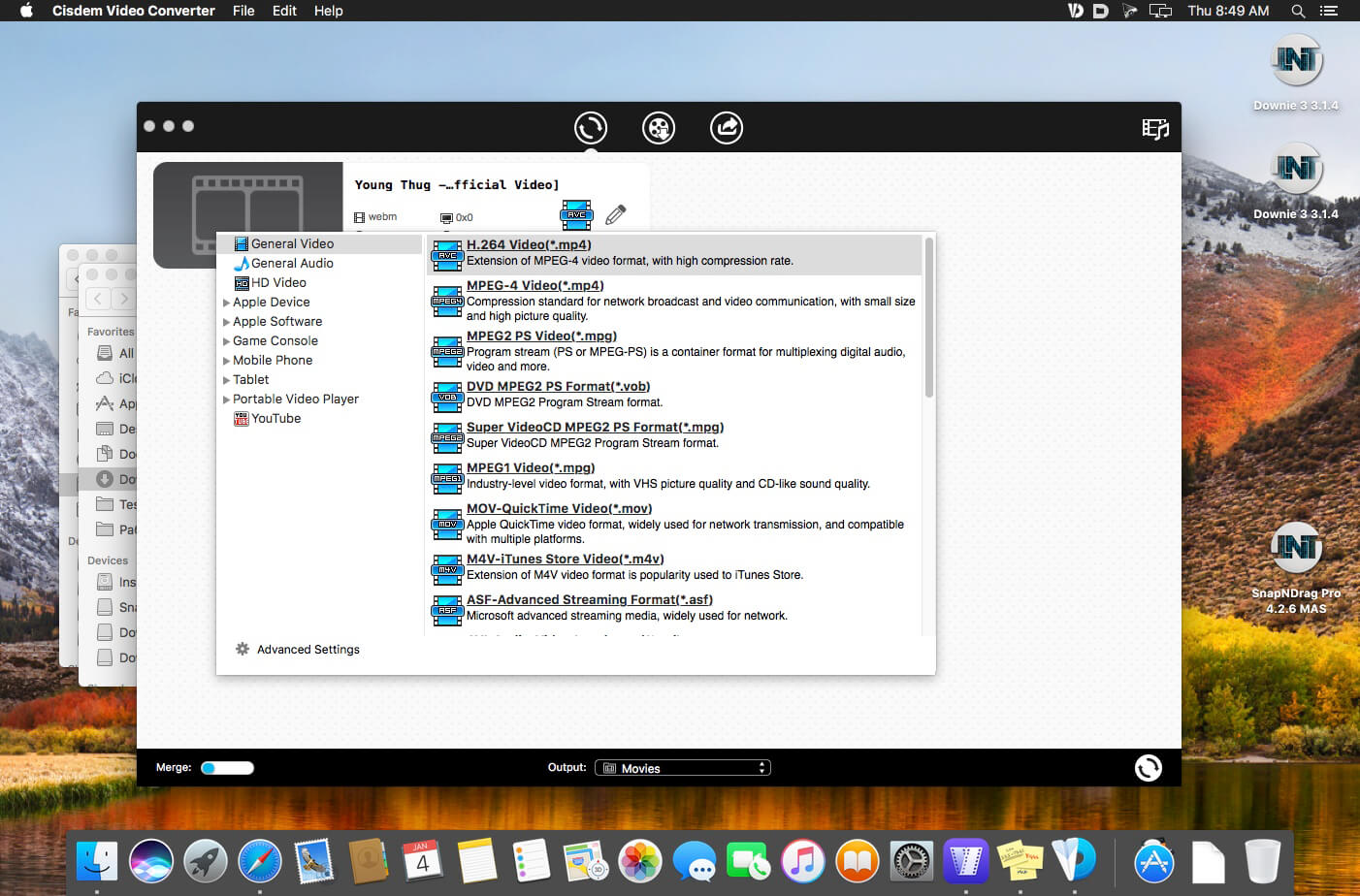
Cisdem Video Converter 6 for Mac – Download and Convert Videos on Mac without Quality Loss! The best video converting tool gives you everything you need to download and convert videos for mainstream devices.

Download YouTube and YouTube HD Videos
Mac Video Converter lets you download any YouTube videos, including YouTube HD and YouTube 4K UHD videos for totally free. You can save the downloaded YouTube videos in a chosen quality and resolution up to your choice.

Convert Video & Audio and Rip DVD Movies at Ease
Mac Video Converter is the All in one solution for converting video & audio files in any format, ripping DVD movies, and converting online videos.

Convert Videos with the Highest Possible Quality Output
We know quality matters. That’s why we use advanced HD video decoding engine to convert video from one format to another without re-compressing it. Since it changes only the format of a file, not its content. You can preserve the quality of the original video and get output video files of the highest possible quality.

Advanced Audio and Video Sync Technology
The program adopted advanced audio and video sync technology; fixed Video/Audio sync problems to let you enjoy smooth synced videos.

A Real Time Saver – Up to 30X Faster
With extremely fast download and convert accelerator built-in. Every video you put into the Mac Video Converter is converted as fast as copying files from one folder to another – even during batch conversions of multiple files simultaneously. Some formats even processed 30x faster than any competitor! Download the program and check it out for yourself.

Regain Space by Compressing Large Media Files
Video files recorded by camcorders are often very large, especially those taken by HD Camcorder. Integrated with an advanced video processing technology, Video Converter for Mac will downsize video files with minimum quality loss! The converted videos are nearly indistinguishable from the originals. Thus you are able to free up a decent amount of storage space on your devices.

Do Basic Editing: Crop, Rotate, Watermark, etc.
The Mac Video Converter also includes a range of basic editing tools including merge, trim, crop, rotate, watermark, subtitle, Deinterlacing, effects, etc.

Watermark Your Video
Add Watermark to videos for copyright protection or self-promotion.

Add Subtitles
Load subtitle with external .srt for better understanding.

Get the Sections You Need
Crop video to remove unnecessary parts and trim to get your favorite segment.

Merge Videos into One
Join video file or different clips into a single video.

Deinterlacing Raw Footages
Deinterlace an interlaced video into a progressive one.

Adjust Video Effects
Set video brightness or add effects like 2D to 3D, Grayscale, Gamma, etc.

Devices
iPhone7/ 7Plus / 6/ 6S, iPad, iPod Touch, Apple TV, Samsung, Amazon, PSP, etc.

SD/HD Video
AVI, MP4, FLV, WMV, 3GP, MKV, MPEG, MP3, etc.

Social Sites
Publish newly-made videos on many social networks like facebook, twitter, goolge+, etc.

Online
Directly upload your video to YouTube, Vemeo, and other video sharing sites

Compatibility: OS X 10.11 or later 64-bit
Homepage https://www.cisdem.com/video-converter-mac.html

Screenshots

Name: Cisdem_Video_Converter_7.0.2__TNT__Mactorrents.io.dmg
Size: 66 MB
Files Cisdem_Video_Converter_7.0.2__TNT__Mactorrents.io.dmg[66 MB]

   Download

Dato 3.3.2

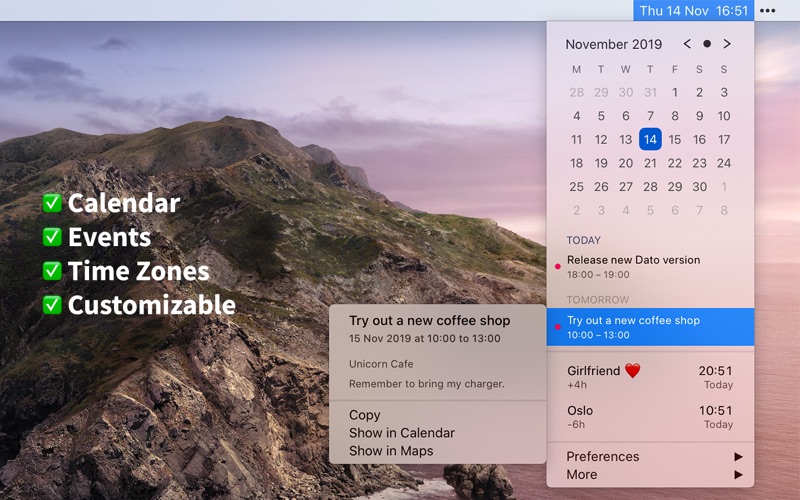
Dato gives you a local clock, date, and multiple world clocks in the menu bar. When you click Dato in the menu bar, you get a menu with a calendar, calendar events, and world clocks. All of this is highly customizable. Dato also comes with some macOS 11 widgets.
One-time purchase with free upgrades forever. Dato will never be subscription-based.

Dato supports all the locales and languages that macOS supports for the menu bar text, dates, times, and the calendar, but the menus and preferences are English-only.

Note to Chinese users: 该应用程序仅以英语提供,它将永远不支持农历。

On macOS 11, it’s no longer possible to completely hide the system menu bar clock. So Dato can only replace the date or you can make the system clock just be an analog clock icon.

Note: Some of the features in the screenshots are macOS 11-only features.

Features
Your upcoming events at a glance

  • Customize how many events to show and for how many days
  • Supports HTML formatted notes
  • Quickly reveal the event in your default calendar app

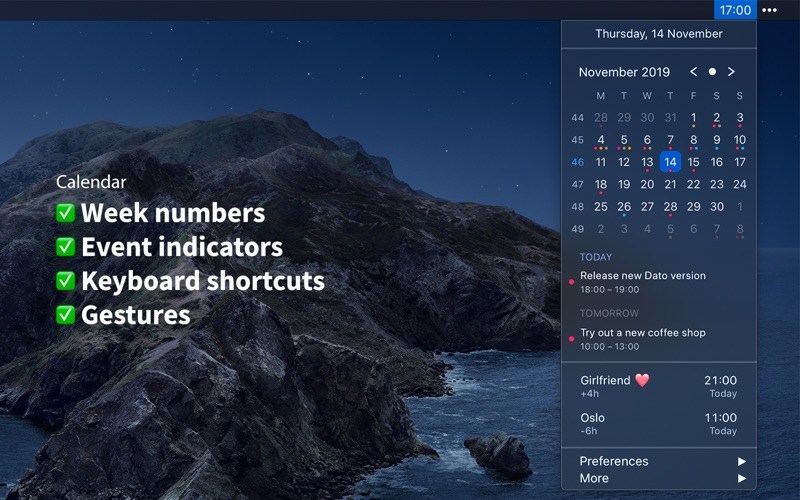
Calendar

  • Week numbers
  • Event indicators
  • Highlighting specific days of the week

World clocks

  • Shown in either the Dato menu or the menu bar
  • Custom names
  • Search 15k cities offline

And a lot more!

  • Supports all calendar services that macOS supports (iCloud, Google, Outlook, etc)
  • Custom format for the date & time in the menu bar
  • Zoom, Google Meet, and Microsoft Teams integration (shows an icon on events and button to quickly join)
  • Many menu bar icons to choose from (for example, date in calendar like Itsycal)
  • Show seconds in the menu bar clock or in the menu
  • Global keyboard shortcut to open/close the app
  • Lots of in-app keyboard shortcuts for power users
  • Open calendar events from Google Calendar directly in Google Calendar on the web
  • Large text mode
  • Fully customizable

macOS 11-only features

  • Show the upcoming event in the menu bar (like Fantastical, Meeter, and MeetingBar)
  • Create events (even with a global keyboard shortcut)
  • Widgets: Date & time and calendar
  • Join the next meeting (Zoom/Meet/Teams) with a customizable global keyboard shortcut

macOS 10.15-only features

  • Today widget in the Notification Center for time zones
  • Custom color for the date & time menu bar item (macOS 11 broke this)

Compatibility: macOS 10.15.5 or later
Mac App Store https://apps.apple.com/app/dato/id1470584107

Screenshots


Name: Dato_3.3.2_MAS__HCiSO_Mactorrents.io.dmg
Size: 9.1 MB
Files Dato_3.3.2_MAS__HCiSO_Mactorrents.io.dmg[9.1 MB]

   Download

NoteBurner Spotify Music Converter 2.3.3

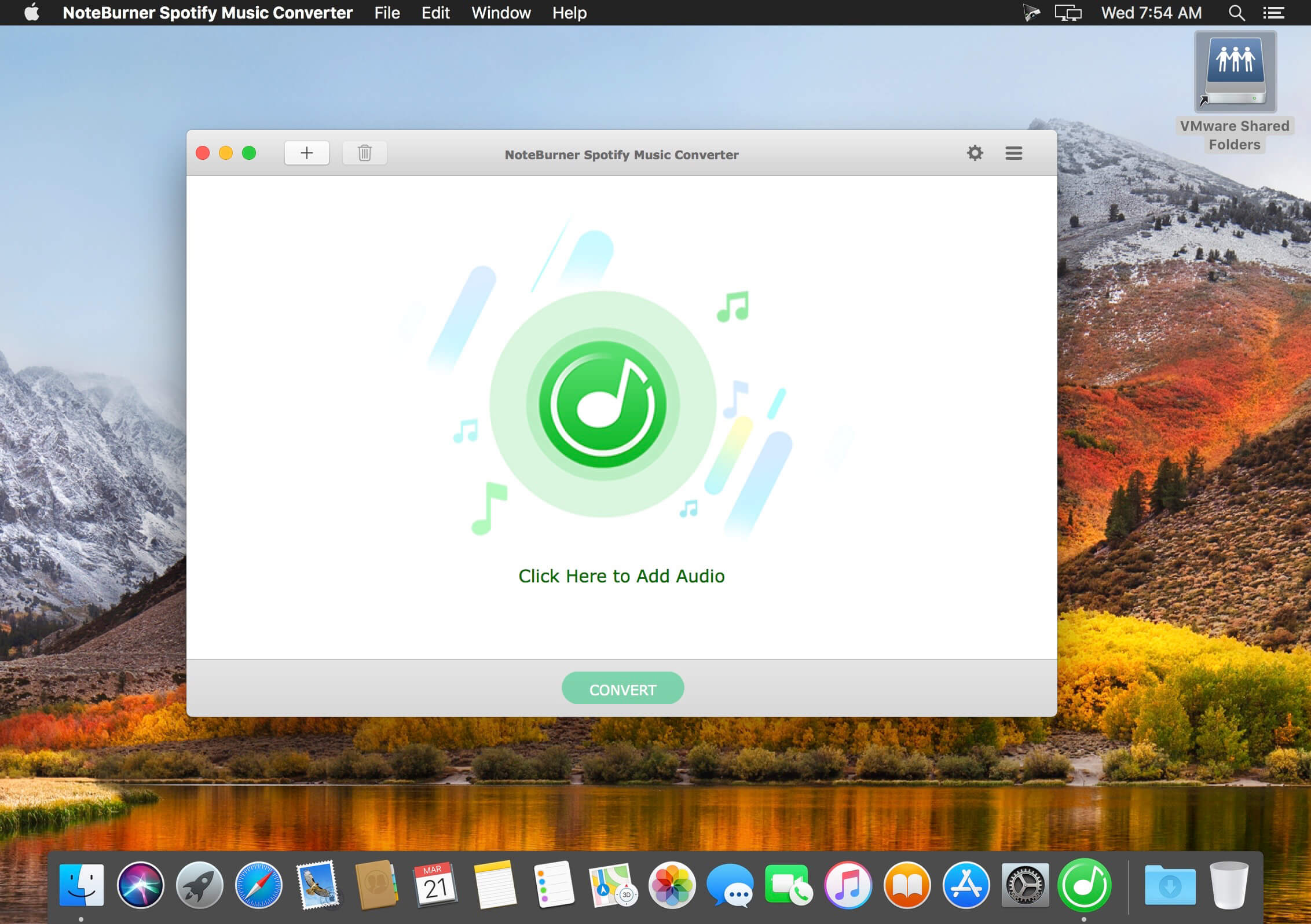
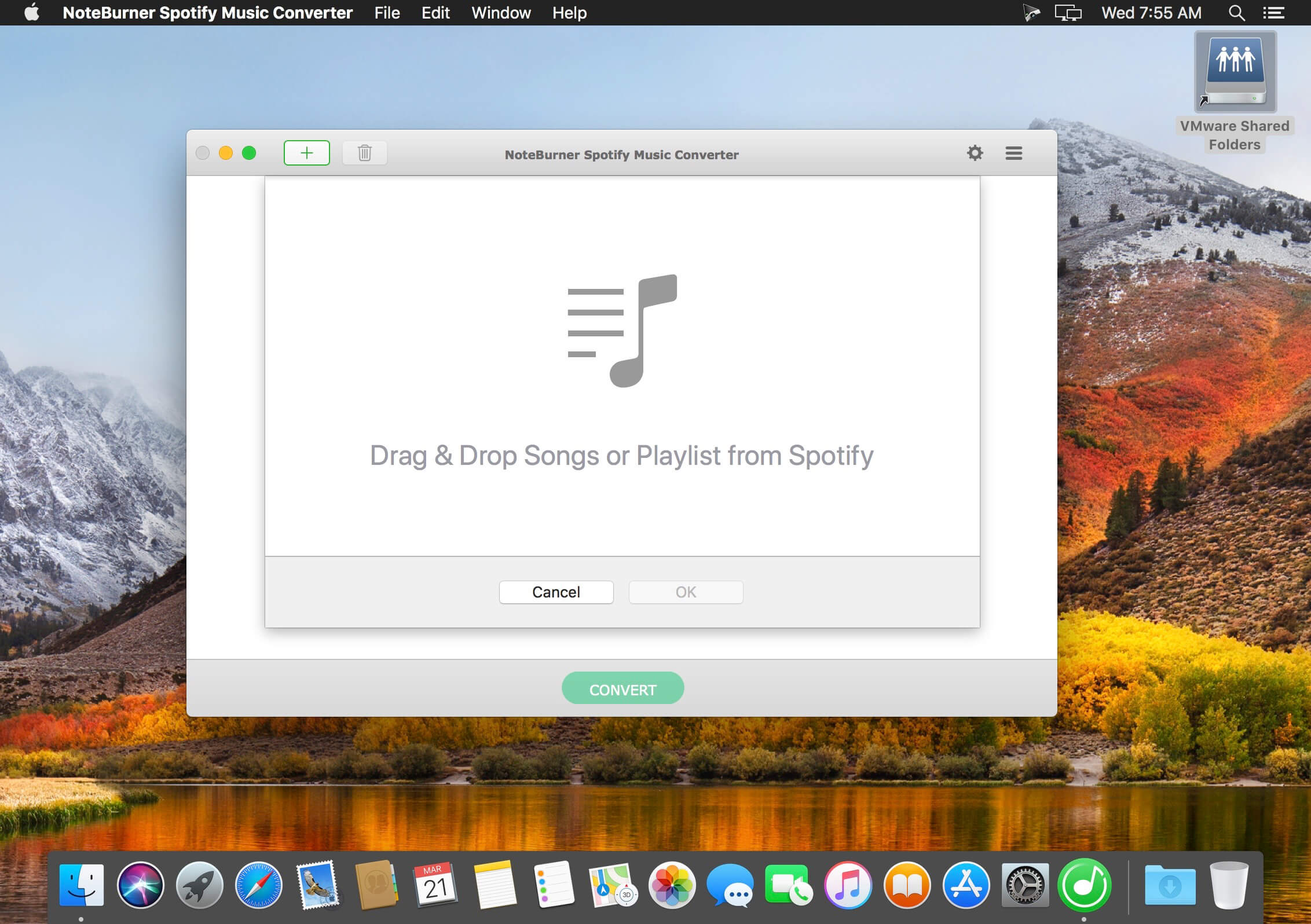
NoteBurner Spotify Music Converter is a well-designed audio converter for Spotify. It can remove DRM from Spotify music and make it possible to save Spotify music to local computer or play it on your music player. Besides, you can use NoteBurner Spotify Music Converter to convert Spotify music to mp3, aac, flac or wav format according to your need. Before conversion, there are flexible settings for you to choose.

With an innovative DRM decrypting technique, NoteBurner Spotify Music Converter can convert at 5X faster speed when converting Spotify music to MP3, AAC, FLAC or WAV format. After conversion, you can get the original quality of Spotify music with ID3 tags preserved. This program can convert any audio which can be played in Spotify. Batch conversion is supported as well. With a simple and concise interface, it’s easy and convenient to convert Spotify music. What’s more, there is no need for extra hardware or virtual drive. This program will encode Spotify music to mp3, aac, flac or wav while recording.

What’s New:

Version 2.3.3:

  • Release notes were unavailable when this listing was updated.

Compatibility: OS X 10.9 or later, 64-bit processor
Homepage https://www.noteburner.com/

Screenshots


Name: NoteBurner_Spotify_Music_Converter_2.3.3__HCiSO_Mactorrents.io.dmg
Size: 87 MB
Files NoteBurner_Spotify_Music_Converter_2.3.3__HCiSO_Mactorrents.io.dmg[87 MB]

   Download

Mirror for Hisense TV 3.8.3

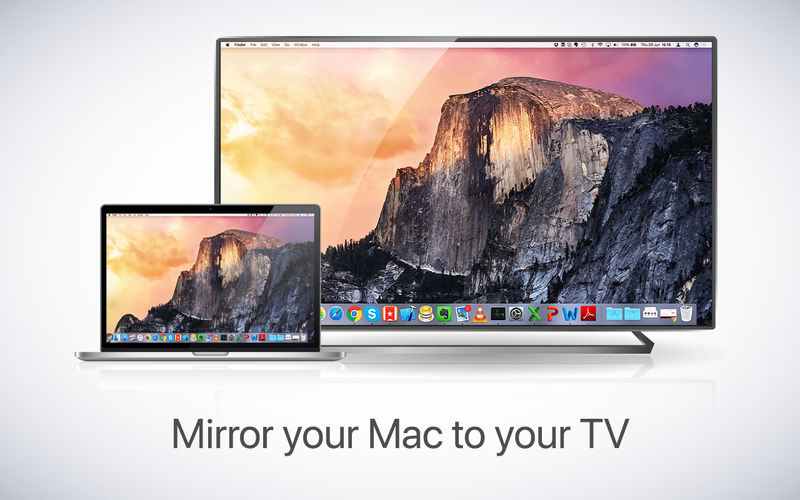
If you own a Hisense TV and want to show your computer’s display on the big screen, AirBeamTV has the solution! Mirror your Mac, iMac or Macbook to any Hisense Smart TV. No wires and no additional hardware needed. The app works without the need for an Apple TV or Airplay.

Application to mirror the screen of your Mac to any Hisense Smart TV. No wires and no additional hardware needed! You can also stream individual video files from your Mac to your TV. Also, this app works without the need for an Apple TV or Airplay. Our app also works on Hisense Android TVs and Hisense Roku TVs.

Compatibility: macOS 10.10 or later
Homepage https://www.airbeam.tv/brands/mirror-for-hisense-tv/

Name: Mirror_for_Hisense_TV_3.8.3__TNT_Mactorrents.io.dmg
Size: 17 MB
Files Mirror_for_Hisense_TV_3.8.3__TNT_Mactorrents.io.dmg[17 MB]

   Download

LaunchControl 1.52.3 U2B

LaunchControl is a fully-featured launchd GUI allowing you to manage and debug system and user services on your Mac. All documented features of launchd(8) are supported. It reports potential problems even before a job is started and makes sure you always create valid configurations.

With LaunchControl you see all services and their respective status at a glance. Invalid services are highlighted and a problem description is provided. You can enable or disable services with a single click. The same goes for loading, unloading and ad-hoc starting. A long list of jobs may be filtered by job name and/or various properties, helping you to find what you are looking for in an instant.

But LaunchControl is not just another .plist editor. It provides a dedicated interface for every single launchd configuration key. The interface is
adaptive. It displays only information that is relevant for the selected job. Don’t waste time trying to figure out why a job does not behave as expected.

LaunchControl performs exhaustive analysis of your job and chances are that it will find the problem in an instant and tell you howto fix it. It provides most of the functionality of the launchctl command line utility, everything you need to create, edit, remove or debug launch services and even includes a log viewer, so you don’t have to fire up Console.app and build custom queries.

Sometimes it is desirable to quickly load, unload, start or stop a job on demand without hunting it down in LaunchControl every time.
QuickLaunch is a small menu extra living in your menu bar. It contains a list of selected jobs and their respective status.

To add a job to this menu select it in LaunchControl and select Job>QuickLaunch from the menu. This menu item will be checked to indicate that the job has been
added. Clicking it again will remove the job from the QuickLaunch menu again. launchd currently supports some 36+ documented keys.
LaunchControl makes it easy to discover them. Every key in the palette panel is annotated, so you don’t have to consult the man page. Search
them by category, name or description. Once found, drag an item from the palette section to the configuration section to add this key.

Sophisticated interface
With LaunchControl you see all services and their respective status at a glance. Invalid services are highlighted and a problem description is
provided. You can enable or disable services with a single click. The same goes for loading, unloading and ad-hoc starting. Long list of jobs
may be filtered. You find what you are looking for in an instant. But LaunchControl is not just another .plist editor. It provides a dedicated
interface for every single launchd(8) configuration key. The interface is adaptive. It displays only information that is relevant for the selected
job.

Absolute freedom
While the default editing mode in LaunchControl supports all documented features of launchd(8), you may sometimes need to use unofficial
features. Switch to ‘Expert Mode’ and you’re set. Both modes are fully synchronized. Changes in one editor will instantly show up in the other
one.

Everything you need
LaunchControl provides everything you need to create, edit, remove or debug launch services. It even includes a log viewer, so you don’t have
to fire up Console.app and build custom queries.

Discover what’s possible
launchd(8) currently supports some 36+ documented keys. LaunchControl makes it easy to discover them. Every key in the palette panel is
annotated, so you don’t have to consult the man page. Search them by category, name or description. Once found, drag an item from the
palette section to the configuration section to add this key.

System requirements:
LaunchControl supports all macOS versions from Mavericks (10.9)* to Monterey (12). It requires a 64bit Intel or Apple Silicon Mac. Both architectures are supported natively.
Note: Starting with macOS Big Sur the system volume is sealed and it is no longer possible for any process to modify its contents. This affects LaunchControl’s ability to modify system agents and daemons.

Homepage https://www.soma-zone.com/LaunchControl/

Name: LaunchControl_1.52.3__HCiSO_Mactorrents.io.dmg
Size: 28.8 MB
Files LaunchControl_1.52.3__HCiSO_Mactorrents.io.dmg[28.8 MB]

   Download

VideoSolo Video Cutter 1.0.8

Trim the unwanted part of a video/audio or quickly split a long file into smaller clips without losing quality. You can easily trim or split video/audio file precisely by dragging the progress bar or setting starting/ending point. The instant preview window makes trimming clearer.

Merge Multiple Video Clips into One File
As a professional video joiner/merger, VideoSolo Video Cutter can merge several videos or audio clips in MP4, AVI, MP3, MKV, etc into one file. Files order can be adjusted. Instantly upload any number of videos and combine them with one click.

Rotate Video by 90 Degrees & Flip Video Easily
Sometimes, you need to adjust the video angle to get a better vision or modify the wrong orientation video. VideoSolo Video Cutter is conversant in rotating video 90 clockwise or 90 counterclockwise. It can also allow you to flip video vertically or horizontally.

Crop Video Borders, Adjust Video Aspect Ratio
Feel troublesome in the unnecessary black bars around the videos? Or want to spotlight the specific area of your video? You can crop video precisely by dragging or simply filling in the crop area size. The 4 zoom mode: Letterbox, Medium, Pan & Scan and Full can help you suit the aspect ratio better.

Convert Video/Audio Cuttings into 150+ Formats
After editing the video or audio file, you can output the editing file into 150+ formats. It also predefined the output file for popular digital devices like iPhone/iPad/iPod/TV, Samsung/Sony/LG/Huawei smart phones/tablets or PS3/PS4 game console. Then, you can play the file on all popular devices.

Compatibility: macOS 10.10 or later
Homepage https://www.videosolo.com

Name: VideoSolo_Video_Cutter_1.0.8.111574__TNT_Mactorrents.io.dmg
Size: 40 MB
Files VideoSolo_Video_Cutter_1.0.8.111574__TNT_Mactorrents.io.dmg[40 MB]

   Download

VideoSolo Blu-ray Player 1.1.22

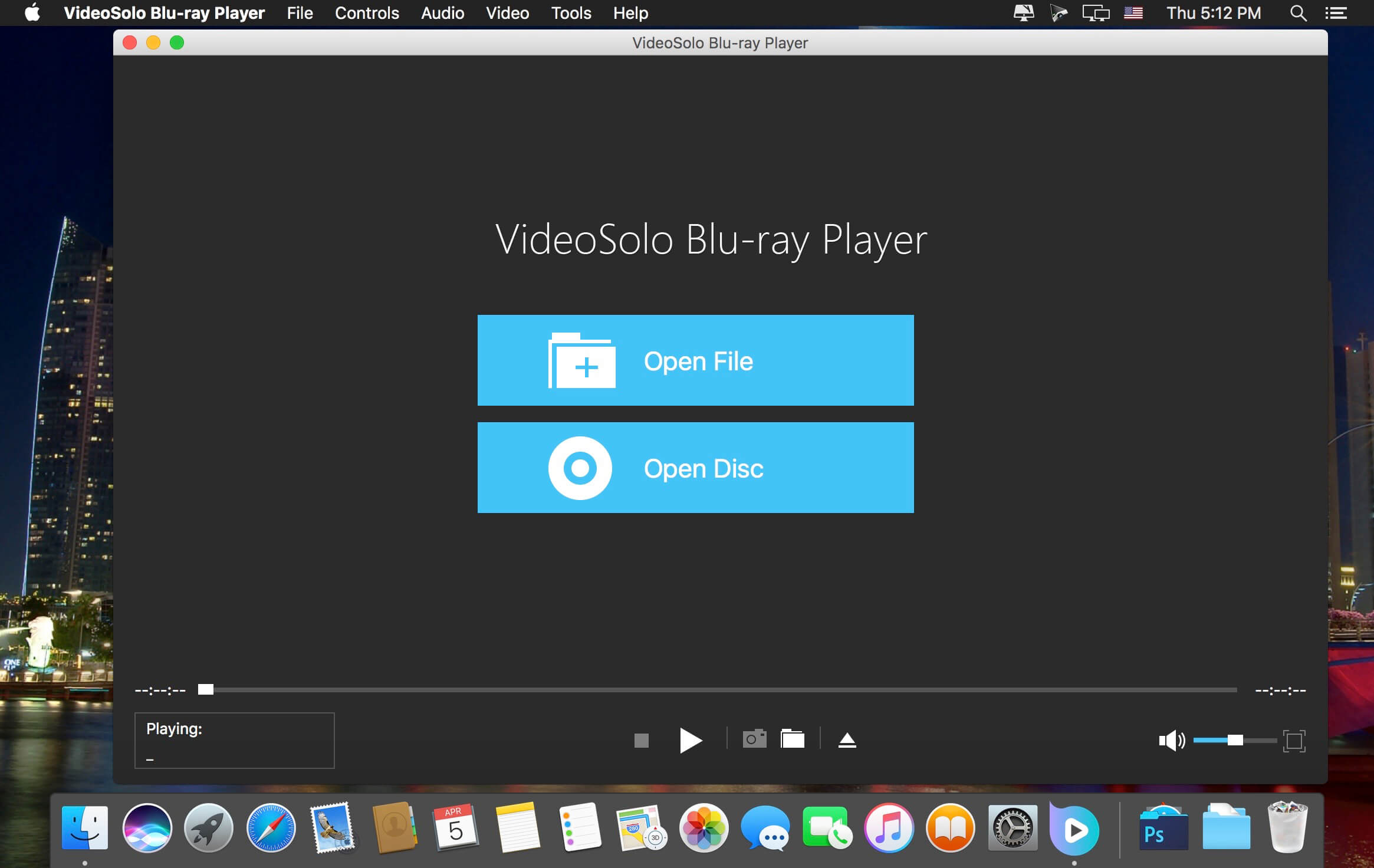
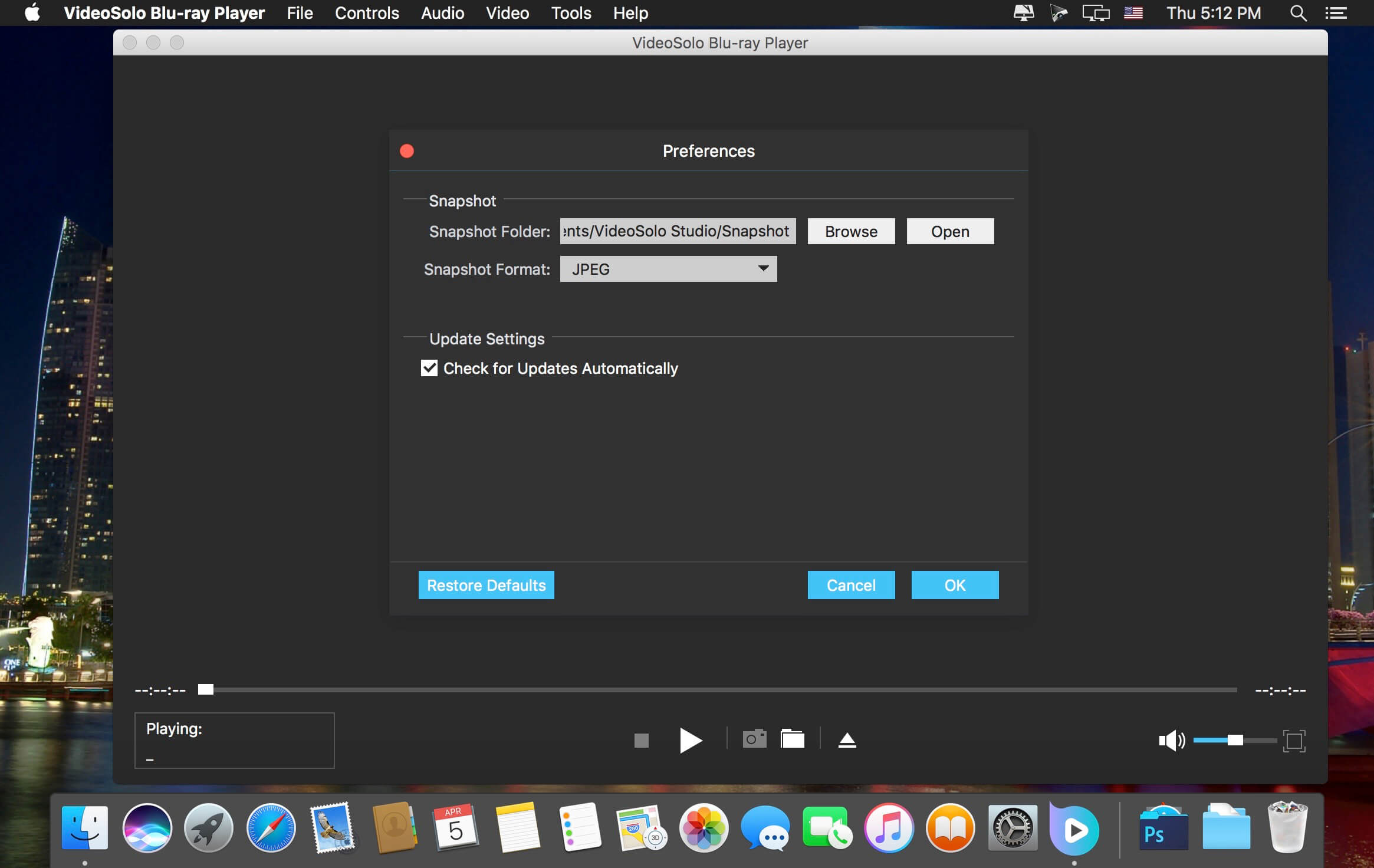
VideoSolo Blu-ray player is a great tool for freeing your BD disc from being locked in to specific platers, regions or formats. It supports playback commercial Blu-ray and homemade Blu-ray discs regardless of protection and restrictions armed on the disc. In a word, it is a professional player for latest Blu-ray Disc, BD ISO, BD Folders and BNMV files.

  • Play Blu-ray Disc, Blu-ray ISO file, and Blu-ray (BDMV) folders on Mac.
  • Play commercial Blu-ray or self-made Blu-ray in different regions and countries.
  • Freely choose preferred language, video quality, audio track and subtitles.
  • Play common video and audio files like MP4, MKV, AVI, WMV, MP3, etc.
  • Support playing HD (720p/1080p) and Ultra HD 4K videos.
  • Provide the best-in-class audio output with Dolby and DTS support.

Compatibility: OS X 10.9 or later, 64-bit processor
Homepage https://www.videosolo.com/

Screenshots


Name: VideoSolo_Blu-ray_Player_1.1.22.107405__TNT_Mactorrents.io.dmg
Size: 43 MB
Files VideoSolo_Blu-ray_Player_1.1.22.107405__TNT_Mactorrents.io.dmg[43 MB]

   Download

Caato Time Tracker Pro 1.1.15

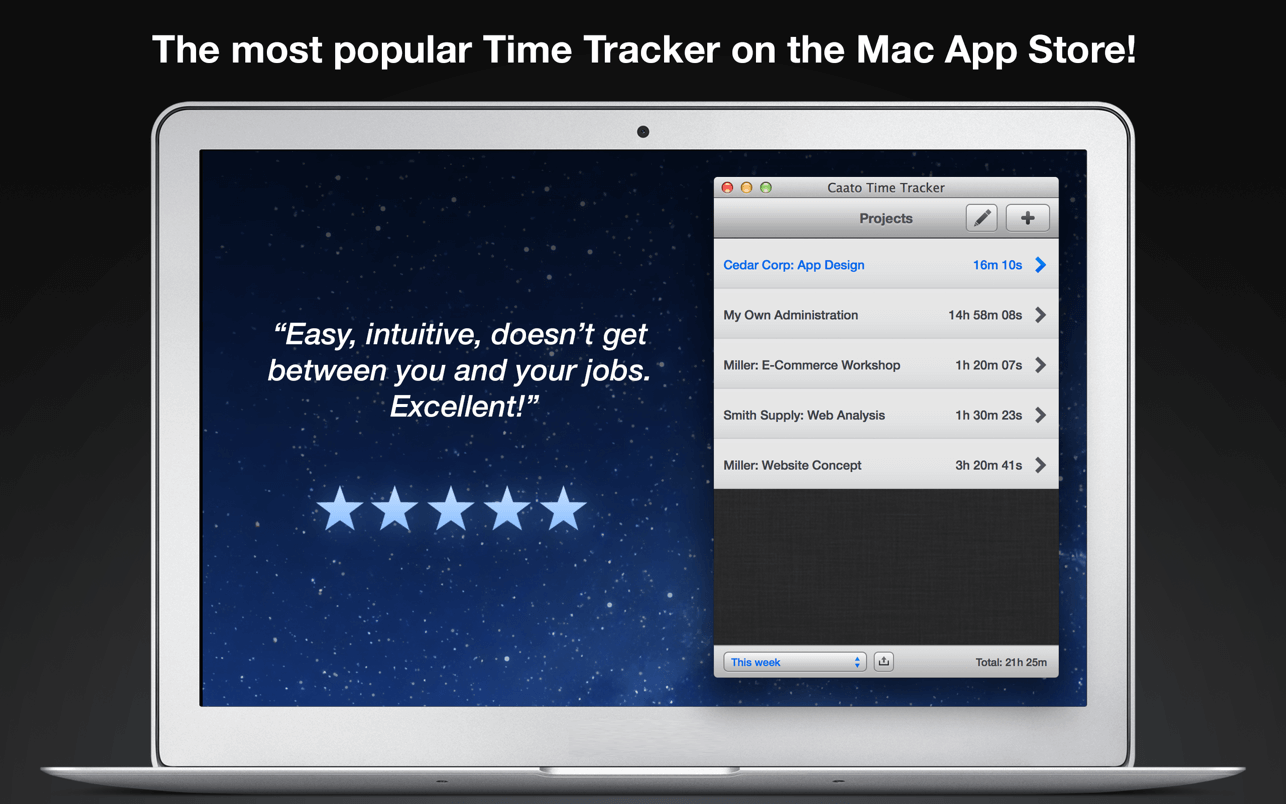
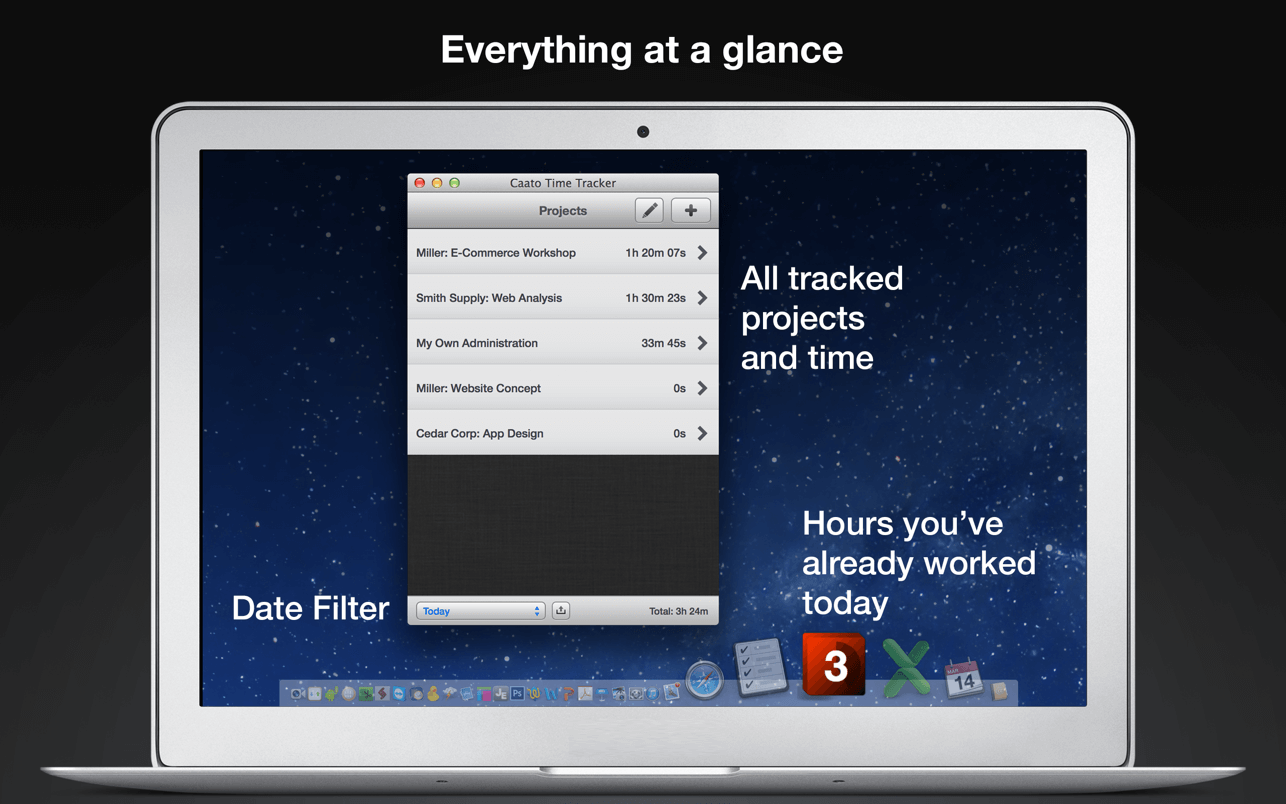
Caato Time Tracker uses a 3-tier hierarchy of projects, tasks, and detailed time entries. You can add, delete or edit entries on every level for maximum flexibility. The CSV-Export enables you to easily build reports with your favorite spreadsheet application.

Features

  • Start and pause button
  • Tracks projects, subtasks and detailed time entries including seconds
  • Tracks multiple projects at once
  • Allows editing of entries in the past
  • Shows number of running entries in Dock icon
  • Clean user interface with complete date labels
  • Easy CSV-export: exports data in a simple, comma-separated File
  • Retina-resolution support how you can use Caato Time Tracker

Compatibility: macOS 10.9 or later
Mac App Store https://apps.apple.com/app/id596816253

Screenshots


Name: Caato_Time_Tracker_1.1.15_MAS_In-App__TNT_Mactorrents.io.dmg
Size: 9 MB
Files Caato_Time_Tracker_1.1.15_MAS_In-App__TNT_Mactorrents.io.dmg[9 MB]

   Download

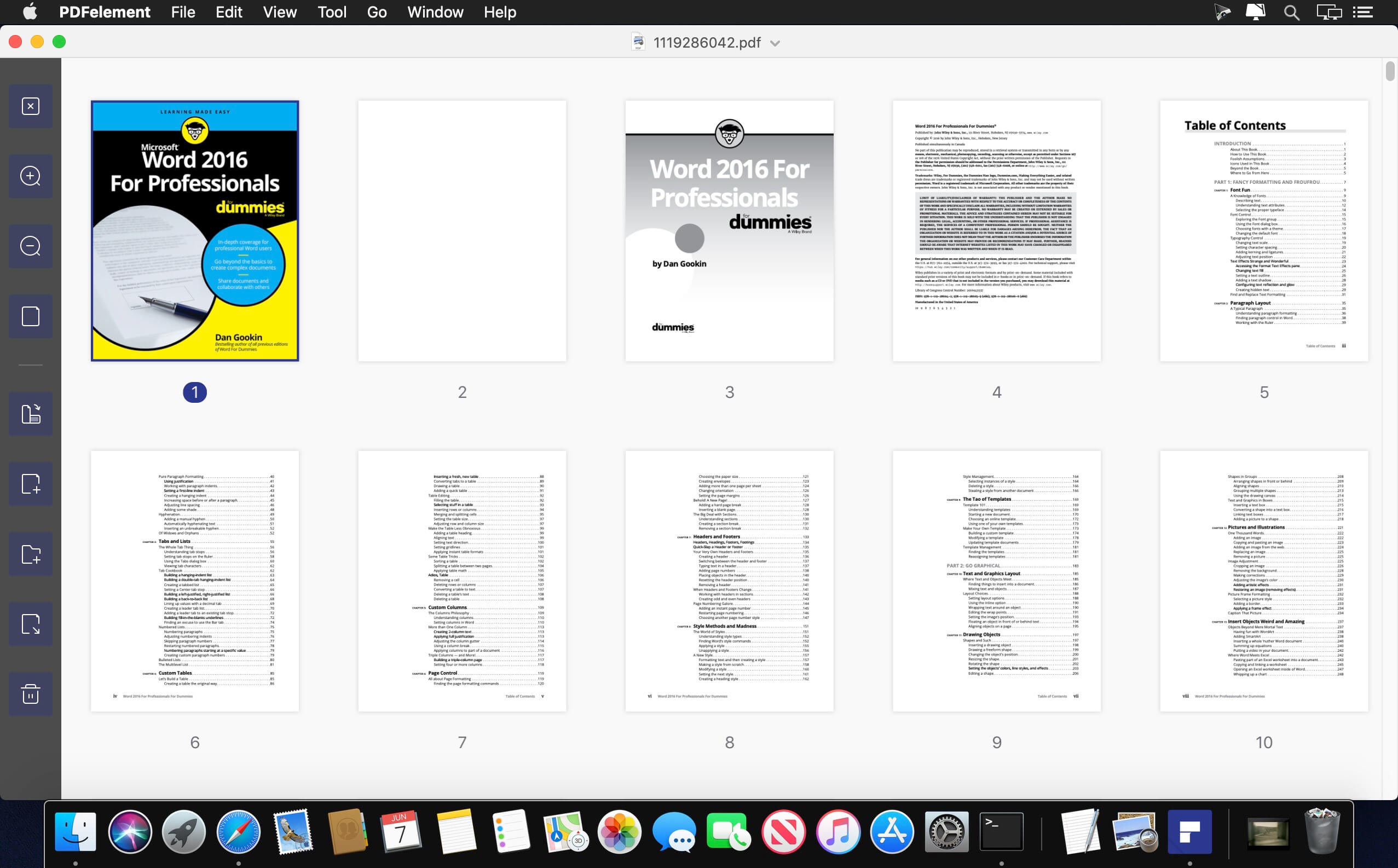
Wondershare PDFelement Pro 8.5.11 (OCR)

PDFelement – The easiest way to create, edit, convert, and sign PDF documents. We’re now introducing the all-new PDFelement 7, which includes a redesigned UI, more advanced writing tools, improved team collaboration features, more powerful conversion tools, a user management console, and more.

PDFelement Pro
OCR (Exclusive in Pro version)

  • OCR (Optical Character Recognition)enables you to edit and convert characters in scanned PDF files or pictures
  • Supports recognition of 29 languages

Create & Sign Forms (Exclusive in Pro version)

  • Create fillable PDF Forms from interactive field objects, such as buttons, check boxes, radio buttons, list boxes, and drop-down lists
  • Support adding digital signatures to forms

Merge PDF (Exclusive in Pro version)

  • Combine different format files into a new PDF

Convert PDF (Exclusive in Pro version)

  • Supports converting PDF file to a greater number of output formats like EPUB, HTML, Text, RTF

PDF/A (Exclusive in Pro version)

  • Support PDF/A as an available output format with ISO Standard for long term archiving

Batch Processing of PDF Files (Exclusive in Pro version)

  • Process PDFs in batches
  • Add backgrounds, watermarks, headers and footers in batches

Bates Numbering (Exclusive in Pro version)

  • Apply Bates Numbering with advanced formatting

Redact PDF (Exclusive in Pro version)

  • Redact sensitive text and images in PDFs

What’s New:

Version 8.5.11 (OCR)

  • Release notes were unavailable when this listing was updated.

Compatibility: macOS 10.14 or later
Homepage https://www.wondershare.com/

Screenshots


Name: Wondershare_PDFelement_Pro_8.5.11__OCR___TNT_Mactorrents.io.dmg
Size: 657 MB
Files Wondershare_PDFelement_Pro_8.5.11__OCR___TNT_Mactorrents.io.dmg[657 MB]

   Download

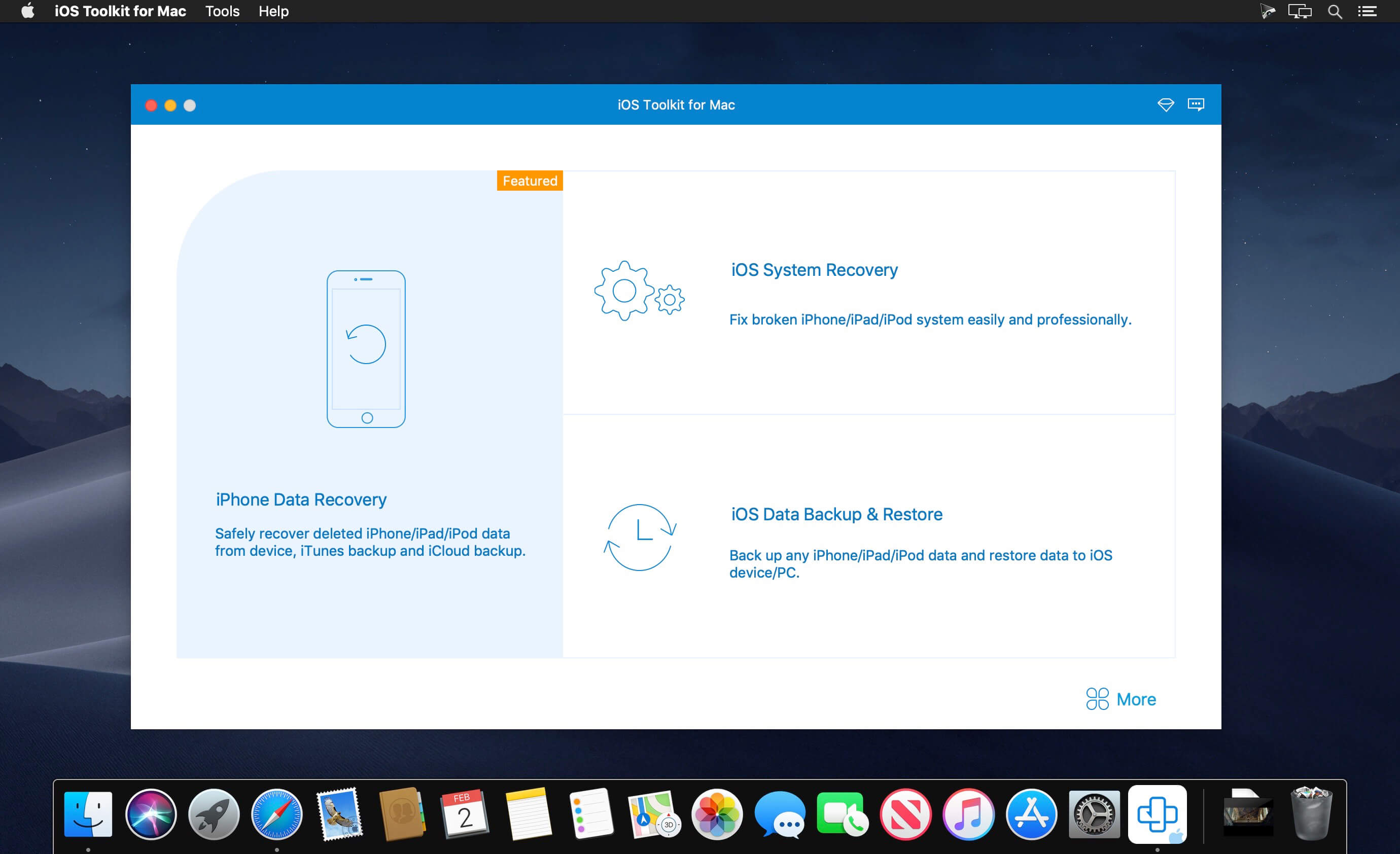
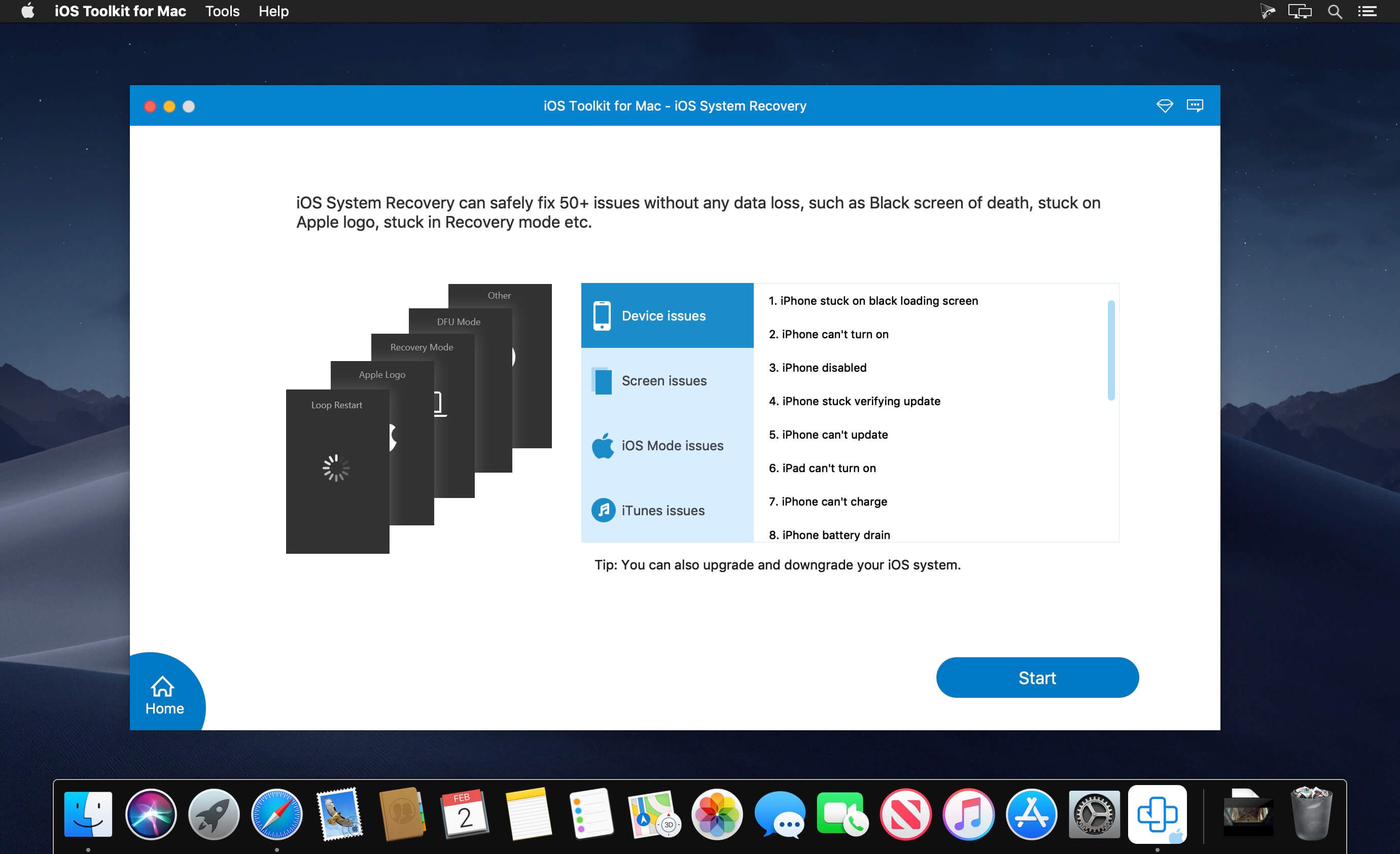
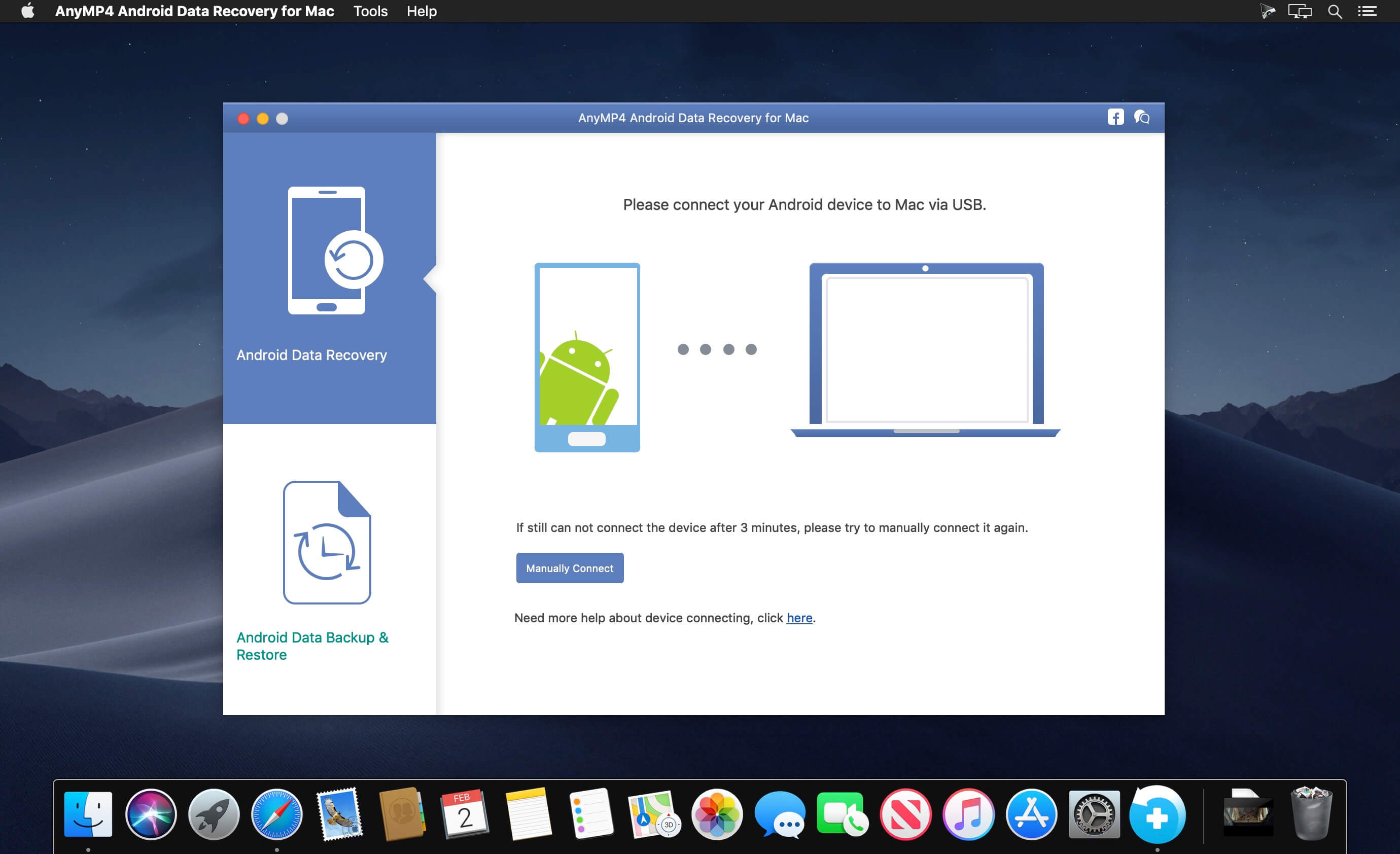
AnyMP4 iPhone Data Recovery 9.0.66

With this powerful iPhone Data Recovery for Mac, you can recover 9 types of data including contacts, SMS, call history, calendar, notes, reminder, Safari bookmarks, Safari history and WhatsApp to Mac. It highly supports any frequently-used iOS device like iPhone 11/11 Pro/11 Pro Max/XS/XS Max/XR/X/8/8 Plus/7/7 Plus/6s/6s Plus/6/6 Plus/SE/5s/5c, iPad, iPad Pro/mini 4/mini 3/mini 2/mini/Air 2/Air/4/3/2/New iPad Pro, iPod touch/nano and more.

For iPhone 4/3GS, iPad 1, and iPod touch 4, this Mac iPhone Data Recovery can restore 19 types of data, including Contacts, SMS/MMS, Call history, Calendar, Notes, Reminders, Safari bookmarks, Safari history, WhatsApp Chats, Camera Roll, Photo Library, Photo Stream, Message attachments, Voice memos, WhatsApp Attachments, Voicemail, App Photos, App Videos, App Audio and so on.

What’s New:

Version 9.0.66:

  • Release notes were unavailable when this listing was updated.

Compatibility: OS X 10.9 or later
Homepage https://www.anymp4.com

Screenshots


Name: AnyMP4_iPhone_Data_Recovery_for_Mac_9.0.66.114995__TNT_Mactorrents.io.dmg
Size: 47 MB
Files AnyMP4_iPhone_Data_Recovery_for_Mac_9.0.66.114995__TNT_Mactorrents.io.dmg[47 MB]

   Download

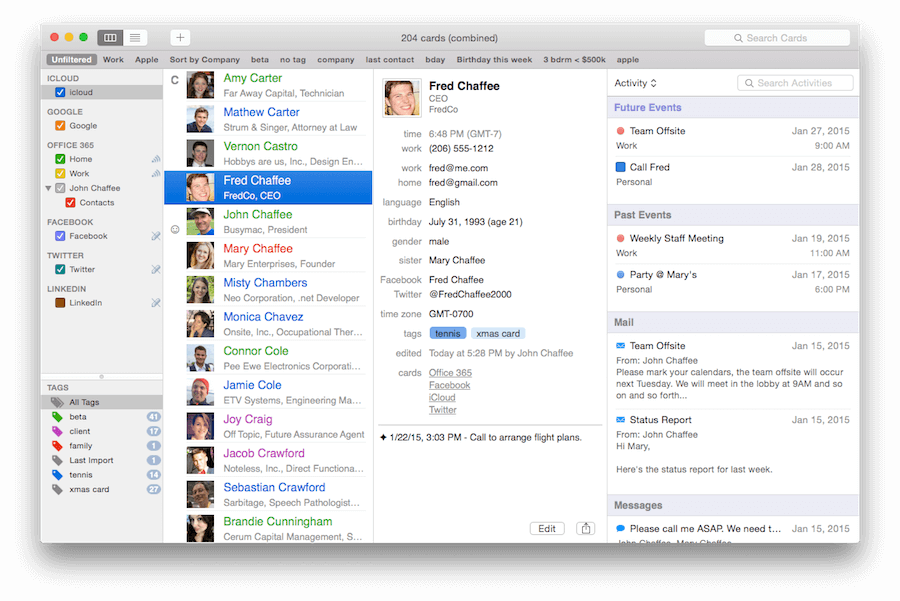
BusyContacts 1.6.4 U2B

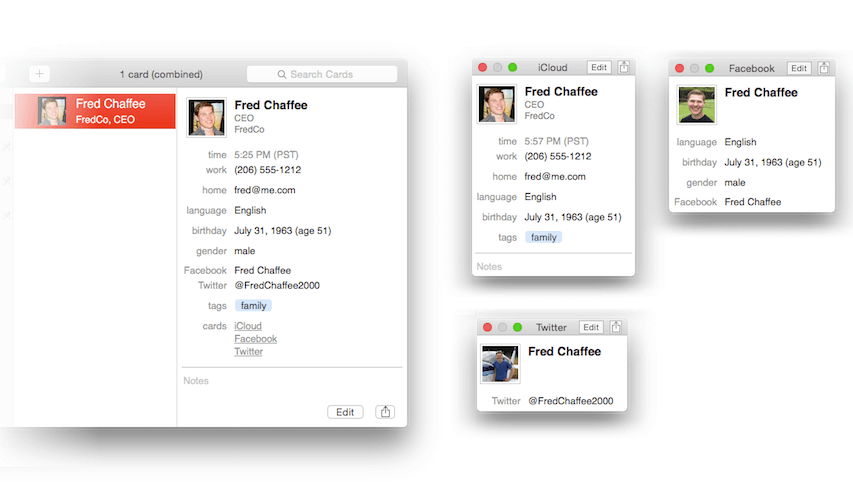
BusyContacts is a contact manager for macOS that makes creating, finding, and managing contacts faster and more efficient. It brings to contact management the same power, flexibility, and sharing capabilities that BusyCal users have enjoyed with their calendars. What’s more, BusyContacts integrates seamlessly with BusyCal, forming a flexible, easy-to-use CRM solution that works the way you do.

BusyContacts syncs with the built-in Contacts app on OS X and iOS, and supports all leading cloud services, including iCloud, Google, Exchange, Facebook, Twitter, and LinkedIn.

Key Features

  • Customizable Views — View contacts in a single-column Card View or multi-column List View.
  • Tags — Tags can be used for grouping, filtering and coloring contacts.
  • Smart Filters — Smart Filters are a powerful tool for filtering contacts, creating saved searches, and even applying custom view settings in the List View.
  • BusyCal integration — BusyContacts integrates with BusyCal by linking contacts to events in your calendar, providing flexible CRM capabilities for tracking past and future activities.
  • Activity List — The Activity List displays activities associated with the selected contact including calendar events, emails, messages, and recent social network posts.
  • Social-network integration — BusyContacts syncs with Facebook, Twitter and LinkedIn, combining contact information from each of these sources into a unified contact card.
  • Syncing — BusyContacts syncs with the built-in Contacts app on OS X and iOS through all leading cloud services including iCloud, Google, Exchange, and other CardDAV servers.
  • Sharing — BusyContacts allows you to share address books with read-only or read/write privileges through Exchange, Fruux, LAN, and other CardDAV servers.

Compatibility: macOS 10.12 or later
Homepage http://www.busymac.com/busycontacts/

Screenshots


Name: BusyContacts_1.6.4__HCiSO_Mactorrents.io.dmg
Size: 22 MB
Files BusyContacts_1.6.4__HCiSO_Mactorrents.io.dmg[22 MB]

   Download

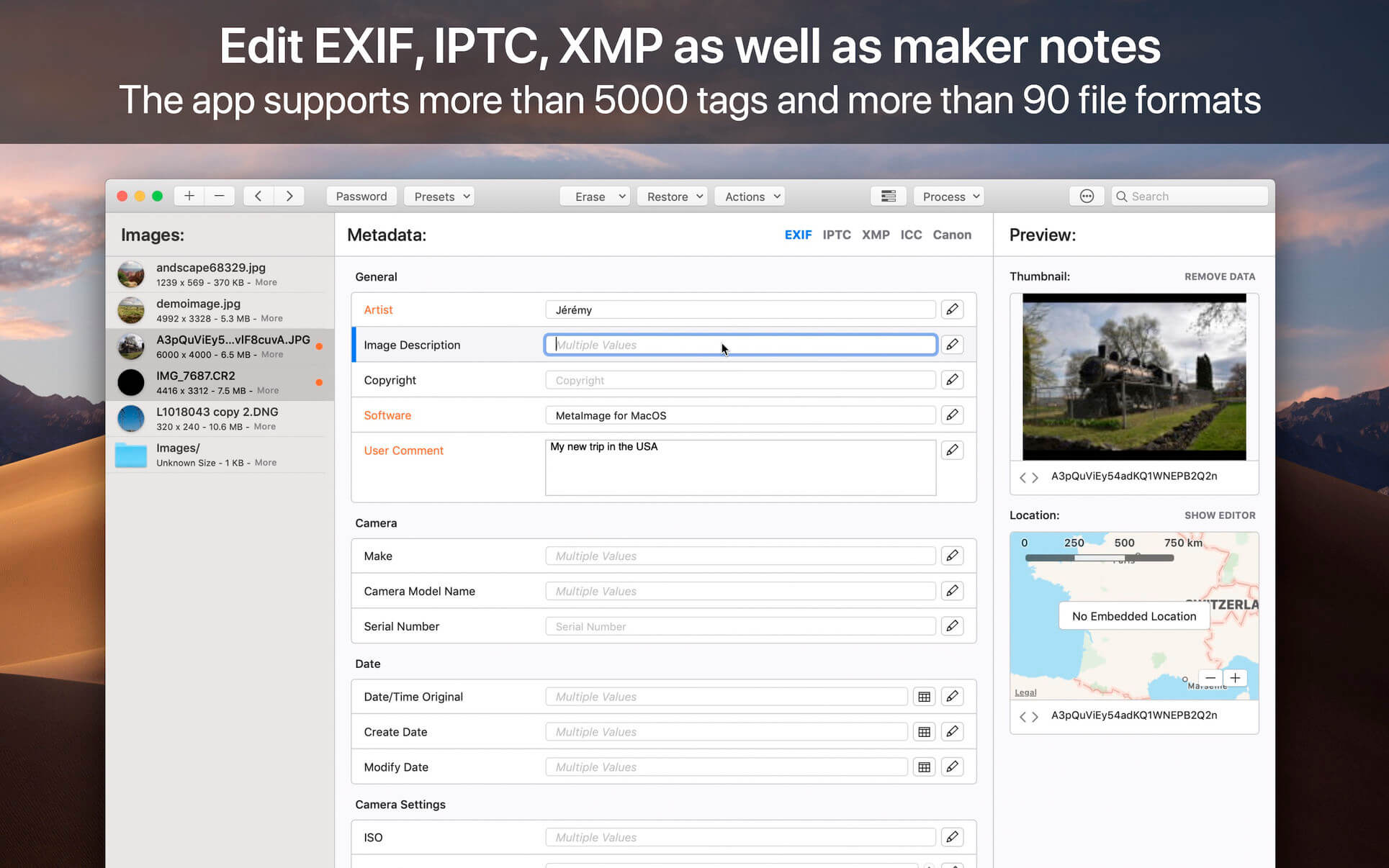
Image Exif Editor 5.2.0

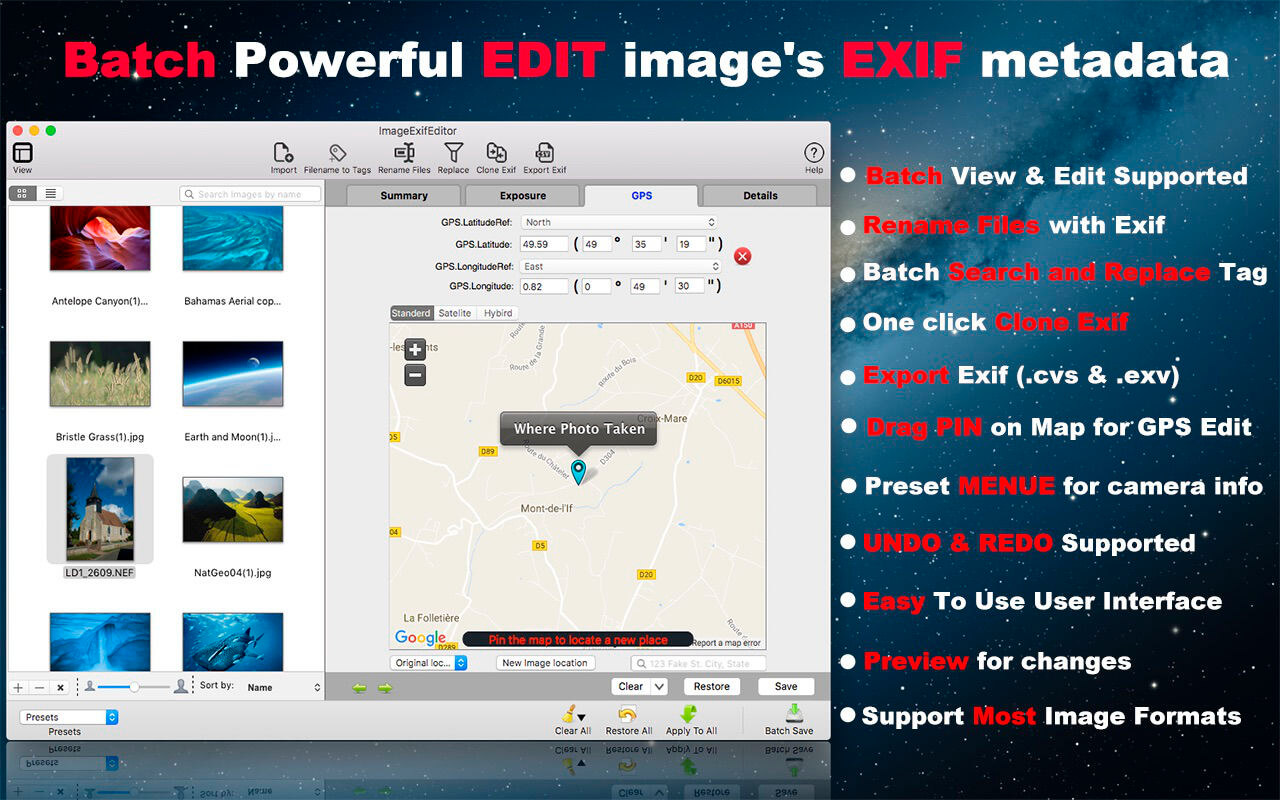
Image Exif Editor was designed to present as many details about how a photo was taken in a clear and easy to understand format with powerful EXIF metadata editing capabilities. It’s the most powerful tool to handle the EXIF information in your favorite images.

New Version Added Main functions:
FUNTION

  • Batch copy filename to Title field.
  • Batch rename image files.
  • Batch search and replace EXIF information.
  • One click to clone the image’s EXIF data.
  • Export Image’s EXIF data to .cvs or .exv.

IMPROVMENT

  • Fixed DNG File import crash.
  • Support for Nikon/AutoFocus and Sony/FocusPosition Metadata
  • Bug and security fixes.

MAIN FEATURES:
1. The Easiest Way To Edit Exif Data
you do not need to know more detail for change the image’s metadata, Image Exif Editor gives you many visible pre-set value for choice, So you just chose one for edit; It’s so easy!

2. Batch Image Exif Data Edit Supported
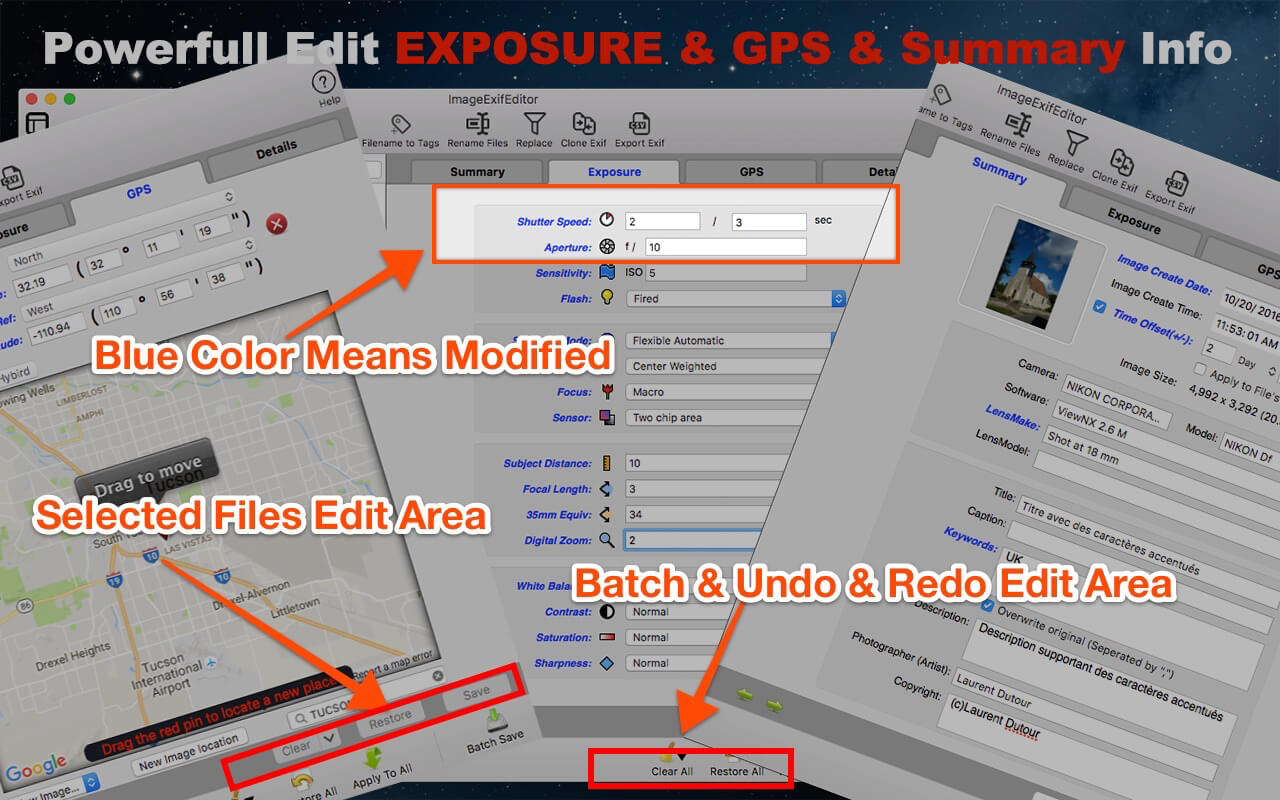
Image Exif Editor support Batch images edit, you can apply one image modify to others, and you can batch modify or clear Exif metadata

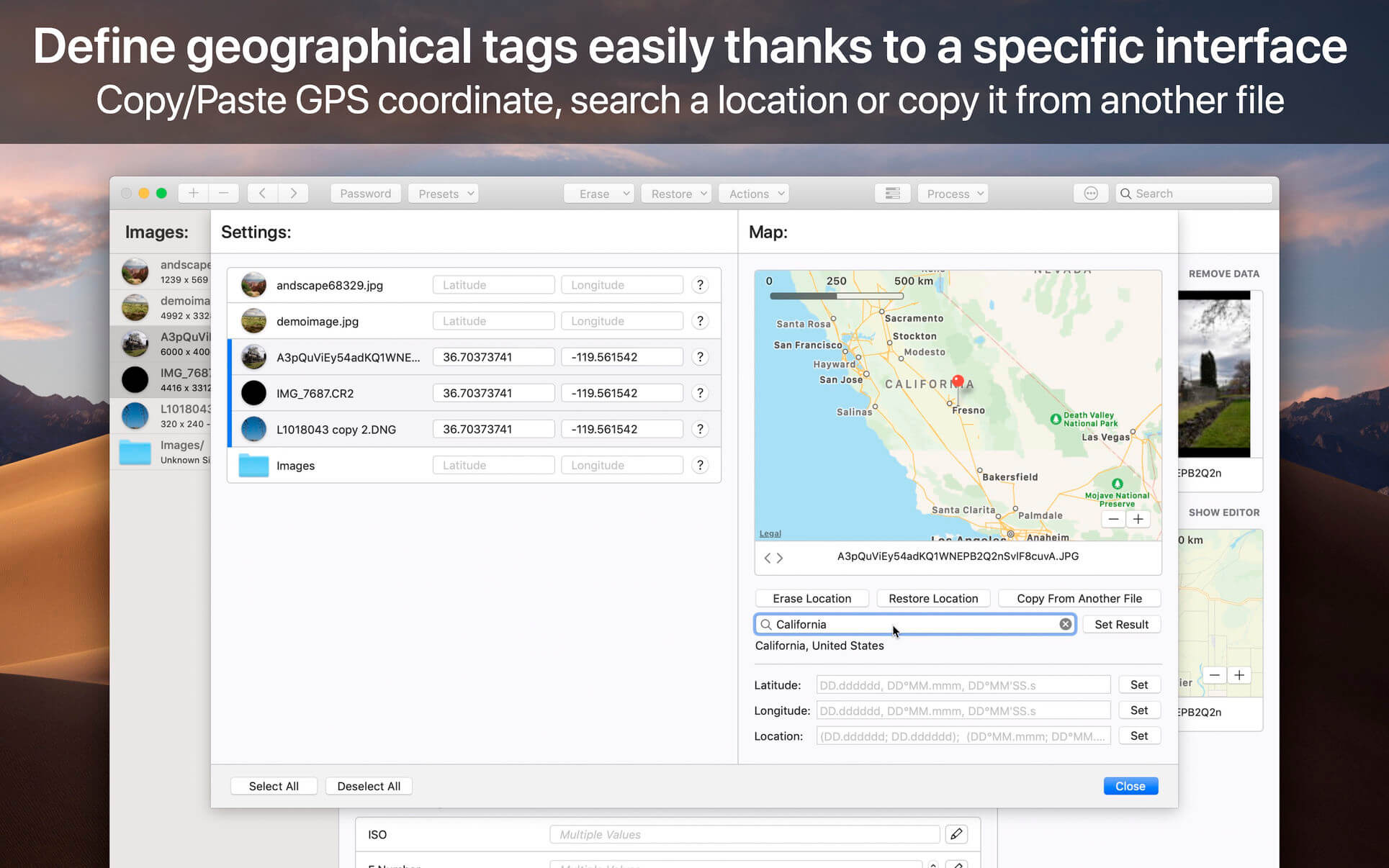
3. Visible GPS Geolocation And Camera Information Edit
you can see the place where your photo was taken on a map, and you can easily drag a pin to change a new place for your photo taken.

4. Enhanced GPS Geolocation Edit
GPS Geolocation Edit is so commonly used, so Image Exif Editor enhanced GPS geolocation, you can search a palace and drag the pin to change to the destination, also you can input the latitude and longitude value to re-locate your images. Other amazing features you can find when you use this function.

5. Batch Rename Files
Now, you can rename image files use the Exif data of the images, addition with other fantastic rename functions.

6. Export Exif Data
if you want to save the image’s EXIF data or share them with others, you can export the EXIF data of images with .cvs or .edu EXIF data formate.

7. Clone Exif data
you just need one click to clone an image’s EXIF data to other images. Cool!

8. Batch find and replace the image’s EXIF data
the most convenient function for you just wants to search all the EXIF data and replace some image’s EXIF data with other words.

9. Quick Search Allows You To Easily Find And Edit The Image’s Exif Metadata
you can quickly find the image you want to edit by typing the name to search in a large number of images;

10. Undo Redo Supported For Batch Edit
one more thing, you can redo edit when you change your mind to give up your edit, and you can clear all by clicking the clear all button in the batch operation area.

11. Easy to find an edited field by a different color and identify the edited image by image state icon.

12. Easy To Use User Interface

13. Support Most Image Formats
jpeg, png,dxv, cr2, crw, mrs, tiff, dng, nef, pef, sr2, srw, orf, pgf, raf, eps, xmp, gif, psd, tga, bmp, jp2 and so on.
Compatibility: OS X 10.9 or later 64-bit
Mac App Store: https://geo.itunes.apple.com/app/id574607554

Screenshots


Name: ImageExifEditor_5.2.0_MAS__TNT_Mactorrents.io.dmg
Size: 12 MB
Files ImageExifEditor_5.2.0_MAS__TNT_Mactorrents.io.dmg[12 MB]

   Download

VisualDiffer 1.8.7

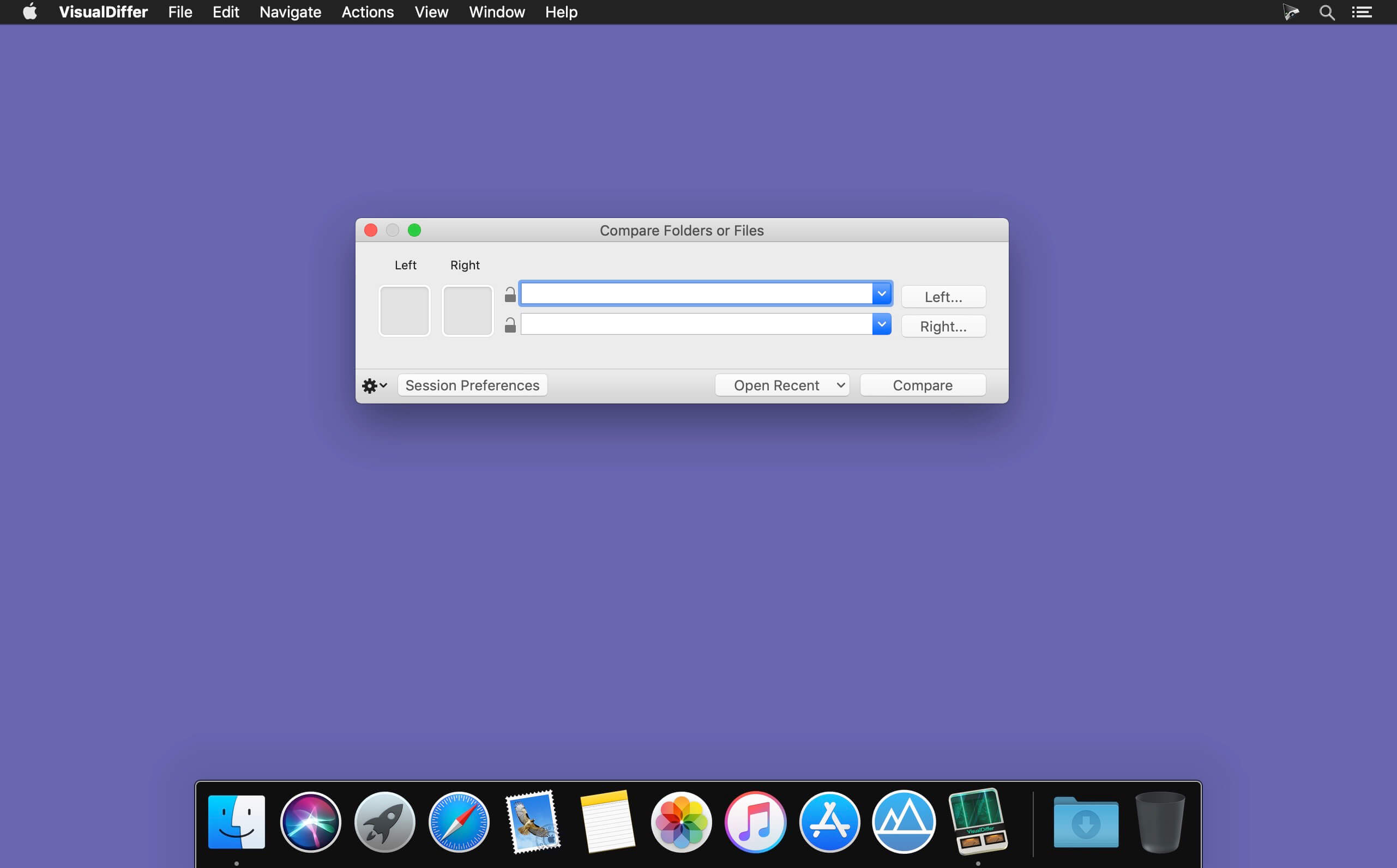
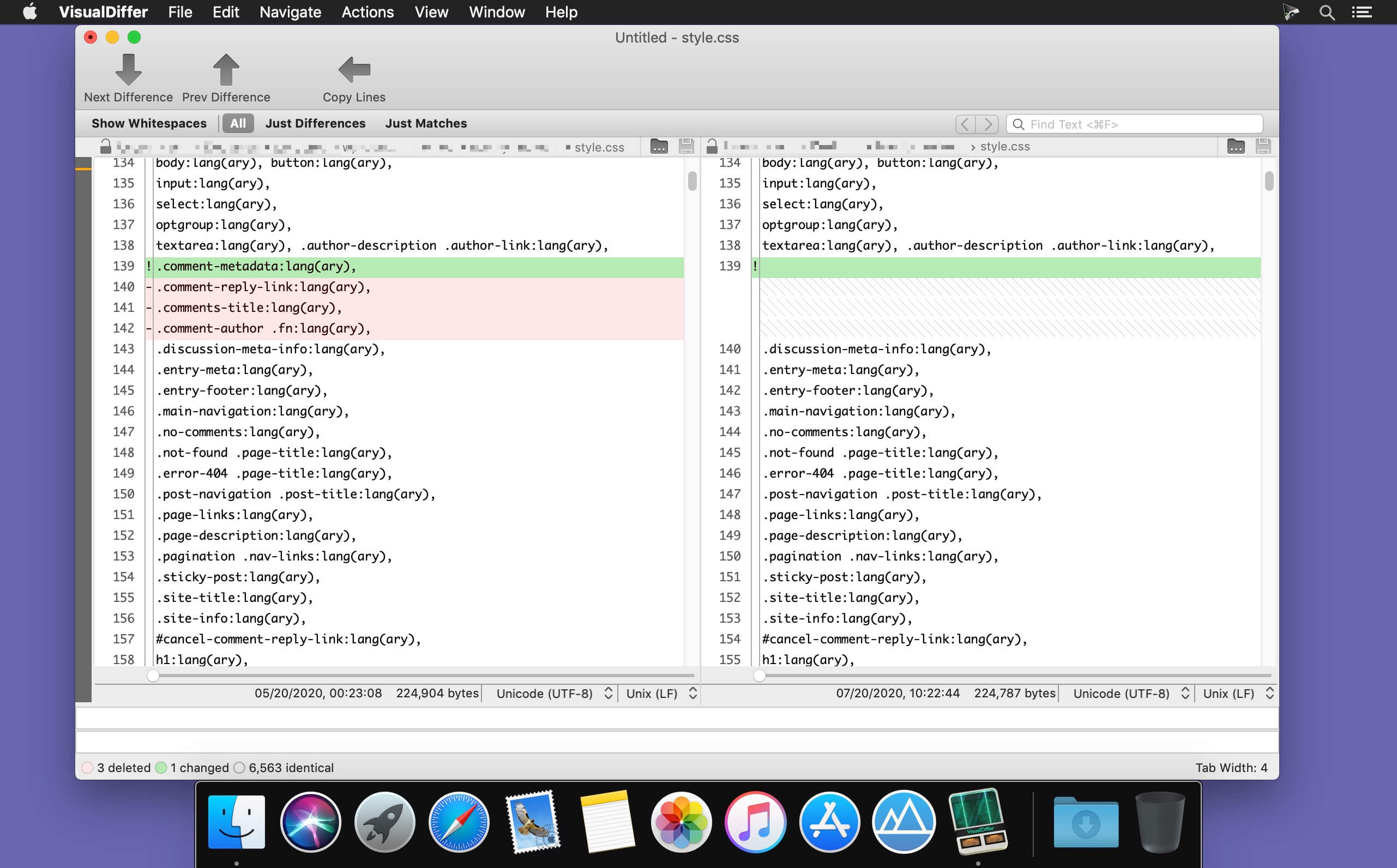
Visual Differ compares side-by-side folders and files using colors to visually show differences. From the Folder view it’s possible to make operations on folders and files like copying or deleting.

It’s possible to compare quickly directories choosing base folders from the context menu. Using the File Filter feature is possible to hide from visualization specific files like .git, .svn directories or the omnipresent .DS_Store files.

The folders comparison can be done using different techniques from the fastest “compare only date and size” to the fine-grained byte-by-byte comparison.

The files comparison is done using the unix diff command this choice makes the result quick, standard and reliable.
It’s possible to save work sessions then quickly reopen them to compare directories hierarchies or directly two specific files.

Compatibility: OS X 10.9 or later 64-bit
Mac App Store https://apps.apple.com/pk/app/visualdiffer/id412386481

Screenshots


Name: VisualDiffer_1.8.7_MAS__TNT_Mactorrents.io.dmg
Size: 6 MB
Files VisualDiffer_1.8.7_MAS__TNT_Mactorrents.io.dmg[6 MB]

   Download

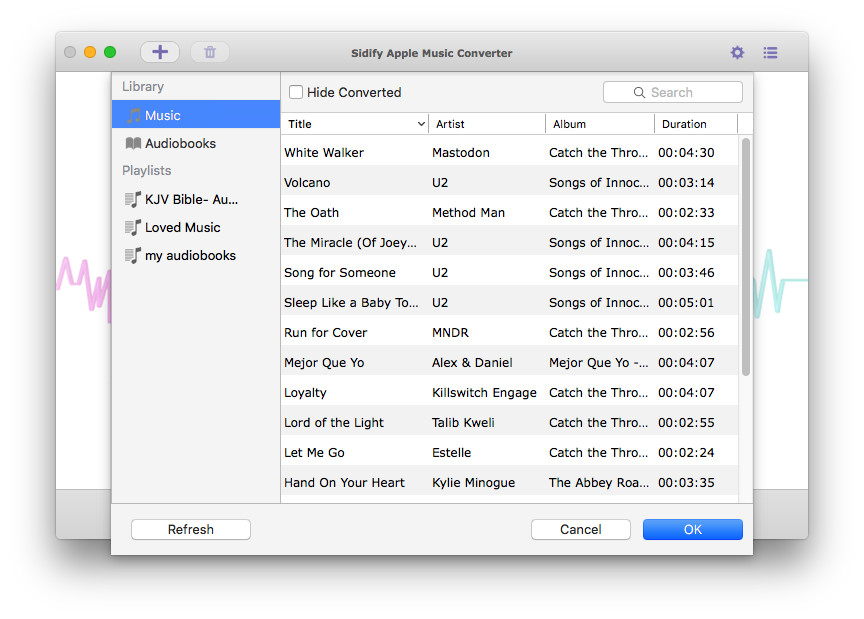
Sidify Apple Music Converter 3.5.3

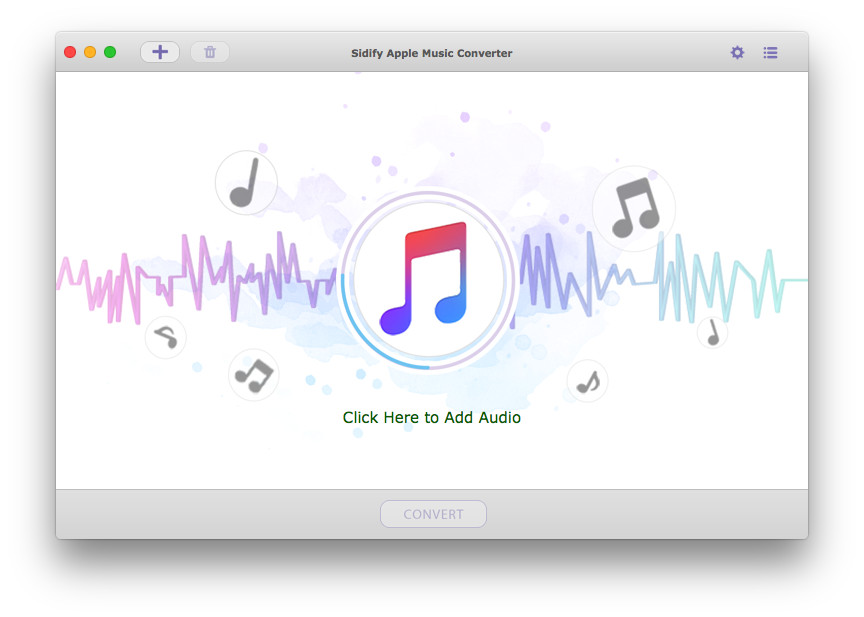
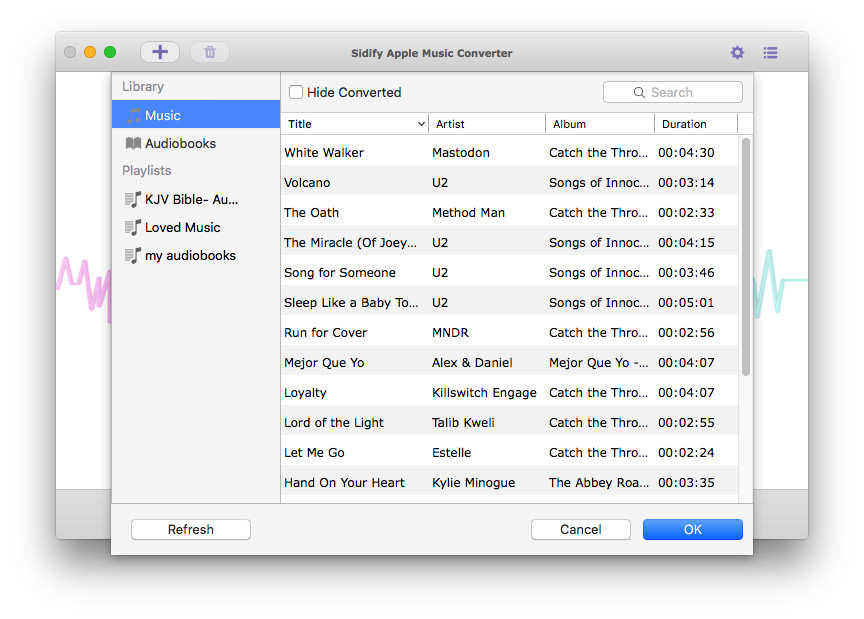
Sidify Apple Music Converter is designed for the lossless record of Apple Music, and convert those downloaded M4P songs to MP3, AAC, FLAC, or WAV format for offline playback, and helps you enjoy Apple Music no matter where you are and on any device. Besides, it also enables you to convert your local audio files to MP3/M4A/AAC/WAV/OGG format.

Free Your Apple Music Tracks
Sidify Apple Music Converter enables Mac users to record Apple Music songs to make them playable on iPod, PSP, MP3 player, Android phone, and other portable devices offline. Besides, with Sidify Apple Music Converter, you can keep Apple Music songs forever even when you cancel the subscription.

Record Apple Music Songs with 100% Lossless Quality
Sidify Apple Music Converter makes it easier than ever to record Apple Music songs in MP3, AAC, FLAC, and WAV with 100% original quality. You can also convert a batch of audio files at a time. In addition, it can be used to convert your local music files to MP3/M4A/AAC/WAV/OGG.

Keep & Edit ID3 Tags
Innovative converting technology is encoded in Sidify Apple Music Converter, which helps keep the ID3 tags after conversion. Moreover, you can edit the ID tags by yourself (in the “Tools” section), including title, artist, album, genre, year, track number.

Convert Protected Audible Audiobooks and iTunes M4P Music
The Sidify Apple Music Converter is an all-in-one and powerful iTunes Audio Converter which can convert not only Apple Music files but also any other kinds of music that can be played in iTunes, including iTunes M4A/M4B, Audible AA/AAX audiobooks, and iTunes M4P music. What’s more, it also supports converting Audiobook to AAC format with chapters kept.

Compatibility: OS X 10.8 or later, 64-bit processor
Homepage: https://www.sidify.com/apple-music/drm-music-converter.html

Screenshots


Name: Sidify_Apple_Music_Converter_3.5.3__HCiSO_Mactorrents.io.dmg
Size: 104 MB
Files Sidify_Apple_Music_Converter_3.5.3__HCiSO_Mactorrents.io.dmg[104 MB]

   Download

Sidify Music Converter 2.3.3

Sidify Apple Music Converter is a well-designed audio converter for iTunes music for Mac users. It can remove DRM from Apple Music songs, and makes it possible to save them in MP3, AAC, or WAV format to either your local computer or your music players. Besides, you can use Sidify Apple Music Converter to convert audiobooks and M4P music. It is a straightforward app that any user should get the hang of in moments. All you need to do is add the songs you want to convert and select the desired output format. With Sidify Apple Music Converter, you are able to choose from several quality presets. You can also alter the conversion speed, which may have an effect on the quality of the output content. Maximum 20X conversion speed is an available option. What’s more, ID tags such as track’s title, artist, album, genre, and duration are kept after conversion.

Compatibility: OS X 10.8 or later, 64-bit processor
Homepage: https://www.sidify.com/apple-music/drm-music-converter.html

Screenshots


Name: Sidify_Music_Converter_2.3.3__HCiSO_Mactorrents.io.dmg
Size: 109 MB
Files Sidify_Music_Converter_2.3.3__HCiSO_Mactorrents.io.dmg[109 MB]

   Download

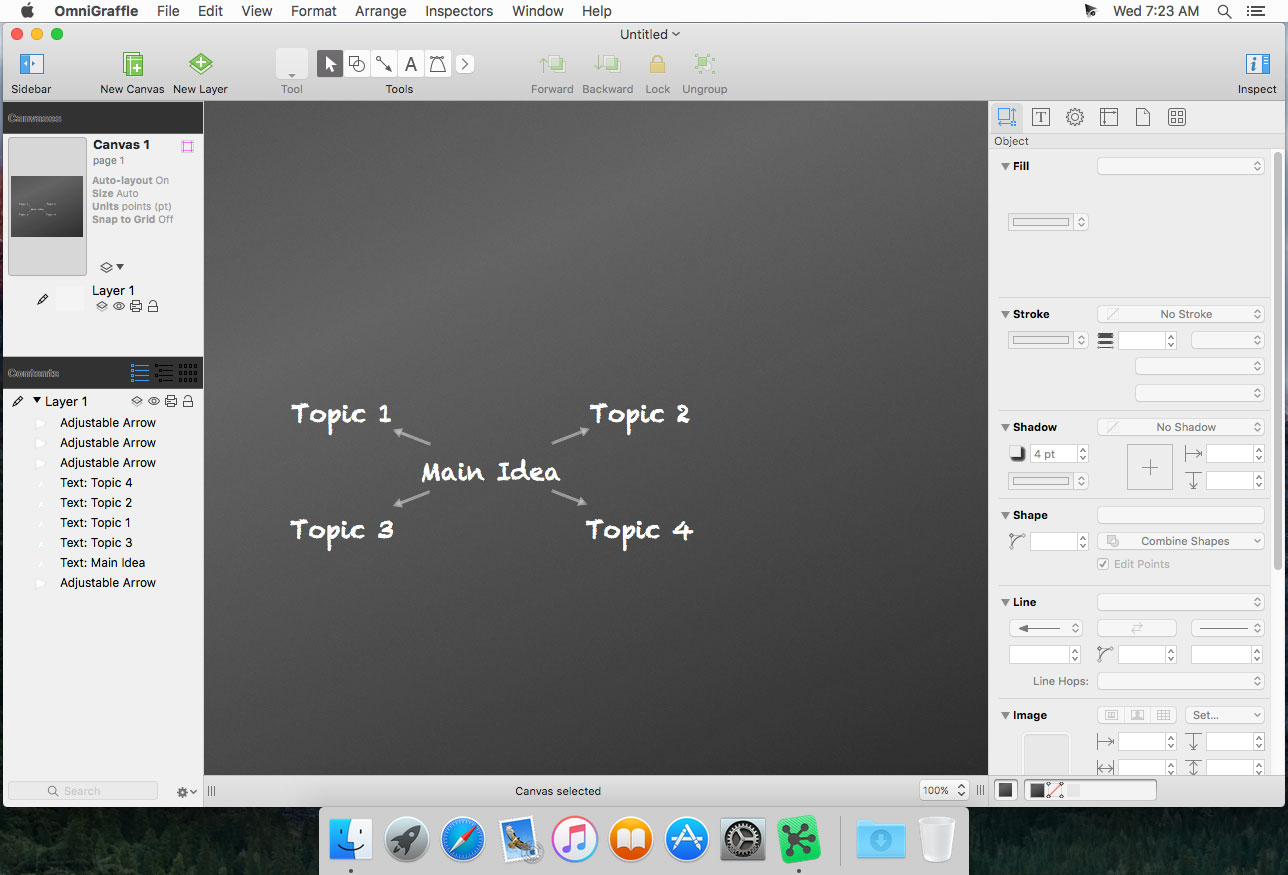
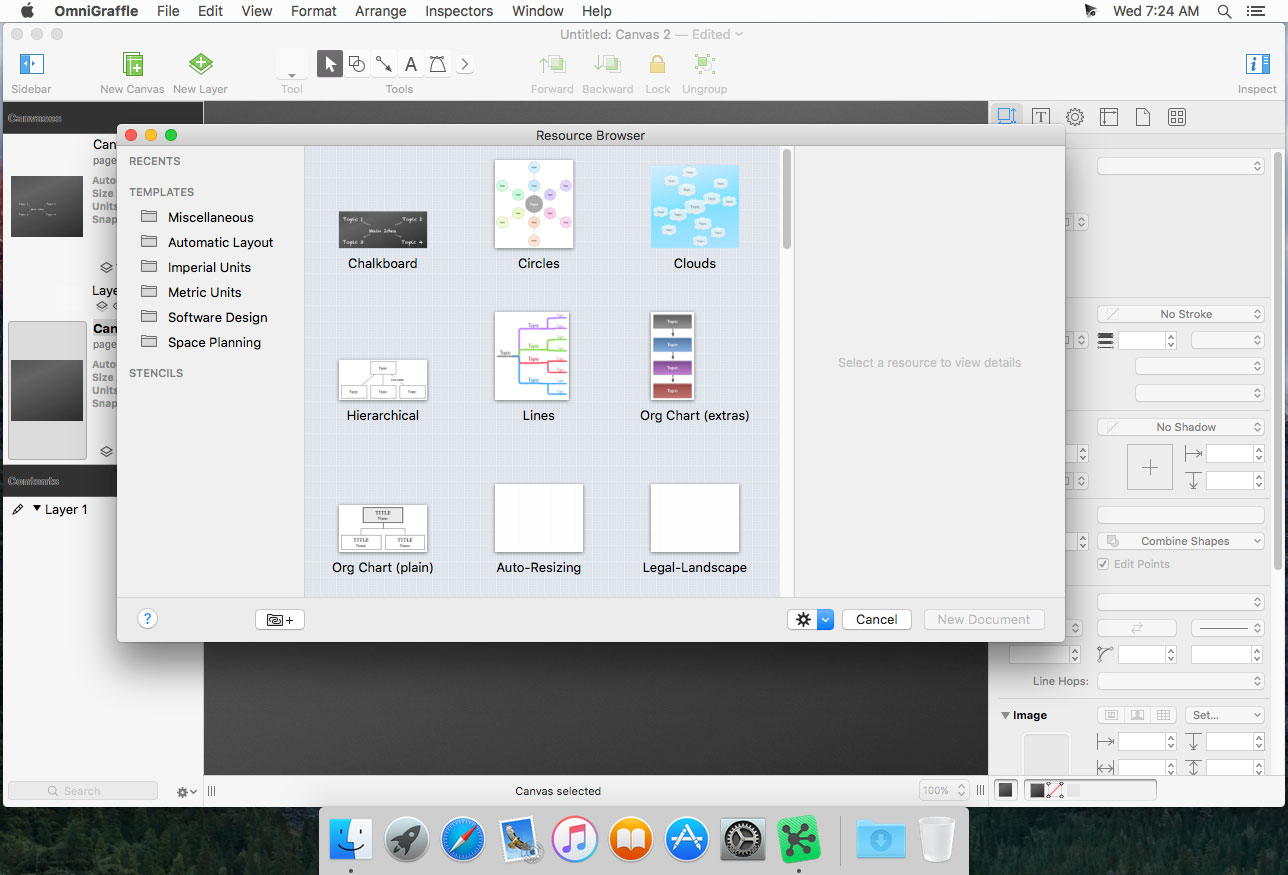
OmniGraffle Pro 7.19.3

OmniGraffle Pro helps you draw beautiful diagrams, family trees, flow charts, org charts, layouts, and (mathematically speaking) any other directed or non-directed graphs. We’ve had people use Graffle to plan plotlines for a story, make an overview of an operating system, show the evolution of computers, and even show how diseases can spread in a closed population. If you want to organize your thoughts, your projects, or even your friends graphically, using boxes and lines, OmniGraffle is your tool.

OmiGraffle Professional has all of the great features in 6.0, plus a powerful toolset for advanced document creation and editing options. For the pro user who’s looking for an in-depth diagramming application that’s still priced below the competition, you’ve come to the right place.

Compatibility: macOS 10.14 or later, 64-bit processor
Homepage https://www.omnigroup.com/omnigraffle

Screenshots


Name: Omni.Group.OmniGraffle.Pro.v7.19.3.MacOS.zip
Size: 67 MB
Files Omni.Group.OmniGraffle.Pro.v7.19.3.MacOS.zip [67 MB]

   Download

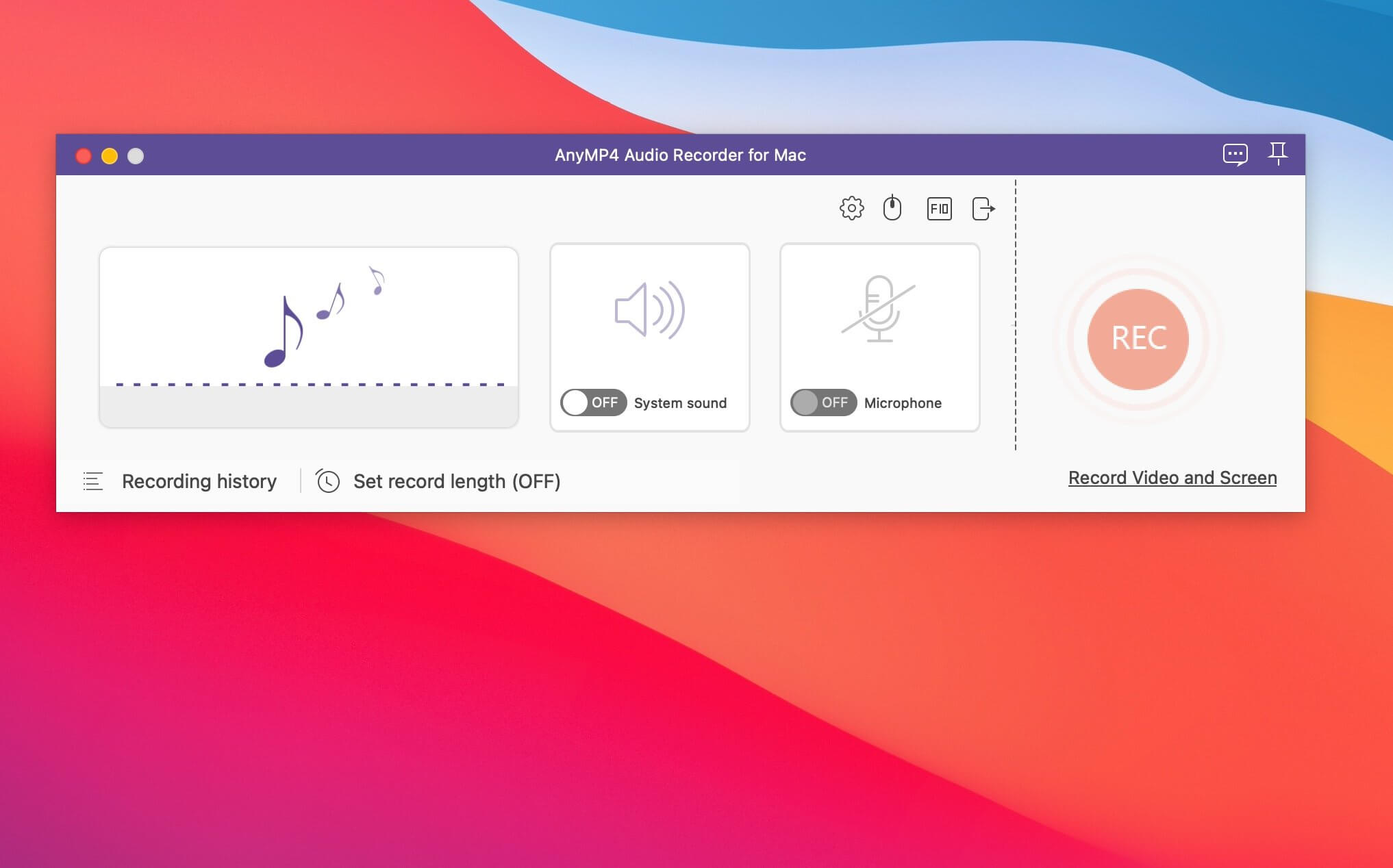
AnyMP4 Audio Recorder for Mac 1.0.10

Ultra-simple Way to Record Any Sound. Audio recorder provides the simplest way to help you record System Sound, Microphone, or both. With the help of this Audio Capture, you can capture audio for playback on your computer without any quality loss. Moreover, it works as a voice recorder which enables you to grab your voice from microphone. After recording, you can save files in MP3, or other audio formats with a wide range of preset audio quality varied from lowest to lossless.

Featured by its flexible audio setting, this Sound Recording software enables you to adjust the volume, customize the output format provided with popular formats like MP3, M4A, WMA, AAC, etc. and set the sound quality ranging from lowest to lossless for your projects. What’s more, it can create a recording schedule to help you capture the specified audio by setting its start and stop time.

What’s New:

Version 1.0.10:

  • Release notes were unavailable when this listing was updated.

Compatibility: macOS 10.10 or later
Homepage https://www.anymp4.com/audio-recorder/

Screenshots


Name: AnyMP4_Audio_Recorder_for_Mac_1.0.10.2138__TNT_Mactorrents.io.dmg
Size: 24 MB
Files AnyMP4_Audio_Recorder_for_Mac_1.0.10.2138__TNT_Mactorrents.io.dmg[24 MB]

   Download

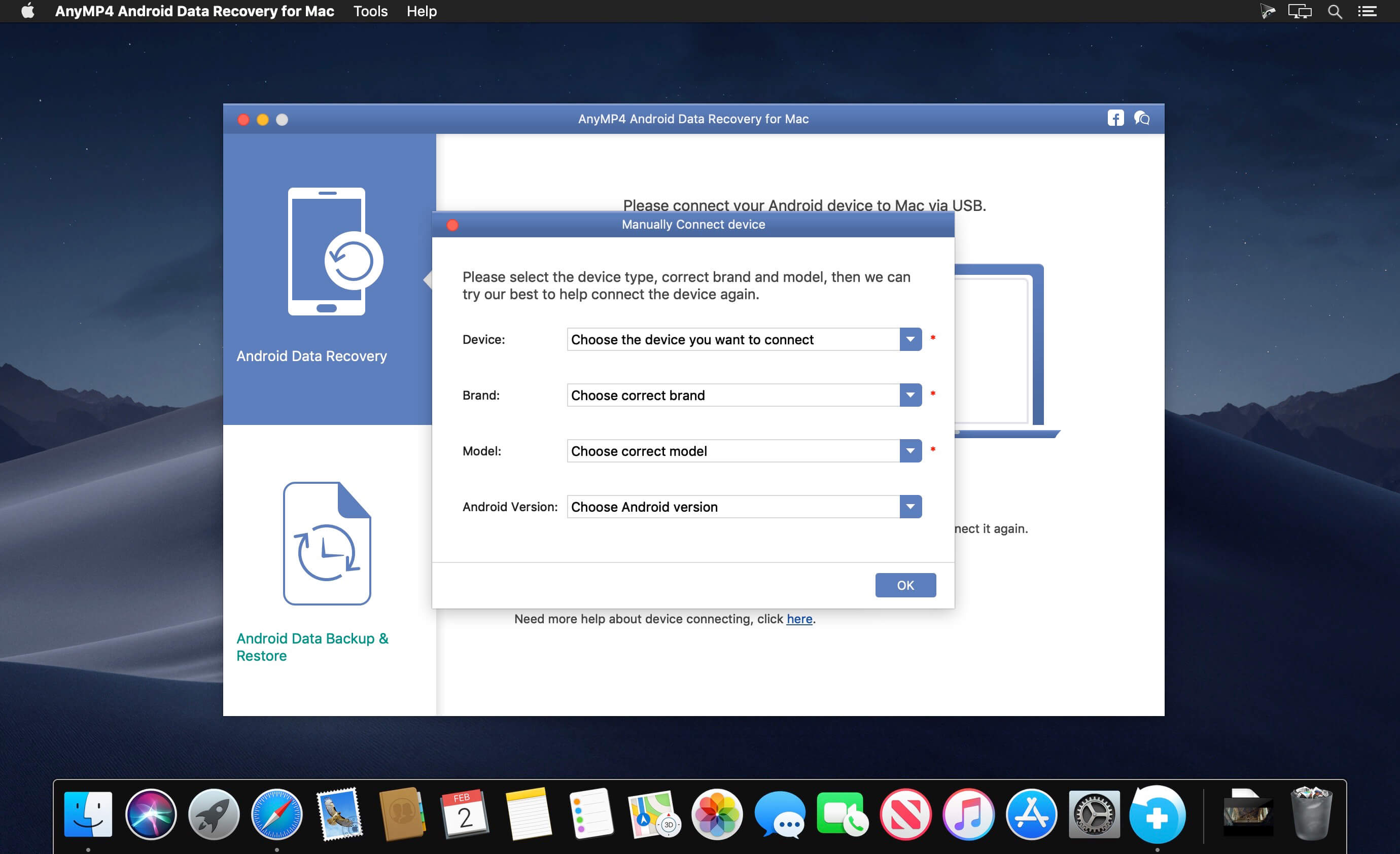
AnyMP4 Android Data Recovery 2.0.28

The best Android Data Recovery software provides you with powerful data recovery features for Android phones and tablets. AnyMP4 Android Data Recovery can recover deleted and lost text content such as contacts, SMS, text messages, call history, notes, WhatsApp chats, and more from Android device. And the exported contacts will be saved as VCF, CSV or HTML for your use. Whether you have accidentally deleted Android data or lost data after factory restore, OS update or rooting, device stuck or not responding, device locked, forgotten password, and ROM flashing, etc., the software can help you retrieve any important data on Android device.

Data like contacts/SMS/photos/WhatsApp/videos/music/call history/documents are easily deleted, and the phone’s limited storage space is something demanded endlessly. Things always happened when you need some deleted data like contacts/SMS/photos, but finally end with searching failure. Don’t get into panic when you lost some important Android data which still count very much to you, whether the data are accidentally deleted text content like contacts, messages, call history, message attachments, or lost media files like photos, pictures, videos, music, even app data like WhatsApp chat messages and attachments, and documents in TXT, DOC, ZIP, etc. AnyMP4 Android Data Recovery for Mac has a powerful function to recover Android data on Mac (macOS Catalina supported), which will help you retrieve the lost or deleted data from Android device to Mac.

What’s New:

Version 2.0.28:

  • Release notes were unavailable when this listing was updated.

Compatibility: OS X 10.9 or later
Homepage https://www.anymp4.com

Screenshots


Name: AnyMP4_Android_Data_Recovery_for_Mac_2.0.28.114815__TNT_Mactorrents.io.dmg
Size: 41 MB
Files AnyMP4_Android_Data_Recovery_for_Mac_2.0.28.114815__TNT_Mactorrents.io.dmg[41 MB]

   Download

Recordia 2.3.0

Recordia lets you record audio directly from the menu bar or with a global keyboard shortcut.
This can be useful for recording voice memos, song ideas, meetings, lectures, interviews, phone calls, voice-overs, and more.

Features

  • Record compressed or lossless audio.
  • Customizable keyboard shortcuts to start/stop and pause/resume recording.
  • Change input device.
  • Unlimited recording duration.
  • Set default output directory.
  • Optionally show the recording in Finder when done.
  • Easily copy and share the previous recording.
  • Launch at login preference.
  • Record system audio (See FAQ below).
  • Choose between multiple menu bar icons.

Technical details: It records at 48 kHz to either M4A (AAC, 256 kbps, compressed) or WAV (PCM, 16-bit, uncompressed). The recording is stereo if the input device supports it, otherwise mono.

FAQ
‣ How can I preview the recording when done?
First, ensure the “Show recording in Finder after saving” preference is enabled. When the recording is shown in Finder, press the Space key to preview it.

‣ How can I trim the recording when done?
Preview the recording as described above and then click the trim button.

‣ How can I record system audio?
Click “Record System Audio” in Recordia and follow the instructions.

‣ How can I sync recordings to iCloud?
Choose “iCloud Drive” as the output directory.

‣ Why 48 kHz and not 44.1 kHz?
48 kHz is the standard for audio in today’s video production. It’s also the internal production standard for many audio production companies. 44.1 kHz was popularized by music CDs.

Compatibility: OS X 10.15 or later, 64-bit processor
Homepage http://apps.apple.com/app/recordia/id1529006487

Screenshots

Name: Recordia_2.3.0_MAS__HCiSO_Mactorrents.io.dmg
Size: 4.7 MB
Files Recordia_2.3.0_MAS__HCiSO_Mactorrents.io.dmg[4.7 MB]

   Download

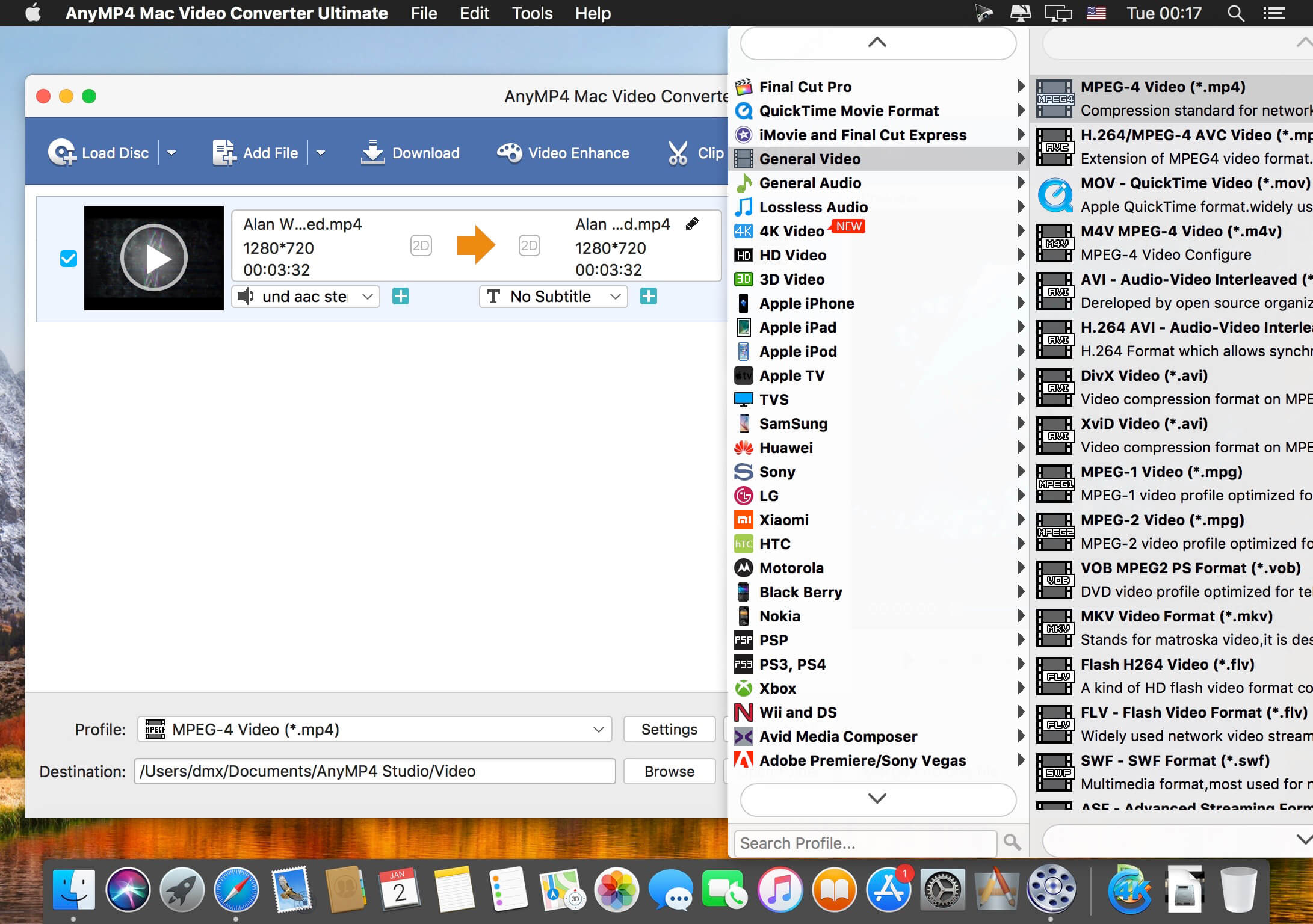
AnyMP4 Mac Video Converter Ultimate 9.2.8

AnyMP4 Video Converter Ultimate for Mac offers you a fast and convenient solution for converting the videos between different formats under macOS. The Mac app lets you convert both 1080p HD videos and 4K UHD videos. With the advanced 4K technology, the powerful Mac Media Converter can quickly convert video with the latest 4K codecs, including H.265, VP9, H.264, VP9.

Want to watch your videos on your smartphone or tablet? AnyMP4 Mac Video Converter Ultimate offers you many predefined video formats for digital devices and TVs. For example, you can convert videos for iPhone X/8/7/6s/6/SE/5s/5, iPad Air 2/mini 4, Samsung Galaxy S7, Samsung Galaxy Note 5, Huawei Mate 9, LG G5, Sony Z5, Apple TV, Samsung TV and more.
With this professional Mac Video Converter, it is also easy to convert nearly all popular video formats for iMovie, Final Cut Pro, Avid Media Composer, Premiere Pro, etc. Then you can import and edit your videos into the video editing software.

Compatibility: OS X 10.9 or later, 64-bit processor
Homepage https://www.anymp4.com/

Screenshots


Name: AnyMP4_Mac_Video_Converter_Ultimate_9.2.8.11252__TNT_Mactorrents.io.dmg
Size: 123 MB
Files AnyMP4_Mac_Video_Converter_Ultimate_9.2.8.11252__TNT_Mactorrents.io.dmg[123 MB]

   Download

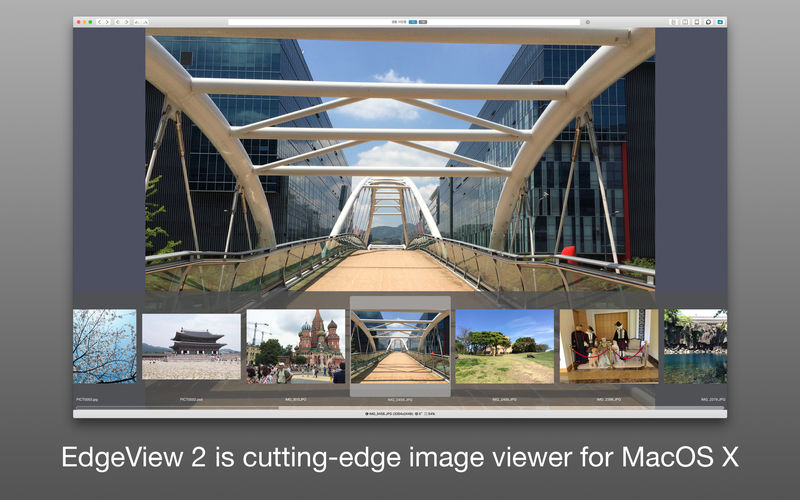
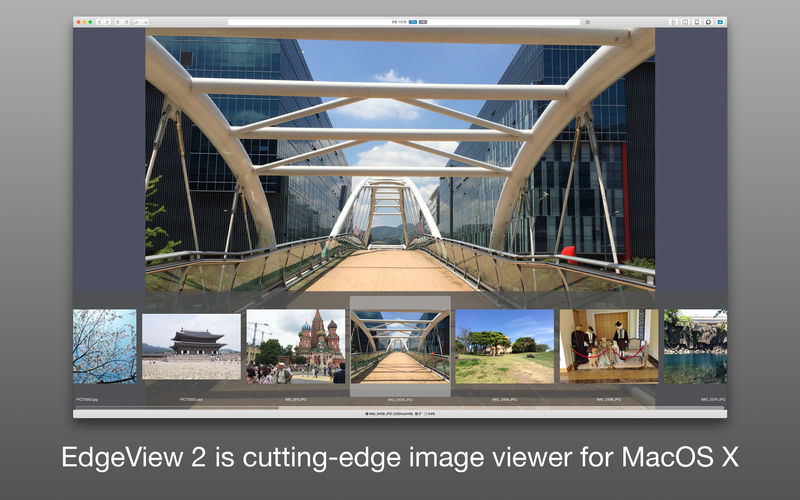
EdgeView 3.2.1

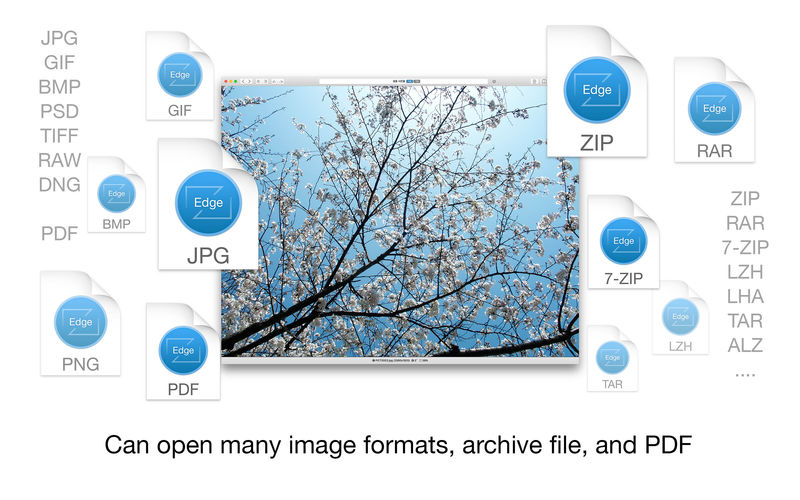
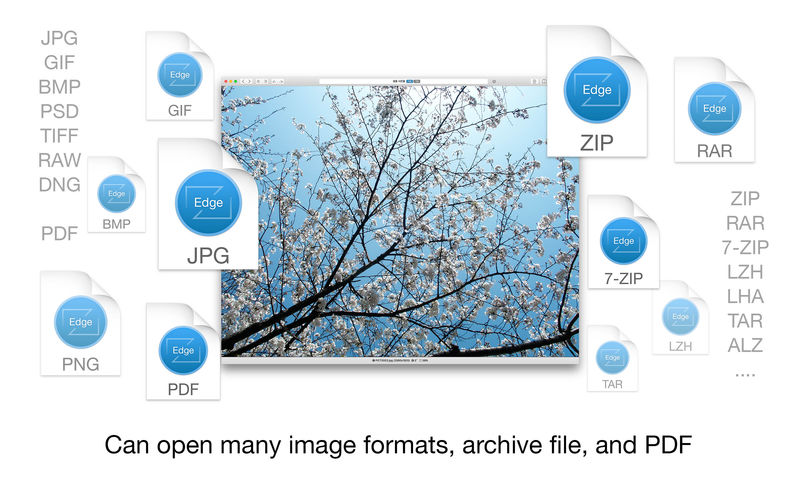
EdgeView 3 is fast image viewer has elegant user interface. EdgeView 3 is developed and designed for modern MacOS. It can open various image files such as JPEG, PNG, TIFF, BMP, and RAW file of DSLR, EPS and PDF, AI(Adobe Illustrator). Can open image files in archive directly without extraction.

User can open files, rename files, delete files from EdgeView’s file browser. Also can access to SMB/AFP/FTP network volume.

User can navigate images quickly by using keyboard shorcut, mouse wheel, trackpad gesture. EdgeVew show EXIF information, play animation GIF/PNG/WebP smoothly. Save last status to history, and restore when reopen file.

EdgeView 3 will be the best choice when viewing and managing image files.

Features

  • Rewrote full code as Swift for improve performance.
  • Support m1 CPU Mac.
  • Has easy UI, can control main function at Sidebar.
  • Support English/Korean/Japanese/Chinese(Simplified).

Image Viewer

  • Supporting image files such as JPG, GIF, BMP, PSD, TIFF, RAW, WEBP and PDF, EPS, AI(Adobe Illustrator), OpenEXR, HDR, TGA.
  • Can play animation GIF/PNG/WebP. User can control animation with floating animation controller.
  • Dispaly internal image(or frame) of animation GIF/PNG/WebP or HEIC that has multiple internal image.
  • Can read and show images of major archive formats (such as ZIP, RAR, CBZ, CBR, 7-zip) without extraction. Of course, can open ZIP file that 4GB over.
  • Can read encrypted archive file.
  • Can read archive file in archive file recursively
  • Improved draw speed by rebuilt image cache system and drawing engine.
  • Draw images as high quality.
  • Provide suitable functions for comic reading such as ‘Two-Page Spread’, ‘Continuous Scroll mode’, ‘Right to Left’, etc.
  • Provide multiple navigation functions like as ‘Move’, ‘Skip’, ‘Shift’, etc.
  • User can navigate images and check whole thumbnails at Thumbnailsbar.
  • User can navigate images by using keyboard shortcut, mouse wheel, trackpad gesture.
  • Can rotate and flip images. Orientation will be saved to history.
  • User can select part of images, and copy it or save as file.
  • Can zoom in/out image freely.
  • Built-in loupe function to make it easier to magnify part of image.
  • Show histogram.
  • Show neighbor files list. And can open neighbor file.
  • Support history feature for saving and restoring last status of file.
  • Can reopen file or remove history at history list.
  • Can rate image files.

File Browser

  • Built-in file browser can show and open files from local drive or AFP/SMB/FTP network drive.
  • Can display files as lists or icon.
  • Show images in folder/archive file at preview panel.
  • Generate thumbnails of archive files and folders.
  • Support powerful search feature.
  • Show category and writer information.
  • User can sort files by various options, and can delete or rename files.
  • Can rate files or folders.

Others

  • Support customizing feature. Also user can change shortcuts.
  • Built-in Quick Look Extension generate thumbnails and preview of archive files at Finder.

What’s New:

Version 3.2.1:

  • Release notes were unavailable when this listing was updated.

Compatibility: macOS 11.1 or later
Homepage https://apps.apple.com/pk/app/edgeview-2/id1206246482

Screenshots


Name: EdgeView_3.2.1_MAS__HCiSO_Mactorrents.io.dmg
Size: 22 MB
Files EdgeView_3.2.1_MAS__HCiSO_Mactorrents.io.dmg[22 MB]

   Download

DVD-Cloner 2022 v9.00.727

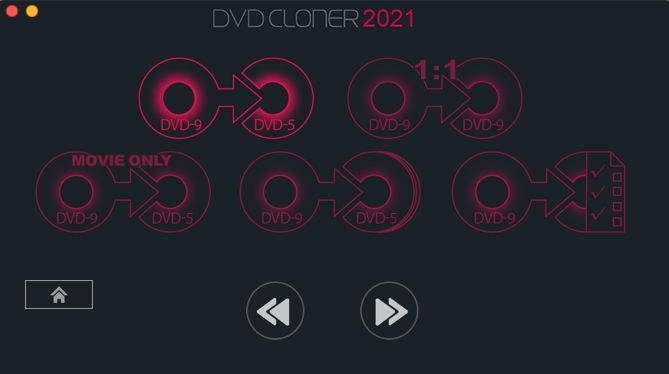
DVD-Cloner for Mac is the up-to-the-minute generation of the top DVD copy software for Mac worldwide. It enables you to copy/clone/burn DVD movies on Mac with lossless quality. The brand-new interfaces make DVD copy for Mac much easier than before. Besides, it can remove various DVD copy protections such as CSS, RE, RCE and region codes to copy DVD movies without restrictions. It can also make another copy from the burnt DVD freely without using your original DVD disc again.

DVD-Cloner for Mac can make perfect 1:1 DVD copy, movie complete copy, movie-only copy, split copy and movie customized copy. With the innovative UMT™, it can back up latest DVD movies with ease. It also supports to copy a DVD disc to another blank DVD disc or to the hard disk as a VIDEO_TS folder or an ISO file for convenient playback in the future.

Compatibility: OS X 10.10 or later
Homepage https://www.dvd-cloner.com/

Screenshots


Name: DVD-Cloner_2022_9.00.727__TNT_Mactorrents.io.dmg
Size: 27 MB
Files DVD-Cloner_2022_9.00.727__TNT_Mactorrents.io.dmg[27 MB]

   Download

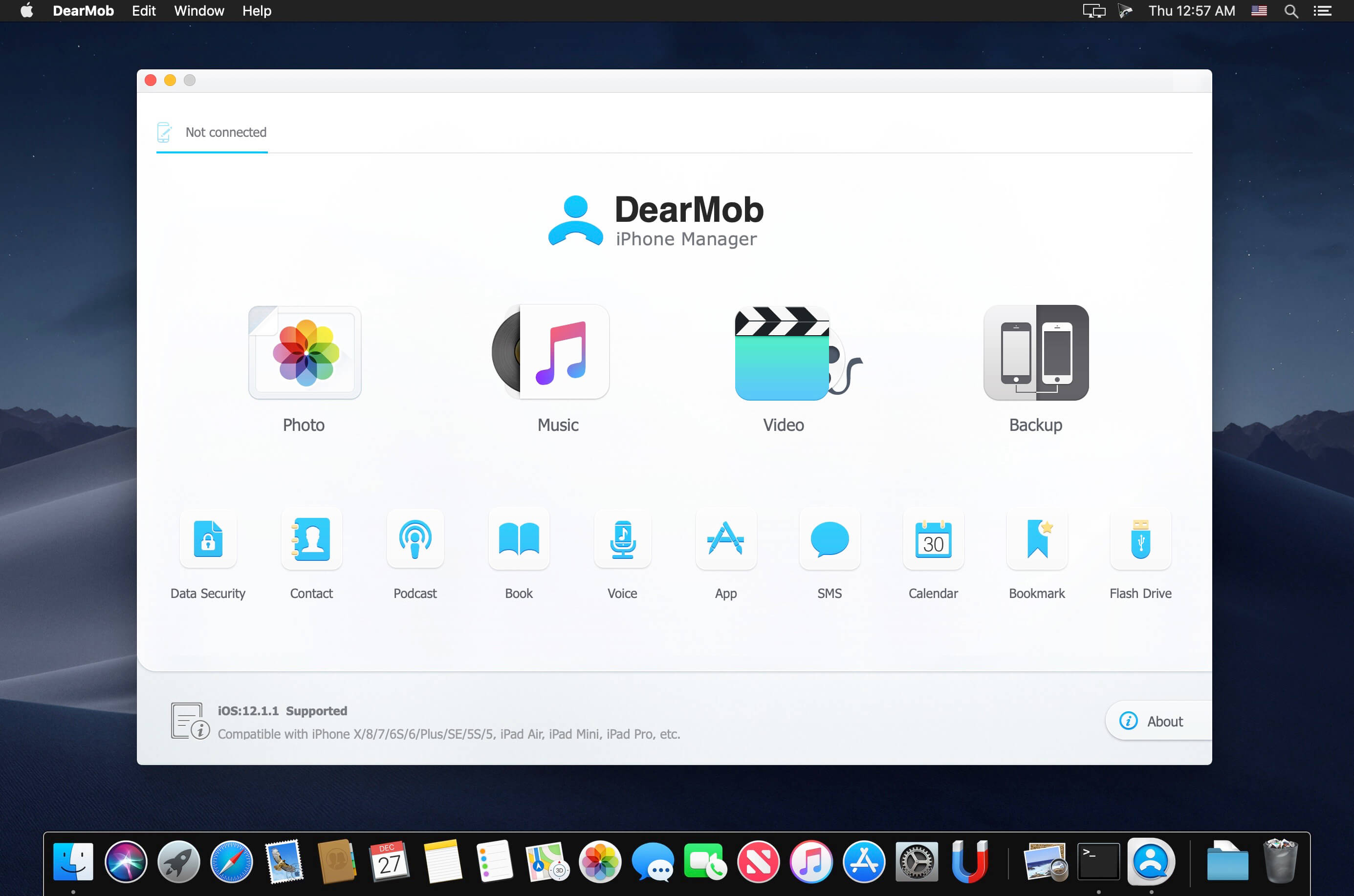
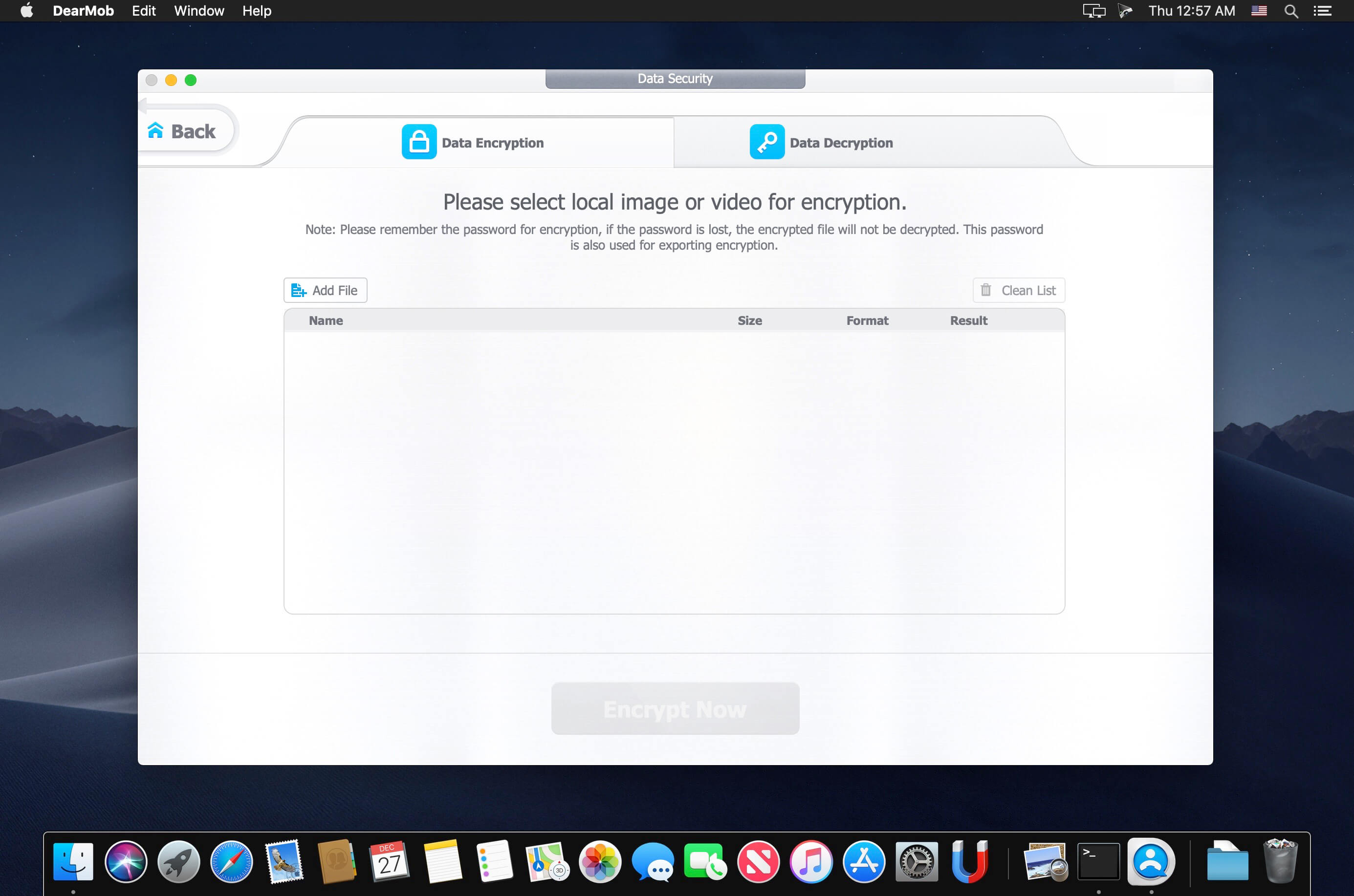
DearMob iPhone Manager 5.4

An easy iOS manager to transfer your iPhone data with encryption method. Backup & restore iPhone iPad, transfer & manage photo, music, contact, SMS, etc., sync all changes in 1 click. Let you easily free up iDevice space or switch to new iPhone, deliver you the power, simplicity and security. Outsmart iTunes.

Photo Manager – Powerful, Stays Simple
DearMob iPhone Manager, the peerless tool to transfer photos between iPhone iPad and computer, now stands 100% ready to manage your albums like Camera Roll, Selfies, Screenshots, Facebook Photos, etc.

Music Manager – One Tool, Does All
DearMob iPhone Manager, a simple and safe solution to make music transfer between iPhone iPad iPod and PC/Mac in a cushier way without iTunes.

Video Manager – Brings the Best out of iPhone Video
DearMob iPhone Manager allows you to transfer videos to iPhone iPad for offline enjoyment, never make your Video App useless.

What’s New:

Version 5.4:

  • Release notes were unavailable when this listing was updated.

Compatibility: OS X 10.9 or later, 64-bit processor
Homepage https://www.5kplayer.com/

Screenshots


Name: DearMob_5.4__TNT_Mactorrents.io.dmg
Size: 54 MB
Files DearMob_5.4__TNT_Mactorrents.io.dmg[54 MB]

   Download

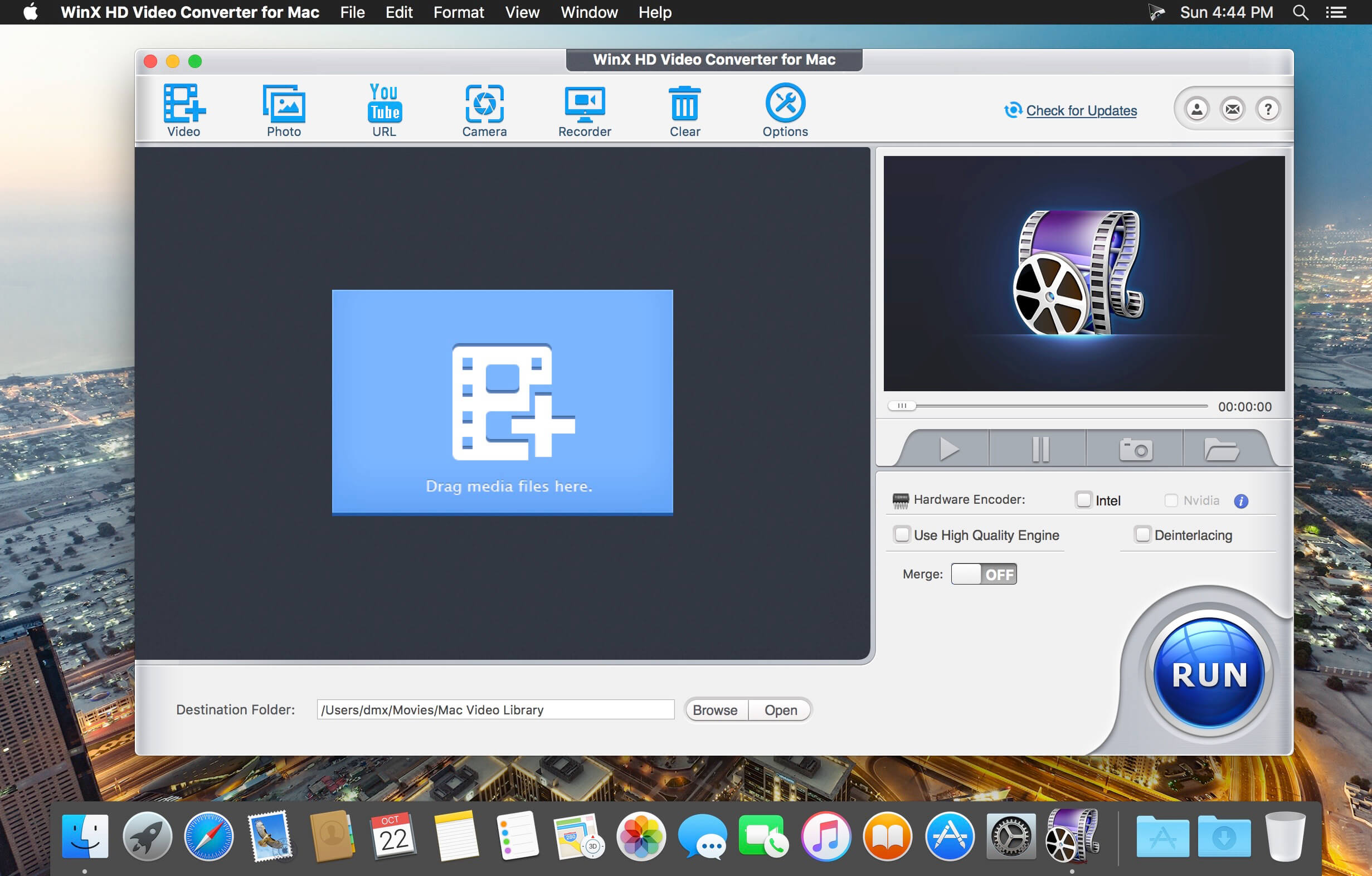
WinX HD Video Converter 6.6.0

WinX HD Video Converter for Mac is fully featured Mac HD video converting software, providing Mac user hassle-free HD video conversion solutions. It converts Blu-ray videos, HDTV/HD-camcorders videos, 4K UHD videos, 1080p multi-track HD videos M2TS, MKV, AVCHD, HDTV, BDAV, MPEG-TS, standard AVI, MPEG, TS, FLV, WMV, OGM, MOV and QT videos.

Support Multi-track HD and Blu-ray Video
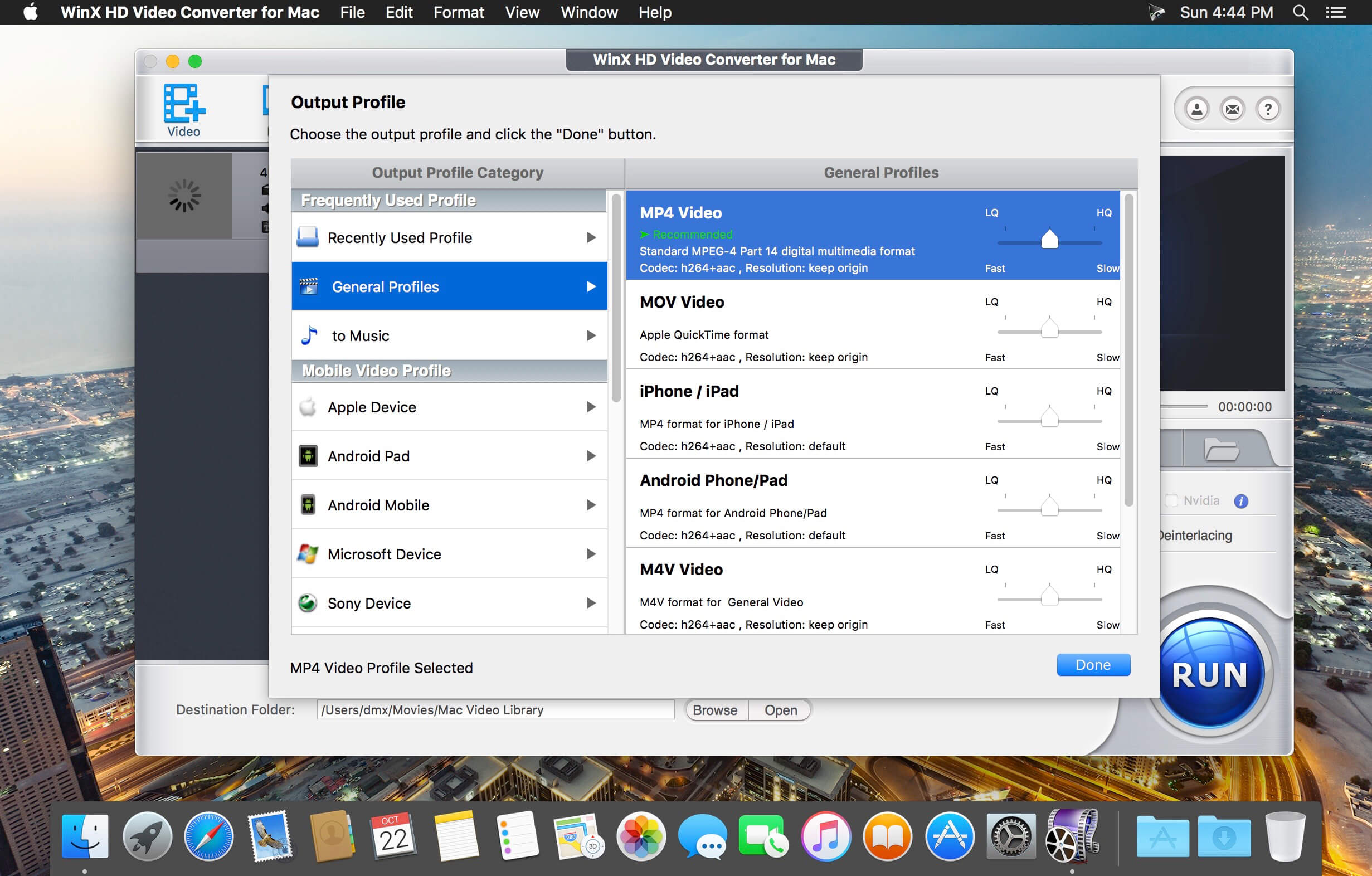
The first Mac HD video converter that supports 320 input video formats, incl. standard videos, Multi-track HD videos BDAV, M2TS, MKV, AVCHD, TrueHD, MTS, MPEG-TS and Ultra HD videos as input, e.g., MKV to MP4, AVI, Blu-ray M2TS to MKV. It also converts MOD/TOD/MTS recorded by Panasonic, Canon, Sony, JVC HD camcorders to AVI, MPEG, MP4, HEVC/H.265, MOV, M4V, WMV, FLV, MP3, WAV.

Convert Videos for Apple and Android
With 410+ profiles for all pop Apple/Android/MS mobiles, tablets and consoles, such video converter is much needed for on-the-move movie playback. It can convert videos to iPhone 6/6 Plus/5S, iPad Air 2/iPad mini 3, Apple TV, HTC One, Samsung Galaxy Note 4/Edge/S5 Mini/Tab S, Google New Nexus 7, Amazon Fire Phone, Fujitsu, Aquos, Surface Pro 3, WP8, Xbox, Asus Pad, and Sony PSP/PS4, just to name a few.

Youtube Video Downloader and Converter
It is also a Mac YouTube video downloader for online video content downloading to help you extract (music) videos, HD videos and even 4K videos from YouTube, etc. With advanced YouTube Video Download Engine, it completes the whole YouTube video download process about 30 sec. Then you can convert all downloaded YouTube videos to iPhone, iPad, Android, WMV, MOV, MPEG, etc on Mac.

Pre-built Photo Slideshow Creator
With a pre-built image slideshow maker, WinX HD Video Converter for Mac is able to turn your JPG/PNG/BMP photo album folder into a superb slideshow video. You can personalize it with background music and voiceover, convert it to iPhone, iPad, AVI, MKV, MP4, MOV, FLV, and share the photo slideshow with friends through website, YouTube, Facebook, blog or Email.

Mac Screen and Camera Video Recorder
Every move on and before the Mac screen can be recorded with the embedded Screen Recorder and Video Recorder. It is a shortcut to make software/game tutorial or guide, record your own room or show into video clips and convert recorded videos for playback or editing. It makes possible recording iTunes DRM-protected video without noticeable quality loss.

Edit/Handle Videos with Facility
You are good to testify the wonder of video editing feature on WinX HD Video Converter for Mac. It grants you to clip and crop videos, merge separate videos into a consecutive one and add watermark to personalize or protect your videos. Besides inner MKV and Blu-ray caption tracks, it even allows implanting downloaded external SRT subtitle files into videos.

Lightning Fast Video Conversion Speed
WinX HD Video Converter for Mac can convert one video from one format to another in minutes due to Hyper-threading technology and multi-core CPU utility, up to 83x real-time faster, while preserving 98% video audio quality of the original media file. It is a fast solution to convert videos like MKV, MTS, M2TS, MPEG-4, AVI to iPad, iPhone, Chromecast, USB, HDD, iTunes, Surface, Xbox, PSP, etc.

Amazing Output Video Audio Quality
The output image quality is first ensured by High Quality Engine. With advanced De-interlace Accelerator, it delivers more original output video, compared with similar Mac HD video converter. Especially, it optimizes the encoding and decoding for HD 1080p and 720p videos. Besides, you can balance the video/audio quality and file size by adjusting the bitrate resolution parameters.

Compatibility: OS X 10.9 or later 64-bit
Homepage http://www.winxdvd.com/hd-video-converter-for-mac/

Screenshots


Name: WinX_HD_Video_Converter_for_Mac_6.6.0__TNT_Mactorrents.io.dmg
Size: 42 MB
Files WinX_HD_Video_Converter_for_Mac_6.6.0__TNT_Mactorrents.io.dmg[42 MB]

   Download

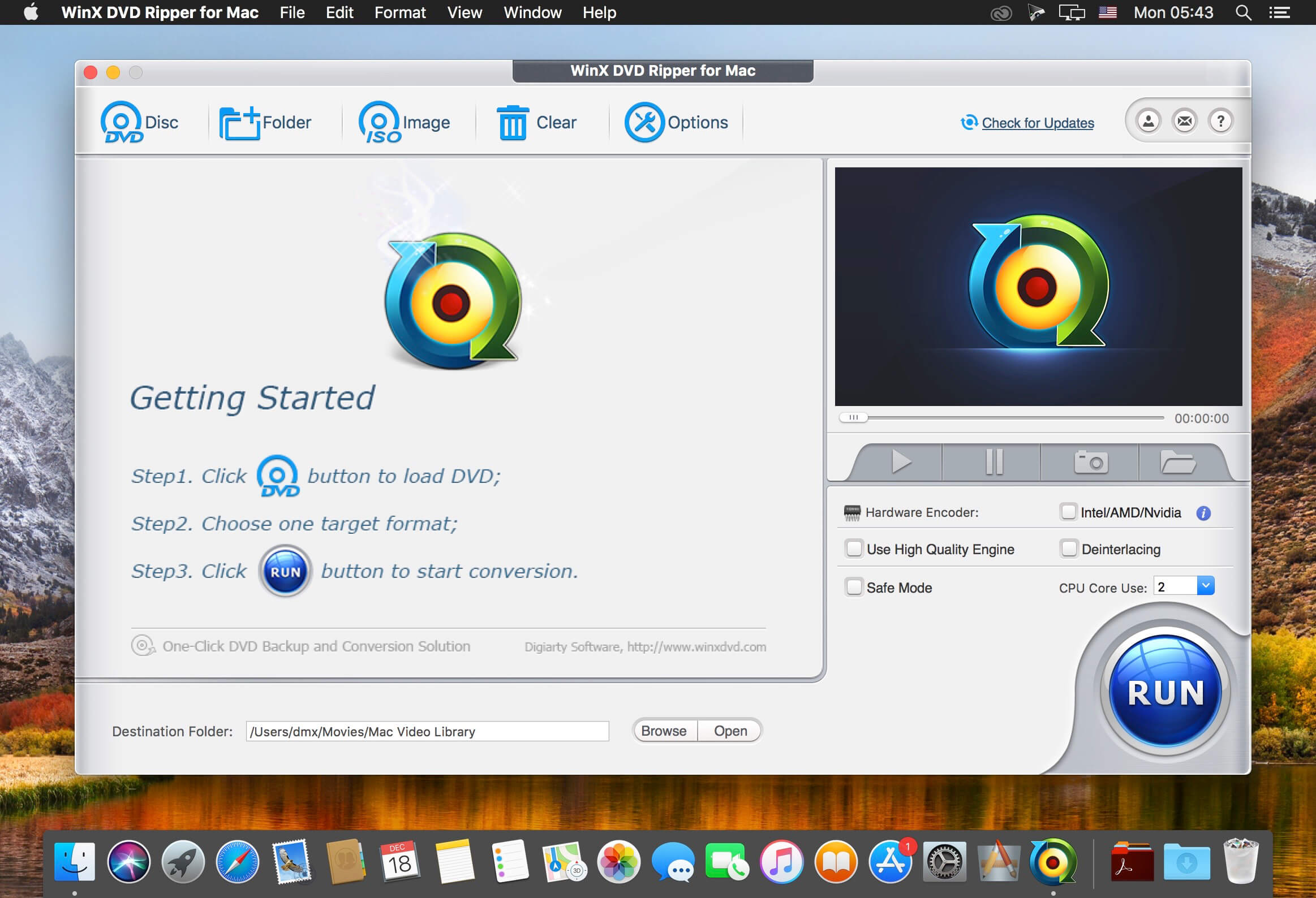
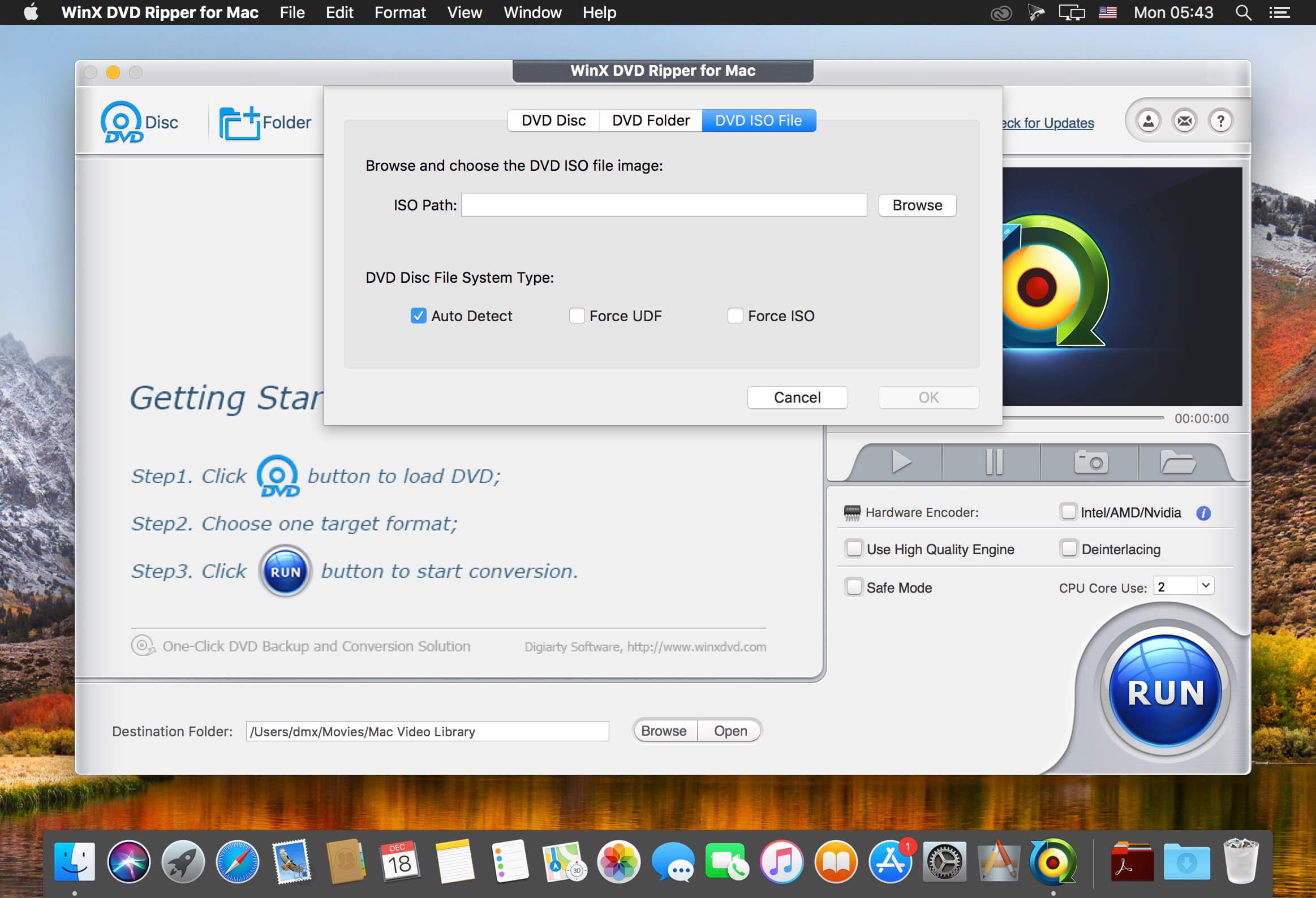
WinX DVD Ripper 6.6.2

WinX DVD Ripper for Mac is an all-in-one Mac DVD ripper program designed to rip DVD or DVD ISO image to all prevailed video formats, e.g. rip DVD to MP4, H.264, MKV, iTunes, MOV, FLV, MPEG, AVI, etc. With about 350 profiles, it can faultlessly convert all DVDs (incl. latest protected DVDs) to iPhone/5, iPad/3/4/Mini, iPod touch/5, Apple TV, Surface, Android, HTC One, Samsung Galaxy S4 , Kindle Fire, WP8, PSP, etc.

With multi-core CPU (up to 8-core processor) and Hyper-threading supported, it gives you ultra-fast ripping speed. Furthermore, this Mac DVD ripper helps copy DVD to hard drive/USB with original video and 5.1 Channel AC3/DTS Dolby audio within 5 minutes, and back up DVD to MKV video still keeping all audio subtitle tracks and chapters.

Compatibility: OS X 10.8 or later
Homepage http://www.winxdvd.com/dvd-ripper-mac-free/

Screenshots


Name: WinX_DVD_Ripper_for_Mac_6.6.2__TNT_Mactorrents.io.dmg
Size: 56 MB
Files WinX_DVD_Ripper_for_Mac_6.6.2__TNT_Mactorrents.io.dmg[56 MB]

   Download

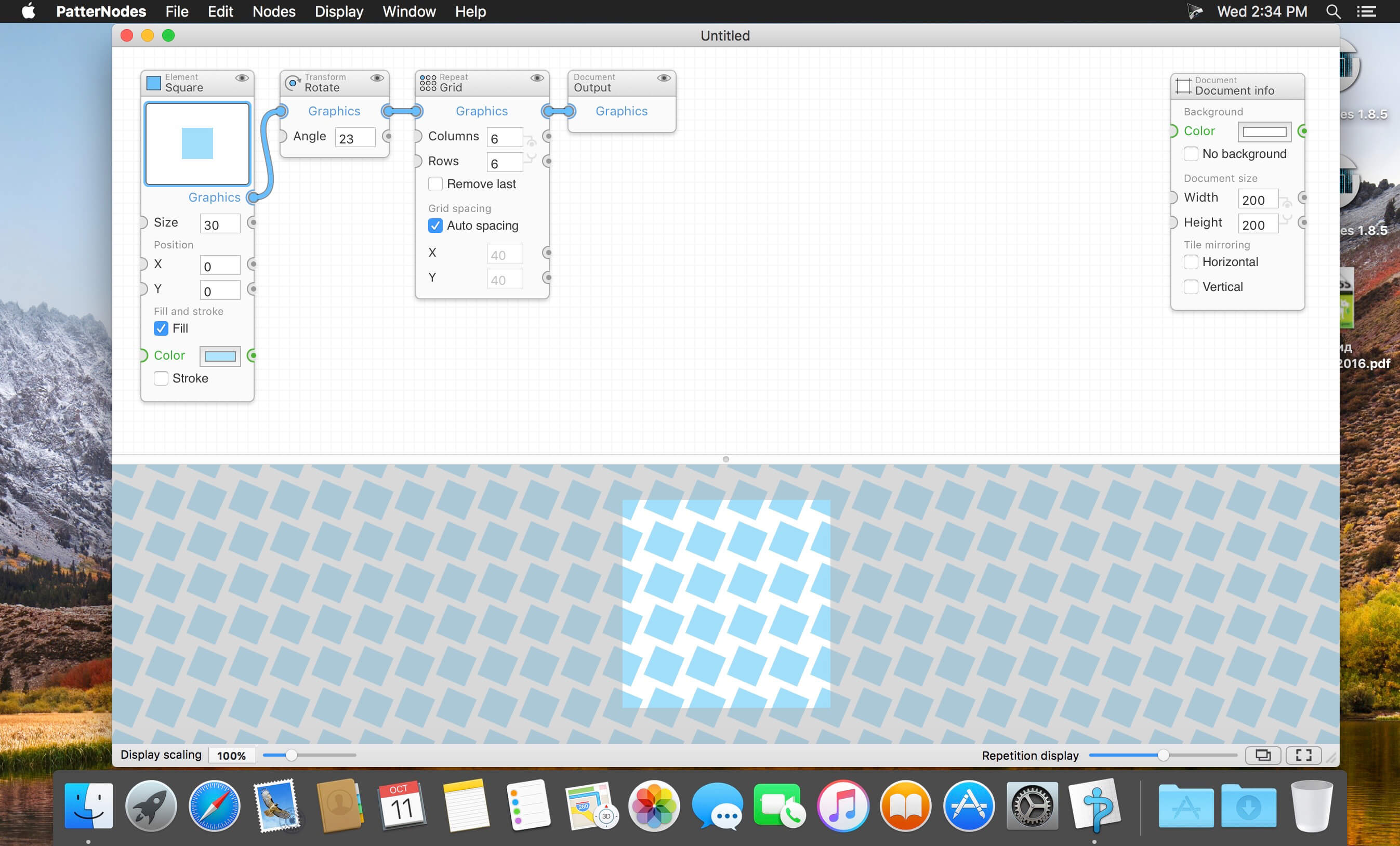
PatterNodes 3.0.0b11

PatterNodes is a tool for creating graphical patterns, animations, gradients, or illustrations based on repetitions. This is done by defining a sequence of steps, a recipe of sorts, that describes the pattern. Each pattern element or operation is represented by a little panel called a node, and the nodes are then linked by connections drawn between them. As the nodes can be freely combined and connected, this gives you a very flexible and powerful interface.

While this interface requires a different way of thinking, it also offers a lot of benefits compared to traditional Illustrator-type editors. Most importantly it enables you to use sliders to instantly change any aspect, like color, spacing, scaling, rotation or repetition count of any part of the pattern without having to undo/redo any steps. You can also specify animation value ranges for any of these parameters.

The resulting pattern tile is always shown in the bottom preview view, repeated and updating in real time with any changes, giving you instant feedback of what the end result will be. To make pattern creation easier PatterNodes also includes a lot of nodes that automatically perform common tedious tasks like repeating elements at the tile edges to make the pattern seamless, or randomizing different aspects (like color, position, rotation, etc.) of the elements in a pattern to give it a little more life. Finally, when you’re done you can simply copy the pattern tile into whatever illustration or graphics application you use, or export it either as vector graphics or a bitmap image file. Animations can be exported as GIF, QuickTime MOV or numbered PNG or JPG files

Compatibility: OS X 10.10 or later, 64-bit processor
Homepage http://www.lostminds.com/content/product.php?patternodes

Screenshots

Name: Patternodes_3.0.0b11__TNT_Mactorrents.io.dmg
Size: 14 MB
Files Patternodes_3.0.0b11__TNT_Mactorrents.io.dmg[14 MB]

   Download

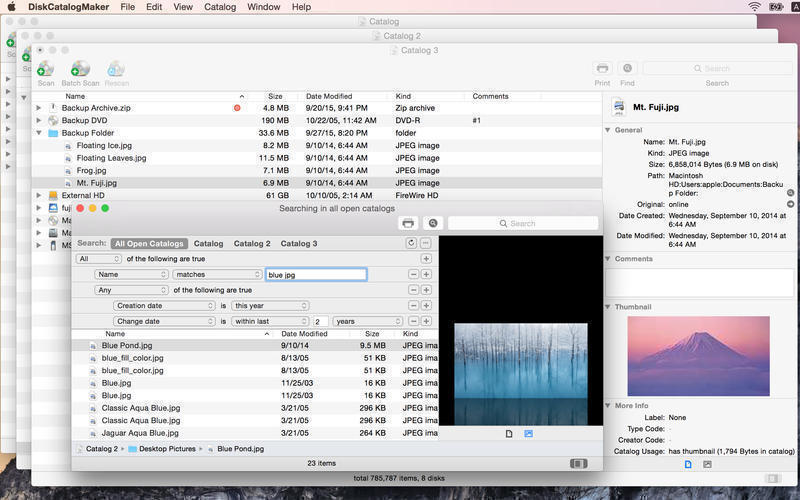
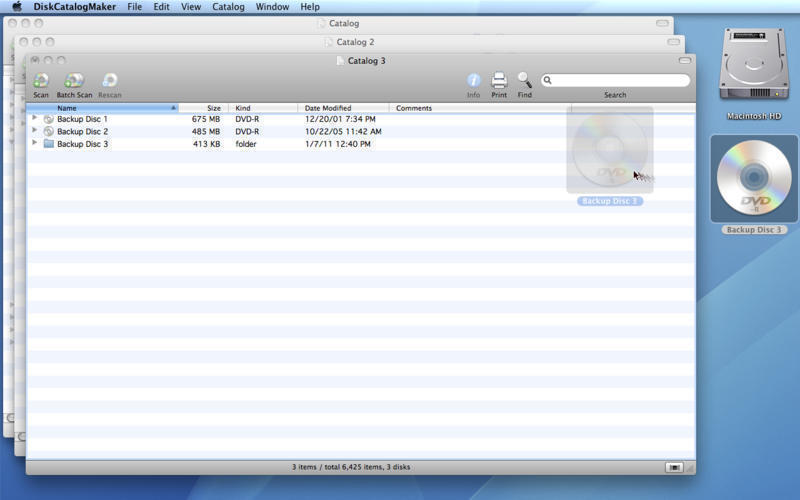
DiskCatalogMaker 8.4.5

A simple, clean and practical disc management utility especially made to help you catalog your entire disc collection with just a few clicks of a mouse button. If you work with numerous CDs, DVDs and Blu-ray discs or you just want to catalog your music, video or image collection from an internal or remote disk, then DiskCatalogMaker is the right application for you.

Catalog your discs
● Drag and drop your disk icon onto the catalog window.
● Use batch scan mode for multiple discs.
● You can also use the generate thumbnail images option.

View your catalogs
● Finder like intuitive look and feel.
● You can print a catalog.
● Use “Select Original” to reveal an item on Finder.
● Use “Open Original” to open an item directly.
● Use “Quick Look” to preview an item without even opening it.

Search through your catalogs
● Find by name and other file attributes.
● Use AND/OR boolean search expressions.
● Search through your catalogs via Spotlight.

More Features
● Super fast search algorithm.
● Opening multiple catalogs at once.
● Optimized cataloging engine for multi-core/multiprocessor systems.
● Trusted catalog database format for scalability and storage of huge data.
● Compressing catalog data for disk space.
● Zip, StuffIt, RAR, 7-Zip, tar, gzip, bzip2, CompactPro and LHA archive formats support.
● CD-TEXT format support.
● Cataloging a folder on a network volume.
● Long unicode name and Asian languages support.
Compatibility: OS X 10.7 or later, 64-bit processor
Homepage https://diskcatalogmaker.com/en/index.html

Screenshots


Name: DiskCatalogMaker.8.4.5_Mactorrents.io.zip
Size: 9 MB
Files DiskCatalogMaker.8.4.5_Mactorrents.io.dmg[9 MB]

   Download

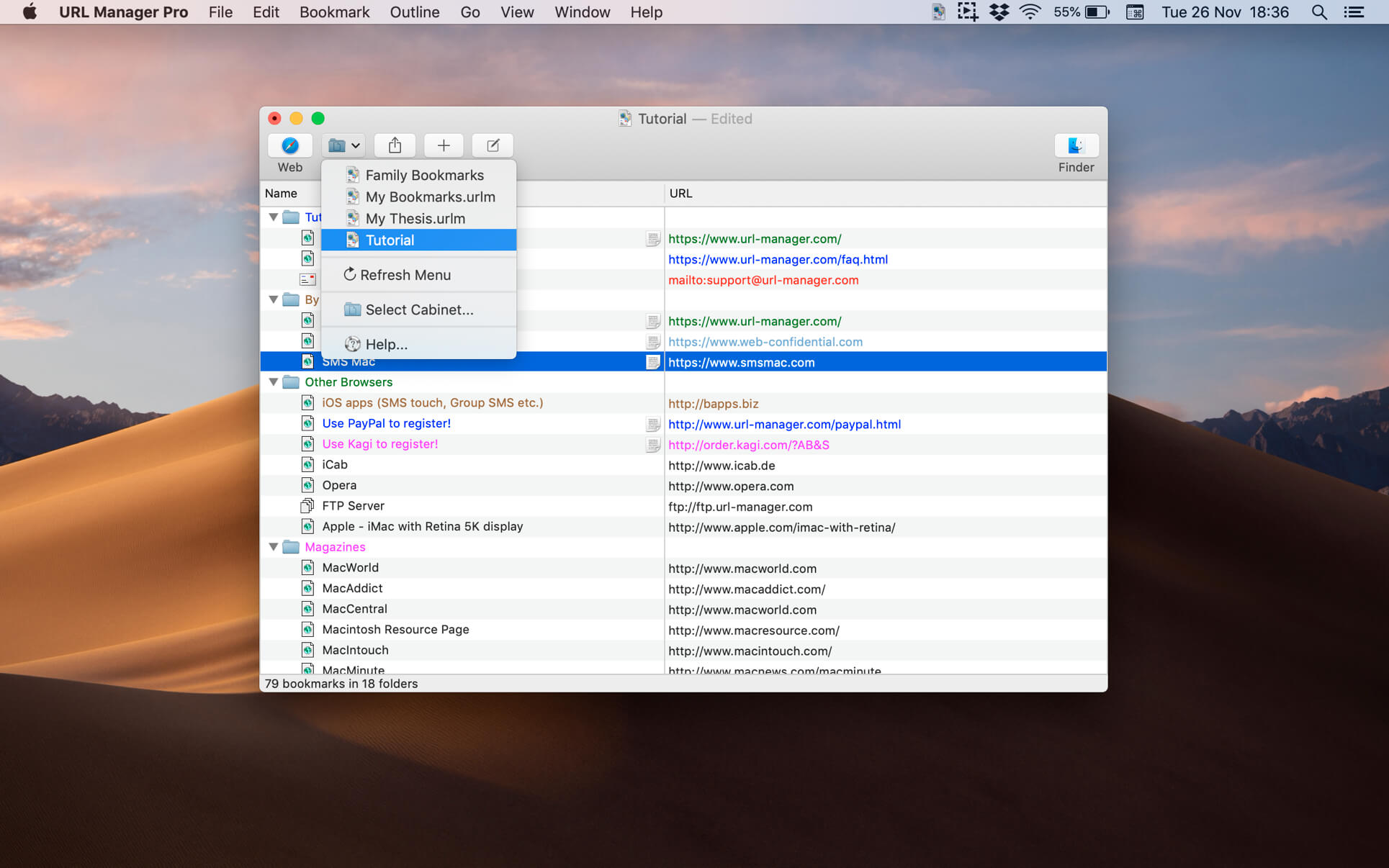
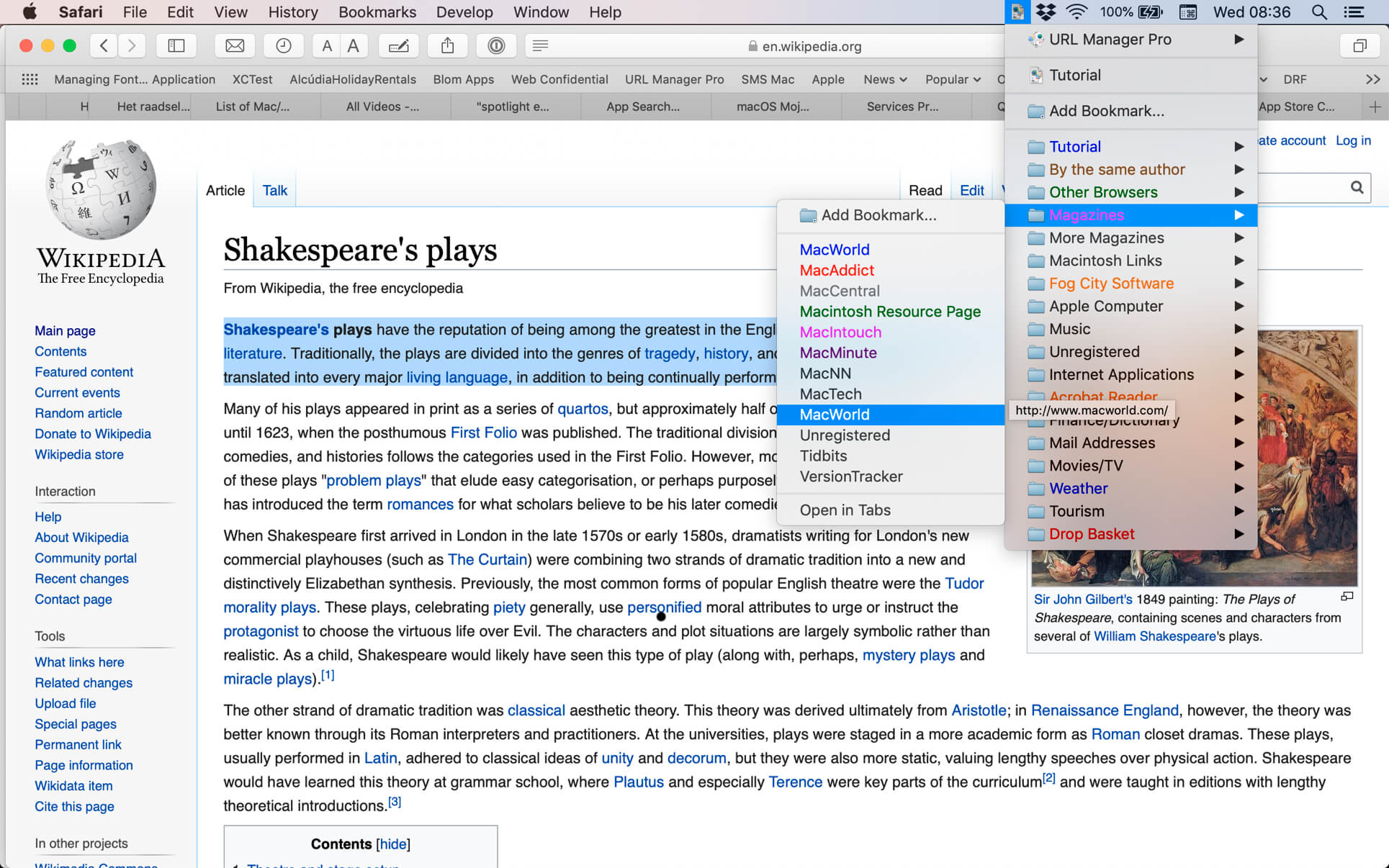
URL Manager Pro 5.9 U2B

The popular and award-winning bookmark manager now available in 64-bit version for the latest macOS with support for Retina displays, Auto Save and Versions.

URL Manager Pro allows you to manage your bookmarks independently from a web browser, yet use your bookmarks with any web browser, like Safari, Chrome, Edge, Chromium, Opera, Firefox, Vivaldi, Brave, iCab etc.

You can create and save several separate bookmark documents and you can access them all from the system-wide bookmarks menu.
Using a system-wide bookmarks menu, you have access to your bookmarks in any app or web browser.
You can also bookmark the current web page directly to URL Manager Pro from within your favourite web browser.
In the URL Manager Pro documents, you can manage your bookmarks easily with drag and drop. You can add tags, notes and colours to your bookmarks.

You can import bookmarks from several popular browsers, like Safari, Chrome, Edge, Firefox, Vivaldi, Brave, iCab, Opera etc. You can also scan TEXT files for URLs and import links and bookmarks from HTML and XBEL format.
You can also export your bookmarks to HTML, XBEL, TEXT and Internet Location files.

Compatibility: macOS 10.13 or later, 64-bit processor
Homepage http://www.url-manager.com/

Screenshots


Name: URL_Manager_Pro_5.9__HCiSO_Mactorrents.io.dmg
Size: 23 MB
Files URL_Manager_Pro_5.9__HCiSO_Mactorrents.io.dmg[23 MB]

   Download

Meta 2.1.2 U2B

Meta helps you manage your ever-growing digital music collection. Use it to easily edit information such as a song’s artist, title, album, album cover, etc. It supports editing of most audio formats such as MP3, MP4, M4A, FLAC, Ogg, OGA, SPX, WAV, AIFF, and a variety of metadata formats including ID3v1, ID3v2.3, ID3v2.4, iTunes MP4, Vorbis comments, and APE tags.

Features

  • A polished, intuitive user interface that adopts OS X’s standards
  • Write metadata to multiple files at once (Batch Tag Editing)
  • Remove all metadata from files (Strip Tags)
  • Change typecase (capitalise, upper/lowercase, titlecase), strip underscores
  • Rename files based on their metadata or instead, convert filenames to metadata
  • Find and Replace characters, words, or strings in metadata, with support for regular expressions (patterns)
  • Add selected tracks to iTunes, or refresh their metadata using a simple keyboard shortcut
  • Automatically generate track numbers
  • Benefit from built in file management operations (Move, Delete, Reveal in Finder)
  • Interface is compatible with Retina displays

Album covers can easily be set or exported via drag-and-drop, and it is possible to configure Meta so that it scales, crops, and compresses images each time a new image is set, so as to keep your audio files’ size to a minimum.

Language: English, French, German, Italian, Japanese, Simplified Chinese, Spanish
Compatibility: OS X 10.8 or later 64-bit
Homepage https://apps.apple.com/pk/app/metaimage/id1397099749

Screenshots


Name: Meta_2.1.2__HCiSO_Mactorrents.io.dmg
Size: 12 MB
Files Meta_2.1.2__HCiSO_Mactorrents.io.dmg[12 MB]

   Download

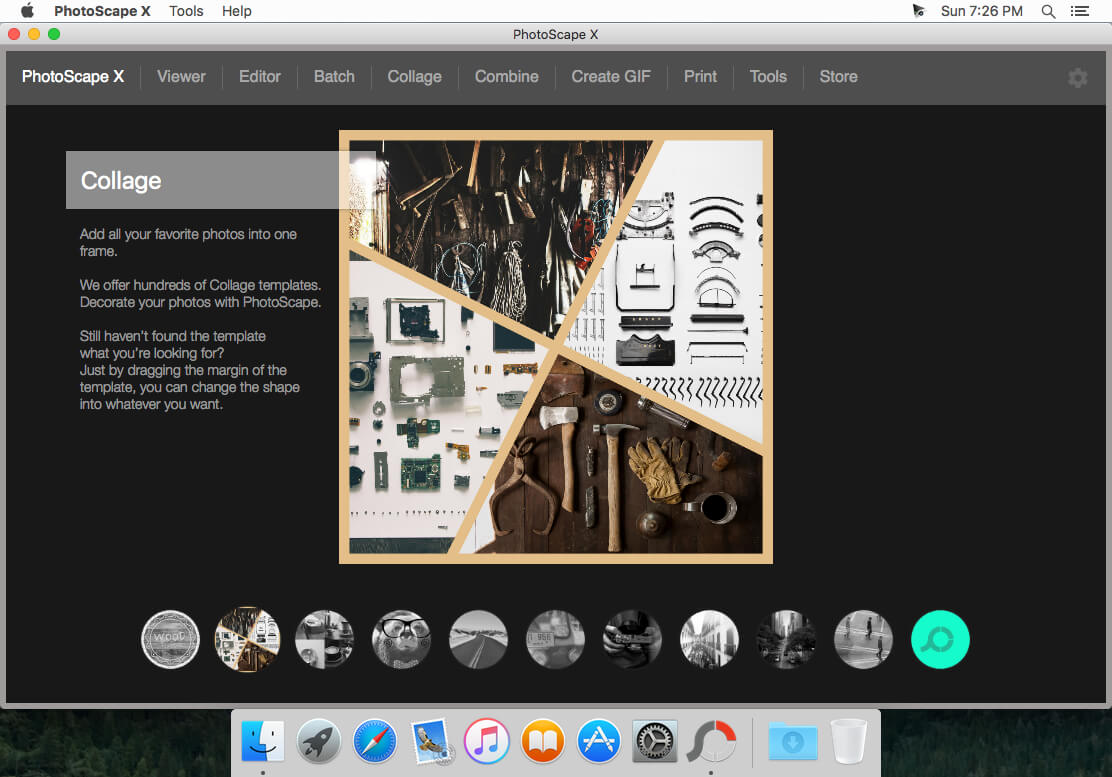
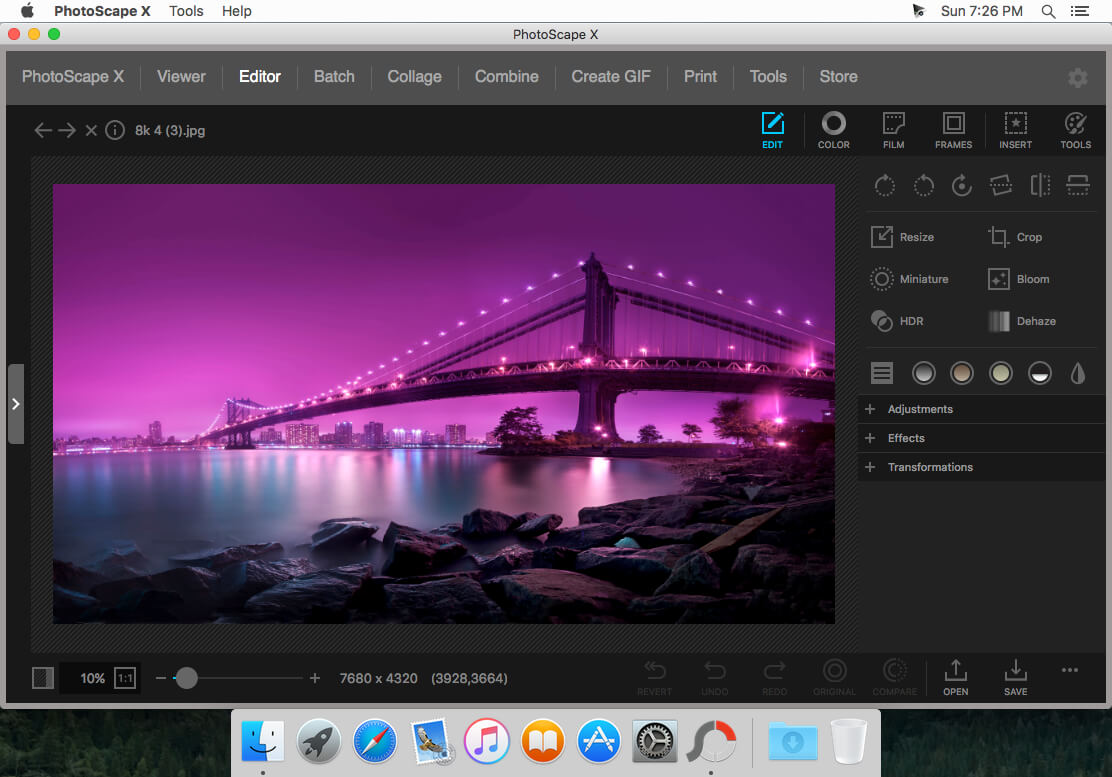
PhotoScape X Pro 4.2.1

All-in-One: Photo Editor, Batch Editor, Viewer, Collage, Animated GIF, Film Effect, Light Leak, Miniature Effect, Filter, Brush, Sticker, Pattern, Frame, Shape, Border and More.

PhotoScape X is a fun and easy photo editor that enables you to fix and enhance photos.

Key Features

  • Editor: Rotate, Straighten, Resize, Crop, Border, Color Adjustment, Color Temperature, Tint, Film Effect, Light Leak, Auto Level, Auto Contrast, Backlight Correction, Bloom, HDR, Dehaze, Vignetting, Sharpen, Blur, White Balance, Curves, Levels, Color Balance, Hue/Saturation, Sepia, Grayscale, Black & White, Negative, Text Object, Image Object, Magnifier Object, Paint Brush, Effect Brushes, Mosaic Brush, Spot Healing Brush, Mixer Brush, Red Eye Correction, Liquify, Clone Stamp.
  • Batch: Batch edit multiple photos.
  • Viewer: Photo Browser, Full Screen Viewer, Batch Rename, Batch Resize, Batch Format Change, Lossless Rotate, Share (Email,Twitter,Facebook,Picasa,Flickr), Exif Viewer.
  • Share: Sharing on Social Networks: Facebook, Twitter, Picasa, Flickr.
  • Full Screen: See your photos in full-screen view or as a slide show.
  • Collage: Merge multiple photos on the collage frame to create one final photo.
  • Combine: Attach multiple photos vertically or horizontally to create one final photo.
  • GIF Creator: Create Animated GIF.
  • Print: Print photos.
  • Screen Capture: Capture your screenshot and save it.
  • Color Picker: Zoom in on images, search and pick a color.
  • Rename: Change photo file names in batch mode

Compatibility: macOS 10.12 or later 64 bit
Homepage https://itunes.apple.com/app/id929507092

Screenshots


Name: PhotoScape_X_Pro_v4.2.1_MAS_In-App__TNT_Mactorrents.io.dmg
Size: 349 MB
Files PhotoScape_X_Pro_v4.2.1_MAS_In-App__TNT_Mactorrents.io.dmg[349 MB]

   Download

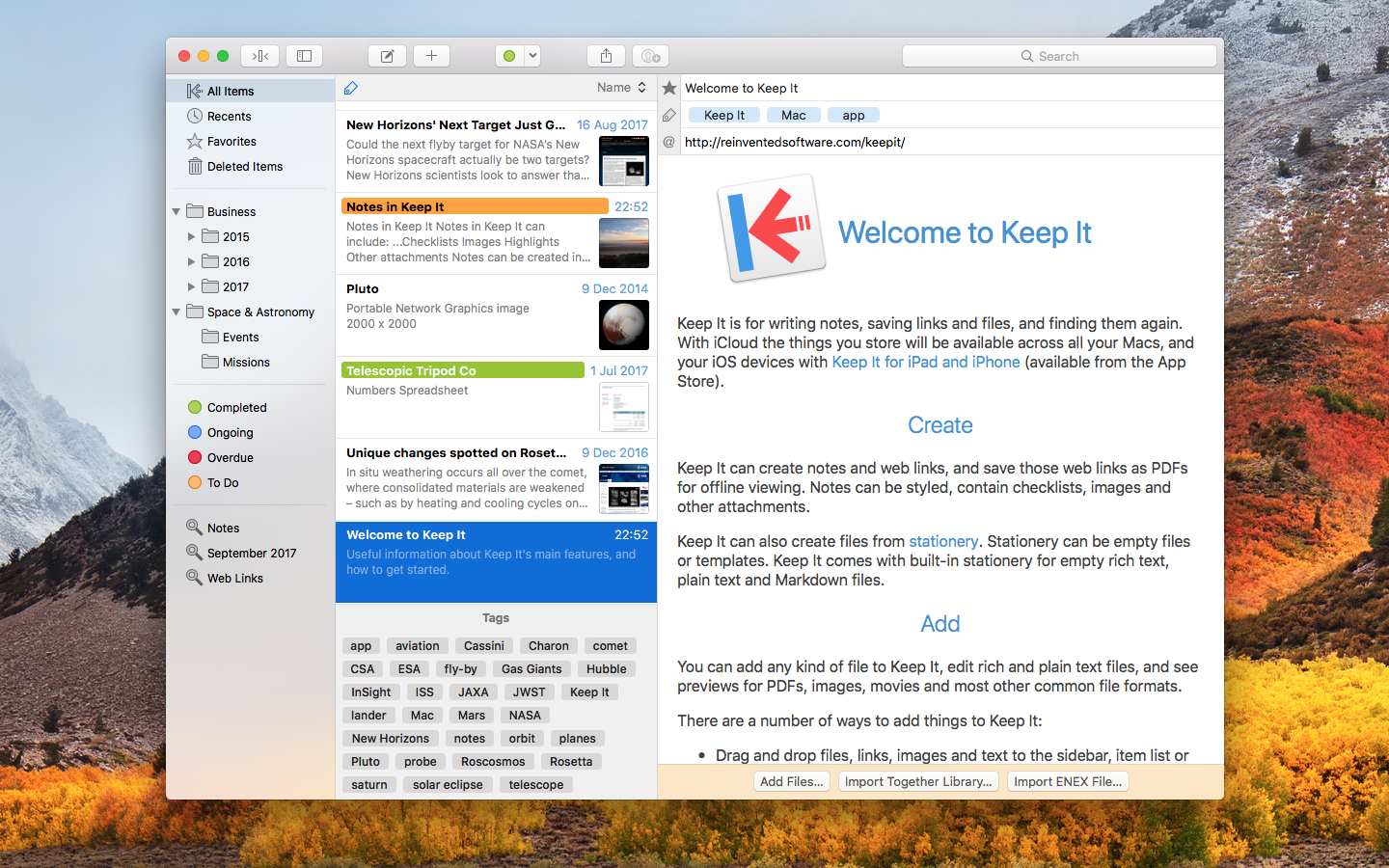
Keep It 1.11.10

Keep It is for writing notes, keeping web links and documents, and finding them again. Available on Mac, and as a separate app for iPhone and iPad, Keep It is the destination for all those things you want to put somewhere, confident you will find them again later.

Notes and Links
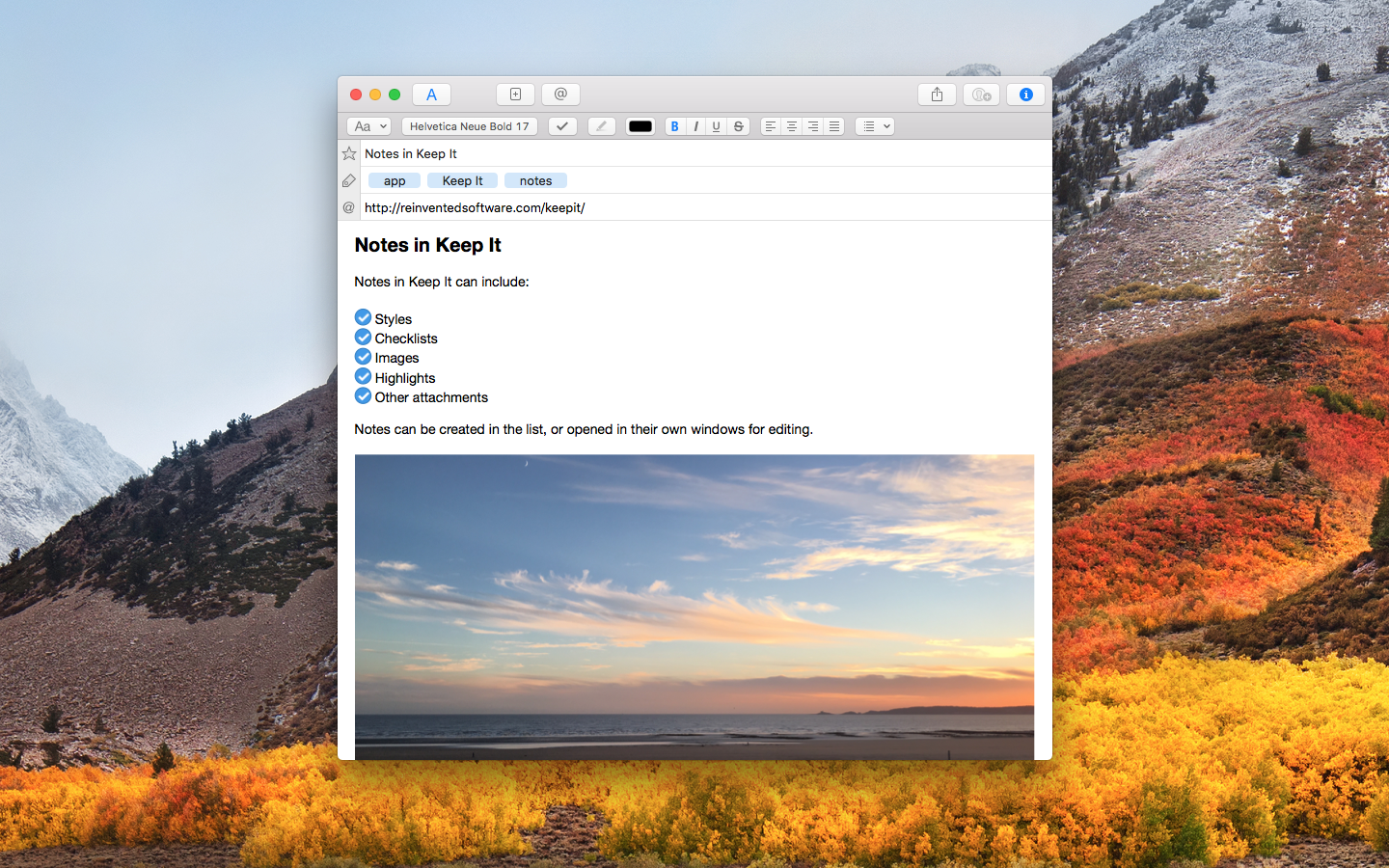
Make Notes
Create notes with built-in styles that look good and read well on all your devices. Notes can contain checklists, bulleted and numbered lists, images, links and other attachments.

Save Web Links
Save web links to Keep It, view them in the app, open them in your browser, or save them as PDFs for offline reading.

Files
Add Anything
Any kind of file can be added to Keep It or saved to its folders, and opened for editing in their original applications. With iCloud, changes are automatically made available across all your Macs and iOS devices.

Preview and Edit
Keep It generates thumbnails and summaries for most files, can edit its own notes, rich and plain text files, and show previews for PDFs, images, web pages and most other documents.

Search and Filter
Search
Keep It can search the content of most files. Suggestions appear as you type, allowing you to narrow down results to exactly what you need, or use keywords and natural language. Save searches for later reuse.

Tag Filter
Keep It’s Tag Filter makes finding things by their tags a pleasure. Choose a tag to see all the tagged items and any other relevant tags; choose another tag to drill down further.

Organize
Folders
Folders let you organize items and bundles hierarchically, when needed. Select a folder to see everything it contains.

Bundles
When you need to gather things into one place, make a bundle. Items can be in more than one bundle at a time, and when you remove the bundle, everything else stays where it was.

Labels
Use labels to color-code items for quick visual recognition. Labels are listed in the sidebar so you can quickly see everything with a particular label.

More Lists
Use the Recents list to see things you’ve added or viewed lately, with the latest shown at the top. Favorites provide quick access. Deleted Items are automatically removed after 30 days.

Where You Need It
Compact Mode
In compact mode, Keep It for Mac becomes a single column, ideal for using alongside other apps or in split screen.

Works with Other Apps
Pretty much anything can be dragged to Keep It, and you can also add things from a variety of apps with Keep It’s share extension.

*** You need to disable the System Integrity Protection (SIP) to perform the selected Application.

Compatibility: macOS 10.13.0 or later
Homepage http://reinventedsoftware.com/keepit/

Screenshots


Name: Keep_It_1.11.10__TNT_Mactorrents.io.dmg
Size: 26 MB
Files Keep_It_1.11.10__TNT_Mactorrents.io.dmg[26 MB]

   Download

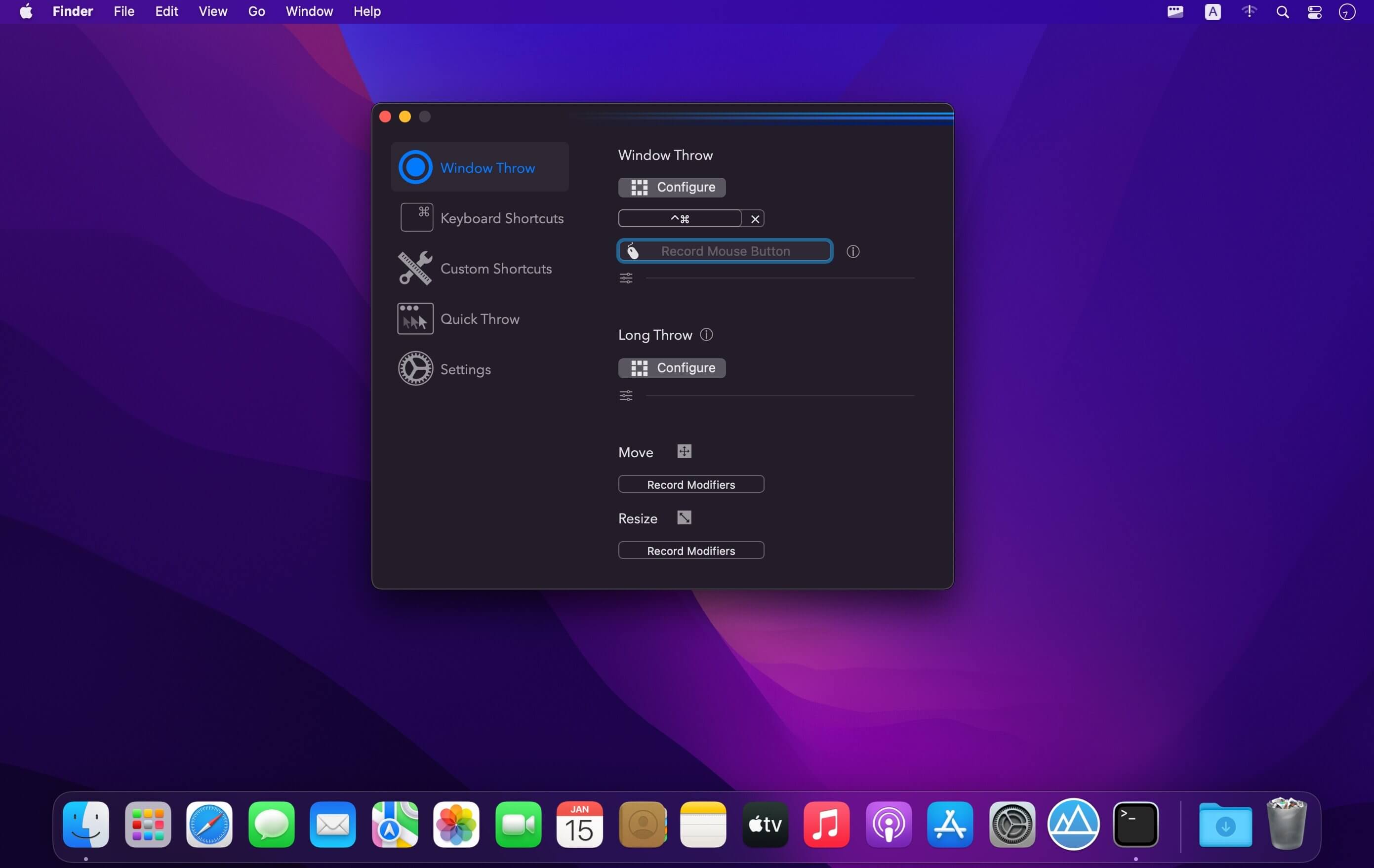
Rectangle Pro 2.1.1

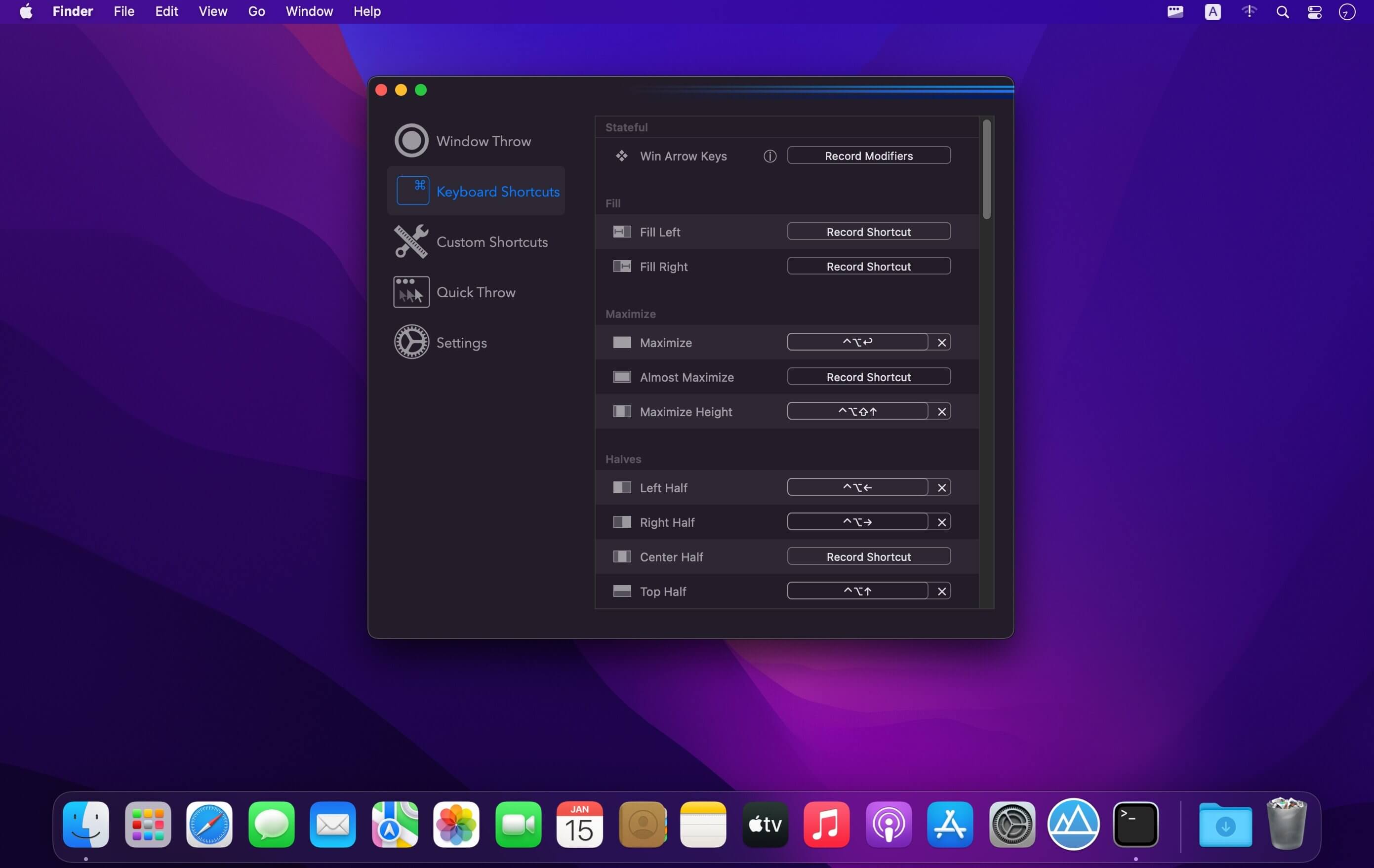
(Formerly Hookshot) Snap windows faster in this featureful Rectangle superset. Toss windows in the right places with cursor movement, move multiple windows with one command, create custom shortcuts, and more.

Features

  • 16 window sizes & positions
  • Keyboard shortcuts
  • Drag windows to screen edges to snap
  • Move and resize by holding a key and moving your cursor
  • Snap windows under your cursor, even if not in focus
  • Custom shortcuts for any size & position

What’s New:

Version 2.1.1:

  • Release notes were unavailable when this listing was updated.

Compatibility: OS X 10.12 or later
Homepage https://hookshot.app

Screenshots


Name: Rectangle_Pro_2.1.1__TNT_Mactorrents.io.dmg
Size: 17 MB
Files Rectangle_Pro_2.1.1__TNT_Mactorrents.io.dmg[17 MB]

   Download

iMusic 2.2.2.1

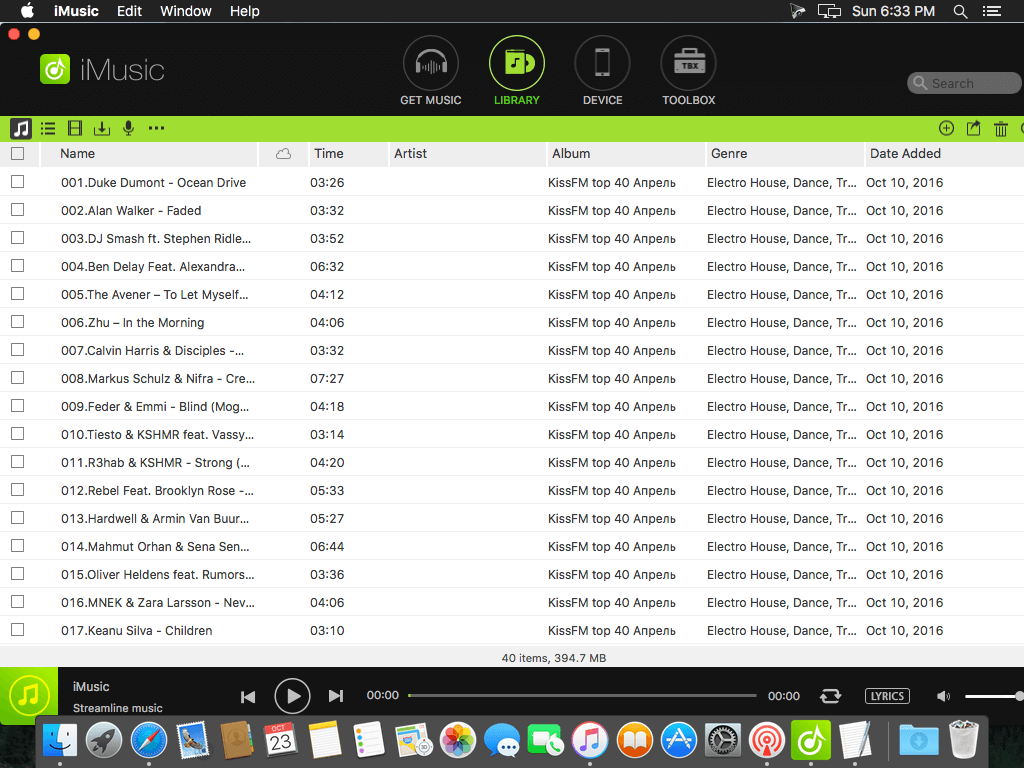
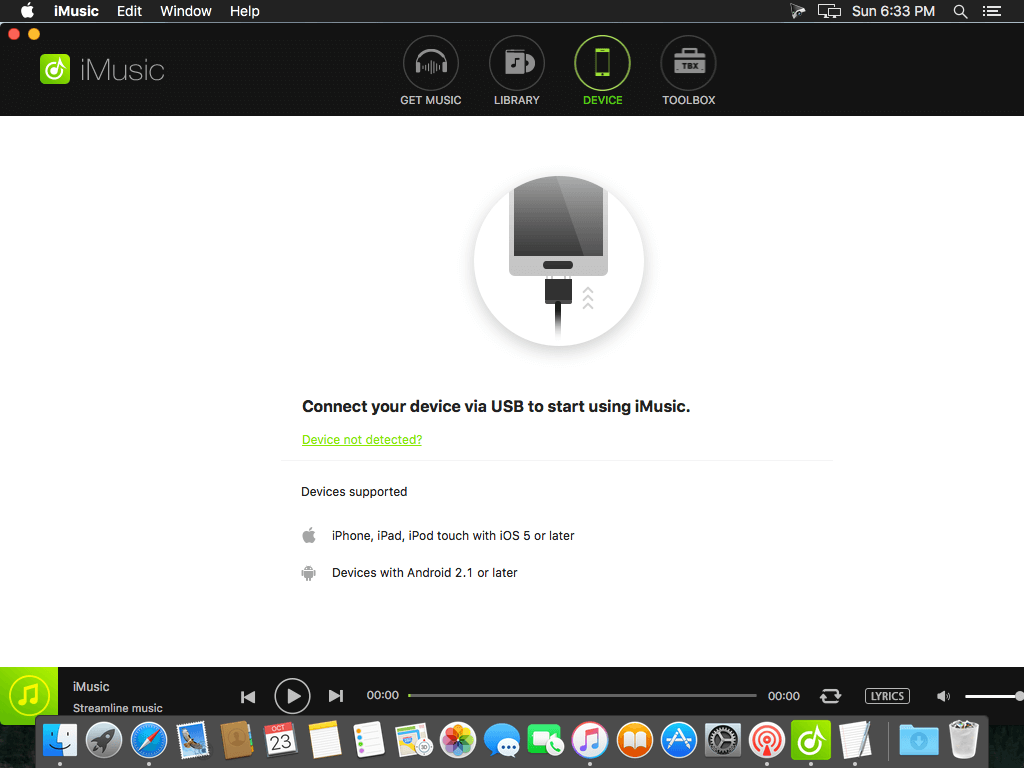
An all-in-one music manager to download music, transfer music between iPhone/iPad/iPod/Android phones and iTunes/Mac/PC, and clean up music collection.

iSkysoft iMusic has a built-in music library, covering the most popular artists, genres and hottest playlists. You can search for the artists, songs and playlists and listen to them. More than listening to music, this all-in-one music tool enables you to download any song or any playlist you like for totally free. Aha, a nice place to get music, right?

iMusic is able to download any loved songs from more than 3000 music sites, including YouTube, Spotify, Pandora, last.fm, Vimeo, Dailymotion, Facebook, VEVO, and more on your Mac/PC. It means you can directly download MP3 from YouTube and other sites, saving them to your iTunes Library for enjoyment or management.

Supported OS

  • iOS: the latest iOS 9.3 and formers
  • Android: Android 2.1 to Android 6.0
  • iPod: iPod OS 1.0 and iPod OS 2.0

What’s New:

Version 2.2.2.1:

  • Release notes were unavailable when this listing was updated.

Compatibility: OS X 10.10 or later
Homepage https://imusic.aimersoft.com/

Screenshots


Name: iMusic_2.2.2.1__TNT_Mactorrents.io.dmg
Size: 65 MB
Files iMusic_2.2.2.1__TNT_Mactorrents.io.dmg[65 MB]

   Download

Mirror for Fire TV 2.7.2

Application to mirror the screen and audio of your Mac to an Amazon Fire TV. You can also stream individual video files from your Mac to your Fire TV. Also, we included the option to watch one window on your Mac, and another window on your TV!

Before using this application, please go to the Amazon website and install the (free) Mirror Receiver for Fire TV: http://bit.ly/FireReceiver

In using the app, there will be a about 2 to 3 seconds of latency (lag). So this mirroring is not suitable for gaming.

However, it is very suitable for watching movies, giving presentations, watching photos, and much more!

The quality of your experience will be dependent on the quality of your local network. Some tips to enhance the experience:
1. Restart your router. Just take out the power plug, wait 10 seconds and put it back in. This resets your router and will make your home network faster and more stable. Why this works? Routers are in essence little computers, with software. Software will have small memory leaks and some processes will stop working correctly over time. That’s why it is a good idea to reset your router once in a while. Our recommendation: once a week.

2. Don’t do network intense work while screen mirroring. As explained, screen mirroring is network intense. For the best performance, don’t do other network intense work at the same time. This includes making timemachine backups over the network and uploading/downloading large files from the internet while screen mirroring.

3. Put your Mac and your Fire TV on the same router channel. Some routers (dual band) have create both a 2.4Ghz and a 5Ghz wireless network. For the best performance, put your Mac and your Fire TV on the same network. Preferably the 5Ghz network. But definitely not the Mac on 5Ghz and the Fire TV on 2.4Ghz, because that will negatively impact the performance of screen mirroring.

4. Use an AC or N router. Newer routers support Wifi AC and N. Older routers might only have Wifi B and/or G. B and G are not really up to scratch anymore for modern networking tasks, so go for an AC or N router. If your router supports AC and N, also make sure that your router is set to use either the Wifi N or Wifi AC networking.

How the app works:
First, make sure that your Fire TV is on the same local network and same subnet as your Mac. After launching the app, you will see the app icon appearing in the top bar of your Mac and the app will look for your Fire TV on the network. It will show your Fire TV when it has found it. Now, you have two options:

Mirror your Mac Screen:
Use this option to put the screen of your Mac on TV. In source, you can select which screen (or attached monitor) you want to display on TV. If you are running multiple applications on your Mac, you can also select which application window you want to see on TV.

Enable Sound: check this to hear the sound of your Mac coming from the TV. You will need the additional (free) audio driver, which you can download here: http://bit.ly/MirrorAudio

Play Video File:
Use this option if you have a video file on your Mac and you want to play just the file on TV. Drop it in the box and it will play on TV.

Compatibility: OS X 10.10 or later, 64-bit processor
Homepage https://www.airbeam.tv/

Screenshots


Name: Mirror_for_Fire_TV_2.7.2__TNT_Mactorrents.io.dmg
Size: 17 MB
Files Mirror_for_Fire_TV_2.7.2__TNT_Mactorrents.io.dmg[17 MB]

   Download

Wondershare Recoverit 10.0.9.8

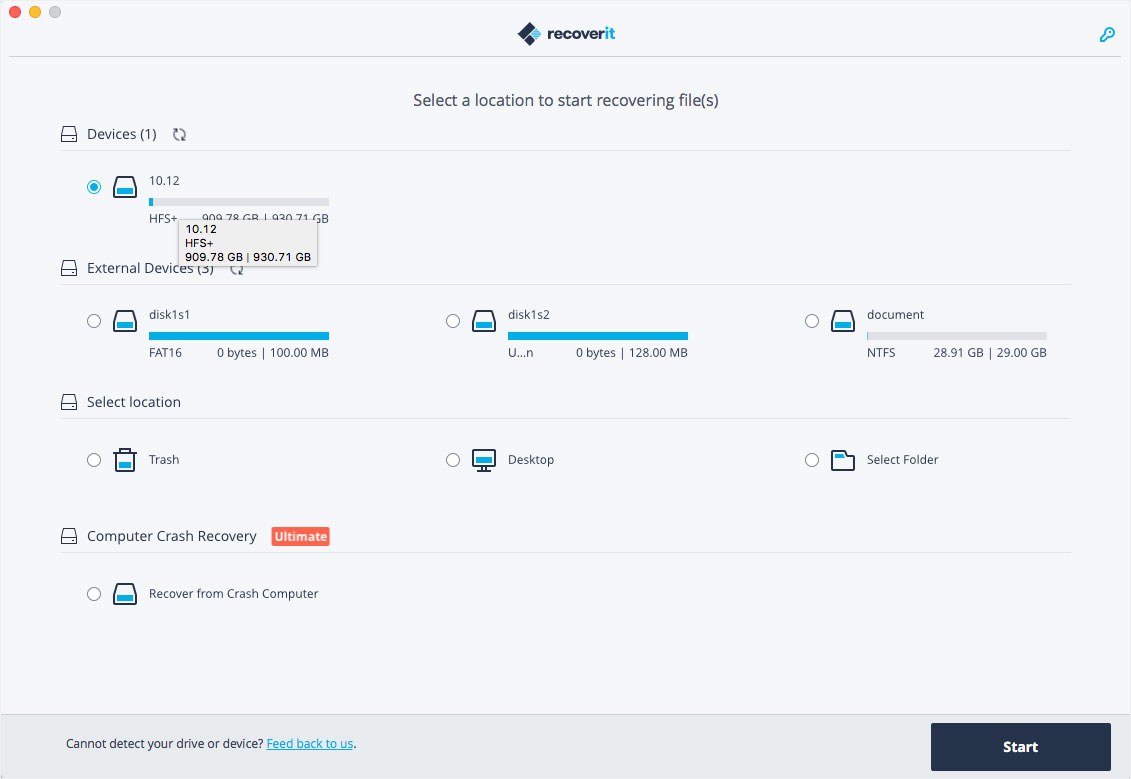
Wondershare Recoverit is a comprehensive data recovery suite to recover Mac data lost due to accidental deleting, formatting, virus infection, improper operation, unexpected power failure, and other unknown reasons.

It can recover Mac data from lost, deleted, logical corrupted and formatted Mac hard drive, iPod, USB drive, SD card, digital camera, mobile phone, MP3, and MP4 player. Compatible with HFS+, FAT16/32, and NTFS file system volumes, this non-destructive Mac file recovery software ensures safe Mac file recovery without modifying the original data saved on your Mac machine or any other storage media. Versatile preview lets you enjoy Mac data recovery in advance.

Features

  • Safety First:
    • Read-only and risk-free Mac data recovery program. No any writing operation to your original data.
  • Versatile Preview Ability:
    • For images, real-time and direct scan results is displayed during the scan process to let users stop scanning once the target images are found.
    • For other Mac files such as videos, audio files, archives and documents, they are displayed as a text in a Hex mode for preview to let users enjoy file recovery on Mac in advance.
  • Precise File Recovery for Mac:
    • Before data recovery on Mac, you can choose the target file types to scan, which saves you much time especially when there are tons of files on your Mac machine.
    • Restore deleted files for Mac with original file names, shooting date, and storage paths.
    • Support file names search for scanning results to provide you precise Mac file recovery.
  • Easy-to-use and Clean Interface:
    • Complete wizard and easy-to-use interface let you perform Mac data recovery in a breeze.

What’s New:

Version 10.0.9.8:

  • Release notes were unavailable when this listing was updated.

Compatibility: OS X 10.10 or later, 64bit
Homepage https://recoverit.wondershare.com

Screenshots

Name: Wondershare_Recoverit_10.0.9.8__TNT_Mactorrents.io.dmg
Size: 111 MB
Files Wondershare_Recoverit_10.0.9.8__TNT_Mactorrents.io.dmg[111 MB]

   Download

iCollections 7.4 (74008)

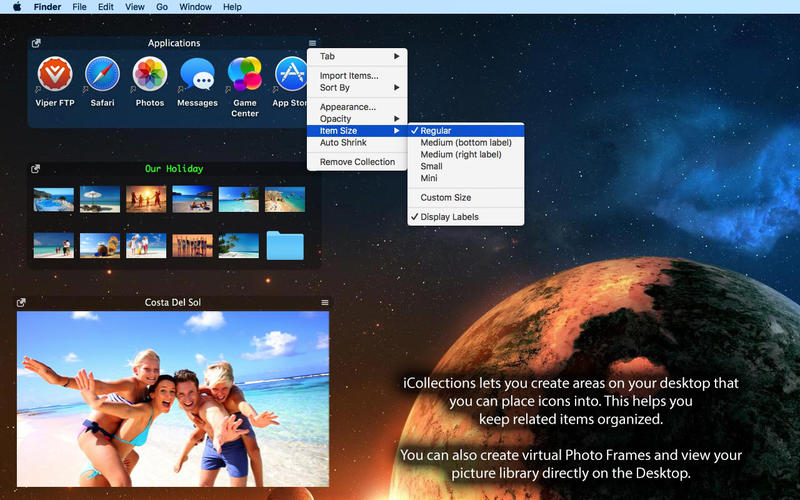
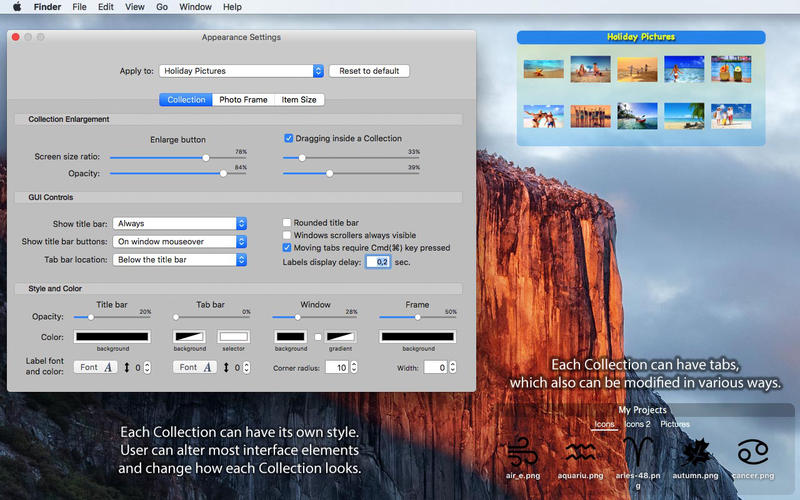
iCollections is an expertly designed application which helps you keep your desktop organized. The app’s unique features are what make it the most popular method of desktop organization for Mac users. iCollections lets you create areas on your desktop that you can place icons into. This helps you keep related items together so your files (pictures, documents, screenshot, applications, etc.) remain organized.

When selecting Photo Frame, a picture frame will be created at the desktop. The Photo Frame will display collection of your pictures as a slide show, eg. a new picture every day. Select your pictures folder and recall wonderful memories.

Use View Settings to define a slide show: window design and details to show. You can also create a static picture – just select a picture instead of a folder. Quick and easy!

Compatibility: macOS 10.12 or later, 64-bit processor
Homepage https://naarakstudio.com/icollections/index.html

Screenshots


Name: iCollections_7.4__74008___TNT_Mactorrents.io.dmg
Size: 23 MB
Files iCollections_7.4__74008___TNT_Mactorrents.io.dmg[23 MB]

   Download

Battery Indicator 2.12.1

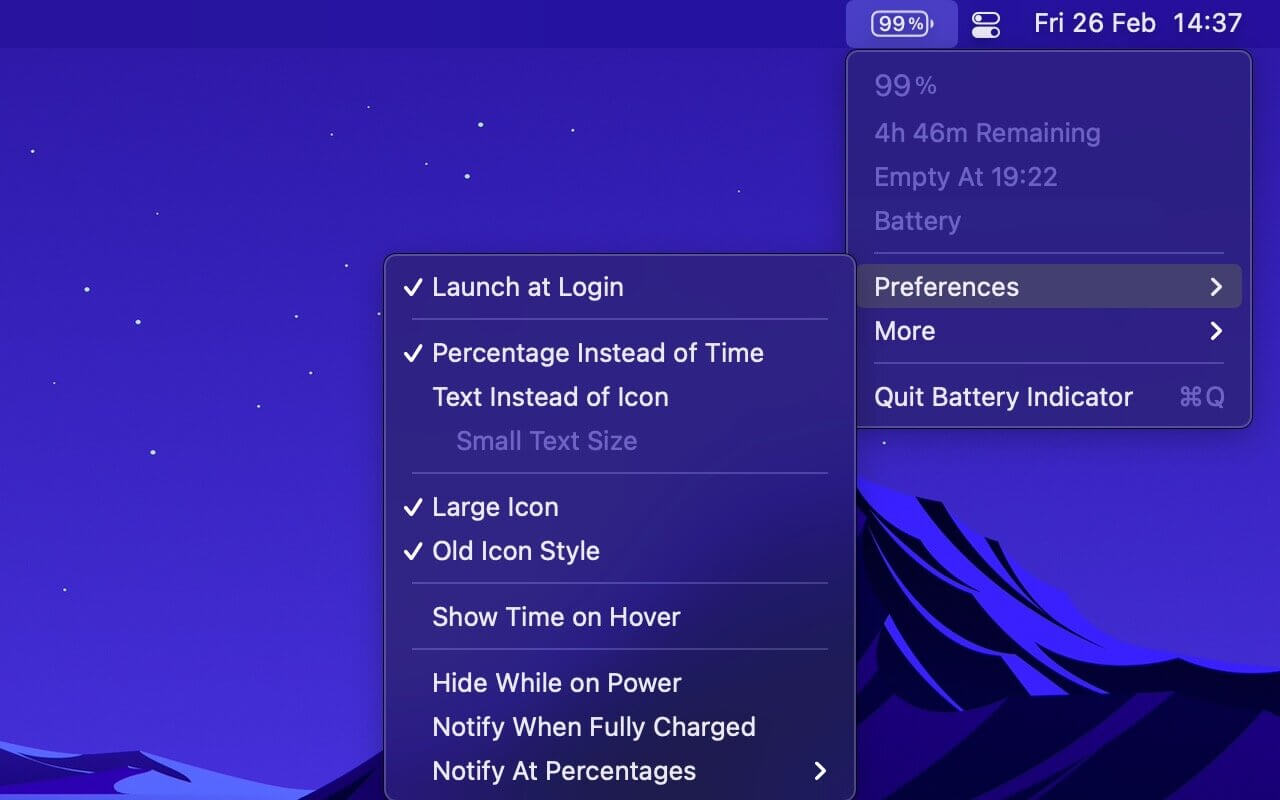
Shows the remaining battery time and percentage in the menu bar.

The app has a setting to hide the menu bar icon when the power plug is connected, which can be useful if you only care about the battery time/percentage when on battery.

You can hide the system battery indicator by dragging its icon out of the menu bar while pressing the Command key. You can also reorder menu bar icons by dragging them around while pressing the Command key. That means you can place this app exactly where the system battery indicator used to live.

There’s also a preference to notify when the battery is fully charged or at certain percentages.

It also comes with support for Shortcuts (on macOS 12).

Requires a MacBook, MacBook Pro, or MacBook Air.

Tip: Press the Option key while the menu is open to see battery condition and health.

Compatibility: macOS 11.5 or later
Mac App Store https://apps.apple.com/app/battery-indicator/id1206020918

Screenshots

Name: Battery_Indicator_2.12.1_MAS__HCiSO_Mactorrents.io.dmg
Size: 4.3 MB
Files Battery_Indicator_2.12.1_MAS__HCiSO_Mactorrents.io.dmg[4.3 MB]

   Download

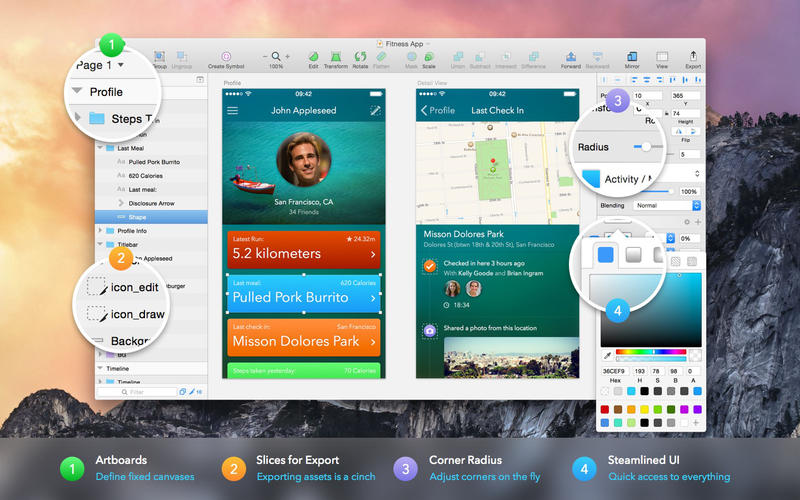
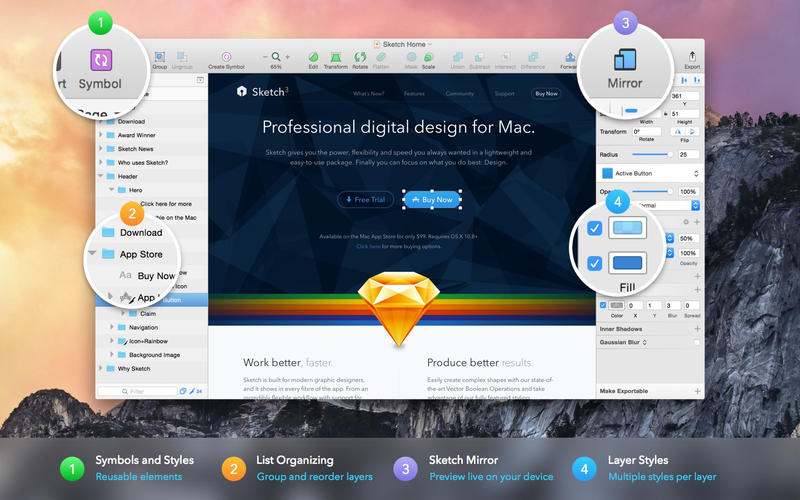
Sketch 82.1

Sketch: graphic design for a digital world. Powerful tools and an elegant interface, in a single award-winning package. Because making beautiful things should be a joy, not a burden.

Sketch supports multiple fills, borders and shadows per layer; has powerful non-destructive boolean operations; smart pixel alignment; and makes exporting a breeze with automatic slicing and multiple resolution export.

Vector tools and basic shapes are the foundation; whether you are designing icons, websites, interfaces or anything else. Combine these into complex shapes with non-destructive boolean operations, leaving you free to edit them in the future, then apply advanced layer style options like multiple shadows, fills, gradients, noise, blending, background blurring, and more.

Sketch doesn’t just do shapes, of course. Imported images can be rotated, scaled, cropped and masked. The best-in-class text tool lets you add beautiful typography to your designs, using native font rendering, so you can be sure that text always looks 100% accurate!

Brand new to Sketch 3, Symbols allow you to reuse entire groups of content in multiple places in your design. Think of interface elements such as buttons, headers and footers. Change them once, and they update everywhere in your document.

Built for the Mac, Sketch supports OS X’s Versions and Auto Save, letting you focus on your work instead of hitting CMD+S. Keep your work safely in sync across multiple Mac computers with iCloud. And take Sketch full screen to maximise the size of your canvas.

All this power is deliciously baked into Sketch’s single-window interface. Everything is there, tucked away until you need it. A simple interface with powerful tools.

Compatibility: macOS 10.14.4 or later 64 bit
Homepage https://www.sketch.com/updates/

Screenshots


Name: Sketch_82.1__TNT_Mactorrents.io.dmg
Size: 70 MB
Files Sketch_82.1__TNT_Mactorrents.io.dmg[70 MB]

   Download

Bartender 4.1.29

Bartender lets you organize your menu-bar apps by hiding them, rearranging them, or moving them to Bartender’s Bar. You can display the full menu bar, set options to have menu-bar items show in the menu bar when they have updated, or have them always visible in Bartender’s Bar.

Features

  • Lets you tidy your menu bar apps how you want.
  • See your menu bar apps when you want.
  • Hide the apps you need to run, but do not need to see.
  • Have the clean looking menu bar you want.
  • Rearrange your menu bar items as you wish.

Compatibility: macOS 11.00 or later 64-bit
Homepage https://www.macbartender.com

Screenshots


Name: Bartender_4_4.1.29__TNT_Mactorrents.io.dmg
Size: 10 MB
Files Bartender_4_4.1.29__TNT_Mactorrents.io.dmg[10 MB]

   Download

EdgeView 3.2.0

EdgeView 3 is fast image viewer has elegant user interface. EdgeView 3 is developed and designed for modern MacOS. It can open various image files such as JPEG, PNG, TIFF, BMP, and RAW file of DSLR, EPS and PDF, AI(Adobe Illustrator). Can open image files in archive directly without extraction.

User can open files, rename files, delete files from EdgeView’s file browser. Also can access to SMB/AFP/FTP network volume.

User can navigate images quickly by using keyboard shorcut, mouse wheel, trackpad gesture. EdgeVew show EXIF information, play animation GIF/PNG/WebP smoothly. Save last status to history, and restore when reopen file.

EdgeView 3 will be the best choice when viewing and managing image files.

Features

  • Rewrote full code as Swift for improve performance.
  • Support m1 CPU Mac.
  • Has easy UI, can control main function at Sidebar.
  • Support English/Korean/Japanese/Chinese(Simplified).

Image Viewer

  • Supporting image files such as JPG, GIF, BMP, PSD, TIFF, RAW, WEBP and PDF, EPS, AI(Adobe Illustrator), OpenEXR, HDR, TGA.
  • Can play animation GIF/PNG/WebP. User can control animation with floating animation controller.
  • Dispaly internal image(or frame) of animation GIF/PNG/WebP or HEIC that has multiple internal image.
  • Can read and show images of major archive formats (such as ZIP, RAR, CBZ, CBR, 7-zip) without extraction. Of course, can open ZIP file that 4GB over.
  • Can read encrypted archive file.
  • Can read archive file in archive file recursively
  • Improved draw speed by rebuilt image cache system and drawing engine.
  • Draw images as high quality.
  • Provide suitable functions for comic reading such as ‘Two-Page Spread’, ‘Continuous Scroll mode’, ‘Right to Left’, etc.
  • Provide multiple navigation functions like as ‘Move’, ‘Skip’, ‘Shift’, etc.
  • User can navigate images and check whole thumbnails at Thumbnailsbar.
  • User can navigate images by using keyboard shortcut, mouse wheel, trackpad gesture.
  • Can rotate and flip images. Orientation will be saved to history.
  • User can select part of images, and copy it or save as file.
  • Can zoom in/out image freely.
  • Built-in loupe function to make it easier to magnify part of image.
  • Show histogram.
  • Show neighbor files list. And can open neighbor file.
  • Support history feature for saving and restoring last status of file.
  • Can reopen file or remove history at history list.
  • Can rate image files.

File Browser

  • Built-in file browser can show and open files from local drive or AFP/SMB/FTP network drive.
  • Can display files as lists or icon.
  • Show images in folder/archive file at preview panel.
  • Generate thumbnails of archive files and folders.
  • Support powerful search feature.
  • Show category and writer information.
  • User can sort files by various options, and can delete or rename files.
  • Can rate files or folders.

Others

  • Support customizing feature. Also user can change shortcuts.
  • Built-in Quick Look Extension generate thumbnails and preview of archive files at Finder.

What’s New:

Version 3.2.0:

  • Release notes were unavailable when this listing was updated.

Compatibility: macOS 11.1 or later
Homepage https://apps.apple.com/pk/app/edgeview-2/id1206246482

Screenshots


Name: EdgeView_3.2.0_MAS__TNT_Mactorrents.io.dmg
Size: 24 MB
Files EdgeView_3.2.0_MAS__TNT_Mactorrents.io.dmg[24 MB]

   Download

DirEqual 4.2 (42002)

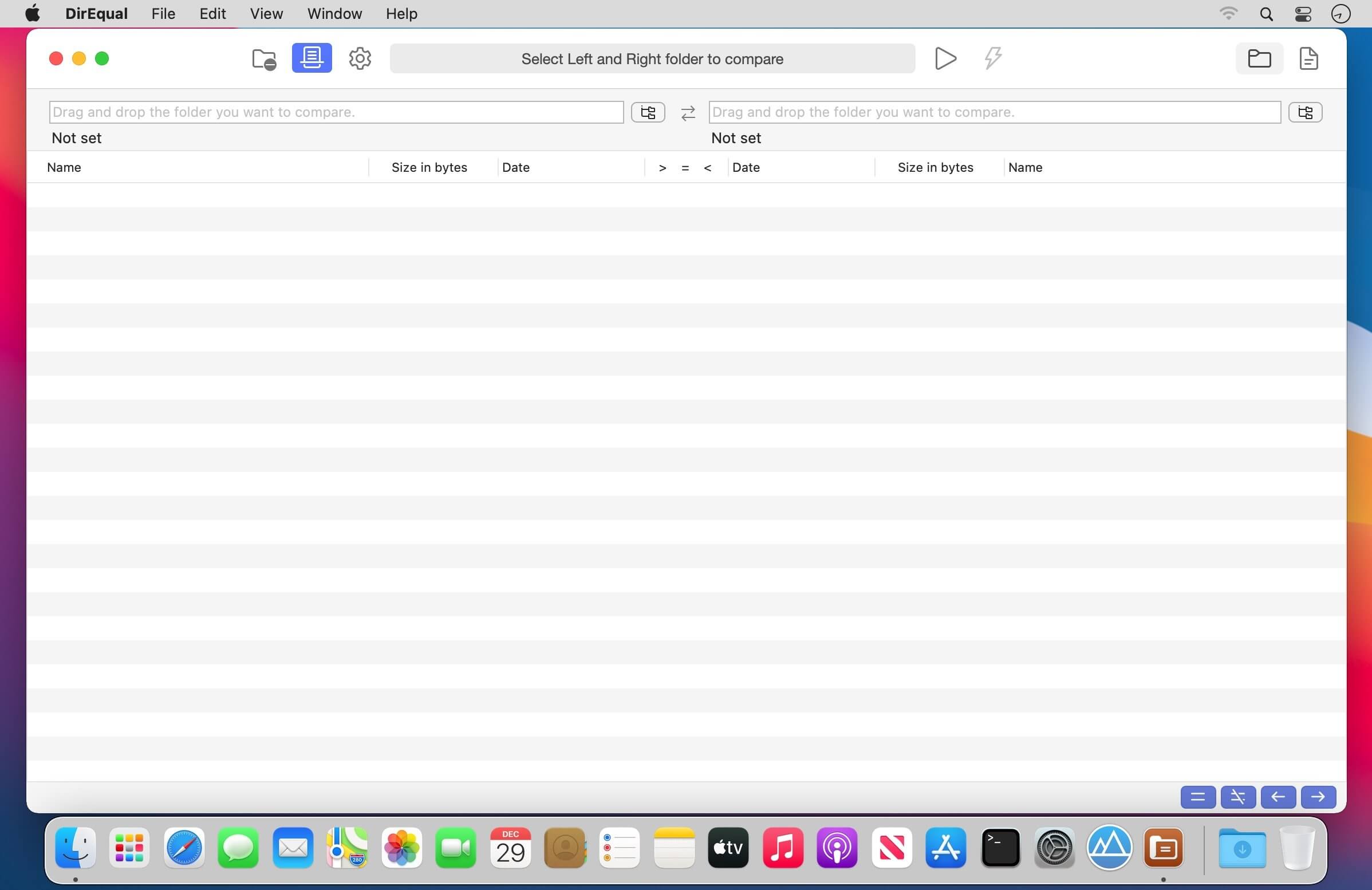
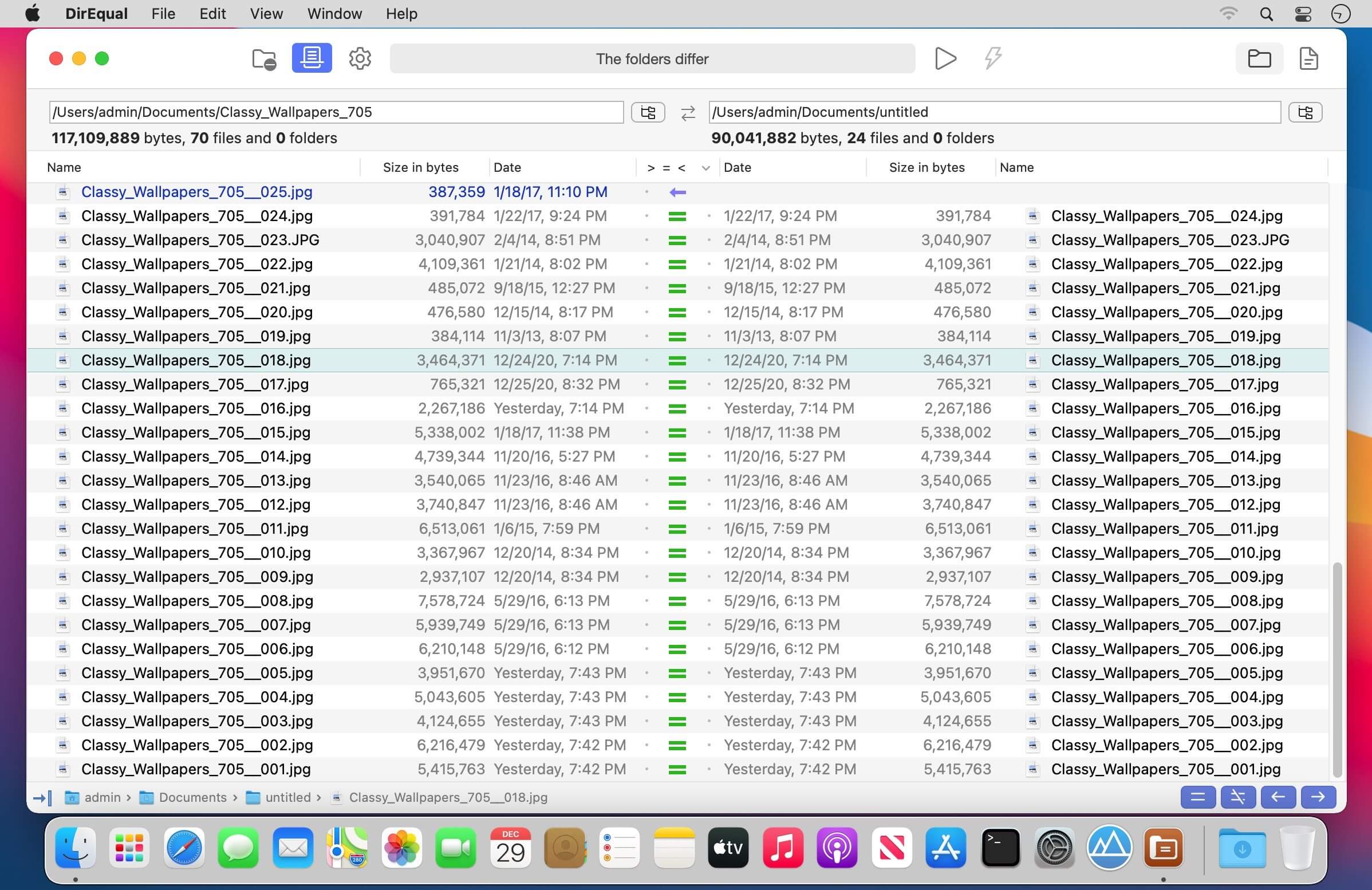
DirEqual is a Folder Compare Tool that makes it extremely easy to compare local files and folders on your Mac.
DirEqual displays compared directories side by side as expandable trees, and the size and date are indicated for each item. Differences between the directories are indicated with colour and easy to identify icons.

To copy or delete files or folders, click an individual item to choose the appropriate action.
The action is represented with red or blue arrow. Then click “Execute” to synchronise the two folders.

Main features:

  • Side-by-side folder comparison
  • Compare files by content
  • Manually synchronise compared folders
  • Compare items based on a filename template
  • Remembers compared folders for quick reload
  • Intuitive graphical comparison result view
  • Tabbed window
  • Drag and drop support

Compatibility: OS X 10.10 or later
Homepage https://apps.apple.com/app/direqual/id1435575700

Screenshots


Name: DirEqual_4.2__42002___TNT_Mactorrents.io.dmg
Size: 4 MB
Files DirEqual_4.2__42002___TNT_Mactorrents.io.dmg[4 MB]

   Download

ON1 HDR 2022.1 v16.1.0.11675

ON HDR 2022 creates flawless, natural HDR photos, that combine the highlight and shadow details from a bracket of exposures, in the blink of an eye. You can control the movement, such as clouds and running water with a live preview. Then, perfect your HDR photos with powerful tools and presets that showcase your creativity. ON1 HDR works as both a standalone and a plug-in for Lightroom® Classic CC.
Speed
Slow previews are a thing of the past. Get results in seconds vs. minutes when compared to the competition.

Control
You control the motion with live de-ghosting controls. Everything you need to make it look great including tone & color, layers, retouching and special effects.

Re-Editable
Preview and control noise reduction, lens corrections, and chromatic aberration anytime. Re-edit any of your settings at a later date in ON1 HDR.

Create Awe-Inspiring HDR.
Tone mapping and merging exposure brackets combined with layers allows you to combine other HDR photos and even alternate exposures.

  • Auto-aligns photos & removes ghosting
  • Up to 7x faster than leading HDR apps
  • Combine other exposures with HDR photos
  • Create natural or surreal looking HDR photos

Get HDR Looks From a Single Photo!
You don’t have to shoot a bracket of exposures to create an HDR look. With ON1 HDR you can open a single, well exposed raw photo and use the HDR toolset to reveal all of the shadow and highlight detail.

Batch process the creation of your HDR files, perfect for real estate photographers.
Your files work with HDR’s broad file support. It can handle raw photos from over 800 cameras spanning 20 years. Plus, it supports PSD, TIF, JPG, PNG, and HEIC.

Get Creative HDR with the Best Photo Effects
Nine powerful photo effects filters work like filters you can stack on your camera lens. Mix and combine color and tone enhancers, HDR Look, Dynamic Contrast, Glow, Black and White, LUTs, and more. It even includes tons of professional-grade presets to get you started.

Plug-in & Integrate

  • Plug-in to Adobe® Lightroom® Classic
  • Batch process the creation of your HDR files, perfect for real estate photographers.
  • Your files will work with HDR’s broad file support. It can handle raw photos from over 800 cameras spanning 20 years. Plus it supports PSD, TIF, JPG, PNG, and HEIC.

Compatibility: macOS 10.12 or later 64-bit
Homepage https://www.on1.com/

Screenshots


Name: ON1_HDR_2022.1_v16.1.0.11675__HCiSO_Mactorrents.io.dmg
Size: 1.36 GB
Files ON1_HDR_2022.1_v16.1.0.11675__HCiSO_Torrentmac.net.dmg [1.36 GB]

   Download

uDock 2.5.1 (25106)

μDock is a lightweight system extension for your Mac.

  • Working in the system toolbar it is almost invisible and always ready when you need it.
  • Use a keyboard shortcut or mouse hotspot to activate μDock.
  • Running processes and all your drives are easily accessible.
  • Add tabs to keep your applications, documents, music and folders.
  • Define and combine hotkeys with applications, documents and folders to instantly open your favorite file with a keyboard shortcut.
  • μDock is an advanced and configurable dock for Mac.

What’s New:

Version 2.0

  • Hotkeys. Open any application by defined key shortcut.
  • Custom icons. Replace the icon of any application with any other icon/image.
  • Open uDock by pressing any defined mouse button.
  • URL support. Create or drag and drop web urls directly to uDock.
  • Text clipping support. Create text clip file or drag and drop a text to uDock.
  • Image import. Drag and drop images from any application to uDock.
  • Bug fix

Compatibility: macOS 10.13 or later
Mac App Store https://apps.apple.com/app/udock/id1563545181

Screenshots


Name: uDock_2.5.1__25106___TNT_Mactorrents.io.dmg
Size: 14 MB
Files uDock_2.5.1__25106___TNT_Mactorrents.io.dmg[14 MB]

   Download

Sound Studio 4.10.0

Sound Studio lets you easily record and professionally edit audio on your Mac. Easily rip vinyls and digitize cassette tapes, or record lectures and voice memos. Prepare for live shows with live effect processing and level tweaking, then record it all with performance recording capabilities.

Any audio project, completed with ease

  • Expansive compatibility. Record your work as an MP3 or AAC M4A file. Edit and export audio in several formats including AIFF and WAV.
  • Creative effects. Layer several effects like delay, reverb, chorus, or flanger filters, then tweak levels or EQ settings.
  • Multi-track support. Record live audio alongside multiple tracks of studio-added sounds.

What’s New:

Version 4.10.0:

  • Release notes were unavailable when this listing was updated.

Compatibility: OS X 10.8 or later 64bit
Homepage http://felttip.com/ss/

Screenshots


Name: Sound_Studio_4.10.0__TNT_Mactorrents.io.dmg
Size: 18 MB
Files Sound_Studio_4.10.0__TNT_Mactorrents.io.dmg[18 MB]

   Download

FastScripts 3.0.6

FastScripts is a utility for quickly and elegantly executing AppleScript and shell scripts from within any application. FastScripts is a super-charged replacement for the Apple “Script Menu” menu extra. In addition to the functionality provided by Apple’s Script Menu utility, FastScripts offers a number of compelling improvements:

  • User-definable keyboard shortcuts for any scripts in the menu
  • “SmartSwitching” avoids unnecessary context switches
  • Elegant Application-Specific scripts support
  • Convenient shortcuts for editing and revealing scripts
  • Fast!

Compatibility: OS X 10.6 or later, 64-bit processor
Homepage https://red-sweater.com/fastscripts/

Screenshots


Name: FastScripts_3.0.6__TNT_Mactorrents.io.dmg
Size: 8 MB
Files FastScripts_3.0.6__TNT_Mactorrents.io.dmg[8 MB]

   Download

AVAide MP4 Converter for Mac 1.0.8

AVAide MP4 Converter is a video format converter tool that accepts a large variety of input files and converts to MP4 format at a fast speed while still maintaining the high file quality. Moreover, you can transcode MP4 videos to almost all regular video and audio formats, including MOV, AVI, WMV, FLV, MKV, 3GP, WebM, MP3, AAC, AIFF, FLAC, etc.

A Multifunctional MP4 Converter to convert any video format to MP4 with high output quality.
– Convert various video files like WMV, MOV, 3GP, FLV, RM, SWF, AVI to MP4.
– Extract audio from MP4 videos and save it in MP3, WAV, WMA, OGG, etc.
– Adjust codecs, frame rates, bitrates, etc. to ensure the highest quality.
– Customize and edit videos before conversion.

Compatibility: macOS 10.12 or later
Homepage https://www.avaide.com/

Name: AVAide_MP4_Converter_for_Mac_1.0.8.10130__TNT_Mactorrents.io.dmg
Size: 110 MB
Files AVAide_MP4_Converter_for_Mac_1.0.8.10130__TNT_Mactorrents.io.dmg[110 MB]

   Download

Mirror for Arcelik TV 3.5.3

If you own a Arçelik TV and want to show your computer’s display on the big screen, AirBeamTV has the solution! Mirror your Mac to any Arçelik Smart TV. No wires and no additional hardware needed. The app works without the need for an Apple TV or Airplay.

Compatibility: macOS 10.12 or later
Homepage https://www.airbeam.tv

Name: Mirror_for_Arcelik_TV_3.5.3__TNT_Mactorrents.io.dmg
Size: 17 MB
Files Mirror_for_Arcelik_TV_3.5.3__TNT_Mactorrents.io.dmg[17 MB]

   Download

CI Demon 3.0.26

CI Demon is macOS menu bar app that aggregates information and notifies you when your CI builds or deployments are broken (or restored), it shows you all the relevant information in a single native app, without having to wait for entire web apps to load.

→Supported providers:

Tempomat currently supports the following CI providers
– Github Checks
– CircleCI
– TravisCI
– Gitlab (cloud service)
– AppCenter
– Bitrise

Health Checks
Tempomat can also create localhttp checks for you to make sure your deployment is still running, feature is really simple at the moment, send request, your service needs to return an OK response.

Misc info
– Receive notifications on failures/restorations
– Everything is stored encrypted in the macOS keychain
– Absolutely **NO** tracking
– Not a SaaS, it’s a native macOS app
– Filter branches/builds by Regex
– Trigger rebuilds for builds
– Supports individual checks (github only)

Compatibility: macOS 10.14 or later • Apple Silicon or Intel Core processor
Mac App Store https://apps.apple.com/app/ci-demon/id1560355863

Screenshots

Name: CI_Demon_3.0.26_MAS__HCiSO_Mactorrents.io.dmg
Size: 12.9 MB
Files CI_Demon_3.0.26_MAS__HCiSO_Mactorrents.io.dmg[12.9 MB]

   Download

Torrents Download Apple,Mac Osx,Apps ,Software

Exit mobile version