Category Archives: Typing

Master of Typing – Tutor 1.8.0

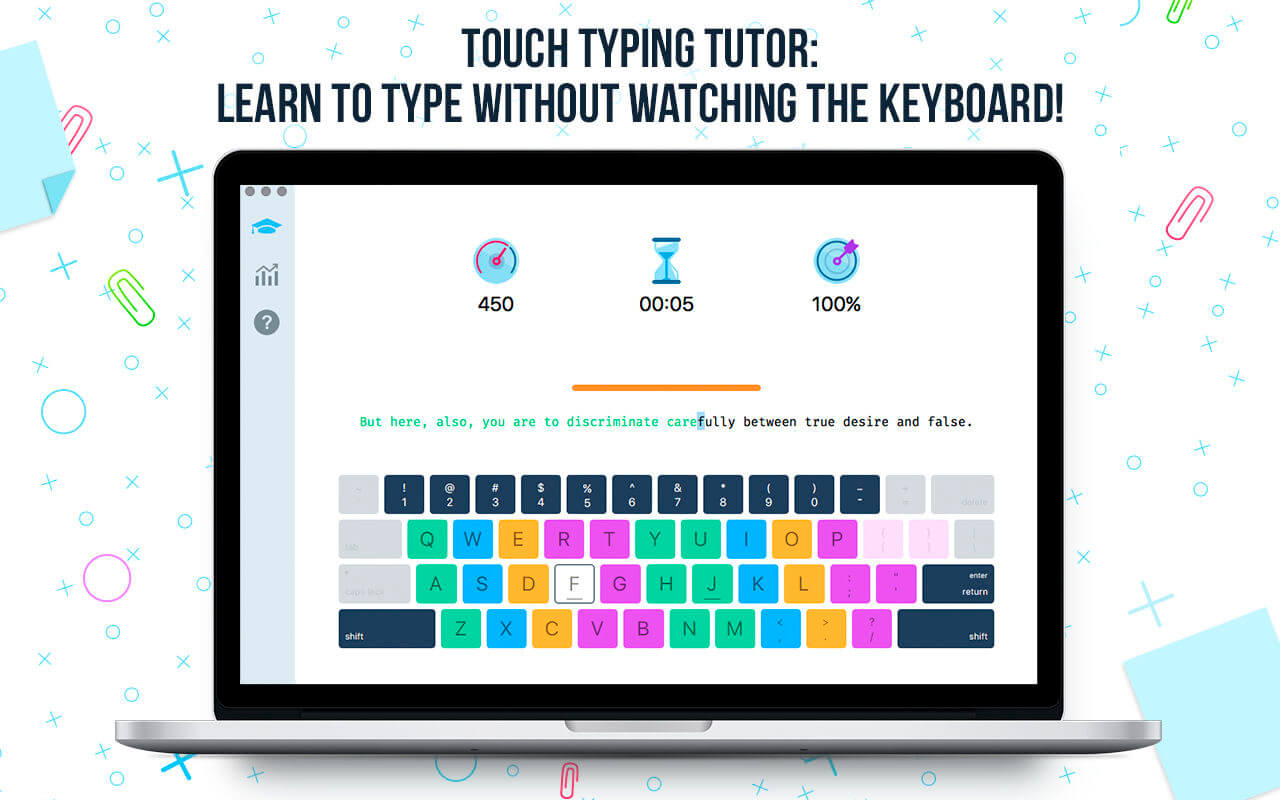
Master of Typing is a TOUCH TYPING tutor that helps you learn to type using all your 10 FINGERS without watching the keyboard.

Touch typing ALLOWS you:

  • to SAVE time when typing texts of various difficulty;
  • to REDUCE switching of attention;
  • to INCREASE your efficiency at work.

MASTER OF TYPING – EXCESSIVELY ELABORATED SYSTEM OF TRAINING AND PRACTICE

  • Variety of exercises: letters, special characters, and words;
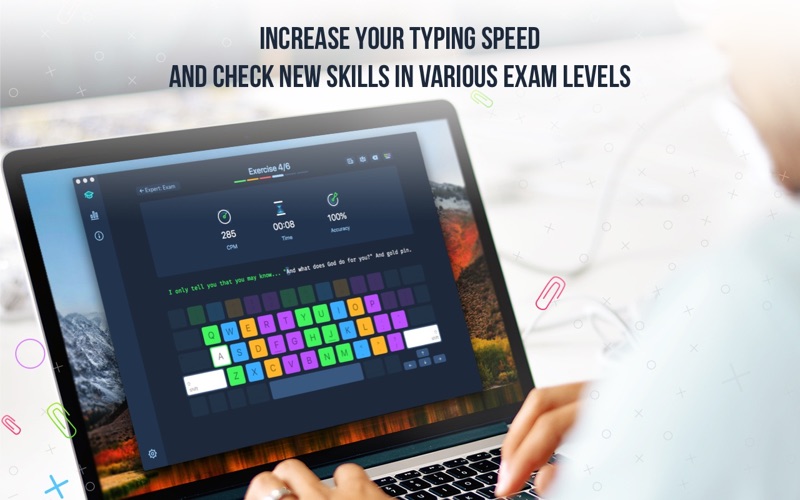
  • Colored keyboard’s scheme to memorize finger positions;
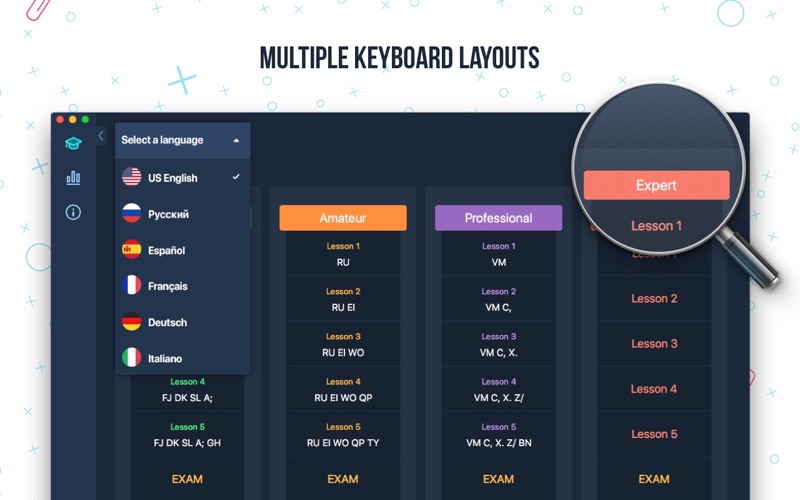
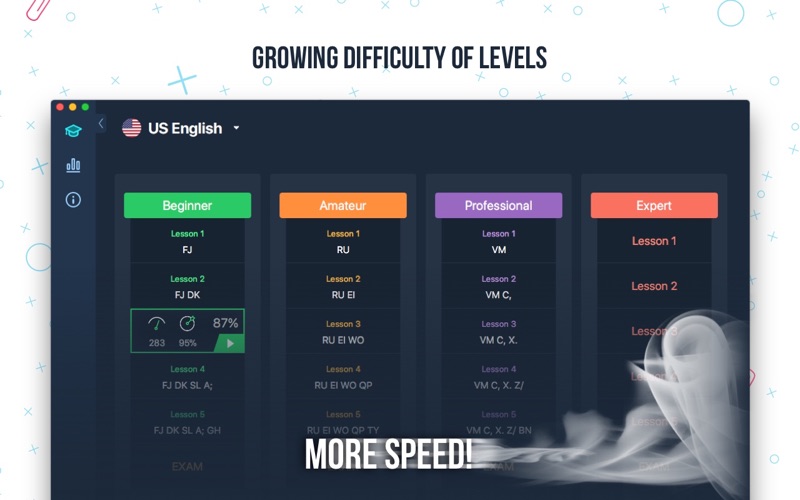
  • Difficulty settings: you can select lessons according to your skills;
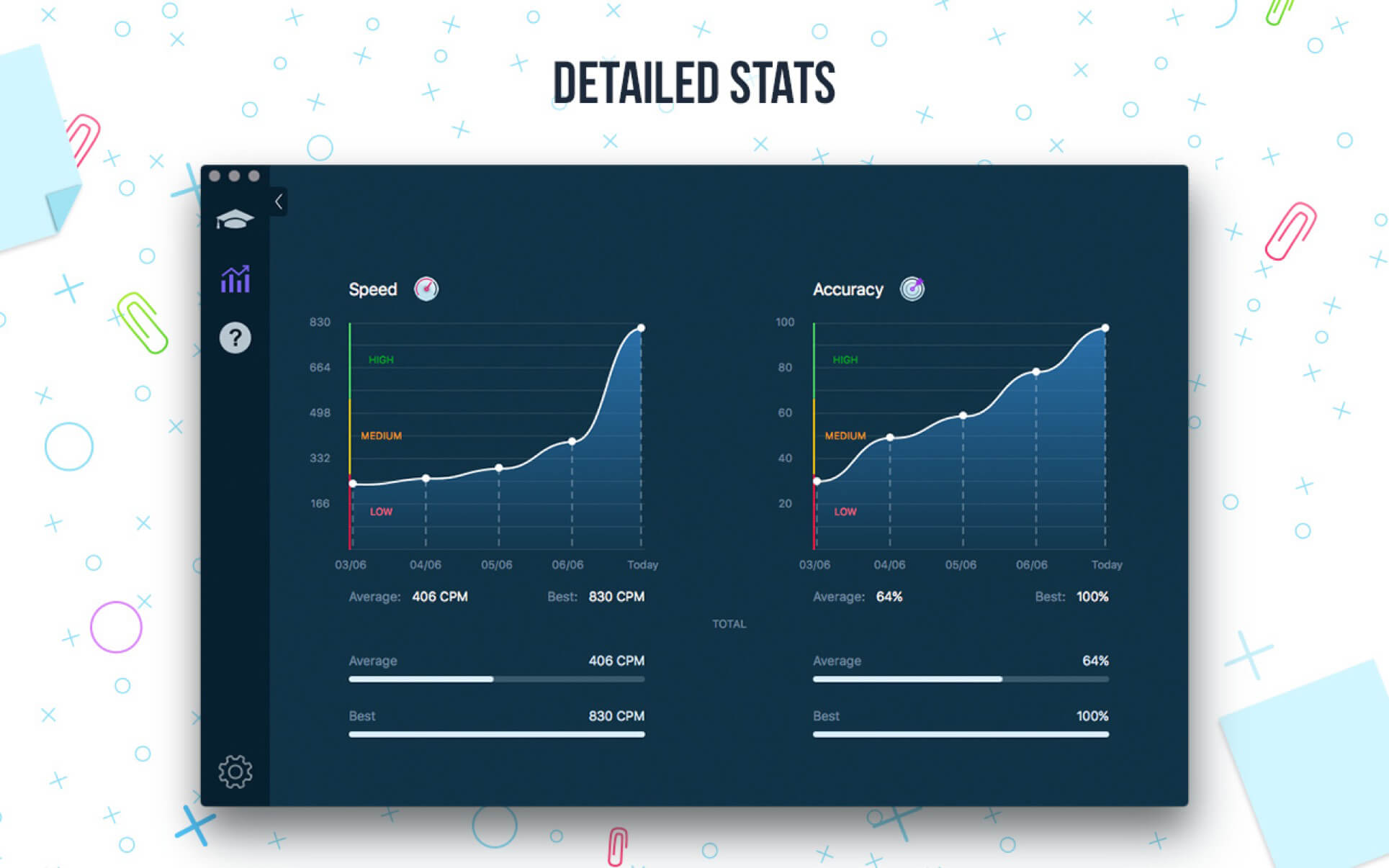
  • Accurate statistics results: speed & accuracy statistics (best, average);
  • A quick test at the beginning helps to check your current typing skills;
  • Opportunity to type texts.

Master of Typing BENEFITS:

  • Smart statistics;
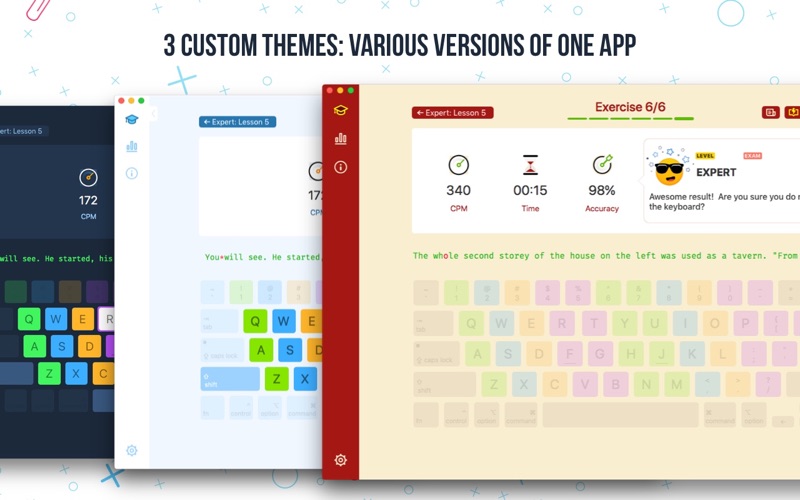
  • 2 themes: Light and Dark;
  • Available languages: English;
  • Swipe and hotkeys for quickly switching between windows.

FULL VERSION BENEFITS:

  • All levels and sub-levels unlocked
  • Extra level with Sentences
  • No advertising!

What’s New:

Version 1.8.0

  • We’ve fixed minor bugs that might cause some inconveniences to users. This version is the right version for you.

Compatibility: OS X 10.10 or later 64 bit
Homepage https://geo.itunes.apple.com/app/id1225121166

Screenshots


Name: Master_Of_Typing_1.8.0_MAS_In-App__TNT_Mactorrents.io.dmg
Size: 22.15 MB
Files Master_Of_Typing_1.8.0_MAS_In-App__TNT_Mactorrents.io.dmg[22.15 MB]

   Download

Master of Typing – Advanced Edition 3.11.7

Download movies on Mac with VideoDuke! It supports all popular video websites and will save your videos in various file formats. You can also download streaming videos on Mac at a pleasantly fast speed and with great quality.

You can download any video you like in a click! Simply paste the link to the video and VideoDuke will do the rest.
In Simple mode you are getting quick access to music videos, movies, TV shows, cartoons available from Vimeo, YouTube, and Dailymotion. Files can be saved as 3GP, MP4, M4V, FLV and in a preferred resolution: 360p, HD 720p, HD 1080p or other.

Features

Download Full YouTube Playlists and Channels

With VideoDuke you’ll be able to save complete channels and playlists off YouTube. Just as with separate videos, you can select quality for each video: 1440p, 1080p, 720p, 480p, 360p, 240p, or 180p.

MP3 Downloader

VideoDuke will also download YouTube videos as audio files. No conversion needed – you will simply get a soundtrack instead of the original YouTube clip. The app keeps the audio track title and album art and can save files as WebM, MP3 or other available formats.

Friendly Mac video downloader

Using VideoDuke is easy and intuitive – just type your search words in the app to find the videos you’ll download from the web. You can also search for videos in the web browser – VideoDuke supports all popular video websites, such as YouTube, Dailymotion, Vimeo with quick access buttons.

Download all files related to a video

In an advanced mode of VideoDuke you get more profound options when downloading content. For example, you can see all resources fetched from the web page, including video, audio, Flash animation, images, etc. Switch to a needed tab to see exactly the types of files you need to download.

What’s New

Thank you for your feedbacks: we fixed bugs and improved the functionality of the app. Bug reports and feature ideas are always welcome!

Top In-App Purchases: Full Pack + No Ads
Compatibility: OS X 10.10 or later 64 bit
Mac App Store https://geo.itunes.apple.com/app/id1116003635

Screenshots


Name: Master_of_Typing_Advanced_Edition_3.11.7_MAS_TNT_Mactorrents.io.dmg
Size: 173 MB
Files Master_of_Typing_Advanced_Edition_3.11.7_MAS_TNT_Mactorrents.io.dmg[173 MB]

   Download

Master of Typing 2 v4.5.2

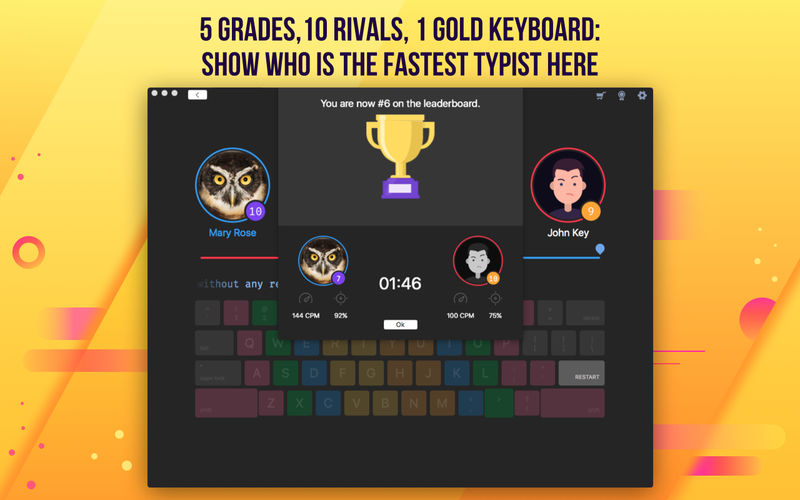
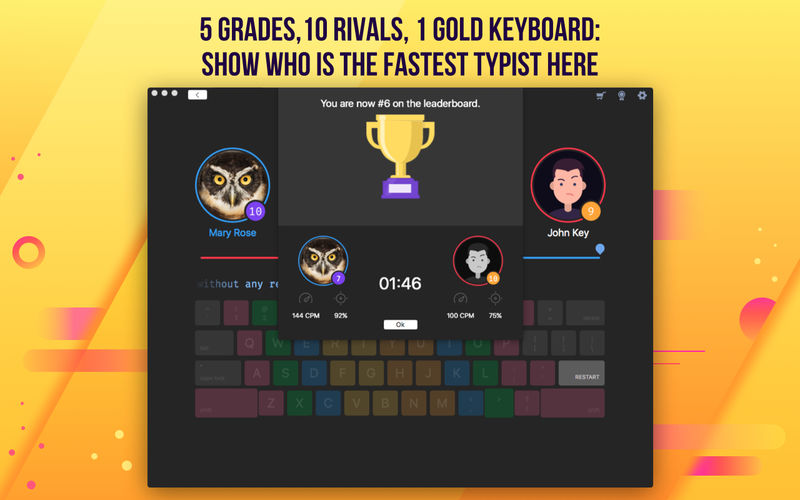
Master Of Typing 2 is a new typing competition where you will increase your typing skills while racing against the others.

Enter your name for the leader board and let the contest begin!

  • 10 typing contests
  • Skilled rivals
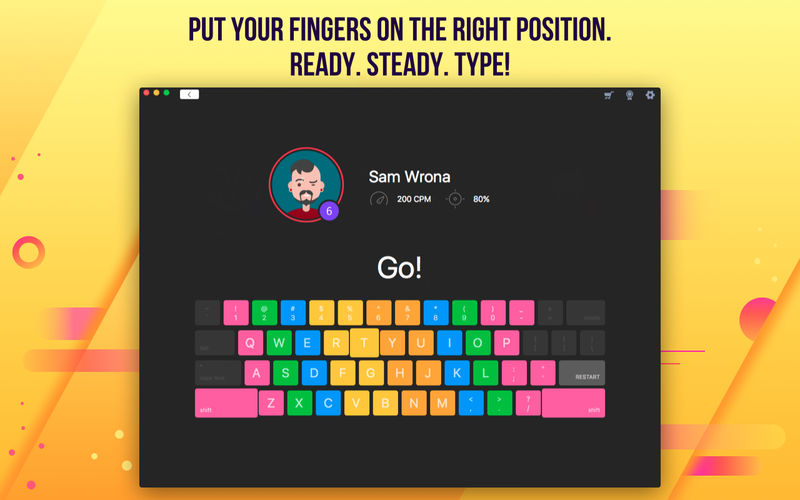
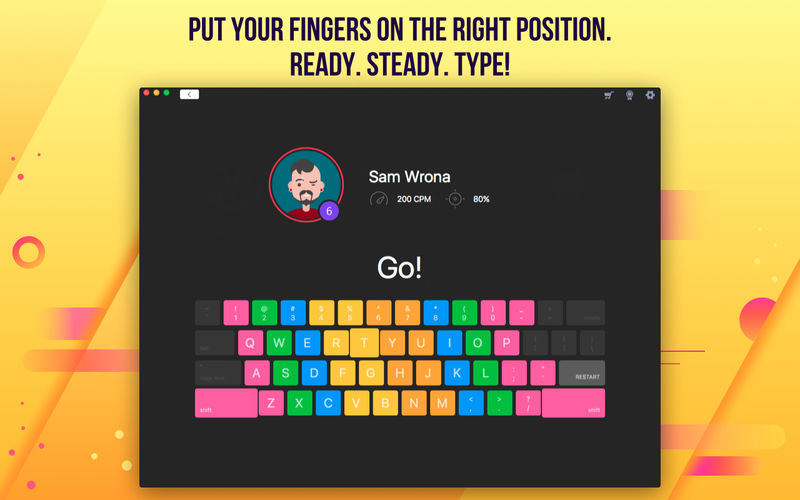
  • Multicolored keyboard to learn the correct finger position;

In Master of Typing 2 all depends on how you type. It is the perfect app for you to show off your skills and master them to a great extent.

FULL VERSION BENEFITS:

  • Training Mode with more texts to type
  • Error Correction Mode in which you can master the key combinations you often mistyped
  • No advertising!

What’s New:

Version 4.4.5
We are pleased to announce that in the new version of the app there are:

  • much less errors;
  • much more convenient and user-friendly interface;
  • improved stability.

Compatibility: OS X 10.10 or later, 64-bit processor
Homepage https://apps.apple.com/pk/app/master-of-typing-3-practice

Screenshots


Name: Master_of_Typing_2_3.5.2_MAS_Mactorrents.io.dmg
Size: 24 MB
Files Master_of_Typing_2_3.5.2_MAS_Mactorrents.io.dmg[24 MB]

   Download

Master of Typing in Chinese 3.3.1

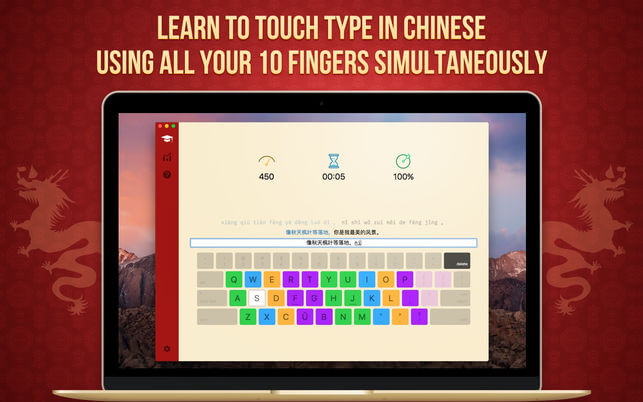
Now the popularly accepted version of Master of Typing is available in Chinese!
It’s an effective TOUCH typing course that uses the fastest method for Chinese input – Pinyin.

MASTERING TYPING TECHNIQUE:
1. Typing speed test at the beginning
Checking the level of your proficiency

2. Variety of exercises
Typing common words and special characters

3. Control tasks (exams) for checking skills

4. Colored keyboard’s scheme
Better memorization of key positions

5. Detailed stats of your progress

6. Helpful information
To obtain maximum benefit from each lesson

7. Hotkeys and swipes on the magic mouse
Quickly switching between windows

8. Self-study at any time
Learn to type in Chinese faster!

What’s New:

Version 3.2.2

  • We fixed minor bugs and made general improvements to make the app better for you. Please continue to send your feedback to help us improve the app in future updates.

Language: English, French, German, Italian, Japanese, Korean, Portuguese, Russian, Simplified Chinese, Spanish
Compatibility: OS X 10.10 or later, 64-bit processor
Homepage https://geo.itunes.apple.com/app/id1162659575

Screenshots

Name: Master_of_Typing_in_Chinese_3.3.1_MAS_Mactorrents.io.dmg
Size: 39.14 MB
Files Master_of_Typing_in_Chinese_3.3.1_MAS_Mactorrents.io.dmg[39.14 MB]

   Download

Master of Typing – Advanced Edition 3.11.6

Master of Typing 3 is a new version of popularly accepted tutor for learning TOUCH TYPING.

TOUCH TYPING using all 10 FINGERS without watching the keyboard will help:

  • SAVE TIME;
  • Work on ACCURACY and ATTENTION;
  • Increase EFFICIENCY at work.

TUTORIAL:

  • Read helpful topics of the LEARNING MODE;
  • Use PROMPTS, when something isn’t clear;
  • Try your typing skills in practice;
  • Select EXAM MODE and choose the difficulty level;
  • Watch STATISTICS with your time, accuracy and speed rates;
  • Practice every day and see your progress.

BENEFITS:

  • possibility to turn on/of Uppercase letters, numbers & special symbols;
  • new HIGHLIGHTING function of the next key;
  • 2 types of text direction (from left to right/from right to left);
  • choice of the fingers used when typing;
  • opportunity to CHANGE the SETTINGS:
  • choose the interval, visible typing area or text length;
  • TEXTS and exams of various DIFFICULTY levels;
  • application HINTS and useful information.

Improve your typing skills with Master of Typing 2!

What’s New:

Version 3.11.0
Thanks to the feedback we received, we were able to improve our application.

In the new version you will find:

  • even more intuitive and easy-to-use interface;
  • no critical and minor bugs.

Compatibility: OS X 10.10 or later, 64-bit processor
Mac App Store https://geo.itunes.apple.com/app/id1116003635

Screenshots


Name: Master_of_Typing_3..11.6_MAS_Mactorrents.io.dmg
Size: 137.88 MB
Files Master_of_Typing_3..11.6_MAS_Mactorrents.io.dmg[137.88 MB]

   Download

Master of Typing – Advanced Edition 3.10.0

Master of Typing – Advanced Edition 3.10.0

Master of Typing 3 is a new version of popularly accepted tutor for learning TOUCH TYPING.

TOUCH TYPING using all 10 FINGERS without watching the keyboard will help:

  • SAVE TIME;
  • Work on ACCURACY and ATTENTION;
  • Increase EFFICIENCY at work.

TUTORIAL:

  • Read helpful topics of the LEARNING MODE;
  • Use PROMPTS, when something isn’t clear;
  • Try your typing skills in practice;
  • Select EXAM MODE and choose the difficulty level;
  • Watch STATISTICS with your time, accuracy and speed rates;
  • Practice every day and see your progress.

BENEFITS:

  • possibility to turn on/of Uppercase letters, numbers & special symbols;
  • new HIGHLIGHTING function of the next key;
  • 2 types of text direction (from left to right/from right to left);
  • choice of the fingers used when typing;
  • opportunity to CHANGE the SETTINGS:
  • choose the interval, visible typing area or text length;
  • TEXTS and exams of various DIFFICULTY levels;
  • application HINTS and useful information.

Improve your typing skills with Master of Typing 2!

What’s New:

Version 3.11.0
Thanks to the feedback we received, we were able to improve our application.

In the new version you will find:

  • even more intuitive and easy-to-use interface;
  • no critical and minor bugs.

Compatibility: OS X 10.10 or later, 64-bit processor
Homepage https://geo.itunes.apple.com/app/id1116003635

Screenshots


Name: Master_of_Typing_-_Advanced_Edition_3.10.0_MAS_In-App_Mactorrents.io.dmg
Size: 74.33 MB
Files Master_of_Typing_-_Advanced_Edition_3.10.0_MAS_In-App_Mactorrents.io.dmg[74.33 MB]

   Download

Typing Instructor Gold 22.0.0

Typing Instructor Gold 22.0.0 macOS

Typing Instructor Gold is the most advanced Typing Program available. It presents Typing Instructor in full-screen size and rich color for the optimum Typing Instructor experience for typists. No other Typing tutorial is more entertaining and educational.

Pack your bags and get ready to go on a Worldwide Typing Adventure! Travel through time, go on Safari, or take a trip around the world as you learn to type or improve your typing skills. Typists begin their adventure in the Travel Port where they select a unique travel adventure. First stop: the prehistoric era, or Antarctica, or Australia! Each typing adventure is packed with so much fun and motivation, typists forget they are learning to type. They’ll progress through the Adventure by taking lessons, tests, typing challenges and playing fun typing games using just the keys they have learned and practiced in lessons and tests. When they complete the typing activities at a destination, they’ll receive a stamp in their passport. When the passport is full, they have completed the adventure and are on their way to becoming Touch Typists.

Packed with Motivation
The ultimate reward of the Adventure is completing all typing activities in the Adventure and filling their passport with stamps from each stop on their journey. Typists can take all three Adventures and visit 36 exciting destinations.

Practice Terminal
There are several fun ways to practice. Typists can take a break from their typing adventure at any time to check out the Practice Terminal. Here they’ll find an arcade where they can choose to play any of Typing Instructor’s games. Additional lessons and tests, not included in the adventure, are also available. Typists can also create their own custom lessons and tests. Typists can practice dictation, choosing from a library of diverse materials. They can also practice typing an article or story, choosing from hundreds of topics in the magazine rack or even create their own personal magazine.

Adventure Tools
Take the Tour to learn everything about Typing Instructor. The Travel Port shows typists where they are on their Adventure, where they are going next, and what keys they will learn. The Passport shows stamps of the places they have visited so far. Typists can display a variety of graphs in the Saved Results area to see their performance on all their completed typing activities; lessons, tests, articles, and even games. Users can see their progress and the keys on the keyboard they need to practice. Typing Instructor’s Dynamic Learning feature evaluates Typist’s Results to determine weak typing skill areas. Once identified, Typing Instructor automatically creates specific lessons for the typist to improve weak areas.

Hours of Fun
Typing Instructor has unique games to keep typists interested in playing. This repetitive activity builds finger-to-key memory and before they know it, they are well on their way to becoming Touch Typists! Games can be played in a variety of ways, including different levels of difficulty to keep typists interested in continuing to the next level. Games can be played with just the keys they have learned so far, or with all the keys on the keyboard.

Adventure Settings
There are many program controls in Typing Instructor. Typists can select English or Spanish and a Typing Plan that fits their skill level – there are 20 unique plans! Typists can even build their own custom plan, as well as adjusting their goal word per minute at any time.

Languages: English, Spanish

Name: Typing.Instructor.Gold.22.0.0_Mactorrents.io.zip
Size: 505.98 MB
Files Typing.Instructor.Gold.22.0.0_Mactorrents.io.dmg[505.98 MB]

   Download

Master of Typing 2 v4.4.5

Master of Typing 2 v4.4.5 MAS + InApp | Multilingual | macOS

Master Of Typing 2 is a new typing competition where you will increase your typing skills while racing against the others.

Enter your name for the leader board and let the contest begin!

  • 10 typing contests
  • Skilled rivals
  • Multicolored keyboard to learn the correct finger position;

In Master of Typing 2 all depends on how you type. It is the perfect app for you to show off your skills and master them to a great extent.

FULL VERSION BENEFITS:

  • Training Mode with more texts to type
  • Error Correction Mode in which you can master the key combinations you often mistyped
  • No advertising!

What’s New:

Version 4.4.5
We are pleased to announce that in the new version of the app there are:

  • much less errors;
  • much more convenient and user-friendly interface;
  • improved stability.

Compatibility: OS X 10.10 or later, 64-bit processor
Homepage https://apps.apple.com/pk/app/master-of-typing-3-practice

Screenshots


Name: Master_of_Typing_2_4.4.5_MAS_In-App__TNT__Mactorrents.io.dmg
Size: 22.71 MB
Files Master_of_Typing_2_4.4.5_MAS_In-App__TNT__Mactorrents.io.dmg[22.71 MB]

   Download

Master of Typing in Chinese (InApp) 3.2.2

Master of Typing in Chinese (InApp) 3.2.2

Now the popularly accepted version of Master of Typing is available in Chinese!
It’s an effective TOUCH typing course that uses the fastest method for Chinese input – Pinyin.

MASTERING TYPING TECHNIQUE:
1. Typing speed test at the beginning
Checking the level of your proficiency

2. Variety of exercises
Typing common words and special characters

3. Control tasks (exams) for checking skills

4. Colored keyboard’s scheme
Better memorization of key positions

5. Detailed stats of your progress

6. Helpful information
To obtain maximum benefit from each lesson

7. Hotkeys and swipes on the magic mouse
Quickly switching between windows

8. Self-study at any time
Learn to type in Chinese faster!

What’s New:

Version 3.2.2

  • We fixed minor bugs and made general improvements to make the app better for you. Please continue to send your feedback to help us improve the app in future updates.

Compatibility: OS X 10.10 or later, 64-bit processor
Homepage https://geo.itunes.apple.com/app/id1162659575

Screenshots

Name: Master_of_Typing_in_Chinese_3.2.2_MAS_In-App__TNT_Mactorrents.io.dmg
Size: 40.3 MB
Files Master_of_Typing_in_Chinese_3.2.2_MAS_In-App__TNT_Mactorrents.io.dmg[40.3 MB]

   Download

Master of Typing 3.8.8 (15.8.8)

Download Master of Typing 3.8.8 (15.8.8)

Download movies on Mac with VideoDuke! It supports all popular video websites and will save your videos in various file formats. You can also download streaming videos on Mac at a pleasantly fast speed and with great quality.

You can download any video you like in a click! Simply paste the link to the video and VideoDuke will do the rest.
In Simple mode you are getting quick access to music videos, movies, TV shows, cartoons available from Vimeo, YouTube, and Dailymotion. Files can be saved as 3GP, MP4, M4V, FLV and in a preferred resolution: 360p, HD 720p, HD 1080p or other.

Download Full YouTube Playlists and Channels

With VideoDuke you’ll be able to save complete channels and playlists off YouTube. Just as with separate videos, you can select quality for each video: 1440p, 1080p, 720p, 480p, 360p, 240p, or 180p.

MP3 Downloader

VideoDuke will also download YouTube videos as audio files. No conversion needed – you will simply get a soundtrack instead of the original YouTube clip. The app keeps the audio track title and album art and can save files as WebM, MP3 or other available formats.

Friendly Mac video downloader

Using VideoDuke is easy and intuitive – just type your search words in the app to find the videos you’ll download from the web. You can also search for videos in the web browser – VideoDuke supports all popular video websites, such as YouTube, Dailymotion, Vimeo with quick access buttons.

Download all files related to a video

In an advanced mode of VideoDuke you get more profound options when downloading content. For example, you can see all resources fetched from the web page, including video, audio, Flash animation, images, etc. Switch to a needed tab to see exactly the types of files you need to download.

Information

Compatibility
OS X 10.10 or later, 64-bit processor
Languages
English, French, German, Italian, Japanese, Korean, Portuguese, Russian, Simplified Chinese, Spanish

What’s New in Master of Typing 3.8.8 (15.8.8)

  • Release notes not available at the time of this post.

Screenshots

Name Master of Typing 3 3.8.8 15.8.8 MAS In-App [TNT] mac-torrents.net.zip
Size 74.97 MB
Created on 2019-11-04 16:19:57
Hash a3e1a3b3d57cb325b454cb7aefd475ecca482671
Files Master of Typing 3 3.8.8 15.8.8 MAS In-App [TNT] mac-torrents.net.zip (74.97 MB)

Master of Typing 3.8.7 (15.8.7)

Download Master of Typing 3.8.7 (15.8.7)

Download movies on Mac with VideoDuke! It supports all popular video websites and will save your videos in various file formats. You can also download streaming videos on Mac at a pleasantly fast speed and with great quality.

You can download any video you like in a click! Simply paste the link to the video and VideoDuke will do the rest.
In Simple mode you are getting quick access to music videos, movies, TV shows, cartoons available from Vimeo, YouTube, and Dailymotion. Files can be saved as 3GP, MP4, M4V, FLV and in a preferred resolution: 360p, HD 720p, HD 1080p or other.

Download Full YouTube Playlists and Channels

With VideoDuke you’ll be able to save complete channels and playlists off YouTube. Just as with separate videos, you can select quality for each video: 1440p, 1080p, 720p, 480p, 360p, 240p, or 180p.

MP3 Downloader

VideoDuke will also download YouTube videos as audio files. No conversion needed – you will simply get a soundtrack instead of the original YouTube clip. The app keeps the audio track title and album art and can save files as WebM, MP3 or other available formats.

Friendly Mac video downloader

Using VideoDuke is easy and intuitive – just type your search words in the app to find the videos you’ll download from the web. You can also search for videos in the web browser – VideoDuke supports all popular video websites, such as YouTube, Dailymotion, Vimeo with quick access buttons.

Download all files related to a video

In an advanced mode of VideoDuke you get more profound options when downloading content. For example, you can see all resources fetched from the web page, including video, audio, Flash animation, images, etc. Switch to a needed tab to see exactly the types of files you need to download.

Information

Compatibility
OS X 10.10 or later, 64-bit processor
Languages
English, French, German, Italian, Japanese, Korean, Portuguese, Russian, Simplified Chinese, Spanish

What’s New in Master of Typing 3.8.7 (15.8.7)

With that update, the app calculates faster, visualize smoother and makes everything better! And all due to improved performance and fixed minor bugs!

Screenshots

Name Master of Typing 3.8.7 15.8.7 MAS In-App [TNT] mac-torrents.net.zip
Size 74.95 MB
Created on 2019-10-18 18:08:40
Hash 8b7e5f72cfd526d2d3b13c701c9bd3700bc495fe
Files Master of Typing 3.8.7 15.8.7 MAS In-App [TNT] mac-torrents.net.zip (74.95 MB)

Download