Category Archives: Mac os

sqlpro for postgres 1.0.315

Sqlpro for postgres postgresql database manager icon
Name SQLPro for Postgres 1 0 315 TNT.zip
Size 9.49 MB
Created on 2018-11-23 20:43:06
Hash 81bbb550bbe42c06b576e8a31974d1c37a0cbcb5
Files SQLPro for Postgres 1 0 315 TNT.zip (9.49 MB)

Download

SQLPro for Postgres 1.0.315

SQLPro for Postgres is a advanced but lightweight PostgresSQL database client, allowing quick and simple access to Postgres servers.

Features include:
  • Syntax highlighting.
  • Intellisense.
  • Tabbed based interface.
  • Support for executing multiple queries at once.
  • Quick access to tables, columns and more.

See what others are saying, by checking out these great reviews:
https://www.compose.io/articles/tooltime-sqlpro-for-postgres-and-keylord-for-redis/

Please note:

This SQL Client does NOT work with MySQL or Microsoft SQL Server.

Compatibility: OS X 10.10 or later 64-bit

Web Site: http://www.hankinsoft.com/SQLProPostgres
Mac App Store: https://itunes.apple.com/app/sqlpro-for-postgres/id976140091?mt=12

What’s New in SQLPro for Postgres 1.0.315

  • Release notes not available at the time of this post.

%RATINGS_IMAGES% (%RATINGS_USERS% votes, average: %RATINGS_AVERAGE% out of %RATINGS_MAX%)
You need to be a registered member to rate this.

sqlpro for mssql 1.0.316

Name SQLPro for MSSQL 1 0 316 TNT.zip
Size 9.32 MB
Created on 2018-11-23 20:43:20
Hash bef61138e182aace0f890eb0f931ded527be15c2
Files SQLPro for MSSQL 1 0 316 TNT.zip (9.32 MB)

Download

SQLPro for MSSQL 1.0.316

SQLPro for MSSQL is a lightweight Microsoft SQL Server database client, allowing quick and simple access to MSSQL Servers, including those hosted via cloud services such as SQL Azure or Amazon RDS.

Features include:
  • Syntax highlighting (including customizable themes).
  • Intellisense.
  • Tabbed based interface.
  • Support for executing multiple queries at once.
  • Quick access to tables, columns and more.
  • Stored procedure execution.
  • NTLMv2 supported (but not required).
SQLPro for MSSQL can be used to connect with the following databases:
  • Microsoft SQL Azure
  • Microsoft SQL Server 2005
  • Microsoft SQL Server 2008
  • Microsoft SQL Server 2008 R2
  • Microsoft SQL Server 2012
  • Microsoft SQL Server 2014
  • Microsoft SQL Server 2016

Thanks to the FreeTDS project (http://www.freetds.org/) for their great library.

This SQL Client does NOT work with MySQL or Postgres. Please ensure that your server is a Microsoft SQL Server (2005 or above).

Note 1: SQL Server Express is supported, however using it makes me sad. Please confirm that the SQL Server Express installation has been configured properly for remote connections over TCP/IP, and that you can connect remotely from another windows pc before requesting support.

Note 2: SQLPro for MSSQL can connect to Microsoft SQL Server 2000 however it is not supported.

Compatibility: OS Version: OS X 10.11 or later

Web Site: http://www.macsqlclient.com/
Mac App Store: https://itunes.apple.com/app/sqlpro-for-mssql/id828466809?mt=12

What’s New in SQLPro for MSSQL 1.0.316

  • Release notes not available at the time of this post.

%RATINGS_IMAGES% (%RATINGS_USERS% votes, average: %RATINGS_AVERAGE% out of %RATINGS_MAX%)
You need to be a registered member to rate this.

jetbrains pycharm professional 2018 3

Name JetBrains.PyCharm.Professional.v2018.3.MACOSX.zip
Size 395.5 MB
Created on 2018-11-23 07:30:22
Hash e364b434703e04f0e8ba8272c70acff25d449155
Files JetBrains.PyCharm.Professional.v2018.3.MACOSX.zip (395.5 MB)

Download

JetBrains PyCharm Professional 2018.3 macOS

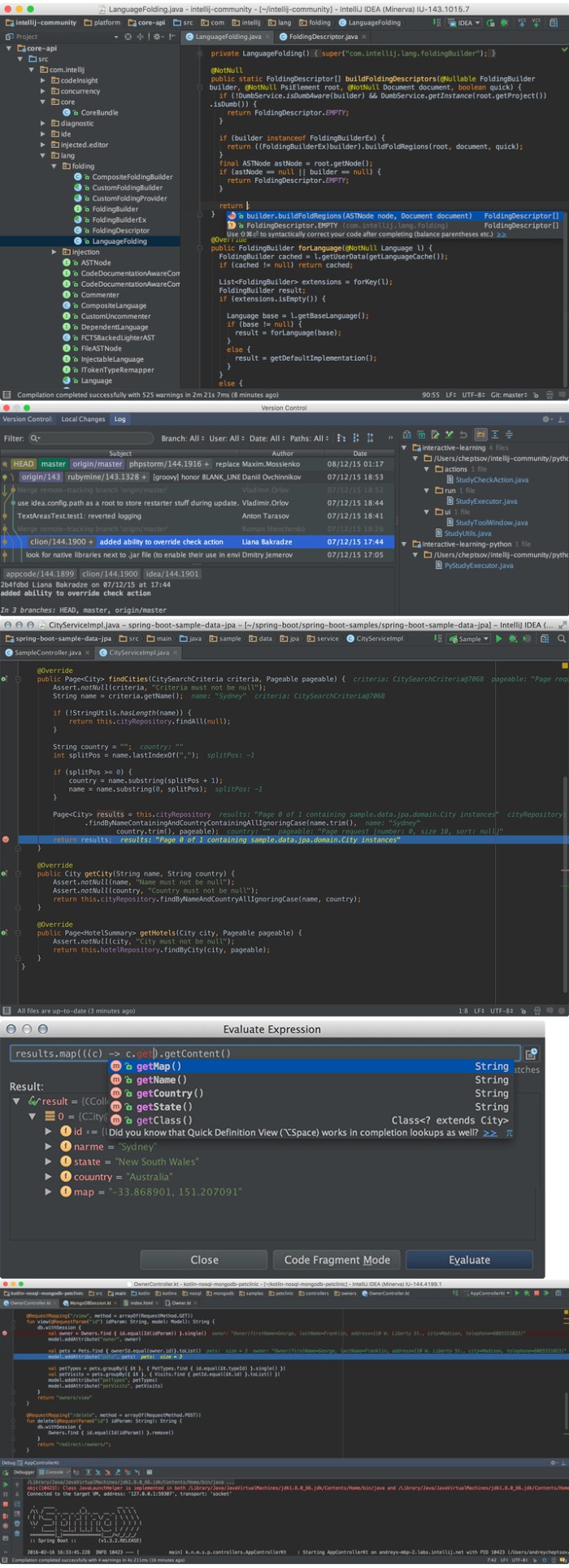
The Most Intelligent Python IDE. Enjoy productive Python, Django, and Web development with PyCharm, an intelligent Python IDE offering unique coding experience. PyCharm’s smart code editor provides first-class support for Python, javascript, CoffeeScript, TypeScript, CSS, popular template languages and more. Take advantage of language-aware code completion, error detection, and on-the-fly code fixes!

Python & Web Development

Intelligent Python Support

Enjoy outstanding coding assistance with smart code completion, code inspections, on-the-fly error highlighting, auto-fixes, along with automated code refactorings and rich navigation capabilities for all major Python implementations.

Smart Cross-technology Support

In addition to Python, Pycharm supports javascript, CoffeeScript, TypeScript, HTML/CSS, Cython, template languages, AngularJS, Node.js, and more.

Web Development Frameworks

PyCharm offers great framework-specific support for modern web development frameworks such as Django, Flask, Google App Engine, Pyramid, and web2py.

Remote Development Capabilities

Run, debug, test, and deploy applications on remote hosts or virtual machines, with remote interpreters, integrated ssh terminal, Docker and Vagrant integration.

Built-in Developer Tools

An amazing suite of tools right out of the box: an integrated debugger and graphical test runner; a built-in terminal; integration with Git, SVN, and Mercurial; built-in Database Tools & SQL support.

Customizable and Cross-platform IDE

PyCharm works on Windows, Mac OS or Linux with a single license key. Enjoy a fine-tuned workspace with customizable color schemes and key-bindings, with VIM emulation available.

System requirements
  • macOS 10.8 or higher
  • 1 GB RAM minimum, 2 GB RAM recommended
  • 300 MB hard disk space + at least 1 GB for caches
  • 1024×768 minimum screen resolution

Web Site: http://www.jetbrains.com/

What’s New in JetBrains PyCharm Professional 2018.3

  • Release notes not available at the time of this post.
Screenshots

%RATINGS_IMAGES% (%RATINGS_USERS% votes, average: %RATINGS_AVERAGE% out of %RATINGS_MAX%)
You need to be a registered member to rate this.

the print shop 4.0 1

Name The Print Shop 4.0.1.zip
Size 4.91 GB
Created on 2018-11-23 07:27:31
Hash 0b72dec782fc0ea28e1335886b960866f63cd33e
Files The Print Shop 4.0.1.zip (4.91 GB)

Download

The Print Shop 4.0.1 macOS

Design stunning print projects like never before with the brand-new The Print Shop Mac! Put together picture-perfect designs for everything from keepsake scrapbooks to seasonal cards, calendars, business brochures, cards and so much more. From start to finish, The Print Shop Mac has everything you need make impressive projects every time. Make beautiful things happen with your great ideas and the latest features, all tailored especially for Mac users.

Simply build projects by either starting from one of the over 4,000 templates or create a truly custom project from scratch. Getting started is easy, with quick access to the tools you need. Modifying your layout, editing your text and aligning your photos has never been easier! The Print Shop Mac’s handy tool set empowers you to be your creative best.

The Print Shop 4 for Mac TOP FEATURES:

Thousands of Photos and Graphics

The Print Shop 4 comes with gorgeous professional-quality photographs and spectacular graphics collections from nostalgia to classical art. We’ve edited the collection to be appropriate for schools, so you won’t find any shots of grownup drinks, junk food, or encounters of the romantic kind.

QR Code Maker

QR codes on your invitations let your guests scan your party info into their mobile devices!

Layout Tools

Layout like a pro with powerful and easy-to-use tools!

Circle Text

Spin a word spiral with the Circle Text tool… it’s so much fun, you might never type in a straight line again.

Project Types

More than 50 project types and 10000+ quick start templates for school, home, work, or play!

Smart Snapping

Laying out your project is truly a snap with Smart Snapping.

Photo Workshop

Fix, edit and enhance your photos in seconds using the built-in Photo Workshop. Crop in shapes such as circles, hearts and stars (choose from 24 shapes) or use one of the 4 Crop Tools, including the inside out crop that lets you cut holes in graphics. Adjust color, brightness, contrast, and sharpness. Fix flaws and get rid of red-eye and scratches. Amazing artistic effects can transform even the most humble snapshot into something rather extraordinary.

What’s New:
  • Personalize your designs with powerful OneClick picture editing tools
  • Make design the focus with the intuitive ribbon interface
  • 160,000+ clip art images for any occasion
  • 10,000+ royaltyfree images for business or home
  • 4,000+ templates for meetings, greetings, or just fun
  • 400+ RoyaltyFree Templates to make your business standout
  • Snap and Guide Manager to put everything just where you want it
  • Dynamic headline creation with all the tools to make your statement standout
  • Organize and personalize with the address book for mailing, labels and seasonal cards

Easily Create Print Projects with a Personalized Touch
From family photos, personalized invitations, calendars and greeting cards, to brochures, flyers, mailing labels and Envelopes, The Print Shop for Mac has you covered.

Other Features:
  • Drag and drop photos, text and design elements with incredible ease.
  • Create custom guidelines for any project to easily place text and images or create your own templates for future projects.
  • Powerful new texthandling capabilities attach to a line or use to fill a shape.
  • Choose from a gallery of designs to capture life’s special moments birthdays, holidays, and more!
  • Add headlines that make an impact with pictures, 3D depth, drop shadows, outlines, gradients and more!
  • Readymade and blank projects added to work easily with Avery® templates.
  • Add points or curves to your lines to create distinct custom lines with the Line Tool Editor.
  • Manage mailing lists, import or enter your contacts, and create groups for your home and business needs.
System Requirements:
  • Operating System: macOS 10.6.8 or later, including 10.14 “Mojave”
  • Processor: Any Intelbased Mac
  • Memory: 1 GB RAM (2 GB recommended)
  • Display: 1024 x 768, millions of colors
  • Free Hard Disk Space: 5.4 GB
  • DVD or USB Drive: For installation only if ordering a copy on DVD or USB.

Web Site: https://www.mackiev.com

What’s New in The Print Shop 4.0.1

  • Release notes not available at the time of this post.

%RATINGS_IMAGES% (%RATINGS_USERS% votes, average: %RATINGS_AVERAGE% out of %RATINGS_MAX%)
You need to be a registered member to rate this.

path finder 8 3.6

Name Path Finder 8 3 6 TNT.zip
Size 24.18 MB
Created on 2018-11-23 07:28:04
Hash e86668639f087f1e4b29c7850e66deff8db8611d
Files Path Finder 8 3 6 TNT.zip (24.18 MB)

Download

Path Finder 8.3.6

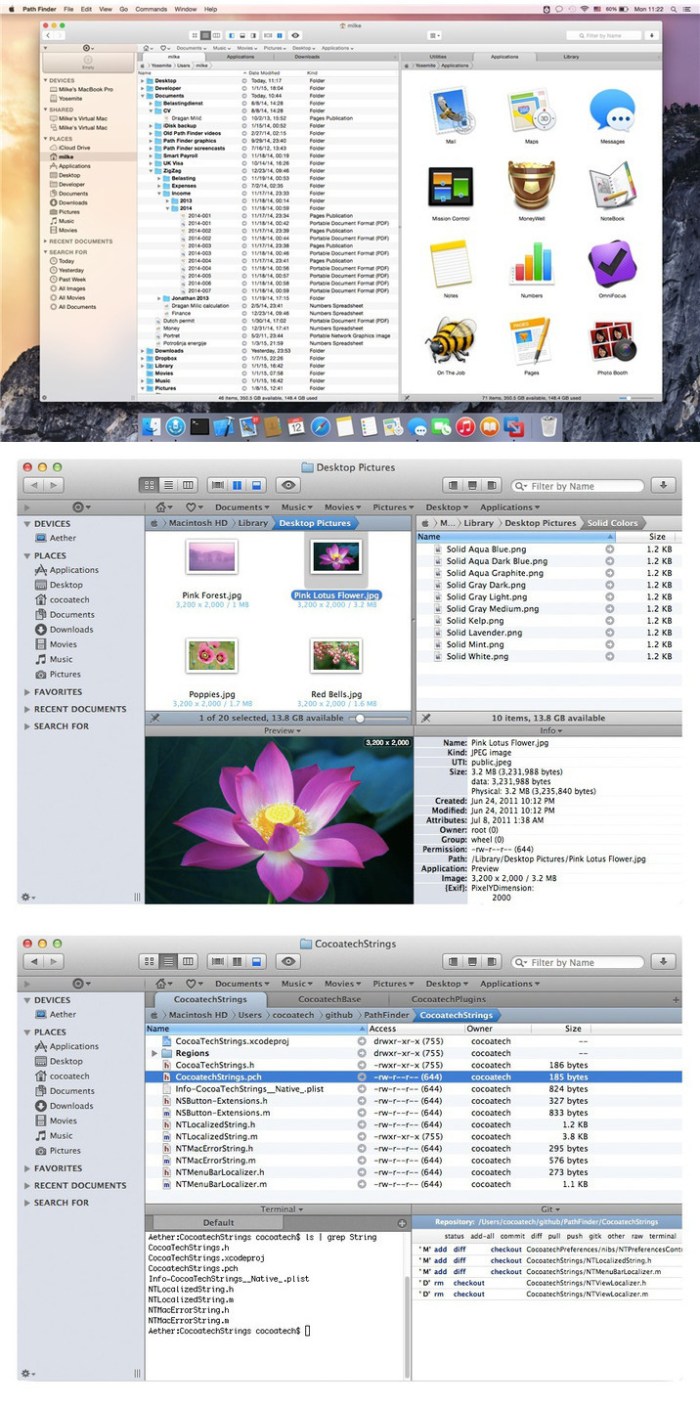
Path Finder makes you a master of file management. Take full control over your file system.

Save your time:

Compare and synchronize folders, view hidden files, use Dual Pane and full keyboard navigation to browse your file system.

Work how you want:

Extreme customization allows you to access most tools in many different ways to suit your workflow.

Work seamlessly with other platforms:

Don’t leave any hidden .DS_Store files on non-Mac volumes, delete files securely and completely with the powerful delete feature from any volume type, search any network volume.

Features

  • View and manipulate hidden files
  • Dual Pane View
  • Full keyboard navigation
  • Folder comparison and synchronization
  • Folder merging
  • Batch renaming
  • Powerful file filtering
  • One-click dual-pane copy
  • Bookmarks and Tab Presets
  • ACL editor
  • File tagging
  • Editable Path Navigator
  • Powerful low-level search
  • Smart sorting
  • Advanced selection
  • Integrated terminal
  • Integrated text and image editors

Compatibility: OS X 10.11 or later 64bit

Web Site: https://cocoatech.com/

What’s New in Path Finder 8.3.6

  • Release notes not available at the time of this post.
Screenshots

%RATINGS_IMAGES% (%RATINGS_USERS% votes, average: %RATINGS_AVERAGE% out of %RATINGS_MAX%)
You need to be a registered member to rate this.

alive software epagecreator 6.1.0.5406

Name ePageCreator.6.1.0.5406.macOS.zip
Size 79.35 MB
Created on 2018-11-23 07:32:14
Hash 2c3026f7e2be6941252d8808961a0c228e2f9542
Files ePageCreator.6.1.0.5406.macOS.zip (79.35 MB)

Download

Alive Software ePageCreator 6.1.0.5406 macOS

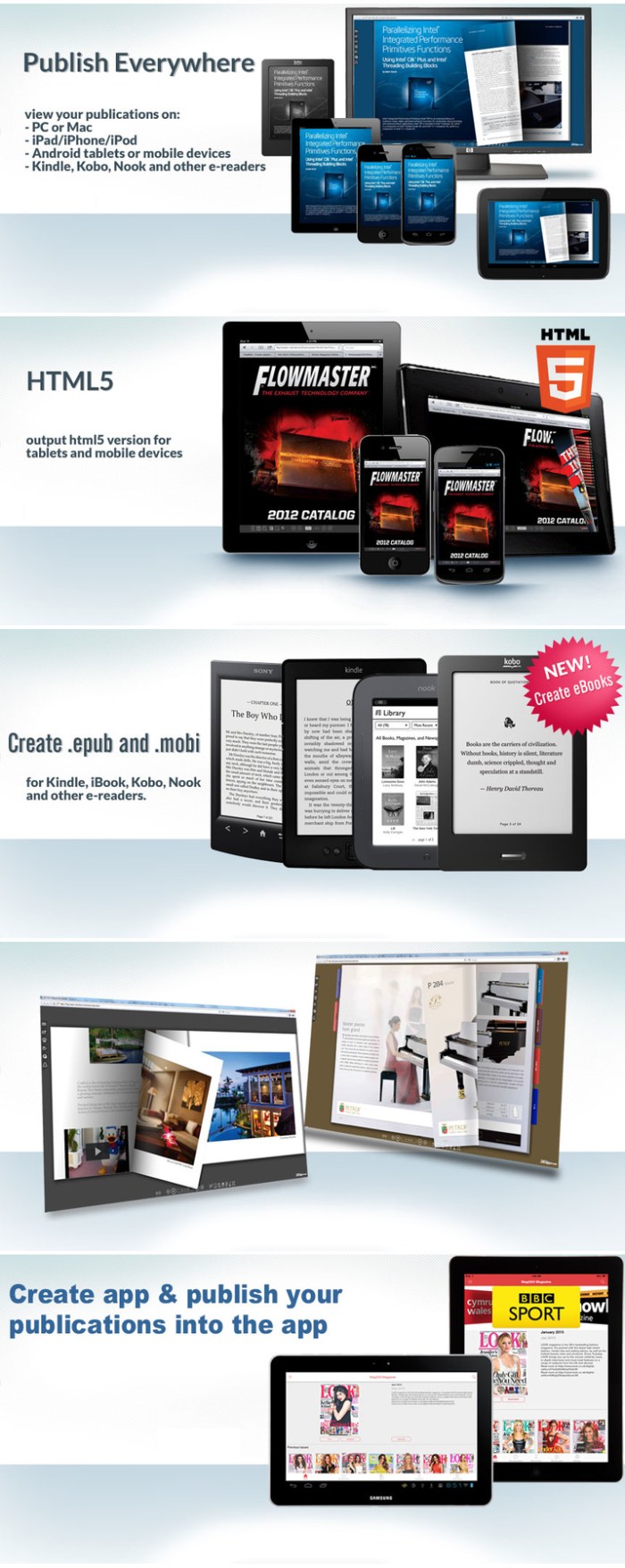
ePageCreator allows you to create Flash, HTML5, ePub, Mobi, EXE and Zip format. With iCreateApp, you can also create native App for iOS and Android in minutes without coding. Flash format for PC and Mac, HTML5 for mobile devices, ePub and Mobi for eReader. EXE and Zip for putting into CD/USB, hard drive or email to others for offline reading. iOS App for AppStore. Android App for Google Play.

HTML5 for Mobile devices

You can trun your PDF to HTML5 format, which can be viewed on most popular mobile devices. Your publications can be created in HTML5 as well as Flash and they can be read on iPad/iPhone/iPod, Android, Windows Phone and Windows 8 tablets and other mobile devices.

ePub and Mobi

When publishing your publication, eBook option lets you create ePub and Mobi files for eReaders which includes iBook, Kobo, Nook, Sony and other e-readers.

App for iOS

With our free native iOS App – FlipExplorer, it’s really easy to publish your publications into iPad/iPhone/iPod. So your readers can read your publications offline.

App for Android

We also provide an Android App for publishing your publications into Android devices. This means your readers can read these publications on Android smartphones and tablets without internet connection.

Rich Media & Hyperlinks

Embed multimedia such as audio, video, YouTube video, button, picture and Flash animation to pages of your publication. ePageCreator has the ability to automatically import hyperlinks from your PDF. You can also manually insert links, including internal/external links, goto page links, play audio links, play video links, display image links, show message links.

Full customization

We offer 15+ free custom themes for you to customize your publication. Add your branding logo, background, icons/skins, colors to build your own custom look and feel.

Archive Library

Allow your readers to view back issues or related digital publications. It provides a thumbnail of front cover for each publication. With this feature, your readers can easily access these back issues or archived issues.

Beautiful Bookmarks

ePageCreator can create bookmarks with Highly realistic effect. You can add bookmarks when you edit the publicatons or your readers can do it by themself. All the bookmarks are attached to the side of book and you can specify different color for each bookmark.

Set a password for your publication

This feature allows you to protect your publications from unauthorized access. All you need to do is to add a password for your publicaton. Your audiences will be prompted to type password when opening the protected publication.

Social Media Integration

This feature allows your readers to share the ebooks they like via email or social networks, like Facebook, Twitter and MySpace.

Create Table of Contents

ePageCreator automatically detects and improts Table of Contents from your PDF. You are able to edit the imported Table of Contents after imported.

Tracking with Google Analytics

Measure and track all reader behavior, including number of vistors, visits and page views, time spent on publication, time spent on page, links clicked, audios played, videos played, keywords searched and many more…

User interface in multi-languages

Currently ePageCreator supports 14 languages for interface of publication, they are: English, Japanese, French, German, Spanish, Italian, Portuguese, Norwegian, Simplified Chinese, Tranditional Chinese, Dutch, Russian, Arabic and Korean. More languages will be added, as per your request.

Built-in FTP uploader.

ePageCreator includes a built-in FTP client, which allows you to upload the digital publication to your FTP server directly. The following guide will show you how to upload your publicatioons with this built-in FTP uploader.

All types of licenses are included: Standard – Annual – Professional – Enterprise – Global

System Requirements:
  • Mac OS X 10.5 or higher
  • Pentium 4 or higher
  • 200 MB Hard Drive
  • 512 MB RAM
  • Adobe Flash Player 10 or later

Web Site: http://www.epagecreator.net

What’s New in Alive Software ePageCreator 6.1.0.5406

  • Release notes not available at the time of this post.

Screenshots

%RATINGS_IMAGES% (%RATINGS_USERS% votes, average: %RATINGS_AVERAGE% out of %RATINGS_MAX%)
You need to be a registered member to rate this.

alive software flipcreator 5 1.0.6112

Name FlipCreator.5.1.0.6112.macOS.zip
Size 72.91 MB
Created on 2018-11-23 07:31:26
Hash 1674c1206aaa622efeabfa5a8d95d728dd41f9da
Files FlipCreator.5.1.0.6112.macOS.zip (72.91 MB)

Download

Alive Software FlipCreator 5.1.0.6112 macOS

With our easy to use interface, you can make a digital publication in a few mouse clicks! Even a new user, you can use FlipCreator within a couple of minutes without any special learning.

Easy to use.

With our easy to use interface, you can make a digital publication in a few mouse clicks! Even a new user, you can use FlipCreator within a couple of minutes without any special learning.

Html5 version for Apple iPad/iphone/ipod touch, android and more…

Beside Flash version, all publications created by FlipCreator will also include HTML5 version. So you can view the publications not only on your PC and Mac, but also mobile devices, such as iPad, iPhone and Android devices.

Insert Video, youtube video, Audio, Links, Flash animation, button, picture.

Embed multimedia such as audio, video, YouTube video, button, picture and Flash animation to pages of your publication. Insert hyperlinks(internal/external links) in your publications. All hyperlinks in a PDF can be imported into your publication automatically.

Password protection

This feature allows you to protect your publications from unauthorized access. All you need to do is to add a password for your publicaton. Your audiences will be prompted to type password when opening the protected publication.

Track everything

Measure and track all reader behavior, including number of vistors, visits and page views, time spent on publication, time spent on page, links clicked, audios played, videos played, keywords searched and many more… All you need to is to enter your Google Analytics UA.

Import table of contents from pdf, or Create it by yourself.

FlipCreator supports analyzing and importing table of contents from PDF files. After that, you can edit the imported table of contents. If you want to create it by yourself, instead of importing from PDF, or your PDF does not contain a table of contents, FlipCreator can help you to create table of contents for your digital publication.

Add bookmarks for you readers.

Add bookmarks for you readers. You can add bookmarks for some important pages. All your readers can see these bookmarks you defined. On the other hand, FlipCreator also has the abiity to add bookmarks by your readers. The difference is that these bookmarks are only visible to the person who created them.

Generate Files for Search Engines.

FlipCreator can generate html files for search-engines to index. Once you submit one of these files to search engines, your publications will become searchable.

Show advertising banner to your readers.

You can add an advertising banner to the top of the “book”. You can also add a intruction banner to the right hand side of the “book”. The banner can be not only jpeg format, but also gif or flash animated banner.

12 languages available

Currently FlipCreator supports 12 languages for interface of publication, they are: English, Japanese, French, German, Spanish, Portuguese, Simplified Chinese, Tranditional Chinese, Dutch, Russian, Arabic and Korean. More languages will be added, as per your request.

System Requirements:
  • Mac OS X 10.5 or higher
  • Pentium 4 or higher
  • 200 MB Hard Drive
  • 512 MB RAM
  • Adobe Flash Player 10 or later

Web Site: http://www.flipcreator.net/

What’s New in Alive Software FlipCreator 5.1.0.6112

  • Release notes not available at the time of this post.

%RATINGS_IMAGES% (%RATINGS_USERS% votes, average: %RATINGS_AVERAGE% out of %RATINGS_MAX%)
You need to be a registered member to rate this.

everweb 2.8

Name EverWeb 2 7 1 TNT.zip
Size 64.82 MB
Created on 2018-11-23 07:31:35
Hash 574871a8bf29fa02e54067e6d073dff07083cfa8
Files EverWeb 2 7 1 TNT.zip (64.82 MB)

Download

EverWeb 2.8

With EverWeb, anyone can create a professional website just by dragging and dropping. Use one of the built-in templates, or start completely from scratch and design the perfect website for your business or personal hobby. Add text, photos, video, widgets, and more to easily create the website you want.

EverWeb even creates mobile websites that look great on iPhones and iPads and includes powerful features such as: drop-down menus, social media integration, built-in SEO, Google Fonts support and so much more.

Publish your website online using EverWeb’s one-click publishing solution or publish to your own web hosting provider.

Compatibility: macOS 10.9 or later 64-bit

Web Site: https://www.everwebapp.com/

What’s New in EverWeb 2.8

  • Release notes not available at the time of this post.

Screenshots

%RATINGS_IMAGES% (%RATINGS_USERS% votes, average: %RATINGS_AVERAGE% out of %RATINGS_MAX%)
You need to be a registered member to rate this.

the foundry nuke studio 11.2v5

Name Nuke1125MacOS.zip
Size 906.6 MB
Created on 2018-11-23 07:28:28
Hash 52ddf56846f27f3f932d003e74cfeb07d1c789ef
Files Nuke1125MacOS.zip (906.6 MB)

Download

The Foundry Nuke Studio 11.2v5 macOS

The compositing power of NukeX, plus the multi-track editorial timeline of Hiero, allowing you to conform, review, edit, and even create and render compositions from the timeline. Nuke Studio gives supervisors & artists more creative control

A unique and seamless combination of visual effects, editorial timeline and review, NUKE STUDIO lets you composite, conform, edit, color-correct, add effects and playback at 4K. With this end-to-end solution, you can run a whole project from a single desktop. As a supervisor or team lead, NUKE STUDIO’s powerful collaborative controls let you distribute shots, easily manage and review versions, share comments, and make tweaks and adjustments within a single cohesive package.

Compositing and much more

With the full power of NUKEX’s advanced node-based compositing built in, NUKE STUDIO includes all the tools you need to get the job done, whether you’re working alone or as part of a team.

Full online-editing toolkit

With its multi-track editorial timeline, NUKE STUDIO’s intuitive and familiar editorial tools get the job done fast, whether you’re editing on set, conforming online, or just knocking out quick edits.

Collaborative control

Generate and share NUKE scripts, collaborate with annotations, easily manage versions, and make tweaks any time. With NUKE STUDIO, handling multiple shots across a team is a breeze.

Flexible to the core

At its core, NUKE STUDIO shares NUKE’s flexibility, with the ability to script your own tools on the timeline, a Python API, and seamless integration with the other members of the NUKE family.

Speed and efficiency

Work fast and interactively with NUKE’s cutting-edge toolkits, GPU acceleration and fluid workflows. Everything you need to get the job done fast is built in and ready to go.

Power and performance

Built to meet the needs of modern production work, NUKE STUDIO offers unparalleled levels of power and confidence whether you’re a team with a deadline or alone with a client.

Compatibility: macOS 10.12 or later

Web Site: https://www.foundry.com/products/nuke

What’s New in The Foundry Nuke Studio 11.2v5

  • Release notes not available at the time of this post.
Screenshots

%RATINGS_IMAGES% (%RATINGS_USERS% votes, average: %RATINGS_AVERAGE% out of %RATINGS_MAX%)
You need to be a registered member to rate this.

jetbrains webstorm 2018 3

Name JetBrains.WebStorm.v2018.3.MACOSX.zip
Size 259.1 MB
Created on 2018-11-23 07:29:53
Hash e362564ec9486c96454bd2b6d71c47497f29501b
Files JetBrains.WebStorm.v2018.3.MACOSX.zip (259.1 MB)

Download

JetBrains WebStorm 2018.3 macOS

WebStorm brings you smart coding assistance for javascript and compiled-to-javascript languages, Node.js, HTML and CSS. Enjoy code completion, powerful navigation features, on-the-fly error detection, and refactorings for all of these languages.

Major frameworks supported

PhpStorm is perfect for working with Symfony, Drupal, WordPress, Zend Framework, Laravel, Magento, CakePHP, Yii, and other frameworks.

All PHP tools

The editor actually ‘gets’ your code and deeply understands its structure, supporting all PHP language features for modern and legacy projects. It provides the best code completion, refactorings, on-the-fly error prevention, and more.

Front-end technologies included

Make the most of the cutting edge front-end technologies, such as HTML5, CSS, Sass, Less, Stylus, CoffeeScript, TypeScript, Emmet, and javascript, with refactorings, debugging and unit testing available. See changes instantly in the browser thanks to Live Edit.

Built-in developer tools

Perform many routine tasks right from the IDE, thanks to Version Control Systems integration, support for remote deployment, databases/SQL, command-line tools, Vagrant, Composer, REST Client, and many other tools.

PhpStorm = WebStorm + PHP + DB/SQL

All the features of WebStorm are included into PhpStorm, and full-fledged support for PHP and Databases/SQL support are added on top.

Intelligent Coding Assistance

Hundreds of inspections take care of verifying your code as you type, analyzing the whole project. PHPDoc support, code (re)arranger and formatter, quick-fixes, and other features help you write neat code that’s easy to maintain.

Smart Code Navigation

Be the master of your codebase thanks to efficient, lightning-fast navigation features. The IDE understands where you want to go and gets you there instantly.

Fast and Safe Refactoring

Refactor your code reliably with safe Rename, Move, Delete, Extract Method, Inline Variable, Push members Up / Pull members Down, Change Signature, and many other refactorings. Language-specific refactorings help you perform project-wide changes in a matter of a few clicks, and can​ be safely undone.

Easy Debugging and Testing

PhpStorm is renowned for its zero-configuration Visual Debugger, providing extraordinary insight into what goes on in your application at every step. It works with Xdebug and Zend Debugger, and can be used both locally and remotely. Unit Testing with PHPUnit, BDD with Behat and profiler integration are also available.

System requirements
  • Microsoft Windows 10/8/7/Vista/2003/XP (incl.64bit)
  • Intel Pentium III/800 MHz or higher (or compatible)
  • 2 GB RAM minimum
  • 4 GB RAM recommended
  • 1024×768 minimum screen resolution

Web Site: http://www.jetbrains.com/

What’s New in JetBrains WebStorm 2018.3

  • Release notes not available at the time of this post.

Screenshots

%RATINGS_IMAGES% (%RATINGS_USERS% votes, average: %RATINGS_AVERAGE% out of %RATINGS_MAX%)
You need to be a registered member to rate this.

jetbrains phpstorm 2018 3

Name JetBrains.PhpStorm.v2018.3.MACOSX.zip
Size 304.9 MB
Created on 2018-11-23 07:30:36
Hash 292e5251b032f5ddafddb7158d580f854afc502a
Files JetBrains.PhpStorm.v2018.3.MACOSX.zip (304.9 MB)

Download

JetBrains PhpStorm 2018.3 macOS

PhpStorm is a PHP IDE that actually ‘gets’ your code. It supports PHP 5.3/5.4/5.5/5.6/7.0, provides on-the-fly error prevention, best autocompletion & code refactoring, zero configuration debugging, and an extended HTML, CSS, and javascript editor.

Smart PHP Code Editor

The IDE provides smart code completion, syntax highlighting, extended code formatting configuration, on-the-fly error checking, code folding, supports language mixtures and more. Automated refactorings that treat your code with care, helping to make global project settings easily and safely.

Code Quality Analysis

Hundreds of code inspections verify your code as you type and inspect the whole project for possible errors or code smells. Quick-fixes for most inspections make it easy to fix or improve the code instantly. Alt+Enter shows appropriate options for each inspection.

Easy Code Navigation & Search

PhpStorm helps you get around your code more efficiently and save time when working with large projects. Jump to a method, function or variable definition in just one click, or search for its usages.

Debugging, Testing and Profiling

PhpStorm provides powerful built-in tools for debugging, testing and profiling your applications.

Debugging

Zero-configuration debugging makes it really easy to debug your PHP applications. Besides, PhpStorm provides numerous options for debugging your PHP code with Visual Debugger, so you can: inspect variables and user-defined watches, set breakpoints and evaluate an expression in runtime, debug remote applications, debug a page in multiple sessions simultaneously, and more.

Testing

You can develop PHPUnit tests right in PhpStorm and run them instantly from a directory, file or class, by using the context menu options. Code Coverage from PHPUnit shows how much of your code is covered with tests.

Profiling

You can profile your applications with Xdebug or Zend Debugger and check aggregated reports in PhpStorm.

HTML/CSS/javascript Editor

PhpStorm includes all the features of WebStorm related to HTML, CSS and javascript.

HTML and CSS Editor

All the cutting edge web development technologies are supported including HTML5, CSS, SASS,SCSS, LESS, CoffeeScript, ECMAScript Harmony, Jade templates, etc. Live Edit gives you an opportunity to see all the changes instantly in the browser without refreshing the page.

javascript Editor

The smartest javascript Editor is bundled with the IDE, offering code completion, validation and quick fixes, refactorings, JSDoc type annotations support, javascript debugging and unit testing, support for javascript Frameworks, and more.

New Technologies

PhpStorm provides a streamlined experience for the full development cycle with new languages such as TypeScript, CoffeeScript, and Dart.

Development Environment

PhpStorm is built on top of the open-source IntelliJ Platform, which we at JetBrains have been developing and perfecting for over 15 years. Enjoy the fine-tuned, highly customizable experience it provides to fit your development workflow.

VCS

PhpStorm provides a unified UI for working with many popular Version Control Systems, ensuring a consistent user experience across git, GitHub, SVN, Mercurial, and Perforce.

Databases & SQL

PhpStorm provides tools and code assistance features for working with databases and SQL in your projects. Connect to databases, edit schemas and table data, run queries, and even analyze schemas with UML diagrams. SQL code can be injected to other languages or edited in SQL Editor, with syntax highlighting, smart code completion, on-the-fly code analysis, code formatting and navigation available.

Other Features

Perform many routine tasks right from the IDE with support for Vagrant support, Docker, Composer, and more.

OS version:OS X 10.8 or later

Web Site: http://www.jetbrains.com/phpstorm/

What’s New in JetBrains PhpStorm 2018.3

  • Release notes not available at the time of this post.
%RATINGS_IMAGES% (%RATINGS_USERS% votes, average: %RATINGS_AVERAGE% out of %RATINGS_MAX%)
You need to be a registered member to rate this.

jetbrains intellij idea ultimate 2018 3

Name JetBrains.IntelliJ.IDEA.Ultimate.v2018.3.MACOSX.zip
Size 682.3 MB
Created on 2018-11-23 07:30:55
Hash c93e644d2069ca919b8a4ca169764063ccb7325e
Files JetBrains.IntelliJ.IDEA.Ultimate.v2018.3.MACOSX.zip (682.3 MB)

Download

JetBrains IntelliJ IDEA Ultimate 2018.3 macOS

Deep insight into your code. IntelliJ IDEA analyzes your code, looking for connections between symbols across all project files and languages. Using this information it provides indepth coding assistance, quick navigation, clever error analysis, and, of course, refactorings.

Deep insight into your code. IntelliJ IDEA analyzes your code, looking for connections between symbols across all project files and languages. Using this information it provides indepth coding assistance, quick navigation, clever error analysis, and, of course, refactorings.

Smart completion

Ctrl+Shift+Space gives you a list of the most relevant symbols applicable in the current context. This and other completions are constantly learning from you, moving the members of the most frequently used classes and packages to the top of the suggestions list, so you can select them faster.

Chain completion

Digs a tad deeper than Smart Completion and lists applicable symbols accessible via methods or getters in the current context. Say you’re looking for a value of Project and only have the Module module declaration. Press Ctrl+Shift+Space twice to get module.getProject() without any additional effort.

Static members completion

Lets you easily use static methods or constants. Offers a list of symbols matching your input and automatically adds required import statements.

Data flow analysis

When offering completion variants, IntelliJ IDEA analyses data flow to guess the possible runtime symbol type and refines choices based on that intel, automatically adding class casts.

Language injection

Brings coding assistance for a selected language to expressions and string literals in another one, complete with all advantages you would normally have. For example, you can inject fragments of SQL, XPath, HTML, CSS, or javascript code into Java String literals.

Cross-language refactorings

Knowing everything about usages of a symbol, IntelliJ IDEA offers extremely effective, thorough refactorings. For example, when you Rename a class within a JPA statement, it will update everything, from JPA entity class, to every JPA expression where it is used.

Detecting duplicates

Finds duplicate code fragments on the fly. Even if you’re only about to extract a variable, constant, or a method, IntelliJ IDEA will let you know that there is a similar code fragment that can be replaced along with the one you’re woking on.

Inspections and quick-fixes

Whenever IntelliJ IDEA detects that you’re about to make a mistake, a little lightbulb pops up in the editor. Clicking it or pressing Alt+Enter opens a list of actions you can take to make things right.

Developer ergonomics

Every aspect of IntelliJ IDEA is designed with ergonomics in mind. IntelliJ IDEA is built on a principle that every minute a developer spends in the flow is a good minute, and things that break developers out of that flow are bad and should be avoided.

Built-in developer tools

To streamline your workflow, IntelliJ IDEA offers an unbeatable toolset right from the first start: decompiler, bytecode viewer, FTP and many more.

Polyglot experience

In addition to Java, IntelliJ IDEA offers first-class support for top JVM and non-JVM frameworks and languages out of the box.

System requirements
  • macOS 10.8.3 or higher
  • 2 GB RAM minimum, 4 GB RAM recommended
  • 1.5 GB hard disk space + at least 1 GB for caches
  • 1024×768 minimum screen resolution

Web Site: http://www.jetbrains.com/

What’s New in JetBrains IntelliJ IDEA Ultimate 2018.3

  • Release notes not available at the time of this post.
Screenshots

%RATINGS_IMAGES% (%RATINGS_USERS% votes, average: %RATINGS_AVERAGE% out of %RATINGS_MAX%)
You need to be a registered member to rate this.

rapidweaver 8 v8 1 fc

Name RapidWeaver 8 8 1 FC 20462b TNT.zip
Size 82.06 MB
Created on 2018-11-23 07:27:56
Hash c143070379d700c5cbc053186ea1bff961478379
Files RapidWeaver 8 8 1 FC 20462b TNT.zip (82.06 MB)

Download

RapidWeaver 8 v8.1 FC

RapidWeaver is a next-generation Web design application to help you easily create professional-looking Web sites in minutes. No knowledge of complex code is required, RapidWeaver will take care of all that for you. RapidWeaver produces valid XHTML- and CSS-based websites.

One of the perks about using RapidWeaver is that it has a strong custom theme community. You can download themes and edit them from within RapidWeaver and the result is a pretty slick-looking website that takes very little effort.

RapidWeaver also has a lot of custom plug-ins. Some of them make it easier to edit images directly in RapidWeaver. Others make creating a site map a matter of a few clicks. The supportive community that surrounds RapidWeaver is really what makes this great app superior to other WYSIWYG website creation tools. Be sure to check out YourHead.com for some little tools to help spice up your website in RapidWeaver.

Compatibility: OS X 10.11 or later 64-bit

Web Site: https://www.realmacsoftware.com/rapidweaver/

What’s New in RapidWeaver 8 v8.1 FC

  • Release notes not available at the time of this post.

%RATINGS_IMAGES% (%RATINGS_USERS% votes, average: %RATINGS_AVERAGE% out of %RATINGS_MAX%)
You need to be a registered member to rate this.

canary mail encrypted email 2.15

Name Canary Mail 2 15 MAS TNT.zip
Size 22.40 MB
Created on 2018-11-23 07:32:30
Hash 514696d98649450491fbe808d77db0b633e414dc
Files Canary Mail 2 15 MAS TNT.zip (22.40 MB)

Download

Canary Mail – Encrypted Email 2.15

Modern email apps compromise on security or features. Canary does not.

Some of your most important info is shared via email, which is why we built end-to-end encryption into our app. This ensures only you and the person you’re communicating with can read what is sent, and nobody in between, not even your provider.

All of this happens automatically: no need to turn on settings or set up special secret keys to secure your emails.

Welcome to secure, effortless, email.

**ENCRYPTION ON DEMAND**

With Canary’s one-click encryption, you can effortlessly enhance your email security. The email is encrypted on your device and decrypted on your recipient’s device. It will be unreadable on your provider’s web interface, or by anyone else on any other app!

  • Automatic: Automate the key exchange to focus on crunching emails, without worrying about security.
  • Manual: Advanced PGP users can manage their own keys and exchange encrypted emails with anyone.
**FOCUS ON WHAT’S IMPORTANT**

With natural language search, smart filters, algorithmic bulk cleaner, and intelligent typography enhancements, Canary helps you easily find and act on what’s important, and get rid of what’s not!

  • Focused Inbox:Canary learns which emails are important to you and highlights them for easy access. Intelligent typography enchancements ensure optimum readability.
  • Natural Language Search: Search for photos from dad, receipts this month, or unread newsletters. Canary understands what you’re looking for and finds it first time, everytime.
  • Smart Filters: Quickly isolate unread emails, or emails with attachments. Check if you’ve missed replying via the unanswered filter. Gmail users can also access their Inbox tabs / categories.
  • Bulk Cleaner: Canary’s adaptive algorithms learn which emails are likely to be unimportant. Tap on the magic wand and scroll to automatically find, select, and then delete unwanted emails.
**POWERFUL FEATURES**

Don’t pay a monthly fee for features you want and need. With Canary, you always have full access!

  • Read Notifications: Get notified when your emails are read.
  • Snooze: Deal with emails at your convenience.
  • Email Templates: Avoid repetition. Save and reuse frequently sent emails.
  • OneClick Unsubscribe: No need to look for pesky unsubscribe links.
**SEAMLESS INTEGRATIONS**

Email plays a central role when it comes to files, events, and tasks.
So we made sure Canary plays nice with your favorite apps!

  • Google Drive
  • Dropbox
  • Todoist
  • Things
  • iCal
  • Google Calendar
  • Giphy
  • Keybase & MIT
**USE YOUR FAVORITE EMAIL PROVIDER**

Get all of Canary’s powerful features and cutting-edge encryption technology with your existing email account(s). Just add your account(s) and go!

  • Gmail
  • iCloud
  • Office 365
  • Yahoo
  • Custom IMAP
  • Exchange (if IMAP is enabled on server)

Compatibility: OS X 10.10 or later

Web Site: https://canarymail.io
Mac App Store: https://itunes.apple.com/app/canary-mail-secure-email-app/id1236045954?mt=12

What’s New in Canary Mail – Encrypted Email 2.15

  • Fix: Email dates may be incorrect for certain Exchange accounts
  • Fix: Setting default signature for accounts may not save correctly
  • Fix: Remember window size and position for the compose window
  • Fix: Forwarding an email may not display sender email address in the email body
  • Fix: Attaching files via Google Drive may not work correctly
  • Fix: Moving / deleting / archiving emails via Search may not work correctly

%RATINGS_IMAGES% (%RATINGS_USERS% votes, average: %RATINGS_AVERAGE% out of %RATINGS_MAX%)
You need to be a registered member to rate this.

jetbrains rubymine 2018 3

Name JetBrains.RubyMine.v2018.3.macOS.zip
Size 298.0 MB
Created on 2018-11-23 07:30:07
Hash 6c53c52d1e294b0317c467c8fc2e59821d9c4d85
Files JetBrains.RubyMine.v2018.3.macOS.zip (298.0 MB)

Download

JetBrains RubyMine 2018.3 macOS

JetBrains RubyMine IDE includes a comprehensive Ruby code editor aware of dynamic language specifics. It provides smart coding assistance, intelligent code refactoring, and deep code analysis capabilities. With easy project configuration, automatic Ruby Gems management, Rake support, and built-in consoles, it has everything a Ruby developer needs in a development environment.

javascript & HTML/CSS

Speed and efficiency are guaranteed for your client-side and server-side development in javascript, CoffeeScript, TypeScript, HTML, CSS, Less or Sass, as RubyMine provides best-in-class coding assistance and a wide range of advanced features. Node.js, Dart, AngularJS and javascript testing frameworks are supported via free plugins. Enhance and streamline your debugging experience without leaving the IDE, thanks to javascript and Node.js debugging tools.

Code Analysis & Refactorings

Let your IDE take care of your code. Smart, type-aware code completion, intelligent code inspections, live templates and intention actions all work together to help you code faster and fail-proof. Refactor your Ruby code the intelligent, language specific-aware way, with safe Rename and Delete, Extract Method, Introduce Variable, Inline Variable or Method, and more refactorings.

Multiple Integrated Tools

Git, Subversion, Mercurial, Perforce, and CVS: RubyMine knows most common version control systems and SCMs and provides a unified UI for all of them. Easily configure automatic deployment via FTP or SFTP, and manage your infrastructure with Vagrant, Capistrano, Chef, and/or Puppet. Utilise database tools including a full-featured database editor and SQL support.

Ruby on Rails

RubyMine brings dedicated RoR features including project structure views, quick Model-View-Controller navigation options, Rails-specific code completion, intention actions, and automated refactorings. All this, plus best-of-breed support for ERB, HAML and Slim editing, coupled with advanced web development tools and a built-in Rails console, is the best recipe for producing cutting-edge Web applications.

RubyMotion

RubyMine brings all the essential productivity boosters to the world of RubyMotion apps. Code insight is available for Ruby, Objective-C and Java APIs, making iOS, macOS and Android development with RubyMotion even more pleasant. With a powerful testing and debugging UI, working either with a simulator or a real device, it is much easier to fine-tune your application code. All Rake commands and an interactive console are at your disposal as well.

Testing

The value of testing should not be underestimated. Like writing code, unit-testing becomes second nature with RubyMine‘s flexible, well-thought-out RSpec, Cucumber, Shoulda, MiniTest and Test::Unit integration. Write tests quickly thanks to intelligent code completion and navigation, and easily run tests and analyze their results with a graphical UI.

A Powerful Debugger

Fine-tuning application code is an essential step in every software project. RubyMine‘s Ruby debugger inherits all the best from the proven IntelliJ IDEA Java/JSP debugger while focusing on the needs of Ruby and Rails developers. It allows breakpoints in Ruby, ERB and javascript code, and provides highly informative views like Console, Variables, Frames and Watches.

System requirements

  • macOS 10.8 or higher
  • 1 GB RAM minimum, 2 GB RAM recommended
  • 300 MB hard disk space + at least 1 GB for caches
  • 1024×768 minimum screen resolution

Web Site: http://www.jetbrains.com/ruby/

What’s New in JetBrains RubyMine 2018.3

  • Release notes not available at the time of this post.

%RATINGS_IMAGES% (%RATINGS_USERS% votes, average: %RATINGS_AVERAGE% out of %RATINGS_MAX%)
You need to be a registered member to rate this.

jetbrains goland 2018 3

Name JetBrains.GoLand.v2018.3.MACOSX.zip
Size 295.0 MB
Created on 2018-11-23 07:31:09
Hash b9754bea88c1e184a94a37c7ce436761d897d117
Files JetBrains.GoLand.v2018.3.MACOSX.zip (295.0 MB)

Download

JetBrains GoLand 2018.3 macOS

GoLand is a new commercial IDE by JetBrains aimed at providing an ergonomic environment for Go development. The new IDE extends the IntelliJ platform with the coding assistance and tool integrations specific for the Go language.

Coding assistance

The IDE analyzes your code, looking for connections between symbols, to provide code completion, quick navigation, clever error analysis, formatting, and refactorings.

Ergonomic design

Together, powerful static code analysis and ergonomic design make development not only productive but also an enjoyable experience.

Integrated tools

Mission-critical tools such as rest-runner, coverage tool, full-featured debugger and version control integration are at hand — no plugin hustle included.

IntelliJ plugin ecosystem

In case you need anything in addition to the already rich set of built-in tools, the IntelliJ plugin ecosystem is there to help you.

System requirements
  • macOS 10.8.3 or higher
  • 2 GB RAM minimum
  • 4 GB RAM recommended
  • 1024×768 minimum screen resolution

Web Site: https://www.jetbrains.com/go/

What’s New in JetBrains GoLand 2018.3

  • Release notes not available at the time of this post.
%RATINGS_IMAGES% (%RATINGS_USERS% votes, average: %RATINGS_AVERAGE% out of %RATINGS_MAX%)
You need to be a registered member to rate this.

cookbook author templates 2.0.2

Name Cookbook Author – Templates 2 0 2 TNT.zip
Size 10.41 MB
Created on 2018-11-23 07:32:22
Hash 2d1ade48475dd2896e133c627a5d915d110b95f3
Files Cookbook Author – Templates 2 0 2 TNT.zip (10.41 MB)

Download

Cookbook Author – Templates 2.0.2

Cookbook Author- Templates is a collection of more than 30 compelling templates for Apple’s new application for food book creation and publishing. Find the perfect look, add your text and images and publish your own book to iBookstore!

The emphasis of Cookbook Author- Templates is put on entertaining writing, so it is really easy to insert text, graphics or even movies. You can also change colors, font or style thus making your work look precisely the way you want. Add text, charts, tables or images anywhere on the page with a single click.

The luxurious design and wide range of modification possibilities help to bring content to life in ways the printed books never could!

*Requires the latest version of iBooks Author.

Compatibility: OS X 10.11 or later 64 bit

Web Site: http://graphicnode.com
Mac App Store: https://itunes.apple.com/app/cookbook-author-templates/id1247845686?mt=12

What’s New in Cookbook Author – Templates 2.0.2

• Stability improvements.

%RATINGS_IMAGES% (%RATINGS_USERS% votes, average: %RATINGS_AVERAGE% out of %RATINGS_MAX%)
You need to be a registered member to rate this.

iridient developer 3.3.2

Name Iridient Developer 3 3 2 TNT.zip
Size 14.55 MB
Created on 2018-11-23 07:31:17
Hash 2c6970ddeae855ddd93437cef9e60e62d5578389
Files Iridient Developer 3 3 2 TNT.zip (14.55 MB)

Download

Iridient Developer 3.3.2

Iridient Developer is a powerful RAW image conversion application designed and optimized specifically for Mac OS X. Iridient Developer gives advanced photographers total control over their digital photographs, yet still provides easy drag and drop batch conversion and access to basic adjustments for the casual user.

Advanced Sharpening and Noise Reduction Algorithms

Iridient Developer offers SIX advanced sharpening methods, including “Iridient Reveal”, a “super” sharpener utilizing aspects of both state of the art edge enhancement techniques and deconvolution, traditional unsharp masking, high pass, difference of gaussians, a unique “hybrid” sharpening algorithm and an advanced Richardson-Lucy Deconvolution based method. All are processed in a special 32 bits/channel floating point color space to avoid color artifacts and provide amazing detail. Powerful hot/dead pixel filters and new, state of the art noise reduction methods help eliminate noise, especially from images taken with long exposures or high ISO settings.

All sharpening methods also now support advanced edge masking for limiting the sharpening effect to just edge regions while leaving “flat” or low contrast areas of the image unchanged.

High Quality Image Resizing

Whether down sizing for the web or producing massive prints for gallery display, Iridient Developer offers a wide range of resizing methods that allow you fine tune the level of output to best suit your own preferences from incedibly high levels of sharpness and detail to smooth, artifact free output.

Fabulously Flexible Camera Color Specification

Iridient Developer includes support for just about any camera color specification imaginable from industry standard ICC color profiles to DNG color matrix values to the latest DNG v1.4 camera profile (DCP) specification to camera manufacturer specific color metadata. Iridient Developer provides incedible control over establishing the ideal color starting point for your photos whether you want to use custom camera profiling solutions or simply to match a color look provided by the camera manufacturer or just about any other RAW processing software.

Extensive Image Adjustment Options

You’re in total control of every step of the conversion process, fully editable tone curves in RAW, RGB and LAB color spaces, advanced highlight recovery, white balancing, noise reduction, sharpening, exposure compensation, brightness, contrast, saturation and more.

Super Monochrome (Black And White) Conversion Options

High quality black and white conversion options including direct access to RAW image color planes, standard RGB channel mixers, perceptual LAB lightness based conversion, luma, desaturation, intensity, custom duotones and other toning options including curves.

Fast, High Quality Image Previews

RAW developer allows you to view and make all image adjustments while viewing a full resolution, fully color managed, 16 bit per channel preview.

Advanced Histogram View

Supports 256, 512 or an extra wide 1024 levels of detail. Viewing modes include RGB, individual R, G, B channels, all three colors at once, CIE Lightness, CIE Luminance, CIE Chroma (ab), luminosity, hue and saturation.

Fully Configurable Color Management

Support for two high quality color management engine options including Apple’s ColorSync and LittleCMS 2.6 which includes full support for the latest ICC v4.3 standard. Ability to specify camera or image specific input profiles, RGB working space profiles for image adjustments and final image output profiles. Automatic support for LAB and chroma color space curves without any manual color space changes.

Unlimited batch processing

You can continue making image adjustments while other images are converted in the background. Supports, easy drag and drop image conversion with flexible file naming options and support for multiple file formats including JPEG, TIFF, PNG, JPEG2000 and more.

Multithreaded and vector processor (SSE3+) optimized

Iridient Developer takes full advantage of multi-core and multi processor systems and the advanced vector processing capabilities of Intel processors. Highly optimized for all the latest and greatest Mac OS X technologies including Grand Central Dispatch (GCD), 64-bit processing, Core Image, Quartz Extreme and more. All image processing is handled by secondary threads so your real time editing work is never blocked waiting for export processing to complete.

Support for IPTC, XMP and EXIF v2.3 metadata

EXIF, IPTC and XMP metadata is supported when exporting to TIFF, PNG or JPEG image formats.

“Processing Disabled” Output Mode

Ability to bypass all image adjustments and all color matching operations for fast, high quality export of linear files intended for further processing with other image processing programs or RAW workflows. Also useful for creating non-color matched output for use in generating custom camera or scene profiles with ICC camera profiling software.

Compatibility: OS X 10.8 or later 64 bit
Web Site: http://www.iridientdigital.com/products/rawdeveloper.html

What’s New in Iridient Developer 3.3.2

  • Release notes not available at the time of this post.

Screenshots

%RATINGS_IMAGES% (%RATINGS_USERS% votes, average: %RATINGS_AVERAGE% out of %RATINGS_MAX%)
You need to be a registered member to rate this.

adguard 1.5 12.462

Name Adguard 1 5 12 462 TNT.zip
Size 45.01 MB
Created on 2018-11-22 23:47:03
Hash 29766de6916479575ad8c1d6c1757f426c40cbc1
Files Adguard 1 5 12 462 TNT.zip (45.01 MB)

Download

Adguard 1.5.12 (462)

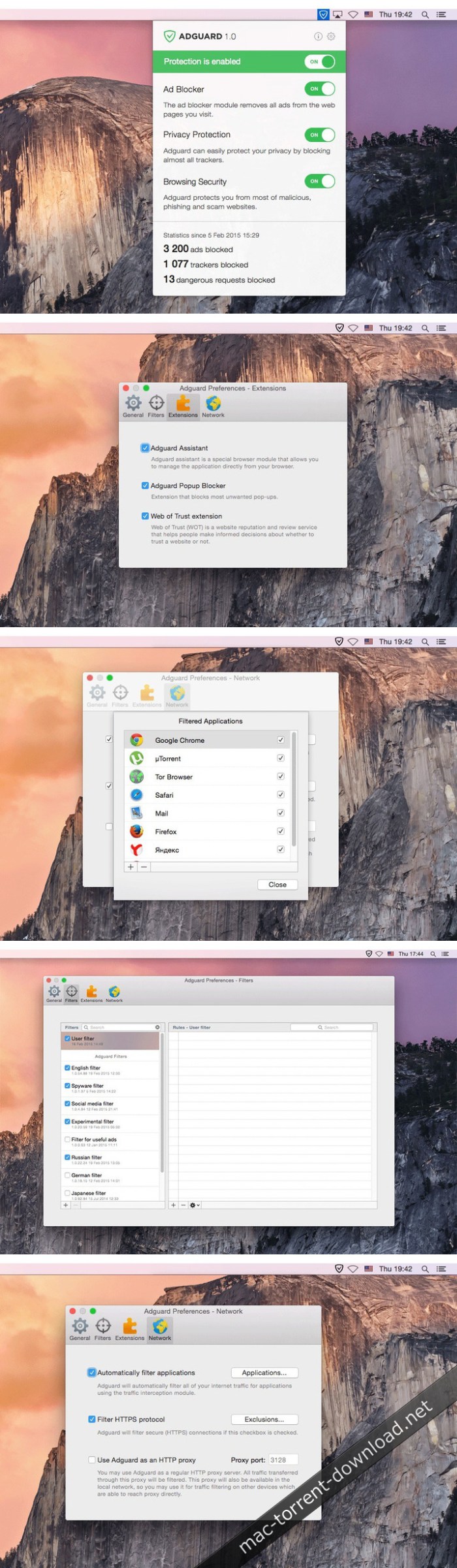
Adguard can make your online experience safer because, though Macs and Apple laptops are quite safe to use, when it comes to ad blockers, Macs experience real problems. Already-existing solutions do not consider the specifics of OS X. That greatly influences the stability of work in Safari, and these ad-blocking extensions fail to do their work properly, especially when video ads are an issue.

New Adguard lets you fully enjoy web surfing without any distractions. Watch those videos you want to watch, and not video ads, on YouTube, Twitch, or any other website. Look at photos of your friends and not at endless banners on Facebook and other social networks. Adguard gives you freedom of choice and saves your nerves. It works perfectly with all browsers, as it was developed specially for use on OS X.

  • Ad Blocker. Subtle filtering of all incoming traffic, and what is more, ads are blocked before they load to the page.
  • Browsing Security. Adguard checks every page for any malicious content using our databases, and blocks requests from potentially dangerous ones.
  • Privacy Protection. Any counters and tracking instruments will be blocked by powerful Spyware filter. With Adguard you can stop worrying for the privacy of your actions on the Internet.
  • Adguard works in all browsers. Safari, Chrome – you name it. No exceptions.
  • Easy to install. A couple of clicks, and your Mac is protected from ads. You don’t have to struggle with overcomplicated settings – just surf the net and Adguard will do all the work.
  • Blocking video ads. Any video ad, on any site – Adguard will block it.
  • Application filtering. Adguard is more than just an addon for browser. It can help you to get rid of ads in any app on your Mac.
  • Is supported in all OS X versions from 10.7 64-bit and higher.
  • Adguard has intuitive and simple UI with such additional features like Adguard Assistant and filtering log.
  • Daily ad filters and phishing databases updates.

Compatibility: OS X 10.10 or later 64-bit

Web Site: https://adguard.com/en/welcome.html

What’s New in Adguard 1.5.12 (462)

  • Release notes not available at the time of this post.
Screenshots

%RATINGS_IMAGES% (%RATINGS_USERS% votes, average: %RATINGS_AVERAGE% out of %RATINGS_MAX%)
You need to be a registered member to rate this.

capture one pro 12.0.0b5

Name Capture One Pro 12 12 0 0b5 TNT.zip
Size 348.4 MB
Created on 2018-11-22 23:41:54
Hash de9cd7822e3a1e1b0ce60e23d4dd5c8045bbf750
Files Capture One Pro 12 12 0 0b5 TNT.zip (348.4 MB)

Download

Capture One Pro 12.0.0b5

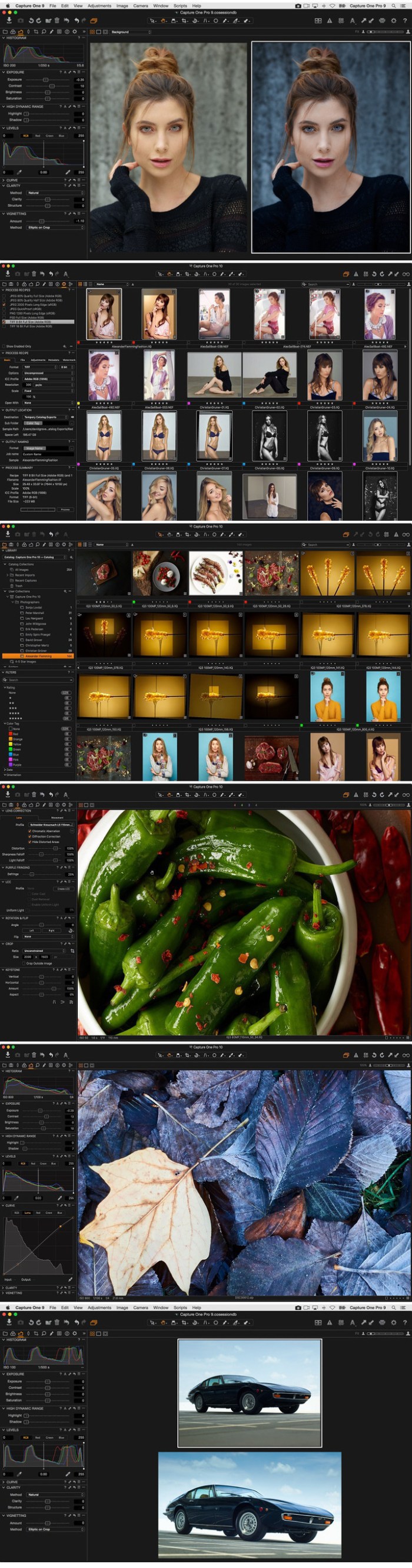
Capture One is a professional RAW converter offering you ultimate image quality with beautiful colors and incredible detail for more than 500 high-end cameras. It offers state- of-the-art tethered capture, powerful digital asset management, extensive adjustment tools and a flexible workflow through customizable workspaces.

With an updated processing engine, market-leading performance and powerful new features, Capture One is the professional choice in imaging software. You get the highly responsive precision tools you need to create stunning images from your camera’s RAW files in a time-saving workflow that can be customized to fit your needs.

New features

  • New interface
  • New Menu system
  • New Keyboard Shortcut Manager
  • Luma Range Masking
  • Linear Gradient Mask tool
  • Radial Gradient Mask tool
  • Plugins Export and publish
  • Revised noise reduction algorithm See notes
  • User experience changes
  • Extended AppleScript support
  • Fujifilm Film Simulations

Compatibility: macOS 10.12 or later 64-bit

Web Site: https://www.phaseone.com/en/Products/Software/Capture-One-Pro/Highlights.aspx

What’s New in Capture One Pro 12.0.0b5

  • Release notes not available at the time of this post.

Screenshots

%RATINGS_IMAGES% (%RATINGS_USERS% votes, average: %RATINGS_AVERAGE% out of %RATINGS_MAX%)
You need to be a registered member to rate this.

motion boutique layergenerators 1.2 plugin for after effects macos

Name LayerGenerators.zip
Size 3.25 MB
Created on 2018-11-22 23:36:47
Hash 4e829fd891327f70690d6599bb35de8e4040fdd1
Files LayerGenerators.zip (3.25 MB)

Download

Motion Boutique LayerGenerators 1.2 Plugin for After Effects macOS

LayerGenerators is a collection of 3 tools for After Effects to automate the creation of layers.

These tools are particularly useful when a large number of layers is required, and when these layers cannot be obtained by just duplicating an existing layer.

They have been designed during the development of our plug-in Pastiche, when we realized that it would be great to have a tool to quickly generate a bunch of elements to start playing. They can be used to create text layers, solids (possibly with masks and effects) and vector shapes.

Compatibility: After Effects CC 2019, CC 2018, CC 2017, CC 2015.3, CC 2015, CC 2014, CC

Web Site: http://aescripts.com/layergenerators/

What’s New in Motion Boutique LayerGenerators 1.2

  • Updated Font Awesome icons
  • Added Themify Icons set

%RATINGS_IMAGES% (%RATINGS_USERS% votes, average: %RATINGS_AVERAGE% out of %RATINGS_MAX%)
You need to be a registered member to rate this.

filmlight daylight 5 1.11148

Name FilmLight.Daylight.v5.1.11148.MACOSX.Incl.Keygen-AMPED.zip
Size 317.3 MB
Created on 2018-11-22 23:41:41
Hash 6596d128c2cc916530492e2966cac28269cf4753
Files FilmLight.Daylight.v5.1.11148.MACOSX.Incl.Keygen-AMPED.zip (317.3 MB)

Download

FilmLight Daylight 5.1.11148 macOS

Daylight is designed as a compact yet powerful grading decision tool to help DoPs and directors establish looks and visualise what they have shot, on set or on location, as well as meeting all of the sophisticated deliverables requirements—in one application.

Full Baselight creativity

Grades can of course be limited to CDL values or exported as 3D LUTs for standard cross-platform workflows, but you don’t need to be constrained by the lowest common denominator. All shots can have full sophisticated Baselight looks—authored and applied using the same compact grading interface familiar to users of Baselight Editions for Avid, FCP and NUKE.

Deploy with ease

Daylight is available for purchase or quarterly rental, and the freelance licence option allows the licence to be moved from machine to machine using a simple, web-based authentication scheme.

The software will run on any Mac system equipped with OSX 10.9 or above. Using the same philosophy as Baselight Editions, Daylight uses whatever graphics card is installed without the need for special, CUDA-capable variants.

Extensive metadata support

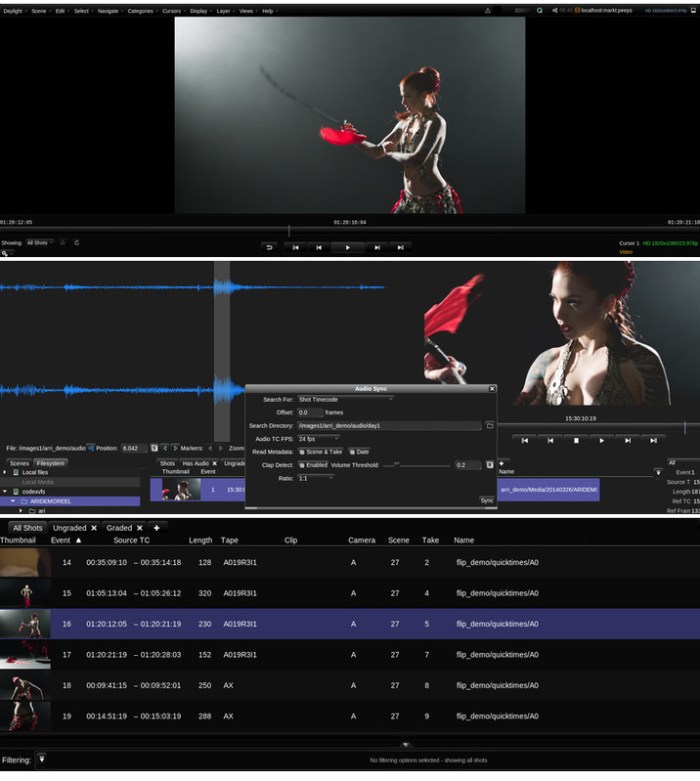
Daylight provides comprehensive end-to-end handling of metadata. The system reads all the data it can from the headers of your camera and audio files and displays relevant metadata fields in the Sequence Browser and the Shots View—and you can also choose to display information on thumbnails in the Scene and Galleries.

Custom reporting

Daylight’s extensive metadata handling carries right on over into a sophisticated report generator that includes custom columns, colour accurate thumbnail images and cover pages. This means that you can produce a consistent, professional report at the end of every workday.

Transcoding in post

Daylight makes use of over 10 years of accumulated Baselight development to provide comprehensive support for all camera and deliverable formats—including audio and retiming capability. Support for sophisticated rescaling, filtering, masking and burn-in operations, alongside Truelight Colour Spaces for accurate colour transforms, means that all of your deliverable requirements can be met by one application.

Comprehensive codec support

Baselight is well regarded for supporting all common RAW camera formats and delivery codecs natively as soon as they are released. This is carried across to Daylight, along with user-defined formats and a sophisticated format mapping system that allows resolution, aspect ratio, frame rate and colour space to be freely mixed within a project.

Audio sync & playback

Audio can easily be synced with your camera footage—either automatically using timecode, or semi-automatically using a clap-detector, which pinpoints the exact time in the audio file that the clapper closes. Sound files that span multiple camera takes are easily handled and waveforms help you to manually adjust sound sync on a per-shot basis.
The fastest renderer never runs

Working with Baselight or Baselight Editions in post?

Of course, the sophistication of the Daylight render queue is welcome when you have to deliver graded files; however, the fastest renderer is the one that never runs. Instead of images, it delivers grading metadata. If you are working with a post-production facility equipped with Baselight or Baselight Editions, the full grade from Daylight can be encapsulated in a completely portable, cross-platform BLG file. No amount of additional GPUs or CPUs can be as fast or as flexible as this workflow.

Professional panel support

Daylight supports for Tangent Wave and Element panels, as well as Avid Artist Color and Transport devices. However, just because you’re grading dailies and don’t have the space, it doesn’t mean you can’t have a purpose-designed control surface. Our Slate panel is an ideal size for the near-set environment.

Render Queue with multiple deliverables

No need to wait for Daylight to finish rendering before you can start the next operation. You can easily pause, re-order and resubmit tasks to the Render Queue enabling you to work more efficiently. You can even optimise the process by producing several deliverables simultaneously from the one scene; for example, producing QuickTime movies at the same time as rendered DPX files.

Specifications:
  • Supported on macOS 10.1010.13
Minimum specification:
  • MacBook Pro or Mac Pro
  • 1GB GPU memory
  • 8GB RAM
Recommended specification:
  • 2013 Mac Pro
  • 2GB GPU memory
  • 16GB RAM
  • External highperformance disk system
  • AJA video monitoring

Web Site: http://www.filmlight.ltd.uk/products/daylight/overview_dl.php

What’s New in FilmLight Daylight 5.1.11148

  • Release notes not available at the time of this post.
Screenshots

%RATINGS_IMAGES% (%RATINGS_USERS% votes, average: %RATINGS_AVERAGE% out of %RATINGS_MAX%)
You need to be a registered member to rate this.

filter forge 8.003

Name Filter Forge 8.003.zip
Size 113.0 MB
Created on 2018-11-22 23:37:20
Hash 5bd2213147cb1b9dbb3ccb1126211c65a0d275d3
Files Filter Forge 8.003.zip (113.0 MB)

Download

Filter Forge 8.003 macOS

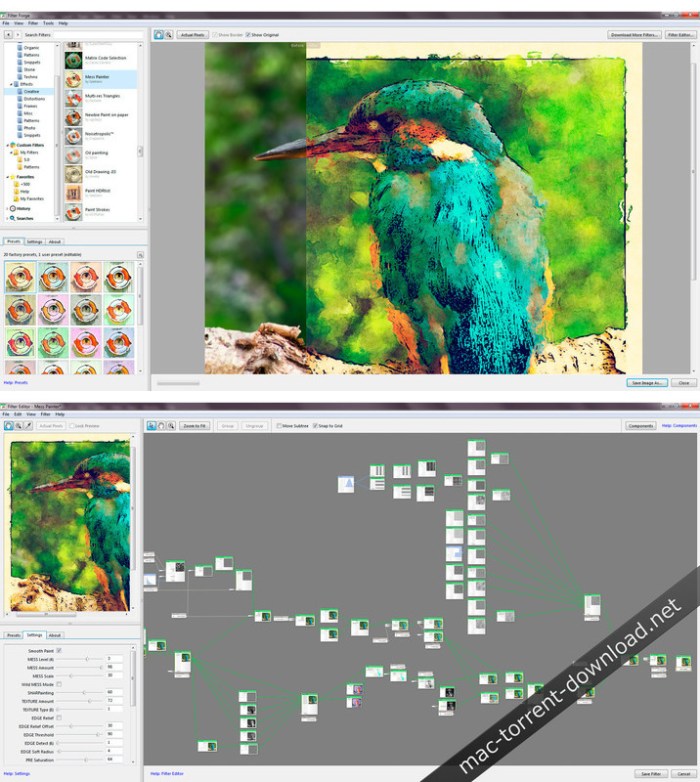
The final version of Filter Forge 8.0 is now available! It features independent main window tabs that allow you to apply different filters or filter settings and render all of them separately from each other, a new built-in backup tool, and other cool improvements. It also includes support for the latest OS versions and host applications including Photoshop CC 2019.

Key Features:

Filter Editor

A visual node-based editor lets you create visual effects and procedural textures.

Online Filter Library

A free online repository of filters submitted by Filter Forge users. Contributors can earn a free copy of Filter Forge.

Seamless Tiling

Most filters in Filter Forge support seamless tiling, even for non-square textures.

Bump and Normal Maps

Filter Forge can generate diffuse, bump, specular and normal maps – all are anti-aliased and most are seamlessly tiled.

Resolution Independent

As all filters are generated procedurally, any filter can be rendered in any resolution without losing a detail.

New Features Added in Filter Forge 8:

Tabs

Filter Forge 8 adds tabs to the main window, similar to web browsers. You can load a separate filter and source image in each tab and render them simultaneously.

Image Metadata Preservation

Thanks to the rewritten image saving procedures, Filter Forge 8.0 will preserve all image metadata when applying an effect to your image: GPS tags, camera model, DPI, and other info.

Backup and Restore Your Filters and Settings

Filter Forge 8 adds a built-in tool to back up installed filters, presets, favorites and other settings to a single file, to be restored later onto another computer or operating system, or a newer Filter Forge version.

System Requirements:
  • Mac OS X 10.8 and newer
  • Multicore Intel CPU
  • 4 GB RAM
  • 1 GB free disk space
  • Screen resolution of 1024×768 or higher
  • Internet connection to access the Filter Library and submit filters
  • Host application to use Filter Forge in the plugin mode

What’s New in Filter Forge 8.003

  • Release notes not available at the time of this post.

Screenshots

%RATINGS_IMAGES% (%RATINGS_USERS% votes, average: %RATINGS_AVERAGE% out of %RATINGS_MAX%)
You need to be a registered member to rate this.

twixtor pro 7.0.3 for adobe after effects premiere pro

Graphics & Design Video

Name Twixtor Pro v7.0.3 for AE Mac.zip
Size 42.86 MB
Created on 2018-11-22 23:35:28
Hash 8c75a1b9f18d232989be8744847c4d3fcccd78a2
Files Twixtor Pro v7.0.3 for AE Mac.zip (42.86 MB)

Download

Twixtor Pro 7.0.3 for Adobe After Effects & Premiere Pro macOS

Twixtor raises the bar in motion estimation. Twixtor is much more accurate, tracks objects farther, and exhibits fewer artifacts when there are objects crossing in the scene. This means less tearing and stretching of objects as they cross or go out of the frame.

Twixtor Features
  • Warping and interpolation of frames to “time warp” input footage.
  • Smart processing of interlaced material
  • Stretching of a sequence using a single scaling parameter.
  • Keyframable retiming for complete control on a frame by frame basis.
  • Frame rate conversions made easy (Important Note: frame rate conversions are supported only from within After Effects and Combustion ).
  • 8 and 16 bits per channel processing. Unclamped floating point image support in After Effects 7.0 or later
  • Option to automatically enhance dark imagery or imagery with poorly defined edges. In many cases, footage that was difficult to track becomes much more wellbehaved upon retiming.
  • Contains an option to add or remove motion motion blur, as appropriate.
  • Support for marking material so that Twixtor does not motioninterpolate across a cut.
  • After Effects only: ability to remap audio and video using AE’s time remapping tools but using Twixtor “under the hood”
Compatibility:
  • After Effects CS6, CC, CC 2014, CC 2015, CC 2017, CC 2018
  • Premiere Pro CS6, CC, CC 2014, CC 2015, CC 2017, CC 2018

Note: if using AE CC 2015, that you will need to use 2015.0.1 (13.5.1) or later.

Web Site: http://www.revisionfx.com/products/twixtor/

What’s New in Twixtor Pro 7.0.3

  • Release notes not available at the time of this post.

Graphics & Design, Video

By

%RATINGS_IMAGES% (%RATINGS_USERS% votes, average: %RATINGS_AVERAGE% out of %RATINGS_MAX%)
You need to be a registered member to rate this.

istat menus 6 30

Name iStat Menus 6 30 MAS TNT.zip
Size 25.33 MB
Created on 2018-11-22 23:36:55
Hash 8421257db39c17ac1f6579485097b5ef49ba37a7
Files iStat Menus 6 30 MAS TNT.zip (25.33 MB)

Download

iStat Menus 6.30

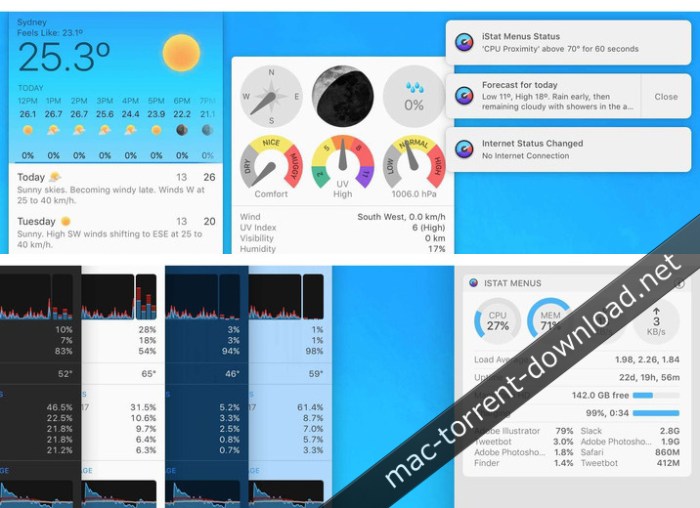
An unobtrusive macOS status bar menu application designed to enables you to effortlessly monitor your system activity and resources usage

Keeping an eye on your Mac’s resources is advisable because this way you can understand more about your computer and you can identify possible issues sooner.

iStat Menus is a Mac app that provides quick access to this type of information via your status bar.

iStat Menus comprises multiple status bar menus so, right of the bat, you must select the ones you want active and personalize their behavior to match your own needs.

Easily accessible information about various types of resources

Once this is taken care of, the menus will be present in your status bar at all times: simply click on the respective icon and the drop down panel will provide more statistical data.

iStat Menus analyzes and provides usage data and separate status bar menus for the following elements: CPU&GPU, Memory, Disks, Network, Sensors, Battery (if available), or Time (can show the local time for different cities). In addition, you can create a single menu that combines multiple elements.

Note that each menu comes with its own customization options: you can change the way in which the information is displayed or the color palette.

Customize its status bar menu’s appearance in no time

Moreover, you can select the sensors you want to monitor, set up warnings for specific battery levels, and more.

iStat Menus comes with 9 styles for the menu bar theme (black, blue, fire, graphite, green, pink, purple, red, and white), 2 drop down themes (dark and light), and allows you to adjust the status bar graph background opacity. In addition, you may also adjust the update frequency for the data displayed in the menus: fast, medium, or slow.

Unobtrusive menu bar solution for keeping an eye on your Mac’s resources usage

All in all, if you are looking for a low-key tool for monitoring the way in which your Mac deals with the available resources, iStat Menus certainly deserves your attention.

Compatibility: OS X 10.11 or later

Web Site: Web Site: https://bjango.com/mac/istatmenus/
Mac App Store: https://itunes.apple.com/app/istat-menus/id1319778037?mt=12&ign-mpt=uo%3D4

What’s New in iStat Menus 6.30

  • Release notes not available at the time of this post.

Screenshots

%RATINGS_IMAGES% (%RATINGS_USERS% votes, average: %RATINGS_AVERAGE% out of %RATINGS_MAX%)
You need to be a registered member to rate this.

ip scanner pro 3.69

Name IPScanner Pro 3 69 TNT.zip
Size 11.39 MB
Created on 2018-11-22 23:37:02
Hash 3f695f6785c54efb827488936caa5d6ef72aaab7
Files IPScanner Pro 3 69 TNT.zip (11.39 MB)

Download

IP Scanner Pro 3.69

IP Scanner Pro for Macintosh scans your local area network to determine the identity of all machines and internet devices on the LAN. Powerful results, yet easy and intuitive to use.

IP Scanner is all about customizing the way you view your network. You may apply custom names and icons to the devices on your network and adjust the type and amount of information you see in the network overview; don’t need to see the MAC address column…don’t display it! Text too small…make it larger!

IP Scanner can be used in several primary modes: as a way to get a quick overview of which devices are currently on the network, including seeing which devices are actively and passively present, or view network changes over time with IP Scanner’s ‘cumulative mode’, including options to display devices which were once present but now no longer visible.

Finally, by using the whitelist feature you may filter out known and trusted devices to reveal new or unexpected ones, a great way to easily identify unwanted network visitors.

Other notable features:
  • Sort network list by device name, IP address, MAC address or Last Seen
  • Growl support for notifications of newly discovered devices and changes in device state
  • Rightclick a device to obtain additional contextualized tool options, including Ping, WOL and Port Scan tools
  • Local network segments are scanned automatically; custom ranges may be added manually

Not sure if IP Scanner does what you want? Try IP Scanner standard edition for free to see if IP Scanner is for you, or visit http://10base-t.com for more info.

Compatibility: OS X 10.9 or later, 64bit

Web Site: http://10base-t.com/macintosh-software/ipscanner-appstore/
Mac App Store: https://itunes.apple.com/app/ip-scanner-pro/id404167677?mt=12

What’s New in IP Scanner Pro 3.69

  • Release notes not available at the time of this post.
%RATINGS_IMAGES% (%RATINGS_USERS% votes, average: %RATINGS_AVERAGE% out of %RATINGS_MAX%)
You need to be a registered member to rate this.

moviemator video editor pro 2.5.0

Name MovieMator Video Editor Pro 2 5 0 MAS TNT.zip
Size 89.92 MB
Created on 2018-11-22 23:36:40
Hash acf669517db19e0af7251519eeaebd72ead27f57
Files MovieMator Video Editor Pro 2 5 0 MAS TNT.zip (89.92 MB)

Download

MovieMator Video Editor Pro 2.5.0

With a streamlined design and professional editing features, Video Editor MovieMator Pro easily edit any type of video and audio clips in its native format to create fantastic family movies and high quality photo slideshows at the speed of thought. Besides providing the basic editing features like trimming, cropping, splitting, rotating and more, it brings to the table exceptionally advanced editing functionalities like video overlay (PIP), stabilization, etc. With 40+ built-in fixed filter effects and perfect support for keyframe technology, Video Editor Pro will create a variety of eye-catching animation effects.

Video Editor MovieMator Pro provides unlimited video and audio tracks for editing large projects. Moreover, it fully supports all media formats like 4K UltraHD, H.265, MP3, OGG, JPG, SVG, etc. and is optimized for the decoding of different formats, which significantly improved the decoding speed and quality.

Create Fantastic Animation Effects with Keyframe Animation Technology
  • Text animation: display different text at different times of the clip.
  • Rotate animation: set different rotation angles at different times of the video clip.
  • Wave animation: show different wave effects at different times of the clip.
  • Stabilization animation: show different stabilization effects at different times of the clip.
  • Gradient brightness, saturation, contrast, white balance and other effects.
  • Download the software NOW to experience more animation effects.
Easily Edit Videos/Audios/Images
  • Unlimited video tracks and audio tracks help users handle all projects.
  • Basic editing features: merging, splitting, rotating, cropping, trimming, etc.
  • Seamlessly assemble clips and adjust them frame by frame in the Timeline .
  • Separate the audio track from a video file with ease.
  • Create colorful slideshows with photos, music and fades.
Make Personalized Home Movies with Creativity
  • 40+ fixed filter effects: Blur, Old Film, Sharpen, Stabilize, Vignette, White Balance…
  • Create fantastic animation effects with keyframe animation technology.
  • Play multiple videos in the same time with PictureinPicture effect.
  • Stabilize your shaky Action Camera footage in one click.
  • Create Fast/Slowmotion video by adjusting the playing speed as you like.
  • Support volume adjustment and various audio filters to create perfect sound effect.
  • Set fade in/out time for videos and audios with freedom.
  • Enhance your movie by adding personalized subtitles and dazzling transitions.
  • 20+ dazzling transitions: Dissolve, Iris Circle, Clock Top, Cut, Bar Vertical…
Fully Support Media Files of Any Type
  • Import all videos/photos shot by iPhone 6s, GoPro, camcorder or other devices.
  • Support videos/images downloaded from Facebook, Instagram, Flickr and more sites.
  • Support videos with voiceover that recorded by any screen recording software.
  • Support all popular video/audio/image formats: MP4, AVI, MPEG, WMV, MKV, MPG, RMVB, M4V, 3GP, FLV, TS, M4V, VOB, F4V, MP3, WAV, MKA, OGG, FLAC, AAC, JPG, PNG, TIF, BMP, SVG…
  • Work natively with a broad range of formats including ProRes, RED, XAVC, AVCHD, H.264 from DSLR and more.
Extremely Intuitive and Friendly Interactive Operation
  • The interface of MovieMator is intuitive and Realtime preview feature ensures what you see is what you get.
  • Arrange and Trim all elements on the timeline by dragging and dropping.
  • Easytouse cut, copy, and paste operations.
  • Hide, mute, and lock the video /audio track with oneclick.
Powerful Project Preservation and Video Output Capability
  • Incredibly fast export of HD videos in 200+ media formats for playback on all devices.
  • Customize output parameters like resolution, frame rate, aspect ratio, encoding and etc.
  • Save the file as a project for direct editing next time.
  • Auto save the project when the window is closed unexpectedly.

Compatibility: OS X 10.8 or later 64 bit

Web Site: http://www.macvideostudio.com/mac-video-editor-moviemator-pro.html
Mac App Store: https://itunes.apple.com/app/video-editor-moviemator-pro/id1178887999?mt=12

What’s New in MovieMator Video Editor Pro 2.5.0

  • Release notes not available at the time of this post.
%RATINGS_IMAGES% (%RATINGS_USERS% votes, average: %RATINGS_AVERAGE% out of %RATINGS_MAX%)
You need to be a registered member to rate this.

anytrans for android 6 4.0.20181122

Utilities

Name AnyTrans for Android 6 4 0 20181122 TNT.zip
Size 63.26 MB
Created on 2018-11-22 23:43:10
Hash f15ab2cbcf86f0d824324213ca360fb3f6772c53
Files AnyTrans for Android 6 4 0 20181122 TNT.zip (63.26 MB)

Download

AnyTrans for Android 6.4.0 (20181122)

AnyTrans for Androidis a mighty Android manager that converges your entire Android phone/tablet and consolidates every access to all your content in one handy place, such as messages, photos, contacts, videos, apps, and more. In just one tap, it helps transfer everything from Android-to-Android, or even from iOS-to-Android seamlessly. It also enables you to take control over all your Android data and files.

Features
  • Transfer the most types of data from Android to Android – including messages, photos, contacts, videos, apps, and more.
  • Transfer data from Android to PC/Mac, or vice versa – covering messages, photos, contacts, etc.
  • 1-click clone everything from Android-to-Android, even from iOS-to-Android.
  • Manage your personal info with 100% safe guaranteed – edit, add, delete or rename contacts, messages, call logs as you need.
  • Hide your personal portraits, family photos, and travel memories, etc., to protect your privacy. And unhide any of them in seconds if needed.
  • Full control of all your apps on your Android phone/tablet — install, uninstall, transfer games, music apps, and other apps by simple drag-and-drop.

Compatibility: OS X 10.8 or later 64 bit

Web Site: https://www.imobie.com/anytrans/android-manager.htm

What’s New in AnyTrans for Android 6.4.0 (20181122)

  • Release notes not available at the time of this post.

Utilities

By

%RATINGS_IMAGES% (%RATINGS_USERS% votes, average: %RATINGS_AVERAGE% out of %RATINGS_MAX%)
You need to be a registered member to rate this.

text2spreadsheet v1.005 for after effects

Name Text2Spreadsheet v1.005.zip
Size 184.3 kB
Created on 2018-11-22 23:35:50
Hash c052ae901da95976db3946db2d840750fb51b351
Files Text2Spreadsheet v1.005.zip (184.3 kB)

Download

Text2Spreadsheet v1.005 for After Effects macOS

Export the texts of your After Effects project to a spreadsheet and apply the modified spreadsheet again to the AE project in a single click. Perfect for text translation, client review and other text processing tasks.

Text2Spreadsheet exports the texts of your After Effects project to a spreadsheet where you can modify them easily with applications like Microsoft Excel, Apple Numbers or Open Office. When you are done editing, you can apply the changes to your After Effects project in a single click.

The spreadsheets are easy to read and also support several versions of your texts. Perfect for translating your projects into different languages or sending texts to your client for review.

Compatibility: After Effects CC 2019, CC 2018, CC 2017, CC 2015.3, CC 2015, CC 2014, CC, CS6, CS5.5, CS5, CS4

Web Site: https://aescripts.com/text2spreadsheet/

What’s New in Text2Spreadsheet v1.005

fixed issues with importing CSV files on Windows

%RATINGS_IMAGES% (%RATINGS_USERS% votes, average: %RATINGS_AVERAGE% out of %RATINGS_MAX%)
You need to be a registered member to rate this.

bitmedic pro antivirus 3.0

Name BitMedic Pro 3 0 MAS TNT.zip
Size 194.1 MB
Created on 2018-11-22 23:42:05
Hash f7aadef2d33695f990af82e0f6e27785a906e625
Files BitMedic Pro 3 0 MAS TNT.zip (194.1 MB)

Download

BitMedic Pro Antivirus 3.0

■ #1 Secure Real-time Antivirus & Adware App by USA based company.
■ AV-Comparatives Tested & Awarded. OPSWAT Anti-Malware Certified.
■ The ONLY macOS antivirus app to be awarded, tested, and certified.

FREE lifetime updates and support. NO MONTHLY FEES OR HIDDEN COSTS.

“BitMedic combines a sleek graphic design with very practical, easy to use controls.”- AV Comparatives

≈ Awards and Certifications ≈

AV-Comparatives Approved Award- Required minimum score of 99.0%
OPSWAT Anti-Malware Certified- https://www.opswat.com/partners/pocket-bits

MacOS is considered one of the most secure operating systems available, but is also vulnerable to hackers and malware. Protect your Mac and sensitive information. New threats target not only your Mac security, but your personal information and identity.

BitMedic® Antivirus was designed specifically for the Mac and offers a full suite of protection.

≈ Features ≈
  • Dashboard Easy to see action items needed to keep you secure and protected
  • Antivirus Scan Award winning database offers both quick and deep scans
  • Adware Cleaner Remove adware and browser addons that hijack your navigation
  • Custom Scan Conveniently drag & drop scanning
  • Quarantine Statistics and result log of your scans
  • Automation Turn on 24/7 realtime monitoring

*Compare to competing antivirus apps that have NOT been tested and certified by reputable sources. There have also been data leaks in the news from non-reputable competing antivirus apps sending data to foreign servers. BitMedic® has been updated to detect 100% of macOS malware and is secure.

≈ Other award winning apps in our family ≈
  • #1 Disk Cleaner http://bit.ly/diskcleaner
  • Duplicate File Cleaner http://bit.ly/duplicatefiles
  • DiskZilla® 8 in 1 http://bit.ly/diskzilla

For any questions, suggestions, or bugs, please email us at support@pocketbitsllc.com. We want to hear your thoughts and make improvements to future versions of this app to bring you the best. If you appreciate our work, please leave us any feedback on the App Store. Thank you for all the support. ?

BitMedic® is a registered trademark of Pocket Bits LLC. San Diego, CA USA.

Compatibility: OS X 10.8 or later 64 bit

Web Site: http://www.antivirusmacapp.com
Mac App Store: https://itunes.apple.com/app/bitmedic-antivirus-security/id1001746820?mt=12

What’s New in BitMedic Pro Antivirus 3.0

  • Release notes not available at the time of this post.
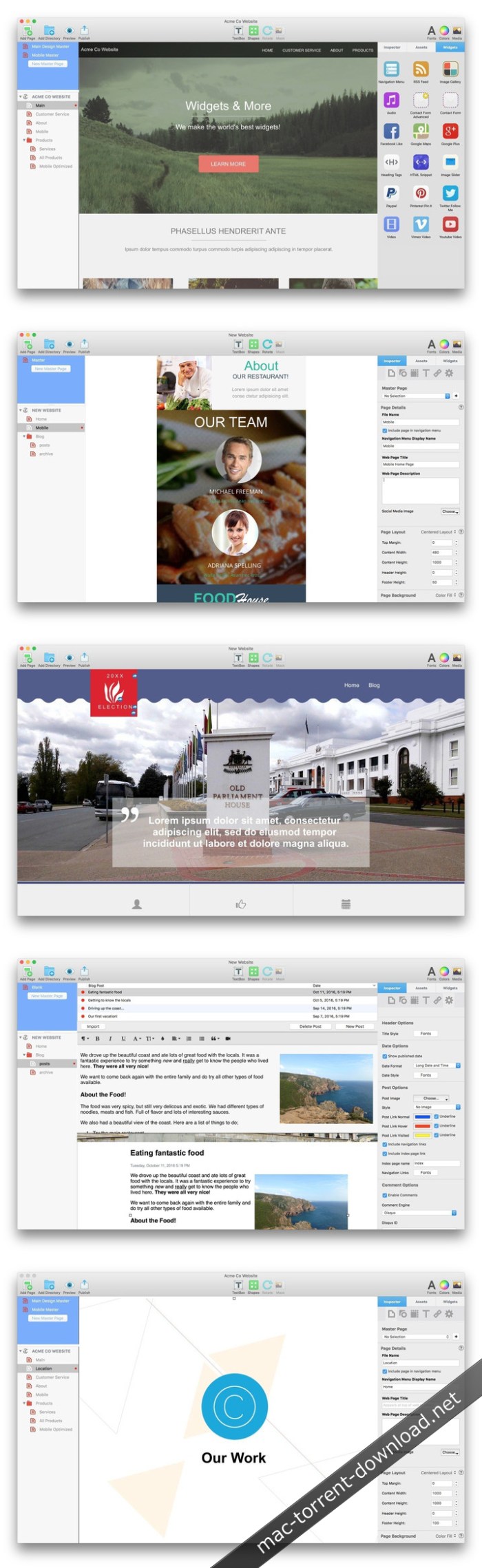
%RATINGS_IMAGES% (%RATINGS_USERS% votes, average: %RATINGS_AVERAGE% out of %RATINGS_MAX%)
You need to be a registered member to rate this.

blu ray player for mac 1.1.6

Name Blu-ray Player for Mac 1 1 6 81564 TNT.zip
Size 40.24 MB
Created on 2018-11-22 23:38:23
Hash 80741f60780dab9be9ef59ca120395e738b60248
Files Blu-ray Player for Mac 1 1 6 81564 TNT.zip (40.24 MB)

Download

Blu-ray Player for Mac 1.1.6

Best Blu-ray player to play Blu-ray disc, Blu-ray folder, DVD disc/folder, ISO file with high-quality visual effects. It also can work as a powerful media player to play 4K UHD/1080p HD/SD video in MP4, MOV, AVI, MKV, and other formats.

Play Blu-ray, DVD disc/folder/ISO and media files

Play Blu-ray movies with 1080p HD visual effect and play 4K UHD, 1080p/720p HD and common SD videos losslessly and smoothly.

Play Blu-ray disc/folder and ISO file on your computer

Apeaksoft Blu-ray Player is specially designed to play Blu-ray disk, folder and ISO file. It highly supports the newly released Blu-ray movies and guarantees you a full HD 1080p Blu-ray disc playback. With this powerful Blu-ray playing software, you can easily enjoy Blu-ray movies with vivid visual effects and crystal-clear details. In addition, it also enables you to play Blu-ray folder and ISO file smoothly.

Play DVD disc/folder/ISO file

More than just a Blu-ray player, Apeaksoft Blu-ray Player also has the capability to play DVD disk, DVD folder and ISO file with high image/sound quality. Many settings are offered to help you better enjoy your DVD. For instance, you can handily set audio track/channel, video track, subtitle track and more get the best DVD playing experience.

In a word, whether you want to play Blu-ray movie, or enjoy DVD disc, this all-featured Blu-ray player can always be your best choice.

Play 4K UHD, 1080p/720p HD and SD video in any format

Besides the Blu-ray and DVD playing features, Apeaksoft Blu-ray Player allows you to play 4K/HD/SD videos in any frequently-used format. You can play video in MP4, H.264/MP4 AVC, H.265/HEVC, MPG, M4V, TS, MTS, M2TS, MXF, RM, RMVB, WMV, ASF, MKV, AVI, 3GP, F4V, FLV, VOB and more. Surely, if you prefer watching the 4K/HD video to get more fantastic visual experience, it will help you play 4K videos in MP4, H.264/MPEG-4 AVC, H.265/HEVC, TS, MKV, AVI, MOV, FLV and WebM format.

Compatibility: macOS 10.9 or later 64 bit

Web Site: https://www.apeaksoft.com/blu-ray-player/

What’s New in Blu-ray Player for Mac 1.1.6

  • Release notes not available at the time of this post.

%RATINGS_IMAGES% (%RATINGS_USERS% votes, average: %RATINGS_AVERAGE% out of %RATINGS_MAX%)
You need to be a registered member to rate this.

aiseesoft mac video converter ultimate 9 2 20

Name Aiseesoft Mac Video Converter Ultimate 9 2 20 81348 TNT.zip
Size 57.99 MB
Created on 2018-11-22 23:43:44
Hash 599462d942f5f9b3840395b7048b3b07f0092bb8
Files Aiseesoft Mac Video Converter Ultimate 9 2 20 81348 TNT.zip (57.99 MB)

Download

Aiseesoft Mac Video Converter Ultimate 9.2.20

The best Mac video software ever, allowing users to easily download, convert and edit videos including 4K videos as well as homemade DVDs on Mac.

  • Support external audio track and multiaudio track (New)
  • Enhance video quality for clearer visual experience
  • Rotate and flip video file with one click
  • Stabilize shaky videos to get a stabilization screen
  • Download and save online videos on Mac, including 4K videos
  • Support converting videos to and from 4K UHD
  • Edit your videos

Compatibility: OS X 10.7 or later
Web Site: http://www.aiseesoft.com/mac-video-converter-ultimate/

What’s New in Aiseesoft Mac Video Converter Ultimate 9.2.20

  • Release notes not available at the time of this post.

Screenshots

%RATINGS_IMAGES% (%RATINGS_USERS% votes, average: %RATINGS_AVERAGE% out of %RATINGS_MAX%)
You need to be a registered member to rate this.

rightfont 5 1

Name RightFont 5 5 1 TNT.zip
Size 7.43 MB
Created on 2018-11-22 23:36:12
Hash 41efff7b013dddd178a1deaf644b01ad63124253
Files RightFont 5 5 1 TNT.zip (7.43 MB)

Download

RightFont 5.1

RightFont 5 is an innovative, beautiful and professional font manager app for macOS, helping designers to preview, install, sync and manage their font files. RightFont is a lightweight font manager with a clean, beautiful interface. It offers many features which help you manage all your local fonts with ease

  • Fontmanagement access anytime directly from your menubar
  • Mark any font as starred with a click
  • Create and manage font lists
  • Access fonts directly in Adobe Creative Cloud (Photoshop, Illustrator, InDesign, Flash, AfterEffect), Sketch, etc.
  • Instant search results as you type
  • Change font preview and font size in realtime
  • Find the right font faster
  • Easily filter fonts by classifications (sans serif, serif, script, etc.), font width and font weight. Even Google fonts and Adobe TypeKit fonts are listed separately for you.
  • Effortless integrations You can use RightFont with design software. With a simple doubleclick, the font used in your text layer can be changed.

Interface Redesign

RightFont 5 was totally redesigned to keep a balance between simplicity and features. It’s now much easier to enable creative designers and teams accelerate their workflow.

Font Library

As you wish, Font Library is finally introduced in RightFont 5. Now you are able to organize fonts and fontlists in a font library, and free to move it anywhere for font sharing or backup purpose.

macOS Mojave Support

RightFont 5 is fully optimized for macOS Mojave, with the support for dark theme, Touchbar, color SVG fonts and more.

Better Performance

Performance is a big step forward in RightFont 5, now 2x faster than version 4.0 when importing and rendering fonts.

Compatibility: macOS 10.11 or later 64-bit

Web Site: https://rightfontapp.com

What’s New in RightFont 5.1

  • Release notes not available at the time of this post.

%RATINGS_IMAGES% (%RATINGS_USERS% votes, average: %RATINGS_AVERAGE% out of %RATINGS_MAX%)
You need to be a registered member to rate this.

synkmark 2.9 6

Name Synkmark 2 9 6 TNT.zip
Size 17.09 MB
Created on 2018-11-22 23:35:59
Hash 31b36516e719f49fa2832fbc0fffd6d064d37d0c
Files Synkmark 2 9 6 TNT.zip (17.09 MB)

Download

Synkmark 2.9.6

Synkmark is your bridge for keeping bookmarks in sync among Safari, Google Chrome, and Firefox. Synkmark can also keep your bookmarks alphabetized as you prefer, verified and free of duplicates. Synkmark is compatible with iCloud, Sign in to Google, and Firefox Sync, so that you can have organized bookmarks on all of your devices.

Download Synkmark to start your free trial. Synkmark is a member of the BookMacster family of apps, based on the same proven technology, but with a simplified user interface focused on syncing Safari, Google Chrome, and Firefox. For other apps and pricing options, see the Bookmarks Manager Selection Guide on our site. One Synkmark license covers all the Macs used by one person.

Compatibility: macOS 10.11 or later 64-bit

Web Site: http://sheepsystems.com/products/synkmark.html

What’s New in Synkmark 2.9.6

  • Release notes not available at the time of this post.
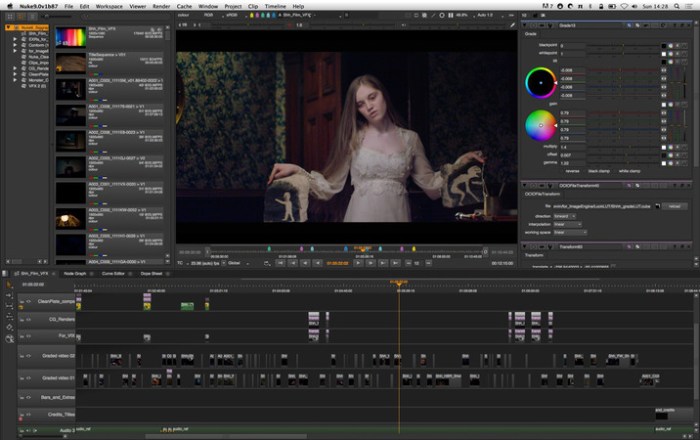
%RATINGS_IMAGES% (%RATINGS_USERS% votes, average: %RATINGS_AVERAGE% out of %RATINGS_MAX%)
You need to be a registered member to rate this.

bookmacster 2.9 6

Name BookMacster 2 9 6 TNT.zip
Size 17.14 MB
Created on 2018-11-22 23:38:15
Hash 3973afce40e8e1886d9a0ae7bba7278f2638117d
Files BookMacster 2 9 6 TNT.zip (17.14 MB)

Download

BookMacster 2.9.6

BookMacster is a bookmarks manager for your Mac, which plays nicely with iCloud, Sign In to Chrome, and Firefox Sync. It can be used in three ways, or all three:

  • Manage Browser Bookmarks. Add alphabetizing and tagging. Verify, fix dupes, consolidate.
  • Cross-Browser Syncing. Sync bookmarks of Safari Firefox, Chrome, and more among all your devices.
  • Directly. Keep your bookmarks in one central store, accessible within web browsers.
Features
  • Compatible with iCloud’s Safari syncing, Google Chrome’s Sign In, and Firefox Sync. Bookmarks added to Safari from BookMacster on your Mac will sync via iCloud to Safari on iOS devices.
  • Import/export with Firefox, Chrome, Safari, Opera, Vivaldi, iCab, Roccat, Pinboard, Diigo, and OmniWeb.
  • Easily organize with tags, hierarchy, or both.
  • Verifies bookmarks, fixes redirects, duplicates, can upgrade insecure bookmarks and remove URL cruft.
  • Sort (alphabetize) automatically when bookmarks are changed. You control which folders you want to be sorted or not sorted, how to sort them.
  • Supports multiple user profiles in Firefox and Google Chrome.
  • Scriptable to collect new bookmarks from NetNewsWire or similar apps.

Compatibility: macOS 10.10 or later 64-bit

Web Site: http://sheepsystems.com/

What’s New in BookMacster 2.9.6

  • Release notes not available at the time of this post.

Screenshots

%RATINGS_IMAGES% (%RATINGS_USERS% votes, average: %RATINGS_AVERAGE% out of %RATINGS_MAX%)
You need to be a registered member to rate this.

aiseesoft mac video enhancer 9 2.8

Name Aiseesoft Mac Video Enhancer 9 2 8 81348 TNT.zip
Size 54.42 MB
Created on 2018-11-22 23:43:29
Hash 2254078faca02000d1eca8236a6c3552716eec35
Files Aiseesoft Mac Video Enhancer 9 2 8 81348 TNT.zip (54.42 MB)

Download

Aiseesoft Mac Video Enhancer 9.2.8

Aiseesoft Mac Video Enhancer is the most professional video enhancement software for Mac users. It is skilled in enhancing video quality to bring a clearer video vision. Also, it works as video editing software for Mac to rotate or flip your video angle. More editing functions enable you to clip, crop, and make video or audio effects manually.

The Fantastic Video Enhancing Software

This video enhancement tool wins a super admiration for its three flashpoints: upscale resolution, optimize brightness and contrast and remove video noise.

Enhance video resolution

This function enables you to upscale lower resolution SD video to HD, and even 4K video. You can get rid of the grainy video to enjoy a high quality video feast.

Optimize brightness and contrast automatically

This video enhancer software makes it available to optimize video brightness and contrast automatically, which will illuminate the dark video imagery.

Remove video noise

Still bothered by the dirt-like spots on video? Now, you can snap out of this trouble with one click to get a neat video screen by removing the annoyed video noise.

Stabilize shaky videos

– Newly update function
After updating, now this Video Enhancer has a new video stabilization function. When you get some shaky videos, you can use this stabilizer on your Mac to fix the shaky problem and make your video seems more stable. This is quite useful for videos shot in emergent situation or sports events videos.

Rotate & flip

The increasing high pixel mobile camera phones in present market offer shutterbugs a quick way to record videos in a wedding or family party. However, for some reasons, the recorded videos are showed sideways on the computer. This function exactly turns to rotate your iPhone video to correct angle with 90 clockwise or counterclockwise. Additionally, it will meet your personal needs to flip video horizontally or vertically.

More video editing effects

Clip and merge

Cut favorite parts from a long movie and merge interesting clips into one video to amuse yourself.

Crop

Get rid of the letter box to suit screen better, and give a clear close-up for your preferred images.

Adjust

Adjust the video brightness, contrast, saturation, hue, and control audio for editing special video effects.

Watermark

Add text or picture to design your personal video watermark and make it a YouTube sensation.

Compatibility: OS X 10.7 or later

Web Site: http://www.aiseesoft.com/video-enhancer/

What’s New in Aiseesoft Mac Video Enhancer 9.2.8

  • Release notes not available at the time of this post.
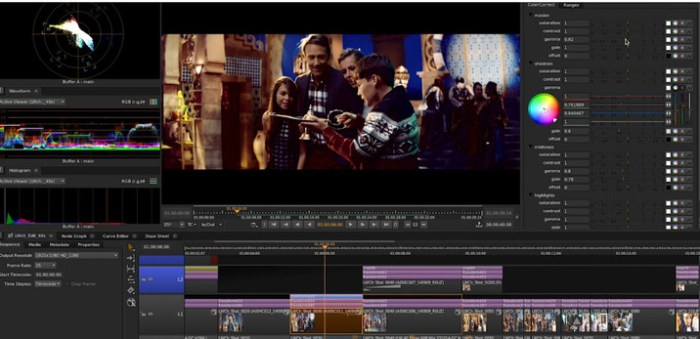
Screenshots

%RATINGS_IMAGES% (%RATINGS_USERS% votes, average: %RATINGS_AVERAGE% out of %RATINGS_MAX%)
You need to be a registered member to rate this.

theme lab templates 5 4 1

Name Theme Lab – Templates 5 4 1 MAS TNT.zip
Size 13.20 MB
Created on 2018-11-22 23:35:42
Hash 8758820b4673c8182cc00dcb841c0b24c2924837
Files Theme Lab – Templates 5 4 1 MAS TNT.zip (13.20 MB)

Download

Theme Lab – Templates 5.4.1

Create outstanding presentations quickly and efficiently! Theme Lab for Keynote makes presenting your ideas easier than ever. With over 100 professionally-designed and structured themes, you get unparalleled freedom to turn your ideas into winning presentations!

All themes inside Theme Lab for Keynote have at least 32 master slides, offering a comprehensive selection between text- or image-based slides, as well as lists with custom bullets, matching tables, data charts, and much more. Every theme is available both in Standard (4:3) and Widescreen (16:9) ratios.

All themes are designed to allow effortless yet powerful customization using the standard functionality available in Apple Keynote. Every object can be resized, recolored, reshaped, moved or removed. Change backgrounds into colors, gradients or photos, easily add or remove text boxes, customize fonts, or insert your own images into convenient placeholder! Become the master of Keynote with Jumsoft’s Theme Lab for Keynote!

* Requires Apple Keynote 6.0 or later.

Compatibility: macOS 10.12 or later 64-bit

Web Site: http://www.jumsoft.com/keynote-themes/
Mac App Store: https://itunes.apple.com/app/theme-lab-templates/id402666572?mt=12

What’s New in Theme Lab – Templates 5.4.1

  • Release notes not available at the time of this post.

%RATINGS_IMAGES% (%RATINGS_USERS% votes, average: %RATINGS_AVERAGE% out of %RATINGS_MAX%)
You need to be a registered member to rate this.

acon digital acoustica premium edition 7 1.6

Name Acon Digital Acoustica Premium Edition 7 1 6 REPACK TNT.zip
Size 295.4 MB
Created on 2018-11-22 23:47:17
Hash d845635939984f22f5235cfaed1df449ae5a9966
Files Acon Digital Acoustica Premium Edition 7 1 6 REPACK TNT.zip (295.4 MB)

Download

Acon Digital Acoustica Premium Edition 7.1.6

Re-implemented from scratch for the highest quality demands and cross-platform support, Acoustica 7 is now the perfect tool for editing, mastering and restoration work on both Mac The brand new user interface comes with a modern dark theme and appears crystal sharp on retina style displays.

A new set of tools for dynamic processing along with EBU R 128 and ITU-R BS.1770 compliant metering and normalization should sweeten the deal further. Limit is a brick-wall limiter and Dynamics is a combined compressor, expander and gate. Both tools have sophisticated algorithms with adjustable look-ahead for maximum transparency and up to four times oversampling. Multiband Dynamics available in the Premium Edition is a multiband version of Dynamics with separate processing in four bands and adjustable cross-over frequencies and filter slopes. The new Dither tool offers dithering with novel and flexible noise shaping options.

Compatibility: OS X 10.8 or later 64-bit

Web Site: https://acondigital.com/products/acoustica-audio-editor/

What’s New in Acon Digital Acoustica Premium Edition 7.1.6

  • Release notes not available at the time of this post.

Screenshots

%RATINGS_IMAGES% (%RATINGS_USERS% votes, average: %RATINGS_AVERAGE% out of %RATINGS_MAX%)
You need to be a registered member to rate this.

wifispoof 3.4 3

Name WiFiSpoof 3 4 3 TNT.zip
Size 7.79 MB
Created on 2018-11-21 23:40:12
Hash 597bd60e200d2ec669da53764f25b2471d3d60a2
Files WiFiSpoof 3 4 3 TNT.zip (7.79 MB)

Download

WiFiSpoof 3.4.3

WiFiSpoof is the ultimate system network tool giving a quick overview of the current state of your Mac’s network devices.

Quickly inspect your current network setup including:

  • Easily see all available network interfaces
  • Current MAC Address
  • System hardware MAC Address
  • Current WiFi connection BSSID, SSID, Security, Channel, RSSI, Noise, Tx Rate and MCS Index
  • Current WiFi card vendor data
  • MAC Address spoofing
  • Advanced rule support for WiFi connection changes
  • Reverse OUI lookup (easily update the inbuilt database in preferences)

Compatibility: macOS 10.11 or later 64-bit

Web Site: https://wifispoof.com
Mac App Store: https://itunes.apple.com/app/wifispoof/id1192126677?mt=12

What’s New in WiFiSpoof 3.4.3

  • mojave dark mode theme improvements
  • fixed an issue with rules resetting

%RATINGS_IMAGES% (%RATINGS_USERS% votes, average: %RATINGS_AVERAGE% out of %RATINGS_MAX%)
You need to be a registered member to rate this.

solis 1.0.6

Name Solis 1 0 6 TNT.zip
Size 14.64 MB
Created on 2018-11-21 21:41:00
Hash 6b9a09e69a8099d534c54990d9c6adedaffd78b8
Files Solis 1 0 6 TNT.zip (14.64 MB)

Download

Solis 1.0.6

Solis for Mac is a Live Design Output that integrates seamlessly with your favourite code editor. Delivering real time, multi viewport previewing of HTML, CSS, SCSS and LESS as you write it. A powerful addition to your web design workflow.

Features of Solis
  • Instantly preview HTML, CSS, SCSS and LESS as you write it.
  • Supports the leading code editors, Atom, VS Code, Sublime Text and Brackets.
  • Draw, resize and arrange multiple viewports that simultaneously display live code.
  • Access the powerful WebKit developer inspector, which delivers, individual, isolated, code debugging, for each viewport.
  • Connect with local servers powered by apps such as MAMP, for PHP development.
  • Quickly access the files in your site and instantly open them in your regular editing app.
  • Create your own workspaces, for a more personalised setup.
  • External changes saved to assets such as images, are automatically applied across all viewports.

Compatibility: OS X 10.11 or later 64-bit

Web Site: https://solisapp.com

What’s New in Solis 1.0.6

  • Release notes not available at the time of this post.

%RATINGS_IMAGES% (%RATINGS_USERS% votes, average: %RATINGS_AVERAGE% out of %RATINGS_MAX%)
You need to be a registered member to rate this.

securecrt and securefx 8.5.2

Name SecureCRT and SecureFX 8.5.2 macOS.zip
Size 68.22 MB
Created on 2018-11-22 02:24:54
Hash c5c7e0d415e772b554e11ef1edf919d226b6ec8a
Files SecureCRT and SecureFX 8.5.2 macOS.zip (68.22 MB)

Download

VanDyke SecureCRT and SecureFX 8.5.2 macOS

SecureCRT client provides rock-solid terminal emulation for computing professionals, raising productivity with advanced session management and a host of ways to save time and streamline repetitive tasks. SecureCRT provides secure remote access, file transfer, and data tunneling for everyone in your organization.

Whether you are replacing Telnet or Terminal, or need a more capable secure remote access tool, SecureCRT is an application you can live in all day long. With the solid security of SSH, extensive session management, and advanced scripting, SecureCRT will help raise your productivity to the nth degree.

Key Benefits:

  • Securely access business applications on UNIX, Linux, or VMS from machines running Windows, Linux, and Mac — employ the rich emulation support for VT100/102/220, TN3270, ANSI, SCO ANSI, Wyse 50/60, Xterm, and Linux console.
  • Configure, manage, and organize all your sessions with full control over scrollback, key mappings, colors, fonts, and more — whether you have one or thousands of sessions.
  • Access your full array of network devices from one client with SSH (SSH2, SSH1), Telnet, Telnet/TLS, serial, and other protocols.
  • Leverage the highproductivity GUI with timesaving capabilities including multisession launch, tabbed sessions, tab groups, tiled sessions, cloned sessions, a button bar for repeated commands, and mapped keys.
  • Depend on the open standard Secure Shell (SSH) protocol for encrypted logon and session data, flexible authentication options, and optional FIPS 1402 approved ciphers.
  • Automate repetitive tasks in SecureCRT by running scripts using VBScript, JScript, PerlScript, or Python. The script recorder builds your keystrokes into a VBScript or Python script.
  • Transfer files between network devices with SFTP, Xmodem, Ymodem, Zmodem, or Kermit. A builtin TFTP server provides additional file transfer flexibility.
  • Save steps with the close integration of SecureCRT and the SecureFX® file transfer client, which share sessions and settings that let you run SFTP, FTP, SCP, and FTP/TLS file transfer sessions without reentering passwords.

Compatibility: OS X 10.11 or later, 64-bit processor

Web Site: https://www.vandyke.com/products/securecrt/mac_osx.html

What’s New in SecureCRT and SecureFX 8.5.2

  • Release notes not available at the time of this post.
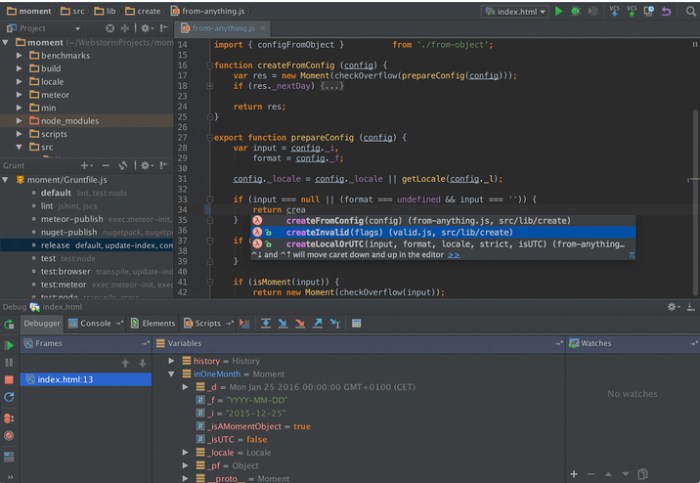
Screenshots

%RATINGS_IMAGES% (%RATINGS_USERS% votes, average: %RATINGS_AVERAGE% out of %RATINGS_MAX%)
You need to be a registered member to rate this.

ethernet status 1.5

Name Ethernet Status 1 5 MAS In-App TNT.zip
Size 4.26 MB
Created on 2018-11-22 02:14:10
Hash e2ed3ec3dd431328acfbbdfd21430a12bbff5fa7
Files Ethernet Status 1 5 MAS In-App TNT.zip (4.26 MB)

Download

Ethernet Status 1.5 MAS + InApp

▸ Works with MacBook Air, MacBook Pro, iMac, MacBook, MacPro, Mac Mini.
And also comparable with the external adopters via thunderbolt and C type ports.
▸ Shows your Public IP address
▸ Support for Thunderbolt, Firewire and retina icons!!!
▸ Works with MacBook Air
▸ Shows Network Speed and Data Usage for each adapter

See the status of your LAN/Ethernet connection right from the menu bar. This utility adds a neat icon on the menu bar which lets you know the status of the connection and other stats like your IP address, mac address, upload and download speed, data usage etc.

*****************************************************************************************************************************************
– App Very Helpful for Flaky Ethernet connection- by “UnionBeth”

– Perfect for troubleshooting- by “TalonNYC”

– Extremely useful- by “Brachy8”

– Does what it says- by “woolly101”

– Definitely works!- by “Nicol J Craig”

– Useful well-integrated App- by “Robotpanda2014”

– Brilliant app, does the job- by “Hybris2000”

– Very useful utility- by “hushpuppy56”
*****************************************************************************************************************************************

Features:

  • See the Status, IP address and speed of the Ethernet Adaptors
  • Get the public IP address of your computer
  • Thunderbolt and Firewire Support
  • Retina Display enabled icons
  • Shows IPv4 and IPv6 addresses
  • Copy IP / Mac address from the menu
  • See the status of all active interfaces based on the user priority
  • Option to see and copy IP / Mac of Wifi Adapter
  • Upload and Download speed for each adapter.

Note: Data usage counters are reset on reboot.

Top In-App Purchases: Pro Version – included

Compatibility: OS X 10.9 or later, 64bit

Top In-App Purchases: Pro Version – included

Compatibility: OS X 10.9 or later, 64bit

Web Site: http://appyogi.com/
Mac App Store: https://itunes.apple.com/app/ethernet-status/id834979136?mt=12

What’s New in Ethernet Status 1.5

Thank you for using the app!
We fixed bugs and made some improvements to enhance your experience with the application.

%RATINGS_IMAGES% (%RATINGS_USERS% votes, average: %RATINGS_AVERAGE% out of %RATINGS_MAX%)
You need to be a registered member to rate this.

rightfont 5.0

Name RightFont 5 5 0 TNT.zip
Size 7.43 MB
Created on 2018-11-21 23:40:04
Hash 561e64bc56e1b1e72f3227735160910033ef055b
Files RightFont 5 5 0 TNT.zip (7.43 MB)

Download

RightFont 5.0

RightFont 5 is an innovative, beautiful and professional font manager app for macOS, helping designers to preview, install, sync and manage their font files. RightFont is a lightweight font manager with a clean, beautiful interface. It offers many features which help you manage all your local fonts with ease

  • Fontmanagement access anytime directly from your menubar
  • Mark any font as starred with a click
  • Create and manage font lists
  • Access fonts directly in Adobe Creative Cloud (Photoshop, Illustrator, InDesign, Flash, AfterEffect), Sketch, etc.
  • Instant search results as you type
  • Change font preview and font size in realtime
  • Find the right font faster
  • Easily filter fonts by classifications (sans serif, serif, script, etc.), font width and font weight. Even Google fonts and Adobe TypeKit fonts are listed separately for you.
  • Effortless integrations You can use RightFont with design software. With a simple doubleclick, the font used in your text layer can be changed.

Interface Redesign

RightFont 5 was totally redesigned to keep a balance between simplicity and features. It’s now much easier to enable creative designers and teams accelerate their workflow.

Font Library

As you wish, Font Library is finally introduced in RightFont 5. Now you are able to organize fonts and fontlists in a font library, and free to move it anywhere for font sharing or backup purpose.

macOS Mojave Support

RightFont 5 is fully optimized for macOS Mojave, with the support for dark theme, Touchbar, color SVG fonts and more.

Better Performance

Performance is a big step forward in RightFont 5, now 2x faster than version 4.0 when importing and rendering fonts.

Compatibility: macOS 10.11 or later 64-bit

Web Site: https://rightfontapp.com

What’s New in RightFont 5.0

  • Release notes not available at the time of this post.

%RATINGS_IMAGES% (%RATINGS_USERS% votes, average: %RATINGS_AVERAGE% out of %RATINGS_MAX%)
You need to be a registered member to rate this.

rightfont 4 11

Graphics & Design Utilities

Name RightFont 4 11 TNT.zip
Size 6.33 MB
Created on 2018-11-21 23:39:57
Hash 01ef79632cdcd30bb353e32a31a444e79bb26b07
Files RightFont 4 11 TNT.zip (6.33 MB)

Download

RightFont 4.11

RightFont is a lightweight font manager with a clean, beautiful interface. It offers many features which help you manage all your local fonts with ease.

  • Fontmanagement access anytime directly from your menubar
  • Mark any font as starred with a click
  • Create and manage font lists
  • Access fonts directly in Adobe Creative Cloud (Photoshop, Illustrator, InDesign, Flash, AfterEffect), Sketch, etc.
  • Instant search results as you type
  • Change font preview and font size in realtime
  • Find the right font faster
  • Easily filter fonts by classifications (sans serif, serif, script, etc.), font width and font weight. Even Google fonts and Adobe TypeKit fonts are listed separately for you.

  • Effortless integrations You can use RightFont with design software. With a simple doubleclick, the font used in your text layer can be changed.

Compatibility: macOS 10.11 or later 64-bit

Web Site: http://rightfontapp.com/

What’s New in RightFont 4.11

  • Release notes not available at the time of this post.

Screenshots

Graphics & Design, Utilities

By

%RATINGS_IMAGES% (%RATINGS_USERS% votes, average: %RATINGS_AVERAGE% out of %RATINGS_MAX%)
You need to be a registered member to rate this.

imagenomic professional plugin suite build 1709 for adobe photoshop

Name Imagenomic Professional Plugin Suite Build 1709 for Adobe Photoshop macOS.zip
Size 15.39 MB
Created on 2018-11-21 02:48:43
Hash 8e945f6d2b038dc0c4546b93f19e5823ee8e3c06
Files Imagenomic Professional Plugin Suite Build 1709 for Adobe Photoshop macOS.zip (15.39 MB)

Download

Imagenomic Professional Plugin Suite Build 1709 for Adobe Photoshop macOS

All 3 Imagenomic Plugins together to power your creative workflow and bring the best out of your photos. Imagenomic’s plugins for retouching skin, reducing noise, and applying film-like looks take the pain out of postproduction.

Portraiture® – Skin retouching

Automatic skin smoothing, healing and enhancing effect plugin.

Imagenomic has released the Portraiture 3 plug-in for Photoshop. The next-generation skin smoothing, healing and enhancing software builds on the tech of Version 2, with twice the speed and performance, plus output quality refinement that produces consistent and pleasing retouching results. Additional improvements include optimization for handling large image files shot with high-megapixel cameras and a new user interface for simpler navigation.

The new version is designed to enhance the photographer’s workflow, especially wedding and portrait shooters, with more precise masking and predefined presets. In fact, Imagenomic recently completed an exhaustive public beta test of Portraiture 3 and received “enthusiastic feedback from across the photographic and retouching communities, including some of the most respected photographers and educators in the industry,” notes the company.

Portraiture 3 is designed to provide seamless and time-saving steps for photography workflows, creative studios, and image production environments, with features and functions including:

  • Twice the speed and performance of the previous generation software
  • Optimized for quality and speed to effectively handle large image files taken with high megapixel cameras
  • Completely new User Interface for easier navigation

Precise Masking

Inimitable skin smoothing, healing and enhancing effects plugin.

Features:

Host

Adobe Photoshop CC 2015.5/ 2017/ 2018/ 2019

Version 3

Portraiture 3 features 8/16 bit

RGB/LAB

Only for Photoshop

Smart Filter and Action Support
  • Only for Photoshop
  • Custom filter preset support
Noiseware® – Noise removal

Award-winning plugin and standalone for photo noise reduction

Realgrain® – B&W, toning, film

Inimitable toning, film and grain effects plugin

System Requirements:
  • 10.10 / 10.11 / 10.12 / 10.13 / 10.14.
  • For Adobe Photoshop CC 2015.5 and up

Web Site: http://imagenomic.com/Products/ProSuite

What’s New in Imagenomic Professional Plugin Suite Build 1709 for Adobe Photoshop

Screenshots

%RATINGS_IMAGES% (%RATINGS_USERS% votes, average: %RATINGS_AVERAGE% out of %RATINGS_MAX%)
You need to be a registered member to rate this.

sketchup pro 2018 18 1.1180

Name SketchUp Pro 2018 v18.1.1180 macOS.zip
Size 338.7 MB
Created on 2018-11-21 02:47:06
Hash babb17d499765e346b7236dd45e2ccbb676a3e89
Files SketchUp Pro 2018 v18.1.1180 macOS.zip (338.7 MB)

Download

SketchUp Pro 2018 18.1.1180 macOS

SketchUP Pro – a professional version of the application allows you to create 3D-model and demonstrate them as presentations, share them. The program will be useful wherever there is a need to use of 3D-models, whether it’s designing an extension to the house, teaching students geometry or to create a model for Google Earth.

Get good, fast

Whoever asked for complicated CAD software? SketchUp is hands-down the most intuitive and easy-to-learn 3D drawing tool around.

Think by drawing in 3D

We designed SketchUp to behave like an extension of your hand, so you can draw whatever you want, however you want.

Create accurate, highly-detailed models

SketchUp is accurate to a thousandth of an inch, so you can design, specify, and plan with as much or little detail as you need.

Produce scaled, accurate drawings

SketchUp isn’t just for 3D models. Draw plans, elevations, details, title blocks and a lot more with LayOut. When your model changes, so does your document. Simple.

Generate presentation documents

With LayOut, you’re equipped for page design, drafting, vector illustration and slide presentations: everything you need to explain everything.

Create compelling walkthroughs

Use SketchUp Pro to turn your models into animated walkthroughs and flyovers that explain every detail.

Find a 3D model of anything

3D Warehouse is the world’s largest repository of free 3D models, and it works seamlessly with SketchUp. That means entourage, furniture, equipment, case work, the entire kitchen sink (literally) is all handy in a few clicks.

Find a model from a trusted manufacturer

With manufacturer partners like Herman Miller, Formica, Thermador and many others, we’re working to make 3D Warehouse the best place on the web to find a model of a specific, real-world object. Now when you specify an oven for a kitchen, you can be sure you’re working with accurate geometry, not to mention beautiful models.

Present on any device

When you upload your models to 3D Warehouse, it’s easy to pull them down onto your phone or tablet using the SketchUp Mobile Viewer app. Then, get hands on with clients and collaborators wherever, however you’d like.

Model and Document

With LayOut, insert SketchUp model views wherever you want on the pages of your document. These “viewports” are living, breathing views of your project. When your model changes, all of your viewports update, too. Say goodbye to exporting a million images out of SketchUp.

Make beautiful drawings

LayOut brings the “feel” of SketchUp into 2D space in an incomparably beautiful way. Line work, shadows, textures, text, dimensions, title blocks: all exactly the way you want.

Intuitive vector drawing

LayOut’s drawing tools are just like SketchUp’s: simple, smart, and fun. And because everything you draw is vector smart, scaling and rotating can be done with utmost precision.

Dimension, detail, explain

Use dimensioning tools that snap to the edges of SketchUp models and quickly set the format, scale, and precision of displayed measurements. Customize callouts via controls for line weight, arrow and stroke style, curved leader lines, font formatting, line spacing… You get the picture, and so will everyone else.

Requirements: Mac OS 10.13+ (High Sierra), 10.12+ (Sierra), and OS X 10.11+ (El Capitan).

Web Site: https://www.sketchup.com/products/sketchup-pro

What’s New in SketchUp Pro 2018 18.1.1180

  • Release notes not available at the time of this post.

Screenshots

%RATINGS_IMAGES% (%RATINGS_USERS% votes, average: %RATINGS_AVERAGE% out of %RATINGS_MAX%)
You need to be a registered member to rate this.

nikon camera control pro 2 28.0

Name Nikon_Camera_Control_Pro_2.28.zip
Size 123.1 MB
Created on 2018-11-21 15:59:05
Hash 422329d93ceee0aeec0f7593431140380fa37b98
Files Nikon_Camera_Control_Pro_2.28.zip (123.1 MB)

Download

Nikon Camera Control Pro 2.28.0 macOS

Nikon Camera Control Pro – This software is designed to remotely manage the settings of most digital SLR cameras Nikon. The camera can be connected to a computer via USB cable to a wired or wireless network using a wireless transmitter.

Main Features:

  • Most settings of Nikon digital SLRs, that are connected via USB cable, such as exposure mode, shutter speed, and aperture can be controlled remotely from a computer, Wired or wireless LAN is also available when using a wireless transmitter.
  • In addition to direct transfer of images from a camera to computer, all procedures from shooting to saving images are smoothly processed.
  • Enhanced viewer function enables thumbnail display of images stored in a computer.
  • Integration with other Nikon software:
  • Support for ViewNX browser and viewer software.
  • Support for Capture NX photofinishing software.

What’s new in Nikon Camera Control Pro 2:

Picture Control Utility:

In certain Nikon digital SLRs such as the D3, D700, D300 and D90 customized image adjustment, including tone compensation curve data, can be saved to tailor the camera’s behavior to the photographer’s vision, improving efficiency when using multiple cameras at the same time.

Compatible with WiFi operation:

In addition to supporting USB cable connections, Camera Control Pro offers compatibility with the optional wireless transmitter models WT-2a, WT-3a and WT-4A. When attached to a digital SLR, the WT-2a, WT-3a and WT-4A enable remote shooting and setting via a wireless LAN over WiFi.

Compatible with Nikon’s Image Authentication Function:

Image data can be transferred and stored without affecting the authentication function.

Take Control of Your Photography—Remotely:

Using the included USB or Firewire cable and/or optional WiFi adapters for select models, Nikon Camera Control Pro enables you to capture unique images no matter what the subject.

LiveView support:

Live previews direct from the camera are supported on the D3, D700, D300 and D90 when this feature is enabled. See what you are about to shoot!

Improved graphic user interface:

A simulated (camera) LCD panel on the computer screen performs the same function as the camera’s viewfinder display which has been modified to be consistent with those used in the latest cameras for smoother operation.

Compatibility: OS X 10.8.5 or later
Web Site: http://www.nikon.com/

What’s New in Nikon Camera Control Pro 2.28.0

  • Release notes not available at the time of this post.

%RATINGS_IMAGES% (%RATINGS_USERS% votes, average: %RATINGS_AVERAGE% out of %RATINGS_MAX%)
You need to be a registered member to rate this.

cisdem pdf manager ultimate 3.0.0

Name Cisdem PDFManagerUltimate 3 0 0 TNT.zip
Size 504.7 MB
Created on 2018-11-21 22:28:45
Hash 30a79f128f553ef29ac107dacfc8631e12f03135
Files Cisdem PDFManagerUltimate 3 0 0 TNT.zip (504.7 MB)

Download

Cisdem PDF Manager Ultimate 3.0.0

Cisdem PDFManagerUltimate provides a complete PDF solution, allowing you to organize and view PDF’s; edit and annotate; merge, split, compress, and extract text and images; add signatures; and encrypt PDF’s. With top-of-the-line OCR technology, you can also convert images, native, and scanned PDF’s to Word, Excel, text, PPT, Keynote, Pages, HTML, EPUB, and RTFD formats.

Features

  • Easily Edit, Annotate, and Collaborate on PDF Files PDFManagerUltimate lets you edit and annotate PDFs. You can easily add text, comments, notes, or shapes; highlight, crossout, or underline text; and draw an arrow or a line for more effective collaboration.
  • Convert PDF to Editable Formats PDFManagerUltimate is also a powerful PDF converter, allowing batch conversion to Microsoft Word, Excel, text, PPT, Pages, EPUB eBook, and HTML formats, as well as extraction of images, etc.
  • Powerful OCR Techology PDFManagerUltimate’s OCR technology lets you easily convert scanned PDF’s and images to Word, text, Excel, PPT, Keynote, Pages, RTFD, ePub, and HTML formats. Moreover, it can recognize text in 49 languages, including English, French, German, and Italian.
  • Split, Merge, Compress, and Extract from PDF PDFManagerUltimate can let you merge multiple PDF files into one, split a PDF file into smaller files, and compress a PDF to a smaller size. It can also export text and images from PDF files.
  • PasswordProtect PDF Files With Cisdem PDFManagerUltimate, you can set passwords to prevent PDF’s from being opened and read, or owner passwords to prevent printing, editing, or copying.

Compatibility: OS X 10.10 or later 64-bit

Web Site: http://www.enolsoft.com/pdf-manager-ultimate-for-mac.html
Mac App Store: https://itunes.apple.com/app/pdf-manager-ultimate/id909534989?mt=12

What’s New in Cisdem PDF Manager Ultimate 3.0.0

  • Release notes not available at the time of this post.

Screenshots

%RATINGS_IMAGES% (%RATINGS_USERS% votes, average: %RATINGS_AVERAGE% out of %RATINGS_MAX%)
You need to be a registered member to rate this.