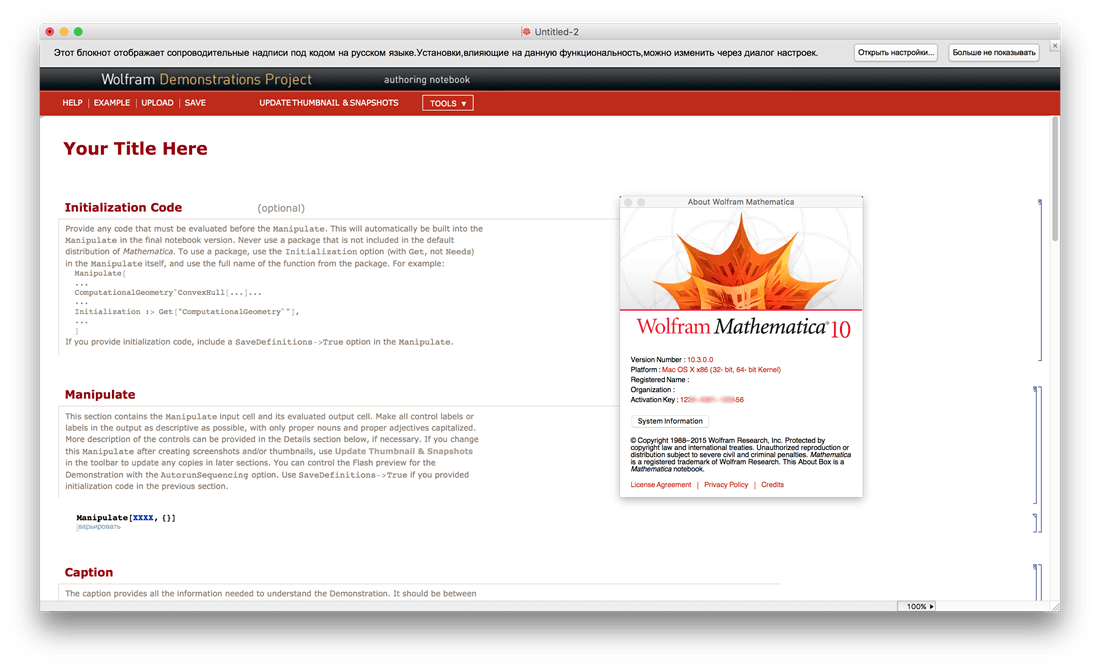
Mathematica is the tool of choice across the technical world for everything from simple calculations to large-scale computations, programming, or presenting. Throughout industry, government, and education, two million people – from students to Nobel Laureates – use Mathematica to achieve more.
Mathematica seamlessly integrates a numeric and symbolic computational engine, graphics system, programming language, documentation system, and advanced connectivity to other applications. It is this range of capabilities – many world-leading in their own right – that makes Mathematica uniquely capable as a ‘one-stop shop’? for you or your organization’s technical work.
For Modern Technical Computing, There’s No Other Choice With energetic development and consistent vision for three decades, Mathematica stands alone in a huge range of dimensions, unique in its support for today’s technical computing environments and workflows.
A Vast System, All Integrated Mathematica has nearly 5,000 built-in functions covering all areas of technical computing—all carefully integrated so they work perfectly together, and all included in the fully integrated Mathematica system.
Not Just Numbers, Not Just Math—But Everything Building on three decades of development, Mathematica excels across all areas of technical computing—including neural networks, machine learning, image processing, geometry, data science, visualizations, and much more.
Unimaginable Algorithm Power Mathematica builds in unprecedentedly powerful algorithms across all areas—many of them created at Wolfram using unique development methodologies and the unique capabilities of the Wolfram Language.
Higher Level Than Ever Before Superfunctions, meta-algorithms… Mathematica provides a progressively higher-level environment in which as much as possible is automated—so you can work as efficiently as possible.
Everything Is Industrial Strength Mathematica is built to provide industrial-strength capabilities—with robust, efficient algorithms across all areas, capable of handling large-scale problems, with parallelism, GPU computing, and more.
Powerful Ease of Use Mathematica draws on its algorithmic power—as well as the careful design of the Wolfram Language—to create a system that’s uniquely easy to use, with predictive suggestions, natural language input, and more.
Documents As Well As Code Mathematica uses the Wolfram Notebook Interface, which allows you to organize everything you do in rich documents that include text, runnable code, dynamic graphics, user interfaces, and more.
The Code Makes Sense With its intuitive English-like function names and coherent design, the Wolfram Language is uniquely easy to read, write, and learn.
Make Your Results Look Their Best With sophisticated computational aesthetics and award-winning design, Mathematica presents your results beautifully—instantly creating top-of-the-line interactive visualizations and publication-quality documents.
150,000+ Examples Get started with almost any project with help from 150,000+ examples in the Documentation Center, over 10,000 open-code Demonstrations in the Wolfram Demonstrations Project—and a host of other resources.
Instant Real-World Data Mathematica has access to the vast Wolfram Knowledgebase, which includes up-to-the-minute real-world data across thousands of domains.
Seamless Cloud Integration Mathematica is now seamlessly integrated with the cloud—allowing sharing, cloud computing, and more in a unique and powerful hybrid cloud/desktop environment
Connected to Everything Mathematica is built to be connected to everything: file formats (180+), other languages, Wolfram Data Drop, APIs, databases, programs, the Internet of Things, devices—and even distributed instances of itself.
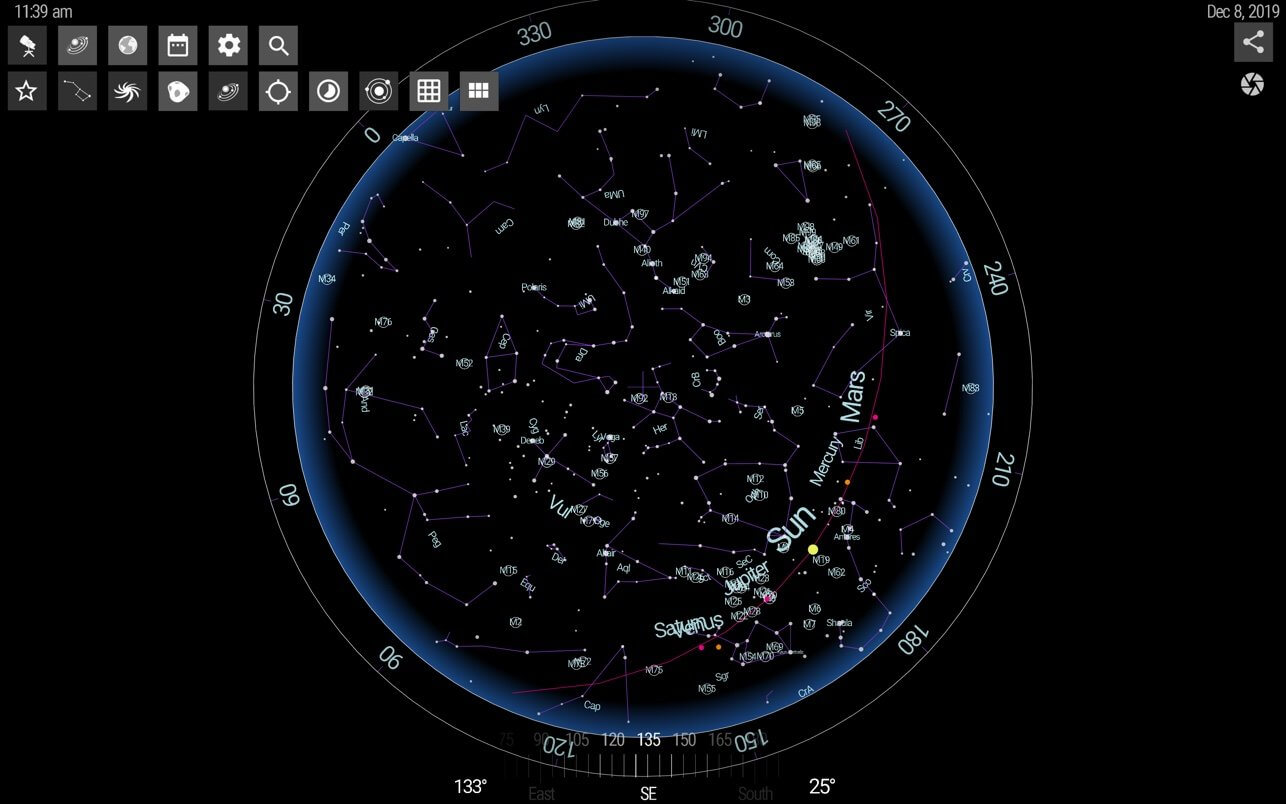
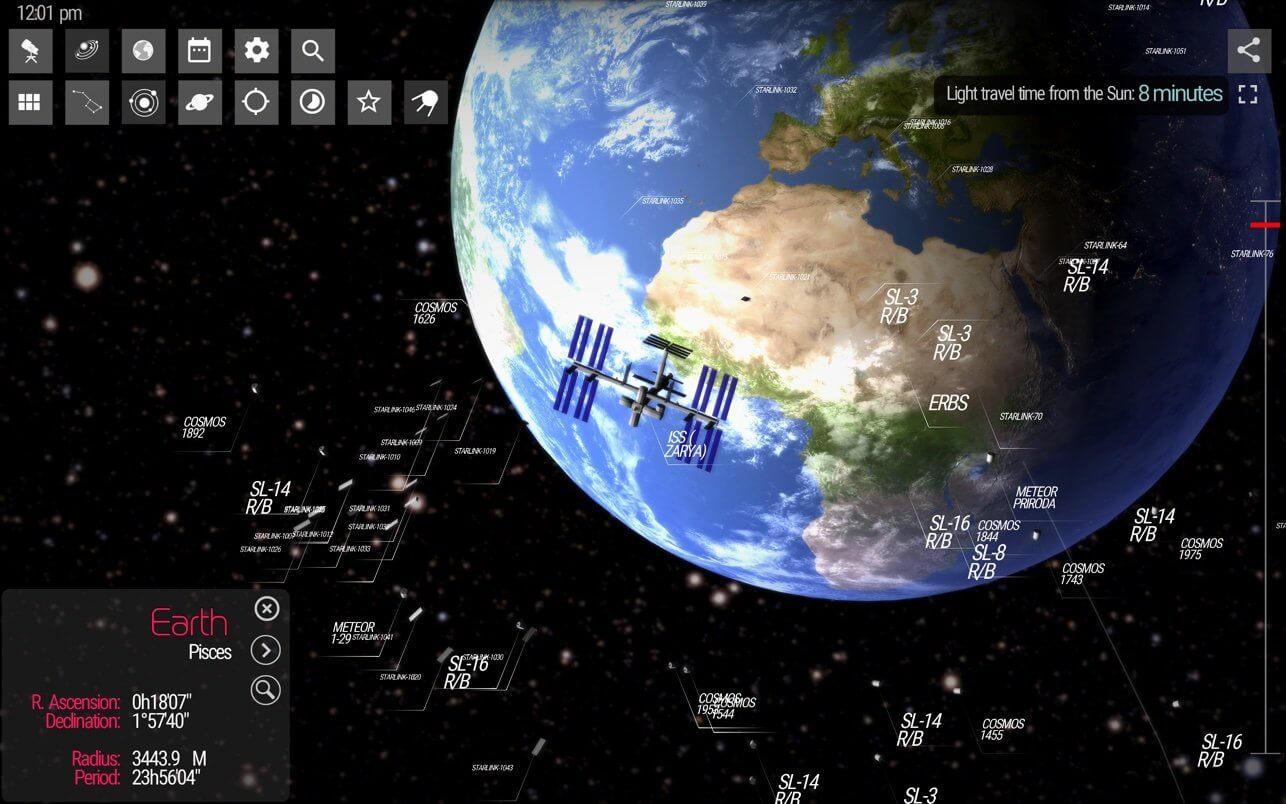
SkyORB is more than a simple star map, it’s a collection of 7 tools including a 3D star map, 3D planetarium, ephemeris, search engine, sun clock, point to sky, weather, and more. SkyORB is the 3D astronomy App for Mac.
This astronomy program charts the stars, planets, and other celestial objects such as comets and asteroids and lets you navigate through space. SkyORB features a 3D interface, a search engine, a large catalog of stars (Hyparcos), deep objects (NGC/IC 2000) planets, current satellite (including current launch missions) (MPC) and let you choose see the actual sky from any point on Earth.
Key features:
Allows you to fine tune your observation location from the database of by entering longitude and latitude or automatically with Location Services,
Calendar of astronomy events, and astronomy news.
Information like sunset and sunrise are computed as well as moonrise and moonset and full / new moon dates and automatically generated calendar of upcoming astronomy events.
3D planetarium with planets and satellites and 3 different views with 3D objects with different level of details using photo realistic textures and visuals.
3D animation of the solar system in real-time or fast forward, with actual facts for each planets.
3D sky map with real-time precession with planets, stars, constellations, deep objects, comets and satellites,
Comets and satellites trajectories which can be updated among 6 differents databases including IAU Minor Planet Center.
Displays the world map sun clock with rise and set.
Multi-touch trackpad (on some devices) with pinching-to-zoom gesture is supported for zoom-in and out.
Universal search engine.
Weather retrieval base from location.
macOS features like push notification with important astronomy news, today widget : Get push notifications from astronomy news found in the press, and personnalized astronomy events and observation available near you.
Personal location can be used for improving rendering of the start chart.
What’s New:
Version 2021.5.1 Thanks for using SkyORB. Here the changes in this version:
Redesigned timeshift interface using a dial. Orbits are now displayed when using it.
Improved search engine : stars can be search by Hyparcos, Gliese or proper name.
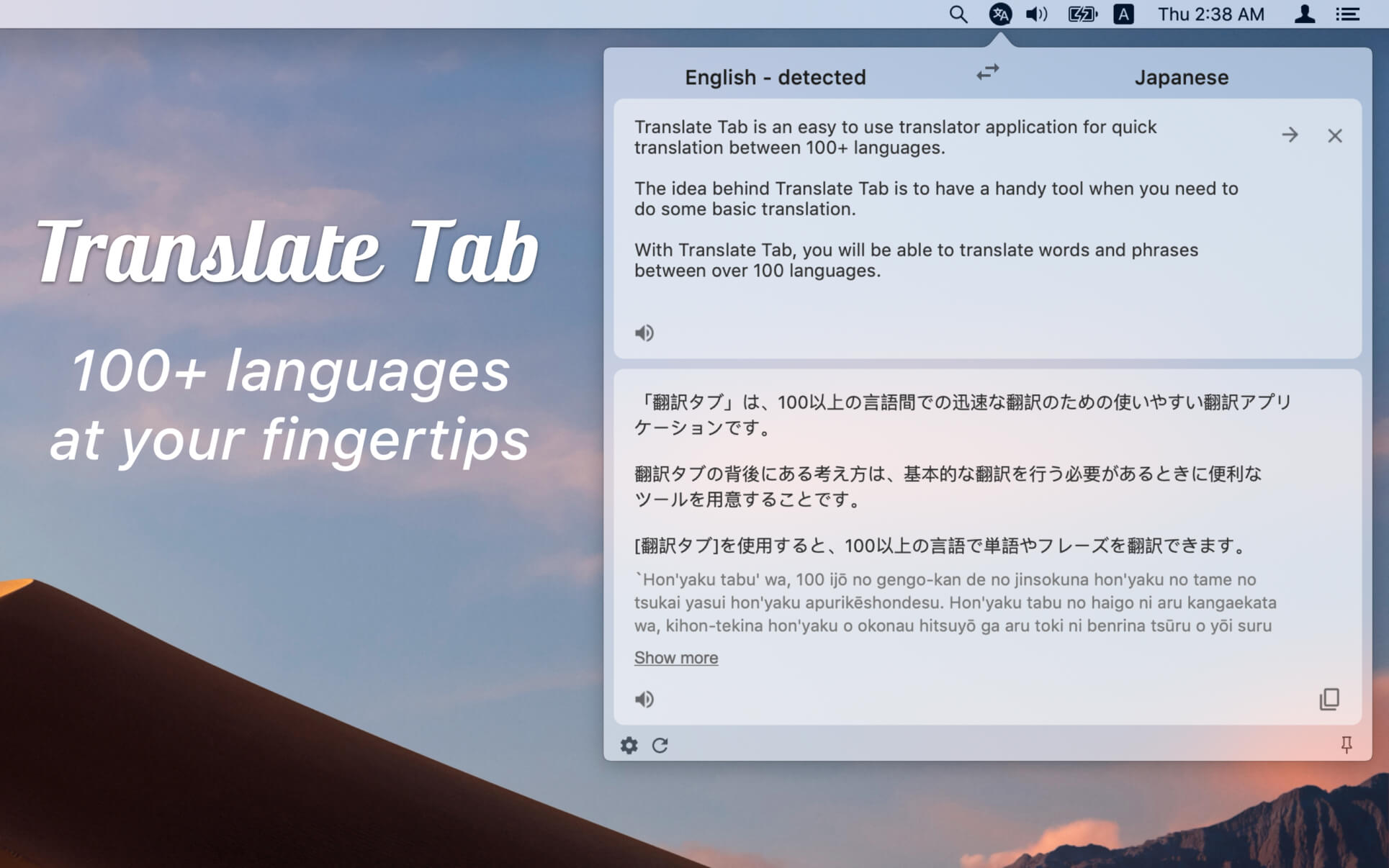
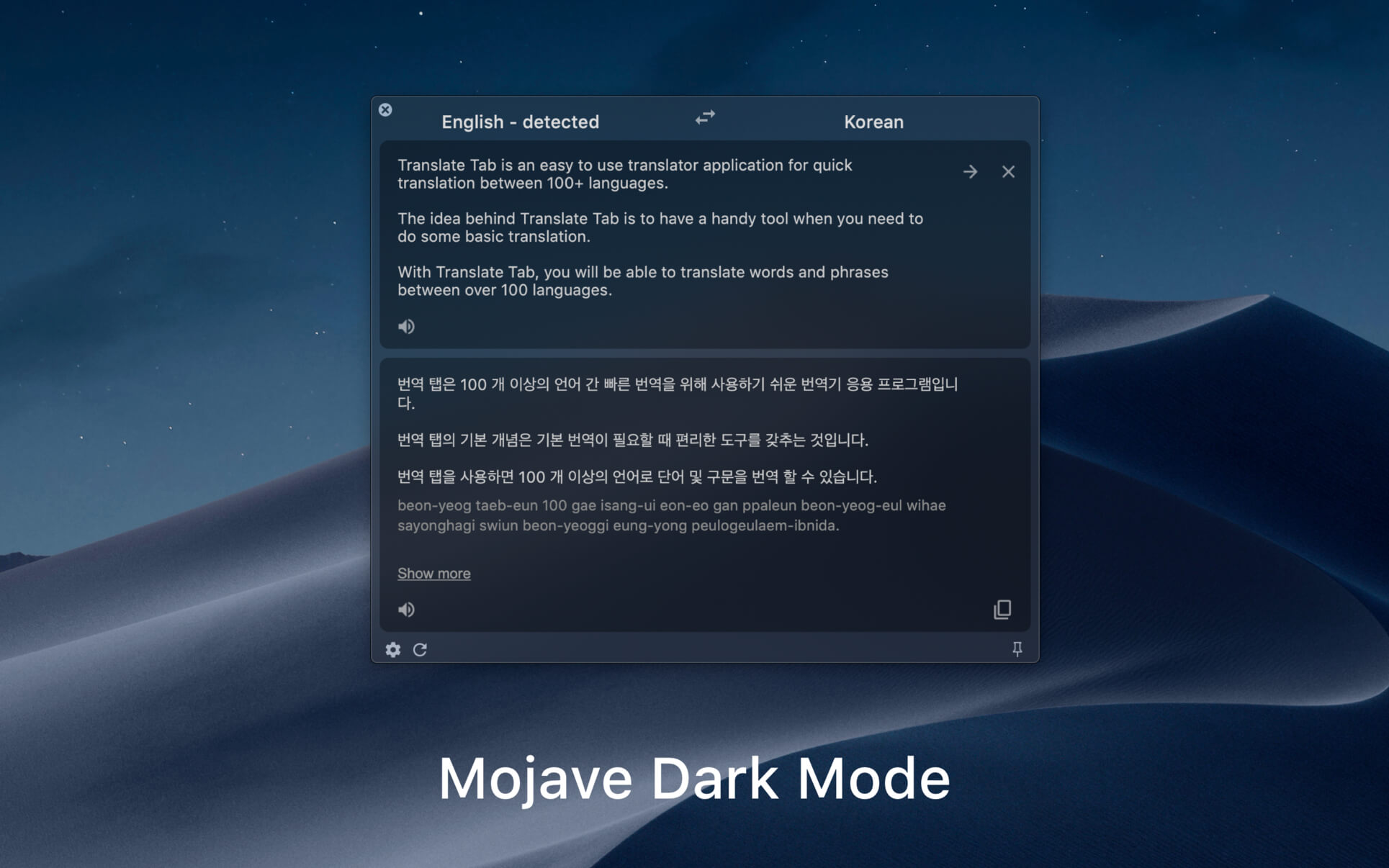
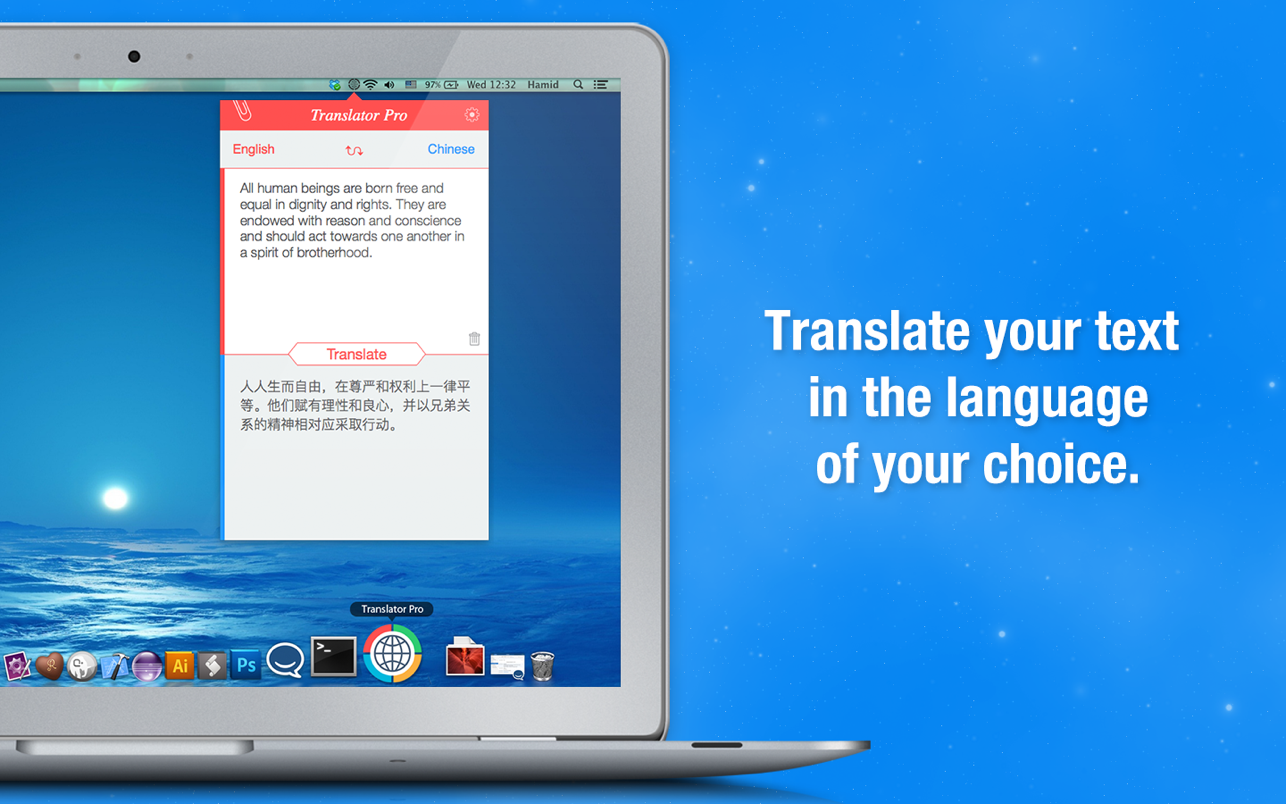
Translate Tab is an easy-to-use tool for quick translation. The idea behind Translate Tab is to have a tool handy when you need to do some basic translation. With Translate Tab, you will be able to translate words and phrases among more than 100 languages.
Key Features:
– Translates into 104 languages – Detects source language automatically – Translates text instantly – Inputs text phonetically – Enables to read and listen to your translation – Translates entire web pages – Checks spelling – Sends to instant translation through shortcut – And more features are coming soon…
Supported Languages:
Afrikaans Albanian Armenian Azerbaijani Arabic Basque Belarusian Bulgarian Catalan Chinese (Simplified) Chinese (Traditional) Croatian Czech Danish Dutch English Estonian Filipino Finnish French Galician Georgian German Greek Haitian Creole Hebrew Hindi Hungarian Icelandic Indonesian Italian Irish Japanese Korean Latvian Lithuanian Macedonian Malay Maltese Norwegian Persian Polish Portuguese Romanian Russian Serbian Slovak Slovenian Spanish Swahili Swedish Thai Turkish Ukrainian Urdu Vietnamese Welsh Yiddish
Notes: You need an Internet connection to access the Translation Tab
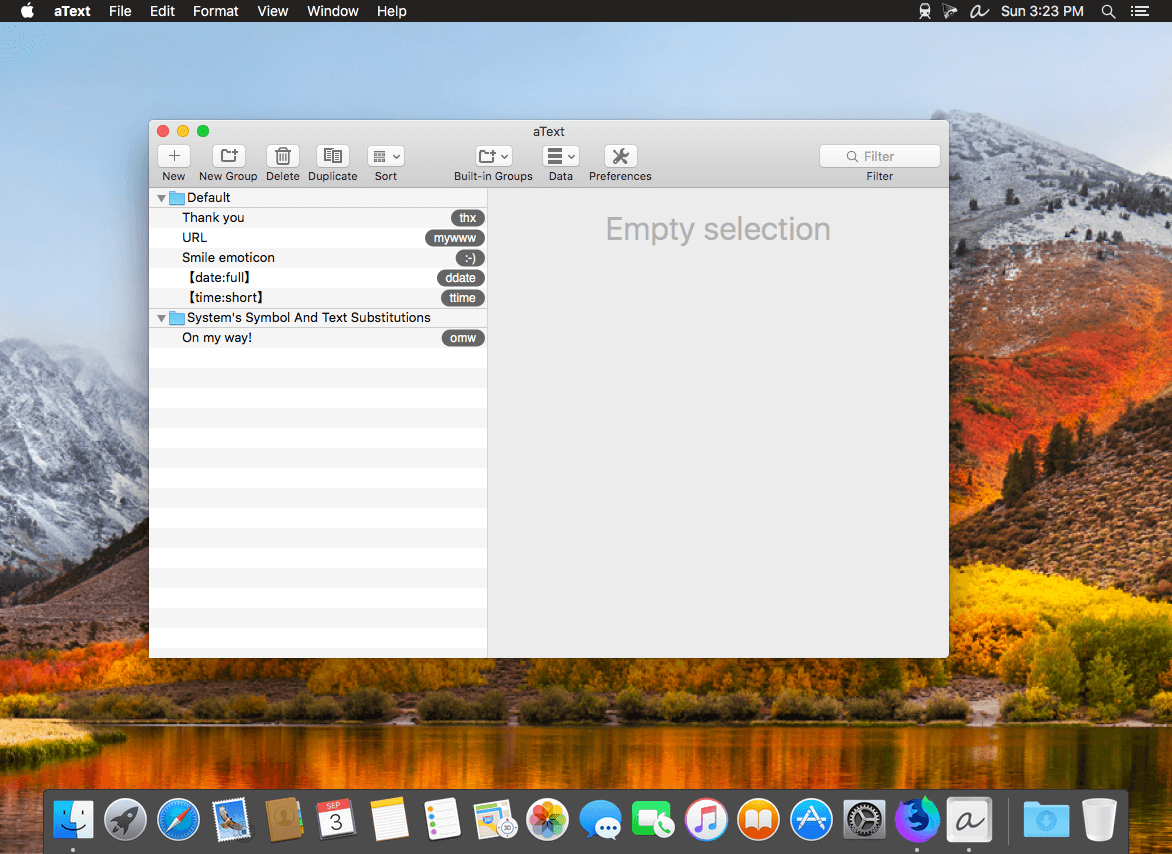
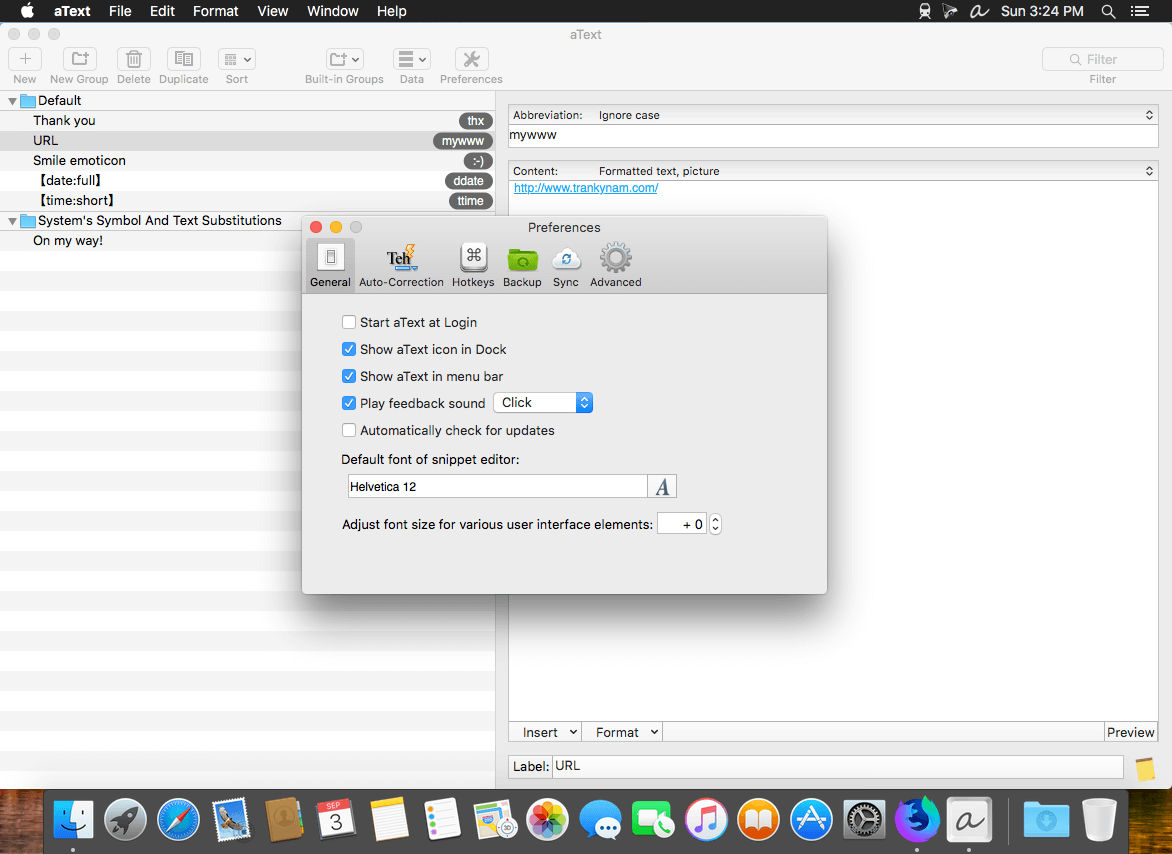
aText accelerates your typing by replacing abbreviations with frequently used phrases you define: for example, make an abbreviation “myname” to insert your name “First Middle Last” in any application.
With aText you can easily avoid typing the same thing over and over.
More Features
Insert images and formatted text.
Capitalize new sentences. Correct double capitals.
Insert the current date and time in any format. Insert day in the future or the past, for example: next Sunday, previous Monday.
Embed clipboard content in snippet, embed another snippet, use editable fields in snippet, send any key (such as Esc, Tab, Enter, arrow keys, etc).
Reposition the cursor in the expanded snippet.
Invoke AppleScripts and shell scripts.
Built-in snippet groups for correcting misspelled words, HTML, and jаvascript code.
Import data from TextExpander, TypeIt4Me, SpellCatcherX, Automaton, CSV file.
Works in Windows virtual machine by Parallels, VMWare Fusion (in Unity mode), VirtualBox. Works in Windows via TeamViewer and Remote Desktop Connection clients.
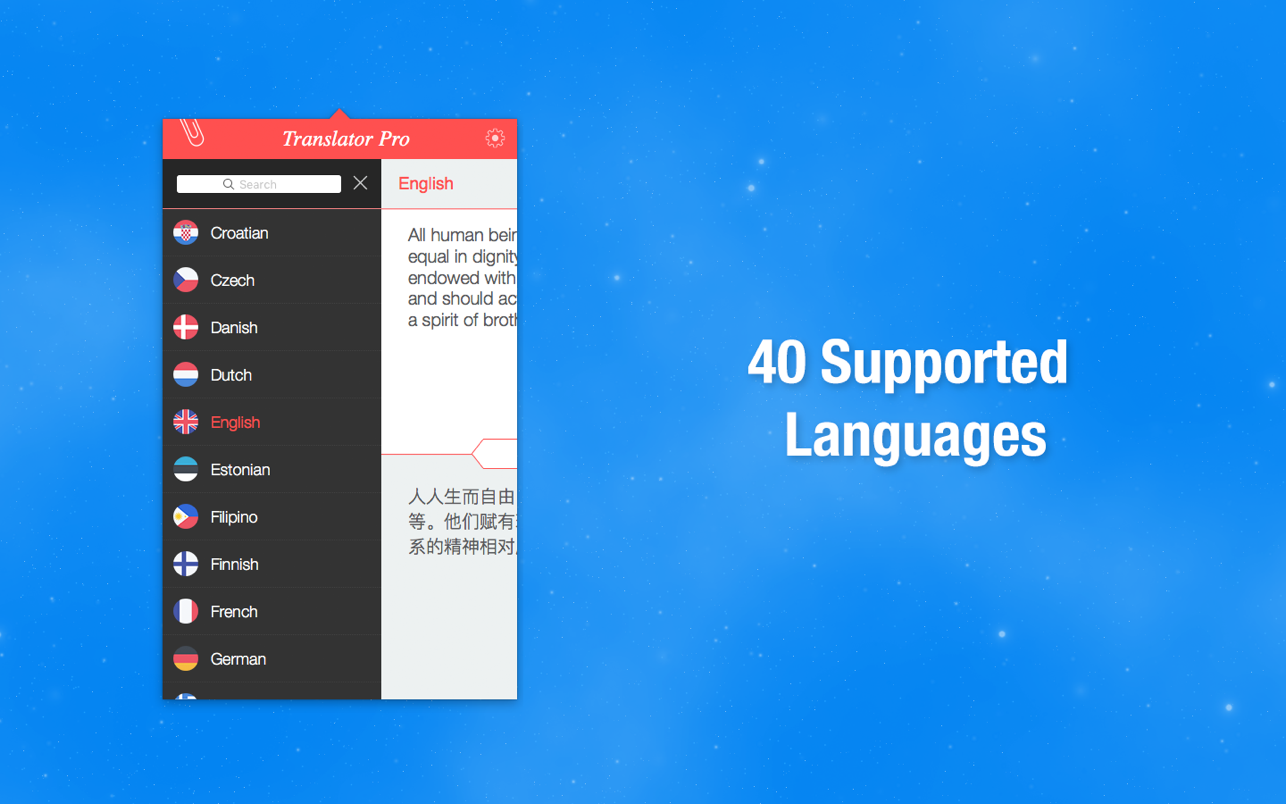
Instant translation! Our app supports the following languages:
* Afrikaans * Albanian * Arabic * Basque * Belarusian * Bulgarian * Catalan * Chinese * Chinese (traditional) * Croatian * Czech * Danish * Dutch * English * Estonian * Filipino * Finnish * French * German * Greek * Hindi * Hungarian * Indonesian * Irish * Italian * Japanese * Korean * Malay * Norwegian * Polish * Portuguese * Romanian * Russian * Slovak * Spanish * Swedish * Thai * Turkish * Ukrainian * Vietnamese
This app requires an internet connection.
Use our app to communicate in a multitude of languages or as a learning tool to help you acquire that elusive foreign language you’ve always wanted to master.{DownloadNow}
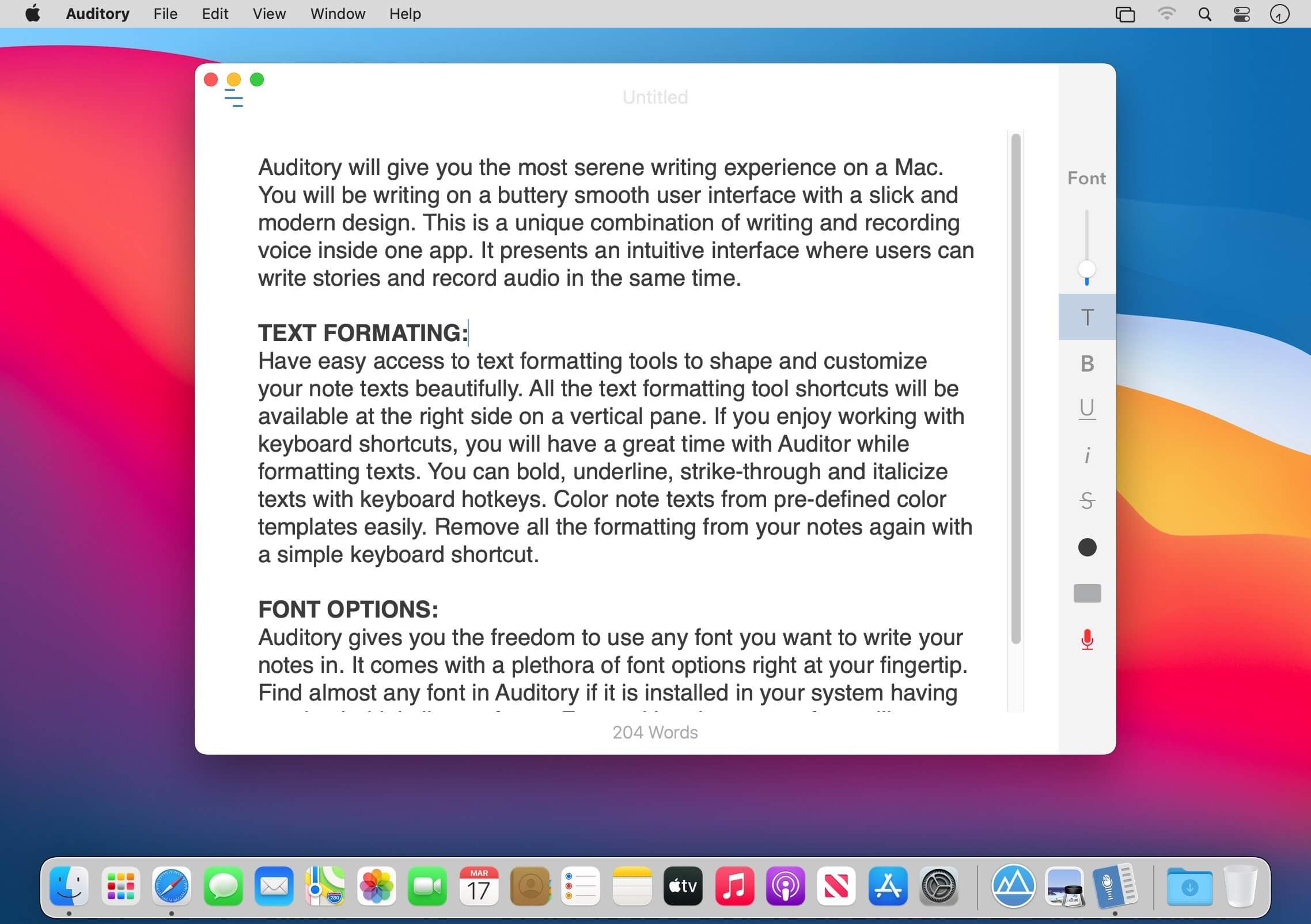
Auditory will give you the most serene writing experience on a Mac. You will be writing on a buttery smooth user interface with a slick and modern design. This is a unique combination of writing and recording voice inside one app. It presents an intuitive interface where users can write stories and record audio in the same time.
TEXT FORMATING: Have easy access to text formatting tools to shape and customize your note texts beautifully. All the text formatting tool shortcuts will be available at the right side on a vertical pane. If you enjoy working with keyboard shortcuts, you will have a great time with Auditor while formatting texts. You can bold, underline, strike-through and italicize texts with keyboard hotkeys. Color note texts from pre-defined color templates easily. Remove all the formatting from your notes again with a simple keyboard shortcut.
FONT OPTIONS: Auditory gives you the freedom to use any font you want to write your notes in. It comes with a plethora of font options right at your fingertip. Find almost any font in Auditory if it is installed in your system having regular, bold, italic typefaces. Fonts with only one typeface will not appear in the font list in Auditory.
AUDIO RECORDING: Auditory provides you easy access to a handy audio recorder built inside the app. Take auditory to group discussions, business meetings, college or school lectures, interview sessions etc. In these situations audio recording plays a significant role while documenting the story. Auditory allows you to take notes and record audio at the same time. Your STORY and the recorded AUDIO will always be attached together in Auditory. NOTE SHARING: You will find a number of note sharing options in Auditory. You can export your notes in PDF or print them directly from the app. Share notes vial email along with the all the other sharing options available in your system.
GROUP NOTES: Manage your notes in a better way by grouping them inside different folders. You can create groups and save notes inside them. Creating a new group is very easy with Auditory. Just type your group name at the extreme bottom left corner of the app and press return.
NOTE TAGS: Add tags to each of your notes to make it easier to find specific notes in the search bar.
TOP FEATURES:
Quickly create an empty interface for a new notes with keyboard hotkey.
Automatic backup and restore of notes and audio data.
Fully featured text formatting.
Record audio and save it with notes.
Go fullscreen and write distraction free.
Hide left panes easily with just a click.
Move notes to different groups.
Secure your notes with password protection. Password will be saved in Keychain app.
Edit Notes title, date of creation, and add name of the author.
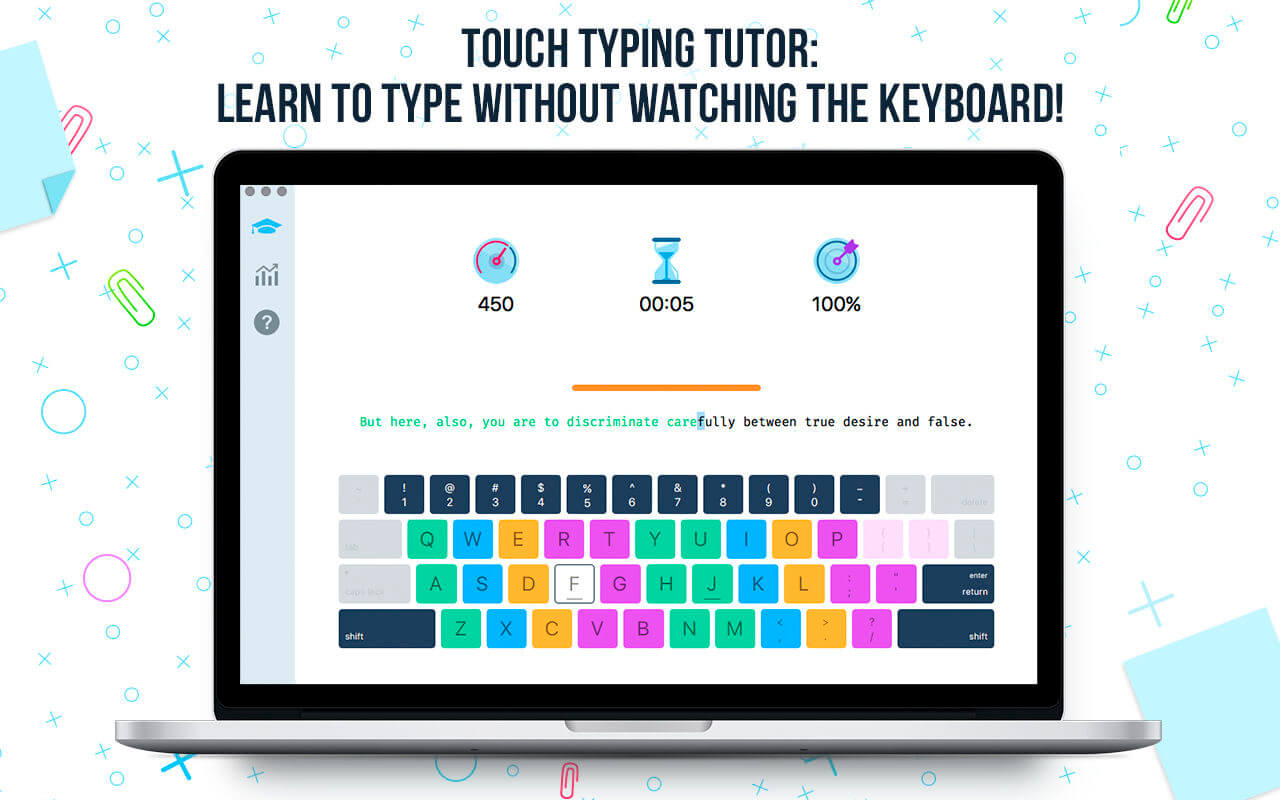
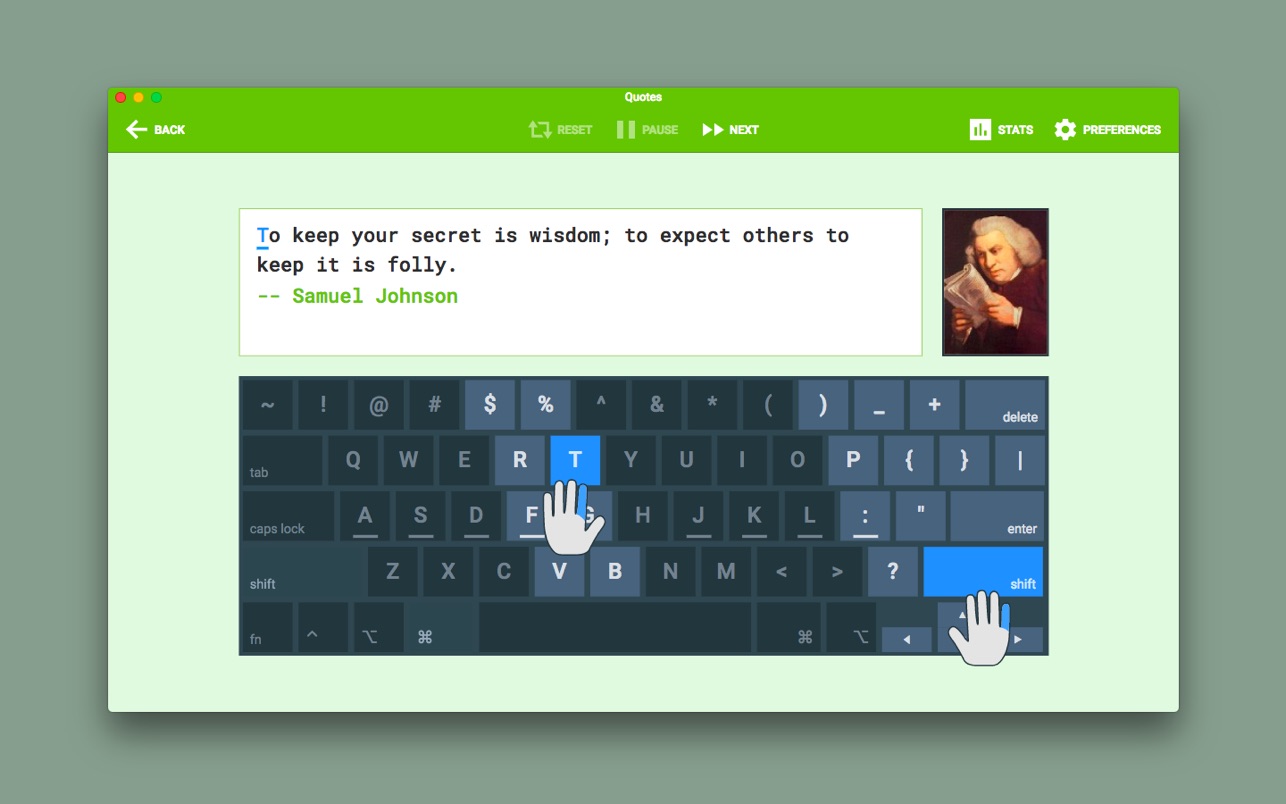
Type Fu teaches you how to type faster without looking at the keyboard, letting you hone your touch-typing skills.
TYPE FU FEATURES
UNIVERSAL. The app is suitable for all age groups and skill levels. You can be a beginner, intermediate or advanced typist. Even if you took typing classes before, but it never sank in, Type Fu will help you refresh your skills and take them to the next stage instantly.
PACKED WITH ENGAGING EXERCISES. Type Fu is fun to use! Lessons vary from simple letters, numbers and words to proverbs and quotes of great thinkers of the past. Basic lessons (letters, numbers, words) are generated programatically so that you will never see the same exercise twice.
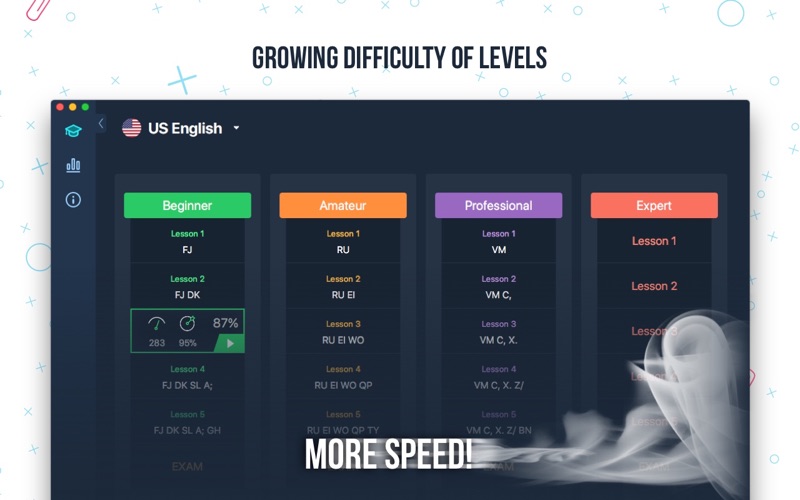
MULTIPLE LEVELS OF DIFFICULTY. Should you start from the very beginning, or do you want to just polish your type-fu a tad? Figure out your initial skill level and start practicing right away, until your fingers are a blur!
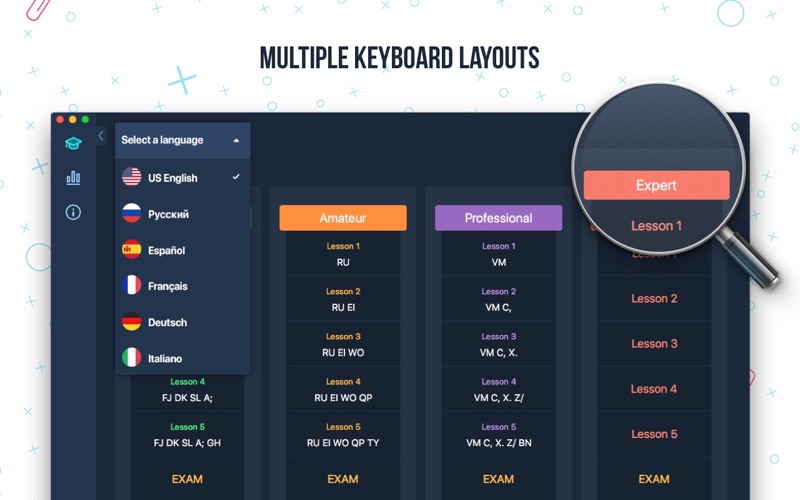
MULTIPLE KEYBOARD LAYOUTS. English language users can choose between following layouts: Qwerty, Dvorak, Colemak, Workman, Norman, Qwertz, Azerty. German language users can choose between: German Qwertz and Swiss Qwertz layouts.
ADAPTIVE. Type Fu is smart: when you are making an outstanding progress, it can automatically increase the level of difficulty to keep you on your toes while improving the skill.
VISUAL AND AUDIO HINTS. Type Fu assists in a non-obtrusive way. Various indications of hitting or missing the right keys are helpful, pertinent, don’t get in the way and can be disabled.
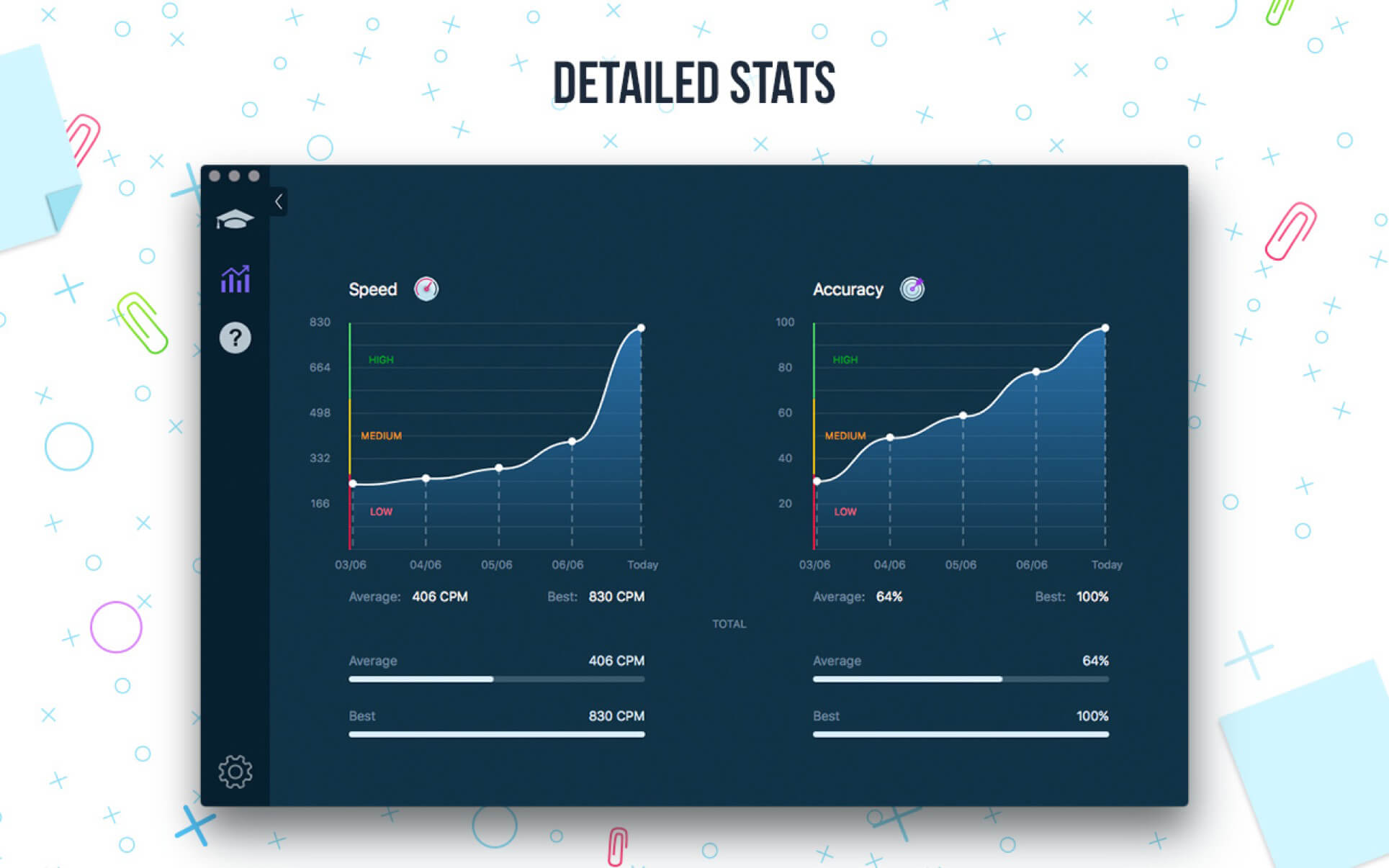
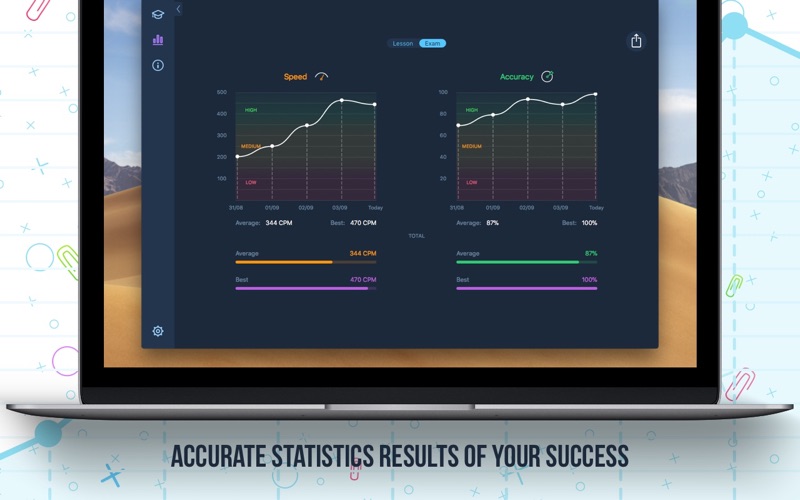
EASY PROGRESS TRACKING. Type Fu helps you perfecting the skill of touch typing by visualizing your progress. You will be able to easily tell from the pretty charts exactly how much better your typing speed and accuracy become, and which keys your miss most.
FULLY INTEGRATED WITH YOUR MAC. Get the top-notch user experience offered by Mac computers. Type Fu supports Retina displays, process sandboxing, automatic updates via Mac App Store and full-screen mode.
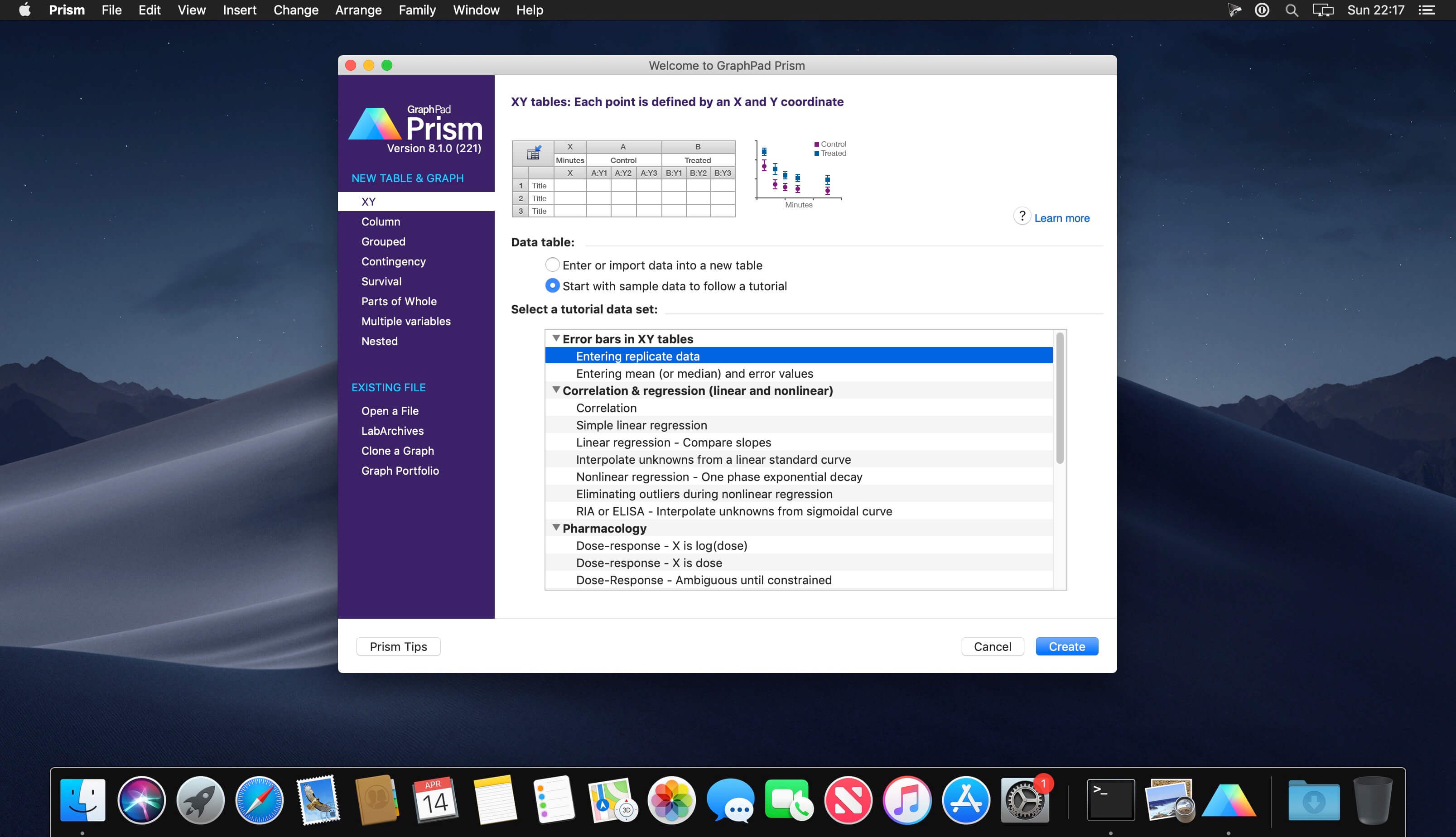
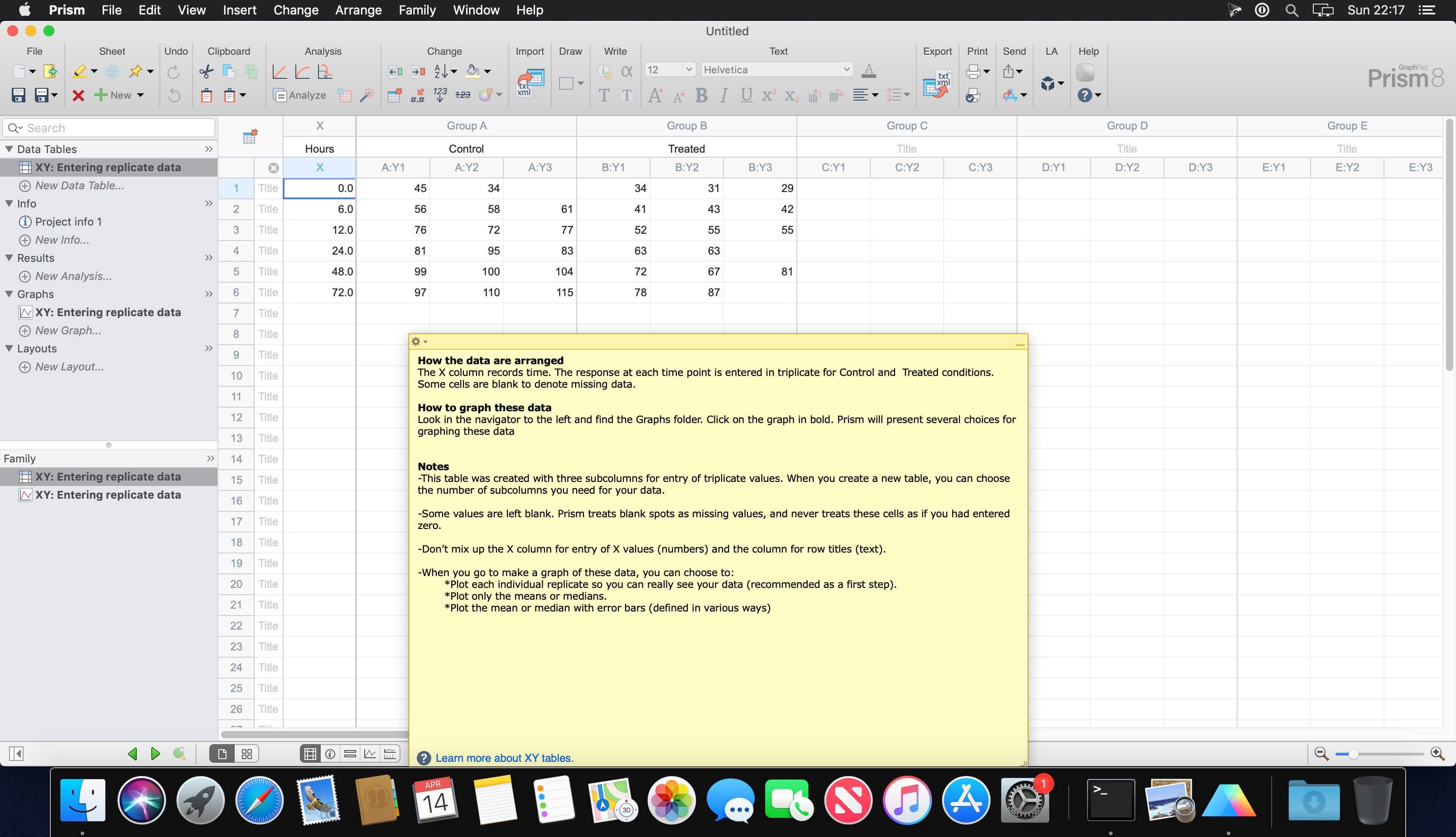
Prism is a powerful combination of biostatistics, curve fitting (nonlinear regression) and scientific graphing in one comprehensive program. Easily organize, analyze and graph repeated experiments; pick appropriate statistical tests and interpret the results.
Prism introduces brand new ways to organize, analyze, and graph your data, all while making the process easier and more intuitive. Powerful new analyses and graph styles provide more ways than ever to process and present your data, while familiar features have received comprehensive improvements to enhance and streamline your work. Despite all the changes, Prism is still Prism so you can be productive right away.
What’s New:
Version 9.0:
Release notes were unavailable when this listing was updated.
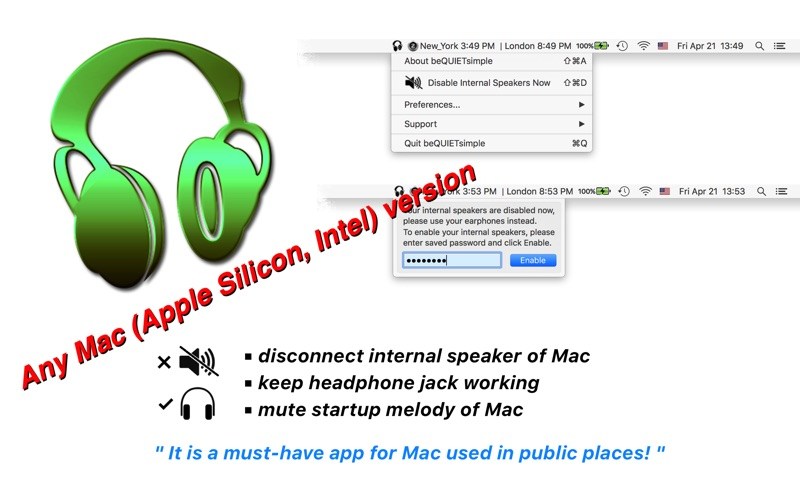
As long as beQUIET simple is running, your Mac’s internal speakers are disabled.
Meanwhile, you may still listen through your headphone jack.
Simply to say, beQUIET simple only disable your internal speakers in any condition.
beQUIETsimple is designed for journalists, teachers, students, and other Mac users who would like to hear the sound but do not want to disturb others, such as in meetings, classrooms, courts, lectures, theaters, etc.
Benefiting from your Mac’s high-end hardware design, beQUIETsimple guarantees that your speakers stay quiet and your headphones working no matter if you plug or unplug your headphones (the function that PC users can never dream about!)
This App is developed due to the request of a teacher who needed his computer lab to be quiet, but still, let the students enjoy the sound with their headphones.
features: v3.20
made for macOS Sierra 10.12 and still compatible with OS10.9 and above
benefit from the core of beQUIET and the core was fully re-coded for macOS Sierra 10.12
no need for any additional hardware
mute startup melody of your Mac also
check internal speaker’s status and mute them in real-time
headphones’ mute status and volume are not affected and can be freely adjusted
saves and sets the speaker’s volume automatically before and after running
easy-to-use interface
startup tip
dark menu mode supported
sandboxed Open at Login (autostart) function
force quit is protected with a password
dock icon is hidden and the status menu bar menu is password protected
user password is saved in OS’s keychain for maximum protection.
What’s new
v3.30 -> v3.40
Any Mac (Apple Silicon, Intel) version for macOS Big Sur
Download movies on Mac with VideoDuke! It supports all popular video websites and will save your videos in various file formats. You can also download streaming videos on Mac at a pleasantly fast speed and with great quality.
You can download any video you like in a click! Simply paste the link to the video and VideoDuke will do the rest. In Simple mode you are getting quick access to music videos, movies, TV shows, cartoons available from Vimeo, YouTube, and Dailymotion. Files can be saved as 3GP, MP4, M4V, FLV and in a preferred resolution: 360p, HD 720p, HD 1080p or other.
Features
Download Full YouTube Playlists and Channels
With VideoDuke you’ll be able to save complete channels and playlists off YouTube. Just as with separate videos, you can select quality for each video: 1440p, 1080p, 720p, 480p, 360p, 240p, or 180p.
MP3 Downloader
VideoDuke will also download YouTube videos as audio files. No conversion needed – you will simply get a soundtrack instead of the original YouTube clip. The app keeps the audio track title and album art and can save files as WebM, MP3 or other available formats.
Friendly Mac video downloader
Using VideoDuke is easy and intuitive – just type your search words in the app to find the videos you’ll download from the web. You can also search for videos in the web browser – VideoDuke supports all popular video websites, such as YouTube, Dailymotion, Vimeo with quick access buttons.
Download all files related to a video
In an advanced mode of VideoDuke you get more profound options when downloading content. For example, you can see all resources fetched from the web page, including video, audio, Flash animation, images, etc. Switch to a needed tab to see exactly the types of files you need to download.
What’s New
Thank you for your feedbacks: we fixed bugs and improved the functionality of the app. Bug reports and feature ideas are always welcome!
CrystalMaker is an award-winning Mac program for building, displaying and manipulating all kinds of crystal and molecular structures.
CrystalMaker makes it easy to load structural data and generate photo-realistic images, with the option of “out-of-the-screen” 3D images. Models can be displayed immediately in ball-and-stick, thermal ellipsoid, space-filling, wire-frame, stick and polyhedral model types. All aspects of the model can be extensively customized, with a wide range of photo-realistic or stylized “line-art” representations. See our online gallery for 3D movies, rotating crystals, animations, and slideshows.
CrystalMaker is offered at a variety of price points for various license types. The published price is that of the standard license, typical of professional licenses. There are also educational and student licenses available for qualifying purchases.
What’s new
Ready for Big Sur! This version includes a number of workarounds to ensure optimum display on macOS 11 “Big Sur”. This includes fixes for background and bond previews, changes in font metrics and, critically, improvements to thumbnail display in the Sidebar, to account for the new list display in “Big Sur”
Reset Molecular Coordinates. A new Transform > Reset Molecular Coordinates command allows molecular structures to have their atomic coordinates reset so that they apply to the current screen axes (rather than an initial axial set when the structure was first created or imported)
Miscellaneous. This version includes miscellaneous enhancements and fixes
Fixed a bug with the display of dashed lines in polyhedra when perspective is enabled. Dashes could be drawn at the edges of the polyhedra, rather than inside the polyhedron
Fixed a rare issue with loading non-conventional element symbols from CIF files. Unconventional element symbols (such as “Va”) were converted to the closest-equivalent element symbol (e.g., “V”), which was not what some users were expecting. We now preserve these element symbols
Atomic radii set using the Selection Inspector can now be larger than 10 Å
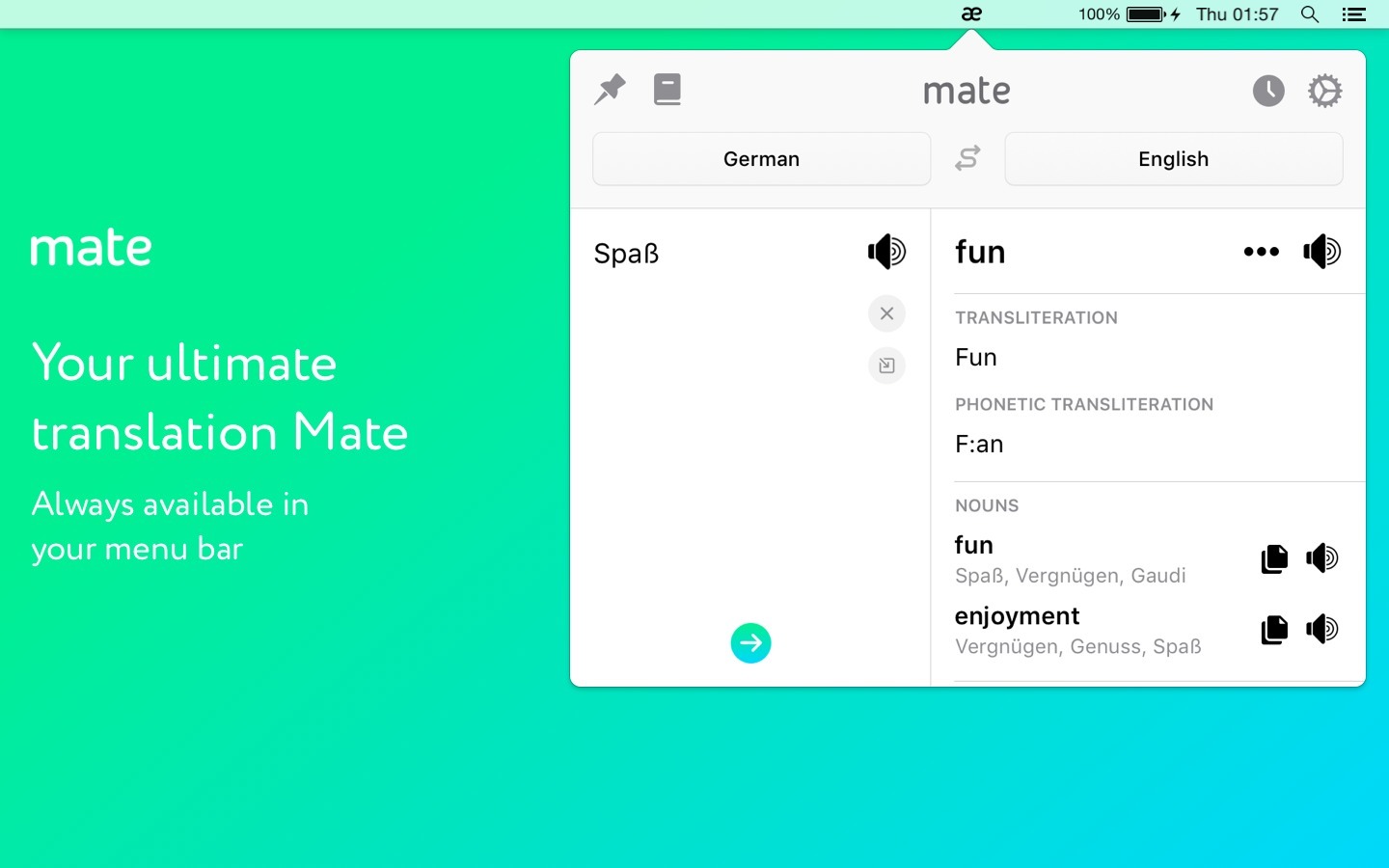
Mate Translate (was Instant Translate) allows you to translate words and phrases between over 100 languages, use text-to-speech, and browse through already-done translations in the history. You can quickly swap languages in the pop-up using Control+S.
Features
100+ languages supported
text-to-speech
offline history of translations
translate in the pop-up window that’s always in the menu bar
translate selected text from the context menu
open the pop-up with a shortcut
autorun as the Mac starts
pin the pop-up window above all other windows
transliteration
insert contents of the clipboard
What’s New:
Version 7.0.0 Mate goes Netflix: Can you learn languages while binge-watching favourite Netflix shows? Now you can. We’ve made a revolutionary integration. Mate pairs with Netflix player in Safari and lets you look up translations in a very unobtrusive way – by clicking on words or selecting sentences.
This update is all about the Safari extension, so we further improved and fixed some other things, too:
Toolbar button doesn’t do nothing anymore. It translates text that you selected on the page.
Clicking on flags in the translation tooltip now invokes the language picker.
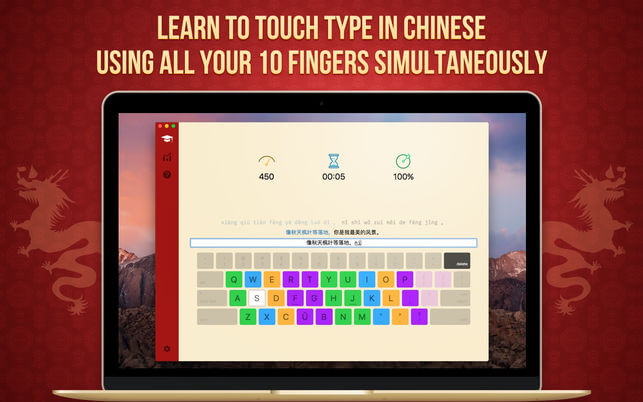
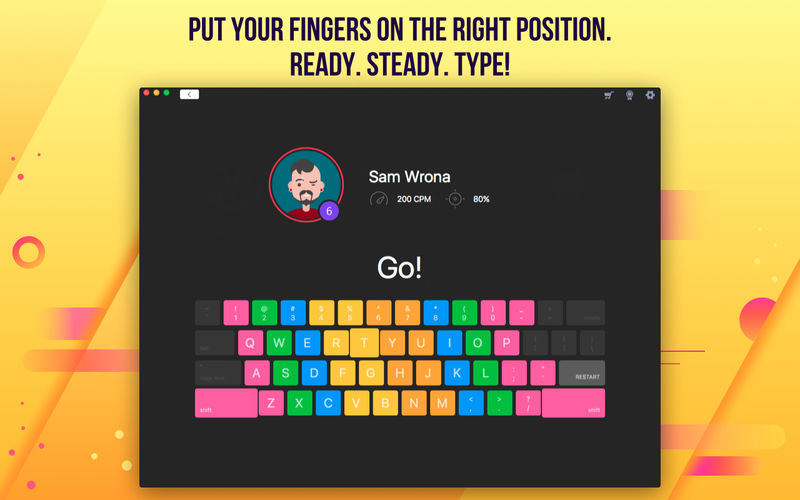
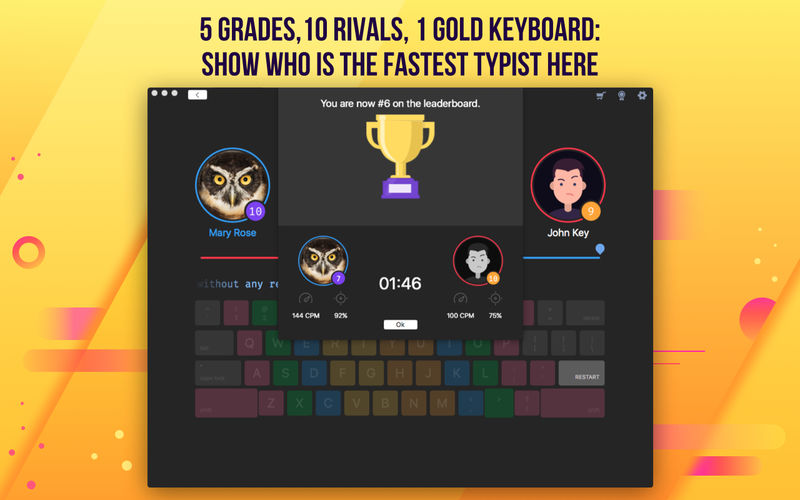
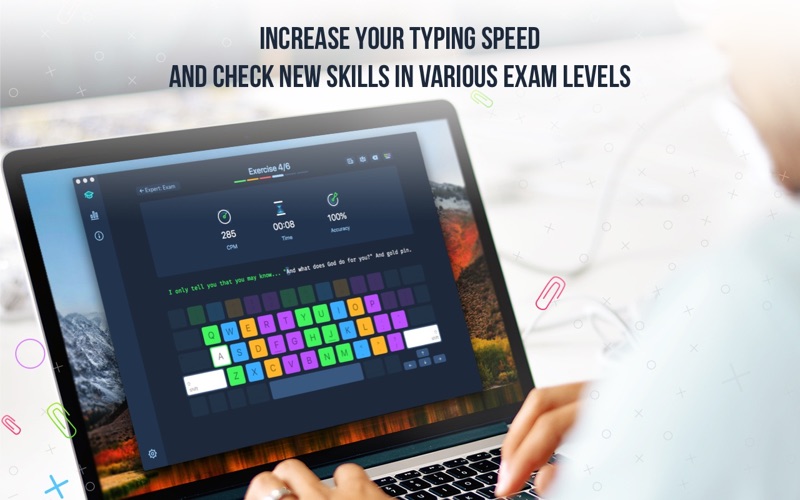
Now the popularly accepted version of Master of Typing is available in Chinese! It’s an effective TOUCH typing course that uses the fastest method for Chinese input – Pinyin.
MASTERING TYPING TECHNIQUE: 1. Typing speed test at the beginning Checking the level of your proficiency
2. Variety of exercises Typing common words and special characters
3. Control tasks (exams) for checking skills
4. Colored keyboard’s scheme Better memorization of key positions
5. Detailed stats of your progress
6. Helpful information To obtain maximum benefit from each lesson
7. Hotkeys and swipes on the magic mouse Quickly switching between windows
8. Self-study at any time Learn to type in Chinese faster!
What’s New:
Version 3.2.2
We fixed minor bugs and made general improvements to make the app better for you. Please continue to send your feedback to help us improve the app in future updates.
Language: English, French, German, Italian, Japanese, Korean, Portuguese, Russian, Simplified Chinese, Spanish Compatibility: OS X 10.10 or later, 64-bit processor Homepagehttps://geo.itunes.apple.com/app/id1162659575
Prism is a powerful combination of biostatistics, curve fitting (nonlinear regression) and scientific graphing in one comprehensive program. Easily organize, analyze and graph repeated experiments; pick appropriate statistical tests and interpret the results.
Prism introduces brand new ways to organize, analyze, and graph your data, all while making the process easier and more intuitive. Powerful new analyses and graph styles provide more ways than ever to process and present your data, while familiar features have received comprehensive improvements to enhance and streamline your work. Despite all the changes, Prism is still Prism so you can be productive right away.
What’s New:
Version 8.4:
Release notes were unavailable when this listing was updated.
aText accelerates your typing by replacing abbreviations with frequently used phrases you define: for example, make an abbreviation “myname” to insert your name “First Middle Last” in any application.
With aText you can easily avoid typing the same thing over and over.
More Features
Insert images and formatted text.
Capitalize new sentences. Correct double capitals.
Insert the current date and time in any format. Insert day in the future or the past, for example: next Sunday, previous Monday.
Embed clipboard content in snippet, embed another snippet, use editable fields in snippet, send any key (such as Esc, Tab, Enter, arrow keys, etc).
Reposition the cursor in the expanded snippet.
Invoke AppleScripts and shell scripts.
Built-in snippet groups for correcting misspelled words, HTML, and jаvascript code.
Import data from TextExpander, TypeIt4Me, SpellCatcherX, Automaton, CSV file.
Works in Windows virtual machine by Parallels, VMWare Fusion (in Unity mode), VirtualBox. Works in Windows via TeamViewer and Remote Desktop Connection clients.
Sync via iCloud/Dropbox/Google Drive/SkyDrive.
What’s New:
Version 2.36.4:
aText now automatically saves data periodically to prevent data lost reported by several users.
Mate Translate (was Instant Translate) allows you to translate words and phrases between over 100 languages, use text-to-speech, and browse through already-done translations in the history. You can quickly swap languages in the pop-up using Control+S.
Features
100+ languages supported
text-to-speech
offline history of translations
translate in the pop-up window that’s always in the menu bar
translate selected text from the context menu
open the pop-up with a shortcut
autorun as the Mac starts
pin the pop-up window above all other windows
transliteration
insert contents of the clipboard
What’s New:
Version 7.0.0 Mate goes Netflix: Can you learn languages while binge-watching favourite Netflix shows? Now you can. We’ve made a revolutionary integration. Mate pairs with Netflix player in Safari and lets you look up translations in a very unobtrusive way – by clicking on words or selecting sentences.
This update is all about the Safari extension, so we further improved and fixed some other things, too:
Toolbar button doesn’t do nothing anymore. It translates text that you selected on the page.
Clicking on flags in the translation tooltip now invokes the language picker.
Mate Translate (was Instant Translate) allows you to translate words and phrases between over 100 languages, use text-to-speech, and browse through already-done translations in the history. You can quickly swap languages in the pop-up using Control+S.
Features
100+ languages supported
text-to-speech
offline history of translations
translate in the pop-up window that’s always in the menu bar
Type Fu teaches you how to type faster without looking at the keyboard, letting you hone your touch-typing skills.
TYPE FU FEATURES
UNIVERSAL. The app is suitable for all age groups and skill levels. You can be a beginner, intermediate or advanced typist. Even if you took typing classes before, but it never sank in, Type Fu will help you refresh your skills and take them to the next stage instantly.
PACKED WITH ENGAGING EXERCISES. Type Fu is fun to use! Lessons vary from simple letters, numbers and words to proverbs and quotes of great thinkers of the past. Basic lessons (letters, numbers, words) are generated programatically so that you will never see the same exercise twice.
MULTIPLE LEVELS OF DIFFICULTY. Should you start from the very beginning, or do you want to just polish your type-fu a tad? Figure out your initial skill level and start practicing right away, until your fingers are a blur!
MULTIPLE KEYBOARD LAYOUTS. English language users can choose between following layouts: Qwerty, Dvorak, Colemak, Workman, Norman, Qwertz, Azerty. German language users can choose between: German Qwertz and Swiss Qwertz layouts.
ADAPTIVE. Type Fu is smart: when you are making an outstanding progress, it can automatically increase the level of difficulty to keep you on your toes while improving the skill.
VISUAL AND AUDIO HINTS. Type Fu assists in a non-obtrusive way. Various indications of hitting or missing the right keys are helpful, pertinent, don’t get in the way and can be disabled.
EASY PROGRESS TRACKING. Type Fu helps you perfecting the skill of touch typing by visualizing your progress. You will be able to easily tell from the pretty charts exactly how much better your typing speed and accuracy become, and which keys your miss most.
FULLY INTEGRATED WITH YOUR MAC. Get the top-notch user experience offered by Mac computers. Type Fu supports Retina displays, process sandboxing, automatic updates via Mac App Store and full-screen mode.
Type Fu teaches you how to type faster without looking at the keyboard, letting you hone your touch-typing skills.
TYPE FU FEATURES
UNIVERSAL. The app is suitable for all age groups and skill levels. You can be a beginner, intermediate or advanced typist. Even if you took typing classes before, but it never sank in, Type Fu will help you refresh your skills and take them to the next stage instantly.
PACKED WITH ENGAGING EXERCISES. Type Fu is fun to use! Lessons vary from simple letters, numbers and words to proverbs and quotes of great thinkers of the past. Basic lessons (letters, numbers, words) are generated programatically so that you will never see the same exercise twice.
MULTIPLE LEVELS OF DIFFICULTY. Should you start from the very beginning, or do you want to just polish your type-fu a tad? Figure out your initial skill level and start practicing right away, until your fingers are a blur!
MULTIPLE KEYBOARD LAYOUTS. English language users can choose between following layouts: Qwerty, Dvorak, Colemak, Workman, Norman, Qwertz, Azerty. German language users can choose between: German Qwertz and Swiss Qwertz layouts.
ADAPTIVE. Type Fu is smart: when you are making an outstanding progress, it can automatically increase the level of difficulty to keep you on your toes while improving the skill.
VISUAL AND AUDIO HINTS. Type Fu assists in a non-obtrusive way. Various indications of hitting or missing the right keys are helpful, pertinent, don’t get in the way and can be disabled.
EASY PROGRESS TRACKING. Type Fu helps you perfecting the skill of touch typing by visualizing your progress. You will be able to easily tell from the pretty charts exactly how much better your typing speed and accuracy become, and which keys your miss most.
FULLY INTEGRATED WITH YOUR MAC. Get the top-notch user experience offered by Mac computers. Type Fu supports Retina displays, process sandboxing, automatic updates via Mac App Store and full-screen mode.
What’s New:
Version 4.7.5
“Qwerty Swedish (Mac)” layout (requested by Armmus)
Bugfix: Alt+a and Alt+o should produce “æ” and “œ” when “Azerty French (Mac)” layout is selected (reported by Frederic)
Bugfix: German dictionary contains several potentialy offensive words (reported by Heiko)
aText accelerates your typing by replacing abbreviations with frequently used phrases you define: for example, make an abbreviation “myname” to insert your name “First Middle Last” in any application.
With aText you can easily avoid typing the same thing over and over.
More Features
Insert images and formatted text.
Capitalize new sentences. Correct double capitals.
Insert the current date and time in any format. Insert day in the future or the past, for example: next Sunday, previous Monday.
Embed clipboard content in snippet, embed another snippet, use editable fields in snippet, send any key (such as Esc, Tab, Enter, arrow keys, etc).
Reposition the cursor in the expanded snippet.
Invoke AppleScripts and shell scripts.
Built-in snippet groups for correcting misspelled words, HTML, and jаvascript code.
Import data from TextExpander, TypeIt4Me, SpellCatcherX, Automaton, CSV file.
Works in Windows virtual machine by Parallels, VMWare Fusion (in Unity mode), VirtualBox. Works in Windows via TeamViewer and Remote Desktop Connection clients.
aText accelerates your typing by replacing abbreviations with frequently used phrases you define: for example, make an abbreviation “myname” to insert your name “First Middle Last” in any application.
With aText you can easily avoid typing the same thing over and over.
More Features
Insert images and formatted text.
Capitalize new sentences. Correct double capitals.
Insert the current date and time in any format. Insert day in the future or the past, for example: next Sunday, previous Monday.
Embed clipboard content in snippet, embed another snippet, use editable fields in snippet, send any key (such as Esc, Tab, Enter, arrow keys, etc).
Reposition the cursor in the expanded snippet.
Invoke AppleScripts and shell scripts.
Built-in snippet groups for correcting misspelled words, HTML, and jаvascript code.
Import data from TextExpander, TypeIt4Me, SpellCatcherX, Automaton, CSV file.
Works in Windows virtual machine by Parallels, VMWare Fusion (in Unity mode), VirtualBox. Works in Windows via TeamViewer and Remote Desktop Connection clients.
Sync via iCloud/Dropbox/Google Drive/SkyDrive.
What’s New:
Version 2.36.2:
Fixed minor appearance issue with Search window when switching light / dark theme
Type Fu teaches you how to type faster without looking at the keyboard, letting you hone your touch-typing skills.
TYPE FU FEATURES
UNIVERSAL. The app is suitable for all age groups and skill levels. You can be a beginner, intermediate or advanced typist. Even if you took typing classes before, but it never sank in, Type Fu will help you refresh your skills and take them to the next stage instantly.
PACKED WITH ENGAGING EXERCISES. Type Fu is fun to use! Lessons vary from simple letters, numbers and words to proverbs and quotes of great thinkers of the past. Basic lessons (letters, numbers, words) are generated programatically so that you will never see the same exercise twice.
MULTIPLE LEVELS OF DIFFICULTY. Should you start from the very beginning, or do you want to just polish your type-fu a tad? Figure out your initial skill level and start practicing right away, until your fingers are a blur!
MULTIPLE KEYBOARD LAYOUTS. English language users can choose between following layouts: Qwerty, Dvorak, Colemak, Workman, Norman, Qwertz, Azerty. German language users can choose between: German Qwertz and Swiss Qwertz layouts.
ADAPTIVE. Type Fu is smart: when you are making an outstanding progress, it can automatically increase the level of difficulty to keep you on your toes while improving the skill.
VISUAL AND AUDIO HINTS. Type Fu assists in a non-obtrusive way. Various indications of hitting or missing the right keys are helpful, pertinent, don’t get in the way and can be disabled.
EASY PROGRESS TRACKING. Type Fu helps you perfecting the skill of touch typing by visualizing your progress. You will be able to easily tell from the pretty charts exactly how much better your typing speed and accuracy become, and which keys your miss most.
FULLY INTEGRATED WITH YOUR MAC. Get the top-notch user experience offered by Mac computers. Type Fu supports Retina displays, process sandboxing, automatic updates via Mac App Store and full-screen mode.
What’s New:
Version 4.7.4
Bugfix: Invalid accuracy value shown by the “Speed & Accuracy” chart (reported by Martin)
Type Fu teaches you how to type faster without looking at the keyboard, letting you hone your touch-typing skills.
TYPE FU FEATURES
UNIVERSAL. The app is suitable for all age groups and skill levels. You can be a beginner, intermediate or advanced typist. Even if you took typing classes before, but it never sank in, Type Fu will help you refresh your skills and take them to the next stage instantly.
PACKED WITH ENGAGING EXERCISES. Type Fu is fun to use! Lessons vary from simple letters, numbers and words to proverbs and quotes of great thinkers of the past. Basic lessons (letters, numbers, words) are generated programatically so that you will never see the same exercise twice.
MULTIPLE LEVELS OF DIFFICULTY. Should you start from the very beginning, or do you want to just polish your type-fu a tad? Figure out your initial skill level and start practicing right away, until your fingers are a blur!
MULTIPLE KEYBOARD LAYOUTS. English language users can choose between following layouts: Qwerty, Dvorak, Colemak, Workman, Norman, Qwertz, Azerty. German language users can choose between: German Qwertz and Swiss Qwertz layouts.
ADAPTIVE. Type Fu is smart: when you are making an outstanding progress, it can automatically increase the level of difficulty to keep you on your toes while improving the skill.
VISUAL AND AUDIO HINTS. Type Fu assists in a non-obtrusive way. Various indications of hitting or missing the right keys are helpful, pertinent, don’t get in the way and can be disabled.
EASY PROGRESS TRACKING. Type Fu helps you perfecting the skill of touch typing by visualizing your progress. You will be able to easily tell from the pretty charts exactly how much better your typing speed and accuracy become, and which keys your miss most.
FULLY INTEGRATED WITH YOUR MAC. Get the top-notch user experience offered by Mac computers. Type Fu supports Retina displays, process sandboxing, automatic updates via Mac App Store and full-screen mode.
What’s New:
Version 4.7.3
Bugfix: Numpad keys are not working (reported by Ed)
aText accelerates your typing by replacing abbreviations with frequently used phrases you define: for example, make an abbreviation “myname” to insert your name “First Middle Last” in any application.
With aText you can easily avoid typing the same thing over and over.
More Features
Insert images and formatted text.
Capitalize new sentences. Correct double capitals.
Insert the current date and time in any format. Insert day in the future or the past, for example: next Sunday, previous Monday.
Embed clipboard content in snippet, embed another snippet, use editable fields in snippet, send any key (such as Esc, Tab, Enter, arrow keys, etc).
Reposition the cursor in the expanded snippet.
Invoke AppleScripts and shell scripts.
Built-in snippet groups for correcting misspelled words, HTML, and jаvascript code.
Import data from TextExpander, TypeIt4Me, SpellCatcherX, Automaton, CSV file.
Works in Windows virtual machine by Parallels, VMWare Fusion (in Unity mode), VirtualBox. Works in Windows via TeamViewer and Remote Desktop Connection clients.
Type Fu teaches you how to type faster without looking at the keyboard, letting you hone your touch-typing skills.
TYPE FU FEATURES
UNIVERSAL. The app is suitable for all age groups and skill levels. You can be a beginner, intermediate or advanced typist. Even if you took typing classes before, but it never sank in, Type Fu will help you refresh your skills and take them to the next stage instantly.
PACKED WITH ENGAGING EXERCISES. Type Fu is fun to use! Lessons vary from simple letters, numbers and words to proverbs and quotes of great thinkers of the past. Basic lessons (letters, numbers, words) are generated programatically so that you will never see the same exercise twice.
MULTIPLE LEVELS OF DIFFICULTY. Should you start from the very beginning, or do you want to just polish your type-fu a tad? Figure out your initial skill level and start practicing right away, until your fingers are a blur!
MULTIPLE KEYBOARD LAYOUTS. English language users can choose between following layouts: Qwerty, Dvorak, Colemak, Workman, Norman, Qwertz, Azerty. German language users can choose between: German Qwertz and Swiss Qwertz layouts.
ADAPTIVE. Type Fu is smart: when you are making an outstanding progress, it can automatically increase the level of difficulty to keep you on your toes while improving the skill.
VISUAL AND AUDIO HINTS. Type Fu assists in a non-obtrusive way. Various indications of hitting or missing the right keys are helpful, pertinent, don’t get in the way and can be disabled.
EASY PROGRESS TRACKING. Type Fu helps you perfecting the skill of touch typing by visualizing your progress. You will be able to easily tell from the pretty charts exactly how much better your typing speed and accuracy become, and which keys your miss most.
FULLY INTEGRATED WITH YOUR MAC. Get the top-notch user experience offered by Mac computers. Type Fu supports Retina displays, process sandboxing, automatic updates via Mac App Store and full-screen mode.
What’s New:
Version 4.7.2
Bugfix: Fix typos in English “Quotes” and “Facts” dictionaries (reported by Cathy)
aText accelerates your typing by replacing abbreviations with frequently used phrases you define: for example, make an abbreviation “myname” to insert your name “First Middle Last” in any application.
With aText you can easily avoid typing the same thing over and over.
More Features
Insert images and formatted text.
Capitalize new sentences. Correct double capitals.
Insert the current date and time in any format. Insert day in the future or the past, for example: next Sunday, previous Monday.
Embed clipboard content in snippet, embed another snippet, use editable fields in snippet, send any key (such as Esc, Tab, Enter, arrow keys, etc).
Reposition the cursor in the expanded snippet.
Invoke AppleScripts and shell scripts.
Built-in snippet groups for correcting misspelled words, HTML, and jаvascript code.
Import data from TextExpander, TypeIt4Me, SpellCatcherX, Automaton, CSV file.
Works in Windows virtual machine by Parallels, VMWare Fusion (in Unity mode), VirtualBox. Works in Windows via TeamViewer and Remote Desktop Connection clients.
Prism is a powerful combination of biostatistics, curve fitting (nonlinear regression) and scientific graphing in one comprehensive program. Easily organize, analyze and graph repeated experiments; pick appropriate statistical tests and interpret the results.
Prism introduces brand new ways to organize, analyze, and graph your data, all while making the process easier and more intuitive. Powerful new analyses and graph styles provide more ways than ever to process and present your data, while familiar features have received comprehensive improvements to enhance and streamline your work. Despite all the changes, Prism is still Prism so you can be productive right away.
Type Fu teaches you how to type faster without looking at the keyboard, letting you hone your touch-typing skills.
TYPE FU FEATURES
UNIVERSAL. The app is suitable for all age groups and skill levels. You can be a beginner, intermediate or advanced typist. Even if you took typing classes before, but it never sank in, Type Fu will help you refresh your skills and take them to the next stage instantly.
PACKED WITH ENGAGING EXERCISES. Type Fu is fun to use! Lessons vary from simple letters, numbers and words to proverbs and quotes of great thinkers of the past. Basic lessons (letters, numbers, words) are generated programatically so that you will never see the same exercise twice.
MULTIPLE LEVELS OF DIFFICULTY. Should you start from the very beginning, or do you want to just polish your type-fu a tad? Figure out your initial skill level and start practicing right away, until your fingers are a blur!
MULTIPLE KEYBOARD LAYOUTS. English language users can choose between following layouts: Qwerty, Dvorak, Colemak, Workman, Norman, Qwertz, Azerty. German language users can choose between: German Qwertz and Swiss Qwertz layouts.
ADAPTIVE. Type Fu is smart: when you are making an outstanding progress, it can automatically increase the level of difficulty to keep you on your toes while improving the skill.
VISUAL AND AUDIO HINTS. Type Fu assists in a non-obtrusive way. Various indications of hitting or missing the right keys are helpful, pertinent, don’t get in the way and can be disabled.
EASY PROGRESS TRACKING. Type Fu helps you perfecting the skill of touch typing by visualizing your progress. You will be able to easily tell from the pretty charts exactly how much better your typing speed and accuracy become, and which keys your miss most.
FULLY INTEGRATED WITH YOUR MAC. Get the top-notch user experience offered by Mac computers. Type Fu supports Retina displays, process sandboxing, automatic updates via Mac App Store and full-screen mode.
Type Fu teaches you how to type faster without looking at the keyboard, letting you hone your touch-typing skills.
TYPE FU FEATURES
UNIVERSAL. The app is suitable for all age groups and skill levels. You can be a beginner, intermediate or advanced typist. Even if you took typing classes before, but it never sank in, Type Fu will help you refresh your skills and take them to the next stage instantly.
PACKED WITH ENGAGING EXERCISES. Type Fu is fun to use! Lessons vary from simple letters, numbers and words to proverbs and quotes of great thinkers of the past. Basic lessons (letters, numbers, words) are generated programatically so that you will never see the same exercise twice.
MULTIPLE LEVELS OF DIFFICULTY. Should you start from the very beginning, or do you want to just polish your type-fu a tad? Figure out your initial skill level and start practicing right away, until your fingers are a blur!
MULTIPLE KEYBOARD LAYOUTS. English language users can choose between following layouts: Qwerty, Dvorak, Colemak, Workman, Norman, Qwertz, Azerty. German language users can choose between: German Qwertz and Swiss Qwertz layouts.
ADAPTIVE. Type Fu is smart: when you are making an outstanding progress, it can automatically increase the level of difficulty to keep you on your toes while improving the skill.
VISUAL AND AUDIO HINTS. Type Fu assists in a non-obtrusive way. Various indications of hitting or missing the right keys are helpful, pertinent, don’t get in the way and can be disabled.
EASY PROGRESS TRACKING. Type Fu helps you perfecting the skill of touch typing by visualizing your progress. You will be able to easily tell from the pretty charts exactly how much better your typing speed and accuracy become, and which keys your miss most.
FULLY INTEGRATED WITH YOUR MAC. Get the top-notch user experience offered by Mac computers. Type Fu supports Retina displays, process sandboxing, automatic updates via Mac App Store and full-screen mode.
What’s New:
Version 4.7.0
Qwerty Canadian French (Mac) keyboard layout (requested by Evgeniy)
Typing Instructor Gold is the most advanced Typing Program available. It presents Typing Instructor in full-screen size and rich color for the optimum Typing Instructor experience for typists. No other Typing tutorial is more entertaining and educational.
Pack your bags and get ready to go on a Worldwide Typing Adventure! Travel through time, go on Safari, or take a trip around the world as you learn to type or improve your typing skills. Typists begin their adventure in the Travel Port where they select a unique travel adventure. First stop: the prehistoric era, or Antarctica, or Australia! Each typing adventure is packed with so much fun and motivation, typists forget they are learning to type. They’ll progress through the Adventure by taking lessons, tests, typing challenges and playing fun typing games using just the keys they have learned and practiced in lessons and tests. When they complete the typing activities at a destination, they’ll receive a stamp in their passport. When the passport is full, they have completed the adventure and are on their way to becoming Touch Typists.
Packed with Motivation The ultimate reward of the Adventure is completing all typing activities in the Adventure and filling their passport with stamps from each stop on their journey. Typists can take all three Adventures and visit 36 exciting destinations.
Practice Terminal There are several fun ways to practice. Typists can take a break from their typing adventure at any time to check out the Practice Terminal. Here they’ll find an arcade where they can choose to play any of Typing Instructor’s games. Additional lessons and tests, not included in the adventure, are also available. Typists can also create their own custom lessons and tests. Typists can practice dictation, choosing from a library of diverse materials. They can also practice typing an article or story, choosing from hundreds of topics in the magazine rack or even create their own personal magazine.
Adventure Tools Take the Tour to learn everything about Typing Instructor. The Travel Port shows typists where they are on their Adventure, where they are going next, and what keys they will learn. The Passport shows stamps of the places they have visited so far. Typists can display a variety of graphs in the Saved Results area to see their performance on all their completed typing activities; lessons, tests, articles, and even games. Users can see their progress and the keys on the keyboard they need to practice. Typing Instructor’s Dynamic Learning feature evaluates Typist’s Results to determine weak typing skill areas. Once identified, Typing Instructor automatically creates specific lessons for the typist to improve weak areas.
Hours of Fun Typing Instructor has unique games to keep typists interested in playing. This repetitive activity builds finger-to-key memory and before they know it, they are well on their way to becoming Touch Typists! Games can be played in a variety of ways, including different levels of difficulty to keep typists interested in continuing to the next level. Games can be played with just the keys they have learned so far, or with all the keys on the keyboard.
Adventure Settings There are many program controls in Typing Instructor. Typists can select English or Spanish and a Typing Plan that fits their skill level – there are 20 unique plans! Typists can even build their own custom plan, as well as adjusting their goal word per minute at any time.
The easiest typing tutor software available today for anyone to quickly learn speed typing, 10-key and touch typing.
KeyBlaze is an easy, fun and effective way to learn how to type or improve your typing skills. It starts with basic lessons on the home keys and neighboring keys, then continues with capitalization, punctuation and numbers. It also includes practice lessons using poetry, prose, and problem keys, and advanced typing tests.
*Typing lessons for home keys, neighbor keys, capitalization, punctuation, numbers and more *Practice exercises include drills, prose, poems and more *Typing games included, a fun way to improving typing skills *Dictation audio exercises for transcription practice *Initial skills test to determine current level *Test typing skills at various interval durations *Calculates net and gross words per minute WPM *Keyboard highlighting shows correct finger placement *Identify troublesome words & characters needing more practice *Import custom lessons, drills, and speed tests *Set personal words per minute speed goals *Printable course completion certificates *10 key number pad lessons *Quick and easy operation
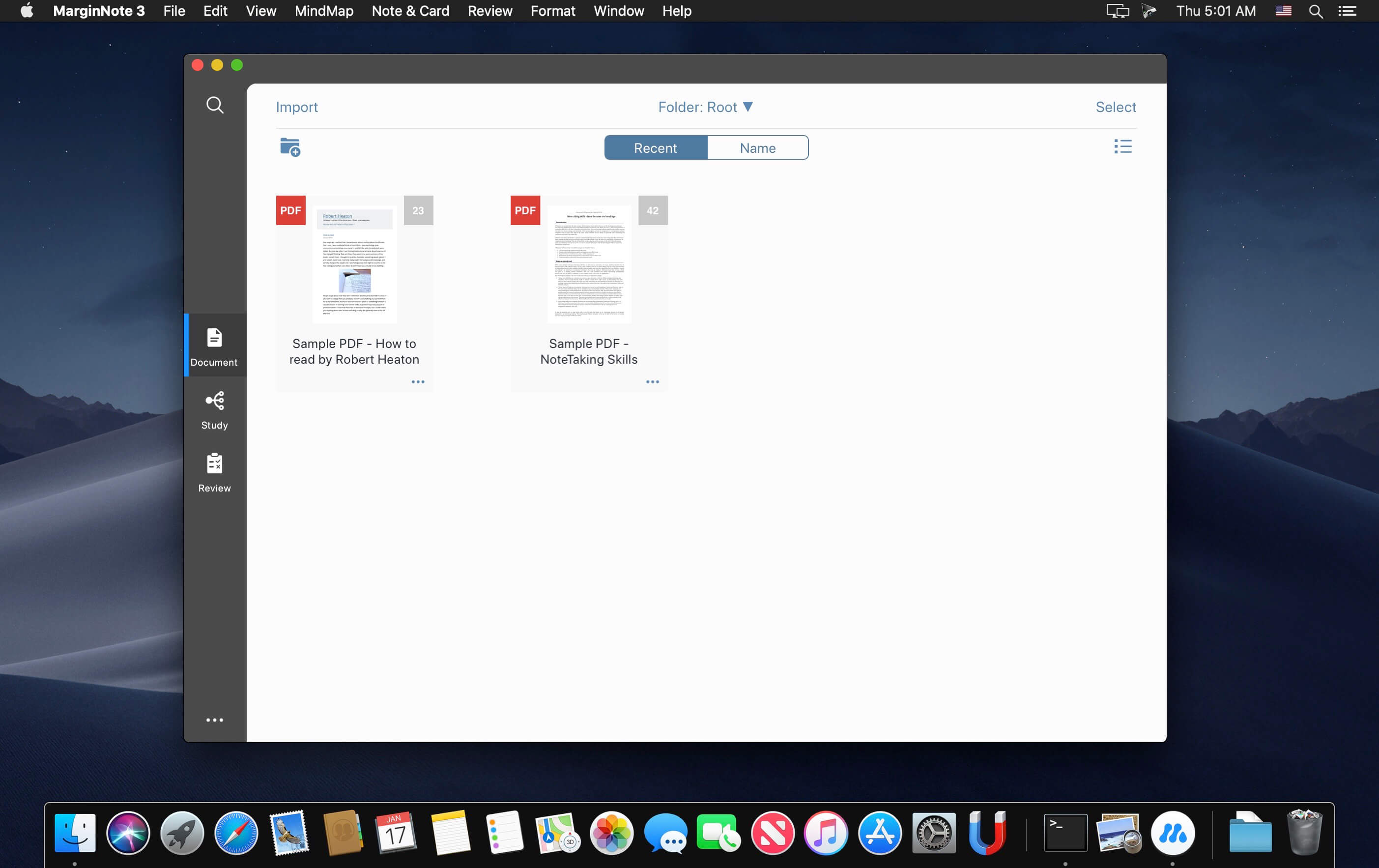
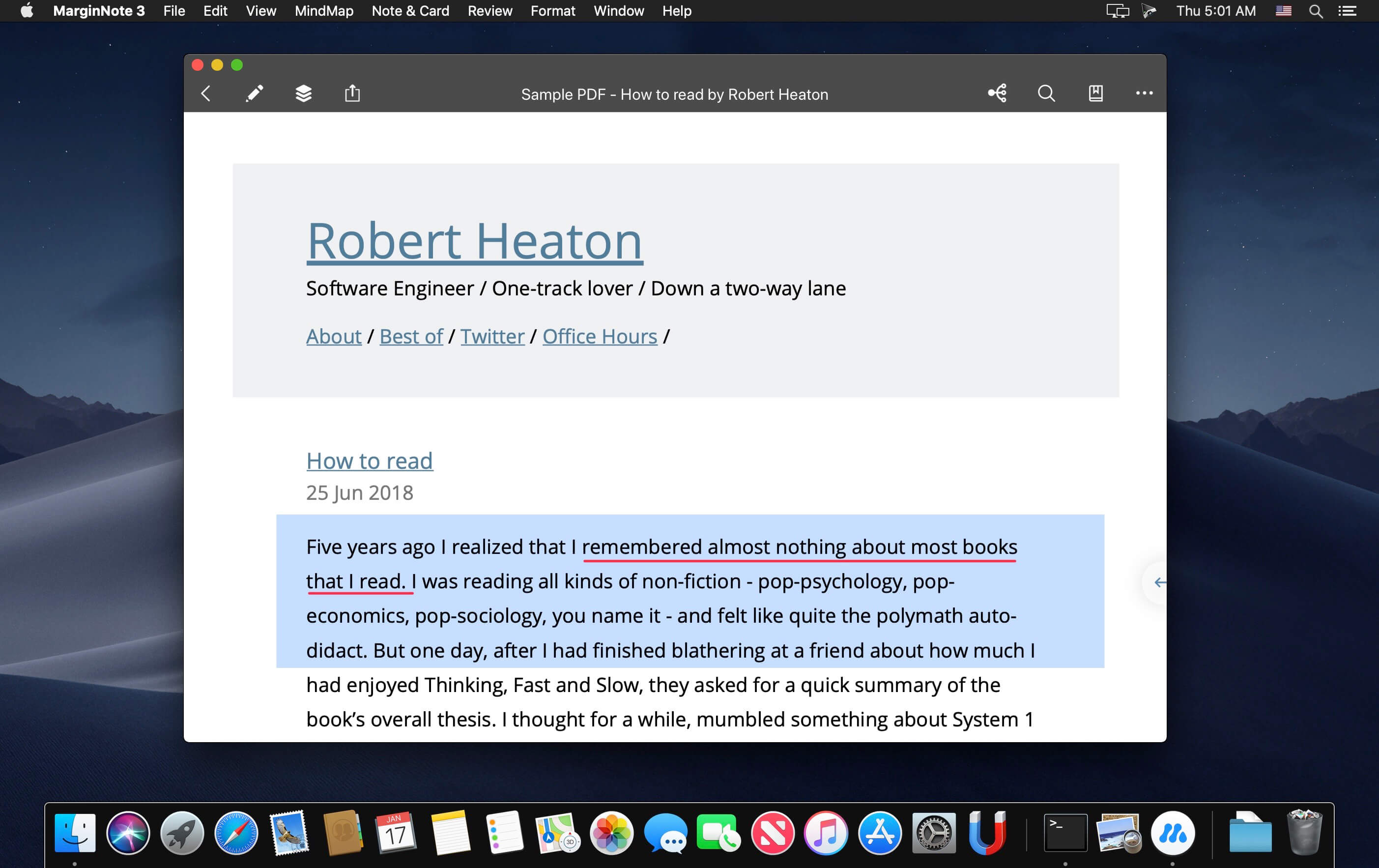
MarginNote is a powerful reading tool for learners. Whether you are a student, a teacher, a researcher, a lawyer or someone with a curious mind to learn, MarginNote can help you quickly organize, study and manage large volumes of PDFs and EPUBs.
All in one learning app enables you to highlight PDF and EPUB, take note, create mind map, review flashcards and saves you from switching endlessly between different Apps.
What’s New:
Version 3.4.9:
Release notes were unavailable when this listing was updated
Type Fu teaches you how to type faster without looking at the keyboard, letting you hone your touch-typing skills.
TYPE FU FEATURES
UNIVERSAL. The app is suitable for all age groups and skill levels. You can be a beginner, intermediate or advanced typist. Even if you took typing classes before, but it never sank in, Type Fu will help you refresh your skills and take them to the next stage instantly.
PACKED WITH ENGAGING EXERCISES. Type Fu is fun to use! Lessons vary from simple letters, numbers and words to proverbs and quotes of great thinkers of the past. Basic lessons (letters, numbers, words) are generated programatically so that you will never see the same exercise twice.
MULTIPLE LEVELS OF DIFFICULTY. Should you start from the very beginning, or do you want to just polish your type-fu a tad? Figure out your initial skill level and start practicing right away, until your fingers are a blur!
MULTIPLE KEYBOARD LAYOUTS. English language users can choose between following layouts: Qwerty, Dvorak, Colemak, Workman, Norman, Qwertz, Azerty. German language users can choose between: German Qwertz and Swiss Qwertz layouts.
ADAPTIVE. Type Fu is smart: when you are making an outstanding progress, it can automatically increase the level of difficulty to keep you on your toes while improving the skill.
VISUAL AND AUDIO HINTS. Type Fu assists in a non-obtrusive way. Various indications of hitting or missing the right keys are helpful, pertinent, don’t get in the way and can be disabled.
EASY PROGRESS TRACKING. Type Fu helps you perfecting the skill of touch typing by visualizing your progress. You will be able to easily tell from the pretty charts exactly how much better your typing speed and accuracy become, and which keys your miss most.
FULLY INTEGRATED WITH YOUR MAC. Get the top-notch user experience offered by Mac computers. Type Fu supports Retina displays, process sandboxing, automatic updates via Mac App Store and full-screen mode.
What’s New:
Version 4.6.0
“Stats -> General -> Average speed” meter
“Stats -> General -> Average accuracy” meter
ABC-Extended keyboard layout
Show detailed stats when user clicks “Speed & Accuracy” chart node
Show detailed stats when user clicks a heat map key
Increase the precision of the “Auto-increment level” sliders in the app preferences to 1 unit
Add “#” char to “Qwerty British (Mac)”, “Qwertz Hungarian (Mac)” and “Turkish (Mac)” layouts
Now the popularly accepted version of Master of Typing is available in Chinese! It’s an effective TOUCH typing course that uses the fastest method for Chinese input – Pinyin.
MASTERING TYPING TECHNIQUE: 1. Typing speed test at the beginning Checking the level of your proficiency
2. Variety of exercises Typing common words and special characters
3. Control tasks (exams) for checking skills
4. Colored keyboard’s scheme Better memorization of key positions
5. Detailed stats of your progress
6. Helpful information To obtain maximum benefit from each lesson
7. Hotkeys and swipes on the magic mouse Quickly switching between windows
8. Self-study at any time Learn to type in Chinese faster!
What’s New:
Version 3.2.2
We fixed minor bugs and made general improvements to make the app better for you. Please continue to send your feedback to help us improve the app in future updates.
Download movies on Mac with VideoDuke! It supports all popular video websites and will save your videos in various file formats. You can also download streaming videos on Mac at a pleasantly fast speed and with great quality.
You can download any video you like in a click! Simply paste the link to the video and VideoDuke will do the rest.
In Simple mode you are getting quick access to music videos, movies, TV shows, cartoons available from Vimeo, YouTube, and Dailymotion. Files can be saved as 3GP, MP4, M4V, FLV and in a preferred resolution: 360p, HD 720p, HD 1080p or other.
Download Full YouTube Playlists and Channels
With VideoDuke you’ll be able to save complete channels and playlists off YouTube. Just as with separate videos, you can select quality for each video: 1440p, 1080p, 720p, 480p, 360p, 240p, or 180p.
MP3 Downloader
VideoDuke will also download YouTube videos as audio files. No conversion needed – you will simply get a soundtrack instead of the original YouTube clip. The app keeps the audio track title and album art and can save files as WebM, MP3 or other available formats.
Friendly Mac video downloader
Using VideoDuke is easy and intuitive – just type your search words in the app to find the videos you’ll download from the web. You can also search for videos in the web browser – VideoDuke supports all popular video websites, such as YouTube, Dailymotion, Vimeo with quick access buttons.
Download all files related to a video
In an advanced mode of VideoDuke you get more profound options when downloading content. For example, you can see all resources fetched from the web page, including video, audio, Flash animation, images, etc. Switch to a needed tab to see exactly the types of files you need to download.
Create Your Own Worksheets. Quickly and Easily. Make the perfect teaching templates, worksheets and class tests for your primary & special students in just a few clicks. Craft your own worksheets in a few clicks. It’s fun to use, tested by 1000+ teachers, and as familiar as Microsoft Word.
Features
Easy & Fun to Use
Craft your own worksheets in a few clicks. It’s fun to use, tested by 1000+ teachers, and as familiar as Microsoft Word.
Numerous Templates
Choose from professional exercises templates designed by teachers, or modify the designs with your own text.
Smart Exercise Generator
Automatically generate and tweak your templates in a few clicks, or manually create exercises whenever you want.
2300+ Clip Art Images
Freely design your worksheets using built-in clip art, speech bubbles and more. Comes with 2000+ FREE clip art designs out of the box. Find out more.
Differentiate Your Designs
Every class is different. Individualize your worksheets on the fly to meet your classroom’s individual needs.
Export to MS Word
If you use Microsoft Word, you can export full or partial worksheets into MS Word with one click.
Exchange with Other Teachers
Share your worksheets with colleagues and teachers online, and access thousands of other teacher-created templates. Join the marketplace today.
Crafted by Teachers for Teachers
Handcrafted in close cooperation with thousands of teachers who use it daily in today’s classrooms.
Regular Updates and Support
We take support seriously! We provide continual software updates to make your life easier. Contact us for help and suggestions at any time.
For Mac & Windows
Worksheet Crafter works both on Mac and Windows computers.
Use Self-Control Items
Give your students the possibility to control their results on their own. For you this just requires a few clicks.
Optionally like hand-drawn
Do you prefer your worksheets in a more creative style? With a single click you can print your worksheets as if they where hand-drawn.
Record Lectures was Featured by Apple in “Best New Apps” and as one of the best apps for ” Back to school”
Record Lectures was built with the purpose of allowing anyone who records lectures, meetings and conversations to be able to store them in a calendar and be able to share these recordings easily.
Record Lectures is a must have app for everyone who is going to school or attends conferences or meetings. Record Lectures allows students and business people to record and file lectures and presentations away into a neatly organized calendar marked by subject (topic).
The simplicity of operation of this app truly makes it a great tool. Seeing the lectures noted on the calendar for reference certainly makes it really organized and easy to find again and play back.
Record Lectures will make a big difference in your daily life when it comes to finding and using your recordings actively in your studies and business activities.
Stop tabbing to translation websites and start using Mate! Select text in any app and translate it. Join the other 550,000 users worldwide that are already using Mate.
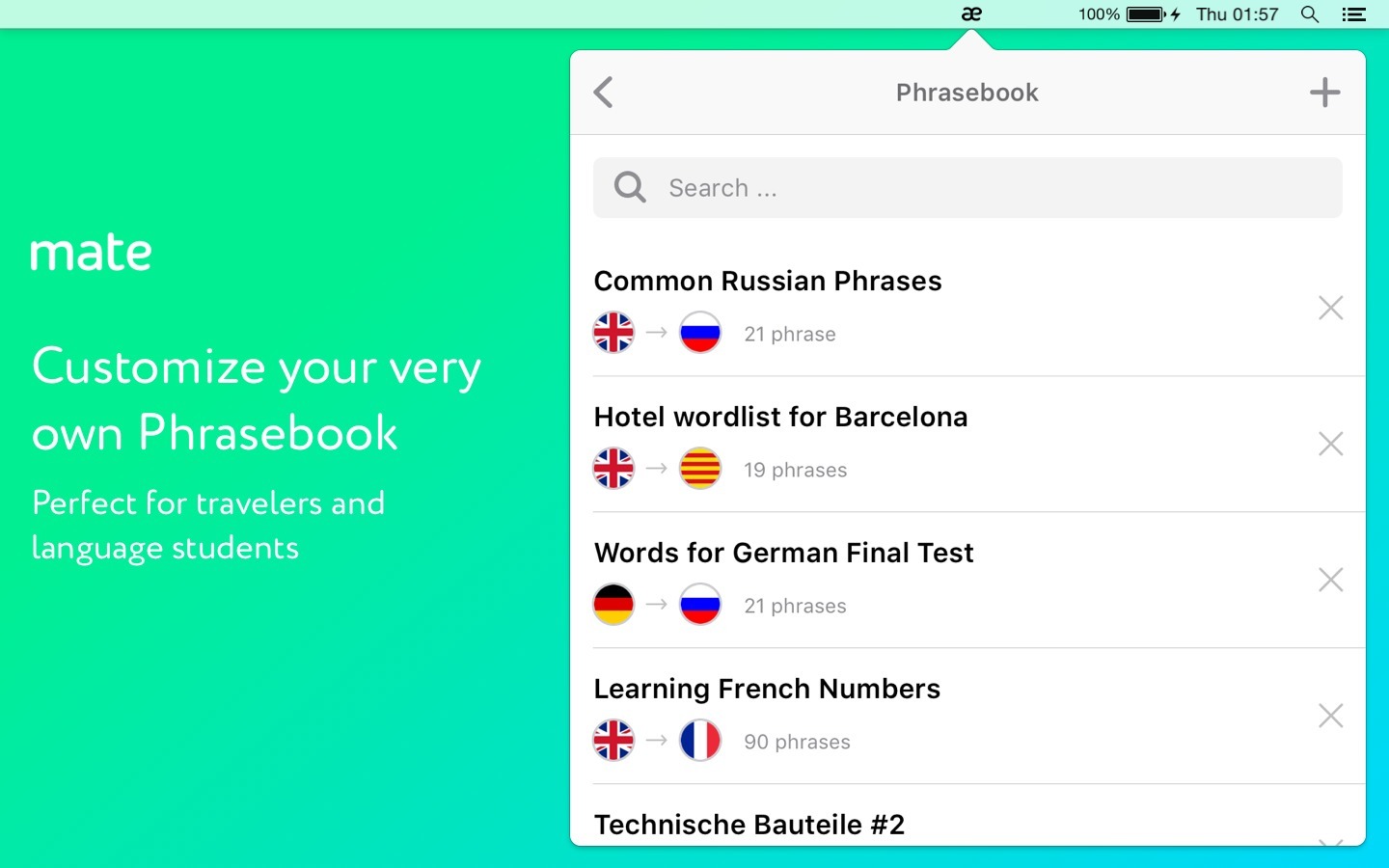
Mate can understand 103 languages! Easily and quickly translate words & text by selecting them in any other app. Create your own personal Phrasebook and keep a dictionary of other countries’ words handy whenever you need it!
Right-click on selected text in almost any app to translate it.
Press AltShiftT to translate your clipboard.
Press AltShiftT to open Mate above all opened apps, too.
Stop using tons of different language apps to help you translate and just use Mate!
MATE TRANSLATE FEATURES:
TRANSLATE DIFFERENT LANGUAGES
Mate understands 103 languages and also teaches you how to pronounce words correctly.
Get translations for Spanish, French, Japanese, Italian and more!
See the phonetic transcription and transliteration of words and text.
Mate can speak out words and texts with correct accents to help you learn faster.
CREATE A CUSTOM PHRASEBOOK
Language learners and travelers! Create custom word lists each language and keep them handy whenever you need.
Mate Phrasebook Easily create and curate word lists which are available even offline.
USE MATE ANYWHERE
Don’t navigate to translation websites anymore when you’re reading an article in Safari or editing a document in Pages. Just use Mate everywhere you go!
Select any text in any app and get a translation by hitting the “Translate with Mate“ button in the context menu.
SYNC TRANSLATIONS ACROSS ALL DEVICES
Keep all of your translation and dictionary data synchronized across all your devices.
Automatically synchronize your data between all your iPhones, browsers and Macs.
No matter what you need translated, a word, a book or a friends’ message, no compromise! Now “Mate it,” will mean, “Come on man, just use this awesome app and forget about using translation websites.” Use Mate for all your translation needs!
Download Mate today to get your ultimate translation helper!
Type Fu is an app that will teach you how to type fast. The right way. On your Mac.
Visit type-fu.com for online demo.
TYPE FU FEATURES
UNIVERSAL
The app is suitable for all age groups and skill levels. You can be a beginner, intermediate or advanced typist. Even if you took typing classes before, but it never sank in, Type Fu will help you refresh your skills and take them to the next stage instantly.
PACKED WITH ENGAGING EXERCISES
Type Fu is fun to use! Lessons vary from simple letters, numbers and words to proverbs and quotes of great thinkers of the past. Basic lessons (letters, numbers, words) are generated programatically so that you will never see the same exercise twice.
MULTIPLE LEVELS OF DIFFICULTY
Should you start from the very beginning, or do you want to just polish your type-fu a tad? Figure out your initial skill level and start practicing right away, until your fingers are a blur!
MULTIPLE KEYBOARD LAYOUTS
English language users can choose between following layouts: Qwerty, Dvorak, Colemak, Workman, Norman, Qwertz, Azerty. German language users can choose between: German Qwertz and Swiss Qwertz layouts.
ADAPTIVE
Type Fu is smart: when you are making an outstanding progress, it can automatically increase the level of difficulty to keep you on your toes while improving the skill.
VISUAL AND AUDIO HINTS
Type Fu assists in a non-obtrusive way. Various indications of hitting or missing the right keys are helpful, pertinent, don’t get in the way and can be disabled.
EASY PROGRESS TRACKING
Type Fu helps you perfecting the skill of touch typing by visualizing your progress. You will be able to easily tell from the pretty charts exactly how much better your typing speed and accuracy become, and which keys your miss most.
FULLY INTEGRATED WITH YOUR MAC
Get the top-notch user experience offered by Mac computers. Type Fu supports Retina displays, process sandboxing, automatic updates via Mac App Store and full-screen mode.
PAY ONCE, USE ANYTIME AND ANYWHERE
The app does not require recurring payments and constant network connection unlike online typing tutors. Once you pay for it, it’s yours forever. Educational instituations and companies can buy multiple licenses with 50% discount via the Apple Volume Purchase Program.
Information
CompatibilityOS X 10.10.0 or later, 64-bit processor
Download movies on Mac with VideoDuke! It supports all popular video websites and will save your videos in various file formats. You can also download streaming videos on Mac at a pleasantly fast speed and with great quality.
You can download any video you like in a click! Simply paste the link to the video and VideoDuke will do the rest.
In Simple mode you are getting quick access to music videos, movies, TV shows, cartoons available from Vimeo, YouTube, and Dailymotion. Files can be saved as 3GP, MP4, M4V, FLV and in a preferred resolution: 360p, HD 720p, HD 1080p or other.
Download Full YouTube Playlists and Channels
With VideoDuke you’ll be able to save complete channels and playlists off YouTube. Just as with separate videos, you can select quality for each video: 1440p, 1080p, 720p, 480p, 360p, 240p, or 180p.
MP3 Downloader
VideoDuke will also download YouTube videos as audio files. No conversion needed – you will simply get a soundtrack instead of the original YouTube clip. The app keeps the audio track title and album art and can save files as WebM, MP3 or other available formats.
Friendly Mac video downloader
Using VideoDuke is easy and intuitive – just type your search words in the app to find the videos you’ll download from the web. You can also search for videos in the web browser – VideoDuke supports all popular video websites, such as YouTube, Dailymotion, Vimeo with quick access buttons.
Download all files related to a video
In an advanced mode of VideoDuke you get more profound options when downloading content. For example, you can see all resources fetched from the web page, including video, audio, Flash animation, images, etc. Switch to a needed tab to see exactly the types of files you need to download.