Football Manager 26 v26.0.5

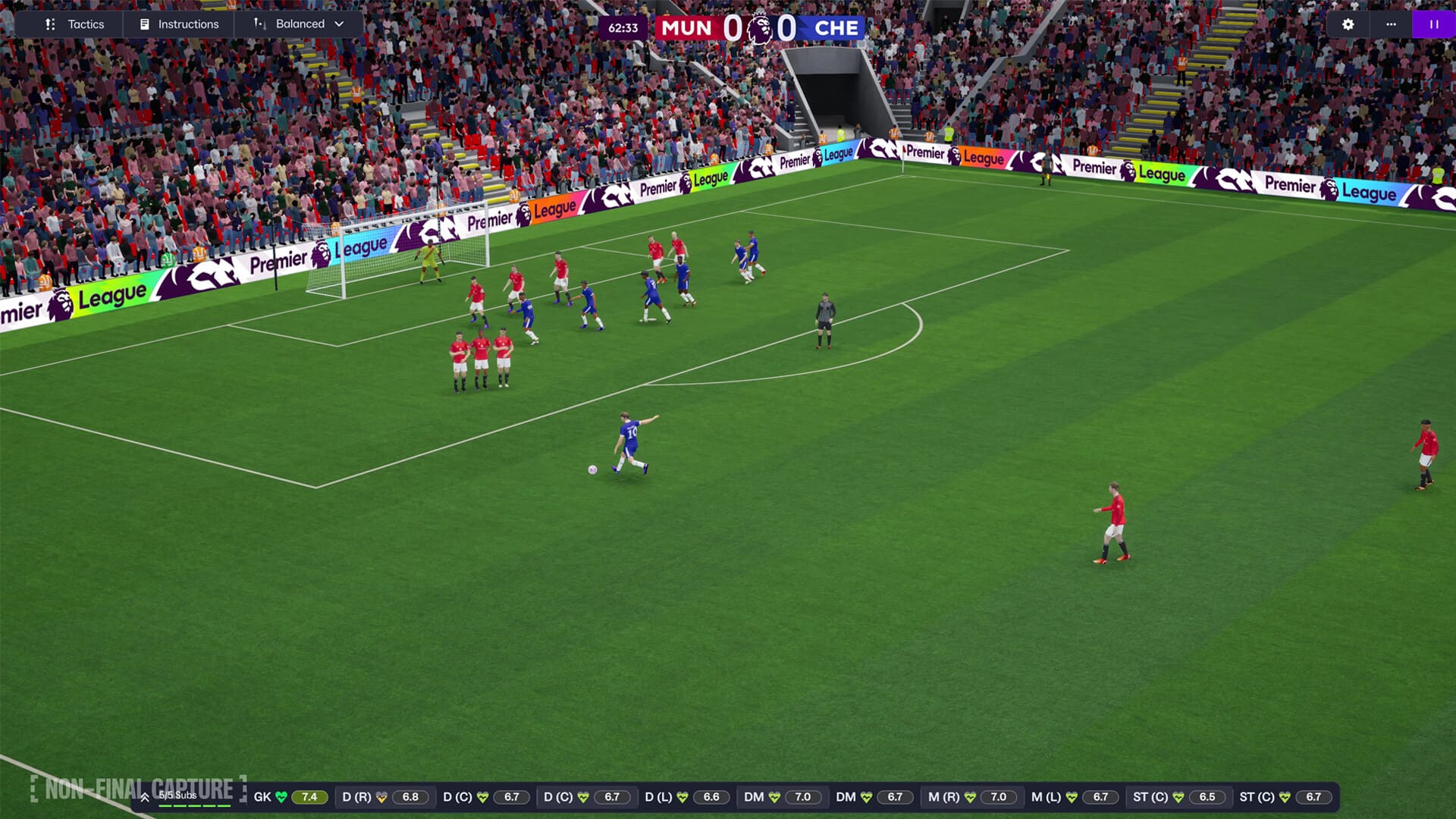
FM26 takes you on a journey to define your football dynasty. Enhanced graphics are only the beginning of a more immersive and tactically-rich experience – creating a new footballing reality that’s authentically shaped by you.

New foundations set the stage for you to define your football destiny. Made with the Unity engine, FM26 is the legacy, redefined and where storytelling evolves.

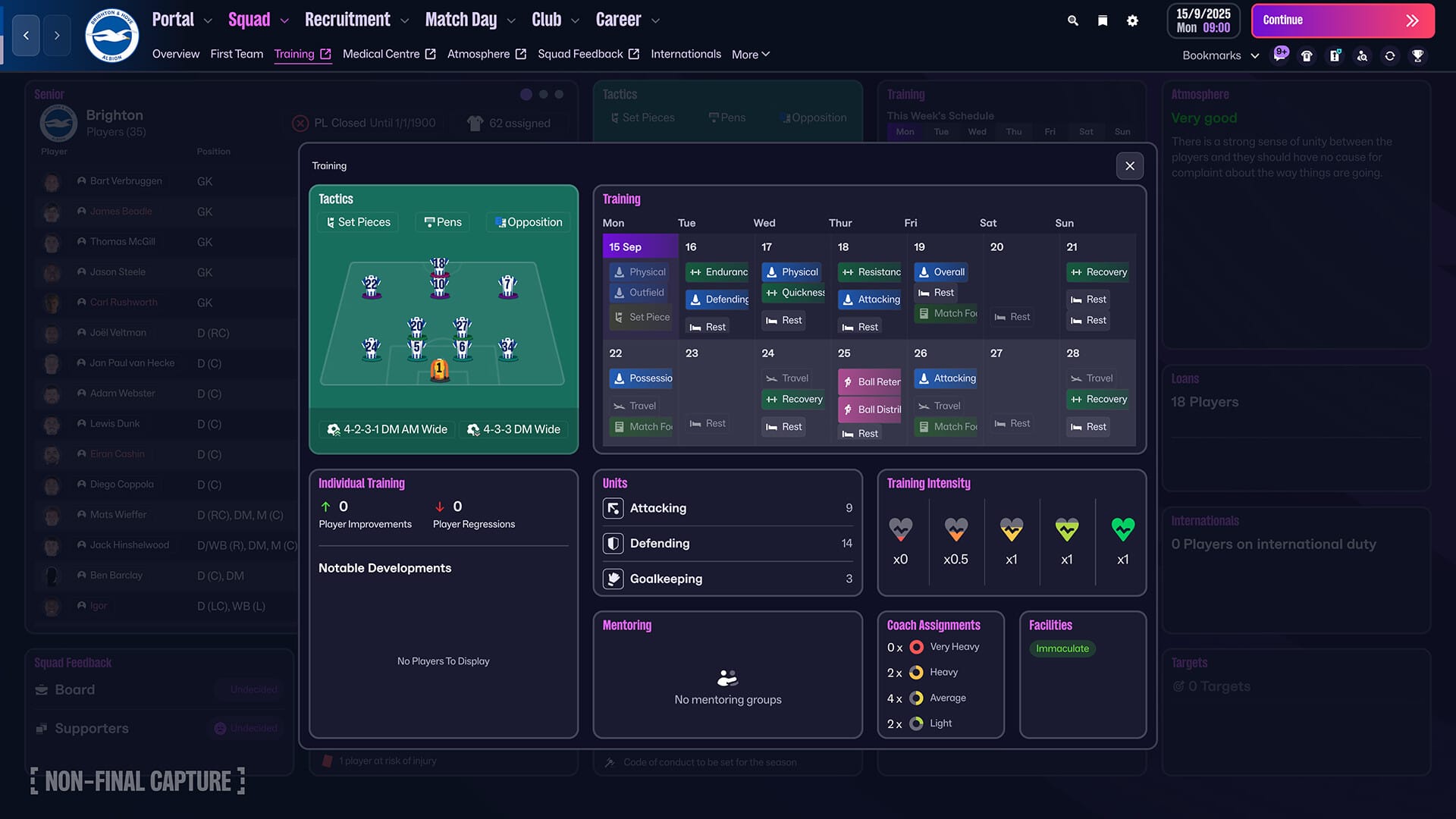
A reimagined interface and more immersive match day experience brings you closer to the action and combine to elevate every match-defining moment.

Transform your squad with advanced transfer tools and craft your footballing philosophy like never before with new innovations that deliver unrivalled game-changing tactical realism

OUR RICHEST MATCH DAY EXPERIENCE

  • Savour the richest Match Day experience in series history, bringing new levels of depth and drama to every match with enhanced player movement and greater on-pitch detail.
  • Feel the adrenaline of a weaving run, inch-perfect through ball and unforgettable, last-gasp title winner with more personality thanks to fresh motion capture and volumetric animations.

THE PREMIER LEAGUE JOINS THE ACTION

  • Compete at the pinnacle of English football as the Premier League debuts with fully-licensed club badges, kits and official player photos.
  • Authenticity reaches new heights as you pursue the biggest prize in domestic football with the full broadcast experience from the best seat in the house.

ADVANCED TACTICAL INNOVATION

  • Exercise unparalleled control over how your team plays across every area of the pitch with the introduction of distinct In and Out of Possession formations.
  • Redefined player roles and a dynamic visualiser that shows how your team shapes up in different scenarios levels up your pre-match prep game in, game out.

TOTAL FOOTBALL, TOTAL CONTROL

  • An overhauled UI primed for the modern manager offers a cleaner look-and-feel, with the new Portal bringing together every aspect of your footballing world.
  • Tailor your game to your priorities with the introduction of quick link Bookmarks and learn more about the beautiful game with an overhauled Search and new FMPedia glossary.

INTRODUCING: WOMEN’S FOOTBALL

  • Explore a new world of possibilities as the women’s game debuts, seamlessly integrated into FM as one footballing world.
  • With 14 playable leagues from 11 nations, including the Women’s Super League and National Women’s Soccer League, there are fresh challenges and new talents to discover in each career.

TRANSFORMATIVE TRANSFER TOOLS

  • Harness the power of TransferRoom™ to smartly shape your title-winning squads season after season.
  • Broadcast your recruitment priorities with Requirements and gain direct insight into your rivals’ needs with Pitch Opportunities, giving you more targeted control over every signing and sale.

YOUR MANAGER, YOUR WAY

  • Express more of your personality and style in every career with a revamped manager creation experience.
  • Craft your look with an enhanced character creator before developing a career backstory that’s unique to you and uniquely influential on your life in the dugout.

Compatibility: macOS 11.0 or later
Homepage https://www.footballmanager.com/

Screenshots

Name: Football.Manager.26.v26.0.5.2234962_Mac-torrents.Net.zip
Size: 6.29 GB
Files Football.Manager.26.v26.0.5.2234962_Mac-torrents.Net.dmg[6.29 GB]


   Download Torrent

App Cleaner & Uninstaller Pro 9.0.2

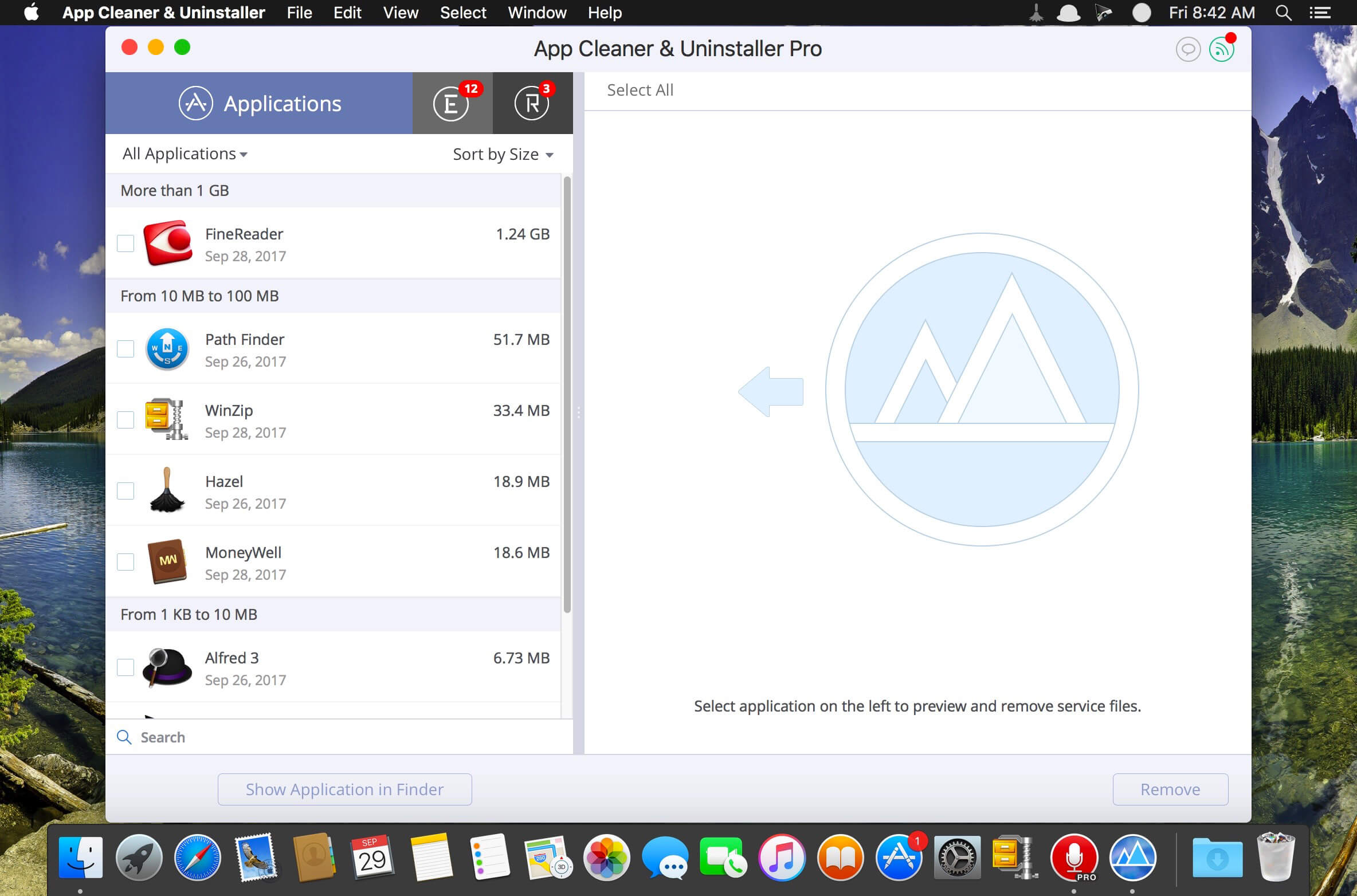
Preview Installed Applications and Remove Service Files to Complete Uninstall.
App Cleaner 7 – The best app to remove applications service files on macOS and uninstalling applications*.

Delete application’s service files. Make sure they aren’t eating up precious space on your Mac with this helpful app that does the legwork for you.
Disable unneeded login items to launch Mac faster.
Get PRO features and remove even System Extensions.

Main Gained Value – Speed up Your Mac by: 

  • deleting apps’ files taking performance resources
  • deleting debris of apps that were simply put into Trash
  • managing all types of service files (caches, logs, preferences, etc.)
  • removing unneeded System Extensions
  • removing login items and disabling startup programs

Main Advantage: App Cleaner deletes Remains (or leftovers) – files of previously removed apps.
Thus, you uninstall applications completely.

Main Features: 

  • Scan the system and preview installed applications
  • Remove all types of service files
  • Remove remains of previously uninstalled apps
  • Reset application to a first-launch state
  • Preview launch agents and system daemons
  • Preview login items
  • Disable launch agents and login items
  • •ind and preview installed System Extensions
  • Remove System Extensions
  • Easy-to-use shortcuts
  • Any file or app quick preview
  • Specific app-associated file formats preview
  • In-app help assistance
  • Show unused applications
  • Skip list option

How to Uninstall an application using App Cleaner:

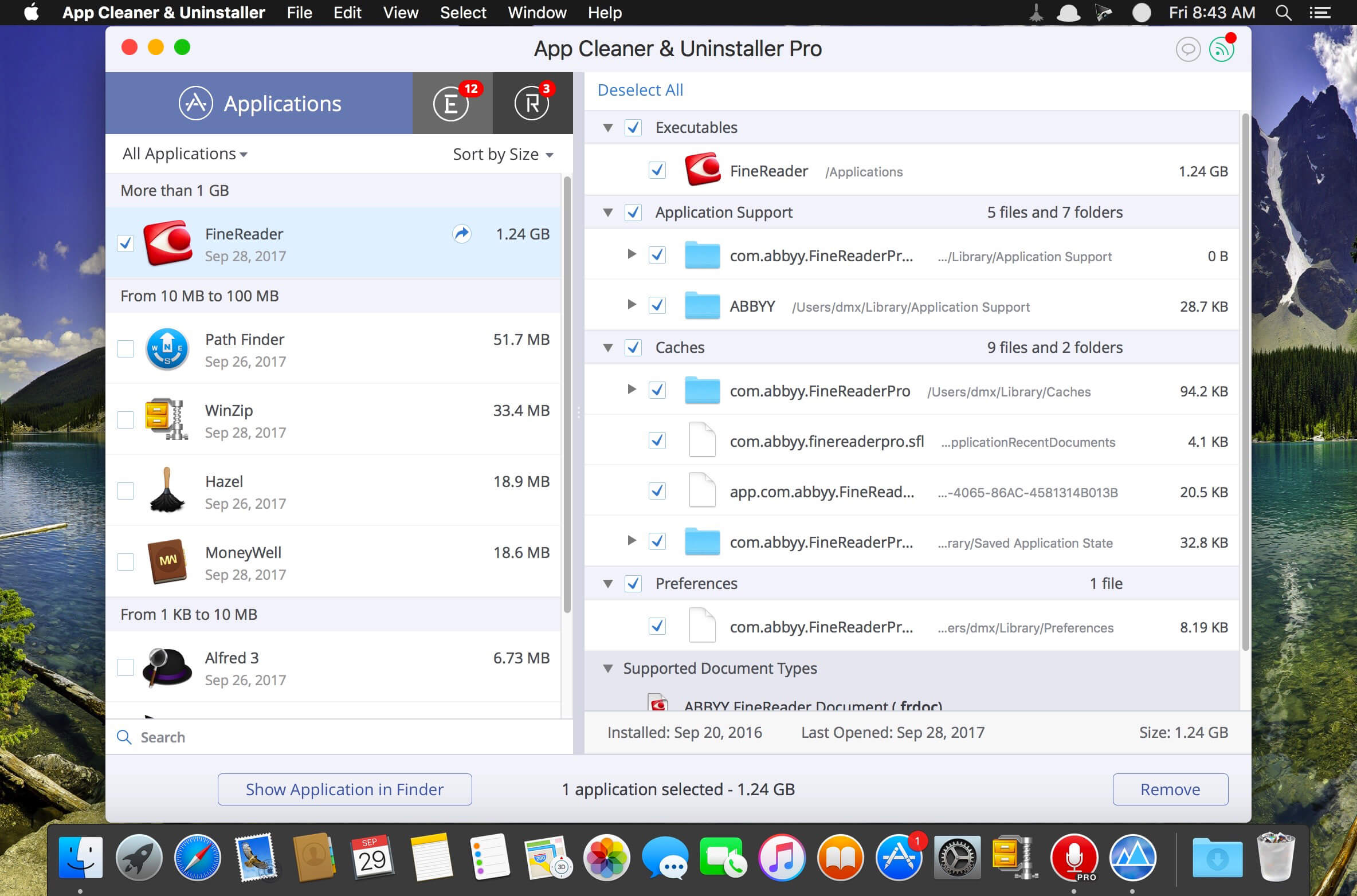
  1. Launch App Cleaner.
  2. Scan all applications for service files.
  3. Choose unneeded application (left view). In-app purchase required.
  4. Select all its’ service files on right view.
  5. Click Remove.
  6. If some apps were not removed, due to access rights, switch to Finder and move them manually to Trash*.

*Some applications can not be removed because they require administrator privileges. In this case, switch to the Finder and delete the application file in usual way.

PRO mode required to:

  • Remove executable part of applications
  • Remove system extensions
  • Disable ads

FREE mode allows to:

  • Preview all installed apps
  • Preview service files for apps
  • Remove service files for apps
  • Reset apps to first-run state
  • Preview installed extensions and widgets
  • Disable launch agents and startup items
  • Remove Remains – broken service files

Top In-App Purchases : PRO Version – included
Compatibility: macOS 10.13 or later
Homepage https://nektony.com/

Screenshots


Name: App_Cleaner_9.0.2_Mac-torrents.Net.dmg
Size: 41 MB
Files App_Cleaner_9.0.2_Mac-torrents.Net.dmg[41 MB]


   Download Torrent

Millumin 5 v5.12.t

Millumin 5 v5.12.s macOS
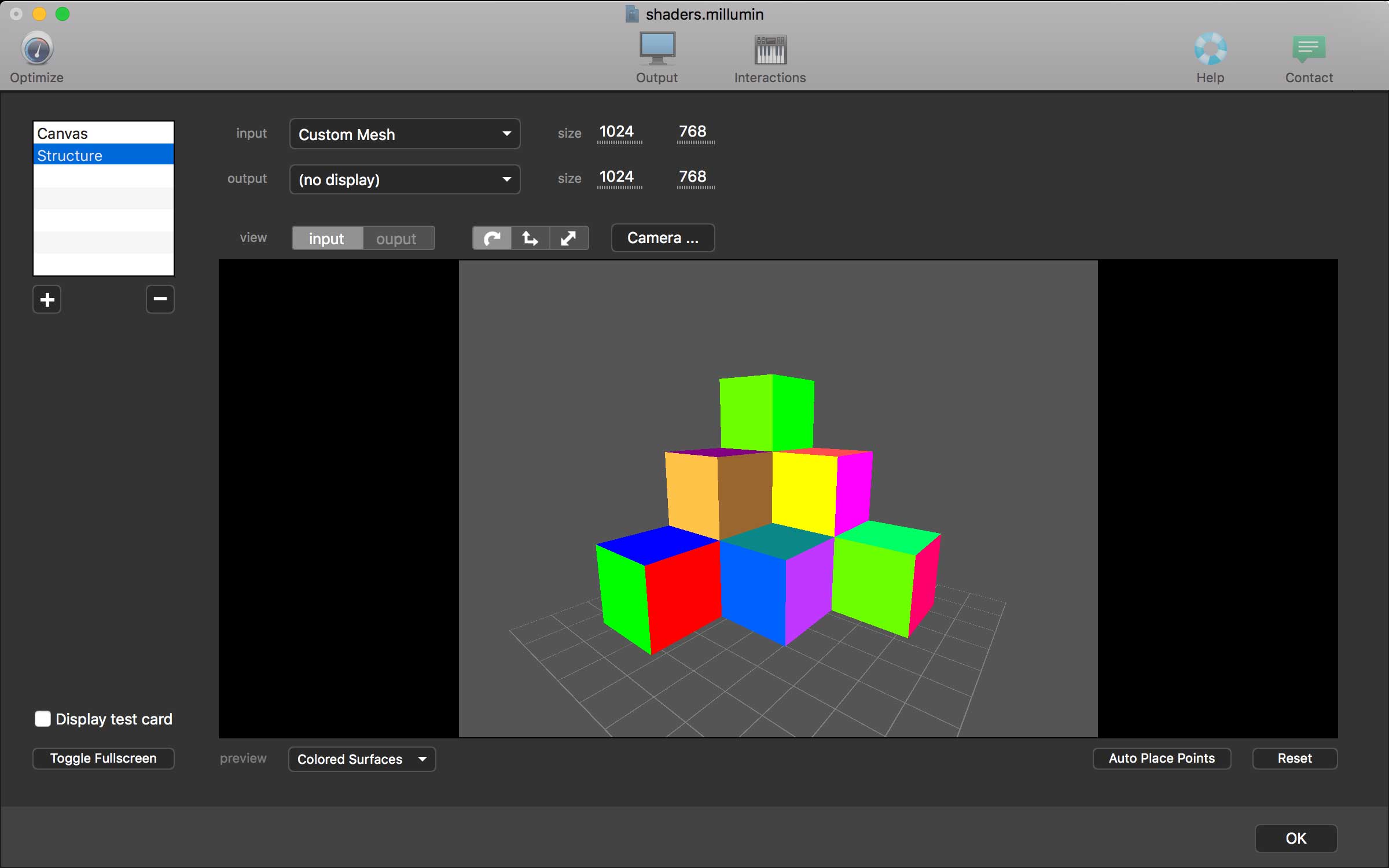
Millumin – create audiovisual and interactive shows, Theater, Dance, Videomapping, Interactive installation. Millumin is a creative solution to bring your ideas to life. It is tailored to play your live show and tell your story.

What’s New:

Version 5 v5.12.t:

Name: Millumin5_5.12.t_Mac-torrents.Net.dmg
Size: 119 MB
Files Millumin5_5.12.t_Mac-torrents.Net.dmg[119 MB]


   Download Torrent

Screen Recorder by Omi 1.3.21

Screen Recorder for Mac is a powerful tool that allows you to quickly and easily capture your computer screen in high-quality video format. With just one click, you can record the full screen, a designated area, or footage from your camera. Your recordings will be saved in MP4 format, making it easy to share with others.

Key Features:
* Full Screen Recording
* Area Recording
* Camera Recording
* Window Recording
* Voice Recording
* Camera Picture-in-Picture
* Camera Virtual Background (for macOS 12.0 and above)
* System Sound Recording (with separate sound driver plugin download and installation required)
* Mouse Click Event Recording
* Customizable Recording Screen Size
* Selectable Frame Rate
* Adjustable Recording Resolution
* Specified Recording Duration
* Built-In Video Editor
* Customizable Shortcut Keys

Top In-App Purchases: Full (PRO) Version – included

Compatibility: macOS 10.13 or later
Mac App Store https://geo.itunes.apple.com/app/id1592987853

Name: OmniRecorder_1.3.21_Mac-torrents.Net.dmg
Size: 22 MB
Files OmniRecorder_1.3.21_Mac-torrents.Net.dmg[22 MB]


   Download Torrent

Scapple 1.5.4

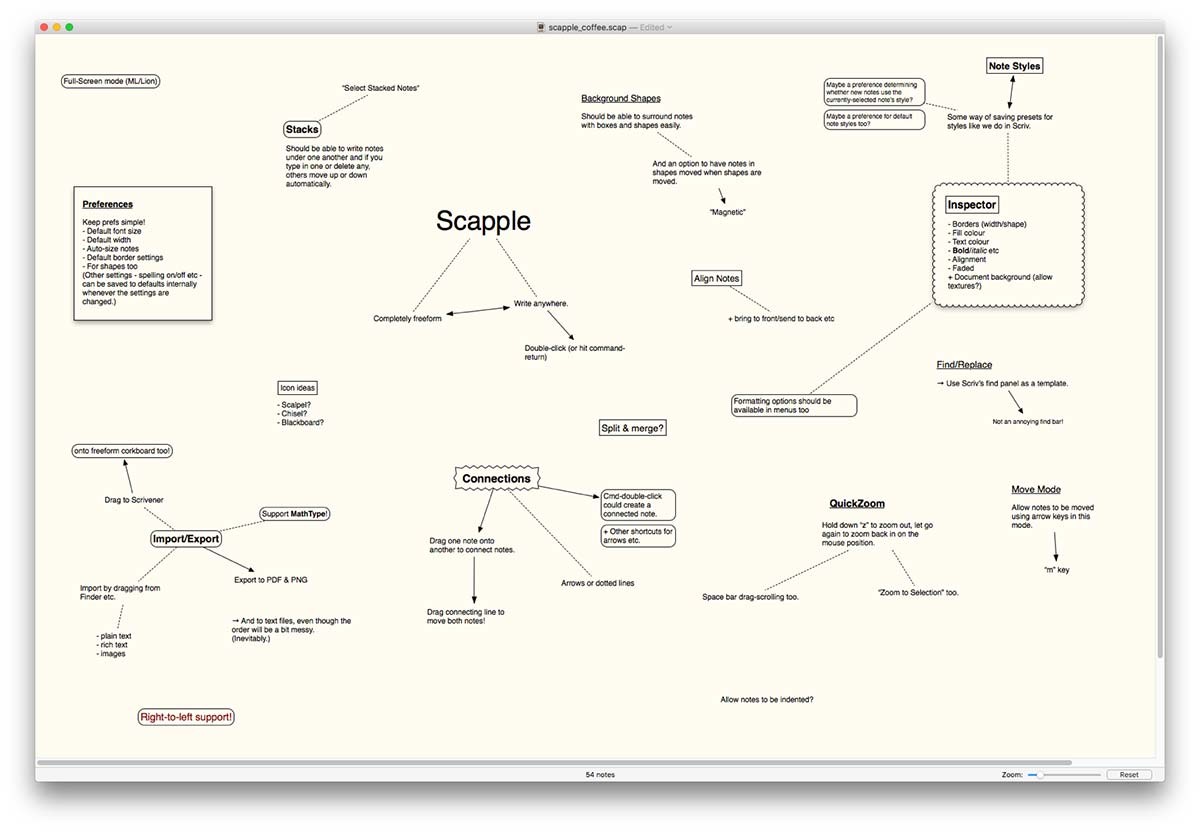
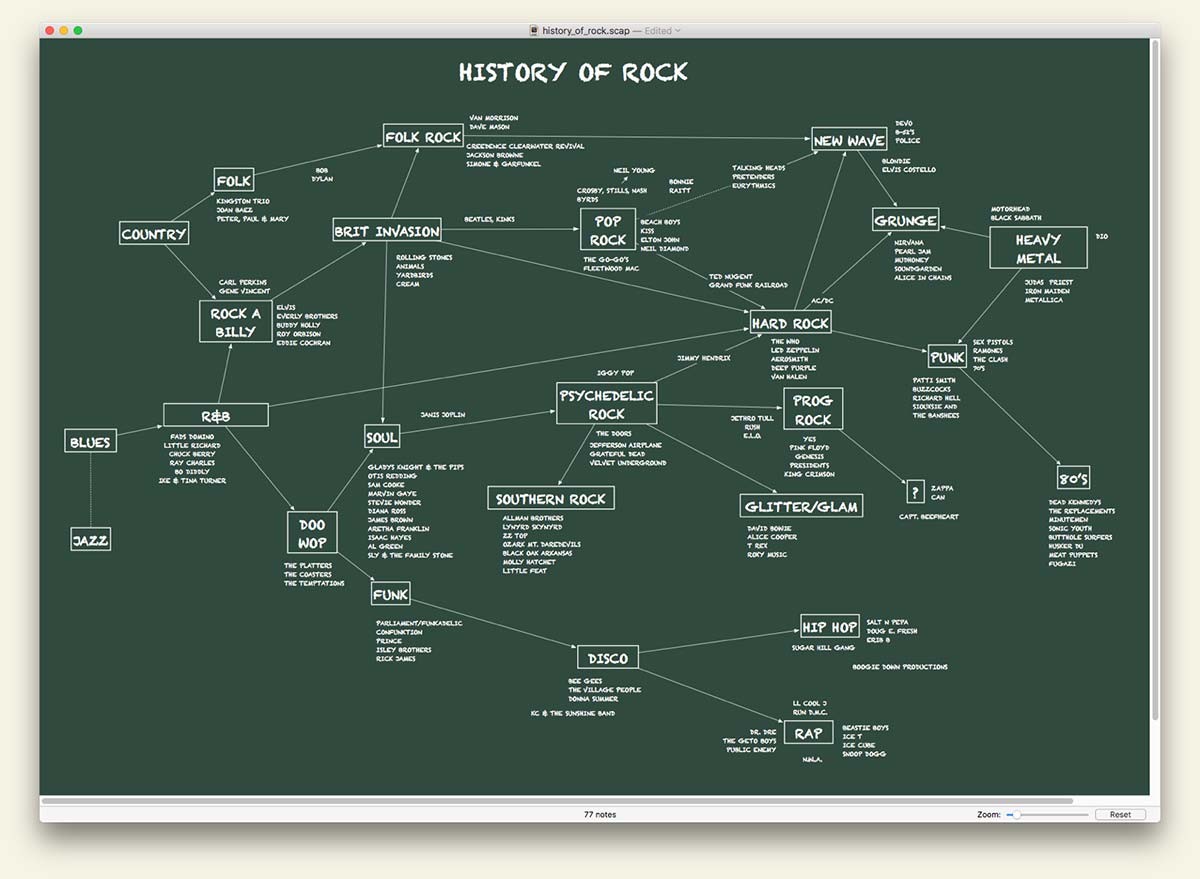
Scapple is the software equivalent of how I work out my rough ideas on paper. (If I didn’t hate the word “brainstorming” so much, I’d probably call it brainstorming software.) When I’m in the early stages of any project, whether that’s a writing project or a software project, I tend to throw a bunch of ideas down on a big piece of paper, spacing out as-yet unrelated ideas, clustering related notes, and drawing connections between them, trying to work out how everything fits together.

In short, then, Scapple is a tool for getting early ideas down as quickly as possible and making connections between them. The main advantage of doing this in Scapple instead of on paper is that you don’t run out of paper (the Scapple canvas expands to fit as many notes as you want to create), you can move notes around to make room for new ideas and connections, it’s easy to delete and edit notes, and it’s easy to export your notes into other applications when you know what you want to do with them.

I’m well aware that there’s already a plethora of mind-mapping software out there. Where Scapple is slightly different from most is that it doesn’t force you to make any connections, and it doesn’t expect you to start out with one central idea and branch everything else off that. Instead, you are free to write anywhere on the virtual paper and individual notes can be a short or as long as you like. Creating and removing connections is as easy as dragging one note onto another. Most importantly, because its purpose is to allow you to get ideas down and make connections between them quickly, Scapple is dead simple to use. Although I’m currently writing a full manual for it, the QuickStart Guide a little further down should contain everything you need to dig in and get using Scapple.

Compatibility: macOS 10.10 or later
Homepage http://www.literatureandlatte.com/scapple/overview

Screenshots


Name: Scapple_1.5.4_Mac-torrents.Net.dmg
Size: 23 MB
Files Scapple_1.5.4_Mac-torrents.Net.dmg[23 MB]


   Download Torrent

Moom 4.4

Moom is a simple Mac app that can help you take advantage of all your desktop space without having to waste time manually resizing or arranging windows. The app allows you to move your window by using predefined templates, and then enables you to save the current layout for later use.

By default, Moom is running as a standard application (you can find its icon in the Dock), but via the Preferences window, you can choose to switch to the menu bar app, or decide to hide its menus altogether (the app tools can be activated with a hotkey).

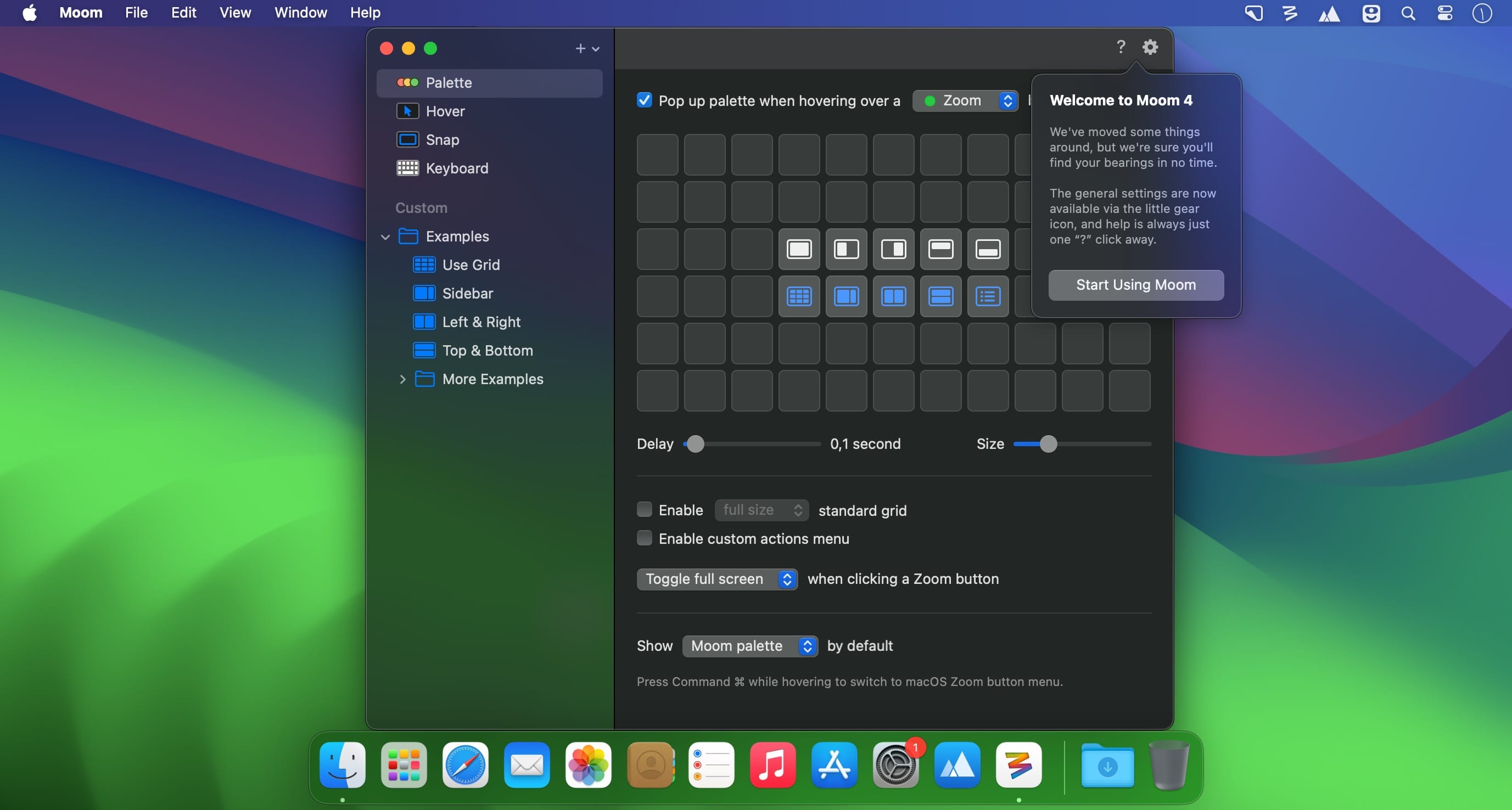
Moom comes with a collection of predefined window movement patterns that can be accessed by hovering the pointer over the maximizing button of any window. You can move windows by using the arrow keys, or resize them by making use of the Moom windows grid.

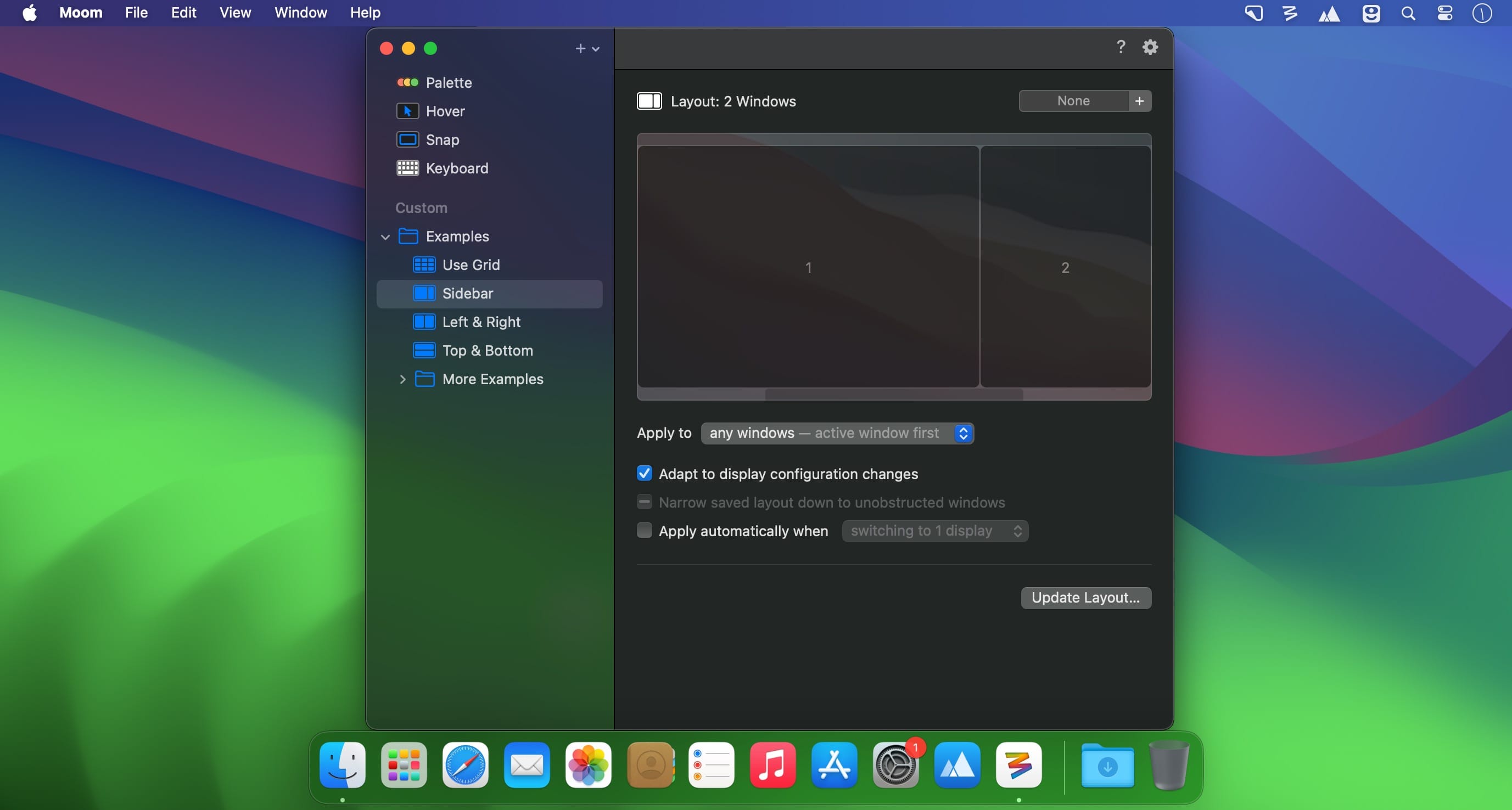
The best part is that you must work on creating a specific window arrangement only once: Moom is able to save the current windows position and then allows you to activate the layout any time you need. This function is extremely useful because you can define layouts suitable for specific tasks, and then toggle between them in no time.

Noteworthy is that, via the Moom Preferences window, you get to define your own custom windows controls, activate useful functions (the window grid), or define your own keyboard shortcuts. Exploring the Preferences is very important to learn everything Moom has to offer.

Moom is a great tool to have around if you want to make the most out of your desktop space: you can use efficient tools to move the windows around, or resize them until you find the suitable layout for the current task. The best part is that you can save the arrangement, and use it any time you like.

What’s New:

Version 4.4:

Bug Fixes and Improvements

  • Adjusted the settings window and its various controls to macOS 26’s new look. This required a lot of small changes that all apply conditionally, depending on which macOS version Moom is running on. (At the risk of editorializing a little: Regardless of how much anyone likes said new look, we think there’s value in native apps at least making an honest attempt at being consistent with the system and its bundled apps.)
  • Improved window highlighting on macOS 26. The highlight now matches the highlighted window’s radius (which can vary depending on factors such as whether the window has a toolbar), at least for apps that interpret macOS 26’s fondness of concentric circles correctly.
  • Fixed a rare issue where tiny windows made Moom crash. (Hat tip to Andreas S.)
  • Improved the settings window’s accessibility support.
  • Moom’s app icon now supports macOS 26’s light, dark, and clear/tinted app icon looks.
  • Adapted to a change in Google Chrome, which affected window matching for layouts.
  • Worked around Cluely’s invisible overlay window. (Hat tip to pkubigjoe on Discord.)
  • Worked around an issue where weird things happened on macOS 26 when launching Moom by opening a *.moom file.

Compatibility: macOS 10.13 or later, Apple Silicon or Intel Core processor
Homepage https://manytricks.com/moom/

Screenshots


Name: Moom 4.4 [ped][U2B]_Mac-torrents.Net.dmg
Size: 10.99 MB
Files Moom 4.4 [ped][U2B]_Mac-torrents.Net.dmg[10.99 MB]


   Download Torrent

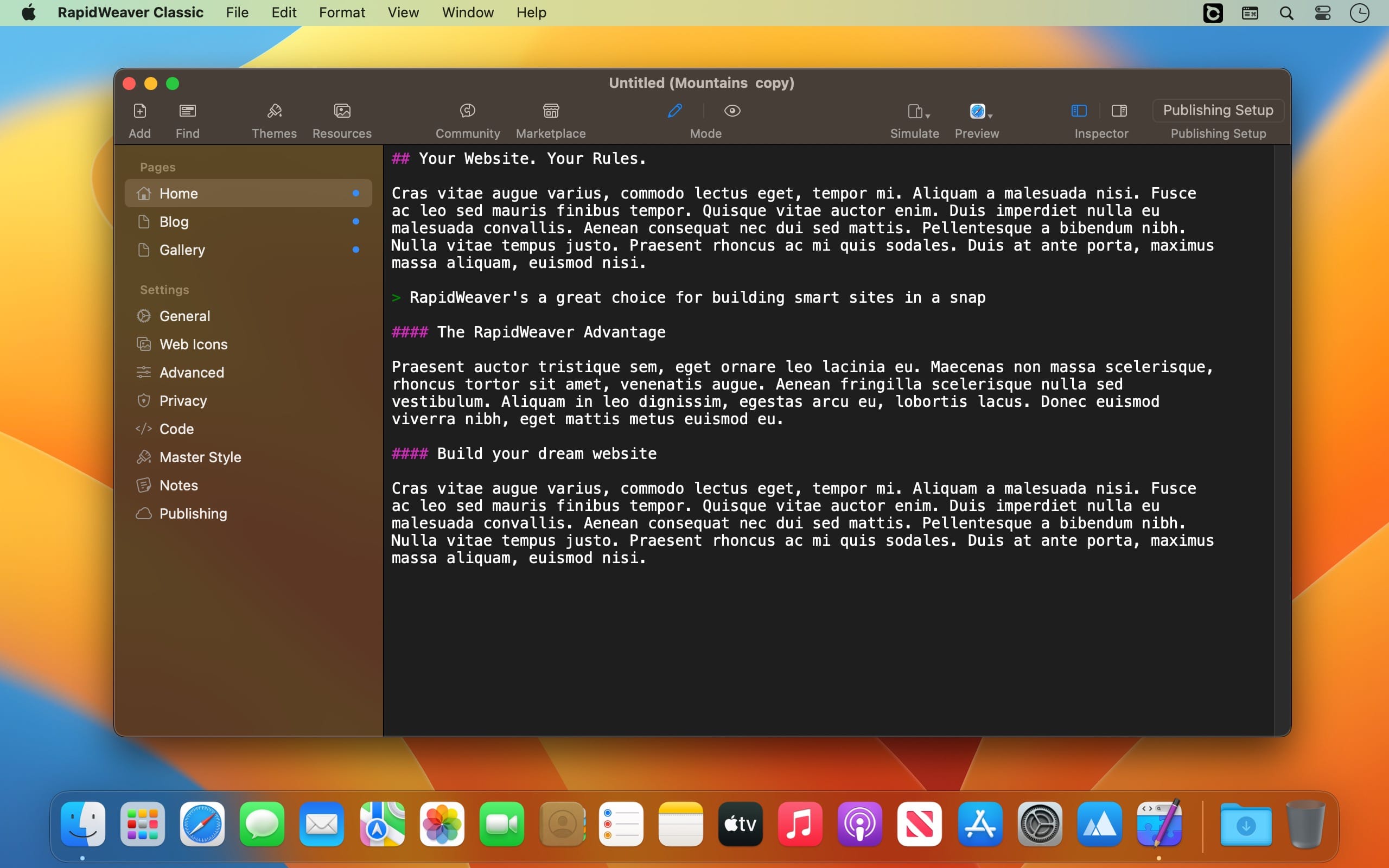
RapidWeaver 9.6.5

RapidWeaver is a very popular WYSIWYG editor that has rightfully earned many awards from such well-known publications as MacFormar, MacWorld and MacUser. Unlike other WYSIWYG editors, it really does not require knowledge of HTML, using many ready-made templates to build the site.

RapidWeaver is great for those who are looking for software to develop a beautiful website. Whether it’s your first experience or your 500th site, RapidWeaver has all the tools you need to quickly develop pages or design and layout. The application comes with a fantastically simple interface that greatly simplifies the website development process. The app is based on web code standards and you can host it anywhere that supports FTP, SFTP and MobileME. The editor includes podcasting, RSS feeds, tag support.
RapidWeaver is a very popular WYSIWYG editor that has rightfully earned many awards from such well-known publications as MacFormar, MacWorld and MacUser. Unlike other WYSIWYG editors, it really does not require knowledge of HTML, using many ready-made templates to build the site.

Features

  • RapidWeaver will allow you to create beautiful and understandable code that complies with modern web standards. Don’t worry if you’re new to XHTML or CSS, getting started with RapidWeaver is easy!
  • RapidWeaver includes 10 functional page templates. For example, the Photo Album template is fully compatible with iPhoto, and with just a couple of mouse clicks, the necessary images can be placed on your site. A blog page template allows you to quickly and conveniently add a functional blog to your site. RapidWeaver allows you to host podcasts and iTunes items.
  • Along with advanced site publishing methods that ensure that only changed files are downloaded, RapidWeaver also includes a One-Click publishing feature to view the most recent version of a site as quickly as possible.
  • You can use RapidWeaver to publish to both FTP and Apple’s MobileMe, and you can always personalize your site with custom domain name support.
  • With RapidWeaver you can edit your site’s text content with powerful formatting tools, as well as place HTML and PHP code snippets. For greater convenience when working with text and code, RapidWeaver provides a special window in which you can save the most frequently used code snippets.
  • Regardless of the size of the site you create, with RapidWeaver you can be sure that users will be able to find the information they are looking for on your site. RapidWeaver automatically creates a navigation menu for you.

What’s New:

Version 9.6.5:

  • Fixed an issue with Publishing via SFTP

Compatibility: macOS 10.14 or later
Homepage https://realmacsoftware.com/

Screenshots


Name: RapidWeaver 9.6.5 [Dokdo]_Mac-torrents.Net.dmg
Size: 144.49 MB
Files RapidWeaver 9.6.5 [Dokdo]_Mac-torrents.Net.dmg[144.49 MB]


   Download Torrent

SoundSource 5.8.10

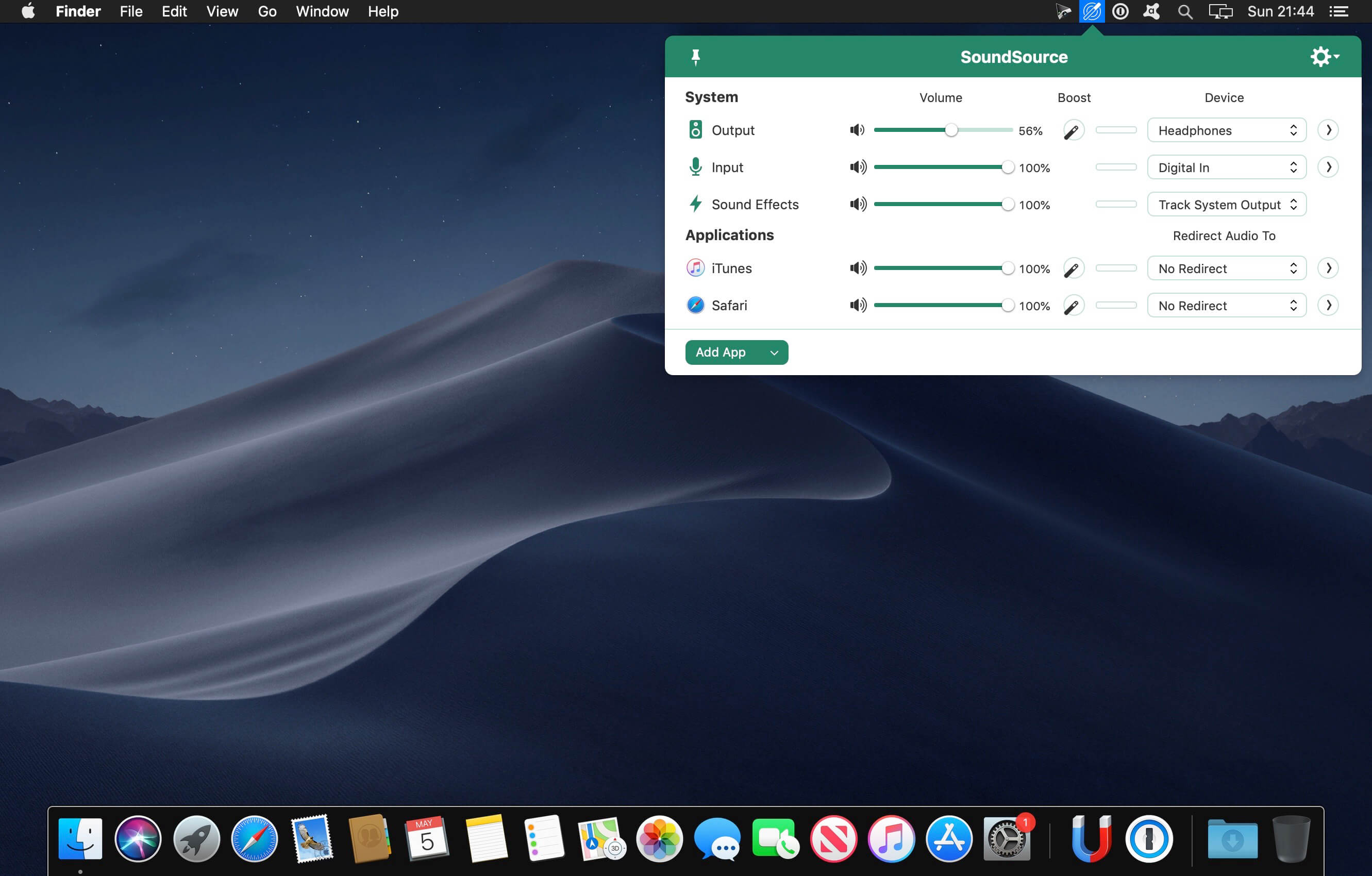
SounceSource lets you adjust your input, output, and sound-effects devices and volume settings in mere moments, right from the menu bar. Enable soft play-thru of input devices to your desired output, so you can hear sound coming in through any microphone or other source. With SoundSource, you get fast access to your Mac’s most important audio settings.

Fast Access to System Devices
Control the settings for your Mac’s Output, Input, and Sound Effects audio devices right from your menu bar.

Per-Application Audio Control
Change the volume of any app relative to others, and send individual apps to different audio outputs.

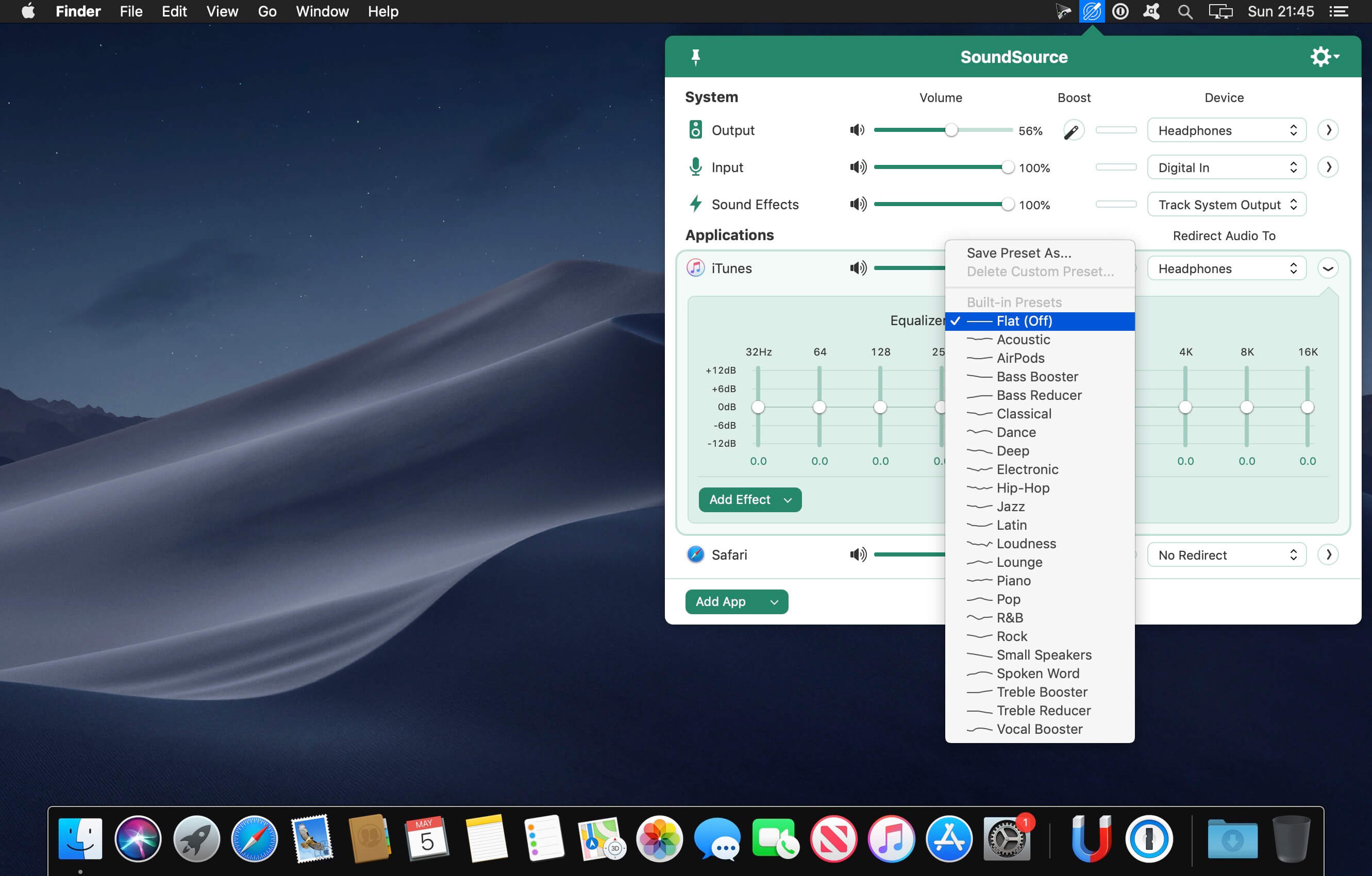
Add Effects
Make any audio sound great, with powerful built-in effects, as well as advanced Audio Unit support.

Fundamental Features

  • Per-App Volume Control
    Adjust volume levels for each of your applications, all in one place. Make one app louder or softer than others, or even mute it entirely.
  • Per-App Output Redirection
    Control exactly where audio plays. Route music from one app to your best speakers, while everything else is heard via your Mac’s built-in output.
  • Per-App Audio Effects
    Use the built-in 10-band equalizer and support for Audio Units to sweeten the sound of individual apps.
  • System Audio Settings
    Quickly adjust volume and input levels, balance, and even sample rate for your system’s Output, Input, and Sound Effects devices.
  • System-Wide Audio Effects
    Apply effects to sweeten the sound of all audio on your system, with the built-in 10-band equalizer and support for advanced Audio Unit plugins.
  • Super Volume Keys
    HDMI devices, DisplayPort audio outputs, and more fail to support the volume keys found on Mac keyboards. SoundSource makes those keys work with any outputs you have.
  • Menu Bar Access
    SoundSource lives in your menu bar, for one-click access to all your audio controls. You can also bring it up with a configurable global keyboard shortcut.
  • Floating Access
    Making frequent adjustments? Pin SoundSource’s main window, and it will float on your screen for instant access.
  • Headphone EQ
    The new Headphone EQ effect provides the very best sound from thousands of different models of headphones.
  • Magic Boost 2
    The new Magic Boost 2 does even more to provide rich, full sound from even the tiniest speakers.
  • Compact View
    SoundSource’s main window is streamlined, but to truly minimize how much space it uses, the Compact view has you covered.
  • Menu Bar Meters
    Add optional meters for your output device, input device, and/or active applications, so you can see and control audio even more easily.

Compatibility: macOS 14.5 or later
Homepage http://www.rogueamoeba.com/soundsource/

Screenshots


Name: SoundSource_5.8.10_Mac-torrents.Net.dmg
Size: 39 MB
Files SoundSource_5.8.10_Mac-torrents.Net.dmg[39 MB]


   Download Torrent

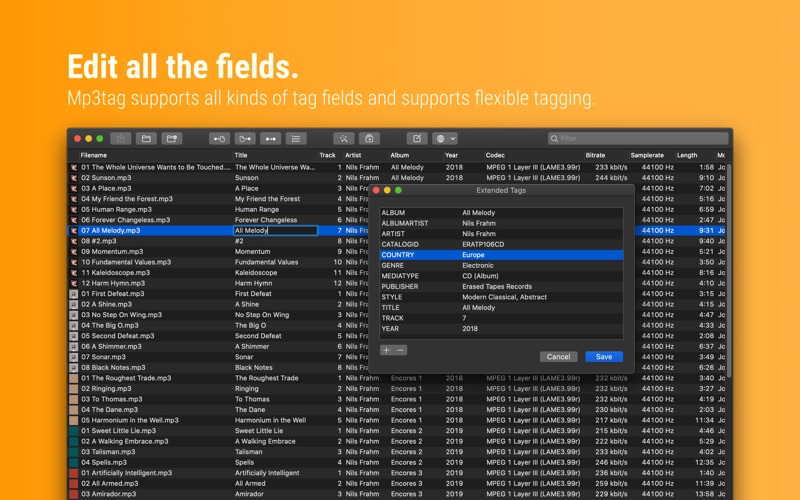
Mp3tag 1.9.13

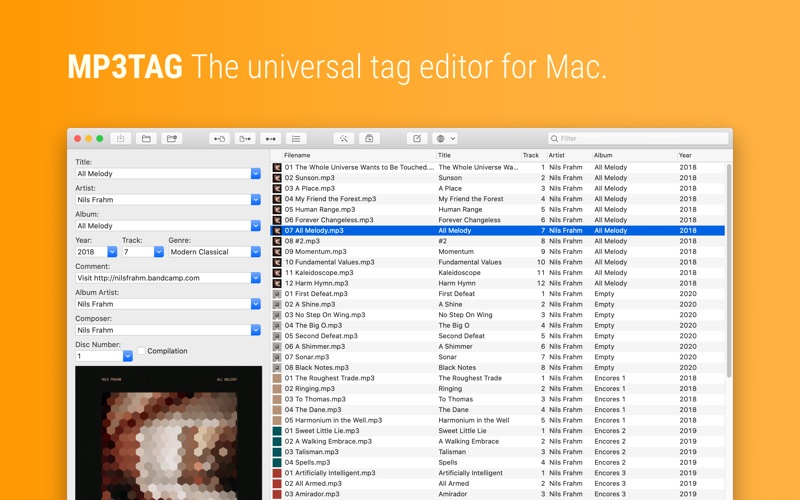
Mp3tag is a powerful and easy-to-use tool to edit metadata of audio files. Musicians, DJs, podcasters, and audio-enthusiasts use it for many different aspects of handling audio files. It supports batch tag-editing for multiple files at once, covering many audio formats from MP3, over MP4, and M4V (yes, that’s video!) to FLAC, OGG, OPUS, AIF, DSF, MPC, and WAV.

Furthermore, it supports online database lookups from Discogs and MusicBrainz, allowing to gather proper tags and download cover art for music libraries.

It offers renaming files based on the tag information, replacing characters or words in tags and filenames, importing tag information, and adjusting the size and image format of embedded cover art.
Since some of the tasks in managing a digital library are repetitive, Mp3tag allows for combining tasks into action groups, which serve as workflows for keeping consistency and order. Examples are formatting tag fields, performing case conversion, removing unwanted fields, or adjusting embedded cover art to match required sizes.

Key Features

  • Bulk-Editing of Tags for multiple files at once.
  • Editing of cover-art.
  • Renaming files based on tags.
  • Importing metadata from filenames.
  • Assign track and disc numbers via the auto-numbering wizard.
  • Importing metadata from online Tag Sources.
  • Support for Flexible Tagging, allowing for user-defined tag fields in a standardized way.
  • Applying action groups with many tasks combined into reusable workflows.
  • Support for many file types under a universal user interface.
  • and more…

Supported File Formats

  • MP3 (ID3v1, ID3v2.3, ID3v2.4 with UTF-8)
  • MP4/M4A/M4B/M4V (iTunes and Nero)
  • FLAC (Vorbis Comments)
  • OGG (Vorbis Comments)
  • OPUS (Vorbis Comments)
  • AIF (RIFF INFO and RIFF ID3)
  • DSF (ID3v2)
  • MPC (APEv2)
  • WAV (RIFF INFO and RIFF ID3)

Compatibility: macOS 10.14 or later
Homepage https://mp3tag.app/

Screenshots


Name: Mp3tag_1.9.13_Mac-torrents.Net.dmg
Size: 13 MB
Files Mp3tag_1.9.13_Mac-torrents.Net.dmg[13 MB]


   Download Torrent

Microsoft Outlook v16.103

Microsoft Outlook brings your email, calendar, contacts together in one place so you can work efficiently. Office integration lets you share attachments from OneDrive, access contacts and view LinkedIn profiles.

Highlights:

  • Unmistakably Office, designed for Mac – MacBook Pro Touch Bar is fully supported by Microsoft Outlook. Switch between Mail and Calendar with just a tap of the Touch Bar. Another tap and you can open a new meeting invite. Go easy on your eyes with Dark Mode. Outlook makes it focus on your inbox and calendar in low-light environments by supporting Dark Mode for macOS Mojave
  •  Quickly connect and share – keep key contacts front and centre to stay connected. Know organisation hierarchies and who people work with to help get things done. @mention people in your company for quicker collaboration.
  •  Security you can trust – get peace of mind with enterprise-grade security trusted by many of the world’s largest organisations. Outlook works around the clock to protect your confidential information without getting in your way.
  •  Intelligence that works for you – Outlook anticipates your needs. Travel and bill payments are automatically added to your calendar, and intelligent reminders help keep you on track. Search helps you find information quickly.
  •  Works with your email provider – Outlook for Mac works with Microsoft Exchange, Office 365, Outlook.com (including Hotmail and MSN), Gmail, Yahoo Mail and iCloud.

Compatibility: macOS 10.15 or later
Homepage https://products.office.com/en-us/mac/microsoft-office-for-mac

Screenshots


Name: Outlook_16.103_Mac-torrents.Net.zip
Size: 1.24 GB
Files Outlook_16.103_Mac-torrents.Net.dmg[1.24 GB]


   Download Torrent

Microsoft Powerpoint v16.103

Microsoft PowerPoint app gives you access to the familiar tool you already know. Quickly create, edit, view, present or share presentations quickly and easily from anywhere. Need to access your most recently used PowerPoint files quickly while on the go? PowerPoint provides a quick view of your recent files for easy access on any of your devices. Worried about multiple file versions when you work on PowerPoint mobile? Syncing is seamless across devices. Work with anyone and present to anyone, anywhere, with confidence. With PowerPoint, your Office moves with you.

Highlights:

  • Unmistakably Office, designed for Mac – MacBook Pro Touch Bar is fully supported by Microsoft PowerPoint. Controls are now available on the Touch Bar when your presentation is available in Slideshow View, including slide thumbnails and a timer to help you keep track of time as you present. Go easy on your eyes with Dark Mode. PowerPoint makes it focus on your presentation in low-light environments by supporting Dark Mode for macOS Mojave
  • Create presentations that stand out – get your ideas across with beautiful design, rich animation, cinematic motion, 3D models and icons. Let intelligent technology help you bring your presentation to life with a few clicks
  • Present with confidence – you can make new presentations or continue working on existing ones. As PowerPoint can sync your presentations to OneDrive, you can start a presentation on your Mac, then edit and present using PowerPoint mobile. With presentation view on any device present your point clearly and with confidence, all without firing up your laptop
  •  Work better together – With Office 365, collaborate using real-time co-authoring and comments to get input from teammates on your presentation. Plus, save it to the cloud to easily share with others and access it from anywhere, at any time, across devices

Compatibility: macOS 10.12 or later
Homepage https://products.office.com/en-us/mac/microsoft-office-for-mac

Screenshots


Name: PowerPoint_16.103_Mac-torrents.Net.zip
Size: 943.93 MB
Files PowerPoint_16.103_Mac-torrents.Net.dmg[943.93 MB]


   Download Torrent

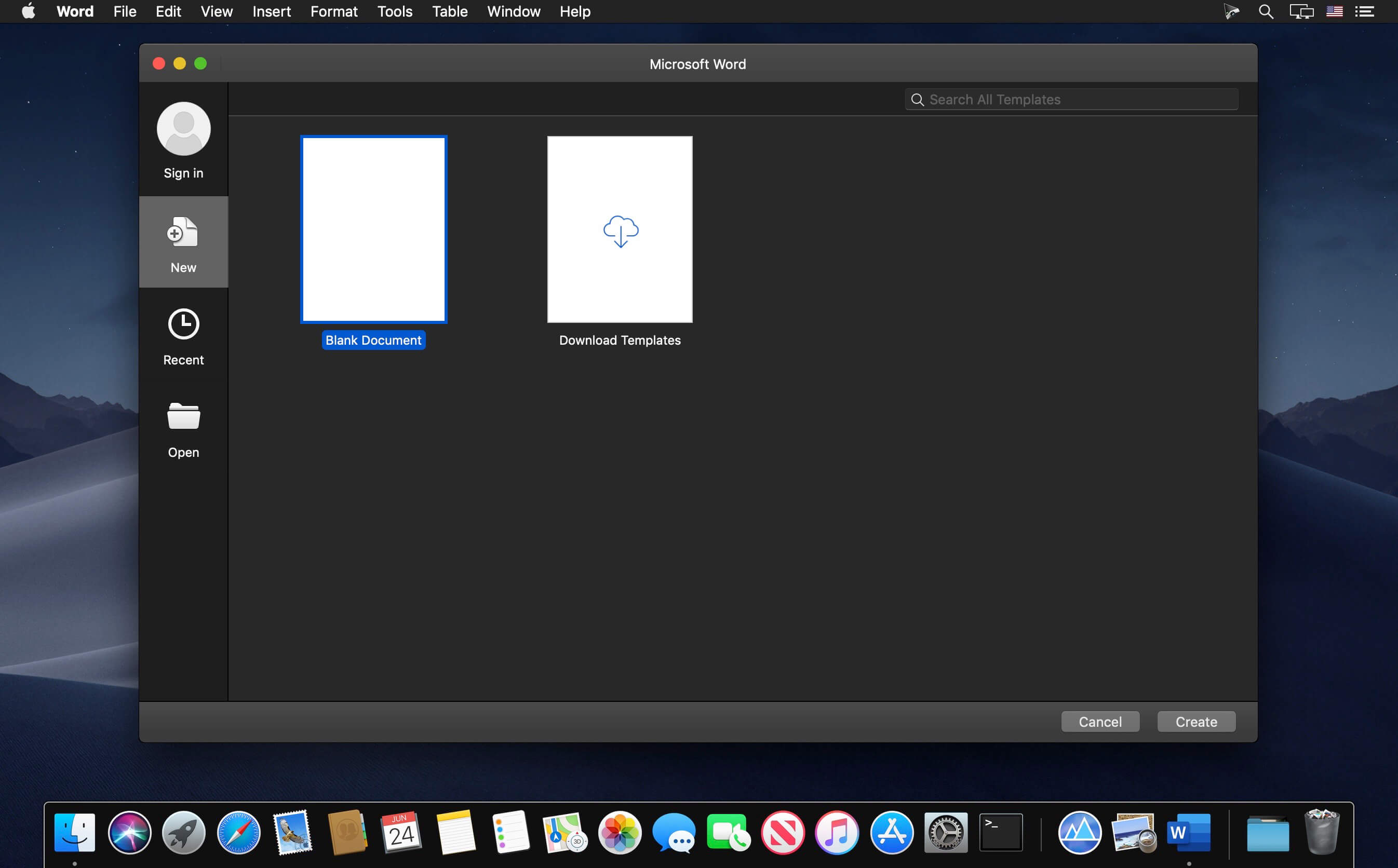
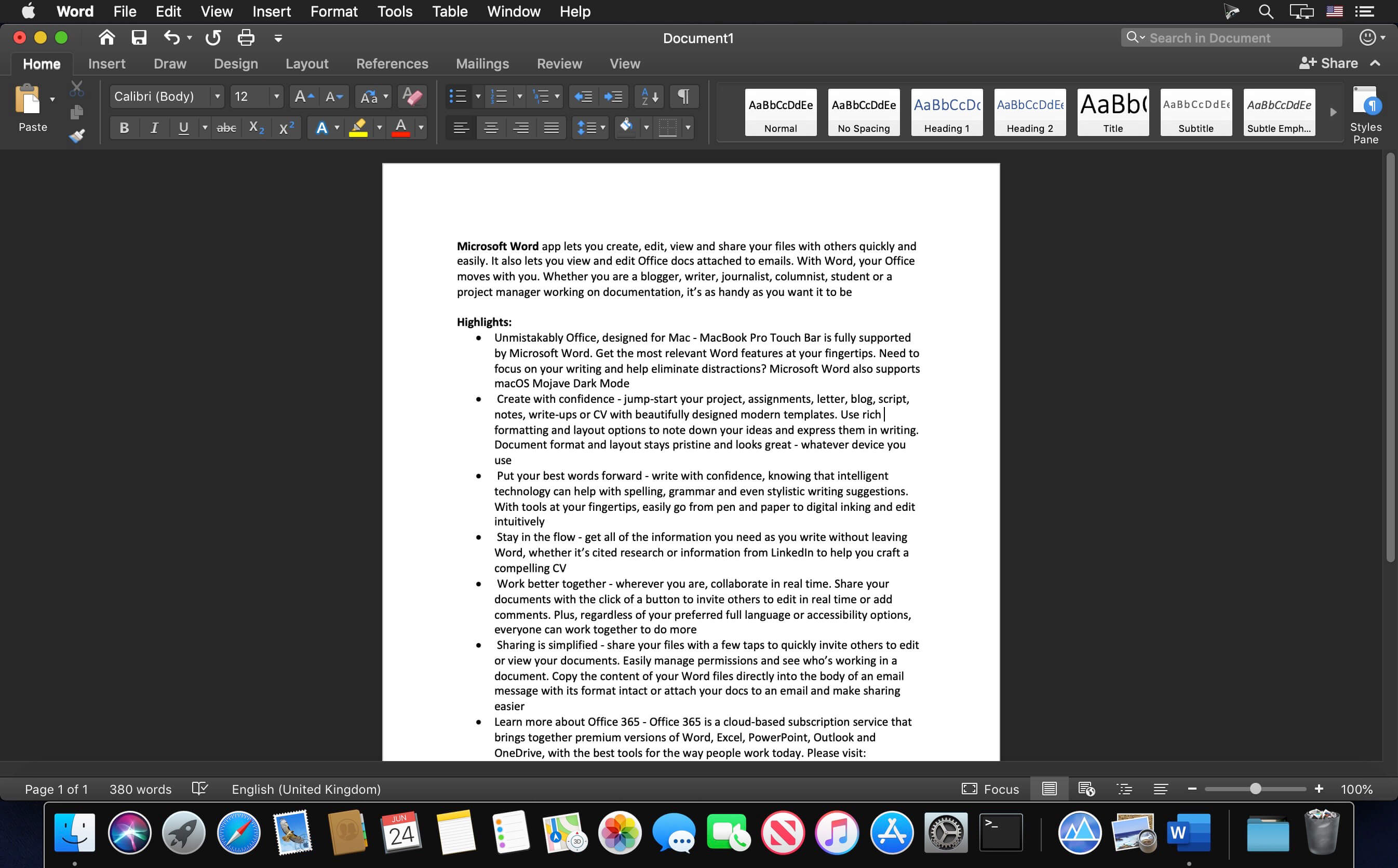
Microsoft Word for Mac 16.103

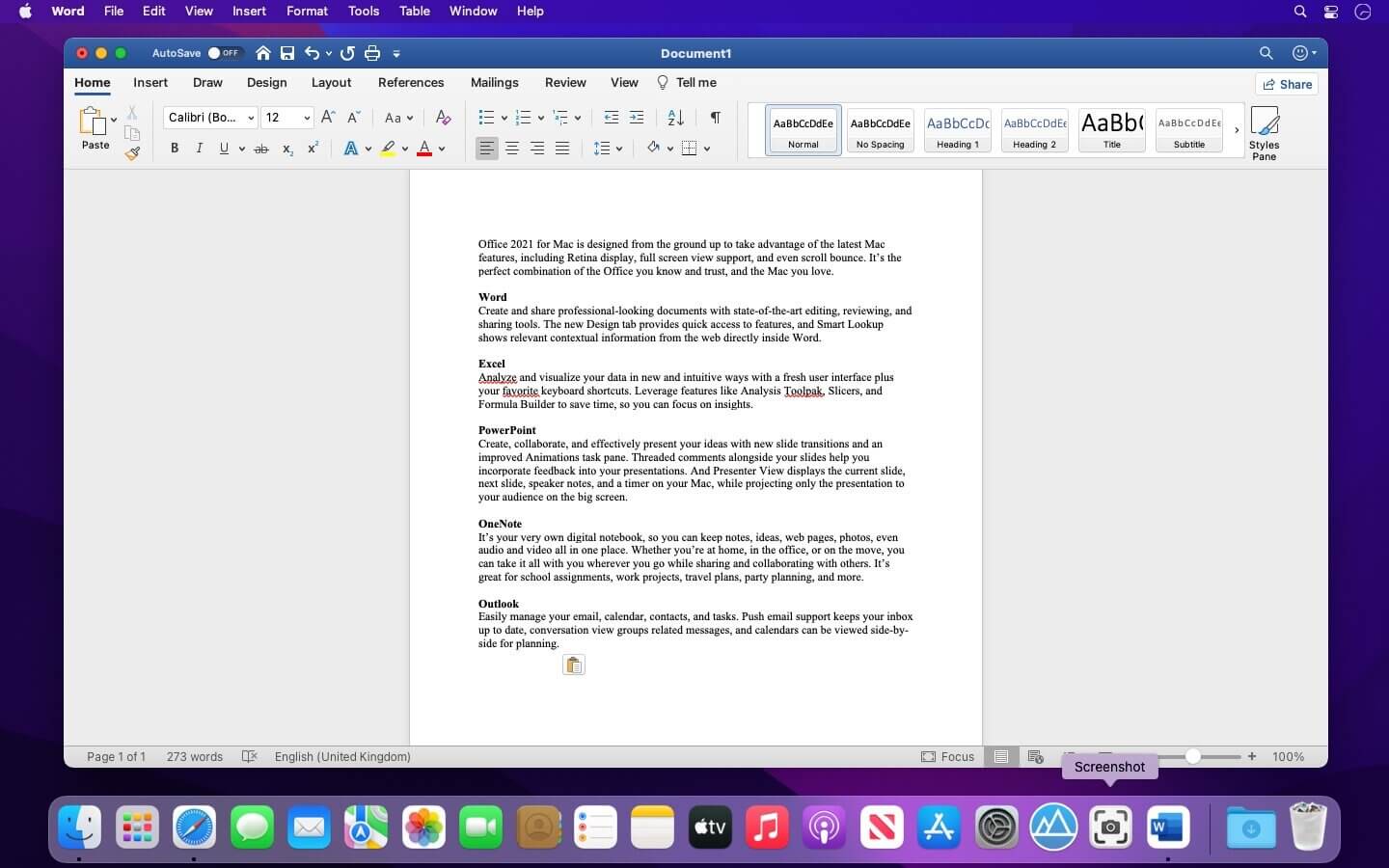
Microsoft Word app lets you create, edit, view and share your files with others quickly and easily. It also lets you view and edit Office docs attached to emails. With Word, your Office moves with you. Whether you are a blogger, writer, journalist, columnist, student or a project manager working on documentation, it’s as handy as you want it to be.

Highlights:

  • Unmistakably Office, designed for Mac – MacBook Pro Touch Bar is fully supported by Microsoft Word. Get the most relevant Word features at your fingertips. Need to focus on your writing and help eliminate distractions? Microsoft Word also supports macOS Mojave Dark Mode
  •  Create with confidence – jump-start your project, assignments, letter, blog, script, notes, write-ups or CV with beautifully designed modern templates. Use rich formatting and layout options to note down your ideas and express them in writing. Document format and layout stays pristine and looks great – whatever device you use
  •  Put your best words forward – write with confidence, knowing that intelligent technology can help with spelling, grammar and even stylistic writing suggestions. With tools at your fingertips, easily go from pen and paper to digital inking and edit intuitively
  •  Stay in the flow – get all of the information you need as you write without leaving Word, whether it’s cited research or information from LinkedIn to help you craft a compelling CV
  •  Work better together – wherever you are, collaborate in real time. Share your documents with the click of a button to invite others to edit in real time or add comments. Plus, regardless of your preferred full language or accessibility options, everyone can work together to do more
  •  Sharing is simplified – share your files with a few taps to quickly invite others to edit or view your documents. Easily manage permissions and see who’s working in a document. Copy the content of your Word files directly into the body of an email message with its format intact or attach your docs to an email and make sharing easier

Compatibility: macOS 10.15 or later
Homepage https://products.office.com/en-us/mac/microsoft-office-for-mac

Screenshots


Name: Word_16.103_Mac-torrents.Net.zip
Size: 1.24 GB
Files Word_16.103_Mac-torrents.Net.dmg[1.24 GB]


   Download Torrent

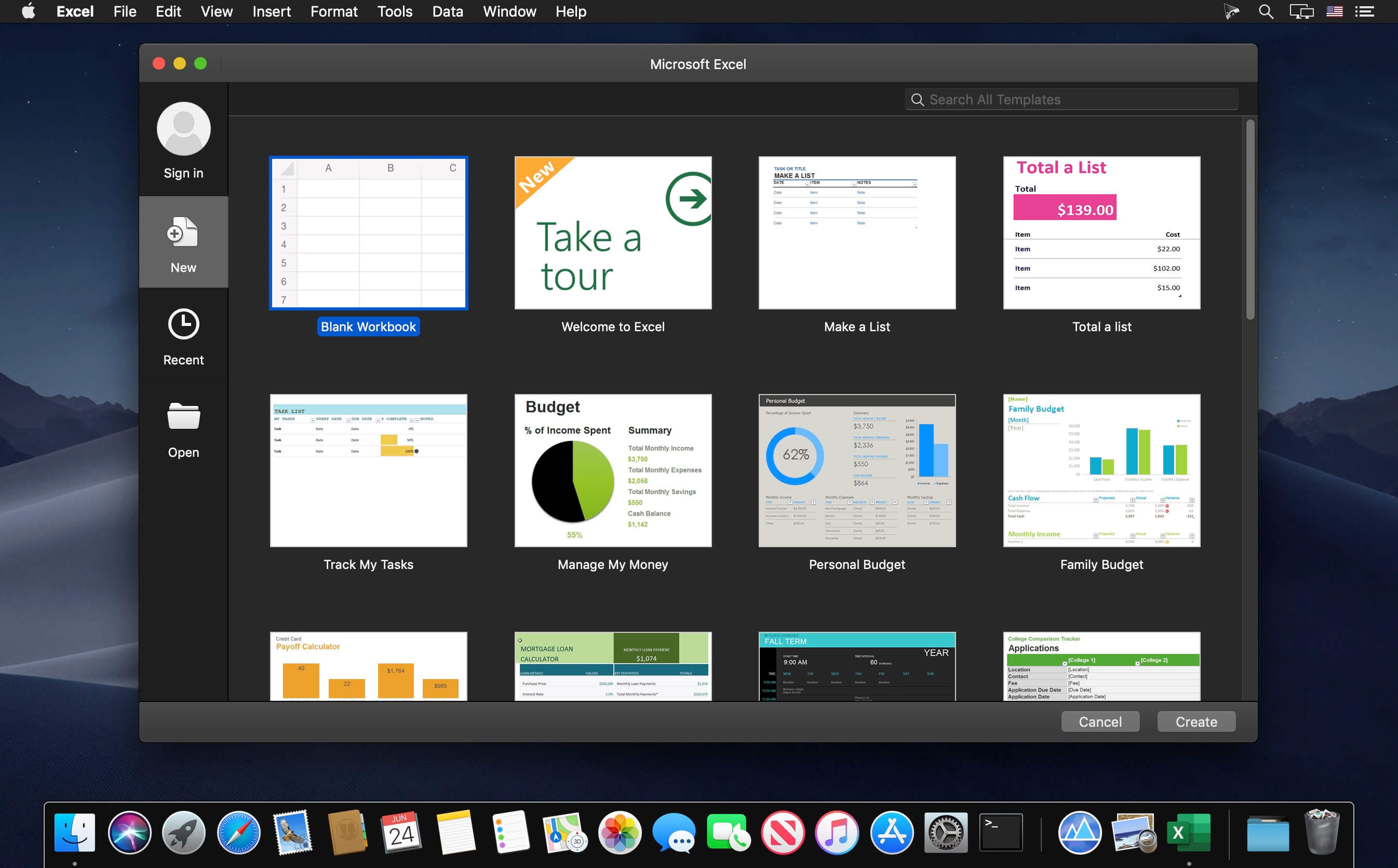
Microsoft Excel for Mac 16.103

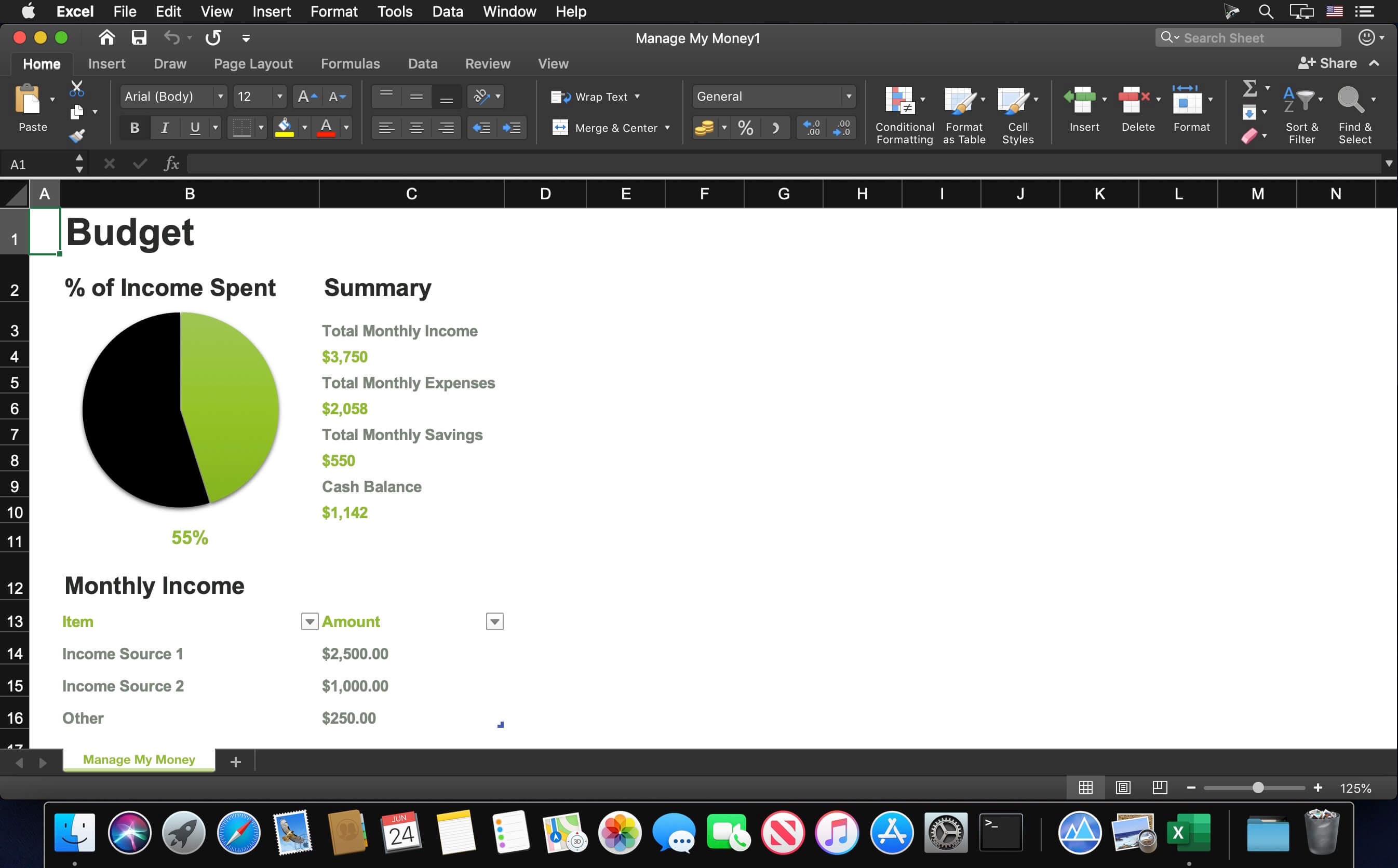
Microsoft Excel spreadsheet app lets you create, view, edit and share your files with others quickly and easily. It also lets you view and edit workbooks attached to email messages. Work in accounting, auditing, finance or other fields, with anyone, anywhere, with confidence. With Excel, your Office moves with you and can implement the most complex formulas, with amazing features.

Highlights:

  • Unmistakably Office, designed for Mac – MacBook Pro Touch Bar is fully supported by Microsoft Excel. If you type an equals sign into a cell, Excel will immediately pull up the most recently used functions in the Touch Bar. Go easy on your eyes with Dark Mode. Excel makes it easier to view your spreadsheets in low-light environments by supporting Dark Mode for macOS Mojave
  •  Create, calculate and analyse with confidence – jump-start your budget, task list, accounting or financial analysis with Excel’s modern templates. Use familiar formulas to run calculations and analyse your data. Rich features and formatting options make your workbook easier to read and use. All spreadsheet features, formats and formulas operate the same way – whatever device you use.
  •  Get a better picture of your data – new charts and graphs help you present your data in compelling ways, with formatting, sparklines and tables to better understand your data. Easily create forecasts with just a click to predict trends
  •  Turn data into insights – enhanced by intelligence, Excel learns your patterns, organising your data to save you time. Create spreadsheets with ease from templates or on your own and perform calculations with modern formulas
  •  Work better together – share your workbook with others and always work on the latest version for real-time collaboration to help get work done faster. With Office 365, work within an Excel file from mobile, desktop and web.

Compatibility: macOS 10.14 or later
Homepage https://products.office.com/en-us/mac/microsoft-office-for-mac

Screenshots


Name: Excel_16.103_Mac-torrents.Net.zip
Size: 1.04 GB
Files Excel_16.103_Mac-torrents.Net.dmg[1.04 GB]


   Download Torrent

Amadeus Pro 2.8.14 (2673) Beta

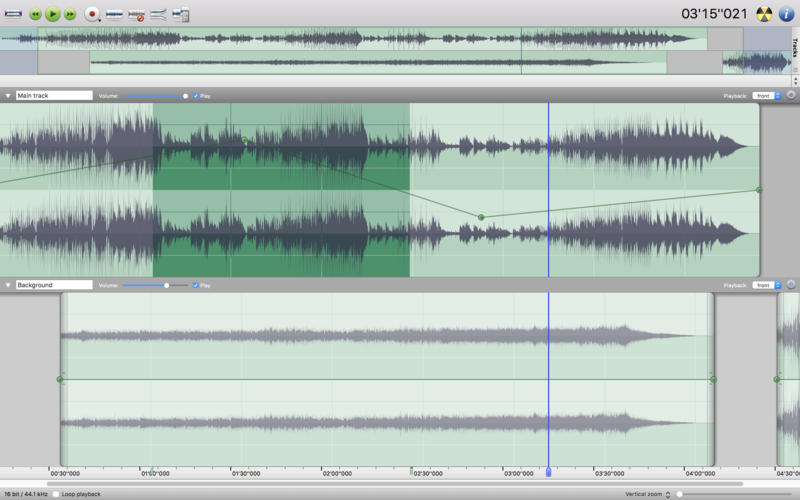
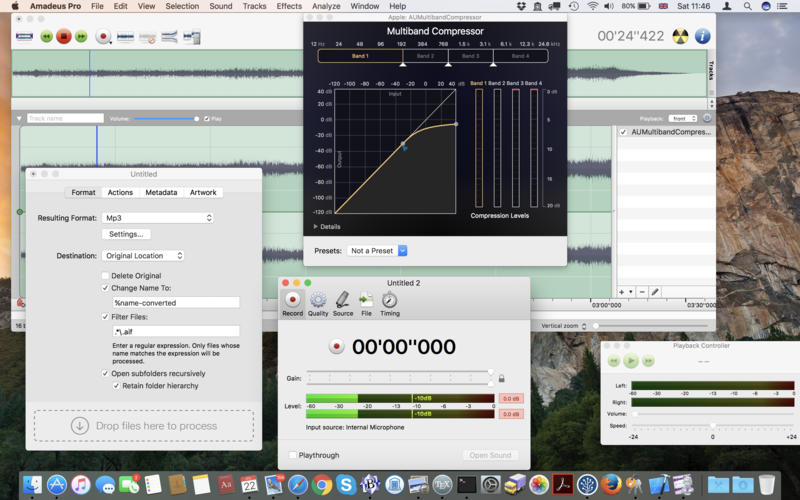
Amadeus Pro lets you use your Mac computer for any audio-related task, such as live audio recording, digitizing tapes and records, converting between a variety of sound formats, etc. Thanks to its outstanding direct-to-disk abilities and waveform caching, edits on arbitrarily large sounds (even beyond the usual 2GB limit) are performed at lightning speed. The handling of large sounds is furthermore facilitated by the extensive support of markers. Its outstanding sound repairing and denoising abilities make Amadeus Pro particularly suitable for transferring vinyl records on CD.

Features

  • Simple and elegant OS X-like user interface
  • Multitrack editing an recording.
  • Batch processing and conversion.
  • Sound denoising and repairing.
  • Supports a variety of sound formats, including AIFF, Multichannel Wave, MP3, MP4, Ogg Vorbis, FLAC, SoundDesigner II, QuickTime, Apple CAF, etc.
  • Support for VST and Audio Unit plug-ins.
  • A “favourite actions” palette allows to have your most commonly used effects only a mouse click away.
  • A wide range of powerful audio analysis tools.
  • Audio CDs with CD-TEXT data can be burned directly from within Amadeus Pro.

What’s New:

Version 2.8.14:

  • Bug fixes

Compatibility: macOS 10.9 or later
Homepage https://www.hairersoft.com/pro.ht

Screenshots


Name: Amadeus_Pro_2.8.14_(2673)_[TNT]_Mac-torrents.Net.dmg
Size: 18.33 MB
Files Amadeus_Pro_2.8.14_(2673)_[TNT]_Mac-torrents.Net.dmg[18.33 MB]


   Download Torrent

WinX DVD Ripper 6.8.4

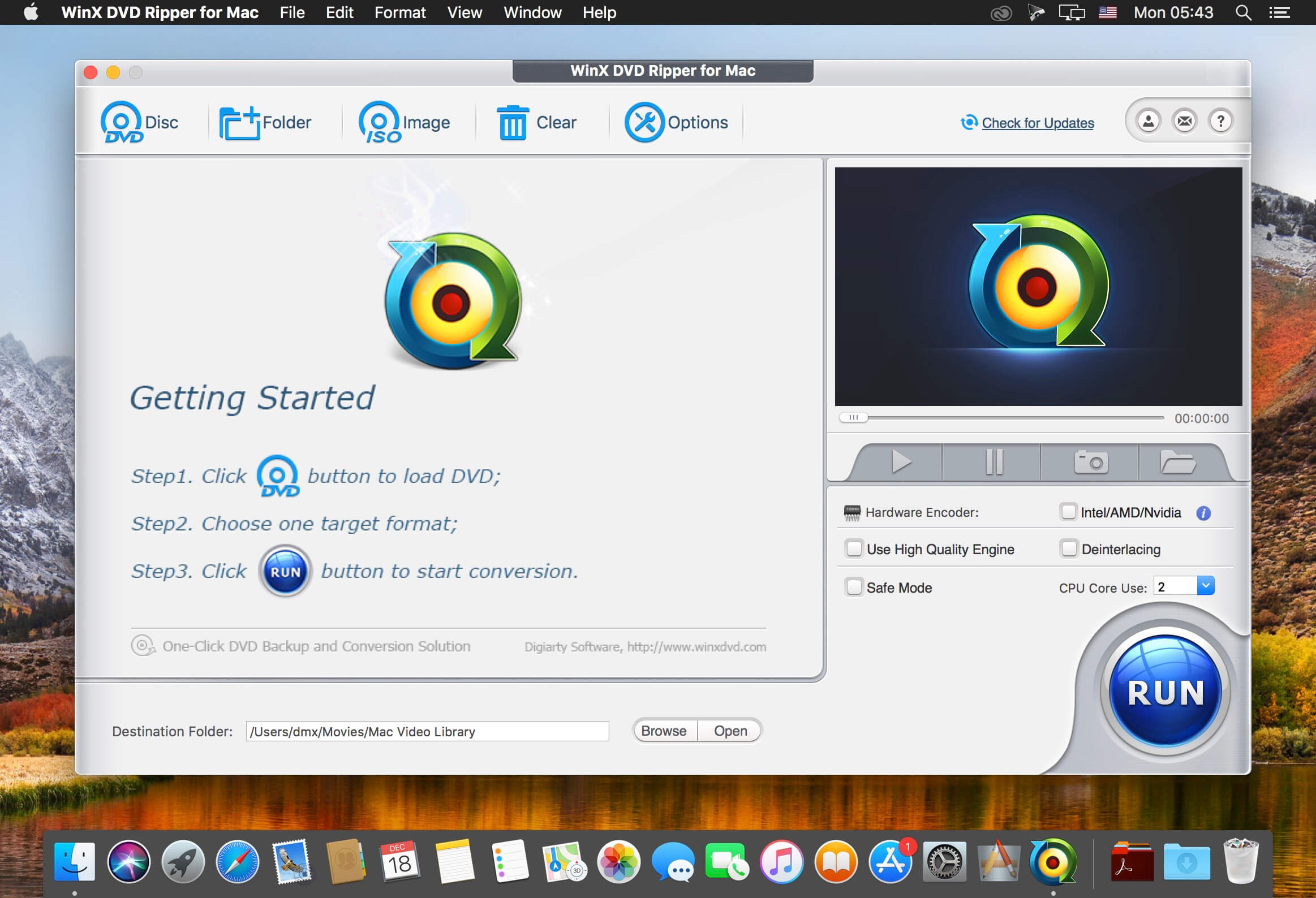
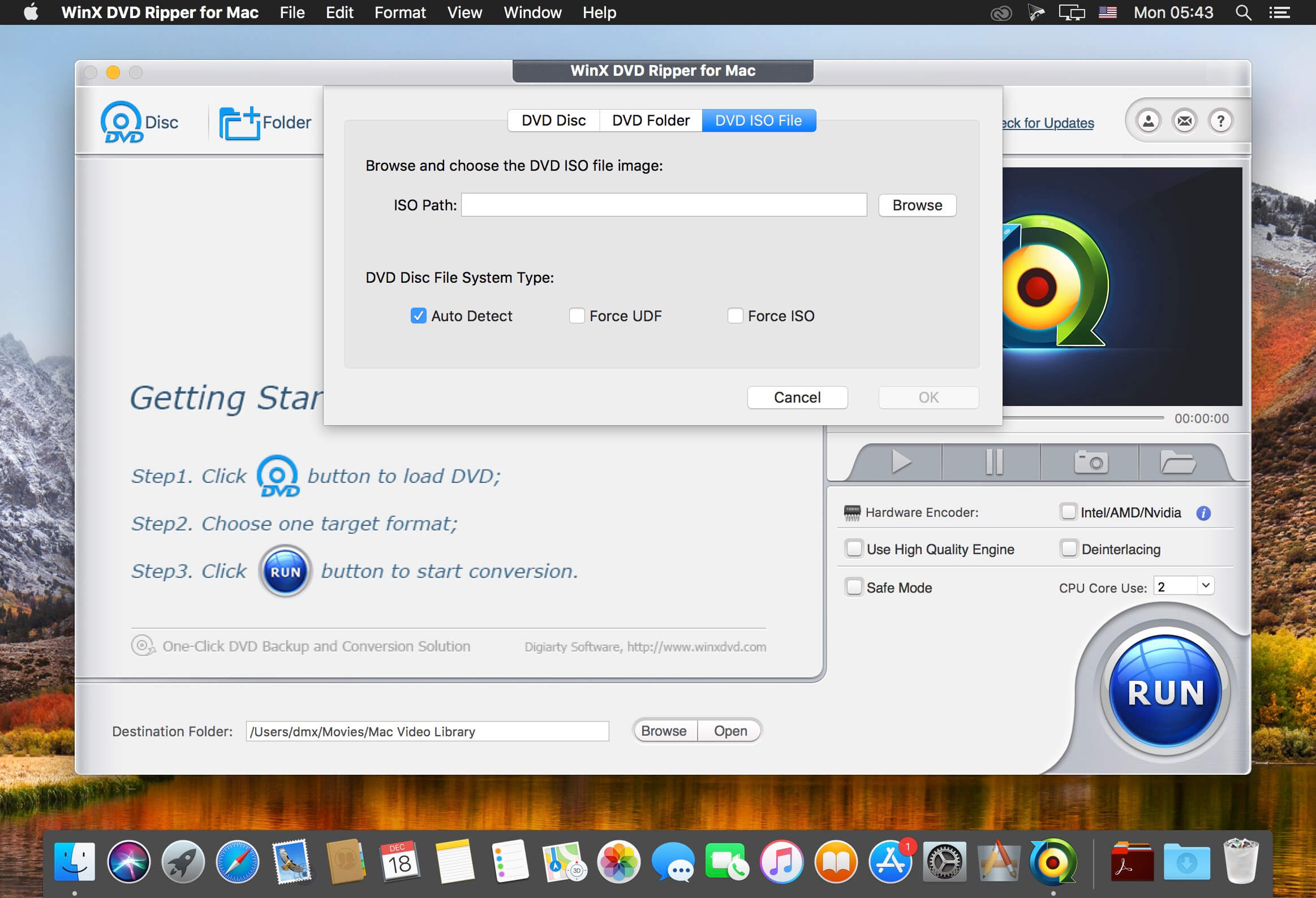
WinX DVD Ripper for Mac is an all-in-one Mac DVD ripper program designed to rip DVD or DVD ISO image to all prevailed video formats, e.g. rip DVD to MP4, H.264, MKV, iTunes, MOV, FLV, MPEG, AVI, etc. With about 350 profiles, it can faultlessly convert all DVDs (incl. latest protected DVDs) to iPhone/5, iPad/3/4/Mini, iPod touch/5, Apple TV, Surface, Android, HTC One, Samsung Galaxy S4 , Kindle Fire, WP8, PSP, etc.

With multi-core CPU (up to 8-core processor) and Hyper-threading supported, it gives you ultra-fast ripping speed. Furthermore, this Mac DVD ripper helps copy DVD to hard drive/USB with original video and 5.1 Channel AC3/DTS Dolby audio within 5 minutes, and back up DVD to MKV video still keeping all audio subtitle tracks and chapters.

Compatibility: macOS 10.10 or later
Homepage http://www.winxdvd.com/dvd-ripper-mac-free/

Screenshots


Name: WinX_DVD_Ripper_for_Mac_6.8.4_Mac-torrents.Net.dmg
Size: 56 MB
Files WinX_DVD_Ripper_for_Mac_6.8.4_Mac-torrents.Net.dmg[56 MB]


   Download Torrent

MacX DVD Ripper Pro 6.8.4

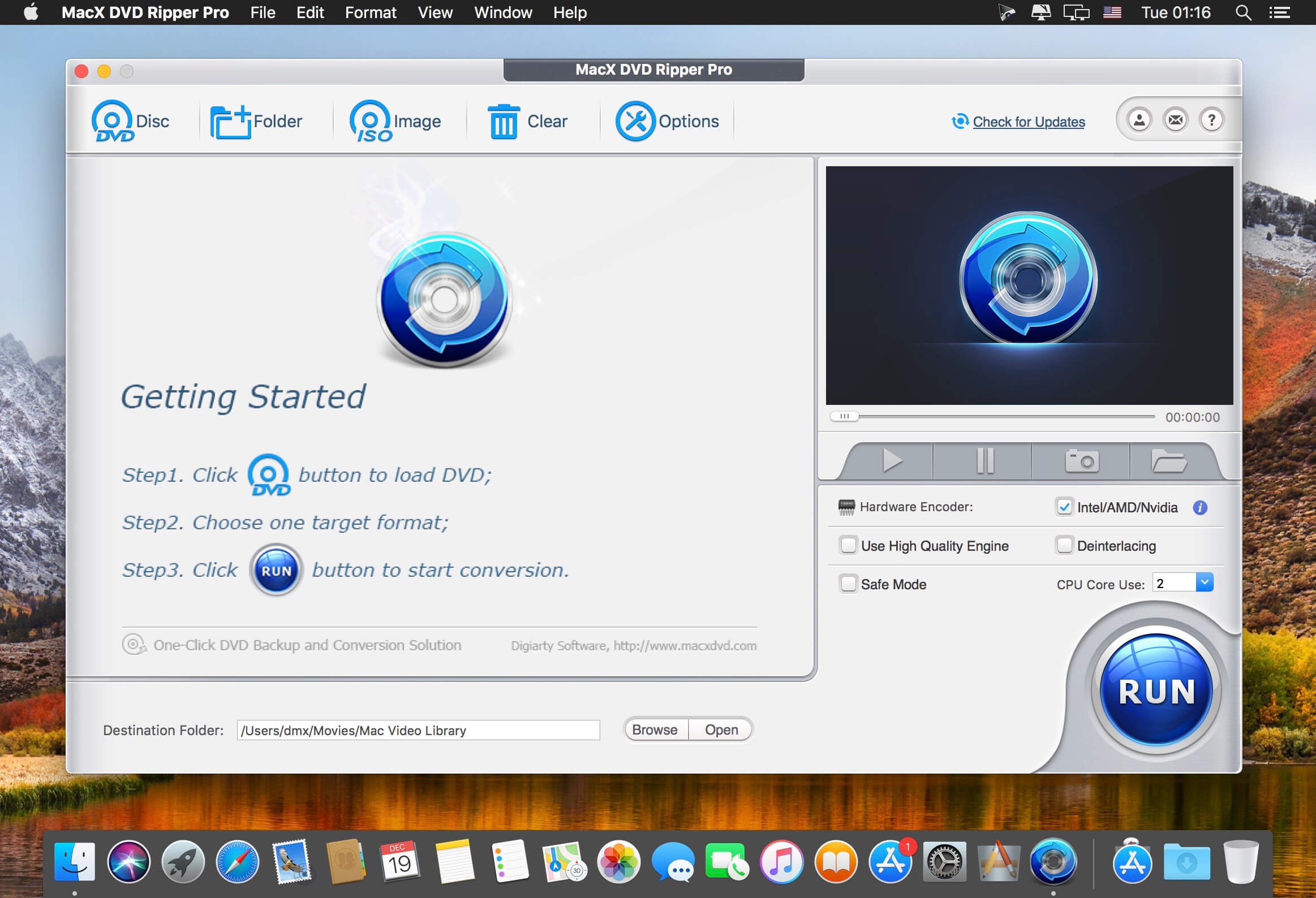
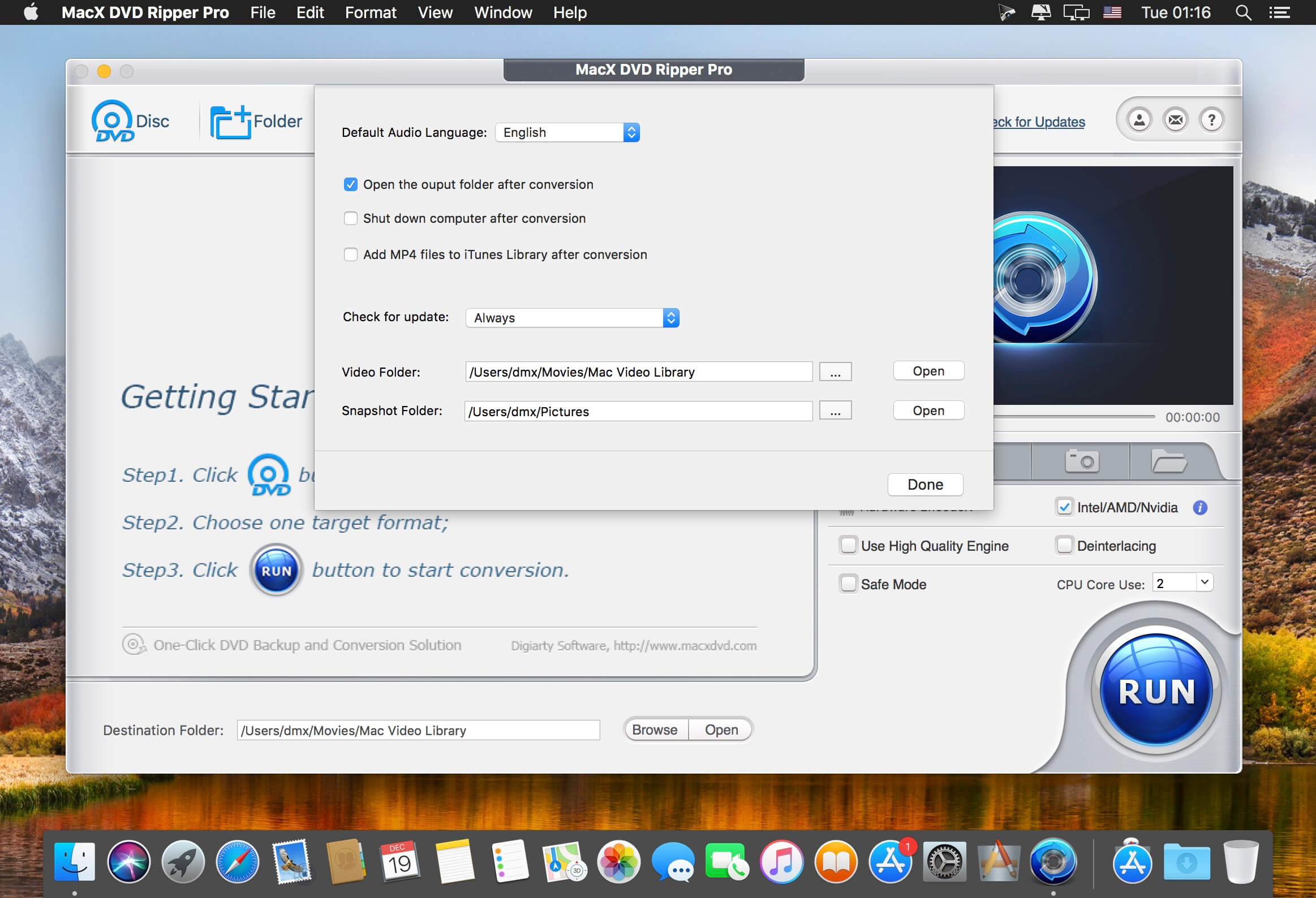
MacX DVD Ripper Pro is an ultimate Mac DVD ripper to backup & rip your DVDs on Mac with the final video and audio file in all sorts of formats, including DVD to MP4, H.264, MOV, M4V, FLV, MPEG4, AVI, QT, MP3, etc. With 350+ preset profiles, MacX DVD Ripper Pro makes it hassle-free to rip any DVDs including encrypted DVDs for Mac, iTunes, QuickTime, iPhone, iPad, Android, Apple TV, etc. bypass all copy protections (DVD CSS, region code, RCE, Sony ArccOS, UOPs, Disney X-project DRM, etc). The copy feature ensures you 1:1 DVD copy to ISO image, MKV, MPEG2 to protect them from scratches, damages, or loss. 36X faster and outstanding quality.

Compatibility: macOS 10.10 or later
Homepage https://www.macxdvd.com/mac-dvd-ripper-pro/

Screenshots


Name: MacX_DVD_Ripper_Pro_6.8.4_Mac-torrents.Net.dmg
Size: 56 MB
Files MacX_DVD_Ripper_Pro_6.8.4_Mac-torrents.Net.dmg[56 MB]


   Download Torrent

iNet Network Scanner 3.2.1

iNet provides you with information about networks your Mac is connected to. Its very easy and user friendly design allows even the unexperienced user to get a profound and understandable overview of a network and the running services. iNet is also available as iPhone and iPad App via the iTunes Store.

In the current version the following functions are available:

  • Network Scanner
  • Bonjour Browser
  • Portscan for standard ports
  • Airport Monitor
  • Wake on Lan

Compatibility: macOS 11.0 or later
Homepage https://geo.itunes.apple.com/app/id403304796

Screenshots


Name: iNet_Network_Scanner_3.2.1_Mac-torrents.Net.dmg
Size: 313 MB
Files iNet_Network_Scanner_3.2.1_Mac-torrents.Net.dmg[313 MB]


   Download Torrent

Oka Unarchiver – Unzip ZIP RAR 2.1.10

The Oka Unarchiver is a small and easy-to-use program that can archive or unarchive many different kinds of archive files.With Oka Unarchiver you can compress as many files as you want. Also, you can protect them with a password.

Oka Unarchiver is upgraded to version 2.0. New interface, optimized operation experience.

Compression formats supported:
– ZIP

Extraction formats supported:
– 7Z, ZIP, RAR, TAR, GZIP, BZIP2, XZ, LZIP, ACE, ISO, CAB, PAX, JAR, AR, CPIO, and more

Also, Oka Unarchiver can extract lots of compressed files, from ZIP to 7Z archives, even parted ones. Just drop files in the icon, or into the main window, and they will be extracted using Oka Unarchiver

You can add any file into the list to archive or extract. If you click the archive button, Oka Unarchiver can archive all the files in the list at one time. If you click the extract button, Oka Unarchiver will automatically detect which files can be extracted.

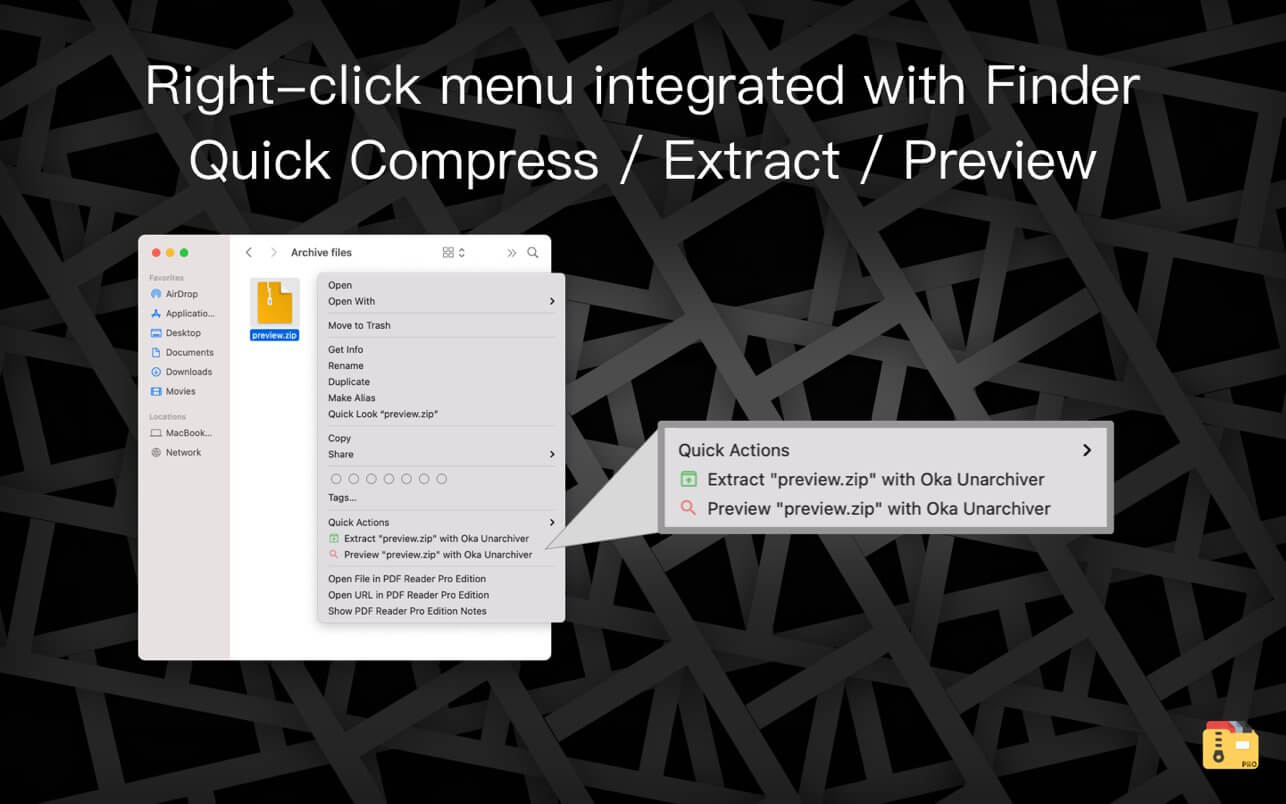
The latest support for Finder extension, right-click on the file directly in the Finder, you can compress/uncompress or preview the file through the menu, greatly simplifying the operation steps.

So easy to use:
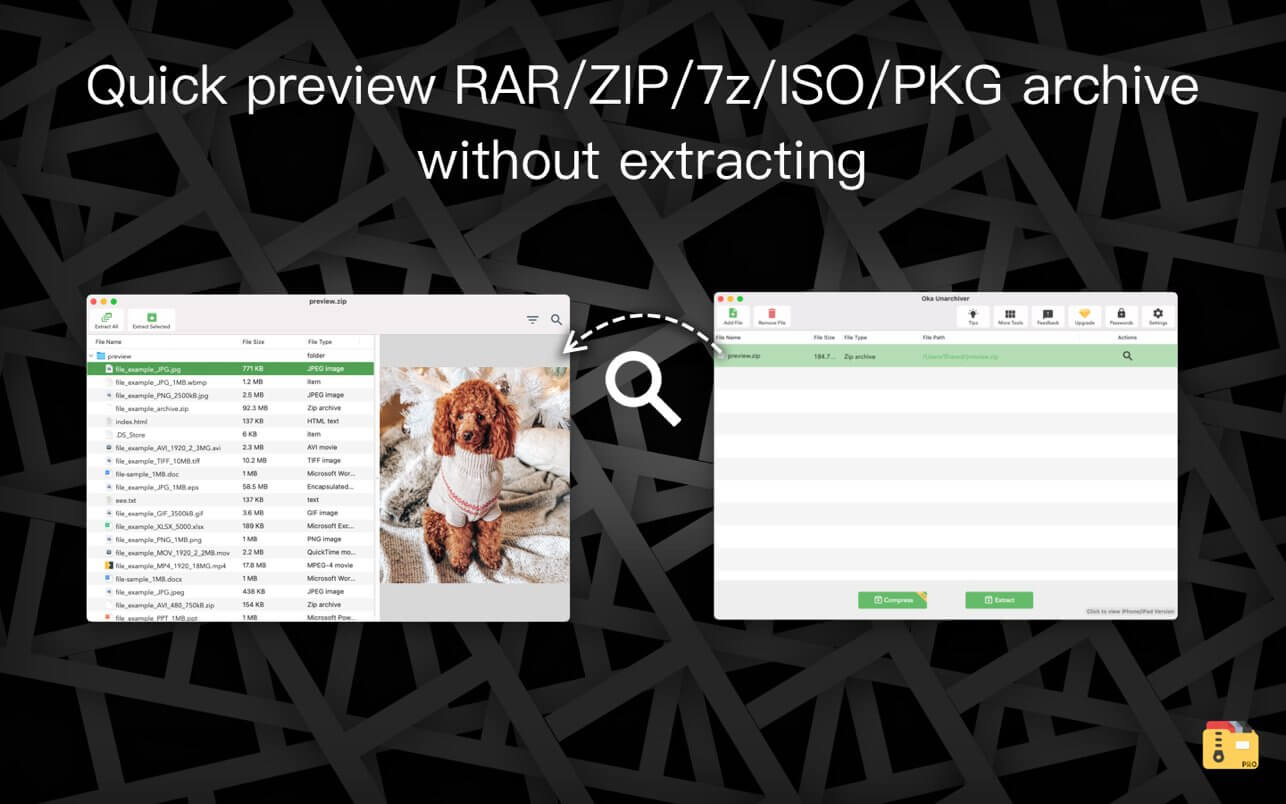
– Support Finder extension, right-click the file in Finder to compress or extract files directly, even preview files inside the archive
– Support Quick look preview zip files
– Batch decompression of archives
– Supports password-protected archives
– Click one button to extract & archive;
– Drag archives and drop to extract;
– Open in finder to extract;
– Support archive into multi-part zip files.
– Supports new Mac computers with Apple M1 chip.

Top In-App Purchases: Full (PRO) Version – included
Compatibility: macOS 10.13 or later
Mac App Store https://apps.apple.com/app/oka-unarchiver-pro-unzip-rar/id1441394270

Screenshots


Name: Oka_Unarchiver_2_2.1.10_Mac-torrents.Net.dmg
Size: 28 MB
Files Oka_Unarchiver_2_2.1.10_Mac-torrents.Net.dmg[28 MB]


   Download Torrent

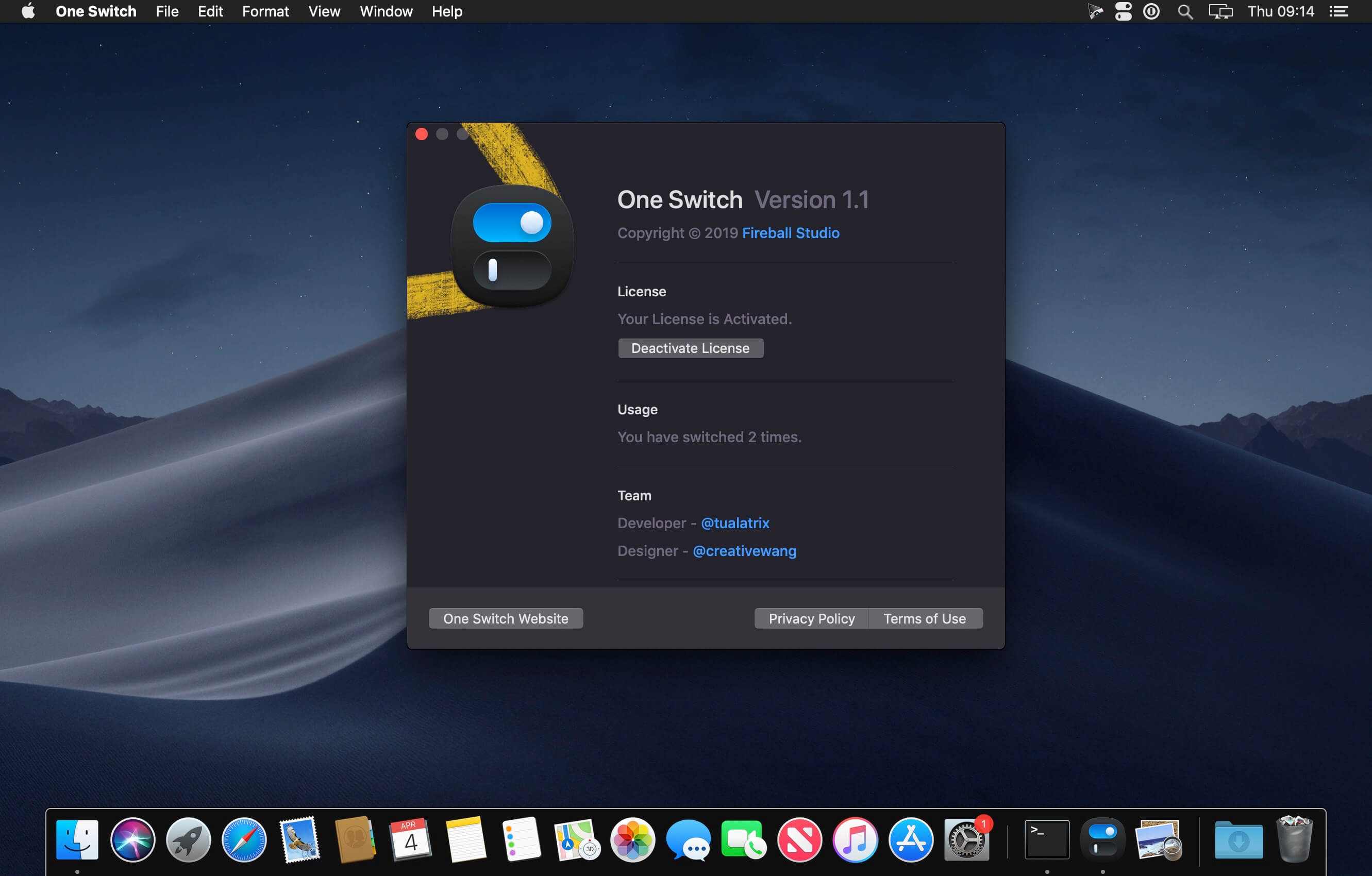
One Switch 1.35.2

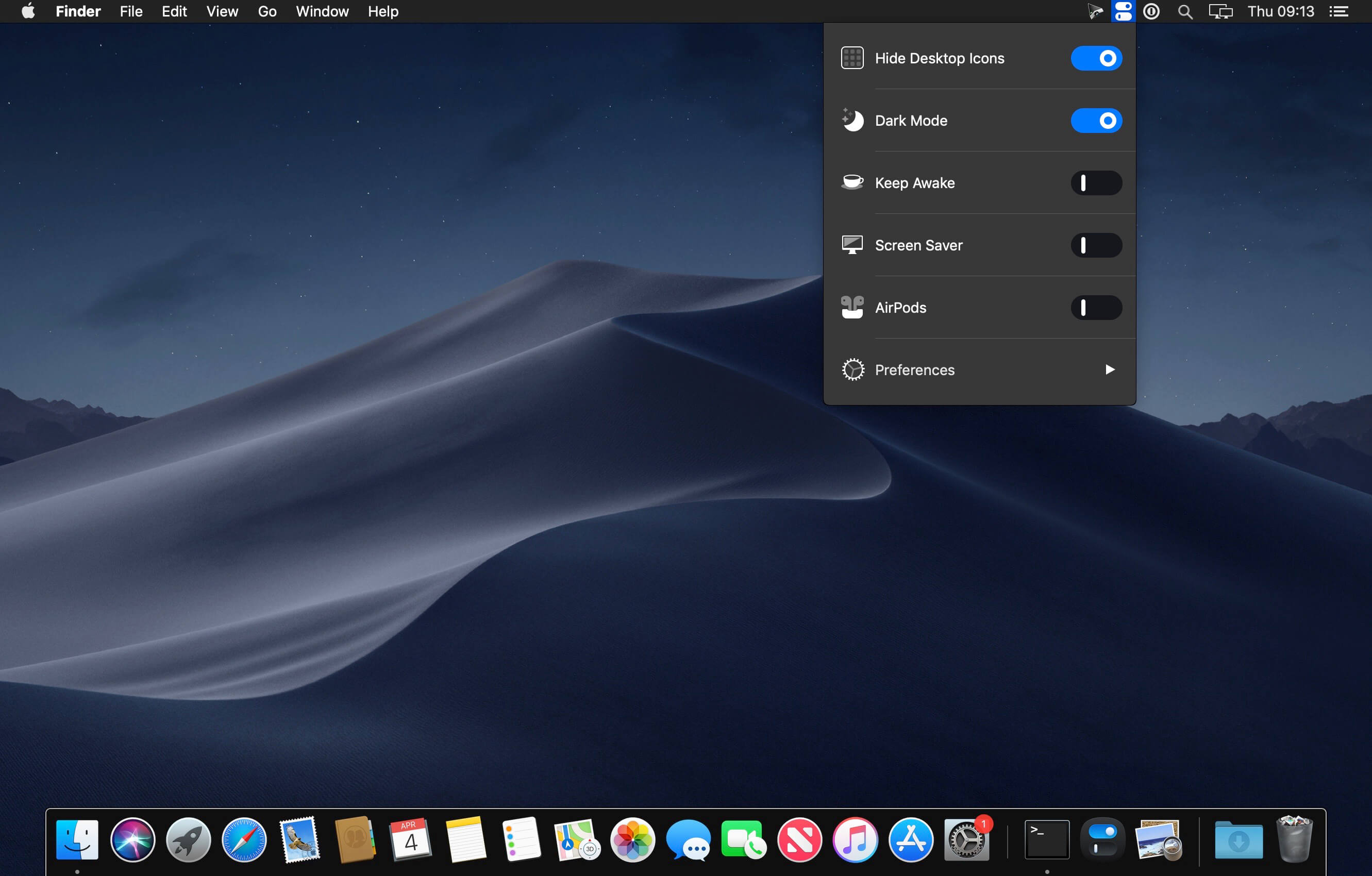
One Switch is a tiny app designed to improve your efficiency by providing quick access to a few important switches. It can be opened from your menu bar, and it allows you to toggle certain system features with just a couple of clicks.

Hide Desktop Icons
Hide your messy desktop with one click.

Dark Mode
Toggle Dark Mode at any time.

Keep Awake
Prevent your Mac from sleeping or displaying the screen saver.

Screen Saver
Sometimes you will like to turn it on manually.

AirPods
Connect AirPods with your Mac in just a second.

What’s New:

Version 1.35.2:

  • Release notes were unavailable when this listing was updated.

Compatibility: macOS 10.15 or later
Homepage https://fireball.studio/oneswitch/

Screenshots


Name: One_Switch_1.35.2_Mac-torrents.Net.dmg
Size: 10 MB
Files One_Switch_1.35.2_Mac-torrents.Net.dmg[10 MB]


   Download Torrent

DxO PhotoLab 9 ELITE Edition 9.2.0

The most advanced, end-to-end, RAW photo editing software. DxO PhotoLab provides a complete set of smart assisted corrections that you can manually fine-tune at any time. Take control on every aspect of your photos: effectively remove noise, get rid of light constraints, recover color details, apply sophisticated optical corrections, and enhance details.

DxO’s pioneering Optics Modules are renowned for giving photographers the best possible performance from their gear, and are applied automatically depending on metadata. Lens softness adjustments are tailored according to the idiosyncrasies of individual lenses. They don’t simply sharpen uniformly across the entire image like in other software.

Noise reduction powered by machine learning. DeepPRIME, DeepPRIME XD, and DeepPRIME XD2s eliminate noise, recover detail, and improve color reproduction. Two legacy technologies — PRIME and High Quality — are included when speed is crucial. Choose the automatic settings or dial them in manually. Use the new large live preview magnifier to see the impact of denoising — plus all of your other edits.

Extra-wide gamut working color space (DxO Wide Gamut) ensures accurate rendering throughout the workflow. Soft Proofing mode ensures accurate colors when preparing files for print or display. Simulate ink and paper via ICC profiles. Create calibrated color profiles using industry-standard color charts to ensure precision.

Use ColorWheel to manipulate colors and customize color channels. Adjust Exposure compensation, edit the Tone Curve , tweak Contrast and Microcontrast. Plus White Balance with color picker, Color Accentuation to set saturation/vibrancy, Black-and-white palette with channel mixer, and Selective Tone for greater control over tonal ranges.

Choose the size/location of files, set up custom export presets, create multiple parallel exports, and apply original or custom ICC profile, sRGB, or Adobe RGB profiles. Right-click to export to a specific application. Send images directly to other applications. With Nik Collection installed, you have direct access to all plugins.

Compatibility: macOS 14.7 or later
Homepage http://www.dxo.com

Name: DxO_PhotoLab_9_9.2.0_Mac-torrents.Net.dmg
Size: 2.5 GB
Files DxO_PhotoLab_9_9.2.0_Mac-torrents.Net.dmg[2.5 GB]


   Download Torrent

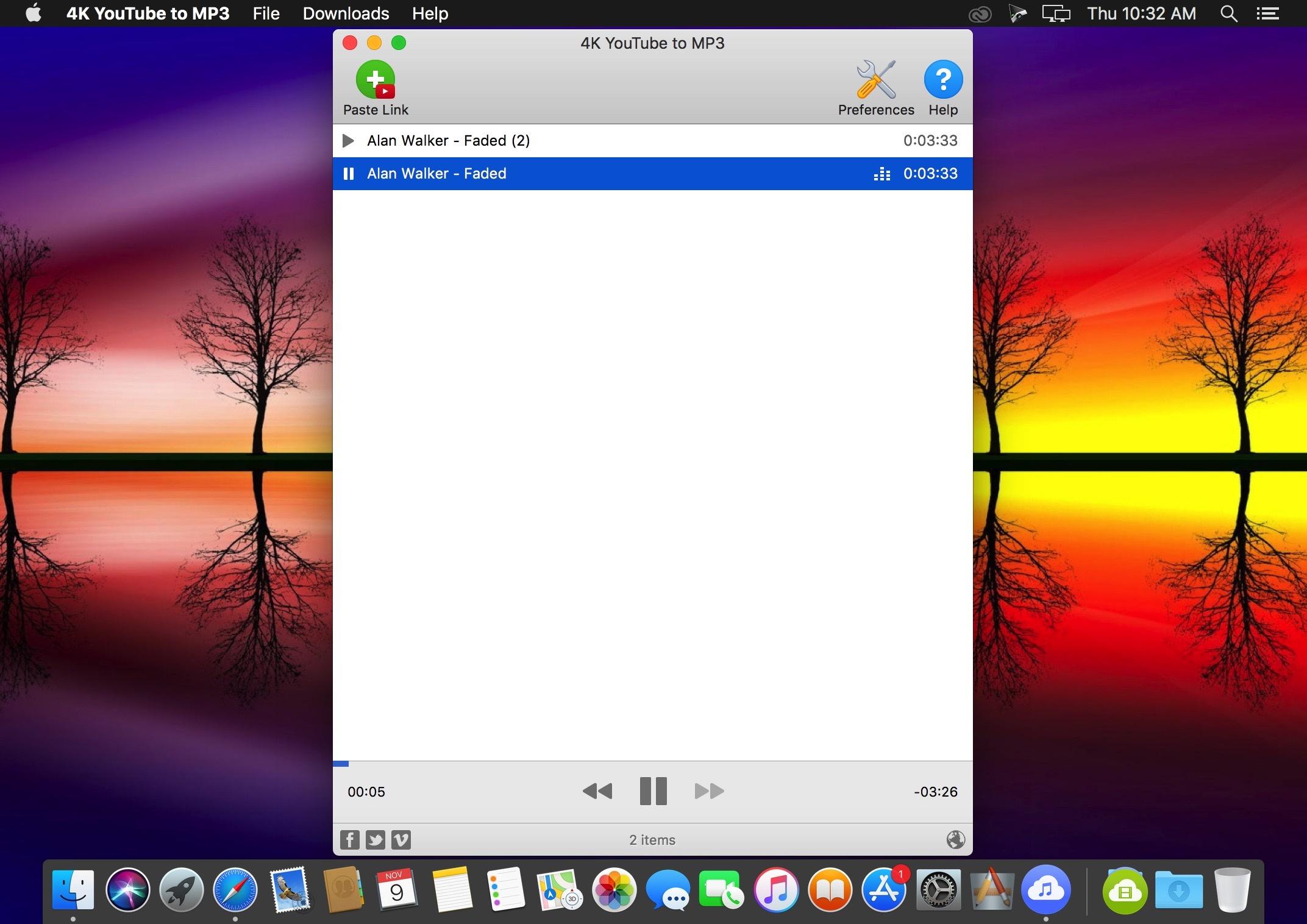
4K YouTube to MP3 Pro 25.4.2

4K YouTube to MP3 was specifically created to extract audio from YouTube, Vimeo or Facebook and save it in MP3, M4A, OGG. No annoying and complicated settings to deal with, just a clean, friendly and functional interface. Downloading is simple and straightforward: just copy the link from your browser and click ‘Paste Url’. Done!

Features

  • Extract audio from YouTube videos and save it in MP3, M4A or OGG in high quality.
  • Download full YouTube playlists or channels and generate m3u files.
  • Transfer downloaded tracks automatically into iTunes and upload them on your iPhone or iPod.
  • Listen music via native built-in music player.
  • Download and extract audio tracks from SoundCloud, Vimeo, Flickr and DailyMotion videos.
  • Download audio books from YouTube.
  • Extract audio tracks even from embedded in HTML page videos.
  • Use 4K YouTube to MP3 on your PC, Mac or Linux, doesn’t matter what OS you prefer.

What’s New:

Version 25.4.2

  • Release notes were unavailable when this listing was updated.

Language: English, German, French, Spanish and others.
Compatibility: macOS 10.13 or later
Homepage https://www.4kdownload.com/products/product-youtubetomp3

Screenshots

Name: 4K_YouTube_to_MP3_25.4.2_Mac-torrents.Net.dmg
Size: 219 MB
Files 4K_YouTube_to_MP3_25.4.2_Mac-torrents.Net.dmg[219 MB]


   Download Torrent

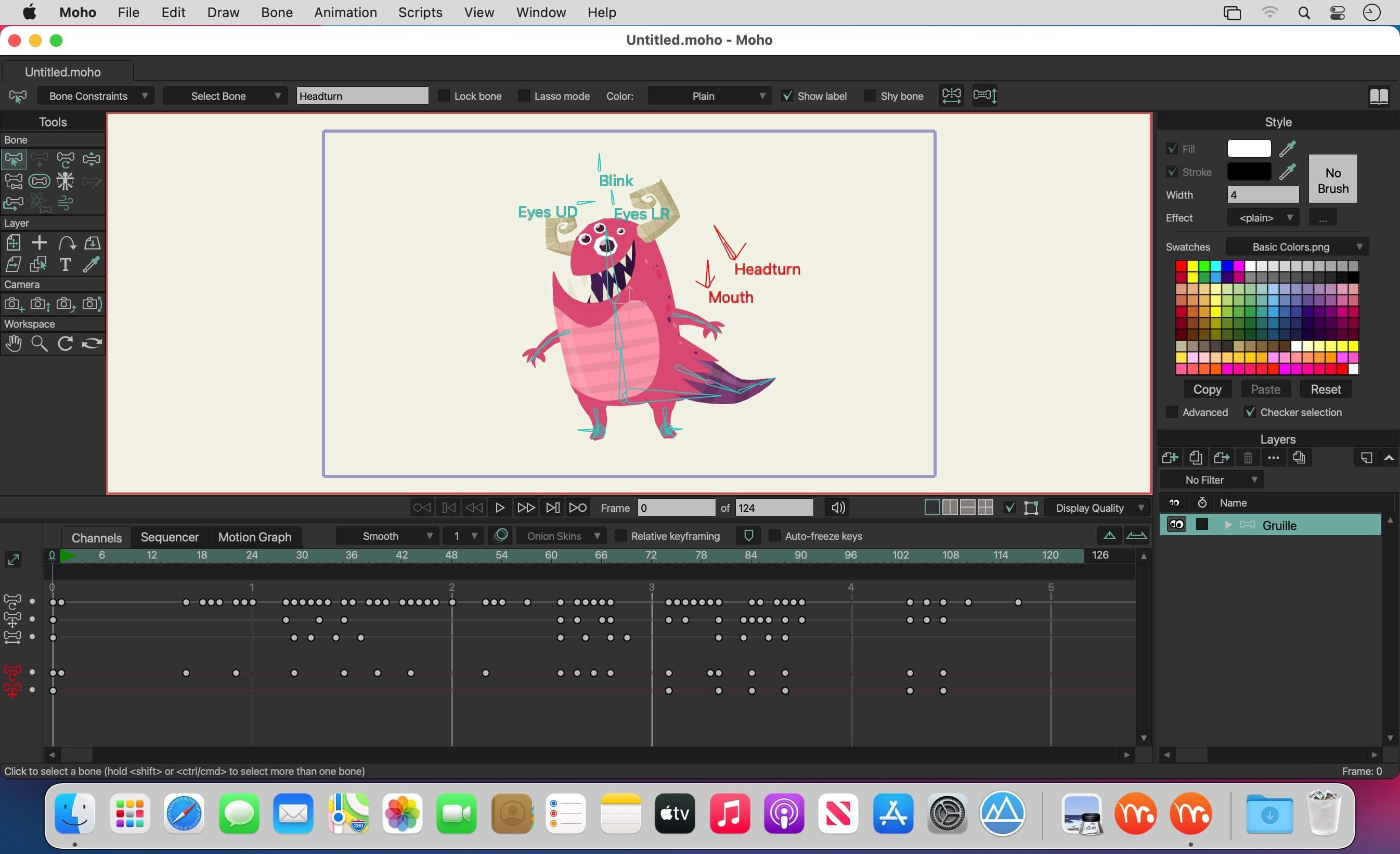
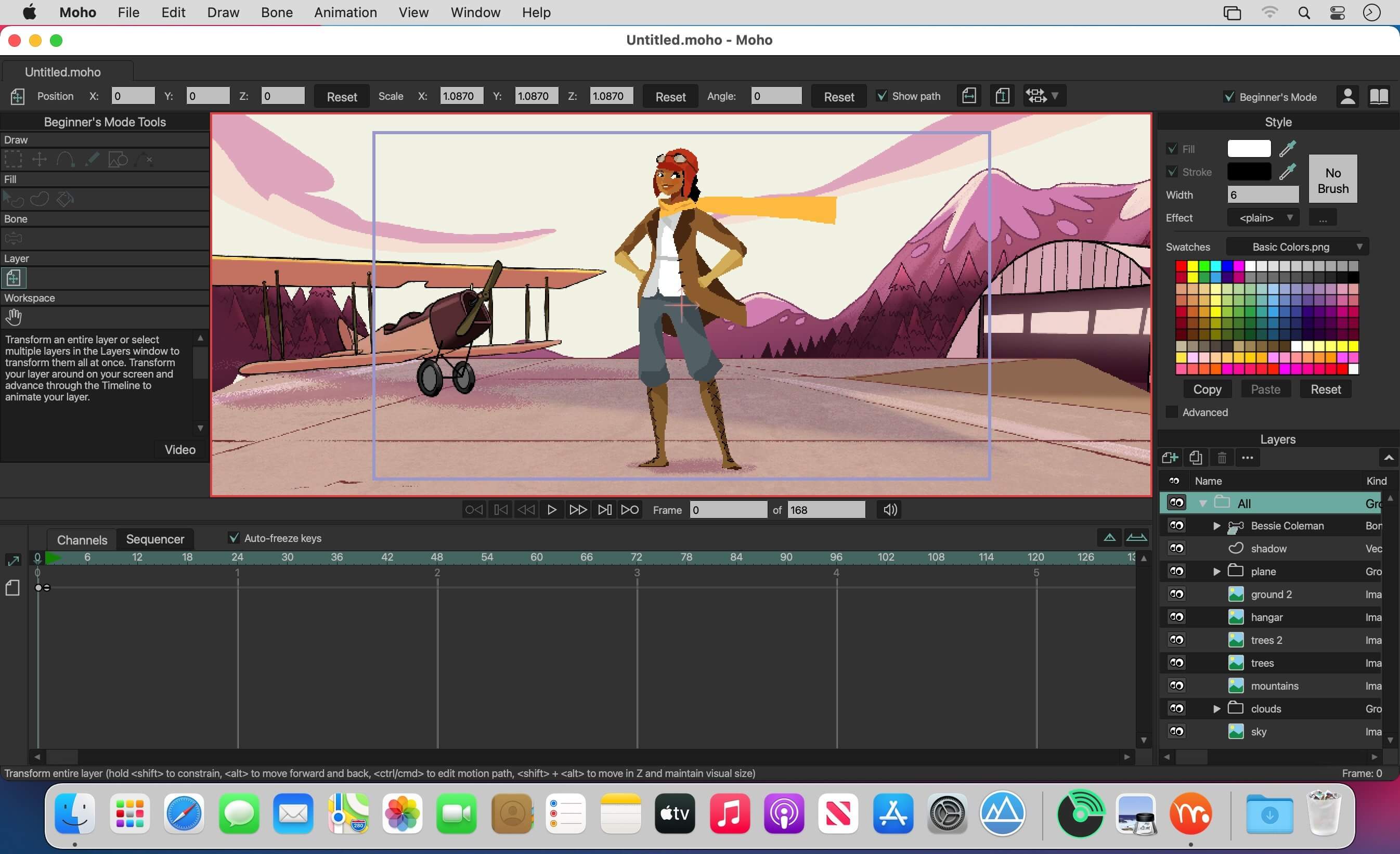
Moho Pro 14.4

Everything you need to make amazing, professional animation. Moho™ Pro 13 (formerly Anime Studio Pro) offers the most powerful 2D rigging system of the market and mix it with traditional animation tools, allowing to get professional results easier and faster.

Moho™ Pro 13 is perfect for professionals looking for a more efficient alternative to traditional animation. With an intuitive interface and robust features such Smart Bones™, Smart Warp, Bezier handles optimized for animation, frame-by-frame tools, a professional Timeline, physics, motion tracking, motion graphs, 64-bit architecture and much more, Moho™ Pro 12 delivers advanced animation tools to speed up your workflow and combines cutting-edge features with powerful technology for the most unique animation program for digital artists.

What’s New:

What’s New in Moho Pro 13
Bitmap Frame by Frame Capabilities
Create traditional style animations directly in Moho by combining the new Bitmap Tools with Image Based Frame-by-Frame Layers. Also optimize your experience by creating a storyboard or animatic right in Moho.

Bitmap Freehand Drawing Tools
Create unique textures and effects for the characters and objects you create right in Moho using our built-in default bitmap brushes. Control bitmap brush output based on velocity, direction, and pressure. Use the Bitmap Fill Bucket Tool to quickly fill and color in large areas of pixels when creating backgrounds or altering the color of an image layer texture.

Bitmap Freehand Brush Tool
Moho now has bitmap drawing capabilities! Texturize your characters and objects right in Moho using one of Moho’s default brushes or create a custom brush using the new Brush Manager if you’re a Moho Pro user.

Custom Bitmap Brush Creation
Give your animation the exact style you want right in Moho by creating custom Bitmap Brushes. Create brushes with the look and behavior you need for your project by editing a variety of brush settings within Moho Pro’s Bitmap Brush Manager. Then easily import and export them to use with others and across devices.

3D Objects Light Manipulation Support
Get increased control and support of manipulations and render settings with Improved 3D Object Support. Modify 3D object material settings and textures, and bring greater cohesion between your 2D and 3D assets within Moho by adjusting your imported 3D object’s lighting source, ensuring both 2D and 3D objects have a matching perspective.

3D Object Material Properties Support
See better object previews during camera manipulations and modify a 3D object’s material properties. Get the look that best fits your projects with imported 3D objects using these new material editing options and toon shading controls. Get more support in controlling and removing the pre-defined output options.

New Actions Window
Get organizational control of your actions in Moho Pro by using the new Actions window. Create groups, tags, search using keywords, sub-words, and Boolean operations (“+” & “-“) for more precise searching. Then sort the actions, create a custom sorting logic, or filter actions by type (Regular, Morphs, Smart Bones).

Language: English, Spanish, French, German, Chinese and Japanese.
Compatibility: macOS 10.15 or later
Homepage https://my.smithmicro.com/

Screenshots


Name: Lost.Marble.Moho.Pro.v14.4_Mac-torrents.Net.zip
Size: 624 MB
Files Lost.Marble.Moho.Pro.v14.4_Mac-torrents.Net.dmg[624 MB]


   Download Torrent

Native Instruments Maschine 3.4.1

MASCHINE 3 is all about getting your musical ideas flowing. It’s there every step of the way from beat making and sampling to arranging and performing your tracks. Use it with virtual instruments or your own samples, both on its own and in a DAW. And if you’re ready to take things up a gear, bring in Maschine hardware to get hands on.

The new version is completely redesigned, Drum Synths, mixer, etc. NEW audio engine sound engine MASCHINE 3 now allows you to add unlimited groups and inserts effects MASCHINE powerful set of features. Multicore support ensures that your computer will handle all this in parallel with the processing of ultra high – even when using the software as a VST or AU plug-in module. New audio engine now also supports side bindings for sidechaining, for classic ducking effects and more…

MASCHINE a revolutionary system for creating grooves tactile creative bit-making organization of recognized sound library Kontakt 8 any other VST, VSTi library.
Together with the software package for creating beats MASCHINE create quickly and easily combine the power and flexibility of software with tactile immediacy of hardware. His sequencer based on patterns, high-performance sampler, has an incredible set of professional tools and studio effects, exemplary drum synthesizers and library Kontakt 8 are you a complete system for quickly and professionally create grooves.

NEW JUICE FOR OLD MASCHINES
If you’re still using MASCHINE 2.x, the MASCHINE 3 software update can give you more functionality, sound, and raw power for modern music production. Completely reworked, the software offers countless new ways to support and fast-track your ideas. The software is compatible with all generations of MASCHINE and MASCHINE MIKRO* – it works with the hardware you already have. Read on for details on what you get…

REWORKED AUDIO ENGINE
MASCHINE 3’s audio engine adds unlimited groups and insert effects to MASCHINE’s powerful feature set. Multicore support ensures your computer handles it all in parallel with ultra-efficient processing – even when using the software as a VST or AU plug-in. The new audio engine now also supports sidechaining, for classic ducking effects and more.

DRUM SYNTHS
MASCHINE 3 sets a new benchmark in software drum synthesis. Create your own perfectly-tuned electronic and acoustic drum sounds in truly peerless sound quality.
Six exclusive monophonic drum plug-ins, with their own unique algorithms, give you any percussive sound you need. All fully tweakable, automatable, and perfectly integrated into MASCHINE – with the quality that comes from NI’s acclaimed DSP expertise.

MIXER WINDOW
Polish your tracks to perfection with the mixer window in MASCHINE 3. Tweak volume and panning with ultimate ease. See group and individual track levels clearly on meters complete with peak level indicators. Adjust levels on any group of sounds. And two aux sends per channel let you freely route sounds anywhere in your project.
MASCHINE’s new user interface brings you all this and much more – cutting-edge groove production has never been this easy.

NEW PLUG-IN STRIP
MASCHINE 3’s new plug-in strip gives you a whole new way of seeing your instruments and effects. Each internal instrument and effect now has its own layout for lightning fast visual recognition. This intuitive, visual integration extends to KOMPLETE Instruments and Effects. And beyond that, MASCHINE can handle pretty much any VST, AU or effect plug-in you own.

MORE SOUND INSIDE
Browse presets and load any KOMPLETE 15 Instrument or Effect at-a-glance directly from MASCHINE 3’s full-color product icon display. And now, there’s even more to discover. MASCHINE 3 includes KOMPLETE 12 SELECT – a premium selection of 15 KOMPLETE Instruments and Effects. Get a full suite of professional sound right out of the box and control it all from your MASCHINE hardware.

You also get over 2000 more samples, 200 brand-new MASSIVE presets, and over 100 new kits – all in a streamlined browser that makes finding your sound fast and simple. No matter what sound you’re after, MASCHINE is waiting for you.

Compatibility: macOS 13.0 or later • Apple Silicon or Intel Core processor
Homepage https://www.native-instruments.com/en/products/maschine/maschine-accessories/maschine-3/

Name: Native_Instruments_Maschine_3.4.1__HCiSO_Mac-torrents.Net.dmg
Size: 1.32 GB
Files Native_Instruments_Maschine_3.4.1__HCiSO_Mac-torrents.Net.dmg[1.32 GB]


   Download Torrent

Color Folder Pro 4.2

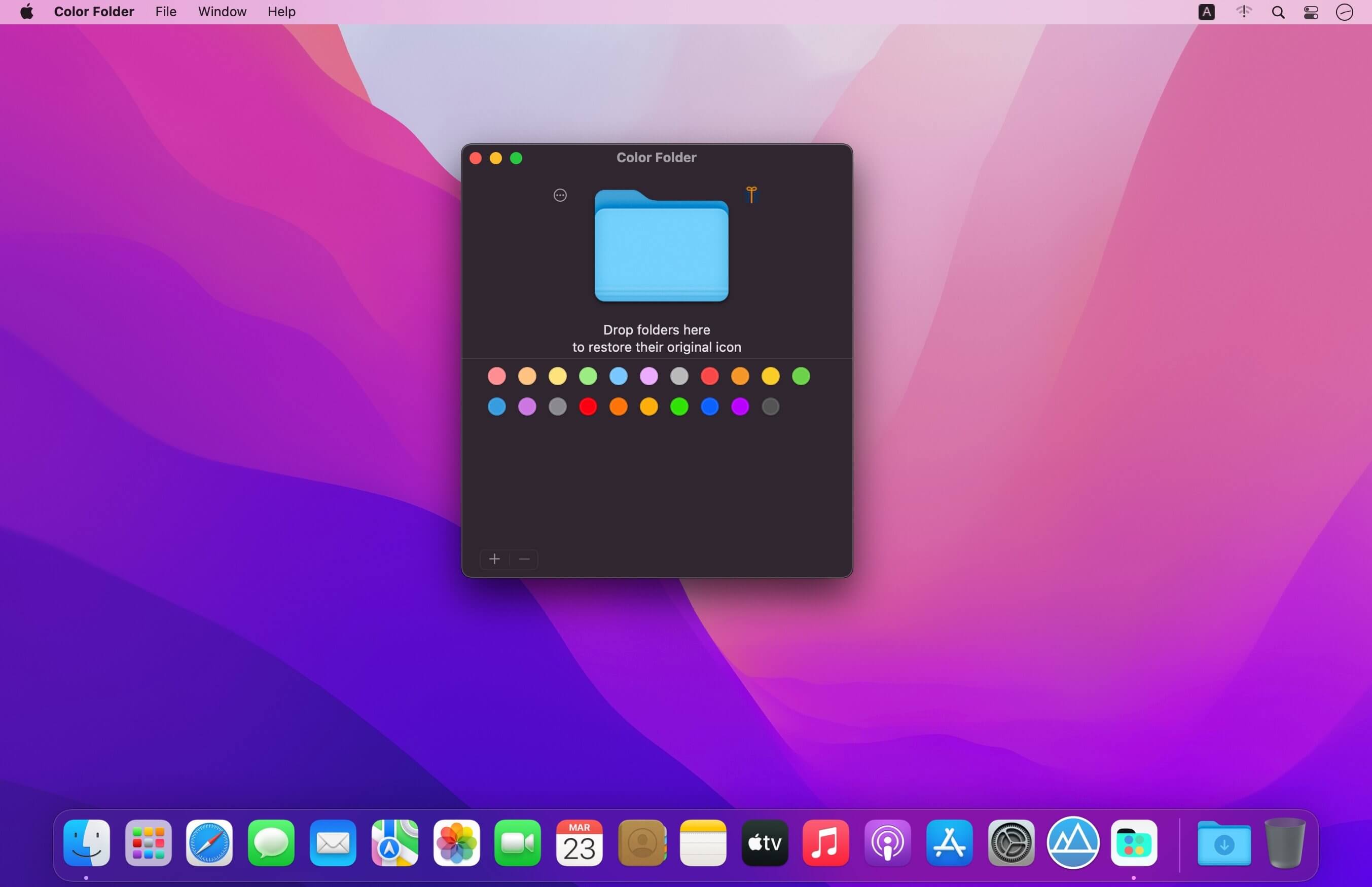
Color Folder – change the color of your folders in the easiest way!

Main Features

  • Quickly change folder icon color
  • Support changing multiple folder icons at the same time
  • Save as Icon
  • Provide a variety of icon templates to choose from
  • Support any color to modify folder icons

Top In-App Purchases : Pro Version – included.
Compatibility: macOS 10.13 or later
Homepage https://apps.apple.com/app/color-folder-custom-icons/id1502255391

Screenshots

Name: Color_Folder_4.2_Mac-torrents.Net.dmg
Size: 33 MB
Files Color_Folder_4.2_Mac-torrents.Net.dmg[33 MB]


   Download Torrent

EazyDraw 12.2.4

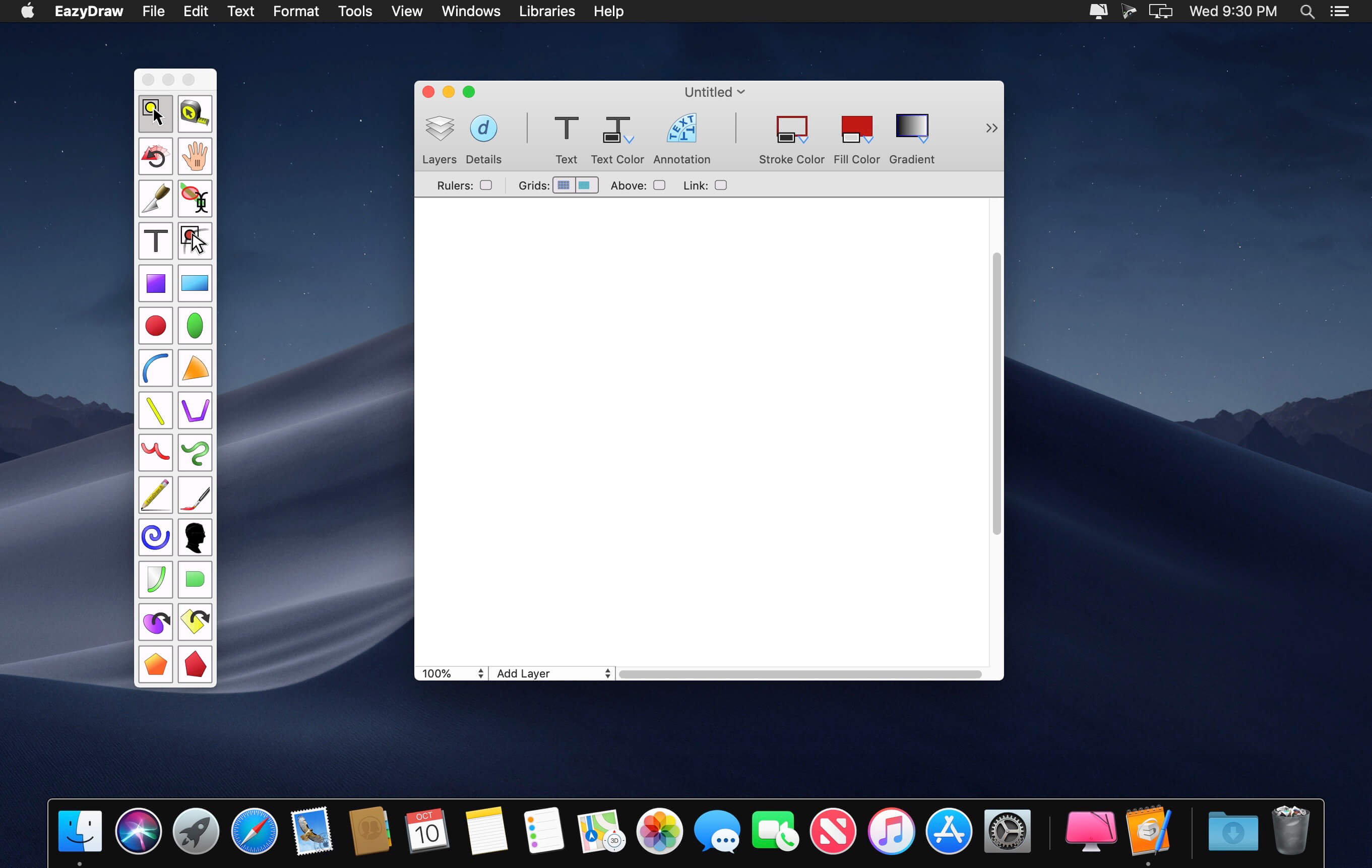
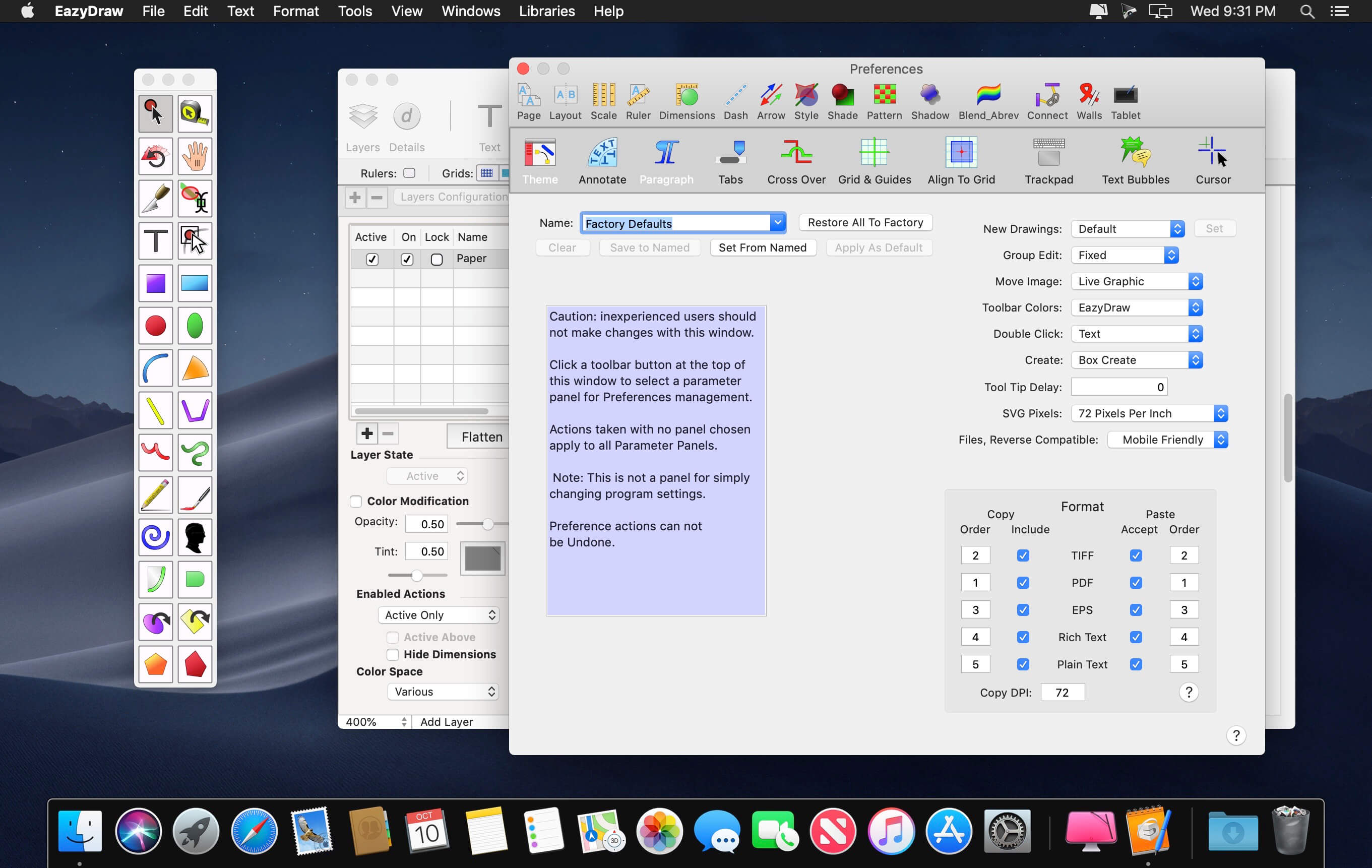
EazyDraw is a vector drawing application. For the full journey from Jaguar to El Capitan, EazyDraw has been the trail-blazing app for the new vector-drawing paradigm on the Mac.

EazyDraw provides a balanced feature set that includeas tools needed for technical drawing, Web and app graphic design, print publishing, logos, page – text layout and more. Easy enough for everyone, but with the depth your project will need.

Includes comprehensive support for bitmap and vector graphic formats. Import and ungroup for editing PDF and EPS. Import and export SVG and now DXF. Preview and publish to EPS and TIFF with RGB or CMYK process colors. Exchange scaled CAD drawings with DXF. Publish Web graphics. Create Mac, iPhone, and iPad app-development graphics and icons.

Top In-App Purchases: Full Version – included
Compatibility: macOS 14.6 or later
Homepage http://www.eazydraw.com/

Screenshots


Name: EazyDraw_12.2.4_MAS_[TNT]_Mac-torrents.Net.dmg
Size: 151 MB
Files EazyDraw_12.2.4_MAS_[TNT]_Mac-torrents.Net.dmg[151 MB]


   Download Torrent

Keep It 2.7.6

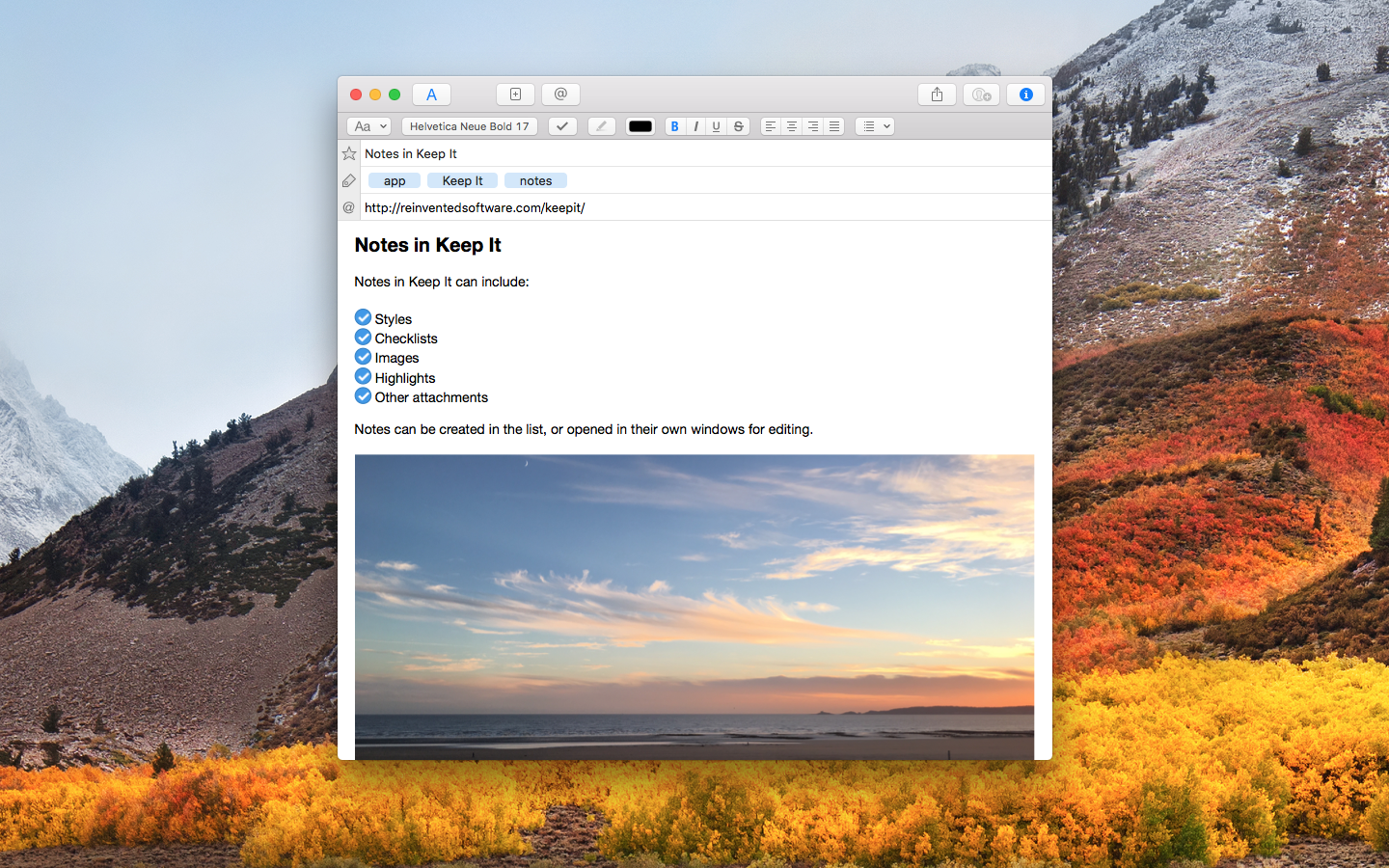
Keep It is for writing notes, keeping web links and documents, and finding them again. Available on Mac, and as a separate app for iPhone and iPad, Keep It is the destination for all those things you want to put somewhere, confident you will find them again later.

Notes and Links
Make Notes
Create notes with built-in styles that look good and read well on all your devices. Notes can contain checklists, bulleted and numbered lists, images, links and other attachments.

Save Web Links
Save web links to Keep It, view them in the app, open them in your browser, or save them as PDFs for offline reading.

Files
Add Anything
Any kind of file can be added to Keep It or saved to its folders, and opened for editing in their original applications. With iCloud, changes are automatically made available across all your Macs and iOS devices.

Preview and Edit
Keep It generates thumbnails and summaries for most files, can edit its own notes, rich and plain text files, and show previews for PDFs, images, web pages and most other documents.

Search and Filter
Search
Keep It can search the content of most files. Suggestions appear as you type, allowing you to narrow down results to exactly what you need, or use keywords and natural language. Save searches for later reuse.

Tag Filter
Keep It’s Tag Filter makes finding things by their tags a pleasure. Choose a tag to see all the tagged items and any other relevant tags; choose another tag to drill down further.

Organize
Folders
Folders let you organize items and bundles hierarchically, when needed. Select a folder to see everything it contains.

Bundles
When you need to gather things into one place, make a bundle. Items can be in more than one bundle at a time, and when you remove the bundle, everything else stays where it was.

Labels
Use labels to color-code items for quick visual recognition. Labels are listed in the sidebar so you can quickly see everything with a particular label.

More Lists
Use the Recents list to see things you’ve added or viewed lately, with the latest shown at the top. Favorites provide quick access. Deleted Items are automatically removed after 30 days.

Where You Need It
Compact Mode
In compact mode, Keep It for Mac becomes a single column, ideal for using alongside other apps or in split screen.

Works with Other Apps
Pretty much anything can be dragged to Keep It, and you can also add things from a variety of apps with Keep It’s share extension.

Compatibility: macOS 14.6 or later
Homepage http://reinventedsoftware.com/keepit/

Screenshots


Name: Keep_It_2.7.6_[TNT]_Mac-torrents.Net.dmg
Size: 38 MB
Files Keep_It_2.7.6_[TNT]_Mac-torrents.Net.dmg[38 MB]


   Download Torrent

Scaler Music Scaler 3 v3.2.0 Regged

A complete redesign, Scaler 3 takes everything that made Scaler 2 the world’s favourite music theory plugin and builds on it in ways you’d never imagined. Scaler 3 will make it easier to take new directions, solve musical puzzles, and improve your works-in-progress in completely new ways.

The long-awaited successor to the multi-award-winning Scaler 2 is finaly here!

→ Browse, Create, Arrange.

• Redesigned UX/UI Scaler 3 has been fully redesigned to remain instantly familiar to Scaler 2 users, while providing a streamlined experience for newcomers. The interface is organized into three main pages: Browse, Create, and Arrange.
• Standalone App Scaler 3 can now run as a standalone app in addition to a plugin within any DAW, offering a complete and flexible songwriting tool.
• Multi-Lane Timeline The Arrange page now includes a timeline-based layout with dedicated lanes for chords, melody, bass, and phrases. Each lane is synchronized with the main chord track, and clips are fully adjustable with independent control per lane or clip.
• Explore Page Discover a Harmonic Universe of chords untied to any specific scale. Categorized by genre and feel (e.g., Dark, Bright, Neutral), the Explore Page suggests compatible and experimental chord progressions, unlocking new paths for unique and bold harmonic structures.
• Colors Page Explore a comprehensive view of all chord voicings and harmonic alternatives in a single, unified page. Instantly access parallel and relative chords, as well as diverse voicing and substitution options, to add expressivity and creative flexibility to your compositions.
• Motions Scaler’s beloved Phrases, Performances, Melodies, and Basslines are reimagined as Motions, now with mood-based tags for easier browsing. Scaler 3 introduces hundreds of new Motions crafted by professional musicians, including the all- new Passages Motion.
• Note Editing & Harmonic Modifiers A comprehensive note editing matrix allows users to customize or create new Motions. MIDI lanes can be set to follow or run independently of Chord Tracks, with new Harmonic Modifiers and Motion Controls to adjust note range, density, pitch, and clip rotation – all within the chosen scale.
• Expanded Content Scaler 3 offers a significant content expansion, including new Chord Sets, Harmonic Universes, Motions, and Scales, contributed by samplify studio and a network of top-tier artists.

• Enhanced Categorization Improved filtering and search functionality enable quick navigation across Scaler 3’s content. Search by mood, energy, note count, scale, and more.

→ Scaler 3 Full Feature List

✓ 100s of Chord Sets and Scales categorised by mood, artist and genre. Scaler 3 greatly expands the number of chord sets and makes them easier to work with.
✓ Build Chord Progressions using the sequencer and get suggestions based on your currently selected chords.
✓ Play your favourite instruments with VST/AU Plugin Hosting, including effects too.
✓ With powerful Detection of MIDI and audio, Scaler can determine what key and scale you’re in and suggest chords that match your music.
✓ Standalone mode for working on your desktop computer without needing a DAW.
✓ Huge library of Motions lets you play chords as melodies, arpeggios, basslines and strums, and to modify them using the piano roll editor and global Note Properties..
✓ Check the Circle of Fifths to find nearby chord substitutions and their extensions.
✓ Solve your modulation puzzles in five ways: Progression, Secondary Scale, Modal Interchange, Mediants, Neo-Riemannian.
✓ Experiment with Voice Grouping to keep your chords within a certain range or apply drop voicings, guitar voicing and more.
✓ 50 Internal Sounds to play your inputs, chords and progressions, or load VST/AU instrument plugins.
✓ Use Bind to Keyboard to control chord playback with notes, for one-finger chords, arpeggios and more.
✓ Discover new chord expressions – chord substitutions, inversions, variations, voicings and extensions – in the Colors page.
✓ Line up seven progressions with different motions to compare in the Sketch Pad page.

Compatibility: macOS 10.14 or later • Apple Silicon or Intel Core processor
Homepage https://scalermusic.com/products/scaler-3/

Name: Scaler_Music_Scaler_3_v3.2.0__HCiSO_Mac-torrents.Net.dmg
Size: 1.55 GB
Files Scaler_Music_Scaler_3_v3.2.0__HCiSO_Mac-torrents.Net.dmg[1.55 GB]


   Download Torrent

4K Video Downloader Plus Pro 25.4.2

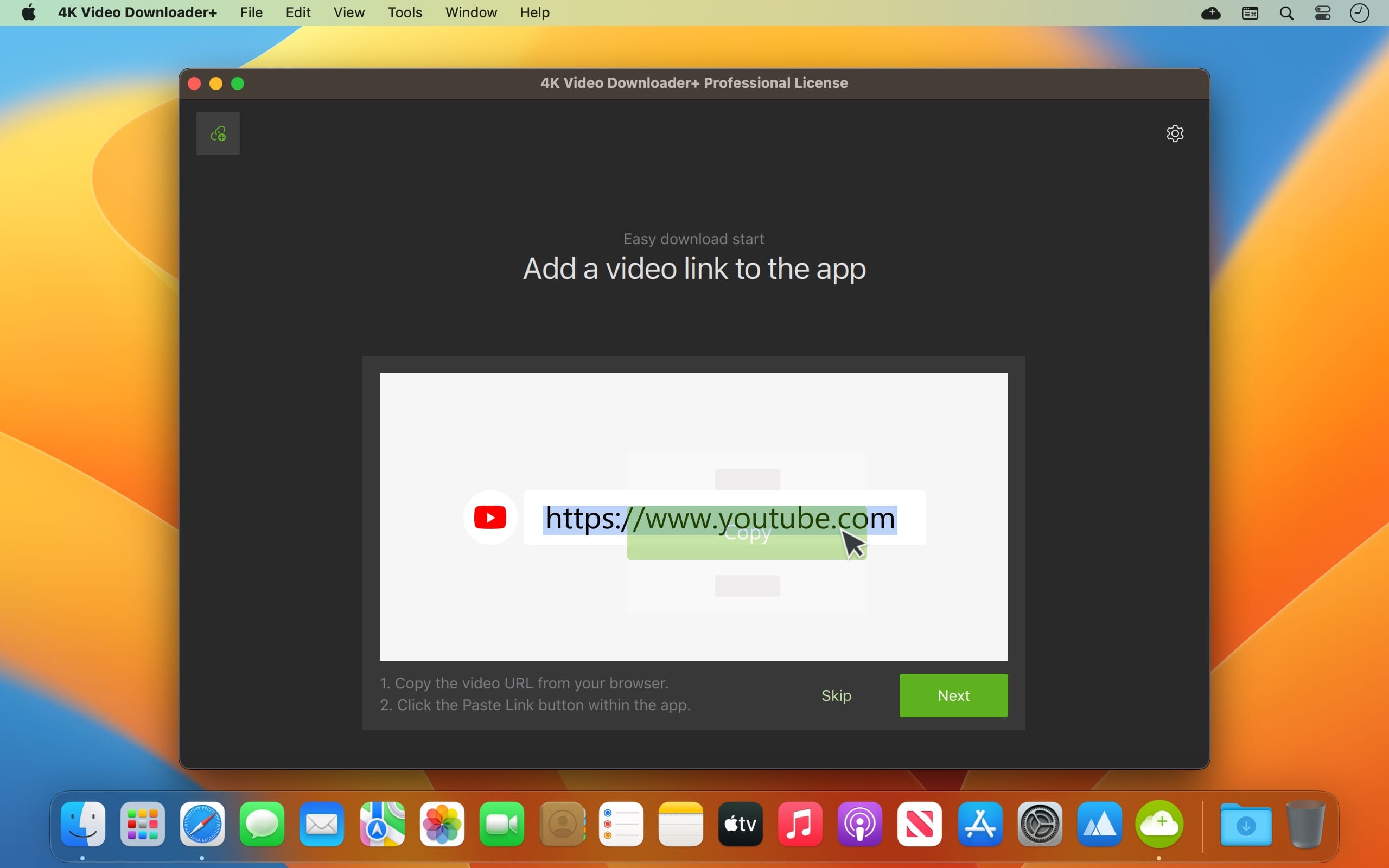
4K Video Downloader allows to download video, audio and subtitles from YouTube in high-quality and as fast as your computer and connection will allow. If you want that video on your iPad, iPhone or other device we’ve got you covered. Downloading is simple and straightforward: just copy the video link from your browser and click ‘Paste Url’. Done!

Proxy Connection for Unrestricted Access

  • Bypass restrictions set by your Internet service provider and get around your school or workplace firewall. Connect through an in-app proxy to access and download from YouTube and other sites.

All Popular Sites Support

  • Save video and audio from YouTube, Vimeo, TikTok, SoundCloud, Bilibili, Niconico, Flickr, Facebook, Instagram, DailyMotion, Naver TV, Likee and Tumblr. Download recorded streams from Twitch and YouTube Gaming.

New YouTube Video Auto-Download

  • Subscribe to the download of your favorite YouTube playlists and creators. Save whole channels and playlists in one go. Get new videos downloaded automatically as soon as they are uploaded to YouTube.

3D Video Download

  • Get a one of a kind experience by watching stereoscopic 3D videos on your computer or TV. Download 3D Youtube videos in MP4, MKV, FLV, 3GP and other formats

360° Video Download

  • Feel the action all around you with virtual reality videos. Download 360° videos to relive the mind-blowing VR experience as many times as you want.

Easy Downloads Management

  • Sort and filter downloads by type, name and date. Import and export all files as a single JSON file. Easily track and control the progress of both individual downloads and entire groups of downloading files.

Compatibility: macOS 10.13 or later
Homepage https://www.4kdownload.com/products/videodownloader-39

Screenshots

Name: 4K_Video_Downloader__25.4.2_Mac-torrents.Net.dmg
Size: 248 MB
Files 4K_Video_Downloader__25.4.2_Mac-torrents.Net.dmg[248 MB]


   Download Torrent

AI Transcription 2.14

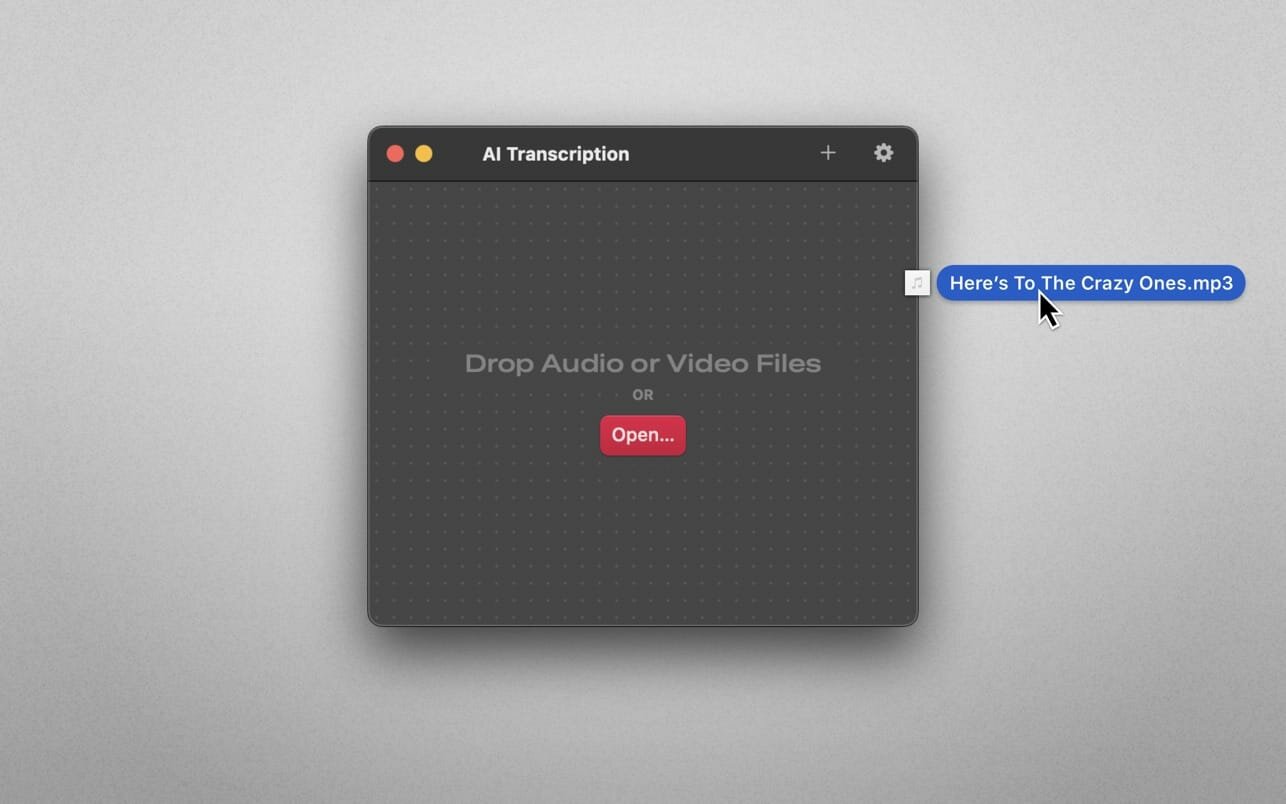
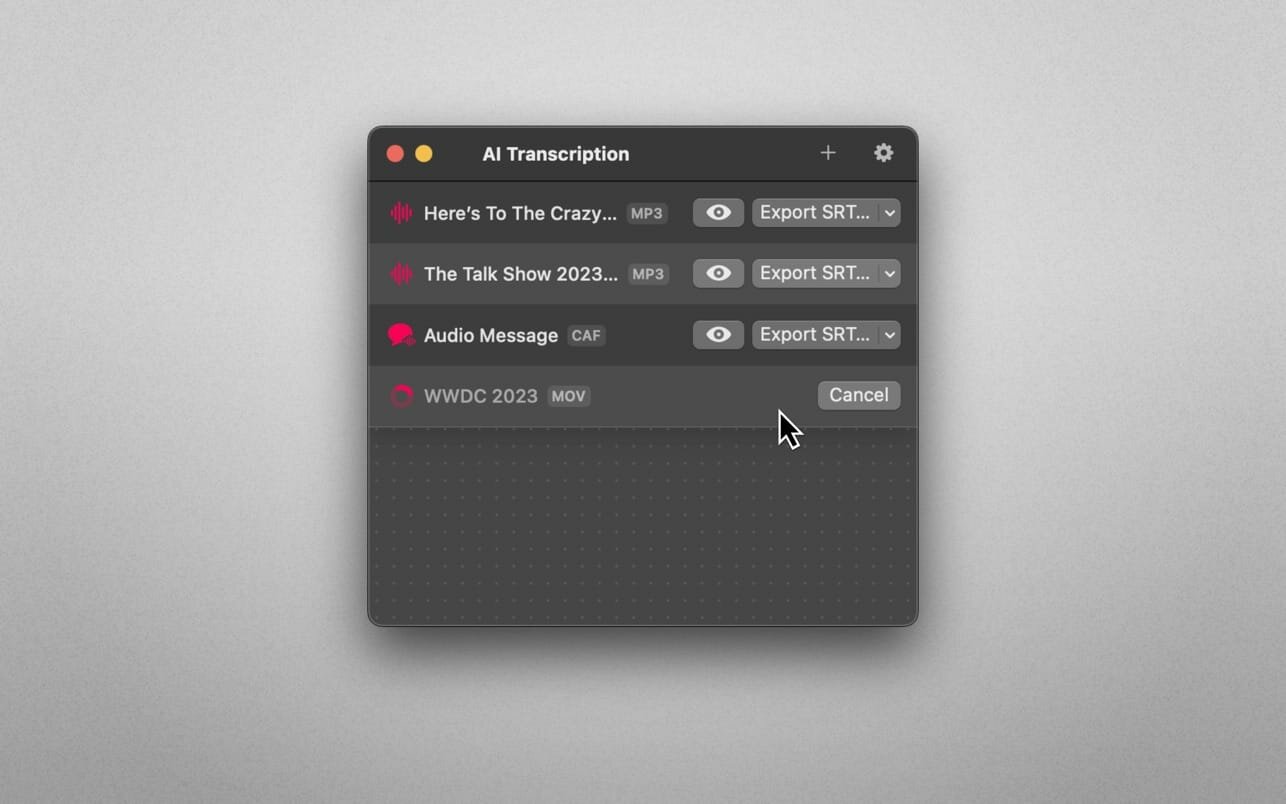
Audio-to-Text Converter. Turn audio into text! AI Transcription uses advanced Speech Recognition to transcribe your audio and video files in a blink, fully automatically, all offline, and with highly accurate results.

Features

  • AI-powered Audio-to-Text generator
  • Supercharged by Speech Recognition
  • User-friendly, lightweight yet powerful
  • Just drag and drop your files and transcription starts automatically
  • Privacy by Design: Computes offline, directly on your Mac
  • Export transcriptions as plain text, CSV, SRT and VTT files
  • Timing Segmentation Levels: Words, Sentences, Paragraphs
  • Looks brilliant in dark and light
  • Optimised for Macs with Apple silicon (M1, M2)
  • Works great on macOS 13 Ventura

Limitations

  • The apps’ supported languages depend on the Languages selected in macOS System Settings → Keyboard → Dictation.
  • Only selected languages with on-device support are available in AI Transcription. Some of them are: English, German, Italian, Spanish, Portuguese, Russian, Turkish, Simplified Chinese.

Compatibility: macOS 14.6 or later
Mac App Store https://itunes.apple.com/WebObjects/MZStore.woa/wa/search?term=ixeau&mt=12

Screenshots


Name: AI_Transcription_2.14_Mac-torrents.Net.dmg
Size: 5.1 GB
Files AI_Transcription_2.14_Mac-torrents.Net.dmg[5.1 GB]


   Download Torrent

USBclean 4.5

USBclean quickly and easily removes all those pesky junk and ghost files from your external Windows formatted USB drives. .DS_Store, Thumbs.db, .Spotlight, and trashes files take up precious space, and can cause issues on some devices. Remove them all quickly and easily with USBclean. Configure USBclean the way you want! Remove files by dragging your drive into the handy drop zone, from the system menubar, or by dropping straight onto the dock icon. You can easily configure USBclean to run only from the system menubar and open at login. It’s a snap to auto quit after dropping your drive onto the dock icon. USBclean always ejects your drive after cleaning for your convenience.

USBclean is useful for:

  • cleaning annoying files which don’t play on your media devices.
  • removal of Mac only files (useful when sharing USB drive with a friends PC).
  • removal of Windows only files which take up useful space
  • removing files of any number of (customizable) filetypes. [for instance, to quickly remove all m4a files from an external drive, go to the “File Types” preference-tab and quickly add “m4a” to the extensions field]

Note: Automatic eject is not available for all volume types.

Compatibility: macOS 11.0 or later
Homepage https://sweetpproductions.com

Screenshots


Name: USBclean_4.5_[TNT]_Mac-torrents.Net.dmg
Size: 5 MB
Files USBclean_4.5_[TNT]_Mac-torrents.Net.dmg[5 MB]


   Download Torrent

TechSmith Snagit 2024.4.8

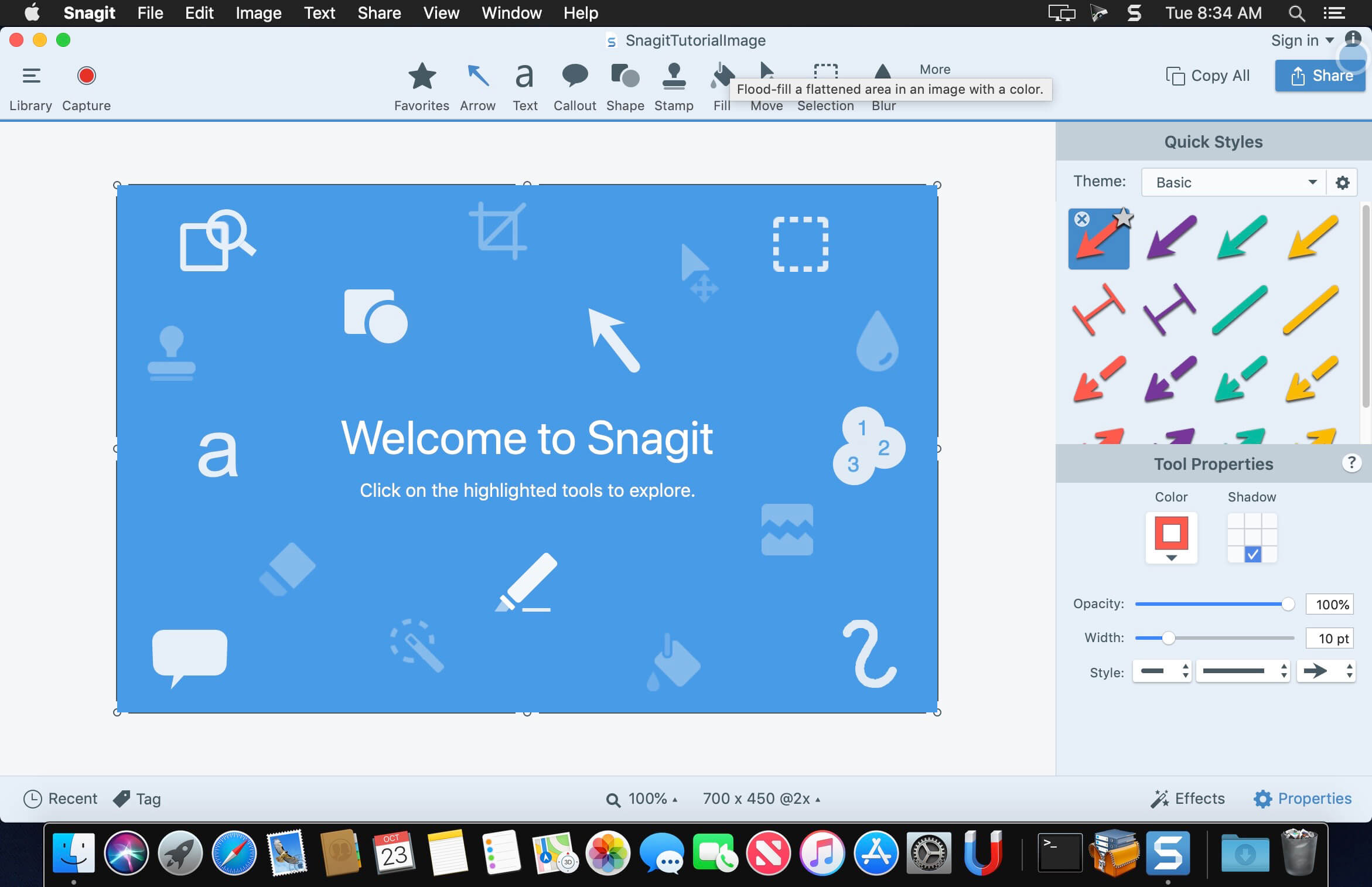
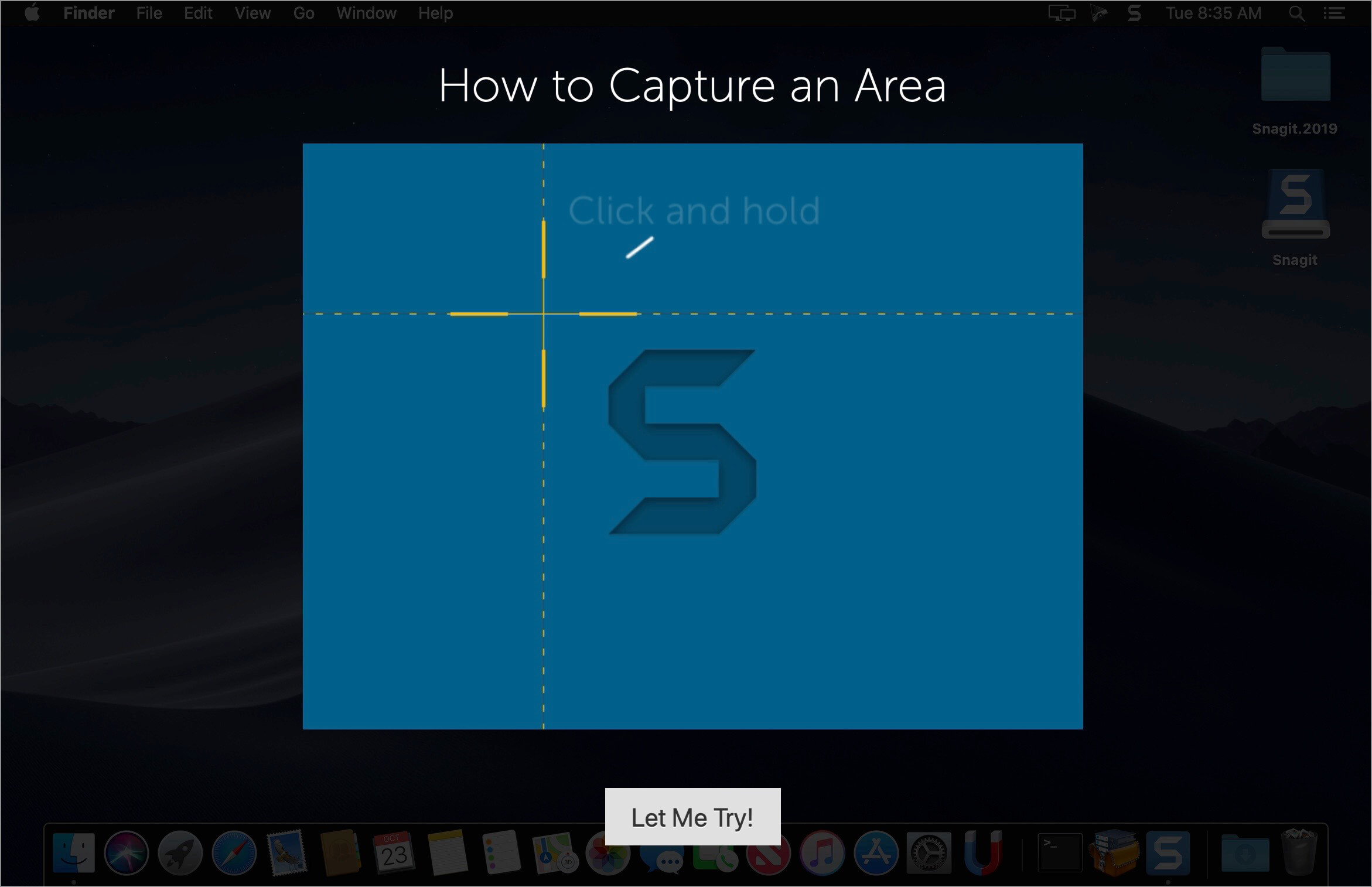
macOS comes with basic screen capturing capabilities, but the customization options are fairly limited. Snagit is an unobtrusive yet very easily accessible Mac app that proposes more diversified screenshot taking functions, and is also able to record videos.

In addition, Snagit provides an editing area where you can to personalize your projects without having to employ third party applications.

Capture screenshots or record videos in no time
By default, Snagit is a status bar menu application that also provides an autohiding capture window placed in the top right corner of your screen. Via the app’s Preferences window you can quickly decide to keep only one of them enabled. At the same time, you can also make use of the already defined hotkeys.

All you have to do is select the capture type via any of those controllers, and highlight the area you want to record. Snagit automatically sends the captures to the processing window but that does not obstruct you workflow in any way: if you are already satisfied with the result, simply select one of the many image or video sharing solutions.

Versatile editing and sharing solutions
The Snagit image editor includes a collection of simple tools that can be used to highlight certain areas, to write down text, to erase certain elements, and much more. Moreover, you also get to apply color filters, edge effects, and more.

When dealing with video content, all you can do is preview the recording and cut a specific portion. Noteworthy is that Snagit allows you to connect to various online account in order to quickly upload the final projects from within the application: this makes the entire procedure extremely straightforward.

Powerful screen capturing tool that includes editing and sharing capabilities
Snagit succeeds at being a complete screen capturing solution: you get to capture both screenshots (including menus or entire webpages, on the spot or with a small delay) and videos (with your screen activity or with the images captured by your webcam).

To conclude, Snagit is the tool you want if you have to highlight certain aspects of an image, or if you need to record video presentations: use its built-in tools to edit the content, and then share the results with your friends in no time.

Compatibility: macOS 14.0 or later
Homepage https://www.techsmith.com/

Screenshots


Name: Snagit_2024.4.8_Mac-torrents.Net.dmg
Size: 247 MB
Files Snagit_2024.4.8_Mac-torrents.Net.dmg[247 MB]


   Download Torrent

DCommander 3.10.0

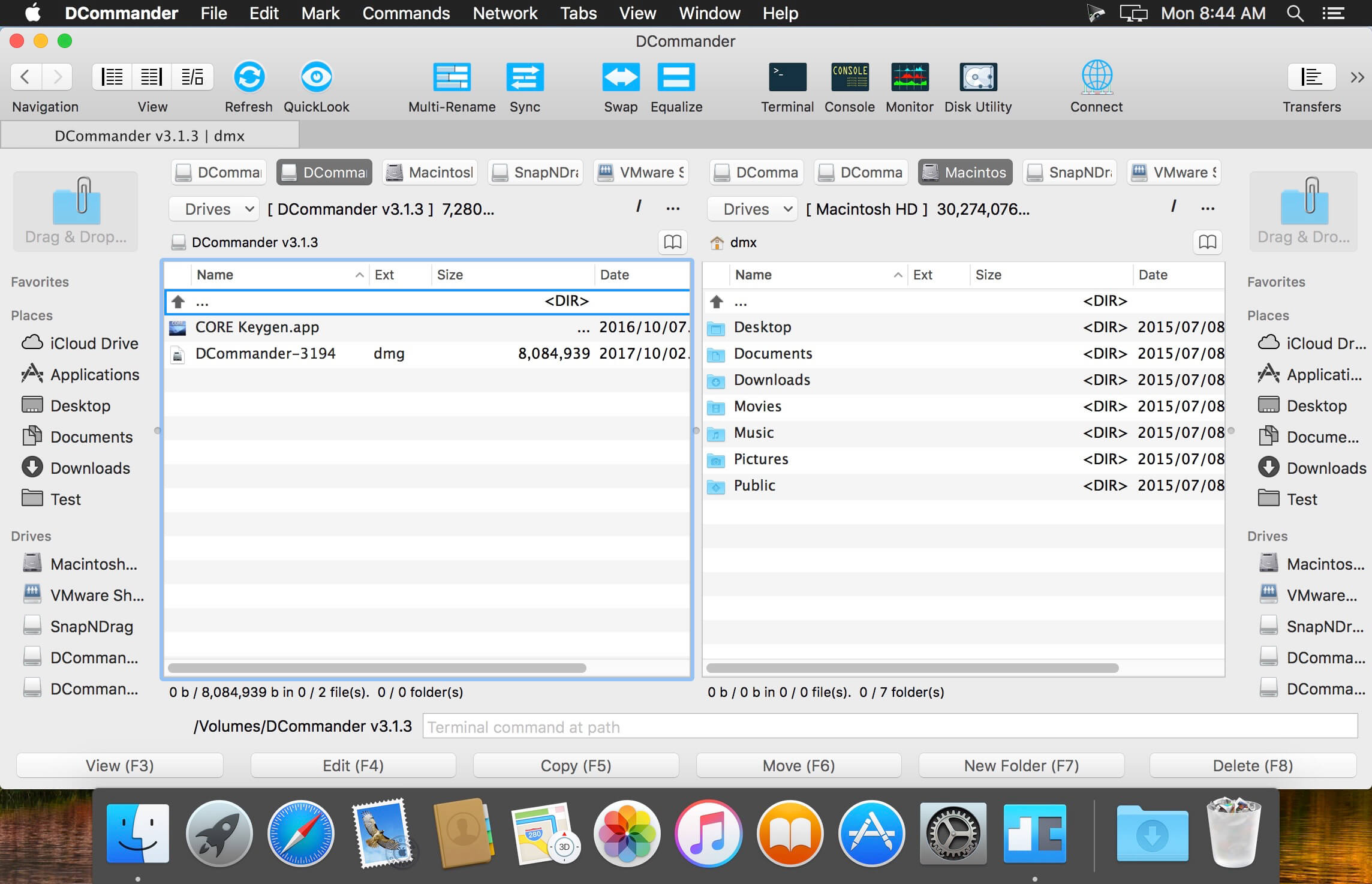
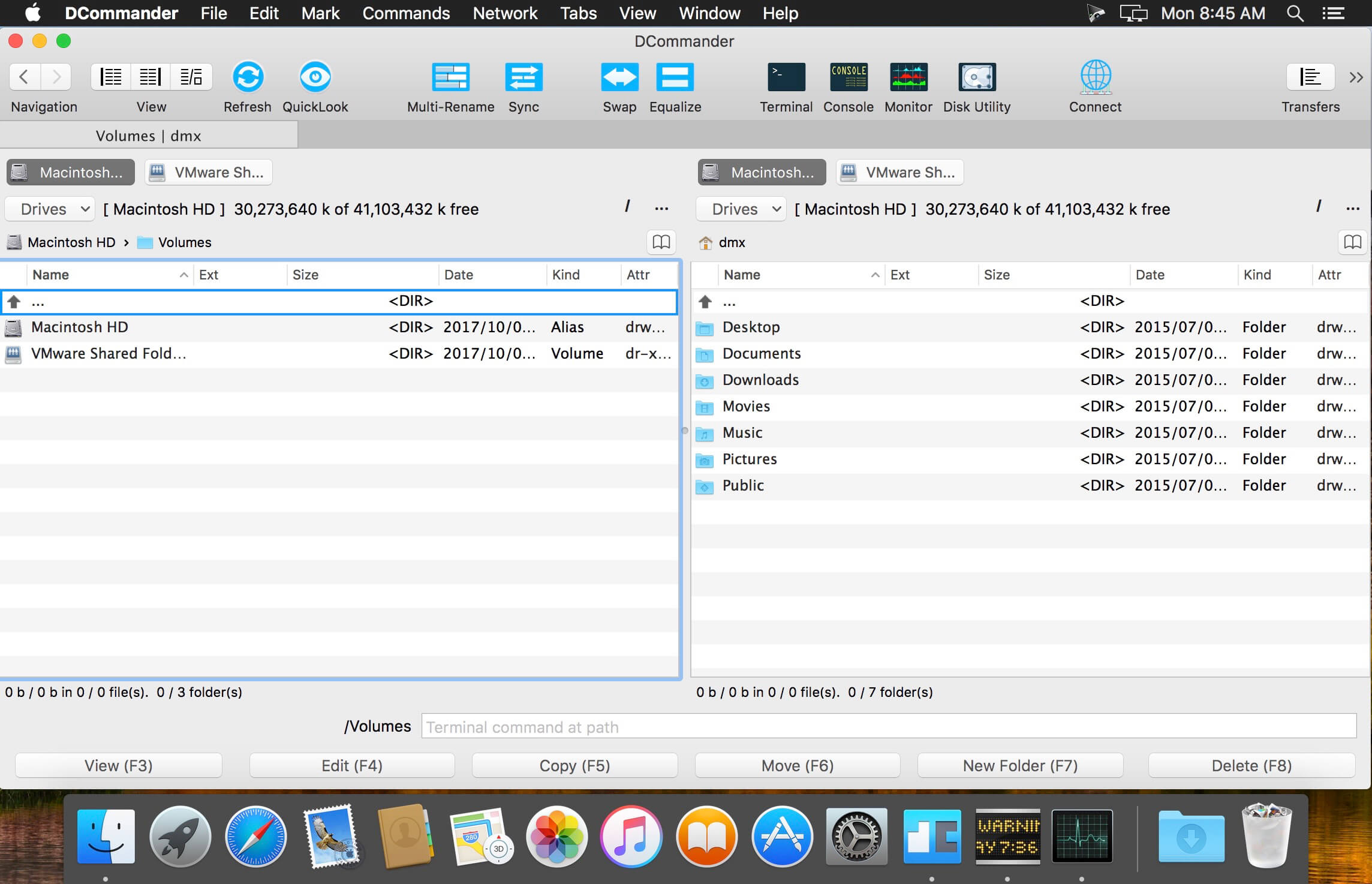
DCommander is a two-panel file manager that gives you full control over your computer’s filesystem.
Optimized for quick access and user-friendliness, DCommander provides a perfect companion for new Mac users transitioning from other operating systems, as well as advanced power users that demand more control of their computer.

Features include:

  • two side by side file windows
  • name, size, kind and date sorting of files and folders
  • view hidden files and folders
  • tabs support with full keyboard navigation
  • file search with sub-folder recursive searching
  • full support for drag&drop operations
  • fine-grained item selection control
  • Lynx-like folder navigation (using arrow keys)
  • quick access to native Terminal, Console, Activity Monitor and Disk Utility applications
  • customisable color schemes
  • customisable font type, size and color
  • quick file viewer with text and hex viewing mode
  • full keyboard navigation
  • ability to browse ZIP archives like normal folders
  • seamless FTP support
  • folder compare and synchronization
  • quick search files in the current folder

Compatibility: macOS 11.5 or later
Homepage http://www.devstorm-apps.com/dc/

Screenshots


Name: DCommander_3.10.0_Mac-torrents.Net.dmg
Size: 10 MB
Files DCommander_3.10.0_Mac-torrents.Net.dmg[10 MB]


   Download Torrent

Commander One PRO 3.17.2

Updated Commander One PRO v3.0 can boast about absolute support for macOS Big Sur, optimized and improved work with major cloud services, support for macFUSE4, enhanced work with archives, and way more.

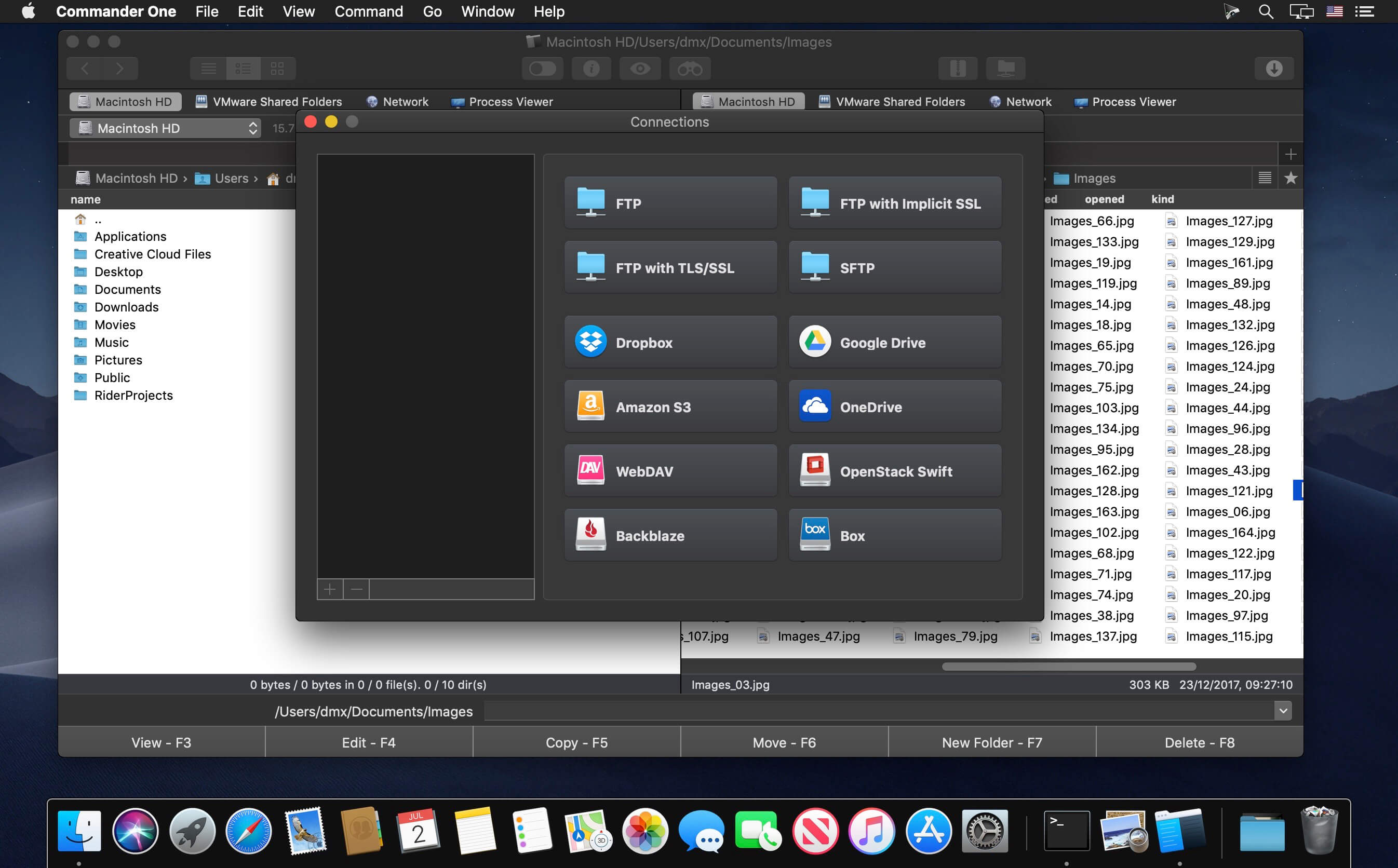
Commander One PRO is a pretty smart and convenient file manager developed in Swift with a dual-panel interface. The app offers a wide range of enhanced functionality for efficient and facilitating work with files, documents, archives, remote servers, cloud computing services, etc.

Appleworld.today -”I’d describe it more as a handy Finder “enhancer” that’s great for Mac OS X “power users”; “If you consider yourself a “power user” and want the ability to tweak and fiddle with the functions on your Mac, you’ll find it very handy — especially the pro version.”

In addition to the basic features of a file manager, Commander One PRO includes a variety of useful features to facilitate and optimize your workflow.

  • Create, delete, open, move, and rename files and folders;
  • Different view modes;
  • Multiple tabs;
  • File operations queue including those in progress;
  • User-customizable hotkeys;
  • History, Favorites, Finder Tabs;
  • Support for Regex in file search;
  • Select the program to open the file;
  • All computers over the network are detected and displayed in the list.

FTP Client:

  • Connect to remote servers via FTP, SFTP or FTPS protocols;
  • Monitor file operations due to convenient queueing;
  • Ability to change files permissions;
  • Reach high efficiency with two panels.

WebDAV client:

  • Seamless access to WebDAV servers. Simultaneously connect as many servers as you need.
  • Deal with your files stored on the server, as if they are your local ones.
  • Move files across servers without downloading them to your Mac.

Amazon S3 Browser:

  • Mount the entire Amazon S3 account or just a specific bucket;
  • Flawlessly handle files of Amazon S3 accounts.

Work with Cloud Services:

  • Ensure additional protection to the files stored online due to the Encryption feature;
  • Dropbox client for any number of accounts with no need to copy data on your Mac;
  • Connect your online Dropbox without installing it;
  • Share Dropbox links right from Commander One;
  • Mount Dropbox Business account and gain full access to your work files;
  • Connect your Google Drive account, share Google Drive folders, including “Shared with me” folder;
  • Mount Microsoft OneDrive on Mac and access your online files as any local ones;
  • Connect S3-compatible storages as local drives to your Mac;
  • Easily mount and manage files on OpenStack;
  • Manage your Mega files and folders without saving them on Mac;
  • Gain total control over your files stored on pCloud;
  • Get full support for Box.com directly from Commander One;
  • Have access to your files stored on Backblaze B2 right from Commander One’s window.

Work with archives:

  • Work with 7zip packages as regular folders: view, add, or remove files without extracting;
  • Create 7zip archives protected with a password;
  • Have full control over your TAR packages (TBZ, TGZ, Tar.Z, tar.lzma and tar.xz) including compression, extraction, opening as a folder with support for search archive contents;
  • Unpack RAR format with ease, search archive contents, copy files without even extracting them;
  • Deal with .ipa, .apk, .jar, .ear, .war files as with regular folders.

Support for MTP devices:

  • Have a seamless work with any MTP device. To access and edit their contents – just map your device to Mac and it will be shown as a mounted drive. You can also use it for OS X Android file transfer.

Highly customizable:

  • Commander One includes pre-designed color themes and offers you to create your very own theme for maximum convenience and individual appearance;
  • Set up fonts to obtain visual convenience.

Language: English, Czech, Dutch, French, German, Russian, Simplified Chinese, Spanish
Compatibility: macOS 10.13 or later
Homepage https://ftp-mac.com

Screenshots


Name: Commander_One_PRO_3.17.2_Mac-torrents.Net.dmg
Size: 53 MB
Files Commander_One_PRO_3.17.2_Mac-torrents.Net.dmg[53 MB]


   Download Torrent

A Better Finder Rename 12.19

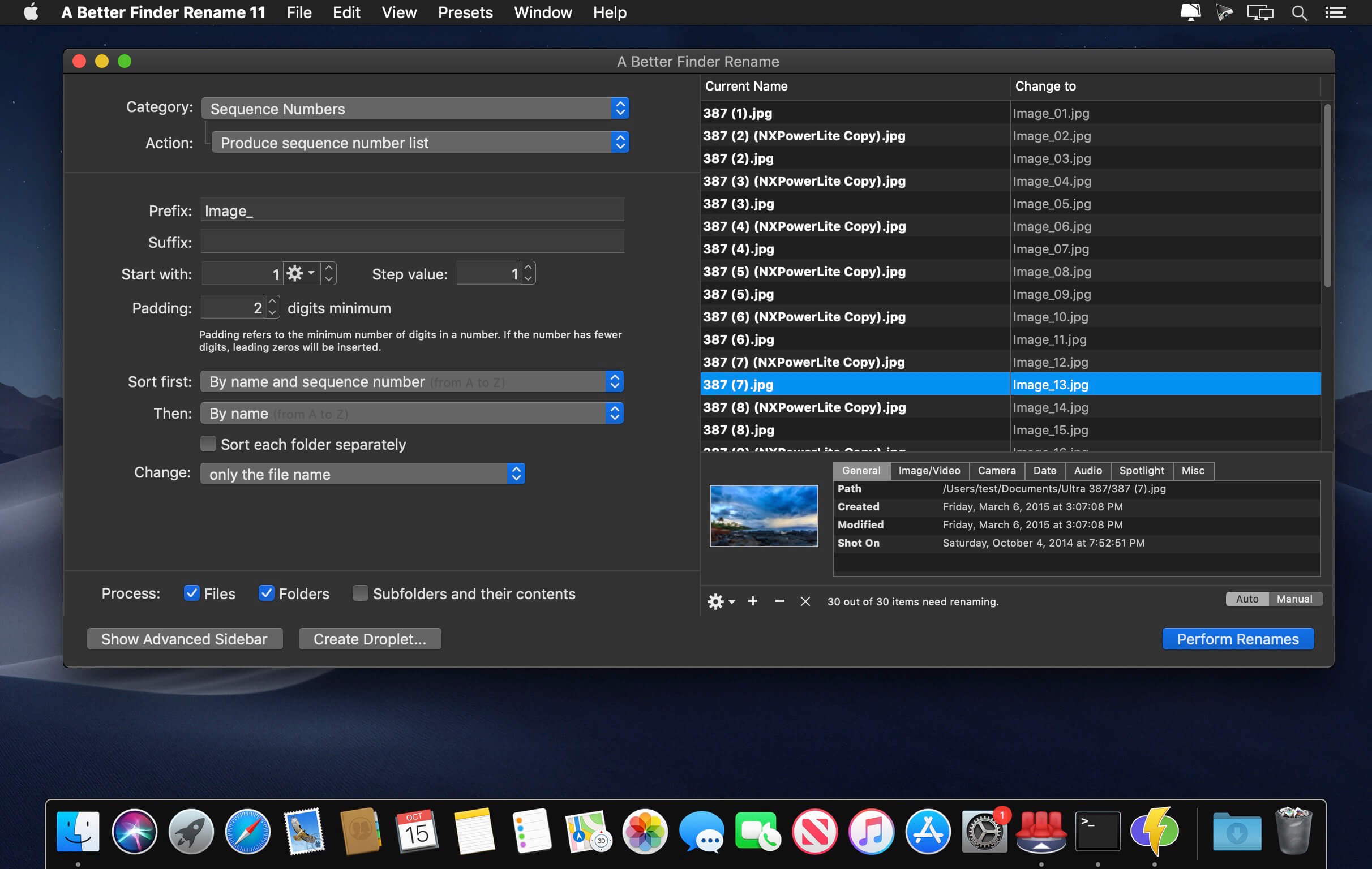
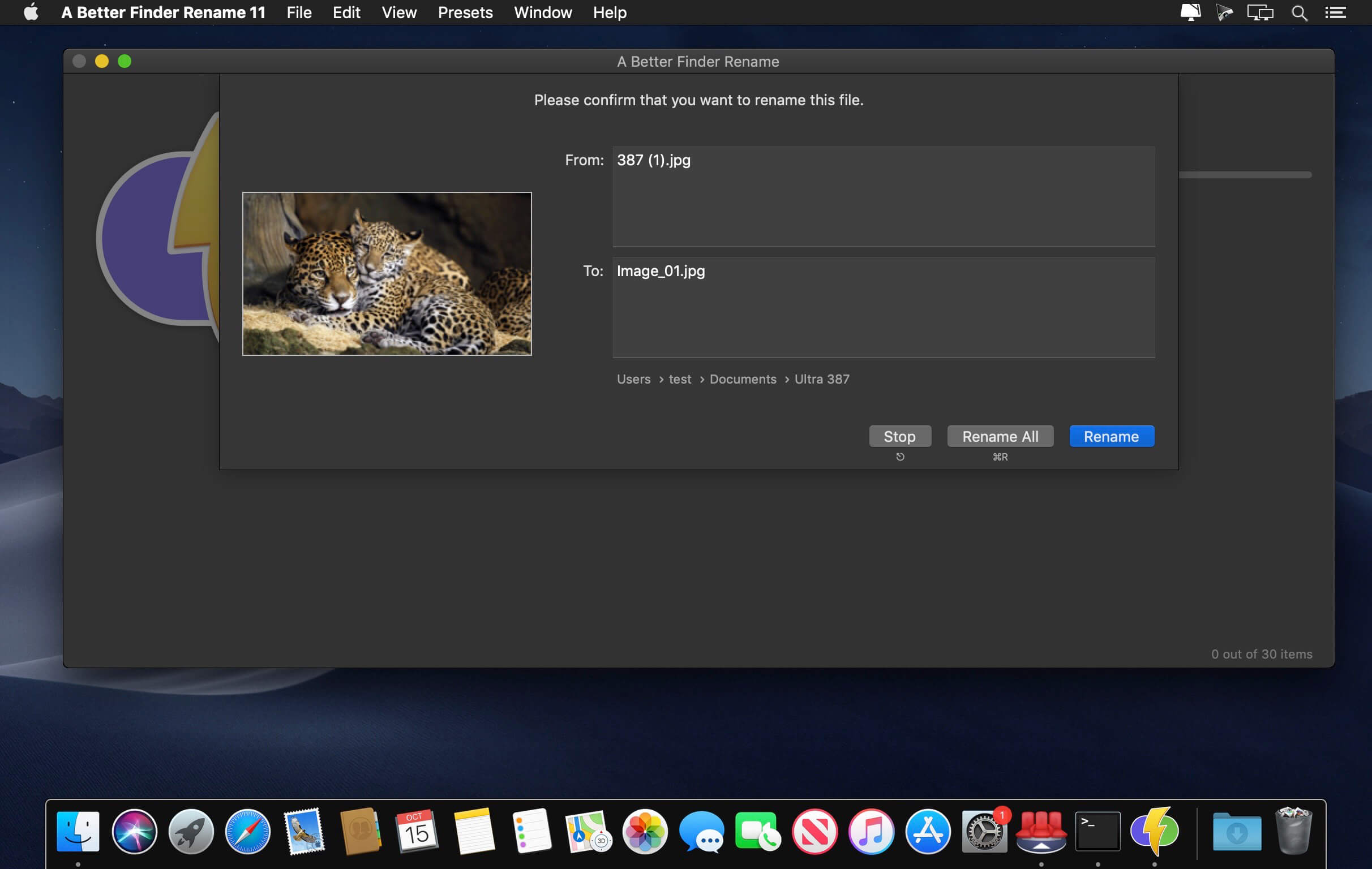
A Better Finder Rename is the most complete renaming solution available on the market today. That’s why, since 1996, tens of thousands of hobbyists, professionals and businesses depend on A Better Finder Rename to organize and maintain files. The Instant Preview feature eliminates guesswork and costly errors and helps you find the right settings quickly and accurately by providing as-you-type feedback.

A Better Finder Rename offers a complete set of renaming options that are organized into 15 categories covering all the text, character, position, conversion and truncation features that you would expect from a file renamer, but it does not stop there. The multi-step renaming feature allows multiple renaming steps to be combined to deal with complex renaming jobs in a single operation. Unlike other tools, A Better Finder Rename allows any number of renaming actions to be combined, re-ordered, copied and deleted.

What’s New:

Version 12.19:

  • The new version adds a warning when creating a droplet on Ventura.

Compatibility: macOS 13.5 or later
Homepage https://www.publicspace.net/ABetterFinderRename/index.html

Screenshots


Name: A_Better_Finder_Rename_12_12.19_Mac-torrents.Net.dmg
Size: 16 MB
Files A_Better_Finder_Rename_12_12.19_Mac-torrents.Net.dmg[16 MB]


   Download Torrent

DropDMG 3.7.1

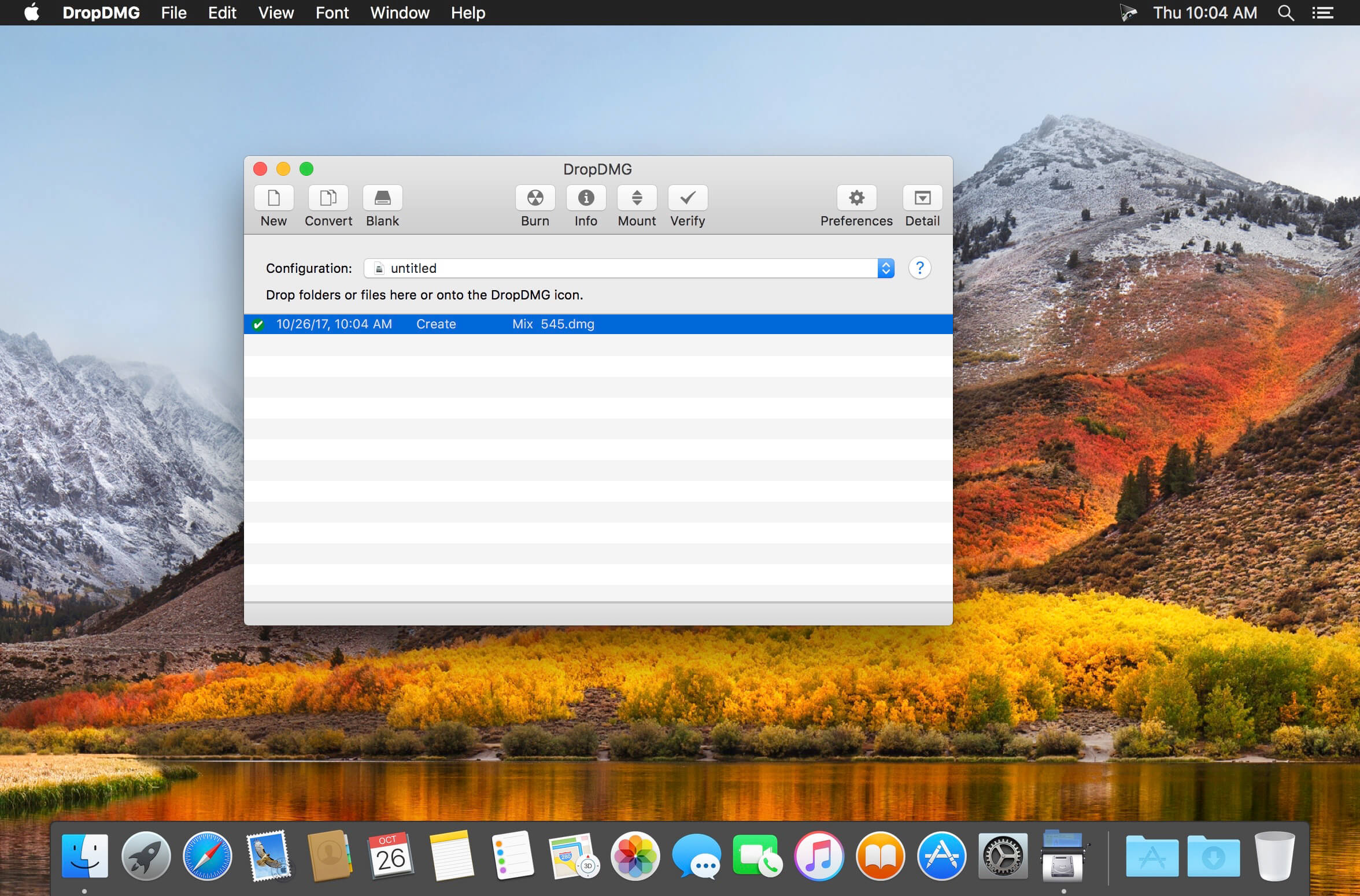
Disk images pack entire folders or disks into a single compressed file, either for transport across the Internet or simply for backup. They are Apple’s preferred format for distributing Mac software. Disk images are also the only archive format whose contents you can directly access in the Finder.

DropDMG is the easiest way to create Mac OS X disk images, as well as cross-platform archives. Just drag and drop a folder or file and you’re done. Or, you can drag an existing disk image or archive onto DropDMG to convert it to any of the other supported formats or to burn it to CD or DVD.

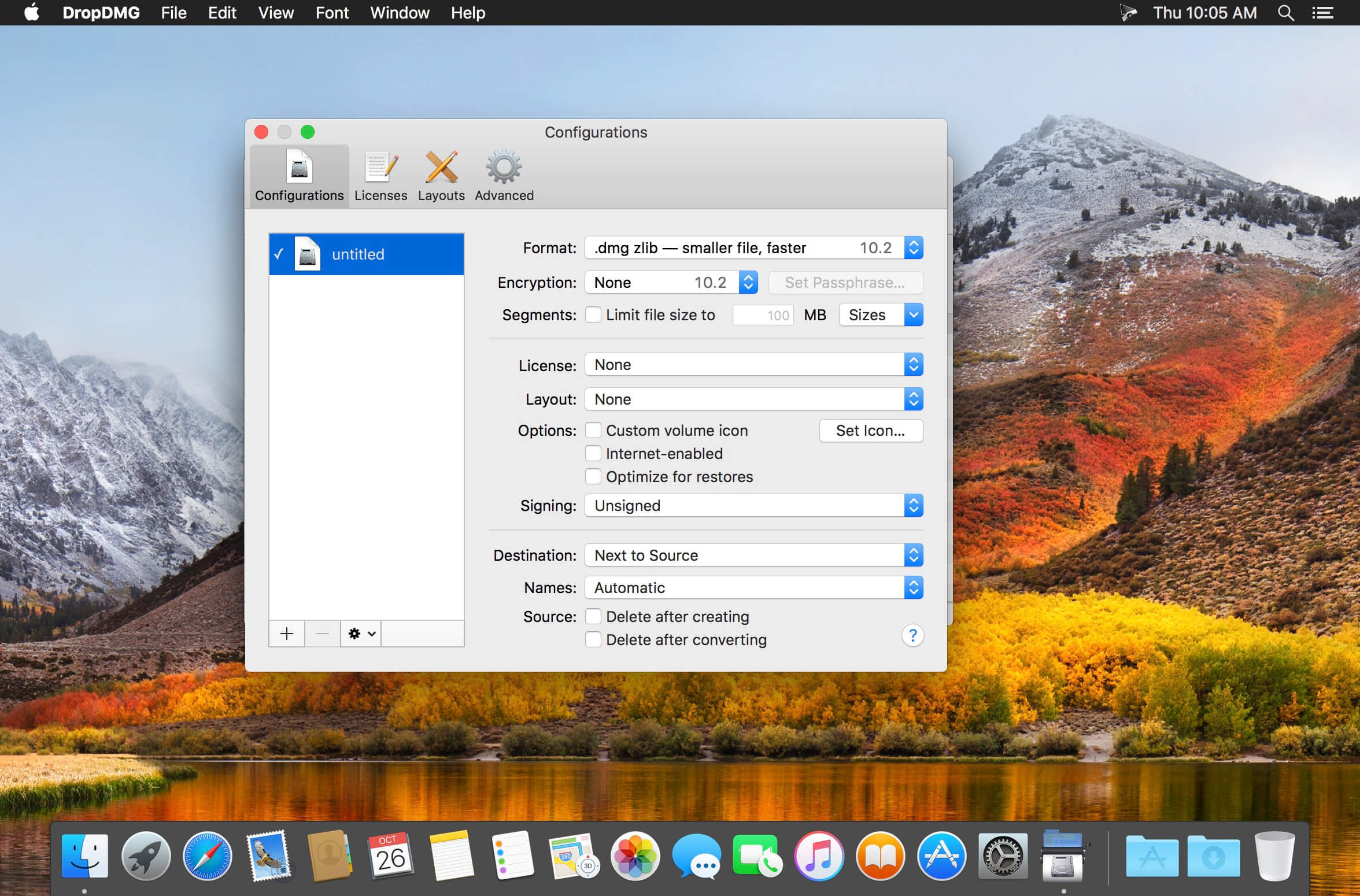
DropDMG supports advanced options such as encrypted and segmented disk images, WYSIWYG layout with background pictures and custom volume icons, and rich-text license agreements in multiple languages. There are many time-saving features, and it can also be automated via AppleScript, the command-line, and Automator.

Compatibility: macOS 10.12 or later
Homepage https://c-command.com/dropdmg/

Screenshots


Name: DropDMG_3.7.1_Mac-torrents.Net.dmg
Size: 30 MB
Files DropDMG_3.7.1_Mac-torrents.Net.dmg[30 MB]


   Download Torrent

Ableton Live 12 Suite 12.2.7

Ableton Live is fast, fluid and flexible software music sequencer and digital audio workstation for music creation and performance. It comes with effects, instruments, sounds and all kinds of creative features – everything you need to make any kind of music.

Create in a traditional linear arrangement, or improvise without the constraints of a timeline in Live’s Session View. Move freely between musical elements and play with ideas, without stopping the music and without breaking your flow.

All new features and updates in Live 12:

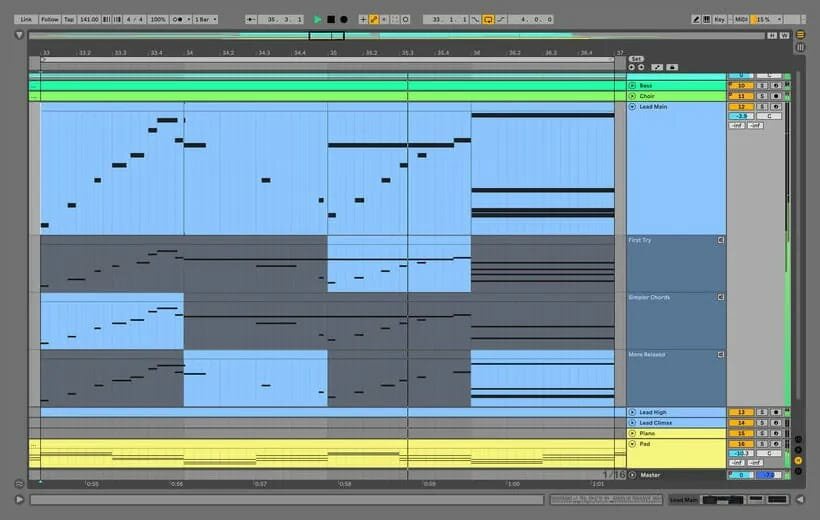
MIDI Transformations
Create a variety of simple or complex variations to your MIDI clips: add ornaments and articulations, draw acceleration and deceleration curves, connect successive notes and chords, or simulate the strum of a guitar.

MIDI Generators
Conjure up melodies, chords and rhythms with new MIDI Generators. Give your chosen Generator custom constraints, watch it create playful and original patterns, and then turn the ideas it produces into your own.

Max for Live MIDI Tools
Max now facilitates even greater experimentation, letting you create new MIDI Transformations and Generators – either based on existing ones, or your own creations.

MIDI Editing Improvements
Arrange the order of a selection of notes by pitch, velocity or duration. Stretch, split, chop or join notes in new ways; shape the velocity of notes; transpose them into a scale; or add intervals chromatically or in key.

Keys and Scales
Set the selected clip’s scale in Live’s Control Bar to see its notes in any clip you create. Then edit the clip using scale highlighting as a guide, use the clip scale to transform and generate musical ideas, or sync the scale of MIDI devices and instruments to the clip being played. Any changes in Live will be reflected in Push, and vice versa.

Expanded probability
Assign a single probability rule to a group of notes so that the entire group of notes is played whenever the trigger is fired. Or select a chord and tell Live to randomly play one note from it whenever the probability trigger is fired.

Embrace and explore tunings
Follow your preferred tuning systems or try different ones more easily. Work outside the 12-tone equal temperament system, and access tunings with Live’s devices as well as any MPE-capable plugin.

Meld
A bi-timbral, MPE-capable instrument designed for deep sound shaping that lets you create a wide array of textural and experimental tones with its two easy-to-use macro oscillators.

Granulator III
The latest iteration of Robert Henke’s granular instrument now has MPE capability, giving you expressive control over parameters like note bend, vibrato and glissando. Plus, you can now capture audio in real time and start manipulating it immediately.

Roar
Create everything from subtle and precise mastering-grade warmth to wild and unpredictable sound degradation with Live’s new coloring and saturation effect. Roar’s three saturation stages can be used in series, parallel, or even in mid/side and multiband configurations – and it comes equipped with a feedback generator and an extensive modulation matrix.

New Modulation Behavior
Modulation destinations are no longer taken over by the modulation source. This means you can still adjust the parameter being modulated, even after assigning an LFO or other modulation source to it, opening up faster workflows, more possibilities for performance and continuous real-time control of parameters.

New Pack
Lost and Found – A collection of sounds fashioned from unusual materials, percussive trinkets, unique foley recordings and expressive objects to infuse your productions with character and authenticity. Dig deep and create layers of decorative, expressive instruments, playful Drum Racks and rich sound effects.

New Pack
Performance Pack – A set of innovative devices from Iftah that push the boundaries of performing with Live. Capture snapshots of your sets and deploy them later, control multiple parameters with layered macros and curves, extend performances with looping in Arrangement View and pre-arrange the structure of a performance before you have even recorded it.

Stacked Detail Views
View your devices and the Clip Editor, or automation and device parameters, at the same time – so you can work without the distraction of switching between views.

View styling
Live 12’s cleaner, more minimal look removes visual complexity and keeps the focus on your music.

Mixer in Arrangement
Live’s Mixer, previously available only in Session View, can now be used in Arrangement View. Toggle it on or off with Mixer View Control located in the bottom right corner or via the View menu, and configure it independently of the Arrangement Mixer.

Mixer improvements
Live’s Mixer also comes with visual improvements that make it more accurate for detailed mixing decisions, and easier to read and control.

Browser Tagging and Filtered Searches
Search for your sounds in the Browser without the constraints of Live’s built-in categorization. That means when you search for bass sounds, you’ll see all the bass sounds in your Ableton library, whether they’re samples or instrument presets.

Live 12’s sound content is also tagged using a new system that acts as a more flexible alternative or addition to Collections in the sidebar. Sounds now come with sensible labels to make them easier to find – but if you need more detail, or just want to use your own method of labeling, you can also add your own.

Aside from Live 12’s built-in tags, you can create your own custom categories in the sidebar for easy access to all your favorite sounds and devices in the way that makes the most sense to your workflow.

Sound Similarity Search
Start with a sample and tell Live’s browser to find comparable sounds and instrument presets, with the help of a neural network.
Or swap all the samples in your Drum Rack for similar ones to quickly try out new percussive textures – like a drum machine with seemingly-infinite kits.

Browser History
Retrace your steps, and see and hear the sounds or categories you’ve previously searched for: Live’s Browser now lets you backtrack through your search history as you would with a web browser.

Accessibility and navigation improvements
Control core workflows in Live 12 using assistive technologies like screen readers, and use new keyboard shortcuts to navigate to nearly every part of Live.

New Themes
Choose new themes and adjust them with cool, neutral or warm tones and even a high contrast mode.

What’s New:

Release Notes:

Compatibility: macOS 11.0 or later, Apple Silicon or Intel Core processor
Homepage https://www.ableton.com/

Screenshots

Name: Ableton_Live_12_Suite_12.2.7_U2B__HCiSO_Mac-torrents.Net.dmg
Size: 3.18 GB
Files Ableton_Live_12_Suite_12.2.7_U2B__HCiSO_Mac-torrents.Net.dmg[3.18 GB]


   Download Torrent

Rhino 8.25.25314.11002

Rhino- Versatile 3D modeler. Rhinoceros can create, edit, analyze, document, render, animate, and translate NURBS* curves, surfaces, and solids, point clouds, and polygon meshes. There are no limits on complexity, degree, or size beyond those of your hardware.

Special features include:

-Uninhibited free-form 3-D modeling tools like those found only in products costing 20 to 50 times more. Model any shape you can imagine.
– Accuracy needed to design, prototype, engineer, analyze, and manufacture anything from an airplane to jewelry.
– Compatibility with all your other design, drafting, CAM, engineering, analysis, rendering, animation, and illustration software.
– Read and repair meshes and extremely challenging IGES files.
– Accessible. So easy to learn and use that you can focus on design and visualization without being distracted by the software.
– Fast, even on an ordinary laptop computer. No special hardware is needed. Affordable. Ordinary hardware. Short learning curve.
– Affordable purchase price. No maintenance fees.

Compatibility: macOS 12.4 or later
Homepage https://www.rhino3d.com

Screenshots


Name: rhino_8.25.25314.11002_Mac-torrents.Net.zip
Size: 704 MB
Files rhino_8.25.25314.11002_Mac-torrents.Net.dmg[704 MB]


   Download Torrent

Microsoft Office LTSC Standard for Mac 2024 v16.103

Microsoft Office for Mac is designed from the ground up to take advantage of the latest Mac features, including Retina display, full screen view support, and even scroll bounce. It’s the perfect combination of the Office you know and trust, and the Mac you love.

Word
Create and share professional-looking documents with state-of-the-art editing, reviewing, and sharing tools. The new Design tab provides quick access to features, and Smart Lookup shows relevant contextual information from the web directly inside Word.

Excel
Analyze and visualize your data in new and intuitive ways with a fresh user interface plus your favorite keyboard shortcuts. Leverage features like Analysis Toolpak, Slicers, and Formula Builder to save time, so you can focus on insights.

PowerPoint
Create, collaborate, and effectively present your ideas with new slide transitions and an improved Animations task pane. Threaded comments alongside your slides help you incorporate feedback into your presentations. And Presenter View displays the current slide, next slide, speaker notes, and a timer on your Mac, while projecting only the presentation to your audience on the big screen.

OneNote
It’s your very own digital notebook, so you can keep notes, ideas, web pages, photos, even audio and video all in one place. Whether you’re at home, in the office, or on the move, you can take it all with you wherever you go while sharing and collaborating with others. It’s great for school assignments, work projects, travel plans, party planning, and more.

Outlook
Easily manage your email, calendar, contacts, and tasks. Push email support keeps your inbox up to date, conversation view groups related messages, and calendars can be viewed side-by-side for planning.

Languages: English, العربية, 中文, Čeština, Dansk, Nederlands, Suomi, Français, Deutsch, Ελληνικά,
עברית, Magyar, Bahasa Indonesia, Italiano, 日本語, 한국어, Norsk, Polski, Português,
Русский, Slovenčina, Español, Svenska, ภาษาไทย, Türkçe
Compatibility: macOS 10.14 or later
Homepage www.microsoft.com

Screenshots

Name: Microsoft.Office.2024.v16.103_Torrentmac.net.rar.torrent
Size: 2.7 GB
Files Microsoft.Office.2024.v16.103_Torrentmac.net.rar.torrent [2.7 GB]


   Download Torrent

Lungo 2.7.2

Lungo prevents your Mac from falling asleep and your screen from dimming. Important: Lungo will not prevent your Mac from sleeping if you close the lid. This is a Mac App Store limitation.

This can be useful when:

  • Doing a presentation at work.
  • Watching YouTube videos in non-fullscreen mode.
  • Cooking and having the recipe open on your computer.
  • Reading a long article without scrolling.
  • Using the screen to view live stats.
  • Monitoring progress on a long-running task.

Features:

  • Right-click the menu bar icon to quickly activate.
  • Choose to activate with left-click instead in the Preferences.
  • Choose to activate at launch in the Preferences.
  • Allow the display to sleep in the Preferences.
  • Set the default duration in the Preferences, which is used when Lungo is activated by clicking the menu bar icon.
  • Custom keyboard shortcut to activate/deactivate Lungo.
  • Deactivate automatically when disconnecting the power adapter (opt-in).
  • Shortcuts support.
  • Control Lungo from scripts or the terminal. (See the website for more info)

Compatibility: macOS 15.2 or later
Homepage https://geo.itunes.apple.com/app/id1263070803

Screenshots


Name: Lungo_2.7.2_Mac-torrents.Net.dmg
Size: 10 MB
Files Lungo_2.7.2_Mac-torrents.Net.dmg[10 MB]


   Download Torrent

ForkLift 4.4.4

Forklift is a lightweight and clean styled macOS app built to be a speedy and very powerful dual pane file manager for all Mac users that need to work with their files on their local machine or by connecting to remote servers.

Support for managing files on remote servers

  • Thus, with the help of Forklift, you can manipulate the files and documents on your Mac’s hard drive or the ones stored on FTP, SFTP, SMB, WebDAV, Amazon S3, iDisk, AFP and NIS servers.
  • Moreover, all the features and tools that Forklift provides you with in order to effortlessly and rapidly manage your local and remote files are made available via an elegant looking and Cocoa based user interface.

Slick styled and macOS integrated interface

  • The Forklift file manager and remote client is designed to perfectly integrate within the look and feel of macOS, as well as closely follow Apple’s Human Interface Guidelines for a streamlined user experience.
  • The fact that Forklift is a dual-pane based application helps it to greatly increase one’s productivity by providing direct and quick access to two different local or remote file views at a time.
  • Also, because each panel can be configured to display a different view of your files, you can use any of them as a built-in panel for previewing the currently selected file’s contents.
  • Forklift also includes other cutting-edge features like a live preview tool, spring loaded folders, and synchronized browsing for further speeding up your file managing workflow.

Tab powered powerful and streamlined file managing application

  • As an added bonus, Forklift enables you to manage your files using multiple tabs at a time, this allowing you to keep your workspace nice and clean while still being able to handle numerous file storage locations and folder structure simultaneously.
  • Furthermore, you can employ Forklift for effortlessly and swiftly synchronizing your folders between two local or remote target folders, thus eliminating the need of an extra application dedicated to keeping your files and documents in sync.
  • What’s more, Forklift also features a built-in application deleter designed to help you keep your hard drive clean of left over files after uninstalling applications, a remote editing feature that will automatically upload any changes you’ve made locally to the remote server where the edited file is stored.

User-oriented and full featured file manager and remote server client

  • Forklift has you covered ever if you are an macOS power user with its Terminal integration that makes it simple to open a new command line interface within any folder and the extensive keyboard shortcuts which make it a cinch to control it without using a mouse.
  • To sum it all up, if Apple’s Finder just doesn’t cut it for you because of its limited set of features, you might want to give Forklift a quick spin.
  • Forklift is the right choice if you need a dual pane file manager on steroids, capable of helping you manage local and remote files and folders via a user-friendly and efficient user interface.

*** You need to disable the System Integrity Protection (SIP) to perform the selected Application.

Language: Multilangual
Compatibility: macOS 12.0 or later
Homepage https://binarynights.com/

Screenshots


Name: ForkLift_4.4.4_Mac-torrents.Net.dmg
Size: 13 MB
Files ForkLift_4.4.4_Mac-torrents.Net.dmg[13 MB]


   Download Torrent

Aspect Ratio Pro 2.25

Aspect Ratio Pro is a Rule of Three calculator. It’s handy for calculating aspect ratios and scaling.

Features
– Calculate aspect ratios (rule of three)
– Swap values horizontally and vertically
– Select scales and ratios
– Browse common resolutions
– Browse recent ratios
– Formula preview
– Uses imperial or metric system automatically based on your system settings
– Multi-window support
– Optimized for macOS 11 (Big Sur) and macOS 12 (Monterey)
– Optimized for Mac with M1, M1 Pro and M1 Max (Apple Silicon)

Compatibility: macOS 11.0 or later
Homepage: https://apps.apple.com/rs/developer/app-ahead-gmbh/id955848754

Name: Aspect_Ratio_2.25_Mac-torrents.Net.dmg
Size: 9 MB
Files Aspect_Ratio_2.25_Mac-torrents.Net.dmg[9 MB]


   Download Torrent

iBarcoder 3.17.2

The Cristallight iBarcoder is professional mac barcode generator for creating any number of individual, or sequential barcodes, printing them as colorful barcode labels in your own style, of any size, or shape, or exporting them as graphic image files in common vector and raster image formats.

The iBarcoder makes it really easy to design and print barcode labels, stickers, tags on your mac in just a few steps. Use our mac barcode software to produce barcodes of more then 40 1-D and 2-D (Datamatrix and QR Code, etc.) barcode symbologies.

Export barcodes either as high-resolution (up to 4800 dpi) image files, or vector graphics:

  • PDF (vector)
  • EPS (vector)
  • BMP
  • TIFF
  • JPEG
  • PNG
  • PNTG
  • Photoshop and more…

What’s New:

Version 3.17.2

  • Release notes were unavailable when this listing was updated.

Compatibility: OS X 10.10 or later 64-bit
Homepage https://cristallight.com/

Screenshots


Name: iBarcoder_3.17.2_Mac-torrents.Net.dmg
Size: 17 MB
Files iBarcoder_3.17.2_Mac-torrents.Net.dmg[17 MB]


   Download Torrent

FxFactory Pro 8.0.27

FxFactory Pro includes filters, generators and transitions for Final Cut Pro X, Motion, Premiere Pro and After Effects. FxFactory is the first extensible visual effects package for Final Cut Pro. Unlimited capacity: download additional plugins from FxMarket.

The user can check all plugins and customize them appropriately for their project, or create new ones based on existing ones. Create your own effects for Final Cut Studio without writing code. Seamless integration with FxPlug: once you install plugins, you can immediately start using them in Final Cut Pro, Motion and After Effects.

An added bonus is that the Pro Pack plugins support 16-bit and 32-bit motion graphics. FxFactory is not just a built-in plugin manager, but also a complete environment for managing plugins. Through it, you can connect the necessary modules to the project, apply them to your content, preview and render.

The App Store for Pro Users
FxFactory lets you browse, install and purchase effects and plugins from a huge catalog for Final Cut Pro, Motion, Premiere Pro, After Effects, Logic Pro, GarageBand, Adobe Audition and DaVinci Resolve.

Play Before you Pay
Free trials are available for most products, letting you buy only the stuff you need. Did we mention free plugins?

Simple by Design
Installing products or setting up a new system has never been easier. FxFactory remembers your configuration and purchase history so you don’t have to.

Free Tutorials
Our products will make your job easier and faster. Discover our catalog through hundreds of freely accessible video tutorials.

Compatibility: macOS 11.5.1 or higher
Homepage https://fxfactory.com/

Screenshots


Name: FxFactory-8.0.27_Mac-torrents.Net.rar
Size: 44 MB
Files FxFactory-8.0.27_Mac-torrents.Net.rar[44 MB]


   Download Torrent

Toontrack EZkeys v2.1.4

EZkeys 2 is more than a piece of software, it’s a songwriting tool and a creative hub for new ideas. Ready to write, play and create? Meet your new piano player today.

* Fully resizable and scalable interface
* Bandmate: Get chords and grooves based on your own audio or MIDI
* Onboard grid editor with humanization, scale matching, timing features and more
* Tap2Find: Get grooves based on the rhythm and notes you input
* An all-new grand piano recorded using a wide range of microphones and ambiences
* Mix-ready presets for a broad range of styles and sounds
* An all-new MIDI library covering different playing styles and music genres

Already got a song idea? Simply drop your audio or MIDI in the Bandmate and have EZkeys 2 list its best matches for an accompanying piano.
Struggling to come up with an idea? Use the Suggest Chords feature and EZkeys 2 will come up with a musical chord progression based on style and feel.
Need even more inspiration? Use the Songwriting Scales feature and let a mood or scale set the tone for your new idea. If that’s not enough, browse the extensive, new MIDI library covering a wealth of genres and playing styles.
Beyond that, EZkeys 2 offers near endless possibilities for editing, arranging and customizing your performances – leaving you in total creative control.
Need a world class sampled piano? EZkeys 2 also includes an all-new core sound library featuring a breathtaking grand piano recorded to offer maximum versatility and an unrivaled playability.
With all this combined, EZkeys 2 will let you write, play, create and, more effortlessly than ever, add piano to your songs. EZkeys 2 is more than a piece of software, it’s a songwriting tool, an arranger and a creative hub for inspiration and new musical ideas.

Release notes for EZkeys 2.1.4
2025-09-23
CHANGES
* Added support for Time Machine EKX.

Homepage https://www.toontrack.com/product/ezkeys-2/

Name: EZkeys.v2.1.4_Mac-torrents.Net.dmg
Size: 730 MB
Files EZkeys.v2.1.4_Mac-torrents.Net.dmg[730 MB]


   Download Torrent

Transmit 5.11.2

The gold standard of macOS file transfer apps just drove into the future. Transmit 5 is here. Upload, download, and manage files on tons of servers with an easy, familiar, and powerful UI. It’s quite good.

More Servers.
Transmit now connects to 10 new cloud services, like Backblaze B2, Box, Google Drive, DreamObjects, Dropbox, Microsoft Azure, and Rackspace Cloud Files.
And yes, Transmit still handles the classics — FTP, SFTP, WebDAV, and S3 — better than any. We make complex services drag-and-drop simple.

More Sync.
Transmit 5 now includes Panic Sync, our secure and fast way to sync your sites. (You can learn about Panic Sync here.) And our File Sync feature adds support for local-to-local and remote-to-remote sync, while also giving you more fine-grained control.

More Speed.
We disassembled Transmit’s engine and rebuilt it, again, to significantly boost speed. T5 is better at multithreading and smarter about complex folders. Plus it’s got a new activity view to better focus on what Transmit is doing right now. It’s very fast.

Much More.
It’s been a very long time since the last major Transmit update, and we had a lot to do. Put simply, almost every corner of Transmit has been improved. Some examples:

Compatibility: macOS 12.0 or later
Homepage https://www.panic.com/transmit/

Screenshots


Name: Transmit_5.11.2_Mac-torrents.Net.dmg
Size: 32 MB
Files Transmit_5.11.2_Mac-torrents.Net.dmg[32 MB]


   Download Torrent

Text Workflow 2.6.0

A powerful and easy to use tool that will help you transform your text. Text Workflow removes the need to perform repetitive tasks manually on your text.

Combine transformation actions to create powerful automations for your text. Save your transformation workflows to use them any time you want.

Available text transformation actions
• Add prefix
• Add suffix
• Replace text
• Sort lines
– alphabetically
– reverse
– shuffle
– by length
• Trim Lines
• Add line number
• Break lines
– after every word
– after every sentence
– after text
– before text
• Convert Case
– uppercase
– lowercase
– title case
– camel case
– pascal case
• Delete Characters
– selected characters
– non-alphanumeric
– numeric characters
– non numeric
– tabs
– spaces
– characters after position
– characters before position
– last characters
– emojis
– characters after text
– characters before text
• Insert Text
– at first line
– at last line
– every line (position)
– before every word
– after every word
– before text
– after text
– after every character
• Delete Lines
– containing text
– starting with text
– not containing text
– not starting with text
• Remove line breaks
• Remove multiple spaces
• Remove duplicates lines
• Remove duplicates words
• Remove empty lines
• Delete/Filter words
– containing text
– starting with text
– not containing text
– not starting with text
• Spell out lines
• Get Statistics
– count characters
– count words
– count lines
• Encode/Decode
– Base64
– URL
• Encrypt/Decrypt Text with password
• Beautify JSON
• Beautify XML

You can combine all these actions to create your custom transformation workflows!
Export your workflows to file and share them easily with other users!

Compatibility: macOS 12.0 or later
Mac App Store https://apps.apple.com/app/text-workflow/id1600520682

Screenshots


Name: Text_Workflow_2.6.0_Mac-torrents.Net.dmg
Size: 17 MB
Files Text_Workflow_2.6.0_Mac-torrents.Net.dmg[17 MB]


   Download Torrent

Aiarty Image Matting 2.6

The State-of-the-Art AI-based image matting software for your AIPC, delivering precise background removal, advanced alpha matting for detailed hair, fur, and transparent objects, and seamless foreground-background blending.

Batch Replace Backgrounds for Product Images
Smart object recognition & batch background replacement. Identify and process up to 3000 product photos, replacing backgrounds all at once.

Optimized for Semi-transparent Object Matting
Utilize deep convolutional layers to capture complex features in images like wedding dresses, lace, tulle, glass, and water droplets. Expertly preserve translucent properties and optimize edge details, ensuring more natural blend into the new background.

Blend Naturally and Creatively
High-Precision Alpha Matting
Go a step further with dynamic transparency control and edge optimization even in complex edge cases. This ensures excellent detail preservation and makes background integration seamless.

Versatile Background Effects
Replace backgrounds with transparency, solid colors, custom effects like blur, or other images. Highlight the subject and create appealing compositions for e-commerce, personal projects, and more.

Compatibility: macOS 11.0 or later
Homepage https://www.aiarty.com

Screenshots


Name: Aiarty_Image_Matting_2.6_Mac-torrents.Net.dmg
Size: 197 MB
Files Aiarty_Image_Matting_2.6_Mac-torrents.Net.dmg[197 MB]


   Download Torrent

Aiarty Image Enhancer 3.5

A generative AI-powered image enhancement software that deblurs, denoises, restores, and upscales images, generating realistic details for superior clarity and sharpness using new and advanced AI models. Enhance Your Images for Better Perceptual Quality

Deblur
- Make Blurry Images Clearer
Enhance blurry, grainy, pixelated, or soft images intelligently, while AI works its magic to generate crisp and lifelike details – idea for restoring clarity to AI-generated images and heavily compressed photos.

Denoise – Remove Noise from Photos
Employ deep learning algorithms to denoise and reconstruct photos. Tackle various noise types obtained during acquisition or post production. Effectively improve clarity, sharpness, and overall visual quality

Upscale – Enlarge Images to 4K/8K/32K without Losing Quality
Upscale AI-generated images and real photos by 2x, 4x, or 8x to achieve stunning 4K, 8K, or 32K resolution

More Details – 
Not Only Preserve But Also Generate
A specially trained AI model for preserving and generating image details. Adept at generating details for skin, hair, textures, lines, and the like. The lower the quality of the image is, the greater the potential for improvement.

Supported Input & Output Formats
Supported Input Formats
.jpg, .jpeg .jp2, .j2k, .jpf, .jpm, .jpg2, .j2c, .jpc, .jpx, .mj2, .png, .tif, .tiff, .webp, .bmp, .avif, and RAW formats (.dng, .cr3, .cr2, .crw, .nef, .nrw, .arq, .arw, .sr2, .srf, .raf, .rw2, .orf, .ori, .pef, .ptx, .3fr, .fff, .iiq, .cap, .eip, .rwl, .srw, .erf, .mos, .mef, .mrw, .mdc, .dcr, .kdc, .dcs, .drf, .k25, .bay, .pxn, .r3d, and .rwz)

Supported Output Formats
.jpg, .png (8-bit, 16-bit)

Supported Output DPIs

Compatibility: macOS 11.0 or later
Homepage https://www.aiarty.com

Screenshots


Name: Aiarty_Image_Enhancer_3.5_Mac-torrents.Net.dmg
Size: 119 MB
Files Aiarty_Image_Enhancer_3.5_Mac-torrents.Net.dmg[119 MB]


   Download Torrent

Torrents Download Apple,Mac Osx,Apps ,Software

Exit mobile version